Home > News

theHunter: Call of the Wild Update 1.81 Out for the Pistol Packin’ Patch This March 12

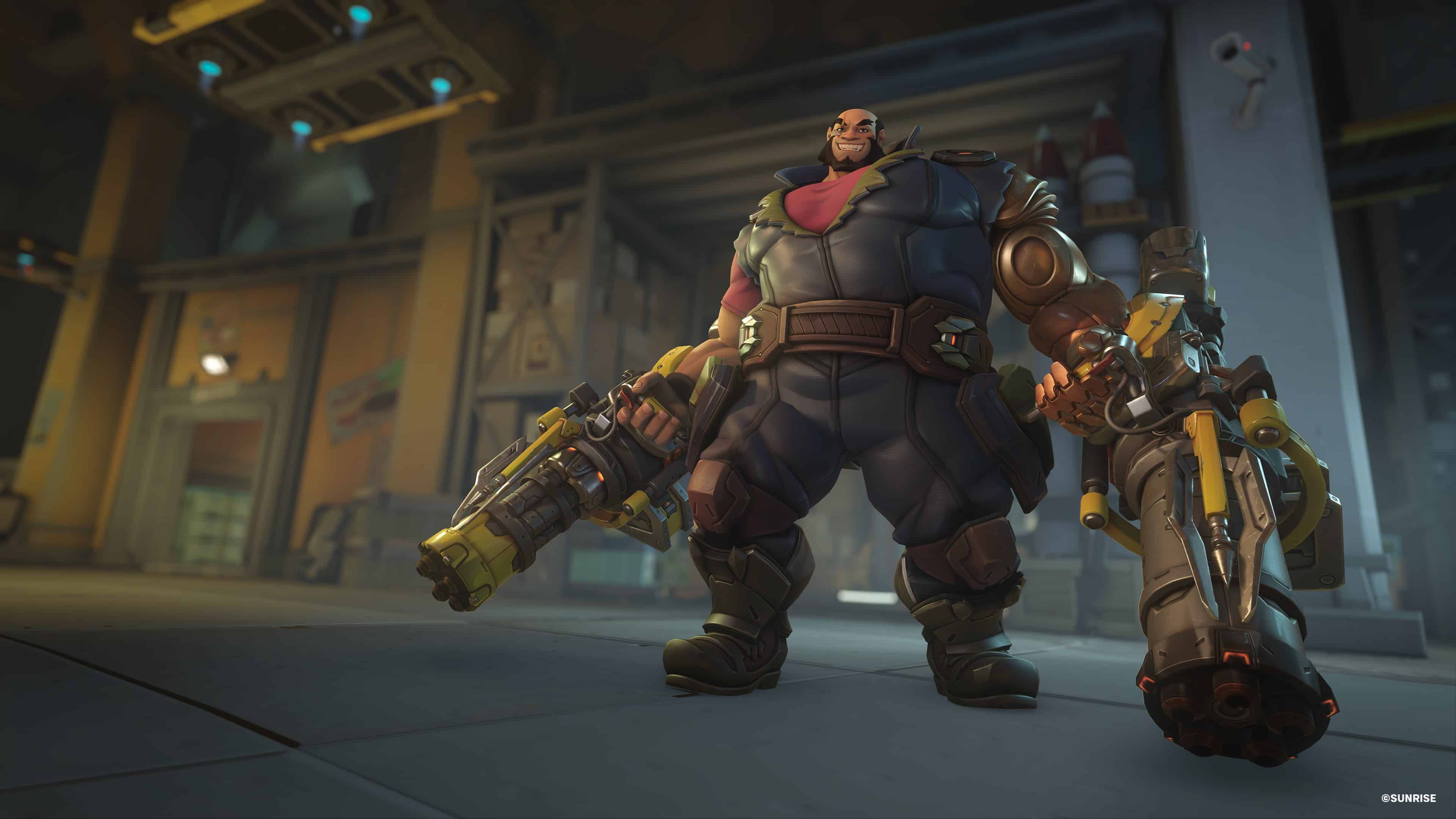
Expansive Worlds has released theHunter: Call of the Wild update 1.81 and this is for the “Pistol Packin” patch and the High Caliber Weapon Pack content. In this new update, you can expect to get three new powerful weapons as well as five more unique cosmetics. Additional bug fixes are also a part of this big new patch. Check out the official details below.

theHunter: Call of the Wild Update 1.81 Patch Notes | theHunter: COTW Pistol Packin’ Update Patch Notes:

What’s included:

  • Arzyna .300 Mag Tactical – The Arzyna .300 Mag Tactical offers stellar performance for both the hunter and marksman. Melding the flexibility of the AR platform with the long-range power of the .300 Magnum, it sets new standards in hunting and precision shooting.
  • .45-70 Jernberg Superior – The Jernberg Superior stands as the go-to rifle for sharpshooters and hunters alike thanks to its powerful single-shot, break-action design. Firing impressive .45-70 caliber rounds, and catering to custom needs with its adaptable scope mount, it’s more than a simple tool — it’s a testament to fine craftsmanship and precision.
  • Strandberg 10SA Executive – Whether you’re stalking prey in wetlands or participating in competitive shooting, the Strandberg 10GA Semi-Automatic Shotgun ensures unparalleled performance and reliability — every time.
  • 5 New Cosmetics: This pack also includes a sleek mix of exclusive Material and Camo cosmetics that can be applied to selected weaponry and gear in combination with other cosmetics in your inventory.

ADDING AN AUSSIE FLAIR

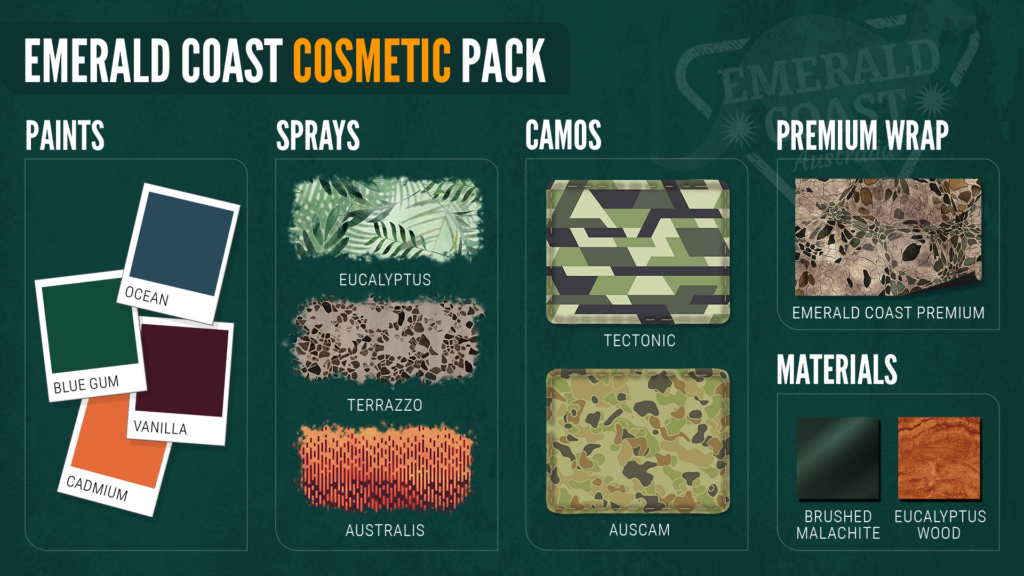
Also available today, amplify your aesthetic choices with the Emerald Coast Cosmetic Pack! This premium pack includes a collection of fresh new weapon paints, sprays, camos, materials, and a special premium wrap – all inspired by the stunning beauty of the Emerald Coast Australia reserve. Available on all platforms for $2.99.
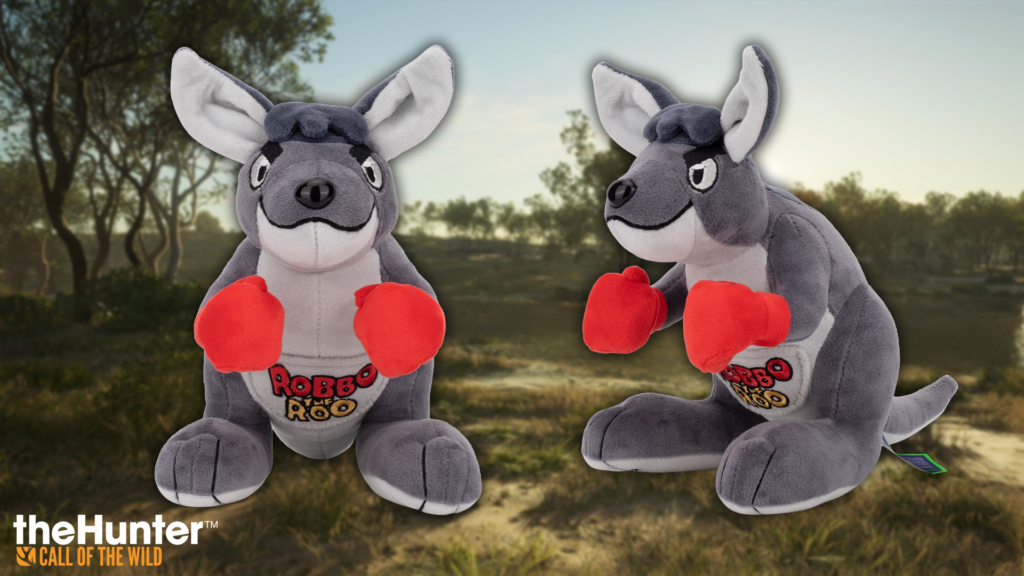
SAY HELLO TO ROBBO THE ROO

We’ve partnered with Makeship to bring this silly little kangaroo from Emerald Coast to life 🦘 Adorned with brilliant red gloves and a fully accessible pocket on the front, it’s the perfect thing to add to your stuffed animal collection. Visit Makeship’s website for more information and secure your own Robbo the Roo plushie!
FREE PISTOL PACKIN’ UPDATE: PATCH NOTES

And that’s not all! The latest free update for theHunter: Call of the Wild is also now available to all players. Let’s take a look at the details!

New Features, Improvements & Updates

  • We’ve speeded up the reloading animations for all Revolvers by adding Speedloaders to the game.
    • Developer’s Note: This change affects all the Revolvers in the game which could utilize Speedloaders. This excludes the .45 Rolleston for obvious reasons 😉
  • Binoculars and Rangefinders can now be customized by applying cosmetic items to them.
  • FOCOSO 357 has been visually reworked from scratch.
  • Double-action revolvers now function realistically, cocking when aimed for single-action firing, but also allowing for rapid double-action shooting without waiting for the hammer to be cocked.
    • Developer’s Note: The affected Revolvers are Rhino 454, Sundberg 454, and the Mangiafico 410 / 45 Colt on its 3 variations (Flat Black, Muertos, Polished Steel).
  • We’ve standardized our Animals Classes and in doing so we shifted some animals around to make the experience more consistent and predictable.
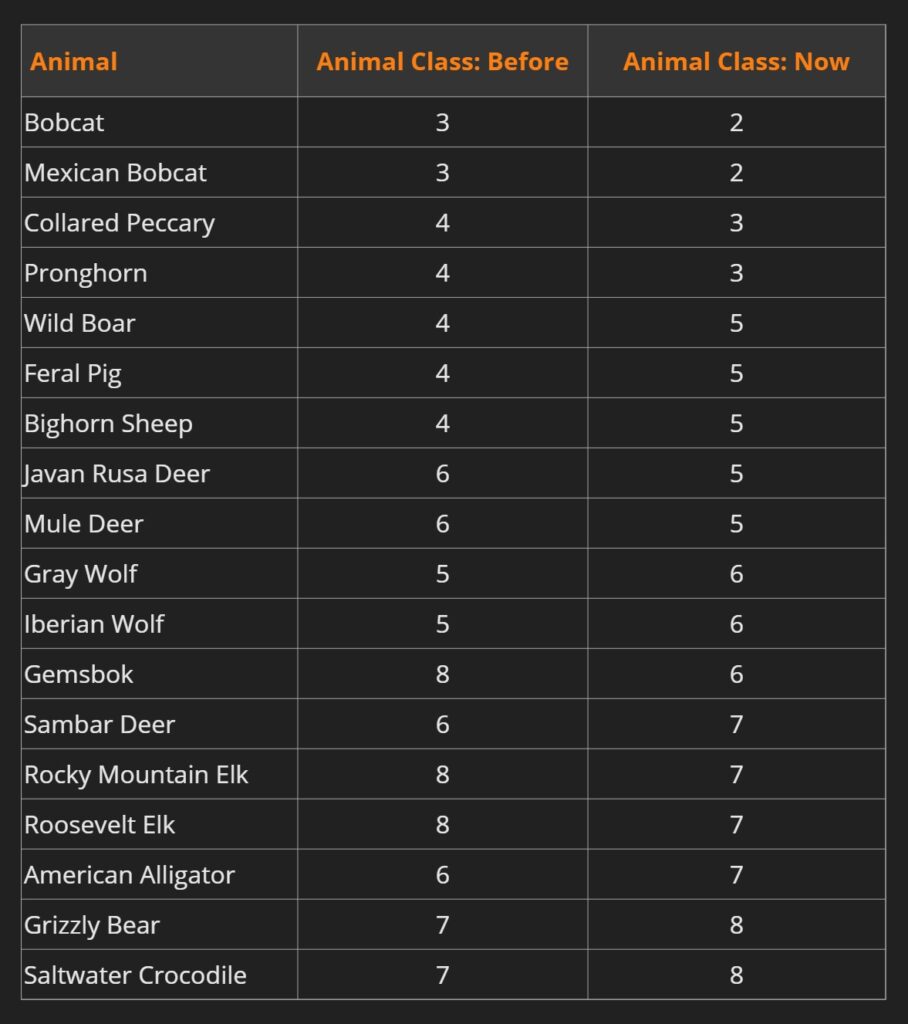
  • Due to the Animal Class changes, we’ve also updated general Class Icons too.
    • Developer’s Note: We now have a new icon for Class 4 – Whitetail deer. The Class 4 Boar has been moved to Class 5. Wolf is now the new Class 6. The old icon for Class 6 Reindeer is no longer present.

  • We’ve updated the Black Bears drinking schedule. They will now look for water in the early morning, rather than the middle of the night.
    • Developer’s Note: This time we opted to not reset the Black Bear populations, so only the bears that are spawned after the update will have the new drinking schedule. Existing bears will keep their old schedules.
  • PC Players can now use a new option in the multiplayer menu to show or hide Hosted Games that have no available spots by toggling Show Full Hosts button.
  • There is now a button for PC and PlayStation Players to manually refresh the Multiplayer Host list.
  • Players will now be informed of what knocked them out when respawning.
  • We’ve updated the weight for all the Tritium Sights: Before, these scopes weighed: 0.5 Now: 0.
    • Developer’s Note: Now there is no excuse not to have your Tritium Sights in your pocket!
  • Ground blinds and bigger hunting structures can now hold 2 players in Multiplayer.
  • Store images for Binoculars and Rangefinder have been updated.
  • We’ve added a codex entry for Hide all animal clues.
  • An option to show/hide the button prompts has been added.
    • Developer’s Note: It can be found under Settings > Interface > HUD.
  • “Spray” Customizable item from both the “New Year 2024” event and the “Lunar New Year 2024” event were originally missing. Users who claimed those Customization packs when they were available should have these Customization items automatically added to their available Customization items.
  • 2 new Spray cosmetics will be available for players who claimed the New Year 2024 and Lunar New Year 2024 cosmetic packs during the events available in January and February.
    • Developer’s Note: A pesky bug held back the sprays from unlocking before, but after patching up the game, they’re good to go. Players who claimed the New Year pack will now get access to New Year Sky Spray. Those who unlocked content from the Lunar New Year pack will get the Lunar New Year Paint Brush Spray.

BUG FIXES 

GAMEPLAY

  • We’ve addressed an issue that caused a number of weapons to not shoot accurately. This affected several scopes and depending on the weapon that was equipped, the misalignment was different.
  • We’ve fixed an issue with the Grelck Drilling Rifle, where switching between shotgun ammo changed the iron sight to the rifle sight.
  • Driving into a dog at full speed will no longer make the ATV fly and flip.
    • Developer’s Note: Please be nice to your hunting dogs and leave ATV stunts to professionals.
  • Active scent eliminators will now properly expire if the player sleeps for longer than they have left on their duration.
  • The default zeroing of the Andersson handguns (i.e. when not using the zeroing perk) has been set to 50m similar to other weapons.
  • The Rolleston and Cuomo handguns will now correctly automatically reload after being hip-fired.
  • Firing a shot with the Tsurugi and then switching to another weapon will now cause the new weapon to correctly show up instead of the Tsurugi.
  • An issue with zeroing at max range with the .223 and .270 rifles has been fixed.
  • We’ve addressed an issue when the player would become unable to swap ammo and scopes in the Weapon Wheel after doing it often in a single play session.
  • Changing scopes on the Grelck Drilling Rifle from the Weapon Wheel, and then choosing a different item to use will not stop the new item from being equipped anymore.
  • We’ve realigned the Grelck Drilling Rifle iron sight and scope to fix an additional accuracy issue.
  • We’ve fixed an accuracy issue with the Grelck Drilling Rifle when zeroing at 100m and 150m.
  • We’ve adjusted the threat generated by the Retriever Dog while retrieving.
  • Players can finally pet the Retriever Dog in the Layton Lake Trophy Cabin!
  • We’ve fixed an issue with the Bloodhound, where it would move extremely slowly after interacting with a blood clue.
  • Now the correct ATV will spawn when using the keyboard.
  • Bobcat and Mexican Bobcat have had their weights adjusted to be more accurate – from 6.4 to 18 kg.
  • We’ve resolved a problem where harvests couldn’t be picked up by any player if someone left and came back to a multiplayer session with Honoring ON.
  • Old trophies collected before the scoring update in 2020 will now display the medal that they had at the time of harvest again, rather than the medal that they would have been given using the new scoring system 🏆

MULTIPLAYER

  • The headlamp’s light beam, when seen in 3rd person by another player, has been properly adjusted to align with the user’s head.
  • Players on the Windows Store version of the game should be able to use text chat to communicate with each other again if they have the appropriate communications privileges set on their accounts.

MISSIONS

  • New mission available pop-up should now only appear when new missions are available.
  • The Make a Difference quest, in the New England Mountains Reserve, can now be completed again.

WORLD

  • The plane in the Yukon Valley intro cinematic will work as expected again.
  • We’ve fixed an issue with Basri Memorial and Crimson Ridge Outposts in Yukon Valley not unlocking properly.
  • It will no longer rain forever in any reserve if you leave Te Awaroa during the Toxicology Report mission.

UI

  • Selecting Reset camera position in the weapon customization will now reset the camera properly.
  • The correct Scent Eliminator icon will now appear when selecting it with a controller.
  • Apex Connect game invites notification now expires.
  • We’ve added a warning message when changing the keybindings.
  • Correct icons now appear for decoys when selecting them with the controller.
  • Scrolling through the Multiplayer Competition list should now be smoother with the scrollbar.
  • The option to rename a trophy lodge is no longer accidentally present on the Friend’s Trophy Lodges menu
  • Buttons will no longer stay highlighted when exploring the settings menu.
  • If the last menu visited was the Trophy Manager, pressing ESC will no longer lead to the inventory.
  • The competition list description will now be shown correctly after scrolling down in the list using a controller.
  • We’ve fixed a navigation issue with selecting mission items in the codex while using a controller.
  • The text field for renaming a loadout can now be focused on while using a controller.
  • We’ve fixed font scaling issues with the fur type column in the Trophy Manager.
  • The highlight lines when inspecting a Multi Trophy have been fixed.
  • We’ve addressed an issue where players could retire a dog in the wrong Kennel screen.
  • The Buy DLC button no longer overlaps with descriptions of the reserves in languages other than English.
  • It should now be easier to navigate through the EULA & Privacy Policy screens.
  • We’ve fixed a localization issue in Portuguese, where the controller buttons overlap with the text prompt of the Trophy Lodge menu.
  • Players should no longer become stuck in the Apex menu if they change from controller to mouse and keyboard while navigating the Privacy Policy.
  • We’ve resolved a problem with highlighting items when moving through the inventory menu using a controller.
  • We’ve fixed an issue where the APEX friend notifications did not automatically appear.

GRAPHICS

  • We’ve fixed a rendering issue that caused animals placed as Multi Trophy to disappear from view on the edge of the camera.
  • A twitching motion on trees in New England Mountains Reserve while having the tree stand equipped is no longer present.
  • Weapon models shown in the Store and Storage menus should be back to the appropriately high level of detail.

ART

  • The animal in the Harvest Screen will no longer slowly shrink while rotating.
    • Developer’s Note: Honey, who shrunk my trophy???

ANIMATION

  • The dog should be less likely to rotate its head unnaturally while looking at the player 🙃
  • The Retriever has learned to close its mouth properly when fetching arrows.
  • Picking up the Quist Red Pro Electronic Caller should now be smoother.
  • Unspent rounds should no longer be mysteriously visible in the .270 rifles while chambering and reloading.
  • An idle animation while using handguns in Multiplayer has been fixed.
  • We’ve fixed an animation when players switch between Binoculars and Rangefinders in Multiplayer.
  • Weapons will no longer disappear when holstering and changing to another weapon.
  • We’ve updated the layout blind animation for Multiplayer, so the character should look correct while using it.
  • .44 revolver hammer is now pulled back correctly when shooting from the hip.
  • We’ve fixed the hand animation when auto-walking with the Electronic Caller equipped.
  • In Multiplayer you can now see the ammunition in the reloading animation when other players reload their weapons.
  • We’ve fixed .44 Moradi reloading animation when having Lightning Hands Perk 2 and 3.
  • We’ve fixed the holstering animation of the Electronic Caller in Multiplayer.
  • We’ve addressed an issue with missing animation when reloading and switching position to prone with the Tsurugi LRR equipped.
  • Fingers should no longer clip with the Moradi Model 1894 in different positions.
  • Hands should no longer clip with the crossbow in a prone position in Multiplayer.
  • We’ve fixed a head-shaking animation when aiming on a tripod in Multiplayer.
  • We’ve addressed an animation issue when aiming with a longbow and moving while crouching in Multiplayer.
  • We’ve fixed an arm animation when standing up from prone with the Huntermate equipped in Multiplayer.
  • We’ve fixed the reload animation for Olsson Model 23 .308 and Malmer 7MM Magnum when the player has 2 or 3 ranks of the Lighting Hands Perk.
  • Arrows should now be visible for other players in Multiplayer.
  • Coachmate Lever .45-70 now has its proper animation while shooting it with the Muscle Memory Perk active.
  • Mangiafico Revolver no longer disappears after shooting from the hip.
  • Labrador will now perform the howling animation when is raining.
  • We’ve fixed an animation issue where the weapon stayed in the ground if the player aimed while prone and then stood up.
  • We’ve fixed a character’s head movement while aiming on the tripod in Multiplayer.
  • We’ve fixed the unholster animation for the Rolleston Revolver Multiplayer.
  • Arrows are now in sync with the hand when pulling back the string in Multiplayer.
  • The character will keep looking forward while aiming and shooting the Davani in Multiplayer.
  • We’ve fixed an animation in Multiplayer, where the character’s head movement while aiming and switching stances, from standing to prone and back, was incorrect.
  • Changing the sight of the bow while aiming will no longer reset the string.

AUDIO

  • The flapping sound for the goose has been redesigned.
    • Developer’s Note: It should be softer now and fade better over distance.
  • We’ve fixed the SFX corruption when selecting the Camo tab in the weapon customization.
  • The Stenberg Modern Takedown Recurve Bow now plays the correct sound when holstering/unholstering it in Multiplayer.
  • The Distressed deer call used for calling Grizzly Bears in the Electronic Caller is now an actual distress call.
  • Fixed some issues with the flag sound effects at Outposts.
  • Tire swing in Mississippi will no longer sound “metallic” when pushed.
  • The Electronic Caller will now play the proper sound for Mountain Lions.

Once a new patch is out, we’ll let our readers know.

Source: Call of the Wild

Damien Seeto

Home > News

R6 Siege Update 1.000.074 Fires Out for Y9S1 “Deadly Omen” This March 12

Ubisoft has released (Rainbow Six) R6 Siege update 1.000.074 on last-gen and current-gen platforms, and this is for Year 9 Season 1 (Y9S1) dubbed “Deadly Omen”  This title update ushers in Deimos as a new operator, a ton of gameplay bug fixes and adjustments as well.

R6 Siege Update 1.000.074 Patch Notes for Year 9 Season 1:

Y9S1 Patch Size

  • Ubisoft Connect: 4.98 GB
  • Steam:  4.5 GB
  • Xbox One: 8 GB
  • Xbox Series X: 8.4 GB
  • PlayStation 4: 525 MB
  • PlayStation 5: 5.38GB

New Operator: Deimos

Type: Attacker (Two-speed operator)

Operator Overview:

Operation Deadly Omen unleashes Deimos, a fearsome new Attacker equipped with the DeathMARK Tracker gadget. The gadget reveals the target’s precise location as a live ping and Deimos’ location until the gadget’s time runs out or one is killed. Tactically, this probe can be used for anti-roaming, avoiding enemy flanking and to distract enemy Operators. A brutal Operator, Deimos can control any map by pinpointing an enemy’s location. Deimos is a two speed, two health Operator, and his loadout features an AK-74M or a M5904A1 as a primary weapon, with a brand-new powerful revolver, .44 Vendetta, as a secondary weapon.

Gadget: DeathMARK Tracker

  • Flying miniature drone that automatically detects and marks targets
  • Own position is revealed while DeathMARK is active
  • All revealed operators can be selected as targets
  • Starts round without any trackers, gains them over time

Primary weapons:

  • AK-74M Assault Rifle
  • M590A1 Shotgun

Secondary weapons:

  • .44 Vendetta Revolver Signature Weapon

Secondary gadgets:

  • Frag Grenades
  • Hard-Breach Charge

Counters:

  • Disabled by Mute’s jammers and Tuberao’s canisters
  • Vigil remains hidden with activated cloak

BUG FIXES

GAMEPLAY

  • FIXED – Aiming down sights while holding a shield and handgun is too fast.
  • FIXED – Damage for Bailiff 410 decreased when laser sight is equipped.
  • FIXED – Missing ACOG attachment for AK-74M.
  • FIXED – ACOG B and ACOG C attachments offset on the UZK50GI.
  • FIXED – Brava’s Kludge Drone is missing the loading bar when converting devices.
  • FIXED – Players stuck in loading after pick phase.
  • FIXED – Operator with shield isn’t protected when Operator and Opponent melee attack each other at the same time.
  • FIXED – AI Bots attempt defuse too late if defuser is planted on whiteboard in 2F Meeting Room on the Consulate map.
  • FIXED – AI bots continue shooting after end of round.
  • FIXED – Players can’t progress if drone is destroyed by Mute’s Signal Disruptor in the Attack Tutorial.
  • FIXED – Friendly Fire penalties are given out during Free For All matches.
  • FIXED – AI bots do not relocate after being scanned if in camping positions.
  • FIXED – High ping players spin in place when observed by other players.
  • FIXED – Points awarded when destroying a surface a device is being placed on during deploy animation.
  • FIXED – Players are soft locked if camera isn’t destroyed before rappelling in the Attack Tutorial.
  • FIXED – Missing muzzle VFX on semi-automatic weapons.
  • FIXED – Players can double vault with a deployable shield and Azami’s Kiba Barrier.

LEVEL DESIGN

  • FIXED – Bed is not recognized as part of 1F Bunks on the Lair map.
  • FIXED – Legs clip through walls while laying prone under desk at 2F Sewing Room of Herford Base map.
  • FIXED – C4 can’t be retrieved when thrown on to railings and not standing on stairs on various maps.
  • FIXED – AI bots fall through trap door when trying to counter-defuse at 2F Gym on the Clubhouse map.
  • FIXED – Unintended line of sight between gun cases at B Arsenal on the Clubhouse map.
  • FIXED – Unintended line of sigh through openings in the bike lift in 1F Garage on the Clubhouse map.
  • FIXED – Player can navigate onto the coffee machine located at 2F Waiting Room on the Theme Park map.
  • FIXED – Wrong compass location displayed at 1F White Stairs on the Kanal map.
  • FIXED – Players can navigate onto the doorway located at EXT Lift on the Lair map.
  • FIXED – Operator clips through the platform located at 1F Garage on the Clubhouse map.
  • FIXED – The bottom section of the shower isn’t bullet proof in 2F Bathroom on the Clubhouse map.
  • FIXED – Drone can spawn inside the wall when the player selects EXT Lift as spawn location on the Lair map.
  • FIXED – Map is too dark in Eastern corner of 1F Closet on the Consulate map.
  • FIXED – Players are able to gain access to an advantageous position in 1F Map Room on the Kanal map.
  • FIXED – Players are able to gain access to an advantageous position in 2F Upper Arcade on the Theme Park map.
  • FIXED – Players are able to gain access to an advantageous position in 3F Electrical on the Favelas map.
  • FIXED – Players are able to gain access to the area under the purple tarp on EXT Rooftop on the Coastline map.
  • FIXED – Players remains stuck when entering prone between the boxes located at EXT Roof on the Lair map.
  • FIXED – Players remains stuck between the chair and the box located at EXT Terrace on the Villa map.
  • FIXED – Players remains stuck between stairway rail and the container located in EXT Lift on the Lair map.
  • FIXED – Defenders aren’t detected outside when exiting from Second floor balcony near 2F East Stairs on the Border map.
  • FIXED -Two Reinforcements are needed for the wall between 2F Fountain and 2F Main Hallway on the Border map.
  • FIXED – Players can get stuck on a washing machine in 1F Luggage Hold on the Plane map.
  • FIXED – Unintended line of sight below the railings in 2F Mezzanine on the Outback map.
  • FIXED – Unintended line of sight between the fridge doors in EXT Motel Balcony on the Outback map.
  • FIXED – Unintended line of sight between the storage door and fence in 1F Warehouse on the Nighthaven Labs map.
  • FIXED – Unintended line of sight between the wall and the door frame in 2F Operational on the Lair map.
  • FIXED – Unintended line of sight between the crates in 1F Briefing on the Lair map.
  • FIXED – Unintended line of sight towards 2F Pillar room on the Kafe Dostoyevsky map by vaulting on top of a shelf in 2F Reading Room.
  • FIXED – Unintended line of sight between the wall and bracket in 2F Statue Gallery on the Emerald plains map.
  • FIXED – Unintended line of sight towards EXT Parking on the Consulate map by running out from B Yellow Stairs to EXT Courtyard.
  • FIXED – Players can navigate on top of the kiosk in EXT Christmas Market on the Kafe Dostoyevsky map.
  • FIXED – Players stuck when exiting rappel next to a metal box in EXT Lobby Side on the Nighthaven Labs map.
  • FIXED – Players can vault inside a double bunkbed in 2F Dorms on the Outback map.
  • FIXED – Players can navigate to the top of a suspended cabinet in 1f Coat Check on the Kafe Dostoyevsky map.
  • FIXED – Players can navigate to the top of a bake tray rack in 1F Kitchen Cooking on the Kafe Dostoyevsky map.
  • FIXED – Fire VFX is still present on Pillars of the Tower Map after changing to being undamaged.
  • FIXED – Defuser can’t be picked up if it’s dropped during vault over a palm tree in EXT Unloading Zone on the Fortress map.
  • FIXED –  Bird flock has unintended behavior on the Villa map.
  • FIXED – Various collision, asset, and texture issues on maps.
  • FIXED – Various planting and pick-up defuser issues.
  • FIXED – Players are unable to pickup deployable and throwable devices in various spots on various maps.

OPERATORS

  • FIXED – Players can self-revive instantly if Doc has previously shot them while they are wearing Rook’s Armor Pack.
  • FIXED – Missing detonation timer on Flores’s RCE-Ratero Charge drone HUD.
  • FIXED – Previous ping still visible after scanning another set of footprints with Jackal’s Eyenox Model III.
  • FIXED – Missing connection status screens in match replay for Valkyrie’s Black Eye.
  • FIXED – Remove prompt for Lesion’s Gu Mine does not function as described while standing near a dropped defuser.
  • FIXED – Unusual behavior, movement and looping SFX for Flores’ RCE-Ratero Charge drone after deploying on various spots of various maps.
  • FIXED – Missing knife object during Caveira’s interrogation ability.
  • FIXED –  Oryx’s Remah dash doesn’t protect him from melee attacks with a shield.
  • FIXED – Deimos’ DeathMARK Tracker selects a random target after initial target is eliminated.
  • FIXED – Deimos’ DeathMARK Tracker ping isn’t visible when Deimos is downed.
  • FIXED – Deimos’ DeathMARK Tracker pops in and out rapidly when Deimos cancels the marker on a Defender immediately after it’s applied.
  • FIXED – Deimos’ DeathMARK Tracker still applies to the target when Deimos is eliminated during the gadget’s activation.
  • FIXED – Tracker Intro plays for the affected target by Demos’ DeathMARK Tracker if Deimos is eliminated during the countdown phase of the round.
  • FIXED – Incorrect warning message displays if Deimos’ DeathMARK Tracker is activated on an Operator in an area that deactivates electronic devices.
  • FIXED – HUD feedback is unavailable for Deimos’ DeathMARK when no drones are available.
  • FIXED – Operator is visible by Deimos’ DeathMARK Tracker if Deimos is in an area that deactivates electronic devices during the countdown phase of the round.
  • FIXED –  Missing VFX for Deimos’ DeathMARK Tracker in kill cam when Deimos is eliminated by a Defender Operator affected by his ability.
  • FIXED – Defender Icon missing after scanning with Jackal’s Eyenox Model III.
  • FIXED – Various animation issues.

USER EXPERIENCE

  • FIXED – Messages aren’t converted in speech to text and text to speech.
  • FIXED – Windows display scale impacts in-game resolution on the Vulkan API.
  • FIXED – L3 behavior automatically set to sprint when modifying lean left while aiming setting to any other key and then back to default in customize controls window.
  • FIXED – Controller layout order for PC is different compared to other platforms.
  • FIXED – Chat background opacity has no effect on chat background during pick and ban phases.
  • FIXED – Operators hold the default weapon instead of the equipped weapon in the Operator preview.
  • FIXED – Text on Diegetic Panel is hard to read when close to the countertop.
  • FIXED –  Item source sorting causes items to appear in the wrong categories under the latest category of the inventory tab.
  • FIXED – Headshot count and hits tracker disappear when target HP bar in the second lane disappears.
  • FIXED – Multiple operators’ uniforms can’t be added to favorites in the inventory tab.
  • FIXED – Scroll bar is missing from the headgear and uniform sections of the appearance menu.
  • FIXED – The recoil pattern for shotguns is broken in the shooting records of the Shooting Range.
  • FIXED – Missing button indicators to navigate the Shooting Range Lane 3 Options menu tabs while using a controller.
  • FIXED – Wrong description for laser barrel attachment.
  • FIXED – Language specific characters are not shown when sorting by name on multiple localizations.
  • FIXED – Various Match Replay issues.
  • FIXED – Various UI issues.

AUDIO

  • FIXED – Countdown SFX can be heard at the end of a Free for All match.
  • FIXED – Incorrect voice line plays when Thermite’s Exothermic Charge if affected by Mute’s Signal Disruptor.
  • FIXED – Incorrect voice line plays when Fuze’s Cluster Charge is affected by Mute’s Signal Disruptor.
  • FIXED – Incorrect voice line plays when Hibana’s X-Kairos is affected by Mute’s Signal Disruptor.
  • FIXED – SFX from Bandit’s Shock Wire and Kaid’s “RTILA” Electroclaw is only heard from one side of the wall.
  • FIXED – Missing SFX for drone entering Mute’s Signal Disruptor.
  • FIXED – Various audio issues.

Outside of today’s patch, Ubisoft has also outlined what’s incoming this Year 9, which you can read about here.

Source: Ubisoft

Avatar photo

Alex Co

Father, gamer, games media vet, writer of words, killer of noobs.

Home > News

Rainbow Six Siege Update 2.70 Drops for Year 9 Season 1 This March 12

Rainbow Six Siege update 2.70 is now out on all platforms, and this is to bring the Year 9 Season 1 “Deadly Omen” content. Expect a new operator, new gameplay changes and more to be in tow with the full details listed in the official patch notes.

Rainbow Six Siege Update 2.70 Patch Notes for Year 9 Season 1:

Y9S1 Patch Size

  • Ubisoft Connect: 4.98 GB
  • Steam:  4.5 GB
  • Xbox One: 8 GB
  • Xbox Series X: 8.4 GB
  • PlayStation 4: 525 MB
  • PlayStation 5: 5.38GB

New Operator: Deimos

Type: Attacker (Two-speed operator)

Operator Overview:

Operation Deadly Omen unleashes Deimos, a fearsome new Attacker equipped with the DeathMARK Tracker gadget. The gadget reveals the target’s precise location as a live ping and Deimos’ location until the gadget’s time runs out or one is killed. Tactically, this probe can be used for anti-roaming, avoiding enemy flanking and to distract enemy Operators. A brutal Operator, Deimos can control any map by pinpointing an enemy’s location. Deimos is a two speed, two health Operator, and his loadout features an AK-74M or a M5904A1 as a primary weapon, with a brand-new powerful revolver, .44 Vendetta, as a secondary weapon.

Gadget: DeathMARK Tracker

  • Flying miniature drone that automatically detects and marks targets
  • Own position is revealed while DeathMARK is active
  • All revealed operators can be selected as targets
  • Starts round without any trackers, gains them over time

Primary weapons:

  • AK-74M Assault Rifle
  • M590A1 Shotgun

Secondary weapons:

  • .44 Vendetta Revolver Signature Weapon

Secondary gadgets:

  • Frag Grenades
  • Hard-Breach Charge

Counters:

  • Disabled by Mute’s jammers and Tuberao’s canisters
  • Vigil remains hidden with activated cloak

BUG FIXES

GAMEPLAY

  • FIXED – Aiming down sights while holding a shield and handgun is too fast.
  • FIXED – Damage for Bailiff 410 decreased when laser sight is equipped.
  • FIXED – Missing ACOG attachment for AK-74M.
  • FIXED – ACOG B and ACOG C attachments offset on the UZK50GI.
  • FIXED – Brava’s Kludge Drone is missing the loading bar when converting devices.
  • FIXED – Players stuck in loading after pick phase.
  • FIXED – Operator with shield isn’t protected when Operator and Opponent melee attack each other at the same time.
  • FIXED – AI Bots attempt defuse too late if defuser is planted on whiteboard in 2F Meeting Room on the Consulate map.
  • FIXED – AI bots continue shooting after end of round.
  • FIXED – Players can’t progress if drone is destroyed by Mute’s Signal Disruptor in the Attack Tutorial.
  • FIXED – Friendly Fire penalties are given out during Free For All matches.
  • FIXED – AI bots do not relocate after being scanned if in camping positions.
  • FIXED – High ping players spin in place when observed by other players.
  • FIXED – Points awarded when destroying a surface a device is being placed on during deploy animation.
  • FIXED – Players are soft locked if camera isn’t destroyed before rappelling in the Attack Tutorial.
  • FIXED – Missing muzzle VFX on semi-automatic weapons.
  • FIXED – Players can double vault with a deployable shield and Azami’s Kiba Barrier.

LEVEL DESIGN

  • FIXED – Bed is not recognized as part of 1F Bunks on the Lair map.
  • FIXED – Legs clip through walls while laying prone under desk at 2F Sewing Room of Herford Base map.
  • FIXED – C4 can’t be retrieved when thrown on to railings and not standing on stairs on various maps.
  • FIXED – AI bots fall through trap door when trying to counter-defuse at 2F Gym on the Clubhouse map.
  • FIXED – Unintended line of sight between gun cases at B Arsenal on the Clubhouse map.
  • FIXED – Unintended line of sigh through openings in the bike lift in 1F Garage on the Clubhouse map.
  • FIXED – Player can navigate onto the coffee machine located at 2F Waiting Room on the Theme Park map.
  • FIXED – Wrong compass location displayed at 1F White Stairs on the Kanal map.
  • FIXED – Players can navigate onto the doorway located at EXT Lift on the Lair map.
  • FIXED – Operator clips through the platform located at 1F Garage on the Clubhouse map.
  • FIXED – The bottom section of the shower isn’t bullet proof in 2F Bathroom on the Clubhouse map.
  • FIXED – Drone can spawn inside the wall when the player selects EXT Lift as spawn location on the Lair map.
  • FIXED – Map is too dark in Eastern corner of 1F Closet on the Consulate map.
  • FIXED – Players are able to gain access to an advantageous position in 1F Map Room on the Kanal map.
  • FIXED – Players are able to gain access to an advantageous position in 2F Upper Arcade on the Theme Park map.
  • FIXED – Players are able to gain access to an advantageous position in 3F Electrical on the Favelas map.
  • FIXED – Players are able to gain access to the area under the purple tarp on EXT Rooftop on the Coastline map.
  • FIXED – Players remains stuck when entering prone between the boxes located at EXT Roof on the Lair map.
  • FIXED – Players remains stuck between the chair and the box located at EXT Terrace on the Villa map.
  • FIXED – Players remains stuck between stairway rail and the container located in EXT Lift on the Lair map.
  • FIXED – Defenders aren’t detected outside when exiting from Second floor balcony near 2F East Stairs on the Border map.
  • FIXED -Two Reinforcements are needed for the wall between 2F Fountain and 2F Main Hallway on the Border map.
  • FIXED – Players can get stuck on a washing machine in 1F Luggage Hold on the Plane map.
  • FIXED – Unintended line of sight below the railings in 2F Mezzanine on the Outback map.
  • FIXED – Unintended line of sight between the fridge doors in EXT Motel Balcony on the Outback map.
  • FIXED – Unintended line of sight between the storage door and fence in 1F Warehouse on the Nighthaven Labs map.
  • FIXED – Unintended line of sight between the wall and the door frame in 2F Operational on the Lair map.
  • FIXED – Unintended line of sight between the crates in 1F Briefing on the Lair map.
  • FIXED – Unintended line of sight towards 2F Pillar room on the Kafe Dostoyevsky map by vaulting on top of a shelf in 2F Reading Room.
  • FIXED – Unintended line of sight between the wall and bracket in 2F Statue Gallery on the Emerald plains map.
  • FIXED – Unintended line of sight towards EXT Parking on the Consulate map by running out from B Yellow Stairs to EXT Courtyard.
  • FIXED – Players can navigate on top of the kiosk in EXT Christmas Market on the Kafe Dostoyevsky map.
  • FIXED – Players stuck when exiting rappel next to a metal box in EXT Lobby Side on the Nighthaven Labs map.
  • FIXED – Players can vault inside a double bunkbed in 2F Dorms on the Outback map.
  • FIXED – Players can navigate to the top of a suspended cabinet in 1f Coat Check on the Kafe Dostoyevsky map.
  • FIXED – Players can navigate to the top of a bake tray rack in 1F Kitchen Cooking on the Kafe Dostoyevsky map.
  • FIXED – Fire VFX is still present on Pillars of the Tower Map after changing to being undamaged.
  • FIXED – Defuser can’t be picked up if it’s dropped during vault over a palm tree in EXT Unloading Zone on the Fortress map.
  • FIXED –  Bird flock has unintended behavior on the Villa map.
  • FIXED – Various collision, asset, and texture issues on maps.
  • FIXED – Various planting and pick-up defuser issues.
  • FIXED – Players are unable to pickup deployable and throwable devices in various spots on various maps.

OPERATORS

  • FIXED – Players can self-revive instantly if Doc has previously shot them while they are wearing Rook’s Armor Pack.
  • FIXED – Missing detonation timer on Flores’s RCE-Ratero Charge drone HUD.
  • FIXED – Previous ping still visible after scanning another set of footprints with Jackal’s Eyenox Model III.
  • FIXED – Missing connection status screens in match replay for Valkyrie’s Black Eye.
  • FIXED – Remove prompt for Lesion’s Gu Mine does not function as described while standing near a dropped defuser.
  • FIXED – Unusual behavior, movement and looping SFX for Flores’ RCE-Ratero Charge drone after deploying on various spots of various maps.
  • FIXED – Missing knife object during Caveira’s interrogation ability.
  • FIXED –  Oryx’s Remah dash doesn’t protect him from melee attacks with a shield.
  • FIXED – Deimos’ DeathMARK Tracker selects a random target after initial target is eliminated.
  • FIXED – Deimos’ DeathMARK Tracker ping isn’t visible when Deimos is downed.
  • FIXED – Deimos’ DeathMARK Tracker pops in and out rapidly when Deimos cancels the marker on a Defender immediately after it’s applied.
  • FIXED – Deimos’ DeathMARK Tracker still applies to the target when Deimos is eliminated during the gadget’s activation.
  • FIXED – Tracker Intro plays for the affected target by Demos’ DeathMARK Tracker if Deimos is eliminated during the countdown phase of the round.
  • FIXED – Incorrect warning message displays if Deimos’ DeathMARK Tracker is activated on an Operator in an area that deactivates electronic devices.
  • FIXED – HUD feedback is unavailable for Deimos’ DeathMARK when no drones are available.
  • FIXED – Operator is visible by Deimos’ DeathMARK Tracker if Deimos is in an area that deactivates electronic devices during the countdown phase of the round.
  • FIXED –  Missing VFX for Deimos’ DeathMARK Tracker in kill cam when Deimos is eliminated by a Defender Operator affected by his ability.
  • FIXED – Defender Icon missing after scanning with Jackal’s Eyenox Model III.
  • FIXED – Various animation issues.

USER EXPERIENCE

  • FIXED – Messages aren’t converted in speech to text and text to speech.
  • FIXED – Windows display scale impacts in-game resolution on the Vulkan API.
  • FIXED – L3 behavior automatically set to sprint when modifying lean left while aiming setting to any other key and then back to default in customize controls window.
  • FIXED – Controller layout order for PC is different compared to other platforms.
  • FIXED – Chat background opacity has no effect on chat background during pick and ban phases.
  • FIXED – Operators hold the default weapon instead of the equipped weapon in the Operator preview.
  • FIXED – Text on Diegetic Panel is hard to read when close to the countertop.
  • FIXED –  Item source sorting causes items to appear in the wrong categories under the latest category of the inventory tab.
  • FIXED – Headshot count and hits tracker disappear when target HP bar in the second lane disappears.
  • FIXED – Multiple operators’ uniforms can’t be added to favorites in the inventory tab.
  • FIXED – Scroll bar is missing from the headgear and uniform sections of the appearance menu.
  • FIXED – The recoil pattern for shotguns is broken in the shooting records of the Shooting Range.
  • FIXED – Missing button indicators to navigate the Shooting Range Lane 3 Options menu tabs while using a controller.
  • FIXED – Wrong description for laser barrel attachment.
  • FIXED – Language specific characters are not shown when sorting by name on multiple localizations.
  • FIXED – Various Match Replay issues.
  • FIXED – Various UI issues.

AUDIO

  • FIXED – Countdown SFX can be heard at the end of a Free for All match.
  • FIXED – Incorrect voice line plays when Thermite’s Exothermic Charge if affected by Mute’s Signal Disruptor.
  • FIXED – Incorrect voice line plays when Fuze’s Cluster Charge is affected by Mute’s Signal Disruptor.
  • FIXED – Incorrect voice line plays when Hibana’s X-Kairos is affected by Mute’s Signal Disruptor.
  • FIXED – SFX from Bandit’s Shock Wire and Kaid’s “RTILA” Electroclaw is only heard from one side of the wall.
  • FIXED – Missing SFX for drone entering Mute’s Signal Disruptor.
  • FIXED – Various audio issues.

Outside of today’s patch, Ubisoft has also outlined what’s incoming this Year 9, which you can read about here.

Source: Ubisoft

Avatar photo

Alex Co

Father, gamer, games media vet, writer of words, killer of noobs.

Home > News

Destiny 2 Down for Server Maintenance and Patch 7.3.5.1 Roll Out This March 12

Guardians, prepare to go offline, as Bungie has taken the Destiny 2 servers down for maintenance, where players will also see a new patch be released during the outage this March 12.

Destiny 2 Down Server Maintenance Schedule for March 12:

Update 3: Bungie has announced that maintenance is now over! Play on, guardians!

Update 2: Bungie has announced that Destiny 2 will remain offline as they are investigating a deployment issue.

Update: Bungie has announced that maintenance has been extended:

Tuesday, March 12, 2024 – Maintenance
6:00 AM PDT -7 UTC
    • Destiny 1 & 2 will undergo maintenance.
    • Sign-on and game integration features will be unavailable on web, mobile, 3rd-party apps, and the Bungie Store.
    • Players who observe issues should report to the #Help forum.
6:45 AM PDT -7 UTC
    • Destiny 1 & 2 will be brought offline for expected maintenance.
    • Players will be removed from activities and won’t be able to log back in until 10:00 AM PDT.
    • Ongoing Destiny maintenance is expected to conclude at 12 PM PDT.
10:00 AM PDT -7 UTC
    • The latest Destiny 2 Update will be available across all platforms and regions.
    • Players will be able to log back into Destiny 1 & 2.
    • Players logging into the game may be placed in a queue and may experience sign-on issues as background maintenance is still ongoing.
    • Clan features may remain offline until maintenance is complete.
12:00 PM PDT -7 UTC
    • Destiny 1 & 2 maintenance is expected to conclude.
    • Console players who encounter issues updating to the latest Update should restart their console and try downloading the Update.
    • Players who observe issues should report to the #Help forum.

Same as before, we’ll provide a link out to the patch notes in this article once the changelog is out. If anything changes regarding the server outage timing, we’ll update the article as well.

Source: Bungie

Avatar photo

Alex Co

Father, gamer, games media vet, writer of words, killer of noobs.

Home > Features

TopSpin 2K25 Hands-on Preview – Ready for Service

As you read this at print time, the tennis world is currently playing through a tournament called the BNP Paribas Open. It has already featured a few upsets, including the number one-ranked tennis player Novak Djokovic losing to the 123rd-ranked 20-year old Luca Nardi. Early in the morning last week, however, tucked away into a meeting room at the La Quinta Resort in Indian Wells, California, MP1st was among a handful of select outlets allowed some early hands-on time with TopSpin 2K25, the latest entry in the Top Spin series, and the first in over 13 years. After all this time, could things come together to produce a tennis game fans the world over have been waiting for? We have our initial impressions available now.

Learning the Ropes

After a late-night flight into the Palm Springs Airport (which I love for having its acronym as PSP), we were up bright and early, ahead of the day’s festivities. During the BNP Paribas Open was the 20th annual Desert Smash, a celebrity charity tournament that featured tennis pros and celebrities battling it out on the court, along with live and silent auctions, with all proceeds benefitting the Charlize Theron Africa Outreach Project, with its namesake also a willing participant in the tournament.

But first, the schedule called for us to get our hands on the game! After a brief presentation, we began with some tutorials. It had been over a decade since the last game, after all, so controls needed to be re-learned, mechanics re-taught. We were given access to the five basic-level tutorials, just enough to give us a handle on the gameplay, and then allowed to run through a few Exhibition matches at our choice of five stadiums available for our build of TopSpin 2K25. The tutorials were voiced by tennis legend John McEnroe, who does sound genuinely excited to teach you about the game.

Mostly Intuitive Controls

Controls are perhaps what you might expect from a tennis game. You move your player with the left analog stick, and perform returns by holding a face button. When the ball is headed in your direction, a meter appears above your player’s head, with a small green section on its right. Simply releasing the face button at the proper moment will result in a strong hit, while releasing too early or too late will result in a sloppy or even missed hit. As the shot is being readied, the analog stick shifts roles from moving the player, to adjusting the spin on the ball in an effort to get it to bounce on the other side of the court where your opponent(s) aren’t. The meter may be simple, but it requires some getting used to and can become a major distraction if you focus solely on it and forget to try and predict where your opponent will try to return the ball. That being said, it was easy to fall into a rhythm of holding and releasing the button as the ball traveled back and forth across the court. Eventually, the meter sort of fades into the background, as you are able to use your peripheral vision to gauge your accuracy while you focus on planting the ball exactly where you want it. There’s a satisfying learning curve, one that is probably difficult to master on harder difficulty levels.

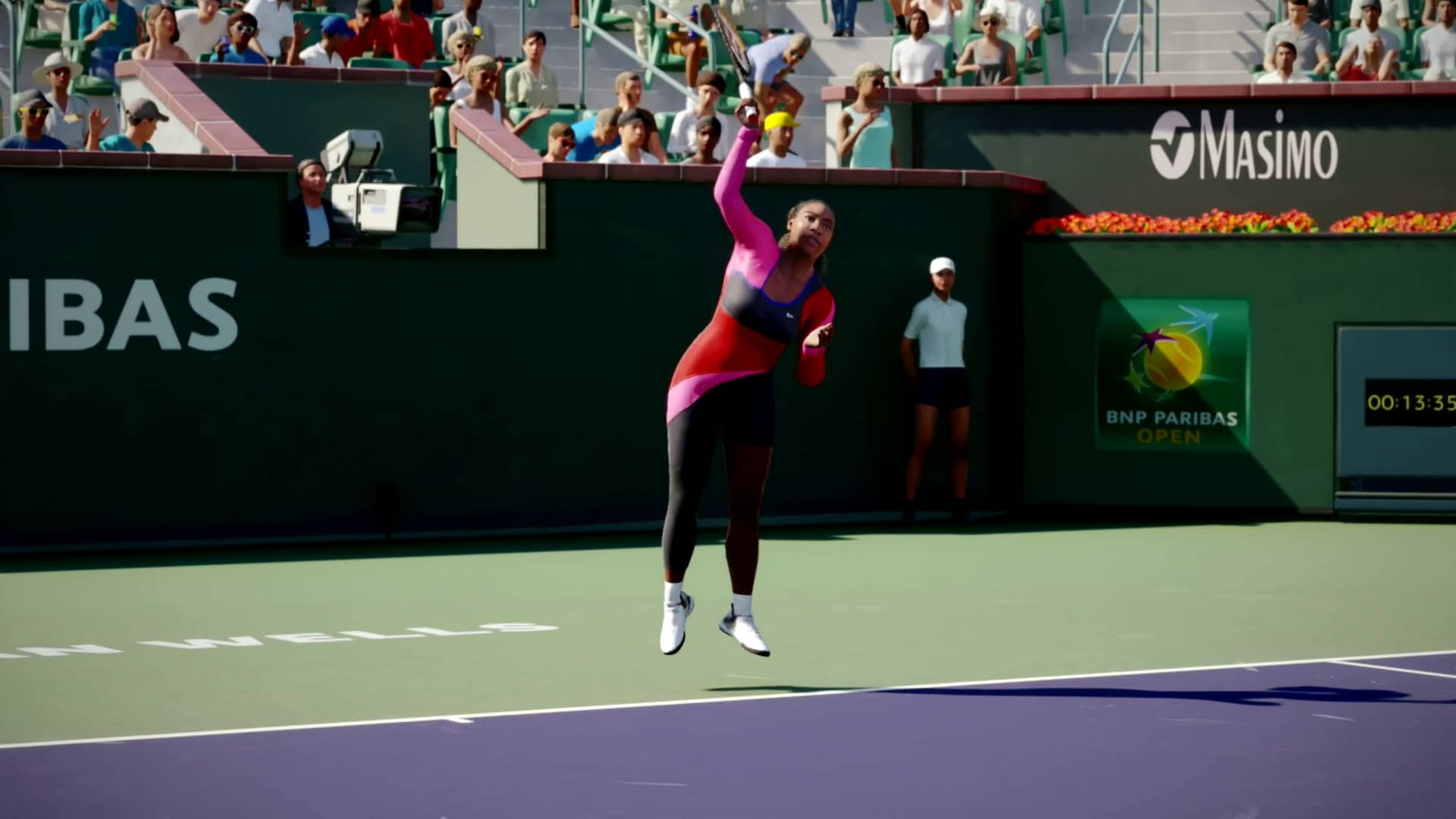
Speaking of difficulty, one of our presenters recommended that we start the game on Easy or even Very Easy, because it had likely been a while since we had played any tennis game, never mind TopSpin. But after playing through the basic tutorials, I felt confident enough to try Normal. Away I went, playing as Serena Williams against 19-year-old tennis prodigy Coco Gauff. Grizzled veteran vs. fiery youngster, it promised to be a close match, or so I thought. I lost the first game, but remembered what the coach told me, to stay out of “No Man’s Land,” and move back behind the baseline as soon as I returned a shot. With that in mind, I then proceeded to win the next six games, to win two sets to “love” (zero), as I breezed to victory. There were still plenty of close games, though, so I also relied on getting an accurate sense of timing down as I attempted to make good contact.
Bring on the Challenge!

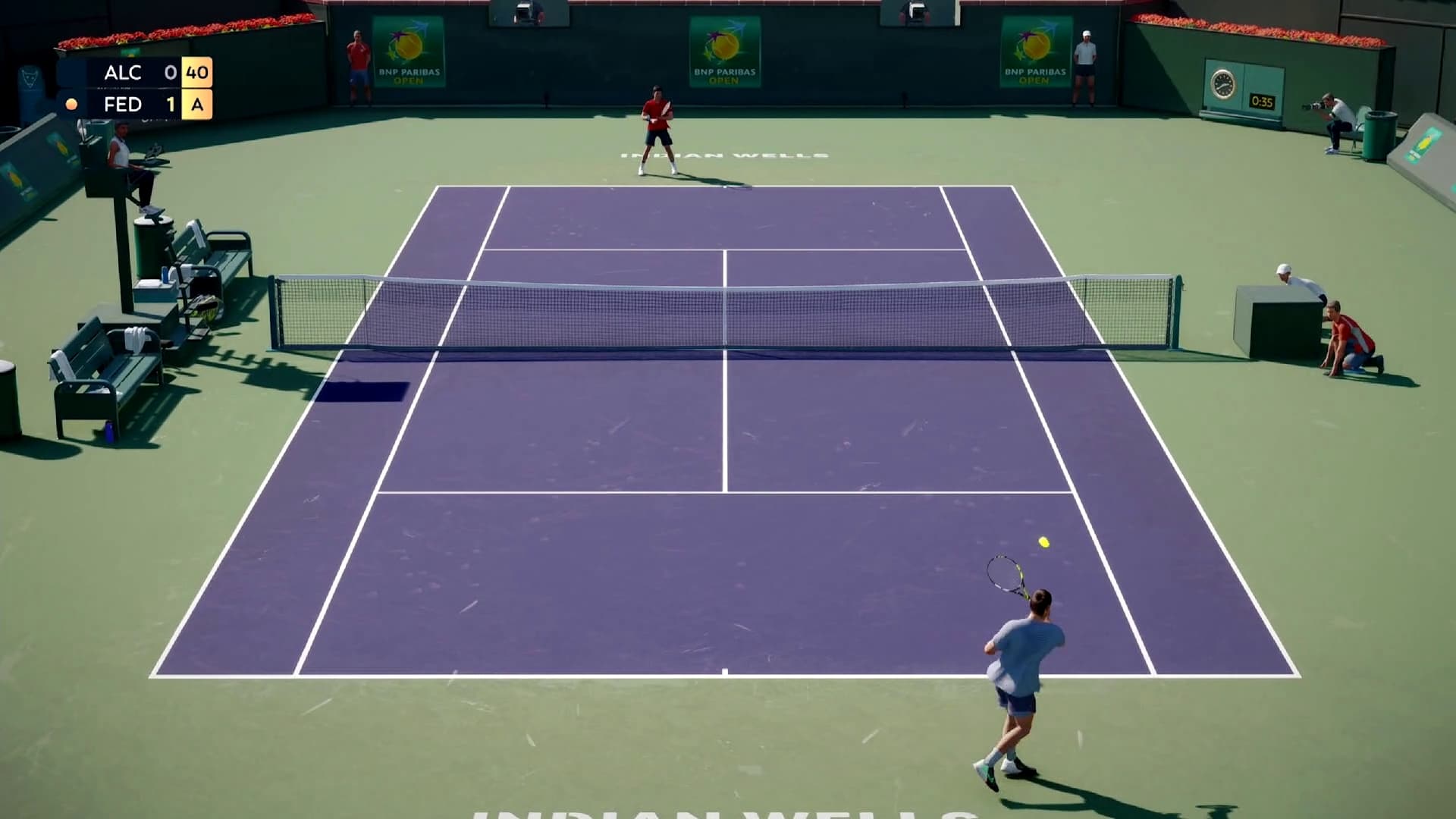
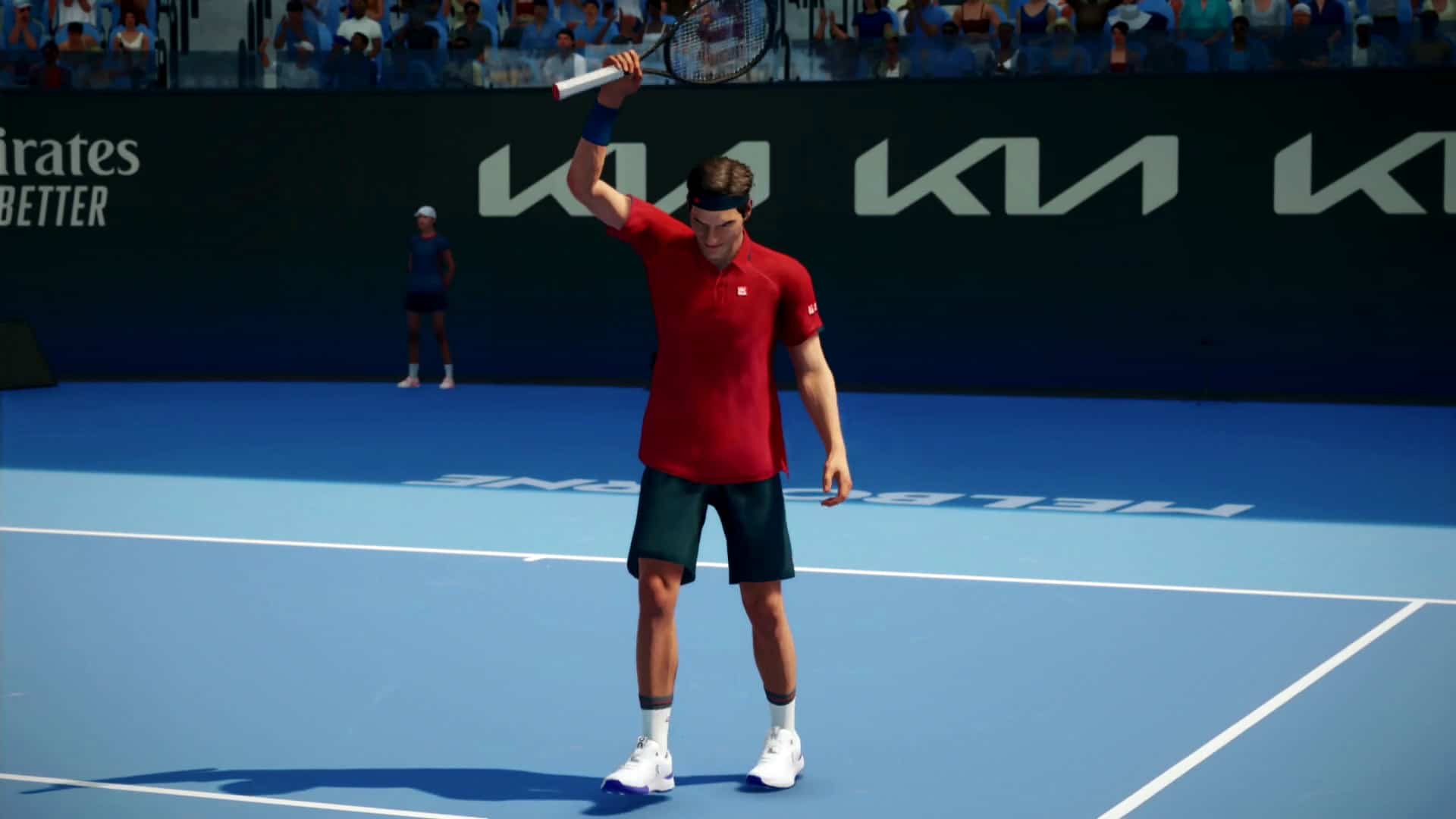
Up next, I played as Roger Federer vs. Frances Tiafoe, in another generation-spanning duel that promised to be exciting. Whereas for the first game I played in the in-game depiction of the BNP Paribas Open in the most meta experience of the event, this time around I opted for the Rod Laver Arena in beautiful Melbourne, Australia. Amped up after my recent victory, I tempted fate and chose the Hard difficulty. After a back-and-forth game that included multiple deuces, Tiafoe finally got the better of me and I lost the first game. I won the next two games, then Tiafoe battled back to even things up at two games apiece. Despite a thrilling performance, Tiafoe wouldn’t win another game, as yet again I proceeded to win the remainder of the games to win two sets to “love.” Perhaps, it seems, even the Hard difficulty level isn’t all that, erm, hard?

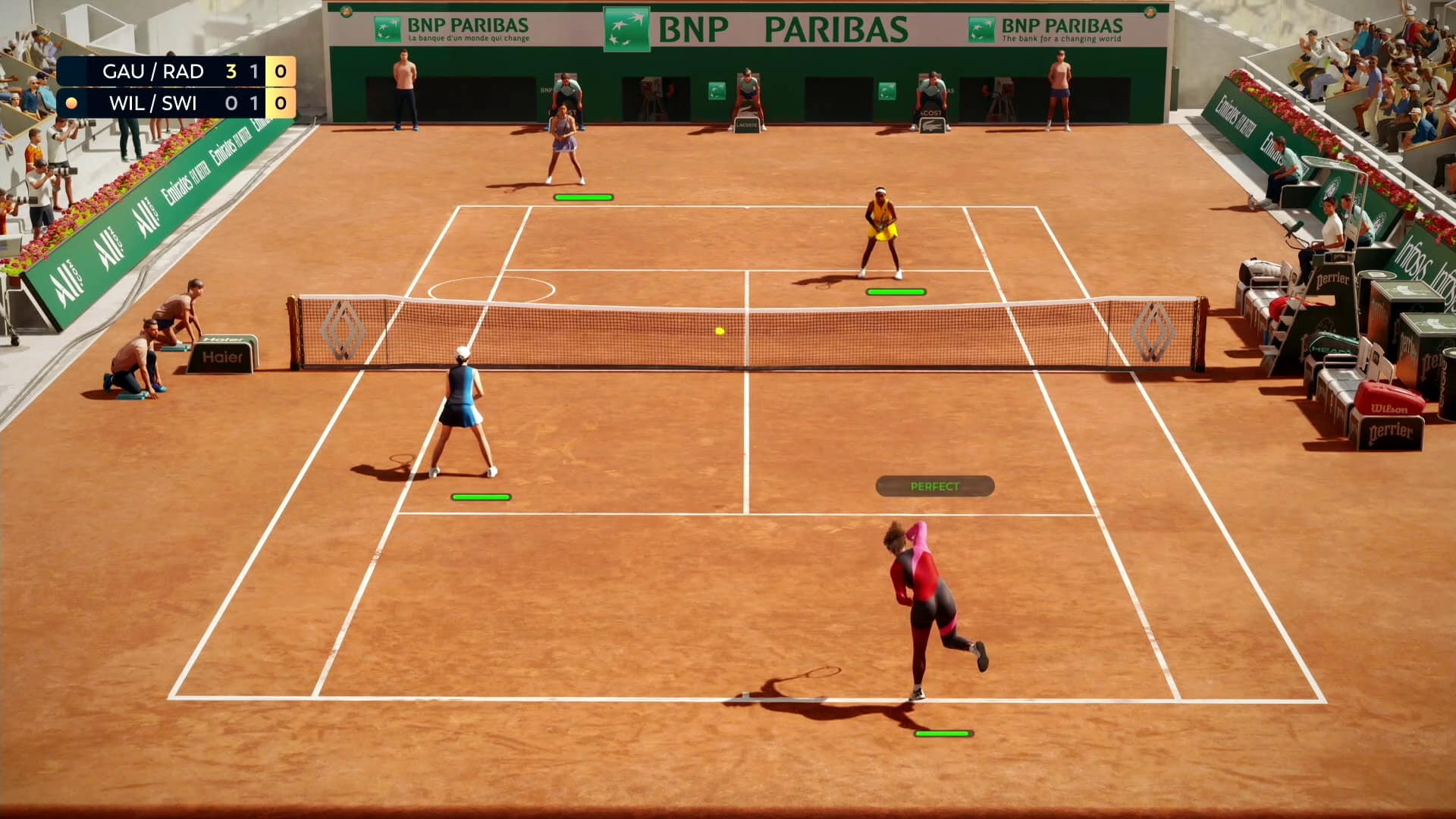
I rounded out my session with a game of doubles. It was back to the ladies this time, with Serena Williams (me) and Iga Swiatek (CPU) vs. Coco Gauff (CPU) and Emma Raducanu (CPU). All CPU players were set to Hard, as I believed I was on a lucky streak. This match would take place at the Court Philippe Chatrier in Paris, France. It wasn’t even close. The CPU team won the first set with three straight wins, plus the first game of the second set before my team scrambled out a win. We won the next game, and started to build up a little bit of momentum. But Gauff’s team found their groove again and won the next two games to finish out the match, two sets to nil. So, Hard definitely seemed to be difficult at this level in doubles!

Heading Towards Launch

If there were any spots for criticism, it’d be in the usual areas where sports video games tend to break immersion. Stadium crowds were varied, as it was hard to spot any performing exactly the same moves, though the character models were all naturally low-poly. Animations on the professional athletes were smooth, though facial animations were occasionally awkward. There was also no sort of audio commentary outside of the PA announcer at each court. Assuming this entry performs well financially, perhaps these issues will be fixed in future iterations, or ideally even as post-launch support. Time will tell.

TopSpin 2K25 looks to be headed towards a successful launch next month. While this short hands-on session gave us a small sampling of the full game, what was shown by developer Hangar 13 and publisher 2K felt good, which for a sports game is perhaps more important than any other aspect. Look for our review when TopSpin 2K25 launches for the PlayStation 5, PlayStation 4, Xbox Series, Xbox One, and Steam platforms on April 26, 2024.

Avatar photo

Paulmichael Contreras

Paulmichael has been writing in the gaming industry since 2008. Living just outside of Los Angeles, he has been lucky enough to attend numerous gaming events around the world, including the last ten E3 shows (RIP)! A thoughtful reviewer, every game you see scored by PmC has been given careful attention. Paulmichael is also an aviation fan and an avid snowboarder. Favorite games include: No Man's Sky, Gran Turismo 7, skate., CloverPit.

Home > News

TopSpin 2K25 Releases This April 26; Features, Different Editions and More Smash Out

Remember Top Spin? The tennis sports sim franchise by 2K? Well, it’s making a comeback with TopSpin 2K25! Set for release this April 26 on the PS4, PS5, Xbox One, Xbox Series X|S and PC and in development by Hangar 13, this new tennis sim will feature tennis legends and current stars with 24 playable pros at launch.

Thanks to 2K who invited MP1st to an early hands-on preview of the tennis sim, we also have a ton of info ready as well. Read on for the TopSpin 2K25 game features, different editions and more info straight from the source.

TopSpin 2K25 Game Overview and Features:

Release Date: April 26 officially/April 23 Early Access for Deluxe Edition and Grand Slam Edition owners

Platforms: PS4, PS5, Xbox One, Xbox Series X|S, PC (via Steam)

Cover Athletes: Roger Federer and Serena Williams on the Standard Edition and digital-only Grand Slam Edition; Alcaraz, Iga Świątek, and Francis Tiafoe grace the cover of the Deluxe Edition

  • Win the career GRAND SLAM®: Travel the world as an up-and-coming pro, go toe-to-toe with
    the biggest names in tennis, and step onto the court at Wimbledon, Roland-Garros, the US Open,
    and the Australian Open as you strive to become a Grand Slam® Champion in MyCAREER;
  • Compete at iconic venues: Visit some of the most vibrant courts on the tennis circuit in TopSpin
    2K25. Featuring 48 unique courts, including 15 real-life venues, from the four Grand Slam®
    tournaments to larger-than-life international arenas like Indian Wells, and more. Outdoor venues
    also offer the option of three different times of day to play;
  • Tennis Legends & Rising Stars: Play as tennis legends Roger Federer and Serena Williams, or
    serve up smashing highlights as Carlos Alcaraz, Iga Świątek, Frances Tiafoe, Andre Agassi, and
    others. Choose from over 24 playable pros and unleash their explosive power and clever finesse
    against other players locally or online;
  • Dominate the court online: Test your MyPLAYER’s mettle and showcase your tennis prowess
    on the World Tour or step into the 2K Tour as a playable pro, and challenge players around the
    world with cross-play support;
  • Train with John McEnroe: From power serves to gorgeous drop-shots, learn how to play like a
    legend with John McEnroe at the TopSpin Academy. Master advanced controls as you progress
    through a series of skill-sharpening drills and challenges to gain an edge on every surface;
  • 2K Soundtrack: Like all 2K sports games, TopSpin 2K25 comes with a stellar soundtrack. Rock
    and dance music fans will notice the trailer launches with the exclusive debut of Dillon Francis’
    remix of Fall Out Boy’s “Heartbreak Feels So Good.” “Heartbreak Feels So Good” (Dillon
    Francis Remix) will be available for streaming on all platforms this Friday, March 15. The song
    will also appear on the in-game soundtrack, amongst several other tracks to be announced soon
  • Personalize your MyPLAYER: Create a MyPLAYER tailored to your play style and define your
    look on the court! With a wide range of customization options, you can fine-tune your attributes
    and earn new Coaches, Fittings, and gear from leading tennis brands.

TopSpin 2K25 Different Editions and Pre-Order Bonus:

TopSpin 2K25 will feature four editions: Standard, Standard Cross-Gen, Deluxe and Grand Slam.

Pre-ordering TopSpin 2K25 will net players the “Under the Lights Pack” which features alternate outfits for Serena Williams and Roger Federer, Wilson Nightfall Bundle and Night-Time Majors. The Under the Lights Pack will also be included in the Deluxe and Grand Slam Editions of the game.

  • The Standard Edition will be available for $59.99 on previous-gen platforms (PS4, Xbox One
    consoles) and PC and for $69.99 on current-gen consoles (PS5 and Xbox Series X|S);
  • The Standard Cross-Gen Digital Edition will be available for $69.99 on PlayStation and Xbox
    consoles. The Standard Cross-Gen Digital Edition includes the Standard Edition across
    previous and current-gen platforms within the same console family and the same PlayStation or
    Xbox account;
  •  The Deluxe Edition will be available for $99.99 for PS4, PS5, Xbox Series X|S, Xbox One, and
    PC. The Deluxe Edition includes the Standard Edition (with dual-gen entitlement for console),
    Under the Lights Pack, plus New Wave Pack featuring Alternate Outfits for Carlos Alcaraz, Iga
    Świątek, and Francis Tiafoe, plus a collection of additional apparel, and the Rookie Rise Pack
    which features a MyPlayer Boost and 1700 VC. The Deluxe Edition also comes with early
    access, which means it will be available to play from April 23, 2024 – three days ahead of
    Standard and Cross-Gen Editions!.
  • The Grand Slam® Edition will be available for $119.99 for PS4, PS5, Xbox Series X|S, Xbox
    One, and PC. In addition to the Standard Edition (with dual-gen entitlement for console) and all
    bonus content included in the Deluxe Edition, the Grand Slam® Edition includes the Grand
    Slam® Champions Pack, which features a special Championship Racket and Champion Serve,
    as well as the All Access Pass which includes six post-launch Premium Centre Court Pass
    Seasons, as well as eight bonus cosmetic items. Additional information on the content and
    release plan for the Centre Court Pass and Premium Centre Court Pass will be revealed soon.
    The Grand Slam® Edition also comes with early access, which means it will be available to play
    from April 23, 2024 – three days ahead of Standard and Standard Cross-Gen Editions!;

Tennis fans have something to look forward to this year, as the sport will be represented by a major entry by 2K. Stay tuned to more coverage of TopSpin 2K25 here on MP1st.

Avatar photo

Alex Co

Father, gamer, games media vet, writer of words, killer of noobs.

Home > News

Palworld Down With Loading Screen Issues This March 12

Pocket Pair has confirmed that Palworld is down and having issues this March 12, with players citing the loading screen bugging out. Read on for the studio’s official announcement.

Palworld Down Server Status for March 12:

Here’s the announcement from Pocket Pair via the studio’s official Discord channel:

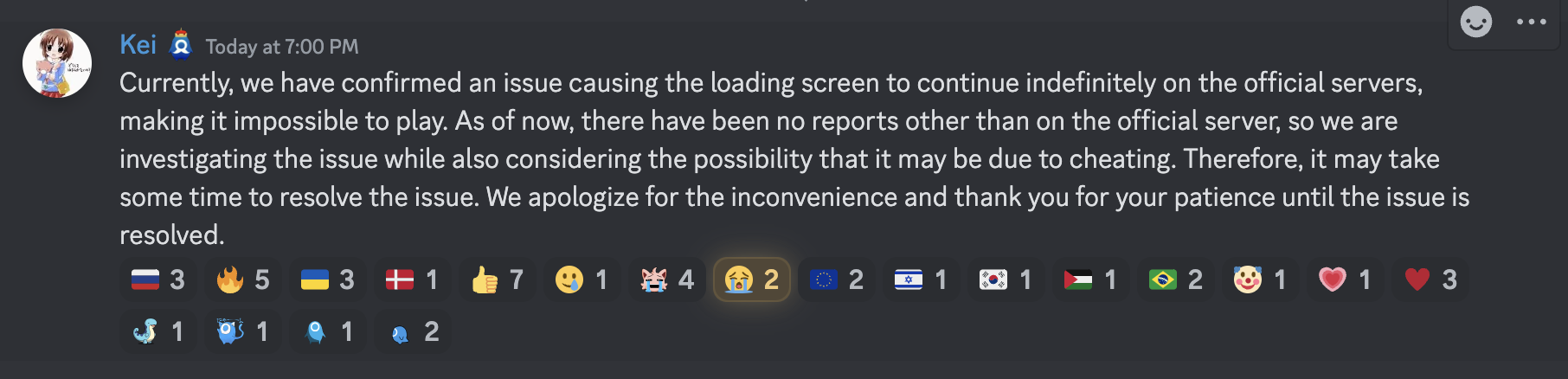
“Currently, we have confirmed an issue causing the loading screen to continue indefinitely on the official servers, making it impossible to play. As of now, there have been no reports other than on the official server, so we are investigating the issue while also considering the possibility that it may be due to cheating. Therefore, it may take some time to resolve the issue. We apologize for the inconvenience and thank you for your patience until the issue is resolved.”

We’re unsure whether this will need a patch to be resolved. Speaking of, you can check out the latest patch notes released in the last week of February here.

If a new patch is released or if there’s any new info from the studio about the downtime, we’ll update the article.

Avatar photo

Alex Co

Father, gamer, games media vet, writer of words, killer of noobs.

Home > News

Helldivers 2 Update 1.000.102 Out to Fix Enemy Spawn Rates and More This March 12

Arrowhead Game Studios has released Helldivers 2 update 1.000.102 on PC and PS5 to address many things including the improvement of enemy spawn rates. A lot of other gameplay balancing and bug fixes have also been addressed. Read on for the Helldivers 2 March 12 patch notes down below.

Helldivers 2 Update 1.000.102 Patch Notes:

Good day citizens of Super Earth. A new patch to aid you in your efforts is coming in. May Super Earth give you courage

Overview

Today’s patch is dealing with the spawn rate of heavily armored Terminid enemies as well as the possible play against them. It also contains some fixes to UI elements and crash fixes.

Balancing

Enemies:

  • The amount of heavily armored targets that spawn on higher difficulties, especially for Terminids, have been a big discussion point online and internally. The intent is for groups to have to bring some form of anti-tank capability but not to the degree previously needed.
  • To that end we have reduced the spawn rate of Chargers and Bile Titans on difficulties 7 and up. In addition we have reduced the risk of spawn spikes of Chargers and Bile Titans.
  • Please note that we have changed the distribution of enemy types, not reduced difficulty. Expect other enemy types to appear in greater numbers instead.
  • We are humbled by the community’s ability to find things like Chargers “leg meta” in our game, however spending your heavy anti tank weapons on legs instead of the obvious weak point seems counter to expectation.
  • We are not changing anything regarding the Charger’s legs, we are however lowering the health of the Charger’s head. It should now be at a point where a well placed shot from a Recoilless Rifle or EAT-17 instantly kills a charger.
  • Together with the unfortunately undocumented change of last patch that increased the armor penetration ability of less well placed shots for EAT-17s and Recoilless Rifle shots, Chargers should now be easier to handle by well equipped groups.
Gameplay
  • “Electronic Countermeasures” operation modifier, which had a chance of giving you a random stratagem instead of the one you input, has been removed in order to be reworked, and will be reintroduced in a future iteration. We found that this modifier wasn’t communicated clearly enough and overall caused more frustration than excitement with the way it was currently implemented. This change was made in 1.000.100 but was unintentionally omitted from the patch notes.
Fixes
  • Fixed missing text on several HUD / UI elements.
  • Fixed several subtitle / VO mismatches in the news videos.
  • Fixed various crashes that occurred mid-gameplay and when deploying to missions.
Known Issues
  • Game crashes when attempting to use a stim while inside an Exosuit.
  • Pink artifacts may appear in the sky when setting off large explosions.
  • Automaton Dropship seemingly disappears and slides in after being shot down.
  • Shots from arc-based weapons may not count towards kills in post-mission stats.
  • Players cannot unfriend other players befriended via friend code.
  • Cross-platform friend invites might not show up in the friend requests tab.
  • Players may be unable to select loadout or return to ship when joining a multiplayer game session via PS5 Activity Card.
  • The Exosuit can destroy itself with rockets if it fires while turning.
  • Text chat box display is obstructed by the cinematic letterboxing during extraction.

Chances are, this patch also contains the data for the Cutting Edge Warbond set to launch this Thursday, March 14. If we do get another patch for it, we’ll let our readers know.

More Helldivers 2 Reading on MP1st:

Source: Steam

Damien Seeto

Home > News

PUBG Update 28.2 Patch Notes, Release Roll Out Revealed

PUBG Studios has revealed the complete PUBG update 28.2 patch notes ahead of the patch’s roll out tomorrow on PC, and on March 21 on consoles. Read on for the complete report.

PUBG Update 28.2 Patch Notes:

Live Maintenance Schedule

※ The times shown below are subject to change.

  • PC: March 13, 12 AM – 8:30 AM (UTC)
  • Console: March 21, 1 AM – 10 AM (UTC)

Map Service

※ PC players can anticipate the next rotation every Wednesday at 2 AM UTC, while Console players can expect the same every Thursday at 7 AM UTC.

Schedule

Week 1 March 13 March 21
Week 2 March 20 March 28
Week 3 March 27 April 4
Week 4 April 3 April 11

Live Server – Normal Match

Map Select Regions (AS, SEA)

Fixed Favored Map
(Rondo, Miramar, Sanhok, Taego)
Rotation
Etc.

(Paramo, Vikendi, Karakin, Deston)

Week 1 Erangel Sanhok Miramar Taego Vikendi
Week 2 Erangel Miramar Taego Rondo Karakin
Week 3 Erangel Taego Rondo Sanhok Deston
Week 4 Erangel Rondo Sanhok Miramar Paramo

Map Select Regions – KR/JP, KAKAO

Fixed Favored Map
(Miramar,Rondo)
Rotation
Etc.
(Paramo,Vikendi,Karakin,Deston)
Week 1 Erangel Taego Sanhok Miramar Vikendi
Week 2 Erangel Taego Sanhok Rondo Karakin
Week 3 Erangel Taego Sanhok Miramar Deston
Week 4 Erangel Taego Sanhok Rondo Paramo


Random Map Regions – NA, EU, RU, OC, SA & Console

※ Rotations featuring Deston will have a 20% probability for each map. For Weeks 1 and 3, fixed and favored maps will each have a 22% probability and etc. maps will be 11% each.

Fixed Favored Map
(Taego, Rondo, Vikendi, Miramar)
Rotation
Etc.

(Deston, Sanhok, Karakin, Paramo)

Week 1 Erangel Rondo Vikendi Miramar Paramo
Week 2 Erangel Vikendi Miramar Taego Deston
Week 3 Erangel Miramar Taego Rondo Sanhok
Week 4 Erangel Taego Rondo Vikendi Deston

Live Server – Ranked

  • Erangel (25%) / Miramar (25%) / Taego (20%) / Vikendi (20%) / Deston (10%)
  • The map service for Ranked is updated on a season-by-season basis.

※ Please note that the features and updates described below are subject to change or removal due to issues such as bugs, in-game problems, and community feedback. The images used are intended as visual references only; the actual game may look different as the builds are continually developed and refined before release.


World

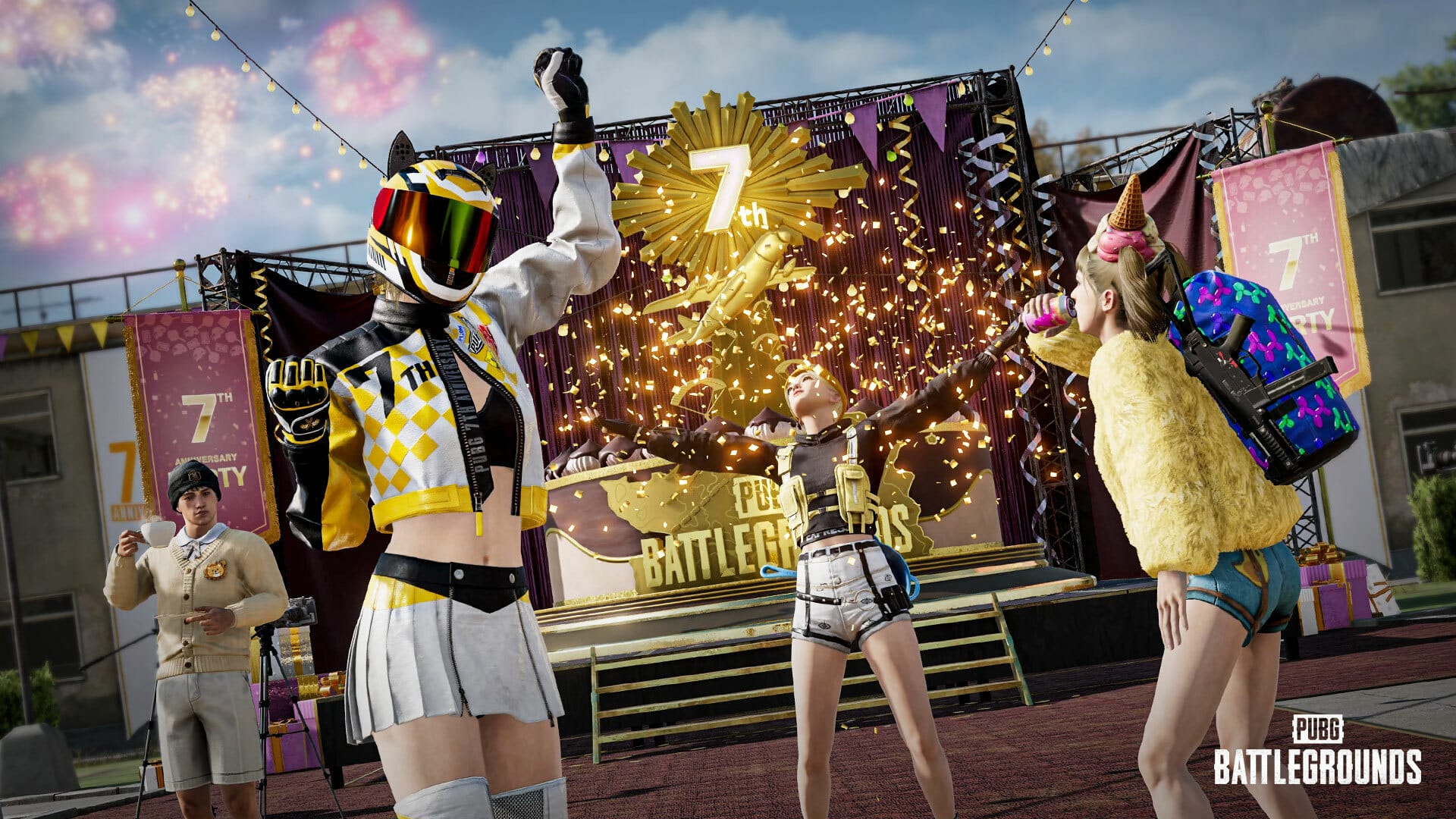
For the seventh birthday of PUBG: BATTLEGROUNDS, Erangel has turned into a venue for a grand celebration – check out the upcoming PUBG 7th Anniversary announcement for more details!

  • Erangel’s School has been transformed into a lively venue for our 7th Anniversary celebration, while the cafeterias scattered across the map have been decorated as anniversary cafes. Step into our 7th Anniversary cafes, and you’ll stumble upon vending machines with a playful twist: there’s a cheeky 7% chance they’ll serve you a precise bounty of 7 energy drinks – because who doesn’t love a little lucky number synergy?
  • There will be throwable cupcakes and surprise gift boxes scattered across the starting island of each map.
  • 7th Anniversary billboards will go live in Erangel, Miramar, Sanhok, Vikendi, and Rondo.
  • You’ll also find a variety of other 7th Anniversary objects and decorations.

Gunplay Labs

As outlined in the PUBG 2024 Roadmap announcement, the SMG Rebalance is now available in the Arcade. We’ve also prepared a survey to gather player feedback on the changes, so let us know what you think!

  • Survey
  • Survey Period
    • UTC: March 13, 1 AM – April 4, 1 AM

Schedule

  • PC
    • UTC: March 13, 1 AM – March 27, 1 AM
  • Console
    • UTC: March 21, 1 AM – April 4, 1 AM

※ Arcade Points are not granted for SMG Rebalance play sessions.

※ The SMG Rebalance is also accessible in Custom Match.

SMGs

Movement Speed

Basic movement and sprint speeds when wielding SMGs have been modified to align with the speeds of an unarmed state.

  • Basic movement speed increased by approximately 2.6%.
  • Sprint speed increased by approximately 2.4%.

MP5K

  • Damage increased from 33 → 34.
  • Horizontal recoil decreased by approximately 7%.
  • Vertical recoil decreased by approximately 5%.

Micro UZI 

  • Horizontal recoil decreased by approximately 10%.
  • Vertical recoil decreased by approximately 15%.

Vector & Tommy Gun

  • Horizontal recoil decreased by approximately 5%.
  • Vertical recoil decreased by approximately 7%.

PP-19 Bizon

  • Damage increased from 36 → 38.
  • Horizontal recoil decreased by approximately 5%
  • Vertical recoil decreased by approximately 5%.

UMP45

  • Damage increased from 41 → 43.
  • Horizontal recoil decreased by approximately 5%.

Damage by Distance

Adjustments have been made to damage reduction and minimum damage by distance for all SMGs, with the exception of the P90.

  • Increased damage reduction for medium and long-range shots.
  • Reduced the minimum damage for long-range shots.

< Dev’s Comment >

SMGs boast high rates of fire and outstanding damage, all while being accessible to players with varying levels of experience, rendering them an appealing choice for less experienced players. With this update, we’re introducing the SMG Rebalance to the Arcade and Custom Match, aiming to elevate their strategic significance and make the characteristics of different weapon categories more noticeable across various distances and scenarios.

We would like to offer players the opportunity to test the SMG Rebalance, which is targeted for release around mid-year, before finalizing the balance adjustments. We’ll be refining the specifics based on player input, so feel free to let us know what you think.

Read more about our plans for gunplay updates in our PUBG 2024 Roadmap announcement.


Recall System

Based on your feedback, the Recall System will now replace Comeback BRs on Vikendi and Taego.

  • Available in Normal Match.
  • Comeback BRs have been removed from these maps.
  • The recall system setting for Vikendi and Taego has been added to Custom Match.

Utility Belt

As explained in the Patch Notes – 28.1, the Utility Belt will be removed in this update, and its capacity feature will be integrated directly into the character’s basic stats.

  • Utility Belt skins will also be removed, and players who currently own Utility Belt skins will receive the following compensations once the live server opens. The distribution of compensations may require some time.

Compensations

  • Utility Belt (Brown)
  • Battle Belt
  • 7,000 BP
  • Cowboy Holster
  • Coldfront Utility Belt
  • Quilted Utility Belt
  • Hip Hugger Beach Belt
  • 300 Bonus G-COIN
  • Cowboy Holster Imprint
  • Coldfront Utility Belt Imprint
  • Quilted Utility Belt Imprint
  • Jockey Set Imprint that includes the Coldfront Utility Belt
  • 300 Credit
  • Madsy Utility Belt
  • 10,000 BP

Gameplay

To help you make better use of your outerwear, we’re adding a dedicated inventory slot for the Ghillie Suit.

  • When equipping the Ghillie Suit, your existing outerwear will be hidden instead of dropping to the ground.
  • When equipped with the Ghillie Suit, any outerwear looted will automatically be hidden.

Weapon Mastery

We’ve heard your suggestions and have decided to expand Weapon Mastery with a dynamic addition: Throwables and more. Now show that your aim is true, both with a bullet and a throw!

  • Seven new weapons have joined Weapon Mastery.
    • Frag Grenade, Molotov Cocktail, Sticky Bomb, BZ Grenade, C4, Panzerfaust, Mortar
  • Damage inflicted with these weapons will reflect in your stats, visible on the End of Match, Career, and Match Report pages. The weapons that make the final hit will also be featured on your profile.
  • Weapon Mastery stats for these weapons will accumulate starting from this update onwards.
  • Note: Data such as Headshot Rate, Hit Distribution, and Time are not available for these weapons.

※ Starting from Update 28.2, kills recorded from vehicle explosions will no longer count toward your Match Report or Weapon Mastery stats.


Bug Fixes

Gameplay

  • Fixed an issue where the character would be moved to an unusual location if you attempted to dismount from a vehicle while traveling and there was no space to dismount.
  • Fixed the issue where the Ranked and Esports Match Safe Zones of Phase 4 and 8 being set in the water, which occurred after the 28.1 update.
  • Fixed an issue where the first player who leaves the End of Match screen does not receive Arcade Points in a certain situation in the Bluebomb Rush mode.
  • Fixed an issue where, in a certain situation, the reload animations for the DBS, S1897, and Win94 are not displayed but the weapons are reloaded.
  • Fixed an issue where the character’s face is distorted when holding the Emergency Cover Flare.
  • Fixed an issue where a fallen Mountain Bike moves on its own.
  • Fixed an issue where the character can hide beneath the road.
  • Fixed an issue where the Random Weapon Crate is floating in the air on Miramar in the Intense Battle Royale mode.
  • Fixed an issue where specific flame effects are displayed as normal flames when set to Simplified Chinese.
  • (PC) Fixed an issue where the character teleports when attempting the co-op climb on the Motorbike.
  • (PC) Fixed an issue where the 8x and 15x scopes do not detect fine movement when the in-game scope sensitivity is set as 12 or below with a mouse DPI of 400.
  • (PC) Fixed the crashing issue that occurs after the character’s movement and position are incorrectly seen in Replays.
  • (PC) Fixed an issue where the character would rapidly move forward with a vaulting motion following the use of a throwable weapon.
  • (PC) Fixed an issue where the game process would remain active after exiting the client instead of terminating properly.

World

  • Fixed collision, texture, performance, and some other general Deston issues.
  • Fixed an issue where the textures of the sky in Taego and Rondo are unevenly split.
  • Fixed an issue where shooting while riding the Zipline in Miramar is disabled when Additional Action Queuing is active.
  • Fixed an issue where the Radio Message does not display the word ‘Safe’ when placing a Screen Ping Marker on a Safe in Rondo.
  • Fixed an issue in Rondo where the Emergency Cover airdrop(s) are missing when a player respawns with the recall system and moves to the location in which multiple Emergency Cover Flares have been used.

UX/UI

  • Fixed the issue where the token image is missing from the pop-up when you receive the Spring Fest 2024 Tokens, which is obtainable after reaching level 50 on the Crafter Pass.
  • Fixed the issue where the following a player icon is misaligned when your teammate mutes their mic.
  • Fixed the issue where the Blood Hunter Mask’s icon is incorrectly displayed.
  • Fixed an issue where the required Pass XP for the next level did not match between the Pass banner and the Pass page.
  • Fixed an issue where specific hairstyle items that were previously equipped remained visible in the preview when applying item previews on the Survivor Pass Rewards page.
  • (PC) Fixed an issue where the Emergency Cover Flare option in Settings – Key Bindings – Combat tab is incorrectly phrased in English/Korean language settings.
  • (Console) Fixed an issue where the Console icon is missing when previewing the Human Billboard emote in Store.

Items & Skins

※ Clipping issue: Graphics that are shown outside the visible part of an image/object.

  • Fixed the clipping issue on the legs when wearing the Red Nova’s Outfit and Tang Sanzang’s Boots together.
  • Fixed an issue where the Kill Effect for [PROGRESSIVE] Sun Wukong – M24 skin is intermittently missing.
  • Fixed an issue where the Rare Skin Cosmetics effect of [PROGRESSIVE] Sun Wukong – M24 is not displayed from a certain distance in another player’s point of view.
  • Fixed an issue where the Rare Skin Cosmetics effect of [PROGRESSIVE] Sun Wukong – M24 skin differs from its preview when inspecting the weapon in FPP.

Once the patch is out on consoles, we’ll let our readers know. For the 2024 roadmap for PUBG, head on over here.

Source: PUBG

Avatar photo

Alex Co

Father, gamer, games media vet, writer of words, killer of noobs.

Home > News

Street Fighter 6 Gets Akuma in Spring 2024, Check Out the Teaser

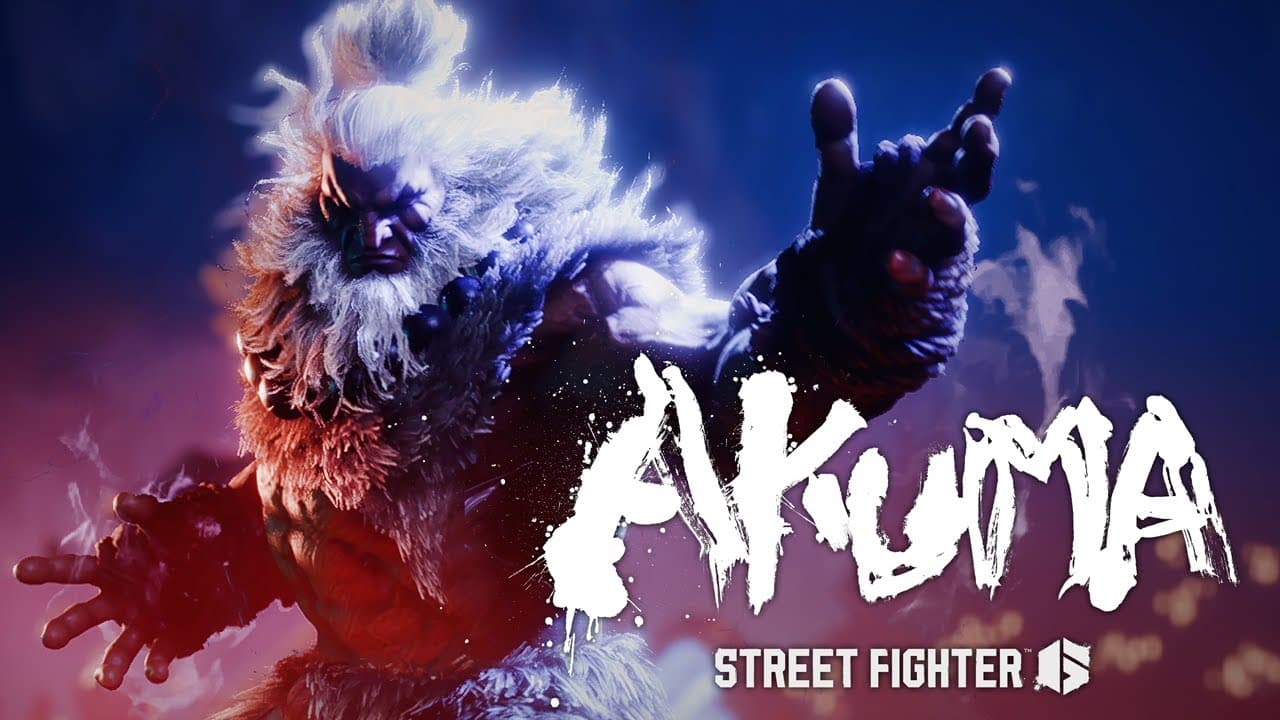
Capcom’s final character for Year 1 of Street Fighter 6 has been revealed, and it’s none other than Akuma! The demonic character will enter the roster this Spring 2024, and we even got a teaser trailer (no gameplay) showing off his strength.

Messatsu! The legendary Akuma will consume all hope, fear, and nothingness when he comes to Street Fighter 6 this spring. Find him in the new World Tour area, Gokuento, where you may ask him to be your Master…if you dare.

Owners of the Street Fighter 6 Deluxe and Ultimate Deluxe Edition or the Year 1 Character Pass and Ultimate Pass will obtain Akuma when the character’s available.

In case you didn’t know, Ed was released two weeks ago also as part of the Year 1 content plan. Akuma’s launch signals the end of Year 1, though we should be hearing news about Year 2 as we get nearer Spring 2024.

Avatar photo

Alex Co

Father, gamer, games media vet, writer of words, killer of noobs.

Home > News

PUBG 2024 Roadmap Revealed: Destructible Environments, Team vs. Team System, and More

As the game that put battle royales on the map nears its 7th anniversary, the devs have revealed what’s coming next. This morning, we got our first look at the PUBG 2024 roadmap, which details upcoming additions like destructible buildings and environments, a new Team vs. Team system, and more.

You can watch the video version of the developer roadmap update below:

If you prefer to read, we’ve got plenty of details from the official news post that went out alongside the video. Here’s all the biggest announcements:

PUBG 2024 Roadmap Details

Destructible Map Environments

By providing players the ability to strategically destroy sections of buildings, we unlock the possibility for them to carve out new attack routes or construct defensive barriers. This feature hopes to go beyond mere environmental destruction, infusing the game with an enriched layer of strategy and tactics. Such ‘destruction’ elements are expected to add dynamism to the game and create unpredictable situations, necessitating players to change their strategies flexibly according to circumstances.

Discussions on the ‘environmental destruction’ feature are currently ongoing, and we plan to introduce some of these features in the upcoming April update, with continuous improvements and expansions to follow.

World Changes

Our objective for the year ahead is to reimagine existing worlds, offering novel experiences. We’ll be fashioning environments akin to the 7th Anniversary Erangel, which is set to launch on March 13. These worlds will maintain their core gameplay while incorporating features or objects that are specific to the season, collaboration, or mode, encouraging player interaction within these worlds.

Gunplay Changes

While upholding the prominence of mainstream weapons such as ARs and DMRs, we’re also focused on enhancing the usability of less favored weapons to bolster their impact. Gunplay updates will be rolled out every two months, allowing for more frequent adjustments to address balance issues swiftly and foster a stable gunplay ecosystem. Our aim for the 2024 gunplay update is to introduce fresh possibilities and reshape the meta by offering greater diversity of choice.

In order to allow players to test and offer feedback on the gunplay balance adjustments under consideration, we’re introducing the gunplay balance changes in the Arcade initially rather than implementing them in Normal Match and Ranked right away. Given the pivotal role of gunplay in the game, the Gunplay Labs in the Arcade will play a crucial role by allowing players to experience upcoming gunplay updates firsthand.

With the upcoming 28.2 update, the SMG Rebalance will be immediately available in the Arcade. Following this, we intend to utilize the Gunplay Labs to analyze gameplay logs and consider your feedback before implementing the SMG Rebalance in June. We’ll maintain close communication to ensure that we’re also aligning with the community’s desires for gunplay balance changes. Upcoming buffs to the SCAR-L and AKM, as well as nerfs to powerful weapons as requested, are currently part of our plans. We promise to share our development process and rationale for these updates with transparency.

New Team vs. Team System

Dive into new rivalry where the adrenaline rush of challenges, the sweet taste of fresh achievements, and the euphoria of back-to-back wins await! A new gameplay system that cranks up the tension from the get-go is set to be introduced.

Work with your teammates to compete against the opposing team in scoring, monitor the changing scores in real-time, and seize the opportunity to establish a streak of team victories while earning various rewards. This system will allow selective participation, enabling only those teams that wish to participate.

Beyond the satisfaction of a chicken dinner, this system introduces new objectives to provide players with fresh challenges, preparing a gameplay environment where both luck and skill play crucial roles.

Survival Items, Character Actions, and Various Modes

We’re thoughtfully focusing on enhancing the survival aspect of gameplay by adding items that facilitate transportation and looting over those with direct combat effects, in alignment with the essence of the battle royale genre. A variety of support items, like the Repair Kit, will be available as world spawn items.

We recognize your desire for a wider variety of character actions, highlighted by features such as vehicle vaulting and Utility Parachutes. Building on the momentum of introducing action elements like vehicle vaulting and co-op climbing in our February update, we’re excited to be developing even more content centered around dynamic actions. Additionally, we’re exploring the intriguing possibility of making portable Ziplines, a concept we believe could add a captivating layer to gameplay, especially with well-thought-out limitations.

For players looking for a lighter gaming experience beyond the high stakes of battle royale, we’re committed to refining and expanding our special modes. The PvE mode ‘Survivors Left Behind,’ unveiled last Halloween, was warmly received for its role in diminishing the PvP’s oft-felt frustration. Our goal is to continually enhance this mode, offering regular quarterly updates to cement its place as a staple alongside Team Deathmatch and Intense Battle Royale. We’re also thrilled to announce the eagerly awaited return of Fantasy Battle Royale.

Matchmaking and Ranked Improvements

In 2024, our goal is to enact numerous adjustments to foster a more balanced matchmaking environment. While various factors contribute to matchmaking–such as connection stability, queue duration, skill level, and region of access–we prioritize delivering a stable and enjoyable experience and pairing players of comparable skill levels.

MMR serves as an internal metric for matchmaking in Normal Match, aiming to establish a level playing field for players of similar skill levels. (Ranked matchmaking, conversely, is based on RP, not MMR.) We view MMR as an ongoing area for refinement within our live service, and in our commitment to cultivating an enriched matchmaking environment, we are dedicated to enhancing our MMR system to facilitate skill-based matchmaking.

We’ll be introducing the new map Rondo and an array of items to add variety to the Ranked and Esports scenes. Rondo will join the Ranked map pool in April, with plans to introduce it to Esports later in the year. We hope to immerse players in the world of Battlegrounds, bridging the gap between the game you play and the game you watch.

In order to make Ranked more appealing, we intend to offer new tiered rewards and exclusive rewards obtainable solely through Ranked play. We’re committed to exploring avenues that enable players of all skill levels to establish personal goals and reap rewards through consistent Ranked play.

On top of all of this exciting new content, the team has also made it clear that they’re planning to transition the game into Unreal Engine 5. With that shift will come support for User Generated Content, or UGC, allowing players to create their own custom content to use in-game similar to Fortnite’s massive selection of custom game modes and levels. We’re looking forward to see how that gets implemented into PUBG in the future.

We’ll be sure to update readers as these changes begin to go live. Stay tuned in to us here at MP1st to keep up-to-date.

Source: PUBG

More MP1st Reading:

Jack Breitenbach

Game the night away!

Home > News

Dragon Quest 10 and Final Fantasy 14 Players Are Mourning Akira Toriyama’s Death via In-Game Memorials

In case you’ve been living under a rock, the legendary creator of Dragon Ball passed away just a few days ago, and the internet has been paying their respects since. In a touching turn of events, hundreds of players on Final Fantasy 14 and Dragon Quest 10 have been gathering to perform vigils and honor the memory of Akira Toryiama as one of the greatest artists and creators of our time.

Toriyama, while most well-known for his work on Dragon Ball, also designed much of the original art for the Dragon Quest series way back in the 1980s. He also contributed to popular Square Enix titles like Chrono Trigger, and his influence has also had a great impact on the Final Fantasy series, with creator Hironobu Sakaguchi crediting Toriyama and Dragon Quest as inspirations for the creation of his own RPG series that’s since become a household name. It makes perfect sense, then, that fans of these franchises would come together to pay their respects.

For starters, Final Fantasy 14 has seen hundreds of players banding together and using small campfires in a moment of silence for Toriyama. You can see an example of one such vigil in the video from bluezhift below:

Plenty of Twitter/X users have also posted photos and clips of endearing moments highlighting the passion and adoration that people had for the creator:

Over on the Dragon Quest 10 side of things, the behavior is much the same. Fans are collaborating in large numbers in Toriyama’s name, taking moments to speak kind words about his work and the impact it had:

It’s truly endearing to see so many people come together out of respect for such a revered individual. Much like video games, his works have always been fantastic worlds for escapism. He moved and changed the lives of countless people all across the world, and these gatherings are just a few examples of dozens upon dozens of celebrations of his life that have been taking place over the weekend. Rest in Peace, Toriyama. You will be missed.

Prior to his death, Toriyama was also working on a new title, Sand Land, which is still scheduled to release April 26. You can take a look at the gameplay trailer for that here.

Jack Breitenbach

Game the night away!

Home > News

Ark Survival Ascended 1.036.007 Preps for Scorched Earth, Adds Character Customization and More This March 11

Studio Wildcard has released Ark Survival Ascended update 1.036.007 (PC version 36.7, Xbox version 36.4) and this preps the game for Scorched Earth arriving later this month! This update also adds new character customization options and more, with the full patch notes and details for March 11 listed below.

Ark Survival Ascended 1.036.007 Patch Notes for March 11:

Update: Added console patch notes.

Note: We are expecting the console and PC patch notes to be similar for the most part.

v36.8 (36.7 PC client) – 03/11/2024 – Major version for servers and PC clients

v36.8 (36.4 PlayStation client) – 03/11/2024 – Major version for servers and Playstation clients

Patch Notes

Map Fixes

  • Fixed large number of holes in the map
  • Fixed some misaligned landscape objects either floating or inside objects
  • Fixed Swamp Cave lootdrop floating above terrain
  • Fixed multiple map issues in Overworld
  • Fixed Under Water Cave west lighting and artifacts on cave walls
  • Fixed an issue with Caverns of Lost Hope shadow flickering
  • Updated Redwood Waterfall color to match river color
  • Fixed some Tek cave streaming issues
  • Fixed skylight override blending issue at tek volcanic cavern entrance
  • Fixed bounds issue on under water east cave

Bug Fixes

  • Fixed Pteranodon Saddle clipping issue
  • Fixed Araneo poking through the saddle
  • Fixed “crease” lines in Character pixel painting
  • Character will now play correct animations when going unconscious or dying in water
  • Fixed dinos not conforming to the ground correctly while in torpor. (Sarco / Titanoboa)
  • Fixed bad texture in dragon arena
  • Fixed an issue in Caverns of Lost Faith  where the water dripping from ceiling also showed while you are under water
  • Fixed an issue where player character Male/Females knees appear to bend/jolt forward slightly after standing up
  • Fixed an issue where the view info for Tribe option is displaying an empty engram page, rather than tribe info
  • Extended the tree platform pickup timer
  • You can no longer pick up the bed while it’s on cooldown.
  • Fixed an issue where picking up a water tank snapped above another tank will pick up both
  • Fixed an incorrect HUD display on some structures
  • Can no longer replace normal doors with secret doors
  • Fixed an issue where secret door opened too far
  • Fixed issue where supply crate beam is occasionally segmented after the crate lands and stays like this for a while
  • Fixed lava splash VFX elements floating above the Volcanic Cavern Lava River surface
  • Improved Otter LODs on lower settings
  • Updated Icons Stone Doorway, Stone Hatchframe, Stone Reinforced Gate, Auto Turret, Heavy Auto Turret
  • Fixed some flying trees
  • Improved foliage behaviour in strong wind scenarios
  • Fixed an issue where Brood mother arena lighting would blink on and off as player moves
  • Fixed Female animation when aiming with bows
  • Fixed TPV animation on Longneck Rifle
  • Fixed some weapon 3D scaling issues
  • Fixed an issue where Co-ords from the overlay map or the interactable UI window are not identical
  • Fixed issues with flyers passing through mesh
  • Fixed an issue where Bola status was not being properly conveyed to players
  • Fixed issues where you cannot handcuff other players
  • Fixed occasions where crafting items with the Replicator and wireless crafting can cause the server to run bad
  • Fixed Dragon boss incorrectly receiving the Alpha dino damage reduction buff

Over on the game’s Discord channel, Studio Wildcard made the following announcement regarding today’s patch:

“The major version patch we’re rolling out today includes some shader improvements and under-the-hood changes that help us prepare for the upcoming Scorched Earth release. The goal is to get these changes out sooner so the Scorched Earth patch isn’t as big to download on launch day and also helps our team identify issues before that major release. Scorched Earth is still on track to release at the end of the month, and we’re just wrapping up our final bits of development before submitting it to cert. After that, we’ll be clear to release!

This patch also contains one other significant change from the live game. We’ve improved the pipeline for human characters by removing redundant assets simplifying the process of making character animations and assets for both modders, content creators, and the internal team.

From a player perspective, when this patch rolls out, you’ll notice your female character having changed its proportions, but we’ve gone ahead and implemented new functionality on the Scissors, allowing you to adjust your character’s appearance at any time, including bone modifications. There are still a few things we’re working through, such as animation issues (emotes, whistling) however, these will get resolved over the next few weeks or with the Scorched Earth release.”

We’ll update the article for the console patch notes, but expect it to be similar to the PC patch notes we’ve listed above. Stay tuned to our Ark coverage right here.

Source: Survive the Ark

Avatar photo

Alex Co

Father, gamer, games media vet, writer of words, killer of noobs.

Home > Features

Ubisoft’s Silence on XDefiant’s Launch Plans Is Doing More Damage Than They Know

Announced back in July of 2021, Ubisoft’s XDefiant seemed like another vanilla hero shooter that was destined to be yet another Overwatch clone though one with Call of Duty’s gunplay. Lo and behold, after trying it out ourselves, we were pleasantly surprised that the free-to-play shooter seemed to be more than just another copycat and was surprisingly fun.

Fast forward to June of 2023 after its initial public beta has come and gone, and was considered a massive success; we were expecting the game to be released within the year, which was what Ubisoft also promised at the time. Yet here we are, over five months of delay has passed, and we’re still left in the dark as to what’s happening to the shooter. Will it be released this month? This quarter? End of 2024? We’re not really sure, as the studio has seemingly stopped talking about it with not even a release window tied to it.

xdefiant sbmm

During the time XDefiant’s beta concluded and up to today (March 9, 2024), we’ve seen a new Call of Duty game (Modern Warfare 3) be released, and have two season’s worth of content already out, and even a surprise PvE (Player vs. Enemy) game come out of nowhere to take the gaming world by storm in Helldivers 2, and yet, even with all that, we still don’t know what the heck is happening with the game.

Case in point: the last update from the dev team was in January 27, 2024, where it was revealed that the game’s development is going well, and that’s it. Since then, we’ve gone more than a month of radio silence.

What’s even stranger here is: the game was essentially feature-complete when we played during its beta phase. Expect for a few bugs, the gunplay, progression, maps and other stuff all seemed primed for release. Sure, we get it, XDefiant didn’t want to go up against the giant that is Call of Duty. I mean, who would, right? But months have passed since Modern Warfare 3’s release, and Ubisoft has yet to comment on when we’ll actually be able to play their new shooter.

XDefiant interview

If you check the game’s subreddit, the hype build up that stemmed from the most recent beta has all but dissipated. Heck, being honest here: outside of MP1st, there’s hardly any gaming sites still covering it now. I gather, most will be waiting for something tangible before they write up anything about it.

What seemingly felt like the start of something good, with the studio and it’s heads proactively engaging with the community, and keeping them in the loop on as much as possible, has suddenly halted in the last few months.

Understandable, if you don’t have something to talk about why talk about anything? But still, for a game that seemed already to be released any moment, the handling of the delays and post communication is a stark difference then what it was prior.

In some ways it felt like a massive marketing push that, at least from the players, seemed poised to be setting the game up for quite the success. Then one delay after another, and here we are: questions on what’s happening and when it’s set to be released are the norm instead of talking about the game itself.

XDefiant Interview

It just feels like a wasted opportunity given the hype and good reception the beta received hasn’t been capitalized by Ubisoft. We’re not saying to release the game broken or anything, but let’s be honest here: we aren’t expecting a bug-free experience out of the gate. Chances are, we’ll be getting a constant stream of title updates, which is par for the course for online multiplayer games.

Will XDefiant be able to rope back the people it managed to snag during the beta? Will it be able to garner the same amount of positive hype when they finally announce its release date? For first-person shooter fans’ sake, let’s hope so.

Related Reading:

Avatar photo

Alex Co

Father, gamer, games media vet, writer of words, killer of noobs.

Home > News

Overwatch 2 Cowboy Bebop Gameplay Trailer and Skins Revealed

Starting tomorrow, Blizzard Entertainment will feature new skins in Overwatch 2, as a new collaboration is on the way, and this time, it’s with anime Cowboy Bebop! Check out the gameplay trailer and the skins players will be able to get on March 12!

Overwatch 2 x Cowboy Bebop Gameplay and Skins:

Players will be able to earn a free skin of Wrecking Ball as Ein by playing games and completing challenges. As for the other skins, it’ll be Cassidy as Spike, Ashe as Faye, Mauga as Jet, and Sombra as Ed.

Check out the new skins that have that Cowboy Bebop flair to ’em!

We are fully expecting a patch to be released alongside this tomorrow, which should include a few gameplay adjustments and bug fixes. Once that’s live, we’ll let our readers know. You can keep track of all our Overwatch 2 stories by bookmarking this page.

Avatar photo

Alex Co

Father, gamer, games media vet, writer of words, killer of noobs.

Home > News

Forza Motorsport Update 6.0 Races Out This March 11; Patch Notes Listed

Turn 10 has released Forza Motorsport update 6.0 this March 11, and this adds car progression changes, new events, bug fixes and more! Read on for the complete patch notes to know the details.

Forza Motorsport Update 6.0 Patch Notes:

New Content, Features and Events [All Platforms]

Car Progression Changes

  • We have removed the level restriction on performance parts, making them all available at Car Level 1. This allows players to install parts in any order they wish.
  • Players can use in-game Credits to acquire Car Points when exiting the upgrade screen at a ratio of 4,500 Credits for 500 Car Points. This change gives you a choice to immediately upgrade your car using Credits, or if you’re saving your Credits, you can earn Car Points for upgrades through car leveling as before.

Homespace

  • 8 new music tracks have been added to the game, composed by Kaveh Cohen and Michael Nielsen, and Peter Holmstrom, and these can be heard in the Homespace environment.

New Career Events

  • Featured Tour: Combustion Tour (Available from March 13 4pm PT | March 14 12am UTC – April 24 4pm PT | April 25 12am UTC)
    • 4 Cylinder Furies (Starts March 13 4pm PT | March 14 12am UTC)
    • Super Sixes (Starts March 20 4pm PT | March 21 12am UTC)
    • V8 Heritage (Starts March 27 4pm PT | March 28 12am UTC)
    • V10 Titans (Starts April 3 4pm PT | April 4 12am UTC)
  • Open Class Tour – Engine Cylinders (Available from March 13 4pm PT | March 14 12am UTC – April 10 4pm PT | April 11 12am UTC)
    • C Class Series (6-Cylinder Opponents)
    • B Class Series (4-Cylinder Opponents)
    • A Class Series (8-Cylinder Opponents)
    • S Class Series (12-Cylinder Opponents)

Reward Cars

  • Combustion Tour: 2009 Pagani Zonda Cinque Roadster
  • Open Class Tour: 2010 Ferrari 599XX

Spotlight Cars

  • 2014 Alfa Romeo 4C (March 13 4pm PT | March 14 12am UTC – March 20 4pm PT | March 21 12am UTC)
  • 2002 Nissan Skyline GT-R V-Spec II (March 20 4pm PT | March 21 12am UTC – March 27 4pm PT | March 28 12am UTC)
  • 1969 Dodge Charger R|T (March 27 4pm PT | March 28 12am UTC – April 3 4pm PT | April 4 12am UTC)
  • 2014 Lamborghini Huracán LP 610-4 (April 3 4pm PT | April 4 12am UTC – April 10 4pm PT | April 11 12am UTC)

Car Pass Cars

  • 1983 Nissan #23 Nissan Motorsports Silvia Super Silhouette (March 13 4pm PT | March 14 12am UTC)
  • 2019 Toyota 86 TRD SE (March 20 4pm PT | March 21 12am UTC)
  • 2020 Lexus #14 VASSER SULLIVAN RC F GT3 (March 27 4pm PT | March 28 12am UTC)
  • 1986 Lotus #12 Team Lotus 98T (April 3 4pm PT | April 4 12am UTC)

New Multiplayer Events

Spec Series

  • BMW M3 Spec Series (March 13 4pm PT | March 14 12am UTC – March 20 4pm PT | March 21 12am UTC)
  • Forza P2 Series (March 20 4pm PT | March 21 12am UTC – March 27 4pm PT | March 28 12am UTC)
  • Vintage Le Mans Prototype Series (March 27 4pm PT | March 28 12am UTC – April 3 4pm PT | April 4 12am UTC)
  • Early LMP Series (April 3 4pm PT | April 4 12am UTC – April 10 4pm PT | April 11 12am UTC)

Open Series

  • 4 Cylinder Series (A Class) and D Class Series (March 13 4pm PT | March 14 12am UTC – March 20 4pm PT | March 21 12am UTC)
  • 6 Cylinder Series (S Class) and B Class Series (March 20 4pm PT | March 21 12am UTC – March 27 4pm PT | March 28 12am UTC)
  • 8 Cylinder Series (A Class) and C Class Series (March 27 4pm PT | March 28 12am UTC – April 3 4pm PT | April 4 12am UTC)
  • 12 Cylinder Series (S Class) and E Class Series (April 3 4pm PT | April 4 12am UTC – April 10 4pm PT | April 11 12am UTC)

Spotlight Series

  • 2014 Alfa Romeo 4C (March 13 4pm PT | March 14 12am UTC – March 20 4pm PT | March 21 12am UTC)
  • 2002 Nissan Skyline GT-R V-Spec II (March 20 4pm PT | March 21 12am UTC – March 27 4pm PT | March 28 12am UTC)
  • 1969 Dodge Charger R|T (March 27 4pm PT | March 28 12am UTC – April 3 4pm PT | April 4 12am UTC)
  • 2014 Lamborghini Huracán LP 610-4 (April 3 4pm PT | April 4 12am UTC – April 10 4pm PT | April 11 12am UTC)

New Rivals Events

  • Spec Division: Forza GT – Any Forza GT Division Car – Silverstone GP Circuit (March 13 4pm PT | March 14 12am UTC – April 10 4pm PT | April 11 12am UTC)
  • VIP: Daytona Drizzle – 2020 Chevrolet Corvette Stingray Coupe Forza Edition – Daytona Sports Car Circuit (March 13 4pm PT | March 14 12am UTC – April 10 4pm PT | April 11 12am UTC)
  • Spotlight – 2014 Alfa Romeo 4C – Yas Marina North Corkscrew (March 13 4pm PT | March 14 12am UTC – March 20 4pm PT | March 21 12am UTC)
  • Spotlight – 2002 Nissan Skyline GT-R V-Spec II – Suzuka East (March 20 4pm PT | March 21 12am UTC – March 27 4pm PT | March 28 12am UTC)
  • Spotlight – 1969 Dodge Charger R|T – Eaglerock Speedway Oval (March 27 4pm PT | March 28 12am UTC – April 3 4pm PT | April 4 12am UTC)
  • Spotlight – 2014 Lamborghini Huracán LP 610-4 – Catalunya National Circuit Alt (April 3 4pm PT | April 4 12am UTC – April 10 4pm PT | April 11 12am UTC

Bug Fixes and Improvements

The team is constantly hard at work on bugs, some of which are not immediately visible to players but are critical for game stability for all players.

Stability [All Platforms]

  • Fixed a crash when entering Private Multiplayer lobbies. [1711214, 1712940, 1692800]
  • Fixed a crash when selecting Practice during a Prototype Group Racing Series event. [1709839]
  • Fixed a hard lock when transitioning from Race Results to Race Rewards after a race has been completed. [1709973]
  • Fixed a crash when matchmaking into in Featured Multiplayer events. [1702988]
  • Fixed a crash when returning to Car Select in the Design & Paint menu after downloading a livery. [1667974]
  • Fixed a crash that occurs after idling for an extended period in a Featured Multiplayer event. [1685682]

PC

  • VRAM usage estimates for many settings were made to be more accurate. [1593495]
  • Fixed an issue where the Names Over Cars panels were not correctly aligned while using ultrawide resolutions. [1637743]

AI [All Platforms]

  • Improved Drivatar AI behaviors at the beginning of races to reduce mid-field collisions and breakaway drivers at race start through Turn 1. [1728001, 1663637]
  • Fixed numerous issues related to populating Drivatars in Free Play Multi-Class event setup. [1554823]
  • Fixed an issue where AI drove erratically and sometimes left the track after resuming from Rewind. [1711812]
  • Added notifications for relevant AI penalties. [1700663]

Forza Race Regulations [All Platforms]

  • Increased accuracy in assigning fault to sideswipes. [1692509]

Cars [All Platforms]

  • 2021 Audi RS 6 Avant: Fixed an issue where blinkers on mirrors are always turned on when daylight lights are turned on. [1639368]
  • 2021 BMW M4 Competition Coupé: Fixed an issue where the remove wing option does not remove the rear wing. [1642097]
  • 2021 BMW M4 Competition Coupé: Fixed an issue where the inner part of the trunk taillights does not turn on. [1651553]
  • 2015 BMW i8: Fixed an issue where the track is visible through the hood after applying an aftermarket Street hood . [1664878]
  • 1995 Chevrolet Corvette ZR-1: Fixed an issue where rain droplets are visible on the car’s gauges. [1659320]
  • 1992 Honda NSX-R: Fixed an issue where the backfire appears in the middle of the bumper instead of the exhausts after applying the aftermarket Race rear bumper. [1640544]
  • 1988 Lamborghini Countach LP5000 QV: Fixed an issue where the rear lights do not turn on during night and rain races. [1646578]
  • 2010 Lexus LFA: Fixed an issue where visible gaps appear in the driver’s door in cockpit camera. [1642169]
  • 1990 Mazda Savanna RX-7: Fixed an issue where the car driver and passenger seats did not have the same color as the real car. [1639648]
  • 1990 Mazda Savanna RX-7: Fixed an issue that caused the car to clip beneath the track when the rear ride height is set at the lowest setting. [1640548]
  • 2020 McLaren GT: Fixed an issue where the track can be seen through two speakers in both bottom corners of the windshield when using the driver or dashboard cockpit views. [1657776]
  • 2002 Nissan Skyline GT-R V-Spec II: Fixed an issue where the manufacturer logo changes color after installing aftermarket front bumpers. [1642095]
  • 1967 Nissan R380 II: Fixed an issue where the shifting animation is missing. [1640448]
  • 2007 Porsche 911 GT3: Fixed an issue where the hood is missing when in hood camera view. [1639472]
  • 2019 SUBARU STI S209 Forza Edition: Fixed an issue where side mirrors are missing when viewed in the dash camera view. [1646466]
  • 2016 Vauxhall Corsa VXR: Fixed an issue where the rear-view mirror is not centered in the middle of the windshield. [1654463]

Tracks [All Platforms]

  • Daytona International Speedway Pitlane Exit Update – Cars exiting the pitlane of the Sports Car Circuit will now follow the full length of the pitlane and enter the track between turn 2 and turn 3. A barrier has been added on the inside of turn 1 to prevent corner cutting through the pitlane. [1689370]
  • Known Issue: Currently players are prevented from regaining control of their car at the intended location, causing them to re-enter the track under AI control when Pitting Assist is toggled off. The team is investigating a solution to this issue.

Gameplay [All Platforms]

  • Fixed an issue preventing the creation of multi-class races in Private Multiplayer. [1716082]
  • Fixed time penalties sometimes not displaying correctly in Practice during Featured Multiplayer races. [1691900]
  • Fixed players incorrectly getting a popup saying, “Setup Change Required” in Private Multiplayer when Allow Tuning is set to “Stock”. [1671360]
  • Fixed a file size limit issue for event replays where players were prevented from saving replays which included a full grid of drivers over longer event sessions. [1655835]
  • Fixed an issue where car select would not present eligible cars correctly when going from one race to another in Featured Multiplayer. [1659827]
  • Removed pitting exploit on numerous track layouts that allowed players to cut seconds off their pitstop duration by timing their selections for when the car slows down. [1634997]
  • Fixed an issue where a disqualification notification would show up in a new FMP race after being disqualified in a previous race. [1657829]
  • Rewind Improvements: Rewind is now available to use at race start and after one or more Drivatar AI crosses the finish line before the player. [1577801, 1269413]
  • Fixed an issue where excessive fuel lap amounts were by default in various game modes. [1612352]
  • Fixed an issue in the Career mode pre-race menu where no menu item was initially selected after skipping practice from this menu. [1694721]
  • Changed the Mini Leaderboard to show the Best Lap of racers when the Compare Best Lap scoring rule is selected. [1589836]
  • Known Issue: Mini Leaderboard is not actively updating positions in race when weather is set to Variable. [1729125]
  • Known Issue: When a player starts a Private Multiplayer event and then quickly cancels the launch countdown, they are unable to restart the race and must create a new lobby. [1729178]
  • Known Issue: In Private Multiplayer, the player’s car is placed on track in pre-lobby menu after changing race type from Meet-Up to Circuit. [1729190]

Livery Editor [All Platforms]

  • Added multiple Lighting Options to the Livery Editor menus to help players see how their designs look in different conditions. Desired lighting selection will be saved upon return. [1688546]
  • Fixed a bug where the Personal Colors icon did not function when selected within the Design & Paint menu. [1715931]
  • Fixed an issue where liveries could not be saved if an earlier save failed because the player’s garage was full. [1689394]
  • Fixed an issue where the Livery Editor’s “Color Fine Tune” incorrectly allowed normal colors to be edited as “Color 1” and “Color 2”. [1695649]
  • Removed “Uses” from shared Vinyl Groups information as only “Downloads” and “Likes” are counted for Vinyl Groups. [1588356]
  • Fixed an issue where layer masks weren’t being displayed properly in Vinyl Group thumbnails. [1679234]
  • Updated the Find Designs UI in the Livery Editor to display the Layer statistic. [1536113]

Photo Mode & Customization [All Platforms]

  • Removed the term “Max Layers” from the Photo Gallery info panel when viewing other players’ media. [1454338]
  • Fixed tunes sometimes not loading when finding community tunes or scrolling too quickly. [1679233]
  • Fixed an issue where the windshield wipers would not work in replays. [1686876]

Accessibility [All Platforms]

  • Added additional accessibility screen narration to the Livery Editor and Paint Shop menus. [1716455]
  • The ‘Livery Stats’ & ‘Painter’s Log’ info panels in My Vinyl Groups, My Designs & Find Designs menus in Design & Paint are now narrated. [1552349]
  • Livery Position Select in Livery Editor is now narrated. [1691876]
  • Create Vinyl Group scene is now narrated. [1448534]

Wheels [All Platforms]

  • Fixed an issue where some shift lights on Logitech steering wheels would illuminate when the game was launched. [1693348]
  • Fixed an issue where LEDs on Fanatec steering wheels were blinking with the incorrect colors and at the wrong rate. [1695357]

Rendering [All Platforms]

  • Fixed some issues with Global Illumination flickering in the game. [1689182]
  • Fixed an issue where cars wrongly sampled Ray Traced Ambient Occlusion leading to flicker. [1689343]
  • Fixed several graphics issues when switching quality modes in setting’s menu on Xbox Series X|S consoles. [1701264, 1708278]
  • Fixed a graphical issue where the screen would flash white when in-game thumbnails updated. [1612375]

That seems to be it. This is a major update, so don’t be surprised if the download is a little bigger than usual.

Source; Forza Motorsport Support

Avatar photo

Alex Co

Father, gamer, games media vet, writer of words, killer of noobs.

Home > News

The Finals Season 2 Kick Off March 14, Private Matches, Mode, Map, and More Revealed

The Finals Season 2 will officially launch this Thursday, March 14, and as expected, it comes loaded with new content and features, including private matches, new guns, gadgets, and so much more. Here’s your first look at The Finals Season 2 and everything coming with it this Thursday.

The Finals Season 2 New Content and Info:

As you can probably see from the trailer, this season of The Finals is all about the show getting hacked by the rogue hacking collective CNS. As such, the theme will be based on the collective group, so expect the new gadgets, mode, and map to be very “glitchy.”

New Map – SYS$HORIZON.

This glitchy, neon-filled cityscape exists in the loading realm of the game show and features a mix of vertical and horizontal gameplay. Voxel bridges create pathways between buildings, and pieces of floating, glitched geometry allow contestants to parkour through the arena. Partially loaded and out-of-place, SYS$HORIZON is a sight to behold, especially at night.

New Weapons for Each Build

  • Lights will be getting the 93R burst-fire machine pistol
  • Medium will be getting the new FAMAS burst assault rifle
  • Heavys will be able to wield the new KS-23 slug shotgun.

New Gadgets Introduce a New Hacker Playstyle

  • The Dematerializer for Mediums: a specialization that temporarily erases physical surfaces, like walls, ceilings, or goo — allowing contestants to see, shoot, and pass through them. Create new passageways and close them back up again —turn every obstacle into an open door.
  • The Anti-Gravity Cube for Heavys: a deployable cube that manipulates gravity in its immediate area, lifting contestants and objects upwards! Is it a traversal tool? Or a defensive gadget? It’s up to each contestant!
  • The Gateway for Lights: a pair of limited-range deployable portals! When both are thrown and activated, contestants and objects can move between the two locations. Anyone can use a portal, but players can’t see or shoot through them! Perfect for a quick getaway, when things get hairy.
  • The Data Reshaper for Mediums: a gadget that changes enemy fortifications (or any random objects for that matter) into something else entirely — like turning an enemy mine into a chair. Or an enemy turret into a table. Great for breaking through enemy defenses!

New Mode – Power Shift

An all-new, casual, 5v5 game mode where two teams compete to escort a platform through the arena. If interrupted by an enemy team, the platform grinds to a halt — or will switch direction entirely. Watch out, the platform will tear through anything in its path and can be rocked by physics. Players can switch their contestants between respawns, allowing them to balance their teams on the fly and hone their skills to perfection.

…and more!

  • Revamped League System – Improved ranked play with new league rewards.
  • New career progression system – Weekly rewards from Seaonal Sponsors are coming, allowing players to move up from rookie to pro.
  • Private matches – Embark previously said they wanted to bring private matches for The Finals, and for this Season 2, players will get to see exactly what Embark has cooked with a feature-limited beta version.
  • Season 2 Patch Notes—These are expected to arrive either the day before or on the release date for Season 2. As always, in addition to the new content, players should expect a sleigh of fixes, likely some balancing, and general tweaks. We’ll have the full patch notes available once the update goes live.

Talk about a content and feature-packed season for The Finals! Lots to look forward to, and we’ll have additional coverage of Season 2 once it goes live, so stay tuned for that!

Avatar photo

James Lara

A gamer at heart, James has been working for MP1st for the last decade to do exactly what he loves, writing about video games and having fun doing it. Growing up in the 90's gaming has been in his DNA since the days of NES. One day he hopes to develop his own game.

Home > News

Jurassic World: Evolution 2 Update and Secret Species Pack Arrive March 13

Jurassic World: Evolution 2 is getting a new update this week that improves the game. It’ll be released alongside a new premium DLC that introduces more dinosaurs and some new skins. 

Jurassic World: Evolution 2 Secret Species Trailer

Here are the new hybrids and skins coming with the Secret Species Pack

  • Spinoceratops – First introduced in season four of Universal Pictures, Amblin Entertainment, and DreamWorks Animation’s hit series on Netflix, Jurassic World: Camp Cretaceous. This species is instantly recognisable from its impressive fin to its imposing horn; however, DNA analysis indicates that Spinoceratops is a predominantly peaceful species.  
  • Stegoceratops – One of Dr. Henry Wu’s creations, first showcased in Universal Pictures and Amblin Entertainment’s 2015 film, Jurassic World on Dr. Wu’s computer. The Stegoceratops’ intimidating horns coupled with its spiked tail, neck, and back make this armoured species a formidable foe.  
  • Ankylodocus – The largest bioengineered species. Ankylodocus boasts sharp spikes on its back and a clubbed tail for defence. This colossal species’ defensive capabilities are unrivalled. 
  • Spinoraptor – A genetically modified predator. This species possesses the cunning and ferociousness of its component species: the Velociraptor and Spinosaurus. As a social creature, the Spinoraptor requires a small group to remain content within its habitat.  
  •  Bioluminescent skins for the Indoraptor and Indominus rex.

As for the update that will be available free for everyone, don’t expect a whole lot as Frontier Developments outlined in the press release that it would include minor bug fixes and some enhancements to the game. Once it’s out, we’ll let our readers know.

Jurassic World: Evolution 2 Secret Species will be available on all major platforms on March 13. 

Avatar photo

James Lara

A gamer at heart, James has been working for MP1st for the last decade to do exactly what he loves, writing about video games and having fun doing it. Growing up in the 90's gaming has been in his DNA since the days of NES. One day he hopes to develop his own game.

Home > News

MultiVersus Releases May 28, Developer Update “The Road to Launch” Unleashed

Remember MultiVersus? The free-to-play fighting game that starred various Warner Bros. characters duking it out Smash Bros. style? Well, it’s coming back in just a few months! The MultiVersus release date has been set for May 28, 2024.

Originally launching in open beta in July 2022 before the servers were pulled last year for an actual release (not bet) this year. Player First Games has also launched a new video titled “The Road to Launch” where MultiVersus Game Director Tony Hyunh talks about the learnings the studio has gathered from its initial beta phase and more.

According to the press release, MultiVersus will launch with a new PvE mode, more heroes added to the roster, additional stages based on reimagined universes and environments, “first-class online play,” improved visuals and more. Hopefully, this time around, MultiVersus will be out in Asia and other regions.

It will once again be a free download to those on PS4, PS5, Xbox One, Xbox Series X|S and PC, and will offer cross-play and cross-progression support.

Avatar photo

Alex Co

Father, gamer, games media vet, writer of words, killer of noobs.

Home > News

Dying Light 2 Update 1.45 Drops This March 11

Techland has released Dying Light 2 update 1.45 (PS5 version 1.045) on all platforms, and this is an unannounced patch, and given we just got the big Firearms Update two weeks ago, don’t expect anything major from this.

Dying Light 2 Update 1.45 Patch Notes:

Update: Techland has issued the patch notes for what it calls update version 1.15.3!

  • Items given throughout the story will now be dropped on the ground if they did not fit into the inventory or stash
  • Players who lost the Tolga and Fatin quest items because their inventory and stash were full will now receive them after loading the game or sleeping in-game. An empty inventory and stash slot is required
  • Fixed an issue with a redundant blurry screen after using the performance benchmark option
  • Fixed an issue with Delta sometimes visibly clipping with environmental objects
  • Some changes to POIs, noises and flashlight making AI behavior more natural
  • Fixed an issue with a redundant shotgun available for purchase at Jai’s store
  • Fixed a crash that could occur while throwing molotovs while in a co-op session
  • Fixed an issue with missing additional loot from all containers inside the THV Genomics Center
  • Fixed an issue with players not being able to pick up their dropped items after dying
  • Fixed an issue with showing negative numbers in statistics on Survivor Mission summary screens
  • Fixed visual glitches that could happen while using FSR/FSR2 upscalers
  • Fixed an issue with improper light distribution in the Saint Paul Cathedral
  • Fixed an issue with melee weapon damage affix for Villedor Monsters gear pieces which granted 70% bonus damage instead of 7%
  • Fixed an issue in the Lost Armory quest where both players in co-op could get stuck in a ‘Quest Failed’ screen if they failed when chasing Tackhead
  • UI text and translation tweaks
  • Fixed an issue with missing items if the player has a full stash and adds a new item into it
  • Items should return to players who lost them
  • Added a warning screen for the action
  • Rebalanced erroneously re-rolled gear affixes to pre-update state
  • Fixed an issue with player being unable to run if they changed weapon while aiming
  • Fixed one-time tutorials appearing on Community Maps
  • Fixed an issue where names of “Carriers Guild Locker” and “Board” are swapped in the Map legend
  • Fixed an issue with the Chi-Tu Charm granting -25% stamina cost with melee weapons instead of -15%
  • Fixed an issue where the First Pilgrim gear pieces restored 100% stamina instead of 10%
  • Added more variants of weak Biters to the AI population
  • Localisation and translation tweaks

Techland has not shared the official patch notes for today’s update yet, but here are some current known issues that were highlighted. See the details down below.

DELTA – PRICELESS QUEST – LOST ARMORY ISSUES

Our team members are working on a permanent fix as we speak.
If you encounter the block in your game, tell us the following, please:
  • After restarting the game (PC) or fully closing the application (not just the console), are you able to play the main campaign? (before trying to complete the mission again);
  • If, after restarting the game/application, you appear during the quest with a softlock, send us your save files (Steam and Epic Games), please;
  • After restarting the game (PC) or closing the application (not just the console), are you able to complete the mission again?
  • Does using cancel mission (Extended HUD call <hold TAB on PC or hold back button> and then  Cancel the mission with the N key on PC or the d-pad down) help in returning to the main campaign?
  • Could you also send us a video showing the entire process from the problem, through restarting the game, to restarting and the state of the game after the restart, please?
In the meantime, here is a list of temporary workaround methods for the issue:
  1. Launch the extended HUD (PC – hold TAB; Consoles – hold the back button) –> Cancel the quest (dpad down or N on the PC) –> repeat the mission;
  2. Enter the online menu -> join a random player lobby -> drop out (this solves the problem while it occurs and allows you to keep your rewards).

We will update this post as soon as possible when the official patch notes are revealed.

Update: Official patch notes have been added.

Source: Dying Light 2 Support, Pilgrim Outpost

Avatar photo

Alex Co

Father, gamer, games media vet, writer of words, killer of noobs.