Home > News

The Finals Down With Matchmaking Issues After Patch Roll Out This November 1

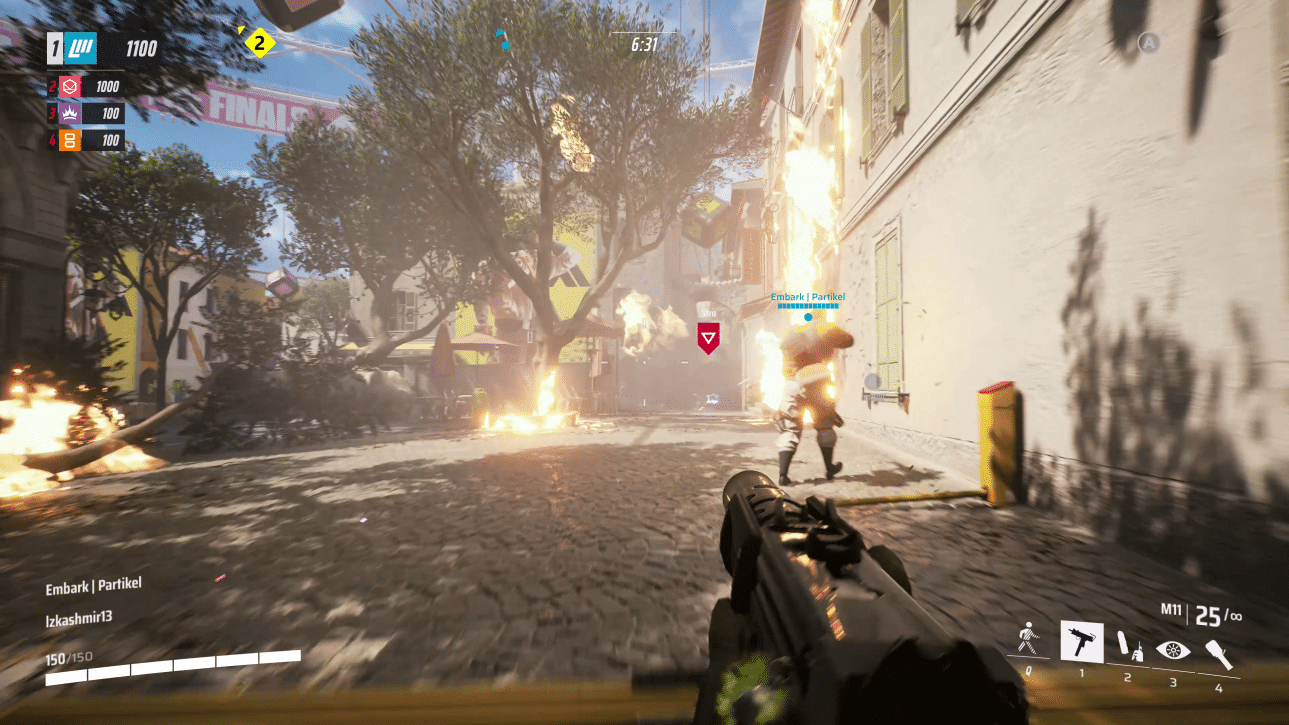
While Embark Studios was aiming to do the right thing by pushing out a hefty patch earlier today, it seems this has broken things, as The Finals down reports have surfaced, and players are having issues finding matches this November 1.

The Finals Down With Matchmaking Issues November 1 Status:

Over on Reddit, players have reported outages after today’s title update:

Patch has broken matchmaking?
byu/shannonrachelx inthefinals

This hasn’t escaped the eyes of Embark, as over on the game’s official Discord server, “Dusty” had the following to say:

Embark | Dusty —

We have some issues with the patch above! Thanks for being so responsive so we can quickly pinpoint the problems some of you experienced/are experiencing. :magnifyegg:

The Dev team is working on it and doing their best to get to the bottom of whatever is making matchmaking difficult for some.

As soon as we know more, we will give you an update.

As you can see, the devs are looking into it. Once we know more about what’s happening, we’ll update the article.

Avatar photo

Alex Co

Father, gamer, games media vet, writer of words, killer of noobs.

Home > News

Modern Warfare 3 Operators Total 25 at Launch: Unlock Conditions Detailed

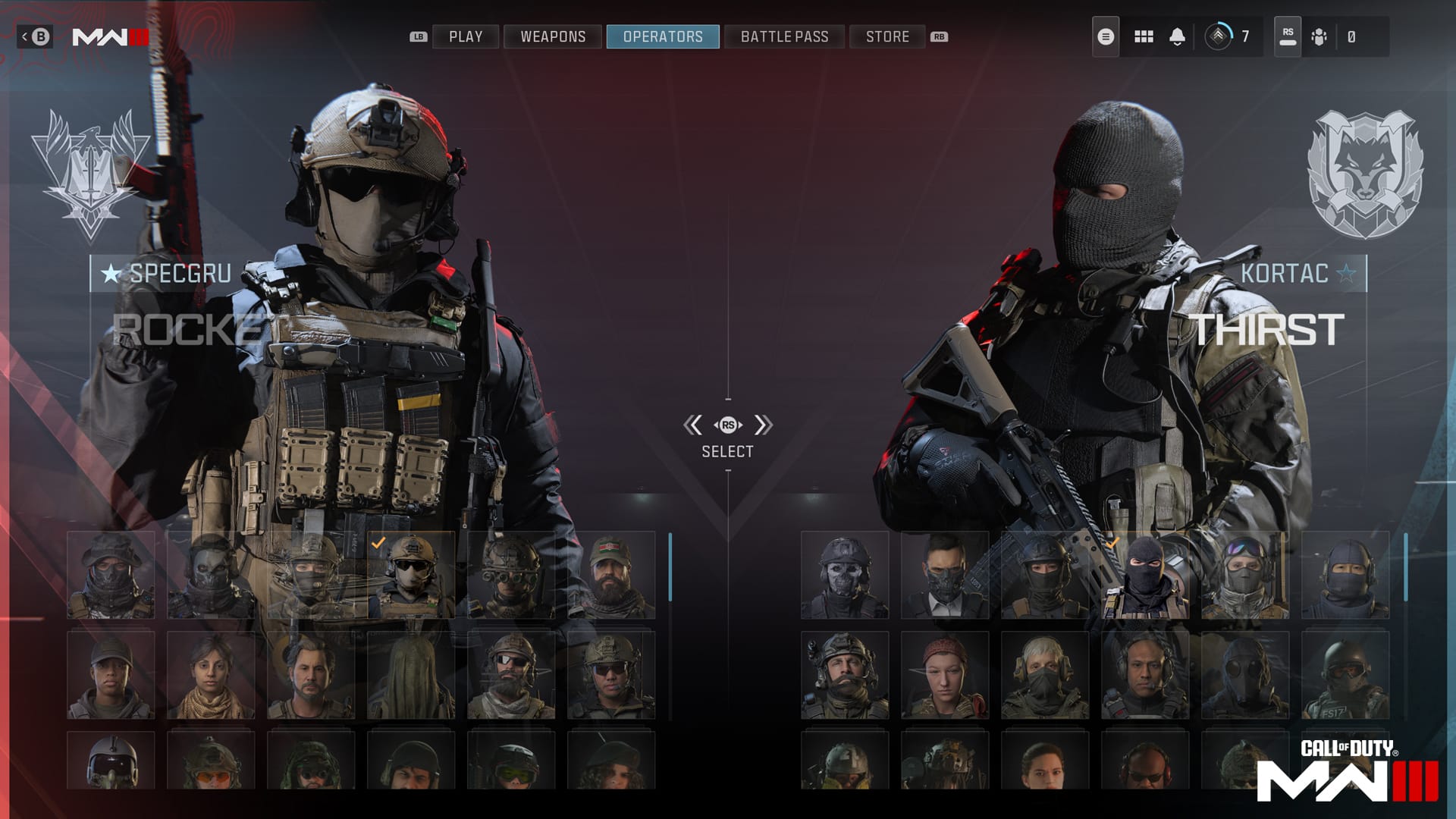
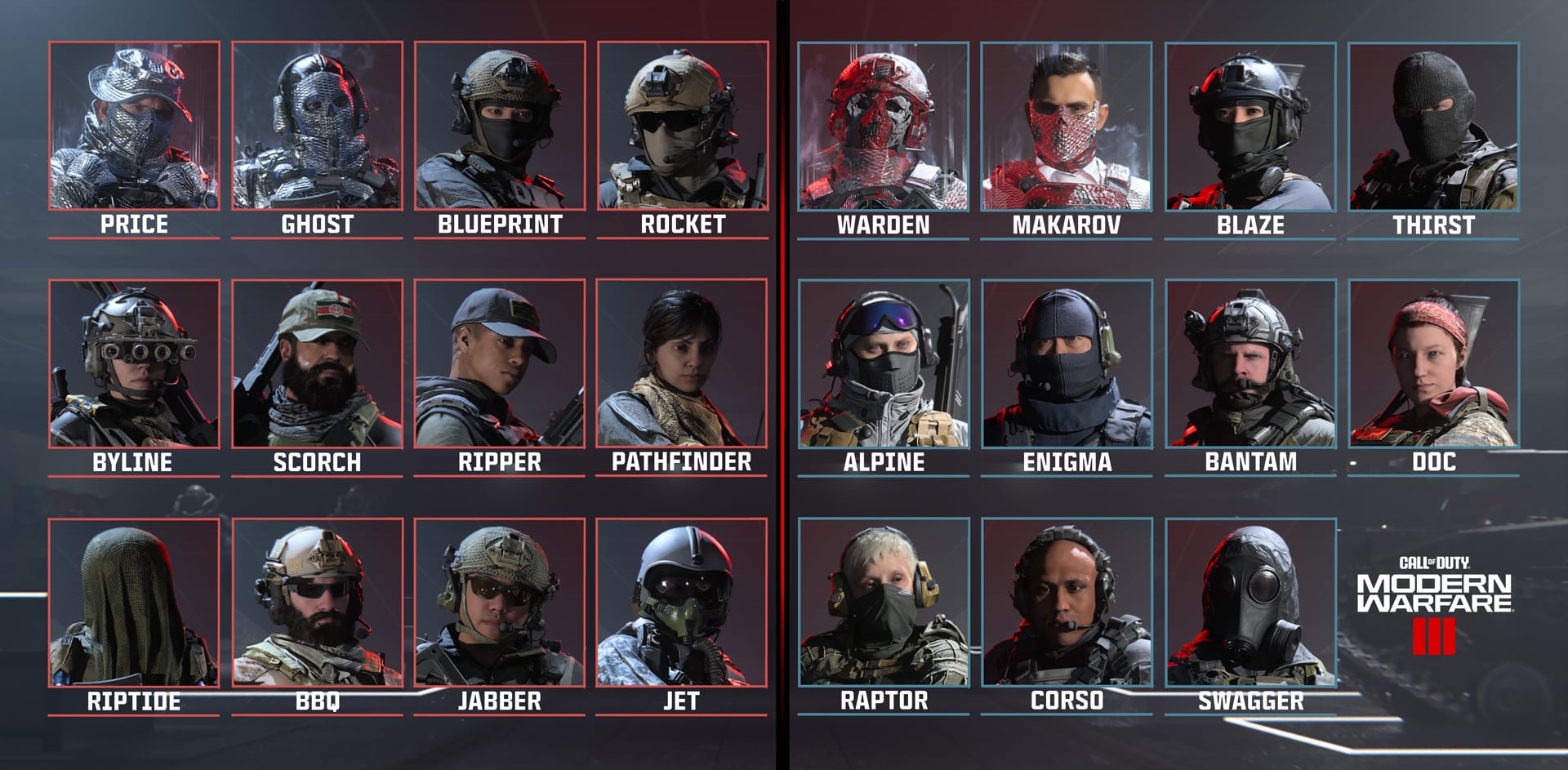
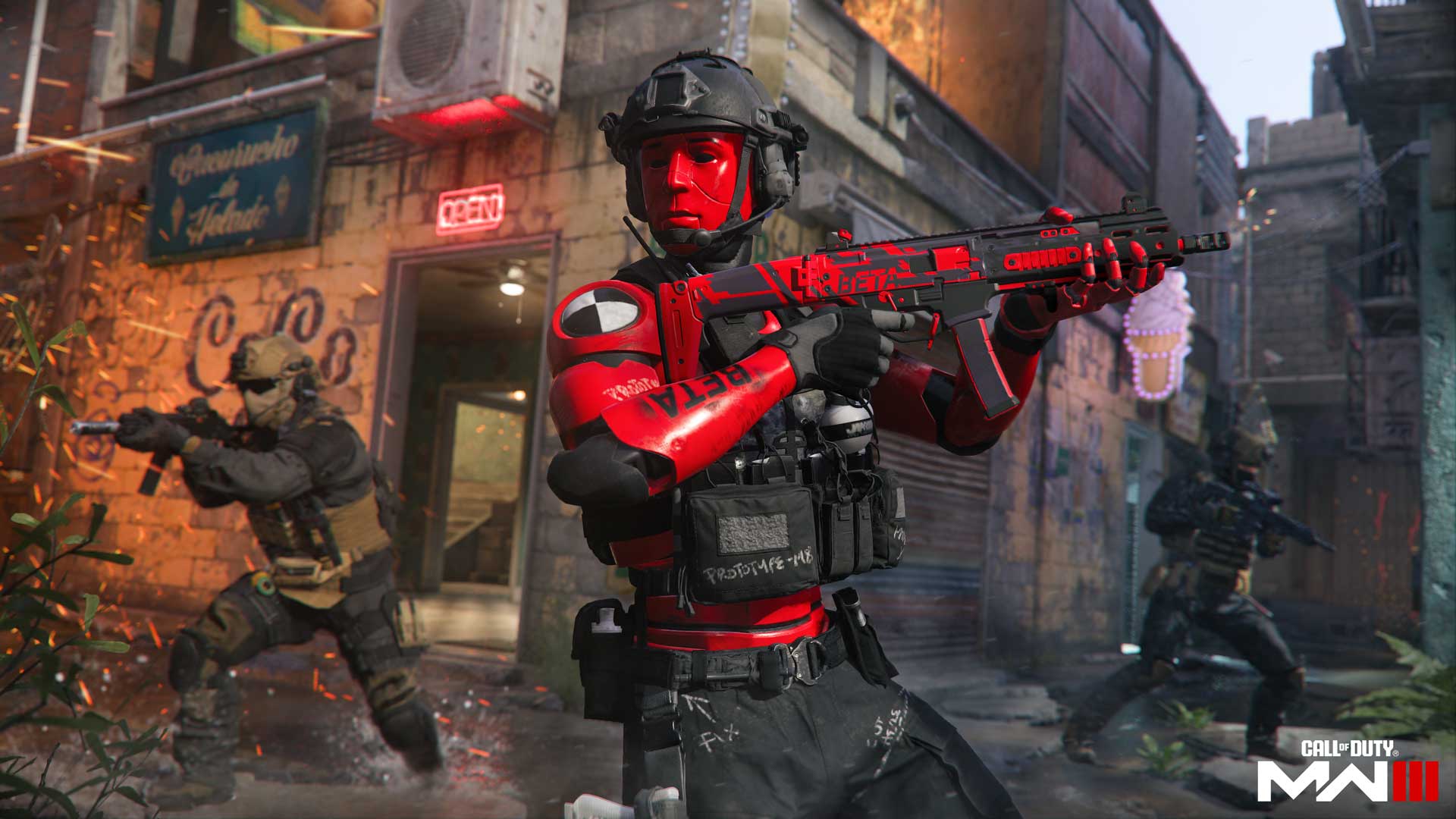
Sledgehammer Games has just revealed the first 25 Modern Warfare 3 Operators coming to the game’s multiplayer modes on launch. These Operators will be playable alongside any Operators that players carry forward from Modern Warfare 2, bringing the total playable character count to 90 at launch.

Over on the Call of Duty blog, the devs have unveiled the initial roster for Modern Warfare 3:

Here are the unlock conditions for each Operator:

SpecGru Operators

  • Price: Nemesis Reactive Skin available via MWIII Vault Edition purchase.
  • Ghost: Nemesis Reactive Skin available via MWIII Vault Edition purchase.
  • Blueprint (Mil-Sim): Initially available.
  • Rocket (Mil-Sim): Initially available.
  • Byline: Unlocked after completing a challenge in Multiplayer.
  • Scorch: Unlocked after completing a challenge in Modern Warfare Zombies.
  • Ripper: Unlocked after completing a challenge in Modern Warfare Zombies.
  • Pathfinder: Unlocked after completing a Campaign Challenge.
  • Warrior: Available after purchasing the Call of Duty Endowment “Warrior” Pack, available November 10.
  • Riptide: Unlocked after completing a challenge in Multiplayer.
  • BBQ: Unlocked after completing a challenge in Multiplayer.
  • Jabber: Unlocked after completing a Campaign Challenge.
  • Jet: Unlocked after completing a challenge in Multiplayer.

KorTac Operators

  • Warden: Operator (Nemesis Reactive Skin) available via MWIII Vault Edition purchase.
  • Makarov: Operator (Nemesis Reactive Skin) available via MWIII Vault Edition purchase.
  • Blaze (Mil-Sim): Initially available.
  • Thirst (Mil-Sim): Initially available.
  • Alpine: Unlocked after completing a challenge in Multiplayer.
  • Enigma: Unlocked after completing a challenge in Multiplayer.
  • Bantam: Unlocked after completing a challenge in Multiplayer.
  • Doc: Unlocked after completing a Campaign Challenge.
  • Raptor: Unlocked after completing a challenge in Multiplayer.
  • Corso: Unlocked after completing a Campaign Challenge.
  • Swagger: Unlocked after completing a challenge in Multiplayer.
  • Lockpick: Available on PlayStation only, when preordering the Digital Standard or Vault Edition.

Like we stated before, these Operators will be available alongside any Operators that you carry forward from Modern Warfare 2. Additionally, you’ll still be able to make progress in the Season 6 Battle Pass while playing Modern Warfare 3, so you’ll have a chance to unlock operators like Spawn in-game if you currently have the Battle Pass in Modern Warfare 2.

How do you feel about these new characters? Let us know in the comments below.

Call of Duty: Modern Warfare 3 launches on November 10 for PS4, PS5, Xbox One, Xbox Series X|S, and PC.

Source: Call of Duty

More Modern Warfare 3 Reading

Jack Breitenbach

Game the night away!

Home > News

The Finals Update 1.000.005 for Open Beta Patch 0.4.0 Fires Out This Nov. 1

Embark has deployed The Finals update 1.000.005 on all platforms this November 1, and this brings improvements to matchmaking, anti-cheat and more in the on-going open beta. Read on for everything new in The Finals beta update patch notes tagged as version 0.4.0!

The Finals Update 1.000.005 Patch Notes | The Finals Beta Update 0.4.0 Patch Notes for November 1:

Anti-Cheat 🛡️

  • Overall improvements to our anti-cheat systems
  • Lowered detection thresholds in our internal systems to strengthen the identification of unfair play
  • Added additional blocklist of third-party systems

Contracts

  • Removed contracts related to the Bank It mode that weren’t correctly awarded

Crashes 💥

  • Fixed a crash that sometimes occurred when reporting a player
  • Fixed a crash caused by having players on the blocked player list

Deployable Shield

  • Fixed broken collision on Deployable Shields that could cause the game to run slower.

Glitch Trap

  • Increased ammo amount from 1 to 2

Goo

  • Fixed a bug where Goo sometimes got welded to fractured structures
  • Added timed destruction events to Goo, for better overall behavior
  • Fixed an issue where Deployable Barricades attached to Goo caused catastrophic explosions

Matchmaking ⚔️

  • Fixed an issue where backfilling wouldn’t work if a player disconnected during matchmaking

UI

  • ❕ Fixed a bug where an incorrect or missing number of VRs could be shown on the end-of-match review screen
  • Fixed a bug where party members and the party leader would see different matchmaking messages
  • Removed ‘Leave Party’ button for players not in a party
  • Fixed contestant icons on PlayStation 5 that were difficult to see
  • Fixed an issue where server performance indicators would incorrectly show in the HUD
  • Fixed an issue that caused players to accidentally open the radial wheel on controllers
  • Updated Team Colors to be on by default. Players can revert to using red vs blue team ID via the settings menus if they wish
  • Fixed an issue where already equipped store items appeared as not being equipped
  • ❕ Fixed player names so they appear consistently in the menus on all platforms
  • ❕ Fixed an issue where the Add Friend button was disabled when Crossplay was disabled
  • Various small fixes to the party and social screens
  • Made total VRs more visible in more places
  • Fixed an issue where multiple input actions could be wrongly bound to the same key on PC
  • Fixed an issue where the recent players’ social screen would not always be populated

VoIP

  • Various small fixes for issues that occurred when switching between party and team channels

VRs

  • Fixed an issue where players who backfilled might not receive VRs for the match

Given how big The Finals has been so far in its open beta stage, it’s no wonder cheat makers are eyeing it. Let’s hope Embark is up to date with their anti-cheat measures moving forward.

Source: Reddit

Avatar photo

Alex Co

Father, gamer, games media vet, writer of words, killer of noobs.

Home > News

Nickelodeon All-Star Brawl 2 Season Pass Fighters and Campaign Mode Revealed

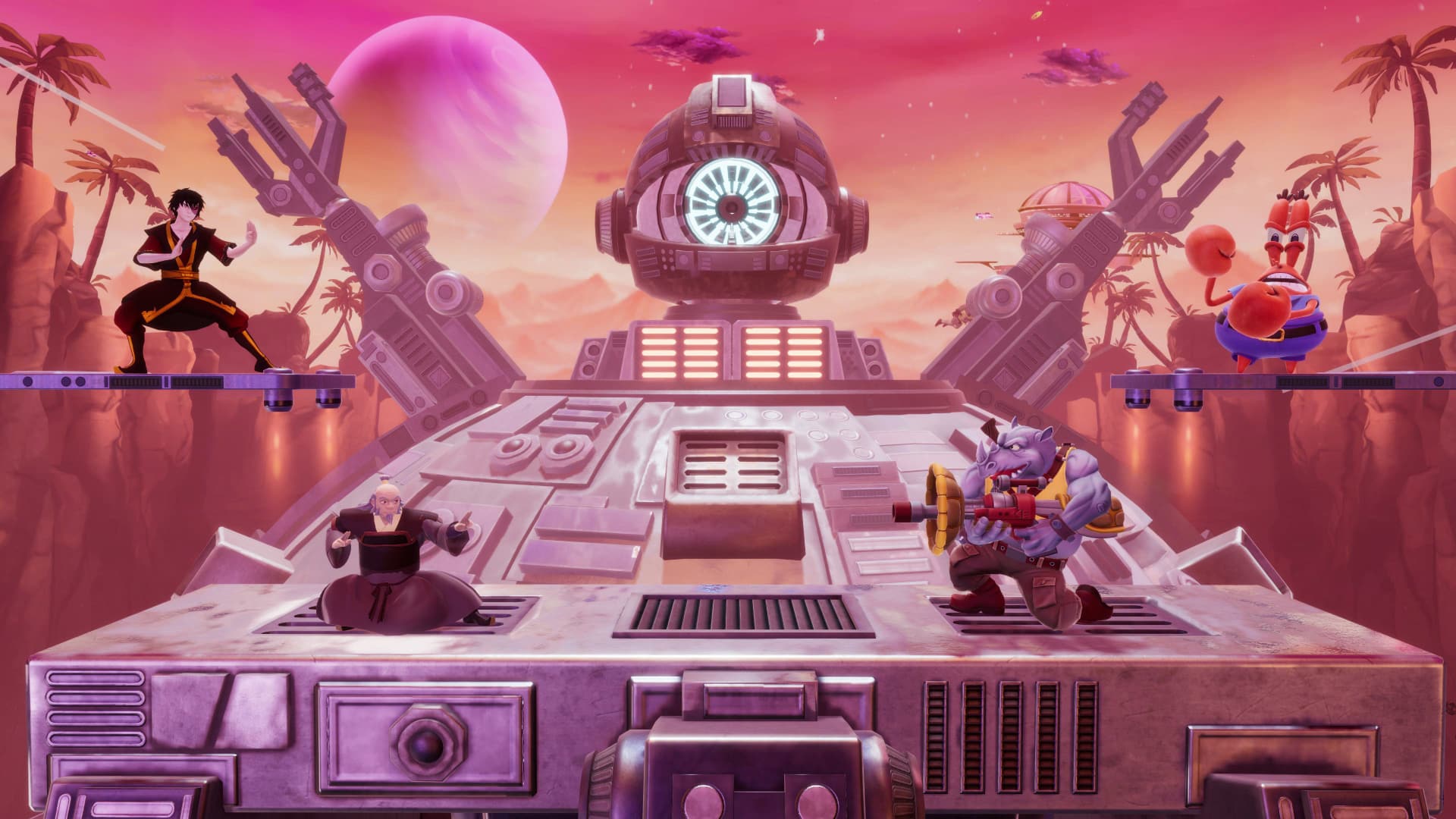
Nickelodeon All-Star Brawl 2 is launching next week, though before it does, GameMill Entertainment and Nickelodeon have one surprise left. Here’s the official reveal of the roguelike campaign, as well as the fighters included in the Nickelodeon All-Star Brawl 2 Season Pass!

Nickelodeon All-Star Brawl 2 Season Pass Fighters

Here’s the list of fighters coming in the first season pass. 

  • Mr. Krabs (SpongeBob SquarePants)
  • Zuko (Avatar The Last Airbender)
  • Rocksteady (Teenage Mutant Ninja Turtles)
  • Iroh (Avatar The Last Airbender)

Mr. Krabs will be the first to arrive, slated for early 2024. 

Nickelodeon All-Star Brawl 2 Campaign Mode Trailer

“In the Nickelodeon All-Star Brawl 2 campaign, it’s up to you to defeat Danny Phantom’s archvillain Vlad Plasmius as he wreaks havoc across the Nickelodeon universe. Master your skills, unlock unique power-ups, fight fearsome foes, meet unexpected allies, and journey through an exciting roguelike campaign as your favorite Brawlers.”

Additionally, there will be other single-player modes, such as Arcade, Boss Rush, and even a speedrunning mode to test out your skill while trying to break the fastest time.

There’s plenty to look forward to in Nickelodeon All-Star Brawl 2, and the wait for it isn’t very long, as it launches digitally next week, on November 7, for the PlayStation 5, PlayStation 4, Xbox Series X|S, Xbox One, Nintendo Switch, and PC via Steam. For those who prefer physical, a disc version will be available on December 1.

Avatar photo

James Lara

A gamer at heart, James has been working for MP1st for the last decade to do exactly what he loves, writing about video games and having fun doing it. Growing up in the 90's gaming has been in his DNA since the days of NES. One day he hopes to develop his own game.

Home > News

Lies of P 2 Confirmed by Director, First DLC Teased in New Update Video

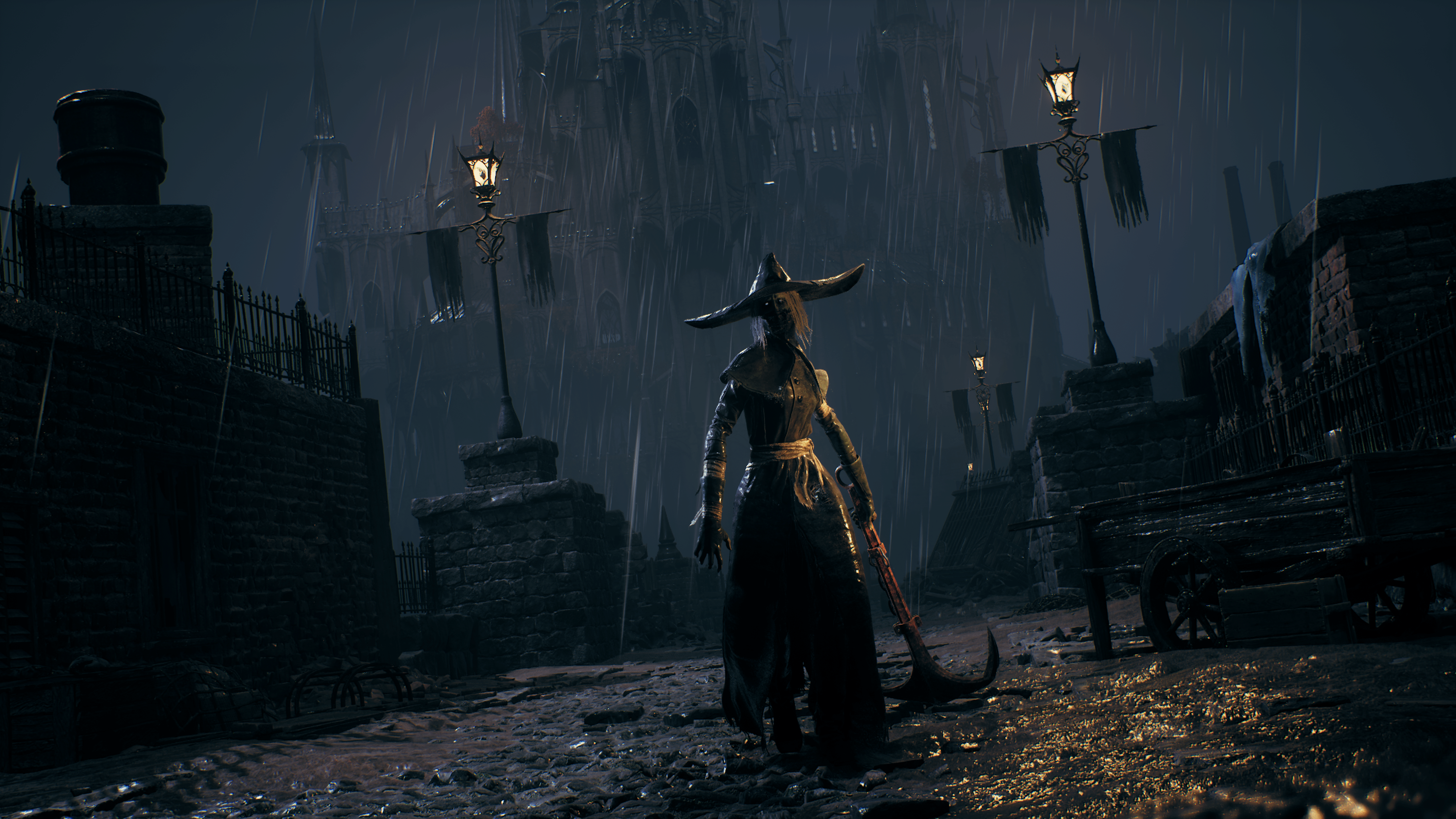
Lies of P is one of the more solid Souls-likes to date. The game surpassed a million sales within its first month, and it currently sits at an 82 on OpenCritic and an 80 on Metacritic. Today, Neowiz confirmed that Lies of P 2 is on its way and teased images of the game’s first DLC.

This news comes directly from a Director’s Letter posted on the Lies of P YouTube channel:

Our highest priority is developing the DLC and working on our sequel,” states Game Director Jiwon Choi in the update. “The dev team is putting in significant effort, brainstorming and exploring different aspects of the projects.”

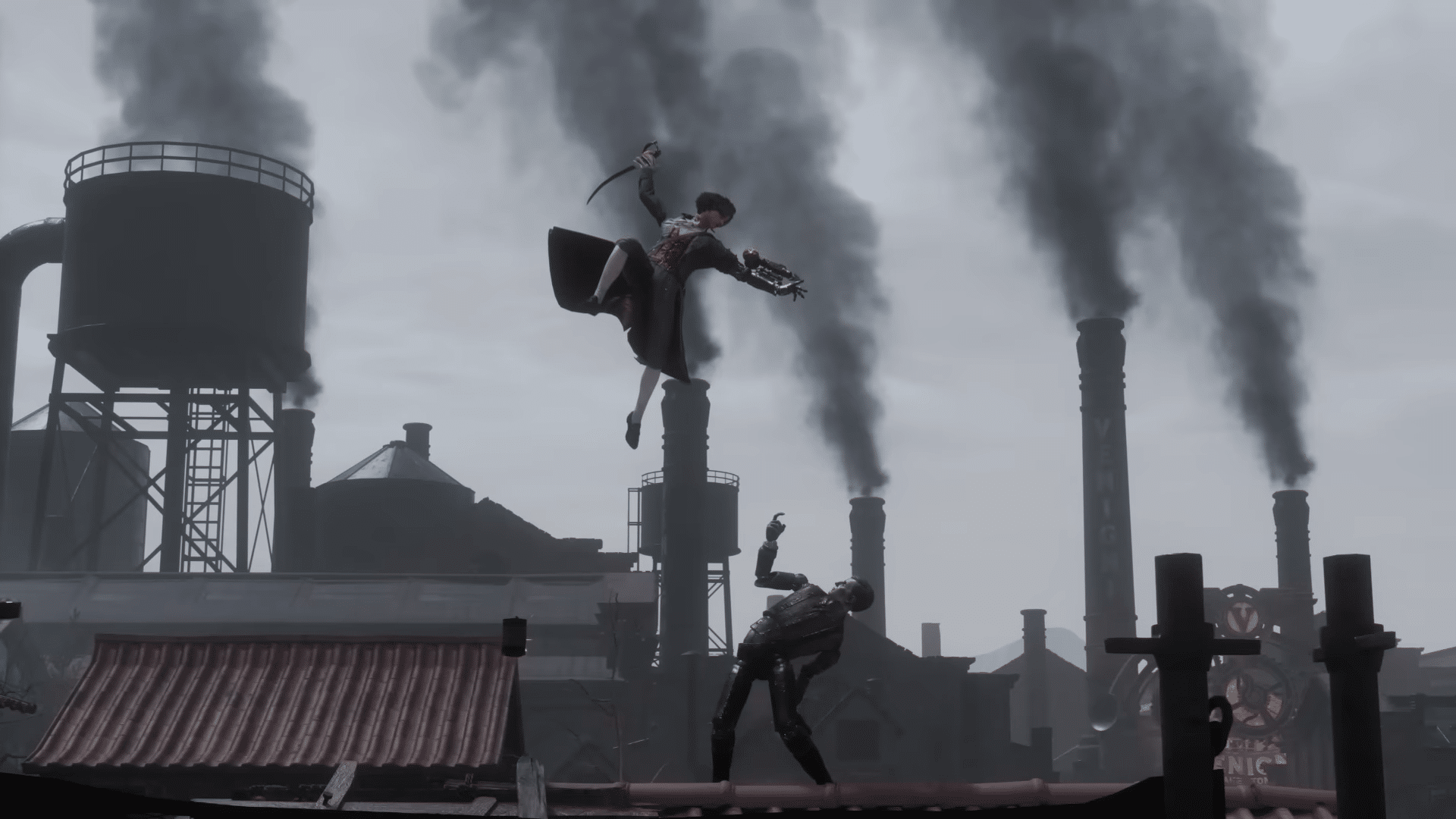
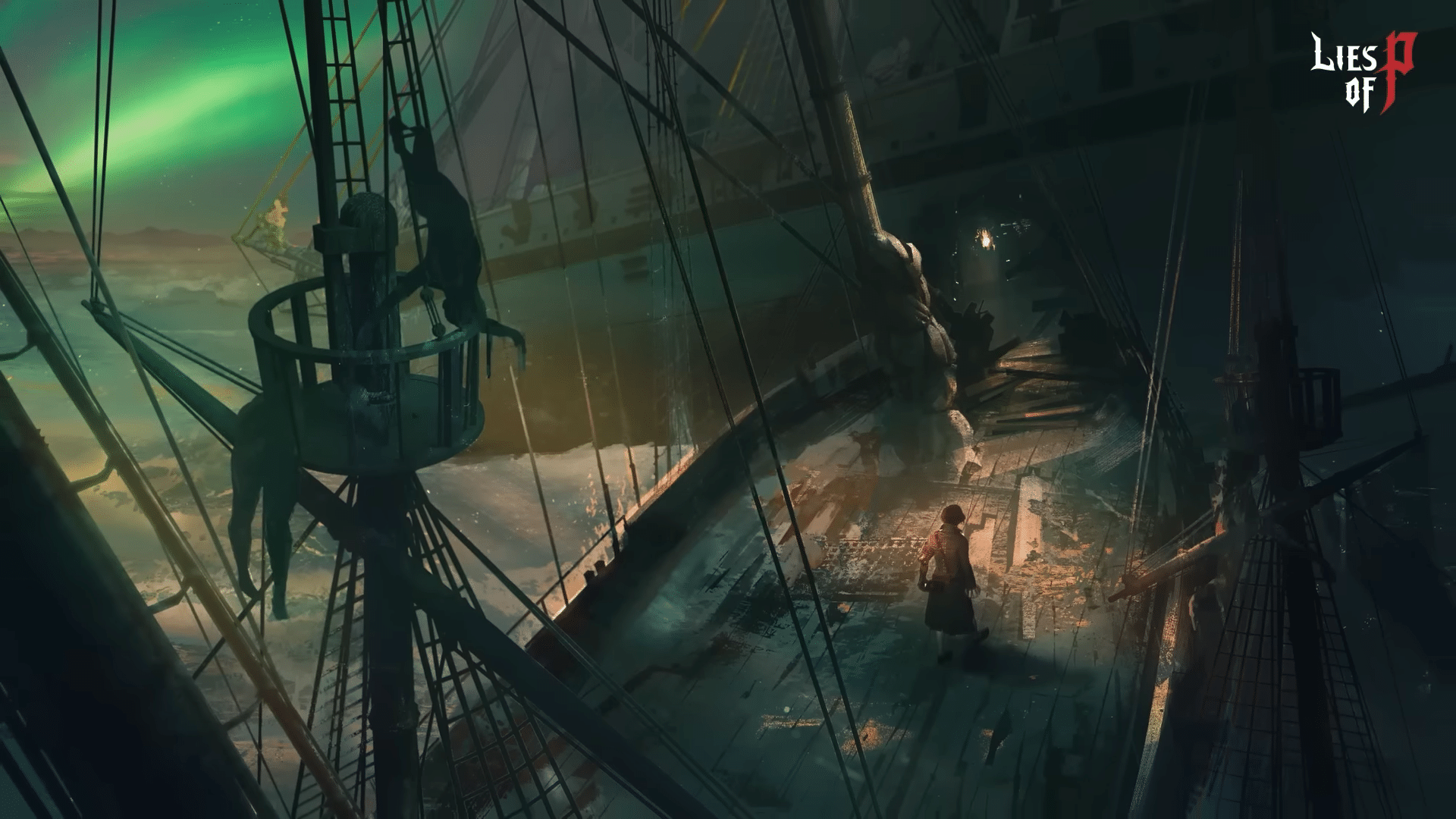
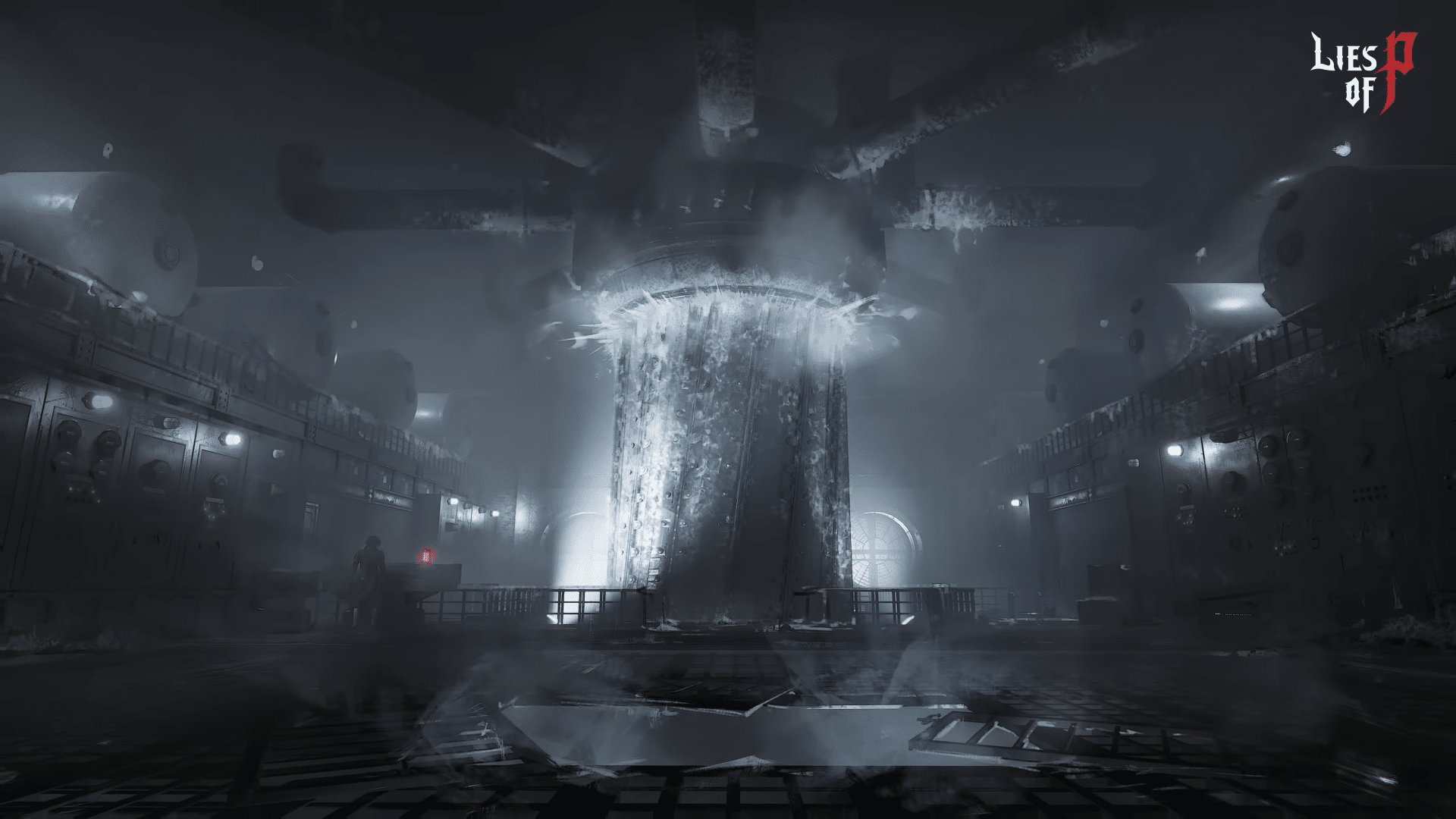
Shortly after confirming that the team is hard at work crafting new content, Choi also gave players a sneak peek at some concept art for the upcoming DLC:

Finally, Choi also gave players an idea of what to expect in the game’s next update. While the update doesn’t have an exact date yet, it’s planned for release some time in November. The update will include weapon balancing across the board, adjustments to make the early game easier for players, and a new facial accessory slot to allow players to wear both hats and glasses separately. It sounds like Neowiz is listening closely to what fans want.

We’ll be sure to let our readers know when the November patch drops and when we more info on the upcoming DLC. For all other news on Lies of P, stay tuned in to us here at MP1st.

More Lies of P Reading:

Jack Breitenbach

Game the night away!

Home > News

Modern Warfare 2 Update 1.30 Shoots Out This November 1 (Update)

Call of Duty: Modern Warfare 2 update 1.30 (PS5 version 1.030) has been pushed out, and this is another significant download for all players. Read on for what’s new in the official patch notes below, which also applies to Warzone.

Modern Warfare 2 Update 1.30 Patch Notes | Modern Warfare 2 Update 1.030 Patch Notes:

Size: 5GB (PS5)

Update: Official patch notes have been released.

GLOBAL:

BUG FIXES:

  • Fixed an issue that could cause the Loadout Select menu to open while in-combat in Multiplayer
  • Fixed an issue where pressing the “Back” button from a connected second input source could cause the game to not respond to any input until relaunched
  • Fixed an issue where the numbers in the optic of the “Dragon’s Sword” Blueprint could become misaligned while running
  • Fixed a reoccurrence of an issue where collected Souls counted towards Scorestreaks
  • Fixed an issue that could cause an error message when attempting to load into El Asilo in the Haunting 24/7 Playlist in splitscreen
  • Fixed an issue where ADS view could become obscured by kill tags when playing splitscreen
  • Fixed an issue that could cause an incorrect background to appear when previewing a weapon
  • Fixed an issue that could prevent Players from using the Reporting feature when using a controller

WARZONE:

BUG FIXES:

  • Fixed an issue that could cause a crash when engaging zombies with the “Big Berry” Blueprint equipped on Vondead Zombie Royale Trios
  • Fixed an issue where the Chemist 3: Journal at Zaya Observatory is unable to be picked up in DMZ
  • Fixed an issue where non-Party leader Players could get stuck on an unusable select screen when trying to launch DMZ through the Haunting tab
  • Fixed an issue where spamming Armor Plates while Hell is heating up causes the Player to take significantly less damage
  • Fixed an issue where Souls gathered during a DMZ match were not added to the Haunting Event count after failing to exfil and dying in the gas

So far, no notes have been shared so far, though that should change within the day. In the meantime, go check out the incoming changes to the mid-season update that rolled out today.

There’s nothing new in the official Trello board for now as well.

MULTIPLAYER:

The Haunting: Two Map Reskins:

Starting with the mid-season update, you’ll find the Halloween spirit alive and well with two map updates: El Asilo celebrates Día de Muertos, while Embassy becomes the site of a devastating zombie attack.

El Asilo: Larger-than-life calaveras stand outside the asylum, looking over the festivities of Día de Muertos. Other painted and neon skulls decorate the landscape alongside marigolds, candles, and altars that honor lost loved ones.

Embassy: Diplomacy has broken down: Conduct an evening operation on Embassy following a gruesome zombie attack. The message “Send Help” hangs suspended from the rooftop, but it’s far too late…the zombie attack has already come and gone, leaving structural havoc and corporeal damage in its wake.

 Haunting Twist on Classic Modes:

Along with changes to maps, the mid-season update is also bringing Halloween twists to a select number of modes. While the overall objectives may be the same, try not to get scared out of your wits while completing them.

Haunting Domination: Own all the control points on the map as usual. However, in this version of Domination, expect a Scarecrow to act as a marker for each flag.

Haunting Kill Confirmed/Grind: Instead of Dog Tags, collect skulls in Grind and Kill Confirmed.

Haunting Drop Zone Drop Scares: Capture and hold the Drop Zone to earn points for your team but take care while opening any crates . . . who knows what might jump out at you!

Haunting Infected: Zombies swarm to Infected. Players who become infected will appear as The Haunting–themed Zombies.

Once the official patch notes are out, we’ll update the article, so refresh this from time to time.

Update: Official patch notes have been added.

Source: Call of Duty

Avatar photo

Alex Co

Father, gamer, games media vet, writer of words, killer of noobs.

Home > News

AEW Fight Forever Update 1.07 Jackhammers Out This Nov. 1, Season 2 Confirmed

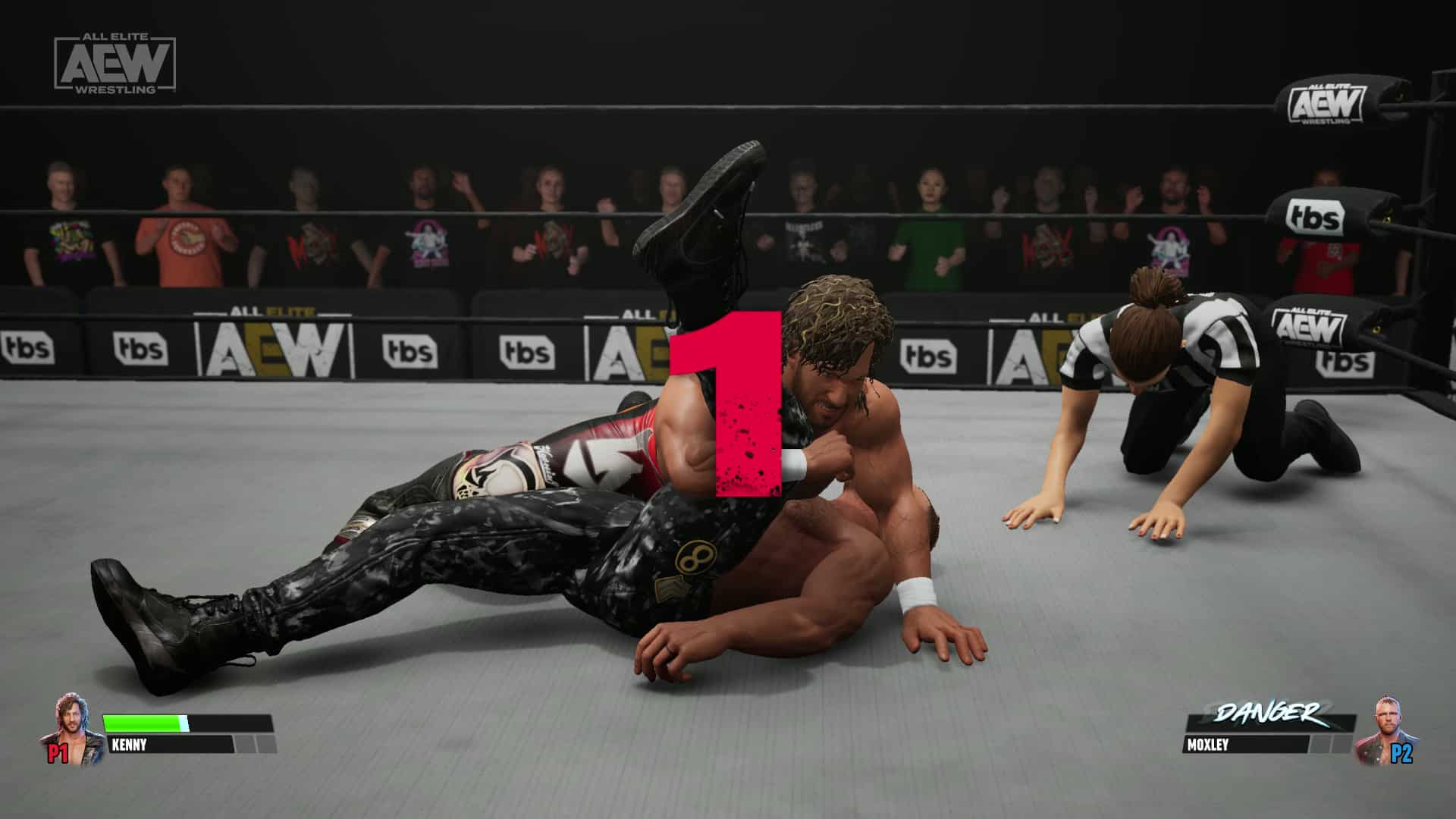
Developer Yuke’s has pushed out AEW Fight Forever update 1.07 (PS5 version 1.007), which brings in a ton of improvements across the board. There are even platform-specific changes made as well, with all the details listed in the official AEW Fight Forever patch notes for November 1.

AEW Fight Forever Update 1.07 Patch Notes | AEW Fight Forever Update 1.007 Patch Notes:

All platforms

  • Added new feature “Add Released Teams” to the Custom Team menu. If the player has purchased the AEW: Fight Forever FTR: Revival Pack, FTR can be added as a tag team.
  • Added a menu to customize materials for CAW parts.
  • Added Shadow Wrestler skins from RTE to CAW.
  • Added Character HUD Settings to the Options menu.
  • Minigames are now unlocked from the start, excluding DLC minigames.
  • Adjusted various skills for improved character balancing and playability.
  • Fixed an issue where the selected wrestler changed when randomly selecting with △/Y button in the wrestler selection screen, then pressing R3/RS to SELECT ALL.
  • Fixed an issue that caused the next wrestler to be displayed incorrectly when selecting a wrestler from the team tab on the wrestler selection screen.
  • Fixed an issue that would cause the ladder to fall suddenly when knocked down while climbing a ladder.
  • Fixed guardrail diving attack near steel stairs causing the attacker to float after coming in contact with the steel stairs during synchronization.
  • Fixed warping when grappling an apron opponent.
  • Fixed falling into the steel stairs when launching an apron move near the steel stairs.
  • Fixed clipping on the steel stairs when activating the apron attack near the steel stairs.
  • Fixed an issue where the wrestlers would not turn around to face the target outside of the ring after entering the ring.
  • Fixed an issue where the down pain animation sometimes did not occur.
  • Fixed an issue where two wrestlers, when standing face to face around a grounded wrestler, would both attempt to jump over the grounded wrestler at the same time.
  • Fixed an issue where the number of tag match wins per wrestler was not being displayed correctly in entrance and victory scenes.
  • Fixed an issue where the AI would repeat combos even when no blows hit.
  • Fixed an issue that allowed wrestlers to get inside the ladder.
  • Fixed an issue that caused ducking animations to clip onto the ring.
  • Fixed an issue where running counter’s reach was being triggered when the opponent had finished running.
  • Fixed an issue in the free action time after tag-in; if the partner who was just tagged out guarded and remained guarding when that time expired, then that wrestler would remain stuck (inoperable) in the guard state.
  • Fixed an issue in Casino Battle Royale where the indicator would show color before the AI rings in.
  • Fixed an issue where, after removing a DLC entitlement, DLC moves assigned to a roster wrestler would revert to a custom wrestler’s moves. The moves now revert to that roster wrestler’s default moves.
  • Fixed an issue that allowed wrestlers to be able to enter the inside of a standing ladder.
  • Fixed an issue that caused indicators to be displayed in victory scenes.
  • Fixed an issue where the AI’s entrance could not be skipped by pressing the □/X button when starting a match using the keyboard in the main menu.
  • Fixed an issue that caused a down attack to be launched against a downed opponent in the ring, even if the opponent was out of the ring.
  • Fixed an issue where the character was floating when performing Kenny Omega’s running finisher.
  • Fixed an issue in Casino Battle Royale where deactivating the app by pressing the Windows key during the tutorial would allow the wrestler to move freely outside the ring.
  • Fixed an issue in ladder matches where attacking an AI trying to retrieve a weapon from under the ring would cause the AI to get stuck.
  • Fixed an issue that was causing non-targeted wrestlers to be grabbed by grapple reach.
  • Fixed an issue in Casino Battle Royale that caused players to warp out of the field after activating a springboard against a corner post opponent.
  • Fixed an issue that prevented AIs from activating tandem finishers.
  • Fixed an issue in online matches in which table legs did not fold up when the table was picked up.
  • Fixed an issue that prevented “SHIRANUI 3” from inflicting damage.
  • Fixed an issue where the player would be stuck for 3 seconds after activating “SHIRANUI 3”.
  • Fixed warping when grappling an opponent who is up on the ladder.
  • Fixed an issue where a wrestler would attempt to climb the ladder from the position of the opponent who was already on the ladder.
  • Fixed an issue that caused managers to clip through ring aprons.
  • Fixed animation shifting when down grappling.
  • Fixed diving catch causing clipping.
  • Fixed damage areas being incorrect.
  • Fixed an issue where “tope suicida” moves would clip to apron.
  • Fixed an issue in Casino Battle Royale where the move-set was not displayed correctly.
  • Fixed an issue in online matches that caused the guitar to move unnaturally after finishing attacks with it.
  • Fixed Hikaru Shida’s incorrect finisher information.
  • Fixed dropkick floating when it contacts a downed opponent.
  • Fixed an issue where the gloves of gold attire “Penta El Zero M” would turn white during the glove removal taunt.
  • Fixed an issue where dragging another downed opponent during a pinfall would cause clipping with the pinfalling opponent.
  • Fixed rope rebound during dash hard attack.
  • Fixed an issue that could cause a grounded player to warp when pulled up by an opponent.
  • Fixed collision reaction being triggered when dashing while not facing each other head-on.
  • Fixed a problem where a diving attack from the rudder had a small reaction when it hit, so it did not appear to hit.
  • Modified tag team matches, so that a wrestler who returns to the apron during a danger will remain groggy on the apron until the danger ends.
  • Fixed an issue that caused the user to float when slammed into the ring.
  • Fixed an issue where the Finisher/Signature guide was displayed while down on a table.
  • Fixed an issue that caused misalignment when a partner was placed on a table.
  • Fixed an issue that caused AIs to rope rebound nonsensically.
  • Fixed an issue where diving moved unnaturally in sync after jumping over an opponent.
  • Fixed an issue where, when Irish Whip was aimed at the guardrail, it would hit a steel pole along the way.
  • Fixed dizzying when jumping across a fallen opponent.
  • Fixed an issue where the camera rolled into the audience during apron tag team moves.
  • Fixed an issue that caused AIs to launch pointless sliding attacks against off-field opponents.
  • Fixed an issue that caused wasted reach to be triggered after jumping over a downed wrestler.
  • Fixed an issue that caused AIs to strike out on reach actions after a dash roll.
  • Fixed an issue where the player could catch a dive even when their back was turned.
  • Fixed an issue in Stadium Stampede where an attack in the riding state occurred twice in certain maneuvers.
  • Fixed an issue in Stadium Stampede where a throwing weapon would appear to remain on the ground when picked up.
  • Fixed an issue in Stadium Stampede where a knockout wrestler’s orientation changed instantly after HOOK’s finisher.
  • Fixed an issue in Stadium Stampede that caused the horse to remain frozen and move after attacking while riding.
  • Fixed an issue in Stadium Stampede where an infinite falling motion would occur in the spectator area.
  • Fixed an issue in Stadium Stampede where bullets penetrated walls when hitting a T-shirt bazooka close to a wall.
  • Fixed an issue in Stadium Stampede where the ability that increases the number of times a weapon can be used would not take effect.
  • Fixed an issue in Stadium Stampede where the ability to increase the number of times a projectile weapon can be used would not take effect.
  • Adjusted the overall ease of applying weapons in Stadium Stampede.

Additional fixes on Nintendo Switch

  • Fixed an issue in Stadium Stampede where the screen would flash when equipping bombs.
  • Fixed an issue in Stadium Stampede where the game would crash when starting a session.
  • Fixed an issue in Stadium Stampede where a system error would appear on the winner screen.
  • Fixed an issue in Stadium Stampede where unnecessary UI was displayed.
  • Fixed an issue in Stadium Stampede where the player list would be displayed slowly in-game.
  • Fixed an issue in Stadium Stampede where processing would slow down due to multiple players using bombs at the same time.

Additional fixes on PC

  • Fixed an issue where the same user name was not showing on all controllers when playing on PC.
  • Fixed an issue in Stadium Stampede where cart ride damage was only being taken from the left side.
  • Fixed an issue in Stadium Stampede where all challenges would unlock after the session ends.
  • Fixed an issue in Stadium Stampede where a session disconnection error would occur when starting gameplay.
  • Fixed an issue in Stadium Stampede where the game would crash when moving lobby.

Additional fixes on PS4 and PS5

  • Fixed an issue in Stadium Stampede where cart ride damage was only being taken from the left side.
  • Fixed an issue in Stadium Stampede where all challenges would unlock after the session ends.
  • Fixed an issue in Stadium Stampede where a session disconnection error would occur when starting gameplay.
  • Fixed an issue in Stadium Stampede where the game would crash when moving lobby.

Additional fixes on Xbox One

  • Fixed an issue in Stadium Stampede where the game would crash when trying to start two sessions in a row.
  • Fixed an issue in Stadium Stampede where poor performance would occur when throwing a throwing weapon towards oil puddles.
  • Fixed an issue in Stadium Stampede where shadows would appear on stadium field marks when the camera was moved 360 degrees.
  • Fixed an issue with The Bunny’s hair movement during cart ride in Stadium Stampede.

Additional fixes on Xbox Series S|X

  • Fixed an issue in Stadium Stampede where shadows would appear on stadium field marks when the camera was moved 360 degrees.
  • Fixed an issue in Stadium Stampede where a crash occurred when starting a session from the Hub menu.
  • Fixed an issue with The Bunny’s hair movement during cart ride in Stadium Stampede.

In addition to today’s massive update, THQ Nordic has also confirmed that Season 2 is in development! According to the company, more info about AEW Fight Forever Season 2 will be announced at a later date.

Source: THQ Nordic

Avatar photo

Alex Co

Father, gamer, games media vet, writer of words, killer of noobs.

Home > News

Marvel’s Spider-Man 2 Update 1.001.004 Jumps Out This November 1

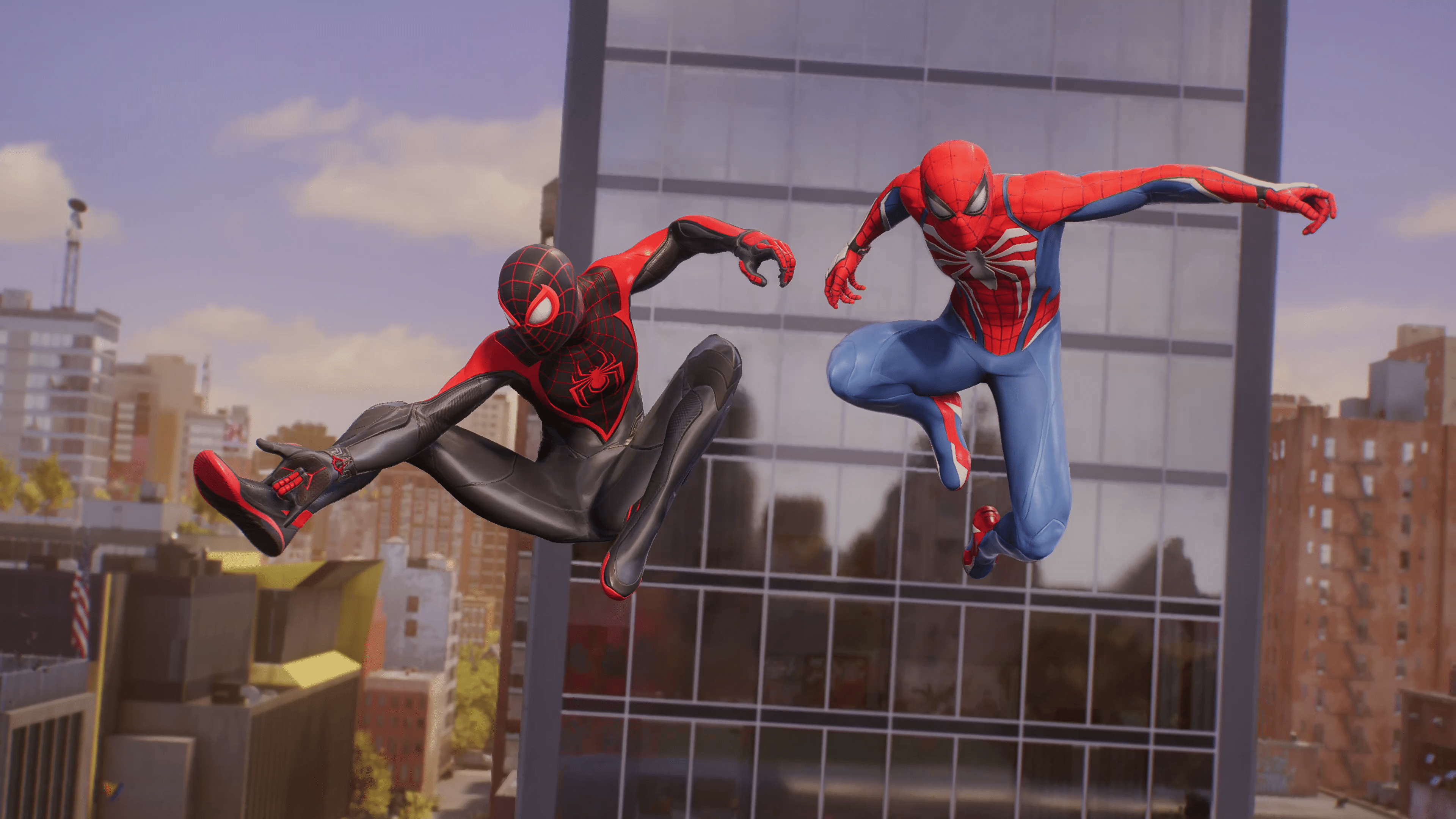
Insomniac Games has deployed Marvel’s Spider-Man 2 update 1.001.004 this November 1, and this addresses progression issues and other bugs. Read on for everything new in the official patch notes straight from the developers.

Marvel’s Spider-Man 2 Update 1.001.004 Patch Notes for November 1:

Size: 922MB

General Fixes & Polish:

  • Addressed an issue where players could become stuck during the finale of Marko’s Memories
  • Addressed an issue where a boss could become stuck in geometry
  • Addressed multiple issues where the player could become stuck during the Galvanize tutorial
  • Addressed an issue where players with shortcuts enabled could become stuck in a puzzle during the New Threads mission
  • Addressed an issue where the Charge Jump would break when assigned to a shortcut
  • Addressed an issue where the Upgraded Classic suit had duplicate eye details
  • Further addressed issues where models would not load properly after long play sessions
  • Improved stability

That’s about it for the fixes in this title update. In other Marvel’s Spider-Man 2 news, the game’s director Bryan Intihar recently confirmed that Insomniac’s upcoming Wolverine game is set in the same universe as their Spider-Man games, which means seeing a crossover isn’t out of the question.

Source: Insomniac Support

Avatar photo

Alex Co

Father, gamer, games media vet, writer of words, killer of noobs.

Home > News

Remnant 2 DLC “The Awakened King” Out Nov. 14, Info, Screenshots and More Revealed

Gunfire Games has finally revealed the first of three planned Remnant 2 DLC drops, with the first one titled “The Awakened King.” Here’s everything you need to know about it before its release later this month. 

While Remnant 2 players have been kept busy with the recent Halloween event and quality of life update, it won’t be long before they get a far bigger slice of content, as Gunfire Games has revealed The Awakened King DLC, set to arrive November 16. This DLC will see players explore a new area where they must confront the One True King who has now been corrupted by the Root. Along the journey, you’ll traverse new dungeons acquire powerful equipment, meet unexpected allies, and face new threats as you attempt to defeat the One True King. 

Remnant 2 DLC “The Awakened King” Features, Screenshots and Info:

Key Features 

  • New Storyline, Dungeons and Area Based in the World of Losomn: Delve deeper into the land of Losomn and experience a brand new storyline about the One True King – whose mind has been poisoned by the Root and is out for revenge against those who oppose him.  
  • New Archetype – The Ritualist: Leveraging status effects to punish foes, this new Archetype is a  master of pain and suffering. More details on the Archetype will be revealed closer to the DLC’s launch.  
  • Many Items and Powerful Weapons that Enhance Gameplay: Outfit your survivor to survive this more deadly version of the world of Losomn by choosing from a host of new weapons and modifications, along with new items, like amulets and rings. 
  • New Bosses, Characters and Fearsome Creatures to Encounter: Mysterious threats and survivors, of unknown origin, emerge from the ocean depths and roam the streets bringing new challenges for all players.  

Remnant 2 The Awakened King DLC will arrive on November 14 for PC, PS5, and Xbox Series X|S consoles. It’ll be purchasable separately for $9.99. or as a bundle for $24.99, which grants you access to the other two DLCs dropping in 2024. 

Once the DLC and its update is out, we’ll let our readers know.

Avatar photo

James Lara

A gamer at heart, James has been working for MP1st for the last decade to do exactly what he loves, writing about video games and having fun doing it. Growing up in the 90's gaming has been in his DNA since the days of NES. One day he hopes to develop his own game.

Home > News

Street Fighter 6 Update 1.000.006 Out This November 1 for Gameplay Adjustments

Capcom has released Street Fighter 6 update 1.000.006 (PS4 version 1.06) today for all platforms. This update includes balance adjustments and some bug fixes. Read on for the official Street Fighter 6 November 1 patch notes down below.

Street Fighter 6 Update 1.000.006 Patch Notes | Street Fighter 6 Update 1.06 Patch Notes | SF6 Patch Notes for November 1:

Update Details

– The “Final Fight Gala” Fighting Pass has started.
– New items added to the Goods Shop!
– Onitsuka Tiger collaboration items added.

Onitsuka Tiger Avatar Items:
• Onitsuka LOGO TEE
• Onitsuka LOGO TEE
• Onitsuka TRACKTOP
• Onitsuka TRACKTOP
• Onitsuka PANTS
• Onitsuka PANTS
• MEXICO 66™
• MEXICO 66™
• DELECITY™
• DELECITY™

Fighting Ground
Phase 2 has started:
• Master Rate has been reset for players in the Master League.
• Any players that fell within the top 500 in the Master League rankings last phase will now be Legend Rank.

Battle Adjustments
Adjustments have been made to correct unintended behavior.

Juri
Assisted Combo 3
Fixed an issue that made it difficult for level 3 Super Art Kaisen Dankai Raku to be performed.

Battle Hub
– The number of tournament servers have been adjusted to accommodate the Master & Legend Rank option being added for League-Separated Tournaments.
– The availability periods for various online content have been adjusted to account for the end of daylight saving time in different regions. (The retrieval deadline for rewards from the Spooky Party Fighting Pass has also been adjusted.)

Bug Fixes
– Fixed an issue where certain attacks hitting at the same time as a cinematic level 3 Super Art would result in some effects lingering longer than expected.
– Fixed an issue with the Legend Rank icon incorrectly being displayed on the results screen after battles. Also fixed an issue with the wrong number of rank stars being displayed on the same screen.
– Fixed an issue where titles were not being unlocked properly in line with kudos earned. (With this fix, it is possible that all the titles you should have unlocked will unlock in one go the next time you earn kudos but please note that this is intended behavior.)
– Other miscellaneous minor bugs were also fixed.

Source: Street Fighter 6

Damien Seeto

Home > News

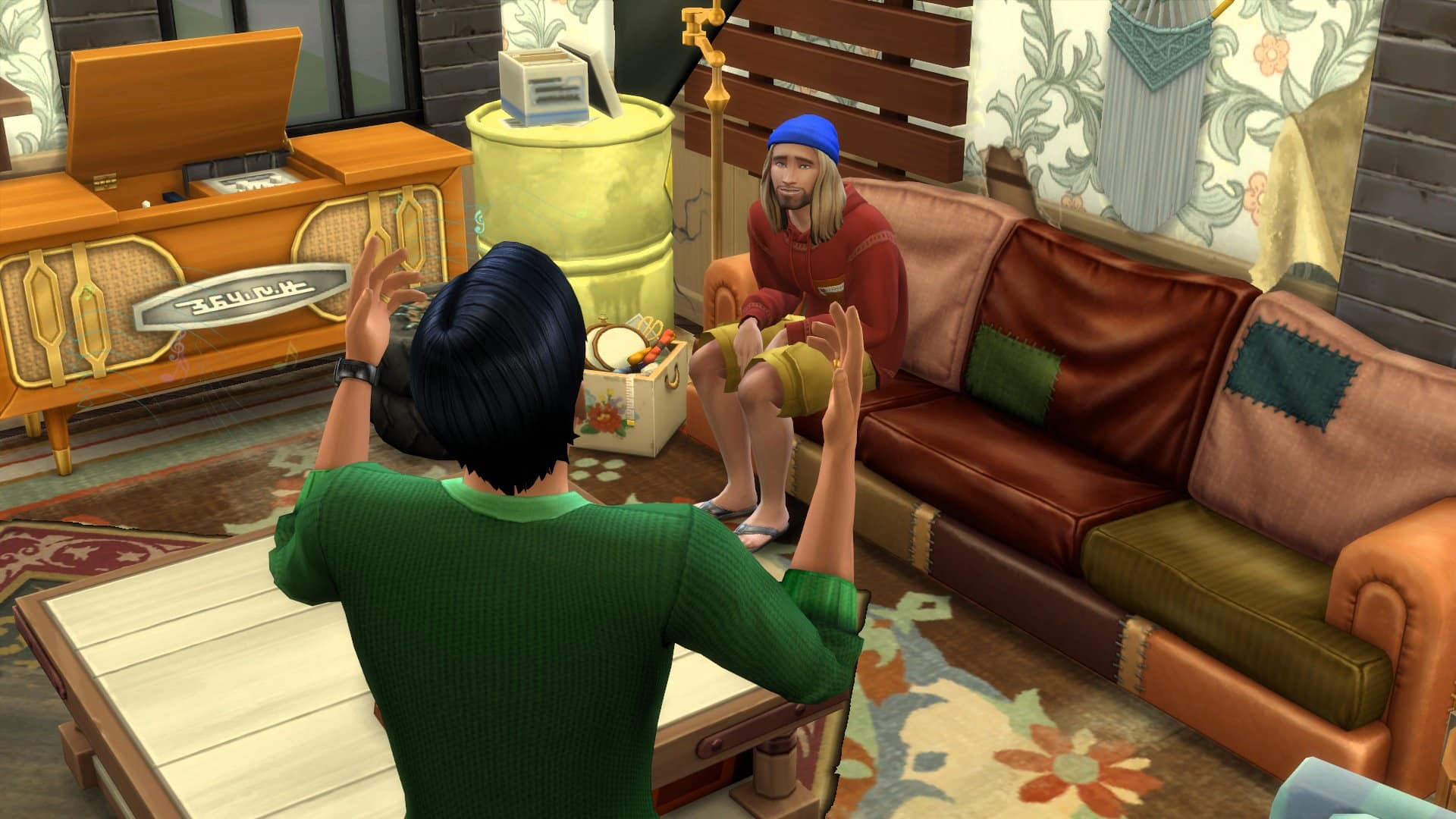
The Sims 4 Update 1.82 Rolled out for Discovery Quests and More This Oct. 31

Maxis has pushed out The Sims 4 update 1.82 on all platforms today, and this brings a new feature in Discovery Quests alongside bug fixes. Read up on what’s new in the official patch notes below.

The Sims 4 Update 1.82 Patch Notes for October 31:

PC: 1.102.190.1030 / Mac: 1.102.190.1230

Console: 1.82

What’s New?

  • Today we begin rolling out a new feature: Discovery Quests! What is a Discovery Quest you ask? So glad you did! Discovery Quests are Quests that help you Discover more cool things about the game! You want to know even more? Sure thing! These Quests will point out key parts of gameplay and help you learn about features and activities key to a great Sims 4 experience.
  • But wait! There’s more! If you play through a Discovery Quest, you can claim some in-game rewards! You can add more to your Sim’s household from Simoleons to potions and even satisfaction points. What all can you do and claim? You’re so inquisitive! We love that! Here are some quests you’ll be able to play through:

    • Scoring Simoleons – Explore different ways your Sims can earn money, complete this quest and earn some, you guessed it, Simoleons!
    • Navigating Needs – Understand the different Needs your Sims have and how to keep your Sims happy
    • Skillful Sims – Navigate and learn how to help your Sims gain new skills and level up their lives
    • You and Your Phone – Phones offer your Sims many capabilities, explore this quest to learn more about everything you can navigate through your phone
    • Lifelong Aspirations – This quest is all about how Sims can work through and eventually complete their aspirations
    • Always on the Move – Your Sim would love to see the world beyond their home, let them experience new Worlds

You can find the Discovery Quests settings in Game Options under Tutorials & Tips.

  • We are also bringing a new context aware profanity checking system for all Gallery Uploads, Comments and Player Bio in all languages that The Sims 4 supports. While this is new for The Sims 4, the systems are currently used beyond The Gallery so they have been battle tested.

Bug Fixes

Base Game

  • Backpacks are great for storing things but having one in your lot won’t prevent your Sim from putting books away on the shelves. Leaves more room in your backpack for important things like snacks.
  • Korean – During the “Aliens Stole My Parents“ scenario, the “take a vacation“ option will be unavailable and the correct tooltip displayed explaining why now isn’t a great time to take a vacation.
  • English – Custom pronouns will be correctly reflected in the Odd Job Freelance Career
  • Loading into your home lot should greet you with your household and not error code 123:4a01697a:4adea999; prepare to accept the Welcome Wagon neighbors to your home.
  • Completing the Au Revoir, Lewis! In the Stuck in their Shadow Scenario will progress to the next goal instead of getting stuck. Now, time to go check that mail box.
  • Speaking of the Stuck in their Shadow Scenario, ever get those Mysterious Phone Calls? Nope? Well you should get them now without needing to take your Sim into Create-a-Sim and back.
  • Toddlers grow up so fast, but for right now, they will be able to grab a snack or drink from the Always Has A Snack-Bag lunchbox without going through a dramatic and sudden growth spurt first.
  • Starting the Finding Love After a Breakup Scenario will no longer drop you to the map with exception error code 121:8a89078a:d528d17c.
  • Sims that gain an extra trait can now be edited in Create-a-Sim.
  • Talking of procrastinating, when your Sim sits down to write a book or term paper they should do just that and not pick up the nearest book and start reading instead. Now, where is our basketball?
  • After a caterer has made food for your social event, you can drag this around now to place it where you like, useful for getting candles on a cake if your caterer isn’t great at placing the cake somewhere useful.
  • Dirty dishes can go anywhere, especially during student life. Who hasn’t found that one plate and multiple forks or spoons under their bed after detecting that odd aroma? Ohh, just us? Anyway apparently that isn’t where you should put them, and now neither will Sims who used to put them in the most distant parts of the home. Now they should show a bit more home pride and place dirty dishes in appropriate locations.
  • Removing skin details in Create-a-Sim should no longer generate a lastUIException for (AS)widgets.CAS.Customizer::CatalogPanel and instead will remove the skin details from your Sim as expected.
  • Stereo and Radio objects upgraded to Unbreakable shouldn’t break, no matter how hard you try. Problem was that the more determined Sims were finding the one weakness. These have been repaired free of charge and your Sims taught not to bend it that way again.

Console

  • The game should no longer enter an unrecoverable state when launching the game for the first time and accepting the User Agreements using a Mouse and Keyboard.
  • For Simmers using the Controls Legend, the callouts on the Gallery will be easier to read.
  • The Controls Legend in the Gallery will no longer display that you can block/unblock a player while navigating your Connections and not highlighting another Simmer.
  • For players that have disabled the Controls Legend in Game Options > Other, the Gallery will now respect those settings.
  • The Controls Legend being enabled will not display the Sim switch prompts (PlayStation – L1/R1, Xbox – LB/RB) in CAS if you only have a one Sim household
  • Opening the Cheats panel while on the Main Menu won’t keep it stuck open when you are done. The cheat panel can now be closed again.
  • While cooking, the shoulder buttons (PlayStation – L1/R1, Xbox – LB/RB) will switch between recipe filters as expected.

Gallery Server

  • Entering a stop word (AND, WITH, OR etc.) in your Gallery search will no longer return zero results. For example: “Cat with Dog” will show you results for you to bring into your game. We will be continuing to update the Gallery search functionality to better handle stop words in the future, but you should get results now.
  • Viewing an upload was only displaying one page of comments meaning you couldn’t view everything if there were lots of responses. Now you can keep scrolling to read all the available comments.

City Living

  • You know when you have something important to work on and then you procrastinate, and maybe play a little basketball before getting back to it before… basketball? Well we told the Sims that if they didn’t focus we’d take their basketball away, they can play later. So now Sims should no longer stop their important tasks to autonomously go and play basketball.

Discover University

  • Russian – A typo on the “Accept as new Roommate“ interaction has been addressed, thanks to AHQ Heroes for raising this issue.

Seasons

  • Sims that celebrate Neighborhood Brawl Holiday will no longer have negative sentiments towards each other afterwards, such is the power of the holidays.

Island Living

  • Mermaids tend to like the ocean, or the streets of New York City if our 1984 movie history serves us right. What you might not know is that they enjoy the odd mud bath too, or rather they do now since they will stop complaining about a routing error when trying to take one.
  • Thalassophobia, or the fear of deep water, is real and some Sims were becoming tense even when not near the ocean. Now the moodlet should only apply if the Sim is swimming.

Eco Lifestyle

  • The Juice Fizzer (juiceFizzer_EP09GEN_set1) will do what it’s expected to do, fizz your juice and not get stuck on the fizzing part of the function.

Snowy Escape

  • Yamachan will no longer enter your homes even if you use a Neighborhood Action Plan. If Yamachan is already in your home, you can tell them to leave using the Send Home interaction.

Cottage Living

  • Rabbits can be very thoughtful; one in particular was giving away items tagged as DEBUG for PC and Mac Simmers or UNKNOWN for console Simmers,as gifts like the Cow Flower. This gift has been removed from the rabbit’s stash and will not be presented to your Sims.

High School Years

  • Sims attending the Copperdale Pier together can enjoy the attractions, they can even ride solo or together. The tunnel of love is still reserved for potential love interests though.

That’s about it for this patch. if ever a new one drops, we’ll let our readers know.

Source: EA

Avatar photo

Alex Co

Father, gamer, games media vet, writer of words, killer of noobs.

Home > News

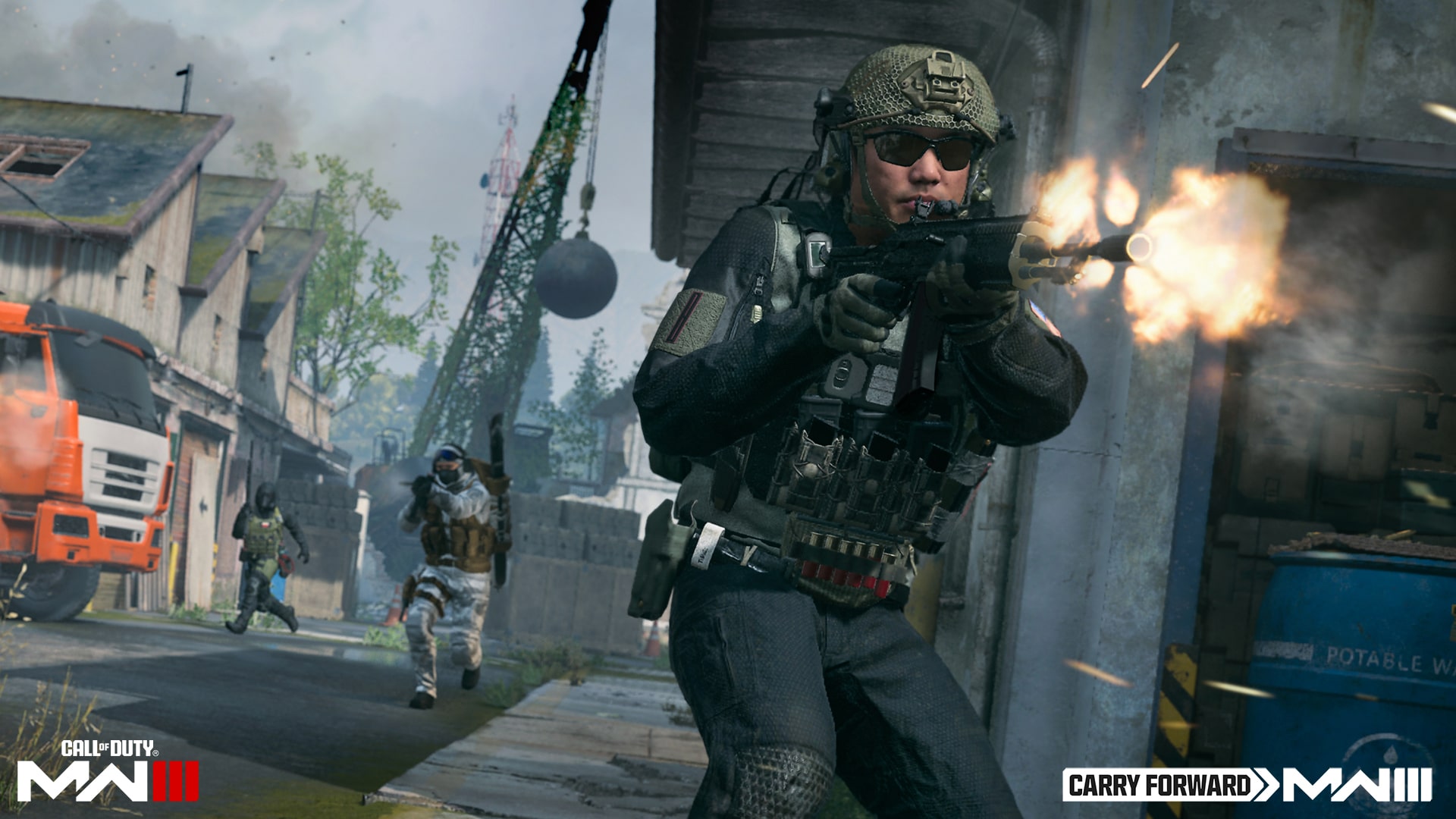
Modern Warfare 3 to Feature Fan-Favorite MW2 2022 Maps

As Call of Duty: Modern Warfare 3’s release date closes in, the team has been hard at work giving players all the information they need about the game as well as dropping some last-minute reveals. Yesterday, we got the preload information and system requirements for PC, and today, the Call of Duty team has revealed that Modern Warfare 3 will feature maps from last year’s Modern Warfare 2 as part of its post-launch support.

In a post from the Call of Duty blog that covers everything players need to know for the core PvP multiplayer experience, the team highlighted the game’s launch maps. These maps, as we already know, include every core map from the original 2009 Modern Warfare 2. Fan favorites like Highrise, Rust, Scrapyard, and more arrive in the game on day one. The team then gave us some exciting news about the game’s post-launch map plans:

To further augment an already-impressive selection of Core 6v6 maps, we are excited to announce that a number of fan-favorite Modern Warfare II maps will gradually become available to play in Modern Warfare III throughout the live seasons. The initial selection — scheduled to be four Core 6v6 maps that include Farm 18, Mercado, and Shoot House — will become available shortly after launch in a dedicated Playlist, and more will follow throughout the Live Seasons. Here’s some beneficial intel about these additions:

These maps are graphically identical to how they appeared in MWII, and due to the innovations to movement and general gameplay mechanics present in MWIII, you may find that they play in an altogether different manner. These maps are also completely additive, meaning they are scheduled to appear in addition to a full complement of new (and remastered) seasonal maps and other content.

While many hardcore Call of Duty players weren’t big fans of MWII, a handful of the maps were pretty well-designed and enjoyable to play on. It’ll be good to see them be playable in Modern Warfare 3, as they’ll get a chance to truly shine with the new game’s updated movement, weaponry, and overall feel.

It’s worth noting that any new game modes in Modern Warfare 3 will not be playable on these ported maps. Seeing as how there are plenty of reimagined (and eventually, brand-new) maps to choose from, we don’t see this being a huge issue. But if you wanted to play Cutthroat on Shoot House, you’re out of luck.

Call of Duty: Modern Warfare 3 launches on November 10 for PS4, PS5, Xbox One, Xbox Series X|S, and PC. Campaign early access begins on November 2 at 10am PDT/1pm EDT/1am HKT.

Source: Call of Duty

More Modern Warfare 3 Reading

Jack Breitenbach

Game the night away!

Home > News

Epic Games Store How to Turn Off In-Game Notifications and Achievement Pop-Ups

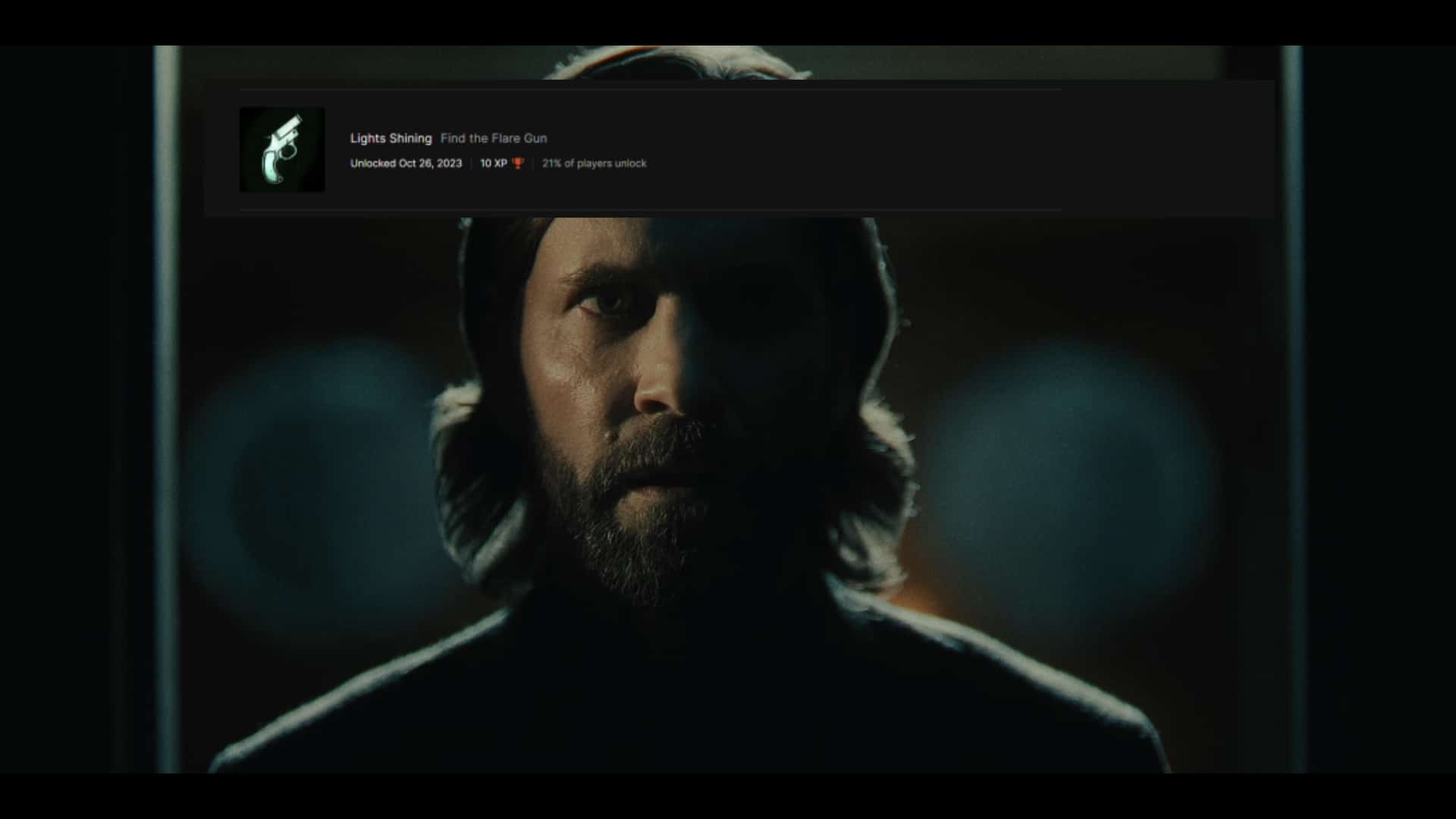
Alan Wake 2 is out, and many PC owners are playing the game using the Epic Game Launcher for the first time. This has brought up a rather annoying issue, as, unlike Steam, there doesn’t seem to be an option to turn off in-game notifications, including achievement pop-ups, with online searches being even more confusing. Luckily, there’s a simple way to mute all those, though it does come with some caveats. 

How to Turn Off In-Game Notifications on Epic Games Launcher

For whatever reason, the Epic Games Launcher has no option tied explicitly to in-game notifications. They offer desktop notification options, which lets you turn off desktop pop-ups. But, if you are playing in-game and don’t want to be bothered by anyone, including the achievement pop-ups, Epic Games offers no specific option like Steam does. 

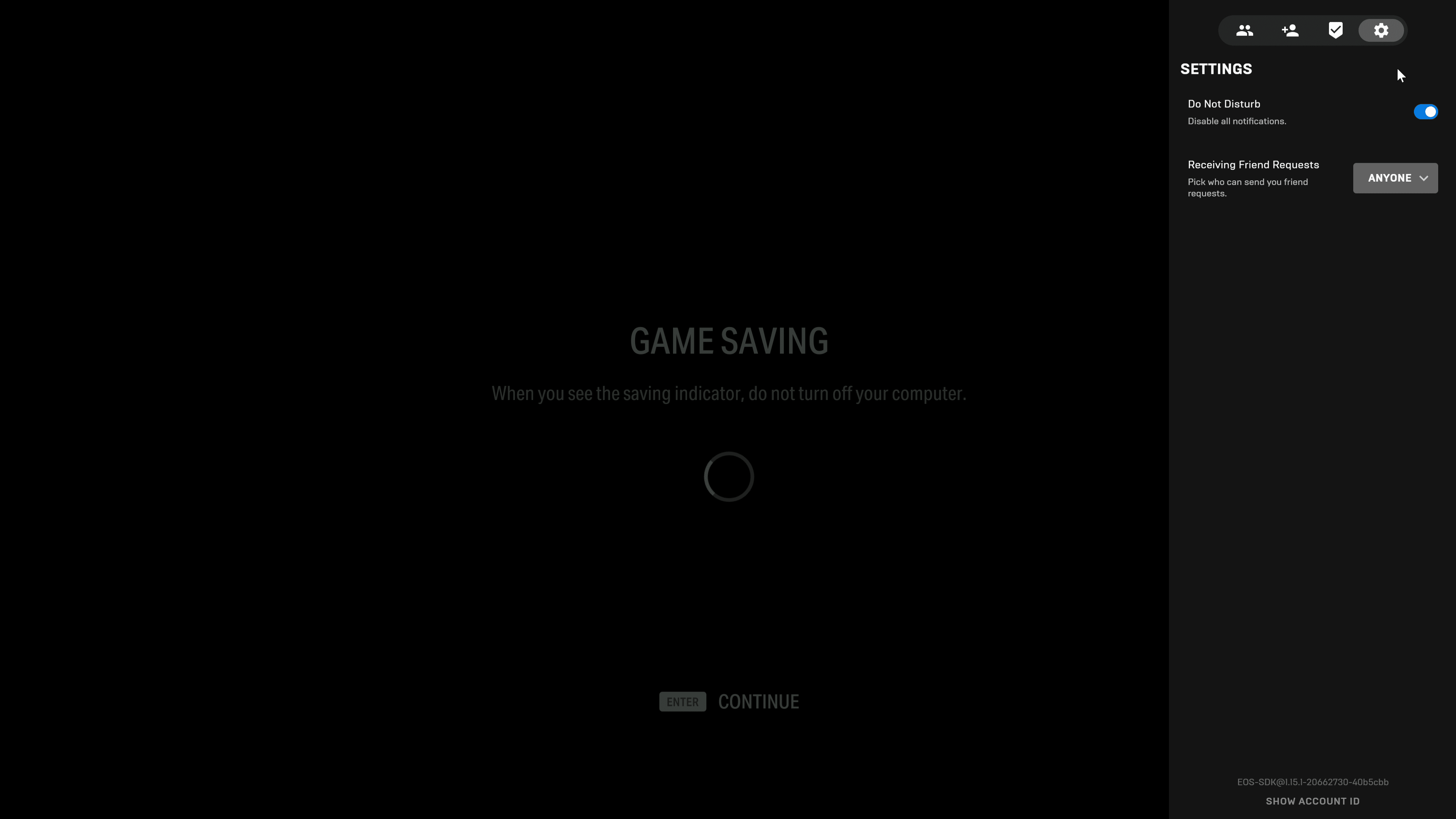
Instead, they offer a “Do Not Disturb” mode that removes all pop-ups while gaming. To access this, all you have to do is boot up a game and then push shift+F3 to bring up the Epic Games overlay. You will see a gear icon on the upper right; click it, and the “Do Not Disturb” option is here. 

Epic Games Launcher Turn Off Notifications In-Game

This will disable ALL notifications while playing the game. The only problem is you have to do this every time you start the game. Reddit user Xbob42 outlines a permanent solution, but only if you feel comfortable editing some game files for Alan Wake 2. Plus, after you’ve completed the game, you may want achievements showing in-game when collecting stuff rather than tabbing out to see. The “Do Not Disturb” method works on all games, too. 

We aren’t sure why this isn’t under the launcher settings or why there isn’t any way to disable achievement pop-ups like there is for Steam, but at least this lets you play uninterrupted. The achievement notification can be very distracting, taking a large portion of the upper screen during gameplay. It’s only for a few seconds, but it’s distracting nonetheless. 

If you’re here because of Alan Wake 2, and this helped, you may find our other Alan Wake 2 guides helpful, so be sure to check those out!

Avatar photo

James Lara

A gamer at heart, James has been working for MP1st for the last decade to do exactly what he loves, writing about video games and having fun doing it. Growing up in the 90's gaming has been in his DNA since the days of NES. One day he hopes to develop his own game.

Home > News

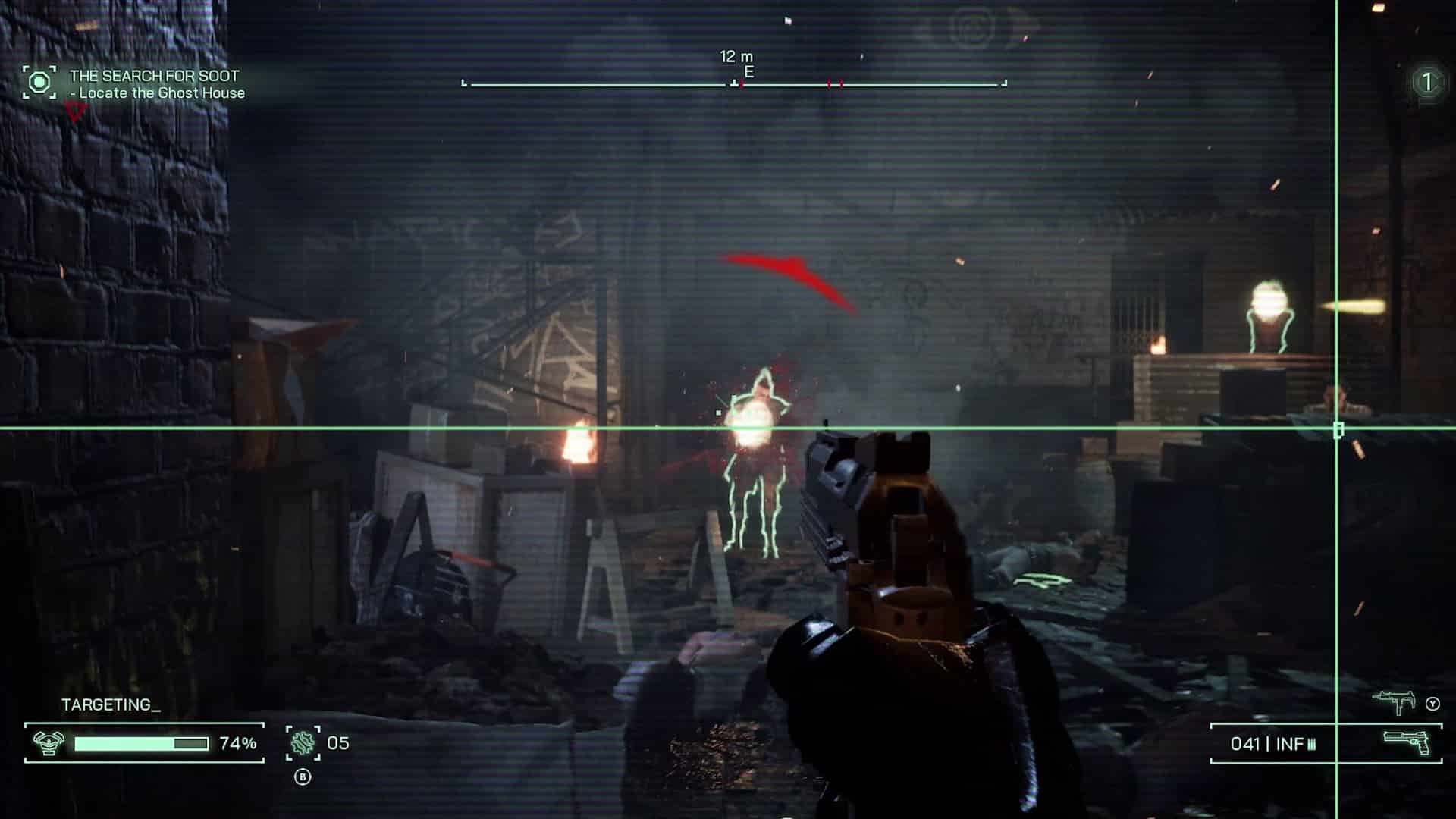
RoboCop: Rogue City Review – No Backup Needed

RoboCop originally released as a movie in 1987, with its (for the time) hyper-violent titular lead character becoming an iconic crime fighter with plenty to say about the city of Detroit, corporate greed, and what it means to be human. While the series has seen several video games, it has been just over 20 years since the last release, 2003’s RoboCop which released on sixth-generation consoles and PCs. It didn’t fare very well, with an average score around 30-40/100, with at least one reviewer comparing that release to the infamous Superman 64. After two decades, can developer Tevon successfully resurrect the series’ video game adaptation, or is this franchise simply destined to never have a great modern interactive version? We spent time fighting crime in seedy Detroit, and have our review ready to determine just that.

Ripped Right Out of Detroit

RoboCop: Rogue City is a love letter to the original film. While plot-wise, it takes place between RoboCop 2 and RoboCop 3, it sports the occasional satire which made the first film so beloved. You play as RoboCop, otherwise known as Alex Murphy, a law enforcement officer who was killed and resurrected using technology, with his brain and little else hooked up to a cyborg body. As the game takes place between the sequels, you assume control of RoboCop well after he has adjusted to life as a cybernetic lifeform, and your latest overall goal is to take down a drug syndicate that is pushing the dangerous street drug known as Nuke.

True to form, while RoboCop’s creator company Omni Consumer Products (OCP) has a CEO simply referred to as The Old Man, Rogue City’s main antagonist is The New Guy, though we do eventually learn the latter’s name. This is such a funny callback that you can’t help but chuckle, and you can tell the writers of Rogue City had some fun crafting this story. Indeed, the writing of Rogue City is one of the highlgihts of this game, with witty banter or corny one-liners spouted often by a posing RoboCop as he prepares to dole out justice to no-good criminals.

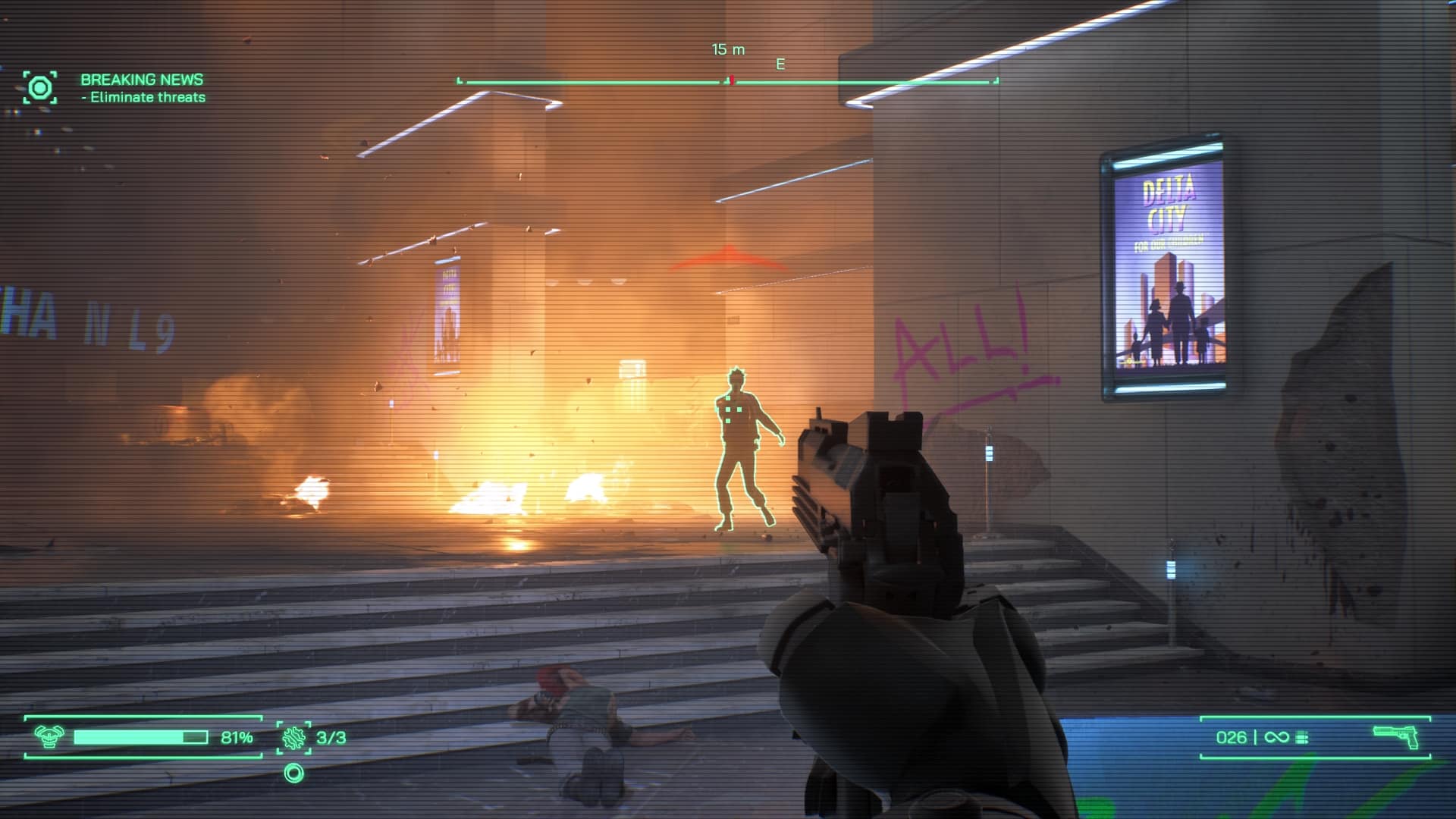
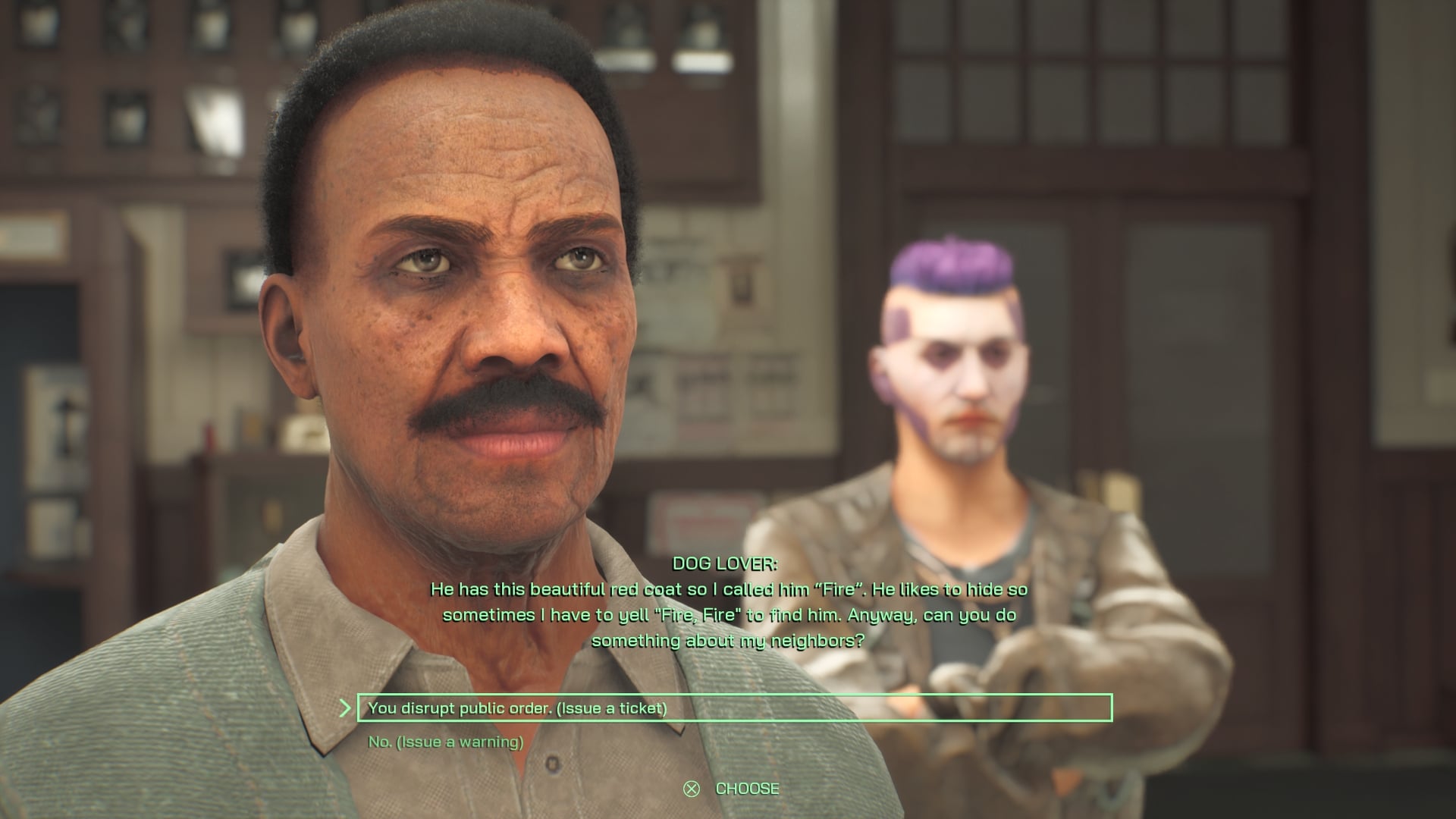
This same satirical spirit is carried throughout the campaign, which is single-player only and should take most players 20-25 hours to complete (longer if clearing all objectives). Occasionally, RoboCop is tasked with rather mundane tasks, such as handling complaints when the front desk is overloaded with concerned citizens, or opening a colleague’s overstuffed locker when it won’t budge for someone with normal strength. In-between missions, the player is free to explore the local area, which can result in finding extra lore, clues, stolen property, and more. If you’re out in the city of Detroit, then you can find violations of the law, such as a car parked in front of a fire hydrant, and you can issue citations (parking tickets) to the owner of the vehicle.
Choose Your Path Wisely

Even side missions, which can be tracked as they are discovered through exploration, have the same care given to them in that they feel ripped straight out of the movies of the late ‘80s/early ‘90s. If you choose to take these missions on, then you’ll help various characters around the city, such as a vagabond turned police informant who wants to help find a missing police officer, a situation which quickly evolves into the hunt for a stolen vehicle of the mayor’s relative, an SUV which was taken by an intelligent yet troubled youth, whose fate you decide as RoboCop can opt to arrest him or let him return the vehicle once it is found again.

The entire game features branching dialogue options, and the player’s choices can affect public opinion towards or against RoboCop. There are numerous opportunities to resort to violence as a way to resolve conflicts, but this is not always the wisest option as it will turn public opinion against you. RoboCop has a skill tree (which is really a skills list) with several different options to tailor to your personal play style. Each increase in skill level comes with passive upgrades to RoboCop’s abilities, or unlocking a new functionality. Even early on in the game, certain chests containing items can only be opened with an Engineering level that needs to be high enough.

Rogue City is a linear game, with occasional areas of a semi-open world where RoboCop can explore either a small section of the city of Detroit, or the local area such as the police station. In these locations, RoboCop can find evidence of wrongdoing, or interact with some of the characters, which organically unlocks side missions. However, leaving an area not only progresses the story, but automatically fails any in-progress side objectives and missions. As the timeline is linear, this means you cannot go back to an area later to complete these missions — it’s now or never, and the game tells you which side missions, if any, you will fail if you proceed.
A Powerful Pistol

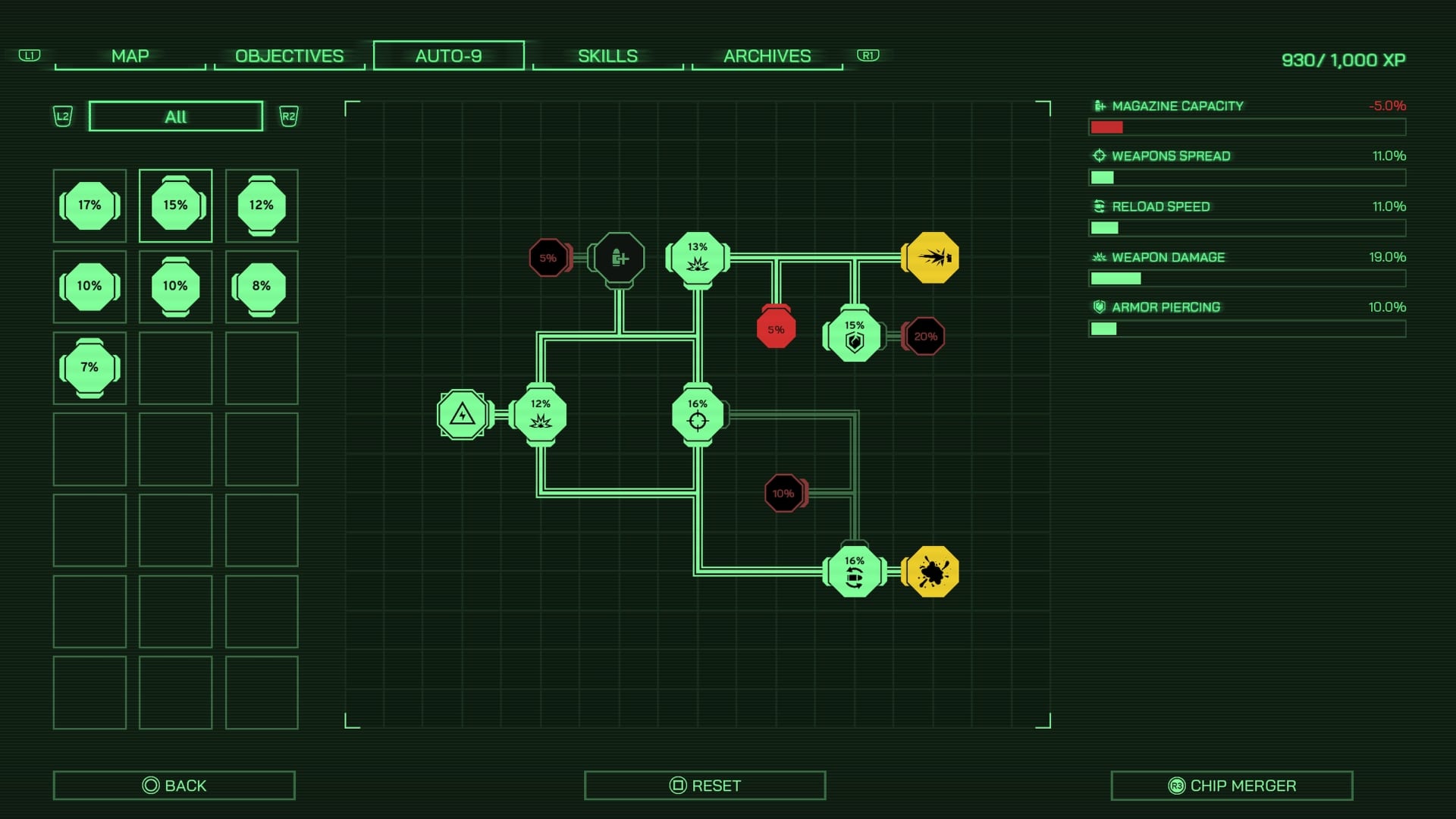
It wouldn’t be a RoboCop game without his iconic Auto 9 pistol, and it makes a return in Rogue City, in perhaps the best iteration yet. After a couple of chapters of the campaign is played through, RoboCop unlocks the ability to power up his 50-round firearm using various processors he conveniently finds scattered throughout the city. The upgrade screen is basically a mini-puzzle, whereby you slot in processors of varying strength to turn on circuits. Most of these circuits contain boons to RoboCop’s stats, while a few spots incur penalties instead. The trick is to route the circuit around those penalty areas, or to at least minimize the number of them that are activated. It’s kind of a cumbersome system, but it’s not too difficult to work out a good-enough configuration which gives you the best chance at staying alive. Combat with the Auto 9 pistol feels a bit stiff, but perhaps that is by design as you are playing as a cyborg after all.

Speaking of which, RoboCop actually represents a good challenge even at the Normal difficulty level. In the movies, RoboCop is portrayed as a tough upholder of the law, as a machine that is tough but not invincible. Here things are much the same: while you can go in guns-blazing and generally come out on top of enemies, this isn’t the best course of action as you’ll receive plenty of damage and need to repair yourself using the limited repair charges you are given. You start the game with three and, through leveling up certain skills, can increase their potency, increase the number of charges you can hold, and even unlock alternative ways to heal using the environment – you are an electronic-based lifeform, after all! I found myself occasionally needing to use cover when presented with a roomful of enemies, especially when they used a mounted gun, and while I did feel powerful, that power had its limits, much like in the movies. I feel Tevon got this aspect of RoboCop just right.
Some Rough Yet Blurry Edges

The Unreal Engine 5 is used for Rogue City, though something in the rendering pipeline doesn’t seem to be as optimized as it could be. Graphics stream in under low detail settings, and they usually fade into finer detail as the player looks at various objects in their surroundings, but occasionally you can stare at something, like a random poster in a locker room, and it’ll stay blurry for an inordinate amount of time. The effect is pronounced during cutscenes where two or more people are talking: as the camera swaps views between actors, some odd displacement of their models can briefly be seen before the graphics in that area catch up. Another issue, though less common, results in blurry characters. The game usually blurs out most of the background, and sets its focal point to only the character speaking and their immediate surroundings. This results in a weird sort of glow around whoever is speaking, and occasionally the effect seems to target the wrong object, resulting in the aforementioned blurry character. It’s weird, but not a deal-breaker.

Other small things break the immersion and remind you that you are, in fact, playing a game. NPCs often wait for you to get close enough to trigger a conversation they are having between each other. As soon as they finish speaking, both characters immediately turn their heads towards you. It’s an unintentionally funny bit of oddness that reminds you that all of the other characters in the game are mere puppets, designed and programmed to perform their parts, and upon reaching the conclusion of their part, they then enter a state of uselessness, their duty having been served to the almighty player, whom they then stare at until you leave the area. While it doesn’t happen with every NPC (drunks, for instance, at least don’t stare blankly at you when they are finished with their lines as they are too busy swaying in place), it happens often enough to be noticed by most people.

Verdict

RoboCop: Rogue City is a complete, single-player game, with no DLC currently in sight. Its rendition of Detroit, satire, gory violence, witty and occasionally campy writing and voice acting, all feel ripped straight out of the original movie, while giving us a standalone story that you’ll likely want to see through to its conclusion. Rogue City is a fun interpretation of a 1980’s franchise which has laid dormant since 2014. It’s not perfect, and is a bit rough around the edges, but if you want to feel like the resurrected police officer, this is your best bet. A good-length campaign with solid voice acting and a genuinely entertaining story all add up to a violent, cinematic first-person shooter that doesn’t overstay its welcome. Fans of the original will get a kick out of RoboCop: Rogue City and should pick it up this holiday season.

Score: 8/10

Pros:

  • Entertaining story which feels ripped straight from the RoboCop universe.
  • A decent-length campaign that doesn’t overstay its welcome
  • Good combat options with the Auto 9 pistol

Cons:

  • Some odd graphics problems
  • Combat can feel a little stiff (perhaps intentionally)
  • Linear story can mean leaving some side missions behind

RoboCop: Rogue City review code provided by the publisher. You can read MP1st’s review and scoring policy right here.


Avatar photo

Paulmichael Contreras

Paulmichael has been writing in the gaming industry since 2008. Living just outside of Los Angeles, he has been lucky enough to attend numerous gaming events around the world, including the last ten E3 shows (RIP)! A thoughtful reviewer, every game you see scored by PmC has been given careful attention. Paulmichael is also an aviation fan and an avid snowboarder. Favorite games include: No Man's Sky, Gran Turismo 7, skate., CloverPit.

Home > News

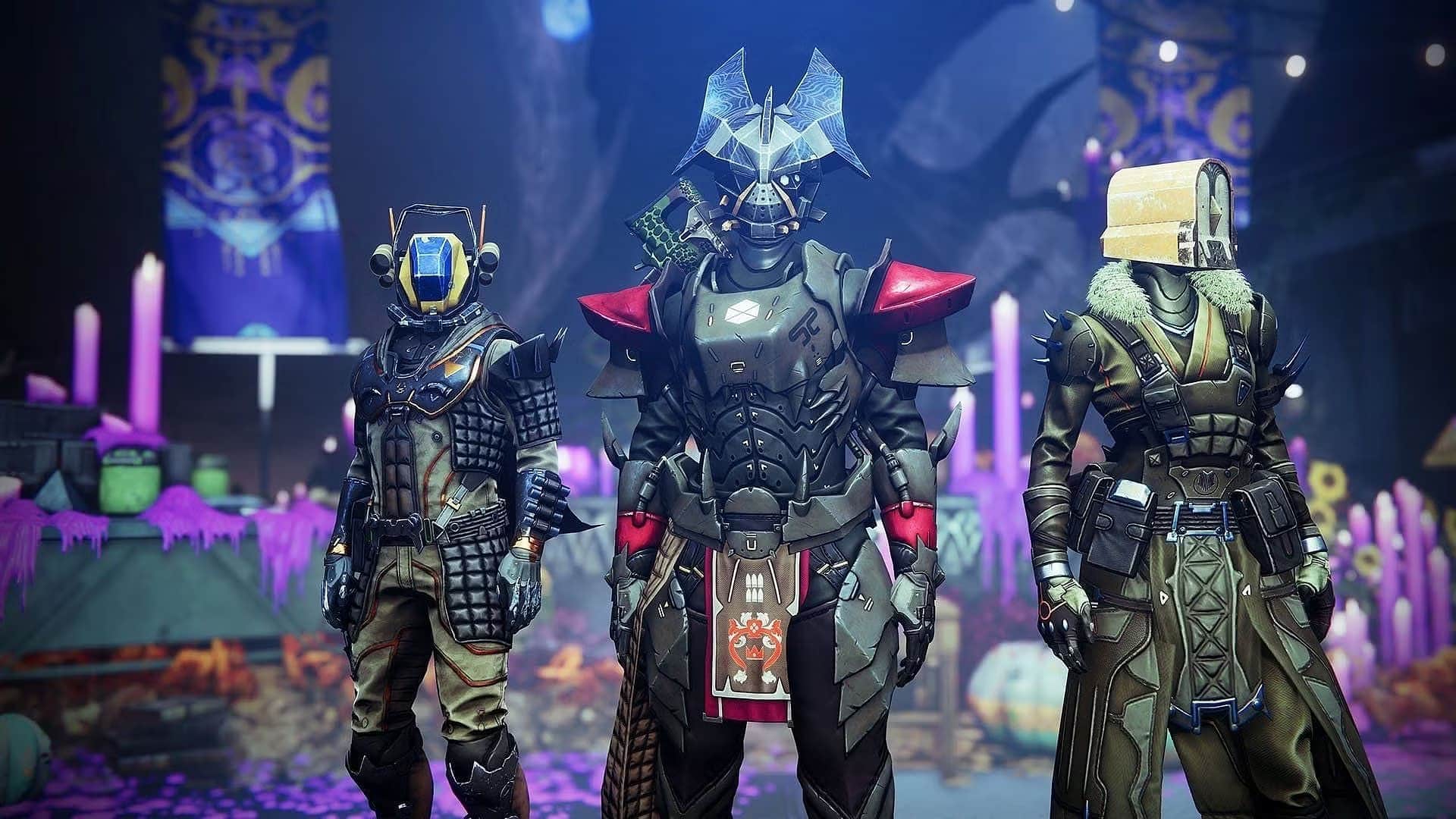
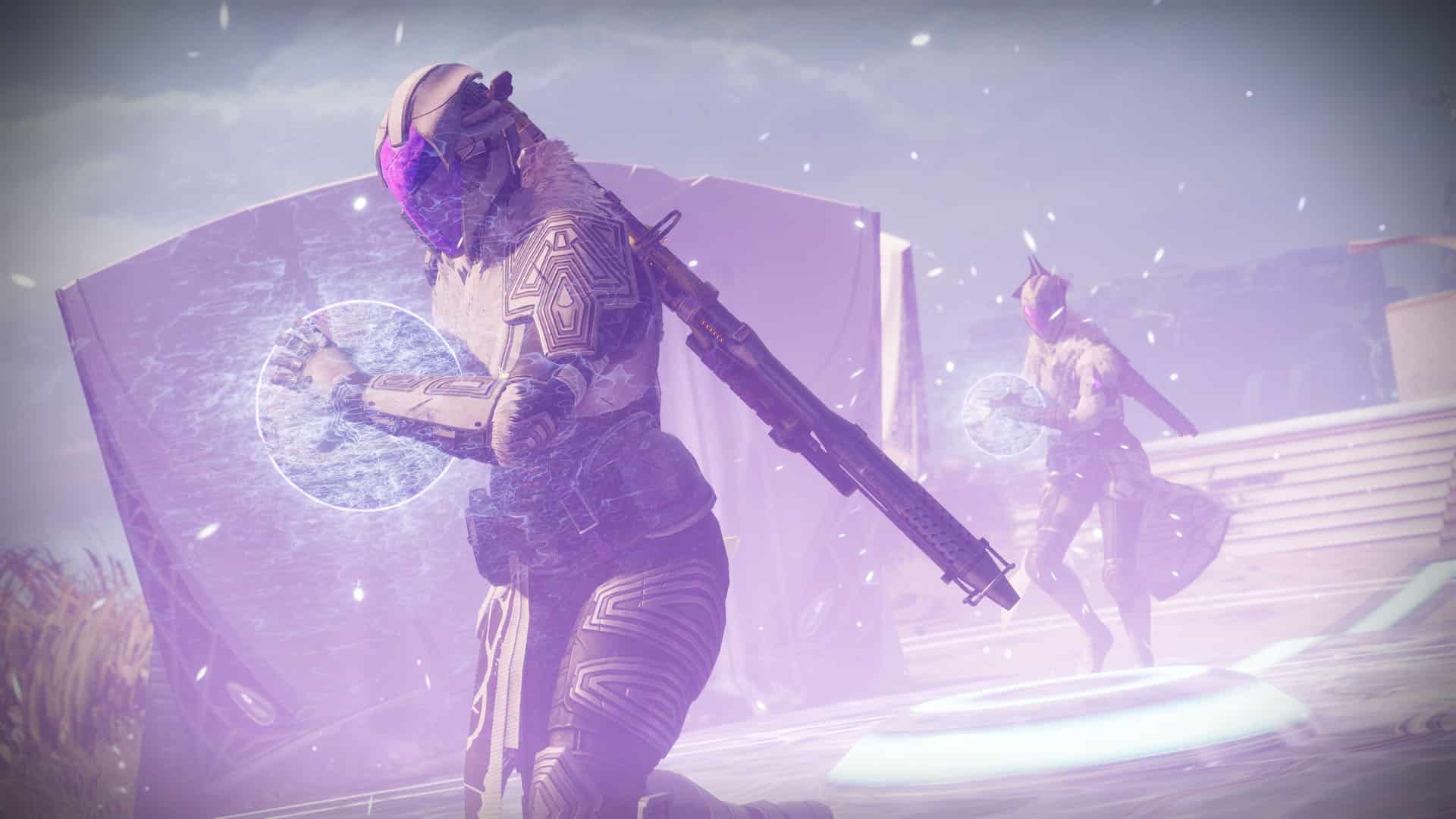
Destiny 2 Update 1.101 Released for Patch 7.2.5.2 This Oct. 31

Bungie has deployed Destiny 2 update 1.101, and this is for patch version 7.2.5.2, which is now available on all platforms. Read on for what’s new in the official D2 new update patch notes for October 31.

Destiny 2 Update 1.101 Patch Notes | D2 New Update Patch Notes for October 31:

ACTIVITIES

Crucible

  • Fixed an issue where players who reached Ascendant rank in Competitive were unable to claim the Adept Guardian Spec Triumph.

Player Journey

  • Now allows players to access The Plunge, Dive Tank to complete Season of the Witch quests if they have not completed Season of the Deep quests.

GAMEPLAY AND INVESTMENT

ARMOR AND EXPRESSIONS

  • Fixed an issue where two Festival of the Lost Universal Ornament sets, the Hunters’ Mygalomorph set and the Titans’ Crawling Chaos set, were not animating correctly in inspection screens.
  • Fixed an issue where the worm in the Wiggle Worm emote would disappear partway through the emote.

WEAPONS AND ACCESSORIES

  • Fixed an issue where Lord of Wolves was dealing too much damage at range when aiming down sights.

ABILITIES

  • Fixed an issue where the Icarus Dash description string was missing additional functionality added in Destiny 2 Update 6.1.0.2.

GENERAL

  • The following items have been removed from sale in Eververse:
    • The Lycan’s Mire Shell
    • Winchester’s Ruin Sparrow
    • Boo Emote

Once a new patch is released for Destiny 2, we’ll be sure to let our readers know.

Source: Bungie

Avatar photo

Alex Co

Father, gamer, games media vet, writer of words, killer of noobs.

Home > News

Destiny 2 Update 3.06 for October 31 Released for Version 7.2.5.2

Destiny 2 update 3.06 is now out on all platforms this October 31, and this brings patch version 7.2.5.2 to the looter shooter. Read what’s new in the Destiny 2 update 7.2.5.2 patch notes.

Destiny 2 Update 3.06 Patch Notes | Destiny 2 Update 7.2.5.2 Patch Notes:

ACTIVITIES

Crucible

  • Fixed an issue where players who reached Ascendant rank in Competitive were unable to claim the Adept Guardian Spec Triumph.

Player Journey

  • Now allows players to access The Plunge, Dive Tank to complete Season of the Witch quests if they have not completed Season of the Deep quests.

GAMEPLAY AND INVESTMENT

ARMOR AND EXPRESSIONS

  • Fixed an issue where two Festival of the Lost Universal Ornament sets, the Hunters’ Mygalomorph set and the Titans’ Crawling Chaos set, were not animating correctly in inspection screens.
  • Fixed an issue where the worm in the Wiggle Worm emote would disappear partway through the emote.

WEAPONS AND ACCESSORIES

  • Fixed an issue where Lord of Wolves was dealing too much damage at range when aiming down sights.

ABILITIES

  • Fixed an issue where the Icarus Dash description string was missing additional functionality added in Destiny 2 Update 6.1.0.2.

GENERAL

  • The following items have been removed from sale in Eververse:
    • The Lycan’s Mire Shell
    • Winchester’s Ruin Sparrow
    • Boo Emote

Once a new patch is released for Destiny 2, we’ll be sure to let our readers know.

Source: Bungie

Avatar photo

James Lara

A gamer at heart, James has been working for MP1st for the last decade to do exactly what he loves, writing about video games and having fun doing it. Growing up in the 90's gaming has been in his DNA since the days of NES. One day he hopes to develop his own game.

Home > News

Call of Duty Modern Warfare 3 Campaign Rewards Players With Multiplayer Items

If you weren’t a big single-player person when it comes to Call of Duty, that might change with the latest iteration, as completion of Modern Warfare 3 will grant you rewards to use in the multiplayer. Here’s a breakdown of everything you get for completing the Modern Warfare 3 campaign.

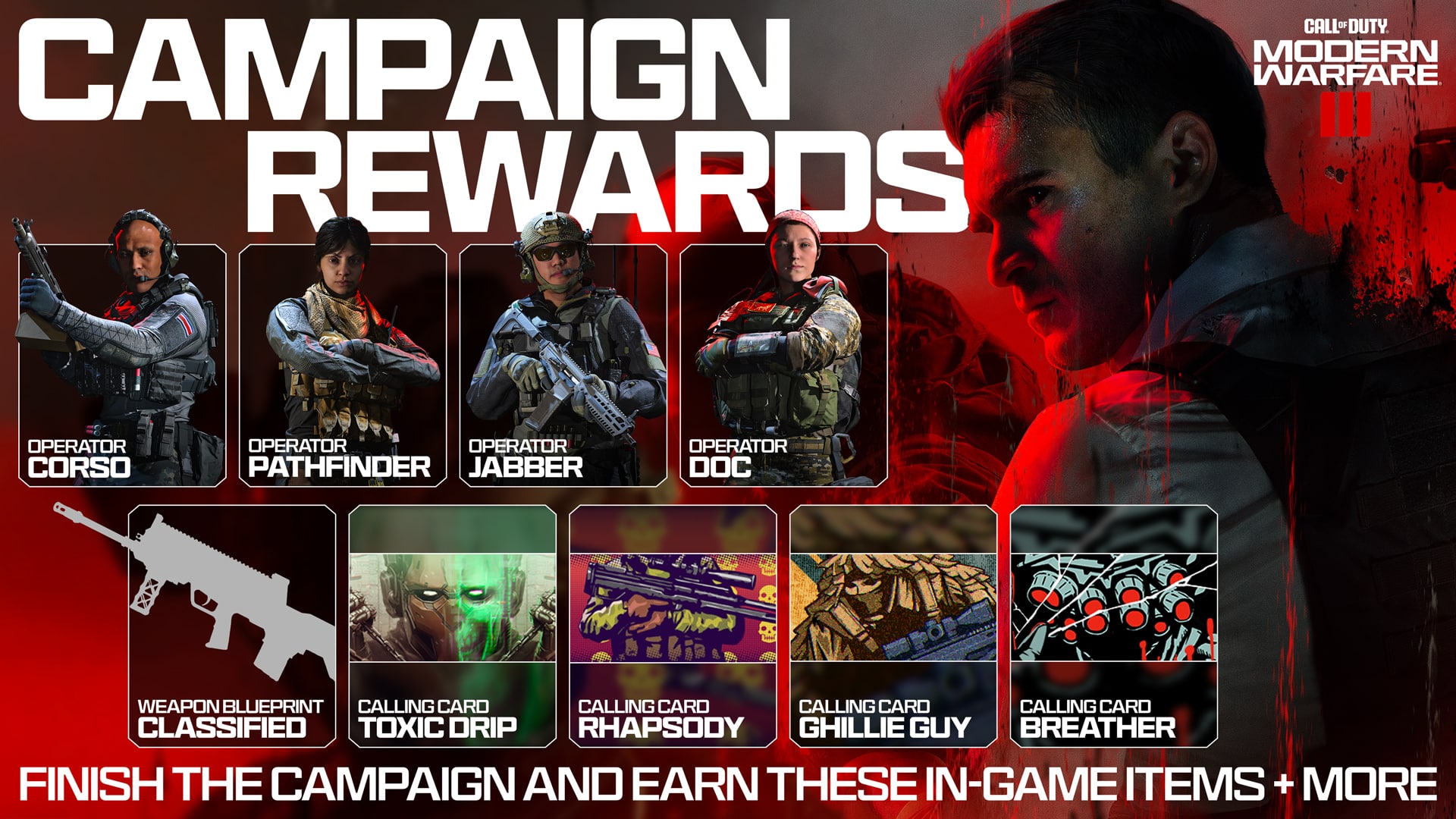
For those planning on playing through the 15-mission campaign of Call of Duty Modern Warfare 3, Sledgehammer is rewarding you with some unique items, including double XP tokens, calling cards, and event-exclusive operators.

Call of Duty Modern Warfare 3 Campaign Rewards for Multiplayer:

  • “Breather” Calling Card
  • 30 mins Double Player XP Token & 30 mins Double Weapon XP Token
  • “Corso” Operator
  • “Ghillie Guy” Calling Card
  • 30 mins XP Token and 30m Weapon XP Token
  • “Pathfinder” Operator
  • “Toxic Drip” Calling Card
  • 1 hour Double Player XP Token and 1 hour Double Weapon XP Token
  • “Doc” Operator
  • “Skull Rhapsody” Calling Card
  • 1 hour Double Player XP Token and 1 hour Double Weapon XP Token
  • “Jabber” Operator
  • Campaign Completion Emblem
  • Campaign Completion Weapon Blueprint

These aren’t exclusive to early access players either, as the rewards are for all players, regardless of which edition you buy and how late you play.

This is an excellent incentive for players to try out the single-player, as while there’s a good chunk of us who play Call of Duty for it, most players play it for the multiplayer. Knowing that you can get some freebies to use in the multiplayer may push those multiplayer-only players to at least give it a try, and if the last two Modern Warfare campaigns have been anything to go by, this may just be the best one yet.

Call of Duty: Modern Warfare 3 launches on November 10, with early access to the campaign being available on November 2. If you plan on joining early access or wondering what the PC requirements are, read our story about everything there is to know about Modern Warfare 3 preload and PC requirements.

Source: Call of Duty Blog

Avatar photo

James Lara

A gamer at heart, James has been working for MP1st for the last decade to do exactly what he loves, writing about video games and having fun doing it. Growing up in the 90's gaming has been in his DNA since the days of NES. One day he hopes to develop his own game.

Home > News

Overwatch 2 Update 3.65 Brings Le Sserafim Crossover and More This Oct. 31

Blizzard has rolled out Overwatch 2 update 3.65 (PS5 version 1.000.028), which brings the Le Sserafim crossover content, endorsement adjustments and more. Read on for everything new in the OW2 patch notes for October 31.

Overwatch 2 Update 3.65 Patch Notes | Overwatch 2 Update 1.000.028 Patch Notes | OW2 Patch Notes for October 31:

LE SSERAFIM X OVERWATCH 2 LIMITED TIME EVENT

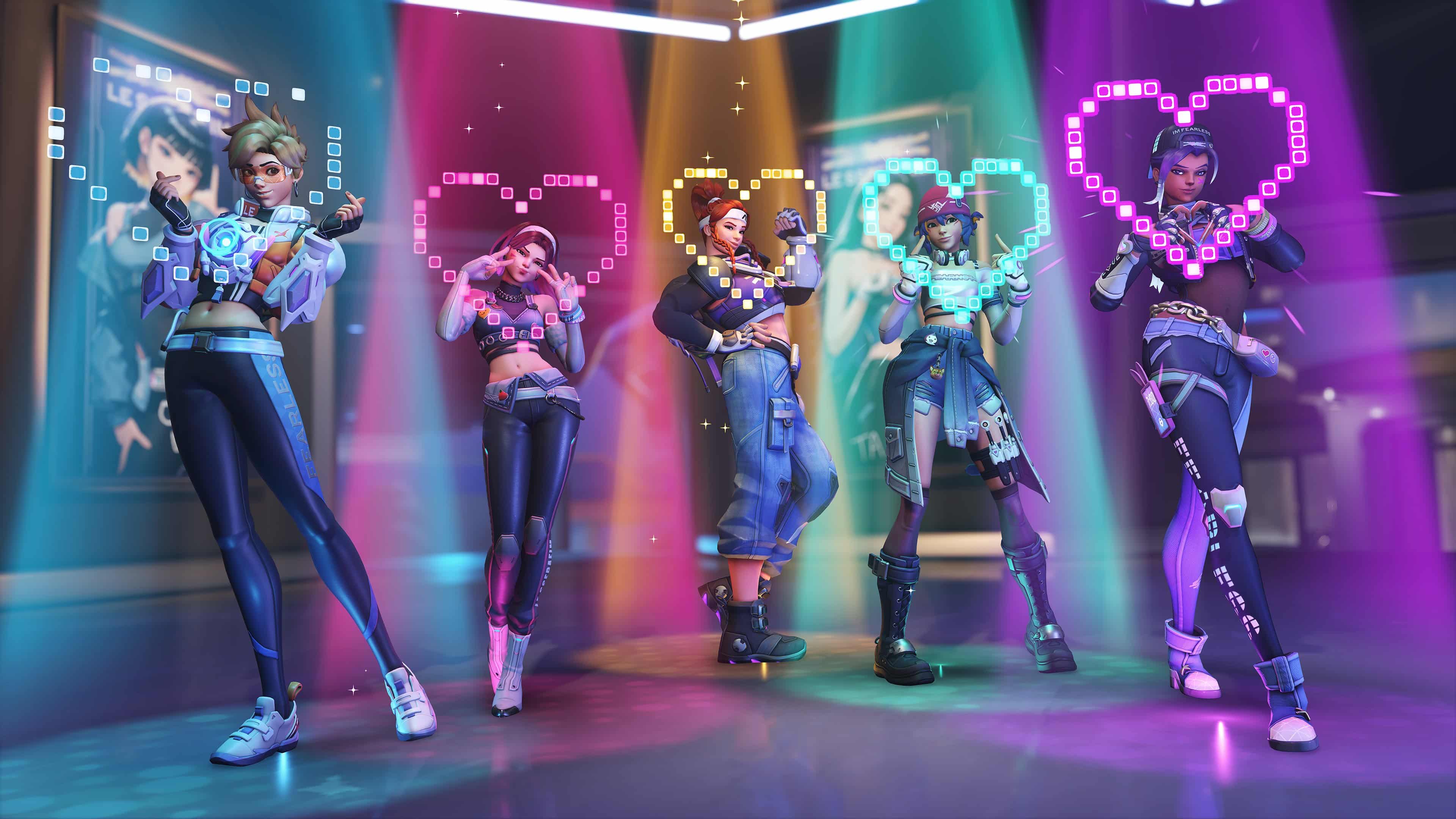
Overwatch 2 is teaming up with K-pop sensation, LE SSERAFIM in an in-game music collaboration. Play Concert Clash, a 3v3 capture-the-flag mode set in a K-pop themed Busan. Play as D.Va, Kiriko, Tracer, Brigitte and Sombra—decked out in LE SSERAFIM-inspired skins—and compete over tickets and capture objectives to turn them in and score points. This limited-time event begins on Wednesday, November 1, at 11:00 AM PDT.

GENERAL UPDATES

ENDORSEMENTS

Endorsement level decay has been reworked to be more forgiving in some circumstances. The endorsement level always decays slightly whenever you finish a match, but that decay is now reduced by the percentage of players who could not have endorsed you. If none of the players in the match could have endorsed you, your Endorsement level would not decay. The following reasons prevent other players from endorsing you:

  • The player is your friend.
  • The player endorsed you within the past 24 hours.

Endorsement level decay also no longer occurs when a server shuts down. The most common reason for this is a competitive match shutting down when players leave the match early.

CHALLENGES

Added Legendary, Mythic, and Ultimate Player Title challenges to each hero’s progression challenges.

PROGRESSION

  • Victory Pose now shows your Progression Level instead of the Hero Level.

SOCIAL FEATURES

  • The default option for match text chat is now set to OFF (previously set to ON) for new players. This can be changed in the Social Options.
  • The default option for team voice chat is now set to ON (previously set to AUTO-JOIN) for new players. This can be changed in the Social Options.
  • Current text or voice chat settings for existing players are not changed.

Developer Comments: We will be changing the defaults for both text and voice chat to encourage effective communication through the ping system while reducing the chance of encountering disruptive chat in the game.

HERO UPDATES

Developer comments: This balance patch is largely focused on widening the window of time players have during combat between some impactful cooldowns, such as Bastion’s reconfigure, Cassidy’s grenade, and many of the support utilities.

TANK

D.VA

Developer comments: The added projectile speed to Micro Missiles helps improve their consistency at medium range while the decreased movement speed penalty on Fusion Cannons enable D.Va to stick closer to mobile targets, making her more of a threat when diving into the enemy team.

Fusion Cannons

  • Movement speed penalty reduced from 40 to 30%.

Micro Missiles

  • Projectile speed increased from 40 to 50.

DOOMFIST

Developer comments: This change will give the stunned player more opportunities to react to Doomfist following a wall stun.

Rocket Punch

  • Minimum wall stun duration decreased from 0.25 to 0.15 seconds.
  • Maximum wall stun duration decreased from 0.75 to 0.6 seconds.

WINSTON

Developer comments: Increasing the range of the alternate fire will give Winston some more flexibility in positioning while dealing damage from range.

Tesla Cannon

  • Secondary fire range increased from 30 to 40 meters.

DAMAGE

BASTION

Configuration: Assault

  • Cooldown increased from 10 to 12 seconds.
  • Weapon spread increased 10%.

CASSIDY

Magnetic Grenade

  • Cooldown increased from 10 to 12 seconds.

MEI

Developer comments: With some of the recent changes, Mei is now slightly overperforming. Her improved primary fire damage output is good for her role, so rather than adjust that further, we’re instead targeting the more commonly frustrating crowd control aspect of its slowing effect.

Endothermic Blaster

  • Slow effect decreased from 40 to 30%.

SOMBRA

EMP

  • Ultimate cost decreased 10%.

SYMMETRA

Developer comments: With Symmetra recently gaining more lethality in her long-ranged secondary fire, she’s no longer as reliant on playing at close range, so we’re reverting her total health back to 200.

  • Base shield health reduced from 125 to 100 (total 200 HP).

WIDOWMAKER

Developer comments: Recon Visor is taking a long time to charge on average relative to other ultimate abilities so we’re reducing the cost. Widowmaker is also at a more severe disadvantage against Sombra with the recent rework and these changes will add more counterplay.

Widow’s Kiss

  • Unscoped shots to reach maximum spread increased from 3 to 7.

Infra-Sight

  • Ultimate cost reduced 10%.

SUPPORT

ANA

Biotic Grenade

  • Cooldown increased from 10 to 12 seconds.

BAPTISTE

Immortality Field

  • Health decreased from 150 to 125.
  • Cooldown increased from 23 to 25 seconds.

ILLARI

Developer comments: Illari’s overall damage output throughout a match is too high so we’re reducing how consistent her Solar Rifle damage is to apply. Her weapon has some other disadvantages such as needing to charge up and a reduced critical damage multiplier, but we’ll be evaluating how much of an effect this change has in combination with the reduced Healing Pylon uptime.

Solar Rifle

  • Primary fire projectile size reduced from 0.1 to 0.05 meters.

Healing Pylon

  • Base health reduced from 75 to 50 (total 100 HP).
  • Cooldown when destroyed increased from 12 to 15 seconds.

KIRIKO

Protection Suzu

  • Cooldown increased from 14 to 15 seconds.

LIFEWEAVER

Dev Comment: Lifeweaver’s total healing over a match is significantly higher than any other hero so to help bring it more in line we’re making some adjustments to his primary Healing Blossom.

Healing Blossom

  • Ammo reduced from 20 to 16.
  • Max heal reduced from 75 to 70.

Life Grip

  • Cooldown increased from 16 to 19 seconds.

ZENYATTA

Developer comments: The goal of these changes is to add more counterplay against Discord Orb and encourage Zenyatta players to think more about who to place it on. Now, if the effect ends for any reason, the target is temporarily unable to be targeted again by Discord Orb. A new soft-targeting reticle appears when aiming toward an enemy player that cannot be affected by Discord Orb to display the remaining duration before it can be reapplied. This is a significant change both to how the ability feels to use and how clear it is to understand, so we will be keeping a close eye on player feedback.

Base health increased from 50 to 75 (total 225 HP).

Harmony Orb

  • Time to wear off when not in line-of-sight increased from 3 to 5 seconds.

Orb of Discord

  • Can no longer be reapplied to the same target for 7 seconds after the effect has been removed.
  • Range increased from 30 to 40 meters.

HERO CUSTOM CONTROL UPDATES

In addition to the hero balance adjustments in this update, we are implementing additional quality-of-life settings and additional input options for several hero abilities to give you the ability to custom-tailor your experience of playing your favorite heroes.

  • Sorted many Hero-Specific Options into Advanced Hero Options category.

TANK

DOOMFIST

SIGMA

Added the Hero-Specific Option:

  • Rise During Gravitic Flux With Ability 3 – Off by default.

DAMAGE

ECHO

Added the Hero-Specific Options:

  • Crouch Activates Glide – Off by default.
  • Rise During Flight With Ability 1 – Off by default.
  • Flight Cancel Input – Ability 1 by default.
  • Automatically Toggle Glide After Flight – Off by default.

TORBJÖRN

Added the Hero-Specific Option:

  • Interact Cancels Deploy Turret – On by default.

SUPPORT

ILLARI

Added the Hero-Specific Option:

  • Rise During Captive Sun With Ability 3 – Off by default.

LÚCIO

Added the Hero-Specific Options:

  • Automatically Wall Ride – Off by default, Only available on Console Platforms.
  • Wall Ride Cares About Movement – Off by default.

MERCY

Added the Hero-Specific Options:

  • Crouch Activates Glide – On by default.
  • Automatically Toggle Angelic Decent After Guardian Angel – Off by default.
  • Rise During Valkyrie With Ability 3 – Off by default.

RUMBLE UPDATES

We’ve gone through and adjusted the Rumble and Trigger Feedback on several abilities for controllers. We looked to make the rumble more dynamic and responsive while also highlighting the unique feel of many abilities.

TANK

D. Va

  • Reworked Rumble on Primary Fire.
  • Added rumble on activation of Defense Matrix.
  • Adjusted trigger feedback on Defense Matrix to account for damage of destroyed projectile.
  • Added rumble on projectile destruction for Defense Matrix.
  • Added rumble on Self-Destruct activation.
  • Added trigger feedback on Boosters.
  • Added rumble on Call Mech start.
  • Adjusted rumble on Call Mech.
  • Added rumble on Call Mech hit.
  • Added rumble on entering the Mech after Call Mech.

Doomfist

  • Added rumble on start of Power Block.
  • Added rumble on Fist Empowerment.

Orisa

  • Fusion Driver rumble now scales slightly with Heat.
  • Added rumble on Overheat.
  • Added rumble on Javelin Spin start.
  • Added rumble on Javelin Spin duration.
  • Added rumble on Javelin Spin damaging an enemy.
  • Added rumble on Javelin Spin end.
  • Added rumble on Terra Surge start.
  • Added rumble on Terra Surge charge
  • Added rumble on Terra Surge activation.

Ramattra

  • Increase rumble strength and duration on Pummel.
  • Added rumble on Block activation.

Reinhardt

  • Added rumble on Barrier activation.

Roadhog

  • Added rumble on Chain Hook activation.
  • Added trigger feedback on Chain Hook activation.
  • Added trigger feedback on Chain Hook impact.
  • Added trigger feedback on Chain Hook retraction.

Sigma

  • Added rumble on Accreation fire.
  • Added rumble on Kinetic Grasp duration.
  • Added rumble on Kinetic Grasp absorb.
  • Added rumble on Kinetic Grasp Overhealth gain.
  • Added rumble on Gravitic Flux intro.
  • Added rumble on Gravitic Flux searching for targets.
  • Added rumble on Gravitic Flux found targets.
  • Added rumble on Gravitic Flux holding targets.
  • Adjusted rumble on Gravitic Flux slam.

Winston

  • Added rumble on Jump Pack activation.
  • Added rumble on Secondary Fire release.
  • Added rumble on Barrier Projector Activation.
  • Reworked rumble on Winston’s Primal Rage punch.
  • Added trigger feedback on Winston’s Primal Rage punch hit.
  • Wrecking Ball
  • Added rumble on Roll exit.
  • Adjusted the rumble on Piledriver impact.

Zarya

  • Added rumble on Particle Barrier.
  • Added rumble on Barrier Deploy.
  • Added rumble on Particle Barrier end.
  • Increased the rumble strength on Particle Beam while targeting an enemy.
DAMAGE

Ashe

  • Added rumble on Dynamite.
  • Added rumble on B.O.B. call.
  • Added rumble on B.O.B. landing.

Cassidy

  • Added rumble on Magnetic Grenade.
  • Added rumble on Deadeye start.

Genji

  • Added rumble during Dash.
  • Added rumble on Dash dealing damage.
  • Added rumble on Deflect start.
  • Added rumble on Deflect deflection.
  • Reworked rumble on Dragonblade swing.
  • Added Trigger Feedback on Dragonblade swing hit.
  • Added rumble on Wall Climb.
  • Added rumble on Ledge Climb.
  • Added rumble on Double Jump.

Hanzo

  • Added trigger feedback on Bow charge.
  • Reduced rumble duration on charging arrow to match charge time.
  • Reduced rumble on holding arrow.
  • Reduced rumble on arrow fire during Storm Arrows.
  • Added rumble on Lunge.
  • Added rumble on Dragonstrike fire.
  • Added rumble on Wall Climb.
  • Added rumble on Ledge Climb.
  • Added rumble on Sonic Arrow Equip.

Junkrat

  • Adjusted RIP-tire rumble.
  • Reduced rumble on Concussive Mine when not hitting self.
  • Increased rumble on Concussive Mine when hitting self.
  • Added rumble on Concussive Mine fire.
  • Added rumble on Steel Trap fire.

Mei

  • Added rumble on Blizzard fire.
  • Added rumble on Ice Wall start.
  • Added rumble on Ice Wall destroy.

Pharah

  • Increased Rumble on Primary Fire.
  • Added rumble on hitting yourself with Concussive Blast.

Reaper

  • Swapped the Left and Right Primary Fire rumble.
  • Increased the rumble on the Left Primary Fire.
  • Added rumble on Wraith Form activation.
  • Added rumble on Wraith form ending.
  • Adjusted Shadowstep’s trigger feedback for player’s input settings.
  • Added rumble on Shadowstep start.

Sojourn

  • Increased rumble on Primary Fire.
  • Adjusted rumble on Secondary Fire.
  • Added unique rumble on Secondary Fire shots charged above 90.
  • Added rumble on Power Slide jump.

Soldier: 76

  • Adjusted rumble on Helix Rockets.
  • Added rumble on Sprint start.
  • Added rumble on Spring duration.
  • Added rumble on Tactical Visor start.

Symmetra

  • Added rumble on all three levels of Primary Fire on miss.
  • Added rumble on moving from level 3 to level 2.
  • Added rumble on moving from level 2 to level 1.
  • Added rumble on Teleporter start.
  • Added rumble on Teleporter destroy.
  • Added rumble on Photon Barrier start.
  • Lengthened rumble on Photon Barrier fire.
  • Added rumble on using the teleporter (as any character).

Torbjörn

  • Added rumble on Turret Deploy.
  • Added rumble on Turret Destroy.

Widowmaker

  • Added rumble on Infra-sights.
SUPPORT

Baptiste

  • Reworked Exo-boots hold rumble.
  • Shortened Exo-boots charging-up rumble.
  • Added rumble on Amplification Matrix Start.

Brigitte

  • Reworked Brigitte’s Primary Fire rumble.
  • Added rumble on Shield Barrier activation.

Illari

  • Added rumble on Healing Pylon destroy.

Kiriko

  • Reworked Healing Ofuda rumble.
  • Adjusted Healing Ofuda rumble to respond to acquiring targets.
  • Added rumble on Wall Climb.
  • Added rumble on Ledge Climb.

Lifeweaver

  • Reworked Rumble on Rejuvenating Dash to be directional.
  • Added rumble on Tree of Life start.
  • Added rumble on Tree of Life destroy.

Lúcio

  • Added rumble on Amp It Up.
  • Added rumble on Crossfade.
  • Added rumble on Wall Ride start.
  • Added rumble on Wall Ride ride.
  • Added rumble on Wall Ride jump.
  • Added rumble on Sound Barrier start.
  • Added rumble on Sound Barrier.
  • Reworked rumble on Sound Barrier Fire.

Mercy

  • Added trigger feedback on Caduceus Staff Secondary Fire.
  • Added trigger feedback on Caduceus Blaster.
  • Added rumble on Valkyrie intro.

Moira

  • Reduced rumble on Secondary Fire.

Zenyatta

  • Added rumble on Healing Orb.
  • Added rumble on Discord Orb.

BUG FIXES

GENERAL

Audio

  • Fixed an issue in the Training Grounds where the Heavy Training Bot’s Shield was playing the incorrect impact effect.
  • Adjusted the areas in the training grounds in which the default Training Bot’s weapon fire can be heard. This should provide content creators some additional quiet areas for capturing their media.

Hero Mastery

  • Fixed a bug that could result in a perpetual black screen if you died to enemy damage after a course restart.
  • Resolved an issue that resulted in no Hero icon being shown in the Results screen during a Replay.
  • Resolved a bug that could result in ‘New Personal Best’ being displayed for any score.
  • Fixed a bug that could occur on some platforms that caused the Kill Feed and HUD to vanish if Try Again was selected.
  • Resolved an issue for Mercy that resulted in Healing not being displayed in the Scoring Details.

Other Fixes

  • Fixed a bug that would disband your group if you selected ‘Leave as Group’ in a Competitive match.
  • Fixed a bug in the Hero Gallery that would cause the UI to highlight another cosmetic after equipping one.
  • Fixed an issue that caused the achievement ‘The Friend Zone’ to not unlock on some platforms despite requirements being met.
  • Fixed an issue that resulted in enemy team Roles being revealed via the scoreboard in Mystery Heroes.
  • Fixed a bug that prevented some Player Icons from being equipped.
  • Fixed a bug that prevented ‘Random From Favorites’ from working during Hero Select.
  • Fixed a bug with AI bots picking heroes excluded in the Custom Game Settings which would result in empty slots in the match.
MAPS

Antarctic Peninsula

  • Fixed some areas of the map that could get players stuck.

New Junk City

  • Moved some environment assets from floating in one of the spawn rooms.

Route 66

  • Fixed an area of the map that allowed players to stand outside the intended playable space.

Samoa

  • Fixed some areas that had gaps that caused unintended sight lines.
  • Fixed some areas that allowed players to stand in unintended locations.
  • Fixed some areas of the map that allowed turrets to be placed outside the playable space but still attack enemies.
  • Fixed some areas of that map that could get players stuck.
  • Fixed lighting in some areas of the map.
HEROES

Illari

  • Fixed a bug that resulted in the ‘Daybreak’ skin displaying twice in the Skin Selection while in pre-game Hero Select.
  • Resolved an issue with Healing Pylon that could result in players launching out of it.

Lifeweaver

  • Fixed a bug that prevented Petal Platform from falling when Hacked.

Lúcio

  • Fixed a bug with the Hermes skin that caused the sounds played during Wallride to be louder than intended.

Mercy

  • Fixed an interaction with Sombra that prevented Mercy’s beams not properly fading out when applied to a Stealth Sombra.

Moira

  • Fixed a bug with the ‘Be Beautiful’ Highlight Intro not displaying the window behind Moira on all platforms.

Sombra

  • Fixed in a previous update – Resolved an issue that caused Sombra to appear untextured after interacting with Random from Favorites.

Zenyatta

  • Fixed an issue where sometimes Orbs of Discord and Harmony would not stay attached to the target.

Once a new patch is released, we’ll be sure to let our readers know.

Source: Overwatch 

Avatar photo

Alex Co

Father, gamer, games media vet, writer of words, killer of noobs.

Home > News

Battlefield 1, Battlefield V, and Battlefront 2 Windows OS Support Ending for Older Versions

EA and DICE will no longer support Windows 8.1 and below for Battlefield 1, Battlefield V, and Star Wars Battlefront 2 later next month, potentially rendering the games unplayable for some players.

If you’re one of the many reluctant to move over to a newer version of Windows, we have some bad news for you today if you play any of the listed titles above, as EA and DICE will no longer promise functionality for those running on older OS. EA confirmed this on their official support site, and the reasoning is due to potential security risks as Microsoft no longer provides updates on older operating systems.

Hi everyone,

As of November 30th 2023, we’re ending support for playing Battlefield 1, Battlefield V, and Star Wars: Battlefront II while on Windows 7, 8 and 8.1 operating systems to ensure safe play for all players.

That means that we can no longer guarantee functionality of these titles while playing on these operating systems after this date.

Microsoft has already ended security updates and technical support for Windows 7 in January 2020 and for Windows 8.1 in January 2023, and we highly recommend updating to the latest supported version of Windows, so you can continue to enjoy these games.

For more information on keeping your system up-to-date we recommend reading the following articles:
https://help.ea.com/en/help/ea/ea-app/update-operating-system
https://www.microsoft.com/en-us/windows/get-windows-11

Considering that these titles don’t receive frequent updates and aren’t getting any new content, it’s surprising to see the company ending support for older Windows users. These games are also plagued with cheaters, and we’re going to take a guess and say this doesn’t help much with that despite older vulnerabilities.

Perhaps this will allow DICE to combat it better. That is doubtful, as the team is focused on Battlefield 2042 with Season 6 and its Halloween Event and all, and even that is plagued with cheaters on PC.

Avatar photo

James Lara

A gamer at heart, James has been working for MP1st for the last decade to do exactly what he loves, writing about video games and having fun doing it. Growing up in the 90's gaming has been in his DNA since the days of NES. One day he hopes to develop his own game.

Home > Title Updates and Patches

Meet Your Maker Update 1.21 for October 31 Brings Raiding 2.0 Expeditions

Behavior Interactive has just released Meet Your Maker Update 1.21 (1.006.001 on PS5), loaded with new content, including Raiding 2.0 Expeditions. Read on for everything new in the Meet Your Maker Season 2 patch notes for October 31.

Meet Your Maker Update 1.21 for Patch Notes | Meet Your Maker Update 1.006.001 Patch Notes | Meet Your Maker Season 2: Shattered Peak Patch Notes:

NEW FEATURES & CONTENT:

RAIDING 2.0: EXPEDITIONS

Expeditions are an all-new way to engage with the game’s Raiding experience. The Raid Map has gotten an overhaul, which will present you with 3 difficulties of Expeditions to embark on, each with a different level of challenge for the Outposts you’ll Raid.

Upon selecting an Expedition, you’ll begin on a node-based Expedition Map with a web of branching paths, filled with Outposts to Raid and rewards to collect. As you clear Outposts, you’ll earn in-game currency (Synthite, Parts and Cells), new game-changing Enhancements and progress through the brand-new free Seasonal Reward Track.

As you complete Expedition Zones, you’ll earn Expedition Points which are used to unlock exciting rewards from the Seasonal Reward Track such as exclusive cosmetics, decals, and the new Enhancements.

ENHANCEMENTS:

Enhancements are new equippable and depletable gameplay buffs that you can add to your loadout. They greatly change the Raiding experience, providing buffs like increased grapple speed, extra jumps, exploding ranged ammo, and much more!

Enhancements are consumed by using charges. A charge is used upon leaving the Safe Zone and lasts until the Outpost has been completed. Enhancements can be swapped mid-Raid, although doing so will consume a charge on the newly equipped Enhancement the next time you exit the Safe Zone. You will still have lost the charge on the previously equipped Enhancement.

They come in 4 potential rarities, Common, Uncommon, Rare, and Epic, each with increasing levels of impact, and they can be earned from completing Outposts, through the Expeditions Map for reaching the end node of branches, as well as from the seasonal Rewards Track.

Enhancements can also be used in Social Raids without the worry of an Enhancement charge being consumed, so this is a perfect way to test out these new tools!

MODS & AUGMENTS:

  • NEW GUARD AUGMENTS:
    • (Enforcer) Seeker Bolts: The Guard fires bolts that home in on their target.
    • (Hornet) Sluggish: The projectile now leaves a spherical slowing field that reduces Custodian movement.
    • (Ravager) Combat Ready: Increases how quickly the Guard engages in combat once alerted.
  • NEW TRAP MODS
    • (Impaler) Red Hot: Burning spikes kill anyone who touches their sides. Slightly increases the amount of time the Trap is extended.
    • (Corrosive Cube) Spontaneous: Deadly liquid is constantly ejected from the Trap.

DYNAMIC DIFFICULTY RATING ENABLED

In our Sector 2: Shattered Peak update, we released a new granular 10-point difficulty scale symbolized by skulls, meaning the more skulls you see, the deadlier the Outpost. This replaced the previous system which featured Normal, Dangerous and Brutal Outpost difficulties.

This overhaul brought in a new system which makes it easier for Raiders to choose the kind of Outposts they want to play. This change not only affected how the difficulty is displayed, but how it’s calculated.

As of today’s update, Outpost Difficulty Ratings will now be dynamic, and will actively change based on how Raiders perform in the Outpost. Raider kills will now be considered when attributing an Outpost’s difficulty.

The initial Difficulty Ratings will rely on the defence configuration of the Outpost, and then will be adjusted over time based on Raider kills as your Outposts are Raided, so we’re calling on you Custodians, raid as much as possible!

Making changes to your Outposts will readjust the Difficulty based on the initial Difficulty Rating.

HALLOWEEN DECALS:

Embrace your Halloween spirit with five glow-in-the-dark decals! These decorations will add a touch of fright to your devious creations! These and other spooky rewards are available to unlock on the Expeditions Reward Track.

WISH YOU WERE HERE DECAL

The long-awaited arrival of the smiling “Wish You Were Here” decal is finally here. Use it to taunt lost Raiders at a dead-end or brighten up your Outposts with a smile. It’s the perfect way to communicate both joy and mischief with a touch of style!
QUALITY-OF-LIFE UPDATES

  • Loot Magnetization: Parts and Synthite are now automatically magnetized to the player when in close proximity. Using the “Pick Up Magnet” Enhancement will increase the radius at which the loot is magnetized.
  • We have added a “!” new item notification on the Raider HUD’s Loadout prompt to indicate when a new Loadout item is available.
  • We have updated the game engine to Unreal 5.2.

BALANCING CHANGES

TRAPS BALANCING:

  • Incinerator: Fire damage is now applied over time, leaving a small window for the Raider to avoid death.

ADVISOR SHOPS:

  • All Synthite costs for unlockable items and item upgrades have been removed. Synthite is now exclusively used for Building and Advisor Boosts.
  • Parts costs have been removed from all initial item unlocks. Unlocks now only cost Cells.
  • All upgrades now cost Cells and Parts, and the Parts costs for upgrades have been rebalanced.
  • Cells costs have been significantly reduced across all purchases that require them. This is inline with reduced Cells rewards that will be listed below.
  • The cost to craft Phoenix Pods have been reduced from 50 to 20 Parts.
  • The cost to craft Flash Barriers have been reduced from 50 to 30 Parts.

RAIDING:

  • We have increased the Guaranteed Rewards for completing Raids:
  • Normal Difficulty Outposts
  • Parts: 45 > 50
  • Synthite: 45 > 75
  • Dangerous Difficulty Outposts
  • Parts: 60 > 75
  • Synthite: 75 > 125
  • Brutal Difficulty Outposts
  • Parts: 75 > 100
  • Synthite: 75 > 125
  • Champion Outposts now reward Parts OR Synthite, not both. Rewards are now different per difficulty.
  • Previous Reward: 100 Synthite and Parts. (All Difficulties)
  • New Normal Difficulty Outposts Reward: 75 Parts OR 100 Synthite
  • New Dangerous Difficulty Outposts Reward: 100 Parts OR 125 Synthite
  • New Brutal Difficulty Outposts Reward: 150 Parts OR 175 Synthite
  • We have also added new sources of Cells, Parts and Synthite which are obtainable through the Expeditions system.

CHIMERA LEVELS:

  • We have removed the Parts and Synthite rewards from levelling up the Chimera.
  • Cells rewards for levelling up the Chimera have been decreased from 250 to 100.

DAILY CHALLENGES:

  • The “Use Equipment” challenge requirement has been increased from 15 to 20.
  • The “Backstab Guard” requirement has been reduced from 5 to 3.
  • The “Deflect or Block Attacks” requirement has been reduced from 20 to 10.
  • We have reduced the Cells rewards from the following challenges:
  • “Complete Raids” from 300 to 100 Cells.
  • “Complete Raid with Specific Loadout” from 200 to 50 Cells.
  • All Synthite challenge rewards have been increased from 250 to 300.
  • All Parts challenge rewards have been increased from 250 to 300.

RANKING:

  • Ranking Points received from Building have been doubled.
  • Ranking Points received from Raiding is now dependent on the difficulty of the Outpost but have been generally increased across the board.

HARVESTER:

  • The friendly Harvester is now immune to Corrosive Cube acid.

WEAPONS BALANCING:

  • Arc Barrier: The uptime has been decreased from 1.5s to 1s.
  • Demolition Cannon: Level 1 ammo has been increased from 2 to 3, and from 3 to 4 at Level 2.

BUG FIXES

ACHIEVEMENTS/TROPHIES:

  • The Path of the Chimera achievement has been replaced, as the feature it was based on has been removed. The new achievement, Social Raider, can be unlocked by grabbing the GenMat and escaping in a Social Raid. This new achievement will be automatically unlocked for users who unlocked Path of the Chimera in the past.

ADVISOR BOOSTS:

  • We have fixed an issue displaying a Harvester path of 0m for some Outposts after activating the Watchman boost.
  • Note: This fix will require any Outpost that displays this issue to be reopened by the Builder after downloading this patch update. The issue will be resolved as soon as the Builder loads into the Outpost, so this issue may still be displayed for a few days but should die down over time.

AUDIO:

  • We have fixed an issue preventing the Overseer’s Slipstreamer Biolink audio from playing when the Biolink is equipped on a different suit.
  • Fixed an audio issue occurring when multiple Sentry Beam lasers would hit around the same target.
  • Fixed an issue preventing audio from playing when a co-op partner would use any hardware.
  • Fixed an issue preventing audio from playing when an Assassin would hit a wall.
  • Fixed multiple audio issues with UI interactions.
  • Fixed an issue preventing Dead Man’s Switch’s Audio from playing after melee killing consecutive Guards.

GUARDS:

  • We have fixed an issue causing the Warmonger to sometimes go through the raider and miss the attack when in close proximity.
  • Fixed an issue allowing Warmongers and Assassins to destroy an Incinerator by attacking its flames.

TRAPS:

  • We have fixed an issue preventing the Corrosive Cube’s Splatter mod from triggering when hit by a Sentry Beam’s laser.
  • Fixed an issue causing the Corrosive Cube’s Splatter mod to trigger repeatedly when hit by a Demolition Cannon’s projectile.
  • Fixed an issue preventing flames from the Incinerator’s Napalm mod to be correctly spawned on a trap equipped with the Second Wave mod, in certain conditions.
  • Fixed an issue causing Incinerators to destroy themselves when the Eruption mod is triggered.

RAIDING:

  • We have fixed an issue causing the Phoenix Pod icon to show multiple instances.
  • Fixed an issue allowing dead raider bodies to collect loot and the GenMat.
  • Fixed an issue causing the Spike Drive uptime UI to not be displayed after restarting a raid.
  • Fixed an issue causing the Volt Lancer’s ammo count to be incorrect when entering a raid as a co-op guest.
  • Fixed an issue allowing the co-op client to pass through the host after reviving them.


BUILDING:

  • We have fixed a visual issue with Lab decal preview icons.
  • Fixed an issue preventing users from being able to immediately open the Mod menu or Guard recording when returning from “Test My Base”.
  • Fixed an issue preventing a Skull to be consulted when in the same position as a Guard.
  • Fixed an issue displaying the hologram of a Guard in building, after it being deleted.
  • Fixed an issue preventing co-op clients from being able to complete recording/editing before “Test My Base” countdown is completed.
  • Fixed an issue causing FPS drops to occur on Outposts filled with large amounts of Framed Glass Blocks or Gearworks Props.

REPLAYS:

  • We have implemented a potential fix for an issue causing some Replays to stop responding around the first minute.
  • We will be monitoring player feedback further to see if this issue still occurs.
  • Fixed an issue forcing the camera perspective to always reset to the first player when viewing a co-op replay.
  • Fixed an issue causing the Sentry Beam to aim incorrectly when viewing a replay.
  • Fixed multiple visual issues with traps VFX when viewing a replay.
  • Fixed an issue causing the Assassin to not appear visible when viewing a replay, in certain conditions.

UI:

  • We have fixed an issue sometime preventing the user from scrolling the Outpost list in the Build menu.
  • Fixed an issue causing the Chimera Project UI to open when attempting to navigate the Outpost Results UI on controller.
  • Fixed an issue forcing users to press the “Back” input twice to be able to exit the Social Raid menu.

Source: Meet Your Maker

Avatar photo

James Lara

A gamer at heart, James has been working for MP1st for the last decade to do exactly what he loves, writing about video games and having fun doing it. Growing up in the 90's gaming has been in his DNA since the days of NES. One day he hopes to develop his own game.