Home > News

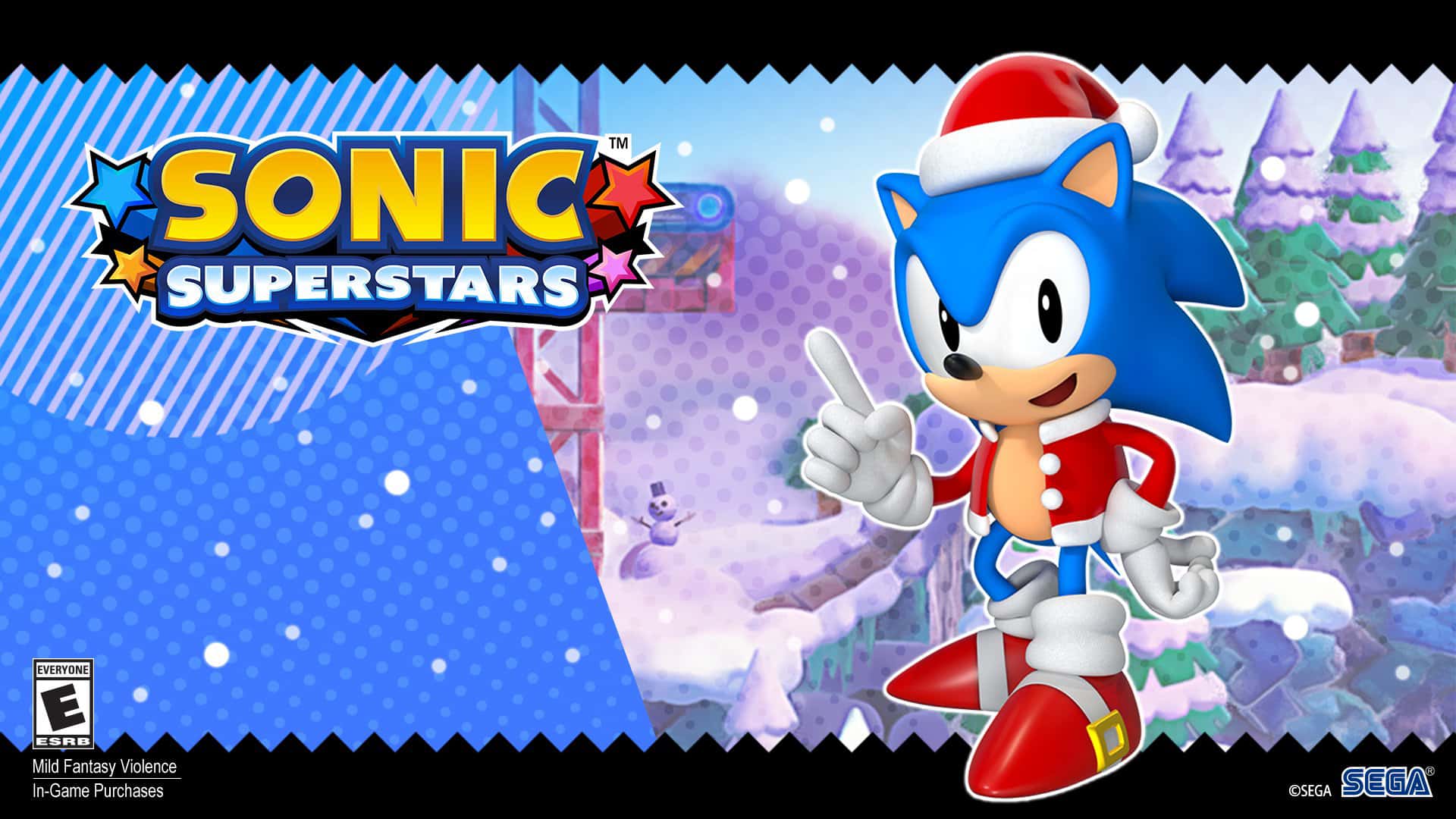
Sonic Superstars Update 1.10 Dashes Out This December 11

SEGA has begun rolling out Sonic Superstars update 1.10 across all platforms. This update comes at a rather large download size, focusing on bugs and performance fixes. Here are the patch notes for today’s Sonic Superstar update.

Sonic Superstars Update 1.10 Patch Notes | Sonic Superstars December 11 Patch Notes

Size: 7GB (PC)

As listed on the PS4’s history log (update is available on all platforms):

  • Improved game stability.
  • Fixed various bugs affecting game progression.
  • Fixed various other minor bugs.

Sega has yet to release the full patch notes for this update, so we can only go based on the PS4’s history log. We’re sure there’s more than that, as the update is rather large (7GB) on PC. We’ll continue to monitor Sonic’s and SEGA’s social accounts and update the story once the complete list of changes has been posted. If you spot any changes yourself, let us know, and we’ll be sure to credit you!

In some related Sonic Superstars news, and in case you missed the announcement from SEGA, there’s a free Holiday Costume DLC now available for Sonic to use in-game. Not bad, and maybe we’ll see more free holiday skins for Sonic Superstars as we inch closer to Christmas.

Avatar photo

James Lara

A gamer at heart, James has been working for MP1st for the last decade to do exactly what he loves, writing about video games and having fun doing it. Growing up in the 90's gaming has been in his DNA since the days of NES. One day he hopes to develop his own game.

Home > News

Texas Chainsaw Massacre Update 1.11 Cuts Out For Fixes

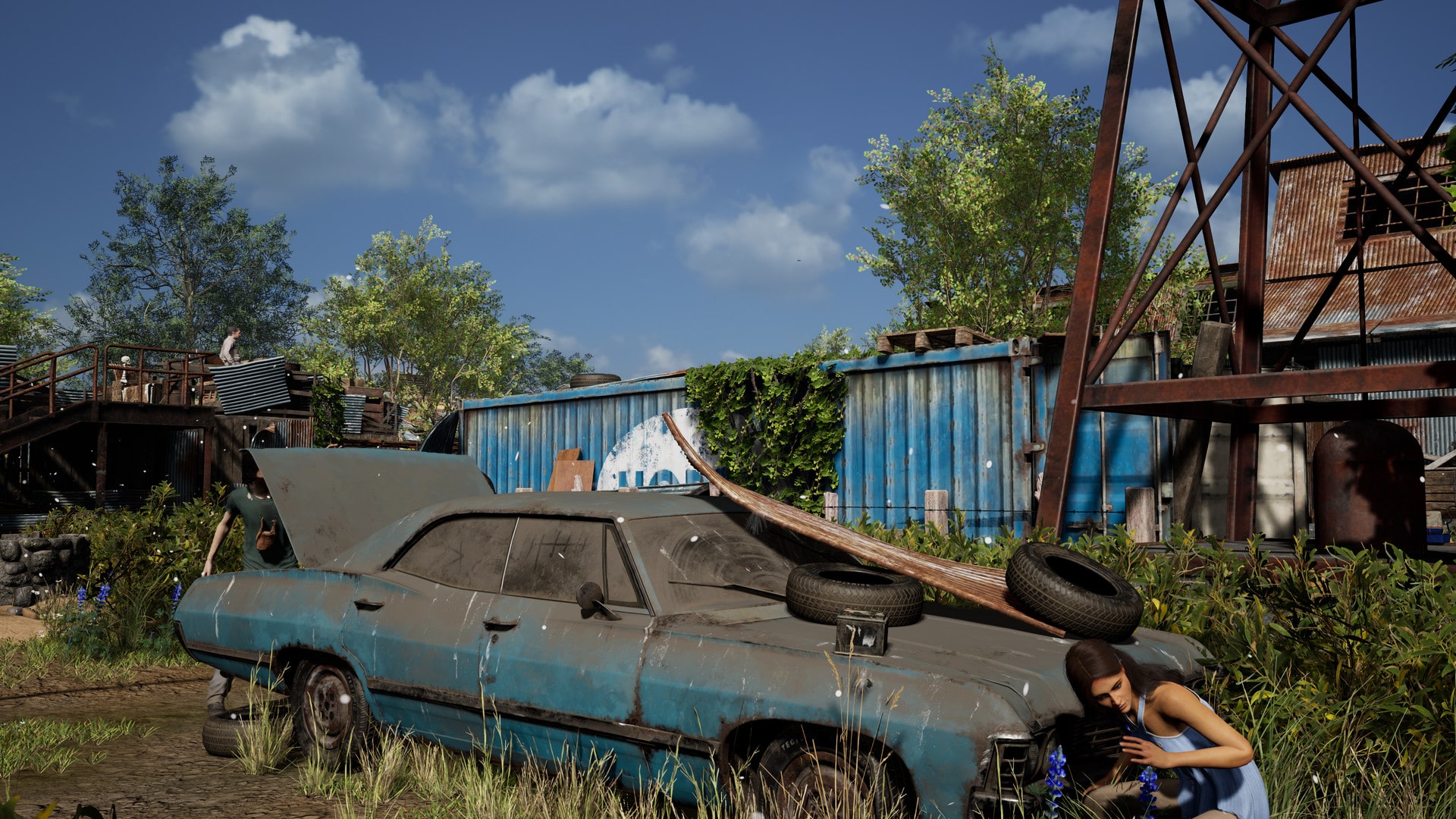
GUN Interactive has begun rolling out Texas Chainsaw Massacre update 1.11 (PS5 version 1.012) a day earlier than planned. This update focuses on fixes and tweaks, which you can read in the Texas Chainsaw Massacre patch notes. 

Texas Chainsaw Massacre Update 1.11  Patch Notes

Patch Notes

  • Fixed: Danny Permanently Opening Fuse Exit Door

    • We have fixed an issue where Danny could tamper with the fusebox and permanently open the exit door

  • Fixed: UI for Leatherface Saw Rev

    • We have resolved a UI issue that would show the incorrect amount of overheat/stall status on the rev meter for Leatherface’s chainsaw

  • Fixed: Invincible Hiding Victims

    • We have fixed an exploit where Victims could become invincible after being pulled from a hiding spot while in the animation of entering it

  • Fixed: Overlooked Perk

    • The Overlooked perk had an issue where all charges would be instantly consumed and that is now fixed

  • Fixed: Crawl Spaces and Barbed Wire

    • An issue has been resolved that caused Victims to not trip barbed wire traps on crawl spaces

    • Nancy should now be able to trap crawl spaces and have all the normal functionality when a Victim triggers it

  • Fixed: Nancy’s House Well Stuck Spot

    • We have fixed a stuck spot on Nancy’s House that would trap Victims after using a well

    • The well is located near the sunflowers in the front yard

  • Fixed: Danny Tampering with Car Battery

    • We have fixed an issue that would make the car battery unusable if Danny tampered with it while it was turned off

  • Fixed: Sliding Door Anim Skip

    • Fixed an issue where the animation of opening a sliding door would be skipped if hit while in the animation

  • Fixed: Linger Level 3

    • We have fixed an issue with Sissy’s Linger perk at level 3

    • The issue was causing players to become marked for the remainder of the match

  • Fixed: Missing Window Jump Audio

    • A couple of missing audio issues have been resolved for window jumps

    • One was the window jump on Nancy’s House

    • One was the window jump on Family House

  • Fixed: Repeat Electro Shock Grid on Nancy’s House

    • We have fixed an issue where if entering a powered on cattle grid on Nancy’s House from a specific angle, it would repeatedly shock the player

  • Fixed: Stuck Spot in Trophy Room

    • Fixed a stuck spot for Family in the Trophy Room on Nancy’s House

  • Fixed: Scoreboard Stuck on Screen

    • Resolved an issue that would cause the scoreboard to be stuck on screen if viewed while spectating

  • Fixed: Nancy Skill Tree Incorrectly Showing Nodes Unlocked

    • We have fixed an issue that would show nodes unlocked incorrectly even after a full respec of the tree

  • Fixed: Danny Skill Tree Nodes Server Error

    • Fixed an issue that made the top right of Danny’s skill tree visible after unlocking any node

    • The visible nodes would return a server error if selected

  • Fixed: General Skill Tree Node Visibility

    • Fixed a general issue that would make skill tree nodes visible, despite not being unlocked or uncovered

  • Fixed: Nancy Attack Audio Issue

    • Fixed an issue where only the first strike of a combo strike from Nancy would have the correct audio play

  • Fixed: Character Swap Issues

    • Fixed an issue where character swap requests would choose the wrong character if the character was changed simultaneously

    • Fixed an issue where players could receive swap requests for a previous character despite having changed characters

  • Fixed: Scroll Wheel Rebinding

    • Fixed an issue that would not allow you to rebind the scroll wheel effectively

  • Fixed: Missing Connection Error Message

    • Fixed an issue on some platforms that would cause no message to appear if experiencing a connection error on the main menu, then attempting to access online services

  • Changed: Johnny Changes Reverted

    • We are reverting the changes made to Johnny in the Big Patch

    • The Hunt ability changes are not being reverted

    • This change affects his lunge/speed issues

      • Johnny is intended to have a lunge

      • The issue is his speed boost when attacking

      • In trying to correct that boost we unintentionally altered his lunge and tweaked his animations

      • This was not a desirable result, and will be reverted

      • The speed boost will be separated out and worked on at a later date with the intention to not alter his lunge

  • Changed: Remove Barbed Wire on Ladders

    • We have made a change to removing barbed wire and the prompt to do so

    • Previously you would get a prompt to remove Nancy’s barbed wire traps from yourself while on a ladder

    • This would cause the Victim player to become stuck

    • You will no longer see a prompt or be able to begin removing barbed wire while using a ladder

  • Changed: Community News and DLC Main Menu Banner

    • We are adjusting the sizing of the banner on the main menu

    • The banner is now 4x larger

    • Just kidding, it’s slightly smaller and flows better with the background

  • Tuned: Nuggets, Radius, Range, and Duration Issues

    • With the changes made to noise being sticky to Victims, we uncovered some issues with various Nugget locations

    • Some Nuggets were detecting Victims through walls, that has been fixed

    • Some Nuggets were sticking noise pings to Victims for far too long, that has been fixed

    • Please continue to report any Problem Nuggets to the support team for investigation

Whew, that’s a lot of changes!

Source: Reddit
Avatar photo

James Lara

A gamer at heart, James has been working for MP1st for the last decade to do exactly what he loves, writing about video games and having fun doing it. Growing up in the 90's gaming has been in his DNA since the days of NES. One day he hopes to develop his own game.

Home > News

The Texas Chainsaw Massacre Update 1.000.012 Released This Dec. 11

Launching a day early, GUN Interactive has pushed out Texas Chainsaw Massacre update 1.000.012, which introduces several fixes and tweaks. Read up on everything new in the December 11 Texas Chainsaw Massacre patch notes.

Texas Chainsaw Massacre Update 1.000.012  Patch Notes | Texas Chainsaw Massacre December 11 Patch Notes:

List of Changes and Tweaks

  • Fixed: Danny Permanently Opening Fuse Exit Door

    • We have fixed an issue where Danny could tamper with the fusebox and permanently open the exit door

  • Fixed: UI for Leatherface Saw Rev

    • We have resolved a UI issue that would show the incorrect amount of overheat/stall status on the rev meter for Leatherface’s chainsaw

  • Fixed: Invincible Hiding Victims

    • We have fixed an exploit where Victims could become invincible after being pulled from a hiding spot while in the animation of entering it

  • Fixed: Overlooked Perk

    • The Overlooked perk had an issue where all charges would be instantly consumed and that is now fixed

  • Fixed: Crawl Spaces and Barbed Wire

    • An issue has been resolved that caused Victims to not trip barbed wire traps on crawl spaces

    • Nancy should now be able to trap crawl spaces and have all the normal functionality when a Victim triggers it

  • Fixed: Nancy’s House Well Stuck Spot

    • We have fixed a stuck spot on Nancy’s House that would trap Victims after using a well

    • The well is located near the sunflowers in the front yard

  • Fixed: Danny Tampering with Car Battery

    • We have fixed an issue that would make the car battery unusable if Danny tampered with it while it was turned off

  • Fixed: Sliding Door Anim Skip

    • Fixed an issue where the animation of opening a sliding door would be skipped if hit while in the animation

  • Fixed: Linger Level 3

    • We have fixed an issue with Sissy’s Linger perk at level 3

    • The issue was causing players to become marked for the remainder of the match

  • Fixed: Missing Window Jump Audio

    • A couple of missing audio issues have been resolved for window jumps

    • One was the window jump on Nancy’s House

    • One was the window jump on Family House

  • Fixed: Repeat Electro Shock Grid on Nancy’s House

    • We have fixed an issue where if entering a powered on cattle grid on Nancy’s House from a specific angle, it would repeatedly shock the player

  • Fixed: Stuck Spot in Trophy Room

    • Fixed a stuck spot for Family in the Trophy Room on Nancy’s House

  • Fixed: Scoreboard Stuck on Screen

    • Resolved an issue that would cause the scoreboard to be stuck on screen if viewed while spectating

  • Fixed: Nancy Skill Tree Incorrectly Showing Nodes Unlocked

    • We have fixed an issue that would show nodes unlocked incorrectly even after a full respec of the tree

  • Fixed: Danny Skill Tree Nodes Server Error

    • Fixed an issue that made the top right of Danny’s skill tree visible after unlocking any node

    • The visible nodes would return a server error if selected

  • Fixed: General Skill Tree Node Visibility

    • Fixed a general issue that would make skill tree nodes visible, despite not being unlocked or uncovered

  • Fixed: Nancy Attack Audio Issue

    • Fixed an issue where only the first strike of a combo strike from Nancy would have the correct audio play

  • Fixed: Character Swap Issues

    • Fixed an issue where character swap requests would choose the wrong character if the character was changed simultaneously

    • Fixed an issue where players could receive swap requests for a previous character despite having changed characters

  • Fixed: Scroll Wheel Rebinding

    • Fixed an issue that would not allow you to rebind the scroll wheel effectively

  • Fixed: Missing Connection Error Message

    • Fixed an issue on some platforms that would cause no message to appear if experiencing a connection error on the main menu, then attempting to access online services

  • Changed: Johnny Changes Reverted

    • We are reverting the changes made to Johnny in the Big Patch

    • The Hunt ability changes are not being reverted

    • This change affects his lunge/speed issues

      • Johnny is intended to have a lunge

      • The issue is his speed boost when attacking

      • In trying to correct that boost we unintentionally altered his lunge and tweaked his animations

      • This was not a desirable result, and will be reverted

      • The speed boost will be separated out and worked on at a later date with the intention to not alter his lunge

  • Changed: Remove Barbed Wire on Ladders

    • We have made a change to removing barbed wire and the prompt to do so

    • Previously you would get a prompt to remove Nancy’s barbed wire traps from yourself while on a ladder

    • This would cause the Victim player to become stuck

    • You will no longer see a prompt or be able to begin removing barbed wire while using a ladder

  • Changed: Community News and DLC Main Menu Banner

    • We are adjusting the sizing of the banner on the main menu

    • The banner is now 4x larger

    • Just kidding, it’s slightly smaller and flows better with the background

  • Tuned: Nuggets, Radius, Range, and Duration Issues

    • With the changes made to noise being sticky to Victims, we uncovered some issues with various Nugget locations

    • Some Nuggets were detecting Victims through walls, that has been fixed

    • Some Nuggets were sticking noise pings to Victims for far too long, that has been fixed

    • Please continue to report any Problem Nuggets to the support team for investigation

That’s all for today!

Source: Reddit
Avatar photo

James Lara

A gamer at heart, James has been working for MP1st for the last decade to do exactly what he loves, writing about video games and having fun doing it. Growing up in the 90's gaming has been in his DNA since the days of NES. One day he hopes to develop his own game.

Home > News

League of Legends Dev Update Discusses Split 2 Rewards and Monetization

A new League of Legends dev update video has been published, featuring Jeremy “Riot Brightmoon” Lee, Andrei “Meddler” van Roon, Pu “Riot Pupulasers” Liu and Drew “just a capybara” Levin. In the video, the devs address Split 2 rewards, the team’s philosophy on monetization, the start of Season 2024, and more.

The dev update can be viewed here:

Here’s everything the video covered:

  • Season 2023 Split 2 ends on January 9th.
  • Players can earn Honor and Ranked rewards before Season 2024 begins on January 10th.
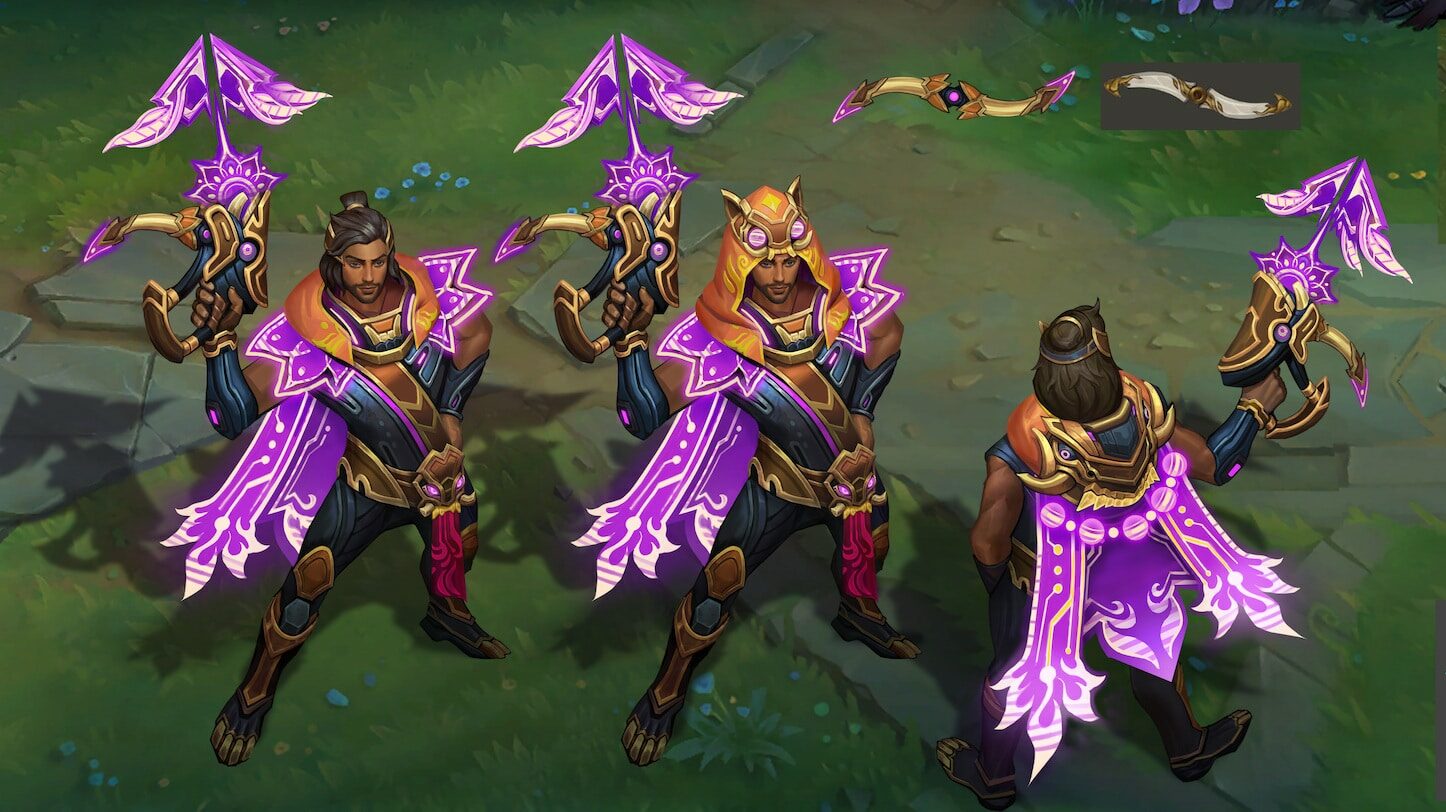
  • Season 2023 Split 2’s Honor skin is Three-Honors Akshan, which will be given to Honor Rank 5 players in Patch 14.2 in late January.
  • Split 2’s Ranked rewards will come in February.
  • Season 2023 Split 2’s Ranked skin is Victorious Tryndamere, which will come to the Rift in Patch 14.4 in mid-late February.
  • Also starting in Patch 14.4, League of Legends will no longer support Windows 7, Windows 8, or Windows 8.1. These updates are critical for allowing the League team to continue improving the game’s stability and performance.
  • Pu “Riot Pupulasers” Liu and Drew “just a capybara” Levin shared an update on League’s monetization philosophy. More details on the set of values the team will be referencing for future work can be found in the dev blog released today.
  • After eight years, Jeremy “Riot Brightmoon” Lee will be leaving the League team in early 2024 and passing the torch to a new Executive Producer.
  • Players can look forward to hearing more from the League team in a few weeks for Season Start 2024.
  • The team wished a happy and healthy holiday season to fans and looks forward to seeing everyone on the updated Rift in 2024!

We’ll see how players respond to these updates, especially the monetization discussion. The community has been known to have pretty strong opinions regarding pricing and the level of quality on in-game items, so we’re interested to see how they feel about the way Riot’s described their philosophy.

We’ll be sure to let our readers know when the next dev update arrives.

Jack Breitenbach

Game the night away!

Home > News

Alan Wake 2 New Game Plus Missing Items Bug Surfaces for Some Players

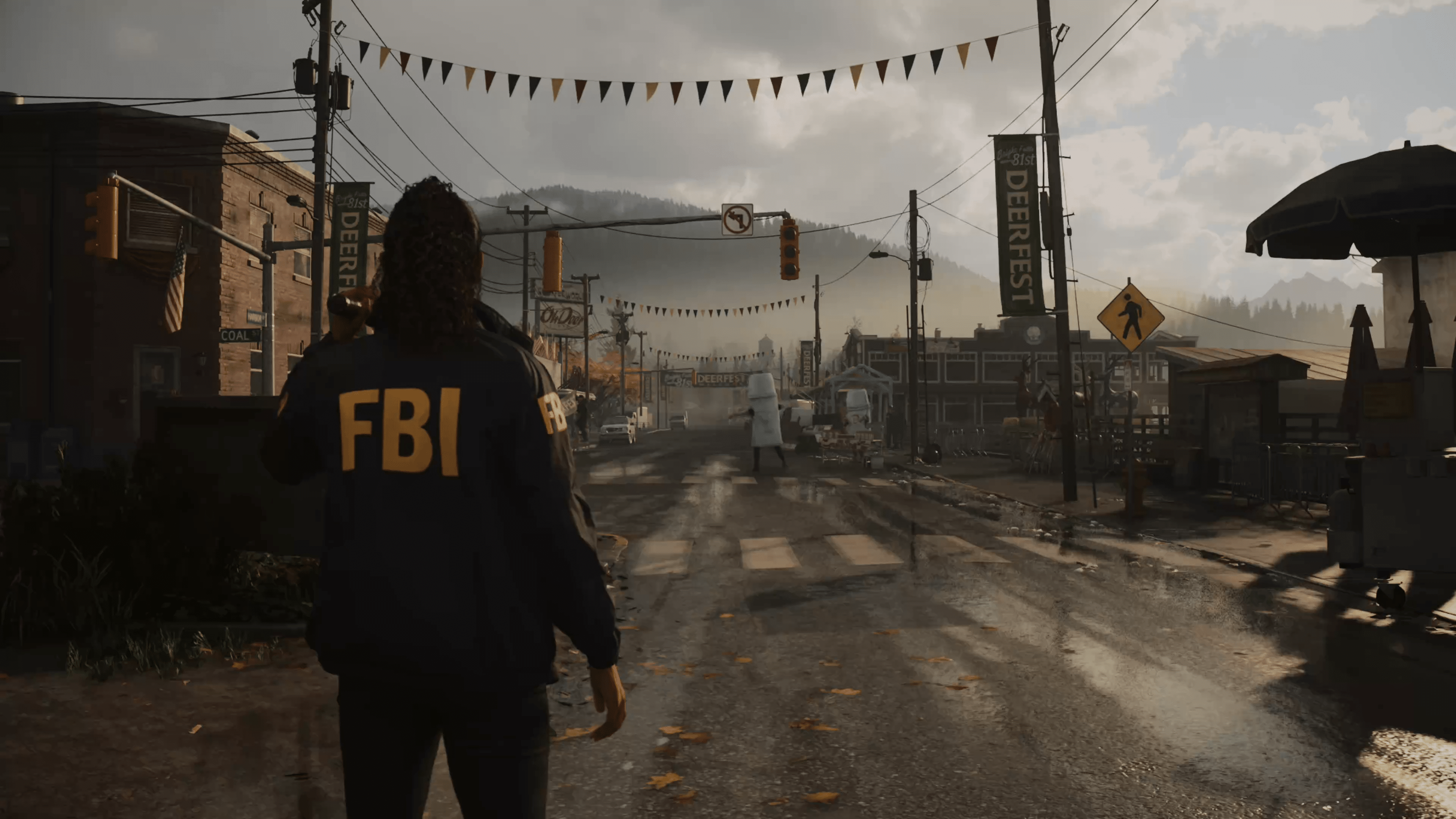
If you were hoping to start a new playthrough of Alan Wake 2 with the launch of the New Game+ mode, you might want to be aware of ongoing issues that players are reporting where their collectibles aren’t transferring. 

Alan Wake 2 New Game+ Missing Items, What’s Happening?

Alan Wake 2’s New Game Plus mode launched earlier today, giving players the ability to carry over some of their progress, which includes weapon upgrades, charms, and some collectibles. However, it seems that the mode isn’t working as intended, as players have reported (via Reddit) issues with it, including us, where we have a “completed” save with all the collectible charms, and weapon upgrades aren’t showing up once we’ve reached the first shoebox. 

Weapons appear, but only one charm is there for us, which is particularly strange as it was the same “progression” as my first playthrough when I beat them, which was overwritten by a 100% completion after loading back into the game to mop up the rest of the game. Others have reported this being the same case for them.

Remedy notes that this is based on your first playthrough, which does seem to be the case for many, but it is a rather significant oversight, as most games handle NG+ in a way that allows players to select which save they can continue from. Overwriting all the save slots with the save you want to carry over and beating the game again doesn’t fix the problem either. 

Moreover, those who have managed to get their saves to carry over properly notice that charms are all available to collect again. This creates duplicate charms, which occupy the player’s inventory. You can’t drop charms outside of the Coffee Mug ones, which get destroyed upon death.

Now, you may be wondering why you would want to carry over your items in a game like Alan Wake. People love running through a game without worrying about re-collecting everything and having it all from the get-go. There were also a few items that are easily missed, such as the commercial videos that players hoped to get with NG+, though you need to collect the other ones now if you have this bug.

Not everyone is affected, though it seems to be a growing issue. We’re assuming a patch will be coming soon to fix this, and once it’s out, we’ll let our readers know. Bookmark our Alan Wake 2 game hub to know once it’s out.

Avatar photo

James Lara

A gamer at heart, James has been working for MP1st for the last decade to do exactly what he loves, writing about video games and having fun doing it. Growing up in the 90's gaming has been in his DNA since the days of NES. One day he hopes to develop his own game.

Home > News

The Finals False Bans Addressed by Devs: “We’re Chasing the False Bans”

Following its surprise drop at The Game Awards, The Finals has been blowing up on Steam, albeit with some unexpected side effects. A slew of false bans have hit The Finals, and the devs have communicated that they’re working to fix these bans as quickly as possible.

The communication comes from the official Discord server for The Finals. Embark responded to the bans as follows:

We are chasing the false bans. We have fixed some of the issues – please give it a try and restart your client. After that, if you are still banned now and you know that you should not be, write into player support so we can handle your case. Make sure to provide your Embark ID – it’s much faster for us that way.

If you already wrote to player support, sit tight, we are working through the list! The team is busy and we’re really happy that you are here with us, playing with us, and being patient and kind to each other. We’re aware of the other issues you are facing as well, but this message is already so long that most people won’t get to this part.

Hang in there with us, we have fun things planned. We just need to get over these growing pains.

The team also addressed player’s complaints about movement and the lack of Oceania servers. The movement has not actually changed at all since the beta, but the default FOV has been lowered significantly. Players who feel like they’re moving slowly should set their in-game FOV to 90 or above.

As for those concerned about OCE servers, those servers do actually exist, but they don’t have a dedicated option in the menus. Those in OCE regions who set their matchmaking region to “Auto” will be placed on those servers. Outside of peak matchmaking hours, however, you may still get placed in a different region to ensure quick matchmaking times.

If The Finals is at all interesting to you, we’ve got 40 minutes of gameplay for you to check out here.

Source: Discord

Jack Breitenbach

Game the night away!

Home > News

GTFO Console Version Still “Seriously” Considered by 10 Chambers, Discusses One of the Challenges

Originally released in Steam Early Access, 10 Chambers’ GTFO seemed like it was destined to hit consoles at some point. Well, here we are, four years after, and the final chapter has been released and there’s still no news on a GTFO console version…at least until now.

During our studio chat with 10 Chambers, we asked about the GTFO console version and what’s happening with it. Thankfully, studio co-founder Simon Viklund didn’t skirt around the issue, and even provided an example of one of the hurdles facing the dev team from porting the game to consoles.

MP1st: For GTFO console version, you guys were just still kind of testing the waters there?

Simon Viklund: We’re looking at options for getting the right tools or help in order to turn it out on consoles. Which we haven’t done before. We really mean it when we say we’re seriously considering it. We’re trying to get it off the ground

Continuing with the chat, Viklund mentions how the terminal hacking element in GTFO presents a challenge when it comes to the console version, as it requires a keyboard, which is something not usually used by console gamers.

Simon Viklund: That’s gonna be one of the challenges of making GTFO work on consoles. It’s just how do you make that work with a controller? That’s gonna be a challenge. We’re not gonna go down that route. Now with that we’re considering building it from the get go to work on consoles because it’s going to be something that’s more streamlined.

While there’s no release date or formal announcement made, it does seem like GTFO appearing on consoles will happen at some point.

Would you want to see GTFO come to consoles and how do you think 10 Chambers will hurdle the controller issues?

Stay tuned to our full interview with 10 Chambers where we talk about GTFO and the studio’s latest announced game, Den of Wolves, which we have an early preview of it that you can read right here.

Avatar photo

Alex Co

Father, gamer, games media vet, writer of words, killer of noobs.

Home > News

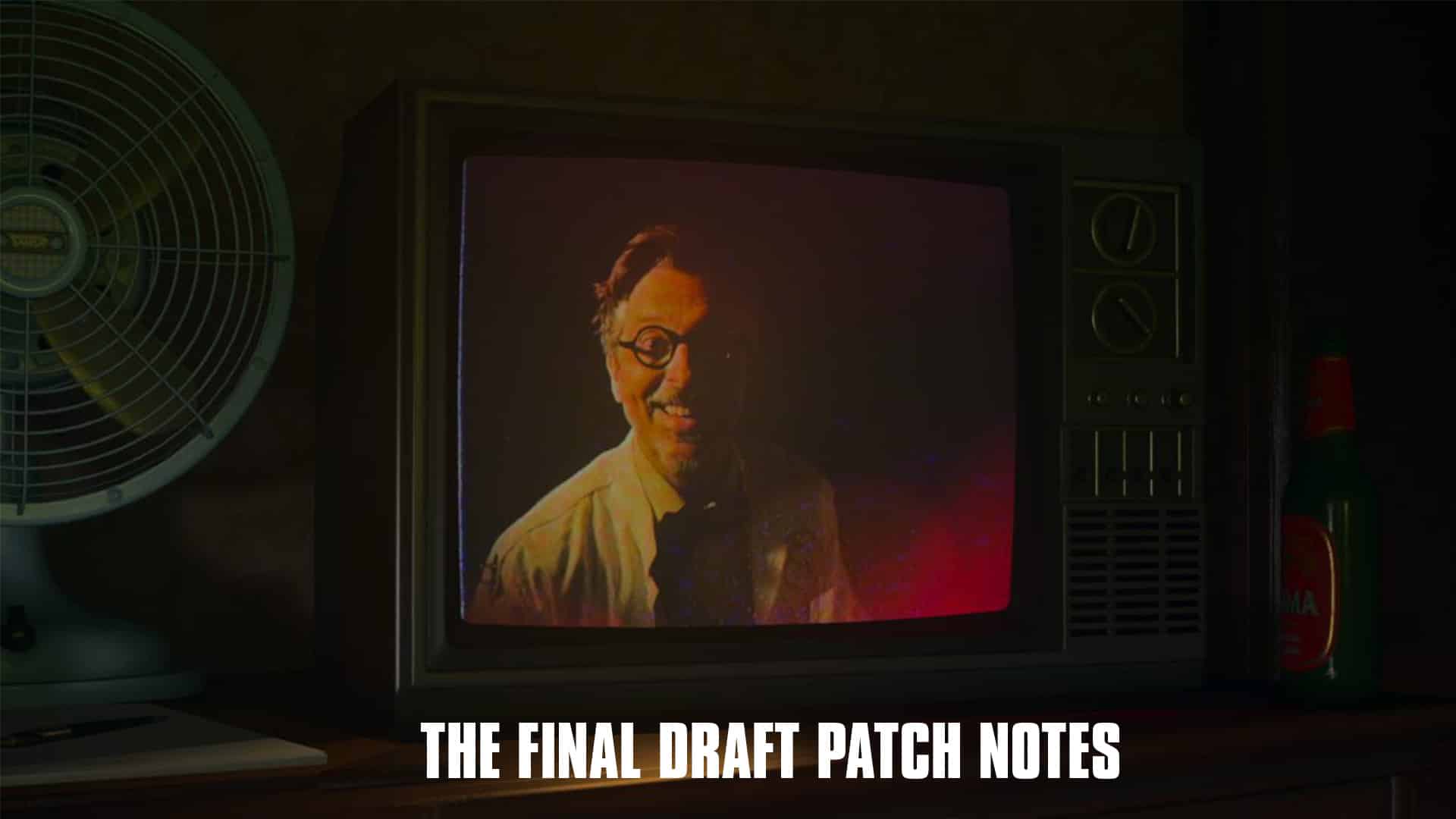
Alan Wake 2 Update 1.000.013 Scribbles Out for The Final Draft

Announced last week, Remedy has begun rolling out Alan Wake 2 update 1.000.013 across all platforms. This update is dubbed “The Final Draft‘ adding a new game plus mode, new story elements, new ending, several fixes, performance improvements, and much more. Here’s everything included in the December 11 patch notes for Alan Wake 2.

Alan Wake 2 Update 1.000.013 Patch Notes | Alan Wake 2 December 11 Patch Notes | Alan Wake 2 The Final Draft Patch Notes

Size: 1.48GB

Versions: 

PlayStation 5 (1.00.13)
Xbox Series (1.0.0.13)
PC (1.0.13)

New Game Plus mode 

  • New ending 
  • New Nightmare difficulty level 
  • New Manuscript pages and video content 
  • Retain all unlocked videos, Charms and upgrades 

NOTE: To access the New Game Plus mode, a completed playthrough of Alan Wake 2 is required. In New Game Plus, you will find the unlocked weapons in the first available shoebox for the character. 

Performance 

  • Improved overall quality of the occlusion culling algorithm, improving GPU performance especially on locations with a lot of geometry.  
  • The performance upgrade is most visible in the PlayStation 5 Quality mode, where (incredibly) there are up to 1.8ms improvements. Cauldron Lake should be coughing less. 
  • Optimized HUD UI content setup so rendering the HUD takes less time. This brings between ~0.5-0.7ms improvements to performance. 
  • A few selected tweaks and optimizations for path tracing and rendering. 
  • Improved streaming by removing occasional 10 – 100ms stalls that mostly affected Xbox Series platforms. 
  • Reduced memory usage by 16 MB on all platforms. 
  • [PC] Slightly improved performance on by removing some error diagnostics instrumentation. 

Tutorials 

  • Changed when some Tutorials appear in the Tutorials menu. 
  • Added a timeout to the Tutorial about Fadeouts. 
  • Players can now slow down to walking speed while a Tutorial is open. 
  • Tutorial messages are not slowing down player movement speed anymore. 
  • If tutorials are disabled, the player won’t be locked in the diorama when the first investigation clue gathering tutorial would take place… 

Stability 

  • Fixed several infuriating Lua script errors that made the game more stable and less unpredictable. 
  • Fixed a hang on Xbox that could occur when attempting to suspend the application during launch. 
  • Fixed audio middleware crash on Xbox Series platforms. 
  • Fixed a rare crash that could happen during streaming. 

Visuals 

  • Somewhat reduced specular aliasing (“shimmering”) on shiny surfaces with a new algorithm. 
  • Improved Trailer Park cinematic lighting. 
  • Improved shadow quality inside the Valhalla Nursing Home to respect the elderly even more. 
  • Flashlight shadows are now prioritized to avoid a blocky look in locations featuring heavy dynamic lights usage. 
  • Fixed (or ruined, depending on your view) the “chameleon chair” visible in front of the sauna. It’s not changing color anymore 🙁 
  • Fixed LODs on the hotdog stand. 
  • Fixed a variety of broken or ugly LODs. 
  • Fixed incorrect rendering culling mode on leaf and coffee pot materials to prevent path tracing issues. 
  • Fixed broken materials on the garage building in downtown Bright Falls raising property value. 
  • [PC] Improved quality for low ray-tracing preset, fixing flickering fireflies on character’s faces during cinematics. 

Audio & localization 

  • Improved overall audio quality on PlayStation 5. 
  • Fixed lip sync being off during the cinematic where Saga and Casey arrive at Cauldron Lake. 
  • Localization fixes for agent Estevez audio lines. 
  • Additional fixes for localized subtitles. 

We are still working on the audio sync being off for some players on Xbox Series and expect to address this in our next update. 

Global 

  • Fixed an issue with Koskela Brothers Coffee World ad that prevented some players from unlocking the related trophy.
  • Father Doll should now be easier to find on the map so that players can complete the last Nursery Rhyme.
  • Fixed an issue where the player could be blocked by medical balls by resetting the Wellness Centre props when the mission Return 09 starts. 
  • Fixed an issue where skipping a cinematic during Deerfest would bring forth premature darkness by fading the screen to black. 
  • Added heavy duty blockers to stop the player potentially falling out of the world in Return 05 near the Nursing Home. 
  • Removed the force camera look-at of the Dark Substance at the Witch’s Ladle if the player walks away. 
  • Disabled the Reality Switch VFX bleeding in the lodge in Return 04. 
  • Fixed a mysterious blocky shadow in the Sheriff’s station staircase. 
  • Added a loading screen if skipping a cinematic in Initiation 02 so that lighting can take its time to load correctly. 
  • Fixed pesky FBC light arrays in Return 06 and 09 to restore their state after loading a save game, and to show the correct visuals when powered on/off. 
  • Fixed an issue of not being able to pick up some items from red toolboxes after loading into a saved game. 
  • Fixed a rude manuscript page that was visible but not interactive in Valhalla Home forest shack.
  • Fixed an issue where an invisible collision was active near the Bright Falls Sheriff’s Station, making a section of a nearby street narrower than intended. 
  • Fixed an issue where manuscript pages would stay blank after switching levels when a single page was available in the Mind Place. 
  • Fixed English being sometimes unselectable in the language drop-down menu after changing language. 
  • Found manuscript pages should not show up on the map anymore.
  • Added UI prompt for items that can be placed from hand to the Case Board. 
  • Fixed an issue where Saga was misplaced on the ladder after being attacked by the Taken in the Overlap. 
  • Made ladder interaction icons better positioned. 
  • Disabled crossbow magnet for dead enemies.
  • Fixed missing subtitles in cinematics.
  • The player’s inventory now closes when an enemy grapples the player.  
  • Allow enemies to recover from grapple quick escape when stun ends. 
  • Changed the orientation of the hint on top of the Bright Falls Sheriff Station Cult Stash so that it its more readable.
  • Fixed an issue where the player couldn’t wield a weapon after being interrupted by being hit in the boss fight at the end of Return 03. 
  • Fixed an issue where in some cases Estevez would not talk to Saga after coming back from the morgue.
  • Fixed an issue where Alan could reload his weapon while simultaneously doing a Light Shift. Seems like a thing he should be able to do, but anyway. 
  • Fixed an issue where Saga could reload invisible weapons even though she was socially bound to not wield weapons in certain areas (kertaus on opintojen äiti). 
  • Fixed an issue where Saga was able to reload the flashlight and other weapons simultaneously causing the unholstered weapon to disappear and reappear after flashlight reload was completed. 
  • [PC] Added drag and drop support for moving items in the Inventory and Shoebox. 
  • [PC] Added a mouse smoothing option (defaulted to on) to prioritize mouse and camera. Movement smoothness over accuracy. 
  • [PC] Fixed an issue with the mouse that resulted in jittery camera movements if not playing in 30fps. 

In addition to today’s patch, Remedy has mentioned that another update is set for next year, which will include some much-requested features. Once we know more about that, we’ll let our readers know.

Source: Alan Wake

Avatar photo

James Lara

A gamer at heart, James has been working for MP1st for the last decade to do exactly what he loves, writing about video games and having fun doing it. Growing up in the 90's gaming has been in his DNA since the days of NES. One day he hopes to develop his own game.

Home > News

The Day Before Support Pulled Just Five Days After Release, Fntastic Announces Closure

Are you one of the people who bought The Day Before when it was released last week? If so, well, we have some very bad news for you. It seems the game’s support is being pulled, as Fntastic, the studio behind it, has announced its closure!

Yes, you read that right! A game that was released just five days ago is being shut down by the studio that made it, citing lack of resources, as the game failed financially.

Check out the full statement made by the studio:

Today, we announce the closure of Fntastic studio. Unfortunately, The Day Before has failed financially, and we lack the funds to continue. All income received is being used to pay off debts to our partners.

We invested all our efforts, resources, and man-hours into the development of The Day Before, which was our first huge game. We really wanted to release new patches to reveal the full potential of the game, but unfortunately, we don’t have the funding to continue the work.

It’s important to note that we didn’t take any money from the public during the development of The Day Before; there were no pre-orders or crowdfunding campaigns. We worked tirelessly for five years, pouring our blood, sweat, and tears into the game.

At the moment, the future of The Day Before and Propnight is unknown, but the servers will remain operational.

We apologize if we didn’t meet your expectations. We did everything within our power, but unfortunately, we miscalculated our capabilities. Creating games is an incredibly challenging endeavor.

We’re grateful to everyone who supported us during these difficult years. It’s been a fantastic journey over the past eight years:
2015: Opening of the studio
2017: Release of The Wild Eight
2018: Release of Dead Dozen
2018: Release of Radiant One 2021: Release of Propnight
2023: Release of The Day Before

FNTASTIC

While the game itself is still operational for now, don’t expect any new content or bug fixes for it, based on the developer’s statement, the closure is happening now.

To be honest, we’re not entirely surprised at this, as the game felt vaporware for the most part, and I was honestly surprised it was released at all. Just last year, it got into a trademark dispute that saw its YouTube channel taken down.

Not only that, but our comparison article on the game’s trailer even showed how some shots were lifted from other games.

Avatar photo

Alex Co

Father, gamer, games media vet, writer of words, killer of noobs.

Home > News

Starfield Update 1.8.88 Rockets Out This December 11 With Fixes

Bethesda has rolled out Starfield update 1.8.88, which was previously in beta and addresses a few bugs on PC and consoles. Here are the full December 11 patch notes for Starfield.

Starfield Update 1.8.88 Patch Notes for December 11

This small update addresses a few issues, including a crash that could occur on some Xbox and Microsoft Store playthroughs, an issue with weapon cases in Outposts, and we say goodbye to the “pet rock” that would follow some players through space.

We appreciate all of you who participated in our Steam Beta and will continue to read your feedback and make updates to the game.

Thanks for playing!

FIXES AND IMPROVEMENTS

GAMEPLAY:

  • Addressed an issue that would cause space matter to become stuck to player’s ship during space travel. Loading a save will now remove the space clingon.

Please note: This fix should address any space matter being stuck in your travels, but not in instances where player ships have New Atlantis attached. A fix for that will be released in a later update.

OUTPOST:

  • Fixed an issue that prevents random guns from spawning in a newly created Weapon Case after loading a save.

SAVE/LOAD:

  • [MSS/Xbox] Fixed an issue where players could experience crashes while saving during long playthrough without going through the Unity.

Once a new patch is released for Starfield, we’ll be sure to let our readers know.

Source: Bethesda

Avatar photo

James Lara

A gamer at heart, James has been working for MP1st for the last decade to do exactly what he loves, writing about video games and having fun doing it. Growing up in the 90's gaming has been in his DNA since the days of NES. One day he hopes to develop his own game.

Home > News

Free Radical Closed for Good as Developers Say Their Goodbyes

Development studio Free Radical has seemingly closed for good today following the news that it would be shut down by parent company Embracer a couple weeks ago. Several members of the development team have surfaced on social media to say their goodbyes and lament the death of the studio.

While it was initially reported that the studio was at risk of closing in early November, VGC later confirmed that Free Radical would be shut down by December 11. As of this morning, Free Radical’s website has been pulled down, with only a “404 Company Not Found :-(” message displaying.

Following the shutdown, some members of the development team have taken to posting on Twitter/X to say farewell:

Mark Normington, Senior Artist

Adam Kiraly, Senior Tech Artist

Some former employees have also posted about the closure on LinkedIn. Former QA Manager Kevin Ellis wrote the following:

As the sun sets on my last day at Free Radical Design, I feel privileged to have had the opportunity to collaborate both with industry legends and with emerging talents who will no doubt shape the future of the industry. Free Radical Design was a hub of creativity, but sadly, we join an ever-growing list of casualties in a broken industry where entire studios are treated as replaceable cogs in a soulless machine fixated on nothing but share prices.

To all who lent their skills, dedication and creativity, you are the heartbeat of Free Radical Design. As we part ways, I’m confident your talents will persist in shaping gaming’s trajectory. Let’s carry forth the spirit of innovation, resilient against industry challenges, fueled by an unwavering passion for gaming.

Here’s to new beginnings and the everlasting legacy of Free Radical Design.

Free Radical had been working on a TimeSplitters reboot prior to their closure by Embracer. They are the latest in a long line of Embracer Group’s casualties, a list that includes Volition and several others. We hope to see the trend of studio shutdowns slow down soon.

If you’d like to read more about the other companies that Embracer has damaged this year, click here.

Source: VGC

Jack Breitenbach

Game the night away!

Home > News

Battlefield 2042 “Holiday Protocol” Event Kicks Off Dec. 12, New Modes, Rewards and More Revealed

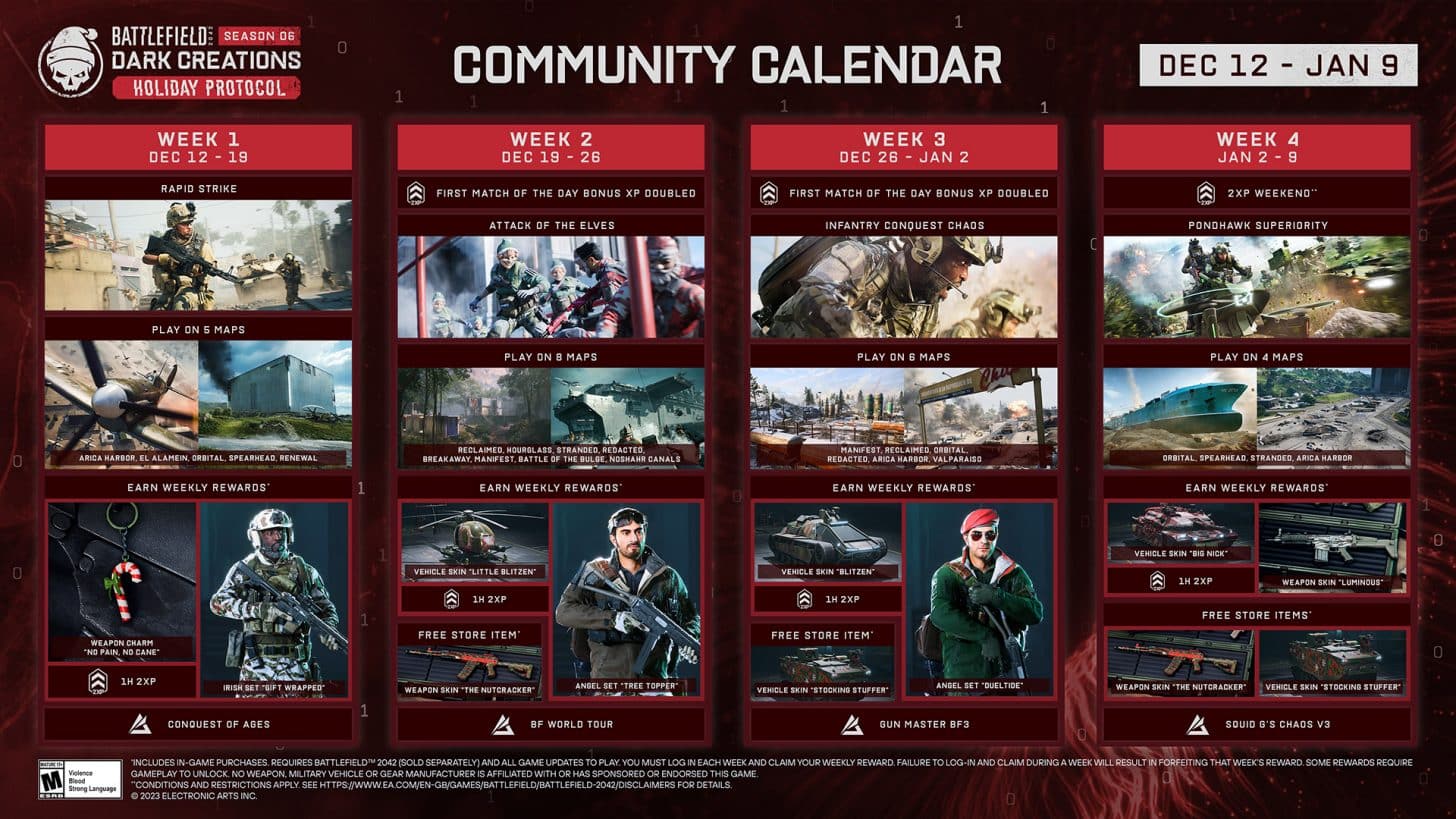
As expected, DICE has announced a new mid-season Battlefield 2042 event, and this one is fitting for the holidays! Called the Battlefield 2042 “Holiday Protocol” event, it kicks off tomorrow, December 12!

Battlefield 2042 “Holiday Protocol” Event Details:

Schedule: December 12 to January 9, 2024

Four New Limited-Time Modes:

Rapid Strike – Rapid Strike brings hardcore home for the holidays with a community-built experience from SgtPuggle01. Rapid Strike is a faster, deadlier, more realistic Conquest experience than ever before. Can you stay alive long enough to bleed the enemy dry?

Attack of the Elves – The elves drank a bad batch of eggnog and are intoxicated with madness. Can the Santas outlast the elves and save the holidays before it’s too late?

Infantry Conquest Chaos – This holiday season, the stockings are stuffed with chaos. Conquest goes botts on the ground with no vehicles and faster objective capture, bullets, respawn, equipment throwing and max run speed.

Pondhawk Superiority – Conquest transforms into a pondhawk paradise. Equip your grappling hook, grab a handgun, and load out with C5 or your favorite rocket launcher – with infante gadget ammo. ‘Tis the season for pandemonium.

As one might expect, there are new rewards to earn during the event as well (and expect new ones for sale, too), which should add spice to the mayhem.

Rewards:

  • “No Pain, No Cane” Weapon Charm

  • “Gift Wrapped” Irish Specialist Set

Not a bad way to close out 2023, no? Of course, there’s a lot more to look forward to come next year, as DICE has confirmed that we’ll be seeing Season 7! Not only that, but the announcement seems to tease that we’ll be getting more than one new map in the new season.

If there’s a title update released for the event, we’ll be sure to let our readers know. We’re not expecting one, but if anything gets announced, we’ll be sure to have it up on the site.

Source: EA

More Battlefield Reading:

Avatar photo

Alex Co

Father, gamer, games media vet, writer of words, killer of noobs.

Home > News

Beat Saber Update 1.012 Released This Dec. 11 for Bonus Track

Beat Games has released Beat Saber update 1.012 on all platforms, bringing the game to version 1.34.2. The last update introduced OST 6 for free for everyone, and as teased there, this update adds a bonus track to OST 6. Read on for everything included in Beat Saber’s December 11 update.

Beat Saber Update 1.012 | Beat Saber v1.34.2 Patch Notes | Beat Saber December 11 Patch Notes

Hey players!

As promised – A bonus track to the OST 6 is out now! The track ‘Cathedral’ from your favorite Boom Kitty is exclusively composed for Beat Saber and has Content ID turned off, similar to all other OST songs.

That’s all for today’s Beat Saber update. A small one, that is solely for the newly composed track.

As a refresher, here’s everything that was added in the last update, including the songs from OST 6.

Beat Saber OST 6 Patch Notes

OST 6 Track List:

  • Lindsey Stirling – Heavy Weight
  • Far Out – Lift Off
  • DragonForce – Power of the Saber Blade
  • Camellia – Tempo-Katana

The OST 6 is a free update for all Beat Saber players and all songs are Content ID free so you can stream them without any limitations.

The update also includes a bunch of new tech and fixes for all platforms, check them below

Release notes:

[STEAM]

  • Fixed: After adding a song to Favorites, a user is not able to select the song in Favorites until re-opening the Favorites list
  • Fixed: Default position for Valve controllers (Z position fix)
  • Fixed: The ‘X’ button cannot properly dismiss the pause menu, gameplay flickering briefly before the menu appears again

[Level Editor]

  • Added: New easing types with Circle, Bounce, Elastic and Back
  • Added: More options for strobes – soft strobes and option to pick strobe “off” color
  • Fixed: Several event “hover” issues
  •  Fixed: Few BPM-related issues

Source: Steam

Avatar photo

James Lara

A gamer at heart, James has been working for MP1st for the last decade to do exactly what he loves, writing about video games and having fun doing it. Growing up in the 90's gaming has been in his DNA since the days of NES. One day he hopes to develop his own game.

Home > News

Kojima’s OD Trailer Has Letters Hidden Inside Actors’ Mouths

During The Game Awards, Hideo Kojima debuted his new upcoming game, “OD” There wasn’t much to go based on the trailer to know exactly what kind of game it was, outside of being a horror experience. Something that has been very common with games by Kojima production is that the director seemingly loves to dish out weird hints, and that’s exactly what he’s done with OD, as fans have noticed a set of letters hidden away in the mouths of the actors through the trailer. 

OD Trailer – Hideo Kojima

At first glance, this appears to be a trailer featuring talking and screaming floating heads. That’s because it is, and it left many in the gaming community mostly confused. And though this provides no details as to what kind of game we can expect from OD, fans have examined the trailer frame by frame, and to their shocking revelation, have discovered that letters have been secretly placed inside the mouths of the actors. 

ATAMI
byu/Turik2507 inOD_Kojima

A total of five letters have been found, which end up spelling “ATAMI.” For those unaware, Atami is a real-world city, located in Shizuoka. This is important because it has been long speculated that Atami is the location where the Silent Hill franchise is based, with further evidence being that Shizuoka when written in Japan, translates to “Silent Hill.”

If you think that’s a reach, then you should also take into account that Kojima and Jordan Peele appeared out of a door that was obviously a clear reference to P.T., Kojima’s canceled Silent Hill project, dubbed Silent Hills. 

Mind you, Kojima loves playing mind games on his fanbase, as previously seen with Death Stranding and the Metal Gear Solid franchise. 

My take? I don’t think it’s a Silent Hill game at all. While Kojima could have simply omitted it so as to not spoil the surprise, none of Konami’s logos or trademarks are featured anywhere in the trailer or on the official OD website. There hasn’t even been a single mention from Konami themselves on it, but again that could be to hide the surprise. Though I do feel they’ve been pretty forward about their projects as of late. 

I think the reason why we are seeing so many references to P.T. and Silent Hill is simply because Kojima wants to make the game he’s always wanted to do. What we are seeing are old ideas repurposed for OD. So while it may point to Silent Hill, I think this will be more of a spiritual successor of sorts to it. 

But that’s speculation. I do think we should keep them in check however, as you may end up being disappointed when it turns out not being a new Silent Hill game from the studio. Either way, I expect the next year to be a crazy one, as more and more new things get uncovered leading to OD’s release, whenever that might be. 

Avatar photo

James Lara

A gamer at heart, James has been working for MP1st for the last decade to do exactly what he loves, writing about video games and having fun doing it. Growing up in the 90's gaming has been in his DNA since the days of NES. One day he hopes to develop his own game.

Home > News

Train Sim World 4 Update 1.23 Chugs Out for Part 1 of Winter Core

Dovetail Games has released Train Sim World 4 update 1.23 (1.022 on PS5) today on all platforms, which serves as the first part of the Winter Core update. There are plenty of new features and fixes, which you can read in the full December 11 Train Sim World 4 patch notes.

Train Sim World 4 Update 1.23 | Train Sim World 4 Update 1.022 | Train Sim World 3 December 11 Patch Notes:

Winter Core Update (Part 1) Patch Notes

Core

  • Fixed an issue preventing the Vorarlberg BR185 from moving in free roam
  • Fixed a rare condition causing players to end up underneath the map when cycling through the passenger camera views.
  • Fixed an issue where console players wouldn’t be able to input a Player Profile name after trying to enter a blank username.
  • Fixed an issue where rain could appear underground and inside tunnels.
  • Fixed an issue which limited substitutions for certain services and scenarios.
  • Fixed an issue where PS4 players couldn’t import their profile from TSW2.
  • Added Holiday Event 2023 Mastery decals – Find out more on our Festive Overview article!

Mini HUD Improvements

  • HUD settings will no longer reset between game sessions.
  • Track Monitor will dynamically scale the distance based on current speed.
    • If you are travelling at 0-80kmh, you will see a 1.5km distance ahead, which scales up to a 6km distance the faster you’re travelling.
  • Added countdown progress bar to have options for 1km, 2km and 4km distance.
  • Markers will appear correctly on the Track Monitor.
  • Track Monitor should now correctly disappear when it is turned off in the settings.
  • Track Monitor will be automatically hidden when on foot.
  • Clock indicator will now correctly display when on foot.
  • Added traction lock indicator to Minimal HUD
    • Specific locos which don’t work with standard traction lock will not display.
  • Simple HUD speedometer now goes up to 200mph.

Free Roam

  • Added a Memory Usage indicator to the Free Roam spawning menu
  • Fixed an issue where users were able to open to spawning menu whilst sat in a passenger seat. You can now only access the menu when on-foot.

Scenario Planner

  • Fixed an issue where passenger doors needed to be opened on the same side as the starting station.
  • AI portals can now be used by multiple services so long as they have different starting times.
  • Prevented duplicated objectives appearing on the schedule menu after completing a ‘Change Cabs’ objective.

Scoring

  • Fixed a rounding error so scoring breakdown and final score will always be the same value.

Photo Mode

  • Photo Mode camera will no longer be able to escape map boundaries.

East Coast Main Line

  • Corrected spelling errors in the ‘Testing the Limits’ scenario.
  • One of the posters on the route now has a familiar face on it. Can you find it?

Class 801 Azuma

  • Cab and Passenger lights are turned off when AUX Power is turned off.
  • AI trains will no longer have looping diesel engine audio.

Flying Scotsman

  • Increased volume of AWS sounds to an appropriate level.
  • AI trains should now play a whistle/horn on routes with whistle boards.

Vorarlberg

  • Fixed an issue where an AI train arrives in double traction and interrupts the timetable at Bregenz Hafen.
  • Fixed an issue where objectives appeared faded out in the ‘Just Like in the Movies’ scenario.
  • Fixed an issue where passengers remain motionless after disembarking at Schlins Beschling station.

ÖBB 4024

  • Increased visibility of cab indicator lights during the daytime.
  • Fixed an issue where acknowledging SIFA was inconsistent.
  • Corrected spelling mistakes on interior coach and cab textures.

Maintalbahn

  • Fixed Stopping boards in Miltenberg having text that reads “Hidden in Game”.

Birmingham Cross City

West Midlands Railway Class 323

  • Updated windows to use TSW4 rain weather effects. Added interactable Tail Lamps under the driver seats that are placeable on the cab window
  • Cab car windows will now work as expected in dry and wet/snowy conditions
  • Fixed an issue where PIS on AI trains didn’t work as intended.
  • Fixed an issue where the secondman seats on AI trains were acting as a driver seat.
  • Various localisation improvements to tooltips and tutorial text.

To help make it clear, here’s a summary of the list of improvements that Skyhook Games has worked on for Midland Main Line, which as Jan has linked above, you can view in full on their Midland Main Line update page.

Midland Main Line

  • Large range of improvements to scenery, textures, signage and vegetation across the route.
  • Implementation of dynamic snow feature from TSW3.
  • All collectibles can now be found and obtained. There are now correctly 25 of each set.
  • Fix for the inability to acknowledge safety systems using a controller
  • Fix to safety systems incorrectly triggering while driving
  • Fix for game crash on PlayStation while driving the Class 43 HST.
  • Fix to allow custom livery selection for the HST in the Timetable
  • Many fixes to issues on the route, Class 158 DMU and Class 43 HST.
  • Implementation of TSW4 rain effects
  • Updated all scenarios to use TSW4 Platinum medals and Scoring 2.0 in the timetable.
  • Updated to allow use of Scenario Planner 2.0 features.

Source: Dovetail Games Forums

Avatar photo

James Lara

A gamer at heart, James has been working for MP1st for the last decade to do exactly what he loves, writing about video games and having fun doing it. Growing up in the 90's gaming has been in his DNA since the days of NES. One day he hopes to develop his own game.

Home > News

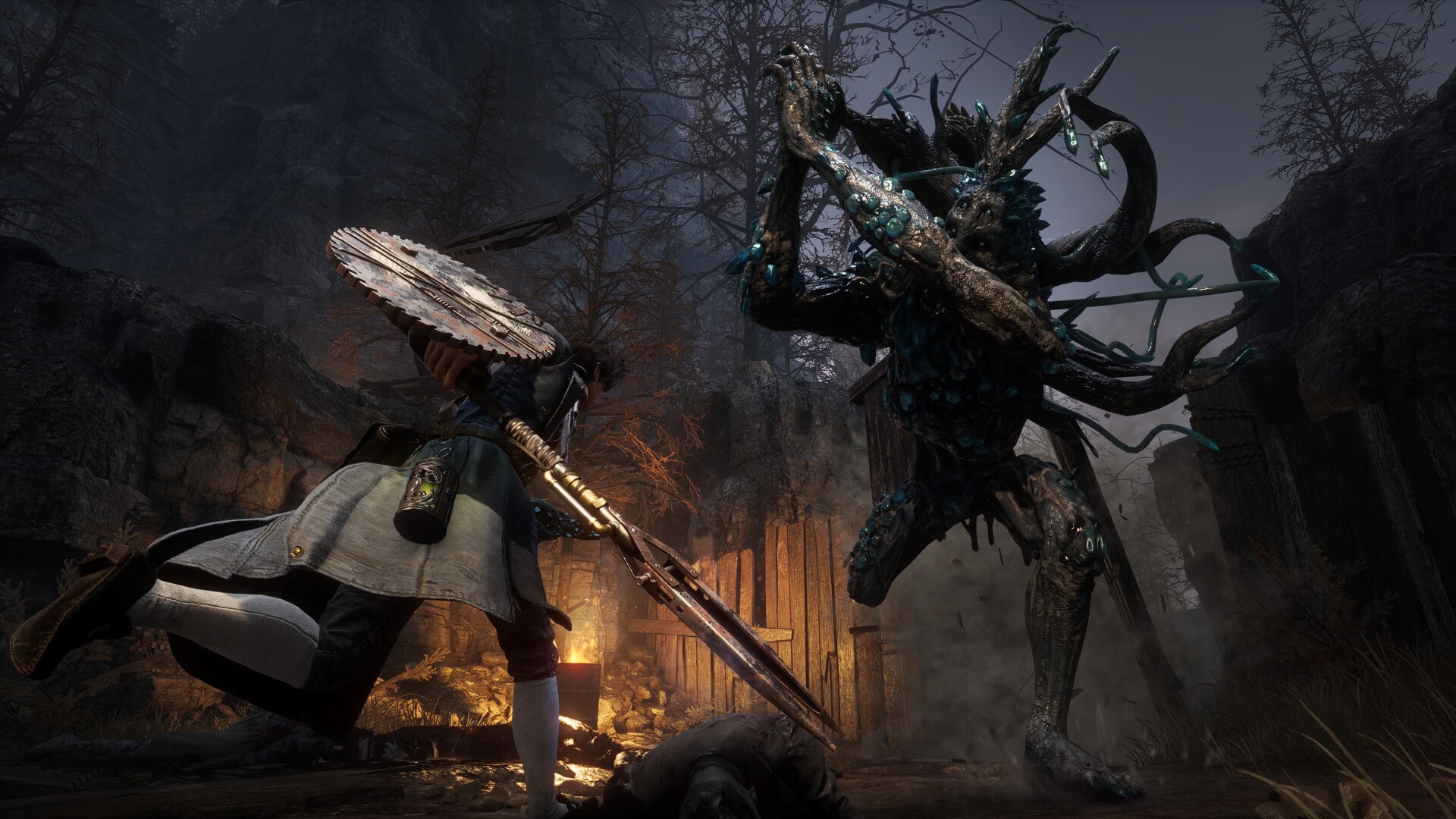
Banishers: Ghost of New Eden Trailer Highlights the Weight of Consequences

Don’t Nod Entertainment has revealed the latest trailer for Banishers: Ghost of Eden, highlighting the “Weight of Consequences.” The trailer poses the question: What are you willing to sacrifice to resurrect the love of your life? It sheds some light on the game’s story and includes a glimpse of the gameplay.

Here’s a brief overview of the game provided by the developers:

“Immerse yourself in a compelling and personal narrative within this Action-RPG, where you take on the roles of two skilled ghost hunters and partners facing challenging decisions with profound consequences for both the living and the dead.”

The new Banishers: Ghost of New Eden trailer has captured our attention with its beautiful world and neatly crafted characters. We eagerly anticipate its release on February 13, 2024, for PS5, Xbox Series X|S, and PC.

Hammad Taufeeq

Fear the Old Blood

Home > News

Dragon Ball: The Breakers Update 1.13 Out for Patch 4.1

Developer Dimps has released Dragon Ball: The Breakers update 1.13 today for patch 4.1. You can expect to see a lot of gameplay improvements and bug fixes. Read on for the December 11 Dragon Ball: The Breakers patch notes down below.

Dragon Ball: The Breakers Update 1.13 Patch Notes | Dragon Ball: The Breakers Update 4.1 Patch Notes | Dragon Ball: The Breakers December 11 Update Patch Notes:

Update Details

  • Ranking System Implemented

The ranking system will be available once maintenance finishes!
For more information about the Preliminary Ranked Matches that will be available during the current season, click here:
➡[Season 4] Preliminary Ranked Matches Begin!

Major In-Game Updates

Changes to Super Transpheres

✦ Added countermeasures for Survivors in the early phase of the match
✦ Implemented countermeasures for disadvantageous situations near the end of matches with Raider Broly

      • Due to the above changes, the super transpheres that appear in matches with Raider Broly have received the following adjustments:

①Reduced the interval between the beginning of the match and when level 2 super transpheres start appearing from 120 seconds to 45 seconds
②Increased the interval between when an Ultimate Dragon Change induced by using a level 2 super transphere ends and when the next super transphere appears from 30 seconds to 45 seconds
③Increased the interval between when an Ultimate Dragon Change induced by using a level 3 super transphere ends and when the next super transphere appears from 10 seconds to 45 seconds
④Reduced the interval between when Raider Broly reaches evolution level 3 and when level 3 super transpheres start appearing from 40 seconds to 30 seconds
⑤Increased the interval between when Raider Broly reaches evolution level 4 and when level 4 super transpheres start appearing from 15 seconds to 30 seconds

*For the above points, the intervals in points 2 and 4 must both end before level 3 super transpheres will appear, and the intervals in points 3 and 5 must both end before level 4 super transpheres will appear.

– – – – – – – – – – – – – – – – – – – – – – – – – – – – –

      • Enabled cancelling transformation after using a super transphere that is of a lower level than the Raider’s evolution level
      • Slightly reduced the damage, range, and speed of normal Ki Blasts during a level 2 Ultimate Dragon Change via super transphere
      • Increased the range of normal Ki Blasts during a level 3 Ultimate Dragon Change via super transphere
      • Slightly reduced the damage and range of normal Ki Blasts during a level 4 Ultimate Dragon Change via super transphere
      • Increased the speed and slightly increased the effective range (size of the Ki Wave) of the Super Attack of Goku (Super Saiyan) that can be performed by a level 2 Ultimate Dragon Change via super transphere
      • Increased the speed of the Super Attack of Vegeta (Super Saiyan) that can be performed by a level 2 Ultimate Dragon Change via super transphere
      • Slightly reduced the damage of the Super Attack of Gogeta (SSGSS) that can be performed by a level 4 Ultimate Dragon Change via super transphere
      • Increased the amount of damage taken during a level 4 Ultimate Dragon Change via super transphere to match that of level 3

Miscellaneous

      • Slightly increased Raider Broly’s base HP
      • Increased the time Survivors downed by Raider Broly at evolution level 2 can be revived from 60 seconds to 90 seconds
      • Increased the speed of Raider Broly evolution level 3’s normal Ki Blasts (including when using the active skill Gigantic Power)
      • Increased the damage from Raider Broly evolution level 4’s multiple Ki Blasts attack
      • Increased the amount of HP restored by Raider Broly’s passive skill Shocking Growth when evolving
      • Slightly reduced the Evolution Gauge increase granted by Raider Broly’s evolution level 2-3 passive skill Essence of the Warrior Race when ending a Survivor’s Dragon Change
        *Does not apply to Ultimate Dragon Change via super transphere
      • Increased the durability of the barrier generated by Raider Broly’s active skill Omega Blaster and Super Attack Blaster Meteor
      • Slightly reduced the time required to cancel Raiders’ jump animations into upward flight motion.
      • Due to players blocking other players by placing meals with the active skill “Cook” at the entrance to buildings, etc., characters can now pass through them.
      • Made minor adjustments to the animations of the first finishing blows dealt by raiders Cell (evolution level 2-3), Frieza (evolution level 1-3), and Vegeta (evolution level 1-3) from the survivors’ perspectives.
      • Adjusted the sound effect for the Rocket Launcher item

*All seconds values listed above are counted using the same standard as the time remaining until the end of the match.

Overview of Resolved Issues

The following are fixes for previously announced issues:

        • Enabled selection of the Dangerous Ground map
        • Fixed an issue with the new map implemented in Season 4, Dangerous Ground, that caused item boxes to be stuck inside walls
        • Disabled selection of RAIDER on the ROLE SELECTION screen
        • Fixed an issue where, when matchmaking during the Tutorial at the start of a new game, the game may freeze and send the player back to the title screen.
        • Fixed an issue where explosive damage from Super Attacks, items, etc. could pass through objects such as the super time machine startup system and hit opponent’s Raiders or Survivors.
        • Fixed an issue where, when transforming with a super transphere at the same level as an equipped Whis transphere, under certain conditions, such as performing a close-range attack at the same time as the Raider, the player could not perform any further actions until either hit by a close-range attack by the Raider or the Limit Gauge reached 0 and the transformation ended.
        • Fixed an issue where some avatar clothing items intended to be worn simultaneously could not be equipped together

Miscellaneous

      • Fixed an issue with the Survivor Skin “Oolong” where cancelling the active skill “Instant Transmission” underwater would not play the cancel animation or sound effect
      • Fixed an issue with the active skill “Floating Device” where placing the device next to a downed Survivor and attempting to revive them would stop the revival or cause the player to be unable to move.
      • Fixed an issue where, when using the active skill “Change (Camouflage)” during Dragon Change, if Dragon Change was cancelled due to the Limit Gauge running out, the skill would also be cancelled
      • Fixed an issue where, after using the active skills “Instant Transmission”, “Instant Descent”, “Instant Rise”, or a vanish move, receiving an attack while riding a vehicle during the same match would not break the barrier
      • Fixed an issue where, when knocked back due to the effect of the passive skill “Immortal Champion”, if a transformation from a super transphere or the summoning of Shenron is then performed, the character would fall straight down immediately afterward.
      • Fixed an issue where when downed by an attack immediately after executing the action for a super transphere, the transformation animation would not be correctly displayed and after it completed the player would be downed.
      • Fixed an issue where, if a survivor was underwater when a separate area was destroyed and then certain animations such as transformations via super transphere were performed, water effects would not be applied correctly.
      • Fixed an issue affecting the Raiders Majin Buu and the Ginyu Force where, if they were attacked at a certain timing while evolving from evolution level 2 to evolution level 3, their HP would be reduced to zero.
      • Fixed an issue affecting the Raider Broly where after using certain area-destroying moves or Super Attacks, the barrier generated by the active skill Omega Blaster or the Super Attack Blaster Meteor could not be reduced even when hit by certain Super Attacks of Survivors.
      • Fixed an issue where it was possible to pass through some walls on the Dangerous Ground map.
        *The Dangerous Ground map will be readded with the 4.1 update
      • Fixed an issue where, when attacking while a target was locked on, if the target performed an action to disrupt the lock on, it would become impossible to lock on again.
      • Fixed an issue where during the Tutorial matchmaking after beginning the game, if the TIPS screen timed out before the second page of the guide was displayed, it would become impossible to progress after returning to the base.
      • Fixed an issue where the game would soft lock when accepting a room invite from a friend under certain conditions.
      • Other minor bug fixes

Source: Bandai Namco

Damien Seeto

Home > News

F1 23 Update 1.18 Hits the Course This December 11 (Update)

Codemasters has released F1 23 update 1.18 (PS5 update version 1.018), and this is another patch that brings in improvements and fixes to the Formula One racing sim. Read on for what’s new down in the patch notes.

F1 23 Update 1.18 Patch Notes | F1 23 Update 1.018 Patch Notes:

Update: Official patch notes have been added.

  • Addition of content for use in F1 World Events

So far, Codemasters has not released any official patch notes or acknowledgement of the title update just yet.

There is a recent driver ratings update for the end of the season, which we’ve included below.

  • Max Verstappen – 96 RTG
  • Sergio Perez – 87 RTG
  • Lewis Hamilton – 92 RTG
  • George Russell – 87 RTG

You can check out the driver ratings hub for a more detailed look at each stat and comparison.

For the last time in 2023, here’s how the scores for the drivers have been created:
  • Racecraft (RAC): Racecraft describes a driver’s ability to work their way through the pack to finish the race higher up than where they started.
  • Experience (EXP): This stat has been amended this year to determine how much value each race result contributes to the driver’s experience in the earlier and mid stages of their career. Fernando Alonso’s record of race starts is used as the max points for the experience rating, sitting at 99 points.
  • Pace (PAC): Pace rewards the drivers who get closest to the fastest Race and Qualifying lap times as well as the difference to their teammates.
  • Awareness (AWA): Awareness rewards drivers who avoid the stewards’ room. And for the ones that don’t, the severity of errors now counts more towards their Awareness rating.
  • Overall Rating (RTG): A combination of all driver stats that lays out each driver’s ability within F1® 23, with a higher weighting for Pace.

So, who were the big movers who shook the final Ratings? Let’s take a look:

Oscar Piastri

Oscar Piastri’s maiden season in F1® was nothing short of remarkable. With only 5 points going into the British Grand Prix, he made up for lost time with a series of incredible performances, which saw him take two podiums on his way to 97 points and 9th in the overall standings.

As a Rookie, Piastri’s stats started at a moderate 76, but some blistering performances, including back-to-back podiums in Japan and Qatar, saw his ratings soar to finish on 85.

Despite a couple of less-than-stellar results to finish the season, Piastri closed with his Pace up two, Racecraft up two, and Experience up one, making him one of the biggest movers of the 2023 season.

Oscar Piastri – 83 RTG

Charles Leclerc

Some epic moments from Charles and much frustration will have him counting down the days to the start of the 2024 season. With a little more luck, this season could have been so different for Ferrari’s leading points scorer.

Despite a DNF in Brazil, Charles bounced back to show his true mettle to take back-to-back second-place finishes to close out the season on 206 points and fifth place overall.

He rounded off the season with his Pace up one, which helped take his Overall rating to 90, becoming one of only five drivers to hit this milestone.

Charles Leclerc – 89 RTG

Carlos Sainz

A very consistent season for Carlos but, similar to his teammate, one that will leave him knowing there were more points left on the track.

Three podiums including a win in Singapore will give Carlos confidence, and he’ll want to achieve more next season, both in terms of points (200) and final standing of seventh.

Despite seeing both his Experience and Racecraft increasing by one, and Pace up two, a DNF in Abu Dhabi sees his Overall rating drop one to 90, the same as his Ferrari teammate.

Carlos Sainz Jr. – 91 RTG

In addition to the driver changes info, you can check out the list of confirmed items the dev team is investigating (it’s mentioned that the next expected patch is in January 2024, which means these issues might not have been fixed with today’s update).🚧 INVESTIGATING 🚧

  • F1® lap times showing on F2™ Leaderboards in Time Trial
  • Tyre wear at 100% on race start after an F2™ Sprint race

Once the official patch notes are out, we’ll be sure to let our readers know and update the article.

Update: Official patch notes have been added

Source: EA Sports F1 (Twitter)

Avatar photo

Alex Co

Father, gamer, games media vet, writer of words, killer of noobs.

Home > News

Lies of P Update 1.04 Slings Out With Festive Gifts

Lies of P update 1.04 (1.004 on PS5) has been released by Neowiz, adding some festive new content to celebrate the holidays. Read on for everything included in Lies of P December 10 patch notes.

Lies of P Update 1.04 Patch Notes | Lies of P Update 1.004 Patch Notes | Lies of P December 10 Patch Notes

New Content

After installing the latest update, the following items can be found in the ‘Equipment’ and ‘Bag’ menu.

  • Midwinter Night’s Red Nose
  • Earnest Reindeer’s Antlers
  • Winter Festival Peaked Hat
Improvements Made
  • Improved the quality of Japanese Translation

It’s a minor update, though a welcomed one, as it comes with free content to celebrate Christmas. Hopefully, we’ll be getting more news on the recently announced Lies of P DLC, though given we are almost done with the month, expect to hear about it next year. 

Source: Steam

Avatar photo

James Lara

A gamer at heart, James has been working for MP1st for the last decade to do exactly what he loves, writing about video games and having fun doing it. Growing up in the 90's gaming has been in his DNA since the days of NES. One day he hopes to develop his own game.

Home > News

Lies of P Update 1.004 for Patch 1.4.0.0 Brings Holiday Content and More This Dec. 11

Neowiz has released Lies of P update 1.004 on all platforms this December 11, and this is for patch version 1.4.0.0! Players can expect bug fixes and even new holiday content to be part of the patch. Read on for the official patch notes.

Lies of P Update 1.004 Patch Notes | Lies of P Update 1.4.0.0 Patch Notes:

Dear Citizens of Krat,

We hope you feel warmth with these gifts and a enjoy a lovely festive holiday.

New Content After installing the latest update, the following items can be found in the ‘Equipment’ and ‘Bag’ menu.

  • Midwinter Night’s Red Nose
  • Earnest Reindeer’s Antlers
  • Winter Festival Peaked Hat

Improvements Made Improved the quality of Japanese Translation

We are also working on the Mac version promise to present the update as soon as possible. We deeply apologise for the inconvenience.

Thank you.

Yep, that’s about it. In other Lies of P news, a sequel was confirmed already, as its first DLC is teased. For more on Lies of P, keep it tuned in here on MP1st.

Source: Lies of P

Avatar photo

Alex Co

Father, gamer, games media vet, writer of words, killer of noobs.

╳