Home > News

Powerwash Simulator Update 1.06 for June 29 Brings Patch 1.3 and SpongeBob SquarePants Content

FutureLab has released Powerwash Simulator update 1.06 on all platforms, and this is for patch 1.3, and also brings the SpongeBob Squarepants content into the game. Read on for what’s new in the Powerwash Simulator June 29 patch notes.

Powerwash Simulator Update 1.06 Patch Notes | Powerwash Simulator Update 1.3 Patch Notes:

Alongside this DLC is a patch for the base game, including:

– Achievement Fixes
– As it was foretold
– First Steps
– Impeccable Balance
– Online stability updates
– Performance updates
– Various bug fixes

Powerwash Simulator SpongeBob SquarePants New Content:

What’s included in the SpongeBob SquarePants Special Pack?

Six Jobs and a New Mini-Campaign

Someone, or something, has been depositing dirt all over the once tidy tidal town of Bikini Bottom, get to the bottom of it in a new mini-campaign spanning across six iconic vehicles and locations from the animated series: Conch Street, The Bikini Bottom Bus, The Krusty Krab; The Patty Wagon; The Invisible Boatmobile and The Mermalair.

A New Look for the PWS Character Model

For the first time ever, we’ve redesigned the PowerWash character model exclusively for this Special Pack. You’ll fit right in with the crowd as a true Bottomite, with a custom-designed gear that could rival even Sandy Cheeks’ best inventions. We’ve been ashore-d that your power washer will work just fine underwater, powered by advanced technology from the SpongeBob SquarePants universe: imagination.

Ten Achievements!

We’ve also added ten new achievements to fish for in this Special Pack.

That’s about it for this title update. The Powerwash Simulator SpongeBob content can be bought for $7.99/€7.99/£6.49.

Source: Steam

Avatar photo

Alex Co

Father, gamer, games media vet, writer of words, killer of noobs.

Home > News

RoboCop: Rogue City Closed Beta Announced for July 3; Here’s How to Register

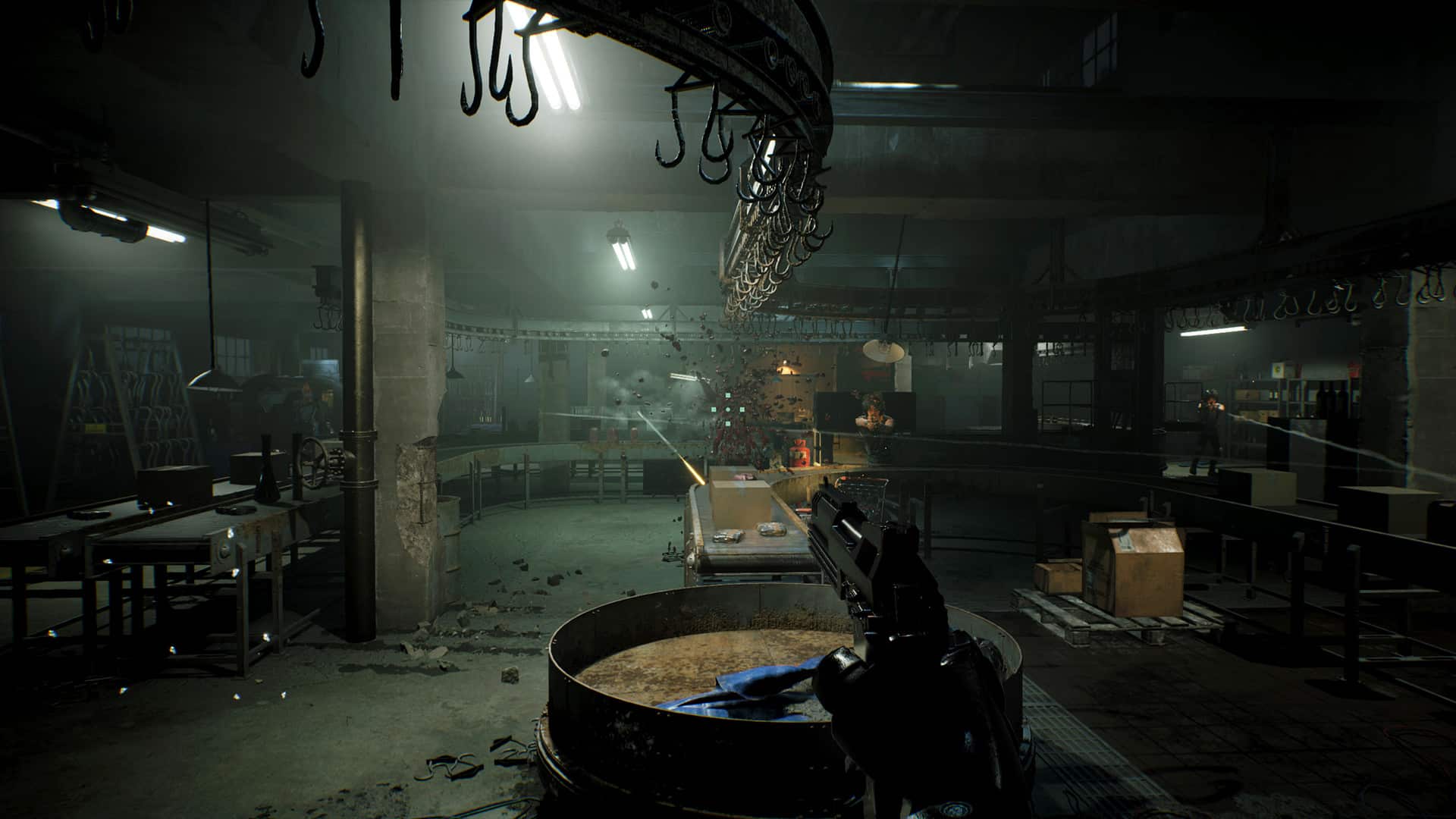
Teyon has collaborated with Omni Consumer Products (OCP) to announce the RoboCop: Rogue City closed beta from July 3 through July 9 on Steam. OCP is conducting a “special program” during the closed beta, where “only the most upstanding citizens will be selected.”

The goal of the upcoming RoboCop: Rogue City closed beta is to focus on the game’s balancing, and the playtest will be under NDA. Players cannot share anything about the game during its closed beta stage.

Folks selected for the closed beta will be rewarded with a 30% promo code that can be used on the Nacon Gaming website and a PC code that contains the game’s digital artbook. Players will receive the digital artbook when RoboCop: Rogue City launches.

To take part in the upcoming playtest, you have to fill out this form. Only a few people will be selected to try out the RoboCop: Rogue City beta.

RoboCop: Rogue City launches for Xbox Series X|S, PS5, and PC in September 2023.

Ibrahim Kabir

Home > News

Dying Light 2 Update 1.11 Rolled Out for Good Night, Good Luck, Here Are the Patch Notes

Dying Light 2 update 1.11 version is now out for the Good Night, Good Luck content drop! This brings new parkour movements, night changes and more! Read on for the DL2 Good Night, Good Luck patch notes.

Dying Light 2 Update 1.11 Patch Notes | DL2 Good Night, Good Luck Patch Notes:

PC | XBOX | PS

Good Night – Night changes
The day and night cycle has always been a fundamental element in the Dying Light series, introducing both visual and, more importantly, gameplay changes to our zombie-infested world. In this update, we aimed to enhance the nighttime aspect of this unique feature by introducing heightened tension, horror, and the presence of roaming Volatiles. To achieve this, we are implementing a series of modifications,
• Ensuring that the night has a heavy, almost horror-like feel.
• A new color grading called “Darker Nights” reduces player visibility exponentially, making your experience more terrifying.
• Updated flashlight rendering that creates more dynamic shadows and better corresponds to the darker environment.
• Improved audio gameplay solidifies the nocturnal atmosphere. Music takes a backseat to sound effects.
• HUD improvements support an immersive nighttime experience.
• Volatiles roam across the rooftops, ensuring you will never feel safe at night.
• The night population of zombies have been reworked to create more unexpected moments while exploring both streets and building interiors
• Chase sequences are less arcade-like and more unpredictable.

Good Luck – Parkour changes
With the initial release of Dying Light 2, we managed to make the complex mechanics of parkour accessible to all players. However, we cannot ignore the voices of real traceurs like you, who desire fewer assists, more physicality, better control, and less hand-holding. In response, we have introduced a new set of parkour settings called ‘Physical’ specifically designed to cater to seasoned veterans of Dying Light 1 and new Pilgrims who want to experience the real deal when traversing The City.
• Several animations have been improved to reduce floatiness.
• Personalize your sprinting experience with the option to switch between auto and manual mode, giving you complete control over how you sprint in the game.
• Keep your momentum while performing a series of parkour moves.
• Regain air control in mid-flight, allowing for reactive maneuvers.
• Added variety of vault animations.
• Tweaked afterboost mechanics now allow for its use after a number of parkour moves, with improved responsiveness and a balanced duration and cooldown.
• Accelerate down ziplines and during pipe slides for a thrilling descent.
• Bid farewell to ghost walking; wall run and roll animations halt when reaching the end of a surface.
• Enjoy smoother wall running with improved starting animations.
• Improved jumping, active landing, and balancing animations.
• Elevator and landing bags animations are sped-up.
• The active landing skill can be performed while paragliding – safety landings!
• Head-bob animation is adjustable in the settings, allowing players to increase camera movement while running. A new default value is set to 50.
• Car safety landing animation duration shortened, and VFX feedback improved.
• We’ve refined gameplay mechanics for the following skills, enhancing their overall feeling: Slide Jump, Bash, Crown Runner, Sleek Runner.

On top of those changes, we are introducing improved parkour actions and animations, and two main options that you can pick. To change between those, head to the Game sub-menu in Options.
• Assisted Parkour: Perfect for beginners, maintaining the original Dying Light 2 experience.
• Physical Parkour: Enable this setting for a grounded, physical, and intense journey. A more grounded and ruthless experience. The ability to disable “jump magnets” for more authentic gameplay.

As a cherry-on-top, we’re introducing the ability to slide down billboards with a knife, giving you more immersive gameplay.

Mod.io in-game integration
Parkour across a multiverse of possibilities with a new section in the main menu – Community Maps! PC players can delve into a treasure trove of custom maps crafted by fellow Pilgrims using our Developer Tools. This is just the first step, and we plan to further develop this feature in the future. Expand your horizons within the vast world of Dying Light!

Before diving into the immersive world of Community Maps, please keep the following in mind:
• Each map is a standalone experience, separate from the main campaign and its progression.
• Custom maps must be completed in a single playthrough, as progress cannot be saved.
• Presently, co-op integration is not available for Community Maps.
• Currently, “script” mods that modify gameplay are not supported.

For the time being, Community Maps feature is available only on PC. Mod.io integration for PlayStation, Xbox, and Steamdeck is set to arrive on these platforms later this year!

Highlights
In addition to the aforementioned changes, we are thrilled to introduce several significant features:

Enhanced Graphics:
Experience a series of graphical improvements, including a new graphics option on PC: SSR Ultra (Screen Space Reflections – Ultra setting).
SSR Ultra dramatically enhances the drawing distance of reflections, immersing you in a more realistic and detailed world.
LOD range multiplier being extended from 100 to 140 for Quality and RT presets.

• Immerse yourself in the nostalgia of Kyle Crane’s era with a new color grading option called “Harran Sunset”.
• Unleash your inner yeet-master with the ability to throw weapons and retrieve them later.
• Enjoy improved UI changes at the beginning and end of the Dynamic Challenges.
• An additional menu option to auto-skip opening movies on PC, saving you time and getting you into the action faster.
• Preserve your unique character aesthetic by hiding your helmet using the new transmog options, allowing you to flaunt your signature Dying Drip.

Game Update
Apart from all the big news from the Good Night Good Luck update above, we’ve also introduced the following fixes and improvements to the game:

Co-op
• Rewards for Dynamic Challenges should be received properly.
• The game will no longer crash for users upon entering the inventory while going to sleep after being teleported.

Weapons that were claimable in the stash are now blueprints available to be crafted at Craftmaster.

Gameplay
• Fixed ability to grab the ledge of some objects.
• Fire from burning bodies render correctly from a further distance.
• During the Getting Stronger quest, Virals will no longer spawn directly in Aiden’s position during the chase sequence, blocking further progress.
• The user is no longer able to use the “Afterboost” parkour skill without being active.
• Anna’s sentences during the Stolen Goods quest are louder.
• The sound effect played when Aiden is punching while jumping is fixed.
• Fixed an issue where the player could remain stuck inside the metro station during the Prometheus main quest.
• Chase can be no longer be triggered during the Prometheus quest.
• Waltz behavior improved during the chase sequence in the Veronica quest.
• Volatile health bars should be visible again upon enabling that feature in the settings.
• Removed improperly placed parkour and environment objects in the world.
• Lieutenants in the Heron Renegados bandit camp will spawn correctly.
• Dismembered body parts will no longer instantly disappear.
• Renegade zones have their own characteristic sound of night coming.
• 1H-weapon attack animations are faster than before.

Technical
• Corrupted particles in the distance were fixed during the Catch Hubert objective.
• Fixed missing materials in various locations.
• Removed invisible walls that occurred in various locations.
• Motion Blur settings in the game should stick to the set values.
• Synchronization of some voice over lines with subtitles.
• The game will no longer receive both inputs from mouse and keyboard while having two options selected.
• Fixed an issue with textures that allowed players to go outside the map.
• Spike pathing is fixed during the prologue.
• The music does not stop in some regions of the map.
• Fixed water shaders when swimming underwater.
• Fixed crashes that might occur when entering water.
• Fixed the position of NPCs during some dialogues.
• Dockets will correctly appear in Aiden’s Stash.

UI
• Player will no longer be stuck in an empty screen upon closing the pop-up about too many save slots being occupied while starting a New Game.
• The Military Bundles description balloon is fixed and no longer contains Gunslinger Bundle content text in the In-game Store tab.
• News is no longer duplicated in the main menu.
• The chase indicator no longer overlaps with XP gained icons.
• Gunslinger Bundle is present in the in-game shop.
• A typo was present in the “new arena unlocked” message in the Bloody Ties DLC – it’s gone now, forever.
• Left Stick Forward UI prompt was misplaced during prologue tutorials.
• Main menu options were not highlighted correctly when the cursor was hovering over them.
• Removed an improper shadow in the co-op menu.

– Fixed an issue with NG+ and NG++ options not showing up after completing the story.

Source: Pilgrim Outpost

Avatar photo

Alex Co

Father, gamer, games media vet, writer of words, killer of noobs.

Home > News

GTA Online Weekly Update for June 29 – Discounts, GTA Plus & More

Rockstar Games has now released a new GTA Online weekly update for June 29 with a new set of activities plus discounts, GTA Plus benefits and more! Check out the full highlights and recap in one handy list below.

New GTA Online Weekly Update for June 29 – Discounts, GTA Plus & More:

Independence Day celebrations are in full swing this week in GTA Online, as players can claim a free Vapid Liberator monster truck, themed liveries for the Mobile Operations Center, seasonal discounts to the Firework Launcher, Firework Ammo, the USA Chute Bag, and more.

In addition, disrupting the supply chains of rival gangs by stealing their goods will fully replenish players’ business Supplies in a new Dynamic Event arriving in Los Santos.

Full highlights from this week include:

  • Free Vehicle: The Vapid Liberator monster truck, available to claim from Warstock Cache & Carry
  • Free Themed Liveries: The Stars & Stripes, Eagle Claw, Eagle Claw Flag, and Fighting Freedom liveries for the Mobile Operations Center
  • New Dynamic Event: Finders Keepers
  • San Andreas Mercenaries Bonuses through July 12:
  • Buy (or already own) the Operations Terminal and Mammoth Thruster Upgrades for the Mammoth Avenger to receive the Hinterland Bomber Jacket
  • Sell GTA$500,000 worth of Smuggler cargo goods by July 12 to receive the LS Pounders Cap
  • Complete all 6 Project Overthrow Missions by July 12 to get the Blue & Green Camo livery for the Mammoth Avenger
  • Complete all 3 LSA Operations by July 12 to receive the Conveyor livery for the V-65 Molotok
  • 2X GTA$ and RP on Hangar Sell Missions and Air Force Zero
  • 3X GTA$ and RP on Business Battles
  • On PlayStation 5 and Xbox Series X|S
    • Premium Test Ride: The Imponte Arbiter GT
    • This week’s HSW Time Trial takes place between Sandy Shores and La Puerta
  • Premium Deluxe Motorsport Showroom Vehicles: The Karin Boor (Off-Road) with the Star-Spangled Patriot livery, Truffade Z-Type (Sports Classics), Western Sovereign (Motorcycle) with the Independence Day livery, Annis RE-7B (Super) in the Pegasus livery, and the Vapid Bullet (Super)
  • Luxury Autos Showroom Vehicles: The Truffade Thrax (Super) and Grotti Visione (Super)
  • Lucky Wheel Top Prize: The Vapid Dominator GTX
  • LS Car Meet Test Rides: The Annis ZR350, Invetero Coquette D10, and Pfister Neon
  • LS Car Meet Prize Ride: The Grotti Cheetah Classic for those who finish in the Top 3 in the Pursuit Series for two days in a row this week
  • Independence Day Discounts: 50% off the Western Sovereign (Motorcycle), Car Horns, Musket, Firework Launcher, Firework Ammo, Tire/Parachute Smoke, Facepaint, Clothing, Mk II Weapon finishes, Select Haircuts, Masks, Patriot Parachute, and the USA Chute Bag
  • 50% off the Hangar Workshop
  • Vehicle Discounts: 30% off the Pegassi Weaponized Ignus (Super), Annis ZR350 (Sports), and Grotti Visione (Super), 40% off the HVY Menacer (Off-Road), and LF-22 Starling (Plane), 50% off the FH-1 Hunter (Helicopter) and Mobile Operations Center (and Upgrades)
  • Gun Van Discounts: 35% off the Service Carbine and the Unholy Hellbringer (for GTA+ Members)
  • GTA+ Benefits: A free Maibatsu MonstroCiti (Off-Road), the new Avenger Operations Terminal, Cream Pearl and Blue-Green Flip Chameleon Wheel Paints, Project Overthrow bonuses, 40% off Avenger upgrades, and more

GTA+:

GTA+ Members can enjoy a wide selection of rewards, bonuses, and other perks through July 19, including:

  • New Maibatsu MonstroCiti Off-Road Vehicle
  • New Avenger Operations Terminal
  • Cream Pearl and Blue-Green Flip Chameleon Wheel Paints
  • 1.5X GTA$ and RP on Project Overthrow Missions
  • 40% off the Mammoth Thruster docking station, Front Machine Guns, and Missiles Upgrades for the Avenger

And much more, including a GTA$500,000 bonus delivered upon billing each month. Visit the GTA+ website for the complete breakdown.

Discounts:

A Hangar Workshop gives you access to the Weapons Workshop as well, helping to bring your aircraft and weaponry up to code. This vital upgrade is available from Maze Bank Foreclosures and 50% off through July 5. Plus, see below for the complete list of vehicles on sale.

  • Pegassi Weaponized Ignus (Super) – 30% off
  • Annis ZR350 (Sports) – 30% off
  • Grotti Visione (Super) – 30% off
  • HVY Menacer (Off-Road) – 40% off
  • LF-22 Starling (Plane) – 40% off
  • FH-1 Hunter (Helicopter) – 50% off
  • Mobile Operations Center (and Upgrades) – 50% off

Gun Van Inventory and Discounts:

You can purchase discounted instruments of destruction at Ammu-Nation. See below for the complete inventory.

Service Carbine (35% off) | Minigun | Up-N-Atomizer | Widowmaker | Unholy Hellbringer (35% off for GTA+ Members) | Tactical SMG | Firework Launcher | Musket | Pool Cue | Proximity Mines | Sticky Bombs | Grenades | Armor

That’s all for this week’s update. Be sure to check again next week for the new GTA Online weekly update.

Avatar photo

Salman Haider Zaidi

That's a nice argument, Senator.

Home > News

Dying Light 2 Update 1.35 for June 29 Runs Out for “Good Night, Good Luck” Patch (Update)

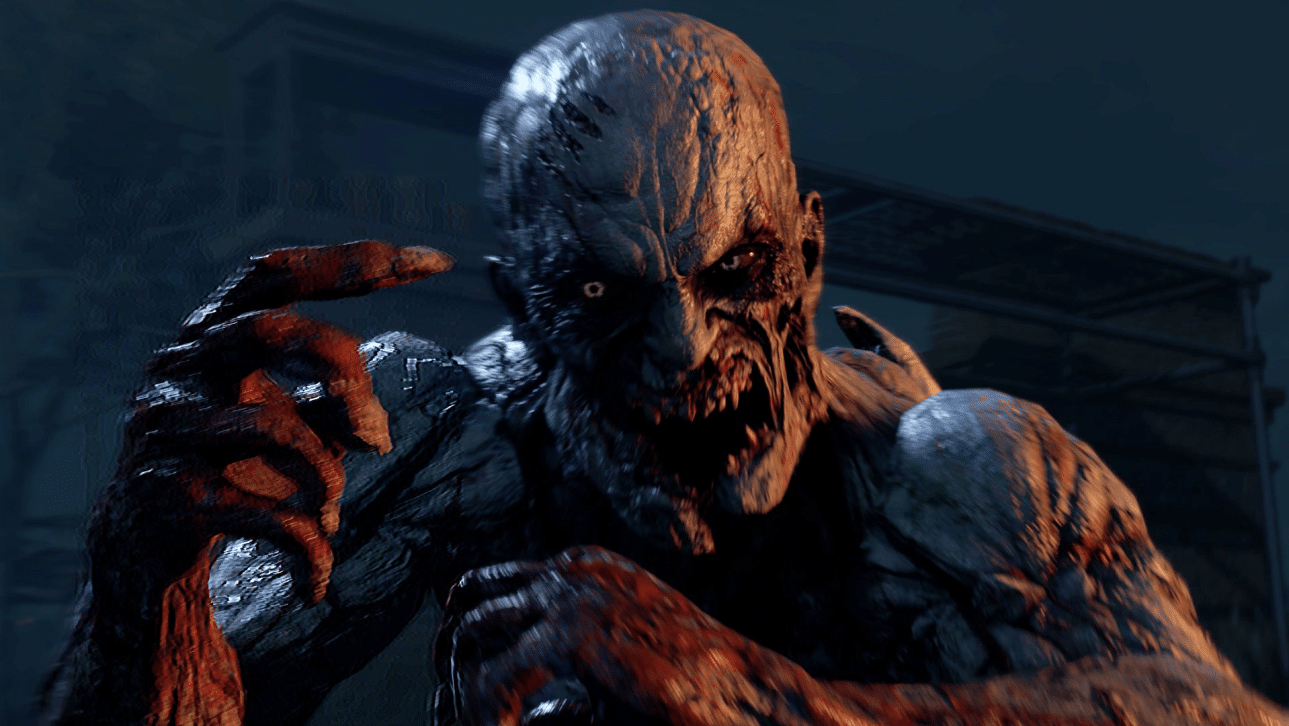
Techland has rolled out Dying Light 2 update 1.35 (PS5 version 1.035) this June 29, and this is for the big “Good Night, Good Luck” update! This brings darker nights into the game, new parkour movements and more. Read on for the Dying Light 2

Dying Light 2 Update 1.35 Patch Notes | Dying Light 2 Update 1.035 Patch Notes | Dying Light 2 Good Night, Good Luck Update Patch Notes:

Update: The full patch notes have been added to the article.

PC | XBOX | PS

Good Night – Night changes
The day and night cycle has always been a fundamental element in the Dying Light series, introducing both visual and, more importantly, gameplay changes to our zombie-infested world. In this update, we aimed to enhance the nighttime aspect of this unique feature by introducing heightened tension, horror, and the presence of roaming Volatiles. To achieve this, we are implementing a series of modifications,
• Ensuring that the night has a heavy, almost horror-like feel.
• A new color grading called “Darker Nights” reduces player visibility exponentially, making your experience more terrifying.
• Updated flashlight rendering that creates more dynamic shadows and better corresponds to the darker environment.
• Improved audio gameplay solidifies the nocturnal atmosphere. Music takes a backseat to sound effects.
• HUD improvements support an immersive nighttime experience.
• Volatiles roam across the rooftops, ensuring you will never feel safe at night.
• The night population of zombies have been reworked to create more unexpected moments while exploring both streets and building interiors
• Chase sequences are less arcade-like and more unpredictable.

Good Luck – Parkour changes
With the initial release of Dying Light 2, we managed to make the complex mechanics of parkour accessible to all players. However, we cannot ignore the voices of real traceurs like you, who desire fewer assists, more physicality, better control, and less hand-holding. In response, we have introduced a new set of parkour settings called ‘Physical’ specifically designed to cater to seasoned veterans of Dying Light 1 and new Pilgrims who want to experience the real deal when traversing The City.
• Several animations have been improved to reduce floatiness.
• Personalize your sprinting experience with the option to switch between auto and manual mode, giving you complete control over how you sprint in the game.
• Keep your momentum while performing a series of parkour moves.
• Regain air control in mid-flight, allowing for reactive maneuvers.
• Added variety of vault animations.
• Tweaked afterboost mechanics now allow for its use after a number of parkour moves, with improved responsiveness and a balanced duration and cooldown.
• Accelerate down ziplines and during pipe slides for a thrilling descent.
• Bid farewell to ghost walking; wall run and roll animations halt when reaching the end of a surface.
• Enjoy smoother wall running with improved starting animations.
• Improved jumping, active landing, and balancing animations.
• Elevator and landing bags animations are sped-up.
• The active landing skill can be performed while paragliding – safety landings!
• Head-bob animation is adjustable in the settings, allowing players to increase camera movement while running. A new default value is set to 50.
• Car safety landing animation duration shortened, and VFX feedback improved.
• We’ve refined gameplay mechanics for the following skills, enhancing their overall feeling: Slide Jump, Bash, Crown Runner, Sleek Runner.

On top of those changes, we are introducing improved parkour actions and animations, and two main options that you can pick. To change between those, head to the Game sub-menu in Options.
• Assisted Parkour: Perfect for beginners, maintaining the original Dying Light 2 experience.
• Physical Parkour: Enable this setting for a grounded, physical, and intense journey. A more grounded and ruthless experience. The ability to disable “jump magnets” for more authentic gameplay.

As a cherry-on-top, we’re introducing the ability to slide down billboards with a knife, giving you more immersive gameplay.

Mod.io in-game integration
Parkour across a multiverse of possibilities with a new section in the main menu – Community Maps! PC players can delve into a treasure trove of custom maps crafted by fellow Pilgrims using our Developer Tools. This is just the first step, and we plan to further develop this feature in the future. Expand your horizons within the vast world of Dying Light!

Before diving into the immersive world of Community Maps, please keep the following in mind:
• Each map is a standalone experience, separate from the main campaign and its progression.
• Custom maps must be completed in a single playthrough, as progress cannot be saved.
• Presently, co-op integration is not available for Community Maps.
• Currently, “script” mods that modify gameplay are not supported.

For the time being, Community Maps feature is available only on PC. Mod.io integration for PlayStation, Xbox, and Steamdeck is set to arrive on these platforms later this year!

Highlights
In addition to the aforementioned changes, we are thrilled to introduce several significant features:

Enhanced Graphics:
Experience a series of graphical improvements, including a new graphics option on PC: SSR Ultra (Screen Space Reflections – Ultra setting).
SSR Ultra dramatically enhances the drawing distance of reflections, immersing you in a more realistic and detailed world.
LOD range multiplier being extended from 100 to 140 for Quality and RT presets.

• Immerse yourself in the nostalgia of Kyle Crane’s era with a new color grading option called “Harran Sunset”.
• Unleash your inner yeet-master with the ability to throw weapons and retrieve them later.
• Enjoy improved UI changes at the beginning and end of the Dynamic Challenges.
• An additional menu option to auto-skip opening movies on PC, saving you time and getting you into the action faster.
• Preserve your unique character aesthetic by hiding your helmet using the new transmog options, allowing you to flaunt your signature Dying Drip.

Game Update
Apart from all the big news from the Good Night Good Luck update above, we’ve also introduced the following fixes and improvements to the game:

Co-op
• Rewards for Dynamic Challenges should be received properly.
• The game will no longer crash for users upon entering the inventory while going to sleep after being teleported.

Weapons that were claimable in the stash are now blueprints available to be crafted at Craftmaster.

Gameplay
• Fixed ability to grab the ledge of some objects.
• Fire from burning bodies render correctly from a further distance.
• During the Getting Stronger quest, Virals will no longer spawn directly in Aiden’s position during the chase sequence, blocking further progress.
• The user is no longer able to use the “Afterboost” parkour skill without being active.
• Anna’s sentences during the Stolen Goods quest are louder.
• The sound effect played when Aiden is punching while jumping is fixed.
• Fixed an issue where the player could remain stuck inside the metro station during the Prometheus main quest.
• Chase can be no longer be triggered during the Prometheus quest.
• Waltz behavior improved during the chase sequence in the Veronica quest.
• Volatile health bars should be visible again upon enabling that feature in the settings.
• Removed improperly placed parkour and environment objects in the world.
• Lieutenants in the Heron Renegados bandit camp will spawn correctly.
• Dismembered body parts will no longer instantly disappear.
• Renegade zones have their own characteristic sound of night coming.
• 1H-weapon attack animations are faster than before.

Technical
• Corrupted particles in the distance were fixed during the Catch Hubert objective.
• Fixed missing materials in various locations.
• Removed invisible walls that occurred in various locations.
• Motion Blur settings in the game should stick to the set values.
• Synchronization of some voice over lines with subtitles.
• The game will no longer receive both inputs from mouse and keyboard while having two options selected.
• Fixed an issue with textures that allowed players to go outside the map.
• Spike pathing is fixed during the prologue.
• The music does not stop in some regions of the map.
• Fixed water shaders when swimming underwater.
• Fixed crashes that might occur when entering water.
• Fixed the position of NPCs during some dialogues.
• Dockets will correctly appear in Aiden’s Stash.

UI
• Player will no longer be stuck in an empty screen upon closing the pop-up about too many save slots being occupied while starting a New Game.
• The Military Bundles description balloon is fixed and no longer contains Gunslinger Bundle content text in the In-game Store tab.
• News is no longer duplicated in the main menu.
• The chase indicator no longer overlaps with XP gained icons.
• Gunslinger Bundle is present in the in-game shop.
• A typo was present in the “new arena unlocked” message in the Bloody Ties DLC – it’s gone now, forever.
• Left Stick Forward UI prompt was misplaced during prologue tutorials.
• Main menu options were not highlighted correctly when the cursor was hovering over them.
• Removed an improper shadow in the co-op menu.

– Fixed an issue with NG+ and NG++ options not showing up after completing the story.

Here’s the terrifying trailer for the upcoming Dying Light 2 update: Good Night, Good Luck. Arriving as part of the game’s Summer of Horrors, the update overhauls the night experience – ushering in darker nights by significantly reducing visibility and having the infected, like Volatiles, show up in more locations. The Good Night, Good Luck update introduces more parkour improvements including new animations, increased control while airborne, and the ability to maintain momentum. There’s also a new parkour style so players can decide whether they want more control over their movement (Physical mode) or whether they prefer assisted gameplay. Explore Dying Light 2’s Community Maps, which are coming to PC as part of the update and will be coming to consoles and Steam Deck soon.

Dying Light 2’s Good Night, Good Luck update arrives on June 29, 2023. Its Summer of Horrors period will host a series of events, crossovers, and updates throughout the season, into September this year. Players can also check out the Bloody Nights Event, which runs from June 29 to July 13. Beware of Volatiles as you prepare to loot valuables in the dead of night and earn rewards.

Once the official patch notes are out, we’ll update the article to reflect it.

Update: Added official patch notes and article has been updated.

Source: Pilgrim Outpost

Avatar photo

Alex Co

Father, gamer, games media vet, writer of words, killer of noobs.

Home > News

Wo Long: Fallen Dynasty Update 1.11 for June 29 Released for DLC “Battle of Zhongyuan”

Team Ninja has released Wo Long: Fallen Dynasty update 1.11 (PS5 version 1.011) and this is for the “Battle of Zhongyuan” DLC. In addition to that, several other bug fixes have been implemented. Read on for the Wo Long: Fallen Dynasty June 29 patch notes.

Wo Long: Fallen Dynasty Update 1.11 Patch Notes | Wo Long: Fallen Dynasty Update 1.011 Patch Notes | Wo Long: Fallen Dynasty Update June 29 Patch Notes:

Download Size: 6.8GB

DLC “Battle of Zhongyuan”

  • Added the new story “Battle of Zhongyuan.”
    • Players must first complete the main battlefield “Tyrant’s Final Banquet” in the main game to play “Battle of Zhongyuan.”

    image

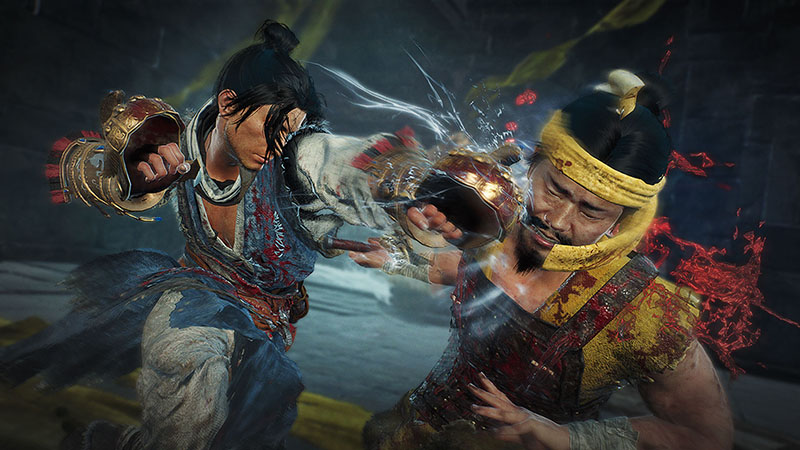
  • Added cestuses as a new weapon category.
    • These weapons will be available from the beginning of the game.
    • After the DLC is applied, players may claim a cestus for free via Deliveries in the Battle Flag menu.
    • Cestuses will be added to reward and dropped item lotteries.

    image

  • Added the higher difficulty mode “Path of the Soaring Dragon.”
    • Players can unlock this difficulty by conquering a certain number of battlefields under the difficulty “Path of the Rising Dragon.”
    • In “Path of the Soaring Dragon,” it is now possible to obtain equipment with upgrade levels and rarities higher than the current maximum level, and the maximum cap for players’ levels and Morale Ranks will have been increased.
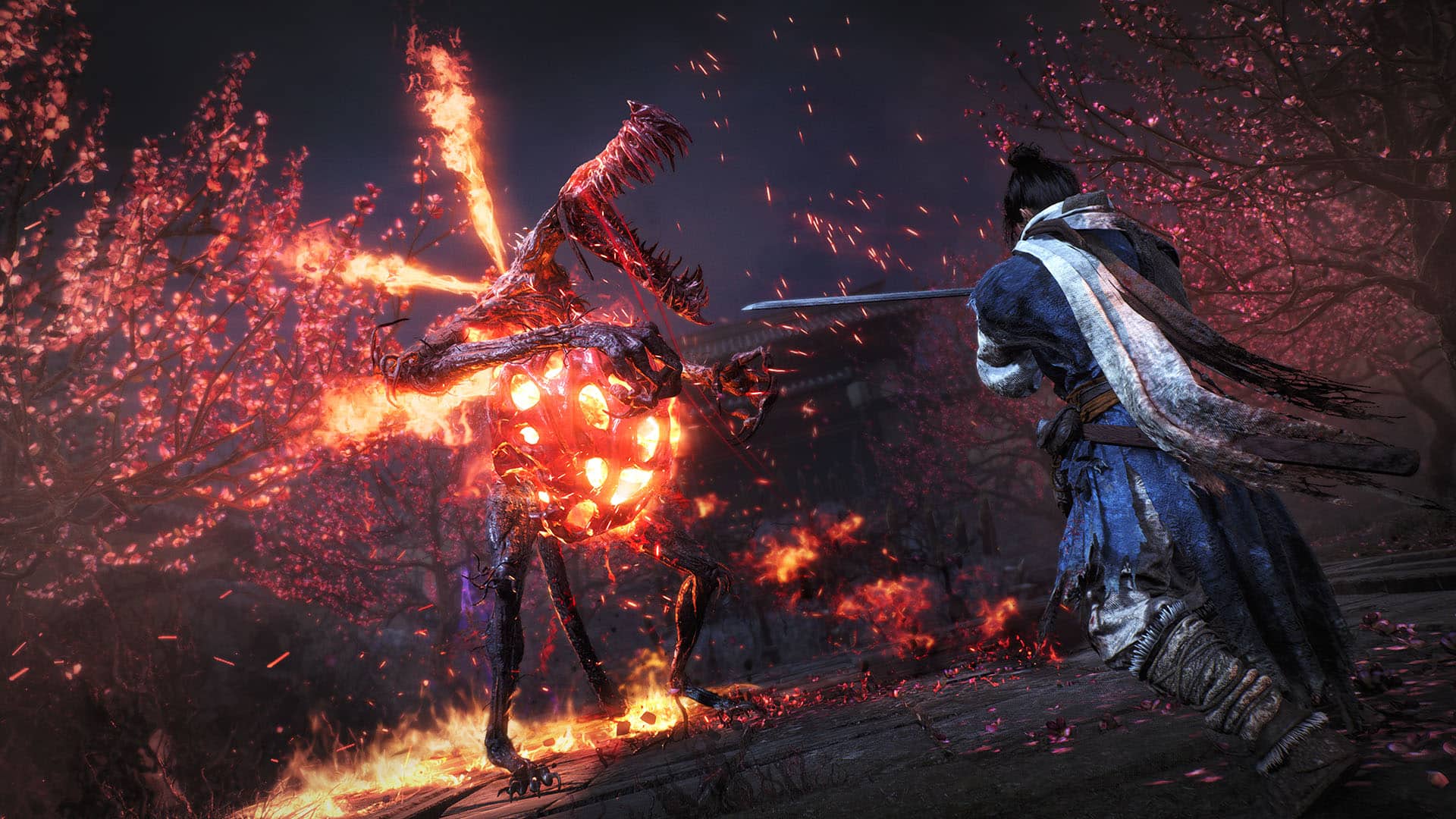
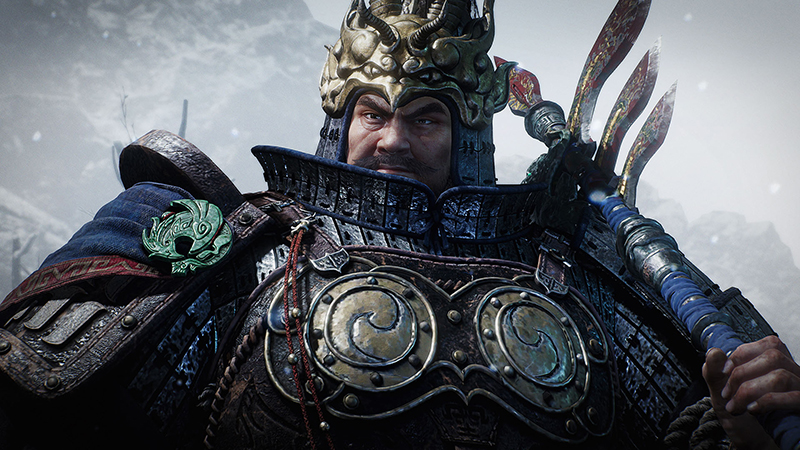
  • Added new demons and enemies.
    image
  • Added a new Divine Beast.
  • Added new weapons, armor, and accessories.
  • Added set bonuses exclusive to equipment obtainable in “Path of the Rising Dragon.”
  • Added new accolade rewards.
  • Added new trophies and achievements.
  • Added new titles and records.

Free Updates

  • Added “NARAKA: BLADEPOINT” collaboration equipment sets “Loyal Drunk” and “Crimson Night.”
    • After applying the update, these items can be claimed via Deliveries in the Battle Flag menu.
    • After these items have been claimed via Deliveries, they may be obtained as possible drop rewards from enemies.
    • The appearance and name of these items will change depending upon the figure type selected in Character Creation.
  • Made it possible to set 8 Wizardry Spells.
    • This can be done via Set Wizardry Spells.
    • Please refer to “Wizardry Spells” under Tutorial for instructions on how to switch Spells in-game.
  • Added 10 new Wizardry Spells.
    • Players can use these new spells by obtaining the item Hidden Tomes.
    • These tomes can be obtained as possible drops after defeating bosses on the Path of the Rising Dragon and beyond.
  • Added the feature “Store Genuine Qi.”
    • Players will be able to use this feature by accessing the Level Up menu upon reaching the maximum level.
    • This allows players to store Genuine Qi so that it will not be lost upon their death.
  • Added the consumable item Handheld Gong.
    • This item may be obtained as possible drop rewards from some enemies.
  • Added a new Martial Arts technique Turning Clouds, which can be used with straight sabres, swords, and curbed sabres.
    • This technique will be randomly assigned upon acquiring an applicable weapon.
  • Added new special effects.
    • These special effects will be randomly assigned to equipment in the same way as existing special effects.
  • Made changes so that equipment upgrade levels and rarities will now be displayed on the screen when rewards are acquired.
  • Made changes so that Undistributed Virtues will be displayed in the Level Up menu.
  • Added a function to display a list of currently owned Jewelry Essence on the Embedment screen in the Blacksmith menu or in the Inventory menu.
  • Added a function to compare a piece of equipment with another in the Inventory menu.
  • Made changes so that the remaining and maximum number of uses of the Dragon’s Cure Pot will be displayed in the Inventory menu.
  • Made it possible to filter the items within the storehouse from the Blacksmith menu.
  • Added a function to preview the appearance of the item before applying the decoration.
  • Made changes so that players can set or remove Favorites and Lock on an item with a single button in the Inventory and Blacksmith menus.
    • This is also possible in the Equipment menu.
    • Favorites and Lock can be set or removed separately in the Inventory and Blacksmith menus by pressing the Confirm.
  • Made changes so that the tutorial videos for Martial Arts are accessible in the Equipment and Inventory menus will switch automatically.
  • Made it possible for players to browse the upgrade levels and rarities of their companions’ equipment via Companion Details in the Co-op menu.
  • Added the new filters Bleach Bypass and Glitch to the Photograph menu.
  • Made it possible for players to check equipment upgrade levels, rarities, and special effects via Battle Sets in the Battle Preparation menu.
  • Added Display Identification above Enemy Player’s Head as an option in the Online Settings within the Settings menu.
  • Made it possible to pause and resume scrolling texts in the Documents menu.
  • Applied font color to highlight segments of the text that explains effects and uses of items in the item descriptions.

Adjustments

  • Made changes so that Morale Rank is no longer an activation requirement for Wizardry Spells, but instead acts as a condition that changes the resulting actions of the spell.
    • Wizardry Spells can now be casted regardless of Morale Rank.
    • For Morale Ranks below the level listed for each spell, the following actions occur:
      • Spirit consumption is increased.
      • If the spell would apply a positive effect, it will also incur a negative effect that slows down automatic Spirit recovery while the user is in Low Spirit.
  • Shortened the startup sequence of deflecting counterattacks when using glaives, spears, staffs, dual swords, dual sabres, or dual halberds.
  • Increased the range from which players can perform Fatal Strikes while remaining unnoticed by Changgui.
  • Made changes so that pieces of 5★ equipment obtained as a reward for the number of battlefields conquered will have a random chance to be bestowed with one of the Grace set bonuses.
  • Made adjustments so that equipment obtained from the accolade reward Chests of Equipment will have a random chance to be bestowed with one of the Grace set bonuses.
  • Made downward adjustments to the probability of receiving a Grace set bonus for dropped equipment.
  • Made changes so that the following special effects will be activated just after the player’s Fatal Strike sequence has ended:
    • Regeneration (upon Fatal Strike)
    • Power Gain (upon Fatal Strike)
    • Damage Reduction (upon Fatal Strike)
    • Spirit Fervor (upon Fatal Strike)
  • Made changes so that at times when players are unable to control their characters during missions, processing of all status effects would stop.
  • Made changes so that the camera angle adjusts to match the character’s height when they are hit.
  • Made changes so that players no longer lose Genuine Qi if they die due to damage not directly inflicted by an attack, such as from status effects, falling, or stage gimmicks.
  • Made it impossible to use the item Willow Branch while jumping.
  • Made improvements to action synchronization during multiplayer sessions.
  • Changed the name of the adjustment field for the Black and White filter in the Photograph menu to Contrast.
  • Made adjustments to the camera movement in the Photograph menu.
  • Changed the sort order in the Reinforcements menu.
  • Changed the confirmation message displayed when exiting the Battle Flag Customization and Character Creation menus.
  • Made changes to the name of the Martial Arts technique Dead Foliage (formerly Falling Leaf in English) in some languages.

Major Bug Fixes

  • Fixed crash-prone situations that occurred in certain environments.
  • Fixed a bug that allowed players to go outside the bounds of the current stage from certain locations in some stages.
  • Fixed a bug that caused characters to become stuck (in the ground/surrounding objects) in certain locations in some stages, making it impossible for players to progress.
  • Fixed a bug causing the sky to flicker for a moment when the player rested at Battle Flags in some stages.
  • Fixed a bug that prevented players from scaling over certain objects in the main battlefield “Centuries of Glory Burned Away” after the game was restarted under certain conditions.
  • Fixed a bug that caused unnecessary enemy alert sound effects to play under certain conditions in the main battlefield “Centuries of Glory Burned Away.”
  • Fixed a bug that caused reward item rarities to be lower than they should be in the main battlefield “Village of Calamity” in “Path of the Rising Dragon.”
  • Fixed a bug in the main battlefield “The Way of the Warrior” in “Path of the Rising Dragon” that prevented players from acquiring Dragon Vein Crystals even if those crystals had not yet been acquired.
  • Fixed a bug in the sub battlefield “Escape from the Capital” in which the follower settings for enemies along the player’s path were incorrect.
  • Fixed a bug in the sub battlefield “Fate of the Entertainer” in which leaders would not yield appropriate levels of drop rewards after they were defeated.
  • Fixed a bug in the sub battlefield “The Request of Goddess Luo” in which destroyed terracotta soldiers would respawn after the player interacted with a Battle Flag.
  • Fixed a bug that caused incorrect actions to be performed despite players pressing the input for Summon Divine Beast/Divine Beast Resolution after successfully deflecting against an enemy’s Critical Blow.
  • Fixed a bug in which the player’s Martial Arts technique Looming Cloud would not aim toward the enemy when activated.
  • Fixed a bug that would cause some bosses who were in Spirit Disruption to immediately recover and return to their normal state.
  • Fixed a bug in which the correct elemental affinity was not set for Bo Cai.
  • Fixed a bug in which the boss Zhang Liao would perform Critical Blows without consuming Spirit.
  • Fixed a bug in which unintended Spirit damage would be inflicted when the boss Zhang Liao’s Critical Blows were deflected.
  • Fixed a bug in which the boss Demonized Liu Bei would perform Critical Blows without consuming Spirit.
  • Fixed a bug in which the boss Hua Xiong would perform Critical Blows without consuming Spirit.
  • Fixed a bug in which the player’s Morale Rank would not fall even when they were hit by Hong Jing’s Critical Blow.
  • Fixed a bug occurring when the player used the Wizardry Spell Poison Bubbles, in which the effects of Unseeable Form would be activated.
  • Fixed a bug that would sometimes cause the player to remain semi-transparent after the effects of Unseeable Form should have worn off.
  • Fixed a bug that occurred when using dual weapons to perform a Fatal Strike against an enemy on the edge of a cliff, in which the action sequence of the attack would cause the player to fall to their death.
  • Fixed a bug in which elemental damage was not reduced when guarding immediately after deflecting.
  • Fixed a bug preventing certain sounds from playing in THEATER.
  • Fixed a bug preventing icons from being displayed during loading in THEATER.
  • Fixed a bug in which the amount of HP recovered as a result of the special effect HP Restoration from Melee Attack Damage did not appropriately correspond to the amount of damage inflicted.
  • Fixed a bug that would prevent some cutscenes from appearing on the list in the THEATER menu after downloading cross save management data.
  • Fixed a bug that occurred when selecting saved data displayed in cross save management uploads/downloads, in which incorrect saved data would be selected instead under certain conditions.
  • Fixed a bug that prevented icons indicating newly obtained items from being displayed under certain conditions in the Equipment and Inventory menus.
  • Fixed a bug in which enemies’ Spirit gauge during Spirit Disruption would sometimes be displayed incorrectly during online multiplayer sessions.
  • Fixed a bug that applied the Ink Painting filter to the screen when exiting the Photograph menu under certain conditions.
  • Fixed a bug occurring after dropping an item from the Inventory menu, in which players would sometimes become unable to close the menu and progress.
  • Fixed a bug in which the enemy’s detection meter would sometimes not be displayed under certain conditions.
  • Fixed a bug in which enemies would sometimes not respawn in their set positions after players interacted with a Battle Flag.
  • Fixed a bug that caused death and mission failure after completing the mission, if the player falls from a cliff, etc., and then gets hit by an enemy.
  • Fixed a bug that would sometimes cause the game to crash after companions retreated from battle.
  • Fixed a bug that caused the aimpoint to go out of the camera frame if the player moved the aimpoint while zooming and aiming a throwing weapon.
  • Fixed a bug in which performing the Divine Beast Resonation for Baihu would occasionally activate Summon Divine Beast instead.
  • Fixed a glitch in which an enemy’s dead body would get stuck in midair if they had died by falling from higher ground.
  • Fixed a bug in which moving the mouse during tutorial videos would cause the game camera to move.
  • Fixed a bug that would sometimes cause NPCs’ eyes to glow red after the player lowered their Morale Rank limit by utilizing Inner Discipline at a Battle Flag during a mission.
  • Fixed a bug that would occasionally cause characters’ positions to shift significantly after the player changed weapons in the Equipment menu.
  • Fixed a bug that would sometimes prevent companions from participating in boss battles.
  • Fixed a bug that would inflict the opponent with the hit effects of Molten Calamity Thorn even when the user did not successfully land the attack.
  • Fixed a bug in which equipping a weapon enchanted with elemental effects and then performing an Aerial skill would manifest the hit effects of that particular element upon stomping on an enemy.
  • Fixed a bug that would sometimes occur after using the item Genuine Qi Crystal, in which the interface displayed an incorrect amount of Genuine Qi obtained instead of what was actually obtained.
  • Fixed a bug that would sometimes allow nearby enemies to attack while the player was interacting with Battle Flags in the main battlefield “Decisive Battle of Guandu.”
  • Fixed a bug which made it possible for the player to impractically encourage a companion who is about to retreat from battle after they had been defeated and failed to receive aid.
  • Fixed a bug in which enemies would sometimes not react to the player if they retained their Battle Flag progress and started a sub mission that had already been completed once.
  • Fixed a bug that reset Inner Discipline settings if the player had enabled Inner Discipline during a mission, returned to the title screen without interacting with a Battle Flag, and then returned to the same mission from CONTINUE.
  • Fixed a bug allowing players in Recruit and Co-op sessions to obtain Titles that included the condition “Recruit and co-op not permitted.”
  • Fixed a bug causing the camera to focus on the forehead when the Cheek Bulge or Cheek Position options were selected in Character Creation.
  • Fixed a bug that would sometimes cause the Face Shape settings in Character Creation to be displayed incorrectly when decorations were applied on equipments.
  • Fixed a bug that would include the hashtag #Wolong_Code even when sharing screenshots unrelated to Character Creation Codes.
  • Fixed a bug occurring when using Martial Arts that continuously consume Spirit while players hold the input, in which the Spirit consumption speed differed depending on the player’s selected frame rate.
  • Fixed other minor bugs.

PlayStation®5/PlayStation®4/Xbox Series X|S/Xbox One Versions

Major Bug Fixes

  • Reduced rendering time.

Steam®/Microsoft Store Versions

Major Bug Fixes

  • Fixed a bug that would sometimes prevent the game from launching when using certain driver versions for NVIDIA GPUs.
  • Fixed a bug that would sometimes cause shadows to flicker in stages when certain resolutions and graphics settings were selected.
  • Fixed a bug that would sometimes cause reflections on the water’s surface to flicker when DLSS was enabled.
  • Fixed a bug that prevented some mouse operations from working properly in the Control Settings section of the Settings menu.
  • Fixed a bug that would prevent some of Zhang Bao’s Critical Blows from hitting the player when the game was running at 120FPS.
  • Fixed a bug that would sometimes cause the game to crash when defeating Dong Zhuo while the player is inflicted with Poison.

Source: Team Ninja

Damien Seeto

Home > News

Naruto to Boruto: Shinobi Striker Update 2.45 Out for New Content This June 29

Bandai Namco has released Naruto to Boruto: Shinobi Striker update 2.45 for all supporting platforms. Today’s update comes with new weapons, improved playability, and more. Check out the full Naruto to Boruto: Shinobi Striker June 29 patch notes down below.

Naruto to Boruto: Shinobi Striker Update 2.45 Patch Notes | Naruto to Boruto: Shinobi Striker June 29 Patch Notes:

The only patch notes released so far come from the game’s PS4 update history. You can read the details below.

The following patch notes were provided by the developer of this title.

– Improved playability in the lobby.
– New VR Master added
– New Ninjutsu and weapons added
– New customization parts added
– Rebalanced Ninjutsu
– Fixed minor bugs

If Bandai Namco decides to post more detailed patch notes, we’ll be sure to update this post as soon as possible. Keep it locked at MP1st for more updates about this game in the future.

Damien Seeto

Home > News

Wo Long: Fallen Dynasty Update v1.10 for June 29 Slices Out for DLC 1 “Battle of Zhongyuan” and More (Update)

Team Ninja has released Wo Long: Fallen Dynasty update v1.10 (PS5 version 1.010) and this is for the game’s first DLC, “Battle of Zhongyuan.” In addition to that, non-DLC buying players can only expect the Wo Long X Naraka Bladepoint collaboration, which features a new armor set.

Check out the info on the new DLC and content, alongside the Wo Long: Fallen Dynasty patch notes for June 29 below.

Wo Long: Fallen Dynasty Update v1.10 Patch Notes:

Download Size: 6.8GB

DLC “Battle of Zhongyuan”

  • Added the new story “Battle of Zhongyuan.”
    • Players must first complete the main battlefield “Tyrant’s Final Banquet” in the main game to play “Battle of Zhongyuan.”

    image

  • Added cestuses as a new weapon category.
    • These weapons will be available from the beginning of the game.
    • After the DLC is applied, players may claim a cestus for free via Deliveries in the Battle Flag menu.
    • Cestuses will be added to reward and dropped item lotteries.

    image

  • Added the higher difficulty mode “Path of the Soaring Dragon.”
    • Players can unlock this difficulty by conquering a certain number of battlefields under the difficulty “Path of the Rising Dragon.”
    • In “Path of the Soaring Dragon,” it is now possible to obtain equipment with upgrade levels and rarities higher than the current maximum level, and the maximum cap for players’ levels and Morale Ranks will have been increased.
  • Added new demons and enemies.
    image
  • Added a new Divine Beast.
  • Added new weapons, armor, and accessories.
  • Added set bonuses exclusive to equipment obtainable in “Path of the Rising Dragon.”
  • Added new accolade rewards.
  • Added new trophies and achievements.
  • Added new titles and records.

Free Updates

  • Added “NARAKA: BLADEPOINT” collaboration equipment sets “Loyal Drunk” and “Crimson Night.”
    • After applying the update, these items can be claimed via Deliveries in the Battle Flag menu.
    • After these items have been claimed via Deliveries, they may be obtained as possible drop rewards from enemies.
    • The appearance and name of these items will change depending upon the figure type selected in Character Creation.
  • Made it possible to set 8 Wizardry Spells.
    • This can be done via Set Wizardry Spells.
    • Please refer to “Wizardry Spells” under Tutorial for instructions on how to switch Spells in-game.
  • Added 10 new Wizardry Spells.
    • Players can use these new spells by obtaining the item Hidden Tomes.
    • These tomes can be obtained as possible drops after defeating bosses on the Path of the Rising Dragon and beyond.
  • Added the feature “Store Genuine Qi.”
    • Players will be able to use this feature by accessing the Level Up menu upon reaching the maximum level.
    • This allows players to store Genuine Qi so that it will not be lost upon their death.
  • Added the consumable item Handheld Gong.
    • This item may be obtained as possible drop rewards from some enemies.
  • Added a new Martial Arts technique Turning Clouds, which can be used with straight sabres, swords, and curbed sabres.
    • This technique will be randomly assigned upon acquiring an applicable weapon.
  • Added new special effects.
    • These special effects will be randomly assigned to equipment in the same way as existing special effects.
  • Made changes so that equipment upgrade levels and rarities will now be displayed on the screen when rewards are acquired.
  • Made changes so that Undistributed Virtues will be displayed in the Level Up menu.
  • Added a function to display a list of currently owned Jewelry Essence on the Embedment screen in the Blacksmith menu or in the Inventory menu.
  • Added a function to compare a piece of equipment with another in the Inventory menu.
  • Made changes so that the remaining and maximum number of uses of the Dragon’s Cure Pot will be displayed in the Inventory menu.
  • Made it possible to filter the items within the storehouse from the Blacksmith menu.
  • Added a function to preview the appearance of the item before applying the decoration.
  • Made changes so that players can set or remove Favorites and Lock on an item with a single button in the Inventory and Blacksmith menus.
    • This is also possible in the Equipment menu.
    • Favorites and Lock can be set or removed separately in the Inventory and Blacksmith menus by pressing the Confirm.
  • Made changes so that the tutorial videos for Martial Arts are accessible in the Equipment and Inventory menus will switch automatically.
  • Made it possible for players to browse the upgrade levels and rarities of their companions’ equipment via Companion Details in the Co-op menu.
  • Added the new filters Bleach Bypass and Glitch to the Photograph menu.
  • Made it possible for players to check equipment upgrade levels, rarities, and special effects via Battle Sets in the Battle Preparation menu.
  • Added Display Identification above Enemy Player’s Head as an option in the Online Settings within the Settings menu.
  • Made it possible to pause and resume scrolling texts in the Documents menu.
  • Applied font color to highlight segments of the text that explains effects and uses of items in the item descriptions.

Adjustments

  • Made changes so that Morale Rank is no longer an activation requirement for Wizardry Spells, but instead acts as a condition that changes the resulting actions of the spell.
    • Wizardry Spells can now be casted regardless of Morale Rank.
    • For Morale Ranks below the level listed for each spell, the following actions occur:
      • Spirit consumption is increased.
      • If the spell would apply a positive effect, it will also incur a negative effect that slows down automatic Spirit recovery while the user is in Low Spirit.
  • Shortened the startup sequence of deflecting counterattacks when using glaives, spears, staffs, dual swords, dual sabres, or dual halberds.
  • Increased the range from which players can perform Fatal Strikes while remaining unnoticed by Changgui.
  • Made changes so that pieces of 5★ equipment obtained as a reward for the number of battlefields conquered will have a random chance to be bestowed with one of the Grace set bonuses.
  • Made adjustments so that equipment obtained from the accolade reward Chests of Equipment will have a random chance to be bestowed with one of the Grace set bonuses.
  • Made downward adjustments to the probability of receiving a Grace set bonus for dropped equipment.
  • Made changes so that the following special effects will be activated just after the player’s Fatal Strike sequence has ended:
    • Regeneration (upon Fatal Strike)
    • Power Gain (upon Fatal Strike)
    • Damage Reduction (upon Fatal Strike)
    • Spirit Fervor (upon Fatal Strike)
  • Made changes so that at times when players are unable to control their characters during missions, processing of all status effects would stop.
  • Made changes so that the camera angle adjusts to match the character’s height when they are hit.
  • Made changes so that players no longer lose Genuine Qi if they die due to damage not directly inflicted by an attack, such as from status effects, falling, or stage gimmicks.
  • Made it impossible to use the item Willow Branch while jumping.
  • Made improvements to action synchronization during multiplayer sessions.
  • Changed the name of the adjustment field for the Black and White filter in the Photograph menu to Contrast.
  • Made adjustments to the camera movement in the Photograph menu.
  • Changed the sort order in the Reinforcements menu.
  • Changed the confirmation message displayed when exiting the Battle Flag Customization and Character Creation menus.
  • Made changes to the name of the Martial Arts technique Dead Foliage (formerly Falling Leaf in English) in some languages.

Major Bug Fixes

  • Fixed crash-prone situations that occurred in certain environments.
  • Fixed a bug that allowed players to go outside the bounds of the current stage from certain locations in some stages.
  • Fixed a bug that caused characters to become stuck (in the ground/surrounding objects) in certain locations in some stages, making it impossible for players to progress.
  • Fixed a bug causing the sky to flicker for a moment when the player rested at Battle Flags in some stages.
  • Fixed a bug that prevented players from scaling over certain objects in the main battlefield “Centuries of Glory Burned Away” after the game was restarted under certain conditions.
  • Fixed a bug that caused unnecessary enemy alert sound effects to play under certain conditions in the main battlefield “Centuries of Glory Burned Away.”
  • Fixed a bug that caused reward item rarities to be lower than they should be in the main battlefield “Village of Calamity” in “Path of the Rising Dragon.”
  • Fixed a bug in the main battlefield “The Way of the Warrior” in “Path of the Rising Dragon” that prevented players from acquiring Dragon Vein Crystals even if those crystals had not yet been acquired.
  • Fixed a bug in the sub battlefield “Escape from the Capital” in which the follower settings for enemies along the player’s path were incorrect.
  • Fixed a bug in the sub battlefield “Fate of the Entertainer” in which leaders would not yield appropriate levels of drop rewards after they were defeated.
  • Fixed a bug in the sub battlefield “The Request of Goddess Luo” in which destroyed terracotta soldiers would respawn after the player interacted with a Battle Flag.
  • Fixed a bug that caused incorrect actions to be performed despite players pressing the input for Summon Divine Beast/Divine Beast Resolution after successfully deflecting against an enemy’s Critical Blow.
  • Fixed a bug in which the player’s Martial Arts technique Looming Cloud would not aim toward the enemy when activated.
  • Fixed a bug that would cause some bosses who were in Spirit Disruption to immediately recover and return to their normal state.
  • Fixed a bug in which the correct elemental affinity was not set for Bo Cai.
  • Fixed a bug in which the boss Zhang Liao would perform Critical Blows without consuming Spirit.
  • Fixed a bug in which unintended Spirit damage would be inflicted when the boss Zhang Liao’s Critical Blows were deflected.
  • Fixed a bug in which the boss Demonized Liu Bei would perform Critical Blows without consuming Spirit.
  • Fixed a bug in which the boss Hua Xiong would perform Critical Blows without consuming Spirit.
  • Fixed a bug in which the player’s Morale Rank would not fall even when they were hit by Hong Jing’s Critical Blow.
  • Fixed a bug occurring when the player used the Wizardry Spell Poison Bubbles, in which the effects of Unseeable Form would be activated.
  • Fixed a bug that would sometimes cause the player to remain semi-transparent after the effects of Unseeable Form should have worn off.
  • Fixed a bug that occurred when using dual weapons to perform a Fatal Strike against an enemy on the edge of a cliff, in which the action sequence of the attack would cause the player to fall to their death.
  • Fixed a bug in which elemental damage was not reduced when guarding immediately after deflecting.
  • Fixed a bug preventing certain sounds from playing in THEATER.
  • Fixed a bug preventing icons from being displayed during loading in THEATER.
  • Fixed a bug in which the amount of HP recovered as a result of the special effect HP Restoration from Melee Attack Damage did not appropriately correspond to the amount of damage inflicted.
  • Fixed a bug that would prevent some cutscenes from appearing on the list in the THEATER menu after downloading cross save management data.
  • Fixed a bug that occurred when selecting saved data displayed in cross save management uploads/downloads, in which incorrect saved data would be selected instead under certain conditions.
  • Fixed a bug that prevented icons indicating newly obtained items from being displayed under certain conditions in the Equipment and Inventory menus.
  • Fixed a bug in which enemies’ Spirit gauge during Spirit Disruption would sometimes be displayed incorrectly during online multiplayer sessions.
  • Fixed a bug that applied the Ink Painting filter to the screen when exiting the Photograph menu under certain conditions.
  • Fixed a bug occurring after dropping an item from the Inventory menu, in which players would sometimes become unable to close the menu and progress.
  • Fixed a bug in which the enemy’s detection meter would sometimes not be displayed under certain conditions.
  • Fixed a bug in which enemies would sometimes not respawn in their set positions after players interacted with a Battle Flag.
  • Fixed a bug that caused death and mission failure after completing the mission, if the player falls from a cliff, etc., and then gets hit by an enemy.
  • Fixed a bug that would sometimes cause the game to crash after companions retreated from battle.
  • Fixed a bug that caused the aimpoint to go out of the camera frame if the player moved the aimpoint while zooming and aiming a throwing weapon.
  • Fixed a bug in which performing the Divine Beast Resonation for Baihu would occasionally activate Summon Divine Beast instead.
  • Fixed a glitch in which an enemy’s dead body would get stuck in midair if they had died by falling from higher ground.
  • Fixed a bug in which moving the mouse during tutorial videos would cause the game camera to move.
  • Fixed a bug that would sometimes cause NPCs’ eyes to glow red after the player lowered their Morale Rank limit by utilizing Inner Discipline at a Battle Flag during a mission.
  • Fixed a bug that would occasionally cause characters’ positions to shift significantly after the player changed weapons in the Equipment menu.
  • Fixed a bug that would sometimes prevent companions from participating in boss battles.
  • Fixed a bug that would inflict the opponent with the hit effects of Molten Calamity Thorn even when the user did not successfully land the attack.
  • Fixed a bug in which equipping a weapon enchanted with elemental effects and then performing an Aerial skill would manifest the hit effects of that particular element upon stomping on an enemy.
  • Fixed a bug that would sometimes occur after using the item Genuine Qi Crystal, in which the interface displayed an incorrect amount of Genuine Qi obtained instead of what was actually obtained.
  • Fixed a bug that would sometimes allow nearby enemies to attack while the player was interacting with Battle Flags in the main battlefield “Decisive Battle of Guandu.”
  • Fixed a bug which made it possible for the player to impractically encourage a companion who is about to retreat from battle after they had been defeated and failed to receive aid.
  • Fixed a bug in which enemies would sometimes not react to the player if they retained their Battle Flag progress and started a sub mission that had already been completed once.
  • Fixed a bug that reset Inner Discipline settings if the player had enabled Inner Discipline during a mission, returned to the title screen without interacting with a Battle Flag, and then returned to the same mission from CONTINUE.
  • Fixed a bug allowing players in Recruit and Co-op sessions to obtain Titles that included the condition “Recruit and co-op not permitted.”
  • Fixed a bug causing the camera to focus on the forehead when the Cheek Bulge or Cheek Position options were selected in Character Creation.
  • Fixed a bug that would sometimes cause the Face Shape settings in Character Creation to be displayed incorrectly when decorations were applied on equipments.
  • Fixed a bug that would include the hashtag #Wolong_Code even when sharing screenshots unrelated to Character Creation Codes.
  • Fixed a bug occurring when using Martial Arts that continuously consume Spirit while players hold the input, in which the Spirit consumption speed differed depending on the player’s selected frame rate.
  • Fixed other minor bugs.

PlayStation®5/PlayStation®4/Xbox Series X|S/Xbox One Versions

Major Bug Fixes

  • Reduced rendering time.

Steam®/Microsoft Store Versions

Major Bug Fixes

  • Fixed a bug that would sometimes prevent the game from launching when using certain driver versions for NVIDIA GPUs.
  • Fixed a bug that would sometimes cause shadows to flicker in stages when certain resolutions and graphics settings were selected.
  • Fixed a bug that would sometimes cause reflections on the water’s surface to flicker when DLSS was enabled.
  • Fixed a bug that prevented some mouse operations from working properly in the Control Settings section of the Settings menu.
  • Fixed a bug that would prevent some of Zhang Bao’s Critical Blows from hitting the player when the game was running at 120FPS.
  • Fixed a bug that would sometimes cause the game to crash when defeating Dong Zhuo while the player is inflicted with Poison.

The official patch notes aren’t out yet,but here’s some of the new content players can expect.

Included in DLC 1:

  • New scenario “Battle of Zhongyuan”
  • New stages
  • New difficulty level
  • New weapon type

new enemies

..and more!

The “NARAKA: BLADEPOINT” collaboration armor will be Obtainable by downloading the free update (Ver. 1.10) that will be distributed on Thursday, June 29!

Take on the demon-plagued Three Kingdoms and overcome the odds of deadly combat!

In other Wo Long: Fallen Dynasty news, the Lies of P X Wo Long collaboration has been announced recently, though no info about it has been shared just yet.

Once the complete patch notes are out, well update the article.

Source: Team Ninja

Avatar photo

Alex Co

Father, gamer, games media vet, writer of words, killer of noobs.

Home > News

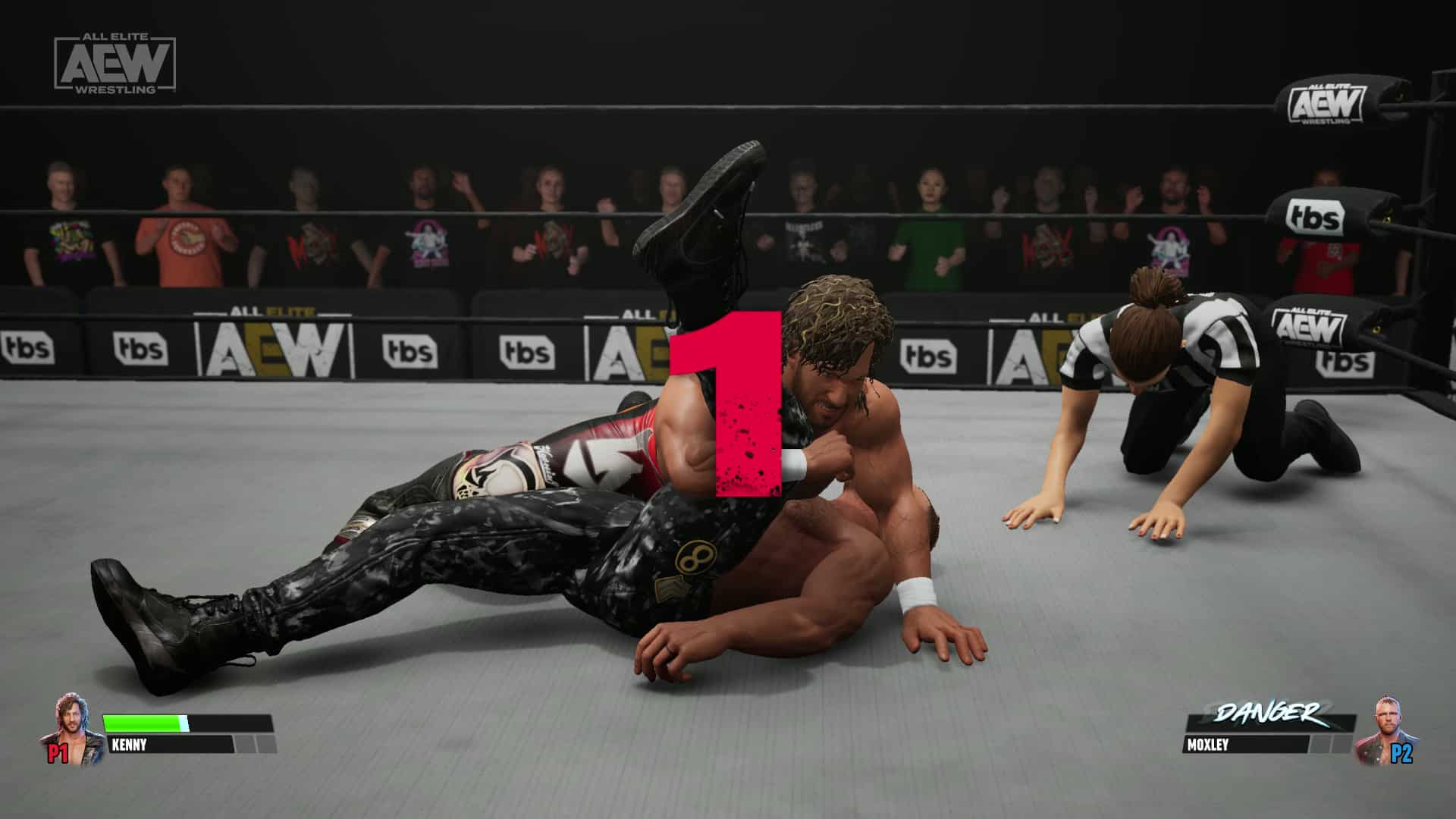
AEW Fight Forever Review – Room to Become Elite

All Elite Wrestling (AEW) is the latest American professional wrestling league to attempt to take on the WWE. It burst onto the scene in 2019, and caused quite a buzz in the wrestling world. Fast-forward four years, and the organization has seen fit to hire developer Yuke’s (formerly of WWE 2K fame) to create the very first console game with its official stamp of approval. First entries of any sports title are usually a bit rough around the edges, though. Can AEW Fight Forever avoid such a fate?

In the Shadows of Giants

Let’s be realistic here: most people should go into the first entry of a sports title with tepid expectations. These days, we are spoiled with venerable sports games such as MLB The Show, Madden, NBA 2K, Gran Turismo, Forza, and others which feature showcase-worthy graphics, broadcast-quality presentation, jaw-droppingly accurate character and stadium modeling, real-world physics…the list goes on for the ways in which sports video games bring the action to life and help you believe you are really playing in or watching a sporting event. But none of the titles mentioned here began life that way; heck, most of them began with 2D sprites on pseudo-3D fields, with no player names or endorsements to speak of.

With these things in mind, AEW Fight Forever will probably pleasantly surprise wrestling fans. There is a decent smattering of event types to choose from, including online modes. This includes the most over-the-top Exploding Barbed Wire Deathmatch, which delivers exactly what it says on the tin. Two wrestlers are locked in, and must fight until either someone is pinned, or the whole ring explodes. The player who is closest to the wire as it explodes receives the most damage, likely setting them up for a loss. It’s modes like this which help to separate AEW from WWE beyond a simple roster change, and give it some character it sorely needs.

A Stacked Roster

One impressive area AEW Fight Forever has going for it, especially as a fledging video game series, is in its star-studded roster. There are almost 50 characters to play or unlock, the majority of which are available from the get-go. Current champions are also denoted, and can be played with their special outfit or designation in a match. Unfortunately, these characters are not voiced, but perhaps that will come in future versions of Fight Forever should its sales warrant such a thing.

The Unreal Engine 4 runs the show, and the results are okay. The PS5’s SSD zips along and ensure blink-and-you’ll-miss-it loading times, though the small size of environments and characters that need to load in likely help cut this time down as well. Character models look fine, though faces definitely look “off” in a way that is hard to quantify. You can easily recognize who they are supposed to be, but as for what emotion they’re feeling, it’s usually anybody’s guess unless they’re grimacing in pain, something that body language helps to convey far more than facial features. Fight Forever features a handful of arenas, and other than some set dressing you fight in a square ring surrounded by spectators. There are only a couple of different spectator characters, who are randomly placed and who also randomly play through animations, which are all synced so you’ll see quite a few of them performing their animations at exactly the same time. The bottom line is that the presentation of these arenas needs a bit of work.

Limited Presentation

Really, the whole package that is AEW: Fight Forever needs a bit of work. It all starts with the audio mix. Traversing the game’s various menus will play a brief introduction by an AEW personality, but if you’ve got your TV or sound system turned up, it’ll be kind of hard to hear them. The volume on these commentators needed to be turned up from the start, though considering they do not speak at all during an actual match, I suppose it’s a moot point. Since this is the first entry in the mainline series of AEW games, this can be forgiven – after all, long-running sports games have several years’ worth of audio samples to work with to create convincing live commentary, while Yuke’s does not have that luxury just starting out.

Speaking of starting out, one advantage that any new franchise benefits from is a lack of baggage from the past. We are all newbies when it comes to AEW games, so easing players into this game’s control scheme and mechanics is a must for Yuke’s. For the most part, they get it right with a tutorial that automatically plays when you start any match, and explains things quite simply. There is even an easy mode so that players don’t have to worry about moving the analog stick a certain way to perform some of the game’s more impressive moves. AEW Fight Forever is quite easy to pick up and play, so long as you know how to pin your opponent when the time comes.

Easy to Get Into

Animations are also passable in AEW Fight Forever, but many feel pretty stiff. This has the potential to be fixed in future entries as more movement data can be captured and added to what Yuke’s launched with. Running animations in particular look accidentally funny, while victory poses leave a lot to be desired. There is also next to nothing in terms of presentation once a match begins: a camera shot or two of the walkup of whoever is walking out onto the arena, and then no fake broadcast logos or noticeable changes in the audience such as signs (though you will occasionally hear them break out into chanting a character’s name, which is a nice touch).

Yuke’s did see fit to launch a career mode, something most sports games do not do for at least a few iterations. Called Road to Elite, you take your character (whom you’ve created, or one of the pros) and launch their AEW career. In typical sports career style, things just happen to go your way and through a mix of skill, luck, and determination, your character becomes a superstar. In atypical sports career style, you hilariously can choose whether your character’s diet is vegetarian or not (Vegetarian Mode) — yes, really!), which has no bearing on anything other than what foods you eat throughout your career. The season progresses as you have some time to work out, go out on whatever town the tour has brought you to, dine to recover some energy, and finally actually fight in a match. All the while, a branching storyline plays out, mostly in in-game cutscenes with no voice acting (expect to read a lot), with occasional breaks as archival footage from various points in AEW’s short history is played when you reach a certain milestone. There is a lot of focus on AEW as a revolution in wrestling, something the game seems to truly believe in.

Room to Become Elite

Another staple of sports games is a character creator. AEW Fight Forever features one, but it is quite limited in choices for the player. Sorry to sound like a broken record, but again, a newly-established sports video game series is likely to have limited options, so this isn’t unexpected but it is still disappointing. One aspect to all characters, though, is that if you play with them and level them up in one mode, their progress is saved and available in all other modes. Now this is a great touch that modern sports games include, and is pleasantly surprising to see here.

AEW Fight Forever is a good start which can hopefully lead to much greater things. If you’re a fan of the newest professional wrestling league, then you should purchase this game to send a message to the league that you appreciate their efforts, and you’ll have plenty to look forward to in any potential sequel that may follow this if the game sells well. Wrestling fans in general should check this out as well, because it’s not like you’re exactly swimming in current game choices these days. For everyone else, this remains a hard sell, but that is true of most sports games. If one word could sum up AEW Fight Forever, it’s simply this: potential.

Score: 6/10

Pros:

  • A fully realized roster of characters
  • Easy to pick up
  • Exploding Barbed Wire Deathmatch!

Cons:

  • Rough presentation
  • No real voice acting
  • Limited customization options

AEW Fight Forever review code was provided by the publisher. You can read MP1st’s review and scoring policy right here.

Avatar photo

Paulmichael Contreras

Paulmichael has been writing in the gaming industry since 2008. Living just outside of Los Angeles, he has been lucky enough to attend numerous gaming events around the world, including the last ten E3 shows (RIP)! A thoughtful reviewer, every game you see scored by PmC has been given careful attention. Paulmichael is also an aviation fan and an avid snowboarder. Favorite games include: No Man's Sky, Gran Turismo 7, skate., CloverPit.

Home > News

GT7 Update 1.350 Skids Out for New Cars, Tracks and More This June 29

The (Gran Turismo 7) GT7 update 1.350 download has been released by Polyphony Digital on both last-gen and current-gen, and this is the game’s big June update. Players can expect new cars, extra menus added to the GT Café, new tracks and more! Read on for the GT7 patch notes for June 29.

GT7 Update 1.350 Patch Notes | GT7 June 29 Patch Notes:

Main Features

1. Cars
– The following three new cars have been added:
・Aston Martin Valkyrie ’21
・Mitsubishi Lancer Evolution III GSR ’95 (available for purchase at Used Cars)
・Subaru Impreza Sedan WRX STi ’04 (available for purchase at Used Cars)

– A new livery has been added for the following car:
・Lexus RC F GT3 ’17

2. World Circuits
 - The following new events have been added to World Circuits:
・Fisherman’s Ranch
– Japanese 4WD Challenge 600
・Circuit de Sainte-Croix
– Hypercar Parade
・Red Bull Ring
– Japanese 4WD Challenge 600
・Autopolis
– World Touring Cars 800

3. Music Rally
– The following six events have been added to Music Rally:
・Good Old Days (Classixx Remix)
・DRIFT
・Marechia (With Célia Kameni)
・Hooked on America
・Life’s Coming in Slow
・Moon Over the Castle GT7 version

4. Scapes
– “Monterey” and “Field of Flowers” have been added as featured Curations in Scapes.

5. Café
 - The following two Extra Menus have been added:
・Extra Menu No. 24: Collection: Subaru WRX (Collector Level 26 and above)
・Extra Menu No. 25: Collection: Mitsubishi Lancer Evolution (Collector Level 30 and above)

– We have also added new sets of conversations with the Car Designers and Characters appearing in the Café. These new conversations can be accessed by changing to the following cars in Garage and speaking with the Characters in the Café

CHARACTERS
– Chris
・Alfa Romeo Giulia Sprint GT Veloce ’67
・Aston Martin Valkyrie ’21

– Jeremy
・Mitsubishi Lancer Evolution III GSR ’95
・Nissan GT-R NISMO (R32) ’90

– Stella
・Subaru Impreza Sedan WRX STi ’04

6. Brand Central
 - New Museum section for “Fanatec” has been added for Europe.

7. GT Auto
 - Car Customization
・”Fanatec” has been added to the pre-set decals in the Livery Editor.
・Thirteen “Real Car Paint” colors have been added to Paint Color.

– Car Maintenance & Service
Engine Swaps have been added for the following cars (unlocked at Collector Level 50):
・Alpine A110 Première Édition ’17
・Nissan Fairlady Z Version S (Z33) ’07
・Nissan GT-R NISMO (R32) ’90
・Nissan Skyline GT-R V・spec II (R32) ’94
・Nissan Z Performance ’23

8. Sport
– Rewards will now be awarded at the end of a season based on the player’s final ranking. Once the final ranking has been confirmed, eligible players may access their rewards by entering Sport mode. This reward will start with the Gran Turismo World Series 2023 – Manufacturers Cup.

9. Multiplayer
 - “Settings Options” has been added to the Room Settings in Lobby mode. When the B”oP/Tuning Prohibited” is set to On, the “Allowed” and “Prohibited” settings can be applied freely with this option.

Other Improvements and Adjustments

1. Physics Simulation Model
– We adjusted the effect of the Brake while Auto-Drive.

2. Cars
– We fixed an issue in which adding wide body modifications would cause visual aberrations in liveries around the front end in the following cars:
・Alpine A110 ’72

– We changed the overtake indicator display for the following vehicles with boost functions such as KERS:
・Aston Martin Valkyrie ’21
・Dodge SRT Tomahawk GTS-R VGT
・Dodge SRT Tomahawk S VGT
・Dodge SRT Tomahawk X VGT
・Infiniti Concept VGT
・Lexus LF-LC GT VGT
・Nissan NISSAN CONCEPT 2020 VGT
・Toyota FT-1 VGT

– We adjusted the motor gear ratio in the following cars:
・Lamborghini Lambo V12 VGT

3. World Circuits
 - We fixed an issue in Custom Race in which loading saved race settings that included cars prohibited from racing in dirt would allow said cars to be used on Dirt tracks.

4. Café
 - Cars yet to be obtained now display their availability status in the Extra Menu list.

5. GT Auto
 - The engine start-up sound now plays after performing an Engine Swap in Car Maintenance & Service.

6. Sport
 - Entry screens now display the Wall Collision Penalty setting under Penalty Settings.

7. Race Screen
– The pit-in menu during races now displays required tries and previously used tire types.

8. Sound
 - The following tracks have been added to the list of BGM that may have copyright restrictions when streaming. These tracks will not be played when Broadcast Mode is turned on:
・Bizcochito / Rosalía
・I Don’t Care / Major Lazer featuring Lous and the Yakuza
・Unstoppable / Kim Dracula
・Baby It’s You (George Fitzgerald Remix) / London Grammar
・Life’s Coming in Slow / Nothing But Thieves
・VROOM / The FaNatTiX feat. Idris Elba, Davido, Koffee, Moelogo and Lil Tjay
・SQUAD / Disciples and GoldLink
・DRIFT / Jawsh685 + Click & Press

9. Controllers
 - We adjusted the steering sensitivity of the left stick and directional buttons when using a wireless controller.

10. PlayStation®VR2
 - We fixed an issue in which using PlayStation®VR2 in “2P Split Screen” mode would cause VR replay to unintentionally play after the race.

11. Localization
– We fixed various text localization issues.

12. Others
– Various other issues have been addressed.

Source: Gran Turismo

Avatar photo

Alex Co

Father, gamer, games media vet, writer of words, killer of noobs.

Home > News

Pokémon Scarlet and Pokémon Violet Update 1.3.2 for June 28 Rolled Out

Nintendo has released Pokémon Scarlet and Pokémon Violet update 1.3.2, and this brings adjustments to the game! Read up on what’s new in the official new Pokemon patch notes for June 28 straight from Nintendo!

Pokémon Scarlet and Pokémon Violet Update 1.3.2 | Pokémon Scarlet and Pokémon Violet Update Patch Notes for June 28:

Ver. 1.3.2 (Released June 28, 2023)

Updates

  • Mechanic adjustments have been made for upcoming live tournaments.

Complete these steps

  1. Connect the Nintendo Switch console to the internet.
  2. From the HOME Menu, select the icon for the software you wish to update without starting the game or application.
  3. Press the + or – Button on your controller, then select Software Update followed by Via the Internet.
  4. Once the update is installed, the newest version number will be displayed on the title screen

Note that the game must be patched in order to use any online feature, and all players must be using the same version of the game to play togethe

Once a new patch is out, we’ll be sure to let our readers know.

Source: Nintendo

Avatar photo

Alex Co

Father, gamer, games media vet, writer of words, killer of noobs.

Home > News

Alan Wake 2 Has Less Combat, Pacing Is “Slow Down” Compared to First Game According to Remedy

If you played the first Alan Wake and felt it had too much shadow fighting, running away and the like, you might be happy to know that won’t be a problem in Alan Wake 2, as Remedy Entertainment confirmed that it will feature “less combat” than the first game.

This was mentioned by Alan Wake 2 Co-Director and Lead Writer Sam Lake in the latest issue of PLAY magazine (#29). In addition to less combat, the game’s pace is “slowed down” compared to the first game as well, though this was done as a way to shift the genre from the first Alan Wake being more of an action–adventure game, to the sequel being closer to a survival-horror. This was all done to make combat encounters more meaniingful.

The first game was an action adventure game – it had horror elements, but it was an action adventure game. And there were elements there that we wanted to fix, if you will – the fact that the combat is very samey and there is a lot of it through the whole experience. [We decided that shifting to] survival horror [for the sequel made] a lot of sense – less combat, the pacing is slowed down – it allows us to do more with the story and be more ambitious with the story.

When there is less combat, every combat encounter is a bigger event. – Sam Lake, Alan Wake 2 Co-Director and Lead Writer

Having played the first Alan Wake, I completely understand where Lake is coming from. In the first game, you were assaulted non-stop by shadow monsters, which became unbearable at times given resources weren’t all that plenty. Let’s hope that in Alan Wake 2, the combat encounters are meatier and a bit more varied too.

Alan Wake 2 will be released this October 17 on the PS5, Xbox Series X|S and PC.

Avatar photo

Alex Co

Father, gamer, games media vet, writer of words, killer of noobs.

Home > News

New Remnant 2 Trailer Features Footage of N’Erud, an Alien Construct

A new Remnant 2 trailer has been published, and this one features some gameplay footage of N’Erud, an alien construct that players will be able to explore in the game. Once the second home of the Drzyr race, it is now haunted by its own citizens after N’Erud was plunged into a supermassive black hole.

Here’s the trailer:

N’Erud is a gigantic construct with the ability to traverse the universe at incomprehensible speeds. 🚀 Its denizens, the Drzyr, discovered a supermassive black hole that may hold the mysteries of creation. But what has become of the Drzyr?

An article on Steam delves deeper into the story behind N’Erud.

N’ERUD
N’Erud is a gigantic construct with the ability to traverse the universe at incomprehensible speeds. It was built as a second home for the Drzyr, a long-lived and technologically advanced species that has mastered the powers of matter and energy, bent biology to its will, and amassed an intimate knowledge of time and space. But in their search for sentient life beyond their own, the Drzyr stumbled upon something far greater: the center of the universe, the Seat of Creation itself.

THE CUSTODIAN
Within the Seat of Creation, the Drzyr discovered a supermassive black hole the likes of which had never been encountered before. Many believed the answer to all of creation’s mysteries resided within the center of the black hole. The Custodian, caretaker of N’Erud and wholly responsible for its function, assured the Drzyr that their constructed home could withstand the journey. Accepting the Custodian’s seemingly infallible counsel, the Drzyr prepared to meet their Creator.

TAL’RATHA
The Drzyr civilization ended the moment N’Erud crossed the event horizon. Tal’Ratha, an Astropath enlightened by a mysterious ingestible substance, had desperately warned the Drzyr of the dangers of entering the black hole. Ultimately overruled, he could do nothing as N’Erud plunged into its doom… Yet somehow, Tal’Ratha survived the perilous journey, only to see his tragic prediction realized: the now derelict N’Erud has become a necropolis, and his fellow Drzyr warped into incorporeal entities who haunt the very world they built.

Remnant 2 launches this July 25 on PS5, Xbox Series X|S, and PC.

Carlos Perez

Home > News

Gran Turismo 7 Update 1.35 for June 29 Brings New Cars and More

Polyphony Digital has released Gran Turismo 7 update 1.35, which is for the game’s big June update! Players can expect three new cars to be introduced, as well more rally tracks, bug fixes and the like.

Gran Turismo 7 Update 1.35 Patch Notes:

Update: Full patch notes added.

Main Features

1. Cars
– The following three new cars have been added:
・Aston Martin Valkyrie ’21
・Mitsubishi Lancer Evolution III GSR ’95 (available for purchase at Used Cars)
・Subaru Impreza Sedan WRX STi ’04 (available for purchase at Used Cars)

– A new livery has been added for the following car:
・Lexus RC F GT3 ’17

2. World Circuits
 - The following new events have been added to World Circuits:
・Fisherman’s Ranch
– Japanese 4WD Challenge 600
・Circuit de Sainte-Croix
– Hypercar Parade
・Red Bull Ring
– Japanese 4WD Challenge 600
・Autopolis
– World Touring Cars 800

3. Music Rally
– The following six events have been added to Music Rally:
・Good Old Days (Classixx Remix)
・DRIFT
・Marechia (With Célia Kameni)
・Hooked on America
・Life’s Coming in Slow
・Moon Over the Castle GT7 version

4. Scapes
– “Monterey” and “Field of Flowers” have been added as featured Curations in Scapes.

5. Café
 - The following two Extra Menus have been added:
・Extra Menu No. 24: Collection: Subaru WRX (Collector Level 26 and above)
・Extra Menu No. 25: Collection: Mitsubishi Lancer Evolution (Collector Level 30 and above)

– We have also added new sets of conversations with the Car Designers and Characters appearing in the Café. These new conversations can be accessed by changing to the following cars in Garage and speaking with the Characters in the Café

CHARACTERS
– Chris
・Alfa Romeo Giulia Sprint GT Veloce ’67
・Aston Martin Valkyrie ’21

– Jeremy
・Mitsubishi Lancer Evolution III GSR ’95
・Nissan GT-R NISMO (R32) ’90

– Stella
・Subaru Impreza Sedan WRX STi ’04

6. Brand Central
 - New Museum section for “Fanatec” has been added for Europe.

7. GT Auto
 - Car Customization
・”Fanatec” has been added to the pre-set decals in the Livery Editor.
・Thirteen “Real Car Paint” colors have been added to Paint Color.

– Car Maintenance & Service
Engine Swaps have been added for the following cars (unlocked at Collector Level 50):
・Alpine A110 Première Édition ’17
・Nissan Fairlady Z Version S (Z33) ’07
・Nissan GT-R NISMO (R32) ’90
・Nissan Skyline GT-R V・spec II (R32) ’94
・Nissan Z Performance ’23

8. Sport
– Rewards will now be awarded at the end of a season based on the player’s final ranking. Once the final ranking has been confirmed, eligible players may access their rewards by entering Sport mode. This reward will start with the Gran Turismo World Series 2023 – Manufacturers Cup.

9. Multiplayer
 - “Settings Options” has been added to the Room Settings in Lobby mode. When the B”oP/Tuning Prohibited” is set to On, the “Allowed” and “Prohibited” settings can be applied freely with this option.

Other Improvements and Adjustments

1. Physics Simulation Model
– We adjusted the effect of the Brake while Auto-Drive.

2. Cars
– We fixed an issue in which adding wide body modifications would cause visual aberrations in liveries around the front end in the following cars:
・Alpine A110 ’72

– We changed the overtake indicator display for the following vehicles with boost functions such as KERS:
・Aston Martin Valkyrie ’21
・Dodge SRT Tomahawk GTS-R VGT
・Dodge SRT Tomahawk S VGT
・Dodge SRT Tomahawk X VGT
・Infiniti Concept VGT
・Lexus LF-LC GT VGT
・Nissan NISSAN CONCEPT 2020 VGT
・Toyota FT-1 VGT

– We adjusted the motor gear ratio in the following cars:
・Lamborghini Lambo V12 VGT

3. World Circuits
 - We fixed an issue in Custom Race in which loading saved race settings that included cars prohibited from racing in dirt would allow said cars to be used on Dirt tracks.

4. Café
 - Cars yet to be obtained now display their availability status in the Extra Menu list.

5. GT Auto
 - The engine start-up sound now plays after performing an Engine Swap in Car Maintenance & Service.

6. Sport
 - Entry screens now display the Wall Collision Penalty setting under Penalty Settings.

7. Race Screen
– The pit-in menu during races now displays required tries and previously used tire types.

8. Sound
 - The following tracks have been added to the list of BGM that may have copyright restrictions when streaming. These tracks will not be played when Broadcast Mode is turned on:
・Bizcochito / Rosalía
・I Don’t Care / Major Lazer featuring Lous and the Yakuza
・Unstoppable / Kim Dracula
・Baby It’s You (George Fitzgerald Remix) / London Grammar
・Life’s Coming in Slow / Nothing But Thieves
・VROOM / The FaNatTiX feat. Idris Elba, Davido, Koffee, Moelogo and Lil Tjay
・SQUAD / Disciples and GoldLink
・DRIFT / Jawsh685 + Click & Press

9. Controllers
 - We adjusted the steering sensitivity of the left stick and directional buttons when using a wireless controller.

10. PlayStation®VR2
 - We fixed an issue in which using PlayStation®VR2 in “2P Split Screen” mode would cause VR replay to unintentionally play after the race.

11. Localization
– We fixed various text localization issues.

12. Others
– Various other issues have been addressed.

The official patch notes with the bug fixes and adjustments haven’t been released yet, but the info for the new content are out! Read on for what’s new.

Three new cars, including Aston Martin’s extreme hypercar and Japanese 4WD sports models join the lineup.

  • Aston Martin Valkyrie ’21
  • Mitsubishi Lancer Evolution III GSR ’95
  • Subaru Impreza Sedan WRX STi ’04

The livery for ANEST IWATA Racing’s RC F GT3, driven by Igor Omura Fraga in the SUPER GT, will be available.

This livery can be selected upon purchasing the Lexus RC F GT3 ’17 from Brand Central.

Two Extra Menus added to the Café.

[Extra Menu No. 24] Collection: Subaru WRX (Collector Level 26 and above)

[Extra Menu No. 25] Collection: Mitsubishi Lancer Evolution (Collector Level 30 and above)

Six new events join the Music Rally.

7: Good Old Days (Classixx Remix)
8: DRIFT
9: Marechià (With Célia Kameni)
10: Hooked on America
11: Lifeʼs Coming In Slow
12: Moon Over the Castle GT7 version

That’s the scope of the new content. Once the official patch notes are out, we’ll update the article.

Update: Added patch notes.

Source: Gran Turismo

Avatar photo

Alex Co

Father, gamer, games media vet, writer of words, killer of noobs.

Home > News

Alan Wake 2 Won’t Shy Away From Elements of Body Horror, but Won’t Feature Dismemberment

Based on what we’ve seen of Alan Wake 2 so far, it seems the combat will be a bit deeper than its predecessor, though don’t expect any dismemberment of any kind to be in the game.

This was revealed by Remedy Entertainment’s Head of VFX Johannes Richter in the latest issue of PLAY magazine (#29), where the developer mentioned that while the game won’t shy away from “body horror,” there won’t be dismemberment in the game at all.

We don’t do dismemberment…Alan Wake 2 doesn’t shy away from elements of body horror, but it’s far more focused on spine-chilling atmosphere and psychological frights.

“[Dismemberment] is also really hard [to do in-engine].” – Johannes Richter, Remedy Head of VFX

While that’s a bummer to hear, I doubt anyone was looking for a gorefest from the game. At the very least, those squeamish of dismemberment in games won’t need to

Alan Wake 2 will be released this October 17 on the PS5, Xbox Series X|S and PC.

More Alan Wake 2 Reading:

Avatar photo

Alex Co

Father, gamer, games media vet, writer of words, killer of noobs.

Home > guides

Final Fantasy 16 Ability Point Farming Guide: How to Earn 50K+ AP Per Hour

Final Fantasy 16’s combat system relies heavily on Ability Points or AP, a currency that you gain through quests and combat encounters. With the help of this Final Fantasy 16 Ability Point farming guide, we’ll show you how to get as many points as you need to master every single Eikonic Feat and ability available in the game.

This method requires you to be at a certain point in the main story; while it is technically possible to replay the stage used in this method via the Stage Replay function, the rates aren’t nearly as efficient. Note that this method involves a location that’s fairly late in the game, so if you’d rather not be spoiled by that, consider checking out our other FF16 guides first.

Final Fantasy 16 Ability Point Farming Guide

The following method comes from a YouTuber named Primalliquid, who explained the process of how to efficiently farm Ability Points in a video. This method can net you over 50,000 Ability Points per hour, according to Primalliquid, and with the game requiring just under 120,000 AP to fully master all abilities, you can get all the Ability Points you need in just a few hours.

Step 1: Prepare Your Abilities and Gear

This step isn’t really required per se, but if you want to farm efficiently and quickly, then you’ll definitely want to choose an efficient ability loadout. As you’ll earn more ability points through farming, you can unlock, upgrade, and master more abilities to even further optimize your farming speed.

In general, you’ll want to have a decent mix of AoE damage and single-target damage, as you’ll be farming one miniboss and dozens of regular enemies. Some abilities that you’ll definitely want to bring along include Flames of Rebirth due to its range and damage, as well as Ignition to deal with any stragglers. Judgment Bolt is also useful for taking down the miniboss a lot quicker. Earthen Fury, Gigaflare, and Windup are also good options.

You’ll also want to make sure you’re equipped with the right gear. Aside from having the best possible sword and armor, you’ll also want to choose specific accessories to further optimize your farming. The main accessory you want will be “The Wages of Warcraft,” which boosts your Ability Point gain from normal encounters by 20%. Other accessories, such as those that boost gil or EXP, are also useful, but you can always use combat accessories instead as you’re mainly farming Ability Points anyway.

Step 2: Reach the “Evenfall” Quest

To be able to start farming Ability Points efficiently, you’ll first need to reach a certain point in FF16’s story. To avoid any unnecessary spoilers, simply play the game until you reach the “Evenfall” quest. Don’t worry, you won’t miss it, as the quest title appears in front of your screen as soon as the dungeon begins.

Step 3: Slay the Enemies

The dungeon in the Evenfall quest provides over 1000 total Ability Points from the first three groups of enemies. You can either take down each group individually or group them all together in the area of the third group before using your abilities to take them all down at once. I personally preferred gathering the enemies together first, using Ignition on the first group of enemies to cover ground faster while also dealing damage. You don’t have to wait too long for the enemies from the other groups to catch up; the third group of enemies will call for reinforcements once they’re taken down, so you’ll need to use multiple abilities to clear them all, anyway.

Step 4: Leave and Repeat

Once you finish taking down the three groups of enemies (including the reinforcements), you’ll want to travel to any Obelisk on the map. This will warn you that your progress in the dungeon will be lost, but don’t worry; this only applies to dungeon progress, not the Ability Points that you’ve earned.

After fast traveling to an Obelisk, you can then travel back to the location of the quest, and you’ll be put back at the start of the dungeon. Simply slay all the required enemies again, leave the dungeon, and repeat.


And that’s about it! If you’re interested, check out our FF16 review here. Enjoy grinding out those Ability Points!

More FFXVI Reading:

Carlos Perez

Home > News

Microsoft Considered Buying Out Square Enix in 2019

Microsoft apparently considered buying out Square Enix back in 2019, according to an exhibit presented in the ongoing FTC v. Microsoft case. Phil Spencer had given feedback on the buyout proposal, according to the exhibit.

As is the case with the company’s other acquisitions, Microsoft proposed shipping future Square Enix games on Day 1 via Game Pass, though existing games with announced platforms would have been released as-is.

The proposal also noted that shipping games via Game Pass would end up hurting overall sales for Square Enix’s titles and that trade-offs between Xbox-exclusive releases and releases on multiple platforms would be examined.

Square Enix joins the handful of big gaming companies that Microsoft has had its eye on, with other big names such as Zynga, SEGA, and Bungie all considered for a buyout at some point in the past. Given Square Enix’s recent launch of Final Fantasy 16, a buyout of the company by Microsoft could have possibly affected its exclusivity on the PS5.

Carlos Perez

Home > News

Dying Light 2 New Update “Good Night, Good Luck” Out Tomorrow, June 29

Dying Light 2’s new update, titled Good Night, Good Luck,” is a new update coming to Techland’s survival zombie game, arriving tomorrow on June 29. It aims to overhaul the night experience in Dying Light 2, with reduced visibility and more infected to deal with.

You can watch the new trailer here:

Check out the description for Good Night, Good Luck:

Here’s the terrifying trailer for the upcoming Dying Light 2 update: Good Night, Good Luck. Arriving as part of the game’s Summer of Horrors, the update overhauls the night experience – ushering in darker nights by significantly reducing visibility and having the infected, like Volatiles, show up in more locations. The Good Night, Good Luck update introduces more parkour improvements including new animations, increased control while airborne, and the ability to maintain momentum. There’s also a new parkour style so players can decide whether they want more control over their movement (Physical mode) or whether they prefer assisted gameplay. Explore Dying Light 2’s Community Maps, which are coming to PC as part of the update and will be coming to consoles and Steam Deck soon.

Dying Light 2’s Good Night, Good Luck update arrives on June 29, 2023. Its Summer of Horrors period will host a series of events, crossovers, and updates throughout the season, into September this year. Players can also check out the Bloody Nights Event, which runs from June 29 to July 13. Beware of Volatiles as you prepare to loot valuables in the dead of night and earn rewards.

Good Night, Good Luck was originally announced as an unnamed update as part of Techland’s 2023 roadmap for Dying Light 2, which you can find here.

Once the patch is live, we’ll be sure to let our readers know.

Carlos Perez

Home > News

Bobby Kotick Won’t Allow Call of Duty on Subscription Services on Day One, Franchise Earns Over 2x on PS Than Xbox

Activision-Blizzard CEO Bobby Kotick testified earlier today during the ongoing FTC v. Microsoft case. Like Jim Ryan yesterday, he revealed information surrounding his company’s activities, particularly regarding the Call of Duty franchise.

The following information comes from Tweets posted by @charlieINTEL, who made a thread on Kotick’s various statements during the hearing. We’ve compiled the tweets directly here for clarity and ease of reading.

Kotick revealed several statistics regarding CoD, such as the fact that it has over 100 million monthly active users, with 70 million daily active users and the primary platform being on mobile devices. Interestingly, Xbox holds the smallest percentage.

Call of Duty has over 100 million monthly active users, per Kotick

Call of Duty has 70 million daily active users, with primary platform being mobile, follow by PC and consoles. Xbox is smallest %

– charlieINTEL (1, 2)

When asked about the franchise arriving on Nintendo Switch, Kotick conceded that it was “bad judgment” not to bring CoD to the platform. He claimed that he had seen prototypes of the console and was not convinced of its success at the time.

Bobby Kotick says he made a “bad judgement” in not bringing Call of Duty to Nintendo Switch; says prototypes of the console he used didn’t convince him and didn’t believe it would be successful

“It was a bad decision on my part,” Kotick says of no Call of Duty on Switch

– charlieINTEL (3, 4)

One interesting statistic that Kotick shared was the difference in revenue between PlayStation and Xbox for Call of Duty. He claimed that PlayStation earned twice the revenue of Xbox through PlayStation. He also stated that the success of the CoD franchise could also be attributed to PlayStation’s own success.

Kotick says PlayStation’s CoD revenue is 2x higher than Xbox CoD revenue; says PlayStation being successful has lead to CoD’s success too

– charlieINTEL (5)

Regarding subscription services such as Xbox’s Game Pass, Kotick stated that he would not and will not put the franchise on such services on the same day and date as launch, and that he “won’t even consider it.” Kotick explained that subscription services with Day 1 releases negatively affect the financial model, citing media streaming services as an analogy and claiming that they too lose money on such a structure.

Kotick says he would not and will not put Call of Duty on subscription service day and date as launch, says he won’t even consider it

He believes subscription services that feature day and date releases has a negative impact on financial model, compares it to media streaming services today and says those companies are losing money on that services

– charlieINTEL (6, 7)

Kotick apparently high-fived Xbox head Phil Spencer as he finished his testimony.

Carlos Perez

Home > Features

The Callisto Protocol Final Transmission Interview – Striking Distance Chief Talks About the Final Chapter

This week, The Callisto Protocol’s last piece of DLC titled “Final Transmission” will be available on all platforms (it’s been available on PlayStation platforms since June 27, with PC and Xbox getting it on June 29), which puts an end to Striking Distance’s debut game. If you’re curious about the DLC’s conception, we had the chance to talk to Striking Distance Studios’ boss Glen Schofield.

In our The Callisto Protocol Final Transmission interview, we asked Schofield about the new weapon, whether there’s a stinger at the end of it, and even what the future holds. If you haven’t played the DLC yet, this is a safe read, as there is no spoilers in it.

The Callisto Protocol Final Transmission Interview With Glen Schofield:

MP1st: It’s been a little over six months since the Callisto Protocol launched, and the game has received some substantial updates addressing several gameplay mechanics, as well as adding some quality-of-life improvements based on feedback from players. With this being the final DLC, and a story one at that, there’s an opportunity for the studio to now address some of the feedback around the narrative. Is there something that might be noticeable in the DLC that the team did/change based on feedback on the narrative?

Glen Schofield: I wanted to start out by just saying a massive thank you to all the fans for sticking with us over the past six months, providing feedback, and just being there for us. We never stopped working on this game, and if anyone out there was on the fence about checking out the game, now is the time. We’ve shipped dozens of updates and made hundreds and hundreds of improvements based on feedback directly from the community, and a few things that just didn’t make it in for launch. Me and the team couldn’t be prouder of what we’ve accomplished together. We hope players enjoy it.

In terms of narrative, we had a pretty strong vision, but we definitely took player feedback to heart. I don’t want to give anything away, but we’ve made a few bold choices in the story that I hope the community will really find satisfying. I can’t wait to hear from players once the game is live.

MP1st: Did the studio already know what story DLC Last Transmission would be, or did it evolve post-release of the base game?

Glen Schofield:We had a really good idea about the shape of the DLC story, but of course it evolved over the course of development. That’s just kind of the way I’ve always worked – you just massage every little detail until it’s time to get the game out. Again, I don’t want to give anything away, but I can’t wait to hear what people think!
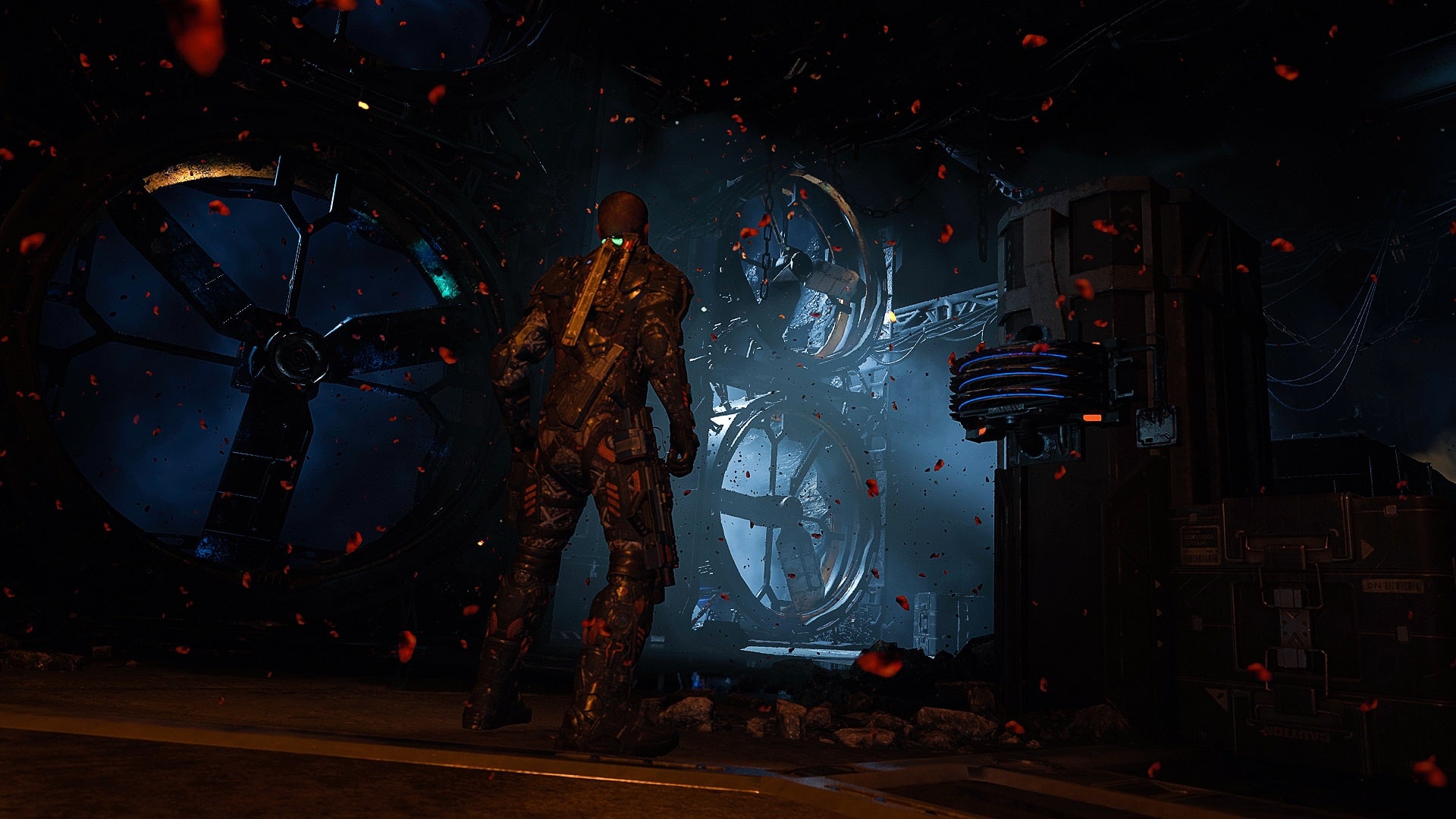
The Callisto Protocol Final Transmission

MP1st: What’s the targeted length of the story? Are there any replayable elements in it?

Glen Schofield: It’s a couple of hours long. Some people may rip through it faster than others, and some people may take their time exploring every dark corner and trying the hardest difficulties, but we wanted to focus on delivering an awesome story first and foremost. The whole game is really built to reward replay, with multiple paths to explore, collectibles, and some pretty challenging combat. While Riot and Dismemberment modes were fun, we know players have been dying to get this story content, and we’re excited to deliver!

MP1st: This DLC takes place immediately where the game ended. No surprise; I suppose we’d want to keep this as spoiler-free as possible. Can we expect a definitive conclusion with this DLC? Also, what of Dani? The last we saw her was being shot into space in an escape pod. Will we learn what happened to her?

Glen Schofield: I mean, I hate to say it again – but I really don’t want to spoil the details. The game is out this week, so all your plot questions will be revealed. I don’t think anyone will consider the ending to be a cliffhanger, though. I can tell you that Final Transmission picks up the story where players left Jacob at the end of the main game.

MP1st: The fates of the characters aren’t the only loose end that players want to see. The Commonality specifically. What will their role be in this DLC? Can players expect to see more of the curtain pulled back on this mysterious cult? Duncan Cole’s story didn’t seem “finished” by the end of the game.

Glen Schofield: The Final Transmission will definitely take players deeper into the terrible things that have been happening at Black Iron Prison – and without spoiling anything, there will definitely be some familiar faces for players looking to go deeper into the world.
the callisto protocol dlc

MP1st: The new monster is described as a mix between the Biophage Pathogen and machine. What was the inspiration behind it?

Glen Schofield: I’ve always been a huge fan of sci-fi and horror – movies like Event Horizon have always been a huge inspiration for me, going all the way back to the original Dead Space. I’m sure that influence is written all over this new creature we’re unleashing in the DLC. This thing is terrifying, and I think players are going to have a great time finding out about where it came from, and figuring out how to take it out.

MP1st: Is this new monster going to be the “big bad” guy of this DLC, or is it more of a new standard type of enemy that we’ll face throughout?

Glen Schofield: The BioBot isn’t Final Transmission’s “big bad,” they are a constant threat as you battle your way through Black Iron Prison toward the story’s conclusion. But I wouldn’t call the BioBot standard – every encounter is a life-or-death situation and will put your skills to the test – they get in close and can really do some damage.

But Final Transmission does have a “big-bad,” that will feel familiar and new at the same time. I wish I could tell you more but it’s a surprise.

MP1st: There’s a new weapon, the Kinetic Hammer. I’m going to assume there will be a lot of skull smashing, limb breaking, and several new killing animations introduced with it, as well as new death animations from the new monster. Is this weapon (and enemy assuming they’re a “standard” type we’ll keep seeing) exclusive to the story DLC, or will we be able to use it in the main campaign, be that after the DLC completion or as a new pickup? Are there new death animations even for the old enemies when you use the new weapon? Does Jacob have new death animations too?

Glen Schofield: Hit the nail on the head there! We wouldn’t bring in new, terrifying monsters without giving players powerful new ways to kill them. That’s where the Kinetic Hammer comes in. This isn’t just your run-of-the-mill melee weapon – it’s a game-changer. It hits like a truck. It has arcing swings that can keep foes at bay and an area of effect ground slam.

But the Kinetic Hammer isn’t just about crowd control. It also has a powerful charge attack that can take down a single target quickly. It’s this blend of crowd management and targeted assault that makes the Kinetic Hammer so much fun.

The Kinetic Hammer is a DLC-specific tool. It’s something that players will have to earn throughout their journey in the Final Transmission. It won’t come easy, but trust me, it’s worth every ounce of effort. The hammer helps to even the playing field and give you a fighting chance against the monstrous threats you’ll face. You won’t want to miss getting your hands on this one.
MP1st: I know you’ve spoken in the past about already thinking about ideas for a sequel. Not that we’re expecting a confirmation here, BUT with this being the final DLC and all, for the fans of the universe, will this be farewell? Is there a stinger of sorts for the end of it? Or maybe a post-credits scene? What’s next for the team?

Glen Schofield: Right now we’re totally focused on giving players the awesome DLC they’ve been asking for, so I don’t want to get into what’s next. But look, I’m never short on ideas. There’s so much depth to The Callisto Protocol that we could dig into, so many more stories to tell, more characters to meet, and more dark corners to explore.
I won’t beat around the bush – we absolutely love the world we’ve built. It’s been a labor of love, something that we’ve poured our hearts and souls into. We’ve crafted a universe that we believe is teeming with potential and it’s one that we’re incredibly passionate about.

Am I going to confirm anything today? Nope, PR would kill me. But we never stop thinking about this game and what might come next.

Now, as for the hint of a stinger or a post-credits scene in the Final Transmission… I’m afraid you won’t get any spoilers out of me.

MP1st: Last question. As development begins winding down on The Callisto Protocol, it’s been a long and emotional journey for you, the team at Striking Distance, as well as the fanbase. Care to share a final message with everyone?

Glen Schofield: Taking a moment here, I want to again extend a heartfelt thank you to everyone at Striking Distance Studios, and to all the fans who’ve embarked on this journey alongside us. Creating The Callisto Protocol has been more than just a project – it’s been a deeply rewarding adventure that speaks volumes about the team’s shared love for immersive gaming and riveting storytelling.

You know, it’s not just about the hard work that goes into a project like this. It’s also about the passion, the shared vision, the collective drive to create something truly special, and seeing that all come to fruition has been nothing short of incredible.

The dedication from our team has been matched only by the unwavering support and invaluable feedback from our fans. You guys are at the heart of everything we do, and your engagement has been instrumental in helping us shape and improve The Callisto Protocol over the last few months.

Everything we do is for the fans. We’ve listened, we’ve learned, and we’ve worked diligently to refine our game based on your insights and experiences. It’s because of you that we’ve been able to evolve and enhance The Callisto Protocol to where it stands today, and for that, we are immensely grateful.

We’re immensely proud of what The Callisto Protocol has become, and we hope that you, our fans, are thoroughly enjoying every moment, every scare, every challenge it offers. Thank you, from all of us at Striking Distance Studios.


The Callisto Protocol’s Final Transmission DLC is out now on PS4, PS5, and will be available on Xbox One, Xbox Series X|S and PC on June 29.


Avatar photo

Alex Co

Father, gamer, games media vet, writer of words, killer of noobs.