Obsidian Entertainment has released Avowed’s version 2.1 patch on March 25, and this not only brings bug fixes, but also a community-requested feature.
With the game now out on PS5, players on that platform will see the download as Avowed update 2.001 (complete version 2.001.000), and this also features console-specific fixes.
Low-quality games, often called “shovelware,” have been around on PC and consoles for a long time.
For the complete details on what got added and the changes made, read on for the patch notes.
Avowed Toggle to Disable Respawning Enemies via New Update
Community Requested Feature:
In the previous update, we implemented 3 encounters in each region that would respawn enemy units. We’ve added a toggle in the settings menu to disable respawning enemies.
Go to Settings > Gameplay > Combat > Check Toggle
Bug Fixes
Fixed an issue causing the player to get stuck leaning to the right during third person mode.
Fixed a crash when engaging in combat with a Skeleton Barbarian.
Fixed a crash when starting Photo Mode near a Xaurip Elder.
Fixed an issue where companions would not look at the Envoy during inter-region party camp conversations.
Fixed an issue where switching loadouts would remove the cooldown reduction of grimoire abilities when casting from the hot bar.
Abilities from the grimoire and hotkey bar now properly separate their cooldown depending on which way they were used.
Fixed issue where frame limits were incorrectly disabled when DLSS-FG was enabled.
Fixed issue where XeSS Frame Generation did not work properly.
Fixed the “Browse Photos” option not being functional in Photo Mode.
Fixed an issue where certain decals would fail to display until game was reloaded.
Fixed Yatzli’s Obsidian Collection outfit not appearing for players who have the Premium Upgrade entitlement
Fixed an issue where certain terrain shaders would initially show up incorrectly after clearing shader cache.
Removed the “You cannot change character” line during character creation confirmation.
Capped the companion ability points to the maximum purchasable amount of 16, to prevent notifications for additional unusable points in New Game+.
Fixed issue where rebinding certain buttons would prevent user from closing tutorial pop-ups.
Fixed issue where characters would sometimes stretch during ragdoll.
Red Dead Redemption 2 was released almost 8 years ago, and while many players still enjoy it on PlayStation and Xbox, the PC version has gained even more attention thanks to mods.
Digital Extremes has released the latest major content drop for Warframe, and this is for Update 42: The Shadowgrapher! Expect a new warframe in Follie to make an appearance, there’s also a new game mode and so much more.
Console games will see the download as Warframe update 2.48/1.056 (complete version 1.056.000), and this is a hefty download across all platforms.
The next Mega Man collection has arrived! Mega Man Battle Network fans who were hoping to see Capcom bring over the Star Force franchise can rest happily knowing that all three games, and their alternative versions, are now available across all modern console platforms and PC.
For the official info on what got added today, read on for The Shadowgrapher patch notes.
Warframe Update 42: The Shadowgrapher New Content Breakdown Details What’s New in Patch 2.48/1.056
File size:
XB1 – 2.95 GB
XSS – 3.0 GB
XSX – 4.2 GB
PC DirectX 11: ~2.39 GB
PC DirectX 12: ~3.04 GB*
PS4 ~ 5.73 GB
PS5 ~ 5.16 GB
NEW GAME MODE: FOLLIE’S HUNT
Look at the blood. Look at the ink. Watch it drip, drip.
Something… no, someone haunts the ruins of the Vesper Relay. Come face-to-face with Follie, the Shadowgrapher, and complete her Shadowgraphs to uncover the Truth.
Orbiting around Venus, the Vesper Relay was fully accessible until 2014, when it was destroyed by Councilor Vay Hek and his Balor Fomorian battleships during Operation: Eyes of Blight. While veteran Tenno may recall visiting this locale all those years ago, its now-ruined interior looks considerably different and harbors a shadowy menace…
Prerequisite
Complete the Chains of Harrow Quest
Visit our Quest Guide to help you along your journey to unlocking the Chains of Harrow.
How to Access
Once you’ve completed the Chains of Harrow Quest, a new playable node on the Vesper Relay will appear on Venus for you to play Follie’s Hunt.
Gameplay
In this new game mode, you’ll be seeking Paint to complete various Shadowgraphs (canvases) — and become hunted by Follie as you progress.
The goal is to complete three Shadowgraphs in order to extract safely with rewards, here’s how:
1 – Find Shadowgraphs
Upon arriving in the Vesper Relay, enter the Shadowgraph Portal to be taken inside this desolate ink coated nightmare.
2 – Find Paint pools
As you explore, you’ll come across pools of Paint. They have a distinct chime and will be marked with a special icon when entering their vicinity.
Approaching a pool will force you into your Operator or Drifter and douse you in Paint so that it can be delivered to a Shadowgraph. However, the Paint has a strange effect on Void abilities and disables Void Sling and Transference while you are coated in it.
Killing enemies has a chance to spawn yellow trailing waypoints, which will lead you to more pools of Paint!
3 – Deliver Paint to Shadowgraph
Be prepared to fend off hordes of ink-covered enemies in your wake and flee from Follie as you attempt to deliver the Paint to Shadowgraphs. Getting downed while carrying Paint will clear it from you, so stay nimble, clear dangerous inky hazards and avoid Follie at all cost!
Standing near a Shadowgraph will automatically draw the paint off of your Operator/Drifter and onto the canvas. The amount of paint required to complete a Shadowgraph increases based on how many numbers of players are in the squad.
4 – Repeat until all Shadowgraphs are completed!
Progress to completing Shadowgraphs is tracked in the special HUD gauge, each time Paint is delivered, the gauge will fill up. Complete all three Shadowgraphs to extract and be rewarded for withstanding the inky horrors that crawl within the Vesper Relay.
Follie Hunts
Delivering Paint to Shadowgraphs will awaken Follie, an invincible foe who stalks you as you work towards your escape. An aura emanates around her, dealing damage and sapping Energy from any who dare stay near. She can also cast her Abilities and spawn Shadowgraphs including Death Orbs.
As the mission progresses, Follie will up the ante with various ink-infused aberrations and modifiers to stop you in your tracks.
Polyopia: Additional Follies spawn throughout the Relay. These clones can cast her Abilities, but are killable!
Sticky Ink: Tentacles reach out of ink structures and puddles to deal damage and slow players.
Splattering Touch: Enemies will instantly explode to deal damage when contacted by players.
Drip, Drip, Drip: Large walls of ink create permanent barriers that change the layout of the level.
Gigantism: The enemies increase in size and health. Their innate explosion also increases in size.
Draining Effigies: Statues of Follie called Facsimiles are scattered around the level. They have the same aura as Follie, which deal damage and siphon energy while you are standing in its radius. They will also summon Follie if the player is carrying Paint. They can be destroyed and damaging them will temporarily shrink their aura radius.
Ink Balloons: Balloon mines spawn and explode with ink damaging and staggering nearby players. They can be popped with weapon damage!
Ink Mires: These gloopy globs of ink can appear on doors and lock them down. Damage them to regain access to the door.
Deimos Tendril Drones: These perky tentacled menacescan also spawn and latch onto you, causing you to stagger. Roll to shake them off!
Mission Restrictions:
Air Support Charges are disabled in Follie’s Hunt.
Red Dead Redemption 2 was released almost 8 years ago, and while many players still enjoy it on PlayStation and Xbox, the PC version has gained even more attention thanks to mods.
Star Chart Considerations
Any new node on an existing Planet comes with its own rules to fit within existing systems — namely Steel Path and Resource Drones.
Completion of Follie’s Hunt is not required for deploying resource Extractors on Venus.
Completion of Follie’s hunt is required to unlock the Steel Path.
Rewards
Completing Follie’s Hunt will guarantee you the following rewards:
Atramentum (new resource)
Normal Path: 5
Steel Path: 10
1 Steel Essence (Steel Path only)
As well as a chance at the following drop table rewards:
Follie’s Main and Component Blueprints
Enkaus’ Main and Component Blueprints
Faction Syndicate Medallions
Normal Path:
Insignia
Medallion
Datum
Quittance
Mark
Seed
Steel Path:
Defender Insignia
Lawful Medallion
Intriguing Datum
Honored Mark
Executive Quittance
Bountiful Seed
Credits Cache
Endo
New Resource: Atramentum
This deep black ink has the power to reveal hidden truth.
Atramentum can be traded at Aspirant Zorba in Relays for wares (read dedicated section for more information).
How to Acquire Atramentum:
Completing Follie’s Hunt missions.
Popping Atramentum Balloons (with weapon damage) in the Vesper Relay during Follie’s Hunt missions.
The amount of Atramentum that drops from Balloons ranges:
Normal Path: 2-4
Steel Path: 3-6
Killing enemies in Follie’s Hunt missions.
Atramentum dropped from Balloons and enemies are marked with a special marker.
Steam continues to grow very quickly, even as the platform faces ongoing investigations alongside wider industry and market challenges.
NEW VENDOR: ASPIRANT ZORBA
After completing the Chains of Harrow quest, a new person of interest appears when you visit a Relay. Unable to read the ancient Hexis script, Aspirant Zorba holds onto the letters left to him by Master Kozai. He believes the Atramentum collected from within Follie’s Shadowgraph will allow him to read those letters and finally understand the ancient script.
Visit Aspirant Zorba just outside of the Arbiters of Hexis’ enclave in Relays (fast travel via quick access wheel also available) to discover more of his story and to access his wares. He offers:
Chromatic Atramentum
Used to create Atragraph Mods! Read the New Cosmetic: Atragraph Mods section to learn more.
Truth’s Flame (Tennokai Mod) – Max Rank stats listed
Enables Tennokai. Successful Tennokai kills grant an additional 4s Tennokai opportunity with +120% Melee Damage bonus. Be warned, failure to kill a target with a Tennokai attack will self-inflict 100 Heat Damage/s and reset the Combo Counter. +1 ‘Truth’.
Follie Prex
Follie Main & Component Blueprints
Enkaus Main & Component Blueprints
Drip (Somachord)
Stained Vespers (Somachord)
Dreadnaught (Somachord)
Haunted Vesper Relay Scene (Captura)
6,000 Kuva — weekly purchase limit of 7
Kozai’s Letters
If you seek to aid Aspirant Zorba in his quest to read his master’s letters then you will need to collect Atramentum. The more Atramentum you collect, the more you support Aspirant Zorba in understanding the letters. Can you collect enough to fulfill his wish?
NEW COSMETIC: ATRAGRAPH MODS
With the help of Aspirant Zorba, discover the Shadowgrapher’s shining revision of select Mods in your Arsenal. Visit Aspirant Zorba in any Relay (available to travel to from quick access wheel) to exchange your Atramentum for Chromatic Atramentum, which can be used to create Atragraph Mods.
Atragraph Mods offer a purely cosmetic effect, but we all know that shiny makes everything better. With Shadowgrapher, the following Mods (and their variants) can become Atragraphs:
Vitality
Fury
Organ Shatter
Target Cracker
Serration
Hell’s Chamber
Hellfire
Barrel Diffusion
Animal Instinct
Streamline
Creating an Atragraph Mod with Chromatic Atramentum will only change the Mod selected — not all Mods of that type. This means Atragraph Mods can be traded with others as well! Make sure you pick the Mod you want, else you waste your resource (and Follie’s art)!
We also added an Atragraph sorting category in the Mod management screen so that you can check out your collection.
After more than 10 years, Battlefield Hardline on consoles (PS4, Xbox One) will be delisted, with the game's console servers shutting down on June 22.
OPERATION: ATRAMENTUM
BEGINS APRIL 2ND @ 11:30 AM ET
The Shadowgrapher update also brings a new Operation which commences April 2nd called Operation: Atramentum! You will be given access to an Operation Variant of Follie’s Hunt that will reward you with Operation currency. In addition to this variant, we will be adding Operation currency to Nightmare Mode Missions as an alternate participation path.
We will have a dedicated Operation post once it’s live explaining in full details how you can participate. For now, you can prepare by completing the Chains of Harrow Quest, which is the prerequisite to be able to earn and trade Operation currency for rewards at Aspirant Zorba.
NEW WARFRAME: FOLLIE
Follie, the merry, macabre Shadowgrapher, brings ink to life. Support her squad and control enemy crowds with a myriad of versatile sketches and tricks.
Follie’s Abilities
Passive: Inkblot
Follie’s abilities coat enemies in ink that slows their movement up to 50% for a few seconds. Afflicted enemies have a 20% chance to drop Health and Energy Orbs.
Ability 1: Forced Perspective
Drop through an inky frame and emerge invulnerable at the aimed location in a splash of ink that inflicts Inkblot on nearby enemies.
Ability 2 : Shadowgraph
Bring shadowgraphs from Follie’s sketchbook to life as items that can be used for tactical advantage. Shadowgraphs also splash Inkblot onto nearby enemies when created.
HOLD the ability to open the Shadowgraph wheel and release to cast the selected Shadowgraph. Once a Shadowgraph has been selected, it can be recast by simply TAPPING the ability.
Shadowgraphs (and the ability to customize them in the Sketchbook) unlock progressively as you rank up Follie. At Rank 30, all Shadowgraphs are unlocked.
Select from the following Shadowgraphs:
Explosive Barrel: Follie summons an explosive barrel with a random elemental damage (icon will appear above the barrel). It will explode upon contact with enemies and can also be detonated by damaging it.
Arc Trap: Follie summons a single Arc Trap to temporarily disrupt and control enemies with Electricity Damage.
Thermian RPG: Follie summons a Thermina RPG to pick up – a devastating Scaldra rocket launcher with three rockets per spawn.
Amphors: Follie summons three Amphors of random elemental affinity to pick up and use as grenades or for Alchemy missions.
Death Orb: Follie summons a single Death Orb that inflicts Radiation status and damages enemies. Follie’s Death Orbs also grant Prime Warframes Energy!
Corralizer Armament: Ensnares enemies and slows them down with Cold damage.
Lohk Surge: Follie summons one Lohk Surge that can be activated to receive a random buff.
Universal Ammo: Follie summons an ammo crate that automatically dispenses Universal ammo.
Launch Pad: Follie summons a single launch pad that provides additional upward mobility when jumping in it. Three can be active at a time.
Lost Spirit: Points the way to nearby treasure.
Life Support Capsule: Follie summons a Life Support tower to provides extra support in Survival missions.
Power Cell: Follie summons a Power Cell to grant power to Excavators in Excavation missions.
Defense Capsule: Follie summons a Cryopod to distract enemies and draw fire.
Conduit Key: Follie summons a random conduit key to speed up Disruption missions.
Shadowgraphs can also be moved around the wheel to your liking, similar to the gear and emote wheel. Simply select and drag to a desired spot!
Low-quality games, often called “shovelware,” have been around on PC and consoles for a long time.
Read the dedicated “Follie’s sketchbook” section below to learn how to customize Shadowgraph’s art.
Ability 3: Self Portrait
Draw an ink effigy to absorb the damage dealt to Follie and allies. Below, a pool of ink spreads Inkblot. Kill enemies inside the pool to grow Follie’s effigy and its ink puddle.
Self Portrait is Follie’s Helminth ability – altered Damage Reduction cap at 75%, and Inkblot will not be applied on enemies.
Ability 4: Plein Air
Tie nearby enemies to floating balloons that douse them with Inkblot. Pop the balloons to send them crashing to the ground, splashing ink on nearby enemies.
Plein Air is Follie’s Railjack ability.
How to Acquire Follie
Follie’s Main and Component Blueprints can be acquired from Aspirant Zorba in the Relays for Atramentum.
Follie’s Main and Component Blueprints can be earned from Follie’s Hunt reward drop tables.
Purchase Follie from the Market individually or as part of The Shadowgrapher Bundle. Learn more in the “Market Additions” section.
Maximum Loadout Slot Increase
With the release of Follie, the maximum number of purchasable Loadout Slots has been increased from 32 to 33.
Follie’s Glyphs can also be purchased from the Glyph selection menu accessible from the Pause Menu > Profile > Glyph.
NEW BEAM RIFLE: ENKAUS
Turn the enemy’s worst nightmare into reality with Follie’s signature rifle. The Enkaus will instantly kill and dissolve inked enemies that are damaged at low health. Shooting inked enemies siphons ink back into the Enkaus, allowing for a constant flow of creative destruction.
Unique Trait: Alt fire sprays ink that will stain enemies. Shooting ink stained foes with Enkaus draws ink back into the weapon to reload and dissolves enemies when their health drops below 35%. When wielded by Follie, foes are also inflicted with Inkblot.
How to Acquire Enkaus
Enkaus’ Main and Component Blueprints can be acquired from Aspirant Zorba in the Relays for Atramentum.
Enkaus’ Main and Component Blueprints can be earned from Follie’s Hunt reward drop tables.
Purchase Enkaus from the Market individually or as part of The Shadowgrapher Bundle. Learn more in the “Market Additions” section.
NEW ADVERSARY WEAPONS
Kuva Ghoulsaw
The addition of Kuva has forged the savage Ghoulsaw into an even more brutal weapon, allowing for faster attacks.
The Kuva Ghoulsaw has been added to the list of Kuva weapons that can be generated from Kuva Larvlings.
Tenet Quanta
Once a mining tool adapted for military purposes, Parvosian engineering has enhanced the Quanta’s lethality even further. Alternate Fire cubes now apply Status Effect on impact.
The Tenet Quanta has been added to the list of Tenet weapons that can be generated from Sister Candidates.
Coda Bubonico
With increased magazine size, the Coda Bubonico was born of the Technocyte virus’ need to spread infection. Primary Fire rate ramps up with continuous fire.
The Coda Bubonico has been added to Eleanor’s Batch B Coda Weapon rotation in the Höllvania Central Mall, which is currently live now! To make the Coda Bubonico available immediately with the update release, we rotated Eleanor’s store to Batch B early (original PSA).
Adversary Weapon Changes:
The bonus Valence Bonus percentage roll on Kuva Lich and Sisters of Parvos Adversary Weapons is now properly randomized!
Previously, the roll was weighted towards lower values, meaning a lot of progenitor runs for slim chance at a high percentage Valence Bonus.
Now, it is entirely randomized to give players equal chance across the bonus range.
THE GUILTY
This information has been all but lost to the tomes of time… You’ll have to figure out how to unlock this one all by yourself.
Once unlocked, you can access The Guilty using The Dark Refractory by selecting Perita Rebellion and checking “The Guilty” checkbox in the bottom-right corner of the screen.
The Guilty was designed with Tauron Strikes in mind, and will likely be quite difficult without them. We welcome any feedback you have around Tauron Strikes and how useful they are in The Guilty.
The first-party PlayStation studio Firesprite has been behind some of the platform's biggest VR titles, such as The Persistence and the 2023 spin-off Horizon Call of the Mountain.
NEW HONORIA
A total of 44 new Honoria are here for you to flaunt the depth of your Warframe experiences. For the sake of keeping the excitement of the community discovering the majority of them, we will not be listing out every new Honoria in detail (with the exception of the list that follows). But we will give you a few hints:
Follie’s Hunt
Adversary Weapons
The Guilty
Operation Atramentum (Begins April 2nd)
Faction Syndicate Honoria
Show your loyalty with new Faction Syndicate Honoria! Acquire the following for Standing in a Syndicate’s Offerings:
Seeker of Truth |NAME| – Arbiters of Hexis
Thirst for Knowledge |NAME| – Cephalon Suda
Defender of the Earth |NAME| – New Loka
|NAME| Eradicator of Corruption – Red Veil
|NAME| Liberated Grineer – Steel Meridian
Diplomatic Merchant |NAME| – The Perrin Sequence
Mastery Rank Honoria
These are automatically given upon reaching the following Mastery Ranks. If you have already achieved these ranks, they have been retroactively added to your account.
Initiate |NAME| – Mastery Rank 1
Novice |NAME| – Mastery Rank 4
Disciple |NAME| – Mastery Rank 7
Seeker |NAME| – Mastery Rank 10
Hunter |NAME| – Mastery Rank 13
Eagle |NAME| – Mastery Rank 16
Tiger |NAME| – Mastery Rank 19
Dragon |NAME| – Mastery Rank 22
Sage |NAME| – Mastery Rank 25
Master |NAME| – Mastery Rank 28
True Master |NAME| – Mastery Rank 30
Warframe-Inspired Honoria
Acquire the following Warframe-inspired Honoria from Roathe in La Cathédrale, on Deimos – can you guess which Warframe is who?
Matron of Malaise |NAME| – 250 Judgement Points
|NAME| Marauder of the Deep – 310 Fish Meat
The Scarlet Queen |NAME| – 130 Amarast
|NAME| Saint of Altra – 110 Sentrium
|NAME| Who Devours All – 110 Common Condroc Tag
|NAME| The Warden of Alchemy – 110 Xenorhast
The Heir of Two Kingdoms |NAME| – 50 Narmer Isoplast
Heart of Concrete |NAME| – 470 Stela
|NAME| Oblivion’s Kiss – 2,600 Höllvania Pitchweave Fragment
Conscience Painter |NAME| – 1000 Atramentum
Prime Warframe Honoria
Acquire the following Honoria by owning the associated Prime Warframes. Whether you purchased or crafted Grendel Prime and/or Gauss Prime before the update, these Honoria will be automatically given on login.
The Gallant Gourmand |NAME| – Own Grendel Prime
|NAME| Messenger of Long Forgotten Gods – Own Gauss Prime
If you do not own Grendel Prime or Gauss Prime, they will be available from Prime Resurgence on April 16th! Visit Varzia for access to purchase them with Regal Aya or acquire their Relics for Aya.
More Prime Warframe Honoria to come in the future!
While Pearl Abyss' Crimson Desert manages to do a lot of things right, it does have a gaping hole when it comes to the story -- or more specifically, the lack of it.
NEW OPERATOR & DRIFTER FEATURES
We’ve loved seeing you experiment with the remastered Operator and Drifter after the release of The Old Peace! In response to player feedback for more face options and as a continued effort to improve the customization experience, we’ve added even more features for you to find the perfect look.
Added 10 new Operator & Drifter faces
Visage 15
Visage 18
Visage 33
Visage 39
Visage 44
Visage 57
Visage 70
Visage 73
Visage 82
Visage 92
Added 2 new eyebrow styles
Brow E8-C
Brow 61-T
Added 7 new complexions
Complexion N-5
Complexion O-93
Complexion PT-4
Complexion Q-40
Complexion R-10
Complexion S-33
Complexion T-68
Other Operator & Drifter Appearance Changes & Fixes:
Added the ability to Duplicate the following Operator/Drifter categories so that players can apply these features to other Appearance Config slots:
Hair/Beard style
Makeup
Drifter Visage Inks
Operator Markings
Removed tooltip popups on Operator/Drifter Hair, Beards, and Tattoos/Visage Inks.
They were blocking view to your Operator/Drifter, and since they have virtually all the same descriptions we felt they weren’t necessary anymore.
Improved torso meshes on the Drifter/Operator Keeler Suit.
Fixed the hair clips in Aoi’s Hairstyle and the glasses in Minerva’s Hairstyle not taking the tints from Operator/Drifter facial accessories.
Fixed the Lone Ranger Emote distorting Gemini Skins and Operator/Drifter’s faces.
Fixed Visage Ink slider changes applying across all Drifter Configs.
Fixed proportions of the Drifter male Tauron Prime Regalia Suit.
Fixed Drifter’s teeth sticking through upper lip in The Hex Finale diorama.
Fixed deformation issues that could happen with the Operator Body Type 1’s neck and torso meshes.
Fixed offset issues with the Vetala Prime Shoulder Armor when equipped on Drifter.
This is but the tip of the iceberg when it comes to the new content and changes added. Check out the breakdown by Digital Extremes to see the new cosmetics, as well as all the gameplay adjustments made.
While Ubisoft's Massive Entertainment has officially confirmed Year 8 of The Division 2 will kick off next month, players shouldn't expect a new raid to be part of the year's plans.
The next Mega Man collection has arrived! Mega Man Battle Network fans who were hoping to see Capcom bring over the Star Force franchise can rest happily knowing that all three games, and their alternative versions, are now available across all modern console platforms and PC.
No longer bound to the Nintendo 3DS, these dual-screen classics have finally been liberated from their original hardware, now in crisp high-definition with refined visuals that breathe new life into the vibrant Wave World.
It's been close to five years since our last mainline entry of the Resident Evil franchise was released with Village back in 2021.
ON THE AIR!
Although the Mega Man Star Force series is a sequel to the original Battle Network series, it does take place nearly 200 years later. Despite that, the games share many similarities, from random encounters and area design to the deck-building mechanics that define combat. However, it does make one rather massive change that has left old Battle Network fans divided on the series for years: the shift from a side-scrolling view to a third-person, behind-the-back perspective. Where the Battle Network series gave players a 3×6 grid to play on with lateral and vertical movement, the Star Force games restricted players to a single 3-square line at the back of the field.
It was, and still is, a point of contention for many who felt the tactical depth of the 3×3 movement had been sacrificed for a more “on-rails” experience. By limiting movement to just the back row, Capcom forced players to rely more on the Shield and the Lock-on mechanic to survive, rather than the precise, grid-dancing footwork that defined the Battle Network era.
I know I was one of the many at the time who were left feeling pretty confused by the switch-up, though, as time went on and with the release of the two follow-up sequels, I eventually adapted to it and even grew to appreciate it. Although similar in many ways, the flow of combat vastly differed from the Battle Network franchise, opting to focus more on reflexes and an aggressive playstyle rather than positioning.
The Lock-On system was good proof of this, where you could instantly gap-close with a sword, whereas in the previous series, it would require some form of area grab to be combo with.
I also found boss fights to be a much bigger visual spectacle from the new perspective. I’m not sure I would say they were more challenging than the ones in Battle Network, but I can say for certain they felt grander in scale. A lot of reflex and shield focus when compared to Battle Network, and personally, I found these games to be pretty fun and challenging in their own different ways.
As for the stories, well, I have a soft spot for the ones in the Battle Network franchise, though I will say the Star Force games have much better pacing and a more “mature” story. It swaps the lighthearted nature of Lan’s NetNavi-of-the-week adventures for a more grounded, character-driven narrative centered on Geo Stelar’s struggle with grief and isolation. While Battle Network was about the joy of connection, Star Force explores the emotional weight of those bonds, or “BrotherBands,” as they’re called in-game, making the stakes feel deeply personal. I know these are remasters, but I’m going to refrain from discussing the story in depth to keep it as spoiler-free as possible.
My Hero Academia debuted in manga form back in 2014 before being turned into a very popular anime starting in 2016.
Fresh Coat of Paint With Some Extra Features
Like the previous Battle Network Collection, the Mega Man Star Force Legacy Collection comes with a slew of features and visual improvements. On the visual side, Capcom has not only upscaled the resolution so the game looks better on the big screen, but also added an optional smoothing filter and high-res art. The smooth filtering looks great, though I did find myself switching it on and off, mostly for nostalgic reasons.
I did stick with the new hi-res art, even if they did seem to overdo some details at times. What I did want to comment on is the hi-res art: Capcom seems to have taken fan feedback from the initial reveal and actually made the hi-res art, well, hi-res. No more weird, blurry images. They look superbly crisp, and although the original pixel-art versions are still nice, I much prefer the hi-res art option. Which, for those wondering, is optional, meaning if you want to play through these games in their original visual format, you can turn the filter and hi-res options off. You can customize it too, so if you want only hi-res art for the character icons, you can do that. If you want it only for the Battle Cards, you can do that too.
Then there are new assist and difficulty options. Look, I know the struggle we went through when we played these games when they were originally released. I get where some may get upset over making things easier, but they are optional, and no one is forcing you to use them. On the assist side, players can enable speed boost to speed up the game, as well as encounter rates, with options ranging from no encounters to low encounters to an increased amount.
Hilariously, there is a “Max Encounter Rate” option, which, for anyone who has played the original Star Force games (specifically 2), you can probably guess just how much hell this is to walk around, but it does make random boss encounters easier to pop. A fair trade-off, though, if you’d prefer the traditional encounters, or even no encounters at all, those options are there too. Star Force 2 encounters are, huh, well, I suppose turning this option to max is more like max plus for that specific game. Sure, they could have “fixed” the spawn rate, but at the same time, the option to “fix” it is there.
The difficulty options are more like your “cheats.” You can increase your buster power, take less damage, crank up zenny rewards, have guaranteed escapes, and even make EX/V2 bosses easier to find. Given that this is the difficulty menu, I do wish the options weren’t just to make the games easier. Would have loved to see some “hard” mode-like options thrown in there, like making enemy attacks one-hit kill and such. Not that I would ever do that, but if you’re going to call a menu difficulty, you should expect there to be options to make it more difficult.
Fans will be happy to know that there are full online matches too, along with trading. You can play through ranked matches, casual matches, and even against your friends. I know, including online might not be a big deal for many, but the number of remasters/collections we have gotten that omit online modes is surprisingly high. These features were also present in the previous Battle Network collection, but it’s still great to see Capcom continue with supporting it with the Star Force collection.
Amongst this, there’s also a gallery where you can view artwork and designs for each game, along with listening to some music from them, as well as Battle Network.
One last touch, like in the Battle Network Collection, Star Force also features a voiced 3D character on the main screen. These were specifically designed for the collection, and you can cycle through different characters, each with their own set of dialogue to go through. It’s a small thing, and I think it’s cool that Capcom brought back the voice actors from the anime series.
Team NINJA latest entry in the Nioh franchise, aptly titled, Nioh 3, seems determined to see just how far that point can stretch and whether that is a good thing or a bad thing; that is for gamers to decide.
EM Wave Change!
Whether you’re a returning fan or missed out on these the first time they released, the Mega Man Star Force Legacy Collection is the definitive way to play these games when it comes to modern platforms. Capcom has put in quite a bit of work to set it apart from your everyday HD remaster, and with plenty of new accessibility options, updated artwork and visuals, and even online play, there’s plenty to look forward to in this collection.
Pros
Although the combat differs from the Battle Network series, it still is pretty fun and addicting. Lots of strategizing and thinking ahead.
The stories of the games are fantastic.
The improved resolution is great, but it's the HD art and smoothing filter that really make the visuals pop more.
New assist options, speed boosts, and customizable encounter rates make these games much more approachable for modern audiences.
Online support for trading and battling
Fan service with the new dub lines in both the menu, and in-game
Verdict
9/10
Capcom delivers on an excellent HD collection, making it easier and more accessible for the modern gamer to experience a once-overlooked era of the Blue Bomber’s history. By liberating these titles from the dual-screen constraints of the past and infusing them with high-definition polish, the Mega Man Star Force Legacy Collection transforms a cult classic trilogy into a must-play modern RPG experience.
Cons
Moving around parts of the map still has a weird look where it also looks like FPS drops, or rubber banding. Would have love to see it smoothened out.
Difficulty options are only there to make things easier, rather than more challenging.
A gamer at heart, James has been working for MP1st for the last decade to do exactly what he loves, writing about video games and having fun doing it. Growing up in the 90's gaming has been in his DNA since the days of NES. One day he hopes to develop his own game.
Red Dead Redemption 2 was released almost 8 years ago, and while many players still enjoy it on PlayStation and Xbox, the PC version has gained even more attention thanks to mods. Some of these mods restore cut content, while others go much further by adding new stories or even turning the game into something completely different.
Now, one modder has taken things to another level by turning the game into a soulslike experience inspired by Elden Ring.
Baldur’s Gate 3 has been a huge success and has won multiple awards since its release, with Larian Studios’ RPG remaining highly regarded ever since.
Red Dead Redemption 2 Becomes Elden Ring in New Mod
This mod comes from a modder known as Blurbs, who has recreated many features from Elden Ring inside Red Dead Redemption 2. The mod includes a new combat system, spells, weapons, a redesigned interface, and even summoning features through Twitch chat.
In this mod, characters like Arthur can be seen using large swords instead of guns. There are no bullets here, as players use spells that deal continuous damage. Even the classic “You Died” screen from soulslike games has been added.
One of the most surprising parts of this mod is the final boss, as players will face Uncle as the last boss.
In the final scene, the original boss Radagon is replaced by Uncle, who appears wearing his usual outfit. His weapon is a giant bottle, making the fight both strange and funny.
The mod also includes large creatures, which are a key part of soulslike games, although there is still room to expand this idea further.
The mod is not available yet, but it already shows how creative the modding community can be. These types of mods offer a fun way to experience the game in new ways, even if the game has stopped receiving major content updates from Rockstar.
Arrowhead Game Studios has pushed out version 6.1.1 for Helldivers 2 and this houses a slew of bug fixes touching on Stratagems, crash issues and more.
Players will see this as Helldivers 2 update 1.006.101, and this should be a small download across all three platforms. This is to be expected, given that we received a big patch that ushered in new content just last month.
Fix a crash happening when swapping between weapons while planting the One True Flag in multiplayer.
Weapons & Stratagem Fixes
The SMG-72 Pummeller is now able to reload if the Weapons magazine has bullets in it.
Miscellaneous Fixes
The Burier of Heads title has been thoroughly investigated, and–since no signs of alleged dissident connections could be discovered–the title has been reintroduced. Helldivers who have unlocked this title through the Dust Devils Warbond should now find it among other titles in the customization menu.
Increased amount of fog in the distance to look more cohesive and provide more ambient light (this is especially noticeable on a sandy moon).
Increased brightness during Exostorms, to combat cases where it could get really dark within the Exospire mission
Microsoft has released a new Xbox system update today, March 24, for the Xbox One and Xbox Series X|S. Given this is another silent roll out, don’t expect much from it since it is a minor firmware patch.
It’s tagged by Microsoft as OS version 10.0.26100, and should be a relatively small download.
It didn’t take long for the internet to start asking questions.
Xbox Consoles Receive Minor Update on March 24
Per Microsoft, today’s firmware patch has the following changes:
General stability and performance improvements.
Yes, that’s about it since it is a minor update and all.
When it comes to other Xbox news, another Xbox Partner Preview is set to air later this week on March 26, and it will feature games from third-party publishers and will include “brand-new reveals.”
There’s also the existence of the next-gen Xbox codenamed Project Helix, which we’re excited to hear more of. Perhaps Microsoft will talk about the new console later this year if they plan to ship it in 2027?
With Xbox’s new CEO, it’s still up in the air whether Microsoft will continue to push for its role as a thid-party publisher or if we’ll see the company reign it back a bit in order to have proper exclusives for its next-gen console.
While Xbox might be pushing for more of its first-party games to appear on competing platforms, that doesn't mean the division will stop pushing for consoles altogether.
Mega Cat Studios has released a new God of War: Sons of Sparta title update today, March 24, and this is another minor update that improves the game on a technical level.
Players will see this download as God of War: Sons of Sparta update 1.007, and this primarily focuses on improving save system stability.
Is Cory Barlog preparing the sequel to God of War: Ragnarok? For now, the only thing known is that Sony Santa Monica’s mysterious new project is expected to release in 2027.
For the complete details, read on.
God of War: Sons of Sparta Save Progression System Improved in Latest Patch
Save System
Implemented save system stability measures to remove the occurrence of save loss or rollback related to the screenshot system
Performance
Tuning and QOL improvements
That’s about it for this title update. Earlier this month, Mega Cat released a title update that imrpoves quest and progression among other things.
Quests and Progression
Fixed an issue where collectibles would despawn if the player left the area without picking them up
Fixed an issue where Lands of Laconia would not contribute credit toward the “Search High and Low” trophy
If you encountered this issue previously, please revisit any Lands of Laconia location (such as the one outside the Agoge in Sparta) to receive retroactive credit towards the side quest’s completion.
Fixed an issue where the player would become locked if they attempted to pet a cat while it was leaving Circe’s chamber
Although the announcement of God of War Trilogy Remake — together with Sons of Sparta — during the recent State of Play surprised many fans, the big question is how Kratos’ return will look.
Developer Full Circle has pushed out skate’s latest title update, which shows up as version 0.32.2 once installed. For console gamers, this will show up as TThat, and this should be a small download.
Expect bug fixes regarding tricks to be resolved, as well as issues regarding the UI (User Interface).
Low-quality games, often called “shovelware,” have been around on PC and consoles for a long time.
The complete patch notes are available below for reference.
Skate Update on March 24 Brings Bug Fixes
Here are the bug fixes resolved with today’s patch.
General
Fixed an issue where low pop tricks were harder to perform than intended.
Fixed an issue where players were sometimes unable to exit a grind popless.
Fixed an issue where players were reset in mid-air after repeatedly bouncing on Quick Drop Objects.
Fixed an issue where players could get stuck in an air Coffin, even after releasing the input buttons.
Fixed an issue where a raised bump on a ramp in the Lower Spillway of Isle of Grom was unintentionally hindering gameplay.
Fixed several holes on the Isle of Grom that could result in players falling under the playable map.
Fixed an issue where a player could rarely get charged twice when purchasing a skate.Premium Pass.
Developer’s Note:We’ve pushed a back-end fix to stop the double-charge issue some players experienced when purchasing the skate.Premium Pass. We’ve processed refunds of the overcharge to those impacted. We’ve also added an error message to indicate you’ve encountered this bug. Pleasereach out to us on the forumsif you’re still experiencing this issue.
Fixed an issue for PlayStation 4 and Xbox One where doing a Held trick mistakenly results in a double trick and then the board adjusts.
Fixed various stability and performance issues.
UI
Fixed an issue where changed settings would reset to their defaults.
Developer’s Note:Due to a change in how we store settings, some settings were unintentionally changed in Update 0.30.1. Players who were affected will need to readjust to their previous settings, but should not have to re-save after this update. With Update 0.30.2, this bug fix should more reliably save changes you make to settings. We’ll continue to monitor this fix closely.
Fixed an issue where the Welcome and Starter Park bundles in the store accidentally displayed strikethrough UI.
Fixed an issue that prevented some Achievements or Trophies from unlocking correctly.
Fixed an issue that prevented the Barrel Jumper title from being awarded to subscribers as part of the Xbox Game Pass Ultimate Supercharge Pack 3, and PlayStation Plus Essentials Season 3 Play Pack.
Developer’s Note:Anyone who’s already redeemed their Xbox or PlayStation subscription rewards will now see this title amongst their Rip Card options after updating skate.
That’s about it for this title update. Once a new one is released, we’ll have it on the site.
While Pearl Abyss' Crimson Desert manages to do a lot of things right, it does have a gaping hole when it comes to the story -- or more specifically, the lack of it.
For the complete list of new content, as well as gameplay changes made, read on.
Apex Legends Mid-Season Update for Aftershock Shakes Up the Balance
Key Highlights include:
Wildcard is Now an Electromagnetic Battlefield:
Raise the Vortex Shield to catch and reflect incoming fire back at enemies. But watch your shield’s energy! Recharge it by picking up EVO.
Unleash the power of the EMP Blast to stun enemies and damage placeable objects. Recharge your EMP Battery by blocking and reflecting damage with the Vortex Shield or with new Wild Cards.
Gibraltar, Wattson and Wraith bring new power to the Split 2 meta:
Gibraltar’s Ultimate gets a larger radius and faster call time, an improved Tactical and new Upgrades: including Thunder Dome which electrifies Gibby’s dome and Triple Bombardment, which splits his Ultimate into 3 smaller charges. Plus, 2 new Passives to help him move faster and break doors and Hardlight Mesh.
Wattson’s improved Ultimate repairs and fortifies Hardlight Mesh, her Tactical now does increased damage and also fortifies nearby Hardlight Mesh.
Wraith’s Ultimate and Tactical both get a faster cooldown, plus new Upgrades for more Void-bending powers.
New Elite Hemlok in Split 2: It’s packing full-auto fire, a Silencer and a Breach Launcher with new Breach Shot mode. It’s a lot. In the best way.
Nine New Wild Cards in the Aftershock Event to Supercharge Your Arsenal
Bigger and Better: Greatly increases the size of the Vortex Shield, speeds up deploy and stow time
Duck and Cover: Increases the Vortex Shield’s protective area but disables return fire
Energy Efficient: EMP Blast costs 50% energy (two uses per charge)
Sonic Boom: Upgrades the EMP Blast damage and adds knockback
Static Charge: EMP Battery remains fully charged even when used
Extra Juice: Revives grant EMP Battery charge
Background Process: Adds passive EMP Battery charging that increases while sprinting
Kinetic Converter: Increases movement speed based on EMP Battery charge percentage
Heat Signature: Spend EMP Battery charge to highlight enemies through walls
AUDIO SYSTEMS CHANGES
We are making a couple adjustments to in-match audio to align with our continued commitment to provide the most informative audio experience possible.
In response to community feedback, we have lowered the volume of Hardlight mesh shattering.
As footstep audio acts as a primary means of tracking enemies who aren’t in front of you, we are increasing the volume of footsteps from enemies outside your POV – enemy footstep volume further increases as the source of the footsteps gets further behind you (ie. loud when beside you, louder when over your shoulder, even louder when directly behind you). We will continue to listen to player feedback and make impactful changes to polish the in-game experience for our community!
Steam continues to grow very quickly, even as the platform faces ongoing investigations alongside wider industry and market challenges.
LEGENDS
GIBRALTAR
Dev Note: Your big bruddah has been sitting at the bottom of pick rate charts for a while now, so it was time to give him some love. With a new passive that will allow him to traverse and rotate quicker, some quality of life updates to his base kit and some meaningful upgrades to let you choose your playstyle. The Dome of Protection has become easier and easier to push these days so we wanted to give Gibraltar some better defenses and faster resets. We also wanted players to be able to upgrade into more versatility with his ultimate.
Passive
New Passive – Momentum Boost
If Gibraltar maintains sprint speed for a couple of seconds he will get a speed boost.
This will only trigger while unarmed or if the weapon doesn’t have a sprint speed restriction (ex. The Fast Shotties Upgrade)
Gibraltar punch will deal double damage to Hardlight
Tactical
Cooldown on Dome of Protection reduced (was 17s, now 13s)
Ultimate
Integrated the size increase upgrade into his base kit, increasing radius by 20%
Call in time for the missiles has been sped up
Can now throw your ultimate before the ultimate equip animation finishes
Upgrades
Level 2
Thunder Dome: The dome becomes electrified when placed, and will deal 50 damage and slow the first enemy to enter
Healing Dome: Dome duration increases 4s and any player within the healing dome will get double small meds healing
Level 3
Triple Bombardment: Splits the ultimate into 3 charges, reducing the radius and number of missiles for each
Removed Big Bruddah, Bubble Bunker, Baby Bubble
WRAITH
Dev Note: Wraith’s pick rate popularity has been on a slow decline over the years; she’s starting to get overshadowed by other popular skirmishers. We wanted to address this by giving her some meaningful buffs to her base kit and by giving her some more interesting upgrade options that will provide more utility for her team.
Tactical
Integrated the tactical cooldown reduction upgrade into her base kit (was 20s, now 15s)
Ultimate
Integrated the ultimate cooldown reduction upgrade into her base kit (was 2.5 minutes, now 1.5 minutes)
Increased casting speed animation for quicker activation
Upgrades
Level 2
Phase Dome: When Wraith starts channeling her ultimate she will create a Phase Dome. This dome will last for 30s or until Wraith places her portal. Anyone who enters the Phase Dome will go into the void.
Level 3
Phase Jumper: Wraith will stay in the void for longer when using her tactical (was 4s, now 6s) and will gain double jump while in the void
WATTSON
Dev Note: We wanted to give Wattson some unique ways to interact with Hardlight meshes and provide some quality of life updates to her kit.
Tactical
Placing a fence in front of a Hardlight mesh will reinforce it; if the mesh is broken the fence will rebuild and reinforce it
Increased fence damage (was 20, now 35)
Reduced fence deployment time (was 1s, now 0.5s)
Ultimate
When Wattson’s ultimate is placed it will reinforce Hardlight meshes in the zone of the pylon; if the mesh is broken it will rebuild and reinforce the mesh.
WEAPONS
AR
Dev Note: Breach and Clear! The Hemlok is our latest entry of Elite Weapons. This powerhouse has a custom built barrel pre-attached that provides excellent recoil stabilization, a fully integrated silencer, and a brand new recharging Breach Charge that lets you tear down enemy structures or break into their reinforced bunkers.
Hemlok Breach AR [Elite Weapon]
Removed Burst & Single firing modes
New Firing Mode: Automatic
Slow fire rate
Body Damage: 23
Headshot Damage: 32
Integrated Silencer
New Firing Mode: Breach Charge
Single shot explosive
Cooldown: 15 seconds
Damage to players: 38 with radial falloff
Significant damage multiplier to Hardlight and structures
MARKSMAN
Dev Note: With our latest pass on Marksmans we were successful in bringing down the overall oppressiveness of our long ranged weapons but in the 30-30’s case we’ve dulled its fangs just a bit too much. So we’re giving back some of its base damage so it’s still a consistent and viable option without the incredible spikes those charged headshots can create.
30-30 Repeater
Increased base damage to 43 (was 41)
PISTOL
Dev Note: The RE-45 Burst was our first foray into the Elite Weapon system and we had always intended to swap back to the OG automatic light version of the weapon. However, in this case, we feel the energy burst version of the RE-45 is a compelling iteration that carves out a more ownable place in the weapon roster. Moving back to its light version only muddies the design space around the R-99, Alternator, and the rest of the light weapons. Moving forward the RE-45 will be a permanent energy weapon.
RE-45 Burst
Elite version is now the default version of the RE-45
Removed Elite weapon visual treatment
P2020
Decreased points required to unlock Hammerpoints to 425 (was 500)
Base magazine size increased to 9 (was 8)
SHOTGUN
EVA-8
Improved base reload speed
SMG
Dev Note: When we added the automatic trigger to the Prowler we also increased the delay between bursts to keep its overall power in check since we were increasing its ease of use substantially. However, we didn’t see as big a draw to it as we expected so we’re giving it back some of its snappyness so it feels competitive in CQC.
Prowler PDW
Burst fire delay reduced
Recoil improvements
MAPS
Olympus
Moved Elysium to a new location on the northeast corner of the map near Rift. The purpose of this change is to eliminate the forced contest between Somers University and Elysium in Ranked and Competitive. We have modified the terrain in this area to support the change, which includes the removal of a minor POI previously in this location.
Pubs & Ranked
Olympus
Storm Point
World’s Edge
Mixtape
March 24th, 2026 – May 5th, 2026
TDM: Skull Town, Fragment, Estates
Control: Labs, Thunderdome, Lava Siphon
Gun Run: Monument, Skull Town, Thunderdome
WILDCARD
Wildcard
March 31st, 2026 – May 5th, 2026
Broken Moon Wildcard
Charged Up (March 31 – Apr 21, 2026)
Broken Moon Wildcard
April Friends Day (Apr 1, 2026)
We’re flipping this year’s celebration, zip in and make some new friends!
Bloodhound – Killing dummies in the firing range will now trigger all appropriate “on knock” behavior
Catalyst – Removed a dead spot for Piercing Spikes where enemies could sometimes stand near the center of it without taking damage
Catalyst – In the firing range with friendly fire on, Piercing Spikes will no longer activate because the owner got within range
Octane – Fixed issue where Stim Surge would remain in alt hand while using Akimbo
Fuse – Level 3 upgrade Reignition now works properly against dummies in the firing range
Fixed Sparrow’s SWAT scout skin appearing bright red at long distances
Fixed Newcastle wall destroying Mad Maggie’s wrecking ball if deployed too closely
Fixed parts of Catalyst as well as Conduit’s Heart Machine skin having visible portions while being revived by Mirage
Fixed an issue where decals on Crypto’s Destiny Gundam Spec II skin would remain visible while he was cloaked
QUALITY OF LIFE
Cleaned up the iron sight on the 30-30’s “Long-Distance Agony” skin to align with its others
Can now use the double jump off Octane’s jump pad while healing
Alternator SMG
Removed the extra hit markers (usually reserved for blast patterns on shotguns) when in Double Tap mode
Dev Note: These extra hit markers were making it a little more difficult to track enemies than intended so we’ve removed them to declutter the reticle space and improve combat visibility when landing shots.
Vault Keys
Vault keys will no longer affect the colour of a deathbox
Dev Notes: Vault Keys can be an important piece of loot, but getting baited by a red box with the hopes of a Kraber to be dashed by a Vault Key can feel terrible. This change will retain their rarity but no longer let them drive a deathboxes rarity tier.
APEX BOTS
New In-Combat Healing System
Apex Bots will attempt to find cover and heal when damaged during combat Use these moments to push!
New Target Acquisition and Awareness System
Apex Bots will make more intelligent decisions around which target to focus on. They’ll be harder to sneak up on.
Improved Strafing
Apex Bots can move toward their target while strafing, letting them close distance in a more aggressive way.
New Weapon Switching System
Apex Bots will switch weapons based on the distance from the target. Get too close, and if Apex Bots have a shotgun – watch out!
Improved Bot Traversal
Apex Bots will utilize the various movement mechanics around the map like ziplines, ziprails, jump towers and more, to traverse and pursue.
AUDIO
Fixed the audio mix setting not saving properly on consoles
Lowered volume of Hardlight mesh breaking, as per community feedback
Increased volume of footsteps from enemies outside your field of view
Volume further increases as the source of the footsteps gets further behind you (ie. loud when beside you, louder when over your shoulder, loudest when directly behind you)
ENGINE
PC: Apex now uses the Windows Audio Session API (WASAPI) for microphone input.
This enables support in Windows 11 for the “Voice Clarity” audio enhancement, which you can enable to help remove unwanted background audio.
The option can be found in Window settings. Go to “System > Sound > Mic Properties” and look for “Audio Enhancements” in “Input settings”.
Note: if you have multiple microphones connected to your PC & the game is using the wrong one you can either…
Select a specific microphone in Apex’s Audio settings in the Voice Chat settings, see “Voice Chat Input Device” option.
Or set your mic “as default for communications” in Windows settings and then use the System Default option in Apex’s Voice Chat settings.
Graphics:
Static objects now use bindless resources and batching to significantly reduce draw calls, improving baseline CPU performance for map rendering
Olympus uses improved algorithms to generate occlusion culling data structures, slightly improving CPU performance on the map.
PC: Uses ReBAR for faster uploads of data to the GPU, on systems that support it. This can reduce pop-in of models and textures and also use less time on the CPU, which can help performance stability.
Now that’s one hefty update. Once another one is out, expect it here on MP1st.
The first-party PlayStation studio Firesprite has been behind some of the platform's biggest VR titles, such as The Persistence and the 2023 spin-off Horizon Call of the Mountain.
Red Barrels has unleashed the latest seasonal content drop for The Outlast Trials, and this is for Project Judas!
Players can download it now as The Outlast Trials update 1.52/1.000.050, and this brings a bunch of new cosmetics, a new trial, a new MK-Challenge, a new limited-time event and a lot more.
Steam continues to grow very quickly, even as the platform faces ongoing investigations alongside wider industry and market challenges.
Of course, your usual dose of gameplay fixes and whatnot are also included, which are all listed in the official patch notes.
The Outlast Trials Project Judas Live on March 24
Update Highlights
Season 6: PROJECT JUDAS
New Trial: SILENCE THE IDOL
New MK-Challenge: SOLVE THE MURDER
New Deluxe Catalog: PROJECT JUDAS
New Limited-Time Event: SCAVENGER
X-Ray & Barricade Rig Rework
New Invasion Season Begins
Introducing Invasion Leaderboards
New Blackmarket Outfits
Twitch Drop Event
Other Additions, Improvements and Fixes
Season 6: PROJECT JUDAS
Project Judas sees the return of Otto & Arora Kress in a new Trial Environment, the Television Studio. The Kress Twins have meticulously groomed Bob Vanier, celebrity talking head and idol to the masses, to be their upcoming political candidate. Molded to their best interests, Vanier is about to announce his political run live on the air, unless Reagents are able to seat Murkoff’s own candidate instead.
New Trial: SILENCE THE IDOL
You are the electric eye, the ravenous panopticon that births and consumes with the same razor-toothed orifice. Tear, burn, and crush the face of false charisma, and we will let you out.
After more than 10 years, Battlefield Hardline on consoles (PS4, Xbox One) will be delisted, with the game's console servers shutting down on June 22.
New MK-Challenge: SOLVE THE MURDER
You are the fetishist, whose obsession with the totems of violence allows you to define more convenient truths. Find the evidence to condemn our chosen killer, and we will let you out.
New MK-Challenge: [REDACTED]
There appears to be an issue with the Sleep Room Terminal. Reagents are asked to ignore any unconventional programs that may populate their screens. Disregard any mention of [redacted]. Therapy is the only way to real freedom.
New Limited-Time Event: SCAVENGER
Prepare for the [REDACTED] collapse. Enter the Trials with nothing and salvage unstable, single-use Rigs from Reagent corpses. Collect discarded mechanical components and return them to drop boxes to be used for the [REDACTED] of [REDACTED].
Program Scavenger Variators:
Salvage Rigs: Salvage unstable, single-use Rigs from deceased subjects throughout the Trial.
Broken Reagent: Reagents have no starting Rigs, no Prescription, no Amps, reduced Night Vision battery, and start injured.
Deliver the Components: Reagents are required to locate and deliver mechanical components to a salvage box.
Event Schedule:
Part 1 will take place from March 24, 2026 @ 10am ET – April 7, 2026 @ 9:59am ET
Part 2 will take place from April 7, 2026 @ 10am ET – April 21, 2026 @9:59am ET
Low-quality games, often called “shovelware,” have been around on PC and consoles for a long time.
X-Ray and Barricade Rigs Rework
Noakes has been busy collecting feedback on its creation, and has greatly improved both the X-Ray and Barricade Rigs.
X-RAY RIG
New Description: Tactical enhancement that allows vision through solid surfaces, revealing points of interest. Can be toggled on or off on demand.
Changes:
X-Ray is now a toggle ability (On/Off).
Charge depletes while active and replenishes slowly while inactive.
Cooldown/energy system functions similarly to Night Vision.
New upgrade PING THROUGH: “Ping enemies and objects through walls while X-Ray is active. Multiple pings can be active at once.”
New upgrade ELECTROMAGNETIC FIELD: “Generates an electromagnetic field while X-Ray is active, preventing trap activation.”
New upgrade FASTER RECHARGE: “Decreases X-Ray recovery time.”
New upgrade INCREASED CAPACITY: “Increase X-Ray total capacity.”
Upgrades RESOURCES INTEL and CLASSIFIED INTEL have been merged and the upgrade is now called RECON: “X-Ray highlights nearby objectives, consumables, and high-priority items.”
Upgrade SHARED INTEL has been removed.
BARRICADE RIG
New Description: Place barricades to block openings and delay pursuers. Carry 2 barricades. Removal instantly refunds them.
Changes:
Players now carry multiple Barricades (2 by default, 3 when upgraded).
Multiple barricades can be deployed at once (oldest breaks when placing a new one beyond the limit).
Barricades are instantly refunded if destroyed or removed by the player or a teammate.
Rig Cooldown starts only after all Barricades are placed.
Removing a Barricade during cooldown immediately stops the cooldown and refunds it.
Inventory UI updated to support multiple Barricades counter.
New HUD markers appear at location of valid Barricade deployment spots.
Enemies and Invaders now require more hits to break barricades.
Upgrade INCOMING WARNING has been revamped: “Enemy is automatically pinged and damaged upon breaking a barricaded door. Invaders are exhausted.”
Upgrade FRIENDLY BREACH has been replaced by BREACH & RUSH: “Breaking a barricade grants an adrenaline boost (once every 60 seconds).”
Upgrade EXTRA BARRICADE now increases max Barricade carried to 3.
New Invasion Season Begins
The Invasion Rankings seasonal rewards have been refreshed. All players start from the start and must climb their way to Gold I to receive all new rewards.
Introducing Invasion Leaderboards
Show your Invasion skills to the world and climb the Seasonal Leaderboard. Access the new Leaderboard directly via the Invasion menu.
New Outfits have been delivered to the Murkoff Blackmarket In-Game Store! Once again, Reagents who purchase any Murkoff Coins for the first time during Season 6 will obtain the Desert Debris Outfit.
Additions/Fixes/Balancing
Adjusted Scoring, Tasks and Achievements related to Barricade and X-Ray Rigs.
Adjusted Terminal Main Screen to show player icons and frames.
Added unique ping icon for Big Grunt enemy.
Fixed an issue where stamina wouldn’t regenerate when an Imposter was attacked by an enemy while being exhausted.
Revisited rarities for cosmetics. They are now based on their source of acquisition. The new rarities are:
Standard – Trial Rewards,Therapy Levels, Badges, Standard Catalog.
Classified – Genesis, Progression, Rebirth, Twitch Drops, etc.
Trial Maker:
Added variator “Nostophobia”.
Added variator “Salvage Rigs”.
Added variator “Broken Reagent”.
Added variator “Collect the Components”.
Fixed an issue with the Tinnitus Filter option not working correctly.
Various other bug fixes and improvements implemented.
Same with The Outlast Trials’ past seasons, we are fully expecting a hotfix or two to be released either this week or next to resolve any issues that might crop up.
The first-party PlayStation studio Firesprite has been behind some of the platform's biggest VR titles, such as The Persistence and the 2023 spin-off Horizon Call of the Mountain.
For example, Valve has faced problems with its plans for a new generation of Steam Machine hardware, as rising costs and component shortages leading to delays and reconsiderations of pricing.
It’s no secret that Steam is one of the biggest platforms in today’s digital gaming market.
Steam Breaks Its Concurrent Player Record Again
Despite these issues, more and more users are choosing Steam. According to SteamDB, the platform has reached a new record of 42,318,602 concurrent users.
It is important to note that not all of these users are actively playing games. Many simply keep the Steam client open. Even so, the number is still very impressive, especially considering strong competition and the slowdown in the global market.
Looking ahead, it seems likely that Steam will continue to grow, despite these challenges. The platform has become a central hub for the gaming industry. Many users now rely on it because of its convenience, including community features that have become essential for a lot of players.
The most played game on Steam remains Counter-Strike 2, which regularly reaches over one million concurrent players. Other popular live service games such as Dota 2, PUBG: Battlegrounds, Apex Legends, and Bongo Cat also continue to perform very well.
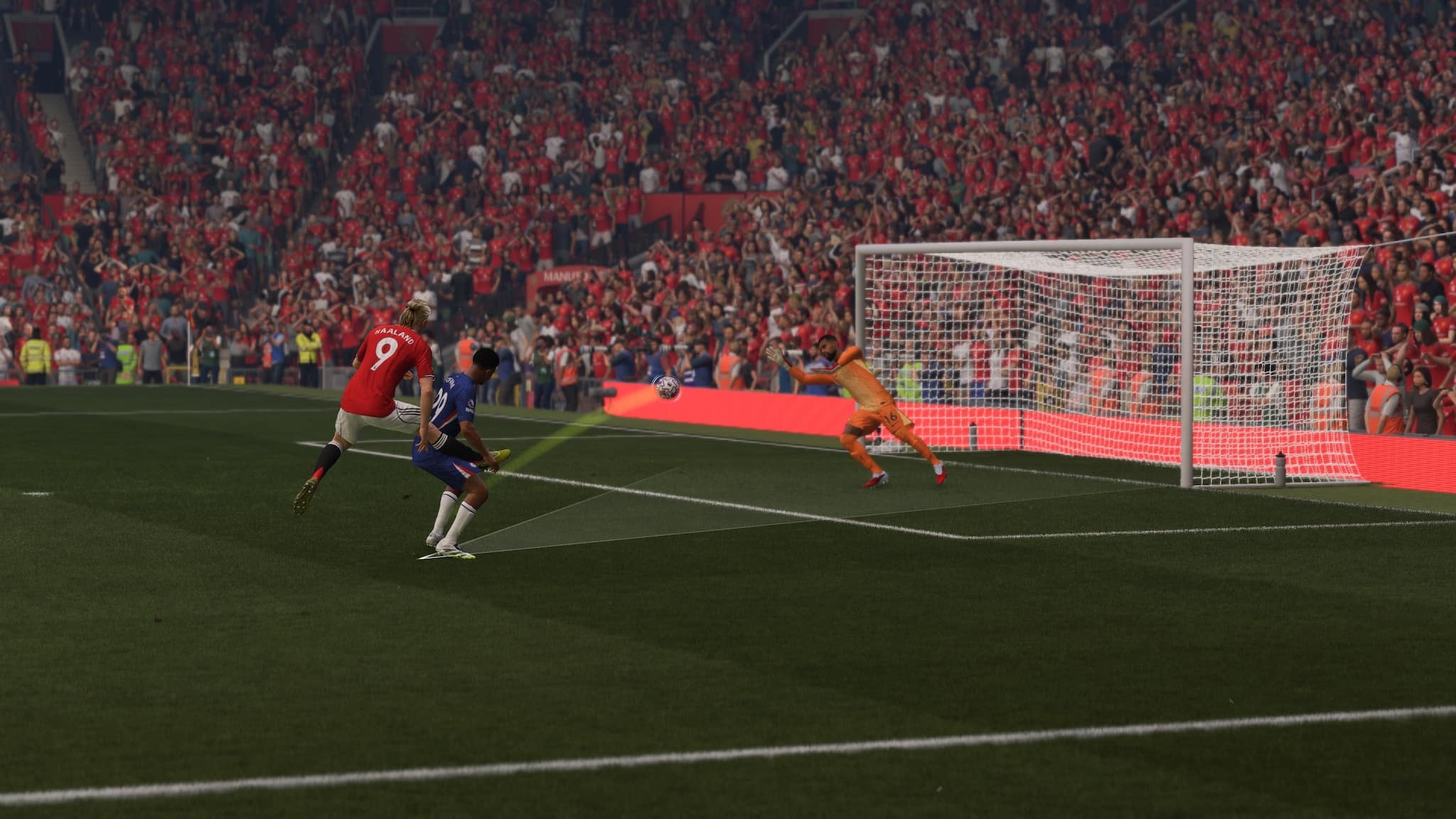
The latest NHL 26 title update is live on March 24, bringing the game’s version 1.6 patch to players around the world.
For console gamers, you’ll see this download as NHL 26 update 1.060 (complete version 1.060.000), and this brings fixes to World of Chel, as well as fixes to the camera, Be a Pro soft lock issues and more.
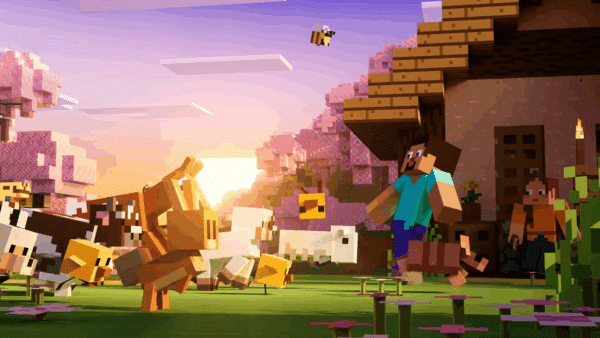
The latest major update for Minecraft is here, and it's Tiny Takeover! Expect new versions of baby mobs to be unleashed in the game, and it brings cuteness overload.
For the official patch notes, read on.
NHL 26 New Update Addresses Technical Issues via Patch 1.6/1.060
Gameplay
Fixed an issue with cameras being obstructed in Be A Pro in the Delta Center (Utah Mammoth home stadium)
Be a Pro
Fixed an occasional issue where users soft lock when navigating the Box Scores post Draft
World of Chel
Added the ability to see player banners and teams on the Mute List and Post-Intermission Pause screens
Fixed an issue with the scrolling function in the “Waiting for All Users to Resume” screen
Fixed a crash after a user is kicked from a game in Threes Eliminator
Fixed a loading issue when tabbing in World of Chel
Fixed a visual issue where Special Characters did not display correctly after previewing other vanity items
Art
Uniforms
The following uniforms have been added or updated in NHL 26
ECHL
Indy Fuel – Third
We don’t get a lot of NHL 26 updates, so expect the next one in April at the soonest unless there’s a bug that needs to be fixed.
The first client-side patch for Diablo 4’s Season of Slaughter is now live on all platforms, and this brings the game to build 2.6.1, which is the number players will see on the start screen once the patch has been applied.
For those on consoles, you’ll see this download appear as Diablo 4 update 2.03/1.1.03 (complete version 1.103.000), and this brings a slew of bug fixes to the new season.
After more than 10 years, Battlefield Hardline on consoles (PS4, Xbox One) will be delisted, with the game's console servers shutting down on June 22.
To find out everything that got changed or fixed, read on for the patch notes.
Diablo 4 First Season of Slaughter Update for Fixes Live on March 24
Game Updates
Reduced the difficulty of Bloodsoaked sigils significantly.
Developer’s Note: We’ve received feedback that many players cannot reasonably complete Bloodsoakeded Sigils after unlocking them. By lowering the difficulty significantly, we hope to guarantee that all players who have earned access to Bloodsoaked content have a better chance of success.
A stash and blacksmith have been added to Kael Rills’ Butcher shop to allow players to Salvage and store items without having to travel back and forth in Gea Kul.
Instances of the Butcher in the Fields of Hatred now have significantly more health.
Low-quality games, often called “shovelware,” have been around on PC and consoles for a long time.
Bug Fixes
Accessibility
Fixed an issue where the Screen Reader did not fully function in the Ensembles section in the wardrobe.
Season of Slaughter
Fixed an issue where one of the Butcher’s attacks was invisible on low graphic settings.
Fixed an issue where the camera would malfunction local co-op when both players turned into the Butcher.
Fixed an issue where not all players in a party properly transformed when entering a Slaughterhouse.
Fixed an issue where the Kill Streak affix for granting Core Resources wasn’t granting Willpower for Druids.
Fixed an issue where activating Shrine of Slaughter removed active incense and elixir buff icons.
Fixed an issue where the player Butcher skill Hell Charge did not consume resource.
Fixed an issue where the tooltip for Bloodlust suggested that the resource should regenerate passively.
Fixed an issue where Bloodied Scythes and 2-Handed Maces were cheaper than intended at the Butcher’s Shop in Gea Kul.
Fixed an issue where Fields of Crimson Unique Power was not functioning on the Crucible transmog.
Fixed an issue where Necromancer minions could block player movement when entering a Slaughterhouse.
Fixed an issue where Bloodied Nightmare Dungeons didn’t have the same chances for dropping Obducite as normal Nightmare Dungeons.
Fixed various instances where Season Rank Objectives or Capstone Completions either did not grant the expected rewards or could not be completed as expected.
Fixed multiple instances of Teyana appearing in unexpected places during the Seasonal quest.
Miscellaneous
Fixed an issue where the Ring of Red Furor was missing its icon.
Fixed an issue where the Tower bosses Thuneros and Herald of Darkness had significantly less life than intended.
Fixed an issue where the winged visual effects were missing while in Paladin’s Arbiter form.
Fixed an issue where progression of the Blind Burrows dungeon could be blocked if the boss was defeated before the objective to defeat it updated.
Fixed an issue where players on Windows 10 Version 1909 could crash when launching the game.
Various stability, visual, performance, and audio improvements.
Once another patch is out, expect it here on MP1st.
The first-party PlayStation studio Firesprite has been behind some of the platform's biggest VR titles, such as The Persistence and the 2023 spin-off Horizon Call of the Mountain.
The latest major update for Minecraft is here, and it’s Tiny Takeover! Expect new versions of baby mobs to be unleashed in the game, and it brings cuteness overload.
Console gamers will see this download as Minecraft update 3.34/1.044 (complete version 1.044.000), and don’t be surprised to see a larger-than-usual file size for the content drop.
Low-quality games, often called “shovelware,” have been around on PC and consoles for a long time.
Sounds
Baby Pigs, Cats, Horses, Cows, Chickens, and Wolves, now have a unique set of sounds
Pig, Cat, Cow and Chicken now have adult sound variants
Added Note Block trumpet instrument for Block of Copper, Cut Copper and Chiseled Copper
Golden Dandelion
Introduced Golden Dandelion as a new type of flower that can be used to stop baby mobs from aging
Can be crafted using a Dandelion and Gold Nuggets
Enabled the Golden Dandelion effect on the following Baby Mobs:
Baby Armadillo
Baby Axolotl
Baby Bee
Baby Camel
Baby Cat
Baby Chicken
Baby Cow
Baby Dolphin
Baby Donkey
Baby Fox
Ghastling
Baby Hoglin
Baby Goat
Baby Horse
Baby Llama
Baby Mooshroom
Baby Mule
Baby Nautilus
Baby Ocelot
Baby Panda
Baby Pig
Baby Polar Bear
Baby Rabbit
Baby Sheep
Baby Sniffer
Baby Strider
Baby Trader Llama
Baby Turtle
Baby Wolf
Tadpole
Golden Dandelion can be used to craft Suspicious Stew
Golden Dandelion can be crafted into Yellow Dye
Placed Golden Dandelion can be picked up by Endermen
Golden Dandelion can be picked up by mobs who can pick up items
Golden Dandelion can be used to distract Piglins
Golden Dandelion displays green particles when used on a Baby Mob
Particles moving downwards indicate that aging is paused
Particles moving upwards indicate that age has been reset and is now resumed
Golden Dandelion plays pause growth and reset growth sounds on use
Items
Name Tags are now craftable, using paper and any metal nugget
Minecraft Update 3.34/1.044 New Features and Bug Fixes
Accessibility
Fixed issue where text to speech doesn’t get enabled on launch despite the ‘Text To Speech For UI’ toggle being enabled
Added a key binding for Describe, a feature that will let you know through text and TTS what block or mob you have in front of you
Available for keyboard and controller inputs
Updated the name of Describe to Identify Block, a feature that lets you know through text and text to speech (TTS) what block or mob you have in front of you
The first-party PlayStation studio Firesprite has been behind some of the platform's biggest VR titles, such as The Persistence and the 2023 spin-off Horizon Call of the Mountain.
Blocks
Stone and Deepslate can now be crafted into their Cobbled variants in the Stonecutter
Dead bush can be placed on farmland
Corner stairs next to a stair block of a different type will no longer leak water for worlds of base game version 26.10 or higher (MCPE-104070))
Character Creator
Selected appearance should no longer reset to 3rd appearance at times upon starting up the client
Skins will be correctly shown to other players when switching to a Classic skin and then back to a Character Creator choice.
While playing in a multiplayer world, users will no longer be randomly messaged about other users updating their appearances when no change was actually made.
Fixed an issue that could cause invalid classic skins to be shown as blank skins
Gameplay
Cooldowns on custom items now visualize correctly
Fixed a bug where the Trial Spawner in some cases spawned too many mobs (MCPE-186092)
Graphical
Armor trims are now visible again when worn by players or adult mobs (MCPE-236105)
Added static/colorized block light shading to particles in Vibrant Visuals
Fixed an issue where some players on PlayStation had vertical sync disabled, causing image tearing
Items being quickly moved between inventory slots now have the back of their faces rendered too (MCPE-229843)
Fixed a bug where some light source blocks held in hand would appear unlit when near other light source blocks in Vibrant Visuals.
Added static local lighting support for more entities and items, including pistons, moving blocks, signs, beds and chests in Vibrant Visuals.
Fixed UI icons not showing at the lowest GUI scale setting (MCPE-234762)
Fix player flickering when flying at high speed towards the camera (MCPE-23451)
Fixed broken or incorrect textures after loading a world (MCPE-202009)
While Pearl Abyss' Crimson Desert manages to do a lot of things right, it does have a gaping hole when it comes to the story -- or more specifically, the lack of it.
Input
Fixed an issue on Windows where the mouse highlight appeared in game when “Show location of pointer when I press the CTRL key” option was enabled in Windows settings. (MCPE-168787)
Fixed an issue on Windows where the system’s ClickLock mouse setting was not recognized. (MCPE-231488)
Fixed a bug on Windows where the system setting “Scrolling direction” had no effect (MCPE-232634)
Items
Combining an Enchanted Shield with an Illager Banner now correctly transfers the enchantments to the crafted Illager Banner Shield (MCPE-174103)
Bundle and Wolf Armor no longer have larger scale with textures bigger than 16x (MCPE-225207)
Clocks, Compasses, and Recovery Compasses no longer have a corrupted appearance after turning high resolution texture packs on/off (MCPE-173775)
Fixed player inventory sometimes not being updated properly when picking up items already held in off-hand (MCPE-235655)
Name Tags can no longer be bought from Librarians
Name Tags are added as an Ordinary Trade to Wandering Traders at 1 for 1 Emerald, with a 7% probability and 5 Name Tags in stock
Name Tags can no longer be obtained from chests in Ancient Cities or Woodland Mansions
Librarian Villagers on Master level can now trade red or yellow Candles
Marketplace
Fixed the inability to download RealismCraft 2.X add-on from “Create from…” menu with active Marketplace Pass subscription (MCPE-232505)
Mobs
Copper Golem now properly picks up Spears, Tridents, and Crossbows
Baby Polar Bear no longer becomes hostile towards the player (MCPE-173833)
The movement of Boats, Horses, Donkeys, and Mules is now as responsive as it used to be before the release of the Mounts of Mayhem game drop (MCPE-231719)
Boats’ paddle animation no longer glitches when paddling backwards
Zombie Horses can no longer catch fire while in water (MCPE-229542)
Ghast’s no longer display old face textures while shooting fireballs (MCPE-218741)
Fixed incorrect allele range syntax for the Panda and Goat
Zombie Horses no longer flee from sunlight
This aligns them with the behavior of regular Zombies
Baby Skeleton Horses no longer grow up (MCPE-234733)
Adjusted which blocks Zombie Horses, Skeleton Horses and Camel Husks try to avoid:
They try to avoid water
They try to avoid dangerous blocks
They do not try to avoid rails
Fixed an issue causing villagers to occasionally appear lying on the ground rather than in their bed while sleeping. (MCPE-119736)
While Ubisoft's Massive Entertainment has officially confirmed Year 8 of The Division 2 will kick off next month, players shouldn't expect a new raid to be part of the year's plans.
Movement
Fixed desync in player position when toggling input permissions (MCPE-232109)
Music
Fixed long running sounds such as jukebox music from playing in the menu when leaving a multiplayer world
Realms
Added message and logic for error joining a Realm whose owner is banned
Fixed crash when opening Realms tab with 150+ joined Realms
Added a trailing space to the Server Region localized string
The information dropdown for Realm saves now displays the correct version format
Fix text is unreadable on “Your Realm is ready” screen on large UI
Fixing the download world button for Realms not present on old UI
Fixed broken modals shown when client attempts to play on a Realm
Added Realm purchase success modal, shown when purchase is successful but fetching the Realm fails
Saves
Ensure worlds created after signing out are saved to the new Users\Shared directory on Windows.
Sound
Baby wolves now correctly play baby variant sounds
Stability and Performance
Fixed an issue where Marketplace textures would be cached when re-entering worlds and could potentially degrade performance on some platforms
Fixed a crash that sometimes happened when players were climbing
Fixed slow server when loading into a world with too many blocks scheduled for ticking (MCPE-224638)
Fixed game freezes and large save files when spending time near Lava flow in the Nether (MCPE-224638)
Switch
Reduced audio delays when entering a world (MCPE-177148)
It was to be expected, but it seems that the studio behind the controversial and short-lived shooter Highguard is heading down the same path and shutting down.
User Interface
Added a Recipe Book for Furnace, Smoker, and Blast Furnace as an experimental feature. Share your feedback here
Fixed screen narration reading previously typed chat messages letter by letter when context changed
Added button enumeration narration to the death screen when text to speech is enabled
Text input fields now support arrow key navigation between lines and keyboard shortcuts such as Ctrl+V on Android
Text input fields in Ore UI now support mouse caret positioning and selection on Android
Improved the chat auto scroll behavior to allow reading older messages while new messages are being sent
Player is now able to change time using the “Time” button in the chat/command window when “Always Day” option is enabled (MCPE-226307)
Added new registry keys so the Preview and Retail games don’t share each other’s previous window size and position (MCPE-233168)
Fixed the Bed and Death screens fading animations (MCPE-235024)
Add a few missing characters to the default font. (MCPE-183866)
Fixed a crash caused by High-Data-Volume text in Books. (MCPE-235419)
Added an option to disable pausing the game when the application loses focus (Desktop only)
Fix a bug where the opacity of the pick block button could not be adjusted (MCPE-191027)
Fixed a bug that caused the “Go to Settings” button from the Skin Type modal to navigate to the JSON UI Settings. (MCPE-235400)
Updating the inventory and sdl screens to properly reflect purchases made when navigating back to it from a related page.
Touch controls: updated the interact button design
Fixed an issue with images for the Marketplace Pass and Realms FAQs pages being excessively large
Fixed back button not working after exiting friend’s profile (MCPE-232736)
Add support for more mouse cursor types to Ore UI on Windows.
The first-party PlayStation studio Firesprite has been behind some of the platform's biggest VR titles, such as The Persistence and the 2023 spin-off Horizon Call of the Mountain.
Read on for the complete and official patch notes straight from Bungie.
Marathon Update on March 24 Applies Bug Fixes to Zones, UI, Contracts and More
Item Economy
Unowned Cryo Archive shell styles are now visible within the Customization menu to mirror Codex visibility.
Runner Shells
Thief
Fixed an issue that allowed the Pickpocket Drone’s cooldown to be refreshed by pressing the Prime Ability button as it times out.
Zones
Outpost
Fixed out of bounds geometry that would allow unintended entry into the Pinwheel.
Fixed geometry that would allow out of bounds access near Dormitories.
Cryo Archive
Fixed some environmental security door wall art render distance.
Fixed some geometry that would allow loose items to fall through the environment.
While Pearl Abyss' Crimson Desert manages to do a lot of things right, it does have a gaping hole when it comes to the story -- or more specifically, the lack of it.
User Interface and Experience
Pings
Fixed an issue causing exfils on overhead map to disappear when pinging and unpinging repeatedly.
Codex
Fixed and updated localization for Ranked cosmetic challenges for Gold and Diamond.
Contracts
Fixed an issue causing the contract reroll refresh timer to show as +1 week.
CyberAcme
Fixed an issue that was blocking contracts and showing as “Contract Disabled.”
Stability
Fixed a variety of issues that were causing crashing, kicked to lobby errors, and general stability.
Localization
Fixed various errors in localization for Cryo Archive Codex entries.
Don’t be surprised to see another update be released next week, and if one is pushed out, it’ll be posted here on MP1st.
Ubisoft has released a balance patch for Rainbow Six Siege on March 24, and this is called the Y11S1.1 patch.
Aside from balance changes, today’s patch, which console gamers will see as Rainbow Six Siege update 3.31/1.000.136, also includes bug fixes for gameplay and the user experience.
The first-party PlayStation studio Firesprite has been behind some of the platform's biggest VR titles, such as The Persistence and the 2023 spin-off Horizon Call of the Mountain.
BUG FIXES
GAMEPLAY
FIXED – Solid Snakes OSP Pouch may highlight two gadgets as selected, making one of them unusable.
FIXED – Operator’s prone movement speed is faster than in previous seasons.
FIXED – Wamai’s Mag-NET still catches throwable devices even after it is destroyed.
FIXED – Attackers lose control over their drone during the Preparation Phase if another Operator spectates it.
FIXED – Solid Snake’s Soliton Radar MK III can detect the 2nd floor of Oregon map from EXT Dorms Roof.
FIXED – Ram can hide inside and see through her BU-GI Auto Breacher by deploying it on a window frame.
FIXED – Shooting Iana’s Gemini Replicator in front of smoke causes some of the smoke VFX to disappear.
FIXED – Gridlock’s Trax Stingers don’t get destroyed by Denari’s T.R.I.P. Connector.
FIXED – When playing an online match against AI, the AI Attackers won’t rappel.
FIXED – The time it takes holding the button to deploy the defuser is longer than expected.
FIXED – Flickering sky texture in Dual Front.
FIXED – Missing explosion VFX and SFX for Flores’s RCE-Ratero Charge when the Master Assassin ability skin is equipped.
USER EXPERIENCE
FIXED – Spectating Solid Snake after he’s activated Soliton Radar Mk III will display no information on the radar screen.
FIXED – Rebinding the secondary input for Switch Ability Mode causes the selected input to not work.
That’s it for this update. Once another one is out, we’ll be sure to let our readers know.
While Pearl Abyss' Crimson Desert manages to do a lot of things right, it does have a gaping hole when it comes to the story -- or more specifically, the lack of it.
Alongside Marathon, Bungie’s other game, Destiny 2, is also down temporarily on March 24, and this is for server maintenance, where a new patch will be released across all platforms.
If you can’t log in, this is why, as the downtime encompasses the entire game.
Low-quality games, often called “shovelware,” have been around on PC and consoles for a long time.
Expect title update 9.5.6 to be released before the servers go back up. Curious what the schedule is? Read on, guardian.
Destiny 2 Down and Offline on March 24
Tuesday, March 24, 2026 — Update 9.5.6
7:00 AM PDT
-7 UTC
Destiny 2 will undergo maintenance.
Sign-on and game integration features will be unavailable on web, mobile, third-party apps, and the Bungie Store.
Players who observe issues should report to the #Help forum.
8:00AM PDT
-7 UTC
Destiny 2 and all APIs will be brought offline for expected maintenance.
Players will be removed from activities.
Destiny 1 may be impacted.
~10:00 AM PDT
-7 UTC
The latest Destiny 2 update will be available across all platforms and regions.
Players will be able to log back into Destiny 2.
Players logging into the game may be placed in a queue and may experience sign-on issues as background maintenance is still ongoing.
The Destiny 2 API will be brought online.
Clan features may remain offline until maintenance is complete.
~12:00 PM PDT
-7 UTC
Destiny maintenance is expected to conclude.
Console players who encounter issues updating should restart their console and try downloading the update.
Players who observe issues should report to the #Help forum.
Once the patch notes are out, expect a link out to it within this article. While Bungie has a set schedule for the downtime, if anything changes, we’ll update the article with the info.
If you know anyone asking why Destiny 2 is down, just refer them to this article.
EA Sports FC 26 update 1.000.018 is out on PC and consoles today, and this is a patch focused on fixing bugs regarding Ultimate Team, Career mode and more.
While there’s no new content to chew on, the patch does fix a fair number of issues, which is something I assume the community is looking out for.
While Ubisoft's Massive Entertainment has officially confirmed Year 8 of The Division 2 will kick off next month, players shouldn't expect a new raid to be part of the year's plans.
For the complete info, read on for the official patch notes.
EA Sports FC 26 Updated to Version 1.000.018 for Adjustments and Fixes
Ultimate Team
Addressed the following issues:
When adding or swapping Player Items to a Squad or SBC, the filter was using Any by default instead of selecting the position highlighted.
Career Mode
Made the following changes:
Updated some social media posts.
Updated the injury duration selection in the Injuries and Suspensions menu.
Improved visibility of qualification zones in competition standings in Deeper Sim.
Addressed the following issues:
Swapping to the Position tab while in Development Plans would cause Role Growth to disappear.
Addressed instances of overlapping text.
When playing matches in Manager Live, all players on the field were using the same boots.
In certain challenges, some leagues were shown as unavailable when attempting to replace teams.
Some players were incorrectly displayed as out of position in the match preview screen.
Sometimes, Scout reports could provide incorrect attribute values.
Clubs
Addressed the following issues:
Further adjusted Match Rating calculation logic for CAMs to avoid unintentionally high calculations.
General, Audio, and Visual
Made the following changes:
Updated some crests, banners, scarves, flags, scenes, camera angles, overlays, celebrations, text, hair, ad boards and cinematics.
Addressed the following issues:
Addressed various stability issues that could have occurred.
The first-party PlayStation studio Firesprite has been behind some of the platform's biggest VR titles, such as The Persistence and the 2023 spin-off Horizon Call of the Mountain.
EA Sports FC 26 has received a new title update on March 24, and this brings version 1.5.1 to all platforms. If you’re on last-gen, you’ll see this download appear as EA Sports FC 26 update 1.19.
Expect fixes and adjustments to Ultimate Team, Career Mode, general technical bugs resolved and more.
The first-party PlayStation studio Firesprite has been behind some of the platform's biggest VR titles, such as The Persistence and the 2023 spin-off Horizon Call of the Mountain.
After what feels like forever, Guerrilla Games has pushed out Horizon Forbidden West update 1.030 (complete version 1.030.000), and this is a minor update that primarily adds the Power Save feature.
Given the game doesn’t feature a multiplayer component, it’s understandable that title updates are few and far between. Same as in previous updates, this patch is exclusie to the PS5 version, since the Power Save feature is only available on Sony’s current-gen console.
While Pearl Abyss' Crimson Desert manages to do a lot of things right, it does have a gaping hole when it comes to the story -- or more specifically, the lack of it.
Read on for more info on today’s patch for Forbidden West.
Horizon Forbidden West Adds Power Save Feature via Update 1.030
Per Guerrilla, “We’re rolling out a small patch for Horizon Forbidden West today. Patch 1.30 adds support for Power Saver settings on PlayStation 5, a new option that can reduce power consumption by scaling back performance in supported games when enabled.”
You can turn on power saver for supported PS5 games, allowing performance to scale back as needed, reducing power consumption.
Go to Settings > System.
Select Power Saving > Power Saver for Games.
Turn on Use Power Saver and select which games you want to play using power saver.
When playing a game with power saver turned on, the Power Saver icon appears next to the game in Switcher in the control centre.
VR mode is unavailable while power saver is active. Other gameplay features may also be limited.
You can choose whether to show or hide a notification that lets you know whether the game you’re playing supports Power Saver. To learn more, visit the guide below.
Given the game’s complete state, don’t expect an update anytime soon.
The first-party PlayStation studio Firesprite has been behind some of the platform's biggest VR titles, such as The Persistence and the 2023 spin-off Horizon Call of the Mountain.






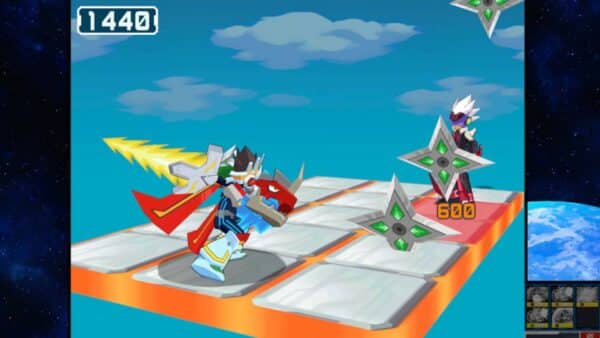


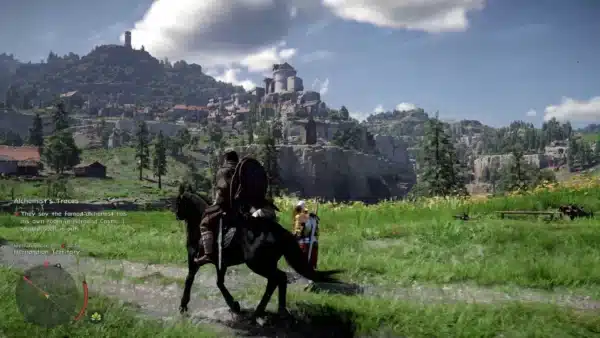

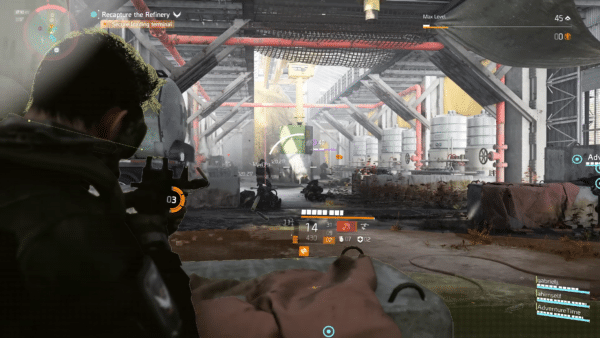














&q=40)