Harry Potter: Quidditch Champions update 1.04 is out now on all platforms, and this is a hotfix. While this doesn’t include any new content, it does implement an important fix for max turn speeds. Check out what got changed below.
Harry Potter: Quidditch Champions Update 1.04 Patch Notes:
Champions! Harry Potter: Quidditch Champions will be undergoing a period of maintenance tomorrow, 10/17, beginning at 7 AM PT to deploy a hotfix reverting the majority of the max turn speed change for Chasers and removing this impact on other roles from the previous patch.
This hotfix will also include an update to Daily Challenges to include gold rewards, which should help with acquiring the newly added Halloween items in the Market -these items will also be available after the event closes for those still working towards purchasing!
Give we just got a big tuning change last week, it’s expected that what we have now is more for a quick fix than anything else.
Dragami Games has pushed out Lollipop Chainsaw RePop update 1.005.001 on consoles and PC, and this adds a graphics setting on the PS5 version, and also a long list of bug fixes affecting all platforms. Check out everything that got added anf fixed in the patch notes for the game below.
Lollipop Chainsaw RePop Update 1.005.001 Patch Notes for October 17:
PlayStation 5 / Steam
For the following platforms, distribution will be made as soon as they are ready.
We will notify you again when it is distributed.
Xbox Series X|S / Switch
Major items included in the latest update
Bug Fix
Fixed a bug that caused overlapping voices when saving some survivors.
Fixed a bug where some survivors were repeating the same lines.
Fixed a bug in which subtitles were not translated for some events.
Fixed a bug that sometimes caused the number of KillZombie to be insufficient in some scenes.
Fixed a bug that prevented some zombies from appearing.
Fixed a bug in which the subtitle timing was off in some scenes.
Fixed a bug that caused the number of zombie medals earned to be displayed incorrectly under certain conditions.
Fixed display defects of effects in some events.
Adjustment of collision judgment in some stages.
Fixed a bug that made it difficult to jump by chainsaw dash in some scenes.
Fixed a bug that caused some zombies to stop acting under certain conditions.
Optimized handling of some zombies.
Fixed a bug where all zombies were tracking the player at the same time.
Fixed an issue with Nick’s voice overlapping during costume changes.
Fixed a bug that new icons in the store did not disappear.
Fixed a bug that caused product icons to be reduced in size under certain conditions in the store.
Fixed a bug that prevented the store’s item list from being displayed under certain conditions in the store.
Fixed a bug that sometimes caused display corruption when changing graphics settings during the game.
Fixed a bug in Stage 1 where voices were not playing when some zombies were killed.
Fixed a bug in Stage 2 where the boss kept flinching continuously.
Fixed a bug in Stage 2 where the boss would sometimes jump out of the ship.
Fixed a bug in Stage 2 where the movement speed of the boss was faster than it should have been during his bouncing attack.
Fixed a bug that caused progression to be disabled when certain nick moves were used in Stage 2 and boss battles.
Fixed a bug that caused incorrect movement direction during the elevator mini-game in Stage 4.
Fixed a bug in Stage 5 where the sound of the crane truck did not stop.
Fixed a bug in stage 5 where the icon was not displayed before the helicopter was shot down.
Fixed a problem with the Chainsaw Blaster not hitting during Stage 5 boss battles.
Fixed a bug that caused the screen to remain white under some conditions during Stage 5 boss battles.
Fixed a bug that caused some animations to stop when certain nick moves were used in Stage 5 boss battles.
PlayStation 5
Additional function
Graphics setting options added to Options.
Graphics settings
In this update, a graphics setting item has been added to the options screen.
The description of each item is as follows.
Performance
【Fidelity Mode】
This mode allows you to play with beautiful graphics. This is the default setting until version 1.04.
【Performance Mode】
This mode allows you to play at a more stable fps. The PlayStation 5 version can be played at a stable 60 fps or higher at 2560×1440 resolution.
Once another patch is released, we’ll let our readers know.
Former PlayStation CEO Shawn Layden believes that the video game industry is losing its balance. Layden, who once led Sony Interactive Entertainment Worldwide Studios, thinks that the era of AA games—those mid-tier titles between big-budget blockbusters and smaller indie projects—is essentially over, and that’s not a good sign for the future of gaming.
In a conversation with Raw Fury co-founder Gordon Van Dyke at gamescom Asia, Layden spoke about the problem facing the industry today. He said,
In the past we spent a lot more time looking at games and not asking ‘what’s your monetisation scheme’, or ‘what’s your recurrent revenue plan’, or ‘what’s your subscription formula’? We asked the simple question: is it fun?
Layden explained that, back in the day, the main focus was simply on making games fun, not on how much money they would make. Since it cost less to develop games, studios could take more chances, which allowed smaller games to thrive.
However, Layden highlighted how different things are now,
Today, the entry costs for making a AAA game is in triple digit millions now. I think naturally, risk tolerance drops. And you’re [looking] at sequels, you’re looking at copycats, because the finance guys who draw the line say, ‘Well, if Fortnite made this much money in this amount of time, my Fortnite knockoff can make this in that amount of time.’ We’re seeing a collapse of creativity in games today [with] studio consolidation and the high cost of production.
When Van Dyke asked about the future of indie games, Layden admitted that while indie projects are still thriving, the real concern is the loss of AA studios. He said,
That middle piece is gone. If you [can become] AAA, you survive, or if you do something interesting in the indie space, you could. But AA is gone. I think that’s a threat to the ecosystem.
When asked about what strategy to adopt for the few remaining AA studios, Layden explained that instead of trying to compete with the high production quality of AAA games, AA studios should focus on finding their place by doing something different. Layden said their focus shouldn’t be about creating “a dollar store version of God of War,” but rather about introducing fresh and new ideas to the industry.
It’s Thursday, and that means another GTA Online update this week! For October 17 until next Thursday, players can expect Slasher bonuses and more. Same as always, check out the complete list of new activities, discounts and more below.
GTA Online Update This Week of Oct. 17 – What’s New:
Full details from this week’s update include:
Double GTA$ and RP on Slasher and Acid Lab Sell Missions
North Yankton Nightmare Community Challenge: Collectively slay 800 million zombies in the new Ludendorff Cemetery Survival to get the Purple Glow and Green Glow Skeleton Onesies
Free Orange Glow Skeleton Onesie and Red Hooded Skull Mask for crushing the initial challenge of 80 million zombies
Celebrate Día de Muertos with free Maritime and Royal Calaca Masks for playing any time this week
Free Brown Creepy Cat Mask for playing any time this week
Free Black Creepy Cat Mask and GTA$100,000 bonus for killing your Clone Slasher in Freemode
On Display at Simeon’s Deluxe Motorsport Showroom: The Declasse Scramjet, Benefactor Stirling GT, Grotti Cheetah, Chariot Romero Hearse, and Canis Bodhi
This Week at the Luxury Autos Showroom: The Vapid Dominator FX and Vapid Aleutian
HSW Premium Test Ride: The Grotti Brioso R/A
LS Car Meet Prize Ride: Place Top 5 in the LS Car Meet Series for three days in a row to earn the Karin Futo GTX
LS Car Meet Test Rides: The Coil Raiden, Grotti GT500, and Benefactor Surano
Lucky Wheel Top Prize: The Dinka Kanjo SJ
Free Sugar Skull Face Paints and Skull Tattoos through November 6
Gun Van Discounts: 40% off the Military Rifle and 30% off the Sniper Rifle (For GTA+ Members)
Vehicle Discounts: 30% off theAlbany Fränken Stange, Albany Lurcher, Albany Brigham, Declasse Tornado Rat Rod, LCC Sanctus, Chariot Romero Hearse, Annis Euros, Willard Eudora, Enus Windsor Drop, and Benefactor Stirling GT
GTA+ Benefits: Free Mummy Outfit for playing the new Ludendorff Cemetery Survival mode, a free HVY Nightshark with the limited-time Skulls livery, Double GTA$ and RP on Halloween Adversary Modes, and much more
Halloween Discounts and More…
On top of receiving this week’s special celebratory Calaca Masks just for playing GTA Online, all Skull Tattoos and Sugar Skull Face Paints are free through November 6. See the full list of this week’s discounts below:
Skull Tattoos – FREE
Sugar Skull Face Paints – FREE
Albany Fränken Stange (Sports Classic) – 30% off
Albany Lurcher (Muscle) – 30% off
Albany Brigham (Muscle) – 30% off
Declasse Tornado Rat Rod (Sports Classic) – 30% off
In addition to receiving the Mummy Outfit for playing the new Ludendorff Cemetery Survival mode, GTA+ Members get 2X GTA$ and RP on Halloween Adversary Modes, with a stacking bonus of 4X GTA$ and RP on Slasher this week.
GTA+ Members can also claim a free HVY Nightshark (Off-Road) with limited-time Skulls livery at The Vinewood Car Club and much more, including monthly GTA$ deposits into your Maze Bank account and access to a library of classic Rockstar Games titles in the GTA+ Games Library.
Funcom has released the next major update for Conan Exiles and it’s live now on all platforms! Called “Age of Heroes,” those on consoles will see this as Conan Exiles update 2.08, and this brings new quests two new Companions, new cosmetics, and a lot more! Dive into the complete patch notes available below.
Conan Exiles Update 2.08 Patch Note – What’s New in Age of Heroes:
COMPANIONS
In this first Chapter of the Age of Heroes 1, meet Liu Fei, the Khitan sorcerer, and Freya, the Aesir warrior. Embark on each of their epic questlines to gain their loyalty as a permanent Companion. These fully voiced characters will each gain perks unique to them based on your actions during their story.
The time has come, Exile. Lead these heroes through the blaze of corruption and vengeance – to glory!
LIVING SETTLEMENTS
Today, all of your worker thralls are transformed 1 into living, breathing people. No longer mere items in your inventory, workers will now also go about their business in your base, socializing and meeting needs like sleep, hunger, and rest. Don’t worry, their duties will still be tended to, even when away from their crafting table.
When danger is present, some succumb to panic and flee, while others will stand and protect their leader. They are the lifeblood of your settlement.
This is a major overhaul that comes with many quality-of-life improvements, new UI, knock-on effects, and other details, so make sure to check out in the patch notes below.
NEW ADDITIONS:
Companions
Rescue and recruit new unique followers who will join your pursuit to dominate the Exiled Lands.
Help them overcome challenges through multi-day quests across various locations and encounters.
A Disembodied voice summons you to a perilous situation east of the Celestial Plaza. Hear the plight of the sorcerer Liu Fei and aid him in his struggle to survive.
Billowing black smoke will lead you to Freya’s Hovel in the Highlands. Discover what tragedy has befallen the warrior Freya and help her overcome her demons.
Each Companion has several unique Perks to unlock. The perks they receive are based on the actions taken during their questlines.
Living Settlements
All new functionality for crafter thralls and crafting stations throughout your settlement.
Crafter thralls are now fully functional NPCs.
A new section has been added for all crafting station interfaces, allowing you to select which crafting bonus you would like to apply to your crafts as well as displaying the details of those bonuses.
Crafter thralls will now go about their lives within your settlement fulfilling their daily routines, including work, relaxation, and entertainment as they see fit.
Each individual placeable now has a toggle from the radial menu allowing or disallowing followers to use them.
Server-wide Toggle for Living Settlements added.
Additional
Barkeepers can now be found and rescued from cages across the Exiled Lands.
Engaging in combat with a Tavern Patron will now kick them out of your tavern.
Crafters are now able to be rescued from prisoner cages found within Stygian Legion camps after successfully thwarting a purge.
BLACK LOTUS BAZAAR
The first chapter of the Age of Heroes offers a diverse array of content for the Bazaar! Expect new offerings from from the wilderness with the Pictish Hunter and Pictish Furniture bundles, stargazing with the Corinthian Noble, Corinthian Observatory Lounge, and Argossean Observatory Building Sets, and the Zingaran Vintner bundle!
Fixes
Arcane Motif Stonebrick Frames bundle has new icons that accurately show the contents of the bundle/feat.
Poitain Tilt Barrier has been updated where players can now joust and hit their targets from across the barrier.
GENERAL
Improved shadow effects on PS5.
Updated controller image under Bindings menu for PS5.
GAMEPLAY
Battle Pass and Challenges have been removed.
Main Menu now plays background videos.
Purge performance improved.
Reduced health for Stone Thrones, Large Water Wells, and Battle Standard from 300000 to 10000.
Adjusted weight for alcoholic drinks and Spiced Fowl from 1.75 to 0.1 to match other food/drinks.
Survivalist Expertise now depletes hunger and thirst 33% slower instead of 50% slower.
Reduced base stamina damage for Baal-Pteor’s Lodestone from 30 to 3.
It is now possible to fur, layered fur, and layered silk in Storage Container: Skinning.
Balance changes to health for several NPC factions.
Chain bindings can now be repaired using Steel Bars and don’t require Weapon Repair Kits.
The Blacksmith Journey step that used to read “Harvest coal” now reads “Obtain fuel” and now better represents various fuel types. In addition, players can obtain any type of fuel to complete this step.
Changed the crafting station for the Pride of Aesir armor so that it can be crafted on the Isle of Siptah.
The following emotes can now be found on Siptah by interacting with emote-teaching books:
Cross Arms
Fistpunch
Submissive
Spit
Pushups
(Gamepad) Sorting type and/or Filter can be reset with a long press on R3/L3.
Search tab under Knowledge can now be used while on gamepad on PC/PS5.
Market Windows can now be converted/replaced/upgraded into walls, frames, and windowed walls, and vice-versa.
Adjusted door health to be more consistent for Pyramid, Yamatai Tower Sliding Door, Yamatai Tower Door, and Turanian Door.
Followers
‘Smart Object’ (aka green ghosts) Placement scale and pathing have been improved.
Multiple smart objects can be interacted with at once.
All beds now count as valid placement spots for both players and thralls.
NPCs no longer teleport far away from their chair when attacked.
Followers and pets now take food from thrall pot and feed box.
Follower Status is now hidden in nameplates when they are not actively in Following, Guarding, or Scouting mode.
Followers set to Guarding or Scouting retain this nameplate status. Otherwise, their nameplate status hidden by default.
Nameplates of active followers have been expanded to display more useful information.
Instead of showing as ‘Following’, the character now displays their current engagement behavior, as set within its behavior menu (e.g. Passive, Defensive, Aggressive)
The exception to this is non-combat followers (such as mounts), who should continue to display “Following”.
The nameplate also now displays the current orders being executed by your follower, such as attacking, moving, fleeing, etc.
BUG FIXES
Battle Pass and Challenges have been removed.
Main Menu now plays background videos.
Purge performance improved.
Reduced health for Stone Thrones, Large Water Wells, and Battle Standard from 300000 to 10000.
Adjusted weight for alcoholic drinks and Spiced Fowl from 1.75 to 0.1 to match other food/drinks.
Survivalist Expertise now depletes hunger and thirst 33% slower instead of 50% slower.
Reduced base stamina damage for Baal-Pteor’s Lodestone from 30 to 3.
It is now possible to fur, layered fur, and layered silk in Storage Container: Skinning.
Balance changes to health for several NPC factions.
Chain bindings can now be repaired using Steel Bars and don’t require Weapon Repair Kits.
The Blacksmith Journey step that used to read “Harvest coal” now reads “Obtain fuel” and now better represents various fuel types. In addition, players can obtain any type of fuel to complete this step.
Changed the crafting station for the Pride of Aesir armor so that it can be crafted on the Isle of Siptah.
The following emotes can now be found on Siptah by interacting with emote-teaching books:
Cross Arms
Fistpunch
Submissive
Spit
Pushups
(Gamepad) Sorting type and/or Filter can be reset with a long press on R3/L3.
Search tab under Knowledge can now be used while on gamepad on PC/PS5.
Market Windows can now be converted/replaced/upgraded into walls, frames, and windowed walls, and vice-versa.
Adjusted door health to be more consistent for Pyramid, Yamatai Tower Sliding Door, Yamatai Tower Door, and Turanian Door.
Followers
‘Smart Object’ (aka green ghosts) Placement scale and pathing have been improved.
Multiple smart objects can be interacted with at once.
All beds now count as valid placement spots for both players and thralls.
NPCs no longer teleport far away from their chair when attacked.
Followers and pets now take food from thrall pot and feed box.
Follower Status is now hidden in nameplates when they are not actively in Following, Guarding, or Scouting mode.
Followers set to Guarding or Scouting retain this nameplate status. Otherwise, their nameplate status hidden by default.
Nameplates of active followers have been expanded to display more useful information.
Instead of showing as ‘Following’, the character now displays their current engagement behavior, as set within its behavior menu (e.g. Passive, Defensive, Aggressive)
The exception to this is non-combat followers (such as mounts), who should continue to display “Following”.
The nameplate also now displays the current orders being executed by your follower, such as attacking, moving, fleeing, etc.
EMAIL COLLECTION
Exiles on Steam, Epic Games Store, and Sony platforms can now Share and Verify their Email Address directly in-game to join our mailing list. This is purely optional.
For more information please check this article on our [Help Center].
CODE REDEMPTION
While this isn’t a gameplay feature per se, we thought it worth mentioning a new function for all platforms where you can redeem codes in-game for rewards. The first batch of codes and shinies using this system is coming soon, so keep an eye out!
For more information please check this article on our [Help Center].
Same as with any major update, don’t be surprised if we get a follow up patch to fix any bugs that arises from this major patch.
The promised free DLC for Astro Bot is now live! Team Asobi has rolled out Astro Bot update 1.005, and this adds a slew of content all for free! Expect new levels, new special bots to rescue, with more on the way throughout the next few days and weeks.
What’s New in Astro Bot Update 1.005:
Download size: 1.976GB
Update: More info about the patch added to the article!
New Trophies:
New Bots:
Rise of the Ronin Bot (Item Avicula)
Helldiver Bot (Drop Pod)
Building Speed Overview:
In Building Speed, with the help of Barkster, the bulldog booster, you will blast your way through a sky-high city. Dodge cranes, smash through crates, and even speed through a flying car wash on the way to rescue your stranded crew.
Expect a brand new speedrun level to be released each week, and the schedule is available below:
Release Schedule:
Oct 17: Building Speed
Oct 24: Let it Slide
Oct 31: Spring-loaded Run
Nov 7: Helium Heights
Nov 14:Rising Heat
Expect the rest of the Astro Bot updates to follow the same Thursday roll out. So far, the studio has not released any changelog if anything got fixed, but if they do, we’ll be sure to add it to the article.
Following the launch of the Frostline DLC and stable update 1.26 yesterday on all platforms, Bohemia Interactive has released a new patch for the game’s console versions today. Players should be able to download DayZ update 1.72 now, as the game’s servers went down for maintenance to roll out the file download.
DayZ Update 1.72 Patch Notes and Fixes for October 17:
Console Stable 1.26 Update 2 – Version 1.26.158901 (Release on 17.10.2024)
While Call of Duty fans worldwide are preparing for the release of Call of Duty: Black Ops 6, the game will not be available in Kuwait. The government has reportedly blocked the game from being sold in stores or downloaded digitally.
In a statement from Activision, the company confirmed the news:
Call of Duty: Black Ops 6 has not been approved for release in Kuwait. At this time, the title will not be available for release in region. As a result, all pre-orders in Kuwait will be cancelled and refunded to the original point of purchase. We remain hopeful that local authorities will reconsider, and allow players in Kuwait to enjoy this all-new experience in the Black Ops series.
Gamers who had pre-ordered the game will receive full refunds, but the disappointment remains high. It’s not the first time Kuwait has blocked a game, with previous examples including The Sims: FreePlay and Dragon’s Dogma 2, highlighting the stricter regulations on gaming in the country.
The reason behind Call of Duty: Black Ops 6 being blocked in Kuwait hasn’t been officially revealed, but it’s likely due to its focus on the Gulf War and Saddam Hussein’s invasion of Kuwait in 1990, which is a sensitive topic for the region.
Additionally,this isn’t the first time Call of Duty games have faced restrictions. In Russia, Modern Warfare 2 had its controversial “No Russian” mission removed, while China and the UAE have also censored or restricted certain Call of Duty titles due to political or cultural concerns.
In related news, Microsoft pulled its $1 Xbox Game Pass trial just days before Black Ops 6 was set to release. The 14-day trial, which allowed access to the service’s full library, was removed ahead of the game’s launch. Many believe this move may be tied to the upcoming release of Black Ops 6.
Call of Duty: Black Ops 6 will be available on October 25 for the PS4, Xbox One, PS5, Xbox Series X|S and PC.
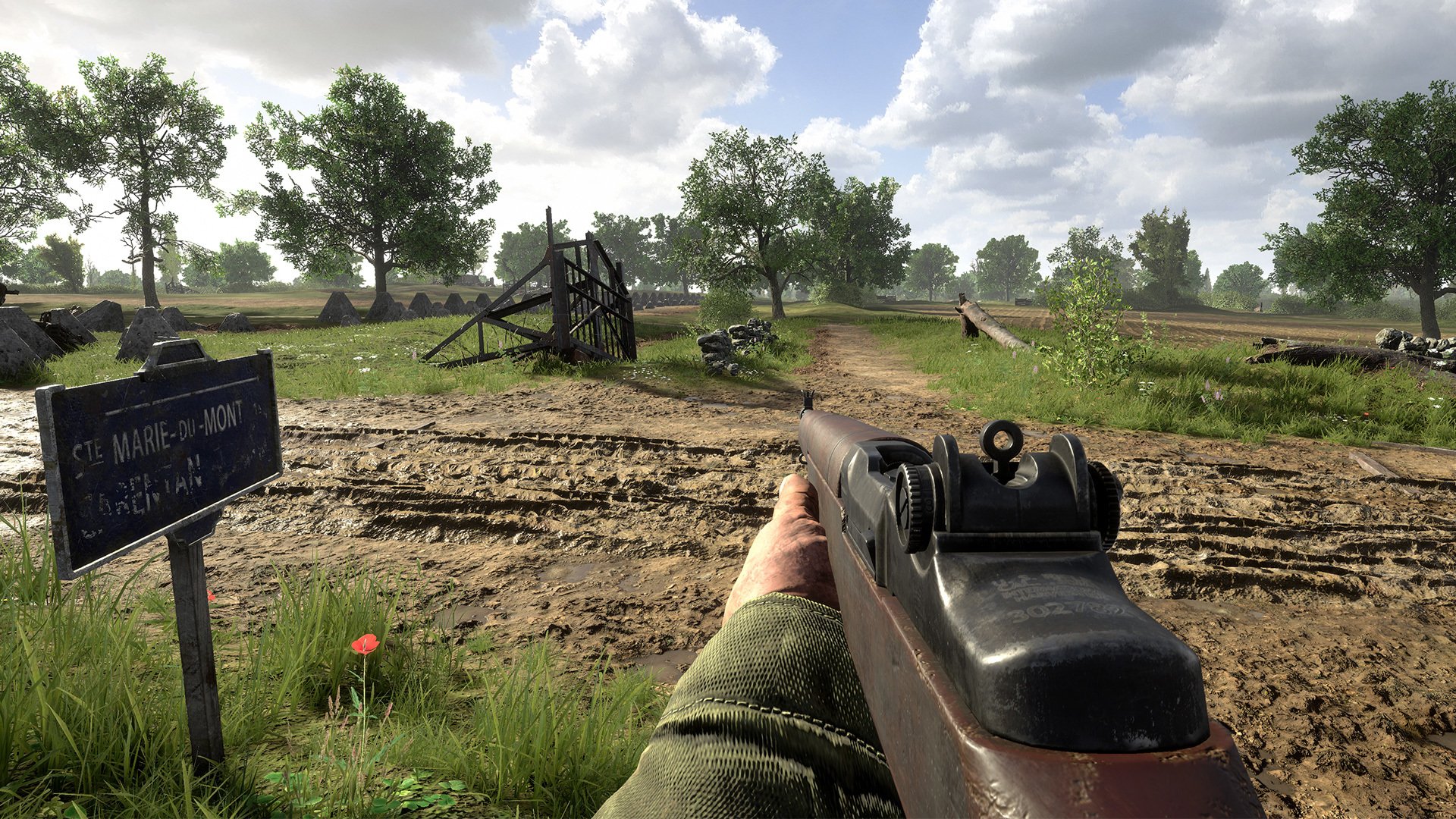
BlackMatter has rolled out Hell Let Loose update 1.039 and this is for the big 15.3 content drop! This brings the Purple Heart Lane map refresh, new cosmetics, the new console admin camera that now has full controller support and more. Read on for everything that got added and tweaked in the official patch notes.
Hell Let Loose Update 1.039 Patch Notes for October 17:
Elsenborn Ridge PTE
We will be hosting a Public Testing Environment on Steam for Elsenborn Ridge, starting tomorrow! This will run throughout the weekend. Please stay tuned for more information.
Purple Heart Lane – Map Refresh
Last year, we asked you what map you’d like to see refreshed. After casting your votes, the majority of you decided the map to receive a refresh treatment was Purple Heart Lane.
After analysing the map and sifting through player reports regarding its most frustrating parts, we have addressed the following issues on a wider map scale:
Insufficient river crossings
Unclear where water can/cannot be crossed
Inconsistent drowning in fields
Lack of cover in and around certain hard caps
The purpose of this refresh was not to take anything away from the legacy map, but to enhance and refine what already exists to respect the tone. Based on community feedback, we have made the following adjustments to the following Capture Points:
Bloody Bend
Made some terrain tweaks to reduce drowning in the fields unless prone
Added cover points
Added an extra non-enterable barn for cover
Dead Man’s Corner
Replaced a non-enterable building with an enterable version of the same size, to provide elevation opportunities, as well as an additional quicker route through the backyards
Opened up the wall network to allow an additional infiltration point around the compound
Additional cover
Added routes in and over the wall
Forward Battery
Extended the hedgerows to meet up with the rest of the landscape
Added additional side bocage hedgerows to provide cover opportunities for players wading through the water channel
Added foliage
Added cover in the flooded field on the flank
Jourdan Canal
Adjusted terrain levels to reduce drowning
Added cattle ring cover for players wading through the fields
The player can now walk underneath the footbridge at full height without drowning
The player will drown if they attempt to crouch, this can be prevented by standing up
Added a pontoon bridge crossing point
Added immediate cover for players as they cross the bridge
Adjusted reed foliage around the bridge
Added a tree line of sight blocker
Douve Bridge
Created additional dock walkways to get to the other side of the river
Added cover points along this route
Made some tweaks to the landscape to make less of it submerged deep in water
Added a little bit of storytelling with destroyed vehicles and artillery scorch marks
In keeping with the dock theme an additional small dock en route to the bridge with cover has been added
Douve River Battery
The water can now be crossed at specific points both on foot and in a vehicle, this will be highlighted both in the environment and on the tactical map
Groult Pillbox
Made terrain changes so that the deep water is broken up by the land
Created additional cover
Created additional foliage
Added a pontoon bridge river crossing
Carentan Causeway
Added a trench network in close proximity to the exit of the existing trench network
Added a non-enterable shed building
Terrain pass
Foliage pass
Made terrain changes
Created additional cover
Created additional foliage
Additional cover in the flooded fields
Embankments on the approach for prone cover
Additional storytelling
Flak Position
Made terrain changes
Created additional foliage & cover
Additional storytelling
Madeleine Farm
Made terrain changes
Made the dirt road more prominent at ground level
Replaced the wall to open up the additional road loop
Adjusted road splines to link up the off-road back to the main road
Built on top of the existing field with additional storytelling and cover
Madeleine Bridge
Updated the rubble affordance position to make it clearer that the player cannot get underneath the arch
Adjusted the terrain in the centre of the bridge to allow the player to move underneath the central arch
Allows the player to fully cross the river at this section, and keeps it in line with the rest of the canal
Created an additional trench network in the field
Aid Station
Terrain pass
Cover pass in the hard cap
Foliage pass in the hard cap
Ingouf Crossroads
Added a farm compound
Terrain pass on height, blending and painting
Additional foliage created
Road to Carentan
Terrain pass
Foliage pass
Created additional cover
Dynamic Weather
With the map refresh of Purple Heart Lane the Technical art team looked at introducing an update to the rain. Initially, this was to address some visual bugs that occurred on Xbox. This allowed us to add some variation to the original effect, allowing us to have some scenarios with no rain or some with a full-on storm.
We have been investigating this as part of an expansion to the levels of snowfall planned for Elsenborn Ridge and adapting the technology to include rain. The system’s flexibility has allowed us to add VFX scenarios ranging from light rain to a heavy downpour, coupled with lightning and thunder. The system had to be expanded to include audio level changes that would synchronize with the rain intensity and to also have a delayed trigger to each lightning strike.
Each VFX scenario was broken down into a preset;
Light rain
Medium rain
Heavy rain
Extreme rain (including thunder/lightning)
This meant we could tune each scenario easily in isolation. Each scenario includes parameters referenced from the VFX, lighting and audio files to allow us to easily tune rain intensity, atmospherics and audio. In addition, there are also controls for the frequency and occurrence of lightning for the extreme rain setting.
Each of these presets was made into a Data Asset that could then be accessed by the Blueprint to blend between over a set amount of time, all of which can be tuned in terms of frequency, probability and transition length. We added the probability of when the transition between each stage would occur for us to add a certain amount of randomness to it. Along with this the lightning that occurs in the extreme level of rain also has a probability factor of when and where it occurs adding to the immersion of the overall effect.
Console Admin Camera
Admins on console servers can now utilize the power of the admin camera with full controller support!
If you’re an admin on a server (For Console or PC) you will now find that you can enter / exit the admin camera menu via the pause menu
Bug Fixes
General
The text under Notice for Armor and Recon in the Create a New Unit menu is misaligned
[15.0] The loading screen for SMDM Day Skirmish shows the Town centre which is not in the skirmish level
[15.0] The loading screen for SMDM Night Skirmish shows the Town centre which is not in the skirmish level
[15.0] The preview image of the Oak Leaf uniform is low resolution
[Console Server Browser] The confirm prompt for the Reset Filter pop-up & the confirm button on the server filter window doubles the input
The search function within “Field Manual” doesn’t search for all topics.
The hair is clipping with the Winter head on front end after equipping then on Barracks
[Field Manual] In Vehicles > Seats & Keybindings, the tank section mentions that all heavy & medium tanks have a machine gun for the driver, which is incorrect.
[Field Manual] On the half track page, there is no mention that the half track engine needs to be turned off in order to work as a spawn.
[Field Manual] Under “Satchel Charge” in “Equipment” there is no mention that the satchel charge can be disarmed.
[Field Manual] Under Artillery > Shells in the Combat section, it should be mentioned that smoke shells deal no damage, even direct hits.
[Field Manual] Under Deployables, it would be expected for “Spawn Types” to be the main section, not a sub-section, and for it to cover the airhead, half-track & recon spawns.
Slider value settings that are set by 1 tick above the minimum value, back to the minimum value, will not change as expected.
Flamethrower canisters are severely clipping through the support’s backpack on some uniforms.
Garrison cannot be destroyed by nearby satchel explosion
Officer/Commander watch no longer shows how many garrisons are currently built
The M1919 Browning reload audio cannot be heard in TPP
The player is unable to use commander abilities after attempting to use the chat during cooldown
Visual keybinding indicators on pop up prompts are linked to the “Dialog” keybinds instead of “Vote”.
When diving to prone and firing a machine gun, the player jumps forwards when they finish firing
The Firefly hull front has weak points on the hatches with only ‘Heavy’ armour value
Console specific
[CONSOLE] Joining a party as a PS5 player through T17 overlay causes the VOIP channels to become unusable
[CONSOLE] Party voice chat doesn’t work in Frontend when inviting a player through T17 Overlay
[CONSOLE] When player tries to join a server through T17 overlay VOIP is unusable
[CONSOLE] Player cannot switch between Server Message and Key using LB/RB buttons within Deployment Screen
Carentan
Wheel asset presents snow texture
[D6] Rubble piles have larger than expected Collision, blocking bullets from hitting targets
[C7] Assets in this sector are missing textures, polygon faces or are very noticeably misplaced.
[F7] The Player remains stuck between a chimney and a chair inside of a ruined building
[I3] Door and Brick Wall Textures Overlapping
Driel
[Driel-O-GER] The pre-placed British Garrisons have the design of the US Garrisons
El Alamein
[A3] Floating pile of rocks are present in Sector 6
Rock formations across the entire map are presenting poor level of detail
Low textured rock formations are missing player collision
[A3][B3] Floating rock asset is present in sector A3 and sector B3
[F6][Offensive] Assets in this sector are missing textures, polygon faces or are very noticeably misplaced
Hill 400
House asset changes its texture once the user gets close to it
[I4] Window will show low level LOD and appear as pink when viewed from a distance
Hürtgen Forest
[H4] Missing collision on a boulder
Kursk
[E10] A fence doorway blocks players from walking through
[F10] Invisible collision present in trench
Invisible wall present on a broken barbed wire asset along trench
Mortain
Supply and Ammo Drops can be placed in the out of bounds area
[D6] – Tent is slightly misplaced
[G3/H3] The player can catch on fire if driving a supply truck past wrecked trucks in close range
Omaha Beach
Some bushes don’t have any player or bullet collision
[C5] A specific house asset is corrupted
Purple Heart Lane
[E4] Players can get stuck in water under Douve Bridge
[F2] [F10] Raining inside a couple of houses
[F4] There is some z-fighting present on the brick floor along the docks.
[F7] When walking on the walkway under the bridge, deep water footstep SFX are incorrectly emitted.
[H1] Red car has low detail from a short distance
Power Lines across the map presents misalignment
There is a spot present in sector D8 where vehicles start wobbling
Transport and Supply trucks can become stuck in cattle feeder assets.
General LOD Foliage improvements
Practice Range
[Practice Range] “Select Spawn” option appears invalid in the Practice Range deployment and select role screens
[Practice Range] Deployment screen loses functionality in Practice Range
[Practice Range] White decal can be seen through scarecrow targets
[Practice] Players are not removed from a party when entering the practice range
Remagen
[F8] Rock assembly is missing vehicle collision.
[D3] Vehicles clip through the rocks near the train tracks
[F8] Rock assembly is missing vehicle collision.
[H2] A mudbank is missing vehicle collision
[D3] A boulder does not have vehicle collision
Sainte-Mère-Église
[C4] Stretched texture on wired fence
[J8] Misaligned barbed wire is present in this sector
Stalingrad
[I6] [I7] Apartment building roof is missing player collision in multiple spots
The new PUBG update 32.1 is finally here for console players around the world. This is update 2.78 and it comes with gunplay changes, new rewards, a new mode and lots more. Read on for the October 17 patch notes for PUBG down below.
Beginning with Update 32.1, the below regions will be merged. Please refer to the Region Merge announcement for all the details.
PC
AS + KR/JP → AS
NA + SA → AMER
OC + SEA → SEA
Console
NA + SA → AMER
AS + OC → APAC
Map Service
※ PC players can anticipate the next rotation every Wednesday at 2 AM UTC, while Console players can expect the same every Thursday at 7 AM UTC.
Schedule
Week 1
October 10
October 17
Week 2
October 16
October 24
Week 3
October 23
October 31
Week 4
October 30
November 7
Live Server – Normal Match
Map Select Regions (AS, SEA)
Fixed
Favored Map
(Rondo, Miramar, Taego)
Rotation
Etc.
(Paramo, Vikendi, Karakin, Deston)
Week 1
Erangel
Sanhok
Rondo
Taego
Deston
Week 2
Erangel
Sanhok
Taego
Miramar
Paramo
Week 3
Erangel
Sanhok
Miramar
Rondo
Vikendi
Week 4
Erangel
Sanhok
Rondo
Taego
Karakin
Map Select Regions – KAKAO
Fixed
Favored Map
(Miramar, Rondo)
Rotation
Etc.
(Paramo, Vikendi, Karakin, Deston)
Week 1
Erangel
Taego
Sanhok
Rondo
Paramo
Week 2
Erangel
Taego
Sanhok
Miramar
Vikendi
Week 3
Erangel
Taego
Sanhok
Rondo
Karakin
Week 4
Erangel
Taego
Sanhok
Miramar
Deston
Random Map Regions – AMER, EU, RU & Console
※ Rotations featuring Deston will have a 20% probability for each map. For Weeks 1 and 3, fixed and favored maps will each have a 22% probability and etc. maps will be 11% each.
The map service for Ranked is updated on a season-by-season basis.
※ Please note that the features and updates described below are subject to change or removal due to issues such as bugs, in-game problems, and community feedback. The images are intended as visual references only; the actual game may look different as the builds are continually developed and refined before release.
Gunplay
※ The following updates apply to every mode.
Several adjustments have been made to Care Package weapons and the Muzzle Brake.
Muzzle Brake
Vertical recoil control +10% → +8%
Horizontal recoil control +10% → +8%
Camera shake control when firing +50% → +35%
FAMAS
The QuickDraw Mag, Extended Mag, and Ext.QuickDraw Mag are now available for the FAMAS.
MG3
Reload speed has been increased by 20%.
Horizontal recoil decreased by approximately 5%.
P90
The reticle size has been increased.
The weight of 5.7mm ammo has been increased.
Mk14
Damage: 61 → 60
Rate of fire: 667 RPM → 600 RPM
DBS
The DBS has been added to Care Packages and will no longer world-spawn.
Damage: 26 → 28
Rate of fire: 375 RPM → 480 RPM
Time required for pump action: 0.63s -> 0.45s
Vertical recoil decreased by approximately 20%.
Horizontal recoil decreased by approximately 20%.
Buckshot spread has decreased by approximately 30%.
Lynx AMR
Lynx AMR has been added to Care Packages on all maps.
Spawn Changes
The spawn rates of the DBS and Lynx AMR in special spawns like the Secret Room, Lab Camp, and Market in Normal Match have been adjusted.
The DBS has been removed from special spawns in Ranked.
The DBS has been removed from both the Spawn kit in Team Deathmatch and the Spawn tab in Custom Match.
< Dev’s comment >
This year, we’ve continued enhancing the gunplay experience by making various adjustments to mainstream weapons, SMGs, and attachments. Update 32.1 builds on this by further diversifying the Care Package weapon selection. First, the FAMAS and MG3 have been underperforming and underused compared to other Care Package weapons, so we’ve improved their usability to highlight their strengths in high RPM. For the FAMAS, we’ve addressed its limited sustained fire due to the lack of a magazine. In the case of the MG3, we’ve improved its reload speed, which previously lagged behind that of the M249. Meanwhile, the P90 had the highest win rate of all Care Package weapons with high rates of fire, primarily due to its low recoil and high power with minimal risk despite having limited ammo. To balance this, we’ve increased the weight of the 5.7mm ammo, which will still be the lightest type available. The much-loved Mk14 boasted the highest damage and RPM among DMRs, prompting us to nerf its power. In addition, we’ve included the Lynx AMR, which was previously exclusive to the Miramar Care Package, as well as the DBS, in Care Packages across all maps. We’ve received significant feedback regarding the DBS and its strong performance on the battlegrounds. Instead of simply nerfing it, we’re moving it to Care Packages to provide players with a new option—a Shotgun—among Care Package goods while also buffing it to make it even more powerful than it was before. We hope this enhances the diversity of the overall gameplay experience.
With this update to the Care Package weapons, our goal was to enhance their performance while still respecting their unique characteristics. We aimed to strike the right balance so that each Care Package weapon performs appropriately for its elite status without allowing any single weapon to gain an unfair advantage. Additionally, the Muzzle Brake, which has been widely used since launch, will also be adjusted to better align with other attachments. We’ve made these changes to ensure that players who prefer to control their camera shake can continue to enjoy using the Muzzle Brake, allowing for a gunplay experience that reflects their personal preferences.
Recall System
We’re revamping the Recall system based on your feedback!
New Features
Recall Timeline
Recall flights will now appear at regular intervals of 2 minutes and 30 seconds after the match begins instead of once per phase.
However, recall flights will not fly from Phase 7 onwards.
The total number of recall flights per match will be slightly increased.
The Blue Chip Towers and Blue Chip Transmitters will be deactivated once the final recall flight appears.
Since the recall system can now be used immediately after the match starts, the notification for when the Blue Chip Recall System Devices become active has been removed.
Recall Flight Notification
The remaining number of recall flights and their arrival times are displayed in the bottom right corner of the World Map.
Players carrying friendly Blue Chips will see the remaining number of recall flights at the top of their Minimap.
Recall Flight Route
The route of the recall flight is now determined by the Play Area rather than the Safe Zone.
Blue Chip Locations
The locations of your teammates’ Blue Chips are now shown on both the World Map and Minimap.
The location will no longer be displayed once a teammate picks up the Blue Chip or if the Blue Chip is destroyed or removed.
Misc.
All Blue Chips can now be obtained instantly.
Dev’s comment: Update 32.1 introduces significant changes to our beloved Recall system. In response to player feedback about long wait times, we’re implementing a separate timeline for recall flights, which previously appeared only once per phase. This means you’ll see them more frequently during the early stages of a match. We’ve also adjusted the flight path to cover a larger area; it was previously restricted to crossing the Safe Zone, which reduced your chances of survival and limited your landing options. Additionally, with this update, the location of an eliminated teammate’s Blue Chip will now be displayed on the map. To balance the increased risk of taking enemies’ Blue Chips, we are removing the 2.5-second rule for neutralizing the Blue Chips.
Ranked
Season 32
The method for calculating RP for premade teams is shifting from a team average to a weighted average.
Previously, matchmaking was based on the team average RP, but starting in Season 32, it will be based on a weighted average. If you have a teammate with a high RP in your premade team, the RP pool you’ll be matched into will be higher, resulting in a more challenging gameplay experience.
Kills will carry more weight than assists in the RP calculation.
We aim for this change to match players with similar killing abilities within the same tier and division.
The minimum performance expectations for each tier are being updated.
Gold and higher tiers will now have increased minimum performance expectations to better reflect the skill differences at higher levels. However, we’re slightly lowering the minimum performance expectations for Master tier players to alleviate the pressure.
Ranked weapon skins for the P90 have been added as Tier Rewards (permanent) for Season 32.
The leaderboard will reset after the live server maintenance.
Check out your final Tier from the previous season through your Career page.
Dev’s comment: We are dedicated to fostering a fair gaming environment that makes Ranked play a worthy challenge. Our focus is to maintain a system where RP accurately reflects player skill, ensuring that players are matched with others of similar ability. We want everyone to face the right level of challenge for their skill set while preserving the fundamental excitement and intensity of Ranked gameplay. We genuinely appreciate all our players for continuing to enjoy Ranked, the core mode of PUBG: BATTLEGROUNDS, and we eagerly anticipate your feedback as we progress through Season 32. We are committed to providing a competitive experience where players can truly showcase their abilities.
Season 31 Rewards
Below are the rewards you’ll be receiving based on your final Tier from the previous Ranked season.
Tier
Rewards
Bronze
Bronze PUBG ID Emblem
Silver
Silver PUBG ID Emblem
Gold
Gold PUBG ID Emblem
Ranked Weapon Skin
Platinum
Animated Platinum PUBG ID Emblem
Ranked Weapon Skin
Platinum Medal
Diamond
Animated Diamond PUBG ID Emblem
Ranked Weapon Skin
Platinum, Diamond Medal
Master
Animated Master PUBG ID Emblem
Animated Master Nameplate
Ranked Weapon Skin
Platinum, Diamond, Master Medal
Top 500
Bonus rewards for Top 500 players:
Animated Top 500 PUBG ID Emblem
Animated Top 500 Nameplate
The Ranked weapon skins and Medals are permanent rewards. The rest of the obtainable rewards are available for use during a single Ranked season.
The Top 500 rewards are awarded to players at the Master Tier and above.
Rewards can be found on your Inventory/Edit Profile page once Season 32 starts.
Once Season 32 is over and the server undergoes maintenance, every reward but the weapon skin and Medal will be withdrawn.
World
Taego
The Hungers that appeared with Multi Care Packages in Normal Match have vanished.
The weather probabilities have been adjusted.
Vikendi
The Comeback BR map has been removed.
Misc.
The billboard posters on Erangel, Miramar, Vikendi, Rondo, and Sanhok have been updated to celebrate the winning Clans of the PUBG Clan Cup: 2024 Summer.
Arcade
New Mode: Hungers Left Behind
Survive against the Hungers, now more powerful and thirsty for revenge.
Difficulty: Nightmare
Service Period (UTC)
PC
October 10, 7 AM – November 3, 3 PM
Console
October 17, 7 AM – November 10, 3 PM
Customize
Explore new Customize features inspired by player feedback!
Each preset slot now allows you to save distinct appearance and gender information.
You can now copy and paste your presets using the new ‘Copy Preset’ feature.
‘Equip Random’ and ‘Unequip All’ buttons have been added to the bottom left of the Customize – Character – Wardrobe page.
Using the Equip Random feature will randomize the character’s outfit, appearance, and gender.
The preset preview in the Inventory screen has been removed.
Gameplay
Radio Message
We’ve enhanced the Radio Message feature to make it even more helpful and fun to use!
New Feature: Emoji System
Emojis have been added to the Radio Message Wheel.
You can set the display order for Dialogue and Emojis with the new ‘Radio Message Display Priority’ option under Settings – Gameplay – Interface.
A Block/Allow Emojis button has been added to the Team Management section.
This setting resets every match.
QoL
Updated the UI and options for the Radio Message Wheel – Dialogue.
Reduced the time it takes to activate the Radio Message Wheel.
You can now activate the Radio Message Wheel more quickly by moving the mouse while holding down the wheel clicks.
Radio Messages are now accessible while spectating teammates.
Text visibility has been enhanced for better readability.
Radio Messages are now automatically displayed when reviving and healing teammates.
Misc.
The ability to hand items to teammates has been disabled due to the removal of the ‘Need Ammo’ and ‘Need Med’ Dialogue options.
Ping System
Screen Ping Marker
Placing Screen Ping Markers no longer triggers Radio Messages.
A Screen Ping Marker will be placed when using the ‘Enemy Spotted’ Radio Message.
Screen Ping Markers can now be seen from all directions on the compass.
When Screen Ping Markers overlap on the compass, the newest marker will be displayed first.
Misc.
Quick Marker has been changed to Shot Marker.
Shot Markers are automatically placed when firing.
The Quick Marker option in the Settings – Key Bindings – Common tab has been removed.
Different ping sounds will be played depending on the situation.
The Tactical Map Marker feature has been removed.
Misc.
The dual matchmaking feature has been removed.
Minor tweaks have been made to some character animations.
Steam Inventory
As mentioned in a separate notice last month, the Steam Inventory database(DB) will be transferred to the PUBG Inventory DB.
Important Notes and Effects of the DB Transition
The issue of delayed or occasional failures in receiving inventory items is expected to be improved.
There will be no changes to the currently possessed in-game items.
PUBG in-game items will no longer be visible in the Steam Inventory section.
However, items that can be traded on the Steam Market will remain visible in the Steam inventory.
※This inventory DB transition is limited to the Steam platform and will not have any effects on other platforms (Epic Games Store, Kakao).
Survivor Pass
The new Survivor Pass: Bedtime Beasts is prepared for Update 32.1. Read more details on the upcoming October Store Update announcement!
Workshop
The animation for opening Workshop Chests has been updated.
The item sets from the Survivor Pass: Comic Chaos have been added to the Hunter’s Chest and Archivist’s Chest.
A ‘View Probabilities’ button has been added for all Workshop chests.
QoL
(PC) A return button has been added to the Repurpose/Disassemble menu in the Regular Crafting – Craft tab.
A ‘Select Duplicates’ button has been added to the bottom left corner of the Disassemble page.
The ‘Cancel Select All’ button is now available for both Repurpose and Disassemble.
Available Workshop currencies will be displayed in the top right corner of the Workshop page.
The ‘Go to Regular Crafting’ button on the Workshop – Overview page has been moved to the Quick Menu.
UX/UI
The icon for disconnected players will no longer be displayed on the World Map and Minimap.
The death marker UI has been standardized with an X icon.
A Mountain Bike tab has been added to the Customize – Vehicle – Bikes section.
The ‘Ranked Rewards’ button has been removed from the Play – Ranked page.
The ‘About Ranked’ and ‘Leaderboard’ buttons have moved from the Career – Stats page to the Play – Ranked page.
The descriptions for Casual Mode have been updated.
The buttons in the Team Management section now show a description when hovered over.
The UI for probability-related popups has been enhanced.
Tier information for lobby skin items is now visible.
Bug Fixes
Gameplay
Fixed an issue in Survivors Left Behind mode where, under certain conditions, stage rewards do not carry over to subsequent matches.
Fixed an issue where an arrow appears to be loaded when acquiring the Crossbow.
Fixed an issue where using the Folded Shield does not consume the item when it is stored in the Tactical Pack during installation.
Fixed an issue where switching from a weapon that has run out of ammo causes the weapon in a different slot to automatically reload when the Auto Reload and Additional Action Queuing settings are enabled.
Fixed an issue that allows players who do not own Smoke Grenade skins to equip and use them under specific circumstances.
Fixed an issue in Ranked where the Phase 1 Safe Zone appears unusually far from the plane’s path.
Fixed an issue where bots are able to inflict damage on players behind cover.
(PC) Fixed an issue where the Razer Chroma effect does not activate when using Consumables.
World
Fixed collision, texture, performance, and some other general Vikendi, Taego, Sanhok, and Erangel issues.
Fixed an issue where a plank in a specific building on Miramar disappears when viewed from a certain distance.
UX/UI
Fixed an issue where tier information for nameplates and charms is not visible in the Store and Workshop.
Fixed an issue where the UMP is labeled as UMP45 in Sound Training.
Fixed an issue where the key guide UI for the Spawn Tool is visible in the 1v1 Arena.
Fixed the incorrect display of team numbers on the spectator’s screen in the 1v1 Arena.
Fixed an issue where the ‘Activated’ text for BATTLEGROUNDS Plus is displayed vertically in certain language settings.
Fixed an issue where items are not sorted correctly on the Profile – Edit Profile page.
Fixed an issue where the thousands separator is missing for the current XP value in the Weekly Clan XP Goals section.
Fixed the size of the Clan Tag Plate within PUBG IDs on the Social and Clan pages.
Fixed the misalignment of certain buttons in the Event Center.
Fixed an issue where login notifications for players who are both friends and Clan members are sent multiple times.
(PC) Fixed an issue where UIs such as ‘Pick Up’ and ‘Equip’ are missing when hovering over items on the Inventory screen.
(PC) Fixed an issue where sending a whisper to an offline friend does not display a failed message notification.
(PC) Fixed an issue where certain UIs are still visible while using the ‘Hide Lobby UI’ feature on the Play – Ranked screen.
Items & Skins
※ Clipping issue: Graphics that are shown outside the visible part of an image/object.
Fixed the clipping issue that occurs when wearing the PUBG x NewJeans DANIELLE appearance with certain hats.
Fixed the clipping issue when the female character wears Zhu Bajie’s Top and Serpent’s Garden Jacket together.
Fixed an issue where the Rabbit Season Hoodie obstructs the view when aiming down sights as the male character.
Fixed an issue where the ankles turn transparent when wearing the ZERO-G Medium Grade Pants and certain boots together.
Fixed the clipping issue on the ankles when wearing the PNC 2024 Gameday Suit with PNC 2024 Boots.
Reduced the size of the Ali the Fox Peach Backpack (Level 2) and Ali the Fox Backpack (Level 3).
Fixed the abnormal mark on the Loot Crate skin for the [PROGRESSIVE] No Signal – M416.
Fixed the clipping issue when the female character wears shroud’s Varsity Jacket and Lamborghini Legends Gloves together.
Fixed an issue where certain weapon skins are not visible in previews.
When a new update arrives, MP1st readers will be the first to know when it comes.
It seems Saber Interactive’s “soon” mention for the first major patch roll out for Warhammer 40K: Space Marine 2 really does mean soon, as it’s live today! Space Marine 2 update 1.004 is now live and this is for Patch 4.0! This adds the Termination new operation, new Lethal difficulty and more. Check out everything new in the official patch notes below.
Warhammer 40K: Space Marine 2 Update 1.004 Patch Notes and New Content:
NEW FEATURES
💥 New Operation – Termination
This new Operation takes place on planet Kadaku. New dreadful foes have arrived. Make good use of the artillery to annihilate them.
Added Lethal difficulty for Operations
Major highlights of it:
Ammo Crates have limited refills per player.
Majoris enemies can become enraged and will be more deadly and harder to kill.
Armour restores from finishers only if you stay close to your battle-brothers.”
Overcoming such a challenge will grant you new cosmetics…
💥 Added photo mode in Operations (works only in solo). Also, characters can now follow the camera with their eyes.
GAMEPLAY AND BALANCING TWEAKS
Melee Archetypes: Fencing weapons’ perfect parry window will now have the same duration as balanced weapons but it will start from the first frame of parry animation.
Melee Perks: Chainsword, Power Fist, Combat Knife charged attacks perks get significant damage increase.
Basic Auspex Scan: bonus damage on bosses is reduced by 30%.
Melta Charge: damage to bosses is reduced by 70%.
Enemy Spawn Director PvE:
Tweaked idle spawns.
Enemy variety within waves is now less random while enemy variety between waves is bigger.
Extremis enemies can now spawn have additional enemies.
Difficulty:
Ruthless: Ammo crates have limited refills per player.
Ruthless: Player’s armour reduced by 20%.
Substantial: Player’s armour reduced by 10%
Note from the devs:
“With Patch 3 we have noticed that Operations mode became noticeably easier, especially Chaos operations. We are happier with what we have right now compared to what we had on release, because before Patch 3 Chaos missions were unpopular. Still, we think that currently Operations mode is a bit too easy.
Overall these changes are going to make Operations mode harder, but it is difficult to measure by how much. We will continue to monitor those changes and will continue to adjust the balance of Operations mode. This is not the last change.”
PVP
Increased delay between announcer messages in PvP.
The starting animation of the Grapnel Launcher for the Vanguard is shorter in PvP.
Fixed Power Fist in PvP dealing too much damage with short charged attacks.
AI
Enemy Dodges: Globally replaced full invulnerability on dodge moves of enemies with heavy melee damage resistance.
Rubric Marine with Boltgun: Disengage teleport max distance is slightly reduced.
CUSTOMISATION
More options for colours customisation for Chaos:
Tertiary colours: Sotek Green, Night Lords Blue, Death Guard Green, Khorne Red.
Decal colours: Sotek Green, Khorne Red.
Colours: Added Liberator Gold colour to default for primary and secondary colours palettes.
Fixed a lot of issues with display of colours, now they should be more lore accurate (Mechanicus Standard Grey, Ushabti Bone, Phoenician Purple, The Fang, Iron Hands Steel, Retributor Armour).
Decals: Added new Chaos faction decals for the right shoulder.
LEVELS
Vox Liberatis – Daemonhost: Disabled respawn until the last altar in the final arena.
GENERAL FIXES
Fixed a bug where the Assault perk “Ascension” could kill its owner.
Fixed a bug where the Sniper perk “Targeted Shot” wasn’t always working in some cases.
Fixed an unintended animation cancel with the Bulwark by using the block, which resulted in faster attacks.
Fixed an issue with the Tactical team perk “Close Targeting” not triggering properly.
Fixed: Tactical perk “Radiating Impact” not triggering properly.
Fixed an issue with the Sniper perk “Guardian Protocol” cooldown not working properly.
Fixed an issue where sound was lost after switching the speaker configuration.
Fixed several issues in Trials.
Fixed several issues that were causing loss of saves.
The Thunder Hammer perk “Patience Rewarded” description is now accurate with its actual effect (added “When your Health is below 30%” part).
Lots of minor UI fixes and improvements.
Lots of minor animation fixes and improvements.
Localisation fixes.
TECH
Crash fixes and general stability improvements.
Fixed several connectivity issues causing disconnects for players.
Slightly improved performance.
Fixed issues controllers not working with Steam Input enabled.
RENDER IMPROVEMENTS
General improvements and fixes.
Based on the roadmap, the next major update is out in early 2025, though that doesn’t mean we won’t get game updates in between. Stay tuned to our interview with Saber regarding Space Marine 2 hitting the site soon.
The new EA Sports FC 25 update 1.000.006 is out now for PC, PS5 and Xbox Series X. As reported yesterday, this is for Title Update 3 which was out previously for PS4 and Xbox One players. You can expect to see fixes and improvements in Ultimate Team, Gameplay and more areas. Check out the patch notes down below.
What’s New in EA Sports FC 25 Update 1.000.006:
Gameplay
Made the following changes:
Reduced accuracy of First Time Lobbed Through Passes including when performed at extreme angles.
This change is most noticeable for players with high passing Attributes.
Greatly reduced potential accuracy of Trivelas.
Greatly increased width of the defensive line for 5 defender formations.
Reduced potential accuracy of Driven Passes.
Increased the frequency of attacking runs for AI players in the following roles: Shadow Striker, Inside Forward Attack, Inside Forward Roaming, Wide Playmaker Attack, and Wingbacks in scenarios with open space ahead of them.
Improved AI player decision making when considering diagonal runs into open space, and when considering runs into nearby open space.
Improved accuracy of shots taken in situations where the player is not being pressured and generally has a clear line of sight on goal, including 1 on 1 situations and open goals.
Improved AI Center Back decision making when attempting to provide a safe option for a pass.
Improved AI player recognition of offside situations.
The CPU AI will look to further prioritize passing during build up play instead of dribbling.
Reduced the speed of some slide tackling animations.
Slightly increased clearance accuracy.
Reduced Ground Pass and Through Pass ball velocity in wet weather.
Addressed the following issues:
During some long distance shots and corners, goalkeepers faced away from the ball unintentionally.
In some cases, defenders could have turned and faced away from the ball instead of trying to intercept a pass.
Right Wing Inside Forward AI players did not always position themselves as intended.
Improved referee decision making when calling for fouls and penalty kicks.
During a match, Half Wingers could not have changed sides when swapped with their counterparts in Team Management.
Players could have sometimes lost the ball too easily when making physical contact during a Skill Move.
In some scenarios goalkeepers were attempting to punch or deflect the ball instead of catching it.
Some passes could have resulted in the ball traveling faster than intended.
The CPU AI incorrectly ignored certain Skill Moves and did not perform them.
When remaining in control of the ball after a tackle attempt by the defender, a requested Lob Pass could have taken longer to execute than intended.
Some passes could have been more accurate than intended.
Improved animations that can occur when performing short passes.
In rare scenarios, the user could have lost control of a player receiving a pass.
During Set Pieces, an incorrect off the ball player animation could have occurred.
Goalkeepers could have sometimes unintentionally dived the wrong way when attempting to make a save.
In some dribbling situations, the CPU AI did not attempt to challenge for the ball against a user controller player.
In rare cases, goalkeepers could have gotten stuck around their goal posts when attempting to make a save.
Sometimes, automatic clearance animations were occurring outside of intended heading and goal line clearance situations.
The CPU Slider for Skill Moves previously only applied to Legendary difficulty.
Improved goalkeeper animations when dribbling with the ball.
The ball could have passed through a goalkeeper in some rare scenarios.
In some rare situations, players’ feet could have gotten stuck around goal posts instead of attempting to hit the ball.
During Rush penalties, the goalkeeper could have sometimes moved off the line and gotten stuck.
During Rush corners, players could have incorrectly positioned and continuously readjusted themselves until the corner was taken.
In certain scenarios, the opposing goalkeeper could have been controlled during set pieces by all players in a match.
During penalty kicks, players outside of the box did not always perform the correct idle animations.
When a Free Kick timed out, sometimes the automatic action could have resulted in a pass instead of an inaccurate shot.
Players could have run up directly to the set piece taker in some scenarios, ignoring the minimum distance they must keep.
Sometimes, sliding or falling shot animations could have occurred unintentionally.
In some cases, defenders going to ground could have applied more pressure to the ball carrier than intended.
Addressed instances of player switching not functioning as intended.
Ultimate Team
Addressed the following issues:
Attribute upgrades were not showing in the Player Bio when using an upgraded Evolution Item in another Evolution.
A stability issue could have occurred when claiming Season Pass, Objective, and Milestone Rewards.
After creating a Squad in Single Player Ultimate Draft, new tactics could not be created on the team management screen.
Loan Player Items in Seasonal Objectives were showing as having 0 contracts, this was a visual issue only.
Sometimes, the Objective notification would still be present even if all Objectives were claimed.
A stability issue could have occurred after swapping players and then making tactical changes in Ultimate Draft.
If a player forfeited a Rush match, they were not able to party up with their original group again with a new invite.
In rare situations, a Player Bio can be displayed after returning after Pack Preview.
After completing the onboarding in Ultimate Team, Learn and Upgrade was sending players to the FC Hub.
Stadium Items set to active on the New Items screen were not applied.
A Season Pass screen could have displayed when an Objective reward was claimed.
Sometimes, the match result was displayed when waiting in the match lobby.
In Evolutions, Role rewards did not display + or ++ symbols.
Some Stadium Items were showing a placeholder image on the Item.
In some circumstances, it was not possible to navigate to the SBC Storage.
Addressed instances of players not being able to preview rewards in the Season Pass.
Player profiles could overlap with Club Badges in the Rush lobby.
Sometimes, a Custom Tactics share code could have disappeared.
A player could have been assigned more than one Corner Kick Instruction.
Sometimes, a Goalkeeper could have come up for a corner kick unintentionally.
Addressed instances of stability issues when navigating SBCs.
Clubs
Addressed the following issues:
In a rare scenario, an incorrect match result was shown when the opposing team left the match.
Drop-in matches didn’t proceed to penalties if Golden Goal Extra Time ended in a draw.
CAM Avatars could have been placed in incorrect positions when selecting the Any option in some cases.
The Captain was not always able to interact with Quick Tactics.
Highlights in Rush displayed an incorrect time format.
After getting a Match Rating of 10 in Rush, it was not possible for it to decrease during the match.
Addressed a stability issue when using the Reset Tactic option.
In Rush, the pop-up message to join the team voice channel did not always display.
In certain situations, a Waiting for Clubmates message would display at the end of a match.
Career Mode
Made the following changes:
The Simulation gameplay preset is now the default for new Career Mode saves.
Added multiple settings when creating a new Career Mode save, including the ability to disable Club Growth Board Objectives.
Addressed the following issues:
Improved Growth Plan logic for secondary positions in Manager Career.
Addressed instances of social media posts not displaying as intended.
Youth Academy goalkeepers had lower Diving Attributes than intended.
Addressed an instance of conversations interrupting Calendar time advancement.
Youth Academy surnames could have repeated too often.
Sometimes in Manager Career, the Player of the Month award was not present.
In Player Career, created Players were not always displaying correctly.
Addressed instances of incorrect camera angles.
Addressed instances of Manager customization not displaying as intended.
In some cases, the Transfer tab could have been inactive.
Improved some UI transitions.
A stability issue could have occurred when firing a Scout.
Improved social media comment context.
The audio for goal sounds could play at inconsistent volumes.
Updated Youth Academy player body types.
Addressed visual issues when customizing players.
Addressed an instance of an incorrect task present in Women’s Player Career.
Addressed instances of Team Sheets not functioning as intended.
General, Audio, and Visual
Made the following changes:
Updated some art and UI elements, balls, badges, placeholder text, QR codes, kits, accessibility settings, stadia, audio and commentary, crowds, star heads, camera angles, and visual effects.
Addressed the following issues:
Sideline players and staff did not always react to shots as intended.
During Tournament matches, an NPC could have appeared standing in the middle of the pitch.
Adjusted the timing window for Suggested Tactic pop ups in game.
Addressed instances of incorrect lighting.
Sometimes after using the Rewind functionality, the EA connect widget can appear during gameplay
When connecting online in Kick Off, Main Menu settings could have overwritten Kick Off settings.
Some Tactical Suggestions did not display the Substitutions option.
In Kick Off some player roles were not highlighted when playing them in their preferred position.
Addressed instances of UI not displaying or functioning as intended.
In Learn To Play Rush, the game could have started on a full-size pitch.
[Xbox Only] The Online Seasons Leaderboard did not update correctly.
In Kick Off, the CDM role was not shown as an option in some formations.
When switching the player role from Goalkeeper to an outfield position in the create Avatar screen, the option to change gloves was not available.
The Lob Pass Skill Game did not always calculate scoring correctly.
When Title Update 4 is released, our readers will be the first to know.
Nexon has pushed out The First Descendant hotfix 1.1.5 and this brings content improvements for Infiltration Operation on Hard, descendants and other technical fixes. Those on consoles, this will show up as The First Descendant update 1.27 on PS4, Xbox One, and version 1.027 on PS5, Xbox Series X|S.
What’s New in The First Descendant’s Latest Update Released on October 17:
Content Improvements & Bug Fixes
(1) Infiltration Operation: Hard on 400%
– Improved an intermittent screen lag issue that occurs while playing Infiltration Operation: Hard on 400%.
– Fixed an issue where Champion Monster attribute and reward information were not updated upon selecting the 400% score multiplier in the Infiltration Operation: Hard entry UI.
– Fixed an issue where the right HUD information would display a fixed Max Score of 50,000 while playing Infiltration Operation: Hard on 400%.
(2) ETA-0
– Added a ‘Select All’ option that allows you to select all blueprints that you own more than one of when selling blueprints to ETA-0.
– Energy Activator blueprints and Crystallization Catalyst blueprints can no longer be sold to ETA-0.
– When selling blueprints to ETA-0, you can now only select blueprints up to the limit of rewards you can hold.
– ETA-0 now continues to display the name of items that have been sold out.
(3) Invasion
– Fixed an issue where the mission marker would display at the previous location on restart after dying in the final battle area of Echo Swamp – The Chapel where the Invasion is taking place.
– Fixed an issue where you could only join allies near the entrance of the final Commander Monster battle area of Vespers – The Shelter, Fortress: Quarantine Zone, and Echo Swamp – The Chapel where the Invasion is taking place.
– Fixed an issue where the UI did not display normally on the start screen when starting an Invasion mission.
(4) Descendants
– Fixed an issue where the ‘Outgoing damage increase per bomb’ of the Creative Explosion skill did not reflect correctly when using Esiemo’s Creative Explosion skill module.
(5) UI/UX
– Added a button to the bottom of the Game Menu UI to check the event banner in-game.
– Selecting a Paint to dye a head skin or hair now highlights the Descendant’s head.
– Fixed an issue in the ‘Forgotten Comms Device’ and ‘Ancient Transmission Detection Facility’ missions in White-night Gulch where designating a beacon as a waypoint displayed two markers.
– Fixed an issue where additional monsters summoned by a monster’s skill during Extermination missions displayed the Extermination marker.
– Fixed an issue where some text in the Inventory list sorted by Reactor was not displaying correctly.
(6) Miscellaneous
– Added ‘Dismantle all tiers’ option to the ‘Exclude from junk’ filter.
ㄴ Added ‘Dismantle all tiers’ option to the tier settings in Reactor and External Component tabs.
ㄴ Selecting ‘Dismantle all tiers’ designates all reactors and external components you own as Junk.
However, enhanced reactors and external components with set effects need to be designated separately.
– Cash shop bundles that include Descendant exclusive items now display the text “This product includes an exclusive item.”
– Made some changes to the chat banned word system.
Alongside the patch, the game’s director Minseok Joo confirmed that they are conducting a final review process for the F2P shooter’s PS5 Pro build in order to bring the enhanced features that will be available as a day-one patch for the new consoles.
In addition to that, the 1.1.6 update is scheduled to be released on October 30 and it will include the following changes/improvements:
Improvements to Special Operation – Resource Defense – We’re changing the waves in Resource Defense to 10 stages, dramatically reducing playtime so that all waves can be completed in about 15 minutes and can be cleared even quicker as your Descendant grows stronger. We’ve also increased the number of monster spawns per wave, allowing you to experience tense battles as you defend your resources against Vulgus onslaught. In addition to this, we will provide Weapon Proficiency as an additional reward, while maintaining the existing reward system. The Dev Team’s goal is to make Resource Defense the most efficient Weapon Proficiency farm.
‘Reactor Implant’ System Addition – The Dev Team has been working on the Reactor Implant system to eliminate the inconvenience of having to farm a new Reactor every time you switch to a new weapon. Now, one Ultimate Reactor can have up to three weapon Optimization Conditions. This allows you to change weapons during combat and still maintain your Optimization Conditions. Also, the second and third Optimization Conditions can be changed at any time, giving you the freedom to apply the Optimization Conditions you want whenever your weapon settings change.
QoL improvements and Ultimate Weapon revamp are also planned.
On Thursday, October 24 next week, Nexon will be rolling out the “Primary Account Setup” feature on the game’s official website. If you play The First Descendant on multiple platforms and have linked your Nexon account, this feature will allow you to set up and change the Primary Account on the official website and play the game with the set Primary Account.
FromSoftware has released a new patch for Elden Ring this October 17 called v1.16, and this brings a short list of bug fixes, but there’s no weapon adjustments or balance changes made. Read on for the Elden Ring update 1.017 patch notes available below courtesy of Bandai Namco.
What’s New in Elden Ring Update 1.017:
Bug Fixes
Fixed an issue where temporary boosts to player stats would remain even after closing and restarting the game.
Several other bug fixes.
Possible unstable performance fixes
For the PS5 version of the game, unstable framerate may be improved by using the “Rebuild Database” option from the device’s safe mode.
In some PC versions, Ray Tracing may be unintentionally enabled and cause unstable performance. Please check the Ray Tracing setting in the “System” > “Graphics ” > “Ray Tracing Quality” from the title screen or in-game menu.
In the PC version, the message “Inappropriate activity detected” may appear without cheating. To fix this issue, please verify the integrity of the game’s files before restarting the game.
In the PC version, unstable framerate may be caused by third party applications that control mouse behavior. Deactivating these third party applications may improve performance.
FromSoftware has released Elden Ring new update 1.22 on consoles and PC, and this is for the v1.16 patch that ushers in bug fixes. This doesn’t include any new content, nor any weapon tuning changes. Read on for what’s new in the official patch notes below.
Elden Ring New Update 1.22 Patch Notes for October 17:
Fixed an issue where temporary boosts to player stats would remain even after closing and restarting the game.
Several other bug fixes.
Possible unstable performance fixes
For the PS5 version of the game, unstable framerate may be improved by using the “Rebuild Database” option from the device’s safe mode.
In some PC versions, Ray Tracing may be unintentionally enabled and cause unstable performance. Please check the Ray Tracing setting in the “System” > “Graphics ” > “Ray Tracing Quality” from the title screen or in-game menu.
In the PC version, the message “Inappropriate activity detected” may appear without cheating. To fix this issue, please verify the integrity of the game’s files before restarting the game.
In the PC version, unstable framerate may be caused by third party applications that control mouse behavior. Deactivating these third party applications may improve performance.
In terms of patches, this is a pretty minor one. Once another one is released, we’ll let our readers know.
Throne and Liberty update 14.000.617 is now available for download on consoles and PC, and this is for patch 1.3.0. The title update has been rolled out during server downtime, which explains why players can’t log in right now. Read on for the patch notes and server outage schedule for October 17 down below.
Why Is Throne and Liberty Down?
This is for server maintenance, and we have the schedule outlined below alongside the patch notes straight from the studio.
Start time Oct. 16 at 10:30 pm PT | Oct. 17 at 1:30 am ET/1:30 pm HKT/5:30 am UTC
Duration: 6 hours
Throne and Liberty Update 14.000.617 Patch Notes:
All Platforms
General
Character deletion wait time is now set to 24 hours after initiating deletion of a character.
Server transfer cooldowns are now displayed on the Server Transfer window.
Server Transfer cooldown time has been increased to 30 days between transfers, and the Server Transfer free ticket promotion has ended.
Gameplay
Dynamic Events: Improved rewards for all Dynamic Event modes to better match the effort made by players during the event.
Guilds: Hunt-type Guild Contracts (“Defeat Various Monsters”) can now only be initiated once per day. If completion carries over into a new day, a new contract will become immediately available.
Guilds: When Leaders leave a guild, leadership reassignment now checks in order of: highest available guild rank, highest available guild contribution, longest guild membership time.
Quests: The Terrific Trio of Carmine Forest: Corrected the map indicators for the quest area.
Arena: Players can no longer re-join completed Arena matches.
Crafting: Adjusted the crafting materials for Rare Blank Lithograph recipes. These no longer differentiate between Epic and Precious Enchanted Ink, and simply use ‘Enchanted Ink’ as a material (renamed Precious Enchanted Ink).
Fishing: Improved the ‘hook’ animation while fishing.
Customization: Adjusted some character customization options to keep eyes safely behind eyelids.
Tutorial: Fixed an issue where players could become blocked by logging out during the morph portion of the tutorial.
Dungeons
A new matchmaking option will allow players to join a randomized dungeon from all available options and more easily fill groups. Players could previously only queue for specific dungeons.
Increased the bonus HP and Damage buff applied when matchmaking dungeon groups from 5% to 10%.
Adjusted matchmaking logic to attempt to form groups of similar power progression more consistently.
Party members can no longer be kicked from the party during active boss encounters.
Localization
Corrected a tooltip text error for the Crossbow’s Quick Fire: ‘Damage Increase’ skill specialization.
Corrected a tooltip error for the Staff passive ability ‘Mana Amp’ that incorrectly switched the HP and Mana values.
‘Precious Skill Growth’ books now properly indicate whether they upgrade Active or Passive skills.
Corrected a tooltip error for the Wand’s Corrupted Magic Circle: ‘Decaying Touch’ skill specialization that claimed the skill applied to multiple targets when it does not.
Applied latest localization updates, including the correction of several untranslated strings.
UI
Guild Contracts: Time to Next Contract now displays more reliably after completing guild contracts.
Amitoi, Morph Menus: Selecting the ‘Only View Favorites’ option no longer cuts off the bottom of the UI in some instances.
Party Board: Various bug fixes related to awkward or incorrect behavior of the Party Board display.
Party Board: Join requests now show the character’s weapon types and guild information.
Manage Party Display: Various bug fixes related to the behavior of the Manage Party / Group Member UI.
Arena: Completing weekly missions now displays a notification, and the Arena UI will display the time until the next weekly mission refresh.
Relocated the Help button to the top right corner across multiple UI windows.
Moderation warnings no longer appear on each login once acknowledged.
Added details to some connectivity-related error messages.
Added a button to check name availability when creating or changing character names.
Controls
Fixed some areas of the Amitoi and Morph menus that could not be navigated with the D-pad.
Fishing will no longer be cancelled by pressing the B key while in fishing mode.
Fixed a case where charged abilities could still fire after cancelling a long button press.
PC
Temporarily disabled the ability to attach file uploads in character customization or support requests while we improve the file attachment functionality.
Xbox Series X|S and PlayStation 5 (Console Only)
Added new settings for console clients to control which on-screen characters display visual effects (VFX). Choose to show all, only guild, only party, or only your own VFX while in combat through the new menu under Settings > Gameplay > Character > ‘Select Targets to Show Skill Effects’.
Fixed a case where players were unable to close the QR code popup.
Improved the quality of some tutorial textures.
Demon’s Quest: Fixed an issue that prevented quest progression.
PlayStation 5
PlayStation-only servers: Party Matchmaking now only forms parties with other players from PlayStation-only servers.
According to NCSoft, there will be a loot change incoming in the next weekly update. If you’re unsure whether to sink in time with the online RPG, head on over here for our review to see what we make of it.
Though Studio Wildcard has yet to release any patch notes, we know this update adds Archelon, a popular Sea Beast mod that is now officially part of the game!
“Archelon by popular modder Garuga123 is now available in the base game ARK: Survival Ascended on PC, Xbox, and PlayStation!
Dive into the depths with the Archelon—a mighty, shell-armored guardian of the ocean that’s part tank, part underwater farm, and pure powerhouse! This ancient Cnidaria-slayer, is primed for battle, gaining fierce strength and durability with each jellyfish defeated. But its power doesn’t stop there; tame an Archelon, and it becomes your personal algae farm, providing a rich taming food for herbivores and an underwater breathing zone for you and your allies. With room to carry four passengers and a knack for turning the tides against ocean threats, the Archelon is the ultimate undersea ally for those ready to rule the waves!”
Should any additional notes be posted, we’ll be sure to add them above, otherwise enjoy the new content!
A gamer at heart, James has been working for MP1st for the last decade to do exactly what he loves, writing about video games and having fun doing it. Growing up in the 90's gaming has been in his DNA since the days of NES. One day he hopes to develop his own game.
Dragon’s Dogma 2 update 2.030 is now available across all platforms, though don’t expect much, as this update is for a quick change in the game’s settings.
Dragon’s Dogma 2 Update 2.030 Patch Notes
Changed the options in “Graphics” within the Options menu to “Prioritize Graphics” and “Prioritize Performance.”
Like I said, there’s not much here other than that. We anticipate that more updates will be released within the month, likely addressing even more bugs, with some performance issues to coincide with the release of the PS5 Pro.
A gamer at heart, James has been working for MP1st for the last decade to do exactly what he loves, writing about video games and having fun doing it. Growing up in the 90's gaming has been in his DNA since the days of NES. One day he hopes to develop his own game.
While XDefiant seems to have lost some ground after its electrifying start of snagging 10 million players in less than two weeks, it seems rumors of the game’s demise have been greatly exaggerated, and the devs themselves are addressing it head-on.
Over on Twitter/X a user by the name of Shaun Weber claims that “multiple sources” have told them that it is possible that XDefiant will end support after Season 4 if they can’t get enough players on-board. While devs usually stay out of the way of rumors, Executive Producer of XDefiant Mark Rubin tackled it head on an d released the following statement:
To be crystal clear there are NO plans to shut down after season 4. I’ve literally been in meetings as of last week to discuss our Year 2 plans. But, right now we are super focused on improving the technical experience (which includes netcode) and adding more content for Seasons…
To be crystal clear there are NO plans to shut down after season 4. I’ve literally been in meetings as of last week to discuss our Year 2 plans. But, right now we are super focused on improving the technical experience (which includes netcode) and adding more content for Seasons 3 & 4. We have done very little marketing so yes our numbers are down but that is just to give the team the time to get the game in a better place before we do bigger spends on marketing to bring new players to the game and to bring back players that have left.
While we here at MP1st do report on rumors, we often take everything with a grain of salt. That, and we don’t report on rumors from unvetted sources or no known history of leaking correct info. Does this mean XDefiant is”safe?” Probably not, but this does seem to put the brakes on all the doom-and-gloom — at least for now.
XDefiant Season 2 launched just last month, and you can read about it here. Do you think XDefiant support will end after Season 4? Or will the devs manage to turn things around?
Those on consoles, you should see Metaphor: ReFantazio update 1.03 for download available now, and this is a minor patch that aims to resolve a few small issues. For now, the patch is only available on consoles, with PC players getting it at a later date.
Metaphor: ReFantazio Update 1.03 Patch Notes:
Fixed some bugs that could, on rare occasions, prevent progression under certain conditions
Changed the network connection processing when entering names.
That’s about it for the RPG’s latest patch. For those who want to play the PS4 version but wants to jump to the PS5 (or vice-versa), there is cross-save functionality in the game despite what SEGA says. You can read about that in our article here.
Our review of the hit RPG should be out soon, but needless to say, it’s a certified hit, as it’s certified “Mighty” on OpenCritic, and has an average score of 94 on MetaCritic.
Given the game still has bugs that’s pestering players, expect another patch for the game to be released soon.