Home > News

Report: Avowed Release Delayed to Early 2025

Avowed, the highly anticipated RPG from Obsidian Entertainment, according to a new report will now release in early 2025. This delay aims to avoid a crowded holiday season, which includes other big titles like STALKER 2, Call of Duty: Black Ops 6, and Indiana Jones and the Great Circle.

Tom Warren of The Verge reported of this unofficial announcement. He noted that Microsoft and Obsidian are delaying Avowed to space out major releases.

I understand Avowed is in good shape, this is more a matter of wanting to give the game breathing room outside of a very busy period for Xbox Game Pass.

Despite the delay, Avowed seems to be in good shape based on what we’ve seen so far. The postponement is more about strategic timing than development issues, as Microsoft wants each game to have room to shine, rather than competing for attention. Microsoft has confirmed that we’ll see more of Avowed at gamescom 2024 happening later this alongside other titles such as Indiana Jones and the Great Circle, and Starfield’s upcoming DLC, Shattered Space.

In addition to Avowed, Microsoft has several other big releases lined up later this year which includes Call of Duty: Black Ops 6, Microsoft Flight Simulator 2024, and Indiana Jones and the Great Circle. This delay will help spread out the launch dates, giving each game a better chance to succeed.

Of course, same as with any unofficial announcement, take this with a grain of salt, though Warren has been very spot-on with these kind of stuff.

More MP1st Reading:

[Source: The Verge (subscription required)]

Avatar photo

Taha

Television kills your vision.

Home > News

Marvel Rivals Drops to 540p and Loses Graphics Quality on Xbox Series S

If you’re planning on playing Marvel Rivals and you had a choice on which platform, you might not want to play it on the Xbox Series S, as the hero shooter powered by Unreal Engine 5 is having a few graphical issues when running on the platform. With the Marvel Rivals closed beta, recent evidence has come to light where significant compromises had to be made to maintain performance.

Digital Foundry’s analysis highlights that the Xbox Series S struggles to keep up with the demanding engine. The game runs at a dynamic 972p resolution, which can drop to as low as 540p during intense scenes. This ensures a stable 60 frames-per-second (fps) but results in noticeable reductions in visual quality. The Series S version lacks Lumen Global Illumination, screen-space reflections, and character shadows. Textures for both character models and environments are also of lower quality.

Marvel Rivals Drops to 540p and Loses Graphics Quality on Xbox Series S
Xbox Series S completely loses character shadows.

On PlayStation 5 and Xbox Series X, the Marvel Rivals beta runs at a dynamic 1440p, occasionally dipping to 810p. These consoles retain Lumen Global Illumination and screen-space reflections, offering a better visual experience.

The strain on hardware isn’t limited to consoles. Even high-end GPUs like the RTX 4080 struggle with Unreal Engine 5, often failing to exceed 30fps  in many games. This performance challenge highlights the need for further optimization.

As for Marvel Rivals, it looks to be destined for success, as the Steam closed beta client managed to reach a peak of over 52k concurrent  players. Also of note, the final retail version might get future updates will enhance performance and further improve the gaming experience, though there’s no promises on that especially given how weak the Series S is in comparison to the PS5 and Xbox Series X.

Stay tuned to our closed beta review of Marvel Rivals hitting the site soon.

More Marvel Rivals Reading:

[Source: Digital Foundry]

Avatar photo

Taha

Television kills your vision.

Home > News

NBA 2K25 New Features for Current-Gen, Gameplay and “Early Tip-Off” Details Dribble Out

For those on current-gen consoles (PS5, Xbox Series) and now PC, you’ll be getting a slew of gameplay enhancements for this year’s iteration of NBA 2K! Not only that, but we also have our first look at NBA 2K25 gameplay from the current-gen consoles.

NBA 2K25 New Features:

Gameplay innovations featured in NBA 2K25 for PlayStation 5, Xbox X|S & PC include:

  • Gameplay, Powered by ProPLAY: 9,000 new ProPLAY™ animations have been added to NBA 2K25 pulling from real-world NBA footage to seamlessly translate actual NBA moments into authentic gameplay. Featuring 1,500 dribbling animations, 1,100 signature shot animations from most rostered players from the 2023-24 NBA season, and more than 1,300 new off-the-ball animations, including 150 new signature motion styles, NBA 2K25 delivers the most realistic gameplay to-date.
  • All-New Dribble Engine: NBA 2K25 features one of the biggest changes to gameplay in 15 years with an all-new dribble engine powered by ProPLAY™. Now, with the power of ProPLAY™, NBA 2K25‘s dribble engine generates dynamic motion from real-world NBA footage to create a new and more authentic feel. This update means players will experience a more lifelike movement that is one-to-one with how NBA players dribble in real life.
  • Offensive Innovations: Creativity, personalization, freedom, and accessibility are the cornerstones of NBA 2K25 offensive updates, catering to both newcomers and experts alike. Features like Pro Stick Rhythm Shooting, Custom Visual Cues and Shot Timing Profiles give players the ultimate customization over how they shoot the ball as they balance the risk-versus-reward of their choices. Other updates include a new Shot Canceling feature that allows players to break out of any advanced shot at any time to transition into other moves. We’ve also taken last year’s Dribble Breakdowns a step further with Signature Go-To Shots which features dribble-into-shot combos, directly translated from NBA footage – another feature Powered by ProPLAY™.
  • Defense Wins Championships: NBA 2K25 features a brand-new defensive cutoff system that empowers defensive-minded players. Dynamically change direction using the right stick to control a player and quickly slide laterally into position to cut off an offensive player’s attack. The Contest System received significant changes and now uses a dynamic weighting system, rather than a fixed one, that evaluates the impact of defense at the start of the shot versus the release and computes the proper coverage impact accordingly.
  • AI Gameplay: AI gameplay has been improved across all platforms to play a more complementary role with updates to Court Spacing, Offense, Defense, Coaching, and the AI Difficulty to elevate the overall experience.
  • Learn 2K: NBA 2K25 features a new Learn 2K mode that lets players learn everything from the basic mechanics of 2K all the way through how to execute the most advanced moves. Whether players want to try out the new Rhythm Shooting, learn the hundreds of moves, play mini-games, run drills, or work through practice scenarios, Learn 2K is an educational tool built to make NBA 2K25 more accessible for all.

Visual Concepts goes in-depth with the changes which you can read here.  Gameplay Director Mike Wang also sits down to explain it in a new video Courtside Report.


Finally, Visual Concepts has also announced the “Early Tip-Off” perk that gives players who pre-order NBA 2K25 two days early access on September 4!

NBA 2K25 releases on September 6 on PS4, PS5, Xbox One, Xbox Series X|S, Switch and PC. You can read up on the different editions that’ll be available at launch here. Note that the gameplay enhancements mentioned above are exclusive to the current-gen and PC versions.


Avatar photo

Alex Co

Father, gamer, games media vet, writer of words, killer of noobs.

Home > News

New Tactical FPS “Spectre Divide” Announced; Features, Gameplay, Stress Test Details Revealed

Are you looking for another shooter to spend loads of hours on? If so, Spectre Divide might just fit the bill. In development by Mountaintop Studios and with help from former pro FPS player and now content creator shroud who’s part of the development as a consultant, Spectre Divide is a 3v3 tactical first-person shooter with an interesting gameplay mechanic that promises to push the genre forward.

Check out the gameplay reveal, the features list and more details.

Key Features:

  • DUALITY: ONE MIND, TWO BODIES – One mind, two bodies. Freely swap between your second body—called a Spectre—at any moment to outplay the enemy team. Duality is at the core of Spectre Divide, threaded through every gameplay detail, including maps, weapons, and utility.
  • CRAFTED FOR 3v3 COMPETITION – Take turns as Attackers and Defenders to plant or defuse the ZEUS device across 2-site maps. Compete solo or with your team in Ranked to prove your skill.
  • TENSE, TACTICAL, GUNPLAY – Get the most from your loadout with true-to-crosshair accuracy that lets you shoot on the move with aim-down-sights (ADS) gameplay.
  • FUTURE TECH ARSENAL – Sponsors supply the different kits of future tech you can use in combat—like the Partition, Splinter Grenade, Nano Sphere, and much more. Each Sponsor is integrated with Duality, so think about your plays with two bodies in mind.
  • VISCERAL, ANIME-INSPIRED WORLD – Spectre Divide’s style is rooted in sci-fi comic book art and the classic Japanese cel animation of the ‘90s. The style presents clean visual reads, perfect for executing next-level plays.
  • FORGE YOUR LEGACY – Compete with your Crew of 60 friends in a weekly, engagement-based competition to score the most points and move up the leaderboard. Personalize the look of your own pair of competitors and crush the competition in style

Check out this seven-minute video where the devs explain what the game is all about:

Spectre Divide is being crafted by developers behind such iconic games like Counter-Strike: Global Offensive, Valorant, Apex Legends, Overwatch, Call of Duty and even Halo. Mountaintop has no pretense with the shooter and is developing it to be part of the competitive eSports scene.

For those who want to try it, the first major stress test will be conducted this August 3 to August 4. Players can gain access to it simply by heading to its Steam page and perusing the “Request Access” button.

No release date for the shooter is set just yet and it’s confirmed for PC (no word whether it’ll hit consoles).

More MP1st Reading:

Avatar photo

Alex Co

Father, gamer, games media vet, writer of words, killer of noobs.

Home > News

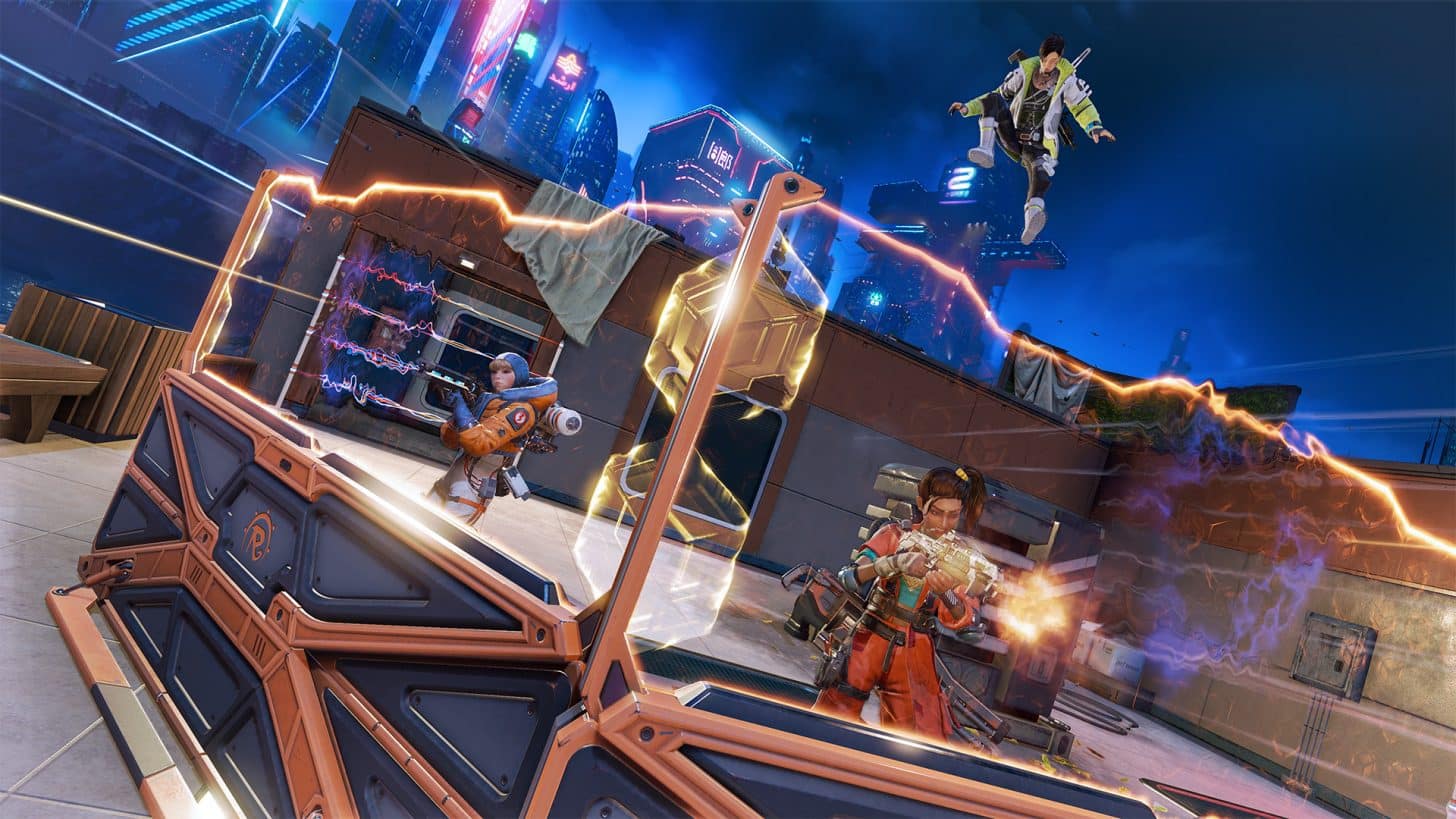
Apex Legends Shockwave New Stuff and Gameplay Trailer Revealed

Next week on August 6, Respawn will bring the new season of Apex Legends and with it, new modes and more! Curious what’ll be in it? Check out the gameplay trailer showcasing what’s new, and a quick list.

Apex Legends Shockwave – What’s New:

  • Free Revivals – Stay in the games with Unlimited Revivals until the end of Round 4. As long as one squadmate is alive, players and their squad will always be recharged with revivals.

  • New Map: E-District – Raising the voltage brings E-District, the newest close-quarters map built for verticality and instant, continuous action. A neon playground where anything can happen.

  • Battle Sense – Players will feel their power surge with visible Enemy Health Bars and Highlights – just don’t lose line of sight.

  • Straight Shot Revival & Bot Royale – Dropping hot with some updates – players will always have another straight shot starting early on in Shockwave. Additionally, the new Bot Royale mode will be available starting August 6 and lets players get real combat experience while sending bots to the scrapyard either solo or with a premade squad.

  • New Weapon Meta: Akimbo – With both guns blazing, players can dual-wield P2020s and Mozambiques to galvanize the battlefield and automatically double up on firepower.

While we are not getting a new legend, there are at least new weapons to wield, right? Of course, the big news here is that the planned Battle Pass changes aren’t pushing through after the community made it very clear they are not on board with it.

Once the download is out, we’ll be sure to let our readers know. Expect a pre-load to be available a day before on PS4 and PS5.

Avatar photo

Alex Co

Father, gamer, games media vet, writer of words, killer of noobs.

Home > Title Updates and Patches

MultiVersus Update 1.39 for Version 1.2.1 Brings Balance Changes and Bug Fixes This August 1

Player First has deployed a new hotfix for MultiVersus, and while this patch called version 1.2.1 by the devs doesn’t bring in any new content, it does bring balance tweaks and bug fixes. Read on for what’s new in MultiVersus update 1.39 (PS5 version 1.039) patch notes.

MultiVersus Update 1.39 for Version 1.2.1 Patch Notes:

Ranked

  • All ranked sets are now best-of-3

Store

  • Fixed an issue on PC where the mouse wheel could not be used to scroll the Medal Shop

General Bugfixes

  • Fixed an issue where characters would be prevented from on-hit canceling their attacks after reflecting a projectile

Characters

Legend:
= Buff
– = Nerf
~ = Change
= Bugfix
Note: Attacks callouts reference default controls.

Arya

  • Ground Down Attack
    • – On-whiff cancel window delayed 10 frames
  • Air/Ground Neutral Special
    • * Fixed an issue where Arya’s facesteal of Rick could cause a desync

Harley Quinn

  • Ground Up Attack
    • + Hitbox added to Harley’s hip
  • Air/Ground Neutral Special
    • * Fixed an issue where the self-attach lockout was resetting when the bomb bounced off terrain

Iron Giant

  • Passive
    • * Fixed an issue where fighters piloting the rage mode turret could perform other actions while piloting
  • Ground Neutral Attack
    • – Knockback reduced to 2300 from 2850
    • – Maximum damage from charge reduced to 13 from 15
  • Ground Side Attack 1
    • – On-whiff cancel window delayed 4 frames
  • Air Side Attack
    • – On-whiff cancel window delayed 4 frames
    • * Fixed an issue where the early vacuum hits of the attack could ring out fighters at very low damages
  • Air/Ground Neutral Special
    • – Burst cooldown increased to 45 seconds from 37 seconds
  • Air/Ground Up Special
    • – Cancel window delayed 6 frames

LeBron

  • Ground Side Attack 2
    • – Hitstun reduced
  • Ground Side Attack 3
    • + Start-up window reduced 8 frames
  • Air Down Special
    • – Start-up window increased 5 frames

Morty

  • Ground Side Special
    • – Start-up window before charge increased 2 frames
    • – Start-up window after charge increased 6 frames
    • – On-whiff cancel window delayed 8 frames

Reindog

  • Ground Side Special
    • * Fixed an issue where the on-hit cancel window and on-whiff cancel windows were flipped causing earlier cancel timing for whiff and later cancel timing for on-hit than intended.

Stripe

  • Air/Ground Neutral Special
    • + Cancel window advanced 14 frames after shooting final shot
    • + Now allows input facing change during first 4 frames of attack start-up
  • Air Side Special
    • * Fixed an issue where the chainsaw would not hit enemies while Stripe’s gun was on cooldown

The big Season 2 patch was released last week, which introduced new content.

[Source: MultiVersus]

Avatar photo

Alex Co

Father, gamer, games media vet, writer of words, killer of noobs.

Home > Title Updates and Patches

Minecraft Beta & Preview Update 1.017 for Version 1.21.30.21 Released This Aug. 1

Mojang has released Minecraft beta & preview update 1.017, and this is for version 1.21.30.21! Note that these are work-in-progress version, and should be treated as such. Read on for what’s new in the patch notes.

Minecraft Beta & Preview Update 1.017 Patch Notes for August 1:

Information on Minecraft Preview and Beta:

  • These work-in-progress versions can be unstable and may not be representative of final version quality
  • Minecraft Preview is available on Xbox, PlayStation, Windows, and iOS devices. More information can be found at aka.ms/PreviewFAQ
    The beta is available on Android (Google Play). To join or leave the beta, see aka.ms/JoinMCBeta for detailed instructions

Features and Bug Fixes

Blocks

  • Vertically retracting waterlogged blocks with a Piston no longer creates “ghost water” on the client (MCPE-144222)
  • “purpur_block” block is now split into unique instances “purpur_block”, and “purpur_pillar”; the previously unused chiseled and smooth purpur blocks were renamed to “deprecated_purpur_block_1” and “deprecated_purpur_block_2” for backwards compatibility, but are hidden from creative inventory and commands
  • “structure_void” has had its block state removed and “air” variants will be converted to the base block
  • Added new vanilla block and item tags to support vanilla item tier level destruction speeds for data driven blocks
  • All Logs, Stripped Logs, Woods, and Stripped Woods are now treated consistently across various scenarios:
    • Flying mobs that can land on trees will now recognize these blocks as suitable landing positions
    • Parrots will now prefer these blocks as landing spots
    • Previously, these behaviors applied to only a subset of these blocks
  • Kelp can no longer be placed on any type of Fence, instead of just a subset of them
  • Seagrass can no longer be placed on any type of Fence, instead of just a subset of them
  • Turtle Eggs can no longer be placed on any type of Fence, instead of just a subset of them
  • “cobblestone_wall” block is now split into unique instances “cobblestone_wall”, “mossy_cobblestone_wall”, “granite_wall”, “diorite_wall”, “andesite_wall”, “sandstone_wall”, “brick_wall”, “stone_brick_wall”, “mossy_stone_brick_wall”, “nether_brick_wall”, “end_stone_brick_wall”, “prismarine_wall”, “red_sandstone_wall” and “red_nether_brick_wall” ()
  • “granite_wall”, “diorite_wall”, “andesite_wall”, “stone_brick_wall”, “mossy_stone_brick_wall” and “prismarine_wall” now have a destruction time of 1.5
  • “sandstone_wall” and “red_sandstone_wall” now have a destruction time of 0.8
  • “end_stone_brick_wall” now has a destruction time of 3.0

Crafting

  • When crafting a Firework, adding or removing items from the grid will update the output item appropriately (MCPE-183455)

Full Keyboard Gameplay

  • Added Q and E as left and right click equivalents in JSON UI menus (including inventory menus) when playing in Full Keyboard Gameplay mode

Gameplay

  • The Bad Omen effect can now be reset by drinking an Ominous Bottle of any level
  • Boats will no longer disappear while sliding on Ice (MCPE-180432)
  • Fixed a crash that could occur when opening a Lectern while a Sticky Piston was moving it. The Lectern now closes the book screen when moved (MCPE-183508)
  • Dismounting a vehicle no longer puts the player inside the ground on some platforms (MCPE-184363MCPE-182448)

General

  • Fixed a bug that caused placeholder textures to appear after minimizing and then restoring the game window

Graphical

  • Fixed an issue where Banners were rendered before other transparent objects regardless of their positions (MCPE-130262)

How to Play

  • Added line break ability for How to Play topic labels instead of having it add “…” when the line got too long

Items

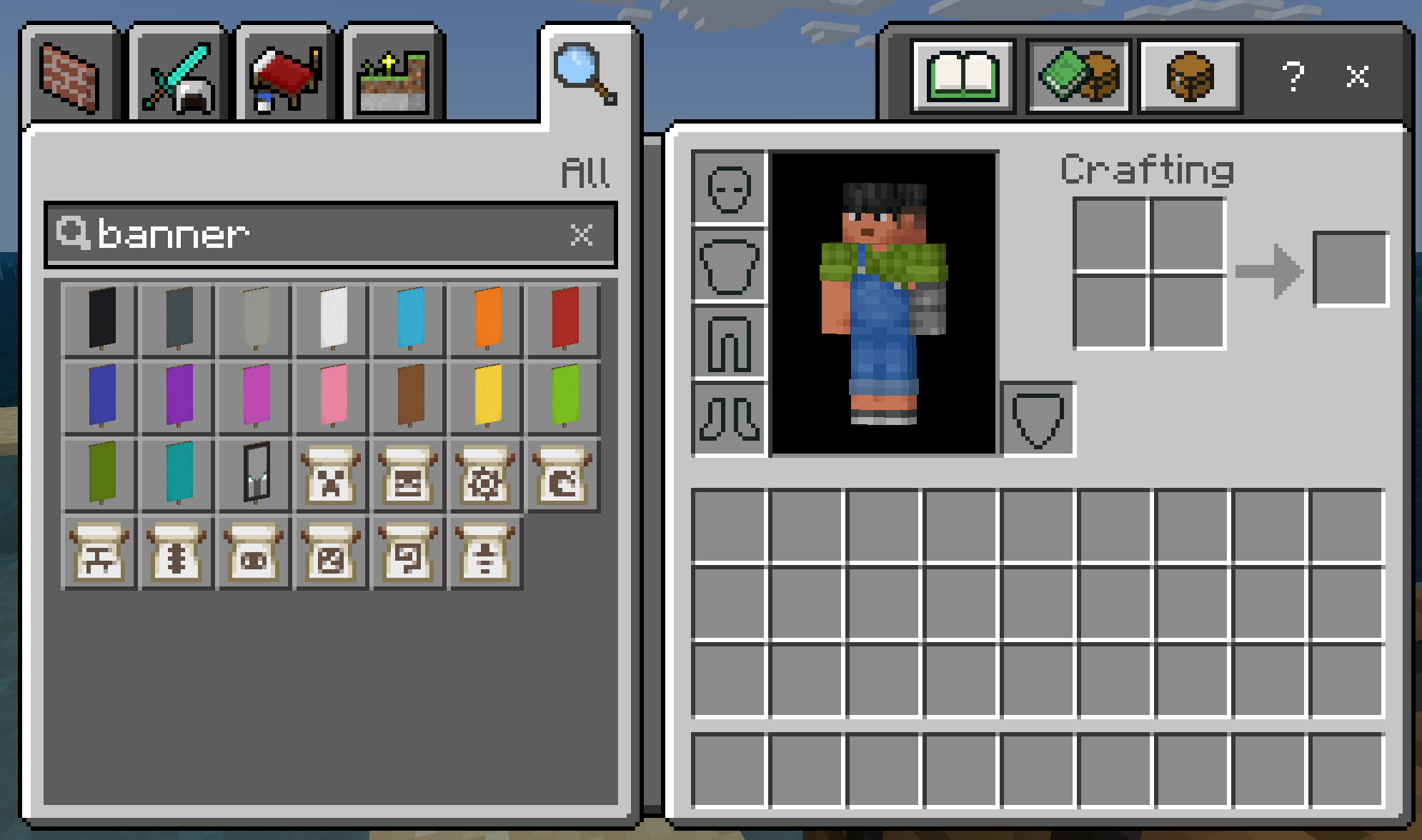
  • Each Banner Pattern item now includes their pattern type in their name instead of as a subtitle (MCPE-182508)
  • Smithing Template items are now named after their template type instead of the generic “Smithing Template” name
    • They instead specify that they are a Smithing Template through a subtitle in the hover text
  • Unique item textures have been given to each Banner Pattern item to better distinguish between each other
  • Illager Banner has been renamed to Ominous Banner to match Java Edition

Mobs

  • Fixed custom entity’s name not appearing correctly in death messages (MCPE-158447)

Multiplayer

  • Fixed an issue where the invite screen in-game would not show the correct substatus

Rarity

  • Various items and blocks have had their assigned rarities changed (MCPE-182414)
  • Once these rarity changes come to Java Edition in a future snapshot, all item and block rarities will be in parity across both platforms
  • Rarity is a set of categories which determine the color used to display the name of an item or block
  • It has no gameplay impact, but is used to signal how difficult something is to obtain
  • By default, unless specified otherwise, all items and blocks have a rarity of Common which displays their name in the color white
  • We have re-evaluated the rarity of all items and blocks in the game to more accurately reflect the current challenge of obtaining them, given the following guidelines:
    Items and blocks become rarer depending on the following factors:
    The chance of finding it in a loot table, including mob drops
    The amount of travelling required to obtain it
    The difficulty of any obstacle which must be overcome to obtain it
    The possible amount of that item or block which exists in the world
  • Any item or block which can be crafted must inherit the highest rarity of its crafting ingredients
    For example, a Mace has an Epic rarity because one of its ingredients (the Heavy Core) has an Epic rarity
    Likewise, any crafted item which has only Common crafting ingredients must also be Common
  • The lists below detail the items and blocks which have changed to that rarity category

Common

  • End Crystal
  • Golden Apple

Epic

  • Elytra
  • Dragon Head
  • Silence Armor Trim

Rare

  • Enchanted Golden Apple
    Enchanted Golden Apples have become more common in recent years due to being accessible in both Ancient Cities and Trial Chambers, warranting a demotion to Rare instead of Epic
  • Trident
    We recently increased Trident’s rarity up to Epic from Common, but after re-evaluating we felt that it was easier to obtain than other items in the Epic category such as Heavy Cores or Elytra
  • Nether Star
  • Ward Armor Trim
  • Eye Armor TrimVex Armor Trim
  • Spire Armor Trim
  • Wither Skeleton Skull
  • Skull Charge Banner Pattern
    Now that Wither Skeleton Skulls are Rare, these banner patterns should be Rare as well
  • Thing Banner Pattern
    Now that Enchanted Golden Apples are Rare, these banner patterns should be Rare as well
  • The following Music Discs:
    Pigstep
    otherside
    Creator

Uncommon

  • Sniffer Egg
  • Chainmail Helmet
  • Chainmail Chestplate
  • Chainmail Leggings
  • Chainmail Boots
  • Recovery Compass
  • Disc Fragment 5
  • Nautilus Shell
  • Echo Shard
  • Goat Horns
  • Pottery Sherds
  • Ominous Bottles
  • Ominous Banner
  • Netherite Upgrade
  • Sentry Armor Trim
  • Dune Armor Trim
  • Coast Armor Trim
  • Wild Armor Trim
  • Tide Armor Trim
  • Snout Armor Trim
  • Rib Armor Trim
  • Wayfinder Armor Trim
  • Shaper Armor Trim
  • Raiser Armor Trim
  • Host Armor Trim
  • Flow Armor Trim
  • Bolt Armor Trim
  • The following Music Discs:
    13
    Cat
    Blocks
    Chirp
    Creator (Music Box)
    Far
    Mall
    Mellohi
    Stal
    Strad
    Ward
    11
    Wait
    Relic
    5
    Precipice

Realms

  • Fixed an issue that was preventing RealismCraft and some other packs from working on Realms. This was a service-side fix that is live in both Preview and the latest full release (REALMS-11913, REALMS-11916)
  • Realms Stories content is no longer cropped when scrolling
  • Text no longer overlaps screenshots in Realms Stories on Galaxy Z Flip devices on any UI size
  • Gamepad legend no longer overlaps with UI elements when choosing a Preview Realm to create a world on
  • In split screen mode, only show the subscriptions tab for the primary player
  • Realm ID is now displayed in the debug text for preview/beta builds while connected to a Realm or while on associated screens.

Touch Controls

  • Improved new d-pad for touch controls. It is now more compact, includes back strafing buttons, and a slightly extended zone outside where camera input is not received in order to prevent unexpected camera movement. When customizing controls, the diagonal buttons are visible as well
  • Fixed a bug where the hide hud command would not hide the d-pad touch control (MCPE-184157)

Trial Chambers

  • Added new variations to the hallways, including “Encounters”: Short challenges leading to a larger chamber.
  • Beds in intersections now have their colors randomized. (MCPE-180424)
  • Replaced the empty chests at the entrance of chamber with a Hopper and Barrel to better show the players that these are meant for disposal and inventory managment!
  • Fixed multiple trial chamber templates have missing or incorrect block (MCPE-176952)
  • Fixed inaccessible traps can generate behind walls in Trial Chamber (MCPE-180912)
  • Some slime trial spawners in trial chambers won’t spawn slimes without player intervention
  • Fixed Ominous Vault may fail to generate in Pedestal and chamber_1/2

User Interface

  • Fixed a softlock that could occur when purchasing subscriptions
  • Fixed a bug where the ‘Drink’ interaction prompt was not displayed when the player was holding an Ominous Bottle
  • Fixed a bug where player health would be rounded down instead of rounded up, causing the HUD to sometimes only show empty health icons (MCPE-183157)
  • The chat output’s scroll position keeps its position after the game screen re-gains focus
  • Shortened the URL for signing in on another device to microsoft.com/link

Vanilla Parity

  • Entities falling into water now make the same splashing sound as in Java Edition (MCPE-44120)
  • Fixed a bug where a standalone Scaffolding block could not be placed on top of a Structure Block (MCPE-169818)
  • Snow Golems with Fire Resistance no longer take damage in warm biomes (MCPE-94448)
  • Uncarved Pumpkin blocks can no longer be used to create Snow Golems and Iron Golems (MCPE-33801)
  • When an item is enchanted, their rarity status is now increased depending on their base rarity
    • If the base rarity of an item is Common or Uncommon, it will become Rare when enchanted
    • If the base rarity of an item is Rare, it will become Epic when enchanted
    • If the base rarity of an item is Epic, it will stay Epic when enchanted

Technical Updates

Add-Ons and Script Engine\

  • Removed deprecated behavior pack download related code from packets in the world join flow

API

  • Released @minecraft/server version 1.3.0
    Note: This can still change while in Preview
  • Added @minecraft/server version 1.4.0-beta
  • Fixing isEmoting method on Player (MCPE-180083)
  • Released playerEmoteWorld after event from Beta to 1.14.0
  • Released class BlockRecordPlayerComponent from beta to 1.14.0
  • Released UIManagerclass from Beta to 1.3.0
  • Released EntityQueryPropertyOptions from beta to 1.14.0
  • Moved EntityStrengthComponent from beta to 1.13.0

Blocks

  • Fixed minecraft:repeating_command_block to not execute when changing to needs redstone from automatic.
  • Added the ‘minecraft:redstone_conductivity’ component which controls the basic Redstone properties of a custom block

Commands

  • The /locate structure command output now displays the identifier of the found structure instead of its name

Editor

  • Revamped Client Widget System
    Refactored the Client Widget system to use components for base widget functionality
    Added Editor Client Renderer Helper Service to aid with Editor in-world widget rendering
    Changed Gizmo movement to be completely free moving and snap to grid on release
    Added new widget components for Entities, Text, Gizmos, Height Guide, and basic Render Primitives
  • Additional updates to the PropertyPane API
    Removed IPropertyPane addBlockPicker and addEntityPicker methods in favor of addComboBox API that leverages type safe IObservableProp<string> value
    Added interfaces IComboBoxPropertyItem and IComboBoxPropertyItemOptions
    Combo box supports different data types for additional validation with ComboBoxPropertyItemDataType. Entity and Block types work similarly to the old component, Custom type allows user defined list and it’s the default
  • Added an alternative Property Pane addNumberAPI that leverages type safe IObservableProp<number> value API
    Added interfaces INumberPropertyItemand INumberPropertyItemOptions for the new property item
    Renamed function to create property bag number item to addNumber_deprecated
  • Updated theme colors for input fields, and center aligned number input field values
  • Added an alternative Property Pane addDropdownAPI that leverages type safe IObservableProp<number> value
    Added interfaces IDropdownPropertyItem, IDropdownPropertyItemOptions and IDropdownPropertyItemEntry for the new property item. Each dropdown entry now supports imageData?: ImageResourceData property to render an image
    Renamed function to create property bag number item to addDropdown_deprecated
  • Fixed theming and content alignment issues for the dropdown UI elements
  • Added an alternative Property Pane addColorPicker API that leverages type safe IObservableProp<RGBA> value API
    Added interfaces IColorPickerPropertyItemand IColorPickerPropertyItemOptions for the new property item
    Renamed function to create property bag color picker item to addColorPicker_deprecated
  • Added an alternative Property Pane addString API that leverages type safe IObservableProp<string> value API
    Added interfaces IStringPropertyItemand IStringPropertyItemOptions for the new property item
    Renamed function to create property bag string item to addString_deprecated
  • Fixed missing Summon Tool icon
  • Added the following functions to “ExtensionContext.settings.theme”: addNewTheme(name: string): void, deleteTheme(name: string): void, getCurrentTheme(): string, and updateThemeColor(name: string, key: ThemeSettingsColorKey, newColor: minecraftserver.RGBA): void. These functions will throw if “minecraft:default” or any other built-in theme is passed to them. updateThemeColor and deleteTheme will also throw if the theme does not exist
  • Added block image support to block picker modal
  • ixed a bug where typing certain characters in the block or entity picker caused an error
  • Added validation to prevent adding already existing block in a probability palette item
  • Added the following functions to “ExtensionContext.settings.theme”: addNewTheme(name: string): void, deleteTheme(name: string): void, getCurrentTheme(): string, and updateThemeColor(name: string, key: ThemeSettingsColorKey, newColor: minecraftserver.RGBA): void. These functions will throw if “minecraft:default” or any other built-in theme is passed to them. updateThemeColor and deleteTheme will also throw if the theme does not exist.

Entity Components

  • “behavior.fire_at_target” is no longer restricted to Vanilla content
    This goal allows an entity to attack by firing a shot with a delay
  • “behavior.jump_around_target” is no longer restricted to Vanilla content
    This goal allows an entity to jump over and around a target
  • “behavior.move_around_target” is no longer restricted to Vanilla content
    This goal allows an entity to move around a target

Gameplay

  • Exposed the entity offset so the user can change the camera’s pivot point from the entity’s center for third person boom cameras

General

  • Updated Feature Rules documentation
  • Added GUI Log Level option to the Creator section of settings which changes which level of content logs are displayed on-screen when content logs are enabled

Items

  • Adds a content error for if an icon can’t be found with icon_namefrom minecraft:icon in 1.10 data
  • Fixed an issue where item components would not initialize on remote clients ()
  • Added “minecraft:rarity” item component which allows specifying the rarity of an item
    It has a single field “value” which accepts the following values:
    “common”
    “uncommon”
    “rare”
    “epic”
  • Can also be written as an inlined value like so: “minecraft:rarity”: “uncommon”
  • The rarity of the item will determine which color it uses for its name
    If the item has a “minecraft:hover_text_color” component specified, that hover text color will take priority and be used instead of the rarity color

Loot Tables

  • Added “set_potion” item function for loot tables which can set the potion type of compatible items with a potion id
    • It has a single field “id” which accepts the following potion id values:
      • “water”
      • “mundane”
      • “long_mundane”
      • “thick”
      • “awkward”
      • “nightvision”
      • “long_nightvision”
      • “invisibility”
      • “long_invisibility”
      • “leaping”
      • “long_leaping”
      • “strong_leaping”
      • “fire_resistance”
      • “long_fire_resistance”
      • “swiftness”
      • “long_swiftness”
      • “strong_swiftness”
      • “slowness”
      • “long_slowness”
      • “strong_slowness”
      • “water_breathing”
      • “long_water_breathing”
      • “healing”
      • “strong_healing”
      • “harming”
      • “strong_harming”
      • “poison”
      • “long_poison”
      • “strong_poison”
      • “regeneration”
      • “long_regeneration”
      • “strong_regeneration”
      • “strength”
      • “long_strength”
      • “strong_strength”
      • “weakness”
      • “long_weakness”
      • “wither”
      • “turtle_master”
      • “long_turtle_master”
      • “strong_turtle_master”
      • “slow_falling”
      • “long_slow_falling”
      • “wind_charged”
      • “weaving”
      • “oozing”
      • “infested”
    • The following types of items are compatible with the “set_potion” function:
      • Potion
      • Lingering Potion
      • Splash Potion
      • Arrow

Structures

  • Fixed minecraft:structure_blockdebug bounding box rendering when clients initially load server worlds containing one

Experimental Technical Updates

Add-Ons and Script Engine

  • Added “item_display_transforms” control to the block geometry file. This controls the way a block is visually represented in the UI, on the player, and floating on the ground. It exists inside the minecraft:geometry json object and requires geometry format_version 1.21.0 and the “Upcoming Creator Features” toggle
  • Default values example:
    “item_display_transforms”: { “gui” : { “translation”: [0, 0, 0], “rotation”: [30, 225, 0], “scale”: [0.625, 0.625, 0.625], “rotation_pivot” : [0, 0, 0], “scale_pivot” : [0, 0, 0], “fit_to_frame” : true }, “firstperson_righthand”: { “translation”: [0, 0, 0], “rotation”: [0, 45, 0], “scale”: [0.4, 0.4, 0.4], “rotation_pivot” : [0, 0, 0], “scale_pivot” : [0, 0, 0] }, “firstperson_lefthand”: { “translation”: [0, 0, 0], “rotation”: [0, -135, 0], “scale”: [0.4, 0.4, 0.4], “rotation_pivot” : [0, 0, 0], “scale_pivot” : [0, 0, 0] }, “thirdperson_righthand”: { “translation”: [0, 2.5, 0], “rotation”: [75, 45, 0], “scale”: [0.375, 0.375, 0.375], “rotation_pivot” : [0, 0, 0], “scale_pivot” : [0, 0, 0] }, “thirdperson_lefthand”: { “translation”: [0, 2.5, 0], “rotation”: [75, 45, 0], “scale”: [0.375, 0.375, 0.375], “rotation_pivot” : [0, 0, 0], “scale_pivot” : [0, 0, 0] }, “ground”: { “translation”: [0, 3.0, 0], “rotation”: [0, 0, 0], “scale”: [0.25, 0.25, 0.25], “rotation_pivot” : [0, 0, 0], “scale_pivot” : [0, 0, 0] }, “fixed”: { “translation”: [0, 0, 0], “rotation”: [0, 0, 0], “scale”: [0.5, 0.5, 0.5], “rotation_pivot” : [0, 0, 0], “scale_pivot” : [0, 0, 0] }, “head”: { “translation”: [0, 0, 0], “rotation”: [0, 0, 0], “scale”: [1, 1, 1], “rotation_pivot” : [0, 0, 0], “scale_pivot” : [0, 0, 0] } }

API

  • PlayerInteractWithBlockBeforeEvent
    • Added property readonly isFirstEvent: booleanto beta. This value will be true if the event was triggered on players initial interaction button press and false if triggered on holding the interaction button
  • PlayerInteractWithBlockAfterEvent
    • Added property readonly beforeItemStack?: ItemStack to beta. This is the item the player was selecting before the interaction succeeded
    • Added property readonly isFirstEvent: boolean to beta. This value will be true if the event was triggered on players initial interaction button press and false if triggered on holding the interaction button
    • This after event will no longer always trigger on an empty hand. The interaction with the block needs to be successful for it to trigger the after event
  • PlayerInteractWithEntityAfterEvent
    • Added property readonly beforeItemStack?: ItemStack to beta. This is the item the player was selecting before the interaction succeeded
    • Cancelling the before event will now no longer trigger the after event
    • This event will now only be triggered on a successful interaction

Graphical

  • Fixed a variety of issues on the Mali device family of Android, most notably the “striped shadows” bug, in the Deferred Technical Preview (MCPE-175207)
  • Removed an incorrect offset when interpolating keyframe values for the sun illuminance and sun color. Keyframe values for sun illuminance and sun color are now consistent with other time-based keyframe values. Creators will need to shift any sun illuminance and color keyframes by 0.5. Documentation on the Creator portal has been updated accordingly
  • Added the ability to data-drive Sub Surface Scattering via Texture Sets in the Deferred Technical Preview. This effect allows light to penetrate the surface of objects up to a certain amount, similar to wax, leaves or skin. The default sub surface effect previously on leaves has been removed in favor of packs providing their own textures. Creators can use “metalness_emissive_roughness_subsurface”instead of “metalness_emissive_roughness” in their texture set JSONs to activate the effect on specific blocks, mobs, etc… Sub surface values are pulled from the alpha channel of the supplied texture. See updated documentation on the Creator portal for more information
    Note that this new field is only available in texture set JSONs with a format version of “1.21.30”
  • Changed the color grading JSON schema for the Deferred Technical Preview to now require explicit enabling of highlight and shadow specific color grading settings. See updated documentation on the Creator portal for more information
  • Added highlight and shadow color grading controls to the Editor’s Deferred Graphics Settings
  • Added the ability to data-drive emissive desaturation in the Deferred Technical Preview. See updated documentation on the Creator portal for more information
  • Added support for enchanted items in the Deferred Technical Preview
  • Reduced the smudging or “ghosting” artifacts that would occur when swinging the item in the player’s hand with Upscaling enabled in the Deferred Technical Preview
  • Fixed a variety of issues that caused certain objects to not cast shadows from point lights, and modified point light sources such that their geometry can no longer cast shadows in the Deferred Technical Preview

As far as we’re aware, the retail version of Minecraft has not gotten an update yet, but if anything changes, we’ll let our readers know.

[Source: Minecraft]

Avatar photo

Alex Co

Father, gamer, games media vet, writer of words, killer of noobs.

Home > Title Updates and Patches

WWE 2K24 Update 1.14 Brings McAfee Pack Fix This August 1

While those on Xbox and PC are already playing with the Pat McAfee Pack in WWE 2K24, those on PlayStation might have ran into issues, and it’s not your fault. WWE 2K24 update 1.14 is now out (PS5 version 1.014), and this should fix the access issue for gamers this August 1.

WWE 2K24 Update 1.14 Patch Notes for August 1:

Update 2: Visual Concepts has confirmed the Pat McAfee issues have been resolved with this update,,  and players can also get a 7500 VC locker code for their troubles! Just enter “SECURETHEBAG”

Update: For those on PC, it’d be wise to not download and install it, as it seemingly disables mods from working!

So far, the studio has not released any patch notes just yet. However, the folks at Visual Concepts has acknowledged the issue and mentioned yesterday that a fix is on the way:

That’s about it so far, as the Discord community and even Reddit has not mentioned any other changes spotted, and we’re given to believe this is a hotfix for the Pat McAfee Pack, which is why the patch notes weren’t revealed before the download dropped.

Earlier this month, a patch was released to fix the trophy/achievements issue and more, which are detailed here.

Avatar photo

Alex Co

Father, gamer, games media vet, writer of words, killer of noobs.

Home > Title Updates and Patches

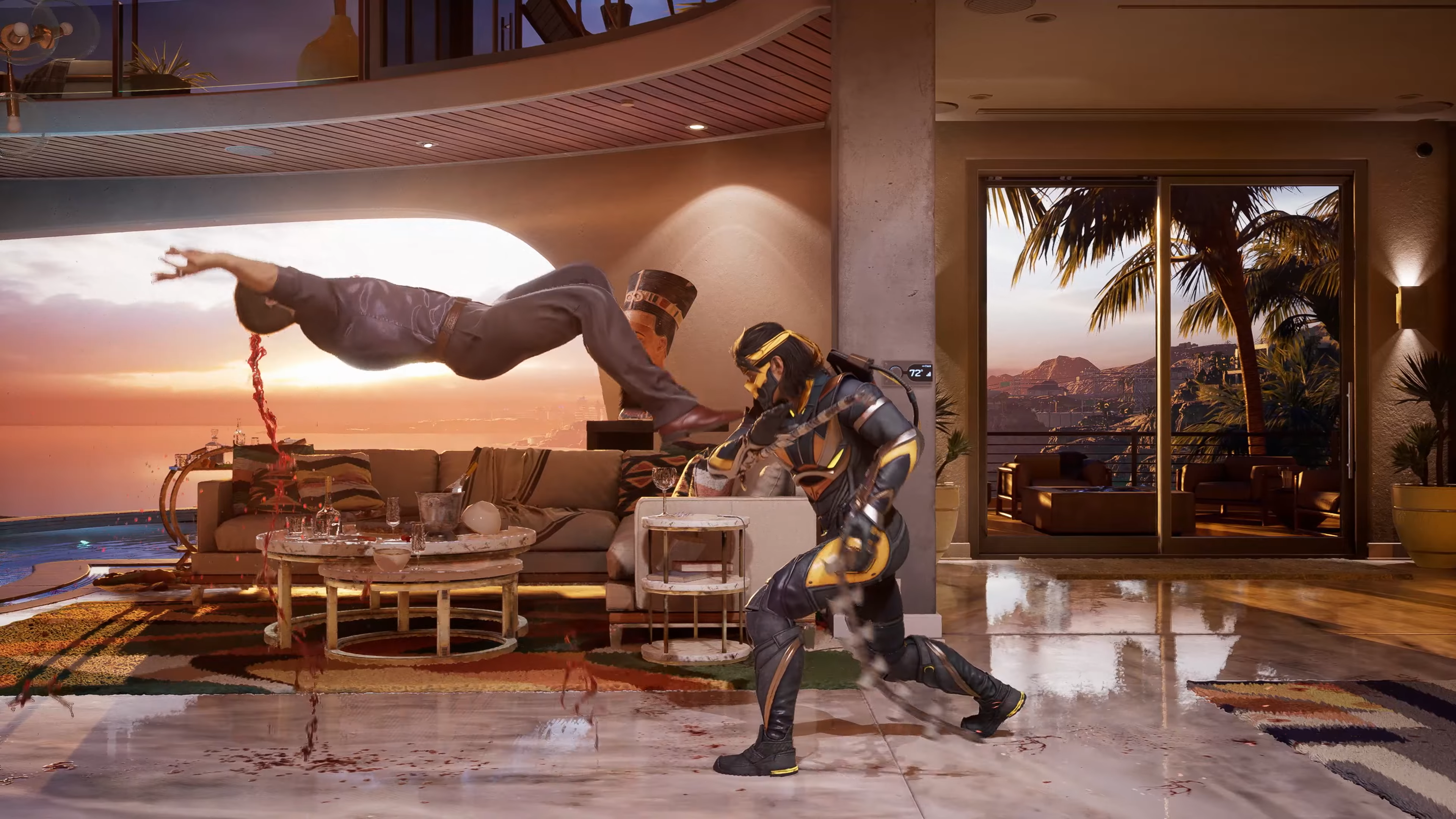
Mortal Kombat 1 Update 1.006.001 Drops for Consoles and PC This August 1

NetherRealm Studios has snuck out Mortal Kombat 1 update 1.006.001 on consoles and PC, and this is an unannounced patch. Given the major title update we got last week that brought in Takeda, don’t expect any new content from this.

Mortal Kombat 1 Update 1.006.001 Patch Notes for August 1:

Oddly enough, NetherRealm has not said anything about today’s patch, and so far the community is also scratching their heads to see what’s in it.

We’ll be adding stuff in the article that the community digs up:

  • Johnny Cage nerf (?) – via Hans)

We’re hoping this patch buffs Takeda a bit, as the DLC fighter is a bit weak at the moment. Once the studio releases the official patch notes, we’ll be sure to update it ASAP.

As for what’s coming next to the fighting game, NetherRealm revealed the Year 2 plans, and it includes gender-swapped versions of Sektor and Cyrax, and of course, a slew of new fighters. Alongside the new fighters, animalities (remember those?) are also coming back to the game.

If you notice any changes made, leave a comment below and let us know what you spot.

Avatar photo

Alex Co

Father, gamer, games media vet, writer of words, killer of noobs.

Home > News

GTA Online Update for August 1 Brings New Benefactor Vorschlaghammer and More

It’s Thursday, and that means Rockstar Games has once again pushed out the new stuff for Grand Theft Auto Online players! For the GTA Online weekly update for August 1, this brings a new vehicle, discounts and more.

GTA Online Update for August 1:

The all-new Drift Tuning-eligible Benefactor Vorschlaghammer is the latest ride to take the LS Drift Racing scene by storm – now available at Southern San Andreas Super Autos.

Plus, having served up a gargantuan 30 million pizzas to complete the Pizza Delivery Community Challenge, everyone playing GTA Online this week will get a free Pizza This… Tee to celebrate.

Full details from this week’s update include:

  • New Benefactor Vorschlaghammer eligible for Drift Tuning
  • Double GTA$ and RP on Drift and Issi Classic Races
  • Triple GTA$ on Taxi Work
  • Free Pizza This… Tee for all players
  • Play six Drift Races this week to earn a GTA$100,000 bonus and the Rockstar Helmet
  • This week at Simeon’s Premium Deluxe Motorsport Showroom: The Dewbauchee Seven-70, Benefactor Streiter, BF Raptor, Declasse Tornado Rat Rod, and Dinka Enduro
  • On Display at the Luxury Autos Showroom: The Benefactor Vorschlaghammer and Übermacht Niobe
  • HSW Premium Test Ride: Bravado Banshee
  • Free Ocelot Ardent for placing Top 5 in the LS Care Meet Series four days in a row
  • LS Car Meet Test Rides: Karin Previon in the Stance Andreas Drift Team Livery, Pfister Growler in the Tracked Camo Livery, and Pfister Comet S2 in the Rock N’ Roll Legends Livery
  • Lucky Wheel Top Prize: The Pegassi Zentorno
  • Gun Van Discounts: 50% off the Stun Gun, 30% off the Railgun for GTA+ Members
  • Vehicle Discounts: 30% off the Western Reever, Übermacht Rhinehart, Bravado Hotring Hellfire, Dinka Kanjo SJ, and Dinka Postlude, 40% off the Western Annihilator
  • GTA+: An additional GTA$1,000,000 bonus, free Benefactor Vorschlaghammer and Drift Tuning Upgrade, Bonuses on Nightclub Management and Casino Story Missions, Free Cobalt Jackal Racing Jersey and Pants, and much more

DISCOUNTS

  • Överflöd Tyrant (Super) – 40% off
  • Western Annihilator (Helicopter) – 40% off
  • Dinka Postlude (Coupe) – 30% off
  • Dinka Kanjo SJ (Coupe) – 30% off
  • Bravado Hotring Hellfire (Sports) – 30% off
  • Übermacht Rhinehart (Sedan) – 30% off
  • Western Reever (Motorcycle) – 30% off

Gun Van Inventory and Discounts

Stun Gun (50% off) | Railgun (30% off for GTA+ Members) | SMG | Compact Grenade Launcher | Carbine Rifle Battle Axe | Pipe Bombs | Grenades | Molotovs | Armor

GTA+ 

August is the last month for GTA+ Members to get an additional GTA$1,000,000 bonus automatically deposited alongside the standard GTA$500,000 into their Maze Bank account. Members can also claim the following through September 4:

  • Free Benefactor Vorschlaghammer (Sedan)
  • Free Drift Tuning Upgrade for the Vorschlaghammer at the LS Car Meet
  • Bonuses on Nightclub Management and Casino Story Missions
  • Free Cobalt Jackal Racing Jersey and Pants and The Diamond Jackpot Tee
  • And More…

Tune in next week for the latest GTA Online update.

Avatar photo

Alex Co

Father, gamer, games media vet, writer of words, killer of noobs.

Home > Title Updates and Patches

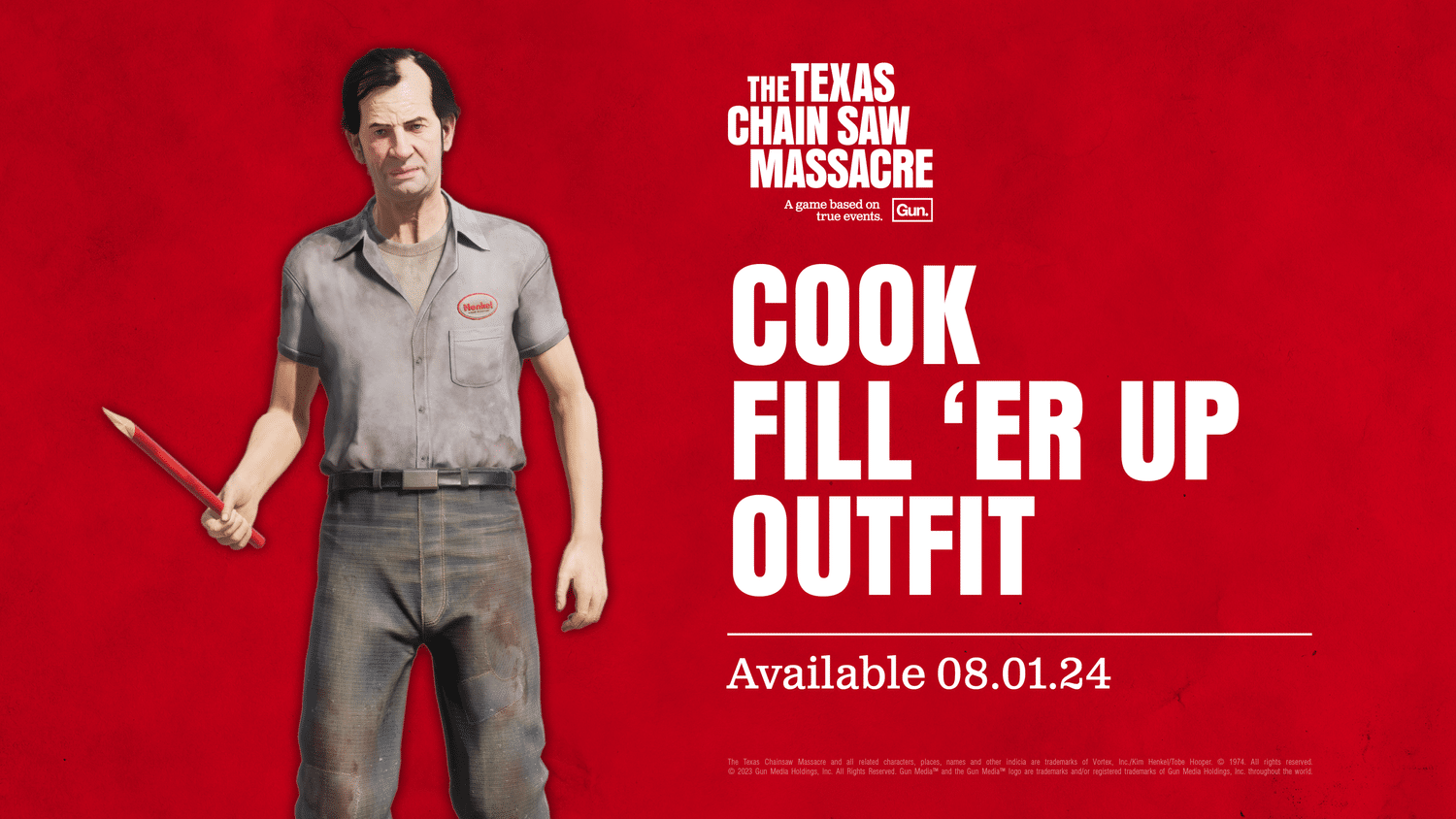
Texas Chainsaw Massacre Update 1.000.027 Brings Museum Mode, Adjustments

There’s a new mode for Texas Chainsaw Massacre update 1.000.027 which is now live o all platforms! There’s also a new premium cosmetic item players can buy and of course, a bunch of adjustments. The complete details and preview of the new item are available below.

Texas Chainsaw Massacre Update 1.000.027 Patch Notes for August 1:

The Cook’s Fill ‘Er Up Outfit will also be available for $2.99 USD.

PATCH NOTES:

Museum Mode:

  • Freely explore the mad and macabre of the iconic Family House. Along the way you’ll discover puzzles and facts pulled from the history of The Texas Chain Saw Massacre. But will you survive and what will be left of you?

  • Players will find Museum Mode listed in the Main Menu in game

Changed: ‘Suffocating Grip’ Grandpa Perk Level

  • The Grandpa Perk ‘Suffocating Grip’ will now activate at Level 1

  • ‘Suffocating Grip’ was previously a Level 2 Grandpa Perk

Changed: ‘Nobody Escapes Hell’ Grandpa Perk Level

  • The Grandpa Perk ‘Nobody Escapes Hell’ will now activate at Level 2

  • ‘Nobody Escapes Hell’ was previously a Level 3 Grandpa Perk

Tuned: Brute Strength’ Grandpa Perk

  • We have tuned the Grandpa Perk ‘Brute Strength’ accordingly

    • We have slightly increased the melee damage Brute Strength applies

    • ‘Brute Strength’ is a Level 2 Grandpa Perk

Tuned: ‘Swinging For The Fences’ Grandpa Perk

  • We have tuned the Grandpa Perk ‘Swinging For The Fences’ accordingly

    ○ Reduces stamina consumption on melee attacks by 25%

    ○ Previously, ‘Swinging For The Fences’ reduced stamina consumption on melee attacks by 20%

Tuned: ‘Suffocating Grip’ Grandpa Perk

  • We have tuned the Grandpa Perk ‘Suffocating Grip’ accordingly

    ○ The Close Encounter minigame is easier by 25%

    ○ Previously, ‘Suffocating Grip’ made the Close Encounter minigame easier by 20%

    ○ Note: ‘Suffocating Grip’ applies to all Family members when perk is equipped

Tuned: ‘Exterior Alarms’ Grandpa Perk

  • We have tuned the Grandpa Perk ‘Exterior Alarms’ accordingly

    ○ When active, all critical doors and gates are highlighted for 10 seconds if opened

    ○ Previously, ‘Exterior Alarms’ highlighted all opened critical doors and gates for 5 seconds

Tuned: ‘Nobody Escapes Hell’ Grandpa Perk

  • We have tuned the Grandpa Perk ‘Nobody Escapes Hell’ accordingly

    ○ The minigame for locked doors is 50% more difficult for all Victims

    ○ Previously, the minigame for locked doors was 40% more difficult for all Victims

Tuned: ‘Excited Grandpa’ Grandpa Perk

  • We have tuned the Grandpa Perk ‘Excited Grandpa’ accordingly

    ○ The delay between Grandpa’s Sonar ability is reduced by 25% at Level 3, Level 4 and Level 5

    ○ Previously, the delay between Grandpa’s Sonar ability was reduced by 20% at Level 3, Level 4 and Level 5

Tuned: ‘Don’t Have All Day’ Grandpa Perk

  • We have tuned the Grandpa Perk ‘Don’t Have All Day’ accordingly

    ○ Stamina drain while sprinting is decreased by 25%

    ○ Previously, stamina drain while sprinting was decreased by 20%

Fixed: Victims’ inventory and Hands’ traps

  • We have fixed an issue where Victim players who disarmed an electric trap on Fusebox, Generator, or the Valve Pressure Pipe would see a Hands trap appear in their inventory

  • Electric Traps will no longer be able to appear in a Victim player’s inventory

Fixed: Texture of Wells on The Mill

  • We have fixed an issue where a black texture was present inside one of the wells on The Mill map when viewing from the basement – This well is located in Dig Room Storage

Fixed: Lighting on The Mill

  • We fixed an issue where the lighting in the Fields area resulted in unnatural and muddy looking lights on characters

  • We fixed a lighting issue on The Mill – Night where the red light on the Ground Floor was reflecting off props incorrectly

Avatar photo

Alex Co

Father, gamer, games media vet, writer of words, killer of noobs.

Home > Title Updates and Patches

The Texas Chain Saw Massacre Update 1.25 Adds Museum Mode and More This Aug. 1

Gun Interactive has deployed The Texas Chain Saw Massacre update 1.25, and this adds Museum Mode alongside new cosmetics and changes. Read on for what’s new in official patch notes below straight from the studio.

The Texas Chain Saw Massacre Update 1.25 Patch Notes:

Museum Mode:

  • Freely explore the mad and macabre of the iconic Family House. Along the way you’ll discover puzzles and facts pulled from the history of The Texas Chain Saw Massacre. But will you survive and what will be left of you?

  • Players will find Museum Mode listed in the Main Menu in game

Changed: ‘Suffocating Grip’ Grandpa Perk Level

  • The Grandpa Perk ‘Suffocating Grip’ will now activate at Level 1

  • ‘Suffocating Grip’ was previously a Level 2 Grandpa Perk

Changed: ‘Nobody Escapes Hell’ Grandpa Perk Level

  • The Grandpa Perk ‘Nobody Escapes Hell’ will now activate at Level 2

  • ‘Nobody Escapes Hell’ was previously a Level 3 Grandpa Perk

Tuned: Brute Strength’ Grandpa Perk

  • We have tuned the Grandpa Perk ‘Brute Strength’ accordingly

    • We have slightly increased the melee damage Brute Strength applies

    • ‘Brute Strength’ is a Level 2 Grandpa Perk

Tuned: ‘Swinging For The Fences’ Grandpa Perk

  • We have tuned the Grandpa Perk ‘Swinging For The Fences’ accordingly

    ○ Reduces stamina consumption on melee attacks by 25%

    ○ Previously, ‘Swinging For The Fences’ reduced stamina consumption on melee attacks by 20%

Tuned: ‘Suffocating Grip’ Grandpa Perk

  • We have tuned the Grandpa Perk ‘Suffocating Grip’ accordingly

    ○ The Close Encounter minigame is easier by 25%

    ○ Previously, ‘Suffocating Grip’ made the Close Encounter minigame easier by 20%

    ○ Note: ‘Suffocating Grip’ applies to all Family members when perk is equipped

Tuned: ‘Exterior Alarms’ Grandpa Perk

  • We have tuned the Grandpa Perk ‘Exterior Alarms’ accordingly

    ○ When active, all critical doors and gates are highlighted for 10 seconds if opened

    ○ Previously, ‘Exterior Alarms’ highlighted all opened critical doors and gates for 5 seconds

Tuned: ‘Nobody Escapes Hell’ Grandpa Perk

  • We have tuned the Grandpa Perk ‘Nobody Escapes Hell’ accordingly

    ○ The minigame for locked doors is 50% more difficult for all Victims

    ○ Previously, the minigame for locked doors was 40% more difficult for all Victims

Tuned: ‘Excited Grandpa’ Grandpa Perk

  • We have tuned the Grandpa Perk ‘Excited Grandpa’ accordingly

    ○ The delay between Grandpa’s Sonar ability is reduced by 25% at Level 3, Level 4 and Level 5

    ○ Previously, the delay between Grandpa’s Sonar ability was reduced by 20% at Level 3, Level 4 and Level 5

Tuned: ‘Don’t Have All Day’ Grandpa Perk

  • We have tuned the Grandpa Perk ‘Don’t Have All Day’ accordingly

    ○ Stamina drain while sprinting is decreased by 25%

    ○ Previously, stamina drain while sprinting was decreased by 20%

Fixed: Victims’ inventory and Hands’ traps

  • We have fixed an issue where Victim players who disarmed an electric trap on Fusebox, Generator, or the Valve Pressure Pipe would see a Hands trap appear in their inventory

  • Electric Traps will no longer be able to appear in a Victim player’s inventory

Fixed: Texture of Wells on The Mill

  • We have fixed an issue where a black texture was present inside one of the wells on The Mill map when viewing from the basement – This well is located in Dig Room Storage

Fixed: Lighting on The Mill

  • We fixed an issue where the lighting in the Fields area resulted in unnatural and muddy looking lights on characters

  • We fixed a lighting issue on The Mill – Night where the red light on the Ground Floor was reflecting off props incorrectly

The Cook’s Fill ‘Er Up Outfit will also be available for $2.99 USD.

That’s it for this title update. Once another one is released, we’ll let our readers know.

[Source: Texas Chain Saw Game]

Avatar photo

Alex Co

Father, gamer, games media vet, writer of words, killer of noobs.

Home > Title Updates and Patches

Deep Rock Galactic Update 1.50 Fires Out This Aug. 1 for the Summer Patch

Ghost Ship Games has released Deep Rock Galactic update 1.50 (PS5 update version 2.000.050) this August 1. This is the Summer patch and it comes with some new features and bug fixes. Read on for the Deep Rock Galactic patch notes down below.

Deep Rock Galactic Update 1.50 Patch Notes: 

PS5 version 2.000.050

Hello Survivors,

We’re slowly returning from our Summer holiday, and will soon begin preparations for Update 04. The first step is to update our living roadmap, as soon as we settle on a scope for the next update – stay tuned. Until then, we thought we’d make a small patch with some fixes, balance changes, and a much-requested feature allowing you to ‘pin’ upgrades in the shop. Here are the patch notes for patch 0.3.0d:

Features

  • Added the ability to pin upgrade cards in the shop. This prevents them from being rerolled and keeps them for the next shop.
  • The game should now properly run in the background when it loses focus
  • Added a beam range weapon upgrade
Improvements & Fixes
  • Hi-Volt Thunderbird’s unstable overclock ‘Electrical Tether’ now properly applies status effects.
  • The dwarf can now also be controlled with the right stick on controllers
  • Fixed an inconsistency issue when targeting the highest HP enemies
  • It is now possible to hold the button to buy/sell multiple minerals in the mineral market
  • Added a charge delay to the refund all upgrades button to avoid accidental refunding
  • Added description to potency upgrades
  • Wallet currency now animates more appropriately when spending resources
  • Status Effect stacks applied can now be seen on the end screen
  • Status Effect damage upgrades will no longer be offered when the player has no damaging status effects or ground zones
  • Amount of projectiles fired can now be seen on the end screen
  • Fixed an issue where the flow of mastery selection could break when clicking the breadcrumb bar at the top. It is no longer clickable.
  • Fixed an issue that would show the wrong biome illustration when completing Biome Masteries
  • Sawn-Off unstable overclock (M1000 Classic and Drak-25 Plasma Carbine) now only targets enemies in its reduced range
  • Fixed missing lifetime stat when inspecting the Colette Wave Cooker
  • Fixed missing death audio on Elite Acid Spitter
  • Fixed an issue where controller navigation could be lost on the shop screen if the pause menu was opened
  • Fear should now actually make the enemies run away
  • Added varying fear resistance to enemies
  • Fixed an issue that prevented Cluster Grenades from properly applying fear
  • Fixed an issue where ground zone grenades (Neurotoxin and Incendiary) would start reloading without throwing one. They are now always thrown when ready
  • Various UI tweaks
Balance
  • Increased Hi-Volt Thunderbird damage from 16 to 20.
  • Hi-Volt Thunderbird’s unstable overclock ‘Electrical Tether’ now also increases range by 25%
  • Shredder Swarm Grenade damage increased from 10 to 18, drone range increased from 2 to 2.5
  • Removed uncommon tag beam range upgrade and lowered the values of the rare/epic/legendary from 15%/20%/30% to 10%/15%/25%
  • Increased the dwarf turn speed by 50% to make aiming more snappy
  • Increased fear duration from 3 to 4 seconds on the Hallucinogenic unstable overclock (High Explosive Grenade + Neurotoxin Grenade)
  • High Explosive Grenade: Reload Time reduced from 6 to 5 seconds. Explosion radius increased from 3 to 3.5. Mastery Bonus changed from only damage to damage and explosion radius

When the next patch is released, out readers will be notified.

[Source: Steam]

Damien Seeto

Home > News

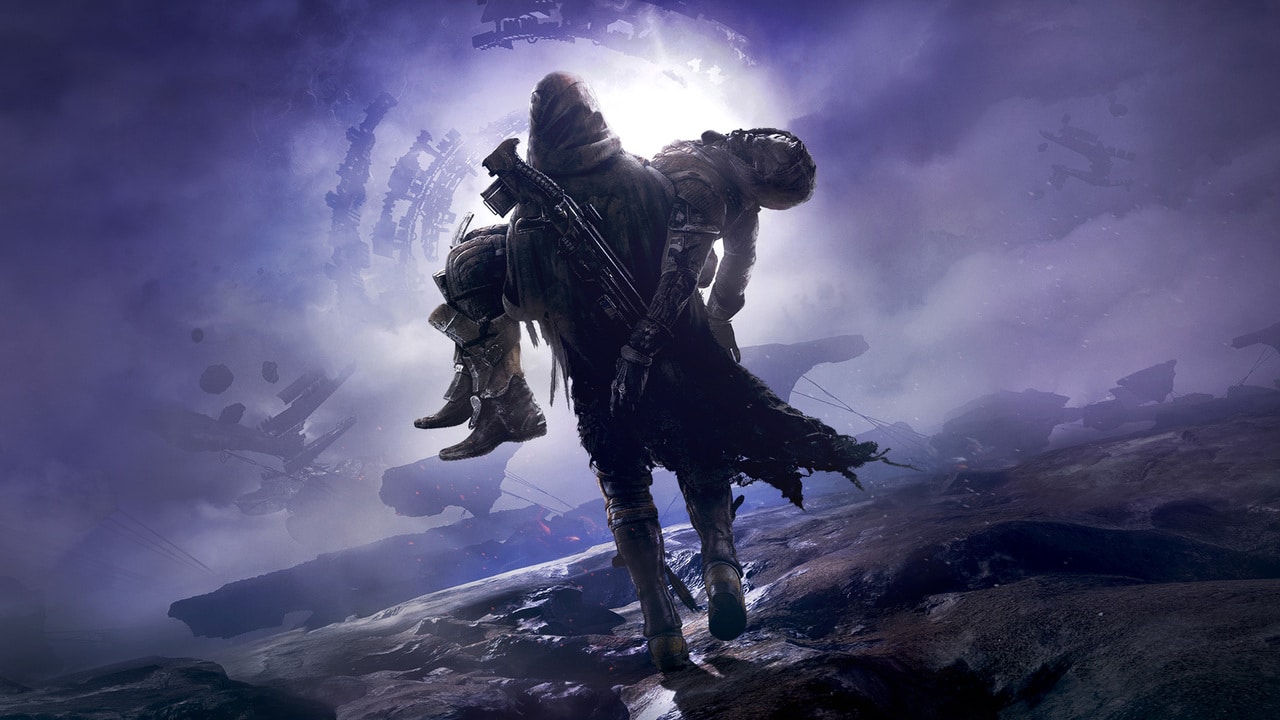
Report: Bungie Faces Harsh Criticism After Layoffs, CEO Pete Parsons Under Fire for Vehicle Purchases

Bungie, the developer behind Destiny 2, announced it will lay off 220 employees, about 17% of its workforce. The decision, described as a “new path” for the studio, has sparked significant backlash.

CEO Pete Parsons cited financial challenges and economic conditions as reasons for the layoffs. However, current and former employees, as well as the wider gaming community, have heavily criticized the move. Dylan Gafner, Bungie’s global community lead, called the layoffs “inexcusable” and pointed out that top talent was being lost.

Inexcusable. Industry leading talent being lost, yet again. Accountability falling upon the workers who have pushed the needle to deliver for our community time and time again.

Several former employees expressed their discontent on social media. One ex-employee noted that they were promoted just a month before being laid off.

I didn’t even tweet that I got promoted last month, but now I get to tweet that I got laid off, so there’s that. gonna miss my team.

Another employee mentioned that their entire team was dismissed.

my whole team is gone.

Adding to the controversy, Parsons faced criticism for allegedly showing off his expensive car collection shortly before the layoffs. He has reportedly spent around $500,000 on vintage cars since Bungie’s previous round of layoffs in October.

You also invited me to come see your new cars TWO DAYS before you laid me off. Two. Fucking. Days.

Social media users have unearthed info that Parsons has spent over $2.2 million on the auction site alone (bikes, cars), with even Parsons’ account tagged (which we’re refraining from sharing here for security purposes).

The layoffs came just two months after the release of Destiny 2: The Final Shape. Bungie is also working on a revival of Marathon, which has been delayed to 2025 due to the studio’s internal struggles.

More MP1st Reading:

Avatar photo

Taha

Television kills your vision.

Home > News

Nobody Wants to Die Review – Futuristic Detective Work

Have you ever wanted to be a detective? Or maybe you watched Minority Report and wanted to experience the same thing? While Nobody Wants to Die can’t turn you into Tom Cruise, it can do the next best thing and let you relive your sci-fi detective fantasies and all in stunning visuals.

The Unreal Engine 5 powers this experience, and it looks fantastic. The art style will draw obvious comparisons to BioShock, Fallout, and even Cyberpunk 2077, and for good reason. Those are also all great-looking games featuring a futuristic or retro-futuristic style to them. Environments look crisp, character models are detailed, visual effects pop. Visually, Nobody Wants to Die certainly impresses.

Looks to Kill For

Perhaps part of the reason the game is able to look so good is because there aren’t the sort of traditional systems that constantly run in the background in other more traditional games. Since this is a detective game at its core, there are no enemies to shoot, no driving around outside of scripted moments, and no real (time) action to speak of. So, presumably, the assets on display are easily rendered in higher fidelity than would otherwise be possible.

Nobody Wants to Die is also well-voiced. Protagonist Detective James Karra is a hard-drinking, damaged man who is haunted by his recent past, where he was involved in a major train crash, as well as his more distant past, in the form of his deceased wife. His handler Sara is a dryly sarcastic member of the force, who typically plays by the rules, but even Karra’s unorthodox methods eventually rub off on her. The police chief feels like a necessary evil, one who mostly follows the rules, but also understands that the rules don’t usually apply to the rich. Having said that, he doesn’t keep too tight of a leash on Karra, thus the player is free to explore crime scenes at their leisure.

The world of Nobody Wants to Die is dripping in gritty noir style. Picture Times Square circa 1950, but throw in a ton of futuristic or sci-fi tech ala Fallout or BioShock, and you’ve got a pretty good idea of the aesthetic chosen here. In this view of the world in the year 2329, immortality has effectively been achieved for humankind within the past century or so. A material called ichorite has been embedded in everyone’s brain. This unobtainium-class material can seamlessly transfer your consciousness from one body to the next. Naturally, such a thing comes with a price. If you can’t pay for a new body, you are stored in a memory bank, presumably to be reawakened at a later date when a cheap enough body comes around. For the most part, dying is seen as a temporary setback for most people. There are various paper posters around the city that encourage people to take care of their bodies, such as getting at least 10,000 steps in a day. In fact, because your new body is often on loan, it is a legal requirement that you maintain it. This aspect of living forever, and remaining forever in debt, is not really touched upon as much in the story as it could have been, but then I suppose it could be reasoned that Detective Karra is too busy trying to solve an actual, old-fashioned murder (where ichorite has been destroyed, thus ensuring a transfer of consciousness cannot take place), and struggling through his own trauma and demons, to really sit and pontificate on the finer points of living forever.

Simple Gameplay, Intricate Details

For each new crime scene you encounter, you’ll use a couple of futuristic tools to piece things together. The main tool, a Reconstructor, lets you rewind time to show you the events leading up to what you walked in on – usually a murder scene. You are tasked with finding objects or events to interact with, and occasionally using a UV light which Karra is afraid of (though he insists it’s just the rays he’s afraid of), along with a handheld X-ray device to solve puzzles. As characters talk to Karra, there’s usually at least one branching dialogue or action choice to make, with some extra choices unlocked depending upon how you’ve reacted in previous scenarios. I was kind of reminded of Everybody’s Gone to the Rapture, where everything has already happened by the time you arrive on the scene, and you’re simply here to figure out what caused such a tragedy. Though unlike that game, here you can interact with and have an effect on things around you.

Some people may call this game a walking simulator. It’s true, you mostly walk, explore an area, uncover all clues, piece those clues together on an interactive board, and then move on to the next chapter to rinse and repeat. While it won’t be for everyone, and can feel repetitive at times, the setting and story should keep most players entertained throughout. There are also multiple endings, and many branching dialogue paths that offer up some replayability. At a launch price of $24.99 ($22.49 for PS Plus members), this roughly six-hour adventure feels like it’s worth the lower cost.

Nobody Wants to Die is a fun time, if you like piecing together a whodunnit. Outside of that, though, don’t expect anything more. The story is thoroughly entertaining, and at least two endings paired with branching story beats ensures you’ll see or hear something different if you play it more than once. While a low-action, linear game probably isn’t everyone’s cup of tea, those who like this style will find plenty to love in Nobody Wants to Die. Critical Hit Games has done a great job for their debut title, and hopefully we will see more from them in the future.

Score: 8.5/10

Pros:

  • Looks and sounds great
  • Very entertaining story
  • Doesn’t overstay its welcome at around six hours

Cons:

  • Can get repetitive
  • Some may call it a “walking simulator”

Nobody Wants to Die review code was provided by the publisher. You can read MP1st’s review and scoring policy right here.


Avatar photo

Paulmichael Contreras

Paulmichael has been writing in the gaming industry since 2008. Living just outside of Los Angeles, he has been lucky enough to attend numerous gaming events around the world, including the last ten E3 shows (RIP)! A thoughtful reviewer, every game you see scored by PmC has been given careful attention. Paulmichael is also an aviation fan and an avid snowboarder. Favorite games include: No Man's Sky, Gran Turismo 7, skate., CloverPit.

Home > News

Bungie Lays Off 220 Employees, New First-Part Studio Formed to Work on Bungie’s Incubation Project

Bungie, the developer behind the Destiny franchise, which is now owned by Sony, has announced today that they are laying off 220 employees due to “rising cost of development and industry shifts.”

The announcement was made by Bungie CEO Pete Parsons who confirmed that the 220 employees account for 17% of the studio’s workforce, and affects every level of the company including most of Bungie’s executive and senior leader roles. This news comes just after Bungie has released Destiny 2’s latest expansion, The Final Shape, which saw record-setting numbers log in to the game.

As part of the announcement, Parsons mentions that they are “deepening” the studio’s integration with Sony Interactive Entertainment (or otherwise known as the PlayStation division), with about 155 of Bungie staff being migrated over to SIE in the “next few quarters.” Parsons adds that Sony has worked tirelessly with the studio to identify roles for as many studio staff as possible, so they can “save a great deal of talent that would otherwise have been affected by the reduction in force.”

Also of note, Bungie is working with PlayStation Studios leadership to spin out one of their incubation projects, which is an action game set in a brand-new science-fiction universe. This incubation project will be developed by a new studio formed within PlayStation Studios, and seems to be something that Bungie and Sony both want to see moving forward.

Here’s Parsons’ explanation on why this employee redundancy happened:

Let’s unpack how we ended up in this position; it’s important to understand how we got here.

For over five years, it has been our goal to ship games in three enduring, global franchises. To realize that ambition, we set up several incubation projects, each seeded with senior development leaders from our existing teams. We eventually realized that this model stretched our talent too thin, too quickly.  It also forced our studio support structures to scale to a larger level than we could realistically support, given our two primary products in development – Destiny and Marathon.

Additionally, in 2023, our rapid expansion ran headlong into a broad economic slowdown, a sharp downturn in the games industry, our quality miss with Destiny 2: Lightfall, and the need to give both The Final Shape and Marathon the time needed to ensure both projects deliver at the quality our players expect and deserve. We were overly ambitious, our financial safety margins were subsequently exceeded, and we began running in the red.

After this new trajectory became clear, we knew we had to change our course and speed, and we did everything we could to avoid today’s outcome. Even with exhaustive efforts undertaken across our leadership and product teams to resolve our financial challenges, these steps were simply not enough.

As a result, today we must say goodbye to incredible talent, colleagues, and friends

Parsons states that there are over 850 team members left building Destiny and Marathon, and they will talk about those projects in another space and time.

For those affected, we here at MP1st hope they land on their feet fast. This marks yet another round of studio layoffs joining the likes of Microsoft, and even Sony. As far as development jobs go, 2024 has been very, very toxic so far.

Related Reading:

[Source: Bungie]

Avatar photo

Alex Co

Father, gamer, games media vet, writer of words, killer of noobs.

Home > News

Dragon Age: The Veilguard Release Date Reveal, Roadmap Incoming This August

BioWare hasn’t been shy in dishing out Dragon Age: The Veilguard info since the game’s renaming announcement happened two months ago, but one thing still not revealed is when the game will release exactly. Well, that’s about to change sometime this month, as BioWare has confirmed that an announcement for that and more are on the way.

In the latest blog post about the Dragon Age: The Veilguard San Diego Comic-Con panel held this past weekend, BioWare mentioned the game’s official release date will be announced, as well as a new roadmap and “more looks” at the upcoming action-RPG will be shared this coming month (August).

The upcoming Dragon Age game looks to be another massive adventure for gamers, but it will be a linear experience that will offer exploration says BioWare.

Once an announcement has been made, expect MP1st to cover it ASAP. Don’t forget to check out this 20-minute gameplay walkthrough to get an idea of how the game plays.

More Dragon Age Reading:

Avatar photo

Alex Co

Father, gamer, games media vet, writer of words, killer of noobs.

Home > News

Palworld Dev Criticizes ‘”Dead Game” Label, Says “It’s Not Healthy” to Play Just One Game

Palworld’s Community Manager, John Buckley, has spoken out about the negative impact of labeling games as “dead.” Bucky believes that the gaming industry’s obsession with player counts and the “dead game” narrative harms both players and developers.

When Palworld launched in early 2024, it was a massive hit, reaching over two million concurrent players on Steam. However, as with many games, player numbers declined over time, leading some to label Palworld as a “dead game.”

Bucky addressed this decline, emphasizing that it’s normal for players to move on to other games. “There are so many amazing games out there to play,” he said.

In a recent conversation with the YouTube channel Going Indie, Bucky expanded on his views. He argued that pushing gamers to stick with one game isn’t beneficial. “It’s not healthy for us, it’s not healthy for developers, it’s not healthy for gamers, it’s not healthy for gaming media,” Bucky said. He added that this mentality pressures large companies to produce more live service games, which often fail and get shut down within a year.

Bucky urged gamers to support indie developers and enjoy a variety of games, regardless of player counts. “Who cares if there’s only five people playing it? Just enjoy yourself. Just enjoy games,” he said.

More MP1st Reading:

Avatar photo

Taha

Television kills your vision.

Home > News

Chivalry 2 Now “Feature Complete” and Content Support Has Ended, Devs Focusing on New Multiplayer Projects

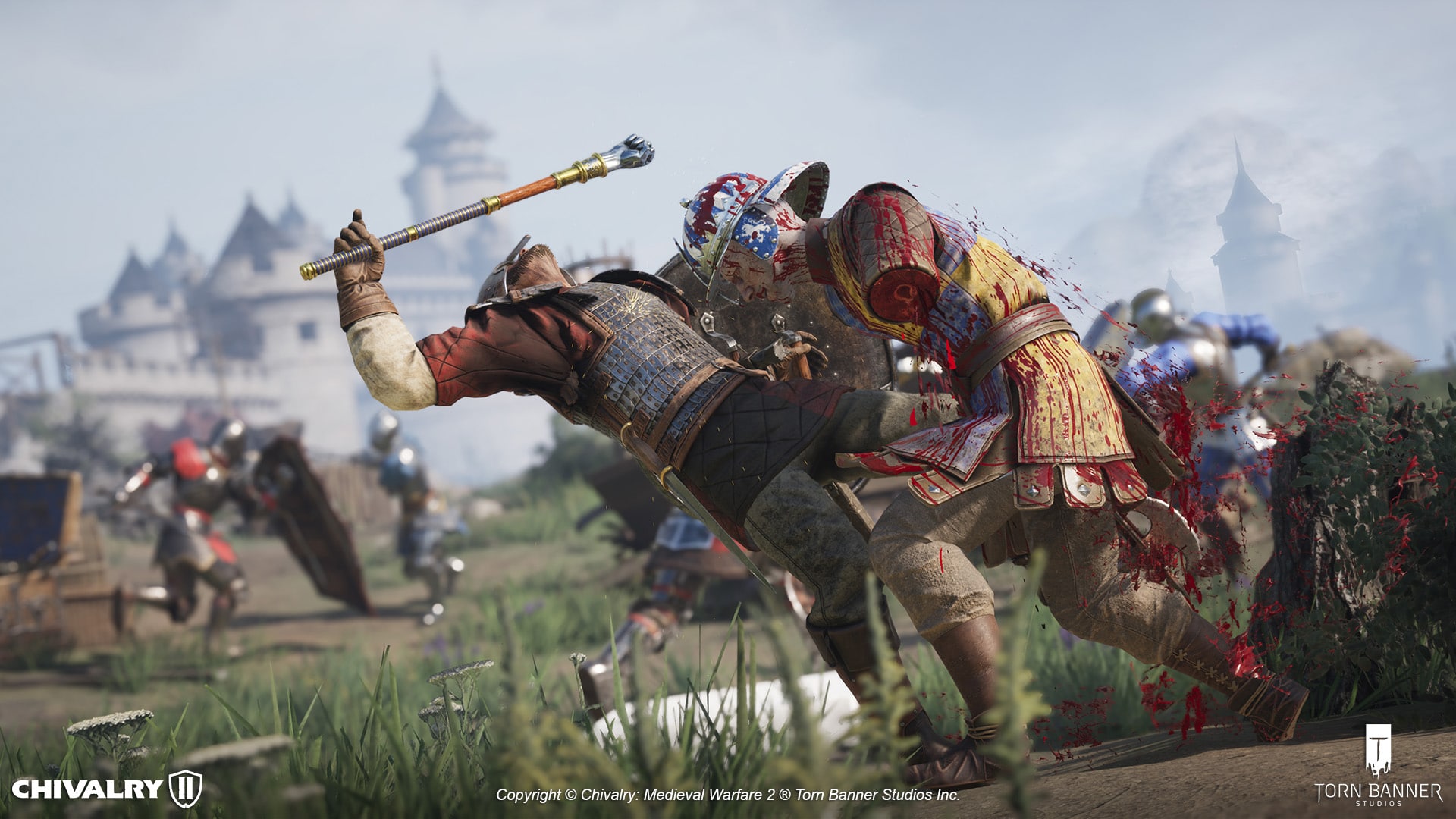
Released in 2021, medieval multiplayer game Chivalry 2’s content support has ended, with the last content update “Regicide” released back in May. This was confirmed by developer Torn Banner Studios who states that the game is now “content and feature complete.”

As the game’s 11th and final content piece, released in May, the Regicide Update revealed to players the narrative conclusion of Chivalry 2’s war between Argon II and Malric. This update included one of our proudest creations to date, the cinematic Team Objective map “Citadel” – which pits the two kings against each other for a final duel that makes a fitting end to an epic saga.

With the Regicide Update we consider the game to be content and feature complete.

However, the studio confirms this isn’t the end of the Chivalry franchise’s journey, as Torn Banner confirms they are working on a new co-op project titled “No More Room in Hell 2” and something in the Chivalry 2 universe (which we’re assuming is Chivalry 3). The studio adds they’ve been building their team up to take on these challenges to ensure that when the next Chivalry title is released, it will “utterly blow players away.”

While the game won’t be getting any new content, that doesn’t mean support is ending. Torn Banner confirmed that the game will continue to be supported for maintenance and for any critical issues affecting the player base. Speaking of which, a new patch was released just yesterday to fix some nagging issues.

For those worried about the game’s online component, expect the game’s servers (official and unofficial), matchmaking and the like to work as intended.

While Chivalry 3 hasn’t officially been announced yet, Torn Banner is now working on No More Room in Hell 2, which the official game description from Steam reads as: “No More Room in Hell 2 is a terrifying 8 player co-op action horror experience. Find your friends in the dark and survive – in a dynamic, endlessly replayable zombie apocalypse.”

No More Room in Hell 2 has no release date set just yet.

[Source: Chivalry 2]

Avatar photo

Alex Co

Father, gamer, games media vet, writer of words, killer of noobs.

Home > News

EA CEO Claims Without AI, They Wouldn’t Be Able to Deliver College Football 25 at the Level It’s At Even With “Many, Many Years” of Dev Time

It’s safe to say that EA Sports College Football 25 is a gigantic success for publisher Electronic Arts (EA), and according to the company’s CEO, Andrew Wilson, this couldn’t be achieved without using AI (Artificial Intelligence) in development.

During the Q&A portion of EA’s quarterly earnings call, Wilson explains how AI helped the devs accomplish something they couldn’t even with the “many, many years” of development time given to the studio. Read on for Wilson’s statement and how they used AI to help hasten the development of star player heads in the football sim.

There was a question earlier around AI as it related to College. And the reality is, is we had an incredible team working on this, but we had to get 11,000 new star player heads into the game. For those that don’t track our industry or track our sports games in particular, we typically in any given year will develop about 500 to 1000 star heads inside of one of our games.

And over the course of a platform generation, through the hand tooling of that, we ultimately fill out the full roster of star heads in our games. And of course there are ebbs and flows in that. But as we were launching College on a new generation of platforms, to a new generation of fans with the world’s largest single sport NIL deal, where image was a really important part of the process, getting 11,000 star heads into the game was a top priority for us.

The reality is our teams are incredible and built workflows to facilitate that, but they were amplified and accelerated through AI and machine learning. And we were able to take in a whole plethora of photo imagery across 11,000 players and build workflows out where AI and machine learning would generate heads. And our very talented artists would be able to come in and touch up and enhance those heads, versus having to go through the full head development program.

In the absence of AI, we simply would not have been able to deliver College football at the level we did, even though we’d given the team many, many years in development.

Wilson’s statement does paint a good future for AI in the development of games — at least in this instance. The worry that AI will put some people out of jobs is still a big concern not just in game development but in a lot of other employment areas as well.

In the same Q&A, Wilson revealed that the in-development Battlefield game is one of the “most ambitious projects” in EA’s history.

Avatar photo

Alex Co

Father, gamer, games media vet, writer of words, killer of noobs.