Home > News

Capcom Announces the “REX Engine,” the Next-Generation of the RE Engine

Capcom recently held an open conference to discuss everything around their RE Engine, including its successor, REX Engine.

While details are light, and most of the information relating to the REX Engine is for developers, Capcom did highlight in the video that the next-gen version of the engine would maintain all its current features while also addressing several key issues the original had. Amongst those issues are ways to handle larger files better while adding more customization and usability. 

What’s interesting here is the naming of the engine being REX, which, for all those Capcom fans out there, you may immediately draw a connection to Dino Crisis. But that could be a coincidence, as while the RE Engine has been used mostly with, and is commonly associated with, the Resident Evil franchise, the “RE” is simply the first two letters of the engine’s full name, Reach for the Moon Engine. It could be a coincidence, but I like to think it’s not.

It also doesn’t seem that Capcom is retiring the RE Engine, as the presentation hints at commercializing, allowing other developers and organizations to use the Engine, such as Unity and Unreal Engine. 

If true, that’ll be massive as it offers the development of yet another alternative to the current engines available. Let’s hope that Capcom doesn’t have any outrageous pricing if the RE Engine is indeed going public. 

As for when the new and improved REX engine will arrive, that’s unknown, though I wager we’ll see it right before the end of this console generation. If the RE Engine could deliver the Resident Evil Remakes and Devil May Cry 5, games that performed and looked incredible, we can’t imagine how big of an improvement the REX Engine will bring. 

Thanks, Okami!

Avatar photo

James Lara

A gamer at heart, James has been working for MP1st for the last decade to do exactly what he loves, writing about video games and having fun doing it. Growing up in the 90's gaming has been in his DNA since the days of NES. One day he hopes to develop his own game.

Home > News

RoboCop: Rogue City Story Trailer is All About Crime, and the OCP

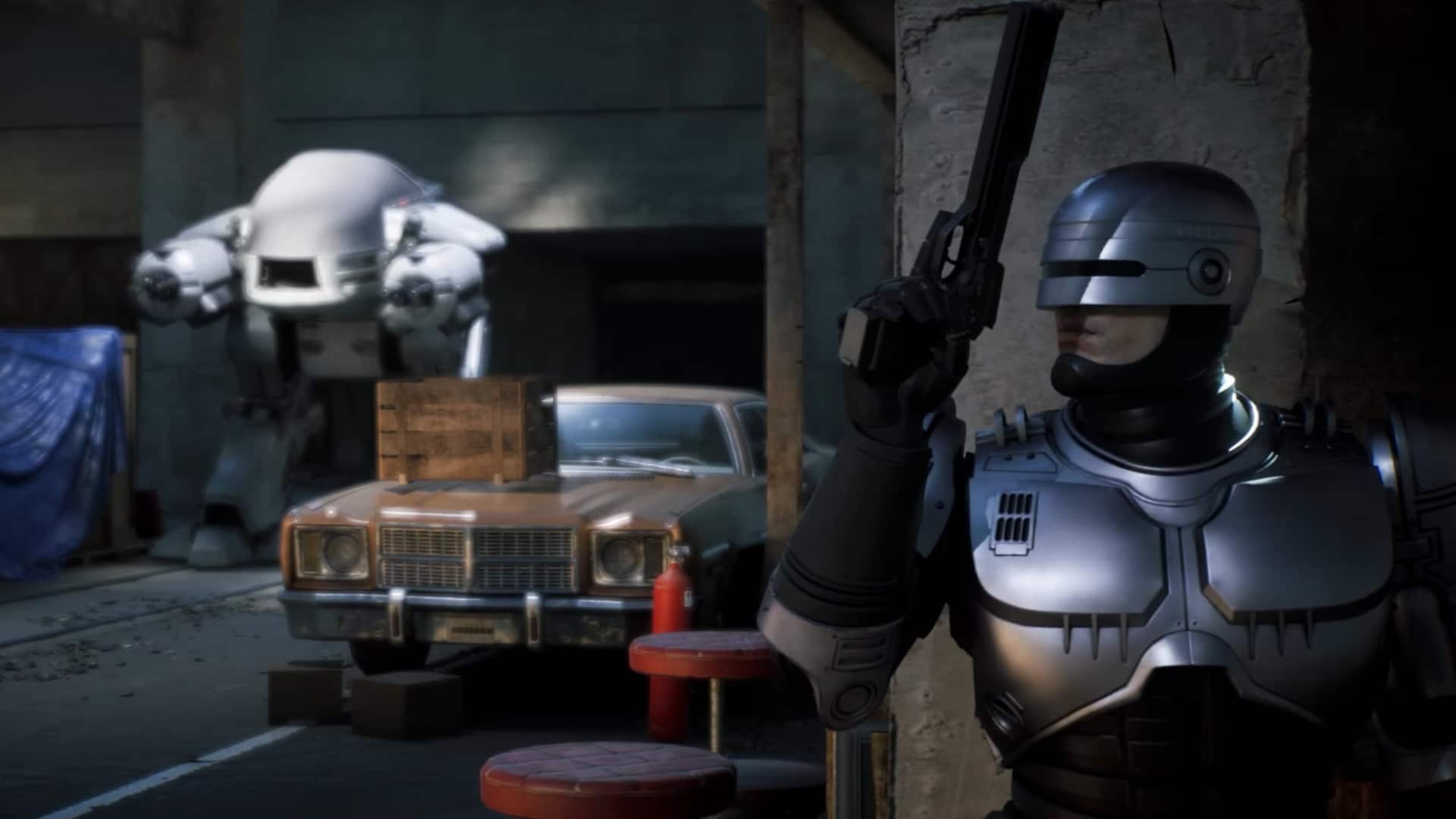
It seems that our favorite corrupted mega-corporation, Omni Consumer Products is back to its old ways, as the latest RoboCop: Rogue City story trailer features criminal scum and the menacing ED-209.

RoboCop: Rogue City Story Trailer

There are plenty of callbacks, and the most notable one is the ED-209. But for avid RoboCop out there, you probably noticed that RoboCop 2, OCP’s attempt to replace and improve the original RoboCop, is also featured in the game. That is surprising, considering the last time we saw OCP working on this was in the original RoboCop sequel where the human portion of these cyborgs couldn’t handle their fate, taking their own lives during their presentation.

How utterly terrifying. Fingers crossed, there’s a scene just like this in the game.  

RoboCop: Rogue City releases on November 2 for PS5, Xbox Series X|S, and PC. Stay tuned to our review hitting the site soon.

Related Reading:

Avatar photo

James Lara

A gamer at heart, James has been working for MP1st for the last decade to do exactly what he loves, writing about video games and having fun doing it. Growing up in the 90's gaming has been in his DNA since the days of NES. One day he hopes to develop his own game.

Home > News

EA Sports UFC 5 Review – Technical Knockout

Seeing the massive success of MMA and UFC in particular, EA Sports shifted the team behind the fan-favorite Fight Night series over to create their take on UFC back in 2014. In the following years, they consistently released a new game every two years up through 2020 with EA Sports UFC 4. Now after the longest gap between entries thus far, the series finally returns to the Octagon once again in EA Sports UFC 5.

Rise to the Occasion

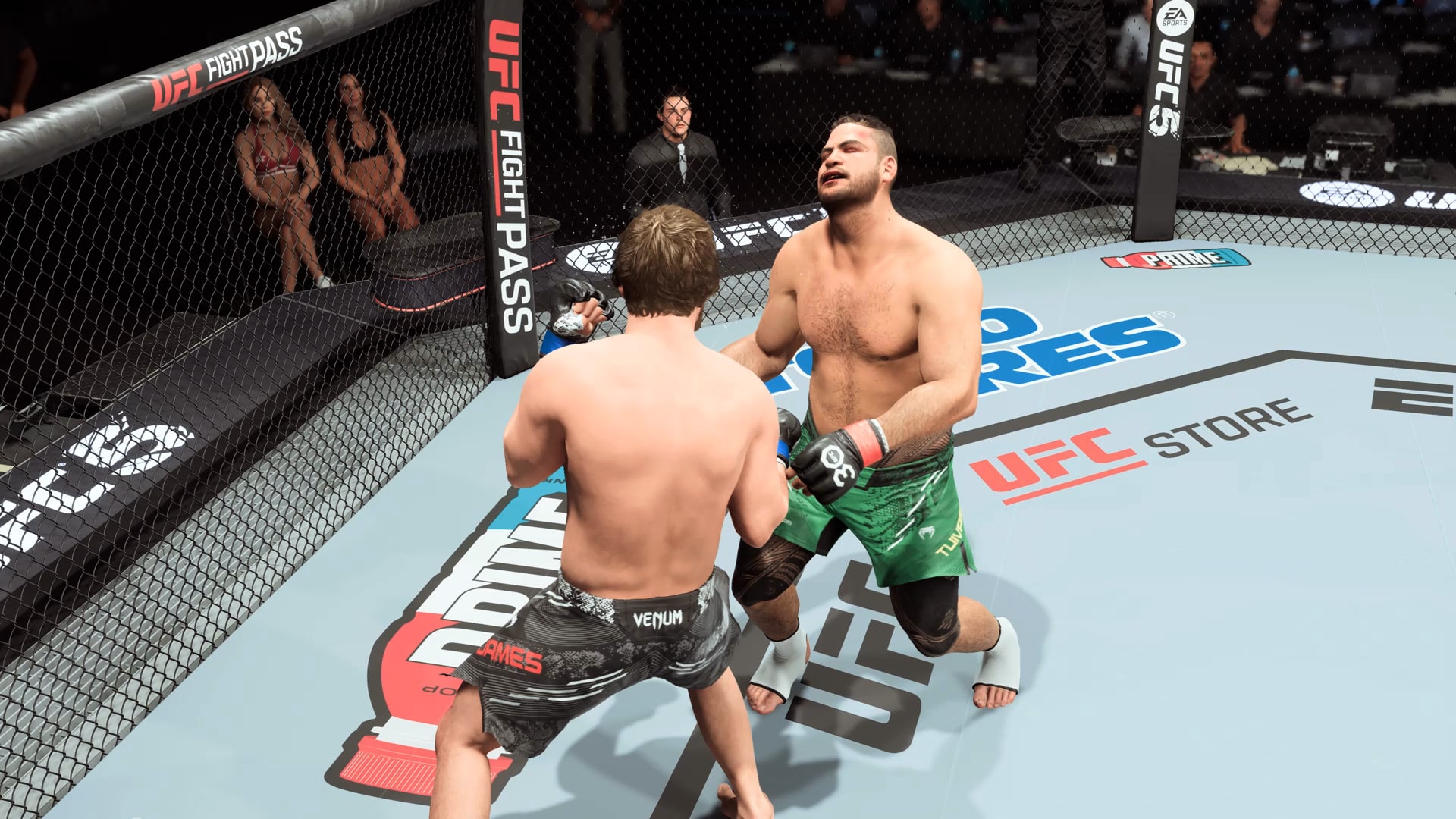
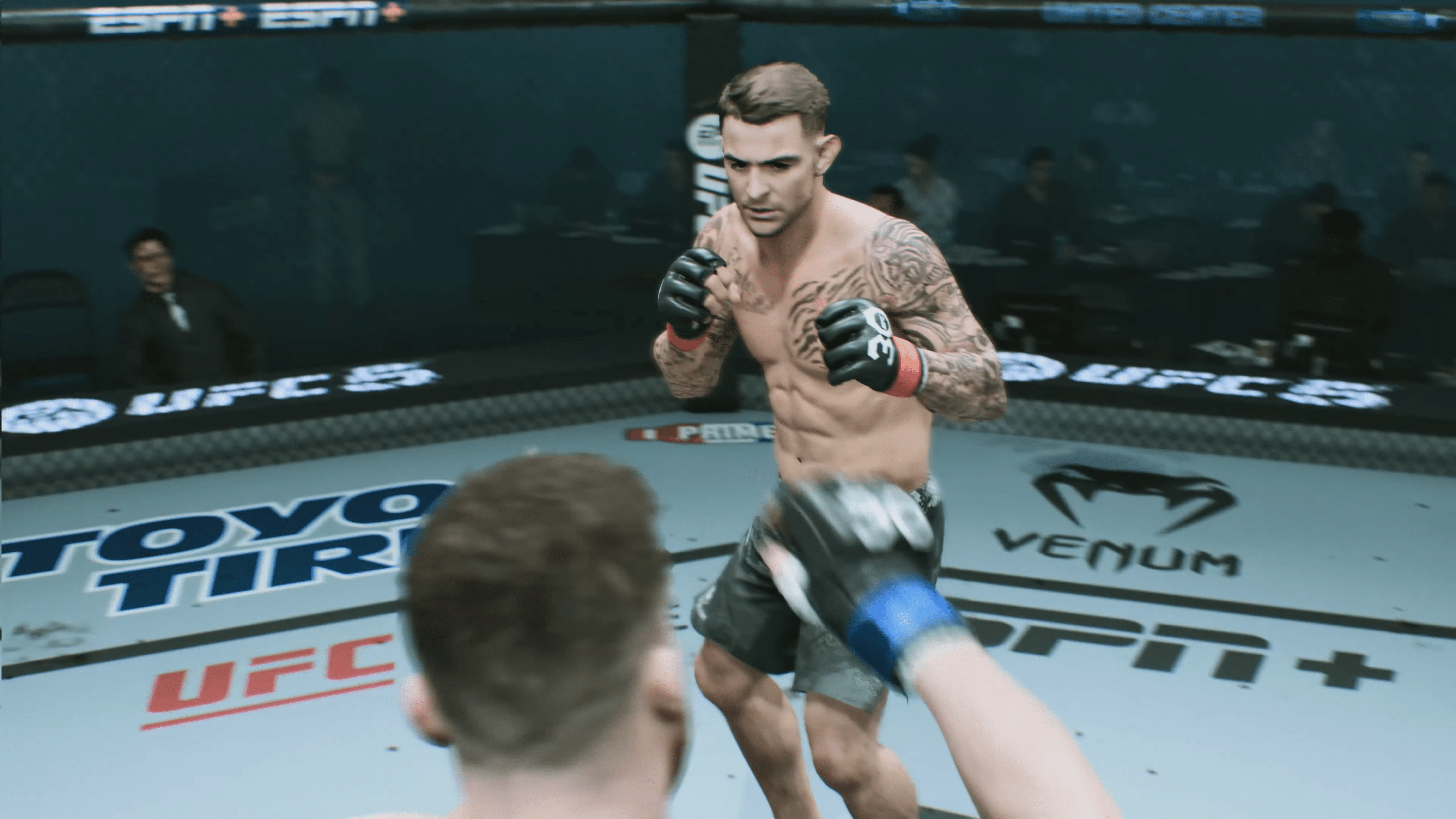
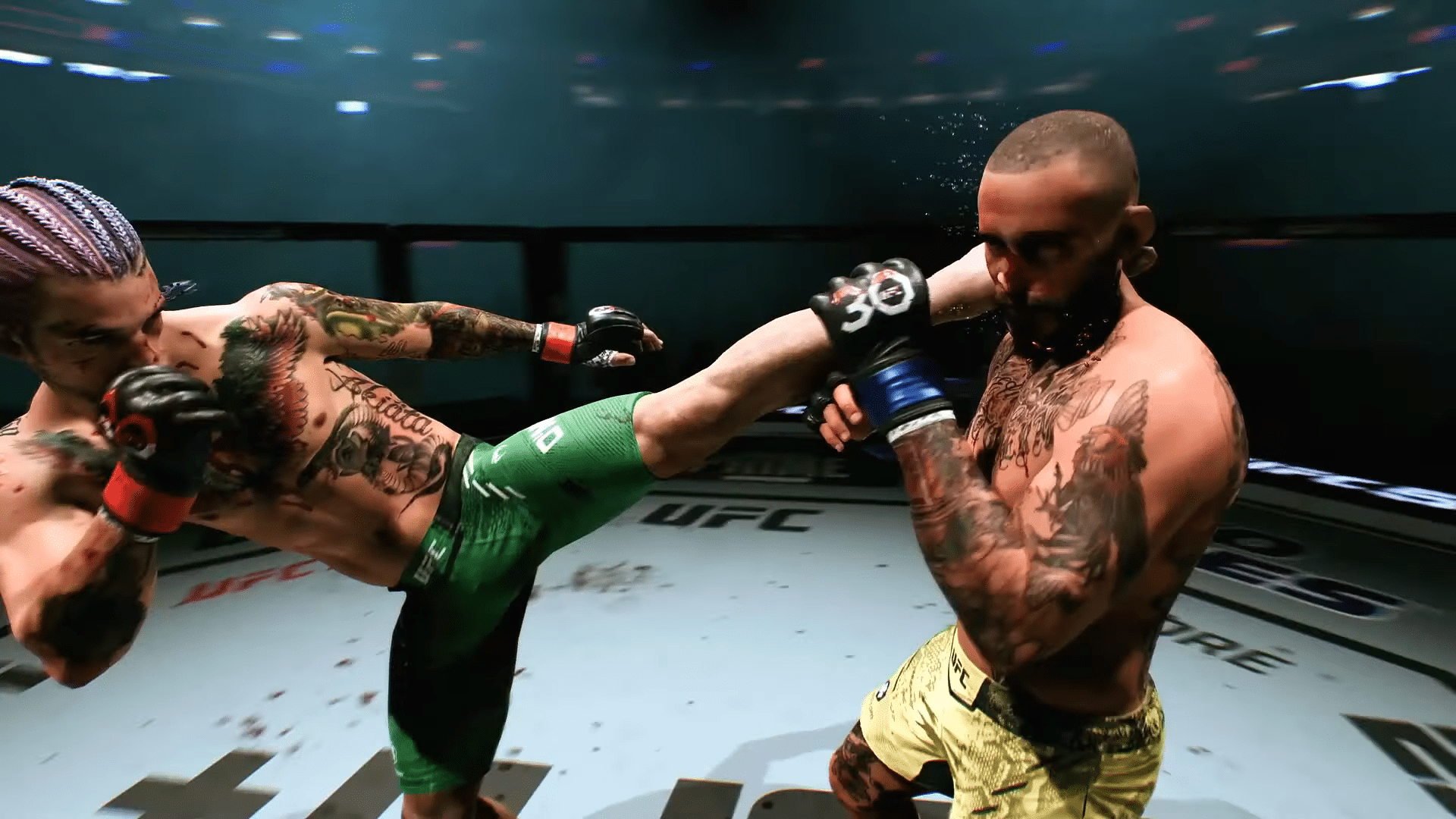
Regardless of the sport, EA Sports typically manages to provide players with a very authentic experience, and UFC 5 is no different. The visuals found in the game are top-notch, which is to be expected by this series. Each fighter’s facial animation is incredibly detailed, from the character model down to the actual blood and sweat found upon them. The likeness of real-life fighters is also very realistic and pairs with exciting fighter walkouts that use lifelike animations based on the fighters to bring them to life. This is not even to mention the overall presentation surrounding each fight, which captures the feeling of excitement surrounding the Octagon.
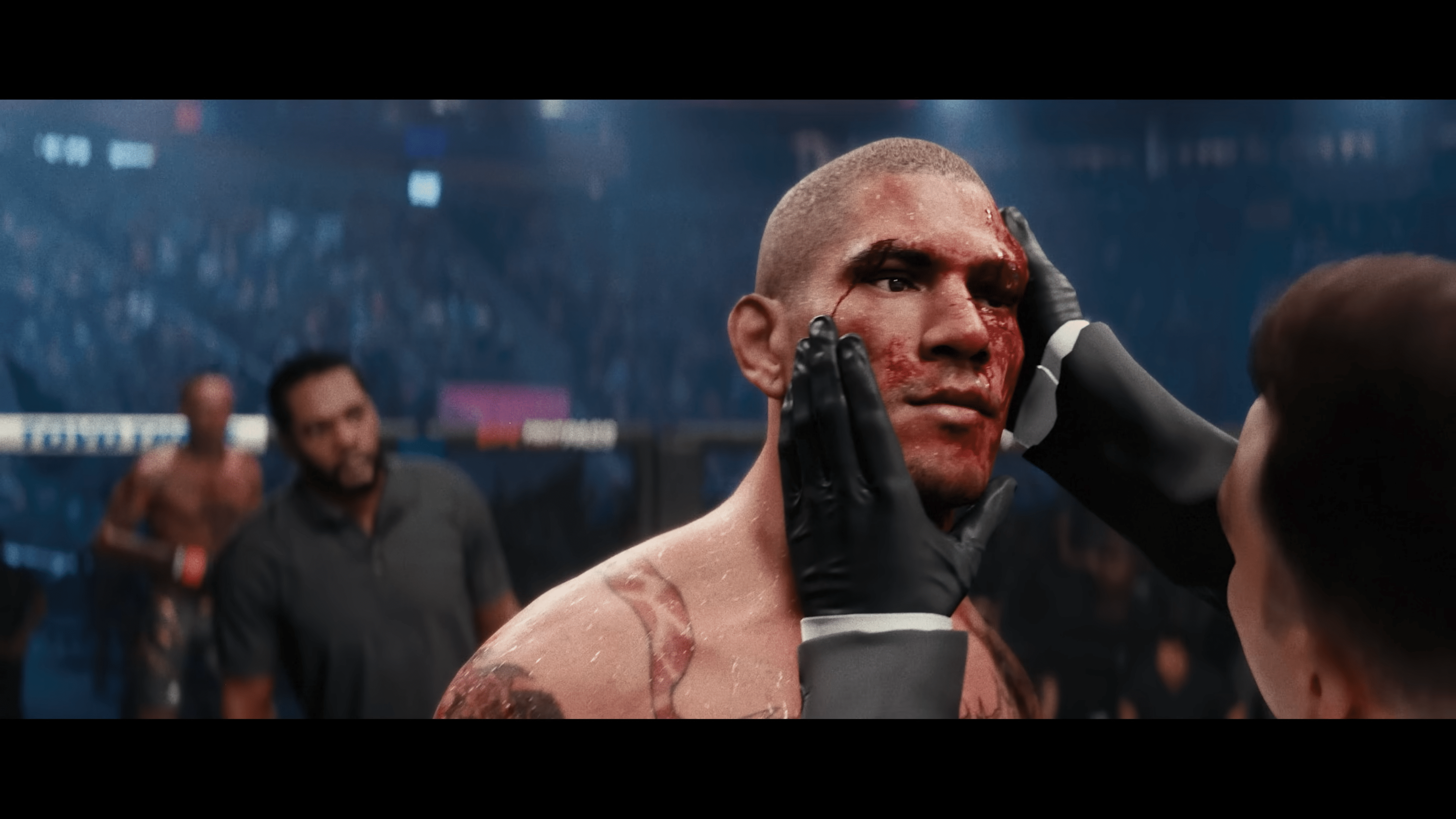
The new Real Impact System in UFC 5 manages to elevate the realism of the series even higher than in the past. This focuses on emulating true-to-life damage on the fighters during a bout, with each fighter’s face now having eight different regions that can be affected by cuts, swelling, and bruising. In fact, the developer stated that there are more than 64,000 different facial injury combinations in the game, which is very impressive. These facial and other body injuries aren’t just superficial injuries either, as they can cause ill effects like blurry vision or limited mobility depending on the injury. Fights can once again be stopped due to certain injuries as well, so you have to be very careful with what you are doing in a fight.

The controls have been switched up a bit, now allowing for easier access to moves such as uppercuts and spin attacks. One of my favorite things to do in the game was dominate the opponent with strong uppercuts and then knock them out with a strong roundhouse kick right to the head, and this felt easier than ever to execute in UFC 5. New animations have also been added in certain moves, along with upgraded facial animations that really show the impact of strong attacks like the uppercuts. The punishing nature of these moves really took me back to the Fight Night series, which was one of the first games I ever remember pulling this off at this level.

While EA Sports’ UFC series has typically been praised over the years, one of the areas that has been criticized quite often has been the overly convoluted ground game. This area is still a work in progress without question, but this entry in the series has managed to improve on it and make it feel like you have a little more control than in the past. Gone are the mini-games found in UFC 4, and now players instead have a submission meter that shows the different submission effects. When the bar is low, you have a better chance of your opponent tapping out, so you have to work towards getting there. This does still feel like a crapshoot sometimes, but it is a decent improvement over the last entry in this area. The good news is that the game’s Grapple Assist does make it a little better for beginners to get the hang of it, at least.
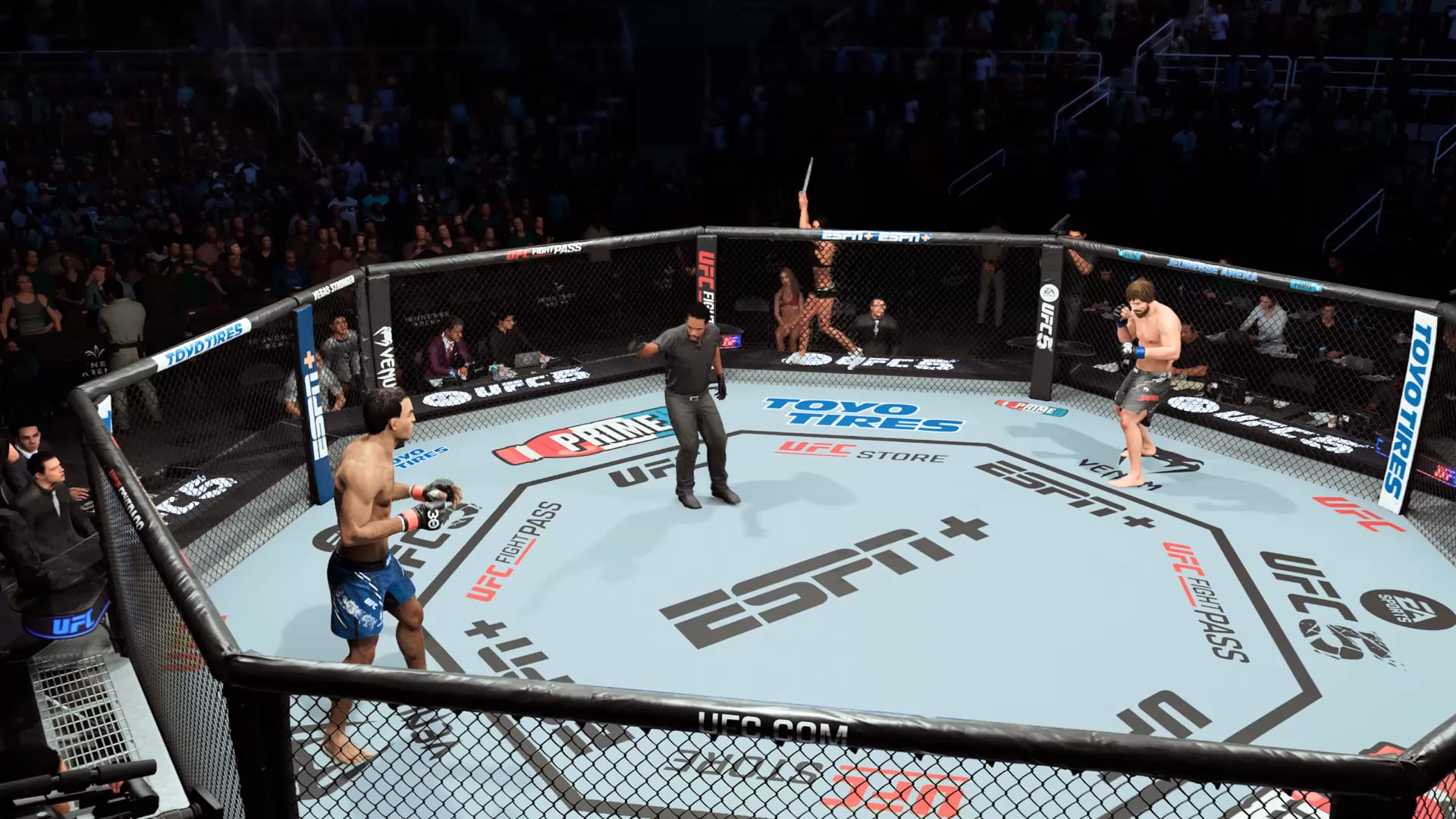
EA Sports UFC 5 continues offering multiple game styles to choose from to best tailor the experience to each individual player, including Competitive, Simulation, Knockout, and Stand and Bang. While Competitive and Simulation are the best for the typical UFC experience, I did find myself playing a good bit with Stand and Bang for a style akin to the aforementioned Fight Night series that we as gamers are sorely lacking with the long hiatus that series has seen.

Become the Greatest

Career mode lets you create your own fighter or just import an existing UFC-licensed fighter. When creating your fighter, you get to choose between the five play styles and then customize your fighter. This includes the look of your fighter, their gear, and even their post-fight animation and taunts. The game gives you 339 different options for walkout music as well, though it felt like the number of licensed music tracks here was lacking compared to many other EA Sports games in the past. The majority of these songs are just EA Bonus tracks they created, which do not bring the same level of energy.

The story found in Career mode is very basic, as you take your created fighter from just fighting at the local gym Davis MMA and building your career from there forward. This includes the return of Coach Davis from the past, as well as the introduction of the real-life former UFC Flyweight champion Valentina Shevchenko as well. Some of these story modes feature phoned-in performances, but they actually work quite well here, and I found myself enjoying watching most of the cutscenes even if nothing too exciting happens outside of the matches. The game mode starts to open up much more once you get through the early tutorials and reach the UFC Performance Institute. At this point, you can get to start accepting contract fights that come your way. By setting the weeks until the fight, you can also alter the gym fee percentage for the total fight payout as well.
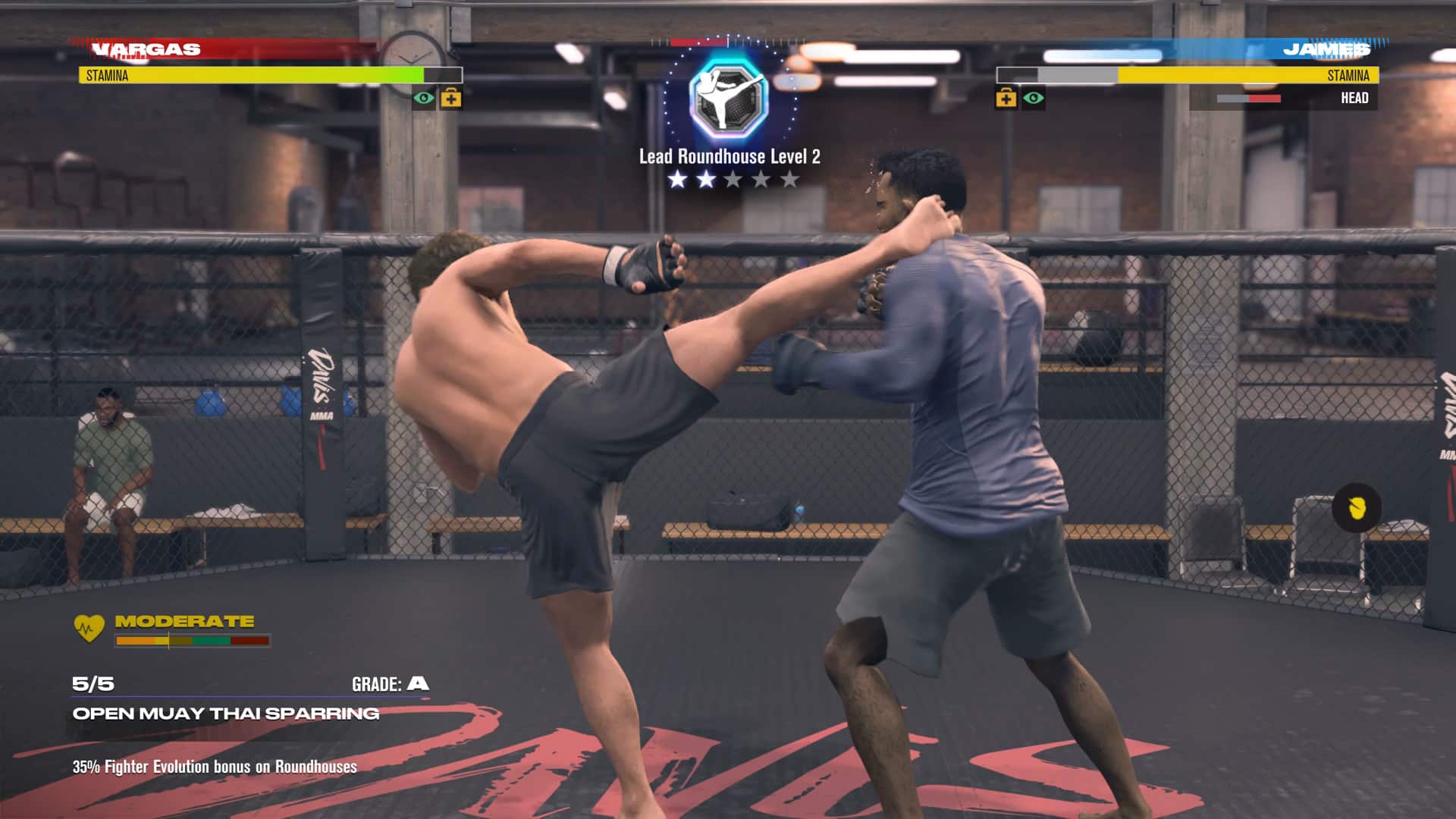
In the lead-up to each fight, you will be given a certain amount of weekly points that can be spent on certain activities during what is known as Training Camp. One of the most important activities is the ability to take part in sparring sessions, as it allows you to earn more Evolution Points that you can use to upgrade your attributes and buy new perks. You do have to be careful, though, as you can suffer injuries like cuts while sparring that you will then need to spend in-game money or expend weekly points you have available to recover and avoid attributes being reduced. Upgrading your attributes is vital to your long-term success, as you will start facing more difficult opponents and need to keep up with them stats-wise.

Your fighter has stats that can be upgraded in the three categories of Stand-Up, Grappling, and Health, each of which has multiple attributes to choose from. By getting the Evolution Points from sparring, you can upgrade these different abilities in whichever order you choose, at least to a certain degree. You cannot level just a few attributes up to five stars right away, as the game will limit you from upgrading further on abilities without leveling up other attributes within that category to a certain benchmark as well to keep your fighter more balanced. Performing certain moves well in fights will also allow you to improve your moves over time, which is very helpful for bettering your fighter.

Evolution Points can also be used to unlock different perks that can be equipped for your fighter. To start, you only have a couple of slots available to set perks, but you can gain up to three more by becoming a UFC fighter, becoming a UFC-ranked fighter, and becoming a UFC champion. Pairing these with the upgradeable attributes and moves allows for a natural progression of your fighter in their career, which could have felt very unbalanced if not handled correctly.

Another really cool feature is the ability to invite a fighter to train for the week that you can learn some additional moves from to then equip and use. You do have to pay money on top of the weekly points cost as well, though. This allows for a lot more versatility in your fighter by mixing in some different move sets that would have otherwise not been possible. You can even build relationships through the hype section with fighters to lower the costs required to get new moves as well.
EA UFC 5 Presentation

Watching tape allows you to learn additional information about your opponent in advance of the fight, such as their top moves and tendencies, to where you can better prepare yourself. You can also hype up the fight in a few different ways, starting by selecting promotions such as radio interviews or social media posts. From there, you can eventually sign sponsorship deals to unlock additional promotions. This can also lead to building connections with other fighters, which can help to reduce the cost of learning their moves in the future.

Reaching the status of champion in the game’s Career mode is only the beginning, as the game also keeps track of your performance records under what is known as G.O.A.T. Status. This page tracks the number of submissions, knockouts, wins, and much more that you get over time. For instance, the list has 0/15 knockouts and 0/26 UFC wins, so it gives you some career numbers to strive for to become the greatest of all time.

Career mode is definitely the meat of the experience in EA Sports UFC 5, as there aren’t many other options to choose from. You have the typical Fight Now option against AI or a friend locally, as well as the ability to take fights online as well. Event Creator mode lets you create a UFC event or a tournament bracket, but they are essentially just longer extensions of Fight Now.

Place Your Bets

The only other big mode found in UFC 5 is where the series dives headfirst into the live service setting with the Fight Week game mode. Fight Week is connected to real-life UFC cards for upcoming events and allows you to make in-game predictions on the winners, victory methods, and which round each fight ends. This will reward you with UFC coins that you can then spend within the game while also ranking you on leaderboards based on your picks. In fact, the top scorers in each group will even be able to obtain special rewards like customizable fighter assets. Unfortunately, the majority of this mode was not available for us to try out as it won’t launch until a week or two after launch in the lead-up to UFC 295.
UFC 5 deep dive

What was available, though, was the other element of Fight Week, where you can take part in daily AI battles with preset settings for in-game currency. There will be more of these tied to the actual event, but we were able to take part in these matches for the time being. The current battles go up daily and seem to last one week from the time they were first added and range in difficulty and other settings. There will be additional challenges associated with these in the future as well, allowing players to earn many better rewards that even include what are known as Alter Egos.

Alter Egos are a new feature in the UFC series that allows you to play as variations of fighters during specific phases of their career, such as their debut or big wins. These are not just cosmetic variations either but rather feature varied attributes, moves, and perks on top of the visual difference. The Deluxe Version of the game even includes Alter Egos for Bruce Lee, which is quite cool. This is a really cool addition to the series that will be paired with the Fight Week mode and can be obtained through either challenges or the in-game store. The only real downside here is that it appears these will be rotating, so you may miss some fighters as a result. Hopefully, they will keep new additions in the store perpetually, but we won’t know until Fight Week actually launches soon.
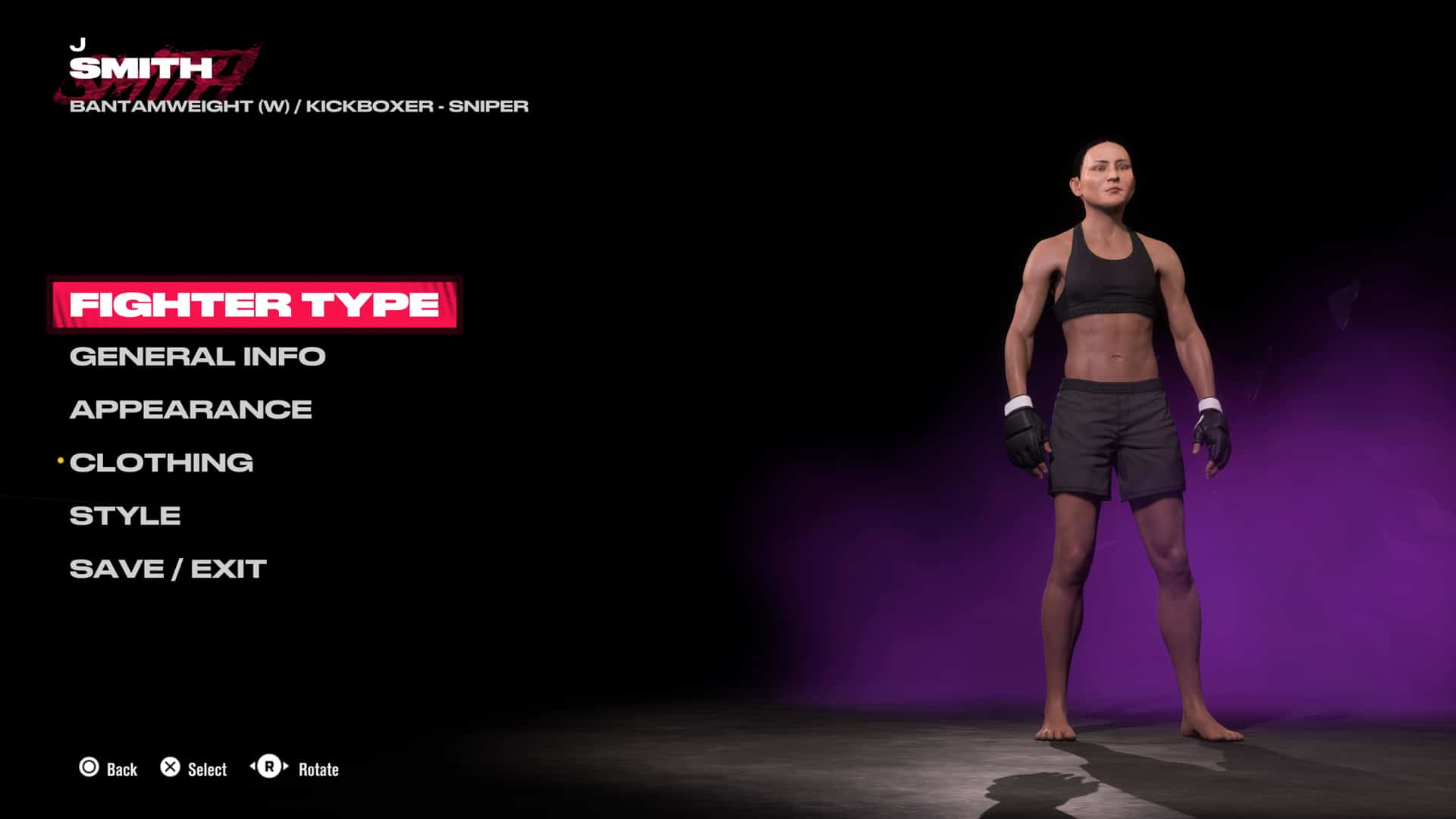
One of my personal favorite features in games like this is the ability to create your own fighter to use in the game. The level of detail is once again really impressive here by letting you create your own male or female fighter. However, one major disappointment once again in this iteration is the inability to share your own creations online and download other people’s creations. This was something that the Fight Night series included and the WWE series still thrives on today, but for some reason, the UFC series still continues to avoid allowing this. There are so many possibilities for fighters out there with the creativity that people have and not tapping into that is a big mistake from EA Sports yet again.

It certainly wouldn’t be an EA Sports game without microtransactions and they are still found here, but they do not feel quite as scummy as some other series like EA Sports FC and Madden. Thankfully, UFC 5 did not bring back the controversial Ultimate Team mode that was also missing in UFC 4, so the UFC coins in the game are instead reserved for cosmetics for your fighters or to get additional fighters. The disappointing thing is that the currency found in Career mode does not carry over here, so those who focus on that mode will find themselves with hardly any in-game money to spend in the store. The game really should have rewarded some UFC coins from Career as well as a way to fix this issue, as it otherwise makes you feel like you need to avoid Career when grinding for certain items as a result.

Verdict

The EA Sports UFC series has certainly been one of their most consistent quality-wise, and EA Sports UFC 5 continues that trend. Career mode is still the core of the experience as you climb the ladder to the top, and Fight Week has a lot of potential once it launches, though how good that actually is remains to be seen. Where the series continues to shine best, though is the stellar presentation and the well-executed and authentic gameplay, which even made some improvements to the often maligned ground game, to where EA Sports can add yet another victory to the win-loss record with EA Sports UFC 5.

Score: 8.5/10

Pros:

  • Authentic gameplay and presentation
  • Real Impact System brings more brutality than ever
  • Career mode keeps you invested
  • Potential of Fight Week

Cons:

  • Ground game can still be frustrating
  • Inability to share or download created fighters
  • Microtransactions

EA Sports UFC 5 review code was provided by the publisher. You can read MP1st’s review and scoring policy right here.


Avatar photo

Dean James

Home > guides

Alan Wake 2 Inventory – How to Increase Space and Find All Satchels

Are you finding that you have too much equipment but not enough space in Alan Wake 2? The good news is you can upgrade the inventory space in Alan Wake 2. The bad news is that it requires some extra exploring and work. The good thing for you is that we also know the location of each upgrade, showing you how to increase inventory space in Alan Wake 2. 

Now, before we get, we’ll point out that each character, Alan Wake and Saga Anderson, has their own inventory space and upgrades. This means that because you increased inventory with one character, it does not mean the other increased. You have to find an upgrade for each character, though Saga has four rows to unlock, whereas Alan only has one. 

So let’s start with Saga Anderson first, since her first two inventory upgrades are fairly early in the game. 

How to Increase Inventory Space in Alan Wake 2 and All Satchel Locations:

Alan Wake 2 Inventory – How to Increase Space – Satchel Location – Saga Anderson

Saga uses satchels to increase her inventory space. These can be found around the world and hidden in some cult caches.

Satchel Location #1 – Chapter Return 2 The Heart

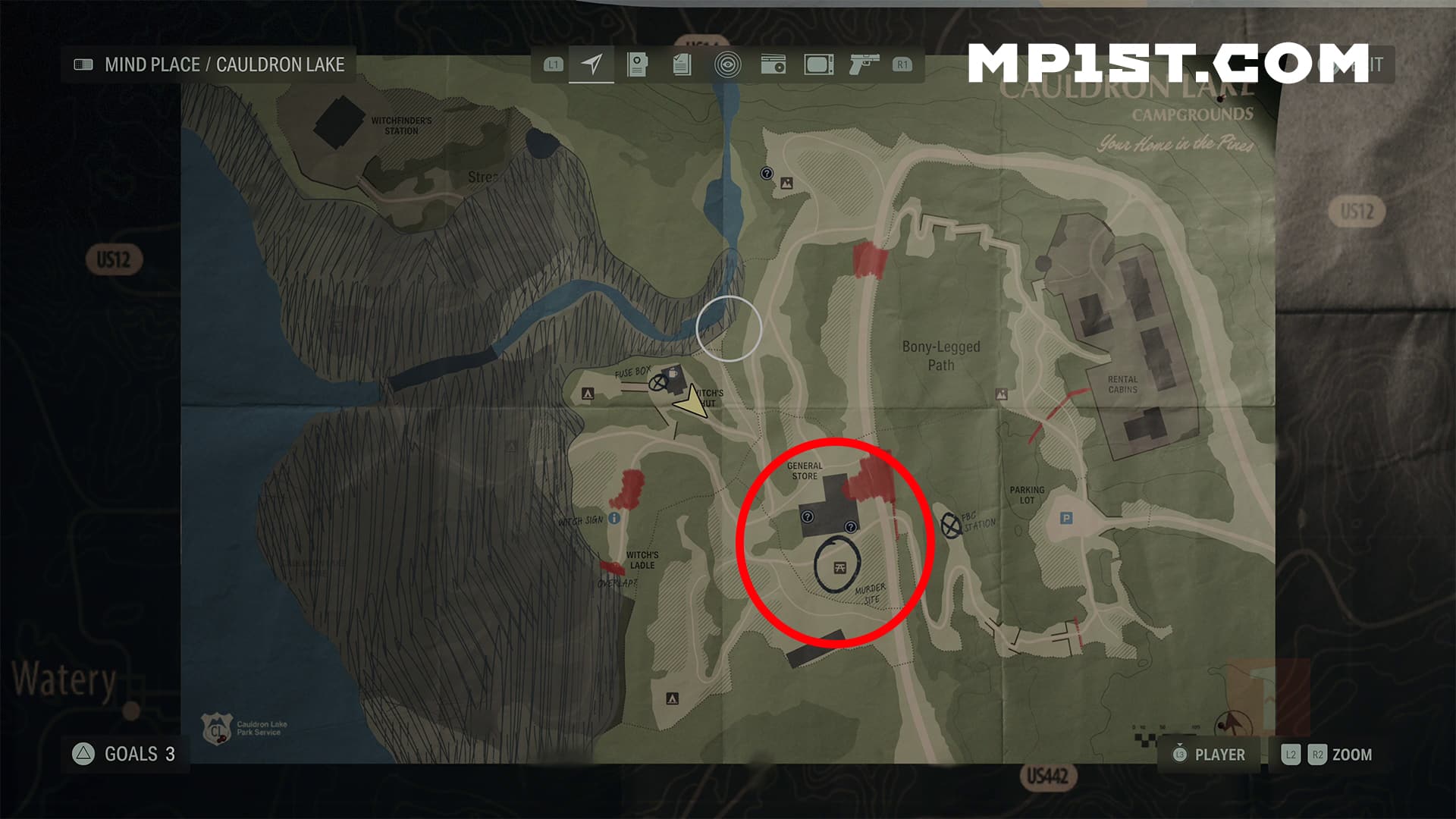
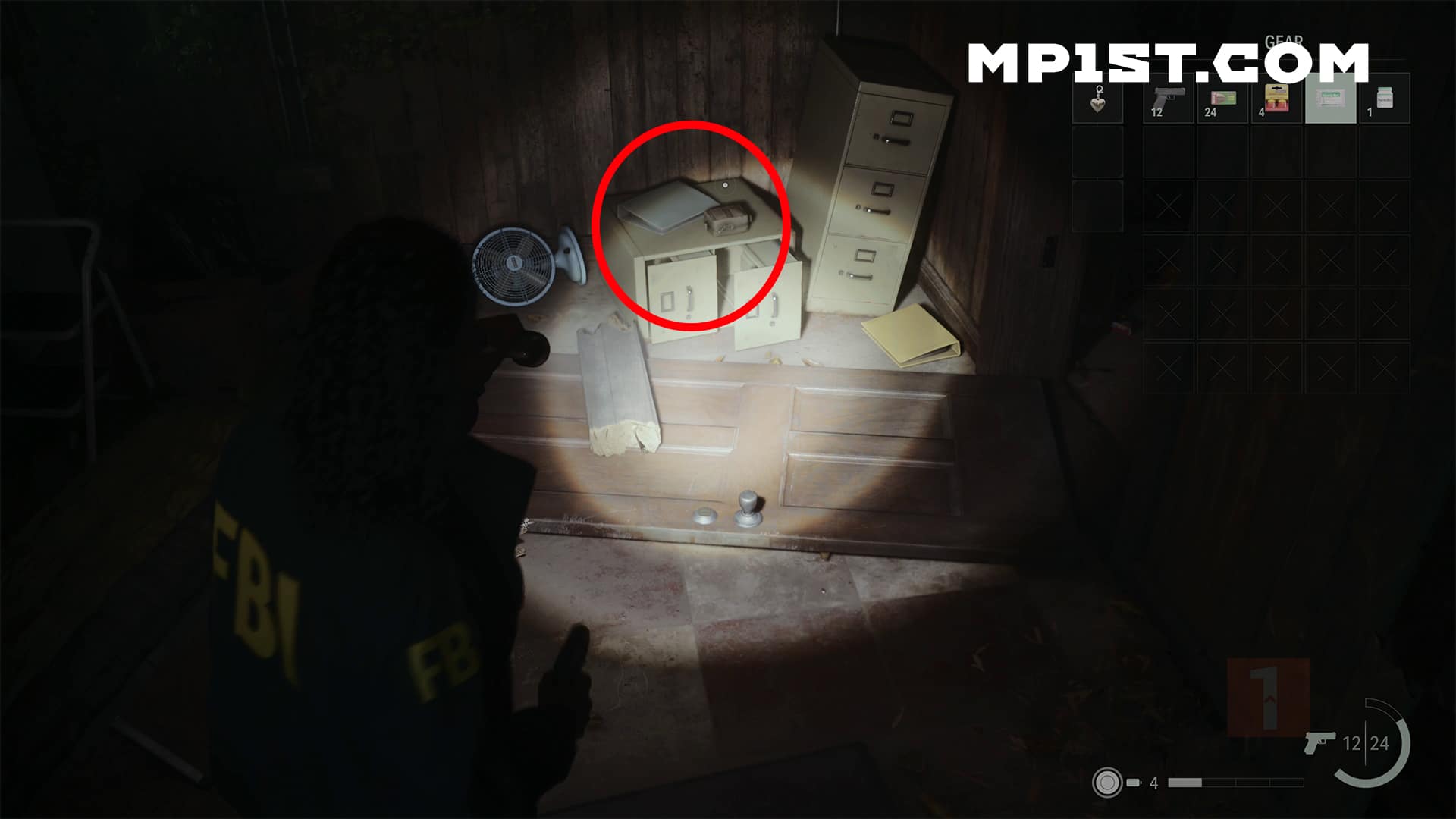
As I mentioned in our previous Shotgun location guide, shortly after starting Chapter 2, you’ll be tasked with finding Nightingale’s heart. Make your way back to  Cauldron Lake and follow the objective, eventually leading you to the general store. This is where you’ll face your first Taken enemy. After dealing with them, if you were to head to the back of the store, behind where the Taken showed up, you should notice a display case on the wall carrying the shotgun. Below it is a set of cabinets, with the first satchel here. Pick it up, and you’ll receive your first inventory upgrade. 
Satchel Location #2 – End of Chapter Return 2 The Heart / Start of Chapter Return 3 No Chance

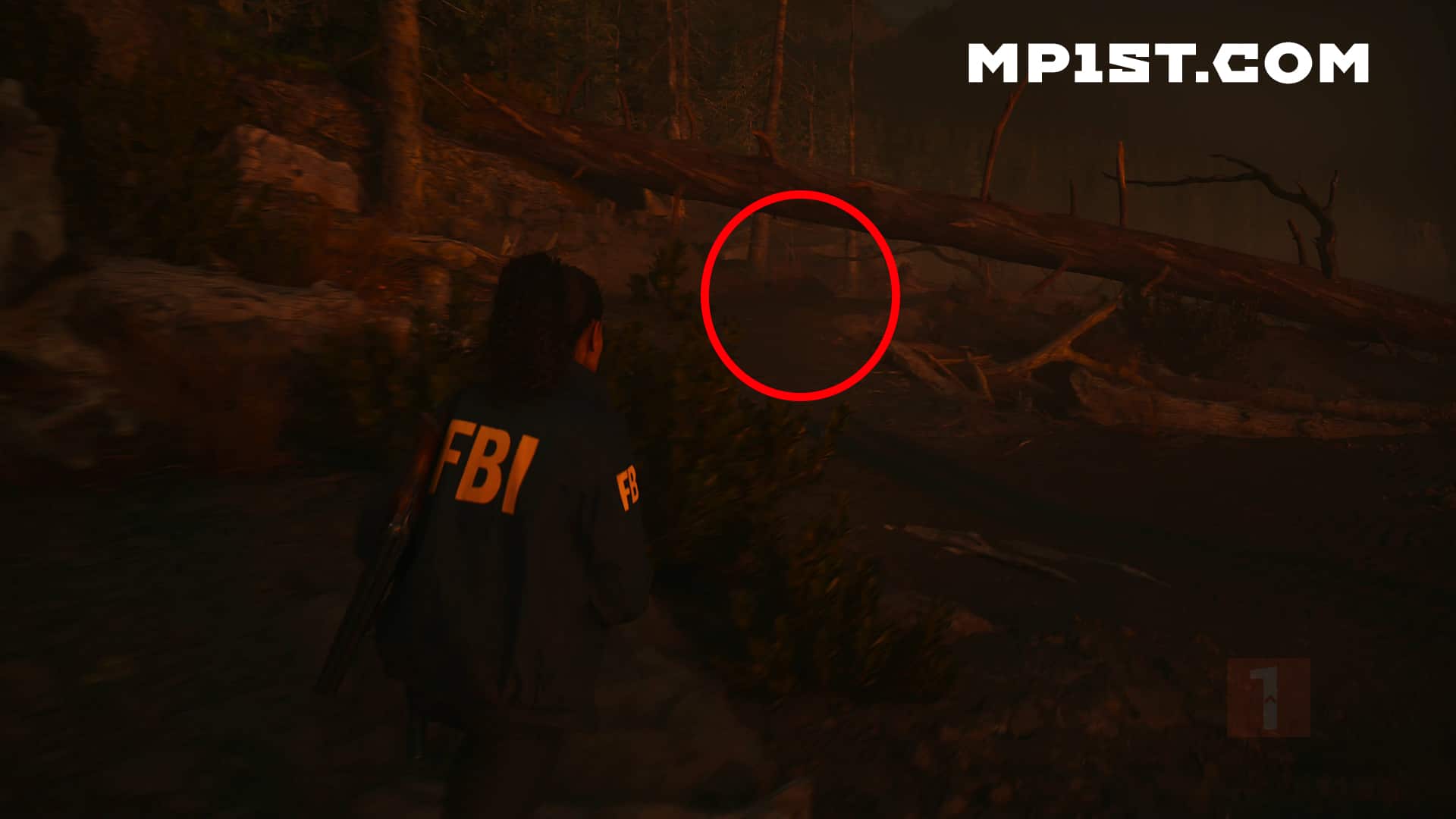
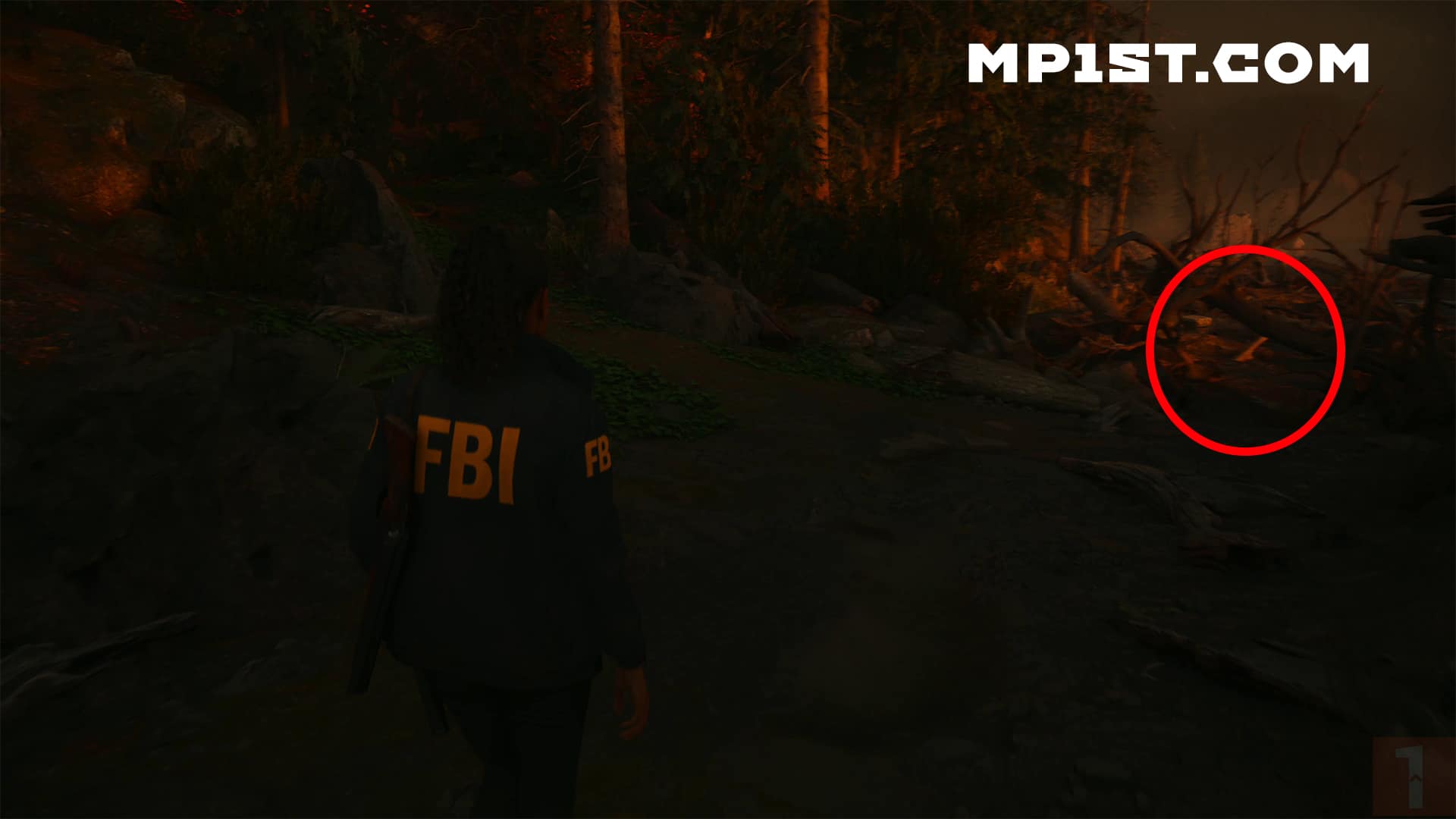
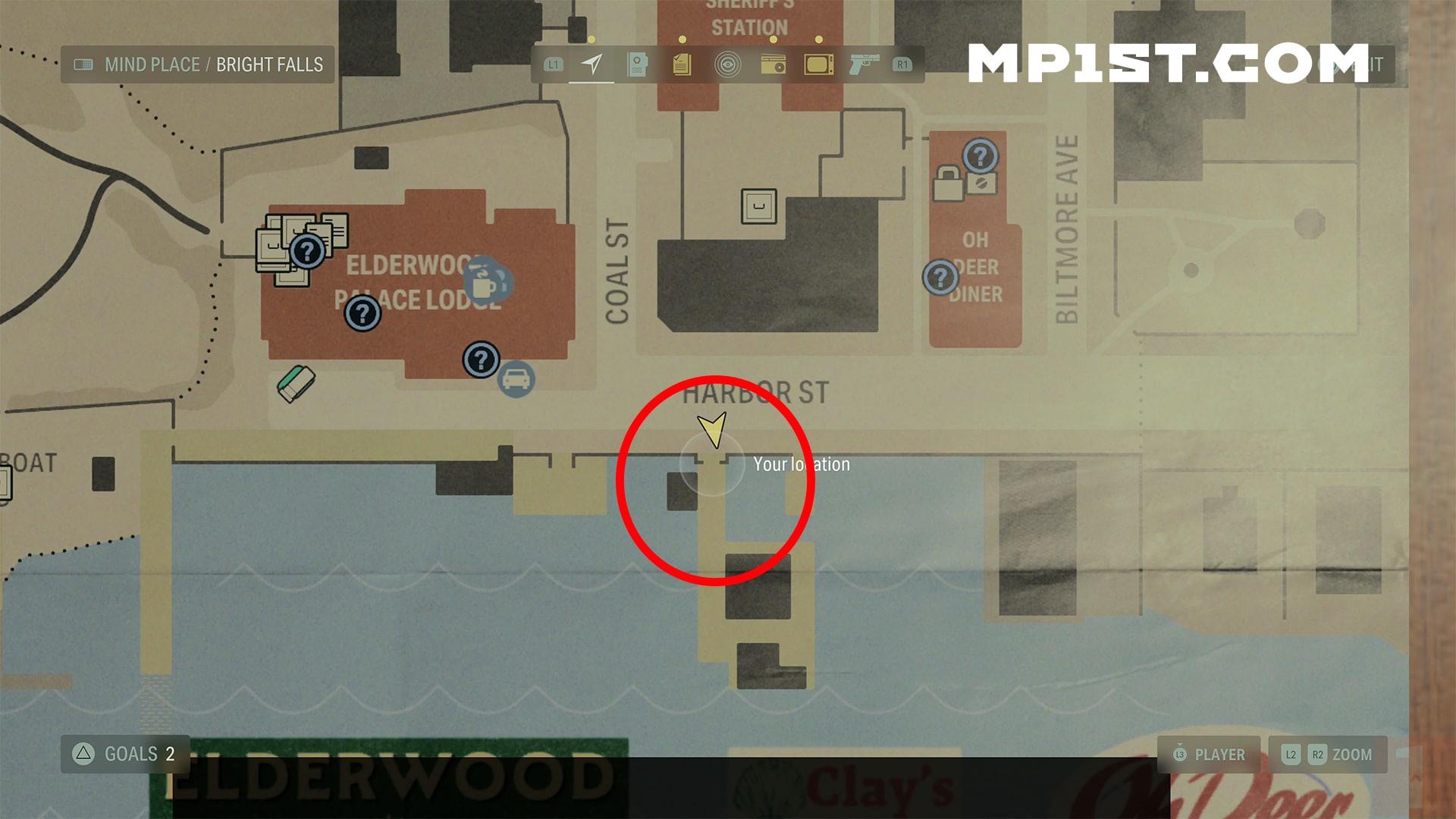
The next satchel isn’t that far away from the last one but will require you to complete the chapter. Once you’ve reached the end of the chapter and the chapter music plays, a cutscene featuring Saga and Casey on the shore of the lake will play out. Once that’s completed, you’ll start making your way back to your vehicle. The path is to the left of Casey, underneath a fallen tree. 

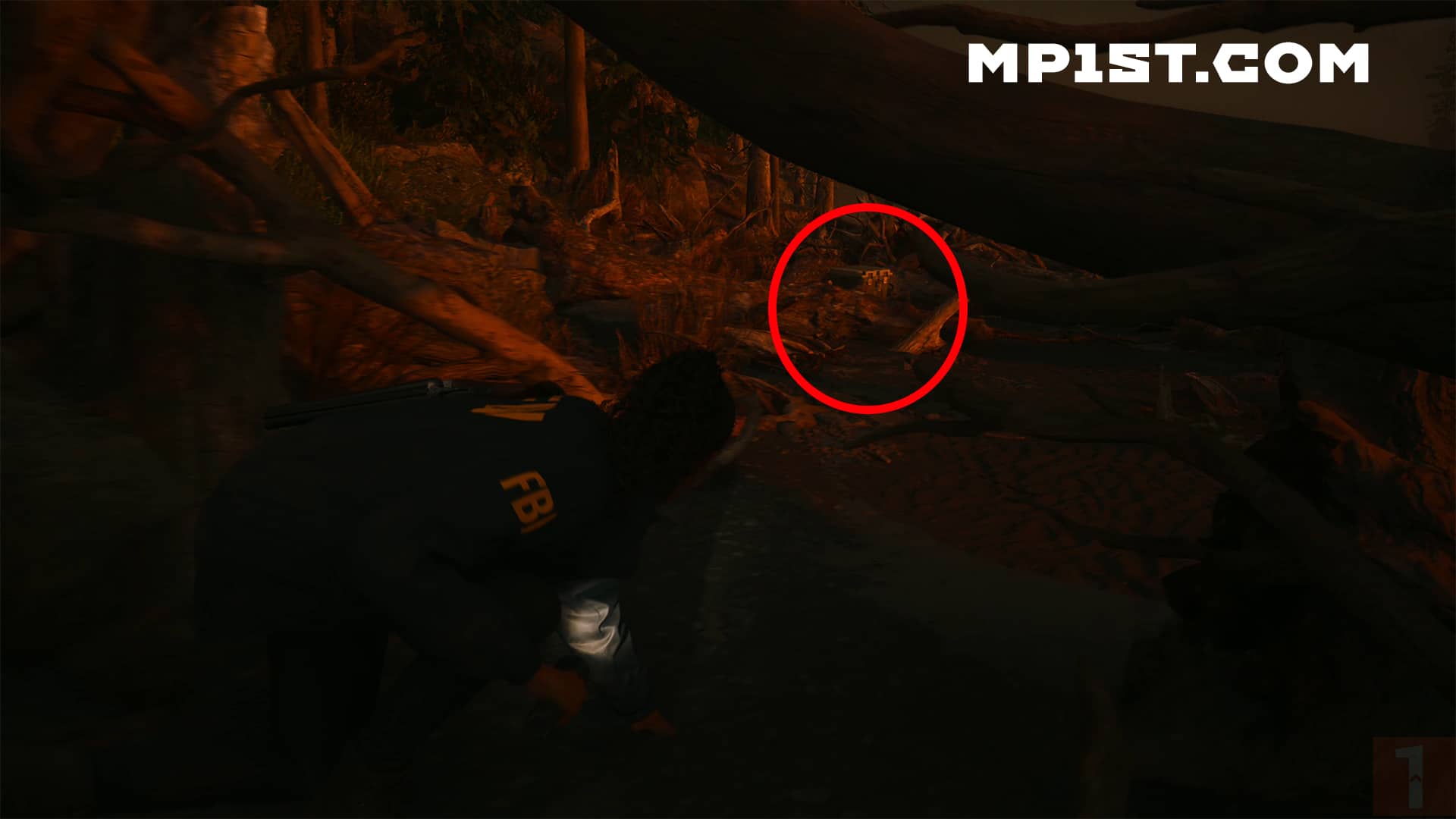
Eventually, this will lead to a split, one path going up the hill back to the parking lot, the other under some tree branches along the shoreline. Take that path, and you’ll see a Cult Cache at the end. 

To unlock it, all you have to do is keep an eye on the order the light flashes on the keypad. Once you’ve entered the three buttons, the cache will unlock giving you your second inventory upgrade. 

Satchel Location #3 – End of Return 5 Old Gods/ Start of Chapter Return 6 Scratch 

This last and final satchel for Saga won’t be available until much later in the game. Eventually, the story will take you to a nursing home, and you’ll begin the Old Gods Chapter, leading to an overlap that must be closed. Upon fingering out how to close the overlap, you will, at some point, find the Bolt Cutters. It’s unmissable and required for the final satchel. 

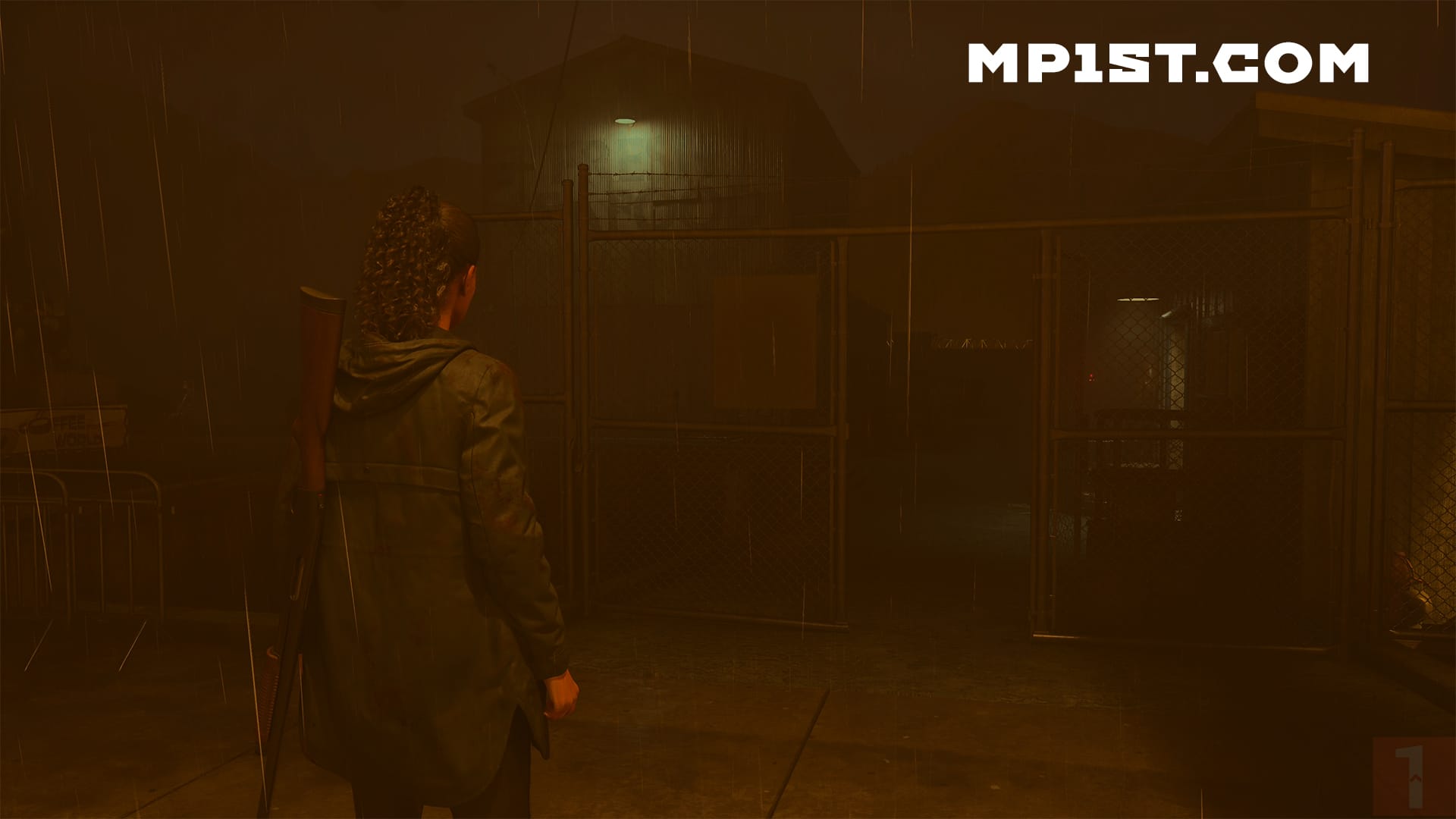
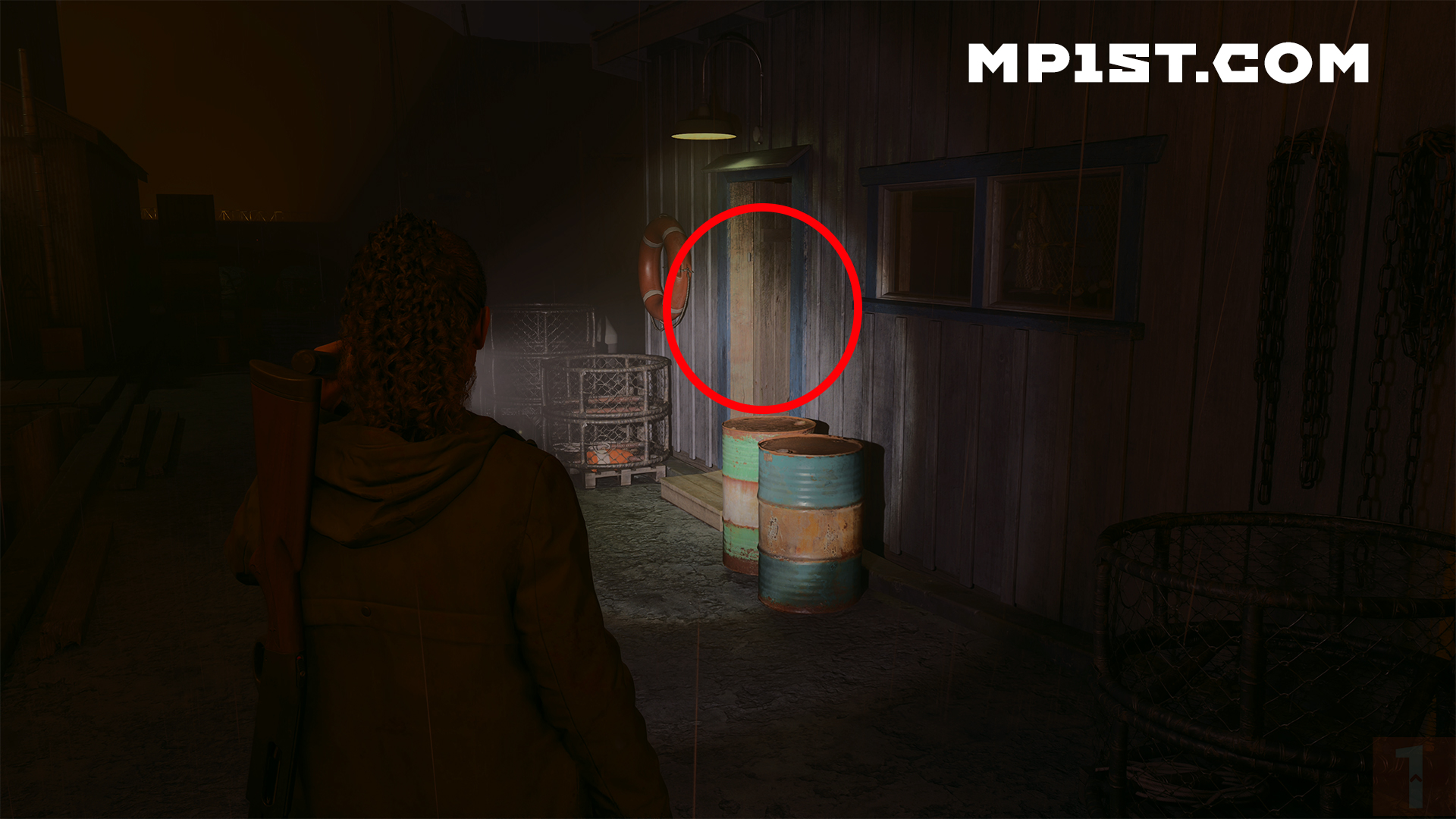
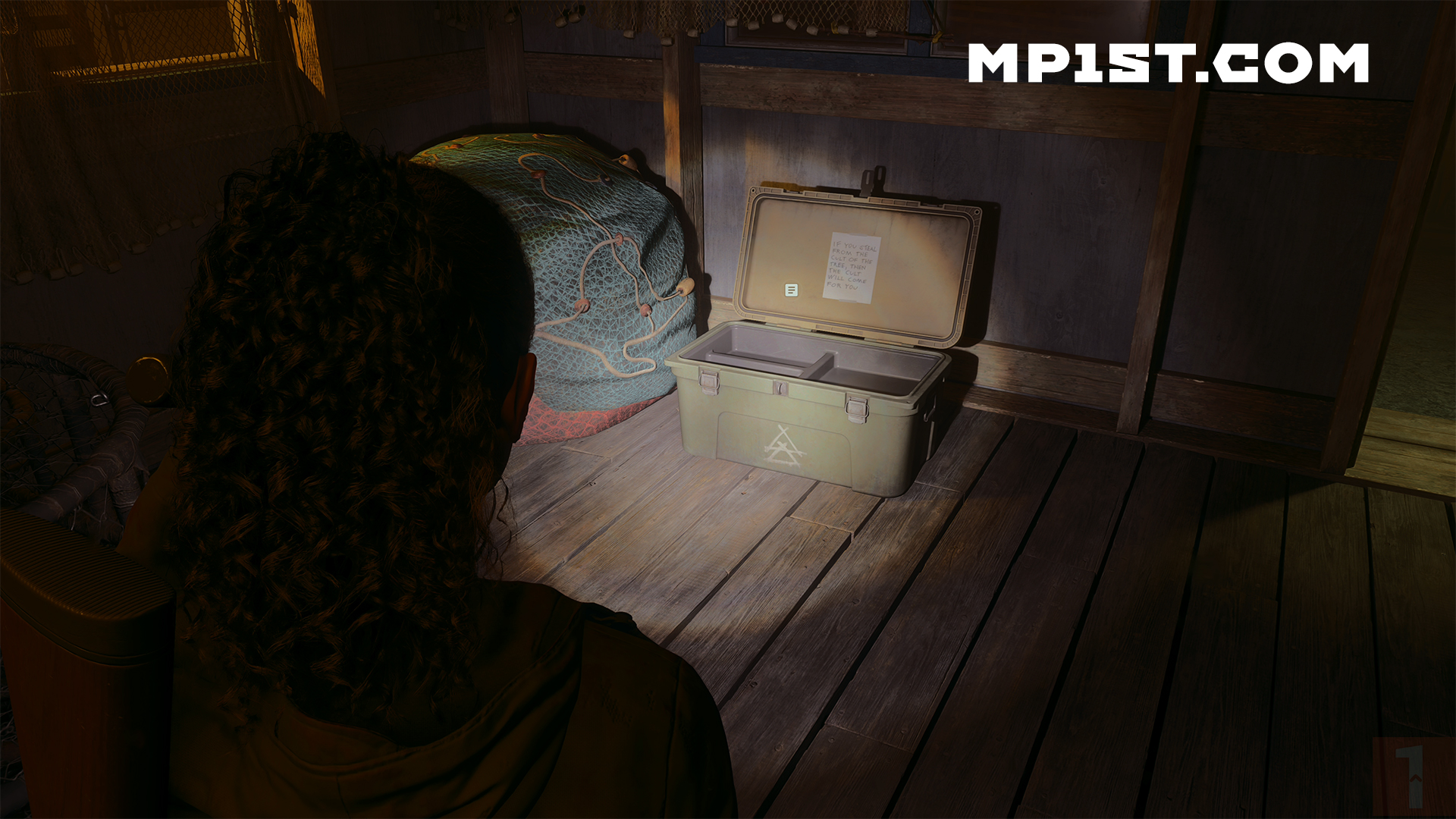
Once you’ve resolved the overlap, you’ll head back to Bright Falls. The town has a Fresh Seafood refinery, and the entrance is locked. This is where the bolt cutters come in, opening the fenced door. To the right is a small shack with a Cult Cache. The solution is: 697. Open it, and the final satchel upgrade for Saga will be here, along with the Lighthouse Key. 

Satchel Location #4 – Still looking for This One


Alan Wake 2 Inventory – How to Increase Space – Word of Power Location – Alan Wake

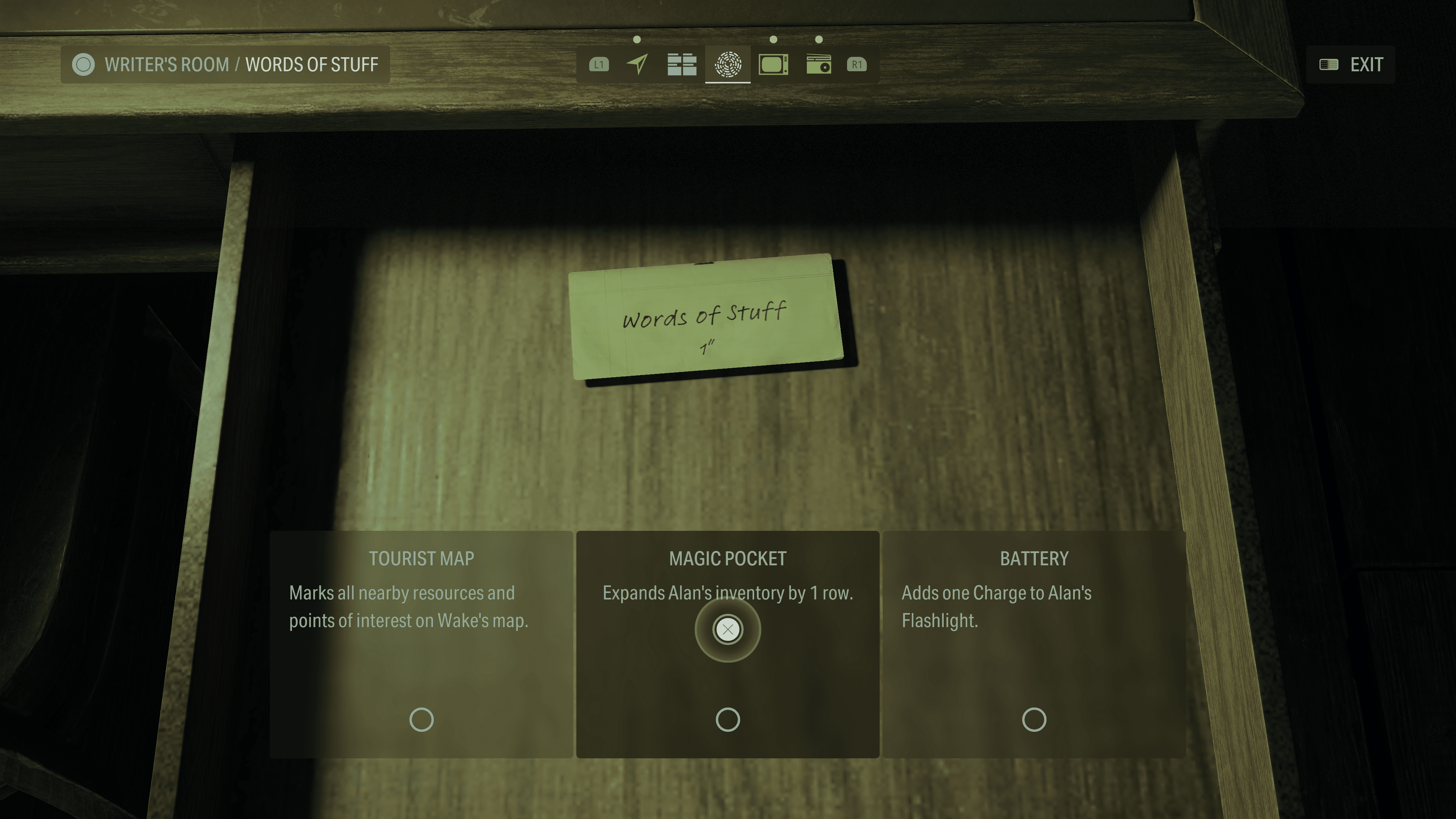
Increasing Inventory space for Alan Wake is different than for Saga, as no satchels can be found in the Dark Place. Instead, he has Word of Power, which offers him different upgrades, one of which unlocks one row (versus four) of additional inventory space. 

Sadly, this upgrade comes in rather late game in his campaign. 

Word of Power – Word of Stuff –  Inventory Upgrade – Chapter Initiation 5 Room 665 – Alan Wake 

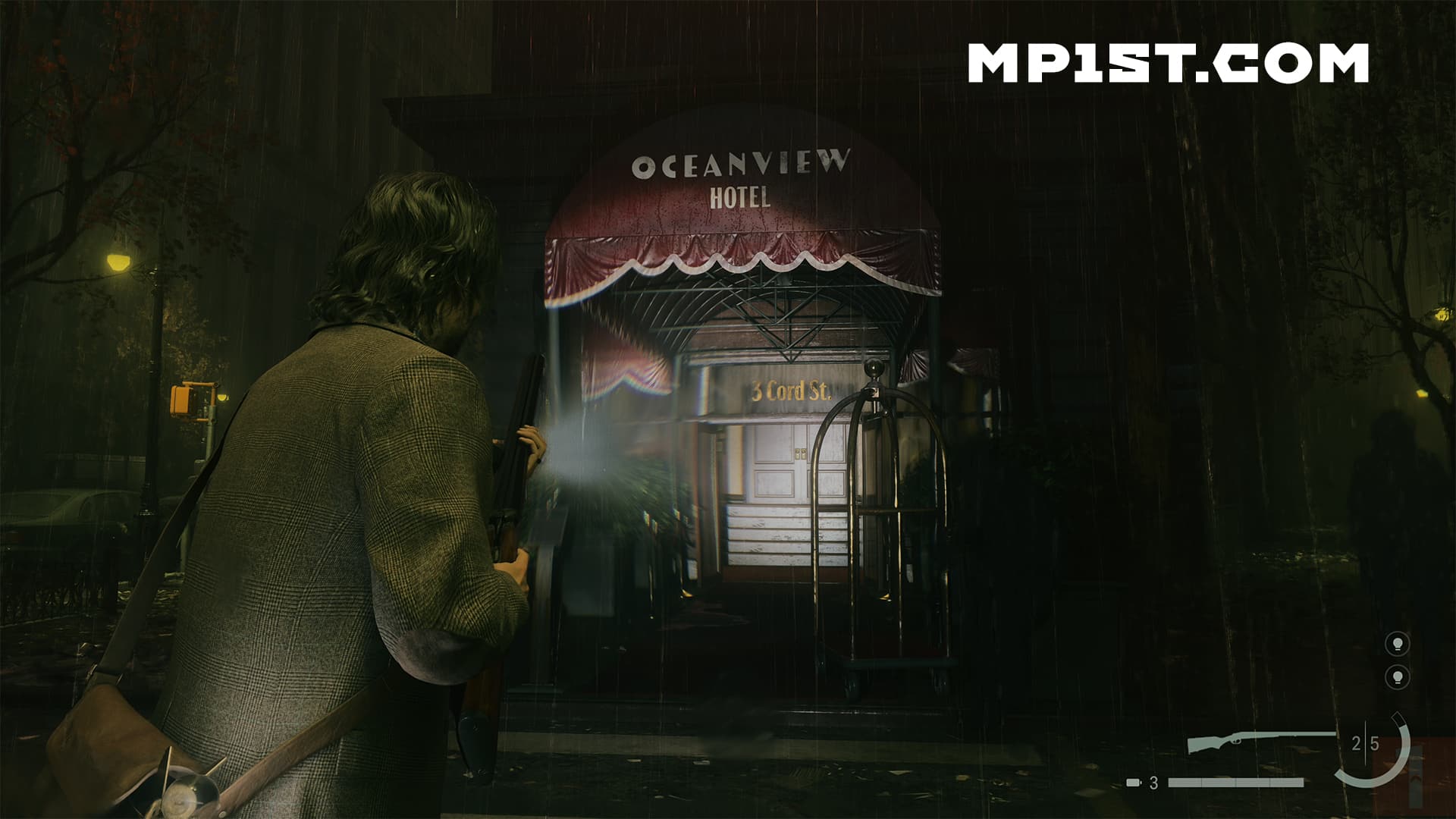
You’ll need to progress in Wake’s story until it leads you to the Oceanside Hotel. 

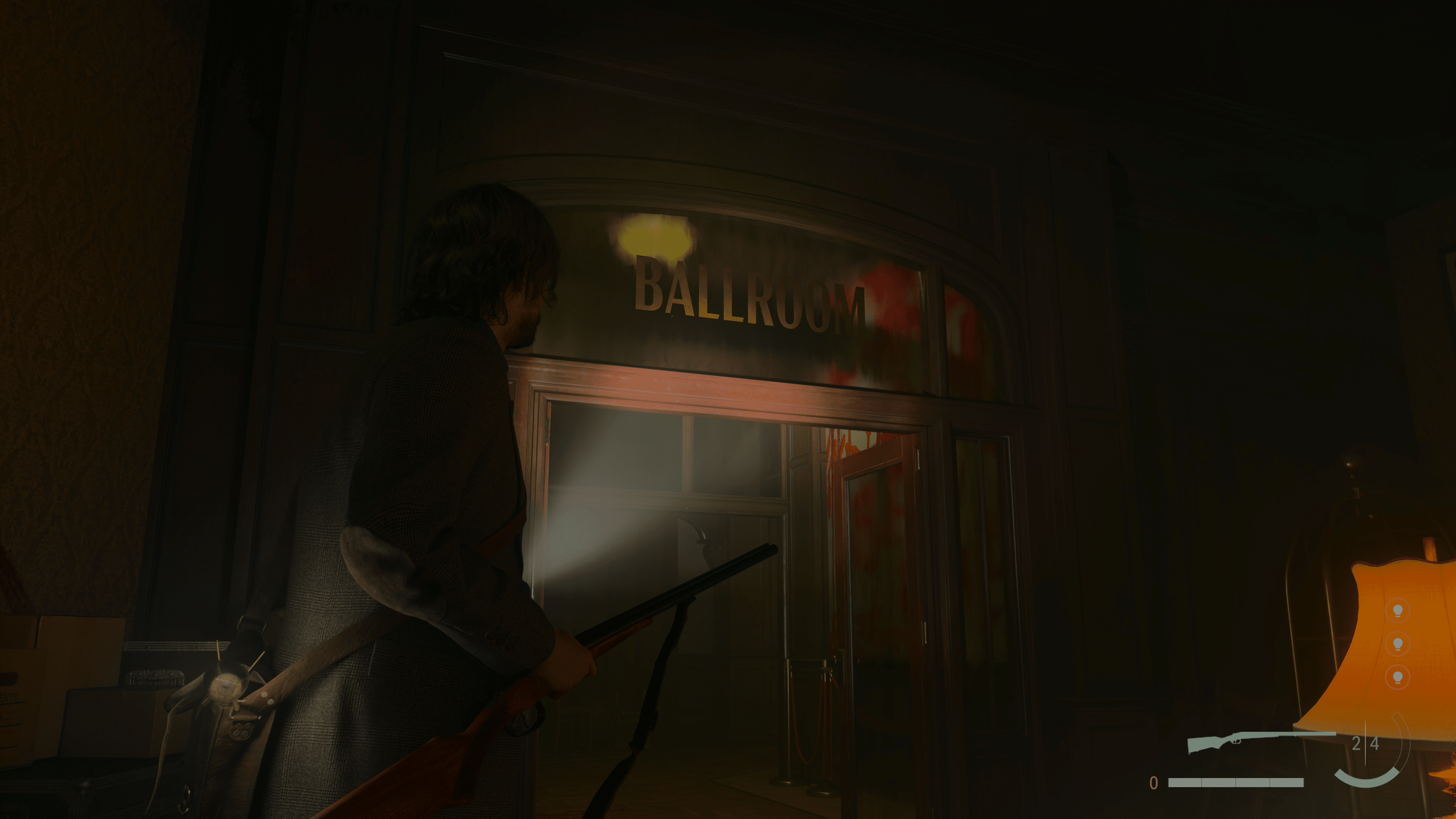
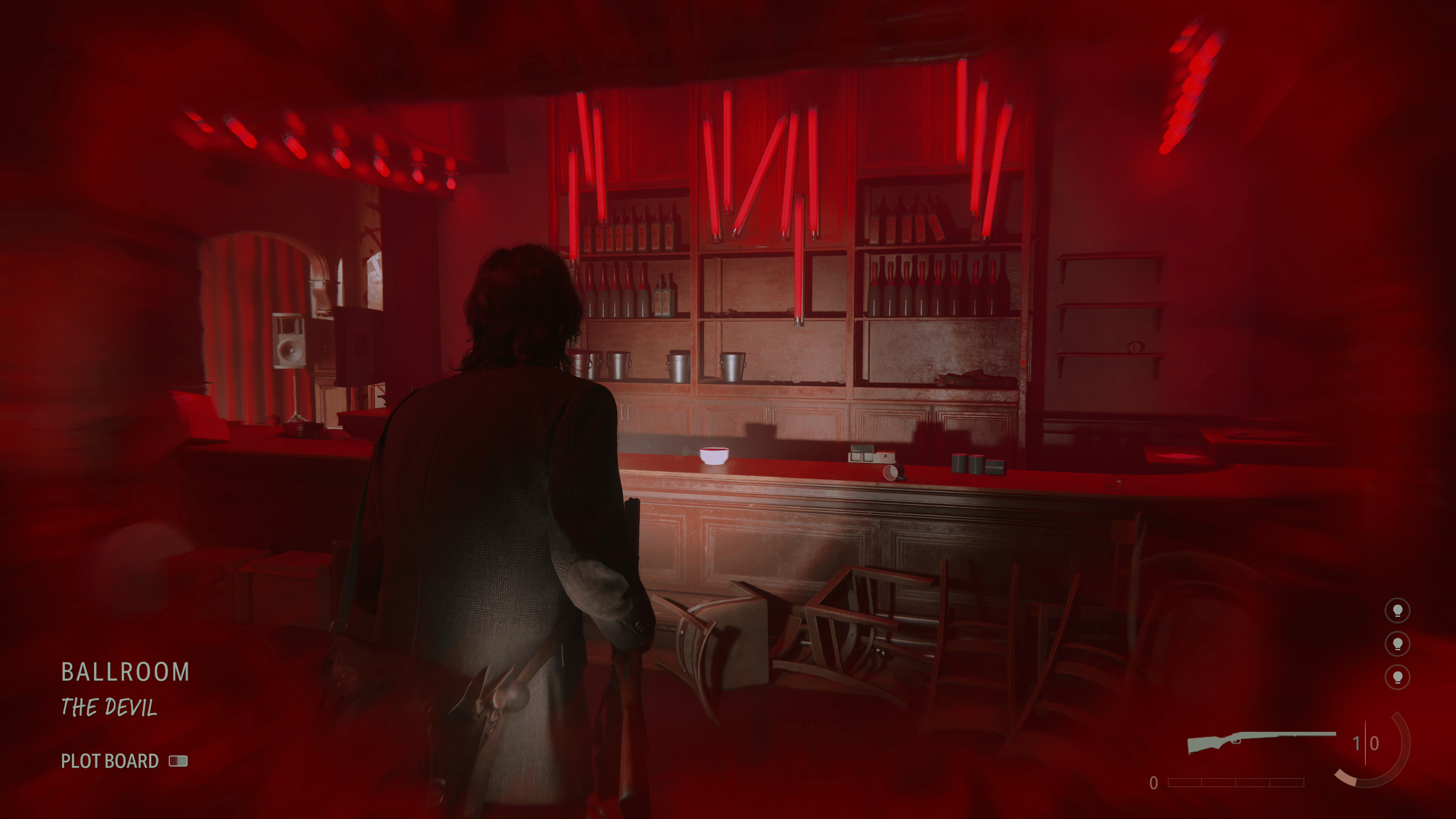
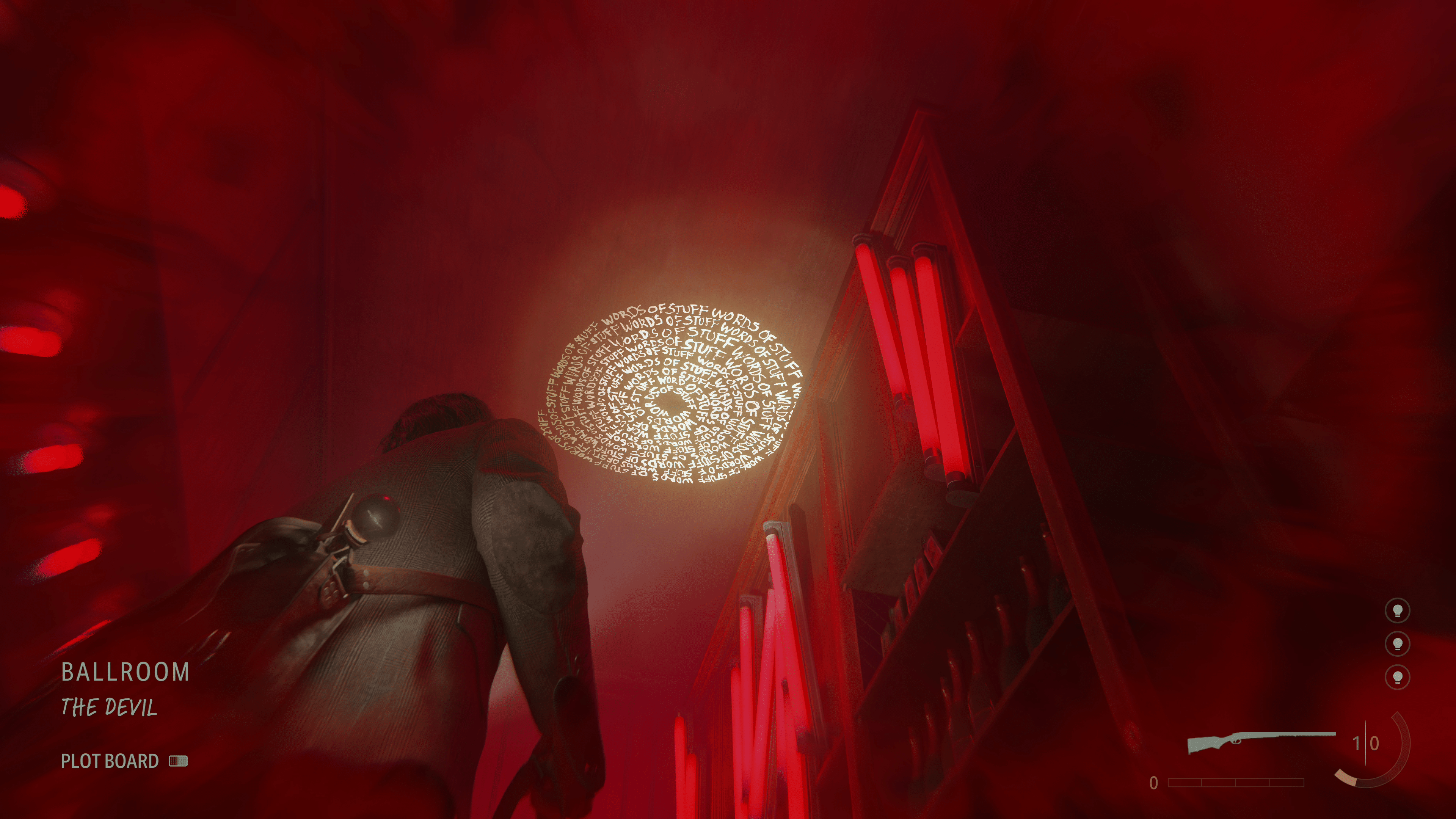
There will be things you need to do as part of the story, so do all that, and as soon as you get inside the hotel’s ballroom (required for the story), you’ll see a bar. Behind the counter, on the ceiling, is a Word of Power, the Word of Stuff that can be used to upgrade Alan Wake’s inventory. 


You should now have all the inventory slots available for both Saga and Alan. This will help you manage your items better, as you won’t need to frequently drop things or store them in the shoebox to make more room. 

Sadly, the last two upgrades do become available right around the end of the game, though once New Game Plus is released, you should be able to utilize that extra spacing better. Until then, you’ll have to keep surviving in the Dark Place with what you got. 

If you found this guide helpful, you may want to check out our other Alan Wake 2 guides, which go over some weapon locations and the best settings to run the game with. 

More Alan Wake 2 Reading:

Avatar photo

James Lara

A gamer at heart, James has been working for MP1st for the last decade to do exactly what he loves, writing about video games and having fun doing it. Growing up in the 90's gaming has been in his DNA since the days of NES. One day he hopes to develop his own game.

Home > News

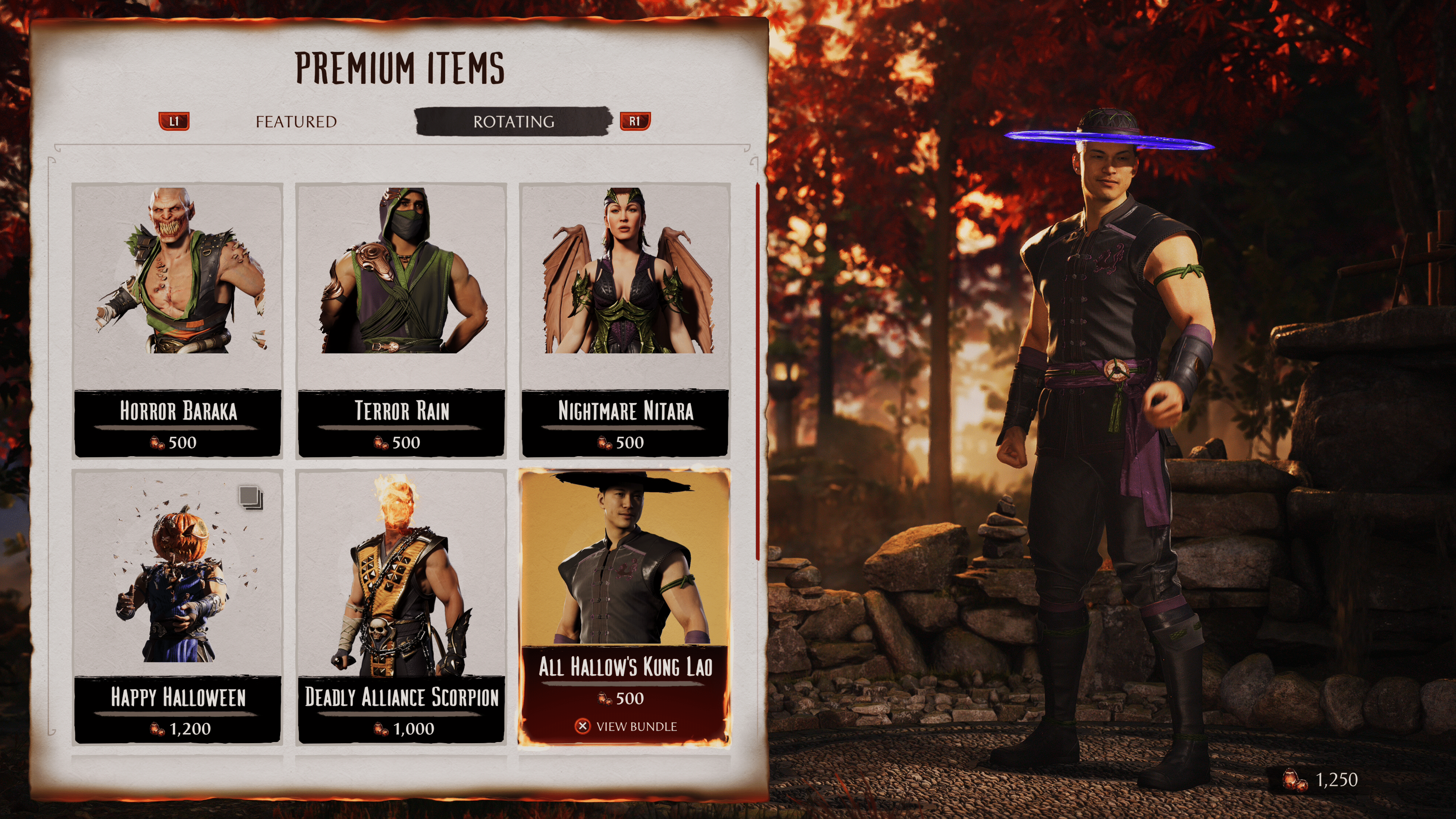
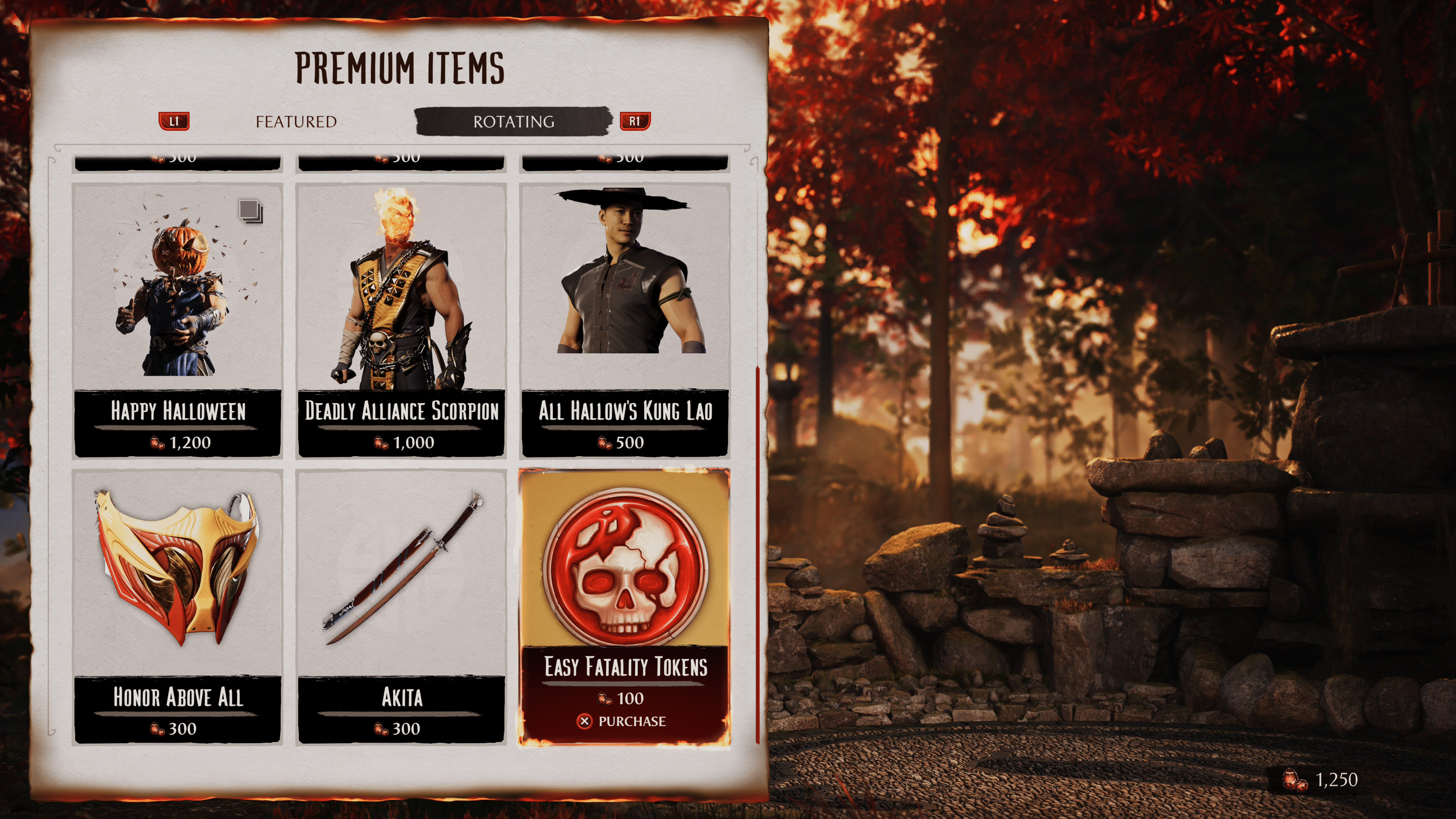
Mortal Kombat 1 Store Refresh for Oct. 27 – Here Are the New Premium Items

Halloween is a few short days out, and to celebrate, the Mortal Kombat 1 store refresh for October 27 has brought even more festive skins! Here are all the premium items included with this week’s reset.

Mortal Kombat 1 Store Refresh for Oct. 27:

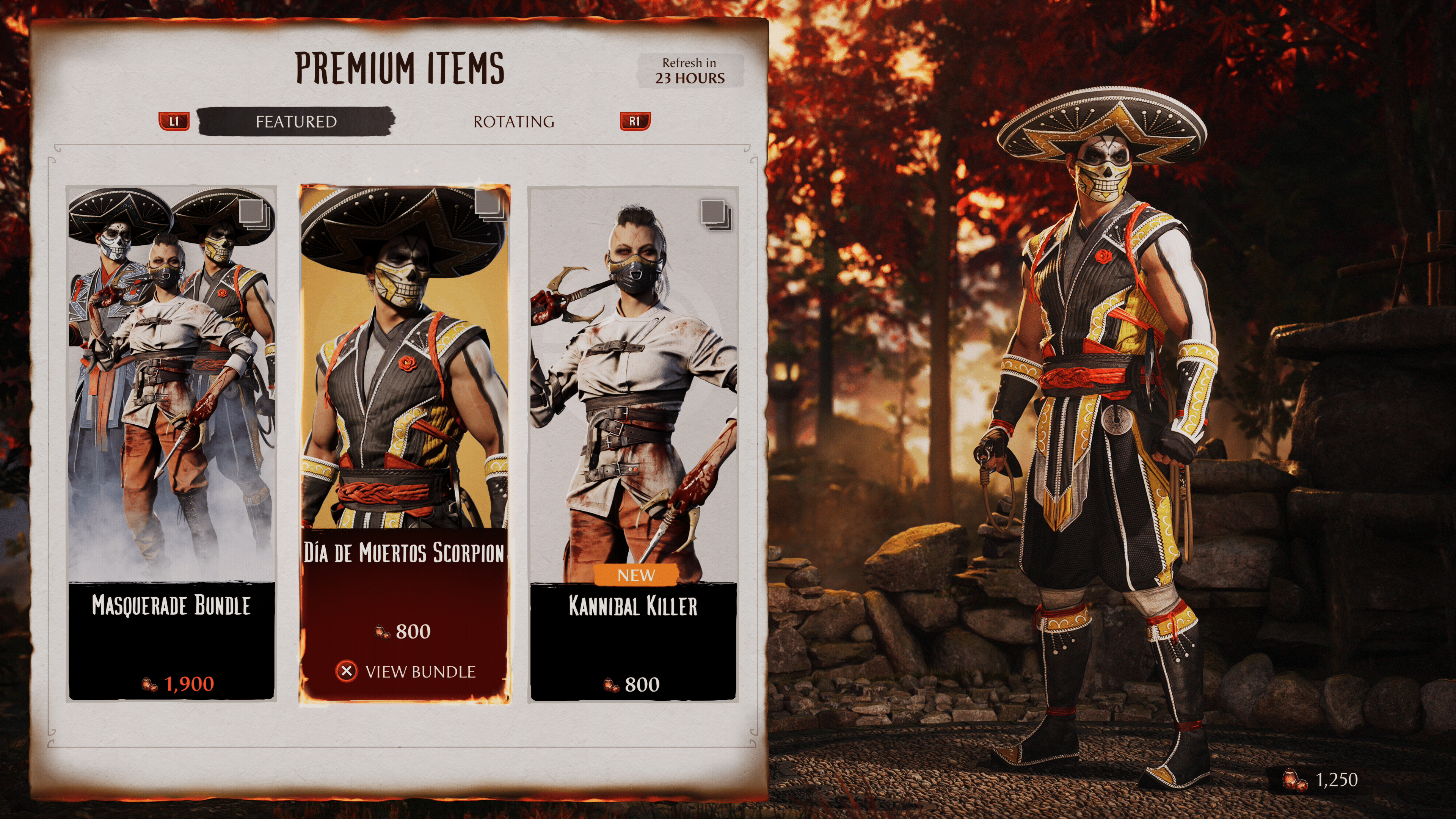
Featured Items

  • Masquerade Bundle – Scorpion, Sub-Zero, Mileena – 1,900
  • Dia De Muertos Scorpion – Scorpion – 800
  • Kannibal Killer – Mileena – 800

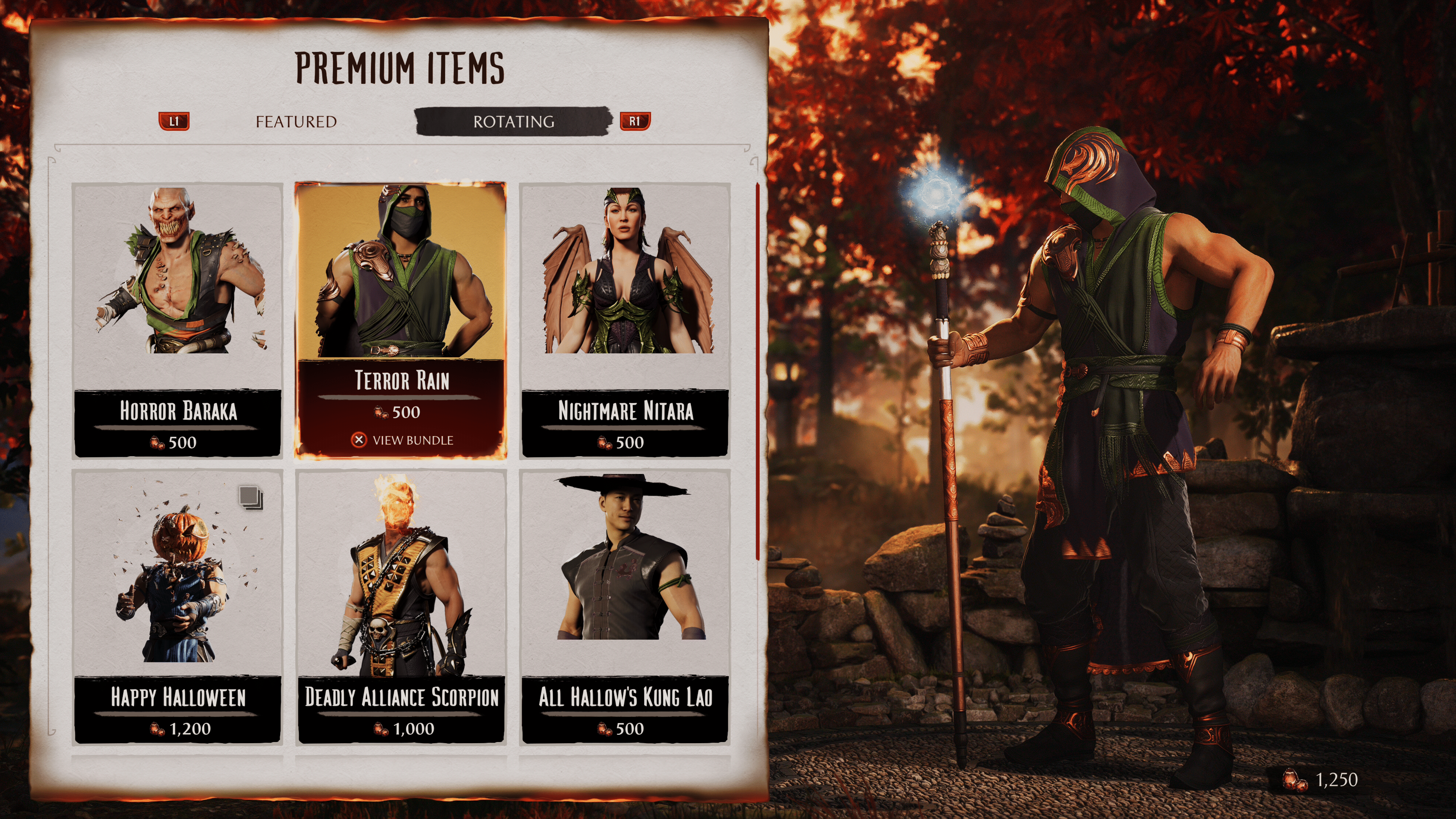
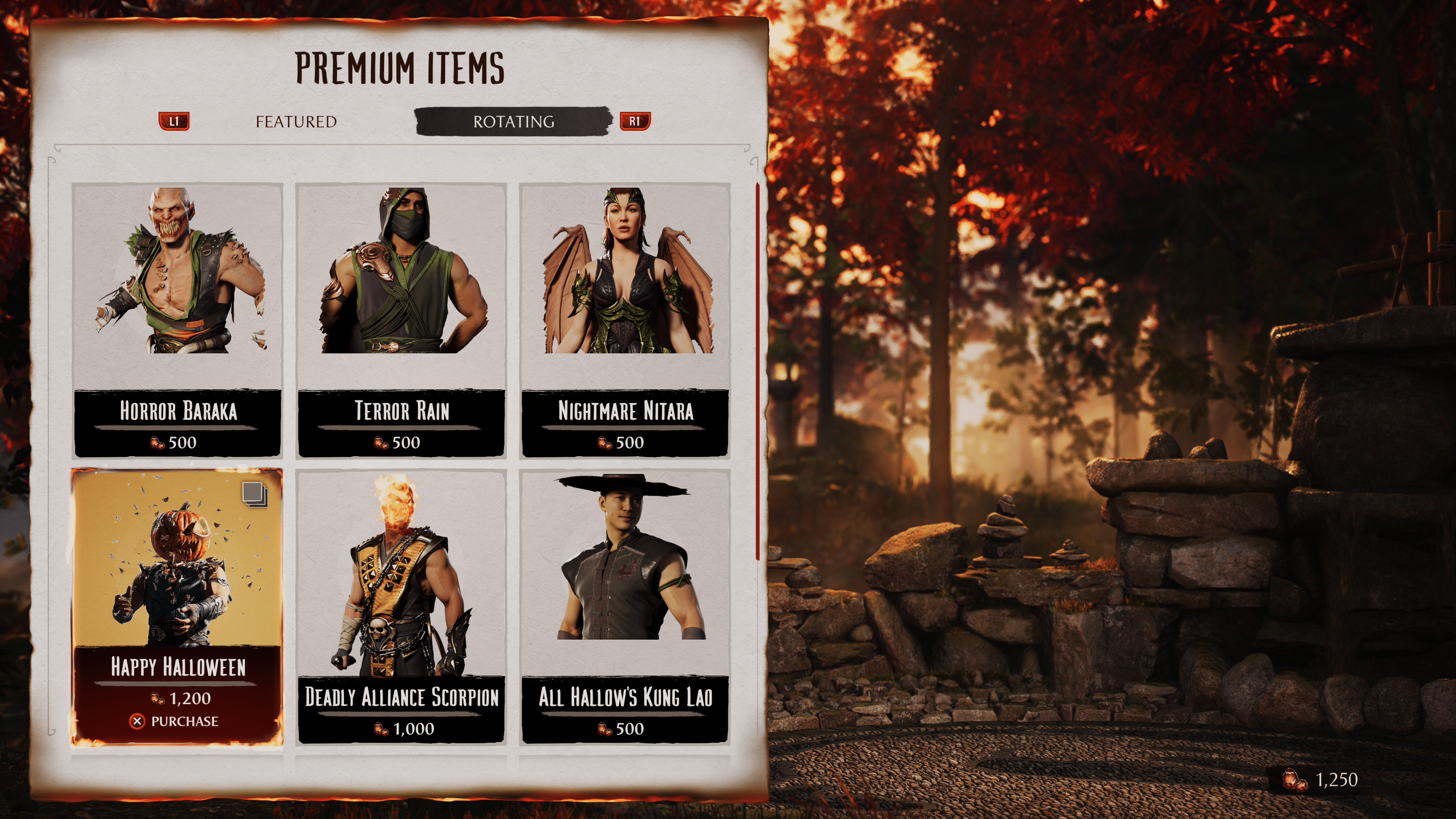
Rotating Items

  • Horror Baraka – Baraka – 500
  • Terror Rain – Rain – 500
  • Nightmare Nitara – 500
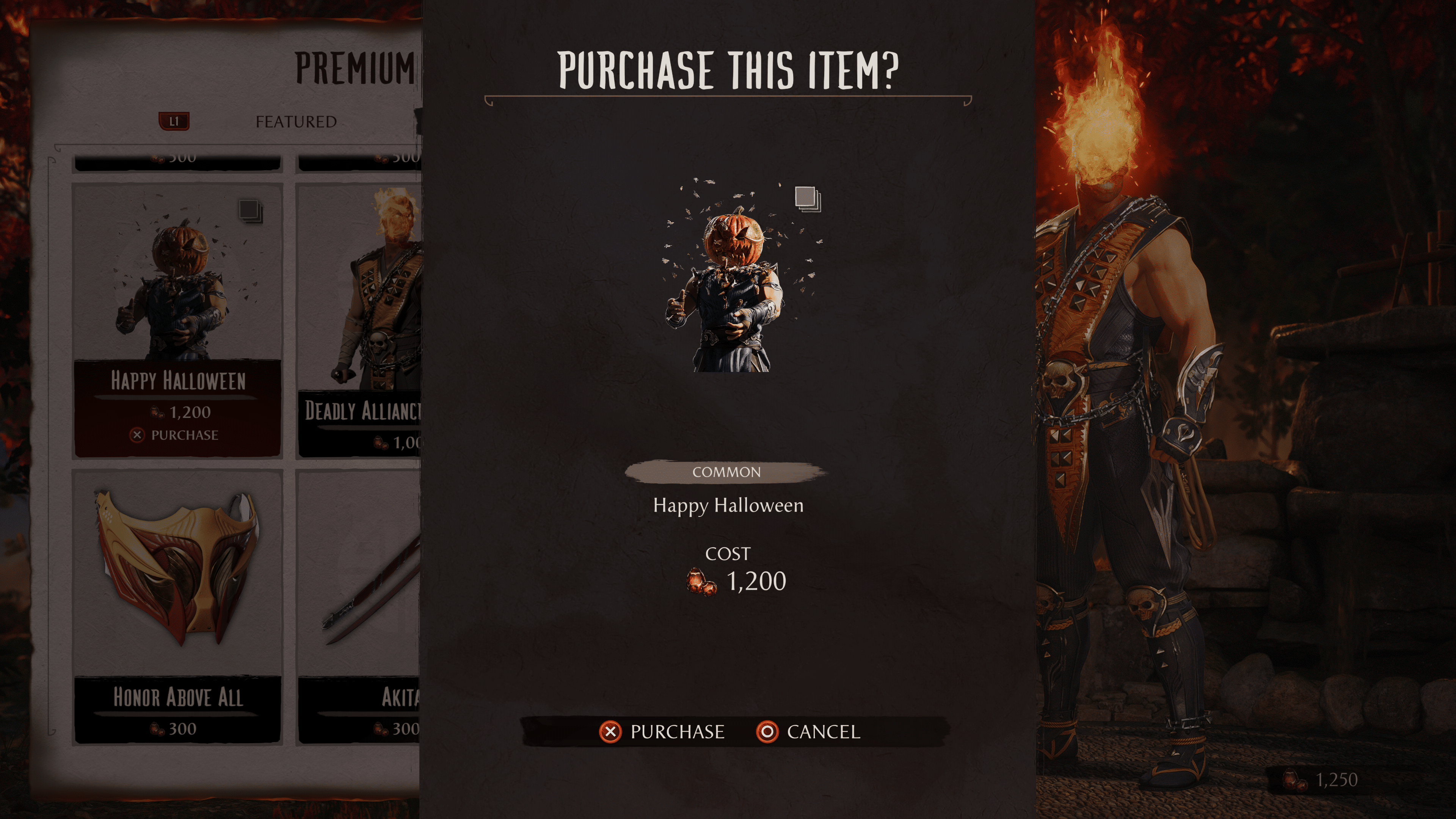
  • Happy Halloween Fatality – 1200
  • Deadly Alliance Scorpion – 1000
  • All Hallow’s Kung Lao – 500
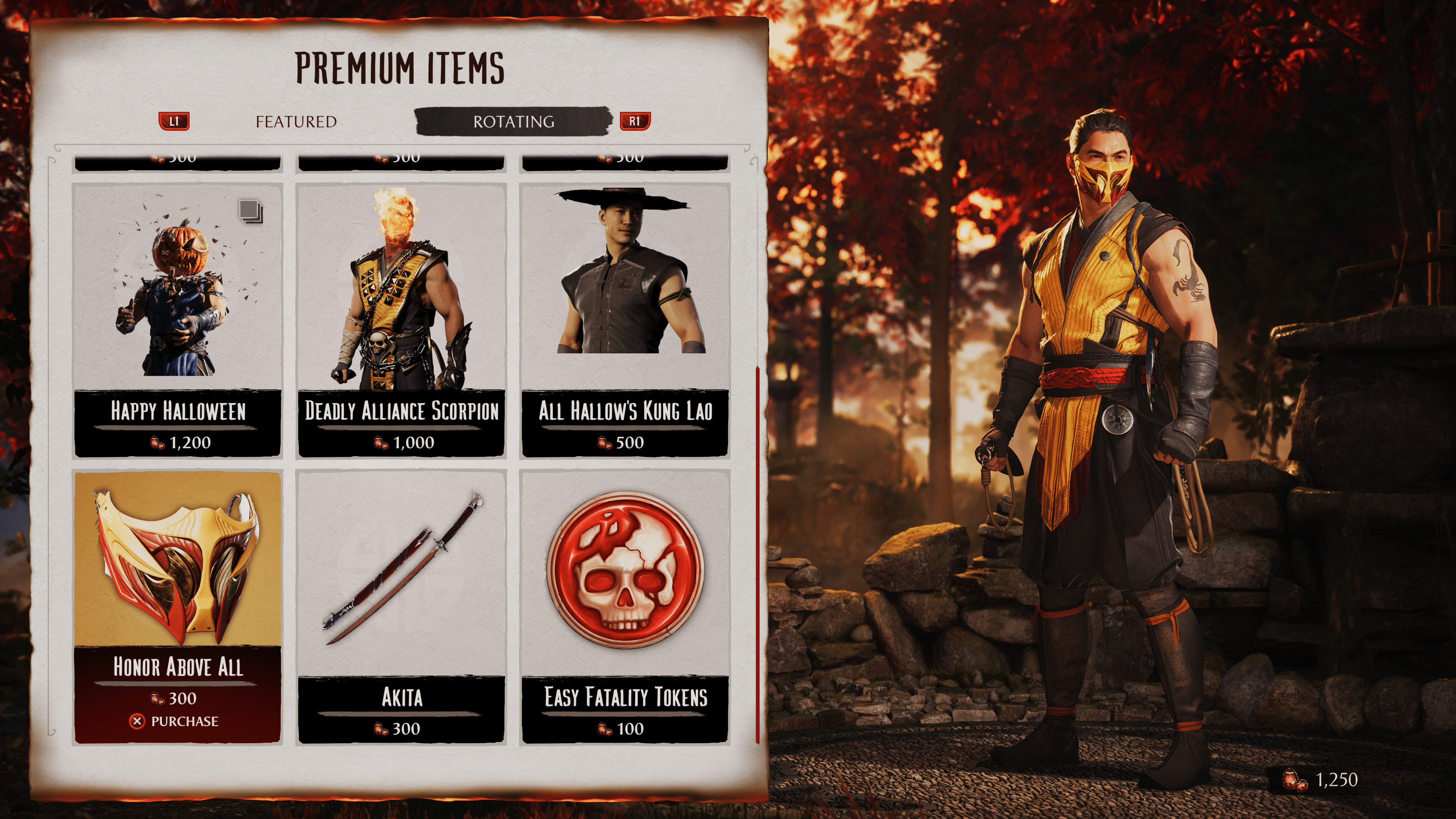
  • Honor Above All Scorpio – 300
  • Akita – Kenshin – 300
  • Easy Fatalities – 300

Yeah, I can’t say we’re too excited about that $12 fatality released with this refresh. Judging from the reaction of the player base, no one is happy about this. Hopefully, Warner Brothers and NetheRealm Studios will double back on this; otherwise, their game may be at risk of losing players here soon.

Outside of that, is there anything here you might be interested in picking up?

Avatar photo

James Lara

A gamer at heart, James has been working for MP1st for the last decade to do exactly what he loves, writing about video games and having fun doing it. Growing up in the 90's gaming has been in his DNA since the days of NES. One day he hopes to develop his own game.

Home > News

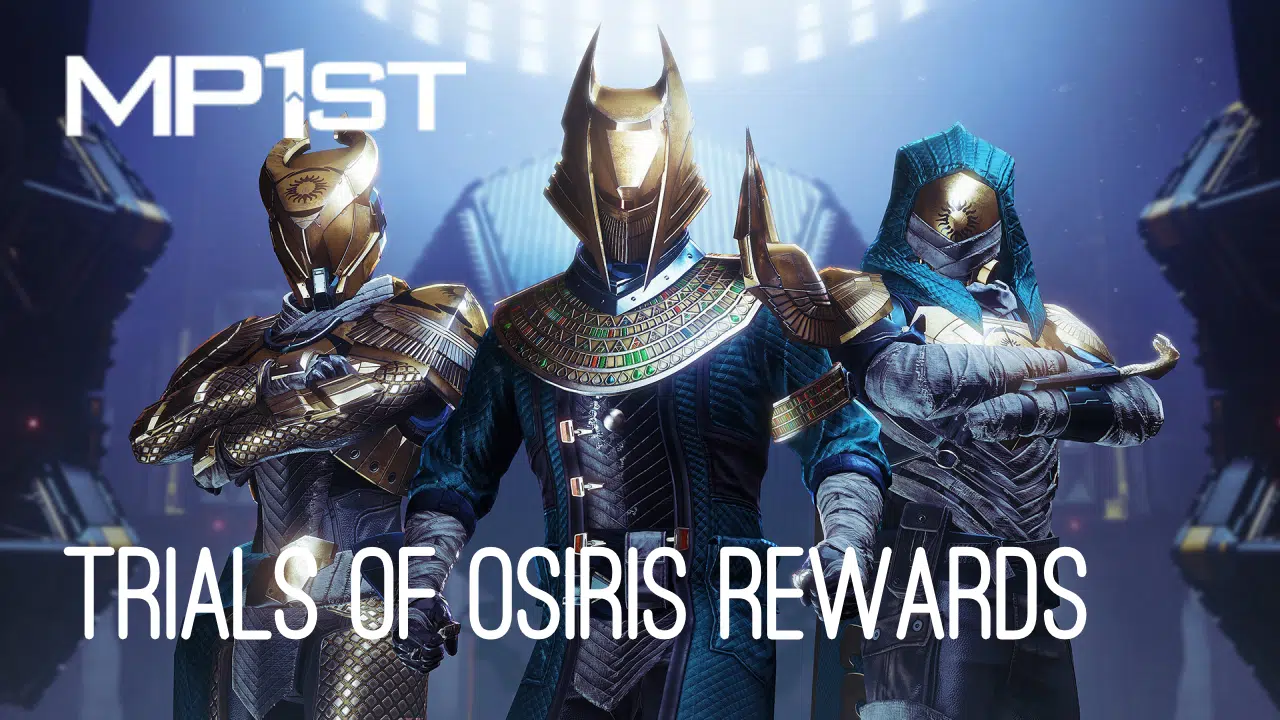
New Destiny 2 Trials of Osiris Rewards and Map This Week October 27

Destiny‘s Trials of Osiris weekly PvP mode is back this Friday with a new map and rewards. If you’re wondering about the current rotation, we’ve got you covered: MP1st’s new Destiny 2 Trials of Osiris rewards and map this week October 27, 2023 post lists down all that information in full below.

New Destiny 2 Trials of Osiris Rewards This Week October 27, 2023:

Trials of Osiris Map:

Endless Vale

Rewards

  • Reputation Rank 4: Upgrade Module (2)
  • Reputation Rank 7: Enhancement Prism (3)
  • Reputation Rank 10: Trials Weapon (Changes for each rank reset)
  • Reputation Rank 13: Upgrade Module (2)
  • Reputation Rank 16: Trials Weapon (Changes for each rank reset)
  • Flawless Reward: The Immortal (Adept)

Reputation System, Trials Engrams, and Adept Farming

Win individual rounds within each match to gain Trials reputation. The amount of reputation you gain increases with each round you’ve won on your card. Earn enough reputation, and you’ll be able to claim a Trials Engramfrom Saint-14! This engram can be focused into any currently available trials loot you have previously obtained, or it can be taken to Master Rahool for a random Trials drop. Your reputation increases after every match completion, based on the number of round-wins on your card, regardless of the result of that match itself (win or lose, 0-5 or 5-4).

Once you have gone Flawless, keep playing! Every win you achieve while at the 7-win level, even if you lose your Flawless, has a chance to drop bonus Trials Engrams, adept weapons, prisms, and even Ascendant Shards. There is no penalty for losing once you’ve made it to the Lighthouse!

When you’re done, you can cash in your 7-win passage for one additional adept drop, granted you have gone Flawless that week. This resets your card so you can start anew.

Passages

Name Perk Cost
Passage of Ferocity Your third match win grants a bonus win. 15 Legendary Shards
Passage of Mercy Forgives one loss per run. Forgives a second loss if you have not yet been flawless this week. 15 Legendary Shards
Passage of Wealth Increased reputation from match wins on a ticket. 25 Legendary Shards
Passage of Confidence Grants bonus rewards from Flawless Chest. 50 Legendary Shards

(Thanks again, /r/DestinyTheGame!)

Avatar photo

Salman Haider Zaidi

That's a nice argument, Senator.

Home > News

New Destiny 2 Xur Location Today October 27, 2023 (And What Xur Is Selling)

Xur has returned to Destiny this Friday with a fresh selection of Exotics, Engrams, and Legendary gear on sale only in exchange for Legendary Shards. For those seeking information about his current hideout and wares, here you go: MP1st’s new Destiny 2 Xur location today, October 27, 2023 post details both his location and full inventory until the next Weekly Reset.

New Destiny 2 Xur Location Today October 27, 2023 (And What Xur Is Selling):

Xûr, Agent of the Nine

A peddler of strange curios, Xûr’s motives are not his own. He bows to his distant masters, the Nine.

Location:

The Last City, Earth > Tower Hangar

Exotic Weapons

Name Type Column 1 Column 2 Column 3 Column 4
The Prospector Heavy Grenade Launcher
Hawkmoon Kinetic Hand Cannon Extended Barrel Quickdraw Combat Grip

Note: Fixed perks on weapons are not displayed

Exotic Armor

Name Type MOB RES REC DIS INT STR Total Cost
Young Ahamkara’s Spine Hunter Gauntlets 14 3 18 12 2 18 67 23 Legendary Shards
Peacekeepers Titan Leg Armor 3 3 28 11 10 12 67 23 Legendary Shards
Winter’s Guile Warlock Gauntlets 2 28 4 6 2 23 65 23 Legendary Shards

Exotic Ciphers

Name Description
Xenology Complete Vanguard or Exotic playlist activities, or win matches in Crucible or Gambit. Extra progress is awarded for more challenging activities and for succeeding with clanmates.

Engrams

Name Description Cost
Exotic Engram An engram with a predestined outcome. Contains a new Exotic if any of the possible rewards remain to be collected. Preview contents for possible rewards. 97 Legendary Shards

Legendary Weapons

Name Type Column 1 Column 2 Column 3 Column 4
Firefright Kinetic Auto Rifle Arrowhead Brake // Fluted Barrel High-Caliber Rounds // Light Mag Fragile Focus Focused Fury
Seventh Seraph SAW Heavy Machine Gun Extended Barrel // Fluted Barrel Extended Mag // High-Caliber Rounds Field Prep Elemental Capacitor
Disparity Kinetic Pulse Rifle Arrowhead Brake // Hammer-Forged Rifling Accurized Rounds // Appended Mag Heating Up One for All
Bump in the Night Heavy Rocket Launcher Volatile Launch // Hard Launch High-Velocity Rounds // Impact Casing Demolitionist Frenzy
Sojourner’s Tale Energy Shotgun Extended Barrel // Hammer-Forged Rifling Appended Mag // Accurized Rounds Threat Detector Killing Wind
Seventh Seraph SI-2 Energy Sidearm Extended Barrel // Hammer-Forged Rifling Extended Mag // Steady Rounds Field Prep Dragonfly
Outlast Energy Pulse Rifle Arrowhead Brake // Polygonal Rifling Ricochet Rounds // Flared Magwell Outlaw Snapshot Sights

Note: Fixed perks on weapons are not displayed

Legendary Armor

Name Type MOB RES REC DIS INT STR Total Cost
Opulent Duelist Gauntlets Titan Gauntlets 12 18 2 6 18 6 62 50 Legendary Shards & 1000 Glimmer
Opulent Duelist Plate Titan Chest Armor 10 18 2 14 17 2 63 50 Legendary Shards & 1000 Glimmer
Opulent Duelist Mark Titan Mark 0 0 0 0 0 0 0 50 Legendary Shards & 1000 Glimmer
Opulent Duelist Helm Titan Helmet 2 12 18 15 10 7 64 50 Legendary Shards & 1000 Glimmer
Opulent Duelist Greaves Titan Leg Armor 7 14 12 2 22 10 67 50 Legendary Shards & 1000 Glimmer
Opulent Scholar Gloves Warlock Gauntlets 2 28 2 10 20 2 64 50 Legendary Shards & 1000 Glimmer
Opulent Scholar Robes Warlock Chest Armor 12 18 2 7 12 14 65 50 Legendary Shards & 1000 Glimmer
Opulent Scholar Bond Warlock Bond 0 0 0 0 0 0 0 50 Legendary Shards & 1000 Glimmer
Opulent Scholar Hood Warlock Helmet 2 12 20 2 14 14 64 50 Legendary Shards & 1000 Glimmer
Opulent Scholar Boots Warlock Leg Armor 12 2 18 17 14 2 65 50 Legendary Shards & 1000 Glimmer
Opulent Stalker Grips Hunter Gauntlets 15 16 2 10 20 2 65 50 Legendary Shards & 1000 Glimmer
Opulent Stalker Vest Hunter Chest Armor 15 7 10 2 6 23 63 50 Legendary Shards & 1000 Glimmer
Opulent Stalker Cloak Hunter Cloak 0 0 0 0 0 0 0 50 Legendary Shards & 1000 Glimmer
Opulent Stalker Mask Hunter Helmet 10 22 2 2 7 23 66 50 Legendary Shards & 1000 Glimmer
Opulent Stalker Strides Hunter Leg Armor 10 15 7 6 12 14 64 50 Legendary Shards & 1000 Glimmer

What’s a Xûr?

Xûr, Agent of the Nine, is a strange vendor who randomly appears in a Public Sector on one of the Worlds. Xûr sells Exotic equipment and only takes Legendary Shards in exchange for them.

TL;DR: He’s the Santa Claus of Destiny and every weekend is Christmas. Sometimes he brings you what you want, sometimes he brings you coal. Mostly it’s coal.

When does Xûr visit?

Xûr visits every Friday at 17:00 UTC and departs at Weekly Reset (Tuesday 17:00 UTC). If you would like to see all the live conversions of Time Zones, please follow this link here.
(Thanks as always, /r/DestinyTheGame!)

Avatar photo

Salman Haider Zaidi

That's a nice argument, Senator.

Home > News

PlayStation Plus Price Hikes Justified Due to “Market Conditions” According to Senior Vice President

In an interview with Barron’s yesterday, Senior Vice President of PlayStation, Eric Lempel made several comments on PlayStation’s current state as a company. Among these comments was a justification for the recent PlayStation Plus price increase, which longtime fans have been vocally upset about.

The price change, which occurred in September this year, hiked PS+ prices from $60 USD/year to $80 USD/year. Fans at the time were understandably upset about this, as the price has been consistent for a long time. Barron’s asked Lempel how he would justify the change, and he had this to say in response:

We want to make PlayStation Plus great. With our reboot last year and introducing the tier system, a lot of consumers have recognized that there’s a lot of value in PlayStation 5. Like practically everything else in the world, we have to look at our pricing and we have to adjust to market conditions. I’m happy to say, unlike a lot of other subscription services out there, we haven’t touched the PlayStation Plus pricing for 85% of the world in many years. So, this was the first time we did something there.

Long story short, Sony’s justification for jacking up the price? Market conditions. It’s a justification we hear pretty often in the gaming industry. The same is true of the recent trend of AAA games reaching a $70 price point. While it hurts our wallets to pay more for these products, at the end of the day, money changes, and costs move. It’s a safe answer for PlayStation, but it’s probably the truth.

How do you feel about the recent PlayStation Plus price increase? Do you think it’s fair, given the massive success they’re seeing with Spider-Man 2? Let us know in the comments.

Source: Barron’s

Jack Breitenbach

Game the night away!

Home > Title Updates and Patches

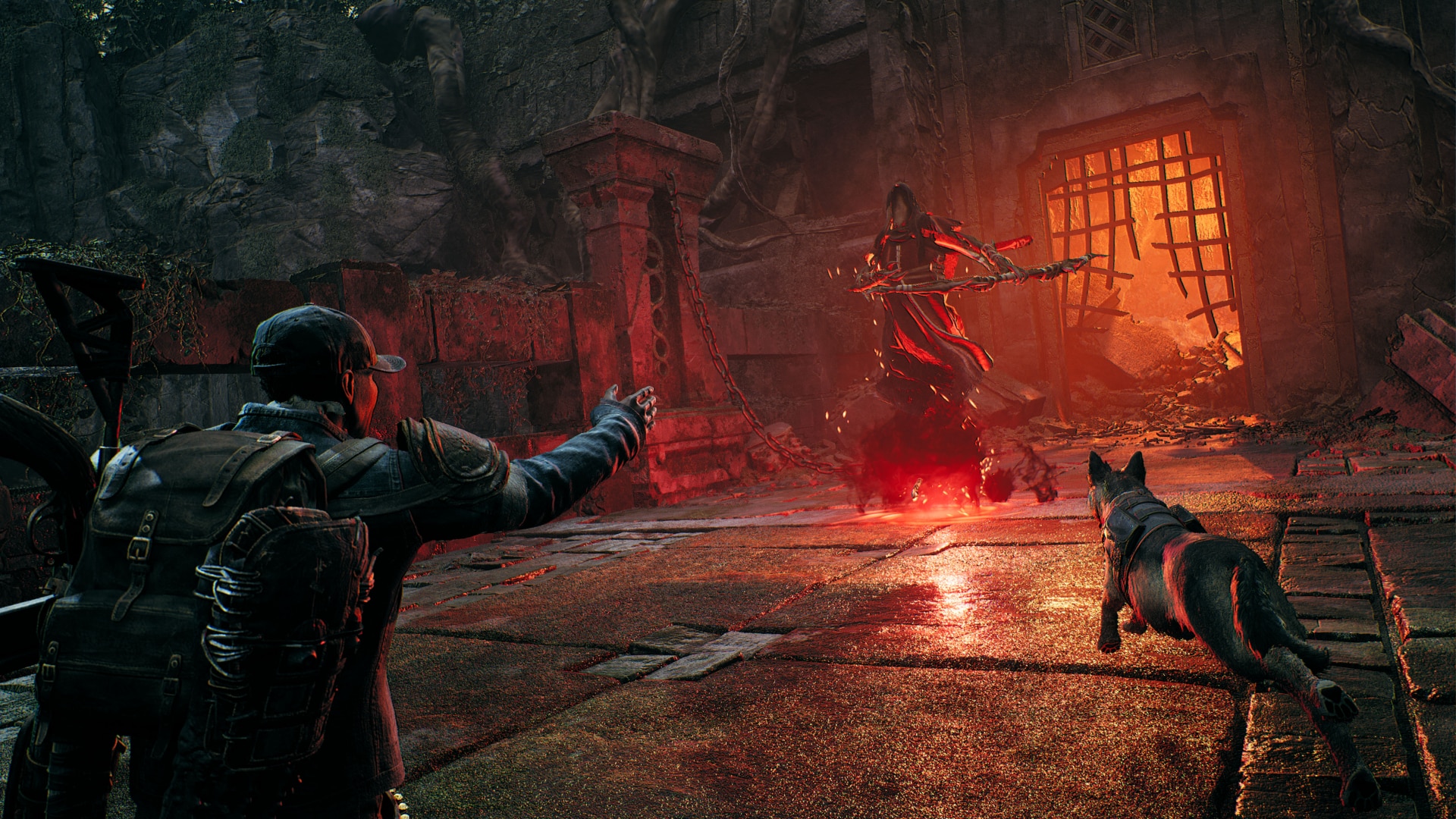
Remnant 2 Update 1.000.013 for October 27 Fires Out

Gunfire Games has released Remnant 2 update 1.000.013, which appears to address some bugs from the recent quality of life update. Here are the patch notes for today’s Remnant 2 update for October 27.

Remnant 2 Update 1.000.013 Patch Notes

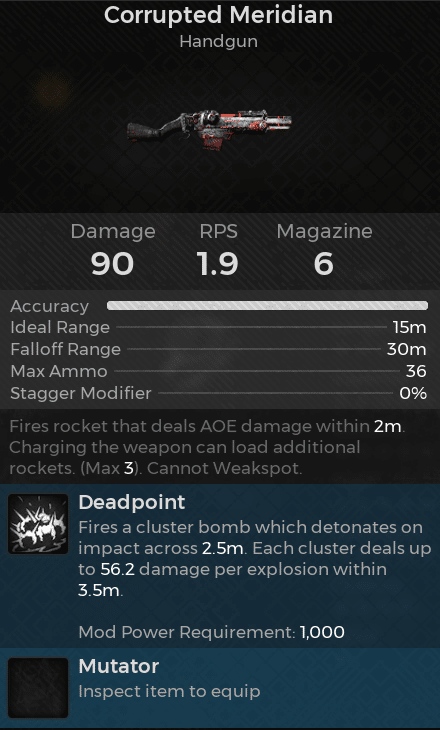
The official patch notes have yet to be released for this update, though Gunfire Games previously announced on X that there would be another update addressing a weapon description bug that the last update brought.

“In this latest update, a bug was identified preventing the Corrupted Meridian’s Mod description from showing up. We should have this resolved shortly, but in the meantime, here’s the description:

According to this thread, yesterday’s update also caused other issues on PS5, with a promised fix arriving today. So if you were having any issues, give this patch a try and see if that has resolved them.

Should the studio release any patch notes around today’s Remnant 2 update, we’ll add it above.

Avatar photo

James Lara

A gamer at heart, James has been working for MP1st for the last decade to do exactly what he loves, writing about video games and having fun doing it. Growing up in the 90's gaming has been in his DNA since the days of NES. One day he hopes to develop his own game.

Home > Title Updates and Patches

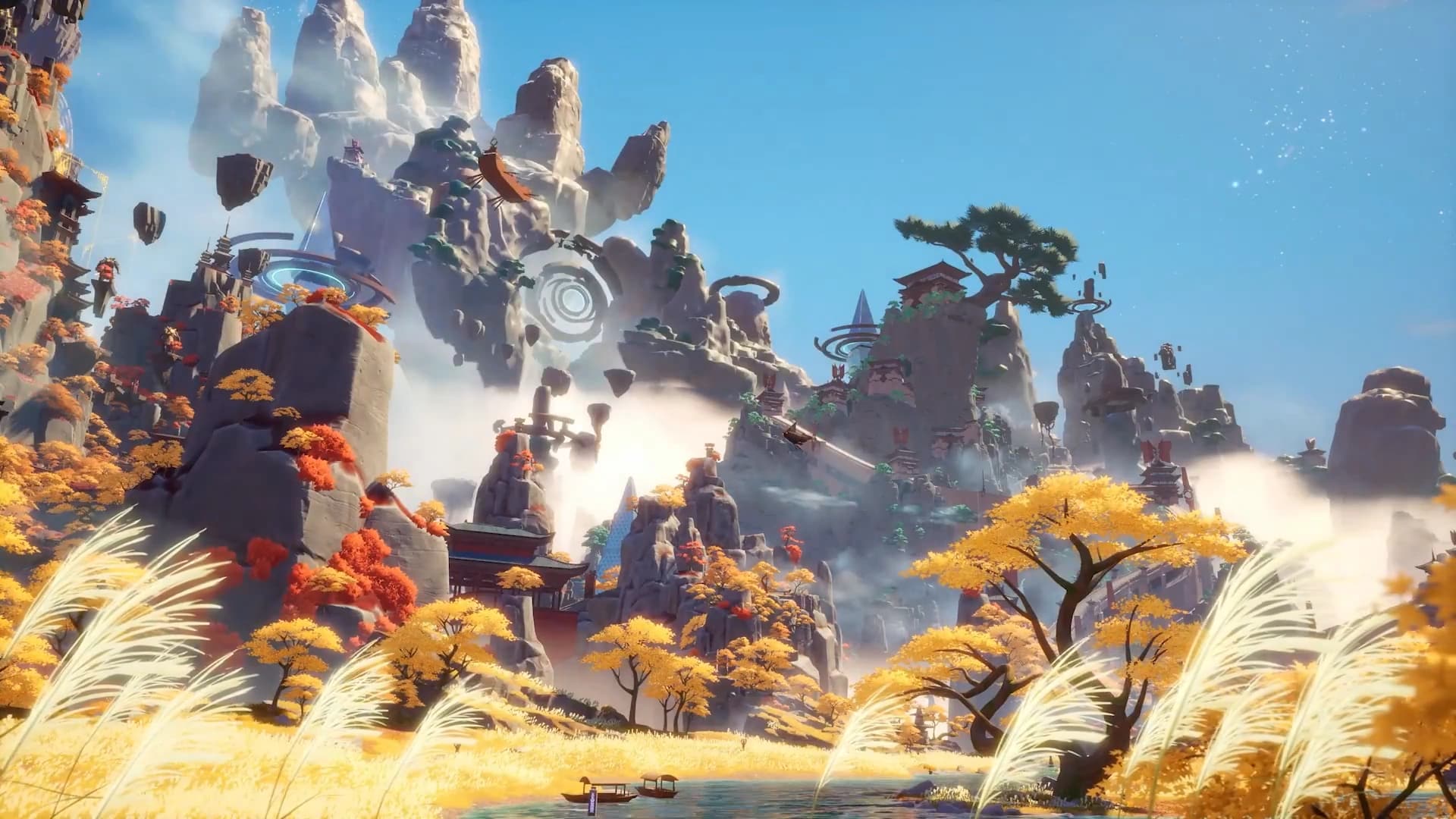
Tower of Fantasy Update 1.23 Casts Out This October 27

Hotta Studio has released Tower of Fantasy update 1.23 (PS5 update 1.000.023) for today, October 27. Check out the Tower of Fantasy October 27 patch notes down below.

Tower of Fantasy Update 1.23 Patch Notes | Tower of Fantasy Update 1.000.023 Patch Notes | Tower of Fantasy October 27 Patch Notes

At the time of writing, Hotta Studio has yet to release any patch notes relating to this update. But judging from what’s been mentioned on the game’s Reddit, Arabic has been added as a voice option.

We’ll monitor any changes and update the post once Hotta Studio has released official notes. For now, we’re going to assume this includes the hotfixes that were released on PC and Mobile.

  • Fixed abnormal display on activity interface.
  • Fixed a part of localization text display errors of Fei Se.
  • Fixed some missing story translations in Spanish.

If you spot any changes yourself, let us know, and we’ll credit you and add it to our post.

Avatar photo

James Lara

A gamer at heart, James has been working for MP1st for the last decade to do exactly what he loves, writing about video games and having fun doing it. Growing up in the 90's gaming has been in his DNA since the days of NES. One day he hopes to develop his own game.

Home > News

Rust Update 1.83 Drops and Here’s the Complete Patch Notes

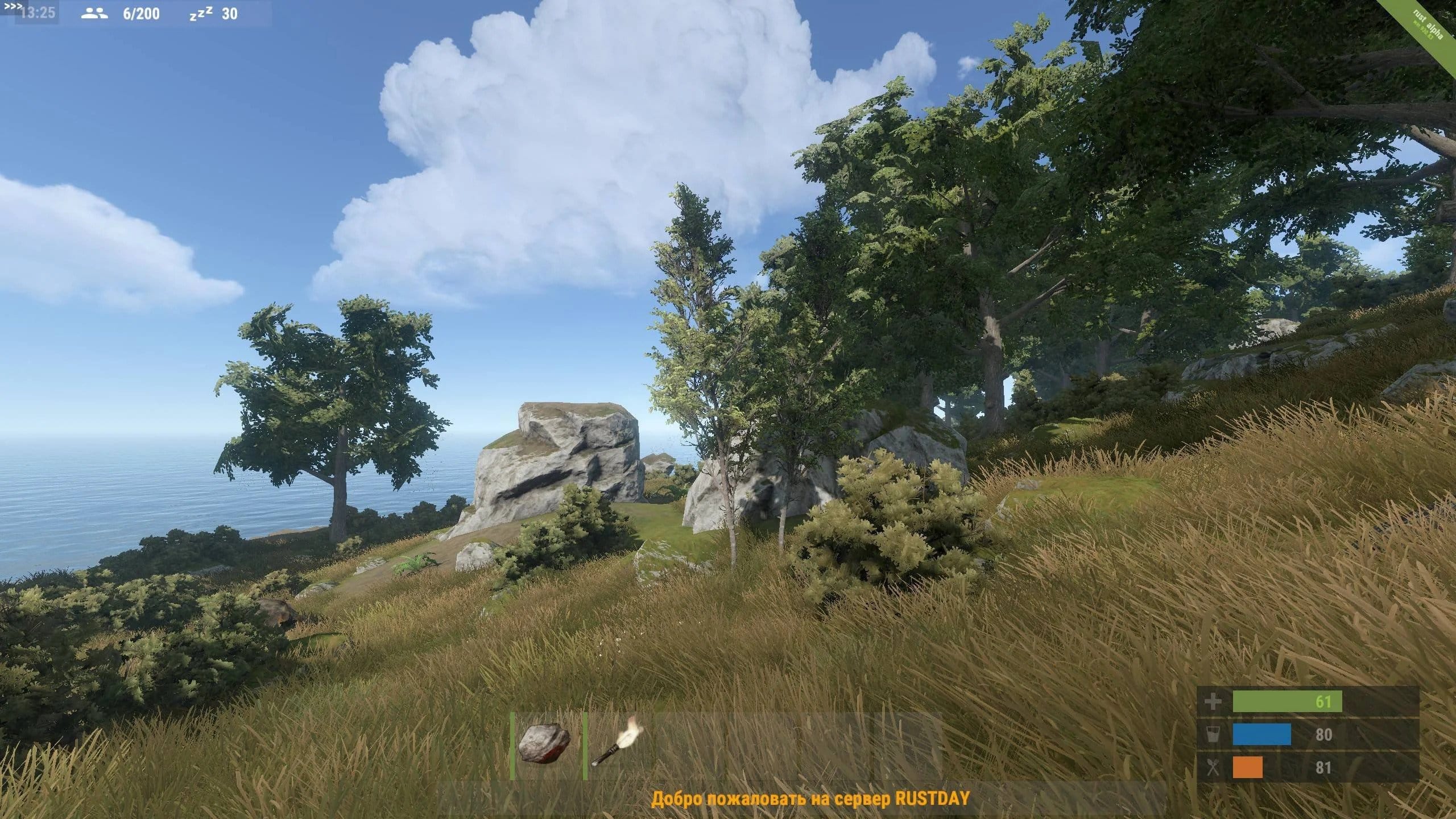
Double Eleven has released Rust update 1.83 today for the console versions of the game. This update comes with several bug fixes in many different areas. Read on for the Rust patch notes down below.

Rust Update 1.81 Patch Notes:

GAMEPLAY

    • Fixed a bug causing players to clip through terrain when sitting in a chair.
    • Fixed a bug caused when pressing Quick Chat quickly after opening an Interactable would make it unusable.
    • Player’s bodies no longer clip through objects making it impossible to loot.
    • Fixed a bug causing FPS to drop when shooting from a multiple Grenade Launcher.
    • Pressing Sort while in Locked Crate Inventory no longer kicks players out of the game.
    • Playeys are no longer able to kill other players who are sleeping inside a Safe Zone.
    • Fixed a bug causing FPS drops when tossing water out of a Water Jug, Bucket, or Bottle.
    • Fixed a bug causing dead player models to T-pose.
    • Junkpile Scientists no longer spawn floating above junkpiles.
    • Fixed a bug that caused a softlock when in the map if you spam Kill & Respawn fast enough.
    • Scientists’ Flashlights now switch on when night falls.
    • Incendiary Rockets now match the Steam Version.
    • Fixed a bug causing the Rowboats to be launched too high when detonated using explosives.
    • Barrels no longer produce small white hit markers when attacked with a melee weapon.
    • Half walls no longer go invisible when upgraded from Twig to Wood.
    • The Player’s head rotation is now correct when using a Computer Station.
    • Fixed a bug preventing Horses from being able to Gallop or Auto-Canter.
    • Horse Equipment can no longer be stacked by spamming the ‘Wear’ button.
    • Horses no longer go through cliffs at full speed after player dismounts.
    • Players head in third person no longer erratically snaps when looking downwards whilst on horseback.
    • Players no longer get kicked when dropping Horse armor from inventory/crates.
    • Reloading animation for other players now visible.
    • Sleeping player models now can visually be seen sleeping.
    • Fixed a bug causing players to be unable to pass through openable doors.
    • Supply Drop beacon is now visible whilst airborne.
    • Wire/Hose can now be attached to the Fluid Pump/Electrical Branch.
    • POV is no longer occasionally underground when spawning in before waking up.

MONUMENTS

  • The Launch Site ramp now has the correct collision.
  • Fixed a gap in the area below the rocket crane in the Launch Site.
  • Fixed crouching inconsistencies when trying to leave a certain vent on the Launch Site.
  • Lights in watchtowers of the Airfield now have correct brightness.
  • Players now get dragged along by the Cargo Ship properly.
  • Scientist body bags spawn properly after Cargo Ship despawns.
  • Airfield desk now has the correct rotation.
  • Fixed a small gap at Train Yard that players could look and shoot through.
  • Fixed a bug where Watchtower bandits stop shooting when a player stands in a specific corner.
  • Workbench in Bandit Camp no longer has candles that clip.
  • Bandit Camp boat doors now match Steam.
  • Bandits at Bandit Camp no longer miss shots when a player is standing close to them.
  • Fixed the Small Water Catcher at Outpost.
  • Outpost lights now produce the correct amount of light.
  • Quarry and Pump Jack belt no longer stops abruptly.
  • Oil Rig Scientists’ flashlights no longer shine through walls.

WORLD

  • Fixed a bug causing Junkpile Scientists to no longer patrol pre/post combat engagement.
  • Rowboats can now be flipped back to their original position easily if they are upside down.
  • Red X on trees no longer move as sporadically.
  • Red X on Palm Tree is easier to hit.
  • Fixed a bug causing animals to be inside buildings and running through closed doors.
  • Players are now able to accept Dive Master Mission in the Large Fishing VIllage.
  • Caves/Underground lighting has now been scaled back during parts of the day.
  • Oxygen levels no longer show when a player exits the water while wearing a Diving Tank.
  • Fixed horse eating animation.
  • Fixed gaps in Stone walled bases.
  • Terrain grass now spawns on steep cliffs.
  • Adjusted the Hostile Timer radius around the Safe Zones to a reasonable size.
  • Fixed shadows on Ceiling, Flasher and Siren Lights.
  • Bullet holes no longer glow when shooting at Boars.
  • Projectiles no longer fly through the Metal Shop Front.
  • Players can no longer glitch into concrete supports of the electrical pylons.
  • Bullets no longer pass through the Recycler room window.
  • The Small Shark model is now the correct size.
  • Players’ skin color is no longer mis-matched between first person view and in-menu.
  • Fixed Horse eating animation.
  • Fixed FPS issue when in Forest biome during the day.

ITEMS

  • Ceiling Light can now be repaired with the Hammer.
  • Changed crafting recipe for Stone Spear and Hide Poncho to match Steam.
  • Deployable Garage Doors now match Seam and no longer degrade in durability.
  • Tool Cupboards upkeep cost now matches Steam.
  • Harpoon model no longer missing when reloading Speargun.
  • Kayak can now be deployed.
  • Chainsaw activation now has a higher success rate.
  • Vending Machine now shows the cost of items.
  • Skinned/default Satchel Charges can no longer be stacked when merging in the world.
  • Fixed visual issue with the Thompson causing an artefact to be seen for a brief moment when reloading.
  • Pressure Pads can no longer be stacked up to 3 times.
  • Key Lock can no longer create keys when it is locked.
  • Fixed Assault Rifle recoil when Muzzle Break and Silencer are attached.

AUDIO

  • Adjusting audio sliders now affect in-game Audio.
  • Fixed various audio bugs.
  • Fixed Horseback SFX.
  • Filling up a Water Jug now stops the SFX when full.

UI

  • Various UI fixes.
  • Fixed a bug causing a softlock when dropping/unequipping Horse Saddlebags when the cursor is in the storage area.
  • Spam cancelling the “Trying to Connect” pop up no longer breaks Main Menu input.
  • Players no longer get the yellow error text when dismounting an impaled Horse.
  • Sleeping bag timer now updates in real-time on the Map.
  • “Killed By” now shows correct information in Death Panel UI.
  • Fixed issues with Crafting menus.
  • Bait values for food items are now shown in game.
  • “Tacklebox” from the Fisherman mission ‘Tackle The Day’ is spawned at the correct location.
  • Tech Tree in the Work Bench now shows correct stats.
  • Fixed a bug causing Stats shown in the crafting menu to not update properly when changing to a different item.
  • Controller layout page in Settings now longer has a missing background overlay.
  • Fixed Horse iconography when changing seats/Auto-moving.
  • Tool secondary button no longer turns off Gallop Stance.
  • Passengers on Double Saddle can no longer toggle Gallop UI icon.
  • Harvest text no longer flickers when the player is healing.
  • Hostile Timer and icon are no longer visible when HUD is off.
  • Fixed a bug causing UI to overlap when adjusting weapon attachments.
  • Melee Weapons and Tools now display stats in Tech Tree UI.
  • Hostile Timer no longer missing.

OTHER CHANGES

  • Fixed a hang which could occur if you are holding a deployable and looking at a water purifier.
  • Fixed a null reference check on motor boats fuel.
  • Fixed a possible crash in a rare biome.
  • Various graphical fixes for visuals, textures, and rendering in game.
  • Trophy/Achievement adjustments.
  • Setting skips in the options menu now update accordingly to its dependent setting.
  • Fixed multiple visual issues causing items/places to become invisible.
  • Fixed various collision issues.
  • Fixed various bugs causing servers to freeze.
  • FPS fixes in Skin Store.
  • Boost Multiplier remains when default settings are applied.

Source: Rust

Damien Seeto

Home > News

Ubisoft Delays Big Mystery Game, Skull and Bones to Release by March 2024, and Reduces Headcount by Over 1300 Employees

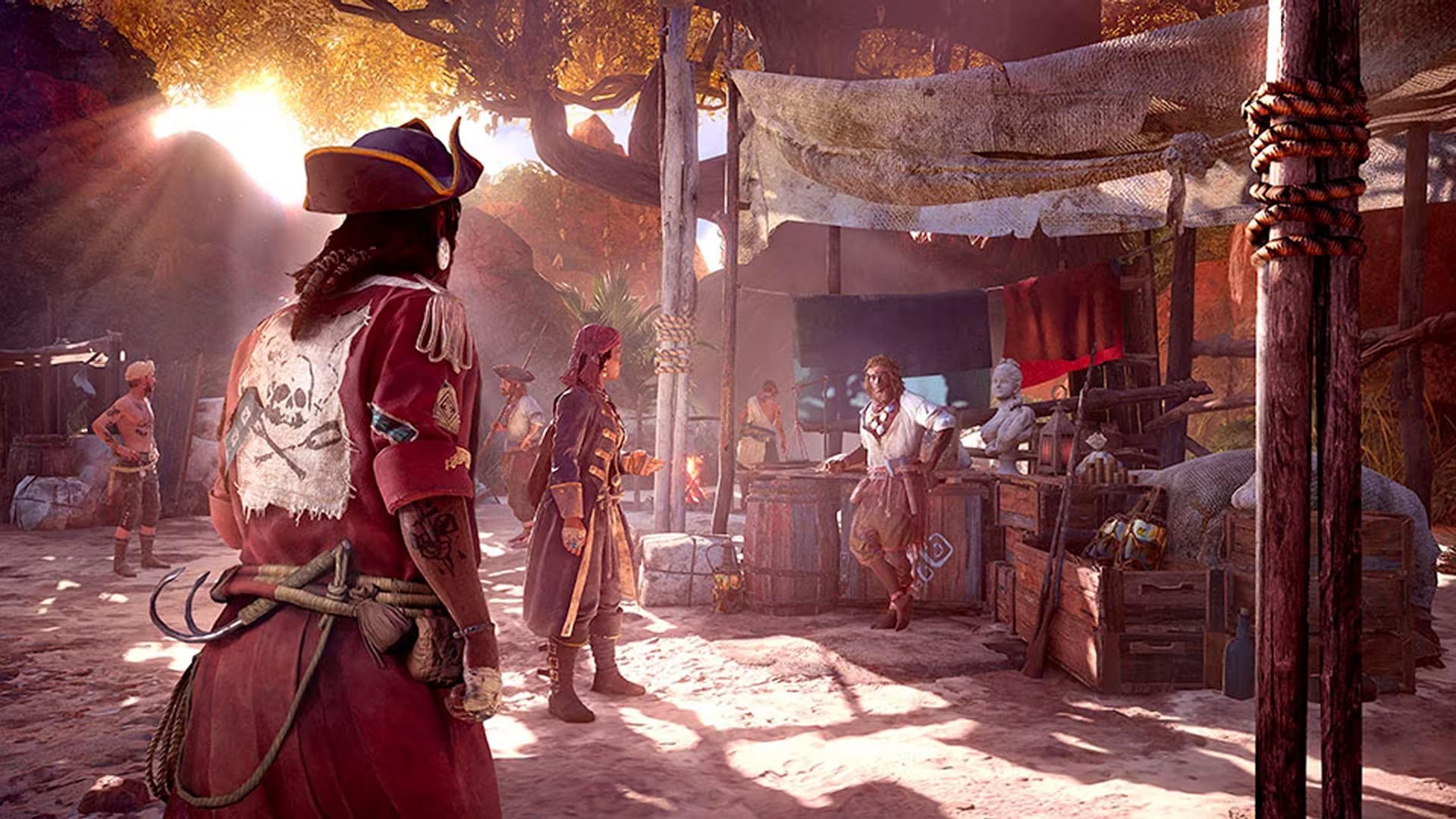
During its quarterly earnings report, Ubisoft revealed that it has delayed its ‘Large Game’ to the next fiscal year. It was initially scheduled to come out by March 2024, but now it will be released between April 1, 2024 and March 31, 2025.

No information was provided about this mystery title, but if we had to guess, it could be Star Wars Outlaws, which looks great or the next Far Cry title. We will just have to wait until we get an official word from Ubisoft.
The publisher further stated that they plan to release Skull and Bones by March 2024. Finally being able to get our hands on the finished state of the game would indeed be great. It has been in development for a long time and has had multiple betas with one taking place just a couple of months back in August, so the release date announcement could be just around the corner.

Ubisoft also shared its ‘cost reduction plan,’ mentioning a decrease of over 1,300 employees within a year. Some of these were layoffs, while some were voluntary departures that were not replaced.

The publisher also shared that despite its recent delay, XDefiant is set to launch this fiscal year alongside Assassin’s Creed Nexus VR, Avatar: Frontiers of Pandora, Just Dance 2024, Prince of Persia: The Lost Crown, Rainbow Six Mobile, and The Division Resurgence.

Source: Ubisoft

Related Reading:

Hammad Taufeeq

Fear the Old Blood

Home > News

FNAF Security Breach Update 1.15 Sneaks Out (Update)

Steel Wool Studios has pushed out (Five Nights at Freddy’s) FNAF Security Breach update 1.15 (PS5 version 1.015), which is an unannounced patch, so don’t expect new content like Ruin DLC patch released earlier this year.

FNAF Security Breach Update 1.15 Patch Notes | Five Nights at Freddy’s Security Breach Update 1.015 Patch Notes:

Update: While no official patch notes have been released, Steel Wool did mention in a previous post how they are releasing a patch to improve performance of the base game (thanks, Violett!).

Speaking of patches, we also have another Security Breach base game patch in development with the goal of improving the overall quality and performance on PS4 and Xbox One. We expect that to release in the fall.

For now, that’s all we got.


Unfortunately, Steel Wool has not mentioned anything about today’s patch. However, given that the Five Nights at Freddy’s movie is airing starting today, this probably has something to do with it. Don’t be surprised to see a new banner or marketing material in the game promoting the movie (available now via Peacock).

Speaking of which, the movie is currently sitting at a 27% freshness rating on Rotten Tomatoes, which isn’t all that surprising.

Once we spot anything substantial from the update, we’ll update the article. For those who notice any change or addition, leave a comment below and let us know what you find.

Avatar photo

Alex Co

Father, gamer, games media vet, writer of words, killer of noobs.

Home > guides

Alan Wake 2 How to Unlock the Crossbow

Aside from pistols, shotguns and the like being available in Alan Wake 2, there’s more weaponry to be found! Here’s when, where, and how to unlock the crossbow in Alan Wake 2. 

Alan Wake 2 Where to Find the Crossbow:

You’ll locate the Crossbow in Alan Wake 2 when visiting the town of Watery during Return 3: Local Girl. Once you arrive, you’ll need to talk with the Koskelas brothers, who tell you about the trailer you own and that the key to open it is at Coffee World. They’ll move out of the way for you to continue story progression. Follow the path, and you’ll eventually come across a Hunting Shack. I’ve marked it in the map below. 

Once you’re here, if you look to the right of the Hunting Shack, you’ll see a shooting range as well as a chest on the ground with a combination padlock. 

Alan Wake 2 How to Unlock the Crossbow Chest

The combination to opening this chest is 527. The solution is within the shooting range. Looking at the numbered targets, you will notice arrows in three of them. Number 5 has 1 arrow, number 2 has 2 arrows, and number 7 has 3 arrows. 1, 2,3, which means the combination is 527. Input this into the padlock, and the chest will open, unlocking the crossbow. 

You now have the crossbow unlocked! Pretty easy, right? It’s a fun weapon to use, especially if you are trying to play stealthily and take out Takens without alerting others. 

If you found this guide to be helpful, be sure to check out our other Alan Wake 2 guides!

More Alan Wake 2 Reading:

Avatar photo

James Lara

A gamer at heart, James has been working for MP1st for the last decade to do exactly what he loves, writing about video games and having fun doing it. Growing up in the 90's gaming has been in his DNA since the days of NES. One day he hopes to develop his own game.

Home > guides

Alan Wake 2 How to Unlock the Safe in Coffee World Gift Shop

So you found the screwdriver to open the Coffee World Gift Shop door in Alan Wake 2, but realized that the trailer park key is tucked away in a locked safe. Were you having trouble finding out the combination? Well, worry not, as we’ll give you the solution as to how to find it yourself.

Alan Wake 2 How to Unlock the Safe in Coffee World Gift Shop:

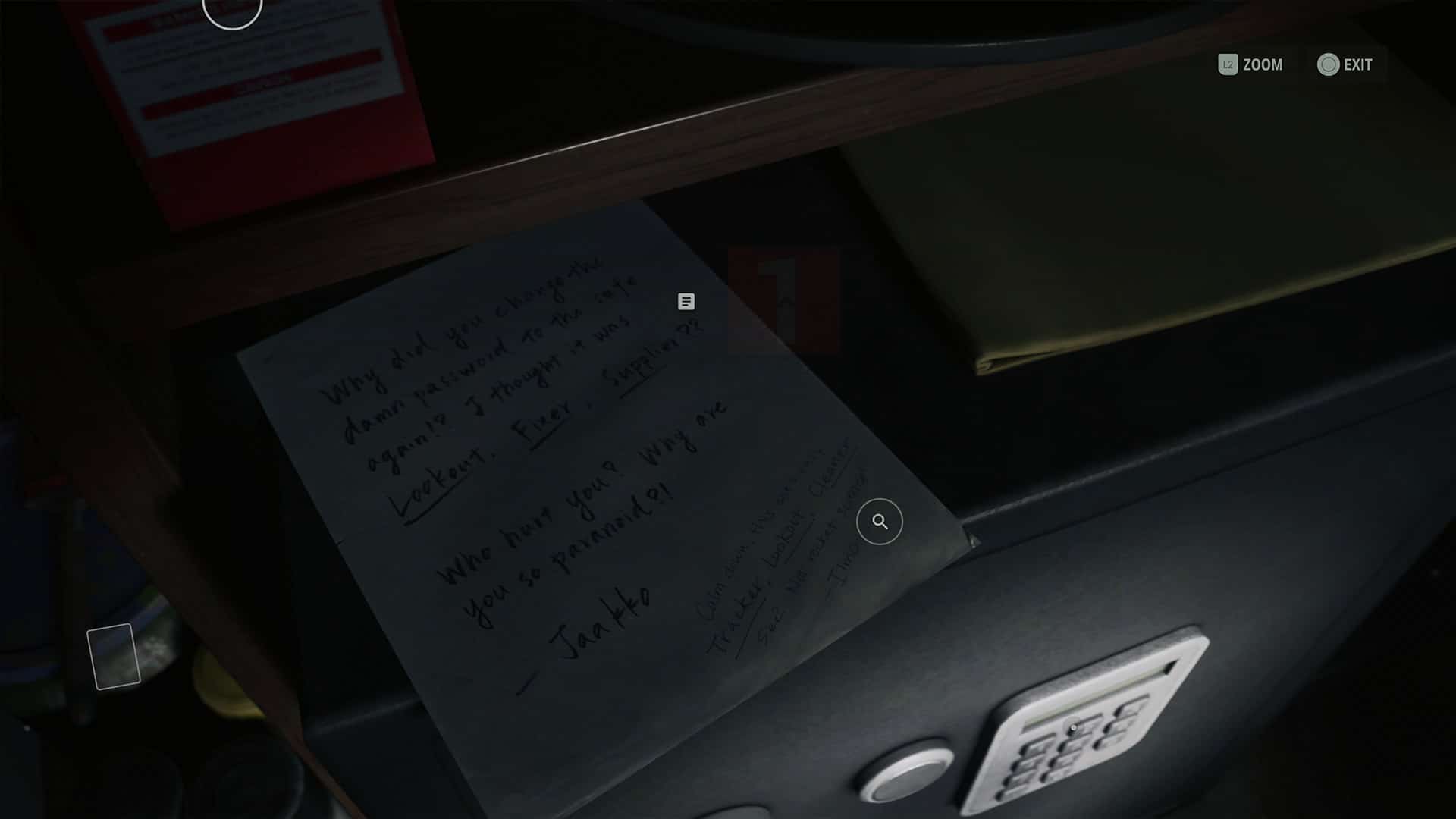
During Return 3: Local Girl, Saga will be tasked with retrieving her trailer key from the Coffee World Gift Shop. You’ll need to do a few things first before gaining access to it, specifically finding a screwdriver to open the shop’s door. There’s a note outside detailing what equipment was used and where, so this part is pretty self-explanatory. Go get the screwdriver, come back, and open the door. Once inside, head behind the counter, and you’ll see a safe with a note above it. It’ll mention the old safe password being “Lookout, Fixer, Supplier,” with the new one “Tracker, Lookout, Cleaner.” There’s not much to go by with this clue as the safe is protected with a number keypad.

So leave from this spot, and make your way back towards the exit, hanging to the left side of the shop. You should see a board with pictures of employees on it, each one with a specific number of coffee bean stickers.
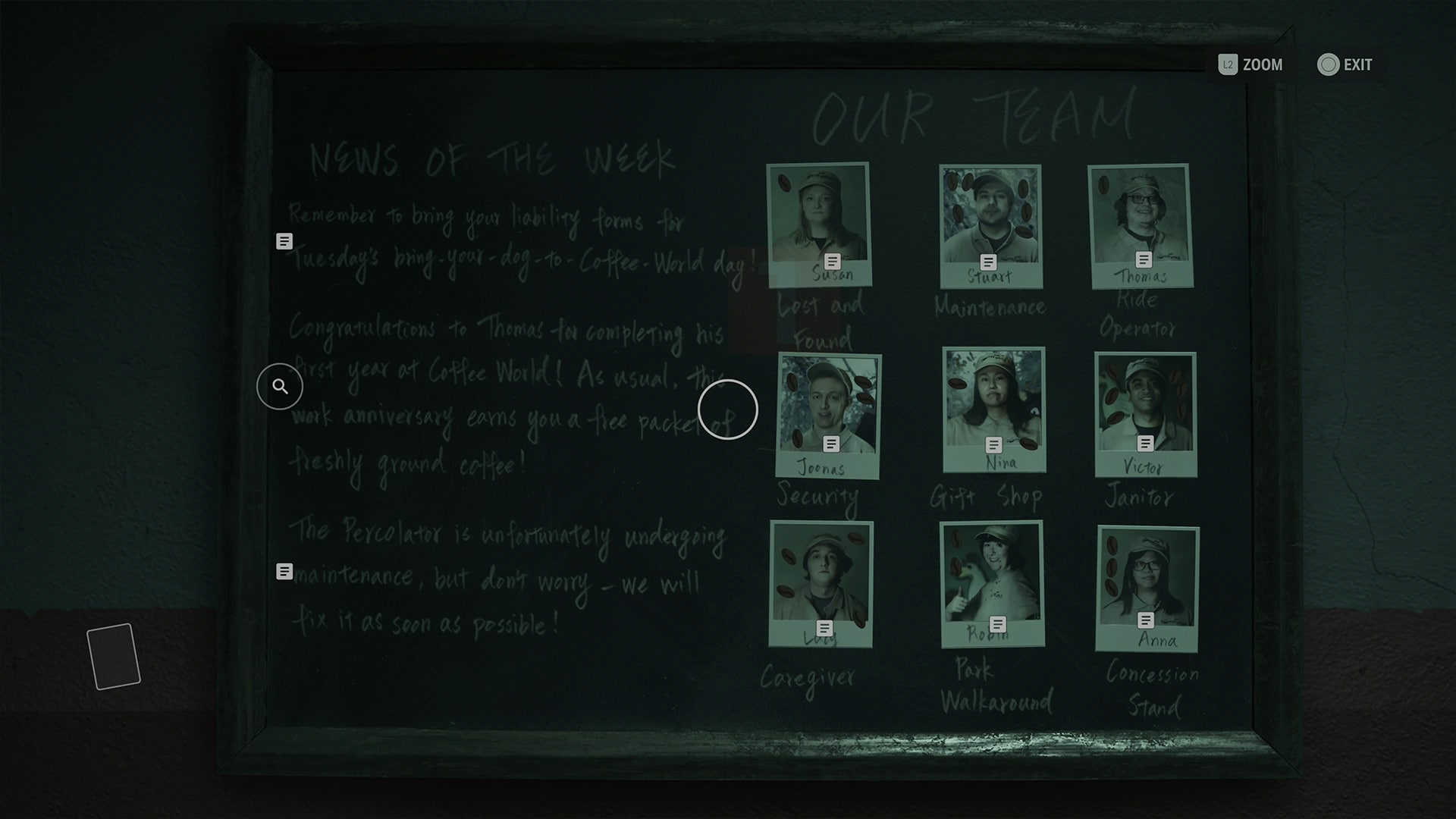
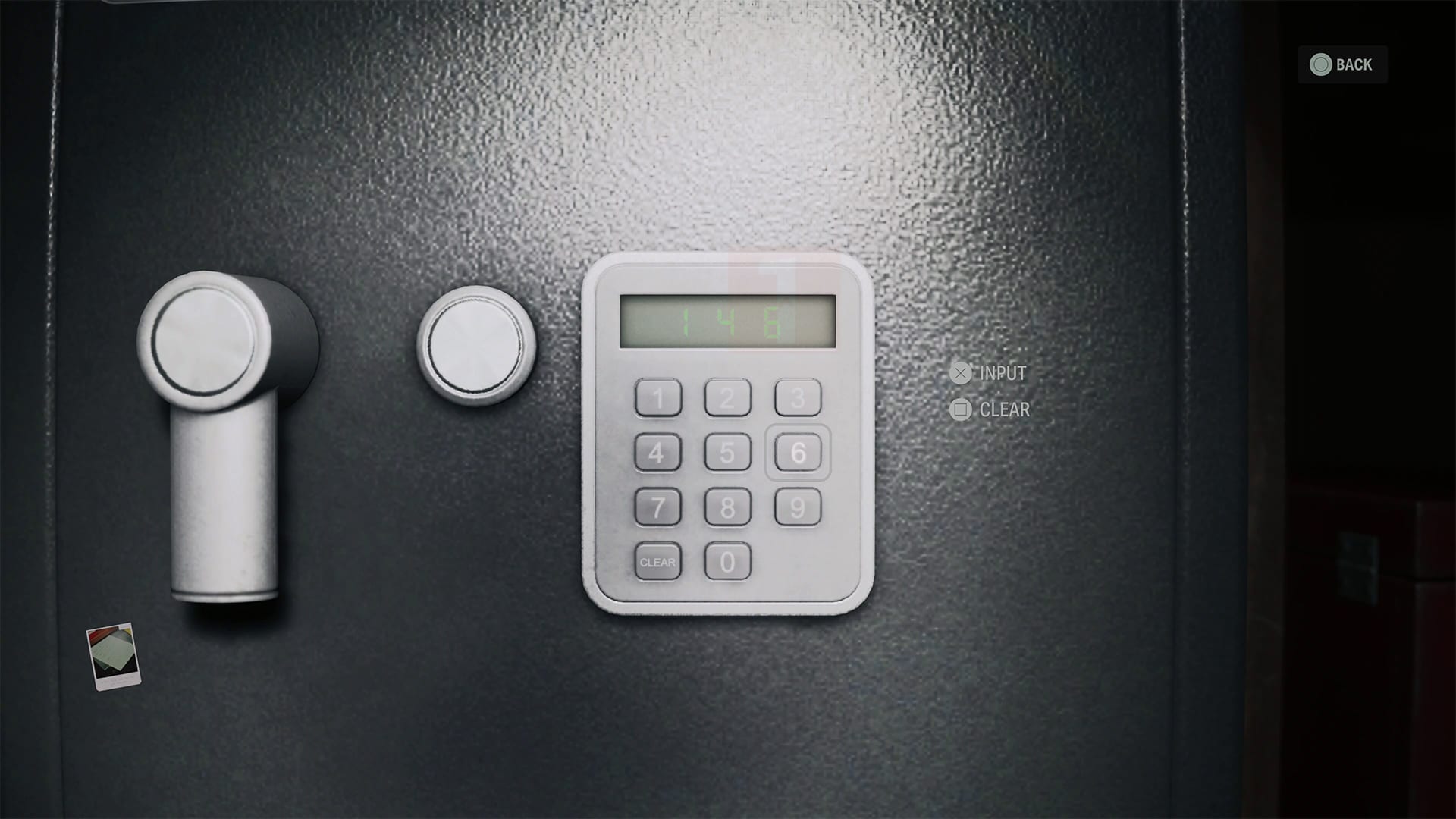
Their job title is what you are looking at, and you are trying to find the ones that closely match the new passcode, which is “Tracker, Lookout, Cleaner.” The Tracker is Susan, who is in charge of Lost and Found. The Lookout is Joonas, who is in charge of security. The Cleaner is Victor, who is the Janitor. So counting the coffee bean stickers each one has, and going by the order listed in the passcode, you get 146. Go back to the safe and enter this code.

You now have the key to Saga’s trailer! As Ilmo said, it’s not rocket science, though we can understand if this wasn’t as obvious as it should have been for some. While you’re in the area of Watery, don’t forget to grab the crossbow.

For more guides, be sure to check out our Alan Wake 2 guide hub.

More Alan Wake 2 Reading:

Avatar photo

James Lara

A gamer at heart, James has been working for MP1st for the last decade to do exactly what he loves, writing about video games and having fun doing it. Growing up in the 90's gaming has been in his DNA since the days of NES. One day he hopes to develop his own game.

Home > guides

Alan Wake 2 How to Unlock the Double-Barrel Shotgun

Are you looking for some more firepower in Alan Wake 2? While we already tell you where to get the shotgun, there’s more weaponry to be found! Well, we got you covered as we show you exactly where and how to unlock the double-barrel shotgun in Alan Wake 2.

Alan Wake 2 Where to Find And Unlock the Double-Barrel Shotgun:

The double-barrel shotgun becomes unlockable in Alan Wake during Saga’s campaign. Once you reach “Return 6,” you’ll gain access to the room with the shotgun in it.

Follow the story when the chapter starts, you’ll encounter Estevez at the Sheriff’s Station. Talk to her, and eventually, she will give you the Sheriff’s Station Key to continue with the story. Before you head downstairs, head towards the holding cells in the opposite direction. The Sheriff’s office is located near the holding cell, and you can now use the key to open his office. Inside is the Double-Barrel Shotgun locked behind a display case.

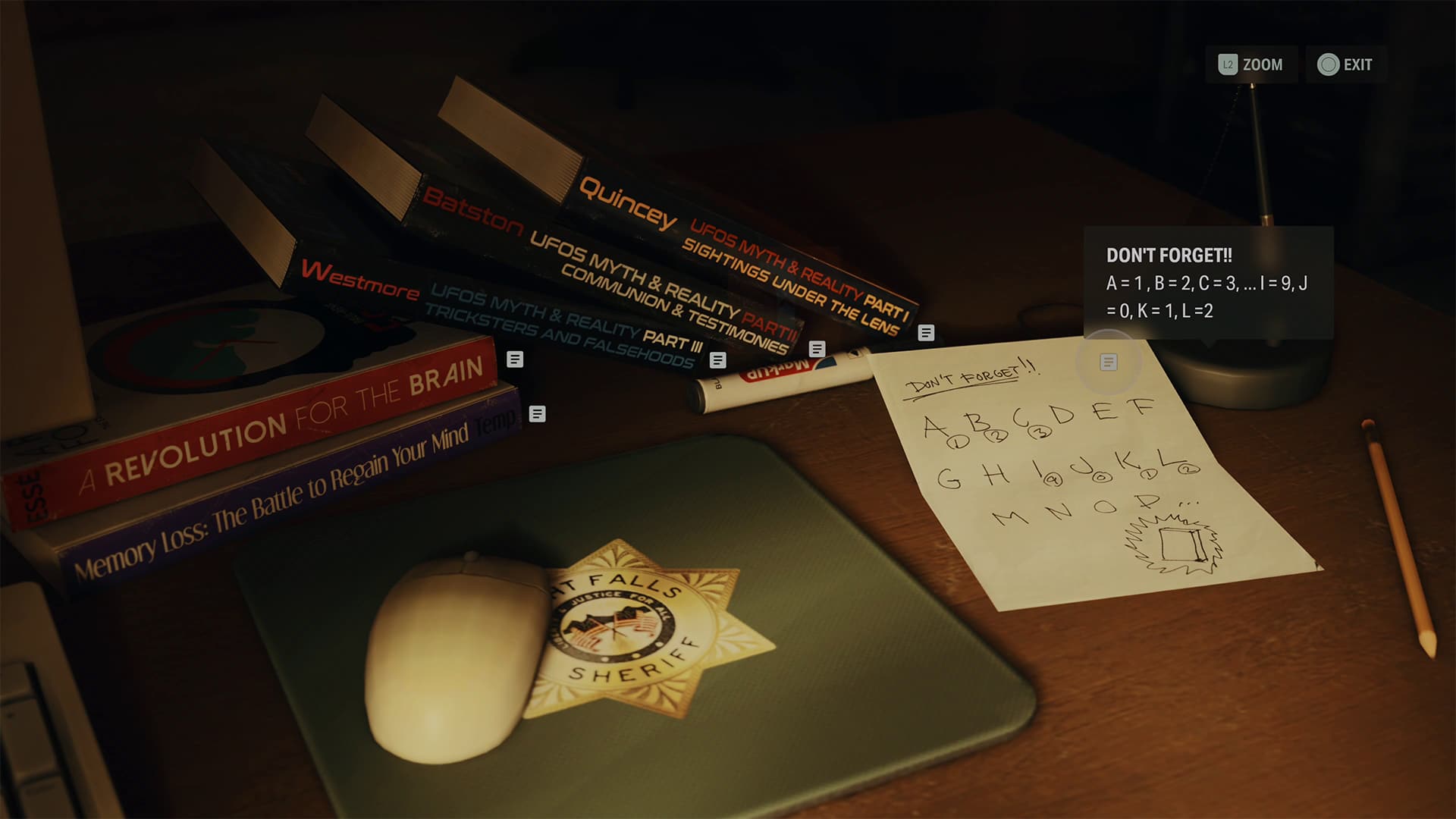
Looking at the sheriff’s desk, you’ll find some books with a note to solve the puzzle.

The solution is “723,” and how we got that is we looked at the first letters of a three-part book series.  So Part I starts with “Q” for Quincy, Part II “B” for Baston, and Part III “W” for Westmore. Each letter in the alphabet is assigned a number 1-0, resetting with each count. So Q would be 7, B is 2, and W is 3. That’s the passcode, 723.

That’s how you unlock the double-barrel shotgun in Alan Wake 2. It’s a devasting weapon capable of quickly dispatching Takens and other enemies, though it does have a slow reload time. So, use it wisely during combat.

If you found this guide to be helpful or were wondering where the other unlockable weapons were, be sure to visit our Alan Wake 2 guide page

Avatar photo

James Lara

A gamer at heart, James has been working for MP1st for the last decade to do exactly what he loves, writing about video games and having fun doing it. Growing up in the 90's gaming has been in his DNA since the days of NES. One day he hopes to develop his own game.

Home > guides

Alan Wake 2 Where to Find And Unlock the Sawed-Off Shotgun

Who doesn’t want extra firepower, right? Especially in a horror game. This is no different in Remedy’s Alan Wake 2! MP1st is here to help with a quick guide showing you where to find and how to unlock the Sawed-Off Shotgun in Alan Wake 2.

Alan Wake 2 Where to Find And Unlock the Sawed-Off Shotgun:

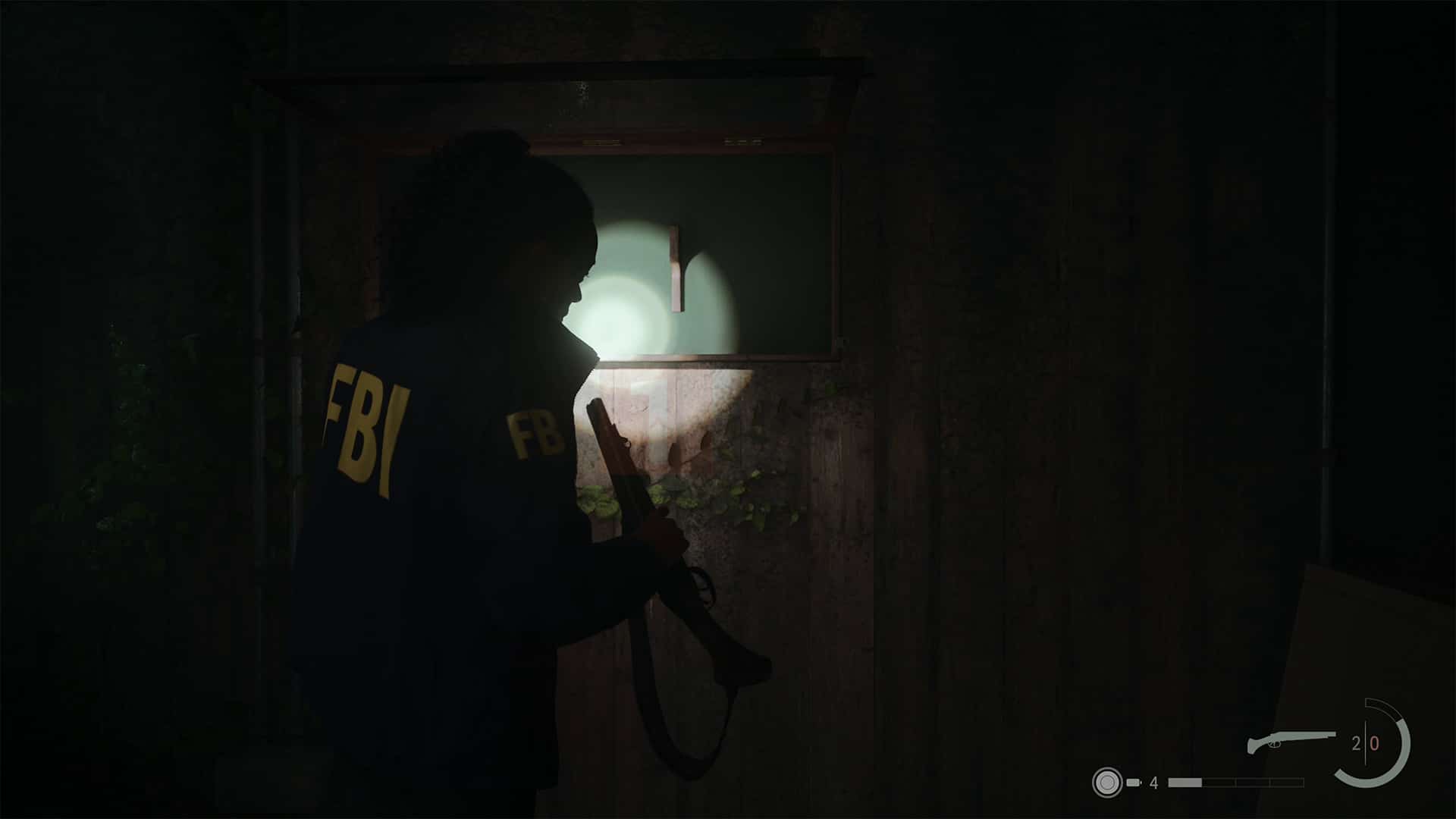
The Sawed-Off shotgun is unlockable very early on in Alan Wake 2. After completing Chapter 1 and starting Chapter 2, you’ll head back to Cauldron Lake to try and track Nightingale. Follow the story path, restoring power to the Witch’s Hut, eventually leading to the General Store to locate the heart of Nightingale.

Once you enter, a few scenes will play out, and a Cultist Taken will spawn that you have to deal with. Looking at where they spawned, the Sawed-Off Shotgun is located in the far back right.

Alan Wake 2 Where to Find And Unlock the Shotgun Guide (2).png

The Sawed-Off Shotgun will be in a display case with a combination lock. You’ll have to find the combination, with a hint telling you to check with Lady Fortuna at the counter. Before you head there, look directly below the Sawed-Off Shotgun towards the ground to see some filing cabinets. There’s an inventory upgrade here to expand your inventory. Pick it up, then head to the counter in front of the store.

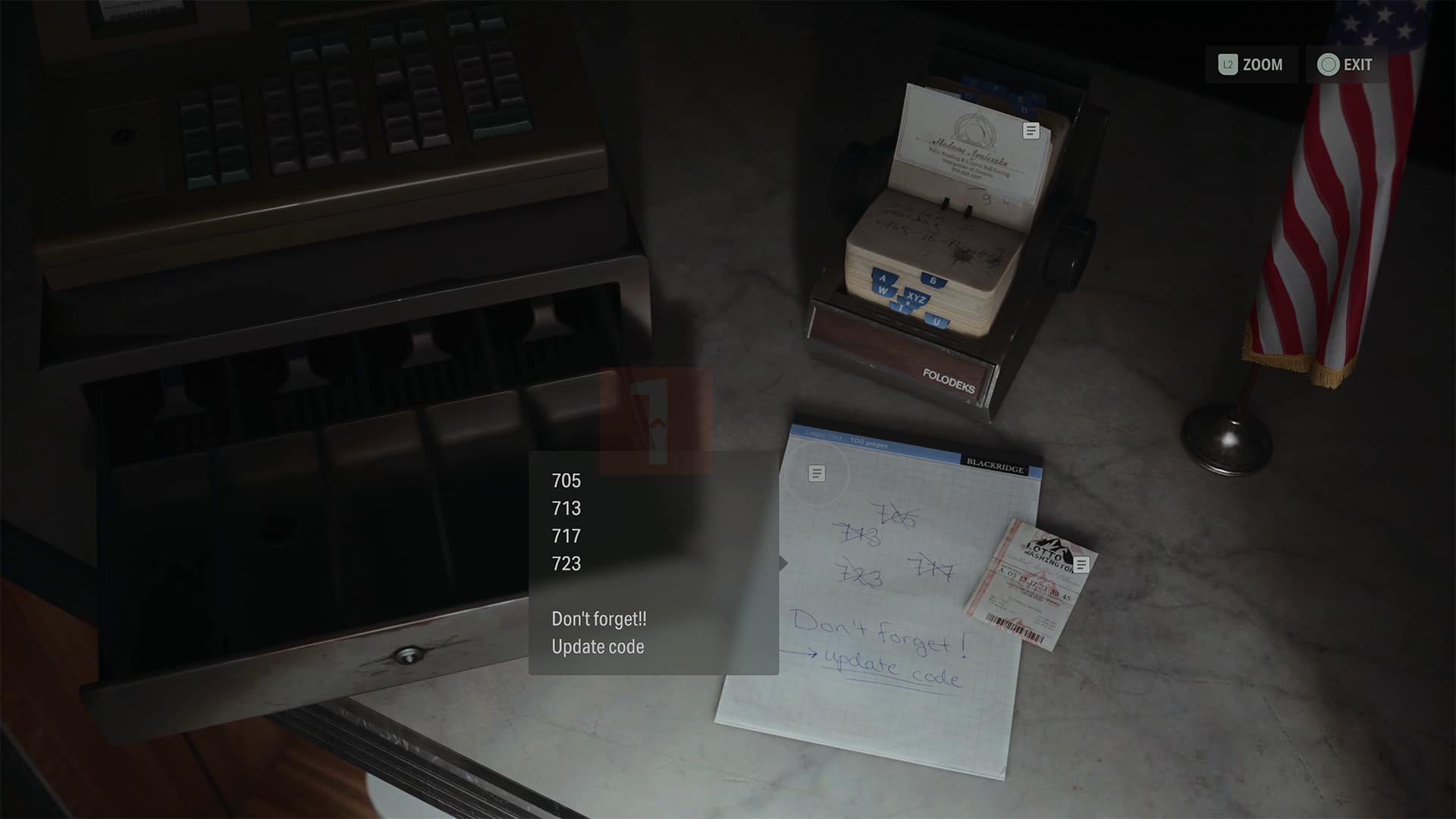
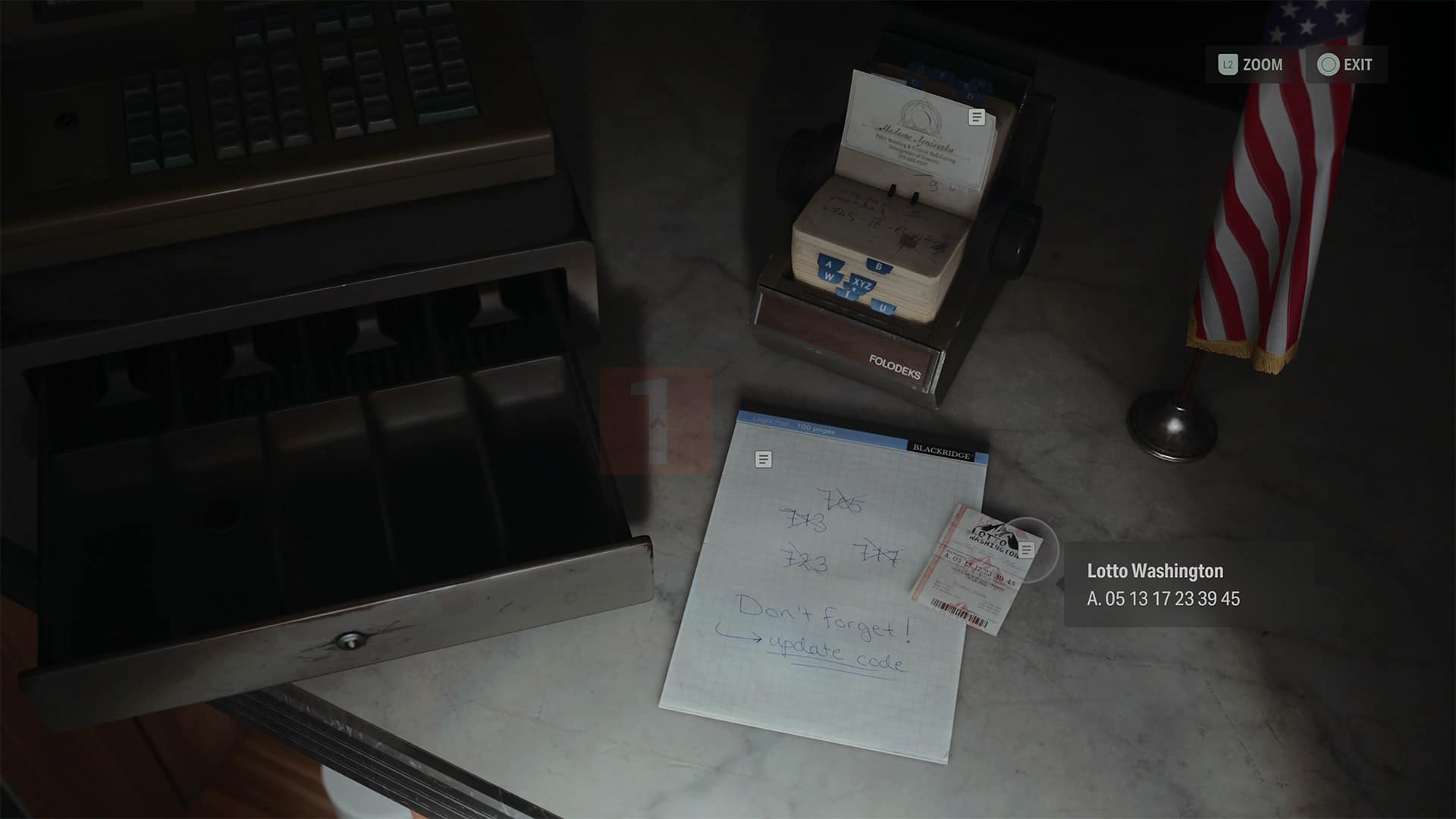
There’s a cash register; go to it, and you’ll see a note with scratched-out combination numbers and a lottery ticket.

The hint is that the combination starts with seven always, with the other two going down the lottery number—so 705, 713, 717, 723. The latest combination would be 739. Head back to the Sawed-Off Shotgun case, input this number in the combination lock, unlocking it and giving you the Sawed-Off Shotgun.

Congrats, you now have the Sawed-Off Shotgun as part of your arsenal! If you turn around and head towards the freezer with the heart, there is a red toolbox with some Shotgun ammo. It’s only two bullets, so use it wisely until you find more.

I hope this guide has helped you solve this puzzle, even if it is an easy one. If it has, be sure to check out our other Alan Wake 2 guides!

Avatar photo

James Lara

A gamer at heart, James has been working for MP1st for the last decade to do exactly what he loves, writing about video games and having fun doing it. Growing up in the 90's gaming has been in his DNA since the days of NES. One day he hopes to develop his own game.

Home > News

Report: Microsoft Promotes Sarah Bond to Xbox President, Matt Booty to Game Content and Studios President

According to a report from The Verge, Sarah Bond and Matt Booty have both received promotions to new positions following the company’s recent acquisition of Activision Blizzard. Sarah Bond is now the Xbox President, and Booty is stepping up to become Game Content and Studios President.

This news comes by way of an internal memo from Xbox CEO Phil Spencer that The Verge managed to get their hands on. Now that Booty also oversees partner studios ZeniMax and Bethesda, Spencer clarified what the studio structure will look like:

ZeniMax will continue to operate as a limited integration entity led by Jamie Leder, President and CEO, reporting to Matt. Great games are fundamental to everything we do. We believe that an expanded gaming content organization — one that enables Xbox Game Studios and ZeniMax’s development studios to collaborate effectively together — will empower those world-class studios to do their best work in growing our portfolio of games players love.

To manage the platform of today, and build the platform of tomorrow, we are bringing together the teams that will make this possible. Sarah Bond will lead this team as President of Xbox — bringing together Devices, Player & Creator Experiences, Platform Engineering, Strategy, Business Planning, Data & Analytics and Business Development.

Several other notable names in the company also got moved around. Takeshi Numoto is stepping into the role of Chief Marketing Officer following the retirement of current CMO Chris Capossela. Additionally, Yusuf Mehdi is getting a promotion to Executive Vice President, Consumer CMO.

These reorganizations are likely a part of Xbox’s efforts to integrate Activision Blizzard into their ranks. While infamous Activision CEO Bobby Kotick announced that he would be stepping down at the end of this year, we’ve yet to know who will be taking his place.

We’ll be sure to let our readers know when Xbox officially announces all these changes to their corporate structure. In the meantime, we’ve got all sorts of newss on yesterday’s Xbox Partner Preview up on the site, including a peek at Metal Gear Solid Delta’s first in-engine footage.

Source: The Verge

Jack Breitenbach

Game the night away!

Home > News

Alan Wake 2 Expansions “Night Springs” and “The Lake House” Plot Details Revealed Along With Target Release

Remedy Entertainment has revealed some new details about the two planned paid Alan Wake 2 expansions, including a target 2024 release.

In a new update issued on the official Alan Wake 2 FAQs, Remedy Entertainment has detailed what players can expect out of the game’s two upcoming expansions.

Alan Wake 2 Expansions:

Expansion 1 – Night Springs 

  • Visions and dreams. Fiction is written and coming true. Fiction collapses and remains just words on a page. These are those stories… in Night Springs.
  • Play as several familiar characters from the world of Alan Wake and experience the unexplainable in multiple self-contained episodes of Night Springs, a fictional tv-show set in the world of Alan Wake.

Expansion 2 – The Lake House 

  • The Lake House is a mysterious facility situated on the shores of Cauldron Lake set up by an independent government organization to conduct secret research… until something goes wrong.
  • Explore the Lake House and embark on two separate adventures as the realities of Saga Anderson and Alan Wake collide again.

Additionally, the studio also confirmed to us during the review process that the first expansion, Night Springs will be targeting a 2024 release, with second, The Lake House currently TBA (to be announced). Mind you, as noted in the press information, the release of Night Springs is subjected to change.

Aside from these two paid expansions, Remedy confirmed that free DLC is headed to the game, with more details to be shared in the coming weeks and months.

Alan Wake 2 officially launches tonight on the PS5, Xbox Series X|S, and PC via Epic Game Store. Oh, and if you needed a reason why you should buy Alan Wake 2, be sure to check out our Alan Wake 2 review. Our reviewer calls it a “survival horror masterpiece,” earning itself an incredible 9.5 out of 10.

Avatar photo

James Lara

A gamer at heart, James has been working for MP1st for the last decade to do exactly what he loves, writing about video games and having fun doing it. Growing up in the 90's gaming has been in his DNA since the days of NES. One day he hopes to develop his own game.

Home > guides

Alan Wake 2 Best Settings – Consoles and PC

Alan Wake 2 is finally here! I’m sure many of you are anxious to jump into this new American nightmare, but you may want to adjust the game settings before you do. Luckily, we’ve prepared this Alan Wake 2 best settings guide to go over each setting on consoles and PCs. 

Alan Wake 2 Best Settings – General for All Platforms:

All platforms are different, but they all share some standard settings that I think everyone should change before they jump into Alan Wake. I’ll go over the more specific graphical modes afterward, but let’s focus on what’s shared across every platform. 

Gameplay

  • Enable Tutorials – Keep this on, as Alan Wake 2 has plenty of new mechanics that can be rather confusing at first. 
  • Controller Sensitivity – The defaults are fine because Alan Wake 2 is a slower-paced game. However, you may want to increase aiming sensitivity a little bit as enemies can easily overwhelm you. 
  • Gameplay Assist 
    • Controller Aim Assist – ON (Default) 
    • Single Tap Walk – ON – Running in Alan Wake 2 is slow, and I found holding the button to be annoying. Turning this to a single tap means you can alternate between running and walking with a single button press. 
    • Quick Turn – ON (Default)
    • Adaptive Triggers (PS5 and PC with a DualSense Controller) – ON (Default) – In some games, this can be a bit aggressive, but in Alan Wake 2 they’re hardly noticeable. Plus, it’s a slow-paced game, not an online shooter where speed matters. 

Controls

I found the default mapping to be perfect in Alan Wake 2, but if you want to customize and remap an action to a different button, you can do so under this menu. 

Graphics

I’ll break down this more for each platform in the next big section, but for now, these are the settings to focus on. 

  • Motion Blur – OFF on PC and on consoles if you use performance mode. ON if you use quality mode on consoles. 
  • Film Grain – OFF

Audio 

Default. There’s no controller audio, so there’s no need to worry about turning that off for players using the DualSense. 

Interface

Alan Wake 2’s UI isn’t what I would describe as being cluttered. But, because the game lacks photo mode at the moment, for those looking to capture the perfect picture, turn the following ON:

  • HIDE HUD
  • HIDE HUD WIDGET
  • HIDE HUD NOTIFICATIONS
  • TURN SUBTITLES OFF

This will give you the cleanest possible way to capture images. 

If you aren’t a big fan of nudity, you can censor nudity under the Interface tab at the bottom. 

Alan Wake 2 Best Consoles Settings – Quality or Performance Mode?

The big question that always surfaces for a console game is whether or not you should play in performance or quality mode. This is all dependent on the user, though in this case, I’d highly recommend playing in quality mode. First, let’s see precisely what each mode targets for frames and resolution. 

PlayStation 5 and Xbox Series X:

  • In Quality mode, favoring visual fidelity, the output resolution is 4k, the render resolution is 2258 x 1270. The framerate is 30fps.
  • In Performance mode favoring performance, the output resolution is 1440p, render resolution is 1505 x 847. Framerate is trying to reach 60fps.

Xbox Series S output resolution is 1440p.

  • There is no Performance mode on the Xbox Series S.

So why do I recommend Quality Mode over Performance Mode? Well, anyone who has read my past Best Settings Guide knows that I am a performance-first type of person. However, in the case of Alan Wake 2, I have to say that Quality Mode is really, really good. First, graphically, you are getting more on the screen. Resolution plays a bit of a part since it’s much higher than the render resolution in performance mode, but textures, screen-space reflections, lighting, and effects are just that much more of a difference in Quality Mode. You even get more foilage, which matters a lot because the game takes you through a lot of wildlife areas. 

And I know 30fps is usually a big no-no amongst the community. But give it a try because the techniques employed to deliver it make it feel perfectly smooth to the point that I’d argue it’s hard to tell the difference or even notice it’s running at 30fps on any of the platforms. You’ll notice a big dip in visuals switching to performance, something you might come to regret in the latter portions of the game. 

Just be sure to keep motion blur on, as it does help hide camera choppiness. Otherwise, if you use performance, turn it off. 

Alan Wake 2 Best PC Graphical Settings:

Before we start, it has been brought to our attention that some graphical options are missing in the settings. Luckily, there’s a workaround, as listed by X user PC_Focus. Alan Wake 2’s system config is located in the following directory: %LOCALAPPDATA%\Remedy\AlanWake2

Search for that, open the configuration files, and change the following:

  • m_bVignette: set this to “false” to disable vignetting
  • m_bDepthOfField: set this to “false” to disable depth of field
  • m_bLensDistortion: set this to “false” to disable lens distortion

There are other options to toy around with, such as FoV and scaling, but these are the big ones, as they remove several onscreen graphics to give you the cleanest possible image. 

Now, onto the in-game graphical settings. 

Everyone has different PC configurations, and I will try my best to offer you settings based on our own testing. Though at the current moment, we’ve only tested out our RTX 4000 series builds. 

RTX 4090 GPU, AMD 7900X CPU

If you have an RTX 4090 and a high-end CPU, you should be more than capable of running everything on max, including full 4K resolution. For framerate, DLSS 3.5 and frame generation will get you into the high 110-130fps. For those using a capture card that doesn’t support VRR, I recommend locking the frame rate to 60fps via the Nvidia control panel to avoid screen tearing. 

Also, if you find the game is constantly crashing upon boot or locking up your systems. Then make sure MSI Afterburner isn’t running. You might also want to use borderless instead of fullscreen. That was an issue I had myself, and switching to borderless fixed it. 

  • Display Mode – Bordlerless if you are having issues; otherwise, Fullscreen.
  • Display Resolution – 3840×2160 – Lower if need be to improve performance. 
  • Resolution Rending – 3840×2160 (DLAA) – Change to whichever if you prefer a different quality resolution or performance. 
  • Resolution Upscaling – DLSS for Nvidia cards, FSR 2 for AMD cards. 
  • DLSS Frame Generation (Nvidia 4000 Series card only) – ON
  • Vsync – If you run uncapped frame rate off, turn it on to match your monitor and/or capture card. 
  • Motion Blur – OFF
  • Film Grain – OFF
  • Quality Preset – Custom
  • Post-Processing Quality – HIGH
  • Texture Resolution – ULTRA
  • Texture Filtering – HIGH
  • Volumetric Lighting – HIGH
  • Volumetric Spotlight Quality – HIGH
  • Global Illumination Quality – HIGH
  • Shadow Resolution – HIGH
  • Shadow Filtering – HIGH
  • Shadow Detail – HIGH
  • Screen Space Ambient Occlusion – OFF if you are using Ray Tracing; on otherwise. 
  • Global Reflections – OFF if you are using Ray Tracing, On otherwise. 
  • Screen Space Reflection – OFF if you are using Ray Tracing, On otherwise. 
  • Fog Quality – HIGH
  • Terrain Quality – HIGH
  • Far Object Detail (LOD) – HIGH
  • Scattered Object Density – ULTRA

RAY TRACING

  • Ray Tracing Preset – High
  • DLSS Ray Reconstruction – ON
  • Direct Lighting – ON
  • Direct Lighting Denoising Quality – HIGH
  • Path Traced Indirect Lighting – HIGH
  • Path Traced Indirect Lighting Denoising Quality – HIGH

RTX 4070 GPU, 13th Gen Intel i9-13900KF CPU

  • Display Mode – Bordlerless if you are having issues; otherwise, Fullscreen.
  • Display Resolution – 1920×1080, but you can up it to 1440P. 4K can get demanding even on this card. 
  • Resolution Rending – 1920×1080 (DLAA) – Again, you can increase this to higher, but you may have to tone some settings down. 
  • Resolution Upscaling – DLSS for Nvidia cards, FSR 2 for AMD cards. 
  • DLSS Frame Generation (Nvidia 4000 Series card only) – ON
  • Vsync – If you run uncapped frame rate off, turn it on to match your monitor and/or capture card. 
  • Motion Blur – OFF
  • Film Grain – OFF
  • Quality Preset – Custom
  • Post-Processing Quality – HIGH
  • Texture Resolution – ULTRA
  • Texture Filtering – HIGH
  • Volumetric Lighting – HIGH
  • Volumetric Spotlight Quality – HIGH
  • Global Illumination Quality – HIGH
  • Shadow Resolution – MEDIUM
  • Shadow Filtering – HIGH
  • Shadow Detail – Medium 
  • Screen Space Ambient Occlusion – OFF if you are using Ray Tracing, On otherwise. 
  • Global Reflections – OFF if you are using Ray Tracing, On otherwise. 
  • Screen Space Reflection – OFF if you are using Ray Tracing, On otherwise. 
  • Fog Quality – HIGH
  • Terrain Quality – HIGH
  • Far Object Detail (LOD) – HIGH
  • Scattered Object Density – ULTRA

RAY TRACING

  • Ray Tracing Preset – High
  • DLSS Ray Reconstruction – ON
  • Direct Lighting – ON
  • Direct Lighting Denoising Quality – HIGH
  • Path Traced Indirect Lighting – HIGH
  • Path Traced Indirect Lighting Denoising Quality – HIGH

RTX 3080 GPU, AMD 5900x CPU – 60 FPS

  • Display Mode – Bordlerless if you are having issues; otherwise, Fullscreen.
  • Display Resolution – 1440P
  • Resolution Rending –  2560x1440P (Quality) 
  • Resolution Upscaling – DLSS for Nvidia cards, FSR 2 for AMD cards. 
  • DLSS Frame Generation – N/A on this series of cards.
  • Vsync – If you run uncapped frame rate off, turn it on to match your monitor and/or capture card. 
  • Motion Blur – OFF
  • Film Grain – OFF
  • Quality Preset – Custom
  • Post-Processing Quality – HIGH
  • Texture Resolution – ULTRA
  • Texture Filtering – HIGH
  • Volumetric Lighting – HIGH
  • Volumetric Spotlight Quality – MEDIUM
  • Global Illumination Quality – MEDIUM
  • Shadow Resolution – MEDIUM
  • Shadow Filtering – HIGH
  • Shadow Detail – HIGH
  • Screen Space Ambient Occlusion – OFF if you are using Ray Tracing, On otherwise. 
  • Global Reflections – OFF if you are using Ray Tracing, On otherwise. 
  • Screen Space Reflection – OFF if you are using Ray Tracing, On otherwise. 
  • Fog Quality – MEDIUM
  • Terrain Quality – HIGH
  • Far Object Detail (LOD) – HIGH
  • Scattered Object Density – ULTRA

RAY TRACING – OFF

Keep an eye out for updates to this guide, as we’ll add more graphical presets for different builds shortly after launch. 

If you found this guide helpful, be sure to check out our other Alan Wake 2 guides! If you’re having second thoughts before picking up Alan Wake 2, go read our review here that might just change your mind.

Avatar photo

James Lara

A gamer at heart, James has been working for MP1st for the last decade to do exactly what he loves, writing about video games and having fun doing it. Growing up in the 90's gaming has been in his DNA since the days of NES. One day he hopes to develop his own game.