Home > News

Aliens Dark Descent Update 1.04 for Aug, 1 Rolled Out (Update)

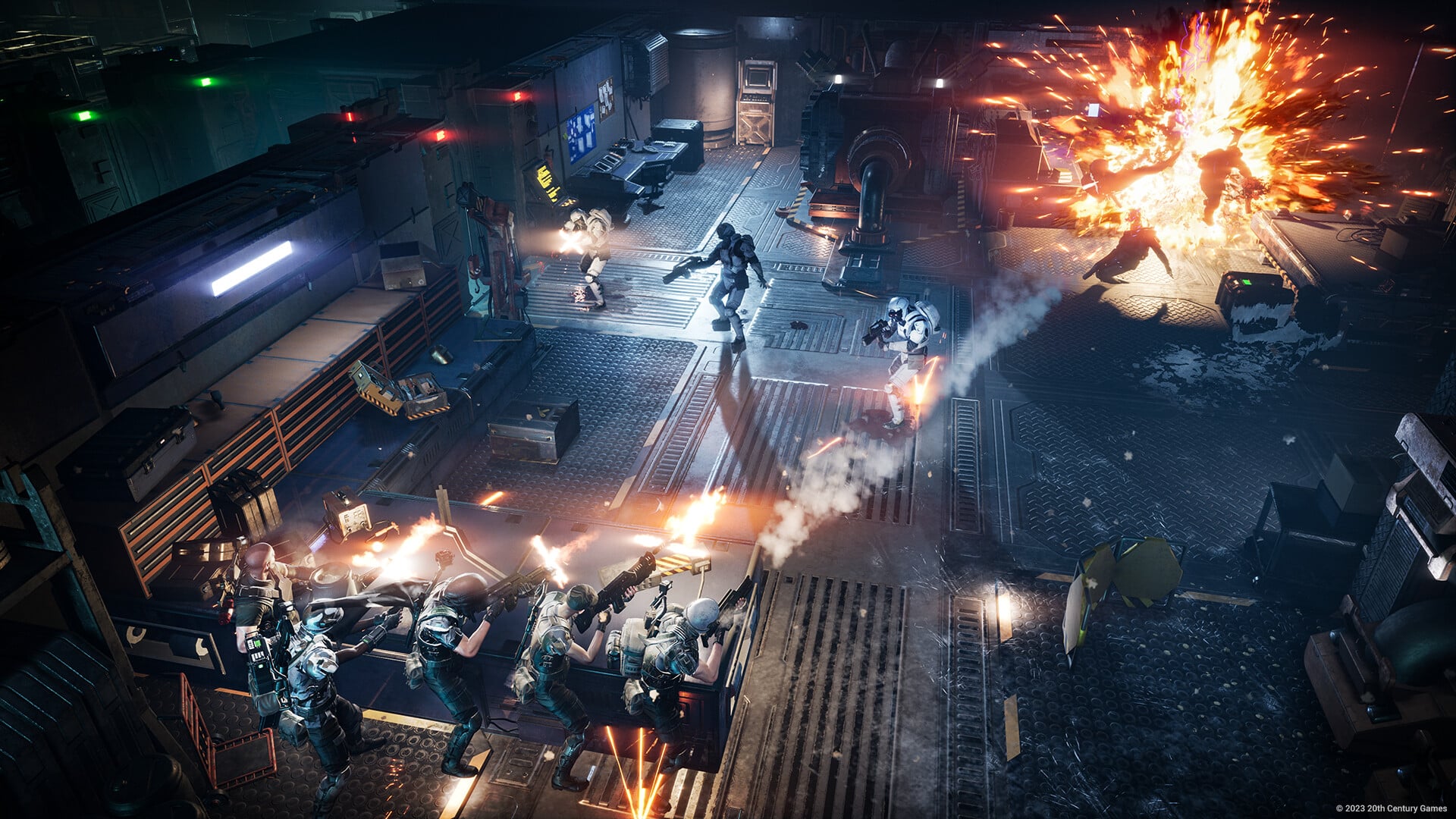
Tindalos Interactive has released Aliens: Dark Descent update 1.04 (PS5 version 1.004), and this is a hefty download. Read on for what got fixed in the new Aliens: Dark Descent update patch notes for Aug. 1 below/

Aliens Dark Descent Update 1.04 Patch Notes | Aliens Dark Descent Update 1.004 Patch Notes:

Size: 5.6GB (PS5)

Update: Complete patch notes are available below.

Major bug fixes

  • Addition of a security to avoid the players from triggering the ARC tutorial while being in the Command Room narrative sequence in Dead Hills (Mission 1) which resulted in a blocker. 
  • Amputated marines are no longer visible on the Mission Report, a message indicating the marines is in the medbay is added.
  • Improvement of a previous fix that was unlocking Olduvai (Mission 11) for players stuck at the end of Pryce of Deception (Mission 10).
  • Using the skill Incineration inside the ARC/APC will block the extraction and the movement of the squad.
  • Fix a crash that was occurring when a marine fell through the ground, got deleted by the game and the player clicked on the marine’s card.
  • Fix of many blockers that could occur on the Cover tutorial of Berkley’s Dock (Mission 2).
  • The attribute Smart Ass can no longer be proposed to the Tecker class.
  • It is now impossible to spam the RB/R1 gamepad button to do the first phase of the Sector Map tutorial in Dead Hills (Mission 1) to prevent a blocker.
  • Improvement of the performances when aiming with a skill. 
  • The Psychiatric Care Unit is no longer accessible before unlocking it. 
  • Addition of a security to avoid a blocker during the First Deployment Tutorial between the Prologue and Dead Hills (Mission 1).
  • The squad will now be teleported inside the defense room to avoid blocker in Harper’s Hell (Mission 3)
  • You cannot extract during the Crusher reveal to avoid blocker in Dead Hills (Mission 1)
  • Fix performance problems caused by the drone in the Harper’s Hell (Mission 3)
  • The objective “Get rid of the guardians” in Olduvai (Mission 11) will now trigger properly when deploying or redeploying your APC to a specific waypoint
  • Fix of many pathfinding problems during the last mission (Mission 12)
  • The marine panel will now correctly update the statistics of the marine when affected by an specific state (ex: Tired)
  • Improvement of the performances when exploding a barricade
  • Fix some cases where a mission can’t be completed at 100% even when all the objectives are completed.
  • Fix of the lift during the mission of the “Tantalus Base” (Mission 08) where the lift may stay stuck once inside.
  • Fix of the lift during the mission on “Pharos Spire” (Mission 10) where the outside doors don’t open on the first floor (Office Floor) after completing the objectives.
  • Fix of a crash occurring when a marine dies while interacting.
  • Fix of a bug where a marine can be pushed outside of the map resulting in a blocking situation (The marine is now teleported back to closest valid position).
  • General Stability Improvement and several fixes on various crashes.

Minor bug fixes

  • Being in the option menu was still counting in the mission duration statistic.
  • The lift that allows you to go from the Refinery (Mission 3) to Olduvai (Mission 11) will always be on the floor the squad is on. 
  • Fix a cover that was not working in the Basement -2 in Olduvai (Mission 11).
  • The marine’s animation will not loop anymore when spamming the validated button during the marine attribute selection.
  • Increase ‘Stubborn’ label font size to make it more noticeable when it’s in effect.
  • Shelter icon will disappear if the door has been destroyed.
  • “Overloaded Deployable Motion Tracker” can no longer be interacted with after they explode.
  • Loading a save inside a trigger box no longer triggers all the events on the map.
  • Dead marines with the personality trait “Kleptomaniac” will no longer steal materials.
  • Aggressiveness gauge will be the same in the tactical view and when opening the map.
  • The Precision Shot now correctly makes noise when used against Eggs.
  • Reduced the ragdoll of “big” xenomorphs when killed by explosions.
  • Pressing “Confirm” a few times to extract marines will no longer leave the UI message on screen.
  • You can no longer interact with survivors through the Fog of War.
  • The C4 is now correctly appearing on the barricade at the end of the interaction.
  • Attempt to fix the Recon cloth movement when the active pause is pressed or released.
  • The Drone can no longer weld from its position, it will correctly reach the door first. 
  • The Drone’s welding now plays the correct VFX.
  • The Stop order can now also cancel Drone orders. 
  • Tweaking of the Codex UI for better navigation.
  • Wheels of the APC will not spin during the descent to Omicron Dig Site (Mission 11).
  • Increase of the rat speed in Nuclear Protocol (Mission 5) to avoid the player catching him up and breaking the narrative sequence. 
  • The animation of the UI when picking up a sentry will now be played correctly.
  • The Fog of War will be correctly removed when you destroy a wall and leave the room before the explosion happens.
  • The datapad shortcut will no longer open the Sector Map UI if it was the last Map mode that was open.
  • Fix some shelter issues on Harper’s Hell (Mission 3).
  • Fix a spawn that was eligible for massive onslaught even though the area was not unlocked yet in Harper’s Hell (Mission 3) creating a blocker.
  • Tweaking of the animations of Otago’s UI.
  • Fix of a room where it was impossible to create a shelter in Olduvai (Mission 11).
  • Opening the map during the installation of a sentry will no longer make the ammunition of the sentry disappear.
  • Fix of the animation when opening the map.
  • Part of the UI could stay while the map was open.
  • Fix many collision issues across all locations.
  • Warriors can no longer jump on a marine that is welding a door to prevent the xenomorph from getting stuck inside the door. 
  • The objective marker “Check your cameras” in Pryce of Deception is now displayed at the right position.
  • Fix the tooltip of “Tired” state in the Inspect Squad tab of the map.
  • Aliens will no longer get stuck inside slopes when dashing.
  • Making noise with a drone will now correctly set the Hive awareness to Detected.
  • A message will be displayed when a marine carrying a follower is outside of the lift but the rest of the squad isn’t.
  • Moving the drone no longer removes the cover from the marines.
  • Marines’ lights could be partially broken when carrying someone and after dropping it on the floor.
  • Fix some parts of the UI in the Otago’s Armory.
  • The head’s rotation of synthetics in the last mission (Mission 12) now works as intended.
  • Fix an issue occuring in some languages where the text indicates that a marine is inside the ARC/APC was overlapping the marine card.
  • Some texts were not correctly aligned in the description of the missions in the Mission Selection Screen.
  • A Marine in “suppressive fire” state can now perform a reprimand.
  • Moving the cursor outside of the Command Deck in the Prologue won’t block the progress anymore.
  • Prevent an issue during Pharos Spire (Mission 10) where the elevator to reach the Security Floor could not work under specific conditions.
  • During the mission located on “Refinery” (Mission 03) fix of the doors at the North east of the map on the ground floor, where the ARC can get through a closed door.
  • Fix of the enemy position in every mission to avoid them being stuck in the environment.
  • Fix of the objective indicator of the mission located in “Pharos Spire” (Mission 10) indicating the wrong lifts.
  • During the mission “Pharos Spire” (Mission 10), a door of a building has been closed on the ground level next to the spire, to avoid the squad being potentially attacked from an ambush during a scripted sequence.
  • Fix of the marines watching in the wrong direction after going out of the Carrier.
  • Add security to avoid a crash occurring during the lift transition between “Berkley’s Dock” and the “Montero”.
  • Enemies stuck under the map can no longer block an interaction if your squad sees them.
  • Fix a crash occurring when the player uses the flamethrower and cancel it before validating it.
  • The player can no longer rebind the Left/Right mouse buttons to avoid blocking situations during the game.
  • Fix of the Marine’s sight on “Dead Hills” (Mission 01) to avoid them being able to see inside rooms while being outside.
  • Fix of an issue triggering a game over if the last living marine of the squad is inside a Power Loader.
  • Fix of the “Massive Onslaught” GUI not displaying when loading a save made during a massive onslaught.
  • Fix of the cursor not displaying when the player has ordered a “leave mission” or a “redeploy” to another location and the squad is killed while extracting.
  • Fix of an issue when spam clicking on the cancel button above the marine inside a lift resulting in the cancel button staying displayed indefinitely.
  • Fix of a glitch occuring on the skill menu and interaction menu, where the error message displayed the wrong information if the player moves too quickly between the options.
  • The cinematics subtitles are no longer visible when disabled.
  • During the cover tutorial of the prologue, add a focus and orient camera on the cover position to reach, to avoid a blocking situation for widescreen users.

Lighting

  • The light displayed above the drone to better see it no longer cast shadow on the floor.

Localization

  • Fix of an objective that was mentioning the APC before it was unlocked in Berkley’s Dock (Mission 2).
  • The Powercore in Atmospheric Nightmare is now properly localized.
  • Fix of the “Egg” Codex Entry to match the design.
  • Fix of some bullet points on the “Stress Factors” Codex entry.

Balancing

  • It is now impossible to redeploy your squad during a Massive Onslaught.
  • Improvement of the Praetorian behavior. It now makes a circular attack when passing through the squad.
  • The Synthetic bodies can longer be interacted with in the fog of war.
  • Flamethrower isn’t blocked by explosive barrels anymore.

Quality of Life improvements

  • Addition of an option to limit the FPS on PC only (60/120/144/Unlimited).
  • Addition of a campaign option to disable the Death Clock.
  • Addition of a campaign start option to skip the Prologue once it has been completed at least one time.
  • Tweak some acknows to improve the pacing.
  • Addition of music in the marine deployment and the mission return screens.
  • Addition of an autosave in the Otago when returning to the main menu or leaving the game.
  • You can dismiss dynamic pop-up with right click.
  • Doors of a shelter will now have an icon above them to help players identify which one is required to be welded.
  • Rework of the Xenotech Panel to accommodate 11 slots.
  • The player can no longer leave the control mapping menu without resolving input conflict.
  • Marines ordered to carry or enter a Power Loader are no longer eligible to perform one of the following interactions afterward: place a mine, sentry, deployable motion tracker, tripod.

Unfortunately, the studio has not released the official patch notes just yet, though we’re expecting that will change within the day. Hopefully this fixes some of the lingering issues in the game like the textures not loading, progression issues and more.

You can check out the patch notes for the title update released in July, which housed a ton of fixes and improvements right here.

Stay tuned for the list of fixes, as we’ll update the article the moment the studio releases anything official.

If you’ve yet to play the game, go read our review here where we state, “Aliens: Dark Descent showcases care and respect for the works that it is based upon. This is the antithesis of a cash-grab – this is a game that tried to deliver something different, something exciting that isn’t a mere rerun of previous offerings. It’s moody, the odds are clearly stacked against your squad but that makes each success even more rewarding, and the tactical scope is extremely enjoyable.”

Update: Complete patch notes have been added.

Source: Focus Entertainment
Avatar photo

Alex Co

Father, gamer, games media vet, writer of words, killer of noobs.

Home > News

BF2042 Update 1.000.042 Released for Version 5.2 Patch This Aug. 1

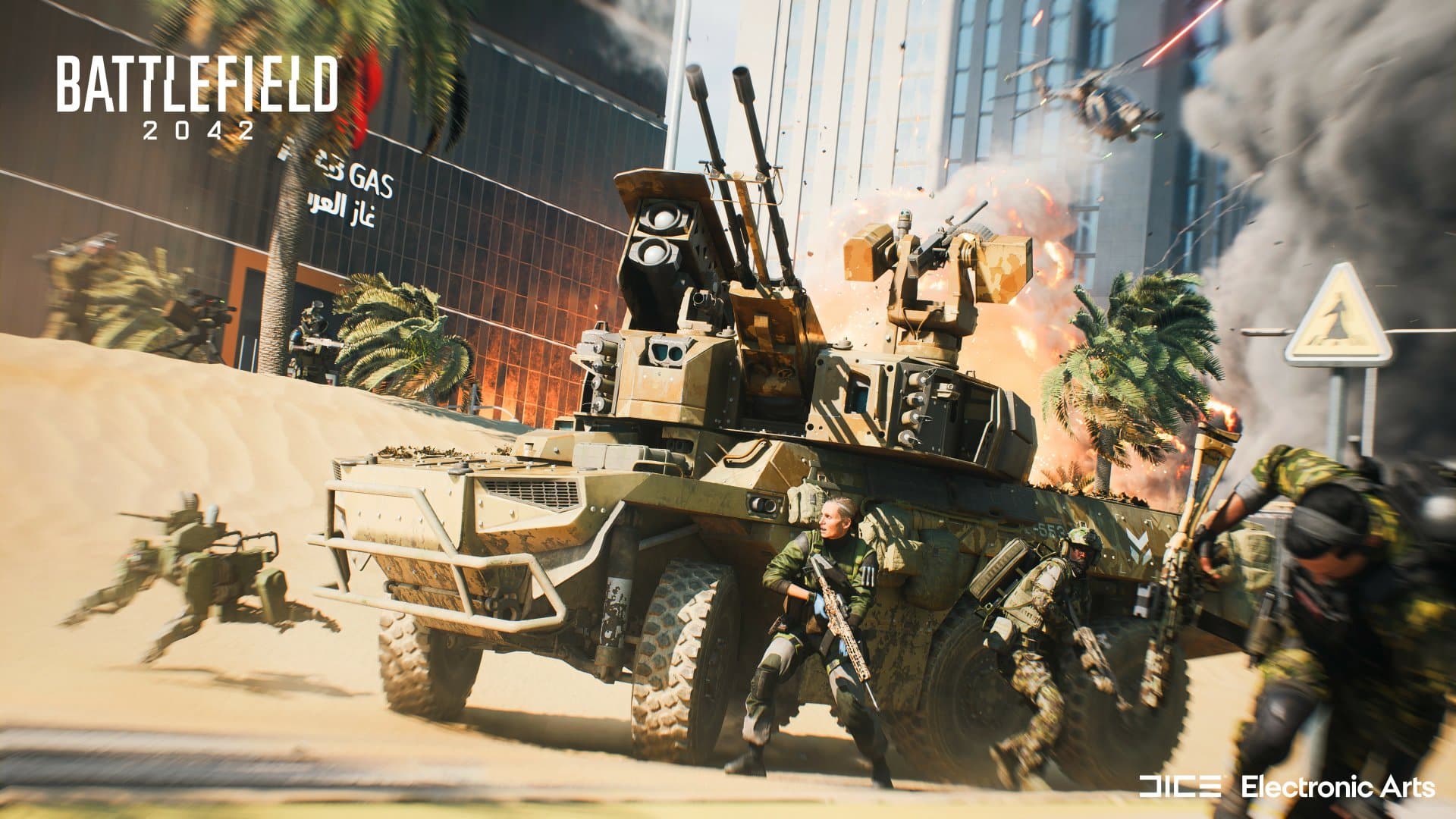
The (Battlefield 2042) BF2402 update 1.000.042 download is out and this is for the version 5.2 patch! Players can expect the squad management system to be implemented alongside the Hourglass rework, new Vault Weapons and more. Read on for what’s new in the BF2042 patch notes for Aug. 1!

BF2042 Update 1.000.042 Patch Notes | BF2042 Aug. 1 Patch Notes:

Here is an overview of what’s new:

  • Map Rework: Hourglass
  • Vault Weapons: All-Out Warfare attachments for SMGs, LMGs, and Sidearms
  • Squad Management: Squad Orders, Lock/Remove functionality
  • Ammo Crate improvements
  • Dispersion tweaks to SMGs and LMGs

AREAS OF IMPROVEMENT

Hourglass Rework

Let’s take a look at what’s new with the reworked version of Hourglass.

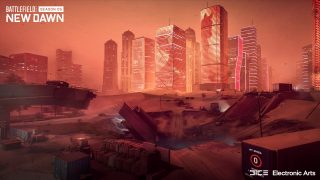
We have reduced the overall size of Hourglass to keep combat focused, while having more opportunity to defend yourself through added cover along the primary routes where you’ll find the action. You’ll also notice remnants of combat that has taken place over time and throughout the map alongside increased military presence and new fortified positions.

Village

The once quiet Village area at A1 is now a fortified military base, and the new starting location for Breakthrough matches.

Al Wadha Arches

The Al Wadha Arches at Flag B1 have received a complete overhaul in this now wartorn zone. The bridge has collapsed, creating a crater in this combat intense area. A new underground section has been added to keep you secure as you prepare for the assault.

You can also take combat to the new underground section below the Al Wadha Arches to find momentary relief from the ongoing battle outside.

You’ll also find the updated Rush layout will now take the combat to these new and updated underground areas.

Bridge 

As you make your way from the Arches towards the downtown area, you’ll notice the once pristine skyscrapers are engulfed in flames. The underpass has also been claimed by heavy combat and is littered with destroyed vehicles. Expect heavy resistance from the enemy as you face them in close-quarters-combat.

Security Checkpoint

Fight your way downtown across the main road with new fortified military positions. We have updated this area to make it ripe for vehicle gameplay.  The areas leading further into the downtown area have also received new areas of cover which will help you during the assault.

Burj Al-Kahlej, Burj Alsamaha, SIB Building (Downtown area)

While the downtown area might look familiar, you’ll find intense combat with plenty of new opportunities for the enemy to take advantage from new positions of cover.

Vault Weapon Attachments

With SMGs and LMGs as the final Vault Weapons to receive All-Out Warfare Attachments, the rollout is now complete across all weapon categories.

The P90, AKS-74U, PP-2000, M60E4, XM8 LMG, M240B, Type 88 LMG and the RPK-74M have also had their damage curves, dispersion, recoil behavior and accuracy tweaked to feel more consistent with All-Out Warfare counterparts as viable and competitive options.

In addition, Vault Sidearms have also received All-Out Warfare Attachments, where possible.

Since this is a large rebalance injection into the game, we will be monitoring the feedback and data post-update and we are ready to make further changes. We hope you’ll enjoy discovering new ways to play as you interact with moment to moment engagements!

Squad Orders & Lock/Remove for Squad Management 

Through Squad Orders leaders can now issue attack or defend orders towards objectives. Collaborate with your squad and earn additional XP (Squad Order Bonus) for successfully completing the orders.

Is your Squad Leader not up to the task? You will now be able to take leadership duties from them if your order requests are not being acted upon.

Lock Squad functionality is also enabled as part of this update, allowing Squad Leaders to lock and unlock squads as they see fit, as well as removing players.

CHANGELOG

Audio

  • Fixed an issue where the sliding sound would play endlessly if a player was killed while sliding.
  • Fixed an audio issue that resulted in no impact sounds when hit by certain weapons while inside of an air vehicle.
  • Subsonic ammo will no longer have bullet crack sounds.
  • Sundance now will play a Voice Over when requesting or skipping a revive.
  • Decreased the volume of the late reflection sounds of Crawford’s Mounted Vulcan.
  • Fixed an issue that caused Irish’s DC-2 Deployable Cover to not play any audio when being destroyed.
  • Melee attacking friendly players in the head no longer plays a bullet colliding sound. We still don’t recommend stabbing your friends in the head though.
  • Improved the audio impact for the EMP Grenade.

Soldier & AI

  • The Penguins had placed grease on some of the ladders which resulted in Specialists losing control of themselves when using them. We told the penguins that these objects were ladders and not slides. They reluctantly agreed to clean up their mess.
  • Fixed an issue that caused directional arrows to allied soldiers and vehicles to always be present even if they were in view of the player.

Battlefield Portal

  • Fixed an issue that resulted in long names for Custom Experiences not properly being framed during the loading screen.
  • The Teleport Block for MCOMs will now correctly function on Flashpoint.
  • Updated Game Mode iconography to correctly reflect icons within My Experiences Tab.
  • Fixed an issue that caused the BC2 Armored Transport vehicles to have the wrong icon.

Maps

Exposure

  • Resolved an issue that allowed for Sundance to fly outside of the play area.

Reclaimed

  • Custom Conquest is now available within Battlefield Portal!

Modes

Rush

  • Attackers will no longer be able to see if Defenders are defusing MCOMs through the displayed iconography, and Defenders will be unable to see when Attackers are arming.
    • Dev Comment: There was too much reliance on this mechanic to indicate when to run in and counter the enemy. We wish to encourage objective awareness rather than icon reliance.
  • Made improvements to the retreat timer and fall back messaging for Defenders.

Specialists & Gadgets

  • Bushes no longer block players from interacting with dropped weapons and deployed gadgets.
  • Fixed an issue that caused the Hazard Zone call-in tablet to auto-cancel the first call-in.
  • Fixed an issue that caused post-explosion smoke VFX to not appear for players who were not facing the explosion at the point it went off.

Ammo Crate

  • Ammo Crates now have a shared supply cooldown between other deployed ammo crates.
  • Ammo & Medic Crates will now have a recharge time of 16 seconds, down from 30.
  • Ammo Crates will now supply every 15, instead of 20 seconds.
  • Ammo Crates now give an extra magazine to both primary and secondary weapons.
    • Dev Comment: We have made these changes for a couple reasons, one being that we want to reduce instances where players are instantly gaining masses of supplies from multiple crates in a short period of time. The second being that we’ve heard your feedback about crate cooldowns being too long, with the aforementioned change this allows us to lower this without breaking game balance.

Anti-Tank Grenade

  • Fixed an issue where Anti-Tank grenades could bounce off a vehicle without detonation while the vehicle was moving away from the thrower.

C5

  • Fixed an issue where C5 could bounce off other C5 that was already attached to a target.
  • Made improvements towards some cases where throwing C5 at fast moving vehicles would often not stick.
  • You can no longer interact with or pick up C5s and Claymores through large foliage structures such as tree trunks.

Irish

  • Fixed an issue where an active APS-36 Shootdown Sentinel could intercept the same projectile twice.

Rao

  • Fixed an issue that caused Rao’s CyberSuite Warfare device to continually switch between targets when aiming at vehicles.

Smoke Grenade

  • The Smoke Grenade is now unlocked by default, at level 1, we have also changed the default grenade of the Recon and Support Classes to be the Smoke Grenade instead of the Frag Grenade.
    • Dev Comment: With this change we’re hoping to educate new players with the importance of Smoke Grenades when it comes to the aforementioned classes. Smoke Grenades are your friends when it comes to support actions and concealment!

SPH Explosive Launcher

  • Fixed an issue that allowed players to be able to go prone when stuck with the SPH Explosive Launchers projectile to negate the damage entirely.

Throwing Knife

  • Fixed an issue where the Throwing Knives icon would sometimes appear behind a target if they were moving.
  • Fixed an issue where Throwing Knives wouldn’t move with automatic doors when they open or close.

Weapons

  • The Fire Mode indicator is now only visible for Marksman Rifles when underbarrels are equipped and active.
  • Fixed an issue that made recoil control when firing at a Dozer shield not replicate properly sometimes
  • Fixed an issue that caused the player to move slower than intended when aiming with the XCE Bar and BSV-M.
  • Fixed numerous Laser Sight VFX alignment issues on weapons.
  • The NVK-FSN Holo now has the intended reticule.
  • Fixed the weapon firing animation on the NVK-P125.
  • Fixed an issue that caused over exposure of the players surroundings when firing full auto with the ACOG 4x Scope.
  • Fixed an issue that caused the camera to snap when swapping from or to various weapons while prone.

Dispersion Tweaks

Similar to recent dispersion changes made to Assault Rifles, SMGs and LMGs have now also received tweaks to their dispersion rates, alongside general dispersion improvements across weaponry:

  • SMGs now have a higher starting dispersion, but their maximum dispersion and the rate at which it is reached is now comparable to Assault Rifles
  • The rate at which dispersion increases and the minimum dispersion while moving has been increased for LMGs
  • Fixed an issue that was stopping dispersion penalties from being applied correctly while moving under specific circumstances. These are now being applied as designed and should provide a more consistent and fair experience for all players.
  • Fixed inconsistencies with calculated weapon dispersion when the player is moving.
  • Vault SMGs have had their spread and shooting behavior tuned to make them more consistent and viable against All-Out Warfare alternatives.
  • Bipods’ are now more effective against dispersion and recoil on LMGs to compensate for these changes

Vehicles

  • Fixed an issue with the roll rate of the F-35E Panther after using VTOL mode. The SU-57 FELON has also received some roll rate resolutions.
  • Radar Missiles should no longer lock onto Stealth Helicopters, or hit through flares – this may still happen in close ranges due to vicinity of vehicle and flare activation.
  • Passengers will now get hints such as when to reload.
  • Fixed an issue that caused the LCAA Hovercraft, Mi-240 Super Hind and MV-38 Condor to not have functional directional exiting.
  • Added directional exit to ground vehicles allowing you to exit these vehicles from the direction you are looking at.
  • Added additional exit points to the back of the combat ground vehicles to allow you to exit behind the vehicle if you want to.
  • Fixed an issue that caused tank turrets to twitch when turning the tank with decoupled aim enabled while giving target lock input.
  • Fixed an issue that caused a second shot (purely visual, no damage) of the 20mm Flak to appear in third-person even if one shot had been fired.
  • Fixed an issue that caused victims of the EMKV90-TOR’s railcannon to not have any visual feedback of the projectiles trail
  • Fixed an long standing issue that resulted in a black screen being present when switching between Zoom In and Zoom Out on vehicles, as well as opening menus within vehicles. Hopefully this is the last we see of this one!
  • Fixed an issue that would sometimes cause the vehicle weapon’s blue bracketed crosshair to not be aligned with barrel direction when the vehicle was moving.
  • Fixed missing impact sound on some vehicle weapons including the Flak 20mm and 30mm cannon of Wildcat

Source: EA

Avatar photo

Alex Co

Father, gamer, games media vet, writer of words, killer of noobs.

Home > News

Battlefield 2042 Update 1.39 for Aug. 1 Fires Out for Patch 5.2

DICE has released Battlefield 2042 update 1.39 this Aug. 1 and this is for patch 5.2! This brings the Hourglass map rework alongside new Vault Weapons and more. Read on for the complete Battlefield 2042 new update patch notes.

Battlefield 2042 Update 1.39 Patch Notes | Battlefield 2042 New Update Patch Notes:

Here is an overview of what’s new:

  • Map Rework: Hourglass
  • Vault Weapons: All-Out Warfare attachments for SMGs, LMGs, and Sidearms
  • Squad Management: Squad Orders, Lock/Remove functionality
  • Ammo Crate improvements
  • Dispersion tweaks to SMGs and LMGs

AREAS OF IMPROVEMENT

Hourglass Rework

Let’s take a look at what’s new with the reworked version of Hourglass.

We have reduced the overall size of Hourglass to keep combat focused, while having more opportunity to defend yourself through added cover along the primary routes where you’ll find the action. You’ll also notice remnants of combat that has taken place over time and throughout the map alongside increased military presence and new fortified positions.

Village

The once quiet Village area at A1 is now a fortified military base, and the new starting location for Breakthrough matches.

Al Wadha Arches

The Al Wadha Arches at Flag B1 have received a complete overhaul in this now wartorn zone. The bridge has collapsed, creating a crater in this combat intense area. A new underground section has been added to keep you secure as you prepare for the assault.

You can also take combat to the new underground section below the Al Wadha Arches to find momentary relief from the ongoing battle outside.

You’ll also find the updated Rush layout will now take the combat to these new and updated underground areas.

Bridge 

As you make your way from the Arches towards the downtown area, you’ll notice the once pristine skyscrapers are engulfed in flames. The underpass has also been claimed by heavy combat and is littered with destroyed vehicles. Expect heavy resistance from the enemy as you face them in close-quarters-combat.

Security Checkpoint

Fight your way downtown across the main road with new fortified military positions. We have updated this area to make it ripe for vehicle gameplay.  The areas leading further into the downtown area have also received new areas of cover which will help you during the assault.

Burj Al-Kahlej, Burj Alsamaha, SIB Building (Downtown area)

While the downtown area might look familiar, you’ll find intense combat with plenty of new opportunities for the enemy to take advantage from new positions of cover.

Vault Weapon Attachments

With SMGs and LMGs as the final Vault Weapons to receive All-Out Warfare Attachments, the rollout is now complete across all weapon categories.

The P90, AKS-74U, PP-2000, M60E4, XM8 LMG, M240B, Type 88 LMG and the RPK-74M have also had their damage curves, dispersion, recoil behavior and accuracy tweaked to feel more consistent with All-Out Warfare counterparts as viable and competitive options.

In addition, Vault Sidearms have also received All-Out Warfare Attachments, where possible.

Since this is a large rebalance injection into the game, we will be monitoring the feedback and data post-update and we are ready to make further changes. We hope you’ll enjoy discovering new ways to play as you interact with moment to moment engagements!

Squad Orders & Lock/Remove for Squad Management 

Through Squad Orders leaders can now issue attack or defend orders towards objectives. Collaborate with your squad and earn additional XP (Squad Order Bonus) for successfully completing the orders.

Is your Squad Leader not up to the task? You will now be able to take leadership duties from them if your order requests are not being acted upon.

Lock Squad functionality is also enabled as part of this update, allowing Squad Leaders to lock and unlock squads as they see fit, as well as removing players.

CHANGELOG

Audio

  • Fixed an issue where the sliding sound would play endlessly if a player was killed while sliding.
  • Fixed an audio issue that resulted in no impact sounds when hit by certain weapons while inside of an air vehicle.
  • Subsonic ammo will no longer have bullet crack sounds.
  • Sundance now will play a Voice Over when requesting or skipping a revive.
  • Decreased the volume of the late reflection sounds of Crawford’s Mounted Vulcan.
  • Fixed an issue that caused Irish’s DC-2 Deployable Cover to not play any audio when being destroyed.
  • Melee attacking friendly players in the head no longer plays a bullet colliding sound. We still don’t recommend stabbing your friends in the head though.
  • Improved the audio impact for the EMP Grenade.

Soldier & AI

  • The Penguins had placed grease on some of the ladders which resulted in Specialists losing control of themselves when using them. We told the penguins that these objects were ladders and not slides. They reluctantly agreed to clean up their mess.
  • Fixed an issue that caused directional arrows to allied soldiers and vehicles to always be present even if they were in view of the player.

Battlefield Portal

  • Fixed an issue that resulted in long names for Custom Experiences not properly being framed during the loading screen.
  • The Teleport Block for MCOMs will now correctly function on Flashpoint.
  • Updated Game Mode iconography to correctly reflect icons within My Experiences Tab.
  • Fixed an issue that caused the BC2 Armored Transport vehicles to have the wrong icon.

Maps

Exposure

  • Resolved an issue that allowed for Sundance to fly outside of the play area.

Reclaimed

  • Custom Conquest is now available within Battlefield Portal!

Modes

Rush

  • Attackers will no longer be able to see if Defenders are defusing MCOMs through the displayed iconography, and Defenders will be unable to see when Attackers are arming.
    • Dev Comment: There was too much reliance on this mechanic to indicate when to run in and counter the enemy. We wish to encourage objective awareness rather than icon reliance.
  • Made improvements to the retreat timer and fall back messaging for Defenders.

Specialists & Gadgets

  • Bushes no longer block players from interacting with dropped weapons and deployed gadgets.
  • Fixed an issue that caused the Hazard Zone call-in tablet to auto-cancel the first call-in.
  • Fixed an issue that caused post-explosion smoke VFX to not appear for players who were not facing the explosion at the point it went off.

Ammo Crate

  • Ammo Crates now have a shared supply cooldown between other deployed ammo crates.
  • Ammo & Medic Crates will now have a recharge time of 16 seconds, down from 30.
  • Ammo Crates will now supply every 15, instead of 20 seconds.
  • Ammo Crates now give an extra magazine to both primary and secondary weapons.
    • Dev Comment: We have made these changes for a couple reasons, one being that we want to reduce instances where players are instantly gaining masses of supplies from multiple crates in a short period of time. The second being that we’ve heard your feedback about crate cooldowns being too long, with the aforementioned change this allows us to lower this without breaking game balance.

Anti-Tank Grenade

  • Fixed an issue where Anti-Tank grenades could bounce off a vehicle without detonation while the vehicle was moving away from the thrower.

C5

  • Fixed an issue where C5 could bounce off other C5 that was already attached to a target.
  • Made improvements towards some cases where throwing C5 at fast moving vehicles would often not stick.
  • You can no longer interact with or pick up C5s and Claymores through large foliage structures such as tree trunks.

Irish

  • Fixed an issue where an active APS-36 Shootdown Sentinel could intercept the same projectile twice.

Rao

  • Fixed an issue that caused Rao’s CyberSuite Warfare device to continually switch between targets when aiming at vehicles.

Smoke Grenade

  • The Smoke Grenade is now unlocked by default, at level 1, we have also changed the default grenade of the Recon and Support Classes to be the Smoke Grenade instead of the Frag Grenade.
    • Dev Comment: With this change we’re hoping to educate new players with the importance of Smoke Grenades when it comes to the aforementioned classes. Smoke Grenades are your friends when it comes to support actions and concealment!

SPH Explosive Launcher

  • Fixed an issue that allowed players to be able to go prone when stuck with the SPH Explosive Launchers projectile to negate the damage entirely.

Throwing Knife

  • Fixed an issue where the Throwing Knives icon would sometimes appear behind a target if they were moving.
  • Fixed an issue where Throwing Knives wouldn’t move with automatic doors when they open or close.

Weapons

  • The Fire Mode indicator is now only visible for Marksman Rifles when underbarrels are equipped and active.
  • Fixed an issue that made recoil control when firing at a Dozer shield not replicate properly sometimes
  • Fixed an issue that caused the player to move slower than intended when aiming with the XCE Bar and BSV-M.
  • Fixed numerous Laser Sight VFX alignment issues on weapons.
  • The NVK-FSN Holo now has the intended reticule.
  • Fixed the weapon firing animation on the NVK-P125.
  • Fixed an issue that caused over exposure of the players surroundings when firing full auto with the ACOG 4x Scope.
  • Fixed an issue that caused the camera to snap when swapping from or to various weapons while prone.

Dispersion Tweaks

Similar to recent dispersion changes made to Assault Rifles, SMGs and LMGs have now also received tweaks to their dispersion rates, alongside general dispersion improvements across weaponry:

  • SMGs now have a higher starting dispersion, but their maximum dispersion and the rate at which it is reached is now comparable to Assault Rifles
  • The rate at which dispersion increases and the minimum dispersion while moving has been increased for LMGs
  • Fixed an issue that was stopping dispersion penalties from being applied correctly while moving under specific circumstances. These are now being applied as designed and should provide a more consistent and fair experience for all players.
  • Fixed inconsistencies with calculated weapon dispersion when the player is moving.
  • Vault SMGs have had their spread and shooting behavior tuned to make them more consistent and viable against All-Out Warfare alternatives.
  • Bipods’ are now more effective against dispersion and recoil on LMGs to compensate for these changes

Vehicles

  • Fixed an issue with the roll rate of the F-35E Panther after using VTOL mode. The SU-57 FELON has also received some roll rate resolutions.
  • Radar Missiles should no longer lock onto Stealth Helicopters, or hit through flares – this may still happen in close ranges due to vicinity of vehicle and flare activation.
  • Passengers will now get hints such as when to reload.
  • Fixed an issue that caused the LCAA Hovercraft, Mi-240 Super Hind and MV-38 Condor to not have functional directional exiting.
  • Added directional exit to ground vehicles allowing you to exit these vehicles from the direction you are looking at.
  • Added additional exit points to the back of the combat ground vehicles to allow you to exit behind the vehicle if you want to.
  • Fixed an issue that caused tank turrets to twitch when turning the tank with decoupled aim enabled while giving target lock input.
  • Fixed an issue that caused a second shot (purely visual, no damage) of the 20mm Flak to appear in third-person even if one shot had been fired.
  • Fixed an issue that caused victims of the EMKV90-TOR’s railcannon to not have any visual feedback of the projectiles trail
  • Fixed an long standing issue that resulted in a black screen being present when switching between Zoom In and Zoom Out on vehicles, as well as opening menus within vehicles. Hopefully this is the last we see of this one!
  • Fixed an issue that would sometimes cause the vehicle weapon’s blue bracketed crosshair to not be aligned with barrel direction when the vehicle was moving.
  • Fixed missing impact sound on some vehicle weapons including the Flak 20mm and 30mm cannon of Wildcat

Source: EA

Avatar photo

Alex Co

Father, gamer, games media vet, writer of words, killer of noobs.

Home > News

XDefiant Release Still on Track and Nothing Has Changed; One-Life Modes and Headshot Killfeed Notification Confirmed

While Ubisoft has already announced that XDefiant is set for release sometime in “summer,” we still haven’t heard anything about when it will exactly be out. The dev team has issued a new announcement regarding the XDefiant release window, and it’s good news.

Over on Twitter, Producer Mark Rubin announced that the XDefiant release is “still on track” and “nothing has changed” on that front. It’s just a matter now of getting approved by first-party platform holders for certifcation.

For the sake of an easier read, we’ve compiled the entire tweet chain below.

Quick insight into what’s going on right now. We are in the process of getting approved by 1st parties, but because this is our first time getting this version of the engine through cert, it’s going to take a bit longer than usual. Don’t worry, as soon as I have more info……I will share it. Also, I know it’s been some time since our beta already and I know usually that means launch is soon after but for us as we’ve done in the past our betas are real tests and not marketing moments. Normally, a game would already be certing when the beta goes……live, but we used our beta as a real test to make the game better. Hope this all makes sense. 🙂

Also, this is just an update on the process. Nothing is changed on our anticipated release time frame. Although we are still on track we won’t really know until we get reports back from 1st parties on our submission.

Confused what a “first-party” is? Rubin clarified to a fan that it is, in fact, the platform holders.

Offering more insight to the development process, a fan asked Rubin what happens if the game fails its certification.  Rubin confirmed that failing is part of the release schedule, as most games fail its first and even second submission.

On to the gameplay side of things, Rubin confirmed that one-life modes (like Search & Destroy) is indeed incoming, though there is a “lot of work” to get it to its final iteration.

Finally, a fan asked Rubin about the headshot symbol being present in the killfeed and this has been confirmed to be something the dev team missed and it will be added.

Good news all around, right? Hopefully, a proper release date is revealed soon.

XDefiant is headed to the PS5, Xbox Series X|S and PC, with the PS4 and Xbox One versions incoming at a later date.

More XDefiant Reading:

Avatar photo

Alex Co

Father, gamer, games media vet, writer of words, killer of noobs.

Home > News

Super Mega Baseball 4 Update 1.04 for July 31 Bats Out for Patch 3

Metalhead Software Inc. has released Super Mega Baseball 4 update 1.04 on all platforms, and this is for patch 3! This brings a new stadium, new improvements and more to the arcade sports game. Read on for the official Super Mega Baseball 4 patch notes for July 31.

Super Mega Baseball 4 Update 1.04 Patch Notes | Super Mega Baseball 4 Update 3 Patch Notes:Major Additions

New Stadium:

  • Ciudad de Colores is now available as DLC in the Ballpark Edition. It will be available for individual purchase on August 14, 2023 in first-party stores. (For PlayStation players who pre-ordered the SMB4 Ballpark Edition prior to June 2nd at 9am PST ONLY, you will need to download the DLC manually from the PlayStation store page (which includes DLC #3: Castillo Arena when it becomes available).

New Pitcher Disengagement Rules:

  • After a third step off or pick-off attempt during an at-bat where a runner does not advance and no out is made, the pitcher will be charged with a balk and all runners will advance one base.
  • The CPU is less likely to throw pickoffs as their disengagement limit increases.
  • The CPU is more likely to steal as the pitcher’s disengagement limit increases.
  • Pitchers no longer lose Mojo after a failed step off or pick-off attempt. Pitchers instead lose Mojo when a balk is committed.
  • In Pennant Race and Online Leagues, balks will increase a player’s auto-forfeit count just as beanballs and walks do.

Improvements:

  • Animations have been added to Shuffle Draft that show the player selected moving to the projected lineup table, allowing remote users to see who was picked when drafting with an online party.
  • In Shuffle Drafts outside of Online Leagues, you are now presented with the selections made by the CPU-controlled teams at the end of each round. You can also view the roster of the other teams at any point during the draft.
  • A new option has been added to the “Audio & More” tab in the Options menu for reducing the size of the in-game HUD elements.
  • The size of the loading and saving game notifications has been reduced. The size is now dynamically scaled based on the message being displayed and the locale/platform.
  • Pitchers now lose Mojo when striking out or hitting into an out just like position players do, except when they are the current pitcher.
  • Players playing out of position now receive a 1-level Mojo penalty in addition to any Fielding or Arm skill penalties they normally receive. When on offense, swapping defensive positions with a player who is receiving this penalty will not remove the penalty until the next defensive inning.
  • When batting, the pitch location indicator now appears a bit later, particularly at high Ego. This makes it more difficult to focus solely on the indicator and ignore the break of the pitch when batting at high Ego.
  • The line drive fielding camera is now more reserved for line drives hit at an infielder where the camera angle makes it easier to judge whether or not the infielder should jump.
  • CPU pitching substitution decisions have been tweaked so that the CPU tends to pull pitchers earlier than they did previously.
  • The substitution screen now briefly blocks proceed input when the screen is first opened for a missing pitcher substitution. This prevents accidental button presses when attempting to skip the new inning cinematic.
  • The substitution screen now warns you when attempting to substitute a position player into the pitch mid game.
  • In online versus play, the pitch clock timer that appears while pitching is now visually distinct from timers that appear when waiting for the opponent to complete an action.
  • Pitcher breathing is now exaggerated when the pitcher is tired.
  • When the pitcher has an Elite pitch type trait, that pitch type now has a special highlight in the in-game pitching HUD.
  • When the pitcher has the Workhorse trait, the stamina bar now has a special highlight in the in-game HUD.
  • New animations have been added for when the batter is hit by the pitch and stays on their feet.
  • A new animation has been added for when the batter is trotting around the bases after hitting a home run.
  • The catcher’s throw animations after a strikeout have been updated.
  • The special batting routine for “fake charging the mound” now plays if the batter bats against a pitcher who beaned them in their previous at-bat during the same game.
  • A new “disappointed” animation has been added for the catcher during a home run cinematic.
  • Some baserunner leadoff and slide animations have been updated.
  • Some umpire animations have been updated.
  • Better crowd reactions have been added for double plays, triple plays, and wall catches that rob a home run.
  • CPU pitchers now tend to throw slightly more strikes early in games.
  • You can now filter the Free Agents list in the Franchise Sign & Release and Player Movement screens. The filter options are all players, position players only (which includes two-way players), and pitchers only.
  • In Franchise mode, a player’s “Valuation” is now shown alongside their Loyalty attribute. Valuation matches what the player’s starting salary would be in a fresh Franchise playthrough and reflects their fair value given their skills and other attributes.
  • In Franchise mode, you can now sort players by the difference between their valuation and their current or asking salary for rostered players or free agents respectively.
  • In Franchise mode, the minimum chance of gaining a pitch type or changing a secondary position from a Player Development Opportunity has increased from 2.5% to 5%.
  • In Franchise mode, Manager Moments are now biased towards presenting a choice between two players of relatively equal skill.
  • In Franchise mode, you can now view career batting stats for pitchers and career pitching stats for position players.
  • In Franchise, Season, and Elimination modes, the Starting Pitcher row in the pregame lineup has an updated header to show which slot in the rotation this starting pitcher occupies.
  • In Franchise mode, the news feed scrollbar now has page up and page down buttons.
  • In the Franchise Sign & Release screen, after selecting a player to release the default selected free agent now appears closer to the middle of the table instead of the top.
  • In the Franchise Player Re-signing screen, you can now undo some actions. The wording used in the “Re-sign Interest” column has been updated to reflect this change.
  • In the Franchise Player Re-signing screen, sorting behavior has improved. The “Re-sign Interest” column now sorts by percentage that the player accepts an offer to stay at their current salary.
  • In the Franchise Player Re-signing screen, players who have been dealt with are now highlighted with different colored text.
  • In the Franchise Player Re-signing screen, there is now a button to skip all when watching the results of automatically offering “current salary” to all remaining players.
  • In the Franchise Player Re-signing screen, there is now an option to view the selected player’s career stats.
  • The Franchise Player Re-signing help screen now better describes how a player’s Asking Salary is determined based on their Valuation at previous signing and their Loyalty.
  • Outside of Franchise mode, roster tables now show the player’s role in the active lineup in the column usually occupied by Salary in Franchise mode.
  • A warning is now provided before starting a Shuffle Draft or Franchise mode playthrough with a player or free agent pool respectively that appears to contain duplicate players.
  • In Shuffle Draft, team changes for selecting a player are now previewed on highlight rather than on confirmation only.
  • The algorithm for selecting the up-to-8 players drawn each round in Shuffle Draft has been updated to better account for Team Chemistry needs.
  • When picking a team for Pennant Race, you can now view trait descriptions from the team picker dialog.
  • The controller now vibrates for more events including beanballs, pitcher KOs, and home runs.
  • The Mojo and Fitness icons are now included in the Mojo and Fitness change events in game respectively, as well as in various help content.
  • Some text fonts used in the HUD have been updated to improve readability.
  • New error explanations have been added for the Crossed Up trait, and the Wild Thrower trait after a disastrous throw.
  • The post game menus now enter and exit faster.
  • The Franchise, Season, and Elimination setup screens have been updated, particularly to improve spacing.
  • The random team button has been added to more screens.
  • When copying a league, the placeholder league name is now always valid.
  • Your presence is now set to busy when you are in the middle of a Shuffle Draft for an Online League.
  • Pennant Race Awards iconography has been updated.
  • The Legends League logo has been updated.
  • Spacing in the Player Menu has been updated.
  • The preview image for Peril Point has been updated.
  • Positions of the Cancel and Accept buttons in the Logo Editor have been swapped (their shortcut button assignments remain the same).
  • More games can now be listed in Franchise and Season Hub’s season schedule preview.
  • The “Aardvark” logo component is now more correctly labeled as “Armadillo.”
  • Miscellaneous visual improvements to some stadiums have been made.
  • Miscellaneous visual improvements have been made in the UI, particularly for navigable buttons on various screens.
  • Miscellaneous audio improvements have been made, including a minor adjustment to batted ball sound effects on deep fly balls.
  • Some performance improvements have been made.
  • (Steam and Xbox only) Character loading times have improved.
  • (Steam only) Hitting F12 to take a screenshot in watch mode no longer displays the watch mode controls if hidden.
  • (Steam only) Hitting F12 to take a screenshot of the team photo in full screen no longer exits full screen.

Bug Fixes:

  • Fixed: Game crashes when winning a standard Franchise, Season, or Elimination championship during online co-op play.
  • Fixed: In Franchise mode, signing a player at their asking salary fails to properly save, leading to the player’s salary resetting back to their previous salary upon reloading the Franchise or starting the next season (was already fixed on Xbox, Steam and Switch).
  • Fixed: Relievers and closers incorrectly receive a Mojo penalty when starting in the batting order and then swapping positions later to relieve the current pitcher.
  • Fixed: The pitcher is incorrectly injured after taking a comebacker to the head when the Metal Head trait activates.
  • Fixed: Various pitching animations have minor clipping or do not hide the ball from the batter’s view before the delivery.
  • Fixed: The pitcher’s feet clip through the mound during some strikeout cinematics.
  • Fixed: Some cameras for the hit by pitch cinematic do not sync properly with the beaned batter animation in online play.
  • Fixed: Catcher throws the ball through the batter during some strikeout cinematics at the end of an inning.
  • Fixed: Ball dirt vfx sometimes carry over into the next scene.
  • Fixed: The Ego 99 Challenge trophy/achievement does not unlock in Franchise, Season, or Elimination games.
  • Fixed: The Perfecto trophy/achievement can be earned outside of standard game modes.
  • Fixed: Notification for the Crossed Up trait appears too early.
  • Fixed: The home plate umpire is incorrectly positioned on the outside corner of the plate instead of the inside corner.
  • Fixed: After finishing a game in Franchise mode, the pitching rotation for CPU-controlled team(s) involved in the completed game update incorrectly and lead to the CPU replacing the pitcher best suited to start the next game with a different pitcher.
  • Fixed: In Franchise Mode, the Loyalty attribute and related information cannot be found in Team Hub.
  • Fixed: In the Franchise Sign & Release screen, sort order is lost when backing out of My Players to Free Agents.
  • Fixed: In the Franchise Sign & Release screen, the default selection incorrectly highlights a catcher instead of another pitcher when attempting to release a pitcher but no other pitchers of that role are available to be signed.
  • Fixed: In Franchise mode, a Player Development Opportunity can fail to offer any value after the player receives a skill arc event.
  • Fixed: When confirming a transaction using the Player Movement feature or in Franchise Sign & Release, one uniform would often have the wrong logo.
  • Fixed: Navigation of the stats table in Team Hub does not behave as intended.
  • Fixed: Backing out of the Shuffle Draft Custom Team Control screen does not always return to the correct screen.
  • Fixed: Duplicate teams appear in Exhibition and Online League team pickers for Franchise mode teams when past the first season of the Franchise.
  • Fixed: In Online Leagues with season duration set to “Manual,” the text box in the main Hub is blank.
  • Fixed: Male head 7 and female head 11 have incorrectly positioned teeth that cause gummy-looking smiles.
  • Fixed: Male heads 11 and 13 have incorrect facial hair geometries that cause clipping.
  • Fixed: Eyewear on female head 12 can clip with the player’s head.
  • Fixed: Male head 19 flashes oddly in the Player Editor.
  • Fixed: Facial animations in the splash cinematic do not slow down with the slow motion effects.
  • Fixed: Facial animations of the three hero players on the Play Menu are sometimes in sync.
  • Fixed: League selection can take a long time to load when savedata contains many leagues.
  • Fixed: Batter can sometimes play the wrong dodge animation, making it appear like some pitches hit the batter while not registering as a hit by pitch.
  • Fixed: Batter can be seen sliding forward in an unusual manner after hitting an obvious foul ball.
  • Fixed: Players in the dugout and bullpen sometimes freeze at the end of their clapping animation.
  • Fixed: Players sometimes have their backs turned towards the field before running out to their positions at the start of an inning.
  • Fixed: Baserunner slides do not always play the slide sound effects when expected.
  • Fixed: Speaker icon flickers too rapidly when someone is using voice chat in online play.
  • Fixed: Minor animation issues with Batting Routines 14 and 18.
  • Fixed: One of the pitcher KO animations does not react fast enough to being hit by the ball in the head.
  • Fixed: Minor clipping issues with various animations.
  • Fixed: Some player emotes are muted, particularly in online play.
  • Fixed: Last name “English” is not announced properly by the in-game announcer.
  • Fixed: When reaching the season win cinematic while watching a CPU vs CPU game, the screen is blacked out during parts of the cinematic.
  • Fixed: Attempting to start a Shuffle Draft using a league that did not have enough players in online party play caused an indefinite hang to occur.
  • Fixed: Pennant Race and Online League Hubs show the wrong or irrelevant Ego in the Player Menu.
  • Fixed: In Pennant Race and Online Leagues, viewing another user’s details can show the wrong profile picture.
  • Fixed: Team selections are not always remembered in the Exhibition team select screen.
  • Fixed: The base stealing help controller image points to the wrong buttons.
  • Fixed: The team photo never finishes loading in some scenarios.
  • Fixed: The stadium loading screen incorrectly has an out of position red asterisk next to a relief pitcher when loading a mid-game save.
  • Fixed: Unintended sound effect plays when the Player Menu reappears after being hidden.
  • Fixed: Batter walk-up songs are not heard in Stade Royale with cloudy weather.
  • Fixed: On rare occasions, the front end music does not stop when entering a game.
  • Fixed: Blank player names can be entered in the Player Editor, leading to incorrectly rendered names.
  • Fixed: Game crashes when attempting to start a Franchise, Season, or Elimination after a Shuffle Draft when there is not enough save data room for the new game mode.
  • Fixed: Miscellaneous crashes and hangs in the front end.
  • Fixed: Miscellaneous rare crashes during gameplay.
  • Fixed: Miscellaneous minor UI issues.
  • Fixed: Miscellaneous audio issues.
  • (PS5 only) Fixed: The jumbotron can show glitched images.
  • (PS5 only) Fixed: A disconnected error dialog can incorrectly appear when resuming the game from a suspended state.
  • (Steam and Switch only) Fixed: Leagues are incorrectly duplicated in various league pickers when playing local multiplayer.
  • (Steam only) Fixed: Game can crash when opening both league pickers on the Exhibition team select screen.
  • (Steam only) Fixed: Some mouse clicks fail to register near buttons.
  • (Steam only) Fixed: Pennant Race Awards screen does not function properly with the mouse.
  • (Steam only) Fixed: Sound effects missing when using the mouse on various front end screens.

In case you haven’t played it yet, go read our review of it here.

Source: Reddit

Avatar photo

Alex Co

Father, gamer, games media vet, writer of words, killer of noobs.

Home > News

Arcadegeddon Review – Hip-Hop Roguelite Action

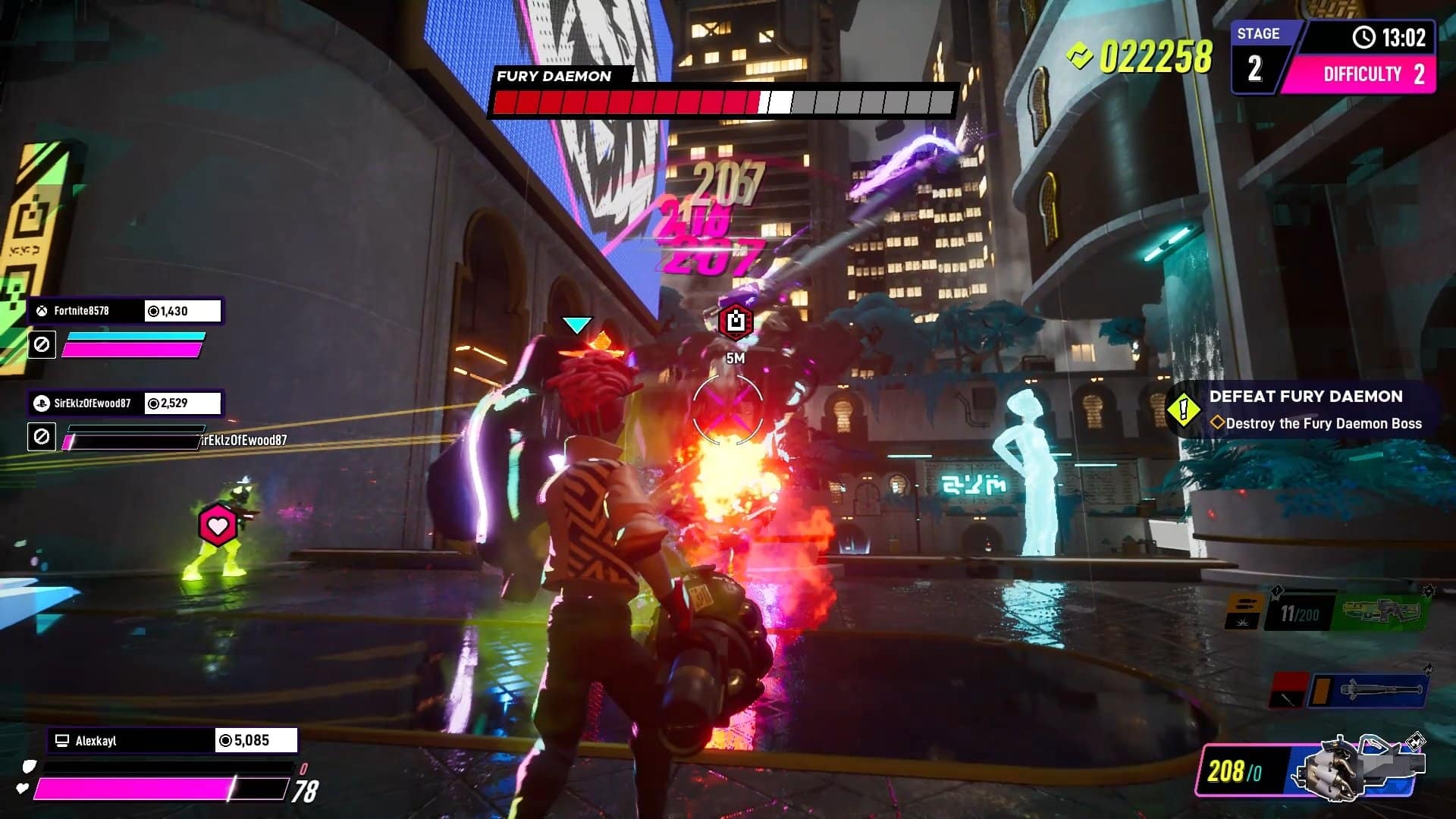
Fast, furious, and flashy. The three F’s that could succinctly depict Illfonic’s latest action game Arcadegeddon, a significant detour from the regular output of asymmetrical games including the hit title Friday the 13th. Stylish and hip, this is all about action and running through the maps without looking back, alone or with a few companions, potentially thinking “this looks quite a bit like Fortnite.” It does, but this is a roguelite shooter where you leave your brain at the door, and speed may rule above everything else.

Gotta Go Fast

Arcadegeddon starts by soaking you in these hip and colorful vibes, tickling fond memories of Jet Set Radio, and maybe even Freejack to some extent. Everyone sports a cool personality or at least tries hard to do so, constantly flirting between compelling and cringe, fake it ‘til you make it style oozing from all the digital pores. Inevitably, this atmosphere had to be drenched in dubstep and hip-hop sounds, a choice that is bound to get you bobbing your head here and there, but with even more potential for some ear-bleeding due to the screeching and excruciating noise that often blast from the speakers – your mileage will vary, but it is indeed a case of love it or hate it.

The whole adventure originates from the local arcade created by the legend himself, Gilly, who is now facing uncertainty. His only hope to save his business from the clutches of the megacorporation Fun Fun Co. is to release a new and bombastic game. However, the organization hears the news and injects a virus into the game, forcing you, the player, to get in there and take those viruses out.

The local arcade acts as the main hub, where you can chat to various personalities and take on challenges, customize your character, unlock weapons, gauntlet abilities, and plugins, a.k.a. buffs of various types. There’s a pleasant variety of options at your disposal, most of them locked behind walls that can be torn down by experience (for example, the more you use a weapon, the more it levels up and the sooner you will unlock it to start a run), power tokens (for abilities and plugins), or tickets (for every kind of cosmetic customization).

Arcadegeddon Review

There’s also a premium shop selling items for real money, yet so far these are nothing but body and hair cosmetic parts that don’t affect gameplay. It’s more of a case of players wanting to support further game development than any way of reaching out into our wallets.

The variety of weapons is a nice touch, with plenty of options in different tiers. A baseball bat may start as one of your favorite picks, considering the extreme recoil when you fire any weapon from the hip (it’s slightly better when you aim down sights), but experience with each weapon will make it level up and improve on the comfort and effectiveness. From assault rifles to shotguns, sniper rifles, electrical weaponry, rocket launchers, miniguns, and even support weapons that heal teammates while damaging enemies, there’s something for everyone and the progress system feels balanced, not too fast to unlock but also not too hard for most weapons.

When you set foot into the game, which technically means that you are in a game inside a game, this is where everything seems to scream speed. Sure, you can take your time and move at a slower pace, but this is bait for enemies to come closer in vaster numbers and potentially give you a hard time that could have been prevented. Check your challenges and your objectives, move along as you can through the procedurally generated maps, discovering the chests with new weapons and material, and destroying every box along the way to collect coins to use in the mid-level store.

Better With Hip Friends

Arcadegeddon Review

The solo experience of Arcadegeddon begins as a fun one, as you explore the maps and get the hang of the gameplay. The enemies can be tricky to eliminate, not because of any specific resilience, but due to strength in numbers. They may attack in close quarters, fire from a distant place that is sometimes hard to pinpoint, use their jetpacks for advanced mobility to cause you numerous aiming troubles, and for all their dumbness, they do try to get behind cover and throw a spanner in the works.

But it’s hard to be at peace with the way that they may spawn right next to you, sometimes on your back, and deal the ultimate blow without you even having a chance to understand what is going on. Boss fights are interesting but can be quite challenging until you get those roguelite elements up to speed, improving your build with decent abilities, plugins, and weapons.

One of the things that somewhat worries me is the duality of feelings when discovering a rare chest hidden somewhere in the dark corners of the map. They usually reveal a host of goodies, from weapons to plugins, but the way they are scattered on the ground so close to each other makes it a frustrating exercise in micro-positioning to pick up the chosen item. It won’t be rare that you find yourself switching weapons by mistake in quick succession because of this matter.

Arcadegeddon Review

Given the procedural nature of the levels, with areas and loot drops places in different locations, each run does have this unpredictability to it. It’s a nice touch, and you may even stumble upon a boss fight early in the run and another one later, so this is a good thing to add much-needed variety to the core gameplay. And variety is a concern indeed, as Arcadegeddon doesn’t stray too far from its starting template. Adding different objectives and bosses per run does keep you on your toes, but after a few long hours it becomes repetitive.

This sensation of repetition is lessened by the cooperative mode up to four players, as you engage in frantic battles and teamwork, coordinating efforts for point capture and surviving waves of enemy hordes. The battlefield becomes chaotic, last-minute resurrects are something to be proud of, and there’s a nice feeling of achievement when the boss is down and all those glittery rewards spring from the chest.

PvP is open to pit your skills against others in several rounds comprised of different game modes. From classic free for all and king of the hill to block breakers and more, it’s the final rating that is going to determine the winners and send some XP and tickets their way.

The Ultimate Arcade Game?

Arcadegeddon Review

Arcadegeddon is tight, very playable, the neon-drenched visuals are cool and stylish assuming you’re open-minded about all the garrish colors and epilepsy-inducing explosions, and it has enough weapon options and character customization to experiment with. But as hours go by, a certain feeling of sameness inevitably starts to creep in. The runs begin to feel dull, the enemy variety isn’t stellar, and all those edgy characters start to blend and looking the same.

With that being said, the procedurally generated maps are a nice touch for any roguelite, the gunplay isn’t bad in a very arcade kind of way when you finally deal with the awful initial recoil, and the gameplay is at its best when playing in cooperative mode. Give Arcadegeddon a try if you can stomach all that neon and are in the lookout for a fast-paced and light mix between Fortnite and Remnant 2, but beware of your ears.

Score: 7.5/10

Pros:

  • Stylish and neon-drenched looks
  • Plays a mean shooting game, especially in co-op mode
  • Procedurally generated levels change the pace of each run
  • Vast arsenal with competent progression system

Cons:

  • A certain feeling of sameness
  • Enemies spawning right beside you
  • Dubstep music can become jarring

Arcadegeddon review code was provided by the publisher. You can read MP1st’s review and scoring policy right here.

Vitor Braz

Home > News

Watch Over 14 Minutes of Raw Fort Solis Gameplay

Over 14 minutes of raw gameplay for Fort Solis, the upcoming sci-fi thriller game by Fallen Leaf and Black Drakkar Games has been revealed. The new Fort Solis gameplay was unveiled exclusively to IGN and showcases some of the game’s eerie settings, the plot, but does not shed light on the gameplay.

Watch the latest Fort Solid gameplay right here:

Earlier this month, it was revealed that Fort Solis has gone gold, just ahead of its August 22 release date. The developer says that the game’s narrative is told across four chapters, comparing it to a Netflix series. Players can binge the game in one intense session or play it chapter by chapter like an episodic TV show.

Fort Solis follows protagonist Jack Leary (voiced by Troy Baker), who is responding to an unusual alarm call from a remote mining base, where Jack stumbles across the dark and desolate Fort Solis. With storm warnings, he goes inside the Fort in desperation. As the night grows longer, events escalate and spiral out of control. Jack tries to uncover the mystery of what happened to the crew.

Fort Solis creeps out on August 22, 2023, for PS5 and PC.

Thanks, IGN!

Ibrahim Kabir

Home > News

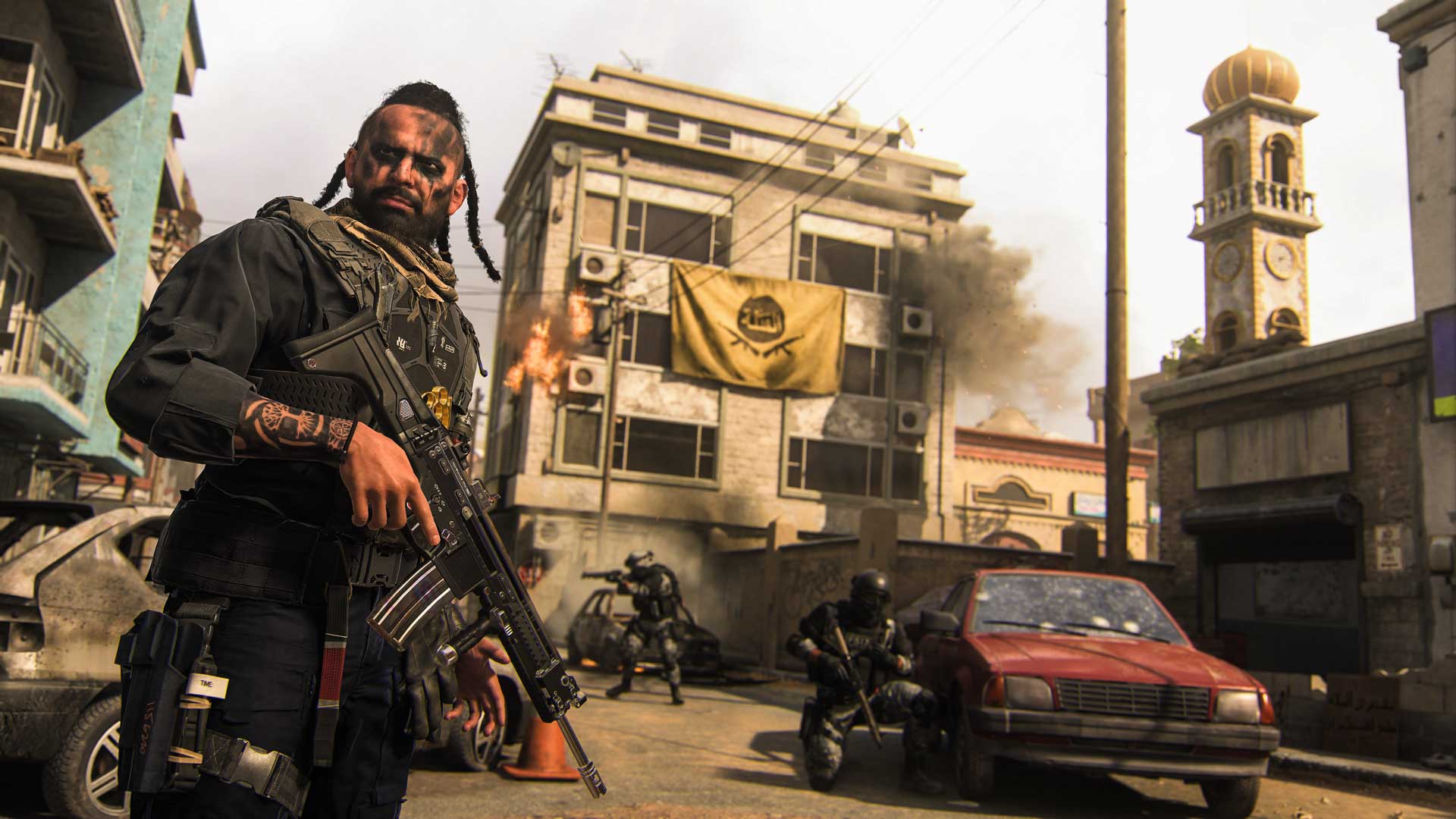
Modern Warfare 2 Season 5 Maps “Strike” and “Punta Mar” Showcased, New BlackCell Battle Pass Contents Revealed

In just a few short days, Infinity Ward will launch Season 5 of Call of Duty: Modern Warfare 2. While we already know what’s incoming for the new season, the studio has today gave a tips and tricks gameplay blowout of the Modern Warfare 2 Season 5 maps!

Called “Strike” and “Punta Mar,” the two maps will be available for 6v6 multiplayer across Domination, Search & Destroy and Hardpoint game modes. For those old enough, Strike is the same map released back in Call of Duty 4: Modern Warfare (which was also released back in MW2 2009).

Modern Warfare 2 Season 5 Map – Strike:

Spawn Point: KorTac

KorTac Spawn Zone (Northeast) — Junkyard

Starting from the Junkyard, KorTac forces have several options at the start of the match, with each path catering somewhat to a certain type of Loadout.

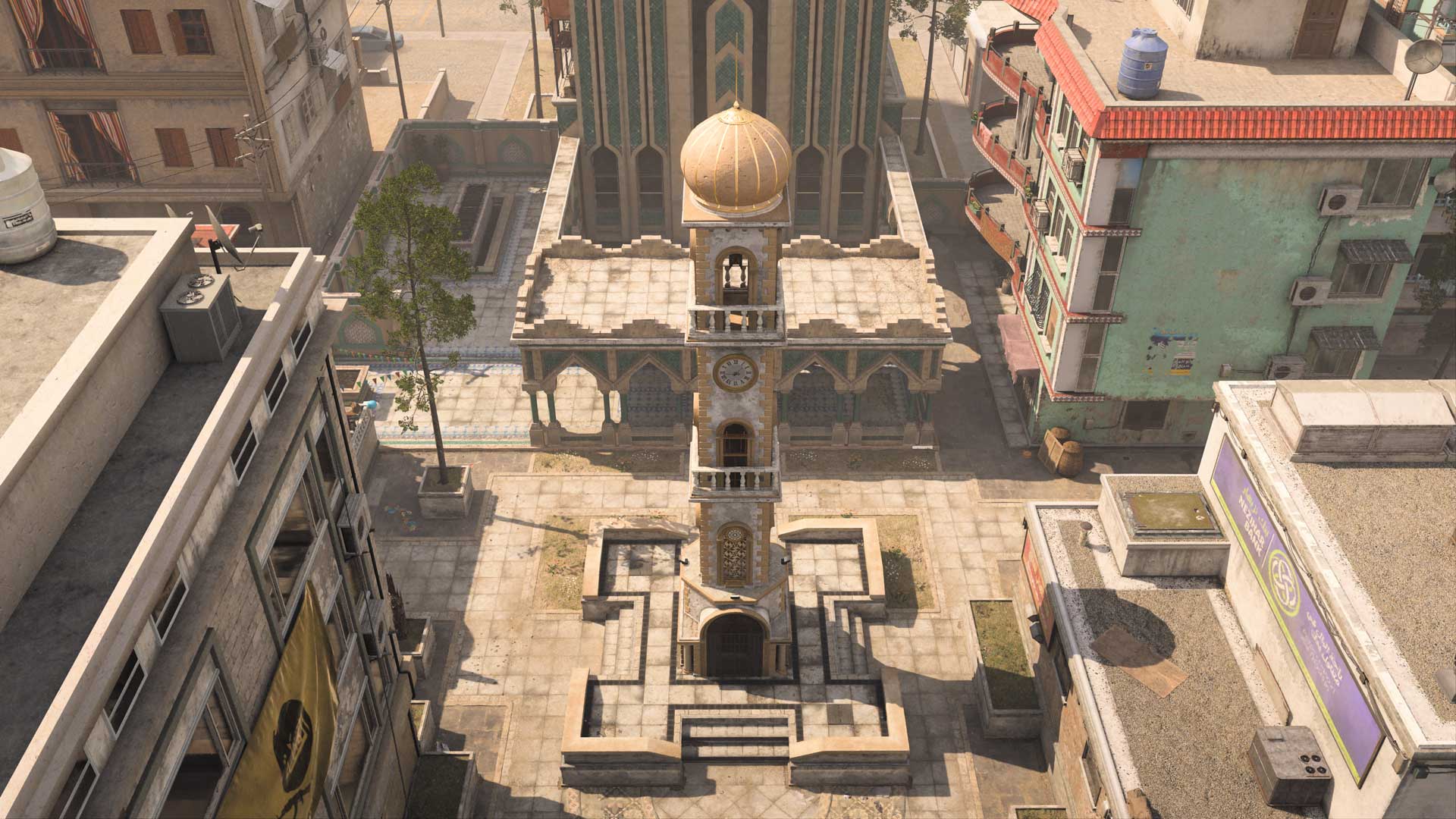
Midranged Loadouts perform well through the southern Market route; prepare to engage at the dividing wall. Those with closer-ranged Loadouts may prefer to book it toward the western Clock Tower, using its pedestal and the surrounding buildings to cut sightlines short.

For snipers, the real prize is found along the central Main Street, a long route with little visual obstruction down the length of it. A two-story building is essentially the “hero” of the map for these sharpshooters, as it will become a power position and focal point for combat early and often during a match.

Spawn Point: SpecGru

SpecGru Spawn Zone (South) — Hill

From the southern Hill location, fast SpecGru Operators can get the advantage over the Clock Tower by rushing north to the second story of the Main Store. From here, you’ll have a powerful vantage point over the eastern half of the tower.

You might also head east and up the Flower Shop stairs for a vantage point over enemies coming through the Market. For snipers and other long-ranged Loadouts, consider booking it to the west end of Main Street, where you’re likely to encounter enemy snipers on the other side, so be ready to engage.

Map Maneuvers: Route Planning

For the purposes of this guide, we’re dividing Strike into seven main sections:

–       Junkyard and Market

–       Apartment

–       Clock Tower

–       Shops

–       Main Street

–       Hill

–       Flower Shop

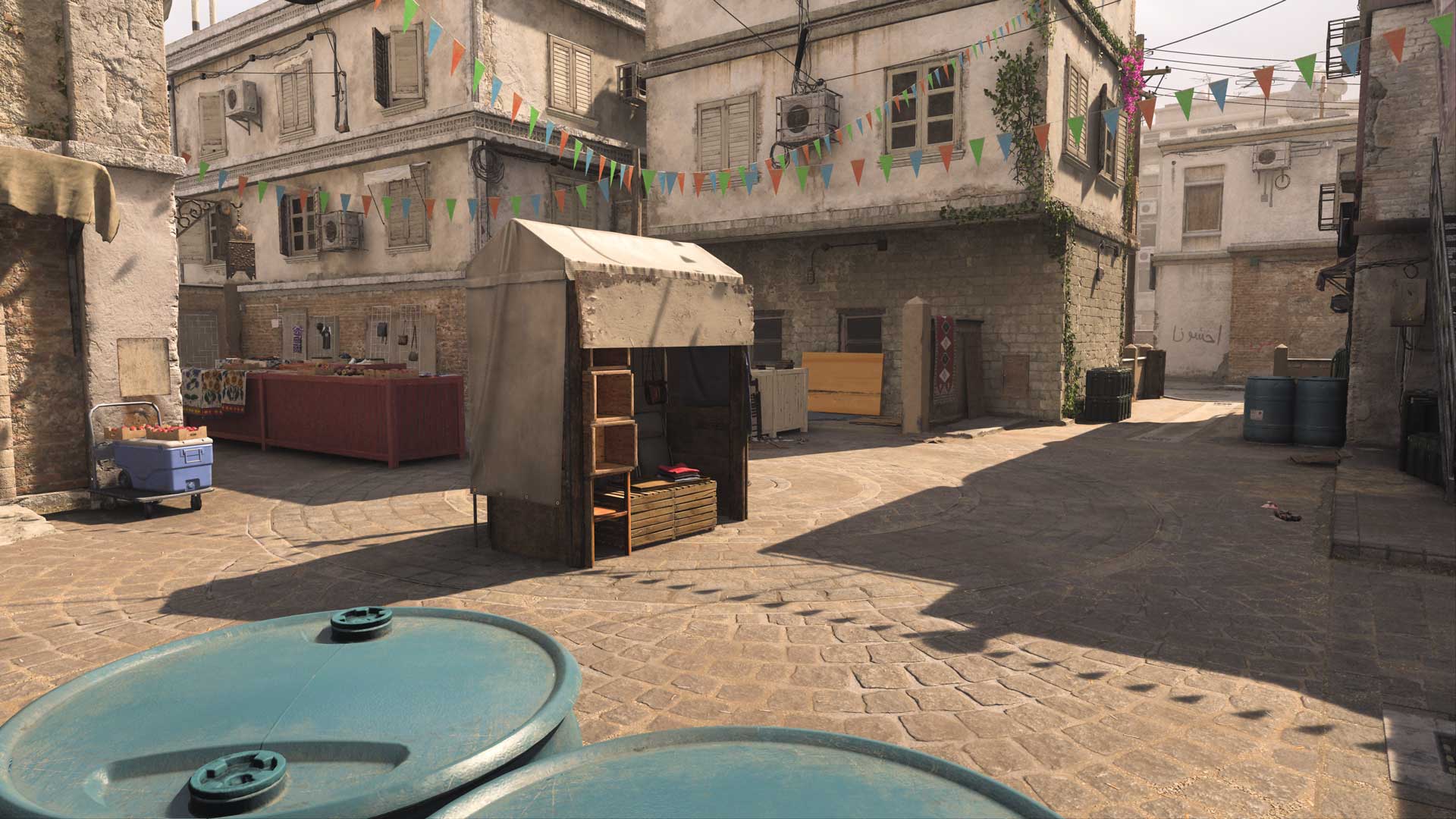
Junkyard and Market

Starting in the northeast and running south through the Market, this section offers a great means of moving up and down the map without being exposed to the central Main Street. Its narrow layout and plentiful cover pieces allow close- and midranged Loadouts to shine in a map where long distances are the mainstay.

There’s also easy access to the Apartment and Electronics Store for making a push west, both offering valuable cover when combat gets heated.

Apartment

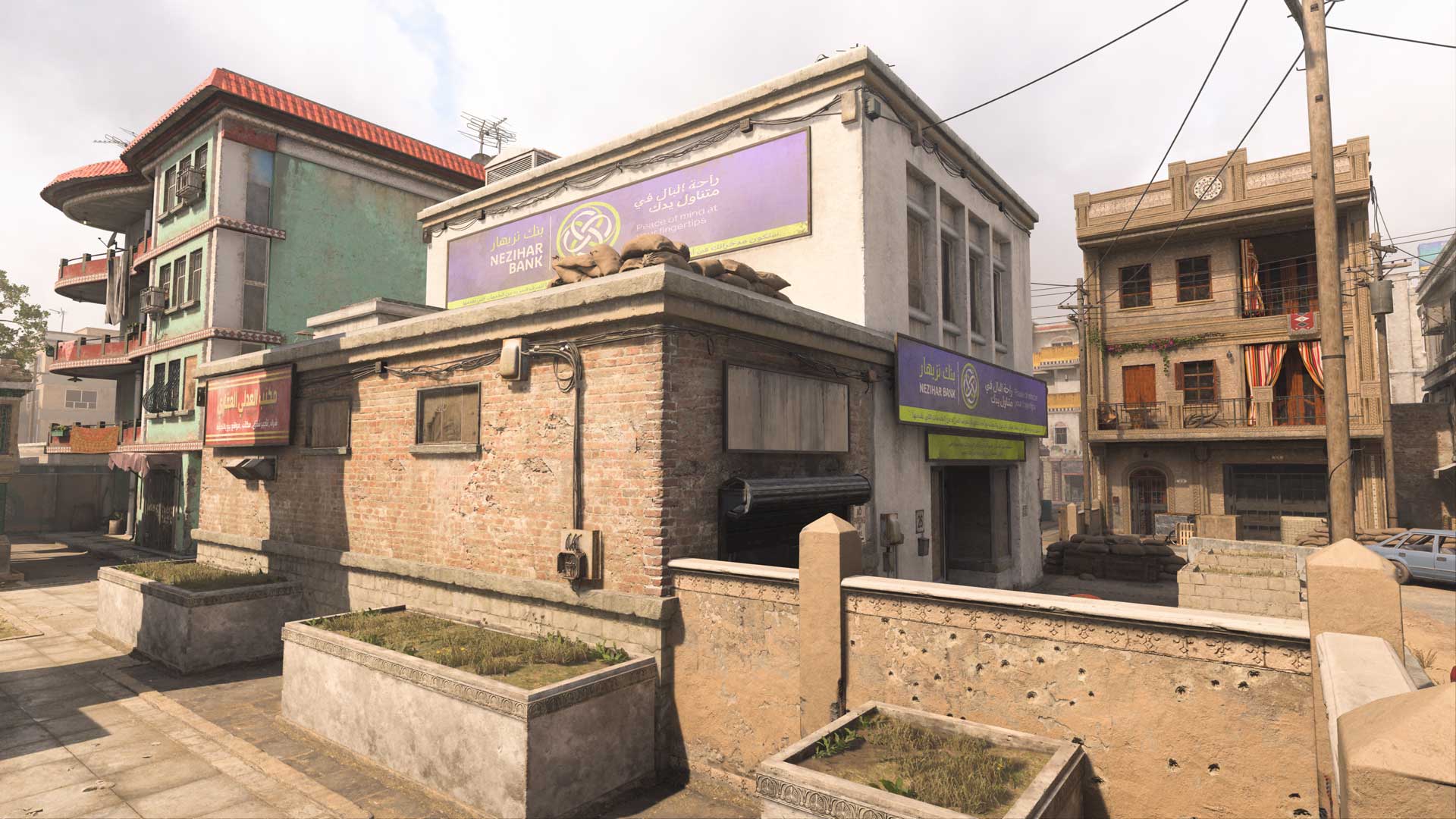
Easy to spot by the big “Laundry” sign hanging out front, the Apartment marks a critical point in the northeast section of the map, standing guard over the Junkyard, Market, Crashed Car, and the roads leading toward the Clock Tower and Main Street. Its two levels offer multiple points from which to launch an attack, so an active player can attack on all sides.

Clock Tower

Surrounded by high walls, the Clock Tower and Culture Center behind it mark another point where shorter-ranged Loadouts can perform well. The entry points from the Café to the west, Main Street to the south, and Apartment to the east present some risk when holding these positions, but the area’s central location gives Operators a chance to cut off a major thoroughfare through the map. Lock down this spot and enemies will be forced into crossing Main Street.

Shops

The Shops form a key area around the western section of Main Street, providing access to several interior spaces. The Café and Main Store are great starting points for an attack toward the Clock Tower, with the upper Main Store additionally looking deep into Hill. The Restaurant on the area’s southern border offers a large ground-floor interior; hop onto the walls surrounding its outdoor seating for a raised view over the Shops.

Main Street

A sniper’s paradise, Main Street stretches nearly all the way across the map. Located in the center, it’s also a major crossing point. If you need to get through, take a moment to read the area and then race across using Tactical Sprint.

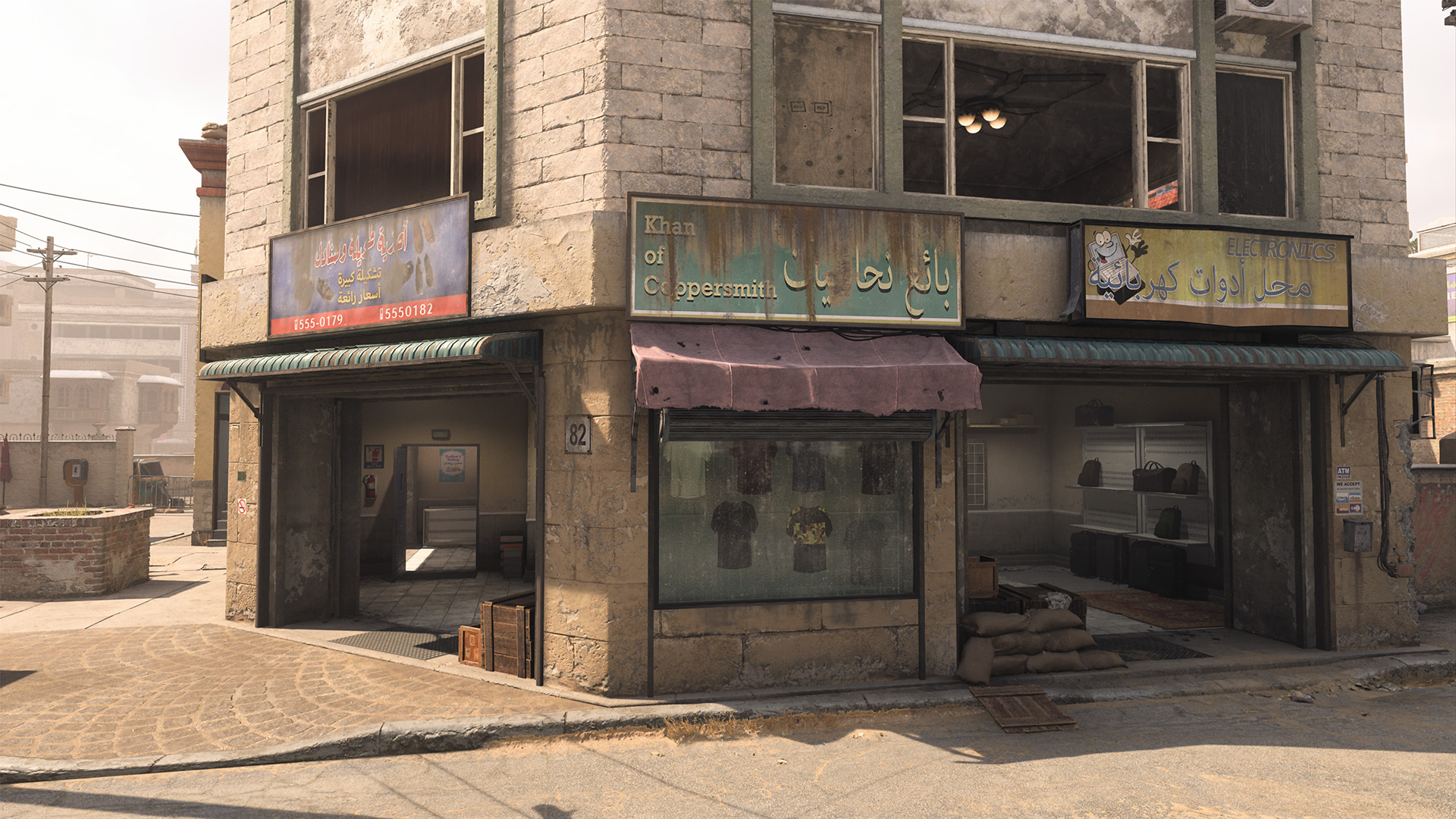
Expect Operators to occupy the buildings on its perimeter, namely the Main Store on its west end, the Electronics Store on its east end, and the Hotel along the bottom. Expect fighting from building to building, with Operators in the street getting caught in the middle. Sandbags, barricades, and other obstacles offer some cover in the street, but you’ll still be highly exposed from multiple angles.

Hill

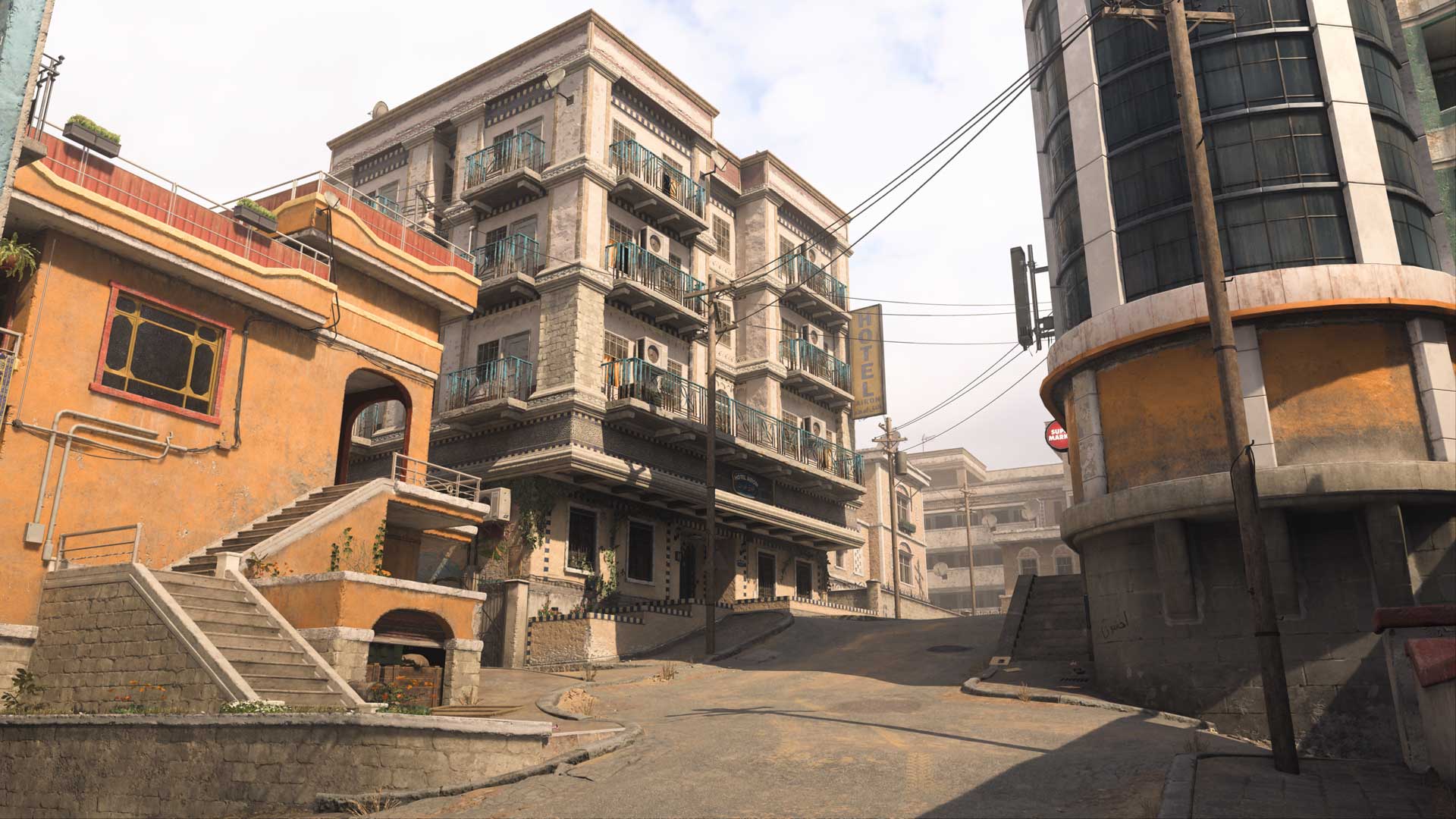
While not quite as concealed as the Junkyard main spawn, the Hill sits relatively apart from the rest of the map, at least when pulling back behind Thorley’s Supermarket. Note that, for this version of Strike, a new hallway was added for better combat flow, ensuring that an Operator that holes up in the Supermarket can still be smoked out through this hallway.

When looking north, long-ranged Loadouts can get some shots on enemies in the Main Store and even out to the Shops.

Note the balcony of the orange building here — this provides a good vantage point against enemies moving between Hill and the Flower Shop just east. And watch for Shotguns when traversing the tight staircase connecting Hill and Restaurant.

Flower Shop

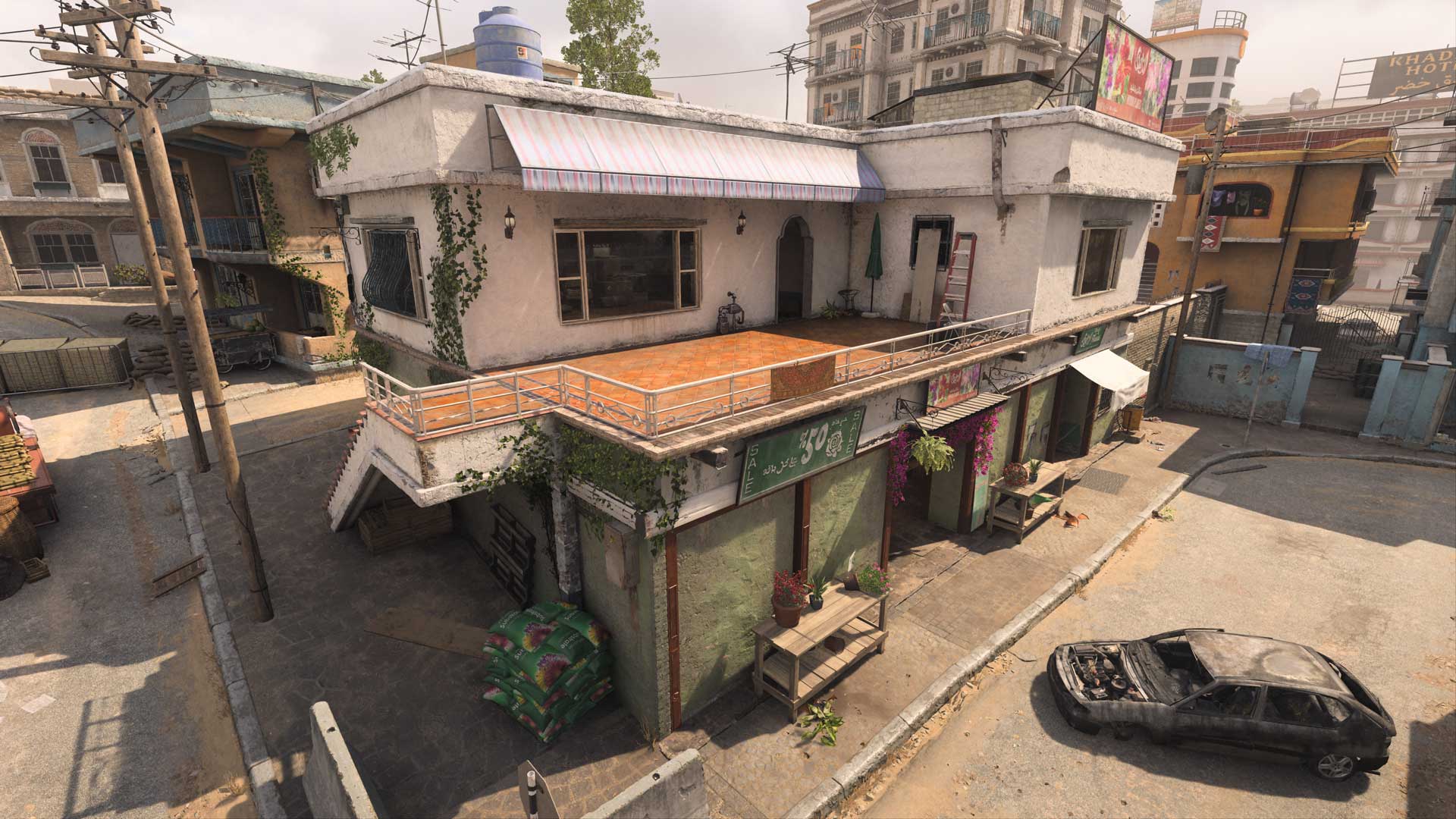
The Flower Shop provides a strong power position over activity in the southeast, with its upper level offering views toward Hill, over the Market, and a small section of the eastern Main Street. From the ground floor, its single front entrance provides a more concealed view against enemies coming in from the north. The gas station just east is also worth mentioning; while you can’t get inside of it, the low stone wall and barricade offer solid protection when skirmishing in the area.

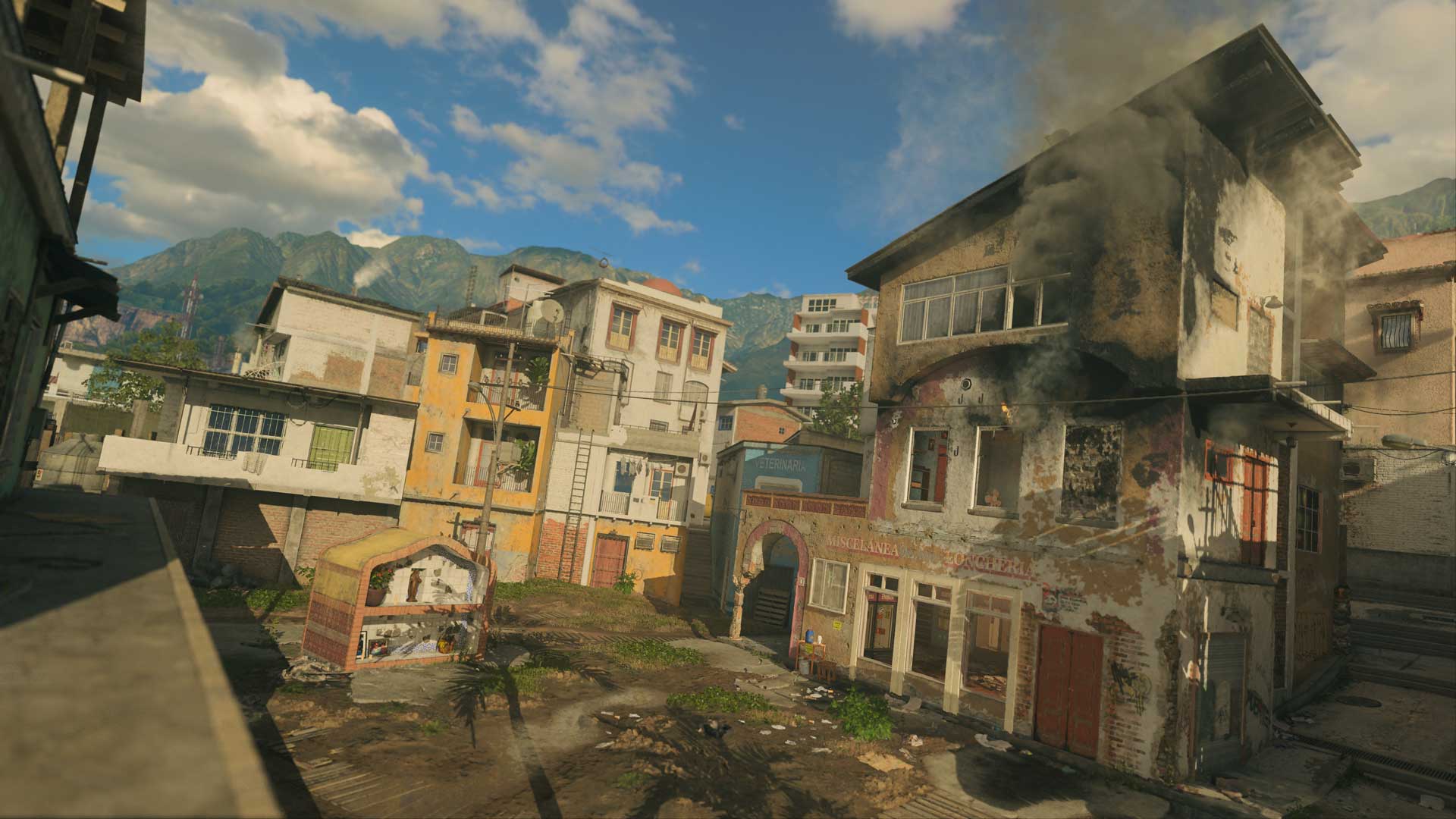
Modern Warfare 2 Season 5 Map – Punta Mar:

Spawn Point: KorTac

KorTac Spawn Zone (East) — Backlot

It won’t take long for the fighting to begin on this small map, but KorTac forces still have a few options in the match’s opening seconds, namely whether they opt for sticking to ground level or climbing to the Rooftops.

On the ground, take the middle path to get right into the thick of the battle on the main road, or head through the northern alley or southern Underpass for tighter, closer-quarters combat. There are several easily accessible ladders leading to the Rooftops of the nearby buildings for those looking to get above the action.

Spawn Point: SpecGru

SpecGru Spawn Zone (West) – Construction

While the SpecGru starting spawn lacks the verticality available to KorTac, the Construction area is also closer to the main road compared to the Backlot. Head north to access the top of the road, with an even better view obtainable by climbing to the Shootout balcony via the dumpster on the building’s south side.

Take the southern path toward the Intersection to avoid the main road, instead focusing on short- to midranged battles; watch for enemies firing from the second floor of Stores or rushing in from the Underpass.

Map Maneuvers: Route Planning

For the purposes of this guide, we’re breaking up Punta Mar into five main sections:

  • Construction
  • Center
  • Intersection
  • Rooftops
  • Shrine

Construction

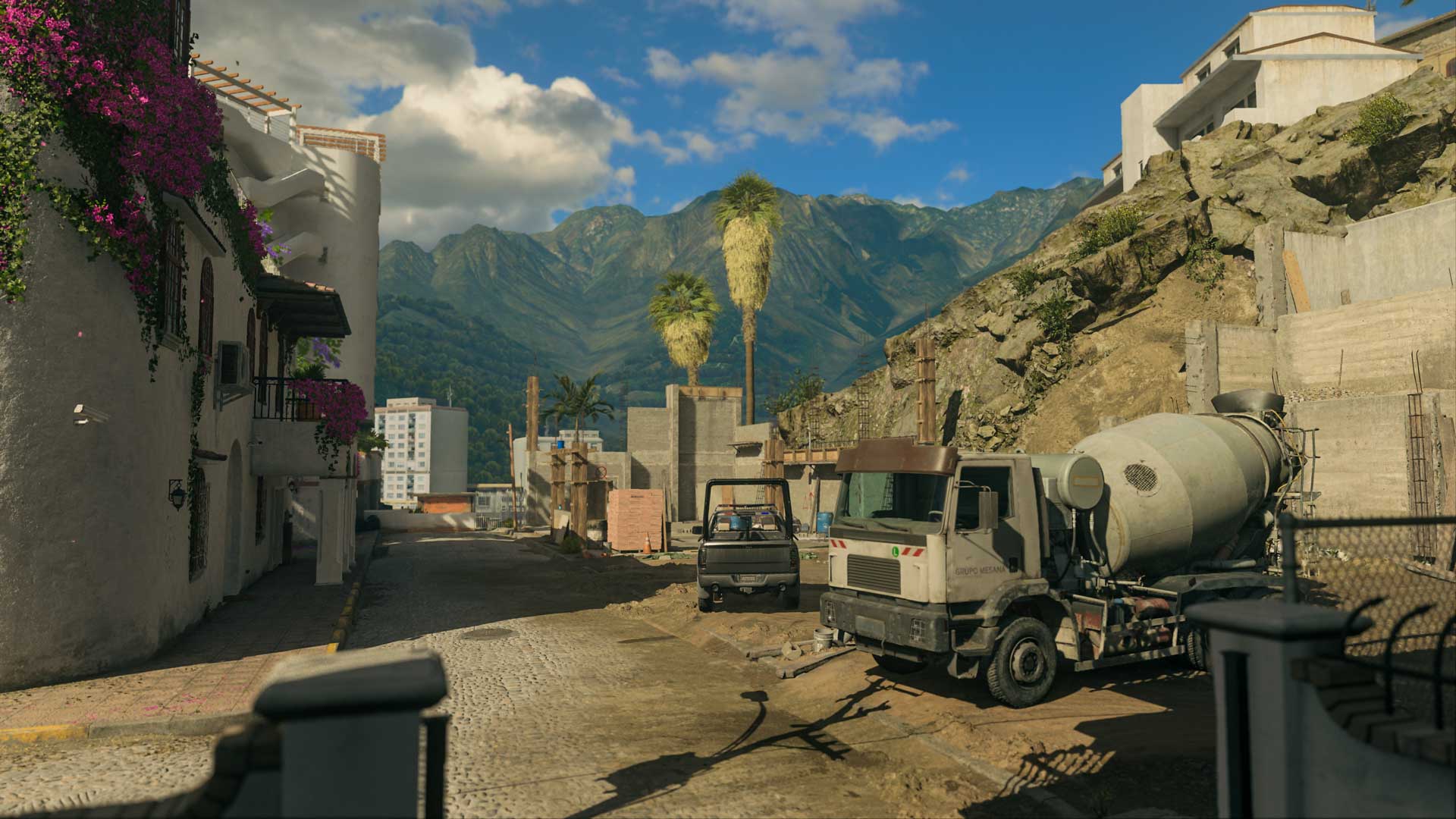
The open Construction area features stacked supplies and large vehicles for cover when passing through. Of particular interest are the stacked paving stones; hop onto the barrel beside them for a fortified view of all three entry points. Prepare to encounter enemies doing the same when breaching the area. A sticky grenade thrown just behind their position should convince them to move.

Note the southern path leading in and out of Construction; the garage here makes for the perfect ambush point against passing enemies. Use it to cut down traffic in the area and look out for opponents inside when moving through.

Center

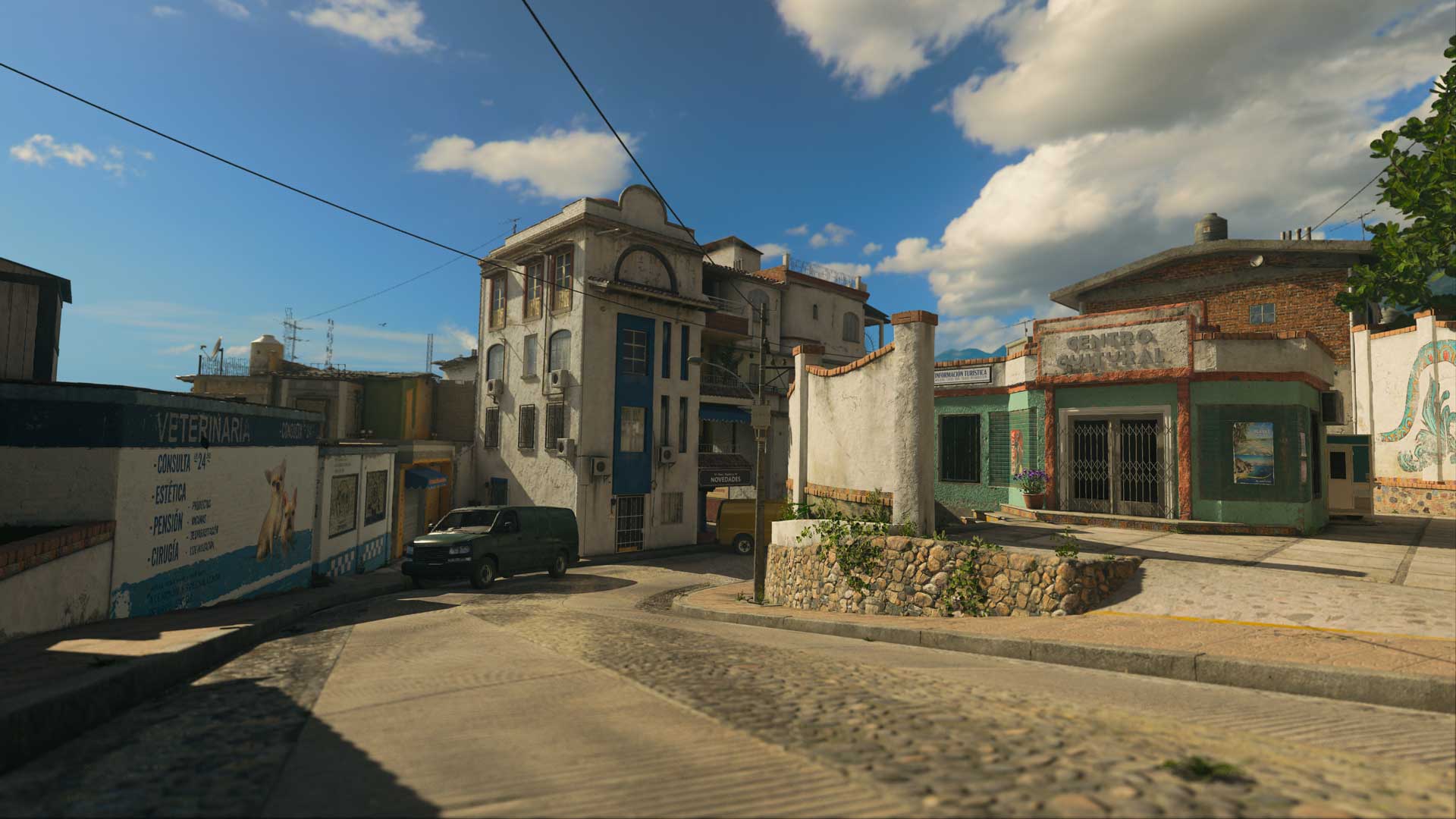
Including the tourist information center and the buildings around it, Center marks a natural hotbed of activity between the two major spawn points. Climb onto the tourist building for a commanding view over the main road, or fight for a spot on the upper levels of Stores, Shootout, and Hotel.

On the ground, watch for enemies coming from the Underpass or firing from Groceries. With many available points of contact surrounding it, Center is likely to be in the thick of battle for much of the match.

Intersection

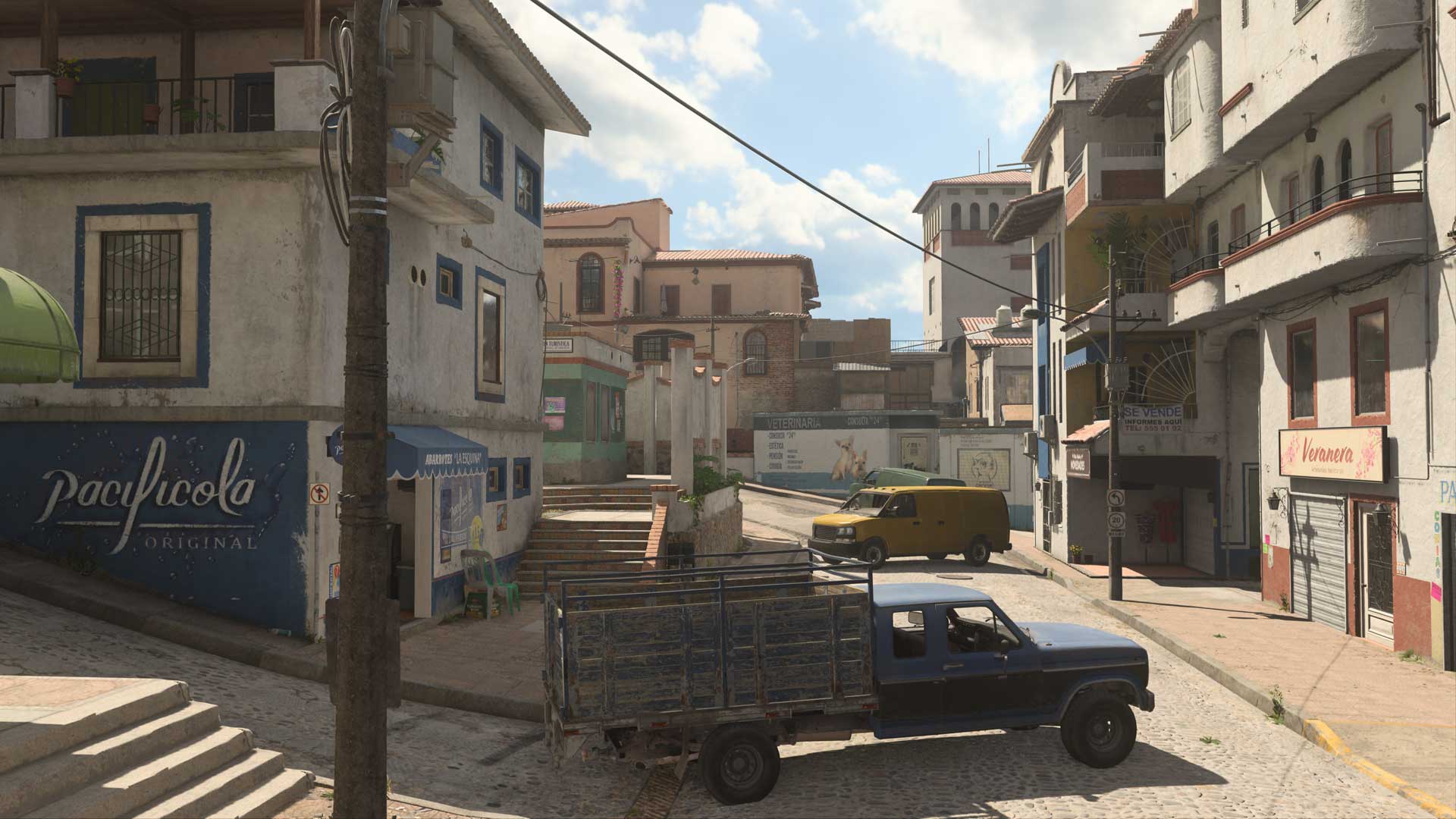
At the southern point of the map, Intersection finds Operators battling across storefronts. With Intersection being located about equidistant from the two main spawn points, there will be a lot of clashes here. Fights are bound to break out between Groceries and Stores, and anyone moving through the Intersection additionally becomes exposed to the Center. Move quickly and be ready to engage; in a pinch, the blue truck offers solid cover against attacks from the north.

Rooftops

Punta Mar features several ladders and other means of accessing the Rooftops of the eastern buildings, providing Operators with the ability to get high above the competition. From here, players can easily get a full view of the main road, though watch your six as enemies around the Backlot and Shrine can land shots from behind. Also be prepared to fight off intruders joining you here, so swap to your Handgun if your Primary Weapon struggles in close quarters.

Shrine

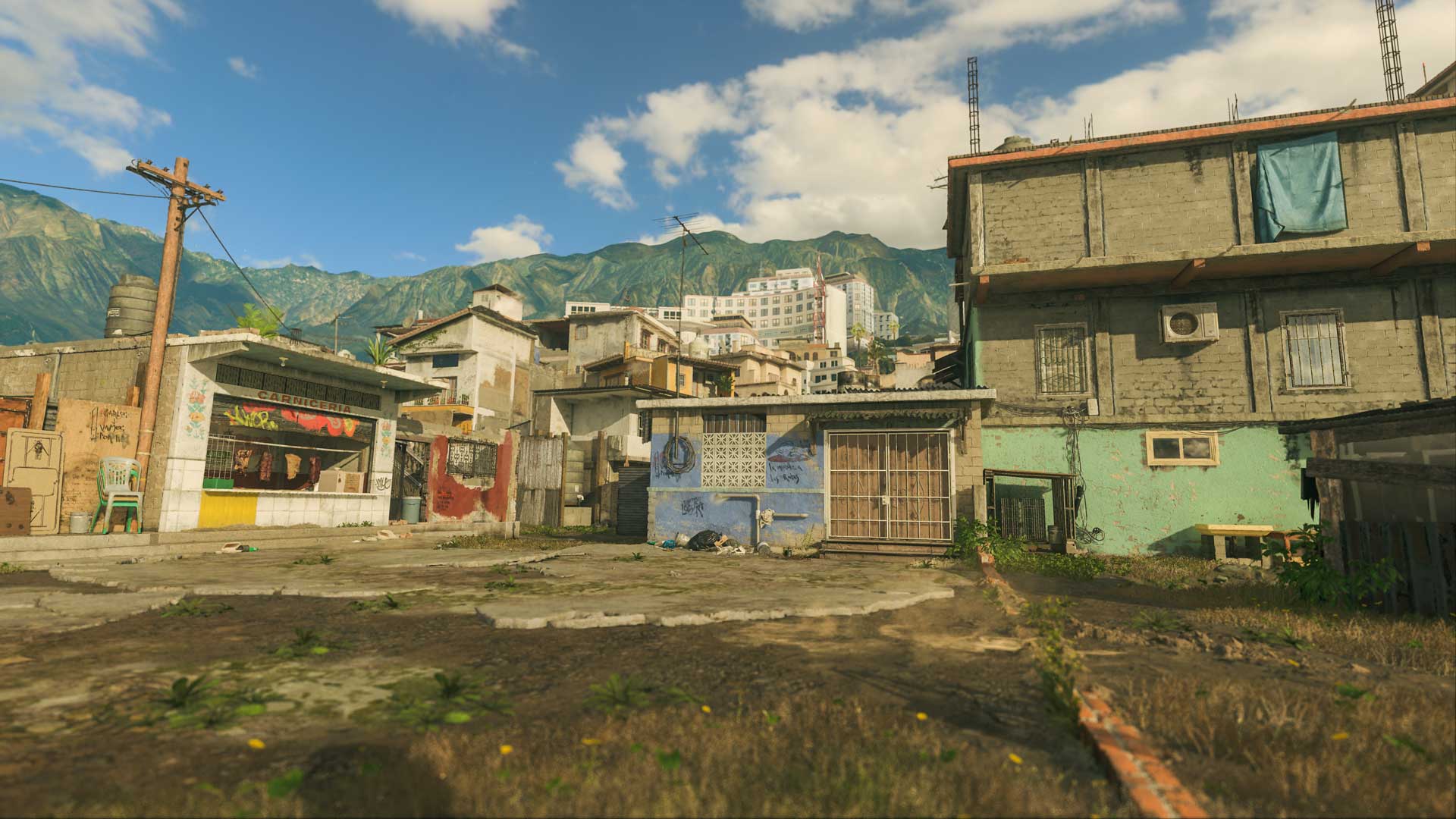
The Shrine and the Backlot behind it sit in a fairly open area, so be mindful when moving around here. The nearby Green Building and Fire both face the Shrine, with the upper level of Fire providing another access point to the Rooftops. When capturing objectives in this area, move into one of these two buildings afterward to defend the point; otherwise you’re a sitting duck to anyone on the Rooftops or coming through the narrow passage.

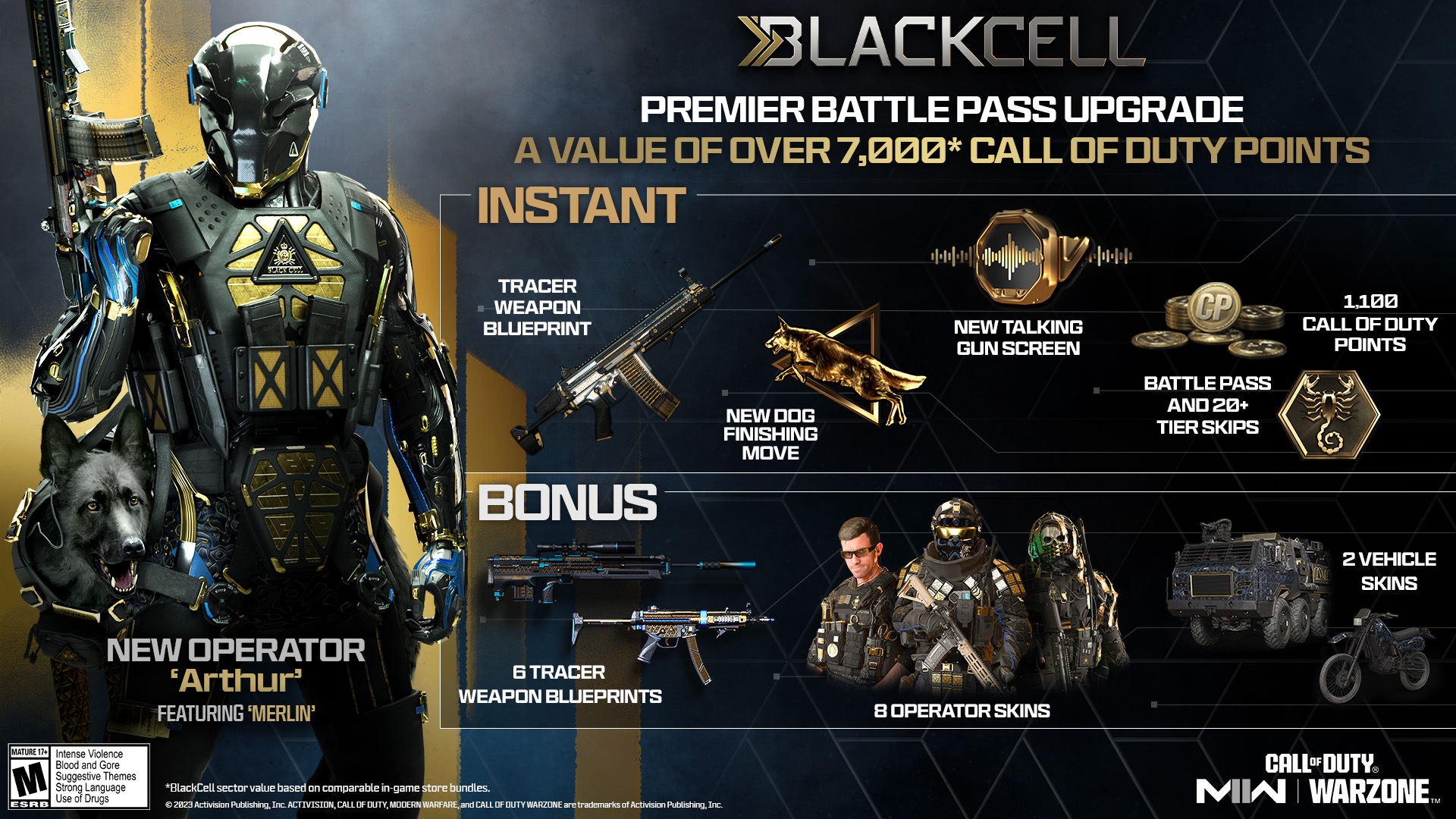
In addition to the maps, Activision has also revealed the Modern Warfare 2 and Warzone Season 5 BlackCell Premium Battle Pass contents!

Image

Additional BlackCell-only Battle Pass content:
8️⃣ Operator Skins 💪
6️⃣ Tracer Weapon Blueprints 🔫
2️⃣ Vehicle Skins 🚗
🐶 Dog Companion
🗣️ Virtual Announcer Battle Assistant

Stay tuned for the full patch notes which should be live the day Season 5 kicks off this August 2.

Source: Call of Duty (1, 2), Twitter

Avatar photo

Alex Co

Father, gamer, games media vet, writer of words, killer of noobs.

Home > News

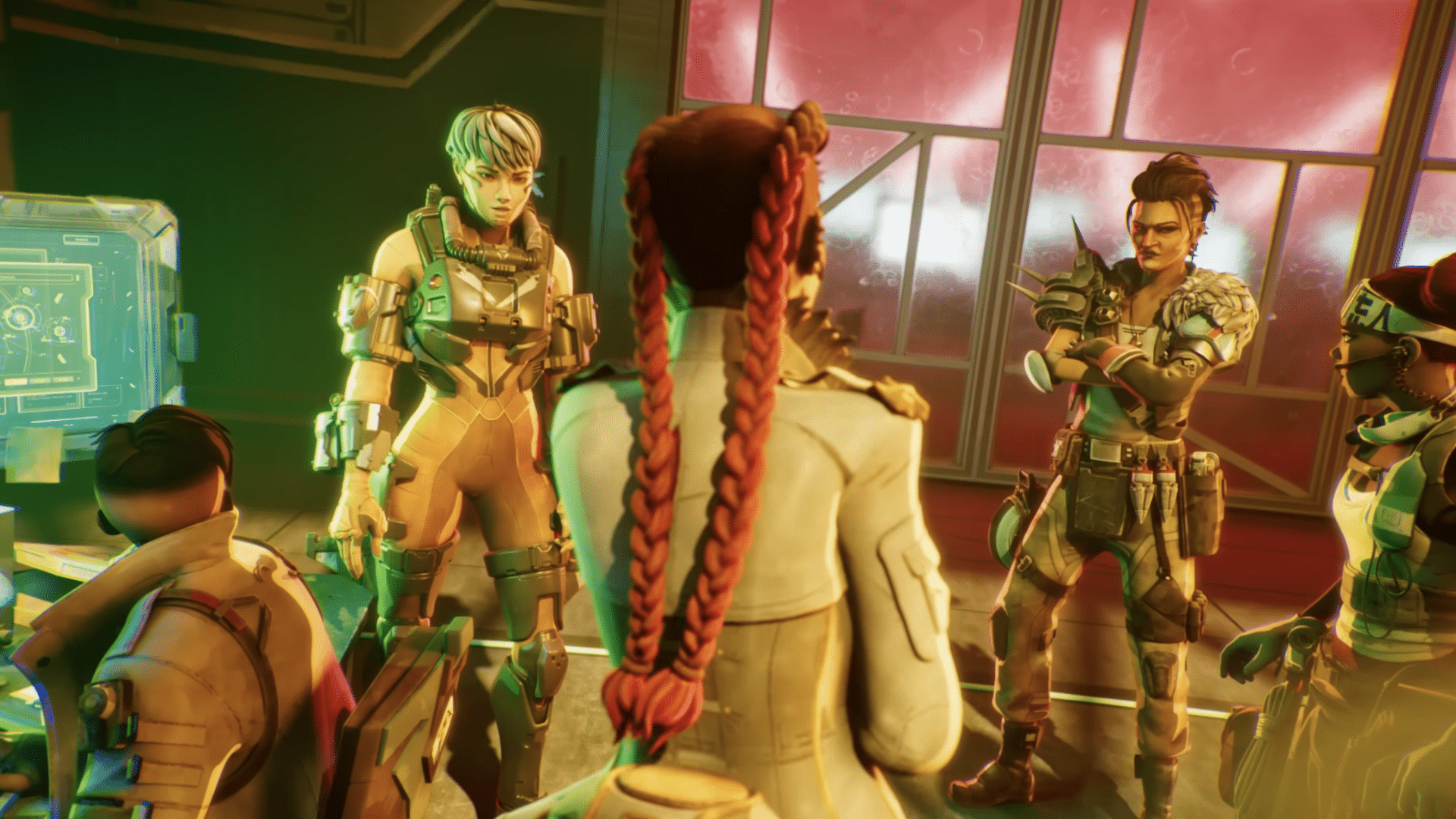
Apex Legends: Resurrection Revealed in Kill Code: Part 2 Miniseries; Gameplay Trailer Set for Aug. 3

Respawn Entertainment has continued its Apex Legends miniseries with the second episode of its Kill Code miniseries titled “Kill Code: Part 2.” This episode unveils Apex Legends: Resurrection, the upcoming season of Apex Legends.

You can watch Apex Legends: Resurrection trailer (Kill Code: Part 2) right here:

The miniseries is expected to continue, as Respawn Entertainment aims to further explore the world of Apex Legends in “new and immersive ways.” Peel back the layers to uncover the lore within Apex Legends and experience it first-hand beginning with Resurrection.

In Kill Code: Part 2, Crypto hacks into a discarded fragment of the Revenant to investigate some of the questionable changes. Revenant continues to lose control of himself, but to whom?

Resurrection is coming soon for PS5, PS4, Xbox Series X|S, Xbox One, Nintendo Switch, and PC. More details and the official Resurrection gameplay trailer is scheduled for August 3, 2023.

Ibrahim Kabir

Home > News

Tribes of Midgard Update 5.01 for July 31 Released for 2nd Anniversary

Norsfell has released Tribes of Midgard update 5.01 (PS5 version 5.001) which is for the game’s big 2nd anniversary patch! This title update brings a new game event, new mounts, construction buffs and more! Read on for the complete Tribes of Midgard second anniversary patch notes for July 31.

Tribes of Midgard Update 5.01 Patch Notes | Tribes of Midgard 2nd Anniversary Update Patch Notes | Tribes of Midgard July 31 Patch Notes:

Features:

Construction Limit Increase (again!) 💙

  • As part of our continued efforts to work with you to provide more flexibility with the Construction system, the Construction Limit has once again been doubled since the previous update, making it, in total, approximately 20 times higher (!) than the original limit since we debuted this feature with Survival 2.0 last year. Build away!

Construction Gauge Update

  • A forewarned Viking is a forearmed one. In addition to greatly increasing the Construction Limit, we’ve also updated the Construction Gauge to better communicate when players are approaching the Construction Limit, including a marker for when you’re within 25% of hitting the limit.
  • Please note that we do recommend staying below this threshold if you wish to ensure the most optimal performance for your World.

Construction Efficiency

  • Walk speed while in Build Mode has been increased to fluidify Construction.
  • Players are no longer interrupted when placing each Construction, enabling rapid building.
  • The ability to place ground Constructions over water and lava rivers has been re-enabled.(Norsfell): Seeing our community’s ever-growing creativity unfold before our eyes is among our favorite things, and with this update, we wanted to do everything possible to facilitate that creativity by increasing limits, updating the gauge, and fixing any issues that may get in the way. We can’t wait to see what you all come up with next!

Survival: Training Dummy Construction 💙

  • Players can now craft Training Dummies from the Constructions tab of the Allforge in Survival Mode.
  • Deploy the Dummy and start perfecting your build by tracking your Total Damage, last Hit, and Damage-Per-Second (DPS)!

Survival: Additional World Slots 💙

  • Survival Mode now has 5 slots for Multiplayer (previously was 2) and 5 slots for Solo Play (previously was 1).
  • Saves are now configured by Slot number, so if a World is created on Slot 3, it will remain on Slot 3 until deleted.

Starter Kits Visibility 💙

  • A handy Starter Kit button has been added to the Play tab on the Main Menu.
  • Players can use this button as a shortcut to see and select their own Starter Kits.
  • This feature will also grant visibility on what Starter Kits everyone else is using when playing in a Group. Yep, that’s right, that friend of yours will never start naked again (…we can hope).

Survival: War Chest 💙

  • A War Chest has been added next to the Sanctuary in Survival Mode.
  • This War Chest behaves similar to buildable Storage Chests, but cannot be dismantled or moved.
  • Players who permanently leave the World will have their Inventories automatically deposited into the War Chest.

Cosmetic Loadouts 💙

  • Players can now save and select up to 8 fully-configurable Cosmetic loadouts from the Customize tab in the Main Menu, to change your style on the fly!
  • Loadouts include your choice of Character options, Mount, Pet, Loot Chest, Protection Cosmetics, and Weapon Cosmetics — so let the fashion shows begin!
  • In Survival, a Loadout Armoire Construction can be built and deployed to access your Saved Loadouts from in-game.

Favorited Cosmetics

  • Players can now use an input to pin any of their owned Cosmetics as a Favorite.
  • Favorited Cosmetics will always appear at the top of your collections for easy access.

The Anniversary Festive Event (July 31 – August 21) 🎂

Two years have come and gone so fast. Time to celebrate with our Anniversary Event from July 31st – August 21st!
The Valhalla Menu, the Sanctuary, the Village, the Unsunken, and even the Goblins will be showing off their festive spirit, with some even donning the feathers of the enigmatic roosters. Enjoy the festive themed Main Menu music, complete weekly challenges, and our new Cosmetic offerings!

Festive Challenges 🎂

During the Anniversary Event, there will be 3 Festive Challenges that can only be completed during this limited time event.

Complete these Challenges to earn a unique (feathery) Anniversary Portrait and Cosmetic Currency:

  • Challenge #1: July 31 – August 6: Defeat Rooster Goblins x80
    • Reward: 250 Platinum Coins
  • Challenge #2: August 7 – 13: Defeat Roosters x30
    • Reward: Chickem Supreme Portrait (Exclusive)
  • Challenge #3: August 14 – 20: Defeat Rooster Unsunken x40
    • Reward: 250 Platinum Coins

QoL Updates:

Saga Quest View 💙

  • Players can now view which Saga Quest they and others in the World have selected via the Map screen (visible in both Saga and Survival Mode).

Game Mode Information

  • We’ve added an input when highlighting each Game Mode on the Main Menu to provide a more in-depth description and visualization of the unique experience of each Mode.

Abandon World Name Change 💙

  • Abandon World has been renamed to Delete Save to further clarify its purpose. Delete Save indicates that you would like to permanently remove a World from your World Slots.

  • (Norsfell): We understand the pain that this option was causing, and that a color change (in our previous update) was not enough – therefore to make things even more clear, we’ve changed this button wording to “Delete Save”. Please again note that this will permanently remove a World from your Worlds List, and you will not be able to join back. If you would like to leave a game in progress, and return at a later time, “Save & Quit” should be used instead.

Survival: Jötunn Arena Portals

  • A portal to the Sanctuary will appear upon defeating a Jötunn in their Arena. Returning to Eira has never been easier!

Raven’s Eye Blessing Camera 💙

  • Players who have the Raven’s Eye Blessing active should now retain the maximum camera distance and not automatically zoom in when Mounting, fighting Trölls, etc.

Claim All Golden Horns

  • There is now an input to Claim All remaining Golden Horn offerings from the Rewards tab on the Main Menu (for those who’ve been hoarding too many).
  • Hold for Invasion
  • To avoid accidental Invasions when interacting with a Sapling, the Summon Invasion input now requires a Hold.

And even more fun stuff!

  • Improved flow of attempted password entry when joining a Private World, to not be returned to the Main Menu.
  • Harmonized the look of all progression bars in the Progress Menu.
  • When an Ancient is defeated, the Variant name is no longer listed to make it more immediately legible and improve readability across all languages
  • Claimed Allforges and Beds will now list the name of the Player who claimed them.

Cosmetics:

New Pets

  • Trú
    • Trú is a trusty Crow companion gifted to the Einherjar by the gods as a sign of faith in their mission to defy Ragnarök and save the Realms
    • All Players will have Trú added to their Pets collection for free!
    • (Norsfell): New players will have Trú equipped by default (while current players can equip via the Character Customization options) to achieve our goal of ensuring everyone has immediate access to the Autoloot mechanic via their Pet. Reminder that you can toggle Pet Display and Pet Autoloot options On/Off through Settings.

  • Huginn
    • One half of Óðinn’s famous raven duo, Huginn is a little too smart for his own good and loves to bury any who would listen in an avalanche of facts and theorems.
      • Unlocked with Golden Horns

  • Muninn
    • The other half of Óðinn’s famous raven duo, Muninn is a little too insightful for his own good, and harnesses his perfect memory to chronicle the many histories of the Nine Realms through overly theatrical and dramatic retellings.
      • Unlocked with Golden Horns

New Mounts

  • Chickem Supreme 💙🎂
    • The Chickem you know from last year has evolved, and the (un)official mascot of the Anniversary Event has arrived – just don’t look it in the eyes!
    • Unlocked with Golden Horns
  • Dvalinn the Stag
    • The Stag of Summer is here to embrace the sun.
    • Unlocked with Platinum Coins
  • Houndling
    • Though emerging from the dark depths of Niflheim, this very good boy does not choose sides, preferring to follow his nose instead.
    • Unlocked with Platinum Coins

New Portraits

  • Chickem Supreme Portrait 🎂
    • [In the beginning, there was Chickem. Then, came Chickem Supreme. Represent the (un)official mascot of the Anniversary Event with this portrait for your Viking.
      • Unlocked with Event Challenge (Exclusive)
  • Trú Portrait
    • Unlocked with a Golden Horn (yes, just a single one)
  • Surprised Commander
    • Based on the legendary Discord emote to honor our Communications Commander. For the tribe!
      • Unlocked with Golden Horns

New Multi-Texture Skin Tones

To further customize your Vikings, we’ve added new types of Skin Tones, inspired by some of the iconic characters of Norse mythology. These special Tones have multiple textures and pull off the unique looks of the Realms from which they hail.

  • Brennálfar Skin Tone
    • Unlocked with Golden Horns
  • Dökkálfar Skin Tone
    • Unlocked with Golden Horns
  • Fossegrim Skin Tone
    • Unlocked with Golden Horns

New Hair Dyes

We’ve loved hearing your comments surrounding the dual-tone Hair Dyes that we added in the Valhalla Saga, so we wanted to keep the good times rolling with some new Ancient Variant-inspired Dyes!

  • Fenrir (Wolfmancer) Hair Dye
    • Unlocked with Platinum Coins
  • Jörmungandr (Vilespitter) Hair Dye
    • Unlocked with Platinum Coins
  • Surtr (Blademaster) Hair Dye
    • Unlocked with Platinum Coins
  • Hel (Hexwielder) Hair Dye
    • Unlocked with Platinum Coins

Runes:

New Rune

  • Power Within (Epic): Increase effectiveness of Blessings that deal active damage by (50%).
    • Unlocked with Golden Horns

    (Norsfell) Inspired by the Blessing of the same name, we wanted a Rune that evoked mastery with abilities, but this time with Class abilities like Shield Throw and Ullr’s Step II. The goal is to open up builds that can focus on buffing these particular types of Blessings.

Rune Changes

  • Nothing to Wield (Rare): Increase the damage of Punches and Kicks by (150%), enabling resource harvesting with fists.(Norsfell): We originally intended for the Nothing to Wield Rune to give players some flexibility and potency when unarmed, especially in the early game. However, its impact on Blessings — most notably the Sentinel’s Shield Throw — was higher than anticipated. To refocus the intent of the Nothing to Wield Rune, we removed its impact on Blessings but greatly buffed its impact to Punches and Kicks. Further, as we liked seeing builds emerge centering on Blessing damage, we made a new Rune specifically for that purpose. We hope that this combined approach leads to even more build options moving forward.

Misc:

  • Fully Verified on Steam Deck
    • Bring the Jötnar-slaying to the comfort of your couch! Moving up from the Playable state, we’re glad to share that Tribes of Midgard is now fully Verified on the Steam Deck, ensuring you have the smoothest gameplay experience possible.

That’s about it. Enjoy the new content and once a new patch is out, we’ll let our readers know.

Source: Tribes of Midgard

Avatar photo

Alex Co

Father, gamer, games media vet, writer of words, killer of noobs.

Home > News

EA Sports FC 24 Career Mode Features and Upgrades Revealed in New Deep Dive

EA has released another video that goes into detail about the major changes and upgrades coming with EA Sports FC 24 Career Mode. The EA Sports FC 24 Career Mode gameplay deep dive gives us a closer insight into the player and manager career mode, and unveils new stuff including Ballon d’Or in the Career Mode.

Watch the EA Sports FC 24 Career mode deep dive right here:

From defining the philosophy of your club as a manager, to choosing exactly how you play on the pitch as a player, with EA SPORTS FC 24 we’re giving you more control over creating your own football stories through our Career Experiences.

This year we’re splitting the Manager Career and Player Career into separate experiences.

Here’s a short overview of the EA Sports FC 24 Player and Manager Career:

EA Sports FC 24 Manager Career:

In Manager Career we’re introducing a Total Management System that brings together two new elements – Tactical Visions and Coaches. Alongside that, we’ve focussed on Match Preparation, all these combine with the goal of enabling you to manage your club exactly how you want to. We’re also keen to celebrate your success with a range of new dynamic moments that include Open Top Bus Parades and Awards Events.

EA Sports FC 24 Player Career:

In Player Career we are introducing Player Agents, enabling you to choose your own path and achieve your dream transfer. We’re bringing PlayStyles to Player Career to allow you to create your own unique player – both on and off the pitch, we’re putting your player into the centre of the action with the new Focus Camera and we’re introducing a range of new dynamic moments that include from Open Top Bus Parades and Awards Events. On top of all this you can now earn football’s greatest individual honour the Ballon d’Or and become a legend of the game!

If you want to learn more about the Career mode, including more insight into each mode, make sure to check out EA Sports FC 24’s official website. FC 24 is slated to launch on September 24 for the PS4, PS5, Xbox One, Xbox Series X|S, Nintendo Switch, and PC.

Ibrahim Kabir

Home > News

Cities: Skylines 2 Maps and Themes Discussed in New Gameplay Deep Dive

Paradox Interactive has revealed this week’s Cities: Skylines 2 gameplay deep dive! Developer Colossal Order goes into detail about the different Maps and Themes in the upcoming city builder. You can watch the full Cities: Skylines 2 Maps and Themes gameplay deep dive right here:

Players can now create isolated pocket towns, construct taller buildings than in the predecessor, and build in playable areas which are up to five times larger than the original games. Moreover, Cities: Skylines 2 introduces a range of themes including North American and European, giving players the choice to personalize the style of their city’s roads and buildings.

In Cities: Skylines, the playable area consisted of 5×5 tiles, 9 of which could be purchased once everything is unlocked. A single map tile was 1.92 x 1.92 km, resulting in a total playable area of 92.16km² with a maximum of 33.18km² to build a city on.

However, in Cities: Skylines 2, the map tile is almost ⅓ the size it was in the original game, but you are able to unlock almost all tiles, giving you a total of 441 map tiles. This results in a playable area of 159km² which is roughly five times that in Cities: Skylines.

If you’re hoping to get more information, watch the video above, and don’t forget to check out the full Cities: Skylines 2 Maps and Themes blog post right here. Cities: Skylines 2 gameplay deep dives are expected to continue until September 11, with new updates weekly. The full roadmap is posted in this article.

Cities Skylines 2: is expected to launch on October 24, 2023 for Xbox Series X|S, PS5, and PC. It will launch on Xbox Game Pass on the same day.

Ibrahim Kabir

Home > News

PS5 Next Update 8.00 Beta Patch Notes Revealed

Today, PlayStation announced that there would be a new beta software for the PS5, which is now out for beta participants to test. While Sony detailed the main features included in the beta (which we can confirm is called the 8.00 update), they did not outline everything included in this beta test, such as new language support, new profile options, additional voice commands, and some UI redesigns. 

Update (August 10): Sony has released a new firmware patch on PS5 this August 10. Read on for the patch notes.

Patch notes were grabbed directly from the PS5 console itself (via the invite beta test). Note that the patch notes listed could be different from the retail patch that goes out to everyone.

PS5 Beta Update 8.00 Patch Notes:

Main features of this system software update

  • Dolby Atmos® is now supported, and you can enjoy 3D audio on HDMI devices that
    support Dolby Atmos.
    • Enjoy an immersive audio experience with your supported HDMI device while playing PS5 games that support the Tempest 3D audio technology.
    • Media apps that support Dolby Atmos can now deliver the spatial sound experience with your supported HDMI device.
    • To turn on Dolby Atmos, go to [Settings] > [Sound] > [Audio Output] > [Audio Format (Priority)], and then select [Dolby Atmos].
  • You can now use an M.2 SSD with a maximum capacity of 8 TB to expand storage space on your PS5.
  • The screen reader now supports Turkish, Swedish, and Portuguese (Portugal).
  • You can now use an assist controller.
    • You can now assign a second controller to a user who’s logged in to your PS5 as an assist controller. This allows you to use the main controller along with the assist controller to control your PS5 as if you were using one controller.
    • To use an assist controller, go to [Settings] > [Accessibility] > [Controllers] > [Use Second Controller for Assistance], and then turn on [Use Assist Controller].
    • You can use an assist controller when using a DualSense or DualSense Edge wireless controller, or a PS5-supported third-party controller as the main controller.

Other updated features

  • The following features and improvements have been added to & Game Base.
    • You can now easily see which of your friends are in an activity you can join under the Friends tab.
    • The joinable icon will be displayed next to friends who are playing a game you can join.
    • You can join a friend’s game directly by pressing the options button and selecting [Join Game], or by selecting (Join) on their profile card.
    • When someone’s sharing their screen in a party, you’ll now see a preview of their Share Screen. You can find this in the Parties tab.
    • You can now react to messages with emojis.
    • It’s now easier to access media shared in your groups. Select [Shared Media] from the options menu in the messages card.
  • The usability of cards in the control center has been improved.
    • Activity cards have been improved. When multiple activities are in progress, the newest one will appear as a standalone card in the control center. The consolidated activities card will also continue to be displayed.
    • Game Help cards have been improved.
      • In addition to in-progress activities, you can now see available, previously available, upcoming, and completed activities.
      • When a card is selected, its details are now displayed on the right side of the card, making it easier to find objectives and their corresponding hints.
  • The console navigation experience has been improved.
    •  When moving the cursor while navigating the console, the sound effect you hear when you reach the point where you can’t move any further is now more pronounced and noticeable.
    • You can now get haptic feedback through vibrations on your controller while navigating your PS5. Go to [Settings] > [Accessibility] [Controllers], and then turn on [Haptic Feedback During Console Navigation].

Here’s a video showcasing the haptics the controller produce (not the sound you hear on the console itself, but what you feel in your hand)

  • In the game hub, you can now see how many tournaments you’ve entered and the highest place you’ve achieved.

  • On the player profile screen, you’ll now see [Most played] games.
  • In game library, you can now search for games just within your game library.
  • Browse useful tips for getting the most out of your PS5 and learn about new features in the new [Discover Tips] section.
    • Go to [Settings] > [Guide & Tips, Health & Safety, and Other Information] > [Guide and Tips], and then select [Discover Tips] to view all the tips.
  • Simplified Cangjie has been added to text input methods for Chinese (Traditional).
    • To use the Simplified Cangjie input method on the on-screen keyboard, go to [Settings] > [System] > [Language] > [Input Language] >[Chinese (Traditional)], and then turn on 「速成].
    • To use it on an external keyboard, go to [Settings] > [Accessories] > [Other Accessories] and select [Chinese (Traditional)] for [Type], and [] for [^].
  • You can now mute or adjust the volume of the PS5’s beep sound when turning it on or off, or putting it in rest mode. Go to [Settings] > [System]> [Beep Sound].

    • To adjust the beep sound volume, select [Volume].
    • To mute the beep sound, turn on [Mute Beep Sound].

  • The video output information screen displayed in [Settings] > [Screen and Video] > [Video Output] has been redesigned to make it easier to view.
    • To see your current resolution, color format, and HDCP version, select [Current Video Output Signal].
    • To see the support status of HDR (high dynamic range) and VRR (variable refresh rate) for each of the available frequencies for your HDMI device, select [Information for the Connected HDMI Device].
  • Voice Command has been improved.
    • The help content of Voice Command has been improved.
      • You can now navigate between help content pages using Voice Command.
      • Help content will be hidden after some time has passed.
    • If you say “What’s new?” via Voice Command on any screen, you can now check for new PS5 features and the latest information about PS Plus.
    • Currently, Voice Command (Preview) is only available in English for players with accounts for PlayStation Network in the UK and USA. 
  • The PS5 QR code login screen has been redesigned. The QR codes are now much larger.
  • We’ve updated the device software of the DualSense wireless controller, DualSense Edge wireless controller, PlayStation VR2, and PlayStation VR2 Sense controllers to improve stability.
  • We’ve improved the messages and usability on some screens.

System software limitations The beta program has certain limitations. Be sure to read the limitations below before using.

  • In Game Base, when you react to messages, the reactions can be seen only by players who are participating in the PS5 or PS4 system software beta program.

HIdden Findings (Will update as we find stuff not in the patch notes)

  • A “Related Settings” option has been added throughout the different setting menus. This displays settings that you may be searching for that are related to a specific menu but not found under. For example, console beeps are not located in the sound but in system settings. Because the setting is related to sounds, it will appear as “related settings” under the volume setting in sound settings. 

Additionally, the DualSense Controller, Sense Controllers (PSVR2), and PSVR have also gotten new updates included with this beta. The PS4 is also supposed to have a beta update (update 11.00,) though details as to what’s included are unknown. 

Once more details about the patch (such as the release date) is know, we’ll be sure to let our readers know.

Avatar photo

James Lara

A gamer at heart, James has been working for MP1st for the last decade to do exactly what he loves, writing about video games and having fun doing it. Growing up in the 90's gaming has been in his DNA since the days of NES. One day he hopes to develop his own game.

Home > News

Microsoft Submits “Change of Circumstances” to CMA Over Its Acquisition of Activision Blizzard

Microsoft has just sent a new submission to the UK’s regulatory authority, the CMA, where the company cites various “material change of circumstances” and special reasons to argue that the CMA should make a new decision and let its merger with Activision Blizzard close.

For those who are unaware, CMA blocked the $69 billion merger back in April. However, since then, Microsoft has won over the EU regulators and has defeated the FTC in federal court. Apart from the regulators, Microsoft has signed a binding agreement with the biggest opposition of the merger, Sony, where they agree to provide Call of Duty on PlayStation consoles for at least 10 years.

Therefore, Microsoft’s submission to the CMA raises all three development points to try to convince the CMA. The three development points are:

  1. Microsoft’s agreement with the European Commission on enforcing the various cloud agreements they signed.
  2. Microsoft’s agreement with Sony.
  3. Fresh material from the FTC case that “undermines the (CMA’s) conclusions.”

Simultaneously, the gaming giant is working on a final proposal to modify the merger agreements which address the CMA’s concerns more directly. Reportedly, this involves Microsoft selling off its cloud gaming rights in the United Kingdom. The heavily redacted document reads:

In addition, as the CMA is aware from its confidential discussions with the Parties, Microsoft is in the advanced stages of putting forward a proposal to modify the relevant merger situation (RMS) that the FR addressed.

We should probably get more details on Microsoft’s modified final proposal in the following weeks, as the CMA’s deadline to publish the new final report is August 29, which is under a month. Both Xbox and Activision Blizzard have agreed to extend the final deadline for their merger to October 18.

Although it is possible that the merger closes before the October 18 date, as currently, the CMA is the only hurdle that is stopping Microsoft and Activision Blizzard to close this deal.

Source: CMA

Ibrahim Kabir

Home > News

Final Fantasy 14 Update 6.5 “Growing Light” Features and Details Revealed

Square Enix has revealed the first details for Final Fantasy 14 Update 6.5 “Growing Light,” which includes the climax for the Endwalker expansion that will pave the way for new adventures. The main scenario for Final Fantasy 14 Update 6.5 will arrive in two parts, with part one coming out in October 2023, and the second part will follow in Mid-January 2024.

Find the full Features for Update 6.5 below:

Final Fantasy 14 Update 6.5 Features:

Patch 6.5Early October 2023

  • New Main Scenario Quests (Part 1) – The next chapter in the story of the Warrior of Light.
  • New Dungeon – New challenges await in The Lunar Subterrane.
  • New Trial – A challenging new battle against Zeromus awaits in both Normal and Extreme difficulties.
  • New Unreal Trial – Fight in The Singularity Reactor (Unreal) against the fearsome Thordan.
  • New Alliance Raid: Myths of the Realm #3 – Explore the mysteries of Thaleia.
  • Duty Support Expansion – With the addition of Duty Support to The Drowned City of Skalla, The Burn, and The Ghimlyt Dark dungeons, it is now possible to play through all main scenario dungeons from A Realm Reborn to Endwalker solo.
  • Various Job Adjustments
  • Player Versus Player Updates
    • PvP Series 5 Begins
    • Crystalline Conflict Minimap and UI Updates, New Arena: The Red Sands
    • There will be no new Crystalline Conflict season at the time of Patch 6.5. Season 8 will begin with Patch 6.48, scheduled for release on Tuesday, August 8, and continue through the release of Patch 6.51.
  • Island Sanctuary Updates – New sanctuary ranks and visions, new gathering area, new materials, craftable items, crops, animals, isleworks handicrafts, structures and more.
  • Miscellaneous Updates – New Custom Deliveries: Margrat, Aetherial Reduction Update, Fishing Log update, Armoire update and more.

Patch 6.51 – Late October 2023

  • Splendorous Tools
  • New Variant Dungeon: Aloalo Island – Players can enjoy a new variable-difficulty dungeon designed for 1-4 players, with the difficulty of enemies scaling depending on party size.
  • New Criterion Dungeon: Aloalo Island – High difficulty four-player content featuring a visually similar area to the Variant Dungeon, but with a set route. Criterion dungeons will feature two options of difficulties, “Criterion” and “Criterion (Savage),” each with their own unique set of rules and characteristics.

Patch 6.55 – Mid-January 2024

  • New Main Scenario Quests (Part 2)
  • Endwalker Tribal Alliance Quests
  • Tataru’s Grand Endeavour Continues
  • Somehow Further Hildibrand Adventures
  • Further Manderville Weapons

Patch 6.5x Series

  • Fall Guys Collaboration – Experience the fun of the Blunderdome with a FFXIV twist, as select courses come to the Manderville Gold Saucer.

During the Final Fantasy 14 Fan Fest earlier this weekend, Square Enix also announced the upcoming expansion titled Dawntrail, which will bring the game’s first graphical update along with other features when it launches in Summer 2024.

An Xbox Series X|S version of Final Fantasy 14 has also finally been announced and is also due out in 2024. You can find the full details here. For everything else Final Fantasy 14, stay tuned to MP1st.

Ibrahim Kabir

Home > News

Ratchet & Clank: Rift Apart Update 1.728 for July 31 Released

Nixxes Software has released Ratchet & Clank: Rift Apart update 1.728 (v1.728.0.0) this July 31, and this brings a host of fixes to the game. Players can expect fixes to texture streaming issues, visual bugs for weapons and more. Read on for what’s new in the official patch notes.

Ratchet & Clank: Rift Apart Update Update 1.728 Patch Notes for July 31:

Today’s patch addresses issues that have been reported by players since launch. We’ve implemented several bug fixes and corrected visual bugs, including texture streaming issues and visible flickering of water reflections on certain settings.

This patch also implements a change to improve game stability, based on data from our crash reporting system and user reports. We continue to monitor and investigate crash reports and user feedback and are actively working to improve stability with future updates.

Patch Notes

  • Resolved texture streaming issues that could result in certain textures remaining low resolution.
  • Fixed visual issues with water reflections that occurred when ambient occlusion was set to anything other than SSAO.
  • Resolved an issue that caused the interact button prompt to remain visible on the screen.
  • Fixed a visual issue with weapon previews at the vendor when using ultra-wide resolutions.
  • Various bug fixes, stability improvements and optimizations.

That’s about it. Once a new patch is released, we’ll let our readers know.

Source: Steam

Avatar photo

Alex Co

Father, gamer, games media vet, writer of words, killer of noobs.

Home > News

Crusader Kings 3 Update 1.020 for July 31 Drops for Console Patch 10, Here Are the Patch Notes

Paradox Interactive has released Crusader Kings 3 update 1.020 on consoles, and this is for console patch #10. This is the patch promised last week, and includes improved performance for the game alongside numerous technical fixes. Read on for the full Crusader Kings 3 patch notes for July 31.

Crusader Kings 3 Update 1.020 Patch Notes | Crusader Kings 3 Console Update 10 Patch Notes | CK3 Patch Notes for July 31:

Console Edition – Update 10 Changelog​

Bug Fixes​

  • Fixed a UI issue preventing users from navigating the Elope Scheme window.
  • Fixed an issue preventing Ironman campaigns from saving correctly in the timeline menu.
  • Fixed a scaling issue affecting scheme windows.
  • Fixed a formatting issue affecting the Leave Faction menu.
  • Fixed a localization issue causing text to overlap in some languages.
  • Fixed a text issue affecting the Upgrade Building menu.
  • Fixed an issue preventing siege images from fitting the window frame correctly.
  • Various visual fixes to the Retract Vassal menu.
  • [XBOX] Fixed an issue causing audio to stutter.

Memory and Stability​

  • The Dynasty Tree menu no longer displays portraits to conserve memory and improve stability.
  • Speed 5 now runs at a capped rate to improve game stability.
  • Optimizations to particle and lifestyle systems to conserve memory and improve stability.
  • Numerous backend changes to conserve memory and improve stability.

Hopefully, this solves most of the nagging performance issues for console players. Leave a comment below and let us know how the game is faring after the patch.

Source: Paraodox Plaza Forums

Avatar photo

Alex Co

Father, gamer, games media vet, writer of words, killer of noobs.

Home > News

PS5 Next Update Beta Released for Invited Users, Brings Accessibility, Social Improvements and More

The PS5 next update beta is now available in select countries and limited to invited participants, so if you are one of those, you will get a first-hand sneak peek on some of the features that Sony is going to introduce. The official release of this update is planned for later this year globally, make sure you check your email to see if you have received an invite.

The highlights of this PS5 software system beta are tenfold, and yet some of them may not make it to the final cut, as Sony’s Senior Vice President Hideaki Nishino has announced. You can expect new accessibility features, support for Dolby Atmos-enabled audio devices, social feature enhancements, quality-of-life improvements, and more. To some of you, the option to mute the PS5 beep sound may turn out to be the best addition of all, judging by the community reaction to this apparently simple feature.

PS5 Next Update Features:

Here are in a nutshell the major improvements that are planned to launch with the next PS5 update before the end of the year.

PS5 Next Update Beta Accessibility Features

Accessibility Features

  • Second Controller Assistance – assign a second controller to one account as an assist controller, and use two controllers to operate your PS5 console as if it was a single one. Useful in some cooperative games or to help a younger player overcome a challenging section.
  • System UI Haptic Feedback – this option allows you to get additional touch and sound feedback when navigating the PS5 using a DualSense controller, DualSense Edge controller, or PS VR2 Sense controller.

Support for Compatible Dolby Atmos-Enabled Audio Devices

  • Players owning compatible Dolby Atmos-enabled HDMI devices such as soundbars, TVs or home theater systems will be able to enjoy 3D Audio powered by Tempest 3D AudioTech, providing the greatest sound immersion in PS5 games.

Social Feature Improvements

  • Party UI Update – you can now invite a player into a group without automatically adding the player into the group or creating a new group. Additionally, players can now send open or closed party invitations to groups instead of only individual players.
  • Share Screen Preview -When a player is sharing their screen in a party you can join, their Share Screen preview image is viewable even before you join the party.
  • Join Friends’ Game Sessions – Players can now easily see which friends are in an activity they can join under the [Friends] tab.
  • Game Hub tournaments tile – Now you can see how many tournaments you’ve entered and the highest place you’ve achieved in the Game Hub. You can also select the tile to see the entire tournament list.
  • Emoji Message Reactions – You can now react to other players’ messages with emojis.

PS5 Next Update Beta Social Features

Ease-of-Use Improvements

  • Game Library Search – A very useful function is now planned, allowing you to search your games in the library, especially useful for players with a vast catalog of games.
  • Game Help Cards Improvements – Game cards now offer more info, including available, previously available, upcoming, and completed activities.
  • Discover New Features – Get more from your PS5 by browsing helpful tips and discovering new features.
  • Mute PS5 Beep Sound – A seemingly small option but one that is likely to please a massive crowd. You will be able to mute or adjust the volume of the PS5’s beep sound when you turn the console on or off, or putting it in rest mode.

Larger-Capacity M.2 SSDs Support

  • If you’re struggling with your current limit of 4TB storage, you can now use an M.2 SSD with a maximum capacity of 8TB.

The PS5 beta access is available to selected participants in the U.S., Canada, Japan, U.K., Germany and France. Some of the features above may be changed or removed entirely from the final release.

Source: PlayStation Blog

Vitor Braz

Home > News

Wo Long: Fallen Dynasty Roadmap for 2023 Reveals New End-Game Content, Collabs and More

Team Ninja has revealed the Wo Long: Fallen Dynasty roadmap for 2023, and it’s packed with info! Not only are we getting a new game update this August, but there’s new end-game content incoming in September and more.

Wo Long: Fallen Dynasty Roadmap for 2023:

Boss Rush Mission Part 2

Release: August

Team Ninja is bringing the second multiple boss mission (first one was released in May), and this is “providing higher difficulty missions focusing on bosses that did not appear in the first mission.”

Similar to the “Crouching Dragons’ Battle Royale,” this mission can be played online, which means players can tackle this co-op.

New end-game content:

Release: September

Paid DLC Vol. 2 “Conqueror of Jiangdong” will be released where “new end-game content separate from additional difficulty levels will be added.” Team Ninja says they are planning on end-game content that can be played repeatedly based on different strategy.

In addition to that, the devs are planning on further expansion through this end-game content so that DLC Vol. 3 can be played at a “deeper level.”

Expect more details to be shared in the coming weeks about this new end-game content.4

Major balance adjustments & feature expansion:

Team Ninja is planning a major balance adjustment to go out alongside DLC Vol. 2.

“For example, in terms of action, this includes the strengthening the uniqueness of each existing weapon type, expanding Martial Arts and Spirit, raising each of the infrequently used action types, and adjusting the timing of cancelling actions. In terms of RPG, this takes into account adjusting the base of infrequently used Special Effects and reviewing how status is reflected. In regards to UI, we are addressing UI controls and flows that are not easy to use. These are just some of the things that we are planning in the coming months.”

Another area Team Ninja is planning to make changes to is an update to make adjustments on item drops, as well as additional features. This will take some time before it’s released per the studio, and more info about it will be shared.

Collaboration:

The Lies of P collab announced last month will be out this September. In November, another collab is planned with another Team Ninja game, Nioh. Per the studio, this content “will be different” than what was released for the Naraka: Bladepoint collab.

Optimization and bug fixes for the PC version:

Team Ninja has apologized for the inconvenience caused by the PC version of Wo Long since its release. Game Director Masakazu Hirayama states that the dev team has read each and every report posted on various bulletin boards, social media channels and whatnot, and have placed priority on bug fixes and optimization. “However, there are many combinations of PC environments in each household, and while our team continues to expand the environments where the game is checked post-launch, it will take time to replicate issues and properly fix them. I promise that we will continue to make improvements so that you can play with peace of mind as soon as possible. We apologize for this delay.”

That’s about it. Once we know more about the upcoming content, and once a patch is out, we’ll be sure to let our readers know.

Source: Team Ninja

Avatar photo

Alex Co

Father, gamer, games media vet, writer of words, killer of noobs.

Home > News

Fortnite Terminator Arnold Schwarzenegger Skin Now Out, Here’s What’s in the Bundle

When he said “I’ll be back” he wasn’t fooling around – the Terminator is back into Fortnite with the recent release of the new crossover featuring an Arnold Schwarzenegger skin. Epic Games just brought back the iconic time-traveling cyborg in a new guise, this time fully featuring the humanoid look with the cool glasses and stylish outfit. The Fortnite Terminator Arnold Schwarzenegger skin is now available to purchase worldwide since July 29, 2023, at 8 PM ET / 5 PM PT, introduced during the chapter 4, season 3.

The Fortnite Terminator skin isn’t the only thing that you can get if you decide to purchase the full bundle. Apart from the obvious skin, you are getting a Llama backbling styled as a mix between Fortnite and Terminator, a pickaxe, a glider, and an emote. Of course, you can also buy items individually.

Costing 2,300 V-Bucks total, the Fortnite Future War Terminator bundle will get you the following items (with individual prices listed right after each item):

  • Terminator Model 101 Skin (1,500 V-Bucks)
  • HK-Aerial Glider (800 V-Bucks)
  • Mimetic Poly-Alloy Blades Pickaxe (500 V-Bucks)
  • Tow Truck Surfer Emote (500 V-Bucks)
  • Skynet Llama Back Bling

The first time we saw a Fortnite and Terminator crossover was back in 2021, during chapter 2, season 5, when the T-800 Terminator and Sarah Connor skins were introduced to the franchise. Judging by the hype surrounding the new Arnold Schwarzenegger skin, it looks like this one is going to be another major hit for Epic Games.

Vitor Braz