Home > News

The Callisto Protocol’s “Final Transmission” DLC Weapon and Monster Concept Art Revealed

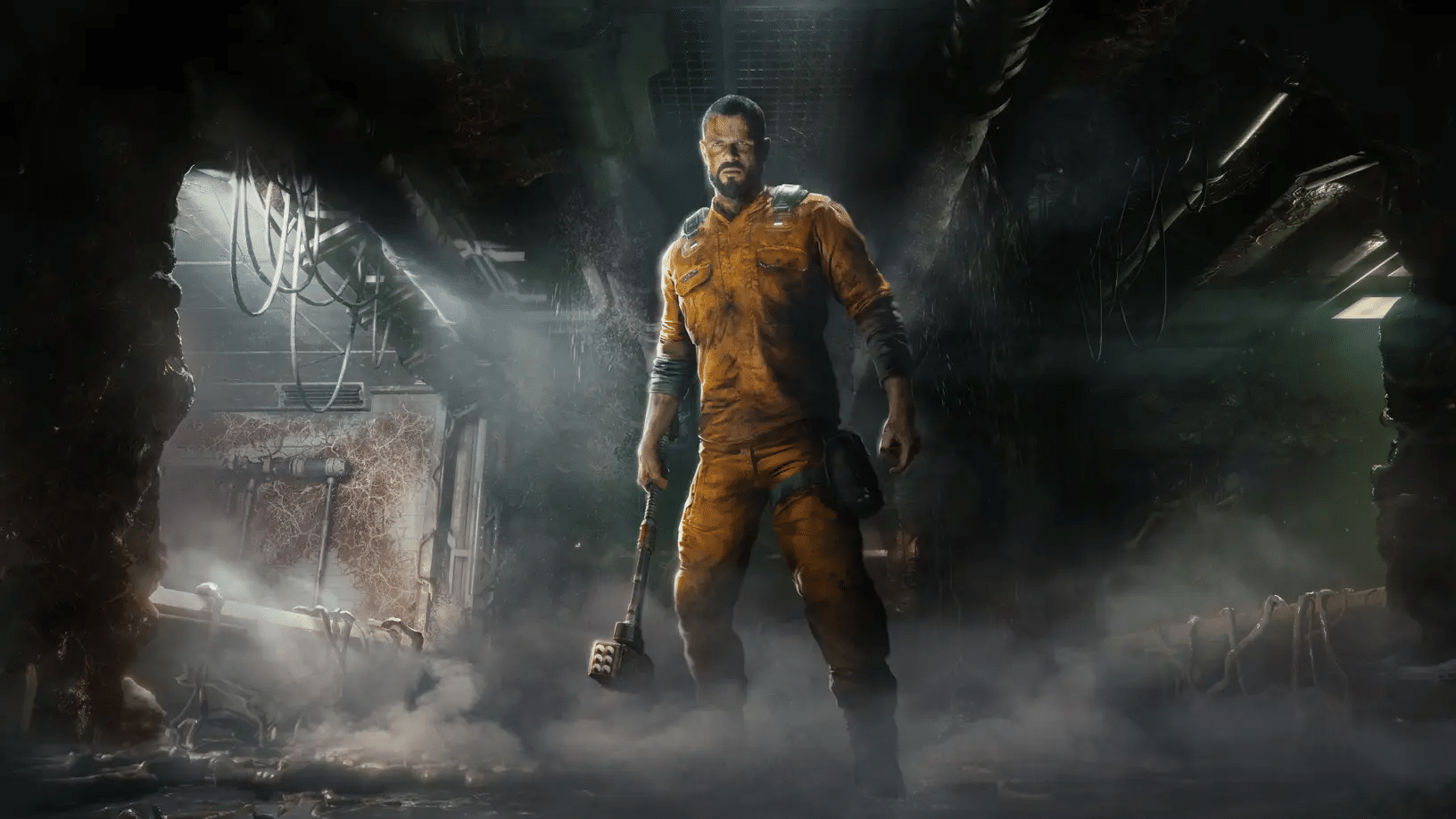
The Callisto Protocol’s “Final Transmission” DLC was announced last week, and new information on the expansion has been revealed, featuring the game’s new weapon, monsters, and more.

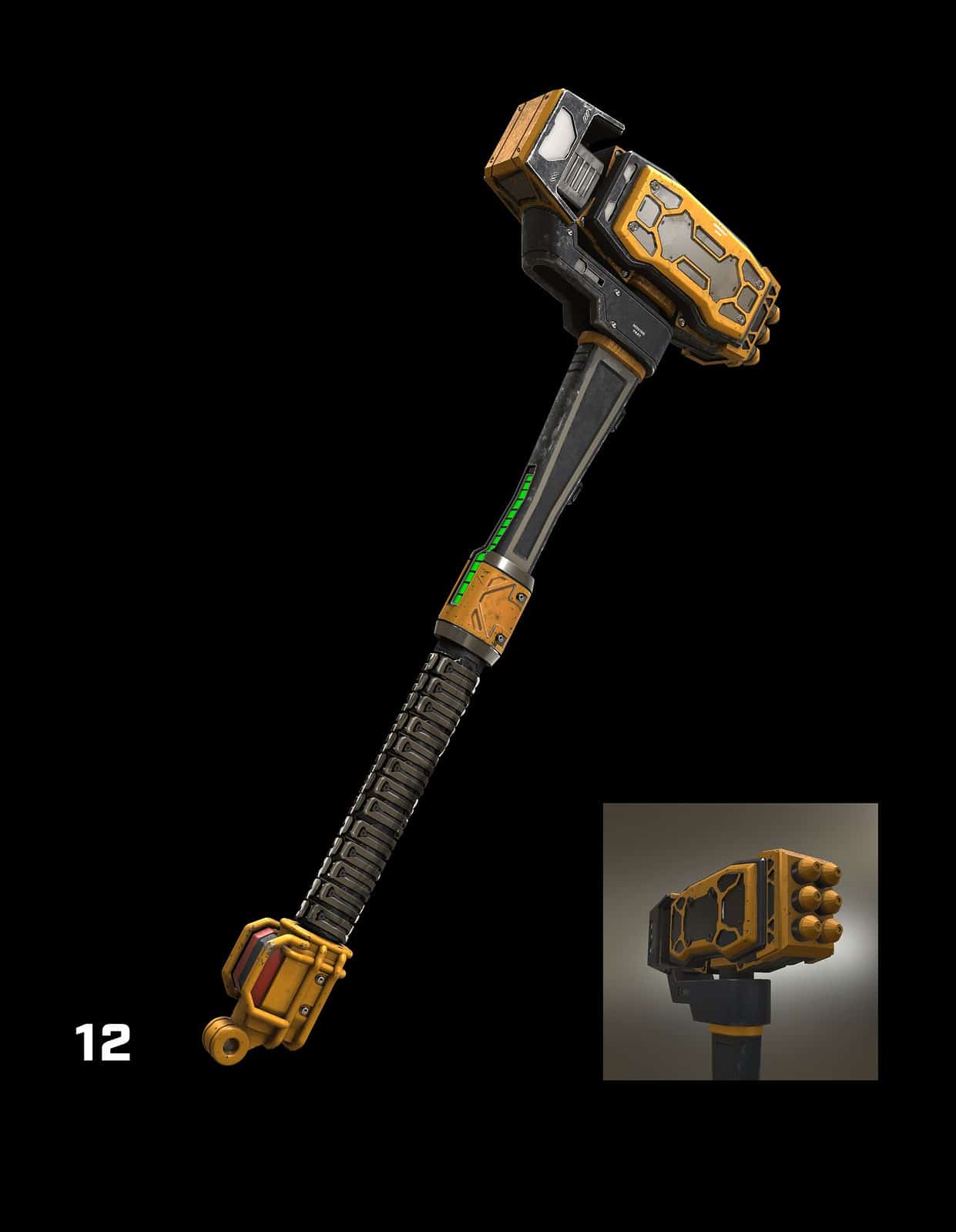
In a PlayStation Blog post, we get a glimpse at the Kinetic Hammer, a new melee weapon that provides both light and heavy melee attacks that you can dish out depending on the situation.

Paul Guirao, The Callisto Protocol’s lead systems designer, mentions that the Kinetic Hammer can be a bit “tricky” to wield due to how it works.

Holding down the heavy melee button produces an even more powerful attack. But mastery of the heavy charged mechanic can be tricky… you become the ultimate badass once you’ve mastered it. It’s one of our favorite weapons because it obliterates everything it touches.

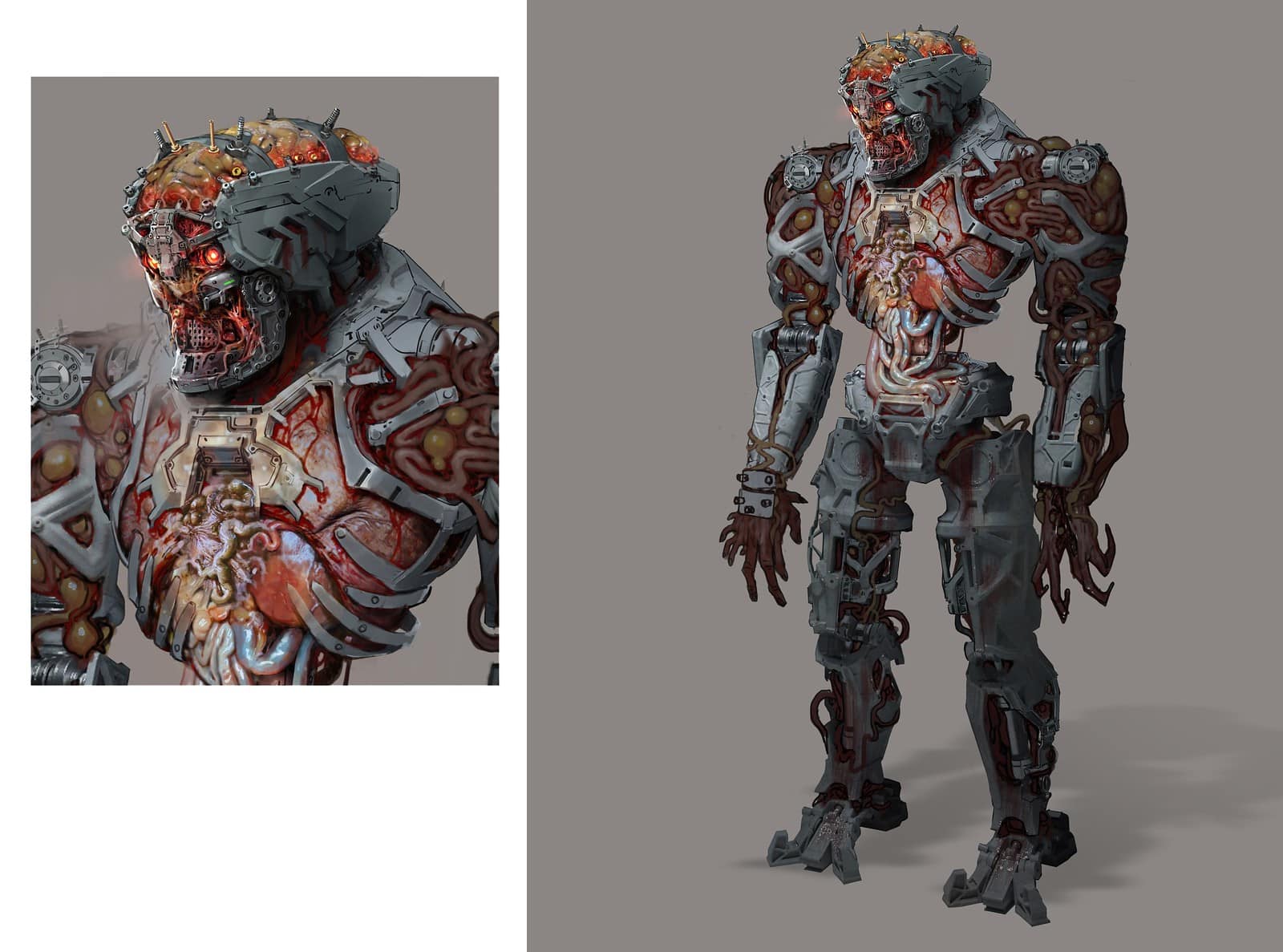
One of the new monsters coming to The Callisto Protocol is the Biobot, a security robot that’s been taken over by the Biophage virus. Here’s some concept art:

Guirao wanted to explore the idea of what happens when the Biophage begins to affect machinery in Black Iron Prison.

With the final chapter, we really dug into the idea of what happens when the Biophage starts taking over machinery.

We worked closely with the Concept Art team to create a look that fits in TCP’s universe. It took several iterations to establish the look. We went in both extremes, too robotic and then too organic.

There are other new enemies in Final Transmission as well, such as the DLC’s last boss. Here’s what Guirao had to say about it:

Our goal was to showcase the Kinetic Hammer’s power and make players strategize on the best ways to beat the boss; deciding when to use melee or ranged attacks and utilizing the arena to their advantage. We’ve given the boss similar mechanics as Jacob, switching seamlessly between hard-hitting melee and aggressive ranged attacks. And to keep things interesting, we’ve given the final boss an ability that goes beyond anything Jacob can do.

The Callisto Protocol: Final Transmission will launch this June 27 on PS4 and PS5, with Xbox One, Xbox Series X|S, and PC versions to follow on June 29.

Source: PlayStation Blog

Carlos Perez

Home > News

Diablo 4 Post-Credit Cutscene Discovered; Only Appears During Second Playthrough, Players Claim

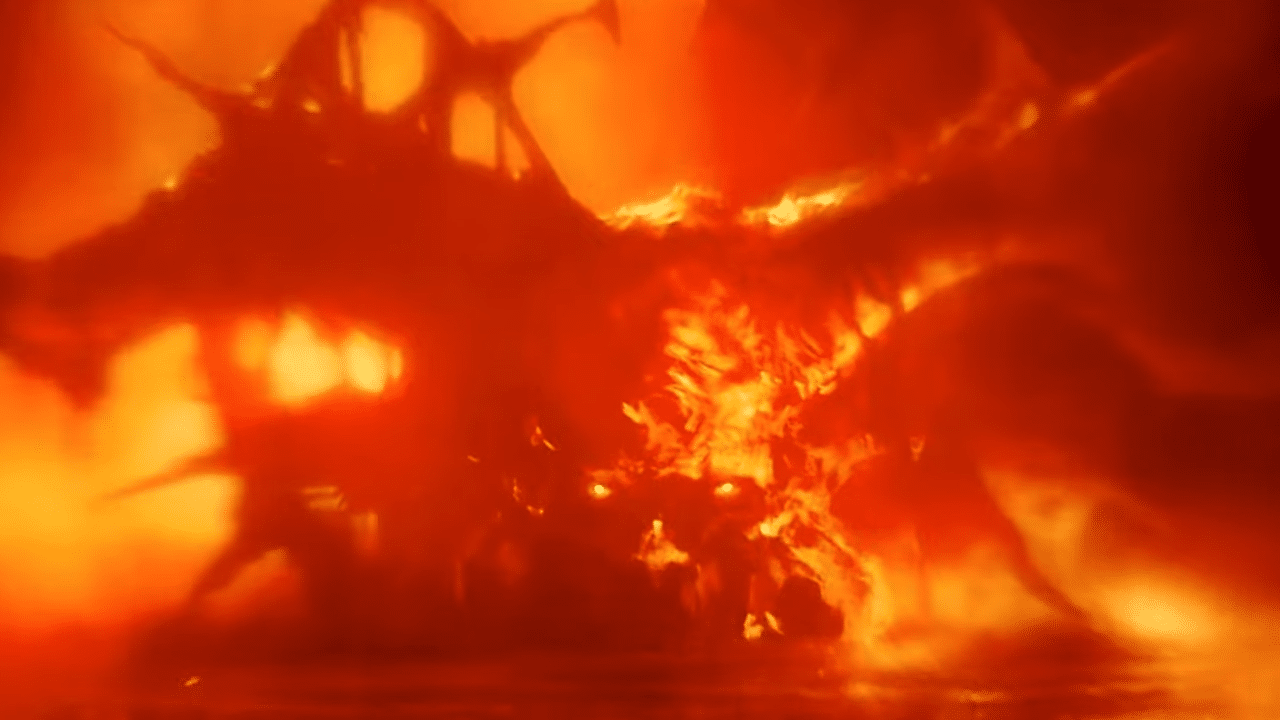
A Diablo 4 post-credit cutscene has been discovered, though it doesn’t play upon finishing the game with your first character, according to some players. The cutscene shows a brief image of a character seemingly engulfed in fire or flames, leading to speculation among fans of the game’s story.

You can watch the footage of the cutscene here:

Interestingly enough, this brief cutscene apparently doesn’t play for everyone when watching the credits, or at least, not at first. According to commenters on the YouTuve video as well as this Reddit thread, this image only appears upon clearing the game with a second character. Given the fact that most players will simply skip the credits (and virtually all cutscenes for that matter) when playing with an alt character, it isn’t surprising that not a whole lot of people have seen this cutscene appear in-game.

Blizzard cinematic artist Jamir Blanco also teased the existence of this elusive cutscene via his Twitter account:

As for who (or what) is being shown in the cutscene, there are quite a few guesses. Some speculate that it’s Inarius, others claim it’s Diablo, and some say that it’s Lucion. Regardless of who it is, this cutscene is likely a tease for future Diablo 4 content, so we’ll find out about this mysterious figure soon enough.

Carlos Perez

Home > News

MachineGames’ Indiana Jones Game Not Coming to PS5, and Now Xbox/PC Exclusive After Bethesda Acquisition

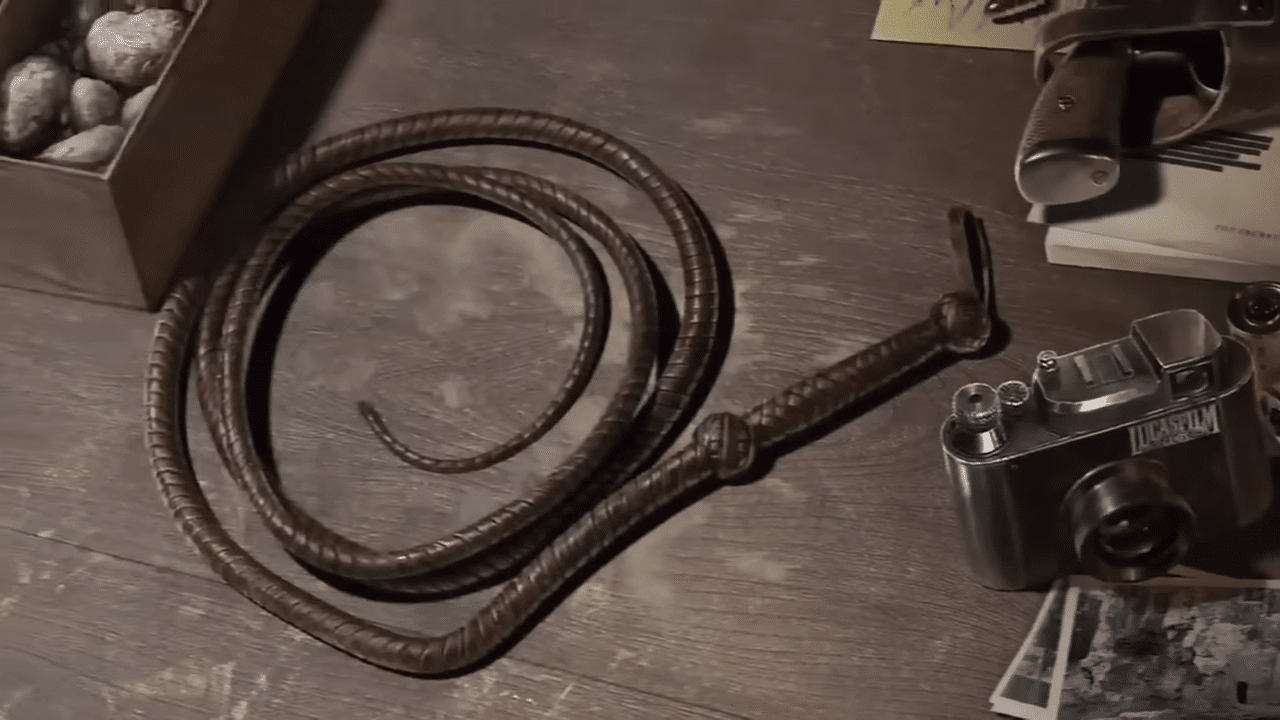
MachineGames’ upcoming Indiana Jones game was apparently originally planned to come out on multiple consoles, including the PS5, but following the company’s acquisition by Microsoft under Zenimax, it became an Xbox/PC exclusive. The reveal was made during the hearing for the Federal Trade Commission (FTC)’s case against Microsoft’s Activision-Blizzard acquisition.

During the hearing, Bethesda head of publishing Pete Hines stated that the Indiana Jones game was an Xbox exclusive for consoles. Disney, who owns the rights to Indiana Jones, apparently “had questions” regarding the game’s platforms following the Zenimax acqusition, according to journalist Derek Strickland on Twitter. Stephen Totilo, another journalist, also confirmed that Disney “had a deal” for the Indiana Jones game to release on multiple consoles.

The Indiana Jones game was originally teased back in 2021, and we still haven’t heard anything about it since then. The game doesn’t even have an official title yet, so it’s still unclear as to what MachineGames’ plans are for it. Here’s the original teaserw which was tweeted out by Bethesda a couple of years ago:

MachineGames worked on multiple Wolfenstein titles, with the company being acquired by Zenimax in 2010. Other than Wolfenstein, the studio also made Quake: Dimension of the Past in 2016 and Quake: Dimension of the Machine in 2021. The Indiana Jones game is currently their next big project alongside Wolfenstein 3.

Carlos Perez

Home > News

Microsoft Expects Next-Gen Consoles PS6 and Next Xbox to Come Out in 2028

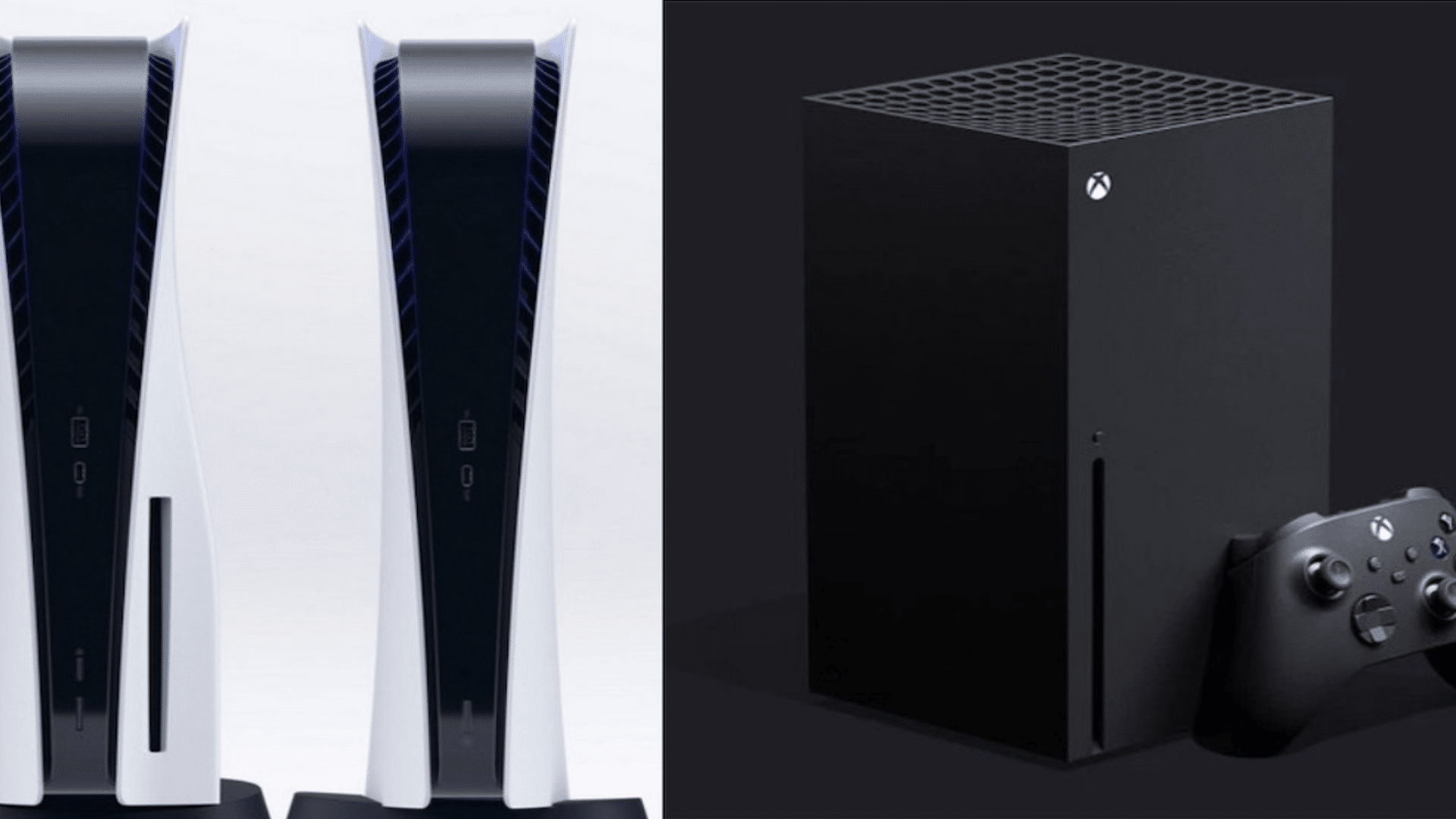
Microsoft expects that the next generation of video game consoles will likely come out in 2028, according to official court documents. This puts the release date of Sony and Microsoft’s next-gen consoles (possibly called the PS6 and whatever MS coins the next Xbox) around eight years after the release of the PS5 and Xbox Series X|S.

The court documents come from today’s hearing on Microsoft’s Activision-Blizzard acquisition and the Federal Trade Commission (FTC)’s injunction on the deal. In them, the “expected starting period” of next-gen consoles was in 2028.

Of course, this is just an “expected starting period,” and various factors could possibly result in next-gen consoles being released earlier or later, depending on the circumstances.

To give you an idea of how long eight years really is, here are all of Sony’s mainline PlayStation consoles and their release years since the original model in 1994:

  • PlayStation – 1994
  • PlayStation 2 – 2000
  • PlayStation 3 – 2006
  • PlayStation 4 – 2013
  • PlayStation 5 – 2020

For comparison, here are the release years of Xbox consoles:

  • Xbox – 2001
  • Xbox 360 – 2005
  • Xbox One – 2013
  • Xbox Series X|S – 2020

With 2028 being the expected year for the next generation of consoles, it’ll have been the longest period between console generations for Sony, with the current longest period at around seven years between the PS3 and PS4. On the other hand, Microsoft will have tied its eight-year gap between the Xbox 360 and the Xbox One.

Speaking of next-gen consoles, PlayStation boss Jim Ryan has recently said that if the Activision buyout closes, they will no longer share next-gen console details with the company.

Source: US Court Documents

Carlos Perez

Home > News

Call of Duty Warzone Caldera Servers Shutting Down on Sept. 21

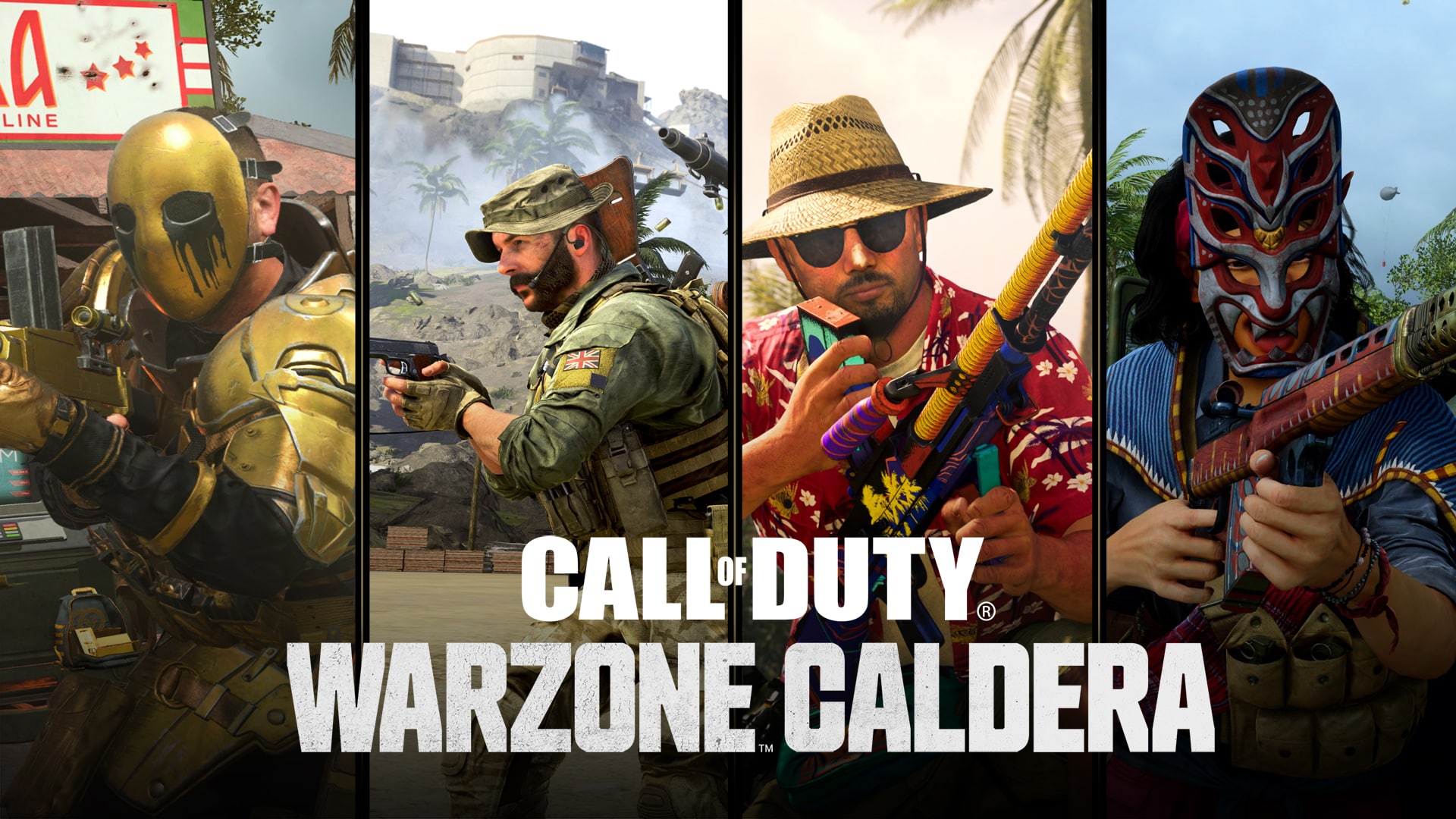
With Activision and Infinity Ward heavy into the development of Call of Duty: Warzone 2 (now just called “Warzone), the publisher has announced that Warzone Caldera (aka Warzone 1) will have its servers shut on Sept. 21, 2023!

Here’s an excerpt of the announcement made today:

As of September 21, 2023, Call of Duty®: Warzone™ Caldera will shut down, as our teams focus on future Call of Duty content including the current Warzone free-to-play experience.

Players should prepare for even more Warzone content across consoles and PC, as well as a new era of Battle Royale on the go with the launch of Call of Duty®: Warzone™ Mobile, which includes a shared Battle Pass and cross-progression. The Call of Duty team and Studios look forward to sharing more details soon.

Please note that the Warzone Caldera shut down has no impact to current Warzone gameplay, inventory, or player progression in Al Mazrah or the other available maps, and we look forward to continuing with you in that new Warzone experience.

Yep, that’s about it. I have no idea how many people still play the original Warzone, but I’m guessing there’s not a lot. If you are one of the few, share this and let others know to get as much game time as you can, since you won’t be able to in just a few months.

Source: Call of Duty

Danny Robijn

Home > News

Quake 2 Remastered Rated “Not for Teenagers” in Korea

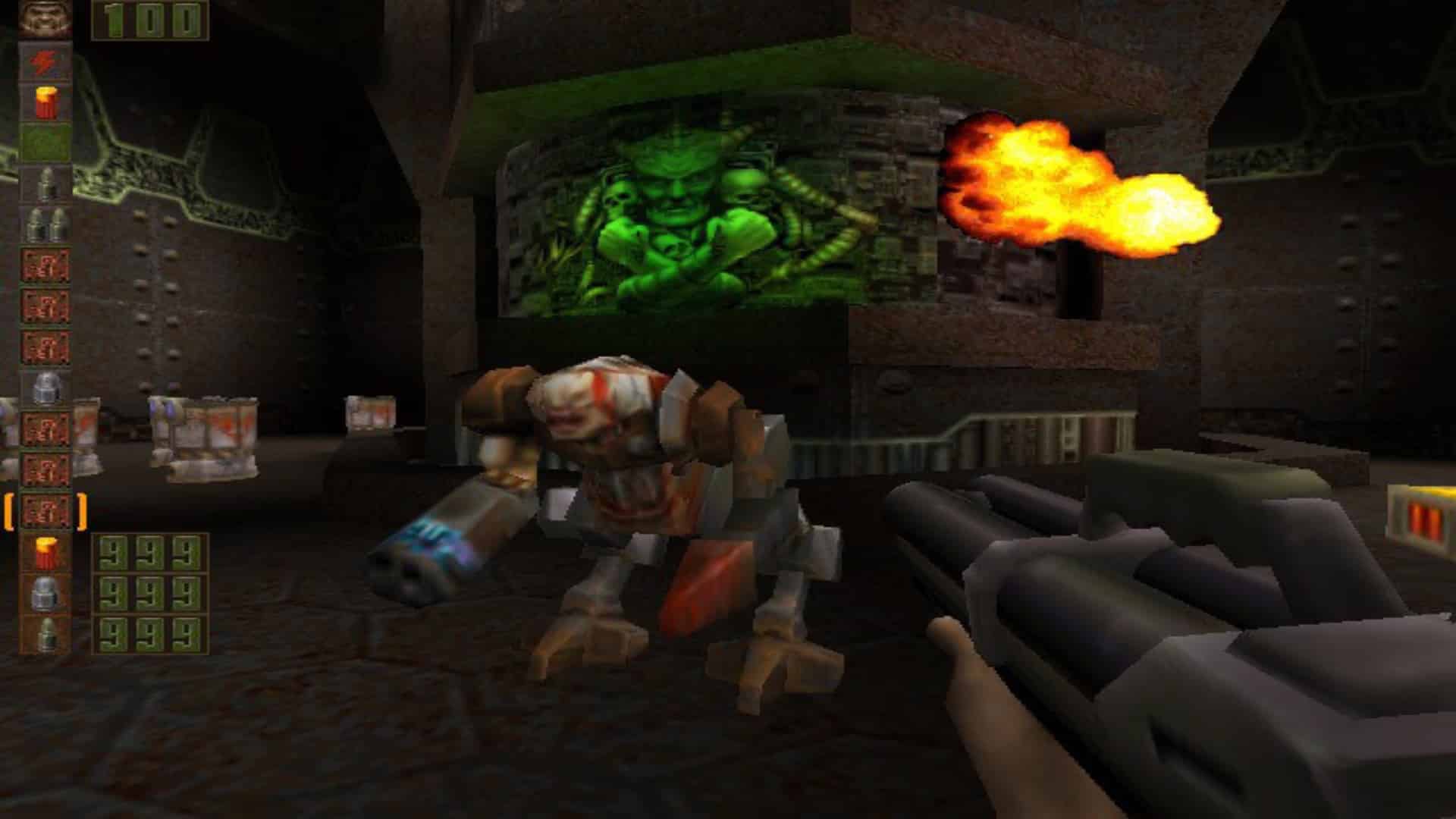
It’s like history is repeating itself. Around 2 years ago, the Quake remaster appeared in an ESRB rating ahead of its official announcement. Fast forward to today, Quake 2 Remastered has appeared in South Korea’s Game Rating and Admission Committee.

The game management committee has rated Quake 2 Remastered “not for teenagers” (translated from Korean) due to the following reasons:

FPS game at war with Stlog, a hostile alien race planning to invade Earth

  • Excessive expression of violence
  • Blood and deformation are frequently expressed in the course of combat using weapons

Korea’s rating board says that the application for Quake 2 Remastered rating was submitted on May 31, 2023, and the official rating has been unveiled just today. The only platform mentioned on the website is PC, with no mention of consoles as of yet.

Given that QuakeCon is just around the corner on August 10, and the fact that Quake Remastered was also announced during QuakeCon, it would make perfect sense for the game to be officially unveiled at the event.

Recently, South Korea’s Game Rating Committee rated another unannounced title, Lego 2K Goooal!. Thus, this probably won’t be the last time they reveal a title before its official announcement.

Source: Korea Game Rating and Admission Committee.

Ibrahim Kabir

Home > News

GTA Online Weekly Update for June 22 – Discounts, GTA Plus & More

Following the release of the San Andreas Mercenaries update, Rockstar Games has pushed out a new GTA Online weekly update for June 22 featuring a fresh set of activities alongside discounts, GTA Plus bonuses and more! Check out the complete highlights and recap in one convenient list below.

New GTA Online Weekly Update for June 22 – Discounts, GTA Plus & More:

The brand-new HSW Upgrades and Imani Tech-ready Bravado Buffalo EVX electric muscle car is now available for purchase from Legendary Motorsport and the Luxury Autos showroom.

In addition, those who join up with the Los Santos Angels in San Andreas Mercenaries now through July 12 will receive rare rewards for completing Project Overthrow and LSA Operations, selling Cargo Goods, and more.

Full highlights from this week include:

  • New Vehicle: The Bravado Buffalo EVX, eligible for HSW Upgrades and Imani Tech, and available to purchase from Legendary Motorsport and at the Luxury Autos showroom
  • San Andreas Mercenaries Bonuses through July 12:
  • Buy (or already own) the Operations Terminal and Mammoth Thruster Upgrades for the Mammoth Avenger to receive the Hinterland Bomber Jacket
  • Sell GTA$500,000 worth of Smuggler cargo goods by July 12 to receive the LS Pounders Cap
  • Complete all 6 Project Overthrow Missions by July 12 to get the Blue & Green Camo livery for the Mammoth Avenger
  • Complete all 3 LSA Operations by July 12 to receive the Conveyor livery for the V-65 Molotok
  • 1.5X GTA$ and RP on Project Overthrow Missions
  • 3X GTA$ and RP on the Community Series
  • Free Pink & Green Camo, Santo Capra Coins, and Dolla Dolla liveries for the Mammoth Avenger for playing this week
  • On PlayStation 5 and Xbox Series X|S
    • Premium Test Ride: The Överflöd Entity MT
    • This week’s HSW Time Trial takes place between Del Perro Beach and Murietta Heights
  • This week in Simeon’s Premium Deluxe Motorsport Showroom: The Enus Paragon R (Sports), Annis Hellion (Off-Road), Declasse Vamos (Muscle), Dinka Verus (Off-Road), and Truffade Nero (Super, 30% off)
  • On Display at the Luxury Autos Showroom: The Bravado Buffalo EVX (Muscle) and the Annis S80RR (Super)
  • Lucky Wheel Top Prize: The Pegassi Tempesta
  • LS Car Meet Test Rides: The Bravado Gauntlet Classic (Muscle, 40% off), Vapid FMJ (Super), and Grotti Itali RSX (Sports, 30% off)
  • LS Car Meet Prize Ride: The Grotti Turismo Classic (Sports Classic) for those who place in the Top 2 in LS Car Meet Races for four days in a row
  • Vehicle Discounts: 30% off the Mammoth Mogul (Plane), Buckingham Miljet (Plane), Truffade Nero (Super), and Grotti Itali RSX (Sports), plus 40% off the Bravado Gauntlet Classic (Muscle)
  • Gun Van Discounts: 30% off the Military Rifle (for GTA+ Members) and the Homing Launcher
  • GTA+ Benefits: Exclusive membership to The Vinewood Club, a free Maibatsu MonstroCiti (Off-Road) and the Chepalle Motorsport livery, the new Avenger Operations Terminal, Cream Pearl and Blue-Green Flip Chameleon Wheel Paints, Project Overthrow bonuses, 40% off Avenger upgrades, and more

GTA+:

GTA+ Members gain admittance into The Vinewood Club, an all-new VIP experience that includes access to The Vinewood Car Club’s curated stock of distinct vehicles. Plus, enjoy a wide selection of benefits through July 19:

  • Maibatsu MonstroCiti (Off-Road) and Chepalle Motorsport livery
  • The new Avenger Operations Terminal
  • Cream Pearl and Blue-Green Flip Chameleon Wheel Paints
  • 1.5X GTA$ and RP on Project Overthrow Missions
  • 40% off Avenger upgrades

And much more, including a GTA$500,000 bonus delivered upon billing each month. Visit the GTA+ website for the complete breakdown.

Discounts:

  • 30% off – Mammoth Mogul (Plane)
  • 30% off – Buckingham Miljet (Plane)
  • 40% off – Bravado Gauntlet Classic (Muscle)
  • 30% off – Truffade Nero (Super)
  • 30% off – Grotti Itali RSX (Sports)

Gun Van Inventory and Discounts

Tactical SMG Unholy Hellbringer | Military Rifle (30% off for GTA+ Members) | Railgun | Homing Launcher (30% off) | Vintage Pistol | Machine Pistol | Pipe Wrench | Proximity Mines | Sticky Bombs | Grenades | Armor

Make sure to tune in next week for the new GTA Online weekly update.

Avatar photo

Salman Haider Zaidi

That's a nice argument, Senator.

Home > News

Red Rover Interactive: New Studio With DayZ Veterans to “Evolve the Hardcore Survival Genre”

If you are a fan of multiplayer experiences or the survival genre, you might be in luck. A brand new studio, led by industry veterans has been unveiled. Red Rover Interactive has lifted the lid on its wider plans, but the developer says that they are not “ready to discuss its new game in detail”.

Red Rover Interactive includes developers who have collectively worked on franchises including DayZ, Crysis 2, Ryse, Ghost Recon, Conan Exiles, and more.

What are the goals of Red Rover Interactive?

Initially, to utilise the studio’s considerable collective experiences working with successful multiplayer-focused IP to catapult the survival genre in a new direction, placing player agency and drama front and centre. Long-term goals are to create the most novel and engaging multiplayer experiences on the market.

Red Rover CEO, Fred Richardson had this to say:

We believe multiplayer interactions are fundamentally more powerful than PVE ones. This is something most persistent online games don’t leverage, often being built as single player experiences that support many players. We plan to lean into this, starting with the survival genre which we are intimately familiar with, taking it in a genuinely new direction.

Red Rover Interactive Team:

  • CEO Fred Richardson (Funcom, Ubisoft Reflections)
  • COO Joe Stevens (Lockwood Publishing, Ubisoft Reflections)
  • Design Director Marek Zilavy (Bohemia Interactive, Funcom)
  • Technical Director Daniel Ratzer (Funcom)
  • Art Director Sebastian Zimmermann (Nordeus, Jagex, Crytek)

These are a few people out of the total foundation team of 17 members, who have worked together previously.

The developer says that it is focused on creating mid-sizes, close-knit, and co-located teams to create titles designed for “infinite engagement” which is “perfectly suited to the age of content creation.”

In terms of capital, the studio has managed to secure significant capital from different investors, with a total investment of about $5 million. For our game developer readers, Red Rover Interactive is also currently hiring. You can find out more about that and the studio’s vision on its official website.

Red Rover Interactive’s goal and team look very promising. Are you excited to see what the studio is producing? Let us know in the comments below.

Ibrahim Kabir

Home > News

Deep Rock Galactic Update 1.36 Fires Out This June 22

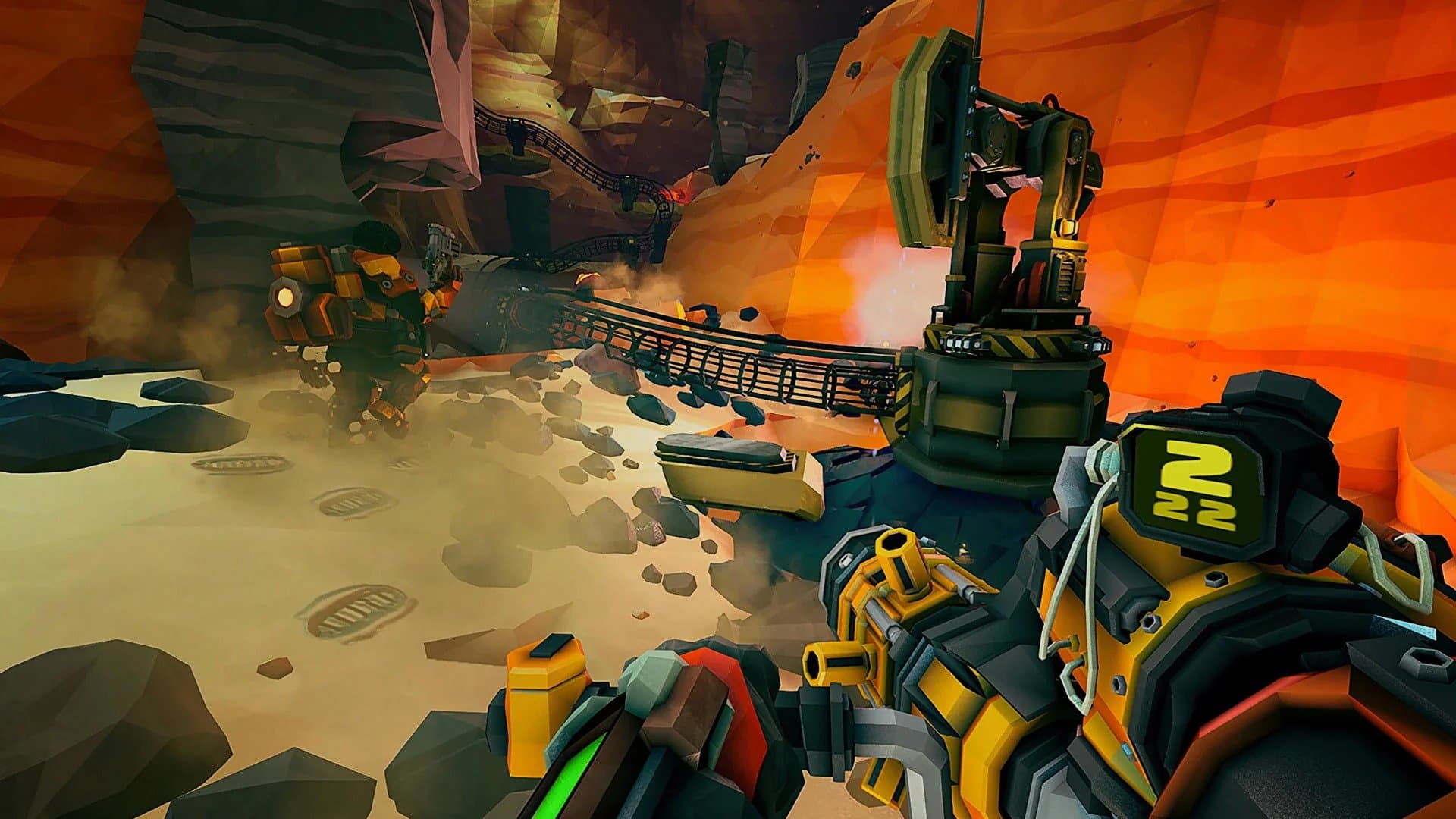
Ghost Ship Games has released Deep Rock Galactic update 1.36 (PS5 version 1.000.036) today on all platforms. This update features only one bug fix. Check out the Deep Rock Galactic June 22 patch notes below.

Deep Rock Galactic Update 1.36 Patch Notes | Deep Rock Galactic Update 1.000.036 Patch Notes | Deep Rock Galactic June 22 Patch Notes:

Details of the latest patch were revealed on the game’s official Steam page. You can look at the details down below.

Hello Miners,

You can now build without progress being reset if you take a little break, just as Karl intended

With Love,

The Ghost Ship Crew
— PATCH NOTES —

– Fixed issue that caused all building progress to reset when the player stopped building

We will update this post as soon as we can if additional details are revealed about this patch. Keep it locked at MP1st for more updates on the game in the future.

Source: Steam

Damien Seeto

Home > News

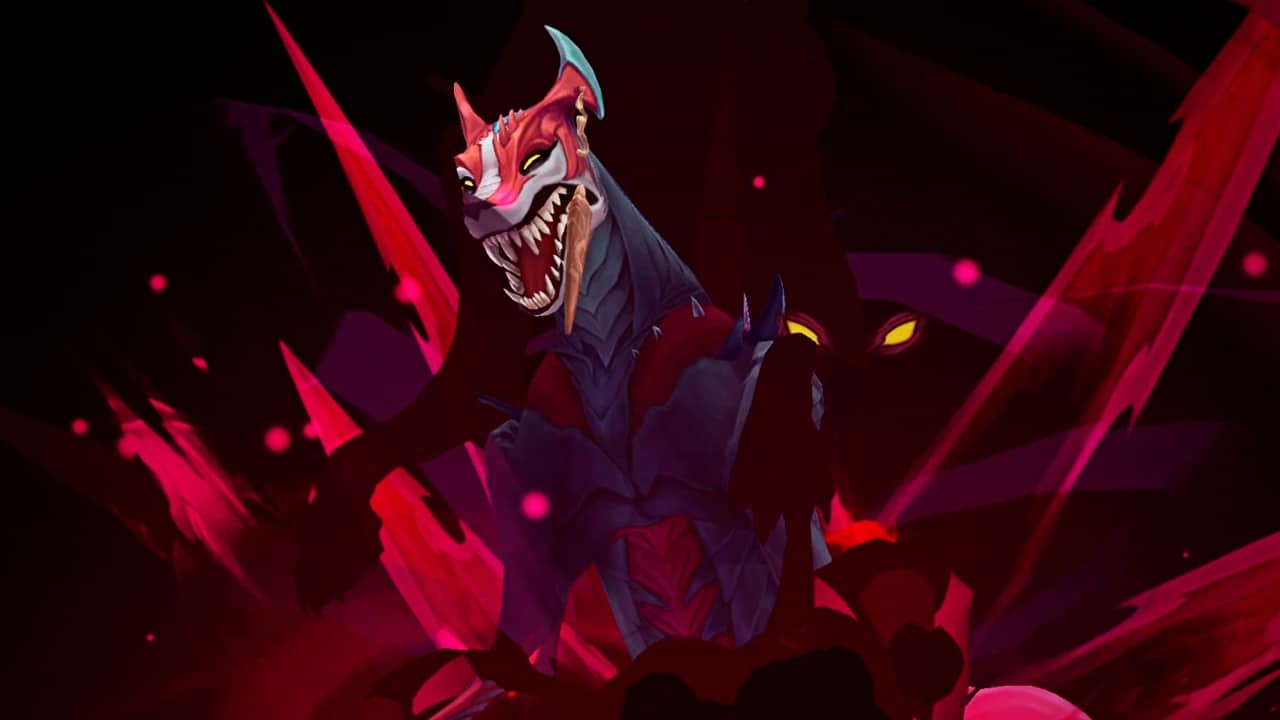
League of Legends New Champion “Naafiri” Announced; Abilities and Gameplay Trailer Revealed

Riot Games has unveiled League of Legends’ new Champion, Naafiri the Hound of a Hundred Bites. Naafiri will join other League of Legends Champions onto the rift in patch 13.14.

Naafiri is an ancient Darkin with incredible power, who was destined to lead her kin. Though, her ambitions were cut short when she was entombed within a blade and imprisoned in a crypt beneath the Shuriman sands. Centuries later, Naafiri has been set free and is bound to a new host – the Dune Hounds.

Check out the gameplay trailer reveal for Naafiri in League of Legends:

“We track for a thousand years. None can flee for that long.”

Though Naafiri wasn’t particularly happy about turning into a Dune Hound, she soon discovered that the pack’s collective consciousness would prove invaluable to her plans. Her strength lies in the unity, loyalty, and shared strength of the entire pack. Naafiri seeks to unify the Darkin and will unleash the collective power of the pack to whoever stands in her way.

League of Legends – Naafiri Abilities:

Passive – We Are More

Naafiri creates a Packmate after an amount of time that will attack enemies that she targets for physical damage, which is increased after she uses an ability. Hitting champions with abilities or killing enemies reduces this ability’s cooldown.

Q – Darkin Dagger 

Naafiri hurls Darkin-tainted blades, dealing physical damage and inflicting a bleed for a few seconds.This ability may be recast. If enemies hit are already bleeding, instead deal the remaining bleed damage plus bonus physical damage and missing health physical damage. If the target was a champion, Naafiri restores some health. Packmates will leap at the first target hit, prioritizing champions and attacking them for a few seconds.

W – Hounds’ Pursuit 

After a brief delay, Naafiri dashes at an enemy, dealing physical damage and briefly slowing her target or the first champion she collides with. This ability gains range based on ultimate rank. Packmates become untargetable and dash alongside Naafiri, dealing additional damage per Packmate.

E – Eviscerate 

Naafiri surges forward, dashing and dealing physical damage to enemies she passes through, then explodes outward, dealing additional physical damage. Packmates are recalled to Naafiri and are healed to full.

R – The Call of the Pack 

Naafiri prepares to hunt, empowering her Packmates and spawning bonus Packmates for a short duration. Naafiri then gains a burst of out of combat Movespeed, vision, and the first time she hits an enemy champion, she gains a shield. On first champion takedown, all ultimate effects are refreshed.

Again, League of Legends’ new Champion, Naafiri will join the game with Patch 13.14, which is expected to drop sometime in mid-July. You can find her Champion Insights through this link.

Ibrahim Kabir

Home > News

Conan Exiles Update 1.92 Rampages Out for Age of War Chapter 1 This June 22

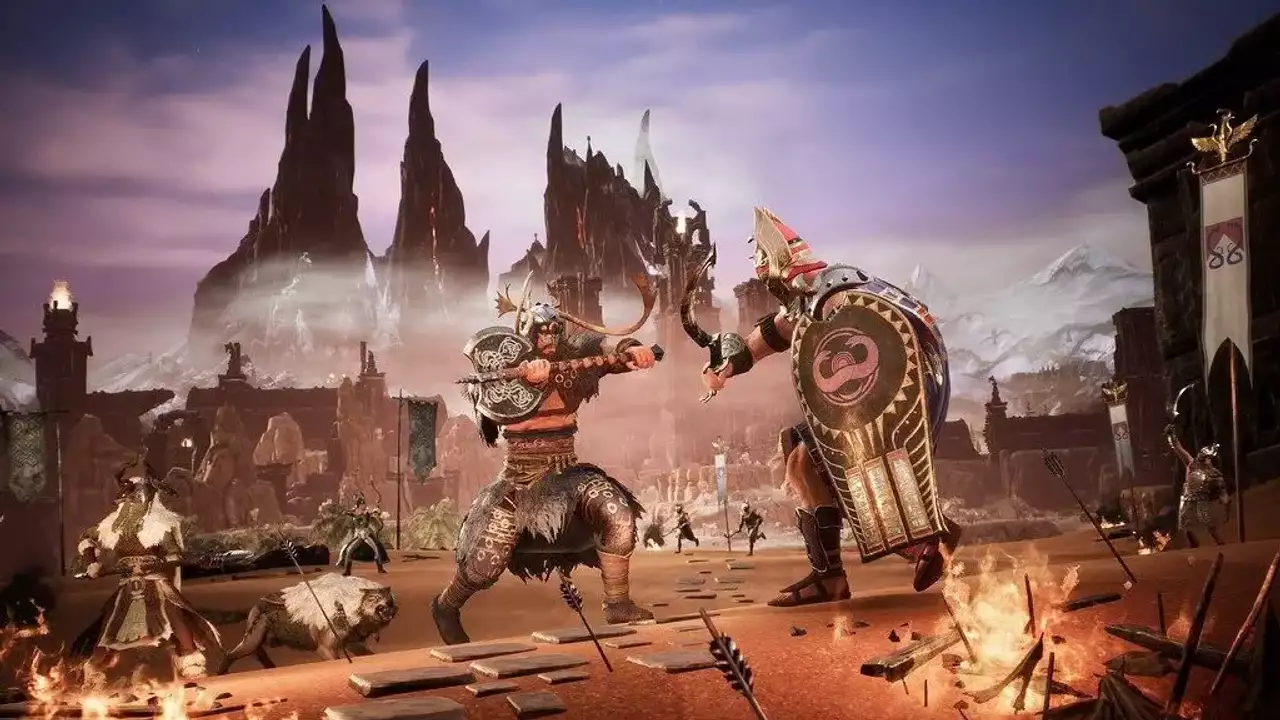
Conan Exiles update 1.92 is now out this June 22 on all platforms, and this is for the big Age of War content drop (Chapter 1). Players can expect Clan Hoards, Clan Emblems, weapon changes and more! Read on for everything new in the Conan Exiles Age of War patch notes.

Conan Exiles Update 1.92 Patch Notes | Conan Exiles Age of War Patch Notes | Conan Exiles June 22 Patch Notes:

  • Fixed a “Connection lost” issue that has proven elusive but finally got nailed down
  • Cleaned up some Console Log spam
  • Various optimization, crash fixes, and clean-up
  • Fixed a number of known exploits.
  • Clan Emblems let you unify your clan under a custom symbol to face the enemies without. Choose from several symbols and backgrounds and display them proudly on banners, shields, armor and more!
    • New work station: Clan Totems
      • Totems with cultural themes
      • Used to combine images and colors to make an emblem to represent your clan
      • Shows your clans current emblem on the totem
      • Clan emblems are displayed on clan armor, shields, banners, etc.
      • Requires permissions in clan to edit emblem
    • Emblems appear on bespoke assets:
      • Wall Banners
      • Carpets
      • Flag Banners
      • Shields
      • Horse caparison
  • Clan Hoards are a new feature for you to find treasure, bring it home, and display it at your base.
    • Place any treasure placeables within the coffers radius to contribute to the personal hoard and the clan hoards totals. Treasures can also be placed directly in the chest next to the Treasurer NPC. Interact with the Treasurer NPC to check the hoard values.
    • Heavy Treasures are special treasures found in the world that have to be carried home. You must make your way back to the base while carrying the treasure, it will not be added to your inventory.
  • New challenges are implemented:
    • Apply a Clan Emblem
    • Build a Coffer
    • Place 3 Small Treasures
    • Claim a Heavy Treasure
    • Contribute to a Coffer value over 1000
    • Contribute to a Coffer value over 5000
    • Contribute to a Coffer value over 10000
  • New Age of War Chapter 1 Battle Pass including new pets, armor, emotes, and more! Rewards are focused on Stygian and Nordheimer lore – including the new Stygian War Tent Set and Nordheimer and Stygian armors.
    • New functionality: horse caparisons, emblems, weapon emotes
  • New Age of War Chapter 1 Bazaar items, including new pets, armor, emotes, and more!
    • New functionality: horse caparisons, emblems, weapon emotes
  • New Twitch Drops starting with Midnight Caparison. Follow our social media channels 4 for more info on when these drop campaigns start!
  • Foundations no longer have an “Outer Face” indicator
  • Improved feedback on why an object can not be moved
  • Illusions now properly appear on the Armor Display
  • Containers picked up through removing their support now drop their inventory into yours, just as if you had picked it up directly
  • Arena door now fit properly in its frame
  • Cursed Tree is now more lenient for placement purposes
  • Truncheons are now displayed correctly on weapon display racks
  • Rocknose Figurine now has the correct icon and can be placed in the world, and will be available again through Twitch in the near future
  • Turanian L Stairs have had their names corrected with regards to Left and Right turns
  • Storage Container: Mining now accepts additional item types
  • Hanging Garden plants no longer lose their foliage
  • Recipes for Potion of Natural Learning and the Bestial Memory has been moved off of Midnight Alchemist and are now part of the Firebowl Cauldron knowledge. The Raw Ash ingredient for both these potions has been removed as a requirement for crafting them.
  • Yellow Lotus Potion no longer resets attributes or knowledge, and instead provides a Stamina buff
  • Fixed an issue where certain placeables would return the wrong materials when dismantled
  • Prying Kit now correctly removes effect from Blunted and Balanced Weapon Fittings
  • Blacksmith Bench no longer modifies Blood-Moon Bow and Bite of the Huntress stats
  • Faded Purple Dye and Full Purple Dye are now less pink and more purple
  • Golem crafting stations acquired from the Bazaar now have the same build costs as those found through game play, except that Blood Crystal Golem Workbench requires Blood Crystals
  • Purple Lotus Orb recipe now correctly requires both Black and Purple Lotus
  • Charcoal Kiln now has the correct fuel displayed in the crafting formula
  • Crystalline Visage Armor now has the correct icons
  • Fragment of Power has been removed from most crafting recipes
  • Wells now require 50 Tar (down from 300), and 100 Steel Reinforcement (down from 300) for tier 2
  • NPCs now have a smaller area of attack (hit box) with their first heavy attack with Two-Handed Spear weapons
  • NPCs can now actually hit with their off-hand daggers
  • Some NPCs have had their area of attack with daggers reduced as it was too large
  • See Balance Updates below!
  • Thralls will no longer have strange textures in certain situations while placing them
  • Dragons are less twitchy in uneven terrain
  • Abandoned thralls now correctly disappear over time
  • Interacting with Wight Horse will now mount it instead of opening its inventory
  • Greater Komodo Dragon can now apply poison when attacking
  • Pet Rats now have collision
  • Fixed an issue where a specific attack for Rocknoses would cause them to never hit your character
  • A number of NPCs who would always face east have been told to respect the designers’ orders
  • Greater Hyena pets no longer stop attacking after the second round of aggression
  • Enemies no longer have a moment of doubt (most visible on resting Kappas) and instead immediately decide to maul you when you hurt them
  • Rocknoses and other creatures now start in their prepared state (for example already hiding) instead of moving to that state once you spot them
  • Cats are now lighter
  • Deformed Bears now show properly when placed
  • All Battle Pass and Bazaar pets now have proper attributes and leveling gains
  • Light from Radium Gem Golem Head has been tweaked
  • Fixed the damage output of Blood Moon Beast boss from The Fractured Citadel
  • Kurak’s gas is no longer considered a poison, and thus having the Petrified perk doesn’t protect against it
  • We’ve recategorized many items. The new classifications are: “Unique”, “Epic”, and “Legendary”. Legendary items are end-game items that cannot be crafted. Epic items are end-game items that can be crafted, such as Khari Steel, Hardened Steel, Venomsteel, Star Metal, etc. Unique items are the best-in-tier; a unique steel dagger is the best steel dagger you might find, but it will not be better than a Legendary or Epic dagger.
    • Journeys that required crafting Legendary items now instead require crafting Epic items
  • Animals and monsters are now generally speaking more deadly but have significantly less health, making dodging and blocking more important in combat. Humans (including thralls) have had their health reduced, but still vary in threat level between tribes as before.
    • Alpha animals (1 skull) are now much closer to the strength of their animal type
    • Champions (2 skulls) can now be found among the tribes and drop Unique items (see above)
    • World bosses (3 skulls) have been adjusted similarly to other enemies but the exact adjustments vary – in general expect shorter but deadlier fights
  • Stamina costs and regeneration adjustments
    • Stamina cost for weapons have been greatly increased, from numbers ranging 3-9 to numbers ranging 10-40
    • Stamina cost for jumping has increased to 8, and an extra Stamina cost of 16 for double-jump has been introduced
    • The stamina regen pause has been decreased from several seconds to 0.1 seconds, thus you will start regenerating stamina a lot sooner than before. Related server default values have been changed, and will be force-set upon patching (server admins beware!):
      • StaminaRegenerationTime = 1.75 (was 3.75)
      • StaminaOnConsumeRegenPause = 0.1 (was 1.5)
      • StaminaOnExhaustionRegenPause = 0.1 (was 2.75)
      • StaminaLightArmorNoLoadRegenMultiplier = 1.0
      • StaminaLightArmorLightLoadRegenMultiplier = 1.0
      • StaminaLightArmorMediumLoadRegenMultiplier = 1.0
      • StaminaLightArmorHeavyLoadRegenMultiplier = 1.0
      • StaminaLightArmorOverLoadRegenMultiplier = 1.0
      • StaminaMediumArmorNoLoadRegenMultiplier = 0.9
      • StaminaMediumArmorLightLoadRegenMultiplier = 0.9
      • StaminaMediumArmorMediumLoadRegenMultiplier = 0.9
      • StaminaMediumArmorHeavyLoadRegenMultiplier = 0.9
      • StaminaMediumArmorOverLoadRegenMultiplier = 0.9
      • StaminaHeavyArmorNoLoadRegenMultiplier = 0.85
      • StaminaHeavyArmorLightLoadRegenMultiplier = 0.85
      • StaminaHeavyArmorMediumLoadRegenMultiplier = 0.85
      • StaminaHeavyArmorHeavyLoadRegenMultiplier = 0.85
      • StaminaHeavyArmorOverLoadRegenMultiplier = 0.85
    • The gray-out post-processing effect for when you run out of stamina has been removed, as you will no longer be out of stamina for very long.
  • Weapon adjustments
    • Heavy attacks will do more damage than before, ranging from 5% to 20% more damage, depending on weapon type
    • Shields have had their base durability halved
    • Heavy attacks will always apply special effects such as bleed or sunder, except when sprinting
    • Short swords now apply Bleed on heavy attacks
    • Two-Handed Axes now apply Cripple on heavy attacks
    • Combo multipliers adjustments
      • First Heavy attack for One-Handed Axes decreased from 1.5 to 1.2
      • Katana Special attack increased from 0.6 to 1
      • One-Handed Sword, 4th Heavy attack increased from 1.5 to 2
      • Kicks, Backflips and the Katana Special attack has had their combo multiplier Stamina cost reduced
  • Repair adjustments
    • Legendary repair kits have been renamed to “Grandmaster Repair Kits”
    • Armor Patch kits have been renamed to “Armor Repair Kits”
    • Cost for crafting repair kits have been doubled
    • Weight for repair kits have been lowered to 0.1
    • Legendary and Unique items can not be repaired in any way
    • Max Durability for Unique and Legendary items have been greatly increased
    • Adding a weapon/armor/tool modification kit no longer reduces max durability
    • The Max Durability reduction from Prying kits have been reduced from 50% to 30%
    • Returns from dismantling items has been greatly increased
    • All repair kits now work on all tiers of weapons and armor (but not Unique and Legendary ones), but lower the max durability of the item by 2.5% to 20% (of original max durability) depending on the tier of the repair kit
    • Using a Repairing Grindstone will repair all items on your hotkey bar, also reducing max durability on all of them
  • Enemies can no longer break their stun-lock state
  • Dead Golem followers no longer yield too many Blood Crystals when harvested
  • Turanian and Yamatai Epic armors no longer give too much heat and cold resist
  • The Tower of the Elephant achievement has been tweaked so that it now require a minimum of two people on top of before death by stompers
  • Heritance will no longer be modified
  • Target lock improvements and fixes
    • Added multiple target lock points on large enemies
    • Target lock will no longer switch to a new target automatically when the current target is killed or lost
    • Target lock is now broken by enemies using certain actions like burrowing or going invisible
    • Target lock will no longer snap to another target immediately upon activation due to the controller thumbstick not being centered
    • Target lock no longer works on dialogue NPCs
  • DropEquipmentOnDeath server setting now has three options:
    • Lose nothing on death (0)
    • Lose everything on death (1; default)
    • Lose backpack inventory on death (2)
  • New diving animation! To dive, hit the Crouch key before reaching the apex of a jump.
  • Added gamepad / controller rebinding support under Settings
  • Bind Wisp is now a toggle spell
  • Detect Resources is now a toggle spell
  • Eighty Shades of Pink now also teaches the “Seduce” emote
  • Chicken Dance now counts towards the challenges for dancing
  • Pet and Thrall conversion time has been significantly reduced
  • Entering and leaving a dungeon no longer makes grass refuse to make way for your constructions
  • Added a minimum of light around a character even when not carrying a light source. This still needs some tweaking for different environments.
  • Gold and silver bars now have greater stack sizes
  • Starving characters will no longer die while offline
  • Token of friendship should now only give 1 Thunn Ha Ally
  • Charcoal now has an icon and the correct description
  • Forlorn weapons now correctly display under the weapons categories
  • Equipping only Aesir Raider leggings no longer part of the legs invisible
  • Several fixes for the Journey system
    • Auto Switch Next Journey setting will now always pick a new Journey, even if there is not a default progression from the one just completed
    • Dregs now correctly unlocks the Dungeon Delver Journey
    • Leyshrines now correctly unlocks the Surge Defender Journey
    • Assigning a thrall to any crafting station now correctly completes the Thrall Taker Journey step
    • The step to find the Sorcerer’s Grotto now triggers reliably once you have gone further into the grotto itself
    • Placing a foal into a stable will now complete the relevant step correctly
    • Several steps that would auto-complete no longer do so
    • Steps that require interaction with specific workbenches now also accept the improved version of those workbenches
    • Steps that unlock on specific Feats now unlock also for characters that had those Feats from before
    • The step to level a thrall/pet now correctly triggers also on going from level 0 to level 1
    • Harvesting Plant Fiber from Berry bushes will now also trigger the steps for collecting plant fibers
    • Artificer Journey now correctly unlocks from Fine Metal Crafts
    • Journey step to Wear a piece of Epic Armor no completes only with Epic Armor
    • Balanced Iron Poniards Knowledge are now hidden until the correct Journey is resolved
    • Several Journey step descriptions pointing to the wrong location or workstation have been corrected
    • Journey step “Summon Protection of Gods” description corrected
    • Corrected the icon displayed for several Journey steps
    • Tanner Journey no longer has “Learn Tanner” as a step, since it has it as a requirement for unlocking the Journey
    • Interacting with a built trebuchet will now also trigger the Journey step to Complete Building a Trebuchet
    • Corrected typos in some Journey step descriptions
    • Journey system now properly updates Journeys added or removed by mods
    • The “Learn a Delved Schematic” step in the Delver Journey can now be passed by using any scroll from the Voidforge, even if you have that knowledge from before. In addition, if you have all the Knowledges from the Voidforge it will automatically resolve.
    • The “Upgrade an Altar to the final level” step in the High Priest Journey will no longer give credit for crafting a Retreat of Jhebbal Sag, and instead correctly require the tier 3 Grove of Jhebbal Sag to be built.
  • Foliage now display properly on Isle of Siptah on PlayStation
  • Removed the collision from the small flags on top of the Stygian invader ships on the Isle of Siptah
  • Fixed a number of inverted normals on planks at the Black Hand Galleon in the Exiled Lands
  • Repopulated a camp in the Exiled Lands near the river
  • Exiting Midnight Grove no longer runs risk of underwater teleportation
  • It no longer rains or snows in Lockstone cave
  • Female NPCs will no longer use male animations in certain situations in Solo/Co-op games
  • Characters will now always face the correct direction when sitting down in chairs, and not get stuck in them anymore
  • Bows too now have an idle animation
  • Bigfoot’s throwing animation and projectile launch now match up
  • Large creatures now stutter less when climbing slopes
  • Knockback animations from shield blocks are now smoother
  • Our valiant #spellchekker team has gone to war against the armies of Typus Maximus and came victorious. Ish.
  • Our prestigious international #spellchekker team has saved the day once again by fixing a number of los typos in the localized versions of the game.
  • Activating the inventory shortcut while on another interface screen now only closes that screen, and no longer switches to the inventory.
  • Respawn interface will now take a small moment to appear, to allow a moment of dread and/or laughter before being asked to do it all again. The death camera has also been tweaked to improve the experience.
  • Pristine Khari Daggers now both show up on their icon
  • Claim Challenge Reward has its own controller button also on the Japanese PlayStation version, and no longer shares X with “Back”
  • All elephants now have visible health bars
  • Dying by passing through the Cursed Wall will no longer in certain cases open several unrelated interface windows
  • Inventory grid no longer displays on top of the Info and Split buttons on Xbox
  • Stables and Animal Pens Rename button can now be navigated to with controller
  • Character Copy window can now be closed with Esc on keyboard or Back on controller
  • Avatar controls now show and work correctly also when doing the summoning from inventory
  • Dryer now visually shows dried meat in it
  • Show Journey Steps setting now correctly applies in all situations
  • A new icon for Skeleton Key has been made to distinguish it better from other keys in the game
  • Zeal being stolen is now messaged only when Zeal is actually being stolen
  • Loot and interaction windows now work properly in the start area of Well of Skelos
  • Added text to the (at first) empty Sorcery Knowledge tab.
  • Long localized Journey descriptions now have reduced text size to fit in the description box
  • Battle Pass reward display will no longer show two characters under certain conditions
  • Corrected descriptions for several floor and wall paints
  • Added missing translations to some items and buttons
  • Acid now makes sound when hitting shields
  • Corrected some sound issues in the Settings menu
  • Certain doors in Isle of Siptah Vaults will no longer play looping sounds
  • Cats shake quieter now
  • Interacting with the Armor Display now plays the correct sound

Source: Funcom forums

Avatar photo

Alex Co

Father, gamer, games media vet, writer of words, killer of noobs.

Home > News

Crusader Kings 3 Update 1.019 Released for New Hotfix This June 22

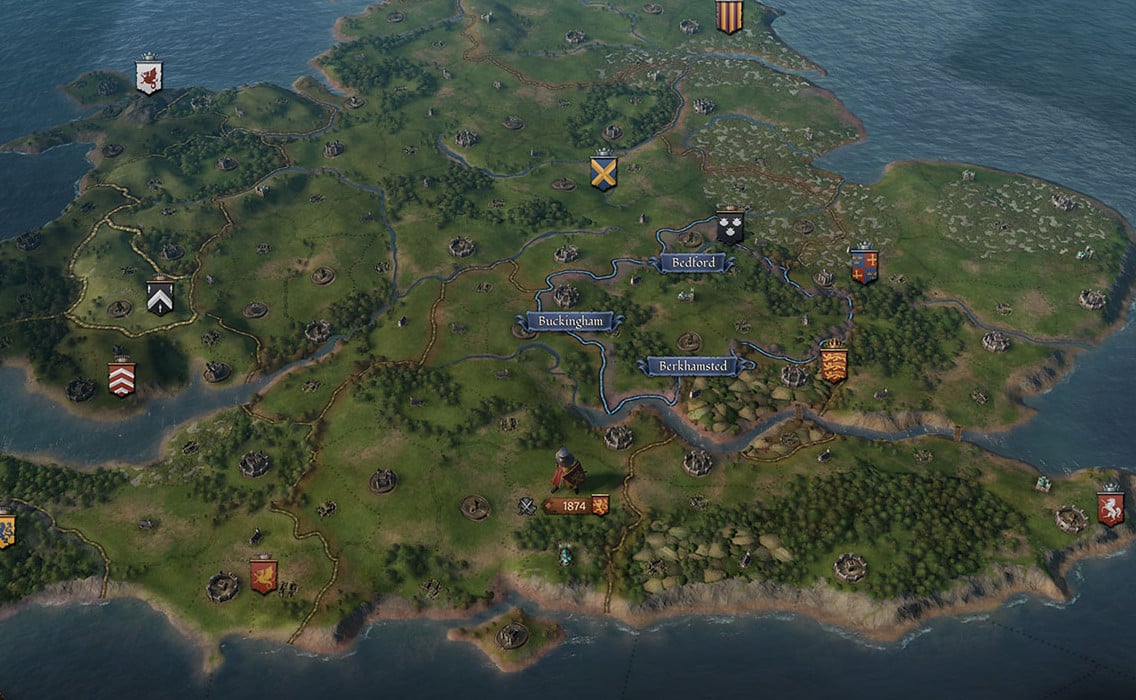
Developer Paradox Interactive has released Crusader Kings 3 update 1.019 today for the PS5 console. This new hotfix comes with several bug fixes and reduces crashing. Check out the Crusader Kings 3 June 22 patch notes below.

Crusader Kings 3 Update 1.019 Patch Notes | Crusader Kings 3 June 22 Patch Notes:

  • A series of memory optimisations have been implemented into the game that should reduce the number of crashes that players are experiencing.
  • Fixed a bug that would not allow players to navigate in the Retract Vassal menu.
  • Improved the visuals of the dimmer on the menus in the Retract Vassal.
  • Fixed an issue that caused advanced tooltips not to show in the Royal Court menu.

We will update this post if additional details are revealed about today’s patch. Bear in mind this patch is for PS5 only and isn’t applicable for PC and Xbox owners of the game.

Source: Paradox Plaza forums

Damien Seeto

Home > News

Blood Bowl 3 Update 1.04 Out for Season 1 Content This June 22 (Update)

Developer Cyanide has released Blood Bowl 3 update 1.04 today for all platforms. This new update brings Season 1 content to the game. Check out the Blood Bowl June 22 patch notes down below.

Blood Bowl 3 Update 1.04 Patch Notes | Blood Bowl 3 June 22 Patch Notes:

Update: Here are the official Season 1 patch notes!

Features

Official ladder
Blood pass season 1
Manager progression
Distinctive team colors option
Dugout visual customizations
Reconnection feature (PC only atm)

Visual
  • Fixed various clipping issues affecting players.
  • Corrected the alignment of Disturbing Presence visual with the pitch.
  • Added physics to certain player outfits.
  • Refined various animations for improved quality.
  • Resolved an animation issue when a player is stopped by the Tentacles skill.
  • Fixed an issue with Willow Rosebark spilling blood while idle.
  • Rectified the cheerleader ribbon particles.
  • Addressed the double appearance of the Zap! visual effect.
  • Resolved animation and various minor issues related to the Throw Team Mate skill.
Menu
  • Resolved the issue of missing competitions tabs icon.
  • Fixed the error message that appeared when a user canceled a checkout operation while purchasing an item.
  • Fixed the inability to view the password button in competitions and leagues.
  • Clicking on a team in a competition now correctly redirects to the team management screen.
  • The UI now instantly updates when purchasing a skill.
  • Fixed the problem where team lists encroached over the left menu on competition screens.
  • Modified the registered teams screen in ladder competitions.
  • Addressed the issue of certain league parameters resetting themselves without saving.
  • Fixed the problem with frog skills not being updated.
  • Resolved the issue where ended and full competitions still appeared in the join competition section.
  • Fixed the problem where the tutorial wasn’t marked as completed when it was.
  • Added a confirmation pop-up when exiting the option menu using the menu shortcut.
  • Added competitions status feedback when hovering over competition tiles in the menu.
  • Improved the competition menu UI, including registered team, ranking, and overview screens.
  • Fixed various minor menu navigation issues.
  • Fixed an issue that could prevent competitions from ending in certain cases.
Match
  • Resolved the crash issue related to Disturbing Presence.
  • Fixed a softlock that occurred when the AI team attempted to re-roll on dodge and catch.
  • Addressed various softlocks that occurred during timefreezes.
  • Fixed the issue where no choice was indicated in the wheel for opponent view in certain cases (Skill/Team reroll).
  • Fixed the problem with player aura being visible in the dugout.
  • Resolved the issue where intensive training blocked controls with a controller if it was behind another player.
  • Fixed the crash that occurred on interception after a pass team re-roll.
  • Fixed the issue with formations not being usable in certain cases.
  • Added the ability to manually activate sequences in the tutorial.
  • Fixed the problem of dice appearing on top of the zapped player.
  • Resolved the issue where throw team mate or pass actions were cancelled when planning a complex sequence.
  • Added an icon for hidden skills above players in a match when too many skills need to be displayed.
  • Fixed the impossibility to perform an automatic foul when manually activating a blitz beforehand.
  • Added Treacherous trapdoor roll as intermediate rolls.
  • Fixed the hardlock that occurred when a timeout was followed by a timefreeze.
  • Added blitz sequence as default when planning a Projectile Vomit action with a prone player.
  • Improved the behavior of the controller free cursor.
  • Fixed an issue that could prevent skills from being displayed over player models during a match.
  • Made minor improvements to the match modifiers pop-up, including improved navigation, updated icons, and tiles.
  • Fixed an interaction between dodge and shadowing skills that could lead to player desynchronization.
  • Fixed an issue during crowd surf cinematics that showed the wrong inflicted injury.
  • Fixed visual issues during the set-up phase when quickly swapping two players multiple times.
  • Fixed navigation issues in the wheel when using a team re-roll on chained dice.
  • Fixed an issue where pass rolls resulting in less than 1 (after modifiers) did not result in a wildly inaccurate pass.
  • Fixed an issue causing tackle zones to disappear in some cases.
  • Improved the UI for Safe pair of hands skill.
  • Fixed Dodge and Surefeet triggering even if it’s not the player’s turn (e.g., during a Blitz KOE).
  • Fixed Shadowing not canceling the block, chainsaw, or stab action part of a blitz sequence.
  • Fixed Fireball hitting non-standing players.
  • Fixed the issue where players did not keep SPP Gained during a match if transformed into a frog.
  • Fixed thrown players not being able to be activated after a failed landing, even if they were not stunned or removed from the pitch.
  • Fixed the Safe pair of hands skill not activating in certain cases.
  • Fixed a hardlock that occurred when attempting to perform a Throw Team Mate with a player with no pass ability.
  • Fixed the possible loss of Dedicated Fans on draws.
  • Fixed Failing A Dodge Following A Fumblerooskie making The Ball Bounce.
  • Fixed an issue causing the Blitz Kick-Off Event to be played again when a Touchback was triggered after a turnover.
  • Fixed Rush skill during a Blitz.
  • Fixed Foul Appearance triggering on Fouls.
  • Fixed OnTheBall Sequences not being cancelled in case of a failed Dodge/Jumpover.
  • Fixed Failing a move not finishing the OnTheBall phase.
  • Fixed Casualty not being applied to a player if a Manager Leaves/Concedes the Game during An Apothecary Question.
  • Prevented round robin competitions with an odd number of participants from finishing a day too early.
  • Fixed Thick Skull interaction with MightyBlow+2 and DirtyPlayer+2.
  • Fixed the ability to perform a second block with frenzy while not having anymore movepoints/rushs
Sound
  • Modified the blitz sound.
  • Added a new sound option for crowd volume.
Misc
  • Implemented multiple localization fixes.
  • Fixed an issue that prevented updating part of the menu texts when changing to another language.
  • Addressed various AI issues.
  • Fixed various issues with ultra-wide screen compatibility.
  • Updated compatibility for different resolutions.
  • Fixed the issue where the “Call in An Experienced Professional” achievement was not unlocking.
  • Clicking on the active team widget in the ranking page now leads to the Registered Teams page.
  • The official ladder tile in the Official Competition menu now has a specific hover state to prevent overlapping information in the tile, as seen in private competitions.
  • Fixed an issue in the ranking page of the official ladder that sometimes displayed 11 players instead of 10 per page.
  • Fixed an offline issue where old teams could not change their customization.
  • Fixed a localization issue with the “lvl” text in the manager menu.
  • Improved the format of the official ladder description text.
  • Improved the sheared textures in the active team widget to reduce aliasing.
  • Increased the XP bar progress animation speed by four times.
  • Fixed an issue where players were slightly floating or experiencing leg shaking in the dugout after a crowd surf.
  • Players now correctly face the touchdown line when pushed by another player during a block.
  • Pitch actors are no longer visible through the dice wheel.
  • Made multiple menu improvements for visuals when loading a page, eliminating placeholder values/colors or empty pages in multiple menus.
  • Implemented numerous localization fixes.
  • ALL inducement tiles now update correctly according to cost and the number bought when purchasing any item.
  • Added characteristic icons in-game and out-of-game.
  • Changed the tooltip icon for the Pitch Surface to the most recent one.
  • Fixed an issue resulting in clumsy double-clicking when clicking very fast.

While Cyanide has not released official patch notes yet, the developer did release a trailer confirming a new team called the Lizardmen are coming to the game. Season 1 for the game is free and a lot more content will be available. See the trailer below for more details.

In related news, the PS4 update history has minor details of today’s patch. You can read the details down below.

This patch brings:
– Improved stability
– Improved performances

We will update this post as soon as possible when the official patch notes for Season 1 are revealed. Keep it locked at MP1st for more updates on Blood Bowl 3.

Update: Official patch notes are out.

Source: Steam

Damien Seeto

Home > News

Hell Let Loose Update 1.019 Released This June 22 (Update)

Black Matter has fired out Hell Let Loose update 1.019 on all platforms today. Read on for the Hell Let Loose June 22 patch notes down below.

Hell Let Loose Update 1.019 Patch Notes | Hell Let Loose June 22 Patch Notes:

Update: The complete patch notes for Update 14 has been added.

Improvements

We have made a 20% decrease to the overall acceleration speed as a part of our ongoing plan to refine player locomotion. This change should ease players into the max speed from standing and during sharp movement, making it feel less abrupt and more realistic.

We understand that tanks require some revisiting, and we are investigating how this can be done while minimizing the risk to the wider game mechanics, and ensuring players won’t be able to outrun heavy tanks.

HUD/UI

  • [Fixed] Incorrect experience awarded during post-match XP Screen.

A bug was introduced in U14 where the awarding of XP during a match could reset the amount of XP earned in the match, resulting in a lower amount of overall XP being awarded at the end. This has now been fixed.

  • [Fixed] The Server name filter box is deselected when the player is attempting to type in on the Enlist Screen menu.

For U14, we fixed some instances where you could not correctly navigate the UI if using a gamepad. It had the unintentional side effect of making this filter box hard to use when typing into it. This has been fixed so the UI works as expected with all input devices.

  • [Fixed] Holding ‘F’ Actions.

There was a bug causing various ‘F’ key interactions – healing, entering a vehicle and ‘letting go’ during the critical state – to be cancelled when opening the map. This has now been fixed, with the exception of the dismantle function which is as intended.

  • [Fixed] Incorrect Amount of Votes to Kick

The newly introduced vote to kick function on console has been fixed. You will now find only 20 votes are required to successfully kick a player. Evaluating how we can scale this feature is ongoing, and we will keep you up to date with progress.

Audio

  • [Fixed] Breathing while sprinting audio overlapped itself

It was found that two instances of the sprint breathing audio were playing at the same time; causing a noticeable doubling to occur. This has now been limited to one instance per player to prevent this from happening in future.

General Bug Fixes

  • [Fixed] In-game vehicle movement stopping when opening the scoreboard.

When adding the feature for vote to kick on console, and making sure that the UI worked correctly on gamepad, we made changes to ensure that the UI reacted correctly when receiving the prompt to vote to kick someone. However, this logic would clear player input whenever opening the scoreboard, stopping actions like being able to drive vehicles. This has been changed to only happen if the voting UI is active, fixing the issue.

  • [Fixed] Dive to Prone used to appear to move faster and avoid conflict

We have modified and tweaked the Dive to Prone so that the player’s stance can’t be changed until the dive to prone animation is completed.

  • [Fixed] Opening the map stops the player from performing multiple actions.

In U14, we fixed a dismantling exploit, however, this fix made any action also be stopped when opening the map. It has been changed so that it only dismantling will be stopped when opening the map, fixing the unintentional side effects of the previous change.

  • [Fixed] British weapons have increased sway when ADSing

We have included some changes that should make using British weapons a closer experience to that of the other forces. Work still needs to be done to find the root issue causing these weapons to have increased sway.

  • [Fixed] British AT gun has inverted controls

This setup error has now been fixed.

  • [Fix Submitted] The “Lost Connection to Host” prompt appears after finishing a match whilst the map is open.

With the map open when finishing a match, the client was repeatedly sending the same message to the server over and over again, so fast that the server would disconnect the client for spamming. This has had a fix submitted so that only one message is sent.

Weapon Bug Fixes

  • [Fixed] British Weapons are not calibrated/zeroed correctly.

Issue improved, but work is still ongoing for some weapons (dropping at 100m)

Driel

  • [Fixed] [D4] Invisible collision encountered above the player’s head under a bridge.

There were collision issues with the Landscape LOD that would block player bullets. The landscape “opening” that accommodates the bridge asset has been adjusted and further debris removed to prevent any collision issues.


While Black Matter hasn’t posted official patch notes just yet, the developer did state what it intends to do with update 14. You can read the details from Steam down below.

Update 14 Patch

Thank you to everyone who provided feedback regarding Update 14. We have read all of the feedback and observed many of the same issues. The patch for Update 14 is not inclusive of all the issues raised, but we are working on getting many fixed, with the view to target additional bugs for Update 15, with a revised date to be announced.

Planned for the 22nd of June, the Update 14 patch targets several UX/UI issues, as well as updates to the dive to prone mechanic and player locomotion.

Lowered Sprint Acceleration

The Update 14 patch will introduce some refined player locomotion for players to test that will lower sprint acceleration, which aims to combat the current experience and prevent players from zig-zagging in order to avoid gunfire.

Dive to Prone Exploit

The new dive to prone feature introduced with Update 14, unfortunately, left room for players to dolphin dive. With this patch, players will no longer be able to cancel the animation and will not be able to use the function until the animation has been carried out.

XP Rewarding

We have identified that the XP earned at the end of the match was incorrect. Experience was not being rewarded for multiples of the same XP reward. We have since fixed this and continue to investigate to ensure the XP Reward system is as intended.

British Weapons

We have read your feedback surrounding some of the British weaponry, and for the Update 14 patch, will be submitting fixes for the reports of British weapons not being correctly zeroed, as well as the increased weapon sway when ADSing.

Holding ‘F’ Actions

There was a bug causing various ‘F’ key interactions – healing, entering a vehicle and ‘letting go’ during the critical state – to be cancelled when opening the map. This has now been fixed, with the exception of the dismantle function which is as intended.

Incorrect Amount of Votes to Kick

The newly introduced vote to kick function on console has been fixed. You will now find only 20 votes are required to successfully kick a player. Evaluating how we can scale this feature is ongoing, and we will keep you up to date with progress.

Inverted Controls

Your reports showed that the British AT-gun movement was inverted. We have now fixed this so that the controls are as expected – the ‘S’ key will cause the barrel to lower and the ‘W’ key will cause the barrel to rise.

Invisible Barrier on Driel

The invisible collision present under the bridge on Driel has been resolved. Players will now be able to shoot or drive vehicles through the space.

Server Filter Bug

When typing a server name in the Server Filter box on PC, a bug was causing the box to deselect after each character, making it difficult to type out and search for a server name. This issue has now been resolved.

Breathing Audio

The audio for the sprinting action has been reworked so it no longer overlaps.

Lost Connection to The Host

We have received a number of reports indicating some players have been running into an issue where they are met with the ‘lost connection to host’ prompt once a match has ended. A fix for this issue has been submitted for this patch.

Other Known Issues

Some issues have been harder to reproduce, or require further time to ensure we can submit a successful fix. We are still investigating the following issues:

Sherman Firefly

The British forces’ Sherman Firefly tank’s frontal hull can be penetrated using high penetration weapons, allowing players to destroy the tank from the front. This issue is continuing to be investigated.

El Alamein & Driel Map Dates

Due to our existing development process and in order to maintain the integrity of our files, we are unable to change the accidentally switched map loading screen dates for Driel and El Alamein, with this patch. The change will instead be implemented once Update 15 is released.

Similarly, other text, such as the misspelling of ‘Panther’, will also be amended in Update 15.

We will update this post as soon as we can if proper patch notes are revealed in the future.

Update: Full patch notes have been added.

Source: Steam, Reddit

Damien Seeto

Home > News

Mobile Suit Gundam Battle Operation 2 Update 1.69 Out for Adjustments This June 22

Bandai Namco has fired out Mobile Suit Gundam Battle Operation 2 update 1.69 (PS5 version 1.069) today for all platforms. This update includes several gameplay adjustments and small fixes. Read on for the Mobile Suit Gundam Battle Operation 2 June 22 patch notes down below.

Mobile Suit Gundam Battle Operation 2 Update 1.69 | Mobile Suit Gundam Battle Operation 2 Update 1.069 | Mobile Suit Gundam Battle Operation 2 June 22 Patch Notes:

■Unit related
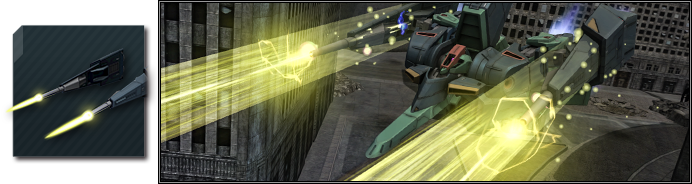
  • ◎Some sub-weapons have been added and replaced.
  • ■ “Gunner Gundam”
  • ・New sub weapon “Sensor Pod” added
    The “Sensor Pod” will produce the following effects on the the unit and its allies within range for a certain period of time after the weapon is used.
  • ・Restores radar interference effects from enemy MS that had already been received
  • ・Disables radar interference from enemy MS for a certain period of time
  • ・Disables the effects of the “Stealth” and “Fake Beacon” skills of enemy MS
  • ■ “Gaplant (Transformed)”
  • ・New weapon “Gaplant BR x2 [Discharge]” while transforming added
    The “Gaplant BR x2 [Discharge]” is a sub-weapon capable of both normal and focused fire.
  • ■ “Modified Rick Dijeh”
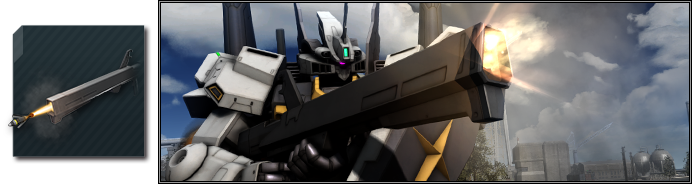
  • ・The sub-weapon “Clay Bazooka [Shrapnel]” was replaced with “RD Custom C Bazooka [Shrapnel]”.
    With greater power, range and stagger accumulation value.
Various Parameter Adjustments are implemented.  ※For details, check here.
◎Results of various parameter adjustments from 05/25/2023 [JST] are announced.  ※For details, check here.
■Battle related
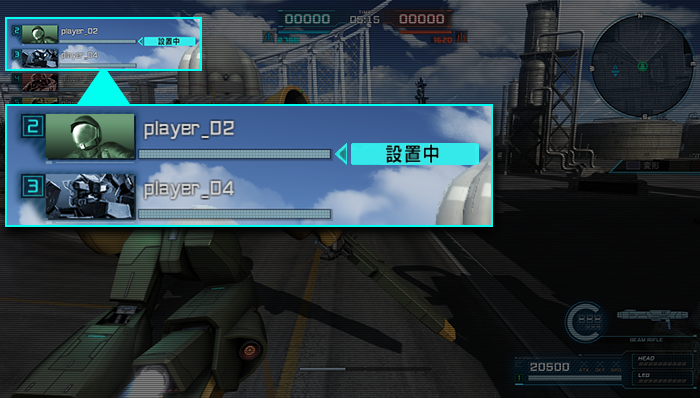
  • ◎Indicator to show ally who is setting a bomb/defusing a bomb in “Ally information”
  • ⇒ An indicator has been added to the “Ally Information” displayed on the left side of the screen during combat to show that allies are placing bombs on enemy bases and disarming bombs on their own bases.
  • ◎The size of the base icons for both teams displayed during battle has been adjusted to improve visibility of the battle screen.
■Application Data Update
■Supply Drop Lineup Update Notice
※For more details, please click here.
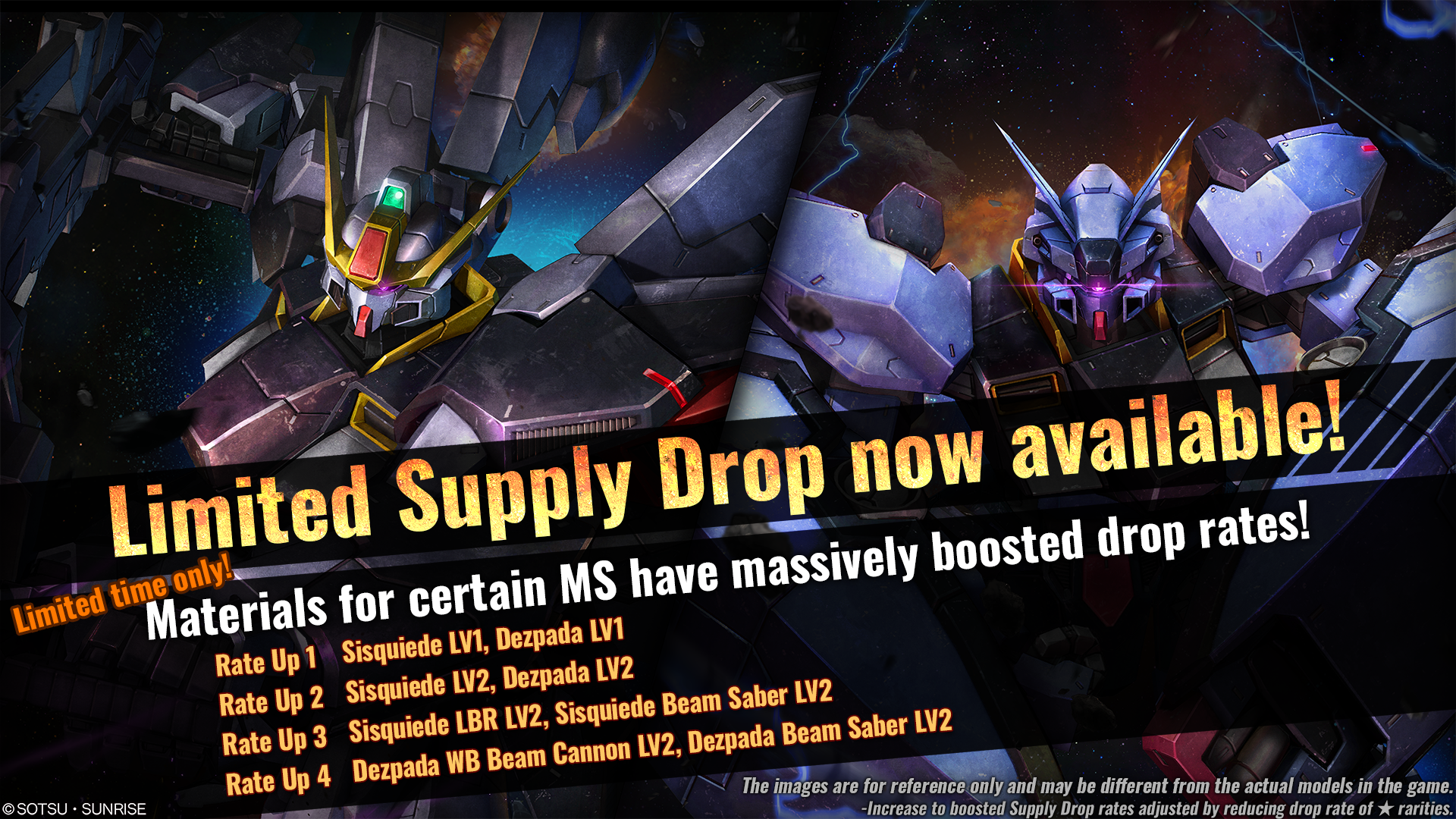
■Notice of Limited Supply Drop
※For more details, please click here.
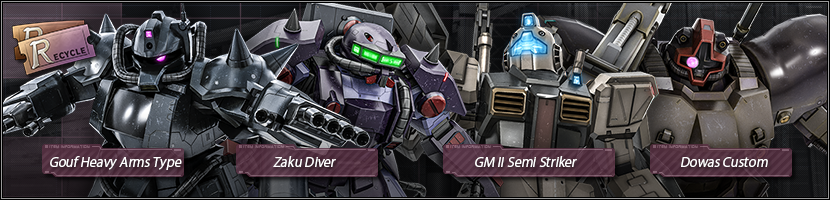
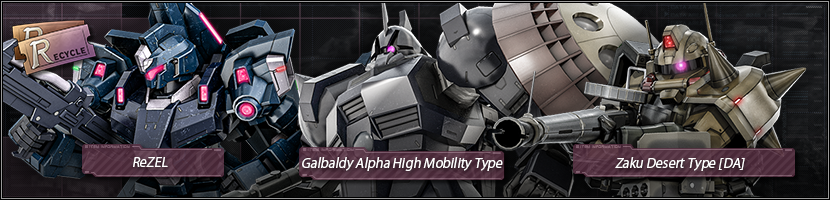
■New Materials for exchange are added to Recycle Counter.。
⇒ Information about newly added materials
  • ■Unit
  • ★★Gouf Heavy Arms Type LV1 added
  • ★★Zaku Diver LV1 added
  • ★★GM II Semi Striker LV1 added
  • ★★Dowas Custom LV1–2 added
  • ★★ReZEL LV2 added
  • ★★Galbaldy Alpha High Mobility Type LV1 added
  • Zaku Desert Type [DA] LV1 added
    • ※The materials mentioned above will be available at Recycle Counter for 2 days, from [JST] 06/22/2023 – 06/23/2022.
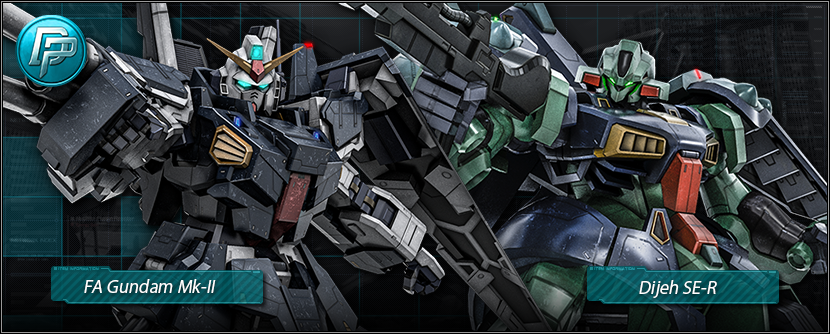
■New Materials for exchange are added to DP exchange Counter.
⇒ Information about newly added materials
  • ■Unit
  • ★★★FA Gundam MK-II LV1–2 added
  • ★★★Dijeh SE-R LV3 added
■Some materials have been excluded from the Supply Drop Lineup.
※For Details, please click here.
■Rating Match/Quick Match Game Modes have been updated.
※There may be differences in the game mode with the information above, which was introduced during the previous update regarding [Available Game Modes].

■Weekly Weekend Battle Schedule
週末限定戦スケジュール 特殊ルール
[PDT] 06/22/2023 12:00 – 06/23/2023 11:59
[CEST] 06/22/2023 21:00 – 06/23/2023 20:59
“Mix-Up”, “Simple Battle”, “Shuffle Target”,
“Brawl Match”, “Duel Match”
will be held every two hours.
[PDT] 06/23/2023 12:00 – 06/24/2023 11:59
[CEST] 06/23/2023 21:00 – 06/24/2023 20:59
[PDT] 06/24/2023 12:00 – 06/25/2023 11:59
[CEST] 06/24/2023 21:00 – 06/25/2023 20:59
■Next Clan Match Schedule
Please refer, here for the next Clan Match schedule and reward collection period.
For an overview of the Clan Match, please refer here.
■Fixes
  • ◎Units
  • ・In “Sazabi”, the position of the effect during focusing and the effect during firing of the main ranged weapon “Sazabi Beam Shot Rifle” were different and now is fixed.
  • ・In “MSN-04FF Sazabi”, the position of the firing effect of the main ranged weapon “04FF Beam Shot Rifle” was not appropriate and now is fixed.
  • ・In “Sisquiede”, when the battle ended with the sub-weapon I-Field Launcher [Defense]” activated, the effect remained on the screen and now is fixed.
  • ・In “Zeta Plus C1”, the luminous element of the “Beam Smart Gun” which can be used during transformation, did not emit light correctly is now fixed.
  • ◎Skills
  • ・Fixed a case in which certain damage-reaction-disabling skills could be still caused damage reactions even for non-damage-reaction attacks when attacked under certain conditions.
  • ■Related Skills
  • ・Resist Move
  • ・Quick Turn
  • ・Reverse
  • ◎Battle
  • ・When placing and disarming bombs on bases, there was a case in which bombs were not placed and disarmed correctly when the pilot was disabled at a specific time and now is fixed.

Source: Battle Operation

Damien Seeto

Home > News

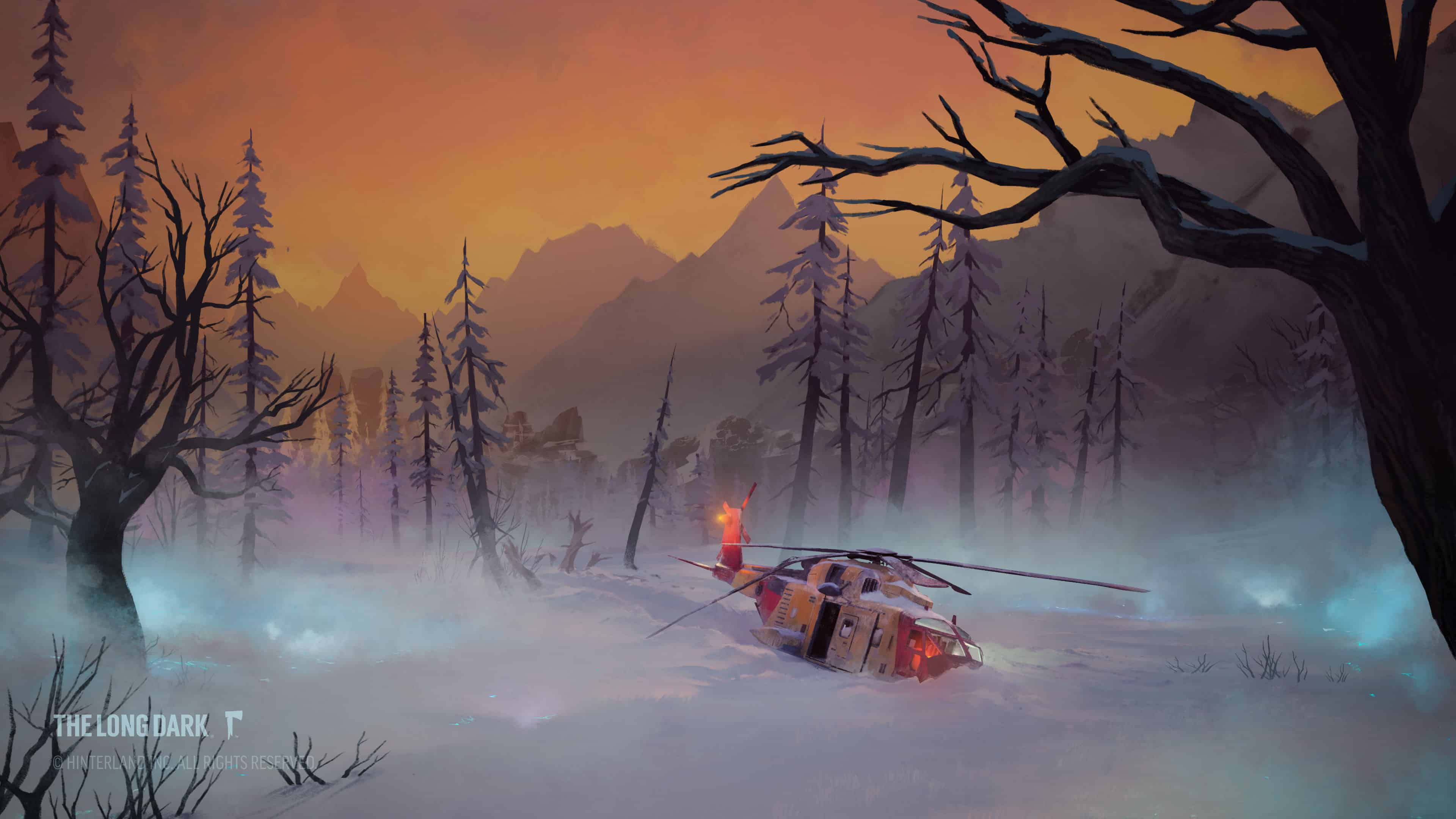
The Long Dark Update 2.17 Hikes Out for 60fps Support and Tales From the Far Territory Part 3

Hinterland has released The Long Dark update 2.17, and this ushers in Tales From the Far Territory Part 3, alongside 60 frames-per-second support for everyone and more. We have the official patch notes for it below.

The Long Dark Update 2.17 Patch Notes | The Long Dark Tales From the Far Territory Part 3 New Content:

TALES FROM THE FAR TERRITORY, Part Three: FRONTIER COMFORTS

Note: For a description of the new features and content in Part Three, plus the latest Update Video, please click HERE

  • Frontier Cooking System: A completely new cooking system that allows the combination of ingredients using Recipes. As part of the new system we’ve included seven new Ingredients, a selection of 15 simple Recipes, and an additional nine Unique Recipes that offer special gameplay benefits.
  • Skillet: A useful cooking tool to help you prepare some of the new Frontier Cooking recipes.
  • Ptarmigan: Perfect for hunting quietly with Stones or Fire-Hardened Arrows, Ptarmigans are a source of meat, and also provide Down used in crafting the new Improvised Down Bedroll, and the Improvised Insulation Accessory.
  • Hunter’s Revolver: A new, vintage-style Revolver that is more deadly at long range.
  • Forester’s Revolver: An older, reliable, durable weapon.
  • Warden’s Revolver: A lightweight Revolver with a shorter barrel for faster aiming.
  • Sport Bow: A light and durable manufactured Bow.
  • Miner’s Flashlight: Equipped with a larger, more efficient battery.

Free Update Stream

Note: This update is available to anyone who owns THE LONG DARK or SURVIVAL EDITION. 

  • The updated Enhanced Fishing system includes:
    • Free-Form Ice Fishing Holes: Allows you to set up your own fishing locations in regions that have sufficiently deep bodies of water.
    • Tip-Ups: Place a new Tip-Up over any ice fishing hole and it will automatically catch a fish for you.
    • Fishing Lures: New Fishing Lures help with catching Fish, and also increase your chances of catching the new Rare fish.
    • Bait: You can now harvest Bait from raw fish to increase your chances of catching fish either when using the Tip-Up or conventional fishing.
    • Rare Fish: The Burbot, Goldeye, Red Irish Lord, and Rockfish.
    • Burdock: Burdock is a new harvestable plant. Eat them raw, cook them as part of a recipe, or make a warming tea that will help combat food poisoning.

DETAILED RELEASE NOTES

Xbox and PlayStation Frame Rate Update

Starting with this update, THE LONG DARK now supports 60 FPS on the following platforms:

  • Xbox Series X/S – Targeting 30FPS at 4K. Targeting 60FPS at 1440p.
  • Xbox One X – Targeting 30FPS at 4K. Targeting 60FPS at 1440p.
  • Playstation 5 – Targeting 30FPS at 1680p. Targeting 60FPS at 1680p.
  • Playstation 4 Pro – Targeting 30FPS at 1680p. Targeting 60FPS at 1680p.

You can manually enable the higher frame rate cap, or change it back to the 30 FPS cap, via the Display Settings: Options -> Display -> Frame Rate Target

display.jpg.ba1cfe403258b54eb674a6f30ba8f10d.jpg

Note: We are still working toward additional improvements, including providing official support for next-gen consoles, visual enhancements, and more. We will provide additional information in the coming months as more information becomes available.

BUG FIXES

GENERAL & CRASHES

  • Steam – Fixed an issue where players received errors reading “failed to load HinterlandOptionalContent.Steam” on Windows, Mac, and Linux.
  • General – Fixed an issue where sleeping in a Helicopter without a Bedroll would result in a crash.
  • General – Fixed an issue where audio would not play the first time Harvesting something (Rosehips, etc) after entering a scene.
  • General – Fixed an issue that would cause the game to crash for some players, when applying a bandage.
  • General – Fixed an issue that would cause the Mountain Town Transmitter to report the incorrect GUID information, which could result in a crash.
  • General – Main Menu – Fixed a potential crash if a player entered into gameplay while the News menu was still waiting for a response from the server.
  • General – Fixed an erroneous error message that could appear in the player’s log file, eventually leading to performance issues.
  • General – Fixed a very rare crash that could occur if the player invoked a menu, such as the Inventory or death screen, while also pressing a button for another input, such as walking or interacting with something.

GAMEPLAY

  • Gameplay – Fixed an issue where a Carcass could become non-interactable if left in the world for an extended period of time.
  • Gameplay – The Bow will now switch to Fire-Hardened Arrows automatically, if they are the only arrows left in the players Inventory.
  • Gameplay – Fixed an issue that caused the Energy Drink to give the incorrect duration for the associated Headache affliction.
  • Gameplay – Fixed an issue where Bedrolls slept or rested in could be destroyed in a struggle, even when not in a player’s inventory.
  • Gameplay – Fixed an issue that prevented Bedrolls from showing their damage state when placed on the ground.
  • Gameplay – Fixed an issue where renewable items (Sticks, Stones, Coal, etc.) were sometimes more plentiful than intended.
  • Gameplay – Fixed an issue that could cause corrupted save data, if the player quickly equipped the Shortwave Radio, put it away, then quickly exited the game.
  • Gameplay – Fixed an issue that would cause fully cooked, or partially cooked food items to revert to a raw state, if dragged off the cooking surface and dropped onto a new one.
  • Gameplay – Interloper – Spelunker’s Lantern variant is now available in Interloper.

USER INTERFACE

  • UI – Map – Fixed an issue that caused Rock Cache Map markers to appear in the wrong location, or not on the Map at all.
  • UI – Fixed an issue that caused the Headache Affliction meter to show a maximum of 1 hour, regardless of the actual Affliction length.
  • UI – Campcraft Radial Menu – Added the Fishing Hole to the Camp Radial Menu slot and temporarily removed the Bearskin Bedroll.
  • UI – Journal – Added the Challenge Objective tab that was missing from the Journal while playing a Challenge.

ENVIRONMENT ART

  • Environment – Blackrock Prison – Fixed an issue that made it so players could not interact with a Battery inside one of the Trucks.
  • Environment – Timber Wolf Mountain – Fixed an issue that would cause the door to the Mountaineer’s Hut to open on the wrong side, preventing the player from closing it.
  • Environment – Pleasant Valley – Fixed an issue that would cause Recycled Cans to appear tiny, if placed next to the Rim Grill, found near the Pleasant Valley Farmhouse.
  • Environment – Pleasant Valley – Updated one of the Interloper start positions to be further away from a Prepper Cache.

AUDIO

  • Audio – Adjusted audio for the Lit Flare and Marine Flare so it emits properly from the Flare’s location.

PLATFORM-SPECIFIC ISSUES

  • Xbox/PS4 – Fixed an issue that would cause the game to crash on Xbox One and PlayStation, when performing an action.
  • PS4 – Fixed a potential crash that could occur if the player was sleeping during an active Aurora.
  • PS4 – Fixed a crash that could occur while exiting back to the Main Menu.
  • PS4 – Fixed a crash that could occur while scrolling through the Inventory.
  • PS4 – Fixed an issue with the timing of the subtitles, if played on a PS5 or a framerate other than 30 FPS.

Source: Hinterland Forums

Avatar photo

Alex Co

Father, gamer, games media vet, writer of words, killer of noobs.

Home > News

PUBG Update 2.39 Released for Patch 24.1 This June 22

PUBG update 2.39 has been released for patch 24.1 on consoles this June 22. Expect changes to tactical gear, a new ranked season, new rewards and more. Read on for the complete patch notes.

PUBG Update 2.39 | PUBG June 22 Patch Notes:

Live Maintenance Schedule:

The times shown below are subject to change.

  • PC
    • PDT: June 13, 5:00 PM – June 14, 1:30 AM
    • CEST: June 14, 2:00 AM – 10:30 AM
    • KST: June 14, 9:00 AM – 5:30 PM
  • Console
    • PDT: June 21, 6 PM – June 22, 2 AM
    • CEST: June 22, 3 AM – 11 AM
    • KST: June 22, 10 AM – 6 PM

Map Service:

※ Please note that PC players can anticipate map changes every Wednesday at 2 AM UTC, while Console players can expect the same every Thursday at 7 AM UTC.

※ In Random Map regions, each map will have an equal probability of being selected, with a probability of 20%.

  • (PC) Test Server
    • Normal Match: Miramar / Vikendi
      • AS region: Squad – TPP
      • NA region: Squad – FPP
  • Live Server – Normal Match
    • Week 1: Erangel / Miramar / Vikendi / Sanhok / Karakin
      • PC: June 14 ~ June 21
      • Console: June 22 ~ June 29
    • Week 2: Erangel / Taego / Deston / Sanhok / Paramo
      • PC: June 21 ~ June 28
      • Console: June 29 ~ July 6
    • Week 3: Erangel / Miramar / Vikendi / Sanhok / Karakin
      • PC: June 28 ~ July 5
      • Console: July 6 ~ July 13
    • Week 4: Erangel / Taego / Deston / Sanhok / Paramo
      • PC: July 5 ~ July 12
      • Console: July 13 ~ July 20
  • Live Server – Ranked
    • Deston has been replaced with Vikendi in the map pool.
    • Ranked: Erangel (30%) / Miramar (30%) / Taego (30%) / Vikendi (10%)
    • The map service for Ranked is updated on a season-by-season basis.

Tactical Gear:

We’re turning Tactical Gear into essential items by bestowing them a new purpose, enhancing their significance beyond consumable options. Experience the game in a multitude of ways with this update, whether playing individually or as part of a team. From beginners to veterans, the renewed Tactical Gear can foster a sense of achievement among all players by enabling them to contribute to the success of their squad.

※ This update applies to only Normal Matches, Intense Battle Royale mode, and Custom Matches (Normal Match, Intense Battle Royale).

  • Players will be equipped with a Tactical Gear Carrierin their Inventory at the start of each match.
    • To ensure the Carrier does not hinder initial game progress after landing, we’ve set the Tactical Gear Carrier weight to 0.
  • Open the Carrier to select your desired Tactical Gear from all available options – EMT Gear, Tactical Pack, Spotter Scope, Drone, Blue Chip Detector, or the Repair Kit.
    • The Carrier cannot be opened when you’re in a vehicle or on top of static transport features such as trains and ships.
  • The selected Tactical Gear will be fitted into a dedicated sixth slot reserved for Tactical Gear.
  • Once equipped, the Tactical Gear cannot be removed.
  • Tactical Gear nor the Carrier will not be dropped when a player dies.
    • Upon a player’s death the Tactical Gear/Tactical Gear Carrier are removed.
  • Players recalled to the match will not be provided a new Tactical Gear Carrier.
  • All world-spawned Tactical Gear has been removed.
  • Radio Message
    • Can be used to relay information about the selected Tactical Gear of team members.
    • Upon equipping a Tactical Gear, a Radio Message is triggered for notification.
      • “Equipping (Tactical Gear)”.
  • Training Mode
    • Players can remove Tactical Gear from their sixth Inventory slot in Training Mode only to allow for more diverse practice.
    • Both Tactical Gear and the Tactical Gear Carrier are provided via the Training Helper.

We also strive to maintain the fundamental system of Tactical Gear while rebalancing their overall stats this update as Tactical Gear have changed to a basic, required item for all:

EMT Gear:

To primarily serve the purpose of team healing rather than self-healing, the healing feature will only apply to team members. Additionally, to balance the overly beneficial healing effects when using heal items, the usage time of heal items has been adjusted to the following:

  • Med Kit usage time: 3 seconds → 7 seconds.
  • First Aid Kit usage time: 3 seconds → 5 seconds.
  • In addition, the revival speed of teammates has been changed from 3 seconds → 8 seconds to prevent overly quick recoveries in tense scenarios.
  • Using Energy Drinks or Painkillers will now provide a 50% additional effect.
    • This boost will only be for personal use and does not apply to teammates.

Tactical Pack:

  • Attachment slots decreased from 4 slots → 2 slots.
  • We wish to give the Tactical Pack a similar feel to a Level 4 Backpack. Therefore, the reduction of slots is aimed at moderating the possession of individual items such as firearms (excluding stackable items).

Spotter Scope:

Improved for more straightforward and less time-consuming use.

  • Its magnification capabilities are now adjustable from 4x to 8x, allowing for more detailed observations.
  • The creation of the white passive marker is removed. The red active marker will be automatically created and maintained for 7 seconds after a scan.
  • The standard Screen Pings can also be placed while using the Spotter Scope.

Drone:

  • Maximum range has been reduced from 300m → 200m.

Blue Chip Detector:

The Blue Chip Detector has been perceived as an overperforming gear. Therefore, it has been decided to receive several adjustments to harmonize it with other Tactical Gear.

  • Screen update frequency: 5 seconds → 8 seconds.
  • Enemy scan radius: 100m → 50m.
  • Players who are equipped with a Jammer Pack are undetectable with the Blue Chip Detector.

< Dev’s Comment >

Following the initial introduction of Tactical Gear, we have observed their considerable utility in gameplay. However, we also understand the magnitude of the decision players are faced with in sacrificing a primary weapon slot for Tactical Gear, particularly in battle scenarios where mid-to-long range combat is crucial. As such, with the renewal of the Tactical Gear system, we eagerly anticipate witnessing our players’ varied gameplay strategies!

For example, for solo play, we look forward to see players utilizing a strategy centered around their chosen Tactical Gear, which you’d select to complement your primary weapon. You may opt for a slow-burn approach with the EMT Gear, spending more time looting and gradually entering the Safe Zone. The Drone and Blue Chip Detector can help with a strategy that involves quick penetration of the center area, swiftly identifying incoming enemies. And the Tactical Pack could suit those favoring weapons with high ammo consumption. As for the Spotter Scope, it may be ideal for players selecting weapons aimed at precise long-distance engagement.

As for team play, we anticipate strategic looting that aligns with team dynamics while avoiding overlapping roles. Each teammate would have a distinct role, contributing effectively to the team’s primary goal. Utilize the Drone and Spotter Scope for ordering and coordination. Or the Spotter Scope could enhance accuracy for those sharpshooters. The EMT Gear and Tactical Pack may also be helpful to novice players, so they could actively contribute to team survival, or even the Blue Chip Detector for optimal information delivery.

With this change, we are also committed to implementing constraints that are proportional to in-game performance – we do not aim to unfairly boost the abilities of already-skilled players. With this in mind, we’ve made it so that once a Tactical Gear is selected, it becomes irreplaceable. Players are required to use their chosen equipment consistently throughout the match. We have also proceeded with an overall balance update.

Items:

Tactical Gear – Repair Kit:

The current Helmet/Armor Repair Kits and Mechanic’s Toolbox seemed to have limited applications in specific circumstances – therefore, we’re merging them into a single versatile Repair Kit that can repair Helmets, Vests, and vehicles. With this multipurpose tool, you can now consider the possibility of pursuing the role of your team’s go-to mechanic.

※ This update applies to only Normal Matches, Intense Battle Royale mode, and Custom Matches (Normal Match, Intense Battle Royale).

  • The Repair Kit is no longer a consumable, and is now a part of Tactical Gear that can be equipped to your Tactical Gear slot.
    • Once equipped, it cannot be replaced or removed until the match concludes.
  • The Repair Kit can be utilized up to 10 times.
  • You can use the Repair Kit via the Limited Interact key.
  • A single use on a Helmet or Vestwill restore its durability to 100 in 6 seconds.
    • You can repair not just your own Helmet/Vest, but those equipped by your teammates or those found lying on the floor.
  • A single use on a vehicle restores 500 durability in 8 seconds.
    • You are only able to repair a vehicle that can be interacted with.
  • The repair process will be canceled under the following circumstances:
    • If the character carrying out the repair, or the subject undergoing the repair, moves using the movement keys.
    • Once the preceding repair of the same Helmet/Vest/vehicle is complete.
    • If another player picks up the Helmet/Vest from the ground during the repair.
  • New feature: Removing and installing tires
    • When the Repair Kit is equipped, you can use the Limited Interact Key to remove tires from any vehicle.
      • Tires that have burst with 0 durability cannot be removed.
      • Interacting with a vehicle will display the remaining durability of the tire.
    • Removing a tire requires a certain amount of time.
    • Successful removal causes the tire to drop to the ground.
      • Tires weigh 20 each.
      • Tires will go to your Inventory’s fourth melee weapon slot.
        • If the fourth slot is occupied, the tire will move to the Inventory.
        • Swapping to the weapon in the fourth slot will result in your character holding the tire.
      • You cannot remove or install tires to the BRDM, Boat, Aquarail, Mountain Bike, Motor Glider, Airboat, or Snowmobile.
    • Any player can install removed tires on a vehicle, even without a Repair Kit.
      • Upon approaching a vehicle without a tire, tire installation requires a certain amount of time.
    • The removal/installation process will be canceled under the following circumstances:
      • If the vehicle is driven during the installation process.
      • If the position of the vehicle changes due to a collision or other during the installation process.
      • If another tire on the vehicle during tire removal receives damage.
  • The existing Helmet/Armor Repair Kits and Mechanic’s Toolbox have been removed

Emergency Pickup, BZ Grenade, Jammer Pack, Mortar, and Panzerfaust:

  • Will now world spawn in all 8×8 maps.
  • This applies to Normal, Ranked, and Custom Matches (including Esports mode).
  • The spawn rate of the Emergency Pickup in both Normal Match and Ranked on Erangel and Miramar maps has been reduced by 30%.

World – Vikendi:

After the Vikendi Reborn update last year, we’ve diligently monitored player trends and incorporated your valuable feedback into the latest update.

Terrain:

  • We have tactically upgraded those locations – excluding major cities – that, according to live data, have proven to be the most unfeasible for engagement or where cover was particularly scarce by adding new objects and ridgelines, offering more opportunities for strategic cover.

Phase:

  • The initiative Blue Zone ruleset similar as Ranked’s for Normal Matches introduced back in Update #23.1 has been applied to Vikendi, effectively reducing the overall playtime.

Item Spawn:

  • Vikendi’s Normal Matches typically feature an array of special item spawn spots, leading to an excess of high-value items. To prevent disproportionate looting of these items, we’ve recalibrated the balance. The spawn rates of high-value weapons and items have been scaled down to also mitigate the disparity in the play experience with Ranked matches.
  • Lab Camp
    • The probability of finding lucky Supply Drops (holding Care Package weapons) have been boosted.
      • However, a marginal downgrade has been made in the quality of items.
      • A significant reduction has been made in the appearance rate of Care Package weapons and Level 3 equipment.
    • Critical Response Kits will now exclusively appear in Lab Camps, with an increased spawn rate.
  • Caves
    • The quantity and quality of items discoverable in caves’ Supply Drops have been downgraded.
      • A significant reduction has been made in the appearance rate of Care Package weapons and Level 3 equipment.
      • 8x Scopes, Critical Response Kits, and C4 have been removed from caves’ Supply Drops.
  • Secret Room
    • Acquisition of the Self-AED is now restricted to Secret Rooms, except for the rare chance of looting it as a world spawn item.
  • The Thermal 4x Scope will now only be available as a world spawn item, in Care Packages, and caves’ Supply Drops. It has been removed from Lab Camp and Secret Rooms.
  • The following changes have also been made to align with the ruleset of other maps.
    • ARs, SMGs, Handguns, Crossbows, Grenades, Smoke Grenades, Stun Grenades, and First Aid Kits will spawn slightly more.
    • SRs, LMGs, Backpack (Level 1), Molotovs, BZ Grenades, C4, Emergency Pickups, Bandages, Med Kits, and Adrenaline Syringes will spawn slightly less.

Vehicle Spawn:

  • In terms of transportation, we noted that vehicle usage in Vikendi was lower compared to other maps, so we’ve amplified vehicle spawn spots and appropriately adjusted existing spawn locations.

Blizzard Zone:

  • The duration of the Blizzard Zone has been increased by approximately 70%.
  • The number of snowstorms appearing in a Blizzard Zone has increased.
  • The distance between snowstorms has decreased.
  • The phases when Blizzard Zones occur during a match have been adjusted.

Cable Car:

  • Player feedback concerning the rather sluggish speed of Vikendi’s Cable Cars was noted, leading to a significant speed enhancement. This adjustment now allows for better encounters during transit, with an overall speed increase of 80%.

Comeback BR:

  • Map
    • We have improved player’s vulnerability by relocating existing objects to the back.
    • Item spawn spots have been added near player spawn locations for an optimized start.
    • Made containers more accessible by repositioning some containers and adding wooden pallets.
  • Combat time
    • Reduced combat time from 160 seconds to 100 seconds.
    • The Play Area restriction time has been adjusted to accommodate the reduced combat time.
  • The multidrops will descend earlier.
  • To prevent the decreasing survival rate as the number of participants increases during the later phases of Comeback BR, each size of the final Play Area for each phase has been adjusted.
  • The UI notifications for Comeback BR have improved.

Crowbar Interaction:

  • Increased spawn rate for cabinets.
  • A storage unit specifically designed for Crowbars has been added to garages that are accessible with a Crowbar. This storage unit has a high probability of containing a Crowbar.
  • Simultaneously, we’ve slightly diminished the appearance rate for Secret Room Security Keys.
    • However, we’ve increased the spawn rates for items such as healing items and throwables.

Sound:

  • Reduced the volume of wind turbines by 40%, along with the audible range.

Minimap:

  • Minimap has been updated to mirror the above changes.

Ranked – Season 24:

  • The Jammer Pack, Mortar, Panzerfaust, BZ Grenade, and Emergency Pickup have been added to every map.
  • Vikendi has been added to the map pool with a 10% matchmaking probability.
    • Number of players: 64
    • Weather: Sunny
    • The Blizzard Zone, Lab Camp, Crowbar interaction feature and cabinets, Cable Cars, bears, and Supply Drops are available.
      • Weapons only available in Care Packages have been removed from Lab Camp and Supply Drops.
    • Comeback BR, Security Keys, Thermal 4x Scope are not available.
    • High-tier items have generally decreased.
    • BRDM vehicles can not be called with a Flare Gun from outside the circle.
  • The leaderboard will reset after the Live Server maintenance.
  • Check out your final Tier from the previous season through your Career page.

Season 23 Rewards:

Below are the rewards you’ll be receiving based on your final Tier from the previous Ranked season.

Tier

Season 23 Rewards

Bronze Bronze PUBG ID Emblem
Silver Silver PUBG ID Emblem
Gold Gold PUBG ID Emblem

Ranked Parachute Skin

Platinum Animated Platinum PUBG ID Emblem

Ranked Parachute Skin

Platinum Medal

Diamond Animated Diamond PUBG ID Emblem

Ranked Parachute Skin

Platinum, Diamond Medal

Master Animated Master PUBG ID Emblem

Animated Master Nameplate

Ranked Parachute Skin

Platinum, Diamond, Master Medal

Top 500 Bonus rewards for Top 500 players:

  • Animated Top 500 PUBG ID Emblem
  • Animated Top 500 Nameplate
  • The Parachute skin and Medals are permanent rewards.
  • The rest of the obtainable rewards are available for use during a single Ranked season.
  • Rewards can be found in your Inventory once Season 24 starts.
  • Once Season 24 is over and the server undergoes maintenance, every reward but the Parachute and Medal will be withdrawn from your Edit Profile page.

Custom Match:

  • On/off option for the Tactical Gear Carrier has been added.
  • Helmet Repair Kit, Armor Repair Kit, and Mechanic’s Toolbox have been removed from the Spawn tab.
  • World-spawn Tactical Gear have been removed from the Spawn tab.
  • On/off option for the Recall system has been added.
    • When the Recall system is off, both the Blue Chip Tower and Blue Chips will not spawn and the Blue Chip Transmitter can not be used.
  • The Blue Chip Transmitter has been added to the Spawn tab.
  • The phase settings in World – Vikendi above have been applied to Custom Match – Vikendi.
  • Esports Mode
    • Vikendi has been added.
    • The number of players in a team has been changed to 10.
    • A setting option for the Blue Zone has been added.

Tutorial:

  • We’ve observed that requiring new players to complete AI Training Match was impacting the engagement of new players in Normal Matches. Therefore, after successfully finishing Basic Training, players will now have the ability to play Normal Matches right away even without having to complete AI Training Matches.

Survivor Pass: Splash Royale:

A new Survivor Pass: Splash Royale is prepared for the approaching hottest season of the year. Read more details on the upcoming June Store Update announcement!

Workshop:

Chest:

New item sets have been added to the Hunter’s Chest and Archivist’s Chest.

  • Survivor Pass: Vikendi Reborn

Performance:

  • Implemented enhancements to our memory management system, resulting in a reduction of hitches experienced during gameplay.

Bug Fixes:

Gameplay:

  • General in-game bugs have been fixed.
  • Fixed the issue where an extra timer was generated upon completion of a team member’s heal using the EMT Gear.

World:

  • Fixed collision, texture, performance, and some other general Vikendi map issues.
  • Fixed the issue where the Self-AED was not appearing in Taego’s breakable pots.
  • Fixed the issue where certain heal items were not spawning on the bridges of Erangel.

UX/UI:

  • Fixed the issue where the Clan Tag was being displayed in specific in-game areas when the Clan level was at 1.
  • Fixed the issue where the kill/assist details were not displayed upon accessing the Inventory in-game.
  • (Console) Fixed the issue where the “Played with” information was not displayed upon returning to the Social page after viewing a random player’s profile from the Recent Players list.
  • (Console) Fixed the issue where your character does not appear when navigating back to the Lobby subsequent to selecting a random Spray item within the Customize page.

Lobby:

  • Fixed the issue where a highlighting effect was applied to the Helmet (Level 3) in the Erangel Remaster lobby skin.

Items & Skins:

※ Clipping issue: Graphics that are shown outside the visible part of an image/object.

  • Fixed the clipping issue of the hair when using Victory Dance 114 with the Hairstyle 42 equipped.
  • Fixed the issue where the arm became transparent upon equipping ROSÉ’s BLACKPINK Gloves with Lunchmeat’s Hoodie.
  • Fixed the clipping issue of the waist when equipping the Wasted Future Pants with the Bunny Academy Hazard Jacket.
  • Fixed the clipping issue of the waist when equipping the Wasted Future Pants with the FaZe Clan Jacket.
  • Fixed the clipping issue of dress during repeated crouching and prone motions with a weapon and NieR:Automata – 2B’s Dress equipped.
  • Fixed the issue where the ankle became transparent upon equipping Dinoland “Alex” Suit and Sky Captain Boots.
  • Fixed the clipping issue of the ankle when equipping PGI.S Tactical Pants and certain shoes.
  • Fixed the issue where the arm became transparent upon equipping Tormented Knight Gloves and certain tops.
  • Fixed the clipping issue of the forehead when equipping Marauder’s Mask and Dead by Daylight “The Legion” Jacket.

PUBG Update 24.1 will be available June 14 on PC and June 22 on consoles as a public release. Stay tuned here at MP1st for details of all upcoming PUBG patches and updates.

Source: PUBG Studios

Avatar photo

Alex Co

Father, gamer, games media vet, writer of words, killer of noobs.

Home > News

ROCCAT Announces Vulcan 120 Series Mechanical Keyboard Spiritual Successor, the Vulcan II

As Optical switch keyboards become increasingly popular, many have wondered if PC peripheral makers, ROCCAT, has had any plans to return to the mechanical market. Well, wonder no more, as we finally have that answer with their newest gaming keyboard reveal, the Vulkan II.

Not to be confused with the Vulcan II Mini, or the Vulcan II Max (both of which use optical switches,) the Vulkan II is ROCCAT’s answer to those demanding a new mechanical keyboard.

“ROCCAT’s Vulcan 120 series keyboards are synonymous with impeccable quality, top performance, and premium design elements, and the new Vulcan II pushes these areas further to create yet another full-size PC gaming keyboard unrivalled in its class,” said Juergen Stark, CEO, Turtle Beach Corporation. “Since the original Vulcan keyboard debuted at Computex 2018, the series has earned countless editorial accolades and design awards, and has been a best-selling keyboard in Germany in 2022/2023. We expect these trends to continue with the Vulcan II Mechanical Gaming Keyboard, as evidenced in the extremely strong reception to the Vulcan II Max and Mini optical keyboards that launched late last year.”

The Vulcan II will be the first keyboard from ROCCAT to feature the Titan II mechanical switches, which will come in either linear or tactile variants. The expected lifespan of these switches is marked at  80 million keypress life cycle, which is considerably more than their previous mechanical switch designs. It also sports a cross-mount keycap, making it compatible with most third-party keycaps for those looking to bring over their customized keycaps.

Below you’ll find a general overview of the features

Vulcan II General Overview

  • TITAN II RED Linear Mechanical Switches with durability of 80M keystrokes
  • Easy-Shift[+] unlocks a second function layer
  • Detachable palm rest provides support
  • Dedicated media controls and push to mute volume knob
  • Durable aluminum top plate
  • AIMO™ lighting technology produces vibrant RGB lighting effects
  • Compatible with many third party cross shaped mount keycaps
  • On-board storage for up to 4 user profiles
  • Full n-key rollover and anti-ghosting

The Vulcan II arrives in storefronts July 19 and will retail at a suggested MSRP of $149.99. Pre-orders are now available via the ROCCAT storefront.

Avatar photo

James Lara

A gamer at heart, James has been working for MP1st for the last decade to do exactly what he loves, writing about video games and having fun doing it. Growing up in the 90's gaming has been in his DNA since the days of NES. One day he hopes to develop his own game.

Home > guides

Final Fantasy 16 Parry Guide: The Different Ways to Parry and How to Do It

Final Fantasy 16, like many action RPG titles, provides players with multiple ways to dodge or avoid enemy attacks. One action, however, allows players to go on the offensive instead, stopping enemies in their tracks while opening up opportunities for devastating combos of their own. In this Final Fantasy 16 Parry guide, we’ll show you how to perform this high-risk, high-reward maneuver, as well as a couple of other ways you can perform it in a fight.

Final Fantasy 16 Parry Guide

PARRY: HOW IT WORKS

Parrying in FF16 is simple enough to understand. Right before an enemy is about to land its attack, pressing the melee attack button (Square by default) will trigger a Parry, which slows down time and interrupts the attack, giving you the opportunity to land multiple hits on the enemy for a few seconds.

Of course, this isn’t as simple as it sounds. Mistiming your Parry will cause you to issue a melee attack, leaving you vulnerable to the enemy attack you were supposed to Parry in the first place. Due to how precise you need to be to Parry an attack, it’s a move that requires a lot of practice, and you’ll likely need to learn the Parry timings of FF16’s different bosses throughout your playthrough.

WAYS TO PARRY

Regular Parry

Pressing the melee attack button (on the ground or mid-air) will result in your standard Parry. This is how you’ll usually be Parrying attacks.

Lunge Parry

Using the Lunge ability (melee attack button + jump button) once unlocked will also allow you to perform a Lunge Parry. This is a highly aggressive Parry that is extremely punishing if it’s whiffed, as you’ll end up within the enemy’s range of attack if you mistime it. On the other hand, it can also serve as an extremely efficient opener for your combos, so the risk can be worth the potential reward.

Swift Recovery Parry

The Swift Recovery ability actually also counts as a melee attack, and you can use this to Parry attacks as well. Note that you won’t always be able to perform this move, as you’d need to use Swift Recovery while you’re about to get hit by an attack, which doesn’t always happen in fights.

TIPS

Here are a few tips to help you get the hang of parrying:

  • Learn your enemy’s move set. Different enemies have different moves, and bosses will usually have an arsenal of melee and/or ranged attacks at their disposal. Learning the move set of a boss will help you figure out which attacks are easy to Parry, which aren’t, and which moves can be punished the most with a well-timed Parry.
  • Get hit around a few times. If you can survive a few hits, it may be a good idea to get hit around by the enemy a few times. Doing so will give you an idea of when the enemy attack registers, which will then help you estimate exactly when you should be Parrying. If you’re facing enemies way above your level, you may only be able to survive a couple of hits, however, so be sure to save your game before the fight so you can challenge the enemy again after being taken down.
  • Be patient. Unlike Dodging, you can’t simply Parry too early. Dodging early can still save you from attacks if you end up outside of the enemy’s range. With Parrying, however, you’ll need to attack just before the hit lands. Do it too early or too late and you’ll get hit. As a result, you’ll need to wait until just before the attack lands before performing an attack of your own. If you’re in the middle of a combo, then delay your final attack when the enemy begins to wind up its move.

CLOSING THOUGHTS

Parrying in Final Fantasy 16 is fairly straightforward, yet its preciseness makes it one of the most challenging moves to use when going against all sorts of bosses. With these tips, however, you should be able to find enough openings to stay one step ahead of your opponent and take them down before they can even land a blow.

Want more FF16 content? Read our review here, and check out the FF16 game hub here.

Carlos Perez

Home > guides

Final Fantasy 16: Best Settings Guide

Final Fantasy 16, while being well-optimized for the PS5, does offer various settings to help players configure the game to suit individual preferences. In this Final Fantasy 16 best settings guide, we’ll be going over everything you need to know before jumping into the world of Valisthea.

From camera settings to controller layout, here are all the different options you can set in Final Fantasy 16.

Final Fantasy 16 Best Settings Guide

SYSTEM SETTINGS
FF16’s System Settings offer just about what you’d expect from a typical video game pause menu. It has both Save and Load options that you can access while playing the game, though it’s worth noting that you can’t use the Save feature mid-combat. The Tutorial Messages tab contains all the little pop-ups that you get throughout your playthrough, so you can always browse through them if you’re stumped over something. You can also access the game’s licenses and return to the title screen from here.

Overall, the System Settings don’t really have anything to fiddle with, though you’ll be accessing this part of the menu a lot to save and load or to read the in-game tutorials.

GAME SETTINGS

The Game Settings contain options relating to FF16’s overall gameplay. You have two gameplay options: Action Focused and Story Focused. Action Focused mode is your standard experience with FF16, and is what you’ll want to go with if you’re familiar with action RPGs. On the other hand, Story Focused mode makes use of the game’s Timely Accessories, which makes combat much easier for players. This is the recommended mode for those who are not familiar with action games or find the genre too difficult. Go for Story Focused mode if you’d rather enjoy the game’s story over its combat elements.

The Wireless Controller Vibration toggle is there to turn the controller’s vibration on or off while playing through FF16. This setting is on by default, and you’ll feel the controller vibrate while in combat, when opening doors, and in many other circumstances. Some players find this immersive, though others may consider it a nuisance. Toggle this feature on or off based on your personal preference.

Target Lock in FF16 can either be toggled or held depending on the mode you select in the settings. By default, it’s in Toggle mode, so you only have to press the Target Lock button once to focus on your enemy of choice. Go with whichever mode feels more comfortable to play with. You can change the settings anytime, even in combat, so feel free to experiment.

CAMERA SETTINGS

FF16 has quite a few camera settings that you’ll want to mess around with before diving into the game. You have camera sensitivity sliders for vertical and horizontal movement and inversion toggles for both axes. There’s also a toggle to invert camera movement in the World Map screen, interestingly enough. You can even toggle Target Follow, which makes the camera follow your next target if it goes offscreen. Useful during big fights or when there are multiple enemies on the screen.

Most of the settings in this section are all up to personal preference, though Target Follow can definitely be annoying to players who prefer to have more control over where they face the camera during combat. Thankfully, this setting is toggled off by default, so your camera won’t randomly pan to targets during fights. If you’re new to the action RPG genre and are playing in Story Focused mode, however, Target Follow may be useful to keep track of multiple enemies, especially if things start to get hectic at times.

GRAPHICS SETTINGS

The Graphics Settings on FF16 are pretty straightforward; you can adjust the screen’s brightness and the game’s performance in this section. The Screen Brightness tab opens a menu that contains three images of FF16, with bright, medium, and dark settings that will help you better gauge the ideal brightness level from the menu. It’s a neat point of reference to have so that you won’t need to travel to a certain place in Valisthea in order to adjust your settings effectively.

As for Game Performance, you’ve got two modes. The Graphics mode is on by default and locks the game at 30 FPS with 4K resolution. On the other hand, Frame Rate mode bumps the FPS up to 60 at the maximum, with 1440P resolution. It’s worth mentioning that the demo of FF16 has some frame rate issues in Frame Rate mode, with certain scenes and fights dropping frames lower than expected. Thankfully, the devs have mentioned that performance updates are on the way, with one such update already available at launch.

FF16 is a gorgeous game, so it can be difficult to pick between the Graphics or Frame Rate modes. Generally, if you’re a fan of the game’s combat and fast-paced action, you’ll definitely want to prioritize frame rate, whereas the Graphics mode is better for more immersive and detailed cutscenes. If you don’t have a 4K monitor or TV, though, you’ll definitely want to stick with Frame Rate, as the screen won’t be able to take advantage of the 4K resolution of Graphics mode.

Based on our review of FF16, though, we do recommend going with the graphic mode rather than performance, as it’s a more consistent experience. You can expect more dips, as well as a drop in overall image quality, when playing in performance mode.

As for film grain and motion blur options, there sadly arent any. A blur option is suppose to come in a future update.

SOUND SETTINGS

The Sound Settings in FF16 let you fiddle with all the different noises and music that you hear in-game. Aside from the Master Volume slider, there are sliders for music, voice-overs, and effects. Adjust these according to preference. You also have Controller Audio, which essentially plays sounds directly from your controller. While it can technically add to the immersion, this can also drain your controller’s battery in wireless mode, so you may want to turn it off for longer gaming sessions. If you are wearing a headset, then you’ll definitely want this option off.

FF16 also has a visual alert system that is helpful for those with hearing impairment. You can toggle the visual alerts, adjust the size of the alerts, and even set the opacity, allowing you to hit that sweet spot of readability and immersion.

LANGUAGE SETTINGS 

FF16 supports multiple languages, and while you can’t adjust them outside of the main menu, you can fiddle with the subtitles at any time during your playthrough. You can toggle subtitles on or off, change their size, and even add a background to make them more readable. You can also add speaker names for those talking, and hearing-impaired subtitles are available for those who aren’t able to hear everything that’s being said.

Again, you can’t change the actual language of FF16 from the in-game menu, so you’ll need to head back to the main menu in order to do just that. You might also have to download the language pack too. To do so, exit to the PS5’s home screen, highlight FF16 and hit the options button. There is an option called “manage Game Content” that’ll take you to the optional content page. Here you’ll find all the available languages the game supports.
CONTROLLER LAYOUT

Last but not least, we have the Controller Layout settings. This option lets you choose between three controller layouts, with different assignments for your attack buttons, Evade button, and more. While you can’t reassign actions to individual buttons, this at least gives you a few options to work with if the default layout isn’t to your liking.

Type A

Type A is the default layout for FF16. It has your melee attack on Square, magic attack on Triangle, and Evade on R1. You will also need to cycle your Eikons with L2, which can take a bit of time to get used to. This layout can be a bit frustrating to use for some players, especially with Evade set to R1, though having both attacks and your Eikonic Feat really close to each other may make combos much easier to pull off.

Type B

Type B moves the attack buttons to R1 and R2, with R1 being your melee attack and R2 used for magic. Your Eikonic Feat is accessible via L2, and most notably, Evade is placed on the Circle button. Having Evade on Circle is enough for many players to go with Type B, as Circle is often the evade/dodge button in many action games. Having your attacks on the heavier L2 and R1/R2 buttons, however, can feel a bit clunky.

Type C

Type C is similar to Type A, with most of the actions in the same place as Type A, save for a few. Most notably, Lock On is on L2 instead of L1, with the magic attack button now taking the L1 spot. Cycling Eikons is also now achieved with the Triangle button. Overall, Type C encourages a more melee-oriented playstyle, with the Eikon-switching button close to your melee and Eikonic Feat buttons.

CLOSING THOUGHTS

Though console versions of games don’t often have as many settings to fiddle with as their PC counterparts, Final Fantasy 16 has no shortage of options that can help enhance accessibility and comfort. With the right settings, you’ll be well-prepared to take on the world of Valisthea.

Interested in more FF16 content? Read our review of the game here, and check out our game hub!

Carlos Perez