Home > Features

Battlefield 2042 Season 5 Q&A – DICE Talks Weapons, Balancing and More (Update)

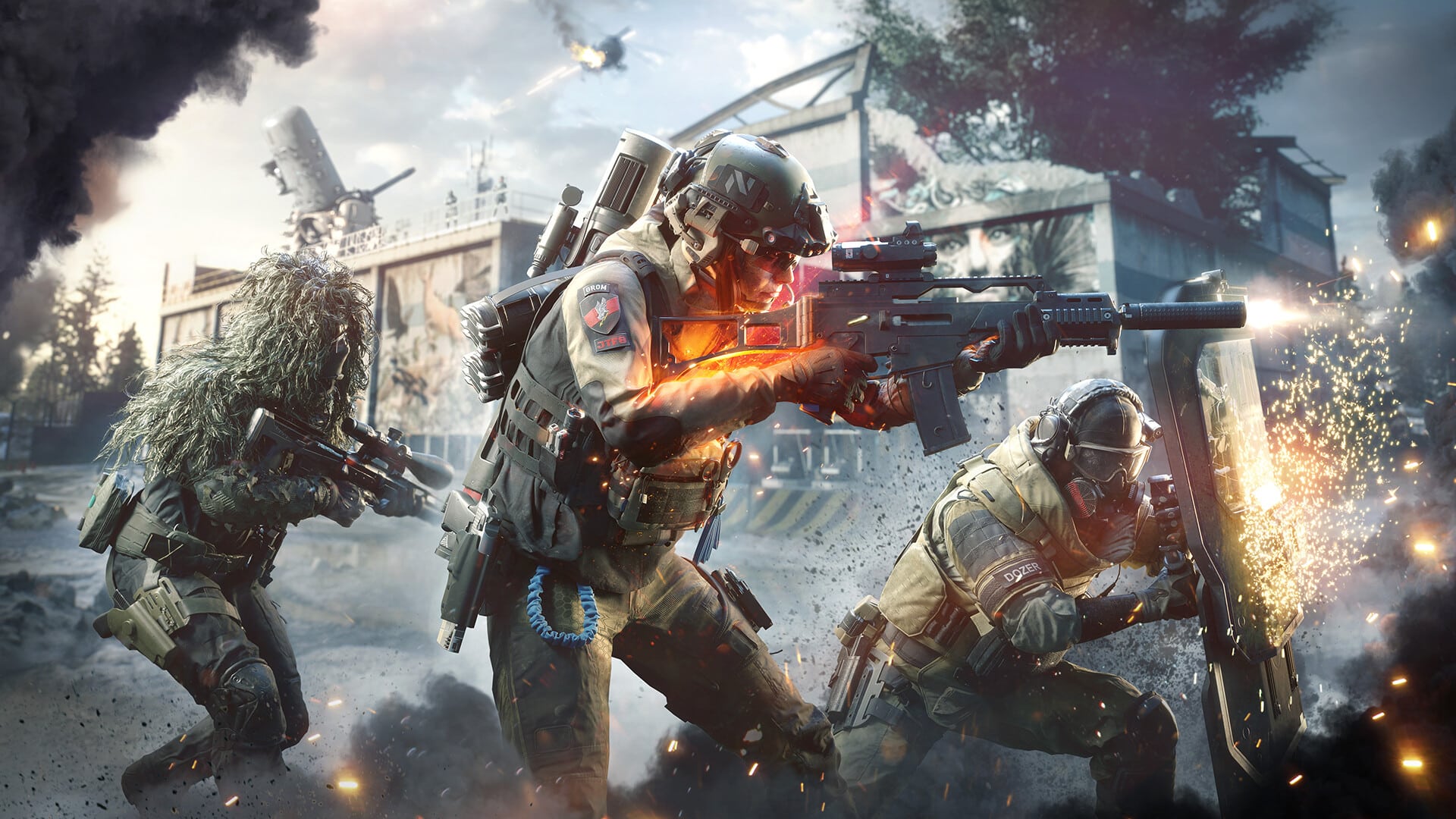
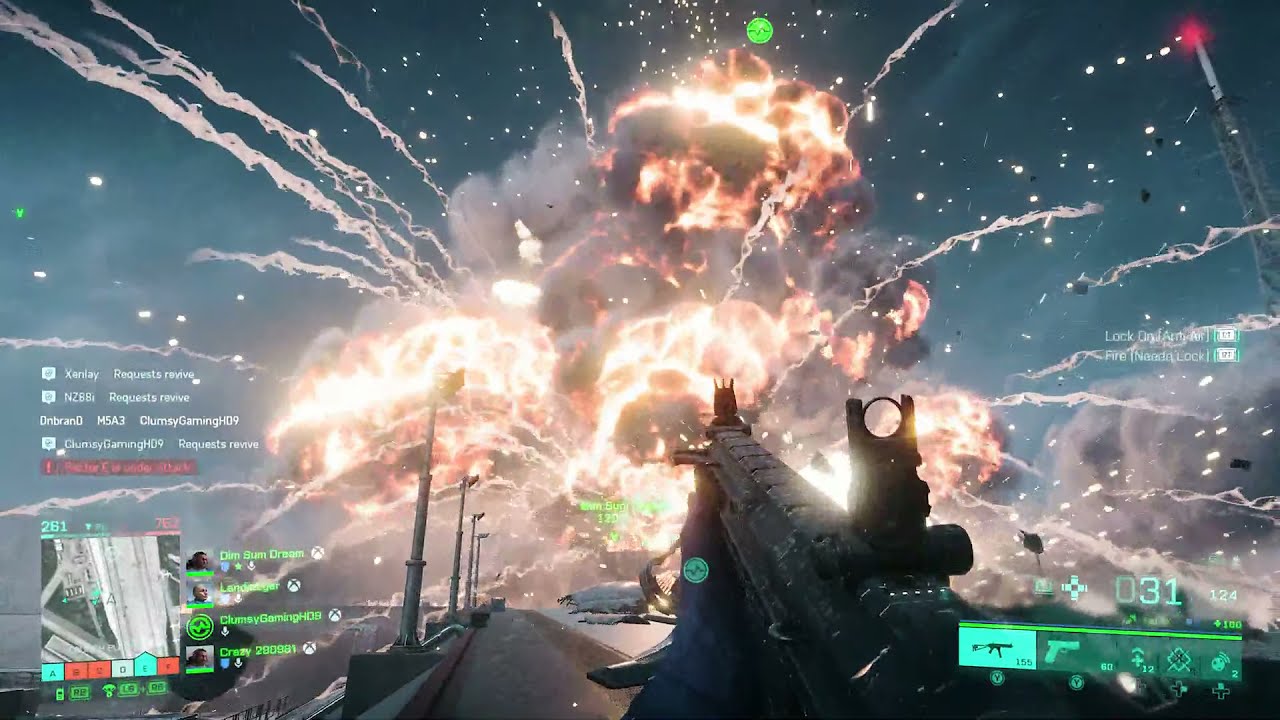
In case you didn’t know, Battlefield 2042 Season 5: New Dawn is launching this June 7. Before the season starts, MP1st had the chance to attend a Discord Q&A for Season 5 where DICE developers answered a few questions from the gaming press and content creators.

The DICE devs who attended the event are: Core Gameplay Designer Sam Vanta, Producer Ben Walke, Associate Level Design Director Shashank Uchil, Weapons Designer Alexander Formoso, Technical Director Kevin Moore and Designer of “heavy metals” at DICE, “Eddie” or also known as ArmoredKill.

(Update: EA has contacted us to take down the Q&A. We’ve included the tl;dr version of it courtesy of quickarm23):

•Anti tank grenade is only for engineer to fulfill the “class fantasy”

•They have future plans to rework/change specialists, similar to what they did for dozer and Irish. They are looking for feedback on both Crawford and Boris currently.

•New jets rockets are described as “anti vehicles and decent vs infantry”.

•Are considering changes/buffs for the main battle tanks

•Sidearm vault weapons will be getting some attachments later in season 5.

•No new vault weapons will be coming in season 5, they said “we’re focused on bringing all attachments to our vault weapons before we bring anymore of those across”.

•”They said we do have a desire to make urban maps as much as all of you” when asked about why there has not been any in 2042.

•Apparently the movement tweaks were implemented in the footage shared by YouTubers/EA creators.

•Breakthrough will not be available for custom editing in portal.


We’d like to thank DICE and EA for inviting us to the Season 5 preview Battlefield 2042 Season 5 launches this June 7. You can read up on the official patch notes for it here.

Avatar photo

Alex Co

Father, gamer, games media vet, writer of words, killer of noobs.

Home > News

Starship Troopers Extermination Roadmap for Early Access Revealed; Promises New Locations, Gore, Marauder, and More!

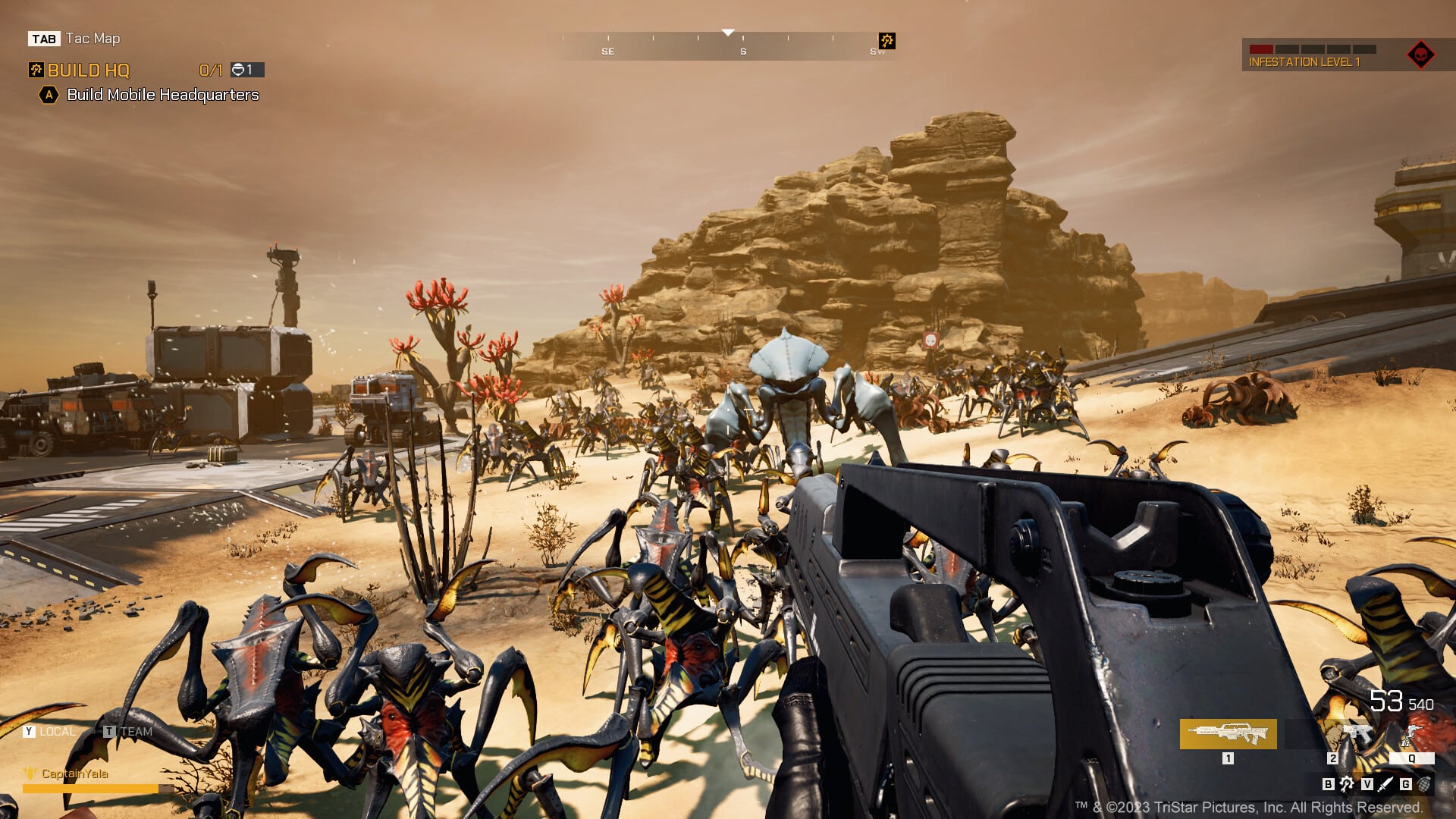
Can you believe it? We’re almost a full month after the early access launch of Starship Troopers Extermination! While plenty of players are having a blast with it, some have wondered what exactly Offworld Industries is planning in terms of upcoming content. Well, we got some good news for all of you soldiers out there who have been doing your part in the never-ending war against the Arachnids, as the studio has revealed their first Starship Troopers Extermination roadmap for early access.

In a recent post on Steam, Offworld Industries outlined everything coming (subject to change) in the first roadmap for early access. It’s divided up into five phases, though oddly, the team didn’t specify when these phases may be targeting in terms of release. Still, from what’s revealed, the roadmap for Starship Troopers Extermination seems to be pretty exciting, seeing that the studio plans on adding more gore, new bugs, and even the Marauder, a power armor of sorts for those not familiar with the Starship Troopers universe.

Starship Troopers Extermination Roadmap (Early Access)

Phase 1 (Early Access Launch):

  • Assault and Secure Mode
  • ARC Slam Mode

Phase 2:

  • Mutators – more info soon!
  • Horde Game Mode
  • Player Profile and Stats
  • Manned HMG Emplacements
  • New Playable Zone on Valaka Map

Phase 3:

  • Class Progression 2.0
  • Abilities Upgrade
  • Hives
  • Rewards System
  • Special Weapon Swapping

Phase 4:

  • Player Hub
  • Emotes
  • Clans
  • New Weapons
  • Boss Bug
  • Marauder Support
  • New Planet

Phase 5:

  • Galatic War Meta-game
  • Player Customization
  • New Trooper Class
  • Global Death Counter
  • More Gore

Mind you; this is only the support planned for early access, meaning, should the game continue to see success, we should be getting more (fingers crossed) content down the road! Hopefully, we will get some more concrete dates from Offworld Industries soon, but until then, happy hunting! Oh, and if you haven’t already, be sure to read our early impressions of Starship Troopers Extermination.

Avatar photo

James Lara

A gamer at heart, James has been working for MP1st for the last decade to do exactly what he loves, writing about video games and having fun doing it. Growing up in the 90's gaming has been in his DNA since the days of NES. One day he hopes to develop his own game.

Home > guides

Diablo 4 Best Settings for PC and Consoles

Regardless if you’re playing Diablo 4 on PC or consoles, you can load the game, stick with the default configuration and just start your adventure to hell that way, some might want to get the best optimal experience and that’s where we come in. Read on for the Diablo 4 best settings guide for PC and consoles.

Diablo 4 Best Settings for PC (Ultra)

Obviously, with all the different PC configurations out there, not everything listed here will offer the ideal experience. However, we do try to work our way down with settings, testing t see what works on our machines with different CPUs and graphic cards. So for the first configuration, we will look at an RTX 4090 GPU with an AMD 7900x CPU running at ultra.

Diablo 4 can be pretty demanding once you start cranking up all the settings, and while I did, for the most part, get smooth FPS with everything set to max, there were some options I decided to change around to eliminate some of the jittering and dips.

So here’s how I’m running Diablo 4 with this configuration:

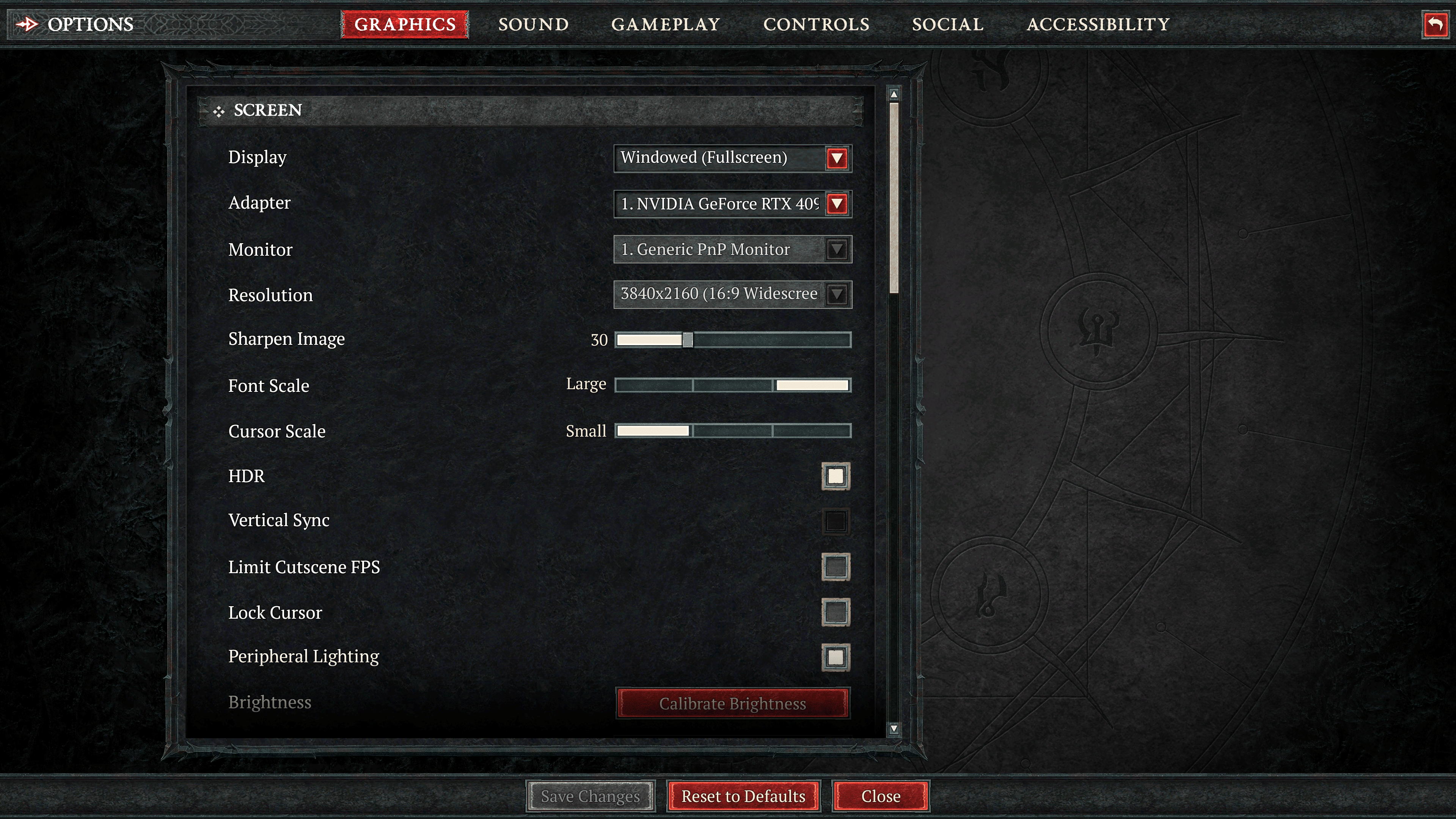
Screen

  • Display – Fullscreen.
  • Adaptor – Defaulted to your GPU.
  • Monitor – Defaulted to your monitor.
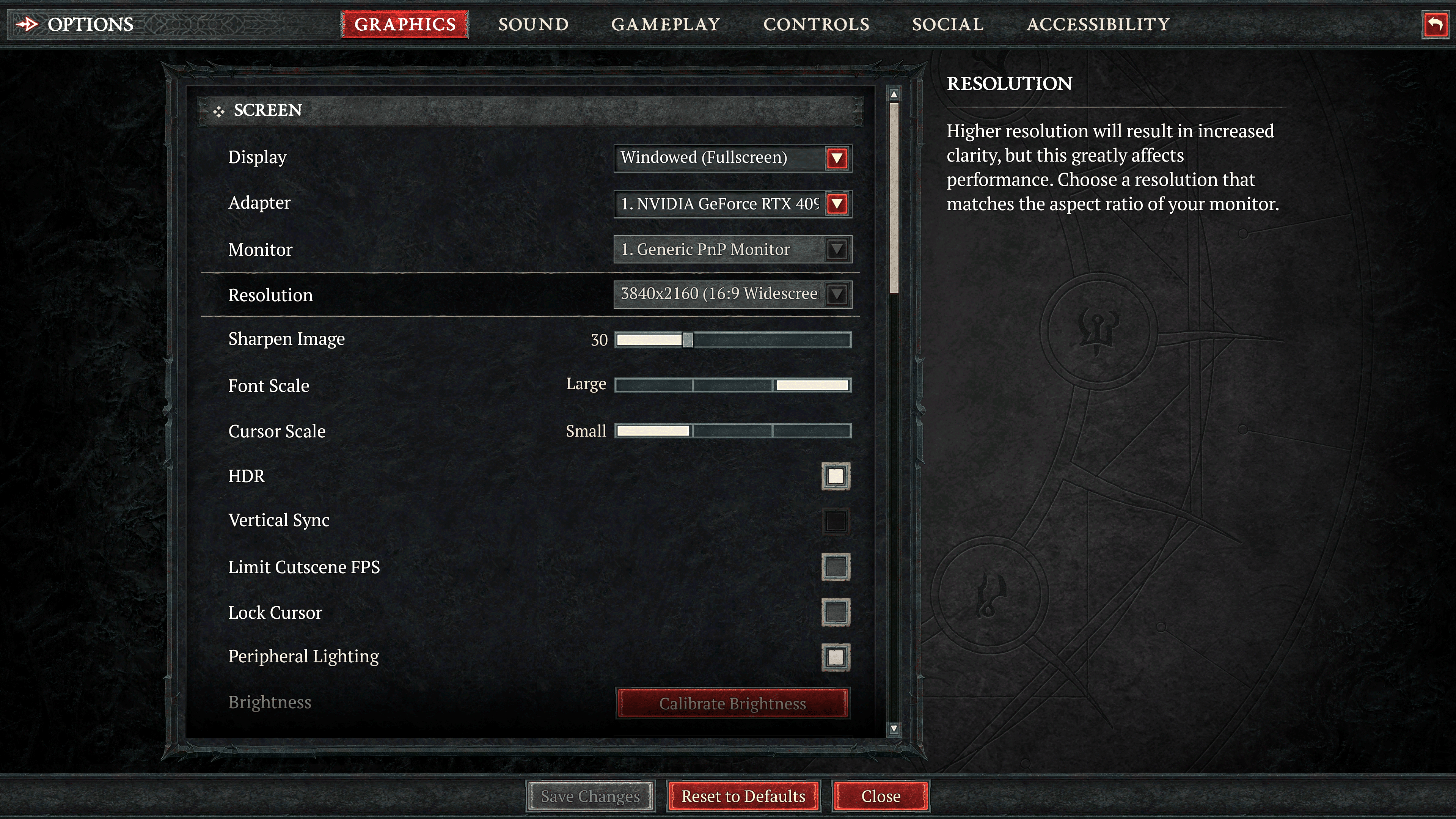
  • Resolution – Full 4K, though dropping it down to 1440P upped our performance. If you need help changing the resolution because the option is grayed out, we made a guide for that:  Diablo 4 How to Change Resolution on PC (Grayed Out)
  • Sharpen Image – On PC, we suggest the highest you go in 30.
  • Font Scale – Personal preference, but I do like having bigger font. Don’t make fun of me, I’m getting old.
  • Cursor Scale – Personal preference, though having a bigger cursor during all the chaos isn’t a bad idea. If you are using a controller, this option won’t matter.
  • HDR – On if your monitor supports it.
  • Vertical Sync – Off – Unless you notice a ton of screen tearing, you want this off to get the most frames. Otherwise, lock it if you want to cap it to what you monitor supports.
  • Limit Cutscenes FPS – Off, unless you like 30 FPS cutscenes.
  • Lock cursor – Off
  • Peripheral Lighting – Off – I don’t think this affects performance, but it wouldn’t be the first time that a hardware lighting option has. Turn this off unless you love matching RGB with what’s going on in the game.
  • Brightness – Personal preference.
  • Color Blind Filter – Use it if you need it.

Performance

  • Resolution Percentage – This was locked for us, though the default should be fine. Anything higher, and you sacrifice performance for minimal image quality gains. Anything lower, and you begin sacrificing image quality.
  • NVIDIA DLSS – Personal Preference, though the game still looks fantastic running under ultra performance.
  • Frame Generation – On if you have an RTX 40 series card. Be sure Hardwar-accelerated GPS scheduling is enabled in the control panel on your PC display settings.
  • Max Foreground FPS – 60 FPS – I don’t recommend going crazy here with the FPS, as this is for objects in the foreground. No reason for anything to be running over 60 FPS, in my opinion, here when it comes to foreground objects. 30 FPS can be distracting, though.
  • Max Background FPS – 60 FPS – Same reason for max foreground FPS.
  • NVIDIA Reflex Low Latency – On by default if frame generation is enabled.

Quality

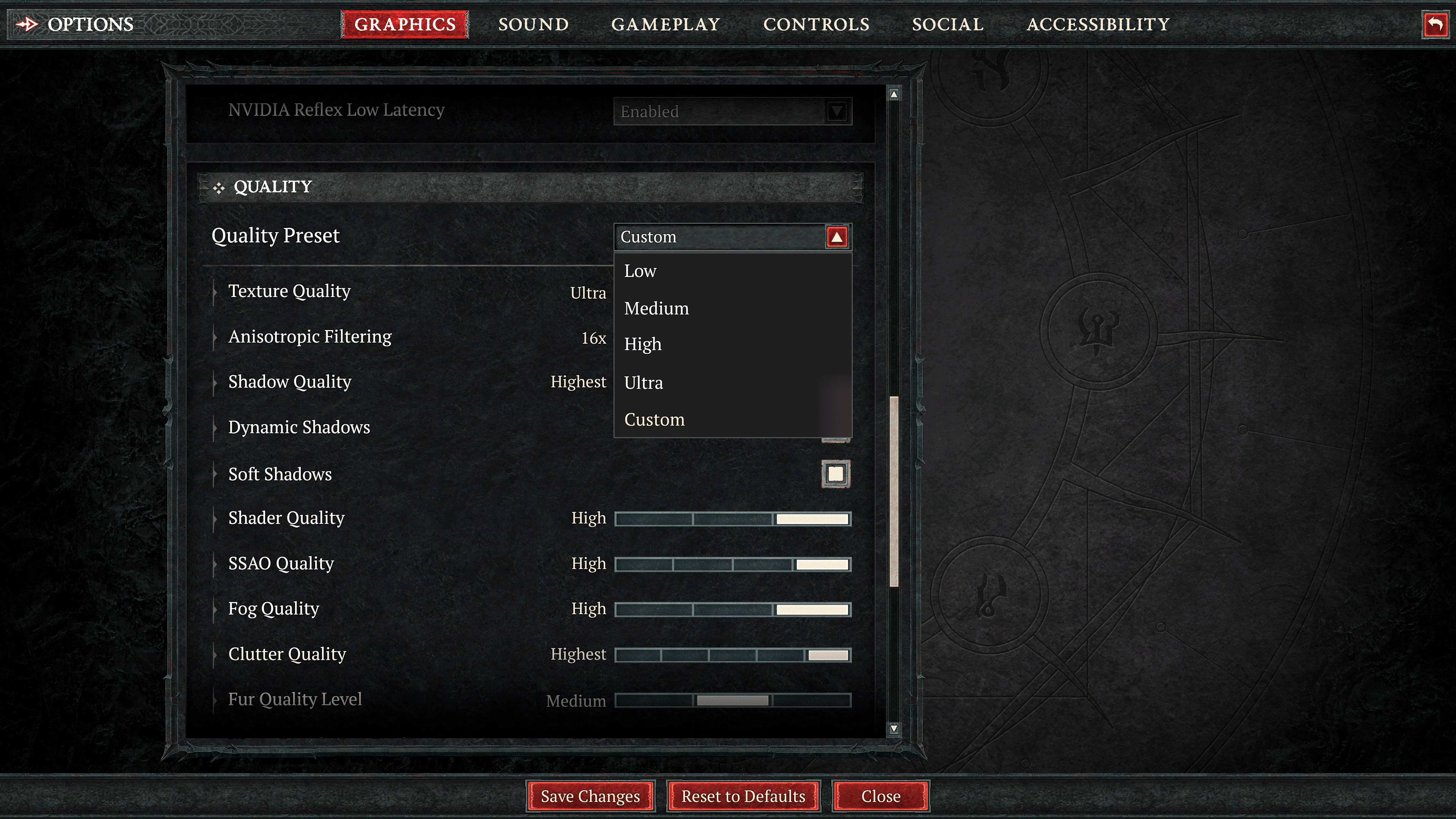
Now we are getting into the more customizable options. With an RTX 4090, you can run pretty much everything at max settings here. However, I do think some things are overkilled, and in the case of Diablo 4, I think performance is the better way to go, so some options can be turned down for a few extra frames.

  • Texture Quality – Ultra – Requires 32GB of Ram for a smooth experience; otherwise, turn it down to high for 4K, medium for 1080P, and low for 720P.
  • Anisotropic Filtering – 16x – Having it maxed out will make the game look better, and we didn’t notice any significant frame dips.
  • Shadow Quality – High – You can use the highest, but we found high to work just fine. This is a top-down title, after all, so it’s not like shadows are super close to the screen like other titles like first or third-person games.
  • Dynamic Shadows – I like having this on as shadows interact based on how they’re cast or being cast on.
  • Soft Shadows – Personal Preference – Turning this on will allow more realistic shadows, but I can understand why someone would want more defined and sharper shadows.
  • Shadow Quality – High
  • SSAO Quality – High
  • Fog Quality – Medium – Fog can consume a lot of computing power. Having this set to Medium still gives you a great effect and extra frames.
  • Clutter Quality – High – There’s “Highest,” which adds shadows to clutter, but high seems to be just fine.
  • Fur Quality – Medium – I don’t think this option is worth having at the highest since you aren’t likely going to notice the quality of fur during all the action.
  • Water Simulation Quality – High – The only other option is low; who wouldn’t want the best-looking water?
  • Anti-Aliasing Quality – High
  • Geometric Complexity – High, but Medium is a good option too.
  • Terrain Geometry Detail – High
  • Physics Quality – High
  • Particles Quality – High, otherwise medium for some add frames.
  • Reflection Quality – High
  • Screen Space Reflections – On
  • Distortion (screen spacing) – Off
  • Low FX – If you notice some dips, turning this option on will reduce the number of particles the system will render—a good option to have on during heavy encounters.

Any other configurations can work down from these settings, though for 3080 and 3090 cards, you should be able to run almost everything at max with a recommended 60FPS-capped framerate. AMD cards should see similar results when compared to their NVidia counterparts.

Diablo 4 Best Settings for Consoles

For consoles, there’s not much tweakable options that we recommend changing. Optimization across all platforms, last and current-gen, seems well handled in this case, so players should expect a smooth experience with the default presets. We suggest playing around with the sharpened image slider, as it can improve overall image quality. We found around 50 to be a good setting on our PlayStation.

Best Social Settings (PC and Consoles)

There are some non-graphical and performance options I recommend, depending on whether you are a solo or party type of player. If you want to experience Diablo 4 as a “solo” player, head on over to the social tab and turn off all notifications.

We also recommend turning the quest dialogue in chat off, as we found it to be more of a distraction on the screen. Though understandable if you want to recall back some dialogue.

Under chat settings, turn “join Local Chat Channel” off. For chat bubbles, deselect everything.

There’s no way to play privately, but you can ignore many online-specific social things with these options.

For those who do prefer playing in a party or with friends, we highly suggest turning on the “Enable Quick Join” option at the very bottom; that way, friends can join you freely without getting an invite. Everything else can remain default.

You can also keep all the other settings found in gameplay, sound, and controls at default.

If you’re still on the fence about Diablo 4, head on here for our review where we state, “Do yourself a favor: ditch your reservations and step into Sanctuary as soon as you can. It’s likely going to be literal hell during the launch queues, but you’ll have a beautifully grim and visceral adventure ahead, one where every leveling up sound will feel like music to your ears.”

Avatar photo

James Lara

A gamer at heart, James has been working for MP1st for the last decade to do exactly what he loves, writing about video games and having fun doing it. Growing up in the 90's gaming has been in his DNA since the days of NES. One day he hopes to develop his own game.

Home > guides

Diablo 4 How to Change Resolution on PC (Grayed Out)

As players have begun their journey into hell once more in Diablo 4, many on PC are still tinkering with their settings, trying to find that perfect sweet balance between performance and resolution. While the game does allow players to change whatever settings they want, oddly enough mostly, it has restricted them from choosing which resolution to use. Luckily there’s a workaround, which we detail in this Diablo 4 “How to Change Resolution” guide for PC.

Diablo 4 How to Change Resolution on PC:

So you’ve gone into the settings of Diablo 4, but realized that for whatever reason, the resolution setting is grayed out. Don’t worry; you aren’t the only one having this issue, as it seems that Blizzard has disabled this option for unknown reasons. Instead, by default, the game will select whatever resolution your current desktop is set-up with. So, if you are using a 4K monitor, and your desktop is set to 4K, then Diablo 4 will play and run in 4K.

Sadly this means that you can’t change the resolution in-game without changing the resolution of your monitor. Not exactly what we would say is the best or ideal method, but it’s all we got at the moment. 

Understandably, some may still want to do this as 4K (those using a supported monitor) can be rather demanding, and many prefer dropping the resolution down to, say, 1440P, since the sacrifice in image quality isn’t all that big compared to the boost in performance it can provide, especially when you sharpen the image via in-game settings.

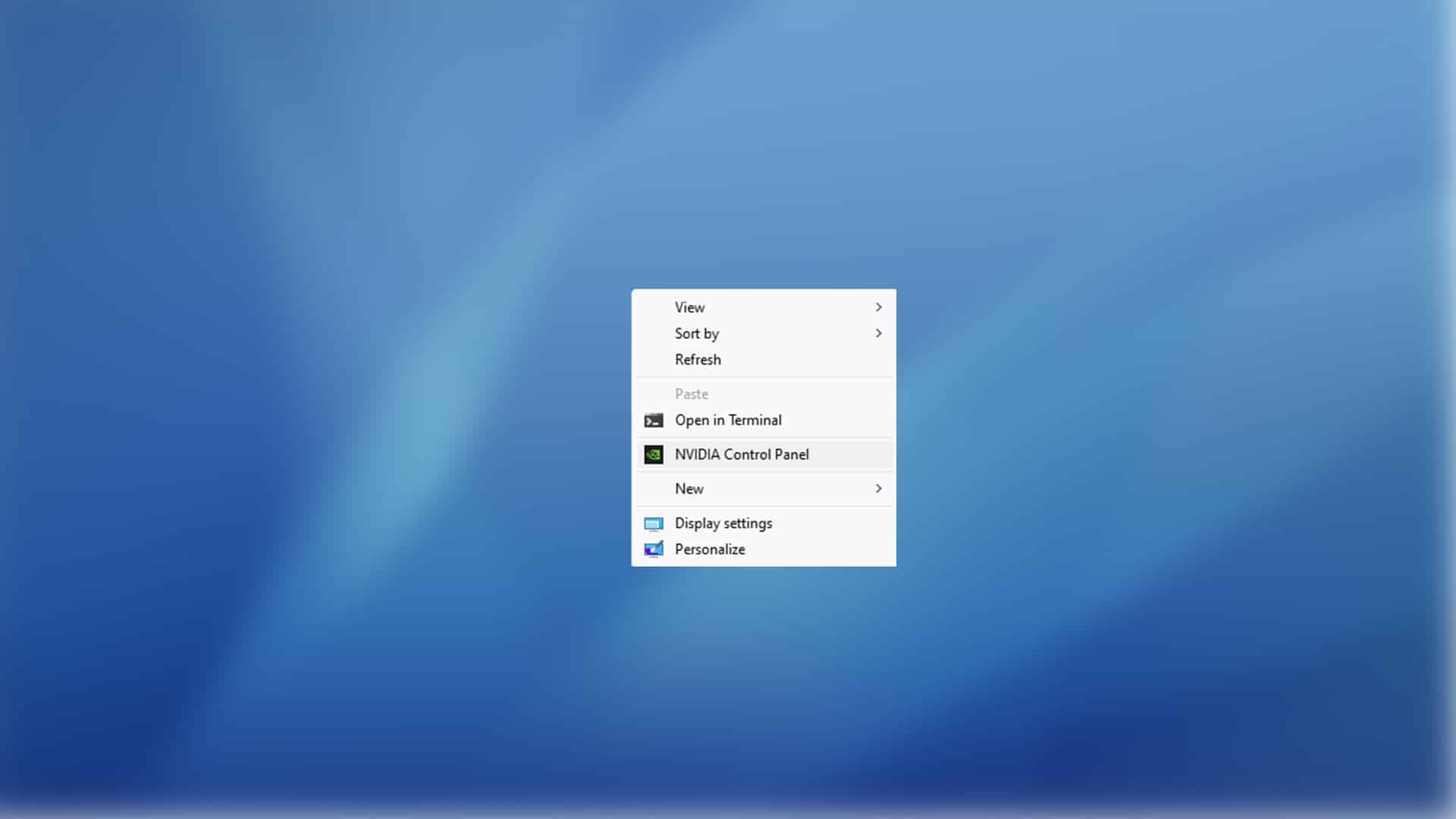
So in order to change the resolution that Diablo 4 will run in, you must first close the title and open up your graphic card’s control panel. In this case, since we only have a Nvidia card, you will right click on the desktop and choose.”Nvidia Control Panel.”

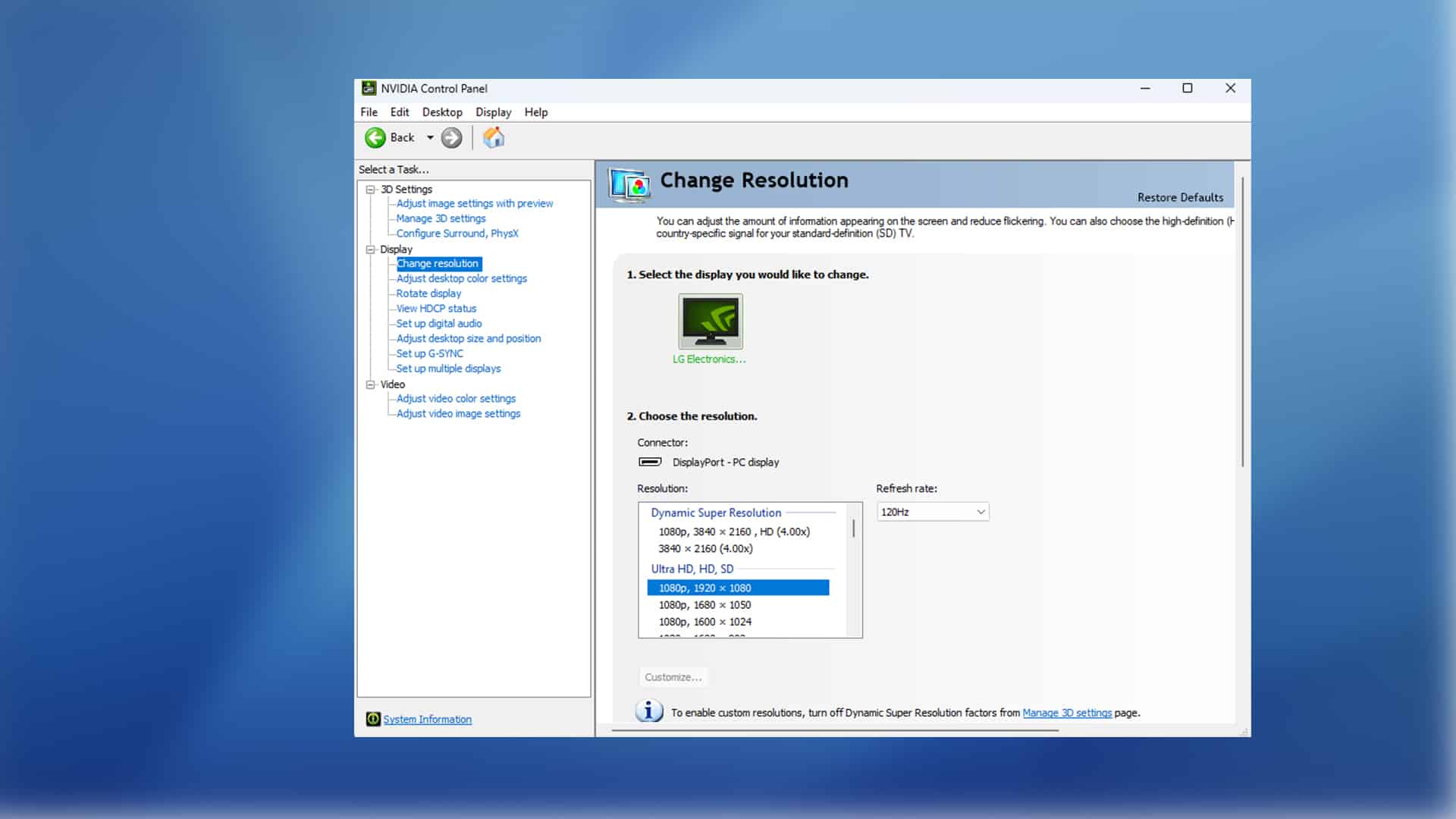
Once that is open, you can navigate to where it says resolution on the right side. From there, select the resolution that works best for you.

Now you can start Diablo 4 again, and once you go into the settings, you should notice the resolution has been changed to the one you selected.

This isn’t the ideal way of going about it, but as of right now, it’s the only way to change the resolution. Hopefully, Blizzard will release an update that re-enables the resolution setting in Diablo 4.

More Diablo 4 Reading:

Avatar photo

James Lara

A gamer at heart, James has been working for MP1st for the last decade to do exactly what he loves, writing about video games and having fun doing it. Growing up in the 90's gaming has been in his DNA since the days of NES. One day he hopes to develop his own game.

Home > News

Phantom Blade Zero Won’t Have Microtransactions; Will Feature Souls-like Elements But More Approachable

Following last month’s Phantom Blade Zero Q&A where the devs at S-Game shared the game’s length and more, S-Game has today revealed that Phantom Blade Zero won’t feature microtransactions along with more gameplay-related details.

In a new Q&A conducted on the game’s Discord, the studio once again took to answering some of the burning questions around their upcoming title, Phantom Blade Zero. Amongst those questions were the likes of whether the game would feature any microtransactions or gacha mechanics, as well as some related to whether this title would have similar difficulty to a Souls game, and about the DualSense features, and more.

Here’s a quick and easy breakdown of what was revealed, as well as the full QA:

  • Weapons featured in the trailer are all in the game and have unique moves and combos. Studio is open to weapon suggestions.
  • No gacha or microtransactions.
  • Features soul-like elements but is approachable as they aren’t leaning fully on difficulty or punishment.
  • Will make full use of the DualSense, with haptic support confirmed.
  • Might release an art book for Phantom Blade Zero
  • Might do a dev diary around the inspiration of the game.
  • Soul is in the main character’s name. He is an agent of the order, trained in espionage and assassination.
  • Phantom Blade is a miserable place in general, though after breaking free of manipulation, Soul leaves light of hope everywhere he goes.

(Note: For clarity, we have edited the Q&A for grammar and spelling).


Question 1: What kind of weapons would you like to see in the game?

What you saw in the trailer is only part of your arsenal in the final game. Each weapon affects gameplay with unique moves and combos. Since the game is still in the making, we’re open to suggestions from the community.

Question 2: About gacha elements?

Nope. You’ll be paying for a complete experience. No gacha or microtransaction.

Question 3: Are there soul-like elements in the game? Such as difficulty, soul/upgrade currency loss?

Yes and no. There are Souls-like elements, but we’re not going full throttle on difficulty and punishment. “Approachable” is the key here. The idea is that you don’t need lightning reflex or supersonic finger movements to find fun in the game.

Question 4: Does this game support haptic feedback?

Yes. We will be making the most out of the DualSense controller of PS5.

Question 5: Are there any plans to make available concept art books for Phantom Blade Zero? I have seen before that you have had concept art for Phantom Blade sold in China and I would love something like this internationally.

Yes, we did release concept art for several mobile titles before, but those are hardly an “art book.” With the global release of Phantom Blade: Executioners, creating an (English) art book does sound like a great idea. It will also serve as a resource book for those who are new to the Phantom Blade universe. There may be an art book for Phantom Blade: Zero, too, but that will wait till the game itself ships.

Question 6: Is PBZ a sequel to Rainblood Town of Death (or is it more like a remake of the entire story line)\

It’s a remake essentially based on the storyline of the original Rainblood but expanded enormously with additional content and multiple endings. What you’ve seen in Rainblood accounts for probably 10% or less of PBZ.

Question 7: Can you make a video on the inspiration for the game like what Wulin is?

Maybe. It does make sense to include that in the roadmap.

Question 8: More background story about the protagonists?

The Order is a powerful institution that tasks itself with maintaining the check and balance between forces of good and evil. For this purpose, it needs outstanding agents. Soul, like Zuo Shang, was adopted by the patriarch of the Order and trained into an expert of espionage and assassination. His job is to remove any person or faction deemed “disruptive” by the Order.

From birth to death, fate has hardly been merciful to him. He’s manipulated as a pawn in one conspiracy after another, but finally managed to defeat the “player” pulling strings behind the scene. The world in Phantom Blade is a miserable place in general, but wherever Soul passes, he leaves a light of hope in his wake.


That’s all for this week, and should the studio answer any more questions in the coming weeks, we’ll be sure to keep you posted.

Phantom Blade Zero currently has no release date and is set to launch on both the PS5 and PC.

Avatar photo

James Lara

A gamer at heart, James has been working for MP1st for the last decade to do exactly what he loves, writing about video games and having fun doing it. Growing up in the 90's gaming has been in his DNA since the days of NES. One day he hopes to develop his own game.

Home > News

Discord Down and Having Issues With Messages This June 4 (Update)

Those using Discord and wondering what’s going on, it seems the app is having issues, though it seems the desktop version using a browser is still working fine. Players have reported on Discord being down and having issues with messages this June 4.

Discord Down and Experiencing Messages Issues This June 4:

Update: According to Discord, issues were resolved at 9:33 am PDT on June 4.

Multiple reports on Reddit have surfaced in the last few minutes about the outages where users are seeing their messages marked as grey and in some cases, the messages themselves disappear.

Issues with discord messages
byu/AxlRosesBandana88 indiscordapp

why are my messages just grey? And when I close and restart the app, the messages are gone..
byu/Bat_Raptor_3 indiscordapp

Discord is really slow and resends messages twice
byu/GGGamer_HUN indiscordapp

On the official Discord Status site, it mentions that the dev team is aware of the issues and are investigating:

Update – We are continuing to investigate this issue.
Jun 04, 2023 – 06:14 PDT\

Investigating – We are currently investigating an issue that is causing some users to experience decreased API availability and elevated latency.
Jun 04, 2023 – 06:14 PDT

Same as always, we’ll be monitoring the situation and once more news develops, we’ll update the article to mention what’s new.

If you can use the Discord mobile or desktop app, leave a comment below and let us know where you’re connecting from.

Avatar photo

Alex Co

Father, gamer, games media vet, writer of words, killer of noobs.

Home > News

Diablo 4 Known Issues and Fixes Listed

Unfortunately, not all is roses and unicorns in Diablo 4’s early access release. If you’re one of the many affected by bugs, glitches and whanot, you’re not alone. Check out the list of Diablo 4 known issues and the fixes (workarounds) that’s available right now for both consoles and PC.

Diablo 4 Known Issues and Fixes (As of June 4, 2023):

There’s also a lot of workarounds for various issues that can be seen below:

PC Technical Resources

Console Technical Resources

Note that there are also outlier issues that has affected players. We’ll add it to the pile once Blizzard has officially added it as well. You can check and report bugs for both PC and consoles.

Once more bugs are acknowledged and added to the official list, we’ll update the article.

Source: Battle.net, Blizzard Forums

More Diablo 4 Reading:

Avatar photo

Alex Co

Father, gamer, games media vet, writer of words, killer of noobs.

Home > News

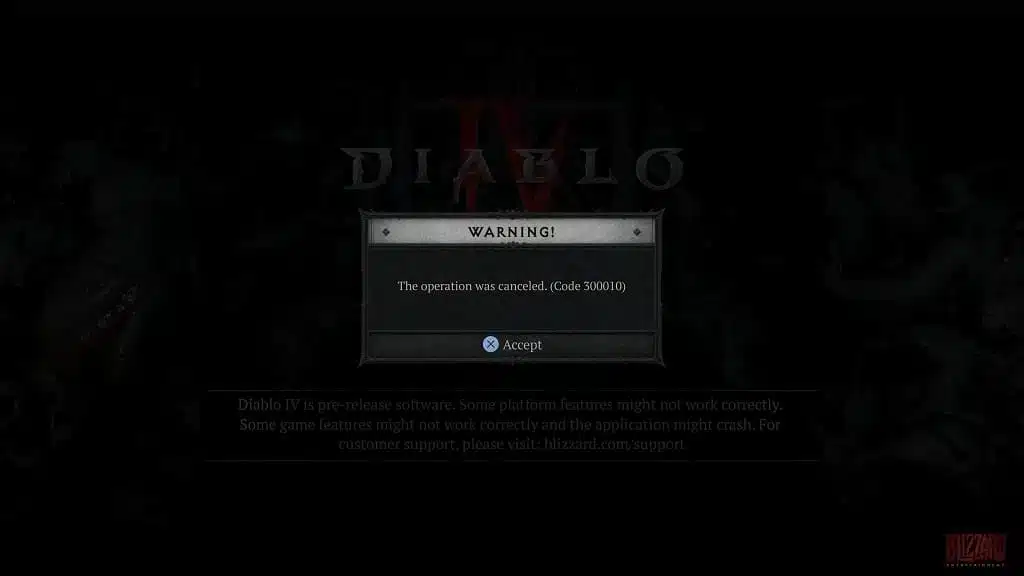
Diablo 4 Error Code 300010 Still Happening and Here’s a Possible Fix

Blizzard has certainly faced their fair share of challenges with Diablo 4’s launch, and while the main issue plaguing gamers was the invalid license bug that made the game unplayable for a lot of people, there’s also the Diablo 4 error code 300010 bug that’s mostly affecting console players.

Diablo 4 Error Code 300010 – What Does It Mean and How to Fix:

Unfortunately, Blizzard has remained tightlipped on what this error code stands for. It seems to be happening to console players mainly (both PlayStaton and Xbox).

There might be a possible fix though. Blizzard forums user BigdikDeeps posted that they were getting error code 300010, and after restarting their Xbox and manually checking for updates, they then downloaded it and it worked.

If that doesn’t do the trick, uninstall and download the game client again. Hopefully that does the trick.

Speaking of updates, patch 1.0.2d has just been released on all platforms, and this brings a round of balance changes to Classes! Read up on that here.

More Diablo 4 Reading:

Avatar photo

Alex Co

Father, gamer, games media vet, writer of words, killer of noobs.

Home > News

Diablo 4 Update 1.0.2d Released on All Platforms This June 4

Blizzard Entertainment has released Diablo 4 update 1.0.2d on all platforms, and while this might be a small download, it’s jam-packed with gameplay related changes, Read on for the D4 June 4 patch notes straight from Blizzard.

Diablo 4 Update 1.0.2d Patch Notes | D4 June 4 Patch Notes:

Size: 305MB (PS5)

Hello wanderer!

We’ve made some balance adjustments to Classes and want to provide our reasoning behind them. Overall, we’re quite happy with the performance of our Classes, but we know there is always room for improvement. Our goal behind these changes is to create a better balanced and enjoyable experience across the board. Our updates fall into 3 categories:

  1. While we want players to both feel and be truly powerful, some Class builds and synergies are outside of our bounds for what is reasonable for the health of the game, so we are reducing their effectiveness. As an example, we generally want to avoid creating situations where players can survive unreasonably high amounts of damage for long periods of time because it too greatly warps our vision for how combat should be in Diablo IV.
  1. Some skills and builds are not as effective as we would like, so we’re pushing out some buffs to increase their strength.
  1. Paragon Glyphs are currently providing too much player power, so we’re reducing their overall effectiveness.

 An ideal we have carried throughout development and will uphold is that Class balance is a journey, not a destination. We want more Class builds to be fun, powerful, and competitive within reason.

Thank you all for supporting us, and we’ll see you in Sanctuary!

Barbarian

Skill Changes

Challenging Shout 

  • Damage Reduction gained from Skill Ranks reduced from 4% to 2%

Legendary Aspect Changes

Bold Chieftain’s Aspect 

  • Cooldown reduction per Nearby enemy reduced from 2.7-5.4 seconds to 1.0-1.9 seconds.
    Maximum Cooldown reduction from 12 to 6 seconds.

Aspect of the Dire Whirlwind 

  • Increased Critical Strike Chance per second reduced from 5-10% to 3-8%.
    Maximum Critical Strike Chance bonus reduced from 20-40% to 9-24%.

Druid

Skill Changes

Pulverize 

  • Lucky Hit Chance reduced from 33% to 25%.

Lightning Storm 

  • Damage increased from 32% to 40%.

Grizzly Rage

  • Damage bonus increased from 5/10/15% to 6/12/18%.

Class Specialization

Obsidian Slam

  • Kills required for bonus increased from 10 to 20.

Calm Before the Storm

  • Lucky Hit Chance reduced from 15% to 10%.

Passive Changes

Electric Shock

  • Damage bonus increased from 5/10/15% to 6/12/18%.

Legendary Aspect Changes

Shockwave Aspect 

  • Damage reduced from 90-130% to 60-100%.

Crashstone Aspect

  • Critical Strike Damage reduced from 40-50% to 30-40%.

Lightning Dancer’s Aspect

  • Flat damage increased from .5-.6 to .7-.8.

Necromancer

Skill Changes

Blood Lance

  • Damage increased from 67.5% to 80%.

Army of the Dead

  • Damage increased from 30% to 45%.
  • Cooldown reduced from 90 to 70 seconds.

Blood Wave

  • Damage increased from 90% to 120%.

Passive Changes

Shadowblight

  • Damage increased from 20% to 22%.

Grim Harvest

  • Essence gained reduced from 3/6/9 to 2/4/6.

Serration

  • Critical Strike Chance reduced from .5/1/1.5% to .3/.6/.9%.

Death’s Defense

  • Maximum Minion Life lost in a single damage instance reduced from 75/60/45% to 60/45/30%.

Class Specialization

Raise Skeleton

  • Skeleton Warrior attack damage increased by 10%.

Golem

  • Golem attack damage increased by 10%.

Blood Golem

  • Blood Golem Life drain damage increased from 40% to 90%.
  • Blood Golem Life drain healing from enemies hit increased from 4% to 5%.

Iron Golem

  • Iron Golem slam damage increased from 25% to 175%.
  • Iron Golem shockwave damage increased from 30% to 40%.

Necromancer Paragon Board Changes

Hulking Monstrosity 

  • Golem Life and damage bonus increased from 30% to 40% Life.

Cult Leader

  • Damage bonus increased from 10% to 15%.

Rogue

Skill Changes

Twisting Blades 

  • Advanced Twisting Blades Cooldown reduction per enemy hit reduced from .25 to .1 seconds.
  • Advanced Twisting Blades maximum Cooldown reduction reduced from 3 to 2 seconds.

Rapid Fire 

  • Damage increased from 24% to 30%.

Dark Shroud 

  • Damage Reduction per shadow gained from Skill Ranks reduced from .8% to .4%.

Dash 

  • Enhanced Dash Critical Strike Damage bonus from 20% to 15%.

Caltrops

  • Damage increased from 30% to 40%.

Passive Changes

Concussive 

  • Critical Strike Chance reduced from 5/10/15% to 4/8/12%.

Legendary Affix Changes

Repeating

  • Maximum Minion Life lost in a single damage instance reduced from 75/60/45% to 60/45/30%.

Sorcerer

Skill Changes

Arc Lash

  • Lucky Hit Chance reduced from 30% to 14%.
  • Glinting Arc Lash Cooldown reduction reduced from .25 to .15 seconds.

Teleport

  • Shimmering Teleport’s Damage Reduction duration reduced from 5 to 3 seconds.

Legendary Affix Changes

Aspect of Control

  • Bonus damage reduced from 30-40% to 25-35%.

General

Miscellaneous Class Changes

Druid Companions and Necromancer Minions

  • Maximum damage over time taken per damage instance reduced from 2% to 1% of maximum Life.

Paragon Board Changes

Rare Nodes

  • Player Attack Speed nodes reduced by 50%.

Glyphs

  • All Glyph Bonus scaling has been reduced by ~34%, except for the following:
  • Critical Strike Damage Glyphs’ Bonus reduced by ~66%.
  • Vulnerable Glyphs’ Bonus reduced by ~66%.
  • Glyphs’ Bonus to Rare nodes reduced by ~50%.
  • Glyphs’ Bonus to Magic nodes reduced by ~40%.
  • Glyphs’ Bonus to Cold/Fire/Lightning/Non-Physical/Physical nodes reduced by ~62.5%.

Monster Changes

  • Significantly reduced the spawn rate of Treasure Goblins within PvP zones.

Bug Fixes

  • Fixed the name for the Light Bearer Mount.  
  • The Go to Shop button from the Wardrobe will now properly open the shop.
  • Fixed an issue where if a Sorcerer uses Deep Freeze and is affected by another effect that would freeze them, it caused them to be permanently stunned.
  • Miscellaneous stability and crash fixes.

June 2, 2023 –  Patch Notes 1.0.2c Build 42122 (PC)

Stability

  • Fixed an issue where players using high-speed NVMe SSDs would experience game freezes upon start-up.
  • Various issues that caused crashes have been fixed.

That’s about it. Once a new patch is released again, we’ll let our readers know.

Source: Blizzard

Avatar photo

Alex Co

Father, gamer, games media vet, writer of words, killer of noobs.

Home > News

Diablo IV Update 1.008 Patch Notes for Version 1.0.2d Now Out

Diablo IV update 1.008 has been released this June 4, and this brings build version number 1.0.2d to all platforms. Players can expect a balance pass to Classes, a bunch of bug fixes and more. Read on for the official Diablo IV version 1.0.2d patch notes.

Update (June 8, 2023): If you’re seeing this on Google, you might want to check out the new patch notes for today’s update here.

Diablo IV Update 1.008 Patch Notes | Diablo IV Version 1.0.2d Patch Notes:

Size: 305MB (PS5)

Hello wanderer!

We’ve made some balance adjustments to Classes and want to provide our reasoning behind them. Overall, we’re quite happy with the performance of our Classes, but we know there is always room for improvement. Our goal behind these changes is to create a better balanced and enjoyable experience across the board. Our updates fall into 3 categories:

  1. While we want players to both feel and be truly powerful, some Class builds and synergies are outside of our bounds for what is reasonable for the health of the game, so we are reducing their effectiveness. As an example, we generally want to avoid creating situations where players can survive unreasonably high amounts of damage for long periods of time because it too greatly warps our vision for how combat should be in Diablo IV.
  1. Some skills and builds are not as effective as we would like, so we’re pushing out some buffs to increase their strength.
  1. Paragon Glyphs are currently providing too much player power, so we’re reducing their overall effectiveness.

 An ideal we have carried throughout development and will uphold is that Class balance is a journey, not a destination. We want more Class builds to be fun, powerful, and competitive within reason.

Thank you all for supporting us, and we’ll see you in Sanctuary!

Barbarian

Skill Changes

Challenging Shout 

  • Damage Reduction gained from Skill Ranks reduced from 4% to 2%

Legendary Aspect Changes

Bold Chieftain’s Aspect 

  • Cooldown reduction per Nearby enemy reduced from 2.7-5.4 seconds to 1.0-1.9 seconds.
    Maximum Cooldown reduction from 12 to 6 seconds.

Aspect of the Dire Whirlwind 

  • Increased Critical Strike Chance per second reduced from 5-10% to 3-8%.
    Maximum Critical Strike Chance bonus reduced from 20-40% to 9-24%.

Druid

Skill Changes

Pulverize 

  • Lucky Hit Chance reduced from 33% to 25%.

Lightning Storm 

  • Damage increased from 32% to 40%.

Grizzly Rage

  • Damage bonus increased from 5/10/15% to 6/12/18%.

Class Specialization

Obsidian Slam

  • Kills required for bonus increased from 10 to 20.

Calm Before the Storm

  • Lucky Hit Chance reduced from 15% to 10%.

Passive Changes

Electric Shock

  • Damage bonus increased from 5/10/15% to 6/12/18%.

Legendary Aspect Changes

Shockwave Aspect 

  • Damage reduced from 90-130% to 60-100%.

Crashstone Aspect

  • Critical Strike Damage reduced from 40-50% to 30-40%.

Lightning Dancer’s Aspect

  • Flat damage increased from .5-.6 to .7-.8.

Necromancer

Skill Changes

Blood Lance

  • Damage increased from 67.5% to 80%.

Army of the Dead

  • Damage increased from 30% to 45%.
  • Cooldown reduced from 90 to 70 seconds.

Blood Wave

  • Damage increased from 90% to 120%.

Passive Changes

Shadowblight

  • Damage increased from 20% to 22%.

Grim Harvest

  • Essence gained reduced from 3/6/9 to 2/4/6.

Serration

  • Critical Strike Chance reduced from .5/1/1.5% to .3/.6/.9%.

Death’s Defense

  • Maximum Minion Life lost in a single damage instance reduced from 75/60/45% to 60/45/30%.

Class Specialization

Raise Skeleton

  • Skeleton Warrior attack damage increased by 10%.

Golem

  • Golem attack damage increased by 10%.

Blood Golem

  • Blood Golem Life drain damage increased from 40% to 90%.
  • Blood Golem Life drain healing from enemies hit increased from 4% to 5%.

Iron Golem

  • Iron Golem slam damage increased from 25% to 175%.
  • Iron Golem shockwave damage increased from 30% to 40%.

Necromancer Paragon Board Changes

Hulking Monstrosity 

  • Golem Life and damage bonus increased from 30% to 40% Life.

Cult Leader

  • Damage bonus increased from 10% to 15%.

Rogue

Skill Changes

Twisting Blades 

  • Advanced Twisting Blades Cooldown reduction per enemy hit reduced from .25 to .1 seconds.
  • Advanced Twisting Blades maximum Cooldown reduction reduced from 3 to 2 seconds.

Rapid Fire 

  • Damage increased from 24% to 30%.

Dark Shroud 

  • Damage Reduction per shadow gained from Skill Ranks reduced from .8% to .4%.

Dash 

  • Enhanced Dash Critical Strike Damage bonus from 20% to 15%.

Caltrops

  • Damage increased from 30% to 40%.

Passive Changes

Concussive 

  • Critical Strike Chance reduced from 5/10/15% to 4/8/12%.

Legendary Affix Changes

Repeating

  • Maximum Minion Life lost in a single damage instance reduced from 75/60/45% to 60/45/30%.

Sorcerer

Skill Changes

Arc Lash

  • Lucky Hit Chance reduced from 30% to 14%.
  • Glinting Arc Lash Cooldown reduction reduced from .25 to .15 seconds.

Teleport

  • Shimmering Teleport’s Damage Reduction duration reduced from 5 to 3 seconds.

Legendary Affix Changes

Aspect of Control

  • Bonus damage reduced from 30-40% to 25-35%.

General

Miscellaneous Class Changes

Druid Companions and Necromancer Minions

  • Maximum damage over time taken per damage instance reduced from 2% to 1% of maximum Life.

Paragon Board Changes

Rare Nodes

  • Player Attack Speed nodes reduced by 50%.

Glyphs

  • All Glyph Bonus scaling has been reduced by ~34%, except for the following:
  • Critical Strike Damage Glyphs’ Bonus reduced by ~66%.
  • Vulnerable Glyphs’ Bonus reduced by ~66%.
  • Glyphs’ Bonus to Rare nodes reduced by ~50%.
  • Glyphs’ Bonus to Magic nodes reduced by ~40%.
  • Glyphs’ Bonus to Cold/Fire/Lightning/Non-Physical/Physical nodes reduced by ~62.5%.

Monster Changes

  • Significantly reduced the spawn rate of Treasure Goblins within PvP zones.

Bug Fixes

  • Fixed the name for the Light Bearer Mount.  
  • The Go to Shop button from the Wardrobe will now properly open the shop.
  • Fixed an issue where if a Sorcerer uses Deep Freeze and is affected by another effect that would freeze them, it caused them to be permanently stunned.
  • Miscellaneous stability and crash fixes.

June 2, 2023 –  Patch Notes 1.0.2c Build 42122 (PC)

Stability

  • Fixed an issue where players using high-speed NVMe SSDs would experience game freezes upon start-up.
  • Various issues that caused crashes have been fixed.

That’s about it. Once a new patch is released again, we’ll let our readers know.

Source: Blizzard

More Diablo 4 Reading:

Avatar photo

Alex Co

Father, gamer, games media vet, writer of words, killer of noobs.

Home > News

Diablo 4 Update 1.07 Released and Here Are the Changes

Blizzard has released Diablo 4 update 1.07 and includes a host of gameplay-related fixes and a balance pass to classes. Read on for what’s new in the Diablo 4 June 4 patch notes.

Diablo 4 Update 1.07 Patch Notes for June 4:

Hello wanderer!

We’ve made some balance adjustments to Classes and want to provide our reasoning behind them. Overall, we’re quite happy with the performance of our Classes, but we know there is always room for improvement. Our goal behind these changes is to create a better balanced and enjoyable experience across the board. Our updates fall into 3 categories:

  1. While we want players to both feel and be truly powerful, some Class builds and synergies are outside of our bounds for what is reasonable for the health of the game, so we are reducing their effectiveness. As an example, we generally want to avoid creating situations where players can survive unreasonably high amounts of damage for long periods of time because it too greatly warps our vision for how combat should be in Diablo IV.
  1. Some skills and builds are not as effective as we would like, so we’re pushing out some buffs to increase their strength.
  1. Paragon Glyphs are currently providing too much player power, so we’re reducing their overall effectiveness.

 An ideal we have carried throughout development and will uphold is that Class balance is a journey, not a destination. We want more Class builds to be fun, powerful, and competitive within reason.

Thank you all for supporting us, and we’ll see you in Sanctuary!

Barbarian

Skill Changes

Challenging Shout 

  • Damage Reduction gained from Skill Ranks reduced from 4% to 2%

Legendary Aspect Changes

Bold Chieftain’s Aspect 

  • Cooldown reduction per Nearby enemy reduced from 2.7-5.4 seconds to 1.0-1.9 seconds.
    Maximum Cooldown reduction from 12 to 6 seconds.

Aspect of the Dire Whirlwind 

  • Increased Critical Strike Chance per second reduced from 5-10% to 3-8%.
    Maximum Critical Strike Chance bonus reduced from 20-40% to 9-24%.

Druid

Skill Changes

Pulverize 

  • Lucky Hit Chance reduced from 33% to 25%.

Lightning Storm 

  • Damage increased from 32% to 40%.

Grizzly Rage

  • Damage bonus increased from 5/10/15% to 6/12/18%.

Class Specialization

Obsidian Slam

  • Kills required for bonus increased from 10 to 20.

Calm Before the Storm

  • Lucky Hit Chance reduced from 15% to 10%.

Passive Changes

Electric Shock

  • Damage bonus increased from 5/10/15% to 6/12/18%.

Legendary Aspect Changes

Shockwave Aspect 

  • Damage reduced from 90-130% to 60-100%.

Crashstone Aspect

  • Critical Strike Damage reduced from 40-50% to 30-40%.

Lightning Dancer’s Aspect

  • Flat damage increased from .5-.6 to .7-.8.

Necromancer

Skill Changes

Blood Lance

  • Damage increased from 67.5% to 80%.

Army of the Dead

  • Damage increased from 30% to 45%.
  • Cooldown reduced from 90 to 70 seconds.

Blood Wave

  • Damage increased from 90% to 120%.

Passive Changes

Shadowblight

  • Damage increased from 20% to 22%.

Grim Harvest

  • Essence gained reduced from 3/6/9 to 2/4/6.

Serration

  • Critical Strike Chance reduced from .5/1/1.5% to .3/.6/.9%.

Death’s Defense

  • Maximum Minion Life lost in a single damage instance reduced from 75/60/45% to 60/45/30%.

Class Specialization

Raise Skeleton

  • Skeleton Warrior attack damage increased by 10%.

Golem

  • Golem attack damage increased by 10%.

Blood Golem

  • Blood Golem Life drain damage increased from 40% to 90%.
  • Blood Golem Life drain healing from enemies hit increased from 4% to 5%.

Iron Golem

  • Iron Golem slam damage increased from 25% to 175%.
  • Iron Golem shockwave damage increased from 30% to 40%.

Necromancer Paragon Board Changes

Hulking Monstrosity 

  • Golem Life and damage bonus increased from 30% to 40% Life.

Cult Leader

  • Damage bonus increased from 10% to 15%.

Rogue

Skill Changes

Twisting Blades 

  • Advanced Twisting Blades Cooldown reduction per enemy hit reduced from .25 to .1 seconds.
  • Advanced Twisting Blades maximum Cooldown reduction reduced from 3 to 2 seconds.

Rapid Fire 

  • Damage increased from 24% to 30%.

Dark Shroud 

  • Damage Reduction per shadow gained from Skill Ranks reduced from .8% to .4%.

Dash 

  • Enhanced Dash Critical Strike Damage bonus from 20% to 15%.

Caltrops

  • Damage increased from 30% to 40%.

Passive Changes

Concussive 

  • Critical Strike Chance reduced from 5/10/15% to 4/8/12%.

Legendary Affix Changes

Repeating

  • Maximum Minion Life lost in a single damage instance reduced from 75/60/45% to 60/45/30%.

Sorcerer

Skill Changes

Arc Lash

  • Lucky Hit Chance reduced from 30% to 14%.
  • Glinting Arc Lash Cooldown reduction reduced from .25 to .15 seconds.

Teleport

  • Shimmering Teleport’s Damage Reduction duration reduced from 5 to 3 seconds.

Legendary Affix Changes

Aspect of Control

  • Bonus damage reduced from 30-40% to 25-35%.

General

Miscellaneous Class Changes

Druid Companions and Necromancer Minions

  • Maximum damage over time taken per damage instance reduced from 2% to 1% of maximum Life.

Paragon Board Changes

Rare Nodes

  • Player Attack Speed nodes reduced by 50%.

Glyphs

  • All Glyph Bonus scaling has been reduced by ~34%, except for the following:
  • Critical Strike Damage Glyphs’ Bonus reduced by ~66%.
  • Vulnerable Glyphs’ Bonus reduced by ~66%.
  • Glyphs’ Bonus to Rare nodes reduced by ~50%.
  • Glyphs’ Bonus to Magic nodes reduced by ~40%.
  • Glyphs’ Bonus to Cold/Fire/Lightning/Non-Physical/Physical nodes reduced by ~62.5%.

Monster Changes

  • Significantly reduced the spawn rate of Treasure Goblins within PvP zones.

Bug Fixes

  • Fixed the name for the Light Bearer Mount.  
  • The Go to Shop button from the Wardrobe will now properly open the shop.
  • Fixed an issue where if a Sorcerer uses Deep Freeze and is affected by another effect that would freeze them, it caused them to be permanently stunned.
  • Miscellaneous stability and crash fixes.

June 2, 2023 –  Patch Notes 1.0.2c Build 42122 (PC)

Stability

  • Fixed an issue where players using high-speed NVMe SSDs would experience game freezes upon start-up.
  • Various issues that caused crashes have been fixed.

That’s about it. Once a new patch is released again, we’ll let our readers know.

Source: Blizzard

More Diablo 4 Reading:

Avatar photo

Alex Co

Father, gamer, games media vet, writer of words, killer of noobs.

Home > News

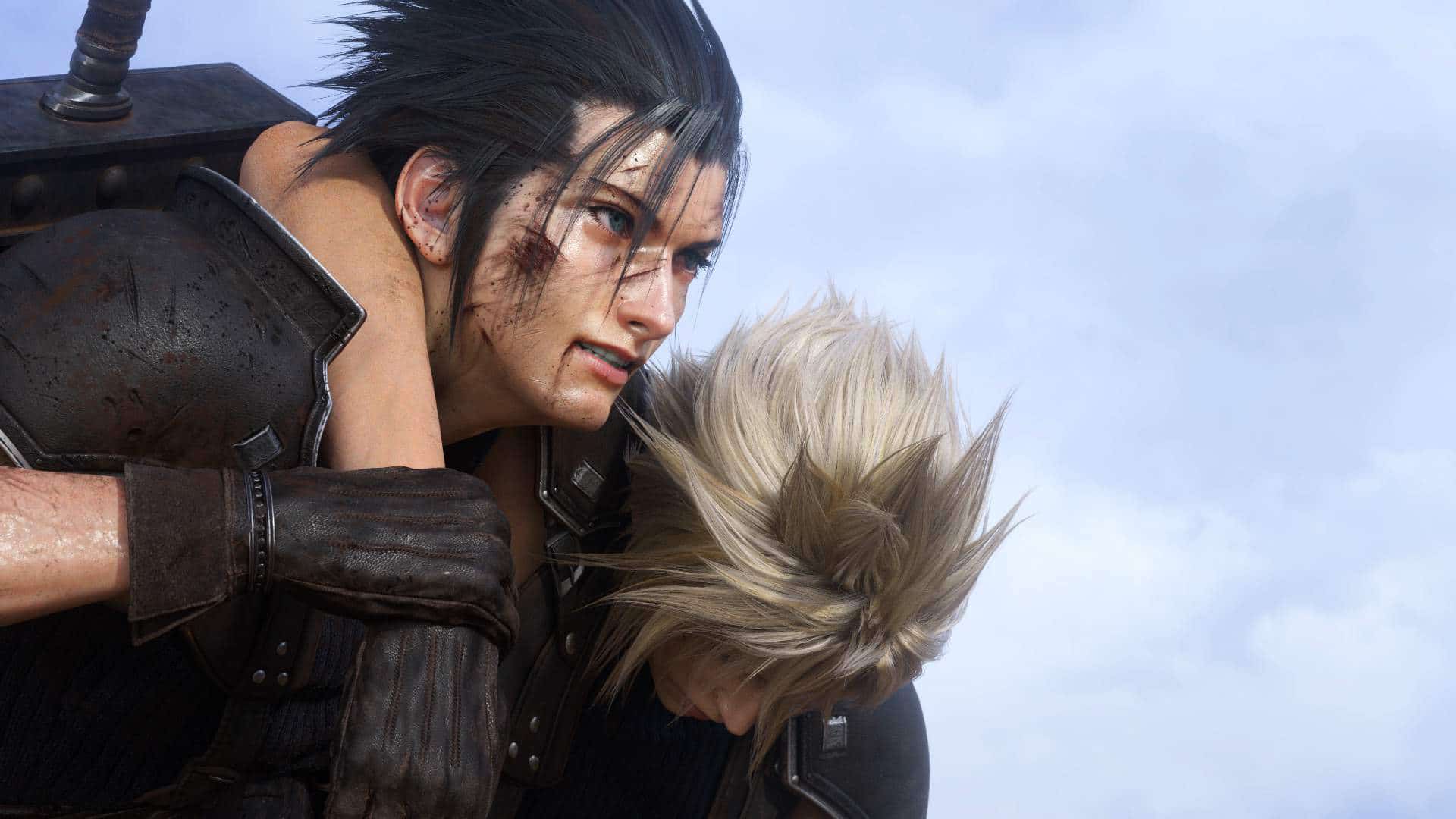
Final Fantasy 7 Rebirth Will Have a ” High Degree of Freedom” When Exploring Outside Midgar

While Square Enix has yet to confirm whether or not Final Fantasy 7 Rebirth would feature an open world much like the original game did, it seems that the studio is teasing that it might, as they state there will be a high level of freedom when exploring areas outside of Midgar.

In the same way that they were teasing working on a release date (still targeting Winter 2023,) the official FINAL FANTASY VII Twitter account has once again revealed a new question and answer, this time focused on what players can expect when venturing outside of Midgar. 

Question: How will players journey through the world outside of Midgar in FINAL FANTASY VII Rebirth?

Answer: Players will be able to journey across the wide and multifaceted world with a high degree of freedom, experiencing a myriad of different stories along the way.

We’re hoping this means that we’ll be getting an overworld of sorts that connects each location in Final Fantasy 7 Rebirth. But it’s important to note that while this tease does seem to suggest that the title will be a lot more open than recent Final Fantasy games, it still doesn’t confirm that it’ll be an entirely open world. Guess we’ll be finding out real soon, as it’s currently speculated that the title will be making a showing at this year’s Summer Game Fest, which airs next week. Otherwise, fans have Final Fantasy 16 to look forward to later this month.

Avatar photo

James Lara

A gamer at heart, James has been working for MP1st for the last decade to do exactly what he loves, writing about video games and having fun doing it. Growing up in the 90's gaming has been in his DNA since the days of NES. One day he hopes to develop his own game.

Home > News

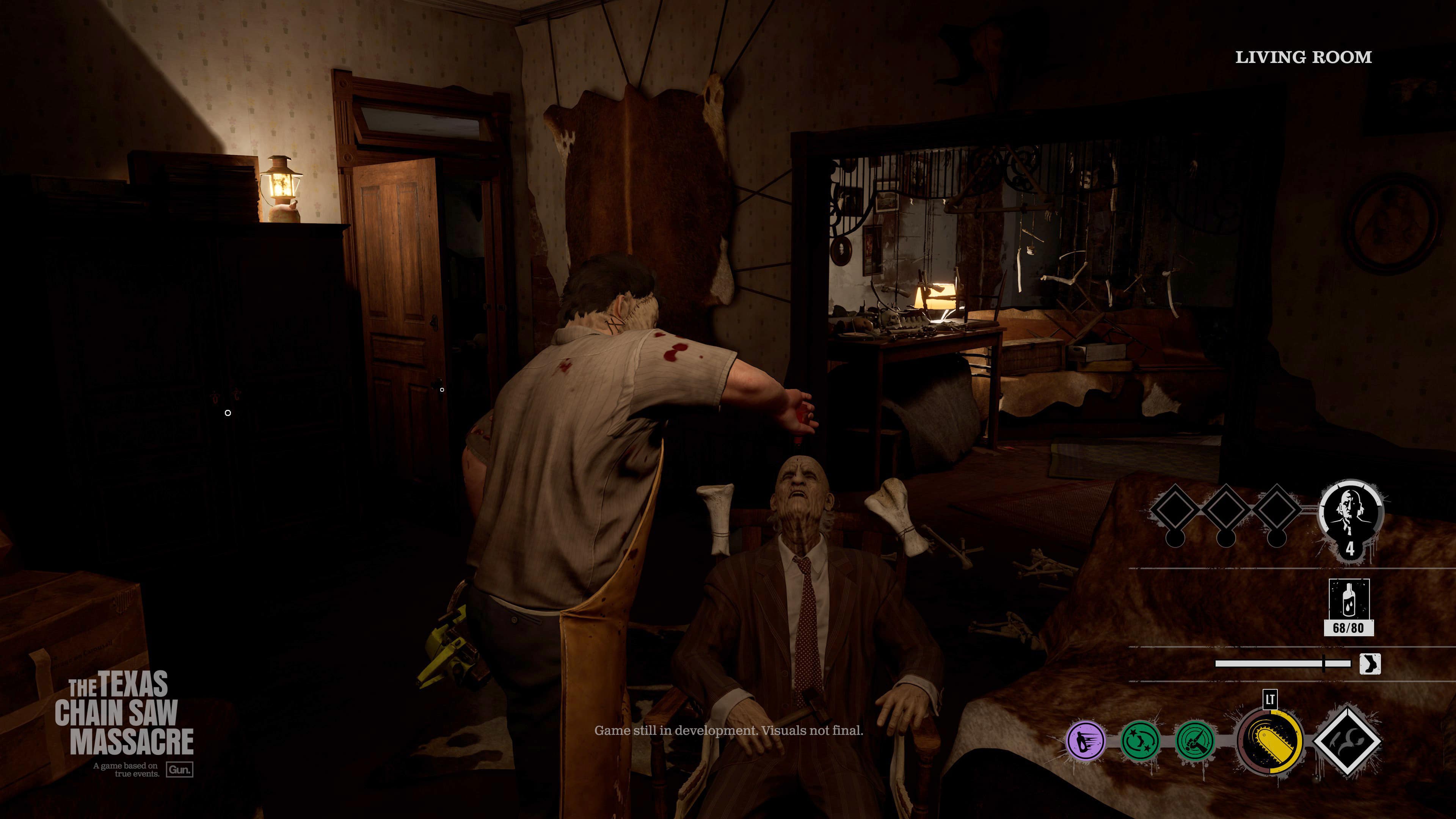
Texas Chain Saw Massacre Game Focuses on 1974 Original Due to Licensing Issues, Dev Asks Fans for “Buzz” to Help

For those curious as to why the upcoming Texas Chain Saw Massacre game is focusing on the original 1974 films, rather than some of the later movies, it all has to do with the current rights, as the studio recently took to addressing the community on this matter.

Taking to Twitter, Gun Interactive’s CEO Wes Keltner, clarified to fans, that while the studio is making a Texas Chain Saw Massacre game, the content they’re allowed to use is limited by the film rights they’ve been licensed. 

Friendly reminder. We have the interactive rights to the 1974 film. We can’t put characters or locations in from other TX films because we don’t have those rights. Demanding we add them is not how Hollywood works. Licensing in general is usually a total mess.

My advice to you: Get hyped for what’s there. Tell everyone you know. Post on social, retweet, and discuss the game. In my experience Hollywood reacts to buzz, not demands.

When asked about how Mortal Kombat was able to get the rights to use Leatherface, here’s what Keltner had to say:

That’s one character not the full intellectual property. While still licensing it’s not exactly the same thing. You know?

A rather understandable reasoning, as from a legal perspective, as Keltner states, obtaining the rights to the other films could prove to be “messy.” Though despite these comments, it’s not at all entirely ruled out; it’s just only a matter of whether the hype is there and if Hollywood is willing to work further with the studio.

For clarity. I’m not saying it isn’t possible. I’m saying that we’re focused on the first film. That’s what we have the rights for, however in the future we can pursue the other films. Nothing is guaranteed. But the higher the hype, the more likely “Hollywood” picks up the phone.

Hopefully, this ends up being the case, as The Chainsaw Massacre game is looking surprisingly fun based on all the gameplay videos, and impressions given from other outlets. Guess we’ll find out come the release, which is happening on August 18 of this year for the PlayStation, Xbox, and PC.

Avatar photo

James Lara

A gamer at heart, James has been working for MP1st for the last decade to do exactly what he loves, writing about video games and having fun doing it. Growing up in the 90's gaming has been in his DNA since the days of NES. One day he hopes to develop his own game.

Home > News

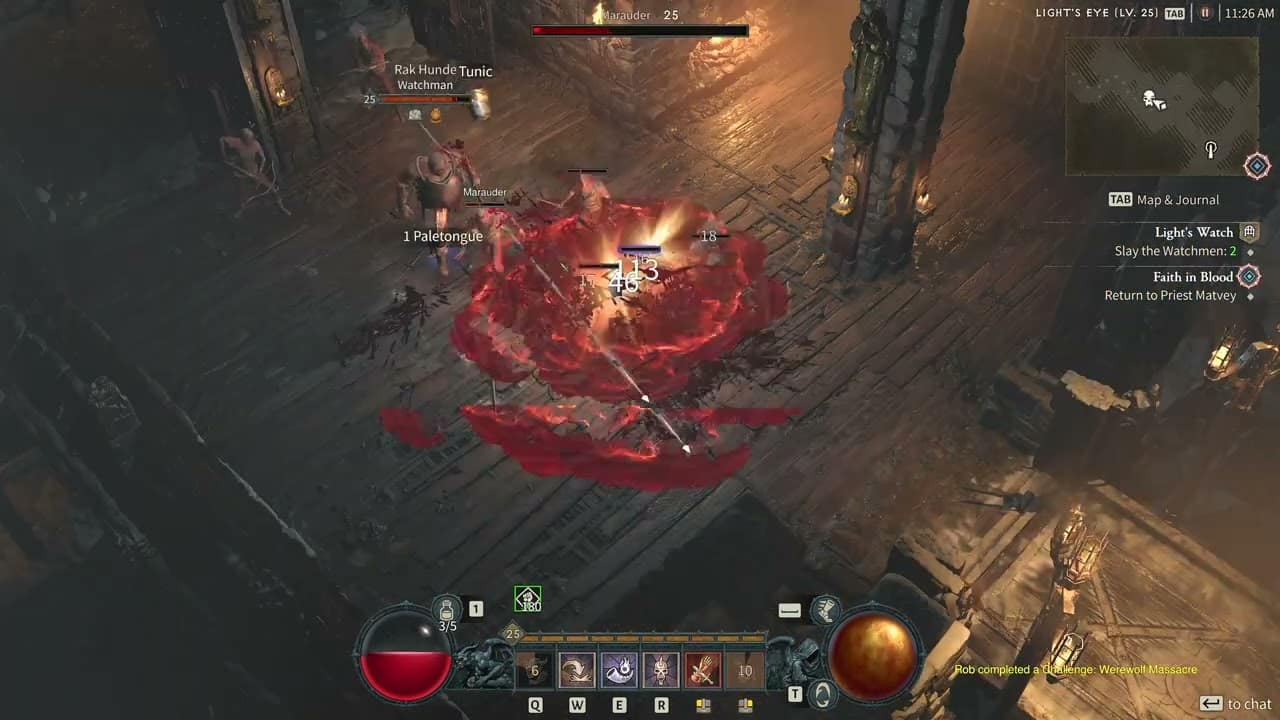
Diablo 4 Gohr’s Devastating Grips Unique Power Disabled Due to Being Too OP (Update)

Blizzard has just put their foot down on one of the Barbarian class’ most powerful Unique effects, as the studio has announced that Diablo 4 Gohr’s Devastating Grips Unique power has been disabled right this moment.

This announcement was made by the studio over on the official Diablo 4 forums: where the studio explained that it was “outperforming expectations” or in other words, it was a bit too OP (overpowered).

We have disabled the unique power on “Gohr’s Devastating Grips” as it is outperforming our expectations. We will have a balance fix for this in an upcoming client patch before we re-enable it.

Sadly, as you can see, it will be given a balance pass (read: nerf) in an upcoming client patch before it’ll be usable once more.

For those curious, the unique power of the gloves were marked as “Whirlwind explodes after it ends, dealing [50 – 70]% of the total Base damage dealt to surrounding enemies as Fire damage.” While that in itself was OK, the fact that the Whirlwind skill was a channeling ability meant that players could start and stop it at any time, thus triggering the explosion over and over (hence why it was OP).

Another thing that was disabled today is the  Stolen Artifice quest, which you can read about here.

Once the client patch is out, we’ll be sure to let our readers know.

Update: The new patch is out and has re-enabled this power!

Gohr’s Devastating Grips

  • Explosion damage gained from Whirlwind reduced from 50-70% to 16-26%.
  • Damage against wreckable objects no longer increases explosion damage.
  • Explosion damage is only increased by the first 100 hits of Whirlwind.

You can read the patch notes for June 4 right here.

More Diablo 4 Reading:

Avatar photo

Alex Co

Father, gamer, games media vet, writer of words, killer of noobs.

Home > News

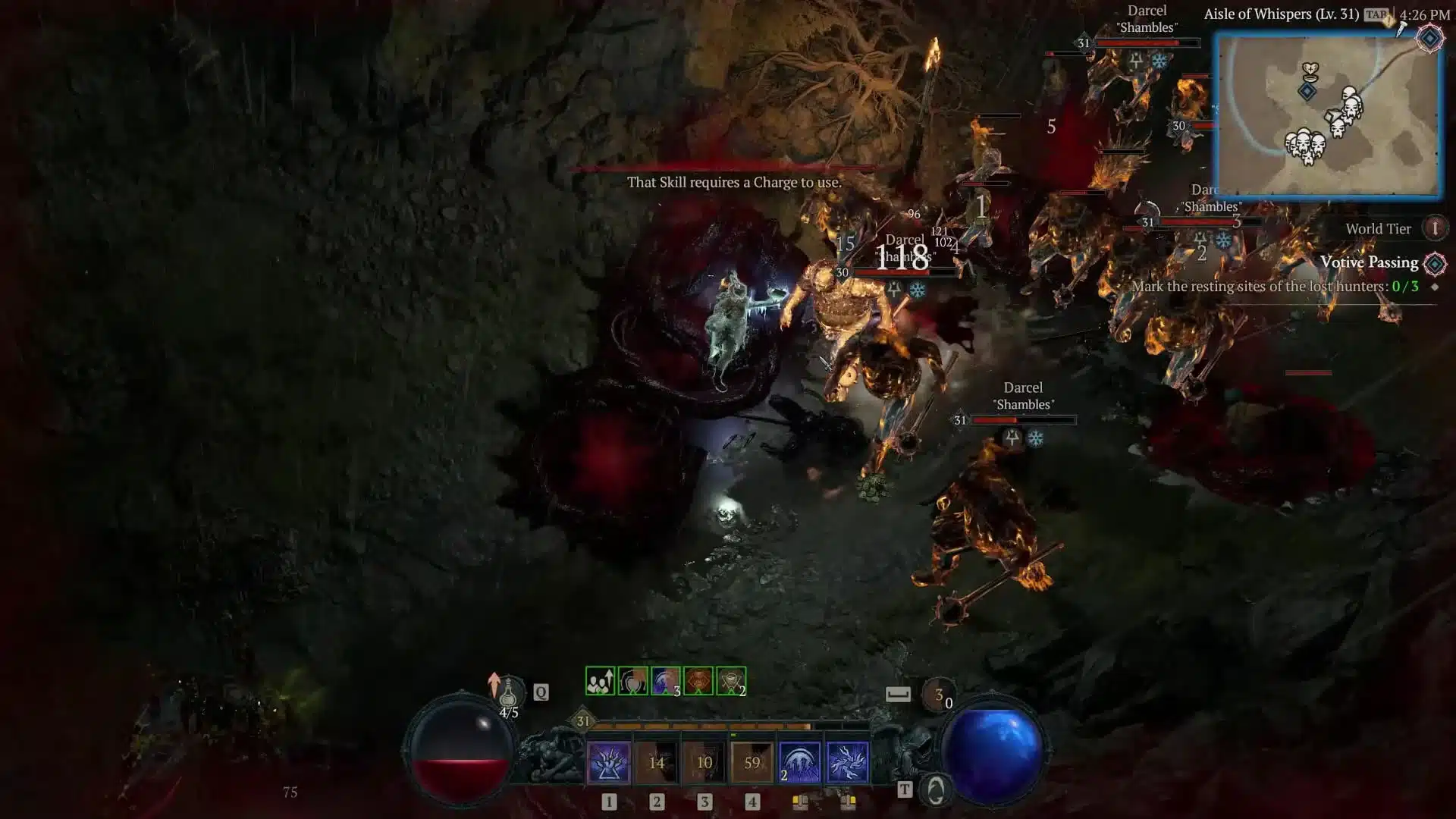
Diablo 4 Stolen Artifice Quest Bug and Not Showing Up – Here’s Why (Update)

For those playing Diablo 4 and in the Scosglen region, you won’t be able to fully complete that section, as the Diablo 4 Stolen Artifice quest cannot be accessed currently. If it’s not showing up, it’s not just you.

Update: Blizzard has just patched the bug in this quest and it should be back to normal.

Diablo 4 Stolen Artifice Quest Bug and Why It’s Not Showing Up:

Blizzard has disabled the quest, and here’s the announcement by the studio’s Community Manager:

The team has disabled the ‘Stolen Artifice’ quest line in Scosglen until our next scheduled hotfix. We do not have a current ETA on that hotfix but this will lead to players not being able to fully complete the Scosglen zone until this is addressed.

We appreciate all the reports regarding this specific quest and will update everyone once a hotfix is ready and deployed.

As you can see, there is no ETA on when this quest will be re-integrated back into the game. While the quest itself is quite straightforward since the player just needs to hunt a bandit named Darcel, a glitch has surfaced that causes up to a dozen copies of the bandit to spawn. Given the enemy’s fast attack speed, you can just imagine how this would be a cause of grief for most players.

For those curious or need to be reminded of this, the quest is started by Merryn and is in the Wailing Hills zone.

Once a new hotfix or if the quest is brought back, we’ll let our readers know.

Source: Blizzard Forums

More Diablo 4 Reading:

Avatar photo

Alex Co

Father, gamer, games media vet, writer of words, killer of noobs.

Home > News

Battlefield 2042 and Battlefield V Down With Connectivity Issues This June 3 (Update 2)

For those trying to log in and play Battlefield 2042 and Battlefield V and seeing connection issues, it’s not just you, as DICE has acknowledged the BF2042 and BFV down reports that have surfaced online this June 3.

Battlefield 2042 and Battlefield V Down Status and Updates for June 3:

Update 2: DICE has announced that the server issues for both games have been resolved!

The issues that had prohibited you from accessing #Battlefield2042 and #BattlefieldV have now been resolved, and we are once again seeing you jump back onto the battlefield.

We appreciate your patience, and we hope you still have a wonderful weekend supporting your squad

Update: DICE has issued a statement and confirmed that they are still working on the outage:

We continue to work on the ongoing service issue for #Battlefield2042 and #BattlefieldV across all platforms.

Thank you for your patience during this time. We’ll get you back onto the Battlefield as soon as possible.

We’ll update the article once more info is know.

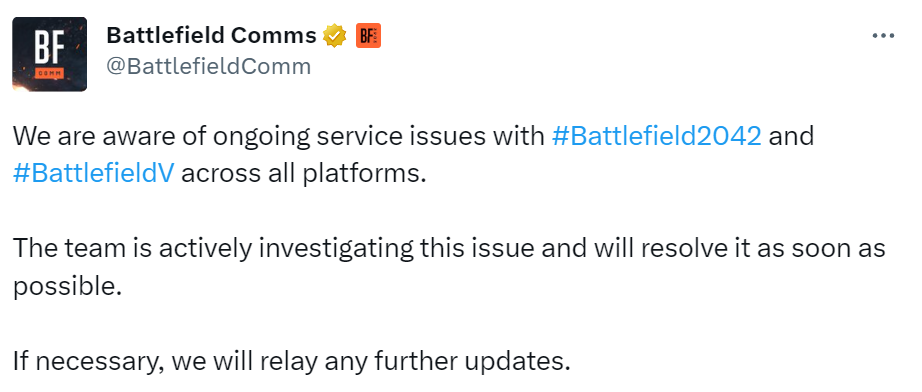
Here’s the latest announcement from EA via the official Battlefield Direct Communications Twitter account:

We are aware of ongoing service issues with #Battlefield2042 and #BattlefieldV across all platforms.

The team is actively investigating this issue and will resolve it as soon as possible.

If necessary, we will relay any further updates.

Once more developments regarding the outage is known, we’ll update the article ASAP.

In the meantime, go chew on the Battlefield 2042 Season 5 patch notes to see all the new content and changes incoming this June 7.

More Battlefield Reading:

Avatar photo

Alex Co

Father, gamer, games media vet, writer of words, killer of noobs.

Home > News

Ark Survival Evolved Update 2.95 Chomps Out for Rhyniognatha

Studio Wildcard has pushed out Ark Survival Evolved update 2.95, and this adds the Rhyniognatha into the game! Read on for the character dossier and more in the official patch notes.

Ark Survival Evolved Update 2.95 Patch Notes:

PS4 and PC:

v714.8  – 06/02/2023 – Major version for servers

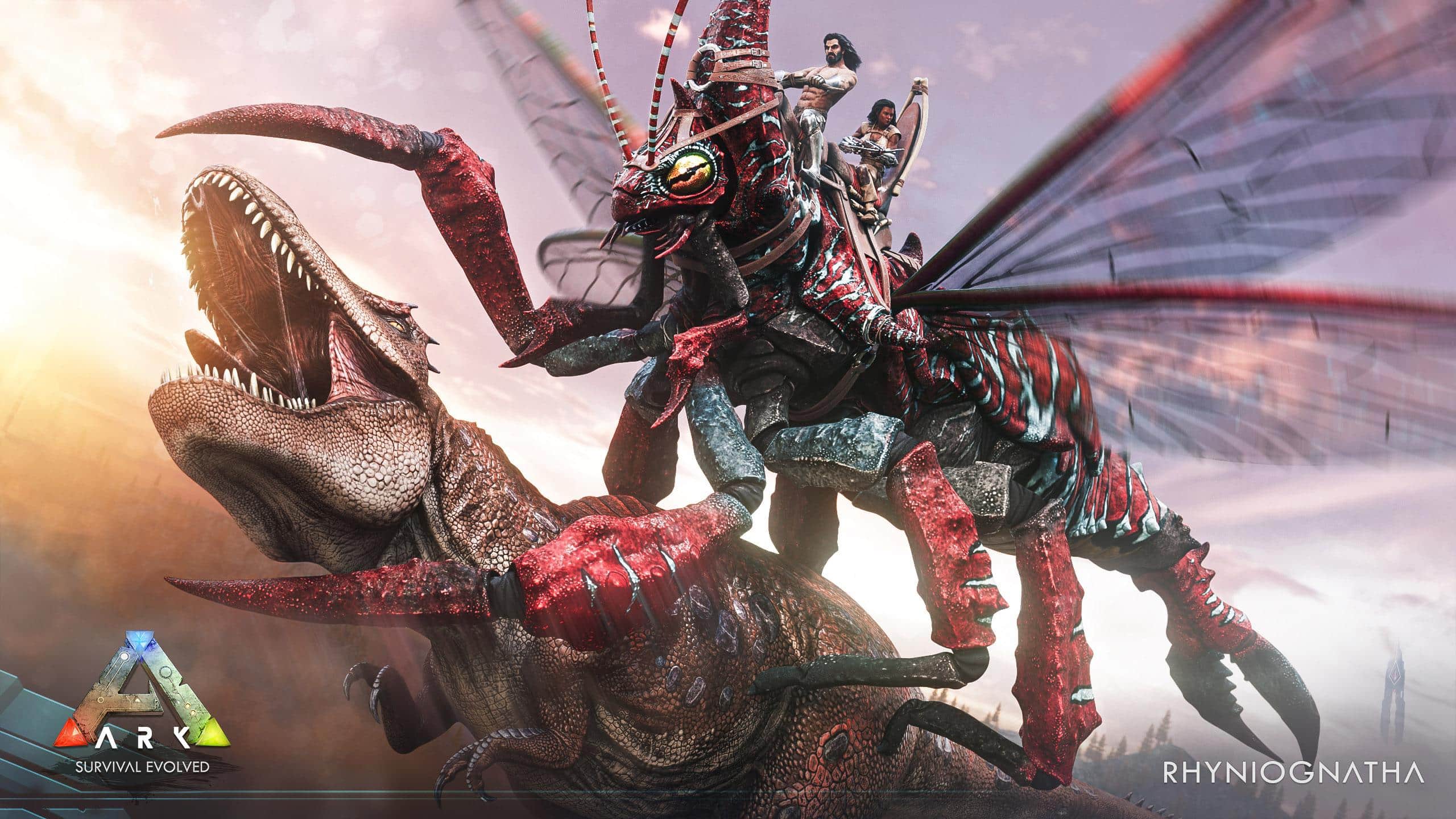
  • Rhyniognatha has landed on ARK!  Discover Rhyniognatha, a super-sized creature with a set of unique abilities. From producing quick-hardening resin to carrying large objects, these versatile creatures provide an enhancement to your tribe’s defenses.

Xbox:

v960.7 (960.8 client) – 06/02/2023 – Major version for servers

  • Rhyniognatha has landed on ARK!  Discover Rhyniognatha, a super-sized creature with a set of unique abilities. From producing quick-hardening resin to carrying large objects, these versatile creatures provide an enhancement to your tribe’s defenses.
  • Added a command line unofficial admins can opt to add to protect against the creature upload issue. This can be done by adding  -SecureSendArKPayload to the cmd line. Please be aware this may have an impact on some mods.

Rhyniognatha

Common name: Rhyniognatha
Species: Rhyniognatha antiquagenitor
Time: Early Devonian
Diet: Omnivore
Temperament: Aggressive

wild_dossier.png

I swear, every new creature I come across here makes me more sure they’ve all had their genes tampered with. I know I’m right about this. Take this monster bug I’m calling ‘Rhyniognatha antiquagenitor’ — big enough to headline a horror flick, but still light enough to fly and skate across water.

Would you believe it also makes a weirdly useful, quick-hardening resin with a variety of uses? It can thicken up its shell for a defensive boost, spray hard bullet-like globs, or squirt soft globs that harden on impact to gum up incoming predators!

domesticated_dossier.png

These overgrown earwigs are just what you need to level up your tribe’s aerial defenses! And here’s a tip: if you crush up the right Arthropleura, you’ll get an enzyme that makes Rhyniognatha glue as TEK-disruptive as Dinopithecus dung. Plus this bug can glue itself to creatures or cargo and carry things around your base!

That said, Rhyniognatha-raising isn’t for the squeamish… Their males have a pheromone that invites egg-laying females to use them as hosts. Harvest that pheromone, and you can mark any creature for the female to lay her eggs on. The host then incubates a new generation of larvae that can reap its best traits in the process.

If some poor beast gets eggs laid on it by accident, you might still be able to save it by popping it in a cryopod and freezing out the larvae.


That seems to be it for this patch. Once a new one is released, we’ll make sure to let our readers know.

Source: Survive the Ark (1, 2)

Avatar photo

Alex Co

Father, gamer, games media vet, writer of words, killer of noobs.

Home > News

AFL 23 Update 1.22 Tackles Out for PS4, PS5 and PC This June 2

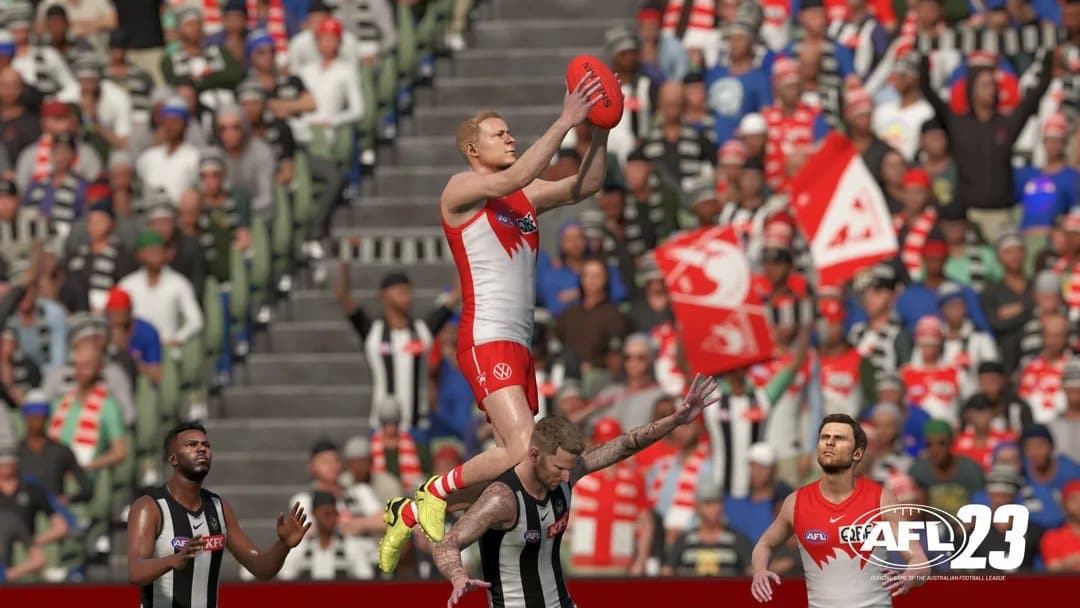
Big Ant Studios has released AFL 23 update 1.22 on PS4, PS5, and PC, and brings a short list of gameplay adjustments. Read up on the official patch notes for June 2 below.

AFL 23 Update 1.22 Patch Notes for June 2:

Build Numbers:

  • PS4 (EU) 2739, (US) 2741
  • PS5 2740
  • Steam 2742

Added Mount Barker (Adelaide Hills)
Tuned Centre Bounce contests
Improved further shot on the run
Improved Stability

That’s about it for the changes.

If you’re curious, here’s a brief description about the game:

IT’S TIME TO FLY!!

FEEL THE ATMOSPHERE.
As the crowd shouts BALL, ride every bump, take every tackle, flying high as acclaimed commentators – Anthony Hudson, Jason Bennett, Kelli Underwood, Garry Lyon and Daniel Harford take you inside the action.

CHASE YOUR DREAMS.
Manage your list, develop draftees into champions, take tactical control on game day, make the right moves and lead your team to premiership glory!

MAKE IT YOUR OWN.
Create and share your own clubs, players, and stadiums with the World-Renowned Academy Tools.

THIS TIME IT IS REAL!
All AFL and AFLW teams have been
meticulously modelled, including photogrammetry captures of over 1200 players, matched with their

Source: Steam

Avatar photo

Alex Co

Father, gamer, games media vet, writer of words, killer of noobs.

Home > News

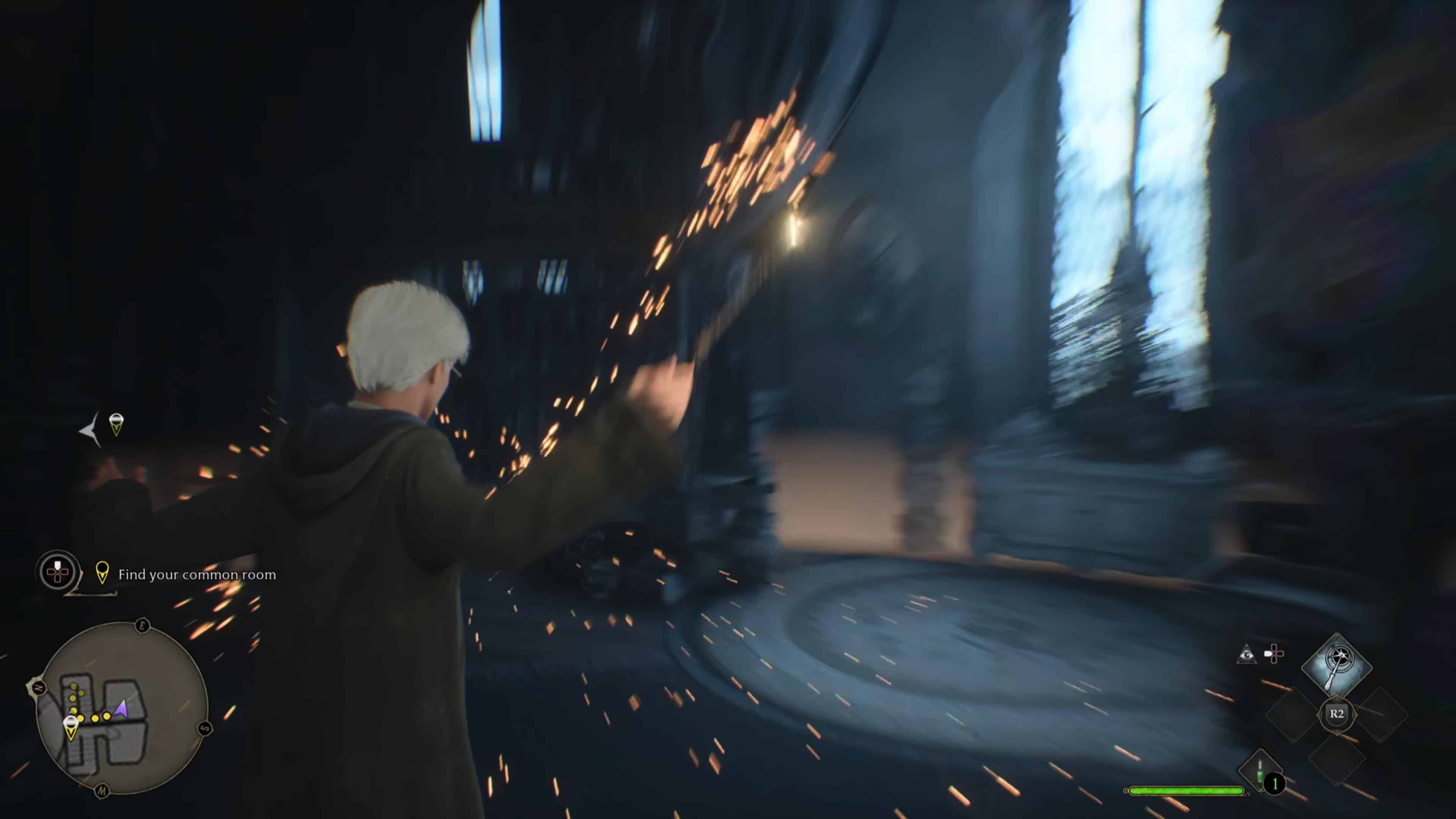
Hogwarts Legacy Update 1.04 Zaps Out on PS4 and Xbox One This June 2

Avalanche has pushed out Hogwarts Legacy update 1.04 on the PS4 and Xbox One, and this brings a host of bug fixes and gameplay adjustments to various missions, NPCs and more.

A new patch was also released on current-gen platforms and PC, which you can read about here.

Hogwarts Legacy Update 1.04 Patch Notes for June 2:

Build Version – 1145908

Developer Note – This patch addresses overall gameplay experience and stability improvements.

Bug Fixes:

General

  • Gameplay
    • Missions
      • Resolved the player can permanently lock themselves out of the conversation with Natsai after using a manual saving during a mission HL-12659
      • Resolved avatar being able to unlock the talent menu during a mission after reloading a manual
      • Resolved Percival Rackham’s Trial not being able to be completed causing a progression blocker HL-12745
      • Optimization triggering multiple auto-save requests
    • Doors
      • Resolved visual issues of door of the vault looking open from a far distance
      • Resolved the avatar falling from the balcony when using prompt to open the door away from it
    • Cinematics
      • Resolved issue with the avatar and companion NPC’s in cinematics having their wands swapped for a generic one HL-11594
      • Resolved Fig flickering away at the end of the first cinematic
      • Resolved characters using generic NPC wands instead of their unique wands HL-11594
    • NPC
      • Resolved student NPCs standing in air in the courtyard after completing the tour with Everett Clopton
    • Avatar
      • Resolved the avatar’s robe moving unnaturally while drinking the potion if they are created immediately after making a manual save on another character’s slot
    • VFX
      • Resolved Professor Hecat’s apparate VFX is missing during a scripted event
    • Achievements/Trophies
      • Resolved “Allow “Known” Collection items to count correctly towards proper achievements
      • Resolved Gregory and Goblet of fire field guide pages not showing complete after latest patch HL-12917
  • UI
    • Updated localization overlapping issues related to location names
    • Resolved quest tracking icon remaining on map and minimap after the quest is completed
    • Resolved untracking missions in-game do not update their icons and/or disappear
    • Resolved opening the map has a chance in softlocking the game
    • Resolved intro outfit and robe being available in your gear appearances by default HL-4880
    • Resolved the user getting stuck on the ‘Field Guide’ screen if they spam the [MENU] button while transitioning to the ‘Map’ screen
  • Save Game
    • Resolved save issue with Deathly Hallows
    • Resolved restarting a manual save places Sir Nicholas at the mission’s starting point.
    • Resolved reloading an autosave after gathering any collection chest allows the avatar to obtain the same chest rewards again
  • Performance
    • Resolved world unloading when the avatar stands at the top of the staircase near the Beast Hut
    • Resolved the PS4 memory allocator being more robust and thread crashes after soaking
    • Resolved memory optimization
    • Resolved landscape streaming issues during Hogwarts
    • Resolved localization crash when dictionaries are reloaded from a save game
    • Resolved avatar falling out of world due to missing rocks at Coastal Cavern
    • Resolved crash with light probes
    • Resolved crash when opening ornate chests in the game
    • Resolved crash during level and mission transitions/loading
    • Resolved a crash when opening and closing pause menu during missions
    • Resolved crash related to foliage
    • Resolved crash fast traveling from Central Hall to Forbidden Forest floo flame
    • Resolved a crash when fast traveling to Hogsmeade using Floo Flames
  • Miscellaneous
    • Update to game credits
    • Resolved extra collision issue on spiral stair case pillar leading to the map chamber
    • Resolved visible banding with weather decals
    • Resolved several metal assets looking completely black in the last room of the Percival Dungeon”

In other Hogwarts Legacy news, while the last-gen versions were released much later, it still managed to rack up some impressive player stats.

Source: Hogwarts Legacy

Avatar photo

Alex Co

Father, gamer, games media vet, writer of words, killer of noobs.

Home > News

Hogwarts Legacy Update 1.000.007 Released for Gameplay Improvements

Hogwarts Legacy update 1.000.007 has been released on PS5, Xbox Series X|S and PC this June 2, and this brings a host of gameplay improvements and bug fixes. Check out the complete patch notes for it below.

A new patch was also released on last-gen, which you can read about here.

Hogwarts Legacy Update 1.000.007 Patch Notes:

Build Version – 1145881

Developer Note – This patch addresses overall gameplay experience and stability improvements.

Bug Fixes:

General

  • Gameplay
    • Missions
      • Resolved quest failing to progress upon starting the final battle with the Pensieve Guardian HL-12745
      • Resolved Percival Rackham’s Trial not being able to be completed causing a progression blocker HL-12745
    • Cinematics
      • Resolved avatar using a generic NPC wand instead of their unique wand HL-11594
    • Avatar
      • Resolved the avatar’s robe moving unnaturally while drinking the potion if they are created immediately after making a manual save on another character’s slot
    • Achievements/Trophies
      • Resolved large gold chests being lootable after patching
      • Resolved achievements not working correctly when no internet was available
      • Resolved Gregory and Goblet of fire field guide pages not showing complete after latest patch HL-12917
      • Resolved with Daedelian Key and not being able to open chest to get house reward HL-12673
      • Resolved “Allow “Known” Collection items to count correctly towards proper achievements
  • UI
    • Updated localization overlapping issues related to location names
    • Resolved quest tracking icon remaining on map and minimap after the quest is completed
    • Resolved intro outfit and robe being available in your gear appearances by default HL-4880
    • Resolved untracking missions in-game, in the map and/or mini-map not updating their icons and/or disappearing
    • Resolved the user getting stuck on the ‘Field Guide’ screen if they spam the [MENU] button while transitioning to the ‘Map’ screen
  • Save Game
    • Resolved restarting from a manual save can place Sir Nicholas at the mission’s starting point
    • Resolved player being able to permanently lock themselves out of the conversation with Natsai when using a manual save during a mission HL-12659
    • Resolved avatar being able to unlock the talent menu during a mission after reloading a manual save
    • Resolved reloading an autosave after gathering any collection chest allows the avatar to obtain the same chest rewards again
  • Performance
    • Resolved a crash when fast traveling to Hogsmeade using floo flames
    • Optimization to overall lighting
    • Resolved crash during level and mission transitions/loading
    • Resolved a crash when opening and closing pause menu during missions
    • Resolved crash related to foliage
    • Resolved a crash when ornate chests in the game
    • Resolved a crash related to in game beacons
    • Resolved memory optimization
    • Resolved single frame hitching throughout the game
    • Resolved localization crash when dictionaries are reloaded from a save game
    • Resolved landscape streaming issues during Hogwarts
  • Miscellaneous
    • Resolved improper shadowing around the vines of dungeons
    • Update to game credits

PC

  • Performance
    • Resolved crash VRAM memory leaking HL-313
    • Update to latest NVIDIA Streamline SDK

That’s about it. Once a new patch is out, we’ll let our readers know.

Source: Hogwarts Legacy

Avatar photo

Alex Co

Father, gamer, games media vet, writer of words, killer of noobs.