Home > DLC and Expansions

MX vs ATV Legends Update 2.00 Races Out for Season 2 This May 25, Upcoming DLC Announced

Rainbow Studios has dashed out MX vs ATV Legends update 2.00 on all platforms, and this brings Season 2! Not only that, but new DLC for the game has been announced as well. Read on for what’s new in the MX vs ATV Legends Season 2 patch notes.

MX vs ATV Legends Update 2.00 Patch Notes | MX vs ATV Legends Season 2 Patch Notes | MX vs ATV Legends May 25 Patch Notes:

Here’s what’s new via the press release sent out:

Gate-Drop Fundamentals for Season Two
Updates for all owners of the base game include performance improvements, bug fixes for online and single player modes, new menus for faster navigation, a renovated garage for vehicle displaying, and physics-based Wheelie and Nose-Wheelies (Pro Physics only). Additionally, new suspension upgrade parts (Showa, Pro Circuit, Factory Connection and Legends) and gear options (jerseys, helmets, pants, gloves) from various manufacturers are now available, as well as brand-new Monster Energy and Slayco Graphic kits.

First DLC of Season Two: 2023 AMA Pro Motocross Championship (available now)
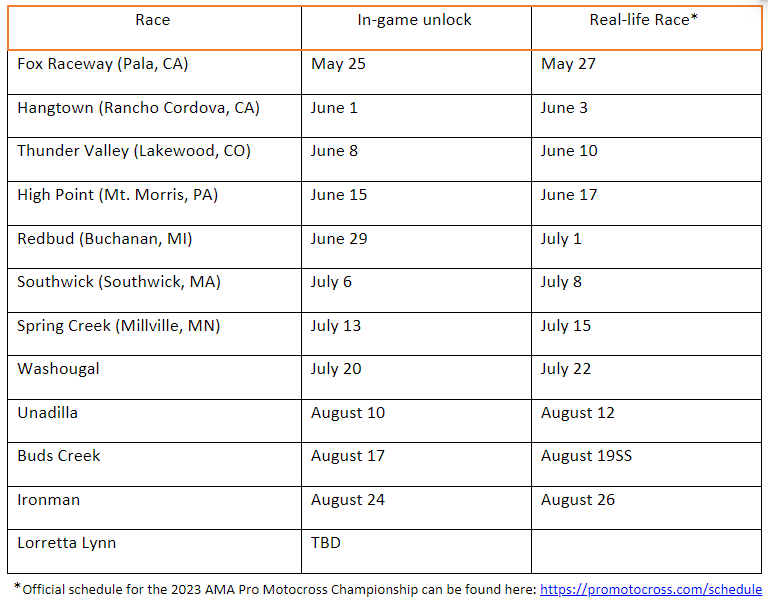
The 2023 AMA Pro Motocross Championship DLC is now available, featuring all 12 scheduled events, including the bonus track Loretta Lynn. Players can compete in each event, unlocking two days prior to their corresponding real-life races.Here is a full schedule of each track unlocking in-game, and the corresponding real live event:


Season Two Outlook
Upcoming updates for MX vs ATV Legends – Season Two include rain weather, photo mode, replay mode, Steam Deck Compatibility, additional gear and customization items, new animations such as tear-off goggles, and optimized AI behavior for collisions and scrubs.

Upcoming DLC
Upcoming DLC for MX vs ATV Legends – Season Two includes an officially licensed compound, a Throwbacks Track Pack featuring fan favorite tracks from previous entries, and seven new DLCs featuring 2023 vehicle models from major manufacturers

Once a new update is out for the game, we’ll let our readers know.

Avatar photo

Alex Co

Father, gamer, games media vet, writer of words, killer of noobs.

Home > News

Metal Gear Solid: Master Collection Vol. 1 PSN Store Page Now Live; Regional Versions Part of the Package

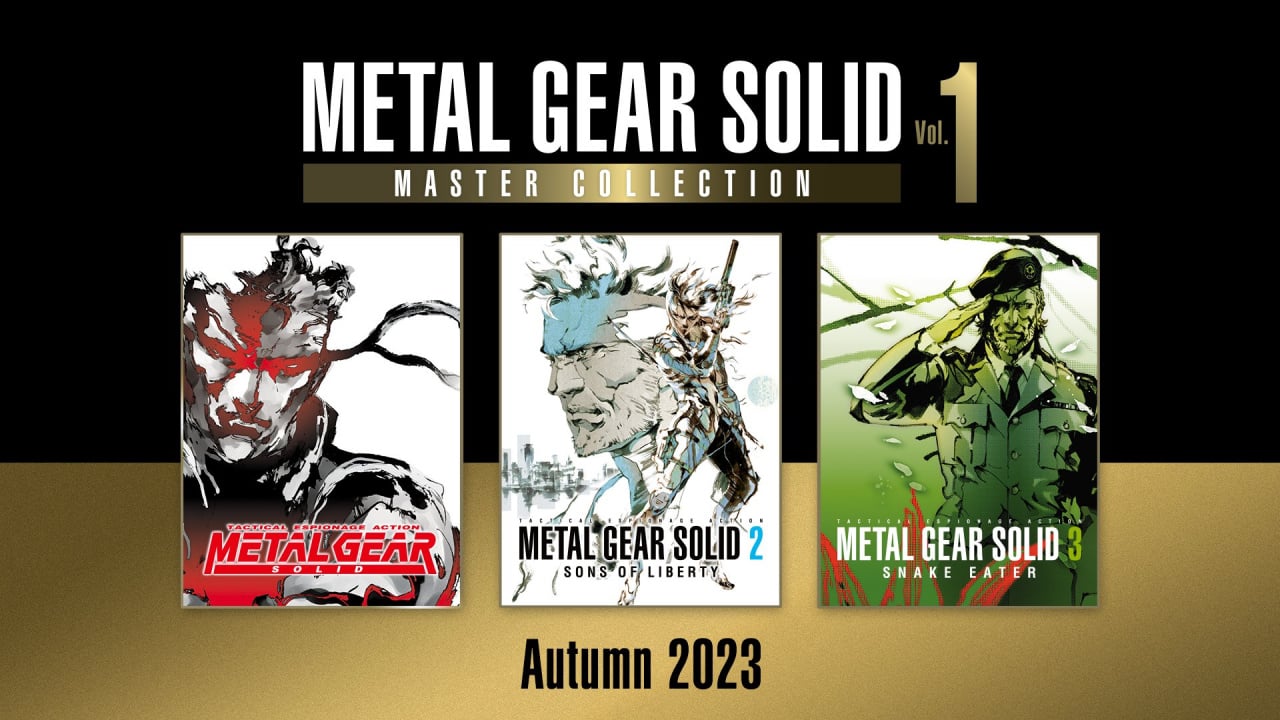
Konami’s revival of the Metal Gear IP is moving forward at full speed since the PlayStation Showcase announcement yesterday. The Metal Gear Solid: Master Collection Vol. 1 PlayStation Store page is now live, notably revealing which editions of the original titles are being ported to modern platforms. Additionally, regional versions of the titles will be available as separate downloads in order to account for copyright issues.

At the PlayStation Showcase, Konami announced a full-scale Metal Gear Solid 3 remake featuring the original voice cast (though David Hayter’s return has not yet been confirmed), as well as largely-unchanged ports of the original Metal Gear Solid 1 through 3 on PlayStation 5, Xbox Series X|S, and PS5. Though Metal Gear Solid Delta: Snake Eater (the name of the remake) does not yet have a release window, the Master Collection Vol. 1 is set for launch sometime during Autumn 2023.

The PlayStation Store page for the Master Collection Vol. 1 is now live, revealing which editions of the game are being ported and other information:

The origin of stealth action returns. METAL GEAR SOLID: MASTER COLLECTION Vol. 1 unifies the beginning of the METAL GEAR gameplay experience in one single package. Infiltrate enemy fortresses all over the globe, complete your missions with stealth and experience the thrilling cinematic story of the METAL GEAR series.

Volume 1 line-up features the original titles and beginning of the METAL GEAR series:

Metal Gear
Metal Gear 2: Solid Snake
Metal Gear Solid (Including VR Missions/Special Missions)
Metal Gear Solid 2: Sons of Liberty (HD Collection version)
Metal Gear Solid 3: Snake Eater (HD Collection version)

This collection includes the classic versions of the games, complete with minimal edits to copyrighted contents.

Regional versions of the titles are available as additional downloads.

You can check out the page yourself here, which also lets you wishlist the game to receive all upcoming updates about the project. Meanwhile, check out our coverage of the PlayStation Showcase, which featured Marvel’s Spider-Man 2 gameplay, the reveal of Dragon’s Dogma 2, and much more.

Avatar photo

Salman Haider Zaidi

That's a nice argument, Senator.

Home > News

Alan Wake 2 to Feature 2 Playable Protagonists With Parallel Stories That Can Be Played in Any Order

Remedy Entertainment has revealed a ton of new details for its highly anticipated title, Alan Wake 2.  Alan Wake 2 will be a psychological, survival horror game, as the developers wanted to make this game as “brutal and horrifying” as possible. However, the game will not always be dark and gloomy, but will also feature “daytime scenes, quirky characters, plenty of humor and a deep mystery to explore.”

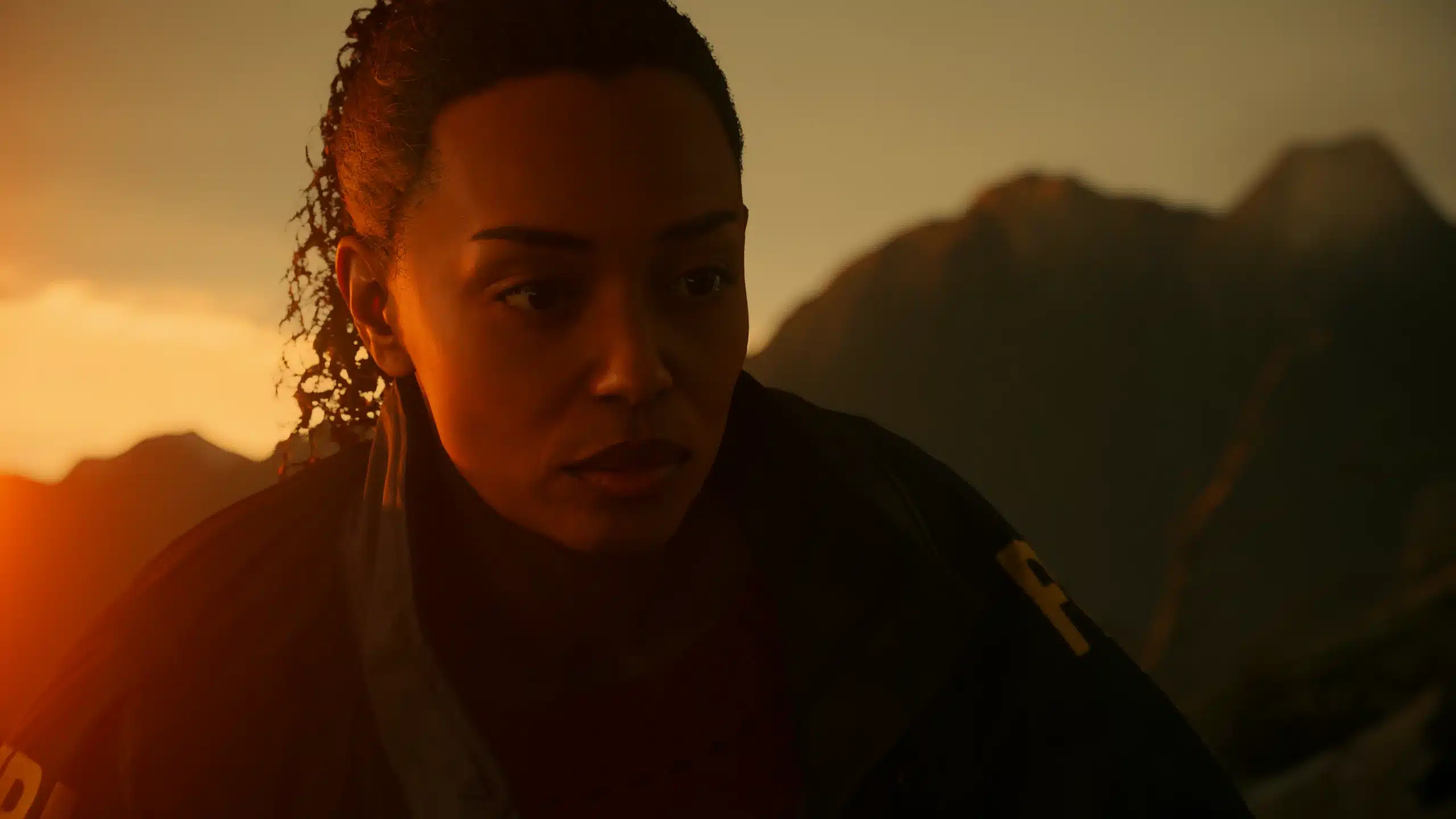
For the first time in the Alan Wake franchise, there will be two different protagonists with two very different worlds to explore. The game will obviously feature the Remedy hero, Alan Wake, but also a new character, FBI agent Saga Anderson, who is described as a “profiler with a reputation for solving impossible cases with uncanny leaps of logic.” Both characters will feature a unique but parallel story that can be played in any order.

Moreover, the developers say that anyone can join in on Alan Wake 2, even if they haven’t played the prequel. Alan Wake 2 will feature a “deep, layered story with surprises buried inside it, waiting to be discovered,” with hand-crafted locations including the Bright Falls, Cauldron Lake, and the Dark Place. Remedy promises that more will be revealed in the “coming weeks.”

Alan Wake 2 will be available digitally for PC, PlayStation 5, and Xbox Series X|S on October 17, 2023.

Source: Alan Wake 2 blog

Ibrahim Kabir

Home > News

GTA Online Weekly Update for May 25 – Discounts, GTA Plus & More

It’s a new Thursday, folks. Rockstar Games has deployed the new GTA Online weekly update for May 25 featuring new activities alongside discounts, GTA Plus bonuses and more! Check out the complete highlights and recap in one handy list below.

New GTA Online Weekly Update for May 25 – Discounts, GTA Plus & More:

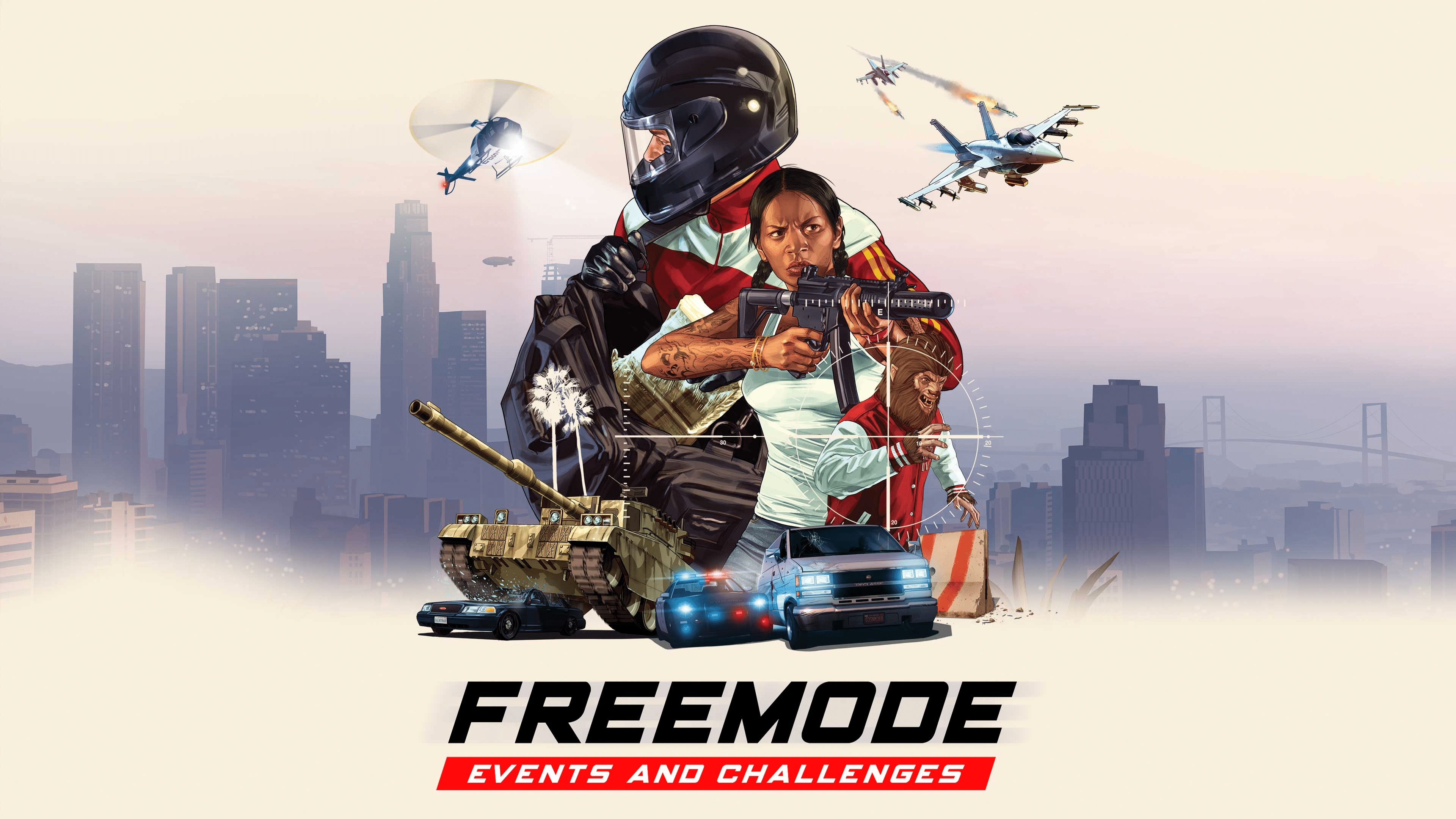
This week, GTA Online players can earn double the usual GTA$ and RP on all Freemode Events & Challenges and Power Play, while raiding a Stash House on three different days this week will award a bonus GTA$100K.

Plus, find the new Ugglies Shoes and Ensemble Cuffs at clothing stores throughout Southern San Andreas.

Full details include:

  • Double GTA$ and RP on Power Play and Freemode Events & Challenges
  • 1.5X Acid Lab Production Speed
  • 30% off Acid Lab Supplies
  • GTA$100K bonus for raiding Daily Stash Houses three separate days this week
  • New Clothing & Accessories: Ugglies Shoes and Ensemble Cuffs
  • On PlayStation 5 and Xbox Series X|S
    • Premium Test Ride: Principe Deveste Eight
    • This week’s HSW Time Trial takes place between Terminal and the Chiliad Mountain State Wilderness
  • This week in Simeon’s Premium Deluxe Motorsport Showroom: The Karin Futo GTX, Coil Cyclone, Pegassi Vacca, Vapid Contender, and Übermacht Zion Classic
  • On Display at the Luxury Autos Showroom:  The Grotti GT500 and Obey 10F
  • LS Car Meet Test Rides: The Vapid Chino, Grotti Turismo Classic, and Bravado Gauntlet Hellfire
  • LS Car Meet Prize Ride: Place Top 3 in a Pursuit Race for three days in a row to win the Ocelot Swinger
  • Lucky Wheel Top Prize: The Vapid Desert Raid
  • This Week’s Gun Van Discounts: 20% off the Service Carbine, 20% off Armor, and 15% off throwables
  • Vehicle Discounts: 30% off the Grotti Stinger, Coil Cyclone, and Declasse Vigero ZX
  • Ongoing GTA+ Member Benefits: A free Vapid Slamtruck, Arcade Drone Station, New Chameleon paints, Freemode Event Bonuses, and much more

GTA+:

GTA+ Members can enjoy a wide selection of rewards, bonuses, and other perks through June 7, including:

  • A free Vapid Slamtruck
  • A complimentary Drone Station for your Arcade
  • New Chameleon paints
  • 3X GTA$ and RP on Freemode Events
  • 1.5X GTA$ and RP on G’s Caches

Plus, a bonus GTA$500,000 delivered upon billing and deposited automatically into your Maze Bank account, and more for just $5.99 a month. For full details, visit the GTA+ website.

Discounts:

  • Grotti Stinger (Sports Classic) – 30% off
  • Coil Cyclone (Super) – 30% off
  • Declasse Vigero ZX (Muscle) – 30% off
  • Acid Lab Supplies – 30% off

Gun Van Discounts

Seek out the Gun Van to shop from a rotating arsenal of discounted weapons including 20% off the Service Carbine, 15% off throwables, and 20% off Armor. GTA+ Members get 25% off the cost of the Railgun, among other discounts:

Railgun (25% off for GTA+ Members) | Service Carbine (20% off) | Heavy Pistol | Sweeper Shotgun | Compact Rifle | Combat PDW | Molotovs | Sticky Bombs | Grenades | Armor

Tune in next week for the new GTA Online weekly update.

Avatar photo

Salman Haider Zaidi

That's a nice argument, Senator.

Home > News

The Lord of the Rings: Gollum Review – Lost in Mordor

The Lord of the Rings: Gollum struggles to live up to the lofty expectations set by its iconic source material. With its clunky controls, lackluster level design, and uninspired gameplay, the experience falls flat, leaving fans of the franchise to only further question why there is a Gollum-focused game to begin with.

He Hates and Loves the Ring, as He Hates and Loves Himself

In The Lord of the Rings: Gollum, players will dive into the twisted mind of one of Middle-earth’s most enigmatic characters, Gollum. Set between the time after he had lost the One Ring of Sauren but before the fellowship, players will be given a fresh new look at this franchise’s beloved character in a story yet told in either films or games. It’s a serviceable story, though given that this takes place during a time when things were less exciting in the franchise, we can understand the lack of significant setpieces happening. What does take the spotlight of the campaign is, well, Gollum himself.

It’s hard not to compare Daedalic Entertainment’s interpretation of Gollum without referencing Peter Jackson’s version due to how similar they look, though, to be fair, the movies did seem to nail down how Tolkien described him as. He’s a hobbit (formerly named Smeagol) who, after finding the all-powerful Ring of Sauron, had spent long centuries isolated from the world to feed into the never-ending obsession of his most precious possession, the One Ring of Sauron.

What was once a peaceful and loving Hobbit has now been transformed beyond recognition, as most of his hair and teeth have fallen out, with his body becoming thin and disproportionate. But his eyes were always the most standout features, as they were described as inhumanly large with a lantern-like glow.

The films, whether you liked them or not, did capture both Gollum and Smeagol perfectly, and we’re happy to see that Daedalic Entertainment took notice of this, as their version of the split personas resembles Jackson’s interpretation.

There are some minor differences here and there, but for the most part, I’m glad that Gollum maintains what I’d considered to be the best version of him yet. And in terms of his personality, or, huh, personalities, I think Daedalic did a decent job with him here as well. Albeit, it won’t beat Andy Serkis, as that’s a really high bar to beat, but seeing the conflict between both Smeagol and Gollum did keep me entertained enough to care for the character.

I also liked that the story offers players choices, some as simple as deciding whether or not to run from a fight, while others put the life of a character in Smeagol and Gollum’s hands. Moral choices that pit the two against each other, with you choosing a side and trying to convince the other personality that you’re making the right choice. The more times you side with a specific personality, the more and more it becomes dominant throughout the game, making it harder for the other to win arguments. It’s a great feature, though I wish it featured both personalities in the same scene, such as the films did, giving the illusion that two characters are at odds.

Unfortunately, that’s about all the praise I have for The Lord of the Rings: Gollum because once you start moving around in this game, you immediately feel like you’ve been transported back to the stone age of gaming.

Curse the Baggins!

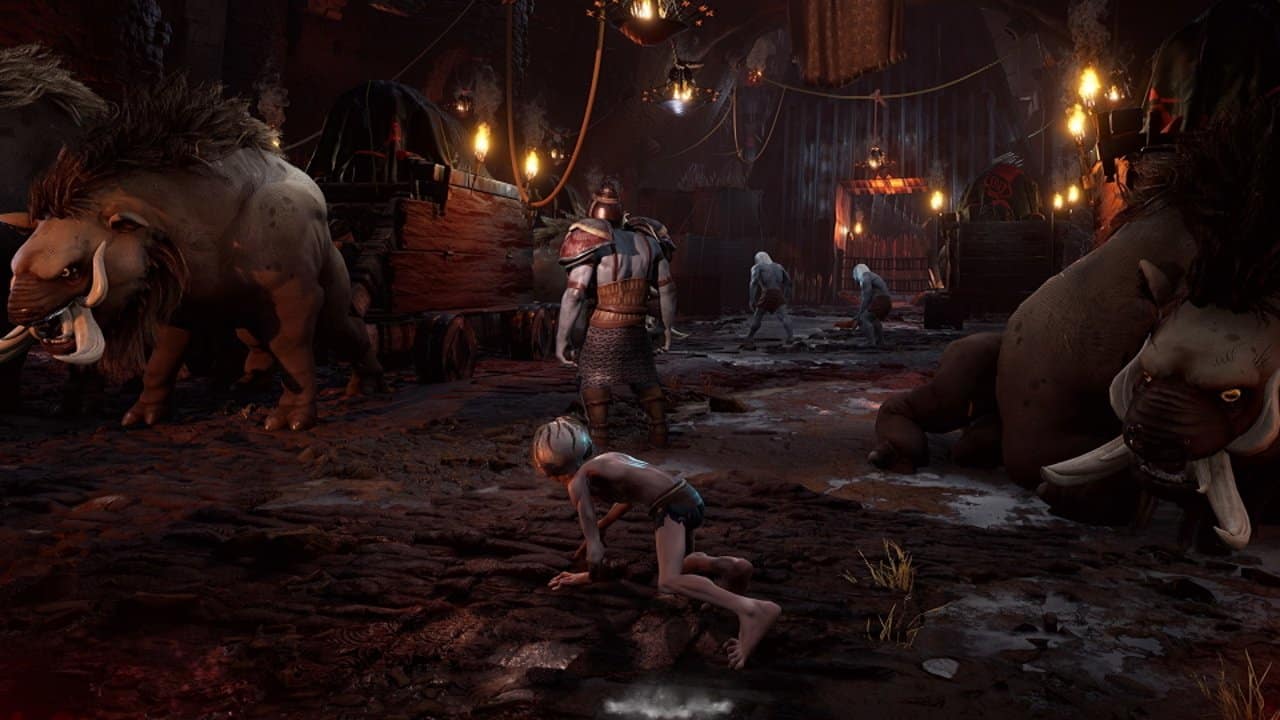
First, let’s get the visuals out of the way. The Lord of the Rings: Gollum is a very, very, VERY ugly game. I’m usually someone who doesn’t mind that, as I don’t believe every piece of media should be pushing for cutting-edge visuals, but this really does look like something out of the PS2 era of gaming. The character models don’t look good at all, despite my praising the design of Smeagol/Gollum. The environments don’t fair any better as textures clash, some detailed, while others look like they’re still loading in but never do.

In general, it’s all so boring to look at. Being a game set in the Lord of the Rings universe, you’d think the environments and visuals would be amongst the game’s highlights, but they’re generic, lack variety, and not to mention extremely static. The first half of the game takes place in the same area, and it gets so tiring because you already saw it a few hours back.

There’s also nothing going on in it, either. Sure, you’ll occasionally get a few lightning strikes here and there, some wind, and an overflow of lava, but that all gets overshadowed by the dull and lifeless NPCs littered all over the place. They don’t do anything, and I don’t mean that as in you can’t interact with them; I mean, they don’t do anything other than stand there staring at you like a deer caught in the headlights. They’re just there but never present for anything that happens.

It’s such a bizarre thing, almost as if someone forgot to program them. It would have been as effective as not having them there at all — that’s how little they matter. I can understand when a few are doing that, but when it’s nearly every non-killable NPC, there is a feeling of lack of life in this world created by Daedalic Entertainment.

Going back to the environment, it’s also not a pleasant experience to play around in. It’s very straightforward, easy to know where to go. That’s not the problem; the problem is getting through it as it does everything possible thing to work against you. I don’t mean that in the “this is hard” kind of way either; I mean it in the this is a buggy, unpolished, and out of your control kind of way.

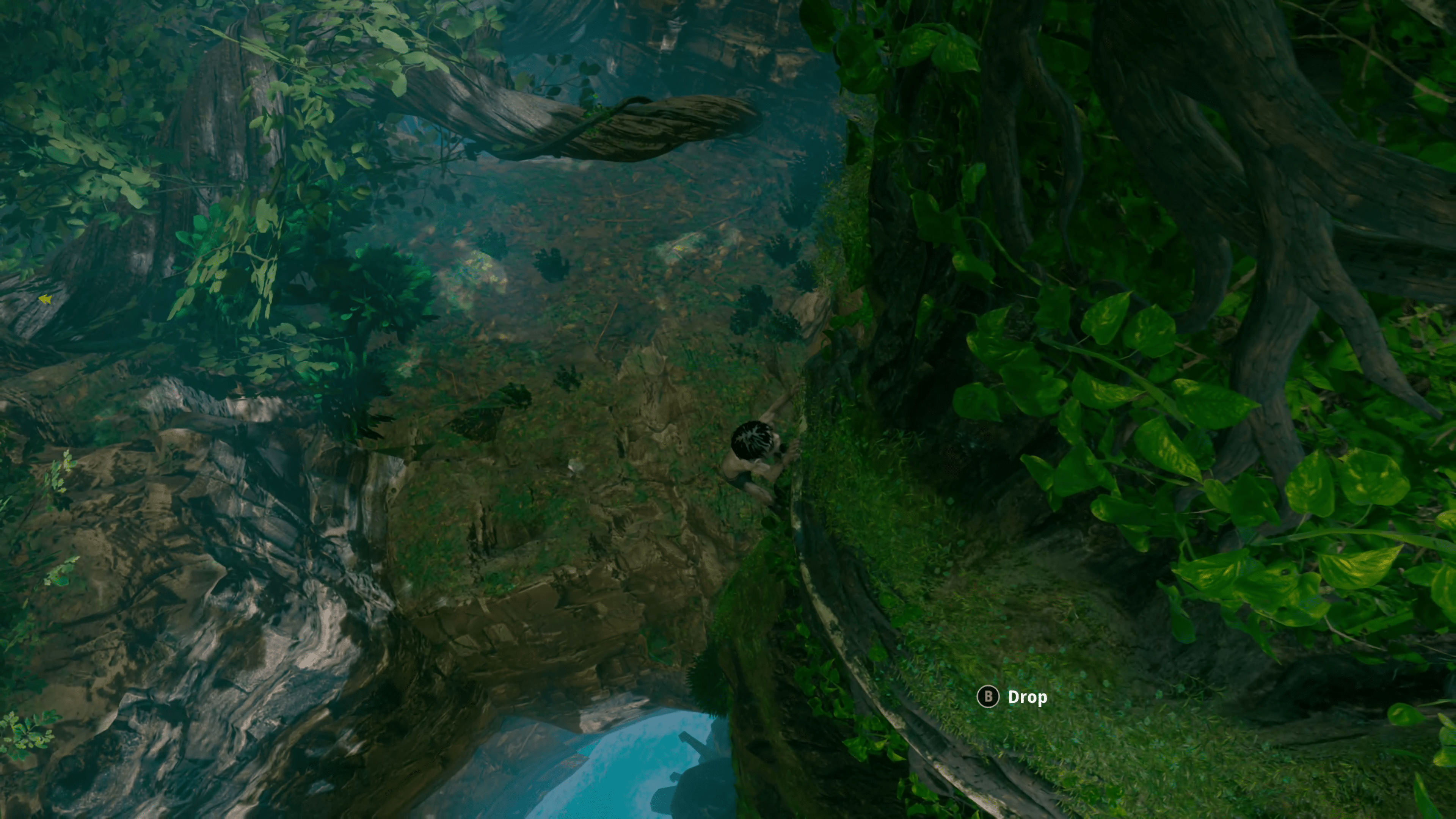
Perhaps it’s due to how Gollum controls, but he gets stuck on literally everything in the environment. You could be running down a path only for him to come to a sudden halt because there’s some invisible polygon clipping out of the ground. Other times he’ll get stuck trying to scale a wall or grab a ledge incorrectly and begin clipping through it. Many times my jump became broken, causing whatever this effect was.

The platforming is by no means good. Gollum tends to magnetize to whatever ledge he wants, even when it’s not the one you’re aiming for. Gollum doesn’t like going where you want him to go, and a good chunk of mechanics, such as wall running, can be frustrating as they don’t work half the time. You’ll plummet to your death a lot, which is even more frustrating as Gollum will slide past a ledge sometimes because you pushed the joystick just a bit too much. There’s no quick black screen to respawn you back to that ledge; it’s just an immediate game-over screen. The positive is that respawning back in is instant, but that also reveals another ugly issue — the checkpoint system.

I honestly don’t understand how the checkpoint system works in this game. I’ve seen it checkpoint just a few steps after another checkpoint, while in other areas, I’ve had to scale an entire wall from bottom to top, only to get flung off at the very top for reasons unknown and have to redo the whole thing, including the objectives in between. There was one section where it autosaved as I was dying, only to reload me into a game over. I think the studio knew this was an issue because the multiple times I’ve had this happen, the third reload would cause the checkpoint to shift slightly back. Not to mention some random progression bugs require you to restart the level entirely to fix. It all adds more to an already frustrating experience.

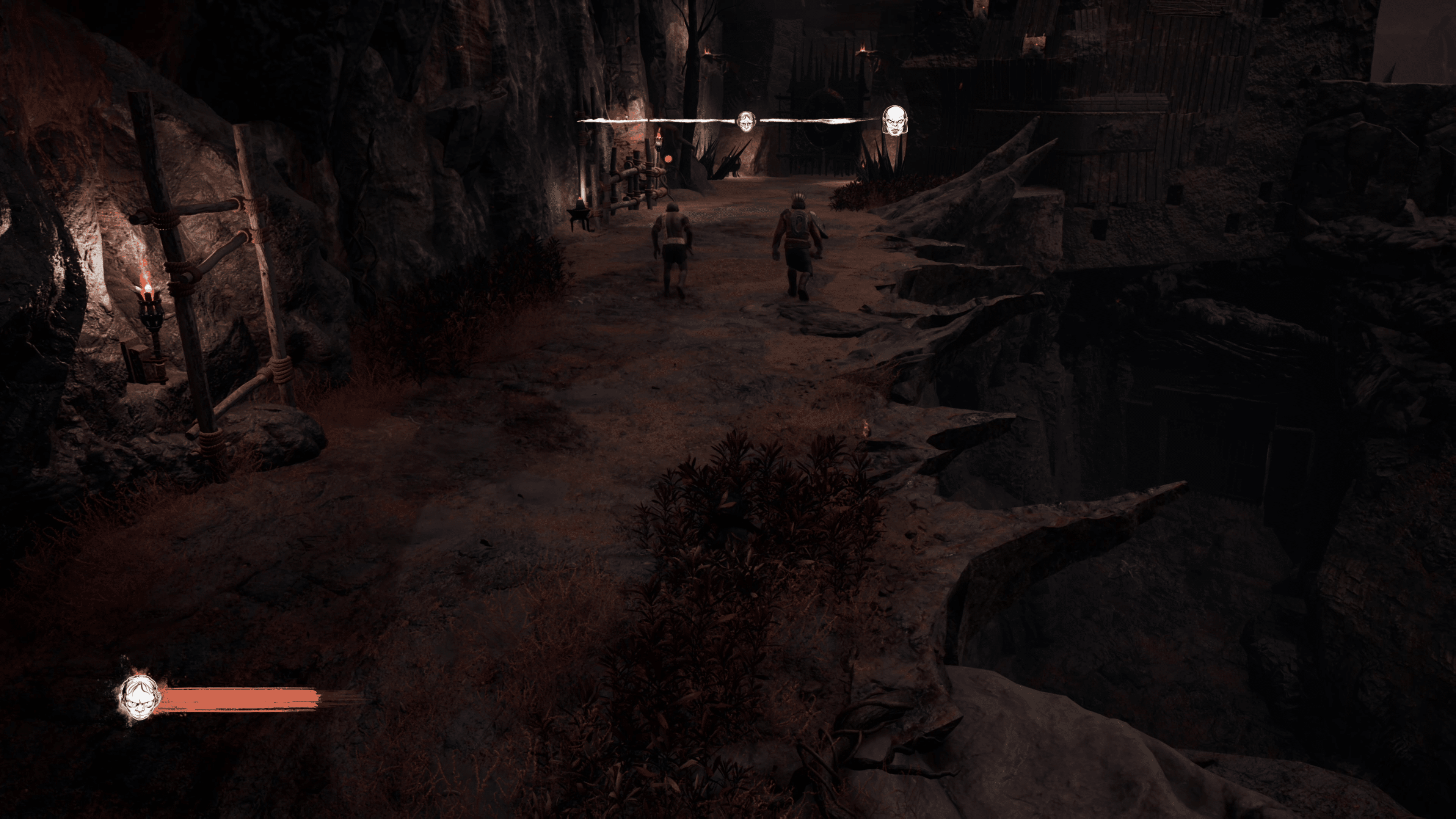
Outside of platforming, Gollum’s primary way of getting around is by stealth. The stealth is nothing special, basically what you’d expect from Gollum. I will say that the AI are pretty dumb. However, that is perhaps a blessing in disguise, considering all the other issues related to platforming and the environment, as it can be annoyingly easy to get caught. Then you need to do it all over again and pray that Gollum doesn’t get whiplashed across the room.

He has an ability that scans the environment like any other stealth game, and from time to time, he’ll also be able to command some companions. The companion system is as barebones as it can be, and it doesn’t get expanded upon as you continue, despite receiving a unique one later in the game.

Not So Preeecious

The premise of a Gollum game was already questionable when it was first announced, but I tend to be optimistic, as I usually find the oddest ideas to be the most surprising, that is, if, and only if they work. Sadly that’s not the case with Gollum, as it’s more of a game going through the motions without ever finding its footing in the process. It has some cool ideas and attempts to execute them, but they never once felt realized throughout the journey. Couple the somewhat uninteresting story and the frustrating, clunky gameplay to accompany the rest of the game; there’s little for me to recommend here, even to die-hard Lord of the Rings fans. It’s a bummer, though I suppose many can say they saw this coming. I just wanted something to scratch that Lord of the Ring itch, but I guess I’ll be waiting even longer now.

Score: 3.5/10

Pros:

  • Gollum’s design is good

Cons:

  • The gameplay is clunky, with constant wrestling in the environment over control. Expect to die a lot for a lot of dumb reasons that aren’t related skill level.
  • Horrendous checkpoint system.
  • Dated visuals, with a lack of variety in environments. It all begins to blend in after a while, making it tiring to play through.
  • A flat world – NPCs that aren’t enemies or main ones stand there, doing absolutely nothing.
  • Additional gameplay mechanics, such as the companion system, never really gets fleshed out. That’s on top of some of the repetitiveness of some early game objectives.
  • Gollum has emotes for some reason that I can’t even understand what purpose they even serve outside of looking dumb and out of place.

The Lord of the Rings: Gollum review code was provided by the publisher. The game was played and tested on PC. You can read MP1st’s review and scoring policy right here.

Avatar photo

James Lara

A gamer at heart, James has been working for MP1st for the last decade to do exactly what he loves, writing about video games and having fun doing it. Growing up in the 90's gaming has been in his DNA since the days of NES. One day he hopes to develop his own game.

Home > News

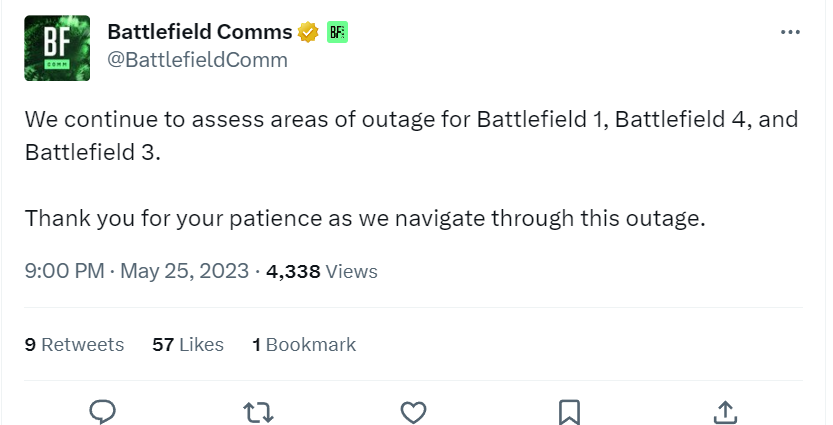
Battlefield 1, BF4, BF3 Servers Down and Experiencing Connectivity Issues This May 25

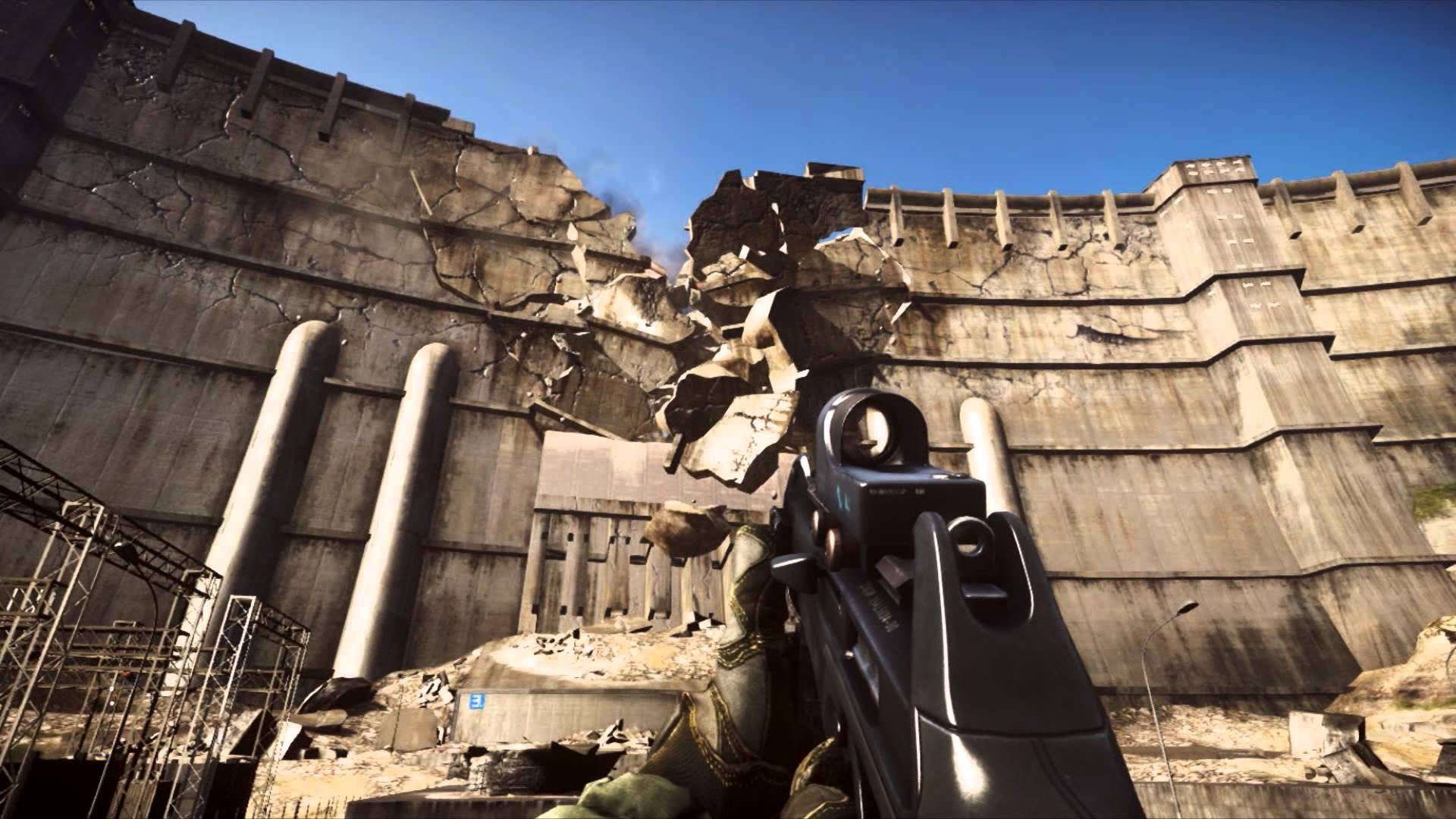
Those playing legacy Battlefield games such as Battlefield 1, BF4, and BF3, you might be having a hard time connecting to the game’s servers. Don’t fret, as it’s not just you, as EA has announced multiple Battlefield games’ servers are experiencing issues this May 25.

Battlefield 1, BF4, BF3 Servers Down Status and Updates for May 25:

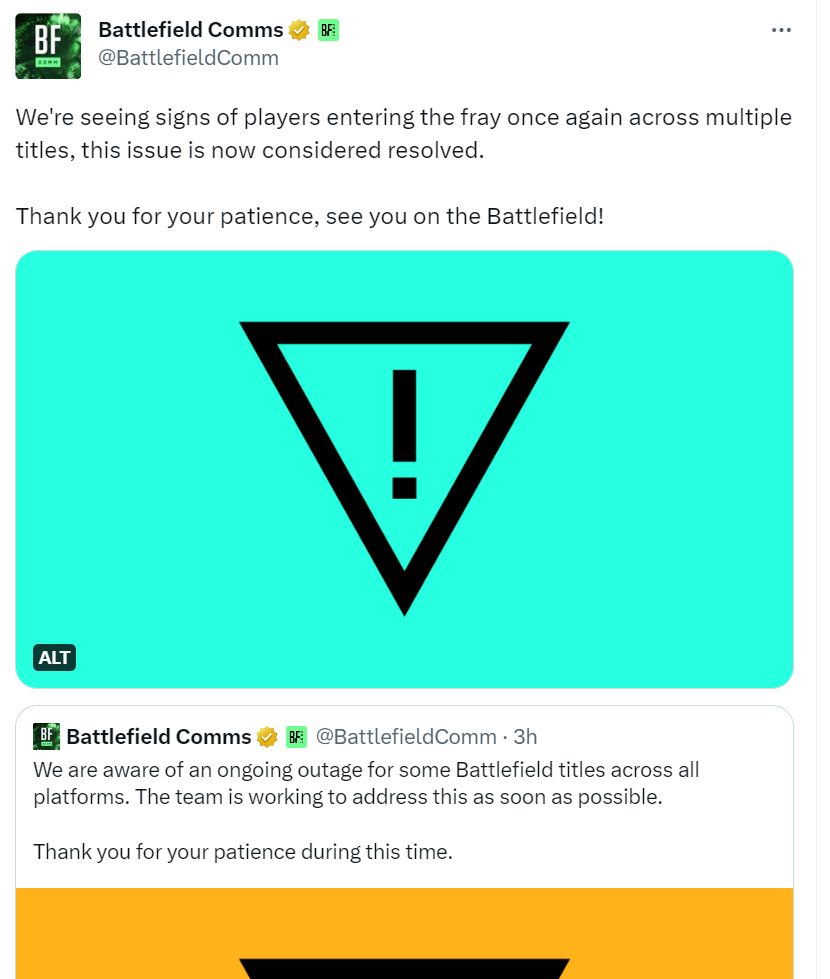
Note that the server issues also affected Battlefield 2042 earlier. While that game’s server issues have been resolved, the other titles’ outages are still persisting.

We continue to assess areas of outage for Battlefield 1, Battlefield 4, and Battlefield 3.

Thank you for your patience as we navigate through this outage.

We’ll update the post once more info is shared. In the meantime, if you can go online, share below which platform you’re playing on and where you’re connecting from so other players are aware.

Don’t forget, we’ll be getting the Battlefield 2042 Season 5 gameplay reveal later today.

More Battlefield Reading:

Avatar photo

Alex Co

Father, gamer, games media vet, writer of words, killer of noobs.

Home > News

Report: PlayStation Handheld Project Q Releases November 2023

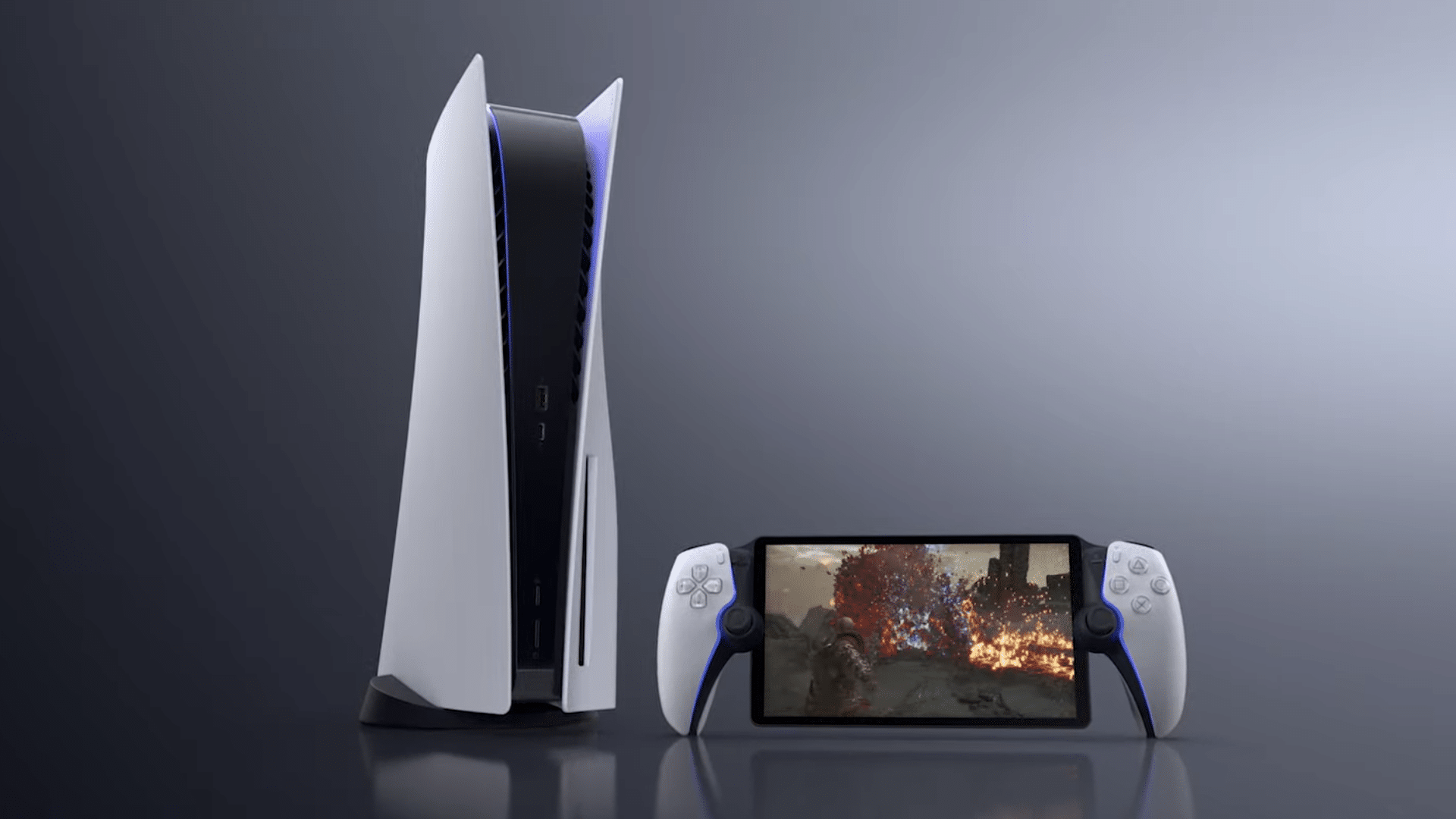
Sony officially revealed its upcoming PlayStation handheld, dubbed Project Q, at the PlayStation Showcase last night. However, a new report from industry insider Tom Henderson reveals that Project Q will be available for consumers this November.

Henderson is the same reporter that leaked the PlayStation handheld a couple of months ago. In a new tweet this morning, Tom claims that Project Q is “Currently scheduled to release mid-late November 2023.”

Sony hasn’t detailed much about the pricing or exact release date of its upcoming remote play handheld, but has said that it will launch “later this year,” with additional details being revealed in the “coming months.”

Project Q will enable PS5 owners to stream their games to an 8 inch LCD screen that includes a controller on both sides which looks a lot like the DualSense PS5 controller. Check out the official sneak peak trailer right here:

Unlike the PSP or the PSVita, PlayStation’s new handheld, Project Q, won’t be able to run games natively, meaning that it will require a stable and smooth internet connection and probably your games to be installed on your PS5.

Source: Tom Henderson (Twitter)

Ibrahim Kabir

Home > News

Bus Simulator 21 Update 2.28 Drives Out for Bug Fixes This May 25

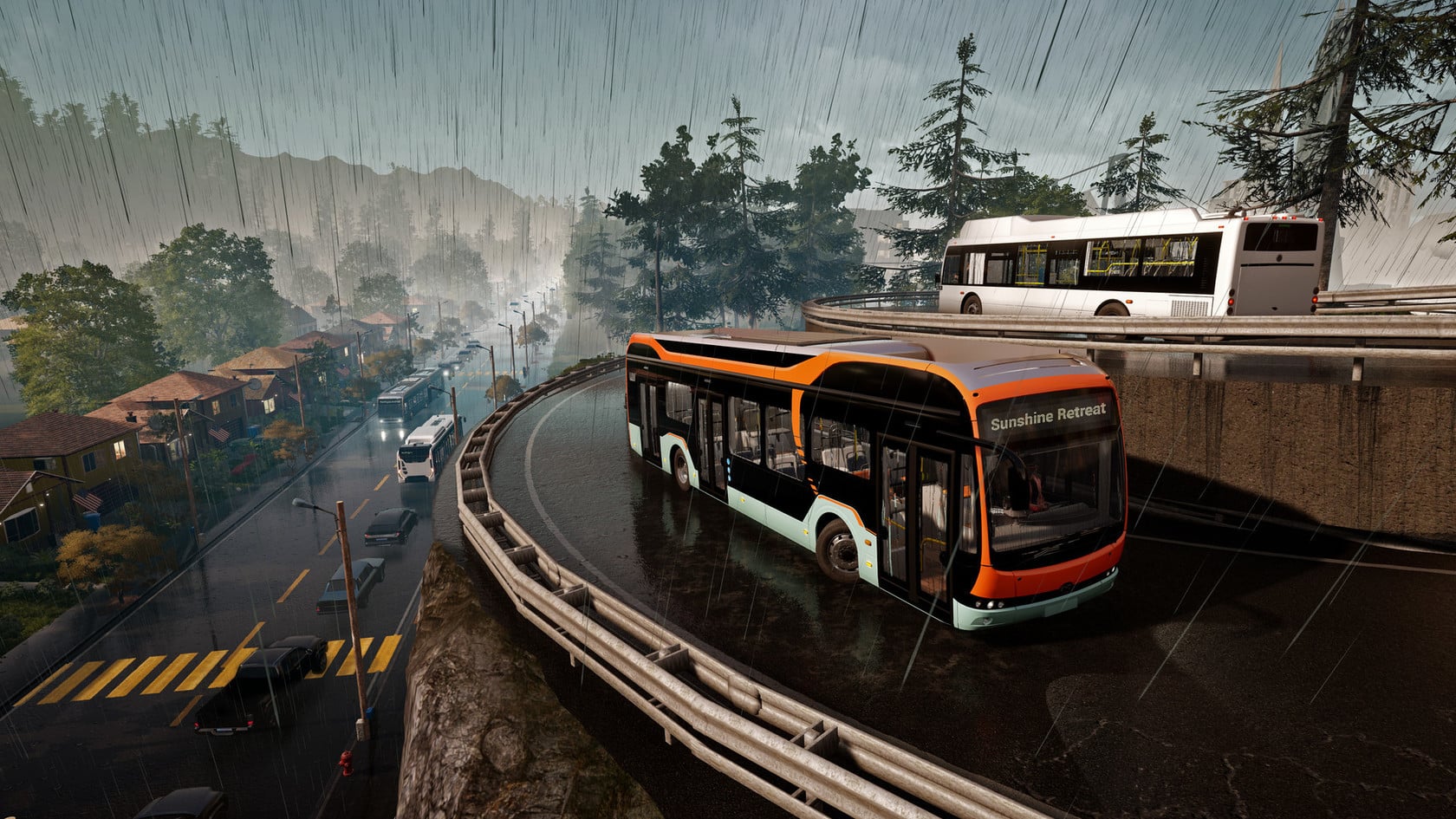
Developer Stillalive Studios has released Bus Simulator 21 update 2.28 on all platforms today. This new update features some helpful bug fixes. Check out the Bus Simulator 21 May 25 patch notes down below.

Bus Simulator 21 2.28 Patch Notes | Bus Simulator May 25 Patch Notes:

PC Update 2.28, PlayStation Update 2.28 & Xbox Update 2.28

Changes

  • Improved performance and memory usage
  • Fixed parked cars popping in and out
  • Fixed blinkers of the Ebusco 12m and 18m
  • PlayStation 4 & Xbox One: Fixed the tram rails popping in and out
  • Xbox Series X|S & Xbox One: Improved stability
  • Xbox Series X|S & Xbox One: Fixed crash when continuing or loading a game

That’s all for the patch notes. We’ll be sure to update this article if any additional info is posted about this particular patch. Keep it locked at MP1st for more updates about Bus Simulator 21 in the future.

Source: Bus Simulator

Damien Seeto

Home > News

Hell Let Loose Update 1.017 Brings in Patch 14 Content This May 25

Black Matter has fired out Hell Let Loose update 1.017 on console and PC platforms for patch 14. This brings in a new faction and other fresh content. Read on for the complete Hell Let Loose May 25 patch notes down below.

Hell Let Loose Update 1.017 Patch Notes | Hell Let Loose May 25 Patch Notes:

Update 14 Changelog

New Faction

  • Great Britain

New Great Britain Uniforms

  • Rubberized Macintosh Raincoat

  • P-37 Battledress

New Cosmetics

  • Free DLC – Jericho Cap

r/HellLetLoose - Update 14 Changelog - PC & Console
  • Paid DLC – Calvary Coat

r/HellLetLoose - Update 14 Changelog - PC & Console

New Weapons

  • Lanchester MK1

  • Sten Gun

  • Bren MK2

  • Lee-Enfield Pattern 1914

  • Lewis Gun

  • PIAT

  • Rifle No.4 MK1

  • Rifle No.5 MK1

  • Webley MK VI

  • Fairbairn Sykes Knife

  • AP MK2

  • AT MKV

  • Boys Rifle

  • Flamethrower Life Buoy

  • Mills Bomb No.36

  • No.77 Smoke Grenade

  • No.2 MK5

New Vehicles

  • Sherman Firefly

  • Cromwell

  • Tetrarch

  • Daimler

  • Bedford Supply Truck

  • Bedford Transport Truck

Artillery

  • 6 Pounder

  • 25 Pounder

New Maps

  • Driel – Driel offers intense combat where players will need to apply a tactical approach to securing territory and traversing the small villages and farmland.

  • El Alamein – With structures few and far between, players will need to work together to cover their six.

New Achievements

  • Not The End – Play 50 Matches on El Alamein [5 Matches on Console]

  • Cross the Nederrijn – Play 50 matches on Driel [5 Matches on Console]

HUD/UI

  • [Fixed] [PS5] [XBOX] Visible seams in IIS

  • [Fixed] Some players 500m away could disappear from the tactical map

  • [Fixed] Smoke grenade FX popping in and out rapidly

  • Reworked Text Based Tutorials – updated in the Field Manual

  • V0.1 Video Tutorials – short gif-style videos to support Field Manual text

  • Vote to Kick Added for Console – allowing players to now vote to kick other players for Abuse, Cheating, or Team Killing

  • Improvements to the XP Screen – a new breakdown of how XP is awarded will help players better understand how to alter their play style to maximize the XP they earn

  • Point-and-Ping – Developing on the existing ping feature, allowing players to highlight the location of ammo, explosive ammo, and supply boxes to other players in their platoon

  • Non-Verbal Communication Tools – Radial Wheel

Optimization

  • Performance improvements to a range of maps

  • Further HLOD fixes to address transition issues

  • Pass over meshes to remove excessive triangle counts, additional UV sets, reverse buffer index and build adjacency enabled

Effects & Lighting

  • Increased exposure in Barracks

Audio

  • [Fixed] M1 Garand Reload Audio

  • [Fixed] [PS5] Controller audio not occurring when building Outpost/Garrison

  • Aim Down Sights foley SFX added for all weapons

  • Water surface SFX added for shallow and very deep water

Animation/Locomotion Improvements

  • Introduced Dive to prone

  • Introduced Step height improvements

  • Introduced Run & Sprint updates

  • [Fixed] Fully reloading specific rifles causing the animation to loop

  • [Fixed] Mosin Nagant 91/30 bolt resets during partial reload

  • [Fixed] During any reload Karabiner 98k rifle bolt briefly resets

  • [Fixed] During full reload Karabiner 98k rifle bolt becomes desynced with hands

  • [Fixed] Karabiner 98k magazine misaligned from hand during full reload

  • [Fixed] Players T-Posing after using melee immediately after bracing a Machine Gun

  • [Fixed] [TPP] Players T-Posing after using melee when equipped with the Flamethrower

  • [Fixed] Weapons with multiple animation issues when Crouch Sprinting

  • [Fixed] [TPP] No leaning animation observed when the FG42 or FG42 x4 is used

  • [Fixed] [TPP] No leaning animation observed when Russian Revive is used

VoIP

  • Fixed an issue where if a user got disconnected from a VoIP session, there was a high probability that they would fail to reconnect. This should resolve a large number of issues whereby a player loses voice chat functionality

Map Rotation

  • Improved map randomization to ensure even distribution of different game modes for both PC and console

  • Map rotation will be limited on console and official PC servers for the first week after Update 14 to make the new maps more accessible

Limited Map Rotation Includes:

  • El Alamein Offensive (GB)

  • Sainte-Mère-Église Warfare

  • Omaha Beach Offensive (US)

  • Driel Warfare

  • Hürtgen Forest Offensive (GER)

  • Carentan Warfare

  • El Alamein Warfare

  • Kursk Offensive (SOV)

  • Utah Beach Offensive (GER)

  • St Marie Du Mont Warfare

  • Driel Offensive (GB)

  • Foy Warfare Night

  • Hill 400 Warfare

  • Kharkov Offensive (SOV)

  • El Alamein Offensive (GER)

  • Hürtgen Forest Warfare

  • Omaha Beach Warfare

  • Carentan Offensive (US)

  • Driel Offensive (GER)

  • Sainte-Mère-Église Warfare

Match Analytics (Backend)

  • Servers will now log each match with information about what map and mode it is, along with a list of players that started the match

Server Administration

New Commands:

  • List Current Map Sequence

  • Query Map Shuffle

  • Toggle Map Shuffle

Vehicle Bug Fixes

  • [Fixed] Jeep wheels with incorrect damage reduction value

General Bug Fixing

  • [Fixed] Players auto-running by jumping during the start of the Sprint to prone function

  • [Fixed] Dismantling speed for constructible objects able to be artificially increased

  • [Fixed] Battle Scarred DLC Uniforms not present for Recon classes

Carentan

[Fixed] Noticeable LOD changes at a short viewing distance in multiple locations

[Fixed] Station building asset with LOD distance issues

[Fixed] Wooden lamppost with metal SFX and PFX when shot at, and no bullet penetration

[Fixed] [E6] Bench clipping sandbags

[Fixed] [F3] Metal Barrels with sand SFX and PFX

[Fixed] [F4] Pipe with noticeable LOD transition at a short viewing distance

[Fixed] [F6] Tree with unusual texture movement

[Fixed] [F7] Wooden boxes missing collision

[Fixed] [H5 & H6] Railway track with visible LOD changes

[Fixed] [I8] Misaligned riverbank terrain

[Fixed] [J6] Misaligned mudbank present above stone wall

[Fixed] [J6] Misaligned stone wall

Foy

[Fixed] Burning house column causing damage to players when stood underneath

[Fixed] Trench with LOD issues

[Fixed] Barbed wire fence with LOD issues throughout the map

[Fixed] Canvas-covered barrel and tires with LOD issues at 10m

[Fixed] Dirt piles with LOD issues in multiple sectors

[Fixed] Fallen tree clipping through a standing tree

[Fixed] Log pile assets with incorrect penetration value

[Fixed] Multiple dirt assets with LOD issues

[Fixed] Multiple log assets with LOD issues

[Fixed] Multiple log assets missing bullet or player collision

[Fixed] Multiple misaligned fences around map

[Fixed] Multiple sandbag assets with LOD issues

[Fixed] Noticeable LOD change on Stone Fence asset

[Fixed] Player able to climb several small trees while exhibiting an odd animation from another observer’s view

[Fixed] Red Barn LOD distance issue present throughout map

[Fixed] Sandbags clipping through wooden wall of trenches

[Fixed] Silo concrete bases with an overly large collision box

[Fixed] Snow-covered roofs of houses with LOD transition issues

[Fixed] Snow-covered trees with LOD issues at 35m

[Fixed] Snow clipping through ammo crate

[Fixed] Trench sandbags with LOD transition issues

[Fixed] There is a barn asset with LoD transition issues

[Fixed] Leafy branch asset with LOD transition issues

[Fixed] Wooden branch missing bullet/player collision present throughout map

[Fixed] Z-fighting present on wooden pallets throughout map

[Fixed] [C10] Tree clipping through a wooden fence

[Fixed] [C10] Misaligned terrain

[Fixed] [C6] Misaligned sandbag

[Fixed] [C6] LOD issue present on multiple sandbags at about 11m

[Fixed] [D1] Wood fence clipping through the side of the house

[Fixed] [D3] Building with multiple clipping issues

[Fixed] [D3] Tree clipping through a covered pallet stack

[Fixed] [D3] Misaligned trench mud border

[Fixed] [D3] Wood fence clipping through multiple assets

[Fixed] [D6] Fence in misalignment with the environment

[Fixed] [D7] Pile of shells witht LOD transition issues when going between distances of ~57-60m

[Fixed] [D8] Tree clipping through a boulder

[Fixed] [D8] Misaligned mud terrain

[Fixed] [E3] Milk barrel and wooden pallet clipping with a pile rubble

[Fixed] [E4] LOD issue observed on the searchlight asset

[Fixed] [E4] Shutters on a building present poor LOD transitions

[Fixed] [E7] Brick pile with LOD issues when going between the distance of 30-35m~

[Fixed] [F1] Tree clipping into house

[Fixed] [F1] Misaligned mudbank

[Fixed] [F1] Tree clipping through a covered box

[Fixed] [F1] Misaligned fallen tree

[Fixed] [F2] Stone wall misaligned with the terrain

[Fixed] [F8] Stone pile presenting LOD issues

[Fixed] [F9] Misaligned tree trunk

[Fixed] [F9] Trees clipping through other tree models

[Fixed] [G2] Tree clipping through stone fence

[Fixed] [G2] Trench with multiple misalignment issues

[Fixed] [G2] Terrain misaligned with the dirt border of a trench

[Fixed] [G7] Tree clipping a stone fence

[Fixed] [H1] Sapling clipping through a pile of dirty snow

[Fixed] [H3] Wooden logs clipping through rocks

[Fixed] [H4] Tree clipping through fence

[Fixed] [H5] Wooden barrel clipping through ground

[Fixed] [H5] Well asset with dirt PFX and SFX

[Fixed] [H6] Canister with a vehicle collision model

[Fixed] [H6] [E4] Destroyed US Jeep covered with snow presenting LOD transition issue

[Fixed] [H7] Grass patch clipping through a cow

[Fixed] [H7] Wooden Pallets asset with LOD transition issue

[Fixed] [H9] LOD transition issue with a terrain asset at about 50m

[Fixed] [H10] Tree stump clipping through wooden planks

Hill 400

[Fixed] Noticeable LOD issue visible for multiple vegetable patches

[Fixed] Stone house asset with LOD transition issues on specific wooden windows

[Fixed] LOD transition issue with multiple barbed wire assets

[Fixed] Wrecked Half-Track presenting incorrect PFX and SFX

[Fixed] LOD transition issue with mudbanks

[Fixed] Wooden crates asset present inside a house produce concrete VFX.

[Fixed] [A6] Floating dirt mound can be seen in garden plot.

[Fixed] [B8] Artillery shells have wood SFX/PFX

[Fixed] [C7] There is an LOD transition issue regarding the lobster traps.

[Fixed] [D7] A barrel asset found in sector D7 is floating.

[Fixed] [G6] The rock found in sector G6 is misaligned with the ground.

[Fixed] [I4] The supporting piles of a wooden bridge are missing player collision.

Hurtgen

[Fixed] Stretching noticed on certain bush model

[Fixed] Multiple invisible collision issues across map

[Fixed] [B3] House wall presenting dirt PFX/SFX when shot

[Fixed] [D6] Misaligned wooden crate

[Fixed] [G6] Lamp seen clipping through an open gate

[Fixed] [J6] Floating artillery gun and ammo shells on Hurtgen Offensive US

Kharkov

[Fixed] Two of the forward Garrisons are incorrectly placed and will be destroyed after the Attackers capture the 1st sector

[Fixed] Canopy roofs with stone PFX when shot

[Fixed] Some snow-covered assets presenting stone SFX & PFX

[Fixed] Wooden Stairs with stone PFX

[Fixed] [C3] Misaligned haystack

[Fixed] [D1] The Soviet Ammo Depot presenting a clipping issue

[Fixed] [E5] Snow presenting misalignment issues near a house

[Fixed] [F5] Two walls at the back of the church with no bullet collision

[Fixed] [F6] Large rubble pile has improper collision, allowing the player to enter it in

[Fixed] [G10] Wooden train wagon presenting metal PFX and SFX

[Fixed] [H7] The Player can get stuck between 2 Logs assets

Kursk

[Fixed] AT-mines clip the ground if placed on certain sections of road

[Fixed] [C1] Floating barrel

[Fixed] [C10] Tree inside a rock

[Fixed] [E5] Destroyed house presenting LOD issues when ADSing

[Fixed] [E10] Thin tree clipping a rock

[Fixed] [F2] Crater misaligned with the ground

Omaha

[Fixed] Multiple stone walls with dirt PFX and SFX

[Fixed] Several Poor/Pink LODs seen along the cliffs from the US HQs

[Fixed] Wooden Poles around the beach area with metal SFX and PFX

[Fixed] [E5] Church asset with incorrect PFX and SFX

[Fixed] [F5] Destroyed house presenting LOD issue

[Fixed] [J3] Dead body clipping into boat

[Fixed] [J6] Floating artilleries in the middle HQ of the US spawn

Purple Heart Lane

[Fixed] Collision issues on riverbank preventing player movement

[Fixed] Floating milk barrels

[Fixed] Main road through PHL presenting dirt PFX when shot

[Fixed] [C8] Misaligned mud terrain observed near a trench

[Fixed] [C10] Misaligned mud tracks in multiple sections of the road

[Fixed] [D8] Misaligned mud terrain observed near a trench

[Fixed] [E3] Multiple misaligned mudbanks

[Fixed] [E4] Multiple assets misaligned with the terrain

[Fixed] [E4] Brick wall with misaligned textures

[Fixed] [E9] Multiple assets misaligned with the terrain

[Fixed] [G2] Terrain gap around a trench

Remagen

[Fixed] The US Transport Truck failing to spawn by default in HQ 1

[Fixed] Canvas-covered assets using canvas bullet penetration values, allowing all types of bullets to shoot through them

[Fixed] Grey canvas-covered boxes displaying stone PFX, SFX, and bullet mark decals

[Fixed] Multiple clipping issues observed

[Fixed] Small rocks missing collision

[Fixed] Trees missing collision covering the visual of Weapons in FPP but not blocking weapon

[Fixed] Wheelbarrow asset with no bullet collision

[Fixed] Wooden Boxes on Ludendorff sparking with Concrete PFX/SFX when shot

[Fixed] [C9] Large trees clipping through objects on the ground

[Fixed] [C10] Multiple floating assets

[Fixed] [D2] Trees clipping rocks in multiple areas

[Fixed] [D3] Gap in terrain around trench

[Fixed] [D3] Terrain is misaligned around a trench

[Fixed] [D4] Multiple misaligned terrain instances

[Fixed] [D4] Terrain misaligned near a sandbag wall

[Fixed] [D4] Floating rocks misaligned with the ground

[Fixed] [D10] Misaligned terrain

[Fixed] [D10] Foliage clipping through the floor of a bunker

[Fixed] [E2, F2] Terrain is misaligned in multiple areas.

[Fixed] [E3] Sandbags around a particular trench with wood SFX/PFX

[Fixed] [E4] Gaps in terrain around a trench

[Fixed] [E4] Misaligned terrain on multiple hills

[Fixed] [E4] Terrain clipping through a rock

[Fixed] [E6] Player’s view trembles when walking over a fallen tree stump

[Fixed] [E8] Stone wall presenting dirt PFX and SFX

[Fixed] [E10] Dirt cliff misaligned with the environment

[Fixed] [F2] Multiple terrain pieces misaligned around a trench

[Fixed] [F4] Gaps in terrain around two trenches

[Fixed] [F5] Misaligned mudbanks

[Fixed] [F9] Bucket asset presenting collision with Vehicle

[Fixed] [F9] Sheds present wooden PFX and SFX

[Fixed] [F10] Tree asset clipping through rock

[Fixed] [G1] Sandbags presenting metal PFX and SFX

[Fixed] [G2] Misaligned terrain

[Fixed] [G3, H3] Decaying tree trunk asset misaligned with the ground

[Fixed] [G3] Gaps in terrain around trenches visible in multiple areas

[Fixed] [G4] Misaligned mudbank near trench

[Fixed] [G4] Gaps in cliff face

[Fixed] [G4] Gaps in terrain around trenches

[Fixed] [G4] Misaligned terrain on a hill

[Fixed] [G5] Misaligned terrain

[Fixed] [G10] Multiple trees clipping through rocks

[Fixed] [H3] Terrain around a trench with gaps

[Fixed] [H6, H7] Large trees clipping through objects on the ground

St Marie Du Mont

[Fixed] [E10] Players can spawn inside a building with no way out

[Fixed] [F1] Small trees waving erratically

[Fixed] [F2] Trench system with large Collision Volume surrounding it, blocking players from taking cover in the trench

Sainte-Mere-Eglise

[Fixed] Kitchen stove asset with wooden PFX

[Fixed] Missing background / ambiance map SFX

[Fixed] [C7] Parachute asset floating above the ground

[Fixed] [F5] Players able to climb onto the rooftops opposite the church

Stalingrad

[Fixed] Metal fence asset with wood PFX and SFX when shot at

[Fixed] LOD transition issue with derailed tram car

[Fixed] [B5 & I3] Players clipping through the ground when in prone

[Fixed] [E4] Wooden log assets with metal PFX

[Fixed] [I6] Train wheelset misaligned with the ground

[Fixed] [J6] Wooden train wagon presenting metal PFX and SFX

Utah

[Fixed] [D3] Destroyed artillery presenting LOD issue

[Fixed] [H4] House with wooden PFX and SFX

Source: Reddit

Damien Seeto

Home > News

Generation Zero Update 1.36 Out for Tactical Response Patch This May 25

Avalanche Studios has released Generation Zero update 1.36 today for all platforms. This is the Tactical Response patch that includes new content and a ton of fixes. Check out the full Generation Zero May 25 patch notes down below.

Generation Zero Update 1.36 Patch Notes | Generation Zero May 25 Update Patch Notes:

PROCEDURAL MISSIONS

With the Procedural Missions, we’re introducing something we’re thrilled about:
A way to deliver missions to all players on a weekly basis that, through certain randomized aspects, ensures that no two players will play exactly the same mission (unless they’re playing together, of course).

It also allows us to expand on this concept and add more mission types to the mix in future updates, offering both new and experienced players a fresh mission every week.
Right now, we’re launching this new feature with three different missions, one of which will spawn anywhere in the hosting player’s world as soon as they start their game.

Anomalous signal
A strange signal has been picked up coming from somewhere on the island. Investigating it, players find that a malfunctioning machine is calling in beacons.

Repair station removal
An old army repair station for the machine prototype field tests has been found. Since this could still be used by the machines to repair and refuel, it’s best if it is disabled. There might even be some good stash of resources left there!

FNIX outpost sabotage
Reports have come in about new, high value FNIX outposts being spotted around the island. These outposts are great places to scavenge for resources, but more importantly, sabotaging them will help keep FNIX from taking over!

The individual missions take between 10 and 20 minutes to complete and of course offer a reward in the form of some sweet loot.

BUILDING BLOCKS VOICEOVER

The “Building Blocks” mission has been updated with voice over conversations between Pontus and Therese! While the mission remains the same, new players will get to hear new conversations and radio chatter between the two characters as they work their way through the mission.

Homing Turret

TACTICAL EQUIPMENT PACK 2

Expand your arsenal with these five finely crafted pieces of guerrilla equipment. Used to spy, scout, distract, or destroy, the contents of this premium DLC provides players of all playstyles with something new to enhance their combat effectiveness or just to have some fun!
The Pack contains:

Toy Car Lure
A modified RC car with a radio strapped on top. Once placed on the ground, this car will drive away from you at top speed, with its radio at maximum volume. This lure is great for drawing enemies away from you in a sticky situation.

Sensory Jammer
The sensory jammer creates a specially tuned EM field when it is turned on. This field interferes with the senses of any machine in range, making the player practically invisible.

Hacking Dart
A lightweight lawn dart modified with a magnet (to stick to machines) and a contact hack device. The dart is built to be thrown quite far and accurately, allowing you to hit enemies with it from relative safety. Once attached, the device disrupts the friend-or-foe identification system of the machine it is attached to, causing it to attack any other machine on the battlefield. The effect lasts until the device’s battery runs out.

Remote-Controlled Tick
This modified Tick has had its navigation system overridden, allowing it to be controlled via an RC car transmitter. For good measure, a homemade pipe-bomb has also been attached to it. This allows you to directly control the Tick, sending it into the midst of unsuspecting machines to scout them out and blow them up!

Portable Homing Turret
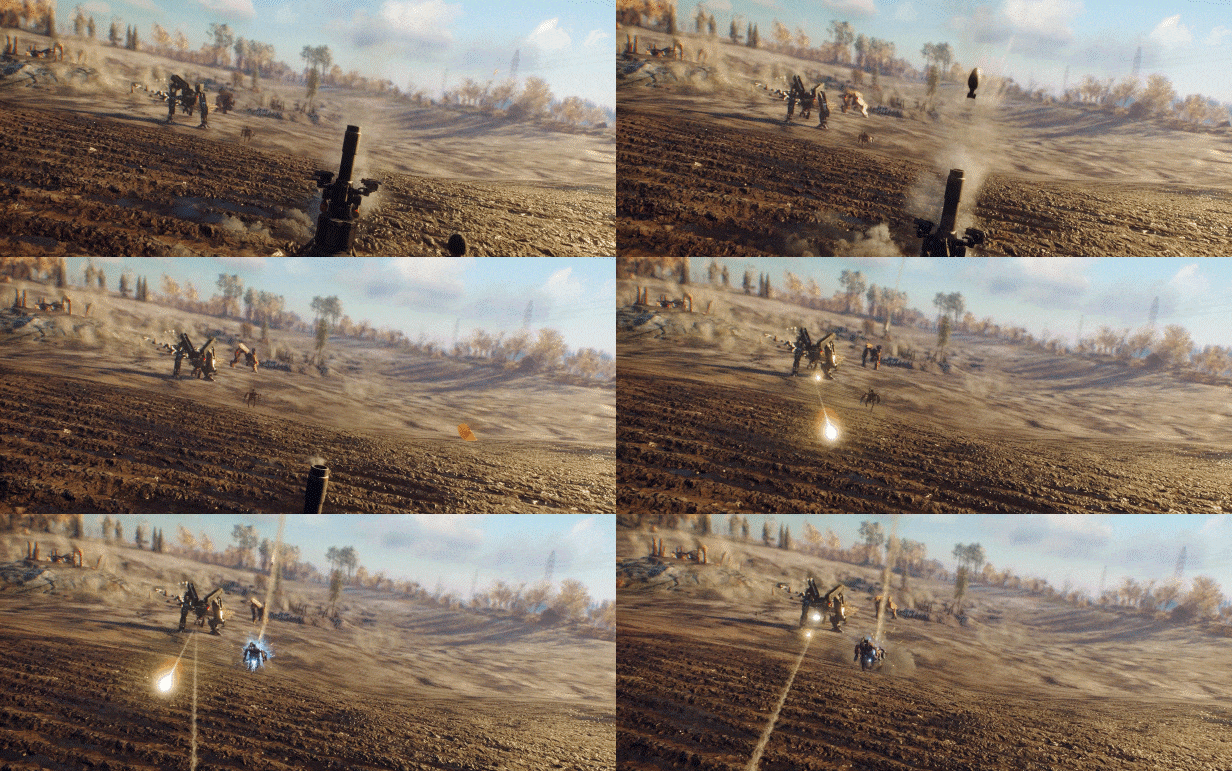
This portable turret is a potent weapon against both ground and airborne targets alike. It fires small, guided rocket propelled grenades in salvos of 3. These guided munitions lock on to any nearby machine, meaning nothing is safe when one of these turrets is active.

Along with the base amount of each equipment that is added to your Storage Box, you of course also get the blueprints needed to craft more of them. What’s stopping you from unleashing an army of RC Toy Cars on the Machines? Absolutely nothing.
Are you ready to deal with the Machine threat in never before seen ways?
Buy the Tactical Equipment Pack 2 today!

QUALITY OF LIFE IMPROVEMENTS

The Vintovka has been added to the Wolf’s loot table as well as the Firebird’s. Also, there is now a form of Bad Luck Protection to make sure you get it after a certain amount of tries! Happy hunting.
The emergency broadcast sound that some TVs make has been adjusted to a quieter sound on a different wavelength to reduce the chance of triggering tinnitus in players. Please let us know if you still experience tinnitus in any part of the game so we can continue to improve!

PERFORMANCE

Both Xbox and Playstation have received several performance improvements that will help alleviate some of the crashes some players, especially on Old Gen consoles, are experiencing.
We are currently working on a hotfix that will introduce even more crash fixes and performance optimizations for consoles. Please let us know about your experience as we’re adding these changes!

BUG FIXES

Crafting

Materials used for crafting but stored in the Plundra used to be displayed as available for crafting, but couldn’t be used until transferred to the player’s inventory. Crafting will automatically access your Plundra storage as well.
Soviet Weapons Pack ammo can now be crafted

Audio
Fixed an issue where sometimes the wrong ambience or reverb would trigger indoors or underground
Fixed an issue where the first shot of automatic weapons triggered twice

Machines
[Community Reported]: [Machines] – The Reaper now properly fights back against the Soviet machines
[Community Reported]: Machines no longer start rapid firing when damaged while shooting. Thank you to, well, everyone! Many had this problem, no more!

Art
[Base Assault] – Fixed the collision on walls with a spotlight

Gameplay
[Community Reported] Tylöveden Control Point no longer resets when launching the game after updating. This will sadly not reinstate already lost bases.
Fixed some Control Points having the Base Defense prompts offset slightly to the left
Building Blocks – Doing the mission in multiplayer sometimes blocked the client from claiming their own base. This is no longer the case.
“Building Blocks” no longer autocompletes if the player had “Good News” active before the update. Sorry speedrunners!
Fixed Command Centers sometimes being invulnerable during Base Assault
Fixed clients being able to start Base Defense missions in someone else’s world
Reclaimed Arrows now disappear for all players in a lobby

Missions
An Invitation Mission – Fixed a bug where the last objective could disappear from the host’s log and the whole mission would disappear for the client.
An Invitation – Fixed an issue where [redacted] would not appear.
An Invitation Mission – Fixed mission progress transferring incorrectly between client and host

UI
[Skins] – Sometimes weapons skins preview screen could break if a gun has a non-default mag or barrel installed. They now display correctly
Vesslan Warboard was missing the “Building Blocks” mission for some players when interacting with it for the first time. It’s now back!
The Chat Box no longer overlaps with the Warboard UI
Fixed the Crosshair reappearing when opening the weapon wheel while on a bike or bicycle
The Resistance Heavy Bow charge meter is now visible again!
DLC showcase now updates correctly when navigating the menu
[Community reported][Tubular Vanity Pack] – “Cheer” emote no longer shows up twice in the player’s menu
Another Castle – Generator button could still be interacted with after turning it on. Now we’ve got UNLIMITED POWEEER!

VFX
[Tactical Equipment Pack] Molotov cocktail AoE damage no longer expires before the visual effect ends

World

Players can now shoot through the windows of sheds.
Fixed missing collision on part of a wall in Kaseberg

KNOWN ISSUES

Playstation

  • The game sometimes crashes when firing an Experimental AG4 at machines
    Using the Small EMP Cell can rarely break the first-person model

Gameplay

  • [Resistance Bow] – Explosive Arrows do not deal damage to FNIX Outpost Generators
  • Host might not see the player character of the client when the client is riding a motorbike
  • Turrets in FNIX bases sometimes don’t play their explosion effect when being destroyed

Equipment and Weapons

  • Some Throwables don’t last as long as they should after being thrown
  • Reload animation for Vintovka 1891 in multiplayer is always the full reload one

UI

  • UI screens can overlap when pressing multiple buttons at the same time
  • Bike tutorial might play for all players in multiplayer instead of just the one triggering it

Source: Generation Zero

Damien Seeto

Home > News

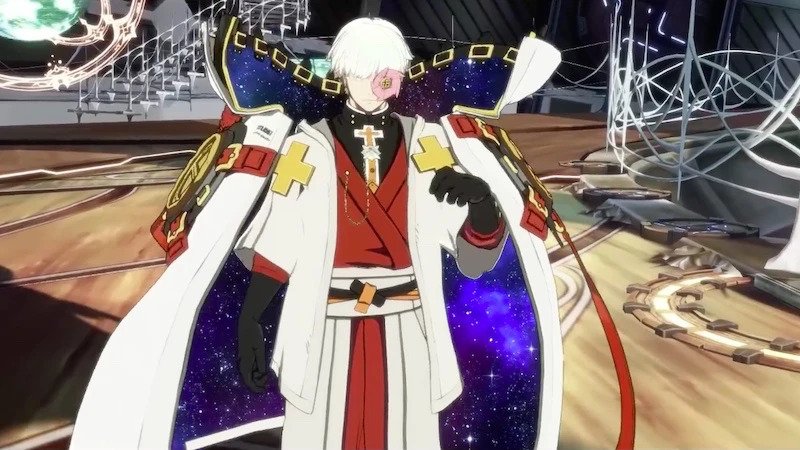
Guilty Gear Strive Update 1.27 Punches Out for New DLC Character This May 25

Arc System Works has released Guilty Gear Strive update 1.27 (PS5 version 1.027) today for PC, PS5, and PS4. This includes the new DLC character named Asuka R# as well as other fixes. Check out the Guilty Gear Strive May 25 patch notes down below.

Guilty Gear Strive Update 1.27 Patch Notes | Guilty Gear Strive Update 1.027 Patch Notes | Guilty Gear Strive May 25 Patch Notes:

Features Added

  • Added Asuka R♯ as a playable character.
    *Asuka R♯ will be available after purchasing “GGST Season Pass 2” or the “Asuka R♯” DLC item to be released on May 25.
  • Added the Asuka R♯ theme, “The Gravity.”
  • Asuka R♯ must be selectable in order to use the BGM.
    Added avatar items for Asuka R♯.
    The new avatar items can be obtained via “fishing.”
  • Added the following BGM to the Gallery Mode:
    “The Man” (That Man’s theme from Guilty Gear: Overture)
    The newly added BGM can be accessed after obtaining it via “fishing.”
  • Added DLC stage “Tír na nÓg.”
    *The stage will be available after purchasing “GGST Season Pass 2” or the “Tír na nÓg” DLC item to be released on May 25.
  • Added DLC colors “Guilty Gear 25th Anniversary Appreciation Color.”
    *The “Guilty Gear 25th Anniversary Appreciation Color” item is available from each platform’s store for free download.
  • Added DLC colors “Guilty Gear 25th Anniversary Colors.”
    *These colors will be available after purchasing the “Guilty Gear 25th Anniversary Colors” item to be released on May 25.

Digital Figure

  • Added additional content for “Bedman?”.
    The new Digital Figure items can be accessed after obtaining them via “fishing.”

Network Mode

  • Fixed an issue where it would sometimes become impossible to enter online lobbies.
  • Fixed an issue where a connection with the opponent could not be established sometimes after player information was displayed prior to the beginning of a match.
  • Fixed an issue where online matches could sometimes not be established while in Standby in Training Mode.
  • Fixed an issue resulting in abnormally high amounts of ping when the network connection worsened during an online match.
  • Fixed an issue where entering a Player Match room would sometimes result in failure to enter the room or result in the game crashing.
  • Fixed other minor issues and improved overall connection processing.

Mission Mode

  • Fixed an issue where hitting the opponent with an aerial attack immediately before landing would erroneously result in failure for the “Countering a Throw!” mission.
  • Fixed an issue where performing a throw after the animation for Kachoufuugetsu Kai had already ended would erroneously result in success for the “Anji Match-up Tutorial 2” mission.

Other

  • Changed the display format for the “Character Specific Settings” option in Training Mode, etc.
  • Fixed an issue where the input command for Nagoriyuki’s special move Zarameyuki was incorrectly displayed in Traditional Chinese and Simplified Chinese.
  • Fixed several issues related to battle animations.
  • Fixed some minor text display issues.

Source: Guilty Gear

Damien Seeto

Home > News

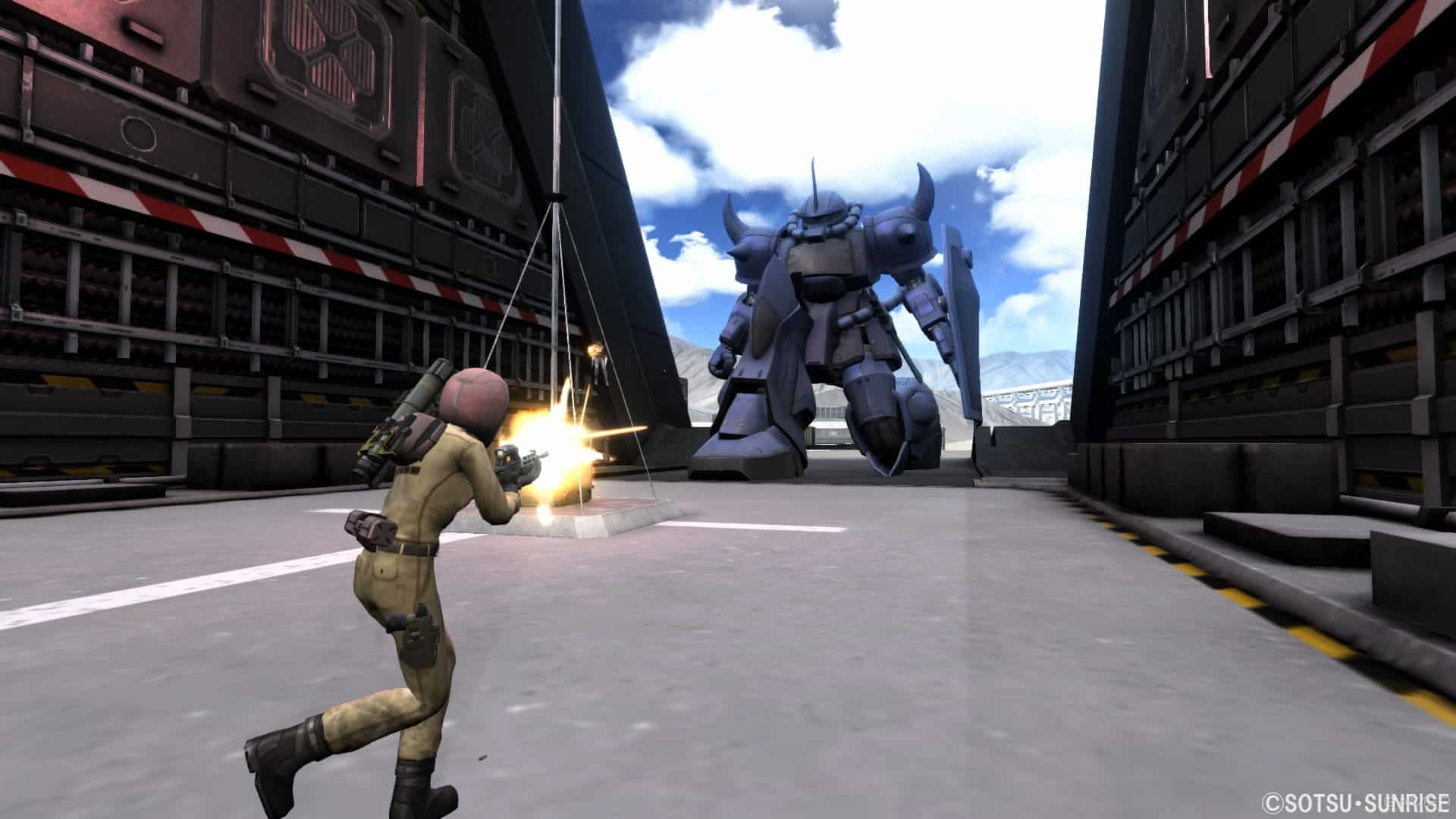
Mobile Suit Gundam Battle Operation 2 Update 1.68 Out for New Content This May 25

Bandai Namco has fired out Mobile Suit Gundam Battle Operation 2 update 1.68 (PS5 version 1.068) today for all platforms. This update includes new content and more. Read on for the Mobile Suit Gundam Battle Operation 2 May 25 patch notes down below.

Mobile Suit Gundam Battle Operation 2 Update 1.68 | Mobile Suit Gundam Battle Operation 2 Update 1.068 | Mobile Suit Gundam Battle Operation 2 May 25 Patch Notes:

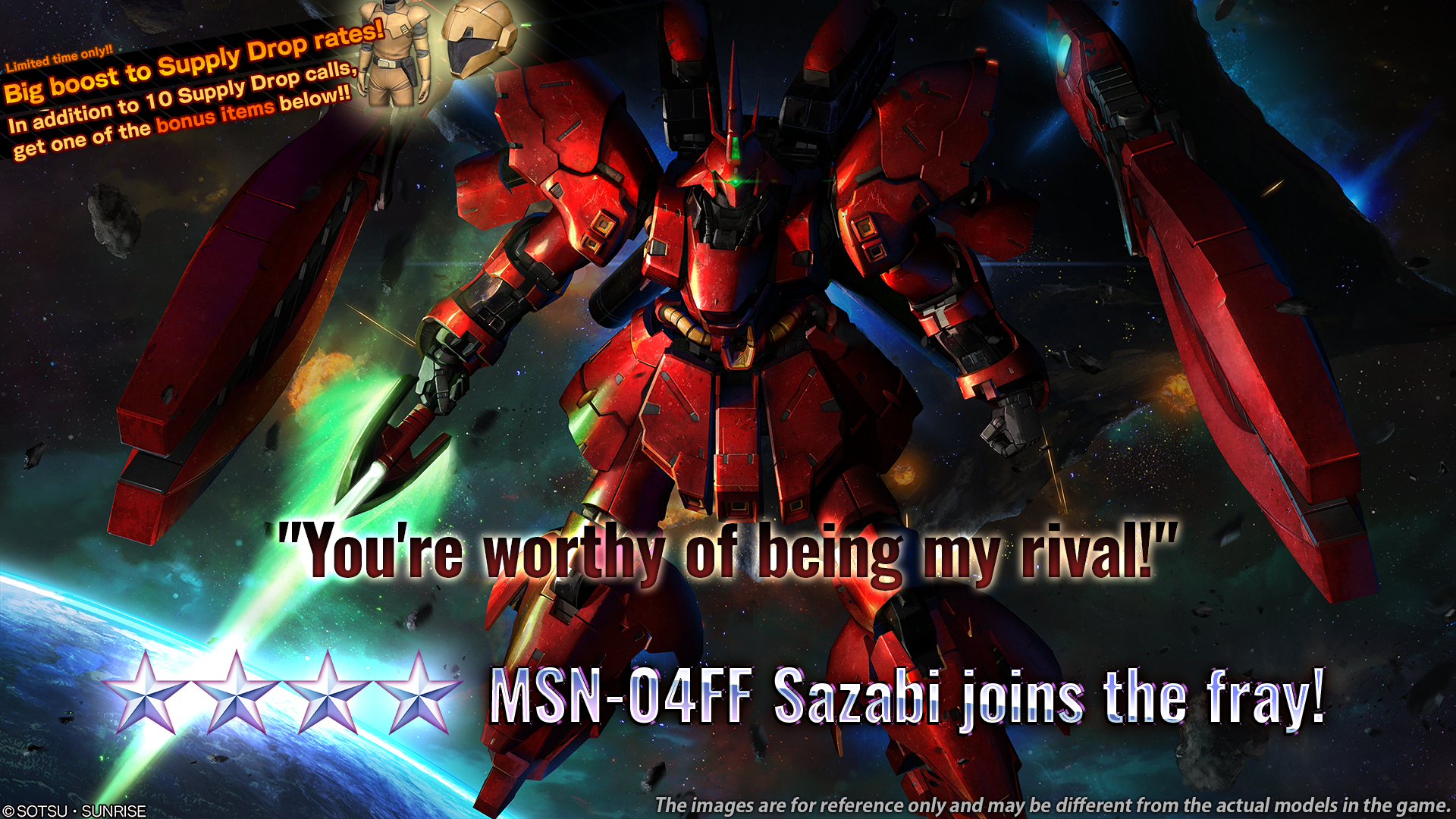
■Notice of “Locus of Red Comet” campaign
Starting from [PDT] 05/24/2023 / [CEST] 05/25/2023, “Locus of Red Comet” campaign will begin.
■Period
[PDT] 05/24/2023 22:00 – 06/07/2023 21:59 [Scheduled]
[CEST] 05/25/2023 07:00 – 06/08/2023 06:59 [Scheduled]
※For more details, please click here.

■Update content
ver.0168.1481
■Game rule related
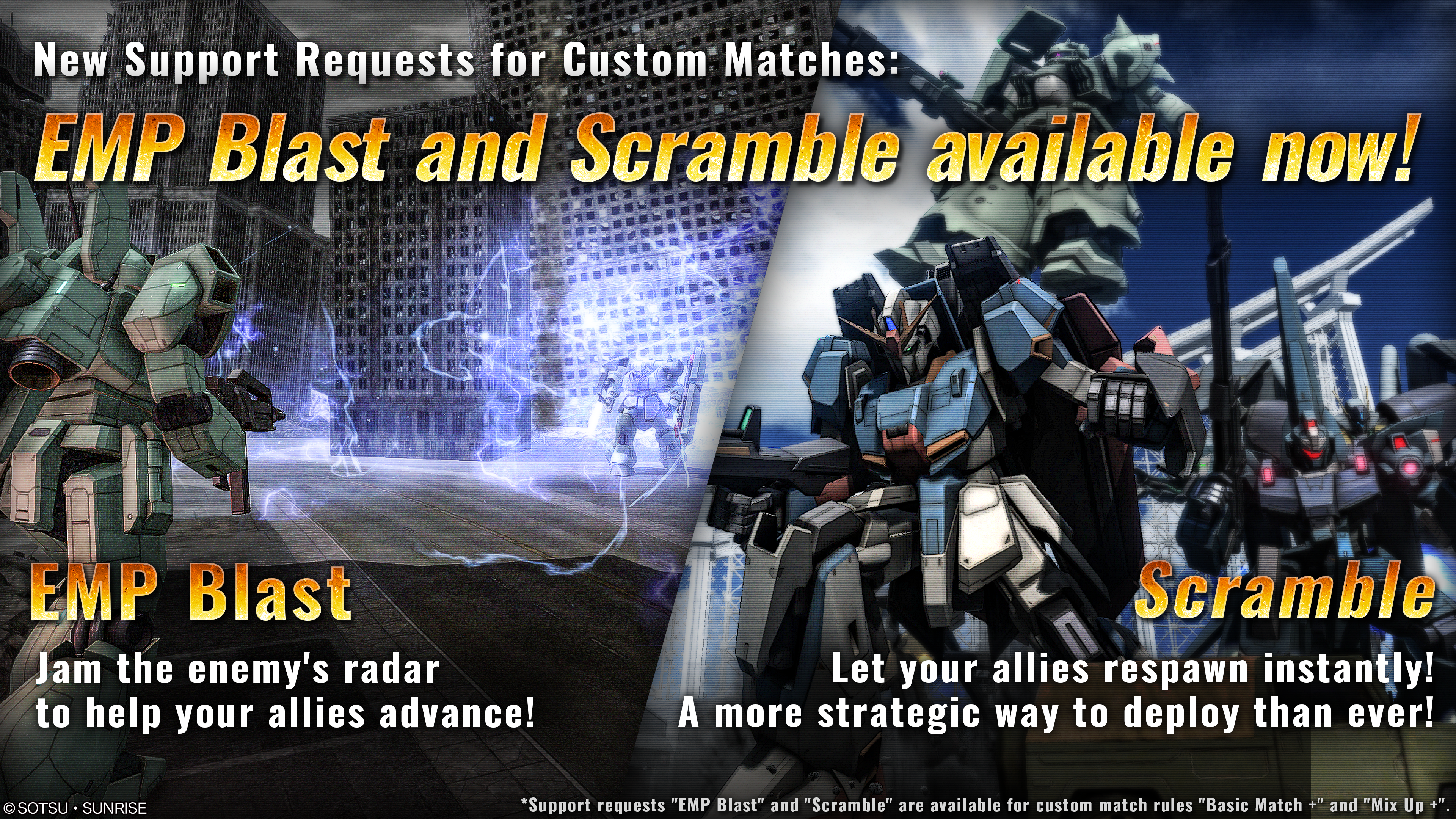
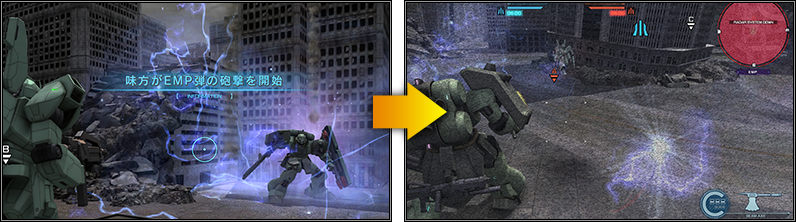
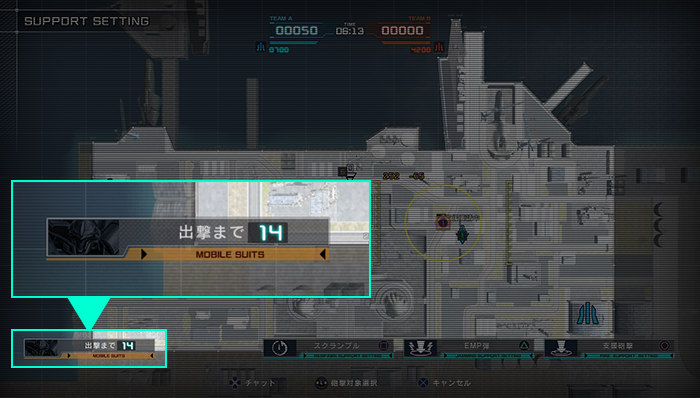
  • New support requests “EMP Blast” and “Scramble” for Custom Matches
  • ⇒ Extended rules “Basic Match +” and “Mix Up +” have been added, which allow the use of two new support requests.
■Assistance request “EMP Blast”
  • ⇒ Can only be used on the ground with small amount of damage
    Disables enemies’ Radar function, weapons’ ASL function and Unable to receive information spot by allies in a duration
    No damage or effect to allies
  • ・Disabling Radar function
  • Radar on the upper right of the screen will be disable and the overall screen will be covered by noise slightly.
    Disables the skills “High-Performance Radar”, “Personnel Radar”, “Observational Data Link”, and “Fake Beacon”.
  • ・Disable weapons’ ASL function
  • ASL, Auto aiming system of weapon will be disable.
  • ・Unable to receive information spot by allies
  • Unable to gain information about enemies those spotted by allies.
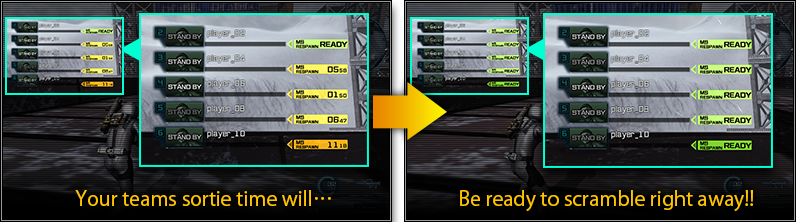
■Assistance request “Scramble”
  • ⇒ ”Scramble” will instantly zero the re-launch time of allies and ready for re-sortie.
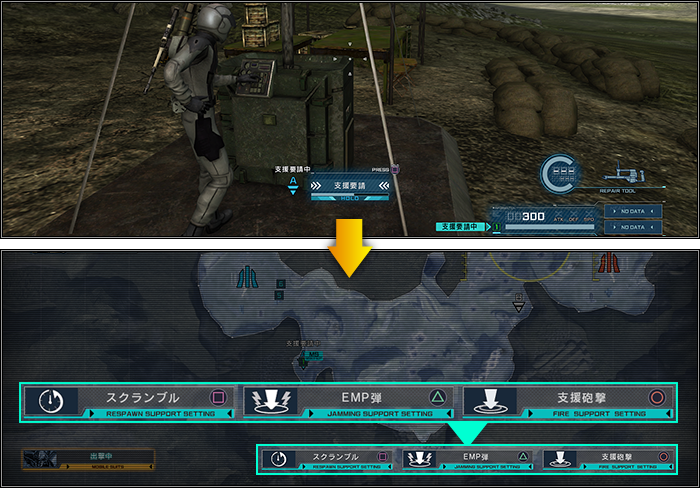
■How to call “EMP Blast” and “Scramble”
  • The two new support requests can be requested from relay point suppressed by ally, just as with the usual artillery support.
    You can now choose the support request while you at the point:
  • ・○ button: The usual artillery support ※As usual
  • ・△ button: “EMP Blast”
  • ・□ button: “Scramble”
  • ※Artillery Support on PlayStation®5 is × button.
  • ※”EMP Blast” and “Scramble” can also be used in Free Practice.
  • ※New support requests can be used in “Basic Match +” and “Mix Up +”, 2 rules can be chosen in custom game.
    Besides, other details of two rules is same as the normal one.
■Unit related
  • ◎Some sub-weapons are changed as MS specialized weapon.
  • ■Hyaku-Shiki
  • ・Sub-weapon “Head-Mounted Vulcan [Modified]” has been changed the name to “Hyaku-Shiki Head-Mounted Vulcan”.
    Also “power”, “projectile speed”, “firing speed rate” and “stagger accumulation value” has been increased.
Various Parameter Adjustments are implemented.  ※For details, check here.
◎Results of various parameter adjustments from 04/27/2023 [JST] are announced.  ※For details, check here.
■Battle related
  • ◎Pilots can now see their re-sortie remain time due to the update of new support request “Scramble”.
  • Those field units have NOT been ridden by pilots on the battlefield are now off the lock on target from weapons such as Funnels.
  • ■Field units
  • ・Type 61 MBT
  • ・Oggo
  • ・Skiure
  • ・Ball
  • ・Magella Attack
  • ・Wappa
■Others
  • ◎MS “Dolmel”‘s source has been corrected from “Mobile Suit Gundam Katana” to “Mobile Suit Gundam EX REVUE”
■Application Data Update
■Supply Drop Lineup Update Notice
※For more details, please click here.
■MSN-04FF Sazabi STEP UP Supply Drop Notice
※For more details, please click here.
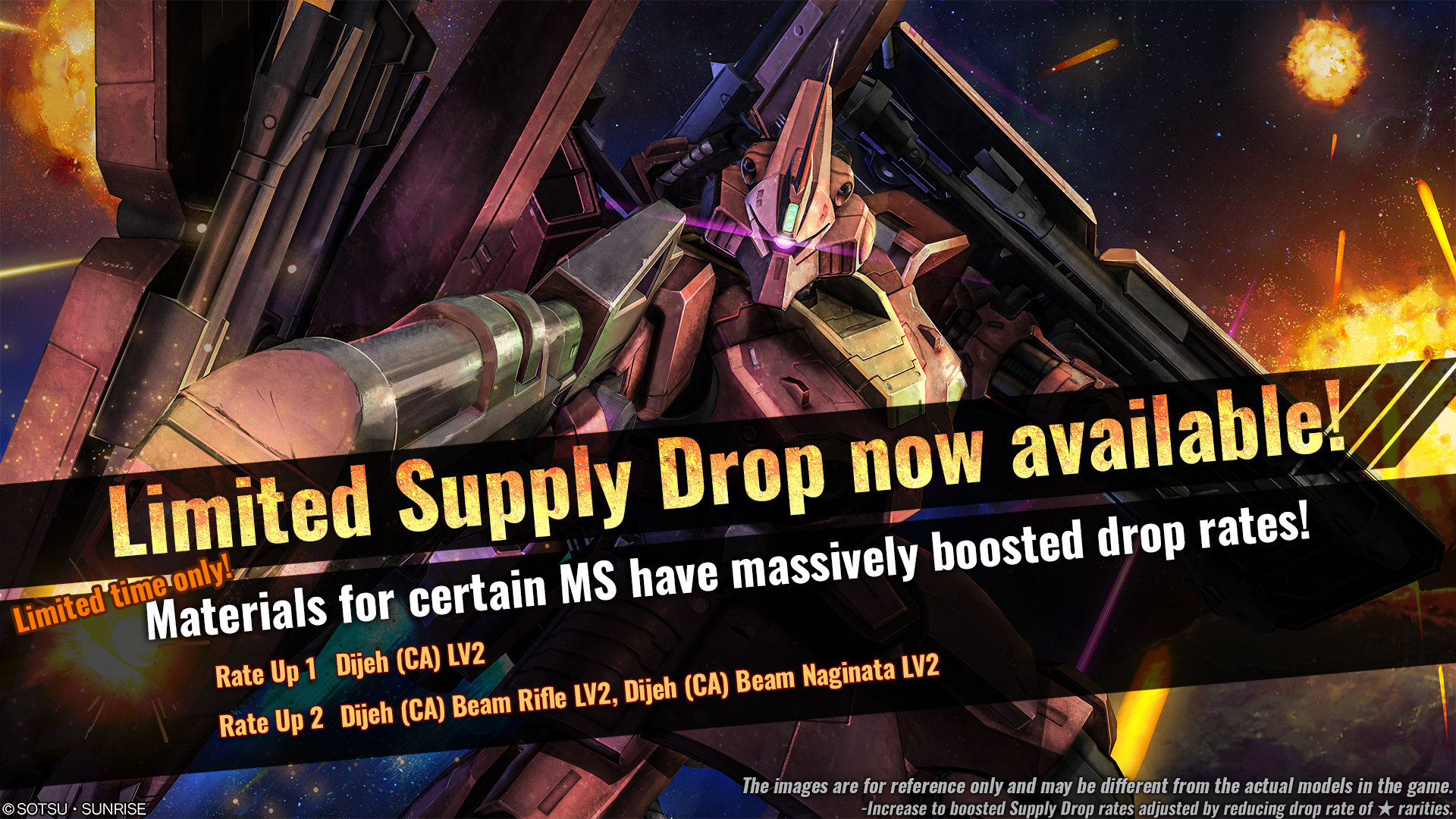
■Notice of Limited Supply Drop
※For more details, please click here.
■June 2023 Premium Login Bonus
※For more details, please click here.
■New Materials for exchange are added to DP exchange Counter.
⇒ Information about newly added materials
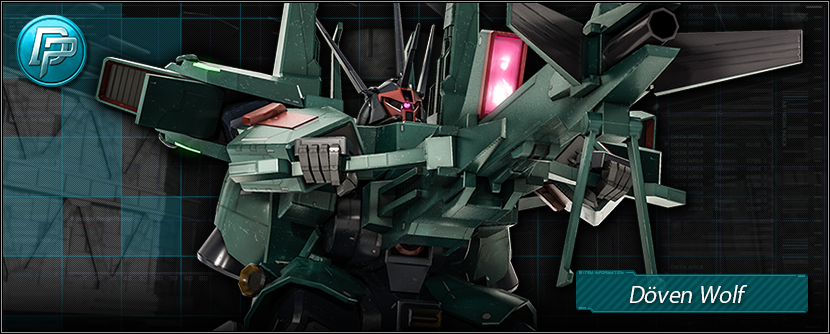
  • ■Unit
  • ★★★Döven Wolf LV3 added
■Some materials have been excluded from the Supply Drop Lineup.
※For Details, please click here.
■Rating Match/Quick Match Game Modes have been updated.
※There may be differences in the game mode with the information above, which was introduced during the previous update regarding [Available Game Modes].

■Weekly Weekend Battle Schedule
Weekend Battle Schedule Special Rules
[PDT] 05/25/2023 12:00 – 05/26/2023 11:59
[CEST] 05/25/2023 21:00 – 05/26/2023 20:59
“Mix-Up”, “Simple Battle”, “Shuffle Target”,
“Brawl Match”, “Duel Match”
will be held every two hours.
[PDT] 05/26/2023 12:00 – 05/27/2023 11:59
[CEST] 05/26/2023 21:00 – 05/27/2023 20:59
[PDT] 05/27/2023 12:00 – 05/28/2023 11:59
[CEST] 05/27/2023 21:00 – 05/28/2023 20:59
■Next Clan Match Schedule
Please refer, here for the next Clan Match schedule and reward collection period.
For an overview of the Clan Match, please refer here.
■Fixes
  • ◎Units
  • ・We have corrected the unit features of “Haze’n-thley”.
  • ・We have fixed the name sorting of “Haze’n-thley” in English since it was displaying not properly.
  • ・For MS “Nemo”, there was a bug of the main ranged weapon “170mm Cannon”, causing it to be fired before the reload is completed, and now is fixed.
  • ◎Weapons
  • ・For sub-weapon “MPIWS”, the introduction has been corrected to match its actual use.
  • ・For main melee weapon “Haze’n-thley Beam Saber”, the name sorting in English was displaying not properly and now is fixed.
  • ・For sub-weapon “[CA] Blow Melee”, english name was not displayed correctly when the language setting was set to “Traditional (Taiwan)”, “Traditional (Hong Kong)”, “Simplified”, or “Hangul” and now is fixed.
  • ・For sub-weapon “I-Field Launcher [Defense], english name was not displayed correctly when the language setting was set to “Traditional (Taiwan)”, “Traditional (Hong Kong)”, “Simplified”, or “Hangul” and now is fixed.
  • ◎Skills
  • ・Skill “MPIWS Controller”, the introduction has been corrected to match its actual use.
  • ・Skill “MPIWS Controller”, those units cannot receive information from the skill “Observational Data Link” or SPOT by allies while the radar function was disabled due to the overheating of the sub-weapon “MPIWS” and now is fixed.
  • ◎Battle
  • ・For free practice, pilots rank was always shown as “Private Second Class” while self-destroyed in 0 HP and now is fixed.
  • ◎Tutorial
  • ・The introduction of “Tackle and Counter” in the tutorial is now corrected.
  • ◎Others
  • ・The display of custom parts “AD-DCS” in “Hangul” was inappropriate and now is fixed.

Source: Battle Operation

Damien Seeto

Home > News

Gran Turismo 7 Update 1.34 Races Out for New Cars This May 25

Polyphony Digital has released Gran Turismo 7 update 1.34 (PS5 version 1.340) today for PS5 and PS4. Today’s update includes new cars and some added events. Read on for the GT7 May 25 patch notes below.

Gran Turismo 7 Update 1.34 Patch Notes | GT7 Update 1.340 Patch Notes | GT7 May 25 Patch Notes:

Main Features

1. Cars
 - The following three new cars have been added:
・Alfa Romeo Giulia Sprint GT Veloce ’67 (Purchasable at ‘Legend Cars’ from 25 May)
・Greening Auto Company Maverick
・Nissan GT-R NISMO (R32) ’90 (Purchasable at ‘Legend Cars’ from 25 May)

– New liveries have been added for the following two cars:
・Toyota 86 Gr.4
・Toyota GR010 HYBRID ’21

2. World Circuits
 - The following new events have been added to “World Circuits:”
・Autopolis
– Super Formula
・High Speed Ring
– American Clubman Cup 700
・Blue Moon Bay Speedway
– Nissan GT-R Cup
・Michelin Raceway Road Atlanta
– Super Formula
・Monza Circuit
– Sunday Cup Classic

3. Scapes
 - “Japan National Stadium” and “Lake District” are now featured Curations in Scapes.

4. Café
– The following two Extra Menus have been added:
・Extra Menu No. 22: Collection: SEMA GT Awards (Collector Level 37 and above)
・Extra Menu No. 23: Collection: Group A (Collector Level 33 and above)

5. Brand Central
 - New Museum entries for Alfa Romeo and Italdesign have been added.
– On the car purchase screen, if the player already owns the selected car in the same color, it will now be displayed as “Owned.” This also applies to the Legend Cars and Used Cars purchase screens.

6. Used Cars
 - The Tuning Valuation algorithm in Car Valuation Service has been adjusted for cars with Ultimate tuning parts fitted.

7. GT Auto
– The “Engine Swap” service has been added to the Car Maintenance & Service menu. (Unlocked at Collector Level 50.)

8. Tuning Shop
 - A new tab for “Ultimate” category parts has been added. (Unlocked at Collector Level 50.)

9. Sport
– A “Free Practice” button has been added to each championship’s Entry Screen.
– During Daily Races and Qualifying Time Trials for “Final” races, you can now adjust Controller Settings, Temporary Exposure Correction, and Display Settings from the Pause menu.

10. Multiplayer
 - New restrictions for Engine Swaps and Tuning Parts have been added to race regulation settings in the Lobby.
– During Qualifying Time Trials and Final races, you can now adjust Controller Settings, Temporary Exposure Correction, and Display Settings from the Pause menu.

11. Localization
– Fixed various text localization issues.

12. Others
– Various other issues have been addressed.

Source: Gran Turismo

Damien Seeto

Home > News

PUBG Update 2.37 Out for Patch 23.2 This May 25

PUBG Corp has released PUBG update 2.37 for PS4 and Xbox One consoles, and this is patch 23.2 which was released earlier on PC. This update comes with a host of new content and fixes.

PUBG Update 2.37 Patch Notes | PUBG May 24 Update Patch Notes:

Map Service

※ Please note that PC players can anticipate map changes every Wednesday at 2 AM UTC, while Console players can expect the same every Thursday at 7 AM UTC.

※ In Random Map regions, each map will have an equal probability of being selected, with a probability of 20%.

  • (PC) Test Server
    • Normal Match: Erangel
      • AS region: Squad – TPP
      • NA region: Squad – FPP
  • Live Server – Normal Match
    • Week 1: Erangel / Miramar / Vikendi / Sanhok / Karakin
      • PC: May 17 ~ May 24
      • Console: May 25 ~ June 1
    • Week 2: Erangel / Taego / Deston / Sanhok / Paramo
      • PC: May 24 ~ May 31
      • Console: June 1 ~ June 8
    • Week 3: Erangel / Miramar / Vikendi / Sanhok / Karakin
      • PC: May 31 ~ June 7
      • Console: June 8 ~ June 15
    • Week 4: Erangel / Taego / Deston / Sanhok / Paramo
      • PC: June 7 ~ June 14
      • Console: June 15 ~ June 22
  • Live Server – Ranked
    • Ranked: Erangel (30%) / Miramar (30%) / Taego (30%) / Deston (10%)

※ Please note that the features and updates described below are subject to change or removal due to issues such as bugs, in-game problems, and community feedback. The images used are intended as visual references only; the actual game may look different as the builds are continually developed and refined before release.

New System: Recall

“Blue Chip registered successfully. Boarding the plane in a few seconds.”

Introducing the new recall system, designed to alleviate the sense of frustration felt upon death during team play. Acquire the Blue Chip from the deathbox of a defeated ally and help your teammate rejoin the match!

Blue Chip

  • A Blue Chip is a special chip containing a player’s biometric signature.
  • You can obtain a Blue Chip from any player’s deathbox.
  • Collected Blue Chips can be found in your inventory.
    • Each Blue Chip has a weight of 5.
  • (PC)A dedicated inventory slot for your character’s Blue Chip has been added below the Helmet slot.
    • (Console) Your character’s Blue Chip inventory slot has been added below the Shoes slot.
    • It is not possible to unequip your own Blue Chip.

Blue Chip Tower

  • Register Blue Chips at Blue Chip Towers scattered throughout the map to Recall your teammates.
  • These towers randomly spawn every match, with their locations marked on the map.
  • An Interact button appears when approaching a Blue Chip Tower when you are holding at least one Blue Chip in your inventory.
    • Multiple teammates’ Blue Chips can be registered concurrently.
    • Enemy Blue Chips can not be registered.
    • If the player you are trying to recall leaves the match, a corresponding text will be displayed.
    • You are unable to activate the Blue Chip Tower while holding a Drone Tablet.
  • Activating a Blue Chip Tower takes about 10 seconds.
    • A loud noise is produced during the activation process.
    • Activation is canceled if you move, get knocked out or eliminated, or press the Cancel key.
  • After successful registration, the same Blue Chip Tower becomes unusuable for a specific duration.
  • Successfully registered Blue Chips will recall the appropriate teammates in the next phase.
  • Blue Chip Towers display 4 light states:
    • Red: In use.
    • Yellow: Temporarily unavailable.
    • Blue: Ready for use.
    • Gray: Unusable (during phases when the Recall system is deactivated).

Blue Chip Transmitter

  • Recall teammates anytime, anywhere using the world-spawn item, Blue Chip Transmitter.
  • Weight: 5
  • Once you have acquired the Blue Chip Transmitter, locate it in your inventory and click on it to activate.
  • WhenBlue Chips are in your possession, a confirmation list appears.
    • Multiple teammates’ Blue Chips can be registered concurrently.
    • Enemy Blue Chips can not be registered.
    • If the player you are trying to recall leaves the match, an icon and corresponding text will be displayed.
  • A 10-second activation period is required to register the Blue Chip(s).
    • A noise is produced during the activation process.
    • Activation is canceled if you move, get knocked out or eliminated, or press the Cancel key.
  • Successfully registered Blue Chips will recall the appropriate teammates in the next phase.
  • The Blue Chip Transmitter is a consumable item and is removed from the inventory after use.
  • The Blue Chip Transmitter can not be used while DBNO, in a vehicle, or swimming.
    • Using the Blue Chip Transmitter while prone or crouching will automatically cause you to stand up.

Recall Process

  • Players will be recalled to the match after their Blue Chips are successfully registered via Blue Chip Towers or Blue Chip Transmitters.
  • Once Recalled, players can re-enter the battlegrounds by parachuting from a Recall plane, which flies once at the start of each phase.
  • Recalled players will not possess any weapons or equipment.
    • Health, boosts, DBNO stack, and items will be reset.
    • A new Blue Chip is equipped.
  • If the last remaining teammate is eliminated before the player set to rejoin the match boards the plane, the Recall will be canceled, resulting in a match defeat.

More Info

  • Recall is impossible if the entire team is eliminated.
  • The Blue Chip Tower and Transmitter can be utilized an unlimited number of times.
    • However, due to the restriction of boarding the Recall plane only once from Phases 2-7, each player can be Recalled up to a maximum of six times.
  • The Recall system will be disabled from Phase 7 onwards.
    • The Recall plane will not fly.
    • Only players with Blue Chips successfully registered up to Phase 6 will rejoin the match at the beginning of Phase 7.
  • The Recall system applies to Normal Matches, Custom Matches, and Casual Mode.
    • It is not available in Custom Match – Esports Mode.
  • This feature is available on Erangel, Miramar, and Deston.
  • On Deston, the Blue Chip Detector can now detect not only players but also Blue Chips.
    • The Detector identifies Blue Chips in deathboxes, lying on the ground, or stored in vehicle trunks.
    • Detected Blue Chips will be displayed with icons identical to those used for detected players.


< Dev’s Comment >

With our latest update, we’re introducing a unique feature that not only adds an extra layer of enjoyment to the standard battle royale mode, but also encourages a variety of strategic plays for an enriched experience on the battlegrounds.

The new Recall system presents several key differences from the existing Comeback BR mechanic: it demands cooperation and effort from surviving team members rather than just the fallen player, is available until the mid-late game phases, and enables plays that contest enemy players attempting to use the Recall system.

While the system offers numerous advantages, it also comes with several challenges: Recovering Blue Chips from fallen teammates, finding designated Blue Chip Towers scattered across the map, using Blue Chip Transmitters without being detected by nearby foes, and being more exposed to enemy attention during your descent from the Recall airplane. We believe the benefits of Recall are significant in a battle royale setting, so we’ve designed the system to reward players who can overcome these challenges. Our intention is to allow even less experienced players to occasionally utilize this system, depending on their luck. The new Recall system is particularly helpful for novices who may struggle with combat in Comeback BR, as it emphasizes the importance of surviving team members’ roles in facilitating successful recalls.

But why limit it to Erangel, Miramar, and Deston? Smaller maps have shorter play times, making it faster to start a new game upon death. And we’ve decided to add the Recall system exclusively to maps without the existing Comeback BR.

There is no cap to the number of Recalls; as long as you can retrieve Blue Chips and successfully register them, your teammates can be recalled to the match multiple times. However, given various factors such as the quantity and location of Blue Chip Towers and Transmitters and their specific usage conditions, we anticipate that players will not be able to excessively recall their allies with ease.

By the way, it’s good to know that the owner’s username is always displayed alongside the Blue Chip. I still hold onto a screenshot of the Blue Chip I acquired from my boss.


Gameplay

Vehicle

“Hey where’d my car go?”

Remembering the location of your vehicle after exiting it may bring quite the advantage, but it’s also quite common for players to become disoriented and unable to locate their vehicles, causing significant stress.

To address this, we’re introducing a feature that automatically generates a vehicle iconvisible only to you, at the location where you exit your vehicle.

  • The vehicle icon is marked on the World Map.
    • The icon is not visible to other team members.
    • It will not show up as a screen ping marker.
    • This does not affect the existing marker features.
  • This feature applies to every seat in the vehicle.
  • The icon will be removed once you board another vehicle.
  • The icon can be removed with the existing marker deletion key/button.
    • However, this action will also delete any existing markers you’ve created.
  • This feature applies to every vehicle but the Mountain Bike.
  • This feature is available in every mode.

Additionally, to enhance safety measures and prevent tragic accidents caused by players inadvertently disembarking from a moving vehicle, we have introduced a timed exit feature. This feature is activated when someone attempts to exit a moving vehicle at a specific speed.

  • When the vehicle’s moving speed exceeds 60 km/h, a 3-second countdown timer will be initiated upon attempting to leave the vehicle.
    • For speeds at or below 60 km/h, players can leave the vehicle immediately.
  • If the Leave Vehicle key/button is pressed again within the 3-second window, the leaving process can be canceled.
  • This feature can be toggled on or off through settings.
  • To avoid repeated cancellation of leaving a vehicle, any Leave Vehicle presses within 1 second of the initial input will be disregarded, with only the first input executed.

We’re also adjusting fixed vehicle spawns in Taego to enhance utility for players:

  • The Pony Coupe is now available as a fixed spawn vehicle.
  • The Porter will now spawn randomly, instead of appearing in fixed locations.
  • At garage locations, the Pony Coupe will no longer spawn, and instead, the UAZ and Dacia will appear in fixed locations.
  • Although the fixed spawns result in minor adjustments to spawn rates for specific random-spawn vehicles, the overall vehicle spawn rate remains unchanged.
  • These modifications apply to all Taego game modes – Normal Match, Ranked, and Custom Match.

DBNO

We are implementing adjustments to the balance of automatic HP loss during the Down But Not Out (DBNO) state to provide players with additional strategic choices.

By decreasing the rate of automatic HP loss while remaining stationary, players can make more informed decisions on whether to stay put or reposition based on their circumstances. We believe this not only promotes a more realistic experience but also strengthens the game’s narrative structure.

  • While remaining stationary during DBNO, the identical HP reduce rate will apply regardless of how many times you are knocked out.
    • A unique animation will play when the automatic HP reduce rate is applied.
  • When you are not moving, your character is considered to be still, remaining stationary.
    • Adjusting the camera’s position without moving your character is also deemed as standing still.
  • You are in motion when your character is actively moving, in water, rotating, or boarding a vehicle.

Additionally, in the current gaming landscape, when a squad member gets knocked out, it takes quite some time to recall them, leaving the squad vulnerable to the enemy’s approach.

Thus, we aim to introduce a new strategy: adding a feature where players can carry their knocked out teammates and load them into a vehicle for a quick getaway. We hope this will encourage more diverse scenarios as you may use vehicles to swiftly ‘evade’ rather than being forced to engage in combat or abandoning teammates.

Or better yet… why not knock out an enemy and load them onto your vehicle to taunt the opposing team?

  • Carry your knocked out teammate and use the Limited Interact key to load them onto a vehicle.
  • Knocked out players can be placed in any seat of a vehicle, including the driver’s seat.
  • Once onboard, the knocked out teammate is limited to the following actions:
    • Leave the vehicle using the leave vehicle key.
    • Drop items from inventory.
      • This includes moving them to the vehicle’s trunk.
  • BRDM
    • If unoccupied,
      • You can load any knocked out player on it.
    • If occupied by a teammate,
      • You can only load your knocked out teammate.
    • If occupied by an enemy player,
      • Only the knocked out enemy’s teammates can load their teammates on it.

Weapon Balance

Following the weapon balance adjustments in Update 22.2, the ACE32 has exhibited an overall decent performance, but its win rate during combat has been marginally lower than expected. As a result, we have incorporated the following enhancements:

  • The intensity of the screen shake experienced while firing the ACE32 has been reduced.
    • This leads to an improvement in the weapon’s stability.
    • There have been no changes made to the recoil itself.

Item

The particle count of smoke grenades has been optimized to enhance rendering performance. While the visual representation of the smoke might seem slightly different from its previous state, we have ensured that gameplay remains unaffected.

New System: Clan

Experience the exciting integration of Clans in PUBG: BATTLEGROUNDS! With Clans, feel a fresh and engaging layer to the gameplay experience with a new progression system: Clan levels. Collaborating with your Clan members offers a range of benefits and rewards, and furthermore, you’ll have the ability to access your own or other players’ Clan Tags, and more!

  • The Lobby now features a Clan button for creating or joining a Clan.
  • Creating a Clan
    • Cost: 15,000 BP
    • Capacity: 100 members
    • The Create Clan feature is only available to players with the Plus Status.
  • Clan Roles
    • Clan Master
      • The player who initially creates the Clan or is appointed as the Master becomes the Clan Master.
        • Upon appointing a new Clan Master, the former Master is demoted to a General Member.
      • Each Clan can have one Clan Master.
      • Permissions: Changing Clan name and Tag, creating and editing notices, setting and changing the primary language, inviting Clan members, accepting or declining membership requests, modifying Clan’s application method, kicking out Clan members, disbanding the Clan, appointing a new Master, appointing Managers, dismissing Managers.
    • Manager
      • There is no limit to the number of Managers.
      • Permissions: Creating and editing notices, setting and changing the primary language, inviting Clan members, accepting or declining membership requests, modifying Clan’s application method, kicking out Clan members, leaving Clan.
    • General Member
      • Permissions: Leaving Clan.
  • Joining a Clan
    • Players who have completed the Tutorials are eligible to join a Clan.
    • Players can either request to join a Clan or be invited by a current Clan member.
  • Clan Levels
    • Clans can level up to level 20.
    • Clan XP is earnable through gameplay.
      • Players can earn Clan XP by playing solo or with their Clan members.
      • Players receive a double XP bonus when playing with their Clan members!
        • Clan members must complete a match under normal circumstances, including spectating other Clan members after their own death.
      • Eligible modes: Normal Match, Ranked, Casual Match
  • Clan Name
    • Each Clan can be named with their own unique name, and can not be used by multiple Clans.
      • PC: A Clan name can be used only once within all PC platforms (Steam, KAKAO, Epic Games Store).
      • Console: A Clan name can be used only once within all Console platforms (XBox, PlayStation®).
      • Requirement: 2-15 characters, uppercase and lowercase letters of the English alphabet, numbers, hyphen (-), underscore (_)
        • First character must be an English alphabet letter or number.
        • Spaces cannot be used.
        • You must have a minimum of 2 combined alphabets and numbers, excluding hyphens and underscores.
        • The combined total of all digits (0-9) should not exceed 6 characters.
    • If you want to change your Clan’s name or Tag:
      • Purchase a Clan Name Change or Clan Tag Change at Store – Utility for 990 G-COIN each.
      • Clan Name Change/Clan Tag Change can be used on the Clan – Manage page.
      • Clan Name Change/Clan Tag Changes can onlybe used by the Clan Master.
        • Managers and General Members cannot use these items.
      • Upon changing your Clan name, a 7-day grace period is granted for the previous name.
        • During this grace period, the name is unavailable for use by other Clans.
  • Clan Tags and Tag Plates
    • A Clan Tag can consist of up to 4 characters and can be used by multiple Clans.
      • Requirement: 2-4 characters, uppercase and lowercase letters of the English alphabet, numbers, hyphen (-), underscore (_)
        • First character must be an English alphabet letter or number.
        • Spaces cannot be used.
        • You must have a minimum of 2 combined alphabets and numbers, excluding hyphens and underscores.
    • Once a Clan reaches Level 2, its Clan Tag will appear on players’ nicknames/PUBG IDs both in-game and out-game, along with a corresponding Tag Plate.
      • If the on-screen display is visually congested, the Clan Tag may appear in [brackets] instead of a Tag Plate.
    • The Tag Plate can be upgraded as your Clan levels up.
  • Benefits
    • Players earn a 30% BP boost for playing with their Clan members.
      • Eligible modes: Normal Match, Ranked, Casual Match
  • Chat
    • A new Clan channel will be added to the chat feature, allowing Clan members to communicate with each other.
    • Clan messages can be viewed even during matches, but responses cannot be sent.
    • A “Hide Clan Messages During Matches” option has been added under System Menu → Settings → Gameplay → Interface → UI.
  • Clan Search
    • Clans with precise matches to their name or Clan Tag initials can be searched.
    • The Clan Search page allows you to look for Clans to join and Clans to promote and recruit members through an external community site.
  • And more
    • A Clan tab has been added to the Social page.
    • Actions available with friends are now available with Clan members.
      • Join Team, Whispers, login notifications
    • If the Clan Master doesn’t log in for more than 42 days, a Manager will be automatically appointed as the new Master.
      • A warning message will be displayed after 28 days of inactivity.
      • The Master will be delegated to a Manager with the earliest join date who has logged in within the past 28 days.
        • In the absence of a Manager who fulfills the specified criteria above, a General Member who has logged in within the last 28 days with the earliest join date will be appointed as the Master.
        • If no General Members have logged in within the last 28 days, the first Clan member to log in will assume the Master role.
    • Report
      • “Inappropriate Clan Name or Tag” has been added to the existing Report Player feature.
      • You can report a Clan through the Clan search page.
      • There are two items for reporting one’s own Clan:
        • Inappropriate Clan Name or Tag
        • Inappropriate Clan Content
    • Note: Some screens may not display the Clan Tag in front of certain nicknames.


< Dev’s Comment >

Prior to this update, active players in external Clans had no particular means of displaying their achievements within the game. To address this, the newly implemented Clan system aims to offer a common objective for Clan members to work towards upgrading their Clans. We hope the new Clan feature fosters a sense of belonging, ultimately heightening player satisfaction and instilling pride in their in-game progress.

At launch, the Clan system is designed with the essential specifications in mind. However, we are committed to continually refining and expanding its features based on your valuable feedback.


UX/UI

The UX/UI for general item-related interactions has been enhanced.

  • You can now preview items within a redesigned layout at the Store, Survivor Pass, Workshop, etc.
  • During a full item preview, relevant information is displayed, allowing for quick identification of the item type.
  • Vehicle skin previews now include the ground, although X-axis rotation and zoom in/out functions are unavailable.
  • Within item sets previews,
    • You can now easily preview elements such as Sprays and Nameplates without the need to navigate to a separate screen.
    • Hovering or focusing on an item reveals an icon that signifies the expected action upon clicking.
    • You can now expand the text to view lengthy descriptions.
    • If only one item is equipped, it cannot be unequipped.
  • Upon entering any preview where you can turn on/off equipped skins, the equipped skin ON/OFF feature will be set to ON by default.

Workshop

Chest


  • New item sets have been added to the Hunter’s Chest and Archivist’s Chest.
    • Cat Burglar
    • Victory Dance 102

Performance

  • Reduced hitches and memory usage after in-game death, during both revival from Comeback BR and spectating.
  • Decreased memory usage when transitioning to the Death Cam.
  • Enhanced performance by optimizing the use of Thermal 4x Scopes.

Bug Fixes

Gameplay

  • General in-game bugs have been fixed.
  • Fixed an issue causing the player character to exit on the passenger side instead of the driver’s side when the Pony Coupe collides with an object and veers towards the driver’s seat.
  • Fixed an issue that displays the animation for running from another player’s perspective when attempting to run into a wall.
  • Fixed an issue causing your perspective angle to adjust to the previously spectated player when switching to FPP after spectating an ally driving on an incline.
  • Fixed an issue that made the character automatically move locations when transitioning to Drone view during a jump towards a Drone positioned beneath the character.
  • Fixed an issue that stopped the firing sound of the Mk47 Mutant in burst mode.
  • (PC) Fixed an issue where the volume reducer setting after you are removed from Training Mode due to inactivity would also affect your settings for Normal Matches.
  • (PC) Fixed an issue causing nearly every player to fall off near the start of the airplane ride.

World

  • Fixed collision, texture, performance, and some other general map issues.

UX/UI

  • Fixed an issue causing an incorrect system message to appear when sending a friend request to a blocked friend.
  • Fixed an issue that prevented the item type from being displayed in the outfit and armor tooltip.
  • Fixed an issue where accepting a Custom Match invitation during item preview on the Store page does not transition to the waiting room nor close the Store page.
  • Fixed the incorrect Mastery tier of bots displayed in Match Report.
  • Fixed an issue with the malfunctioning outfit previews on the Throwback Crate preview screen.
  • Fixed an issue where the attachment replacement interaction UI displays the icon of an unequipped weapon slot, instead of the attachment on the currently equipped weapon.
  • Fixed the inaccurate attachment descriptions for the Tactical Stock and Half Grip.
  • (PC) Fixed an issue causing the menu list to shake unstably when navigating up and down with the scrollbar pressed when creating a Custom Match.
  • (PC) Fixed an issue where the password for private Custom Matches is not encrypted with asterisks and is displayed as entered.
  • (PC) Fixed an issue where the /hidewhisper and /showwhisper commands are not functional in Lobby chat.
  • (PC) Fixed an issue where you are unable to close the in-game Match Log screen using the ESC button.

Items & Skins

  • Fixed an issue where wearing a Sleeveless Biker Jacket would obstruct the view in ADS.
  • Fixed an issue where the armpit area would stretch when a male character equips the Phoenix Jacket.
  • Fixed an issue causing the wrist to appear transparent when the Tormented Knight Gloves and Heartwarming Sweater are equipped simultaneously.
  • (PC) Fixed an issue where the name is displayed incorrectly when equipping or unequipping the Tortoise Emerald Weapon Charm.

Source: PUBG

Damien Seeto

Home > News

ULTROS Debuted at the PlayStation Showcase With a Gameplay Trailer

Swedish developer Hadoque has unveiled its latest psychedelic adventure, Ultros at the PlayStation Showcase with a new gameplay trailer.

Ultros is a loop-based adventure game featuring an engrossing soundtrack and artwork from renowned artist El Huervo (known for Hotline Miami). Ultron will be launching as a console exclusive for the PS4 and PS5. Check out the trailer:

Here’s a short description of the game:

You wake up stranded, after seemingly crashing your ship on The Sarcophagus — a giant, space-drifting, cosmic uterus holding an ancient demonic being known as ULTROS. Trapped in the eternal loop of a black hole, you will have to explore The Sarcophagus and meet its inhabitants to understand the part you play.

Are you the gruesome breaker of this cycle, or can you become a link from destruction to rebirth?

Ultros will be launching as a console exclusive for PS5 and PS4, while also releasing on PC via Steam. Head on over to the PlayStation Blog to find out more about the upcoming action-packed title!

Ibrahim Kabir

Home > News

Resident Evil 4 Remake VR Mode Gameplay Trailer Stabs Out

Capcom has revealed Resident Evil 4 Remake VR Mode’s first-ever trailer at the PlayStation Showcase, and it features a sneak peek at the upcoming title’s gameplay.

Resident Evil 4 Remake VR Mode will arrive as a free DLC upgrade for PS5 players who own the game. Check out the new trailer for Resident Evil 4 Remake VR Mode here:

Here’s more about the upcoming DLC (via PlayStation Blog):

VR gameplay allows you to enter the world of Resident Evil 4 with the ultimate immersion experience. One of the themes of the RE4 was to delve deeper into the intentions of the original game, so the scares and intensity are more pronounced, but when played in VR you can enjoy even more intense and unsettling situations. In the earliest village stage shown in the trailer, which fans will recognize from the original game, you can feel the sinister intent of the Ganados and the gripping tension of a last-ditch, life-or-death attack.

No release date is given at the time of writing this for the Resident Evil 4 Remake VR Mode.

Ibrahim Kabir

Home > News

“Concord:” New Live-Service PvP FPS From Firewalk Studios Revealed With Teaser Trailer; Releases 2024

Following its acquisition by PlayStation Studios in April, Firewalk Studios has finally unveiled its live-service game project with a teaser trailer at the PlayStation Showcase today. Concord is a multiplayer PvP FPS described as “a bringing together of peoples,” and is set for a 2024 release on PS5 and PC.

Watch the Concord teaser trailer below:

Having been in development for years at Firewalk Studios, Concord leverages the experience and influences of the ex-Bungie developers that have created it. The teaser trailer shows off a sci-fi, interstellar setting, with a spaceship blitzing through space before the teaser cuts to a release window. The developers describe the project as follows:

Concord is a bringing together of peoples. It’s the power of games to build connection and inspire social play. The Firewalk team is driven by the type of exciting, unexpected moments and shared experiences that multiplayer games create. Every time you log on is the beginning of a new adventure and every match is an opportunity for a new story. It’s these ideals that define Concord, its unique universe of vibrant worlds, and its rich cast of colorful characters.

Concord will shoot out sometime during 2024 on PC and PS5; those interested can follow the game’s official Twitter for updates. Check out the rest of our coverage of the PlayStation Showcase, which featured a long-awaited Metal Gear Solid 3 remake, gameplay from Marvel’s Spider-Man 2, and much more.

Source: PlayStation Blog

Avatar photo

Salman Haider Zaidi

That's a nice argument, Senator.

Home > News

LEGO 2K Drive Update 1.004 Races Out This May 24

Visual Concepts has released LEGO 2K Drive update 1.004 (PS4 version 1.04) this May 24, and this is a small download that brings in fixes to the racing game.

LEGO 2K Drive Update 1.004 Patch Notes | LEGO 2K Drive Update 1.04 Patch Notes:

Download Size: 292MB (PS5)

So far, Visual Concepts has not released any proper patch notes for the game. On the PS4’s update history, it notes that the patch is for “bug fixes” though it doesn’t go into detail as to what got fixed.

Here’s some of the stuff we noticed that got changed from today’s patch:

  • The studio has lowered Quest Bucks for rewards, which means more grinding is needed. Further testing of payouts is needed as reports have suggested that they’ve been reverted once again.
  • Daily Items added

On the game’s Discord, someone noticed that files have been added, which could be tied to the content drop in June.

  • Licensed/McKaren/76918_McKarenF1LM
  • Licensed/McKaren/76918_McKarenSolusGT
  • Licensed/Paul_Skyline/PaulSkyline

That last one seems to indicate that Paul Waker’s Skyline from the Fast and the Furious movie franchise is being added.

If we spot any other changes, we’ll update the article with the proper patch notes (once released) or with anything spotted by the community.

As for new content, 2K has announced the first post-launch support content drop is set for June.

Avatar photo

Alex Co

Father, gamer, games media vet, writer of words, killer of noobs.

Home > News

Splatoon-like “Foamstars” Announced by Square Enix; Coming to PS5 and PS4

Square Enix has revealed its newest title, Foamstars at the PlayStation Showcase with an all-new trailer. Foamstars is a multiplayer game that will pit two teams against each other featuring a “foam-filled” combat.

The trailer shows multiple characters, gameplay, a vibrant map, and different color foams that will be used by the teams to take over. Players can use the foam to build terrains, take the high ground, or create a slippery surface for the enemies, much like Splatoon.

Here’s a short description about the game (via press release):

In this game, foam is the ultimate resource. It can be used in multiple ways: To create slippery surfaces that players can use to surf around the arena at high speed; to build terrain, helping players defend from enemy attacks or creating high vantage points to take out opponents; and finally, to foam up the opposition and win the match.

Foamstars is launching exclusively for the PS5 and PS4 at an undisclosed date. Head on over to Square Enix’s website to find out more about the game!

Ibrahim Kabir

Home > News

Destiny 2: The Final Shape Teaser Trailer Revealed Featuring Cayde-6; More Details at Destiny Showcase on August 22

Bungie has unveiled a teaser trailer for Destiny 2: The Final Shape at the PlayStation Showcase today, featuring previously-dead Hunter Vanguard Cayde-6 (Nathan Fillion) and Warlock Vanguard Ikora Rey. More details about The Final Shape will be revealed at a special Destiny Showcase on August 22, 2023.

Watch the Destiny 2: The Final Shape teaser trailer below:

Destiny 2: The Final Shape will conclude The Light and Darkness saga, bringing the conflict between the Traveler and the Witness to an ultimate close. Having died at the hands of Uldren Sov during the events of the Forsaken expansion, Cayde-6 has somehow returned in the teaser trailer, once again portrayed by Nathan Fillion. Ikora is seen filling him in on the Guardians’ battles in the time since his death, and both of them seem to be on the other end of the portal taken by the Witness at the conclusion of the Lightfall campaign.

Bungie will reveal further details about The Final Shape in a special Destiny Showcase on August 22, with the expansion itself expected to release early in 2024. Check out the rest of our coverage of the PlayStation Showcase, which featured a long-awaited Metal Gear Solid 3 remake, gameplay from Marvel’s Spider-Man 2, and much more.

Avatar photo

Salman Haider Zaidi

That's a nice argument, Senator.