While we’re at the tailend of Battlefield 2042’s lifecycle, there are secrets that have yet to be uncovered. If you’re looking for more Easter eggs in the game, this is a simple and straightforward guide to unlocking the Severed Loyalties Easter egg in Battlefield 2042’s Phantom Program.
Follow the steps below to unlock the Easter egg rewards.
While gun customization has been present in Battlefield games before, the new entry in the franchise will feature a more robust way of doing it, which should give players more freedom in how they want to use their weapon in matches.
Step-by-Step Guide to Unlocking the Easter Egg
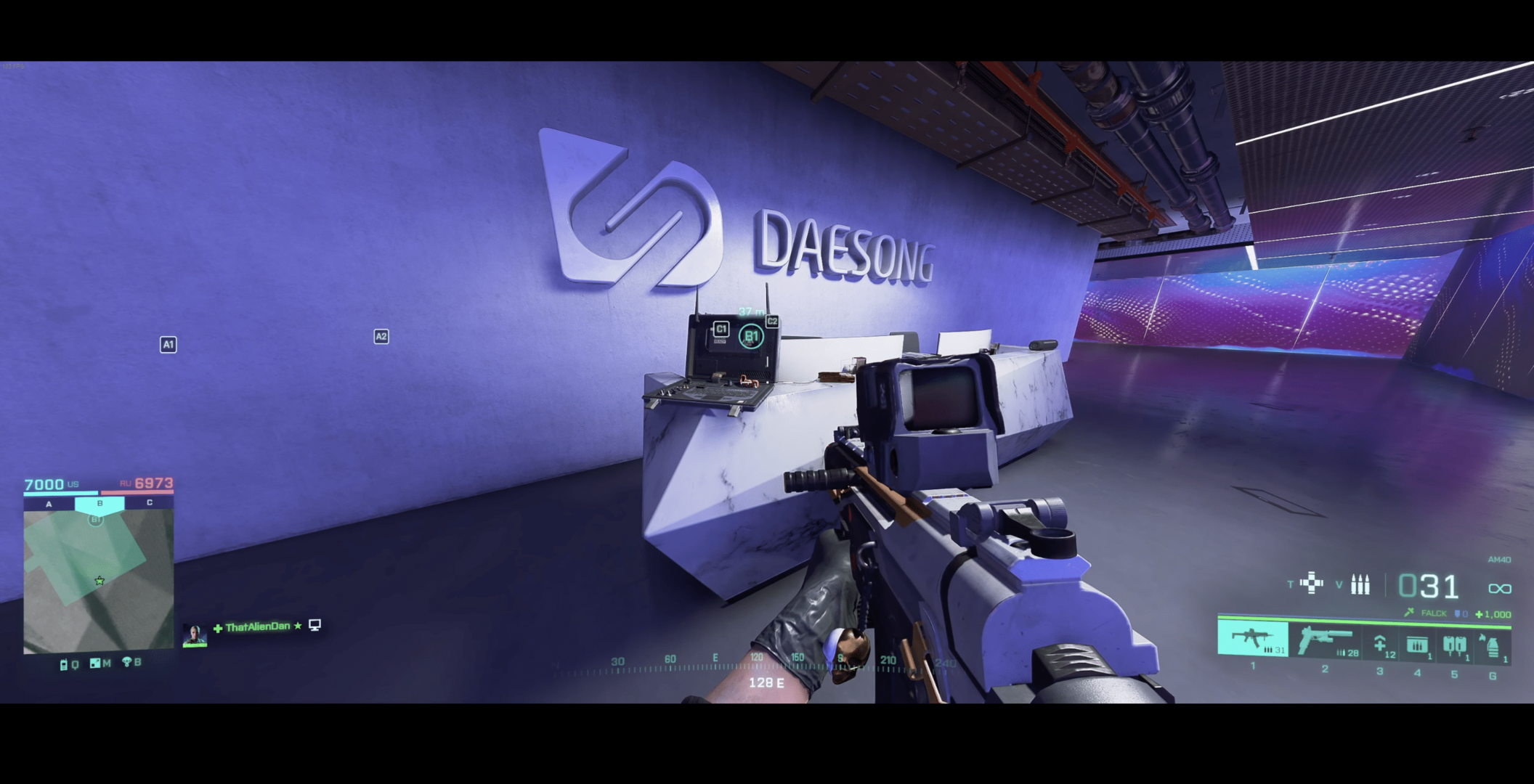
First, head to the top floor of the B1 flag building located on Kaleidoscope. Once you’re on the top floor, place the uploading equipment on the reception desk.
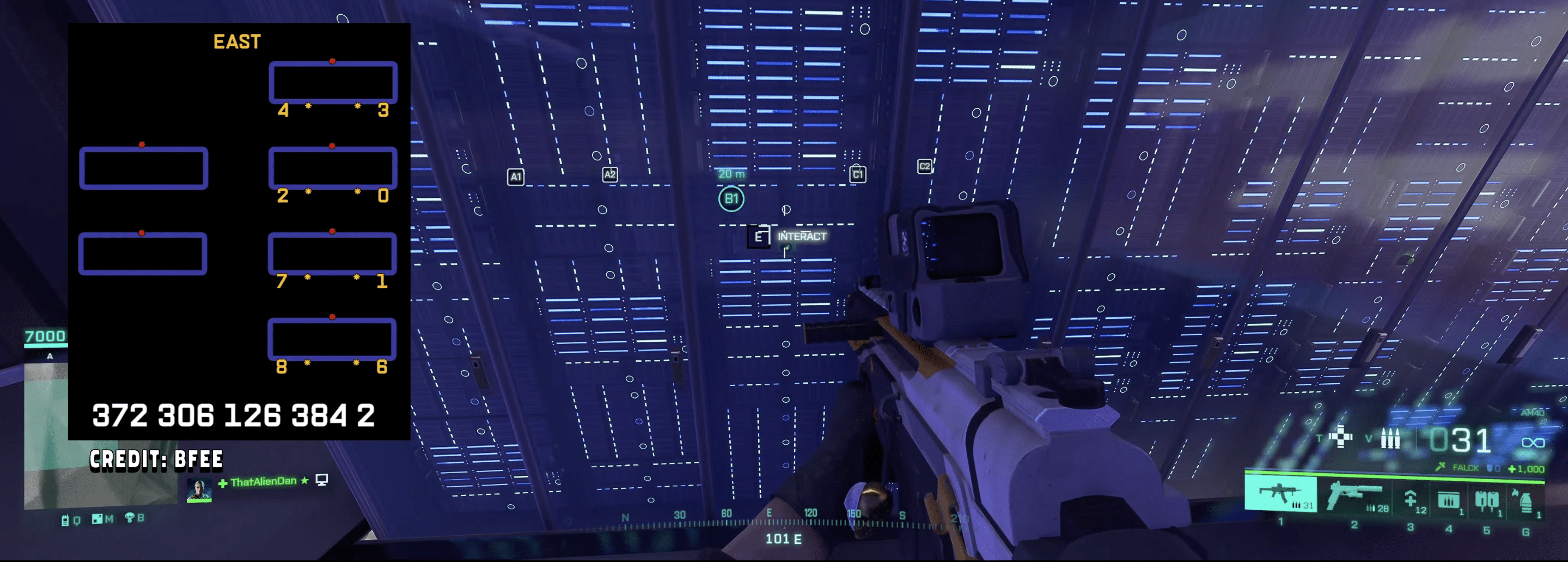
Next, stand still and listen to the full transmission. Listening to the entire conversation is essential, as skipping it will prevent you from progressing. While this step is easy, it’s crucial. Once the conversation ends, the laptop will generate a Morse code: “3723061263842.”
This code will be used to interact with the servers. The screenshot above provides a simple guide to help you locate the servers. After entering the correct code into the servers, you’ll hear a confirmation sound, indicating that the code was entered correctly. Afterward, return to the laptop and interact with it again.
Once the interaction is complete, the servers will begin to malfunction. You’ll need to fix each malfunctioning server. A total of eight random servers will malfunction, and you must repair them. You’ll hear another confirmation sound when each server is fixed. Afterward, return to the laptop one last time to interact with it and claim your Easter egg rewards. You will unlock the Severed Loyalties charm and the player card.
These are the easiest steps to follow to unlock the rewards (Thanks, Dan!). Have fun doing it!
While gun customization has been present in Battlefield games before, the new entry in the franchise will feature a more robust way of doing it, which should give players more freedom in how they want to use their weapon in matches.
Based on playtesters in Battlefield Labs, the new system is similar to Call of Duty’s Gunsmith, which was introduced in Modern Warfare 2019, but DICE has added its own spin.
Two weeks ago, we reported that the Battlefield Labs playtest kicking off in Asia was set to be held on the PS5.
New Battlefield Game’s Gun Customization Will Use a Point System
bf labs has a gunsmith system like COD, but gives every attachment a value in credits and lets you use 100 credits worth of attachments (60 on pistols) pic.twitter.com/g715KiTPbR
Participants of the Battlefield Labs playtest have shared that the new Battlefield game’s gun customization is “almost as robust as Modern Warfare 2019,” though players won’t be able to create “Frankenstein builds,” which we assume are gun builds in Call of Duty that are just weird creations that don’t make sense outside of a game.
The image above comes from video game leaker bob, who confirmed that in the current build of BF Labs, which is the new Battlefield game, players have 100 credits’ worth of attachments to use, and 60 credits for pistols.
In the leaked image, you can see how the credits are allocated. Gun attachments like the magazine are worth just five credits, while something like the muzzle is worth 30. This is most likely made for game balance to ensure that gun customization can’t be used to have laser-like guns (at least I’m assuming so).
Bear in mind, Battlefield Labs is currently in pre-alpha, which means nothing in the game has been deemed final. While we don’t see this gun customization feature change for the final version of the new Battlefield game, don’t be surprised if it does. DICE is testing a lot of things and if they don’t like how something is, expect it to be changed.
Speaking of which, DICE is currently testing it where all classes can access all weapon types, which some people in the community don’t like. DICE explained their reasoning behind it, which makes a lot of sense.
The new Battlefield game will be revealed sometime this summer, which we’re assuming will be in June.
While the new Battlefield game doesn't even have an official title yet, thanks to the ongoing Battlefield Labs playtest, more information about it has come to light.
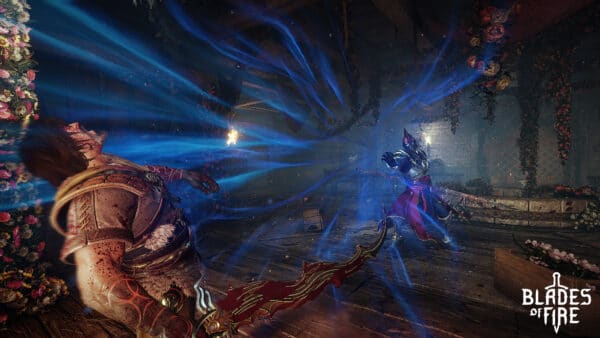
While action games are a dime a dozen these days, MercurySteam aims to break from stereotypes as it released Blades of Fire, which emphasizes weapon forging more than most games.
For those wondering, Blades of Fire is not a souls-like, though that doesn’t mean it’s lacking in the challenge department; it’s just a different kind of challenge compared to most souls-like games that have popped up these days. Can MercurySteam recreate the magic the studio weaved in Castlevania: Lords of Shadow? In a way, they did, but there’s so much more to it than a simple yes or no.
In case youd didn't know, MercurySteam, most notably known for rebooting the Castlevania franchise with Lords of Shadow, is back with a new action game titled Blades of Fire.
Nostalgia Forged in Fire
Like many things you’ll find going on in Blades of Fire, the story sort of throws you into it. It starts with you being some sort of wandering spirit who eventually comes in contact with our main protagonist, Aran De Lira, a blacksmith living in a forest. Like many tales before, Aran hears a cry for help and quickly jumps into action to answer the call. This is where he eventually meets Adso, a companion who joins Aran in his quest to kill the evil queen. That’s the short of it, and honestly, about as much information as we, the player, get with a few more details here and there. You’d probably get more of a story setup by peeking at the official website and reading up on what’s there, but ultimately, the story isn’t something I felt was all too exciting. It’s serviceable, not necessarily good, but also not bad. Aran and Adso’s relationship is fun to see develop throughout the game, but the writing and some of the voice acting aren’t going to leave any sort of lasting mark; at least for me, it didn’t.
I will say, though, that it does have a bit of that old-school PS2-era charm to it, and I think, in all honesty, that’s a nice way to describe the game as a whole. It’s an old-school game that probably would have fit perfectly during the PS2 era, and while that comes with a certain nostalgic appeal, it also brings along some of the less polished aspects of games from that time. But this is sort of what puts Blades of Fire in a rather awkward position, because it’s a game that many will probably feel very different about.
I suppose that could be said for every game out there, but I know a bad game when I see one, and I don’t think Blades of Fire is a “bad” game; I just think you need to go in with the right mindset to understand what it’s trying to achieve. The story, again, is pretty forgettable, but I think where the fun and my enjoyment all lay was in the gameplay and the world crafted. There’s this charm to it, something that again calls back to that era of PS2 games, where even if they weren’t the greatest game, you knew you would have fun with them because of the hook some of those games had. A really cool idea that was done well, but overlooked because of some of the other aspects of the game. A hidden gem, which I feel Blades of Fire will eventually become down the road.
From a gameplay perspective, it’s very Souls-like. You have explorable areas, rest spots, unlockable shortcuts, and enemies that are tough and respawn after dying and resting. The influence is clear, though it does differ in that it has no character leveling. Instead, players will get stronger by crafting new weapons. It fits the role of a Blacksmith, and there’s a whole mini-game that goes along with it that helps determine weapon rarity and quality. You craft these weapons by collecting resources throughout areas, and the higher the rarity, the more powerful the weapons you get. Some weapons are locked and require you to defeat a certain number of enemies with that specific weapon or a mini-boss. Different enemies are also prone to more damage from certain types of weapons and their attributes. There is weapon degradation, which I’m never a fan of, but I do like how much variety there is in them and how many different playstyles you can have.
The combat itself is pretty brutal and punishing, though enemies tend to follow a specific pattern that is there for you to learn. But dodging, blocking, and countering are the big things in this game, as well as using the appropriate weapon type and stance against enemies. It’s not the deepest I’ve seen in a game regarding combat, but it is pretty fun once you get the hang of it. There’s definitely a challenge here that can be a little off-putting for some. But death isn’t as harsh as it is in, say, a Souls game, where you lose all your experience and have to retrieve it or risk losing it forever. Instead, when you die, you’ll drop your weapon, and if you die again, it won’t vanish forever. It will remain on the field until you return and pick it up.
The last thing the game really puts a big focus on is exploration. Like the story, you’re just thrown into the world of the game. You get a map, but it’s not very good at telling you where to go or what’s interesting to check out. That is up to you, though there is a set way of progressing through the story. But veering off onto the less-traveled road, players will encounter rare resources, puzzles, and even mini-bosses. In this sense, the world feels more like a Metroidvania-like game when it comes to exploration, with many paths and secrets to uncover. It does eventually lead back to you using the forge to create better weapons to help deal with the challenge, but it’s a fun loop that I liked.
It goes without saying that Blades of Fire is rather unpolished in several areas. I encountered plenty of bugs and odd jank throughout my quest to kill the Queen, and I think a little more time in the oven could have done wonders for the game. But I will say, when it works and plays just right, the combat, the forging system, and the exploration all felt great when it came together. You can see the studio’s passion for this game, which probably kept me returning to it.
Blades of Fire isn’t a game that will redefine the genre or sweep you off your feet with a groundbreaking story. It’s rough around the edges, sporting unpolished visuals and a few too many bugs for comfort. However, beneath that somewhat dated exterior lies a surprising amount of heart and an enjoyable experience. Its “Souls-like” combat, satisfying weapon crafting, and an emphasis on exploration makes for an enjoyable gameplay loop. If you approach Blades of Fire with the understanding that it’s more of a nostalgic callback to the PS2 era—flaws and all—you’ll likely discover a hidden gem. It’s a testament to a studio’s passion, and for those willing to look past its imperfections, a truly fun and challenging adventure awaits.
Score: 7.5/10
Pros
Old-school PS2-era charm. If you know, you know.
Fun and challenging combat.
Forging weapons is one of the coolest ideas the game has to offer.
Variety of weapons and playstyles for them.
Fun exploration.
Cons
Servicable story that you will likely soon forget.
Unpolished in a lot of areas.
The in-game map could have been created better. Easy to get lost, which can create a lot of backtracking.
A gamer at heart, James has been working for MP1st for the last decade to do exactly what he loves, writing about video games and having fun doing it. Growing up in the 90's gaming has been in his DNA since the days of NES. One day he hopes to develop his own game.
Two weeks ago, we reported that the Battlefield Labs playtest kicking off in Asia was set to be held on the PS5. While we’ve seen gameplay from the initial playtest surface, more details from players are surfacing, and so far, they’re mostly good news.
Before diving in, remember that all the details you’re about to read are from a pre-alpha build of the new Battlefield game, and there is a very high possibility that a lot of these could change from now until it’s out of the private playtest. There is a reason DICE is holding these tests private, and it’s so people don’t jump to conclusions.
That said, the early info shared is good to know which direction DICE is leaning on when designing the new Battlefield game.
While DICE has yet to announce the title of the new Battlefield game in development, the studio did reveal more info about the game's class system.
Battlefield Labs PS5 Pre-Alpha Gameplay Info Confirms Framerate and More
Members of the community have shared a ton of info about BF Labs running on PS5 (brought to our attention by content creator rivalxfactor). For starters, the PS5 version will be able to run at a smooth 60 frames-per-second if in Performance mode, which confirms there will be multiple graphical modes for the game based on the client. While 60fps might not be a big deal for some games, Battlefield features 64 players in a match, and add in the vehicles, distractibility and whatnot, that adds to the performance strain.
We’ve split the early info into an easy-to-digest list broken into sections. For some of the missing features, DICE would very well include it in future updates to the BF Labs client, so don’t take everything you read as the final version of what we’ll be playing when the latest Battlefield game is released.
Controller and Technical:
60fps framerate confirmed via Performance mode (BF Labs client)
No Tactical Sprint option
No option to gyro aim
DualSense trigger support is said to be “good”
Rotational aim assist and aim slowdown are in the client but very weak — weaker to COD and even Apex Legends.
Mouse and keyboard are supported on PS5. (However, one X poster said it is bugged with only one working, so we’re unsure whether DICE will implement this at launch)
As Battlefield Labs testing continues, DICE has issued another community update to keep non-testers in the loop.
Gameplay:
Assault can equip two primary weapons one of their gadgets slots, which means players can spawn in with an assault rifle, a handgun AND shotgun/submachine gun/sniper/second assault rifle. This could be a bug, so don’t overreact yet
Assault is the only class that gets access to all eight throwable types, while other classes only get 3-4 (again, could be a bug or something that will most likely change out of pre-alpha testing)
“Field Specs” are returning, which we’ve mentioned previously. There are fou l;levels to each Field Spec, with the final level shared between Field Specs in a role. It functions similarly as an “ultimate” ability or kilstreak, giving players a one-time use, or a short duration where it’s in effect
Expect RPG and grenade spam (which is par for the course in Battlefield games)
Players who are sprinting have to stop before they can aim down sights (ADS), you cannot bring your gun up while in sprint to end the sprint
Players can freely drag teammates around into cover when reviving
Recoil is in a good spot as it’s mentioned that large caliber rifles have pronounced recoil, and players shouldn’t expect to hit targets past 30 meters if they are holding the fire button or going full automatic fire
As part of the haptics implementation, players will need to hold the grenade button down to lob it full distance. If it’s pressed, it will only be released as if the player tossed it lightly out
Engineers are said to be able to carry two rocket launchers. This means players can equip an RPG in one slot, and another anti-vehicle missile launcher in another slot (will most likely be changed if we had to make a guess)
There are three types of mines: pressure, proximity and a “Bouncing Betty”-type like in COD.
Perhaps the most important part, one community member shared that not locking weapons to specific classes “doesn’t seem like a huge deal.” They add, “it makes playing support roles a lot more fun imo. No more being locked into SMGs just because you want to repair vehicles.” This is very good news, and should quell some of the outrage from the community that a developer from DICE even had to make an announcement about it on the private Discord.
DICE is ushering in new melee weapons in the new Battlefield game, and aside from looking different, they can even do something new as well, and that's aiding in destruction of the environments such as walls, structures and more.
For those using Twitter or what Elon Musk has rebranded as X, you might have issues loading the feed or noticed not a lot of new tweets have been made recently. It’s not because people have stopped tweeting, but it’s due to Twitter/X is down on May 24.
The issue affects mobile and desktop versions of the map based on our tests.
Earlier this week, DICE revealed the class system and features they plan to use in the new Battlefield game.
Twitter (X) Having Issues Loading Notifications on May 24
Based on our own testing, the mobile app and browser versions are having issues loading, especially the notifications page, which people will see with a “Try again” message.
The Twitter/X downdetector page also saw a massive spike recently with over 20,000 reports. So far, there’s no way to be notified whether the app is up, given there’s no Twitter/X status page unlike Reddit or other apps. We are keeping an eye out, and if anything changes, we’ll update the article with the info.
Also confirmed by our tests, this Twitter/X outage is happening worldwide, and not just the US.
If you can connect, leave a comment below and let us know where you’re connecting from and if it’s via the mobile app or the browser version.
Earlier this week, DICE revealed the class system and features they plan to use in the new Battlefield game. While almost everything went well with the community, the developers’ confirmation that they aren’t locking weapons to specific classes incited angry conversation on social media.
Bear in mind that the game doesn’t even have an official title or release date yet and is currently being tested in Battlefield Labs. In the private playtest’s Discord server, one of the Battlefield developers tried to quell the community’s frustration by explaining their choice not to lock weapons behind classes.
Battlefield Lead Producer David Sirland posted a message in response to the outrage, and explained they wanted to incentivize players to play classes based on what they cab bring to their squad, and not force a class based on weapon choice.
Could we be getting a proper and official look at Battlefield Labs soon? That's what people who are in the test thinks, as DICE has rolled out a major update to the client that has the playerbase buzzing.
DICE Knows Letting All Classes Use All Weapons in New Battlefield Game Is a Divisive Topic
Sirland states, “Incentives to play classes based on what they bring and bring to the Squad is one reason we are doing this – not forcing a class based on weapon choice.
It needs to be clear and readable what the signature weapons being, and balance as well – this whole thing needs that balance to find our class identities that can stand the test of time. It’s why we are talking about, and testing this topic with you all at scale. This is a very divisive topic and getting it right is crucial, and valuable”
Continuing with the discussion, Sirland also asked players to test “worrisome combos” and report back to the developers.
“This is not the approach of 2042 after the specialist changes. This is much more impactful. Play it, feedback on how impactful. Test the worrisome combos you theorize will be bad for classes, and report back!,” said Sirland.
One of the “worrisome combos” players aren’t fans of is a player equipping a sniper rifle and an ammo bag and hiding atop one of the game’s perches. Not only will this player be hard to kill, but the chances of this player contributing significantly to their team are also suspect. This is also one of the reasons why some members of the Battlefield community are all for locking weapons to certain classes, which is something the franchise has done for most of its releases, except for Battlefield 2042.
Still, it’s important to note that everything we’re discussing here is being tested in Battlefield Labs. Again, EA has not even confirmed the game’s title, so things could very well change. If DICE sees the BF Labs feedback as negative, perhaps they’ll change it so some weapons will be locked to specific classes.
Earlier this week, Sabotage Studios released the Throes of the Watchmaker free DLC to all players, ushering in new content. Unfortunately, some bugs went along with the ride, which today’s Sea of Stars update 1.12 aims to squash.
If you’re playing on PS5, Xbox Series X|S, the patch should appear as Sea of Stars download version 1.012, and as the title implies, the patch notes include spoilers.
Sony has launched another new PlayStation Store sale today! The "Multiverse of Games" promotion is live, and this brings over 2,000 items to the discount bin.
There Are Spoilers in the Sea of Stars May 23 Update Patch Notes
Here’s what’s new in today’s patch, which Sabotage classifies as version 2.0.58811.
– Fixed a bug preventing interaction with a specific puzzle box in Rail Forest after backtracking.
– Fixed a bug in Wolf Rock where a disappearing block made a puzzle unsolvable.
– In Big Top, made sure that the acrobats are properly aligned when reloading if the puzzle was completed.
– Fixed an issue where players could become stuck on a ladder in the Oubliettes.
– Fixed a bug causing the Tactician’s Mettle relic to reduce party HP when resting.
– Fixed an issue where the -2 MP effect from Moonstone Bracers was not being applied.
– Fixed a crash and visual issues on the Game Over screen when dying during phase two of the Dweller of Woe encounter.
– Adjusted available characters for trinket.
If you’ve yet to play the DLC, our review of it was very, very warm about the new content. Not only because it was free, but also because of the quality of it. Our own James Lara said, “In the end, Throes of the Watchmaker isn’t just a bonus chapter or side story—it’s a heartfelt love letter from Sabotage Studio to the fans who fell in love with Sea of Stars. It captures everything that made the original game special while daring to explore new ideas, new places, and new emotional depths. ”
HexWorks still isn’t done updating Lords of the Fallen, as the developers have released a new patch that targets co-op improvements. Called patch version 2.14.0, console players should see this Lords of the Fallen update 1.075.
Aside from co-op improvements, there re also bug fixes and technical improvements as well, with the full details listed in the patch notes.
While CI Games confirmed last year that a sequel to Lords of the Fallen is in development for release sometime in 2026, a few more details about it have surfaced straight from the publisher.
Lords of the Fallen’s May 23 Patch Notes Detail Improvemnts via Patch 1.075
Shared Progression Improvements
Joining players in shared progression can now independently:
Interact with umbral bellies
Plant vestige seeds
Activate vestiges
Start boss fights
Use shrines
Joining players now receive rewards from Crucibles when playing in shared progression
Hosts now receive a notification when a player joins via shared progression
Technical Improvements
Fixed multiple crash issues across various game scenarios
Added DLSS support for the Microsoft Store/Game Pass versions of the game
Fixed an issue where ranged weapon trajectory would disappear after unlocking from an enemy
AI Navigation
Improved the navmesh for AI in several in-game areas, making AI characters move around the world more smoothly
Speaking of HexWorks, the developers are also hosting a poll over on X/Twitter asking about co-play play in future franchise installments. Unless HexWorks says it, expect more patches for Lords of the Fallen in the future that should fix bugs and improve the experience. We’re not expecting anything significant given the big 2.0 patch has been released, but follow-up updates seem to be part of the studio’s plans.
Released in October 2023, HexWorks' Lords of the Fallen was released to positive reviews, and within its first 10 days, publisher CI Games announced the game has already broken over one million units sold.
FromSoftware has delivered the lastest patch for Armored Core 6, which the developers call patch version 1.09. If you’re playing on PS5, Xbox Series X|S, this will show up as Armored Core 6 update version 1.009, and it should be a small download.
The patch primarily applies a balance pass with certain Frame Part configurations that made them more difficult to hit. There are also a few bug fixes, which are all listed in the patch notes below.
According to information we've obtained, 2K is preparing an announcement related to the BioShock franchise.
Armored Core 6 Update for May 23 Applies Balance Changes as Part of Patch 1.009/1.09
Here’s what’s new in today’s patch per FromSoftware:
MAJOR ITEMS INCLUDED IN THIS UPDATE
Bug Fixes and Other Improvements
【Player AC related fixes】
・Hit detection has been improved on ACs with certain Frame Part configurations that made them more difficult to hit. The following adjustments have been made after taking the effects of these improvements into account:
・CORE “AC-J-120 BASHO”: increased Booster Efficiency Adj.
・BIPEDAL “NACHTREIHER/42E”: increased AP
・BIPEDAL “VE-42A”: increased AP
・Adjusted stagger behaviour for enemy ACs when multiple hit detections are registered simultaneously
・Fixed a bug that prevented ACS load buildup under specific circumstances
【System related fixes】
・Fixed a bug in the DECAL menu that allowed images used to exceed the layer limit
・Fixed a bug that caused the game to crash under specific circumstances
【Online match related fixes】
・Fixed a bug that caused the opponent AC not to display correctly
Once the patch has been applied, players will see the version on lower right corner of the title screen to show App Ver. 90, and Regulation Ver. 1.08.1 on all platforms. If you see this, that means the patch has successfully installed.
San Diego Studio has released MLB The Show 25 update 1.013 today for patch number 13. Gamers can expect to see updated player models and some new licensed bats. More equipment has also been listed.
Read on for the MLB The Show 25 update 1.13 for Switch and update 1.0.63 for Xbox Series X/S.
We are rapidly approaching the Nintendo Switch 2’s June 5 launch date.
MLB The Show 25 Update 1.013 Includes New Equipment
General:
Added new B45, Chandler, Marucci, and Victus Torpedo bats.
Gameplay:
Updated stats in the bullpen to display IP – ERA – WHIP – H/9 – K/9
Updated substitution stats to display PA – AVG – HR – RBI – SB
Adjustments made to GOAT difficulty:
Slightly increased the PCI size overall.
Diamond Dynasty:
Fixed a crash that could occur when entering a conquest map from a program.
Franchise:
When viewing previously played games in ‘View Organization’s/Today’s Games’, season box score stats now display instead of season stats when displaying wins, losses, and saves for the pitchers of record.
Stadums:
Fixed an issue where signs behind home plate could appear pixelated at Citi Field.
Fixed the protective netting behind home plate at Dodgers Stadium.
Fixed a bug where the ball could travel through the protective netting at Chase Field.
Fixed signage on the 1st base dugout in Bush Stadium.
Miscellaneous:
Various UI bug fixes and adjustment.
Updated player models:
Cody Bellinger
Cody Bradford
Colton Brewer
Corbin Carroll
Carlos Carrasco
Adam Cimber
Jacob DeGrom
Jason Dominguez
Nathan Eovaldi
Bryce Eldridge
Max Fried
Luis Gil
Trent Grisham
Luis Guillorme
Josh Hader
Tim Hill
Mark Leiter Jr.
Nicky Lopez
Jesus Luzardo
Max Meyer
Shohei Ohtani
Andrew Painter
Everson Pereira
Oswald Peraza
Pablo Reyes
Carlos Rodon
Dalton Rushing
Jesus Sanchez
Roki Sasaki
Clarke Schmidt
Connor Seabold
Kyle Schwarber
Braden Shewmake
Josh Smith
Matt Shaw
Jorbit Vivas
Devin Williams
Bobby Witt Jr.
Jesse Winker
Ryan Walker
Additional new equipment:
Evoshield Catcher Facemask Pro SRZ
Adidas Cleats Adizero Impact 2.0
Adidas Cleats Adizero Impact Plus 2.0
Franklin Batting Gloves Memorial Day
MP1st will have more news on future MLB The Show 25 updates very soon.
Square Enix has released the first post-release patch for Dragon Quest 3 HD-2D Remake on all platforms. The title update should appear as Dragon Quest 3 HD-2D Remake update 1.001 on PS5, Xbox Series X|S, Switch, and version 1.2.0 for PC players.
While this is a minor update, it does add in important quality-of-life improvements to make the experience of playing the RPG a little bit better. There’s no new content included in this patch, which is to be expected given it’s a closed-off story.
Almost a year ago, we reported on how Stellar Blade 2 was mentioned by a leaked roadmap that proved to be the real deal.
DQ3 HD-2D Remake First Update 1.001 Adds Movement Buffs on Ships
Here’s what’s new per Square Enix (machine translated):
Movement-related
– Increased movement speed when aboard ships and Lamia.
– Adjusted the ship’s speed so that when you open the menu or when a battle occurs while moving on a ship, the ship’s speed will not be reset.
– Added a function that allows you to switch between automatic flight and manual flight by pressing the menu button while flying in Lamia.
That’s it for the entire changelog. Given the game’s state, don’t expect a lot of patches for it to be released given it’s a game that’s polished, with no new content planned for release.
If you’ve yet to play the RPG, don’t let its 2D visuals fool you, this has stood the test of time. Our review of it mentions, “Dragon Quest III HD-2D Remake is a must-play for fans of the series as well as any RPG fan that has been waiting to jump into the series for the very first time.”
While we’re not expecting more patches to be released, if we do get one, expect it up here on MP1st.
Sony has launched another new PlayStation Store sale today! The "Multiverse of Games" promotion is live, and this brings over 2,000 items to the discount bin.
The developers at MercurySteam has released two patches for Blades of Fire in one day, with the second one appearing as version 1.002 for console gamers. As one might expect given the game was just released, this title update aims to fix something rather than add any new content.
To be more specific, the patch is for those who played the demo available now on all platforms, and are looking to carryover their progress to the retail build of the game.
Just the other day, Gearbox Software CEO Randy Pitchford made a statement that didn't go over well with the gaming populace.
Blades of Fire’s First Post-Release Patch Is for Demo Progression Issues via Update 1.002
MercurySteam has mentioned this about the title update, “For those who have played the demo and picked up a copy of the full game, please ensure you have downloaded the latest update and installed it fully before continuing. This will ensure you can carry on your adventure where you left off.”
“The demo save is not recognised until the game has fully downloaded. If you don’t do this, the Continue icon will be greyed out,” the studio added.
This patch, however, doesn’t fix all the issues associated with demo progress. If you’re still having issues, the developers advise people to report it to the publisher’s support page.
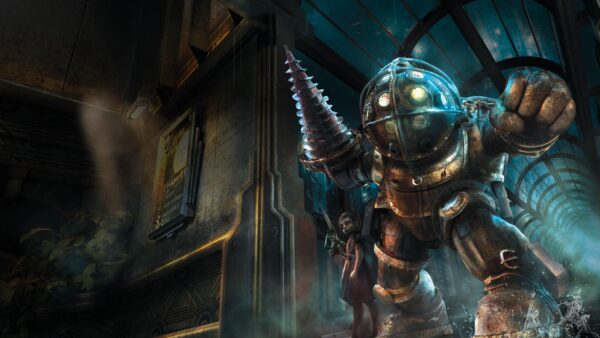
According to information we’ve obtained, 2K is preparing an announcement related to the BioShock franchise. While we don’t know exactly when it will happen, some of the information suggests it will occur fairly soon, most likely before the end of summer.
At this point, we don’t know what the announcement will be about. It could be the reveal of initial details about one of the projects announced several years ago, such as BioShock 4 or the upcoming Netflix movie. Some of the information we’ve come across also seems to suggest another possibility: a remake or a proper remaster of the original BioShock.
Last year, we reported on how Ubisoft confirmed that they are working on multiple Assassin's Creed remakes.
BioShock Announcement Incoming From 2K Games Soon
From the information we have gathered, it seems that the city of Rapture will play a significant role in the upcoming announcement. Interestingly, among the details we uncovered are clear references to the original 2007 BioShock, which may suggest that a remaster or remake of this iconic game is underway.
However, it’s also possible that the focus on Rapture and the references to the original game relate to the upcoming film, which might be set in the underwater city—perhaps even with a storyline tied to or based on the events of the first game. Another theory is that BioShock 4 might actually take place in Rapture—despite earlier rumors—and that the references are simply a nod to longtime fans. It could also be 2K’s way of reintroducing the city to new players unfamiliar with the series, even if the new game itself isn’t set there. Many possibilities remain open.
In July last year, we unearthed a slew of what appears to be early screenshots of BioShock 4, though we can’t be certain if those and this announcement are connected.
Last year, we reported that a 2K employee mentioned involvement in an unannounced remake. At the time, we speculated that the original BioShock was one of the titles most likely to receive a remake. Since then, 2K has not announced any new remakes or remasters.
It’s also worth mentioning that in 2021, the NVIDIA GeForce Now leak revealed a project called BioShock RTX Remaster, which has yet to be officially announced.
While a BioShock Remastered was released on PC, PS4, Xbox One and Switch in 2016, we can imagine if this is another remaster, that it will be one that has a lot more to offer. We’ve seen Bethesda (alongside developer Virtuos) do this with The Elder Scrolls IV: Oblivion Remastered, where it wasn’t just a visual facelift, but new game mechanics and more were added too.
When it comes to potential announcements, Summer Game Fest is kicking off next month, and while we can’t be certain it will ber revealed there, it’s a major gaming event that where host Geoff Keighley usually has a surprise or two up his sleeve.
In 2021 Turtle Rock Studios launched Back 4 Blood, a spiritual successor to the acclaimed zombie franchise Left 4 Dead, created by some of the studio's original developers.
Bethesda and id Software have released the first post-release patch for DOOM: The Dark Ages on PS5, and it’s a minor bug that doesn’t resolve some of the key issues players have with the game.
Players will see this as DOOM: The Dark Ages update 1.003 (complete version 1.003.000), and it’s a small download. Based from what we’ve seen this patch is only out on PS5, and there’s no acknowledgement from Bethesda if PC and Xbox Series X|S gamers will be getting it today.
While DICE has yet to announce the title of the new Battlefield game in development, the studio did reveal more info about the game's class system.
DOOM: The Dark Ages Major Issues Still Persist Even After Patch 1.003
Update: Bethesda has acknowledged the patch and confirmed it is out on all platforms! Here are the official list of fixes:
Addresses multiple crash issues around map start
Loading late campgain save crashing issues
Crashing brought about by charging or throwing the Shield Saw
Original Story:
Here’s the strange thing, so far, Bethesda has not made any announcements for the title update. The PC version got two small patches last week, which included the following fixes:
Updated startup messaging.
Fixed most instances of crashing at launch for some users.
Added new startup messaging for NVIDIA graphics card users.
For today’s patch, the community has confirmed that this has NOT fixed the trophy bug/Berserker bug! This means that those who wish to Platinum the game, you still won’t be able to even if the Berserker challenge is marked as completed.
How to Fix the DOOM: The Dark Ages Berserk/Trophy Bug?
The known fix for this is to start a new save file and erase the previous save tied to the milestone! Yes, it’s annoying but so far, that’s the only fix known.
Aside from today’s patch, we’ve also listed the known issues affecting all platforms.
DOOM: The Dark Ages Known Issues (as of May 22, 2025):
PC
Issue: Some users with supported hardware and drivers may experience intermittent freezes while playing the game.
ㄴ Resolution: Make sure you have Hardware accelerated GPU scheduling enabled in Windows.
Issue: Users running the game on supported NVIDIA hardware with the latest GPU drivers installed who experience a crash at launch may have a bad driver install. If other troubleshooting steps have failed, attempt the following resolution.
ㄴ Resolution: Restart the PC. Reinstall the appropriate graphics drivers and select the “clean install” option from the NVIDIA driver installation prompts.
Issue: Game crashes while OBS is running in the background.
ㄴ Resolution: Closing OBS before launching the title will resolve this crashing.
Issue: Users with NVIDIA 50 series GPUs on the 576.40 drivers may experience game freezes if Alt + Tabbing with FSR FrameGen enabled in fullscreen mode.
ㄴ Resolution: To avoid this issue, either do not Alt + Tab frequently, run the game in borderless window mode or disable FSR Frame Gen.
Issue: If you are playing on an RTX 50 series GPU and enable G-Sync (supported display required) or V-Sync plus Multi Frame Generation through NVIDIA Control Panel you can crash the game.
ㄴ Resolution: Until a driver fix is available, the workaround for this issue is to either disable one of these options in the NVIDIA control panel or if you want both enabled, set them in-game.
Issue: If you are playing on an RTX 40 or 50 series GPU and enable Multi Frame Generation or FrameGen, V-Sync still shows as enabled.
ㄴ Resolution: This is a minor cosmetic issue – the game disables V-Sync under the hood in these cases.
Issue: Users with NVIDIA GPUs may find that Alt-Tabbing while launching the game can cause the game to launch in the background and not be accessible.
ㄴ Resolution: This is a known driver issue. Until a fix is available in a driver update, to avert this issue, avoid Alt-Tabbing during game launch. If encountered, it can be resolved by restarting your PC.
Issue: Users with NVIDIA 50 series GPUs may experience TDRs or system hangs when starting gameplay recording using Shadowplay with MultiFrameGen set to 3x or 4x.
ㄴ Resolution: To avoid this issue, either do not use the noted MFG settings or record gameplay with a different application.
Issue: If capturing with OBS, game visuals may freeze when Alt-tabbing from Fullscreen
ㄴ Resolution: Until there is an update from OBS, the workaround for the issue is to capture in Windowed or Borderless mode.
Issue: The game can lock up when manually resizing the game window with FSR FrameGen enabled.
ㄴResolution: To avoid this issue, do not manually resize the game window with FSR FrameGen enabled.
Issue: Users who unplug a 2nd monitor during gameplay may notice that the game has frozen.
ㄴ Resolution: To avoid this issue, do not unplug any monitors while playing the game.
Issue: Players running the game with the MSI Afterburner or RivaTuner overlays enabled may experience stability issues.
ㄴ Resolution: To avoid this issue, do not run the game with either application running in the background.
Issue: In rare cases, players running DOOM: The Dark Ages on a supported PC spec at appropriate settings, who have the latest GPU drivers installed and also have an intel CPU model number that starts with the number 13 or 14 can run into persistent crashing.
Issue (Added: 5/13): Users with certain display configurations may hear game audio when launching the title but the game window is invisible.
ㄴ Resolution: Steam users can manually configure launch options to enable a valid display resolution by right-clicking on the title in the Steam library, selecting Properties, and entering the following text in the “Launch Options” section of the Properties menu: +r_mode -1 +r_fullscreen 0.
Issue: FOV changes do not carry over into Cinematics or interactive events, such as shield bashing through walls.
ㄴ Resolution: This is by design but we are evaluating a possible change to make FOV changes global in a post-launch update.
Issue: Changes on the FOV slider after Cinematics or Wall Shield Bashes may not affect display.
ㄴ Resolution: This is a temporary issue that will reset when changing levels, loading checkpoints, or returning to the Main Menu.
Issue: In rare cases, the Vagary in Ancestral Forge may disappear and block access to the collectible item placed at the wolf statue.
ㄴ Resolution: If you encounter this issue, the workaround is to reload the checkpoint.
Issue: The “Barrel Stuffer” and “Super Barrel Stuffer” Mastery challenges may not appear to increment when expected.
ㄴ Resolution: Per the challenge descriptions, every pellet must hit demons, and this can be difficult if the demon is too small or dies before all pellets hit. Try on Heavy and Super-Heavy Demons for more consistent progress.
Issue: You may maneuver the Slayer onto geometry or objects outside of intended, navigable space, and then become stuck.
ㄴ Resolution: If this occurs, and the object is not destructible, the workaround is to reload the checkpoint.
Issue: In Siege – Part 1, the combat encounter in front of a cave to one of the Hell Portals in the swamp side of the map may not spawn under very specific conditions, blocking the player from continuing.
ㄴ Resolution: The current work around is to Reload the Checkpoint, which resolves the issue. Rare reports where this has occurred involve saving this Hell Portal for last, so approaching this encounter earlier may also avoid the issue.
Issue: If you defeat a demon with a Melee attack while the Shield Saw is still embedded, the Shield may appear invisible in the hands for some time.
ㄴ Resolution: The Shield Saw will reappear after multiple uses.
Issue: Some users may find that an additional button press is required to input actions when first opening the Dossier.
ㄴ Resolution: We are investigating a fix for a future patch. In the meantime, if you experience this issue, press your first input twice as a workaround.
Issue: Some users may find that the amount of Gold in their inventory doesn’t change after purchasing an upgrade.
ㄴ Resolution: We are investigating a fix for a future patch. In the meantime, please be aware that this issue is purely cosmetic and that the Gold in your inventory will update after backing out of the Sentinel Shrine UI.
Issue: In some cases, users may experience icons not appearing correctly after button actions have been remapped.
ㄴ Resolution: Remapped buttons will appear correctly after backing out of and re-entering the Inputs menu.
We’ve reached out to Bethesda to seek what fixes have been made with today’s patch, and if we get a reply, we’ll update the article ith the info.
Aside from the issues, DOOM: The Dark Ages is one insane ride. Read our in-depth review to see why it’s in the running for Game of the Year.
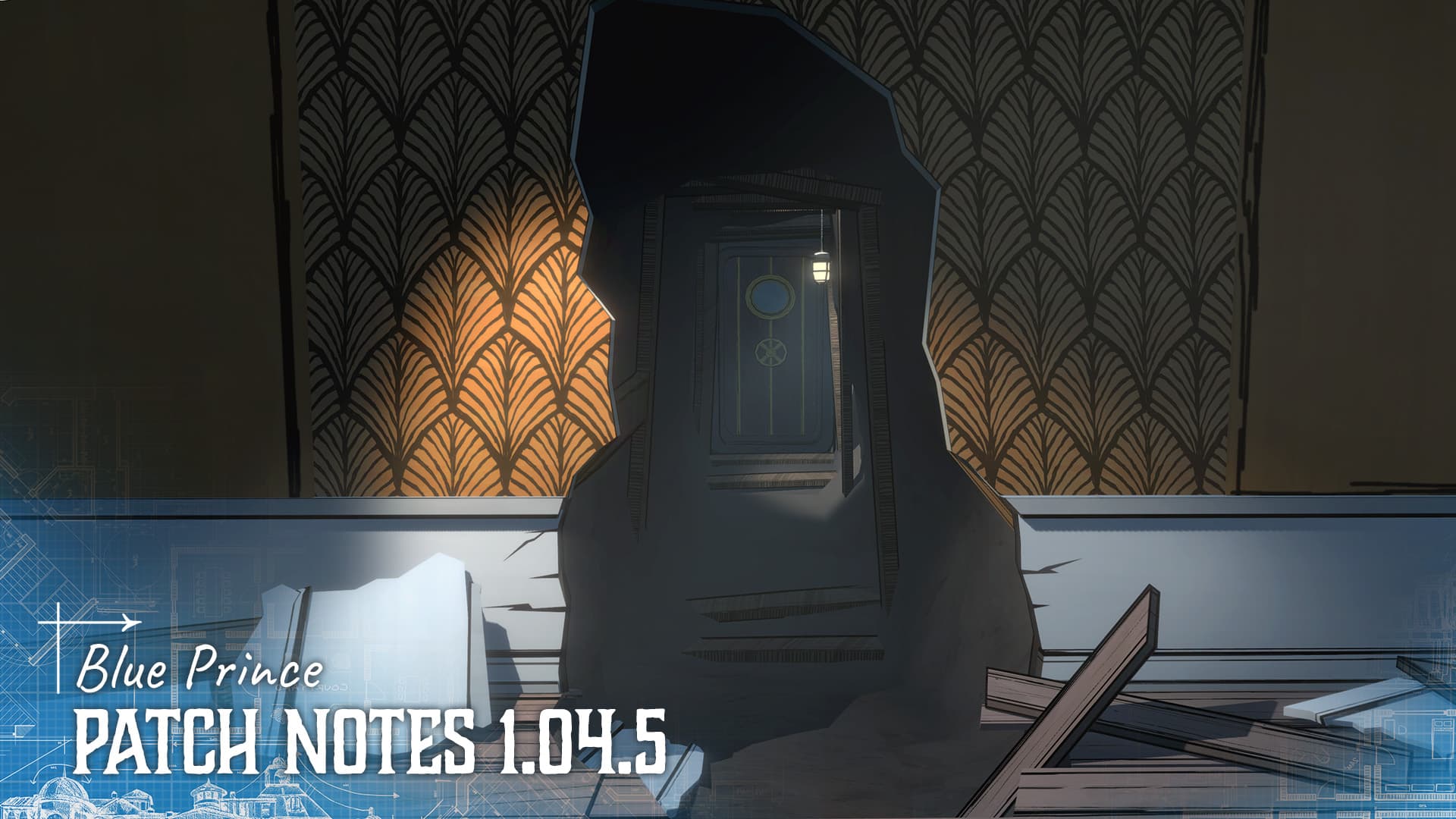
PS5 players annoyed at the Blue Prince sav issues, Dogubomb finally has a patch that addresses that available today! This patch is also available on Xbox and PC, and it address a good number of bugs as part of the version 1.04.5 patch.
For those on PS5, you’ll see this download appear in your notifications as Blue Prince update 1.007. Aside from the save rollback issue, there’s a good number of story-related bug fixes as well, which will be considered spoiler-ish in nature. There are also late-game bug fixes, so proceed with caution before reading the entire changelog.
Just the other day, Gearbox Software CEO Randy Pitchford made a statement that didn't go over well with the gaming populace.
Blue Prince PS5 Save Rollback Issue Addressed in Patch 1.007
Here’s the announcement from Dogubomb about the save issue:
“This patch also includes a fix for the PS5 Save Rollback Issue that was preventing players from progressing their explorations of Mount Holly.
This issue was caused by a duplication of save data causing new save information to time out and not be saved. This problem has now been addressed and players should have no issues progressing and saving the game past the point where the bug was initially encountered.
We have worked tirelessly with Sony to avoid any save files being lost once the game patches .However, content that was not saved during the Rollback Issue has unfortunately been lost. Players should be able to return to Mount Holly at the point where they encountered the bug.”
Before reading on, there are spoilers listed below even for late game content. Read the complete changelog at your own risk.
Sony has launched another new PlayStation Store sale today! The "Multiverse of Games" promotion is live, and this brings over 2,000 items to the discount bin.
Blue Prince May 22 Update Patch Notes and It’s Full of Spoilers
Fixed the rollback bug that was interfering with saving the game on PlayStation for some users
Fixed a bug occasionally preventing players from entering the highest rank due to a rogue collider.
Fixed a bug that could cause you to lose steps when investigating the east sealed antechamber door while in a gymnasium.
Fixed a potential collider softlock that could occur after digging up treasure in the Cloister.
Fixed a potential collider softlock that could occur after digging up treasure in the Closet.
LATE GAME SPOILER CHANGELOG BELOW – Read at own risk
Boat Ride cinematics can now be once again skipped (this had been disabled because of a soft lock that has also now been fixed.)
Lever pull cinematics can now be skipped.
Added additional safety checks to address reported soft locks some users reported encountering in the Casino.
The 7-letter title in the Gallery now accepts an overlooked regional spelling as a valid solution
Boudoir Safe now accepts one alternate regional solution.
Safes now remain open on subsequent days after unlocking them.
A bug has been fixed in Maid’s Chamber and Servant’s Quarter that would occasionally cause payroll to not spawn.
A bug has been fixed in an upgraded guest bedroom that was causing a one-time trigger to occur multiple times.
Edited the wording of “Question 33” to provide more clarity. The solution remains unchanged.
Cleaned up the mathematical symbols of “Question 46” to provide more clarity. The solution remains unchanged.
Unified Date formatting in terminal logs for consistency.
Repositioned a (Blue Tents) memo in a ‘found floorplan’ to fix a bug causing it to occasionally not appear. (no content change)
The experiment that “lowers water” will now be replaced with an experiment variation that “raises water” if there is not currently any water to lower.
The experiment “Each time you view your map, lose 10 steps and then” has been changed to “The next 10 times you view your map, lose 10 steps and then”
The experiment “Gain 1 Key for every 40 steps you have” has been changed to “Gain 1 Key for every 30 steps you have”
The experiment “Gain 1 Key, 1 Gem or 1 Gold (selected at random)” has been changed to “Gain 1 Key, 1 Gem, or 1 Die (selected at random)”
On Day One, the trunk in the bedroom will no longer only appear after the first draft.
We would also like to add that we are currently working on a feature to use the Blackbridge Terminal’s “IMPORT TROPHY DATA” feature to work with platform achievements that have been previously earned (even if they don’t exist in any of your current save files.) We expect this feature to be completed soon and will be included in an upcoming patch, thank you for your patience.’
Almost a year ago, we reported on how Stellar Blade 2 was mentioned by a leaked roadmap that proved to be the real deal.
Blue Prince’s Future and the Road to 1.10
Dogubomb has confirmed that version 1.10 will be the game’s final major update and will be the “definitive version of the game.”
Some of the planned features of this major update include:
an overhyped arcade game
a curious house cat
accessibility features like color assist mode
controls remapping
cursor size/opacity settings
widescreen support
UI/UX improvements
more variations for end-of-day manor descriptions and accompanying house illustrations
HUD display customization
final room/item balancing
addition of a handful of extra cinematics
Even if this is the last content-filled patch, the developers will continue to release bug fixes in the months leading up to version 1.10. More importantly, these patches might include some of the new features mentioned above. Outside of the major 1.10 update, the developers promises more title updates aimed at fixing bugs will be released “far, far into the future,” so players have nothing to worry about.
If you’ve yet to play the puzzle game, read our review to find out why it’s one of 2025’s best-reviewed titles.
Last week, Warhorse Studios released the game’s first DLC alongside a new patch that added horse racing to Kingdom Come Deliverance 2. Unfortunately, a bunch of issues also surfaced with that patch, which is being addressed with today’s KCD2 hotfix.
Console gamers will see this as Kingdome Come Deliverance 2 update 1.031, which the studio calls Hotfix 1.3.1 and it’s meant to address quest issues and more.
Sony has launched another new PlayStation Store sale today! The "Multiverse of Games" promotion is live, and this brings over 2,000 items to the discount bin.
Kingdom Come Deliverance 2 Quest and Various Issues Resolved With May 22 Update
Aside from quest fixes, Warhorse also addresses crash and performance issues, and even platform-specific bugs. Read on for the complete patch notes.
Features
Environment
– Fixed the positioning of the player’s bed at Kreyzl’s mill so that it is now correctly available to the player.
Save/Load
– When creating a new manual save while at maximum save capacity, the game now correctly overwrites the slot selected by the player instead of overwriting the oldest manual save.
Tutorials
– Fixed a crash that sometimes occurred after resetting the tutorials.
UI
– Edited formatting for the prompt about opening the EULA.
Visuals
– Fixed frequent flickering issues.
Platform-specific
– Xbox – Fixed a crash that occurred when resuming the game after installing the DLC.
– GOG and Steam – Fixed the Lion’s Crest not being listed in the DLC menu section.
Quests
Brushes with Death (General)
– Fixed Voyta still mentioning more interesting work coming up once the player reaches Kuttenberg, even after this is no longer appropriate.
– Included missing German and Czech voiceover lines.
– Revised several German and Chinese translations.
A Sketchy Situation
– Fixed shadows from nearby vegetation affecting the initial cutscene under certain weather conditions.
Horses for Courses
– Fixed the final reward perks being mistakenly swapped.
Oratores
– Fixed Ruthard Manor becoming closed to the player if they agree to explore the underground in the dialogue with Samuel while being outside Ruthard Manor.
The King’s Gambit
– Fixed the player sometimes becoming stuck after bowing to Sigismund.
Unveiling
– Fixed Voyta remaining in his working clothes before the final cutscene.
– Fixed Chrudosh’s reaction to the player killing the bandits.
Portrait in Red
– Prevented Burkhard from automatically dying when falling unconscious; also prevented him from falling unconscious.
If you’ve yet to play the “Brushes With Death” expansion, you might want to change that. Read our review to see why it’s worth the extra dough.
Just the other day, Gearbox Software CEO Randy Pitchford made a statement that didn’t go over well with the gaming populace. While there’s no price point set for Borderlands 4 yet, Pitchford mentioned how a “real fan” would “find a way to make it happen” even if it was $80.
While it might be just $10 to some, any added cost to an entertainment product isn’t something people are warm to right now, given the tariff situation, rising cost of living, and other such issues.
Given Pitchford is the boss of a studio releasing a big game later this year, something like this won’t go unnoticed. Pitchford’s tweet gained a lot of steam and managed to attract close to two million views.
As Borderlands 4 prepares for its release in September, Randy Pitchford, CEO of Gearbox Software, has made a public request to video game fans.
Gearbox Boss Sort of Apologizes for Tweet About “Real Fans”
Today, the Gearbox boss has now (sort of?) apologized to his tweet, and how nobody likes being taken for granted and it was not his intent.
Pitchford said, Boy howdy, JackGPT, is that how I sound? My bad, but cheers to Duke_Newcombe and @MoxsyOG for the funniest thing I’m going to read today!”
The exec continued, “In seriousness though, nobody likes being taken for granted and it was not my intent. I’m humbled by the love and support everyone has shown the team as we push hard to get this amazing game in your hands. They’re crushing it, and I can’t wait for everyone to play what’s going to be the best Borderlands ever! Regardless of where the price lands, it’s going to be worth it and then some. Back to work for me!”
I didn’t really see a “sorry” or something there, but that might be Pitchford’s version of an apology, but that might be the best we’ll get from the studio boss.
Will Borderlands 4 cost $80? That question remains unanswered for now, though we’re hoping it won’t or otherwise, a lot of people will be unhappy.
Borderlands 4 is set for release on September 12 on PS5, Xbox Series X|S and PC. The release date was moved up 11 days, which bodes well for the game’s development status.
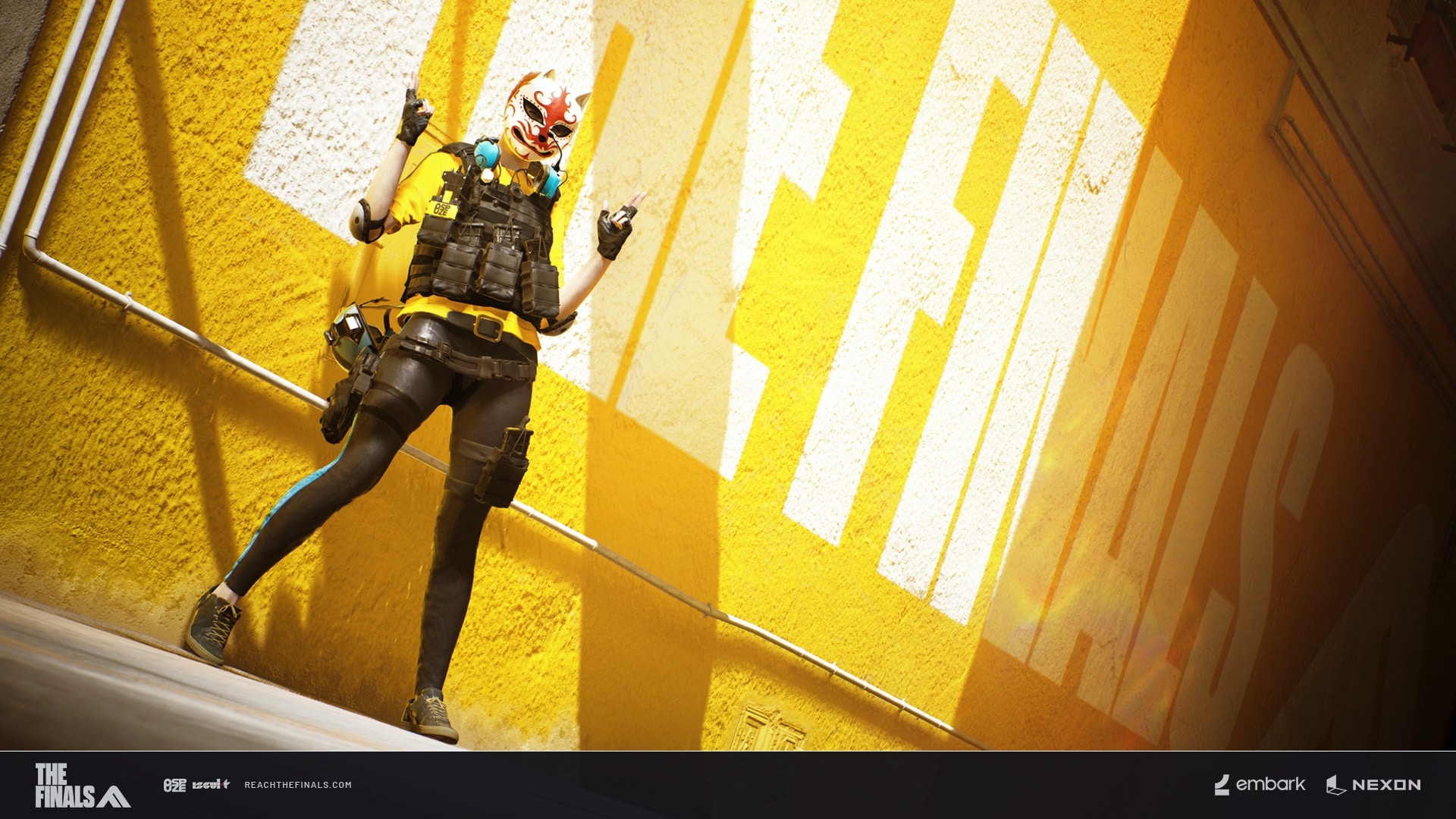
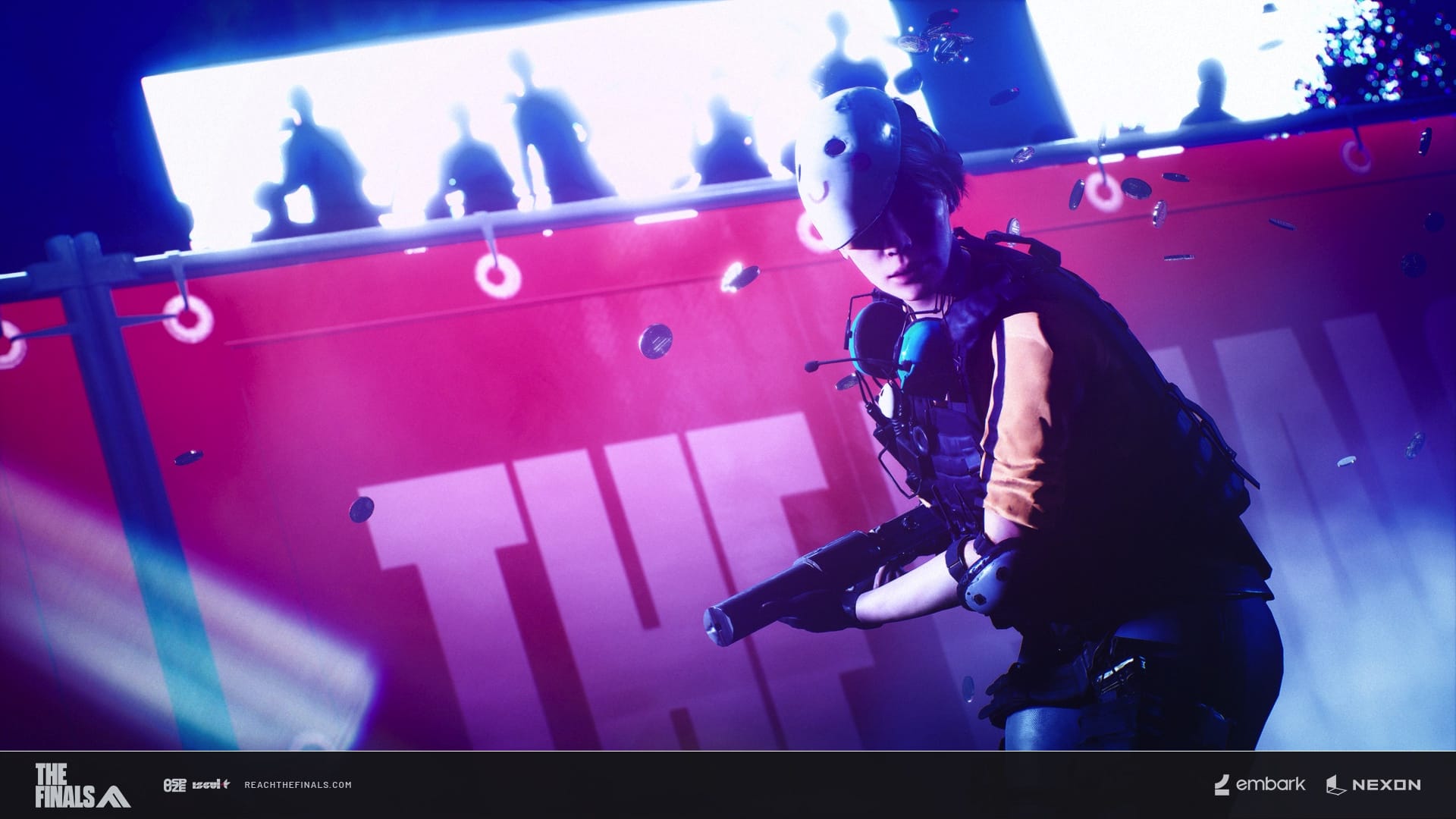
The Finals patch 6.9 has been released for update 1.000.085, and this includes a new mode called ‘Heavy Hitters’. In this mode, players have a sledgehammer in a 5v5 match! Loads of bug fixes and improvements have also been made.
Check out more details for The Finals update 1.24 down below.
Embark Studios released The Finals in Dcember 2023 as a free-to-play shooter that had a game show premise.
The Finals Update 1.000.085 Has a New Mode
Update 6.9.0
HEAVY HITTERS NEW MODE | NEW MAP | NEW REWARDS
Get ready to bring the pain in HEAVY HITTERS, a high-impact Limited Time Event where everyone plays with a loadout built for bonking and bouncing! Grab your Sledgehammer and start swinging in this 5v5 Platform Fighter mode. The only way to win is to knock your opponents clear off the edge of the all-new Pop Drop Arena!
Expect intense action, aerial chaos, and heart-pounding showdowns, all fueled by the explosive energy of OSPUZE and their fierce new flavor: Tiger Juice. Complete contracts to unlock fun rewards and earn your stripes!
This mode is raw power and pure momentum, so savor the flavor while it lasts! It’s time to go wild.*
Drink up! Get your bonk on!
*Do not consume more than the recommended maximum dose.
BOOSTERS ACTIVATED!
We’re getting close to the finish line! XP DASH is live and running now through the end of the Season. It’s your chance to accelerate your progress with bonus XP and Fans!
Whether you’re catching up or charging ahead, this is the boost you’ve been waiting for. Stack those rewards and finish strong!
On your mark, get set, DASH!
FIGHT FOR THE RIGHT TO REBRAND!
The season is approaching its final stretch, and that can only mean one thing for the World Tour: Sponsor Showdown! OSPUZE, ENGIMO, and ALFA ACTA have battled for your loyalty all season. Now it’s your chance to show where you stand and fight for your sponsor’s rise to the top.
Every match you play in any Mode contributes to your sponsor’s daily standings. As one pulls ahead, their influence spreads across the Arena. From billboards to walls to full visual takeovers, each map becomes a live battleground for brand control!
At the end of each day, the top-performing sponsor claims dominance over chosen maps. By season’s end, only one name will tower above the rest!
The Arena is waiting. The CEOs are watching.
Who are you fighting for?
NEW TWITCH DROPS
We’ve got a whole new set of drops to set your loadout ablaze! Watch any stream of THE FINALS on Twitch and unlock the all-new Broadcast Blaze weapon skins.
Whether you’re here for the plays or the style, don’t miss the chance to claim them all!
Watch your favorite Contestant and cheer them on from the bleachers!
ARENA NEWS
The tides have shifted:
The water in Kyoto won’t be slowing you down anymore! Move freely through the water like the aquatic creatures you’ve always wanted to be!
P.E.A.C.E. was always an Option:
Into the woods without delay, but careful not to lose the way. The P.E.A.C.E. Center has been officially added to Team Deathmatch! Time to jump back in and answer the age-old question: If a Contestant falls in a forest and no one is around, do they make a sound? (Yes they do. It sounds like coins.)
THE END OF ENDLESS EFFECTS
We’ve finally tracked down and eradicated the root cause to one of the most persistent and annoying bugs in the game: a complicated but infuriatingly common series of events (only sometimes) could cause the cue states of effects to persist forever. It took nearly six whole seasons to pinpoint the catalyst but we’ve finally cracked the case! This issue caused all sorts of visual irritants to be “stuck” to players, like burning, Invincibility (just the visual state), Detection (AKA opponents constantly being tracked) and all the rest! Game-breaking? Occasionally. Annoying? Always.
We’re so relieved to introduce this fix, so no enemies are permanently tracked through walls, and no more teammates constantly on fire!
Here are the “no-longer-lingering” effects:
Sonar pings
Tracking dart
Motion detector
Burning
Gas
Invulnerable (respawn)
Invisibility
Nullifier
IT’S SLEDGEHAMMER TIME
In honor of Heavy Hitters, you’ll find a host of hammers for you to choose from! Make sure to equip one on a selected Heavy contestant before entering the event to spawn into the Arena with your personal favorite!
OSPUZE Tiger Juice also has a few more accessories that’ll help you release your inner predator and remember this event forever!
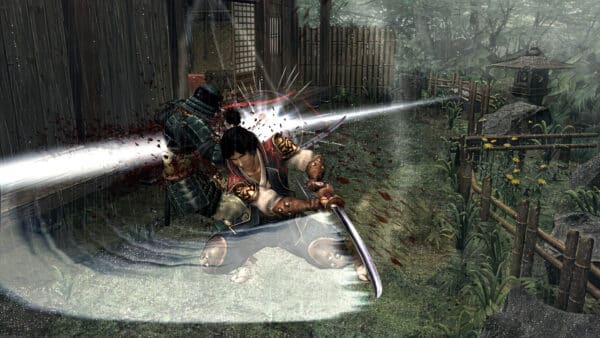
The Shin Megami Tensei franchise has been around since 1987, and the first release for the series on the PS2, Devil Summoner: Raidou Kuzunoha vs.
And of course, there are plenty of Balance changes, fixes, and content updates to read about below:
Balance Changes
Maps
Kyoto
Removed the slow movement effect when running through water
Weapons
ARN-220
Updated the recoil pattern to be the same for both magazines, making the weapon feel more consistent to aim
FAMAS
Decreased the amount of visual recoil when firing the FAMAS, making it slightly less shaky
KS-23
Increased accuracy by decreasing bullet dispersion when firing from the hip while crouch moving
Increased accuracy by decreasing bullet dispersion when aiming down sights while crouch moving
Increased accuracy by decreasing bullet dispersion when firing from the hip while standing still
Increased accuracy by decreasing bullet dispersion when aiming down sights while standing still
Increased accuracy by decreasing bullet dispersion when firing from the hip while running
Increased accuracy by decreasing bullet dispersion when aiming down sights while running
Dev Note: These changes make the KS-23 much more accurate while in various movement states, hopefully increasing its viability
M11
Decreased the jitter at the end of the weapon’s recoil pattern, making it smoother and easier to use at the end of long bursts of firing
Decreased the amount of visual recoil when firing the M11, making it slightly less shaky
Melee Weapons
Improved hit sweeps across all melee weapons, to make them more reliable. As a result, it should feel like fewer sweeps get lost to collision with world objects or geometry
Dev Note: We believe this change significantly improves the reliability of melee combat, but we’ll continue to monitor melee and make further improvements based on what we see.
XP-54
Decreased damage from 17 to 16
Increased rate of fire from 850RPM to 860RPM Dev Note: XP-54 has been performing exceptionally well since our last buff, with its effectiveness sitting well above all other weapons now. To bring it back in line with most of the other weapons, we want to try to get it to a place somewhere between what it was before and what it has been most recently. To do this we’ve lowered the damage back to its old value, but increased the fire rate slightly to offset that
Content and Bug Fixes
Animation
Fixed an issue where your lower body could sometimes block your aim after launching off a Jump Pad and aiming down sights
Fixed an issue where bullets on the M60 Lid Lifter were visible when they should be hidden while reloading from empty
Fixed a case of animation culling where melee strike animations were missing for other players viewing the action in third person
Fixed an A-pose visual glitch when looking down while in the Nullified state
Fixed ladder animation syncing issues when using Dual Blades or the Riot Shield
Fixed broken hand poses in the Vanish Bomb inspect animation
Fixed melee actions (of the Winch-user) not displaying correctly for contestants being winched
Fixed a clipping issue when exiting ladders at certain angles
Audio
Set the mixer to lower the pitch and mute the game audio when paused in spectator mode
Fixed an issue where some inspect sounds, such as the Katana skin on the sword, were not played for spectators
Clubs
Improved the club filter reset so that it now properly clears all active filters
Customization & Cosmetics
Fixed clipping between the Bout Blanket boxing robe and some facewear items
Fixed the position of the Beating Badge Emblem
Fixed the Nyabyte Top to work better with pets
Player-created outfits now properly reflect changes when equipping items directly from the store
Fixed sticker clipping issues on the ‘Fowl Fury’ skin for the Smoke Grenade
Emerald Flamethrower skin now shows the correct material on dropped tanks
Fixed an issue where the Heavy body type appeared slimmed down on low/medium settings when wearing the Beanie
Fixed stretching and visual issues on several shoe items (Geta, Arch Rival Geta, Tradition Treaders, Lace-Up Kickers, Valor Shift Boots) when worn by the muscular body type
Holograms now display correctly on the Heavy Muscular body type
Fixed clipping between football shoes (cleats) and pants
Fixed the camera angle when zooming in on Tattoos in store offers
Fixed clipping issues between the bun hairstyle and the Backwards Baseball Cap
Adjusted Wildlands Vest to prevent clipping with bandoliers and emblems
Vinerunner Cargos no longer clip with shoes
Season 3 Ruby rewards are being added
Dev note: Thank you to all the S3 Ruby players who signed the petition! You should start to see your rewards show up (Player Card background and Emblem) and then a Player Card badge in the next big update! Thanks to a very good egg, Newton!
Minor art fixes on several hairstyles
Fixed an issue where “Highlight Reel” and “Holtow Fine Print” did not display the player name correctly
Fixed stretching and jittering on the “Trail Blazer” backpack’s physics assets
Gadgets
Optimized the visual fidelity on the Barricade panels to eliminate visible gaps on low graphics settings and fix clipping issues
Game Modes
Cashout Modes
Fixed a bug where the Game Show Event widget disappeared after a cashout
Power Shift
Fixed an issue where, if the platform was centered during overtime, the wrong team could be presented as the winner
In overtime, the winning team now correctly receives $25K in cash, replacing the previous behavior where no cash was awarded
Quick Cash
Fixed the “respawn timer extended” message sometimes displaying incorrectly
Team Deathmatch
Fixed an issue where environment self-kills were not being penalized
Self-kills now give the enemy team $25 if the player hadn’t taken any damage beforehand
Terminal Attack
Fixed an issue where health regeneration was not working as intended, restoring proper healing behavior
Gameplay
Fixed an issue where Dummy health bars in the Practice Range would stop displaying
Fixed an issue where initial player spawns could be unfairly skewed toward objectives instead of using proper symmetric spawn locations
Fixed an issue where friendly player outlines were not visible in the beginning of rounds
Fixed a core issue that caused effects like sonar, burning, Dash, Jump Pad and invisibility to get stuck permanently, and prevented new effects like tracking dart from being applied
Fixed a rare issue where players would be unable to move or shoot when spawning into the game
Fixed an issue where ziplines could be launched unintentionally
Maps
General
Vegetation: Fixed an issue with multiple trees that sometimes could trigger a vault unexpectedly
Adjusted health values of multiple assets to allow for more consistency in traversal and cover
Fixed issue where the floor in the Practice Range building would hover mid-air after destruction
Fixed a rare issue where ziplines would fail to load in the level
Kyoto
Added missing destruction on several smaller props
Seoul
Fix an issue where players were able to accidentally vault on pipes underneath catwalks
Fixed missing collision on pillar in staircases
Performance & Stability
Minor optimization to shader pipeline precompilation
Crash fixes
Optimized the amount of network data needed for destruction events
Improved animation performance
Rendering
Fixed missing Contestants in reflections during tournament intros
Change DLSS CNN model option to use preset E instead of the default preset
Settings
Fixed unresponsive gamepad keybindings for text chat
Fixed an issue with video settings not saving properly in the Xbox PC version of the game
Specializations
Cloaking Device
Prevented invisibility from being canceled by emotes, and ensured Cloaking Device activation is not interrupted when holding an environmental prop
UI
Fixed a font inconsistency in the Private Matches screen
Implemented a new layout for loading screen rules
Added filters to the Expression screen
Body types are now categorized as common rarity in the Filters menu
Fixed a bug where the pointer would go missing for the first 3.5 seconds of the Post-round results screen
Fixed an issue causing new markers to appear on game mode selection every time the game booted
Players can no longer bypass archetype locks by double-clicking tiles in the ‘Create Contestant’ page
Outfit packs in the lobby select screen now follow the same order as the ‘My Outfit’ tab
Added missing weapon category labels to Season 6 weapons in the equipment screen
Added a bespoke HUD element for incoming and active Game Show Events
Club messages will no longer appear in-game when the ‘Show Club Channel’ option is turned off
Improved gamepad navigation in the customization filter popup
VFX
Fixed the missing VFX effects in a certain spot when using the Dematerializer in the Las Vegas Parking Garage.
Weapons
Melee Weapons
Fixed an issue where players could hit other players through walls when standing very close to them when initiating an attack
Dev Note: This fix also means that Riot Shields now more reliably block melee attacks, although the first person perspective can make it hard for players to tell when a swing hit them from the side versus directly hitting the shield. We’re hoping to further improve that issue in future.
Minigun
Fixed an issue where the Minigun could wind up while being pulled by the Winch Claw
When a newer update for The Finals is released, we will post all about it.
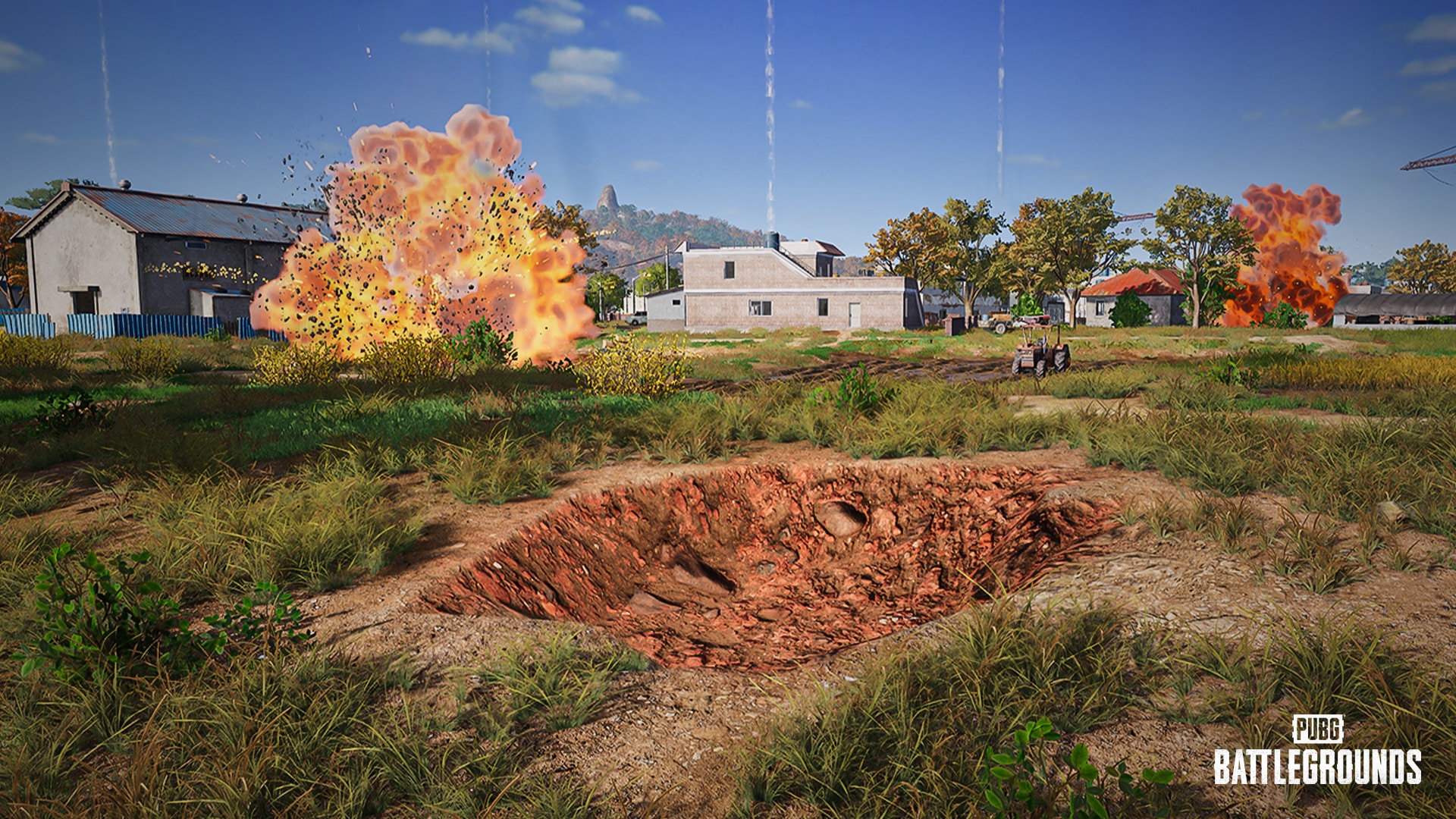
Patch 35.2 has been released for PUBG, and this is update 2.92 on consoles. The biggest new feature is that destructible terrain has been added to the Taego map. Loads of other fixes have been made too.
Check out the rest of the patch notes below.
Taego Now Has Destructible Terrain in PUBG Update 2.92
Live Maintenance Schedule
※ The times shown below are subject to change.
PC: May 14, 00:00 – 09:30 (UTC)
Console: May 22, 01:00 – 09:00 (UTC)
Map Service
※ PC players can anticipate the next rotation every Wednesday at 02:00 UTC, while Console players can expect the same every Thursday at 07:00 UTC.
Schedule
Start Date
PC
Console
Week 1
May 14
May 22
Week 2
May 21
May 29
Week 3
May 28
June 5
Week 4
June 4
June 12
Live Server – Normal Match
Map Select Regions (AS, SEA)
※ Taego will be included in the favored map rotation for the first 3 weeks of Update 35.2.
Fixed
Favored Map (Rondo, Miramar, Taego) Rotation
Etc. (Paramo, Vikendi, Karakin, Deston)
Week 1
Erangel
Sanhok
Taego
Miramar
Karakin
Week 2
Erangel
Sanhok
Taego
Rondo
Deston
Week 3
Erangel
Sanhok
Taego
Miramar
Paramo
Week 4
Erangel
Sanhok
Miramar
Rondo
Vikendi
Map Select Regions – KAKAO
Fixed
Favored Map (Miramar, Rondo) Rotation
Etc. (Paramo, Vikendi, Karakin, Deston)
Week 1
Erangel
Taego
Sanhok
Miramar
Deston
Week 2
Erangel
Taego
Sanhok
Rondo
Paramo
Week 3
Erangel
Taego
Sanhok
Miramar
Vikendi
Week 4
Erangel
Taego
Sanhok
Rondo
Karakin
Random Map Regions – NA, SA, EU, RU & Console
※ Weekly map probabilities are as follows.
Weeks 1 and 3: Taego 33%, remaining maps 17% each
Week 2: Taego 36%, fixed and favored maps 18% each, etc. maps 9%
Week 4: Fixed and favored maps 22% each, etc. maps 11%
The map service for Ranked is updated on a season-by-season basis.
※ Please note that the features and updates described below are subject to change or removal due to issues such as bugs, in-game problems, and community feedback. The images are intended as visual references only; the actual game may look different as the builds are continually developed and refined before release.
World
Taego
The Destructible Terrain feature has been added.
The Frag Grenade, Mortar, Panzerfaust, C4, Pickaxe, vehicle explosion, and Red Zone missiles can destroy terrain.
Some areas in Taego may have limited destructibility due to rocky terrain.
Does not apply to Ranked or Custom Match – Esports Mode.
The Pickaxe has been added.
The Red Zone has been added.
The emergency landing plane will no longer appear.
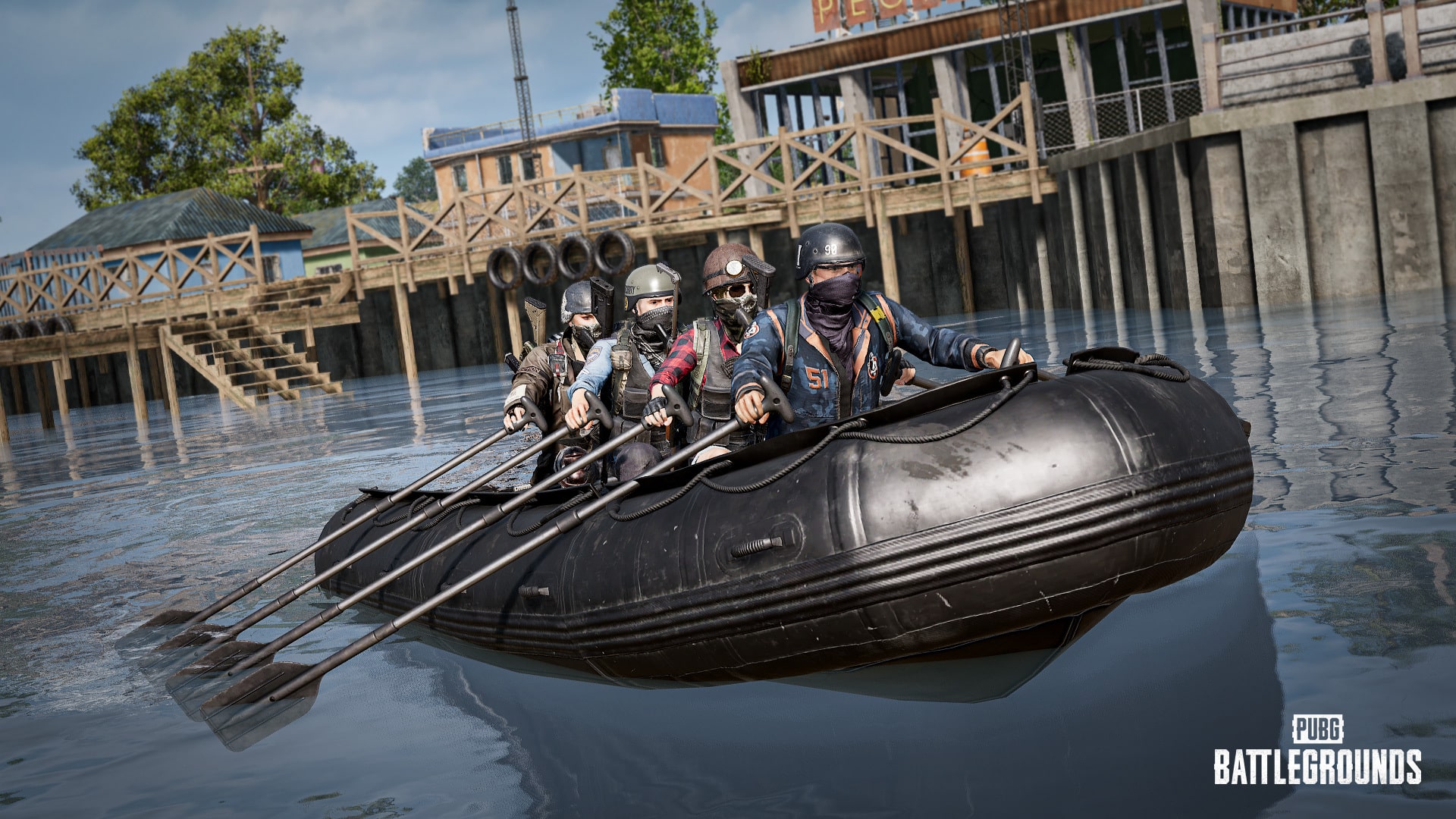
Fixed spawn spots for the Inflatable Boat have been added to Taego, but the total spawn quantity remains unchanged.
Dev’s comment: The Destructible Terrain feature that was first introduced on Rondo through Update 29.1 is now available on Taego as well. As mentioned in the 2025 roadmap, we plan to gradually roll out terrain destruction to additional maps. With this update, players can now enjoy creating new cover strategies not only on Rondo and Sanhok, but also on Taego. Additionally, the Pickaxe and Red Zone have been added to Taego, while the emergency landing plane has been removed. These changes aim to bring Taego’s gameplay experience more in line with other maps. Please note that the Destructible Buildings feature, which currently exists only on Sanhok, is not planned for other maps at this time.
Rondo
In-Game Challenges have been removed.
The Additional Starting Plane feature has been disabled.
Miscellaneous
The Bunny Baskets have been removed.
Gameplay
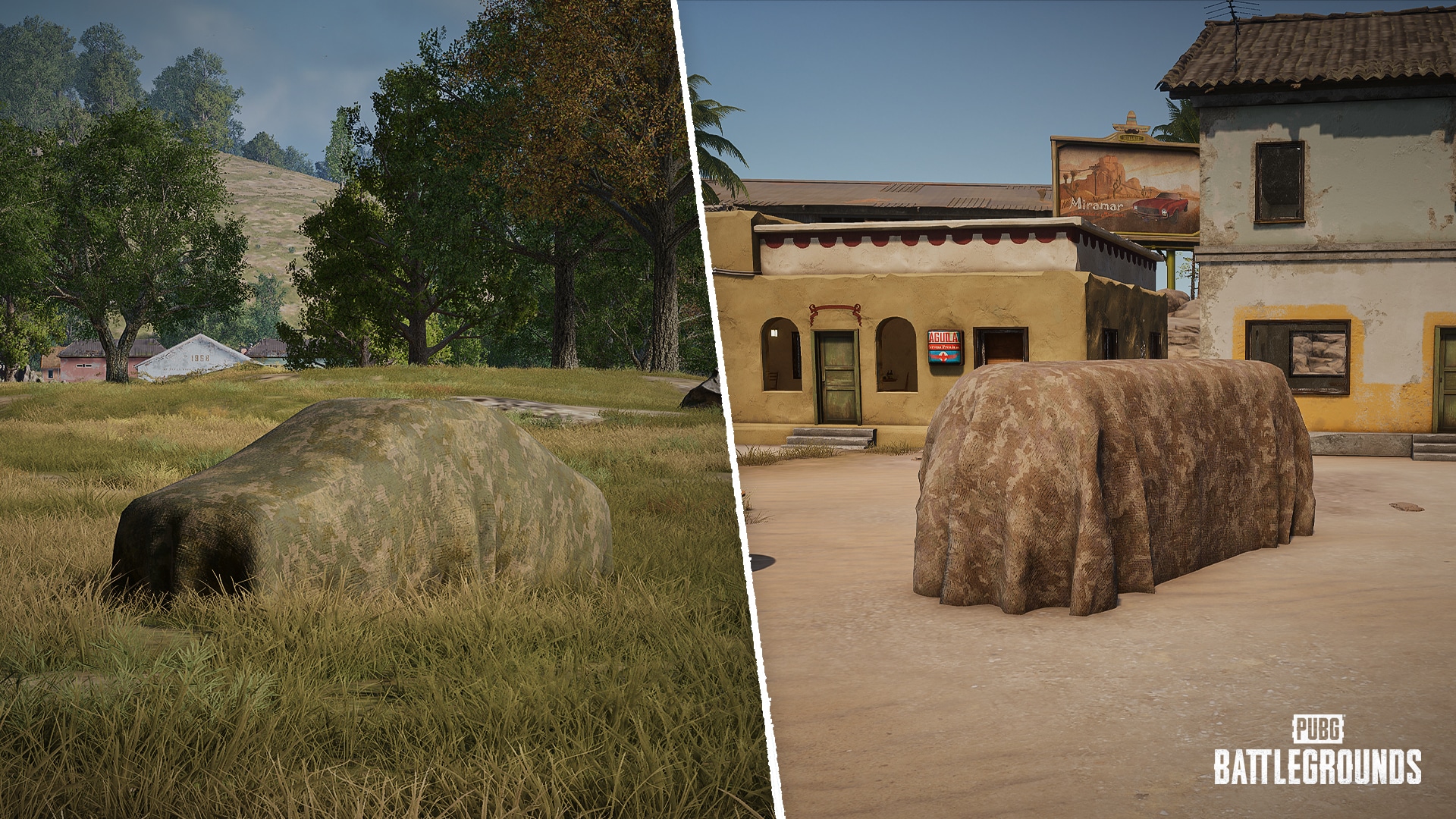
New Item: Vehicle Camo Netting
Introducing the Vehicle Camo Netting, a new item that adds a strategic layer to vehicle play.
Inventory slot: Melee Weapons
Weight: 20
Can be equipped and unequipped using the Melee Weapon key.
Can be deployed or removed using the Interaction key.
Cannot be deployed on occupied vehicles, and vehicles with Vehicle Camo Netting deployed cannot be boarded.
Deployment can be canceled midway.
Deployment or removal may be canceled by taking damage, collisions, or movement.
Does not reduce or block damage to the vehicle, and will be destroyed upon taking damage.
The appearance will vary depending on the overall tone of the map.
When placing a ping marker on a vehicle with the Vehicle Camo Netting deployed, a general marker will appear instead of a vehicle marker.
World spawns in Erangel and Miramar.
Can be deployed on four-wheeled vehicles.
Available in Normal Match, Arcade, and Custom Match.
Does not apply to Custom Match – Esports Mode.
Dev’s comment: The new Vehicle Camo Netting is coming in Update 35.2. Designed to help hide vehicles more effectively, it makes it harder for enemies to spot tire positions, giving you more ways to use vehicles strategically and adapt to different situations. That said, vehicles with camo netting can still be spotted if you look closely, keeping things tense and fun during gameplay. You’ll find the Vehicle Camo Netting in Normal Match, Arcade, and Custom Match at first, and we’re looking into adding it to other modes later on.
Objects
※The following updates apply to Normal Match and Ranked.
Vending Machines
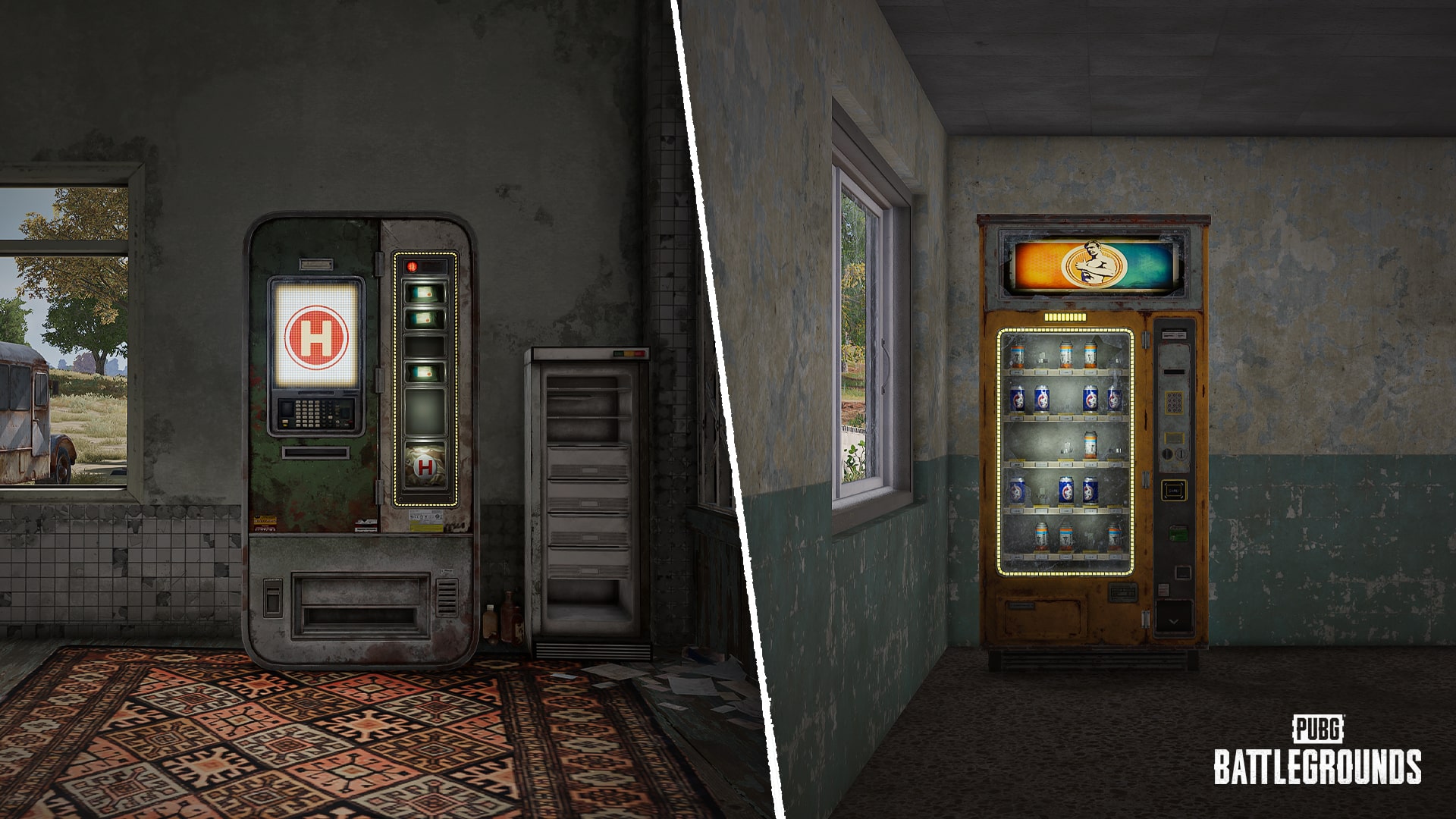
Vending Machines have been added to Erangel and Taego, and a wider variety of machines is now available across the Battlegrounds.
Boost Vending Machines have received a visual update.
Medical Vending Machines have been newly added.
Bandages, First Aid Kits, and Med Kits can be obtained from medical Vending Machines.
Just like the boost Vending Machine, it can sometimes drop a bunch of healing items at once.
The two types of Vending Machines have been added to Erangel and Taego.
They are placed in major buildings throughout the map.
One of the two types spawns at random.
The types and appearance of Vending Machines in Miramar will remain the same as before.
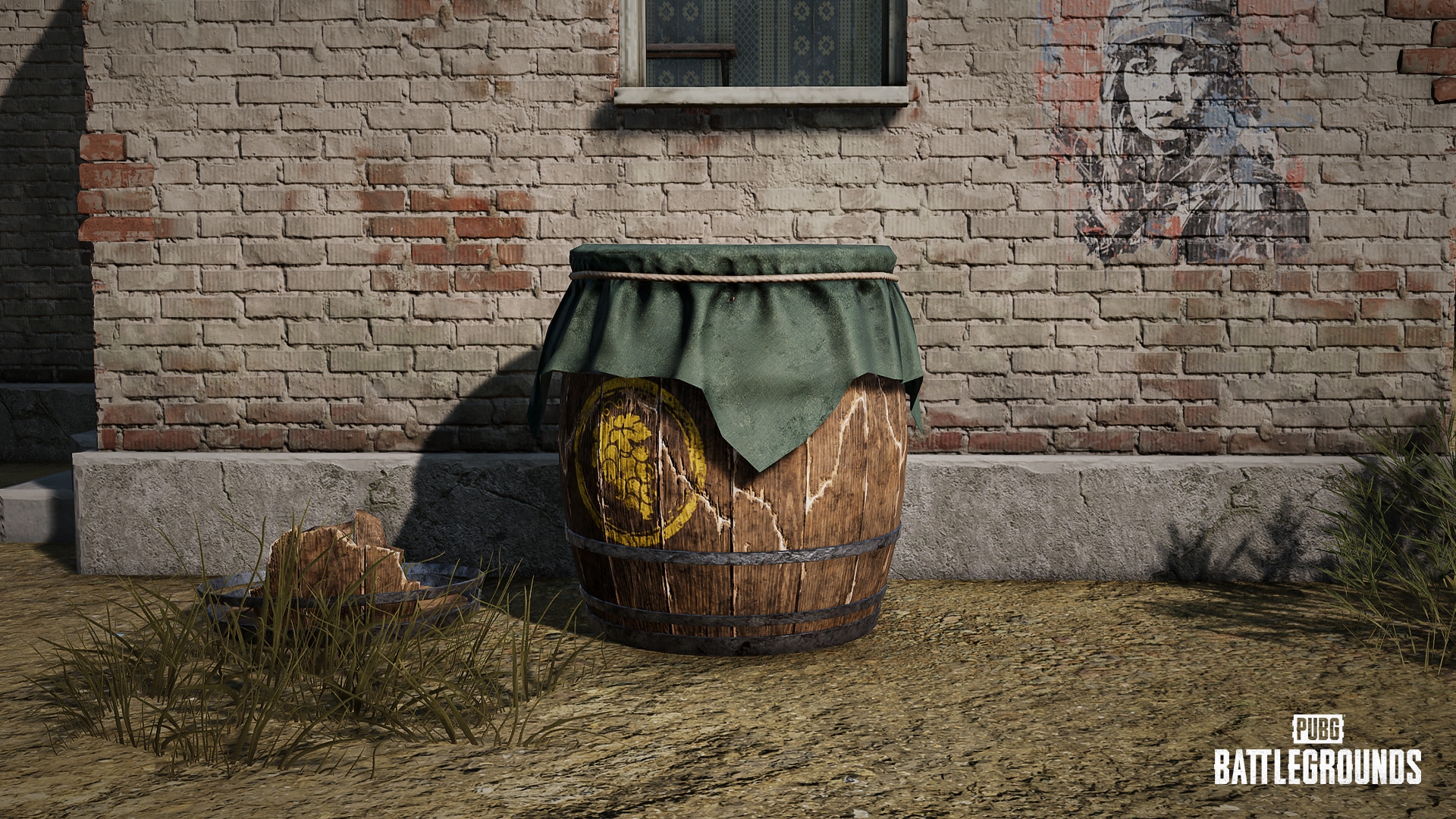
Destructible Pots
The Self-AED and Traditional Hanbok Hat will no longer spawn from destructible pots.
Destructible pots have been added to Erangel.
The Secret Room Keys spawn only in Normal Match.
Dev’s comment: Following the changes in Update 35.1, we’re continuing to unify the overall battle royale experience by bringing certain map-exclusive objects, like Vending Machines and destructible pots, to other maps as well. We’ve made a few updates along the way. First off, the classic boost Vending Machine has received a visual refresh, and we’re also adding a brand-new medical Vending Machine. Instead of picking up healing items like Bandages or Med Kits off the ground, you can now interact with these machines directly to get what you need. And if you’re lucky, you might just hit the jackpot and fill your Inventory all at once. As for the destructible pots, we’ve adjusted the loot and added them to Erangel. Now you can smash pots for stress relief while picking up extra items at the same time. These changes will roll out to Erangel and Taego first, with plans to gradually expand to all 8×8 maps in the future.
C4
Several adjustments are being made to C4.
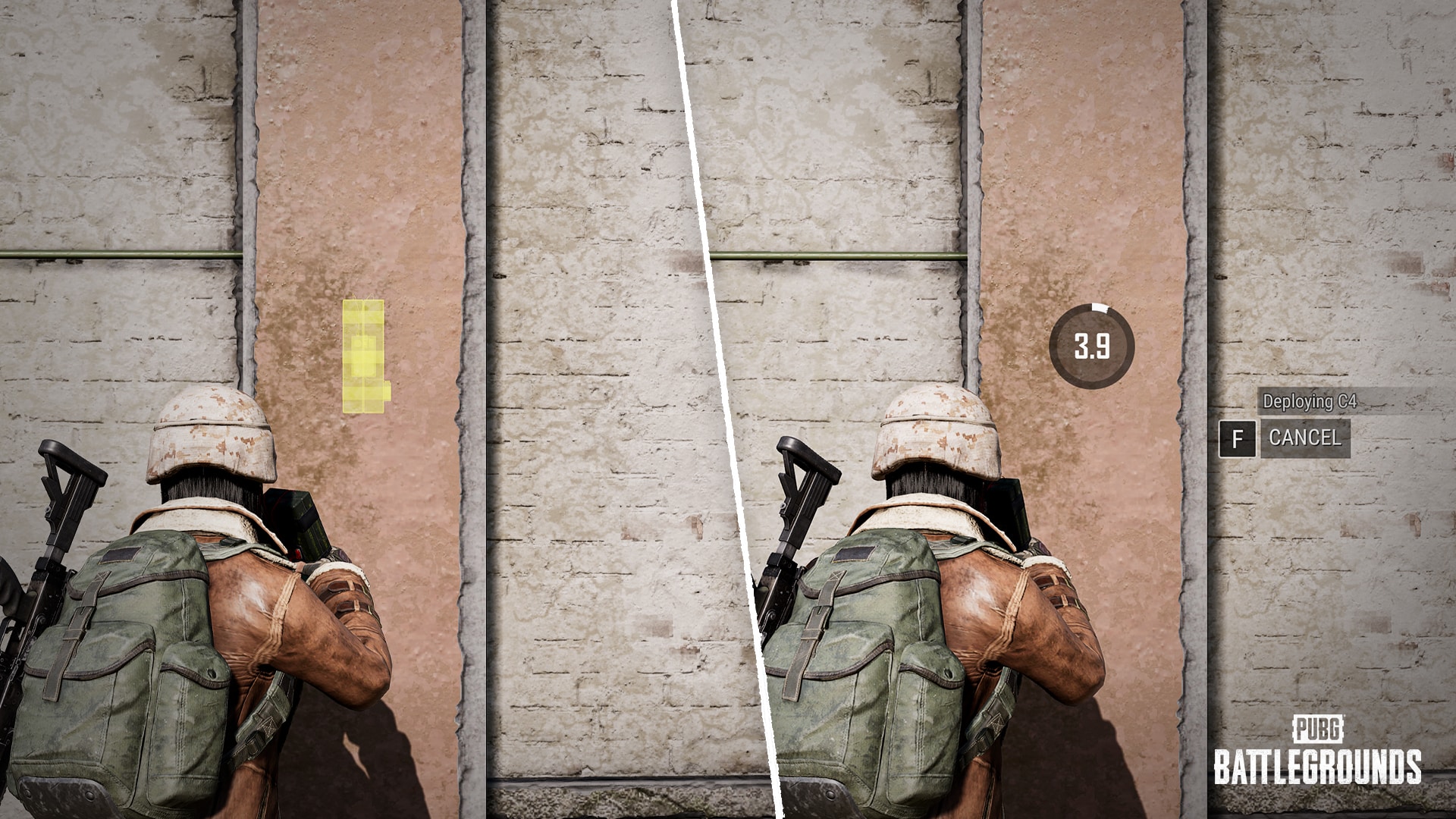
C4 is now deployed directly, rather than thrown and stuck.
The crosshair has been updated accordingly.
Visual effects indicate whether deployment is possible.
C4 takes approximately 4 seconds to deploy and is activated upon placement.
Deployment can be canceled by pressing the Interaction key, or it will automatically cancel if the character moves.
C4 cannot be selected or used while in a vehicle.
Now belongs to the Special Weapons category instead of Throwables.
However, it still occupies the Throwable slot and appears in the Throwable Items Wheel as before.
When multiple players are eliminated simultaneously by a C4 explosion within its effective range, the player farther from the C4 will now place higher.
Inflatable Boat
We’ve improved the Inflatable Boat to make it a more viable option!
Maximum speed has been slightly increased.
1 player rowing in slot 1: Approximately 20 km/h → 25 km/h
With players in slots 2-4 sprint tapping: Approximately 50 km/h → 60 km/h
Weight: 40 → 30
Dev’s comment: In this update, we’ve slightly adjusted the maximum speed of the Inflatable Boat. The more players are on board, the faster it moves. We’ve also reduced its weight to lessen the Inventory burden. That said, since the Inflatable Boat is intended as a secondary means of transportation, our focus was on improving usability through a careful and measured approach. We hope these changes will make the Inflatable Boat a more strategic option and a better tool for promoting teamwork.
Flare Gun
Based on player feedback, we’ve made several improvements. Using the Flare Gun just got a whole lot easier!
The tooltip for the Flare Gun has been updated to more accurately describe its functionality.
The crosshair has been improved to more clearly indicate whether a special airdrop can be called when aiming at the sky.
It now turns yellow when aiming at a valid angle.
When using the Flare Gun or successfully calling in a special airdrop, related information will be displayed via Radio Messages.
Misc.
The Zipline Gun’s crosshair now more clearly indicates whether you can fire.
Matchmaking
Same Language Team
Improved the Same Language Team feature to better reflect players’ language settings.
Workshop
New item sets have been added to the Hunter’s Chest and Archivist’s Chest.
Summer Bikini 2024
Custom Match
The Destructible Terrain and Destructible Buildings setting options have been added for the Sanhok map.
The Destructible Terrain setting has been added for the Taego map.
The Vehicle Camo Netting has been added to the Spawn tab and Sandbox Mode.
The term previously used for Custom Match lobbies has been updated.
Survivor Pass
A brand new Survivor Pass is prepared for Update 35.2. Read more details on the May Store Update announcement!
Weapon Mastery
C4 has been moved from Throwables to Misc on the Career – Weapons page.
UX/UI
Blue Chip and Flare Gun icons have been added to the bottom-right of the World Map to help distinguish remaining Recall flights and special airdrops.
Reworked the overall layout of the Event Center.
You can now view item tooltips and details directly on the Event Center page.
Performance
Optimized character animation processing to improve rendering performance.
Optimized debris processing during building destruction on Sanhok to reduce hitching issues.
Bug Fixes
Gameplay
Fixed an issue where Inventory space affects vehicle trunk usage.
Fixed an issue where the results of rejoined Ranked matches are not properly recorded in the Match Report.
Fixed an issue where players can enter ADS while carrying another player.
Fixed an issue where the speed shown on the Motorbike’s dashboard does not match the actual speed while driving.
Fixed an issue where Melee Weapons can be swung abnormally fast under certain conditions.
(PC) Fixed an issue where players can carry another player while jumping.
(PC) Fixed an issue where players can attach a zipline to a Pan using the Zipline Gun.
World
Fixed an issue where muzzle attachments do not spawn in certain areas in Erangel.
Fixed an issue where scope reticles disappear inside the Sandstorm on Miramar.
UX/UI
Fixed a low-resolution issue with the background image on the Workshop – Contender page.
Fixed an issue where the item acquisition UI doesn’t appear in some parts of the Customize menu after collecting Contender Hanna.
Updated the Blue Chip item tooltip to reflect recent gameplay changes.
Fixed an issue where Steam platform players can search for KAKAO platform players by nickname on the Clan page.
Fixed an issue where the distance shown in a teammate’s kill message reflects the player’s death location instead of their knockdown location.
Fixed an issue where the remaining time UI does not appear when previewing certain Special Crafting items.
(PC) Fixed an issue where the killfeed order appears differently between observers.
Items & Skins
※ Clipping issue: Graphics that are shown outside the visible part of an image/object.
Fixed an issue where the Brass Beaked Scavenger Mask and Leather Faced Bandit Mask can be worn together with glasses.
Fixed an issue where the waist becomes transparent when the male character wears the Medusa’s Pants with the Demon Biker Top.
Fixed an issue where the wrists become transparent when wearing the Naval Officer Formal Jacket with the Tormented Knight Gloves.
Fixed an issue where the feet become transparent when wearing the Undercover Assistant Bottoms with the Moon Seeker Boots.
Fixed an issue where, under certain conditions, the Contender Dive Trail Effect activates even when the character is not falling.
Fixed an issue where gear skins are unequipped when activating Contender Hanna.
Fixed the clipping issue when the female character wears the Escapee Jacket and the PCS7 Combat Vest (Level 3) together.
Fixed an issue where part of the Aston Martin Puffer Vest obstructs the player’s view in FPP when entering the driver’s seat of a vehicle equipped with the “DBX707” SUV skin.
Fixed an issue where Contender Hanna’s hairstyle changes to the default after upgrading to BATTLEGROUNDS Plus.
Fixed the clipping issue when wearing the Galaxy Girl Dress and certain Hairstyles together.
Fixed the clipping issue when wearing the Spring Chick Shorts and the DMM T-Shirts together.
Fixed an issue where the hands and wrists become transparent when the female character wears the Pastel Goth Top with the PGC 2021 Contingent Chaos Jacket.
Fixed an issue where goggles do not appear when equipping the Carbon Fiber Commando – Helmet (Level 2).
When another PUBG update is out, MP1st will post all about it very soon.
Netease has released Marvel Rivals update 1.000.023 for version 20250522. Players can expect to see a more streamlined store lineout, and they can now use 5 sprays at once on the battlefield. Tons of other fixes have also been made.
The Onimusha series began in 2001 on the PlayStation 2 and spawned several games between the mainline series, spin-offs for consoles like PS2, and even one on the Game Boy Advance.
Marvel Rivals Update 1.000.023 Includes a Better Store Layout
New In Store
1.Scarlet Witch – Immortal Sovereign Bundle
2.Adam Warlock – Immortal Avatar Bundle
Store Launch Time: 2025/5/23, at 02:00:00 (UTC)
Hellfire Gala: Moments
The event has been extended by one week! The new end time is 2025/5/30 at 09:00:00 (UTC).
New Features
1.We’ve streamlined the store layout: the first two pages are now dedicated to New Arrivals and Recommended.
2.A “Use Default Costume Voices” option has been added under Settings – Audio.
3.Players can now have up to 5 sprays at once on the battlefield.
Fixes
All Platforms
System & Features
1. Fixed an issue where, after signing up for a tournament, selecting Details would redirect to the wrong page.
2. Fixed an issue where One Above All players could sometimes be reset to Eternity rank upon login.
3. Fixed a bug causing the mouse icon to disappear after switching heroes in settings with raw mouse input enabled.
4. Fixed an issue where the coach’s spectator view could sometimes freeze after pausing and resuming in custom tournament rooms.
Maps and Modes
1. Addressed structural issues in the Klyntar and Spider-Islands maps.
Heroes
1. Doctor Strange’s Astral Shenanigans: Fixed a peculiar problem where souls from the Sorcerer Supreme’s Ultimate Ability could sometimes meddle with Human Torch’s Primary Attack. Now, Johnny Storm can flame on without any mystical interference.
2. Emma Frost’s Diamond Dilemma: Sometimes, when Emma switched to her diamond form, textures from her own perspective would glitch out. She’s now flawless, both inside and out!
3. Mister Fantastic’s Portal Puzzler: When Reed tried to stretch his way after a target through a Doctor Strange portal with Flexible Elongation, he’d sometimes veer off in the wrong direction and wouldn’t go through at all! Now, Mister Fantastic can twist, turn, and traverse the multiverse with the precision of a true Illuminati member.
Console
1. Fixed overlapping UI icons between Chrono Shields/Chrono Shield Cards and Controller icons in the console mode selection screen.
MP1st will alert our readers when more updates are released for Marvel Rivals soon.
Sony has launched another new PlayStation Store sale today! The "Multiverse of Games" promotion is live, and this brings over 2,000 items to the discount bin.