Home > News

Apex Legends Space Hunt Event Starts Sept. 17, Patch Notes and What’s New Revealed

Respawn is about to kick off another new event in Apex Legends, and it starts next week! Called “Space Hunt,” this brings a new LTM, new cosmetics, and even a balance pass, weapon adjustments and more! The highlights and patch notes are available now to let players know what’s incoming this September 17.

Apex Legends Space Hunt Event Patch Notes and What’s New:

22.1 Mid-Season Patch Notes

Summary of Space Hunt Event

  • New Knockout LTM – Players and their squad must Capture Zones and Score Evo to earn points in this objective-based LTM, with the five lowest-scoring teams eliminated for each round. Watch out or get out.

    • Amped Knockout Trials – For a limited time, Legends can take on weekly challenges to permanently unlock two pivotal Legends, Crypto and Wattson. Players who complete both sets of unique Legend challenges will be rewarded with an additional Epic badge.

  • 36 Galactic Bounty Hunter-Themed Cosmetics & Reward Shop – Throughout the event, players can reap their Bounty Bucks for items in the Reward Shop including two Epic+ Skins for the Havoc and Prowler. Uncover 36 astronomical event cosmetics, with each unlock pushing them closer to killer Milestone Rewards.

    • Introducing An All-New Melee Cosmetic – Wield the all-new “Serpent’s String” Universal Melee Cosmetic, which can be upgraded to include Pentakill Fangs (Holographic Kill Counter) and a Deathbox Effect

BALANCE UPDATES

Gold Weapons Rotation
  • Mozambique Akimbo, P2020 Akimbo, EVA-8, VK-47 Flatline, G7 Scout

GAMEPLAY UPDATES

Loot Bin Reset

  • Added Announcer voice line when Loot Bin Reset has triggered for improved clarity
  • Reduced spawn rate for some high value loot (backpacks, hop ups, gold attachments) after reset
  • If a Loot Bin is opened just before the reset happens, loot from that bin will be thrown out onto the ground ensuring players can grab desirable items instead of those items being deleted
  • Legendary Loot Bins will roll fewer Gold items via Smart Loot when opened
  • Mythic Loot Bins will roll large healing items more consistently
  • Updates to Legendary (Gold) Loot Bin spawning logic which reduces the number of spawned Gold Bins and more consistently distributes them across the playable space

Dev Note: You should be rewarded for surviving to the late game. More consistent access to high value loot with Loot Bins has been a great reward, however the rewards were a bit too generous. We’ve reduced the rates of the best items that end the loot chase too soon to maintain the value of continuous looting after Loot Bin Reset. Additionally, no one loves the experience of opening a Loot Bin and seeing something they want, only to have the reset slam it shut in their face. Getting that loot onto the ground ensures you get the full value out of a Loot Bin regardless of the reset timing.>Loot Ticks

Loot Ticks

  • Greatly improved the contents of loot ticks
  • Removed white and blue rarity attachments and equipment from possible loot
  • Increased the chances to receive gold weapons
  • Removed Phoenix Kit and hop-ups from possible loot

Dev Note: Long have Loot Ticks been a bit underwhelming. We’ve increased their power to be more on par with other, more recent sources of high tier loot acquisition.

WEAPONS & LOOT UPDATES

Havoc Rifle

  • Removed Turbocharger as a Hop-up

Dev Note: Even after our most recent round of nerfs, the Havoc is still overperforming compared to our other weapons. Removing its high-valued chase item is intended to tamp down its power level.

R-99 SMG [Care Package]

  • Damage fall-off at 11+ meters increased to 11
  • Improved recoil

Ammo

  • Ammo that spawns with a weapon will now always be a single brick, but with twice the ammo

Dev Note: Previously, there was a 70% chance to spawn two separate ammo bricks and a 30% chance to only spawn one when a weapon spawned with its corresponding ammo. We’ve changed this to clean up the number of items on the ground and slightly increase the ammo economy.

Hop-ups

  • Reduced spawn rate of Gun Shield Generator
  • Removed Turbocharger from loot pool

Ultimate Accelerant

  • Rarity increased to Purple (was Blue)
  • Reduced spawn rate
  • Increased movement speed while using

Dev Note: Ult Accelerants are in a tricky spot. Their power is clear to some players, being able to chain multiple ultimates in a single engagement, while other players will leave them on the ground in favor of other loot. We want all of our players to understand the power that comes with the Ult Accelerant, but we also don’t want to mess too much with the careful balancing act that comes with Legend ult timing. This change aims to decrease the cadence with which they can be used while also making their power more obvious and convenient to access.

LEGENDS UPDATES

Fuse

  • Hard capped the max radius of the scan area to be 450 (+50% of default ring/flat surface)
  • Disallowed mortar targeting on multiple objects within the players control to prevent perfect setups

Dev Note: We gave Fuse the ability to see enemies inside the mortar ring as a quality of life improvement. The scan area would scale as large as necessary to match the area of the ring. This had the unintended side effect of giving a very large scan area when shot on tall objects. Our intention for the ult is to primarily be an area of effect ability, not an information gathering ability.

Rampart

  • Lowered delay before you can re-enter Sheila turret to 0.15s (was 1s)

Revenant

  • Forged Shadows
  • Reduced shield health to 50 (was 75)
  • Activation time doubled

Valkyrie

  • Now Recon Legend (was Skirmisher)
  • Full Tank upgrade now includes a 50% reduction in refuel delay to 4s (was 8s)
  • Gains Threat Vision while jetpacking, stays on until feet hit the ground/zipline
  • Jetpack UI now has a ‘refuel delay’ timer
  • More agile jetpack handling that feels similar to Valk’s release
  • Various buffs to improve reliability and output from Tac
  • Move slow stun duration increased by 50%
  • Missile explosion radius increased by 20%
  • Min attack range decreased by 25% (can hit enemies that are closer)
  • Max missile travel time now 4s (was 4.5s)
  • Fire rate for launching all missiles now 25 (was 18)
  • Upgrades
  • Aerial Expert: removed
  • Full Coverage: moved to Level 2, added reduced Tac cooldown
  • NEW Eyes in the Sky: ignores the LoS check on skydive HUD scan, increases HUD highlighting range by 40m

Dev Note: As Evac Towers rose, Valk’s fall from grace was no surprise. After 16 months of everyone having access to more macro-mobility, we used this midseason update to improve all facets of her kit and reevaluate her role as a Skirmisher. We felt that gating full ult potential behind upgrades was still an important playstyle decision and power check for someone with a jetpack for a passive. Do you prefer the combat strength gained from jetpack and tactical upgrades? Or will you opt for skydiving upgrades that can help you spot good landing locations in crowded endgames? Regardless, Threat Vision while jetpacking and her skydive HUD solidify her as a unique Recon pick: “They can have the ground, I own the sky.”

MAPS

Pubs & Ranked

  • E-District
  • Olympus
  • Kings Canyon

MODES

Duos

  • Returns September 17, 2024
  • Available until the end of Shockwave

New Mode: Knockout

  • New 60 player, 20 squad, points-based BR mode
  • Squads capture zones and collect EVO to earn points
  • Five lowest scoring squads are eliminated at the end of each round
  • Players have infinite respawns until the Sudden Death finale
  • After 3 rounds, the remaining 5 squads are redeployed for a Sudden Death finale
  • Last squad standing wins!

MIXTAPE

  • Map Rotations
  • September 17-October 14, 2024
  • TDM: Thunderdome, Skull Town, Estates
  • CONTROL: Caustic Treatment, Labs, Barometer
  • GUN RUN: Wattson’s Pylon, Estates, Skull Town
  • October 15-21, 2024
  • TDM: , Thunderdome, Skull Town
  • CONTROL: , Labs, Caustic Treatment
  • LOCKDOWN: Estates, Skull Town
  • October 22-28, 2024
  • BIG TDM: Estates, Skull Town
  • CONTROL: Thunderdome, Lava Siphon
  • GUN RUN: Wattson’s Pylon, Fragment
  • October 29-November 4, 2024
  • BIG TDM: Thunderdome, Skull Town
  • CONTROL: Labs, Caustic Treatment
  • GUN RUN: Estates, Skull Town

RANKED

Ranked has gone through many different layers through the years and of course every player has their favorite rendition. At the end of Upheaval, we stopped baking you Ranked cakes and started baking you Rumble pies. It was a limited run and some of you ate the pies, but realistically everyone that comes to the cake shop is there for cake.

To cut the metaphors, our very first Ranked Rumble was met with rumbles. It didn’t deliver or align with why you’re playing Ranked: grinding for that sweet, sweet icing RP. You let us know about this misalignment and it was also reflected in our participation data. We set out to create a competitive experience that would offer a different flavor and we missed the mark.

Ranked Rumble will not be going live today or at the end of the Shockwave season. We’re going to take it offline and rework some of the fundamental systems to allow for the following goals to be achieved:

  • Ranked Rumble should add to the existing Ranked experience, not be a substitute
  • Provide a way to earn bonus rewards for competing directly against other players in your tier
  • Provide an opportunity for meaningful competition and comparison once you have reached your skill cap
  • Capture some of the Top Predator placement magic at every Ranked tier
  • Create some of the best matches that Ranked has to offer by bringing more players together
  • Create more opportunities for us to gather and respond to feedback, which allows us to dial-in the experience to be more fun and worth your time investment

Ranked Rumble will see a tentative return next season. We hope you’ll continue to enjoy Shockwave’s Ranked and look forward to us talking about Ranked Rumble again in the very near future.

BUG FIXES

  • Looking for something else? Our public Trello board is updated weekly with the status of bugs that we can talk about ahead of the patch note drops. We also update our game status here for those of you not on other social platforms.
  • DX12 PC: fixed issue that prevented Apex from working on third gen Intel CPUs like 3570 and 3770
  • Fixed a long standing bug that could cause servers to crash
  • Fixed rare case where you could get crushed when mantling over open Loot Bin
  • Legendary Loot Bins will no longer spawn too near each other or in clustered groups
  • Low Ammo indicators will no longer spam while you’re unarmed
  • Minimap icons for used/empty Perk Loot Bins will no longer display
  • R-99 restored to Care Packages in Mixtape TDM and Big TDM
  • Restored ADS red dot while using “Celestial Sniper” Longbow skin
  • Restored Zipline upwards from the second floor of Wattson’s Pylon on Storm Point
  • Teams with all max level players can no longer interact with Evo Harvesters
  • Vastly reduced the likelihood of being in a constant state of rubberbanding

Loot Bin Reset

  • Fixed rare crash related to opening Mythic Supply Bins after Loot Bin reset
  • Loot Bin Reset warnings while spectating now shown at correct times

Legends

  • Crypto: EMP will no longer occasionally trigger while recalling Hack
  • Mad Maggie’s passive will now trigger when hitting gunshields
  • Newcastle’s “Swift Speed” upgrade now works as intended
  • Wattson’s Emergency Power upgrade will now affect teammates and ult accels
  • Resolved issue with Wattson’s health regen in Mixtape

QUALITY OF LIFE

  • Added the ability to manage your inventory while healing and ziplining
  • Valkyrie: can now cancel the her Tac by melee punching

E-District

  • Added assets to aid in climbing up walls in certain areas
  • Added two survey beacons to the north side of the map
  • Electro Dam’s spillway slope can now be traversed upwards
  • Ground loot and Loot Bin count has been increased
  • 100 Loot Bins have been added to the map
  • Buses now have ground loot
  • Various buildings have had their ground loot slightly increased
  • Reduced the amount of possible high-tier loot spawning at The Lotus
  • Relocated Blossom Drives crafter to the far West side
  • Resolved a number of additional bugs and rat spots

GRAPHICS

  • DX12 PC: made it easier to use stretched res with a DX12-only CVar, “mat_letterbox_aspect_min”. Setting this value to 1.0 as a launch argument, such as +mat_letterbox_aspect_min 1.0, will let Apex stretch the game resolution as the last-stage of rendering in full screen mode, so that players shouldn’t need to modify anything in system settings or in a GPU vendor’s control panel
  • Fixed some performance issues for quad-core CPUs that were introduced Upheaval mid-season
  • GPU performance optimizations for rendering FX like legend abilities

Expect the PlayStation versions to be able to preload the patch a day before it goes live.

[Source: Apex Legends (Twitter)]

Avatar photo

Alex Co

Father, gamer, games media vet, writer of words, killer of noobs.

Home > News

Dragon Ball: Sparking! Zero Finally Confirms Dragon Ball GT Characters; Here’s Who’s Included

We’re just a few short weeks away from the October release of Dragon Ball: Sparking! Zero, and though Bandai Namco has revealed much of the roster thus far, it seems they still have a few surprises up their sleeves. One happened to arrive in today’s new trailer for Dragon Ball: Sparking! Zero, which revealed several Dragon Ball GT characters joining the jam-packed roster.

Dragon Ball: Sparking! Zero Dragon Ball GT Character Revealed!

Here’s a breakdown of all the confirmed Dragon Ball GT characters joining the Dragon Ball: Sparking! Zero roster:

  • Goku (Kid) (GT)
  • Goku (Kid) (GT), Super Saiyan 3
  • Pan (GT)
  • Goku (Kid) (GT), Super Saiyan
  • Baby Vegeta (GT)
  • Great Ape Baby (GT)
  • Super Baby 1 (GT)
  • Super Baby 2 (GT)
  • Uub (GT)
  • Majuub (GT)
  • Goku (GT), Super Saiyan 4
  • Syn Shenron (GT)
  • Omega Shenron (GT)
  • Vegeta (GT), Super Saiyan 4
  • Gogeta (GT), Super Saiyan 4

Oh yeah, there are lots of fan favorites in there, though big-time Dragon Ball GT fans will notice the absence of one particular super android. We’re talking about Super Android 17, of course! There are also the other dragons, such as Nova Shenron, who have yet to be confirmed, and our best guess is they likely won’t make the cut, considering this was the GT-specific trailer. Perhaps they’ll be part of future DLCs? Who knows, but one thing that I am sure of is that despite the reception to Dragon Ball GT, Dragon Ball fans (including me) around the world are happy to see the series get some love! Here we all thought that Dragon Ball GT characters would end up being all paid DLC.

Dragon Ball: Sparking! Zero will be released on October 11, 2024, on PlayStation®5, Xbox Series X|S, and PC via Steam.

Avatar photo

James Lara

A gamer at heart, James has been working for MP1st for the last decade to do exactly what he loves, writing about video games and having fun doing it. Growing up in the 90's gaming has been in his DNA since the days of NES. One day he hopes to develop his own game.

Home > News

Turtle Beach Kone II Air PC Gaming Mouse Review – Ready for the Big Time

PC gamers with medium- to large-sized hands rejoice! Turtle Beach Kone II and Kone II Air have finally arrived! While the Kone lineup has been around for a very long time, it’s taken a staggering five years to develop a worthy successor to the Kone AIMO, a gaming mouse many consider to have one of the greatest ergonomic designs ever to grace a PC gaming mouse. So, unsurprisingly, hype and expectations for Turtle Beach’s latest offering are relatively high. Lucky for us, we’ve been putting the Kone II through vigorous testing, which has resulted in perhaps one of the company’s best yet.

An Ergonomic Fit for Bigger Hands

You know, I’ve reviewed plenty of other Turtle Beach and Roccat gaming mice in the past, and though I’ve had little to no complaints about them prior, I’ve realized that those mice have been relatively small in size. It’s not something that bothered me then or now, but I have to say, when comparing the Kone II to those past ones, it’s a pretty big gaming mouse.

This actually made me realize that I may have some decently large hands, or at least long fingers, because, despite the Kone II’s bulkiness, I found the design and shape to be a perfect match for my hand. Yes, it’s a large gaming mouse, but the shape allows your hand and fingers to rest comfortably over the clickers without arches.

As a gamer and someone who enjoys PC as their main gaming platform, I could never fully commit myself to using a mouse and keyboard. I’ve always preferred the use of a controller, even in competitive gaming, where I know a mouse and keyboard would offer me better precision and reaction time. The big reason is that my hands tend to cramp up, as my fingers never got used to the positioning of a mouse and keyboard.

Holding a controller just feels more natural to me — that is until I started using the Kone II when my hands and fingers felt like they were curved to the mouse’s comfortable shape. In production, I could use the Kone II for hours without pulling my hand off it and shaking it around. The same was true for gaming, where playing shooters, RTS, and many other genre felt good.

I could see why so many loved the original AIMO mouse, as the Kone II offers some of the best comfortability I’ve ever had in a gaming mouse. Of course, that’s all thanks to years of research that Turtle Beach has done to create the new design for the Kone II, and looking at the mouse, it not only promotes itself with several features, such as 12 buttons (23 programmable functions with easy shift), but it also maintains a stunning look, with comfort in mind.

On the left side of the mouse is a rest for your thumb; that way, you can drag the mouse around without feeling your thumb against the surface of your desk. Below it is a button, while above, where your thumb rests, are two more additional buttons. All three are easily accessible, while also having enough room so you don’t have any accidental presses.

On the top are your standard left and right-click buttons with a rubberized grip 4D wheel in the center, and below are two more buttons. By default, those buttons control the DPI speed, and my favorite feature of the mouse is a dedicated button to control how the scroll wheel feels. You can either set up the wheel so it’s a smooth, seamless motion that allows quick flicks, or you can have it so it has a tactile feel, much like a ratchet twist, that gives it enough of a click-y scroll to feel satisfying. The wheel can also be pressed in, which is a standard, but it also has left and right tilt for two additional buttons.

Connectivity is via a USB 2.0 for the wired version, with the wireless (Kone II Air) having a USB 2.0 to a USB-C cable for charging and a dongle for a lag-free 2.4GHz wireless connection with Bluetooth support. It comes with a small USB-C to USB 2.0 adaptor, so you can run your dongle straight out of the charging cable and have easy access whenever you want to take the mouse on the go. There is no having to go behind your PC to unplug that dongle when it can sit right on your desk in a convenient spot and out of the way.

Underneath the mouse, sports heat-treated PTFE glides for smooth movement, your connectivity and on/off switch, and a small storage department for that USB wireless dongle. The optical sensor is also surrounded by a PTFE ring for protection and to help with movement.

It wouldn’t be a Kone mouse if it didn’t feature RGB lighting. In the past year, the studio opted for a honeycomb shell design that would be highlighted by the RGB lighting, but now it seems they’ve gone back to more traditional stripe panel lighting that is more prominent. It still has a bit of fading, so it’s not insanely bright, and with the dedicated app, you can customize those colors to your liking.

Overall, the design comes together nicely to offer a smooth range of motion with just the right amount of comfort for mid-to-large hand gamers. It’s a gorgeous mouse, too, with quite the performance under its hood in accuracy and customization.

A Speedy Little Thing

Regarding performance and how well the Kone II does while playing games, you can expect pretty good pinpoint accuracy and precision. Its TITAN Switch Optical allows for quick and responsive clicks and customizable DPI settings, which helps counter the mouse’s size and weight (110g makes this a big heavy boy). However, if you have large hands, you’ll likely see more benefit from the mouse than using one of their smaller offerings due to its ergonomic design targeting larger hand sizes.

That’s not to say that the 110g of weight isn’t felt because there’s drag when moving, and for those with smaller hands, you’ll notice it a lot more. It’s a bit funny to call the wireless one “Air” and be much heavier than the wired one (90g), though again, that may all depend on your hand size. It was a perfect fit for me, and I didn’t mind too much about the weight and thought it performed wonderfully during the Black Ops 6 beta. Omnimovement especially, and mapping out crouching and sliding to the mouse made gameplay feel like a breeze with this mouse.

NVIDIA Reflex support also allows latency to be measured with an NVIDIA Reflex-supported monitor for those looking for that support.

What’s a highlight, though, is the battery life. 130 hours of uninterrupted gameplay and productivity using 2.4GHZ, which can amount to 16 days of usage under a continuous 8-hour period. If you stick solely to Bluetooth, you’d be looking at a whopping 350 hours, which can last months, depending on your hours of usage.

To help conserve battery, the mouse also auto-turns off after it hasn’t been used, going into a sleep mode that can be instantly woken up when you move it.

Verdict

I understand that Kone II isn’t for everyone. It’s geared towards the larger hand type, and if you have small hands, you’ll probably find it too bulky and heavy for everyday use and gaming.  But as someone with large hands, I found it to be the perfect design for comfort, allowing me to not only work better but also enjoy playing through some of my favorite PC games with the use of a mouse, instead of a controller.

Though I wished it had a bit more flair to the RGB design, the Kone II is an excellent gaming mouse aimed at bringing comfort and performance to those needing a bigger mouse.

Score: 9/10

Pros:

  • Design perfect for mid-to-large hand gamers.
  • Comfortable.
  • There are plenty of buttons that are easily accessible and programmable.
  • Fast and responsive.
  • Long-lasting battery life.

Cons:

  • Kone II Air (wireless) is on the heavy side despite not being tethered by a cord.

Where to buy the Kone II mouse:


Kone II review hardware  was provided by the publisher. You can read MP1st’s review and scoring policy right here.

Avatar photo

James Lara

A gamer at heart, James has been working for MP1st for the last decade to do exactly what he loves, writing about video games and having fun doing it. Growing up in the 90's gaming has been in his DNA since the days of NES. One day he hopes to develop his own game.

Home > News

PS5 New Adaptive Controller Charging Feature Added in Latest Update Only Available in Slim & PS5 Pro; Gamers Unhappy About It

Earlier today, Sony rolled out a new PS5 firmware update that introduces a host of new features to system owners such as the Welcome Hub, 3D audio profiles, and even adaptive controller charging. However, the last feature mentioned isn’t available for those who own the original PS5, as Sony has confirmed only the PS5 “slim” and PS5 Pro are the only versions of the console that will support it.

If you’re not familiar what the feature is, it’s essentially charging the controller at max power over a short period, charge it at a lower power over a longer period to reduce strain on the device’s battery. It should reduce power consumption, and make the controller’s device last longer. While this might be a small feature in the grand scheme of things, the PS5 community is not happy about this, as some are speculating this is the start of Sony adding features only accessible to the newer versions of the PS5 in order for players to buy a newer model.

While Sony hasn’t explained the reason why this feature isn’t available on the OG PS5, there is a possible technical explanation for it.. While the original PS5 and the slim version look very, very similar and have the same graphical capabilities, chances are, their internal parts are not.

One possible reason is that Sony implemented a tech called USB PPS (Programmable Power Supply), which is something the original PS5 might not support. In the newer PS5 models and the PS5 Pro, there are two USB-C ports on the front rather than one USB-A and one USB-C. The newer USB ports are now using 3.0 as well, which is compared to the original PS5 that only featured a 2.0 port. Mind, this is a logical explanation, though it’s not one confirmed by Sony.

Of course, some gamers will think this is Sony’s way of gimping the original PS5 in order to sell the newer models even if we provided a good explanation.That said, it’s also highly doubtful Sony would even use this as part of its marketing for the newer PS5.

More PlayStation Reading:

Avatar photo

Alex Co

Father, gamer, games media vet, writer of words, killer of noobs.

Home > Title Updates and Patches

Disney Dreamlight Valley Update for Sept. 12 Adjusts Star Coin Value of Some Items

Gamelot has pushed out a new Disney Dreamlight Valley update this September 12 on all platforms, and this will show up on consoles as version 12.02 on last gen, and 12.002 on current-gen. This is a minor update, though one I suspect players will appreciate nonetheless.

According to Gameloft, the fixes included in today’s patch are:

  • Adjustments to the Star Coin value of some items
  •  Optimizations to reduce crashing

Yep, that’s about it. There was a hotfix released last month, and we’ve included the fixes for it below as well.

BUG FIXES AND OTHER IMPROVEMENTS (From Aug. 26):

  • – Resolved an issue where players were unable to enter their player home or additional homes using the Winter Palace House Style.
  • – A mannequin will no longer spawn in some building interiors after players have created an outfit preset.
  • – Dragon Candy will no longer appear as a Favorite Gift.
  • – Resolved an issue where 5 mails (“It’s so good to be back”, “Your Royal Tool Set gets a new look!” (x2), “A culinary development”, “An Apology”) without claimable content would appear with a reward icon and remain in the Unread section of the Mailbox.
  • – The Lady’s House Dream Style can now be applied to Player House.
  • – Players who have progressed Jafar’s friendship level past 7 will now be able to take on his level 7 friendship quest, “The Serpent’s Gift”.
  • – Resolved an issue where players could not place pathing and fencing near buildings.
  • – The Dazzle Beach Light Dwarf Birch and Forest of Valor Tree Trunk are now accessible through the Landscaping menu without the need to use the DreamSnaps filter.
  • – Resolved an issue where the Skeletal Royal Hourglass style was not granted to players who had previously purchased the tool set from the Premium Shop.
  • – Resolved an issue where the new Reset Room feature would block quest progress if used when first visiting the Player Home at the start of a new game.
  • – Players completing the Mulan Realm “Protecting the Camp” quest will be able to locate the correct amount of planting spots.
  • – The quest counter will now accurately measure the amount of fencing placed in the Tiana “Little Louis’ Break” quest
  • – Additional fixes for players experiencing Error Initialization #6.
  • – The stove on the Dapper Delights Star Path banner has been replaced, as the item is instead rewarded by leveling friendship with Tiana.
  • – Resolved an issue where Rapunzel was unable to cross the bridge necessary in a “Use Your Imagination” quest step.
  • – Resolved an issue where players were unable to pick up the Memory in the “A Taste for Literature” quest.
  • – Resolved collision issues with the Shadow Theater furniture item.
  • – Resolved an issue where the DreamSnaps Filter would display an incorrect challenge name.
  • – Resolved an issue where the Jafar Figurine appeared in Scrooge McDuck’s Store. It will now be granted to players who obtain the Jafar Scramblecoin Figurine as intended.

That’s about it. Expect a major update for the new season out soon, and once that’s live, we’ll post it up.

[Source: Disney Dreamlight Valley (Twitter)]

Avatar photo

Alex Co

Father, gamer, games media vet, writer of words, killer of noobs.

Home > News

Madden 25 Review – Flag on the Play

EA Sports thought they were being cute back in 2013 by naming that year’s iteration Madden 25 to honor the 25th anniversary of the series, so now we have our second Madden 25 in the series with the newly released game for modern platforms. While many sports franchises have been on the rise or at least stayed consistent good this generation, Madden has had a pretty rough go at it lately. There is always some hope that we might see an upward trajectory, but Madden 25 once again has a number of flags on the play.

10 Yard Penalty

As soon as you boot up Madden 25, you will notice just how snappy the menus are this year finally. This has been a major complaint by fans for years now, as the menu system has been consistently slow and laggy no matter what you did. In fact, this has been something that has been a problem with EA Sports games as a whole for awhile, so it’s great to see Madden 25 following the trend of College Football 25 by fixing this. The menu consists of a singular list of 10 items that you can scroll through easily to pick whichever game mode you are looking to go to. The only downside are the constant ads for Ultimate Team it felt like almost every time upon returning to the menu.

Gameplay is always paramount to all other things in a sports game and Madden 25 once again delivers in that department. There are still the usual bugs and glitches that can happen, with online videos making it seem like they are much more prevalent than they really are, but this year’s game builds on what was already a very solid gameplay system that almost perfectly emulates the feel of the NFL in video game form. This extends across both the offensive and defensive sides of the ball, with it being even further enhanced with the new BOOM Tech system.

The BOOM Tech system utilizes high-level physics-based tackling to make the game feel as realistic as ever. Whether your running back is trucking an opponent or a wide receiver is getting laid out by a safety to dislodge the ball, this system uses various player stats to figure out how the impact of the hit should be felt with 1-on-1 ball carrier impact, leading to various different animations that aim to be as authentic as we’ve ever seen in a Madden game. This does make a difference in the gameplay, but most players will probably not notice exactly how or the intensity of the difference if they had not been informed prior as it isn’t quite as noticeable as some past innovations we’ve seen.

Presentation has also always played a big part in this series, as the spectacle of the NFL is important to showcase here, especially in modes like Franchise. The level of detail in each stadium and the overall presentation is once again top notch, including upgrades to the sights and sounds around the league. This also includes two additional commentary teams with the duos of Greg Olsen and Mike Tirico and Brock Huard and Kate Scott joining Brandon Gaudin and Charles Davis. Commentary has definitely been a bit stale in recent years, so getting some new blood in there to freshen it up was a wise move and makes the play-by-play much easier to enjoy this year. Upgrades to NFL Draft Night was also a great addition to the game that made it feel more alive.

While so many aspects of the presentation are fantastic, one area that the series and this year’s game still struggles mightily is with spectacle at times. When playing Franchise and you make it to the Super Bowl, you wouldn’t even hardly know it except for some of the intros, commentary, and the championship celebration at the end. Considering this is the pinnacle of your season, they really need to expand on this and make the celebration feel special outside of a short animation showing the players celebrating in confetti. This isn’t a game killer, but it’s something that fans have been complaining about for years and it still feels lacking once again in Madden 25.

The number of game modes offered in Madden has been pretty disappointing the last couple of years after having a healthy number of new options being introduced over the years, including some like the hit-or-miss The Yard mode. I even quite enjoyed the more story centric single player campaigns that we had for a few years such as Longshot. Madden 24 and now Madden 25 instead have sort of gone with a back to basics focus that features Quick Play, Superstar, Franchise, and Ultimate Team when not including the Training Camp tutorial mode. With a cutting down of game modes you would hope that the existing ones would be better than ever, but this year’s iterations feel like they are just spinning their wheels.

Quick Play is entirely as you would expect, letting you play with someone locally or in online head to head, along with being able to play the Pro Bowl. The only real interesting inclusion here is the Superstar KO mode that was introduced in the past that lets you draft a team of players and play with them. This mode is just as you remember it, so your mileage may vary on how much you actually enjoy it or not.

Superstar mode serves as the single-player story mode in the game where you get to create a player and play through their NFL career. This starts with the combine and leads to the aforementioned upgrade NFL Draft Night part of the mode, which I did quite enjoy. From there, you get added to the roster of your drafted team and start your career. Honestly, after playing College Football 25’s Road to Glory mode, which admittedly wasn’t the most feature-filled overall, Superstar mode just felt even more hollow than it does every other year. Sure, you get to play as your created player in their games and try to better yourself by increasing your stats by playing more. You can even import your Road to Glory character from College Football 25 into Madden 25 rather easily, which is an awesome feature to include.

The online integration in this mode with seasonal content is a big swing and a miss though, as they really should have left this mode as a strictly offline rather than turning it into a microtransaction-filled copy of what NBA 2K usually does. At least that is how that series has been going for awhile, but not too long ago Superstar was very different and now players have no alternative to experience without feeling like they are losing out on their player playing to their full potential and reaching career goals.

The interactions between your created player and the media or others is also really weird in this game. This is a problem that also comes up in Franchise with your coach, but the mock interview style this game employs is downright awful. Rather than actually feeling like you are controlling the player or coach in these interactions with the media, it takes such a hands-off approach that it feels like a total waste. The weird animation style used takes you completely out of it every time to where you don’t even want to bother with the interviews. What makes this worse is that we’ve seen this done much better in the past with Madden, especially during the years when they tried having a true story mode. I would even take the cringey style interviews of the past, and in other games than whatever this game was trying to do. When you continually have other franchises like NBA 2K that features a much more fleshed out and downright alive story modes, EA Sports needs to desperately step up their game. Even though it would be a little more excusable in the returning College Football series since these aren’t truly professional athletes yet, everything about the presentation and day-to-day in that game felt leagues above anything Madden offers in comparison.

While Superstar mode is a major disappointment, Franchise is at least pretty much what you would expect. Minus the weird interview styles, franchise is pretty standard from what you would expect to see in such a mode. You can start by selecting either an offline solo franchise or an online franchise with friends. Online franchise is always one of my favorite modes in the game and I’m glad that the developers have continued to show love to franchise as a whole for that reason. The default Franchise option is to serve as the Coach, while you can also run it as an Owner by adding more simulation style elements of management on top of the coaching.

Like most of the game, Franchise mode has not been overhauled or anything in Madden 25, but it did receive a few enhancements. Besides the previously mentioned NFL Draft presentation, Franchise has received improvements such as improved player progression logic and team roster AI, as well as a more seamless menu system in Franchise that allows for more seamless transition between games, roster management, league news, and more. It may not be in Madden 25 proper, but Team Builder has also been brought back through EA’s website where you can create your own teams, and bring them right into Franchise with ease. Giving people this level of customization is always great and is definitely worth talking about due to being able to be imported into the game. I am still hoping to see additional features added this year, as they have done in recent years throughout the season for Franchise, but the starting point is quite solid right now.

As in much years, there isn’t much to say about this year’s iteration of Madden Ultimate Team. This game mode is just as you think it will be, and there isn’t really anything new in it this year that will sell new players on it that didn’t like it in the past. While Superstar mode can still be enjoyed without the microtransactions, Madden Ultimate Team mode really cannot be enjoyed in its truest form unless you are shelling out real money to get more packs, especially if you want to be able to complete in the new Head-to-Head Ranked matches. I do enjoy that you can play the Solo Seasons in Ultimate Team against AI opponents to keep you busy, so you can at least give it a try if you want to see how you perform.

Besides these game modes, Madden 25 brings back Training Camp as always, which includes Mini Games, Team Practice, and Skills Trainer. The Skills Trainer is also a solid way to practice for newcomers or those wanting to refine their skills in various scenarios. Mini Games take that one step further by letting you try to earn the gold rank in each of the skill challenges between offense, defense, special teams, and the ever difficult Gauntlet run. Team Practice isn’t all that useful as you could just really play the computer in a regular match, but it can be good to try out some new plays or playbooks. Training Camp is something that most players will skip over, but I always enjoy my time with it for a little while at least.

Verdict

Many people have complained over the years about annual sports games just being reskinned roster updates and that is usually a bit of an exaggeration, but Madden 25 may be one of the best examples of that actually being true. While Madden 25 has what could be a great game at its foundation with the realistic gameplay and presentation, its serious flaws continue to hold the series back as in recent years. The core of this is the lack of anything that feels new or innovative to where most of the game feels stale and not offering much of anything new. When EA Sports has, for this year at least, the superior College Football 25 on the market, it’s hard to recommend picking up Madden 25 to play instead except for the diehards that must take their favorite team to the Super Bowl in Franchise mode once again.

Score: 7/10

Pros:

  • Gameplay is as realistic as ever
  • New commentary crews are very enjoyable
  • Snappy menus

Cons:

  • No new game modes
  • Superstar mode is a bust
  • Interview segments feel hollow

Madden 25 review code was provided by the publisher. You can read MP1st’s review and scoring policy right here.

Avatar photo

Dean James

Home > Title Updates and Patches

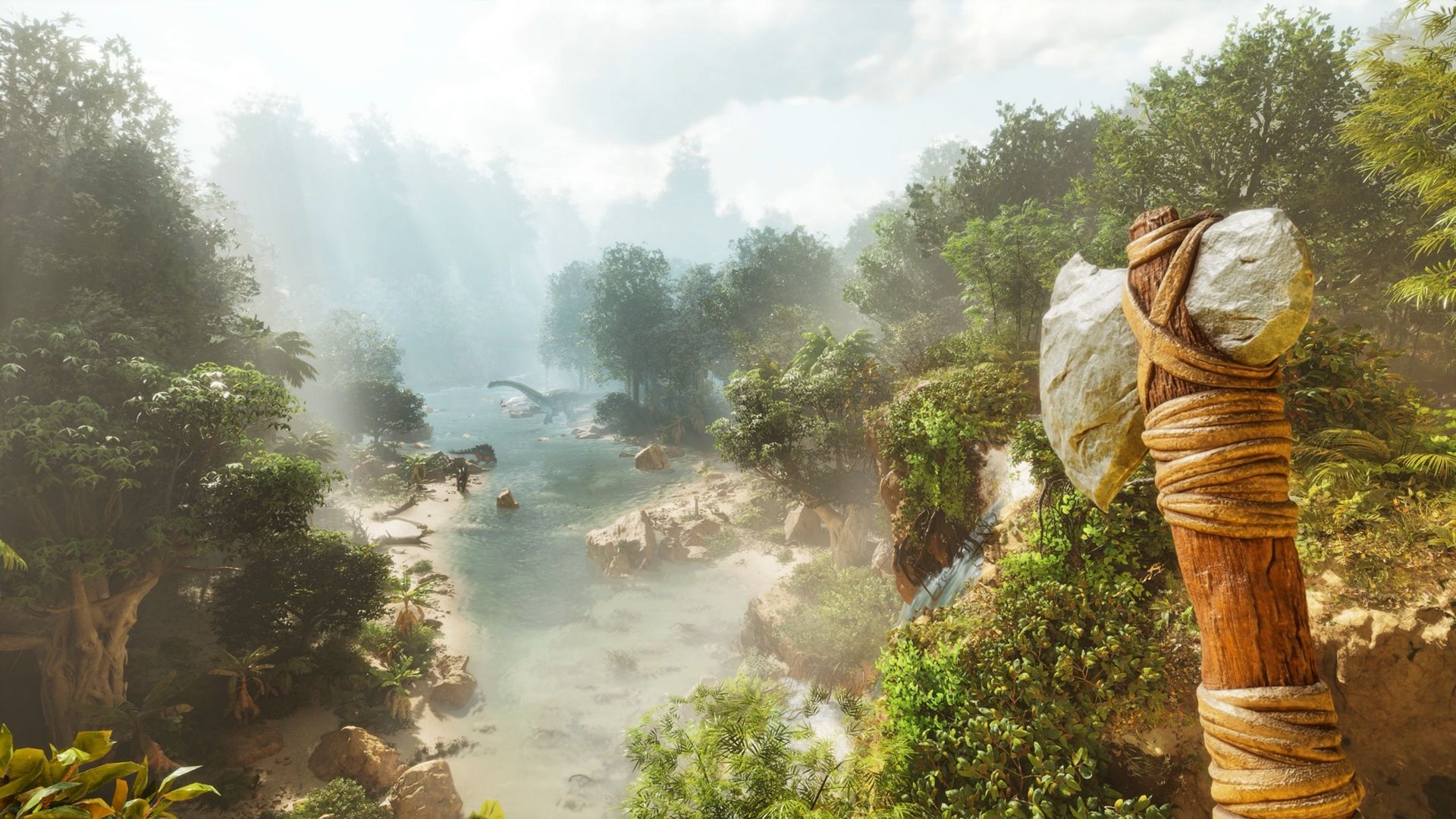
Ark Survival Ascended Rendering Issue Patched in Version 1.052.017

For those affected by rendering issues issues in Ark Survival Ascended, that should be fixed now in the latest game update released by Studio Wildcard as version 1.052.017.

According to Studio Wildcard, the new Ark Survival Ascended update released today does the following:

  • Fixed an issue causing rendering issues on the ground after riding or dismounting a dino or vehicle.

From our understanding, this patch is only available on the PS5 version for now, and there’s no word whether PC and Xbox Series X|S are getting it as well.

Speaking of which, both PC and the Xbox versions got an update via server patch yesterday that fixed “several crashes” per the studio. Today’s patch is but one of many released the past few days, as multiple issues have surfaced from the big Aberration patch from last week.

We’ll be on the lookout for more changes, and don’t be surprised if the PC and Xbox versions are updated to version 52.17 for clients to integrate this same fix.

Avatar photo

Alex Co

Father, gamer, games media vet, writer of words, killer of noobs.

Home > Title Updates and Patches

Prince of Persia: The Lost Crown Update 1.40 Adds Mask of Darkness DLC Data

In case you didn’t know, Ubisoft is set to release a new premium expansion for Prince of Persia: The Lost Crown next week titled “Mask of Darkness.” While the DLC isn’t out just yet, the data for it is! Players can now download Prince of Persia: The Lost Crown update version 1.40 on last-gen, and version 1.004 on current-gen that brings the expansion data.

Prince of Persia: The Lost Crown Update 1.40/1.004 Patch Notes:

Understandably, Ubisoft has not released the patch notes just yet, but Ubisoft did confirm that it is the data for the DLC! The announcement was made today, where the company also revealed that there is an early celebratory present for players, which is a new outfit.

In addition to that, the Steam files of the game also got updated with the DLC as well.

As for the Mask of Darkness, Ubisoft says it “will introduce a new, darker world to explore.” One other key addition we’re expecting is the triple weapon pool, which lets players select a weapon at the start” and yes, adding new weapons.

Here’s what Evil Empire, the studio handling the updates and DLC has said about the weapon changes:

Weapons update

Right now there is quite a limited weapon pool, and the weapons themselves don’t encourage many different playstyles.

This will change with a sizeable expansion of the weapon pool, I mean we’re talking triple the amount of weapons in-game. This includes a rework of how the existing weapons work too, so don’t get too comfortable.

Different weapons will encourage different playstyles like rushing enemies, crowd control or getting timings right. This should put more decision-making and strategy in your hands, especially when combined with what our later updates will bring.

Chances are, we’ll get the patch notes come September 17, and we’ll update the article with the info once it’s out. If you’ve yet to play the game, that’s a big mistake! Our review is here where we state, “Taking Prince of Persia and mixing it with the Metroidvania genre was a brilliant move, as the gameplay and abilities from the series mesh very well with this style, and it makes me hope this is only the beginning of this franchise’s foray into this new direction and is not just a one-off experience.”

Avatar photo

Alex Co

Father, gamer, games media vet, writer of words, killer of noobs.

Home > News

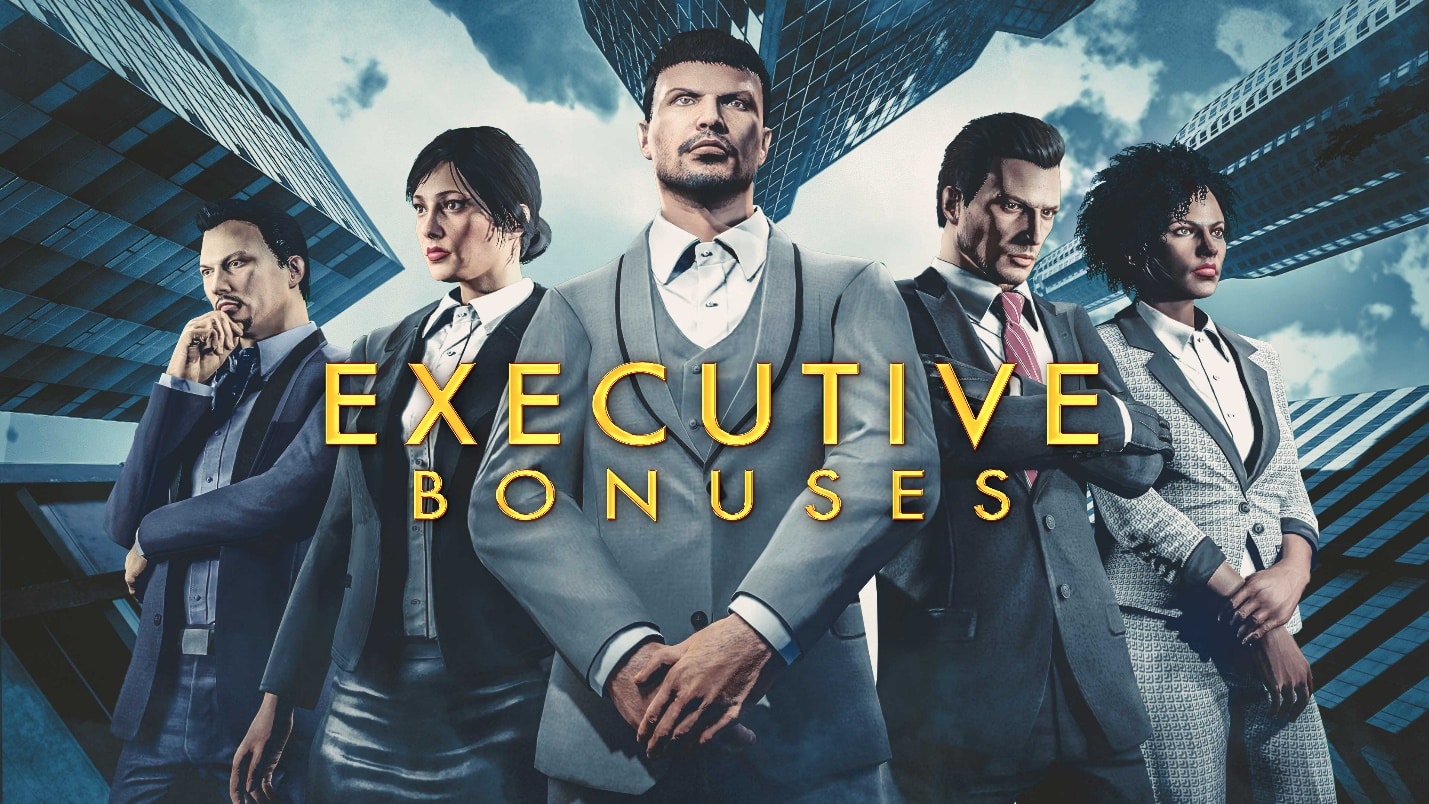
GTA Online Weekly Update for September 12 Drags Executive & Pizza Delivery Bonuses, Discounts and More Listed

Rockstar Games has released the GTA Online new weekly update for September 12 with fresh activities and discounts, GTA+ benefits and more! For this week, expect Executive and Pizza Delivery bonuses, Moon Festival celebrations and more.

GTA Online Weekly Update for September 12:

Full details from this week’s update include:

  • Double GTA$ and RP on Special Cargo Sales, Export Mixed Goods, Pizza Deliveries and Vespucci Job (Remix)
  • Doubled Source Special Cargo speed
  • Sell GTA$300,0000 worth of Special Cargo to earn a GTA$100,000 bonus
  • 30% off Executive Office Properties and their Upgrades & Modifications, and Large Special Cargo Warehouses
  • Triple GTA$ and RP on the new slate of Community Series Jobs
  • LS Car Meet Prize Ride: Place Top 5 in the LS Car Meet Series three days in a row to win the Nagasaki Outlaw
  • HSW Premium Test Ride: The Överflöd Entity MT
  • LS Car Meet Test Rides: The Enus Paragon R, Överflöd Entity XF, Coil Voltic
  • Lucky Wheel Top Prize: The Declasse Impaler SZ
  • This Week at Simeon’s Premium Deluxe Motorsport Showroom: The Enus Stafford, Declasse Tulip, Pagassi Infernus, Dewbauchee JB 700, and Dewbauchee Exemplar
  • On Display at the Luxury Autos Showroom: The Declasse Vigero ZX and Gallivanter Baller ST-D
  • Vehicle Discounts: 40% off the Benefactor SM722, Benefactor Turreted Limo, Karin Kuruma (Armored), Ocelot Pariah, Albany Cavalcade XL, Enus Stafford, Gallivanter Baller ST, and Maibatsu Frogger, 30% off the Pegassi Pizza Boy
  • Gun Van Discounts: 50% off the Vintage Pistol and Tactical SMG (GTA+ Members)
  • GTA+: A free Enus Deity with the Golden Leaf Livery, new Chameleon Paints, Double GTA$ and RP on Daily Madrazo Bounties and Contact Missions, 50% off Salvage Yard Properties, and much more including new benefits each week through October 2.

DISCOUNTS

  • Executive Office Properties – 30% off
  • Executive Office Upgrades and Modifications – 30% off
  • Large Special Cargo Warehouses – 30% off
  • Pegassi Pizza Boy (Motorcycle) – 30% off
  • Benefactor SM722 (Sports) – 40% off
  • Benefactor Turreted Limo (Sedan) – 40% off
  • Karin Kuruma (Armored) (Sports) – 40% off
  • Ocelot Pariah (Sports) – 40% off
  • Albany Cavalcade XL (SUV) – 40% off
  • Enus Stafford (Sedan) – 40% off
  • Gallivanter Baller ST (SUV) – 40% off
  • Maibatsu Frogger (Helicopter) – 40%

Gun Van Inventory and Discounts

Baseball Bat | Knife | Tactical SMG (50% off for GTA+ Members) | Assault SMG | Vintage Pistol (50% off) | Combat MG | Proximity Mines | Tear Gas | Molotovs | Armor

GTA+

This week, claim special Bat and Knife weapon finishes from the Gun Van as part of the ongoing GTA+ Special Weekly Rewards for GTA+ Members. There’s also 40% discounts on vehicles featured in The Vinewood Car Club showroom, and much more to come.

GTA+ Members can also claim their free Enus Deity (Sedan) adorned with the Golden Leaf livery, and get GTA$ deposited automatically into their Maze Bank account each month, access to a rotating selection of classic Rockstar Games titles, and much more.

Tune in next week to know what’s new in GTA Online!

Avatar photo

Alex Co

Father, gamer, games media vet, writer of words, killer of noobs.

Home > Title Updates and Patches

Hitman 3 September Update Brings New Content, Here Are the Complete Patch Notes

IO Interactive has pushed out the big Hitman 3 September update on all platforms this September 12, and this brings a new Elusive Target, new cosmetics and more! Those on consoles will see this as Hitman 3: World of Assassination update version 1.023 and the complete patch notes are available below.

Hitman 3 Update 1.023 Patch Notes for September 12:

Intro

Welcome to the September Patch Notes of 2024 for HITMAN World of Assassination. This time around, we welcome once again The Drop featuring Superstar DJ Dimitri Vegas, who will make his comeback on stage, giving players another chance to take him down. Alongside the Elusive Target, four new challenges inspired by the HITMAN community will be introduced, a new The Drop DLC pack will be available, as well as a new Twitch Drop, five returning Elusive Targets, and the return of the Mills Reverie event. 

Enjoy!

Patch Details

HITMAN World of Assassination will be updated to version 3.200 on all platforms; PlayStation 5, PlayStation 4, Xbox One, Xbox Series X|S, PC, and Switch.

Maintenance: Starts at 10:00 UTC and expected to run until at least 13:30 UTC. Starts: 10:00 UTC / 11:00 CEST. 
Patch Release Time: 11am UTC (This is when the download will roll out, but servers will not be available until the above-mentioned Maintenance period has concluded). 

Patch size: Between 1.6-3.6GB on all platforms. 

Cloud: Switch players do not need to download or install the patch. They will get access to the latest version when they launch the game after maintenance has concluded. 

New Content

September 12 – Twitch Drop: The Purple Baseball Bat 

Alongside the launch of The Drop, we will be releasing a brand-new Twitch Drop, the Purple Baseball Bat. Link your Twitch account to your IOI account, and simply watch your fellow Agents on Twitch to unlock this brand-new item. For a reminder on how to earn this reward: 

  1. Link your IOI Account to your Twitch account. 
  1. Watch a cumulative 1 hour of HITMAN World of Assassination on Twitch between September 12th  and September 20th, 2024. 
  1. Any streamer playing under the HITMAN World of Assassination category on Twitch is eligible for Twitch Drops.

Please be aware, that both the Streamer and the viewer must link their accounts before progress can be made towards earning the Purple Baseball Bat. For more details, please see our Twitch Drops FAQ.

New Challenges

September 12th – Electric Trilogy  

Make sparks fly when eliminating three specific targets to unlock a new weapon

October 14th – Adding Fuel to the Fire 

Reignite the flame with this mission in order to unlock a new weapon

October 31st – True Fan 

Choose the right outfit to complete your mission in order to add it to your collection

November 15th – Surgical Procedure 

Apply the right treatment to your targets to unlock a new outfit

Returning Events

Elusive Target: The Drop featuring Dimitri Vegas 

Dimitri Vegas takes on the role of “The Drop” – a DJ-turned-drug impresario bent on controlling the scene one way or another. Your objective: to eliminate The Drop, one way or another.

Free Starter Pack players will have a chance to experience the Drop mission in The Base – a Two-level Arcade contract featuring The Drop Elusive Target, available for free to everyone. In this game mode, players will be tasked with multiple escalating missions, upon failure, progress will restart from the first level and the contract will be locked for 12 hours until the player can attempt to play the contract again. The original ‘one chance only’ Elusive Target will only be available to World of Assassination players.

Here is how to access the Free Starter Pack for new players:

On Steam, you can download the “HITMAN Free Starter Pack” on HITMAN World of Assassination’s Steam page, at the following link.

On Epic Games Store, you can download the HITMAN World of Assassination Free Starter Pack at the following link.

On PlayStation 4 and PlayStation 5, you can download the HITMAN World of Assassination Free Starter Pack at the following link.

On Xbox One and Xbox Series X|S, you can download the HITMAN World of Assassination Free Starter Pack at the following link.  

Additionally, we will be releasing a brand new DLC pack to all platforms, The Drop Pack which includes The Base, a two-level Arcade contract featuring The Drop as well cosmetic items, priced at $4.99/€4.99/£3.99. The Drop Pack includes:   

  • The Club Boom DJ Suit
  • The Club Boom 12″ Vinyl Sampler
  • The Club Boom 12″ Flightcase
  • The Red Light Flash Grenade
  • The Base – Two level Arcade contract containing The Drop Elusive Target.
  • A set of cosmetics for the Freelancer Safehouse fitting the Drop theme.

The Drop Elusive Target will be available for four weeks from September 12th to October 14th.

October 31st – The Mills Reverie 

Free Starter Players will be able to enjoy a spooky return to The Mills Reverie, where they will stalk poor Orson Mills in his dreams across three stages. Explore a nightmarish version of Hawke’s Bay and haunt Orson Mills’ night from the 31st of October to the 14th of November. 

Elusive Targets  

Another round of Elusive Targets will be back, ready to be taken out! From October 18th till December 8th, a total of five different Elusive Targets will run in succession:

October 18th – November 10th: The Undying

October 18th – October 27th: The Chameleon and The Ascensionist 

November 1st – November 10thThe Surgeons

November 8th – November 18thThe Entertainer

New Features and Bug Fixes

FEATURES

Ambrose Island

The mission “Shadows in the Water”, taking place on Ambrose Island, has been moved within the chronological order of the campaign menu, with a spoiler warning if the previous missions have not been completed.

FIXES

ENVIRONMENT

Do you even float?

Solved an issue in the Isle of Sgàil, where assets could be noticed to be floating near the Keep Tower.

LEVEL DESIGN

Two is a crowd

Fixed an issue in the Disruptor mission, where two NPCs could use the water basin at the same time when getting sick, in the VIP area.

Hit the Floor

Fixed an issue in the Isle of Sgàil where the portcullis located at the main entrance would not make any sound when hitting the ground after being dropped.

Shifty Redecorator  

Solved an issue in the Safehouse in Freelancer mode, where premium decorations that have not been unlocked yet could be selected by pressing the move and confirm buttons at the same time.

SOUND DESIGN

Not quite my tempo 

Fixed an issue in the Isle of Sgàil and The Disruptor mission where the music coming from the war drums would cut off periodically.

LOCALIZATION

Double Trouble

Fixed an issue in The Serial Killer Elusive Target mission, where the Japanese text would display the character for “Eliminate” twice in the mission objective. 

Fixed an issue in the mission description of the Disruptor’s MMA Suit, with the word “in” being repeated twice. 

CHARACTER ART

Throwing Shade 

Solved an issue where certain characters wearing glasses in various missions would have sunglasses instead of regular glasses.

UI 

Did not receive the memo 

Fixed an issue where the briefing video for the Paris mission would not start and only the briefing text would appear. The same applies to the debriefing video, which did not launch after the end of the mission.

We’re going to need the previous boat 

Fixed an issue in the Safehouse, where the speedboat unlocked at level 19 and level 37 would swap when playing a cinematic (fully fixed this time).

PLATFORM-SPECIFIC

Nintendo Switch 

Fixed an issue where the Switch Cloud version of HITMAN World of Assassination would freeze and crash frequently.

PlayStation 5 

Fixed a vast majority of GPU Hangs on PlayStation 4 and 5, so players should see a lot less crashes there. 

PC 

Fixed PC GPU hangs which should reduce the number of crashes

CONTENT ACCESS ON STEAM

The Undying Pack Access 

We fixed an issue where The Disruptor Pack would give access to the Undying Pack, meaning The Undying Pack would not grant access to any content. 

The Seven Deadly Sins Access

We fixed an issue where players were not able to access the Seven Deadly Sins’ content after purchasing it. 

Once another title update for Hitman 3 is released, we’ll let our readers know right away. Aside from Hitman, IO Interactive is working on a new James Bond game, and we’re hoping we get more info about that soon.

[Source: Hitman 3]

Avatar photo

Alex Co

Father, gamer, games media vet, writer of words, killer of noobs.

Home > Title Updates and Patches

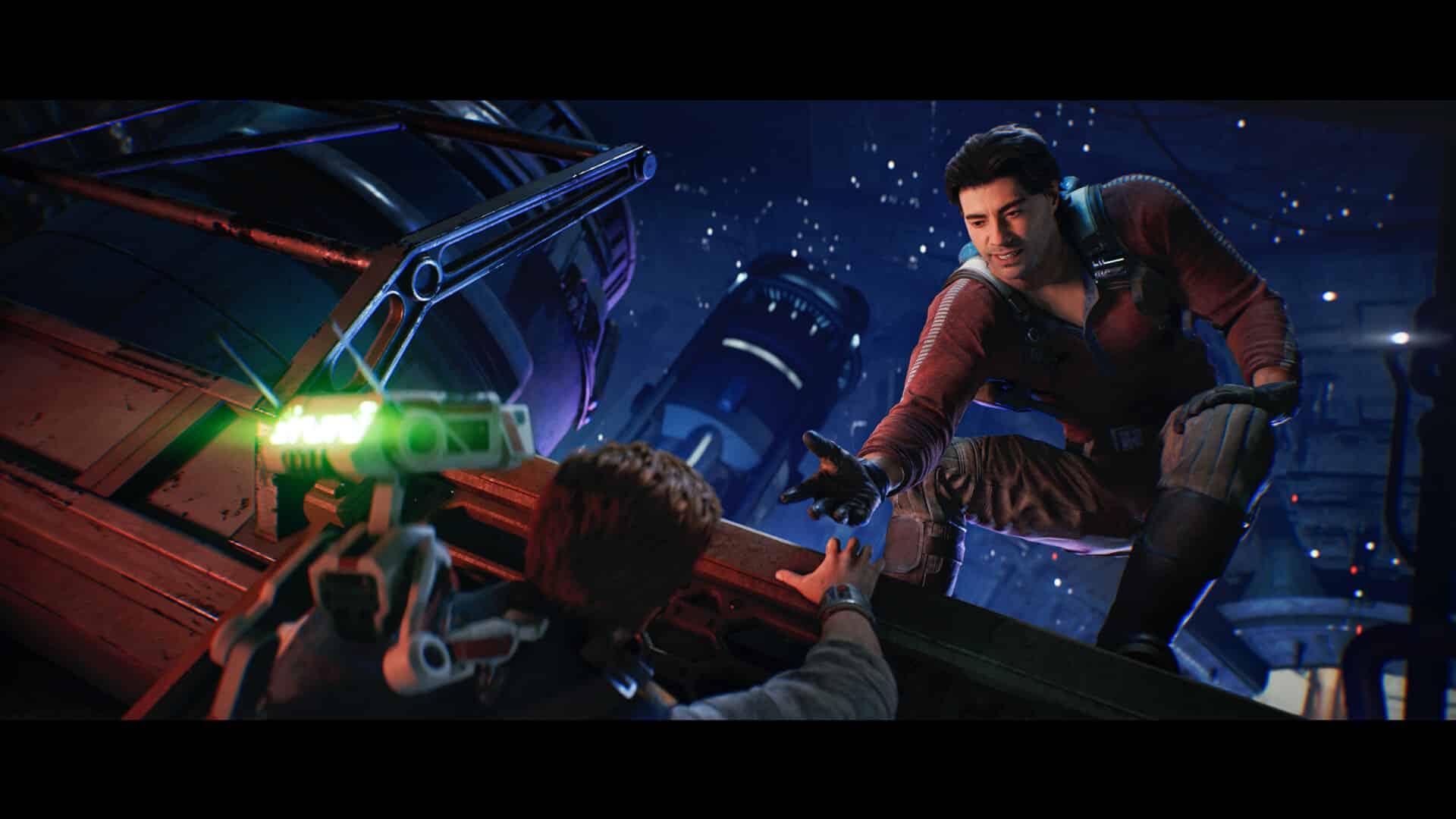
Star Wars Jedi: Survivor’s Latest Update Released Today as Patch 9 Adds PS4 to PS5 Save Transfer, Various Improvements

In anticipation of the last-gen release of Star Wars Jedi: Survivor set launch on September 17, Respawn has released a new title update for the PC and console versions of the game tagged as Patch 9. Those on consoles will see this as Star Wars Jedi: Survivor update 1.000.012, and this patch adds functionality for transferring saves between the PS4 and PS5 versions of the title in addition to various performance improvements.

Star Wars Jedi: Survivor Update 1.000.012 Patch Notes for September 12:

Note: EA’s wording on Patch 9 talks about the PS5 patch as an “upcoming update,” though given today’s patch is only referred by EA for PC, we suspect the patch certification process for the PS5 version passed earlier than usual.

Patch 9 Details 

This patch focuses primarily on performance and quality of life improvements for the PC version of the game.

Performance Improvements:

  • Framerate improvements for various hardware configurations.
  • Fixes for several sources of framerate hitching for smoother gameplay.
  • Ray Tracing has been optimized for CPU usage and should now scale better for high-end GPUs.
  • Fixes for performance related to using a mouse as gameplay input.

Quality of Life:

  • The “Optimizing Game Files” screen has been optimized and can now see speed increases from multiple CPU cores.
  • Mouse and keyboard functionality has been improved across a variety of menu screens, including the first time user screens, title menu, game menu, and workbench.

Bug Fixes:

  • Fixed collision issue where players could fall through elevators at low framerates.
  • Fix for a conversation-related crash when walking away from NPC characters.
  • Fix for various, intermittent crashes.

General:

  • Denuvo DRM has been removed.

For the last-gen version of the game, the pre-order bonuses are listed here in case you know someone interested in buying it.

[Source: EA]


Avatar photo

Alex Co

Father, gamer, games media vet, writer of words, killer of noobs.

Home > Title Updates and Patches

The First Descendant Update 1.21 Release Today Brings Dungeon and Ultimate Weapon Adjustments,

While it’s not a content drop, Nexon has pushed out another significant patch for The First Descendant today! Console gamers will see this as The First Descendant update version 1.21 on last-gen, version 1.021 on current-gen, and this includes gameplay-specific adjustments.

Those on PC, Nexon has tagged this as TFD hotfix 1.1.2 and includes the same list of changes as the console versions.

The First Descendant Update 1.21/1.021 Patch Notes for September 12:

Content Improvements

(1) Content

– Removed certain Dungeon Penalties that appear in the Invasion.

  • When using a General Round Weapon, Bullet Cost +1
  • When using an Impact Round Weapon, Bullet Cost +1
  • When using a Special Round Weapon, Bullet Cost +1
  • When using a High-Power Round Weapon, Bullet Cost +1
  • When using Roll, Firearm ATK -3.6% (up to 10 stacks)
  • When using Grappling Hook, Skill Power -43.6% (30s duration)
  • When using Skill, Movement Speed -50% (30s duration)
  • When aiming, Incoming Damage Modifier +2.7%

– HP Orbs that appear in Intercept Battles now recover 25% of Max HP instead of 20%.

– MP Orbs that appear in Intercept Battles now recover 16% of Max MP instead of 13%.

– Lowered the difficulty of Normal/Hard ‘Dead Bride.’

  • Decreased the frequency of ‘Teleport’ while Frenzied.
  • Decreased the range of ‘Snow Storm (the veil consisting of Chill)’ and reduced the damage.
  • Decreased the Part HP of the Amplifier.

– Lowered the difficulty of Normal ‘Hanged Man.’

  • Greatly reduced the Part HP of the ‘Charger (the object inside the mouth that attacks while Frenzied).’
  • Greatly reduced the damage of ‘Thunder Wave (the wave of thunder emanating from the center).’
  • Greatly reduced the damage of ‘Charging Laser (the laser fired from the mouth when you fail to destroy the Charger).’
  • Decreased the damage of the Thunderbolt skill that occurs while Frenzied.
  •  Decreased the duration of the ‘Electric Cannon (the electric sphere).’

 Lowered the difficulty of the ‘Deception Transmitter (Defense)’ mission at the ‘Sterile Land: Rockfall.’

– Knockdown damage will not occur in a row when damaged by traps.

– Made monsters spawn faster in the Extermination Mission of the Hard Infiltration Operation ‘Echo Swamp: Seed Vault,’ and lowered the required amount for the Collection Mission.

– The Data Collection Mission of the Hard Infiltration Operation ‘Hagios: The Old Mystery’ has been changed to a Traversal Mission.

– In the Invasion: Legion of Immortality, the maximum distance for feeding Artificial Brains to the Quantum Computing Unit has been changed from 2m to 3.5m.

– Added sniper monsters to the ‘Fortress: Defense Line” Void Fragment mission to prevent simple macros.

– The ESC menu can now be activated during the DBNO state.

– Changed the Aim Assist settings for controllers.

  • The default value is now 50 instead of 80.
  •  The maximum Aim Assist range for every weapon except Sniper Rifles has been changed to 100m.
  • Aim Assist now reactivates faster when targeting multiple enemies in a row.
  •  The minimum distance for Camera Auto Rotate to trigger has been changed to 4m or above.
  • Weakened the pull strength of crosshair towards the center of an enemy.
  • Decreased the duration of Aim Assist when trying to target another monster
# Director’s Comments

The Dev Team is aware of the feedback regarding Aim Assist and has improved the feature to further enhance the console player experience.

Previously, the Aim Assist feature made delicate control difficult as the aim automatically turns towards a nearby monster or focuses on the enemy’s torso when you want to attack their Weak Points.

With this improvement, the players with controllers now have more control over their aiming, while new players are given appropriate assistance.

– Added page 13 for the Season 1 Battle Pass. ‘Crystallization Catalysts’ and ‘Energy Activators’ have been added as rewards.

# Director’s Comments

To meet the community’s expectations for further improving the value of the Battle Pass rewards, we temporarily added page 13 for the Season 1 Battle Pass while providing ‘Crystallization Catalysts’ and ‘Energy Activators’ as the rewards.

Even if you have already reached Season Level 96, you can still receive the additional rewards on page 13.

The Dev Team is working hard to incorporate feedback from the community to further improve the game and provide more value to players.

Based on the feedback we received during the pre-season, we have improved the Season 1 Battle Pass to make it easier to achieve weekly and seasonal missions.

We appreciate your continued interest in the Season 1 Battle Pass along with the Battle Supply Shop where you can receive free rewards.

(2) Ultimate Weapon

– Improved the base performance and unique ability of the Ultimate Weapon ‘Wave of Light (Scout Rifle).’

  • Decreased the recoil of ‘Solar Halo’ while increasing the ‘Firearm Critical Hit Rate.’ Increased the ‘Duration’ of the effect depending on the enhancement level.
  • Hitting enemies while ‘Solar Halo’ is active now creates ‘Dusk,’ inflicting ‘Lunar Halo’ to enemies within the range.
  • ‘Firearm ATK’ increases on hitting enemies inflicted with ‘Lunar Halo.’

– Improved the base performance and unique ability of the Ultimate Weapon ‘King’s Guard Lance (Beam Rifle).’

  • Increased the ‘Base Fire Rate’ of King’s Guard Lance while decreasing the base time it takes to charge.
  • You can now place up to three ‘Guardian Lances,’ and the Lances automatically attack enemies within the ‘DMG Range’ when placed.
  • The ‘Damage Interval’ of the ‘Guardian Lance’ is now affected by the ‘Fire Rate’ of King’s Guard Lance.
  •  Increased the ‘Duration’ of the ‘Guardian Lance’ depending on the enhancement level.
  • Increased the ‘Duration Increase Upon Hit’ and ‘DMG Range’ of the ‘Guardian Lance,’ with the maximum possible increase in range being limited.

– Improved the base performance and unique ability of the Ultimate Weapon ‘Executor (Shotgun).’

  • Increased the base ‘Hip Fire Accuracy’ and ‘Aimed Shot Accuracy’ of ‘Executor.’
  • When the ‘Executor’s Exaltation’ effect is active, failing to hit all fired bullets will no longer decrease the amount of stacks.
  • Decreased the maximum stacks of the ‘Executor’s Exaltation’ effect, and firing the gun at maximum stacks will no longer disable the ability.
  • Increased ‘Accuracy’ and ‘Firearm Critical Hit Rate’ based on the adjusted maximum stacks of the ‘Executor’s Exaltation’ effect. ‘Firearm Critical Hit Damage’ and ‘Fire Rate’ are also increased now.
  • The ‘Executor’s Exaltation’ effect at maximum stacks now increases ‘Weak Point Damage’ instead of ‘Firearm ATK.’
  • ‘Firearm ATK’ is no longer increased when hitting enemies inflicted with ‘Electrocution.’

– Improved the base performance and unique ability of the Ultimate Weapon ‘Peace Maker (Hand Cannon).’

  • The ‘Single Reload for Peace’ effect is now also granted when using a ‘Fusion’ skill.
  • The ‘Skill Cost’ of the ‘Single Reload for Peace’ effect now decreases depending on the enhancement level.
  •  Increased the ‘Non-Attribute Skill Power per Stack’ of the ‘Single Reload for Peace’ effect

– Improved the base performance and unique ability of the Ultimate Weapon ‘EXCAVA (Assault Rifle).’

  • Decreased the maximum stacks of ‘Voltage Charge’ depending on the enhancement level in order to grant the ‘Energy Grenade’ effect more quickly.
  • Increased Additional Damage for shooting while aiming when the ‘Energy Grenade’ effect is active depending on the enhancement level.
  • Slightly increased the projectile size of the ‘Energy Grenade.’
  • Increased the Electric Resistance Decrease of the ‘Voltage Accumulation’ effect depending on the enhancement level.

(3) UI/UX

– The ‘Filter all as junk’ function has been retooled to ‘Bulk Exclude Junk Filter.’

  • Now it functions by specifying conditions for which ones to not designate as junk.
  • ‘Option Filter’ now allows you to choose whether the items are excluded if they meet only one specified condition, or more than two.
  • With this change, the current settings for ‘Filter all as junk’ will be reset, so please make sure to check your ‘Exclude from junk’ settings before you dismantle items

For weapons, ‘Ultimate or Higher’, ‘Level 1 or Higher’ must be set to exclude level 1 ultimate weapons from Junk. Once set, all level 100 Rare Tier weapon will be selected as junk. As the Filter option has been changed from select to exclude, make sure you check your ‘Exclude from junk’ settings before you dismantle items.

– Made improvements so that players can move between Inventory and Map more easily.

  • Pressing the Map (M) button in an Inventory menu (Inventory, Descendants, Customize, Consumables, Battle Pass, Shop) allows you to enter the Map screen.
  • Pressing the Inventory (I) button in a Map menu (Map, Library, Journal, Quest, Social) allows you to enter the Inventory screen

– You can now bind hotkeys for the Library, Consumables, Journal, Social, Battle Pass, and Shop menus in Game Options.

– You can now immediately choose a selectable reward before you begin Hard Infiltration Operations.

– The Weapons List in Customize now displays the status of skins for each weapon.

– At the Library, the items obtained from Research are also displayed in the acquisition info. You can also check tooltips for Amorphous Materials now.

– ‘Change Firing Mode’ in the gameplay settings is now enabled by default.

Bug Fixes

(1) UI/UX

– Fixed an issue where it automatically switched to the Tracked Items tab upon entering the Research screen if there are completed or in-progress Research Items.

– Fixed an issue where the Usage Information button is not displayed for the tooltips of certain common skins.

– Fixed an issue where entering a private battlefield as a party and leaving the party could turn the battlefield to public. Now you are sent to Albion the moment you leave your party on a private battlefield.

– Fixed an issue where trying to equip a Module when the Socket Type is changed could incorrectly display accumulated applied values.

(2) Descendants & Ultimate Weapons

– Fixed an issue where the effect remains if Ajax’s Barrier is immediately destroyed at the time it is created

– When Hailey uses the ‘Zenith’ skill, it is now affected by the ‘Movement Speed’ of her current weapon rather than her Unique Weapon. This allows the ‘Arche Pacemaker’ effect of the Inversion Reinforcement to be properly applied.

– If the Max HP of an ally healed by Yujin is less than 1, the amount of recovery is now calculated based on the target’s ‘Max Energy Shield.’

– Fixed an issue where ‘King’s Guard Lance’ blocked enemy projectiles.

(3) Miscellaneous

– Fixed an issue where the “Collect Ironheart Particles” quest was not being completed despite being carried out.

  • After the hotfix patch, the reward will be automatically applied upon re-login.

– Fixed an issue in the Invasion: Order of Truth mission where interacting with a drone before starting the battle with a Named Monster could complete the mission.

– Fixed an issue in the Invasion: Legion of Immortality mission where dying during the battle against a Named Monster could cause certain UI to not properly show up.

– Fixed an issue in the Agna Desert: The Asylum (Normal) Infiltration Operation where dying during the battle against a Named Monster could cause the door to not open.

Nexon has been quite vigilant and prompt when it comes to The First Descendant issues, and if another patch is released, we’ll be sure to let our readers know. Don’t forget, the second part of the Season 1 update is due for release this October 10.

[Source: TFD Nexon]

Avatar photo

Alex Co

Father, gamer, games media vet, writer of words, killer of noobs.

Home > Title Updates and Patches

Astro Bot Gets a Small Update This September 12 as Version 1.003

Team Asobi has rolled out the first post-release patch for Astro Bot and it’s a small download. PS5 owners will see this as Astro Bot update 1.003, and clocks in at just 380MB. Given that it’s been a few days since the game launched, don’t expect anything major from this outside of bug fixes.

Astro Bot Update 1.003 Patch Notes:

Update: While it doesn’t seem Team Asobi will be releasing patch notes, we can confirm that this fixes the big save issue! That alone is well worth the download for the patch.

Team Asobi has not released any patch notes yet, though we are hoping this title update will be to fix the crashing issues, and even a save issue that is plaguing players. It seems you have to exit via the dashboard to make a save, as doing otherwise leads to your progress not being saved (one ResetEra poster lost five hours of progress due to this).

As for what’s next, the game’s credits seem to indicate a bunch of other crossovers with other games are incoming such as Stellar Blade, Assassin’s Creed and more, which you can read about here.

For those looking to the game getting a proper PSVR2 release, that isn’t happening according to Team Asobi, though they are not ruling out a PC version.

Avatar photo

Alex Co

Father, gamer, games media vet, writer of words, killer of noobs.

Home > Title Updates and Patches

Hitman 3 Update 1.23 Adds DJ Dimitri Vegas This September 12

IO Interactive has released Hitman 3 update 1.23 (PS5 update version 1.023) and this time you can get to takedown Superstar DJ Dimitri Vegas. A new DLC pack is available and much more. Read on for the September 12 patch notes for Hitman 3 below.

Hitman 3 Update 1.23/1.023 Patch Notes for September 12:

Intro

Welcome to the September Patch Notes of 2024 for HITMAN World of Assassination. This time around, we welcome once again The Drop featuring Superstar DJ Dimitri Vegas, who will make his comeback on stage, giving players another chance to take him down. Alongside the Elusive Target, four new challenges inspired by the HITMAN community will be introduced, a new The Drop DLC pack will be available, as well as a new Twitch Drop, five returning Elusive Targets, and the return of the Mills Reverie event. 

Enjoy!

Patch Details

HITMAN World of Assassination will be updated to version 3.200 on all platforms; PlayStation 5, PlayStation 4, Xbox One, Xbox Series X|S, PC, and Switch.

Maintenance: Starts at 10:00 UTC and expected to run until at least 13:30 UTC. Starts: 10:00 UTC / 11:00 CEST. 
Patch Release Time: 11am UTC (This is when the download will roll out, but servers will not be available until the above-mentioned Maintenance period has concluded). 

Patch size: Between 1.6-3.6GB on all platforms. 

Cloud: Switch players do not need to download or install the patch. They will get access to the latest version when they launch the game after maintenance has concluded. 

New Content

September 12 – Twitch Drop: The Purple Baseball Bat 

Alongside the launch of The Drop, we will be releasing a brand-new Twitch Drop, the Purple Baseball Bat. Link your Twitch account to your IOI account, and simply watch your fellow Agents on Twitch to unlock this brand-new item. For a reminder on how to earn this reward: 

  1. Link your IOI Account to your Twitch account. 
  1. Watch a cumulative 1 hour of HITMAN World of Assassination on Twitch between September 12th  and September 20th, 2024. 
  1. Any streamer playing under the HITMAN World of Assassination category on Twitch is eligible for Twitch Drops.

Please be aware, that both the Streamer and the viewer must link their accounts before progress can be made towards earning the Purple Baseball Bat. For more details, please see our Twitch Drops FAQ.

New Challenges

September 12th – Electric Trilogy  

Make sparks fly when eliminating three specific targets to unlock a new weapon

October 14th – Adding Fuel to the Fire 

Reignite the flame with this mission in order to unlock a new weapon

October 31st – True Fan 

Choose the right outfit to complete your mission in order to add it to your collection

November 15th – Surgical Procedure 

Apply the right treatment to your targets to unlock a new outfit

Returning Events

Elusive Target: The Drop featuring Dimitri Vegas 

Dimitri Vegas takes on the role of “The Drop” – a DJ-turned-drug impresario bent on controlling the scene one way or another. Your objective: to eliminate The Drop, one way or another.

Free Starter Pack players will have a chance to experience the Drop mission in The Base – a Two-level Arcade contract featuring The Drop Elusive Target, available for free to everyone. In this game mode, players will be tasked with multiple escalating missions, upon failure, progress will restart from the first level and the contract will be locked for 12 hours until the player can attempt to play the contract again. The original ‘one chance only’ Elusive Target will only be available to World of Assassination players.

Here is how to access the Free Starter Pack for new players:

On Steam, you can download the “HITMAN Free Starter Pack” on HITMAN World of Assassination’s Steam page, at the following link.

On Epic Games Store, you can download the HITMAN World of Assassination Free Starter Pack at the following link.

On PlayStation 4 and PlayStation 5, you can download the HITMAN World of Assassination Free Starter Pack at the following link.

On Xbox One and Xbox Series X|S, you can download the HITMAN World of Assassination Free Starter Pack at the following link.  

Additionally, we will be releasing a brand new DLC pack to all platforms, The Drop Pack which includes The Base, a two-level Arcade contract featuring The Drop as well cosmetic items, priced at $4.99/€4.99/£3.99. The Drop Pack includes:   

  • The Club Boom DJ Suit
  • The Club Boom 12″ Vinyl Sampler
  • The Club Boom 12″ Flightcase
  • The Red Light Flash Grenade
  • The Base – Two level Arcade contract containing The Drop Elusive Target.
  • A set of cosmetics for the Freelancer Safehouse fitting the Drop theme.

The Drop Elusive Target will be available for four weeks from September 12th to October 14th.

October 31st – The Mills Reverie 

Free Starter Players will be able to enjoy a spooky return to The Mills Reverie, where they will stalk poor Orson Mills in his dreams across three stages. Explore a nightmarish version of Hawke’s Bay and haunt Orson Mills’ night from the 31st of October to the 14th of November. 

Elusive Targets  

Another round of Elusive Targets will be back, ready to be taken out! From October 18th till December 8th, a total of five different Elusive Targets will run in succession:

October 18th – November 10th: The Undying

October 18th – October 27th: The Chameleon and The Ascensionist 

November 1st – November 10thThe Surgeons

November 8th – November 18thThe Entertainer

New Features and Bug Fixes

FEATURES

Ambrose Island

The mission “Shadows in the Water”, taking place on Ambrose Island, has been moved within the chronological order of the campaign menu, with a spoiler warning if the previous missions have not been completed.

FIXES

ENVIRONMENT

Do you even float?

Solved an issue in the Isle of Sgàil, where assets could be noticed to be floating near the Keep Tower.

LEVEL DESIGN

Two is a crowd

Fixed an issue in the Disruptor mission, where two NPCs could use the water basin at the same time when getting sick, in the VIP area.

Hit the Floor

Fixed an issue in the Isle of Sgàil where the portcullis located at the main entrance would not make any sound when hitting the ground after being dropped.

Shifty Redecorator  

Solved an issue in the Safehouse in Freelancer mode, where premium decorations that have not been unlocked yet could be selected by pressing the move and confirm buttons at the same time.

SOUND DESIGN

Not quite my tempo 

Fixed an issue in the Isle of Sgàil and The Disruptor mission where the music coming from the war drums would cut off periodically.

LOCALIZATION

Double Trouble

Fixed an issue in The Serial Killer Elusive Target mission, where the Japanese text would display the character for “Eliminate” twice in the mission objective. 

Fixed an issue in the mission description of the Disruptor’s MMA Suit, with the word “in” being repeated twice. 

CHARACTER ART

Throwing Shade 

Solved an issue where certain characters wearing glasses in various missions would have sunglasses instead of regular glasses.

UI 

Did not receive the memo 

Fixed an issue where the briefing video for the Paris mission would not start and only the briefing text would appear. The same applies to the debriefing video, which did not launch after the end of the mission.

We’re going to need the previous boat 

Fixed an issue in the Safehouse, where the speedboat unlocked at level 19 and level 37 would swap when playing a cinematic (fully fixed this time).

PLATFORM-SPECIFIC

Nintendo Switch 

Fixed an issue where the Switch Cloud version of HITMAN World of Assassination would freeze and crash frequently.

PlayStation 5 

Fixed a vast majority of GPU Hangs on PlayStation 4 and 5, so players should see a lot less crashes there. 

PC 

Fixed PC GPU hangs which should reduce the number of crashes

CONTENT ACCESS ON STEAM

The Undying Pack Access 

We fixed an issue where The Disruptor Pack would give access to the Undying Pack, meaning The Undying Pack would not grant access to any content. 

The Seven Deadly Sins Access

We fixed an issue where players were not able to access the Seven Deadly Sins’ content after purchasing it. 

Our readers will always be the first to know when the next Hitman 3 update is out.

[Source: Hitman 3]

Damien Seeto

Home > News

Report: Microsoft Cutting 650 More Jobs From Gaming Division Per Phil Spencer’s Letter to Employees

While it hasn’t been a good year for the gaming industry at large, it seems the bleeding at Microsoft’s gaming division — which suffered a staff reduction of 8% earlier this year — isn’t over,  as a new report has surfaced stating that about 650 more jobs were cut from the gaming sector of the company.

The news apparently comes from Microsoft gaming division boss Phil Spencer’s email to employees today. In it, Spencer mentioned that about 650 people will be laid off, and the majority of the cuts will be from the corporate and support roles at Activision-Blizzard per a source familiar with the situation.

Spencer was said to frame the context of the layoffs in Microsoft’s $69 billion acquisition of Activision-Blizzard in October 2023.

“As part of aligning our post-acquisition team structure and managing our business, we have made the decision to eliminate approximately 650 roles across Microsoft Gaming—mostly corporate and supporting functions—to organize our business for long term success.”

The job cuts today won’t affect any of the business unit leaders at Xbox or its affiliated gaming teams, and “no games, devices or experiences” will be cut, per Spencer’s note to employees.

Check out the full letter by Phil Spencer below:

Subject: Changes to Microsoft Gaming

For the past year, our goal has been to minimize disruption while welcoming new teams and enabling them to do their best work. As part of aligning our post-acquisition team structure and managing our business, we have made the decision to eliminate approximately 650 roles across Microsoft Gaming—mostly corporate and supporting functions—to organize our business for long term success.

I know that this is difficult news to hear. We are deeply grateful for the contributions of our colleagues who are learning they are impacted. In the US, we’re supporting them with exit packages that include severance, extended healthcare, and outplacement services to help with their transition; outside the US packages will differ according to location.

With these changes, our corporate and supporting teams and resources are aligned for sustainable future growth, and can better support our studio teams and business units with programs and resources that can scale to meet their needs. Separately, as part of running the business, there are some impacts to other teams as they adapt to shifting priorities and manage the lifecycle and performance of games. No games, devices or experiences are being cancelled and no studios are being closed as part of these adjustments today.

Throughout our team’s history, we have had great moments, and we have had challenging ones. Today is one of the challenging days. I know that going through more changes like this is hard, but even in the most trying times, this team has been able to come together and show one another care and kindness as we work to continue delivering for our players. We appreciate your support as we navigate these changes and we thank you for your compassion and respect for each other.

Phil

This news adds to the growing list of gaming industry layoffs that has happened this year. The biggest among them seems to be Microsoft’s 1,900-job culling that happened a few months ago that affected various roles at the company. Not only that, but a few months ago, Microsoft also shuttered down Tango Gameworks, and other studios as well. Thankfully, Tango was saved by Krafton along with the Hi-Fi Rush IP.

We certainly hope the people affected by this are able to land on their feet soon.

Related Reading:

[Source: Game File (subscription required)]

Avatar photo

Alex Co

Father, gamer, games media vet, writer of words, killer of noobs.

Home > News

PS4 Update 12.00 Released This September 12 for Improved Messages

Sony has released a new system update for the PS4 console today. This is PS4 update 12.00 and it comes with improved messages and usability. Check out the full and official patch notes for the new update posted down below.

PS4 Update 12.00 Patch Notes:

Download Size: 503.2 MB

  • We’ve improved the messages and usability on some screens.

That’s all the patch notes that have been released for today. You can check out the last system update by clicking here, and that was version 11.52. That last update also included the same improved messages and usability for all PS4 systems.

The PS4 was released back in 2013, and it’s unlikely to get newer features since Sony is putting all its efforts on the PS5 and soon-to-be-released PS5 Pro. In the meantime, you can read what the new PS5 system update includes as one was released for it today.

In other Sony hardware news, the PS5 also got an update today. While the new firmware patch for the current-gen console added new features, the news is overshadowed by the PS5 Pro’s announcement that largely went the opposite of what Sony was expecting, as the gaming community seems to not be digging it at all.

More PlayStation Reading:

Damien Seeto

Home > News

PS5 Update Version 24.06-10.00.00 Released This Sept. 12 and Introduces New Features

Sony has rolled out a surprise firmware patch for the PS5 today (September 12), and it’s not your usual stability patch. Console owners will see PS5 update version 24.06-10.00.00 available for download now, and adds the Welcome Hub to the home screen, gives players an option to create personalized 3D audio profiles and more.

Clocking in at 1.2GB, the complete changelog of new features can be seen below.

PS5 Update Version Version 24.06-10.00.00 Patch Notes and New Features:

  • The Welcome hub is now available in the home screen. For users in North America, this enhancement replaces the Explore hub.
    • You can customize the Welcome hub with widgets and backgrounds.
    • Widgets display information like storage, battery levels, online friends, and more.
    • Widgets can be added, removed, resized, and moved one by one. You can also choose from preset widget layouts based on your preferences.
    • A limited number of users will receive the Welcome hub in this update. All users worldwide will receive this enhancement within 1-2 months.
  • You can now create a personalized 3D audio profile for your headphones that’s optimized to each user’s ears. This allows for a more immersive 3D audio experience than ever before.
    • Each 3D audio profile is uniquely optimized for each user, created by taking detailed measurements of how you hear 3D audio through headphones.
    • To create a personalized 3D audio for your headphones, go to Settings Sound > 3D Audio (Headphones).
    • You can still select from 3D audio presets like before.
  • Adaptive charging for your controller is now available for when your PS5 (CFI-2000 model group)is in rest mode.
    • Adaptive charging allows the duration of power supply during rest mode to adjust depending on how much battery your controller has left, helping save power.
    • To use adaptive charging, go to Settings > System > Power Saving > Features Available in Rest Mode, and then select Supply Power to USB Ports > Adaptive.
    • Adaptive charging is supported on the PS5 CFI-2000 model group, using the USB Type-C port. Adaptive charging works with the DualSense wireless controller, DualSense Edge wireless controller, PS VR2 Sense controllers, and Access controller.
    • After your PS5 enters rest mode, if a controller isn’t connected, the power supply to the USB port will stop after a certain period of time.
  • When you’re in a party, you can now share a link to that party. Share the link with players using other services to invite them to that party.
    • This feature will be gradually rolled out after this system software update is released.
  • You can now set which users can connect to the PS5 using Remote Play.
    • Go to Settings > System > Remote Play > Enable Remote Play, and select the users who can access your console through Remote Play.
  • The restore licenses feature has been improved, and you can now restore one license at a time.
    • Go to Settings > Users and Accounts > Other Restore Licenses to select the license that you want to restore.
    • To restore a license from the home screen or Game Library, go to the game, press the options button, and then select Restore License from the menu.
  • We’ve added a friendly recommendation about your storage space that you’ll sometimes see in Settings > Storage.
  • We’ve made it simpler to access the most popular activities from game hubs.
    • Game hubs now only display activities that are currently in progress.
    • To play a specific activity, start the game first and find it using in-game menus.
  • The Invite to New Game option, which is available from multiple locations, is no longer available when sending game invites.
    • To invite friends to a game session, start the game first, then send the invitation to the session.
  • We’ve updated the device software of the DualSense and DualSense Edge wireless controllers, PlayStation VR2 Sense controllers, and Access controller to improve stability.
  • We’ve improved system software performance and stability.
  • We’ve improved the messages and usability on some screens.

In case you haven’t been keeping tabs on gaming news, the PS5 Pro has been announced this week, and unfortunately for Sony, gamers do not seem to care about it much, as the reception to it has mostly been negative.

More PlayStation Reading:

Avatar photo

Alex Co

Father, gamer, games media vet, writer of words, killer of noobs.

Home > Title Updates and Patches

PUBG Update 2.76 Released for Patch 31.2 This September 12

A new update has arrived for the console versions of PUBG today. If you are playing on console this is update version 2.76 and it’s for patch 31.2. Some new additions and changes have been added to the Taego map and more. Check out the patch notes for September 12 down below.

PUBG Update 2.76 Patch Notes:

Live Maintenance Schedule

※ The times shown below are subject to change.

  • PC: September 4, 12 AM – 8:30 AM (UTC)
  • Console: September 12, 1 AM – 9 AM (UTC)

Map Service

※ PC players can anticipate the next rotation every Wednesday at 2 AM UTC, while Console players can expect the same every Thursday at 7 AM UTC.

Schedule

Start Date
PC
Console
Week 1 September 4 September 12
Week 2 September 11 September 19
Week 3 September 18 September 26
Week 4 September 25 October 3
Week 5 October 2 October 10

Live Server – Featured Map

  • Taego
    • Selectable in all regions during Weeks 1 & 2.
    • Taego’s probability in Random Map regions will be increased to 40% from Week 3.
    • Offers the same party types and perspectives as Normal Match.

Live Server – Normal Match

Map Select Regions (AS, SEA)

Fixed Favored Map
(Rondo, Miramar, Sanhok, Taego)
Rotation

Etc.

(Paramo, Vikendi, Karakin, Deston)

Week 1 Erangel Miramar Rondo Karakin
Week 2 Erangel Rondo Sanhok Deston
Week 3 Erangel Sanhok Miramar Taego Paramo
Week 4 Erangel Rondo Sanhok Taego Vikendi
Week 5 Erangel Miramar Taego Rondo Karakin

Map Select Regions – KR/JP, KAKAO

Fixed Favored Map
(Miramar, Rondo)
Rotation

Etc.

(Paramo, Vikendi, Karakin, Deston)

Week 1 Erangel Sanhok Miramar Deston
Week 2 Erangel Sanhok Rondo Paramo
Week 3 Erangel Taego Sanhok Miramar Vikendi
Week 4 Erangel Taego Sanhok Rondo Karakin
Week 5 Erangel Taego Sanhok Miramar Deston

Random Map Regions – NA, EU, RU, OC, SA & Console

※ Starting from Week 3, Taego will have a 40% probability and others 15% each.

Fixed Favored Map
(Taego, Rondo, Vikendi, Miramar)
Rotation

Etc.

(Deston, Sanhok, Karakin, Paramo)

Week 1 Erangel Vikendi Miramar Sanhok
Week 2 Erangel Miramar Rondo Deston
Week 3 Erangel Taego Rondo Vikendi Karakin
Week 4 Erangel Rondo Vikendi Taego Sanhok
Week 5 Erangel Vikendi Miramar Taego Deston

Live Server – Ranked

  • Erangel (25%) / Miramar (25%) / Taego (20%) / Rondo (20%) / Deston (10%)
  • The map service for Ranked is updated on a season-by-season basis.


※ Please note that the features and updates described below are subject to change or removal due to issues such as bugs, in-game problems, and community feedback. The images are intended as visual references only; the actual game may look different as the builds are continually developed and refined before release.

World: Taego

※ The following updates apply to every mode.

Area Modifications

Studio has been transformed, and several other areas have also received improvements.

Hospital

  • Renamed Studio and reorganized the area with an abandoned hospital theme.
  • Revamped the entire layout, introducing new structures and looting spots.
  • The surrounding landscape has been enhanced to support more diverse strategic plays.
  • Added new cover spots.

Shipyard

  • A bridge has been added.
  • Added and repositioned some buildings.
  • Adjusted the surrounding landscape to offer more strategic opportunities.

Ho San Prison

  • Expanded the coastal area and added new terrain.
  • The surrounding landscape has been enhanced for better accessibility.

Song Am

  • New buildings have been added to provide more cover.
  • The surrounding landscape has been enhanced for smoother engagements.

Ho San

  • The terrain has been improved.
  • Added more trees for cover.

Weather

  • The Dynamic Weather feature now applies to Taego’s Overcast weather.

Map


  • The World Map and Minimap have been updated in alignment with the above changes.

Misc.

  • The Comeback BR map has been removed.
  • The Error Space has been removed.
  • Mysterious objects and decorations have appeared.
  • Something unsettling awaits with Taego’s Multi Care Packages in Normal Match…
  • The final episode of Veil of Taego will be unveiled on September 11.

Dev’s comment: The Taego world updates focus on rebalancing and enhancing existing areas to enrich the overall gameplay experience. A key highlight is the transformation of the Studio area on Taego’s outskirts into the newly themed Hospital. We’ve also added more looting spots and cover to support diverse combat scenarios. Our goal is to provide a broader range of strategic options while alleviating player stress. We’ve also improved terrain that previously posed strategic challenges. These changes are designed to expand looting opportunities in the early game and bolster defensive positions in later phases, promoting varied routes and tactics. Moving forward, we will continue to refine map balance and enhance each map’s unique appeal by introducing changes that challenge conventional playstyles.

World: Deston

Weather

  • During Update 31.2, the following weather conditions will be temporarily unavailable.
    • (Dynamic) Storm
    • (Dynamic) Sunrise
    • (Dynamic) Clearing Storm

Gameplay

Airplanes

  • After 7 years of service, our planes have worn out and been replaced with new models.
    • This change does not apply to Paramo.

Bot Refinement

  • Enhanced the long-distance traveling algorithm for bots.

Training Mode

We’re rolling out some changes based on player feedback to make Training Mode even better!


Infinite Ammo

  • You can now add ammo using only the reload button.
    • Also available in Aim Training.
    • Unavailable in 1v1 Arena.
  • To align with this change, the ‘Add Ammo’ and individual ammo buttons have been removed from the Spawn Tool.

Recommended Attachments

  • When loading weapons using the Spawn Tool, recommended attachments will automatically be equipped.
  • Previously equipped attachments will not override the recommended attachments.

Save/Load Gear Set

  • You can now save and load your favorite gear set in Training Mode!
    • All weapons and gear currently equipped will be saved.
  • If no gear set is saved, a default weapon set will be equipped.
  • Loading a gear set will replace currently equipped items.
  • ‘Save/Load Gear Set’ buttons have been added to the Spawn Tool.
  • The ‘Reload Previous Equipment’ and ‘Spawn Gun Sets’ buttons have been removed from the Spawn Tool.

Sound Training

  • Now provides feedback when the wrong target is hit.

Custom Match

  • The Match Results screen for the observer POV in Normal Mode and Esports Mode has been improved.
  • The WWCD screen will now be displayed when you secure first place in Esports Mode.

Observer

New Features

※ All of the following new features, except for ‘View Items,’ are available on PC platforms only.

  • Show Team Items
    • Press Alt + S to view the spectated team’s items.
      • Gear information is not displayed.
    • Unavailable in Solo mode.


  • Show Team Markers
    • Press (>.) to view the spectated team’s map markers and waypoints on the World Map and Minimap.
    • Available only when spectating a certain player.
    • Disabled when switching the spectated team.
  • View Items
    • Press I to view items inside Care Packages and vehicle trunks.
  • Switching Player Cameras
    • Press Alt + 1~4 to instantly switch to a different teammate’s camera.

Improvements

  • Consumables Information
    • More details about Consumables will now be shown when spectating a player.
      • Up to 11 Throwables and heal items, including boost items, will be displayed.
  • Deployed Item Information
    • Fixed the driving icon being displayed on the World Map and Minimap when using the Mortar.
  • Observer UI Settings
    • Will no longer be affected by Custom Match UI settings.

Misc.


  • Options for the new features have been added to the Settings – Key Bindings – Spectate page.

Clan System

  • Improved the accuracy of the Challenge Contribution display on the Clan Member Activity page.

Survivor Pass

System Update

  • Beginning with Update 31.2, the price of the Survivor Pass Premium Pack will be slightly reduced, and the included items will be adjusted.

The new Survivor Pass: Zero Gravity is prepared for Update 31.2. Read more details on the upcoming September Store Update announcement!

Workshop

New item sets have been added to the Hunter’s Chest and Archivist’s Chest.

  • 2023 Winter Holidays
  • Heaven vs Hell
  • Sugar Rush Salli

Artisan Crafting

Two new costume sets have been added to Artisan Crafting.


  • Cyber Skull Set – 100 Artisan Tokens
  • Neon Warlord Set – 100 Artisan Tokens

Mastery Medal

  • Nine new Combat, Survival, and Commemoration medals that can be obtained through gameplay have been added.

UX/UI

  • A tab for ‘Energy Drink,’ which appears when you own Energy Drink skins, has been added to the Consumables category on the Customize – Weapons – Skins page.
    • Energy Drink skins cannot be salvaged.
  • The Energy Drink icon displayed on the Inventory and Heal Items Wheel will now reflect the currently equipped skin.

Bug Fixes

Gameplay

  • Fixed an issue where the Deagle is sometimes automatically equipped upon entering Training Mode.
  • Fixed an issue where the scale unfolding animation fails to play after switching from the driver’s seat to the passenger seat of a vehicle with the Panzerfaust equipped.
  • Fixed the misalignment of the camera angle when riding certain vehicles.
  • Fixed an issue where the character operating the Mortar is unable to perform any actions besides firing the Mortar when a vehicle is nearby.
  • Fixed an issue where Melee Weapons fail to leave marks on rocks in certain situations.
  • Fixed an issue where the C4 is obtainable from Care Packages in Team Deathmatch.
  • (PC) Fixed an issue where the Shotgun crosshair remains for other types of weapons when switching from a Shotgun using the ‘Reload Previous Equipment’ or ‘Spawn Gun Sets’ buttons in Training Mode.
  • (PC) Fixed an issue where the direction of parked vehicles is displayed incorrectly in replays when skipping to certain points.
  • (PC) Fixed an issue where the Bluezone Uplink is unavailable in Custom Match – Sandbox Mode.
  • (PC) Fixed an issue where the locations of other players are incorrectly displayed on the World Map and Minimap when an observer is spectating a specific player.
  • (PC) Fixed an issue where the Steam achievement ‘Now You See Me, Now You Don’t’ is not completed when equipping the Ghillie Suit for the first time.

World

  • Fixed collision, texture, performance, and some other general Erangel and Taego issues.
  • Fixed an issue where vehicles in the garage on the Taego map spawn with less than a full tank of fuel in Normal Match.
  • Fixed an issue where the Sandstorm effects in Miramar extended beyond the intended area.
  • Fixed an issue where you are unable to deal damage to a DBNO’d player near the water in MeyRan on the Rondo map.
  • Fixed an issue where Multi Care Packages appear on Taego maps in Team Deathmatch.
  • (PC) Fixed an issue where the Flare Gun malfunctions on Deston.

UX/UI

  • Fixed an issue where the Spectate button appears in Custom Match sessions with Killer Spectating disabled when returning to the Match Results screen after viewing the death cam.
  • Fixed an issue where, under specific circumstances, the pop-up prompting you to check your network connection appears on the Match Results screen in Custom Match.
  • Fixed an issue where the Join Group Emote UI appears when viewing a player who has already joined a Group Emote.
  • Fixed an issue where the player tag’s HP gauge resets to 100 after opening and closing the System Menu from the observer screen.
  • Fixed an issue where some UIs are not visible from the observer screen when UI options are turned off in the Custom Match settings.
  • (PC) Fixed an issue where the sound effect is missing when hovering over or selecting sections on the News – Patch Notes page.
  • (PC) Fixed an issue where the World Map doesn’t close if the World Map key is assigned to the mouse wheel under Settings – Key Bindings – Common tab.
  • (PC) Fixed an issue that prevented accounts not registered in a Clan from loading Sandbox Mode-enabled presets in Custom Match.
  • (PC) Fixed an issue where the sound effect is missing when selecting empty slots in the Team UI in any Arcade mode lobby.
  • (PC) Fixed an issue where scrolling on the Workshop – Regular Crafting page causes the cursor to jump back to the top of the page under specific circumstances.

Items & Skins

※ Clipping issue: Graphics that are shown outside the visible part of an image/object.

  • Fixed an issue where the Muzzle Brake colors for the [PROGRESSIVE] Bumper Blaster – AUG and [CHROMA] Bumper Blaster – AUG (Purple Pink) skins are reversed.
  • Fixed the abnormal display of hair when the female character wears Quasar King’s Hair and a hat together.
  • Fixed the clipping issue on the neck when wearing Tang Sanzang’s Jacket with certain masks.
  • Fixed an issue where the wings of the PUBG x NewJeans Backpack (Level 3) are missing when previewing it after viewing any Doggy Day Care Backpacks on the Customize page.
  • Fixed an issue where the magazine is missing from the Heart Flush – Mk12 skin’s icon on the Customize – Weapons – Skins page.
  • Fixed the incorrect display of gloves when wearing the Ali the Fox Peach Gloves with certain outfits.
  • (Console) Fixed an issue where the text on the helmet is incorrectly displayed when the male character wears Digital Delivery – Helmet (Level 3).

As always, our readers will be notified when the next PUBG update lands on PC and consoles.

[Source: PUBG]

Damien Seeto

Home > Title Updates and Patches

Dave the Diver Update 1.15 Out for New Hotfix This September 12

Mintrocket has released a new update for Dave the Diver today for both PC and consoles. This update is patch 1.15 (PS5 version 1.015) and it fixes issues with the Sushi Restaurant and Sea Exploration areas. Check out the September 12 patch notes down below.

Dave the Diver Update 1.15 Patch Notes:

PS5 version 1.015.000

Hello Divers!

We have added some updates to improve the game and address some bugs.
Please find the details below:

◈ Update Version:

  • Win: v1.0.2.1474
  • Mac OS: v1.0.2.481
◈ Update Content

[Bug Fixes]

1) Sushi Restaurant
  • Fixed an issue where not all staff were displayed in the Waiting Room when there were too many hires
2) Sea Exploration
  • Improved unnatural camera angle of certain scenes
  • Fixed an issue where using the Sea People’s Mirror would cause the game to stop in certain circumstances
  • Fixed an issue with the animation of certain fish species
3) Other
  • Fixed an issue where the guide pop-up displayed no text when the same promotion code was typed in twice (or more)
  • Improved some text and dialog

When the next Dave the Diver update is released, our readers will be the first to know.

[Source: Steam]

Damien Seeto

Home > Title Updates and Patches

Splatoon 3 Update Version 9.1.0 Patch Notes is All About Bug Fixes

Nintendo has just released Splatoon 3 update 9.1.0, and though it doesn’t add anything new, it does revolve around fixing a few recent bugs.

Splatoon 3 Update Version 9.1.0 Patch Notes:

Changes to Splatfests

  • Data relating to the Grand Festival event has been added.

This update focuses on adding data for the Grand Festival event.

The next update will focus on changes to the balance of battles based on long-term analysis of battle data.

Fixes to Multiplayer

Fixed an issue where the songs that play during battles were weighted toward certain songs.

Fixes to Salmon Run

  • Fixed an issue where, when a player with the Squeezer was provided with a blaster for the next wave, shots sometimes did not fire properly when rapidly and repeatedly pressing the ZR Button.
  • Fixed an issue where, when the tide level changes while a player performs certain actions while submerged in ink on a wall, the player would sometimes get under the surface of the water.

Other Fixes

  • Fixed an issue with the Photo Mode where, when performing the Zoom or Tilt actions, sometimes the sound effect did not play.

That’s all for today’s update, though don’t expect this to be the only update coming soon. Nintendo did confirm (in the patch notes) that another one will be upcoming and focused on balancing. 

[Source: Nintendo]

Avatar photo

James Lara

A gamer at heart, James has been working for MP1st for the last decade to do exactly what he loves, writing about video games and having fun doing it. Growing up in the 90's gaming has been in his DNA since the days of NES. One day he hopes to develop his own game.