Home > News

Diablo 4 Lunar Awakening Event Starts Feb. 6, Here’s What You Need to Know

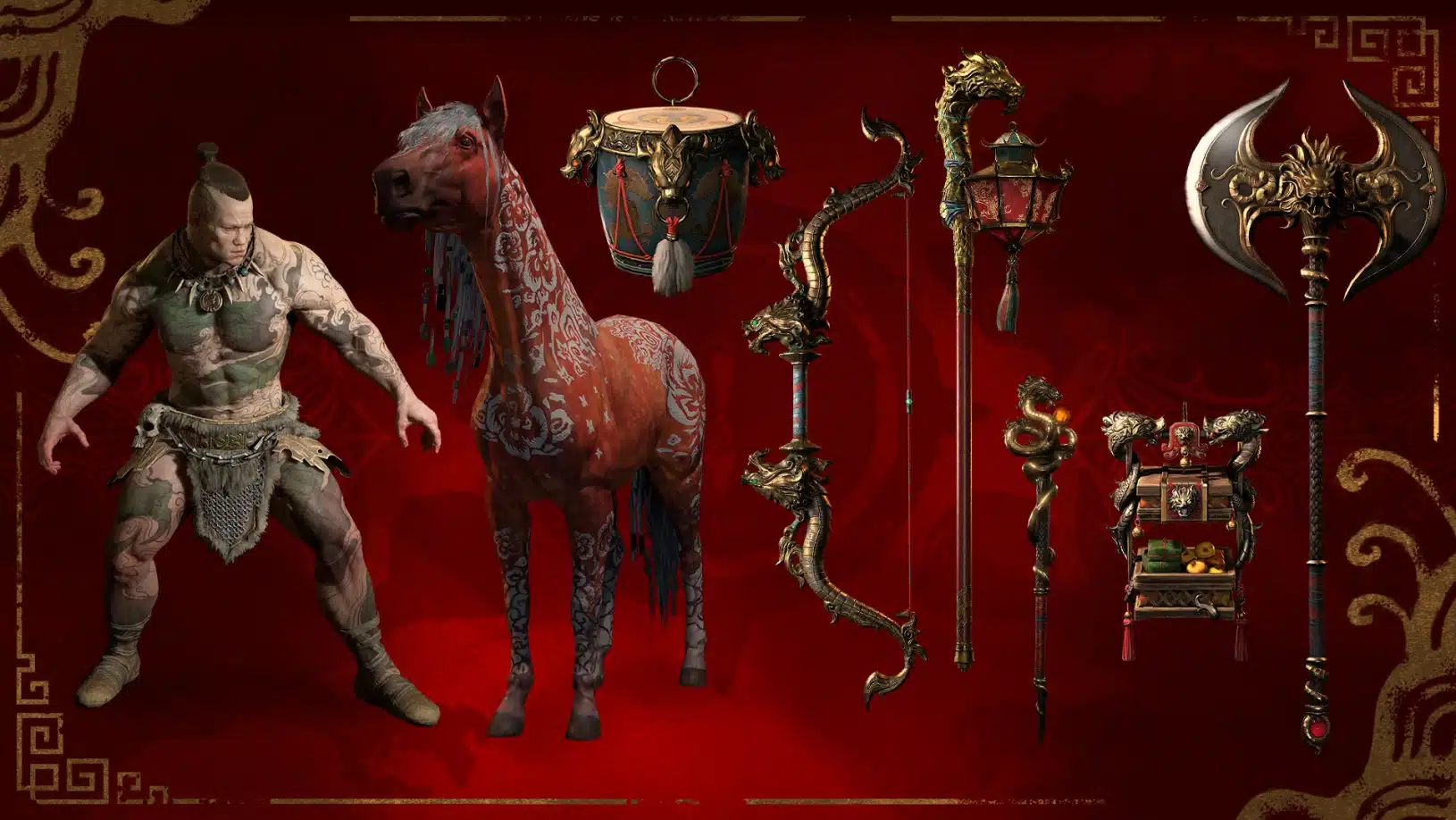
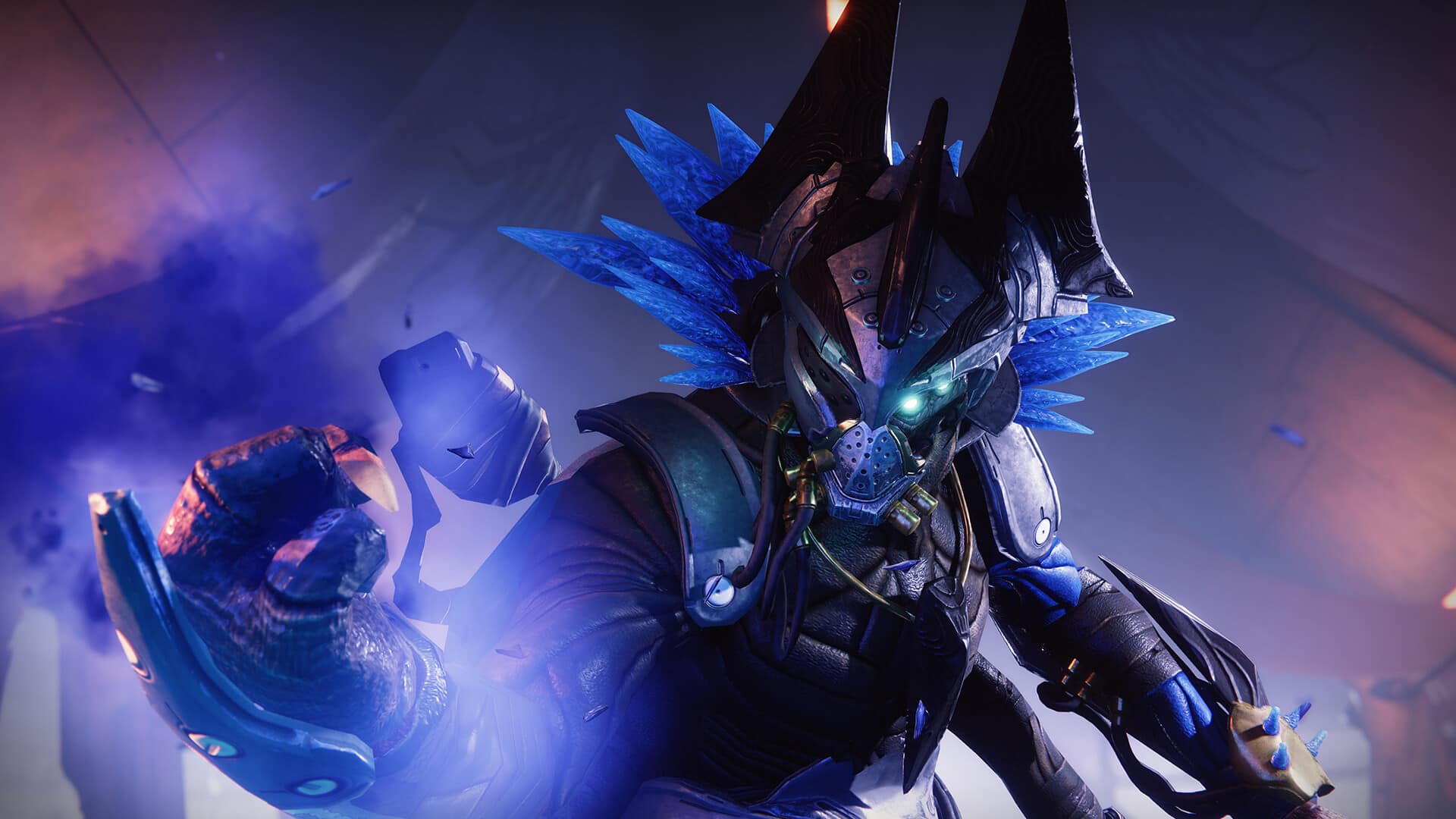
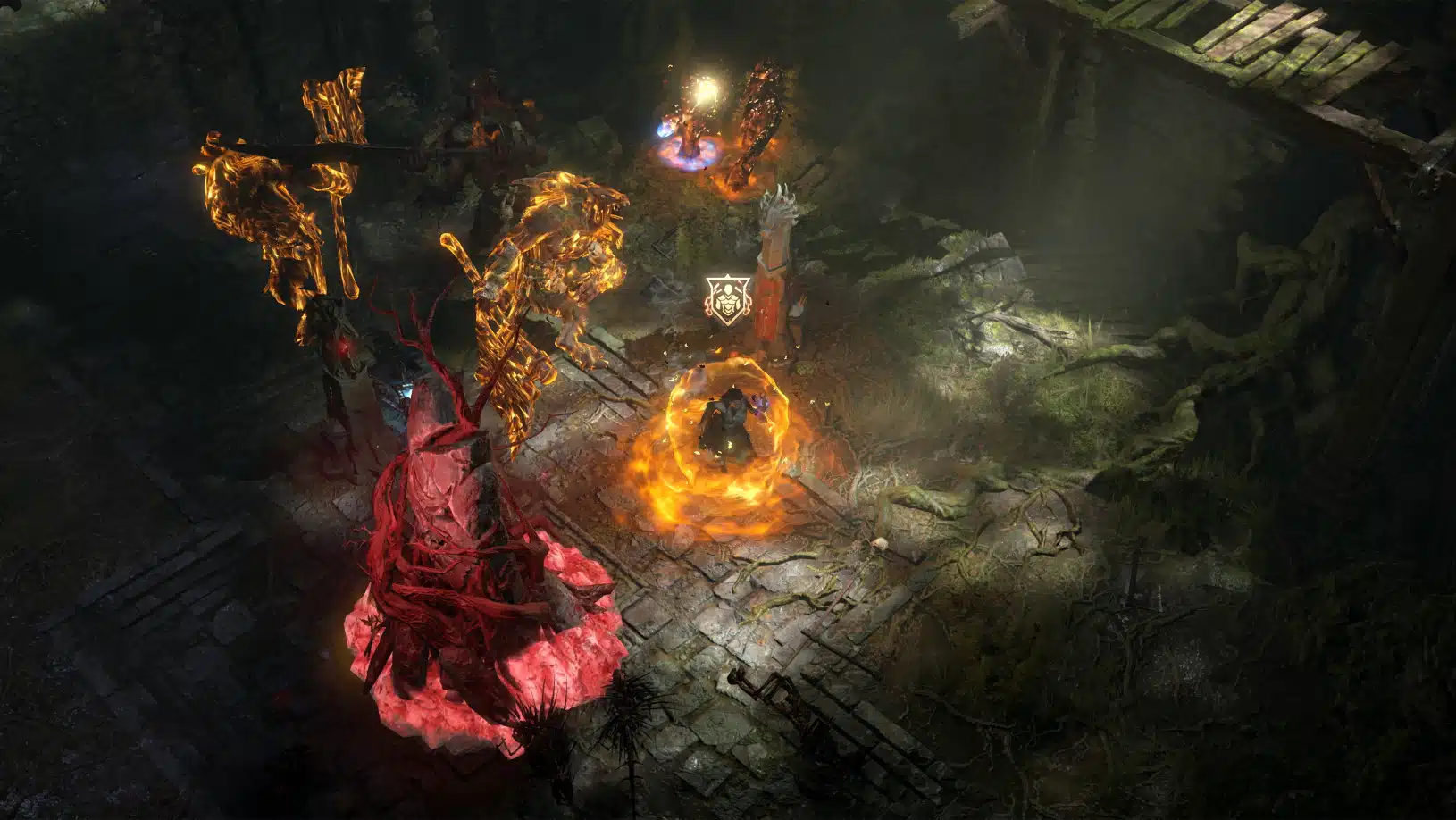
Just in time for the Lunar New Year, Blizzard has revealed the Diablo 4 Lunar Awakening event, which kicks off Feb. 6 on all platforms. Read on for the event details, new cosmetics and more.

Diablo 4 Lunar Awakening Event Details:

Start: Feb. 6, 2024 at 10 am PT/1 pm ET/2 am HKT

Ends: Feb. 20, 2024 at 10 am PT/1 pm ET/2 am HKT

  • A new hub is located in the Northern section of Ked Bardu, where you will meet Ying-Yue, the leader of the Lunar Night Market, and redeem your Ancestor’s Favor reputation for extravagant Lunar Renewal-themed rewards.
  • Lunar Shrines are located throughout Sanctuary in both dungeons and the overworld. Activate them and slay monsters to earn Ancestor’s Favor reputation.
  • Lunar Shrines function similarly to typical Shrines but with added bonus effects. Enemies will also spawn immediately after activating the Lunar Shrine.
  • Nightmare Dungeon sigils can have an Ancestor’s Favor dungeon affix, which guarantees only Lunar Shrines will spawn for that dungeon. You will also receive a 10% bonus Glyph XP once the Dungeon is complete.
  • You can earn a total of 10 Ancestor’s Favor reputation levels and unlock six different Lunar-themed rewards.

LUNAR SHRINES AND ANCESTORS FAVOR

Lunar Shrines are coursing with a mysterious and immense power. Celebrators of the Lunar Awakening believe this power to be the returning spirits of our ancestors, adorned to mark the special occasion. During the Lunar Awakening, some Shrines have been replaced with Lunar Shrines, with an updated appearance to match the festivities! Lunar Shrines function similarly to typical Shrines; but they have been augmented for an extra punch to celebrate this festive event.

Lunar Shrines provide an exciting bonus effect on top of their regular Shrine power, the Lunar Shrine effects are listed below.

Augmented Lunar Shrine Effects:

  • Artillery Shrine – Casts have a chance to summon a holy bomb.
  • Blast Wave Shrine – Each explosion summons a cluster bombardment.
  • Channeling Shrine- Increased attack speed and chance to reset cooldowns.
  • Conduit Shrine – Summon frequent, powerful, shocking strikes.
  • Greed Shrine – Chance to summon a Treasure Goblin. While the Shrine is active, 25 kills summons a Treasure Goblin, and 50 kills summons a second.
  • Lethal Shrine – Chance to instantly execute a struck monster, causing Fear on surrounding monsters. Note: this includes Elites, but excludes Bosses and other Players.
  • Protection Shrine – You reflect all incoming damage. Damage reflected scales with Level and World Tier.

On top of these powerfully amplified effects, Miserly spirits spawn immediately when a Lunar Shrine is activated, allowing you to immediately capitalize on the Shrines’ specific gameplay augmentation.

Diablo 4 Lunar Awakening Rewards:
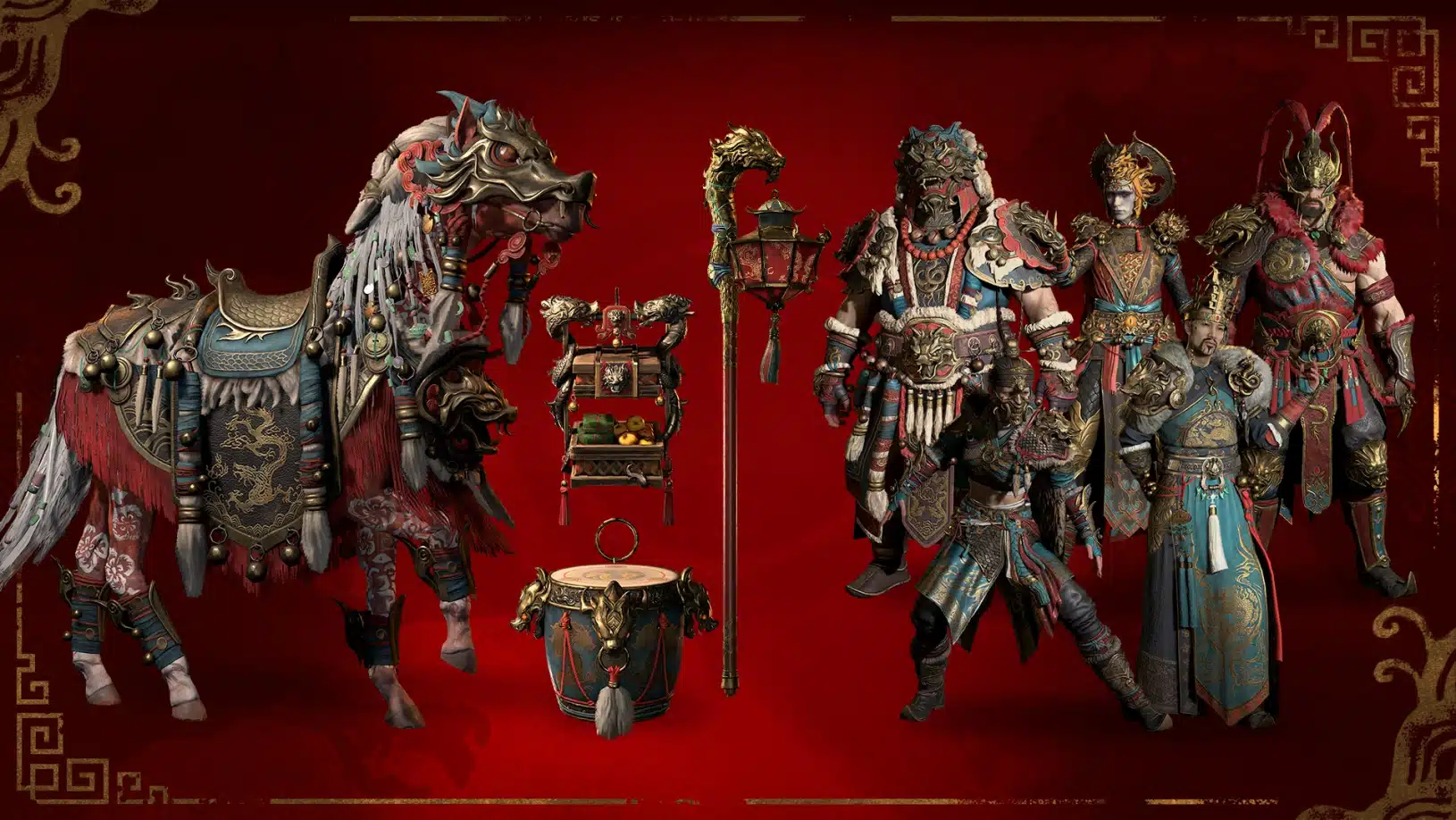
There are 10 Ancestor’s Favor reputation levels in total to earn, and 6 different Lunar themed cosmetic rewards to unlock. Lunar Awakening themed garments will also be available in Tejal’s shop, materializing to adorn your wanderer in threads befitting this joyous occasion.

Chances are, this new event will be initiated by a title update, and once it’s live, we’ll be sure to let our readers know. Speaking of which, in case you didn’t know, a client-side patch was released for Diablo 4 last week.
Avatar photo

Alex Co

Father, gamer, games media vet, writer of words, killer of noobs.

Home > News

Modern Warfare 3 and Warzone Season 2 Starts Feb. 7, The Walking Dead Crossover Revealed

Those looking for the next content drop for Call of Duty: Modern Warfare 3 and Warzone, you don’t have to wait long, as the MW3 Season 2 start date has been announced for Feb. 7! Yes, next week!

Activision has released a teaser for the new season, where it’s also confirmed that we’re getting a Call of Duty and The Walking Dead crossover! Check out the trailer below, which is done in the same way as The Walking Dead TV show intro!

Expect more details on Season 2 to make its way this week before the new season starts. Chances are, we’ll get the first official info on the season’s new maps, weapons and more. Speaking of which, we do have a very good idea what’s incoming thanks to a massive datamine.

Stay tuned for more MW3 and Warzone Season 2 news!

Related MP1st Reading:

Avatar photo

Alex Co

Father, gamer, games media vet, writer of words, killer of noobs.

Home > News

GTA, Red Dead 2, and Other Rockstar Games Ending Support for Windows 7 and 8

As of today, Rockstar Games has officially ended support for Windows 7 and Windows 8 operating systems. This means that the Rockstar Games Launcher and games like GTA 5 and Red Dead Redemption 2 will only support Windows 10 or later and complications may arise on older operating systems from future updates.

This change was announced on Rockstar’s official support channels back in October of last year. The support post reads as follows:

Question: What does the end of Microsoft’s support for Windows 7 and 8 mean for my Rockstar Games titles on PC?

Answer: In light of Microsoft’s end of support for Windows 7 and Windows 8 operating systems, Rockstar Games will no longer officially support these operating systems beginning January 30, 2024. To prevent any future interruptions of service and ensure continued access to the latest platform features, we recommend Windows 7 and 8 users upgrade to a supported operating system as soon as possible.

As the post says, this choice was motivated by Microsoft’s own discontinuation of support for older operating systems. This is fairly common after an extensive length of time. Windows 7 originally launched in 2009, so fifteen years certainly seems like plenty of time to upgrade to a newer OS. Still, it’s unfortunate for those who are partial to the older look and feel.

If you’re still on Windows 7 or 8 and you’re regularly playing games, now might be the time to upgrade.

Source: Rockstar Support

Related MP1st Reading:

Jack Breitenbach

Game the night away!

Home > News

Destiny 2 Mass Effect Event Begins February 13, Bringing N7 to the Tower

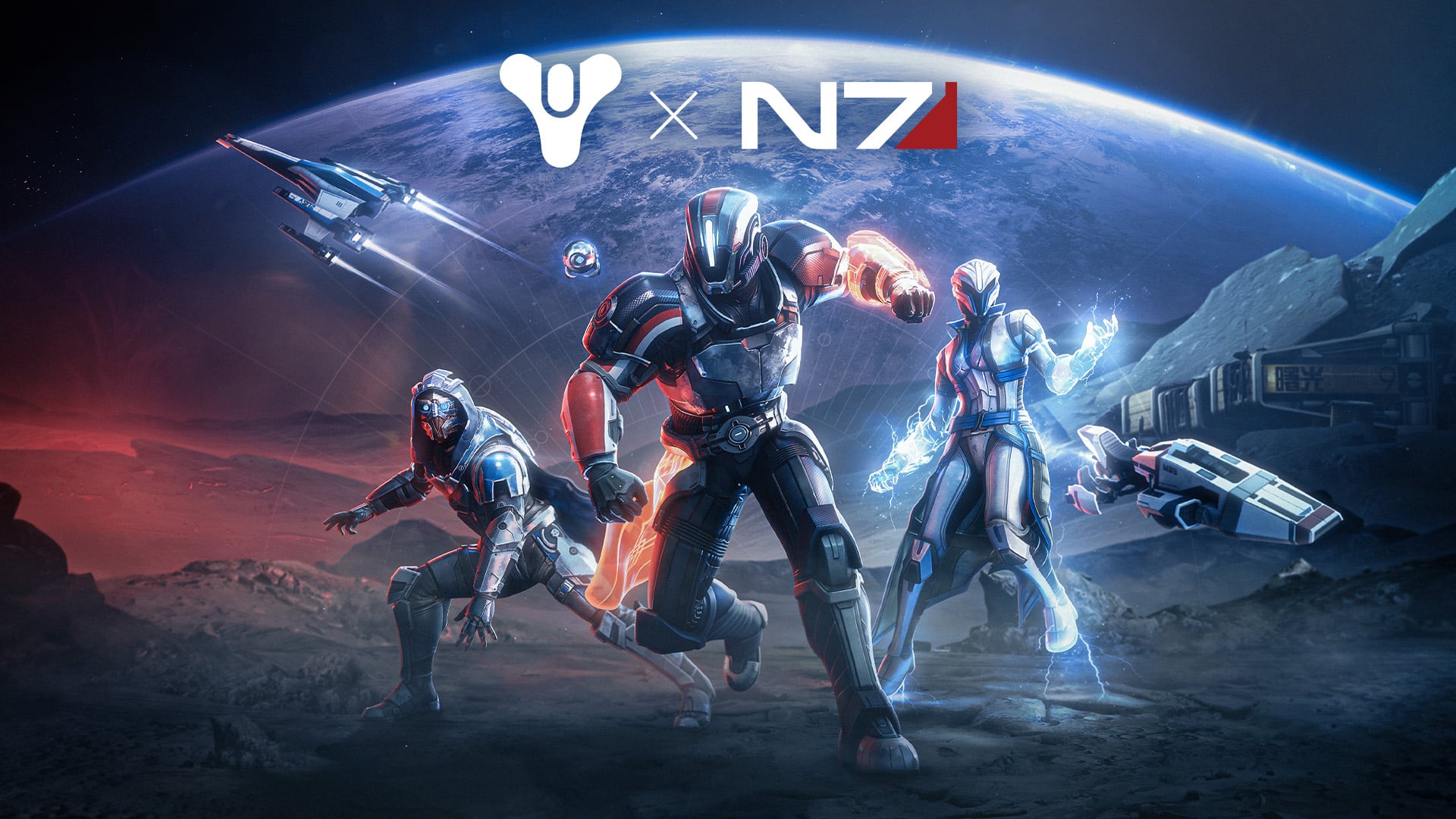
Bungie has announced a collaboration with the creators of Mass Effect to bring a Destiny 2 BioWare event to the game. Starting February 13, players can earn a variety of cosmetics and items themed around the beloved spacefaring RPG series.

The event was announced on Destiny 2’s official Twitter/X account:

Here are the details from today’s press release:

The Normandy Crew Bundle will be available at the Eververse store in-game and will include a Commander Shepard-inspired N7 armor set for Titans, a Garrus-inspired Vakarian set for Hunters, and a Liara-inspired Shadow Broker set for Warlocks. In celebration of the partnership, all players will be able to claim the Alliance Requisitions Bundle, including the Enhanced Defense Ghost Shell, Alliance Scout Frigate ship, and Alliance Drop Ship Sparrow, which will be available at no cost. Players can also get the Omni Strike finisher and Flux Dance emote for Silver.

Starting today, the Riven’s Wishes event is also live in-game. Players can complete weekly quests from January 30 to March 12 to earn special rewards from various loot pools. Choose from the Wish for Strength to earn Last Wish raid Deepsight weapons, Wish for Protection to armor up with Exotic gear from the Lightfall year, or Wish for Beauty to collect event mementos and essential Ascendant crafting materials.

This is a pretty neat crossover. Thematically speaking, Mass Effect and Destiny 2 have a pretty similar thru-line of guns-blazing adventures across space, so it’s a nice match. It’ll be cool to pick up cosmetics based on our favorite characters from the franchise while we wait for the next Mass Effect game to release.

Are you excited about this collaboration? Let us know down in the comments.

Related MP1st Reading

Jack Breitenbach

Game the night away!

Home > News

New Fallout 76 Atomic Shop Weekly Update for January 30, 2024

It’s a new Tuesday, bringing yet another store refresh for Fallout players. That’s right, the items for sale in Fallout 76’s Atomic Shop have been updated!

As usual, MP1st is here with the new Fallout 76 Atomic Shop weekly update today, January 30’s list of items for sale. Check out this week’s best Atomic Shop items and bundles below.

New Fallout 76 Atomic Shop Weekly Update for January 30:

Fallout 76 Atomic Shop weekly update for January 30

Notable Items This Week:

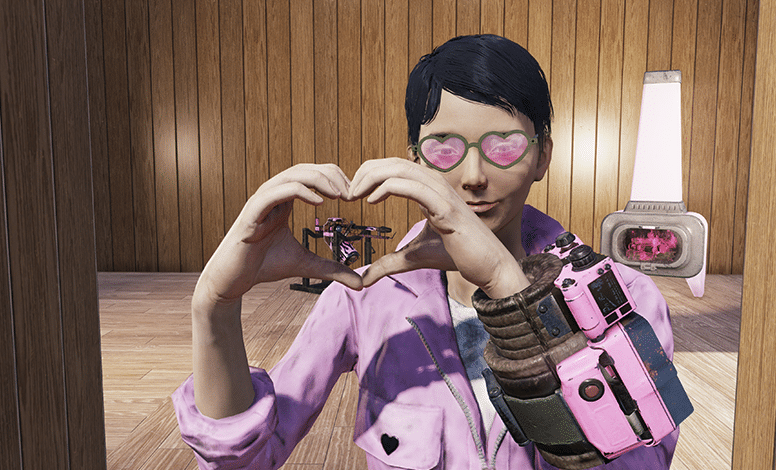
  • Heartbreaker Power Armor – 1200
  • Tickled Pink Bundle – 1500
  • City of Steel Bundle – 1200
  • Taggerdy’s C.A.M.P. Bundle – 1800
  • Fanatic Scrapper Bundle – 1200
  • Ignition Union Paint – 1200
  • Brotherhood Scouting Bundle – 1800
  • Brotherhood Field Station Bundle – 1800
  • Taggerdy’s Thunder Bundle – 1440
  • Slocum’s Joe C.A.M.P. Bundle – 1050
  • Slocum’s Fat Stack Bundle – 1260
  • Slocum’s Joe Mega-Bundle – 1050
  • King of Hearts Poster – Free
  • Caps x250 – Free
  • Armor Ace Jetpack – 250
  • Hot Rod Pink Paint – Free

Don’t let your meat go to waste! Get the Meat Locker Free for all Fallout 1st Members until February 6.*

Reign supreme with the King of Hearts Poster, free for all players until January 30!

Item Available Until
The Meat Locker February 6
King of Hearts Poster February 6

Visit the Atomic Shop on these days to claim a different reward, like consumables, in-game currencies, and more. Each of the items below is available until 12:00 p.m. ET the following day.

Item Available on
Caps x250 January 30
Carry Weight Booster January 31
Lunchbox February 1
Scrap Kit February 2
Vault-Tec Supply Package (Level 2) February 3
Lunchbox February 4
Repair Kit February 5

LIMITED TIME OFFERS

Paint the world pink – or perhaps just your C.A.M.P. – with the Tickled Pink Bundle, available in the shop for a limited time.

Item Atom Price
Heartbreaker Power Armor 1200
Tickled Pink Bundle 1500
City of Steel Bundle 1200
Motor-Up Molly Outfit 500
Tickled Pink Gauss Minigun Paint 500
Honeycomb Valentine’s Heart Set 700
Bloated Tick Plushie 250
The Pittsburgh Palace Prefab 700
Pittsburgh Traffic Light 300

The Tickled Pink Bundle includes:

  • Motor-Up Molly Outfit
  • Tickled Pink Gauss Mini-Gun Paint
  • Valentine’s Honeycomb Paper Lantern Set
  • Bloated Tic Plushie
  • Red Rose Bush
  • White Rose Bush
  • Pink wallpaper
  • Pink Floater Mobile

The City of Steel Bundle includes:

  • The Pittsburgh Palace
  • Pittsburgh Traffic Light
  • Pittsburgh Union Steel Shop Vac
  • Yellow Pittsburgh Fire Hydrant
  • Steel Bust Wall Decor

FEATURED OFFERS

When you’re on the night shift, the Brotherhood Scouting Bundle has what you need to defend your C.A.M.P! Available for a limited time.

Item Atom Price
Brotherhood Scouting Bundle 1800
Brotherhood Field Station Bundle 1800
Taggerdy’s Thunder Bundle 1800 1440 (20% off!)
Brotherhood of Steel Scouting Tower 800
Brotherhood of Steel Field Station 700
Slocum’s Coffee Machine 500
Flat Cement Tire Wall 500
Haunted House Window Boards 300
DEFCON Sign 350

The Brotherhood Scouting Bundle includes:

  • Brotherhood of Steel Scouting Tower
  • Brotherhood Barracks Locker
  • Camo Turret Set
  • Cement Tire Wall Set
  • Busted Radio
  • Slocum’s Joe Coffee Machine

The Brotherhood Field Station Bundle includes:

  • Brotherhood of Steel Field Station
  • Chalkboard Letter Kit
  • Industrial Slate Chalkboard
  • Glow-in-the-Dark Appalachia Map
  • Haunted House Window Boards
  • DEFCON Sign
  • Weight Bench

What is the Fallout 76 Atomic Shop?

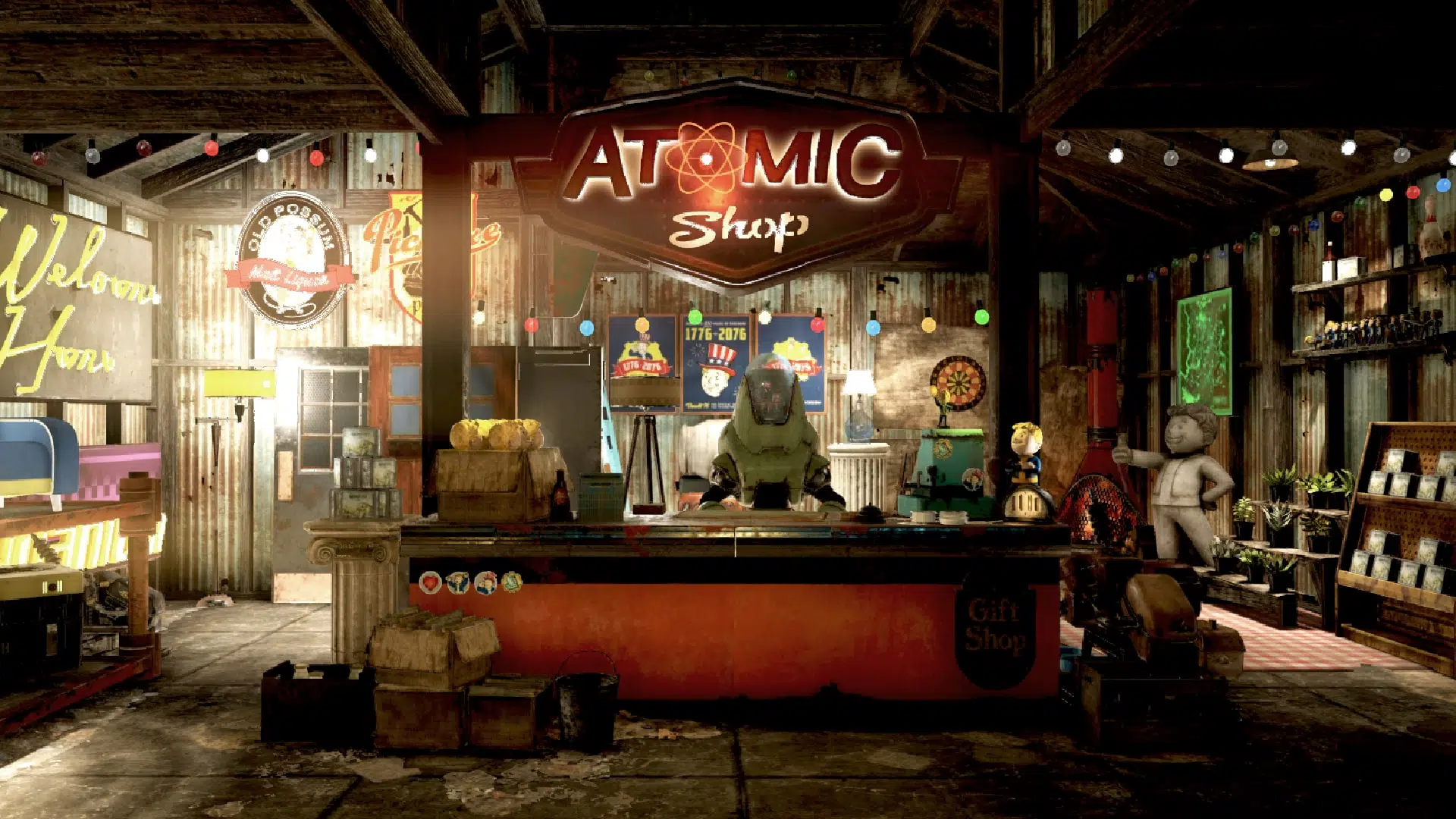
The Atomic Shop is an in-game store in Fallout 76 offering cosmetics, C.A.M.P. objects and more in exchange for a special currency called Atoms. Most purchases are unlocked account-wide, and may be accessed by any character on the account.

Some objects require an in-game plan to be learned in order to gain access, while other items are only unlocked for a single, specified character. All exclusive items are character-bound, and cannot be dropped or traded with other players. The Atomic Shop is accessible at any time from the main menu, as well as the pause screen after leaving Vault 76 for the first time.

That’s it for this week’s refresh. Is there anything in particular that interests you?

If not, there’s always next week, which we’ll have covered, so be sure to check again next Tuesday!

Avatar photo

Salman Haider Zaidi

That's a nice argument, Senator.

Home > News

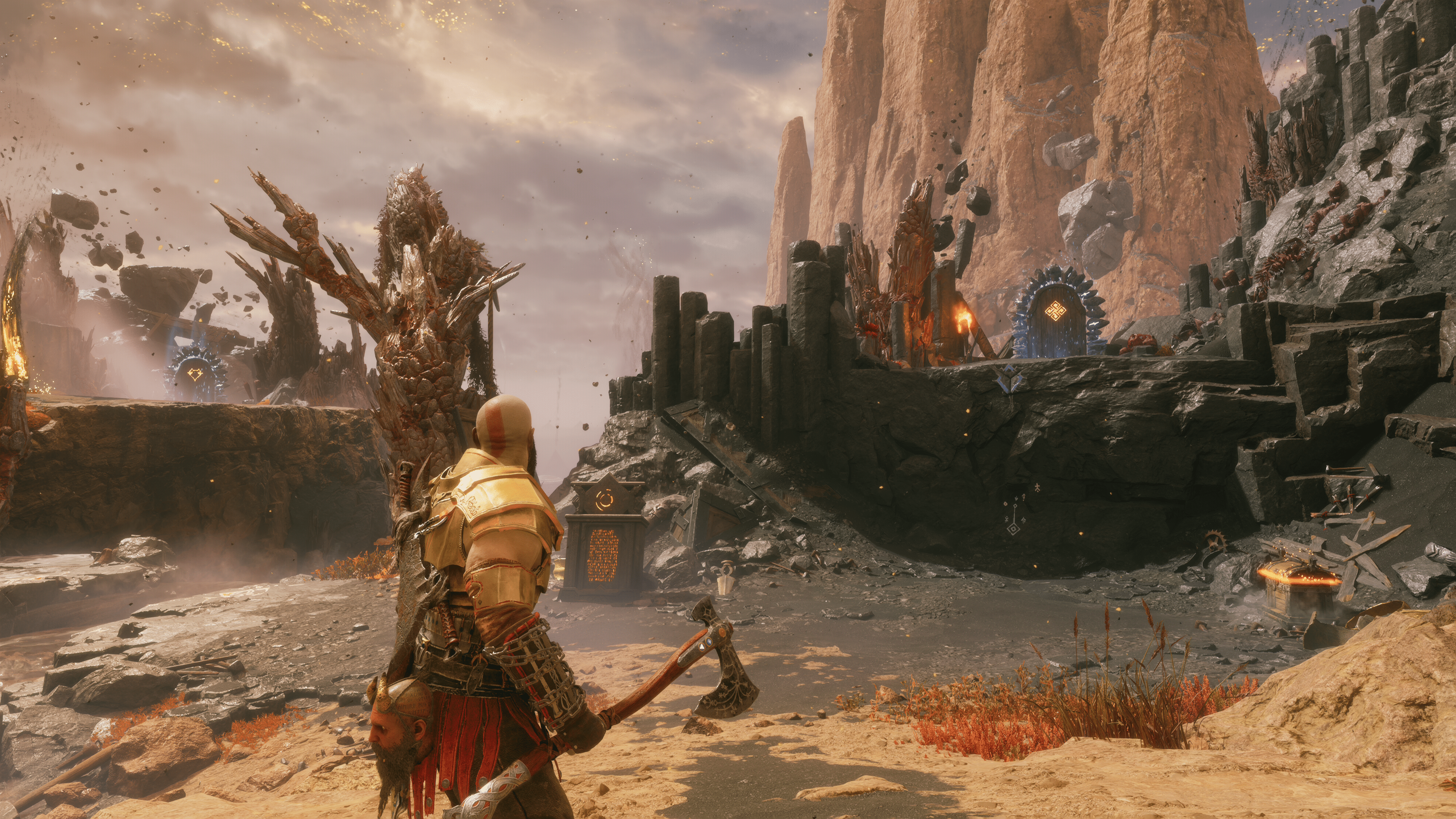
God of War Ragnarok 5.005 Slices Out This Jan. 30 (Update)

Santa Monica Studio has rolled out God of War Ragnarok update 5.005 (PS4 update version 5.05) this January 30. This is another unannounced update, so outside of fixes, don’t expect anything newin terms of new content. Read on for the GOW Ragnarok new update notes for today.

God of War Ragnarok 5.005 Patch Notes | God of War Ragnarok 5.05 Patch Notes:

Size: 242MB

Update: Santa Monica has released the official patch notes.

For now, Santa Monica has not released any patch notes for the game just yet, though we expect that to change within the day. Chances are, this brings bug fixes and adjustments to the Valhalla free DLC, which was the case with the title update released earlier this month.

For now, users who have expereinced these current known bugs for God of War Ragnarok may want to see if they’ve been fixed yet with this update:

  • Gear UI display a new item, despite having everything in the game already.
  • Progression bug during Valhalla run that causes realm tear to never give rewards, resulting in a loop.

There is a known bug with the weapons menu showing an exclamation point even if you have everything upgraded.

Does anyone else have this bug? I have everything found and upgraded but its still like that for some reason.
byu/CwArD711 inGodofWarRagnarok

For now, check out the bug fixes in the 5.04 patch:

Avatar photo

Alex Co

Father, gamer, games media vet, writer of words, killer of noobs.

Home > News

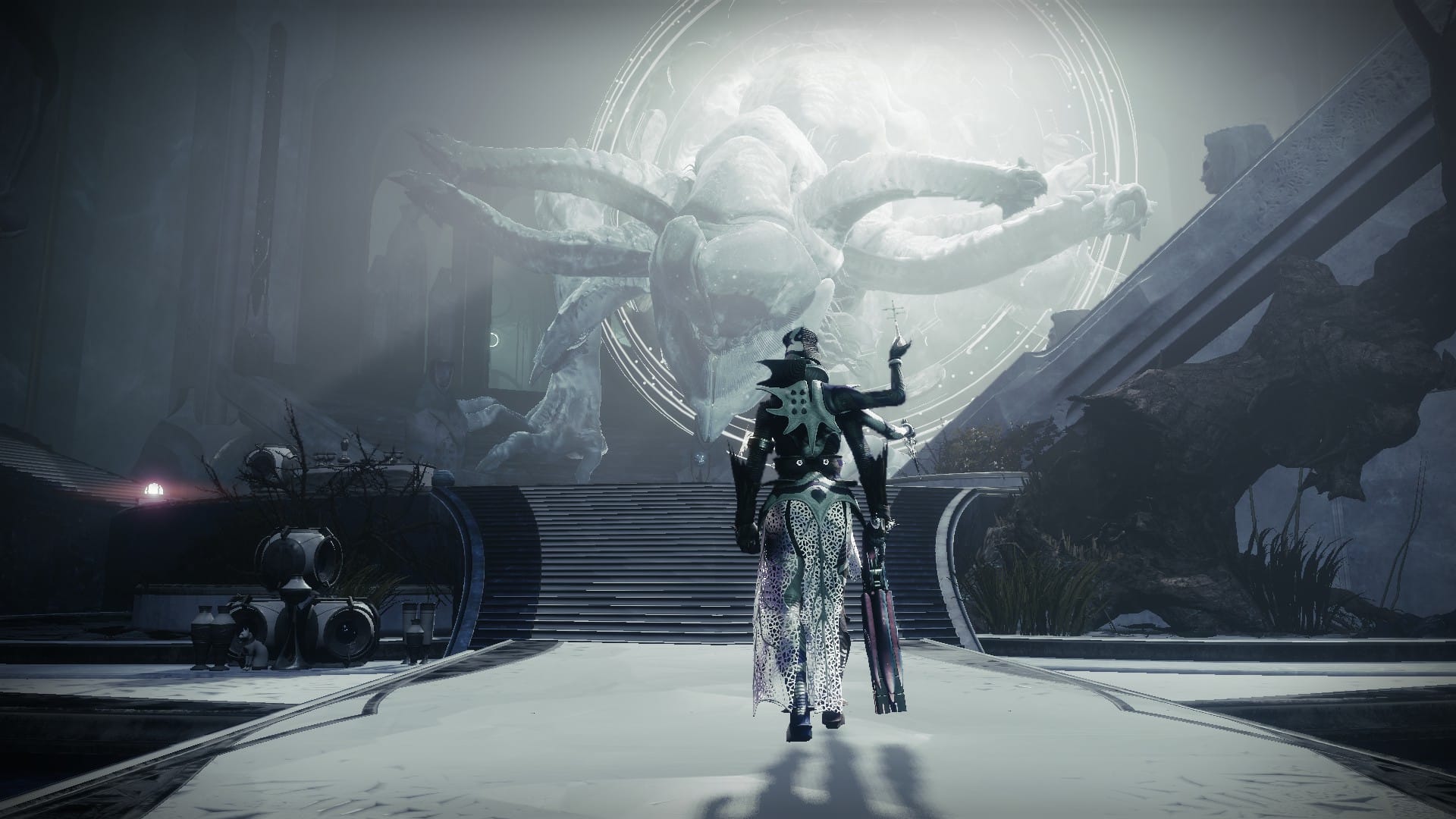
Destiny 2 Update 1.110 Released for Version 7.3.4

Destiny 2 update 1.110 is now out on all platforms, bringing Destiny 2 to version 7.3.4. This update mainly focuses on bug fixes, with some other adjustments included. Read on for the Destiny 2 new update patch notes for today.

Destiny 2 Update 1.110 Patch Notes | Destiny 2 Update 7.3.4 Patch Notes:

ACTIVITIES 

CRUCIBLE 

Countdown

  • Heavy ammo spawn time increased from 60 seconds to 90.
  • Round timer reduced from 90 to 75 seconds.
  • The score required to win increased from 4 to 5.
  • Updated the spawn policy for Countdown.
    • Players are now less likely to spawn too far from an active objective site.
  • Fixed an issue where Sudden Death rounds did not abide by Elimination rules.

Trials of Osiris

  • Fixed an issue where a gilding Triumph could be completed before claiming the Flawless title.

Competitive

  • Added a second tier of weekly challenges that award Ascendant Alloys.

VANGUARDS OPS 

  • Fixed a scoring issue where players would erroneously see a +10000 score.

SEASONAL 

  • Fixed an issue where players purchasing the Strand Enhancement would see Stasis Enhancement instead. Purchasing the Strand Enhancement will now display the correct buff text.
  • Fixed issue where players could get out of the environment in Riven’s Lair.

GAMEPLAY AND INVESTMENT 

ARMOR 

  • The Rare armor sets Gumshoe Gumption, Midnight Oil, and Inspector released alongside The Witch Queen are now available for Armor Synthesis.
    • This unlocks access to players that might have missed them after reaching the soft Power cap.
    • Synthweave is still needed to apply their designs to armor pieces.

WEAPONS 

  • Fixed an issue where the Palmyra-B Rocket Launcher was not appearing duringinspections.
  • Fixed an issue with how some shaders applied to the Vengeful Whisper Bow.

BOUNTIES AND PURSUITS 

  • Fixed an issue where the Bonus Action Triumph required 10 Seasonal bonuses when there are only 9.

UI/UX 

  • UI has been improved for visibility and accessibility in Fireteam Finder.
  • Fireteam Finder group creation and group joining through Roster contacts now displays a dialog if the player needs to purchase missing content for the listing’s activity.
  • Fixed an issue where the Dragon’s Breath catalyst displayed placeholder text when examined in Collections.
  • Fixed an issue where incorrect Director prompts could appear for newer players.

GENERAL 

  • Increased the glimmer cap to 500,000.
  • Reduced the number of Seasonal Challenges required by the A Wish Fulfilled final challenge from 66 to 63.
    • Now allow players to skip 3 challenges.
  • Activation of a lobby in Fireteam Finder no longer creates a new listing.
  • Fixed an issue where spawning in using the Highly Commendable Transmat Effect would cause movement animations to not play.
  • Fixed an issue where the Season of the Hunt node showed a placeholder icon on the Timeline.

That’s all for today’s update, and don’t forget to check out the weekly reset for Eververse items here.

Source: Bungie

Avatar photo

James Lara

A gamer at heart, James has been working for MP1st for the last decade to do exactly what he loves, writing about video games and having fun doing it. Growing up in the 90's gaming has been in his DNA since the days of NES. One day he hopes to develop his own game.

Home > News

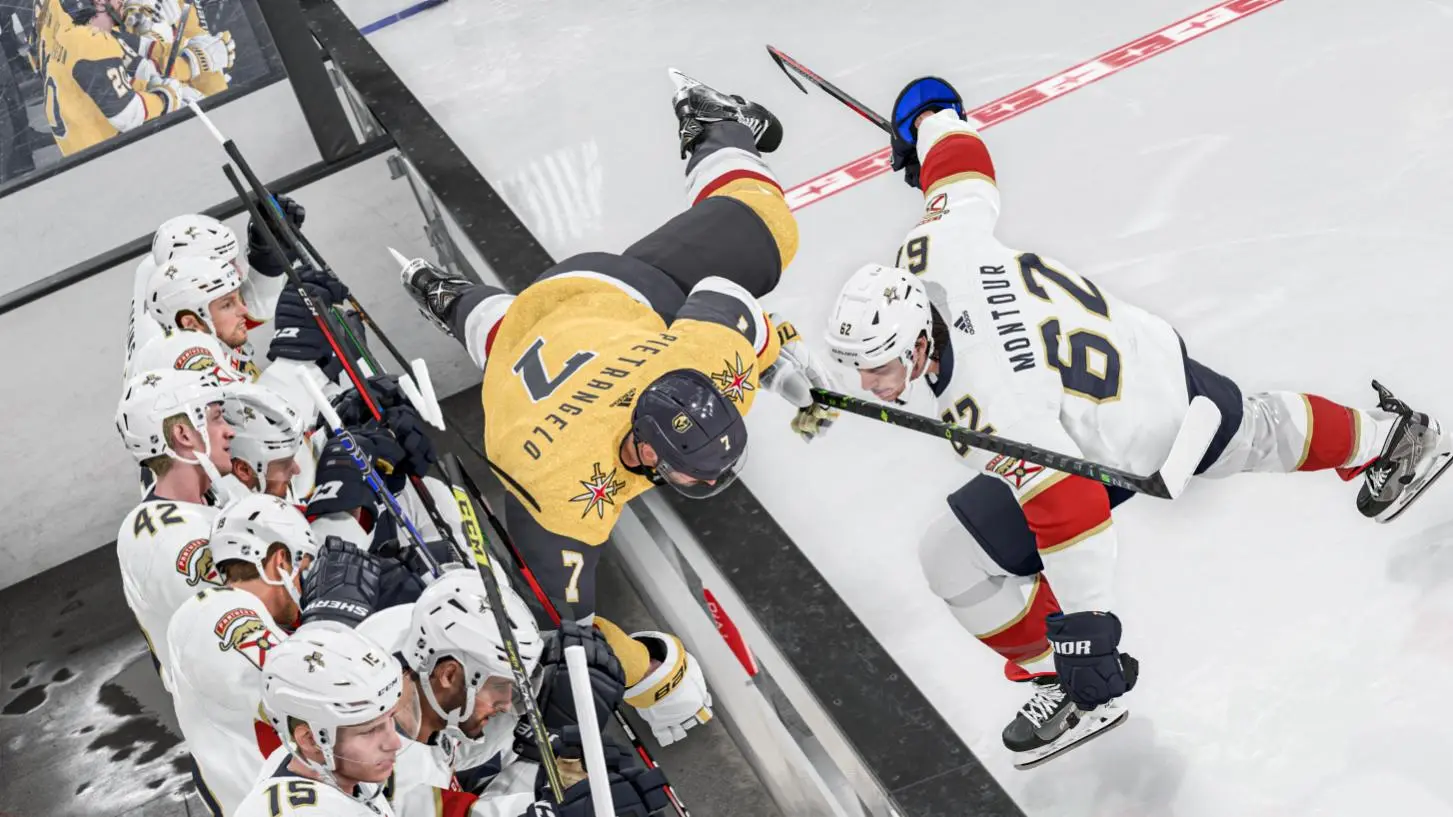
NHL 24 Update 1.40 Slides Out for Patch 1.4.0 This January 30

EA has released NHL 24 update 1.40 (PS5 version 1.040) on all platforms bringing patch 1.4.0, which includes several bug fixes, improvements, and even some new uniforms. Read on for what’s new in the NHL 24 update notes for January 30.

NHL 24 Update 1.40 Patch Notes | NHL 24 Update 1.040 Patch Notes | NHL 24 Update 1.4.0 Patch Notes:

Gameplay

Goalie X-Factors:

  • Community Feedback: Certain Goalie X-Factor Zone Abilities don’t provide enough incentive to use. This results in players feeling like they have limited choice when assigning Goalie X-Factors.
  • Goalie X-Factor: LIGHT WORK has been updated to provide more gameplay benefit:
  • Added a boost to Goalie Precision vs Wrist Shot / Snap Shots.
  • Added a boost to Goalie Precision vs any shot within 20ft of the net.
  • Goalie X-Factor: EXTRA PADDING has been updated to provide more gameplay benefit:
  • Added a boost to Goalie Precision vs Slap Shots.
  • Added a boost to Goalie Precision vs any shot further than 25ft of the net.
  • Goalie X-Factor: WHIRLWIND has been updated to increase incentive to equip Zone Ability and provide more gameplay benefit:
  • Increased the Zone Ability Teammate Energy boost
  • Goalie X-Factor: HANDLED IT has been updated to more gameplay benefit:
  • Increased the Zone Ability Teammate Energy boost
  • Goalie X-Factor: ENERGIZER has been updated to provide more gameplay benefit:
  • Increased the Zone Ability Teammate Energy boost

Goalie Size Balancing:

Community Feedback: There is not enough incentive to use smaller goalies over larger goalies. Larger goalies feel like they cover more physical space and are harder to score on. In EASHL, this results in the majority of players creating large sized goalies and in HUT, players primarily dressing tall goalies.

  • Save Reach is now scaled by the height of the goalie.
  • Smaller Goalies will receive less penalty when making far Reaching Saves.
  • Larger Goalies will receive a higher penalty when making far Reaching Saves.
  • Currently, Save Reach scaling is only enabled when Light Work or Extra Padding is equipped.

User Goalie Save Accuracy:

Community Feedback:  User Goalies who are square to the puck are too inaccurate at making saves, allowing pucks to squeak through, while User Goalies who are out of position are making too many highly accurate reaching saves.

  • Increased the max accuracy of a User Goalie when making saves with a high Precision score. Precision score is calculated when attempting a save and is influenced by multiple factors (attributes/screen/fatigue/reach/etc.)
  • Increased bonus applied to Precision score when User Goalie is square to the puck and requires less reach to make a save.
  • Increased penalty applied to Precision score when User Goalie is out of position and required to make far reaching saves.

Push Checks in Front of Net:

Community Feedback:  Recent changes increased the chance of getting called for a penalty when Push Checking in front of the net. Defensemen want a way to clear the net, allowing for better defending in close proximity to the crease to prevent screens/deflections/tap ins.

The defending team can push check and knock down their opponent within [20ft] of the net with reduced risk of drawing an interference penalty.

However, multiple push checks within a short time frame, regardless of distance to net, can result in Cross Check penalty.

Other Improvements:

  • Added new Goalie save animations for quick saves to the glove and five hole.
  • Adjusted Goalie Save animations when diving to their glove side to keep blocker higher.
  • Players can now perform Jump on Boards celly if celebration triggers while along the boards.
  • Fixed a rare crash bug that could trigger when taking a slapshot.
  • Fixed an issue where Skaters would accelerate faster than expected while preparing for a Shoulder Check.
  • Goalie will transition into proper stance when coming off post in VH stance, allowing them to make quicker saves from shots from the corner.

Be a Pro

  • Fixed an issue where the coach could tell the user goalie that they are not meeting expectations even if the user has good stats
  • Fixed an issue where saving changes in Edit Player reset the play-by-play name to A.J.

Presentation

  • HUT – Player Card is now present during Flex Moment goal celebrations
  • Classic Goal Celebrations – Players can now celebrate by jumping into the boards during classic goal celebrations (contextual – player needs to be close to boards)
  • Classic Goal Celebrations – Celebrations trigger more immediately after button press

World of Chel

  • Fixed an issue where user’s goalie settings do not persist through title reboot in World of CHEL
  • Fixed an issue where Users cannot assign Alternate Captaincy in Club Members
  • Fixed an issue where the Club Finals records are not being displayed in accordance with the new Finals playoff structure.
  • Fixed an issue where Ones Eliminator and Threes Eliminator modes were not accessible during Club Finals leaderboard auditing.
  • Fixed an issue where the World of CHEL Club Finals Elimination Retry pop-up only triggered on exiting and re-entering World of CHEL, not in Dressing Room after elimination.
  • Fixed a failed to retrieve data (FRTD) issue that users were encountering when entering the World of CHEL store.
  • Fixed an issue where being a Special Character in the Dressing Room, previewing items in the World of CHEL Store would cause the avatar to break when returning to the Dressing Room
  • Fixed an issue where the goal celebration preview button was nonfunctional in the item preview screen in Battle Pass & World of CHEL store.
  • Fixed an issue where some users with EA Play subscriptions couldn’t view or receive EA Play incentive offers in the WOC Store
  • Fixed an issue where the purchase text is missing for EA Play Membership Chel Coin Rewards
  • Fixed an issue where the EA Play Rewards headers were missing in the World of CHEL Store
  • Fixed unlocalized text that was present in the World of CHEL Store descriptions.
  • Fixed the Great Britain Player Banner Background so it shows the correct flag.
  • Fixed an issue where users would lose functionality trying to open the Battle Pass after completing an online World of CHEL game.
  • Fixed an issue where EASHL matchmaking would change to the Finding Opponent step even if the user doesn’t find any Teammates.
  • Fixed an issue where Matchmaking doesn’t advance to Finding Opponent after five seconds when skater positions of a dressing room are filled.
  • Fixed an issue where users could hear the opponent’s VOIP in the pre-game matchup screen for EASHL game modes.
  • Fixed an issue where a customized club jersey logo color wasn’t displaying in the game correctly.
  • Fixed an issue where a Clubs Away logo wasn’t brought into gameplay.
  • Fixed an issue where the Jersey preview is not correct after one club changes jersey selection in the EASHL matchup screen.
  • Fixed an issue where the default player equipment didn’t appear in Club Identity correctly.
  • Fixed an issue that would sometimes show players wearing the Anaheim Ducks jerseys when returning to the dressing room after a game.
  • Presentation – NIS Logic – Intro/ Outro – Special character player classes are cut off in Clear Player Intro
  • Fixed a rare crash that would sometimes occur when quitting the match after puck drop.

Hockey Ultimate Team

  • Various UI Fixes

Uniforms

The following uniforms have been added or updated in NHL 24

NHL

  • New York Rangers Third
  • All-Star Uniforms

AHL

  • Calgary Wranglers Third
  • Colorado Eagles Third
  • Utica Comets Third

ECHL

  • Utah Grizzlies Third

Canadian Hockey League

  • North Bay Battalion Third and Fourth
  • Halifax Mooseheads Third
  • Prince Albert Raiders Third
  • Cape Breton Screaming Eagles Third

Once a new update is announced, we’ll be sure to let our readers know.

Source: EA

Avatar photo

James Lara

A gamer at heart, James has been working for MP1st for the last decade to do exactly what he loves, writing about video games and having fun doing it. Growing up in the 90's gaming has been in his DNA since the days of NES. One day he hopes to develop his own game.

Home > News

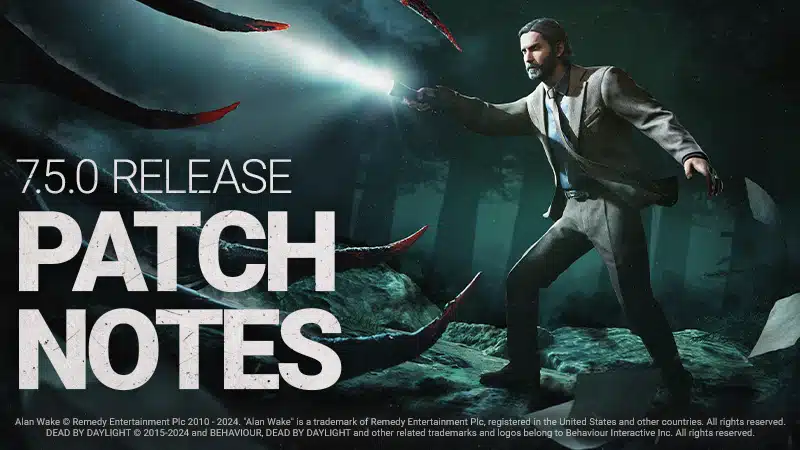
Dead by Daylight Update 7.5.0 for Version 3.05 Brings Alan Wake This Jan. 30

Let the light shine in! Behaviour Interactive has released Dead by Daylight update 7.5.0 (PS4 version 3.05, PS5 version 7.500.001) and this brings Alan Wake into the game as a new Survivor! In addition to Wake, there’s also a new Field of View settings feature that’s been added, alongside a host of gameplay adjustments, Read on for everything new in the official Dead by Daylight new update notes for January 30.

Dead by Daylight Update 7.5.0 Patch Notes | Dead by Daylight Update 3.05 Patch Notes | Dead by Daylight Update 7.500.001:

Features

Field of View Settings

There is a new settings option in DbD! Players now have the ability to adjust their FOV, or field-of-view, with a slider in the Settings Menu. This allows players with a first-person-camera (Killers, with the exception of The Good Guy) to adjust their field-of-view, reducing motion-sickness and other accessibility issues. This feature is initially in the Beta Tab while we allow for thorough testing.

FOV Perk Updates

  • Shadowborn
  • When blinded by any means, gain a 6/8/10% Haste Status Effect for 10 seconds (new functionality)
  • Monitor and Abuse
  • While in a chase, your Terror Radius is increased by 8 meters. Otherwise, your Terror Radius is decreased by 8 meters (FoV clause was removed)
PatchNotesDividerSmolWhite.png

Generators System Update

The 3-gen strategy (identifying the closest 3 Generators and defending only them) has become very strong, especially on certain Killers. This can lead to very long games and frustration. To help prevent such situations, the following now applies:

  • Each Generator can only suffer 8 regression events maximum.
  • After the max has been reached on a Generator, that Generator can no longer be regressed by the Killer (including kicks, Add-ons, and Perk-related regressions).
    • Number of regressions per Generator is indicated by increasing VFX after 3 or more regression events.
    • Gens at max regression events cannot regress by the Killer (including kicks, Add-ons, and Perk-related regressions).
  • Survivors failing Skill Checks still regress Generators normally and do not count as regression events.
  • Killer kick regression is increased from 2.5% to 5%.
  • “Gen tapping” is no longer possible. To stop a Generator from regressing, a Survivor must repair 5% of the Generator.
    • Regression does not occur while repairs are in progress.

Perks Affected

  • Hex: Ruin
  • All Generators are affected by Hex: Ruin. While a Generator is not being repaired by a Survivor, it will immediately and automatically regress repair progress at 50%/75%/100% of the normal regression speed. (no longer deactivates when a Survivor is killed).
  • Surge and Scourge Hook: Pain Resonance
  • Does not create a loud noise notification if no progress is lost on the Generator.
  • Oppression
  • Only causes a regression event on the Generator that was kicked.
  • Overcharge
  • Only the initiating kick counts as a regression event.
PatchNotesDivider.png

Content

  • Re-enabled the Nowhere to Hide Perk.
  • Re-enabled The Knight Killer.
PatchNotesDividerSmolWhite.png

New Survivor – Alan Wake

Dead by Daylight welcomes a new famous Survivor into The Fog – Alan Wake!

Perks

  • Champion of Light
  • While you are holding a Flashlight, this Perk activates. When you are shining a flashlight, you have 50% Haste. When you successfully blind the Killer, they also gain 20% Hindered for 6 seconds. This effect cannot stack with itself. Then, this Perk goes on cool-down for 80/70/60 seconds.
  • Boon: Illumination
  • Press and hold the Ability button 1 near a Dull or Hex Totem to bless it and create a Boon Totem. Soft chimes ring out in a 24 meter range. Survivors inside your Boon Totem’s range see the aura of all Chests and all Generators in blue. If you have a lit Boon Totem, you cleanse or bless Totems 6/8/10% faster. You can only bless one Totem at a time. All equipped Boon Perks are active on your Boon Totem.
  • Deadline
  • This Perk activates when you are injured. Skill Checks appear 6/8/10% more frequently when repairing or healing and appear in random places. The penalty for missing Skill Checks is reduced by 50%.
PatchNotesDividerSmolWhite.png

Killer Update – The Hillbilly

Killer Power

Press and hold the Power button to break into a Chainsaw Sprint. Survivors hit during a Chainsaw Sprint are put into the dying state. Revving the Chainsaw, and sprinting with the Chainsaw each cause the Overdrive meter to increase. The meter decreases when the Chainsaw is not in use. When the meter is full, the Chainsaw goes into Overdrive.

Base changes

  • Increased Chainsaw Sprint movement speed to 10.12 m/s (was 9.2 m/s).
  • Decreased the Chainsaw hit cooldown to 2.7 seconds (was 3 seconds).
  • Decreased the Chainsaw miss cooldown to 2.5 seconds (was 3 seconds).
  • Increased movement speed during the Chainsaw miss cooldown to 2.3 m/s (was 1.38 m/s).
  • Decreased the size of the Chainsaw’s collision to improve navigation during a Chainsaw Sprint.
  • Disconnected the Chainsaw’s sensitivity from controller sensitivity.
    • Baseline sensitivity was set to 100% of the controller sensitivity.

Special State: Overdrive

While in Overdrive, the Chainsaw is enhanced. Chainsaw Charge and Sprint speeds are increased, and Chainsaw Sprint cooldowns are reduced. Overdrive lasts for 20 seconds.

Base Overdrive stats

  • Chainsaw charge speed increased by 5%.
  • Chainsaw Sprint movement speed increased to 13 m/s.
  • Chainsaw cooldowns reduced by 10%.

Addons

  • Greased Throttle (was Junkyard Air Filter)
  • Decrease recovery time after using the Chainsaw by 8% (new functionality).
  • Counterweight (was Heavy Clutch)
  • Decreases Chainsaw Sprint initial turn rate by 70% (new functionality).
  • Cracked Primer Bulb (was Speed Limiter)
  • Survivors hit with the Chainsaw are damaged for a single health state.
  • Increases Overdrive generation by 15% (new functionality).
  • Steel Toe Boots
  • Decreases recovery time after hitting an object with the Chainsaw by 10% (was 12%).
  • Begrimed Chains (was Big Buckle)
  • Survivors hit with the Chainsaw suffer from the Mangled and Hemorrhage Status Effects until fully healed (new functionality).
  • Dad’s Boots
  • Increases the Chainsaw Sprint turn rate by 30% (was 28%).
  • Clogged Intake (was Death Engravings)
  • Increases Overdrive duration by 15% (new functionality).
  •  Off-Brand Motor Oil
  • Increases Overdrive generation by 15% (new functionality).
  • Thermal Casing (was Punctured Muffler)
  • Decreases the speed at which heat dissipates when not using the Chainsaw by 20% (new functionality).
  • The Thompson’s Mix (was Black Grease)
  • Decrease recovery time after using the Chainsaw by 12% (new functionality).
  • Iridescent Engravings (was Doom Engravings) 
  • Increases Chainsaw Sprint movement speed by 20%.
  • Increases time required to charge the Chainsaw by 12% (new functionality and rarity).
  • Ragged Engine (was Leafy Mash)
  • Decreases the speed at which Overdrive dissipates when not using the Chainsaw by 30% (new functionality).
  • Low Kickback Chains
  • Decreases recovery time after hitting an object with the Chainsaw by 15% (was 28%).
  • Discarded Air Filter (was Mother’s Helpers)
  • Increases the time it takes before Overdrive starts dissipating by 20% (new functionality).
  • High Speed Idler Screw (was Pighouse Gloves)
  • Increases the time it takes before Overdrive starts dissipating by 30% (new functionality).
  • Spiked Boots
  • Increases the Chainsaw Sprint turn rate by 45% (was 44%, & removed functionality).
  • Tuned Carburetor
  • Changed rarity to Ultra Rare.
  • Apex Muffler
  • Changed rarity to Very Rare.
  • Filthy Slippers (was Iridescent Brick)
  • After maintaining a Chainsaw Sprint for 2 seconds, grants Undetectable until the Chainsaw Sprint ends (new functionality and rarity).

Misc.

  • Added a new loading tip regarding the Overdrive meter.
  • Added new score events when using the Chainsaw:
    • Curve: When turning a minimum of 80 degrees within 1 second of using the Chainsaw.
    • Curve Hit: When hitting a Survivor with the Chainsaw within 2 seconds of getting the Curve score event.
    • Overdrive: When Overdrive triggers.
    • Overdrive Hit: When hitting a Survivor with the Chainsaw when in Overdrive mode.
    • Sprinter: When performing a Chainsaw Sprint that is 4 seconds or longer.
    • Sprint Hit: When hitting a Survivor with the Chainsaw after travelling more than 32 meters.
PatchNotesDividerSmolWhite.png

Killer Update – The Onryo

Demanifested State

  • While Demanifested:
    • The Onryo can gain Bloodlust as usual.
    • The Onryo can enter chases as usual.
  • When Demanifesting:
    • Bloodlust is no longer lost.
  • Increase Demanifested state invisibility duration from 1 to 1.2 seconds.

Killer Power

  • Teleport cooldown from previous update removed.
  • Condemned gained from teleports increased to 1 full stack.
  • New Power Meter:
    • Resets on teleport and charges automatically afterwards (10 seconds).
    • If the power meter is at 98% or more when teleporting, the teleport applies Condemned to Survivors within 16 meters of the TV where The Onryo projected or any other powered TV.
    • If the power meter is <98%, no Condemned is applied.
  • Powered TVs:
    • Now have VFX showing range at all times (when powered).
    • Are revealed to Survivors within 16 meters.
  • Hooking a Survivor locks in up to 2 stacks of Condemned (applies for each hook action). These stacks become impossible to remove.

VHS Tapes

  • Tapes no longer grant protection from gaining Condemned while holding them.
  • Survivors no longer gain Condemned if hit while holding a Tape.
  • Survivors no longer lose their Tape when attacked.
  • Survivors must bring their Tape to the furthest TV.
    • Highlighted in yellow.
  • Retrieving a Tape now takes 1 second (was 2).
  • Inserting a Tape in a TV now takes 1 second (was 2).

Addons

  • Videotape Copy
  • Increases the range at which Survivors gain Condemned from Projection by 2 meters (new functionality).
  • Reiko’s Watch
  • Increases the invisibility duration while Demanifested by 25% (was 33%).
  • Ring Drawing
  • When hooking a Survivor carrying a Tape, other Survivors gain 1 Condemned stack (new functionality).
  • Tape Editing Deck
  • Each Survivor starts the Trial with a Tape in their possession, and their target TV is the furthest from their location (no change).
  • Survivors that insert their Tape are revealed for 6 seconds (new functionality).
  • Iridescent Videotape
  • Projection does not turn off TVs, and does not apply Condemned (new functionality).
  • TVs turned off by Survivors take 20% longer to turn back on (new functionality).
PatchNotesDividerSmolWhite.png

Killer Addon Updates – The Blight

  • Blighted Rat
  • Increases Rush speed by 2% for each consecutive Rush (was 4%).
  • Blighted Crow
  • Increases Rush speed by 3% for each consecutive Rush (was 6%).
  • Adrenaline Vial
  • Increases maximum Rush tokens by 2.
  • Increases maximum Rush look angle by 20 degrees.
  • Increases Rush speed by 5%.
  • (adjusted functionality)
  • Alchemist’s Ring
  • Increases Rush duration by 20% for each consecutive Rush (new functionality).
  • Compound Thirty-Three
  • Increases Rush turn rate by 11% for each consecutive Rush that travels at least 3 meters, up to a maximum of 33% (new functionality).
  • Iridescent Blight Tag
  • Enables Rush to be performed without spending tokens.
  • Rush bonuses are capped after 3 consecutive rushes.
  • Blighted Corruption goes on cooldown for 20 seconds after a Lethal Rush attack, missing a Slam, or breaking a Pallet with Blighted Corruption.
  • (new functionality)
PatchNotesDividerSmolWhite.png

Perk Updates

  • Quick Gambit
  • When you are chased by the Killer, see the Auras of Gens within 36 meters.
  • Survivors working on highlighted Generators receives a 6/7/8% speed boost to the repair action.
  • (new functionality)
  • Save the Best for Last
  • You become Obsessed with one Survivor.
  • Earn a Token for each successful basic attack that is not dealt to the Obsession.
  • Each Token grants a stackable 4% (was 5%) decreased successful basic attack cooldown, you can earn up to 6/7/8 tokens. (was 8 tokens)
  • When hitting the Obsession with a basic attack or special attack, lose 2 Tokens. You cannot gain Tokens as long as the Obsession is sacrificed or killed. (adjusted damage source and tokens lost)
  • Grim Embrace
  • Each time a Survivor is hooked for the first time, gain a Token, then when you leave a 16 meter range of that hook, all Generators are blocked for 8/10/12 seconds. (new functionality)
  • Upon reaching 4 Tokens, when you leave a 16 meter range of that hook, The Entity instead blocks all Generators for 40 seconds. The Obsession’s aura is revealed to you for 6 seconds. (Increased times, added proximity clause)
  • Then, this Perk deactivates.
PatchNotesDividerSmolWhite.png

Events

  • Modifier: Lights Out will be active from February 7, 2024 11:00am ET to February 14, 2024 11:00am ET.
    • Modifier: Lights Out event Tome will also open while the Modifier is active.
PatchNotesDividerSmolWhite.png

Maps

  • Mount Ormond updates

We made some changes to Mount Ormond. The layout and main building are staying the same. but we decided to address the fact that the front of the Building, representing an entrance, had no gameplay or interesting loop. It was a big pile of rocks and not much else. So we went updated the gameplay to make it more fluid and fitting with the loops and to actually add gameplay. The Art team went through as well to make things look nice.

In the back of the building we had a couple of tiles that were simple loops, but that didn’t have interesting gameplay. We updated this and improved the quality there as well.

PatchNotesDivider.png

Bug Fixes

Archives

  • Fixed an issue where The Archives Challenges could be completed when playing Tutorial Bot Match.
  • Fixed an issue where the Memory Shard visual effects would not stop drawing when in Spectator mode.
  • Fixed an issue where the Challenge descriptions of Core Memory: Stray Thoughts were inconsistent with other Core Memory Challenges.
  • Fixed an issue where the Tome 17 Back-to-Back Challenge would gain unintended progress from non-consecutive Skill Checks.
  • Fixed an issue where the Knockout Challenge would gain progress if a Survivor activated the Plot Twist Perk to put themselves in the dying state.
  • Fixed an issue where the A Stunning Display Challenge would not gain progress after wiggling free from the Killer’s grasp.
  • Fixed an issue where the That’s Rude Challenge would not gain progress when pointing at the Killer within five (5) seconds of the Premonition Perk activating.
  • The Undying Influence Challenge now properly tracks Totems ignited by the Hex: Plaything Perk.
  • The Plot Twist Perk no longer gives progress towards the Killer Challenge Knockout (Remix).
  • The That’s Rude Challenge now correctly gains progress when pointing towards the Killer after activating the Premonition Perk.

Audio

  • Fixed issues that caused the Thorn SFX from the 3 Generator System to be too loud.
  • Reduced The Hillbilly’s Chainsaw volume.

Bots

  • Bots no longer self-heal immediately after being unhooked. They will first try to get healed by the person that got the unhook.
  • Bots now have different priorities between different self interactions (self mend being the highest priority, and self care being the lowest priority)
  • Bots no longer enter an infinite loop when injured and holding a Medkit and a special item.
  • Bots self-healing is now more consistent: they correctly see the interaction as possible while moving.
  • Players can now signal a bot for their attention by either using the “come here” emote or by t-bagging. Unless they have something urgent, they’ll drop what they’re doing and heal the player or let themselves get healed.
  • Bots now change the priority of their interactions when they are targeting a specific interactor.
  • When bots drop their Flashbang to grab and use a Spray or Serum, they will immediately pick back up their Flashbang once they’re done healing themselves.
  • Bots no longer stop in front of certain vaults.

Characters

  • The Knight can no longer summon many Guards at the same time when vaulting a window.
  • Fixed an issue that caused the Pebble throw animation from male Survivors to be misaligned with the camera’s orientation when using the Diversion Perk.
  • Fixed an issue that caused Struggling Survivors to clip outside of The Demogorgon’s arm.
  • Fixed an issue that caused Nancy’s red plaid skirt to clips into her leg while running in the tally screen.
  • The screen no longer turns black for spectators after The Cenobite teleports to the Lament Configuration.

Environment/Maps

  • Fixed an issue in Nostromo Wreckage where The Nurse would get stuck in the main building.
  • Fixed an issue in Mount Ormond where a collision would block the Guards.
  • Fixed an issue in the Crotus Prenn Asylum where players could walk on the visually inaccessible ramp.
  • Fixed an issue in Mount Ormond where debris would prevent The Mastermind from moving properly.
  • Fixed an issue in the Underground Complex where the Killers could not drop down a hole in the Rift room.
  • Fixed an issue in the Underground Complex where The Knight’s Guards are unable to climb the stairs.

Perks

  • Fixed an issue where players would end up with unleveled perks if they have leveled it in lobby without opening the loadout menu before loading into a Trial.
  • Survivors equipped with the Visionary Perk will see the Aura of the claws on a Generator blocked by the Corrupt Intervention Perk.

UI

  • Fixed an issue where the “Controller Disconnected” pop-up does not appear when the controller is disconnected.
  • Fixed an issue where a popup message displays an option to buy Auric Cells when the item cannot be purchased with Auric Cells.
  • Fixed an issue where the menu buttons when selecting a Survivor appear too small in the custom game lobby.
  • Fixed an issue where the reward node status was not updated when collecting it.
  • Fixed an issue where FSR SHARPNESS appears 1% lower when reopening the option after increasing it.
  • Fixed an issue where Character info can be opened during the offering screen.
  • Fixed an issue that caused the hook vignette to remain visible on screen in smaller scale while Survivors were being sacrificed.
  • Fixed an issue that caused Survivors to be sacrificed a little before the End Game Collapse’s progression bar became empty.
  • Fixed an issue that caused The Blight’s Rush input prompt to flicker when looking up.
  • Fixed an issue that caused The Demogorgon’s Open Portal bar to remain white when equipped with the Rat Tail Add-on.
  • Fixed an issue that caused the progress bar of nearby Generators, Totems or Chests not to be displayed when equipped with a Key or Map.
  • Fixed an issue where some tooltips in bot loadout had their header off screen.

Misc

  • Fixed an issue where players could be stuck in a loop loading when attempting to start a Trial in a Custom Game with 6 players.

Fixes from PTB

Characters

  • The Cannibal’s Speed Limiter Add-on correctly gives bonus Bloodpoints for the Chainsaw Hit score event.
  • The Hillbilly’s movement speed no longer increases when colliding with an asset during a Chainsaw Sprint just as Override activates.
  • Fixed an issue that caused some animations to be missing for female Survivors when repairing one side of a Generator.
  • The Undetectable Status Effect is properly granted when playing as The Blight with both the Iridescent Blight Tag and Vigo’s Journal Add-ons equipped.
  • The Onryo can no longer turn invisible when using the Nowhere to Hide Perk.
  • Killer Instinct is now properly shown when The Twins’ Victor is Dormant close to Survivors hidden in Lockers.

FOV

  • Players can no longer bypass the minimum and maximum FOV by editing the ini files.
  • The FOV setting is correctly saved between sessions.
  • The Restore Defaults button correctly resets the FOV setting.

Generators

  • The minimum repair indicator to stop regression no longer appears on Generators that are not regressing.
  • The minimum repair indicator no longer appears if the Generator regression is stopped by something other than repairing the Generator, such as when the Hex: Ruin Totem is Cleansed.
  • Eruption no longer applies its effects if the Generator is not damaged because it has already accrued the maximum number of regression events.
  • Missing the Overcharge Skill Check no longer causes a Generator with no repair progress to regress.
  • Generators that are blocked after having accrued the maximum number of regression events can no longer be regressed by The Legion’s Fuming Mix Tape Add-on.

Misc.

  • Survivors may no longer become invisible when interacting with a Locker at the same time as another Character.
  • Characters may no longer get pushed when interacting with a Locker at the same time as another Character.

Perks

  • The Chest Auras reveal by the Boon: Illumination Perk are now hidden when affected by the Blindness Status Effect.
  • The Champion of Light Perk no longer applies the Hindered Status Effect to the Killer when blinded by something other than a Flashlight.
  • The Shadowborn Perk icon now only lights up when the Perk is active.
  • The Save the Best for Last Perk no longer sometimes fails to lose Tokens when hitting the Obsession when other Obsession Perks are equipped.
  • Fixed an issue that may cause players to become desynced when the Decisive Strike Perk was triggered at the same time the Killer was Stunned in another way.
  • The Plot Twist Perk icon is no longer lit up when the Survivor is healthy.
  • Hex: Thrill of the Hunt Perk now has the proper number of Tokens when re-ignited by the Hex: Undying Perk.
  • The Endurance Status Effect granted by the We’re Gonna Live Forever Perk now counts towards the Humanitarian achievement.

Known Issues

  • Daily Rituals button is unresponsive when coming to the Main menu from the Archives or a Killer lobby. This can be fixed by visiting any other menus and coming back to the Main menu. The daily rituals button is also accessible in any Lobby or the Tally.

Once a new patch is released, we’ll be sure to let our readers know.

Source: Behaviour Forums

Avatar photo

Alex Co

Father, gamer, games media vet, writer of words, killer of noobs.

Home > News

Destiny 2 Update 3.15 for Version 7.3.4 Raises Glimmer Cap and More This Jan. 30

Destiny 2 update 3.15, which is tagged as dev version 7.3.4 is now live across all platforms this January 30! Guardians can expect a glimmer cap increase to 500,000, alongside changes to the Crucible, UI, and more. Read on for what’s new in the Destiny 2 new update notes.

Destiny 2 Update 3.15 Patch Notes | Destiny 2 Update 7.3.4 Patch Notes:

ACTIVITIES 

CRUCIBLE 

Countdown

  • Heavy ammo spawn time increased from 60 seconds to 90.
  • Round timer reduced from 90 to 75 seconds.
  • The score required to win increased from 4 to 5.
  • Updated the spawn policy for Countdown.
    • Players are now less likely to spawn too far from an active objective site.
  • Fixed an issue where Sudden Death rounds did not abide by Elimination rules.

Trials of Osiris

  • Fixed an issue where a gilding Triumph could be completed before claiming the Flawless title.

Competitive

  • Added a second tier of weekly challenges that award Ascendant Alloys.

VANGUARDS OPS 

  • Fixed a scoring issue where players would erroneously see a +10000 score.

SEASONAL 

  • Fixed an issue where players purchasing the Strand Enhancement would see Stasis Enhancement instead. Purchasing the Strand Enhancement will now display the correct buff text.
  • Fixed issue where players could get out of the environment in Riven’s Lair.

GAMEPLAY AND INVESTMENT 

ARMOR 

  • The Rare armor sets Gumshoe Gumption, Midnight Oil, and Inspector released alongside The Witch Queen are now available for Armor Synthesis.
    • This unlocks access to players that might have missed them after reaching the soft Power cap.
    • Synthweave is still needed to apply their designs to armor pieces.

WEAPONS 

  • Fixed an issue where the Palmyra-B Rocket Launcher was not appearing duringinspections.
  • Fixed an issue with how some shaders applied to the Vengeful Whisper Bow.

BOUNTIES AND PURSUITS 

  • Fixed an issue where the Bonus Action Triumph required 10 Seasonal bonuses when there are only 9.

UI/UX 

  • UI has been improved for visibility and accessibility in Fireteam Finder.
  • Fireteam Finder group creation and group joining through Roster contacts now displays a dialog if the player needs to purchase missing content for the listing’s activity.
  • Fixed an issue where the Dragon’s Breath catalyst displayed placeholder text when examined in Collections.
  • Fixed an issue where incorrect Director prompts could appear for newer players.

GENERAL 

  • Increased the glimmer cap to 500,000.
  • Reduced the number of Seasonal Challenges required by the A Wish Fulfilled final challenge from 66 to 63.
    • Now allow players to skip 3 challenges.
  • Activation of a lobby in Fireteam Finder no longer creates a new listing.
  • Fixed an issue where spawning in using the Highly Commendable Transmat Effect would cause movement animations to not play.
  • Fixed an issue where the Season of the Hunt node showed a placeholder icon on the Timeline.

Aside from the patch, you can also check out the new resets and Eververse items here.

Source: Bungie

Avatar photo

Alex Co

Father, gamer, games media vet, writer of words, killer of noobs.

Home > News

New Destiny 2 Weekly Reset January 30, 2024 and Eververse Inventory

As Xur departs from Destiny until next Friday, a new set of weekly activities and Eververse offerings have arrived to keep players occupied. The new Destiny 2 weekly reset January 30, 2024 refresh of activities is now live, fully detailed below along with the new Eververse inventory.

New Destiny 2 Weekly Reset January 30, 2024 and Eververse Inventory:

The highlights of this week’s update are:

  • Moments of Triumph live
  • Riven’s Wishes live
  • Nightfall: Lake of Shadows
  • Weekly Playlists: Momentum & Showdown
  • Raid: Deep Stone Crypt
  • Dungeon: Pit of Hersey
  • Mission: Seraph’s Shield

That’s all for this week’s Destiny 2 update. Stay tuned for our Xur and Trials of Osiris posts on Friday.

(Thanks again, /r/DestinyTheGame!)

Avatar photo

Salman Haider Zaidi

That's a nice argument, Senator.

Home > News

Starfield Update 1.9.51.0 Flies Out for Huge List of Improvements This Jan. 30

Starfield update 1.9.51.0 is now out, and this is a huge patch that ushers in a ton of improvements related to animation, graphics, quests and a lot more. Check out everything new in the Starfield update notes down below.

Starfield Update 1.9.51.0 Patch Notes | Starfield Update Notes for January 30:

FIXES AND IMPROVEMENTS
ANIMATION
  • Fixed player character’s eyes remaining closed instead of blinking in third person view.
  • Addressed rare cases where small animation pops could be seen in third person.
CREATURES AND ENEMIES
  • Fixed incorrectly invisible creatures on some planets.
  • Fixed an issue that could occur on some enemies causing them to stand instead of falling to the ground.
CREW AND COMPANIONS
  • Fixed crew members and companions positioning near the cockpit after fast traveling to the ship.
  • Companions: Fixed a possible control-lock when talking to a companion without entering a dialogue while simultaneously trying to exit the ship.
GENERAL
  • [ADDED TO 1.9.51] Addressed a crash that could occur when changing from Fullscreen to Windowed mode. (PC)
  • Fixed an issue that prevented Windows users saving if their username featured certain characters (PC).
  • Fixed rare save game corruptions on PC (MSS and Steam).
  • Fixed an issue that could lead to a control lock or a crash after loading a quicksave while in the targeting mode.
  • Fixed player marker following the camera on the surface map.
  • Fixed a rare issue that could prevent access to the main menu on when prompted to “Press any button to Start” (Xbox).
  • Body type should no longer reset to default when loading a Starborn save from the main menu.
  • Fixed flickering on Neon’s Trade Tower elevator panel.
  • Improved the appearance of the Ryujin Kiosk material during nighttime.
  • Fixed rare issue with how Cydonia’s panel could display the hours without incident.
  • Added Optimizations to cloud syncing of save games (MSS/Xbox).
  • Improved how crowds behave when desired target is reserved.
  • Fixed an issue that could cause airlock doors to sometimes appear floating in sky when arriving at locations.
  • Fixed unintended text appearing on the shipbuilder’s UI.
  • Fixed game session not properly resuming from shutdown in Energy Save mode (Xbox).
  • Various stability improvements.
GRAPHICS
  • Improved widescreen support (32:9, 21:9 and 16:10).
  • Added support for stars displaying sun disk geometry.
  • Shadows can now be seen on planet rings from planet surface.
  • Improved eyes and skin on crowd characters.
  • Improved reflection on water.
  • Improved contact shadows on character skin (Xbox and PC Medium/High/Ultra).
  • Improved contact shadows on character cloth (PC High/Ultra).
  • Improved contact shadows on first person (PC Ultra).
  • Improved lighting in character generation menu.
  • Reduced the appearance of some minor artifacts during cutscene camera transitions.
  • Fixed flickering on a number of VFX (Sandstorm, corrosive liquid pools, waterfall).
  • Fixed a rare issue where the camera would lock while in handscanner mode whenever watching flying fauna (Xbox).
  • Fixed potential control lock when opening a game menu a moment before triggering a dialogue with another character.
  • Addressed various shadow popping, flickering and artifact issues.
  • Improved the visibility of the sun’s lens flare during sunrise and sunset.
  • Fixed a rare issue where foam or grime would not show up.
  • Fixed rare flickering VFX that could occur in space (Xbox Series S).
  • Fixed rare hair flickering (Xbox Series X/S).
  • Fixed occasional flicker on digiframes and TV screens.
  • Adjusted the appearance of bloom when activating the handscanner.
  • Improved the appearance of clouds during weather transitions.
  • Fixed rare cases where alignment of grass and wind could appear disconnected.
  • Reduced bloom intensity effect while motion blur is active (PC).
  • Addressed issues with concealment effect not always applying when using the handscanner.
  • Fixed visible edge of the ocean in the distance when seen from a very high point of view.
  • Fixed rare white flickering dots around characters’ hair during cut scenes.
  • Fixed a readability issue in the Starmap when using large menu font mode.
  • Fixed inventory menu occasionally failing to generate previews when using a mouse (PC).
  • Fixed a brief Depth of Field issue that sometimes occurred when aiming, alt-tabbing or leaving a dialogue screen.
  • Fixed occasional lighting transition issues after loading or exiting a location.
  • Fixed an issue that could cause intermittent bands to appear in distance fog.
  • Fixed a rare issue that could cause fog color to appear inconsistent.
  • Fixed a rare issue that could cause rocks to disappear near the player on the surface of a planet.
  • Fixed a crash that could occur when switching to DLSS with dynamic resolution active (PC).
  • Fixed flickering and delayed shadows sometimes occurring after unpausing the game.
  • Fixed various FSR2 and DLSS artifacts (noise, black dots, ghosting).
  • Fixed flickering when using the handscanner with DLSS enabled.
  • Fixed initial lighting conditions when landing on a planet.
  • Improved lighting at 73 locations.
  • Fixed various geometry, texture, and ghosting issues.
OUTPOSTS
  • Fixed a rare missing terrain issue that could occur after fast traveling to an outpost near New Atlantis.
  • Fixed an issue that could cause bulldozed objects to reappear when returning to an outpost.
  • Fixed an issue that caused hazard damage to remain even when the hazard was removed by bulldozing in outposts.
  • Fixed an issue where outpost’s cargo links would be removed from the terminal list if connected, disconnected, then reconnected to another cargo link during the cargo ship landing sequence.
  • Fixed an issue where weapon cases built by the player in an Outpost would populate with weapons and ammo after reloading the game.
POWERS
  • Fixed a rare issue that could cause the Phased Time power to remain enabled.
  • Fixed the extreme speed that could occur in zero G when using the Phased Time power.
  • Solar Flare Power now accounts for critical hits.
QUESTS AND RANDOM ENCOUNTERS
  • Absolute Power: Fixed missing slate in the safe preventing from completing the optional objective “Locate Evidence to Extort Ayumi Komiko”.
  • Background Checks: Fixed possible control-lock that could occur if caught by security.
  • Derelict Ship: Fixed an issue preventing the player from reaching the pilot seat if they did not have access to advanced locks.
  • Drinks on the House: Fixed rare occurrence where the door to Sub 12 could remain locked.
  • Echoes of the Past: Fixed Delgado getting stuck at bottom of stairs during “Continue Exploring the Lock” that could occur if The Lock was left during Delgado’s history dialogue.
  • Echoes of the Past: Resolved an issue that could cause Mathis’ and Delgado’s guns to be invisible.
  • Eye of the Storm: Fixed an issue that could cause data transfer to not start after placing the Data Core.
  • Eye of the Storm: Fixed an issue where the docking prompt would be missing on the Legacy ship if the player undocked with the Legacy and then reloaded a save before having started the mission.
  • Executive Level: Fixed an issue where players could get stuck on a chair in the Ryujin Industries HQ conference room.
  • Failure to Communicate: Fixed an issue that prevented the player from finishing the quest if they downed all the members of the defense pact (Alban Lopez, Jacquelyn Lemaire, and Chanda Banda).
  • Further Into the Unknown: Fixed a rare crash that could occur when trying to dock with The Eye.
  • Groundpounder: Fixed an issue where the door to Lezama could sometimes be locked if the player left the location during the quest and came back later.
  • Hostile Intelligence: Fixed blocked doors in the Steam Tunnels room where the Terrormorph transformation occurs.
  • Into the Unknown: Fixed a rare issue that could prevent the quest from starting after completing The Old Neighborhood.
  • Into the Unknown: Fixed a rare issue where a Temple location might not populate when receiving the “Go to” objective.
  • Legacy’s End: Fixed an issue that could prevent interacting with Delgado when he was behind the glass inside in the command center of The Key.
  • Legacy’s End: Fixed a debris pile where to player could become stuck while trying to reach the Mess Hall.
  • Missed Beyond Measure: Fixed a dialogue between Sarah and Walter not playing at The Lodge.
  • No Sudden Moves: Fixed companions not following player during personal quests.
  • On The Run: Fixed various issues related to Mei Devine becoming inaccessible the objective updated to “Listen to Mei Devine’s Introduction”.
  • On The Run: Fixed a possible control lock when sitting at the table to talk to Jade MacMillan.
  • One Small Step: Fixed a rare issue that could prevent Lin / Heller from exiting the airlock.
  • Operation Starseed: Fixed a bad view that could occur if the Beagle was boarded after a long idle.
  • Power From Beyond: Fixed an issue that caused missing Starborn temples and scanner disturbances that could prevent obtaining all Starborn powers from that universe.
  • Rough Landings: Resolved an issue that could occur during the “Meet up with Milena Axelrod” objective that could prevent ships from appearing at the desired location.
  • Shadows in Neon: Fixed an issue that could occur when repeatedly using the door to Jaylen Pryce’s office before he progressed to Neon Core.
  • Supra et Ultra: Fixed a control lock that could occur when entering the Flight Simulator while a guard is attempting arrest.
  • Tapping the Grid: Fixed inaccessible junction boxes that could occur after the Hunter attacks the Lodge.
  • The Best There Is: Fixed an issue that could prevent objective from advancing when talking to Naeva and Jasmine in the engineering room.
  • The Empty Nest: Fixed and issue that could cause Sam Coe’s gun to be invisible when inside Jacob’s house.
  • The Heart of Mars: Fixed another location that could potentially prevent recovering The Heart of Mars.
  • The Pale Lady: Fixed rare case of inaccessible ship crew log data slate making it impossible to complete the encounter.
  • Top of the L.I.S.T.: Phil Hill should now accept survey data for Sumati.
  • War Relics: Resolved an issue that could prevent Kaiser from moving to the mission site.
  • Where Hope is Built: Fixed a crash that could occur with a specific set of player behaviors.
SHIPS AND SHIP CUSTOMIZATION
  • Fixed another case that could cause an asteroid to follow a ship in space.
  • Fixed ship hatch being marked inaccessible after swapping to a new home ship.
  • Fixed an issue where the ship could end up in an unintended state by simultaneously attempting fast travel during a grav jump.
  • Fixed a view issue that could occur when fast traveling during ship targeting mode.
  • Fixed an issue that could occur when entering Ship Targeting mode immediately after selecting a Grav Jump.
  • Fixed an issue that caused non-functional ladders to appear when the player modified their ship with a Taiyo All-In-One Berth Top A and a Deimos 1×1.
  • Fixed an issue where the Legendary ship could take too long to resume firing after the weapons were repaired.
  • Space combat should now match ground combat difficulty increase with successive trips through the Unity.
  • Fixed an issue where loading an exit save made while docked to a space station could cause names of ships to change.
  • Fixed marker not pointing to the current home ship after performing a save/load between different ships.
  • Fixed in issue that could cause the Frontier to incorrectly appear if a non-home ship was removed from a landing pad.
SKILLS
  • REJUVENATION: Rejuvenation skill VFX no longer replay whenever the handscanner is opened in third person.
  • SURVEYING: Fixed surveying challenge progress issue with mineral resource.
  • TARGETING CONTROL SYSTEMS: Fixed inconsistencies with level 3 and 4.
WEAPONS AND ITEMS
  • Fixed incorrect reload amounts that could occur when consuming a Trauma Pack.
  • Fixed FOV and zoom issues with weapon scopes.
  • Fixed weapon sound effects occasionally continuing to play after killing an enemy.
  • Fixed turret state not being restored properly after and save and load.
  • Fixed an issue that could cause the helmet light to not reappear in third person after a save and load.

While this Starfield update doesn’t contain any new content, I gather, most players will  appreciate the laundry list of improvements.

Source: Bethesda

Avatar photo

Alex Co

Father, gamer, games media vet, writer of words, killer of noobs.

Home > News

Fallout 76 Update 1.85 Deployed for Burning Love Event and Minor Patch This Jan. 30 (Update)

Bethesda has pushed out Fallout 76 update 1.85 on all platforms during today’s maintenance period. While this is a minor patch, players can expect a new event called “Burning Love” to start today as well. Read on for what’s new in the FO76 new update patch notes for January 30.

Fallout 76 Update 1.85 Patch Notes | FO76 New Update Patch Notes for Jan. 30:

Size: 7.1GB (Xbox)

Update: Official patch notes have been released, and we’ve updated the article.

UPDATE VERSION 1.7.9.7

Check the download sizes below for today’s patch on your platform of choice:

  • PC (Steam): 7.2 GB
  • PC (Microsoft Store): 11.5 GB
  • PlayStation: 7.8 GB
  • Xbox: 1.6 GB

BUG FIXES & IMPROVEMENTS

C.A.M.P. & WORKSHOP

  • Slot Machines: The West Virginia Slot Machine now correctly states it requires 25 caps to use, and addressed an issue where players would receive Perfectly Preserved Pies more often than intended.
  • Building : Players can now once again build the following C.A.M.P. objects; Jewelry Flair display, Flamer Napalm Tank, Mounted Wendigo, Beer Sein Display case, Communist Bunker, Communist Fence
  • Switches: Reduced the Random Switch Budget cost to be consistent with other switches.

CHALLENGES

  • Daily : Birthday Cake now counts towards the Daily Challenge to “Eat Cake, Pie, or Candy.”
  • Daily: Addressed an issue where Feral Ghouls would not count towards the Daily Challenge to defeat them.
  • Daily: Updated the Daily Challenge to Collect Fuel Tanks or gas Canisters to include Plastic Gas Canisters.

CRAFTING

  • Items: Spooky Treat Bags, Holiday Gifts, and Mole Miner Pails now grant contextual ammo.
  • Items: Players can once again craft the following items; Vault Tec Jumpsuit, Communist Militant Outfit, Communist Militant Hat, Communist Spy Ski Hat, Communist Spy Ski Outfit, Communist Threat Combat Rifle Paint, Communist Style Handmade Rifle Skin, Communist Red Secret Service Underarmor, Communist Spacesuit
  • Scout Armor Masks: Covert, Forest, and Urban Scout Armor Masks can now properly be painted and returned to their original paint jobs. The Urban Scout Armor no longer has a duplicate “No Paint” option.
  • Plans: Star Light now has the correct and visible display name on Acquisition, Learning, and Crafting.
  • Plans: Fixed a bug where the Slot Machine Podiums recipe was still available for purchase from Giuseppe when players knew the recipe.
  • Weapons: Modifying Ultracite Lasers with the Beam Focused mod no longer removes the visual effects.
  • Legendary Mods: Addressed an issue where the Furious Legendary Mod would give a maximum 45% damage bonus after consecutive hits instead of the intended 90%.

EXPEDITIONS

  • The Pitt: Players who jump inside the Toxic Vat in The Pitt will now instantly die.
  • Atlantic City: Adjusted the contextual ammo drops to be consistent with The Pitt.
  • Atlantic City: Addressed an issue on PlayStation where the Expeditions Reward screen displayed an incorrect prompt.
  • Atlantic City: Addressed an issue where Atlantic City Weekly Rewards for completing all option objectives would not display on the Rewards Summary screen if the player earned too many rewards.
  • Expeditions: Alien Blaster Weapons now award proper contextual ammo when completing an Expedition.
  • Expeditions: Fixed a bug when attempting to resume an Expedition while selecting the location that your current Expedition is NOT in, the UI would show the selected location rather than your current Expeditions.
  • Expeditions: Addressed an issue where players could not access the Expedition UI by selecting the Vertibird Icon on the paper map.
  • Expeditions: Addressed an issue where players could not travel back to Appalachia through the Expeditions Menu.
  • Expeditions: Addressed an issue where the Expedition Icon would not appear on the paper map.
  • Overgrown: Addressed a location where Overgrown could get stuck near Quentino’s Night Club.
  • Tax Evasion: The objective to return to Sal with the unlucky gambler’s winnings will now complete if the player resumes the mission after having already completed the objective.
  • Tax Evasion: Fix an issue where slot machines would sometimes float after reentering the Neapolitan Casino.
  • The Most Sensational Game: Fixed an infinite loading screen that would occur when resuming an expedition after failing the timer objective.
  • The Most Sensational Game: Showmen’s Flag is no longer present unless the relevant objective is active.
  • The Most Sensational Game: Fixed an issue where Naughty Showmen could leave the pillory prematurely if attacked.
  • The Most Sensational Game: Tatos thrown at Naughty Showmen now correctly explode on impact.
  • The Most Sensational Game: Removed take or equip prompt from fireworks in Most Sensational Game.
  • The Most Sensational Game: Addressed a crash for Expedition host.
  • The Most Sensational Game: Addressed an issue where the objective to “Approach the Play Area” would appear too early.

PERKS

  • Collateral Damage: The Legendary Perk Collateral Damage now works with all melee weapons and not just unarmed weapons.
  • Cola-Nut: Updated the Cola-Nut perk description to specifically state it applies to Nuka-Cola drinks.
  • Disease: Contracting the Lock Joint disease now correctly increases the AP cost of Melee Power Attacks by 50%.
  • Fire in The Hole: Fire in the Hole perk now properly shows trajectory on unique grenades.

POWER ARMOR

  • Jet Pack: The Deep Space Alien Invader Jet Pack is no longer incorrectly labeled as an Atomic Shop Item and can be applied to all Power Armor Variants. (Note: This item is a Daily Ops reward.)
  • Paints: Fixed various clipping issues with Power Armor paints.
  • Power Armor: Fixed an issue where various Power Armors did not have radiation resistance.
  • Union Power Armor: Union Power Armor pieces now only drop once a player knows how to make the armor pieces.

QUESTS

  • A Knights Penance: Tension trigger trap on chests now trigger an explosion when activated.
  • Quest Tracking: Fixed issue where certain side quests would not display the Quest Available fanfare.

WORLD

  • Atlantic City: Addressed various missing textures inside the Aquarium of the Atlantic.
  • Feral Ghouls: Addressed an issue where Feral Ghoul attacks dealt AP damage to players.
  • General: Fixed various areas in Atlantic City where players could see out of world.
  • Localization: Various localization fixes.
  • Mirelurks: Addressed an issue where Mirelurks in Appalachia only spawn as friendly glowing variants.
  • Player Character: Fixes scenario where Pipboy can be invisible when creating a new character on the same server.
  • Robco Research Center: Removed a train car that blocked players from entering other train cars.

The complete patch notes aren’t out yet, but Bethesda did mention what’s included in today’s title update, as well as details on the Burning Love Event.

In this update, we’re addressing issues such as missing Radiation Resistances for X-01 Power Armor, various missing crafting plans including Communist C.A.M.P. items, Jewelry Flair Display and more.

BURNING LOVE EVENT SCHEDULE AND REWARDS:

Starting January 30 at 12 pm ET, claim the free Hot Rod Pink Flamer skin in the Atomic Shop and use it to complete Special Burning Love Weekly challenges to earn in-game rewards such as Legendary Modules, Perk Cards, Repair Kits and more! Complete four out of five Weekly Challenges to unlock the Weekly Challenge Reward:

Week 1 Challenge Reward: Pink Mechanic Jumpsuit
(Complete four out of five Challenges)
Week 2 Challenge Reward: Rose Tinted Glasses
(Complete four out of five Challenges)

Event Reward: Pink Fireplace
(Complete at least four out of five challenges for both Weeks 1 & 2)

Get ready to kindle those flames! The Burning Love Challenge event ends 12 pm ET on February 13… just in time for Fasnacht to begin! We’ll return with another Inside the Vault closer to Fasnacht Day with a recap of tips and tricks for the event plus images of the new rewards you can add to your collection! In the meantime, mark your calendars for the event running from February 13 – 27 and stock up on that Canned Meat Stew! We’ve also got a Double XP Weekend in store during the final Fasnacht weekend.

Once the complete patch notes are out, we’ll update the article with the info.

Update: Added official patch notes.

Source: Bethesda

Avatar photo

Alex Co

Father, gamer, games media vet, writer of words, killer of noobs.

Home > News

Fallout 76 Down for Server Maintenance This Jan. 30; New Event and Patch Set to Launch

Bethesda has taken the Fallout 76 servers down this January 30 on all platforms, and this is to bring a minor patch into the game, as well as to initiate the start of a new event.

  • Update: You can check out the official patch notes for Fallout 76’s Jan. 30 patch notes here.

Fallout 76 Down for Server Maintenance Schedule for Jan. 30:

Start: Tuesday, January 30 at 9 am CT/10 am ET/7 am PT/11 pm HKT.

End: Not specific but usually lasts from 2-4 hours.

While the actual patch notes aren’t out yet, here’s what to expect from the title update set to be released during downtime:

In this update, we’re addressing issues such as missing Radiation Resistances for X-01 Power Armor, various missing crafting plans including Communist C.A.M.P. items, Jewelry Flair Display and more.

In addition to the changes, the “Burning Love” event kicks off today too,

BURNING LOVE EVENT

Starting January 30 at 12 pm ET, claim the free Hot Rod Pink Flamer skin in the Atomic Shop and use it to complete Special Burning Love Weekly challenges to earn in-game rewards such as Legendary Modules, Perk Cards, Repair Kits and more! Complete four out of five Weekly Challenges to unlock the Weekly Challenge Reward:

Week 1 Challenge Reward: Pink Mechanic Jumpsuit
(Complete four out of five Challenges)
Week 2 Challenge Reward: Rose Tinted Glasses
(Complete four out of five Challenges)

Event Reward: Pink Fireplace
(Complete at least four out of five challenges for both Weeks 1 & 2)

Get ready to kindle those flames! The Burning Love Challenge event ends 12 pm ET on February 13… just in time for Fasnacht to begin! We’ll return with another Inside the Vault closer to Fasnacht Day with a recap of tips and tricks for the event plus images of the new rewards you can add to your collection! In the meantime, mark your calendars for the event running from February 13 – 27 and stock up on that Canned Meat Stew! We’ve also got a Double XP Weekend in store during the final Fasnacht weekend.

Once the patch is out, we’ll provide a link to it within the article. If any update for the maintenance is relayed, we’ll update the article as well.

Source: Fallout

Avatar photo

Alex Co

Father, gamer, games media vet, writer of words, killer of noobs.

Home > News

Destiny 2 Servers Down for Maintenance and Patch 7.3.4 Roll Out This Jan. 30

The Destiny 2 servers are down for a few hours this January 30, and this is for planned maintenance by Bungie, where players will see patch version 7.3.4 be released on all platforms.

Destiny 2 Servers Down for Maintenance Schedule for Jan. 30:

Tuesday, January 30, 2024 – Maintenance
5:00 AM PST -8 UTC
    • Destiny 2 will undergo maintenance.
    • Sign-on and game integration features will be unavailable on web, mobile, 3rd-party apps, and the Bungie Store.
    • Players who observe issues should report to the #Help forum.
6:15AM PST -8 UTC
    • Destiny 2 will be brought offline for expected maintenance.
    • Players will be removed from activities and won’t be able to log back in until 9 AM PST.
    • Ongoing Destiny maintenance is expected to conclude at 11 AM PST.
9:00 AM PST -8 UTC
    • The latest Destiny 2 Update will be available across all platforms and regions.
    • Players will be able to log back into Destiny 2.
    • Players logging into the game may be placed in a queue and may experience sign-on issues as background maintenance is still ongoing.
    • Clan features may remain offline until maintenance is complete.
11:00 AM PST -8 UTC
    • Destiny 2 maintenance is expected to conclude.
    • Console players who encounter issues updating to the latest Update should restart their console and try downloading the Update.
    • Players who observe issues should report to the #Help forum.

Once the patch notes are out, we’ll update the article with a link out, so refresh this article from time to time.

Source; Bungie

Avatar photo

Alex Co

Father, gamer, games media vet, writer of words, killer of noobs.

Home > News

Fortnite Update 1.000.123 Pushed Out This Jan. 30; Here Are the Known Issues

Fortnite update 1.000.123 is now out on all platforms for the game, and this is for stability and crash fixes. Outside of this minor patch, we’ve also included the Fortnite known issues from the game’s various modes.

Fortnite Update 1.000.123 Patch Notes | Fortnite New Update Patch Notes:

Here’s the announcement from Epic Games:

Heya everyone! We’ve released an update to fix a number of stability and crashing issues.

Please fully close out of Fortnite and relaunch to download it.

Outside of today’s patch, here are the known issues of Fortnite’s various modes as acknowledged by Epic (via the official Fortnite Trello board);

GENERAL TOP ISSUES:

  • Player icons may not update in the friends menu.
  • Players may get stuck in build mode
  • The Fire button may be missing for some new players on Android
  • Arrow selectors are missing in the settings
  • Private games still show as Public
  • Players may be sometimes unable to Ready Up in Team Rumble and Party Royale.

LOCKER TOP ISSUES:

  • The Lights on Omegarok’s second outfit style can disconnect from the outfit
  • Tie clips in on the “Marshal Never More” outfit
  • Shuffle Loadout option missing

BATTLE ROYALE TOP ISSUES:

  • Ranker’s Tags, Competitor’s Skyblades, and Competitor’s Time Brella may show an incorrect Rank.
  • Map does not remain zoomed in after zooming in, closing and reopening.
  • Characters are temporarily not able to be hired.
  • Ranked Solo Zero Build activation schedule is 1 hour behind of what is stated in the game.

LEGO FORTNITE TOP ISSUES:

  • Mobile – Players can’t eat after throwing or pushing a crate
  • Other players may spawn into your world far away from you
  • “Joining from the lobby” may appear to be Disabled.
  • Villagers not working at the Metal Smelter
  • Error Creating Worlds
  • Starting Location sometimes far away from resources.
  • Keybinds Not Saving

ROCKET RACING TOP ISSUES:

  • Inverted control settings aren’t sticking
  • PS5 Controller vibration may feel intense for some players.
  • Painted OEM wheels only display the base OEM wheels when previewing them in Giftbox
  • Occasionally after skipping the Rocket Racing trailer, screen turns black and is unresponsive.
  • Ranked quests show incomplete after reaching the next rank.
  • Tracks sometimes have unexpected collisions
  • Player may be forced back to lobby from Post Match when a friend attempts to Late Join Players Ranked Races
  • Default outfit will not update/change when selecting other experiences upon returning to lobby
  • Vehicle appears blurry at start of race
  • Console and Mobile players may experience hitches while navigating Discover Menu

FORTNITE FESTIVAL TOP ISSUES:

  • Jam Stage Mixers – Players need to equip Jam Tracks before hopping into the Jam Stage to access songs and start making music.
  • Audio Stuttering On Switch After Extended Play
  • Not seeing any songs available upon launching Fortnite Festival Main Stage.
  • ‘Toggle’ custom keybind interfering with ‘Open Songlist’

SAVE THE WORLD TOP ISSUES:

  • Preset does not appear as equipped
  • The headshot explosion perk may not be working as intended
  • Increase in crashes in Save the World
  • View Distance Rendering

For the v28.10 patch notes released last week, head on over here.

Avatar photo

Alex Co

Father, gamer, games media vet, writer of words, killer of noobs.

Home > News

Fortnite Update 4.12 Drops for Crash Fixes This Jan. 30; Known Issues Listed

Epic Games has released Fortnite update 4.12 on all platforms this January 30, and this is a minor patch to fix crashing problems. Read on for what’s new in the official Fortnite new update patch notes for today.

Fortnite Update 4.12 Patch Notes | Fortnite January 30 Update Patch Notes:

Here’s the announcement from Epic Games:

Heya everyone! We’ve released an update to fix a number of stability and crashing issues.

Please fully close out of Fortnite and relaunch to download it.

Outside of today’s patch, here are the known issues of Fortnite’s various modes as acknowledged by Epic (via the official Fortnite Trello board);

GENERAL TOP ISSUES:

  • Player icons may not update in the friends menu.
  • Players may get stuck in build mode
  • The Fire button may be missing for some new players on Android
  • Arrow selectors are missing in the settings
  • Private games still show as Public
  • Players may be sometimes unable to Ready Up in Team Rumble and Party Royale.

LOCKER TOP ISSUES:

  • The Lights on Omegarok’s second outfit style can disconnect from the outfit
  • Tie clips in on the “Marshal Never More” outfit
  • Shuffle Loadout option missing

BATTLE ROYALE TOP ISSUES:

  • Ranker’s Tags, Competitor’s Skyblades, and Competitor’s Time Brella may show an incorrect Rank.
  • Map does not remain zoomed in after zooming in, closing and reopening.
  • Characters are temporarily not able to be hired.
  • Ranked Solo Zero Build activation schedule is 1 hour behind of what is stated in the game.

LEGO FORTNITE TOP ISSUES:

  • Mobile – Players can’t eat after throwing or pushing a crate
  • Other players may spawn into your world far away from you
  • “Joining from the lobby” may appear to be Disabled.
  • Villagers not working at the Metal Smelter
  • Error Creating Worlds
  • Starting Location sometimes far away from resources.
  • Keybinds Not Saving

ROCKET RACING TOP ISSUES:

  • Inverted control settings aren’t sticking
  • PS5 Controller vibration may feel intense for some players.
  • Painted OEM wheels only display the base OEM wheels when previewing them in Giftbox
  • Occasionally after skipping the Rocket Racing trailer, screen turns black and is unresponsive.
  • Ranked quests show incomplete after reaching the next rank.
  • Tracks sometimes have unexpected collisions
  • Player may be forced back to lobby from Post Match when a friend attempts to Late Join Players Ranked Races
  • Default outfit will not update/change when selecting other experiences upon returning to lobby
  • Vehicle appears blurry at start of race
  • Console and Mobile players may experience hitches while navigating Discover Menu

FORTNITE FESTIVAL TOP ISSUES:

  • Jam Stage Mixers – Players need to equip Jam Tracks before hopping into the Jam Stage to access songs and start making music.
  • Audio Stuttering On Switch After Extended Play
  • Not seeing any songs available upon launching Fortnite Festival Main Stage.
  • ‘Toggle’ custom keybind interfering with ‘Open Songlist’

SAVE THE WORLD TOP ISSUES:

  • Preset does not appear as equipped
  • The headshot explosion perk may not be working as intended
  • Increase in crashes in Save the World
  • View Distance Rendering

For the v28.10 patch notes released last week, head on over here.

Avatar photo

Alex Co

Father, gamer, games media vet, writer of words, killer of noobs.

Home > News

New Battlefield 2042 Weekly Missions, Store Bundles for Season 6 Week 17 Listed (January 30)

Battlefield 2042’s weekly missions and store have just been refreshed! MP1st’s Battlefield 2042 Season 6 Week 17 weekly missions, store bundles, and Portal Modes post details this week’s new missions, modes, and store items down below.

New Battlefield 2042 Weekly Missions, Store Bundles for Season 6 Week 17 (January 30):

New Battlefield 2042 Weekly Missions

Weekly Missions:

  • 3 Kills and Revives (4)
  • 5 Teammates Healed or Resupplied (4)
  • 2km Distance Traveled in a Vehicle (4)

Available After 2 Missions:

  • 20 Teammates Revived (squad revives double mission progression) (4)
  • 6 Objective Ribbons Earned (4)
  • 30 Enemies Spotted and Spot Assists (4)

Available After 4 Missions:

  • 20 Enemies Killed at a Distance of 75m or More (4)
  • 8 Rounds Played (4)
  • 10 Headshot Kills (4)

Available After 5 Missions (Bonus Mission):

  • 8 Objectives Captured or Neutralized (4)

Portal Modes:

New Battlefield 2042 Weekly Missions

  • BF2042 Air Superiority (2042 | Air Superiority | 16v16)
  • Community Spotlight – Squid G’s Chaos (Squid G | Rush | 64v64)

New Store Bundles:

No new bundles have been added to the Battlefield 2042 store for this week. If any do show up, we’ll be sure to update this post.

That’s all for Week 17. Check again next Tuesday for the Season 6 Week 18 refresh post from MP1st!

More Battlefield Reading:

Avatar photo

Salman Haider Zaidi

That's a nice argument, Senator.

Home > News

Suicide Squad: Kill the Justice League Deluxe Edition Content Missing and Not Working Issues Acknowledged by Rocksteady

For those who bought the Deluxe Edition of Suicide Squad: Kill the Justice League to not only play the game a tad early than regular buyers, but also for the extra in-game items, chance are, you’re not seeing these said bonuses. Thankfully, this isn’t an isolated case, and Rocksteady Studios has acknowledged the Suicide Squad: Kill the Justice League Deluxe Edition content issues.

Suicide Squad: Kill the Justice League Deluxe Edition Content Not Working Acknowledgement by Rocksteady:

Here’s the announcement from Rocksteady Studios via the game’s official Discord server:

We are aware that some players are having issues obtaining their Deluxe Edition DLC in-game. We are currently working on a fix and will provide an update as soon as possible. Thank you for your patience!

What’s in the Suicide Squad: Kill the Justice League Deluxe Edition?

Price: $99.99

  • PlayStation 5 and Xbox Series X|S versions available for pre-order physically and digitally; PC version available digitally (Steam and Epic Game Store)
  • All Standard Edition content and pre-order bonuses
  • Four Justice League Outfits, one for each Squad member
  • Three Black Mask themed notorious weapons (pistol, sniper rifle, and heavy weapon)
  • Four Squad Golds themed weapon dolls, one for each Squad member
  • One premium battle pass token
  • Four No Shade Outfit color swatches, one variant for each Squad member (digital versions only)
  • Up to 72-hour early access to the game, prior to the main launch on February 2 (pre-order bonus)

With today’s maintenance in effect, there is a chance that a patch for this will be released, and if one does make its way out, we’ll be sure to let our readers know about it by updating this article.

Related Reading:

Avatar photo

Alex Co

Father, gamer, games media vet, writer of words, killer of noobs.

Home > News

Suicide Squad: Kill the Justice League Down and Offline for Maintenance This Jan. 30 (Update)

While the new Suicide Squad game is now available via early access, Rocksteady Studios has pulled the game’s servers for maintenance. If you’re seeing Suicide Squad: Kill the Justice League down reports surface this January 30, it’s because of this.

Suicide Squad: Kill the Justice League Down for Maintenance Schedule for Jan. 30:

Update: Maintenance has been completed per Rocksteady

@everyone Our scheduled maintenance has been completed.

#SuicideSquadGame is back online, so grab your Squad and get back to Metropolis!


Here’s the announcement from Rocksteady:

Hey Squad!

We will be entering scheduled maintenance mode at 3:30am PT.

Players who are online at this time will be logged out.

The game will be offline until maintenance has been completed.

Thanks to everyone who’s been playing so far.

Unfortunately, there is no word on how long this maintenance will last. Hopefully, it won’t be too long, as having the game’s servers down during its early access phase kind of defeats the purpose.

Will a New Patch Drop During Maintenance?

While we can’t say for sure whether a new title update is on the way, don’t be surprised if one is released, as there issues with pre-orders and the Deluxe Edition items not showing up for players.

Stay tuned for more Suicide Squad: Kill the Justice League news here on MP1st! Our review of the looter shooter will be up once we’ve soaked up enough time with the game.

Related Reading:

Avatar photo

Alex Co

Father, gamer, games media vet, writer of words, killer of noobs.