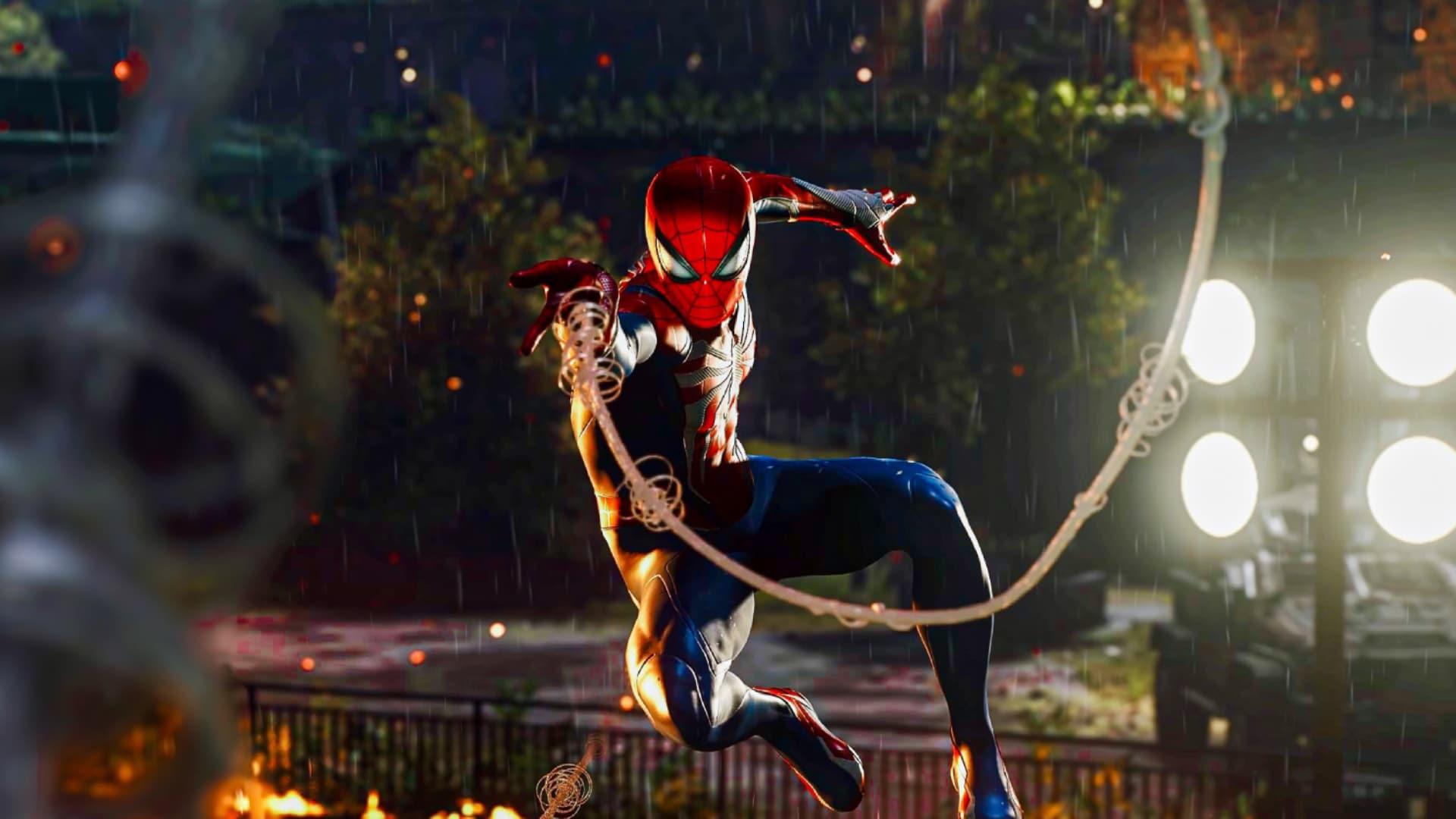
Insomniac Games’ Marvel’s Spider-Man 2 continues to impressive, as the studio has announced that the sequel has crossed over 10 million in sales.
Marvel’s Spider-Man 2 Sales at 10 Million Units Sold and Counting…
Today, we're honored to celebrate an amazing milestone: Marvel's #SpiderMan2PS5 has surpassed 10 million units sold, bringing the game series sales to an astounding 50 million units! 🎉
While most of the sales did occur during the launch, based on the total sales figures, Marvel’s Spider-Man 2 has averaged about 2.5 million copies since its release four months ago. Not bad, and given the roaring reviews (including ours), we’re glad to see that success is also reflected in the sales numbers.
Huge congrats to Insomniac Games on the success of the title!
As for what we can expect next out of the franchise, while a third game will likely happen, fans can look forward to some new content for Marvel’s Spider-Man 2 next month. Insomniac plans to release a New Game Plus update on March 7, 2024, which includes the new mode, some new Spider-Man suits for Peter and Miles, and much more! We’ll have the full details on that update once we get closer to release, so stay tuned!
A gamer at heart, James has been working for MP1st for the last decade to do exactly what he loves, writing about video games and having fun doing it. Growing up in the 90's gaming has been in his DNA since the days of NES. One day he hopes to develop his own game.
Turn 10 has released Forza Motorsport Update 5 this Feb. 14 on consoles and PC. Expect a slew of new content ranging from new events, a new track and loads more. In addition to that, there are bug fixes, gameplay adjustments and more too.
Version Number:
Xbox Series X|S: 1.545.529.0
PC (Microsoft Store): 1.545.529.0
Steam: 1.545.529.0
New Content, Features and Events [All Platforms]
New Track
Nürburgring Nordschleife: Standalone Nordschleife and Full Circuit (GP combined)
New Career Events
Featured Tour: Ringer Tour (Available from Feb. 14 4pm PT | Feb. 15 12am UTC – March 28 4pm PT | March 29 12am UTC)
Showdown Series: BMW M (Starts Feb. 14 4pm PT | Feb. 15 12am UTC)
Showdown Series: Audi Sport (Starts Feb. 21 4pm PT | Feb. 22 12am UTC)
2011 Mercedes-Benz SLS AMG (Feb. 28 4pm PT | Feb. 29 12am UTC – March 6 4pm PT | March 7 12am UTC)
2014 Porsche 911 Turbo S (March 6 4pm PT | March 7 12 am UTC – March 13 4pm PT | March 14 12am UTC)
New Rivals Events
Featured Track: Nordschleife – 1979 BMW #6 BMW Motorsport M1 Procar – Nürburgring Nordschleife (Feb. 14 4pm PT | Feb. 15 12am UTC – March 13 4pm PT | March 14 12am UTC)
VIP: Body Builder – 2018 Chevrolet Camaro ZL1 1LE Forza Edition – Mugello Club Circuit (Feb. 14 4pm PT | Feb. 15 12am UTC – March 13 4pm PT | March 14 12am UTC)
Logitech McLaren G Bonus Stage – 1997 McLaren F1 GT – Hakone Club Circuit (Feb. 14 4pm PT | Feb. 15 12am UTC – March 13 4pm PT | March 14 12am UTC)
Spotlight – 2023 BMW M2 – Laguna Seca – Full Circuit (Feb. 14 4pm PT | Feb. 15 12am UTC – Feb. 21 4pm PT | Feb. 22 12am UTC)
Spotlight – 2013 Audi RS 7 Sportback – VIR – North Circuit (Feb. 21 4pm PT | Feb. 22 12am UTC – Feb. 28 4pm PT | Feb. 29 12am UTC)
Spotlight – 2011 Mercedes-Benz SLS AMG – Hockenheim – National Circuit (Feb. 28 4pm PT | Feb. 29 12am UTC – March 6 4pm PT | March 7 12am UTC)
Spotlight – 2014 Porsche 911 Turbo S – Nürburgring – Full Circuit (March 6 4pm PT | March 7 12am UTC – March 13 4pm PT | March 14 12am UTC)
Bug Fixes and Improvements
The team is constantly hard at work on bugs, some of which are not immediately visible to players but are critical for game stability for all players.
Stability [All Platforms]
Fixed an issue where the game enters an unresponsive state when returning to Open Practice in Featured Multiplayer from a suspended state. [1612807]
Fixed a crash that could occur after selecting “Skip Practice,” exiting the race and re-entering the event. [1657219]
Fixed a crash that could occur when entering Forzavista. [1671290]
Fixed a game crash that could occur when opening a race replay. [1672588]
Builders Cup [All Platforms]
Skipping Completed Practice: Players are now presented with the option to Skip Practice in the Career mode pre-race menu. Furthermore, if the player completes a Practice session, the game creates a save point and provides additional options when returning to a series for replaying or skipping complete practice. [1635662]
Additional information has been added for projected finishes in the Challenge the Grid screen. [1673345]
Fixed an issue in Builders Cup where the series standing list is missing the names of AI drivers. [1668229]
Fixed an issue in Builders Cup where the Skip Practice option loads the incorrect time-of-day for the track intro cinematic. [1674381]
Multiplayer [All Platforms]
Fixed an issue in Private Multiplayer where someone driving the wrong way wasn’t correctly ghosted and could collide with other players. [1613125]
Fixed an issue in Featured Multiplayer where players could encounter an infinite loading screen when attempting to change their Fuel and Tire setup at Grid Preview. [1611726]
Fixed an issue where Featured Multiplayer events at Hockenheim had only 3 laps instead of the intended lap count. [1691754]
Fixed issue where in some Featured Multiplayer Series (Prototype Group Series, Vintage Le Mans Sportscar Series), some cars utilized different tire compounds, resulting in uneven tire wear during a race. [1657150]
Fixed an issue in Featured Multiplayer Forza GT Spec Series where multiple classes are displayed when filtering by class. [1607337]
Fixed an issue in Forzavista where the car model remains “exploded” after accepting a Multiplayer invite. [1646951]
Free Play [All Platforms]
Fixed an issue in Free Play where car model names are missing from the drivers list. [1660255]
Fixed an issue in Free Play Quick Events where the “Number of Laps” returns to the track layout default when going to Event Setup in the pre-race menu. [1629341]
Fixed an issue where Load/Save Event Setup options appear in Free Play Advanced while offline. [1446888]
Time of Day and Weather will no longer always be randomized for the “Next Event” after a Free Play race. Your settings will be remembered. [1598884]
Fixed an issue in Free Play where the post-race information on the next race screen is inaccurate when weather is set to Variable. [1569880]
Gameplay [All Platforms]
Fixed an issue where the “Do You Like This Design?” and “Do You Like This Tune?” post-race prompts are not appearing. [1604582]
In the Fuel and Tires setup menu, added descriptions for non-race tires that explain their all-weather capability. [1607316]
Fixed an issue where audio sounds were played twice when pressing and releasing the “A” button on controller in the post-race podium finish sequence. [1555390]
Fixed an issue where the “Seeing Stars” blue and teal Driver Suits are mixed up in the Driver Customization menu. [1603140]
Added an explanation to the Fuel and Tires menu that clarifies why tires cannot be changed while using a rental car. [1612374]
Adjusted the post-race rewards flow to ensure credits earned are displayed before a new Driver Suit unlock. [1651459]
Cars [All Platforms]
Introduced a first-time pop up to the Buy Cars menu that explains the Featured Tab. [1635604]
Fixed an issue in the Showroom where cars have a checkmark despite not being properly selected. [1602611]
2010 Lexus LFA: Updated inaccurate car audio. [1653741]
2017 Mercedes-AMG GT R: Fixed an issue where the Rear Tire Width options are displayed in the wrong order after applying a widebody kit. [1664831]
2009 Ford Focus RS: Fixed an issue where the car’s audio sounds metallic and distorted. [1661365]
Tracks [All Platforms]
Hockenheim: Fixed an issue where race-day objects clip into the post-race cinematic when the player does not earn a podium finish. [1663889]
Daytona: Fixed an issue where crew members can appear floating during the walk-the-grid cinematic in Featured Multiplayer. [1671191]
Spa-Francorchamps: Fixed the typo on the “Welcome to Circuit de Spa” track sign. [1675335]
AI [All Platforms]
Fixed issue where “Skip Lap” forces player off-track at Suzuka Full Circuit if they have adjusted their fuel levels on certain X class cars. [1681253]
Fixed issue where AI controller takes player car off the track at VIR North when using “Skip Lap” or the start of a Test Drive session. [1682343]
Livery Editor [All Platforms]
Fixed an issue where the game enters an indefinite loading screen after selecting any car within the All Cars sub-menu of the Design & Paint mode. [1712706]
Players are now prompted to save their livery if they attempt to exit the Livery Editor without saving. [1437864]
Fixed an issue when exiting a search in “Find Designs” exits the design section of the Livery Editor. [1490136]
Fixed an issue where upgraded calipers are unable to be painted. [1555302]
2004 Maserati MC12: Fixed an issue where the manufacturer livery partially disappears when paint and decals are applied to the vehicle. [1557639]
Fixed an issue where Vinyl Group sizes can become negative, leaving it difficult or even impossible to get them back to positive values. [1603790]
Fixed an issue where shared Vinyls created and used by the same author on a Car Livery will lock sharing on the livery. [1608207]
Added custom advanced zoom to the Livery Editor when applying decals to a car. [1621135]
Fixed an issue where the Paint Wing option would be still accessible when the wing is removed from the car. [1556604]
2018 Acura #36 NSX GT3: Fixed an issue where the car’s shadow would “pop-in” at certain camera angles in the Paint Car menu. [1452096]
Fixed an issue in Apply Decals > Vinyl Group where Curated Groups do not populate if selected too quickly. [1631003]
Fixed an issue in Apply Decals > Vinyl Group where layer count displayed incorrectly in the UI. [1536758]
Fixed an issue in the decal selector where letters and symbols are incorrectly rearranged in the tab Lower Letters 5. [1570323]
PC [Microsoft Store and Steam]
Numerous under-the-hood improvements to reduce CPU spikes and better utilize the GPU, helping to improve framerate consistency while driving. [1536749, 1651623]
Fixed numerous crash scenarios caused by multi-threaded rendering. [1624448, 1659051]
Fixed being unable to use full screen mode when using a PC with an integrated GPU. [1603057]
Fixed erratic framerate after reverting a video settings change. [1577163]
Improved Mouse navigation by allowing RMB to behave like esc + B to navigate back through menus. [1486418]
There is a known conflict with free camera rotation using a mouse in livery editor and photo mode, and we’re looking to address in a future update. For now, players can use the top menu preset views or the right thumb stick on a controller to navigate their camera as usual with the livery editor, and can use the arrow keys or right thumb stick on a controller for photo mode.
Fixed an issue on PC where players would see no performance boost when switching from a high-quality mode to low quality. [1629213]
Fixed an issue where objects were missing from car reflections in Photo Mode and Forzavista [1670932]
Added a check for GPU support of D3D12 Enhanced Barrier feature to application startup. Error code AP205 corresponds to detected lack of support. Client will attempt to find a device which has required features and will report a “failed to create graphics device” modal if none are found. [1684419]
Fixed an issue in the Livery Editor on PC where zooming in with the mouse wheel scrolls the decal layers as well. [1612231]
Wheels [All Platforms]
Fixed an issue causing custom wheel input layouts to reset to their default settings after relaunching the game with both a controller and steering wheel connected. [1593360]
Fixed an issue that caused the first shift LED light on the Logitech G923 to be illuminated when the car is idling. [1653804]
Fixed an issue where the shift lights don’t blink on Logitech steering wheels when the car exceeds redline. [1653801]
Fixed an issue where H-pattern shifters occasionally delayed shifting gears. [1633642]
Improved shift light LED normalized rev range for Thrustmaster and Logitech devices. [1631053] [1631050]
Fixed an issue where the car steering animation was laggy or unresponsive when using a steering wheel to drive. [1624215]
Wheels [PC Only]
Fixed an issue where LEDs on the Fanatec Formula wheel were blinking with the incorrect colors and rate. [1631049]
Improved shift light LED normalized rev range for Fanatec devices. [1631052]
Photo Mode and Replays [All Platforms]
Players can now save Short Race replays. When racing against a full grid, Short races should save most replays; Medium races will not save full replays but will save up to 11 minutes. Work to improve replay save length is ongoing. [1655835]
Fixed an issue in Photo Mode on PC where non-16:9 resolutions include letterboxing in saved photos. [1671404]
Fixed an issue when searching Replays or Photo Galleries by Track or Track Layout would return no results. [1604588]
Graphics [All Platforms]
Improved screen space reflections to handle quick dynamic resolution changes. [1670567]
Accessibility [All Platforms]
Blind Driving Assists: Fixed an issue where the AI Takeover Cue pitch-volume setting is not honored during pit entry if the player enters with Pit Assist enabled. [1639525]
Blind Driving Assists: Fixed an issue where the Deceleration Cue Pitch preview does not function properly in the Accessibility settings menu. [1639445]
Fixed an issue where the UI Contrast setting text does not accurately describe the setting function. [1593309]
Fixed an issue at Laguna Seca where certain P and X Class cars do not follow the driving line with throttle assist turned on. [1662584]
Fixed an issue at Daytona where certain P and X Class cars do not follow the driving line with throttle assist turned on. [1662599]
Fixed an issue where the Screen Narrator reads the acceleration or braking stat changes in kilometers per hour when miles per hour is displayed. [1613130]
Fixed an issue where the Screen Narrator reads “no results for this leaderboard are available at this time” when entering the leaderboard in Rivals. [1657145]
Blind Driving Assists: Fixed an issue where the Turn Navigation preview does not function properly in the Accessibility settings menu while on track. [1657217]
Blind Driving Assists: Fixed an issue where audio cues are present during and after the Benchmark mode on PC where the player is unable to control the vehicle. [1607324]
Added hyphenation for common compound word, front-wheel drive, to the subtitle when inspecting the 2018 Honda Civic Type R during the Builders Cup Intro Series. [1576107]
Fixed an issue in the Quick Upgrade menu where the “Confirm” button on this screen always narrates the incorrect status initially. [1603873]
Fixed an issue where the Screen Narrator does not readily read all the VIP event information in Rivals. [1625474]
Fixed an issue where the Screen Narrator does not inform players that they are highlighting a new Series they have not viewed before in Career mode. [1581960]
Fixed an issue in the Showroom where the “Owned” text appears much larger than its UI box while Menu Text size is set to largest. [1660344]
That’s about it. Once a new patch is out. we’ll let our readers know.
Don’t Nod’s latest title has plenty of puzzles, but none are more difficult than the Banishers: Ghosts of New Eden Haunting Grounds. We’ve got a complete guide and walkthrough for each of the game’s Haunting Grounds, as well as the rewards that they yield, and where to find them, too.
Before we go further, it’s important to note that these Haunting Grounds are designed to be completed after you’ve gathered your entire skill set. We recommend pushing through the story quests in each of the four main areas before attempting any of these.
With that being said, let’s get into the guide itself.
Banishers: Ghosts of New Eden Haunting Grounds Guide and Walkthrough:
We’ve got a video walkthrough of all four Haunting Grounds available for viewing here. We recommend using it, as it’s much easier to follow than a text description of what’s happening. You can watch that here:
Here’s the text version for those who prefer to read their way through it.
Corrupt Canyon
From the entrance platform, Leap to the left platform. Jump across a gap and climb down to the right, then shoot a Ward hanging across a small gap, then jump across the gap and move forward. Open a chest to the left across a bridge, then 180 and look up to shoot down a hanging bridge across the gap. Shoot the Ward that’s now visible, then head back over the bridge and look back towards the gap you leapt across and shoot a Ward hanging in some rocks to the left.
After the Wards are gone, Leap through the last one you just shot to get to a platform on the other side of the main pillar. Ensnare the Vine puzzle Core in the main pillar and then run across the bridge here to see one Node on the side of the main pillar and another on an isolated pillar to the left.
Jump back over to the main pillar and climb up to the top and up a now open platform to the left, Leaping across another gap to get the Triple Resilience Brooch from the Lost Chest.
Icy Cavern
Head to a torch around a rock to the right and follow a path up to a cliff where you can use Outburst to destroy an icy stalactite. Jump down to the left and use the fallen icicle to climb up to a new platform. Ignore the beam to the left and continue straight, then make a left and go up a ramp to break another wall with Outburst.
Follow the path forward until you reach a spot to drop down but knock down another icicle before climbing down. Climb down and then head back down the ramp you walked up to break the Outburst wall. Follow a tunnel to the left, breaking a few more walls with Outburst until you reach a shimmy wall near a Vine puzzle Core. From about halfway down the subsequent slope, you can turn around and Ensnare a Vine puzzle core, then shoot one Core way up near the ceiling and one on a stalagmite just off the ledge of this slope, then rush to the bottom of it to shoot the last one to the left.
Head back to where you dropped the second icicle, but before you head all the way up to it, pull a quick U-turn at and head up a now-open ramp to find a room with another hanging icicle. Knock this one down to prepare for the next Vine puzzle. Once that’s done, head back to the main room and go up that second icicle you dropped to find the Core. From here, Ensnare it and shoot one Node by the Lost Chest, one up and to the left from that same ledge, one directly left and up of the dropped icicle, and the last one way back in that passage you just unblocked by breaking the most recent icicle. Confusing, I know. The video guide will help a bunch with this one.
After this Vine puzzle is completed, you’ll have full access to the Lost Chest with a Leap from the Haunting Grounds’ entrance. This chest will reward you with the Ring of Antikythera Bane Ring. Congrats!
The Shipwreck
Drop down from the cavern entrance ledge and switch to Antea to see in the fog. Follow the path to the right and crawl under a hole in the wall to a combat encounter. Afterwards, push forward through a shimmy spot and shoot two breakable locks across the gap with Red to drop a pallet. Then drop back into the fog as Antea.
From here, wrap back around the left wall until you reach an elevated tunnel on the other side of the cavern. Shoot another lock with Red and then drop down from here into the fog, switching to Antea again. Cross the bridge you just created to destroy the fog emitter, then defeat some enemies and crawl under a crawlspace to get back outside.
Once outside, climb down a rope spot into another fog area. Wrap around the path to the left and destroy a wall on the side of the ship with Outburst. From here you can destroy the fog emitter. Deal with another combat encounter and head back outside.
There’s a ladder to the right of the entrance to the ship’s interior, so climb up that. Crawl under a beam on the right, then shoot a lock to drop a wall. Head back and shimmy through a small opening to the left of the ladder. Directly ahead, there are two locks to shoot through a gap in the wall. Head back from here and cross the platform you dropped, then look right and shoot another lock to the right to create a platform to jump to.
Climb up to the top of the wreck from here and deal with another combat encounter. Near the South edge of this platform is a trapdoor you can open by shooting another lock. Use a rope to descend to the Lost Chest and claim the Voyageur Amulet as your reward.
Forsaken Farm
There’s a ward in a shed immediately to the left of the entrance. There’s a second behind a tree to the right of the central building. Shoot the last ward in an upper window of the central building visible from the Haunting Grounds entrance.
From here, we can tackle a Vine puzzle across the wheat field to the left of the main building. Head past it to the river, then wrap around to the left to destroy a wall with Outburst. From here, grab the nearby cart and push it all the way to the river to make the Node on it more easy to reach. Then stand in front of the Core and shoot one Node behind the shed directly left, one forward and to the left of the core under an awning by the wheat field, one to the right of the core, and one on the wagon you just pushed.
Head back to the entrance and break a wall with Outburst to find an optional Vine puzzle. Break some boards on a house to the back left of this area and head inside to unlock a previously locked door, then step out into the courtyard to complete the second Vine puzzle.
For this Vine puzzle, stand right by the door you just went out. Ensnare the core, then run inside and slash one Node in front of you behind some breakable crates, run upstairs, slash a second, and then shoot the third Node against a tree through a small window on the Eastern side of the room. This will unlock the door to the main building.
Head in there through the double doors and crawl through a spot at the back of the building, wrap around the cliff straight ahead and climb down into a warded area. Shoot one ward in a pit to the right, then head back and to the left to enter a cave. There’s a wall to Outburst here, so destroy it and climb through a crawlspace.
On the other side of the crawlspace, turn left and look back at the Vine puzzle you just passed. Ensnare it and shoot one Node just past it, one up and to the right, one up and to the left, and one on the wall behind you. This opens a climbing wall behind you, so go ahead and head up.
From up here, you can wrap around the right side to destroy a ward. Head back down and destroy a fallen tree with Outburst, then go to the nearby Vine Core and Ensnare it. Shoot one node up and to the right, one directly above it, and then rush to shoot the last one to the left through the tree you just broke. Climb up the wall where the Core was and follow the natural path to reach the reward: the Halcyon Days Bane Ring.
That’s all the Banishers: Ghosts of New Eden Haunting Grounds and their rewards! We’ve got a couple guides up already for this game and we’ll be posting several more, so stay tuned in to us here at MP1st.
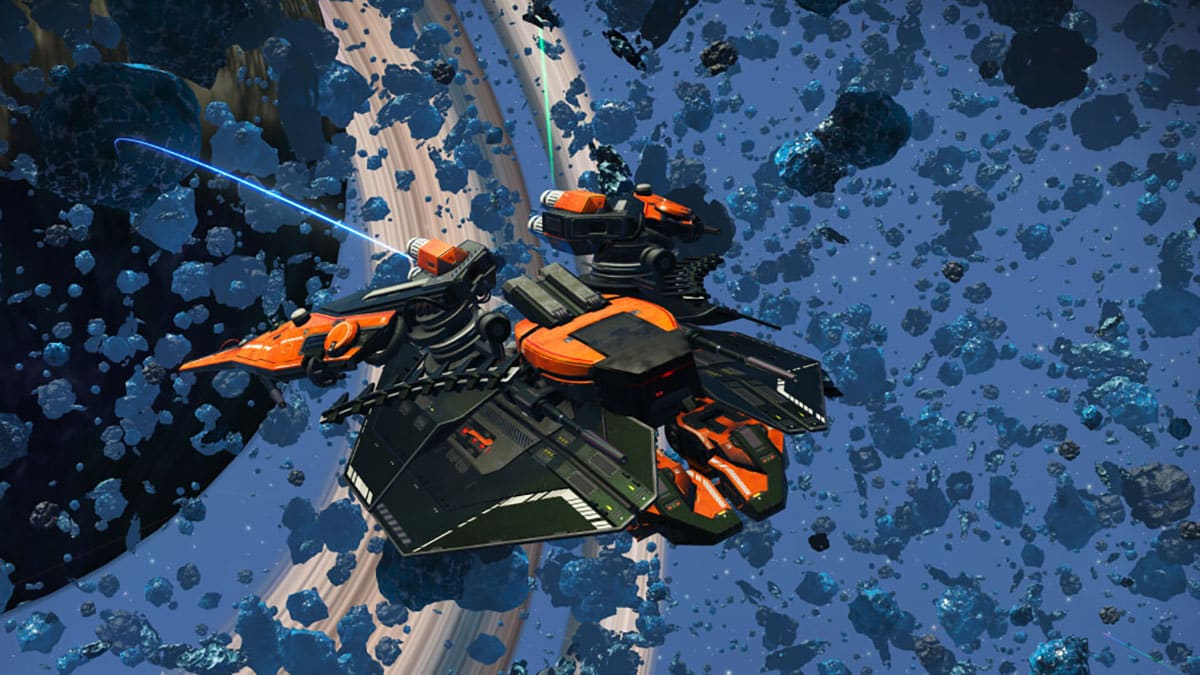
Hello Games has released No Man’s Sky update 4.50 (PS5 update version 4.050), which is an unannounced title update. Read on for what’s new in the No Man’s Sky Omega version 4.5 patch notes.
No Man’s Sky Update 4.50 Patch Notes | No Man’s Sky Update 4.050 Patch Notes:
Update: The Omega update patch notes are now live!
OMEGA: INTRODUCING UPDATE 4.5
FREE TRIAL
From Thu. 15th Feb – Mon. 19th Feb, the entire Omega Expedition will be open to everyone, even those who don’t own the game.
Find links to play for free within the No Man’s Sky page of all major platform stores.
OMEGA EXPEDITION
Expedition Twelve, Omega, will begin shortly and run for approximately four weeks.
Rewards include new posters; a unique Atlas-themed jetpack, the exclusive Atlas Sceptre Multi-Tool; the Atlas Headshield helmet and the one-of-a-kind high-performance Starborn Runner starship.
This expedition invites players old and new to take part in a journey across the galaxy, exploring as they go and probing the memories of the Atlas itself.
For players without an existing save, this expedition also includes a tutorial to guide you as you explore, making this the perfect time to start your journey.
PvP will default to off during this expedition.
EXPEDITION STRUCTURE
Expeditions can now be started from an existing save, as well continuing to be accessible by starting a new game.
Major expedition rewards will continue to be available on all saves.
Players can choose to begin an expedition from a new terminal aboard the Space Anomaly.
Before starting the expedition, players are able to load this terminal with a choice of items and packaged equipment.
The expedition will then begin as normal. Upon reaching the Space Anomaly, players will be able to retrieve these stored items to aid them with their progress.
With an expedition in progress, players can use this terminal (or an option within the main menu) to freely switch between continuing the expedition or pausing it.
Pausing the expedition allows players to switch back to their “primary” save for that slot and dip in and out of the expedition as they wish.
At the end of an expedition, players will be able to return technology and items to their primary save via the same terminal used to start the expedition. Alternatively, unwanted items will be sold automatically and converted to units or nanites as appropriate.
All earned units, nanites and quicksilver will be automatically returned to your primary save on completion of the expedition.
All discoveries will be automatically shared with the primary save.
Bases will be shared to the primary save on completion of the expedition.
At the end of the expedition, additional unit or nanite rewards will be awarded based on other measures of progress, such as Sentinels killed, words learned or base parts constructed.
At any time with an expedition in progress, players can create a copy of their primary Multi-Tool or starship, allowing them to bring their own equipment to the expedition or return exciting finds back to their primary save. This process is begun at the same terminal used to start an expedition.
Your historical progress on expeditions is now logged within the Catalogue page.
PIRATE DREADNOUGHT
Players can now force the mighty pirate dreadnought capital ships to surrender by destroying all of their defences or taking them to the brink of destruction.
Take no mercy and destroy the pirates anyway to claim the usual bounty, or dock with the dreadnought to speak with its captain.
Demand tribute from the pirate captain, or seize their vessel as your own capital ship.
The dreadnought has a unique hangar and bridge, distinct from regular civilian freighters.
TWITCH CAMPAIGN
A new package of Twitch drops will begin shortly. Sign up and link your platform accounts on the Twitch Drops page, then tune in to Twitch to earn exotic base parts, high-tech starships, fireworks, appearance modifications, and more.
NEW MISSIONS
Planetary NPCs will now occasionally offer procedurally generated missions, tailored to the planet they find themselves on.
The Atlas Path missions have been reworked for clarity and robustness, fixing a number of text and other issues.
Players who have completed the Atlas Path now have access to a repeating mission with which they can earn nanites and additional words in the Atlas language.
Players who decline the Atlas at the end of the Atlas Path are now awarded their own counterpart title and technology to those awarded for accepting its request.
Once begun, the Atlas Path is now always available on the Galaxy Map without having to specifically request coordinates from Specialist Polo.
The visual effects in the final Atlas Station have been significantly improved.
Black Holes are now always available on the Galaxy Map without having to specifically request coordinates from Specialist Polo.
The visibility of the various Galaxy Map paths has been improved, particularly when in free-look mode.
Players can now save while aboard Atlas Stations.
Fixed a rare issue that could cause some mission agents aboard outlaw stations to run out of available missions.
Living Pearls are now occasionally requested as the target item for some missions at the Nexus.
QUALITY OF LIFE
Teleporters have been added to the Space Anomaly, allowing quick access to the Multi-Tool Salvage Station on the upper balcony.
Terrain manipulation around buried objects or buildings has been made easier, allowing edits to be made even when not directly aimed at the terrain itself.
Planetary charts leading to archeological dig sites are now available from the Space Station Cartographer.
Portal glyph addresses are now listed for all categories of wonder, not just for planets.
The galaxy where the discovery was found is now listed for all categories of wonder.
Storage Containers can be now snapped directly to large base rooms, allowing them to be accessed from inside.
Fixed an issue that affected a number of Timber, Fibreglass and Stone base parts, preventing them from being swapped using the “Swap Part” option in the build menu.
Autophage NPCs now have a chance to equip their own unique procedurally generated staff.
A large number of new biscuit-based cooking recipes have been added.
Fixed an issue that prevented some Voyager expedition reward parts from being constructed in freighter bases.
Hostile planetary flora now show a marker for a short time after damaging the player.
Technology modules are now filtered out from the list when selecting items to process in a refiner, as these can never be refined.
After dying on a planet, players are now respawned with a minimum level of hazard protection, preventing a loop of repeated death.
The autosave timer is now reset when players make a manual save, preventing the autosave and restore point from being too similar.
Previously visited Expedition Rendezvous locations are now listed in every space station teleporter.
The terrain deposit label will now suggest cycling to the Terrain Manipulator if applicable.
The Analysis Visor UI now contextually switches between the Custom Marker and Scanning tip as appropriate.
The grid view in the Catalogue can now be scrolled with the mousewheel.
The build menu will now automatically close after deploying an Exocraft Geobay, consistent with other planetary deployables.
The construction cost of chairs has been reduced, removing the need for Star Silk.
The Nutrient Processor icon is now shown on the compass, making it easier to find after deploying on a planet.
A cockpit readout message has been added for launch thruster status, showing progress towards ignition (or any applicable fuel or damage errors).
Camera shake effects are now dampened if the player does not have full control over their character, eg while using the UI or an interactable object.
When using world-relative smooth stick movement in VR, the sticks now also control movement while jetpacking.
An option has been added for VR players to remove the highlight effect on interactable objects.
A number of improvements have been made to interacting with objects that have a cost associated with interaction, making the process more clear and consistent with other similar parts of the UI.
Expedition Milestones that award starship or Multi-Tool inventory slots now award those slots directly, similar to Exosuit slots, and no longer require a trip to the Space Station to claim.
A number of text clarity improvements have been made to the text on the Install New Inventory Slot screen.
MISSION UI
A number of improvements have been made to the way in which missions display hints in the bottom-right notification area.
When multiple missions or situations are attempting to display a hint, players can now manually cycle through all the available hints, preventing clashes from hiding information. Your currently selected mission will now always be available.
Players can now cycle through the available hints and leave no hint on display, temporarily hiding them.
Fixed a number of consistency issues that could cause mission notifications that were attempting to direct players to specific pages within the UI to fail to open the correct page.
A number of system and specific improvements have been made to the pacing and display of general, non-mission-related hint messages. This should result in fewer messages over extended periods of play, and fewer tutorial-related hints for experienced players.
Fixed a number of issues that could cause the selected mission to be changed after warping or reloading.
Fixed a number of issues that could cause the active mission to be changed or an unexpected mission to be re-selected after completing a secondary activity that used the mission system.
Fixed an issue where pinning a recipe or repair could fail to correctly select that as the active mission.
Fixed an issue that would prevent the player’s manually selected inventory page from always being forgotten and reset to the Exosuit when inside the starship or Exocraft.
If a mission hint is currently suggesting use of an item, and that item is accessible, then opening the inventory will default to the appropriate page for that item.
Fixed a rare issue affecting some older save games that prevented mission hints from displaying as expected.
The starship summoning hint is no longer displayed if the ship is unable to take off.
Fixed a number of issues affecting the display of the hint to recover items from your grave.
Fixed a number of issues affecting the display of the various hints about extreme planetary conditions.
A hint is now shown when trying to recruit an organic frigate while your fleet is at max capacity.
Missions that are directing players towards their freighter base will now display their icon appropriately in the teleporter UI.
Expedition Milestones are now prioritised in the pool of secondary missions in the log, making your current milestone easier to find.
Mission hints are now visible while the trading UI is open.
The icons for various hints on the Space Anomaly (e.g. about excess nanites or unredeemed rewards) have been improved.
Fixed an issue that allowed hints about outlaw systems and stations to display while aboard the Space Anomaly.
Fixed an issue that prevented the display of the low shield warning during the mission to save a freighter from pirates.
Fixed an issue that caused non-target items to be displayed during a Target Sweep if they happened to share an icon with the actual target.
Off-screen indicators displayed during a successful Target Sweep are now displayed closer to the centre of the screen, making it easier to detect exactly where the object in question is, particularly if it’s at a vertical offset from the player.
Fixed a bug that could prevent some mission-critical markers from displaying their off-screen indicator.
Fixed an issue that could cause duplicate or unnecessary mission markers to display on the Galaxy Map.
When a mission is requesting a substance found in planetary terrain deposits, the visibility in the Analysis Visor of the relevant deposit has been increased.
When a mission is requesting that a specific item be crafted, that item is now placed correctly and highlighted within the crafting popup.
A number of text and clarity improvements have been made to the pinned crafting guidance for crafted recipes and technology, particularly when looking for substances that can be harvested from planetary objects.
Pinned crafting guidance now more explicitly points players towards the refiner when looking for materials that are more easily refined than crafted or purchased.
If a mission is requesting an item be refined, that item is now highlighted in the refiner input popup.
When missions display a hint about a particular entry in the guide, that entry is now highlighted within the Catalogue.
MISSION FIXES
Fixed a number of rare blockers and flow issues across various missions when speaking to Nada, Polo or other Space Anomaly inhabitants.
Fixed a number of rare cases where missions could be blocked, or advance incorrectly, in the event that a planetary building failed to load.
Fixed a rare blocker in the Trace of Metal mission if players lose their drone shell before talking to Iteration Tethys.
Fixed a rare blocker in the Trace of Metal mission where players could not advance the various dialogue options.
Fixed a number of rare blockers that could occur if players delete their own base while in the middle of the base-building tutorial.
Fixed a rare blocker that could occur during the 16/16 mission when attempting to travel via the Portal network.
Fixed an issue that could cause flickering UI or overly active hint messages when deleting planetary charts from your inventory.
Fixed an issue that caused missions to give incorrect instructions while players are aboard the Space Anomaly and their mission target is in a different system.
Fixed a number of text issues in missions taken from a space station listing agent.
Fixed a number of text issues in the The Settlers mission.
Fixed a number of text issues in the inventory expansion tutorial mission.
Fixed an issue that caused the Autophage corrupted sentinels mission to display incorrect objective numbers.
Fixed an issue that caused some text to incorrectly reference pinning or hint at pinning in inappropriate situations.
Fixed a significant number of text and clarity issues around the transition from the Space Anomaly to the Artemis missions if the player skipped the tutorial, either via the options menu, by playing Creative Mode, or by converting their expedition save to a normal mode one.
Fixed a number of rare issues that could occur when learning words to calibrate Artemis’ translator.
Fixed a mission-related issue that could cause occasional stuttering.
Fixed a number of issues that could affect the Under a Rebel Star mission if players fled the outlaw station mid-mission.
Fixed a text issue that could cause some missions to display a NEW MISSION rather than NEW OBJECTIVE notification when their objective changes.
Fixed a rare issue that could cause some mission steps that require use or repair of a technology in the player’s inventory to fail to use the correct icon.
Fixed an issue in the various artefact excavation missions from the space station listings agent that caused the mission to skip the instructions for locating the dig site.
The icon clarity when a mission hint requests that players dig for ancient keys has been improved.
Fixed a number of rare blockers in the base Overseer and Agricultural Research missions.
Fixed a number of issues during the base Scientific Research mission while trying to find a suitable Korvax scientist to hire.
Fixed a number of issues during the base Weapons Research mission while trying to find a suitable Vy’keen armourer to hire.
Fixed a number of issues during the base Agricultural Research mission while trying to find a suitable Gek farmer to hire.
Fixed a number of issues during the base Exocraft Technician mission that could occur when trying to undertake the mission in the Nautilon or the Minotaur.
Fixed an issue that could affect the Exocraft Technician missions when being asked to collect gold to install Exocraft technology.
BUG FIXES
Fixed a memory leak related to audio systems.
Introduced a significant memory-related optimisation.
Fixed a crash related to freighter targeting systems.
Fixed an Xbox-specific crash.
Fixed a crash related to input.
Fixed a rare crash that could occur when using hold-type interactions.
Fixed a rare crash related to rendering discoveries and wonders.
Fixed an issue that could cause texture-streaming problems on PlayStation platforms.
Fixed a rare crash caused by memory trampling.
Fixed a rare crash related to navigation.
Fixed a softlock that could occur when interacting with NPCs.
Fixed a rare issue that could cause unclaimed living ships to turn into conventional abandoned ships.
Fixed an issue that could cause some hostile starships or freighter components to become invulnerable.
Fixed an issue that caused player companions to move overly fast when in indoor environments such as the Space Anomaly.
Fixed an issue that caused camera glitches when answering the starship communicator when using the third-person camera.
Fixed an issue that caused Exocraft to have incorrect collision.
Fixed an issue that could allow large rooms to snap to doors that were already snapped to corridors.
Fixed an issue with camera angles for some interactable base objects that could cause the camera to embed itself in walls or the terrain.
Fixed an issue that could prevent icons from being correctly applied to tritium-rich asteroids when scanning for fuel in space.
Fixed a significant visual issue that affected the rendering of some weather effects, particularly tornadoes.
Fixed an issue which could cause animation jitter for some two-legged flying creatures.
Fixed a visual glitch that could cause popping during the loading starfield.
Fixed a visual issue that could prevent the cloaking device effect from applying to some Multi-Tools.
Fixed a number of issues with the cloaking device effect in multiplayer.
Fixed a number of visual issues when replicating starships in multiplayer.
Fixed a number of visual issues with Multi-Tool muzzle effects in multiplayer.
Fixed a number of visual issues with the lighting effects on player jetpacks.
Fixed a number of visual issues with capes in multiplayer.
Fixed a visual issue with the glow on some exploration-class starships.
Fixed a rare issue affecting sky rendering.
Fixed a number of issues with the purchase flow for Atlantid-class Multi-Tools.
Fixed an issue that caused some oxygen-rich plants to have overly large collision volumes.
Fixed an issue with the Report Base UI that prevented text from being translated into other languages than English.
Fixed an issue that caused some A-class Sentinel Multi-Tools to outdamage the S-class version.
Fixed a number of AI navigation issues.
Fixed a number of issues related to saving the state of various interactive objects such as refiners and resource extractors.
Fixed a number of issues with Sentinel Hardframe units that could cause them to fall beneath the terrain.
Fixed an issue that could prevent activated versions of substances such as copper or indium from being correctly listed when viewing planets on the discovery page.
Fixed an animation glitch that could occur when running up-hill with a one-handed Multi-Tool.
Fixed an issue that could allow complex crafting trees to exceed the bounds of the screen.
Fixed an issue that allowed some mouse-only movement modes to be selected while using the pad.
Fixed an issue that could allow the starship HUD to render the planetary readout when not in space.
Fixed a number of text issues in the Catalogue when browsing refiner and cooking recipes.
Fixed an issue in the catalogue that caused all the entries on the page to re-animate despite the page not being changed.
Fixed an audio issue that could cause footstep sounds on the space station to turn into a high-pitched whine.
Fixed an issue that could leave a lingering warning about the launch thrusters being out of fuel after they have been refuelled.
Fixed an issue that could cause some smuggler NPCs to offer NipNip buds for an absurd number of nanites.
Fixed a number of collision issues around frigate cargo bays.
Fixed an issue that prevented some decals from applying correctly to companion customisation options.
Fixed an issue that incorrectly hid some NPCs on space stations.
Fixed an issue that caused smuggled goods to have their contraband pricing inverted, making their sell value incorrectly low in non-pirate systems.
Fixed an issue that could allow the starship to fire when clicking quickly through text after answering the communicator, causing a potentially hostile response from anyone inadvertently hit.
Fixed an issue that could prevent space jellyfish from spawning.
Oddly enough, Hello Games has not revealed the official changelog just yet. However, there is a “patch notes” list of sorts available on the console version, with the contents available below (via flynnsarcade1)
The Omega update invites everybody to embark upon a new shared interstellar expedition. Featuring a complete overhaul of expeditions, new on-planet missions, claimable pirate freighters and much more!
A new expedition system allows Travelers to join with bespoke provision, favorite starships, custom Multi-Tools and return with loot and exciting rewards.
New Omega expedition invites all Travelers to answer the call of the universe together.
A huge array of new planetary missions challenge players with quests specific to an alien lifeform’s locale, climate and personality.
Defeat pirate freighters in combat and board them to demand control.
For the first time, take on the universe with a fleet of frigates led by a dreadnought capital ship.
Once the official patch notes are out, we’ll update the article with the info, so stay tuned! For more No Man’s Sky coverage on MP1st, bookmark this page.
Crytek has released Hunt: Showdown update 1.98 on consoles and PC, and this is for patch version 1.15.1 that includes weapon tuning, controller tuning for consoles and more. Read on for the complete patch notes.
Sony has kicked off the PlayStation Store “Planet of the Discounts” sale, and this one houses over 2,000 items! There’s a lot of AAA games at a good discount here such as the Batman: Return to Arkham bundle (includes Arkham Asylum and Arkham City and all their corresponding DLCs) for just $5, Sniper Elite 4 at just $4.49 and more.
Keep in mind that checking the list while logged in with an active PlayStation Plus membership will show a bigger discount.
PlayStation Store “Planet of the Discounts” Sale Games and Prices List | Ends Feb. 28:
Note: We have enabled a collapsible table for the games given the huge list. To see the games in each list, click on the black arrow and/or the letters (A – E, F – J, K – O, P – T, U – Z).
PlayStation may soon put more effort into their PC releases, as the company now sees opportunities to increase their operating profits with multiplatform releases.
Speaking during the Q&A section of their quarterly financial conference call (via Twitter/X user Genki), Sony’s CFO and COO Hiroki Totoki outlined the company’s goals and expectations. One big focus he spoke much on is how the company can improve on profits, seeing an opportunity for an aggressive push with first-party games coming to other platforms, specifically PC.
“In the past, we wanted to popularize console and the 1st party titles’ main purpose was to make the console popular. It is true, but there is a synergy to it. So if you have strong first party content, not only with our console but also other platforms like computers, 1st party can be grown with multiplatform and that can help operating profit to improve. So that is another one we want to proactively work on.
I personally think there are opportunities out there for improvement of margins, so I would like to go aggressive in improving our margin performance.”
With PS5 sale expectations lowered for the upcoming year and no plans for any established major first-party releases until after 2025, the shift in looking to profit elsewhere makes sense, especially when looking at the success of Helldivers 2. The title recently reached over 1 million in sales, with a good portion of that being on PC, seeing hundreds of thousands of users playing daily on the platform alone since release.
While PlayStation games have come to PC in the past, Helldivers 2 marks a rather big shift, as it’s one of the few to go to PC day and date as the PS5 version. That may be because it is a game as a service, though its success has likely made Sony reconsider their PC release approach.
As for how big of an impact that’ll have on future releases is something we’ll have to wait and see, but don’t be surprised if we start seeing more and more PlayStation exclusives come to PC, and much faster than they currently do.
A gamer at heart, James has been working for MP1st for the last decade to do exactly what he loves, writing about video games and having fun doing it. Growing up in the 90's gaming has been in his DNA since the days of NES. One day he hopes to develop his own game.
Behaviour Interactive has released Dead by Daylight update 3.07 (PS5 update version 7.500.200), which is for patch version 7.5.2! This brings bug fixes to the game affecting the Killers, perks and more. Read on for the Dead by Daylight new update notes listed below straight from the official source.
Dead by Daylight Update 3.07 Patch Notes | Dead by Daylight Update 7.5.2 Patch Notes:
THQ and Yuke’s have pushed out AEW: Fight Forever update 1.09 (PS5 update version 1.009), which delivers free DLC to players, as well as a bunch of bug fixes. Check out the free DLC in the store links below, as well as the complete patch notes.
What Is the AEW: Fight Forever Free DLC on Feb. 14 About?
Five (5) new music tracks
10 new attire options
PATCH NOTES:
Gameplay (all platforms)
Fixed a bug that caused Steam Achievement’s “Bet the Best” to be unlocked on non-host pads.
Fixed “Auto-Select” prompts on wrestler selection screen even after manual selection.
The “apron to in-ring” technique is no longer activated in Exploding Barbed Wire Death Match.
Fixed a bug where a COM would wake up a downed opponent after performing a tandem finisher.
COM Fixed that Thunder Rosa’s Signature Move fires signatures from a distance where the attack cannot hit.
Fixed a bug that caused a transparent collision around the ladder model when a wrestler with a ladder in place was attacked.
Fixed a bug that caused the wrestler’s pose to change instantly when making a diving catch.
Fixed a bug that caused wrestlers who received an Irish Whip to enter an infinite running animation.
Fixed a bug where Wrestlers float above the ring after performing a running attack towards a corner and a set up ladder using a “Skateboard”
Fixed diving attack was triggering a pain motion when the attacker self-destructed, even though the diving attack hit a part of the body of the attacked party.
Fixed a small animation on the hit side when Flying Clothesline 1 hit, making it difficult to understand the hit side’s animation.
Fixed a bug in the casino battle royale that was causing only weak grapple attacks.
Fixed a bug that caused the attacker’s position to warp and suddenly shift into a grapple state when a thrown weapon hit.
Fixed the issue of hitting the corner post when Irish Whip toward the guardrail near the off-site corner.
Fixed a bug that caused down attacks to be triggered even when away from a downed opponent.
Fixed a bug in the casino’s Battle Royale that prevented powerful grapple attacks from being launched when standing.
Fixed issue with SFX not sounding when table was burned.
Menu (all platforms)
Fixed “Auto-Select” prompt still appearing after manual selection.
Fixed a issue where CAW was not automatically selected on the wrestler selection screen.
Fixed an issue where the AEW logo displayed in the News pop-up window was too light in color.
Minigame (all platforms)
Fixed COM’s inability to complete the “Path Tracer” mini-game on “Elite” difficulty level.
Online
(Xbox Series/PlayStation 5 only) Fixed an issue where a soft lock would occur in the main menu if the act of quickly canceling a private match was repeated twice.
(PlayStation 5 only) Fixed a problem that could cause a crash when touching with a partner in an online 2-on-2.
Title Screen (all platforms)
Replaced the title screen with artwork for Season 3.
That’s about it. Once a new update is pushed out, we’ll let our readers know about it.
If you were hoping for PlayStation to have a major AAA from an existing franchise released in the next year, you might want to set those expectations aside, as Sony has confirmed they have no plans for one until after 2025.
Sony just held their quarterly financial conference call, where CFO and COO Hiroki Totoki talked about the company’s performance in the last quarter, as well as setting some new goals and expectations for the upcoming fiscal year (April 2024 – March 2025). One of these goals that Totoki commented on was a shift and more significant focus on the balance between profitability and sales in the upcoming years, noting that the PS5 has entered its “latter stage of its life cycle.”
Before, Sony had set expectations for 25 million PS5 consoles to be sold during this fiscal year but has now lowered expectations to 21 million. This is also in part due to the company being aware of its content pipeline, confirming to investors and analysts that they have no plans to release any established franchise sequel in the next year.
“Regarding first-party software, we aim to continue to focus on producing high-quality works and developing live service games.
But while major projects are currently under development, we do not plan to release any new major existing franchise titles next fiscal year like God of War Ragnarok and Marvel’s Spider-Man 2.”
Whether this includes Death Stranding 2 is yet to be confirmed, as while being a PlayStation exclusive with an in-house engine from the publisher, Dead Stranding 2 is developed by a third-party studio, Kojima Productions. Either way, this means we shouldn’t expect a follow-up to Ghost of Tsushima and other major sequels and spinoffs from PlayStation to be released next year.
That does not mean we won’t see any new first-party releases from PlayStation within the next year, as there are several new IPs that the PlayStation had previously announced, as well as some new ones yet to be released that could fill the gap.
The cost of development for first-party games, and games in general, has sharply risen over the last decade, so this news shouldn’t come as much as a surprise. Though it does come at a point where many still feel the PS5 has only begun showing its potential, despite being over four years old.
A gamer at heart, James has been working for MP1st for the last decade to do exactly what he loves, writing about video games and having fun doing it. Growing up in the 90's gaming has been in his DNA since the days of NES. One day he hopes to develop his own game.
As part of today’s server maintenance, Rocksteady Studios has released Suicide Squad: Kill the Justice League update 1.007 on all platforms, and this is the game’s first-ever client patch since it got released. Players can expect changes to the Burn status effect, enemy health at Mastery levels and more. Read on for what’s new in today’s Suicide Squad: KTJL new update patch notes.
Suicide Squad: Kill the Justice League Update 1.007 Patch Notes for Feb. 14:
Update: Official patch notes are out and we’ve added it to the article.
“This patch mainly addresses some of the bugs and difficulty scaling issues that were affecting players as they progressed to the higher Mastery Levels (40+). We hope that these changes will lead to a more balanced, varied and overall enjoyable experience as you take on ever increasing challenges!
We do, however, know that some of our players are running into issues which are not addressed in this patch. These include but are not limited to matchmaking issues, login issues, performance issues & progression issues, among others. While we were not able to get those fixes implemented in this patch, know that we are aware of the frustration these may cause and are working on making further improvements in upcoming patches. We will be updating our Known Issues channel in our official Discord in the near future as the status of these develop.”
BUG FIXES:
Fixed a bug that was causing Burning damage to scale with both player damage buffs and enemy debuffs. Burning damage should only be scaling via enemy debuffs.
Fixed a bug that allowed Toyman to stack multiple of the same Augment on your gear.
Fixed a bug that sometimes prevented modifications to Augments on your gear from saving after exiting a multi-player session and joining a single-player session.
CHANGES IN THIS RELEASE:
Heat Wave’s Molten Skin & The Turtle’s Shell have had their damage reduction reduced from 100% to 90%.
Due to some players exploiting certain mission mechanics, vehicle kills during Gizmo’s Support Squad missions no longer grant XP. You are still awarded XP for mission completion.
With the fix to Burning damage, players will be less likely to get to the same Mastery Level as before. As a result, we will be creating new Leaderboards in the interest of fairness. Fear not though, as we will be archiving the existing Leaderboards, so those currently atop the rankings will live on in infamy!
With the fix coming to Burning damage scaling and hearing the concerns around hitting a wall when climbing Mastery levels, we have reduced enemy health scaling for Mastery levels 46 and above.
To keep things challenging, enemies at Mastery level 46 and above will now deal more damage.
While Rocksteady hasn’t revealed the complete patch notes just yet, the studio did talk about some of the gameplay adjustments they are looking into per the game’s official Discord channel.
After launch, we noticed that some of our more dedicated players started reaching Mastery Levels beyond our wildest expectations. When we looked into this, we noticed that there seemed to be something amiss with the Burn status effect.
This effect was supposed to scale in a certain way across the Mastery Levels, so it can remain as a viable way to deal consistent damage. When we looked deeper into this issue based on the loadouts used, we found that there was a major unintended bug that made Burn not scale correctly. As Mastery levels increased, Burn’s damage also increased, which basically meant that if you used a Burn build, every Mastery Level had the same difficulty.
This left us with somewhat of a conundrum. Our most dedicated players had now reached a Mastery Level far beyond what the game was balanced for at launch due to this bug, and weren’t getting the challenge or variety we wanted our End Game to provide. We had to ask ourselves, what can we do to fix this, and more importantly, should we fix it at all?
Our End Game philosophy around mastery is pretty straightforward and rests on the three core pillars of our game: Traversal, Combat and Build Construction, and the mastery of these pillars. We want you all to be rewarded when you master your characters’ traversal, master the combat mechanics and master the exploration and construction of different builds in the game – that’s why we call it “Mastery”. We want you to surprise us with the powerful builds you find and construct. We want you to continuously find a new meta and then break it by finding a better one. While there is no doubt that the Burn build is a really powerful and fun build – it should be! – we didn’t intend for it to be the only viable End Game build for launch and beyond.
So what are we doing?
We are fixing the bug with the scaling (or lack of scaling) on the Burn effect. Burn should still remain viable in higher Mastery Levels, and will correctly scale with damage taken effects on enemies as originally intended, but Burn will no longer scale infinitely.
What about the leaderboards?
Since this change will be pretty fundamental to the leaderboards and your continued progression on them, we are committed to creating a new leaderboard for you all, so you can continue to explore the different builds in the game.
All the entries on the current leaderboard will exist in perpetuity and will be a permanent record of all your achievements. We want to applaud you all for both your dedication on getting this high in the Mastery Levels (and also breaking the game). Kudos!
This new leaderboard for Finite Crisis will become the active one for all players, and in the leaderboard menu you will be able to swap back to watch your previous entries, glorified for all to see.
What about Mastery Levels and enemy health?
One of the other fixes we are doing is a direct result of feedback we’ve received from you all. We’ve seen some comments suggesting that enemy health at later Mastery Levels was too high, which makes the climb too steep past Mastery Level 50.
We hear your concerns loud and clear, and we agree. Mastery Levels 50 and beyond is increasing enemy health too much, too quickly. For that reason, we’re adjusting our approach to Mastery Level balancing. Enemy health will now increase in a much less aggressive way, with the intent that more builds will crop up as viable options.
That brings us to the next piece of adjustments: The Heat Wave’s Molten Skin and The Turtle’s Shell.
These two items will now reduce damage taken by 90%, rather than give straight up immunity. At the moment, these items were too easy to trigger and it is simply a bit too easy to keep the buff up, especially at higher Mastery Levels, and we wanted skilled players to need to use their mastery of their characters’ traversal and the mastery of combat mechanics and mastery of build construction to survive.
In short, enemies will have less health on the higher Mastery Levels, and players will have to work harder to avoid incoming damage.
What about all my progress?
In case some of you are thinking about this, we want to be extra clear: Your unlocked Mastery Levels, your Finite Crisis rank, all the gear you have acquired and your Squad Levels will not be reset.
Once the official patch notes are out, we’ll update the article with the info.
Update: Article updated with official patch notes.
Rocksteady Studios has pulled the Suicide Squad: Kill the Justice League servers down for maintenance this Feb. 14, and from the looks of it, a patch is incoming as well. Read on for the schedule and info.
Suicide Squad: Kill the Justice League Down Maintenance Schedule and Status for Feb. 14:
Here’s the announcement from Rocksteady regarding the outage:
Hack’s got some upgrades planned! Scheduled Maintenance for #SuicideSquadGame will begin on February 14th at 3 AM PST/11 AM UTC.
Start time: Feb. 14 at 3 am PST/11 am UTC/6 am EST/7 pm HKT
Duration: 2 hours
Will We See a Patch for Suicide Squad: KTJL Drop During the Feb. 14 Maintenance?
While Rocksteady hasn’t confirmed this, the fact that they said that “some upgrades planned” during maintenance bodes well for it. Add in that the studio hasn’t released any patch since release, and the game having known issues, then the possibility is high. Still, don’t expect anything until your downloading it.
Speaking of patches, the studio has talked about some of the items they are looking to adjust on the game’s official Discord channel.
After launch, we noticed that some of our more dedicated players started reaching Mastery Levels beyond our wildest expectations. When we looked into this, we noticed that there seemed to be something amiss with the Burn status effect.
This effect was supposed to scale in a certain way across the Mastery Levels, so it can remain as a viable way to deal consistent damage. When we looked deeper into this issue based on the loadouts used, we found that there was a major unintended bug that made Burn not scale correctly. As Mastery levels increased, Burn’s damage also increased, which basically meant that if you used a Burn build, every Mastery Level had the same difficulty.
This left us with somewhat of a conundrum. Our most dedicated players had now reached a Mastery Level far beyond what the game was balanced for at launch due to this bug, and weren’t getting the challenge or variety we wanted our End Game to provide. We had to ask ourselves, what can we do to fix this, and more importantly, should we fix it at all?
Our End Game philosophy around mastery is pretty straightforward and rests on the three core pillars of our game: Traversal, Combat and Build Construction, and the mastery of these pillars. We want you all to be rewarded when you master your characters’ traversal, master the combat mechanics and master the exploration and construction of different builds in the game – that’s why we call it “Mastery”. We want you to surprise us with the powerful builds you find and construct. We want you to continuously find a new meta and then break it by finding a better one. While there is no doubt that the Burn build is a really powerful and fun build – it should be! – we didn’t intend for it to be the only viable End Game build for launch and beyond.
So what are we doing?
We are fixing the bug with the scaling (or lack of scaling) on the Burn effect. Burn should still remain viable in higher Mastery Levels, and will correctly scale with damage taken effects on enemies as originally intended, but Burn will no longer scale infinitely.
What about the leaderboards?
Since this change will be pretty fundamental to the leaderboards and your continued progression on them, we are committed to creating a new leaderboard for you all, so you can continue to explore the different builds in the game.
All the entries on the current leaderboard will exist in perpetuity and will be a permanent record of all your achievements. We want to applaud you all for both your dedication on getting this high in the Mastery Levels (and also breaking the game). Kudos!
This new leaderboard for Finite Crisis will become the active one for all players, and in the leaderboard menu you will be able to swap back to watch your previous entries, glorified for all to see.
What about Mastery Levels and enemy health?
One of the other fixes we are doing is a direct result of feedback we’ve received from you all. We’ve seen some comments suggesting that enemy health at later Mastery Levels was too high, which makes the climb too steep past Mastery Level 50.
We hear your concerns loud and clear, and we agree. Mastery Levels 50 and beyond is increasing enemy health too much, too quickly. For that reason, we’re adjusting our approach to Mastery Level balancing. Enemy health will now increase in a much less aggressive way, with the intent that more builds will crop up as viable options.
That brings us to the next piece of adjustments: The Heat Wave’s Molten Skin and The Turtle’s Shell.
These two items will now reduce damage taken by 90%, rather than give straight up immunity. At the moment, these items were too easy to trigger and it is simply a bit too easy to keep the buff up, especially at higher Mastery Levels, and we wanted skilled players to need to use their mastery of their characters’ traversal and the mastery of combat mechanics and mastery of build construction to survive.
In short, enemies will have less health on the higher Mastery Levels, and players will have to work harder to avoid incoming damage.
What about all my progress?
In case some of you are thinking about this, we want to be extra clear: Your unlocked Mastery Levels, your Finite Crisis rank, all the gear you have acquired and your Squad Levels will not be reset.
Per Rocksteady, they will release a weekly dev update be it big or small to give players a better and deeper insight into what the devs are cooking behind the scenes. Furthermore, the studio will guve us a look into what’s coming in Season 1 “in the coming weeks” and what long term changes are brewing.
Once the patch is out, we’ll let our readers know.
Milestone has rolled out Hot Wheels Unleashed 2 update 1.10 (PS5 version 1.009) for all platforms. Read on for the February 14 Hot Wheels Unleashed 2 patch notes posted down below.
Hot Wheels Unleashed 2 Update 1.10 Patch Notes | Hot Wheels Unleashed 2 Update 1.009 Patch Notes:
Unfortunately, Milestone has not posted the official patch notes for today’s update just yet. However, below are some details for the most recent DLC that was released for the game. Check out the details.
Honda Modern Classic Pack
Enrich your collection with four iconic vehicles that come straight from the land of the Rising Sun! 1990 Honda Civic EF, 2018 Honda Civic Type R, 1985 Honda City Turbo II and 2022 Honda Super Cub bring the best of the Japanese scene to the track. As the name of the pack suggests, these modern vehicles from Honda have become instant classics.
Lightweight and aerodynamic, perfect for drifting on the streets of Tokyo and on the tracks you’ll create thanks to powerful engines and extraordinary performance.
Special mention for 2022 Honda Super Cub, proof that 4 wheels are not always needed to have fun on the track.
Use its agility to weave through traffic and wheelie towards the finish line! Add Honda Modern Classics Pack to your collection!
This DLC includes:
1990 Honda Civic EF
2018 Honda Civic Type R
1985 Honda City Turbo II
2022 Honda Super Cub
We will update this post as soon as we can when Milestone reveals the official patch notes later today. Stay tuned for more updates about Hot Wheels Unleashed 2 in the near future.
Embark Studios has released The Finals update 1.8.0 which is patch number 1.000.017. This update includes a Valentine’s Day event that allows you to get some unlockables. Other changes that have been made include audio fixes, UI improvements and reduced input latency for Xbox players. Read on for The Finals February 14 patch notes down below.
The Finals Update 1.8.0 Patch Notes | The Finals Update 1.000.017 Patch Notes:
Join the Valentine’s Day event to unlock a series of precious rewards! Turn in contracts to earn all 6 unlockables. Don’t play alone — Share the love and invite your Seoul-mates to join your party!
The Steal the Spotlight event has now concluded. Thanks to everyone who participated and filled out the contracts!
As promised, this update introduces some changes for “nukes and snukes.” Red canisters will now have the physics to make overloaded cans drop faster and take less predictable pathways. We’ve also removed the accidental double explosion and stacking damage from barrels with attachments.
This patch features improvements to input latency on XBOX, new social notifications, and more!
Check the details below:
Audio
Cloaking sounds will now differentiate between team members and enemy players
Headshots will be indicated with their own sound
Fixed an issue where certain sounds did not play when colliding with the environment
Added a setting to control sounds when the game is not in focus (tabbed out)
Fixed single-fire weapons not playing their firing sound at times
VFX
Various fixes to destruction in Seoul
Added material-appropriate effects to destruction on all maps
Gameplay/Balance
When a player is eliminated out-of-bounds in Bank It, their coins will spawn on the map
Gravity and physics have been enabled on Red Canisters with attachments
Fixed an issue where multiple C4s would cause more damage than intended when exploding together, for example when attached to an object
Fixed a bug that caused jump pads to glitch when overlapped with an attached object
Fixed an issue that allowed players to cancel emotes by using quick-melee
Fixed an issue where objects could hover in the air after an attachment was destroyed
Fixed an issue where a successful backstab with a dagger now correctly shows as a critical hit
Animation
Fixed an issue where held items were unintentionally visible
Fixed various issues with defibs not animating correctly
Fixed an issue that caused the player mesh to break and faulty physics during revive
Fix for the broom not disappearing after the “clean house” emote
Adjusted crouch animations to ensure they don’t make characters clip through thin walls
Fixed an issue where left-hand gestures would make melee animations look faulty
The auto open door when sprinting animation will now keep your weapon in view
The football grenade skin now spins correctly
Maps
Vegas Sandstorm: moved the floating zipline
Improved ambient lighting to address issues with seams between areas on all maps
UI/UX
Fixed an issue that caused the career progression page to lock when quickly switching pages via controller
Corrected mislabeled career reward items
Tournament overview screen will now show the correct contestant customization
Fix for player to always be in the center of the team in the tournament overview screen
Fixed an issue where an item could not be immediately equipped after purchasing in the customization screen
Consoles
Reduced input latency on Xbox Series X|S
Security
General security fixes and improvements
General
Improved boot times on PC
Voice Chat
Moved voice chat settings higher up in the audio settings tab
Players not using voice chat will now see an indication that team members are using it
Added Push to Talk keybinding in the Voice Chat menu
Fixed voice chat output volume so it is applied correctly
Fixed an issue with voice chat privacy settings so all options are respected
That’s it for today’s patch notes. Stay tuned for more updates of this game in the near future. Any known issues are sure to be fixed in newer patches.
Arrowhead Game Studios has deployed Helldivers 2 update 1.000.006 on PS5 and PC, and this is to help with stability and disconnection issues, and other technical problems. Read on for everything new in the official patch notes for Feb. 14.
Helldivers 2 Update 1.000.006 Patch Notes:
# 🛠️ PATCH 01.000.006 (PC & PS5) ⚙️
🌍 Overview
* For this patch, we have focused on the following areas:
* Improved general game stability
* Prepared build for upcoming server matchmaking improvements.
* Resolving connectivity and disconnect issues.
🔧 Fixes
* Fixed crash when application was closed shortly after start
* Game no longer crashes during extraction cutscene.
* User profile with too many friends no longer causes crash.
* Fixed crash when using text-to-speech during extraction cutscene
* Game no longer crashes when users disconnect during the joining cutscene.
* Operation Status in Mission Summary no longer causes crash.
* Fixed crashes caused by leftover visual effects from disconnected players.
* Game no longer crashes when using ADS.
* Repaired instability in game data packing that caused increased patch sizes.
* Improved backend connectivity, reduces likelihood of disconnecting in missions.
* Improved matchmaking experience and likelihood of success.
In case you didn’t see it, a patch was released yesterday as well, which you can read about here.
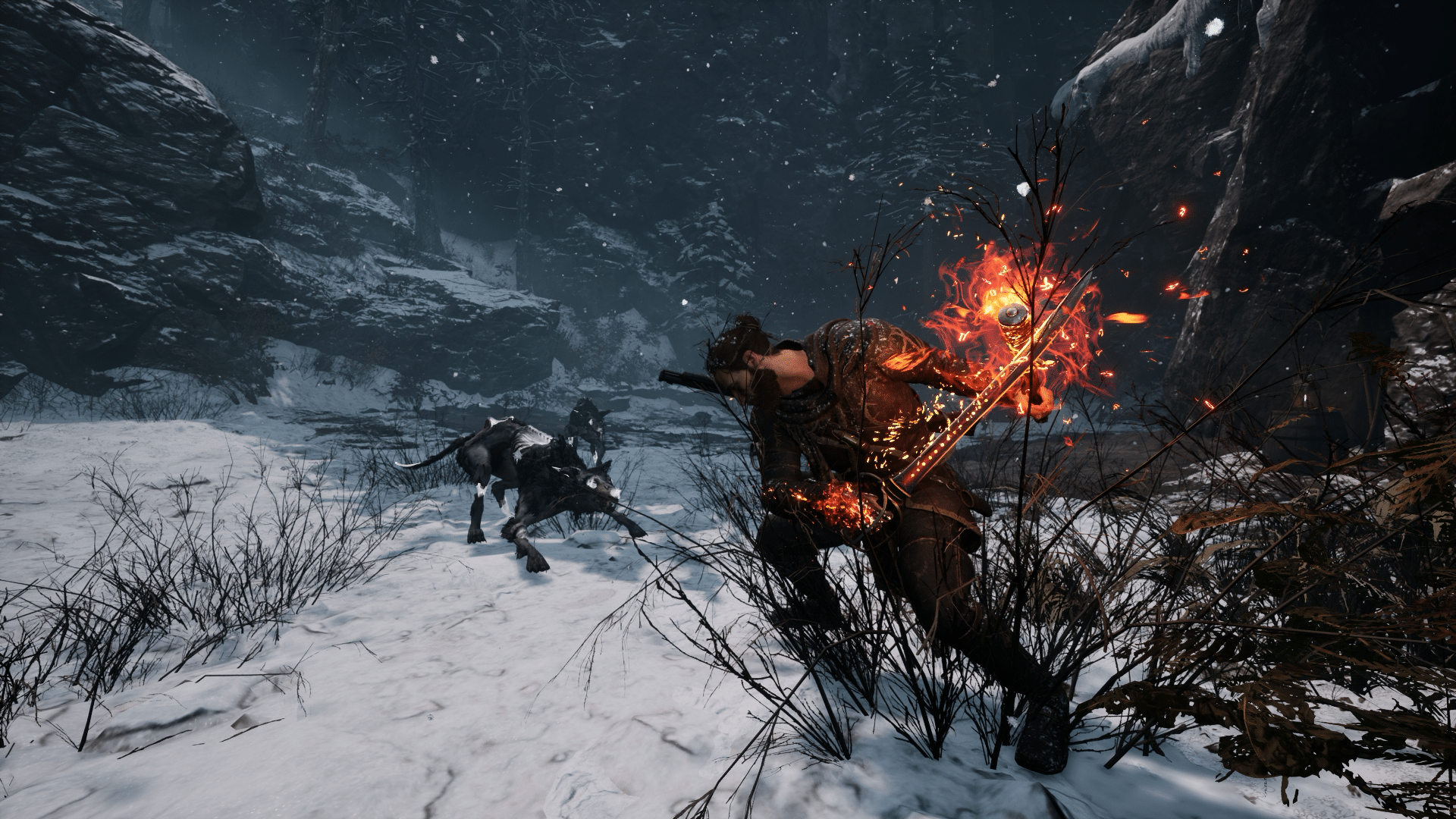
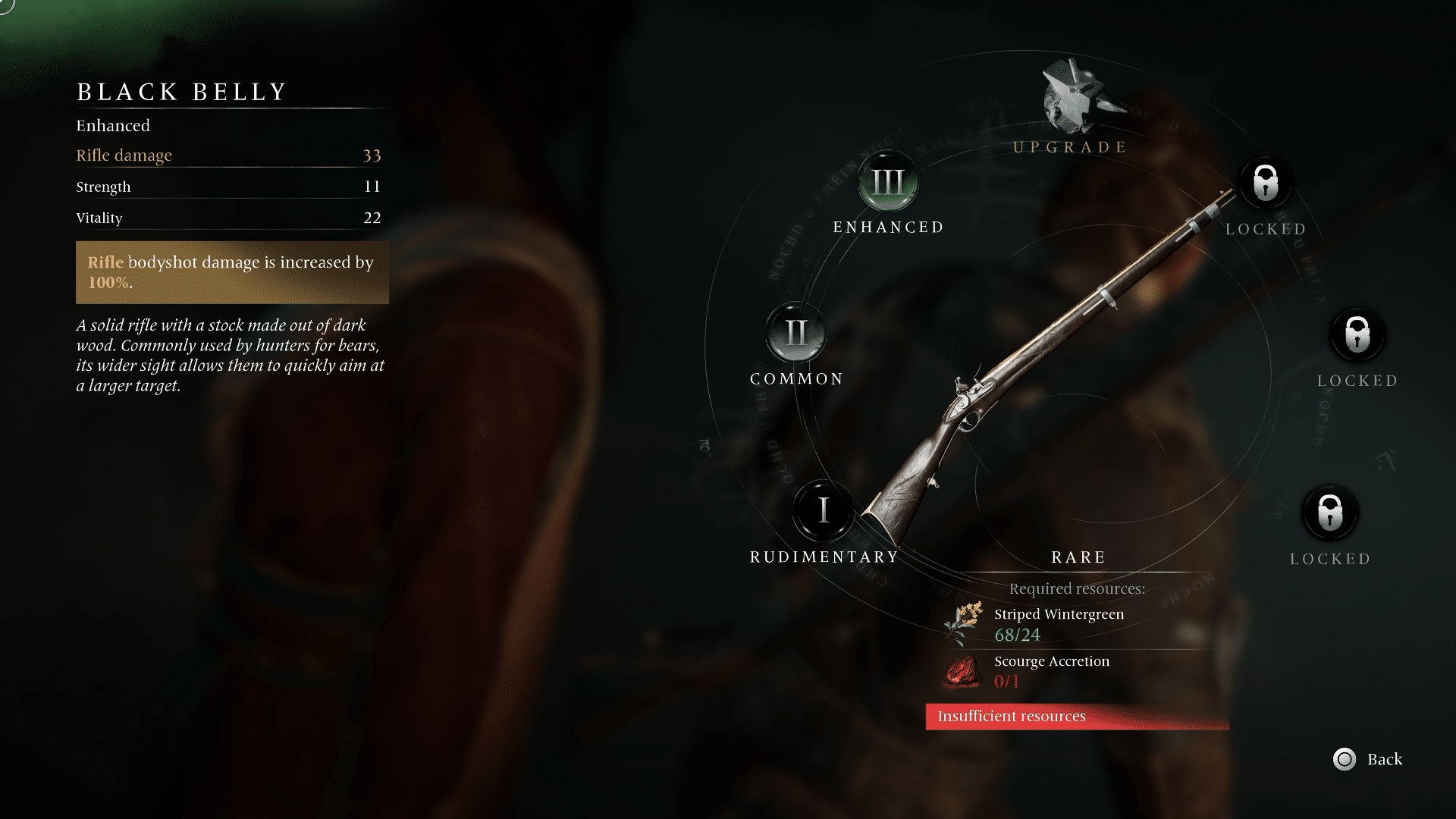
Your loadout plays a big part in Banishers. Equipping the right items can entirely change how you play and make combat an absolute breeze. To that end, we’ve compiled a list of Banishers: Ghosts of New Eden best gear to help you decide how to set Red and Antea up for success.
Something to note: there may be minor spoilers in this guide for locations or story beats. We’ll keep it vague, but if you want to go in totally blind, we recommend you stop reading here. You’ve been warned!
Without further ado, let’s take a look at the optimal equipment to use in-game.
Banishers: Ghosts of New Eden Best Gear, Weapons and Where to Find the Equipment:
Outfit
Marauder Armor: Damage taken is reduced up to 30% the higher the Health Gauge. You can purchase this armor set pretty early on from Nellie Heayton at the Hunters Camp. It costs 800 pieces of eight, but you can bump that cost down to 600 if you complete her Haunting Case and side with her at the end. This armor gets more useful the more Altars of the Incarnate you collect (you can check out our guide for all the Altar locations here) and it’ll ensure you stay alive in combat. It’s an easy choice.
As an alternative, we could also recommend the Banisher Garment. With this Outfit, hitting an enemy grants 2 Banish points. This one’s useful if you use a certain Amulet that refills your Spirit Gauge when getting defeating enemies with Banish, which we’ll get to shortly. Even without it, having your Banish meter grow twice as fast can be very useful for outputting big damage numbers. The Banisher Garment can be found in the Deceased Inhabitant’s Personal Belongings Locked Chest in the Harrows Hamlet.
Saber & Firebane
Second Wind: Defeating an enemy with Melee attacks restores 7% Health points. Keeping your health up is always useful, especially when paired with the Marauder Armor. This will also save you from having to use Decoctions unless you’re really in a pickle, making it an easy top choice. You unlock this weapon after completing the “Prudence in All Things” Haunting Case, which can be accomplished as soon as you make it to the Hunters Camp early in the game. Having it so early also enables you to upgrade it regularly as you progress.
Grand Behourt is our second choice. With this weapon, Charged Heavy attack damage is increased by 80%. It’s always helpful to have your high-damage attacks do even more damage, so it’s pretty hard to go wrong with this one. The only potential drawback is that charged Heavy attacks can be difficult to hit sometimes, but even so, we think it can be worth using. Grand Behourt’s found in the Smuggler’s Loot Locked Chest in the Western Mire Marshes.
Rifle
Black Belly: Rifle bodyshot damage is increased by 100%. This just makes every one of your imprecise Rifle shots do significantly more damage, and that’s fantastic. It’s found in a Lost Chest near the underground Dormitory shelter in Mount Pleasant which you’re likely to come across while completing the story quest.
Our second pick for your Rifle is Swift Shot. Each weakspot hit with the Rifle increases the damage of the Rifle by 40%. This effect can be cumulated (resets after a miss). This one’s especially useful if you’re a sharpshooter, as hitting weak spots over and over can very quickly rack up immense damage numbers. That being said, aiming your gun can be a bit unwieldy at times, making this slightly less useful than the Black Belly. You can find this one in a Lost Chest on the East Side of the Mire Marshes after you complete your first Void travel.
Amulet
Metamorphosis: Defeating an enemy with a Banish refills the Spirit gauge by 100%. You receive this Amulet after defeating the main boss of the story section in the Fort Jericho mines. Most of our items for Antea center around using her Manifestations and having your Spirit gauge filled, making this incredibly useful. It also pairs well with the Banisher Garment Outfit. This Amulet makes it easy to expend your Spirit gauge on a possessed enemy, swap to Red to get a quick Banish kill on a smaller enemy, and then go right back to whaling on other possessed enemies with Antea.
An easy alternative to this is Equilibrium: Damage dealt by Red and Antea is increased by 25% against wounded enemies, but decreased by 90% against full health enemies. The obvious caveat here is that this Amulet makes your first strikes very weak, but it’s easy to hit each enemy in an encounter once, and after you’ve done that, all of your damage becomes boosted by a nice amount. It can negate the power of Swift Shot’s weakspot damage buff though, so it might not be good to use in tandem with that Rifle. It can be found at Siridean’s Hut during the main story quest.
Wristband
Earthbound: Punch attack area of effect size is increased by 100%. Being able to hit multiple enemies with Antea’s punches is simply overpowered. The increased range on those attacks makes it all the better, and it can potentially even save you from attacks from enemies you aren’t currently targeting. It can be found in the Bligh Manor Stolen Effects Locked Chest at the Bligh Estate in Mount Pleasant.
As Above So Below is also a good choice for your Wristband slot. Using Leap increases the damage of the next Punch attack by 150%. Getting a huge boost to punches is always welcome. You’re going to be using Manifestations very regularly so this is a super helpful piece of equipment to have. It’s only second because it’s tough to beat that constant AoE increase you get from Earthbound. This one is found in a Lost Chest by the Collapsed House shelter underneath the Harrows Hamlet, which you’ll come across naturally during the main story quest.
Brooch
Death’s Head: The third Punch attack reduces Manifestations cooldowns by 5 seconds. This is a must-have on Antea. Spamming Manifestations can be the quickest way through many combat encounters, so having a way to refresh them so quickly is paramount. You’ll find it in a Cursed Chest in the caves beneath the Harrows Hamlet.
Otherwise, we’d recommend Vigor Mortis. With this Brooch, Outburst area of effect size is increased by 70%. As we’ve said before, extra AoE is always welcome. Outburst is really useful for crowd control, so having a larger damage area for it is amazing (though not as amazing as decreased cooldowns!). You can find this one during the “A Hellbound Heart” Haunting Case in the Harrows Hamlet.
Decoctions
Essential Liquor: Hitting an enemy with the third Punch attack restores 6 Spirit points. This pairs excellently with the Death’s Head Brooch, since every third punch will cooldown your Manifestations and give you Spirit points to spend on them at the same time. Keeping the Spirit gauge up is especially useful in combat. This can be obtained from defeating the Clouded Harvester in the Northern Mire Marshes.
Our recommended alternative is Healing Shot. Hitting a weakspot with the Rifle restores 7% Health points. Using this with Swift Shot kills two birds with one stone (er, bullet?) since you can build your HP up while you’re dealing massive damage. This one’s easily found in a Lost Chest on your way to the Harrows for the first time, so just keep an eye out for it when you head through your first cave in that direction.
Bane Ring
Halcyon Days: Manifestations consume 5% of current Health points but deal increased damage: Outburst by 50%, Ensnare by 100%, and Leap by 200%. We’ve already emphasized how useful Manifestations are in combat, and when you have increased damage alongside quicker cooldowns with Death’s Head and easy health regeneration with Second Wind, this Bane Ring is second to none. You can find it in the Forsaken Farm Haunting Grounds in the North of The Harrows.
Our last alternative option is Born of Trees. Damage dealt by Antea is increased by up to 50% the higher the Spirit gauge. Obviously, this one’s more useful with items that keep your Spirit gauge high, but you can only deal more damage with this Bane Ring and never less, so it’s a really nifty item to have. It’s found in a Locked Chest in the Westernmost end of the Mire Marshes.
And there you have it! Those are our recommendations for Banishers: Ghosts of New Eden best gear. We’ll be posting guides all week, so make sure to stay tuned in to us here at MP1st to be up to date.
Cygames has released Granblue Fantasy: Relink update 1.000.005 (PS4 update version 1.05), and this is a small download consisting of fixes. Don’t expect any new content in this, as Cygames has already marked that to be out in March.
Called patch version 1.0.5, here’s what’s new according to the developers:
[Online] Adjusted matchmaking when Power Adjustment under Matchmaking Settings is set to On for the PS4® and PS5® versions.
[Quests] Fixed a bug where rewards for breaking foe parts weren’t properly awarded on the PS4® and PS5® versions.
For those on PC (Steam), a patch is set to be released for that version on February 16, and will include separate changes per the developers.
While the game might not be a household name yet, it definitely warrants attention. Our review gave it a high 9/10, and said, “Granblue Fantasy: Relink is a great JRPG, and even if you’ve never played Granblue Fantasy before, if you enjoy action JRPGs at all, you owe it to yourself to give this one a shot.”
Lies of P update 1.05 has just been released for today, February 13, and it comes with new content and a set of bug fixes! Here’s everything in today’s update for Lies of P.
Lies of P Update 1.05 Patch Notes | Lies of P February 13 Patch Notes
New Features and Content
After installing the latest update, the following items can be found in the ‘Equipment’ and ‘Bag’ menus.
Azure Dragon Crescent Glaive
Armor of the Honorable
Bandana of the Honorable
Improvements
Improved the Japanese translation.
Players can now reset P-Organ upon new game without paying Gold Coin Fruit.
Bug Fixes
Fixed a bug where the attack speed increase effect of the ‘Frozen Feast’ would not apply under certain situations.\
Fixed a bug in which using the ‘Proof of Humanity’ would cause intermittent malfunctions in switching weapons.
Fixed a bug in which using the ‘Proof of Humanity’ Special Attack would cause the attribute effects from Grinders to be ineffective.
Fixed a bug where ‘Nameless Puppet’ would intermittently disappear.
Fixed a bug where unintended changes would happen while using the ‘Alter Handle’ menu.
Fixed a bug where a certain elevator and lever in ‘Arche Abbey’ would intermittently spawn in unintended areas.
Fixed a bug where players could fall into an impassable area.
Fixed bugs related to certain in-game UI.
Fixed typos in certain dialogues.
That’s all for today’s update! Surprise to see some new content added, though considering it is Year of the Dragon, the content does make sense.
A gamer at heart, James has been working for MP1st for the last decade to do exactly what he loves, writing about video games and having fun doing it. Growing up in the 90's gaming has been in his DNA since the days of NES. One day he hopes to develop his own game.
Neowiz has released Lies of P update 1.005 on all platforms, bringing the game to title version 1.5.0.0! Players can expect bug fixes and even new holiday content to be part of the patch. Read on for the official patch notes.
Lies of P Update 1.005 Patch Notes | Lies of P Update 1.5.0.0 Patch Notes:
New Features and Content
After installing the latest update, the following items can be found in the ‘Equipment’ and ‘Bag’ menus.
Azure Dragon Crescent Glaive
Armor of the Honorable
Bandana of the Honorable
Improvements
Improved the Japanese translation.
Players can now reset P-Organ upon new game without paying Gold Coin Fruit.
Bug Fixes
Fixed a bug where the attack speed increase effect of the ‘Frozen Feast’ would not apply under certain situations.\
Fixed a bug in which using the ‘Proof of Humanity’ would cause intermittent malfunctions in switching weapons.
Fixed a bug in which using the ‘Proof of Humanity’ Special Attack would cause the attribute effects from Grinders to be ineffective.
Fixed a bug where ‘Nameless Puppet’ would intermittently disappear.
Fixed a bug where unintended changes would happen while using the ‘Alter Handle’ menu.
Fixed a bug where a certain elevator and lever in ‘Arche Abbey’ would intermittently spawn in unintended areas.
Fixed a bug where players could fall into an impassable area.
A gamer at heart, James has been working for MP1st for the last decade to do exactly what he loves, writing about video games and having fun doing it. Growing up in the 90's gaming has been in his DNA since the days of NES. One day he hopes to develop his own game.
A new Overwatch 2item shop rotation for February 13, 2024 is live now, with a fresh selection of store bundles on sale plus individual cosmetics, emotes, and more. Players need the requisite amount of Overwatch Coins in order to make purchases in the item shop.
Don’t forget: a 100 Overwatch Coins convert to $1 USD, so 1,000 Overwatch Coins equate to $10 and so on.
New Overwatch 2 Item Shop Rotation for February 13, 2024:
Featured:
Ultimate Battle Pass Bundle: Season 9 – $39.99
Harbinger – Lifeweaver Legendary Skin
Beholder – Sigma Legendary Skin
20 Battle Pass Tiers
2000 Overwatch Coins (OC)
Premium Battle Pass (Season 9)
Heartbreaker Reaper Bundle (Legendary) – 2600 OC
Heartbreaker – Reaper Legendary Skin
Heart Balloon – Epic Emote
Wounded Heart – Epic Weapon Charm
Heartbreaker – Rare Name Card
Heartbreaker – Common Spray
Cupid Hanzo Bundle (Legendary) – 2600 OC
Cupid – Hanzo Legendary Skin
Cupid’s Kiss – Epic Highlight Intro
Pierced Heart – Epic Weapon Charm
Heart Pillow – Epic Souvenir
Cupid’s Target – Rare Name Card
Bitrate Lucio Bundle (Epic) – 1000 OC
Bitrate – Lucio Epic Skin
Smooth – Epic Emote
“Everyone gets their +1” – Common Voice Line
Bear Mei Bundle (Epic) – 1000 OC
Bear – Mei Epic Skin
Snowbear – Rare Player Icon
Bear Hug – Common Spray
That’s all for this week’s Overwatch 2 store refresh! In case you were unaware, Blizzard announced earlier that each new major in-game event will feature a free skin which players can earn through playing, just like the first Overwatch.