Home > News

R6 Siege Update 1.000.061 Rocks Out for Y8S3 This August 29 (Update)

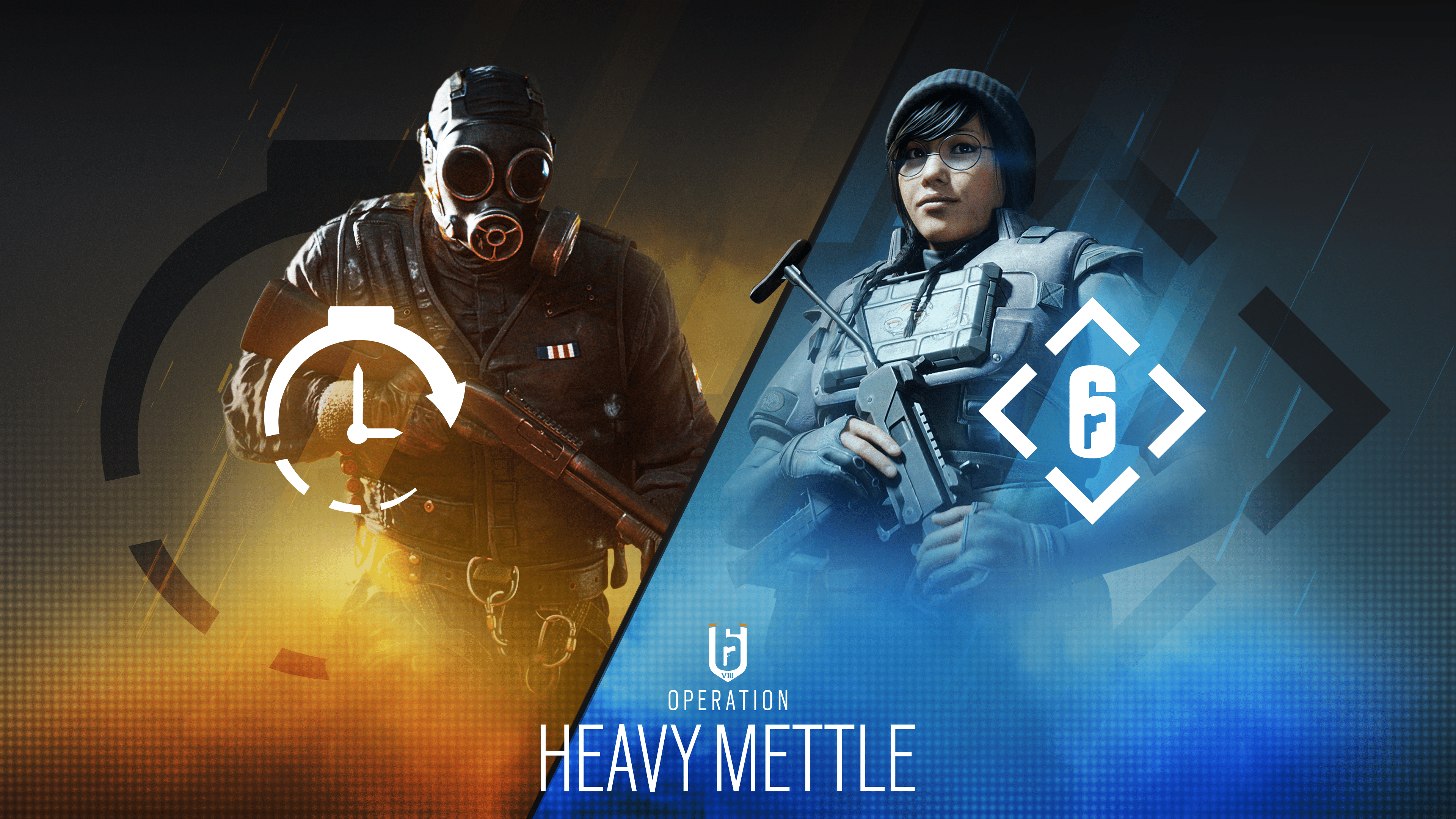
Ubisoft has released (Rainbow Six) R6 Siege update 1.000.061 on all platforms for Y8S3! This brings a new Operator in Ram, gameplay changes and more. Read on for everything new in the R6 Siege August 29 patch notes.

R6 Siege Update 1.000.061 Patch Notes | R6 Siege Y8S3 Patch Notes:

Update: Full patch notes have been added.

Y8S3 Patch SizeFind the download sizes for each platform below.

    • Ubisoft Connect: 6.11 GB
    • Steam: 5.5 GB
    • Xbox One: 5.85 GB
    • Xbox Series X: 6.76 GB
    • PlayStation 4: 5.45 GB
    • PlayStation 5: 5.85 GB

BALANCING

SHOTGUN

  • Further tweaks on the ITA12L, Buck’s Skeleton key, SG-CQB and the M870 to bring them in line with the rest of the rework.

BUG FIXES

GAMEPLAY

FIXED – Adaptive Trigger effect for PS5 controllers is missing after changing Operators in Team Deathmatch or Free For All.
FIXED – Players can’t finish the Attack tutorial if they eliminate a dummy before the “Eliminate Opponents” objective is active.
FIXED – Players can glitch through walls by exploiting an interaction with Exit Rappel and Breach Charges.
FIXED – Zero’s Argus cameras hacked by Defenders retain a viewable camera feed when they lose their signal outdoors.
FIXED – Starting the Basics tutorial for the first time will show an ammo counter instead of the infinity symbol.
FIXED – Player’s drone can pass through assets and block the completion of the Basics tutorial.
FIXED – The being shot VFX in 1st person last longer while aiming down sight.
FIXED – Bullet spread randomization is missing when hip firing the weapon.
FIXED – The defusing location for the Attack tutorial is too small and close to the bomb.
FIXED – FPS drops when players spin around quickly in B Laundry Room of the Oregon map.
FIXED – The wall button on the interactive panel isn’t highlighted when the destructible wall is active in the Shooting Range.
FIXED – Brava doesn’t get scoring points when using Jager’s Active Defense System or Wamai’s MAG-NET System that’s been hacked by a Kludge Drone.
FIXED – Scoring doesn’t count the 4th device deployed by Amaru, Gridlock or Castle.
FIXED – Weapon SFX loops when players shoot and fast exit rappel at the same time.
FIXED – Players skip reload animation during pick up or weapon swap animation.

LEVEL DESIGN

FIXED – A stud is visible in 2F Attic of the Oregon map.
FIXED – A stud is visible in 1F Security Corridor of the Oregon map.
FIXED – LOD issue is present in the hallway between 1F Hatch Room and 1F Melee Training of the Basics tutorial.
FIXED – Cliffside spawn point is missing from the Chalet map.
FIXED – A stud is visible in 2F Back Stairs of the Villa map.
FIXED – The Operator gets stuck after navigating across the crates in the Basics tutorial.
FIXED – Defenders are detected as outside at multiple locations on various maps.
FIXED – Texture flickers on carpet in 1F Open Area of the Consulate map.
FIXED – Laser attachment is visible through the wall when the Operator is facing it while prone.
FIXED – Metals crates are see-through to Operators in the 2F Server Room of the the Kanal map.
FIXED – Operator gets stuck when jumping onto a balcony at EXT Back Alley on Favela map.
FIXED – Operators can’t retrieve the defuser if it’s dropped while entering or exiting rappel in specific spots on various maps.
FIXED – Various defuser planting and pickup issues.
FIXED – Various collision, asset, and texture issues on maps.

OPERATORS

FIXED – Placing Ram’s BU-GI below a window can allow players to instantly exit rappel.
FIXED – Ram’s BU-GI slides through the air when thrown against uneven surfaces.
FIXED – Solis can’t detect Ram’s BU-GI when it is held in her hands.
FIXED – Ram’s BU-GI loses functionality after being dropped while Ram is holding it.
FIXED – Ram’s BU-GI gets stuck in multiple walls and assets on various map.
FIXED – Ram’s BU-GI is unable to completely destroy the walls located in 1F Joint Corridor of the Theme Park map.
FIXED – When Ram holds the first BU-GI and attempts to change its trajectory, the HUD trajectory icon doesn’t update.
FIXED – Ram’s BU-GI is unable to completely destroy the wall located in between 1F Lounge and 1F Garage of Clubhouse map.
FIXED – Ram’s BU-GI is unable to break the wooden walls located in 2F Ceramic Gallery of the Country Club map.
FIXED – Ram’s BU-GI gets stuck in the wall located in 2F Day Care of the Theme Park map.
FIXED – Castle’s Armor Panels aren’t destroyed by Ram’s BU-GI.
FIXED – When Ram eliminates a player with the BU-GI, the kill cam zooms on the BU-GI at random intervals.
FIXED – Scoring points aren’t awarded when Operators destroy Goyo’s Volcan Canister by destroying a barricade it’s placed on.
FIXED – Fenrir’s F-NATT Dread Mine clips through the floor, making it harder to spot.
FIXED – Grim’s Kawan Hive Launcher doesn’t ping opponents inside the swarm until affected by the decay debuff.
FIXED – Hibana’s X-Kairos pellets go through the cubicles in the 2F Admin Office of the Consulate map.
FIXED – Frost’s Welcome Mat doesn’t deploy properly when dropped on top of the defuser.
FIXED – A Bulletproof Camera affected by a hacked Signal Disruptor shows glitched VFX even after the Signal Disruptor is destroyed.
FIXED – Brava’s Kludge Drone looks higher and lower than intended.
FIXED – Ping doesn’t display the right color when used on Goyo’s Vulcan Canister.
FIXED – Echo’s Yokai Drone doesn’t move properly when exiting the Observation Tools mid-jump and then re-entering.
FIXED – Brava’s Kludge Drone loses signal when moved outside after re-hacking it from Mozzie’s Pest.
FIXED – Missing VFX feedback when spectating Nokk when HEL Presence Reduction is active.
FIXED – Fenrir’s F-NATT Dread Mine location displays as a placeholder when deployed outside of EXT Terrace of the Kafe Dostoyevsky map.
FIXED – Drones don’t recover from a lost signal status when reclaimed from Mozzie’s Pest using Brava’s Kludge Drone.
FIXED – Sledge’s Breaching Hammer can’t destroy Iana’s Gemini Replicator.
FIXED – Valkyrie’s Black Eyes are turned off when hacked outside by Brava’s Kludge Drone.
FIXED – Osa’s Talon-8 shield can’t be guard broken if Opponent is prone or crouched while Osa is standing while holding the Talon-8 Shield.
FIXED – Grim’s Kawan Hive Launcher ammo counter always shows 0 during replay.
FIXED – Grim’s Kawan Hive Launcher doesn’t accurately ping the opponent’s location if they’re scanned by a drone.
FIXED – Grim’s Kawan Hive Launcher still pings Opponents if Grim is eliminated while deploying a canister.
FIXED – Brava’s Kludge Drone doesn’t display HUD feedback when aiming at devices through certain assets.
FIXED – Sen’s R.O.U. Projector System doesn’t destroy projectors if deployed more than once.
FIXED – Operator video missing for Smoke.
FIXED – Various animation issues.

USER EXPERIENCE
FIXED – Can’t navigate to the main menu sections by pressing the up arrow or up on the D-pad of a controller while viewing an item in full screen.
FIXED – EXT Construction Site name is missing from the tile when selecting the spawn location on the Oregon map.
FIXED – Ram’s default uniform has some visual issues.
FIXED – The main room of the elimination trial for the Basics tutorial displays the wrong compass location.
FIXED – The area before entering 1F Hatch Room in the Basics tutorial displays the wrong compass location.
FIXED – The compass location is missing when the Compass Appearance option is set to Simplified.
FIXED – Chat input functionality is lost and the cursor disappears if the user types in chat or has the player side-panel open when the Planning Phase transitions to the Preparation Phase.
FIXED – Pronounced shadows are present on Operators when viewed from the Operators section.
FIXED – Dread Factor is displayed as the season name on Ram’s showcase in the Operator section.
FIXED – The animation in the Home section flickers before resetting.
FIXED – Players under level 5 can’t reconnect to a custom online match.
FIXED – Player commendations appear unresponsive when attempting to commend a player a second time.
FIXED – Multiple actions can’t be bound to the same button in Customize Controls menu.
FIXED – Crosshair disappears when trying to aim down sight multiple times after getting eliminated.
FIXED – Custom games can’t be created using non-Latin characters in the playlist name.
FIXED – The unread notification from Challenges doesn’t refresh after exiting and re-entering the Challenges section.
FIXED – Various spectator mode issues.
FIXED – Various UI issues.
FIXED – Various customization issues.
AUDIO
FIXED – SFX loop when players are eliminated while downed.

Unfortunately, Ubisoft hasn’t released the patch notes yet. Thankfully, we have the exact list of new content incoming, as well as the changes being made via the test server patch notes.

Rainbow Six Siege Y8S3 New Operator – Ram 
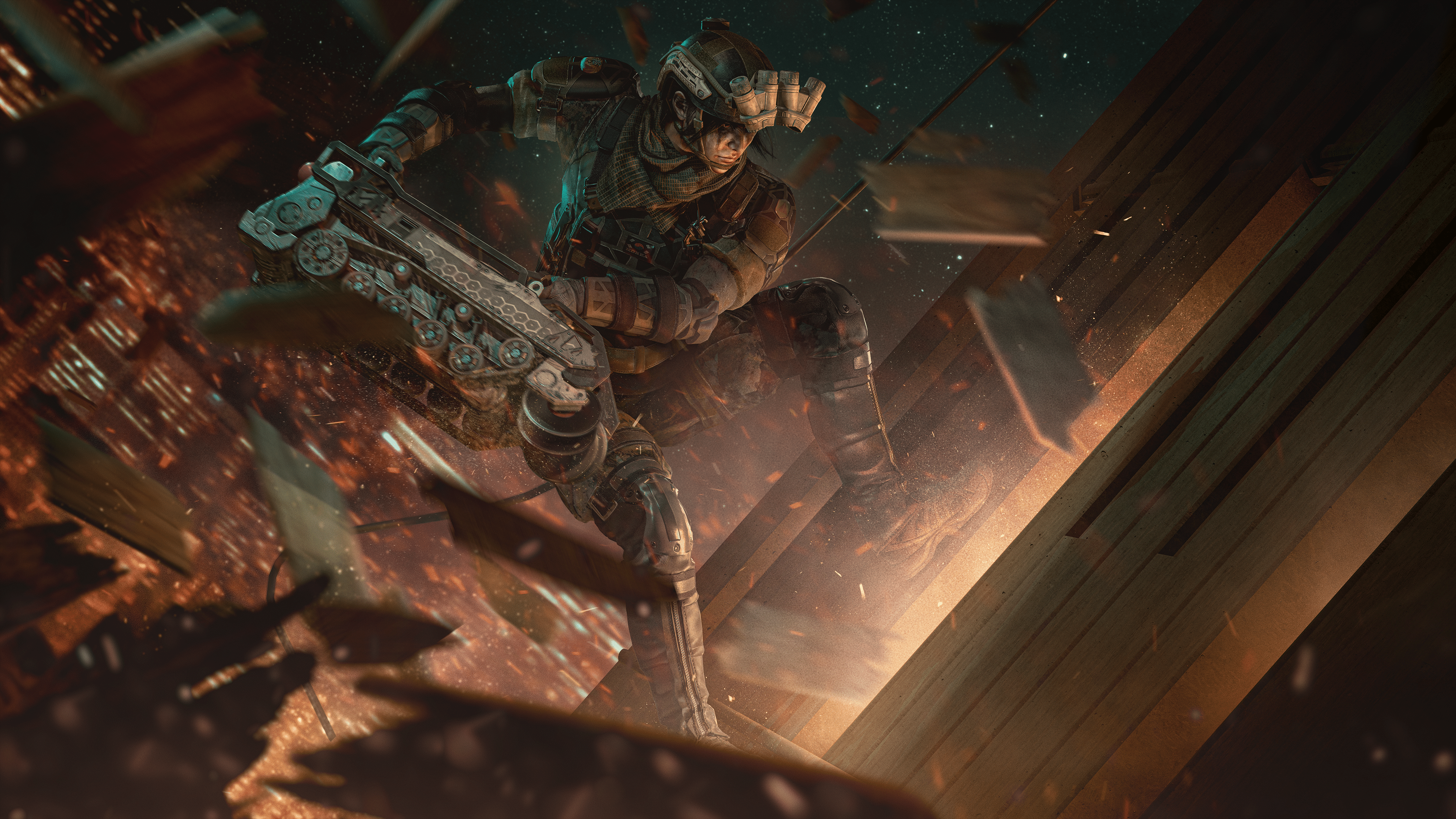
“Ram is part of an all-female unit of the South Korean Special Forces, and it’s complicated to integrate into that unit. As we researched and learned more about this unit, we all agreed that this character should look absolutely badass. Ram’s Gadget is more mechanical than high-tech. So it was a natural choice for us to make the design more gritty and grounded. Her night vision, camouflage, combat shirts, and pants are all general aesthetics that we’ve borrowed from the South Korean military.

And then, we went through a redesigning process to make this character memorable and unique. Ram is part of the Redhammer Squad, so the capacity of the destruction of this device needed to be unlimited.”

An excellent verticle operator with big destructive gadgets makes Ram one force not to be reckoned with.

Ram’s Primary Gadget – Bu-Gi Auto Breacher
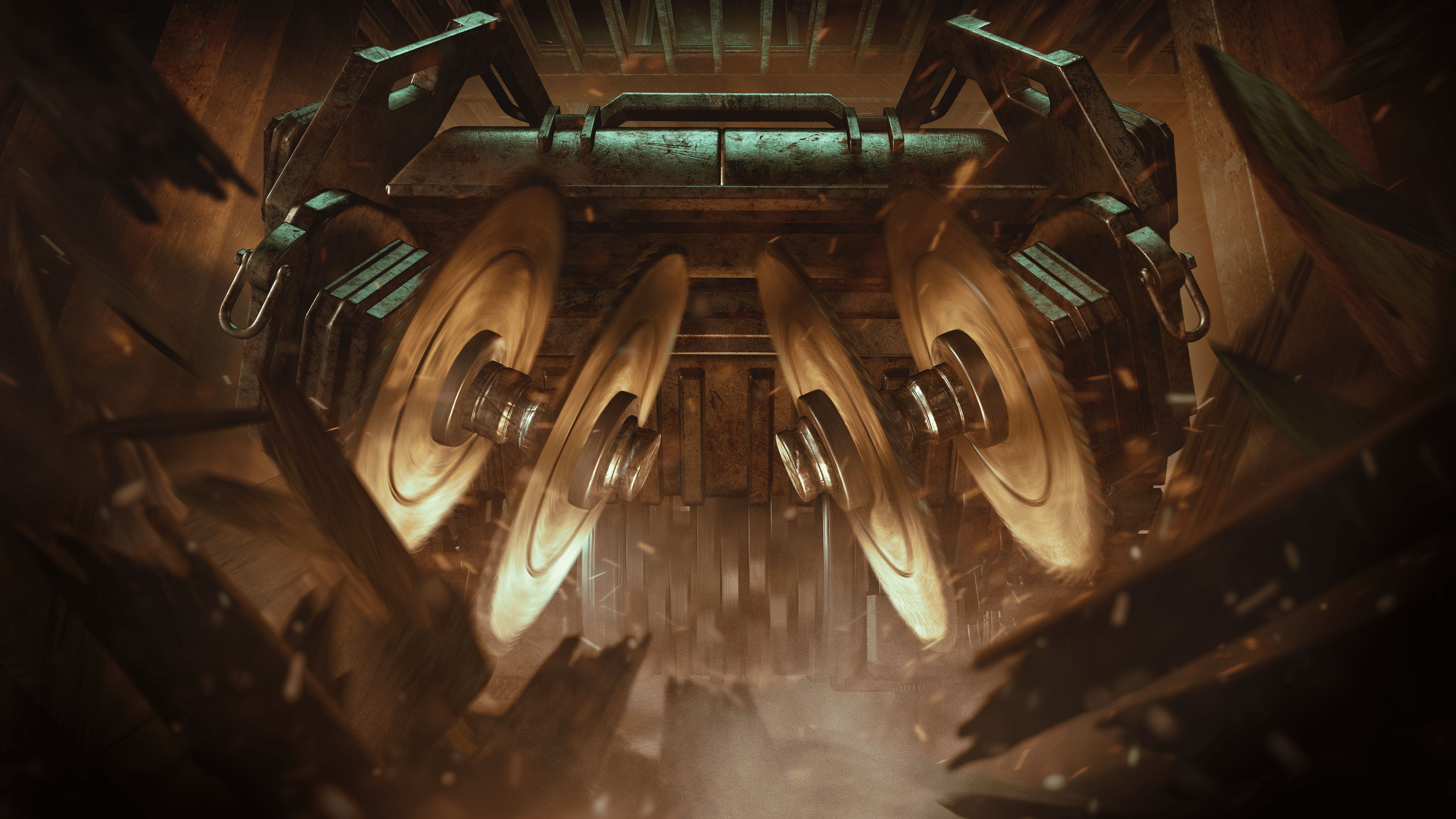
Described to be the game’s biggest throwable gadget, the Bu-Gi Auto Breacher is self-propelled mobile machinery equipped with heavy-duty saws in both the front and the bottom. It’s capable of shredding floors and smashing through walls, as well asik being thrown from any position, such as around a corner and while repelling. It can smash through barricades while being thrown, though Castl’s armor panel can withstand the impact.

Once thrown, Ram has the ability to activate it remotely from anywhere on the map. The trajectory of the Bu-Gi Auto Breacher can be changed before activation, allowing it to go either in a straight path or a curve left or right, allowing it to go around corners without having to expose yourself.

Though the Bu-Gi Auto Breacher is mostly bulletproof, C4 and impact grenades will destroy it immediately. On its rear, there is a large red canister that can also be shot at to destroy the Bu-Gi Auto Breacher.

Further counter-measures include jamming from a mute jammer. The Bu-Gi Auto Breacher is a mechanical device, but during deployment, it is considered an electronic gadget, allowing it to be jammed. Solis can also detect the gadget.

Secondary Gadgets

  • Flash Grenade
  • Hard Breach Charge

Ram’s Primary and Secondary Weapons

Primary Weapons

  • R4C – Great for aggressive pushes and quick engagement. Ram is being given additional high-powered scope to help with range engagements.
  • LMG-E – The weapon is designed for players who prefer the suppressive fire approach.

Secondary Weapons

  • ITA 12S shotgun – For players who want to double down on the destruction aspect of Ram’s abilities, you’ll find the TA 12S shotgun to be the perfect secondary weapon.
  • MK19mm

Rainbow Six Siege Y8S3 Commendation and Player Protection Update

A new commendation system is being introduced this season, allowing the team to showcase the positive aspects of Rainbow Six Siege. At the end of each match, players can commend two teammates in three different categories. These categories include a player’s dedication to being an engaging teammate, their guidance, which is their helpfulness, and finally, their valor, which is their positivity during the match.

You’ll also be able to commend an enemy player for their worthiness as an opponent. Engaging in the commendation system will reward players with Alpha packs.

The Siege team also adds a reputation page that shows key negative reactions and behavior that can impact a player’s reputation. This page breaks down several of those behaviors.

Update: Full patch notes have been added.

Source: Steam
Avatar photo

Alex Co

Father, gamer, games media vet, writer of words, killer of noobs.

Home > News

Rainbow Six Siege Update 2.57 for August 29 Drops Year 8 Season 3 (Updat)

Rainbow Six Siege update 2.57 is now out on all platforms, and this is for the big Year 8 Season 3 “Heavy Mettle” content drop, which introduces a new Operator in Ram and more. Read on for the complete Rainbow Six Siege patch notes for August 29.

Rainbow Six Siege Update 2.57 Patch Notes | Rainbow Six Siege Year 8 Season 3 Patch Notes | Rainbow Six Siege Patch Notes for August 29:

Update: Full patch notes have been added.

Y8S3 Patch SizeFind the download sizes for each platform below.

    • Ubisoft Connect: 6.11 GB
    • Steam: 5.5 GB
    • Xbox One: 5.85 GB
    • Xbox Series X: 6.76 GB
    • PlayStation 4: 5.45 GB
    • PlayStation 5: 5.85 GB

BALANCING

SHOTGUN

  • Further tweaks on the ITA12L, Buck’s Skeleton key, SG-CQB and the M870 to bring them in line with the rest of the rework.

BUG FIXES

GAMEPLAY

FIXED – Adaptive Trigger effect for PS5 controllers is missing after changing Operators in Team Deathmatch or Free For All.
FIXED – Players can’t finish the Attack tutorial if they eliminate a dummy before the “Eliminate Opponents” objective is active.
FIXED – Players can glitch through walls by exploiting an interaction with Exit Rappel and Breach Charges.
FIXED – Zero’s Argus cameras hacked by Defenders retain a viewable camera feed when they lose their signal outdoors.
FIXED – Starting the Basics tutorial for the first time will show an ammo counter instead of the infinity symbol.
FIXED – Player’s drone can pass through assets and block the completion of the Basics tutorial.
FIXED – The being shot VFX in 1st person last longer while aiming down sight.
FIXED – Bullet spread randomization is missing when hip firing the weapon.
FIXED – The defusing location for the Attack tutorial is too small and close to the bomb.
FIXED – FPS drops when players spin around quickly in B Laundry Room of the Oregon map.
FIXED – The wall button on the interactive panel isn’t highlighted when the destructible wall is active in the Shooting Range.
FIXED – Brava doesn’t get scoring points when using Jager’s Active Defense System or Wamai’s MAG-NET System that’s been hacked by a Kludge Drone.
FIXED – Scoring doesn’t count the 4th device deployed by Amaru, Gridlock or Castle.
FIXED – Weapon SFX loops when players shoot and fast exit rappel at the same time.
FIXED – Players skip reload animation during pick up or weapon swap animation.

LEVEL DESIGN

FIXED – A stud is visible in 2F Attic of the Oregon map.
FIXED – A stud is visible in 1F Security Corridor of the Oregon map.
FIXED – LOD issue is present in the hallway between 1F Hatch Room and 1F Melee Training of the Basics tutorial.
FIXED – Cliffside spawn point is missing from the Chalet map.
FIXED – A stud is visible in 2F Back Stairs of the Villa map.
FIXED – The Operator gets stuck after navigating across the crates in the Basics tutorial.
FIXED – Defenders are detected as outside at multiple locations on various maps.
FIXED – Texture flickers on carpet in 1F Open Area of the Consulate map.
FIXED – Laser attachment is visible through the wall when the Operator is facing it while prone.
FIXED – Metals crates are see-through to Operators in the 2F Server Room of the the Kanal map.
FIXED – Operator gets stuck when jumping onto a balcony at EXT Back Alley on Favela map.
FIXED – Operators can’t retrieve the defuser if it’s dropped while entering or exiting rappel in specific spots on various maps.
FIXED – Various defuser planting and pickup issues.
FIXED – Various collision, asset, and texture issues on maps.

OPERATORS

FIXED – Placing Ram’s BU-GI below a window can allow players to instantly exit rappel.
FIXED – Ram’s BU-GI slides through the air when thrown against uneven surfaces.
FIXED – Solis can’t detect Ram’s BU-GI when it is held in her hands.
FIXED – Ram’s BU-GI loses functionality after being dropped while Ram is holding it.
FIXED – Ram’s BU-GI gets stuck in multiple walls and assets on various map.
FIXED – Ram’s BU-GI is unable to completely destroy the walls located in 1F Joint Corridor of the Theme Park map.
FIXED – When Ram holds the first BU-GI and attempts to change its trajectory, the HUD trajectory icon doesn’t update.
FIXED – Ram’s BU-GI is unable to completely destroy the wall located in between 1F Lounge and 1F Garage of Clubhouse map.
FIXED – Ram’s BU-GI is unable to break the wooden walls located in 2F Ceramic Gallery of the Country Club map.
FIXED – Ram’s BU-GI gets stuck in the wall located in 2F Day Care of the Theme Park map.
FIXED – Castle’s Armor Panels aren’t destroyed by Ram’s BU-GI.
FIXED – When Ram eliminates a player with the BU-GI, the kill cam zooms on the BU-GI at random intervals.
FIXED – Scoring points aren’t awarded when Operators destroy Goyo’s Volcan Canister by destroying a barricade it’s placed on.
FIXED – Fenrir’s F-NATT Dread Mine clips through the floor, making it harder to spot.
FIXED – Grim’s Kawan Hive Launcher doesn’t ping opponents inside the swarm until affected by the decay debuff.
FIXED – Hibana’s X-Kairos pellets go through the cubicles in the 2F Admin Office of the Consulate map.
FIXED – Frost’s Welcome Mat doesn’t deploy properly when dropped on top of the defuser.
FIXED – A Bulletproof Camera affected by a hacked Signal Disruptor shows glitched VFX even after the Signal Disruptor is destroyed.
FIXED – Brava’s Kludge Drone looks higher and lower than intended.
FIXED – Ping doesn’t display the right color when used on Goyo’s Vulcan Canister.
FIXED – Echo’s Yokai Drone doesn’t move properly when exiting the Observation Tools mid-jump and then re-entering.
FIXED – Brava’s Kludge Drone loses signal when moved outside after re-hacking it from Mozzie’s Pest.
FIXED – Missing VFX feedback when spectating Nokk when HEL Presence Reduction is active.
FIXED – Fenrir’s F-NATT Dread Mine location displays as a placeholder when deployed outside of EXT Terrace of the Kafe Dostoyevsky map.
FIXED – Drones don’t recover from a lost signal status when reclaimed from Mozzie’s Pest using Brava’s Kludge Drone.
FIXED – Sledge’s Breaching Hammer can’t destroy Iana’s Gemini Replicator.
FIXED – Valkyrie’s Black Eyes are turned off when hacked outside by Brava’s Kludge Drone.
FIXED – Osa’s Talon-8 shield can’t be guard broken if Opponent is prone or crouched while Osa is standing while holding the Talon-8 Shield.
FIXED – Grim’s Kawan Hive Launcher ammo counter always shows 0 during replay.
FIXED – Grim’s Kawan Hive Launcher doesn’t accurately ping the opponent’s location if they’re scanned by a drone.
FIXED – Grim’s Kawan Hive Launcher still pings Opponents if Grim is eliminated while deploying a canister.
FIXED – Brava’s Kludge Drone doesn’t display HUD feedback when aiming at devices through certain assets.
FIXED – Sen’s R.O.U. Projector System doesn’t destroy projectors if deployed more than once.
FIXED – Operator video missing for Smoke.
FIXED – Various animation issues.

USER EXPERIENCE
FIXED – Can’t navigate to the main menu sections by pressing the up arrow or up on the D-pad of a controller while viewing an item in full screen.
FIXED – EXT Construction Site name is missing from the tile when selecting the spawn location on the Oregon map.
FIXED – Ram’s default uniform has some visual issues.
FIXED – The main room of the elimination trial for the Basics tutorial displays the wrong compass location.
FIXED – The area before entering 1F Hatch Room in the Basics tutorial displays the wrong compass location.
FIXED – The compass location is missing when the Compass Appearance option is set to Simplified.
FIXED – Chat input functionality is lost and the cursor disappears if the user types in chat or has the player side-panel open when the Planning Phase transitions to the Preparation Phase.
FIXED – Pronounced shadows are present on Operators when viewed from the Operators section.
FIXED – Dread Factor is displayed as the season name on Ram’s showcase in the Operator section.
FIXED – The animation in the Home section flickers before resetting.
FIXED – Players under level 5 can’t reconnect to a custom online match.
FIXED – Player commendations appear unresponsive when attempting to commend a player a second time.
FIXED – Multiple actions can’t be bound to the same button in Customize Controls menu.
FIXED – Crosshair disappears when trying to aim down sight multiple times after getting eliminated.
FIXED – Custom games can’t be created using non-Latin characters in the playlist name.
FIXED – The unread notification from Challenges doesn’t refresh after exiting and re-entering the Challenges section.
FIXED – Various spectator mode issues.
FIXED – Various UI issues.
FIXED – Various customization issues.
AUDIO
FIXED – SFX loop when players are eliminated while downed.

Unfortunately, Ubisoft hasn’t released the patch notes yet. Thankfully, we have the exact list of new content incoming, as well as the changes being made via the test server patch notes.

Rainbow Six Siege Y8S3 New Operator – Ram 

“Ram is part of an all-female unit of the South Korean Special Forces, and it’s complicated to integrate into that unit. As we researched and learned more about this unit, we all agreed that this character should look absolutely badass. Ram’s Gadget is more mechanical than high-tech. So it was a natural choice for us to make the design more gritty and grounded. Her night vision, camouflage, combat shirts, and pants are all general aesthetics that we’ve borrowed from the South Korean military.

And then, we went through a redesigning process to make this character memorable and unique. Ram is part of the Redhammer Squad, so the capacity of the destruction of this device needed to be unlimited.”

An excellent verticle operator with big destructive gadgets makes Ram one force not to be reckoned with.

Ram’s Primary Gadget – Bu-Gi Auto Breacher

Described to be the game’s biggest throwable gadget, the Bu-Gi Auto Breacher is self-propelled mobile machinery equipped with heavy-duty saws in both the front and the bottom. It’s capable of shredding floors and smashing through walls, as well asik being thrown from any position, such as around a corner and while repelling. It can smash through barricades while being thrown, though Castl’s armor panel can withstand the impact.

Once thrown, Ram has the ability to activate it remotely from anywhere on the map. The trajectory of the Bu-Gi Auto Breacher can be changed before activation, allowing it to go either in a straight path or a curve left or right, allowing it to go around corners without having to expose yourself.

Though the Bu-Gi Auto Breacher is mostly bulletproof, C4 and impact grenades will destroy it immediately. On its rear, there is a large red canister that can also be shot at to destroy the Bu-Gi Auto Breacher.

Further counter-measures include jamming from a mute jammer. The Bu-Gi Auto Breacher is a mechanical device, but during deployment, it is considered an electronic gadget, allowing it to be jammed. Solis can also detect the gadget.

Secondary Gadgets

  • Flash Grenade
  • Hard Breach Charge

Ram’s Primary and Secondary Weapons

Primary Weapons

  • R4C – Great for aggressive pushes and quick engagement. Ram is being given additional high-powered scope to help with range engagements.
  • LMG-E – The weapon is designed for players who prefer the suppressive fire approach.

Secondary Weapons

  • ITA 12S shotgun – For players who want to double down on the destruction aspect of Ram’s abilities, you’ll find the TA 12S shotgun to be the perfect secondary weapon.
  • MK19mm

Rainbow Six Siege Y8S3 Commendation and Player Protection Update

A new commendation system is being introduced this season, allowing the team to showcase the positive aspects of Rainbow Six Siege. At the end of each match, players can commend two teammates in three different categories. These categories include a player’s dedication to being an engaging teammate, their guidance, which is their helpfulness, and finally, their valor, which is their positivity during the match.

You’ll also be able to commend an enemy player for their worthiness as an opponent. Engaging in the commendation system will reward players with Alpha packs.

The Siege team also adds a reputation page that shows key negative reactions and behavior that can impact a player’s reputation. This page breaks down several of those behaviors.

Update: Full patch notes have been added.

Source: Steam
Avatar photo

Alex Co

Father, gamer, games media vet, writer of words, killer of noobs.

Home > News

Mortal Kombat 1 Live-Action Trailer Stars David Bautista

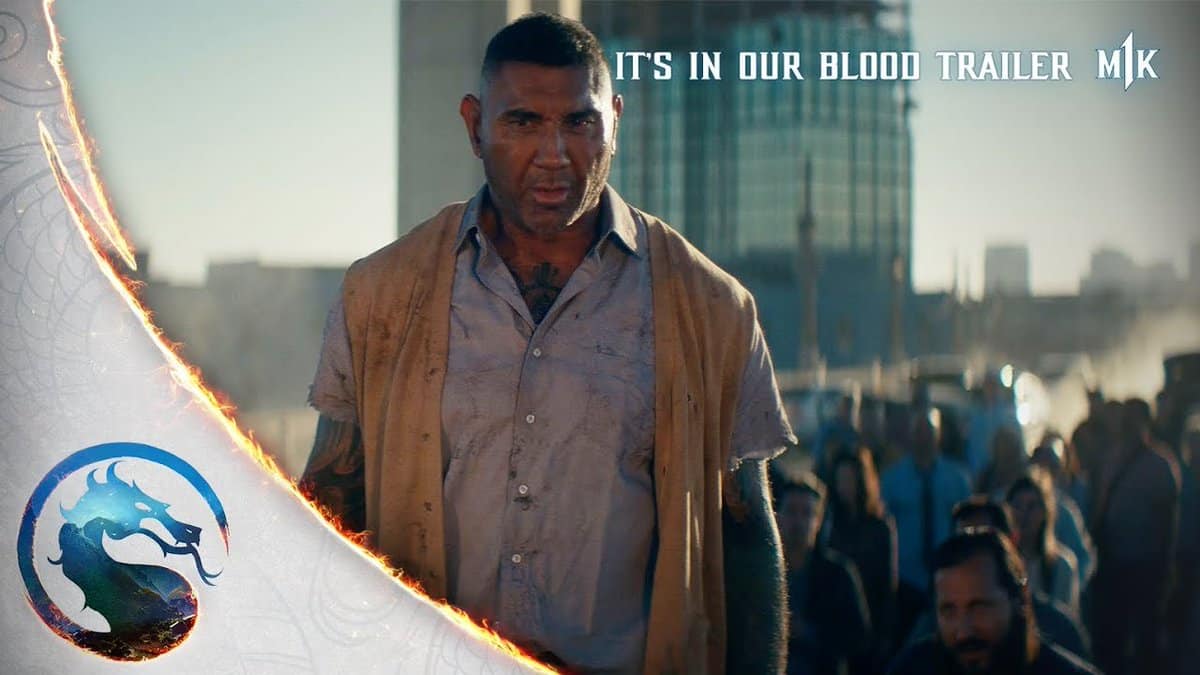
NetherRealm Studios and Warner Bros. have released a Mortal Kombat 1 live-action trailer, and it features actor and former wrestler David Bautista (Guardians of the Galaxy).

Titled “It’s In Our Blood,” the trailer shows Bautista and other people seemingly showing their powers after saying “Mortal Kombat!” It’s a cool bit of advertising even if there’s little gameplay included.

As for actual news related to the game itself, NetherRealm showcased Sindel and confirmed new fighters and kameo fighters at gamescom. DLC for the game is also confirmed, with the first pack headlined by The Boys character Homelander.

Mortal Kombat 1 punches out this September 19 on PS5, Xbox Series X|S, PC, and Nintendo Switch.

Avatar photo

Alex Co

Father, gamer, games media vet, writer of words, killer of noobs.

Home > News

DayZ Update 1.55 for August 29 Released for Version 1.22, Full Patch Notes Listed

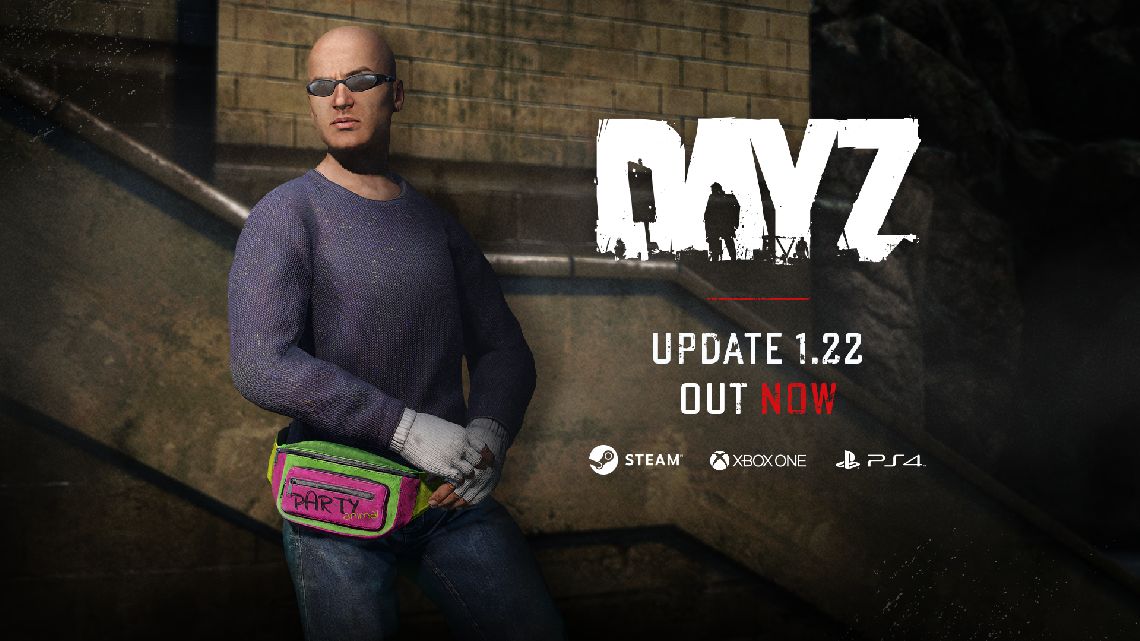
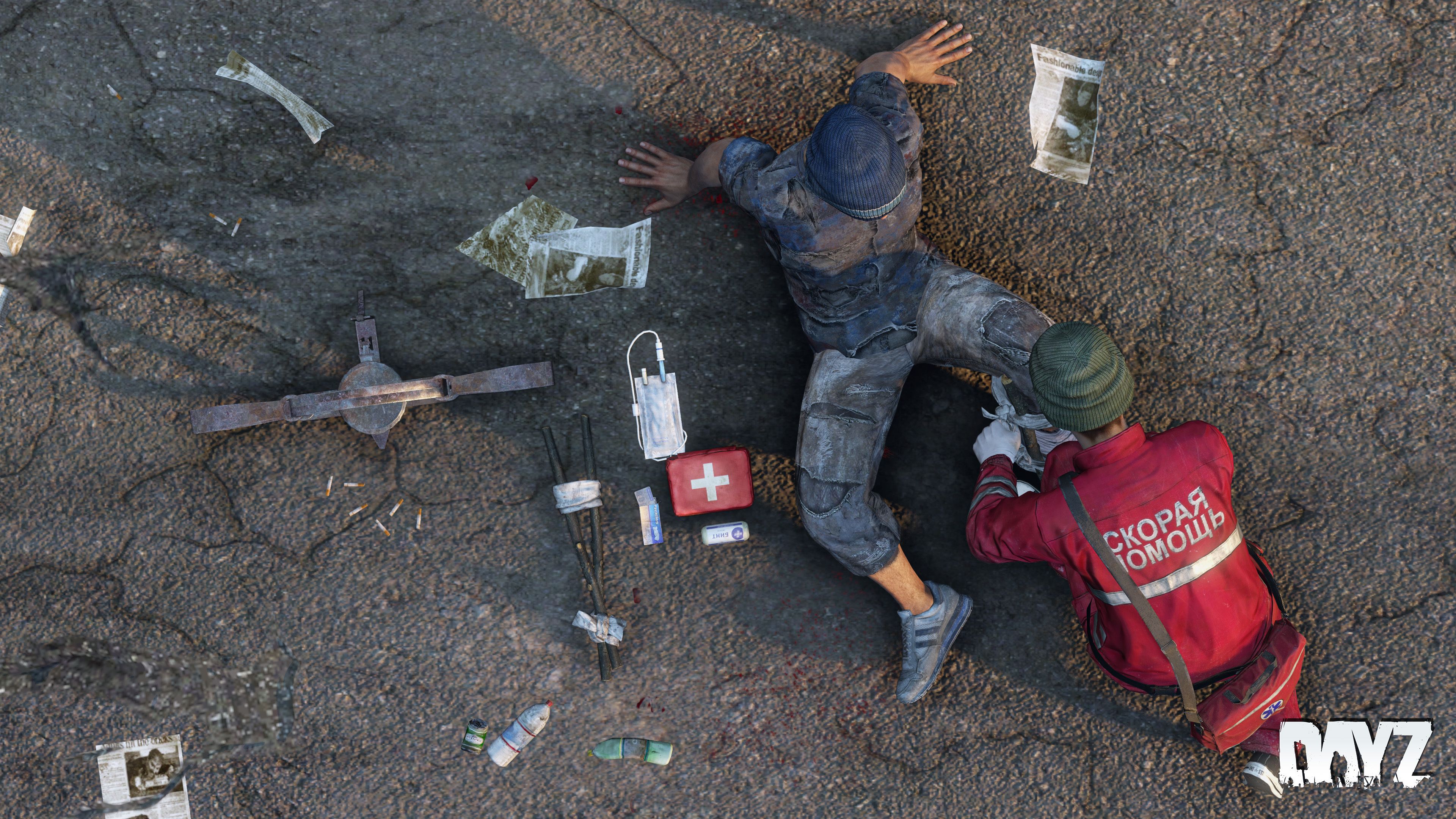
Bohemia Interactive has released DayZ update 1.55 on all platforms this August 29, and this is for the big 1.22 patch! This adds new low tier bags, a major rebalance pass of the existing backpacks and more! Read on for the complete DayZ update 1.22 patch notes below.

DayZ Update 1.55 Patch Notes | DayZ Update 1.22 Patch Notes:

Console 1.22 Update 1 – Version 1.22.156593 (Released on 29.08.2023)

NOTES

GAME

ADDED

  • Sling Bag
  • Army Pouch
  • Canvas Bag
  • Leather Duffel Bag
  • Hip Pack
  • Craftable Drysack Bag
  • New animation and sound for activating the heat pack
  • White variant of the fingerless wool gloves
  • DLC section in the main menu

FIXED

  • Fixed a game crash related to the login process
  • The regular logout timer and the one prompted when accepting a server invitation were not consistent
  • Some button prompts were not present in the inventory after dropping an item
  • Option to put item in hands back into inventory was not displayed in inventory hints
  • HUD brightness settings were not connected to the account
  • Fixed a server crash related to vehicle deletion
  • Car horns were not played when started outside of other players’ network bubble
  • Fixed a cause of the character and creatures movement giving the perception of micro-stutters at inconsistent but reliably high frame rate
  • Fixed an exploit to stand up from prone faster
  • Throwing an item into rivers/ponds/lakes would not produce a splash sound in deep water
  • Throwing an item into water would incorrectly play the sound at the bed of the water
  • The character was unable to enter some building entrances that were slightly above ground level
  • Players dying under water would not float up to the surface
  • Fixed a case of door animation desynchronization related to navmesh updates
  • The character name in the server browser was not displayed correctly in all cases
  • Fixed an exploit related to poison gas zone triggers (https://feedback.bistudio.com/T172418 – private)
  • When attempting to turn the car on with low fuel, the engine state between server and client would desynchronize
  • Actions that would hide items in hands would display the item to other players if they entered the network bubble after the action was started
  • AI were unable to enter the Livonia bunker
  • AI would not register open doors of the service hangar
  • It was not possible to detach the battery from a head torch looted from infected
  • Flares shot from the flare gun would produce a continuous sound when stuck in objects (https://feedback.bistudio.com/T172688)
  • The clerk infected looked too dark
  • Road flares would continue to burn for up to a minute even after reaching ruined state
  • Some weapon attachments were not registering hit impacts
  • Mining rocks with smaller tools did not play sounds
  • Destroyed fuel pumps would still yield gasoline
  • Washing hands with a water bottle did not have sounds
  • Certain can opening actions did not have sounds
  • Interrupting the washing hands action could result in a character glitch
  • Fixed several exploits to look through walls (https://feedback.bistudio.com/T157876 – private, https://feedback.bistudio.com/T165940 – private, https://feedback.bistudio.com/T169841https://feedback.bistudio.com/T171015https://feedback.bistudio.com/T171773 – private)
  • Several clothing items were missing their hitboxes
  • Camera was glitching when attempting to switch to prone in deep water
  • Bolts could get stuck in water
  • Crossbow bolts did not reflect their damage states correctly
  • It was not possible to shave while wearing the carnival mask
  • After removing a burlap sack from a player’s head, their hair could clip with their head gear
  • The red dot of the RVN Optic was not aligned with the center of the screen (https://feedback.bistudio.com/T171772)
  • If a dead body was skinned and quartered, bolts stuck in it would disappear
  • Attempting to treat another player’s wounds could result in false prompts to bandage yourself
  • Fixed several instances of items being held badly by the player
  • Fixed several instances of clothing items clipping
  • Fixed several building issues and exploits (https://feedback.bistudio.com/T170849https://feedback.bistudio.com/T169681)
  • Item widget would stay on the screen for the duration of hold actions (https://feedback.bistudio.com/T143492)
  • While driving, the user would constantly get the item widget of the car prompted
  • Medieval helmets had inconsistent impact sounds when thrown
  • The crossbow did not have sounds when used in prone
  • The crossbow did not have sounds when dry shooting indoors
  • The reload sound of the crossbow was more quiet while moving
  • The thirst indication sound could overlap with the fever sound
  • The thirst sound was not being played while wearing a gas mask or helmet
  • Prison doors played the wrong sounds (https://feedback.bistudio.com/T162517)
  • Audio of certain doors was desynchronized (https://feedback.bistudio.com/T170418)
  • The respawn timer was skipped as soon as the game was loaded (https://feedback.bistudio.com/T159902)
  • The reticle of the ATOG 6×48 optic was blurry on low graphics settings (https://feedback.bistudio.com/T171572)
  • Widgets connected to dead bodies were not static on the screen (https://feedback.bistudio.com/T172420)
  • An unconscious player could temporarily go into falling state and see their surroundings
  • Jumping while applying a gag bugs the rag
  • It was possible to access the inventory while blindfolded after waking up from unconsciousness
  • Deployed fence kits could block ladder exits (https://feedback.bistudio.com/T173115 – private)
  • The audio effect of the flash grenade would persist after respawn if the player was killed during it (https://feedback.bistudio.com/T172824 – private)
  • Certain car wreck doors wouldn’t open in all cases (https://feedback.bistudio.com/T172885)
  • Despawned fireplaces could still cause damage to players at their position
  • It was possible to collapse the hand slot container in the inventory (https://feedback.bistudio.com/T170500)
  • Fixed an exploit that allowed auto-rolling
  • Ambient sounds were missing after relogging while alt-tabbing in the Livonia underground
  • It was possible to warm up pills and split them
  • It was possible to bypass travel/server hop spawns by logging off on a ladder (https://feedback.bistudio.com/T173612 – private)
  • The player could cancel the stagger animation from a heavy hit by jumping (https://feedback.bistudio.com/T173573 – private)
  • Fixed certain exploits to look through walls (https://feedback.bistudio.com/T172611 – private)
  • It was possible to throw two-handed weapons through walls if standing too close to them
  • The flare gun was reflecting wrongly in the UI that it was loaded with an empty shell after firing
  • Holding shift while moving in throwing stance would consume stamina
  • Gun shot tail sounds were not present when using a suppressor
  • Some ambient sounds were missing in the amusement parks (https://feedback.bistudio.com/T169241)
  • It was possible to skip the staggering animation triggered by a heavy attack (https://feedback.bistudio.com/T173573 – private)
  • Unconscious players did not receive falling damage
  • When joining the game without a microphone plugged in, it was not possible hear other players’ voice chat
  • Changing voice level would not function as intended if no microphone was enabled/connected
  • It was not possible to arm improvised explosives on the first attempt (https://feedback.bistudio.com/T166879)
  • Infected can spawn with head torches again

CHANGED

  • Mouse cursor in menus is now visible only when the mouse is connected and enabled in options
  • While moving an item in the inventory, the selected item remains highlighted as well
  • Balanced gear armor values against melee weapons
  • Balanced damage caused by melee weapons and infected
  • Blunt melee weapons now inflict significantly more shock damage than health damage
  • Sharp melee weapons now inflict significantly more health damage than shock damage
  • The chance of suffering bleeding now both depends on the weapon/infected type, as well as protective clothing
  • Certain low tier sharp weapons will no longer cause push-back even when using heavy attack.
  • Chance of suffering bleeding is now based on weapons and armor
  • Added collisions for the player with dead bodies large animals
  • Reduced the weight of gas canisters (https://feedback.bistudio.com/T171733)
  • Improved the fire geometry for several firearms
  • Improved the fire geometry of several weapon attachments
  • Improved sounds of explosives
  • Reduced the damage taken by belts from torso hits by 20 percent
  • Reduced surface noise when driving over specific surfaces (https://feedback.bistudio.com/T171153)
  • Item widgets are no longer visible when blinded by a flash grenade or burlap sack
  • Updated the game credits
  • The in-game server browser now displays exact player numbers
  • Removed the column for slots in the server browser
  • Made the reception space in hospitals accessible (https://feedback.bistudio.com/T172766)

CENTRAL ECONOMY

  • Added: Missing armbands for new flag variants
  • Fixed: Fixed misaligned spawnpoints for various buildings
  • Changed: Reduced the amount of backpacks spawning on infected
  • Changed: Reduced amount of backpacks spawning in the world
  • Changed: Rebalanced spawning locations of backpacks
  • Changed: Reduced amount of tools that work as high tier weapons and increased their low tier counterparts
  • Changed: Gasoline Canisters no longer spawn with full gasoline
  • Changed: Gas Canisters no longer spawn with full gas
  • Changed: Power generator no longer spawns with full fuel

CHERNARUS

LIVONIA

  • Fixed: A police event close to Brena was misplaced

SERVER

KNOWN ISSUES

  • Pressing the R-key after emptying a magazine can result in weapon desynchronization – a fix is undergoing internal testing

PC Stable 1.22 Update 1 – Version 1.22.156593 (Release on 29.08.2023)

NOTES

  • Consider using the Steam client option to verify the integrity of the local game cache to avoid corrupted data after downloading this update.
  • Consider de-fragmenting your HDD after downloading large updates.
  • In case of problems, please check the Bohemia Interactive support F.A.Q.DayZ F.A.Q., or BattlEye F.A.Q.
  • You can help us to further improve the game by posting your feedback on the Feedback Tracker.

GAME

ADDED

  • Sling Bag
  • Army Pouch
  • Canvas Bag
  • Leather Duffel Bag
  • Hip Pack
  • Craftable Drysack Bag
  • New animation and sound for activating the heat pack
  • White variant of the fingerless wool gloves
  • DLC section in the main menu

FIXED

  • Fixed a server crash related to vehicle deletion
  • Car horns were not played when started outside of other players’ network bubble
  • Fixed a cause of the character and creatures movement giving the perception of micro-stutters at inconsistent but reliably high frame rate
  • Fixed an exploit to stand up from prone faster
  • Throwing an item into rivers/ponds/lakes would not produce a splash sound in deep water
  • Throwing an item into water would incorrectly play the sound at the bed of the water
  • The character was unable to enter some building entrances that were slightly above ground level
  • Players dying under water would not float up to the surface
  • Fixed a case of door animation desynchronization related to navmesh updates
  • The character name in the server browser was not displayed correctly in all cases
  • Fixed an exploit related to poison gas zone triggers (https://feedback.bistudio.com/T172418 – private)
  • When attempting to turn the car on with low fuel, the engine state between server and client would desynchronize
  • Actions that would hide items in hands would display the item to other players if they entered the network bubble after the action was started
  • AI were unable to enter the Livonia bunker
  • AI would not register open doors of the service hangar
  • It was not possible to detach the battery from a head torch looted from infected
  • Flares shot from the flare gun would produce a continuous sound when stuck in objects (https://feedback.bistudio.com/T172688)
  • The clerk infected looked too dark
  • Road flares would continue to burn for up to a minute even after reaching ruined state
  • Some weapon attachments were not registering hit impacts
  • Mining rocks with smaller tools did not play sounds
  • Destroyed fuel pumps would still yield gasoline
  • Washing hands with a water bottle did not have sounds
  • Certain can opening actions did not have sounds
  • Interrupting the washing hands action could result in a character glitch
  • Fixed several exploits to look through walls (https://feedback.bistudio.com/T157876 – private, https://feedback.bistudio.com/T165940 – private, https://feedback.bistudio.com/T169841https://feedback.bistudio.com/T171015https://feedback.bistudio.com/T171773 – private)
  • Several clothing items were missing their hitboxes
  • Camera was glitching when attempting to switch to prone in deep water
  • Bolts could get stuck in water
  • Crossbow bolts did not reflect their damage states correctly
  • It was not possible to shave while wearing the carnival mask
  • After removing a burlap sack from a player’s head, their hair could clip with their head gear
  • The red dot of the RVN Optic was not aligned with the center of the screen (https://feedback.bistudio.com/T171772)
  • If a dead body was skinned and quartered, bolts stuck in it would disappear
  • Attempting to treat another player’s wounds could result in false prompts to bandage yourself
  • Fixed several instances of items being held badly by the player
  • Fixed several instances of clothing items clipping
  • Fixed several building issues and exploits (https://feedback.bistudio.com/T170849https://feedback.bistudio.com/T169681)
  • Item widget would stay on the screen for the duration of hold actions (https://feedback.bistudio.com/T143492)
  • While driving, the user would constantly get the item widget of the car prompted
  • Medieval helmets had inconsistent impact sounds when thrown
  • The crossbow did not have sounds when used in prone
  • The crossbow did not have sounds when dry shooting indoors
  • The reload sound of the crossbow was more quiet while moving
  • The thirst indication sound could overlap with the fever sound
  • The thirst sound was not being played while wearing a gas mask or helmet
  • Prison doors played the wrong sounds (https://feedback.bistudio.com/T162517)
  • Audio of certain doors was desynchronized (https://feedback.bistudio.com/T170418)
  • The respawn timer was skipped as soon as the game was loaded (https://feedback.bistudio.com/T159902)
  • The reticle of the ATOG 6×48 optic was blurry on low graphics settings (https://feedback.bistudio.com/T171572)
  • Widgets connected to dead bodies were not static on the screen (https://feedback.bistudio.com/T172420)
  • An unconscious player could temporarily go into falling state and see their surroundings
  • Jumping while applying a gag bugs the rag
  • It was possible to access the inventory while blindfolded after waking up from unconsciousness
  • Deployed fence kits could block ladder exits (https://feedback.bistudio.com/T173115 – private)
  • The audio effect of the flash grenade would persist after respawn if the player was killed during it (https://feedback.bistudio.com/T172824 – private)
  • Certain car wreck doors wouldn’t open in all cases (https://feedback.bistudio.com/T172885)
  • Despawned fireplaces could still cause damage to players at their position
  • It was possible to collapse the hand slot container in the inventory (https://feedback.bistudio.com/T170500)
  • Fixed an exploit that allowed auto-rolling
  • Ambient sounds were missing after relogging while alt-tabbing in the Livonia underground
  • It was possible to warm up pills and split them
  • It was possible to bypass travel/server hop spawns by logging off on a ladder (https://feedback.bistudio.com/T173612 – private)
  • The player could cancel the stagger animation from a heavy hit by jumping (https://feedback.bistudio.com/T173573 – private)
  • The cursor could get stuck on the screen in certain cases (https://feedback.bistudio.com/T166474)
  • It was possible to throw two-handed weapons through walls if standing too close to them
  • Some ambient sounds were missing in the amusement parks (https://feedback.bistudio.com/T169241)
  • When joining the game without a microphone plugged in, it was not possible hear other players’ voice chat
  • When joining the game without a microphone plugged in, proximity chat messages were not received
  • Changing voice level would not function as intended if no microphone was enabled/connected
  • It was not possible to arm improvised explosives on the first attempt (https://feedback.bistudio.com/T166879)

CHANGED

  • Balanced gear armor values against melee weapons
  • Balanced damage caused by melee weapons and infected
  • Blunt melee weapons now inflict significantly more shock damage than health damage
  • Sharp melee weapons now inflict significantly more health damage than shock damage
  • The chance of suffering bleeding now both depends on the weapon/infected type, as well as protective clothing
  • Certain low tier sharp weapons will no longer cause push-back even when using heavy attack.
  • Chance of suffering bleeding is now based on weapons and armor
  • PBO data is now verified before entering the login queue (PC)
  • Added collisions for the player with dead bodies large animals
  • Reduced the weight of gas canisters (https://feedback.bistudio.com/T171733)
  • Improved the fire geometry for several firearms
  • Improved the fire geometry of several weapon attachments
  • Improved sounds of explosives
  • Reduced the damage taken by belts from torso hits by 20 percent
  • Reduced surface noise when driving over specific surfaces (https://feedback.bistudio.com/T171153)
  • Item widgets are no longer visible when blinded by a flash grenade or burlap sack
  • Updated the game credits
  • The in-game server browser now displays exact player numbers
  • Removed the column for slots in the server browser
  • Made the reception space in hospitals accessible (https://feedback.bistudio.com/T172766)
  • Infected can spawn with head torches again

CENTRAL ECONOMY

  • Added: Missing armbands for new flag variants
  • Fixed: Fixed misaligned spawnpoints for various buildings
  • Changed: Reduced the amount of backpacks spawning on infected
  • Changed: Reduced amount of backpacks spawning in the world
  • Changed: Rebalanced spawning locations of backpacks
  • Changed: Reduced amount of tools that work as high tier weapons and increased their low tier counterparts
  • Changed: Gasoline Canisters no longer spawn with full gasoline
  • Changed: Gas Canisters no longer spawn with full gas
  • Changed: Power generator no longer spawns with full fuel

CHERNARUS

LIVONIA

  • Fixed: A police event close to Brena was misplaced

SERVER

LAUNCHER

  • Added: server config for PC server now supports steamProtocolMaxDataSize, which enables larger packets, which can be used by servers with many mods to still show up in Launcher
  • Added: Users can now favorite a server from the Direct Connect window
  • Fixed: Launcher no longer displays a server as both offline and online in the FAVORITES tab (which would happen to certain steam accounts)
  • Fixed: Direct Connect window in Launcher was asking for “Server name or address” even though it only accepts the IP Address
  • Tweaked: All Launcher Server Browser tabs can now refresh simultaneously, and start refreshing upon Launcher startup
  • Tweaked: Server Browser tabs no longer refresh automatically, the user must trigger a refresh manually
  • Tweaked: Direct Connect window now opens Mod Management Window instead of attempting to directly connect
  • Tweaked: Removed Slots column from Server browser section. Players column now displays exact player number on a server, in color
  • Tweaked: Filter button in Launcher is now highlighted in red
  • Deprecated: Password field has been removed from the Direct Connect window
  • Deprecated: Completely removed the legacy PLAY SG button from the Launcher
  • Deprecated: Show Official Servers filter has been removed from the Launcher due to redundancy with the official tab

MODDING

  • Added: Invoker for trigger enter/leave events
  • Added: Invoker for entity EEKilled and EEHitBy events
  • Added: ‘DayZPhysics.GetHitSurfaceAndLiquid’ to get the liquid type of the hit surface
  • Added: Method ‘SoundObject.UpdateVariables(array<float>)’ to update the variables of a soundset while it is playing (https://feedback.bistudio.com/T161112)
  • Added: ‘SoundObjectBuilder.AddVariables(array<string>, array<float> = null)’
  • Added: Human::CheckFreeSpace exposed to scripts
  • Added: Accessor methods for the parent entity of a SoundObject
  • Added: Accessor methods for the speed of a SoundObject
  • Added: ‘AbstractWave.SetDoppler’ to enable or disable the doppler effect on sounds
  • Added: Script methods to get the current object texture/material
  • Added: ‘DayZPlayerImplement.IsAlreadyInFallingCommand’ to block falling command from starting
  • Added: ‘World.UpdatePathgraphDoorByAnimationName’ for updating states of doors on entities that aren’t a house
  • Added: ‘soundSpeedAppliesToHit’ for CfgAmmo to enable sound fall off on hit surfaces
  • Added: Basic config defines are now available in the built pbo as hpp file that can be included in any custom config
  • Added: Accessor for detecting if the player is teleported during login through ‘Hive.CharacterIsLoginPositionChanged’
  • Added: ‘ButtonWidget.GetText(out string)’ to get the set non-localized text
  • Added: ‘EntityAI.RegisterNetSyncVariableObject’ to synchronize an object by its network id
  • Added: ‘UUIDApi’ for generating and formatting a 128bit universally unique identifier (https://feedback.bistudio.com/T173290)
  • Added: RandomBool() func.
  • Added: Config parameter “collidesWithCharacterOnDeath” on DayZPlayer and DayZCreature to enable if either entity collides with the player when dead
  • Added: ‘ScriptCaller.Equals’ and ‘ScriptCaller.IsValid’ methods
  • Fixed: Human::CanChangeStance – parameter newStance has raised hands flag now
  • Fixed: Having code in the body of UIScriptedMenu.Cleanup would cause an infinite loop in script for UIScriptedMenu created and managed by script
  • Fixed: Triggers will now sync their shape over network
  • Fixed: Triggers will now automatically refresh themselves when setting a new shape
  • Fixed: Debug shapes could crash the game under certain conditions
  • Fixed: Window couldn’t be resized after the window was maximized while CLI ‘-resizeable’ was used
  • Fixed: ScriptCallQueue.GetRemainingTime and ScriptCallQueue.GetRemainingTimeByName returning values of removed funcs (https://feedback.bistudio.com/T173840)
  • Changed: A ‘CONTACT’ event is now fired for ‘InventoryItem’ when the origin of the entity is submerged in water
  • Changed: ‘Car.GetFluidFraction’ now returns the quantized amount with 8 bits of precision
  • Changed: ‘AbstractWave.SetPosition’ now contains 2nd default argument for setting the velocity
  • Changed: In-Game menu will appear on launch if the window isn’t focused (https://feedback.bistudio.com/T166474)
  • Changed: Player identity is now applied before player object loading
  • Changed: Moved ‘string.Get’ and ‘string.Set’ to native for slight performance improvement
  • Changed: RPT warning “‘/’ is not a value” has been changed to “Trying to access error value.” for more clarity
  • Deprecated: ‘SoundObjectBuilder.SetVariable’ in favor of the more appropriately named ‘SoundObjectBuilder.AddVariable’
  • Deprecated: ‘SoundObjectBuilder.UpdateEnvSoundControllers’ in favor of the more appropriately named ‘SoundObjectBuilder.AddEnvSoundVariables’

KNOWN ISSUES

  • Pressing the R-key after emptying a magazine can result in weapon desynchronization – a fix is undergoing internal testing

That’s about it. If a new update is released, we’ll be sure to tell our readers about it.

Source: DayZ Forums

Avatar photo

Alex Co

Father, gamer, games media vet, writer of words, killer of noobs.

Home > News

Destiny 2 Down for Server Maintenance This August 29, Expect Patch 7.2.0.2 to Be Rolled Out

For those seeing Destiny 2 down reports surface this August 29, it’s nothing to worry about, as it’s just planned maintenance by Bungie. During this downtime, expect patch 7.2.0.2 to be released on all platforms.

Destiny 2 Down for Server Maintenance Schedule and  Info for August 29:

Update: Bungie has released the patch for today, and here are the patch notes.

Tuesday, August 29, 2023
6:00 AM PDT -7 UTC
    • Destiny 2 will undergo maintenance.
    • Sign-on and game integration features will be unavailable on web, mobile, 3rd-party apps, and the Bungie Store.
    • Players who observe issues should report to the #Help forum.
7:15 AM PDT -7 UTC
    • Destiny 2 will be brought offline for expected maintenance.
    • Players will be removed from activities and won’t be able to log back in until 10 AM PDT.
    • Ongoing Destiny maintenance is expected to conclude at 12 PM PDT.
10:00 AM PDT -7 UTC
    • Update 7.2.0.2 will be available across all platforms and regions.
    • Players will be able to log back into Destiny 2.
    • Players logging into the game may be placed in a queue and may experience sign-on issues as background maintenance is still ongoing.
    • Clan features may remain offline until maintenance is complete.
12:00 PM PDT -7 UTC
    • Destiny 2 maintenance is expected to conclude.
    • Console players who encounter issues updating to 7.2.0.2 should restart their console and try downloading the Update.
    • Players who observe issues should report to the #Help forum.

Same as always, if anything changes for the schedule, we’ll let our readers know by updating the article. Once the patch is live, we’ll provide a proper link out to it.

Source: Bungie

Avatar photo

Alex Co

Father, gamer, games media vet, writer of words, killer of noobs.

Home > News

New Battlefield 2042 Weekly Missions, Store Bundles for Redux Week Listed (August 29)

A new set of weekly missions and store items has now arrived in Battlefield! Our Battlefield 2042 Redux Week weekly missions, store bundles, and Portal Modes post details the new missions, modes, and store items for this week below.

New Battlefield 2042 Weekly Missions, Store Bundles for Redux Week (August 29):

Weekly Missions:

Per the in-game notice, Weekly Missions will be “back soon.” We’ll update this post whenever they’re live.

Portal Modes:

  • 1942 Rendezvous
    • 1942, Conquest & Rush, 32v32
  • Community Spotlight – Gunfight Royale
    • Mancour & Dirteebreaks, All Eras, Custom, 12

New Store Bundles:

No new bundles, though Liquidators, Visceral, One Man Army, Leave No Trace, Morning Raid, Exodus Specialist Kit, and Recon Shortcut Kit have returned to the store.

That’s all for Redux Week. Check back next Tuesday for the weekly missions refresh post from MP1st!

More Battlefield Reading:

Avatar photo

Salman Haider Zaidi

That's a nice argument, Senator.

Home > News

No Man’s Sky Update 4.42 Out This Aug. 29 for More Echoes Fixes

Hello Games has released No Man’s Sky update 4.42 (PS5 version 4.042) today for all platforms. As expected, this patch comes with even more fixes for the Echoes update. Check out the No Man’s Sky August 29 patch notes posted down below.

No Man’s Sky Update 4.42 Patch Notes | No Man’s Sky Update 4.042 Patch Notes | No Man’s Sky Update August 29 Patch Notes:

Size: 4GB (PS5)

Bug fixes

    • Fixed an issue that incorrectly stopped the Autophage from awarding Void Motes if players had unlocked every piece of Autophage armour.
    • Fixed an issue that blocked most Autophage presets from appearing in the Appearance Modifier UI.
    • Fixed an issue that caused the Autophage heads earned during the Singularity expedition to incorrectly appear as locked in the Appearance Modifier UI.
    • Fixed an issue that could prevent the Autophage from navigating correctly around their camps.
    • Fixed a text issue with some hover tips in the Appearance Modifier UI.
    • Fixed an issue that caused some Autophage-related entries in the Catalogue to appear too early.
    • Fixed an issue that caused the custom staff assembly UI to be inaccessible at Harmonic Camps.
    • Improved the visuals when previewing custom-assembled staffs.
    • Fixed a number of visual issues with some custom-assembled staffs.
    • The preview image show when assembling a custom staff can now be rotated.
    • Fixed a number of visual issues with holding Multi-Tools.
    • Fixed a number of animation issues with the Voltaic Staff.
    • Fixed an issue with the position of the player torch when using a staff.
    • Fixed a number of networking issues when syncing elements of the Dreadnought battle in multiplayer.
    • Salvaged freighter technology upgrades earned by destroying the pirate Dreadnought are now always S-Class.
    • Fixed an issue that prevented the anti-freighter torpedo from playing the correct effect when it impacted on shield rather than the hull.
    • Fixed an issue that caused some player freighters to have changed appearance.
    • Fixed an issue that allowed players to destroy their own freighter.
    • Pirate frigates now have a teleporter aboard, allowing quick return to your freighter after boarding.
    • Fixed an issue that could cause errors in mission text at the moment torpedoes are launched at the civilian fleet in multiplayer Dreadnought battles.
    • During the first phase of the battle against a pirate capital ship, the Dreadnought will now more aggressively target smaller ships in the civilian fleet.
    • The destruction effects for the pirate Dreadnought have been improved.
    • Fixed an issue that could cause some players to lose the marker for the Portal during The Purge mission.
    • Fixed an issue that prevented access to the quick menu in the ship if swap build/quick menu was enabled.
    • Fixed a number of audio issues.
    • Fixed an issue that could prevent some camera shake effects from working correctly.
    • Fixed a number of issues that prevented Twitch drops from being successfully redeemed.
    • Fixed an issue that made it difficult to read the Analysis Visor data when using a staff in VR.
    • Fixed an issue that could trap players in a loop in the UI where pressing back would cycle between the same three pages.
    • Fixed a hang that could occur when players were targeted by security systems on derelict freighters.
    • Fixed a rare issue that could allow players to have their last ship weapon destroyed during combat.
  • Fixed a crash related to the mission system.
  • Fixed a crash that could occur when reloading the game shortly after the initial load.
  • Fixed a crash related to networking.
  • Fixed a hang on Xbox consoles.
  • Fixed a crash on PS5.
  • Fixed a crash related to frigates in multiplayer.
  • Fixed a UI crash.

Once a new patch is released, we’ll be sure to let our readers know.

Source: No Man’s Sky

Damien Seeto

Home > News

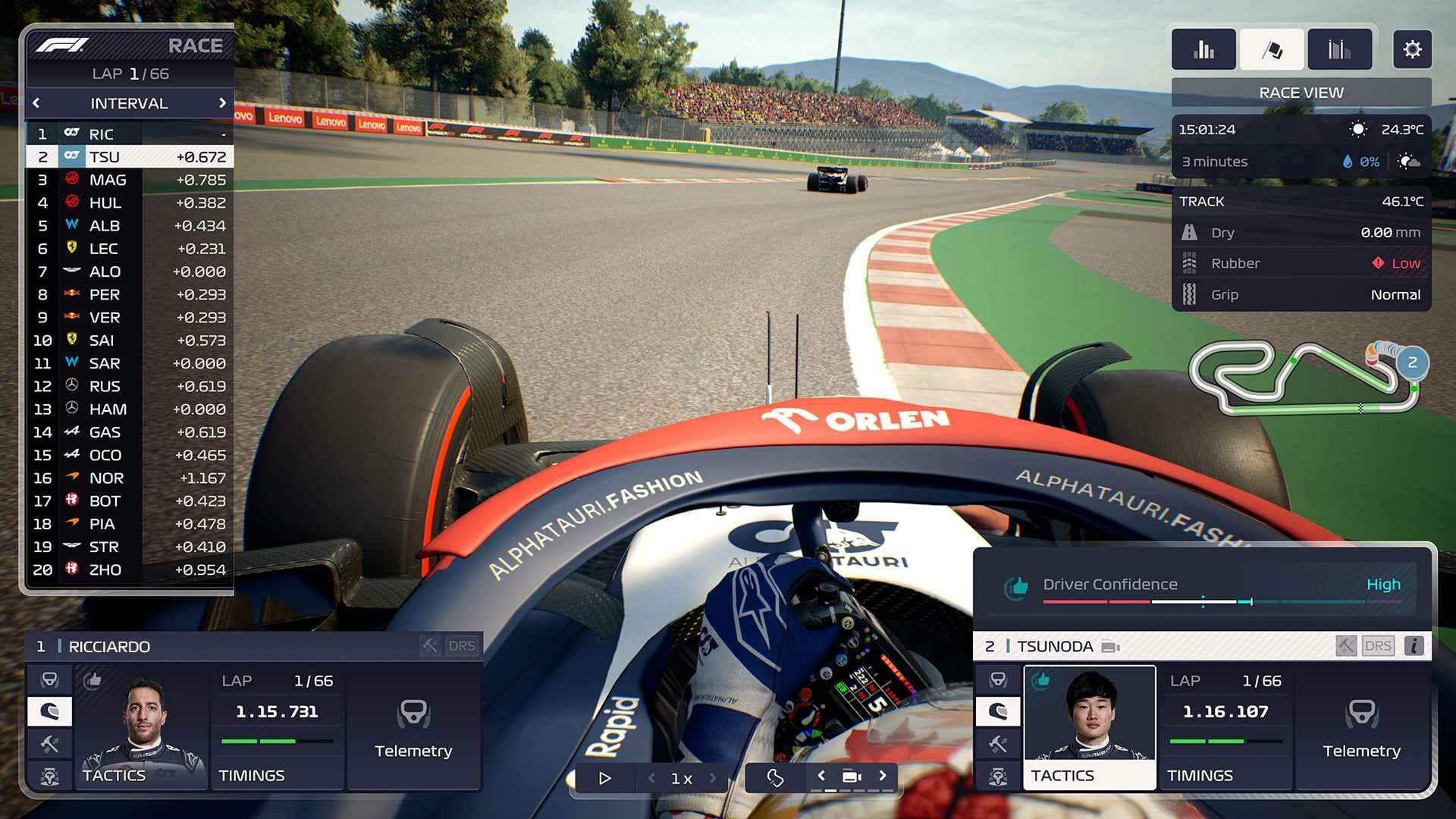
F1 Manager 2023 Update 1.06 for August 29 Skids Out for Version 1.6

F1 Manager 2023 update 1.06 (PS5 version 1.006) is out now, and this is for patch version 1.6! This brings new features such as Team Switching, DLSS support for NVIDIA GPUs and more. Read on for the official F1 Manager 2023 patch notes for August 29.

F1 Manager 2023 Update 1.06 Patch Notes | F1 Manager 2023 Update 1.006 Patch Notes | F1 Manager 2023 Update 1.6 Patch Notes:

NEW FEATURES

  • Added Team Switching
  • Expand your legacy across the whole paddock by choosing to manage a new team at the end of a season
  • Added DLSS support for NVIDIA GPUs
  • Added FSR support for AMD GPUs

CAR MODELS

  • Updated Aston Martin car model
  • Updated Haas car model
  • Added the blue marking to George Russell’s Mercedes
  • Corrected Williams Halo at lower levels of detail

GAME STABILITY

  • General stability improvements
  • Fixed PC-only crash related to DX12
  • Fixed an issue where Epic Store players could not access Deluxe Edition Scenarios after a network error

GAME BALANCE

  • Some teams have had their season objectives adjusted [NEW SAVES ONLY]
  • Mercedes
    • Initial Season Objective: 2nd -> 3rd
    • Constructor’s Championship target season: 2024 -> 2025
  • Alfa Romeo
    • Initial season objective 7th -> 8th
  • Alpha Tauri
    • Initial season objective: 7th -> 8th

TEAM MANAGEMENT

  • Fixed an issue that could prevent the user being able to continue when hiring a reserve driver at end of season
  • Fixed an issue where car part design and research projects were not generating the appropriate amount of expertise gain when the sliders were moved
  • Fixed an issue where Research Complete emails were not showing an increase in next year’s car stats
  • Fixed an issue where the email about Factory fires ending was sent before the factory reopened

RACE SIM

  • Fixed an issue where drivers did not need to use two different tyre compounds after a mid-session save
  • Fixed an issue where drivers would not start pushing for their flying laps early enough on circuits with long straights in Automatic mode
  • Fixed tyre warming behaviour in qualifying so that drivers’ tyres are warm when starting their flying laps
  • Fixed an issue where some drivers were missing driver codes on the standings tower (Sorry Mick!)
  • Fixed an issue where the ‘Need to Refuel’ dilemma in Practice and Qualifying would not pause the game
  • Fixed an issue where rain VFX was not present on PlayStation 4 and Xbox One consoles
  • Fixed a rare soft lock if there was a red flag in Practice or Qualifying while the player team’s cars were exiting the pit lane
  • Fixed an issue where Oscar Piastri could be referred to as “Alex” in team comms

USER INTERFACE

  • Fixed an issue where the UI was not anchored to the left/right side of the screen when widescreen is enabled
  • Fixed a soft lock when scrolling through the standings lists in Data View
  • Fixed a rare soft lock when enabling manual control in Qualifying while the tutorial was enabled
  • Fixed an issue where the Data View lists could appear blank during races

In other F1 news, another F1 game, F1 23, also got an update today, which you can read about here.

Source: F1 Manager

Avatar photo

Alex Co

Father, gamer, games media vet, writer of words, killer of noobs.

Home > News

Need for Speed Unbound Update 1.000.012 for Aug. 29 Released for Small Hotfix

Criterion has raced out Need for Speed Unbound update 1.000.012, which is for patch 4.0.1. This is a small hotfix to the game that’s rolled out for fixes. Read on for the official NFS Unbound patch notes for August 29 posted down below.

Need for Speed Unbound Update 1.000.012 Patch Notes | NFS Unbound 4.0.1 Patch Notes | Need for Speed New Update Patch Notes for August 29:

Size: 380MB (PS5)

The patch notes for today’s patch were revealed over on the EA Help Twitter page. You can read the details down below.

#NeedForSpeed Unbound players, we are releasing a minor hotfix patch (4.0.1) this morning.

This update fixes the issue where decals unlocked via Vol.3 Speed Pass were no longer accessible after Vol.4 began, along with a few stability improvements.

Keep it locked at MP1st to read more about Need for Speed Unbound in the near future. In case you haven’t logged into the game recently, Volume 4 was released earlier this month, which you can read about here.

Source: EA Help

Damien Seeto

Home > News

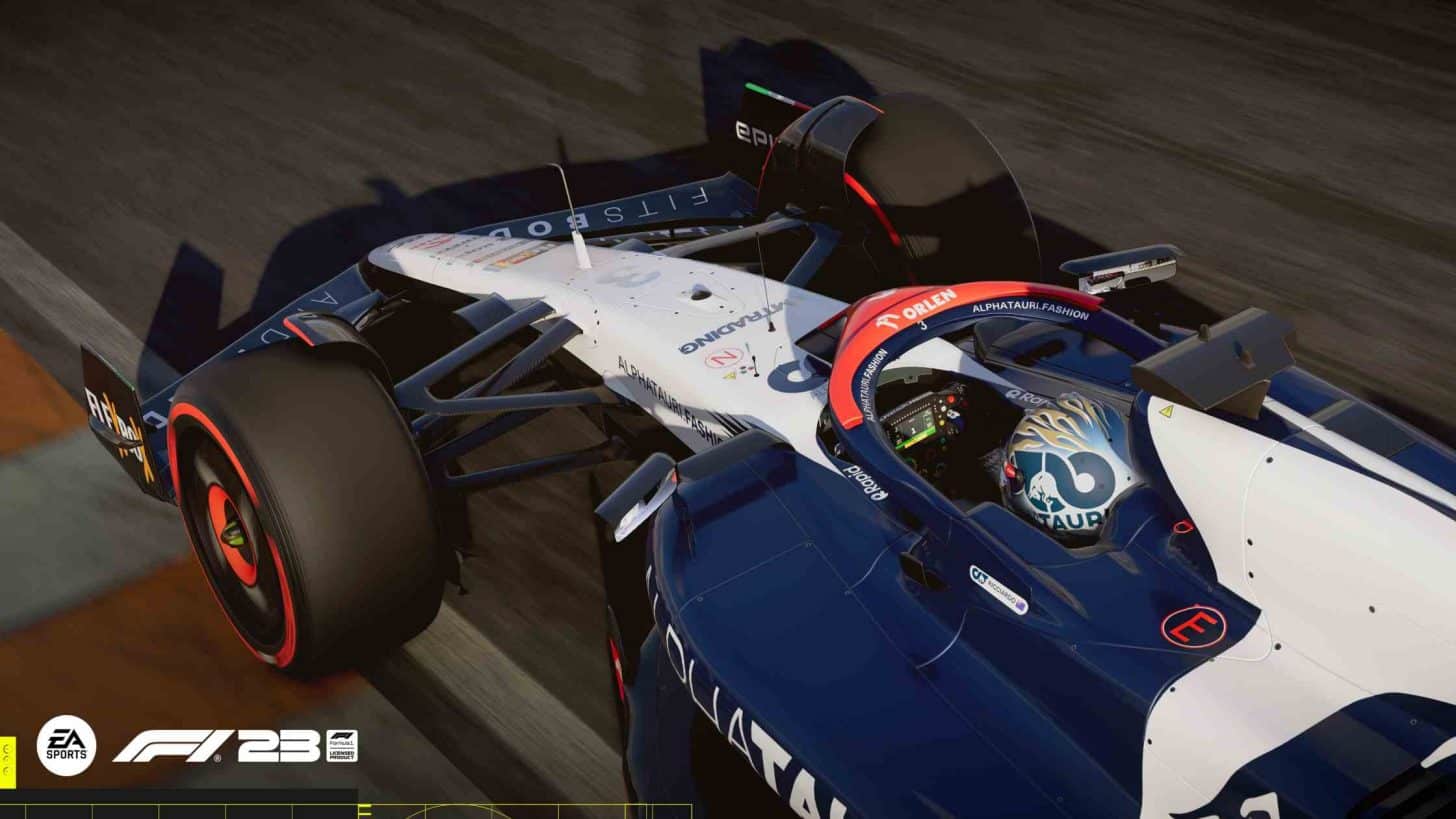
F1 23 Update 1.10 Out This August 29 for Gameplay Improvements

Codemasters has released F1 23 update 1.10 (PS5 version 1.010) for PC, PlayStation, and Xbox. This update comes with lots of gameplay improvements and more. Read on for the official F1 23 patch notes for August 29 below.

F1 23 Update 1.10 Patch Notes | F1 23 1.010 Patch Notes | F1 23 Patch Notes for August 29:

A new patch for F1® 23 patch (v1.10) has begun rolling out across Xbox, PlayStation, and PC.

Here are the changes that will be made with this patch:

  • Addition of Daniel Ricciardo to Scuderia AlphaTauri and driver market*
  • Removal of Nyck De Vries from Scuderia AlphaTauri and driver market*
  • Improvements to the performance of McLaren to accurately represent the F1® 2023 season
  • Addition of F1® Pro Challenge event type in F1® World
  • Marina Bay Street Circuit (Singapore Grand Prix) has been updated to the 2023 track layout
  • Based on player feedback, corner cutting has been set to ‘Strict’ in Ranked sessions
  • Fixed an issue where a post process effect was causing blurring at mid to long range distances
  • Fixed an issue where sponsor boards would be blacked out at Singapore
  • Fixed an issue where players were unable to connect to F1® World after joining a Ranked session
  • Fixed an issue where Brightness, Contrast, and Saturation would not work with HDR enabled in Photo Mode
  • Fixed an issue where, in certain conditions, pixelation could be seen around the halo in cockpit view
  • Fixed an issue where AI drivers can occasionally appear as DNF and achieve a unrealistic fastest lap time despite completing the race
  • Fixed an issue where force feedback levels were too low on the Logitech Pro Wheel
  • Fixed an issue where the F1® logo was stretched in spectator mode
  • Fixed an issue where speed line artefacts could appear when looking backwards during races in ‘Very Wet’ weather conditions
  • Fixed an issue where custom setups were still allowed even if the ‘Preset Only’ option was selected in Multiplayer
  • Fixed an issue where lap or sector times could be inconsistent between different screens and UDP data
  • Fixed an issue where RPM lights would only light up red instead of multicoloured on Fanatec DD2 wheels
  • Fixed an issue where cars could collide in certain conditions during broadcast formation lap
  • Fixed an issue where all drivers of the F1® World Car would have a black race suit if Equal Performance is enabled in Grand Prix
  • General Stability Improvements
  • Various Minor Fixes

*Daniel Ricciardo and Nyck De Vries change will only occur in new Career saves

Source: EA.com

Damien Seeto

Home > News

Bus Simulator 21 Update 2.32 Out This Aug. 29 for PS4 to PS5 Transfer

Developer Stillalive Studios has released Bus Simulator 21 update 2.32 on all PlayStation consoles today. This new update allows you to transfer your data from PS4 to PS5. Check out the Bus Simulator 21 August 29 patch notes down below.

Bus Simulator 21 2.32 Patch Notes | Bus Simulator August 29 Patch Notes:

We just released update 2.32 for Bus Simulator 21 Next Stop on PS4 and PS5. The update introduces the possibility to transfer your save games from the PS4 version into the PS5 version of the game!

To make sure you all know how the system works, we’re going to give you a little rundown about how things work and provide additional tips along the way. Let’s go!

How to copy the PS4 save to the PS5 console

Option 1: Transfer your data using an external storage device

  1. Insert the drive into one of the USB ports on the PS4. Then, head to Settings > Application
  2. Saved Data Management > Saved Data in System Storage.
  3. Select Copy to USB Storage Device.
  4. Choose the save files you’d like to move, and click Copy.
  5. When the files are finished copying, remove the drive and insert it into a USB port on the PS5.
  6. Go to Settings > Saved Data and Game/App Settings > Saved Data (PS4), and select USB Drive.
  7. Select Copy to Console Storage.

Option 2: Transfer your data using cloud storage

  1. Make sure the save data is uploaded to the cloud via the PS4.
  2. In the PS5 console, go to Settings > Saved Data and Game/App Settings.
  3. Select Saved Data (PS4) > Cloud Storage.
  4. Select Download to Console Storage. You can select individual game files—or all of them—for download.

How to backup PS5 save (optional, but recommended)

Option 1: Backup PS5 Game Data to External Drive

  1. Connect your external drive, such as a USB drive to your PS5 console and follow the below navigation pattern. Settings > System > System Software > Back Up and Restore > Back Up Your PS5.
  2. You will be asked to select the data type you want to back up. Select the one you want to back up.
  3. After selecting the type, the backup file size will appear. Here, you can also add a description of the backup data to remember what you included.
  4. Select “Back Up” to start the process. Your console will restart multiple times during the entire backup. After completion, the backup will appear on the display screen.

Option 2: Backup Game Data on PS5 to Cloud (requires PS Plus subscription)

  1. On your PS5, open “Settings” from the main menu.
  2. Find and select “Saved Data and Game/App Settings” here.
  3. You will probably see two options; Save Data (PS4) and Saved Data (PS5). Select Saved Data (PS5) for PS5 games.
  4. Now, select “Console Storage” to see the game data of every game on your PS5.
  5. Select Bus Simulator 21 Next Stop as the games you want to create a backup of. You may also choose “Select All” to create a backup of all the games.

Source: Bus Simulator

Damien Seeto

Home > News

Battlefield 2042 Update 1.000.045 Released for Patch 5.3.0 This August 29

Battlefield 2042 update 1.000.045 is now out on all platforms this August 29, and this is for patch version 5.3.0! Players can expect the Battlefield 2042 Redux initiative to kick off, alongside changes. Read on for everything new in the new BF2042 patch notes below.

Battlefield 2042 Update 1.000.045 | Battlefield 2042 Update 5.3.0 Patch Notes:

Here is an overview of some of the more important aspects of this update:

  • The in-game Codex – The Lore of Battlefield 2042 now all in one place
  • Conquest-wide Vehicle Count Overhaul for All-Out Warfare maps
  • Vehicle weapon balance and handling improvements
  • Reduced RPG & Recoilless projectile travel speed for Engineers

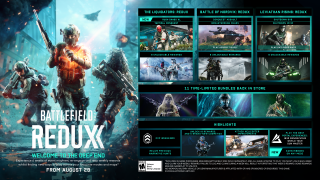
BATTLEFIELD 2042: REDUX

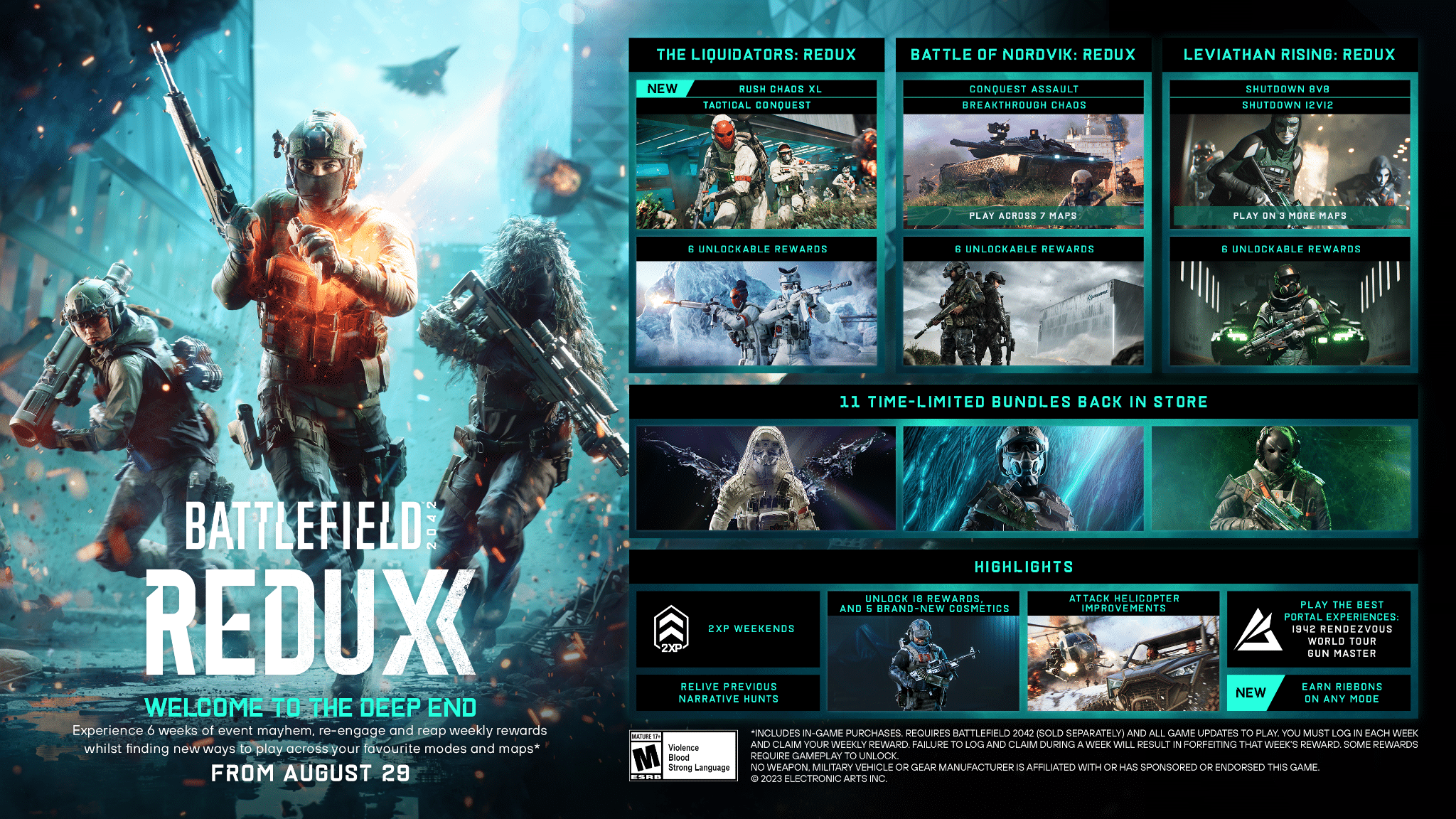
Redux starts on August 29th and brings back new ways to play across your favorite modes and maps, as well as making new and returning weekly rewards available to earn. From Rush Chaos XL, Tactical Conquest, Breakthrough Chaos to Conquest Assault, Shutdown and more. We’re giving you a wide variety of ways to play and earn rewards.

But we’re not just bringing these modes back as they were. We’ve listened to your feedback, so expect refined modes every week, on more maps, and with new players counts.

Back by popular demand this week, Control will be taking place on a bi-weekly basis during Redux!
AREAS OF IMPROVEMENT

The CodexThe Codex Feature is our one-stop shop for all things Narrative in the World of Battlefield 2042. With its story spread across many features and components, both in-game and external, the Codex brings all of these pieces together.

You’ll be able to read the lore for factions, maps, specialists, themed events, narrative hunts and more!

Update 5.3 will display all story elements up to Season 4: Eleventh Hour, and further updates to the Codex will follow alongside the release of Season 6 in October.

Find the Codex in-game via Profile > The Codex.

Conquest-Wide Vehicle Count Overhaul

Vehicles are an inherent part of the chaotic and immersive gameplay that we want you to experience with Battlefield. As we’ve now concluded reworking all All-Out Warfare launch maps, our focus shifts to how vehicles interact with these reworked locations.

Scheduled for the week following Update 5.3, a server-side change will overhaul the vehicle counts for Conquest on all All-Out Warfare era maps. Areas we reviewed when deciding on improved vehicle counts per map are for example the locations, their fantasy and conflict, and player counts.

The first update to vehicle counts is for our reworked All-Out Warfare Conquest maps. Vehicle counts on Battlefield Portal maps will be reviewed in a later update.

Below we will list two examples of the new vehicle counts, and we encourage you to feel for yourselves how each map plays after this update. Please continue sharing your feedback with us.

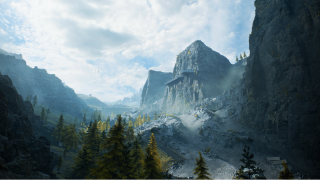
Exposure

Exposure offers a significant amount of verticality due its mountainous region, while also providing much needed respite for infantry through its tunnel system and interior layouts.

Air vehicles gameplay are the new focus of Exposure.

Exposure Conquest 128:

  • Light Transport: 4 > 4
  • Armored Transport: 1 > 0
  • Light Armor: 2 > 2
  • Heavy Armor: 2 > 2
  • Gunship: 1 > 1
  • Attack Helicopters: 1 > 3
  • Jets: 1 > 2
  • Utility: 2 > 1
  • Civillian Vehicles: 12 > 6

Exposure Conquest 64:

  • Light Transport: 2 > 1
  • Armored Transport: 1 > 1
  • Light Armor: 1 > 2
  • Heavy Armor: 1 > 1
  • Gunship: 1 > 1
  • Attack Helicopters: 1 > 2
  • Jets: 1 > 2
  • Utility: 1 > 1
  • Civillian Vehicles: 2 > 0

Discarded

Discarded is instead an example of catered towards ground combat focus. Aircraft will be part of its gameplay, but the majority of combat will be between colliding infantry and ground vehicles.

Discarded Conquest 128:

  • Light Transport: 4 > 3
  • Armored Transport: 1 > 2
  • Light Armor: 2 > 1
  • Heavy Armor: 2 > 3
  • Gunship: 1 > 1
  • Attack Helicopters: 1 > 1
  • Jets: 1 > 2
  • Utility: 2 > 1
  • Civillian Vehicles: 12 > 4

Discarded Conquest 64:

  • Light Transport: 2 > 2
  • Armored Transport: 1 > 2
  • Light Armor: 1
  • Heavy Armor: 1 > 2
  • Gunship: 1 > 0
  • Attack Helicopters: 1 > 1
  • Jets: 1 > 0
  • Utility: 1 > 1
  • Civillian Vehicles: 2 > 2

A note from the Vehicles Team

We wanted to take a quick moment to discuss some of the changes taking place with vehicles in this game update.

We have seen attack helicopters not performing as well as we would like them to. Especially in comparison with vehicles such as the MD540 Nightbird and Stealth Helicopters in terms of dealing and receiving damage. The changes we’re making are as follows.

Dealing and Receiving Damage

Currently the gameplay armor/health difference between Attack Helicopters and their lighter variants are not noticeably felt and they equally struggle against anti-air weaponry. To address this we are lowering the damage that Attack Helicopters take from 30mm Cannons on the Wildcat and Flak weapon explosions by 25% which will help with better survivability versus their lighter counterparts.

We’re also changing how damage is dealt to other ground vehicles when using anti-vehicle missiles. These missiles will now deal damage primarily through their blast to ensure they’re more effective as an anti-vehicle option. With this change it’s vital that you aim for direct hits to ensure full damage output.

These changes affect all air vehicles that use anti-vehicle missiles.

Gunner Improvements

We’ve also realigned the weapon and camera positioning of the front gunner. With a wider and better view, this now helps you understand the heading of the helicopter as you traverse across the Battlefield.

We’re also increasing the weapon efficiency of the gunner position through a series of balance changes and the addition of thermal optics. Thermals come at the cost of your ability to zoom, so it’s up to you to decide if the pros outway the cons.

Turn, turn, turn!
In this update you’ll also notice that we’ve slightly lowered the sensitivity of all helicopters. This is to allow for easier target acquisition while giving micro inputs to adjust your aim during those chaotic moments.

Zooming across
We’re also improving the handling of ground vehicles. We’ll be starting off with the LCAA Hovercraft by changing how force is applied with this vehicle as we’ve heard from you that it had too much drift.

We have increased the input response of the hovercraft and you should feel it now accelerates and halts faster than before. It will feel a lot less drifty, alongside the addition of yaw acceleration to help rotate from a stand-still position.

Zooming out
We’ve received a lot of flak for it so let’s also discuss Flak Cannons.

In one of our previous updates we’ve temporarily disabled the Flak Cannon for the LATV4 and LCAA Hovercraft because an issue allowed the Flak to use the vehicle blast values when it explodes on time out.

In this update we’re re-enabling the Flak Cannon, but we’re removing their damage against infantry as we felt it was too powerful, alongside adding to the prevalence of explosions.
CHANGELOG
Soldier & AI

  • Fixed an issue that resulted in running animations getting stuck if the player decelerated rapidly while jumping.
  • Fixed multiple AI navigational issues within Battlefield Portal maps that were preventing AI from going upstairs or through certain doorways.
  • Fixed an issue that caused Ranger to get stuck whilst trying to vault in certain locations.
  • Fixed an issue that prevented AI from using up all of the Polaris vehicles from the US HQ on Arica Harbor.
  • Fixed an issue that prevented AI from being able to navigate through destroyed barriers on Arica Harbor.

Specialists & Gadgets

  • Fixed an issue where you could place some gadgets on top of automated doors and stick them to it like Spider-Penguin.
  • Fixed an issue that caused smoke deployed from the Smoke Grenade Launcher to sometimes not hide spotting information and disrupt stat tracking.
  • Fixed an issue that caused the directional indicator to still be present on the minimap while concussed.

Boris

  • Fixed an issue that caused Boris’ Sentry Gun Turret to be resupplied by the Hazard Zone ammo stations.

Crawford

  • Increased the minimum damage of Crawford’s Mounted Vulcan’s bullet from 10 to 12.
  • Increased the accuracy of Crawford’s Mounted Vulcan after firing for a small period of time.

Dozer

  • Fixed an issue where Dozer could teleport on the map after interacting with Ranger while having his shield equipped.

Engineer

  • Reduced the speed at which the RPG & Recoilless projectile travels by 17%
    • Dev Comment: We saw that players were using the rocket launchers primarily for anti infantry use and sniping vehicles with ease at range, thus we want to make this a bit more of a skillshot to perform at a long distance.

EOD Bot

  • We’re getting intel that the Penguins have tampered with the EOD Bot which caused it to no longer blow up from a gentle impact from stationary vehicles. We can’t decide if this was intentional or not, and we’ve yet to work on a translator for the Penguins.
  • EOD Bot’s health has been lowered from 400 to 300, likely also the Penguins’ doing.
  • Added an impulse modification to the EOD Bot so that when it gets shot with bullets it doesn’t push the EOD Bot around.
  • Increased the weapon sway on the Recoilless M5 while aiming down sights.
    • Dev Comment: This should mostly impact targeting of infantry where we found players were using the Recoilless M5 to snipe infantry at distance as opposed to having it be used against its intended use-case, vehicles and structures.

Weapons

  • Fixed incorrect rate of fire on AC9 Extended and AM40 Subsonic Magazines.
  • Fixed weapons missing the recoil penalty when Underbarrel Launcher Attachment is present
  • Fixed an issue that caused 40mm Underbarrel Incendiary Grenade Launchers to sometimes not deal damage to players
  • Fixed an issue that caused the 40mm Underbarrel Smoke Launchers to have their smoke blown out almost immediately in rainy conditions.
  • Fixed an issue on the SWS-10 that caused shell ejects to be misplaced in third-person perspective.
  • Fixed an issue that caused 4x and higher scopes to not glint on the XM8, Type88 and RPK LMGs

Vehicles

  • Anti-vehicle missiles damage now deal primarily deal blast damage.
  •  Zero point adjustment for Attack Helicopters and Jet anti vehicle rocket pods.
  • Barrage missiles will no longer give impulse to the vehicle it fires from.
  • Vehicle fired Incendiary grenade convergence settings lowered to work for point blank hits
  • RHIB Boats on Noshahr Canals will now be abandoned & destroyed after use much earlier and spawn much sooner, providing players spawning on the aircraft carrier with an easier time getting to land.
  • Fixed an issue that caused the CAV-Brawler’s 40mm Incendiary Grenade Launcher to collide & explode with smoke plumes
  • Fixed an issue that prevented Radar Missiles from being able to lock on to a Stealth Heli in Stealth mode whilst it had been tracer darted
  • Fixed an issue that would cause multiple visual projectiles to spawn from tank cannons when fired (this did not cause multiple instances of damage to be clear)
  • Fixed an issue that caused the LATV4 to not be displayed as neutral when called in by an enemy in Hazard Zone
  • Removed blast damage of 20mm flak to infantry and re-enabled the weapon.

Helicopters

  • Added thermal option to helicopter gunner seats.
  • Fixed an issue where you would use the wrong exit point on the MV-38 Condor.
  • Lowered yaw sensitivity of all helicopters slightly. It should now be easier for target acquisition and controlling of the vehicle.
  • Improvements to Nightbird first perspective crosshair position.

Attack Helicopters

  • Attack Helicopter pilot TOW Ammo increased by 1.
  • Attack Helicopter gunner aiming constraints have been reduced by increasing the min and max degree in pitch the player can move the gun.
  • 3p camera positions adjusted to keep the vehicle more centered and aligned to the cross-hair.
  • Attack Helicopter gunner seat camera position has been moved up on KA-520 Super Hokum Helicopter and gunner seat weapon position on the AH-64GX Apache Warchief.
  • Increased gunner rate of fire from 200 to 600.
  • Attack Helicopter Gunner blast damage has been lowered from 20 to 18.
  • Attack Helicopter Gunner starting damage has been lowered from 40 to 25.
  • Attack Helicopter Gunner overheat adjustment to meet the new characteristics.
  • Attack Helicopter Gunner speed reduced from 800 to 350.
  • Reduced damage Attack Helicopters take from AA of the Wildcat and Flak Explosions by 25%.
  • Drag forces updated for better hover control and maneuverability.
  • Made KA-520 Super Hokum and AH-64GX Apache Warchief more similar, moving the center of mass for more control, adding more horizontal force and adjusting drag to keep top speed the same while making hovering and direction change faster.
  • Inertia tensor adjusted for both Attack Helicopters to be similar in handling.

Jets

  • Lowered the rate of fire of Jet rocket pods 300 to 240.
  • Lowered pitch stickiness of jets, you should feel that there is noticeably less weight after pitching up or down. Let us know your feedback after trying it out!

LCAA Hovercraft

  • Increased acceleration responsiveness of the LCAA Hovercraft, it should feel snappier when you give forward input and when attempting to steer.
  • Turn forces center of mass moved to center of vehicle instead of originating from the drive fan.
    • Dev Comment: This makes the hovercraft turn more like a car and increases the driver control of this vehicle.
  • Tweaked damping values to ensure LCAA Hovercraft drifts less and comes to a halt quicker allowing players to have more control over driving and steering.
  • Increased yaw acceleration to allow for quicker and more responsive turning.

If you’re looking forward to what’s next, it’s Season 6, which is due for release this October.

Source: EA

Avatar photo

Alex Co

Father, gamer, games media vet, writer of words, killer of noobs.

Home > News

BF 2042 Update 1.42 for August 29 Fires Out for Patch Version 5.3.0

DICE has released (Battlefield 2042) BF 2042 update 1.42 on all platforms, and this is for patch version 5.3.0 that ushers in new gameplay tweaks and Battlefield 2042 Redux! Read on for the new BF 2042 August 29 patch notes.

BF 2042 Update 1.42 Patch Notes | BF 2042 August 29 Patch Notes:

Here is an overview of some of the more important aspects of this update:

  • The in-game Codex – The Lore of Battlefield 2042 now all in one place
  • Conquest-wide Vehicle Count Overhaul for All-Out Warfare maps
  • Vehicle weapon balance and handling improvements
  • Reduced RPG & Recoilless projectile travel speed for Engineers

BATTLEFIELD 2042: REDUX

Redux starts on August 29th and brings back new ways to play across your favorite modes and maps, as well as making new and returning weekly rewards available to earn. From Rush Chaos XL, Tactical Conquest, Breakthrough Chaos to Conquest Assault, Shutdown and more. We’re giving you a wide variety of ways to play and earn rewards.

But we’re not just bringing these modes back as they were. We’ve listened to your feedback, so expect refined modes every week, on more maps, and with new players counts.

Back by popular demand this week, Control will be taking place on a bi-weekly basis during Redux!
AREAS OF IMPROVEMENT

The CodexThe Codex Feature is our one-stop shop for all things Narrative in the World of Battlefield 2042. With its story spread across many features and components, both in-game and external, the Codex brings all of these pieces together.

You’ll be able to read the lore for factions, maps, specialists, themed events, narrative hunts and more!

Update 5.3 will display all story elements up to Season 4: Eleventh Hour, and further updates to the Codex will follow alongside the release of Season 6 in October.

Find the Codex in-game via Profile > The Codex.

Conquest-Wide Vehicle Count Overhaul

Vehicles are an inherent part of the chaotic and immersive gameplay that we want you to experience with Battlefield. As we’ve now concluded reworking all All-Out Warfare launch maps, our focus shifts to how vehicles interact with these reworked locations.

Scheduled for the week following Update 5.3, a server-side change will overhaul the vehicle counts for Conquest on all All-Out Warfare era maps. Areas we reviewed when deciding on improved vehicle counts per map are for example the locations, their fantasy and conflict, and player counts.

The first update to vehicle counts is for our reworked All-Out Warfare Conquest maps. Vehicle counts on Battlefield Portal maps will be reviewed in a later update.

Below we will list two examples of the new vehicle counts, and we encourage you to feel for yourselves how each map plays after this update. Please continue sharing your feedback with us.

Exposure

Exposure offers a significant amount of verticality due its mountainous region, while also providing much needed respite for infantry through its tunnel system and interior layouts.

Air vehicles gameplay are the new focus of Exposure.

Exposure Conquest 128:

  • Light Transport: 4 > 4
  • Armored Transport: 1 > 0
  • Light Armor: 2 > 2
  • Heavy Armor: 2 > 2
  • Gunship: 1 > 1
  • Attack Helicopters: 1 > 3
  • Jets: 1 > 2
  • Utility: 2 > 1
  • Civillian Vehicles: 12 > 6

Exposure Conquest 64:

  • Light Transport: 2 > 1
  • Armored Transport: 1 > 1
  • Light Armor: 1 > 2
  • Heavy Armor: 1 > 1
  • Gunship: 1 > 1
  • Attack Helicopters: 1 > 2
  • Jets: 1 > 2
  • Utility: 1 > 1
  • Civillian Vehicles: 2 > 0

Discarded

Discarded is instead an example of catered towards ground combat focus. Aircraft will be part of its gameplay, but the majority of combat will be between colliding infantry and ground vehicles.

Discarded Conquest 128:

  • Light Transport: 4 > 3
  • Armored Transport: 1 > 2
  • Light Armor: 2 > 1
  • Heavy Armor: 2 > 3
  • Gunship: 1 > 1
  • Attack Helicopters: 1 > 1
  • Jets: 1 > 2
  • Utility: 2 > 1
  • Civillian Vehicles: 12 > 4

Discarded Conquest 64:

  • Light Transport: 2 > 2
  • Armored Transport: 1 > 2
  • Light Armor: 1
  • Heavy Armor: 1 > 2
  • Gunship: 1 > 0
  • Attack Helicopters: 1 > 1
  • Jets: 1 > 0
  • Utility: 1 > 1
  • Civillian Vehicles: 2 > 2

A note from the Vehicles Team

We wanted to take a quick moment to discuss some of the changes taking place with vehicles in this game update.

We have seen attack helicopters not performing as well as we would like them to. Especially in comparison with vehicles such as the MD540 Nightbird and Stealth Helicopters in terms of dealing and receiving damage. The changes we’re making are as follows.

Dealing and Receiving Damage

Currently the gameplay armor/health difference between Attack Helicopters and their lighter variants are not noticeably felt and they equally struggle against anti-air weaponry. To address this we are lowering the damage that Attack Helicopters take from 30mm Cannons on the Wildcat and Flak weapon explosions by 25% which will help with better survivability versus their lighter counterparts.

We’re also changing how damage is dealt to other ground vehicles when using anti-vehicle missiles. These missiles will now deal damage primarily through their blast to ensure they’re more effective as an anti-vehicle option. With this change it’s vital that you aim for direct hits to ensure full damage output.

These changes affect all air vehicles that use anti-vehicle missiles.

Gunner Improvements

We’ve also realigned the weapon and camera positioning of the front gunner. With a wider and better view, this now helps you understand the heading of the helicopter as you traverse across the Battlefield.

We’re also increasing the weapon efficiency of the gunner position through a series of balance changes and the addition of thermal optics. Thermals come at the cost of your ability to zoom, so it’s up to you to decide if the pros outway the cons.

Turn, turn, turn!
In this update you’ll also notice that we’ve slightly lowered the sensitivity of all helicopters. This is to allow for easier target acquisition while giving micro inputs to adjust your aim during those chaotic moments.

Zooming across
We’re also improving the handling of ground vehicles. We’ll be starting off with the LCAA Hovercraft by changing how force is applied with this vehicle as we’ve heard from you that it had too much drift.

We have increased the input response of the hovercraft and you should feel it now accelerates and halts faster than before. It will feel a lot less drifty, alongside the addition of yaw acceleration to help rotate from a stand-still position.

Zooming out
We’ve received a lot of flak for it so let’s also discuss Flak Cannons.

In one of our previous updates we’ve temporarily disabled the Flak Cannon for the LATV4 and LCAA Hovercraft because an issue allowed the Flak to use the vehicle blast values when it explodes on time out.

In this update we’re re-enabling the Flak Cannon, but we’re removing their damage against infantry as we felt it was too powerful, alongside adding to the prevalence of explosions.
CHANGELOG
Soldier & AI

  • Fixed an issue that resulted in running animations getting stuck if the player decelerated rapidly while jumping.
  • Fixed multiple AI navigational issues within Battlefield Portal maps that were preventing AI from going upstairs or through certain doorways.
  • Fixed an issue that caused Ranger to get stuck whilst trying to vault in certain locations.
  • Fixed an issue that prevented AI from using up all of the Polaris vehicles from the US HQ on Arica Harbor.
  • Fixed an issue that prevented AI from being able to navigate through destroyed barriers on Arica Harbor.

Specialists & Gadgets

  • Fixed an issue where you could place some gadgets on top of automated doors and stick them to it like Spider-Penguin.
  • Fixed an issue that caused smoke deployed from the Smoke Grenade Launcher to sometimes not hide spotting information and disrupt stat tracking.
  • Fixed an issue that caused the directional indicator to still be present on the minimap while concussed.

Boris

  • Fixed an issue that caused Boris’ Sentry Gun Turret to be resupplied by the Hazard Zone ammo stations.

Crawford

  • Increased the minimum damage of Crawford’s Mounted Vulcan’s bullet from 10 to 12.
  • Increased the accuracy of Crawford’s Mounted Vulcan after firing for a small period of time.

Dozer

  • Fixed an issue where Dozer could teleport on the map after interacting with Ranger while having his shield equipped.

Engineer

  • Reduced the speed at which the RPG & Recoilless projectile travels by 17%
    • Dev Comment: We saw that players were using the rocket launchers primarily for anti infantry use and sniping vehicles with ease at range, thus we want to make this a bit more of a skillshot to perform at a long distance.

EOD Bot

  • We’re getting intel that the Penguins have tampered with the EOD Bot which caused it to no longer blow up from a gentle impact from stationary vehicles. We can’t decide if this was intentional or not, and we’ve yet to work on a translator for the Penguins.
  • EOD Bot’s health has been lowered from 400 to 300, likely also the Penguins’ doing.
  • Added an impulse modification to the EOD Bot so that when it gets shot with bullets it doesn’t push the EOD Bot around.
  • Increased the weapon sway on the Recoilless M5 while aiming down sights.
    • Dev Comment: This should mostly impact targeting of infantry where we found players were using the Recoilless M5 to snipe infantry at distance as opposed to having it be used against its intended use-case, vehicles and structures.

Weapons

  • Fixed incorrect rate of fire on AC9 Extended and AM40 Subsonic Magazines.
  • Fixed weapons missing the recoil penalty when Underbarrel Launcher Attachment is present
  • Fixed an issue that caused 40mm Underbarrel Incendiary Grenade Launchers to sometimes not deal damage to players
  • Fixed an issue that caused the 40mm Underbarrel Smoke Launchers to have their smoke blown out almost immediately in rainy conditions.
  • Fixed an issue on the SWS-10 that caused shell ejects to be misplaced in third-person perspective.
  • Fixed an issue that caused 4x and higher scopes to not glint on the XM8, Type88 and RPK LMGs

Vehicles

  • Anti-vehicle missiles damage now deal primarily deal blast damage.
  •  Zero point adjustment for Attack Helicopters and Jet anti vehicle rocket pods.
  • Barrage missiles will no longer give impulse to the vehicle it fires from.
  • Vehicle fired Incendiary grenade convergence settings lowered to work for point blank hits
  • RHIB Boats on Noshahr Canals will now be abandoned & destroyed after use much earlier and spawn much sooner, providing players spawning on the aircraft carrier with an easier time getting to land.
  • Fixed an issue that caused the CAV-Brawler’s 40mm Incendiary Grenade Launcher to collide & explode with smoke plumes
  • Fixed an issue that prevented Radar Missiles from being able to lock on to a Stealth Heli in Stealth mode whilst it had been tracer darted
  • Fixed an issue that would cause multiple visual projectiles to spawn from tank cannons when fired (this did not cause multiple instances of damage to be clear)
  • Fixed an issue that caused the LATV4 to not be displayed as neutral when called in by an enemy in Hazard Zone
  • Removed blast damage of 20mm flak to infantry and re-enabled the weapon.

Helicopters

  • Added thermal option to helicopter gunner seats.
  • Fixed an issue where you would use the wrong exit point on the MV-38 Condor.
  • Lowered yaw sensitivity of all helicopters slightly. It should now be easier for target acquisition and controlling of the vehicle.
  • Improvements to Nightbird first perspective crosshair position.

Attack Helicopters

  • Attack Helicopter pilot TOW Ammo increased by 1.
  • Attack Helicopter gunner aiming constraints have been reduced by increasing the min and max degree in pitch the player can move the gun.
  • 3p camera positions adjusted to keep the vehicle more centered and aligned to the cross-hair.
  • Attack Helicopter gunner seat camera position has been moved up on KA-520 Super Hokum Helicopter and gunner seat weapon position on the AH-64GX Apache Warchief.
  • Increased gunner rate of fire from 200 to 600.
  • Attack Helicopter Gunner blast damage has been lowered from 20 to 18.
  • Attack Helicopter Gunner starting damage has been lowered from 40 to 25.
  • Attack Helicopter Gunner overheat adjustment to meet the new characteristics.
  • Attack Helicopter Gunner speed reduced from 800 to 350.
  • Reduced damage Attack Helicopters take from AA of the Wildcat and Flak Explosions by 25%.
  • Drag forces updated for better hover control and maneuverability.
  • Made KA-520 Super Hokum and AH-64GX Apache Warchief more similar, moving the center of mass for more control, adding more horizontal force and adjusting drag to keep top speed the same while making hovering and direction change faster.
  • Inertia tensor adjusted for both Attack Helicopters to be similar in handling.

Jets

  • Lowered the rate of fire of Jet rocket pods 300 to 240.
  • Lowered pitch stickiness of jets, you should feel that there is noticeably less weight after pitching up or down. Let us know your feedback after trying it out!

LCAA Hovercraft

  • Increased acceleration responsiveness of the LCAA Hovercraft, it should feel snappier when you give forward input and when attempting to steer.
  • Turn forces center of mass moved to center of vehicle instead of originating from the drive fan.
    • Dev Comment: This makes the hovercraft turn more like a car and increases the driver control of this vehicle.
  • Tweaked damping values to ensure LCAA Hovercraft drifts less and comes to a halt quicker allowing players to have more control over driving and steering.
  • Increased yaw acceleration to allow for quicker and more responsive turning.

If you’re looking forward to what’s next, it’s Season 6, which is due for release this October.

Source: EA

Avatar photo

Alex Co

Father, gamer, games media vet, writer of words, killer of noobs.

Home > News

The Division 2 Down for Server Maintenance This August 29

Agents who can’t login to the game, it’s not just you, as Ubisoft has taken The Division 2 servers down for maintenance this August 29.

The Division 2 Down for Server Maintenance Schedule for August 29:

We’ll be taking #TheDivision2 servers down for a scheduled maintenance tomorrow, August 29th, at

  • 9:30 AM CEST,
  • 3:30 AM EDT,
  • 12:30 AM PDT.

Duration: 3 Hours

Convert to your timezone (Worldtime)

As you can see, it’s another three-hour maintenance period. However, it has extended beyond that multiple times this year. If anything changes, we’ll be sure to let our readers know. It doesn’t seem like there’s a patch included in the maintenance as well, but if we spot any game updates released, you can bet we’ll have it up ASAP.

Bookmark our The Division game hub for the latest news on the game.

Avatar photo

Alex Co

Father, gamer, games media vet, writer of words, killer of noobs.

Home > News

Cities Skylines 2 Citizen Simulation and Lifepath Deep Dive Released, Game Features Its Own Version of Twitter

Colossal Order has released a new deep dive look into another one of Cities Skylines 2 gameplay mechanics, and this one focuses on the “simulation” and “lifepath” of the people populating your in-game cities.

Watch the trailer and read on for more info.

Happiness

Citizen Happiness is the overall value that represents a citizen’s satisfaction in their life. It is the combination of their Well-being and Health and affects the citizen’s behavior and their ability to work. It is always visible to the player in the citizen’s info panel and hovering over the family’s combined Happiness level with the mouse cursor in the household’s info panel shows detailed information about all the things that contribute to the value.

Well-being

Well-being indicates the citizens’ mental state and sense of safety. Satisfying their basic needs such as having reliable electricity and clean water as well as sufficient sewage treatment so their toilets don’t overflow, will go a long way in building a solid base for their Well-being. Taking care of the garbage piling up and planning residential areas to avoid air, ground, and noise pollution builds on that foundation, while good city service coverage provides a passive boost to citizen Well-being. Furthermore, you will want to ensure your citizens feel safe as living in areas with high crime probability stresses them out and decreases their Well-being.

Health

The physical health of your citizens can be inspected in the Healthcare infoview, which shows the Health of the residential buildings as a whole as well the city’s average Health. If a citizen is sick or injured, it is shown in their info panel. Health is affected by the availability of Healthcare in the form of a passive Health boost received by living in close proximity to a medical facility and receiving treatment at medical facilities in case of a sickness or injury from an accident, both of which severely reduce a citizen’s Health.

Age Groups

Citizens age through four different life stages, and each age group is visually distinct from the others. You will find children, teens, adults, and seniors in your cities, and families (i.e. households) can comprise multiple generations, from children to grandparents.

As citizens get older their education options change and their Health varies. Children and teens have a Health boost while seniors’ Health slowly decreases. Their age also determines their ability to work and every citizen can choose to work once they reach the “Teen” age group, though some will prefer to continue their education before finding a job.

Citizens Lifepath & Chirper

Citizens have a lifepath dotted with different events such as graduating from a school, finding a spouse, landing a new job, and moving to a new home or away from the city. You can keep an eye on these events through the Lifepath Journal by following a citizen. This is done by selecting the citizen and clicking the Follow button, adding them to the list of Followed Citizens found on the right side of the screen right below Chirper.

The Lifepath Journal records everything from the added citizens from the moment they are followed. The journal entry lists their name, home address, current occupation, Happiness, and other information as well as their Chirper feed where they tell the whole world what is going on in their daily life. A keen player can spot the connections between the citizen’s surroundings such as education options, job opportunities, and living conditions to the changes in their lives, the jobs they get, and the choices they make.

Education

There are 5 levels of Education featured in Cities: Skylines II: Uneducated, Poorly Educated, Educated, Well Educated, and Highly Educated. Each school provides one level of education for citizens. Children are Uneducated until they finish Elementary School which increases their Education level to “Poorly Educated”. Children will always go to school if possible, so make sure to provide enough capacity for your city’s children. Only teens can go to High School where they can increase their Education level to “Educated”. Both teens and adults can go to College while adults can attend the Universities available in the city. College graduation rewards citizens with the “Well Educated” status and successfully finishing their University studies grants them the “Highly Educated” level.

Employment

Companies, found in commercial, industrial, and office zones, and most city services have workplaces for citizens to fill. They are divided into complexity levels which reflect the citizen Education levels. City service workplaces remain the same throughout the building’s existence but when a zoned building levels up, the complexity and composition of the available jobs changes. A higher complexity level company requires employees with higher levels of education than a company with a lower complexity level.

Criminal Behavior

Citizens can become criminals. The probability of this is relatively low but the chance is increased if the citizen’s Well-being is low. When this happens, the citizen will commit a crime to earn income by first selecting the target of their criminal activity. The target is a building where the robbery takes place and it is selected by comparing the buildings in the city and their crime probability values. The final choice is a random pick from the group of buildings with the highest crime probability values. The citizens living in the building targeted by the criminal will suffer a temporary loss of Well-being.

Leisure & Tourists

Citizens love their free time and want to spend it in the city visiting parks and other attractions, going shopping, and enjoying entertainment in the various restaurants and bars. This need for Leisure affects their Well-being and when their Leisure decreases, they seek opportunities to increase it. Not all options are created equally though, which means it takes a different amount of time to gain Leisure in different places. Citizens choose the location based on the amount of and how quickly they can gain Leisure while staying there as well as comparing the pathfinding costs to the different locations. More about pathfinding in the Traffic AI development diary.

Tourists & City Attractiveness

Tourists are citizens who visit the city briefly. They stay at a local hotel while in the city and make choices daily whether to visit one of the city’s attractions and commercial areas or to stay at the hotel. The city’s Attractiveness value determines how many tourists are drawn to the city and this value can be increased by building parks and various other attractions such as landmarks.

Citizen Conditions

Certain events can cause Conditions for citizens which are visible on the citizen’s info panel. While there is no direct way to remove Conditions from citizens, the player can investigate the causes and through city management help the overall situation. As an example, if citizens are becoming sick it can be a sign of sewage backing up in pipes, pollution spreading to residential areas, or insufficient Healthcare service in the city causing decreased Health which leads to an increased probability of becoming sick. Depending on the cause you can improve the situation by expanding city services, such as your sewage treatment options, or by building a Medical Clinic or a Hospital to take care of the Sick condition and remove the negative effects from the area making sure that the citizens remain healthy. Below we have an overview of the different conditions citizens can be afflicted with.

Conditions

  • Sick. Sick citizens cannot work. As long as they remain Sick, they are in increased danger of dying. Medical treatment is required to recover from the Sick condition.

  • Injured. Injured citizens cannot work. Citizens become injured when involved in traffic accidents, building fires and collapse, and natural disasters. Medical treatment is required to recover from the Injured condition.

  • Homeless. Citizens who cannot pay the rent where they live and with no means to move to another home or out of the city become homeless. They have no permanent residence and end up living in the various city parks.

  • Unwell. Citizens who are Unwell have a low Well-being value. Their Happiness value decreases and their contribution to work is also negatively affected. Additionally, they are at risk of becoming criminals if their Well-being doesn’t increase.

  • Weak. Citizens who are Weak have a low Health value. This decreases their Happiness and negatively affects their contribution to work. Citizens with low Health are at a high risk of becoming sick, and when a Weak citizen becomes sick, their Health value decreases to very low putting them at an increased risk of dying if they don’t get medical treatment.

  • Distressed. Citizens who are in Danger or Trapped, are Distressed. Citizens are in Danger when they are in a burning building while Trapped citizens are involved in a building collapse and are buried under the rubble. Sometimes citizens who are in a burning building can also become Trapped, unable to escape.

  • Evacuated. Evacuated citizens are in an emergency shelter. Citizens can travel to an emergency shelter by themselves or they can be picked up by an Evacuation Bus which transports them to the emergency shelter.

You can read more about the game’s lifepaths and citizens right here. Head on over here for the rest of the deep dives.

Cities: Skylines 2 releases on October 24, 2023, for Xbox Series X|S, PS5, and PC. It will launch on Xbox Game Pass on the same day.

Avatar photo

Alex Co

Father, gamer, games media vet, writer of words, killer of noobs.

Home > News

League of Legends Pre-Season and Ranked Changes Incoming in 2024 Outlined

Riot Games has quite a few changes in store for League of Legends’ Pre-Season and Ranked mode, and today, the studio lifted the lid on what gamers should expect to be changed in the coming future.

League of Legends Pre-Season and Ranked Changes:

  • Starting in 2024, League will move to three separate Ranked splits per year.

  • Preseason game changes will be shifting to the start of Ranked in 2024.

  • There are a number of exciting changes planned for Preseason, including changes to items, objectives and the Summoner’s Rift map.

  • The Mythic Item System is going away, though some items players have come to love will stay.

  • Ranked is staying open through November and December.

  • Arena is going offline with the Soul Fighter event, but is getting improvements and will be back in December.

  • The Modes Team is exploring features like new augments, improved champion viability, map adjustments, and ways to play with more than just one friend.which

  • The Mythic Item System is going away, though some items players have come to love will stay.

  • Ranked is staying open through November and December.

  • Arena is going offline with the Soul Fighter event, but is getting improvements and will be back in December.

  • The Modes Team is exploring features like new augments, improved champion viability, map adjustments, and ways to play with more than just one friend.

Once we know more about this update or the latest one should be released soon.

Avatar photo

Alex Co

Father, gamer, games media vet, writer of words, killer of noobs.

Home > News

Modern Warfare 2 and Warzone Season 5 Reloaded Launches August 30, Here’s What’s New

Activision has announced that Call of Duty: Modern Warfare 2 and Warzone Season 5 Reloaded is out this August 30 (Wednesday), and this will feature Lara Croft from Tomb Raider as a new Operator, three new weapons and more! Read on for more info on what’s incoming.

Modern Warfare 2 and Warzone Season 5 Reloaded New Content:

Warzone Overview:

  • Fort Resurgence. Al Bagra Fortress in southern Al Mazrah is ready for Resurgence – expect it as part of an unprecedented Call of Duty: Warzone offering of active maps.
  • Armored Royale. It’s back with MRAPs – rally the squad and keep that truck alive to redeploy en route to ultimate victory.
  • DMZ is Reloaded. Additional Shadow Company missions, and upgrade tasks. . . Because the stakes in DMZ have never been higher.

Modern Warfare II Overview:

  • Deploy to DRC – Zone 1. This Building 21 annex is ready for frenetic combat, especially in objective modes.
  • Earned those new Ranked Rewards yet? There is still time to prove dominance in Multiplayer Ranked Play; those rewards, and the ones for Call of Duty: Warzone Ranked Play, are yours now and in Modern Warfare III.

Across both titles:

  • Three New Operators. Mace is back, 21 Savage drops in as a guest feature, and Lara Croft from Tomb Raider is ready for combat.
  • Three New Weapons. A new pistol, an SMG, and a melee weapon all combine to make a formidable midseason assortment for close-range combat fans.
  • Three Additional Free Content Drops: Earn new Weapon

Same as always, once the patch is out, we’ll be sure to let our readers know.

More Call of Duty Reading:

Avatar photo

Alex Co

Father, gamer, games media vet, writer of words, killer of noobs.

Home > News

T-Minus Zero Entertainment to Use Unreal Engine 5; Trying to Do Things That Haven’t Been Done in Multiplayer Games

T-Minus Zero Entertainment, a studio comprised of  veterans who worked on such franchises as Star Wars: The Old Republic and more, may not be ready to show off their upcoming third-person shooter just yet, but that doesn’t mean that the team isn’t aiming high with it, as they reveal it’s a rather ambitious project by trying to do things that haven’t been done yet in multiplayer games, and only done in a few single-player games.

Speaking to MP1st at gamescom 2023, T-Minus Zero Entertainment’s game director, Mark Tucker, shared this tidbit about their upcoming new unannounced online third-person shooter.

As Rich (Studio head) said, it is ambitious. Some of the stuff that we’re trying to do hasn’t been done in multiplayer games. It really hasn’t been done much in singleplayer games. It really has some interesting challenges, but it’s a hero-player fantasy that I think we all have, like we all want to experience it, but its technically been very, very hard to do. I think we’re at a point now with the technology, and just improvements in multiplayer. We have a producer’s team, and I think we have a shot at pulling it off. So as Rich mentioned, really risky things are the first things we’re prototyping to try to make sure we can do it.

Count us as being curious as to what exact mechanic Mark refers to. It’s one that hasn’t been done in a multiplayer game, but he did hint it has been seen in a single-player game. We aren’t sure what it is, but we do hope that the team can make the game they’re trying to make, and hopefully, it won’t be long before we get a glimpse of it.

As for what is powering this ambitious multiplayer title, we got confirmation that the studio is developing with Unreal Engine 5. No platforms have been officially revealed for their upcoming game, though based on recent trends of Unreal Engine 5 built titles, chances are this won’t be coming to last-gen platforms (PS4 and Xbox One)

Avatar photo

James Lara

A gamer at heart, James has been working for MP1st for the last decade to do exactly what he loves, writing about video games and having fun doing it. Growing up in the 90's gaming has been in his DNA since the days of NES. One day he hopes to develop his own game.

Home > News

Atomic Heart Update 1.19 Brings Version 1.10.0.0, Here Are the Patch Notes

Atomic Heart update 1.19 is now out on PlayStation and PC, with Xbox getting it sometime this week. This is called dev version 1.10.0.0 and includes a host of bug fixes and a rebalance of the difficulties in the Annihilation DLC. Read on for the complete Atomic Heart update patch notes for August 28.

Atomic Heart Update 1.19 Patch Notes | Atomic Heart Update 1.10.0.0 Patch Notes:

MAIN

  • Rebalanced Local Malfunction and Armageddon difficulties in the Annihilation Instinct DLC

PLAYSTATION 4 & 5

  • Fixed an issue with the functionality of elemental weapon cartridges (main game)

ALL PLATFORMS

  • Fixed issues with music tracks overlapping during gameplay (Annihilation Instinct DLC)
  • Added localization fixes for various languages (Annihilation Instinct DLC)
  • Fixed a rare issue whereby it was possible to be locked out in tight areas during some encounters due to
  • there being a large number of enemies (Annihilation Instinct DLC)
  • Fixed some rare crashes

Once a new patch is released, we’ll be sure to let our readers know.

Source: Steam
Avatar photo

Alex Co

Father, gamer, games media vet, writer of words, killer of noobs.

Home > News

Atomic Heart Update 1.010 for August 28 Brings Rebalance Changes and More

Mundfish has released Atomic Heart update 1.010 this August 28, which is what the devs call version 1.10.0.0! This brings rebalanced local Malfunction and Armageddon difficulties in the Annihilation DLC and more.

While the patch is out on PC and PlayStation platforms, those who got the game via the Microsoft Store can expect the patch later this week.

Atomic Heart Update 1.010 Patch Notes:

MAIN

  • Rebalanced Local Malfunction and Armageddon difficulties in the Annihilation Instinct DLC

PLAYSTATION 4 & 5

  • Fixed an issue with the functionality of elemental weapon cartridges (main game)

ALL PLATFORMS

  • Fixed issues with music tracks overlapping during gameplay (Annihilation Instinct DLC)
  • Added localization fixes for various languages (Annihilation Instinct DLC)
  • Fixed a rare issue whereby it was possible to be locked out in tight areas during some encounters due to
  • there being a large number of enemies (Annihilation Instinct DLC)
  • Fixed some rare crashes

Once a new patch is released, we’ll be sure to let our readers know.

Source: Steam
Avatar photo

Alex Co

Father, gamer, games media vet, writer of words, killer of noobs.