Home > News

Splatoon 3 Update 5.0.0 Fires Out for Drizzle Season 2023 and More

Nintendo has released Splatoon 3 update 5.0.0 and this adds new content in the form of the Drizzle Season 2023, which starts this September 1! In addition to that, there’s a ton of gameplay adjustments and balance changes included as well. Read on for the complete new Splatoon 3 update patch notes for August 29 (August 30 outside the US) patch notes.

Splatoon 3 Update 5.0.0 Patch Notes | Splatoon 3 Drizzle Season 2023 New Content:

Season and Catalog Changes

  • Added data for Drizzle Season 2023, which starts September 1st, 2023. This includes:
    • A new catalog, including new gear, titles, banners, decorations, stickers, and emotes.
    • 2 new battle stages: Crableg Capital and Shipshape Cargo Co.
    • 2 new main weapons.
    • 8 new sets of existing main weapons paired with different sub and special weapons.
    • A returning Salmon Run stage from the Splatoon 2 game: Salmonid Smokeyard.
    • 12 new Tableturf Battle cards.

Changes to Gear

  • Introduced the “Adjust Gear” feature to wear selected headgear and T-shirts in new ways.
    • Select any supported gear from the Equip screen and press the Y Button to adjust it.

Changes to Multiplayer

  • Added 3 songs that play during battles.
  • New main weapons have been added.
    • These weapons will be available in the shops at the start of Drizzle Season 2023.
    Weapon Details
    Dread Wringer
    • A slosher that fires two bursts of ink with each swing.
    • By changing direction while swinging, you can fire ink in two directions.
    Heavy Edit Splatling
    • A splatling that can fire at high speed.
    • It has a longer charge time, but when fully charged, it fires faster than other splatlings.
  • New weapons have been added.
    • These weapons will be available in the shops at the start of Drizzle Season 2023.
    Weapon Sub Weapon Special Weapon
    Gold Dynamo Roller Splat Bomb Super Chump
    Octobrush Nouveau Squid Beakon Ink Storm
    Custom Goo Tuber Fizzy Bomb Ultra Stamp
    Sloshing Machine Neo Point Sensor Trizooka
    Bloblobber Deco Angle Shooter Kraken Royale
    Dread Wringer Suction Bomb Reefslider
    Ballpoint Splatling Nouveau Ink Mine Ink Vac
    Heavy Edit Splatling Curling Bomb Tacticooler
    Sorella Brella Autobomb Inkjet
    Inkline Tri-Stringer Sprinkler Super Chump
  • Specifications for some main weapons have changed.
    Weapon Change Details
    Splat Brella
    Sorella Brella
    • Reduced the recovery time for brellas lost as a result of being launched or broken from 6.5 seconds to 5.5 seconds.
    Undercover Brella
    • Reduced the recovery time for broken brellas from 4.5 seconds to 4.0 seconds
    REEF-LUX 450
    • Narrowed the spread angle when fired without charging by approximately 30%.
    • Narrowed the spread angle when fired while charged one level by approximately 29%.
  • Specifications for some special weapons have changed.
    Special Weapon Change Details
    Killer Wail 5.1
    • If there is no target it can lock onto in the area of effect, it will now lock onto the target last in the area of effect.
    • Added a display indicator and sound effect to clarify the locked-on target when the lasers are fired.
    Zipcaster
    • Now possible to attach closer to the ground than before.
    • Increased the damage dealt by the explosion from colliding with the ground. The radius of that explosion has increased by approximately 50%.
    Tacticooler
    • Extended the cooldown time for the special gauge after placing a Tacticooler from 7.5 seconds to 10 seconds.
  • Specifications for some gear abilities have changed.
    Gear Ability Change Details
    Tenacity
    • Increased the speed at which the special gauge fills while the conditions are met.
    Last-Ditch Effort
    • Reduced the maximum amount of effect for the ability increase while the conditions are met from the equivalent of 2.4 primary abilities to 1.8 primary abilities.
      • Secondary abilities are the equivalent effect of 0.3 primary abilities.
  • Points required for some special weapons have been changed.
    Weapon Before After
    N-ZAP ’85 180 190
    Annaki Splattershot Nova 200 210
  • When X Power, Challenge Power, Anarchy Power, or Splatfest Power calculations are complete, if the results exceed the maximum value for the initial calculated results value, a small amount of the excess value will be added to the calculated results.
  • Made it so that in Challenges where rankings are sometimes announced, such as Monthly Challenges or New Season Challenges, battles will not end as no contest when a player disconnects immediately after the start of the battle when either team is comprised of a group of four members.
    • This change is to prevent wasting Challenge time with no-contest battles due to the other team disconnecting.

Changes to Salmon Run

  • Added a new weapon, Grizzco Dualies.
  • Made it so that different Grizzco weapons appear, even within the same shift, when a green ? mark is shown on the weapon.
  • Added items that can be exchanged for fish scales.

Changes to Splatfests

  • Made it possible to select different stages, even during the same time period, with Splatfest Battle (Open) and Splatfest Battle (Pro).
  • Added a song that will play during Splatfest Battles.
  • Made it so that the song playing in the lobby will change a certain amount of time after the Splatfest ends.
    • That song will play in the Splatsville and Inkopolis common areas as well as the lobby from the end of the Splatfest until the Splatfest results are announced.
  • Added badges you can get based on the number of 10x Battles you participate in or win during Splatfests.

Changes to Tableturf Battle

  • Made it possible to sort cards by “Rarity.”
  • Changed the default sorting for Edit Deck and Test Placement to “Sort by Spaces.”

Changes to the Lobby

  • Made it so that you will receive a notification when a friend uploads a battle replay.
    • By opening the notification, you can download the battle replay without entering a code.
    • These notifications will only be sent to friends.
  • Made it so that friends and players in the same Pool will be notified when you get a rare prize from the Shell-Out Machine.
  • Made it possible to use the Shell-Out Machine while in a Private Battle room, as long as you have not yet divided into teams.
  • Made it so that when one player begins matchmaking and members have gathered but there is a communication error, matchmaking is automatically reattempted once instead of being suspended as a result of the error.

Other Changes

  • Added approximately 160 decorations and 140 stickers to Hotlantis.
  • Added approximately 80 Splashtag banners and 400 titles that you can get from the Shell-Out Machine, etc.
  • Made it possible to start recon directly from the Stages screen on the main menu.

This update focuses on adding features for Drizzle Season 2023, which starts in September, and adjusting the balance of battles.

For battles, we’ve added new main weapons, powered up some special weapons, and made adjustments to certain weapons and gear abilities.

For special weapons, we’ve made adjustments to improve usability, and we’ve improved the Zipcaster in particular to make it easier to use in close-quarter fights while active.

Our next update is planned for the middle of Drizzle Season 2023 and should primarily focus on balance adjustments.

Bug Fixes

Fixes to Player Controls

  • Fixed an issue that allowed players to climb unclimbable walls in rare cases when performing certain actions right after doing a Squid Roll off a wall.
  • Fixed an issue where, when a player entered an inkrail while storing a charge shot, the light indicating the stored shot sometimes persisted on other players’ screens at the location where the player entered the inkrail.
  • Fixed an issue where repeated, fully charged Snipewriter 5H shots at walls did not ink the walls as intended.
  • Fixed an issue where player movement from a dualie Dodge Roll sometimes halted at the point where a grate meets the ground.
  • Fixed an issue where brellas faced further downward than normal when opened while walking diagonally forward.
  • Fixed an issue where, when defeating an enemy or assisting an ally in defeating an enemy while attempting to open the Undercover Brella, the brella’s durability sometimes did not recover.
  • Fixed an issue where the position-indicator icon ceased displaying for the first Ink Mine placed after entering a stage.
  • Fixed an issue where, when a player sent a Booyah! or This way! signal immediately after another player threw a clam or Golden Egg, the other player did not appear to take the Booyah! or This way! pose on the thrower’s screen.
  • Made changes to lessen the frequency of an issue where if a player presses the ZR Button to fire a Trizooka shot, it sometimes seems that the next Trizooka shot won’t be fired if the player quickly presses the ZR Button.
  • Fixed an issue where if a player continuously pressed the ZR Button to fire a Trizooka shot after firing a Trizooka shot, in rare cases, the shot would not be fired.
  • Fixed an issue that caused the player to respawn with their special gauge slightly filled if they were splatted right after firing their third Trizooka shot, despite having used the entire special weapon.
  • Fixed an issue that caused the player to respawn with their special gauge slightly filled if they were splatted right after throwing their third Triple Inkstrike shot, despite having used the entire special weapon.
  • Fixed an issue that caused the lock-on cursor to be displayed for longer than usual if the player performed a Super Jump right after activating the Killer Wail 5.1 and locking onto a target.
  • Fixed an issue where if a player aimed the Zipcaster down at the ground nearby, they wouldn’t be able to zip to that location, despite the sight making it appear to be a viable zip target.
  • Fixed an issue that caused players who activated the Inkjet or Zipcaster near certain fences to be pushed off the stage when they returned to their original spot after the effect ended.
  • Fixed an issue that caused the weapon and gear an enemy had equipped to be displayed in unintended locations when they got splatted while using the Zipcaster or trying for the Ultra Signal.
  • Fixed an issue that sometimes caused players to get raised up if another player activated a Booyah Bomb nearby, allowing players to pass over higher obstacles than they should normally be able to.

Fixes to Multiplayer

  • Fixed an issue that caused ink rain to continue falling for a certain amount of time after the end of a battle in rare cases if the Ink Storm was made at the same time that the battle ended.
  • Fixed an issue in Clam Blitz mode that caused clams and power clams to disappear before they hit the floor when dropped from a certain height.
  • Fixed an issue in Brinewater Springs that unintentionally allowed players to climb certain obstacles.
  • Fixed an issue in Eeltail Alley that allowed ink to pass through certain walls when fired from the outer perimeter of the stage while using things like the Inkjet.
  • Fixed an issue in Mincemeat Metalworks that sometimes allowed shots to pass through the terrain when fired at where it met certain walls.
  • Fixed an issue in Hammerhead Bridge where it was sometimes possible to set Ink Mines on certain un-inkable floors.
  • Fixed an issue in Museum d’Alfonsino in Tower Control and Rainmaker mode where it was possible to ink the floor under certain boxes, increasing the special gauge and adding points.
  • Fixed an issue in Inkblot Art Academy in Rainmaker mode where foes behind certain thin walls sometimes took damage when a Rainmaker shot was fired at those walls.
  • Fixed an issue in Sturgeon Shipyard where it was sometimes possible to set Ink Mines on certain un-inkable floors.
  • Fixed an issue in Sturgeon Shipyard where it was not possible to swim on certain walls even when inked.
  • Fixed an issue in Wahoo World where, while moving around the perimeter of the central high ground in swim form, it was possible to get on top of areas without places to stand.
  • Fixed an issue in Wahoo World where players sometimes became unable to move when attempting to Super Jump while on top of the orange cones.
  • Fixed an issue in Brinewater Springs where it was possible to see players on certain floors through the glass of display cases below the floor.
  • Fixed an issue in Manta Maria where it was possible to get into unintended areas.
  • Fixed an issue in Barnacle & Dime where some boxes placed on the stage were not displaying on the Turf Map.
  • Fixed an issue in Humpback Pump Track where the appearance of certain walls did not change even when inked.

Fixes to Salmon Run

  • Fixed an issue where players sometimes clipped into terrain when the position of a Reefslider’s explosion overlapped with a Scrapper.
  • Fixed an issue where, when a player defeated a Scrapper in a single attack, the Scrapper sometimes appeared to other players to move as if sliding before being defeated.
  • Fixed an issue where Flipper-Flopper rings sometimes overlapped with the sea, making them difficult to ink back.
  • Fixed an issue in Sockeye Station where Maws sometimes got stuck at certain positions in the water and would not come out.
  • Fixed an issue in Sockeye Station and Jammin’ Salmon Junction that sometimes caused players to clip into terrain when pushed by a Flyfish that appeared from certain positions.
  • Fixed an issue in Gone Fission Hydroplant where Tenta Brellas’ launched brellas sometimes disappeared.
  • Fixed an issue in Jammin’ Salmon Junction where Salmonids sometimes got stuck on walls during special Rush waves.
  • Fixed an issue in Jammin’ Salmon Junction where Golden Eggs that appeared at certain positions sometimes got buried in walls.

Fixes to Splatfests

  • Fixed an issue where, when Keep Going was selected after winning a 100x Battle or 333x Battle, sometimes the stages did not change even when the scheduled update time arrived.

Other Fixes

  • Fixed an issue where selecting certain titles in certain languages caused the game to crash.
  • Fixed an issue with title selection where shuffling and selecting a title at the same time, then selecting a new title would sometimes cause a different title to be displayed.
  • Fixed an issue where, when a friend dropped in while players were playing Regular Battle, the screen for selecting whether to continue did not indicate that a player was waiting to join.
  • Fixed an issue where pressing the L Button to open the menu at certain times while using a weapon in the lobby, Grizzco, or the Shoal sometimes caused the player’s controls and weapon-related animations to cease working properly.
  • Fixed an issue in multiplayer Tableturf Battle where players were sometimes determined to be inactive and disconnected when they opened their own deck’s Card List after finalizing a card’s position, then waited for their opponent to finalize for a long time without input.
  • Fixed an issue in Private Battles via the Shoal where players’ nicknames did not change, even if Use amiibo Username was enabled, if the player’s current

That’s it for this patch. If a new one is released, we’ll let our readers know.

Source: Nintendo
Avatar photo

Alex Co

Father, gamer, games media vet, writer of words, killer of noobs.

Home > News

The Day Before Might Be Getting a Name Change to “Dayworld” as Fntastic Files New Trademark

The last we heard of zombie-survival MMORPG “The Day Before” was about seven months ago when its official gameplay video was taken down due to a trademark dispute. While we haven’t heard anything about the game since, it seems it could be getting a title change to “Dayworld.”

A newly formed company by Mytona and developer Fntastic has filed a trademark at the USPTO for the title “Dayworld,” which suggests this is the new title of the game (via Well-Played):

A trademark application for the name Dayworld, for a video game.


If you didn’t know, the title “The Day Before” has been one of the many issues the in-development game has faced since it was announced, which means that this title change is probably needed lest Fntastic wants to wait it out in court before deciding to release their game. 

Interestingly enough, the name “Dayworld” is the title of a trilogy of books written by American author Philip José Farmer, which was first published in 1985. So even if this is indeed The Day Before’s new title, it could very well run into issues once again.

While I’m sure nailing down the right title for a game is very important, I’d say the studio first needs to give people an update on the game after months of silence is needed first — especially since it’s supposedly set to ship out this November.

We’ve reached out to Fntastic regarding this potential name-change, and will update the article if we hear anything back.

Source: USPTO via Well-Played, PCGamesN

Avatar photo

Alex Co

Father, gamer, games media vet, writer of words, killer of noobs.

Home > News

Baldur’s Gate 3 Patch 2 Will Add “Better Closure” to Story’s Final Act; “Withers’ Wardrobe of Wayward Friends” Incoming Soon

Just a few days ago, Larian Studios released the first major update for Baldur’s Gate 3 called “Patch 1.” While that title update focused on bug fixes, the second major update will add more than that, as Larian has confirmed that Baldur’s Gate 3 Patch 2 will even touch on the game’s narrative somewhat.

Update (Aug. 31): The BG3 Patch 2 update is here! Read on for here for the complete patch notes.

According to Larian, BG3 Patch 2 will include not only performance improvements, but a “better closure to the story’s finial act in the form of a more fleshed-out ending for Karlach.” This will come in the form of  a new optional ending with Karlach, and will give her the ending “she deserves” Larian says.

In addition to that, the Baldur’s Gate 3 Act 3 issues that have been prevalent since launch hasn’t escaped the attention of Larian, either.

Here are some of the topics discussed regarding Act 3:

Performance. The city of Baldur’s Gate itself is ambitious. Technically, narratively, and in scope. One of the biggest issues with creating games is that technology is always trying to keep up with your ambition, and here we’ve been hit pretty hard by some setbacks. We know that Act 3’s performance isn’t as good as the first two acts, but the good news is that Patch 2 is bringing major performance improvements to the entire game, but more specifically to Act 3 where you’ll feel it the most. We’ll also be working throughout September to improve performance in Act 3 further with new technology that’s been taking a bit longer to release than we expected.

Bugs. We’ve seen your reports about Act 3, and we are as frustrated as you are by bugs spoiling the experience. So we’re dedicated to solving these quickly. And as you’ve noticed by our Hotfix and Patch rollout, we’re getting pretty fast.

Per Larian, Patch 2 looks to further exterminate more of the major issues found in Act 3. Some things that are currently being associated with “cut content” are actually stuff like companion reactions to events in the world that didn’t trigger, and these are being fixed.

The studio has also shared details on what players can expect from them in the future for BG3:

First:  we’ll keep on monitoring what bugs you encounter and we’ll make sure to patch them as fast as we can.

Second:  We’ll start making improvements based on the feedback you’re giving us. Baldur’s Gate 3 means so much to a great deal of you, and in turn that means the world to us. We love this game and we’re not done with it yet. We welcome your feedback, your threads, and also your words of encouragement.

Withers’ Wardrobe of Wayward Friends  – which we hope to launch very soon – is an example of us integrating your feedback. This feature allows you to get rid of co-op party members who join your campaign, so you can continue on without them. We’re also working on the ability to change your characters’ look once you’ve started a campaign, though we don’t have a release date for that yet. There will be more and you can expect us to come with modding support at some point too.

No release date for Patch 2 has been set just yet, but once it’s live, we’ll be sure to let our readers know.

Source: Steam

Avatar photo

Alex Co

Father, gamer, games media vet, writer of words, killer of noobs.

Home > News

COD Mobile Season 8 Launches Sept. 6, Here’s What’s New

Activision has announced that (Call of Duty) COD Mobile Season 8 will release this September 6! Titled “Error 404,” players can expect a new multiplayer map, and a new weapon to be part of the content drop.

COD Mobile Season 8: Error 404 New Content:

Start Date and Time: September 6 at 5pm PT/8pm ET/8 am HKT

  • New Multiplayer Map: Kurohana Metropolis – A brand-new bespoke Multiplayer Map, Kurohana Metropolis is a small map that features a high-tech theme and tight corners that lend itself to a fast and frenetic pace.
  • New Weapon and Lethal Grenade – First featured in Call of Duty®: Black Ops 3®, the Argus is a lever-action shotgun with a small hip-fire spread that is also deadly accurate while aiming down sight. In addition, the Cluster Grenade, a new lethal weapon, has been added to Season 8.

This new season will, of course, usher in a new Battle Pass that includes new skins, emblems and more.

In other Call of Duty news, Modern Warfare 2 and Warzone Season 5 Reloaded launches tomorrow, and you can read about what’s incoming to players right here.

Avatar photo

Alex Co

Father, gamer, games media vet, writer of words, killer of noobs.

Home > News

New Overwatch 2 Item Shop Rotation for August 29, 2023

A new Overwatch 2 item shop rotation for August 29, 2023 is live now, with a fresh selection of store bundles on sale plus individual cosmetics, emotes, and more. Players need the requisite amount of Overwatch Coins in order to make purchases in the item shop.

Don’t forget: a 100 Overwatch Coins convert to $1 USD, so 1,000 Overwatch Coins equate to $10 and so on.

New Overwatch 2 Item Shop Rotation for August 29, 2023:

Featured:

  • Synthwave Lifeweaver & Tracer Mega Bundle (Legendary) – 2500 OC
    • Synthwave – Lifeweaver Common Player Title
    • Synth Lotus – Common Player Title
    • Synthwave – Tracer Epic Skin
    • Sigh… – Common Voice Line
    • Synthdrift – Epic Highlight Intro
    • Synth Head – Epic Souvenir
  • Synthwave Lifeweaver Bundle (Legendary) – 1200 OC
    • Synthwave – Lifeweaver Common Player Title
    • Synth Lotus – Common Player Title
    • Sigh… – Common Voice Line
  • Synthwave Tracer Bundle (Epic) – 1500 OC
    • Synthwave – Tracer Epic Skin
    • Synthdrift – Epic Highlight Intro
    • Synth Head – Epic Souvenir
  • Owl Guardian Mercy Bundle (Epic) – 1100 OC
    • Owl Guardian – Mercy Epic Skin
    • Owl Guardian – Common Spray
    • Birds of a feather get healed together – Common Voice Line
  • Carved Orisa Bundle (Epic) – 1000 OC
    • Carved – Orisa Epic Skin
    • Wood Carving – Rare Name Card
    • Carved Mask – Rare Player Icon
    • I am built different – Common Voice Line
  • Constellations – Orisa Rare Name Card – 300 OC

That’s all for this week’s Overwatch 2 store refresh! In case you were unaware, Blizzard announced earlier that each new major in-game event will feature a free skin which players can earn through playing, just like the first Overwatch.

Players can also check out these store items over at the official Battle.net Overwatch 2 Shop page.

Avatar photo

Salman Haider Zaidi

That's a nice argument, Senator.

Home > News

Destiny 2 Update 1.094 Deployed for Patch 7.2.0.2 This August 29

Destiny 2 update 1.094 is now out on all platforms this August 29, and this brings changes to the game’s activities, weapons and more. Read on for the complete D2 August 29 patch notes, which is tagged as patch version 7.2.0.2.

Destiny 2 Update 1.094 Patch Notes | D2 Update 7.2.0.2 Patch Notes | D2 August 29 Patch Notes:

ACTIVITIES

CRUCIBLE

  • Rolled back changes to spawn points in Control and Clash to their state before Season 21.

SEASONAL

  • Fixed an issue where a player joining another could block progression during Mission: Invoke.
  • Fixed an issue where the Weekly Challenge completion on-screen message was missing text.
  • Fixed an issue where The Ascension VIII card would increase the rate of scorch too fast.

GAMEPLAY AND INVESTMENT

ARMOR

  • Fixed an issue where the Luminous Void shader and the Warped Rachis shader were not properly applying to certain pieces of armor.
  • Fixed an issue where Titans using the Pyrogale Guantlets could start their one-off Burning Maul Super and then switch to Synthoceps to increase its damage input.
  • Fixed an issue where the Photonic Cloak model was partially offset.

WEAPONS

  • Fixed an issue where using a sequence of actions through Loadouts could cause weapon models, ornaments, and other characteristics to be incorrectly mixed and applied to weapons.
    • As a result of this, Loadouts have been reenabled but won’t pull weapons from a player’s vault. This issue will be addressed in a future fix.
  • Fixed an issue where the Origin Perk Specialization II Artifact perk was not correctly overcharging The Eremite Fusion Rifle and Brya’s Love Scout Rifle from Season 22.

COMBATANTS

  • Fixed an issue where Unstoppable Taken Phalanxes couldn’t be damaged on their crit spot.

BOUNTIES AND PURSUITS

  • Fixed an issue where Strand related bounties were only displayed if Strand was the equipped subclass.

VENDORS

  • Fixed an issue where certain Exotics in the Monument to Lost Lights required the wrong entitlements.
  • Fixed an issue where the vendor UI would display during conversations with Ikora.

That’s about it. Once a new patch is out, we’ll let our readers know.

Source: Bungie

Avatar photo

Alex Co

Father, gamer, games media vet, writer of words, killer of noobs.

Home > News

Destiny 2 Update 2.99 for August 29 Zips Out for Version 7.2.0.2

Bungie has released Destiny 2 update 2.99, and this is for patch version 7.2.0.2! This brings adjustments to the Crucible, weapons and more. Read on for what’s new in the official Destiny 2 update 7.2.0.2 patch notes.

Destiny 2 Update 2.99 Patch Notes | Destiny 2 Update 7.2.0.2 Patch Notes:

ACTIVITIES

CRUCIBLE

  • Rolled back changes to spawn points in Control and Clash to their state before Season 21.

SEASONAL

  • Fixed an issue where a player joining another could block progression during Mission: Invoke.
  • Fixed an issue where the Weekly Challenge completion on-screen message was missing text.
  • Fixed an issue where The Ascension VIII card would increase the rate of scorch too fast.

GAMEPLAY AND INVESTMENT

ARMOR

  • Fixed an issue where the Luminous Void shader and the Warped Rachis shader were not properly applying to certain pieces of armor.
  • Fixed an issue where Titans using the Pyrogale Guantlets could start their one-off Burning Maul Super and then switch to Synthoceps to increase its damage input.
  • Fixed an issue where the Photonic Cloak model was partially offset.

WEAPONS

  • Fixed an issue where using a sequence of actions through Loadouts could cause weapon models, ornaments, and other characteristics to be incorrectly mixed and applied to weapons.
    • As a result of this, Loadouts have been reenabled but won’t pull weapons from a player’s vault. This issue will be addressed in a future fix.
  • Fixed an issue where the Origin Perk Specialization II Artifact perk was not correctly overcharging The Eremite Fusion Rifle and Brya’s Love Scout Rifle from Season 22.

COMBATANTS

  • Fixed an issue where Unstoppable Taken Phalanxes couldn’t be damaged on their crit spot.

BOUNTIES AND PURSUITS

  • Fixed an issue where Strand related bounties were only displayed if Strand was the equipped subclass.

VENDORS

  • Fixed an issue where certain Exotics in the Monument to Lost Lights required the wrong entitlements.
  • Fixed an issue where the vendor UI would display during conversations with Ikora.

That’s about it. Once a new patch is out, we’ll let our readers know.

Source: Bungie

Avatar photo

Alex Co

Father, gamer, games media vet, writer of words, killer of noobs.

Home > News

Diablo IV Update 1.17 for Patch Version 1.1.3 Released This August 29

Blizzard has released Diablo IV update 1.17 on PC and consoles this August 29, and this is for patch version 1.1.3! Players can expect changes to the game’s mobs and more, with the full details listed in the official D4 August 29 patch notes.

Diablo IV Update 1.17 Patch Notes | D4 Version 1.1.3 Patch Notes | D4 August 29 Patch Notes:

Size: 575MB (PS5)

GAMEPLAY UPDATES

Monsters

Crowd Control Sources

We have made various changes to Monster Abilities and Elite Affixes that apply Crowd Control effects, including

  • Cold Enchanted Elites that attack in quick succession (Ex: Ghost Archers and Snake Brutes) will no longer proc the Cold Enchanted on every hit.
  • Chilling Wind will spawn overlapping walls less often.
  • The Stun ability from the Cannibal Gorger can now be more easily avoided.
  • Increased the cooldown on the Cold Goatman Ice Pillars.
  • Reduced the amount of Chill applied from the Cold Spider attack.
  • Reduced the Stun duration from the Nangari Snake Eyes from 1.5 to 1.25 seconds.
  • Other changes that reduce how often the player can be targeted by Crowd Control

Developer’s Note: These changes are aimed at the player having less time being Crowd Controlled and receiving more recovery time after being Crowd Controlled, especially at higher World Tiers.

General

  • The death explosion from Fire Enchanted monsters releases 1 less wave and deals 20% less damage.
  • The damage from the Bloated Corpsefiend’s charge attack has been reduced by 14%.

Miscellaneous

  • Affixes on items will now sort consistently.

Developer’s Note: We’re adjusting how Affixes are displayed on item tooltips in Season of Blood. This change will lay the foundation for our ongoing work of making random Affixes easier to compare.

  • The Seasonal and My Class filters in the Codex of Power menu now remember the setting previously selected by the player.
  • Navigating the Glyph Upgrade menu on controller will now feel more natural.
  • Achievements, Trophies, and Challenges with shared unlock criteria across platforms now transfer via cross-platform progression.

BUG FIXES

Season of the Malignant

  • Fixed an issue where the Shadow Clone provided by the Caged Heart of Trickery displayed an improper tooltip in Fields of Hatred.
  • Fixed an issue where Crowd Control effects could be applied to the Shadow Clone from the Caged Heart of Trickery and then carried over to the player.
  • Fixed an issue where the Caged Heart of the Calculated would not trigger its stun effect if the cast skill was Imbued.
  • Fixed an issue where monsters could open the door to the chamber where Varshan is encountered in the Ravening Pit.
  • Fixed an issue where the Echo of Varshan quest would not be completed after defeating Varshan if the player previously died to him.
  • Fixed an issue where completed Season Journey objectives displayed in the Recently Completed section of the Challenges menu.
  • Fixed an issue where the rewards for defeating Varshan the first time wouldn’t go to the player’s Stash if they were missed.
  • Fixed an issue where Echo of Varshan did not have a guaranteed Legendary drop chance after Level 35.
  • Fixed an issue where Cormond would not appear after defeating Varshan during the Cold Hard Truth quest if the party leader was killed during the fight.

Gameplay

  • When the following Skills and Powers were applied by a player on a monster, other players were unexpectedly able to benefit from that effect. This issue has been fixed.
    • Skills and Passives
      • Decrepify
      • Shadowblight
      • Twisting Blades
      • Shatter
    • Paragon Nodes and Glyphs
      • Hemorrhage
      • Exploit Weakness
      • Revenge
      • Dominate
      • Fang and Claw
      • Deadraiser
      • Amplify
  • Fixed an issue where a Druid player’s inventory could fill up with Spirit Blessings, blocking progression for Quests that had items associated with them.

Developer’s Note: Druidic Spirit Offerings can now be dropped from the Quest Inventory, allowing other Quest items to be picked up.

  • Fixed an issue where players could lose Aberrant Cinders upon entering a Cellar.
  • Fixed an issue where players could become temporarily stationary when trying to evade immediately after casting a channeled spell (Ex: Incinerate or Lightning Storm).
  • Fixed an issue where Treasure Goblins did not drop a guaranteed Legendary item when defeated between Levels 15 and 40.
  • Fixed an issue where multiple bosses were not guaranteed to drop legendary items at level 35 and beyond.

User Interface

  • Fixed an issue where the disbanding of a clan prompt directed the player to enter the clan’s name instead of using the provided code.
  • Fixed an issue where the quest marker for searching the Records Room during the Answers in the Ashes quest wouldn’t disappear after advancing past the objective.
  • Fixed an issue where the Blessed Mother Departed objective referenced the wrong name for the Echo of Hatred dungeon.
  • Fixed an issue where two overlapping icons would display for Cormond’s Workbench in the Dry Steppes.
  • Fixed an issue where progress notifications for untracked Whispers could repeatedly display the same update.

Miscellaneous

  • Fixed an issue where mounted NPCs could appear to be riding an invisible horse. (GHOST HORSES?!?)
  • Fixed an issue where Classes that can’t equip daggers could equip the Skeleton Key, the dagger rewarded for completing the Dead to Rights quest.
  • Fixed an issue where progression could be blocked during the Jewel of the East quest in Co-Op Play.
  • Fixed an issue where the Spirt of the Lost Grove Druid class quest could have its progression blocked if the player joined a Party after activating the last stone.
  • Fixed an issue where Rogues could use Concealment to skip a phase of the Echo of Lilith encounter.
  • Various performance and stability improvements across all platforms.

In other Diablo 4 news, Season 2 “Season of Blood” is out this October 17! Read on here for the first details about it.

Source: Blizzard

Avatar photo

Alex Co

Father, gamer, games media vet, writer of words, killer of noobs.

Home > News

Diablo 4 Update 1.018 for August 29 Brings Version 1.1.3; Patch Notes Listed

Diablo 4 update 1.018 is now out on all platforms and this is for game version 1.1.3! This touches on mobs alongside other balance changes. Read up on everything new in the Diablo 4 update 1.1.3 patch notes for August 29.

Diablo 4 Update 1.018 Patch Notes | Diablo 4 Update 1.1.3 Patch Notes | Diablo 4 New Update Patch Notes for August 29:

Size: 575MB (PS5)

GAMEPLAY UPDATES

Monsters

Crowd Control Sources

We have made various changes to Monster Abilities and Elite Affixes that apply Crowd Control effects, including

  • Cold Enchanted Elites that attack in quick succession (Ex: Ghost Archers and Snake Brutes) will no longer proc the Cold Enchanted on every hit.
  • Chilling Wind will spawn overlapping walls less often.
  • The Stun ability from the Cannibal Gorger can now be more easily avoided.
  • Increased the cooldown on the Cold Goatman Ice Pillars.
  • Reduced the amount of Chill applied from the Cold Spider attack.
  • Reduced the Stun duration from the Nangari Snake Eyes from 1.5 to 1.25 seconds.
  • Other changes that reduce how often the player can be targeted by Crowd Control

Developer’s Note: These changes are aimed at the player having less time being Crowd Controlled and receiving more recovery time after being Crowd Controlled, especially at higher World Tiers.

General

  • The death explosion from Fire Enchanted monsters releases 1 less wave and deals 20% less damage.
  • The damage from the Bloated Corpsefiend’s charge attack has been reduced by 14%.

Miscellaneous

  • Affixes on items will now sort consistently.

Developer’s Note: We’re adjusting how Affixes are displayed on item tooltips in Season of Blood. This change will lay the foundation for our ongoing work of making random Affixes easier to compare.

  • The Seasonal and My Class filters in the Codex of Power menu now remember the setting previously selected by the player.
  • Navigating the Glyph Upgrade menu on controller will now feel more natural.
  • Achievements, Trophies, and Challenges with shared unlock criteria across platforms now transfer via cross-platform progression.

BUG FIXES

Season of the Malignant

  • Fixed an issue where the Shadow Clone provided by the Caged Heart of Trickery displayed an improper tooltip in Fields of Hatred.
  • Fixed an issue where Crowd Control effects could be applied to the Shadow Clone from the Caged Heart of Trickery and then carried over to the player.
  • Fixed an issue where the Caged Heart of the Calculated would not trigger its stun effect if the cast skill was Imbued.
  • Fixed an issue where monsters could open the door to the chamber where Varshan is encountered in the Ravening Pit.
  • Fixed an issue where the Echo of Varshan quest would not be completed after defeating Varshan if the player previously died to him.
  • Fixed an issue where completed Season Journey objectives displayed in the Recently Completed section of the Challenges menu.
  • Fixed an issue where the rewards for defeating Varshan the first time wouldn’t go to the player’s Stash if they were missed.
  • Fixed an issue where Echo of Varshan did not have a guaranteed Legendary drop chance after Level 35.
  • Fixed an issue where Cormond would not appear after defeating Varshan during the Cold Hard Truth quest if the party leader was killed during the fight.

Gameplay

  • When the following Skills and Powers were applied by a player on a monster, other players were unexpectedly able to benefit from that effect. This issue has been fixed.
    • Skills and Passives
      • Decrepify
      • Shadowblight
      • Twisting Blades
      • Shatter
    • Paragon Nodes and Glyphs
      • Hemorrhage
      • Exploit Weakness
      • Revenge
      • Dominate
      • Fang and Claw
      • Deadraiser
      • Amplify
  • Fixed an issue where a Druid player’s inventory could fill up with Spirit Blessings, blocking progression for Quests that had items associated with them.

Developer’s Note: Druidic Spirit Offerings can now be dropped from the Quest Inventory, allowing other Quest items to be picked up.

  • Fixed an issue where players could lose Aberrant Cinders upon entering a Cellar.
  • Fixed an issue where players could become temporarily stationary when trying to evade immediately after casting a channeled spell (Ex: Incinerate or Lightning Storm).
  • Fixed an issue where Treasure Goblins did not drop a guaranteed Legendary item when defeated between Levels 15 and 40.
  • Fixed an issue where multiple bosses were not guaranteed to drop legendary items at level 35 and beyond.

User Interface

  • Fixed an issue where the disbanding of a clan prompt directed the player to enter the clan’s name instead of using the provided code.
  • Fixed an issue where the quest marker for searching the Records Room during the Answers in the Ashes quest wouldn’t disappear after advancing past the objective.
  • Fixed an issue where the Blessed Mother Departed objective referenced the wrong name for the Echo of Hatred dungeon.
  • Fixed an issue where two overlapping icons would display for Cormond’s Workbench in the Dry Steppes.
  • Fixed an issue where progress notifications for untracked Whispers could repeatedly display the same update.

Miscellaneous

  • Fixed an issue where mounted NPCs could appear to be riding an invisible horse. (GHOST HORSES?!?)
  • Fixed an issue where Classes that can’t equip daggers could equip the Skeleton Key, the dagger rewarded for completing the Dead to Rights quest.
  • Fixed an issue where progression could be blocked during the Jewel of the East quest in Co-Op Play.
  • Fixed an issue where the Spirt of the Lost Grove Druid class quest could have its progression blocked if the player joined a Party after activating the last stone.
  • Fixed an issue where Rogues could use Concealment to skip a phase of the Echo of Lilith encounter.
  • Various performance and stability improvements across all platforms.

In other Diablo 4 news, Season 2 “Season of Blood” is out this October 17! Read on here for the first details about it.

Source: Blizzard

Avatar photo

Alex Co

Father, gamer, games media vet, writer of words, killer of noobs.

Home > News

New Destiny 2 Weekly Reset August 29, 2023 and Eververse Inventory

As Xur bids Destiny players farewell until next Friday, a new set of weekly activities and Eververse offerings are here to keep players busy. The new Destiny 2 weekly reset August 29, 2023 refresh of activities is now live, fully detailed below along with the new Eververse inventory.

New Destiny 2 Weekly Reset August 29, 2023 and Eververse Inventory:

Nightfall – The Ordeal: Heist Battleground: Moon

Modifiers:

  • Nightfall: Hero
    • Shielded Foes: You will face combatants with [Arc] Arc, [Solar] Solar, and [Void] Void shields.
    • Shielded Foes: [Arc] Arc, [Solar] Solar, and [Void] Void Shields
    • Hero Modifiers: Extra Shields Maximum Effective Level 1765
    • Champion Foes: You will face [Shield-Piercing] Barrier and [Stagger] Unstoppable Champions. Visit the Character or Mod Customization screen to view your active anti-Champion perks.
    • Champion Foes: You will face [Shield-Piercing] Barrier and [Stagger] Unstoppable Champions.
    • Void Threat: 25% increase to incoming Void damage.
    • Scorched Earth: Enemies throw grenades significantly more often.
    • Overcharged Weapons: Weapon overcharges from the Seasonal Artifact are active in this activity. Kinetic weapons do increased damage when your subclass element matches an active surge.
    • Strand Surge: 25% bonus to outgoing Strand damage.
    • Solar Surge: 25% bonus to outgoing Solar damage.
    • Overcharged Sniper Rifle: 25% bonus to Sniper Rifle damage.
    • Galvanized: Combatants have more health and are more difficult to stun.
  • Nightfall: Legend
    • All previous modifiers
    • Legend Modifiers: Locked Loadout Extra Shields Maximum Effective Level 1815
    • Equipment Locked: You will not be able to change your equipment after this activity starts.
  • Nightfall: Master
    • All previous modifiers
    • Master Modifiers: Extra Champions Locked Loadout Extra Shields Maximum Effective Level 1820
    • Famine: All ammunition drops are significantly reduced.

Rewards:

  • Pinnacle reward: Earn 200,000 cumulative points by completing Nightfalls.

Weekly Crucible Rotators

Relentless: Zone Control

Achieve victory by controlling zones, earning points for your team over time.

Party: Mayhem

Achieve victory by defeating opponents. Abilities and Supers regenerate faster. Heavy ammo spawns more frequently.


Vanguard Surge: Void Surge

The other modifiers rotate daily, check out the Daily Reset Thread for them!


Raids and Dungeons

Weekly Raid and Dungeon

  • Raid: Garden of Salvation
  • Dungeon: Spire of the Watcher

Raid Challenges

Deep Stone Crypt

  • Copies of Copies: A challenge awaits…

Vow of the Disciple

  • Looping Catalyst: A challenge awaits…

Vault of Glass

  • Wait For It…: A challenge awaits…

King’s Fall

  • Hands Off: A challenge awaits…

Last Wish

  • Strength of Memory: A challenge awaits…

Dares of Eternity: Legend

Contestants: The Way of the Hoof

  • Round 1: Fallen
  • Round 2: Hive
  • Final Round: Zydron

Loot


Neomuna

Campaign Mission: Downfall

Infiltrate the heart of Calus’s lair and destroy the Darkness relay.

Partition: Ordnance

Help a Neomuni citizen break through VexNet defenses to upload a virus.

Vex Incursion Zone: Ahimsa Park

The Vex are testing CloudArk defenses in this region. Reality fractures as the VexNet bleeds through into Neomuna.


Legacy Activities

  • Savathûn’s Throne World
    • Campaign Mission: The Ghosts: Follow Fynch’s tip to a Hive temple that may contain a clue about how Savathûn stole the Light.
  • Europa
    • Eclipsed Zone: Asterion Abyss
    • Empire Hunt: The Warrior: Hero: Defeat Eramis’s military commander, Phylaks, the Warrior.
    • Exo Challenge: Simulation: Agility: Simulated Skill-Set Training: Test your dexterity as you move against the Vex.
  • Moon:
    • Campaign Mission: A Mysterious Disturbance
    • Wandering Nightmare: Nightmare of Xortal, Sworn of Crota (Sorrow’s Harbor)
    • Trove Guardian is in Anchor of Light
  • Dreaming City: Growing Curse
    • Petra is at Divalian Mists.
    • Weekly Mission: The Oracle Engine – The Taken threaten to take control of an irreplaceable Awoken communications device.
    • Ascendant Challenge: Shattered Ruins, Spine of Keres
    • Blind Well: Hive, Plague: Cragur

Guns, etc.

Banshee’s Weapons

Name Type Column 1 Column 2 Column 3 Column 4
Stochastic Variable Energy Submachine Gun Chambered Compensator // Polygonal Rifling Extended Mag // Alloy Magazine // High-Caliber Rounds Ambitious Assassin Quickdraw
Legal Action II Kinetic Pulse Rifle Chambered Compensator // Fluted Barrel Accurized Rounds // Flared Magwell Moving Target Rampage
Taipan-4fr Heavy Linear Fusion Rifle Full Bore // Hammer-Forged Rifling Liquid Coils // Projection Fuse Fragile Focus Firing Line
Aurvandil FR6 Kinetic Fusion Rifle Corkscrew Rifling // Polygonal Rifling Liquid Coils // Projection Fuse Stats for All Elemental Capacitor
Harsh Language Energy Grenade Launcher Countermass // Hard Launch High-Velocity Rounds // Implosion Rounds Field Prep Disruption Break
Nasreddin Heavy Sword Hungry Edge // Enduring Blade // Tempered Edge Burst Guard // Swordmaster’s Guard Flash Counter Valiant Charge

Ada-1’s Wares

Name Description Cost
House of Meyrin Apply this shader to change the color of your gear. 10000 Glimmer
New Pacific Rush Apply this shader to change the color of your gear. 10000 Glimmer
New Monarchy Regalia Apply this shader to change the color of your gear. 10000 Glimmer
Upgrade Module A collection of universal components that can be used to infuse power between gear items. Can be purchased from the Gunsmith or acquired from special reward sources. 1 Enhancement Core & 10 Legendary Shards & 5000 Glimmer

Eververse Bright Dust Offerings

Name Description Type Cost
Concentrated Mattergem An Upgrade Module ionizer created from refined Mattergems. Consumable 200 Bright Dust
Glimmershard A shard with the ability to generate Glimmer during combat. Consumable 250 Bright Dust
Gong Show Emote 3250 Bright Dust
Violent Exorcism Equip this weapon ornament to change the appearance of Arbalest. Once you get an ornament, it’s unlocked for all characters on your account. Weapon Ornament 1250 Bright Dust
Pyramid Entrance Modifications for your ship’s transmat systems, so you’ll always arrive in style. Transmat Effect 450 Bright Dust
Erebos Glance Equip this shader to change the color of your gear. Shader 300 Bright Dust
Cursed Azure Equip this shader to change the color of your gear. Shader 300 Bright Dust
Stargazer Emote 700 Bright Dust
Scene Clapper Emote 700 Bright Dust
Astrologic Shell Ghost Shell 2850 Bright Dust
Wings of the Firebird Ship 2000 Bright Dust
Overpacked Vehicle 2500 Bright Dust
MARA Multi-Tool Equip this weapon ornament to change the appearance of MIDA Multi-Tool. Once you get an ornament, it’s unlocked for all characters on your account. Weapon Ornament 1250 Bright Dust
Chalice Projection Equip this item to change your Ghost’s projection. Ghost Projection 1500 Bright Dust
Warbrick Equip this shader to change the color of your gear. Shader 300 Bright Dust
Atmospheric Glow Equip this shader to change the color of your gear. Shader 300 Bright Dust
Oiled Gunmetal Equip this shader to change the color of your gear. Shader 300 Bright Dust
Butterbark Equip this shader to change the color of your gear. Shader 300 Bright Dust
Capsule Gang Entrance Modifications for your ship’s transmat systems, so you’ll always arrive in style. Transmat Effect 450 Bright Dust
Cannon Fodder Modifications for your ship’s transmat systems, so you’ll always arrive in style. Transmat Effect 450 Bright Dust
Vex Incursion Entrance Modifications for your ship’s transmat systems, so you’ll always arrive in style. Transmat Effect 450 Bright Dust

Weekly Bounties

Petra Venj, The Dreaming City

Name Description Cost Requirement Reward
Ascendant Challenge “The Awoken have long practiced the art of walking between worlds.” —Techeun Kalli 1500 Glimmer 1 Ascendant challenge completed XP++ & Dark Fragment & Legendary Gear
Gateway Between Worlds “The Blind Well can split wide the veins that run between realities.” —Techeun Sedia 40 Dark Fragment 10 Activity completions XP++ & Offering to the Oracle

Eris Morn, Moon

Name Description Cost Requirement Reward
Slow-Wave Disruption Complete waves of Altars of Sorrow in Sorrow’s Harbor. 1000 Glimmer 7 Waves completed Hymn of Desecration
Lunar Spelunker Loot chests in 3 of the Moon’s Lost Sectors. 1000 Glimmer 1 K1 Communion Lost Sector looted & 1 K1 Logistics Lost Sector looted & 1 K1 Crew Quarters Lost Sector looted 1 Firewall Data Fragment

Lectern of Enchantment, Moon

Name Description Cost Requirement Reward
Nightmare Hunter Defeat Nightmares in Nightmare Hunts. 5 Phantasmal Fragment 100 Nightmares XP++ & 1 Phantasmal Core
Nightmare Sojourner Defeat Nightmares in Lost Sectors across the solar system. Nightmares defeated on the Moon only grant reduced progress. 5 Phantasmal Fragment 100 Nightmares XP++ & 1 Phantasmal Core

Variks, Europa

Name Description Cost Requirement Reward
Courageous Expedition On Europa, complete Lost Sectors, public events, and patrols. 1000 Glimmer 15 Progress XP++
The Heat of Battle During the Empire Hunt “The Warrior,” defeat Phylaks and earn points by defeating combatants with precision final blows. Higher difficulties grant more efficient progress. 1000 Glimmer 50 [Headshot] Precision & 1 Phylaks, the Warrior defeated XP++

Shaw Han, Cosmodrome

Name Description Cost Requirement Reward
Public Disturbance Complete public events on the Cosmodrome. Heroic public events grant the most efficient progress. 1000 Glimmer 3 Public events XP++ & Glimmer
Full Spectrum Defeat combatants on the Cosmodrome with Arc, Void, and Solar damage. 1000 Glimmer 25 [Arc] Arc & 25 [Void] Void & 25 [Solar] Solar XP++ & Glimmer

Starhorse, Eternity

Name Description Cost Requirement Reward
Pins Pulled Complete the following objectives in a single run of Dares of Eternity. Objectives will reset if not completed when the activity ends. Defeat combatants with grenade abilities or Grenade Launchers, rapidly defeat combatants, and complete the activity with an impressive score. 5 Strange Coin 110 Grenade final blows & 125 Rapidly defeated & 1 180000 Points 2 Paraversal Haul & 1 Enhancement Core & XP++ & 50 Strange Favor
Balmung’s Return Complete the following objectives in a single run of Dares of Eternity. Objectives will reset if not completed when the activity ends. Defeat combatants with Arc Swords, rapidly defeat combatants, and complete the activity with an impressive score. 5 Strange Coin 100 [Arc] [Sword] final blows & 125 Rapidly defeated & 1 180000 Points 2 Paraversal Haul & 1 Enhancement Core & XP++ & 50 Strange Favor
Maximum Temper Complete the following objectives in a single run of Dares of Eternity on Legend difficulty. Objectives will reset if not completed when the activity ends. Pick up Orbs of Power, rapidly defeat combatants, and complete the activity with an incredible score. 7 Strange Coin 100 Orbs of Power & 125 Rapidly defeated & 1 300000 Points 3 Paraversal Haul & 1 Enhancement Prism & XP++ & 150 Strange Favor

Nimbus, Neomuna

Name Description Cost Requirement Reward
Vex Incursion Countermeasures In the Vex Incursion Zone, defeat combatants using Strand to obtain Shellcode Fragments. Open a Terminal Overload Key Chest to obtain a Polymorphic Engine. 1000 Glimmer 8 Shellcode Fragments & 1 Polymorphic Engine XP++ & Polymorphic Shellcode

Seasonal Challenges

Name Description Objectives Rewards
Acolyte’s Ascent II Complete Week 2 of “The Bladed Path” quest. 1 Challenger XP
Luminary I Master the Light by defeating combatants with [Void] Void, [Arc] Arc, or [Solar] Solar damage. Explore the arcane arts by identifying Minor Arcana cards at the Lectern of Divination in the Athenaeum. 300 [Void] Void, [Arc] Arc, or [Solar] Solar & 5 Minor Arcana identified Challenger XP+++
Legend Spire Complete Savathûn’s Spire on Legend difficulty. 1 Challenger XP+
Wisps and Whispers Draw Whisper Cards from the Deck of Whispers in Savathûn’s Spire or the Altars of Summoning to earn powerful bonuses. Unlock the Deck of Whispers by identifying 5 Major Arcana cards at the Lectern of Divination. 7 Deck of Whispers cards Challenger XP
Absolutely Stunning Stun Champions. 50 Champions Challenger XP+++ & Bright Dust
Most Dangerous Prey Defeat Guardians in Gambit or Crucible. 25 Eliminations Challenger XP+ & Bright Dust
Bank, Kill, Repeat Earn points by banking Motes, defeating Blockers, and defeating Guardians in Gambit. 250 Points Challenger XP+ & Bright Dust

Notable Armor Rolls

Only notable rolls (stat total >= 59 or single stat >= 26) are listed here.

Class Name Vendor Type MOB RES REC DIS INT STR Total Cost
Hunter Exodus Down Vest Nessus Chest Armor 2 2 28 2 12 13 59 25 Legendary Shards & 1000 Glimmer
Hunter Dead End Cure 2.1 Ada-1 Gauntlets 8 14 6 2 2 26 58 25 Legendary Shards & 1000 Glimmer
Warlock Exodus Down Hood Nessus Helmet 6 6 15 15 15 2 59 25 Legendary Shards & 1000 Glimmer
Warlock Exodus Down Boots Nessus Leg Armor 6 6 15 2 15 15 59 25 Legendary Shards & 1000 Glimmer

That’s all for the new weekly reset! Check back here at MP1st for the upcoming Xur inventory and Trials of Osiris posts on Friday, as well as the next weekly reset.

(Thanks as always, /r/DestinyTheGame!)

Avatar photo

Salman Haider Zaidi

That's a nice argument, Senator.

Home > News

Bandai Namco Unveils Lineup for Tokyo Game Show 2023

Gaming enthusiasts, mark your calendars! Bandai Namco has just unveiled its sizzling Tokyo Game Show 2023 lineup and live stream schedule for the event taking place from September 21-24 at Makuhari Messe in Chiba, Japan. From high-octane action to immersive role-playing, the game developer promises to light up the stage with titles like “Blue Protocol,” “My Hero Ultra Rumble, “Tekken 8,” and the highly anticipated “Sword Art Online: Last Recollection.”

The four-day event is teeming with star-studded panels and live gameplay. Game streamer Oniyao-228 and game caster OoDa will kick off the event on September 21 with “My Hero Ultra Rumble,” followed by an in-depth discussion on “Tekken 8” featuring none other than Tekken Project director Katsuhiro Harada. Aspiring Idols won’t want to miss the special stage dedicated to “The Idolmaster Shiny Colors: Song for Prism” scheduled for September 24.

But that’s not all! Get hands-on with playable titles like “SAND LAND” and “SYNDUALITY: Echo of Ada. “Gamers can also tune into Bandai Namco’s online platform for live streams, including a 2nd-anniversary special for “Tales of Arise.” Whether you’re a fighting game aficionado or a JRPG junkie, Bandai Namco’s Tokyo Game Show 2023 lineup promises to be an extravaganza you won’t want to miss!

Source: Gematsu.

Haroon Gill

Home > News

New Fallout 76 Atomic Shop Weekly Update for August 29, 2023

It’s a new Tuesday, bringing yet another store refresh for Fallout players. That’s right, the items for sale in Fallout 76’s Atomic Shop have been updated!

As usual, MP1st is here with the new Fallout 76 Atomic Shop weekly update today, August 29’s list of items for sale. Check out this week’s best Atomic Shop items and bundles below.

New Fallout 76 Atomic Shop Weekly Update for August 29:

Notable Items This Week:

  • Pit Boss Bundle – 1500
  • Big Fred’s Trailer – 700
  • BBQ Pit Boss Outfit – 700
  • Modern Home Kitchen Bundle – 1800
  • Modern Home Fusion Core Recharger – 700
  • Modern Home Kitchen Set – 900
  • Pioneer Summer C.A.M.P. Bundle – 1500
  • Western Bar Bundle – 1050
  • Roadside Attractions Bundle – 1200
  • Punch Bowl – Free
  • Caps x250 – Free
  • Clown Suit – 300

What is the Fallout 76 Atomic Shop?

The Atomic Shop is an in-game store in Fallout 76 offering cosmetics, C.A.M.P. objects and more in exchange for a special currency called Atoms. Most purchases are unlocked account-wide, and may be accessed by any character on the account.

Some objects require an in-game plan to be learned in order to gain access, while other items are only unlocked for a single, specified character. All exclusive items are character-bound, and cannot be dropped or traded with other players. The Atomic Shop is accessible at any time from the main menu, as well as the pause screen after leaving Vault 76 for the first time.

That’s it for this week’s refresh. Is there anything in particular that interests you?

If not, there’s always next week, which we’ll have covered, so be sure to check again next Tuesday!

Avatar photo

Salman Haider Zaidi

That's a nice argument, Senator.

Home > News

Dead by Daylight Update 2.92 for August 29 Brings Patch 7.2.0 for Alien Crossover

The much-anticipated Dead by Daylight crossover with the Alien franchise is here! Behaviour Interactive has released Dead by Daylight update 2.92 (PS5 version 7.200.001), which is for the big patch version 7.2.0 content drop.

This brings a new Killer in The Xenomorph and a new Survivor in Ellen Ripley. Read on for the complete Dead by Daylight update 7.2.0 patch notes for August 29.

Dead by Daylight Update 2.92 Patch Notes | Dead by Daylight Update 7.2.0 Patch Notes | Dead by Daylight Update 7.200.001 Patch Notes:

Content

New Killer – The Xenomorph

Dev Note: Note that map-specific hooks will be overridden with the Xenomorph’s hook when you play as or against The Xenomorph.

Killer Power

Hidden Pursuit

A series of tunnels become available on the map when the Xenomorph is in play. By accessing a Control Station, it can enter these tunnels to quickly move around the map, detect the presence of nearby Survivors, and speed up the cooldown time of its Crawler Mode ability. Exiting a Control Station tags nearby Survivors with Killer Instinct.

Special Ability: Crawler Mode

The Xenomorph enters Crawler Mode automatically when not on cooldown. In Crawler Mode, the Xenomorph walks on four legs and becomes stealthier, reducing its Terror Radius. While in Crawler Mode the Xenomorph also has access to a brutal Tail Attack.

Map Feature: Control Stations

Seven Control Stations are scattered across the map. Survivors can interact with these stations to get a Remote Flame Turret, while the Xenomorph can enter and exit the tunnels underneath the Control Stations.

Special Item: Remote Flame Turret

Turrets can be placed in the map to counteract the Xenomorph. When the Xenomorph enters the radius and line of sight of a Turret, the Turret attacks; this attack staggers the Xenomorph and will cause Crawler Mode to end. If a Turret successfully knocks the Xenomorph out of Crawler Mode or fires for too long, it overheats, and must be repaired by a Survivor. The Xenomorph can attack Turrets to destroy them.

Perks

  • Ultimate Weapon
  • When you open a locker, this perk activates for 30 seconds. Survivors entering your Terror Radius scream and reveal their position and gain Blindness for 30 seconds. This perk then goes on cooldown for 40/35/30 seconds.
  • Rapid Brutality
  • You can no longer gain Bloodlust. Hitting a Survivor with a basic attack gives you 5% haste for 8/9/10 seconds.
  • Alien Instinct
  • This perk activates when you hook a Survivor. You see the aura of the farthest injured Survivor for 5 seconds and that Survivor is oblivious for 16/18/20 seconds.

New Survivor – Ellen Ripley

Perks

  • Lucky Star
  • When you hide in a locker, this perk activates. You leave no pools of blood and make no grunts of pain for 10 seconds. When you exit the locker, you see other survivors and the closest generator’s aura in yellow for 10 seconds. This perk then goes on cooldown for 40/35/30 seconds.
  • Chemical Trap
  • After completing 70%/60%/50% progress on any generator, this perk activates. While standing next to a dropped pallet, press the Active Ability Button 2 to install a Trap, which stays active for 100/110/120 seconds. The aura of trapped pallets are revealed in yellow to all Survivors. When the Killer performs the break action on the trapped pallet, the trap explodes, and they are slowed by 50% for 4 seconds.
  • Light Footed
  • When you are healthy, this perk activates. Your running footsteps are silent. This perk goes on cool-down for 28/24/20 seconds after doing a rushed action.

New Map – Nostromo Wreckage

Explore the mysterious crash site of the iconic Nostromo. Visit landmarks familiar to the fans of the Alien franchise, in a unique setting where you will find yourself chased in and out of the ship. Run the Killer around the shuttle that brought Ripley to the world of the Entity. Navigate through the alien landscape, and you may yet escape from the remains of the wrecks.

PTB – Live Changes

  • Increased Xenomorph movement speed whilst traversing the map in the tunnel to 18ms was 16ms
  • Whilst inside the Tunnel, when in proximity of an exit, the tunnel connection to the Control Station aura is highlighted for the Killer
  • Improved visual feedback on the Tail Attack for players
  • Fixed the obstruct Tail Attack animation going through objects for Survivors
  • Movement speed after missing a Tail Attack has been increased to 2.0ms was 1.2ms whilst in cooldown
  • Destroyed Turrets now take 60s to return to a Control Station instead of 45s
  • Multiple Turrets firing at a Killer no longer stack, the Xenomorph will not lose it’s power faster if it’s affected by more than one Turret at a time
  • When burned by a Remote Flame Turret without Crawler Mode ending, Power recovery now starts after 1 second (was 2 seconds).
  • When burned by a Remote Flame Turret without Crawler Mode ending, Power now recovers at 25% per second (was 20%).
  • A Turret being carried by the Survivor, now provides the audio radar feedback to any Survivor in range
  • Slightly decreased the Turret placement restriction and Turret collision to allow a bit more flexibility with Turrets in enclosed locations
  • Emergency Helmet Addon is now Rare instead of Uncommon rarity
    • now offers 35% increased resistance effect instead of 50%
  • Brett’s Cap Addon is now an Uncommon rarity instead of Rare rarity
  • Adjusted Xenomorph Chase Music
PatchNotesDividerSmolWhite.png

Killer Tweaks

  • The Knight
    • Pillaged Mead – Decreases the amount of time it takes for a Guard to complete their Order action by 15% (was 25%).
    • Tattered Tabard – Increases Patrol time for all Guards by 8 seconds (was 6 seconds).
    • Town Watch’s Torch – When Survivors escape Guard Hunts without being hit two times (was 3 times), The Knight gains Undetectable Status for 25 seconds.
  • The Demogorgon
    • Killer Power – Undetectable after teleport lasts 5 seconds (was 3 seconds).
    • Rat Tail – Increases speed of opening a Portal by 50% (was 35%).
    • Unknown Egg – Decreases the cooldown after traversing the Upside Down by 2.5 seconds (was 1.5 seconds).
    • Violet Waxcap – Increases the duration of the Undetectable effect gained when emerging from a Portal by 1 second (was 0.5 seconds).
    • Leprose Lichen – Reveals the auras of all Survivors while traversing the Upside Down. After emerging from a Portal, the auras of all Survivors within 16 meters of an active Portal are revealed for 3 seconds.
PatchNotesDividerSmolWhite.png

Audio

  • Updated the audio for Jonah Vasquez – grunts of pain, scream etc
PatchNotesDivider.png

Features

PC Graphics Update

  • New setting to toggle VSync on and off.
  • New setting to change the FPS limit.
  • New setting tog toggle the anti aliasing on and off.
  • Setting for resolution option update.
PatchNotesDivider.png

Bug Fixes

Archives

  • The “It All Leads Here” master challenge description has been fixed to improve objective clarity.
  • The “Mastering Deadly Senses” challenge description has been fixed to improve objective clarity.

Audio

  • The survivor’s pick up HUD soundcue is no longer heard when killer such as the Trapper, or The Cenobite pick up their respective killer item.
  • The Tally screen music is now properly heard if the trial is ending while The Singularity was controlling a Biopod.

Bots

  • Bots are now more likely to be productive within the Terror Radius.
  • Bots’ behaviour has improved when facing Killer sidekicks, such as The Nemesis’ Zombies or The Knight’s Guards.
  • Bots no longer attempt to confuse the Killer by crouch-walking during a chase.
  • Bots now investigate Supply Cases more often.
  • Bots now telepathically communicate to avoid multiple Bots running to heal or unhook a Survivor at the same time.
  • Reverse Bear Traps no longer cause Bots to freeze when the Exit Gates are opened.

Characters

  • When facing The Onryo, the VHS is now properly aligned in survivors’ hands.
  • An extra SFX no longer plays when specific Killers pick up a Killer Item.
  • The Hide action is no longer executed upon entering the interaction zone of a Locker while holding the input.
  • The Nurse’s “Spasmodic Breath” addon no longer increases the carrying speed
  • Survivors no longer lose deep wound when grabbed by a killer during a vault
  • Survivors hiding in a Locker and hit by The Artist’s Dire Crows are now correctly revealed by Killer Instincts
  • The Twins no longer enter a broken state when switching control and being stunned simultaneously
  • The Knight is now correctly able to summon a second Guard at the same location of the first summon.
  • Survivors hit by The Deathslinger’s Harpoon projectile will now correctly play pain, injury or grunts on hit
  • The Undetectable status no longer triggers Play With Your Food
  • When emerging from a Portal, the Demogorgon’s Add-on “Leprose Lichen” aura reveal is now correctly distance-limited
  • Entering a locker no longer clears the duration of Blindness status effects from Killer Perks and Addons.
  • The Cenobite’s Mori animation is no longer misaligned with Survivors.
  • Killers’ camera is now always properly aligned with the Killer’s orientation.
  • Getting hit by The Onryo no longer causes Survivors to have a VHS tape in hand at the start of retrieving the next VHS
  • The Dredge can no longer break locks with a Basic Attack while inside a locker.

Perks

  • A Survivor’s Aura is no longer revealed to the Killer when in range of a cleansed Dull Totem when using the Perk Hex: Undying.
  • The perk Friendly Competition now correctly activates when a Generator is completed by a Bot.
  • Survivors can no longer bypass the Perk “Overcharge” by quickly repairing the generator and leaving it
  • Blood Pact no longer fail to activate when using an Anti-Hemorrhagic Syringe add-on.
  • The effects of Plot Twist are now correctly disabled after being hooked
  • The Scene Partner Perk is now correctly activated by the Terror Radius of The Xenomorph.

Platforms

  • Steam experiencing a network issue will no longer cancel an existing lobby.

UI

  • The “Match Found” message will no longer appear during matchmaking. Instead, the UI will go from “Searching for Match” directly into “Joining Match”.
  • Display the remaining time when hovering the mouse on the store character item.
  • Fixed an issue where Bot Loadout slots greyed out when nothing equipped.
  • Fixed an issue where the online subsection within social menu gets reset when choosing to restore defaults in another section of the Options.

Misc

  • Fixed an issue where the wrong killer’s power could appear in the Loadout menu, preventing equipping Add-ons.
  • Disconnected players can no longer spectate the game they disconnected from.
  • Fixed an issue where the game crashes when The Cenobite teleports to the Lament Configuration.

The Xenomorph (since PTB)

  • When The Xenomorph is in a tunnel, the horizontal distance no longer counts towards perks with distance requirements
  • Flame Turrets can no longer be placed in such a way as to to block passage for the Killer or partially block access for Survivors
  • Fixed an infrequent crash when Starting a custom match as The Xenomorph
  • Breaking down a Flame Turret while holding a limited item no longer causes the Survivor to be unable to pick up or place the Turret
  • The Xenomorph’s tail placement is no longer affected by Survivors
  • The Xenomorph no longer alerts crows on the map while in Runner Mode
  • Placeholder white orb is no longer visible in Haddonfield when the killer is The Xenomorph
  • The Flame Turret’s detection radius VFX no longer remains visible when performing other animations while holding the Flame Turret
  • The Flame Turret no longer rotates in Survivors’ hands when performing gestures
  • Survivors who are grabbed from a Locker no longer keep their Flame Turret.
  • When exiting a Control Station as The Xenomorph, it is no longer possible to briefly see out of world
  • The Acidic Blood Add-On now displays the correct icon when exiting a Tunnel.
  • Survivors can no longer pick up multiple Flame Turrets at once
  • Performing a “Break Down Flame Turret” action while screaming no longer causes the Flame Turret’s fire VFX to play incorrectly
  • The haste effect icon is now shown properly when playing The Xenomorph with Parker’s Headband Add-On.
  • The Xenomorph no longer pops into view in the Main Menu
  • When in a tunnel, The Xenomorph’s offscreen indicator tracking moving Survivors no longer jitters

Perks – The Xenomorph and Ellen Ripley (since PTB)

  • The Xenomorph and Ellen Ripley perks are now in the right order in the Character Info section
  • The Xenomorph’s Tail attacks now correctly consume Play With Your Food Tokens.
  • Blast Mine and Wiretap can no longer be placed on generators with zero progress
  • The Chemical Trap no longer stays active after being broken by one of The Knight’s Guards.
  • Chemical Trap’s HUD indicator no longer starts with progress or ends earlPatchNotesDividerSmolWhite.png

Public Test Build (PTB) Adjustments

Audio

  • Killer audio such as footsteps once again correctly plays in the Tally screen.
  • Some of the Xenomorph footsteps sound are no longer missing for some quadruped animations.

Bots

  • Bots now avoid running to heal a downed Survivor with a nearby Killer.

Characters

  • Fixed an issue that caused Jonesy to not appear and disappear correctly in the lobby
  • Fixed an issue that caused the laser to be too intense when playing against the Xenomorph
  • Multiple Jonesy’s will no longer spawn as part of menu idle animations.
  • Fixed an issue that caused the The Hillbilly, to clip through the camera when using the basic attack or hooking a survivor.
  • Fixed an issue that caused The Singularity to drop carried Survivors on the ground between its legs, rather than dropping them on its left side.
  • Fixed an issue that caused The Spirit’s sword to not fully reset when attacking twice while holding a Survivor.
  • Fixed an issue that caused male Survivors to hold the First Aid Spray towards themselves when using it on a teammate in a Trial.
  • Fixed an issue that caused the Skull Merchant’s elbow to bend and stretch during the idle animation in the lobby when equipped with the “Executive Terror” Torso cosmetic.
  • Fixed an issue that caused Survivors to still hold a VHS tape when attempting to retrieve it from a TV set after losing a VHS tape by getting hit from The Onryo.

Platforms

  • Removed incorrectly distributed “Attack on Titan” cosmetics for players on the Windows Store.
  • Players on Switch with improperly synchronized time can now correctly start the game.

UI

  • The Report Feedback popup should now be correctly localized.
  • The Legion and The Shape now have new portrait renders on the selection screen.

Misc

  • Fixed a crash that could occur when queueing up for a Trial.
  • Restored missing Cosmetics that were reported as lost since the 7.1.0 release.
PatchNotesDivider.png

Known Issues

  • Crawler Mode is incorrectly translated as Runner Mode in-game and will be updated in a future update
  • Instability may occur when fullscreen mode setting is used when the game is out of focus
  • Due to an issue with the Temple of Purgation, the map has been temporarily removed from rotation. The offering “The Last Mask” has also been disable until this issue is address.

Stay tuned for more Dead by Daylight coverage here on MP1st.

Source: Behaviour Forums

Avatar photo

Alex Co

Father, gamer, games media vet, writer of words, killer of noobs.

Home > News

R6 Siege Update 1.000.061 Rocks Out for Y8S3 This August 29 (Update)

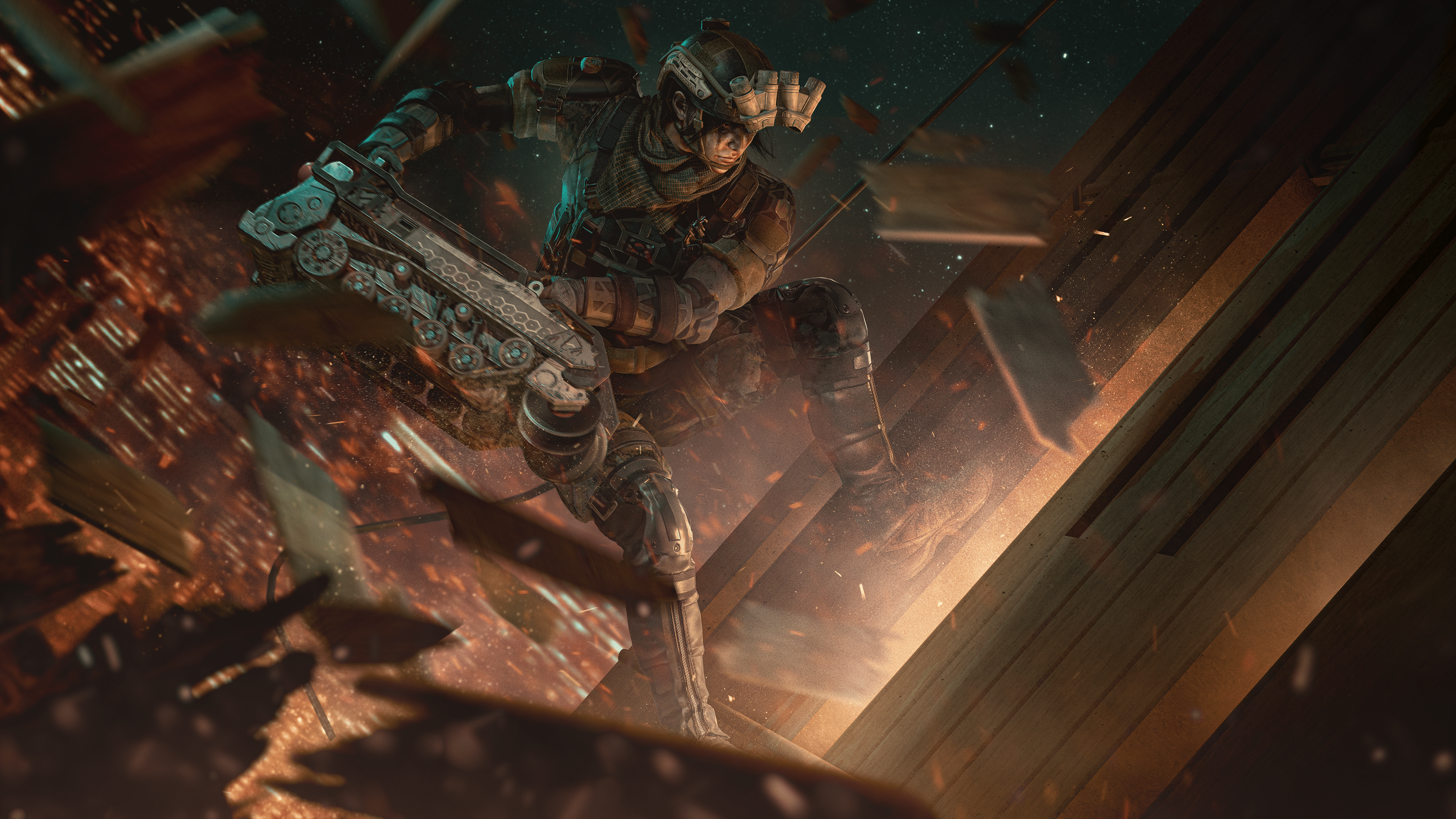
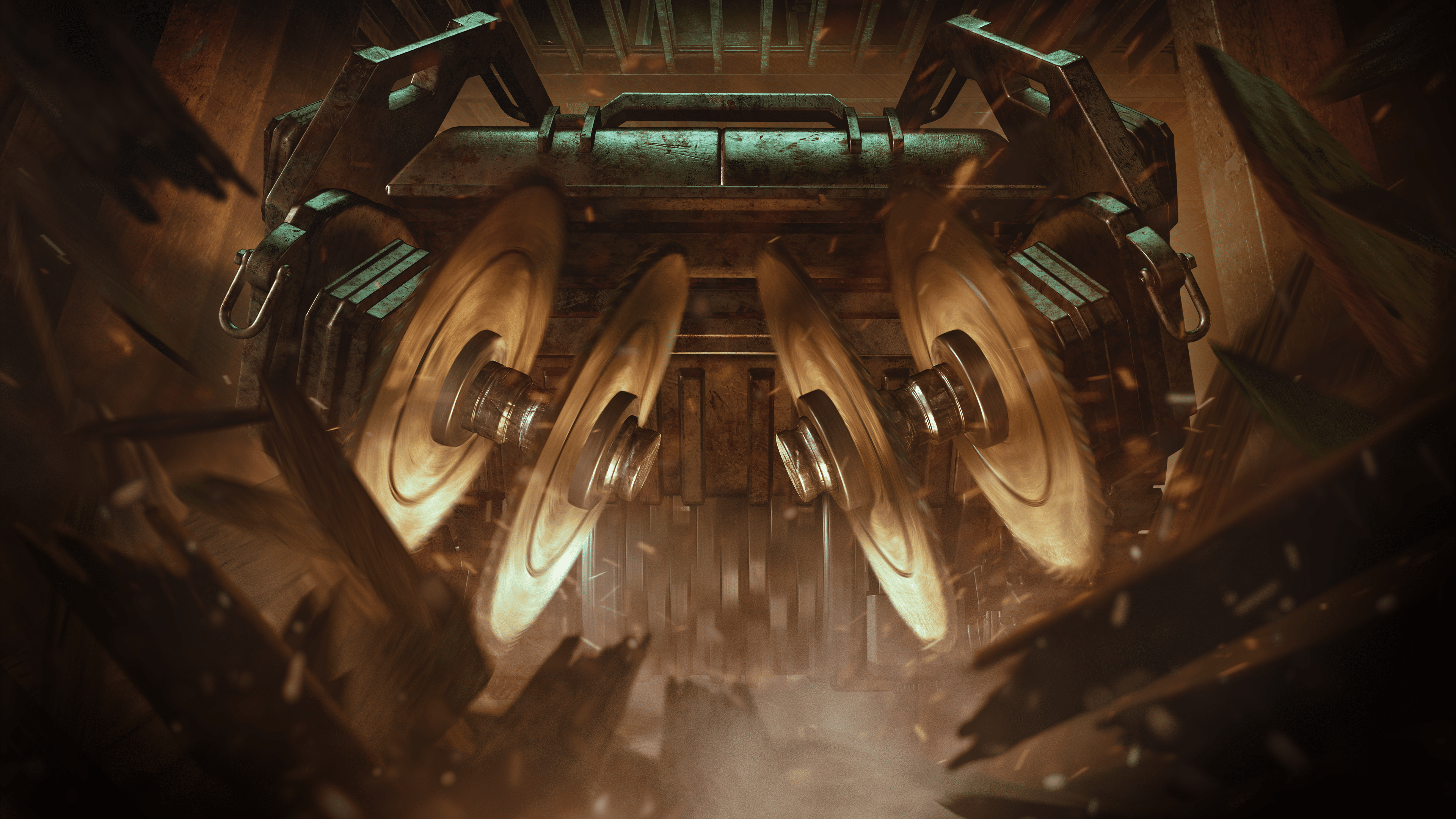
Ubisoft has released (Rainbow Six) R6 Siege update 1.000.061 on all platforms for Y8S3! This brings a new Operator in Ram, gameplay changes and more. Read on for everything new in the R6 Siege August 29 patch notes.

R6 Siege Update 1.000.061 Patch Notes | R6 Siege Y8S3 Patch Notes:

Update: Full patch notes have been added.

Y8S3 Patch SizeFind the download sizes for each platform below.

    • Ubisoft Connect: 6.11 GB
    • Steam: 5.5 GB
    • Xbox One: 5.85 GB
    • Xbox Series X: 6.76 GB
    • PlayStation 4: 5.45 GB
    • PlayStation 5: 5.85 GB

BALANCING

SHOTGUN

  • Further tweaks on the ITA12L, Buck’s Skeleton key, SG-CQB and the M870 to bring them in line with the rest of the rework.

BUG FIXES

GAMEPLAY

FIXED – Adaptive Trigger effect for PS5 controllers is missing after changing Operators in Team Deathmatch or Free For All.
FIXED – Players can’t finish the Attack tutorial if they eliminate a dummy before the “Eliminate Opponents” objective is active.
FIXED – Players can glitch through walls by exploiting an interaction with Exit Rappel and Breach Charges.
FIXED – Zero’s Argus cameras hacked by Defenders retain a viewable camera feed when they lose their signal outdoors.
FIXED – Starting the Basics tutorial for the first time will show an ammo counter instead of the infinity symbol.
FIXED – Player’s drone can pass through assets and block the completion of the Basics tutorial.
FIXED – The being shot VFX in 1st person last longer while aiming down sight.
FIXED – Bullet spread randomization is missing when hip firing the weapon.
FIXED – The defusing location for the Attack tutorial is too small and close to the bomb.
FIXED – FPS drops when players spin around quickly in B Laundry Room of the Oregon map.
FIXED – The wall button on the interactive panel isn’t highlighted when the destructible wall is active in the Shooting Range.
FIXED – Brava doesn’t get scoring points when using Jager’s Active Defense System or Wamai’s MAG-NET System that’s been hacked by a Kludge Drone.
FIXED – Scoring doesn’t count the 4th device deployed by Amaru, Gridlock or Castle.
FIXED – Weapon SFX loops when players shoot and fast exit rappel at the same time.
FIXED – Players skip reload animation during pick up or weapon swap animation.

LEVEL DESIGN

FIXED – A stud is visible in 2F Attic of the Oregon map.
FIXED – A stud is visible in 1F Security Corridor of the Oregon map.
FIXED – LOD issue is present in the hallway between 1F Hatch Room and 1F Melee Training of the Basics tutorial.
FIXED – Cliffside spawn point is missing from the Chalet map.
FIXED – A stud is visible in 2F Back Stairs of the Villa map.
FIXED – The Operator gets stuck after navigating across the crates in the Basics tutorial.
FIXED – Defenders are detected as outside at multiple locations on various maps.
FIXED – Texture flickers on carpet in 1F Open Area of the Consulate map.
FIXED – Laser attachment is visible through the wall when the Operator is facing it while prone.
FIXED – Metals crates are see-through to Operators in the 2F Server Room of the the Kanal map.
FIXED – Operator gets stuck when jumping onto a balcony at EXT Back Alley on Favela map.
FIXED – Operators can’t retrieve the defuser if it’s dropped while entering or exiting rappel in specific spots on various maps.
FIXED – Various defuser planting and pickup issues.
FIXED – Various collision, asset, and texture issues on maps.

OPERATORS

FIXED – Placing Ram’s BU-GI below a window can allow players to instantly exit rappel.
FIXED – Ram’s BU-GI slides through the air when thrown against uneven surfaces.
FIXED – Solis can’t detect Ram’s BU-GI when it is held in her hands.
FIXED – Ram’s BU-GI loses functionality after being dropped while Ram is holding it.
FIXED – Ram’s BU-GI gets stuck in multiple walls and assets on various map.
FIXED – Ram’s BU-GI is unable to completely destroy the walls located in 1F Joint Corridor of the Theme Park map.
FIXED – When Ram holds the first BU-GI and attempts to change its trajectory, the HUD trajectory icon doesn’t update.
FIXED – Ram’s BU-GI is unable to completely destroy the wall located in between 1F Lounge and 1F Garage of Clubhouse map.
FIXED – Ram’s BU-GI is unable to break the wooden walls located in 2F Ceramic Gallery of the Country Club map.
FIXED – Ram’s BU-GI gets stuck in the wall located in 2F Day Care of the Theme Park map.
FIXED – Castle’s Armor Panels aren’t destroyed by Ram’s BU-GI.
FIXED – When Ram eliminates a player with the BU-GI, the kill cam zooms on the BU-GI at random intervals.
FIXED – Scoring points aren’t awarded when Operators destroy Goyo’s Volcan Canister by destroying a barricade it’s placed on.
FIXED – Fenrir’s F-NATT Dread Mine clips through the floor, making it harder to spot.
FIXED – Grim’s Kawan Hive Launcher doesn’t ping opponents inside the swarm until affected by the decay debuff.
FIXED – Hibana’s X-Kairos pellets go through the cubicles in the 2F Admin Office of the Consulate map.
FIXED – Frost’s Welcome Mat doesn’t deploy properly when dropped on top of the defuser.
FIXED – A Bulletproof Camera affected by a hacked Signal Disruptor shows glitched VFX even after the Signal Disruptor is destroyed.
FIXED – Brava’s Kludge Drone looks higher and lower than intended.
FIXED – Ping doesn’t display the right color when used on Goyo’s Vulcan Canister.
FIXED – Echo’s Yokai Drone doesn’t move properly when exiting the Observation Tools mid-jump and then re-entering.
FIXED – Brava’s Kludge Drone loses signal when moved outside after re-hacking it from Mozzie’s Pest.
FIXED – Missing VFX feedback when spectating Nokk when HEL Presence Reduction is active.
FIXED – Fenrir’s F-NATT Dread Mine location displays as a placeholder when deployed outside of EXT Terrace of the Kafe Dostoyevsky map.
FIXED – Drones don’t recover from a lost signal status when reclaimed from Mozzie’s Pest using Brava’s Kludge Drone.
FIXED – Sledge’s Breaching Hammer can’t destroy Iana’s Gemini Replicator.
FIXED – Valkyrie’s Black Eyes are turned off when hacked outside by Brava’s Kludge Drone.
FIXED – Osa’s Talon-8 shield can’t be guard broken if Opponent is prone or crouched while Osa is standing while holding the Talon-8 Shield.
FIXED – Grim’s Kawan Hive Launcher ammo counter always shows 0 during replay.
FIXED – Grim’s Kawan Hive Launcher doesn’t accurately ping the opponent’s location if they’re scanned by a drone.
FIXED – Grim’s Kawan Hive Launcher still pings Opponents if Grim is eliminated while deploying a canister.
FIXED – Brava’s Kludge Drone doesn’t display HUD feedback when aiming at devices through certain assets.
FIXED – Sen’s R.O.U. Projector System doesn’t destroy projectors if deployed more than once.
FIXED – Operator video missing for Smoke.
FIXED – Various animation issues.

USER EXPERIENCE
FIXED – Can’t navigate to the main menu sections by pressing the up arrow or up on the D-pad of a controller while viewing an item in full screen.
FIXED – EXT Construction Site name is missing from the tile when selecting the spawn location on the Oregon map.
FIXED – Ram’s default uniform has some visual issues.
FIXED – The main room of the elimination trial for the Basics tutorial displays the wrong compass location.
FIXED – The area before entering 1F Hatch Room in the Basics tutorial displays the wrong compass location.
FIXED – The compass location is missing when the Compass Appearance option is set to Simplified.
FIXED – Chat input functionality is lost and the cursor disappears if the user types in chat or has the player side-panel open when the Planning Phase transitions to the Preparation Phase.
FIXED – Pronounced shadows are present on Operators when viewed from the Operators section.
FIXED – Dread Factor is displayed as the season name on Ram’s showcase in the Operator section.
FIXED – The animation in the Home section flickers before resetting.
FIXED – Players under level 5 can’t reconnect to a custom online match.
FIXED – Player commendations appear unresponsive when attempting to commend a player a second time.
FIXED – Multiple actions can’t be bound to the same button in Customize Controls menu.
FIXED – Crosshair disappears when trying to aim down sight multiple times after getting eliminated.
FIXED – Custom games can’t be created using non-Latin characters in the playlist name.
FIXED – The unread notification from Challenges doesn’t refresh after exiting and re-entering the Challenges section.
FIXED – Various spectator mode issues.
FIXED – Various UI issues.
FIXED – Various customization issues.
AUDIO
FIXED – SFX loop when players are eliminated while downed.

Unfortunately, Ubisoft hasn’t released the patch notes yet. Thankfully, we have the exact list of new content incoming, as well as the changes being made via the test server patch notes.

Rainbow Six Siege Y8S3 New Operator – Ram 

“Ram is part of an all-female unit of the South Korean Special Forces, and it’s complicated to integrate into that unit. As we researched and learned more about this unit, we all agreed that this character should look absolutely badass. Ram’s Gadget is more mechanical than high-tech. So it was a natural choice for us to make the design more gritty and grounded. Her night vision, camouflage, combat shirts, and pants are all general aesthetics that we’ve borrowed from the South Korean military.

And then, we went through a redesigning process to make this character memorable and unique. Ram is part of the Redhammer Squad, so the capacity of the destruction of this device needed to be unlimited.”

An excellent verticle operator with big destructive gadgets makes Ram one force not to be reckoned with.

Ram’s Primary Gadget – Bu-Gi Auto Breacher

Described to be the game’s biggest throwable gadget, the Bu-Gi Auto Breacher is self-propelled mobile machinery equipped with heavy-duty saws in both the front and the bottom. It’s capable of shredding floors and smashing through walls, as well asik being thrown from any position, such as around a corner and while repelling. It can smash through barricades while being thrown, though Castl’s armor panel can withstand the impact.

Once thrown, Ram has the ability to activate it remotely from anywhere on the map. The trajectory of the Bu-Gi Auto Breacher can be changed before activation, allowing it to go either in a straight path or a curve left or right, allowing it to go around corners without having to expose yourself.

Though the Bu-Gi Auto Breacher is mostly bulletproof, C4 and impact grenades will destroy it immediately. On its rear, there is a large red canister that can also be shot at to destroy the Bu-Gi Auto Breacher.

Further counter-measures include jamming from a mute jammer. The Bu-Gi Auto Breacher is a mechanical device, but during deployment, it is considered an electronic gadget, allowing it to be jammed. Solis can also detect the gadget.

Secondary Gadgets

  • Flash Grenade
  • Hard Breach Charge

Ram’s Primary and Secondary Weapons

Primary Weapons

  • R4C – Great for aggressive pushes and quick engagement. Ram is being given additional high-powered scope to help with range engagements.
  • LMG-E – The weapon is designed for players who prefer the suppressive fire approach.

Secondary Weapons

  • ITA 12S shotgun – For players who want to double down on the destruction aspect of Ram’s abilities, you’ll find the TA 12S shotgun to be the perfect secondary weapon.
  • MK19mm

Rainbow Six Siege Y8S3 Commendation and Player Protection Update

A new commendation system is being introduced this season, allowing the team to showcase the positive aspects of Rainbow Six Siege. At the end of each match, players can commend two teammates in three different categories. These categories include a player’s dedication to being an engaging teammate, their guidance, which is their helpfulness, and finally, their valor, which is their positivity during the match.

You’ll also be able to commend an enemy player for their worthiness as an opponent. Engaging in the commendation system will reward players with Alpha packs.

The Siege team also adds a reputation page that shows key negative reactions and behavior that can impact a player’s reputation. This page breaks down several of those behaviors.

Update: Full patch notes have been added.

Source: Steam

Avatar photo

Alex Co

Father, gamer, games media vet, writer of words, killer of noobs.

Home > News

Rainbow Six Siege Update 2.57 for August 29 Drops Year 8 Season 3 (Updat)

Rainbow Six Siege update 2.57 is now out on all platforms, and this is for the big Year 8 Season 3 “Heavy Mettle” content drop, which introduces a new Operator in Ram and more. Read on for the complete Rainbow Six Siege patch notes for August 29.

Rainbow Six Siege Update 2.57 Patch Notes | Rainbow Six Siege Year 8 Season 3 Patch Notes | Rainbow Six Siege Patch Notes for August 29:

Update: Full patch notes have been added.

Y8S3 Patch SizeFind the download sizes for each platform below.

    • Ubisoft Connect: 6.11 GB
    • Steam: 5.5 GB
    • Xbox One: 5.85 GB
    • Xbox Series X: 6.76 GB
    • PlayStation 4: 5.45 GB
    • PlayStation 5: 5.85 GB

BALANCING

SHOTGUN

  • Further tweaks on the ITA12L, Buck’s Skeleton key, SG-CQB and the M870 to bring them in line with the rest of the rework.

BUG FIXES

GAMEPLAY

FIXED – Adaptive Trigger effect for PS5 controllers is missing after changing Operators in Team Deathmatch or Free For All.
FIXED – Players can’t finish the Attack tutorial if they eliminate a dummy before the “Eliminate Opponents” objective is active.
FIXED – Players can glitch through walls by exploiting an interaction with Exit Rappel and Breach Charges.
FIXED – Zero’s Argus cameras hacked by Defenders retain a viewable camera feed when they lose their signal outdoors.
FIXED – Starting the Basics tutorial for the first time will show an ammo counter instead of the infinity symbol.
FIXED – Player’s drone can pass through assets and block the completion of the Basics tutorial.
FIXED – The being shot VFX in 1st person last longer while aiming down sight.
FIXED – Bullet spread randomization is missing when hip firing the weapon.
FIXED – The defusing location for the Attack tutorial is too small and close to the bomb.
FIXED – FPS drops when players spin around quickly in B Laundry Room of the Oregon map.
FIXED – The wall button on the interactive panel isn’t highlighted when the destructible wall is active in the Shooting Range.
FIXED – Brava doesn’t get scoring points when using Jager’s Active Defense System or Wamai’s MAG-NET System that’s been hacked by a Kludge Drone.
FIXED – Scoring doesn’t count the 4th device deployed by Amaru, Gridlock or Castle.
FIXED – Weapon SFX loops when players shoot and fast exit rappel at the same time.
FIXED – Players skip reload animation during pick up or weapon swap animation.

LEVEL DESIGN

FIXED – A stud is visible in 2F Attic of the Oregon map.
FIXED – A stud is visible in 1F Security Corridor of the Oregon map.
FIXED – LOD issue is present in the hallway between 1F Hatch Room and 1F Melee Training of the Basics tutorial.
FIXED – Cliffside spawn point is missing from the Chalet map.
FIXED – A stud is visible in 2F Back Stairs of the Villa map.
FIXED – The Operator gets stuck after navigating across the crates in the Basics tutorial.
FIXED – Defenders are detected as outside at multiple locations on various maps.
FIXED – Texture flickers on carpet in 1F Open Area of the Consulate map.
FIXED – Laser attachment is visible through the wall when the Operator is facing it while prone.
FIXED – Metals crates are see-through to Operators in the 2F Server Room of the the Kanal map.
FIXED – Operator gets stuck when jumping onto a balcony at EXT Back Alley on Favela map.
FIXED – Operators can’t retrieve the defuser if it’s dropped while entering or exiting rappel in specific spots on various maps.
FIXED – Various defuser planting and pickup issues.
FIXED – Various collision, asset, and texture issues on maps.

OPERATORS

FIXED – Placing Ram’s BU-GI below a window can allow players to instantly exit rappel.
FIXED – Ram’s BU-GI slides through the air when thrown against uneven surfaces.
FIXED – Solis can’t detect Ram’s BU-GI when it is held in her hands.
FIXED – Ram’s BU-GI loses functionality after being dropped while Ram is holding it.
FIXED – Ram’s BU-GI gets stuck in multiple walls and assets on various map.
FIXED – Ram’s BU-GI is unable to completely destroy the walls located in 1F Joint Corridor of the Theme Park map.
FIXED – When Ram holds the first BU-GI and attempts to change its trajectory, the HUD trajectory icon doesn’t update.
FIXED – Ram’s BU-GI is unable to completely destroy the wall located in between 1F Lounge and 1F Garage of Clubhouse map.
FIXED – Ram’s BU-GI is unable to break the wooden walls located in 2F Ceramic Gallery of the Country Club map.
FIXED – Ram’s BU-GI gets stuck in the wall located in 2F Day Care of the Theme Park map.
FIXED – Castle’s Armor Panels aren’t destroyed by Ram’s BU-GI.
FIXED – When Ram eliminates a player with the BU-GI, the kill cam zooms on the BU-GI at random intervals.
FIXED – Scoring points aren’t awarded when Operators destroy Goyo’s Volcan Canister by destroying a barricade it’s placed on.
FIXED – Fenrir’s F-NATT Dread Mine clips through the floor, making it harder to spot.
FIXED – Grim’s Kawan Hive Launcher doesn’t ping opponents inside the swarm until affected by the decay debuff.
FIXED – Hibana’s X-Kairos pellets go through the cubicles in the 2F Admin Office of the Consulate map.
FIXED – Frost’s Welcome Mat doesn’t deploy properly when dropped on top of the defuser.
FIXED – A Bulletproof Camera affected by a hacked Signal Disruptor shows glitched VFX even after the Signal Disruptor is destroyed.
FIXED – Brava’s Kludge Drone looks higher and lower than intended.
FIXED – Ping doesn’t display the right color when used on Goyo’s Vulcan Canister.
FIXED – Echo’s Yokai Drone doesn’t move properly when exiting the Observation Tools mid-jump and then re-entering.
FIXED – Brava’s Kludge Drone loses signal when moved outside after re-hacking it from Mozzie’s Pest.
FIXED – Missing VFX feedback when spectating Nokk when HEL Presence Reduction is active.
FIXED – Fenrir’s F-NATT Dread Mine location displays as a placeholder when deployed outside of EXT Terrace of the Kafe Dostoyevsky map.
FIXED – Drones don’t recover from a lost signal status when reclaimed from Mozzie’s Pest using Brava’s Kludge Drone.
FIXED – Sledge’s Breaching Hammer can’t destroy Iana’s Gemini Replicator.
FIXED – Valkyrie’s Black Eyes are turned off when hacked outside by Brava’s Kludge Drone.
FIXED – Osa’s Talon-8 shield can’t be guard broken if Opponent is prone or crouched while Osa is standing while holding the Talon-8 Shield.
FIXED – Grim’s Kawan Hive Launcher ammo counter always shows 0 during replay.
FIXED – Grim’s Kawan Hive Launcher doesn’t accurately ping the opponent’s location if they’re scanned by a drone.
FIXED – Grim’s Kawan Hive Launcher still pings Opponents if Grim is eliminated while deploying a canister.
FIXED – Brava’s Kludge Drone doesn’t display HUD feedback when aiming at devices through certain assets.
FIXED – Sen’s R.O.U. Projector System doesn’t destroy projectors if deployed more than once.
FIXED – Operator video missing for Smoke.
FIXED – Various animation issues.

USER EXPERIENCE
FIXED – Can’t navigate to the main menu sections by pressing the up arrow or up on the D-pad of a controller while viewing an item in full screen.
FIXED – EXT Construction Site name is missing from the tile when selecting the spawn location on the Oregon map.
FIXED – Ram’s default uniform has some visual issues.
FIXED – The main room of the elimination trial for the Basics tutorial displays the wrong compass location.
FIXED – The area before entering 1F Hatch Room in the Basics tutorial displays the wrong compass location.
FIXED – The compass location is missing when the Compass Appearance option is set to Simplified.
FIXED – Chat input functionality is lost and the cursor disappears if the user types in chat or has the player side-panel open when the Planning Phase transitions to the Preparation Phase.
FIXED – Pronounced shadows are present on Operators when viewed from the Operators section.
FIXED – Dread Factor is displayed as the season name on Ram’s showcase in the Operator section.
FIXED – The animation in the Home section flickers before resetting.
FIXED – Players under level 5 can’t reconnect to a custom online match.
FIXED – Player commendations appear unresponsive when attempting to commend a player a second time.
FIXED – Multiple actions can’t be bound to the same button in Customize Controls menu.
FIXED – Crosshair disappears when trying to aim down sight multiple times after getting eliminated.
FIXED – Custom games can’t be created using non-Latin characters in the playlist name.
FIXED – The unread notification from Challenges doesn’t refresh after exiting and re-entering the Challenges section.
FIXED – Various spectator mode issues.
FIXED – Various UI issues.
FIXED – Various customization issues.
AUDIO
FIXED – SFX loop when players are eliminated while downed.

Unfortunately, Ubisoft hasn’t released the patch notes yet. Thankfully, we have the exact list of new content incoming, as well as the changes being made via the test server patch notes.

Rainbow Six Siege Y8S3 New Operator – Ram 

“Ram is part of an all-female unit of the South Korean Special Forces, and it’s complicated to integrate into that unit. As we researched and learned more about this unit, we all agreed that this character should look absolutely badass. Ram’s Gadget is more mechanical than high-tech. So it was a natural choice for us to make the design more gritty and grounded. Her night vision, camouflage, combat shirts, and pants are all general aesthetics that we’ve borrowed from the South Korean military.

And then, we went through a redesigning process to make this character memorable and unique. Ram is part of the Redhammer Squad, so the capacity of the destruction of this device needed to be unlimited.”

An excellent verticle operator with big destructive gadgets makes Ram one force not to be reckoned with.

Ram’s Primary Gadget – Bu-Gi Auto Breacher

Described to be the game’s biggest throwable gadget, the Bu-Gi Auto Breacher is self-propelled mobile machinery equipped with heavy-duty saws in both the front and the bottom. It’s capable of shredding floors and smashing through walls, as well asik being thrown from any position, such as around a corner and while repelling. It can smash through barricades while being thrown, though Castl’s armor panel can withstand the impact.

Once thrown, Ram has the ability to activate it remotely from anywhere on the map. The trajectory of the Bu-Gi Auto Breacher can be changed before activation, allowing it to go either in a straight path or a curve left or right, allowing it to go around corners without having to expose yourself.

Though the Bu-Gi Auto Breacher is mostly bulletproof, C4 and impact grenades will destroy it immediately. On its rear, there is a large red canister that can also be shot at to destroy the Bu-Gi Auto Breacher.

Further counter-measures include jamming from a mute jammer. The Bu-Gi Auto Breacher is a mechanical device, but during deployment, it is considered an electronic gadget, allowing it to be jammed. Solis can also detect the gadget.

Secondary Gadgets

  • Flash Grenade
  • Hard Breach Charge

Ram’s Primary and Secondary Weapons

Primary Weapons

  • R4C – Great for aggressive pushes and quick engagement. Ram is being given additional high-powered scope to help with range engagements.
  • LMG-E – The weapon is designed for players who prefer the suppressive fire approach.

Secondary Weapons

  • ITA 12S shotgun – For players who want to double down on the destruction aspect of Ram’s abilities, you’ll find the TA 12S shotgun to be the perfect secondary weapon.
  • MK19mm

Rainbow Six Siege Y8S3 Commendation and Player Protection Update

A new commendation system is being introduced this season, allowing the team to showcase the positive aspects of Rainbow Six Siege. At the end of each match, players can commend two teammates in three different categories. These categories include a player’s dedication to being an engaging teammate, their guidance, which is their helpfulness, and finally, their valor, which is their positivity during the match.

You’ll also be able to commend an enemy player for their worthiness as an opponent. Engaging in the commendation system will reward players with Alpha packs.

The Siege team also adds a reputation page that shows key negative reactions and behavior that can impact a player’s reputation. This page breaks down several of those behaviors.

Update: Full patch notes have been added.

Source: Steam

Avatar photo

Alex Co

Father, gamer, games media vet, writer of words, killer of noobs.

Home > News

Mortal Kombat 1 Live-Action Trailer Stars David Bautista

NetherRealm Studios and Warner Bros. have released a Mortal Kombat 1 live-action trailer, and it features actor and former wrestler David Bautista (Guardians of the Galaxy).

Titled “It’s In Our Blood,” the trailer shows Bautista and other people seemingly showing their powers after saying “Mortal Kombat!” It’s a cool bit of advertising even if there’s little gameplay included.

As for actual news related to the game itself, NetherRealm showcased Sindel and confirmed new fighters and kameo fighters at gamescom. DLC for the game is also confirmed, with the first pack headlined by The Boys character Homelander.

Mortal Kombat 1 punches out this September 19 on PS5, Xbox Series X|S, PC, and Nintendo Switch.
Avatar photo

Alex Co

Father, gamer, games media vet, writer of words, killer of noobs.

Home > News

DayZ Update 1.55 for August 29 Released for Version 1.22, Full Patch Notes Listed

Bohemia Interactive has released DayZ update 1.55 on all platforms this August 29, and this is for the big 1.22 patch! This adds new low tier bags, a major rebalance pass of the existing backpacks and more! Read on for the complete DayZ update 1.22 patch notes below.

DayZ Update 1.55 Patch Notes | DayZ Update 1.22 Patch Notes:

Console 1.22 Update 1 – Version 1.22.156593 (Released on 29.08.2023)

NOTES

GAME

ADDED

  • Sling Bag
  • Army Pouch
  • Canvas Bag
  • Leather Duffel Bag
  • Hip Pack
  • Craftable Drysack Bag
  • New animation and sound for activating the heat pack
  • White variant of the fingerless wool gloves
  • DLC section in the main menu

FIXED

  • Fixed a game crash related to the login process
  • The regular logout timer and the one prompted when accepting a server invitation were not consistent
  • Some button prompts were not present in the inventory after dropping an item
  • Option to put item in hands back into inventory was not displayed in inventory hints
  • HUD brightness settings were not connected to the account
  • Fixed a server crash related to vehicle deletion
  • Car horns were not played when started outside of other players’ network bubble
  • Fixed a cause of the character and creatures movement giving the perception of micro-stutters at inconsistent but reliably high frame rate
  • Fixed an exploit to stand up from prone faster
  • Throwing an item into rivers/ponds/lakes would not produce a splash sound in deep water
  • Throwing an item into water would incorrectly play the sound at the bed of the water
  • The character was unable to enter some building entrances that were slightly above ground level
  • Players dying under water would not float up to the surface
  • Fixed a case of door animation desynchronization related to navmesh updates
  • The character name in the server browser was not displayed correctly in all cases
  • Fixed an exploit related to poison gas zone triggers (https://feedback.bistudio.com/T172418 – private)
  • When attempting to turn the car on with low fuel, the engine state between server and client would desynchronize
  • Actions that would hide items in hands would display the item to other players if they entered the network bubble after the action was started
  • AI were unable to enter the Livonia bunker
  • AI would not register open doors of the service hangar
  • It was not possible to detach the battery from a head torch looted from infected
  • Flares shot from the flare gun would produce a continuous sound when stuck in objects (https://feedback.bistudio.com/T172688)
  • The clerk infected looked too dark
  • Road flares would continue to burn for up to a minute even after reaching ruined state
  • Some weapon attachments were not registering hit impacts
  • Mining rocks with smaller tools did not play sounds
  • Destroyed fuel pumps would still yield gasoline
  • Washing hands with a water bottle did not have sounds
  • Certain can opening actions did not have sounds
  • Interrupting the washing hands action could result in a character glitch
  • Fixed several exploits to look through walls (https://feedback.bistudio.com/T157876 – private, https://feedback.bistudio.com/T165940 – private, https://feedback.bistudio.com/T169841, https://feedback.bistudio.com/T171015, https://feedback.bistudio.com/T171773 – private)
  • Several clothing items were missing their hitboxes
  • Camera was glitching when attempting to switch to prone in deep water
  • Bolts could get stuck in water
  • Crossbow bolts did not reflect their damage states correctly
  • It was not possible to shave while wearing the carnival mask
  • After removing a burlap sack from a player’s head, their hair could clip with their head gear
  • The red dot of the RVN Optic was not aligned with the center of the screen (https://feedback.bistudio.com/T171772)
  • If a dead body was skinned and quartered, bolts stuck in it would disappear
  • Attempting to treat another player’s wounds could result in false prompts to bandage yourself
  • Fixed several instances of items being held badly by the player
  • Fixed several instances of clothing items clipping
  • Fixed several building issues and exploits (https://feedback.bistudio.com/T170849, https://feedback.bistudio.com/T169681)
  • Item widget would stay on the screen for the duration of hold actions (https://feedback.bistudio.com/T143492)
  • While driving, the user would constantly get the item widget of the car prompted
  • Medieval helmets had inconsistent impact sounds when thrown
  • The crossbow did not have sounds when used in prone
  • The crossbow did not have sounds when dry shooting indoors
  • The reload sound of the crossbow was more quiet while moving
  • The thirst indication sound could overlap with the fever sound
  • The thirst sound was not being played while wearing a gas mask or helmet
  • Prison doors played the wrong sounds (https://feedback.bistudio.com/T162517)
  • Audio of certain doors was desynchronized (https://feedback.bistudio.com/T170418)
  • The respawn timer was skipped as soon as the game was loaded (https://feedback.bistudio.com/T159902)
  • The reticle of the ATOG 6×48 optic was blurry on low graphics settings (https://feedback.bistudio.com/T171572)
  • Widgets connected to dead bodies were not static on the screen (https://feedback.bistudio.com/T172420)
  • An unconscious player could temporarily go into falling state and see their surroundings
  • Jumping while applying a gag bugs the rag
  • It was possible to access the inventory while blindfolded after waking up from unconsciousness
  • Deployed fence kits could block ladder exits (https://feedback.bistudio.com/T173115 – private)
  • The audio effect of the flash grenade would persist after respawn if the player was killed during it (https://feedback.bistudio.com/T172824 – private)
  • Certain car wreck doors wouldn’t open in all cases (https://feedback.bistudio.com/T172885)
  • Despawned fireplaces could still cause damage to players at their position
  • It was possible to collapse the hand slot container in the inventory (https://feedback.bistudio.com/T170500)
  • Fixed an exploit that allowed auto-rolling
  • Ambient sounds were missing after relogging while alt-tabbing in the Livonia underground
  • It was possible to warm up pills and split them
  • It was possible to bypass travel/server hop spawns by logging off on a ladder (https://feedback.bistudio.com/T173612 – private)
  • The player could cancel the stagger animation from a heavy hit by jumping (https://feedback.bistudio.com/T173573 – private)
  • Fixed certain exploits to look through walls (https://feedback.bistudio.com/T172611 – private)
  • It was possible to throw two-handed weapons through walls if standing too close to them
  • The flare gun was reflecting wrongly in the UI that it was loaded with an empty shell after firing
  • Holding shift while moving in throwing stance would consume stamina
  • Gun shot tail sounds were not present when using a suppressor
  • Some ambient sounds were missing in the amusement parks (https://feedback.bistudio.com/T169241)
  • It was possible to skip the staggering animation triggered by a heavy attack (https://feedback.bistudio.com/T173573 – private)
  • Unconscious players did not receive falling damage
  • When joining the game without a microphone plugged in, it was not possible hear other players’ voice chat
  • Changing voice level would not function as intended if no microphone was enabled/connected
  • It was not possible to arm improvised explosives on the first attempt (https://feedback.bistudio.com/T166879)
  • Infected can spawn with head torches again

CHANGED

  • Mouse cursor in menus is now visible only when the mouse is connected and enabled in options
  • While moving an item in the inventory, the selected item remains highlighted as well
  • Balanced gear armor values against melee weapons
  • Balanced damage caused by melee weapons and infected
  • Blunt melee weapons now inflict significantly more shock damage than health damage
  • Sharp melee weapons now inflict significantly more health damage than shock damage
  • The chance of suffering bleeding now both depends on the weapon/infected type, as well as protective clothing
  • Certain low tier sharp weapons will no longer cause push-back even when using heavy attack.
  • Chance of suffering bleeding is now based on weapons and armor
  • Added collisions for the player with dead bodies large animals
  • Reduced the weight of gas canisters (https://feedback.bistudio.com/T171733)
  • Improved the fire geometry for several firearms
  • Improved the fire geometry of several weapon attachments
  • Improved sounds of explosives
  • Reduced the damage taken by belts from torso hits by 20 percent
  • Reduced surface noise when driving over specific surfaces (https://feedback.bistudio.com/T171153)
  • Item widgets are no longer visible when blinded by a flash grenade or burlap sack
  • Updated the game credits
  • The in-game server browser now displays exact player numbers
  • Removed the column for slots in the server browser
  • Made the reception space in hospitals accessible (https://feedback.bistudio.com/T172766)

CENTRAL ECONOMY

  • Added: Missing armbands for new flag variants
  • Fixed: Fixed misaligned spawnpoints for various buildings
  • Changed: Reduced the amount of backpacks spawning on infected
  • Changed: Reduced amount of backpacks spawning in the world
  • Changed: Rebalanced spawning locations of backpacks
  • Changed: Reduced amount of tools that work as high tier weapons and increased their low tier counterparts
  • Changed: Gasoline Canisters no longer spawn with full gasoline
  • Changed: Gas Canisters no longer spawn with full gas
  • Changed: Power generator no longer spawns with full fuel

CHERNARUS

LIVONIA

  • Fixed: A police event close to Brena was misplaced

SERVER

KNOWN ISSUES

  • Pressing the R-key after emptying a magazine can result in weapon desynchronization – a fix is undergoing internal testing

PC Stable 1.22 Update 1 – Version 1.22.156593 (Release on 29.08.2023)

NOTES

  • Consider using the Steam client option to verify the integrity of the local game cache to avoid corrupted data after downloading this update.
  • Consider de-fragmenting your HDD after downloading large updates.
  • In case of problems, please check the Bohemia Interactive support F.A.Q., DayZ F.A.Q., or BattlEye F.A.Q.
  • You can help us to further improve the game by posting your feedback on the Feedback Tracker.

GAME

ADDED

  • Sling Bag
  • Army Pouch
  • Canvas Bag
  • Leather Duffel Bag
  • Hip Pack
  • Craftable Drysack Bag
  • New animation and sound for activating the heat pack
  • White variant of the fingerless wool gloves
  • DLC section in the main menu

FIXED

  • Fixed a server crash related to vehicle deletion
  • Car horns were not played when started outside of other players’ network bubble
  • Fixed a cause of the character and creatures movement giving the perception of micro-stutters at inconsistent but reliably high frame rate
  • Fixed an exploit to stand up from prone faster
  • Throwing an item into rivers/ponds/lakes would not produce a splash sound in deep water
  • Throwing an item into water would incorrectly play the sound at the bed of the water
  • The character was unable to enter some building entrances that were slightly above ground level
  • Players dying under water would not float up to the surface
  • Fixed a case of door animation desynchronization related to navmesh updates
  • The character name in the server browser was not displayed correctly in all cases
  • Fixed an exploit related to poison gas zone triggers (https://feedback.bistudio.com/T172418 – private)
  • When attempting to turn the car on with low fuel, the engine state between server and client would desynchronize
  • Actions that would hide items in hands would display the item to other players if they entered the network bubble after the action was started
  • AI were unable to enter the Livonia bunker
  • AI would not register open doors of the service hangar
  • It was not possible to detach the battery from a head torch looted from infected
  • Flares shot from the flare gun would produce a continuous sound when stuck in objects (https://feedback.bistudio.com/T172688)
  • The clerk infected looked too dark
  • Road flares would continue to burn for up to a minute even after reaching ruined state
  • Some weapon attachments were not registering hit impacts
  • Mining rocks with smaller tools did not play sounds
  • Destroyed fuel pumps would still yield gasoline
  • Washing hands with a water bottle did not have sounds
  • Certain can opening actions did not have sounds
  • Interrupting the washing hands action could result in a character glitch
  • Fixed several exploits to look through walls (https://feedback.bistudio.com/T157876 – private, https://feedback.bistudio.com/T165940 – private, https://feedback.bistudio.com/T169841, https://feedback.bistudio.com/T171015, https://feedback.bistudio.com/T171773 – private)
  • Several clothing items were missing their hitboxes
  • Camera was glitching when attempting to switch to prone in deep water
  • Bolts could get stuck in water
  • Crossbow bolts did not reflect their damage states correctly
  • It was not possible to shave while wearing the carnival mask
  • After removing a burlap sack from a player’s head, their hair could clip with their head gear
  • The red dot of the RVN Optic was not aligned with the center of the screen (https://feedback.bistudio.com/T171772)
  • If a dead body was skinned and quartered, bolts stuck in it would disappear
  • Attempting to treat another player’s wounds could result in false prompts to bandage yourself
  • Fixed several instances of items being held badly by the player
  • Fixed several instances of clothing items clipping
  • Fixed several building issues and exploits (https://feedback.bistudio.com/T170849, https://feedback.bistudio.com/T169681)
  • Item widget would stay on the screen for the duration of hold actions (https://feedback.bistudio.com/T143492)
  • While driving, the user would constantly get the item widget of the car prompted
  • Medieval helmets had inconsistent impact sounds when thrown
  • The crossbow did not have sounds when used in prone
  • The crossbow did not have sounds when dry shooting indoors
  • The reload sound of the crossbow was more quiet while moving
  • The thirst indication sound could overlap with the fever sound
  • The thirst sound was not being played while wearing a gas mask or helmet
  • Prison doors played the wrong sounds (https://feedback.bistudio.com/T162517)
  • Audio of certain doors was desynchronized (https://feedback.bistudio.com/T170418)
  • The respawn timer was skipped as soon as the game was loaded (https://feedback.bistudio.com/T159902)
  • The reticle of the ATOG 6×48 optic was blurry on low graphics settings (https://feedback.bistudio.com/T171572)
  • Widgets connected to dead bodies were not static on the screen (https://feedback.bistudio.com/T172420)
  • An unconscious player could temporarily go into falling state and see their surroundings
  • Jumping while applying a gag bugs the rag
  • It was possible to access the inventory while blindfolded after waking up from unconsciousness
  • Deployed fence kits could block ladder exits (https://feedback.bistudio.com/T173115 – private)
  • The audio effect of the flash grenade would persist after respawn if the player was killed during it (https://feedback.bistudio.com/T172824 – private)
  • Certain car wreck doors wouldn’t open in all cases (https://feedback.bistudio.com/T172885)
  • Despawned fireplaces could still cause damage to players at their position
  • It was possible to collapse the hand slot container in the inventory (https://feedback.bistudio.com/T170500)
  • Fixed an exploit that allowed auto-rolling
  • Ambient sounds were missing after relogging while alt-tabbing in the Livonia underground
  • It was possible to warm up pills and split them
  • It was possible to bypass travel/server hop spawns by logging off on a ladder (https://feedback.bistudio.com/T173612 – private)
  • The player could cancel the stagger animation from a heavy hit by jumping (https://feedback.bistudio.com/T173573 – private)
  • The cursor could get stuck on the screen in certain cases (https://feedback.bistudio.com/T166474)
  • It was possible to throw two-handed weapons through walls if standing too close to them
  • Some ambient sounds were missing in the amusement parks (https://feedback.bistudio.com/T169241)
  • When joining the game without a microphone plugged in, it was not possible hear other players’ voice chat
  • When joining the game without a microphone plugged in, proximity chat messages were not received
  • Changing voice level would not function as intended if no microphone was enabled/connected
  • It was not possible to arm improvised explosives on the first attempt (https://feedback.bistudio.com/T166879)

CHANGED

  • Balanced gear armor values against melee weapons
  • Balanced damage caused by melee weapons and infected
  • Blunt melee weapons now inflict significantly more shock damage than health damage
  • Sharp melee weapons now inflict significantly more health damage than shock damage
  • The chance of suffering bleeding now both depends on the weapon/infected type, as well as protective clothing
  • Certain low tier sharp weapons will no longer cause push-back even when using heavy attack.
  • Chance of suffering bleeding is now based on weapons and armor
  • PBO data is now verified before entering the login queue (PC)
  • Added collisions for the player with dead bodies large animals
  • Reduced the weight of gas canisters (https://feedback.bistudio.com/T171733)
  • Improved the fire geometry for several firearms
  • Improved the fire geometry of several weapon attachments
  • Improved sounds of explosives
  • Reduced the damage taken by belts from torso hits by 20 percent
  • Reduced surface noise when driving over specific surfaces (https://feedback.bistudio.com/T171153)
  • Item widgets are no longer visible when blinded by a flash grenade or burlap sack
  • Updated the game credits
  • The in-game server browser now displays exact player numbers
  • Removed the column for slots in the server browser
  • Made the reception space in hospitals accessible (https://feedback.bistudio.com/T172766)
  • Infected can spawn with head torches again

CENTRAL ECONOMY

  • Added: Missing armbands for new flag variants
  • Fixed: Fixed misaligned spawnpoints for various buildings
  • Changed: Reduced the amount of backpacks spawning on infected
  • Changed: Reduced amount of backpacks spawning in the world
  • Changed: Rebalanced spawning locations of backpacks
  • Changed: Reduced amount of tools that work as high tier weapons and increased their low tier counterparts
  • Changed: Gasoline Canisters no longer spawn with full gasoline
  • Changed: Gas Canisters no longer spawn with full gas
  • Changed: Power generator no longer spawns with full fuel

CHERNARUS

LIVONIA

  • Fixed: A police event close to Brena was misplaced

SERVER

LAUNCHER

  • Added: server config for PC server now supports steamProtocolMaxDataSize, which enables larger packets, which can be used by servers with many mods to still show up in Launcher
  • Added: Users can now favorite a server from the Direct Connect window
  • Fixed: Launcher no longer displays a server as both offline and online in the FAVORITES tab (which would happen to certain steam accounts)
  • Fixed: Direct Connect window in Launcher was asking for “Server name or address” even though it only accepts the IP Address
  • Tweaked: All Launcher Server Browser tabs can now refresh simultaneously, and start refreshing upon Launcher startup
  • Tweaked: Server Browser tabs no longer refresh automatically, the user must trigger a refresh manually
  • Tweaked: Direct Connect window now opens Mod Management Window instead of attempting to directly connect
  • Tweaked: Removed Slots column from Server browser section. Players column now displays exact player number on a server, in color
  • Tweaked: Filter button in Launcher is now highlighted in red
  • Deprecated: Password field has been removed from the Direct Connect window
  • Deprecated: Completely removed the legacy PLAY SG button from the Launcher
  • Deprecated: Show Official Servers filter has been removed from the Launcher due to redundancy with the official tab

MODDING

  • Added: Invoker for trigger enter/leave events
  • Added: Invoker for entity EEKilled and EEHitBy events
  • Added: ‘DayZPhysics.GetHitSurfaceAndLiquid’ to get the liquid type of the hit surface
  • Added: Method ‘SoundObject.UpdateVariables(array<float>)’ to update the variables of a soundset while it is playing (https://feedback.bistudio.com/T161112)
  • Added: ‘SoundObjectBuilder.AddVariables(array<string>, array<float> = null)’
  • Added: Human::CheckFreeSpace exposed to scripts
  • Added: Accessor methods for the parent entity of a SoundObject
  • Added: Accessor methods for the speed of a SoundObject
  • Added: ‘AbstractWave.SetDoppler’ to enable or disable the doppler effect on sounds
  • Added: Script methods to get the current object texture/material
  • Added: ‘DayZPlayerImplement.IsAlreadyInFallingCommand’ to block falling command from starting
  • Added: ‘World.UpdatePathgraphDoorByAnimationName’ for updating states of doors on entities that aren’t a house
  • Added: ‘soundSpeedAppliesToHit’ for CfgAmmo to enable sound fall off on hit surfaces
  • Added: Basic config defines are now available in the built pbo as hpp file that can be included in any custom config
  • Added: Accessor for detecting if the player is teleported during login through ‘Hive.CharacterIsLoginPositionChanged’
  • Added: ‘ButtonWidget.GetText(out string)’ to get the set non-localized text
  • Added: ‘EntityAI.RegisterNetSyncVariableObject’ to synchronize an object by its network id
  • Added: ‘UUIDApi’ for generating and formatting a 128bit universally unique identifier (https://feedback.bistudio.com/T173290)
  • Added: RandomBool() func.
  • Added: Config parameter “collidesWithCharacterOnDeath” on DayZPlayer and DayZCreature to enable if either entity collides with the player when dead
  • Added: ‘ScriptCaller.Equals’ and ‘ScriptCaller.IsValid’ methods
  • Fixed: Human::CanChangeStance – parameter newStance has raised hands flag now
  • Fixed: Having code in the body of UIScriptedMenu.Cleanup would cause an infinite loop in script for UIScriptedMenu created and managed by script
  • Fixed: Triggers will now sync their shape over network
  • Fixed: Triggers will now automatically refresh themselves when setting a new shape
  • Fixed: Debug shapes could crash the game under certain conditions
  • Fixed: Window couldn’t be resized after the window was maximized while CLI ‘-resizeable’ was used
  • Fixed: ScriptCallQueue.GetRemainingTime and ScriptCallQueue.GetRemainingTimeByName returning values of removed funcs (https://feedback.bistudio.com/T173840)
  • Changed: A ‘CONTACT’ event is now fired for ‘InventoryItem’ when the origin of the entity is submerged in water
  • Changed: ‘Car.GetFluidFraction’ now returns the quantized amount with 8 bits of precision
  • Changed: ‘AbstractWave.SetPosition’ now contains 2nd default argument for setting the velocity
  • Changed: In-Game menu will appear on launch if the window isn’t focused (https://feedback.bistudio.com/T166474)
  • Changed: Player identity is now applied before player object loading
  • Changed: Moved ‘string.Get’ and ‘string.Set’ to native for slight performance improvement
  • Changed: RPT warning “‘/’ is not a value” has been changed to “Trying to access error value.” for more clarity
  • Deprecated: ‘SoundObjectBuilder.SetVariable’ in favor of the more appropriately named ‘SoundObjectBuilder.AddVariable’
  • Deprecated: ‘SoundObjectBuilder.UpdateEnvSoundControllers’ in favor of the more appropriately named ‘SoundObjectBuilder.AddEnvSoundVariables’

KNOWN ISSUES

  • Pressing the R-key after emptying a magazine can result in weapon desynchronization – a fix is undergoing internal testing

That’s about it. If a new update is released, we’ll be sure to tell our readers about it.

Source: DayZ Forums

Avatar photo

Alex Co

Father, gamer, games media vet, writer of words, killer of noobs.

Home > News

Destiny 2 Down for Server Maintenance This August 29, Expect Patch 7.2.0.2 to Be Rolled Out

For those seeing Destiny 2 down reports surface this August 29, it’s nothing to worry about, as it’s just planned maintenance by Bungie. During this downtime, expect patch 7.2.0.2 to be released on all platforms.

Destiny 2 Down for Server Maintenance Schedule and  Info for August 29:

Update: Bungie has released the patch for today, and here are the patch notes.

Tuesday, August 29, 2023
6:00 AM PDT -7 UTC
    • Destiny 2 will undergo maintenance.
    • Sign-on and game integration features will be unavailable on web, mobile, 3rd-party apps, and the Bungie Store.
    • Players who observe issues should report to the #Help forum.
7:15 AM PDT -7 UTC
    • Destiny 2 will be brought offline for expected maintenance.
    • Players will be removed from activities and won’t be able to log back in until 10 AM PDT.
    • Ongoing Destiny maintenance is expected to conclude at 12 PM PDT.
10:00 AM PDT -7 UTC
    • Update 7.2.0.2 will be available across all platforms and regions.
    • Players will be able to log back into Destiny 2.
    • Players logging into the game may be placed in a queue and may experience sign-on issues as background maintenance is still ongoing.
    • Clan features may remain offline until maintenance is complete.
12:00 PM PDT -7 UTC
    • Destiny 2 maintenance is expected to conclude.
    • Console players who encounter issues updating to 7.2.0.2 should restart their console and try downloading the Update.
    • Players who observe issues should report to the #Help forum.

Same as always, if anything changes for the schedule, we’ll let our readers know by updating the article. Once the patch is live, we’ll provide a proper link out to it.

Source: Bungie

Avatar photo

Alex Co

Father, gamer, games media vet, writer of words, killer of noobs.

Home > News

New Battlefield 2042 Weekly Missions, Store Bundles for Redux Week Listed (August 29)

A new set of weekly missions and store items has now arrived in Battlefield! Our Battlefield 2042 Redux Week weekly missions, store bundles, and Portal Modes post details the new missions, modes, and store items for this week below.

New Battlefield 2042 Weekly Missions, Store Bundles for Redux Week (August 29):

Weekly Missions:

Per the in-game notice, Weekly Missions will be “back soon.” We’ll update this post whenever they’re live.

Portal Modes:

  • 1942 Rendezvous
    • 1942, Conquest & Rush, 32v32
  • Community Spotlight – Gunfight Royale
    • Mancour & Dirteebreaks, All Eras, Custom, 12

New Store Bundles:

No new bundles, though Liquidators, Visceral, One Man Army, Leave No Trace, Morning Raid, Exodus Specialist Kit, and Recon Shortcut Kit have returned to the store.

That’s all for Redux Week. Check back next Tuesday for the weekly missions refresh post from MP1st!

More Battlefield Reading:

Avatar photo

Salman Haider Zaidi

That's a nice argument, Senator.

Home > News

No Man’s Sky Update 4.42 Out This Aug. 29 for More Echoes Fixes

Hello Games has released No Man’s Sky update 4.42 (PS5 version 4.042) today for all platforms. As expected, this patch comes with even more fixes for the Echoes update. Check out the No Man’s Sky August 29 patch notes posted down below.

No Man’s Sky Update 4.42 Patch Notes | No Man’s Sky Update 4.042 Patch Notes | No Man’s Sky Update August 29 Patch Notes:

Size: 4GB (PS5)

Bug fixes

    • Fixed an issue that incorrectly stopped the Autophage from awarding Void Motes if players had unlocked every piece of Autophage armour.
    • Fixed an issue that blocked most Autophage presets from appearing in the Appearance Modifier UI.
    • Fixed an issue that caused the Autophage heads earned during the Singularity expedition to incorrectly appear as locked in the Appearance Modifier UI.
    • Fixed an issue that could prevent the Autophage from navigating correctly around their camps.
    • Fixed a text issue with some hover tips in the Appearance Modifier UI.
    • Fixed an issue that caused some Autophage-related entries in the Catalogue to appear too early.
    • Fixed an issue that caused the custom staff assembly UI to be inaccessible at Harmonic Camps.
    • Improved the visuals when previewing custom-assembled staffs.
    • Fixed a number of visual issues with some custom-assembled staffs.
    • The preview image show when assembling a custom staff can now be rotated.
    • Fixed a number of visual issues with holding Multi-Tools.
    • Fixed a number of animation issues with the Voltaic Staff.
    • Fixed an issue with the position of the player torch when using a staff.
    • Fixed a number of networking issues when syncing elements of the Dreadnought battle in multiplayer.
    • Salvaged freighter technology upgrades earned by destroying the pirate Dreadnought are now always S-Class.
    • Fixed an issue that prevented the anti-freighter torpedo from playing the correct effect when it impacted on shield rather than the hull.
    • Fixed an issue that caused some player freighters to have changed appearance.
    • Fixed an issue that allowed players to destroy their own freighter.
    • Pirate frigates now have a teleporter aboard, allowing quick return to your freighter after boarding.
    • Fixed an issue that could cause errors in mission text at the moment torpedoes are launched at the civilian fleet in multiplayer Dreadnought battles.
    • During the first phase of the battle against a pirate capital ship, the Dreadnought will now more aggressively target smaller ships in the civilian fleet.
    • The destruction effects for the pirate Dreadnought have been improved.
    • Fixed an issue that could cause some players to lose the marker for the Portal during The Purge mission.
    • Fixed an issue that prevented access to the quick menu in the ship if swap build/quick menu was enabled.
    • Fixed a number of audio issues.
    • Fixed an issue that could prevent some camera shake effects from working correctly.
    • Fixed a number of issues that prevented Twitch drops from being successfully redeemed.
    • Fixed an issue that made it difficult to read the Analysis Visor data when using a staff in VR.
    • Fixed an issue that could trap players in a loop in the UI where pressing back would cycle between the same three pages.
    • Fixed a hang that could occur when players were targeted by security systems on derelict freighters.
    • Fixed a rare issue that could allow players to have their last ship weapon destroyed during combat.
  • Fixed a crash related to the mission system.
  • Fixed a crash that could occur when reloading the game shortly after the initial load.
  • Fixed a crash related to networking.
  • Fixed a hang on Xbox consoles.
  • Fixed a crash on PS5.
  • Fixed a crash related to frigates in multiplayer.
  • Fixed a UI crash.

Once a new patch is released, we’ll be sure to let our readers know.

Source: No Man’s Sky

Damien Seeto

╳