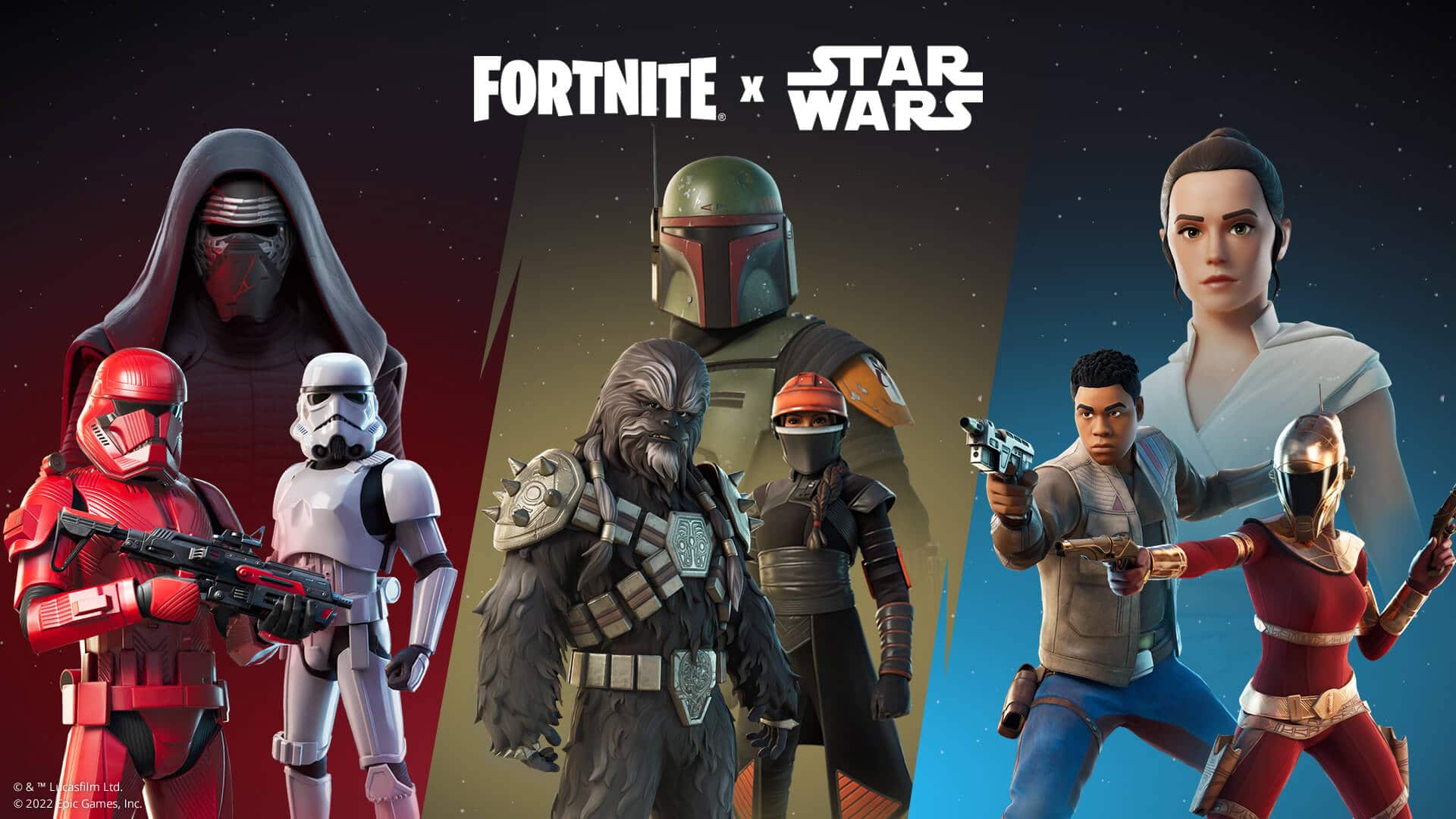
With the huge new patch dropping in today, the Fortnite Star Wars collaboration makes an exciting comeback for this year as the franchise’s fans are gearing up to celebrate May the 4th tomorrow! Check out a rundown of all the collaboration outfits, content, and more that are making its way to Fortnite for the next two weeks.
Star Wars Day is going on in Fortnite, but not just on May the 4th: Star Wars items from years past are unvaulted May 3 until May 17, 2022! Use these items in special Quests to unlock an Empire Banner. Also, every non-Battle Pass Star Wars Outfit that’s been in the Item Shop will return from a galaxy far, far away.
The return of Star Wars to the battle royale signifies the return of the ever-popular lightsabers, and this time around there are four of them available in different owners and colors:
Luke Skywalker (green)
Kylo Ren (red)
Mace Windu (purple)
Obi-Wan Kenobi (blue)
As for ranged weaponry, the E-11 blaster also makes its return. Here’s how you can get and use this weapon in Fortnite:
Returning to the Island, the E-11 Blaster Rifle can now be wielded by players! How to find one? Stormtroopers have set up checkpoints in search of Obi-Wan — go to one of these checkpoints and exchange Bars for a Blaster! Also find them in Chests and on the ground.
A new Empire banner will also be made available, and you’ll need to go through Stormtrooper training in order to get it:
Speaking of Stormtroopers, go through Stormtrooper training in new Star Wars Quests. Active now until May 17 at 12 AM ET, these Quests will have you confiscate a “landspeeder” (a.k.a. a vehicle), confiscate and use “Jedi contraband” (a.k.a. a lightsaber), and more. Each May the 4th Quest rewards XP, and for completing five, you’ll earn an Empire Banner.
Finally, we have the outfits, and here are the ones you can get from the item shop for the next two weeks.
Imperial Stormtrooper
Kylo Ren
Zorii Bliss
Finn
Rey
Sith Trooper
Boba Fett
Fennec Shand
Krrsantan
The Fortnite x Star Wars collaboration is available from May 3 to May 17, so if you’re a big fan of both the battle royale and the intergalactic franchise make sure to not miss it!
Those who want prefer playing Battlefield Portal than All-Out War in Battlefield 2042, Ripple Effect Studios (Battlefield Portal devs) has made changes to the XP and progression in Custom Experiences. The big news here is progression changes made, whcih depend on specific modifiers and the Rules Editor.
Here’s a look at what was revealed by Ripple Effect Studios via the official Battlefield Direct Communication Twitter account (for the sake of our readers, we’ve compiled the tweets in one go for an easier read):
Today we’re making another update to how you can earn XP and Progression while building your own Custom Experiences in #BattlefieldPortal
🧵 with details 👇
— Battlefield Comms (@BattlefieldComm) May 3, 2022
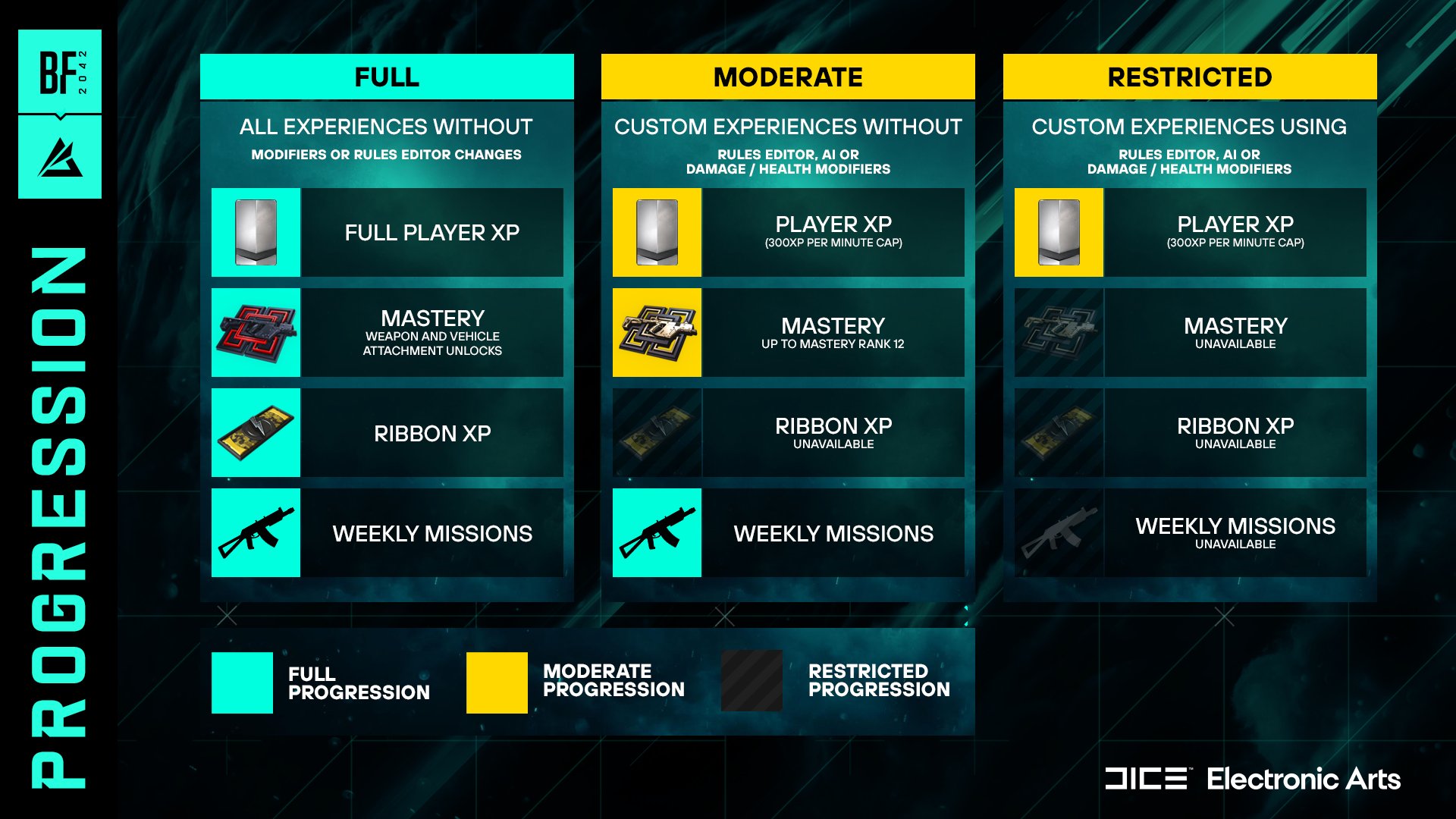
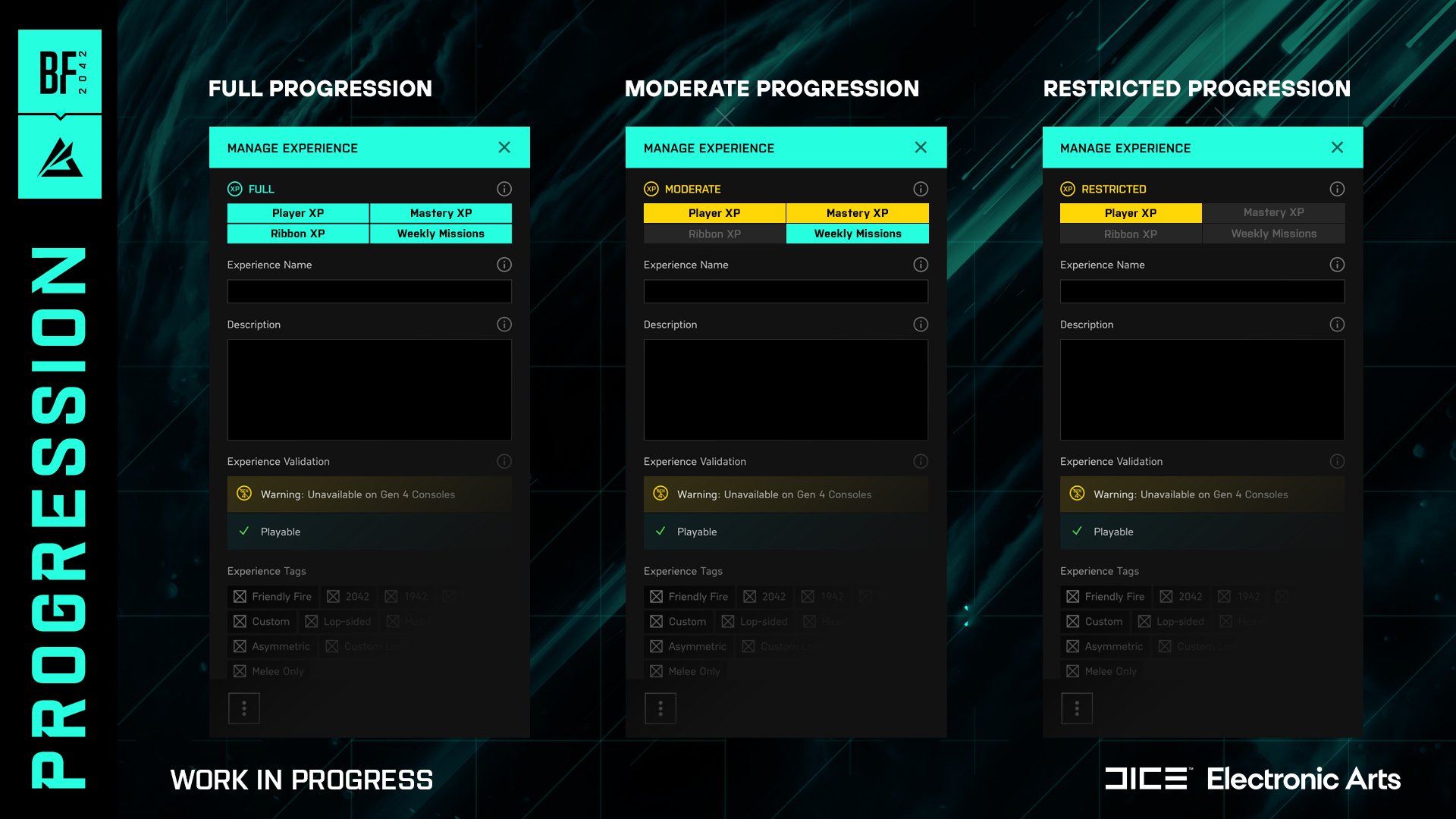
Building your own Custom Experience in #BattlefieldPortal means you can earn either Full, Moderate or Restricted Progression.
The type of Progression earned in Custom Experiences depends on usage of specific Modifiers, or the Rules Editor.
Refer to the attached chart.
For example, using any Modifiers other than Damage, Health or AI Modifiers means an experience will grant Moderate Progression.
If Modifiers and the Rules Editor remain unchanged, your Custom Experiences will deliver Full Progression.
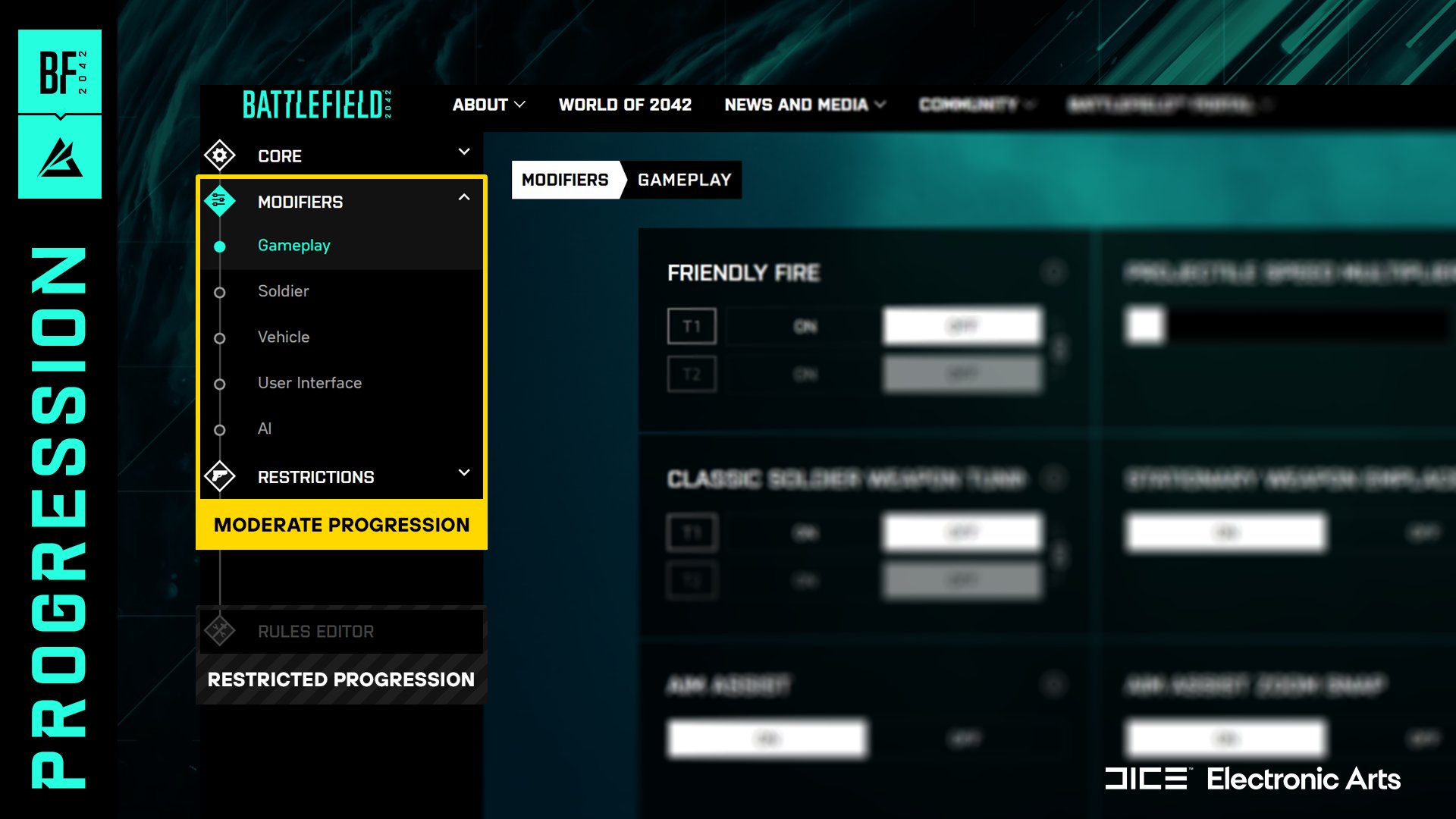
Our #BattlefieldPortal Web Builder will also be receiving an update to display whether your Custom Experience will receive Full, Moderate or Restricted Progression – based on your choices when creating.
Below is an example of what you can expect to see in a future update.
In addition to that, Ripple Effect Studios rolled out a server-side fix that restores limited HUD functionality to Rush Hardcore, which is the Featured Experience in Battlefield Portal.
Today we rolled out a server-sided fix that restores limited HUD functionality to Rush Hardcore, the ongoing Featured Experience in #BattlefieldPortal
This change now brings the behavior of this experience in-line with our other Hardcore offerings as intended. pic.twitter.com/QvotoLrnEa
— Battlefield Comms (@BattlefieldComm) May 3, 2022
Finally, Ripple Effect Studios announced that they are reviewing further improvements, and once they can share more info, the’ll let the players know.
Thank you for staying in touch with us about what's important to you while playing and creating Custom Experiences in #BattlefieldPortal.
We're still reviewing further improvements to this system in a future update and we’ll continue to let you know once they are ready to go 👍
— Battlefield Comms (@BattlefieldComm) May 3, 2022
Hopefully, this upswing of updates will continue throughout the year. We’re keeping an eye out on the May patch, and once we know more about it, we’ll let our readers know.
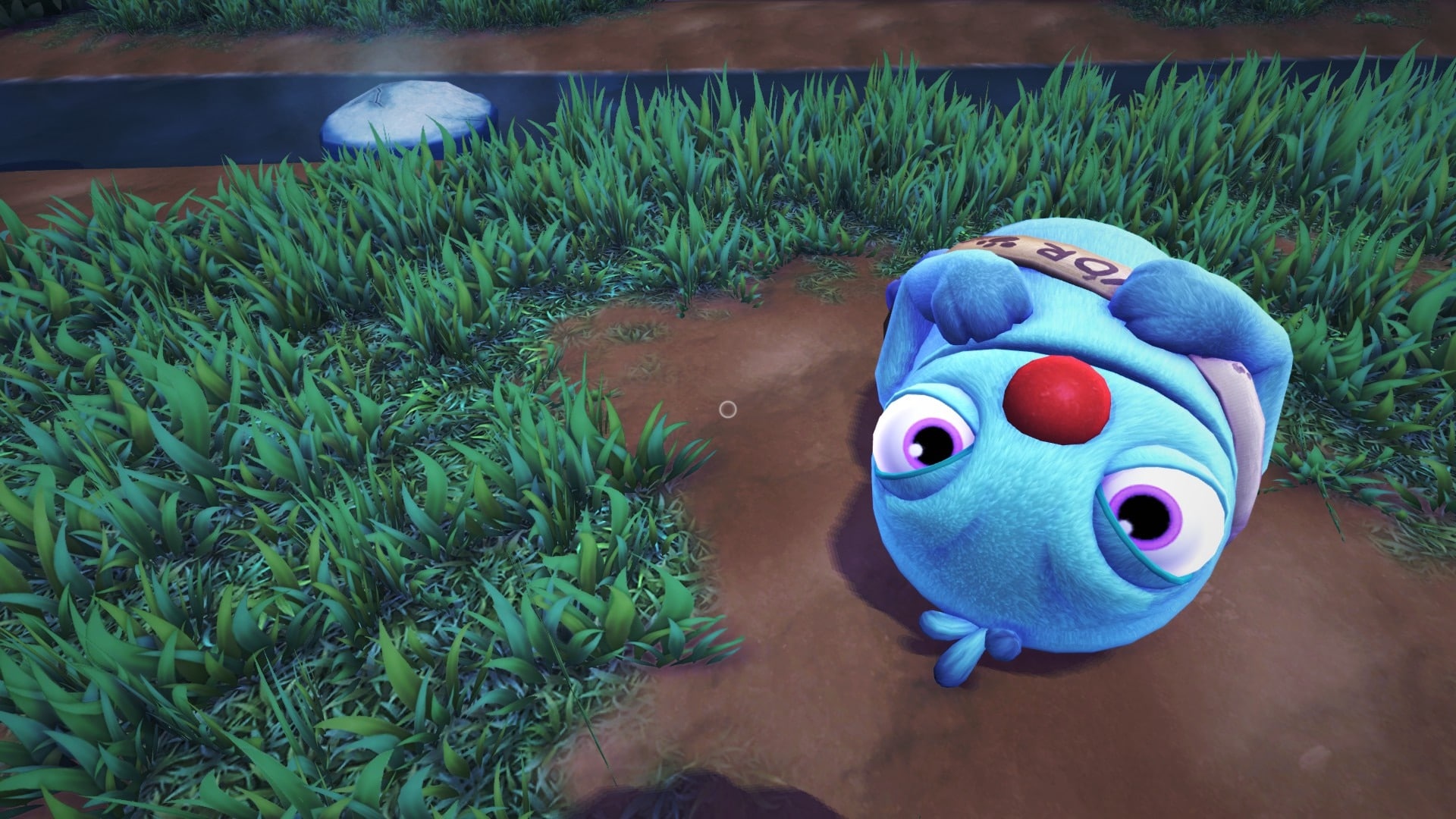
Young Horses has released Bugsnax update 2.050, and this is for a round of bug fixes, which is understandable given we just got the big Isle of Bugsnax title update last week. Curious what’s in it? Read on for the Bugsnax May 3 patch notes.
Fixed Triffany talking to nobody when Floofty isn’t around.
Ensure Broken Tooth time trial flare is visible if quest active.
Mothza Supreme tornados no longer turn black when Mothza Supreme is sauced.
Improved Lollive and Tikkada Masala getting stuck carrying objects.
Bugsnax frozen and punted by Scoopy Banoopy should properly be encased in ice instead of falling into a void.
Added blocker to prevent Chandlo from trying to walk into the wall forever when he has to poop.
In addition to that Kevin Zhun, the Creative Director at Young Horses, also announced that the speedrunning strategy being used by players was accidentally patched out, though it will be back in via future update.
It seems like I accidentally patched out a pretty major speedrunning strategy in the tutorial level of #Bugsnax! 😅Sorry, all, I'll try to put it back soon (while still fixing what I intended to fix).
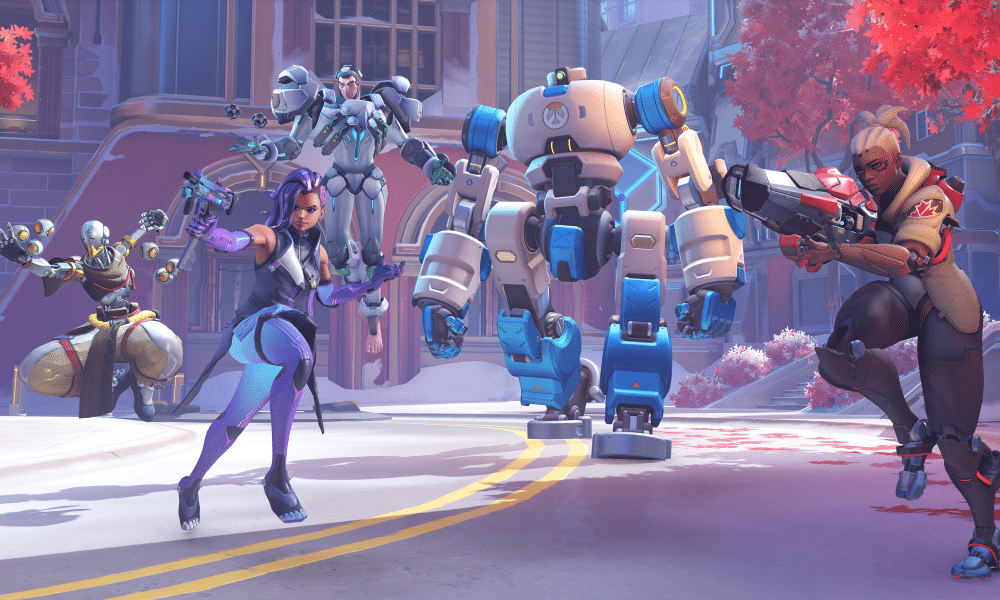
It’s been a week since the Overwatch 2 PvP beta has launched, and already Blizzard has seen a ton of feedback on some of the game’s current issues, with the developer issuing planned changes that should lessen these moving forward. Compiled a new developer blog, check out a rundown of all the learnings made in Week 1 of the PvP beta for Overwatch 2.
Progress on Beta 1 Goals
The main goals for our first Beta were to test our shift to 5v5, the new maps and Push game mode, overall balance, and build and server stability. We believe 5v5 is a significant adjustment for players, and we have been happy to hear consistent and positive feedback about players having more fun, feeling a greater sense of impact in their matches, and enjoying a faster pace of combat and engagements. While we will continue to adjust the rules of Push, players seem to be really enjoying this new game mode and our other new maps. We’ll talk about balance in more detail in a separate section, but our approach to balance will be to make rapid adjustments to hero power levels, and we’ll deploy our first Beta balance patch in a few days accordingly.
Importantly, this beta is just our first public test leading up to the future Overwatch 2 PvP release. Between now and then, we plan to add more content including heroes, maps, and features. There will be a significant amount of overall polish and refinement added in the form of enhanced UI, bug fixes, and more!
Ranked Mode and Queue Times
We understand that many players in our community want to play a ranked mode in the PvP Beta, and that those systems are a great way to keep players engaged and enjoying competition. We made the choice to only run quick play in this Beta test for two primary reasons: first, because in a test with a limited number of players, we generally want to prioritize making matches more quickly over splitting players into multiple queues; and second, because we’re planning some significant overhauls of our core ranked and competitive mode systems, and those are not yet ready to test publicly at scale.
However, we’ve also seen queue times increasing for tank and damage players, as those roles have been relatively more popular vs. the support role during this test. We understand the need to make playing support more attractive to players, and we’ll discuss that more below. In the interim, we’re also working to enable quick play classic with open queue so that players seeking shorter queue times will have an easy option for the remainder of the first Beta test.
Game Balance and Support Heroes
This Beta and future tests will be critically important for identifying balance issues and adjusting. So far, most heroes are falling into a healthy range overall for play rate and win rate across different skill levels, but we’ve seen a few outliers that we’ll address in a balance patch planned for later this week. We’ll continue actively monitoring gameplay balance, and we expect to make further hero balance adjustments during this Beta.
More broadly, during our Alpha test, we observed support heroes feeling too vulnerable to diving and flanking attacks with fewer shields and no second tank focusing on protecting them. We made a significant adjustment to their role passive heading into Beta, allowing support heroes to recover more health faster and improve their survivability. This change improved their overall power and durability, and overall supports are performing well in the Beta, but we know that balance is only one aspect of what makes a hero fun to play. We have heard clearly that support players feel both tanks and damage players have more new content to enjoy and explore in this Beta. Longer term, we believe the most effective way to tackle this issue is to add exciting new support heroes to the game, and that is part of our plans.
New Scoreboard
The Overwatch scoreboard screen is a new feature we debuted in the first Beta! This scoreboard provides current statistics about both team’s hero composition and the status of your teammates’ ultimates, enabling you and your team to plan and coordinate a winning strategy. We are retiring both the Fire and Medal system with the update and enhancement of the Overwatch 2 scoreboard.
For Overwatch 2, players can expect the new Scoreboard screen to display key statistics in real time for all players in the game. These statistics include eliminations, assists, deaths, damage, damage mitigated, and healing. The information will be presented in a new layout that mirrors other competitive games and sports. We want to provide players with an overall more accurate view of the game. Our team believes providing accurate feedback and encouragement can improve everyone’s gameplay experience! The scoreboard also includes personalized statistics based on the hero you are playing; for example, Lúcio will see specific data like Sound Barriers provided, environmental kills, as well as speed and healing song boost percentages. This combined team and individual performance data will help players make real-time decisions to adjust strategies and win games.
Blizzard also went into detail as to what the new scoreboard will display once the game launches, as well as aspects of its overall UI and design:
Information displayed
We’ll be adding a new “Damage Mitigated” statistic that will reside next to Damage Done and Healing Done in the scoreboard. This statistic will cover things like damage blocked and damage reduced by other abilities such as Ana’s Nano Boost, Baptiste’s Immortality Field, and many others!
The team may also look at reworking the Fire system sometime in the future to complement the scoreboard system as we believe it can provide excitement for high-performing players.
UI and Design
The team is seeing a lot of feedback highlighting certain elements of the scoreboard and how they can be more effectively communicated in game, like evaluating ultimate abilities and hero pictures to decide where on the scoreboard those things can live.
Please keep in mind that this reworked scoreboard screen is a work in progress and the team will continue to iterate and improve this feature as we progress through testing. We’re already exploring multiple concepts for different layouts.
As the beta progresses, expect more progress reports from Blizzard as to the state of Overwatch 2 as it makes its way to the final release state. In case you missed it, check out a comprehensive FAQ for the beta here.
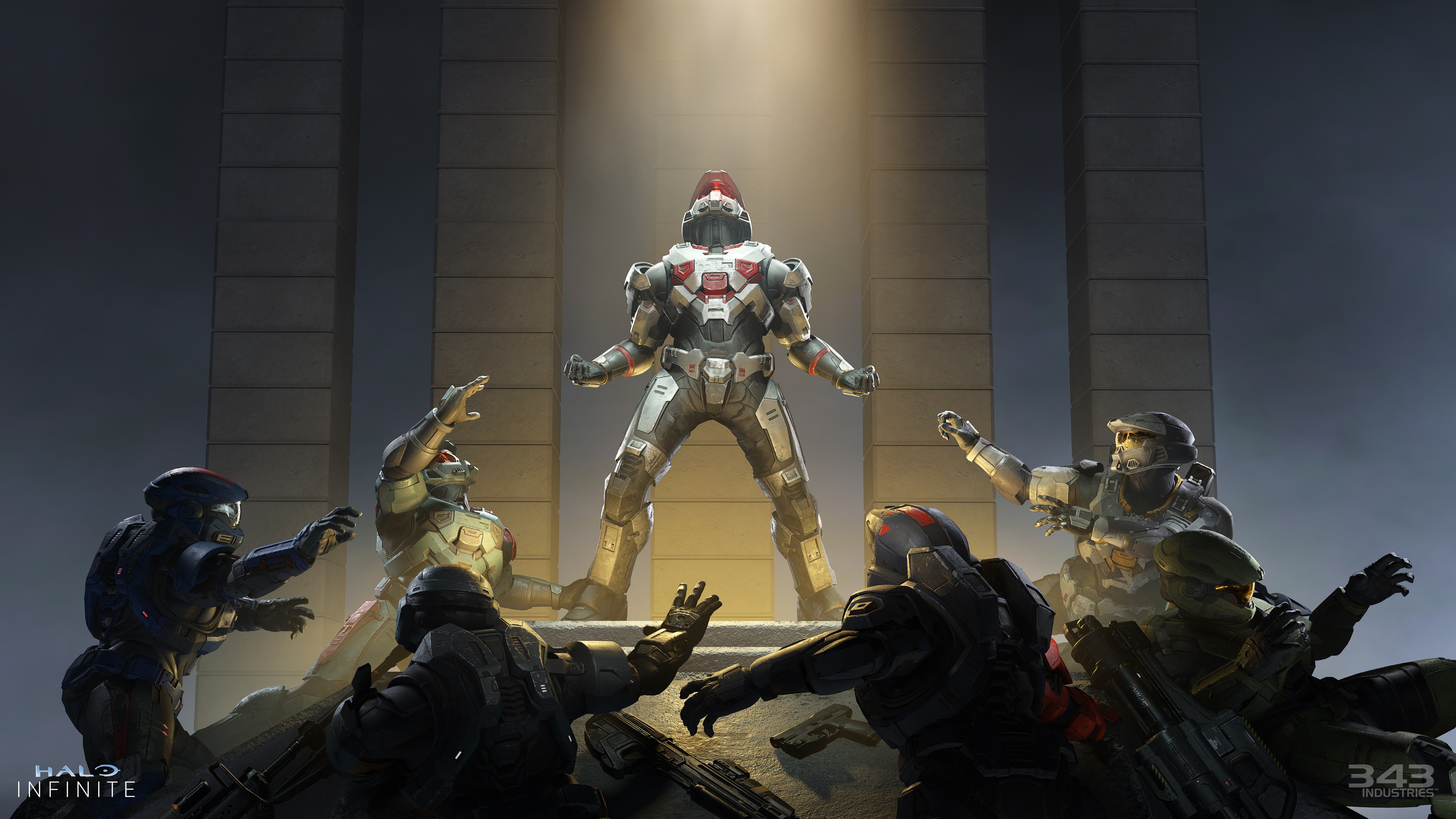
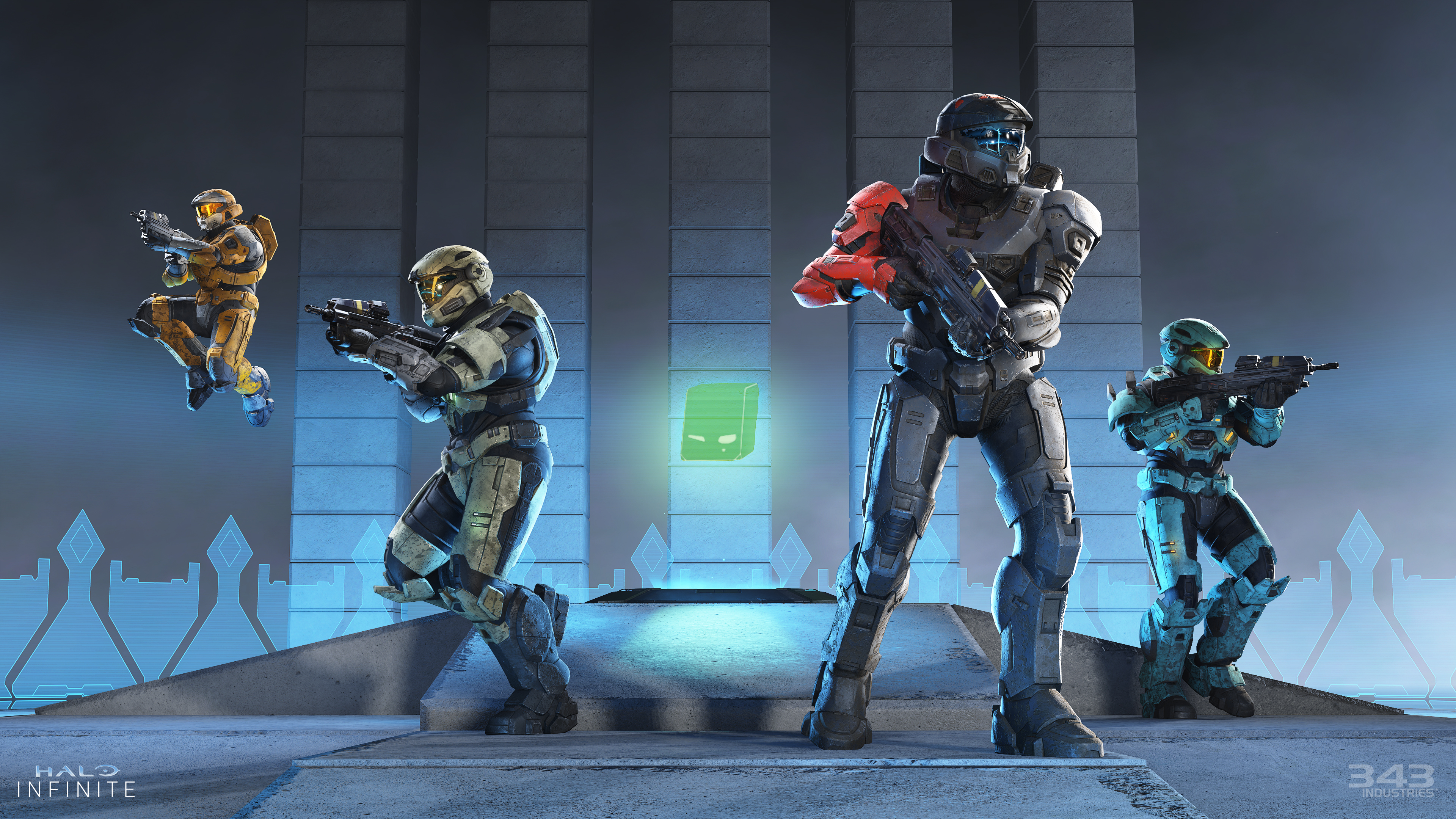
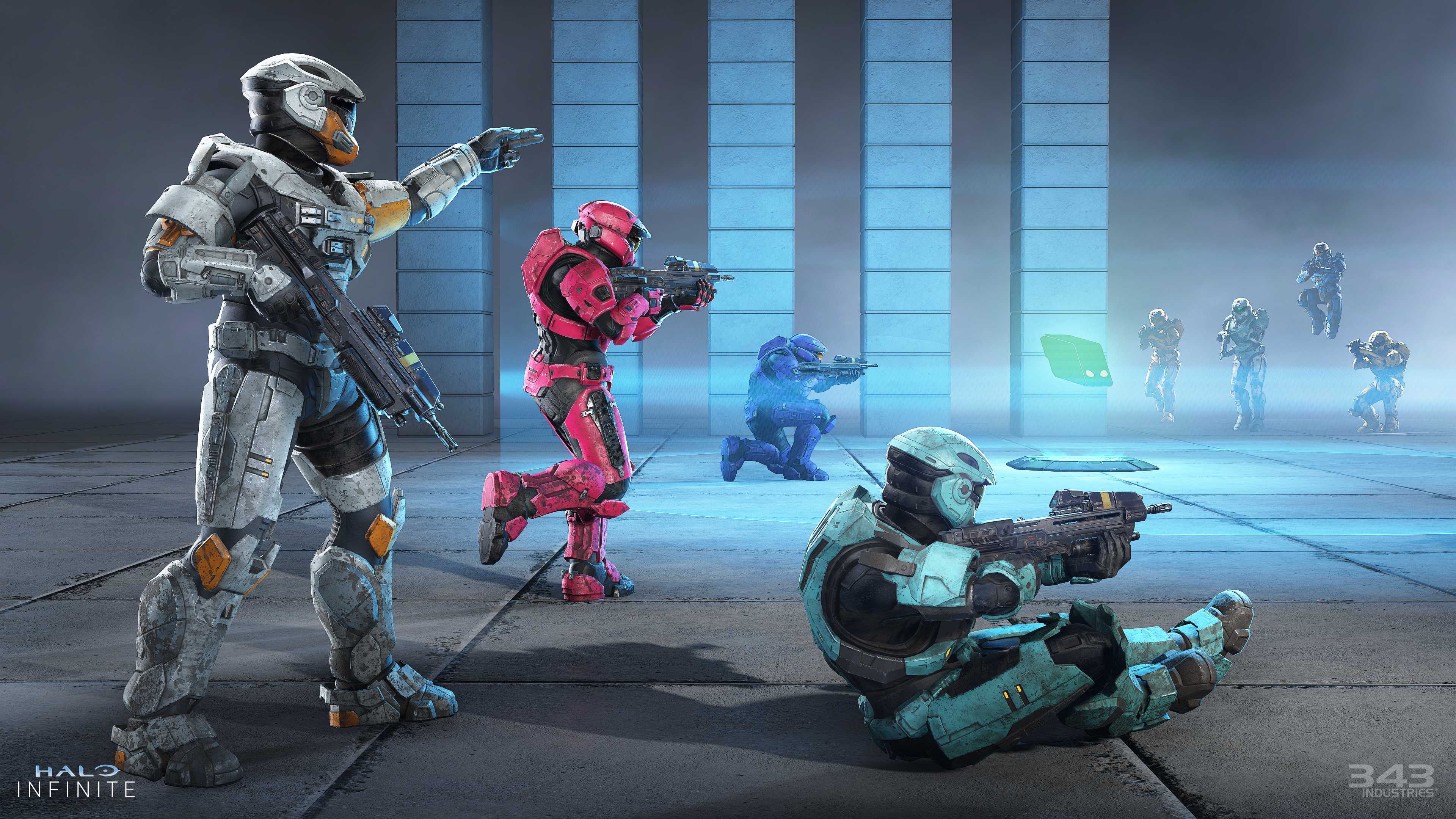
343 Industries has released the Halo Infinite May 3 update today, and this is to bring the Season 2 content into the game! Players cane xpect new modes, a new Battle Pass, and more! Read on for the Halo Infinite update patch notes as well as file sizes for each platform below.
Halo Infinite May 3 Patch Notes | Halo Infinite Season 2 Patch Notes:
File sizes:
Xbox consoles: approximately 17 GB or less
Microsoft Store app or Xbox app on PC: approximately 12 GB or more
Steam: approximately 17.5 GB or less
NEW BATTLE PASS AND NARRATIVE SEQUENCE
Season 2 introduces a new 100-tier Battle Pass with up to 180 rewards. Purchasing the Premium Battle Pass is required to earn all rewards and 1,000 Halo Credits, but all players will be able to unlock free tiers that include rewards like Challenge Swaps, armor pieces, and the all new Lone Wolves armor core: RAKSHASA.
In addition to this new Battle Pass, Season 2 introduces a new story experience for Halo Infinite. When first accessing the Season 2 menu, players will be able to watch an all new cinematic.
This cinematic can be viewed again later by using the shortcut button listed in the helpbar near the bottom on the Season 2 menu.
Battle Pass Switching
Players who have purchased the Premium Battle Pass for Season 1, Heroes of Reach, and have not yet completed it will be able to re-equip it and unlock any previously locked tiers during Season 2.
To change which Battle Pass is equipped, follow the steps below:
Navigate to the Season 2 menu. This can be done from the main menu by selecting or using the shortcut listed within the Season 2 tile in the top right corner.
Select the Switch Battle Pass button below the Battle Pass tile on the left side of the menu.
On the Battle Pass Switcher menu, use the checkbox below the Battle Pass tiles to equip the preferred Battle Pass.
For players who did not complete the Season 1 Battle Pass previously and do not currently own Season 1’s Premium Battle Pass, it can be purchased from the Battle Pass Switcher menu or the Shop menu.
Season 2 will feature two separate Lone Wolves events. These narrative events will each last two weeks and feature different 10-item Event Passes.
Interference will be active May 3-15, 2022.
Alpha Pack will be active July 19 – August 1, 2022.
To earn items in either Event Pass, players must complete Event Challenges while the event is active. Event Challenges can be identified by the orange banner icon visible by the Challenge’s name. These challenges will often require players to complete matches or perform certain actions in the event playlist. Event Challenges cannot be completed in Custom Games or non-Event playlists.
When these events are not active, both Last Spartan Standing and Breaker will be available in matchmaking and Custom Games.
Fracture: Entrenched
Season 2’s Fracture event will provide players with multiple weeklong opportunities to complete Event Challenges in the new Land Grab mode and earn up to 30 free customization items. More details on the Land Grab mode variant can be found below or in the “Season 2: Modes Preview” blog.
Like the Lone Wolves event above, these customization items can only be earned by completing Event Challenges while the event is active.
At the core of this event’s free customization items is the new armor core: EAGLESTRIKE. This armor core can be unlocked for free by completing Event Challenges, and all other armor pieces earned via the Entrenched Event Pass are exclusive to this armor core.
This event will run six times throughout Season 2, with the first window being May 24-30, 2022. Stay tuned to the News section of Halo Waypoint for the latest updates on in-game events.
NEW MULTIPLAYER GAME MODES
Last Spartan Standing
In this free-for-all (FFA) experience, 12 players spawn with a confined loadout and 5 respawns. Once a player runs out of respawns and can no longer participate, they can either spectate or leave the match without penalty.
During the Interference and Alpha Pack events, Last Spartan Standing will only be available on the new BTB map, Breaker. When these events are not active, Last Spartan Standing will have a standalone playlist that features all BTB maps.
Please note that when leaving a Last Spartan Standing session before it ends, some Challenges will not update until that match ends. If you left a match early due to being eliminated, it may take several minutes for that match to end and your Challenge progress to update.
Similar to other FFA playlists, Last Spartan Standing has a max Fireteam limit of 1 player. Players will not be able to matchmake in this playlist with friends in their lobby. Last Spartan Standing is available in Custom Games for groups of players who would like to play together.
Game mode rules:
This new free-for-all (FFA) mode pits 12 players against one another on Big Team Battle maps. Each player has five respawns per match, and can level up to new weapon loadouts by gaining Personal Score.
Personal Score is earned by killing enemies, earning assists, and collecting eliminated players’ AI. When an enemy’s AI is available for collection, a “Bonus XP” waypoint is visible for all players in the match. Capturing an AI awards more Personal Score than any other action in the mode.
Once enough Personal Score has been gained, a prompt will appear on-screen to Level Up the equipped weapon loadout. These weapon loadouts unlock in the following order:
Level 1: Disruptor and Sidekick pistol
Level 2: Mangler and Disruptor
Level 3: Assault Rifle and Mangler
Level 4: Commando Rifle and Assault Rifle
Level 5: Bulldog Shotgun and Commando Rifle
Level 6: Battle Rifle and Bulldog Shotgun
In addition, a Danger Zone will begin closing in on the map once five minutes have passed or when all players are out of respawns. Staying in this Danger Zone will damage players, so it’s important to keep moving towards the center of the Zone.
The match will end when all enemies are out of respawns and one Spartan is left standing. Players who have used all five of their respawns before the match ends are able to leave the session without penalty or continue spectating the match.
King of the Hill (KOTH)
KOTH is available in Ranked Arena, Quick Play, Bot Bootcamp, a dedicated King of the Hill playlist, and Custom Games.
In Ranked Arena matches, Hill locations follow a strict sequence on each map. In non-Ranked matches, however, the first Hill will always appear in the same spot on each map while later Hill locations are randomized.
Key image for King of the Hill.
Game mode rules:
In King of the Hill, two teams of four players race to gain control of a neutral zone on the map. This neutral zone is known as the Hill. When the Hill is captured, the capturing team receives a point and a new Hill will appear somewhere else on the map.
Capturing a Hill requires a team to fill its Capture Meter. Each team has its own Capture Meter which will begin to fill when a player enters the Hill’s zone. If an enemy enters the Hill while it is being captured, it will become “contested” and neither team’s capture bar will fill. All enemies in the Hill must be eliminated before capturing can resume. If all team members leave the Hill before their Capture Meter is filled, the Hill will remain “owned” by that team but quickly decay back to a neutral zone.
In Custom Games, “classic” scoring can be enabled for KOTH. This option will reward points over time rather than rewarding points when the Capture Meter is filled.
Land Grab
Land Grab’s debut is tied to Season 2’s Fracture event, Entrenched, and will first be available in matchmaking when this recurring event launches on May 24th, 2022. After its debut, it will appear in matchmaking again as a rotational playlist, in Custom Games and be available during the Fracture event, Entrenched.
Key image for Land Grab.
Game mode rules:
Similar to the King of the Hill mode, Land Grab pits two teams of four players to capture neutral zones. The key differences in Land Grab are that there are 3 neutral zones active at a time and the goal is a quick capture of each, rather than maintaining control over time.
To capture a neutral zone in Land Grab, players will need to have uncontested control of the zone for just a few seconds. Once that zone has been captured, it is no longer available for capture and the capturing team scores a point. Once all three active zones are captured, a new set of three neutral zones will appear on the map and teams must race to capture them before the other team can.
When one or both teams are one point away from winning the match, the number of active zones will reduce to drive more players towards the same zone(s).
New Rotating Playlists
In addition to the new modes listed above, several new playlists will begin to rotate in and out of Halo Infinite’s matchmaking. The first rotational playlist of the season is Rumble Pit. Replacing Free-For-All (FFA) Slayer, Rumble Pit is an FFA playlist with more mode variants to create more FFA gameplay variety.
For example, the following variants will be included in Rumble Pit:
Ninja Slayer: Infinite ammo Energy Swords and Grappleshot loadouts, with only Grappleshots and Power Equipment on-map.
Vampireball: In this Oddball mode, the Skull carrier is no longer nerfed—instead, the Skull is a one hit kill and has 50% Shield Vampirism.
Rocket Repulsors: Infinite ammo Rocket Launchers and Repulsor loadouts, with only Repulsors and Power Equipment on-map.
Attrition, which debuted in Season 1’s Cyber Showdown event, is also now available in the Quick Play and Bot Bootcamp playlists as well as Custom Games.
Game mode rules:
Two teams of four players face-off in classic Slayer fashion, however, the teams have a shared pool of respawns. Once that pool of respawns has been depleted, downed players will drop their Personal AI. Teammates can use the dropped AI to revive downed players while enemies can use the dropped AI to eliminate players entirely.
Players must work together across multiple rounds to ensure they can eliminate the enemy team first.
If the round continues long enough, a Danger Zone will begin to close in on the map. Players caught outside of the Danger Zone will begin taking damage.
Elimination, a variant of Attrition in which the shared pool of respawns is disabled, will be available later in Season 2 as a rotating playlist.
The “Medic!” Achievement, which is unlocked by reviving three allies in Elimination or Attrition, can now be unlocked in both Custom Games and matchmaking.
Read more about the design process for Season 2’s new modes and playlists in the “Season 2: Modes Preview” blog on Waypoint, or view the trailer below to see them in action:
NEW MULTIPLAYER MAPS
Big Team Battle: Breaker
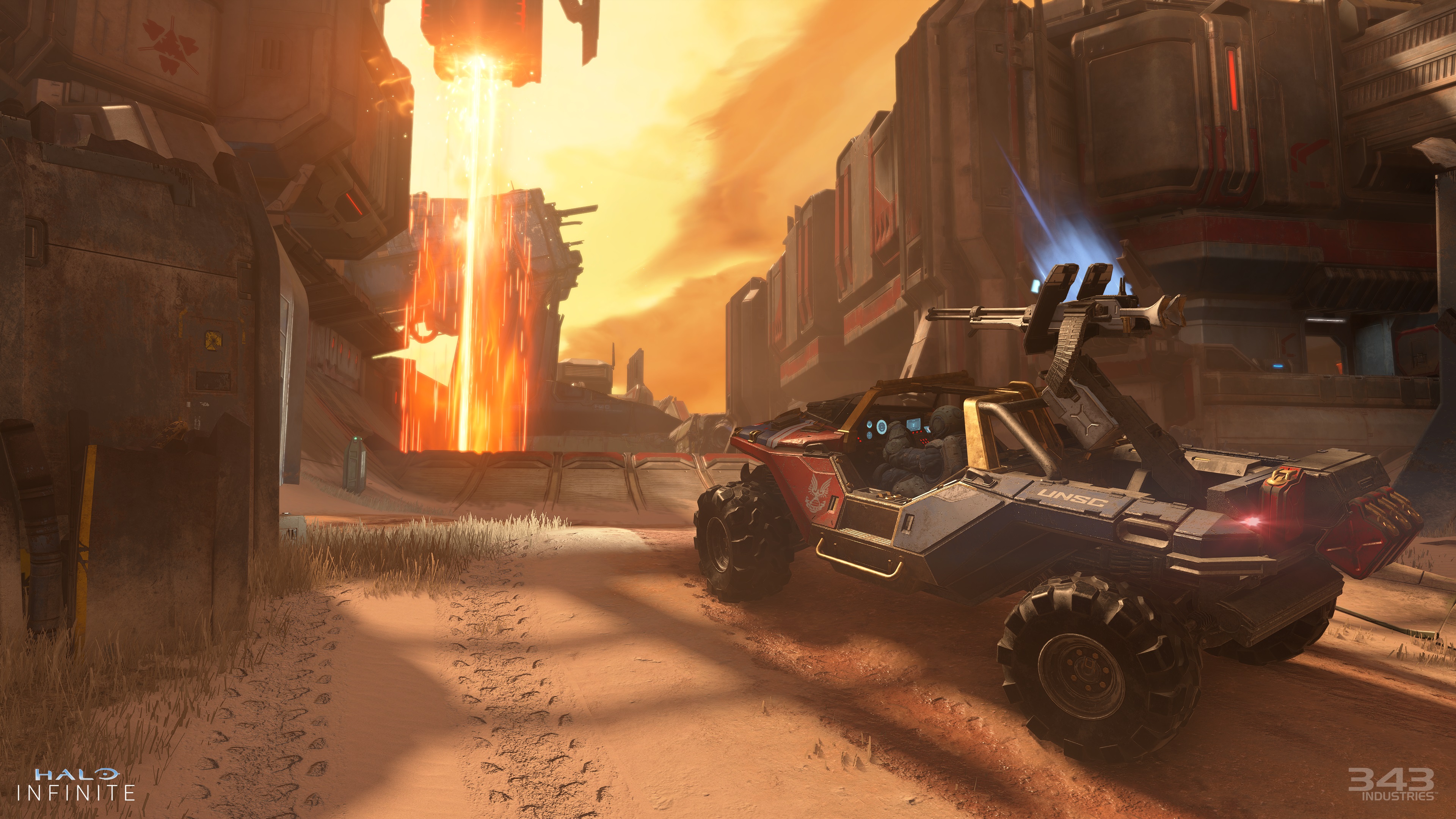
Featuring two bases at either end of a long center lane, this Banished ship breaking yard offers great sightlines for snipers and high-intensity getaways for Warthog drivers. Breaker’s central lane is also home to a large laser that moves across a central pit.
Breaker is available in the Big Team Battle (BTB) matchmaking playlist, the Last Spartan Standing matchmaking playlist, and Custom Games.
Screenshot of a Warthog approaching Breaker’s dynamic laser.
Arena: Catalyst
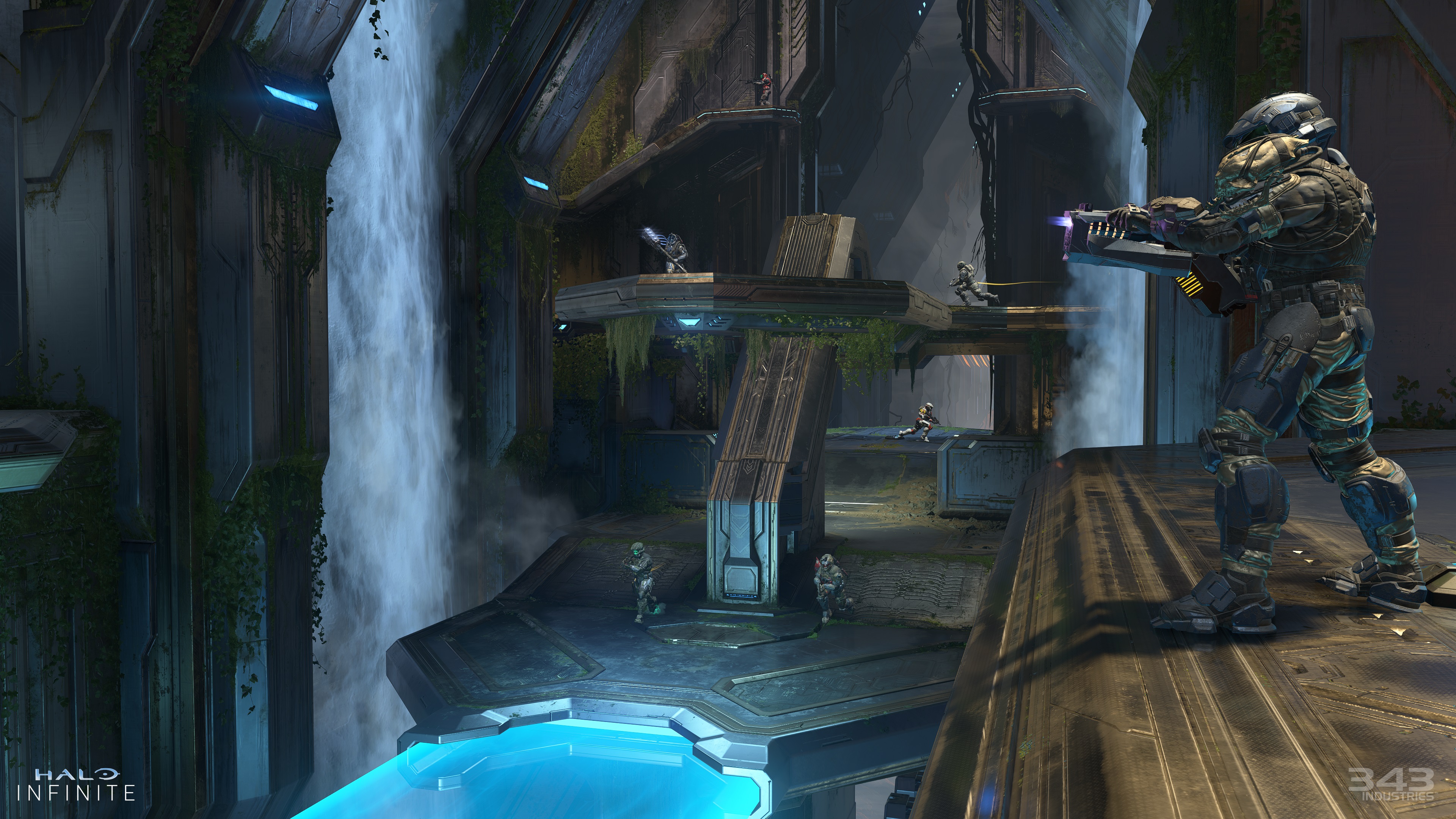
This overgrown Forerunner structure, with its multiple waterfalls and expansive vistas, is perfect for fast-paced Arena action. A light bridge connecting the two sides is also home to a Power Equipment spawn, but be careful not to fall off and disrupt the passing Sentinels.
Catalyst is available in most Arena matchmaking playlists, including Ranked Arena, and Custom Games.
Screenshot of Spartans battling on Catalyst.
For more information on the design of Breaker and Catalyst, visit the “Season 2: Map Previews” blog on Waypoint or view the video below for a flythrough of both new maps:
BIG TEAM BATTLE (BTB) ANNOUNCER CHANGES
The Arena multiplayer announcer, voiced by Jeff Steitzer, will now call out medals earned during BTB matches. Commander Agryna will continue to provide strategic game mode oversight.
This change to Halo Infinite was inspired by player feedback. Visit the Halo Waypoint forums to provide feedback and meet other Halo players. Feedback shared on the Halo Waypoint forums may be shared with Halo Infinite developers.
MOTION TRACKER CHANGES IN MULTIPLAYER
The Motion Tracker has a new “edge” functionality in non-Ranked matchmaking playlists. The edge reveals the general direction of players who are sprinting, shooting, or operating vehicles just outside of the Motion Tracker’s range. The inside of the Motion Tracker will continue to detect walking, sprinting, shooting, and operating vehicles as precise blips.
In Arena modes, the Motion Tracker’s will show precise blips for enemies up to 18m away, and the edge functionality will reveal players who are up to 30m away. In Big Team Battle, the Motion Tracker’s max distance is 24m, with the edge functionality reaching out to 40m.
Let us know what you think of this change by sharing feedback in the Halo Waypoint forums.
ENDLESS WEAPON DRILLS
All Weapon Drills in the Academy now have an endless variant, meaning they do not have a timer or scoreboard. These Drills can be used to improve your mastery of the weapon sandbox or to fine-tune your aiming controls.
Like the addition of the multiplayer announcer to BTB, this tier of Weapon Drills was inspired by player feedback. Thank you to all players who provided feedback in the Halo Waypoint forums and elsewhere!
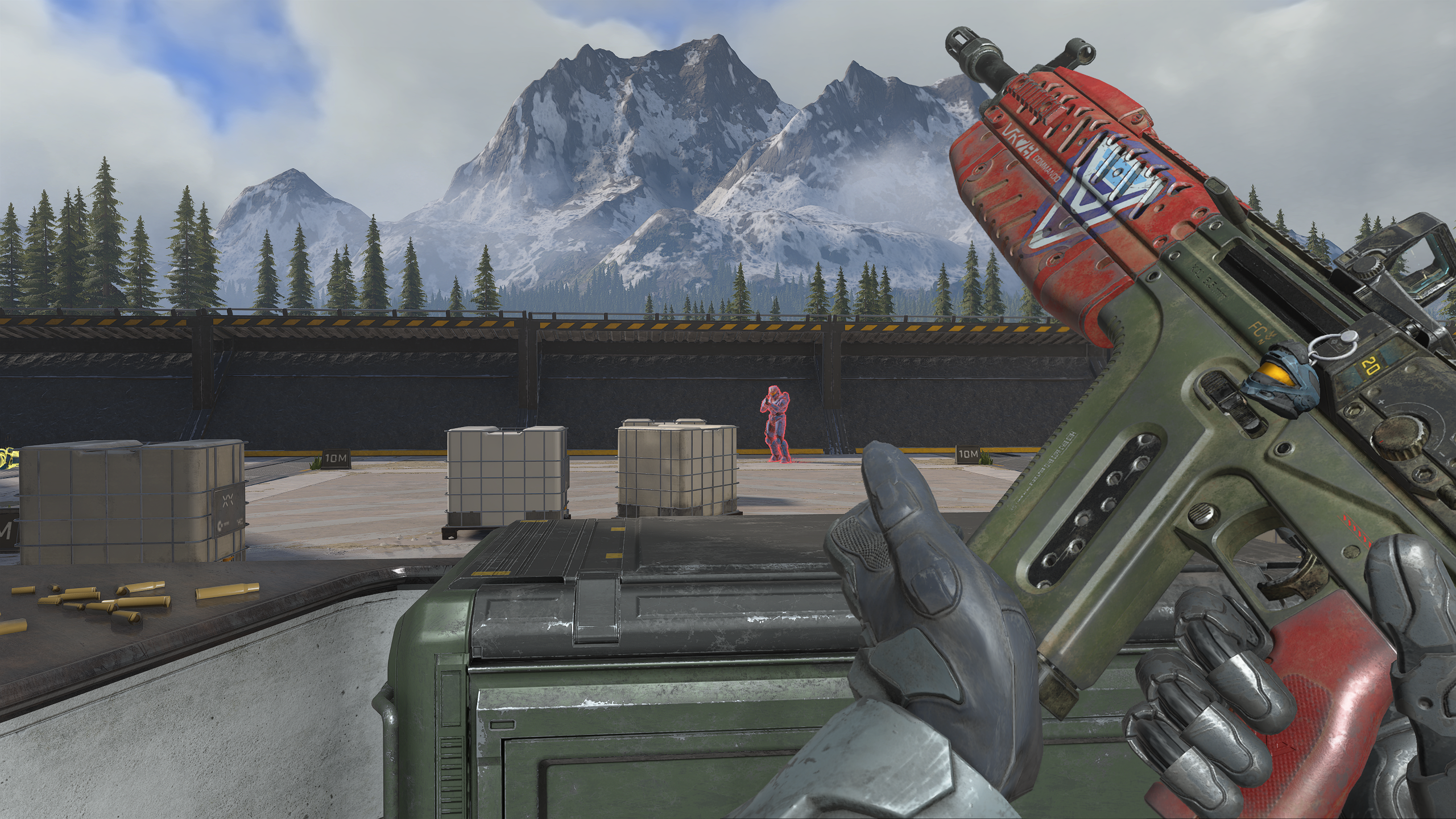
First-person perspective of a player in the VK78 Commando Weapon Drill.
IMPROVED BOT BEHAVIOR
Various improvements have been made to bot behavior:
Bots will now jump into allies’ vehicles as either passengers or gunners.
Bots are now more capable of completing objectives in game modes such as Capture the Flag (CTF) and Strongholds.
In Academy’s Training Mode, multiple new toggles and options have been added to finetune bot behavior on a per-skill basis. Adjustable skills include movement, aiming, equipment usage, grenade usage, and more.
NEW PLAYER OUTLINE OPTIONS
The opacity and thickness of player outlines can now be adjusted. This includes the ability to disable outlines entirely. Changing these options will apply to enemies and allies in both multiplayer and Academy modes.
These settings can be adjusted in the User Interface (UI) tab of the Settings menu in-game.
NEW TARGET FRAME RATE OPTIONS FOR XBOX SERIES X|S CONSOLES
Xbox Series S consoles now support a 120hz refresh option. Xbox Series X now support a 30Hz refresh option.
These options can be adjusted in the Video tab of the Settings menu. More details about enabling the 120Hz refresh option in Halo Infinite can be found in the “How to Enable Graphics Quality Mode for Halo Infinite.
Known Issue: Selecting a Target Frame Rate of 30Hz will work as expected on Xbox Series X|S consoles, however, gameplay will revert to 60Hz after the next relaunch of Halo Infinite.
Workaround: To maintain the 30Hz cap, the Target Frame Rate option will need to be set to 60Hz and then back to 30Hz every time the game is launched.
BALANCE CHANGES
WEAPONS
Melee
Melee damage has been reduced by 10% in both multiplayer and campaign.
In multiplayer, this change to melee damage makes the Mangler a 2-shot beatdown rather than a 1-shot beatdown.
In Ranked multiplayer only, the Battle Rifle has increased melee damage.
This change was made to preserve the Battle Rifle’s two-burst beatdown after the global melee reduction.
Other changes to melee will also result in the following improvements for multiplayer:
“Traded” melee kills will occur more often now than in Season 1.
Improved snapping to enemies during melee lunges.
Improved enemy collision immediately after meleeing.
Mangler
In addition to the melee damage change noted above, the following changes were also made to the Mangler in multiplayer:
Reduced starting reserve ammo from 24 to 16.
Reduced max ammo capacity from 56 to 40.
Ravager
The Ravager’s base shot is now stronger than before and is therefore capable of a two-burst kill.
EQUIPMENT
Drop Wall
The Drop Wall is now stronger than before and deploys faster once it hits the ground.
Overshield
The Overshield now grants an additional half bar of shielding.
VEHICLES
Warthog
The Warthog’s tire positions and suspension have been adjusted to better improve its handling on uneven terrain.
Chopper
When boosting, the Chopper will now one hit kill all vehicles except for the Scorpion and Wraith.
Banshee
The Banshee’s mobility and weapons have received multiple buffs:
The Banshee can now move slower and faster than before, including when turning.
Weapons cooldown faster and deal more damage.
SYSTEMS
Slide
Velocity gained from landing into a slide on a ramp has proportional reduction based on fall height.
JUMPS
Multiple collision fixes on all previously released multiplayer maps. Some examples of these improvements include:
Smoothing out traversal on the ground.
Fixing player’s standing on out of bounds rock ledges.
Removing or adjusting collision on small props and thin ledges.
RESOLVED ISSUES AND BUG FIXES
Many improvements come from Halo Support tickets submitted by our community. Thank you for participating and please keep submitting tickets!
Halo Support tickets, once reviewed by our agents, will count towards the studio’s “Hotlist.” If there are any bugs, glitches, or other in-game issues that you would like to see addressed in a future Halo Infinite update, be sure to submit a ticket so we can inform the development team and track the issue internally on the Hotlist. The more tickets we have for an issue, the higher it may land on the Hotlist.
Grappling a Fusion Coil through a Drop Wall will no longer drag the Dropwall in towards the player.
Bullet decals now appear correctly when firing at surfaces from an odd angle.
Various power weapons and turrets now fit better in the Razorback’s rear storage area.
Debris knocked off from a damaged or destroyed vehicles will no longer revert to its pre-damage appearance.
Power weapons (like the Skewer or Rocket Launcher) will no longer deal extra damage when fired at a vehicle’s windshield.
Meleeing an enemy and then immediately using the Repulsor against them will now knockback the enemy the expected amount rather than a shorter knockback.
Boarding the back of an enemy Wraith or Scorpion then planting a grenade will now kill the driver.
Man Cannons will now alter the trajectory of rockets fired from a Rockethog’s turret.
After being picked up, the M41 SPNKR is now ready to fire faster. Swapping to the M41 SPNKR, zooming in, and firing is slightly faster as well.
The Dynamo grenade’s “ticking” sound effect no longer plays continuously if a Dynamo grenade is dealing damage to enemies during a respawn.
The Grappleshot’s cable now consistently appears to fire from the player’s wrist.
The Grappleshot will now consistently attach to equipment and grenades.
Firing a weapon immediately after swapping between equipped weapons will now feel more responsive.
The Heads-Up Display (HUD) element for hold actions has been improved to better show an active hold’s progress.
Improved the transition between the third-person animations for clambering and sprinting.
PC
Improved stability across the entire Halo Infinite experience. Players should expect to see less crashes and hangs, especially on PC.
If you’re experiencing crashes after updating, please submit a ticket to Halo Support. Key details to include in crash tickets are:
Step-by-step instructions on what causes the crash. The more specific, the better!
Confirmation that the console/PC’s operating system (OS) is up-to-date.
If possible, video or screenshots of the moments leading up to the crash.
For PC crashes:
Confirmation that the PC’s graphics drivers are up-to-date.
Attach an up-to-date DxDiag file. To create a DxDiag file, type “dxdiag” into the Start menu’s search bar, press the Enter key, then click “Save All Information” when the DirectX Diagnostic Tool pops up.
Include the Problem Report from the Control Panel app. To find this, open the Control Panel and enter “problem reports” in the search bar. Click “View all problem reports” then locate the recent Halo Infinite report. Double click on this Halo Infinite entry then use the “Copy to clipboard” button near the bottom of the window. Finally, paste this text into your ticket’s comments.
Improved Video RAM (VRAM) management and various bug fixes for graphics processing unit (GPU) hangs to improve stability and performance on PC.
PCs with AMD Integrated Graphics hardware may experience less graphical corruptions.
AMD Integrated Graphics are below Halo Infinite’s minimum system specifications. Gameplay on this hardware may be functional but is likely not performant.
Players with some NVIDIA graphics cards will no longer see stretched or distorted models in gameplay.
Settings
The Field-of-View (FOV) option no longer changes by one point when backing out of the Settings menu.
The Minimum and Maximum Frame Rate options have been improved to allow for continuous adjustments to Custom values.
Outer and Inner Trigger Deadzones options have been added in the Controller tab of the Settings menu.
These options should be adjusted when using a controller with trigger stops. If the trigger stops are active, the default Trigger Deadzones will not allow for actions that require a full trigger press to occur. Affected actions include charging weapons like the Plasma Pistol and Ravager.
Xbox consoles
On Xbox consoles, narrative sequences will now pause when Halo Infinite is suspended or the Xbox Guide is open.
MULTIPLAYER
Gameplay
The crouching and clambering sound effects for players using Active Camo will no longer be audible to other players.
The third-person Shield Recharge sound effect is now quieter than before, so it will give away player locations less often.
Weapon racks on either side of symmetrical Big Team Battle (BTB) maps will now spawn the same weapon.
If you spot any asymmetrical Weapon Rack spawns, please submit a ticket or update your existing ticket(s).
Enemies will not be able to see players who are joining an in-progress multiplayer match before the loading player gains control of their Spartan.
If you encounter this issue after installing this update, please submit a ticket or update your existing ticket(s).
Marking the Defend Flag icon in Capture the Flag (CTF) now plays the correct sound effect.
Arm-mounted equipment, like the Grappleshot and Repulsor, no longer appear to float above prosthetic arms.
The left shoulder pad in the Jorge-052 armor kit now has the correct texture.
The Neon Screen and Neon Hawk armor effects are now correctly aligned over the player model’s helmet.
Nameplates will no longer be cutoff during a multiplayer match’s intro sequence.
All player models in a multiplayer match’s intro sequence will now face toward the camera and animate as expected.
On ultrawide monitors, player models are no longer cutoff during a multiplayer match’s intro sequence.
Players will no longer experience a black screen while loading into online multiplayer matches.
First person player models now load in faster when respawning in a multiplayer match.
Players will no longer spawn underneath the map when loading into a multiplayer match.
When a control point in Total Control is being captured, the correct team’s color will now always be shown on the Heads-Up Display’s (HUD) capture indicator.
Site capture banners in Total Control now have a smoother animation.
Vehicles will now consistently spawn at their intended size.
A vent box in Aquarius that sometimes flickered in and out of view is now consistently visible.
Player models should no longer appear stuck in walls, floors, or ceilings.
If you encounter this issue after installing this update, please submit a ticket or update your existing ticket(s).
Crosshairs for all weapons now appear the same in solo and splitscreen sessions.
Shadows no longer appear to flicker for some players in splitscreen multiplayer.
In 4-player splitscreen, the “Return to the Battlefield” warning overlay now appears on the correct player’s screen.
Menus
The Post-Game Carnage Report (PGCR) is now blurred when new menus are opened on top of it.
After completing a Ranked Arena match, the post-match CSR meter now shows the progress made from the completed match rather than the progress made since the last time the game was launched.
If Halo Infinite is not already running, accepting a game invite on Discord will now consistently launch Halo Infinite.
When playing splitscreen on an Xbox console, players other than player 1 can now use the Back button to navigate out of the Multiplayer menu.
Changes to the selected multiplayer Voice in the Spartan ID menu are now consistently reflected in-game.
The Network Status widget will now always display network connection errors, even when the full widget is disabled. These errors will appear for all players in the top right corner of the screen.
The full widget can be enabled in the UI section of the Settings menu.
Automated bans will now provide the ban’s end date and time, as well as a brief description of the behavior that led to the ban.
LAN servers are now more stable when entering consecutive matches in a single session.
In Custom Games, players will now consistently join the team they are assigned to in the lobby menu.
Players who switch to the Observer team while setting up a Free-For-All (FFA) Custom Game will now appear as an Observer in the lobby menu rather than a player.
The Mode Editor menu in the Custom Games lobby now shows all available options when Halo Infinite is launched offline.
Challenges and Medals
The Skyjack and Grapple-Jack medals are now awarded more consistently when hijacking enemy vehicles with the Grappleshot.
Hijacking a Banshee with the Grappleshot will now count towards the Grapple-Jack Challenge and other Challenges as expected.
The Mind the Gap medal now consistently unlocks when its requirements are met, and it is now awarded when repulsing an occupied enemy vehicle off the edge of the map.
CAMPAIGN
Menus
Small black patches or “holes” will no longer appear on the TacMap.
All MJOLNIR armor lockers are now visible on the TacMap.
The TacMap now reflects the selected Brightness value.
Brightness can be adjusted by using the Screen Calibration menu found in the Video tab of the Settings menu.
When picking up a Skull for the first time, the tutorial pop-up will no longer say that Achievements and saves are disabled while Skulls are active.
Since Halo Infinite’s launch, both Achievements and Saves have been enabled when Skulls are active.
When the User Interface (UI) Narration feature is enabled, each mission’s collectibles count will be narrated when the mission’s banner appears on-screen.
UI Narration can be enabled or adjusted in the Accessibility tab of the Settings menu.
Players can now unlock equipment upgrades while Linear Navigation is enabled.
Linear Navigation can be enabled or disabled in the Accessibility tab of the Settings menu.
Gameplay
The Grappleshot indicator will no longer appear when the Blind Skull is active.
The Boom Skull, found in the mission Warship Gbraakon, will now appear when scanning the environment.
The sound effects for the Grunt Birthday Party Skull can now be heard over greater distances.
On the mission Excavation Site, restarting the game and dying in the Banished’s laser will no longer cause the player to respawn with invincibility.
The “tank gun” found in the Outpost Tremonious mission is no longer available.
This change has not removed the tank gun from any existing saves where it has already been picked up.
Standing on top of a Fusion Coil then grappling it now results in the player picking up the Fusion Coil.
Improvements to player collision when using the Grappleshot’s First Strike ability.
A “Saving Progress” message will no longer become stuck on-screen during the campaign’s final cutscene.
Mission Progression
Multiple progression issues with the Banished outpost Ransom Keep have been addressed.
If you are unable to progress in Ransom Keep or your completion has reset, please submit a ticket or update your existing ticket(s).
The bridge in the mission The Road now consistently extends after skipping related dialogue.
Players will no longer be locked out of the boss fight in the mission The Tower after Fast Traveling away from the mission’s area.
The mission Warship Gbraakon will now progress normally after quitting during the intro video or restarting the mission during the escape sequence.
The Thruster ability is now consistently usable after acquiring it in The Conservatory then restarting the mission.
ACADEMY
Expanded Training Mode Options to allow for more fine tuning of bot behaviors.
All match options in Training Mode now have a description.
The following Weapon Drills have been adjusted so that the third star is easier to attain:
Needler: Tier 2
Bulldog: Tier 3
In Weapon Drills, repetitive “Damage Dealt” messages no longer appear on-screen when attacking bots. Although these messages no longer appear, the score for damage inflicted on bots is still being counted.
Pausing the game during the intro sequence of a Training Mode session no longer mutes most sound effects.
A static, inaccurate scoreboard no longer appears when loading a Weapon Drill with the Heads-Up Display (HUD) disabled.
The HUD can be enabled or disabled in the User Interface (UI) tab of the Settings menu.
Epic Armor Effects now appear correctly in Academy’s Tutorial.
ACCESSIBILITY
All options mentioned in this section can be found in the Accessibility tab of the Settings menu.
When Linear Navigation is enabled, the main menu’s tabs will no longer persist on-screen when in a sub-menu.
The UI Narration feature will no longer read incoming text chat messages twice.
The following menus will now be narrated when the User Interface (UI) Narration feature is enabled:
The in-game menu for purchasing Halo Infinite’s campaign.
Rank placements in the Profile menu.
The Season Pass menu.
The descriptions for the Speech-to-Text and Text-to-Speech settings have been updated to be more clear.
THEATER
Viewing multiple Theater films in a single session will no longer result in Load Errors.
If the Load Error message is appearing after this update, confirm that your Xbox account’s Privacy Settings allow you to view content from other players. If so, please submit a ticket to Halo Support or update your existing ticket.
Changes to the Controls and Event Timeline toggles in the User Interface (UI) tab of the Settings menu are now reflected in Theater mode.
Changes to the Cycle Camera binding in the Settings menu are now reflected in both Theater and Observer mode.
This Achievement will unlock whether the requirements are met in Custom Games and multiplayer matchmaking.
Further improvements have been made to Achievements that failed to unlock as expected. Players who did not receive an Achievement after completing its requirements should see it unlock after updating and launching Halo Infinite.
For some Campaign Achievements, players may need to load into Campaign and play for a couple minutes to ensure missing Achievements are unlocked.
If you are still missing Achievements after this update, please submit a ticket or update your existing ticket(s).
For the list of known issues, and the dev explanation on the balance changes, head on over here.
Tags:
Alex Co
Father, gamer, games media vet, writer of words, killer of noobs.
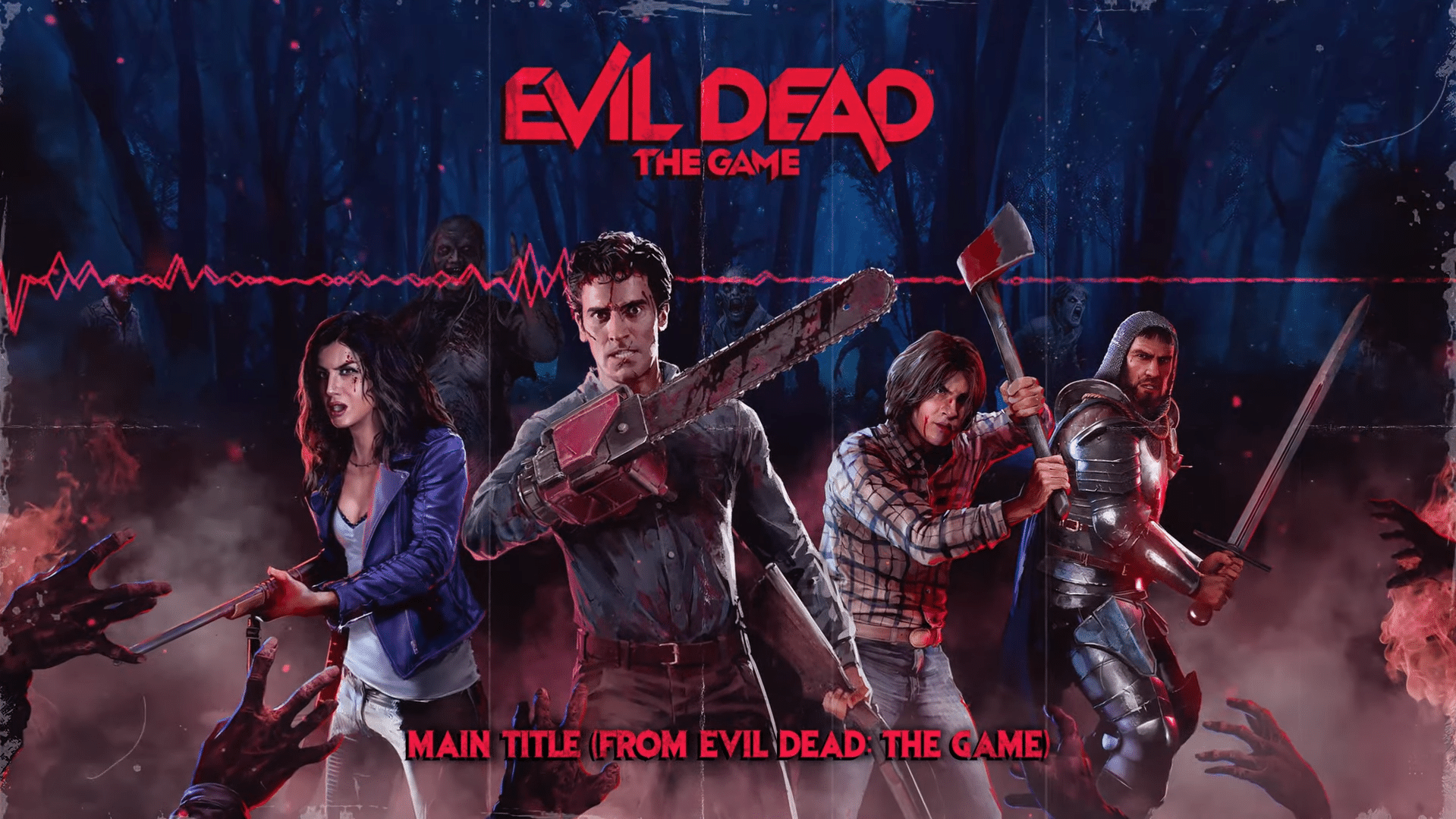
True to its groovy nature, the Evil Dead The Game theme song is an absolute banger that brings about that classic horror feel, as Saber Interactive has revealed the tunes that will accompany players in the main menu! Check out the theme song below.
Today Saber released the theme song from Evil Dead: The Game! The theme was written by Joe LoDuca, Emmy-award winning composer and long-time Evil Dead collaborator, alongside the game’s composer, Steve Molitz, Music Director at Saber.
With its release 10 days away, this is a good time to get acquainted with the sweet tunes that will grace your ears before you begin your killing in Evil Dead The Game. In case you also missed it, Bruce Campbell, who plays Ash Williams himself, recently hosted a preview session of the game with some fans and his son, and you can check it out here.
Evil Dead: The Game is available to pre-order now for release on May 13, 2022, on PS5, Xbox Series X|S, PS4, Xbox One and PC via the Epic Games Store.
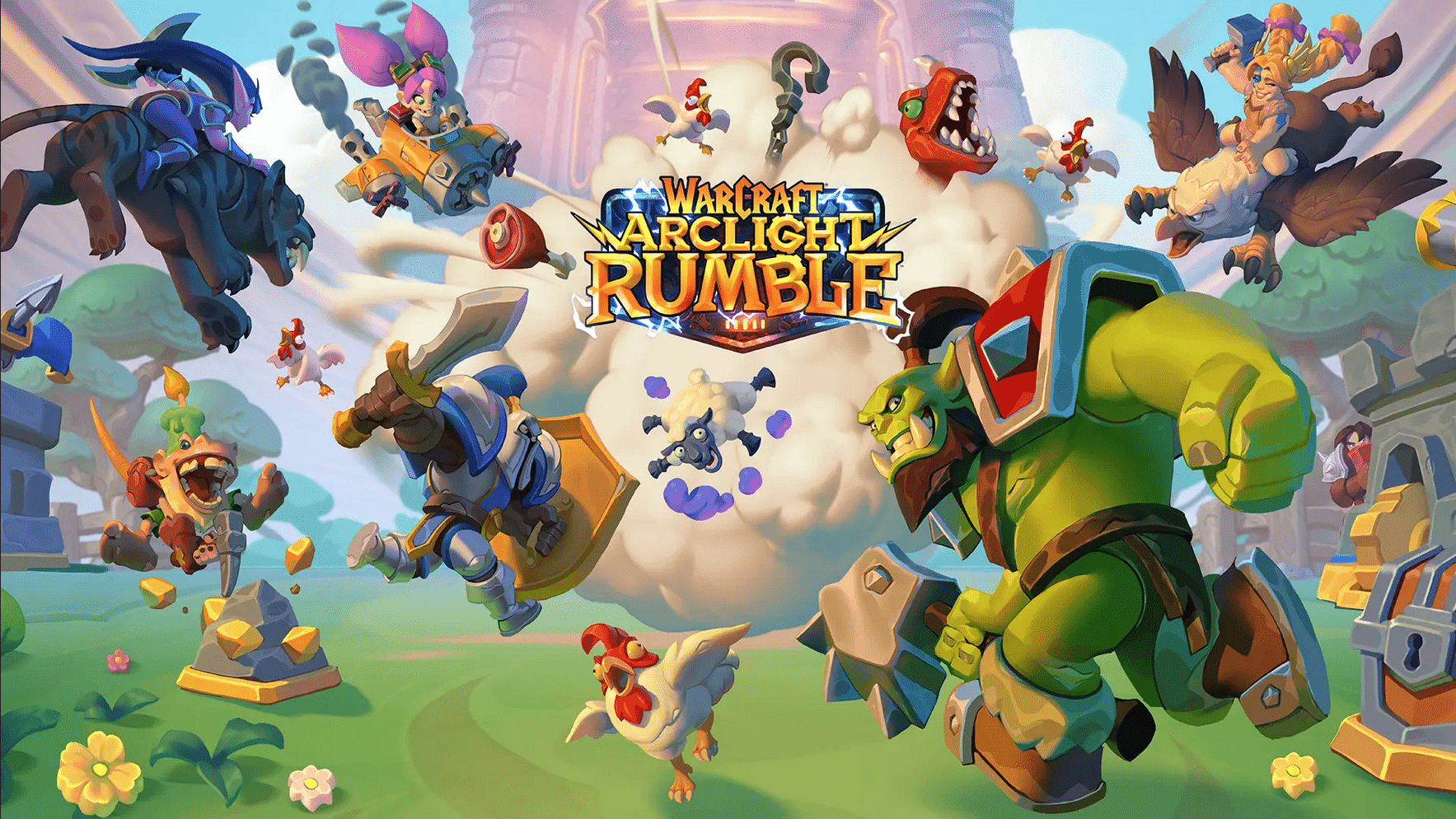
Blizzard has finally unveiled their Warcraft mobile game, and it is called Warcraft Arclight Rumble, a free-to-play action strategy game that’s part tower defense, part character collector. The 10 minute reveal has some gameplay in store, and it also shows off some of the features you can expect from the upcoming game. Check it out below.
Here’s some more information on Warcraft Arclight Rumble straight from its pre-registration site:
Warcraft® Arclight Rumble™ is a mobile action strategy game set within the Warcraft universe where collectible Minis come to life to battle in frantic melee skirmishes. Play in multiple modes, including the single player campaign, going head-to-head in epic PvP battles, playing co-op, and more. Experience the true meaning of joyful chaos!
Overview:
Action Strategy Gameplay – Warcraft Arclight Rumble brings you frantic mobile action strategy combined with meaningful progression and customization.
PvE and PvP -Play through epically challenging campaign maps, dungeons, and raids. Battle with your friends in co-op or against them in PvP and revel in the mayhem.
Assemble your Team – Collect over 65 Warcraft Minis and build multiple armies—good strategy is the key to victory!
If you want to see a cinematic trailer that provides some more insight into the many Warcraft Minis, check it out below:
Warcraft Arclight Rumble will feature pocket-sized versions of all your favorite Warcraft characters that belong to the five distinct factions, including:
Alliance – Alliance Leaders support defense, healing, and stealth tactics, as well as heavy use of Spells. Tirion Fordring, Maiev Shadowsong, and Jaina Proudmoore devote their skills to the Alliance.
Horde – Horde Leaders like Grommash Hellscream, Sneed, and Cairne Bloodhoof encourage building momentum through earning additional gold, fast attacking Troops, and enemy control with area of effect stuns.
Beast – Beast Leaders like Charlga Razorflank can disable enemy defenses, helping your numerous bestial allies stampede and overwhelm them quickly. Others like Hogger are right at home with a flurry of fast troops swarming your enemies.
Blackrock – Blackrock Leaders, including Rend Blackhand and General Drakkisath, reward you for playing heavy-hitting flying Troops and searing elemental magic users to burn opponents to a crisp.
Undead – Undead Leaders use powerful necromancy on the battlefield. As Bloodmage Thalnos uses Spells, he grows stronger with every cast. Baron Rivendare can summon endless armies of the dead to haunt the battlefield.
You can now pre-register for the open beta coming soon via the official Warcraft Arclight Rumble site. Stay tuned here at MP1st for further updates on this new Warcraft mobile experience from Blizzard!
It’s Tuesday, and that means another heaping of activities are live for players to complete in Destiny 2 are now live! The Destiny 2 weekly reset May 3, 2022 refresh of activities is now live along with the Eververse inventory of items for sale. Read on for the full info for this week.
Destiny 2 Weekly Reset May 3, 2022 and Eververse Inventory:
Champion Foes: You will face [Shield-Piercing] Barrier and [Disruption] Overload Champions. You must equip Anti-Barrier and Anti-Overload mods to your arms armor to defeat them. These mods come from the Seasonal Artifact.
Champion Foes: You will face [Shield-Piercing] Barrier and [Disruption] Overload Champions.
Hero Modifiers: Extra Shields
Poleharm: You deal more damage with melee weapon attacks, but take more damage from foes that are far away.
Nightfall: Legend
All previous modifiers
Equipment Locked: You will not be able to change your equipment after this activity starts.
Match Game: Enemy shields are highly resistant to all unmatched elemental damage.
Legend Modifiers: Locked Loadout Match Game Extra Shields
Shielded Foes: You will face combatants with [Arc] Arc and [Void] Void Shields. Activity modifiers may add more shield types.
Shielded Foes: [Arc] Arc and [Void] Void Shields
Nightfall: Master
All previous modifiers
Chaff: Radar is disabled.
Master Modifiers: Champions: Mob Locked Loadout Match Game Extra Shields
Champions: Mob: This mode contains additional Champions.
Rewards:
Powerful (Tier 1) reward: Get 3 points by completing runs. Higher difficulties grant more points.
Pinnacle reward: Get a score of 100k. Since modifiers are fixed, this requires a high difficulty run.
Weekly Crucible Rotator: Momentum Control
Achieve victory by capturing zones and defeating opponents. All weapons are more lethal; abilities replenish only with targets defeated, and tracker is disabled.
Vanguard Burn: Void Singe
The other modifiers rotate daily, check out the Daily Reset Thread for them!
Savathûn’s Throne World
Campaign Mission: The Last Chance
Infiltrate Savathûn’s fortress to recover an artifact linked to her acquisition of the Light.
Legacy Activities
Europa
Eclipsed Zone: Cadmus Ridge
Empire Hunt: The Warrior: Defeat Eramis’s military commander, Phylaks, the Warrior.
Exo Challenge: Simulation: Agility: Simulated Skill-Set Training: Test your dexterity as you move against the Vex.
Moon:
Wandering Nightmare: Fallen Council (Archer’s Line)
Trove Guardian is in Anchor of Light
Dreaming City: Growing Curse
Petra is at Divalian Mists.
Weekly Mission: The Oracle Engine – The Taken threaten to take control of an irreplaceable Awoken communications device.
Ascendant Challenge: Cimmerian Garrison, Chamber of Starlight
Modifications for your ship’s transmat systems, so you’ll always arrive in style.
Transmat Effect
450 Bright Dust
Weekly Bounties
Petra Venj, The Dreaming City
Name
Description
Cost
Requirement
Reward
Ascendant Challenge
“The Awoken have long practiced the art of walking between worlds.” —Techeun Kalli
1500 Glimmer
1 Ascendant challenge completed
XP++ & Dark Fragment & Legendary Gear
Gateway Between Worlds
“The Blind Well can split wide the veins that run between realities.” —Techeun Sedia
40 Dark Fragment
10 Activity completions
XP++ & Offering to the Oracle & Baryon Bough
Eris Morn, Moon
Name
Description
Cost
Requirement
Reward
Slow-Wave Disruption
Complete waves of Altars of Sorrow in Sorrow’s Harbor.
1000 Glimmer
7 Waves completed
Hymn of Desecration
Lunar Spelunker
Loot chests in 3 of the Moon’s Lost Sectors.
1000 Glimmer
1 K1 Communion Lost Sector looted & 1 K1 Logistics Lost Sector looted & 1 K1 Crew Quarters Lost Sector looted
1 Firewall Data Fragment
Lectern of Enchantment, Moon
Name
Description
Cost
Requirement
Reward
Nightmare Hunter
Defeat Nightmares in Nightmare Hunts.
5 Phantasmal Fragment
100 Nightmares
XP++ & 1 Phantasmal Core
Nightmare Sojourner
Defeat Nightmares in Lost Sectors across the solar system. Nightmares defeated on the Moon only grant reduced progress.
5 Phantasmal Fragment
100 Nightmares
XP++ & 1 Phantasmal Core
Variks, Europa
Name
Description
Cost
Requirement
Reward
Courageous Expedition
On Europa, complete Lost Sectors, public events, and patrols.
1000 Glimmer
15 Progress
XP++
The Heat of Battle
During the Empire Hunt “The Warrior,” defeat Phylaks and earn points by defeating combatants with precision final blows. Higher difficulties grant more efficient progress.
1000 Glimmer
50 [Headshot] Precision & 1 Phylaks, the Warrior defeated
XP++
Shaw Han, Cosmodrome
Name
Description
Cost
Requirement
Reward
Public Disturbance
Complete public events on the Cosmodrome. Heroic public events grant the most efficient progress.
1000 Glimmer
3 Public events
XP++ & Glimmer
Full Spectrum
Defeat combatants on the Cosmodrome with Arc, Void, and Solar damage.
1000 Glimmer
25 [Arc] Arc & 25 [Void] Void & 25 [Solar] Solar
XP++ & Glimmer
Starhorse, Eternity
Name
Description
Cost
Requirement
Reward
Old-Fashioned Way
Complete the following objectives in a single run of Dares of Eternity. Objectives will reset if not completed when the activity ends. Defeat combatants with charged or uncharged melee abilities, defeat combatants with weapons equipped in the Kinetic slot, and complete the activity with an impressive score.
Complete the following objectives in a single run of Dares of Eternity. Objectives will reset if not completed when the activity ends. Defeat combatants with grenade abilities or Grenade Launchers, rapidly defeat combatants, and complete the activity with an impressive score.
Complete the following objectives in a single run of Dares of Eternity on Legend difficulty. Objectives will reset if not completed when the activity ends. Pick up Orbs of Power, rapidly defeat combatants, and complete the activity with an incredible score.
7 Strange Coin
100 Orbs of Power & 125 Rapidly defeated & 1 {var:73817828} Points
3 Paraversal Haul & 1 Enhancement Prism & XP++
Weekly Records
Name
Description
Objectives
Rewards
No more records this season!
Notable Armor Rolls
Only notable rolls (stat total >= 59 or single stat >= 26) are listed here.
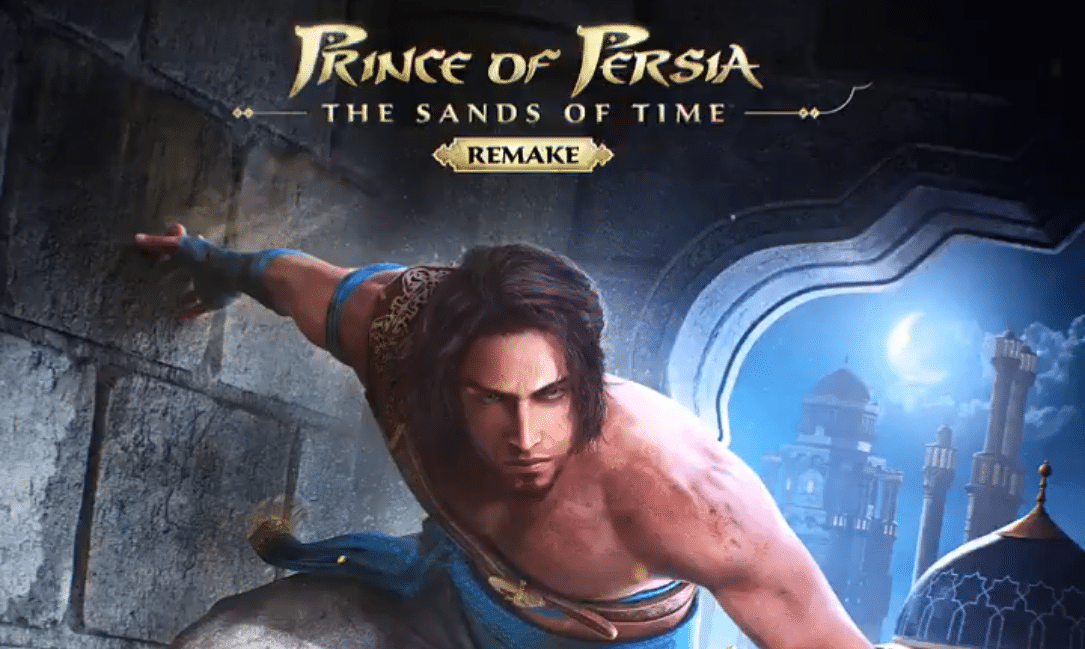
Ubisoft has shared a Prince of Persia The Sands of Time Remake update, with the publisher announcing that the game’s development will now be led by Ubisoft Montreal (Assassin’s Creed, Prince of Persia), moving away from Ubisoft Pune and Mumbai. Check out the full announcement below, made via the game’s official Twitter account:
The development of Prince of Persia: the Sands of Time Remake will now be led by Ubisoft Montreal, the very birth place of the epic Sands of Time trilogy.
This decision is an important step and the team, building upon the work achieved by Ubisoft Pune and Ubisoft Mumbai, will now take the time they need to regroup on the scope of the game to deliver you the best experience for this remake of an all-time classic, when it’s ready.
We want to thank you all for your continuous support and patience throughout the development. Rest assured, that we will update yo on the progress in a future update.
There you have it. Based on the update, it would seem that the Prince of Persia The Sands of Time Remake is undergoing quite the troublesome development period, but here’s hoping that Montreal manages to rein it all together before the game’s release. From their last update, the game is still on track for 2022, although it will not be surprising if this does not come true given that the game has basically switched studios at this point in time.
Stay tuned here at MP1st for further developments on this remake, and if we’re going to see it come this year for consoles and PC.
Bungie has deployed the Destiny 2 update 1.045 patch for last-gen and next-gen platforms today, and this is for patch 4.0.1.2! This patch is for a specific fix that affectws rewards in Vow of Disciple, and also ushers in the Guardian Games! Read on for the Destiny 2 May 3 patch notes.
Removed class items from Master difficulty reward pool for encounter completions.
As for the Guardian Games, here’s what to expect:
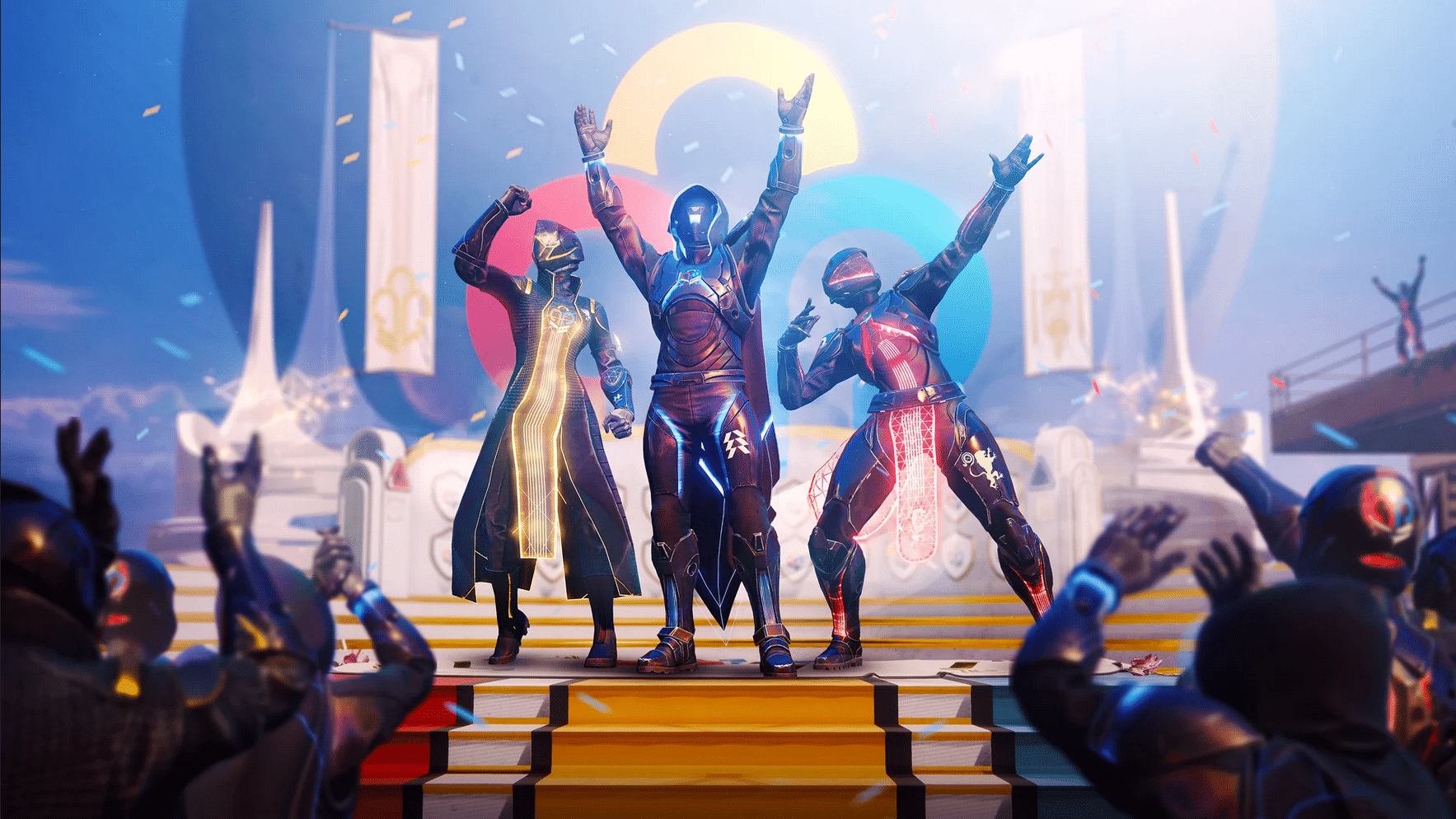
Eyes up, Guardian, it’s that time of year again. Next week, Guardian Games 2022 will kick off on May 3 and is free for all players of Destiny 2. This event is a tradition and it’s the perfect excuse to get into that friendly competitive spirit.
While the spirit of the annual class battle remains the same, Guardian Games 2022 does have a few changes that players can look forward to. First things first, what determines the winner? Much like previous Guardian Games, participants will be tasked with depositing those hard-earned medallions at the Podium in the Tower. You know the drill: medallions can be earned by completing certain activities and mini quests called Contender Cards and Platinum Cards. These activities are designed to be flexible, so if you’ve got the time, we’ve got those shiny medallions.
Higher-tier medallions, which grant more points, can be earned in activities like raids, dungeons, competitive PvP (Trials of Osiris and Survival), the Seasonal activity (PsiOps Battlegrounds) on a higher difficulty, and more. Lower-tier medallions, which are important too, drop in content like Gambit, Vanguard Strikes, Quickplay Crucible, and other Throne World activities at the standard difficulty level. Gold medals can be earned by completing Contender Cards in easier activities, whereas Platinum medals drop when Platinum Cards are completed on tougher content. Basically: Play what you want, snatch those Pinnacles, and scoop up some shiny medallions to bank at the Tower.
But wait, there’s more.
Something new coming to Guardian Games this year is Strike Scoring, which factors in play time only for Guardian Games playlists. Additionally, we’ve got Strike Medals, which are designed to reward players for pulling off some pretty impressive feats, like taking out a ton of enemies with a fancy little combat jig like Shatter. This should also help with players that feel like they are being matched with others that just zip right through strikes. Why rush through when you can score some additional points by going ham and showing the bad guys what’s up?
That seems to be it. Stay tuned to Xur and the Trials of Osiris this Friday!
Bungie has deployed Destiny 2 update 2.50, and this is for hotfix 4.0.1.2! This patch brings the Guardian Games into the fold, as well as a host of gameplay improvements. Read on for the Destiny 2 hotfix 4.0.1.2 patch notes.
Removed class items from Master difficulty reward pool for encounter completions.
As for the Guardian Games, here’s what to expect:
Eyes up, Guardian, it’s that time of year again. Next week, Guardian Games 2022 will kick off on May 3 and is free for all players of Destiny 2. This event is a tradition and it’s the perfect excuse to get into that friendly competitive spirit.
While the spirit of the annual class battle remains the same, Guardian Games 2022 does have a few changes that players can look forward to. First things first, what determines the winner? Much like previous Guardian Games, participants will be tasked with depositing those hard-earned medallions at the Podium in the Tower. You know the drill: medallions can be earned by completing certain activities and mini quests called Contender Cards and Platinum Cards. These activities are designed to be flexible, so if you’ve got the time, we’ve got those shiny medallions.
Higher-tier medallions, which grant more points, can be earned in activities like raids, dungeons, competitive PvP (Trials of Osiris and Survival), the Seasonal activity (PsiOps Battlegrounds) on a higher difficulty, and more. Lower-tier medallions, which are important too, drop in content like Gambit, Vanguard Strikes, Quickplay Crucible, and other Throne World activities at the standard difficulty level. Gold medals can be earned by completing Contender Cards in easier activities, whereas Platinum medals drop when Platinum Cards are completed on tougher content. Basically: Play what you want, snatch those Pinnacles, and scoop up some shiny medallions to bank at the Tower.
But wait, there’s more.
Something new coming to Guardian Games this year is Strike Scoring, which factors in play time only for Guardian Games playlists. Additionally, we’ve got Strike Medals, which are designed to reward players for pulling off some pretty impressive feats, like taking out a ton of enemies with a fancy little combat jig like Shatter. This should also help with players that feel like they are being matched with others that just zip right through strikes. Why rush through when you can score some additional points by going ham and showing the bad guys what’s up?
If there are any other changes in this patch that’s not mentioned above, we’ll be sure to update the post accordingly.
As part of the ongoing reveal of their upcoming expansion, People Can Fly is unveiling the Outriders Worldslayer legendary weapons starting today, with a bunch of them to be revealed every day until May 7. For the first weapon, check out the Deathscape Assault Rifle in action below.
The rifle is also accompanied by a Stigmatized mod, which makes the gun’s shots inflict poison and inflict a mark for five seconds. If an enemy with a mark dies, it explodes and spreads the mark to other enemies in a caustic green mist.
There are three more legendary weapons to be unveiled until May 7 for Outriders Worldslayer, so stay tuned here at MP1st to see them all in action!
Don’t miss our coverage of the Worldslayer expansion for Outriders, as MP1st had the chance to check out the game early! You can find more of our coverage below:
Behaviour Interactive has released the Dead by Daylight update 5.007.100 patch on all platforms, and this is for title update 5.7.1, which brings a list of gameplay improvements to the multiplayer game. Read on for the DBD update 5.7.1 patch notes.
Dead by Daylight Update 5.007.100 Patch Notes | Dead by Daylight 5.7.1 Patch Notes | DBD May 3 Patch Notes:
Bug Fixes
Lowered the Ghost Face’s chase music. Please note this is a temporary fix while we work on a new chase track altogether.
Fixed an issue that could sometimes cause Meg to be unable to vault in the Killer tutorial.
Fixed an issue that caused a totem to spawn in a closed room on the second floor of the Strode House in Haddonfield.
Fixed an issue that made it impossible to interrupt Survivors on a specific side of multiple generators in Haddonfield.
Fixed an issue that caused the Legion’s power gauge not to refill when equipped with Julie’s Mix Tape add-on and stunned by the Head On perk.
Fixed an issue that caused progress to regress after succeeding a difficult skill check triggered by the Blight’s Soul Chemical add-on.
Fixed an issue that caused succeeding an unhook attempt right before transitioning to the struggle phase to be instantly sacrificed on a subsequent hooking.
Fixed an issue that caused an interaction started by double clicking on the Stadia platform to continue without holding down the button without the Toggle Interaction option enabled.
Fix an issue that caused the wrong lobby theme music to be played when the Little Red Gaming Fit outfit for Feng Min is equipped.
Fixed an issue that caused the fifth entry in the House of the Arkham journal to be played in English instead of Japanese.
Fixed an issue that caused the survivors to keep making injured noises when recovering to full while afflicted with Madness tier 3.
Fixed an issue that sometimes caused the selected survivor to not be saved upon restarting the game.
Fixed an issue that prevented entering the game upon refusing consent for Nintendo Account usage. (Switch only)
Fixed an issue that prevented Survivor using Dead Hard to be able to land on the luggage in Ormond Map.
Fixed an issue that enabled the Killer to body block Survivor near one of the Gideon’s exit gate.
Fixed an issue that caused an inaccessible Green Glyph on the Car Crusher tile in the Wrecker’s Yard map.
Fixed an issue that prevented the Nightmare from setting Dream Snares in the garage in the Gas Heaven map.
Fixed an issue that allowed Killers to get onto the water tower from the hill in the Suffocation Pit map.
Fixed an issue that sometimes caused the Killer to not be able to pick up a Survivor at the bottom of the stairs of the basement.
Fixed an issue that caused the Credits to appear as a placeholder string ID in all non-English languages. (PS5, Switch and Stadia only)
Known Issues
In Haddonfield map, downing a Survivor next to a fence prevents the Killer from picking up the Survivor.
The Ghost Face’s addon “Olsen’s Driver’s License” is not working as intended – currently no effect.
Behaviour Interactive has released the Dead by Daylight update 2.48, which is for bugfix 5.7.1 and includes a host of fixes to the core gameplay. Check out the full Dead by Daylight May 3 patch notes below.
Dead by Daylight Update 2.48 | Dead by Daylight Update 5.7.1 Patch Notes | Dead by Daylight May 3 Patch Notes:
Bug Fixes
Lowered the Ghost Face’s chase music. Please note this is a temporary fix while we work on a new chase track altogether.
Fixed an issue that could sometimes cause Meg to be unable to vault in the Killer tutorial.
Fixed an issue that caused a totem to spawn in a closed room on the second floor of the Strode House in Haddonfield.
Fixed an issue that made it impossible to interrupt Survivors on a specific side of multiple generators in Haddonfield.
Fixed an issue that caused the Legion’s power gauge not to refill when equipped with Julie’s Mix Tape add-on and stunned by the Head On perk.
Fixed an issue that caused progress to regress after succeeding a difficult skill check triggered by the Blight’s Soul Chemical add-on.
Fixed an issue that caused succeeding an unhook attempt right before transitioning to the struggle phase to be instantly sacrificed on a subsequent hooking.
Fixed an issue that caused an interaction started by double clicking on the Stadia platform to continue without holding down the button without the Toggle Interaction option enabled.
Fix an issue that caused the wrong lobby theme music to be played when the Little Red Gaming Fit outfit for Feng Min is equipped.
Fixed an issue that caused the fifth entry in the House of the Arkham journal to be played in English instead of Japanese.
Fixed an issue that caused the survivors to keep making injured noises when recovering to full while afflicted with Madness tier 3.
Fixed an issue that sometimes caused the selected survivor to not be saved upon restarting the game.
Fixed an issue that prevented entering the game upon refusing consent for Nintendo Account usage. (Switch only)
Fixed an issue that prevented Survivor using Dead Hard to be able to land on the luggage in Ormond Map.
Fixed an issue that enabled the Killer to body block Survivor near one of the Gideon’s exit gate.
Fixed an issue that caused an inaccessible Green Glyph on the Car Crusher tile in the Wrecker’s Yard map.
Fixed an issue that prevented the Nightmare from setting Dream Snares in the garage in the Gas Heaven map.
Fixed an issue that allowed Killers to get onto the water tower from the hill in the Suffocation Pit map.
Fixed an issue that sometimes caused the Killer to not be able to pick up a Survivor at the bottom of the stairs of the basement.
Fixed an issue that caused the Credits to appear as a placeholder string ID in all non-English languages. (PS5, Switch and Stadia only)
Known Issues
In Haddonfield map, downing a Survivor next to a fence prevents the Killer from picking up the Survivor.
The Ghost Face’s addon “Olsen’s Driver’s License” is not working as intended – currently no effect.
Bugbear has pushed out Wreckfest update 2.19 (PS5 version 1.019), and this is for the Racing Lgends Tournament update! This brings a new track, a new tournament, and new tournament rewards into the game. Read on for the Wreckfest May 3 patch notes.
We’re excited to announce the availability of a new tournament!
And it’s not only the tournament, but there’s new free track too! As some of you might have already guessed, the name of the track is a homage to the ever so prolific modder Tor Ole Lerbæk who is perhaps better known in the community by his alter ego Very End, whose handiwork this gorgeous rallycross style track is for the most crucial parts. The track comes in two layouts, main and short, in both forward and reverse configurations.
In keeping with the spirit of the new epic track, the tournament challenge is all about racing too. We’re tasking you to chase the opponents using Roadslayer GT. You probably already know the drill: the better your position the more score you earn per each meter traveled, plus you get bonus score for each lap as long you keep up a good pace. The best racers (or those who already have enough fame points in the bank) can claim a new paint bundle for the Roadslayer GT from the tournament shop, and while at it, it’s also worth checking out the new paint job for the Tristar that’s another new addition in the tournament shop.
In other news, we’re rolling out the Cup Mode with Qualifying Sessions as well as Spectator Mode on consoles as well, previously only available on PC.
Cup Mode
In Cup Mode, players will be awarded points for any event that they participate in, making it easier to run online cups with multiple events. The cup points are shown in the lobby together with the number of events they player has participated in, and the players are sorted according to the points. To enable Cup Mode, set “Session Mode” in Server Options screen to any of the cup modes.
Qualifying Session
The session can be set to “Qualifying Sprint” or “Qualifying Lap” to determine the starting grid order for the next event. In “Qualifying Sprint” the order is based on the finishing position of the qualifying race, while in “Qualifying Lap” the players will be set according to their lap time posted during qualifying session. * New options for setting the grid order in Server Options screen based on the car performance points, cup mode points or qualifying session.
Spectator Mode
It’s now possible for the Host, Admin or Moderator to set any player (or themselves) as a spectator using the lobby context menu. Any player set as a spectator will not participate in the event but instead will be free to use the photo mode to spectate and direct the event as well as of course stream it. The spectator role will be maintained from event to event until revoked.
New track Torsdalen Circuit with two layouts in both forward and reverse configurations.
Server admins note: the internal designation for the track and its layouts are as follows:
Code:
Main Circuit: forest13_1
Main Circuit Reverse: forest13_1_rev
Short Circuit: forest13_2
Short Circuit Reverse: forest13_2_rev
TOURNAMENT
New tournament season: Racing Legends
New reward bundles for Roadslayer GT and Tristar
MULTIPLAYER
(Consoles) Added a multiplayer Cup Mode for server-side points tracking across multiple events.
(Consoles) Players can be now set as spectators by Host/Admin/Moderator in the lobby.
Guardians seeking to login to Destiny 2 but can’t (or maybe you got booted out of a session), it’s due to Destiny 2 down triggered by Bungie for planned maintenance this May 3! During this time, hotfix 4.0.1.2 will also be rolled out.
Sign-on and game integration features will be unavailable on web, mobile, 3rd-party apps, and the Bungie Store.
Players who observe issues should report to the #Help forum.
9:45 AM PDT
1645 UTC
Destiny 2 will be brought offline for expected maintenance.
Players will be removed from activities and won’t be able to log back in until 10 AM PDT.
Ongoing Destiny maintenance is expected to conclude at 11 AM PDT.
10:00 AM PDT
1700 UTC
Hotfix 4.0.1.2 will be available across all platforms and regions.
Players will be able to log back into Destiny 2.
Sign-in to the Bungie.net site, 3rd party apps, and Bungie Store will be re-enabled.
Players logging into the game may be placed in a queue and may experience sign-on issues as background maintenance is still ongoing.
11:00 AM PDT
1800 UTC
Destiny 2 maintenance is expected to conclude.
Players who observe issues should report to the #Help forum.
Same as always, we’ll get the patch notes for hotfix 4.0.1.2 up, so bookmark and refresh our Destiny 2 game hub since we’ll be posting it the moment it goes live. We’ll also be updating this article with a link to the patch notes, and if there are any changes in the maintenance schedule.
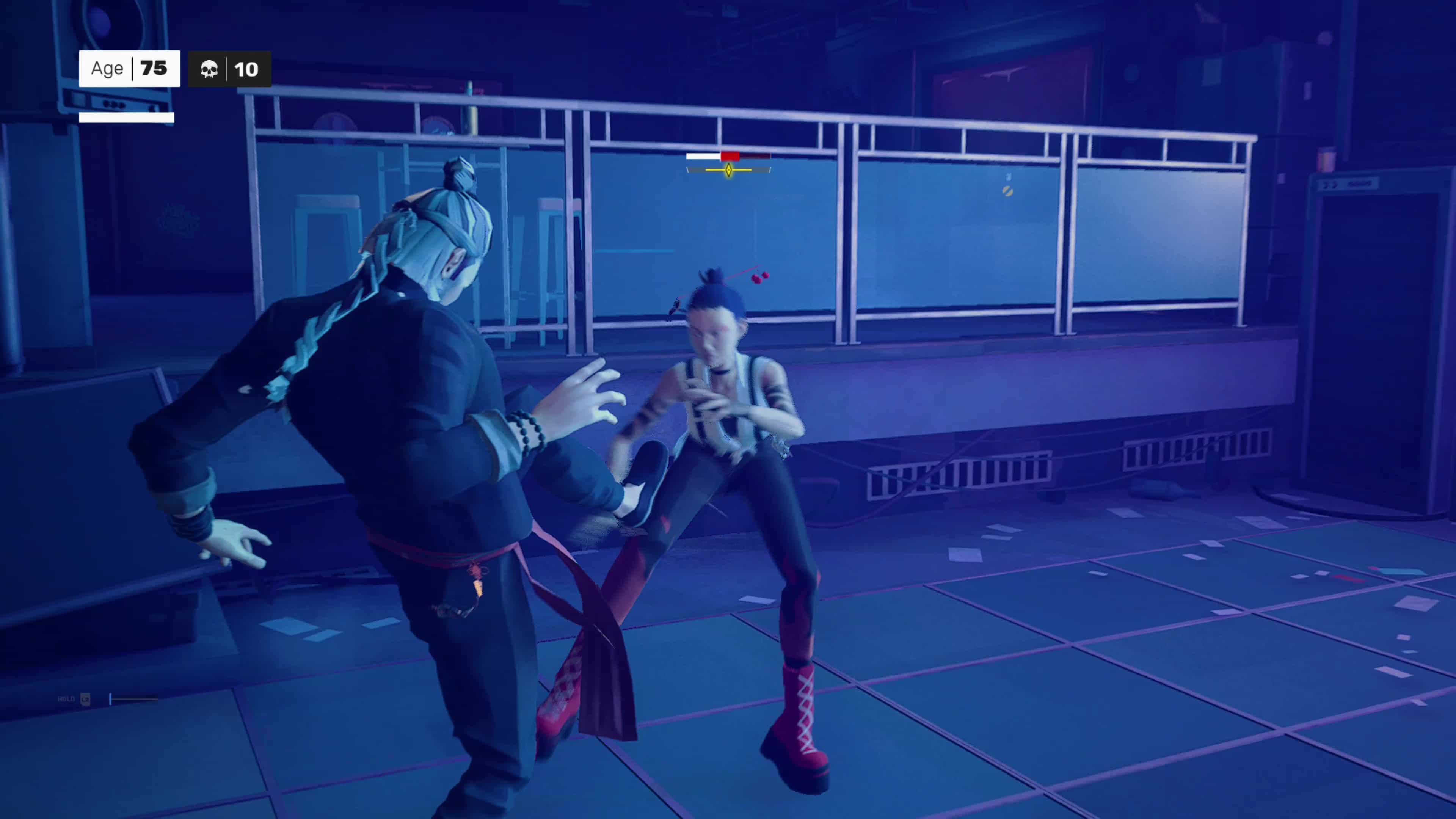
As expected, Sloclap has released Sifu update 1.09 (PS5 version 1.009), which is the first major title update to the game. This patch adds new difficulty options, a new advanced training mode and more! Read on for the Sifu May 3 patch notes below.
Our Sifu Spring 2022 Content Update will bring a range of new features for our players:
Difficulty options – Players will now be able to choose their difficulty setting in Sifu: Student, Disciple & Master. The original Sifu difficulty level corresponds to the middle setting, Disciple. It is now possible to either play the game in an easier setting, or to make it harder for experienced players who have already finished the game.
New Outfit feature – Players will now be able to change the main character’s outfit in the Wuguan. All players will be able to unlock two new outfits and more will be added in coming updates. One extra outfit will also be added for all Deluxe edition owners!
Advanced training mode – In the updated training mode, players will now be able to face any kind of enemy archetype or bosses they have defeated in the story, as well as face multiple enemies at once.
Dark mode & UI improvements – We have also added various quality of life improvements such as a dark mode for the in-game menus, better mouse & keyboard support and improved HUD readability. We have also added the support of 5.1 sound systems as well as the 21:9 format resolutions.
Full list of changes:
Design – Outfits:
Added an interactive wardrobe in the Wuguan for Outfit selection
Added 3 new outfits with unlock conditions
Design – Training room:
Added most of the in-game enemies types :
When you fight and defeat any enemy, you unlock them in the training room, allowing you to train and fight against advanced archetypes and the bosses.
Added the possibility to fight multiple enemies at once.
Added the possibility to redo the tutorial.
Design – Difficulty Settings:
Student Difficulty (Easy Mode) :
More life and structure for the Main Character
Enemies are less aggressive
Enemies are less reactive in defense
Simplified patterns for various archetypes and bosses
The Death Counter cannot beyond 1
Better shrine rewards
Disciple Difficulty (Normal Mode) :
The original Sifu experience
Master Difficulty (Hard Mode) :
Less life and structure for the Main Character
More life and structure for various enemies
Enemies are more aggressive
Enemies are more reactive in defense
New patterns for bosses
Design – Hotfixes:
Fixed the Juggernaut ability to retaliate while defending
Quicker post parry follow-up with various weapons
The camera is further away when surrounded by enemies during takedowns and focus
Dev:
Fixed issues with 21/9 display screens
Art:
Fixed video looping issue on PS5
Various rendering fixes for low quality mode
Fixed some streaming issues
Fixed some minor texturing issues for Yang’s 3D models
UX/UI:
Add a “Dark Mode” display option to switch between light and dark backgrounds in the -menus, light backgrounds are now slightly less bright
Popups now warn you more clearly about important choices
More discreet XP box in HUD
Clearer feedback when a focus bar is full
Various keyboard inputs display fixes
Sound design:
Audio output format selection
Fix some unwanted behaviour on surround audio systems
Rockstar Games is continuing with their monthly announcements for everything new heading to Red Dead Online! The Red Dead Online weekly update May schedule has been revealed, with the highlights and important details and dates listed below.
Red Dead Online Weekly Update May Schedule:
Highlights include:
Free Community Outfit: claim a free Gambler’s Hat, Black Clymene Coat or Hartman Jacket, White Casual Shirtwaist or Everyday Shirt, Bandito Pants, Worn Roper Boots, Woven Pistol Gun Belt and Woven Pistol Holster, as well as a free select colorway of the Wakeeney Bounty Hunter Outfit for all Bounty Hunters
10 free Classic Oatcakes, Horse Meal, and Apples each week this month
Earn 10 Capitale by participating in a Nominated Series every week this month
Bonus of 5 Special Horse Stimulant for purchasing any Weapon Modification
Earn The Danube or The Tasman Outfit for placing in the top 3 in any 6 races in a single week
Returning Limited-Time Clothing: The Dillehay Hat and Carver Pants
Discounts: 30% off Pistols, Emotes, Race Horses, and War Horses, 50% off Horse Food, Reinforced Lasso, Stirrups, and Stable Slots, 40% off Pants and Skirts
Prime Gaming Benefit: players who connect their Rockstar Games Social Club account to Prime Gaming through June 6 will receive the Flex Emote, a select colorway of the Espinal Double Bandolier, and a select colorway of the Windcliff Coat for free.
Also, the Weekly Featured Series calendar for May offers different ways for players to earn discounts and bonuses, detailed below:
May 3 – May 9: Race Series
4X RDO$ on Standard Races, 3X Gold on Open Races, and 5X XP on Target Races
40% off a Bounty Hunter Novice or Promising Role Item for completing any Bounty Hunter Mission
50% off the Fast Travel Post for completing “A One Horse Deal”
May 10 – May 16: Open Target Races and Overrun
40% off a Collector Novice or Promising Role Item for Collectors who reach Rank 10 and above
RDO$100 bonus for winning 2 rounds of Open Target Races
May 17 – May 23: Races and Shootouts
Free Yehaw Emote for completing 10 Daily Challenges
Free Citadel Treasure Map for completing 2 Trader Sell Missions
May 24 – May 30: Select Races
Earn the Respectful Bow Emote for playing with a Persistent Posse
Free select colorway of the Levens Gun Belt for destroying 3 Revenue Agent Roadblocks
May 31 – June 6: Target Races and Capture Mode
Free select colorway of the Vaquero Baroque Spurs for placing in the Top 3 in any race this week
RDO$150 Bonus for purchasing any Pamphlet
Get The Danube or The Tasman Outfit Plus Returning Limited-Time Clothing
Placing in the Top 3 in any 6 Races in a single week will earn you The Danube or The Tasman outfit, depending on your character.
This week marks the return of the Dillehay Hat and Carver Pants to the pages of the Wheeler, Rawson & Co. Catalogue. Make sure to visit your local Tailor to try them on for size and buy them before they’re gone.
Discounts:
Ride like the wind, all Daily Stable Fees are waived for the entirety of this month. Stables are also offering half off Stable Slots and Stirrups, plus 30% off Race and War Horse breeds. In addition, there are discounts on Pistols, Emotes, Pants, Skirts, and more:
Motion Twin has released the Dead Cells update 1.34 patch today, and this one is for a bunch of changes and fixes across platforms. Check out the full Dead Cells May 3 update patch notes below.
Dead Cells Update 1.34 Patch Notes | Dead Cells May 3 Update Patch Notes:
Update: Here are the complete patch notes as noted in the official PS4 release history:
Various bug fixes, including:
– Crash when you were about to use Money Shooter from the backpack without having enough money to pay for it.
– Dash back component cannot roll Heal on Use affix anymore.
– Fixed Tonic inconsistent synergy with Midas’ Blood.
– Gold Gorger and a certain other spoilery Bank mob can now be elite.
That’s it for the patch. Stay tuned here at MP1st for future updates!
————-
At the time of writing, Motion Twin has not released the full release notes for this latest update. In the meantime, you can check out what’s coming in a future update below, including the long-awaited accessibility options. Note that these notes are only available on the test alpha build on PC, which is unavailable everywhere else; however, these updates will surely be rolled out across all platforms in the future.
Update 29.0: 2022-04-12 (3b65fab9)
Important features
Added a new Assist Mode to the options menu :- Continue mode – each time you die you can resurrect from the beginning of the biome. (this effectively already existed by quitting the game when you die, now it’s just ‘official’)
– Auto-hit mode – automatically target nearby enemies with your primary melee weapon.
– Adjustable trap damage, enemy damage and enemy health in % increments.
– Option for slower parry window and trap speed
New Gameplay Options :- Hold to jump.
– Hold to roll.
– Shield toggle option, instead of long press.
New Input Options :- Customisable Long Interact input.
– Customisable Dive Attack input.
– Customisable functions for the Left Stick, Right Stick and D-Pad.
New Video Options :- Customisable HUD transparency and size.
– Display effect icons in item descriptions. If two effects synergize with each other, the icons glow.
– Outlines for the Beheaded, Enemies, Skills, Projectiles and Secrets.
– Disable blood.
– Reduce the number of particles.
New Sound Options :- Customize categories of sound effects individually (active, enemies, environment, etc.)
– Added a customizable sound priority system, to limit the number of sounds at once.
Balancing
Barnacle: new crit condition on bleeding or poisoned targets to make it less awkward (and bad).
Tentacle: lots of bug fixes. It should be way more reliable now.
Crowbar: new crit condition on stunned enemies to make it less awkward too.
Magnetic Grenade: full rework, it doesn’t send enemies flying around (often in your head) but instead pulls them towards the explosion.
Biters pets: now way more resistant to attacks and effects that don’t specifically target them.
Corrupted Power: now in % instead of a flat bonus. No other difference functionally speaking.
Wings of the Crow: lots of bug fixes.
Decoy: can be manually detonated after a few moments (it’s not a grenade, but you don’t have to awkwardly wait for it to explode if you don’t want to)
The cost of most of the beginner items has been drastically cut, to make the early game less tedious for new players and to make new items a viable unlock option while trying to get your flask, gold and other useful upgrades.
Quality of life
Reworked all the player animations to correctly display the head behind the body, when needed.
Electronic Arts has confirmed FIFA 22 cross-play, but it will only be available, according to the official post, for PS5, Xbox Series consoles, and Stadia. The publisher revealed more information via a short FAQ, and the update for the functionality is now live for the next-gen consoles.
Q: What is this Cross-play test and what modes is it available for?
A: For FIFA 22, Cross-play is the ability to play the game with players from different platforms. Our Cross-play test will be available in Online Seasons and Online Friendlies, meaning that you can choose to play FIFA 22 with a friend on another platform, or climb the Online Seasons Divisions against players potentially playing on other platforms.
As mentioned earlier, this Cross-play test will be available to all players on the PlayStation 5, Xbox Series X|S, and Stadia versions of FIFA 22.
Q: Why is this Cross-play test only in Online Seasons and Online Friendlies?
A: While we want to enable our players to play with as many friends and others as possible, we limited the test to these two modes with the aim of reducing the chance for introducing new issues into the game. We are confident that the game data and feedback that we get from these two modes will help inform how Cross-play could further be implemented in future titles.
Q: How do I enable or disable the Cross-play test?
A: Once this Cross-play test is activated, when you’re in the main menu of FIFA 22, you can find a widget in the bottom right hand corner that can be opened with the corresponding button prompt, as pictured below.
From this widget, you can simply follow the button prompt to enable or disable your Cross-play test participation. There’s nothing else that you need to do. In this widget, you can also search for friends regardless of their platform, and you can also block and/or mute someone if desired.
You can also control your Cross-play test participation by visiting the Matchmaking Options Settings screen, as pictured below.
Q: How do I Cross-play with my friend?
A: In order to Cross-play with a friend in Online Friendlies during this test, first you’ll want to open the widget we mentioned above and add your friend to the in-game friends list. You can search for your friend by their platform or EA username as indicated by the on screen button prompt. Once you have found your friend’s name, select them and choose the option to add them as a friend. Your friend should accept your request in the widget.
To play with a friend, you can select their name from your friends list in the widget and follow the button prompts to invite them to a match. You can also simply enter the Online Friendlies mode and select your friend from the list presented on screen to invite them to a match.
Q: How do I Cross-play in Online Seasons?
A: Assuming that you have the Cross-play test enabled, you can head into Online Seasons as you normally would, there’s nothing else that needs to be done. As usual, the matchmaking will search for an appropriate opponent, and they may or may not end up being on a different platform than you.
Q: Does Cross-play affect FIFA 22 gameplay or matchmaking at all?
A: Our Cross-play test does not have any direct impact on the gameplay of FIFA 22. You can think of this Cross-play test as just another part of the game. When you’re matchmaking in Online Seasons, FIFA 22 will consider players from other platforms as long as you’ve opted in.
Q: What else do I need to know about the Cross-play test?
A: When you’re searching for a friend on the main menu widget, you will see a Cross-play platform indicator beside their name. If your friend is on the same platform as you, the indicator will show the platform you’re on. If your friend is on a different platform, a different Indicator will be shown. The same indicators will also display during matches when playing in Online Seasons.
Cross-play is only available for new-gen consoles and Stadia, so PS4, Xbox One, and PC owners are out of luck. However, the platforms are part of the title update that dropped today, and you can check out the patch notes here.