Home > Title Updates and Patches

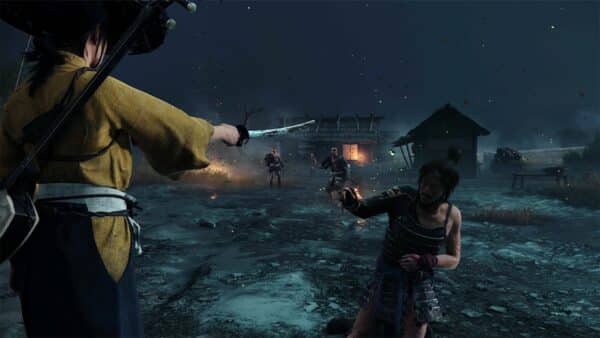
Ghost of Yotei New Update 1.512 Brings Cosmetics in Single-Player to Legends

Sucker Punch Productions has rolled out the latest Ghost of Yotei update today, March 20, and this delivers another set of fixes and adjustments to the Legends mode.

Players should see Ghost of Yotei update 1.512 (complete version 1.512.000) live now, and this also adds in certain cosmetics from single-player’s New Game Plus to Legends.

Read on for the complete set of fixes and changes made by Sucker Punch.

Ghost of Yotei Single-Player Cosmetics From New Game+ Now Available in Legends Mode via Update 1.512

Avatar photo

Alex Co

Father, gamer, games media vet, writer of words, killer of noobs.

Home > Title Updates and Patches

Killing Floor 3 Update on March 20 Delivers Hotfix 2.011

Tripwire Interactive has released a new title update for Killing Floor 3 on all platforms on March 20, and this is a minor patch dealing with technical issues more than anything else.

For those seeing connection issues and whatnot, take note that Tripwire has also triggered a maintenance downtime on all platforms today too.

Read on for the official patch notes for Killing Floor 3 update 2.011 (complete version 2.011.000) that should be a small donwload across all platforms.

Killing Floor 3 Update on March 20 Addresses Technical Issues

Stability Fixes

  • Fixed a crash some users were experiencing related to querying blocked player lists
  • Fixed the command wheel so that it respects the selections players choose.

That’s it for the official list of fixes in this patch, however, there are still a handful of issues affecting players.

Killing Floor 3 Known Issues as of March 20

  • “Effects Quality” seems to be causing some GPU bottlenecking on anything higher than “low”
  • Consistent random spontaneous deaths.
  • Rare Bug – Engineer Gadget Icon Doesn’t Show “X” Amount of Use
  • Stronghold window bug
  • Armor Update in Season 3 is broken
  • Medic Pistol Dart Not Recharging Bug
  • Season 3 update issue with toggle sprint.
  • Execution QTE Not Responding Properly (Flashing QTE)
  • Infinite ammo and insane rate of fire Bug
  • Grenades stock always on 2/4 instead of 4/4
  • Ninja grappling hook ability not working in certain cases.

This is not the entire bugs list, but the most recent ones reported by the community.

Avatar photo

Alex Co

Father, gamer, games media vet, writer of words, killer of noobs.

Home > Title Updates and Patches

Crimson Desert Update 1.000.143 Released as Second Part of Day-One Patch Version 1.00.02

Just a few hours ago, we posted the day-one update details for Crimson Desert, where we mentioned that a second patch would be released on the same day as part of its launch day.

That patch is live now, as players will see it as Crimson Desert update 1.000.143. Pearl Abyss has confirmed that this patch, which is tagged as version 1.00.02, will be available on Xbox, Epic Games Store and Mac at a “later time.”

For reference, we’ve included the complete patch notes, for the day, as well as the current known issues even after installing today’s patch.

Crimson Desert Second Day-One Update Live via Patch 1.000.143

The contents of Patch 1.00.02 are marked with an asterisk below.

Quests

  • A tutorial quest has been added at the start of Chapter 3 to help players learn more about Abyss Gears.
  • Fixed an issue where certain quests would not progress properly.

Content

  • Improved usability for certain systems and content, including Housing mode.
  • Fixed issues where certain content did not function as intended or incorrectly.
  • Adjusted QTE difficulty when captured by enemies to gradually increase based on the number of times captured.
  • Removed the bear’s instant-kill damage and adjusted its overall damage.
  • Fixed an issue where the number of Greymane comrades owned may be displayed as lower than what the actual count is, or some comrades sometimes do not appear on the list.
  • Recently viewed cutscenes can now be fast forwarded more quickly. *

Skills

  • Improved the usability of the skill-learning feature “Watch and Learn”
  • Improved the Skills menu so that skill names and descriptions are separated by weapon type, and descriptions and videos for certain skills have been updated.
  • Added a finishing blow to Kliff’s Flurry of Blows.
  • Added a follow-up skill to Damiane’s greatsword stab and uppercut.
  • Added a follow-up attack to Oongka’s dual-wield stab.

Boss Fights

  • Improved the Tenebrum battle in Chapter 4 so that the puzzle section no longer has to be replayed after dying during the fight. *
  • Adjusted the combat balance of certain bosses, including Reed Devil.
  • Fixed an issue where bosses could attack the player while the player is in the motion of reviving.
  • Fixed abnormal movement and fight progression issues for certain bosses.
  • Improved the combat behavior and animation of Walker-type monsters.

NPC & NPC Dialogue

  • Various improvements and fixes were made to animations, movements, lip-sync, visual clipping, visual effects, and voice acting for NPCs and animals.
  • Improved the dialogue, voice, and reactions of some NPCs to feel more natural and better fit their situations.
  • Fixed an issue where voice dialogue and subtitles did not match when greeting NPCs.
  • Fixed issues related to abnormal interactions with some NPCs and animals.

Localization

  • Fixed various localization errors and improved localization quality across all languages.

UI

  • Fixed UI related issues, including issues with some text display, functionality, sound effects, etc.

Performance

  • Made various performance and stability optimizations across PC and console, as well as crash issues.

* These issues will be patched for PlayStation players in patch version 1.00.02.

Known Issues as of Release Day

  • In certain situations, the Abyss can be seen from the world below, resulting in slight drops in frame rate.
  • During the “Deferred Advance” quest, retrying or abandoning the Ultimate Weapon fight when Blackstar’s Health is depleted causes Blackstar’s Health to not fully recover.
  • Attempting to steal fruit at the back of a stall results in the character becoming unresponsive to controls.
  • When receiving damage while holding a tree, the character can become stuck to the tree.
  • During the Gregor, the Halberd of Carnage boss fight, if surrounding objects are destroyed at the same time the character dies, the character cannot revive and progress.
  • Under certain conditions, applied settings are not saved after restoring settings.
  • While progressing through some quests, the next objective is not automatically tracked.
  • When using FSR4 upscaling, an issue occurs in rainy environments where rain disappears, or the screen becomes blurry or distorted.
  • An issue has been identified where the game cannot be launched properly on Xbox ROG Ally and Xbox PC.
  • We are currently investigating an issue where Steam pre-order purchasers are unable to claim their pre-order bonus and deluxe pack items.

We’re expecting more patches for Crimson Desert to be released in the coming days and weeks, and once another one is available, expect it here on MP1st.

Avatar photo

Alex Co

Father, gamer, games media vet, writer of words, killer of noobs.

Home > Title Updates and Patches

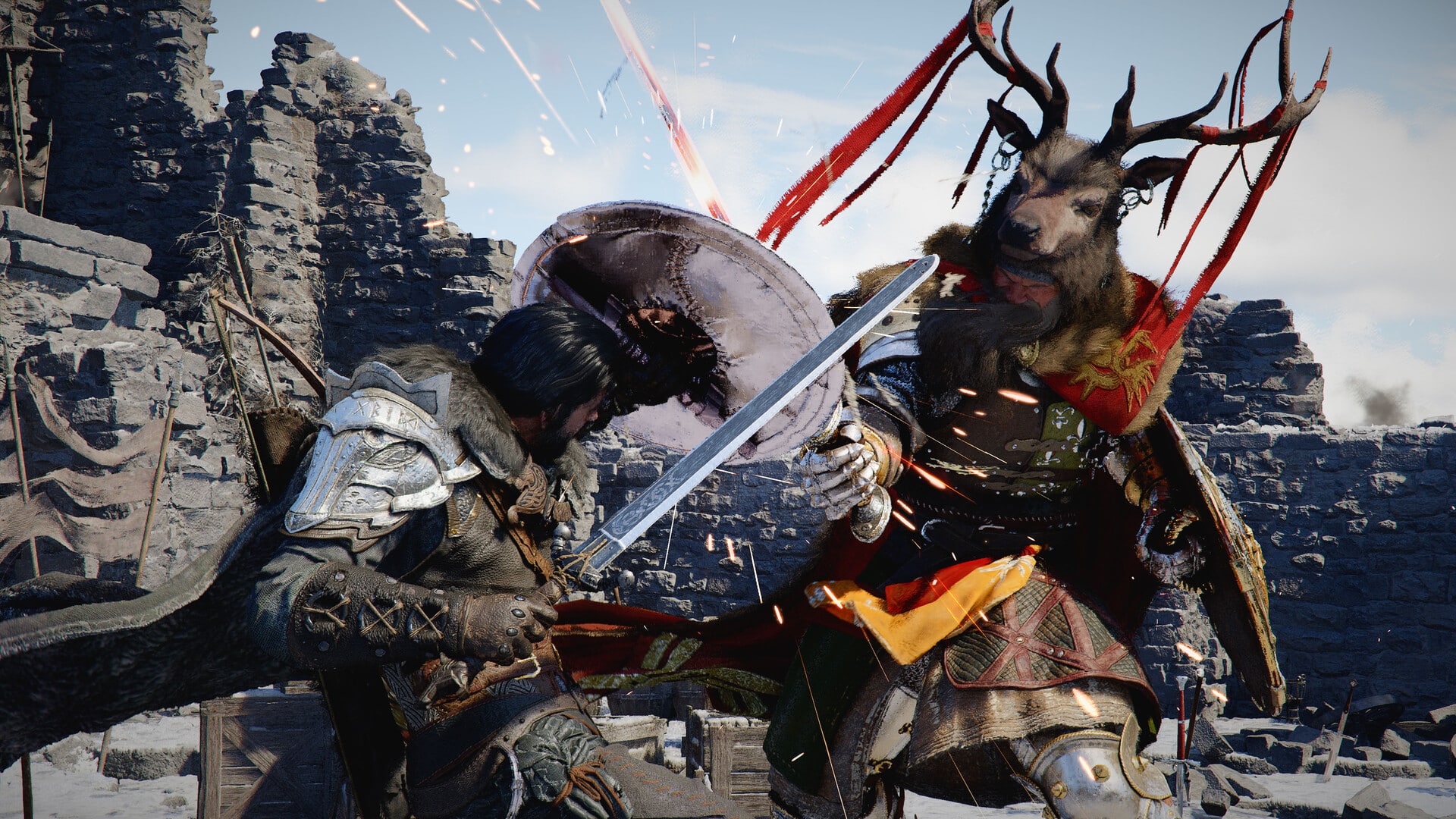
Crimson Desert Update 1.000.142 Drops on Release as Day One Patch

Crimson Desert is officially available worldwide, and although many of you have already pre-loaded the game, it seems that a day-one update is also available to download on some platforms. PlayStation 5 players will see this as update 1.000.142, and it’ll be available in two parts, with the first now live. 

Xbox, Epic Games Store, and Mac users will also need to wait a bit before the update releases. 

Crimson Desert Update 1.000.142 Day One Patch Notes

Patch 1.00.02 will become available on Xbox, Epic Games Store, and Mac App Store at a later time. 
For PlayStation players, this patch will roll out in two-parts: Patch 1.00.01 and Patch 1.00.02. The contents of Patch 1.00.02 are marked with an asterisk below, and Patch 1.00.01 is available for download now.
Your download may already have started or you can start downloading the patch now.
Please check back to this notice and we’ll provide an update when all the patches for each platform become available.

Quests
  • A tutorial quest has been added at the start of Chapter 3 to help players learn more about Abyss Gears.
  • Fixed an issue where certain quests would not progress properly. 
Content
  • Improved usability for certain systems and content, including Housing mode. 
  • Fixed issues where certain content did not function as intended or incorrectly. 
  • Adjusted QTE difficulty when captured by enemies to gradually increase based on the number of times captured. 
  • Removed the bear’s instant-kill damage and adjusted its overall damage. 
  • Fixed an issue where the number of Greymane comrades owned may be displayed as lower than what the actual count is, or some comrades sometimes do not appear on the list.
  • Recently viewed cutscenes can now be fast forwarded more quickly. *
Skills
  • Improved the usability of the skill-learning feature “Watch and Learn” 
  • Improved the Skills menu so that skill names and descriptions are separated by weapon type, and descriptions and videos for certain skills have been updated. 
  • Added a finishing blow to Kliff’s Flurry of Blows. 
  • Added a follow-up skill to Damiane’s greatsword stab and uppercut. 
  • Added a follow-up attack to Oongka’s dual-wield stab. 
Boss Fights
  • Improved the Tenebrum battle in Chapter 4 so that the puzzle section no longer has to be replayed after dying during the fight. *
  • Adjusted the combat balance of certain bosses, including Reed Devil. 
  • Fixed an issue where bosses could attack the player while the player is in the motion of reviving. 
  • Fixed abnormal movement and fight progression issues for certain bosses.  
  • Improved the combat behavior and animation of Walker-type monsters. 
NPC & NPC Dialogue
  • Various improvements and fixes were made to animations, movements, lip-sync, visual clipping, visual effects, and voice acting for NPCs and animals. 
  • Improved the dialogue, voice, and reactions of some NPCs to feel more natural and better fit their situations. 
  • Fixed an issue where voice dialogue and subtitles did not match when greeting NPCs. 
  • Fixed issues related to abnormal interactions with some NPCs and animals. 
Localization
  • Fixed various localization errors and improved localization quality across all languages.
UI
  • Fixed UI related issues, including issues with some text display, functionality, sound effects, etc.
 
Performance
  • Made various performance and stability optimizations across PC and console, as well as crash issues. 
* These issues will be patched for PlayStation players in patch version 1.00.02. 
Known Issues
(Last updated: 2026/03/19 22:00 UTC)
  • In certain situations, the Abyss can be seen from the world below, resulting in slight drops in frame rate.
  • During the “Deferred Advance” quest, retrying or abandoning the Ultimate Weapon fight when Blackstar’s Health is depleted causes Blackstar’s Health to not fully recover.
  • Attempting to steal fruit at the back of a stall results in the character becoming unresponsive to controls.
  • When receiving damage while holding a tree, the character can become stuck to the tree.
  • During the Gregor, the Halberd of Carnage boss fight, if surrounding objects are destroyed at the same time the character dies, the character cannot revive and progress.
  • Under certain conditions, applied settings are not saved after restoring settings.
  • While progressing through some quests, the next objective is not automatically tracked.
  • When using FSR4 upscaling, an issue occurs in rainy environments where rain disappears, or the screen becomes blurry or distorted. 

That’s it for the first patch, and as noted, PlayStation 5 owners can expect a second update soon that will include the rest of this patch. 

Avatar photo

James Lara

A gamer at heart, James has been working for MP1st for the last decade to do exactly what he loves, writing about video games and having fun doing it. Growing up in the 90's gaming has been in his DNA since the days of NES. One day he hopes to develop his own game.

Home > Title Updates and Patches

Toxic Commando First Update for Version 1.004 Released on March 19

Saber Interactive has released the first-ever post-release patch for John Carpenter’s Toxic Commando, and it’s a minor one that doesn’t include any balance changes or major bug fixes.

Console gamers will see this download appear as Toxic Commando update 1.004 (complete version 1.004.000), and this should be a small file size across all platforms.

Read on for the official patch notes and what to expect in the coming months.

Toxic Commando’s First Update Is a Minor One Aimed at Connectivity Improvements

Per Saber Interactive, today’s title update includes the following fixes:

  • Various connectivity improvements
  • CONSOLES – Fixed an issue that could cause unstable FPS on “Demon Bait”

That’s about it, as this is a minor update, and seems to have been pushed out in order to make the gameplay experience better from a technical standpoint.

Saber has mentioned that the first content drop is due in the summer, and here’s a look at the roadmap:

FREE UPDATE 1 (Summer 2026)

New Feature:

  • Challenges to unlock cosmetics

Content:

  • New map
  • New enemy
  • 4 new primary weapons
  • New secondary, heavy, and melee weapons
  • 2 new vehicles

DLC – COSMETIC PACK 1

  • Weapon skin
  • Weapon charm
  • Character skins and headgear
  • Vehicle customization (skins, graffiti, honk sounds)
  • Profile titles and icon

FREE UPDATE 2 (Fall 2026)

New Feature:

  • Ammo mods

Content:

  • Additional difficulty
  • New defense setups
  • New enemy
  • 4 new primary weapons
  • New heavy and melee weapons
  • New consumables

DLC – COSMETIC PACK 2

  • Weapon skin
  • Weapon charm
  • Character skins and headgear
  • Vehicle customization (skins, graffiti, honk sounds)
  • Profile titles and icon

There’s more content to be revealed soon, per Saber.

If you’ve yet to play Toxic Commando, it might surprise you. Our review even mentions, “This can also be different playing with other online players, but with the core gameplay, it seems Saber Interactive has struck gold once again with Toxic Commando, and if it receives the same level of post-launch support as Saber’s other multiplayer games, then zombie — and co-op fans — are in for a toxic treat.”

Avatar photo

Alex Co

Father, gamer, games media vet, writer of words, killer of noobs.

Home > Title Updates and Patches

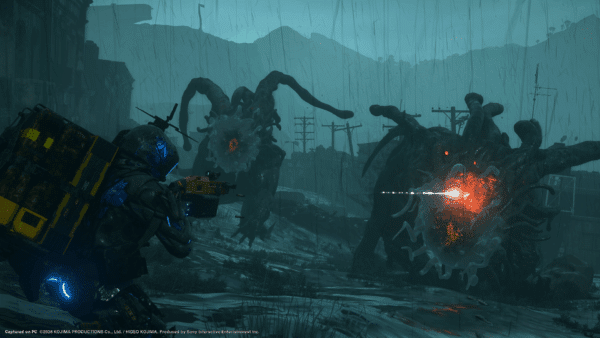
Death Stranding 2 Update 1.013 Adds New Content and Features

As promised a few days ago, Kojima Productions is celebrating the launch of Death Stranding 2: On the Beach on PC with a new game update for the PS5 version.

Players will see this as Death Stranding 2 update 1.013 (complete version 1.013.000), and this ushers in a slew of new content and features all for free.

Read on for what to expect from today’s title update.

Death Stranding 2 on PS5 Updated to Version 1.013 New Content

New Difficulty Mode “To The Wilder” Added

For those seeking the ultimate gameplay challenge to accompany the story, “to the wilder” mode tests your porter skills to the extreme in merciless environments filled with deadly enemies, and completing orders will require every ounce of ingenuity you can muster. Although there is no turning back once you embark upon this punishing journey, your reward will be a sense of satisfaction that is truly priceless, and you can expect genuine gratitude from the other porters you help.

“Trapped in a Strange Realm” VR Training Area Added

Sam can also access new fieldware including new bandanas which can be unlocked through the newly added “Trapped in a Strange Realm”; a VR training area where you can relive Sam’s epic confrontations with Neil.

Chiral Cat Added to Sam’s Room

Porters can also expect to see visits from the Chiral Feline in the private room aboard the DHV Magellan, new additions – including the Chiral Feline – to Photo Mode.

Connection Bonuses Inbound

PS5 players will also receive PlayStation Connection Bonuses on PC launch day via today’s game update.

Other items mentioned by Kojima in a recent radio interview include:

  • New live-action cutscenes that were originally cut due to capacity limits
  • New footage added and this includes new nightmares experienced by Sam
  • New items
  • Adjustments are being implemented based on gameplay data from players around the world

If Kojima Productions releases a proper changelog, we’ll add it to the article.

If you’ve yet to try Death Stranding 2, it’s on sale now as part of the PlayStation Store’s Mega March promotion.

Avatar photo

Alex Co

Father, gamer, games media vet, writer of words, killer of noobs.

Home > Title Updates and Patches

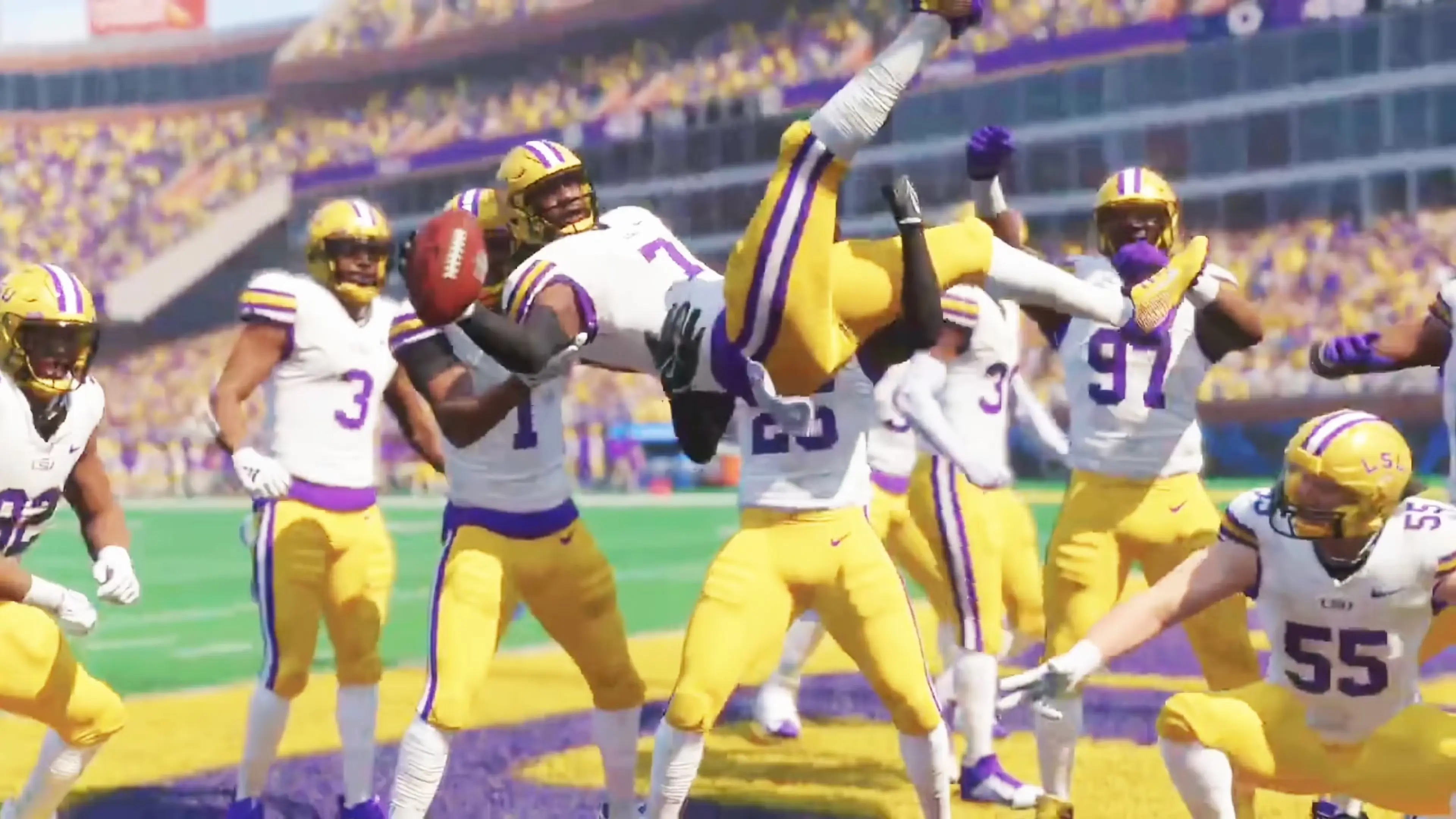
College Football 26 New Update 1.020 Released on March 19

Electronic Arts has released a new title update for College Football 26, and this is another minor patch out on all platforms. Don’t expect anything new in terms of content, or the developers would have shared that by now.

Those on consoles, you’ll see the download as College Football 26 update 1.020 (complete version 1.020.000), and this should be a relatively small file on all platforms.

Read on for the known issues affecting players and more.

College Football 26 March Update Applies Version 1.020

College Football 26 Update 1.011

As expected, the developers haven’t shared anything about today’s patch, and we aren’t expecting any changelog to be released either.

With unannounced patches like these, the fixes are usually for stability and backend, which means there’s probably no front-facing changes made.

For now, we have compiled the list of known issues affecting gamers.

College Football 26 Known Issues as of March 2026

  • Ultimate Alumni: S6 token instead of S7
  • Kicking sliders don’t work on slow sim
  • EA Play bug
  • Wins/losses not progressing in H2H events and chime draft event
  • Missing Cards
  • Players getting kicked out of Dynasty games
  • Ultimate not counting wins
  • Field Pass progression issues

If anyone notices any fixes applied by the patch, leave a comment and let us know. If EA releases an official changelog, we’ll update the article to reflect it.

Avatar photo

Alex Co

Father, gamer, games media vet, writer of words, killer of noobs.

Home > Title Updates and Patches

Battlefield 6 Hotfix 1.2.2.2 Deployed to Resolve EULA Screen Bug via Update 1.000.016

Following the release of Battlefield 6’s Season 2: Nightfall patch yesterday DICE has pushed out an emergency hotfix to address an annoying bug affecting gamers after installing yesterday’s update.

Players today will see hotfix 1.2.2.2 available for download, and this will show up as Battlefield 6 update 1.000.016 on consoles.

As the title states, this fixes the EULA screen bug that’s more of an annoyance than anything else.

Battlefield 6 EULA Bug Fixed via Patch 1.000.016 on March 19

Per DICE, “The team has identified the cause of the EULA (User Agreement) screen appearing more frequently than expected on consoles.”

The devs added, “Today, we deployed a client hotfix (Update 1.2.2.2) to resolve the issue,” and thanked the players for their patience.

While we wait for the next update, EA’s Battlefield Studios, which is comprised of Criterion, Ripple Effect, Motive and DICE, suffered layoffs across all teams, and this is even with the game performing very well commercially.

Expect the next major update to be revealed in a month or two, and once we know more, we’ll have it up on the site.

Avatar photo

Alex Co

Father, gamer, games media vet, writer of words, killer of noobs.

Home > Title Updates and Patches

Fortnite Update 5.04 Ushers in Chapter 7 Season 2 on March 19

Fortnite’s latest seasonal update is here, and this is for version 40.00 or what Epic Games calls Chapter 7 Season 2: Showdown! Console gamers will se the download as Fortnite update 5.04, and this brings a slew of new content to experience, and new cosmetics to earn.

Chief among the new additions include a new location, a new ranked mode, unvaulted items and a lot more.

For the full list of changes, new content and gameplay bug fixes sorted out, read on for the patch notes.

Fortnite Chapter 7 Season 2 Now Live via Version 40.00/1.000.215

The first time you log in, you’ll be given a choice – Team Foundation or Team Ice King. Your decision impacts what new weapons are added for players throughout the Season. At the end of the Season, the winning team unlocks either the Frost-Ready Foundation or Exalted Frost Ice King Outfit Style for all Battle Pass owners. Choose your team wisely, you won’t be able to swap sides later.

RIVALS & LEADERBOARDS 

Visit a Rivalry Screen to challenge another player in the match as your rival. Eliminating them earns you Rival Credits to spend at Rivalry Gear machines for perks like infinite Slap, Exotic weapons, or a once-a-day XP bundle, and contributes to the showdown between Team Foundation and Team Ice King. For the first few days of the Season, players will automatically have a rival soon after the match starts.

Keep winning rivalries to climb the twenty Rivalry Ranks. The higher your rank, the better loot you’ll unlock at Rivalry Gear machines.

Here’s what else to know:

  • Eliminations and damage are tracked across matches to determine your rivals. Rivalry Screens prioritize the rivals you have the most recent history with.

  • If you’re rebooted in a match, the player who eliminated you is automatically your rival. Take them out to earn double the Rival Credits.

  • Your Rival Credits don’t reset, they persist across matches. You can save up Credits in one game, then splurge on the ultimate loadout in the next.

  • If a third party poaches your target, the eliminated player drops a Rivalry Contract. Reach it first and the elim will be attributed to you. If another player picks it up, the rivalry continues with them as your new target.

  • The more often you use Rivalry Screens, the more often you’ll become the target of rivalries for other players. Want a cooler break? Skip the screens in consecutive matches, and you’ll be targeted less often.

Check out how you stack up against other players in the Global Leaderboard Challenge on showdown.fortnite.com. Sign up to get the Original Rivalry Spray, earn more cosmetics, and climb the leaderboards for a chance to win an NVIDIA GeForce RTX 5080 Founders Edition graphics card, PlayStation 5, or Fortnite merch.

THE RIVALRY INTENSIFIES IN ARENAS 

Notice that game mode with a countdown? On April 9, Arenas — a new Ranked and build-only mode — dials things up with close-quarters combat. Challenge your friends to a 1v1 boxfight, or battle it out in a 16-player round robin competition as a duo or solo.

NEW LOCATIONS

New Sanctuary – The Foundation’s high-tech base of operations holds a stockpile of loot for all those willing to join the fight.

Frigid Fortress – The Ice King’s castle looms over Polar Peak, surrounded by snowy terrain and patrolled by his guards.

Dark Dominion – Be wary of the reassembled Zero Point shard at Dark Voyager’s headquarters.

Squibbly Shores – A coastal landmark where Zero Point shards have created unusual water properties.

NEW BATTLE PASS – LAUNCH WEEK BONUS & INSTANT UNLOCK 

Get the Battle Pass for 800 V-Bucks or with Fortnite Crew to instantly unlock Exalted Ice King. Pick up the Pass before March 26 at 11:59 PM ET and you’ll also claim the launch week exclusive Stealth Tech Foundation bonus Style and accessories.

Level up to earn premium rewards like the Ice Prince Sidekick, Ice King’s Frostwalkers Kicks, and Outfits like The Order (Reforged), Elite Jules, and Bugs Bunny.

You can also earn 20% back in Epic Rewards when you use Epic’s payment system to purchase V-Bucks for the Battle Pass or subscribe to Fortnite Crew. It’s available when you check out on iOS, the web, or on PC through the Epic Games Store, as well as on Google Play in the US.

NEW LOOT POOL

Season 2’s loot pool is almost entirely refreshed with added weapons and fan-favorite Exotics and unvaults.

Added:

  • Vector 7 DMR – A high-damage scoped rifle with a slower fire rate, designed for precision at range.

  • Chaos Reloader Shotgun – A single-fire shotgun with devastating close-range damage. One shell per reload means every shot counts. Automatically reloads when not equipped.

  • Bouncing Boomstick – Dynamite that explodes for big damage every time it bounces.

  • Overdrive Grenade – Toss one to impulse yourself or nearby players, granting a temporary boost of movement speed, reload speed, and fire rate to anyone it hits.

  • Skyline Deployer – Shoot out a zipline you’ll automatically ride to your target location. Any player can use or destroy the zipline once it’s up.

  • Unlocked in the Showdown:

    • Ice King’s Gauntlets – Dropped by the Ice King at Frigid Fortress. Fire ice projectiles as your primary attack, or unleash a massive ice storm that deals damage over time in a large area.

    • The Foundation’s Rift Rifle (Exotic Vector 7 DMR) – Spawns a rift at your bullet’s impact location.

    • Seven Cluster Cannon – Fires a cluster of explosive shots after a charged delay.

    • Seven Power Gloves – Advanced mobility gauntlets with two abilities. Both abilities use up charges that regenerate over time.

      • Primary: Dash Punch in any direction to leap forward and deal damage on impact.

      • Secondary: Uppercut to launch yourself into the air, dealing even more damage and knocking back opponents.

    • Slapperoni Pizza – Throw down a pizza box you and the squad can grab slices from. The pizza will give healing and the Slap effect.

Unvaulted and Returning:

  • Combat Assault Rifle

  • Nemesis AR

  • Chapter 1 Pistol

  • Thunder Burst SMG

  • Iron Pump Shotgun

  • Twin Hammer Shotguns

  • Twin Mag SMG

  • Mythic Goldfish

  • FlowBerry Mist Grenade

  • Port-A-Bunker (Zero Build only)

  • Shield Bubble Jr. (Zero Build only)

  • From Lawless to Lawful: There are Foundation-inspired versions of Chapter 6 Season 2 Exotics

  • And more

DRIVE THE BATTLE BUS

This time YOU take the wheel. Every match one random player is chosen to drive the Battle Bus. If selected, steer through rings to grant everyone XP and spawn a Supply Drop at each ring’s coordinates.

If you’re a passenger, don’t forget to thank your driver and tip them some extra XP! Tipping will show an emoji of your chosen Showdown team, so be generous with pride.

RIFT ANOMALIES

The Golden Coast is getting new rift anomalies, match events that reshape the game. When one triggers, it applies a twist that affects all players equally. Here are some of the new ones, with more coming later in the Season:

  • Rivalry Rumble – Every player on the Island enters a rivalry at the same time. Winners get extra Rival Credits.

  • Storm Focus – Changes the Storm shape and reveals its final location at the start of the match.

  • Stabilize Anomaly (unlocked from the Showdown) – Take down a hostile drone swarm to earn loot from past Seasons.

RETURNING PLAYER MODIFIER

If you’ve taken a break from Fortnite, we’ve added a Returning Player Modifier that eases you back in with more accessible matches for a short period while you shake off the rust. It’s temporary, but once the system has enough data on your new skill level, it’ll place you into your newly calibrated matchmaking formula.

COMING SOON: RIVAL REMATCHES

If you’re hungry for payback, hit the Rematch button after a match to queue into the next one with players from the lobby who did the same.

PC IMPROVEMENTS & FIXES

  • Addressed several high-profile crashes, especially affecting competitive play and asset streaming.

  • Improved Intel GPU stability for most modern GPUs.

  • Fixed an issue where players would crash on launching the game, particularly players on Intel CPUs.

  • We’ve deployed a set of changes that will allow us to address a wide variety of PC crashes immediately, without waiting for a patch or hotfix.

We’ll highlight more PC-specific improvements in coming updates.

GENERAL IMPROVEMENTS & FIXES

  • Teammates’ icons are now anchored to the edge of the minimap when far away, showing where they are even if not nearby.

  • Added the ability to keymap a second ping button when viewing the map in fullscreen.

  • You can now open Chests more reliably while moving.

  • You can now hurdle through windows more reliably while strafing or looking up.

  • Fixed an issue that blocked players from passing through windows broken with certain assault rifles and snipers.

  • You can now bash into open doors to close them. No more being blocked by wide open doors getting in the way.

  • You can now initiate conversations with Characters from farther away.

  • Items on the ground no longer appear invisible.

  • Pickup interactions will more reliably filter out items you can’t use.

  • We’ve added a little extra time between a Victory Royale and the post-match screen so you can celebrate that W longer.

  • Your Emotes, Jam Tracks, and car items will now shuffle correctly when using randomized presets or loadouts.

  • You can now cancel location pings more easily by re-pinging the location rather than having to target the ping icon.

  • Custom build binds assigned to “R” now work when you’re not building.

  • On keyboard + mouse, pressing Esc with the inventory screen open will now close the menu instead of opening the Escape menu.

  • (Reload) Fixed an issue with Morphite weapons not reliably firing or reloading.

For those who purchase V-Bucks, don’t forget, the price increase and it’s due to operating costs per Epic.

Avatar photo

Alex Co

Father, gamer, games media vet, writer of words, killer of noobs.

Home > News

Fortnite Update 40.00 for Chapter 7 Season 2 Unleashed via Patch 1.000.215

Epic Games has unleashed the latest major update for Fortnite, and this is for Chapter 7 Season 2! In terms of version numbers, Epic calls this version 40.00, with console gamers seeing this download apper as Fortnite update 1.000.215.

Called “Showdown,” this title update brings a new location, a new ranked mode and build-only mode and more to be added.

For the comprehensive patch notes, read on.

Fortnite Chapter 7 Season 2 Now Live via Version 40.00/1.000.215

The first time you log in, you’ll be given a choice – Team Foundation or Team Ice King. Your decision impacts what new weapons are added for players throughout the Season. At the end of the Season, the winning team unlocks either the Frost-Ready Foundation or Exalted Frost Ice King Outfit Style for all Battle Pass owners. Choose your team wisely, you won’t be able to swap sides later.

RIVALS & LEADERBOARDS 

Visit a Rivalry Screen to challenge another player in the match as your rival. Eliminating them earns you Rival Credits to spend at Rivalry Gear machines for perks like infinite Slap, Exotic weapons, or a once-a-day XP bundle, and contributes to the showdown between Team Foundation and Team Ice King. For the first few days of the Season, players will automatically have a rival soon after the match starts.

Keep winning rivalries to climb the twenty Rivalry Ranks. The higher your rank, the better loot you’ll unlock at Rivalry Gear machines.

Here’s what else to know:

  • Eliminations and damage are tracked across matches to determine your rivals. Rivalry Screens prioritize the rivals you have the most recent history with.

  • If you’re rebooted in a match, the player who eliminated you is automatically your rival. Take them out to earn double the Rival Credits.

  • Your Rival Credits don’t reset, they persist across matches. You can save up Credits in one game, then splurge on the ultimate loadout in the next.

  • If a third party poaches your target, the eliminated player drops a Rivalry Contract. Reach it first and the elim will be attributed to you. If another player picks it up, the rivalry continues with them as your new target.

  • The more often you use Rivalry Screens, the more often you’ll become the target of rivalries for other players. Want a cooler break? Skip the screens in consecutive matches, and you’ll be targeted less often.

Check out how you stack up against other players in the Global Leaderboard Challenge on showdown.fortnite.com. Sign up to get the Original Rivalry Spray, earn more cosmetics, and climb the leaderboards for a chance to win an NVIDIA GeForce RTX 5080 Founders Edition graphics card, PlayStation 5, or Fortnite merch.

THE RIVALRY INTENSIFIES IN ARENAS 

Notice that game mode with a countdown? On April 9, Arenas — a new Ranked and build-only mode — dials things up with close-quarters combat. Challenge your friends to a 1v1 boxfight, or battle it out in a 16-player round robin competition as a duo or solo.

NEW LOCATIONS

New Sanctuary – The Foundation’s high-tech base of operations holds a stockpile of loot for all those willing to join the fight.

Frigid Fortress – The Ice King’s castle looms over Polar Peak, surrounded by snowy terrain and patrolled by his guards.

Dark Dominion – Be wary of the reassembled Zero Point shard at Dark Voyager’s headquarters.

Squibbly Shores – A coastal landmark where Zero Point shards have created unusual water properties.

NEW BATTLE PASS – LAUNCH WEEK BONUS & INSTANT UNLOCK 

Get the Battle Pass for 800 V-Bucks or with Fortnite Crew to instantly unlock Exalted Ice King. Pick up the Pass before March 26 at 11:59 PM ET and you’ll also claim the launch week exclusive Stealth Tech Foundation bonus Style and accessories.

Level up to earn premium rewards like the Ice Prince Sidekick, Ice King’s Frostwalkers Kicks, and Outfits like The Order (Reforged), Elite Jules, and Bugs Bunny.

You can also earn 20% back in Epic Rewards when you use Epic’s payment system to purchase V-Bucks for the Battle Pass or subscribe to Fortnite Crew. It’s available when you check out on iOS, the web, or on PC through the Epic Games Store, as well as on Google Play in the US.

NEW LOOT POOL

Season 2’s loot pool is almost entirely refreshed with added weapons and fan-favorite Exotics and unvaults.

Added:

  • Vector 7 DMR – A high-damage scoped rifle with a slower fire rate, designed for precision at range.

  • Chaos Reloader Shotgun – A single-fire shotgun with devastating close-range damage. One shell per reload means every shot counts. Automatically reloads when not equipped.

  • Bouncing Boomstick – Dynamite that explodes for big damage every time it bounces.

  • Overdrive Grenade – Toss one to impulse yourself or nearby players, granting a temporary boost of movement speed, reload speed, and fire rate to anyone it hits.

  • Skyline Deployer – Shoot out a zipline you’ll automatically ride to your target location. Any player can use or destroy the zipline once it’s up.

  • Unlocked in the Showdown:

    • Ice King’s Gauntlets – Dropped by the Ice King at Frigid Fortress. Fire ice projectiles as your primary attack, or unleash a massive ice storm that deals damage over time in a large area.

    • The Foundation’s Rift Rifle (Exotic Vector 7 DMR) – Spawns a rift at your bullet’s impact location.

    • Seven Cluster Cannon – Fires a cluster of explosive shots after a charged delay.

    • Seven Power Gloves – Advanced mobility gauntlets with two abilities. Both abilities use up charges that regenerate over time.

      • Primary: Dash Punch in any direction to leap forward and deal damage on impact.

      • Secondary: Uppercut to launch yourself into the air, dealing even more damage and knocking back opponents.

    • Slapperoni Pizza – Throw down a pizza box you and the squad can grab slices from. The pizza will give healing and the Slap effect.

Unvaulted and Returning:

  • Combat Assault Rifle

  • Nemesis AR

  • Chapter 1 Pistol

  • Thunder Burst SMG

  • Iron Pump Shotgun

  • Twin Hammer Shotguns

  • Twin Mag SMG

  • Mythic Goldfish

  • FlowBerry Mist Grenade

  • Port-A-Bunker (Zero Build only)

  • Shield Bubble Jr. (Zero Build only)

  • From Lawless to Lawful: There are Foundation-inspired versions of Chapter 6 Season 2 Exotics

  • And more

DRIVE THE BATTLE BUS

This time YOU take the wheel. Every match one random player is chosen to drive the Battle Bus. If selected, steer through rings to grant everyone XP and spawn a Supply Drop at each ring’s coordinates.

If you’re a passenger, don’t forget to thank your driver and tip them some extra XP! Tipping will show an emoji of your chosen Showdown team, so be generous with pride.

RIFT ANOMALIES

The Golden Coast is getting new rift anomalies, match events that reshape the game. When one triggers, it applies a twist that affects all players equally. Here are some of the new ones, with more coming later in the Season:

  • Rivalry Rumble – Every player on the Island enters a rivalry at the same time. Winners get extra Rival Credits.

  • Storm Focus – Changes the Storm shape and reveals its final location at the start of the match.

  • Stabilize Anomaly (unlocked from the Showdown) – Take down a hostile drone swarm to earn loot from past Seasons.

RETURNING PLAYER MODIFIER

If you’ve taken a break from Fortnite, we’ve added a Returning Player Modifier that eases you back in with more accessible matches for a short period while you shake off the rust. It’s temporary, but once the system has enough data on your new skill level, it’ll place you into your newly calibrated matchmaking formula.

COMING SOON: RIVAL REMATCHES

If you’re hungry for payback, hit the Rematch button after a match to queue into the next one with players from the lobby who did the same.

PC IMPROVEMENTS & FIXES

  • Addressed several high-profile crashes, especially affecting competitive play and asset streaming.

  • Improved Intel GPU stability for most modern GPUs.

  • Fixed an issue where players would crash on launching the game, particularly players on Intel CPUs.

  • We’ve deployed a set of changes that will allow us to address a wide variety of PC crashes immediately, without waiting for a patch or hotfix.

We’ll highlight more PC-specific improvements in coming updates.

GENERAL IMPROVEMENTS & FIXES

  • Teammates’ icons are now anchored to the edge of the minimap when far away, showing where they are even if not nearby.

  • Added the ability to keymap a second ping button when viewing the map in fullscreen.

  • You can now open Chests more reliably while moving.

  • You can now hurdle through windows more reliably while strafing or looking up.

  • Fixed an issue that blocked players from passing through windows broken with certain assault rifles and snipers.

  • You can now bash into open doors to close them. No more being blocked by wide open doors getting in the way.

  • You can now initiate conversations with Characters from farther away.

  • Items on the ground no longer appear invisible.

  • Pickup interactions will more reliably filter out items you can’t use.

  • We’ve added a little extra time between a Victory Royale and the post-match screen so you can celebrate that W longer.

  • Your Emotes, Jam Tracks, and car items will now shuffle correctly when using randomized presets or loadouts.

  • You can now cancel location pings more easily by re-pinging the location rather than having to target the ping icon.

  • Custom build binds assigned to “R” now work when you’re not building.

  • On keyboard + mouse, pressing Esc with the inventory screen open will now close the menu instead of opening the Escape menu.

  • (Reload) Fixed an issue with Morphite weapons not reliably firing or reloading.

For those who purchase V-Bucks, don’t forget, the price increase and it’s due to operating costs per Epic.

Avatar photo

Alex Co

Father, gamer, games media vet, writer of words, killer of noobs.

Home > Title Updates and Patches

Nioh 3 Version 1.04.02 Fixes Gameplay Issues via Update 1.040.020

Team Ninja has continued its excellent post-release support of Nioh 3, as the game has a new title update bringing it to version 1.04.02 once applied.

PS5 players, you’ll be prompted to download Nioh 3 update 1.040.020, and this is a small download that applies gameplay-related bug fixes.

Read on for the official patch notes.

Nioh 3 Ninja Style Martial Art Footstool Jump Bug Resolved in Latest Update

nioh franchise sales

PlayStation®5 / Steam®

Bug Fixes

  • Fixed an issue occurring when learning the Ninja Style Martial Art Footstool Jump, where quickly pressing the jump input two times in a row with a sheathed weapon or an unsheathed kusarigama would cancel the jump.
  • Fixed an issue that greatly reduced the amount of damage dealt when activating Arts Proficiency.

Steam®

Bug Fixes

  • Fixed an issue preventing Martial Art 1 Controls and Martial Art 2 Controls from triggering Martial Arts in mid-air if the player had assigned Martial Art 1 Controls and Martial Art 2 Controls to a single key via Configure Controls (Keyboard/Mouse).

1

The patch released earlier this month added new items and a host of weapon balance changes. The feature enhancements and additions include:

Adjustments/Feature Enhancements

  • Added the free bonus equipment Thunderous Warrior Armor and Thunderous Ninja Attire to celebrate Nioh 3 achieving one million copies sold and the series as a whole surpassing ten million copies sold.
  • Increased the amount of Glory that can be obtained upon completing a mission in multiplayer sessions.
  • Increased the probability of equipment with higher +values being dropped upon completion of Shogun’s Journey.
  • Reduced the required amount of materials for Soul Matching with an item that is higher than any +value the player has already obtained.
  • Made it easier for the Ninjutsu Flame Breath to hit enemies.
  • Made it easier for certain Ninjutsu and Onmyo Magic to hit enemies on terrain with different elevations.
  • Made adjustments so that pressing the input for Strong Attacks or Quick Attacks right after jumping will still unleash those attacks.
  • Made changes so that bosses will no longer focus their attacks on a single player.
  • Adjusted the lock-on camera to make it easier to see the movements of Onryoki.
  • Reduced the effect of Extended Negative Effects (Melee Attack) for the set bonus Unmatched Warrior, which had a greater effect than intended.
  • Increased the probability of Increased Damage Taken on Enemy (Ranged Weapon Hit) being triggered by the set bonuses Unmatched Warrior and Straight and True.
  • Made changes so that if a Merchant drops two or more Sudama Soul Cores at a time, the Soul Cores from the second onward will be added directly to the player’s item box.
  • Made changes so that a ! mark will appear on tabs with new items that can be created via Forging at the Blacksmith.
  • Increased the limit of certain forging materials that can be possessed.
  • Made changes so that the player can exchange Daidara Bocchi’s Soul Core at the Merchant after completing the Myth Disaster at Lake Hamana.
  • Made adjustments so that Sacred Arrow Amulets will refill automatically when the player prays at a shrine.
  • Added system settings to disable the auto-refill of usable items.
  • Added system settings to enable auto-lock upon obtaining equipment with rare special effect icons.
  • Added system settings to switch between views for Gifts in the Resting Rites and Make an Offering menus.
  • Made it possible to Return from Battle Scrolls and Mission Mode Expeditions via the main menu.
  • Made changes so that the text showing the conditions for icons to appear on the map will be displayed for all icons.
  • Made it possible to display the details of a piece of equipment’s set bonus on the rewards screen for Battle Scrolls.
  • Made improvements to the visibility of Soul Cores set in the Onmyo Box.
  • Made the player character easier to see when adjusting equipment appearance.
  • Added Type 6 to the Pupil Type settings in Character Creation.

Check out the complete changelog to see the balance changes and gameplay adjustments.

Avatar photo

Alex Co

Father, gamer, games media vet, writer of words, killer of noobs.

Home > Title Updates and Patches

Sonic Racing CrossWorlds Version 1.3.1 Adds New Content via Update 1.31/1.031

SEGA has released the latest major update for Sonic Racing CrossWorlds, adding new content for free via version 1.3.1. It’s now out on all platforms.

From new gadgets and modes to even some collaboration items, here’s a breakdown of everything included in this update.

Sonic Racing CrossWorlds Version Free Content Update 1.31 | Update 1.031 for Today, March 18, 2026

Mode Updates

  • World Match can now be played even during Festivals

  • Increased Donpa Ticket rewards in World Match/Legend Competition by at least double

  • Updated all modes (except Time Trial) with Bonus Ring Frenzy and Item Box Frenzy 

  • Increased maximum rating in World Match from 99,999 to 999,999

Content Updates

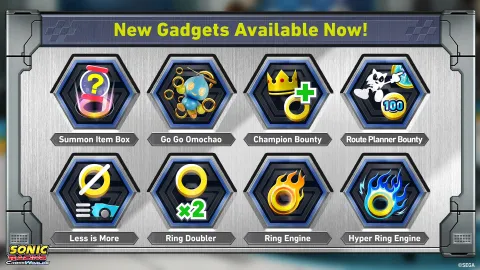
  • Added 8 new Gadgets that expand how you can use Rings
  • Added a new Frenzy Mode, “Bonus Ring Frenzy,” which causes bonus rings to appear on the course
  • Added the album “Sega Racing & Variety,” containing 8 classic Sega racing tracks
  • Added 5 collaboration decals including Joe Musashi
  • Added 30 decals from brand collaborations

New Options

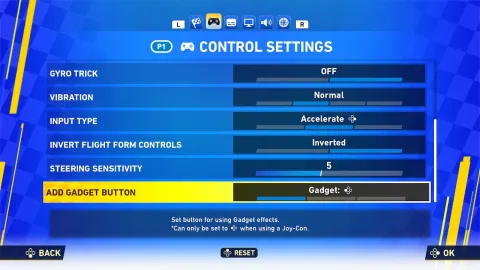
  • It’s now possible to add/change a button that triggers the ability of Gadgets
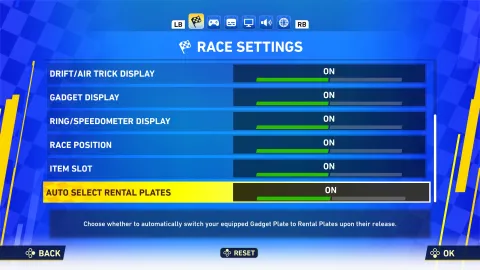
  • It’s now possible to disable rental plates from automatically equipping during Festivals

Other Additions and Adjustments

  • Balance adjustments for races and Gadgets
  • Other adjustments, bug fixes, and additions to future live-service data

Mode and Content Update Details

World Match/Legend Competition

  • World Match can now be played even during Festivals!
  • World Match maximum rating has been increased from 99,999 to 999,999.
  • Increased Donpa Ticket rewards in World Match/Legend Competition
Mode World Match Legend Competition
Ver. Up to Ver.1.2.2 From Ver.1.3.1 Up to Ver.1.2.2 From Ver.1.3.1
1st 20 40 15 70
2nd 16 35 15 60
3rd 12 30 15 50
4th 8 25 15 40
5th 8 25 15 40
6th 8 25 15 40
7th 8 20 15 30
8th 8 20 15 30
9th 4 10 15 30
10th 4 10 15 30
11th 4 10 15 30
12th 4 10 15 30

Festivals

  • Adjusted CPU strength based on differences in player skill
  • We have added new rules to make Festivals even more fun!

New Frenzy Mode

  • Added new Frenzy mode*: Bonus Ring Frenzy.
  • Item Box Frenzy* can now occur outside of Team Matches as well.

*Occurs in all modes except Time Trial.

New Content – Music & Decals

Added the album “Sega Racing & Variety,” featuring classic Sega racing tracks.

Jukebox tracks

  • MAGICAL SOUND SHOWER
    • From: OutRun
  • Let’s Go Away
  • Soul on Desert
    • From: Sega Rally 2
  • Like THE Wind (B COURSE) – ARCADE ver.
    • From: Power Drift
  • Outride a Crisis
    • From: Super Hang-On
  • Main Theme (Enduro Racer)
    • From: Enduro Racer
  • God Only Knows
  • Like the Wind [Reborn]
    • From: Power Drift

Collaboration decals

  • 5 decals including Joe Musashi

  • 6 decals from Five Guys
  • 7 decals from Menchies
  • 4 decals from Fogo de Chão
  • 8 decals from Funko POP!

Addition of Live-Service Data

We have updated content for future live operations.

Gadget Additions and Settings in Ver.1.3.1

New Setting: “Gadget Button”

The “Gadget Button” activates the effect of the “Inventory Swap” Gadget or the new “Item Summon” Gadget during a race when equipped.

An option has been added to assign this button to keys other than the default* (for example, on PlayStation 5, the button can be assigned to L1 or L2).

*This feature is not added to the Steam or Epic Games Store versions, as they already allow for custom key assignments.

Sonic Racing: CrossWorlds Ver. 1.3.1 - Gadget Button

New Option: “Autoselect Rental Plate”

Under Festival’s Special Rules, when a rental plate matching the rule is provided, the equipped Gadgets will automatically switch. Turning this option OFF prevents the Gadget Plate from switching automatically*. This can be set under “Options > Race Settings.”

Sonic Racing: CrossWorlds Ver. 1.3.1 - Autoselect Rental Plate

*We have confirmed an issue where, when the “Auto Select Rental Plate” option is OFF, the transition animation that plays when race rules change does not display correctly. This issue is scheduled to be fixed in a future update.

New Gadgets

We’ve added 8 gadgets!

These gadgets can be obtained once your Gadget Plate reaches “Master Plate” or higher.

Sonic Racing: CrossWorlds Ver. 1.3.1 - New Gadgets
  • Ring Gain
    • Champion Bonus
    • Travel Choice Bonus
  • Ring Ability
    • Double Rings
    • Low-Ring Speed Up
    • Ring Engine
    • Hyper Ring Engine
  • Item Control
    • Item Summon
  • Upgrade/Add Item
    • Go Go Omochao

The following gadgets which were previously distributed as Festival rewards can now be purchased* with Donpa Tickets from the gadget customization screen:

  • Character Type Kit
    • Acceleration Character Kit
  • Advanced Kit
    • Ace Pilot Kit
    • All-Rounder Kit
    • Wisp Hoarder Kit

*These can be purchased if your gadget plate is “Master Plate” or higher

Competitive Balance Adjustments

With Ver.1.3.1, we’re aiming to expand tactical variety through Gadget customization. We’ve added new Gadgets and adjusted existing gadgets to enable new playstyles, such as spending held Rings as a resource and gaining benefits by intentionally holding no Rings. Along with this, we’ve expanded Ring Gain Gadgets to further support these new strategies. 

In Ver.1.2, strategies involving continuously gaining invincibility from Ultimate Charge had become dominant, so we shortened its invincibility duration. Since this change risked making comeback strategies from lower positions too strong, we also shortened the duration of the Drill item when used from higher positions. 

In addition, because strategies for climbing from 4th–8th place still had challenges, we strengthened Collision Boost which serves as the starting point for tactics that move players up the ranks by colliding with other machines. Gadgets with similar effects, such as Ring Thief and Spin Drift, are also intended to become more effective through this adjustment. 

We will continue balance adjustments based on Gadget usage rates and win rates.

Gadget Adjustments

  • Collision Boost/Power Machine Kit/Power Character Kit: Increased the duration of the Boost.
    • Previously, Collision Boost gave only a momentary speed boost and often failed to result in moving the racer up in position, so we adjusted it to make it more effective in overtaking other racers.
  • Crash Pads: Now triggers a Ring‑halving effect when hit by Ring Thief.
  • Ultimate Charge/Handling Machine Kit: Reduced the invincibility duration on a Level 4 Boost (from 3 seconds to 1.5 seconds.)
    • Ultimate Charge was designed as a racing‑focused Gadget that lets skilled players block attacks. However, as player skill has improved, it was enabling far more defensive opportunities than intended, making it difficult for other Gadgets to compete. This adjustment creates a clearer opening after activation, preserving the original idea of rewarding players’ skill in defending against attacks while still giving others more chances to counter.
  • Acceleration Character Kit: Removed the Mini Ring Thief from this kit.
    • Due to its high win rate and the increased customization options made possible by new Gadgets introduced Ver.1.3.1, we’ve reduced the number of effects bundled into this kit.
  • Inventory Swap: The Gadget Button UI will now gray out when swap is not possible.

Item Adjustments

  • Because using the Drill item made it too easy to jump to 1st place in the final lap, its effect duration has been shortened when the player is in 4th place or higher. Furthermore, the speed drop that occurs just before the Drill effect ends now happens earlier.
  • The Special Item Box had low competitive value, so its item lineup and appearance rates have been adjusted.
  • In some cases, Item Box Frenzy made it harder than normal to obtain items, so we adjusted box placement and behavior to make items easier to get.

Online Adjustments

  • Fixed an issue where desync caused by network conditions could unfairly allow other players to steal Item Boxes.
  • CPU racers were too likely to be in the lead early in a race, affecting player‑to‑player interaction, so we reduced their pace right after the start. (This does not apply to Rival races, such as those in Grand Prix.)

Team Match Adjustments

  • In Team Matches, ally CPUs were sometimes too slow and put players at a disadvantage, so we’ve increased their pace. (This does not apply to Rival races, such as those in Grand Prix.)
  • Powerful items had a greater impact than intended in Team Matches, so their drop rates were reduced. King Boom Boo, in particular, diminished the benefit of running in the lead outside the final lap, so its drop rate was lowered.
  • Super Team Boost made it too easy to return to the front, so its duration when far from 1st place was shortened. To increase the advantage of running in the lead outside the final lap, the duration of Super Team Boost when triggered in upper positions was increased.

Course Adjustments

  • Adjusted Ring and Item Box placement in PAC-VILLAGE & MAZE and Sky Road where there wasn’t enough risk‑reward balance. (These adjustments do not affect Time Trial.)

Other Adjustments

  • Expanded the Titles screen display to accommodate upcoming Festivals and Legend Competition Titles.
  • When playing as Tangle, her tail could sometimes block the camera and obscure the view of the course. We adjusted the tail’s movements so it no longer obstructs visibility.
  • In the Epic Games Store version, DirectInput controllers can now be used.
  • In World Match, Festivals, and Legend Competition lobbies, Fair Play Points will now decrease if a player intentionally disconnects or closes the application.

Bug Fixes

Jukebox

  • Fixed an issue where certain classic Sonic tracks would disappear from the Jukebox after performing specific actions. Updating to Ver.1.3.1 will automatically restore and unlock all affected tracks.

Festivals

  • Fixed an issue where animations did not play correctly during the Festival award ceremony when using AI Racer skins.
  • Fixed some unintended designs for Hatsune Miku Festival Titles

Legend Competition

  • Fixed an issue where the grade‑up animation displayed before the actual required rating.

Time Trial

  • Fixed an issue where achieving a goal time identical down to the last three digits to a rank target incorrectly resulted in being graded one rank lower. (Past records will not be updated.)

Online Competition

  • Fixed an issue where collisions with other players’ machines caused excessive slowdown when pinned against a wall.
  • An issue where invincibility durations could appear longer than intended due to network issues was fixed by synchronizing invincibility end-timing correctly.

Machines

  • Fixed an issue where Boost‑type machines sometimes did not bounce correctly on collision with other machines.
  • Fixed an issue where being hit by an item attack while drifting or jumping caused the machine to float too high.


Frenzy Time

  • Fixed an issue where Boost Frenzy ending during item selection could result in not receiving an item.
  • Fixed an issue where the Omochao Warp activating when being lapped during Boost Frenzy sometimes made items unusable.

Courses

Fixed various course‑specific issues.

  • Urban Canyon: Drifting and air tricks sometimes became unusable after passing the third Transformation Gate
  • Market Street: Early split‑path on the hill caused a dramatic temporary position drop.
  • Coral Town: Homing Punch and Slicer behaved incorrectly near the final corner.
  • Chao Park: Players could sometimes be launched off‑course in the second corner after the jump area.
  • Aqua Forest: There would be odd behavior if a player took damage while crossing the first Dash Ring.
  • Aqua Forest: After the third Transformation Gate, the machine wouldn’t transform into Water Mode.
  • Minecraft World: Players would be unable to enter the final portal on 3rd lap and return to the main course.
  • Minecraft World: Players would fail to transform into Flight Mode in last section of the track on 3rd lap.
  • Minecraft World: BGM failed to play correctly on the 3rd lap if set from Jukebox.
  • Hidden World: Players would fail to transform into Land Mode at the final Transformation Gate.
  • Dragon Road: Dark Gaia Phoenix’s flame attack when the river splits could hit players even during Charge Jumps on water. Fixed by making it easier to avoid by jumping.
  • Digital Circuit: Players would fall endlessly out of bounds at the intersection area in the final part of the course.

Additional minor gameplay issues were also fixed.

Warp Ring (Item) and Warp Ring Specialist (Gadget)

When using the Warp Ring item, an issue occurred where players could perform major course shortcuts or jump several positions at once. This has been fixed in the current version.

With this fix, the item can now be used more reliably in offline play and Friend Matches. However, because future course additions and online player behavior could still cause unexpected issues, the Warp Ring Item and the Warp Ring Specialist Gadget will not be usable in World Match, Festivals, or Legend Competition.

We sincerely apologize to players who were looking forward to using them. They will remain available for use against CPU opponents and in Friend Matches.

Current Known Issues

  • In Ver. 1.3.1, when a player is World Match Legend Rank 1, a Donpa Ticket reward that does not actually exist may appear on the rank gauge. This will be fixed in a future update. We apologize for the inconvenience and appreciate your patience.

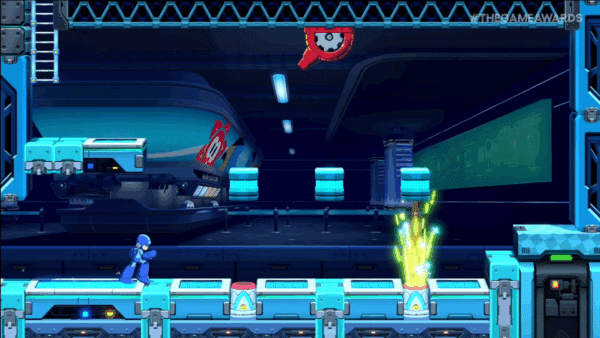
Whew, talk about a big update! As for what’s next, SEGA has also released a teaser for the upcoming Mega Man pack.

The Mega Man Pack arrives for Sonic Racing CrossWorlds on March 25, 2026, and there is a chance that means another update is due out.

Avatar photo

Alex Co

Father, gamer, games media vet, writer of words, killer of noobs.

Home > Title Updates and Patches

The Outer Worlds 2 Hotfix 1.1.0.1 Released as Update 1.100.001

Earlier this month, Obsidian Entertainment released a hefty patch for The Outer Worlds 2 that not only housed gameplay bug fixes, but also new quality-of-life additions.

Today, the studio is back with hotfix 1.1.0.1, which players will see as The Outer Worlds 2 update 1.100.001.

This is a significantly smaller patch, with a much smaller list of fixes, though I gather it should be appreciated by the community all the same.

The Outer Worlds 2 Update on March 18 Brings Bug Fixes Quest Progression Bugs

The Outer Worlds 2 December Update

  • Fixed an issue where the two Vice Presidents in ACHQ would not appear properly during the following faction quests: Mystery of the Mental ModulatorsWorking Together, and An Equitable Arrangement.
    • Please note that you may need to leave The ACS Undisputed Claim and return for this fix to take effect.
  • Fixed an issue during Character Creation where prosthetics would not properly apply in-game to the player character.
  • Fixed an issue with the Workbench Breakdown menu that was preventing players from viewing items on other pages.

As for the patch released earlier this month, here are the new additions applied:

Time of Day Advancement (Wait X hours)

You can now advance the in-game time of day from as little as 1 hour all the way up to 24 hours. This new feature is accessible from the pause menu while not in combat.

New Stealth Kill Animations

New 1st & 3rd person stealth kill animations have been added for the following one-handed and two-handed melee weapons: Impact Hammer, Plasma Cutter, Stun Baton, Tossball Blocker, and the Sentry Blade.

Console Gamepad Rebinding

Rebinding gamepad buttons and triggers on both Xbox and PS5 controllers is now supported on console and PC. One note: the Pause Start button (all platforms) and L2 R2 triggers (PS5 only) are not currently able to be rebound due to platform requirements.

Walk toggle

A keyboard toggle for in game walk has been added to the game. The default key binding is “Y”, which can be rebound to any primary or secondary key of your choice.

There’s also a large list of bug fixes included in that patch, which I suggest giving a read.

In related news, it seems we won’t be getting a third chapter of the game, as The Outer Worlds 2 has missed sales expectations.

Avatar photo

Alex Co

Father, gamer, games media vet, writer of words, killer of noobs.

Home > News

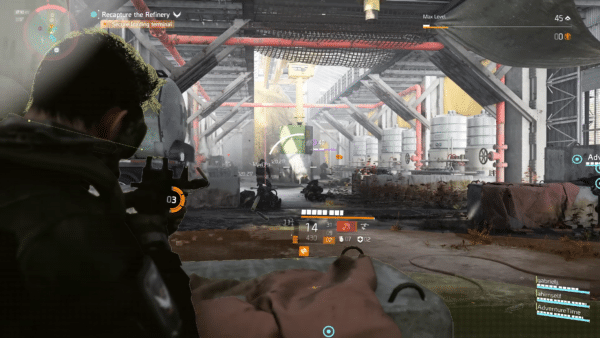
The Division 2: No Plans for a New Raid in Year 8; Exotics Balancing, Specialization Rework Confirmed

While Ubisoft’s Massive Entertainment has officially confirmed Year 8 of The Division 2 will kick off next month, players shouldn’t expect a new raid to be part of the year’s plans.

This was something the developers confirmed in a recent AMA (Ask Me Anything) session with the game’s community on Reddit.

Alongside that, a bunch of other info has also been shared regarding exotic rebalancing, legendary content in the future, rework of specializations, and more.

The Division 2 Info on Year 8 and Beyond Discussed by Massive Entertainment Devs

Answering the questions for The Division 2 is Leo Lorenzoni, the Community Developer for the game. We’ve sectioned off each answer with the specific topic it pertains to for an easier read.

Specialization rework:

A: Yes, this is something we still want to do, but it might take a different form from the one we communicated a while ago. We’re not sure when we will be able to touch it, as we have a packed roadmap ahead. But it’s still in our radar, for sure.

On exotics rebalancing:

A: About the Exotics balance: we want to do a balance pass to keep all different gear viable to the meta. We know that some items are naturally more appealing than others due to the nature of our game and our community, but balancing the current gear is on the table. We don’t have an exact timeline yet, but we want to do it.

Clans:

A: Crossplay is a big change that affects a lot of systems. How they will be transformed after crossplay is still being discussed. We can’t commit to anything yet about clans, but we know that this is a big feature for our community. We’ll take this into consideration.

Yellow filter and PS5 borked textures

A: Yes, the team is currently looking into it.

A: The “yellow filter” is not something that we intended and we are actively working on a fix.

Legendary content in the future:

A: Short answer, Yes.

We’re adding new “challenges” right now in Season 1, and we’re looking at how to increase the level of challenge to all of our other activities and systems.

PTS for consoles:

A: Although we are super happy to connect all our playerbase through crossplay, the PTS requires a different process compared to the main game. For this reason, crossplay won’t impact PTS and PTS will remain as a PC-exclusive experience.

Narrative confusion ([TD2] One of the biggest complaints I’ve seen in this game is the lack of context and confusion regarding the narrative. For example, for any player who returned to the game since WONY, they were confused over Keener and Theo being alive. Not only that, some players were confused on some narrative beats in Battle for Brooklyn, as they weren’t able to catch up with Descent comms, mostly due to the fact you can only get 1 comm from it per week.)

A: You’re right. With each season moving the story forward in various ways, it presents a real challenge for us on how to keep the story understandable for someone who hasn’t followed every single beat. We tend to rely on previous knowledge that some people might not have. This is something we’re aware of and we are actively discussing solutions to make the story a bit easier to grasp, catch up to and follow for newer players.

Companion system returning:

A: We took a lot of feedback from the version we had during Mutiny, and we’re exploring ways of bringing back in the future. But there’s no timeline we can share for the moment.

Raid and weapon models etc
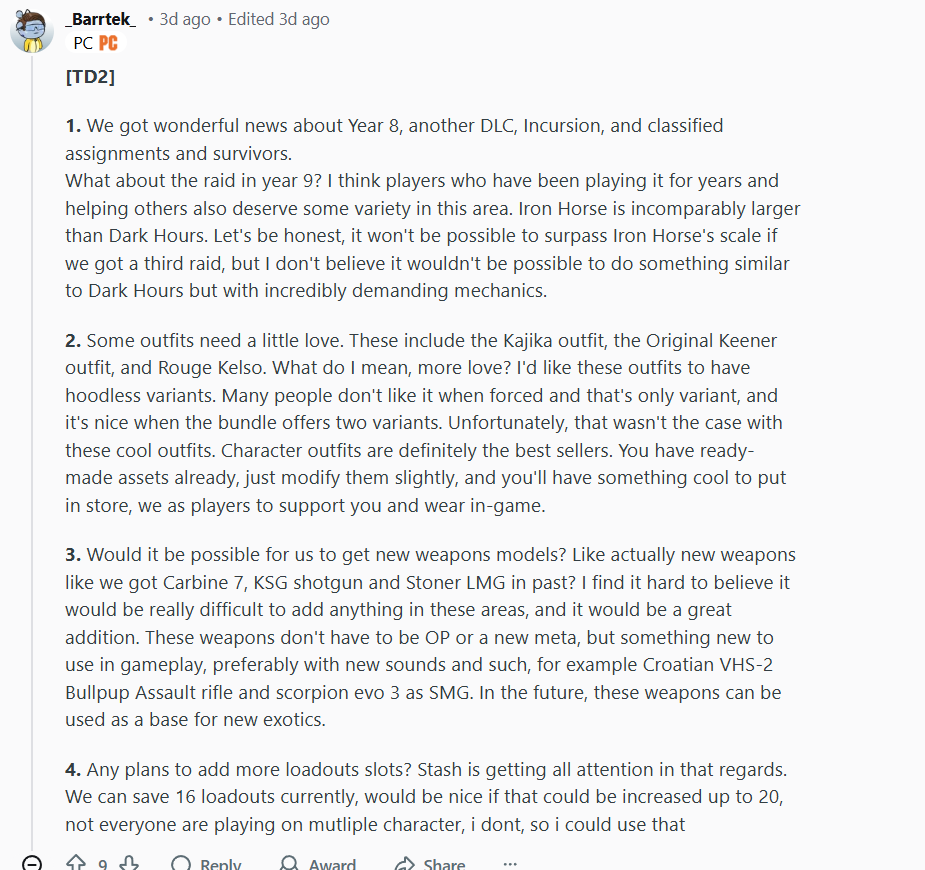
A: 1 – I understand that a new raid would be cool, even if smaller in scale. We don’t have plans for one for Year 8 and Year 9 is quite a way ahead of us. Raids are very complex and they take A LOT of time to make (even if they were smaller). We’re always looking at making sure that we provide something for everyone so I wouldn’t say that they’re off the table in the future, but I also can’t promise anything either.

A: Unfortunately nothing is ever just as easy as “”just modify them slightly””. That being said on occasion we do take the time to revisit old outfits when new functionalities become available, so I’ll take note of this and see if that’s something we can do at some point.

A: The main challenge with adding new weapon models is not necessarily in the design, but in the technicality of the implementation. We need to model them, get the sound right, adjust the character animations to them, make sure all the existing skins work with them. etc.

A: More loadout slots are on our radar and we will share an update when we can.

Anti-cheat implementation and new maps for Conflict

A: 1 – Anti-cheat, lag switcher detection and other security means is a top priority. We’ve got a dedicated team working ONLY on these efforts now. We are hoping we can push an update to our anti-cheat in April, and continue the efforts on the security front throughout the year.

2 – We don’t currently have a plan for new maps, but the new Lead PvP Designer is tinkering away (hehe) on updating our existing game modes (Conflict and DZ) in new and fresh ways (soon).

Dark Zone maps:

A: In Year 8 we’re looking to overhaul a large amount of our existing PvP Systems.

Our aim is to firstly update the PvP experience, and this includes our current anti-cheat security tools, in order to make PvP be a pleasant experience for everyone.

Afterwards, our next goal will be to balance our existing gear specifically for PvP and then look into ways in which we can update our PvP modes (DZ and Conflict) and make them feel fresh and rewarding.

Our new Lead PvP Designer is working on a plan for PvP changes for Year 8, and it’s looking promising so far.

We should know more about the Year 8 plans when it kicks off next month, and that should include info about the Survivors mode too, which sounds like it won’t be a free update but could be a paid expansion.


Avatar photo

Alex Co

Father, gamer, games media vet, writer of words, killer of noobs.

Home > News

Crimson Desert Global Release Times Revealed; Preload Now Available

Crimson Desert, the upcoming RPG from Pearl Abyss, is almost here. If you are wondering when you can start playing in your region, here are all the details you need.

The game will launch on March 19, 2026, but the exact time you can play depends on where you live.

Crimson Desert Release Times and Preload Details

crimson desert

Crimson Desert will release worldwide at the same time, which is 06:00 PM (EDT) on March 19, 2026. Because of time zone differences, some regions will be able to play earlier in the day, while others will start during the early hours of March 20.

Here are the release times for different regions:

Thursday, March 19, 2026:

  • New York: 6:00 PM EDT
  • London: 10:00 PM GMT
  • Paris: 11:00 PM CET
  • Los Angeles: 3:00 PM PDT
  • Dallas: 5:00 PM CDT
  • São Paulo: 7:00 PM BRT

Friday, March 20, 2026:

  • Istanbul: 1:00 AM TRT
  • Dubai: 2:00 AM GST
  • Cape Town: 12:00 AM SAST
  • Beijing: 6:00 AM CST
  • Singapore: 6:00 AM SST
  • Seoul: 7:00 AM KST
  • Tokyo: 7:00 AM JST
  • Sydney: 9:00 AM AEDT

If you have pre-ordered Crimson Desert, you can preload the game 48 hours before release. This means the download is already available.

In other news, Crimson Desert is not a Soulslike, but it will not be easy and will not include microtransactions at launch, Pearl Abyss says.

Avatar photo

Taha

Television kills your vision.

Home > Title Updates and Patches

Madden NFL 26 Update 1.016 Blitzes Out on March 18

EA has released another low-profile update for Madden NFL 26, and this doesn’t bring any new content based on what we’ve seen so far.

Console gamers will see this download as Madden 26 update 1.016 (complete version 1.016.000), and this should be a small file across all platforms.

Read on for the known issues still affecting the game.

Madden NFL 26 Updated on March 18 Without Much Fanfare

Madden 26 Review

As expected, EA has not released any official changelog for the game outside of the servers being pulled down for maintenance today.

For now, here are some of the bugs still plaguing the football sim that EA has yet to fix.

Madden NFL 26 Known Issues as of March 2026

  • Bugged PS5 Trophies
  • Superstar mode is broken for some
  • Visa byot draft event bug
  • H2H Leaderboards displaying as “No information”
  • Connectivity issues (outside of the maintenance downtime)
  • Getting kicked from random games
  • TOTY completion/collector sets done, but no tracking or rewards
  • Ultimate Team access issues

It’s a hard pill to swallow, but we’re not expecting any patch notes from EA regarding today’s title update, which means that these changes are most likely connected to backend stability more than anything else.

For those who see a change or fix for something specific, leave a comment and let us know what you spot.

Avatar photo

Alex Co

Father, gamer, games media vet, writer of words, killer of noobs.

Home > News

PS3 Gets New System Update 4.93, Required to Keep Blu-ray Drive Working

While updates are common for the PS5 and even the PS4, they are much less frequent for the PS3. Sony’s third home console will turn 20 years old this November, but it still receives firmware updates from time to time.

Sony has now released system software update version 4.93 for PS3, and it is already available to download. Even if you do not use your PS3 often anymore, there is one important reason to install this update.

PS3 Receives Update 4.93 to Keep Blu-ray Drive Working

PS3

According to the official PlayStation support page, the update has a size of about 200 MB, whether you download it directly on the console or install it using a USB drive.

The most important detail is related to the Blu-ray disc drive. Sony explained, “Please note, to play Blu-ray discs, your PS3 system needs a renewed Blu-ray player encryption key. Please update your PS3 system software to the latest version to renew the Blu-ray player encryption key.”

This means that installing update 4.93 is necessary to keep the Blu-ray drive working properly.

If you do not install the update, the Blu-ray drive may stop working. As a result, you would not be able to play physical games or watch Blu-ray movies on your PS3. It is not clear if this also affects DVDs or CDs, or if it only applies to Blu-ray discs.

This update adds a new encryption key for the Blu-ray player built into the console, allowing users to continue using physical discs.

If your PS3 is not connected to the internet, you can still install the update manually. Sony allows users to download the firmware from its website, copy it to a USB drive, and install it on the console.

Even so, it is surprising to see Sony still supporting the PS3 after so many years, especially with an update that is required to keep the Blu-ray drive working.

Earlier this week, Sony also released PS4 system update 13.50, although it did not add any major new features. At the same time, a more significant update arrived for PS5, improving PSSR on PS5 Pro and adding new features to the Welcome Hub.

Avatar photo

Taha

Television kills your vision.
Home > Title Updates and Patches

Reanimal Version 1.06 Out on March 18 for Update 1.000.006 Fixes Soft Lock Issues

Tarsier Studios has released version 1.06 of Reanimal, bringing a significant number of fixes to the adventure-horror game across all platforms on March 18.

Console gamers will see this patch as Reanimal update 1.000.006, and this is a small download that fixes some of the disconnect issues players have been experiencing, and more importantly, the soft lock bugs that have plagued players since release.

For the complete list of changes and improvements made, read on.

Reanimal Soft Lock and Disconnect Issues Resolved via Update 1.000.006/1.06

Reanimal Update 1.005

Before diving into the fixes, note that some contain spoilers!

The main change in this patch is that Tarsier has disabled the disconnect code in the game, which means that disconnects will hopefully happen less frequently. The devs add, “However, this does mean that when playing on a bad network with high ping / packet loss you might experience desyncs, slow response and potentially game breaking bugs.”

Soft lock fixes

  • In certain situations the player couldn’t interact with the whale
  • In certain situations the player could be stuck behind a blocking volume in Hospital
  • In certain situations the player character would freeze when entering the barn
  • In certain situations the player could get stuck after interacting with the binoculars
  • When loaded a checkpoint in tank section sometimes resulted in the players not connecting properly in online play
  • Sometimes the player would get killed by the underwater brookhorse too soon
  • NPC could sometimes fail to sit down in the bus towards orphanage
  • Fixed being unable to climb back up an edge in the gas station area

Crashes

  • Crash could occur during tank chase
  • When shooting the other player, in the hanging soldier room, the game could crash and prevent the player from getting an achievement

Other

Improved overall game stability and fixed several crashes.

    • Improved companion AI navigation and fixed cases where companions could fail to follow the player.
    • Fixed camera behavior during certain gameplay moments and cinematic transitions.
    • Resolved issues where music or ambient sounds could continue playing incorrectly.
    • General gameplay polish and minor bug fixes.
  • Resolved multiple online co-op issues, including cases where players could become stuck or desynchronized.
  • Fixed various visual glitches, including clipping and animation issues.
  • Fixed an issue where the sheep beast’s fur disappeared at times
  • Fixed small freezes during the car segment
  • Fixed water textures before the whale quest
  • Fixed an out of bounds area in the orphanage
  • Fixed a performance drop in the mill

If Tarsier releases another patch, expect it here on MP1st.

In other adventure news, The Wolf Among Us current-gen port is seemingly in the works based on our findings.

Avatar photo

Alex Co

Father, gamer, games media vet, writer of words, killer of noobs.

Home > Title Updates and Patches

WWE 2K26 Version 1.05 Fixes Referee Issues via Update 1.005

Visual Concepts has released the latest hotfix for WWE 2K26, and it’s available on PS5, Xbox Series X|S and PC today, with Nintendo Switch 2 owners getting it at a later date.

Once installed, players will see version 1.05 appear on the game’s menu screen, and for console gamers, you’ll see this download appear as WWE 2K26 update 1.005 (complete version 1.005.000).

Bear in mind that this is a minor update, and as such, the changelog isn’t as robust as some might have hoped.

WWE 2K26 Update on March 18 Address Referee Placement Issues

General

  • Stability and Performance improvements

Gameplay

  • Addressed reported concerns over the referee placement during matches

Online

  • Stability improvements

Alongside the patch notes from Visual Concepts, the developers also shared that a server-side patch is available today, giving players the option in MyFaction to use the wheel mini-game in single-player (PvE) submission matches.

In other WWE 2K26 news, the game’s negative reviews from the community continue to pile up and it’s due to the Ringside Pass.

Avatar photo

Alex Co

Father, gamer, games media vet, writer of words, killer of noobs.

Home > Title Updates and Patches

Space Marine 2 Hotfix Version 12.2 Applies Perk Changes via Update 1.012.002

Saber Interactive released a new hotfix for Warhammer 40,000: Space Marine 2, and while it doesn’t bring any new content, it does apply balance changes to perks and more.

Console gamers will see this download appear as Space Marine 2 update 1.012.002, and once this patch is applied, players will see the game version changed to 12.2 on the start screen for all platforms.

For the complete patch notes, read on.

Space Marine 2 Perk Adjustments Applied via Patch 12..2/1.012.002

GAMEPLAY AND BALANCING TWEAKS

Perks

Vanguard 

  • Moving Target: Increased ability restoration from 5 to 10%.
  • Retribution: Melee Damage is increased from 25 to 30%.

Sniper

  • Base ability cooldown reduced from 125 seconds to 90.

Bolt Pistol – Heroic version

  • Increase gun strike damage by 13%.

GENERAL FIXES

  • – Fixed a bug with Techmarine’s “Counteroffensive Protocols” perk not correctly working with “Lethal Perimeter” perk.
  • – Fixed a bug with the Heavy Bolt Rifle perk “Able Reload” not activating with the Techmarine’s ability.
  • – Fixed a bug with Omnissian Axe “Static Charge” perk reducing damage instead of increasing it.
  • – Fixed a visual issue where a blur effect would remain indefinitely when using healing injector.
  • – Fixed a bug with the cooldown of Techmarine’s “Decapitating Stratagem” perk not working properly.
  • – Fixed a bug making impossible to equip the Ultramarines DLC weapon skin on Heroic Heavy Bolter.
  • – Removed the Vox filter in VO Selector’s preview.
  • – Fixed an issue causing low FPS and 100% CPU usage on Steamdeck.
  • – Minor fixes of some Battlefield Conditions
  • – Minor localisation fixes.
  • – Minor UI fixes.

That’s it for this title update and once a new one is out, expect it here on MP1st.

In other news related to developer Saber Interactive, the development team is working on a game based on the John Wick franchise, and this is one shooter we’re keeping a close eye on.

Speaking of Saber, we also reviewed the studio’s latest release, Toxi Commando, and it’s a lot better than you think.

Avatar photo

Alex Co

Father, gamer, games media vet, writer of words, killer of noobs.