Home > Title Updates and Patches

Apex Legends New Update 1.000.094 Drops for Beast Mode, Drags Black Screen Issue With It

[summaraize]

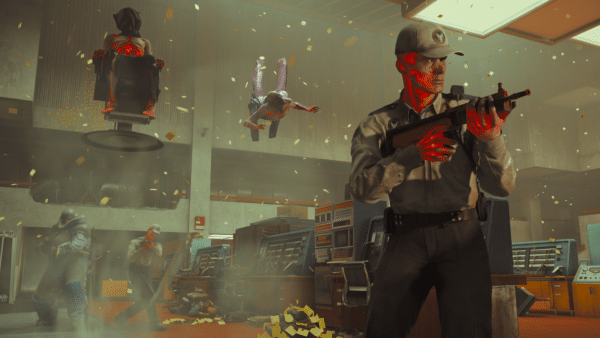
Respawn has released Apex Legends new update 1.000.094 on consoles and PC, and while this brings in new content to the game’s players, it also brought in an unexpected issue.

The patch for Apex Legends today is for the Beast Mode event, though it also triggers a black screen issue on the PS5 version. Thankfully, we might have found  a fix to it,’

Apex Legends Beast Mode – Here’s What’s New

Bring on your Beast Mode, Legends! It’s three weeks of ferocious modes from March 25-April 15, 2025. You’ll have the power when you find and equip a Power Sword with unique abilities in Power Sword Royale for the duration of the event. Next up, you know we’ve got some chaos up our sleeves for April Fool’s. Then, it’s time to once again prove your mettle on your own with Solos. It’s Skirmisher’s time to shine with two new perks and some fresh upgrades for Alter. Plus, unlock unbeatable items as you make your way through the event before we jump right into the next one. We won’t ask if you can handle the heat, just prove in the Outlands.

PUBS LTM: POWER SWORD ROYALE

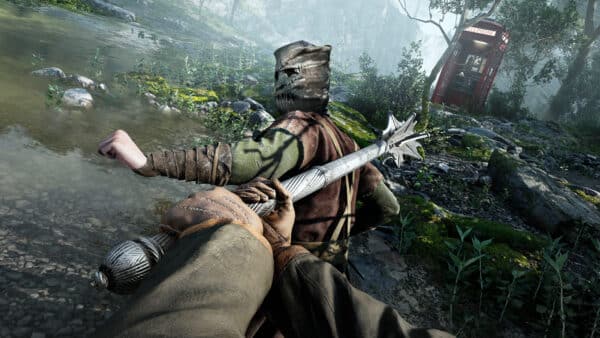
The Power Sword is in your hands…if you can find it that is. At the beginning of each match and once per round, a Power Sword will spawn and be up for grabs. Imbued with strength and close range attacks, you can wield this new piece to launch energy slashes while ADSing which also provides some additional defensive coverage.

CREATOR COMMISSIONERS

Creators continue to take the reins in the latter half of this season starting with Apryze’s selected modes for April Fool’s April 1-7 and the return of Solos April 8-14, 2025. Over two weeks you’ll chase glory together to complete challenges and ultimately determine how many Apex Packs† will be up for grabs the following week. Participating in week one doesn’t automatically earn you rewards, so you’ll want to jump into matches that second week as well. Plus, earn a Banner Frame when you tune in to your faves on Twitch via Twitch Drops and a free Creator-themed tracker set in the Featured store to gift your friends!

Upcoming Creator Commissioners and their Legendary choices:

  • April 1-14: Apryze
    • “Bone Breaker” Legendary Mastiff skin
  • April 15-28: Kaminari Qpi
    • “Tombstick” Legendary Mastiff skin

SKIRMISHER CLASS UPDATES

You might’ve seen this one coming: it’s the Skirmishers time to shine with our mid-season update. Many Skirmisher Legends are well known for using their mobility to either lead the charge into a fight or rotate early looking for one (leaving their allies behind). With this in mind, we wanted to give them a chance to turn that inherent nature into squad utility and allow their allies to keep up with their high mobility playstyle. We also wanted Skirmishers to feel free to be more aggressive with their abilities—knowing that if they perform, they’ll be able to earn that free charge to quickly escape or stay in the fight longer. Our hope is that Skirmishers are more confident diving into a fight and staying alive if they do well, and their squad is more likely to be close behind if they don’t.

  • Trailblazer: your squadmates receive a speed boost when sprinting towards you
    • Allies must be at least 20m away to receive this bonus
  • Charged Knock: Skirmishers gain an extra ability charge and 50 HP regen on knock
    • Extra charge lasts for 30s or until used
    • Extra charge applies to all Skirmisher Legends’ Tacs except Octane who gains an additional Ult Charge instead
    • HP regen will first heal health then shields if applicable, and can be interrupted by damage

Alongside these new perks, most of our Skirmisher Legends have received updates to their abilities, Legend Upgrades, or both. And the Skirmisher’s perfect pairing, SMGs, are getting some buffs as well.

The Beast Mode event will grant players new rewards with the highlight being the Power Sword!

Apex Legends New Update 1.000.094 Patch Notes

BALANCE UPDATES

Gold Weapon Rotation

  • P2020, Prowler PDW, Volt SMG, Devotion, G7 Scout

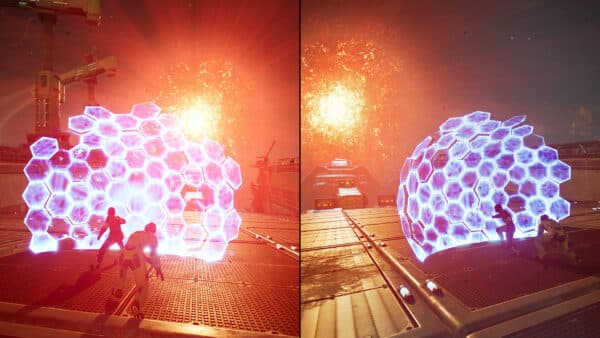
Heat Shields

  • Now take damage when any part of the dome connects with the ring (Previously took damage when the core was in the ring)
  • Now take ramping damage based on how far away the ring is from the core

Dev Notes: Heat Shields had a few quirks that lead to some weird play patterns around the ring’s edge. These changes should smooth that out and make them feel more consistent when not fully engulfed by the ring.

LEGENDS

Skirmisher Class Perks

  • New perks: Charged Knock and Trailblazer (detailed above)

Alter

  • Void Passage
    • Now has two charges
    • Maximum portal depth increased to 30m (was 20m)
    • Cooldown reduced to 20s (was 30s, Tac Cooldown+ upgrade integrated into base kit)
    • Health Bars shown on enemies after going through your own Void Passage (Void Vision upgrade integrated into base kit)
    • Maximum length of Void Siphon (interactable rope with tactical portals) created from ceilings increased to 45m (was 30m)
      • Also now created when placing unreachable portals on walls with a maximum length of 20m
    • Placement preview now shows where a Void Siphon will be created, if there will be one
    • Void Passage briefly highlights enemies on the other side immediately after placement
  • Void Nexus
    • Now reusable with each player having their own 30s cooldown
    • Two can be active in the world at the same time (integrated part of Multidimensional upgrade into base kit)
    • Interact directly with a Void Nexus to ‘summon’ your knocked allies, and summoned allies can move and use their knockdown shield
    • Ult is otherwise not interactable from a short distance, making it easier to revive a squadmate without accidentally triggering the Void Nexus
  • Gift from the Rift: can now grab Banners when using passive on a squadmate’s Death Box
  • Upgrades: Level 2
    • Ringmaster: removed
    • Void Vision: removed
    • NEW “Friends”: gain all support perks (access Support Bins, faster revives with health regen, gain MRB with Banners (works with Gift from the Rift))
    • NEW Eye to Another World: gain all Recon Perks (access Recon Beacons, gain threat vision when ADSing)
  • Upgrades: Level 3
    • Multidimensional: removed
    • Tactical Cooldown+: removed
    • NEW Void Breacher: using a friendly Void Passage grants move speed and improved reloads
    • NEW Staring into the Void: Void Passage scan duration +15s for Alter (lasts duration of the Void Passage)
      • Note: scan requires line of sight to enemy from the portal exit and to the portal entrance for Alter

Dev Note: We’ve always loved Alter’s playmaking potential, but the limited utility of her kit made her a tough pick. By adding an additional Tac charge, the improved wall-based Void Siphon, and new Level 3 Upgrades, we’re giving Alter’s Tac more playmaking potential across a wider range of situations. Additionally, her Upgrades now allow you to build Alter into either what your squad needs or what best suits your playstyle. Want to play strategically? Take the more Recon style upgrades to make plays around or hunt your enemies. Want to provide a rock solid back-line for your squad? Take the more Support style upgrade and bring people back from the brink of elimination—which works extremely well with the new Ultimate rework.

The changes to the Void Nexus aim to reduce the friction around the ability. Being able to re-use the Ult allows your squad to not only use it in case of emergencies, but anytime it might be advantageous. And allowing Alter to recall her allies manually ensures that she can still help those who may not fully understand her kit and secure some clutch revives.

Ash

  • Void Breach: Ult Cooldown increased to 2min 30s (was 2min)

Dev Note: The Skirmisher class perk changes should rival much of Ash’s dominance, but we’re easing off on the Ash pressure valve with a minor Ult adjustment to make those double long phase tears slightly less common.

Horizon

  • Upgrades: Level 2
    • Big Bang: Removed
    • Battpack: Removed
    • Tac Cooldown: moved to Level 2
    • Ult Cooldown: moved to Level 2
  • Upgrades: Level 3
    • NEW Conservation of Energy: Spacewalk grants 25HP shield regen on soft landings
    • NEW Combat Reserve: access Assault Bins, carry extra ammo per stack, and extra grenade slots

Dev Note: Horizon’s maintained a pretty strong position despite her fairly downplayed upgrades. These fresh adjustments should allow for some early improvements and then a choice for players: play into her squirrelly escape antics off her passive or lean into some of her combat efficiency and those grenade combos with her Ult.

Loba

  • Escape Artist: reduced shields regenerated to 25 (was 50)

Pathfinder

  • Upgrades: Level 3
    • Down and Away: removed
    • NEW Grapple Cooldown+: decrease Tac Cooldown by 10s

Dev Note: With the Skirmisher Class perk, Pathfinder’s Down and Away upgrade needed to be replaced, so we’ve added a simple cooldown reduction…for now.

Revenant

  • Assassin’s Instinct: allies now see the the low health tracking marker like Revenant
  • Shadow Pounce
    • Activation time reduced by ~30%
    • Cooldown reduced to 20s (was 25s)
  • Forged Shadows: Ult Shield HP increased by 25
  • Upgrades Level 2
    • Murder Machine: removed
    • NEW Try To Hide: doubles the duration of the passive mark when getting enemies to low health
  • Upgrades Level 3
    • Grim Leaper: removed
    • NEW Agile Assassin: reduces Shadow Pounce activation time and charge time by half
    • Tac Cooldown: now reduces to 15s (was 20s)

Dev Note: Revenant’s fallen significantly from his reign of dominance, so we were looking to reinvigorate him in a few ways with this Skirmisher split. His raid-boss Ult has been less potent with the regen structure and we wanted to give him more strength back into the initial activation of his Ult, especially amidst the new TTK this season (we’ll keep an eye on this though). However, his Shadow Pounce had a long cooldown and required a significant amount of windup to use, so it was often saved for the right moment to disengage rather than to close-in aggressively. We’ve reduced this wind-up time both by default and through the Upgrade to allow him to feel more free to use it to engage and secure those knocks to take advantage of the new class perk. Fly, death kitty, fly!

Wraith

  • Original 3P run animation has returned
  • Into the Void
    • Cooldown decreased to 20s (was 25s)
    • Tac activation time decreased to 0.8s (was 1.25s)
    • Can now exit from the void at any time by pressing Attack or Tactical buttons
  • Dimensional Rift
    • Cooldown decreased to 2min 30s (was 3min)
    • Now ramps up to max speed much faster when using Ult
  • Upgrades: Level 2
    • Ult Cooldown: now reduces to 1min 30s (was 2min)
  • Upgrades Level 3
    • Fast Phase: now decreases Tac activation by 30% (was 20%)
      • This reduces the activation time to 0.5s (was 1.0s)
    • Tac Cooldown: now reduces to 15s (was 20s)

Dev Note: Wraith is getting a number of adjustments to return her closer to her original form. Her sped up activation allows her to be both more reactive and aggressive with her Tac—especially when paired with the new Skirmisher perk. We wanted her to assert more control over when she exits phase to get her back into the fight sooner, which is why Wraith can now control when she exits the Void. The Ult adjustments aim to allow her more active access to her rotation potential and, alongside the speed ramp, it will make it easier than ever to set up a portal rotation for her squad. Also, the run is back. Enjoy.
AMMO & ATTACHMENTS

  • Accelerated Weapons
    • Accelerator Hop-Up has been removed from: C.A.R. SMG, G7 Scout, Nemesis Burst AR
    • Accelerator Hop-Up has been added to: P2020, Volt SMG, Wingman
  • Lasers: increased laser effectiveness at all tiers

WEAPONS

SMG

Alternator SMG

  • Increased mag size across all tiers
    • Base: 20 (was 19)
    • White: 24 (was 23)
    • Blue: 27 (was 26)
    • Purple/Gold: 29 (was 28)

C.A.R. SMG

  • Increased mag size across all tiers
    • Base: 20 (was 19)
    • White: 23 (was 22)
    • Blue: 25 (was 24)
    • Purple/Gold: 28 (was 27)

R-99 SMG

  • Increased mag size across all tiers
    • Base: 18 (was 17)
    • White: 21 (was 20)
    • Blue: 24 (was 23)
    • Purple/Gold: 27 (was 26)

Volt SMG

  • Increased mag size across all tiers
    • Base: 20 (was 19)
    • White: 22 (was 21)
    • Blue: 24 (was 23)
    • Purple/Gold: 27 (was 26)

Dev Notes: We’re taking a pass at most of our SMGs ammo capacity to make them a little more lenient when challenging our more bursty shotguns and consistent LMGs. We’re hoping a little more ammo in the mag can help close out those tight engagements before being forced into a reload.

AR

Nemesis Burst AR

  • Charge deplete time increased to 8s (was 6s)
  • Delay before charge starts depleting increased to 8s (was 6s)
  • Increased barrel effectiveness at all tiers

Dev Notes: With the Nemesis losing the Accelerator Hop-Up we wanted to make sure that it’s still an appealing option for players. We’re making some QoL changes that should make it feel a little smoother.

LMG

Devotion LMG

  • Reduced the intensity in first few shots of the recoil pattern

L-STAR EMG

  • Removed Reverse Hipfire mechanic

Dev Notes: The L-STAR has proven to be a powerhouse weapon that gets away with murder at every engagement range. We’re happy it’s seeing so much play, but want to make sure it doesn’t outclass the rest of the roster. Removing its reverse hipfire should help it feel a little less oppressive in CQC and create some room for our SMGs to shine.

MARKSMAN

30-30 Repeater

  • ADS Charged shot increased to 65 (was 58)
  • ADS Charged Headshot damage increased to 104 (was 93)

Dev Notes: The 30-30’s charge shot isn’t quite as impactful as we’d like for an opener so we’re increasing its damage so that slower more methodical gameplay feels rewarding and worth spending the time on.

G7 Scout

  • Damage increased to 36 (was 35)
  • Headshot damage increased to 58 (was 56)
  • Slightly increased fire rate

Dev Notes: The Scout is getting an adjustment up to compensate for losing the Accelerator Hop-Up.

PISTOL

P2020

  • Normalized laser effectiveness to other weapons

Dev Notes: The P2020 had worse-than-average scaling with the lasers as the base hipfire was better than its peers. We’ve decided to remove this and lean harder into its hipfire accuracy being a part of its identity.

Wingman

  • No longer takes Boost Loader Hop-Up

SHOTGUN

EVA-8

  • Widened blast pattern

MAPS

Pubs

  • E-District
  • King’s Canyon
  • Storm Point

Ranked

  • E-District
  • King’s Canyon
  • Storm Point

Mixtape (March 25-May 5, 2025)

  • TDM: Skull Town, Fragment, Zeus Station, Estates
  • Control: Barometer, Caustic, Labs, Production Yard
  • Gun Run: Wattson, Estates, Skull Town, Fragment

MODES

Pubs: Trios & Duos (March 25-May 5, 2025)

Pubs LTM: Power Sword Royale (March 25-April 14, 2025)

  • A new Pub Trios Event mode that includes the Power Sword!
  • Power Sword spawns at the beginning of a match and once per round
  • Power Sword
    • Event Melee Weapon
    • Strong and fast close range attacks
    • Longer range coverage with the ability to launch energy slashes with ADS
    • Provides defensive coverage by absorbing incoming damage with ADS
    • Can produce an energy blast that hinders nearby enemy players and buffs nearby allies

LTM: April Fools(April 1-April 7, 2025)

  • In collaboration with Creator Commissioner: Apryze
  • A remixed April Fools mode returns!

LTM: Solos (April 8-April 14, 2025)

  • In collaboration with Creator Commissioner: Apryze
  • Solos returns with some twists!
    • Now features 30 player matches
    • Systems’ balance and Ring timings have been adjusted accordingly
  • Respawn Token
    • All players start the match with 1 Respawn Token, allowing them to redeploy after dying
    • Late in the match, respawning will be disabled and players with a Respawn Token are awarded a large amount of EVO
    • Unlike Redemption Trios, the Respawn Token is not found in loot and is not a Survival item
  • Arsenals and Kitted Weapons
    • Arsenals will upgrade the weapon by 1 tier until Purple, and Gold upgrade is available once Loot Bin reset has triggered
    • If a higher tier scope is equipped on a lower tiered weapon, the upgrade will preserve the custom scope selection
    • If no scope is equipped, the upgrade will grant the scope of the next upgrade

RANKED

  • Scoring Update: Kills, Assists and Participations after the 8th will be worth 50% (was 6th)

NEW Split Reset Rule

Introducing the new Tier-based Split Reset rule: every split system will reset players to the lowest division of their last split rank tier:

  • There will be no RP reset from Rookie IV to Rookie I, players will keep the RP they have from the last split
  • Bronze IV to I resets to Bronze IV 1000 RP
  • Silver IV to I resets to Silver IV 3250 RP (with +250 demotion protection)
  • Gold IV to I resets to Gold IV 5750 RP (with +250 demotion protection)
  • Platinum IV to I resets to Platinum IV 8750 RP (with +250 demotion protection)
  • Diamond IV and III resets to Platinum III 9250 RP
  • Diamond II and I resets to Platinum II 10000 RP
  • Master and above resets to Platinum I 11000 RP

Dev Note: To foster fairer competition and reduce mismatches, we’re replacing the traditional hard reset with a new Tier-based Split Reset rule. At the end of each split, your performance will determine your tier and your score will be reset to the minimum threshold of that tier instead of a uniform baseline. This means you’ll start the new split with other players at a similar skill level, preserving your progress while ensuring a more balanced competitive environment.

BUG FIXES

  • Certain Loot Bins once again refill properly after bin reset
  • Fixed rare server crash
  • Fixed an exploit that would allow cheaters to crash the server
  • Fixed “unknown” player ranks due to late loading being incorrectly shown as Rookie. If a player’s rank is not known by the time the Skill Display has loaded, those players’ ranks are now hidden.
  • Opened extended supply bins will no longer show an icon after a Legend Upgrade
  • Peacekeeper will no longer occasionally fire two shots at once while sliding
  • Spider Den loot now reflects current loot pool
  • Tridents will no longer be sent flying when boarded

Arsenals

  • Ensured Arsenal upgrade VFX shows on both Akimbo weapons
  • Arsenals will now provide correct amount of ammo after Loot Bins & Arsenals reset
  • Prevented rare bug where Evo Harvesters spawn inside Arsenals
  • Rebinding keys no longer prevents using the “Highlight Arsenals” map button
  • Upgrading a charged Sentinel or Rampage no longer removes the weapon charge
  • Restored correct weapon animation while upgrading at an Arsenal

Legends

  • Crypto: EMP VFX now matches the distance you could get hit at
  • Lifeline: now revives at Support class speeds when silenced and is able to deploy D.O.C. to revive
  • Newcastle: can once again move his mobile shield while downed
QUALITY OF LIFE

  • Improved consistency when interacting with bleeding out squadmate near small doors
  • Pinging from a Zipline now won’t ping the Zipline itself
  • Legend Upgrade prompt will no longer disappear when taking damage by the ring. All other damage types continue to close the prompt.

AUDIO

  • Reduced audible distance of persistent sound on Ballistic while Ult is active (friendly reduced more than enemy)
  • Reduced volume of:
    • Alter’s active Void Nexus idling
    • Ash’s Snare persistent sound for self and squad
    • Catalyst’s Tac and Ult, also reduced Barricade volume and audible distance for self and squad
    • Caustic gas cloud persistent sound (initial burst unhanged)
    • Mad Maggie’s Wrecking Ball speed burst persistent sound
    • Persistent smoke for Bangalore Tac (initial burst unhanged)
  • Reduced volume and audible distance of:
    • Ballistic’s Whistler persistent sound for self and squad
    • Mad Maggie’s Riot Drill persistent sound
  • Slight volume reduction of:
    • Bangalore’s Ult rocket impacts and explosions at distances greater than pose a threat
    • Crypto’s Drone relative to FOV to help with determining location
    • Seer’s Exhibit heart emitter when not in player FOV to help with determining location

GRAPHICS

This patch removes the option for DirectX 11. We discussed this decision and compared performance between DX11 and DX12 across the entire playerbase in this Dev Update. For additional clarity, DX11 was released in 2009 and as a result it does not have many of the capabilities shared by DX12 and consoles, including previous-gen consoles. Keeping DX11 increasingly requires maintaining two versions of the rendering engine: one only for DX11 and a second shared by every other platform. While continuing to support DX11 allows older GPUs to continue to play the game, it also slows down the development of our rendering engine considerably leading to fewer performance and graphical improvements over time.

DirectX 12 is supported by GPUs starting with the AMD Radeon HD 7790 and the Nvidia GTX 960. In Seasons 23 and 24, approximately 1 out of 1000 Apex players were playing on GPUs older than that at any given time. Rather than split our efforts, we decided to focus on improving the engine for the 99.9% of players who can make use of it.

This patch also contains a number of improvements for DX12:

  • Added a CVar lobby_max_fps: can be used to change the FPS cap in the lobby and menus. This still defaults to 60 to reduce CPU and GPU usage, but can be increased for players who prefer smoother frame rates. Setting +lobby_max_fps 0 will remove the lobby cap, and the lobby will have the same FPS cap as the rest of the game.
  • Added a launch argument, -no_render_on_input_thread: prevents multithreaded rendering from using the same CPU core as input processing. For players with a high number of CPU cores (min. 6), this can improve the stability of frame rates and input lag, especially if they have a high polling rate mouse or controller. For other players, this option could worsen rendering performance.
  • Added a launch argument +mat_no_stretching 1: prevents all resolution stretching and will always letterbox or pillarbox your monitor to the game’s resolution. Players should be aware that certain aspect ratios with this setting can break UI elements in the game, but this functionality is still useful for some players to replicate their DX11 setup with custom resolutions.
  • “Clamp Mouse Cursor to Game Window” option will now clamp the cursor to the area inside of letterboxing or pillarboxing. Ex. when the game is run using a 16:9 resolution on an ultrawide display. This can be disabled with the launch argument +clip_mouse_to_letterbox 0.
  • Fixed +mat_wide_pillarbox 0 launch argument that can be used to enable stretching when running an ultrawide display
  • Fixed some bugs with VSync behavior in DX12 which led to slightly more unstable frame rates when using Triple-Buffering or a lower framerate limit when using Adaptive V-Sync
  • Significantly improved frame rate stability with texture streaming, especially when Texture Streaming Budget is set to Very Low. (Dev Note: While a lower texture streaming budget reduces VRAM usage, it can also hurt performance because textures need to be loaded and unloaded from the GPU more frequently. “None” is the fastest option for performance, but the second fastest option is most likely the default setting for your GPU.)
  • Slightly improved frame rate stability when using Nvidia Reflex or AMD Anti-Lag 2 in combination with high polling rate mice or controllers and capped FPS

Are You Experiencing a Black Screen After the Latest Apex Legends Update?

Multiple players on the game’s subreddit have cried out how the patch seemingly broke the game with a black screen. If you’re experiencing it, try closing the game completely (not just exiting), wait a few minutes and then load it again. This has worked for some gamers, so we’re hoping this works for you too.

If this works for you, leave a comment and let us know.

This is the biggest patch we’ve seen for the game yet, and don’t be surprised if Respawn releases another patch to settle any issues that crop up from this update and to fix the black screen issue.

Avatar photo

Alex Co

Father, gamer, games media vet, writer of words, killer of noobs.

Home > Title Updates and Patches

Apex Legends Update 2.80 Unleashed for Beast Mode

[summaraize]

The latest update for Apex Legends is here and it brings the Beast Mode event! Players will see this as Apex Legends update 2.80, and this brings a new limited-time mode, Skirmishers class updates and more.

When it comes to game balance, a bunch of legends have also seen adjustments, which are all outlined in the patch notes below.

Apex Legends Beast Mode New Content

Bring on your Beast Mode, Legends! It’s three weeks of ferocious modes from March 25-April 15, 2025. You’ll have the power when you find and equip a Power Sword with unique abilities in Power Sword Royale for the duration of the event. Next up, you know we’ve got some chaos up our sleeves for April Fool’s. Then, it’s time to once again prove your mettle on your own with Solos. It’s Skirmisher’s time to shine with two new perks and some fresh upgrades for Alter. Plus, unlock unbeatable items as you make your way through the event before we jump right into the next one. We won’t ask if you can handle the heat, just prove in the Outlands.

PUBS LTM: POWER SWORD ROYALE

The Power Sword is in your hands…if you can find it that is. At the beginning of each match and once per round, a Power Sword will spawn and be up for grabs. Imbued with strength and close range attacks, you can wield this new piece to launch energy slashes while ADSing which also provides some additional defensive coverage.

CREATOR COMMISSIONERS

Creators continue to take the reins in the latter half of this season starting with Apryze’s selected modes for April Fool’s April 1-7 and the return of Solos April 8-14, 2025. Over two weeks you’ll chase glory together to complete challenges and ultimately determine how many Apex Packs† will be up for grabs the following week. Participating in week one doesn’t automatically earn you rewards, so you’ll want to jump into matches that second week as well. Plus, earn a Banner Frame when you tune in to your faves on Twitch via Twitch Drops and a free Creator-themed tracker set in the Featured store to gift your friends!

Upcoming Creator Commissioners and their Legendary choices:

  • April 1-14: Apryze
    • “Bone Breaker” Legendary Mastiff skin
  • April 15-28: Kaminari Qpi
    • “Tombstick” Legendary Mastiff skin

SKIRMISHER CLASS UPDATES

You might’ve seen this one coming: it’s the Skirmishers time to shine with our mid-season update. Many Skirmisher Legends are well known for using their mobility to either lead the charge into a fight or rotate early looking for one (leaving their allies behind). With this in mind, we wanted to give them a chance to turn that inherent nature into squad utility and allow their allies to keep up with their high mobility playstyle. We also wanted Skirmishers to feel free to be more aggressive with their abilities—knowing that if they perform, they’ll be able to earn that free charge to quickly escape or stay in the fight longer. Our hope is that Skirmishers are more confident diving into a fight and staying alive if they do well, and their squad is more likely to be close behind if they don’t.

  • Trailblazer: your squadmates receive a speed boost when sprinting towards you
    • Allies must be at least 20m away to receive this bonus
  • Charged Knock: Skirmishers gain an extra ability charge and 50 HP regen on knock
    • Extra charge lasts for 30s or until used
    • Extra charge applies to all Skirmisher Legends’ Tacs except Octane who gains an additional Ult Charge instead
    • HP regen will first heal health then shields if applicable, and can be interrupted by damage

Alongside these new perks, most of our Skirmisher Legends have received updates to their abilities, Legend Upgrades, or both. And the Skirmisher’s perfect pairing, SMGs, are getting some buffs as well.

The Beast Mode event will grant players new rewards with the highlight being the Power Sword!

Apex Legends Update 2.80 Patch Notes

BALANCE UPDATES

Gold Weapon Rotation

  • P2020, Prowler PDW, Volt SMG, Devotion, G7 Scout

Heat Shields

  • Now take damage when any part of the dome connects with the ring (Previously took damage when the core was in the ring)
  • Now take ramping damage based on how far away the ring is from the core

Dev Notes: Heat Shields had a few quirks that lead to some weird play patterns around the ring’s edge. These changes should smooth that out and make them feel more consistent when not fully engulfed by the ring.

LEGENDS

Skirmisher Class Perks

  • New perks: Charged Knock and Trailblazer (detailed above)

Alter

  • Void Passage
    • Now has two charges
    • Maximum portal depth increased to 30m (was 20m)
    • Cooldown reduced to 20s (was 30s, Tac Cooldown+ upgrade integrated into base kit)
    • Health Bars shown on enemies after going through your own Void Passage (Void Vision upgrade integrated into base kit)
    • Maximum length of Void Siphon (interactable rope with tactical portals) created from ceilings increased to 45m (was 30m)
      • Also now created when placing unreachable portals on walls with a maximum length of 20m
    • Placement preview now shows where a Void Siphon will be created, if there will be one
    • Void Passage briefly highlights enemies on the other side immediately after placement
  • Void Nexus
    • Now reusable with each player having their own 30s cooldown
    • Two can be active in the world at the same time (integrated part of Multidimensional upgrade into base kit)
    • Interact directly with a Void Nexus to ‘summon’ your knocked allies, and summoned allies can move and use their knockdown shield
    • Ult is otherwise not interactable from a short distance, making it easier to revive a squadmate without accidentally triggering the Void Nexus
  • Gift from the Rift: can now grab Banners when using passive on a squadmate’s Death Box
  • Upgrades: Level 2
    • Ringmaster: removed
    • Void Vision: removed
    • NEW “Friends”: gain all support perks (access Support Bins, faster revives with health regen, gain MRB with Banners (works with Gift from the Rift))
    • NEW Eye to Another World: gain all Recon Perks (access Recon Beacons, gain threat vision when ADSing)
  • Upgrades: Level 3
    • Multidimensional: removed
    • Tactical Cooldown+: removed
    • NEW Void Breacher: using a friendly Void Passage grants move speed and improved reloads
    • NEW Staring into the Void: Void Passage scan duration +15s for Alter (lasts duration of the Void Passage)
      • Note: scan requires line of sight to enemy from the portal exit and to the portal entrance for Alter

Dev Note: We’ve always loved Alter’s playmaking potential, but the limited utility of her kit made her a tough pick. By adding an additional Tac charge, the improved wall-based Void Siphon, and new Level 3 Upgrades, we’re giving Alter’s Tac more playmaking potential across a wider range of situations. Additionally, her Upgrades now allow you to build Alter into either what your squad needs or what best suits your playstyle. Want to play strategically? Take the more Recon style upgrades to make plays around or hunt your enemies. Want to provide a rock solid back-line for your squad? Take the more Support style upgrade and bring people back from the brink of elimination—which works extremely well with the new Ultimate rework.

The changes to the Void Nexus aim to reduce the friction around the ability. Being able to re-use the Ult allows your squad to not only use it in case of emergencies, but anytime it might be advantageous. And allowing Alter to recall her allies manually ensures that she can still help those who may not fully understand her kit and secure some clutch revives.

Ash

  • Void Breach: Ult Cooldown increased to 2min 30s (was 2min)

Dev Note: The Skirmisher class perk changes should rival much of Ash’s dominance, but we’re easing off on the Ash pressure valve with a minor Ult adjustment to make those double long phase tears slightly less common.

Horizon

  • Upgrades: Level 2
    • Big Bang: Removed
    • Battpack: Removed
    • Tac Cooldown: moved to Level 2
    • Ult Cooldown: moved to Level 2
  • Upgrades: Level 3
    • NEW Conservation of Energy: Spacewalk grants 25HP shield regen on soft landings
    • NEW Combat Reserve: access Assault Bins, carry extra ammo per stack, and extra grenade slots

Dev Note: Horizon’s maintained a pretty strong position despite her fairly downplayed upgrades. These fresh adjustments should allow for some early improvements and then a choice for players: play into her squirrelly escape antics off her passive or lean into some of her combat efficiency and those grenade combos with her Ult.

Loba

  • Escape Artist: reduced shields regenerated to 25 (was 50)

Pathfinder

  • Upgrades: Level 3
    • Down and Away: removed
    • NEW Grapple Cooldown+: decrease Tac Cooldown by 10s

Dev Note: With the Skirmisher Class perk, Pathfinder’s Down and Away upgrade needed to be replaced, so we’ve added a simple cooldown reduction…for now.

Revenant

  • Assassin’s Instinct: allies now see the the low health tracking marker like Revenant
  • Shadow Pounce
    • Activation time reduced by ~30%
    • Cooldown reduced to 20s (was 25s)
  • Forged Shadows: Ult Shield HP increased by 25
  • Upgrades Level 2
    • Murder Machine: removed
    • NEW Try To Hide: doubles the duration of the passive mark when getting enemies to low health
  • Upgrades Level 3
    • Grim Leaper: removed
    • NEW Agile Assassin: reduces Shadow Pounce activation time and charge time by half
    • Tac Cooldown: now reduces to 15s (was 20s)

Dev Note: Revenant’s fallen significantly from his reign of dominance, so we were looking to reinvigorate him in a few ways with this Skirmisher split. His raid-boss Ult has been less potent with the regen structure and we wanted to give him more strength back into the initial activation of his Ult, especially amidst the new TTK this season (we’ll keep an eye on this though). However, his Shadow Pounce had a long cooldown and required a significant amount of windup to use, so it was often saved for the right moment to disengage rather than to close-in aggressively. We’ve reduced this wind-up time both by default and through the Upgrade to allow him to feel more free to use it to engage and secure those knocks to take advantage of the new class perk. Fly, death kitty, fly!

Wraith

  • Original 3P run animation has returned
  • Into the Void
    • Cooldown decreased to 20s (was 25s)
    • Tac activation time decreased to 0.8s (was 1.25s)
    • Can now exit from the void at any time by pressing Attack or Tactical buttons
  • Dimensional Rift
    • Cooldown decreased to 2min 30s (was 3min)
    • Now ramps up to max speed much faster when using Ult
  • Upgrades: Level 2
    • Ult Cooldown: now reduces to 1min 30s (was 2min)
  • Upgrades Level 3
    • Fast Phase: now decreases Tac activation by 30% (was 20%)
      • This reduces the activation time to 0.5s (was 1.0s)
    • Tac Cooldown: now reduces to 15s (was 20s)

Dev Note: Wraith is getting a number of adjustments to return her closer to her original form. Her sped up activation allows her to be both more reactive and aggressive with her Tac—especially when paired with the new Skirmisher perk. We wanted her to assert more control over when she exits phase to get her back into the fight sooner, which is why Wraith can now control when she exits the Void. The Ult adjustments aim to allow her more active access to her rotation potential and, alongside the speed ramp, it will make it easier than ever to set up a portal rotation for her squad. Also, the run is back. Enjoy.

AMMO & ATTACHMENTS

  • Accelerated Weapons
    • Accelerator Hop-Up has been removed from: C.A.R. SMG, G7 Scout, Nemesis Burst AR
    • Accelerator Hop-Up has been added to: P2020, Volt SMG, Wingman
  • Lasers: increased laser effectiveness at all tiers

WEAPONS

SMG

Alternator SMG

  • Increased mag size across all tiers
    • Base: 20 (was 19)
    • White: 24 (was 23)
    • Blue: 27 (was 26)
    • Purple/Gold: 29 (was 28)

C.A.R. SMG

  • Increased mag size across all tiers
    • Base: 20 (was 19)
    • White: 23 (was 22)
    • Blue: 25 (was 24)
    • Purple/Gold: 28 (was 27)

R-99 SMG

  • Increased mag size across all tiers
    • Base: 18 (was 17)
    • White: 21 (was 20)
    • Blue: 24 (was 23)
    • Purple/Gold: 27 (was 26)

Volt SMG

  • Increased mag size across all tiers
    • Base: 20 (was 19)
    • White: 22 (was 21)
    • Blue: 24 (was 23)
    • Purple/Gold: 27 (was 26)

Dev Notes: We’re taking a pass at most of our SMGs ammo capacity to make them a little more lenient when challenging our more bursty shotguns and consistent LMGs. We’re hoping a little more ammo in the mag can help close out those tight engagements before being forced into a reload.

AR

Nemesis Burst AR

  • Charge deplete time increased to 8s (was 6s)
  • Delay before charge starts depleting increased to 8s (was 6s)
  • Increased barrel effectiveness at all tiers

Dev Notes: With the Nemesis losing the Accelerator Hop-Up we wanted to make sure that it’s still an appealing option for players. We’re making some QoL changes that should make it feel a little smoother.

LMG

Devotion LMG

  • Reduced the intensity in first few shots of the recoil pattern

L-STAR EMG

  • Removed Reverse Hipfire mechanic

Dev Notes: The L-STAR has proven to be a powerhouse weapon that gets away with murder at every engagement range. We’re happy it’s seeing so much play, but want to make sure it doesn’t outclass the rest of the roster. Removing its reverse hipfire should help it feel a little less oppressive in CQC and create some room for our SMGs to shine.

MARKSMAN

30-30 Repeater

  • ADS Charged shot increased to 65 (was 58)
  • ADS Charged Headshot damage increased to 104 (was 93)

Dev Notes: The 30-30’s charge shot isn’t quite as impactful as we’d like for an opener so we’re increasing its damage so that slower more methodical gameplay feels rewarding and worth spending the time on.

G7 Scout

  • Damage increased to 36 (was 35)
  • Headshot damage increased to 58 (was 56)
  • Slightly increased fire rate

Dev Notes: The Scout is getting an adjustment up to compensate for losing the Accelerator Hop-Up.

PISTOL

P2020

  • Normalized laser effectiveness to other weapons

Dev Notes: The P2020 had worse-than-average scaling with the lasers as the base hipfire was better than its peers. We’ve decided to remove this and lean harder into its hipfire accuracy being a part of its identity.

Wingman

  • No longer takes Boost Loader Hop-Up

SHOTGUN

EVA-8

  • Widened blast pattern

MAPS

Pubs

  • E-District
  • King’s Canyon
  • Storm Point

Ranked

  • E-District
  • King’s Canyon
  • Storm Point

Mixtape (March 25-May 5, 2025)

  • TDM: Skull Town, Fragment, Zeus Station, Estates
  • Control: Barometer, Caustic, Labs, Production Yard
  • Gun Run: Wattson, Estates, Skull Town, Fragment

MODES

Pubs: Trios & Duos (March 25-May 5, 2025)

Pubs LTM: Power Sword Royale (March 25-April 14, 2025)

  • A new Pub Trios Event mode that includes the Power Sword!
  • Power Sword spawns at the beginning of a match and once per round
  • Power Sword
    • Event Melee Weapon
    • Strong and fast close range attacks
    • Longer range coverage with the ability to launch energy slashes with ADS
    • Provides defensive coverage by absorbing incoming damage with ADS
    • Can produce an energy blast that hinders nearby enemy players and buffs nearby allies

LTM: April Fools(April 1-April 7, 2025)

  • In collaboration with Creator Commissioner: Apryze
  • A remixed April Fools mode returns!

LTM: Solos (April 8-April 14, 2025)

  • In collaboration with Creator Commissioner: Apryze
  • Solos returns with some twists!
    • Now features 30 player matches
    • Systems’ balance and Ring timings have been adjusted accordingly
  • Respawn Token
    • All players start the match with 1 Respawn Token, allowing them to redeploy after dying
    • Late in the match, respawning will be disabled and players with a Respawn Token are awarded a large amount of EVO
    • Unlike Redemption Trios, the Respawn Token is not found in loot and is not a Survival item
  • Arsenals and Kitted Weapons
    • Arsenals will upgrade the weapon by 1 tier until Purple, and Gold upgrade is available once Loot Bin reset has triggered
    • If a higher tier scope is equipped on a lower tiered weapon, the upgrade will preserve the custom scope selection
    • If no scope is equipped, the upgrade will grant the scope of the next upgrade

RANKED

  • Scoring Update: Kills, Assists and Participations after the 8th will be worth 50% (was 6th)

NEW Split Reset Rule

Introducing the new Tier-based Split Reset rule: every split system will reset players to the lowest division of their last split rank tier:

  • There will be no RP reset from Rookie IV to Rookie I, players will keep the RP they have from the last split
  • Bronze IV to I resets to Bronze IV 1000 RP
  • Silver IV to I resets to Silver IV 3250 RP (with +250 demotion protection)
  • Gold IV to I resets to Gold IV 5750 RP (with +250 demotion protection)
  • Platinum IV to I resets to Platinum IV 8750 RP (with +250 demotion protection)
  • Diamond IV and III resets to Platinum III 9250 RP
  • Diamond II and I resets to Platinum II 10000 RP
  • Master and above resets to Platinum I 11000 RP

Dev Note: To foster fairer competition and reduce mismatches, we’re replacing the traditional hard reset with a new Tier-based Split Reset rule. At the end of each split, your performance will determine your tier and your score will be reset to the minimum threshold of that tier instead of a uniform baseline. This means you’ll start the new split with other players at a similar skill level, preserving your progress while ensuring a more balanced competitive environment.

BUG FIXES

  • Certain Loot Bins once again refill properly after bin reset
  • Fixed rare server crash
  • Fixed an exploit that would allow cheaters to crash the server
  • Fixed “unknown” player ranks due to late loading being incorrectly shown as Rookie. If a player’s rank is not known by the time the Skill Display has loaded, those players’ ranks are now hidden.
  • Opened extended supply bins will no longer show an icon after a Legend Upgrade
  • Peacekeeper will no longer occasionally fire two shots at once while sliding
  • Spider Den loot now reflects current loot pool
  • Tridents will no longer be sent flying when boarded

Arsenals

  • Ensured Arsenal upgrade VFX shows on both Akimbo weapons
  • Arsenals will now provide correct amount of ammo after Loot Bins & Arsenals reset
  • Prevented rare bug where Evo Harvesters spawn inside Arsenals
  • Rebinding keys no longer prevents using the “Highlight Arsenals” map button
  • Upgrading a charged Sentinel or Rampage no longer removes the weapon charge
  • Restored correct weapon animation while upgrading at an Arsenal

Legends

  • Crypto: EMP VFX now matches the distance you could get hit at
  • Lifeline: now revives at Support class speeds when silenced and is able to deploy D.O.C. to revive
  • Newcastle: can once again move his mobile shield while downed

QUALITY OF LIFE

  • Improved consistency when interacting with bleeding out squadmate near small doors
  • Pinging from a Zipline now won’t ping the Zipline itself
  • Legend Upgrade prompt will no longer disappear when taking damage by the ring. All other damage types continue to close the prompt.

AUDIO

  • Reduced audible distance of persistent sound on Ballistic while Ult is active (friendly reduced more than enemy)
  • Reduced volume of:
    • Alter’s active Void Nexus idling
    • Ash’s Snare persistent sound for self and squad
    • Catalyst’s Tac and Ult, also reduced Barricade volume and audible distance for self and squad
    • Caustic gas cloud persistent sound (initial burst unhanged)
    • Mad Maggie’s Wrecking Ball speed burst persistent sound
    • Persistent smoke for Bangalore Tac (initial burst unhanged)
  • Reduced volume and audible distance of:
    • Ballistic’s Whistler persistent sound for self and squad
    • Mad Maggie’s Riot Drill persistent sound
  • Slight volume reduction of:
    • Bangalore’s Ult rocket impacts and explosions at distances greater than pose a threat
    • Crypto’s Drone relative to FOV to help with determining location
    • Seer’s Exhibit heart emitter when not in player FOV to help with determining location

GRAPHICS

This patch removes the option for DirectX 11. We discussed this decision and compared performance between DX11 and DX12 across the entire playerbase in this Dev Update. For additional clarity, DX11 was released in 2009 and as a result it does not have many of the capabilities shared by DX12 and consoles, including previous-gen consoles. Keeping DX11 increasingly requires maintaining two versions of the rendering engine: one only for DX11 and a second shared by every other platform. While continuing to support DX11 allows older GPUs to continue to play the game, it also slows down the development of our rendering engine considerably leading to fewer performance and graphical improvements over time.

DirectX 12 is supported by GPUs starting with the AMD Radeon HD 7790 and the Nvidia GTX 960. In Seasons 23 and 24, approximately 1 out of 1000 Apex players were playing on GPUs older than that at any given time. Rather than split our efforts, we decided to focus on improving the engine for the 99.9% of players who can make use of it.

This patch also contains a number of improvements for DX12:

  • Added a CVar lobby_max_fps: can be used to change the FPS cap in the lobby and menus. This still defaults to 60 to reduce CPU and GPU usage, but can be increased for players who prefer smoother frame rates. Setting +lobby_max_fps 0 will remove the lobby cap, and the lobby will have the same FPS cap as the rest of the game.
  • Added a launch argument, -no_render_on_input_thread: prevents multithreaded rendering from using the same CPU core as input processing. For players with a high number of CPU cores (min. 6), this can improve the stability of frame rates and input lag, especially if they have a high polling rate mouse or controller. For other players, this option could worsen rendering performance.
  • Added a launch argument +mat_no_stretching 1: prevents all resolution stretching and will always letterbox or pillarbox your monitor to the game’s resolution. Players should be aware that certain aspect ratios with this setting can break UI elements in the game, but this functionality is still useful for some players to replicate their DX11 setup with custom resolutions.
  • “Clamp Mouse Cursor to Game Window” option will now clamp the cursor to the area inside of letterboxing or pillarboxing. Ex. when the game is run using a 16:9 resolution on an ultrawide display. This can be disabled with the launch argument +clip_mouse_to_letterbox 0.
  • Fixed +mat_wide_pillarbox 0 launch argument that can be used to enable stretching when running an ultrawide display
  • Fixed some bugs with VSync behavior in DX12 which led to slightly more unstable frame rates when using Triple-Buffering or a lower framerate limit when using Adaptive V-Sync
  • Significantly improved frame rate stability with texture streaming, especially when Texture Streaming Budget is set to Very Low. (Dev Note: While a lower texture streaming budget reduces VRAM usage, it can also hurt performance because textures need to be loaded and unloaded from the GPU more frequently. “None” is the fastest option for performance, but the second fastest option is most likely the default setting for your GPU.)
  • Slightly improved frame rate stability when using Nvidia Reflex or AMD Anti-Lag 2 in combination with high polling rate mice or controllers and capped FPS

This is the biggest patch we’ve seen for the game yet, and don’t be surprised if Respawn releases another patch to settle any issues that crop up from this update.

Avatar photo

Alex Co

Father, gamer, games media vet, writer of words, killer of noobs.

Home > Title Updates and Patches

Destiny 2 Update 3.55 for Version 8.2.5.2 Now Out

[summaraize]

As expected given today’s downtime, Bungie has released Destiny 2 update 3.55 on all platforms, and this brings the game to version 8.2.5.2. This brings fixes to Episode Heresy, Episode Revenant and a lot more.

Those on curent-gen, you should see this as Destiny 2 update version 1.150, and it houses the same changelog, which is available below.

Destiny 2 New Update 3.55 Fixes and Changes Included in Version 8.2.5.2

Destiny 2 Brought Down

Activities

Seasonal

Episode Heresy

  • Court of Blades
    • Fixed a potential soft-lock when defeating a challenger with 0:00 left on the countdown timer.

Episode Revenant

  • Kell’s Vengeance
    • Fixed an issue where the Devouring Essence debuff can duplicate during the fight against Skolas.

Raids and Dungeons

  • Fixed an issue where Vesper’s Host would not be featured in the weekly rotations.

Crucible

Game Modes

  • Lockdown
    • Corrected an issue where the wrong VO was playing when rounds were won.
    • Revives are now enabled in the mode.
    • Heavy Ammo now spawns at 120s instead of 60s into a round.
    • Initial spawn points have been updated.
    • Neutralizing a zone will be required to prevent a triple cap, instead of just being on the zone.

Competitive

  • Point Gains / Losses
    • Increased the amount of points you can be given by the Skill Delta modifier for either beating or losing to a higher skill team.
    • Removed the ability for the Skill Delta modifier to reduce points given or increase points lost.
  • Solo vs. Fireteam Loss Forgiveness (Competitive and Trials)
    • Corrected an issue where solo players matched against a duo fireteam, or solo players match with a duo against a trio, could sometimes not gain loss protection.
    • There is still a known issue where a team of all solos matched against trios may not receive loss protection.
      • While these matches are rare (less than one percent of games for solos), we have modified our matchmaking parameters to further reduce the likelihood of these matches occurring while we continue to investigate.

Gameplay and Investment

Armor

Customization

  • Reverted the recent change to the Hunter Astral Stasis Drake Helmet.
    • For more information, check the ‘Marks, Bonds, and Cloaks’ section of the 03/20/2025 TWID.
  • Fixed an issue where the Mark of the Fallen Star ornament would improperly disable effects on some Exotic armors.

Weapons

Legendaries

  • Fixed an issue where Lotus-Eater showed incorrect numbers in its kill tracker.

Perks

  • Fixed an issue where Discord was not granting ammo to Glaives while active on projectile kills.

Exotics

  • Deterministic Chaos
    • Fixed an issue where anti-Champ capability were misbehaving with anti-Champ mods and Radiant.
  • Thorn
    • Fixed an issue where the Refined Soul buff was being removed upon stowing the weapon.

Power and Progression

Guardian Ranks

  • Fixed an issue where the Master Spelunker objective stated that Vesper’s Host and not Sundered Doctrine was required for Guardian Rank 11.

Collections

  • The Frostflower Sparrow will now properly appear in Collections.
Avatar photo

Alex Co

Father, gamer, games media vet, writer of words, killer of noobs.

Home > Title Updates and Patches

Minecraft New Update 1.015 Delivers Bedrock 1.21.70 to Consoles

[summaraize]

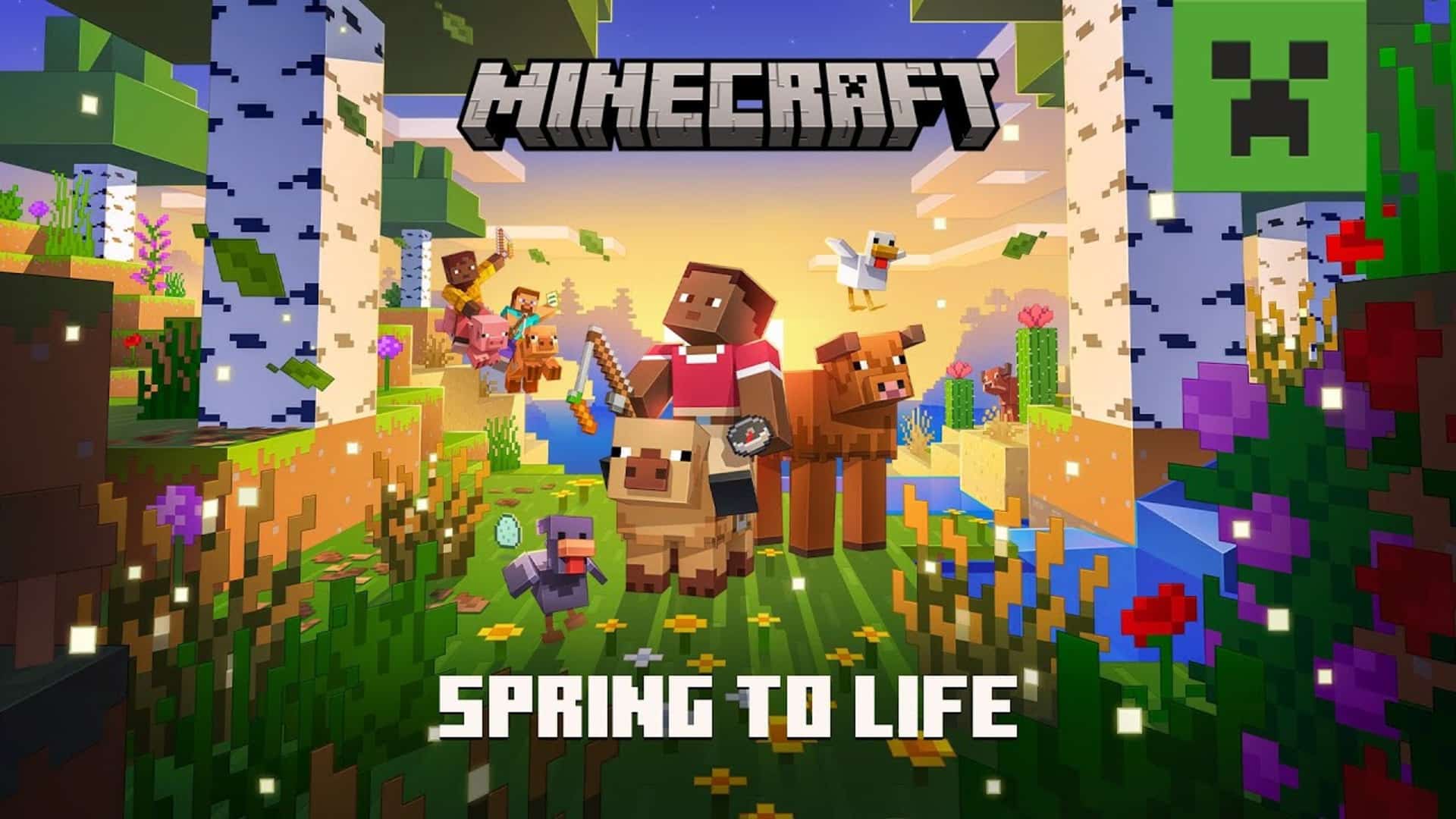
Mojang’s latest major patch for Minecraft is here that adds a ray of sunshine to the game. Minecraft update 1.015 is now live, and this brings the game to Bedrock version 1.21.70 to usher in the “Spring to Life” content.

There are new blocks to play around with, new ambient sounds, animal variants have been added as well, There’s a lot to take in, so go read on for the complete list of new content and features in Minecraft’s Spring to Life update patch notes.

Minecraft New Update 1.015 Patch Notes for Bedrock 1.21.70

The Spring to Life drop brings more reasons to explore both near and far! Warm winds have swept across biomes, bringing new mob variants, ambient sounds, and lush plants for you to discover. Befriend fluffy pigs, marvel at glittering firefly bushes, listen out for whispers of sand, and delight in a blooming Overworld humming with new beginnings. Play the Spring to Life drop in Minecraft now!

New Game Drop Features

Blocks

Bush

  • The Bush is a new type of decorative block that can be found in small patches in the following biomes:
    • Plains
    • Windswept Hills
    • Windswept Gravelly Hills
    • Windswept Forest
    • River
    • Forest
    • Birch Forest
    • Old Growth Birch Forest
  • The Bush can be used in the Composter
  • Using Bone Meal on a Bush places a new Bush next to the Bush if possible

Firefly Bush

  • Added the Firefly Bush block
    • Spawns Firefly particles that fly around it when in darkness
    • Illuminates the area around it
  • Using Bone Meal on a Firefly Bush places a new Firefly Bush next to it if possible
  • Firefly Bushes are found naturally in clumps next to water in the Overworld
  • In Swamp biomes they can be found anywhere and are twice as likely to be found next to water
  • Added ambient sounds to the Firefly Bush that will play at night when the sky is visible

Cactus Flower

  • Added the Cactus Flower, a new type of flower which has a chance of generating on Cactuses in Deserts and Badlands
  • Cactus Flower can be placed on Cactus blocks or any block which has center support at the top of the block
  • Cactus Flowers have a chance of growing on Cactus blocks
    • If a Cactus is 1-2 blocks high the Cactus Flower has a 10% chance to grow instead of the Cactus getting higher
    • If a Cactus is 3 blocks high the Cactus Flower has a 25% chance to grow instead of the Cactus getting higher
    • Cactus Flowers can only grow if they have empty space on all four sides
  • Cactus Flowers can be used in the Composter
  • A Cactus Flower can be used to craft 1 Pink Dye

Leaf Litter

  • Leaf Litter is a new type of decorative block which can be found in the Forests, Dark Forests and Wooded Badlands
  • Leaf Litter can have different amounts of leaves in one block space
    • Up to four Leaf Litter pieces can be placed in the same block space
    • Placing a Leaf Litter into an already placed Leaf Litter block increases the amount of leaves
  • Leaf Litter can be placed in four orientations
  • Leaf Litter can be created by smelting any type of Leaves block
  • Leaf Litter can be used as fuel for smelting
  • Leaf Litter has unique block sounds

Short and Tall Dry Grass

  • Added two new types of grass: Short Dry Grass and Tall Dry Grass
  • Both are 1 block high, which makes Tall Dry Grass differ from Tall Grass which is 2 blocks high
  • Both generate in the Desert and Badlands
  • Both can be placed on types of Sand, Terracotta and Dirt blocks like the Dead Bush
  • Both can be bone mealed
    • Using Bone Meal on Short Dry Grass grows it into a Tall Dry Grass
    • Using Bone Meal on Tall Dry Grass places a neighbouring Short Dry Grass next to the block if possible
  • Both can be used in the Composter
  • Sheep can eat both to regrow its wool
  • Both can be used as fuel for smelting

Wildflowers

  • Wildflowers are a new type of flower which grow in Birch Forests, Old Growth Birch Forests and Meadows
    • Using Bone Meal on Grass Blocks in these biomes can grow Wildflowers
  • Wildflowers can have different amounts of flowers in one block space
    • Up to four Wildflowers can be placed in the same block space
    • Placing Wildflowers into an already placed Wildflowers block increases the amount of flowers
    • Using Bone Meal on Wildflowers will produce more Wildflowers
  • Wildflowers can be placed in four orientations
  • Wildflowers can be crafted into Yellow Dye

New Ambient Sounds for Desert and Badlands

Ambient sounds do not come from the biome settings but are generated by blocks found in the biome, building on the system that we introduced with the Garden Awakens drop.

  • Sand, Red Sand and Terracotta of any color have a chance of playing ambient sounds when surrounded by any one of them on at least 3 sides 8 blocks away
    • block.sand.ambient can be played in any biome
    • block.sand.ambient.attached only plays when in Desert or Badlands biomes
  • Dead Bush blocks have a chance of playing ambient sounds when placed on top of two blocks that are any color of Terracotta, Sand or Red Sand blocks in any biome

Animal Variants

  • Applied the warm and cold animal variant tags to all appropriate biomes, so that animals spawned in these biomes by spawn eggs or commands are an appropriate variant even if they still do not spawn in the biome naturally
  • Cold Farm Animal Biomes:
    • Deep Frozen Ocean
    • Frozen Ocean
    • Frozen Peaks
    • Frozen River
    • Grove
    • Ice Spikes
    • Jagged Peaks
    • Snowy Beach
    • Snowy Plains
    • Snowy Slopes
    • Snowy Taiga
    • The End
    • Cold Ocean
    • Deep Cold Ocean
    • Deep Dark
    • Stony Peaks
    • Old Growth Pine Taiga
    • Old Growth Spruce Taiga
    • Taiga
    • Windswept Forest
    • Windswept Gravelly Hills
    • Windswept Hills
  • Warm Farm Animal Biomes
    • Mangrove Swamp
    • Badlands
    • Bamboo Jungle
    • Basalt Deltas
    • Crimson Forest
    • Desert
    • Eroded Badlands
    • Jungle
    • Nether Wastes
    • Savanna Plateau
    • Savanna
    • Soul Sand Valley
    • Sparse Jungle
    • Warm Ocean
    • Warped Forest
    • Windswept Savanna
    • Wooded Badlands
    • Deep Lukewarm Ocean
    • Lukewarm Ocean
  • Temperate Farm Animal Biomes
    • Swamp
    • Beach
    • Birch Forest
    • Cherry Grove
    • Dark Forest
    • Dripstone Caves
    • Flower Forest
    • Forest
    • Lush Caves
    • Meadow
    • Mushroom Fields
    • Ocean
    • Old Growth Birch Forest
    • Plains
    • River
    • Stony Shore
    • Sunflower Plains
    • Lukewarm Ocean
    • Pale Garden

Chicken Variants

  • Added two new Chicken variants – Warm Chicken and Cold Chicken!
  • These have their own unique texture and geometry, but not a separate spawn egg
  • Chickens spawn in the same biomes as before, but will be a warm or cool variant if the biome is marked as warm or cool in the list above
  • Two new Egg items have been added for the Warm and Cold Chicken variants
    • Blue Egg – The Egg that is laid by and can hatch Cold Chicken variants
    • Brown Egg – The Egg that is laid by and can hatch Warm Chicken variants

Cow Variants

  • Added two new Cow variants – Warm Cow and Cold Cow!
  • These have their own unique texture and geometry, but not a separate spawn egg
  • Cows spawn in the same biomes as before, but will be a warm or cool variant if the biome is marked as warm or cool in the list above

Pig Variants

  • Added two new Pig variants – Warm Pig and Cold Pig!
  • These have their own unique texture and geometry, but not a separate spawn egg
  • Pigs spawn in the same biomes as before, but will be a warm or cool variant if the biome is marked as warm or cool in the list above

Sheep wool color in warm and cold biomes

  • Sheep have updated rules for which color of wool they have based on which biome they spawn in:
    • Temperate Biomes: (these colors are unchanged from current behavior)
      • Common sheep color is white
      • Uncommon sheep colors are black, gray, light gray and brown
      • There is a rare chance for a pink Sheep to spawn
    • Cold biomes:
      • Common Sheep color is black
      • Uncommon Sheep colors are white, gray, light gray, and brown
      • There is a rare chance for a pink Sheep to spawn
    • Warm Biomes:
      • Common Sheep color is brown
      • Uncommon Sheep colors are black, white, gray, and light gray
      • There is a rare chance for a pink Sheep to spawn

Spawn Eggs

  • Overhauled the visuals of each Spawn Egg to improve readability and accessibility
    • Each Spawn Egg now has their own unique visual which captures the personality and character of the mob it spawns
    • Each egg visual varies in shape to reflect the in-world size of the mob it spawns
      • For example, smaller mobs tend to have a smaller Spawn Egg

Updated Trades

Cartographer Trades

  • Cartographers now sell 7 new maps which each point to a different village or other structures in a different biome. These maps can help players who want to quickly find a specific location.
  • Cartographers from different village types will sell a different range of maps and colored banners

Wandering Trader Trades

  • The Wandering Trader now has better prices, more trades and sells larger amounts of many items.
  • They will also now buy basic supplies from players, so it’s possible to get some emeralds by helping them prepare for their next journey even if you don’t feel like buying anything.
  • The Wandering Trader will offer to buy two items from this list:
    • Water Bottle
    • Water Bucket
    • Milk Bucket
    • Fermented Spider Eye
    • Baked Potatoes
    • Hay Bale
  • Wandering Traders now have a chance of selling these items (in addition to their previous trades):
    • Logs (Acacia, Birch, Dark Oak, Jungle, Oak, Spruce, Pale Oak, Mangrove or Cherry)
    • Enchanted Iron Pickaxe
    • Potion of Invisibility

Wolf Variant Sounds

  • Added 6 new Wolf audio variants with unique ambient, hurt, death, growl, whine, and pant sounds
    • Every Wolf will have a random audio variant assigned to it from the 6 new variants and the original one
    • The audio variant is not related to the texture variant

Experimental Features

Trade Rebalancing Experiment

  • Moved the Cartographer and Wandering Trader changes out of the experiment

“]

Features and Bug Fixes

Achievements with Add-Ons

  • Enabled earning Achievements while playing in a world with Add-Ons applied.

Blocks

  • Placing a block in liquid, and then placing another block next to your first block in liquid will no longer replace your second placed block for a moment, causing you to fall into the liquid
  • Structure Blocks no longer briefly change textures when placed (MCPE-185531)
  • Sea Pickles can now be placed on any block with center support (MCPE-116152)
  • Barrier blocks will no longer prevent chunks rendering behind them (MCPE-153515)
  • Fixed a crash that would sometimes happen when entities with an excessively large hitbox entered liquid
  • Fixed blocks using the minecraft:destructible_by_mining component with item_specific_speeds defined flickering during their block breaking animation (MCPE-188401)
  • Fixed trigger rate of Redstone powered Droppers and Dispensers (MCPE-189895)
  • Warped and Crimson Fungi no longer z-fight (MCPE-190389)

Gameplay

  • Fixed a mismatch between server and client when continuously building that caused orientation sensitive blocks to sometimes change to the wrong block
  • Using Riptide while standing in shallow water will once again launch the player as if they weren’t standing in water. (MCPE-188795)
  • Players fall momentum is no longer reset after exiting and re-entering the world (MCPE-188490)
  • Fixed an issue where destroying and picking up a Shulker box would make it appear invisible in the inventory until world reload
  • Fixed a bug where using items with a use duration (fishing rods, food, potions, etc…) and changing slots would force your slot back to the original slot
  • Fixed an issue where attacking a mob while sprint jumping would remove all player momentum (MCPE-189501)
  • Fixed an issue where laggy players fighting would occasionally not be able to hit each other (MCPE-190552)
  • Fixed an issue where Player’s collision box would sometimes be incorrect after using a bed (MCPE-190604)
  • Bundles no longer become empty after being held by an Armor Stand (MCPE-190093)

General

  • Fixed a crash that would occur on Xbox if you pressed “Cancel” in the Xbox UI when converting a world or importing a world from Retail to Preview
  • In Server Authoritative movement, when Players receive a movement correction it will use the current Player speed instead of a generic one, this should give a better experience.
  • In Server Authoritative movement, when Players receive a downward movement correction it will now use gravity acceleration, this should give a better experience.
  • In Server Authoritative movement, the Player will not constantly bop up and down if flying state change during small loss of connection with the server.
  • Removing experimental files cold_taiga, cold_taiga_hills, and cold_taiga_mutated from behavior packs. These files were only loaded with the custom biomes experiment enabled, and this change does not remove the biomes themselves.
  • In Server Authoritative movement, when Player is corrected, the movement will not have easing anymore. This is a better feel, as can be seen with upward, repeating, Pistons
  • Fixed typos in music definitions and sound definitions that were causing the wrong music to play for soulsand valley, desert mutated, and jungle mutated biomes.
  • Fixed an issue where chunks weren’t saving properly on older worlds
  • Enabled Filter Profanity toggle on mobile platforms.

Graphics

  • Fire overlay will no longer animate while the game is paused (MCPE-188464)
  • Blocks will no longer play their animations while the game is paused (MCPE-188459)
  • Held items are no longer displayed incorrectly when the game is paused (MCPE-190218)
  • Hand position should remain the same while the game is paused (MCPE-190290)

Mobs

  • Foxes now take damage from lava, and not only fire (MCPE-56926)
  • In the 1.21.80.21 Preview changelog we mentioned that mobs related to MCPE-188731 will be unaffected in this release. We have made every effort to make sure of this, but there’s a possibility that these mobs may become invisible after the update. If this happens we believe the change will be reversible and the mobs will just be invisible and not lost completely – please keep us updated at bugs.mojang.com.

Realms

  • In Realms Stories, changed online indicator (green dot in corner of player image) to represent general online status rather than whether the user is playing in that specific Realm. In Members tab, added “Playing on Realm” status for users currently playing in that specific Realm. Added “Online members” filter that shows users playing on Realm.
  • Fixed Random Tick Speed and Respawn Radius settings resetting to default values (REALMS-11759)
  • Fixed “Reset Random Tick Speed” button not working when editing an existing world on Realms
  • Fixed ability to remove Realm members that are not friends of the Realm owner
  • Fixed ability to rejoin Realm with Hardcore world via invite link

Pause Feature

We are thrilled to include a highly requested feature: the ability to pause the game in single player. The feature will be rolled slowly to ensure stability. After two weeks, it will be available to everyone.

  • Pause when alone: you can pause when you are alone in a local world owned by yourself.
  • Un-pause when joined: your game will un-pause if someone joins you.
  • Join notification: a notification will inform you that someone else has joined and that your game has resumed. The notification includes the option to takes you right back to the game, perfect if you are deep in a menu.
    • Note: The game will NOT pause if you are playing on a Realm, server or when playing with a friend on your local server.

Sounds

  • Fixed Block breaking sounds not playing (MCPE-190264)

User Interface

  • Bundle tooltip no longer flickers for players beyond the first when playing in split screen
  • Adjusted Minecoin purchase screen UI to not show stray pixels. Fixed overlapping issue on PS4.
  • Replacing items with the lock_in_inventory component with items from the creative inventory using touch input now fails gracefully and produces a warning message.
  • Align rideable entity inventory transparent background with other screens (MCPE-189224)
  • Fixed problem with moving items from creative inventory to player inventory on pocket ui. (MCPE-185361)
  • Fixed some typos and inaccuracies in the minecraft Encyclopedia (MCPE-186358)
  • Screen Safe Area Settings: Disables Horizontal and Vertical Screen Position sliders if the Safe area is set to 100%
  • Stops Screen Position from displaying -0.0 due to a rounding error.
  • Long splash texts on the start screen will break into two lines to be more readable.
  • The invite button on the pause screen is moved up a bit and now has an icon.
  • Scaled and moved the title logo to make room for the friends drawer button.
  • Added new loading tips for creative mode.
  • Hand bobbing no longer occurs while the game is paused (MCPE-188457)
  • Minecraft logo misaligned on progress screen.
  • Touch controls: Fixed a bug where a player could stay moving diagonally after opening a menu (MCPE-190308)
  • Keep Inventory is back to being a cheat on all difficulties. (BDS-19921)
  • The “Place” controller tooltip is no longer incorrectly hidden when being able to place additional Pink Petals, Wildflowers, or Leaf Litter. (MCPE-190225)
  • Changes have been made to the Multiplayer tab in create new world and edit world! Player permission icons have been updated to better signal the roles, and on PlayStation and Nintendo consoles now shows a message informing the player that they need to sign in to access multiplayer features. Below the message there’s a button that will take the player to respective console sign in flow.
  • Stacks are now correctly splitting across slots when moving cursor and holding the button to split stack
  • Fixed a potential crash that could occur when splitting stacks of items in the creative inventory
  • Encyclopedia now uses the correct term “Enchanting Table” rather than “Enchantment Table” (MCPE-190418)
  • Trying to craft a Bundle while holding a Bundle with a Bundle inside of it now correctly crafts a Bundle instead of only consuming ingredients (MCPE-190550)
  • Fixed an issue which prevented some users from accessing the Create New World screen in iOS Preview and PlayStation Preview
  • Touch controls: Camera perspective can now be changed from a HUD button. Enable this in the touch settings. Peeking over your shoulder has never been easier!

Player Permissions

  • The Player Permissions screen has been upgraded to the new Ore UI, bringing a fresh look and a more intuitive and user friendly experience. We’ve improved the visual design, introduced new icons for permission levels, and simplified the flow for easier navigation. Additionally, players now receive better feedback after each action, and error handling has been improved for a smoother experience. Let us know how you like it, at aka.ms/mcplayerpermissionscreenfeedback

Friends Drawer Improvements

  • Players can now also find the Friends Drawer in the Main Menu and Game Menu, in addition to the Play Screen, in the top right of the screen. We hope this will make it easier to connect and play with your friends! Let us know how you like it, at aka.ms/mcfriendsdrawerfeedback
  • Players can now also find the Friends Drawer in Create New World, Edit World and your profile, in addition to the Play Screen, Main Menu and Game Menu, in the top right of the screen. We hope this will make it easier to connect and play with your friends! Let us know how you like it, at aka.ms/mcfriendsdrawerfeedback

Vanilla Parity

  • Beacon rendering is no longer limited by the player’s vertical distance from it (MCPE-25228)

Biomes

  • Fixed an issue where Dark Forests were missing trees along their northern borders with other biomes
  • Updated the tree composition in Dark Forests to match Java Edition, increasing the number of Dark Oak Trees and reducing the prevalence of other tree types

Mobs

  • Donkeys now spawn in Savannas
  • Donkeys now spawn in Plains in groups of 1-3 instead of 2-6 (MCPE-118688)
  • Fixed Pufferfish attack and inflate logic (MCPE-149129) (MCPE-69522)
    • Pufferfish no longer only trigger inflate/deflate logic against monsters and players. Now triggers inflate/deflate logic against Axolotls, all non-aquatic mobs, and players
    • Pufferfish no longer only attack players and monsters. Now they attack Axolotls, all non-aquatic mobs, and players that aren’t in creative mode
    • Pufferfish no longer only poison players and monsters. Now they poison Axolotls, all non-aquatic mobs excluding undead monsters, and players that aren’t in creative mode
  • Fixed Iron Golem cracked texture not appearing at appropriate damage levels
  • Camels will naturally spawn in the Desert

Village Chest Bundles

  • Added a 33% chance of finding a Bundle in various Villager chests:
    • Cartographer
    • Tannery
    • Weaponsmith
    • Desert House
    • Plains House
    • Snowy House
    • Savanna House
    • Taiga House

Wandering Trader Trades

  • Wandering Traders’ buying trades can now be used twice before they lock instead of only once

Technical Updates

API

  • Unhandled rejected scripting promises in scripting now include callstacks when logged.

@minecraft/server 1.18.0

  • Moved CameraFixedBoomOptions from beta to stable
  • Moved LiquidType enum from beta to stable.
  • Moved liquid detection methods in Block from beta to stable.
  • Moved liquid detection methods in BlockPermutation from beta to stable.
  • Moved method Player.spawnParticle from beta to stable.

Biomes

Client Biome Components

  • Add minecraft:dry_foliage_color component to override color for dry_foliage tint method

@minecraft/server 1.18.0

  • Renamed system.scriptEvent to system.sendScriptEvent
  • Moved NamespaceNameErrorReason from beta to @minecraft/server 1.18.0
  • Moved system.sendScriptEvent from beta to @minecraft/server 1.18.0
  • Moved NamespaceNameError from beta to @minecraft/server 1.18.0
  • Released InputInfo.getButtonStateInputButton, and ButtonState to @minecraft/server 1.18.0
  • Released InputInfo.getMovementVector to @minecraft/server 1.18.0
  • Released PlayerButtonInputAfterEventAfterEvents.playerButtonInput and InputEventOptions to @minecraft/server 1.18.0
  • Several APIs have been given the Readonly permission, which allows them to now be called inside Before Event callbacks.
    • All methods for BlockVolume.
    • All methods for Vector.
  • Changed spawnEntity method on Dimension to now take a variant of either a string or EntityType.
  • Added placeFeature and placeFeatureRule APIs to the Dimension class
  • Added isValid property to the Camera class.

Biomes

  • Fix client_biome loading so grass_appearance and foliage_appearance settings are added if not specified when format_version is lower than 1.21.60 (MCPE-189816)

Blocks

  • water and lava no longer will turn into flowing_water or flowing_lava when neighbor updates happen. water and lava now will respond to queued ticks without needing to change into another block
  • “minecraft:material_instances” component has a new experimental boolean field “isotropic” for format version 1.21.70 and higher, this field controls rotating the face UVs randomly based on BlockPos
  • Empty Bell blocks no longer crash the game when moved by a sticky piston JIRA: (MCPE-188687)
  • Updated the /fill, /clear and /testforblock Commands
    • Fixed a bug where these commands would recognize IDs of some flattened blocks as block group names and affect all variants under those groups
  • Add dry_foliage tint method which uses the textures/colormap/dry_foliage.png color map

Commands

  • Fixed commands not executing when command is entered with leading spaces (MCPE-147815)
  • Moved the place feature and place featurerule subcommands out of the Upcoming Creator Features experiment
  • Removed set_movement_authority command.

Components

  • Added the ‘minecraft:replaceable’ component which determines if a new block can replace the existing block at a particular position. If the component is not added to a block it is not replaceable.
  • Multiple components that used effect durations can now be set to “infinite” including:
    • “minecraft:attack”: “effect_duration”
    • “minecraft:healable”: “duration” in the “effects” list
    • “minecraft:mob_effect”: “effect_time”
    • “minecraft:projectile”: “durationeasy”, “durationnormal”, and “durationhard” can now all use “infinite”
    • “minecraft:food”: “duration” in the “effects” list
    • “minecraft:spell_effects”: “duration” in the “add_effects” list
    • “minecraft:combat_regeneration”: “regeneration_duration”
  • Added the “minecraft:is_collidable” component
    • This component allows other mobs to have vertical and horizontal collisions with the component’s owner
      • For a collision to occur, both mobs must have a “minecraft:collision_box” component
      • This component can only be used on mobs and enables collisions exclusively between mobs
    • Please note that this type of collision is unreliable for moving mobs
      • It is recommended to use this component only in scenarios where the mob remains stationary
    • Collidable behavior is closely related to stackable behavior
      • While the “minecraft:is_collidable” component governs how other mobs interact with the component’s owner, the “minecraft:is_stackable” component describes how an entity interacts with others of its own kind
  • The “entity_sensor” component now has two additional fields:
    • “y_offset”, applies a vertical offset to the entity’s position when calculating distances to other entities
    • “find_players_only”, restricts the search to Players only, affecting all subsensors
  • Added the “minecraft:body_rotation_axis_aligned” component, that causes the entity’s body to automatically rotate to align with the nearest cardinal direction based on its current facing direction
    • Combining this with the “minecraft:body_rotation_blocked” component will cause the entity to align to the nearest cardinal direction and remain fixed in that orientation, regardless of future changes in its facing direction
  • Added validation for asset references in components
    • Content errors will log missing references for the following fields:
      • item references
      • block reference in item component in “minecraft:block_placer”
      • loot table reference in block component “minecraft:loot”
  • The “entity_sensor” component’s “find_players_only” field now functions correctly, properly restricting searches to Players only and affecting all subsensors
  • Added the “minecraft:input_air_controlled” component, that enables controlling flying rideables
    • Functions similarly to “minecraft:input_ground_controlled”, but instead of limiting acceleration to the XZ-plane, this component applies acceleration in the direction the player is looking in three dimensions
    • Supports adjustments to strafing and backward movement speeds, allowing entities to fly at equal speeds in all directions or move slower when strafing or reversing
    • This component is experimental and as such requires “use_beta_features” to be enabled
    • It may undergo significant changes or even be replaced as development progresses

Creator

  • ItemTag support in the match_tool loot table condition no longer requires enabling the “Upcoming Creator Features” experiment toggle

Data-driven Jigsaw Structures

  • Fixed placement of Jigsaw structures that contain blocks with minecraft:tick component

Dedicated Server

  • Exposed two new parameters for dedicated server when in server-auth-with-rewind. These will make the server more strict on player positions. Look in server.properties for more information on what these do.
    • server-authoritative-movement-strict default to false and can be set to true. Will affect Player position acceptance

    • server-authoritative-dismount-strict default to false and can be set to true. Will affect Player position when dismounting
  • Exposed a new parameter for dedicated server. This will make the server more strict on entity interactions. Look in server.properties for more information on what these do.
    • server-authoritative-entity-interactions-strict default to false and can be set to true. Will affect Entity interaction acceptance
  • Removed server-authoritative-movement parameter. It will now always use server-auth-with-rewind.

Editor

We are excited to announce Editor v0.9! To learn more about Editor and its multiblock world editing capabilities, check out the documents HERE, or learn how to build an Editor Extension HERE

Feature Highlights in Editor v0.9

Realms Integration

You can now publish your Editor Project directly to Realms, making it simple to play or test your world on any device. Need to tweak something? You can also download your Realms world back into the Editor for further edits. Just make sure you’re signed in with an active Realms subscription.

Grid Repeat

Grid Repeat is a new mode within the Repeater Tool which allows you to effortlessly repeat a selection in the x, y, and z directions, making tasks like adding windows to a building or creating an entire city a breeze. The Grid Repeat feature includes both Uniform and Separate repeat types, allowing you to customize the number of instances repeated in all directions.

Updated Structure Management

We have updated the Structure feature to provide better management of your structures. You can now rename, delete, and duplicate structures with ease. Additionally, you can rename the file/unique name and change the namespace for more precise organization. Please note that project structures will be exported to the editor/structuredb subdirectory in the world folder.

Multiblock Workbench

We have updated the Workbench Tool to work with multiple blocks of the same type. Simply select the blocks you want to manipulate and then go to the Workbench Tool.

Block and Entity Inspector

Block and Entity Inspector allow you to view block states and entities and then customize specific properties. This is incredibly useful to fine tune details.

Full Editor Changelogs

  • Added Realms integration
    • Users can now publish their Editor project directly to Realms
    • Users can download their Realms world
    • NOTE: Users must be signed in and have an active Realms subscription. For Preview builds, they must have a Preview Realms first. This can be created in non-Editor mode of Bedrock on Preview builds.
  • Added better management of Structures:
    • Added the ability to rename a structure
    • Added the ability to delete a structure
    • Added the ability to duplicate a structure
    • Added the ability to rename the file/unique name
    • Added the ability to change the namespace
    • NOTE: Project structures will be exported to the editor/structuredb subdirectory in the world folder
  • Added the Grid Repeat feature to the Repeater tool, which includes both Uniform and Separate repeat types
  • Added visualization for the first layer added/removed in the extrude tool.
  • Added Terracotta to block picker
  • Added Workbench support for selections allowing for updated to all blocks of the same type in the selection.
  • Added cursor support for selecting invisible blocks when the Show Invisible Blocks setting is enabled
  • Added IPropertyPane.addProgressIndicator API function to display a spinner or a progress bar property item
  • Added ImageAnimationData API type to represent a sprite sheet animation for images
  • Added iconAnimation: ImageAnimationData property to IActionBarItemCreationParams API
  • Added IPropertyPane.addLink API function to create link buttons in panes.
  • Added system.isEditorWorld property into @minecraft/server in beta
  • Added Block Inspector tool which allows you to view block states and permutations of blocks
  • Added Entity Inspector tool which allows you to view and modify entity components
  • Added a new IRootPropertyPane.createModalOverlayPane API function, allowing the creation of IModalOverlayPane to display on top of the pane content. Each pane supports one active modal overlay at a time, but it can own multiple modals. Modal overlays can be managed through the root pane’s setActiveModalOverlay function or the overlay pane’s show and hide functions
  • Added IButtonPanePropertyItem API for customizing button layouts.
    • IPropertyPane.addButtonPane and IModalControlPane.addButtonPane API methods to create button pane items.
  • Removed End Gateway or Structure Block from block picker
  • Updated the mouse indicator for various tools to no longer linger after the app is suspended and resumed
  • Updated the maximum allowed line segments in Line Tool to 40 to address a crash.
  • Updated to minecraft/server 2.0.0-beta, see API section for more details on 2.0.0-beta.
    • registerEditorExtension can be called in Early Execution.
  • Updated the Line Tool: Left Click no longer clears the line if two points already exist. Left Click now behaves the same as Shift + Left Click and always adds points to the existing line.
  • Updated the Block Picker search text field to have UI focus when the modal opens
  • Updated various icons in editor UI for better resolution and functional clarity
  • Updated Flatten Tool to no longer stays active when changing to Crosshair Mode
  • Updated pyramid brush maximum height to 40 blocks
  • Updated the default flyspeed to 4.0 while using Editor.
  • Updated IPropertyPane.addTable API function to IPropertyPane.addDataTable
  • Updated IBlockListPropertyItem and rename ITablePropertyItem to IDataTablePropertyItem APIs
  • Fixed an assert encountered on client disconnect from dedicated server and re-entry into a world
    • Fixed block picker UI dialog persisting after a client disconnect from a dedicated server
  • Fixed a bug that filtered stain glass blocks from block picker
  • Fixed a bug that caused Project Through Water checkbox to be active for Keyboard only cursor control in panes
  • Fixed a bug that caused custom time settings to be disabled for Time of Day pane.
  • Fixed a bug that caused player positions limit to have wrong values in Navigation Panel.
  • Fixed a bug where releasing the scrollbar after dragging outside the dropdown menu closed it.
  • Fixed a bug that caused button layout and inner icon size to be incorrect
  • Fixed a render issue related to Banner, Conduit, Creeper Head, Decorated Pot, Dragon Head, Piglin Head, Player Head, Skeleton Skull, Wither Skeleton Skull, and Zombie Head thumbnails
  • Fixed an assert/crash due to custom block rendering components in creator packs or addons
  • Fixed Workbench functionality with block that use the minecraft:block_face and minecraft:vertical_half properties.
  • Fixed Shulker box textures in Block picker and lists
  • Fixed a bug that excluded some blocks from block picker list with partial text search
  • Fixed missing Air and Sugarcane block images
  • Fixed a bug that would sometimes cause the refresh button to crash Editor.
  • Fixed a bug that caused farms to be placed near unloaded areas
  • Fixed a bug that prevented slider to be visually updated for INumberPropertyItem.updateLimits API function

Entities

  • Fixed issue where No more entities assert failure occurred when flying through biomes during a storm

Entity Components

  • Added on_spawn trigger to spawn_chance on hit sub-component, triggered on the newly spawned entity with other set to the owning entity
  • Added particle_item_name map to particle_on_hit on hit sub-component, maps an item name to an actor filter to determine what the name of the item used in the particle should be. Falls back to the name of the entity itself as before.

Entity Event Responses

  • Added the “stop_movement” entity event response, which stops the entity’s movement
    • The “stop_vertical_movement” field specifies whether vertical movement should be stopped
    • The “stop_horizontal_movement” field specifies whether horizontal movement should be stopped
    • This response does not stop navigation or prevent future movement
      • If that’s the desired outcome, also remove the components responsible for that
  • Added the “set_home_position” entity event response, which sets the entity’s home position to its current position
    • For this to have any effect, the entity must already have a “minecraft:home” component

Entity Events

  • Added “first_valid” event type, it will evaluate every filter in order and execute the first valid one

Entity Filters

  • The “in_clouds” entity filter now succeeds when an entity’s bounding box intersects the cloud layer, rather than only when its bottom is within it

Gameplay

  • CommandBlock hover name now shown in GUI messages generated from commands (MCPE-190606)

General

  • Fixed issue that occurs when cancelling world resource pack download.
  • Fixed crash that occurs when initializing minecraft:decorated_pot renderer.
  • Server Authoritative movement is now turned on by default.

Goals

  • “minecraft:behavior.float_wander” AI goal will now restrict mobs to their home position if they have the “minecraft:home” component
  • Added “use_home_position_restriction” field to “minecraft:behavior.float_wander” AI goal to control whether mobs respect home position restrictions when selecting target positions
    • Defaults to false for entities with format version below 1.21.70, and true for 1.21.70 and later
    • When true, the mob will respect home position restrictions when selecting target positions

Jigsaw

  • Fixed world_surface type of heightmap_projection in minecraft:jigsaw to generate on top of water and leaf blocks.
  • Fixed gaps from appearing between data-driven jigsaw structure pieces.

JSON Events

  • The parameter “duration” in the “add_mob_effect” event can now be set to “infinite”

Mobs

  • Added maximum value of 100000000.0 and minimum value of -100000000.0 to “minecraft:collision_box” component
  • Added aquatic family-type for all aquatic mobs
  • Normal Minecart is no longer considered a mob

Network Protocol

  • Added ActorFlags::COLLIDABLE
  • Added ActorFlags::BODY_ROTATION_AXIS_ALIGNED
  • Added ActorFlags::WASD_AIR_CONTROLLED

Particles

  • Multiple controllers transitioning out of a state at the same time will now properly expire all intended particles instead of just the last one

Sounds

  • Added support for entity sound variants
    • Entity sounds now have a “variants” field which defines sound variants based on the runtime entity
    • Variants has a “key” field reading a Molang expression returning a string to select sound variant (eg: querying an enum entity property).
    • Variants has a “map” field which contains key-value pairs of a variant identifier and the sound events it overrides.
    • When playing a sound for an entity we first try to calculate their variant and see if that variant overrides the sound event, if not we play the sound form the base entity. If that fails we fall back to the existing logic of running from “defaults”. Example: Given a mob with the following property
"minecraft:emotional_state": {
  "type": "enum",
  "values": [ "neutral", "angry", "happy", "sad" ],
  "default": "neutral",
  "client_sync": true
}

Sound variants can be played by querying the property:

{
  "entity_sounds": {
    "entities": {
      "test_mob": {
        "volume": 1.0,
        "pitch": 1.0,
        // The base sounds for various events
        "events": {
          "ambient": "mob.test_mob.ambient",
          "death": "mob.test_mob.death",
          "step": {
            "sound": "mob.test_mob.step",
            "volume": 0.8,
            "pitch": 1.0
          },
          "attack": "mob.test_mob.attack"
        },
        "variants": {
            // Key returning the enum string for variants, can use any Molang expression resulting in a string
            "key": "query.property('minecraft:emotional_state')",
            "map": {
              // If a resulting variant key is not handled here then it will use the base sounds
              "neutral": {
                "volume": 1.0,
                "pitch": 1.0,
                "events": {
                  // If an event is not handled in a variant then it will use the base sound
                  "death": "mob.test_mob.death.netural"
                }
              },
              "angry": {
                "volume": 1.0,
                "pitch": 1.0,
                "events": {
                  // Variants can override different events than other variants
                  "death": "mob.test_mob.death.angry",
                  "ambient": "mob.test_mob.ambient.angry"
                }
              }
            }
          }
        }
      }
    }
  }
}
  • Sound effects found in animations and animation controllers can now include an optional “locator” field similar to particle effects allowing them to originate from the locator on the entity rather than the origin

Structures

  • Fixed mirroring and rotation of crafter blocks when part of a structure that is being placed:

Experimental Technical Updates

API

  • Added new script module @minecraft/diagnostics version 1.0.0-beta. This module is dedicated server only for now and allows script modules to connect their script packs to Sentry. This enables remote error tracking and monitoring for script packs.

@minecraft/server

  • Component minecraft:fluidContainer has been renamed to minecraft:fluid_container in V2.
  • World
    • Added getDifficulty(): Difficulty method to beta. This method gets the worlds current game difficulty.
    • Added setDifficulty(difficulty: Difficulty): void method to beta. This method sets the worlds current game difficulty.
  • BlockMapColorComponent scripting API is now read-only
  • BlockMapColorComponent scripting API fields color and tintMethod are now properties instead of methods
  • Fixed an issue where native constructors were not properly checking privileges when being called. Constructors now check privileges properly and produce correct errors when being used in Early Execution privilege.
  • Deprecated ItemUseOnBeforeEvent in @minecraft/server 2.0.0-beta. Use PlayerInteractWithBlockBeforeEvent instead.
  • Deprecated ItemUseOnAfterEvent in @minecraft/server 2.0.0-beta. Use PlayerInteractWithBlockAfterEvent instead.
  • BlockDestructionParticlesComponent API has been added to @minecraft/server 2.0.0-beta
  • EntityScaleComponent has been changed to read-only in version 2.0.0-beta
  • Fixed a bug where call methods on Player.inputInfoPlayer.inputPermissions, or Player.aimAssist on a player that left and rejoined the world would throw an error.

@minecraft/server-net

  • Updated the execution privilege of most APIs to allow them to be called in read-only contexts (“before” events)
  • Added new error InternalHttpRequestError
    • An error thrown when a platform-level HTTP error occurs. Information provided in this class may be useful for diagnostics purposes but will differ from platform to platform.
  • Added new error MalformedHttpRequestError
    • An error thrown when a malformed HTTP request is attempted to be sent.

@minecraft/server-ui

  • ActionFormData
    • Added method divider(): ActionFormData;. It adds a section divider into the form.
    • Added method header(text: minecraftserver.RawMessage): ActionFormData;. It adds a header into the form.
    • Added method label(text: minecraftserver.RawMessage): ActionFormData;. It adds a label into the form.
  • ModalFormData
    • Added method divider(): ModalFormData;. It adds a section divider into the form.
    • Added method header(text: minecraftserver.RawMessage): ModalFormData;. It adds a header into the form.
    • Added method label(text: minecraftserver.RawMessage): ModalFormData;. It adds a label into the form.

@minecraft/server 2.0.0-beta

The beta for @minecraft/server has been updated to 2.0.0-beta. This signifies that breaking changes have occurred, largely related to script execution timing. Version 1.X will continue to function as-is.

Visit our documentation portal for more information in the near future.

  • Added new privilege EarlyExecution
    • 2.0.0-beta and higher now executes with the early execution privilege, scripting below 2.0.0-beta will continue to execute without early execution
    • All after and before event signals subscribe and unsubscribe` methods can now be called in early execution
    • The following System methods can now be called in early execution
      • clearJob
      • clearRun
      • run
      • runInterval
      • runJob
      • runTimeout
      • waitTicks
    • BlockComponentRegistry method registerCustomComponent can now be called in early execution
    • ItemComponentRegistry method registerCustomComponent can now be called in early execution
  • Added startup property to SystemBeforeEvents
  • Added StartupEvent
  • Added StartupEventSignal
  • WorldAfterEvents renamed property worldInitialize to worldLoad
  • WorldBeforeEvents removed property worldInitialize
  • WorldInitializeAfterEvent renamed to WorldLoadAfterEvent
  • WorldInitializeAfterEventSignal renamed to WorldLoadAfterEventSignal
  • Removed WorldInitializeBeforeEvent
  • Removed WorldInitializeBeforeEventSignal
  • Removed Dimension.runCommandAsync as most commands did not actually run asynchronously. If you are looking to run a function asynchronously, please investigate using Jobs via System.runJob.
  • EntityComponent.getEntity method throws if the underlying entity is invalid (instead of return undefined previously).
  • EntityInventoryComponent.containerproperty throws if the underlying entity is invalid (instead of return undefined previously).
  • isValid methods on various classes have been changed to read only properties
  • getComponentsgetComponent and hasComponent now throw if the Entity is invalid
  • applyKnockback method now takes a VectorXZ parameter for the knockback horizontal force (which includes the strength/magnitude), as well as a vertical strength parameter. To convert from V1, you should normalize your previous direction vector and multiply it by the old horizontal strength value. Vertical strength is the same as before.
  • EffectType
    • getName method now always returns the minecraft: namespace prefix along with the name
  • Effect
    • typeId property now always returns the minecraft: namespace prefix along with the name
  • minecraft:air item has been removed (it is still a valid block)
  • Promises are now flushed along with after events and system tasks
  • system.waitTicks() now can accept an argument bounds of 0 minimum to run this tick
  • Added a GraphicsMode enum and Player.graphicsMode to query a player’s current graphics mode on the server.
  • Added system.isEditorWorld property into @minecraft/server in beta
  • BlockLocationIterator
    • Added isValid(): boolean method to beta. This method checks if the iterator as been invalidated by modifying the underlining block volume.
  • BlockMapColorComponent API has been added to beta
  • TintMethod enum has been added to beta
  • Early execution changes in version @minecraft/server 2.0.0-beta
    • The following RegistrationBuilder methods can now be called in early execution
      • batch
      • maxAttempts
      • maxTicks
      • padding
      • required
      • requiredSuccessfulAttempts
      • rotateTest
      • setupTicks
      • structureName
      • tag
    • register function can now be called in early execution
    • registerAsync function can now be called in early execution
  • Fixed a bug where the typeid property of the Effect class was being translated based on your language option.
  • Raised the limit for Lore Entry length from 50 to 1000 and the number of lines from 20 to 100 when using ItemStack.setLore
  • Added three new methods to Player . These Entity Overrides are only applied to the target Player. Changes are not applied until the next tick and will not apply to other players.
    • setPropertyOverrideForEntity: Overrides an Entity Property on the target Entity to the provided value. This property must be client synced.
    • removePropertyOverrideForEntity: Removes the override of the specified Entity Property on the target Entity.
    • clearPropertyOverridesForEntity: Removes all overrides of any Entity Properties on the target Entity.

API – Molang

  • Added query.graphics_mode_is_any to Molang which accepts any of the following parameters: simplefancydeferredraytraced. These parameters are all graphics modes that are available in the settings menu.

Blocks

  • The minecraft:map_color component underwent a schema change
    • It is now a JSON object with two fields “color” and “tint_method”.
    • “color” is a required string field expecting an HEX representation of the RGB, prefixed with a # character.
    • “tint_method” is a string field that multiplies the color with a predefined tint. Supported values are “none, “default_foliage”, “birch_foliage”, “evergreen_foliage”, “dry_foliage”, “grass” and “water”.
    • the old schema format is still supported for convenience. Examples:
      "minecraft:map_color": {
        "color": "#ABCDEF",
        "tint_method": "grass"
      }
      

      or

      "minecraft:map_color": {
        "color": "#ABCDEF"
      }
      

      or

      "minecraft:map_color": "#ABCDEF"
      
    • The minecraft:material_instances component supports an optional “tint_method” field in its instance definitions
      • “tint_method” is a string field that multiplies a face color with a tint computed with the biome the block is in. Supported values are “none, “default_foliage”, “birch_foliage”, “evergreen_foliage”, “dry_foliage”, “grass”, and “water”.
      • Held block-items are tinted as if they were in the “plains” biome. Example:
          "*": {
              "texture": "minimal",
              "render_method": "opaque",
         "tint_method": "water"
          }
    
  • Exposed the Block component minecraft:destruction_particles as a JSON object. This represents the particles used when the Block is destroyed
    • There is two fields for it:
    • “texture” is a required string field to set the texture used by the particles
    • “tint_method” is an optional string field that multiplies the texture color with a predefined tint. Default to “none”. Supported values are “none”, “default_foliage”, “birch_foliage”, “evergreen_foliage”, “dry_foliage”, “grass” and “water”.
    • Block format before 1.21.70 will be upgraded to have the component added using the texture from the “down” or “*” of the minecraft:material_instances component if present and “none” for tint_method. This was the old behavior.
    • Block format from 1.21.70 without the component will not be upgraded and uses the invalid texture
      Examples:

       "minecraft:destruction_particles": {
        "texture": "my_particles_texture",
        "tint_method": "grass"
       }
      

      or

      "minecraft:destruction_particles": {
       "texture": "my_particles_texture"
      }

Experimental

  • Removed the Experimental Third Person Cameras toggle and added an Experimental Creator Camera Features toggle for all future experimental cameras

General

  • Removed unused experimental json field peaks_factor from minecraft:mountain_parameters in the behavior pack biome file
W

With a patch this big, don’t be surprised if Mojang releases a follow-up update to fix any issues that arise from this. Once the developers do, we’ll have it here on MP1st.

Avatar photo

Alex Co

Father, gamer, games media vet, writer of words, killer of noobs.

Home > Title Updates and Patches

Minecraft Update 3.08 for Bedrock 1.121.70 Brings Spring to Life

[summaraize]

Mojang’s latest major patch for Minecraft is here that adds a ray of sunshine to the game. Minecraft update 3.08 is now live, and this brings the game to Bedrock version 1.21.70 to usher in the “Spring to Life” content.

There are new blocks to play around with, new ambient sounds, animal variants have been added as well, There’s a lot to take in, so go read on for the complete list of new content and features in Minecraft’s Spring to Life update patch notes.

Minecraft New Update 3.08 Patch Notes for Bedrock 1.21.70

The Spring to Life drop brings more reasons to explore both near and far! Warm winds have swept across biomes, bringing new mob variants, ambient sounds, and lush plants for you to discover. Befriend fluffy pigs, marvel at glittering firefly bushes, listen out for whispers of sand, and delight in a blooming Overworld humming with new beginnings. Play the Spring to Life drop in Minecraft now!

New Game Drop Features

Blocks

Bush

  • The Bush is a new type of decorative block that can be found in small patches in the following biomes:
    • Plains
    • Windswept Hills
    • Windswept Gravelly Hills
    • Windswept Forest
    • River
    • Forest
    • Birch Forest
    • Old Growth Birch Forest
  • The Bush can be used in the Composter
  • Using Bone Meal on a Bush places a new Bush next to the Bush if possible

Firefly Bush

  • Added the Firefly Bush block
    • Spawns Firefly particles that fly around it when in darkness
    • Illuminates the area around it
  • Using Bone Meal on a Firefly Bush places a new Firefly Bush next to it if possible
  • Firefly Bushes are found naturally in clumps next to water in the Overworld
  • In Swamp biomes they can be found anywhere and are twice as likely to be found next to water
  • Added ambient sounds to the Firefly Bush that will play at night when the sky is visible

Cactus Flower

  • Added the Cactus Flower, a new type of flower which has a chance of generating on Cactuses in Deserts and Badlands
  • Cactus Flower can be placed on Cactus blocks or any block which has center support at the top of the block
  • Cactus Flowers have a chance of growing on Cactus blocks
    • If a Cactus is 1-2 blocks high the Cactus Flower has a 10% chance to grow instead of the Cactus getting higher
    • If a Cactus is 3 blocks high the Cactus Flower has a 25% chance to grow instead of the Cactus getting higher
    • Cactus Flowers can only grow if they have empty space on all four sides
  • Cactus Flowers can be used in the Composter
  • A Cactus Flower can be used to craft 1 Pink Dye

Leaf Litter

  • Leaf Litter is a new type of decorative block which can be found in the Forests, Dark Forests and Wooded Badlands
  • Leaf Litter can have different amounts of leaves in one block space
    • Up to four Leaf Litter pieces can be placed in the same block space
    • Placing a Leaf Litter into an already placed Leaf Litter block increases the amount of leaves
  • Leaf Litter can be placed in four orientations
  • Leaf Litter can be created by smelting any type of Leaves block
  • Leaf Litter can be used as fuel for smelting
  • Leaf Litter has unique block sounds

Short and Tall Dry Grass

  • Added two new types of grass: Short Dry Grass and Tall Dry Grass
  • Both are 1 block high, which makes Tall Dry Grass differ from Tall Grass which is 2 blocks high
  • Both generate in the Desert and Badlands
  • Both can be placed on types of Sand, Terracotta and Dirt blocks like the Dead Bush
  • Both can be bone mealed
    • Using Bone Meal on Short Dry Grass grows it into a Tall Dry Grass
    • Using Bone Meal on Tall Dry Grass places a neighbouring Short Dry Grass next to the block if possible
  • Both can be used in the Composter
  • Sheep can eat both to regrow its wool
  • Both can be used as fuel for smelting

Wildflowers

  • Wildflowers are a new type of flower which grow in Birch Forests, Old Growth Birch Forests and Meadows
    • Using Bone Meal on Grass Blocks in these biomes can grow Wildflowers
  • Wildflowers can have different amounts of flowers in one block space
    • Up to four Wildflowers can be placed in the same block space
    • Placing Wildflowers into an already placed Wildflowers block increases the amount of flowers
    • Using Bone Meal on Wildflowers will produce more Wildflowers
  • Wildflowers can be placed in four orientations
  • Wildflowers can be crafted into Yellow Dye

New Ambient Sounds for Desert and Badlands

Ambient sounds do not come from the biome settings but are generated by blocks found in the biome, building on the system that we introduced with the Garden Awakens drop.

  • Sand, Red Sand and Terracotta of any color have a chance of playing ambient sounds when surrounded by any one of them on at least 3 sides 8 blocks away
    • block.sand.ambient can be played in any biome
    • block.sand.ambient.attached only plays when in Desert or Badlands biomes
  • Dead Bush blocks have a chance of playing ambient sounds when placed on top of two blocks that are any color of Terracotta, Sand or Red Sand blocks in any biome

Animal Variants

  • Applied the warm and cold animal variant tags to all appropriate biomes, so that animals spawned in these biomes by spawn eggs or commands are an appropriate variant even if they still do not spawn in the biome naturally
  • Cold Farm Animal Biomes:
    • Deep Frozen Ocean
    • Frozen Ocean
    • Frozen Peaks
    • Frozen River
    • Grove
    • Ice Spikes
    • Jagged Peaks
    • Snowy Beach
    • Snowy Plains
    • Snowy Slopes
    • Snowy Taiga
    • The End
    • Cold Ocean
    • Deep Cold Ocean
    • Deep Dark
    • Stony Peaks
    • Old Growth Pine Taiga
    • Old Growth Spruce Taiga
    • Taiga
    • Windswept Forest
    • Windswept Gravelly Hills
    • Windswept Hills
  • Warm Farm Animal Biomes
    • Mangrove Swamp
    • Badlands
    • Bamboo Jungle
    • Basalt Deltas
    • Crimson Forest
    • Desert
    • Eroded Badlands
    • Jungle
    • Nether Wastes
    • Savanna Plateau
    • Savanna
    • Soul Sand Valley
    • Sparse Jungle
    • Warm Ocean
    • Warped Forest
    • Windswept Savanna
    • Wooded Badlands
    • Deep Lukewarm Ocean
    • Lukewarm Ocean
  • Temperate Farm Animal Biomes
    • Swamp
    • Beach
    • Birch Forest
    • Cherry Grove
    • Dark Forest
    • Dripstone Caves
    • Flower Forest
    • Forest
    • Lush Caves
    • Meadow
    • Mushroom Fields
    • Ocean
    • Old Growth Birch Forest
    • Plains
    • River
    • Stony Shore
    • Sunflower Plains
    • Lukewarm Ocean
    • Pale Garden

Chicken Variants

  • Added two new Chicken variants – Warm Chicken and Cold Chicken!
  • These have their own unique texture and geometry, but not a separate spawn egg
  • Chickens spawn in the same biomes as before, but will be a warm or cool variant if the biome is marked as warm or cool in the list above
  • Two new Egg items have been added for the Warm and Cold Chicken variants
    • Blue Egg – The Egg that is laid by and can hatch Cold Chicken variants
    • Brown Egg – The Egg that is laid by and can hatch Warm Chicken variants

Cow Variants

  • Added two new Cow variants – Warm Cow and Cold Cow!
  • These have their own unique texture and geometry, but not a separate spawn egg
  • Cows spawn in the same biomes as before, but will be a warm or cool variant if the biome is marked as warm or cool in the list above

Pig Variants

  • Added two new Pig variants – Warm Pig and Cold Pig!
  • These have their own unique texture and geometry, but not a separate spawn egg
  • Pigs spawn in the same biomes as before, but will be a warm or cool variant if the biome is marked as warm or cool in the list above

Sheep wool color in warm and cold biomes

  • Sheep have updated rules for which color of wool they have based on which biome they spawn in:
    • Temperate Biomes: (these colors are unchanged from current behavior)
      • Common sheep color is white
      • Uncommon sheep colors are black, gray, light gray and brown
      • There is a rare chance for a pink Sheep to spawn
    • Cold biomes:
      • Common Sheep color is black
      • Uncommon Sheep colors are white, gray, light gray, and brown
      • There is a rare chance for a pink Sheep to spawn
    • Warm Biomes:
      • Common Sheep color is brown
      • Uncommon Sheep colors are black, white, gray, and light gray
      • There is a rare chance for a pink Sheep to spawn

Spawn Eggs

  • Overhauled the visuals of each Spawn Egg to improve readability and accessibility
    • Each Spawn Egg now has their own unique visual which captures the personality and character of the mob it spawns
    • Each egg visual varies in shape to reflect the in-world size of the mob it spawns
      • For example, smaller mobs tend to have a smaller Spawn Egg

Updated Trades

Cartographer Trades

  • Cartographers now sell 7 new maps which each point to a different village or other structures in a different biome. These maps can help players who want to quickly find a specific location.
  • Cartographers from different village types will sell a different range of maps and colored banners

Wandering Trader Trades

  • The Wandering Trader now has better prices, more trades and sells larger amounts of many items.
  • They will also now buy basic supplies from players, so it’s possible to get some emeralds by helping them prepare for their next journey even if you don’t feel like buying anything.
  • The Wandering Trader will offer to buy two items from this list:
    • Water Bottle
    • Water Bucket
    • Milk Bucket
    • Fermented Spider Eye
    • Baked Potatoes
    • Hay Bale
  • Wandering Traders now have a chance of selling these items (in addition to their previous trades):
    • Logs (Acacia, Birch, Dark Oak, Jungle, Oak, Spruce, Pale Oak, Mangrove or Cherry)
    • Enchanted Iron Pickaxe
    • Potion of Invisibility

Wolf Variant Sounds

  • Added 6 new Wolf audio variants with unique ambient, hurt, death, growl, whine, and pant sounds
    • Every Wolf will have a random audio variant assigned to it from the 6 new variants and the original one
    • The audio variant is not related to the texture variant

Experimental Features

Trade Rebalancing Experiment

  • Moved the Cartographer and Wandering Trader changes out of the experiment

“]

Features and Bug Fixes

Achievements with Add-Ons

  • Enabled earning Achievements while playing in a world with Add-Ons applied.

Blocks

  • Placing a block in liquid, and then placing another block next to your first block in liquid will no longer replace your second placed block for a moment, causing you to fall into the liquid
  • Structure Blocks no longer briefly change textures when placed (MCPE-185531)
  • Sea Pickles can now be placed on any block with center support (MCPE-116152)
  • Barrier blocks will no longer prevent chunks rendering behind them (MCPE-153515)
  • Fixed a crash that would sometimes happen when entities with an excessively large hitbox entered liquid
  • Fixed blocks using the minecraft:destructible_by_mining component with item_specific_speeds defined flickering during their block breaking animation (MCPE-188401)
  • Fixed trigger rate of Redstone powered Droppers and Dispensers (MCPE-189895)
  • Warped and Crimson Fungi no longer z-fight (MCPE-190389)

Gameplay

  • Fixed a mismatch between server and client when continuously building that caused orientation sensitive blocks to sometimes change to the wrong block
  • Using Riptide while standing in shallow water will once again launch the player as if they weren’t standing in water. (MCPE-188795)
  • Players fall momentum is no longer reset after exiting and re-entering the world (MCPE-188490)
  • Fixed an issue where destroying and picking up a Shulker box would make it appear invisible in the inventory until world reload
  • Fixed a bug where using items with a use duration (fishing rods, food, potions, etc…) and changing slots would force your slot back to the original slot
  • Fixed an issue where attacking a mob while sprint jumping would remove all player momentum (MCPE-189501)
  • Fixed an issue where laggy players fighting would occasionally not be able to hit each other (MCPE-190552)
  • Fixed an issue where Player’s collision box would sometimes be incorrect after using a bed (MCPE-190604)
  • Bundles no longer become empty after being held by an Armor Stand (MCPE-190093)

General

  • Fixed a crash that would occur on Xbox if you pressed “Cancel” in the Xbox UI when converting a world or importing a world from Retail to Preview
  • In Server Authoritative movement, when Players receive a movement correction it will use the current Player speed instead of a generic one, this should give a better experience.
  • In Server Authoritative movement, when Players receive a downward movement correction it will now use gravity acceleration, this should give a better experience.
  • In Server Authoritative movement, the Player will not constantly bop up and down if flying state change during small loss of connection with the server.
  • Removing experimental files cold_taiga, cold_taiga_hills, and cold_taiga_mutated from behavior packs. These files were only loaded with the custom biomes experiment enabled, and this change does not remove the biomes themselves.
  • In Server Authoritative movement, when Player is corrected, the movement will not have easing anymore. This is a better feel, as can be seen with upward, repeating, Pistons
  • Fixed typos in music definitions and sound definitions that were causing the wrong music to play for soulsand valley, desert mutated, and jungle mutated biomes.
  • Fixed an issue where chunks weren’t saving properly on older worlds
  • Enabled Filter Profanity toggle on mobile platforms.

Graphics

  • Fire overlay will no longer animate while the game is paused (MCPE-188464)
  • Blocks will no longer play their animations while the game is paused (MCPE-188459)
  • Held items are no longer displayed incorrectly when the game is paused (MCPE-190218)
  • Hand position should remain the same while the game is paused (MCPE-190290)

Mobs

  • Foxes now take damage from lava, and not only fire (MCPE-56926)
  • In the 1.21.80.21 Preview changelog we mentioned that mobs related to MCPE-188731 will be unaffected in this release. We have made every effort to make sure of this, but there’s a possibility that these mobs may become invisible after the update. If this happens we believe the change will be reversible and the mobs will just be invisible and not lost completely – please keep us updated at bugs.mojang.com.

Realms

  • In Realms Stories, changed online indicator (green dot in corner of player image) to represent general online status rather than whether the user is playing in that specific Realm. In Members tab, added “Playing on Realm” status for users currently playing in that specific Realm. Added “Online members” filter that shows users playing on Realm.
  • Fixed Random Tick Speed and Respawn Radius settings resetting to default values (REALMS-11759)
  • Fixed “Reset Random Tick Speed” button not working when editing an existing world on Realms
  • Fixed ability to remove Realm members that are not friends of the Realm owner
  • Fixed ability to rejoin Realm with Hardcore world via invite link

Pause Feature

We are thrilled to include a highly requested feature: the ability to pause the game in single player. The feature will be rolled slowly to ensure stability. After two weeks, it will be available to everyone.

  • Pause when alone: you can pause when you are alone in a local world owned by yourself.
  • Un-pause when joined: your game will un-pause if someone joins you.
  • Join notification: a notification will inform you that someone else has joined and that your game has resumed. The notification includes the option to takes you right back to the game, perfect if you are deep in a menu.
    • Note: The game will NOT pause if you are playing on a Realm, server or when playing with a friend on your local server.

Sounds

  • Fixed Block breaking sounds not playing (MCPE-190264)

User Interface

  • Bundle tooltip no longer flickers for players beyond the first when playing in split screen
  • Adjusted Minecoin purchase screen UI to not show stray pixels. Fixed overlapping issue on PS4.
  • Replacing items with the lock_in_inventory component with items from the creative inventory using touch input now fails gracefully and produces a warning message.
  • Align rideable entity inventory transparent background with other screens (MCPE-189224)
  • Fixed problem with moving items from creative inventory to player inventory on pocket ui. (MCPE-185361)
  • Fixed some typos and inaccuracies in the minecraft Encyclopedia (MCPE-186358)
  • Screen Safe Area Settings: Disables Horizontal and Vertical Screen Position sliders if the Safe area is set to 100%
  • Stops Screen Position from displaying -0.0 due to a rounding error.
  • Long splash texts on the start screen will break into two lines to be more readable.
  • The invite button on the pause screen is moved up a bit and now has an icon.
  • Scaled and moved the title logo to make room for the friends drawer button.
  • Added new loading tips for creative mode.
  • Hand bobbing no longer occurs while the game is paused (MCPE-188457)
  • Minecraft logo misaligned on progress screen.
  • Touch controls: Fixed a bug where a player could stay moving diagonally after opening a menu (MCPE-190308)
  • Keep Inventory is back to being a cheat on all difficulties. (BDS-19921)
  • The “Place” controller tooltip is no longer incorrectly hidden when being able to place additional Pink Petals, Wildflowers, or Leaf Litter. (MCPE-190225)
  • Changes have been made to the Multiplayer tab in create new world and edit world! Player permission icons have been updated to better signal the roles, and on PlayStation and Nintendo consoles now shows a message informing the player that they need to sign in to access multiplayer features. Below the message there’s a button that will take the player to respective console sign in flow.
  • Stacks are now correctly splitting across slots when moving cursor and holding the button to split stack
  • Fixed a potential crash that could occur when splitting stacks of items in the creative inventory
  • Encyclopedia now uses the correct term “Enchanting Table” rather than “Enchantment Table” (MCPE-190418)
  • Trying to craft a Bundle while holding a Bundle with a Bundle inside of it now correctly crafts a Bundle instead of only consuming ingredients (MCPE-190550)
  • Fixed an issue which prevented some users from accessing the Create New World screen in iOS Preview and PlayStation Preview
  • Touch controls: Camera perspective can now be changed from a HUD button. Enable this in the touch settings. Peeking over your shoulder has never been easier!

Player Permissions

  • The Player Permissions screen has been upgraded to the new Ore UI, bringing a fresh look and a more intuitive and user friendly experience. We’ve improved the visual design, introduced new icons for permission levels, and simplified the flow for easier navigation. Additionally, players now receive better feedback after each action, and error handling has been improved for a smoother experience. Let us know how you like it, at aka.ms/mcplayerpermissionscreenfeedback

Friends Drawer Improvements

  • Players can now also find the Friends Drawer in the Main Menu and Game Menu, in addition to the Play Screen, in the top right of the screen. We hope this will make it easier to connect and play with your friends! Let us know how you like it, at aka.ms/mcfriendsdrawerfeedback
  • Players can now also find the Friends Drawer in Create New World, Edit World and your profile, in addition to the Play Screen, Main Menu and Game Menu, in the top right of the screen. We hope this will make it easier to connect and play with your friends! Let us know how you like it, at aka.ms/mcfriendsdrawerfeedback

Vanilla Parity

  • Beacon rendering is no longer limited by the player’s vertical distance from it (MCPE-25228)

Biomes

  • Fixed an issue where Dark Forests were missing trees along their northern borders with other biomes
  • Updated the tree composition in Dark Forests to match Java Edition, increasing the number of Dark Oak Trees and reducing the prevalence of other tree types

Mobs

  • Donkeys now spawn in Savannas
  • Donkeys now spawn in Plains in groups of 1-3 instead of 2-6 (MCPE-118688)
  • Fixed Pufferfish attack and inflate logic (MCPE-149129) (MCPE-69522)
    • Pufferfish no longer only trigger inflate/deflate logic against monsters and players. Now triggers inflate/deflate logic against Axolotls, all non-aquatic mobs, and players
    • Pufferfish no longer only attack players and monsters. Now they attack Axolotls, all non-aquatic mobs, and players that aren’t in creative mode
    • Pufferfish no longer only poison players and monsters. Now they poison Axolotls, all non-aquatic mobs excluding undead monsters, and players that aren’t in creative mode
  • Fixed Iron Golem cracked texture not appearing at appropriate damage levels
  • Camels will naturally spawn in the Desert

Village Chest Bundles

  • Added a 33% chance of finding a Bundle in various Villager chests:
    • Cartographer
    • Tannery
    • Weaponsmith
    • Desert House
    • Plains House
    • Snowy House
    • Savanna House
    • Taiga House

Wandering Trader Trades

  • Wandering Traders’ buying trades can now be used twice before they lock instead of only once

Technical Updates

API

  • Unhandled rejected scripting promises in scripting now include callstacks when logged.

@minecraft/server 1.18.0

  • Moved CameraFixedBoomOptions from beta to stable
  • Moved LiquidType enum from beta to stable.
  • Moved liquid detection methods in Block from beta to stable.
  • Moved liquid detection methods in BlockPermutation from beta to stable.
  • Moved method Player.spawnParticle from beta to stable.

Biomes

Client Biome Components

  • Add minecraft:dry_foliage_color component to override color for dry_foliage tint method

@minecraft/server 1.18.0

  • Renamed system.scriptEvent to system.sendScriptEvent
  • Moved NamespaceNameErrorReason from beta to @minecraft/server 1.18.0
  • Moved system.sendScriptEvent from beta to @minecraft/server 1.18.0
  • Moved NamespaceNameError from beta to @minecraft/server 1.18.0
  • Released InputInfo.getButtonStateInputButton, and ButtonState to @minecraft/server 1.18.0
  • Released InputInfo.getMovementVector to @minecraft/server 1.18.0
  • Released PlayerButtonInputAfterEventAfterEvents.playerButtonInput and InputEventOptions to @minecraft/server 1.18.0
  • Several APIs have been given the Readonly permission, which allows them to now be called inside Before Event callbacks.
    • All methods for BlockVolume.
    • All methods for Vector.
  • Changed spawnEntity method on Dimension to now take a variant of either a string or EntityType.
  • Added placeFeature and placeFeatureRule APIs to the Dimension class
  • Added isValid property to the Camera class.

Biomes

  • Fix client_biome loading so grass_appearance and foliage_appearance settings are added if not specified when format_version is lower than 1.21.60 (MCPE-189816)

Blocks

  • water and lava no longer will turn into flowing_water or flowing_lava when neighbor updates happen. water and lava now will respond to queued ticks without needing to change into another block
  • “minecraft:material_instances” component has a new experimental boolean field “isotropic” for format version 1.21.70 and higher, this field controls rotating the face UVs randomly based on BlockPos
  • Empty Bell blocks no longer crash the game when moved by a sticky piston JIRA: (MCPE-188687)
  • Updated the /fill, /clear and /testforblock Commands
    • Fixed a bug where these commands would recognize IDs of some flattened blocks as block group names and affect all variants under those groups
  • Add dry_foliage tint method which uses the textures/colormap/dry_foliage.png color map

Commands

  • Fixed commands not executing when command is entered with leading spaces (MCPE-147815)
  • Moved the place feature and place featurerule subcommands out of the Upcoming Creator Features experiment
  • Removed set_movement_authority command.

Components

  • Added the ‘minecraft:replaceable’ component which determines if a new block can replace the existing block at a particular position. If the component is not added to a block it is not replaceable.
  • Multiple components that used effect durations can now be set to “infinite” including:
    • “minecraft:attack”: “effect_duration”
    • “minecraft:healable”: “duration” in the “effects” list
    • “minecraft:mob_effect”: “effect_time”
    • “minecraft:projectile”: “durationeasy”, “durationnormal”, and “durationhard” can now all use “infinite”
    • “minecraft:food”: “duration” in the “effects” list
    • “minecraft:spell_effects”: “duration” in the “add_effects” list
    • “minecraft:combat_regeneration”: “regeneration_duration”
  • Added the “minecraft:is_collidable” component
    • This component allows other mobs to have vertical and horizontal collisions with the component’s owner
      • For a collision to occur, both mobs must have a “minecraft:collision_box” component
      • This component can only be used on mobs and enables collisions exclusively between mobs
    • Please note that this type of collision is unreliable for moving mobs
      • It is recommended to use this component only in scenarios where the mob remains stationary
    • Collidable behavior is closely related to stackable behavior
      • While the “minecraft:is_collidable” component governs how other mobs interact with the component’s owner, the “minecraft:is_stackable” component describes how an entity interacts with others of its own kind
  • The “entity_sensor” component now has two additional fields:
    • “y_offset”, applies a vertical offset to the entity’s position when calculating distances to other entities
    • “find_players_only”, restricts the search to Players only, affecting all subsensors
  • Added the “minecraft:body_rotation_axis_aligned” component, that causes the entity’s body to automatically rotate to align with the nearest cardinal direction based on its current facing direction
    • Combining this with the “minecraft:body_rotation_blocked” component will cause the entity to align to the nearest cardinal direction and remain fixed in that orientation, regardless of future changes in its facing direction
  • Added validation for asset references in components
    • Content errors will log missing references for the following fields:
      • item references
      • block reference in item component in “minecraft:block_placer”
      • loot table reference in block component “minecraft:loot”
  • The “entity_sensor” component’s “find_players_only” field now functions correctly, properly restricting searches to Players only and affecting all subsensors
  • Added the “minecraft:input_air_controlled” component, that enables controlling flying rideables
    • Functions similarly to “minecraft:input_ground_controlled”, but instead of limiting acceleration to the XZ-plane, this component applies acceleration in the direction the player is looking in three dimensions
    • Supports adjustments to strafing and backward movement speeds, allowing entities to fly at equal speeds in all directions or move slower when strafing or reversing
    • This component is experimental and as such requires “use_beta_features” to be enabled
    • It may undergo significant changes or even be replaced as development progresses

Creator

  • ItemTag support in the match_tool loot table condition no longer requires enabling the “Upcoming Creator Features” experiment toggle

Data-driven Jigsaw Structures

  • Fixed placement of Jigsaw structures that contain blocks with minecraft:tick component

Dedicated Server

  • Exposed two new parameters for dedicated server when in server-auth-with-rewind. These will make the server more strict on player positions. Look in server.properties for more information on what these do.
    • server-authoritative-movement-strict default to false and can be set to true. Will affect Player position acceptance
    • server-authoritative-dismount-strict default to false and can be set to true. Will affect Player position when dismounting
  • Exposed a new parameter for dedicated server. This will make the server more strict on entity interactions. Look in server.properties for more information on what these do.
    • server-authoritative-entity-interactions-strict default to false and can be set to true. Will affect Entity interaction acceptance
  • Removed server-authoritative-movement parameter. It will now always use server-auth-with-rewind.

Editor

We are excited to announce Editor v0.9! To learn more about Editor and its multiblock world editing capabilities, check out the documents HERE, or learn how to build an Editor Extension HERE

Feature Highlights in Editor v0.9

Realms Integration

You can now publish your Editor Project directly to Realms, making it simple to play or test your world on any device. Need to tweak something? You can also download your Realms world back into the Editor for further edits. Just make sure you’re signed in with an active Realms subscription.

Grid Repeat

Grid Repeat is a new mode within the Repeater Tool which allows you to effortlessly repeat a selection in the x, y, and z directions, making tasks like adding windows to a building or creating an entire city a breeze. The Grid Repeat feature includes both Uniform and Separate repeat types, allowing you to customize the number of instances repeated in all directions.

Updated Structure Management

We have updated the Structure feature to provide better management of your structures. You can now rename, delete, and duplicate structures with ease. Additionally, you can rename the file/unique name and change the namespace for more precise organization. Please note that project structures will be exported to the editor/structuredb subdirectory in the world folder.

Multiblock Workbench

We have updated the Workbench Tool to work with multiple blocks of the same type. Simply select the blocks you want to manipulate and then go to the Workbench Tool.

Block and Entity Inspector

Block and Entity Inspector allow you to view block states and entities and then customize specific properties. This is incredibly useful to fine tune details.

Full Editor Changelogs

  • Added Realms integration
    • Users can now publish their Editor project directly to Realms
    • Users can download their Realms world
    • NOTE: Users must be signed in and have an active Realms subscription. For Preview builds, they must have a Preview Realms first. This can be created in non-Editor mode of Bedrock on Preview builds.
  • Added better management of Structures:
    • Added the ability to rename a structure
    • Added the ability to delete a structure
    • Added the ability to duplicate a structure
    • Added the ability to rename the file/unique name
    • Added the ability to change the namespace
    • NOTE: Project structures will be exported to the editor/structuredb subdirectory in the world folder
  • Added the Grid Repeat feature to the Repeater tool, which includes both Uniform and Separate repeat types
  • Added visualization for the first layer added/removed in the extrude tool.
  • Added Terracotta to block picker
  • Added Workbench support for selections allowing for updated to all blocks of the same type in the selection.
  • Added cursor support for selecting invisible blocks when the Show Invisible Blocks setting is enabled
  • Added IPropertyPane.addProgressIndicator API function to display a spinner or a progress bar property item
  • Added ImageAnimationData API type to represent a sprite sheet animation for images
  • Added iconAnimation: ImageAnimationData property to IActionBarItemCreationParams API
  • Added IPropertyPane.addLink API function to create link buttons in panes.
  • Added system.isEditorWorld property into @minecraft/server in beta
  • Added Block Inspector tool which allows you to view block states and permutations of blocks
  • Added Entity Inspector tool which allows you to view and modify entity components
  • Added a new IRootPropertyPane.createModalOverlayPane API function, allowing the creation of IModalOverlayPane to display on top of the pane content. Each pane supports one active modal overlay at a time, but it can own multiple modals. Modal overlays can be managed through the root pane’s setActiveModalOverlay function or the overlay pane’s show and hide functions
  • Added IButtonPanePropertyItem API for customizing button layouts.
    • IPropertyPane.addButtonPane and IModalControlPane.addButtonPane API methods to create button pane items.
  • Removed End Gateway or Structure Block from block picker
  • Updated the mouse indicator for various tools to no longer linger after the app is suspended and resumed
  • Updated the maximum allowed line segments in Line Tool to 40 to address a crash.
  • Updated to minecraft/server 2.0.0-beta, see API section for more details on 2.0.0-beta.
    • registerEditorExtension can be called in Early Execution.
  • Updated the Line Tool: Left Click no longer clears the line if two points already exist. Left Click now behaves the same as Shift + Left Click and always adds points to the existing line.
  • Updated the Block Picker search text field to have UI focus when the modal opens
  • Updated various icons in editor UI for better resolution and functional clarity
  • Updated Flatten Tool to no longer stays active when changing to Crosshair Mode
  • Updated pyramid brush maximum height to 40 blocks
  • Updated the default flyspeed to 4.0 while using Editor.
  • Updated IPropertyPane.addTable API function to IPropertyPane.addDataTable
  • Updated IBlockListPropertyItem and rename ITablePropertyItem to IDataTablePropertyItem APIs
  • Fixed an assert encountered on client disconnect from dedicated server and re-entry into a world
    • Fixed block picker UI dialog persisting after a client disconnect from a dedicated server
  • Fixed a bug that filtered stain glass blocks from block picker
  • Fixed a bug that caused Project Through Water checkbox to be active for Keyboard only cursor control in panes
  • Fixed a bug that caused custom time settings to be disabled for Time of Day pane.
  • Fixed a bug that caused player positions limit to have wrong values in Navigation Panel.
  • Fixed a bug where releasing the scrollbar after dragging outside the dropdown menu closed it.
  • Fixed a bug that caused button layout and inner icon size to be incorrect
  • Fixed a render issue related to Banner, Conduit, Creeper Head, Decorated Pot, Dragon Head, Piglin Head, Player Head, Skeleton Skull, Wither Skeleton Skull, and Zombie Head thumbnails
  • Fixed an assert/crash due to custom block rendering components in creator packs or addons
  • Fixed Workbench functionality with block that use the minecraft:block_face and minecraft:vertical_half properties.
  • Fixed Shulker box textures in Block picker and lists
  • Fixed a bug that excluded some blocks from block picker list with partial text search
  • Fixed missing Air and Sugarcane block images
  • Fixed a bug that would sometimes cause the refresh button to crash Editor.
  • Fixed a bug that caused farms to be placed near unloaded areas
  • Fixed a bug that prevented slider to be visually updated for INumberPropertyItem.updateLimits API function

Entities

  • Fixed issue where No more entities assert failure occurred when flying through biomes during a storm

Entity Components

  • Added on_spawn trigger to spawn_chance on hit sub-component, triggered on the newly spawned entity with other set to the owning entity
  • Added particle_item_name map to particle_on_hit on hit sub-component, maps an item name to an actor filter to determine what the name of the item used in the particle should be. Falls back to the name of the entity itself as before.

Entity Event Responses

  • Added the “stop_movement” entity event response, which stops the entity’s movement
    • The “stop_vertical_movement” field specifies whether vertical movement should be stopped
    • The “stop_horizontal_movement” field specifies whether horizontal movement should be stopped
    • This response does not stop navigation or prevent future movement
      • If that’s the desired outcome, also remove the components responsible for that
  • Added the “set_home_position” entity event response, which sets the entity’s home position to its current position
    • For this to have any effect, the entity must already have a “minecraft:home” component

Entity Events

  • Added “first_valid” event type, it will evaluate every filter in order and execute the first valid one

Entity Filters

  • The “in_clouds” entity filter now succeeds when an entity’s bounding box intersects the cloud layer, rather than only when its bottom is within it

Gameplay

  • CommandBlock hover name now shown in GUI messages generated from commands (MCPE-190606)

General

  • Fixed issue that occurs when cancelling world resource pack download.
  • Fixed crash that occurs when initializing minecraft:decorated_pot renderer.
  • Server Authoritative movement is now turned on by default.

Goals

  • “minecraft:behavior.float_wander” AI goal will now restrict mobs to their home position if they have the “minecraft:home” component
  • Added “use_home_position_restriction” field to “minecraft:behavior.float_wander” AI goal to control whether mobs respect home position restrictions when selecting target positions
    • Defaults to false for entities with format version below 1.21.70, and true for 1.21.70 and later
    • When true, the mob will respect home position restrictions when selecting target positions

Jigsaw

  • Fixed world_surface type of heightmap_projection in minecraft:jigsaw to generate on top of water and leaf blocks.
  • Fixed gaps from appearing between data-driven jigsaw structure pieces.

JSON Events

  • The parameter “duration” in the “add_mob_effect” event can now be set to “infinite”

Mobs

  • Added maximum value of 100000000.0 and minimum value of -100000000.0 to “minecraft:collision_box” component
  • Added aquatic family-type for all aquatic mobs
  • Normal Minecart is no longer considered a mob

Network Protocol

  • Added ActorFlags::COLLIDABLE
  • Added ActorFlags::BODY_ROTATION_AXIS_ALIGNED
  • Added ActorFlags::WASD_AIR_CONTROLLED

Particles

  • Multiple controllers transitioning out of a state at the same time will now properly expire all intended particles instead of just the last one

Sounds

  • Added support for entity sound variants
    • Entity sounds now have a “variants” field which defines sound variants based on the runtime entity
    • Variants has a “key” field reading a Molang expression returning a string to select sound variant (eg: querying an enum entity property).
    • Variants has a “map” field which contains key-value pairs of a variant identifier and the sound events it overrides.
    • When playing a sound for an entity we first try to calculate their variant and see if that variant overrides the sound event, if not we play the sound form the base entity. If that fails we fall back to the existing logic of running from “defaults”. Example: Given a mob with the following property
"minecraft:emotional_state": {
  "type": "enum",
  "values": [ "neutral", "angry", "happy", "sad" ],
  "default": "neutral",
  "client_sync": true
}

Sound variants can be played by querying the property:

{
  "entity_sounds": {
    "entities": {
      "test_mob": {
        "volume": 1.0,
        "pitch": 1.0,
        // The base sounds for various events
        "events": {
          "ambient": "mob.test_mob.ambient",
          "death": "mob.test_mob.death",
          "step": {
            "sound": "mob.test_mob.step",
            "volume": 0.8,
            "pitch": 1.0
          },
          "attack": "mob.test_mob.attack"
        },
        "variants": {
            // Key returning the enum string for variants, can use any Molang expression resulting in a string
            "key": "query.property('minecraft:emotional_state')",
            "map": {
              // If a resulting variant key is not handled here then it will use the base sounds
              "neutral": {
                "volume": 1.0,
                "pitch": 1.0,
                "events": {
                  // If an event is not handled in a variant then it will use the base sound
                  "death": "mob.test_mob.death.netural"
                }
              },
              "angry": {
                "volume": 1.0,
                "pitch": 1.0,
                "events": {
                  // Variants can override different events than other variants
                  "death": "mob.test_mob.death.angry",
                  "ambient": "mob.test_mob.ambient.angry"
                }
              }
            }
          }
        }
      }
    }
  }
}
  • Sound effects found in animations and animation controllers can now include an optional “locator” field similar to particle effects allowing them to originate from the locator on the entity rather than the origin

Structures

  • Fixed mirroring and rotation of crafter blocks when part of a structure that is being placed:

Experimental Technical Updates

API

  • Added new script module @minecraft/diagnostics version 1.0.0-beta. This module is dedicated server only for now and allows script modules to connect their script packs to Sentry. This enables remote error tracking and monitoring for script packs.

@minecraft/server

  • Component minecraft:fluidContainer has been renamed to minecraft:fluid_container in V2.
  • World
    • Added getDifficulty(): Difficulty method to beta. This method gets the worlds current game difficulty.
    • Added setDifficulty(difficulty: Difficulty): void method to beta. This method sets the worlds current game difficulty.
  • BlockMapColorComponent scripting API is now read-only
  • BlockMapColorComponent scripting API fields color and tintMethod are now properties instead of methods
  • Fixed an issue where native constructors were not properly checking privileges when being called. Constructors now check privileges properly and produce correct errors when being used in Early Execution privilege.
  • Deprecated ItemUseOnBeforeEvent in @minecraft/server 2.0.0-beta. Use PlayerInteractWithBlockBeforeEvent instead.
  • Deprecated ItemUseOnAfterEvent in @minecraft/server 2.0.0-beta. Use PlayerInteractWithBlockAfterEvent instead.
  • BlockDestructionParticlesComponent API has been added to @minecraft/server 2.0.0-beta
  • EntityScaleComponent has been changed to read-only in version 2.0.0-beta
  • Fixed a bug where call methods on Player.inputInfoPlayer.inputPermissions, or Player.aimAssist on a player that left and rejoined the world would throw an error.

@minecraft/server-net

  • Updated the execution privilege of most APIs to allow them to be called in read-only contexts (“before” events)
  • Added new error InternalHttpRequestError
    • An error thrown when a platform-level HTTP error occurs. Information provided in this class may be useful for diagnostics purposes but will differ from platform to platform.
  • Added new error MalformedHttpRequestError
    • An error thrown when a malformed HTTP request is attempted to be sent.

@minecraft/server-ui

  • ActionFormData
    • Added method divider(): ActionFormData;. It adds a section divider into the form.
    • Added method header(text: minecraftserver.RawMessage): ActionFormData;. It adds a header into the form.
    • Added method label(text: minecraftserver.RawMessage): ActionFormData;. It adds a label into the form.
  • ModalFormData
    • Added method divider(): ModalFormData;. It adds a section divider into the form.
    • Added method header(text: minecraftserver.RawMessage): ModalFormData;. It adds a header into the form.
    • Added method label(text: minecraftserver.RawMessage): ModalFormData;. It adds a label into the form.

@minecraft/server 2.0.0-beta

The beta for @minecraft/server has been updated to 2.0.0-beta. This signifies that breaking changes have occurred, largely related to script execution timing. Version 1.X will continue to function as-is.

Visit our documentation portal for more information in the near future.

  • Added new privilege EarlyExecution
    • 2.0.0-beta and higher now executes with the early execution privilege, scripting below 2.0.0-beta will continue to execute without early execution
    • All after and before event signals subscribe and unsubscribe` methods can now be called in early execution
    • The following System methods can now be called in early execution
      • clearJob
      • clearRun
      • run
      • runInterval
      • runJob
      • runTimeout
      • waitTicks
    • BlockComponentRegistry method registerCustomComponent can now be called in early execution
    • ItemComponentRegistry method registerCustomComponent can now be called in early execution
  • Added startup property to SystemBeforeEvents
  • Added StartupEvent
  • Added StartupEventSignal
  • WorldAfterEvents renamed property worldInitialize to worldLoad
  • WorldBeforeEvents removed property worldInitialize
  • WorldInitializeAfterEvent renamed to WorldLoadAfterEvent
  • WorldInitializeAfterEventSignal renamed to WorldLoadAfterEventSignal
  • Removed WorldInitializeBeforeEvent
  • Removed WorldInitializeBeforeEventSignal
  • Removed Dimension.runCommandAsync as most commands did not actually run asynchronously. If you are looking to run a function asynchronously, please investigate using Jobs via System.runJob.
  • EntityComponent.getEntity method throws if the underlying entity is invalid (instead of return undefined previously).
  • EntityInventoryComponent.containerproperty throws if the underlying entity is invalid (instead of return undefined previously).
  • isValid methods on various classes have been changed to read only properties
  • getComponentsgetComponent and hasComponent now throw if the Entity is invalid
  • applyKnockback method now takes a VectorXZ parameter for the knockback horizontal force (which includes the strength/magnitude), as well as a vertical strength parameter. To convert from V1, you should normalize your previous direction vector and multiply it by the old horizontal strength value. Vertical strength is the same as before.
  • EffectType
    • getName method now always returns the minecraft: namespace prefix along with the name
  • Effect
    • typeId property now always returns the minecraft: namespace prefix along with the name
  • minecraft:air item has been removed (it is still a valid block)
  • Promises are now flushed along with after events and system tasks
  • system.waitTicks() now can accept an argument bounds of 0 minimum to run this tick
  • Added a GraphicsMode enum and Player.graphicsMode to query a player’s current graphics mode on the server.
  • Added system.isEditorWorld property into @minecraft/server in beta
  • BlockLocationIterator
    • Added isValid(): boolean method to beta. This method checks if the iterator as been invalidated by modifying the underlining block volume.
  • BlockMapColorComponent API has been added to beta
  • TintMethod enum has been added to beta
  • Early execution changes in version @minecraft/server 2.0.0-beta
    • The following RegistrationBuilder methods can now be called in early execution
      • batch
      • maxAttempts
      • maxTicks
      • padding
      • required
      • requiredSuccessfulAttempts
      • rotateTest
      • setupTicks
      • structureName
      • tag
    • register function can now be called in early execution
    • registerAsync function can now be called in early execution
  • Fixed a bug where the typeid property of the Effect class was being translated based on your language option.
  • Raised the limit for Lore Entry length from 50 to 1000 and the number of lines from 20 to 100 when using ItemStack.setLore
  • Added three new methods to Player . These Entity Overrides are only applied to the target Player. Changes are not applied until the next tick and will not apply to other players.
    • setPropertyOverrideForEntity: Overrides an Entity Property on the target Entity to the provided value. This property must be client synced.
    • removePropertyOverrideForEntity: Removes the override of the specified Entity Property on the target Entity.
    • clearPropertyOverridesForEntity: Removes all overrides of any Entity Properties on the target Entity.

API – Molang

  • Added query.graphics_mode_is_any to Molang which accepts any of the following parameters: simplefancydeferredraytraced. These parameters are all graphics modes that are available in the settings menu.

Blocks

  • The minecraft:map_color component underwent a schema change
    • It is now a JSON object with two fields “color” and “tint_method”.
    • “color” is a required string field expecting an HEX representation of the RGB, prefixed with a # character.
    • “tint_method” is a string field that multiplies the color with a predefined tint. Supported values are “none, “default_foliage”, “birch_foliage”, “evergreen_foliage”, “dry_foliage”, “grass” and “water”.
    • the old schema format is still supported for convenience. Examples:
      "minecraft:map_color": {
        "color": "#ABCDEF",
        "tint_method": "grass"
      }
      

      or

      "minecraft:map_color": {
        "color": "#ABCDEF"
      }
      

      or

      "minecraft:map_color": "#ABCDEF"
      
    • The minecraft:material_instances component supports an optional “tint_method” field in its instance definitions
      • “tint_method” is a string field that multiplies a face color with a tint computed with the biome the block is in. Supported values are “none, “default_foliage”, “birch_foliage”, “evergreen_foliage”, “dry_foliage”, “grass”, and “water”.
      • Held block-items are tinted as if they were in the “plains” biome. Example:
          "*": {
              "texture": "minimal",
              "render_method": "opaque",
         "tint_method": "water"
          }
    
  • Exposed the Block component minecraft:destruction_particles as a JSON object. This represents the particles used when the Block is destroyed
    • There is two fields for it:
    • “texture” is a required string field to set the texture used by the particles
    • “tint_method” is an optional string field that multiplies the texture color with a predefined tint. Default to “none”. Supported values are “none”, “default_foliage”, “birch_foliage”, “evergreen_foliage”, “dry_foliage”, “grass” and “water”.
    • Block format before 1.21.70 will be upgraded to have the component added using the texture from the “down” or “*” of the minecraft:material_instances component if present and “none” for tint_method. This was the old behavior.
    • Block format from 1.21.70 without the component will not be upgraded and uses the invalid texture
      Examples:

       "minecraft:destruction_particles": {
        "texture": "my_particles_texture",
        "tint_method": "grass"
       }
      

      or

      "minecraft:destruction_particles": {
       "texture": "my_particles_texture"
      }

Experimental

  • Removed the Experimental Third Person Cameras toggle and added an Experimental Creator Camera Features toggle for all future experimental cameras

General

  • Removed unused experimental json field peaks_factor from minecraft:mountain_parameters in the behavior pack biome file
W

With a patch this big, don’t be surprised if Mojang releases a follow-up update to fix any issues that arise from this. Once the developers do, we’ll have it here on MP1st.

Avatar photo

Alex Co

Father, gamer, games media vet, writer of words, killer of noobs.

Home > Title Updates and Patches

Sid Meier’s Civilization 7 Patch 1.04 Brings New Features

[summaraize]

Firaxias has released Civilization 7 patch 1.1.1 on consoles and PC, adding free and paid content. The free additions in this update are influenced by the community, and should appear as Civilization 7 update 1.04  on consoles.

For the paid content, this completes the content addition of the paid Crossroads of the World Collection, which includes two new leaders, four new civs, four new Natural Wonders for those who bought the special editions that included the DLC.

Civilization 7 Patch 1.04 New Features

Quick Move

Quick Move is here! This optional setting allows you to disable the movement animations for your Units, making gameplay faster. This is off by default, and can be toggled by selecting the option in game settings.

Map Generation

As we work to add some more flavor and variety to maps in Civ VII, we’ve added in a brand new start position option as the default, called Standard. This option is closer to what players will remember from Civilization VI – where continents have a bit more variety and are less predictable.

The existing start position method is now called Balanced, and can be selected again at any point in Advanced Options. Balanced will remain the default option in Multiplayer games. We have plenty more planned for map variety, generation, and new maps (including larger maps) so stay posted, and keep letting us know what you want to see!

Settlement and Commander Renaming

Your creativity has no bounds – and now the same applies to your Settlement and Commander Unit names! You can now choose to rename them by clicking the pen icon in the upper right hand corner of their menus. Whether you’re roleplaying a historical empire, naming cities after your best friends, or for the utilitarians among us – naming things functionally based on their status and benefits – we hope you enjoy the freedom to choose!

UI Improvements

We’re adding polish (no, not the Jadwiga kind – the UI kind)! With 1.1.1, we’ve made several UI changes as a part of an ongoing effort to improve the UI in-game. Here are a few highlights:

Improve Unit Flag and Health Bar Visibility

We’ve made even MORE health bar readability improvements – now visible in the Unit panel! We’ve also increased the weight on Settlement health bars to make them stand out more from the surrounding buildings.

Improved Plot Tooltips

We’ve improved the tooltip on plots to include how many Specialists are assigned, and are still possible to assign.

New “District Under Attack” notification

You’re now alerted when your District’s under attack with a notification – which we hope means less surprises when you go to check up on your Settlements.

New Trade Lens and Ability to Send Merchants from Lens

You can now see your available trade routes by triggering a new lens on/off via the Lens panel! You can also send Merchants directly to Cities from the panel in any Age, but remember, in those earlier Ages you still have to start the route when you get there.

Age Progress Now Shows Turns Remaining Until Crises

No more surprise Crises! New “pips” have been added to the Age Progress wheel in the HUD to show when Crisis will trigger/escalate.

Restart Button

Re-rollers rejoice! We’ve added a new restart button that can be used within the first few turns of a new game, to restart the map with your exact same game settings and civ/leader choices. Note that restart will not be available in certain situations – like when you’ve already undergone an Age transition or during a network multiplayer game.

Civilization 7 Version 1.1.1 Complete Patch Notes

New Features

  • Modern Age Pacing and Balance
    • We’ve made a number of changes to help the Modern Age last a bit longer so that players have more space to enjoy all the unique gameplay in that Age.
    • Eliminating a player no longer adds Age Progress in Modern, and the amount of Age Progress added in Exploration has been halved so that Domination Victories are easier to achieve now.
    • Modern Techs and Civic costs have been increased by roughly 25% overall, more heavily weighted on nodes deeper in the trees.
    • We’ve made a number of changes around Railroad Tycoon gameplay:
      • Factory Cost increased from 600 to 1400.
      • Port Cost increased from 550 to 1200.
      • Rail Station Cost increased from 650 to 1200.
      • Coal Resource changed from 100% Production bonus towards Rail Stations to 10% Production bonus towards Rail Stations and Ports (the existing 100% bonus was not functioning as intended).
      • Oil Resource now also gives a 10% Production bonus towards Factories.
    • Your Military Advisor will now warn you if you don’t have enough Commanders to retain all of your Units when an Age is ending.
    • Map Generation has been improved and players can now choose between two Start Position options (Standard and Balanced) in Advanced Setup.

Leaders & Civs

  • Leaders
    • Ashoka, World Conqueror:
      • Devaraja Unique Ability combat bonus changed from “+10 against Fortified Districts during Celebrations” to “+5 against Fortified Districts during Celebrations.”
    • Confucius:
      • Playing as Confucius now correctly unlocks the Qing in the Modern Age.
    • Lafayette:
      • +1 Combat Strength per Tradition slotted is no longer doubled in Distant Lands.
      • Changed “+2 Culture and Happiness per Age in Settlements, doubled in Distant Lands” to “+1 Culture and Happiness per Age in Settlements, doubled in Distant Lands.”
  • Civs
    • Buganda:
      • Buganda’s Nyanza Civic now applies to full-hex buildings, e.g. Aerodrome.
    • [Crossroads of the World DLC*] Carthage:
      • The bonus Combat Strength for Carthage’s Numidian Cavalry now only gains +1 per unique City resource slotted in the Capital.
    • Hawai’i:
      • Ahupua’a Tradition changed from “+4 Culture on Food Buildings” to “+4 Food on Culture Buildings.”
      • Ho’okupu Tradition changed from “+2 Culture on Marine terrain” to “+1 Culture on Marine terrain.”
      • He’e Nalu Civic Mastery changed from “+1 Culture on Marine terrain in Settlements following your Religion” to “+1 Happiness on Marine terrain in Towns following your Religion, doubled for Cities.”
    • [Crossroads of the World DLC*] Great Britain:
      • No Eternal Allies Tradition changed from “+5% Gold in Towns, but -5% Gold in the Capital for every Alliance” to “+10% Food and Gold in Towns, but -5% Gold in the Capital for every Alliance.”
    • Majapahit:
      • Subak Tradition changed from “+1 Culture and Production on Marine Terrain” to “+1 Culture and Production on Marine Terrain in Cities.”
      • Gamelan Civic changed from “+4 Culture on Quarters” to “+2 Culture on Quarters.”
      • Nusantara Civic changed from “Culture Buildings receive a +1 Culture adjacency with Coast” to “Culture Buildings receive a +1 Happiness adjacency with Coast.”
    • Maya:
      • Uwaybil K’uh Quarter Production gained changed from 15% to 5% of the Technology researched.
      • K’uh Nah changed from +4 Science to +3 Science.
      • The Mundo Perdido Wonder now unlocks earlier in the Civics tree from Calendar Round.
    • Meiji Japan:
      • The Goishhin Unique Ability now correctly applies the Science bonus when overbuilding.
      • Kōkūtai Tradition now correctly applies to all Aircraft Units.
    • Mississippian:
      • The Mississippian Tradition, Shell-Tempered Pottery, now applies correctly outside of the Antiquity Age.
    • Mongolia:
      • Baghatur Tradition changed from “+5 Combat Strength for Cavalry Units” to “+3 Combat Strength for Cavalry Units.”
    • Rome:
      • Legion Unit changed from “+2 Combat Strength for every Tradition in the Government” to “+1 Combat Strength for every Tradition in the Government.”
      • Latinitas Tradition changed from “+10% Food, Gold and Culture in Towns with a Specialization” to “+5% Food, Gold and Culture in Towns without a Growing Town Focus.”
    • Russia:
      • General Moroz Tradition changed from “+5 Combat Strength for Units in Tundra” to “+3 Combat Strength for Units in Tundra.”
    • Songhai:
      • The Hi-Koi Civic no longer grants a bonus to Units that are not on a Navigable River.

Gameplay

  • AI
    • Improved AI scouting and Settlement behavior.
    • AI Commanders will now correctly gain bonus XP based on difficulty:
      • Scribe: -20%
      • Governor: 0%
      • Viceroy: 40%
      • Sovereign: 60%
      • Immortal: 80%
      • Deity: 100%
    • AI now makes better Commander promotion choices, prioritizing bonuses like increased Combat Strength.
  • Economy
    • Towns with a Trade Outpost Focus now grant the +5 Trade range to all of your other Settlements and not just from themselves.
      • Developer Note: This change makes it easier to build roads to connect your Towns to your Cities with Merchants if you have a few Trade Outposts.
    • Sawmills now properly grant Production to Camps.
    • Grocers no longer grant Food bonuses on Mines and Woodcutters
    • Addressed a reported issue where Ironworks was not granting Production bonuses on Mines and Woodcutters. Added a +1 Production bonus on Mountains.
    • Repairs can no longer be purchased without having enough Gold.
    • Players now correctly receive discounted prices when purchasing Buildings that have been discounted.
    • Purchases can no longer be made in a Town with Unrest.
    • Resolved an issue where the Fish Resource was decreasing the amount of Food needed for a Settlement’s next Growth Event to negative.
    • The Production queue properly updates when multiple Wonders are in the queue and another civilization completes a Wonder first.
    • Walls granted by the Byrsa Wonder are now properly granted on all eligible tiles.
  • Diplomacy
    • The Sabotage Space Program Espionage Action now completes as intended.
  • Crises
    • Revolutions Crisis now applies the correct amount of Unhappiness after players choose a new revolutionary Government.
  • Military
    • Scorched Earth Policy changed from “+5 Combat Strength for all Units when attacking” to “+3 Combat Strength for all Units when attacking.”
    • Purabhettarah Units now correctly gain +5 Combat Strength vs. Fortified Districts.
    • Scout Units no longer stack the +1 Sight Range bonus after unpacking from a Commander with the Initiative promotion.
  • Natural Wonders
    • Torres del Paine changed from “Units that move adjacent to Torres Del Paine ignore Rough Terrain” to “+1 Food and Production on Tundra terrain in this Settlement.”
    • Increased the spawn rate of the Valley of Flowers.
  • Independent Powers
    • Naval Units can no longer Disperse Independent Villages while a Unit is defending the Village.
    • Emporium and Monastery Unique Improvements now stack Yields correctly when multiple are built in the same City.
  • Civilopedia
    • Added and updated several entries.
  • Addressed Issues:
    • Resolved a reported issue that could occur when exiting to the main menu too quickly while creating a new game.

UI

  • Notifications
    • Added new “District Under Attack” notification.
    • Players are now correctly notified when a Packed Commander was attacked.
    • Notifications now properly play their animations at the start of a new turn.
    • Increased the speed at which notifications appear during gameplay.
    • Added additional Watch-out / Advisor notifications to help with making Treasure Fleets. New Watch-outs will appear for when you’re missing shipbuilding tech or a Fishing Quay.
  • Text Changes
    • Resolved various reported text and formatting issues.
    • Several instances of missing text have been addressed.
  • Alignment & Spacing
    • Improved the alignment and ordering of tutorial pop-ups.
    • Improved the alignment for the Resume and Restart buttons in the Pause menu.
    • Commander Level text is now centered when reaching a double-digit Promotion level during gameplay.
    • Improved the spacing between the Unit icon and flag and the number representing a Commander’s level.
    • The Quit button in the main menu no longer overlaps the images in the carousel.
  • Tooltips
    • Added Specialist info to plot tooltips.
    • Added Neutral Relationship icon and improved Relationship tooltip readability.
    • Resource type is now displayed with both icons and tooltips, both in map and in the Resource screen.
  • Controller-Specific
    • Espionage report pop-up now properly appears when attempting to open it via controller during gameplay.
    • Controllers now respond correctly after opening the Progress Menu in the ‘Choose Civilization’ Menu.
    • Trade lens will now change back to ‘None’ when the user closes the Trade lens during gameplay when using a controller.
    • Controller no longer loses focus on the City-State Bonus menu while a Unit is selected.
    • Players using a controller can now properly select Government choices when opening the “Choose a Government” screen via the Turn Advancer, even if a Unit is selected.
  • General
    • Settlements and Commander names can now be customized.
    • Added a Trade Lens that displays Trade Route information without requiring a Merchant Unit to be selected.
    • Now able to send Merchants to Settlements directly from the Trade Route panel.
    • The Unit Action tray is expanded by default to show all available Unit Actions.
    • Improved visibility on Unit and District health bars, and on Unit flags.
    • Added Crisis indicators to Age Progress UI to indicate activation/increase points.
    • Hide “turns until growth” UI when a Town has a focus (and thus will not be growing).
    • Pause menu is now expanded and reorganized to better show all options.
    • Addressed a reported issue where the Production panel would not refresh properly when purchasing in a Settlement.
    • Updated the description for the Change Capital Legacy card to more accurately reflect the functionality.
    • The Government selection screen now appears correctly on ultrawide monitors.
    • Unit portraits appear correctly after opening and closing the Diplomacy menu.
    • Settlement Yields now correctly update in the Building Placement menu instead of displaying the previously selected Settlement’s Yields.
    • Army Commander’s Progress Bar now updates properly in the Unit Panel when gaining experience.
    • The Wondrous banner now appears properly.
    • The Privacy Policy page now appears properly.
    • Economic Advisor Portrait now appears correctly in the Antiquity Age.
    • Learn More prompt now functions correctly when attempting to select it for unowned civs.
    • Addressed a reported issue where Buildings, Wonders, and Improvements did not display in the Production menu, preventing the player from placing anything other than Units in their Settlements.
    • The Town Unrest slider can no longer go negative.
    • Several fixes for UI and HUD elements not appearing as intended.
    • Added unique icons for various Great Works.
    • The War Weariness score will no longer be falsely attributed to a different leader during a First Meet.
    • Addressed a reported issue where the Unit panel would be missing when the player selects and closes the Unit panel multiple times.
    • Addressed a reported issue where the X button could lose functionality when transitioning to the next Age.
    • The Theology Civic now correctly appears in the Choose Civic list after the player founds a religion.
    • The Input Icon now appears correctly during the Legacy Progress tutorial.
    • Addressed a reported issue where the remaining turns displayed in the “Town is in Unrest” menu were not consistent with the actual number of turns remaining.
    • The Civiolopedia entry for Prussia’s Unique Infrastructure “Staatseisenbahn” now displays correctly.
    • Xerxes banner art has been updated.
    • Applied more historically accurate icons to Han’s Shi Dafu and Ming’s Mandarin.
    • The Commander Promotion menu now displays correctly in windowed mode.

Narrative

  • The following events can now be triggered:
    • Legacy of the Ancients
    • Sickness in the Air
    • The Song of the Scholar
    • Central Autocracy
    • Training Day
  • Children of the Sky: Changed the completion requirement text to “schoolhouse” instead of “school.”
  • Lessons of the Land: Event now starts correctly if Catherine played as Greece in the Antiquity Age.
  • Enduring Love: Reward tooltip now properly displays after hovering over the option button.
  • The Army’s Soul: The first option of the event can now be completed when playing as Spain.
  • The Sting of Iron: Reward tooltips now properly display when hovering over the option buttons.
  • Besiege and Conquer: The first option reward tooltip now displays the correct reward information.
  • A Mass for the Masses: Removed redundant Happiness icon in the first option.
  • Opening Night: Chariots are now properly granted the Combat bonus after selecting the “Hold a staged battle” event option.
  • The Moving Lake: Event will now only trigger if a Unit dies in a storm on a desert tile.
  • Neither Friend Nor Foe: Event will now correctly trigger when Relationship with another civ rises to Neutral.
  • Military Report: Production bonus reward is now only granted to Howitzer Units instead of all Units.
  • The Bane of Tanks: AT Guns are now properly granted the Combat Strength bonus reward for the second option.
  • Nature of Nature: The event will now trigger correctly after building a Museum and an Opera House.
  • A Shared World: Event now rewards the correct amount of Yield.
  • I am Fond of Dogs / I am Fond of Pigs / I am Fond of Cows: Events can now no longer be triggered simultaneously.
  • Will of Ares: Event rewards will be granted correctly.
  • The Rains Come: Event rewards will be granted correctly.
  • Discovery Event Yield cost text now updated to state percentage of costs.
  • Corrected historical inaccuracies in the Hermitage entry of the Civilopedia.
  • Clarified the text for Steps 1 and 2 of the Enlightenment Legacy Path.

Miscellaneous 

  • The Continue button now loads manual saves that are more recent than the last autosave.
  • Improved crane animations on Ports and Quarries.
  • Added more detail in Vegetated Tundra tiles.
  • Addressed a reported issue when the player moved the camera with both a controller and keyboard at the same time.
  • Fixes made to terrain seams on AMD GPUs.
  • Screen mode should now properly update when players change from Windowed to Fullscreen while using Alt+Enter or the F11 key.
  • Addressed a reported issue where players could join a multiplayer game mid-countdown when using a join code.
  • Addressed a reported issue where game settings were sometimes not saved, and Options did not revert, when selecting “Cancel Changes.”

Console

  • PlayStation
    • Improved the alignment of the Options button in the UI to avoid overlapping other UI elements.
    • The tooltip of each civilization will now correctly display next to the civ icon on the “Choose Age & Civilization” tab.
    • Improved controller input flows and prompts for the UI when using a controller.
    • An in-game notification now informs the player that a Quick Save was created.
    • Resolved a visual issue with Ashoka, World Renouncer’s model in the Main Menu.
  • Switch
    • Improved the translations on several pieces of localized text.
  • MacOS
    • Unit routes can now be placed quickly using right-click functions.
  • Linux, MacOS
    • Fixed cursor issues on MacOS and Linux.
  • Steam, Steam Deck
    • Fixed several input flows and prompts for the UI when using a controller.

Firaxis has listed the new content added for Crossroads of the World DLC on the official site.

Avatar photo

Alex Co

Father, gamer, games media vet, writer of words, killer of noobs.

Home > Title Updates and Patches

The Outlast Trials Update 1.000.018 Drags Season 2.1 – New Content, Changes and Free Rewards Listed

[summaraize]

Prepare for heightened surveillance in The Outlast Trials, as Red Barrels has unleashed Season 2.1 of the horror game today. Players will be able to download The Outlast Trials update 1.000.018/1.20, which brings a slew of new content, new mods, free skins and more.

The major thing added here is the new event featuring Amelia. Read on for the complete patch notes where we also feature the new items players can earn for free.

The Outlast Trials Season 2.1 New Content Delivered via Update 1.000.018

Highlights:

  • New MK-Challenge: Kidnap the Mistress
  • New MK-Challenge: Stash the Contraband
  • New Limited-Time Catalog: Amelia
  • New Tasks: “Help me…”
  • New Tasks: 1-Year Anniversary
  • Bonus Page in the Project Breach Deluxe Catalog
  • Other additions, improvements and fixes

New MK-Challenge: Stash the Contraband

Economies based on narcotics crumble without their primary market. Steal the drugs, hide them securely, and we will let you out.

New MK-Challenge: Kidnap the Mistress

Prostitutes receive more honest confessions than priests. Identify the pervert by his tastes, kidnap his dominatrix, deliver her for interrogation, and we will let you out.

New Limited-Time Event: Under Surveillance

“For reasons solely based around your safety during therapy, we have temporarily heightened surveillance in our Trial environments. Falling under the scrutiny of our all-seeing eye will alert staff to any nearby hazards.”

  • Murkoff is fighting back the rumors of Amelia trying to communicate with the Reagents. They have installed surveillance cameras in all Trials to observe the Reagents whereabouts
  • Pay close attention while navigating the Trials and you might catch a peak at Amelia…
  • Observe the new Graffities in the Trials, they hold important information…

New Secondary Objectives

  • Find the Schematics scattered in the Trials to help Amelia hack the sleep room Terminal.
  • Find the Broadcast Television and watch the message from Amelia, before Murkoff finds it.

New Tasks: “Help me…”

Amelia is preparing for something, help her by accomplishing specific Tasks in the Trials to obtain exclusive rewards during the Under Surveillance Limited-Time Event.

New Limited-Time Catalog: Amelia

A brand new Catalog is available for the duration of the Under Surveillance Limited-Time event. Show your support to Amelia by unlocking and wearing special cosmetics!

  • Players can spend their acquired Event Tokens in the Limited-Time Amelia Catalog to unlock these exclusive cosmetics.
  • Once the Under Surveillance Limited-Time Event ends on April 22nd, the catalog will be removed, and any unspent tokens will be lost.

One Year Anniversary Tasks

  • Receive exclusive rewards for The Outlast Trials’ one year anniversary launch through a special set of Tasks that are available to complete from March 25th to April 22nd.
  • The one year anniversary items up for grabs include: an E.S.O.P. skin, a Player Border, a Player Icon, a Legendary 1 year cake Cell Item, Epic Night Vision Goggle skin, one Epic shirt, one Epic pant, and an Epic Headpiece.

Bonus Page in the Deluxe Catalog Season 2

  • New cosmetics are available for players seeking additional items to unlock.
  • These new items are costly and require a significant amount of game time.

Additions/Fixes/Balancing

  • Barricade Rig: Can now play be deployed in more doorways and window frames.
  • Blind Rig: Base deploy decreased to 4 seconds (was 5 seconds), the upgraded is now 3s (was 4s).
  • Jammer: Jammer can now open automatic mannequin gates.
  • The nearest Revive Syringe location is now displayed to teammates when someone from the team dies.
  • Replay Introduction now displays a confirmation popup before launching.
  • The “Introductory” Difficulty has been adjusted for enemies to inflict less damages and move slightly slower.
  • The “Psychosurgery” Difficulty has been adjusted to slightly increase enemy speed.
  • The “Stay Together” Variator has been removed from Escalation Therapy.
  • Using the “Regroup” quick chat action now places a regroup icon on the ground at the player’s location.
  • Programs: A new visual indication is displayed for Trials completed in other difficulties than the one that is currently selected on the Trial Board.
  • Posters: Posters are now ordered by type (Weekly Programs, Events, etc.)
  • Settings: Added a new option to toggle mouse smoothing.

Given the size of this title update, don’t be surprised if a follow-up patch is released to fix any issues that might surface from it. If Red Barrels releases anything, we’ll have it up on the site.

Avatar photo

Alex Co

Father, gamer, games media vet, writer of words, killer of noobs.

Home > Title Updates and Patches

Civilization 7 Update 1.000.006 for Version 1.1.1 Adds Free and Paid Content

[summaraize]

Firaxias has released patch 1.1.1 for Civilization 7 on consoles and PC, adding free and paid content. The free additions in this update are influenced by the community, and should appear as Civilization 7 update 1.000.006 on current-gen platforms.

For the paid content, this completes the content addition f the paid Crossroads of the World Collection, which includes two new leaders, four new civs, four new Natural Wonders for those who bought the special editions that included the DLC.

Those on last-gen, you’ll see this as Civ 7 update 1.04, and should have the same list of new content and changes.

Civilization 7 Update 1.000.006 New Features

Quick Move

Quick Move is here! This optional setting allows you to disable the movement animations for your Units, making gameplay faster. This is off by default, and can be toggled by selecting the option in game settings.

Map Generation

As we work to add some more flavor and variety to maps in Civ VII, we’ve added in a brand new start position option as the default, called Standard. This option is closer to what players will remember from Civilization VI – where continents have a bit more variety and are less predictable.

The existing start position method is now called Balanced, and can be selected again at any point in Advanced Options. Balanced will remain the default option in Multiplayer games. We have plenty more planned for map variety, generation, and new maps (including larger maps) so stay posted, and keep letting us know what you want to see!

Settlement and Commander Renaming

Your creativity has no bounds – and now the same applies to your Settlement and Commander Unit names! You can now choose to rename them by clicking the pen icon in the upper right hand corner of their menus. Whether you’re roleplaying a historical empire, naming cities after your best friends, or for the utilitarians among us – naming things functionally based on their status and benefits – we hope you enjoy the freedom to choose!

UI Improvements

We’re adding polish (no, not the Jadwiga kind – the UI kind)! With 1.1.1, we’ve made several UI changes as a part of an ongoing effort to improve the UI in-game. Here are a few highlights:

Improve Unit Flag and Health Bar Visibility

We’ve made even MORE health bar readability improvements – now visible in the Unit panel! We’ve also increased the weight on Settlement health bars to make them stand out more from the surrounding buildings.

Improved Plot Tooltips

We’ve improved the tooltip on plots to include how many Specialists are assigned, and are still possible to assign.

New “District Under Attack” notification

You’re now alerted when your District’s under attack with a notification – which we hope means less surprises when you go to check up on your Settlements.

New Trade Lens and Ability to Send Merchants from Lens

You can now see your available trade routes by triggering a new lens on/off via the Lens panel! You can also send Merchants directly to Cities from the panel in any Age, but remember, in those earlier Ages you still have to start the route when you get there.

Age Progress Now Shows Turns Remaining Until Crises

No more surprise Crises! New “pips” have been added to the Age Progress wheel in the HUD to show when Crisis will trigger/escalate.

Restart Button

Re-rollers rejoice! We’ve added a new restart button that can be used within the first few turns of a new game, to restart the map with your exact same game settings and civ/leader choices. Note that restart will not be available in certain situations – like when you’ve already undergone an Age transition or during a network multiplayer game.

Civilization 7 Version 1.1.1 Complete Patch Notes

New Features

  • Modern Age Pacing and Balance
    • We’ve made a number of changes to help the Modern Age last a bit longer so that players have more space to enjoy all the unique gameplay in that Age.
    • Eliminating a player no longer adds Age Progress in Modern, and the amount of Age Progress added in Exploration has been halved so that Domination Victories are easier to achieve now.
    • Modern Techs and Civic costs have been increased by roughly 25% overall, more heavily weighted on nodes deeper in the trees.
    • We’ve made a number of changes around Railroad Tycoon gameplay:
      • Factory Cost increased from 600 to 1400.
      • Port Cost increased from 550 to 1200.
      • Rail Station Cost increased from 650 to 1200.
      • Coal Resource changed from 100% Production bonus towards Rail Stations to 10% Production bonus towards Rail Stations and Ports (the existing 100% bonus was not functioning as intended).
      • Oil Resource now also gives a 10% Production bonus towards Factories.
    • Your Military Advisor will now warn you if you don’t have enough Commanders to retain all of your Units when an Age is ending.
    • Map Generation has been improved and players can now choose between two Start Position options (Standard and Balanced) in Advanced Setup.

Leaders & Civs

  • Leaders
    • Ashoka, World Conqueror:
      • Devaraja Unique Ability combat bonus changed from “+10 against Fortified Districts during Celebrations” to “+5 against Fortified Districts during Celebrations.”
    • Confucius:
      • Playing as Confucius now correctly unlocks the Qing in the Modern Age.
    • Lafayette:
      • +1 Combat Strength per Tradition slotted is no longer doubled in Distant Lands.
      • Changed “+2 Culture and Happiness per Age in Settlements, doubled in Distant Lands” to “+1 Culture and Happiness per Age in Settlements, doubled in Distant Lands.”
  • Civs
    • Buganda:
      • Buganda’s Nyanza Civic now applies to full-hex buildings, e.g. Aerodrome.
    • [Crossroads of the World DLC*] Carthage:
      • The bonus Combat Strength for Carthage’s Numidian Cavalry now only gains +1 per unique City resource slotted in the Capital.
    • Hawai’i:
      • Ahupua’a Tradition changed from “+4 Culture on Food Buildings” to “+4 Food on Culture Buildings.”
      • Ho’okupu Tradition changed from “+2 Culture on Marine terrain” to “+1 Culture on Marine terrain.”
      • He’e Nalu Civic Mastery changed from “+1 Culture on Marine terrain in Settlements following your Religion” to “+1 Happiness on Marine terrain in Towns following your Religion, doubled for Cities.”
    • [Crossroads of the World DLC*] Great Britain:
      • No Eternal Allies Tradition changed from “+5% Gold in Towns, but -5% Gold in the Capital for every Alliance” to “+10% Food and Gold in Towns, but -5% Gold in the Capital for every Alliance.”
    • Majapahit:
      • Subak Tradition changed from “+1 Culture and Production on Marine Terrain” to “+1 Culture and Production on Marine Terrain in Cities.”
      • Gamelan Civic changed from “+4 Culture on Quarters” to “+2 Culture on Quarters.”
      • Nusantara Civic changed from “Culture Buildings receive a +1 Culture adjacency with Coast” to “Culture Buildings receive a +1 Happiness adjacency with Coast.”
    • Maya:
      • Uwaybil K’uh Quarter Production gained changed from 15% to 5% of the Technology researched.
      • K’uh Nah changed from +4 Science to +3 Science.
      • The Mundo Perdido Wonder now unlocks earlier in the Civics tree from Calendar Round.
    • Meiji Japan:
      • The Goishhin Unique Ability now correctly applies the Science bonus when overbuilding.
      • Kōkūtai Tradition now correctly applies to all Aircraft Units.
    • Mississippian:
      • The Mississippian Tradition, Shell-Tempered Pottery, now applies correctly outside of the Antiquity Age.
    • Mongolia:
      • Baghatur Tradition changed from “+5 Combat Strength for Cavalry Units” to “+3 Combat Strength for Cavalry Units.”
    • Rome:
      • Legion Unit changed from “+2 Combat Strength for every Tradition in the Government” to “+1 Combat Strength for every Tradition in the Government.”
      • Latinitas Tradition changed from “+10% Food, Gold and Culture in Towns with a Specialization” to “+5% Food, Gold and Culture in Towns without a Growing Town Focus.”
    • Russia:
      • General Moroz Tradition changed from “+5 Combat Strength for Units in Tundra” to “+3 Combat Strength for Units in Tundra.”
    • Songhai:
      • The Hi-Koi Civic no longer grants a bonus to Units that are not on a Navigable River.

Gameplay

  • AI
    • Improved AI scouting and Settlement behavior.
    • AI Commanders will now correctly gain bonus XP based on difficulty:
      • Scribe: -20%
      • Governor: 0%
      • Viceroy: 40%
      • Sovereign: 60%
      • Immortal: 80%
      • Deity: 100%
    • AI now makes better Commander promotion choices, prioritizing bonuses like increased Combat Strength.
  • Economy
    • Towns with a Trade Outpost Focus now grant the +5 Trade range to all of your other Settlements and not just from themselves.
      • Developer Note: This change makes it easier to build roads to connect your Towns to your Cities with Merchants if you have a few Trade Outposts.
    • Sawmills now properly grant Production to Camps.
    • Grocers no longer grant Food bonuses on Mines and Woodcutters
    • Addressed a reported issue where Ironworks was not granting Production bonuses on Mines and Woodcutters. Added a +1 Production bonus on Mountains.
    • Repairs can no longer be purchased without having enough Gold.
    • Players now correctly receive discounted prices when purchasing Buildings that have been discounted.
    • Purchases can no longer be made in a Town with Unrest.
    • Resolved an issue where the Fish Resource was decreasing the amount of Food needed for a Settlement’s next Growth Event to negative.
    • The Production queue properly updates when multiple Wonders are in the queue and another civilization completes a Wonder first.
    • Walls granted by the Byrsa Wonder are now properly granted on all eligible tiles.
  • Diplomacy
    • The Sabotage Space Program Espionage Action now completes as intended.
  • Crises
    • Revolutions Crisis now applies the correct amount of Unhappiness after players choose a new revolutionary Government.
  • Military
    • Scorched Earth Policy changed from “+5 Combat Strength for all Units when attacking” to “+3 Combat Strength for all Units when attacking.”
    • Purabhettarah Units now correctly gain +5 Combat Strength vs. Fortified Districts.
    • Scout Units no longer stack the +1 Sight Range bonus after unpacking from a Commander with the Initiative promotion.
  • Natural Wonders
    • Torres del Paine changed from “Units that move adjacent to Torres Del Paine ignore Rough Terrain” to “+1 Food and Production on Tundra terrain in this Settlement.”
    • Increased the spawn rate of the Valley of Flowers.
  • Independent Powers
    • Naval Units can no longer Disperse Independent Villages while a Unit is defending the Village.
    • Emporium and Monastery Unique Improvements now stack Yields correctly when multiple are built in the same City.
  • Civilopedia
    • Added and updated several entries.
  • Addressed Issues:
    • Resolved a reported issue that could occur when exiting to the main menu too quickly while creating a new game.

UI

  • Notifications
    • Added new “District Under Attack” notification.
    • Players are now correctly notified when a Packed Commander was attacked.
    • Notifications now properly play their animations at the start of a new turn.
    • Increased the speed at which notifications appear during gameplay.
    • Added additional Watch-out / Advisor notifications to help with making Treasure Fleets. New Watch-outs will appear for when you’re missing shipbuilding tech or a Fishing Quay.
  • Text Changes
    • Resolved various reported text and formatting issues.
    • Several instances of missing text have been addressed.
  • Alignment & Spacing
    • Improved the alignment and ordering of tutorial pop-ups.
    • Improved the alignment for the Resume and Restart buttons in the Pause menu.
    • Commander Level text is now centered when reaching a double-digit Promotion level during gameplay.
    • Improved the spacing between the Unit icon and flag and the number representing a Commander’s level.
    • The Quit button in the main menu no longer overlaps the images in the carousel.
  • Tooltips
    • Added Specialist info to plot tooltips.
    • Added Neutral Relationship icon and improved Relationship tooltip readability.
    • Resource type is now displayed with both icons and tooltips, both in map and in the Resource screen.
  • Controller-Specific
    • Espionage report pop-up now properly appears when attempting to open it via controller during gameplay.
    • Controllers now respond correctly after opening the Progress Menu in the ‘Choose Civilization’ Menu.
    • Trade lens will now change back to ‘None’ when the user closes the Trade lens during gameplay when using a controller.
    • Controller no longer loses focus on the City-State Bonus menu while a Unit is selected.
    • Players using a controller can now properly select Government choices when opening the “Choose a Government” screen via the Turn Advancer, even if a Unit is selected.
  • General
    • Settlements and Commander names can now be customized.
    • Added a Trade Lens that displays Trade Route information without requiring a Merchant Unit to be selected.
    • Now able to send Merchants to Settlements directly from the Trade Route panel.
    • The Unit Action tray is expanded by default to show all available Unit Actions.
    • Improved visibility on Unit and District health bars, and on Unit flags.
    • Added Crisis indicators to Age Progress UI to indicate activation/increase points.
    • Hide “turns until growth” UI when a Town has a focus (and thus will not be growing).
    • Pause menu is now expanded and reorganized to better show all options.
    • Addressed a reported issue where the Production panel would not refresh properly when purchasing in a Settlement.
    • Updated the description for the Change Capital Legacy card to more accurately reflect the functionality.
    • The Government selection screen now appears correctly on ultrawide monitors.
    • Unit portraits appear correctly after opening and closing the Diplomacy menu.
    • Settlement Yields now correctly update in the Building Placement menu instead of displaying the previously selected Settlement’s Yields.
    • Army Commander’s Progress Bar now updates properly in the Unit Panel when gaining experience.
    • The Wondrous banner now appears properly.
    • The Privacy Policy page now appears properly.
    • Economic Advisor Portrait now appears correctly in the Antiquity Age.
    • Learn More prompt now functions correctly when attempting to select it for unowned civs.
    • Addressed a reported issue where Buildings, Wonders, and Improvements did not display in the Production menu, preventing the player from placing anything other than Units in their Settlements.
    • The Town Unrest slider can no longer go negative.
    • Several fixes for UI and HUD elements not appearing as intended.
    • Added unique icons for various Great Works.
    • The War Weariness score will no longer be falsely attributed to a different leader during a First Meet.
    • Addressed a reported issue where the Unit panel would be missing when the player selects and closes the Unit panel multiple times.
    • Addressed a reported issue where the X button could lose functionality when transitioning to the next Age.
    • The Theology Civic now correctly appears in the Choose Civic list after the player founds a religion.
    • The Input Icon now appears correctly during the Legacy Progress tutorial.
    • Addressed a reported issue where the remaining turns displayed in the “Town is in Unrest” menu were not consistent with the actual number of turns remaining.
    • The Civiolopedia entry for Prussia’s Unique Infrastructure “Staatseisenbahn” now displays correctly.
    • Xerxes banner art has been updated.
    • Applied more historically accurate icons to Han’s Shi Dafu and Ming’s Mandarin.
    • The Commander Promotion menu now displays correctly in windowed mode.

Narrative

  • The following events can now be triggered:
    • Legacy of the Ancients
    • Sickness in the Air
    • The Song of the Scholar
    • Central Autocracy
    • Training Day
  • Children of the Sky: Changed the completion requirement text to “schoolhouse” instead of “school.”
  • Lessons of the Land: Event now starts correctly if Catherine played as Greece in the Antiquity Age.
  • Enduring Love: Reward tooltip now properly displays after hovering over the option button.
  • The Army’s Soul: The first option of the event can now be completed when playing as Spain.
  • The Sting of Iron: Reward tooltips now properly display when hovering over the option buttons.
  • Besiege and Conquer: The first option reward tooltip now displays the correct reward information.
  • A Mass for the Masses: Removed redundant Happiness icon in the first option.
  • Opening Night: Chariots are now properly granted the Combat bonus after selecting the “Hold a staged battle” event option.
  • The Moving Lake: Event will now only trigger if a Unit dies in a storm on a desert tile.
  • Neither Friend Nor Foe: Event will now correctly trigger when Relationship with another civ rises to Neutral.
  • Military Report: Production bonus reward is now only granted to Howitzer Units instead of all Units.
  • The Bane of Tanks: AT Guns are now properly granted the Combat Strength bonus reward for the second option.
  • Nature of Nature: The event will now trigger correctly after building a Museum and an Opera House.
  • A Shared World: Event now rewards the correct amount of Yield.
  • I am Fond of Dogs / I am Fond of Pigs / I am Fond of Cows: Events can now no longer be triggered simultaneously.
  • Will of Ares: Event rewards will be granted correctly.
  • The Rains Come: Event rewards will be granted correctly.
  • Discovery Event Yield cost text now updated to state percentage of costs.
  • Corrected historical inaccuracies in the Hermitage entry of the Civilopedia.
  • Clarified the text for Steps 1 and 2 of the Enlightenment Legacy Path.

Miscellaneous 

  • The Continue button now loads manual saves that are more recent than the last autosave.
  • Improved crane animations on Ports and Quarries.
  • Added more detail in Vegetated Tundra tiles.
  • Addressed a reported issue when the player moved the camera with both a controller and keyboard at the same time.
  • Fixes made to terrain seams on AMD GPUs.
  • Screen mode should now properly update when players change from Windowed to Fullscreen while using Alt+Enter or the F11 key.
  • Addressed a reported issue where players could join a multiplayer game mid-countdown when using a join code.
  • Addressed a reported issue where game settings were sometimes not saved, and Options did not revert, when selecting “Cancel Changes.”

Console

  • PlayStation
    • Improved the alignment of the Options button in the UI to avoid overlapping other UI elements.
    • The tooltip of each civilization will now correctly display next to the civ icon on the “Choose Age & Civilization” tab.
    • Improved controller input flows and prompts for the UI when using a controller.
    • An in-game notification now informs the player that a Quick Save was created.
    • Resolved a visual issue with Ashoka, World Renouncer’s model in the Main Menu.
  • Switch
    • Improved the translations on several pieces of localized text.
  • MacOS
    • Unit routes can now be placed quickly using right-click functions.
  • Linux, MacOS
    • Fixed cursor issues on MacOS and Linux.
  • Steam, Steam Deck
    • Fixed several input flows and prompts for the UI when using a controller.

Firaxis has listed the new content added for Crossroads of the World DLC on the official site.

Avatar photo

Alex Co

Father, gamer, games media vet, writer of words, killer of noobs.

Home > News

Destiny 2 Down on March 25 to Bring Update 8.2.5.2

[summaraize]

Another patch for Destiny 2 is headed out today, but before that happens, Bungie has to take the Destiny 2 servers down for maintenance for a few hours, affecting all platforms.

Expect patch 8.2.5.2 to be available once maintenance is over, though you will be able to download the patch even if the servers are offline.

How Long Will Destiny 2 Be Down on March 25

destiny 2 down march 25

Update: The complete patch notes for today’s update is now available.

Thursday, March 25, 2025 — Update 8.2.5.2

6:30 AM PST -8 UTC
    • Destiny 2 will undergo maintenance.
    • Sign-on and game integration features will be unavailable on web, mobile, third-party apps, and the Bungie Store.
    • Players who observe issues should report to the #Help forum.
7:45 AM PST -8 UTC
    • Destiny 2 and all APIs will be brought offline for expected maintenance.
    • Players will be removed from activities.
    • Destiny 1 may be impacted.
9:00 AM PST -8 UTC
    • The latest Destiny 2 update will be available across all platforms and regions.
    • Players will be able to log back into Destiny 2.
    • Players logging into the game may be placed in a queue and may experience sign-on issues as background maintenance is still ongoing.
    • The Destiny 2 API will be brought online.
    • Clan features may remain offline until maintenance is complete.
10:00 AM PST -8 UTC
    • Destiny 2 maintenance is expected to conclude.
    • Console players who encounter issues updating should restart their console and try downloading the update.
    • Players who observe issues should report to the #Help forum.

Once the patch is out, we’ll provide a link to it in this article. We’ll also have a separate post for it that you’ll see surface on our Destiny 2 home page.

Avatar photo

Alex Co

Father, gamer, games media vet, writer of words, killer of noobs.

Home > Title Updates and Patches

Helldivers 2 Update 1.002.201 Fires Out for Crash and Weapon Fixes

[summaraize]

A new week is here and another Helldivers 2 update has landed for PC and PS5 gamers. Arrowhead Game Studios has released Helldivers 2 update 1.002.201, and this patch comes with crash and weapons fixes. The developer also fixed issues that were seen in the previous patch.

Read on for the patch notes.

Helldivers 2 Update 1.002.201 Fixes Crashing and Weapons

Overview

  • Crash fixes
  • Weapon fixes
  • Miscellaneous Fixes

Fixes

Crash Fixes, Hangs and Soft-locks:

  • Fixed a crash that could occur when a large number of particles were displayed
  • Fixed a rare crash when aiming scoped weapons
  • Fixed some crashes when playing bot convoy missions
  • Fixed a crash that could occur when receiving Microsoft Teams messages while playing the game

Weapons and Stratagems

  • Fixed an issue where the weapon flashlights were flickering while using ADS
  • Fixed an issue for energy based weapons not charging or overheating properly
  • Fixed an issue with wrong drag setting on the GL-21 Grenade Launcher projectiles that made them lose velocity faster than they should have
  • Fixed an issue where shrapnel from surface-hits was forced in a roughly south-west direction. Shrapnel should now properly fly out in a 180-ish arc in the direction of the surface hit

LAS-58 Talon

  • Fixed an visual issue when reloading in ADS
  • Fixed an issue for not being able to reload without overheating
  • HUD fixes to properly show correct Ammo state
  • Now properly resets the temperature to 0 when reloading
  • Fixed a visual effect issue when holding down the fire button
  • Removed a minor charging delay to firing projectiles

Some unintentional changes made their way onto the Liberator Concussive and the Breaker during the last patch. This is a revert of those changes.

AR-23C Liberator Concussive

  • Starting magazine amount increased from 2 to 4
  • Max spare amount of magazines increased from 5 to 6
  • Ergonomic effect increased from 0 to -10

SG-225 Breaker

  • Starting magazine amount decreased from 6 to 5
  • Max spare amount of magazines decreased from 10 to 7

Social & Multiplayer Fixes

  • Resolved an issue where the Account ID was not visible in the Options tab

Miscellaneous Fixes

  • Fixed an issue for the gas weapons, throwables and stratagems inverting the movement input for the Helldiver
  • The Jarndiver override for the hoverpacks has been turned off effective today. This is reserved for General Brasch and other Super 10 Star Generals(Fixed a bug with the draw and kick emotes that allowed players to stay floating in the air)

MP1st will let our readers know when the next Helldivers 2 update is out.

Damien Seeto

Home > Title Updates and Patches

Fortnite Update 1.000.172 for Version 34.20 Out for OG Season 3

[summaraize]

Epic Games has released Fortnite update 1.000.171 today for version number 34.20. This sees the release of OG Season 3, and a new map for the Ballistic mode.

Read on to see the rest of the patch notes below.

Fortnite Update 1.000.172 Has OG Season 3

Fortnite OG Makes a (Lucky) Landing into Season 3!

OG 50v50 Limited-Time Mode

OG 50v50 will be available until April 14 at 9 AM ET. Fun fact: 50v50 was the first-ever LTM to be added to Fortnite Battle Royale, all the way back in 2017

A Shower of Sights

Chapter 1 Season 3 brings back the Lucky Landing POI and the mysterious meteor in the skies!

Lucky Landing

This small town is a treasure trove of ornate architecture and abundant loot. Lucky Landing’s tight streets are perfect for up-close encounters — just don’t forget to take in the gorgeous cherry blossoms as you bask in the glow of victory!

The Forecast is Foreboding

Later in OG Chapter 1 Season 3, the familiar meteor will emerge in the sky, and get closer and closer as the Season goes on. Say nice to meteor to the giant rock that started Fortnite Battle Royale’s story!

Crashing into the Loot Pool this Season

Throughout the Season, look out for gear from the classic Chapter 1 Season 3 being added!

  • Guided Missile (live now!) – Shoot a rocket you can control remotely. This explosive weapon returns for the first time since 2018!
  • Hand Cannon (live now!) – Unleash your inner gunslinger with this powerful sidearm that rewards precision with devastating power!
  • Hunting Rifle (live now!) – A marksman’s dream! With enough accuracy, you can even down opponents who have a whole buncha Effective Health.
  • Remote Explosive – The ultimate tool for explosion enthusiasts. Stick them to walls and detonate to your heart’s content!
  • Heavy Shotgun – The go-to shotgun for mid-range encounters. Take advantage of its single precise slug to deal devastating damage to anyone brave enough to confront you.
  • Port-A-Fort – Your instant ticket to gaining the high ground. Throw this down to build a prefabricated metal fortress!
  • Light Machine Gun – Shred through enemy builds or lay down suppressing fire! You’ll see the light after trying it out.
  • Clingers – Unlike what you may expect, these plungers cause explosive disasters.

From day 1, you’ll notice Supply Llamas and vending machines around the Island! In Zero Build, you’ll be able to gather mats to use at vending machines. And speaking of Zero Build, start placing Traps on the landscape!

Here’s the loot being carried over from Season 2 to the beginning of Season 3:

  • Assault Rifle
  • Burst Assault Rifle
  • Scoped Assault Rifle
  • Minigun
  • Pistol
  • Revolver
  • Suppressed Pistol
  • Suppressed Submachine Gun
  • Tactical Submachine Gun
  • Pump Shotgun
  • Tactical Shotgun
  • Bolt-Action Sniper Rifle
  • Semi-Auto Sniper Rifle
  • Crossbow
  • Grenade Launcher
  • Rocket Launcher
  • Boogie Bomb
  • Bushes
  • Cozy Campfire
  • Grenade
  • Impulse Grenade
  • Smoke Grenade
  • Port-A-Bunker
  • Damage Trap
  • Launch Pad (non-throwable version)
  • Bandages
  • Med Kits
  • Shield Potions
  • Small Shield Potions
  • Slurp Juice
  • Chug Jug

Chapter 1 Season 3 OG Pass

The new OG Season brings a new OG Pass, offering 45 tiers of rewards inspired by the classic Chapter 1 Season 3! Unlock items that take inspiration from Power Chord, Raven, and Rex — all Outfits that debuted in the Shop during that Season.

You can check out more details about the Seaosn 3 OG Pass to see some of the rewards.

Fortnite OG Season 3 Balance Changes and Economy Updates

v34.20 includes the following balance changes for the Hammer Pump ShotgunFrenzy Auto ShotgunThunder Burst SMG, and Striker AR, alongside adjustments to the in-match economy.

Weapon Balance Changes

Hammer Pump Shotgun

  • Fire rate slightly increased
  • Point-blank damage significantly increased

Frenzy Auto Shotgun

  • Point-blank damage increased
  • Mid-range damage increased

Thunder Burst SMG

  • Damage slightly increased
  • Fire rate slightly increased

Striker AR

  • Reduced the range at which damage falloff begins

Economy Adjustments

  • Reaper Sniper Rifle cost reduced from 4700 to 4500 Credits.
  • Striker AR cost increased from 2500 to 2700 Credits.
  • Nemesis AR cost increased from 2500 to 2700 Credits.
  • Drum Gun cost reduced from 3500 to 3200 Credits.

Early Access Development Update

About two weeks ago, we asked for your feedback on a range of topics from existing weapons and gadgets to mode timings. So far, in summary, you’re asking us for…

  • New maps, weapons, and gadgets
  • Additional starter pistol options
  • Better ways to deal with AFK players in a match
  • New or additional customization options for HUD settings
  • More efficient inventory management

Fixes in Fortnite Update 4.61/v34.20

Gameplay

  • The Bubble Shield will now collapse if it accumulates more than 600 damage before the six-second time limit.
  • The Recon Grenade can now be destroyed.
  • Enemy Recon Grenades now pulse red.
  • The Smoke Grenade now deploys smoke more quickly.
  • Fixed an issue where players were not notified when tagged by a Recon Grenade.
  • Fixed an issue where players were unable to mantle unless looking directly at the ledge they were attempting to mantle.
  • Fixed an issue where the Rift Point Device could sometimes not be picked up or planted after the first round.
  • Fixed an issue where players were unable to jump through the window of Skyline 10’s Sushi Bar if standing too close to the wall.
  • Fixed an issue on consoles where players were sometimes unable to select gadgets.

Visual Issues

  • Fixed an issue where crouching and moving backwards made players clip into the camera.
  • Fixed an issue where players would clip into the camera when landing from a fall while aiming down sights with certain weapons.
  • Fixed an issue where weapon scopes seemed to disappear when sliding.
  • Fixed an issue where the camera jittered after mantling an object.
  • Fixed an issue where the Drum Gun’s aim down sights animation was too fast.
  • Fixed an issue where attackers appeared at the defender’s spawn point before spawning at the correct spawn point.
  • Fixed an issue where the text chat prompt didn’t show the unread indicator.
  • Fixed an issue where the Rift Point Device’s planting animation was not displayed for spectators observing the device planter.
  • Fixed an issue that displayed teammates’ Health as 0 when spectating.

Other Issues

  • Fixed an issue where players were sometimes unable to close the map screen.
  • Fixed an issue where players were able to walk and shoot during the victory screen.
  • Fixed an issue with the “Play Matches” Quest so that it properly progresses after playing two matches of Ranked Ballistic.
  • Fixed an issue where the countdown timer sometimes ended after two seconds instead of 25 seconds during the Buy Phase.
  • Fixed an issue in the Ballistic Lobby where party leaders remained in a non-ready state despite clicking the “Ready” button if any of the party members were in a non-ready state.
  • Fixed an issue where a player’s rank progression sometimes did not move after winning a Ranked match.
  • Made fixes aimed at reducing crashes.
  • Fixed an issue on mobile where a second “Scoreboard” button appeared on the screen.

Fortnite Update 1.000.171 Datamined Content

Make sure to refresh the page as more content gets added during the day for Fortnite.

Damien Seeto

Home > Title Updates and Patches

Fortnite Update 4.61 Brings v34.20 for OG Season 3

It’s time once again to kick it back in Fortnite, as Epic Games has ushered in the latest content drop as v34.20 for OG Season 3! Console gamers will see this as Fortnite update 4.61 and they can expect the patch to bring the OG 50v50 mode for a limited time, and lots of other throwback items and places.

For the complete changelog which includes the balancing changes, head on below.

Fortnite Update 4.61 OG Season 3 – What’s New

OG 50v50 Limited-Time Mode

OG 50v50 will be available until April 14 at 9 AM ET. Fun fact: 50v50 was the first-ever LTM to be added to Fortnite Battle Royale, all the way back in 2017

A Shower of Sights

Chapter 1 Season 3 brings back the Lucky Landing POI and the mysterious meteor in the skies!

Lucky Landing

This small town is a treasure trove of ornate architecture and abundant loot. Lucky Landing’s tight streets are perfect for up-close encounters — just don’t forget to take in the gorgeous cherry blossoms as you bask in the glow of victory!

The Forecast is Foreboding

Later in OG Chapter 1 Season 3, the familiar meteor will emerge in the sky, and get closer and closer as the Season goes on. Say nice to meteor to the giant rock that started Fortnite Battle Royale’s story!

Crashing into the Loot Pool this Season

Throughout the Season, look out for gear from the classic Chapter 1 Season 3 being added!

  • Guided Missile (live now!) – Shoot a rocket you can control remotely. This explosive weapon returns for the first time since 2018!
  • Hand Cannon (live now!) – Unleash your inner gunslinger with this powerful sidearm that rewards precision with devastating power!
  • Hunting Rifle (live now!) – A marksman’s dream! With enough accuracy, you can even down opponents who have a whole buncha Effective Health.
  • Remote Explosive – The ultimate tool for explosion enthusiasts. Stick them to walls and detonate to your heart’s content!
  • Heavy Shotgun – The go-to shotgun for mid-range encounters. Take advantage of its single precise slug to deal devastating damage to anyone brave enough to confront you.
  • Port-A-Fort – Your instant ticket to gaining the high ground. Throw this down to build a prefabricated metal fortress!
  • Light Machine Gun – Shred through enemy builds or lay down suppressing fire! You’ll see the light after trying it out.
  • Clingers – Unlike what you may expect, these plungers cause explosive disasters.

From day 1, you’ll notice Supply Llamas and vending machines around the Island! In Zero Build, you’ll be able to gather mats to use at vending machines. And speaking of Zero Build, start placing Traps on the landscape!

Here’s the loot being carried over from Season 2 to the beginning of Season 3:

  • Assault Rifle
  • Burst Assault Rifle
  • Scoped Assault Rifle
  • Minigun
  • Pistol
  • Revolver
  • Suppressed Pistol
  • Suppressed Submachine Gun
  • Tactical Submachine Gun
  • Pump Shotgun
  • Tactical Shotgun
  • Bolt-Action Sniper Rifle
  • Semi-Auto Sniper Rifle
  • Crossbow
  • Grenade Launcher
  • Rocket Launcher
  • Boogie Bomb
  • Bushes
  • Cozy Campfire
  • Grenade
  • Impulse Grenade
  • Smoke Grenade
  • Port-A-Bunker
  • Damage Trap
  • Launch Pad (non-throwable version)
  • Bandages
  • Med Kits
  • Shield Potions
  • Small Shield Potions
  • Slurp Juice
  • Chug Jug

Chapter 1 Season 3 OG Pass

The new OG Season brings a new OG Pass, offering 45 tiers of rewards inspired by the classic Chapter 1 Season 3! Unlock items that take inspiration from Power Chord, Raven, and Rex — all Outfits that debuted in the Shop during that Season.

You can check out more details about the Seaosn 3 OG Pass to see some of the rewards.

Fortnite OG Season 3 Balance Changes and Economy Updates

v34.20 includes the following balance changes for the Hammer Pump ShotgunFrenzy Auto ShotgunThunder Burst SMG, and Striker AR, alongside adjustments to the in-match economy.

Weapon Balance Changes

Hammer Pump Shotgun

  • Fire rate slightly increased
  • Point-blank damage significantly increased

Frenzy Auto Shotgun

  • Point-blank damage increased
  • Mid-range damage increased

Thunder Burst SMG

  • Damage slightly increased
  • Fire rate slightly increased

Striker AR

  • Reduced the range at which damage falloff begins

Economy Adjustments

  • Reaper Sniper Rifle cost reduced from 4700 to 4500 Credits.
  • Striker AR cost increased from 2500 to 2700 Credits.
  • Nemesis AR cost increased from 2500 to 2700 Credits.
  • Drum Gun cost reduced from 3500 to 3200 Credits.

Early Access Development Update

About two weeks ago, we asked for your feedback on a range of topics from existing weapons and gadgets to mode timings. So far, in summary, you’re asking us for…

  • New maps, weapons, and gadgets
  • Additional starter pistol options
  • Better ways to deal with AFK players in a match
  • New or additional customization options for HUD settings
  • More efficient inventory management

Fixes in Fortnite Update 4.61/v34.20

Gameplay

  • The Bubble Shield will now collapse if it accumulates more than 600 damage before the six-second time limit.
  • The Recon Grenade can now be destroyed.
  • Enemy Recon Grenades now pulse red.
  • The Smoke Grenade now deploys smoke more quickly.
  • Fixed an issue where players were not notified when tagged by a Recon Grenade.
  • Fixed an issue where players were unable to mantle unless looking directly at the ledge they were attempting to mantle.
  • Fixed an issue where the Rift Point Device could sometimes not be picked up or planted after the first round.
  • Fixed an issue where players were unable to jump through the window of Skyline 10’s Sushi Bar if standing too close to the wall.
  • Fixed an issue on consoles where players were sometimes unable to select gadgets.

Visual Issues

  • Fixed an issue where crouching and moving backwards made players clip into the camera.
  • Fixed an issue where players would clip into the camera when landing from a fall while aiming down sights with certain weapons.
  • Fixed an issue where weapon scopes seemed to disappear when sliding.
  • Fixed an issue where the camera jittered after mantling an object.
  • Fixed an issue where the Drum Gun’s aim down sights animation was too fast.
  • Fixed an issue where attackers appeared at the defender’s spawn point before spawning at the correct spawn point.
  • Fixed an issue where the text chat prompt didn’t show the unread indicator.
  • Fixed an issue where the Rift Point Device’s planting animation was not displayed for spectators observing the device planter.
  • Fixed an issue that displayed teammates’ Health as 0 when spectating.

Other Issues

  • Fixed an issue where players were sometimes unable to close the map screen.
  • Fixed an issue where players were able to walk and shoot during the victory screen.
  • Fixed an issue with the “Play Matches” Quest so that it properly progresses after playing two matches of Ranked Ballistic.
  • Fixed an issue where the countdown timer sometimes ended after two seconds instead of 25 seconds during the Buy Phase.
  • Fixed an issue in the Ballistic Lobby where party leaders remained in a non-ready state despite clicking the “Ready” button if any of the party members were in a non-ready state.
  • Fixed an issue where a player’s rank progression sometimes did not move after winning a Ranked match.
  • Made fixes aimed at reducing crashes.
  • Fixed an issue on mobile where a second “Scoreboard” button appeared on the screen.

Epic Games has provided an outline of some of the balance changes players can look forward to in v34.30, which I suggest reading.

Fortnite Update 1.000.171 Datamined Content


Avatar photo

Alex Co

Father, gamer, games media vet, writer of words, killer of noobs.

Home > News

Fortnite Servers Down to Usher in OG Season 3 This March 25

[summaraize]

Epic Games has pulled the Fortnite servers down on March 25, and this is to bring the v34.20 patch that ushers in OG Season 3!  Expect new content, balance changes and more, which should be available the moment the servers are back up.

Read on for more details on what’s new and the server downtime schedule.

Fortnite Down on March 25 for OG Season 3

Downtime begins at 4 am ET/1 am PT/4 pm HKT. Expect matchmaking to end beforehand.

While there’s no mention of how long the servers will be out, expect it to last for at least two hours.

Here’s a look at some of the balance changes and economy updates incoming with the patch:

Balance Changes & Economy Adjustments

v34.20 includes the following balance changes for the Hammer Pump ShotgunFrenzy Auto ShotgunThunder Burst SMG, and Striker AR, alongside adjustments to the in-match economy.

Weapon Balance Changes

Hammer Pump Shotgun

  • Fire rate slightly increased
  • Point-blank damage significantly increased

Frenzy Auto Shotgun

  • Point-blank damage increased
  • Mid-range damage increased

Thunder Burst SMG

  • Damage slightly increased
  • Fire rate slightly increased

Striker AR

  • Reduced the range at which damage falloff begins

Economy Adjustments

  • Reaper Sniper Rifle cost reduced from 4700 to 4500 Credits.
  • Striker AR cost increased from 2500 to 2700 Credits.
  • Nemesis AR cost increased from 2500 to 2700 Credits.
  • Drum Gun cost reduced from 3500 to 3200 Credits.

Improvements and Fixes – v34.20

Gameplay

  • The Bubble Shield will now collapse if it accumulates more than 600 damage before the six-second time limit.
  • The Recon Grenade can now be destroyed.
  • Enemy Recon Grenades now pulse red.
  • The Smoke Grenade now deploys smoke more quickly.
  • Fixed an issue where players were not notified when tagged by a Recon Grenade.
  • Fixed an issue where players were unable to mantle unless looking directly at the ledge they were attempting to mantle.
  • Fixed an issue where the Rift Point Device could sometimes not be picked up or planted after the first round.
  • Fixed an issue where players were unable to jump through the window of Skyline 10’s Sushi Bar if standing too close to the wall.
  • Fixed an issue on consoles where players were sometimes unable to select gadgets.

Visual Issues

  • Fixed an issue where crouching and moving backwards made players clip into the camera.
  • Fixed an issue where players would clip into the camera when landing from a fall while aiming down sights with certain weapons.
  • Fixed an issue where weapon scopes seemed to disappear when sliding.
  • Fixed an issue where the camera jittered after mantling an object.
  • Fixed an issue where the Drum Gun’s aim down sights animation was too fast.
  • Fixed an issue where attackers appeared at the defender’s spawn point before spawning at the correct spawn point.
  • Fixed an issue where the text chat prompt didn’t show the unread indicator.
  • Fixed an issue where the Rift Point Device’s planting animation was not displayed for spectators observing the device planter.
  • Fixed an issue that displayed teammates’ Health as 0 when spectating.

Other Issues

  • Fixed an issue where players were sometimes unable to close the map screen.
  • Fixed an issue where players were able to walk and shoot during the victory screen.
  • Fixed an issue with the “Play Matches” Quest so that it properly progresses after playing two matches of Ranked Ballistic.
  • Fixed an issue where the countdown timer sometimes ended after two seconds instead of 25 seconds during the Buy Phase.
  • Fixed an issue in the Ballistic Lobby where party leaders remained in a non-ready state despite clicking the “Ready” button if any of the party members were in a non-ready state.
  • Fixed an issue where a player’s rank progression sometimes did not move after winning a Ranked match.
  • Made fixes aimed at reducing crashes.
  • Fixed an issue on mobile where a second “Scoreboard” button appeared on the screen.

If the downtime changes or gets extended, we’ll update the article with the info.

Avatar photo

Alex Co

Father, gamer, games media vet, writer of words, killer of noobs.

Home > Title Updates and Patches

Final Fantasy 14 Update 1.000.302 Released for Patch 7.2 – Seekers of Eternity

[summaraize]

Square Enix has released Final Fantasy 14 patch 7.2 today for the big Seekers of Eternity update. This is update 1.000.302and it comes with a new main scenario quest. Another thing coming is the reintroduction of the Borderland Ruins (Secure).

On last-gen, players will see this as FF14 patch 11.01 and it has the same changelog. Read on for the patch notes from Square Enix down below.

Final Fantasy 14 Update 1.000.302 Adds Seekers of Eternity Content

Quests

New main scenario quests have been added.

A Glimmer of the Past
Disciple of War or Magic level 100
The Backroom (X:6.0 Y:6.4)
Krile
Players must first complete the main scenario quest “Crossroads.”

???

Disciple of War or Magic level 100
???
???
Players must first complete the main scenario quest “A Glimmer of the Past.”

???

Disciple of War or Magic level 100
???
???
Players must first complete the main scenario quest “???”

???

Disciple of War or Magic level 100
???
???
Players must first complete the main scenario quest “???”

???

Disciple of War or Magic level 100
???
???
Players must first complete the main scenario quest “???”

???

Disciple of War or Magic level 100
???
???
Players must first complete the main scenario quest “???”

???

Disciple of War or Magic level 100
???
???
Players must first complete the main scenario quest “???”

???

Disciple of War or Magic level 100
???
???
Players must first complete the main scenario quest “???”

Chronicles of a New Era quests have been added.

The Arcadion

Souls under Siege
Disciple of War or Magic level 100
Solution Nine (X:22.2 Y:16.6)
Yaana
Players must first complete the Chronicles of a New Era quest “The Neoteric Witch.”

???

Disciple of War or Magic level 100
???
???
Players must first complete the Chronicles of a New Era quest “Souls under Siege.”

???

Disciple of War or Magic level 100
???
???
Players must first complete the Chronicles of a New Era quest “???”

???

Disciple of War or Magic level 100
???
???
Players must first complete the Chronicles of a New Era quest “???”

???

Disciple of War or Magic level 100
???
???
Players must first complete the Chronicles of a New Era quest “???”

???

Disciple of War or Magic level 100
???
???
Players must first complete the Chronicles of a New Era quest “???”

A new sidequest has been added.

When Death Comes to Dinner
Disciple of War or Magic level 100
Tuliyollal (X:16.4 Y:12.8)
The Cornservant
Players must first complete the main scenario quest “Dawntrail” and the sidequest “Tasteful Memories.”

It will now be possible to perform repairs and access weather forecasts while playing in New Game+.

The Borderland Ruins (Secure) campaign has returned.

For further explanation of the rules, please refer to the play guide.

The following additions and adjustments have been made to the Borderland Ruins (Secure):

The terrain of the arena has been adjusted.
The distribution of key locations has been adjusted.
Personnel displacement panels have been added to teleport players to the Heliodrome when weaponry is deployed.
The amount of tactical points awarded has been adjusted in accordance with the number of key locations occupied.
Players standing near the flag of key locations will be buffed with the status Sheer Will, greatly increasing damage dealt.
Interceptor commander systems will now be deployed. This new enemy will use Perimeter Cannon, and by absorbing this attack players may increase their rating and gain tactical points for their team.
The pattern of enemy appearances has been adjusted.
The actions executed by interceptor drones and interceptor nodes have been adjusted.
After defeating interceptor drones, the party that contributed the most damage will gain battle high rating for all its members.
When interceptor drones are deployed, an interceptor drone α may appear. Defeating these rare enemies will reward players with more tactical points than regular interceptor drones.
When the interceptor node’s HP is reduced to zero, it will regain all its HP up to five times. Each time its HP is reduced to zero, teams will be awarded tactical points according to their contribution of damage dealt.
Visual and/or audio effects have been added to moments when tactical points are awarded for defeating monsters or successfully navigating their attacks.
The Frontline Campaign Info window has been added.

* The PvP HUD layout can be adjusted in the Borderland Ruins (Secure) in Frontline, or on Wolves’ Den Pier.

Items

New items have been added.

Items added in Patch 7.2 will be listed at a later date.

New recipes have been added.

Recipes added in patch 7.2 will be listed at a later date.

New master recipes have been added.

* Updated on Monday, March 24, 2025 at 9:30 p.m. (PDT)

The Dyeing interface has been adjusted.

* This adjustment is to accommodate the additional dyes due for implementation in Patch 7.21.

The following items now have two dye channels:

  • Honorbound
  • Tenacity
  • Skullrender
  • Woeborn
  • Crownsblade
  • Samsara
  • Dreizack
  • Honeshirazu
  • Hoshikiri
  • Brilliance
  • Lawman
  • Enchufla
  • Soulscourge
  • Espiritus
  • Talekeeper
  • Ingrimm
  • Akademos
  • Solstice
  • Augmented Honorbound
  • Augmented Tenacity
  • Augmented Skullrender
  • Augmented Woeborn
  • Augmented Crownsblade
  • Augmented Samsara
  • Augmented Dreizack
  • Augmented Honeshirazu
  • Augmented Hoshikiri
  • Augmented Brilliance
  • Augmented Lawman
  • Augmented Enchufla
  • Augmented Soulscourge
  • Augmented Espiritus
  • Augmented Talekeeper
  • Augmented Ingrimm
  • Augmented Akademos
  • Augmented Solstice
  • Honorbound Recollection
  • Tenacity Recollection
  • Skullrender Recollection
  • Woeborn Recollection
  • Crownsblade Recollection
  • Samsara Recollection
  • Dreizack Recollection
  • Honeshirazu Recollection
  • Hoshikiri Recollection
  • Brilliance Recollection
  • Lawman Recollection
  • Enchufla Recollection
  • Soulscourge Recollection
  • Espiritus Recollection
  • Talekeeper Recollection
  • Ingrimm Recollection
  • Akademos Recollection
  • Solstice Recollection
  • Law’s Order Bastard Sword
  • Law’s Order Kite Shield
  • Law’s Order Labrys
  • Law’s Order Zweihander
  • Law’s Order Manatrigger
  • Law’s Order Knuckles
  • Law’s Order Spear
  • Law’s Order Knives
  • Law’s Order Samurai Blade
  • Law’s Order Composite Bow
  • Law’s Order Revolver
  • Law’s Order Chakrams
  • Law’s Order Rod
  • Law’s Order Index
  • Law’s Order Rapier
  • Law’s Order Cane
  • Law’s Order Codex
  • Law’s Order Astrometer
  • Augmented Law’s Order Bastard Sword
  • Augmented Law’s Order Kite Shield
  • Augmented Law’s Order Labrys
  • Augmented Law’s Order Zweihander
  • Augmented Law’s Order Manatrigger
  • Augmented Law’s Order Knuckles
  • Augmented Law’s Order Spear
  • Augmented Law’s Order Knives
  • Augmented Law’s Order Samurai Blade
  • Augmented Law’s Order Composite Bow
  • Augmented Law’s Order Revolver
  • Augmented Law’s Order Chakrams
  • Augmented Law’s Order Rod
  • Augmented Law’s Order Index
  • Augmented Law’s Order Rapier
  • Augmented Law’s Order Cane
  • Augmented Law’s Order Codex
  • Augmented Law’s Order Astrometer
  • Blade’s Honor
  • Blade’s Fortitude
  • Blade’s Valor
  • Blade’s Justice
  • Blade’s Resolve
  • Blade’s Serenity
  • Blade’s Glory
  • Blade’s Subtlety
  • Blade’s Fealty
  • Blade’s Muse
  • Blade’s Ingenuity
  • Blade’s Euphoria
  • Blade’s Fury
  • Blade’s Acumen
  • Blade’s Temperance
  • Blade’s Mercy
  • Blade’s Wisdom
  • Blade’s Providence
  • Honorbound Replica
  • Tenacity Replica
  • Skullrender Replica
  • Woeborn Replica
  • Crownsblade Replica
  • Replica Samsara
  • Dreizack Replica
  • Replica Honeshirazu
  • Hoshikiri Replica
  • Brilliance Replica
  • Lawman Replica
  • Replica Enchufla
  • Soulscourge Replica
  • Replica of Espiritus
  • Talekeeper Replica
  • Ingrimm Replica
  • Replica of Akademos
  • Solstice Replica
  • Replica Honorbound Recollection
  • Replica Tenacity Recollection
  • Replica Skullrender Recollection
  • Replica Woeborn Recollection
  • Replica Crownsblade Recollection
  • Replica Samsara Recollection
  • Replica Dreizack Recollection
  • Replica Honeshirazu Recollection
  • Replica Hoshikiri Recollection
  • Replica Brilliance Recollection
  • Replica Lawman Recollection
  • Replica Enchufla Recollection
  • Replica Soulscourge Recollection
  • Replica Espiritus Recollection
  • Replica Talekeeper Recollection
  • Replica Ingrimm Recollection
  • Replica Akademos Recollection
  • Replica Solstice Recollection
  • Replica Law’s Order Bastard Sword
  • Replica Law’s Order Kite Shield
  • Replica Law’s Order Labrys
  • Replica Law’s Order Zweihander
  • Replica Law’s Order Manatrigger
  • Replica Law’s Order Knuckles
  • Replica Law’s Order Spear
  • Replica Law’s Order Knives
  • Replica Law’s Order Samurai Blade
  • Replica Law’s Order Composite Bow
  • Replica Law’s Order Revolver
  • Replica Law’s Order Chakrams
  • Replica Law’s Order Rod
  • Replica Law’s Order Index
  • Replica Law’s Order Rapier
  • Replica Law’s Order Cane
  • Replica Law’s Order Codex
  • Replica Law’s Order Astrometer
  • Replica Augmented Law’s Order Bastard Sword
  • Replica Augmented Law’s Order Kite Shield
  • Replica Augmented Law’s Order Labrys
  • Replica Augmented Law’s Order Zweihander
  • Replica Augmented Law’s Order Manatrigger
  • Replica Augmented Law’s Order Knuckles
  • Replica Augmented Law’s Order Spear
  • Replica Augmented Law’s Order Knives
  • Replica Augmented Law’s Order Samurai Blade
  • Replica Augmented Law’s Order Composite Bow
  • Replica Augmented Law’s Order Revolver
  • Replica Augmented Law’s Order Chakrams
  • Replica Augmented Law’s Order Rod
  • Replica Augmented Law’s Order Index
  • Replica Augmented Law’s Order Rapier
  • Replica Augmented Law’s Order Cane
  • Replica Augmented Law’s Order Codex
  • Replica Augmented Law’s Order Astrometer
  • Replica Blade’s Honor
  • Replica Blade’s Fortitude
  • Replica Blade’s Valor
  • Replica Blade’s Justice
  • Replica Blade’s Resolve
  • Replica Blade’s Serenity
  • Replica Blade’s Glory
  • Replica Blade’s Subtlety
  • Replica Blade’s Fealty
  • Replica Blade’s Muse
  • Replica Blade’s Ingenuity
  • Replica Blade’s Euphoria
  • Replica Blade’s Fury
  • Replica Blade’s Acumen
  • Replica Blade’s Temperance
  • Replica Blade’s Mercy
  • Replica Blade’s Wisdom
  • Replica Blade’s Providence
  • Matte Replica Blade’s Honor
  • Matte Replica Blade’s Fortitude
  • Matte Replica Blade’s Valor
  • Matte Replica Blade’s Justice
  • Matte Replica Blade’s Resolve
  • Matte Replica Blade’s Serenity
  • Matte Replica Blade’s Glory
  • Matte Replica Blade’s Subtlety
  • Matte Replica Blade’s Fealty
  • Matte Replica Blade’s Muse
  • Matte Replica Blade’s Ingenuity
  • Matte Replica Blade’s Euphoria
  • Matte Replica Blade’s Fury
  • Matte Replica Blade’s Acumen
  • Matte Replica Blade’s Temperance
  • Matte Replica Blade’s Mercy
  • Matte Replica Blade’s Wisdom
  • Matte Replica Blade’s Providence
  • Augmented Temple Gaskins
  • Augmented Healer’s Robe
  • Augmented Healer’s Culottes
  • Augmented Healer’s Boots
  • Cloche
  • Light Steel Galerus
  • Light Steel Subligar
  • Taffeta Shawl
  • Taffeta Loincloth
  • Plain Long Skirt
  • The Best Gown Ever
  • Company Hat
  • Company Tabard
  • Flat Cap
  • White Beret
  • Coeurl Mask
  • Expeditioner’s Cap
  • Expeditioner’s Flyers
  • Uraeus Body Armor
  • Uraeus Breeches
  • Gryphonskin Breastguard
  • Gryphonskin Pantalettes
  • Dragon Monocle
  • Cait Sith Ears
  • Astral Silk Robe
  • Taoist’s Cap
  • Taoist’s Shirt
  • Taoist’s Gloves
  • Taoist’s Slops
  • Taoist’s Shoes
  • Tamamo Headband
  • Ribbon
  • Island Leaf Headdress
  • Minmisle Top Hat
  • Gold Roselle Capeline
  • Pearl Roselle Capeline
  • South Seas Talisman
  • Blue Summer Maro
  • Coeurl Talisman
  • Coeurl Beach Maro
  • Coeurl Beach Briefs
  • Sea Breeze Summer Halter
  • Sea Breeze Summer Pareo
  • Coeurl Beach Halter
  • Coeurl Beach Pareo
  • Coeurl Beach Tanga
  • Starlight Sugarloaf Hat
  • Starlight Tunic
  • Starlight Tights
  • Starlight Boots
  • Southern Seas Vest
  • Southern Seas Trunks
  • Striped Southern Seas Vest
  • Endless Summer Glasses
  • Endless Summer Top
  • Endless Summer Bottom
  • Lyse’s Leadership Attire
  • Scion Striker’s Visor
  • Scion Striker’s Attire
  • Scion Liberator’s Sabatons
  • Scion Liberator’s Jacket
  • Scion Liberator’s Fingerless Gloves
  • Scion Liberator’s Pantalettes
  • Lord Commander’s Coat
  • Lord Commander’s Gloves

The following items can now be equipped regardless of gender:

  • Black-feathered Flat Hat
  • Red-feathered Flat Hat

The following additions have been made to the glamour dresser:

When creating an outfit glamour, the location in which each individual gear piece was previously stored is now displayed in the log window.
The following marks can now display on stored item icons:

A mark indicating an item can be used as part of an outfit glamour.

A mark indicating an item is part of an outfit glamour and has been saved as an outfit.

The Outfit Glamour category has been added to Filter Settings.

Neo Kingdom gear can now be purchased in exchange for Sacks of Nuts.

Gear Exchange

  • Ryubool Ja, Tuliyollal (X:13.9 Y:13.4)

Certain items can now be sold, desynthesized, and submitted as expert deliveries, or used in materia extraction.

Secondary attributes have been adjusted for the following items:

Exquisite Zwill Crossblades

Before After
Critical Hit +306 / Direct Hit Rate +214 Critical Hit +306 / Determination +214

Exquisite Renaissance Brush

Before After
Critical Hit +214 / Direct Hit Rate +306 Critical Hit +306 / Direct Hit Rate +214

The description of certain pugilist’s arms has been updated to indicate that weapon appearance may take precedence over the display of hand gear.

  • New miner and botanist gathering points have been added.
  • New items have been added to gathering points.
  • The location of certain gathering points in Yak T’el has been adjusted.
  • An effect now displays when the Collector’s Standard and Collector’s High Standard statuses are active.
  • New fish have been added.

The following fish can now be caught using Golden Stonefly Nymph bait:

  • Mudfish
  • Yak T’el Catfish

A feature to batch select required materials by quality has been added to the Crafting Log.

If you lack the sufficient quantity of required materials, only the amount in your possession will be selected.

Level requirements for master crafting recipes have been removed.

The level cap for desynthesis has been increased from 720 to 740.

  • New mounts have been added.
  • Mounts can now be summoned while moving.
  • New chocobo barding has been added
  • New minions have been added.
  • New facewear has been added.

Fort he other list of changes, head on over to Square Enix, as it’s one huge changelog.

Damien Seeto

Home > News

PS4 Update Jumps to Version 12.50 Brings Improvements

[summaraize]

Aside from rolling out a new PS5 system update, Sony has also released PS4 update version 12.50 today, and this isn’t your standard stability patch, as it improves something in the console.

This is a small download, and given the console’s lifecycle, don’t expect a lot of new features to be implemented in any system updates.

PS4 Update 12.50 Improves One Aspect of the Console

ps4 update 11.00

The console mentions that this system patch has the following changes:

  • We’ve improved the messages and usability on some screens

Unfortunately, that’s it as Sony doesn’t go into detail on what got changed.  The same improvement was mentioned for the PS5 update, and Sony didn’t explain what improved for messaging on that console, either.

While the PS4 system might not be getting new features, its games are still being updated frequently. Not to mention, most of the PlayStation Network sale deals still include PS4 games. Speaking of which, the Mega March sale is still ongoing and has many good PS4 games at a discounted price.

If there’s anything that got changed in the system that isn’t related to the item above, we’ll make sure to add it in the article.

Avatar photo

Alex Co

Father, gamer, games media vet, writer of words, killer of noobs.

Home > News

PS5 System Update 25.02-11.00.00 Improves Activities, Adds More Emojis Support

[summaraize]

Sony has released PS5 system update 25.02-11.00.00 today. This isn’t your stability update, as it adds new features and improvements.  The update, which weighs 1.3GB, improves activities and even hides game spoilers. Check out the complete changelog below.

Once you finish the download, the PS5 system software will be at version 25.02-11.00.00.43-00.

PS5 System Update 25.02-11.00.00 Patch Notes for March 25

PS5 Check for Update feature Game Library 2023

  • We’ve made it simpler to view details about activities.
    • Activity details are now fully displayed on cards.
    • Potential spoilers will still be hidden.
  • Unicode 16.0 emojis are now supported. You can use them in your messages.
  • When you set the parental controls’ restriction level to Late Teens or OlderCommunication and User-Generated Content will now default to Restrict. If you have previously set the level to Late Teens or Older, your previous settings will not be affected and it will be shown as Customize.
  • We’ve improved system software performance and stability.
  • We’ve improved the messages and usability on some screens.

Earlier this month, Sony has announced a new beta program for PS5 and PC gamers to test out new features.\

Avatar photo

Alex Co

Father, gamer, games media vet, writer of words, killer of noobs.

Home > News

HoYoverse Teams Up With UGREEN for New Genshin Impact Collaboration

[summaraize]

Genshin Impact fans looking to personalize their mobile charging peripherals with something more related to the game, we have great news!

HoYoverse and UGREEN are teaming up for a brand-new collaboration featuring Genshin Impact’s Kinich in a new wave of charging products.

Power Up, and Game On With Genshin Impact X UGREEN

The latest UGREEN collaboration has been announced, and it’s none other than with HoYoverse’s Genshin Impact! Themed as, “Power Up, Game On” UGREEN is launching a new Genshin Impact themed series of products.

The first of the releases features Kinich, who was introduced to the world of Genshin Impact as part of the second phase for update 5.00 last year. It’s rather fitting, considering the character’s color association with green, matching that of UGREEN.

Here are the details on which themed UGREEN products are getting the Genshin Impact collab:

  • UGREEN Nexode Power Bank Genshin Impact Edition, a 20,000mAh fast-charging power bank
  • UGREEN Nexode Charger Genshin Impact Edition, a portable 65W GaN fast charger
  • UGREEN MagFlow Wireless Charger Genshin Impact Edition, a Qi2 MagSafe-compatible wireless charger
  • UGREEN USB-C to USB-C Cable Genshin Impact Edition, an ultra-durable nylon-braided 100W cable

The new line of Genshin Impact-themed UGREEN products are now available for purchase.

However, if you aren’t all about real-world collaborations and want something new for the game, Genshin Impact version 5.5 is launching tomorrow and will be filled with new playable content. We’ll have the full patch notes up, once HoYoverse has sent them over, so stay tuned!

Avatar photo

James Lara

A gamer at heart, James has been working for MP1st for the last decade to do exactly what he loves, writing about video games and having fun doing it. Growing up in the 90's gaming has been in his DNA since the days of NES. One day he hopes to develop his own game.

Home > Title Updates and Patches

Valorant New Update 1.000.034 for Reyna Fix

[summaraize]

Last week’s Valorant update introduced an unexpected bug for Reyna, which the studio shortly after its release, disabled the character from selection.

It seems that Riot Games has finally issued a fix, as Valorant’s new update, 1.000.034, has been released on all platforms.

Reyna Fix Arrives In Latest Valorant Update

Although Riot Games has yet to release any patch notes, we do know from a posting on X last week that update 10.05 introduced a bug that prevented Reyna from using her Overheal ability properly. They have since replied back to the same post, saying that console queues would be disabled while they issue the fix. 

We’re not expecting much else to be included in this patch, though as always, we’ll keep an eye out if anything else has been changed or fixed.

Avatar photo

James Lara

A gamer at heart, James has been working for MP1st for the last decade to do exactly what he loves, writing about video games and having fun doing it. Growing up in the 90's gaming has been in his DNA since the days of NES. One day he hopes to develop his own game.

Home > Features

Forestrike Hands-On Preview – Roguelike Equalizer

A new roguelike experience is upon us, and it has a pretty cool twist. What if you could see every fight before it happens, planning every dodge, every block, and every strike so that you could execute a battle plan flawlessly? Throw Kung Fu into the mix, and you get Forestrike, a tactical roguelike where the ultimate weapon is your mind — quite literally.

Join us as we explain how Skeleton Crew Studio has managed to put a unique spin on the roguelike genre with Forestrike.

A Battle of the Minds

Forestrike isn’t your traditional roguelike experience. Where most are about running through courses as quickly as possible while stacking buffs and such, Forestrike instead takes things slow, limiting each of its main zones to only a few stages that can be beaten in a few minutes, even seconds. Yes, I know that sentence is contradictory, but let me explain how things work in Forestike.

Combat is much like many other 2D brawlers; you have heavy and light attacks, dodges, and even melee weapons, which can also be used for blocking attacks and throwing at enemies. However, the combat is a lot slower-paced and, in many ways, a game of rock, paper, scissors, where you have to be able to predict what the enemy will do and counter it appropriately to win. There is no brute forcing your way through things, as every strike and move you do has a high probability of leaving you wide open for an attack. Get hit enough times, and it’s restarting the run again.

Typically, you face off against three or more enemies simultaneously, which isn’t a lot. But trust me, it’s challenging to the point that death becomes all too familiar.

That’s the usual flow of things with roguelikes. It’s an endless loop of progressing and dying until you eventually get good enough to beat a run. However, death is much different in Forestrike, as you still only have one life, where if you die, you need to start a run-over. But death is unique in this game because you also have an unlimited amount of them. That’s because the main protagonist, Yu, is trained in a meditative technique called Forestrike. This technique allows Yu to envision how fights will go down, all in his mind, where seconds become minutes, and minutes become hours. He can see an endless realm of outcomes, predicting every attack and maneuver an enemy may perform.

From a gameplay perspective, what this means is that you’ll have the opportunity to perform “practice” runs on a stage before initiating the actual fight. In these practice runs, you can die as many times as you want and do them over how many times you want until you feel confident that you’ve nailed down the patterns of a fight. Once you do, you can initiate the real fight, in which everything is on the line. There are no redoes if you mess up, meaning you must perform as perfectly as you did in the practice run. That’s much harder than it sounds, but it’s also really fun.

It’s like the ability from the Sherlock Holm (2009) and The Equalizer (2014) movies, where the characters are about to get into a big brawl when suddenly everything slows down, and they start narrating their attacks and the likely outcome. All of it is drawn out in their minds, which is why it’s moving a lot slower, and when they execute it, it only takes a few seconds compared to the minutes you watched beforehand. Forestriker plays precisely like that.

The flow of combat and nailing down the correct strings of combos, dodges, and such is overall very satisfying. The cool thing is that you get a playback at the end of each stage that you can watch and focus on better, even slowing it down for a cinematic feel. It’s not a massive feature, but it’s pretty damn cool to be able to watch what you just did to realize how badass it looks.

In many ways, encounters work like puzzles; you try to solve them by finding the correct patterns. There’s a lot of trial and error, trying to deduce when an enemy might attack or how you can manipulate them to attack another while also thinking about if you can strike fast enough before they get a chance to recover. There are a lot of things you can do, and enemies will react in a certain way. It’s up to you to determine whether that’s the right approach.

It does seem to be the game’s biggest standout feature, as the rest of it does seem to follow the roguelike experience. There’s a story where every time you die, NPCs will expand further on it. Though anytime you do die, whether that’s a practice run or an actual death, it all loops back to being in the character’s mind. It’s a nice touch to explain death and why the main character is coming back after each time.

There are passive and active skills that you can collect, as well as unique challenges that offer gold or more of those skills. There did seem to be a good variety of upgrades to keep things fresh, and the bosses are challenging to the point that you’ll probably end up doing multiple runs before beating them. It’s definitely a roguelike experience through and through, though the unique Forestrike mechanic does offer just enough of a hook to make it feel fresh and exciting.

Overall, Forestrike is shaping up to be a pretty solid, fun, and challenging roguelike with a unique twist to help it stand out. It’s set to release later this year on PC and the Nintendo Switch.

Avatar photo

James Lara

A gamer at heart, James has been working for MP1st for the last decade to do exactly what he loves, writing about video games and having fun doing it. Growing up in the 90's gaming has been in his DNA since the days of NES. One day he hopes to develop his own game.

Home > News

FBC: Firebreak Can Be Enjoyed to Its “Fullest,” Even If You Skipped Control, Claims Remedy

[summaraize]

While Remedy Entertainment is mostly known for crafting single-player games that rely on a rich narrative experience to rope in players, that’s about to change with FBC: Firebreak, the studio’s first multiplayer-driven co-op game that’s set to be released in summer this year.

In case you didn’t know, FBC: Firebreak ties directly to Control’s world (and by extension, Alan Wake’s). But what if you haven’t played Control or any of the Alan Wake games? Will FBC: Firebreak still make sense?

Remedy Assures Gamers Knowledge About Control and Alan Wake Not Needed to Enjoy FBC: Firbreak at Its “Fullest”

Speaking to MP1st in an exclusive interview, we asked Remedy whether they’re planning to include a wrap-up or primer video for FBC: Firebreak players to catch them up to the game’s lore established in Control.

MP1st: How is Remedy looking to rope in new players who haven’t played Control or Alan Wake? Will there be a primer video of sorts in-game, or will players be able to understand everything that’s happening even without proper knowledge of the Control universe?

Mike Kayatta, Game Director, states, “You definitely don’t need to have played Control or Alan Wake to understand the world of FBC: Firebreak. And that’s not because we try to catch players up on those events through summaries or exposition – you can enjoy everything in this game to its fullest without ever knowing those stories. So, it’s been less about onboarding those folks and more about making sure that the space and time we’re exploring in Firebreak is self-contained. As for explaining important concepts like the Hiss, the FBC, and the Oldest House itself, we tackle that organically on a case-by-case basis.”

That’s very good to hear — especially for gamers who want to jump into FBC: Firebreak fresh and not have to deal with story points that’s not presented in-game. Of course, those who did play Control, expect to see familiar faces and places to be part of Firebreak’s story.

If you’re not familiar with FBC: Firebreak, check out our preview where we discuss a lot of the shooter’s gameplay mechanics.

Stay tuned to our full interview with Remedy, where we talk about FBC: Firebreak and games development in general.

Avatar photo

Alex Co

Father, gamer, games media vet, writer of words, killer of noobs.