EA Sports College Football 25 update 1.018 is available for download on all platforms, and this patch was released during server downtime this November 12. Players can expect new content additions, and bug fixes for the download.
For the game’s downtime, per EA it started at 6 am ET/3 am PT/7 pm HKT and will last for a few hours. Usually, it lasts for 3-4 hours depending on the patch roll out.
EA Sports College Football 25 Update 1.018 Is Now Live and Brings New Content
Download Size: 375MB (PS5)
While the official patch notes aren’t available yet, we do have some of the confirmed new additions thanks to various members of the community.
New menu icon (for new season most likely?)
New coach heads available
Other than that, there doesn’t seem to be any player rating updates, or any new uniforms released with this patch. Given the size, we’re not expecting much, but if we get anything official from EA, we’ll update the article. Just take note that there have been instances where the actual changes weren’t revealed until a day after the patch. Yes, we’re not making this up.
While EA seems to be fumbling its post-release plans for College Football 25, out of the gate, it’s one heck of a football sim. Read on for our review to see why we thought highly of it when it was released.
Heads up, guardians! Bungie has pulled the Destiny 2 servers down this November 12, and this is to conduct planned maintenance for the game. It seems there is no patch scheduled to be released unless we’re mistaken.
Destiny 2 Servers Goes Down Temporarily for a Few Hours This November 12
Tuesday, November 12, 2024 – Background Maintenance
7:00 AM PST
-8 UTC
Destiny 2 will undergo maintenance.
Sign-on and game integration features will be unavailable on web, mobile, third-party apps, and the Bungie Store.
Players who observe issues should report to the #Help forum.
7:45AM PST
-8 UTC
Destiny 2 will be brought offline for expected maintenance.
Players will be removed from activities.
~9:00 AM PST
-8 UTC
Players will be able to log back into Destiny 2.
Players logging into the game may be placed in a queue and may experience sign-on issues as background maintenance is still ongoing.
Clan features may remain offline until maintenance is complete.
11:00 AM PST
-8 UTC
Destiny 2 maintenance is expected to conclude.
Players who observe issues should report to the #Help forum.
Again, there doesn’t seem to be any patch planned for release today, though if anything changes, we’ll be sure to let our readers know.
Do look out for our weekly reset of items and activities hitting the site soon once maintenance is over.
Released way back in 2019, Saber Interactive isn’t done with zombie shooter World War Z just yet, as the studio announced its next major update titled “Sin City of Apocalypse” and it’s due for release on December 5.
This is premium DLC (ie. paid), and will feature a new story campaign episode and more. There’s also a game update that will be applied to all owners of the base game.
World War Z Goes to Vegas in Upcoming “Sin City Apocalypse” Expansion
Here’s an overview of what to expect from the DLC:
Set against the bright lights of Sin City, the “Vegas” story episode features four new survivors in a battle which will take you through the heart of the strip into a grand casino. Fight the zekes for survival while enjoying the sights and sounds of the town, but don’t forget: this isn’t a vacation. See if you can beat the odds and make it away with your winnings – and your life – intact! The “Vegas” story episode will be available on December 5 for $9.99.
“Vegas” premium story campaign – featuring three new missions
New map locations
Four new survivors
New premium cosmetics
As for the update hitting base game owners, they will also receive free content such as the WASP-180 Defensive SMG weapon and a new Bells trinket.
Finally, there’s also a new “Vegas Skin Pack” DLC set to be released alongside the update and expansion, and it’ll cost $4.99 and include: “featuring a glamorous outfit for new survivor Sara Benedict, along with four dazzling new weapon skins, one each for the 1911 Protector Pistol, PAC-15 Sporting Carbine, WASP-180 Defensive SMG, and 1877 SBL Repeating Rifle.”
Same as always, once the patch is out, expect us to cover it and let our readers know what’s in it.
As promised by Sabotage Studio, the free content drop for hit RPG Sea of Stars is now live on all platforms! Titled “Dawn of Equinox” players will see this as Sea of Stars update 1.07 on last-gen platforms, while current-gen console owners will be prompted to download version 1.007.
The Sea of Stars Dawn of Equinox content drop houses a lot of new additions and features, such as local co-op, a revamped prologue, an overhaul of the combat and more.
Sea of Stars Update 1.07 Adds a Slew of New Features All for Free
All-New Local Co-op: Sea of Stars’ story will be playable in its entirety by up to three players, with allies traversing the world together and mastering a new Co-op Timed Hits combat mechanic.
Combat 2.0: The addition of Mystery Locks brings a new gameplay loop around revealing the ways to break the spells of enemies each time a new type is encountered in battle. Along with “Reveal” functions added to some of the playable cast’s special skills, Combo Points now remain after battle, offering new ways to open certain encounters, or test different damage types on enemies to reveal their locks. A comprehensive balancing pass has also been done to reflect both these new changes and player feedback since launch.
A Revamped Prologue: Implementing combat for the young versions of our heroes, the updated flow does away with the flashback structure to begin in their childhood, directly including action in the prologue.
Bonus Cinematic Scene: An entirely new cutscene has been added to accentuate a pivotal moment in the original adventure, referred to as “Paths on Water”.
A Speedrunner Mode Relic: This new item activates a range of features helpful for those looking to set a new personal best or world record.
Difficulty Presets: Three difficulty options are now available when starting a new game, which are presets using the game’s Relics. New Relics have also been added, both for quality of life and difficulty adjustments.
Improved Parrot Relic: Sea of Stars’ secret-tracking parrot has learned a few new tricks to better assist players tracking down overlooked challenges and collectibles.
Quebecois Localization: A comprehensive French Canadian translation for Quebec’s finest Solstice Warriors.
Quality of Life Improvements: An array of general updates and improvements spanning Sea of Stars’ full campaign.
In the press release sent out by Sabotage, the studio mentions how they see the update as a way of refining the Sea of Stars experience even more, with Thierry Boulanger, co-founder of Sabotage Studio stating, “We ultimately see Dawn of Equinox as the community’s gift to us – the overwhelming love and support they’ve shown us ever since we announced Sea of Stars is what gave our team the means to return to the project and refine it even more.”
This isn’t the end for the RPG, as there is premium DLC on the way with Throes of the Watchmaker DLC.
If you’re still on the fence about the game, go read our review here, where we state, “Sea of Stars will take any seasoned gamer back to a simpler times, when the games were colorful, flat, and lengthy. If you want a turn-based RPG that is easy to pick up and yet quite challenging, then you’ll want to check out Sea of Stars.”
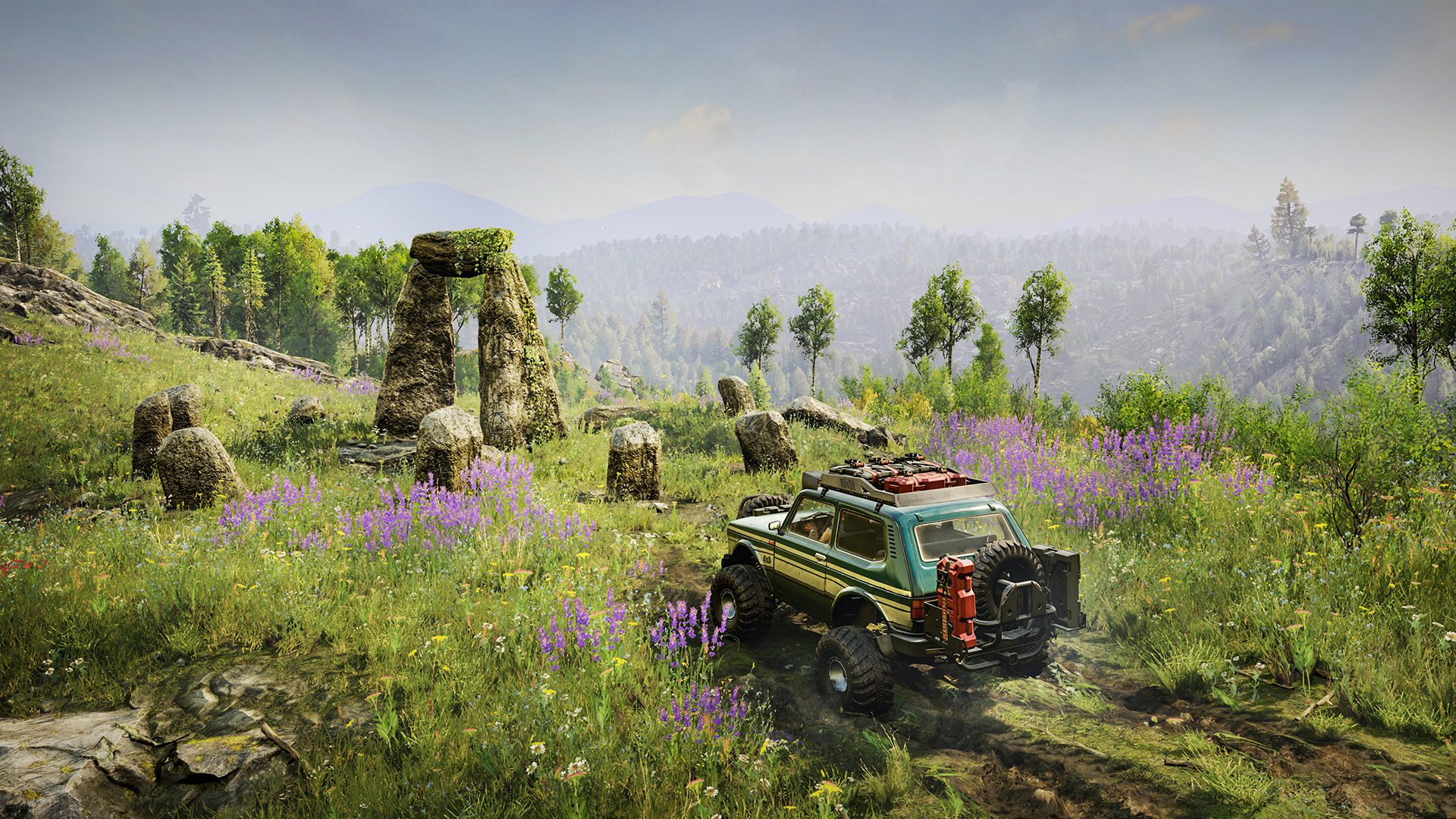
Saber has delivered Expeditions: A Mudrunner Game Update #8 and this delivers quality-of-life improvements to the mud simulator. Runners will see this as patch download Expeditions: A Mudrunner Game update 1.13 on PS4/Xbox One, and as version 1.013 on the PS5/XSX versions.
Expeditions: A Mudrunner Game Update 1.13 Brings New Gamepad Control Scheme and More
Main features
New gamepad control scheme based on SnowRunner’s scheme A.
Compass added on the map
The bridges that have been built on the terrain are shown on the map.
Possibility of truck recovery to any accessible outpost, including recovery between different maps
Truck’s markers on the map have been redesigned:
The markers have been moved higher to avoid overlapping with the 3D thumbnail of the truck, which caused the player to not understand the direction of the truck
The truck’s markers take on the color corresponding to the player in the co-op session and include a hint with the player’s name
Tips on the Customize screen, which add-on is required to install the selected add-on
Area exploration stages have been made easier: players don’t have to explore hard-to-reach places to pass a stage
When the game starts, a 3D scene of the main menu is displayed instead of static 2D art
Several UX and texts improvements related to Base modules
Collected Amethyst crystals are sold on exit to HQ
New vehicle
KHAN 317 SentinelA rugged and reliable 4×4 scout vehicle designed with flexibility in mind. This pickup features a robust frame and a functional exterior with a variety of accessible addons that allow adjustments to the vehicle for both off-road performance and cargo capacity, making it ideal for both tougher terrains and long-distance expeditions.
Bug fixes
Fixed a significant number of crashes.
Fixed SIRO 72 T8-H animations on Xbox One.
PROS QR code is readable on Nintendo Switch Lite.
Ready-made graphics preset doesn’t reset after restarting.
Fullscreen display setting doesn’t reset after minimizing the game.
Player’s info is displayed on the truck card on the map while using the Helipad.
Fixed a bug where the trade window would not open for one of the co-op players if they were located too far away.
Fixed a bug where a truck occupied by a Guest in the previous deployment is blocked as occupied in the new deployment.
Fixed a bug where it wouldn’t be possible to exit the trade if it had started while using a drone.
The HUD layer is hidden when the Expedition Complete screen is displayed.
Fixed an incorrect position of Start Co-op and Back buttons hints.
Technical strings without localisation for visiting zones aren’t displayed when using binoculars.
Limited the number of stages that can be displayed on the screen at the same time on expeditions in the Sedona region.
Fixed repeated sound after skipping a Drone scanning.
Expect the PC and console patch notes to be the same.
Rockstar has released GTA San Andreas update 1.007, which is something the other two games from The Trilogy – Definitive Edition also received today. This brings visual enhancements to the game, though don’t expect anything major.
Note that as far as we’re aware, this patch isn’t available yet for last-gen platforms, though we are expecting that to change soon.
GTA San Andreas Update 1.007 Adds New Visual Modes
Update: Rockstar has released the official patch notes, and confirmed the patch is only for current-gen consoles and PC.
[November 12, 2024] General – PlayStation 5, Xbox Series X|S, PC
Numerous fixes and improvements
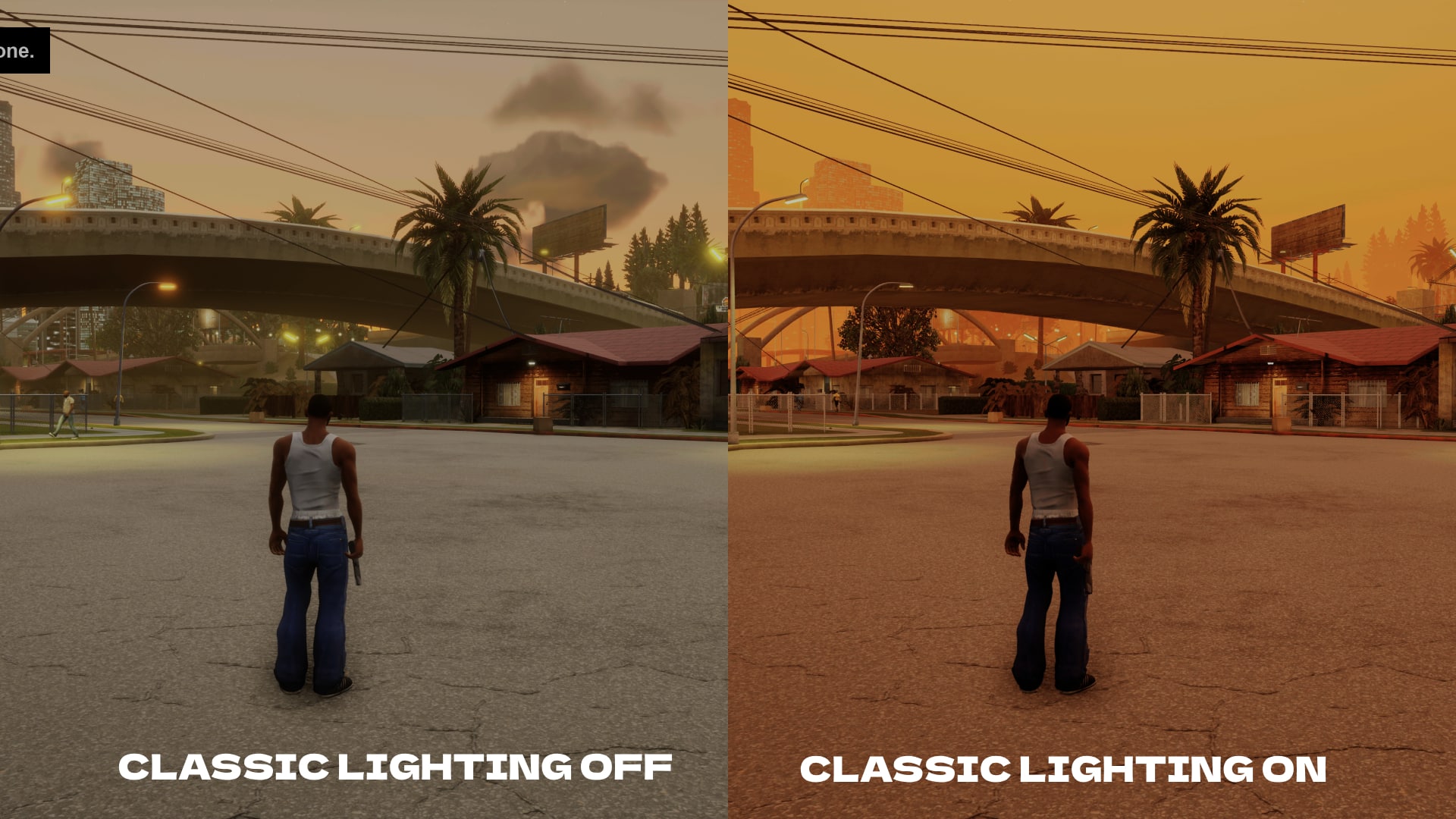
Added Classic Lighting mode which restores the look and feel of the sky in the original games
While Rockstar Games has not released any official patch notes just yet, based on our testing, we found a few notable changes made.
Classic lighting
Improved models
Improved textures
It seems the entire Definitive Edition got the classic lighting mode option that was available for mobile two years ago. You can read about it in our breakdown to see what we mean. Apparently, this update brings the console and PC version up to par to the Netflix version of the trilogy. Yes, you read that right — the mobile version of a game is ahead of the console and PC versions.
We are on the lookout for more changes made, and if Rockstar releases the official notes, which we presume will happen later today, we’ll add the info in the article.
Grand Theft Auto Vice City from The Trilogy – Definitive Edition just got an update today, and this brings the classic lighting mode available on the mobile version to PC and consoles. For some reason, the PS5/XSX and PC version downloads are live, but not on last-gen. Read on for what’s new in GTA Vice City update 1.007 released this November 12.
GTA Vice City Update 1.007 Adds New Visual Improvements to the Classic
Update: Rockstar has released the official patch notes, and confirmed the patch is only for current-gen consoles and PC.
[November 12, 2024] General – PlayStation 5, Xbox Series X|S, PC
Numerous fixes and improvements
Added Classic Lighting mode which restores the look and feel of the sky in the original games
While Rockstar Games has not released any official patch notes just yet, based on our testing, we found a few notable changes made.
Classic lighting
Improved models
Improved textures
It seems the entire Definitive Edition got the classic lighting mode option that was available for mobile two years ago. You can read about it in our breakdown to see what we mean. Apparently, this update brings the console and PC version up to par to the Netflix version of the trilogy. Yes, you read that right — the mobile version of a game is ahead of the console and PC versions.
We are on the lookout for more changes made, and if Rockstar releases the official notes, which we presume will happen later today, we’ll add the info in the article.
Rockstar Games just sprung a surprise patch for Grand Theft Auto 3 today, and it seems it’s only for current-gen platforms for now. Players can now download GTA 3 update 1.007 as part of the Definitive Edition Trilogy, and this brings visual improvements across the entire collection.
GTA 3 Update 1.007 Adds Classic Lighting Options
Update: Rockstar has released the official patch notes, and confirmed the patch is only for current-gen consoles and PC.
[November 12, 2024] General – PlayStation 5, Xbox Series X|S, PC
Numerous fixes and improvements
Added Classic Lighting mode which restores the look and feel of the sky in the original games
While Rockstar Games has not released any official patch notes just yet, based on our testing, we found a few notable changes made.
Classic lighting
Improved models
Improved textures
It seems the entire Definitive Edition got the classic lighting mode option that was available for mobile two years ago. You can read about it in our breakdown to see what we mean. Apparently, this update brings the console and PC version up to par to the Netflix version of the trilogy. Yes, you read that right — the mobile version of a game is ahead of the console and PC versions.
We are on the lookout for more changes made, and if Rockstar releases the official notes, which we presume will happen later today, we’ll add the info in the article.
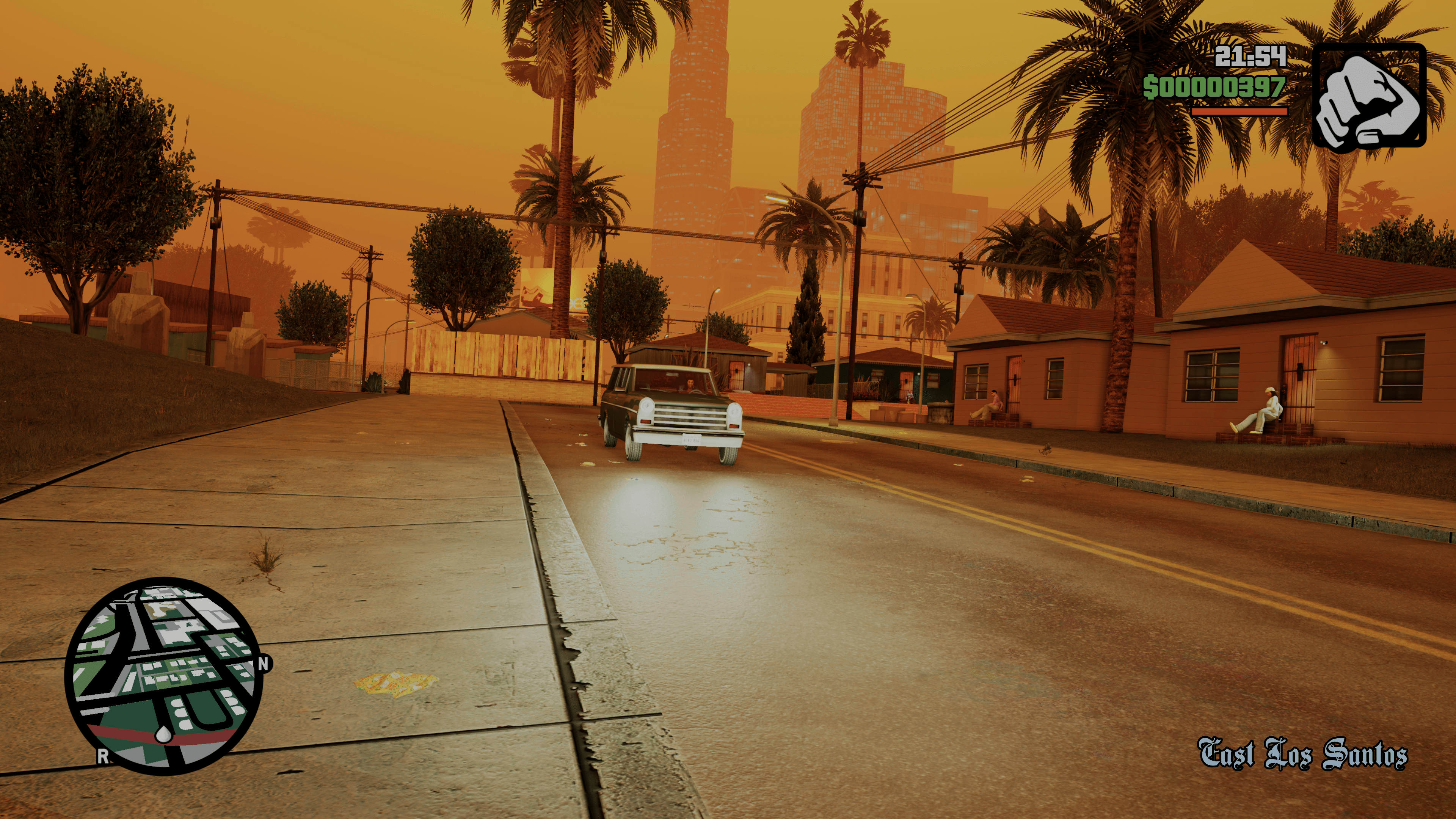
Would you believe that it’s been over two years since Rockstar Games released a new update for GTA Trilogy Definitive Editions? Yeah, me neither, and yet that was the surprise waiting for me this morning. While the publisher hasn’t yet confirmed what it does, we can confirm that it has finally added one of the most requested visual features that were exclusive to the mobile versions of the games.
GTA Trilogy Definite Edition on Console Now Look Closer to the Original Releases
When the mobile versions of GTA Trilogy Definitive Edition were released nearly a year ago, one of the biggest differences was that all three ports in the collection featured a new lighting system called “classic lighting.” As one could expect from the name, the classic lighting option overhauled the games’ lighting to bring it closer to the original PS2 releases.
Mind you, it wasn’t a 1:1 recreation of the original lighting used. However, as evident in the Digital Foundry breakdown, the classic lighting system option provided a massive improvement over what many considered flat and lifeless visuals the original collection shipped with.
Sadly, and strangely, this update never left the mobile platforms, leaving PC and console gamers with the game’s originally shipped lighting.
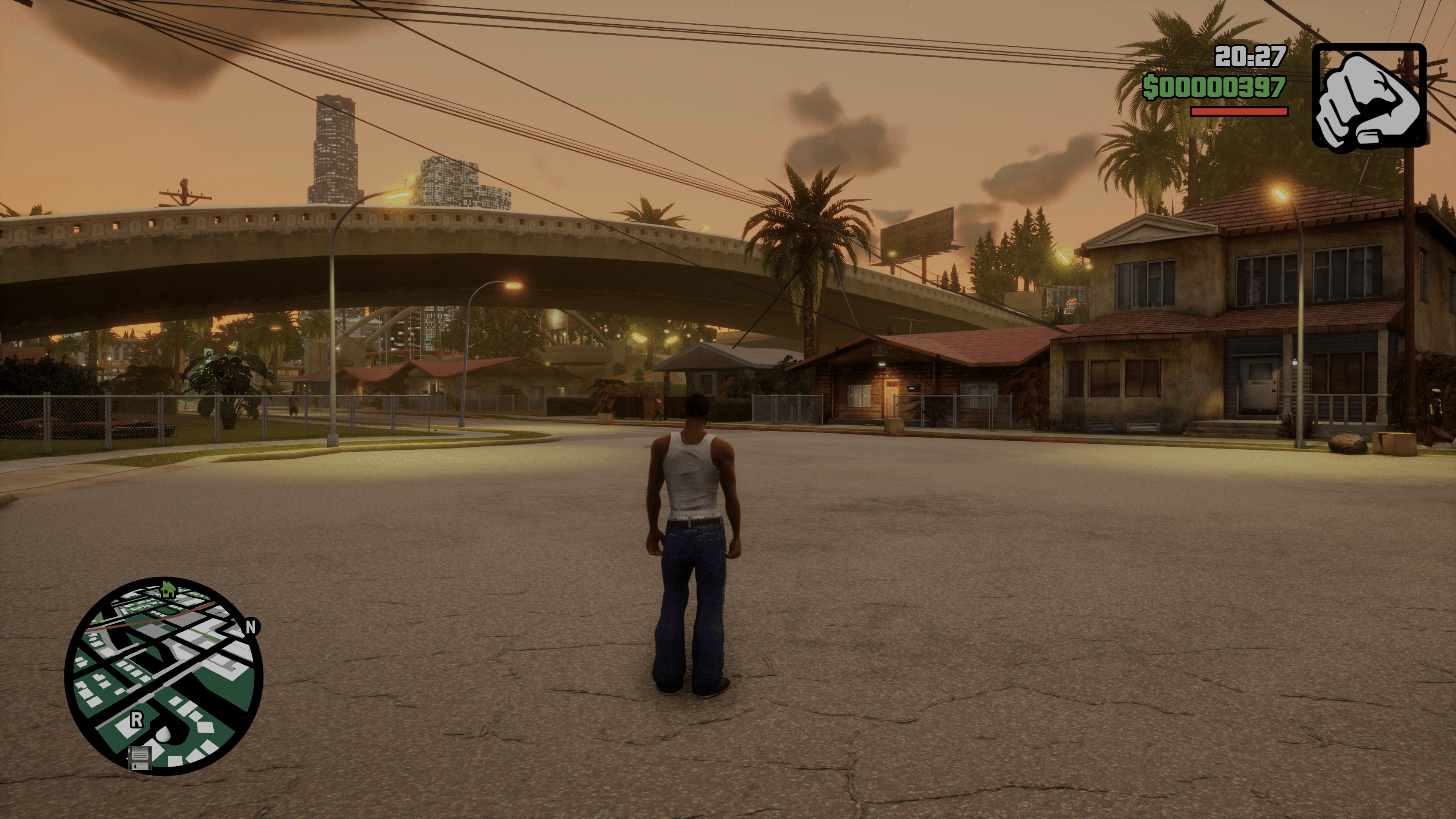
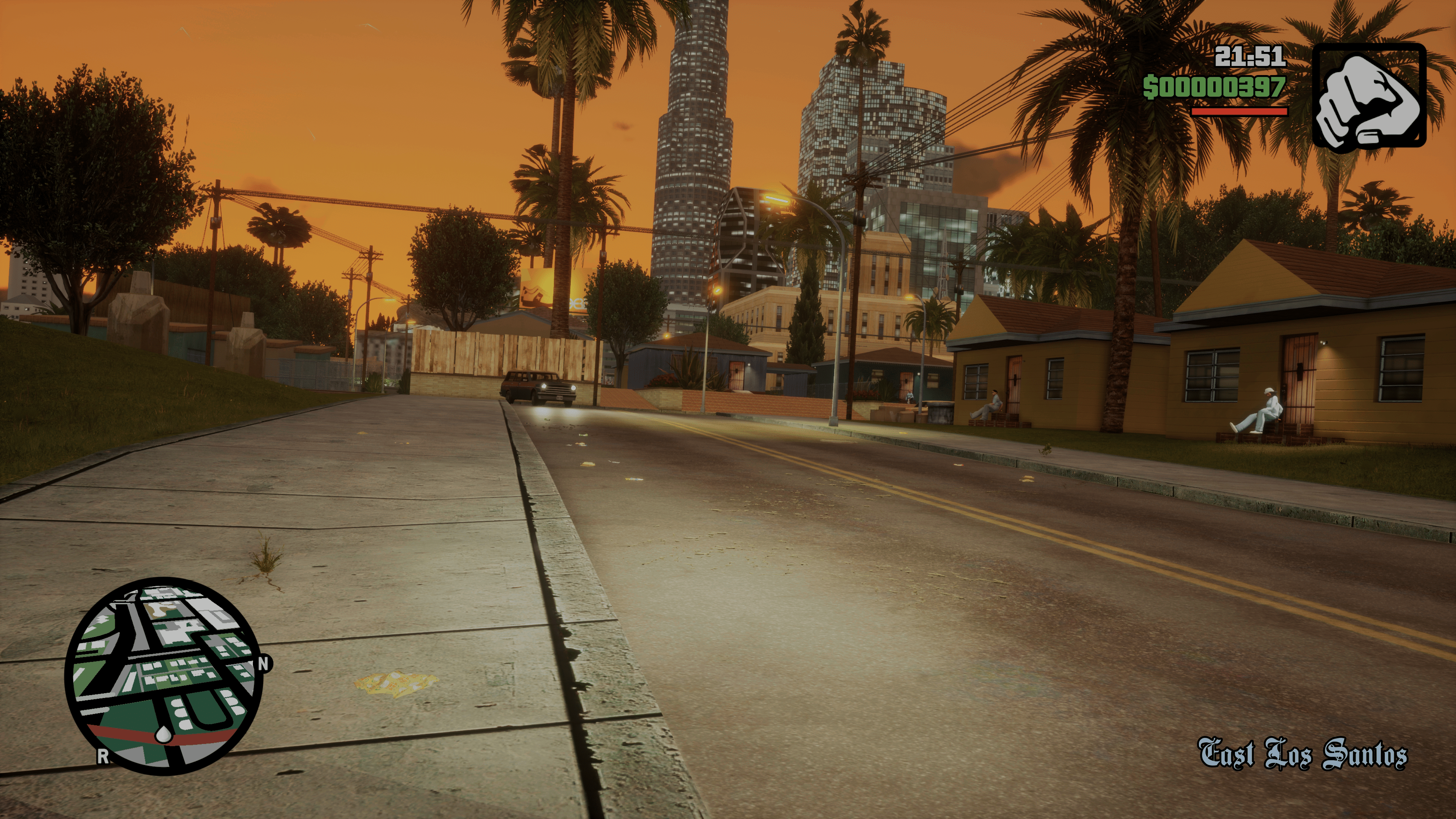
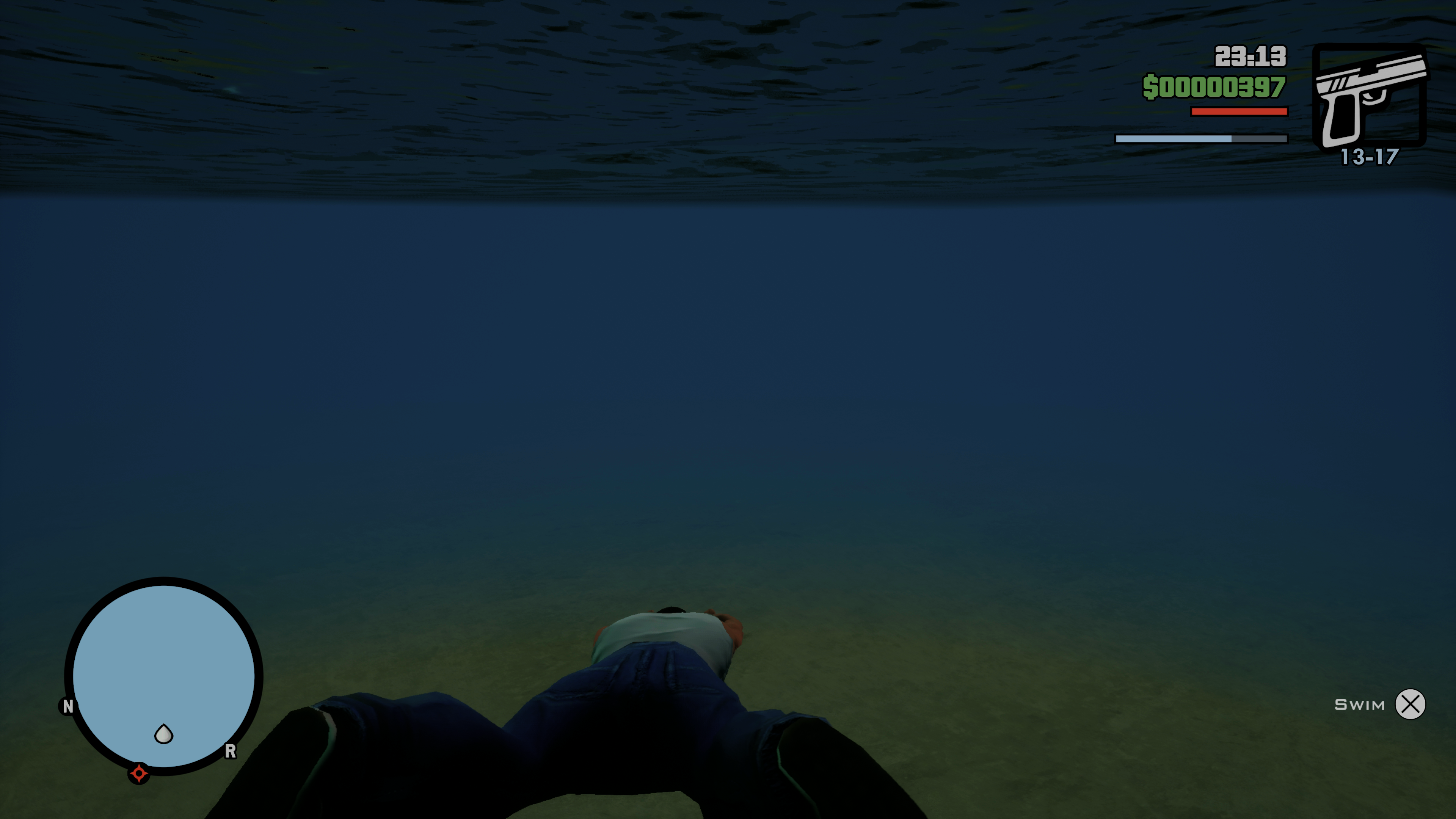
Well, all that changed today, as the newest title updates for each title in the trilogy have added the new classic lighting system to each game, finally bringing one of the most requested features that fans have had to consoles. I took a couple of screenshots from the PS5 version to compare and show the differences.
The update only appears to be for next-gen consoles and PC, as the option is still absent from the PS4 version. There’s no reason last-gen versions shouldn’t get the update, too, though, given how long it took to even get this option; who knows?
Regardless, this is spectacular news for all fans and a rather big surprise, considering that Rockstar hasn’t touched any of the console titles for almost two years now. The last update released on consoles was in October 2022, a minor one addressing performance and stability in all three titles.
The mobile version, however, has been receiving constant updates, with the latest being in July 2024. Chances are, the new console update also includes several fixes and improvements that have already made their way into the mobile versions over the last few years. However, we did notice that in GTA 3, Claude is still missing gestures and reactions to things, such as staring back at people chasing him or reacting to a car almost hitting him, which was in the original release and the mobile version. So, while this update probably has more improvements hidden away, don’t go in expecting everything that the mobile versions added to be included.
We’ll keep tabs to see if Rockstar Games even acknowledges the new updates, but for those who were holding off, hoping to see the classic lighting option come to console in order to play, well, now is your chance to finally experience the upgraded releases. Assuming of course, that other areas have been addressed with these updates.
A gamer at heart, James has been working for MP1st for the last decade to do exactly what he loves, writing about video games and having fun doing it. Growing up in the 90's gaming has been in his DNA since the days of NES. One day he hopes to develop his own game.
The new Neo-Volkite Pistol has been released for Warhammer 40K: Space Marine 2 as part of patch 4.5. For console owners, this is update 1.004.002, and several other weapons in the game have also been balanced. Read on for the November 12 patch notes down below.
Space Marine 2 New Update 1.004.002 Patch Notes for Version 4.5:
Greetings Space Marines!
The 4.5 update for Space Marine 2 is now live! In addition to bringing a new Secondary Weapon to all players, Patch 4.5 provides buffs to a handful of Primary Weapons and addresses a number of bugs and connection issues. Read the patch notes below for the complete details:
PATCH NOTES
New Weapon: the Neo-Volkite Pistol
The Neo-Volkite Pistol, a powerful thermal ray weapon, is now available for the Assault, Vanguard, and Bulwark classes!
Unlike other weapons, the Neo-Volkite Pistol blasts a heat ray onto your enemies, dealing accumulative thermal damage. Focusing on one enemy will ramp up the damage—until it generates a localised explosion for huge damage to your target and all nearby enemies.
Please note that the Neo-Volkite Pistol will only be available in Operations mode for now as we continue to experiment with balancing in PvP. It will be added to Eternal War mode in our next major update alongside a new Operations map, a new enemy, and the Dark Angels cosmetics. Until then though, you’ll be able to try it out against your friends in the Battle Barge’s Sparring Arena!
BALANCING TWEAKS
Weapons (Operations mode only)
PLASMA INCINERATOR
-Slightly reduced amount of heat generated by normal and charged shots for versions:
Master-Crafted – Alpha
Salvation of Bakka – Alpha
Gathalamor Crusade – Alpha
-Fixed a bug that would cause several versions not producing heat at all.
BOLT SNIPER RIFLE
-Fire rate increased from 50 to 60 rounds per minute.
-Headshot bonus increased from x2 to x2.5.
OCCULUS BOLT CARABINE
-Scope added
-Headshot bonus increased from x1 to x1.33
BOLT CARABINE (SMG)
-Adjusted damage falloff curve : Base damage increased by 50% for the first 10 meters, after that, the damage drops to the original pre-patch value.
AUTO BOLT RIFLE
-Max ammo increased by 1 magazine for each version.
GENERAL FIXES
Fixed a bug causing unlocked DLC cosmetic items to get locked again after a restart
Fixed a bug causing the Sniper perk “Targeted Shot” to not work after swapping weapons.
Fixed a bug causing the Sniper invisibility not getting removed after a shot in rare cases.
Fixed a bug preventing players from muting the others in PvP.
Fixed several perks not triggering correctly from enemy kills.
Fixed a bug that prevented certain weapon perks from triggering correctly when reaching a specific HP threshold.
TECH IMPROVEMENTS
Crash fixes and general stability improvements.
Fixed server disconnects with unstable user connection.
General connectivity improvements.
We will let our readers know when a newer patch is out.
A new update has been released for Helldivers 2 on PC and PS5 today. This is update 1.001.203 and it should prevent the game from crashing while shutting down. Arrowhead Game Studios has also listed several of the game’s known issues. Check out the details below.
Helldivers 2 Update: 1.001.203 Patch Notes
Crash fix
-Crash on shutdown fix
Known Issues
These are issues that were either introduced by this patch and are being worked on, or are from a previous version and have not yet been fixed.
Top Priority:
Excessive ragdolling can cause a feeling of helplessness and frustration
Players are unable to emote when flying through the air
Stratagem balls bounce unpredictably off cliffs and some spots
The Reinforced Scout Strider does not telegraph its rocket attacks
Medium Priority:
The Automaton Barrager Tank’s turret continues to work despite its body being destroyed
Firebomb Hellpods can no longer destroy larger enemy types such as tanks
Players are unable to shoot properly while in the air using a jetpack
Reinforcement may not be available for players who join a game in progress
Players can get stuck on Pelican-1’s ramp during extraction
High damage weapons will not detonate Hellbombs already present on the map
Players using the Microsoft IME languages are unable to type Korean, Japanese and Chinese language characters in chat
Weapons with a Charge-up mechanic can exhibit unintended behavior when firing faster than the RPM (Rounds Per Minute) limit
When a new Helldivers 2 update is out, our readers will be the first to know about it soon.
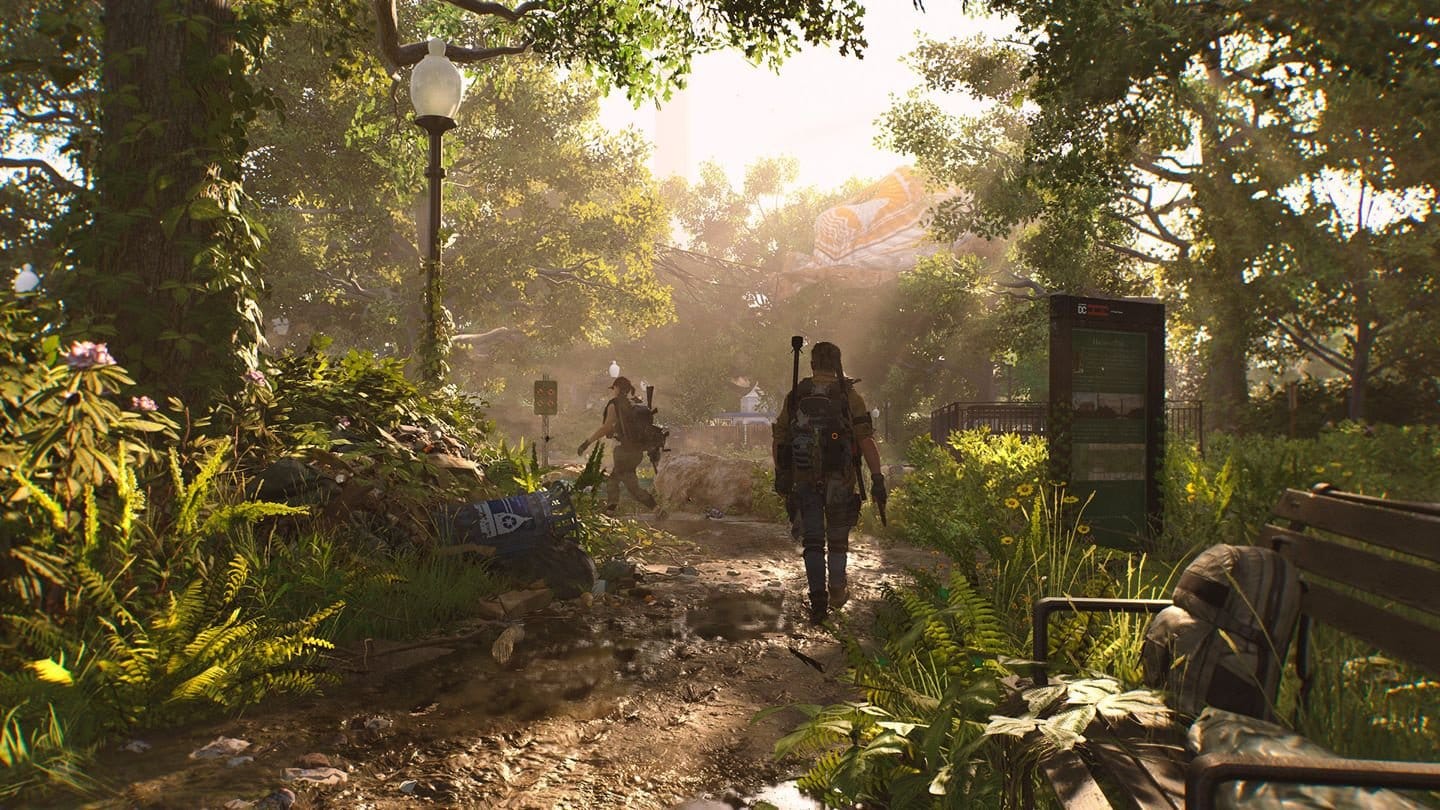
As part of today’s maintenance, Ubisoft has released The Division 2 update 1.81 on consoles and PC, and this is for TU 22.1! Aside from stability improvements, this brings additional XP for primary objectives, global modifiers are now removed from Raids and more.
Read on for everything new in today’s The Division 2 patch straight from the devs.
The Division 2 Update 1.81 Applies Various Fixes Though Is Smaller Than Your Standard Major Patch
STABILITY
Fixed the issue with DELTA-03 errors and server disconnects occurring on the New York map.
Fixed the issue with DELTA-04 error occurring when loading into the game.
Added various stability and performance improvements.
PRIORITY OBJECTIVES
Added Seasonal XP as an additional standard reward for all Priority Objectives and removed it from the hidden pool of rewards instead.
The Seasonal XP values scale with the type of objective just like any other reward.
Fixed the issue with Seasonal XP and rewards not being granted when completing Conflict based Priority Objectives.
Fixed the issue with the notification for available Priority Objectives prompting at the beginning of every Conflict match.
MODIFIERS
Global Modifiers are now removed from Raids.
Fixed the issue with aggro icons displaying over enemies with Enemy Modifiers, overlapping with the NPC’s health bar and level number.
Fixed the issue with the “Bait and Switch” Modifier effect not triggering when equipped or activated in the presence of enemies.
Fixed the issue with the “Pressure Piston” Modifier effect not being applied when equipped or activated with enemies already within its medium range.
Fixed the issue with Modifier item details appearing in the Contaminated tab.
JOURNEY
Added the prompt to clarify that Journey Missions can be completed on Hard or higher difficulty.
Fixed the issue with excessive XP being awarded after completing one of the objectives in the Seasonal Journey.
OTHER CHANGES
Fixed the issue with incorrect skin previews appearing in the Season Pass and the Store.
Fixed the issue with ISAC hologram being misplaced on female characters for “SHD level up,” “Going Rogue,” and “Calling for Backup” actions when using the Gunner, the Rigger, the Hunter’s Kit, and the Lucky backpack.
Fixed the issue with Xbox controls being displayed when using PS4 or PS5 controller.
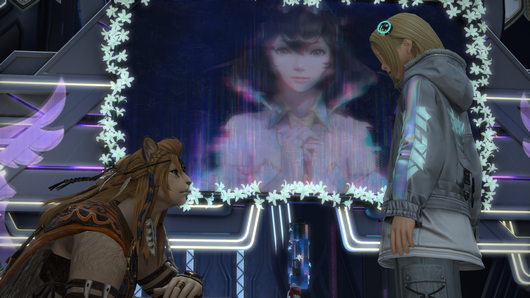
Patch 7.1 has been released for Final Fantasy 14 today for the new ‘Crossroads’ content. This is patch 10.83 (PS5 version 1.000.284) and you can expect to see a new main scenario quest to partake in. Loads of new items and other things are to be explored in the new update too. Check out the patch notes down below.
Final Fantasy 14 Update 10.83 Is Live for “Crossroads” Content
PLAYABLE CONTENT
Quests
New main scenario quests have been added.
A Royal Invitation
Disciple of War or Magic level 100
Tuliyollal (X:10.0 Y:15.0)
Bol Wuruq
Players must first complete the main scenario quest “Dawntrail.”
???
Disciple of War or Magic level 100
???
???
Players must first complete the main scenario quest “A Royal Invitation.”
???
Disciple of War or Magic level 100
???
???
Players must first complete the main scenario quest “???”
???
Disciple of War or Magic level 100
???
???
Players must first complete the main scenario quest “???”
???
Disciple of War or Magic level 100
???
???
Players must first complete the main scenario quest “???”
???
Disciple of War or Magic level 100
???
???
Players must first complete the main scenario quest “???”
???
Disciple of War or Magic level 100
???
???
Players must first complete the main scenario quest “???”
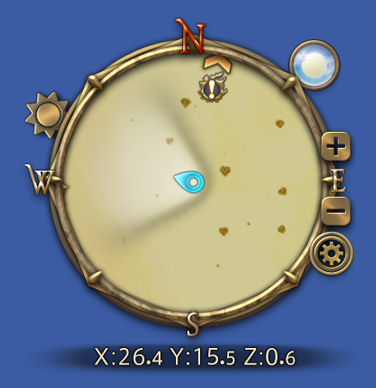
When a new main scenario quest is available in the vicinity, its position will now be indicated on the minimap.
Chronicles of a New Era quests have been added.
Echoes of Vana’diel
An Otherworldly Encounter
Disciple of War or Magic level 100
Tuliyollal (X:13.0 Y:11.6)
Hoobigo Messenger
Players must first complete the main scenario quest “Dawntrail.”
???
Disciple of War or Magic level 100
???
???
Players must first complete the Chronicles of a New Era quest “An Otherworldly Encounter.”
???
Disciple of War or Magic level 100
???
???
Players must first complete the Chronicles of a New Era quest “???”
???
Disciple of War or Magic level 100
???
???
Players must first complete the Chronicles of a New Era quest “???”
Pandæmonium: Epilogue
A Present from the Present
Disciple of War or Magic level 90
Old Sharlayan (X:11.0 Y:10.6)
Affable Researcher
Players must first complete the Chronicles of a New Era quest “Guided by the Past.”
Pelupelu allied society quests have been added.
Allied Society Settlements
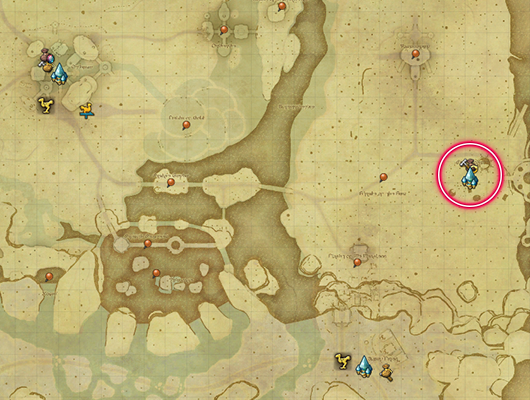
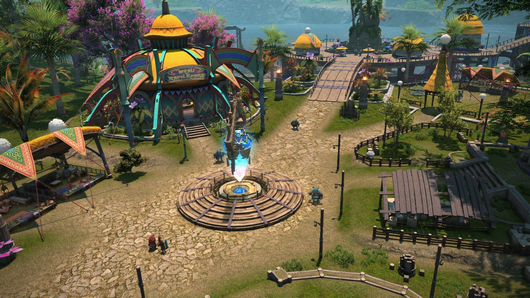
A Pelupelu base of operations has been added to Dock Poga, Kozama’uka (X:37.2 Y:16.8). * Due to this addition, the position of certain monsters, elite marks, and treasure hunt coffers has been adjusted.
An aetheryte has been installed in Dock Poga.
Allied Society Quests
Allied Society Quests are comprised of main quests, which chart the trials and tribulations of a specific society, and daily quests involving myriad requests and issues to resolve.
After completing the first main quest for an allied society, players can accept up to three daily quests per day (Earth time). Completing daily quests improves your reputation with that society, which in turn unlocks further main quests.
Allied Society Quests
An Intrepid New Enterprise
Disciple of War or Magic level 90
Tuliyollal (X:13.6 Y:12.9)
Blue-garbed Pelu
Players must first complete the main scenario quest “Dawntrail.”
???
Disciple of War or Magic level 90
???
???
Players must first complete the allied society quest “An Intrepid New Enterprise.”
???
Disciple of War or Magic level 90
???
???
Players must first complete the allied society quest “???”
???
Disciple of War or Magic level 90
???
???
Players must first complete the allied society quest “???”
???
Disciple of War or Magic level 90
???
???
Players must first complete the allied society quest “???”
???
Disciple of War or Magic level 90
???
???
Players must first complete the allied society quest “???”
Quest Sync
The Pelupelu allied society main quests and daily quests will employ an automatic level adjustment system known as quest sync, which will match the difficulty of the battles to the player’s current job and class levels. Any experience received upon the completion of these quests will be adjusted accordingly. Furthermore, certain quests will not allow players to proceed with a class or job that is different than when they accepted them.
Allied Society Currency
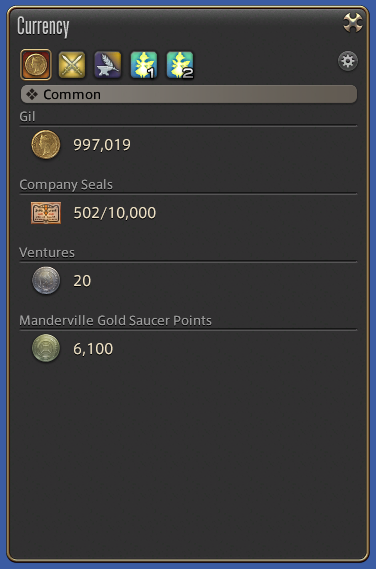
Players can earn Pelu pelplumes by completing Pelupelu daily quests. These can be exchanged with Pavli in Dock Poga (X:37.1 Y:16.1) for a variety of items. The number of Pelu pelplumes currently held is displayed in the Currency window.
The following additions and adjustments have been made to quest progression settings:
The options to hide nearby players will no longer hide friends by default.
In accordance with this change, the “Also hide nearby party members” setting has been changed to “Also hide nearby party members and friends.”
When the “Hide nearby players when close to quest NPCs” setting is enabled, interacting with a non-quest NPC or object will no longer cause nearby players to reappear.
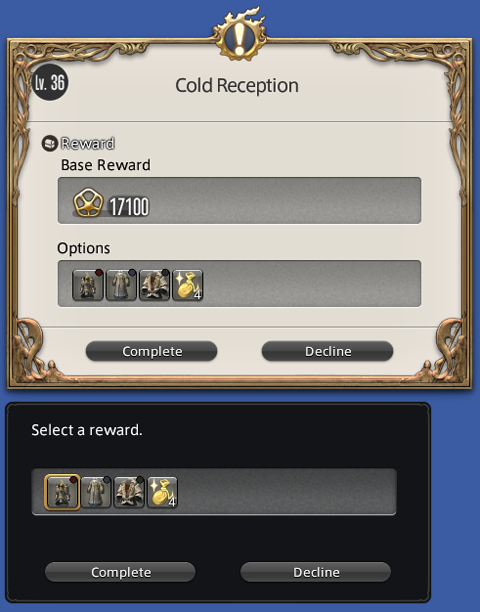
The following adjustments have been made to the quest completion window for quests with selectable rewards:
The layout has been adjusted.
If the “Complete” button is pressed without selecting a reward, a reward selection window will now display.
The following adjustments have been made to the duty list:
Up to 10 duties can now display simultaneously.
The number of duties displayed can be adjusted from the HUD tab of the Character Configuration window.
* Up to 5 duties are set to display simultaneously by default.
Icons in the duty list can now be selected to perform emotes or open the crafting log in quests from the 6.5x patch series and earlier.
* Certain quests may not support this feature.
When using a controller, the cursor will no longer remain on the duty list after selecting an icon to complete a quest objective.
Until now, the cursor would remain on the duty list, meaning players would sometimes unintentionally use emotes and key items when attempting to select the confirm button. This adjustment is designed to prevent this issue.
When carrying out tradecraft guildleves, icons in the duty list can now be selected to open the crafting log.
When accessing the map from the journal or duty list, the icon of the selected quest will now be prioritized over other icons on the map.
* As an exception, aetheryte icons will be prioritized over quest icons.
New chapters have been added to New Game+.
The final quest of each chapter must be completed before it can be unlocked.
Main Scenario Quests
Dawntrail – Part 1
Dawntrail – Part 2* Completing the main scenario quest “Dawntrail” will unlock both parts in New Game+.
Tank Quests
Tank Role Quests (Dawntrail)
DPS Quests
Melee DPS Role Quests (Dawntrail)
Physical Ranged DPS Role Quests (Dawntrail)
Magical Ranged DPS Role Quests (Dawntrail)
Viper Quests
Pictomancer Quests
Healer Quests
Healer Role Quests (Dawntrail)
Chronicles of a New Era Quests
Pandæmonium: Epilogue
The Duty tab of the Unending Journey will now be categorized by expansions.
FATEs
New items are available in exchange for bicolor gemstones from Gemstone Trader NPCs in each area.
Treasure Hunt
Rewards for Br’aaxskin Treasure Maps have been adjusted.
Rewards in Cenote Ja Ja Gural have been adjusted.
Grand and Free Companies
The following additions and adjustments have been made to subaquatic voyages:
New nautical maps have been added.
New areas have been added.
New items have been added.
Maximum submersible rank has been increased from 120 to 125.
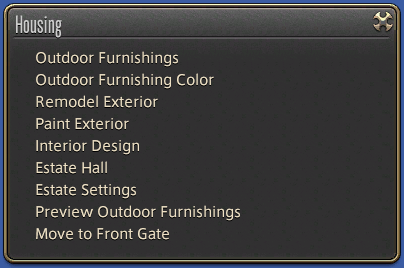
Housing
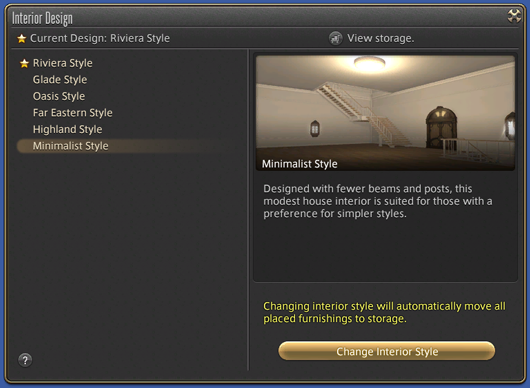
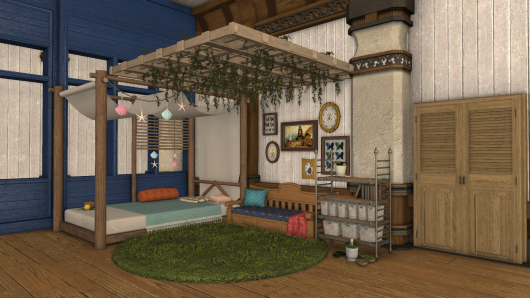
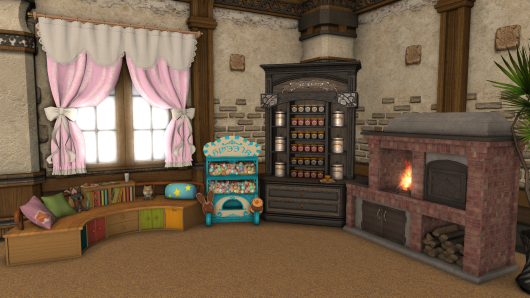
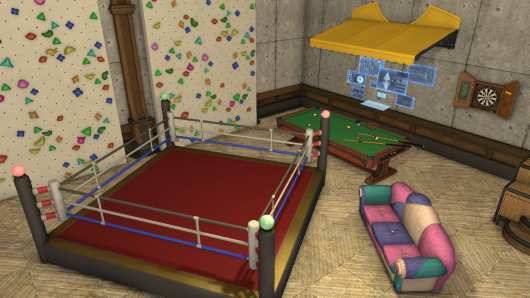
The interior design of an estate can now be changed.
Players must have furnishing placement authorization to renovate the interior of a private estate. In the case of free company estates, you must also have hall remodeling authorization.
In addition to new interior designs, you may also choose a design originating from any housing area.
Furthermore, you are free to change your estate’s interior design as many times as you like. Please note, however, that all furnishings will automatically be placed in the storeroom. * The interior design cannot be changed if your estate’s storeroom possesses insufficient space.
* Interior fixtures will not be changed.
Furnishings from the FFXIV Furnishing Design Contest have been added.
Entries that did not win have also been selected to serve as new furnishings.
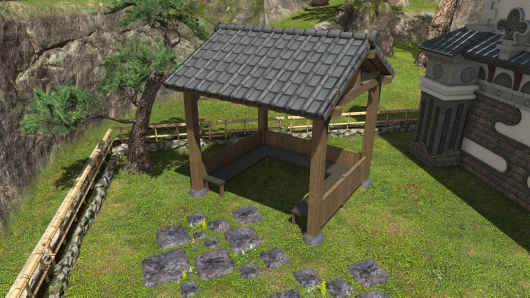
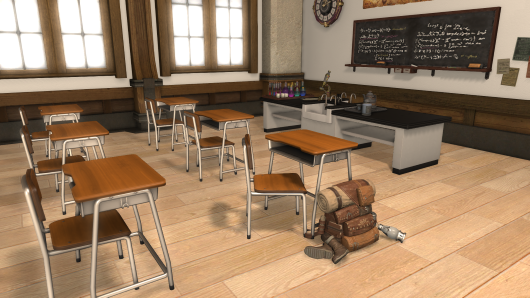
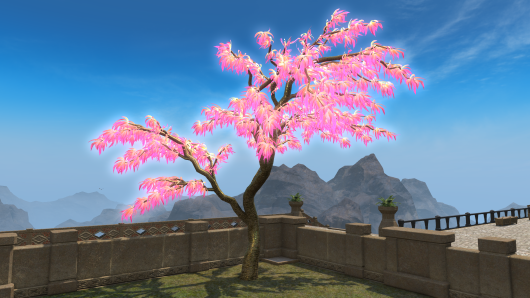
New furnishings have been added.
New orchestrion rolls have been added.
Location and duty names previously omitted to prevent spoilers will now be displayed.
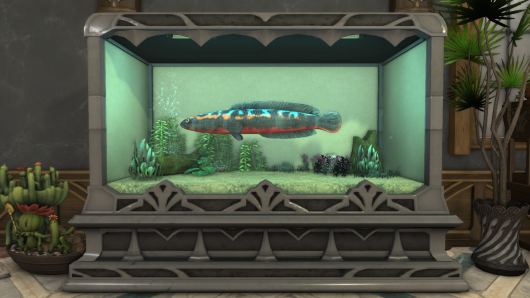
New aquarium fish have been added.
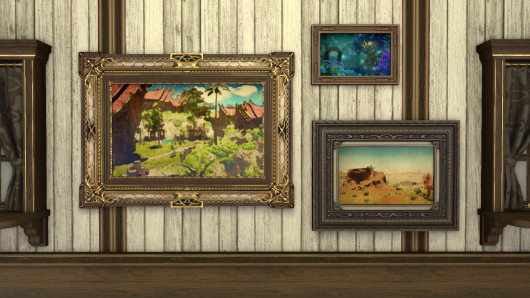
New paintings have been added.
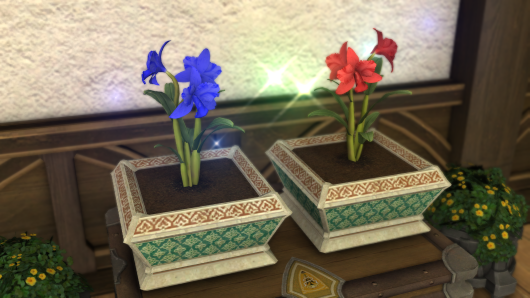
A new seed for flowerpots has been added.
Cattleya SeedsCattleya Seeds can be purchased from the following vendors:
Mist (X:11.0 Y:11.4) – Material Supplier
The Lavender Beds (X:11.9 Y:8.3) – Material Supplier
The Goblet (X:10.9 Y:8.9) – Material Supplier
Shirogane (X:10.5 Y:12.1) – Material Supplier
Empyreum (X:10.2 Y:12.2) – Material Supplier
Apartments – Apartment Merchant
New Gridania (X:11.0 Y:11.2) – Tanie
The Manderville Gold Saucer
New prizes are available for purchase using MGP.
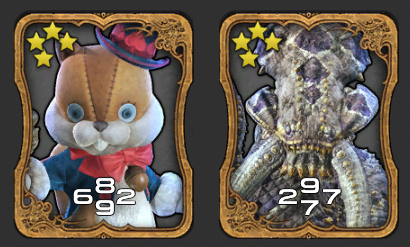
The following additions have been made to Triple Triad:
New cards have been added.
New NPC opponents for Triple Triad have been added.
Regional rules will now apply to matches in Mare Lamentorum.
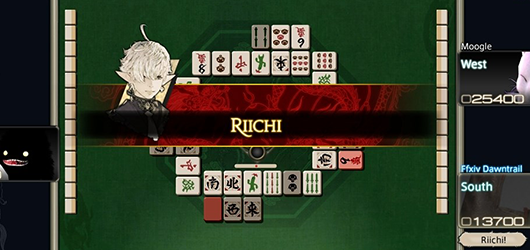
The following additions have been made to Doman mahjong:
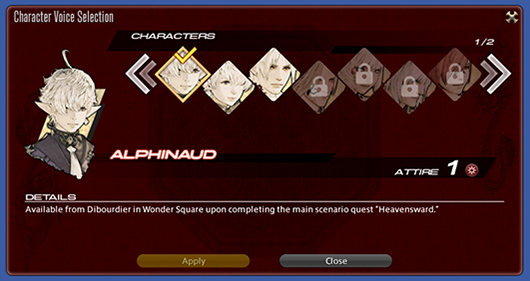
Character voices have been added.
Acquisition
To unlock a designated character’s voice, the corresponding item is required. These items can be acquired after completing the sidequest “Every Little Thing She Does Is Mahjong” and the main scenario quest “Heavensward,” by speaking with Dibourdier in the Gold Saucer (X:7.1 Y:7.8) and exchanging MGP.
Additional character voices will become available by progressing through the main story.
Enabling Voices
Open the Gold Saucer menu and navigate to the Mahjong tab. Under Mahjong Character Voices, you may enable or disable the feature, or select the desired character to be used during matches. * The selected character voice and accompanying portrait will not play or display for other players.
A help button has been added to the Mahjong tab of the Gold Saucer menu for easy access to the rules of this Doman pastime.
* The information provided is the same as that covered by the mahjong tutor.
A new section covering character voices has been added.
Miscellaneous
The following additions have been made to Duty Support:
New duties have been added.
A Realm Reborn
Halatali
Dawntrail
Yuweyawata Field Station
Duties that will be supported in future updates will now be displayed in the Duty Support window.
The following additions and adjustments have been made to Wondrous Tails:
Prizes available in exchange for Khloe’s Gold, Silver, and Bronze Certificates of Commendation have been adjusted.
The positions of Khloe’s Silver Certificate of Commendation x3 and Khloe’s Gold Certificate of Commendation have been switched in the 3 Lines tier of the reward list.
As a result of this change, players level 60 to 99 may now select Khloe’s Gold Certificate of Commendation as a reward for completing 3 lines in their Wondrous Tails journal.
The following duties have been added as objectives for Wondrous Tails:
The addition of these duties will not affect a Wondrous Tails in your possession prior to reaching level 100 with at least one Disciple of War or Magic.
AAC Light-heavyweight M1 or M2
AAC Light-heavyweight M3 or M4
The following raids have been grouped together into raid series categories:
The addition of these duties will not affect a Wondrous Tails in your possession prior to reaching level 100 with at least one Disciple of War or Magic.
Completing any duty from a series will be counted toward objectives, granting a seal.
Before
After
Asphodelos: First or Second Circles
Asphodelos: Third or Fourth Circles
Asphodelos: First to Fourth Circles
Abyssos: Fifth or Sixth Circles
Abyssos: Seventh or Eighth Circles
Abyssos: Fifth to Eighth Circles
Anabaseios: Ninth or Tenth Circles
Anabaseios: Eleventh or Twelfth Circles
Anabaseios: Ninth to Twelfth Circles
The following changes have been made to objectives that require the completion of dungeons of specified level ranges:
These changes affect Wondrous Tails acquired after reaching level 100 with at least one Disciple of War or Magic.
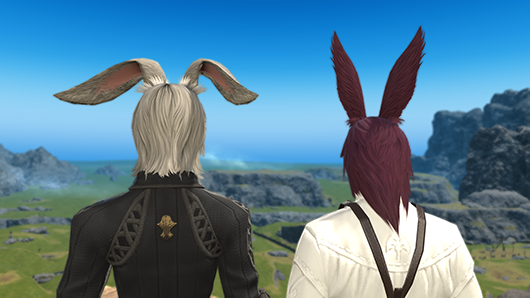
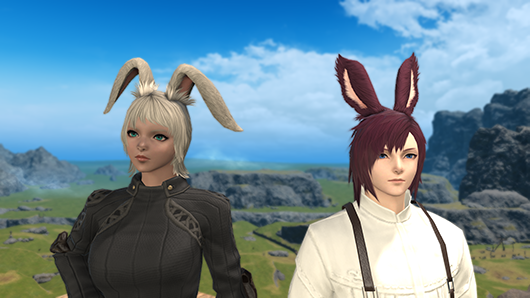
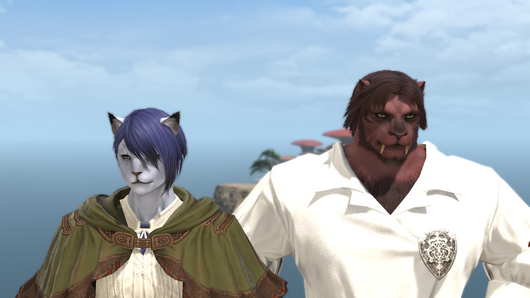
New hairstyle options have been added for Hrothgar.
* Different hairstyles have been added for male and female characters.
The following additions and adjustments have been made to emotes:
New emotes have been added.
The following emotes can now be used while sitting on the ground:
* Only your character’s upper body will move.
Welcome
Salute
Eastern Greeting
Lali-ho
Joy
Happy
Soothe
Comfort
Hand to Heart
Cheer
Pet
Fist Bump
Haurchefant
Toast
Snap
Cry
Shocked
Shrug
Surprised
Slap
Aback
Examine Self
Point
Poke
Stretch
Air Quotes
Me
Spectacles
Shush
Linkpearl
The motion of the following emotes has been adjusted when sitting on the ground:
* Only your character’s upper body will move.
Greeting
Goodbye
Thumbs Up
Congratulate
Deny
Pretty Please
Elucidate
BATTLE SYSTEM
Actions and traits have been adjusted as follows:
Each action and trait is listed as it appears at level 100.
For further explanations of action changes and adjustments, please refer to the job guide.
Paladin
Action
Adjustment
Cover
Range has been extended from 10 to 20 yalms.
Intervene
Now acquired at level 66 (previously level 74).
Hallowed Ground
The effects of this action will now be applied earlier.
Marauder / Warrior
Action
Adjustment
Holmgang
The effects of this action will now be applied earlier.
Chaotic Cyclone
The hit detection for this action will now trigger earlier.
Dark Knight
Action
Adjustment
Dark Mind
Now also reduces physical damage taken by 10%.
Living Dead
The effects of this action will now be applied earlier.
Abyssal Drain
Cure potency has been increased from 200 to 500.
Carve and Spit
The additional effect “Restores own HP” has been added with a cure potency of 500.
Bloodspiller
Potency has been increased from 580 to 600.
Dark Missionary
Now acquired at level 66 (previously level 76).
Now also reduces physical damage taken by 5%.
Scarlet Delirium
Potency has been increased from 600 to 620.
Comeuppance
Potency has been increased from 700 to 720.
Torcleaver
Potency has been increased from 800 to 820.
Gunbreaker
Action
Adjustment
Aurora
Cure potency has been increased from 200 to 300.
Superbolide
The effects of this action will now be applied earlier.
No longer reduces HP to 1, and instead reduces HP to 50% of maximum.
Heart of Light
Now also reduces physical damage taken by 5%.
Hypervelocity
Potency has been reduced from 180 to 160.
Potency increase from the trait Melee Mastery II has been changed from 220 to 200.
Double Down
Cartridge cost has been reduced from 2 to 1.
Dragoon
Action
Adjustment
Piercing Talon
The trait Lance Mastery will now increase potency from 150 to 200.
The effect Enhanced Piercing Talon has been added, which increases potency to 350.
Elusive Jump
The additional effect “Grants Enhanced Piercing Talon” has been added with a duration of 15 seconds.
Geirskogul
Stacks of Nastrond Ready granted has been reduced from 3 to 1.
Mirage Dive
Potency has been increased from 200 to 380.
Nastrond
Potency has been increased from 300 to 600.
Potency increase from the trait Lance Mastery III has been changed from 360 to 720.
Stardiver
Potency has been increased from 620 to 720.
Potency increase from the trait Melee Mastery has been changed from 720 to 820.
Starcross
Range has been increased from 3 to 20 yalms.
Potency has been increased from 900 to 1,000.
Ninja
Action
Adjustment
Throwing Dagger
The trait Melee Mastery II will now increase potency from 120 to 200.
Dream Within a Dream
Potency has been increased from 150 to 180.
Dokumori
Attack has been changed from single target to a cone, dealing damage with a potency of 300 to the first target, and 25% less for all remaining enemies.
Ten Chi Jin
Players can now move while under the effect of Ten Chi Jin.
Tenri Jindo
The hit detection for this action will now trigger earlier.
Samurai
Action
Adjustment
Hissatsu: Gyoten
Recast time has been reduced from 10 to 5 seconds.
Gyofu
Potency has been increased from 230 to 240.
Zanshin
Potency has been increased from 820 to 900.
Tendo Kaeshi Setsugekka
The character motions and visual effects for this action have been changed.
Reaper
Action
Adjustment
Arcane Circle
Circle of Sacrifice effect now also grants stacks of Immortal Sacrifice when you or party members successfully land an ability.
Void Reaping
After learning the action Communio, the hotbar icon will no longer be illuminated when remaining Lemure Shroud stacks are at 1.
Cross Reaping
After learning the action Communio, the hotbar icon will no longer be illuminated when remaining Lemure Shroud stacks are at 1.
Grim Reaping
After learning the action Communio, the hotbar icon will no longer be illuminated when remaining Lemure Shroud stacks are at 1.
Executioner’s Gallows
The hit detection for this action will now trigger earlier.
Machinist
Action
Adjustment
Heated Clean Shot
Potency has been increased from 140 to 160.
Combo potency has been increased from 400 to 420.
Blazing Shot
Potency has been increased from 220 to 240.
Flamethrower
Area of effect has been increased from 8 to 12 yalms.
Potency has been increased from 80 to 100.
Double Check
Potency has been increased from 160 to 170.
Checkmate
Potency has been increased from 160 to 170.
Dancer
Action
Adjustment
Fan Dance
The trait Dynamic Dancer will now increase potency from 150 to 180.
Curing Waltz
Area of effect has been increased from 3 to 5 yalms.
Fan Dance III
The trait Dynamic Dancer will now increase potency from 200 to 220.
Starfall Dance
Action change settings can now be enabled to switch Starfall Dance with Devilment.
Black Mage
Action
Adjustment
Flare
Cast time has been reduced from 4 to 3 seconds.
Ley Lines
Now a charged action with a maximum of 2 charges.
Cannot be executed while under the effect of Ley Lines.
Despair
The trait Enhanced Astral Fire will now make the cast time instant.
Enhanced Enochian IV
Effect potency has been reduced from 33% to 32%.
Summoner
Action
Adjustment
Crimson Cyclone
The additional effect “Grants Crimson Strike Ready” has been added. The effect ends upon the execution of certain summoner actions.
Crimson Strike
No longer a combo action, and instead requires the effect of Crimson Strike Ready for execution.
Summon Ifrit II
Potency of Inferno has been increased from 750 to 800.
Summon Titan II
Potency of Earthen Fury has been increased from 750 to 800.
Summon Garuda II
Potency of Aerial Blast has been increased from 750 to 800.
Sunflare
Potency has been increased from 700 to 800.
Red Mage
Action
Adjustment
Verflare
Potency has been increased from 620 to 650.
Verholy
Potency has been increased from 620 to 650.
Scorch
Potency has been increased from 700 to 750.
Resolution
Potency has been increased from 800 to 850.
Pictomancer
Action
Adjustment
Pom Motif
A pom will now appear on your canvas upon entering instanced duties or when restarting an encounter.
Hammer Motif
A hammer will now appear on your canvas upon entering instanced duties or when restarting an encounter.
Starry Sky Motif
A starry sky will now appear on your canvas upon entering instanced duties or when restarting an encounter.
Starry Muse
The ground effect will no longer appear when battle effects are set to Show Limited.
Healer
Action
Adjustment
Esuna
Cast time has been made instant.
White Mage
Action
Adjustment
Holy
Cast time has been reduced from 2.5 to 1.5 seconds.
Asylum
The visual effects indicating the area of effect have been adjusted.
Glare III
Potency has been increased from 330 to 340.
Holy III
Cast time has been reduced from 2.5 to 1.5 seconds.
Afflatus Misery
Potency has been increased from 1,320 to 1,360.
Divine Caress
Area of effect has been increased from 15 to 30 yalms.
Scholar
Action
Adjustment
Embrace
Cure potency has been increased from 150 to 180.
Adloquium
MP cost has been reduced from 1,000 to 900.
Succor
MP cost has been reduced from 1,000 to 900.
Seraphic Veil
Cure potency has been increased from 150 to 180.
Concitation
MP cost has been reduced from 1,000 to 900.
Manifestation
MP cost has been reduced from 1,000 to 900.
Accession
MP cost has been reduced from 1,000 to 900.
Astrologian
Action
Adjustment
Gravity
Area of effect has been increased from 5 to 8 yalms.
Gravity II
Area of effect has been increased from 5 to 8 yalms.
Sage
Action
Adjustment
Prognosis
MP cost has been reduced from 800 to 700.
Eukrasian Diagnosis
MP cost has been reduced from 900 to 800.
Eukrasian Prognosis
MP cost has been reduced from 900 to 800.
Dosis III
Potency has been increased from 360 to 370.
Toxikon II
Potency has been increased from 360 to 370.
Pneuma
Potency has been increased from 360 to 370.
Eukrasian Prognosis II
MP cost has been reduced from 900 to 800.
Philosophia
Area of effect has been increased from 20 to 30 yalms.
The job HUD explanations for black mage and viper have been updated.
A new dungeon, Yuweyawata Field Station, has been added.
Players may enter with Trust or Duty Support NPCs to clear the duty or with explorer mode enabled.
Level Requirement
Disciple of War or Magic level 100
Item Level Requirement
Average item level 690 or above
Party Size
Four players
Time Limit
90 minutes
Requirements
???
Disciple of War or Magic level 100
???
???
Players must first complete the main scenario quest “???”
The drop rate for minions found in the final treasure chest of the following dungeons has been increased:
Dungeons
Ktisis Hyperboreia
The Aitiascope
The Dead Ends
A new trial has been added.
The Minstrel’s Ballad: Sphene’s Burden
The Minstrel’s Ballad: Sphene’s Burden can only be accessed via the Raid Finder. * Item level restrictions and role requirements do not apply when registering as a full party.
Level Requirement
Disciple of War or Magic level 100
Item Level Requirement
Average item level 710 or above
Party Size
Eight players
Time Limit
60 minutes
Requirements
After completing the main scenario quest “Dawntrail,” speak with the Wandering Minstrel in Tuliyollal (X:11.1 Y:14.6) as a level 100 Disciple of War or Magic.
Item Exchange
The items obtained upon completion can be exchanged for gear by speaking with Uah’shepya in Solution Nine (X:8.7 Y:13.5).
The Jade Stoa (Unreal)
The Jade Stoa (Unreal) can only be accessed via the Raid Finder. * Different unreal trials will be available in each major patch.
* Item level restrictions and role requirements do not apply when registering as a full party.
Level Requirement
Disciple of War or Magic level 100
Item Level Requirement
Average item level 690 or above
Item Level Requirement
695
Party Size
Eight players
Time Limit
60 minutes
Requirements
Fantastic Mr. Faux
Disciple of War or Magic level 80
Idyllshire (X:7.0 Y:5.9)
Painfully Ishgardian Man
Players must first complete the main scenario quest “Shadowbringers” and the quest “Keeping Up with the Aliapohs.”
* This trial will be unlocked automatically for players who have already completed the quest “Fantastic Mr. Faux.”
The weekly restriction on rewards in the Arcadion: Light-heavyweight Division has been removed.
* This change does not apply to the Light-heavy Holoblade obtained in AAC Light-heavyweight M4.
The number of Light-heavy Holoblades required to exchange for a Universal Tomestone has been reduced from 7 to 4.
A new alliance raid dungeon, Jeuno: The First Walk, has been added.
Level Requirement
Disciple of War or Magic level 100
Item Level Requirement
Average item level 695 or above
Party Size
Eight players, or an alliance of 24 players
Time Limit
120 minutes
Requirements
An Otherworldly Encounter
Disciple of War or Magic level 100
Tuliyollal (X:13.0 Y:11.6)
Hoobigo messenger
Players must first complete the main scenario quest “Dawntrail.”
Role Requirements
Parties matched automatically via the Duty Finder will comprise of 1 tank, 2 healers, and 5 DPS. There are no role restrictions for preformed alliances.
Rewards
You can receive only one reward item per week for completing duties in Jeuno: The First Walk. In the event you are awarded an item from the loot list, you relinquish your right to vie for all remaining items regardless of whether you selected Need or Greed. * Reward eligibility will be reset every Tuesday at 12:00 a.m. (PST).
Each party in the alliance will receive its own treasure chest. * Players cannot open a treasure chest belonging to another party.
Completion Reward
Upon completing Jeuno: The First Walk, players can also earn a separate reward once per week: two Cracked Novaclusters and one Ordelle Coin. The Ordelle Coin can be exchanged with Uah’shepya in Solution Nine (X:8.7 Y:13.5) for items used to enhance equipment purchased with Allagan tomestones of heliometry.
Orchestrion Rolls
Tattered Sheet Music found in the treasure chests of Jeuno: The First Walk can be exchanged with the peculiar goblin in Lower Jeuno (X:6.5 Y:5.2) for special orchestrion rolls relating to Echoes of Vana’diel.
The items required to enhance equipment purchased with Allagan tomestones of heliometry, Surgelight Twine and Surgelight Solvent, can be purchased from the following vendors:
Vendor
Item Required
Ryubool Ja, Tuliyollal (X:13.9 Y:13.5)
Sacks of Nuts
Uah’shepya, Solution Nine (X:8.7 Y:13.5)
Ordelle Coin * Ordelle Coins can be found in the new alliance raid dungeon Jeuno: The First Walk.
Upgrading Equipment
After acquiring the items to enhance your equipment from Ryubool Ja or Uah’shepya, speak with Theone in Solution Nine (X:8.5 Y:13.6) and exchange them for gear of your choice.
The following additions have been made to the Raid Finder:
New duties have been added.
The Minstrel’s Ballad: Sphene’s Burden
The Jade Stoa (Unreal)
The category “Chaotic Alliance Raid” has been added.
* Only the icon has been added in Patch 7.1. The category itself cannot currently be selected. New duties will be added in a future update.
The following duties have been moved to the Duty Finder:
Worqor Lar Dor (Extreme)
Everkeep (Extreme)
The options displayed when speaking with the Wandering Minstrel in Tuliyollal to unlock duties have been adjusted.
Players will now receive the power of the Echo in the event all party members are incapacitated during the following trials:
Worqor Lar Dor / Everkeep / The Interphos
Each time players restart the aforementioned trials, they will be granted a 10% Echo effect boost, which increases each restart up to a maximum of 50%. If a player restarts after battling for less than three minutes, they will not be granted this effect.
Worqor Lar Dor (Extreme) / Everkeep (Extreme)
Each time players restart the aforementioned trials, they will be granted a 5% Echo effect boost, which increases each restart up to a maximum of 25%. If a player restarts after battling for less than three minutes, they will not be granted this effect.
The duties listed within Duty Roulette: Expert have been changed as follows:
Duties changed:
Before
After
Alexandria
Tender Valley
The Strayborough Deadwalk
Alexandria
Tender Valley
The Strayborough Deadwalk Yuweyawata Field Station
The required average item level to register for Duty Roulette: Expert has been increased from 670 to 690.
The following additions and adjustments have been made to Duty Roulette: Mentor:
New duties have been added.
Jeuno: The First Walk
Yuweyawata Field Station
The required average item level to register for Duty Roulette: Mentor has been increased from 685 to 695.
The Minstrel’s Ballad: Sphene’s Burden has been added to the list of challenges in Stone, Sky, Sea.
Adjustments have been made to the following instanced dungeons and trials:
Halatali
The Firemane boss battle has been adjusted.
The Thunderclap Guivre boss battle has been adjusted.
The Tangata boss battle has been adjusted.
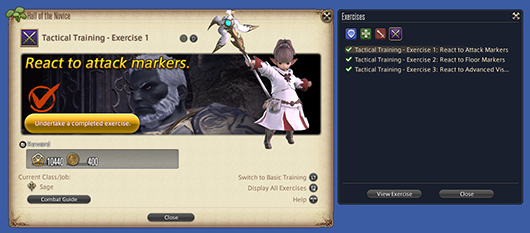
The following additions and adjustments have been made to the Hall of the Novice:
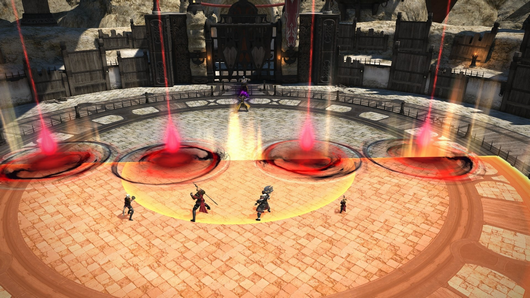
Tactical training exercises have been added to better familiarize players with battle mechanics.
Through tactical training, players will have a chance to learn about various party mechanics, enemy attacks, and effect markers commonly seen when undertaking duties.
The combat guide found in the Hall of the Novice also offers a brief overview of these topics.
After completing tactical training exercises 1 through 3, you will receive a ring that grants increased experience points to Disciples of War and Magic up to level 60.
Undertaking Training Exercises
After completing the main scenario quest “Heart on Fire,” speak with a Smith at an Adventurers’ Guild with a Disciple of War or Magic level 49 or above. You may also access these exercises via Hall of the Novice under the Duty section of the main menu.
The option “Display Completed Exercises” in the Hall of the Novice window has been replaced with “Display All Exercises.”
PvP
Various adjustments have been made to PvP actions.
For further explanations of action changes and adjustments, please refer to the job guide.
The timing with which certain PvP action effects trigger has been changed.
Hit detection of PvP actions has been adjusted to better match visual effects striking a target. * Certain actions will continue to register hits at the time of execution.
Maximum HP for all jobs has been adjusted.
Paladin’s maximum HP has been increased from 60,000 to 64,500.
Warrior’s maximum HP has been increased from 63,000 to 66,000.
Dark Knight’s maximum HP has been increased from 60,000 to 64,500.
Gunbreaker’s maximum HP has been increased from 61,500 to 63,000.
Monk’s maximum HP has been increased from 60,000 to 63,000.
Dragoon’s maximum HP has been increased from 58,500 to 61,500.
Ninja’s maximum HP has been increased from 57,000 to 60,000.
Samurai’s maximum HP has been increased from 58,500 to 63,000.
Reaper’s maximum HP has been increased from 58,500 to 61,500.
Viper’s maximum HP has been increased from 57,000 to 60,000.
Bard’s maximum HP has been increased from 51,000 to 55,500.
Machinist’s maximum HP has been increased from 52,500 to 57,000.
Dancer’s maximum HP has been increased from 54,000 to 58,500.
Black Mage’s maximum HP has been increased from 49,500 to 54,000.
Summoner’s maximum HP has been increased from 49,500 to 57,000.
Red Mage’s maximum HP has been increased from 51,000 to 58,500.
Pictomancer’s maximum HP has been increased from 49,500 to 55,500.
White Mage’s maximum HP has been increased from 51,000 to 55,500.
Scholar’s maximum HP has been increased from 49,500 to 55,500.
Astrologian’s maximum HP has been increased from 49,500 to 54,000.
Sage’s maximum HP has been increased from 48,000 to 54,000.
Series 6 will end and Series 7 will begin.
Series 7 will be held from Patch 7.1 to the release of Patch 7.2, during which time you can earn Series EXP and increase your Series level by participating in any PvP duty. Increasing your Series level will unlock various Series rewards.
* Rewards from Series 6 can only be claimed until the end of Series 7. To claim rewards, select Series Malmstones from the PvP Profile window, then select Previous Series.
Crystalline Conflict
The time limit for overtime has been reduced from 25 to 10 minutes.
* A standard match will last five minutes, making total match time a maximum of 15 minutes.
Victory requirements for overtime have been changed.
The team with the greater progress score at the end of overtime will be declared the winner.
If both teams have equal progress scores, victory will be awarded to the team that moved the tactical crystal closest to the goal point.
If both teams have equal progress scores, and the tactical crystal remains at the center of the field, the match will end in a draw.
Once overtime has exceeded 5 minutes, the delay until rejoining combat has been increased from 1 to 3 seconds.
A system message will now be displayed when the delay time increases.
The KO counter displayed during a match has been changed from counting KO’s since a player was last defeated to total KO’s over the course of a match.
The KO counter can now also display after the screen fades to black when rejoining combat.
The following additions and adjustments have been made to the Progress Gauge:
The time remaining for overtime will now be displayed.
When adjusting the display of your affiliated team, these changes will now be immediately reflected in-game.
The following adjustments have been made to Cloud Nine:
New points of cover have been added to the arena.
The spawn location of medicine kits has been adjusted.
The placement of black chocobo feathers and the pathing of twisters has been adjusted.
Air turbulence will now also spawn gale spheres.
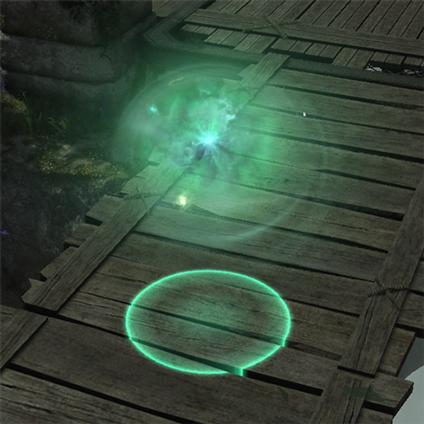
Players who touch gale spheres will be granted Swift Sprint.
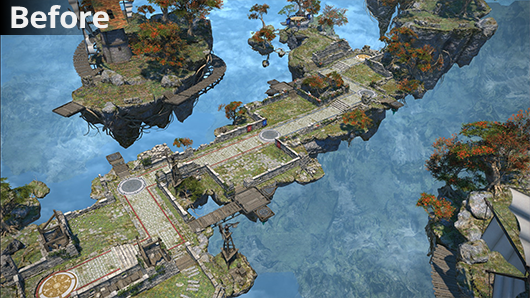
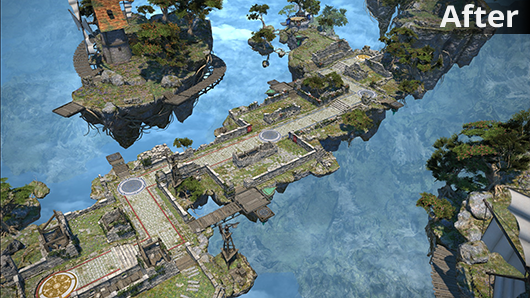
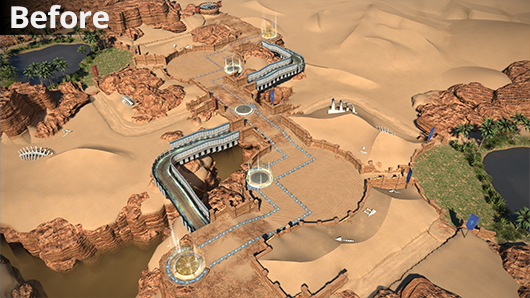
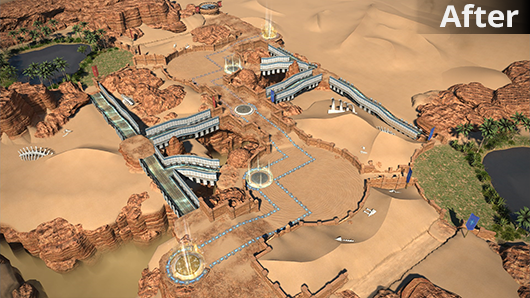
The following adjustments have been made to the Red Sands:
The terrain of the arena has been adjusted.
Sandpit locations have been reduced from 2 to 1.
Sprint zone routes have been expanded.
The spawn location of medicine kits has been adjusted.
Potency of the damage inflicted by heat waves has been reduced from 7,500 to 5,000.
Potency of the healing effect granted after leaving an oasis has been reduced from 7,500 to 5,000.
* Potency of the healing effect while standing in the oasis has not been changed.
Duration of the barrier effect granted by Accutender has been reduced from 30 to 15 seconds.
The following changes have been made to ranked matches:
To better facilitate matching, all ranked matches within each physical data center will now be held within a single logical data center.
The logical data center used to host ranked matches will change each season. Moreover, players can no longer register for ranked matches while in a data center that is not hosting ranked matches. Registration must take place in the logical data center hosting ranked matches.
In the event more than one character on the same service account qualifies to appear in the standings, only the character with the highest tier and Crystal Credits will be listed.
The number of placements to receive rewards has been increased from 100 to 300 in the Japan, North America, and Europe standings. No change has been made to placements in Oceania.
When using the Home World Transfer Service to change to a different Home World within the same physical data center, character tiers, risers, and rising stars will no longer be reset.
* Please note this character data will be reset when changing to a Home World within another physical data center.
The pre-season will end and Season Twelve will begin.
Players who finish the pre-season above the Bronze tier will begin Season Twelve at Bronze 3 with zero Rising Stars.
Season Twelve will be hosted in the following data centers:
Physical Data Center
Logical Data Center
Japan
Gaia
North America
Primal
Europe
Chaos
Oceania
Materia
The following additions and adjustments have been made to Quick Chat:
The following Quick Chat options have been added:
Icon
Title
Guard
Purify
“Good Match” can now only be used at the end of a match.
Frontline
The following adjustments have been made to job damage output, damage taken, and limit gauge fill rates.
Paladin
Action
Adjustment
Damage Dealt
Reduced from 0% to -20%.
Dark Knight
Action
Adjustment
Damage Dealt
Reduced from -15% to -20%.
Damage Taken
Increased from -50% to -40%.
Limit Gauge Fill Rate
Increased from +15 seconds to +45 seconds.
Gunbreaker
Action
Adjustment
Damage Dealt
Reduced from -5% to -10%.
Dragoon
Action
Adjustment
Damage Dealt
Reduced from -10% to -20%.
Limit Gauge Fill Rate
Increased from +15 seconds to +45 seconds
Monk
Action
Adjustment
Limit Gauge Fill Rate
Increased from 0 seconds to +15 seconds.
Reaper
Action
Adjustment
Limit Gauge Fill Rate
Increased from 0 seconds to +15 seconds.
Bard
Action
Adjustment
Damage Taken
Reduced from -25% to -30%.
Machinist
Action
Adjustment
Damage Taken
Reduced from -25% to -30%.
Black Mage
Action
Adjustment
Damage Taken
Reduced from -25% to -30%.
Summoner
Action
Adjustment
Damage Dealt
Increased from -15% to -10%.
Damage Taken
Reduced from -25% to -30%.
Pictomancer
Action
Adjustment
Damage Dealt
Reduced from 0% to -10%.
Damage Taken
Reduced from -25% to -30%.
White Mage
Action
Adjustment
Damage Taken
Reduced from -25% to -30%.
Scholar
Action
Adjustment
Damage Dealt
Reduced from 0% to -10%.
Damage Taken
Reduced from -25% to -30%.
Astrologian
Action
Adjustment
Damage Dealt
Reduced from -5% to -10%.
Damage Taken
Reduced from -25% to -30%.
Sage
Action
Adjustment
Damage Taken
Reduced from -25% to -30%.
Rival Wings
Damage modifiers for damage taken have been adjusted on a per-job basis.
Paladin
Action
Adjustment
Damage Taken
Increased from -30% to -20%.
Warrior
Action
Adjustment
Damage Taken
Increased from -30% to -20%.
Dark Knight
Action
Adjustment
Damage Taken
Increased from -30% to -20%.
Gunbreaker
Action
Adjustment
Damage Taken
Increased from -30% to -20%.
Monk
Action
Adjustment
Damage Taken
Increased from -30% to -20%.
Dragoon
Action
Adjustment
Damage Taken
Increased from -30% to -20%.
Samurai
Action
Adjustment
Damage Taken
Increased from -30% to -20%.
Ninja
Action
Adjustment
Damage Taken
Increased from -30% to -20%.
Reaper
Action
Adjustment
Damage Taken
Increased from -30% to -20%.
Viper
Action
Adjustment
Damage Taken
Increased from -30% to -20%.
Bard
Action
Adjustment
Damage Taken
Increased from -15% to -10%.
Machinist
Action
Adjustment
Damage Taken
Increased from -15% to -10%.
Dancer
Action
Adjustment
Damage Taken
Increased from -15% to -10%.
Black Mage
Action
Adjustment
Damage Taken
Increased from -15% to -10%.
Summoner
Action
Adjustment
Damage Taken
Increased from -15% to -10%.
Red Mage
Action
Adjustment
Damage Taken
Increased from -15% to -10%.
Pictomancer
Action
Adjustment
Damage Taken
Increased from -15% to -10%.
White Mage
Action
Adjustment
Damage Taken
Increased from -15% to -10%.
Scholar
Action
Adjustment
Damage Taken
Increased from -15% to -10%.
Astrologian
Action
Adjustment
Damage Taken
Increased from -15% to -10%.
Sage
Action
Adjustment
Damage Taken
Increased from -15% to -10%.
The following adjustments have been made to Hidden Gorge:
The fill rate of the limit gauge upon KOing an opponent has been reduced.
The fill rate of the limit gauge after an assist has been increased.
The HP of Wind-up Viking, Wind-up Magus, Gobtank, and Goblin Mercenary has been increased.
The following adjustments have been made to machina HP and actions:
Cruise Chaser
Action / Attribute
Adjustment
HP
HP has been increased from 250,000 to 300,000.
Optical Sight
Cast time has been reduced from 2 to 1.5 seconds.
Laser X Sword
Cast time has been reduced from 2 to 1.5 seconds.
Spin Crusher
Potency when attacking a player, mammet, or object has been increased from 4,000 to 5,000.
Potency when attacking warmachnica has been increased from 40,000 to 50,000.
Oppressor
Action / Attribute
Adjustment
HP
HP has been increased from 500,000 to 600,000.
Brute Justice
Action / Attribute
Adjustment
HP
HP has been increased from 375,000 to 450,000.
Flarethrower
Cast time has been reduced from 2.5 to 2 seconds.
Mega Beam
Potency when attacking a player or warmachina has been increased from 60,000 to 80,000.
Potency when attacking a mammet or object has been increased from 6,000 to 8,000.
New items have been added.
Items added in Patch 7.1 will be listed at a later date.
Grand prize winning entries from the FFXIV Weapon Design Contest have been added.
* Weapons designed by the development team will be added for Viper and Pictomancer.
New recipes have been added.
Recipes added in Patch 7.1 will be listed at a later date.
The following item names have been changed:
Before
After
Rroneek Horn Token
Mount Token
The following items now have two dye channels:
Tropaios Sword
Tropaios Claws
Tropaios War Axe
Tropaios Spear
Tropaios Bow
Tropaios Cleavers
Tropaios Guillotine
Tropaios Pistol
Tropaios Cane
Tropaios Rod
Tropaios Index
Tropaios Codex
Tropaios Planisphere
Tropaios Blade
Tropaios Rapier
Tropaios Bayonet
Tropaios War Quoits
Tropaios Wings
Tropaios Scythe
Tropaios Saberfangs
Tropaios Angle Brush
Tropaios Shield
Orthos Katzbalger
Orthos Handleblades
Orthos Axe
Orthos Partisan
Orthos Bow
Orthos Cleavers
Orthos Greatsword
Orthos Arquebus
Orthos Wand
Orthos Staff
Orthos Grimoire
Orthos Codex
Orthos Planisphere
Orthos Samurai Blade
Orthos Smallsword
Orthos Manatrigger
Orthos Chakrams
Orthos Wings
Orthos Sickle
Orthos Diamondbacks
Orthos Angle Brush
Orthos Shield
Enaretos Katzbalger
Enaretos Handleblades
Enaretos Axe
Enaretos Partisan
Enaretos Bow
Enaretos Cleavers
Enaretos Greatsword
Enaretos Arquebus
Enaretos Wand
Enaretos Staff
Enaretos Grimoire
Enaretos Codex
Enaretos Planisphere
Enaretos Samurai Blade
Enaretos Smallsword
Enaretos Manatrigger
Enaretos Chakrams
Enaretos Wings
Enaretos Sickle
Enaretos Diamondbacks
Enaretos Angle Brush
Enaretos Shield
Manderville Sword
Manderville Knuckles
Manderville Axe
Manderville Spear
Manderville Harp Bow
Manderville Knives
Manderville Zweihander
Manderville Revolver
Manderville Cane
Manderville Rod
Manderville Index
Manderville Codex
Manderville Torquetum
Manderville Samurai Blade
Manderville Rapier
Manderville Gunblade
Manderville Chakrams
Manderville Milpreves
Manderville Scythe
Manderville Kite Shield
Amazing Manderville Sword
Amazing Manderville Knuckles
Amazing Manderville Axe
Amazing Manderville Spear
Amazing Manderville Harp Bow
Amazing Manderville Knives
Amazing Manderville Zweihander
Amazing Manderville Revolver
Amazing Manderville Cane
Amazing Manderville Rod
Amazing Manderville Index
Amazing Manderville Codex
Amazing Manderville Torquetum
Amazing Manderville Samurai Blade
Amazing Manderville Rapier
Amazing Manderville Gunblade
Amazing Manderville Chakrams
Amazing Manderville Milpreves
Amazing Manderville Scythe
Amazing Manderville Kite Shield
Majestic Manderville Sword
Majestic Manderville Fists
Majestic Manderville Bardiche
Majestic Manderville Spear
Majestic Manderville Harp Bow
Majestic Manderville Knives
Majestic Manderville Greatsword
Majestic Manderville Pistol
Majestic Manderville Wand
Majestic Manderville Staff
Majestic Manderville Index
Majestic Manderville Codex
Majestic Manderville Orrery
Majestic Manderville Samurai Blade
Majestic Manderville Degen
Majestic Manderville Bayonet
Majestic Manderville Chakrams
Majestic Manderville Wings
Majestic Manderville War Scythe
Majestic Manderville Shield
Mandervillous Falchion
Mandervillous Fists
Mandervillous Battleaxe
Mandervillous Trident
Mandervillous Compound Bow
Mandervillous Knives
Mandervillous Greatsword
Mandervillous Revolver
Mandervillous Cane
Mandervillous Rod
Mandervillous Index
Mandervillous Codex
Mandervillous Torquetum
Mandervillous Samurai Blade
Mandervillous Rapier
Mandervillous Gunblade
Mandervillous Chakrams
Mandervillous Wings
Mandervillous Zaghnal
Mandervillous Kite Shield
Manderville Sword Replica
Replica Manderville Knuckles
Manderville Axe Replica
Manderville Spear Replica
Manderville Harp Bow Replica
Replica Manderville Knives
Manderville Zweihander Replica
Manderville Revolver Replica
Manderville Cane Replica
Manderville Rod Replica
Manderville Index Replica
Manderville Codex Replica
Manderville Torquetum Replica
Manderville Samurai Blade Replica
Manderville Rapier Replica
Manderville Gunblade Replica
Replica Manderville Chakrams
Replica Manderville Milpreves
Manderville Scythe Replica
Manderville Kite Shield Replica
Amazing Manderville Sword Replica
Replica Amazing Manderville Knuckles
Amazing Manderville Axe Replica
Amazing Manderville Spear Replica
Amazing Manderville Harp Bow Replica
Replica Amazing Manderville Knives
Amazing Manderville Zweihander Replica
Amazing Manderville Revolver Replica
Amazing Manderville Cane Replica
Amazing Manderville Rod Replica
Amazing Manderville Index Replica
Amazing Manderville Codex Replica
Amazing Manderville Torquetum Replica
Amazing Manderville Samurai Blade Replica
Amazing Manderville Rapier Replica
Amazing Manderville Gunblade Replica
Replica Amazing Manderville Chakrams
Replica Amazing Manderville Milpreves
Amazing Manderville Scythe Replica
Amazing Manderville Kite Shield Replica
Majestic Manderville Sword Replica
Replica Majestic Manderville Fists
Majestic Manderville Bardiche Replica
Majestic Manderville Spear Replica
Majestic Manderville Harp Bow Replica
Replica Majestic Manderville Knives
Majestic Manderville Greatsword Replica
Majestic Manderville Pistol Replica
Majestic Manderville Wand Replica
Majestic Manderville Staff Replica
Majestic Manderville Index Replica
Majestic Manderville Codex Replica
Majestic Manderville Orrery Replica
Majestic Manderville Samurai Blade Replica
Majestic Manderville Degen Replica
Majestic Manderville Bayonet Replica
Replica Majestic Manderville Chakrams
Replica Majestic Manderville Wings
Majestic Manderville War Scythe Replica
Majestic Manderville Shield Replica
Majestic Manderville Sword Matte Replica
Matte Replica Majestic Manderville Fists
Majestic Manderville Bardiche Matte Replica
Majestic Manderville Spear Matte Replica
Majestic Manderville Harp Bow Matte Replica
Matte Replica Majestic Manderville Knives
Majestic Manderville Greatsword Matte Replica
Majestic Manderville Pistol Matte Replica
Majestic Manderville Wand Matte Replica
Majestic Manderville Staff Matte Replica
Majestic Manderville Index Matte Replica
Majestic Manderville Codex Matte Replica
Majestic Manderville Orrery Matte Replica
Majestic Manderville Samurai Blade Matte Replica
Majestic Manderville Degen Matte Replica
Majestic Manderville Bayonet Matte Replica
Matte Replica Majestic Manderville Chakrams
Matte Replica Majestic Manderville Wings
Majestic Manderville War Scythe Matte Replica
Majestic Manderville Shield Matte Replica
Mandervillous Falchion Replica
Replica Mandervillous Fists
Mandervillous Battleaxe Replica
Mandervillous Trident Replica
Mandervillous Compound Bow Replica
Replica Mandervillous Knives
Mandervillous Greatsword Replica
Mandervillous Revolver Replica
Mandervillous Cane Replica
Mandervillous Rod Replica
Mandervillous Index Replica
Mandervillous Codex Replica
Mandervillous Torquetum Replica
Mandervillous Samurai Blade Replica
Mandervillous Rapier Replica
Mandervillous Gunblade Replica
Replica Mandervillous Chakrams
Replica Mandervillous Wings
Mandervillous Zaghnal Replica
Mandervillous Kite Shield Replica
Vrandtic Visionary’s Saw
Vrandtic Visionary’s Cross-pein Hammer
Vrandtic Visionary’s Raising Hammer
Vrandtic Visionary’s Mallet
Vrandtic Visionary’s Round Knife
Vrandtic Visionary’s Needle
Vrandtic Visionary’s Alembic
Vrandtic Visionary’s Frypan
Vrandtic Visionary’s Pickaxe
Vrandtic Visionary’s Hatchet
Vrandtic Visionary’s Fishing Rod
Lodestar Saw
Lodestar Cross-pein Hammer
Lodestar Raising Hammer
Lodestar Mallet
Lodestar Round Knife
Lodestar Needle
Lodestar Alembic
Lodestar Frypan
Lodestar Pickaxe
Lodestar Hatchet
Lodestar Fishing Rod
Vrandtic Visionary’s Saw Replica
Vrandtic Visionary’s Cross-pein Hammer Replica
Vrandtic Visionary’s Raising Hammer Replica
Vrandtic Visionary’s Mallet Replica
Vrandtic Visionary’s Round Knife Replica
Vrandtic Visionary’s Needle Replica
Vrandtic Visionary’s Alembic Replica
Vrandtic Visionary’s Frypan Replica
Vrandtic Visionary’s Pickaxe Replica
Vrandtic Visionary’s Hatchet Replica
Vrandtic Visionary’s Fishing Rod Replica
Lodestar Saw Replica
Lodestar Cross-pein Hammer Replica
Lodestar Raising Hammer Replica
Lodestar Mallet Replica
Lodestar Round Knife Replica
Lodestar Needle Replica
Lodestar Alembic Replica
Lodestar Frypan Replica
Lodestar Pickaxe Replica
Lodestar Hatchet Replica
Lodestar Fishing Rod Replica
Red Tori Kabuto
Black Tori Kabuto
White Inu Kabuto
Black Inu Kabuto
Inoshishi Kabuto
Crimson Inoshishi Kabuto
Crimson Nezumi Kabuto
Cobalt Nezumi Kabuto
Crimson Ushi Kabuto
Black Ushi Kabuto
Golden Tora Kabuto
Silver Tora Kabuto
Heavensturn Domaru
Heavensturn Kote
Heavensturn Haidate
Heavensturn Sune-ate
Black-feathered Flat Hat
Red-feathered Flat Hat
Flower Crown
Seneschal’s Monocle
Princess’s Peach Corsage
Reindeer Antlers
Reindeer Suit
Dream Tunic
Dream Boots
Sweet Dream Tunic
Sweet Dream Boots
Saint’s Cap
Starlight Robe
Choir Hat
Choir Robe
Choir Shoes
Riviera Doublet
Riviera Slops
Riviera Dress
Oasis Doublet
Oasis Halftrews
Oasis Tunic
Oasis Sarouel
Alpine Coat
Ishgardian Gown
Ishgardian Thighboots
Far Eastern Smock
Yanxian Merchant’s Haori
Crystarium Helm
Crystarium Tabard
Crystarium Gauntlets
Crystarium Greaves
Gleaner’s Coat
Gleaner’s Work Gloves
Gleaner’s Breeches
Gleaner’s Longboots
Kupo Crown
Kupo Jacket
Kupo Trousers
Kupo Shoes
Kupo Knit Cap
Hraesvelgr Hat
Hraesvelgr Jacket
Hraesvelgr Gloves
Hraesvelgr Trousers
Hraesvelgr Boots
Twinsilk Suspenders
Anemos Suspenders
Scion Hearer’s Hood
Scion Hearer’s Coat
Scion Hearer’s Shoes
Scion Rogue’s Jacket
Scion Rogue’s Armguards
Scion Rogue’s Gaskins
Scion Rogue’s Boots
Scion Healer’s Robe
Scion Healer’s Highboots
Brand-new Alphinaud’s Attire
Brand-new Alisaie’s Attire
Crystarium Prodigy’s Top
Crystarium Prodigy’s Fingerless Gloves
Crystarium Prodigy’s Hose
Crystarium Prodigy’s Thighboots
Gown of Light
Skirt of Light
Oracle Top
Oracle Pantalettes
Oracle Leggings
Gaia’s Attire
The following items can now be equipped regardless of gender:
Eastern Lord’s Togi
Eastern Lord’s Trousers
Eastern Lord’s Crakows
Eastern Lady’s Togi
Eastern Lady’s Loincloth
Eastern Lady’s Crakows
Far Eastern Patriarch’s Hat
Far Eastern Patriarch’s Tunic
Far Eastern Patriarch’s Longboots
Far Eastern Matriarch’s Sun Hat
Far Eastern Matriarch’s Dress
Far Eastern Matriarch’s Boots
Star of the Nezha Lord
Nezha Lord’s Togi
Nezha Lord’s Gloves
Nezha Lord’s Slops
Nezha Lord’s Boots
Star of the Nezha Lady
Nezha Lady’s Togi
Nezha Lady’s Gloves
Nezha Lady’s Slops
Nezha Lady’s Kneeboots
Eastern Lord Errant’s Hat
Eastern Lord Errant’s Jacket
Eastern Lord Errant’s Wristbands
Eastern Lord Errant’s Trousers
Eastern Lord Errant’s Shoes
Eastern Lady Errant’s Hat
Eastern Lady Errant’s Coat
Eastern Lady Errant’s Gloves
Eastern Lady Errant’s Skirt
Eastern Lady Errant’s Boots
The icons for Wings of Ruin and Wings of Resolve items have been adjusted.
* The mount icons will remain unchanged.
The icons for The Faces We Wear items used to unlock facewear are now unified.
The armoire now divides items into subcategories within each tab.
The outfit glamour feature has been added to the glamour dresser.
An outfit glamour condenses a set combination of items into a single slot and stores it in the glamour dresser.
Items condensed in this manner can still be added to glamour plates individually and used to glamour equipment.
* As of Patch 7.1, this feature works primarily with level 1 items that have a unique appearance.
Compatible Items
Items that can be used to create an outfit glamour are denoted by a “+” mark over the glamour dresser icon in the upper right corner of the item help window.
After selecting a compatible piece of equipment, open the subcommand menu and select “View Outfit Glamour-ready Items” to produce a list of equipment required to create an outfit glamour with the chosen item.
Creating Outfit Glamours
1. Access the glamour dresser, locate a compatible item in the Equipment Selection window, and press the Outfit Glamour icon next to it.
2. The specific equipment and number of glamour prisms required will be displayed. With all necessary items in your possession, select “Store as Glamour.”
3. The selected equipment will be condensed into a single slot and stored in the Outfits category of the glamour dresser.* If you wish to retrieve the items from the glamour dresser, open the subcommand menu and select “Restore Item” to retrieve the entire set at once.
Using Outfit Glamours
Equipment stored as an outfit glamour will lose any dyes previously applied.
* You may re-dye the items after they have been used to glamour current equipment or added to a glamour plate.
The entire set of equipment must be stored at the same time in order to create the outfit.
For example, if the desired outfit glamour requires equipment from the head, chest, legs, and feet categories, you may not store the head and feet pieces by themselves. Note that any pieces stored separately must be removed from the glamour dresser to create the outfit glamour.
All items in the set must be of the same quality.
Normal-quality equipment cannot be grouped alongside high-quality equipment.
Certain items can now be sold, desynthesized, or submitted for expert delivery missions.
Sets of items may now be purchased from shops in increments of 999.
* Not applicable for some shops and items.
The following changes have been made to shops:
The shop menu UI has been unified.
When crafting, actions can now be executed directly from the calculations window.
The following changes have been made to the crafting log:
Filter settings have been added to the gathering log, enabling the option of hiding previously gathered items, identifiable by a check mark on their icon.
* Recipes that do not display a checkmark regardless of completion will not appear on the list.
The Ixal society quest category is now hidden by default and must be unlocked by progressing Ixal society quests.
The order of ingredients for some recipes has been adjusted.
Crafted item level 710 equipment can now be exchanged for upgraded item level 720 equipment.
Vendor and Items Required
Vendor
Items Required
Eirene, Solution Nine (X:8.1 Y:14.0)
Everkeep Certificate of Grade 1 Import/Everkeep Rain
Acquiring Upgraded Gear
Confirm the requisite number of Everkeep certificates of grade 1 import and Everkeep rain for your desired gear by speaking with Eirene in Solution Nine.
Everkeep certificates of grade 1 import can be received from Eirene in exchange for item level 710 equipment.
Speak with Eirene and exchange Allagan tomestones of aesthetics for Everkeep rain.
After acquiring the requisite number of Everkeep certificates of grade 1 import and Everkeep rain, speak with Eirene and exchange them for your desired gear.
New items have been added to gathering points.
Filter settings have been added to the gathering log, enabling the option of hiding previously gathered items.
* This also applies to items such as collectables that do not display a check mark after being acquired.
New fishing holes have been added.
While fishing, the exclamation mark will still display overhead when a fish bites, regardless of whether battle effects have been limited or disabled.
The level cap for desynthesis has been increased from 710 to 720.
New mounts have been added.
The listing order of the mount guide has been adjusted.
Order is now organized by category.
New chocobo barding has been added.
New minions have been added.
New fashion accessories have been added.
New facewear has been added.
Graphical Update
Graphical adjustments have been made to player character models based on feedback from the community.
In conjunction with these adjustments, players can obtain a phial of Fantasia from the wandering moogle in Old Gridania (X:10.7 Y:6.4) for a limited period of time. * This reward will be obtainable until the release of Patch 7.2.
The following adjustments have been made to certain NPCs:
Model quality, texture resolution, and material qualities of faces have been improved.
Texture resolution and material qualities of gear have been improved.
The appearance of eyes is now optimized for the character model’s environment.
Graphical details for the following gear have been improved:
Scion Rogue’s Bandana
Scion Rogue’s Jacket
Scion Rogue’s Armguards
Scion Rogue’s Gaskins
Scion Rogue’s Boots
Sharlayan Prodigy’s Suit
Brand-new Alisaie’s Attire
Brand-new Alphinaud’s Attire
Orthodox Trousers of Striking
Crystarium Prodigy’s Hose
Crystarium Prodigy’s Top
Crystarium Prodigy’s Fingerless Gloves
Crystarium Prodigy’s Thighboots
Scion Healer’s Robe
Scion Healer’s Highboots
Scion Hearer’s Hood
Scion Hearer’s Coat
Scion Hearer’s Shoes
Scion Chronocler’s Cowl
Scion Chronocler’s Ringbands
Scion Chronocler’s Tights
Scion Chronocler’s Caligae
Scion Conjurer’s Dalmatica
Scion Conjurer’s Chausses
Scion Conjurer’s Pattens
Scion Thief’s Tunic
Scion Thief’s Gaskins
Scion Thief’s Armored Caligae
Lens transparency has been increased for certain eyewear.
Transparency effects have been added to the following gear:
Koga Hakama
Augmented Ninja Hakama
Ninja Hakama
Bunny Chief Tights
Bunny Chief Pumps
Transparency effects have been increased for the following gear:
Valentione Rose Ribboned Gloves
Valentione Acacia Ribboned Gloves
Valentione Forget-me-not Ribboned Gloves
No.2 Type B Leggings
YoRHa Type-53 Bottoms of Casting
YoRHa Type-53 Breeches of Maiming
YoRHa Type-55 Bottoms of Fending
Gaia’s Attire
The appearance of female Hrothgar characters’ arms when wearing the following gear has been adjusted:
Armorer’s Gown
Argute Gown
Scholar’s Gown
Augmented Scholar’s Gown
Spring Dress
Valentione Apron Dress
Thavnairian Armlets
Duelist’s Tabard +2
Duelist’s Tabard +1
Virtu Duelist’s Tabard
Duelist’s Tabard
Antiquated Duelist’s Tabard
Anemos Duelist’s Tabard
Antiquated Duelist’s Gloves
Duelist’s Gloves +1
Anemos Duelist’s Gloves
Duelist’s Gloves +2
Duelist’s Gloves
Virtu Duelist’s Gloves
Augmented Hideking’s Jacket
Hideking’s Jacket
Boltking’s Jacket
Augmented Boltking’s Jacket
Boltking’s Gloves
Augmented Boltking’s Gloves
Ivalician Astrologer’s Gloves
Ivalician Enchanter’s Gloves
Ivalician Mystic’s Coat
Ivalician Oracle’s Coat
Heirloom Jacket of Striking
Voeburtite Jacket of Striking
Heirloom Jacket of Scouting
Voeburtite Jacket of Scouting
Ornate Diadochos Jacket of Scouting
Augmented Diadochos Jacket of Scouting
Ornate Diadochos Jacket of Striking
Diadochos Jacket of Scouting
Diadochos Jacket of Striking
Augmented Diadochos Jacket of Striking
Nezha Lady’s Togi
Scion Hearer’s Coat
Gaia’s Attire
Metian Gauntlets
Ishgardian Gown
Yanxian Merchant’s Haori
Character toe detail when wearing the following foot gear has been improved:
Dated Lauan Sandals
Dated Lauan Sandals (Grey)
Dated Walnut Sandals (Black)
Dated Walnut Sandals
Dated Walnut Sandals (Green)
Dated Walnut Sandals (Ochre)
Dated Walnut Sandals (Red)
Leather Sandals
Hard Leather Sandals
Kirimu Sandals of Striking
Pagos Sandals
Manor Sandals
Kirimu Sandals of Scouting
Artisan’s Sandals
Lord’s Clogs
Lady’s Clogs
Darklight Caligae of Aiming
Darklight Caligae of Striking
Warwolf Caligae of Striking
Flame Elite’s Caligae
Snakestongue Greaves
Snakeliege Greaves
Virtu Caller’s Sandals
Caller’s Sandals
Antiquated Caller’s Sandals
Summer Sandals
Thavnairian Sandals
Forgekeep’s Sandals
Augmented Forgekeep’s Sandals
Forgemaster’s Sandals
Gemkeep’s Sandals
Augmented Gemkeep’s Sandals
Gemmaster’s Sandals
True Griffin Caligae of Striking
True Griffin Caligae of Scouting
The Forgiven’s Caligae of Scouting
Demon Caligae of Scouting
Demon Caligae of Striking
The Forgiven’s Caligae of Striking
Prophet’s Sandals
Panegyrist’s Sandals
Gaganaskin Sandals of Casting
Ghost Barque Sandals of Maiming
Gaganaskin Sandals of Healing
Little Lord’s Clogs
Little Lady’s Clogs
Hemiskin Open-toed Boots of Healing
Ghost Barque Open-toed Boots of Scouting
Hemiskin Open-toed Boots of Casting
Smilodonskin Open-toed Boots of Aiming
Smilodonskin Open-toed Boots of Striking
Facet Sandals of Striking
Augmented Facet Sandals of Striking
Yafaemi Sandals of Striking
Yafaemi Sandals of Scouting
Myochin Geta +1
Myochin Geta +2
Myochin Geta
Antiquated Myochin Geta
Anemos Myochin Geta
Virtu Myochin Geta
Conqueror’s Sandals
Gaganaskin Sandals of Scouting
Ghost Barque Sandals of Healing
Gaganaskin Sandals of Striking
Subjugator’s Sandals
Gazelleskin Open-toed Boots of Maiming
Gazelleskin Open-toed Boots of Striking
Gazelleskin Open-toed Boots of Scouting
Ala Mhigan Shoes of Gathering
Saigaskin Sandals of Gathering
Landking’s Shoes
Augmented Ala Mhigan Shoes of Gathering
Nabaath Shoes of Scouting
Smilodonskin Shoes of Gathering
Weathered Kasuga Zori
Idealized Kasuga Zori
Yama Zori of Scouting
Rakshasa Zori of Striking
Yama Zori of Striking
Yama Zori of Aiming
Rakshasa Zori of Aiming
Rakshasa Zori of Scouting
Edengrace Sandals of Striking
Edengate Sandals of Striking
Edengate Sandals of Healing
Edengrace Sandals of Healing
Ravel Keeper’s Sandals of Striking
Ravel Keeper’s Sandals of Aiming
Br’aaxskin Sandals of Healing
Br’aaxskin Sandals of Casting
Br’aaxskin Sandals of Scouting
Ravel Keeper’s Sandals of Scouting
Br’aaxskin Sandals of Aiming
Ravel Keeper’s Sandals of Healing
Br’aaxskin Sandals of Striking
Ravel Keeper’s Sandals of Casting
Warg Shoes of Scouting
Warg Shoes of Aiming
Warg Shoes of Striking
Summer’s Flame Sandals
Anchorite’s Greaves
Theophany Thighboots
Astronomia Sandals
Riversbreath Sandals of Casting
Paglth’an Sandals of Healing
Riversbreath Sandals of Healing
Paglth’an Sandals of Casting
Limbo Gaiters of Healing
Asphodelos Gaiters of Healing
Asphodelos Gaiters of Casting
Limbo Gaiters of Casting
Theogonic Sandals of Healing
Theogonic Sandals of Casting
Moonfire Sandals
Moonfire Caligae
Doman Liege’s Kyahan
Leal Samurai’s Geta
The following additions and adjustments have been made to the tilt effect when moving:
Character tilt when turning has been added.
Character tilt when turning while riding a mount has been added.
The speed at which certain mounts tilt when turning has been decreased.
Mount and character tilt can now be toggled on or off.
Adjust tilt settings via the Character Configuration menu by selecting Control Settings followed by the Character tab, then checking or unchecking the options under “Effects While in Motion.”
Vegetation in the following areas will now be rendered in high resolution:
2.x Areas
Public Areas
Cities
Fields
Housing Areas
Instanced Events
Duties
Instanced Dungeons
Raids
PvP
6.x Areas
Public Areas
Island Sanctuary
* Additional areas will see adjustments in future updates.
The following adjustments have been made to certain objects found in 2.x areas:
The number of objects has been increased.
Polygon count has been increased.
Texture resolution has been increased.
2.x Areas
Public Areas
Cities
Fields
* No changes have been made to the Gold Saucer, Coerthas Central Highlands, or Mor Dhona.
The number of shadows cast in rooms in the following areas has been increased:
2.x Areas
Public Areas
Fields
2.x – 6.x Areas
Duties
Instanced Dungeons
Deep Dungeons
PvP
System
In order to reduce server congestion, we will be implementing multiple field instances for Tuliyollal, Solution Nine, and the area newly added in Patch 7.1.
* We will monitor server activity and remove this feature when congestion is determined to no longer be an issue.
The number of multiple field instances implemented in Patch 7.0 has been changed as follows:
Map
Number of Instances
Shaaloani
3
2
Heritage Found
3
2
Urqopacha, Yak T’el, and Living Memory will no longer be separated into multiple instances.
While using the aesthetician, earrings and necklaces currently being worn are now displayed when “Equipped” is selected.
The following additions and adjustments have been made to retainers:
New items can now be obtained from quick exploration ventures.
When summoning your retainer, the number of items and amount of gil entrusted are now displayed in the retainer menu.
Character combat voice samples have been removed from the Character Creation interface.
The following additions and adjustments have been made to achievements:
New achievements and titles have been added.
Certain duties and trials will now count toward the completion of achievements. Following the release of Patch 7.1, The Singularity Reactor (Unreal) will no longer be counted.
Achievement
Duty
A Tankless Job I (Paladin)
A Tankless Job II (Paladin)
But Somebody’s Gotta Do It (Paladin)
A Tankless Job I (Warrior)
A Tankless Job II (Warrior)
But Somebody’s Gotta Do It (Warrior)
A Tankless Job I (Dark Knight)
A Tankless Job II (Dark Knight)
But Somebody’s Gotta Do It (Dark Knight)
The Jade Stoa (Unreal)
The Minstrel’s Ballad: Sphene’s Burden
Tank You, Paladin I
Tank You, Paladin II
Tank You, Paladin III
Tank You, Paladin IV
Tank You, Paladin V
Tank You, Warrior I
Tank You, Warrior II
Tank You, Warrior III
Tank You, Warrior IV
Tank You, Warrior V
Tank You, Dark Knight I
Tank You, Dark Knight II
Tank You, Dark Knight III
Tank You, Dark Knight IV
Tank You, Dark Knight V
Tank You, Gunbreaker I
Tank You, Gunbreaker II
Tank You, Gunbreaker III
Tank You, Gunbreaker IV
Tank You, Gunbreaker V
Yuweyawata Field Station
The Jade Stoa (Unreal)
The Minstrel’s Ballad: Sphene’s Burden
An icon will now be displayed next to recently used Aethernet shards in the Aethernet window.
Recently used Aethernet shards can now be selected with the Y (△) button on a gamepad.
The number of kills required for specific hunt marks is now displayed in the Recommendations list.
The following additions and adjustments have been made to the party list:
Players can now adjust the position of their character within the list.
Access this setting via Party Members, found under Party in the main menu.
The appearance of players’ numbered icons in the party list has been changed.
Players can now use mouse drag and drop functionality for party list sorting.
Adjust this setting via the Party menu by selecting Party Members, then checking or unchecking “Enable mouse drag and drop for party list sorting.”
Cross-world parties can now be converted to in-world parties if all members are in the same area.
Convert parties via the Party menu by selecting Party Members, then selecting the “Convert” button.
The following categories can now be selected when recruiting for a cross-world party:
* A confirmation window is now displayed when recruiting for a cross-world party.
FATEs
Treasure Hunts
Hunts
The following additions and adjustments have been made to the Client window:
Item category icons will now be displayed to indicate bonuses offered by clients.
The “Show on Map” subcommand has been added, which can be used to display the location of clients on the map.
Instant portraits can now be updated when updating or swapping gear sets.
If the gear shown in a saved instant portrait differs from what you have equipped after updating or swapping gear sets, you can update your instant portrait via the displayed window. Adjust this setting by checking or unchecking the “Use as Instant Portrait” option in the Edit Portrait window. * When this setting is unchecked, your instant portrait will not be updated automatically.
The following additions have been made to portraits:
New accents have been added.
New poses have been added.
New portrait accents for adventurer plates have been added.
The following additions and adjustments have been made to group pose:
New stickers have been added.
* Certain newly added stickers and frames can be used after completing specific main scenario and Chronicles of a New Era quests, or after acquiring specific minions.
The Patch Logo frame has been updated with a Patch 7.1 logo.
When adjusting roll angle settings, camera tilt and panning are now tied to roll angle settings by default.
Roll angle settings are now reflected when applying certain effects.
Certain motions can be recorded and repeated at set intervals while fishing.
* This feature is only available when using group pose when idle while fishing.
The following additions and adjustments have been made to the Currency window:
Currency categories are now switched via icons, and the currency category name is displayed on each tab.
The “Societies (Dawntrail)” category has been added.
Currencies added from Dawntrail onwards will be displayed under this category.
The Mentor Renewal period has ended.
Players who have not renewed their certification after the release of Patch 7.0 will no longer be mentors. However, they may be recertified provided they meet the current certification requirements.
Once you have fulfilled the updated requirements, speak to one of the Smiths in Gridania, Limsa Lominsa, Ul’dah, or at the Hall of the Novice in western La Noscea (X:28.2 Y:24.4), and select “Apply for Mentor Certification.”
The chat log can now also be repositioned by dragging and dropping from either edge of the tab.
The following features will now also be applied to Baldesion Arsenal / Castrum Lacus Litore / The Dalriada when using the Blacklist:
If a blacklisted character is present, their name will be displayed as “Unknown” even if they are not a member of your party.
Communications from blacklisted characters using Say, Yell, and Shout will display as a default message instead.
* This setting can be temporarily disabled via the corresponding subcommand.
The following text commands have been added:
Command
Description
/attend
USAGE:
/attend [subcommand]→Await your next orders.
>>Subcommands:
motion Perform motion only.
Both text and motion will be displayed when no subcommand is specified./water
USAGE:
/water [subcommand]→Sprinkle water over the ground.
>>Subcommands:
motion Perform motion only.
Both text and motion will be displayed when no subcommand is specified./shakedrink
USAGE:
/shakedrink [subcommand]→Shake up a refreshing cocktail.
>>Subcommands:
motion Perform motion only.
Both text and motion will be displayed when no subcommand is specified./ohokaliy
USAGE:
/ohokaliy [subcommand]→Perform a proper Hanuhanu greeting.
>>Subcommands:
motion Perform motion only.
Both text and motion will be displayed when no subcommand is specified.
The following options have been added to the Character Configuration menu:
The following settings have been added:
Control Settings
Character Tab
Enable tilt while moving.
Enable tilt while riding a ground mount.
Enable tilt while riding a flying/swimming mount.
The following options have been added to Quest Progression Settings under the General tab of Control Settings:
Before
After
Also hide nearby party members.
Also hide nearby party members and friends.
Under the HUD tab of UI Settings in the Character Configuration menu, up to 10 duties can now be displayed via the Number of Duties Displayed option.
The following options have been added to the System Configuration menu:
Display Settings
Resolution
Presets (Windowed)
2560×1440
3840×2160
Other Settings
System Configuration Backup
Notify after a set time has elapsed since the last backup.
Title Screen Settings
Title Screen Displayed on Launch
The Duty option under the HUD Layout menu will now be set to “On” by default.
The following adjustments have been made to the Data Center Travel system:
When selecting an unavailable destination, the reason the World cannot be visited will be displayed.
“Less than 2 minutes,” and “Less than 3 minutes” have been added as increments to the estimated travel time prompt.
Additions have been made to the auto-translation dictionary.
Additions have been made to the PlayStation®5, PlayStation®4, and Xbox Series X|S auto-complete dictionaries.
New trophies and achievements have been added. (PlayStation®5/Xbox Series X|S)
New music, sound effects, and voices have been added.
The English voiced dialogue in certain scenes has been adjusted.
The following additions have been made to the Character Selection screen:
Current Data Center name will now be displayed.
Players can now change Data Center via the World Selection window.
The Data Center Selection screen can now be reached by selecting the Data Center button added to the top of the World Selection menu.
A prompt reminding players to create a backup has been added.
The prompt is displayed if a backup has not been created in over 90 days. This setting can be adjusted by checking or unchecking “Notify after a set time has elapsed since the last backup.” under System Configuration Backup in the Other Settings tab of the System Configuration menu.
* The default setting is “Off.”
* The setting can also be adjusted via the prompt itself.
* The prompt will not be displayed while the player is visiting another Data Center.
Character settings can now be copied to a different character on the same service account and device.
The feature can be accessed via “Import Character Settings” in the subcommand menu on the Character Selection screen.
A list of up to 8 recently logged-in characters will be displayed from which you may import settings. If the character you wish to import settings from is not listed, you will first need to log in with that character.
The following settings can be copied:
HUD Layout
Hotbars
Gear Sets
Character Config
Individual Macros
Others
The physical data center containing the selected logical data center is now displayed on the Home World selection screen in the Character Creation interface.
The game logo and opening movie displayed when launching the game will now change according to player progression through the main scenario.
If multiple characters are present on the same service account, the setting will be determined by the character who has progressed furthest. * When first logging in after the release of Patch 7.1, the game logo and opening movie of the most recent expansion you own will be displayed. The setting will take effect after logging in or out subsequently.
Players can also choose to display the game logo and opening movie from a specific expansion upon launch. This setting can be adjusted via “Title Screen Displayed on Launch” under the Other Settings tab of the System Configuration menu. * You can only select from among expansions you own for the platform you are currently playing on.
* A set title screen is displayed on free trial accounts.
The following additions and adjustments have been made to the launcher:
New backgrounds have been added.
You may now select which backgrounds you wish to apply.
The “Buy FFXIV Coins” tab will be added to the menu at the top of the launcher. (Xbox Series X|S Version Only)
* When accessing the store from this menu, the launcher will be restarted to update license information when you return to it.
The following issues have been addressed.
An issue when undertaking the pictomancer job quest “Mind over Manor” wherein players received experience points from enemies in the instanced quest battle.
An issue when using the warrior PvE action Thrill of Battle wherein its increased healing potency effect did not apply to Blood Whetting or Nascent Flash.
An issue when using the samurai PvE action Iaijutsu wherein the status effect Tsubame-gaeshi Ready was not granted if Iaijutsu failed to deal damage to a target.
An issue when using the bard PvE action Apex Arrow wherein the status effect Blast Arrow Ready was not granted if Apex Arrow missed while the Soul Voice Gauge is 80 or higher.
An issue when playing as summoner or scholar wherein the effects of job traits did not apply to pet actions.
An issue when playing as pictomancer wherein changed action icons are not reverted when the effect of Hammer Time expires.
An issue when using the gunbreaker PvP action Relentless Rush wherein the action continued to deal damage even when the gunbreaker is stunned or transformed by Miracle of Nature.
An issue when playing as monk at level 82 or above wherein the arrangement of single target and area of effect attacks in the Actions & Traits window was out of order.
An issue in PvP wherein text commands could be used to place field markers where characters cannot normally be seen.
An issue wherein the color of the fabric lining the clothing of Brand-new Alisaie’s Attire did not match the color of Alisaie’s actual clothing.
An issue wherein dyeing the chest gear Elezen Gown resulted in a portion of clothing appearing black, regardless of the dye color used.
An issue wherein certain portions of the Vanguard Helm of Maiming were miscolored after being dyed.
An issue wherein certain portions of the Serpentskin Bootlets of Casting were miscolored after being dyed.
An issue wherein certain portions of the Faire Kohakama were miscolored after being dyed.
An issue wherein the graphics of certain gear did not display correctly.
An issue wherein the selling price of certain items was incorrect.
An issue wherein the graphics of the furnishing Stage Curtain did not display correctly.
An issue wherein the furnishing Matanga Lamp could not be accessed using a gamepad or keyboard.
An issue wherein the lighting of showcase furnishing was affected by the in-game day/night cycle.
An issue when placing furnishings wherein layering partitions with furnishings that have a light source resulted in graphical distortions. * This issue was only addressed for a select set of partitions. The remaining partitions are scheduled to be fixed in a future update.
An issue wherein the light emitted from certain furnishings was brighter than intended.
An issue wherein the order of certain furnishings after sorting them or when viewing them in the preview window was incorrect.
An issue wherein the drop rate of triple triad cards in certain dungeons was incorrect.
An issue wherein players received the wrong items via Quick Exploration.
An issue after failing to synthesize an item wherein the probability of losing a material as a level 81 or above Disciple of the Hand was greater than losing one at level 80 or below.
An issue wherein fish that cannot be released, such as those required for quest progression, would display when using the Fisher action “Release List.”
An issue wherein the items obtained upon desynthesizing fish caught in Ultimate Thule or Living Memory was incorrect.
An issue affecting Triple Triad wherein regional rules were not implemented for NPCs located in the Sea of Stars.
An issue affecting the simple mode of the job gauge wherein the sound effect that plays when the gauge became full was louder than intended for certain jobs.
An issue when using group pose wherein mouth and eyebrow animations displayed incorrectly when using expression emotes.
An issue with adventurer plates wherein a gap in the Aloalo Island (Variant) and Mount Rokkon (Variant) portrait frames caused the base plate to be visible.
An issue when editing portraits as a viper wherein activating “Standing 8” or “Standing 9” in the portrait screen after activating “Battle Stance” caused equipped swords to display in their combined form.
An issue wherein a portrait could be saved while the player character was outside of the portrait’s boundaries after using the emote “Advent of Light.”
An issue wherein blacklisted characters did not display as “Unknown” when executing functions such as “Countdown” and “Ready Check.”
An issue wherein the Gold Saucer option in the main menu would not unlock after using a scenario skip item. * The option will automatically be unlocked for those who have already used a scenario skip item after this update.
An issue wherein free trial accounts were able to send a moogle letter one time under certain conditions.
An issue wherein the automatically generated text commands for the alarm feature were incorrect.
Other minor text issues have also been addressed.
Other various issues have also been addressed.
KNOWN ISSUES
An issue with New Game+ wherein the unlock quest Uncouth Customers is not included among quests available to replay. * This issue is scheduled to be addressed in a future update.
An issue when challenging a dungeon added in Patch 7.1 while using a 4K resolution wherein the client’s frame rate may temporarily decrease after the second boss uses certain actions.
An issue in Crystalline Conflict wherein the PvP action “Guard” does not negate launch or knockback effects, while reducing damage that normally cannot be reduced in the following stages:
Cloud Nine / The Clockwork Castletown / The Red Sands * This issue is scheduled to be addressed in Patch 7.11. In the interim, we ask that players refrain from strategically exploiting the issue to inflict liftoff or knockback. We apologize for any inconvenience this may cause and ask for your understanding as we work to address this issue as soon as possible.
An issue when using Group Pose while under the effect of Guard wherein the motions and effects of characters not under the effect of Guard do not loop, nor do these characters face the camera.
An issue when using the astrologian PvP action Macrocosmos wherein the icon does not immediately switch to Microcosmos. * This is a purely visual issue and does not affect the timing at which Microcosmos can be executed.
An issue when using the white mage PvP action “Miracle of Nature” wherein the flying text for the action is duplicated, causing it to appear that the spell has been cast twice. * This is a purely visual issue and does not affect the functionality of the action.
An issue wherein the Seafade Interior Wall can be erroneously obtained via quick exploration ventures.
An issue wherein furnishings due to be implemented in Patch 7.15 are erroneously available to preview.
An issue with subaquatic voyages wherein the amount of materials obtained from sectors newly added in Patch 7.1 is lower than intended.
An issue wherein status effects are not displayed in the Spearfishing window. * This is a purely visual issue and does not affect the functionality of the status effect.
An issue when using wired DualSense™ controllers wherein disconnecting and reconnecting the USB cable causes the mouse cursor to disappear. (Windows® only) * This issue is resolved by disconnecting and reconnecting the USB cable again.
An issue when maximizing the game window in Windowed mode wherein subsequently selecting a different screen resolution then reverting to Windowed mode and maximizing the game window restores the screen resolution used prior to the adjustment. (Mac only) * This issue can be avoided by refraining from adjusting screen resolution when maximizing the game window in Windowed mode.
An issue when maximizing the game window in Windowed mode wherein subsequently selecting Full Screen via System Configuration then reverting to Windowed mode and maximizing the game window causes the clickable on-screen area to function incorrectly. (Mac only) * This issue can be avoided by refraining from selecting Full Screen when maximizing the game window in Windowed mode.
Other minor text issues.
When a newer update is released, we will alert our readers of the details.
Agents will see Ubisoft pull The Division 2 servers down today, and this is for maintenance in order to release Title Update 22.1 on all platforms during the server outage. Expect it to last the same time as your standard maintenance periods, and the complete details are available below.
The Division 2’s Servers Are Down for Maintenance and Patch Roll Out
Players can expect the downtime to start at 9:30 am CET/3:30 am ET/12:30 am PT/4:30 am HKT. This will last for approximately three hours, and during this time, the game will be unavailable.
TU22.1 PATCH NOTES
STABILITY
Fixed the issue with DELTA-03 errors and server disconnects occurring on the New York map.
Fixed the issue with DELTA-04 error occurring when loading into the game.
Added various stability and performance improvements.
PRIORITY OBJECTIVES
Added Seasonal XP as an additional standard reward for all Priority Objectives and removed it from the hidden pool of rewards instead.
The Seasonal XP values scale with the type of objective just like any other reward.
Fixed the issue with Seasonal XP and rewards not being granted when completing Conflict based Priority Objectives.
Fixed the issue with the notification for available Priority Objectives prompting at the beginning of every Conflict match.
MODIFIERS
Global Modifiers are now removed from Raids.
Fixed the issue with aggro icons displaying over enemies with Enemy Modifiers, overlapping with the NPC’s health bar and level number.
Fixed the issue with the “Bait and Switch” Modifier effect not triggering when equipped or activated in the presence of enemies.
Fixed the issue with the “Pressure Piston” Modifier effect not being applied when equipped or activated with enemies already within its medium range.
Fixed the issue with Modifier item details appearing in the Contaminated tab.
JOURNEY
Added the prompt to clarify that Journey Missions can be completed on Hard or higher difficulty.
Fixed the issue with excessive XP being awarded after completing one of the objectives in the Seasonal Journey.
OTHER CHANGES
Fixed the issue with incorrect skin previews appearing in the Season Pass and the Store.
Fixed the issue with ISAC hologram being misplaced on female characters for “SHD level up,” “Going Rogue,” and “Calling for Backup” actions when using the Gunner, the Rigger, the Hunter’s Kit, and the Lucky backpack.
Fixed the issue with Xbox controls being displayed when using PS4 or PS5 controller.
Fixed multiple issues affecting audio.
Added other minor UI fixes.
That’s about it. Once the download is live, we’ll be sure to let our readers know.
DICE has pushed out the latest Battlefield 2042 update today on all platforms, and while this is a minor patch, it does bring in some much-needed bug fixes. Players on consoles will see the download as Battlefield 2042 update 1.62, while those on PS5/XSX will see this as version 1.000.065,
Read on for the complete patch notes and what got fixed in today’s patch for the shooter.
Battlefield 2042 New Patch Brings Various Bug Fixes Related to Weapons and More
General:
Fixed an issue where “Return to Sender XP” would be rewarded if you threw back your own grenade from the ground. The Penguins aren’t sure how this would count, are you the sender? Did you send it? How can you return it? Shambles.
Fixed an issue where friends would occasionally show up as being online even after they went offline.
Added a keybinding option on PC to cancel matchmaking in the main menu, just like there already was on controller. PC players are however still able to click to cancel with their mouse.
Fixed an issue where the “This uniform is part of a set” text would display across multiple rows on the Customization Screen.
Weapons:
Weapon Skin and Charm Customization menus will now open at the top of the scroll list when customizing a different weapon than the previous one, instead of remembering the previous scroll position.
Fixed an issue where the muzzle attachment would be unintentionally visible when looking through high-magnification scopes on the RPT-31.
Added the correct customization screen icon for the M1 Garand default magazine attachment.
With the Circle of Hell event in full swing, don’t expect anything major outside of the next event. While BF2042 might be in its twilight stage in terms of support, franchise fans have a lot to look forward to, as all signs indicate to the next entry seeing a release in 2025.
Ubisoft has been facing tough times recently, and a new controversy involving The Crew has added to the challenges. Some players are now suing the company, raising questions about game ownership and digital licenses.
The Crew, part of Ubisoft’s racing game franchise, became the center of debate after its servers were shut down in December 2023. By April 2024, players could no longer access the game they had purchased.
In response, two gamers from California have now filed a class action lawsuit against Ubisoft, claiming the company’s actions were unfair. While Ubisoft offered refunds to players who had recently purchased The Crew, many long-time owners were left without options. This led to the decision to bring the matter to court.
The lawsuit, filed on November 4 in California, uses a comparison to describe Ubisoft’s actions. They compared the situation to buying a pinball machine that comes with all its components, only for the manufacturer to later remove the paddles and bumpers, making it unusable.
Additionally, the lawsuit accuses Ubisoft of misleading players on two fronts. First, it claims that players were led to believe they were purchasing the game outright, but they were actually obtaining a limited license, even for physical copies. The packaging reinforced this misunderstanding by suggesting that the game could still be played offline after online support ended, which was not the case.
Second, it alleges that physical discs and downloaded files were falsely represented as containing the full game, while in reality, they functioned merely as access keys to a remote server. According to the lawsuit, these practices violated California consumer protection laws.
The two players are seeking to have the lawsuit approved as a class action, which would allow other affected players to join in seeking compensation. The case touches on broader concerns within the industry about digital delivery and ownership rights.
It will be interesting to see how this lawsuit against Ubisoft unfolds, as it could mark another key moment in the ongoing discussion about digital delivery.
Two months ago, Sony announced that Stellar Blade would be getting crossover content with JRPG, Nier Automata. Well, we now have a date for that, and it releases alongside a game update as expected, it arrives with a new game update.
First off, the Stellar Blade x Nier Automata DLC will be out this November 20, and yes, it is a paid purchase.
The content collab by Stellar Blade director Kim Hyung Tae and Nier Automata Director Yoko Taro is one “marked” by mutual respect and creativity” according to Shift Up.
The main thing in the premium DLC is Emil (voiced by Mali Kadowaki), the oddball character from Neir: Automata. Emil’s Shop also appears in the world of Stellar Blade where 11 different collab special items will be available. These are items that intertwine the best of both games.
If you don’t have plans on spending any money, there’s still a lot to look forward to, as Stellar Blade’s next update is also planned to roll out the same day! This brings Photo Mode and lots more to the action game.
Stellar Blade Finally Gets Photo Mode This November 20
What can we expect to be available in the patch planned for all base game owners? Here’s a rundown:
New accessory “Symbol of Legacy” – This changes the appearance and presentation of the Tachy Mode when equipped.
Lip-sync support for six additional languages (French, Spanish, Italian, German, Portuguese, and Latin American Spanish)
Players can now pick a specific song from the turntable to listen to.
Character customization expanded and added “No Ponytail” feature from the list of Ponytail Length,
Auto-targeting and ballistics correction features will be applied to enemy insta-kill skills.
Four new outfits are also on the way too!
Expect this to be a hefty download when it’s available, and hopefully, this will be accompanied by bug fixes as well. Based on the roadmap leak, we reported on, it seems this is the last known Stellar Blade update, though that doesn’t mean we won’t be getting more in the future. Speaking of updates, we did get one last month, and this was the patch that added PS5 Pro enhancement support.
Indiana Jones and the Great Circle release is just a little under a month away, and as expected, Bethesda and Machine Games have begun ramping up their marketing, with the latest being an all new deep dive into the gameplay of Indiana Jones and the Great Circle. Better grab your hat, and whip, because you’re going to need it.
Indiana Jones and the Great Circle Dives Deep With 14 Minutes of Gameplay
Info from the press release:
Step inside the adventure of Indiana Jones and the Great Circle™ with a brand new, extended, Deep Dive Gameplay video. From exploring ancient, trap-filled tombs to infiltrating enemy encampments in disguise, and heart-pounding swings across treacherous chasms with his whip, every moment in Indiana’s journey holds a new discovery.
You know, while I would have loved to see this in third-person over first, I have to say that this video has certainly convinced me that a first person Indiana Jones can work. I shouldn’t be surprised, considering that MachineGames, the developers behind the Wolfenstein series, is behind this, but still, the game looks impressive.
Beyond that, the deep dive also gave us some story tidbits, including a new look at Locus, who’s played by the late Tony Todd.
Elsewhere, several menus and options have also been confirmed and for those who like the challenge of things, there’s an option to turn off puzzle hints.
The deep dive also went over some of Indy’s abilities, which grant him several different affects such as being able to come back from a potential death, or gaining extra strength to takedown enemies unarmed.
Indiana Jones and the Great Circle rides out December 9 on Xbox Series X|S and PC, with the PS5 version releasing in Spring 2025.
A gamer at heart, James has been working for MP1st for the last decade to do exactly what he loves, writing about video games and having fun doing it. Growing up in the 90's gaming has been in his DNA since the days of NES. One day he hopes to develop his own game.
Toshihiro Nagoshi, the creator of the Yakuza/Like a Dragon series, recently shared his thoughts on the future of game design. According to Nagoshi, the industry’s obsession with bigger, longer, and more challenging games might be nearing its end as players start shifting their focus to other elements that make a game enjoyable.
In an interview with Famitsu, Nagoshi said, “I want to make a game that’s fun to play, but not too challenging. If you include overseas games, there are so many titles out there that it’s impossible to play them all.”
He also commented on the growing number of large-scale games, stating, “Looking at the situation, I think the number of console games for the general enthusiast is a bit excessive. There are still many titles coming out that boast large sizes, but I think the era of games where volume is a selling point is coming to an end.”
This change is also influencing Nagoshi’s approach to his first project with Nagoshi Studio, developed in partnership with NetEase Games. He revealed that the size of the game is still under consideration as the team moves closer to full development.
“We should be entering the mass production phase of the assets soon, so it’s time to decide on the final volume estimate, but I’m still thinking about whether it’s really good enough,” Nagoshi explained. “Of course we have the map, but the current version is so big, maybe even too big.”
Nagoshi added that the team initially designed a large map with roads and highways but has since been scaling it back to find the right balance. “This time, by researching existing games, we started by creating a fairly large map with roads and highways. Now we are gradually reducing it and exploring the best balance for the game.”
Meanwhile, Nagoshi’s first game is still unknown. He has hinted that it will include violence as a gameplay element but won’t fully dive into the thriller or horror genres. “I want my game to be more like a Quentin Tarantino film, so there’s room for humor,” he teased.
(Quotes have been lightly edited for clarity and readability.)
Codemasters has delivered F1 24 update 1.14 on all platforms this November 11, and this brings the game’s Season 4 data to players, alongside visual improvements, bug fixes and more. Those on current-gen consoles, you’ll see this as F1 24 update 1.014, and features the same changelog as its last-gen brethren.
F1 24 Update 1.14 Ushers in Season 4 and Visual Improvements
Season 4 – Champions Legacy – From November 13
Pro Challenge:
Oscar Piastri (Nov 13 – Jan 6)
Challenge Career:
Lewis Hamilton (Nov 13 – Jan 6
Race Scenarios
2021 Abu Dhabi Grand Prix (Dec 2 – Jan 6)
2022 Belgian Grand Prix (Dec 10 – Jan 6)
2014 Bahrain Grand Prix (Dec 10 – Jan 6)
The v1.14 patch for F1®️ 24 has begun rolling out on all platforms. Please ensure you are connected to online services in order to receive updates.
Visual Improvements
Updates for track side elements to bring better quality reflections and a more realistic appearance
All game modes and platforms have benefited from updates to materials used for track side elements such as sponsor boards, fences, panels, concrete barriers, and lights, with additional tweaks to shaders. These updates offer better quality reflections and a more realistic appearance overall but are especially noticeable on metallic textures and during wet conditions.
Updates to the Las Vegas environment, including real-world hotel branding and the animated Sphere for PC, PS5®, and Xbox Series Consoles
Iconic real-world Las Vegas hotels and casinos such as Caesars Palace and the MGM Grand have been represented in this update, replacing some of the fictional names on buildings around the street circuit. Additionally, Sphere now features a set of animations, similar to what you would expect to see on the real thing.
Improved Ray Tracing to generate cleaner images from the simulated light in real-time (PC, PS5®, and Xbox Series only)
We have updated the denoiser (a crucial set of algorithms used in Ray Tracing) to generate cleaner images from the simulated light in real-time. This allows things such as vehicle halos to be seen reflected on car bodywork, or glass on the start/finish straight at Albert Park to reflect their surroundings more accurately and with more clarity.
Improved the visual quality of spray from tyres in wet weather
At times, spray coming off tyres in wet conditions would look blocky and low resolution. This update aims to improve the effect of this spray, ultimately improving the look of wet weather conditions.
Reduced the amount of smoke generated by wheel spins and lockups in multiplayer sessions to prevent visibility issues
Depending on the circumstances, excessive smoke could be produced in situations where lots of cars are on the same stretch of track, such as during race starts. This update aims to reduce the time that tyre smoke stays around, improving visibility for those driving through it.
Minor visual improvements to a variety of F1 vehicle textures
Improvements to a variety of F2™ 2024 vehicle liveries and suits
Bug Fixes
Career
Fixed an issue where there would sometimes be a long pause before the Engineer tutorial played in the first session of a My Team Career
Audio
Fixed an issue which was causing some F2™ 2024 drivers to not be read out during the Grid Rundown sequence
Tracks
Track Acclimatisation Practice Programme at Las Vegas now has DRS Activation points in the correct positions
At Brazil, AI vehicles will now position themselves closer to the front of their grid slots after a formation lap
Miscellaneous
Option added to create a badge with just an Emblem and no background
Fixed an issue where retrying a Practice Programme would cause the UDP data to become corrupted
Added support for AMD FSR 3 on PC
Various UI Improvements
Don’t forget, Season 4 doesn’t start until November 13, though the data released today should apply the patch changes ASAP.