Home > guides

Modern Warfare 2 Friends List and Joining Issues Surface After S1 Update – Here’s a Fix

Aside from having install issues, it seems the Season 1 patch for Call of Duty: Modern Warfare 2 also affected how friends played together, too. Multiple reports on the game’s subreddit and online have mentioned the Modern Warfare 2 friends list and joining friends to party are not working properly since the S1 patch has been installed.

Modern Warfare 2 Friends List and Joining Issues After Season 1 Patch Install:

This seems to affect all platforms, and what happens is, gamers checking the social tab on Modern Warfare 2 are kicked back to the main menu. Check it out in action:

Social tab is broken in the latest update
byu/Darthlocke13 inModernWarfareII

Cant open Social menu after update. Bug
byu/thadakism inModernWarfareII

Anyone know a fix to this or can i just not play with friends?
byu/R4IN2354 inModernWarfareII

Fortunately, there’s a workaround for it. What players need to do is you need to go to the voice chat or create a channel with your friends and they can join via that method. MP1st friend YouTuber TheTacticalBrit posted a super easy way to show how this works:

Based on multiple reports, this channel/voice chat method does work, so that’s a legit workaround for those affected (which seems to be everyone).

There’s been quite a number of issues that have surfaced with today’s S1 patch, and we’re hoping Infinity Ward can roll out another title update that alleviates these issues. For those affected by the “can’t install” Multiplayer Pack issue, check our workaround for it here.

If this works for you leave a comment below and let us know. If it doesn’t and you manage to find a way to fix it, let us know, too.

Avatar photo

Alex Co

Father, gamer, games media vet, writer of words, killer of noobs.

Home > News

Saints Row Update 1.08 Brings “The Bright Future” Patch 1.2 This November 16

Volition has pushed out Saints Row update 1.08 (PS5 version 1.008), which is what the studio calls “The Bright Future” patch version 1.2! As promised by the studio, this brings a ton of fixes and is the first major update to the game. Read on for the complete Saints Row November 16 patch notes.

Saints Row Update 1.08 Patch Notes | Saints Row Update 1.008 Patch Notes | Saints Row Update 1.2 Patch Notes | Saints Row November 16 Patch Notes:

Version Numbers:

Epic Games: <TBD>

PlayStation:

  • PS4: 1.2.1.4444177
  • PS5: 1.2.1.4444140

Xbox:

  • Xbox One: 1.2.1.4444140
  • Xbox Series X|S: 1.2.14444140

Stadia: Due to the shutdown of Stadia, there will be no Stadia version of this update.

The Bright Future Update is our first major release since launch and we’ve taken the time to pack in as many fixes and improvements as we could.

This update features over 200 bug fixes with a particular focus on stability and co-op gameplay issues. In addition, we have begun to add new features to the game to make your return to Santo Ileso smoother and more rewarding. As we announced last month, this is just the start of our ongoing support for Saints Row in 2022 and beyond.

In this update we have:

• Focused on improving the co-op player experience by fixing many community reported issues

• Increased stability in both single player and co-op play

• Fixed issues with some challenge rewards not being granted to the player

• Fixed visual issues with customization

• Added important new quality of life features for vehicles, combat, UI and other parts of the game

• Plus even more! Read the full set of change notes below to get the full picture.

We would like to thank you all for letting us know about issues you have found, and recognize that this update has taken a little longer than we all would have liked. We wanted to pack in as many meaningful fixes and new features as we could into this first major update, and the best way to do this was to focus on one larger patch, rather than release a series of smaller ones.

We are continuing to work on community requested quality of life additions and new features, as well as any further bugs that may be reported going forward, so please continue to talk to us about your experiences! Your passion for Saints Row and us as a studio continues to amaze and drive us for the future.

Let’s start with the quality of life improvements we have implemented for this update:

COMBAT IMPROVEMENTS

Combat should now feel more balanced and engaging, and winning fights should feel more rewarding:

• We have made several improvements to aiming

• We’ve rebalanced combat by drastically reducing the damage of enemy shotguns and SMGs across the board. This should make several key encounters fairer and more fun

• We’ve rebalanced most of the Weapon Ultimate Challenges, simplifying them to make progression feel more rewarding

• Weapon Ultimates now unlock automatically when the challenge is complete so you can get to causing havoc with them right away

• We’ve tweaked the time given to interrupt enemy call-ins for support

• We’ve tweaked the scaling of notoriety to allow players to react to and escape the notoriety loop easier

• We’ve reduced the frequency of stylized deaths on easiest difficulty.

GARAGE AND VEHICLE IMPROVEMENTS

Managing and using your fleet of incredible vehicles should now feel far slicker:

• There are seven new Garage locations throughout the world that unlock at the start of “Chop Shop”, so you now have way more options for dropping off and obtaining stored vehicles

• We’ve improved Garage Vehicle list management. You can now favorite, like, and view recent vehicles in the Garage

• We freed up over 50 vehicle customization save slots

• We introduced “vehicle templates” as rewards instead of saving the vehicle to the player’s garage automatically, allowing players to retain more custom vehicle save slots

• We expanded the Vehicle Delivery options with a full garage list, including favorites, liked, and recent vehicles

• We added new drop off location visual telegraphs to the HQ and new Chop Shop locations for driven and flown vehicles.

OPEN WORLD GAMEPLAY & CRIMINAL VENTURES IMPROVEMENTS

We’ve made the first in a series of future changes to make the city and activities within the open world of Santo Ileso more immersive and rewarding:

• We’ve introduced new progression tiers to district completion. Players will now see Saints roaming the streets when they have completed the criminal venture and district threats. At 100% completion, even more Saints will spawn

• We’ve significantly reduced the number of Bright Future Disposals required to completed the venture

• “Chop Shop” vehicle delivery is now accepted at all new locations

• We’ve improved the discovery radius on some collectibles, making them easier to find while exploring the city

UX AND OTHER IMPROVEMENTS

• A new voice Pitch Slider during customization will permit players to use a huge new range of voices

• Players now have the ability to equip weapons at HQ without having to walk outside the HQ

• We’ve improved subtitle timings to better match what’s happening on screen

• We’ve implemented support for PlayStation 5’s haptic triggers for weapons

• We’ve improved Color Swatch options to include a truer “black” and wider selection of grays.

FIX LIST: CO-OP

• Fixed an issue where sometimes the Player could lose connection and disconnect during co-op

• Fixed instances of the players icon disappearing from the minimap

• Fixed an instance of Animations of the Partner Player not playing for a Player hit with a thrustbuster while having the camera mode on

• Fixed co-op interaction with the “@cha” Side Hustle which could lead to overwriting or canceling the first interaction, and displaying the objective only for the second player to interact

• Credit is now properly given on the “Kill the Collective” challenge if the “Litterbug” Wanted target is killed in co-op

• Fixed an instance of the Host not being able to build a criminal venture when the Partner Player is waiting to join the active session

• The client player now properly sees tutorial prompts when advancing through “First F#:!ing Day “ in co-op

• Fixed an instance of players not properly spawning on the hoverbike after the first cinematic in “The Great Train Robbery”

• Fixed issues with the boat previews for the Partner Player after using the “Boat Deck” menu at the HQ

• Fixed an issue where the host could lose menu functionality if the client left during a mission after the host selected ‘exit to main menu’

• Vehicle Delivery service now properly delivers cars customized if they were saved in the garage by the player in co-op

• Fixed an issue with turrets shaking while the Partner Player is driving the vehicle

• Fixed a loading issue while the host is on the “Waiting for Partner to join” screen

• Fixed a case where characters could fall under the map in “The Forge” in co-op

• Adjusted shipment car spawn time to avoid triggering mission failures in the “Fast and the Foodiest”

• Fixed a case of mission information not resuming after a player is revived during “Morning Commute”

• Fixed an issue where the Host could fall through the ground in “After Party”

• Fixed a case where the helicopter may not arrive while the Host player is in the APC turret during the “First F#:!ing Day” mission

• Addressed an issue where the host could advance without completing character customization if the client chose to exit during the “First F#:!ing Day” mission

• Fixed a bug that limited the player’s ammunition if the host entered the weapon cache during “Observe and Report”

• Fixed an issue where the Host would remain on the waiting screen after the Partner Player had chosen to cancel the “join new criminal venture” reveal cut scene

• Fixed a case where the player icon would disappear from maps when the host exits and re-enters the garage

• Fixed instance of Kakts Radio banners appearing when the Partner Player joins a co-op session

• Addressed cases of arms disappearing on Partner Player Bosses

• Fixed a bug where both players were unable to use skills, if one of them had the “Riot Shield” equipped

• Fixed an occasional crash when both players exit to the Main Menu

• Fixed a bug where the Partner Player could lose functionality within the Main Menu after selecting DLC content

• Resolved an issue where the Partner Player sees the world loading while waiting to join a co-op session

• Fixed a couple of cases where the Partner Player could see the “Content Unlocked” pop up twice during a co-op session

• Fixed a case where improper messages could display between the Host and Partner Player when unlocking DLC.

For an expanded guide to co-op please visit co-op guide.

STABILITY / CRASHES

• Fixed an issue where the player could crash while being idle at the HQ

• Reduced instances of accidental player deaths in Observe and Report in both co-op and single player sessions

• Fixed a case where the train could derail after completing the Mayhem tutorial. Choo choo!

• Fixed instances of infinite loading screens during conversation with Chalupacabra Manager

• Fixed a crash during co-op when restarting from checkpoint in the “Take Me to Church”

• Fixed an instance where players could encounter an infinite loading screen when restarting from checkpoint during “Making Rent”

• Fixed a crash when loading the “Chop Lifting” side hustle

• Fixed a crash that could occur during prolonged fighting at high notoriety

• Fixed an infinite loading screen that could occur after the “Clear the Lead” truck objective in “Observe and Report”

• Fixed a crash that could occur in co-op if both players chose to exit to main menu during the first customization screen in the opening scene

• Fixed a crash that could occur for the Host player during co-op while near the HQ

• Fixed a case where @cha instance would not complete after defeating all enemies

• Fixed a soft crash that could occur in co-op when two players were using the Style App during the “Arm Yourself” objective in “Corporate Retreat”

• Fixed instances of infinite loads while using the Style App during a mission

• Fixed a bug where an infinite loading screen could occurring after jumping off the train when the final cutscene is triggered in “The Great Train Robbery”

• Resolved a soft crash when the container fails to count for the objective during the “chopper” activity

• Fixed a case of a soft crash when building the “Wuzyers Repo” Criminal venture. The game will no longer repo your fun!

• Addressed an issue where the player could become soft crashed when the prank tutorial appears when the “Content Unlocked” interface is displayed

• Fixed an instance where the player could crash while in Santo Ileso while on the High Framerate setting

• Fixed an instance where the player could soft crash when pausing the game.

MISSIONS

• Fixed a case where Neenah could fail to drive to the graveyard in “Breaking Ground”

• Fixed an issue where the Empire Map would be invisible with empty lot circles in “Breaking Ground”

• Fixed a soft crash that could occur after placing “Bright Future Disposal” in “Breaking Ground”

• Fixed a lighting transition at the beginning of “Networking”

• Fixed a case where the player could skip the conversation with ally NPCs in “After Party”

• Fixed a bug where the player was unable to restart from checkpoint or restart mission after talking to Kevin. Damn it Kev!

• Fixed an issue with Sergio getting up after being hit by El Lanzador in “The Great Train Robbery”

• Fixed a soft crash that could occur during “The Great Train Robbery” after killing all the enemies in the first car

• Fixed a case of Marshall units not attacking the Player in “Take Me to Church”. We will be speaking to their supervisors

• Fixed an instance of loss of control after attacking the Nahuali with the Thrustbuster or C4.

• We now properly grant the “Doc Ketchum Horse” collectible after “Aggressive Recruiting”.

• Fixed a bug where the boat would suddenly stop during “Going Overboard”

• Fixed a case where the Nahuali would prevent the player from entering a vehicle in “The Frontier”. Get in Boss, we’re going on an adventure

• Fixed a soft crash where enemies would disappear if the player moved far enough away from the mission area in “A Piece of the Action”

• Fixed multiple failure screens that could occur when the player is killed during “Be Your Own Boss”

• Fixed ammo being taken away from the KA-1 Kobra Pistol after completing “Making Rent”.

• Fixed cases of frozen pedestrians during “Donut Run”

• Fixed jukebox audio repeating itself in “Idol Threats”

• Fixed area warning display radius in “Non-Compete Clause”

• Fixed animation issue with Gabriel in “Neenah’s Car”

• Fixed a mission progression issue in the “Interrogate Gabriel” objective during “Neenah’s Car”

• Fixed an invulnerable NPC in “The Forge”

• Fixed a infinite loading screen that could occur when opening the “Community Sharing” menu during the “The Fast and The Foodiest” mission dialog

• Fixed a soft crash where Kevin could not be revived after reaching the second drive through window in “The Fast and The Foodiest”

• Fixed an issue where “Good Cop / Bad Cop” would fail to progress if the last container was hit by the helicopter

• Resolved an issue where the player falls after aborting or completing a mission in an airborne vehicle.

UI

• Fixed some incorrectly named items on console versions

• Fixed instances of re-mapped controls not appearing correctly on the button map

• Fixed the disappearing On/Off toggle for crew customization when restoring defaults

• Custom color button now functions correctly while in contrast settings

• Removed some instances of placeholder text in the brightness options menu

• Correctly added background color to some text boxes.

• Correctly spawning the objective timer UI while in “Laundromat” for players who completed “Insurance Fraud” first

• Fixed the player being prevented from opening the Skills or Perks menu while inside a vehicle

• Fixed some instances of the upgrade costs not displaying while in the “Friendly Fire” menu.

• Fixed instances of the back button not being available

• Resolved an issue which caused players to be unable to select any options on the Main Menu

• Re-centered the XP gain icon

• Fixed an instance of the “Roof Riding” tutorial popping up if the player had been taken down while riding the roof of a vehicle

• Fixed an issue with the weapon wheel displaying the incorrect weapon when quick swapping.

VEHICLES

• Fixed the logo display for the Dreadnought

• Fixed an issue with upgrade kits being lost after selecting vehicle presets in the garage

• Adjusted High Glare intensity

• Added controller rumble while drifting on heavy vehicles

• Fixed a case where the driver of a hijacked vehicle would not properly ragdoll when being kicked out of a vehicle

• Fixed a case of the player re-spawing as a ragdoll after being killed in a vehicle

• Fixed an issue that caused the yacht to behave erratically when picked up with a tow cable. Calm down, yacht

• Fixed cases of vehicle doors inflicting damage to the player when exiting certain cars

AMBIENT LIFE

• Fixed issues where Factions, police, Saints NPCs, and vehicles would sometimes fail to spawn after extended gameplay sessions

• Fixed instance of police and faction spawns not occurring properly within certain world districts.

ANIMATION

• Fixed a bug where NPCs would perform their sit animation after being killed while exiting a vehicle

• Adjusted scripted NPCs so they could take combat actions

• Adjusted the sync of Friend NPC revive animation

• Fixed a case where the Pineapple Express skill would kill enemies instantly or play in the wrong direction

AUDIO

• Adjusted cooldown timer for certain challenge lines

• Fixed a case where music from the “Bright Future Disposals” Criminal Venture would sometimes keep playing

• Fixed certain cases of vehicles having their radios turned off by default.

CAMERA

• Fixed a case where the camera could clip at the end of “Unto the Breach”

• Fixed cases where the camera could clip through props in “Observe and Report”

• Fixed an issue were the camera occasionally would get stuck under the map while drifting into garages at high speeds

• Smoothed camera movement when entering certain interiors

• Fixed inconsistent camera acceleration when moving the camera back and forth

LOCALIZATION

• Fixed several instances of unsupported characters being displayed

• Fixed missing translations in the Korean language.

VISUAL/CUSTOMIZATION

• Fixed a bug where the lower forearms could disappear when wearing some jackets

• Fixed instance of shadows flickering while rotating the boss in the Wardrobe

• Fixed a bug that did not properly allow the player to preview helmets will having a hat equipped

• Fixed instances of the player character appearing next to the car upon entering garages

• Fixed an instance of missing skin textures with specific gloves equipped

• Resolved instances of hairstyles clipping into Headbands

• Chicken Ned outfit coloring options are now displayed correctly

WEAPONS

• Fixed an issue of the MDI-101 Multi Launcher’s signature ability not unlocking after completing the weapon challenge

• Multikills will now also increment the counter for the AS3 Ultimax weapon challenge.

• Fixed a case where the player could lose functionality while dodging with an empty magazine

• Fixed a bug where the minigun ceased to work after overheating

• We have adjusted the damage on Sawed-Off Shotgun

• Fixed a bug where the player could lose functionality if they were interrupted during a reload

• The Panteros Thumper is now available while vehicle surfing.

WORLD

• Fixed a case of ambient spawns sometimes blocking access to the garage location in Lakeshore North

• Fixed instances of missing textures in the eastern edge of Rojas Desert North and South

• Fixed holes seen from a distance at the tops of certain buildings in the Financial District

• Fixed cased of the dust storm effect playing while inside of shops.

Source: Saints Row

Avatar photo

Alex Co

Father, gamer, games media vet, writer of words, killer of noobs.

Home > News

Modern Warfare and Warzone Update 1.65 Drops for Warzone Caldera Relaunch This November 16

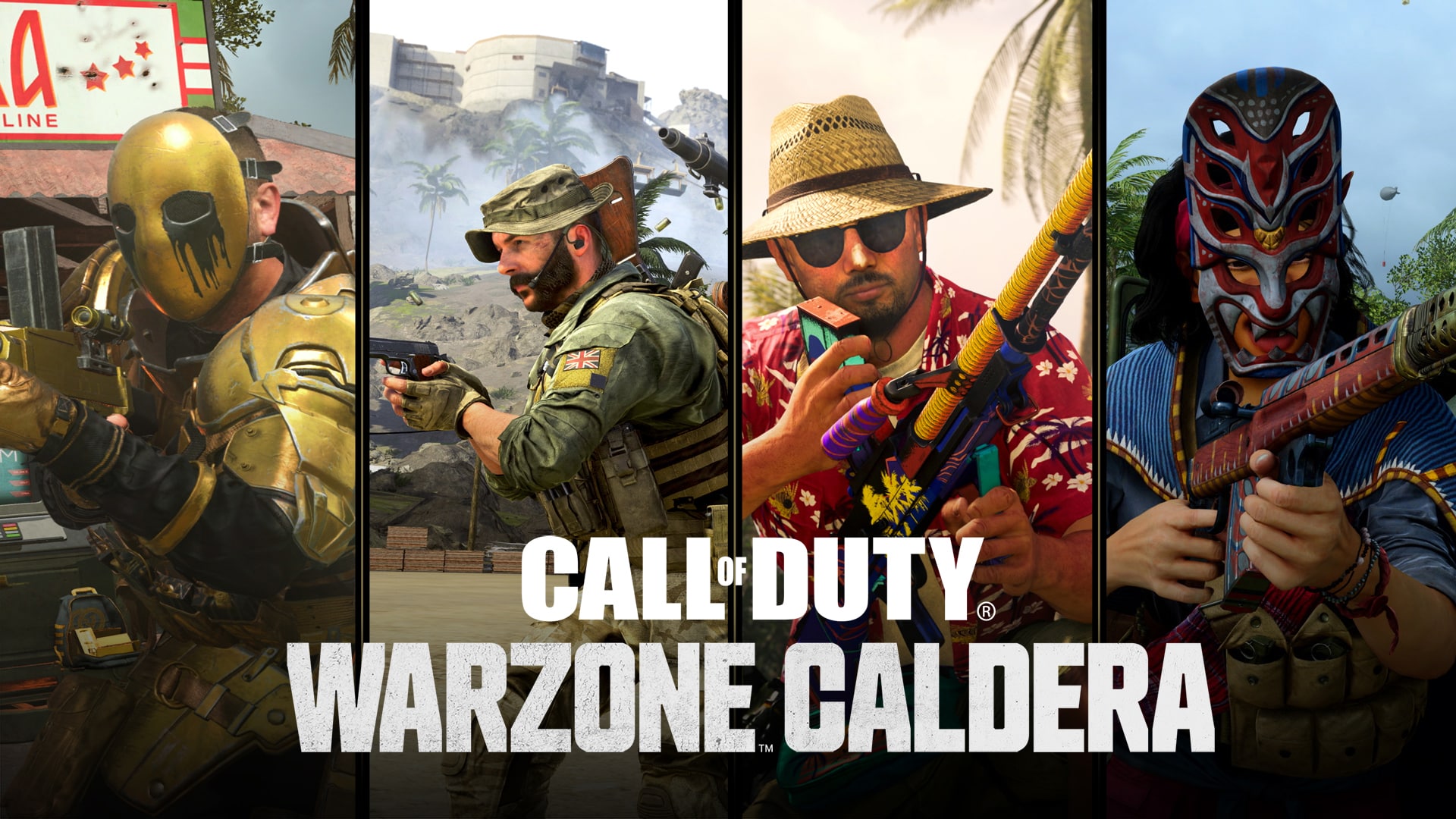
With Call of Duty: Warzone 2.0 now live, Raven Software has released the Modern Warfare and Warzone update 1.65 patch, and this concludes Season 5, and preps the game for the Warzone Caldera relaunch set for later this month. Read on for what’s new in the Modern Warfare and Warzone November 16 patch notes.

Modern Warfare and Warzone Update 1.65 | Modern Warfare and Warzone November 16 Patch Notes:

Here’s the announcement made by Activision regarding the changes coming to Warzone, and as one might expect, there are no gameplay-related changes included.

Access to Call of Duty: Warzone continues as normal until November 16, when a short “intermission” takes place during the launch window of Warzone 2.0:

  • At approximately 8 AM PT on November 16, Call of Duty: Warzone servers will temporarily go offline as Call of Duty®: Vanguard Season Five concludes.
  • At approximately 10 AM PT, Call of Duty: Warzone 2.0 will be released as part of Modern Warfare II Season 01.
  • During this time, studio development resources (led by Raven Software) will be focused on ensuring the new Warzone 2.0 free-to-play ecosystem is running effectively.
  • At this time, you are encouraged to jump in and play Warzone 2.0 for free.
  • Once the Warzone 2.0 ecosystem is fully stable, and after a small development break for Thanksgiving for the developers who observe this U.S. holiday, Warzone is planned to be relaunched as Call of Duty: Warzone Caldera as a separate experience. This will happen at approximately 10 AM PT on November 28.
  • As a token of our appreciation, those who played Call of Duty: Warzone will be gifted a few items to use in Warzone 2.0.

Relaunch — Call of Duty: Warzone Caldera

Following the relaunch, you will have two different Warzone games you can play: Warzone 2.0 and Warzone Caldera.

Warzone 2.0’s weapons, progression, and inventory systems will be tied to the new Modern Warfare II content and systems. This is due to a combination of feedback from the community, technical limitations, and a need to simplify the next and newest Warzone to create a seamless player experience moving forward.

Call of Duty: Warzone Caldera continues as a separate game from Modern Warfare II and Warzone 2.0. Expect the following gameplay experiences within Warzone Caldera once it launches:

  • Player progression, cross-progression for XP and Weapon XP, inventories, Battle Pass content, weapons, Store Bundles, and other purchases from Call of Duty®: Modern Warfare® (2019), Call of Duty®: Warzone™, Call of Duty®: Black Ops Cold War, and Call of Duty®: Vanguard will be accessible only within Warzone Caldera (and within their respective games).
  • Expect to access a standard Battle Royale Playlist.
  • Modern Warfare II or Warzone 2.0 content, including new Battle Pass and Store Bundles, will not be available.
  • 2XP and 2WXP Tokens will not be transferrable between Warzone Caldera and Warzone 2.0.
  • While Warzone Caldera won’t have an in-game store, COD Points will be transferrable between all games.
  • Rebirth Island and Fortune’s Keep maps will not be present when Call of Duty: Warzone Caldera becomes available to play.
  • For those fans of small Battle Royale maps, expect exciting developments in Warzone 2.0 during future seasons.

That’s about it. If there are other changes that are included in this patch that’s not mentioned above, we’ll update the article.

As for Warzone 2.0, you can download the free-to-play game right here.

Source: Call of Duty

Avatar photo

Alex Co

Father, gamer, games media vet, writer of words, killer of noobs.

Home > News

Battlefield 2042 Season 3: Escalation Gameplay Debut Hits Tomorrow, First Look at New Specialist Surfaces

As if there was any doubt, the previous leak regarding Battlefield 2042’s next season seems to be legit, as Season 3 will indeed be called “Escalation.” Today, EA announced that our first look at Battlefield 2042 Season 3 Escalation gameplay will be revealed tomorrow!

In addition to that, new images for the season have also surfaced, giving us our first look at the new Specialist Rasheed Zain, his gadget that looks to be an Airburst Rifle, and even the new railgun tank, too!

Stay tuned here on MP1st, as we’ll be posting the gameplay video once it’s available, as well as any other info that surfaces tomorrow.

In other BF2042 news, DICE has announced that they are working on all-new content that’s set to be available past Season 4! As for the major Specialist rework set to be ushered in Season 3’s mid-season patch, head on over here.

Avatar photo

Alex Co

Father, gamer, games media vet, writer of words, killer of noobs.

Home > News

Modern Warfare 2 Season 1 Patch Notes Fires Out

While the season has already started, Infinity Ward has just now shared the official Call of Duty: Modern Warfare 2 Season 1 patch notes! This lists down the new content, as well as the changes made to weapons and more.

Modern Warfare 2 Season 1 Patch Notes

RICOCHET ANTI-CHEAT

With the launch of Season 01, RICOCHET Anti-Cheat™ will be live, globally, across Warzone 2.0 Battle Royale and Warzone 2.0 DMZ. RICOCHET Anti-Cheat is currently live in Call of Duty: Modern Warfare II. Learn more about #TeamRICOCHET here.

PROGRESSION NEW WEAPONS 

  • Players can now progress beyond level 55 and earn Prestige rewards. Seasonal progression will not reset. 

BUNDLES

  • Here’s what will be live in the store on Day 1 of Season 01:
    • Executive Warfighter
    • Violent Embrace
    • Atomic Sunrise
    • Tactical Human
    • CDL Launch Pack

WEAPONS

Our Season 01 weapons drop runs the gamut of playstyles, from the high speed BAS-P Submachine Gun, to the hard-hitting Victus XMR Sniper Rifle. Mid-range combat is always an option with the super stable and high rate of fire M13B… if you are up to the challenge of unlocking it. These new Weapons will expand Loadout capabilities to cover all the exciting new modes Season 01 has to offer. Head to the Battle Pass to see where you can unlock these weapons and more.

PROGRESSION NEW WEAPONS 

  • Players can now progress beyond level 55 and earn Prestige rewards. Seasonal progression will not reset. 

BUNDLES

  • Here’s what will be live in the store on Day 1 of Season 01:
    • Executive Warfighter
    • Violent Embrace
    • Atomic Sunrise
    • Tactical Human
    • CDL Launch Pack

NEW WEAPONS

Victus XMR: Sniper Rifle

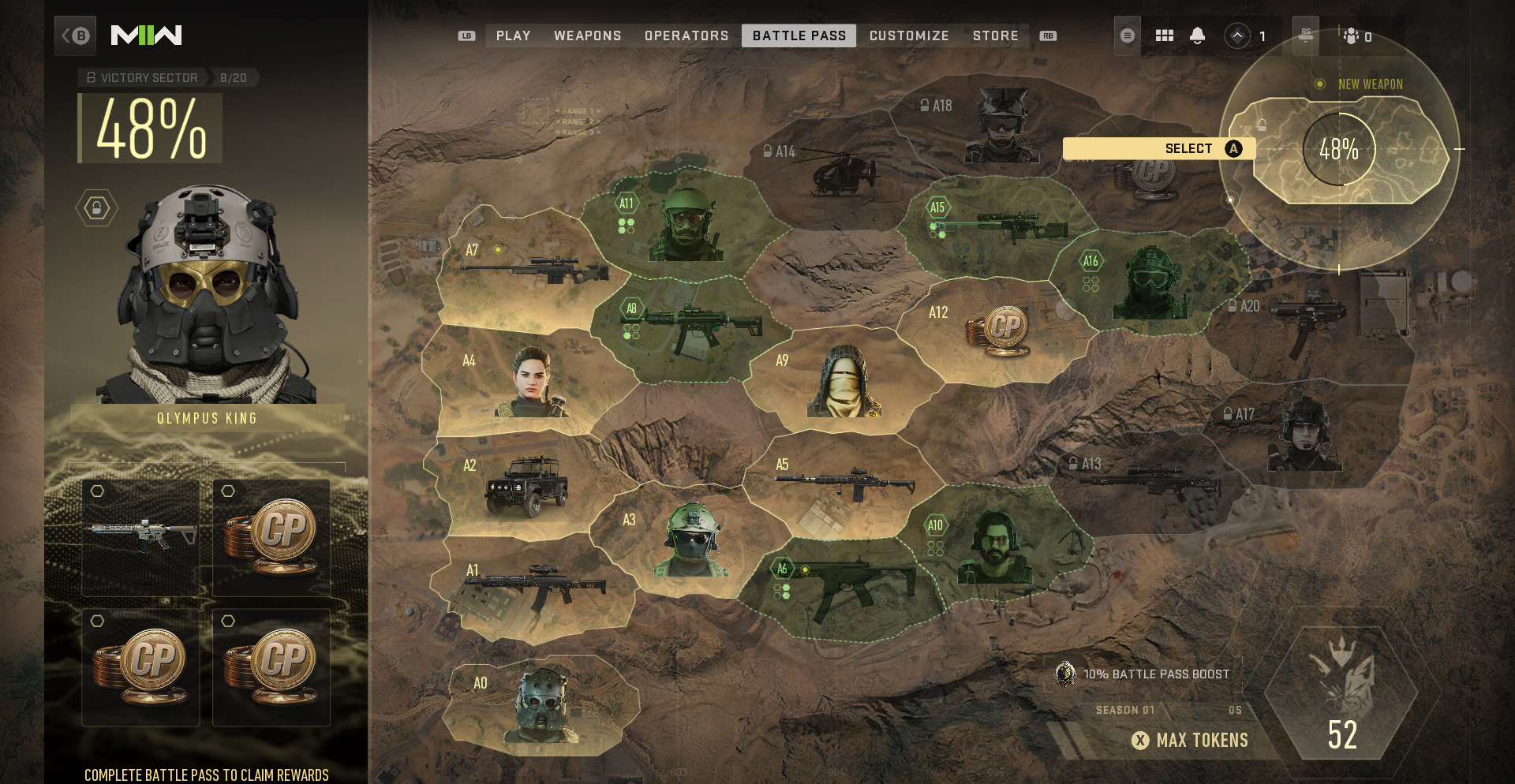
  • Free Weapon acquirable via the Season 01 Battle Pass (A15)

As the longest range Sniper Rifle in our arsenal– we fully expect that the Victus XMR will be a player favorite when taking on dropping into the vastness of Al Mazrah. The first bullet-drop-indicating scope can be unlocked by leveling-up this weapon.


BAS-P: Submachine Gun

  • Free Weapon acquirable via the Season 01 Battle Pass (A6)

M13B: Assault Rifle

  • Unlocked via Store Bundle or Weapon Unlock Challenge 

WEAPON BALANCING 

» Assault Rifles «

  • Increase to long distance flinch on all Assault Rifles

Kastov 545 

  • ADS speed increase
  • Improved ironsight ADS sight picture

Kastov-74u 

  • ADS speed decrease
  • Hip spread increase

M4 

  • Hip spread reduction

M16 

  • Rate of fire increase
  • Hip spread reduction
  • Recoil recenter speed increase
  • Shot grouping improvement
  • Increase ADS movement speed
  • Increase strafing movement speed
  • Semi auto recoil reduction
  • Semi auto damage reduction 

STB 556

  • Close range damage reduction
  • Reduced sprint to fire speed

» Battle Rifles «

FTac Recon 

  • ADS speed improvement
  • 5 round magazine – speed and handling improvement
  • Increased flinch caused by bullets
  • Hip spread decrease

SO-14

  • Increased hip fire when full auto

» Handguns «

  • Increase to close range flinch on all Handguns

» Light Machine Guns «

  • Increase to long distance flinch on all Light Machine Guns

» Marksman Rifles «

Lockwood 300

  • Damage range reduction

SA-B 50

  • Minor increase to flinch when hit

SP-R 208

  • Large increase to flinch when hit

» Shotguns «

  • Increase to close range flinch on all Shotguns

Bryson 800

  • Close range damage increase
  • Hip spread increase

» Submachine Guns «

  • Increase to long distance flinch on all Submachine Guns

FFS Hurricane 

  • ADS move speed increase
  • Increased headshot damage
  • Increased far damage range

Minibak 

  • Movement speed decrease
  • Damage range decrease
  • ADS speed decrease
  • Hip spread increase

PDSW 528

  • Movement speed increase
  • Damage range increase
  • ADS speed increase
  • Hip spread decrease
  • Adding Laser and Flashlight Attachments
    • 1mW Artemis Laser
    • 1mW Quick Fire Laser
    • Accu-Shot 5mW Laser
    • VLK LZR 7mW
    • 7mW Canted Laser
    • Schlager ULO-66 Laser

VEL 46 

  • Damage range increase

» Sniper Rifles «

Signal .50

  • Fixed attributes on the Signal .50 barrels:
    • 21.5″ Fluted Fifty
    • 23.5″ SA Fifty-H7

WEAPON BUG FIXES

  • Fixed an issue with the Schlager TTF3 Riser ammo comb on the STB 556 Assault Rifle
  • Dropshot exploit fix
  • Fixed exploit with bipod mount launching, re-enabled bipod use.
  • Fixed incendiary damage over time to not flinch the player

OPERATORS

New Operators

Zeus | KorTac
  • The last of his name, Zeus established the “Thunder” Corps counter-terrorism group dedicated to hunting down AQ.
  • Unlocked automatically with purchase of Season 01 Battle Pass.

VEHICLE UPDATES

Balancing

  • Reduced the critical damage multiplier on the Heavy Tank (from 1.6 to 1.25)
  • Reduced the damage of the PILA against tanks from 30 to 25%
  • Reduced vehicle explosive damage against other vehicles (percentage varies by vehicle)

Bug Fixes

  • Tuned exiting the RHIB to help mitigate an issue with players getting stuck
  • Exiting the RHIB now places you within the boat. You’ll no longer be left in the water behind the boat when moving.
  • Fixes to vehicle-on-vehicle bug that caused vehicles flying as a result of certain collisions and vehicles pushing others back.
  • Fixed a bug where the vehicle camera was re-initializing after repairing a wheel.
  • Fixed vehicles becoming permanently submerged when another vehicle lands on top of them.

MULTIPLAYER

Maps

  • Shoot House (6v6) is now live with Season 01. Set in Las Almas, this map will engage new and veteran players alike. Get all the intel on this location here.
  • Battle Maps
    • Fixed floating grass in Sarrif Bay
    • Fixed stretched texture in Santa Seña
    • Miscellaneous bug and exploit fixes across all Battle Maps
  • Core Maps
    • Fixed bullet penetration issues across some maps
    • Player and equipment collision fixes
    • Al Bagra Fortress barracks lighting fixed
    • Fixed some deployable cover locations
    • General exploit fixes

Modes

  • Multiplayer
    • Tier 1 is live with Season 01  
  • Special Ops
    • “Defender: Mt. Zaya – Modified” mission is now available
    • “High Ground” mission now available
    • Fixed bug where players were unable to revive a teammate if they went down near an ammo box
    • Now rewards Stars when collecting intel
      • Stars awarded upon collecting 5 intel; 2 for every intel


  • Single Player
    • Addressed issue where player could get stuck in the elevator during the “Countdown” mission
    • Fixed issue where sequence would not kick off during second half of “Kill or Capture” mission

Equipment

  • The Drill Charge sticking to the Riot Shield will always kill the player using the Riot Shield (even if they have the Bomb Squad perk).

Killstreaks

  • Cluster Mines now stick to all vehicles.
  • Ally deaths no longer give the player assist points while their Counter UAV is active.

UI/UX

  • Combat Record has been added for Core Multiplayer
  • Calling card menu has been revamped to show challenges
  • Customize tab added (with the addition of custom loading screens)
  • Other new content types:
    • Operator finishing moves
    • Gunscreens
    • War Tracks
  • Updates to Weapons tab including:
    • Weapon brands visible
    • Streamlined Blueprint navigation

CDL Moshpit

  • Due to recently discovered issues, CDL Moshpit will not go live on the morning of 11/16, as expected. Stay tuned to @Treyarch on Twitter for updates on launch timing while fixes are implemented.
  • When enabled, play competitive, 4v4 matches using the same modes, maps, and settings used in the Call of Duty League 2023 ruleset.
    • Select Weapons, Attachments, Equipment, Perks, Field Upgrades, and Streaks are restricted based on official CDL Competitive rules. 
    • Game Modes and Maps:
      • CDL Search and Destroy
        • Al Bagra Fortress
        • Breenburgh Hotel
        • El Asilo
        • Embassy
        • Mercado Las Almas
      • CDL Hardpoint
        • Al Bagra Fortress
        • Breenburgh Hotel
        • Embassy
        • Mercado Las Almas
        • Zarqwa Hydroelectric
      • CDL Control
        • Al Bagra Fortress
        • Breenburgh Hotel
        • El Asilo

For more info on the new Battle Pass and how it works, head on over here.

Source: Infinity Ward

Avatar photo

Alex Co

Father, gamer, games media vet, writer of words, killer of noobs.

Home > News

R6 Siege Update 1.000.041 Pushed Out This November 16

Ubisoft has released (Rainbow Six) R6 Siege update 1.000.041 on all platforms, and this is an unannounced title update released during today’s maintenance period. Given we’re about to get Operation Solar Raid soon-ish, don’t expect much from today’s update. Read on for the R6 Siege November 16 patch notes.

R6 Siege Update 1.000.041 Patch Notes | R6 Siege November 16 Patch Notes:

Here’s the latest update from the devs:

Today’s Maintenance is now completed.

The recent Security Update QB has been deactivated for the time being to work on fixes for this feature.

That’s about it. If there are other changes made and you find any, leave a comment below and let us know what you find. In other Rainbow Six Siege news, don’t forget, Operation Solar Raid’s full reveal will take place this November 21, so stay tuned to our coverage of it.

Avatar photo

Alex Co

Father, gamer, games media vet, writer of words, killer of noobs.

Home > News

Rainbow Six Siege Update 2.37 Released This November 16 (Update)

Ubisoft has released Rainbow Six Siege update 2.37, and this seems to be an unannounced update, With the Operation Solar Raid bringing in crossplay, a new map and more, don’t expect anything major from this title update. Read on for what’s new in the Rainbow Six Siege November 15 patch notes.

Rainbow Six Siege Update 2.37 Patch Notes | Rainbow Six Siege November 16 Patch Notes:

Update: Here’s the latest update from Ubisoft regarding today’s patch:

Unfortunately, outside of announcing today’s maintenance, Ubisoft has kept quiet regarding today’s rainbow Six Siege patch. Don’t be surprised if this is more for stability fixes more than anything else.

Once we know the official patch notes or we find some stuff mentioned by the community, we’ll update the post. If you spot anything, leave a comment below and let us know what you find.

Avatar photo

Alex Co

Father, gamer, games media vet, writer of words, killer of noobs.

Home > News

Rainbow Six Siege Servers Down for Maintenance This November 16

Ubisoft has taken the Rainbow Six Siege servers down this November 16, and this is for planned maintenance. Each platform will be down for just an hour, with the specific schedule available below.

Rainbow Six Siege Servers Down Status and Updates for November 16:

🛠Maintenance🛠

We’ll be completing a maintenance today, November 16th.

💻 PC: 9:00 ET / 14:00 UTC
🎮 Xbox: 10:00 ET/ 15:00 UTC
🎮 PlayStation: 11:00 ET / 16:00 UTC

⏲ Downtime: ~60 mins per platform

As you can see, it’s a short maintenance period, and it’s unknown whether we’ll get a patch alongside it. If we do get one, we’ll be sure to let our readers know and provide a proper link to it from this article.

In other Rainbow Six Siege news, Ubisoft has announced that crossplay and cross-progression is coming to the game with Operation Solar Raid.

Avatar photo

Alex Co

Father, gamer, games media vet, writer of words, killer of noobs.

Home > News

Paladins Update 2.60 Drops for Dawnforge Content Patch This November 16

Evil Mojo has released Paladins update 2.60, which brings in the big Dawnforge content. This brings in a new siege map, new rewards, and more. Read on for what’s new in the Paladins November 16 patch notes.

Paladins Update 2.60 Patch Notes | Paladins November 16 Patch Notes:

The powers that be are in flux as Azaan’s awaits his fast-approaching deadline from the Dawn Forge—discover what wild thrills await you from the chaotic bounty of our new Event Pass –Chaos Rising! Instantly unlock the Eternal Emissary Tyra Skin for purchasing, and unlock a total of 24 levels of rewards as you play!

Players can also purchase a Buy All option to get all content in the Chaos Rising Event Pass instantly!

REWARDS

Instant Unlock

  • 50% Experience & Gold Boost
  • Eternal Emissary Tyra

Level 7 Unlock

  • The Harlequin (Raum)

Level 16

  • Deathless Emissary Tyra

Level 24 Unlock

  • Eternal Devilry (Raum)

OTHER EVENT PASS EXCLUSIVE UNLOCKS

  • Eternal Prisoner – Static Avatar

  • Eternal Kawaii – Animated Spray

  • From The Ashes – Animated Avatar

  • I’m With Crazy – 3D Spray

  • Ivory Visage – Loading Frame


TRIALS OF THE REALM

UNLOCKS

  • 300 Crystals
  • 120,000 Gold
  • 6x Event Pass Levels
  • Event Pass Team Boosters
  • Skin Boosters

Confused Tribunal

Flex On ‘Em

Class Puppet

Mine Forever

Teasing Tresses

My Eyes Are Up Here

Dragon’s Doom

Drama Lord


LIMITED TIME MODES

The Paladins: Dawnforge patch will feature 2 unique and 5 previously popular modes that rotate throughout the patch cycle. Each week there will be a different limited time mode available, from midnight Friday until 8am on Monday, EST. Here’s are some quick previews of what to expect next:

LTM Dawnforge Only

  • Check out an LTM featuring Dawnforge as the only playable map!

LTM Sniper’s Haven

  • Duel it out with Kinessa or Strix on a special map to test your sniping skills!


NEW SIEGE MAP – DAWNFORGE

Welcome, to the Dawnforge. The Abyss has had Abyss TDM for a while now, and we figured it was time for the Pyre to get some map representation. We pushed a lot of boundaries with this one, lots of motion, gameplay-relevant interactable elements, and some interesting new approaches to materials.

Lore-wise this is a mobile fortress, it once belonged to the Queen of the Pyre but is now under the command of Azaan. After witnessing The Realm’s ability to defend itself against the Maw, Azaan has found their combat prowess wanting. The Realm could never repel a full-scale abyssal invasion, its corruption is all but inevitable. Consequently, he has summoned the Dawnforge and made preparations to destroy the Realm, the Abyss cannot corrupt what no longer exists.

The Dawnforge serves as both a base of operations and a munitions factory, harnessing the wrathful power of the Sun to forge a construct army under Azaan’s command. The Dawnforge stands poised to tear through the barrier between the Pyre and the Realm, unless…


CUSTOMIZATIONS

Draconian Huntress Ash

  • Available in the Bounty Store

Lovestruck Kasumi

  • Available in the Arcane Powers Chest & Direct Purchase for 800 Crystals

Skull And Bones Caspian

  • Dragon’s Call Chest & Direct Purchase for 300 Crystals


GENERAL UPDATES

Block Button

  • Paladins has an existing /block command, but it’s not something that’s easy to find as a new player. So we’ve added a Block button to the End-of-Match Lobby, the Friends List, and a new Block screen where you can block anyone by typing in their name.

Event Pass – Gold Buy-through

  • The community has asked for new additional ways to spend their accumulated gold, and we’re listening! We’ve added the ability to purchase Event Pass levels with gold. The crystal price (70c) will remain unchanged, but players can now instead elect to spend 70,000 Gold instead if they prefer. Enjoy!

Team Deathmatch Choose Any

  • The “Choose Any” LTM has been incredibly popular since its initial release, and some players have requested to include it as a permanent mode. So now, it is! The Team Deathmatch queue will allow duplicate champion selection moving forward. What wacky combinations will you try first?

BALANCE

GAMEPLAY

Item Store

  • Kill to Heal
    • Now ignores Anti-Healing
  • Rejuvenate
    • Bonus Healing increased from {8|16|24}% ➡️ {10|20|30}%.
    • Increased price progression to 250 ➡️ 500 ➡️ 750
  • Lethality
    • Increased duration from 2.5s ➡️ 3.5s
    • Now also increases Jump Height by {60|120|180}%

Developer Commentary: The Item Store is a powerful tool available in a match, allowing for numerous builds and strategies to shine through with clever theorycrafting. However, some Items are consistently bought more than others due to their powerful utility. To facilitate different game plans in a match, we’re increasing the strength of some Items to allow for more meaningful decisions when purchasing them.

CHAMPIONS

Betty La Bomba

  • Ability
    • Grenade Launcher
      • Increased direct hit damage from 650 ➡️ 750

Developer Commentary: Betty La Bomba is the queen of damage, but even then struggles to follow through with her damage and land a killing blow. We’ve increased the damage on her direct hit grenades to reward skillful body shots and allow her to confirm kills more efficiently.

Corvus

  • Card
    • Shadow Tribunal
      • Increased Healing from {2.5|2.5}% ➡️ {5|5}%

Developer Commentary: Even at max power, Shadow Tribunal’s effect could be hard to feel in a match, and it didn’t feel like it provided too much utility to the Deck it was in. We doubled its potency to allow more space while creating a Deck and give it a more noticeable impact when slotted.

Fernando

  • Talent
    • Scorch
      • Now also reduces the cooldown of Fireball from 7s ➡️ 6s
      • Damage bonus increased from 30% ➡️ 35%

Developer Commentary: Fernando is a tried and true Frontline Champion, whose presence on the objective is hard to deny as Aegis allowed for heavy point play. We’re increasing the statistics of Scorch to allow for more meaningful decisions at Talent selection for the roles Fernando can fulfill.

Imani

  • Ability
    • Frost Bolt
      • Increased Damage from 410 ➡️ 420
  • Talent
    • Pyromania
      • Now also increases Mana generated by Pyre Ball

Developer Commentary: Pyromania grants Imani utility at the cost of damage on her hardest hitting burst Ability, making it a risky choice at Talent selection. While its utility is powerful, and as such unchanged, we increased the Mana generated from Pyre Ball to facilitate a unique playstyle compared to her other Talents. Now Imani will get full Mana after 3 fully charged Pyre Balls, letting Pyromania shine uniquely amongst its peers. We also increased Frost Bolts damage to keep it a bit more relevant in combat.

Inara

  • Ability
    • Earthen Guard
      • Reduced Bonus Healing from 40% ➡️ 30%
  • Talent
    • Mother’s Grace
      • Now also increases Bonus Healing by 20% while Earthen Guard is active

Developer Commentary: Treacherous Ground provides a very powerful utility tool to Inara, and we want to keep that special playstyle intact. To give her some more meaningful decisions at Talent selection we’ve reduced the strength of Earthen Guard’s Bonus Healing and granted 20% Bonus Healing to the Mother’s Grace Talent to facilitate her different playstyles.

Kasumi

  • Ability
    • Body and Soul
      • Increased Damage Reduction % from 55 ➡️ 75
    • Yokai Doll
      • Decrease targeting cone angle from 6 ➡️ 2 degrees
      • Decreased Curse stack damage bonus from 25 ➡️ 20%

Developer Commentary: We have been keeping tabs on the health of the Realm with Kasumi’s release, and found some aspects difficult to utilize / fight against. We’ve increased the Damage Reduction on Body and Soul to make it easier to use as both an escape or engage tool, and reduced the targeting cone and bonus damage from Yokai Doll and its Passive. While Kasumi brings a new method of combat to the battlefield, we found it to be too forgiving when targeting enemies, and now Kasumi will have to keep closer watch on where her targets are moving. This combined with the Curse bonus reduction and her bug fixes will make her more reasonable to fight against, while still allowing her to have a powerful presence.

Kinessa

  • Card
    • Restore
      • Removed Cooldown
      • Refactored Healing from flat 25% to {6|6}%

Developer Commentary: Restore was difficult to use due to its Cooldown always occurring regardless of if Kinessa was healed by it. We removed the Cooldown to make it a more consistent tool, while refactoring the Healing to be more in line with other Cards.

Lillith

  • Ability
    • Swarm
      • Increased duration from 4.25s ➡️ 6.5s
      • Increase Cooldown from 2s ➡️ 3.5s

Developer Commentary: Lillith is a powerful Support in her own right, but managing Swarm could be frustrating and invoked a very “spam it every 2s” playstle. We’ve increased the duration to make utilizing it easier, and to give cards like “Enriched Blood” more viable space in any given Deck.

Mal’Damba

  • Talent
    • Spirit’s Chosen
      • Increased Healing from 250 ➡️ 350

Developer Commentary: Mal’Damba can sometimes struggle to keep up with the heals other Supports can currently dish out. Increasing the healing from this Talent gives Mal’Damba more weight as a Support during Champion selection.

Pip

  • Talent
    • Catalyst
      • Increased bonus damage from 30% ➡️ 35%

Developer Commentary: Pip can fill a variety of roles on a team, so by increasing the power of Catalyst Pip will now be able to perform more aggressive Support duties better and fill in a powerful niche.

Rei

  • Ability
    • Chain Heal
      • Increased travel speed from 180 ➡️ 270
  • Card
    • Threat and Subject
      • Increased duration from 2s ➡️ 5s
    • Arcane Maelstrom
      • Refactored Cooldown reduction effect from {0.1|0.1}s to {4|4}%

Developer Commentary: Rei has always been quite the scrappy utility Support, but that has also caused her to suffer compared to other Supports with higher healing outputs. With Chain Heal traveling faster (thus entering Cooldown faster), Rei will be able to provide valuable healing more often. Increasing the statistics of some of her cards will also open new avenues for Rei to fill as a powerful utility support who brings a unique skillset to the table.

Seris

  • Card
    • Spirit Leech
      • Increased Ammo generated from {1|1} ➡️ {2|2}

Developer Commentary: Deck building is an opportunity for a Champion’s playstyle to be tweaked to the player’s preference. By increasing the Ammo generated Seris will have more space for different strategies during the Deck building process..

Terminus

  • Ability
    • Power Siphon (with Controller)
      • Removed Aim Assist while using this Ability

Developer Commentary: Terminus is notoriously powerful on Consoles, and has proven resistant to tweaks that keep him in a healthy spot across the platforms. This change will make Terminus more reasonable to deal with on Consoles while leaving his power level mainly untouched.

Tyra

  • Ability
    • Crossfire
      • Reduced Pre-Fire from 0.8s ➡️ 0.4s

Developer Commentary: Tyra’s Ultimate is powerful, but its long Pre-Fire made it frustrating to use in combat without being killed during the set up. This reduction will make it snappier to use and smooth out the gameplay flow when playing Tyra.

Ying

  • Ability
    • Shatter
      • Decreased Cooldown from 4s ➡️ 3s

Developer Commentary: We’ve been keeping an eye on Ying after her last round of buffs, and found there is still some space to keep pushing her stats.


BUG FIXES

Champions

  • Kasumi
    • Talent
      • Unfinished Business
        • Now properly ignores Anti-Healing
    • Ability
      • Spirit Lure
        •  
        • Now properly sets Feared opponents to 3rd person for the duration
    • Card
      • Essence Drain
        • Fixed text to properly match the effect. Your Savage Tear deals an additional [{0.2|0.2}% damage ➡️ {0.2|0.2}% base damage] per stack of Curse on your target

Under Investigation

  • Ignoring Anti-Healing:
    • Effects that ignore Anti-Healing will still display the amount healed as if it has been reduced by Anti-Healing (olive color tint instead of green).

Source: Paladins

Damien Seeto

Home > News

The Crew 2 Update 1.27 Out Now for Season 7 Content This Nov. 16

Ubisoft has released The Crew 2 update 1.27 today which is getting ready to deploy the Season 7 content to the game. This update includes 22 new vehicles as well as other gameplay improvements. Check out The Crew 2 November 16 patch notes down below.

The Crew 2 Update 1.27 Patch Notes | The Crew 2 Season 7 Patch Notes | The Crew 2 November 16 Update Patch Notes:

Patch Size per platform

  • PC: approx. 32 GB.
  • PlayStation:  approx. 31 GB.
  • Xbox: approx. 33 GB.

Patch sizes may vary based on your game version.

Features

Season Events

  • [Added] 10 new events across 2 Episodes with unique intro and outro videos.

Vanity Items

  • [Added] 86 new vanity items, 58 of those items are available in the Motorpass. These new items will be released throughout the Season in the shop, as LIVE Summit rewards, or in the Motorpass.  
    • 10 Horns
    • 13 Nitros
    • 2 Suits
    • 3 Outfit Parts
    • 8 Rooftops
    • 8 Smokes
    • 18 Tires
    • 17 Underglows
    • 7 Window tints
  • [Added] Season 1 Motorpass vanities are returning to the shop throughout the Season.
  • [Added] New type of vanity tires: Contrasting Tires that have different visuals between the front and rear wheels.
  • [Fixed] The Green Sparks Smoke vanity was producing low poly smoke when equipped on drift vehicles rather than the intended green sparks.
  • [Fixed] The Ski Underglows Spanish translation was incorrect.
  • [Fixed] Removed an unintentional fog effect on window tints when raining.
    [Fixed] The Flying Eagle rooftop is now visible when applied to the Proto Alpha Mark II in vehicle customization.

Summit

  • [Added] 17 LIVE Summits including 8 Premium LIVE Summits:
    • 4 new Premium LIVE Summits rewards
    • 4 returning Premium LIVE Summits rewards
    • 1 mooded LIVE Summit

Motorpass

  • [Added] 2 new Motorpasses.
  • [Added] Option to purchase the Motorpass and the Premium Motorpass in bucks.
  • [Fixed] Followers based challenges can now be completed by Icon 9999 players.

Game Mode

  • [Fixed] Season 5Stories game mode steps text is no longer displaying code when in-game language is set to Simplified Chinese or Traditional Chinese.

Starter Packs

  • [Added] 2 Starter Packs.

Vehicle

New Vehicles

  • [Added] 22 New Vehicles
  • [Fixed] The KTM 1290 Super Duke R ABS is no longer missing its RPM needle.
  • [Fixed] The Kawasaki Ninja H2 digital gauge no longer clips through the plastic housing.
  • [Fixed] The BMW S1000RR gauge no longer clips through the plastic housing.
  • [Fixed] The nitro should now come out the two central exhaust pipes on the Bugatti Chiron Super Sport 300+.
  • [Fixed] The Proto Buggy half shafts are now correctly reaching the wheelbase in the open world.
  • [Fixed] The Mitsubishi Eclipse Star Edition is no longer missing the rooftop vanity option.
  • [Fixed] On the Citroën GT, some rooftop vanity items that were clipping are now correctly displayed.
  • [Fixed] On the Mazda RX-3 and the Nissan Fairlady Z 432 (PS30) Under the Stars Edition, the camera is no longer clipping below the ground when using the underglow tab in the customization menu.

Handling

  • [Fixed] Some cars that were not correctly affected by the ice handling penalty are now doing so.
  • As a result, we are resetting the leaderboards on the Dominion Frozen events in the Street Race & Hypercar categories:
    • Dominion Frozen #1
    • Dominion Frozen #2
    • Dominion Frozen #4
    • Dominion Frozen #6
    • Dominion Frozen #8

Physics

  • [Fixed] Under certain conditions, the wheels of a limited number of cars would clip through the tarmac. Some edge-cases can persist.

Thematization

  • [Added] New main menu.
  • [Added] New landing page and start menu videos.
  • [Added] New HQ Bus and new world billboard posters.
  • [Improved] Reworked events and HQ icons on the Global Map for better legibility.
  • [Improved] Reworked icons in free roaming to offer better accessibility.

World (Visual & Audio)

World

  • [Added] New 3D props available in the open world.
  • [Improved] The arrows indicating a turn have been made brighter.
  • [Fixed] Building missing its bottom texture in North Chicago.
  • [Fixed] Group of floating and submerged NPCs at Malibu beach.
  • [Fixed] Ground clipping and chaotic movement when using small vehicles at the base of the platform of Ski Jump next to the American Petrol Race event.
  • [Fixed] Players can no longer clip through the wall in the Maine Highlands cave system.
  • [Fixed] Unreachable Live Crate due to the addition of the Eagle Falls Motorsport Park.
  • [Fixed] Building floating in the air near the Magnificent Mile Speedtrap in Chicago.
  • [Fixed] Players can no longer walk out of the Offroad HQ.

Missions

  • [Fixed] The Dominion Forsberg #1 event SAS gate is no longer floating in the air.
  • [Fixed] At 19% in the Dominion Forsberg #2 event, players are no longer getting an “Out of arena” message when driving in the tunnel.
  • [Fixed] A rock that shouldn’t be on the event path in The Monuments Motorsport Park.
  • [Fixed] The concrete pavement is floating in the air of the Five Kings Casino Motorsport Park.
  • [Fixed] A light pole is clipping with the direction arrows at 4% progression in the Dominion Forsberg #6 event.
  • [Fixed] A small patch of grass is clipping through the road in the Second Track drift event.
  • [Fixed] A pole is clipping through the fence in the Dominion Frozen #2 event.
  • [Fixed] A rock is floating in the air of the Five Kings Casino Motorsport Park.
  • [Fixed] A sponsor pillar is clipping through the barricades at The Monuments Motorsport Park.
  • [Fixed] The collision is missing for the dustbin and garbage bag in the parking lot of the Five Kings Casino Motorsport Park.
  • [Fixed] A light pole is clipping through the barricade of the Five Kings Casino Motorsport Park.
  • [Fixed] A light pole is floating in the air in the Five Kings Casino Motorsport Park
  • [Fixed] Yellow parking lines are floating in the air in the parking lot of the Five Kings Motorsport Park.
  • [Fixed] A plastic bag is floating in the air in the parking lot of the Five Kings Casino Motorsport Park.
  • [Fixed] Trash and trash bins are floating in the air in the Black Rift Motorsport Park.
  • [Fixed] Several NPCs are clipping through the ground in the Black Rift Motorsport Park.
  • [Fixed] On the Global Map, the Dominion Forsberg #1 event cannot be found using the Motorflix tag.
  • [Fixed] Multiple NPCs are on the racetrack on the Stage 02 East event. They have been removed to ensure their safety.

Technical

  • [Fixed] Players should now correctly receive their Crew Credits in all situations after their purchase.
  • [Improved][PS5] Performance mode on PS5.
  • [Added][XSS] Performance mode on Xbox Series S.
  • [Fixed][XSX] The Thrustmaster VG TX should now work correctly on the Xbox Series X.

Miscellaneous

  • [Fixed] Typo in the description of the Fmae Mgnaet* set.
  • [Fixed] The crew is no longer disbanded when the crew leader and a member quit the game simultaneously while playing any event in a crew.
  • [Fixed] Unable to quit the game when using a keyboard and a mouse and trying to exit via the settings menu.

Known Issues

  • [Game Mode] After the Final Call event, the vehicle of the player can appear to be lagging in the victory video.
  • [Game Mode] The navigation ribbon can go missing for the rest of the event when the player misses the checkpoints during all Season 7 events.
  • [Game Mode] Moving police cars can have their sirens turned off during the Final Call event.
  • [Motorpass] The back button can lose its functionality when the player re-enters the Motorpass after skipping the buy “Premium Motorpass” sequence rapidly.
  • [Motorpass] The Premium Motorpass Bundle rewards are not greyed out when the player accesses the purchase tab while at tier 50.
  • [Summit] An infinite loading screen can occur when a crew member leaves the crew after accepting an event invitation in LIVE Summits.
  • [UI] Outfits that are LIVE Summits rewards are displayed as “EQUIPPED” even if not in the customization menu, instead of the “SUMMIT EXCLUSIVE” tag.
  • [UI] The HUB (News) tab screen can go black after quitting the vehicle customization menu. Switching tabs can solve the issue.
  • [UI] A “STORIES” tab can be displayed when opening the Main Menu from the LIVE Summit menu.
  • [UI] Powerboats are floating mid-air in the Main menu, forgetting the fact that they are not Powerplanes.
  • [Vanity] Previous rooftop shadow can be seen for a few seconds after switching between rooftops in the customization menu.

*Fame Magnet.

That’s it for the patch notes. The Crew 2 is out now for the PC, PlayStation, and Xbox.

Source: Ubisoft

Damien Seeto

Home > News

FIFA 23 Update 1.06 Heads Out For Patch Number 4 This November 16

EA Sports has released FIFA 23 update 1.06 today for last-gen consoles. This update was out for next-gen and PC platforms yesterday and it comes with lots of gameplay improvements. Check out the FIFA 23 November 16 patch notes below.

FIFA 23 Update 1.06 Patch Notes | FIFA 23 November 16 Patch Notes:

FIFA Ultimate Team

Made the following changes:

  • Added a Win-Loss counter in the FUT Champions hub that tracks performance for the current Play-Offs and Finals competitions.
  • Updated some UI elements in the FUT Store and added labels for Most Popular and Best Value FIFA Point bundles.

Addressed the following issues:

  • Controller and Camera Settings could incorrectly reset to default after staying in the menus for an extended period of time.
  • Some FUT Moments challenges were not tracking correctly.
  • Walkout animations did not always play as intended when opening packs.
  • The Squad Builder could sometimes place Player Items in unintended positions.
  • Out of position Concept Player Items did not display chemistry information.
  • Addressed stability issues that could occur in FUT Moments and in Objectives.
  • Public Co-Op Squads did not always display correct chemistry information, this was a visual issue only.

Gameplay
Made the following changes:

  • Reduced accuracy of outside of the foot shots by up to 30%.
    • Players with the Outside The Foot Shot Trait are also impacted by this change, but only by up to 10%.
  • Improved target selection logic for Semi Assisted Through Passes.
    • Semi Assisted Through Passes are now less likely to be underpowered and less likely to go to the defender’s feet.
  • Increased consistency of the Ball Roll Skill Move in first time situations.
  • Decreased input sensitivity when requesting a knock on.

Addressed the following issues:

  • Players could skip Power Shot animations by quickly requesting a Power Shot during other shooting animations.
  • When using Goalkeeper Movement, keepers could have been repositioned too quickly during corners.
  • In some cases, players could incorrectly slow down when attempting to dribble with the ball.
  • When playing as a goalkeeper, Auto Positioning did not return the keeper to the appropriate location, if it was requested after requesting to pick up the ball or manually rushing forward.
  • Players could turn with an unintended amount of speed when using the Directional Nutmeg Skill Move.
  • After making a tackle, the ball could sometimes be knocked away further than intended.
  • When attempting to shield at a high speed, a player could run over the ball when attempting to dribble with it.
  • During penalty kicks, a goalkeeper could sometimes start a potential save animation towards one direction then switch to a different direction unprompted.
  • In some situations, goalkeepers under pressure attempted and failed to catch the ball inside of the box instead of punching it when it would be more appropriate.
  • Some jostling animations did not play correctly.
  • Improved assistant referee decision making when determining potential offside situations following a physical challenge.
  • Some goalkeeper animations did not play correctly when attempting to dive at a ball carrier’s feet.
  • In some situations when playing as a goalkeeper, the keeper did not attempt to make a save when they should have.
  • Adjusted some incorrect contextual actions when using the One Button Controller Settings preset.
  • In some rare situations, a player could incorrectly fail to control the ball when receiving a pass.
  • In some cases, a player’s legs did not animate correctly when jumping.
    • This was a visual issue only.
  • When turning with the ball, the ball carrier’s legs did not always animate correctly.
    • This was a visual issue only.
  • Improved referee logic when determining red card calls in breakaway situations.
  • In a rare scenario, a requested shot could result in a tackle instead.
  • When requesting a Power Shot in some situations where the ball could be volleyed, the Power Shot would not be performed.
  • In situations where the ball carrier was running with the ball ahead of them, when requesting a tackle, the defender could try to take control of the ball with a dribble instead of a tackle.
  • Improved referee logic when determining foul calls following risky challenges.
  • Some slide tackle animations did not display correctly.
    • This was a visual issue only.
  • Improved referee logic when determining advantage vs penalty kick calls.
  • In rare instances, the match would not continue after the ball went out of play.
  • The Drag To Drag Skill Move did not always animate correctly.
    • This was a visual issue only.
  • Improved referee logic when determining offside decisions if an offside player made contact with the ball as it went into the goal.
  • Increased the effectiveness of Through Passes made by CPU AI players.
  • When a player was running backwards, they could sometimes animate incorrectly.
    • This was a visual issue only and did not impact player speed or positioning.
  • The goalkeeper could sometimes incorrectly fail to catch the ball when appropriate.
  • A penalty kick was not always given in Playable Highlights, when the ball carrier was fouled inside of the box.

FIFA World Cup™
Addressed the following issues:

  • The FIFA World Cup 2022™ Quarter Finals Knockout Stage bracket was incorrectly generated.
    • This issue has been listed on the EASF Tracker.
  • In some cases, players were not able to play online.
  • An incorrect kit could display when choosing a kit for Brazil.

Career Mode
Addressed the following issues:

  • Youth Player Potential could sometimes decrease regardless of their performance.
  • Center Backs were not appearing in the youth scout report.
  • Sometimes, two models of the same player could welcome new signings to the club.
  • Player Sharpness did not display correctly in Team Management during matches, this was a visual issue only.
  • The Squad Hub did not always correctly display a player’s availability following a red card.
  • Following some transfers, the financial tip could have incorrectly listed that a sum of zero could have been saved.
  • In Player Career, the Player Growth Hub did not always display Attribute increases from Activities, this was a visual issue only.
  • Objectives did not display in Player Career when two input devices were enabled.
  • For some transfers, the letter grade shown on screen was unintentionally negative.
  • Addressed a stability issue that could occur in Training.

Pro Clubs x VOLTA FOOTBALL
Made the following change:

  • Added a Take Me There shortcut in both Pro Clubs and VOLTA FOOTBALL to allow for quick swapping between the two.

Addressed the following issues:

  • In a rare case, the Pro Clubs Skill Tree did not display the correct Attribute increases, this was a visual issue only.
  • When viewing a max level Virtual Pro from Pro Clubs leaderboards, their level could be incorrectly listed as 101.
  • Reduced ball velocity following a Power Shot in VOLTA FOOTBALL.
  • Some VOLTA ARCADE instructions did not display correctly.
  • [PC Only] Pro Clubs Leaderboards did not always update correctly when scrolling quickly.
  • The post match screens did not always display the correct amount of goals scored by the player Avatar.
  • The Signature Abilities descriptions did not list the advantages of the Take Flight ability.
  • Sometimes, players had to advance twice from post match screens in Pro Clubs.
  • The Avatar’s kit did not update after their name was edited in VOLTA FOOTBALL.
  • Sometimes, your Avatar’s Match Rating incorrectly displayed a different number between the in-game Match Rating and the post match screens.
  • Players could sometimes appear stuck in place after a VOLTA Battles match.
  • Addressed a stability issue that could occur in VOLTA ARCADE.

General, Audio, and Visual
Made the following change:

  • Updated some kits, celebrations, balls, boots, pre-match sequences, commentary lines, head accessories, UI elements, stadiums, broadcast packages, negotiation scenes, and button callouts.

Addressed the following issues:

  • [PC Only] Addressed instances of EA anticheat errors 5 and 740.
    • This issue was most commonly seen when installing FIFA 23 with an administrator Windows account, and then attempting to launch the game with a non-administrator account.
  • [PC Only] Addressed instances of FIFA 23 closing quickly after launch.
    • This issue was most commonly seen if game files were repaired or the Denuvo license key expired.
  • [PC Only] Controllers connected via Bluetooth could unintentionally scroll through the menus without any player input.
  • In some scenarios, away kits did not display correctly in Kick Off Team and Kit Select.
  • [PC Only] The FIFA Trainer did not function correctly when using the Keyboard or Keyboard + Mouse Controller Settings presets.
  • [PS5 Only] Reduced the default volume on DualSense wireless controllers
  • Removed some placeholder images found in Tournaments.
  • The points counter would not always display when in control of the zone in King of the Hill.
  • Updated instances of typos and placeholder text.
  • EA Social was not accessible from the FUT Champions Play-Offs Preview screen.
  • In some cases, changes to the difficulty level did not save for VOLTA FOOTBALL Kick Off matches.
  • Addressed some instances of button conflicts in menus.
  • Addressed instances of various stability issues.

That’s it for the patch notes. FIFA 23 is out now for PC, PlayStation, and Xbox. 

Source: FIFA Trello Board

Damien Seeto

Home > guides

Modern Warfare 2 “Can’t Install” & “Multiplayer Not Installed” Multiplayer Pack Issues Surface After New Season 1 Update, Here’s a Fix

With Infinity Ward suddenly the Call of Duty: Modern Warfare 2 Season 1 patch just now, it seems loads of players are having issues downloading and installing the update file. Players are greeted with a Modern Warfare 2 “Can’t Install” or “Multiplayer Not Installed” prompt for the new Multiplayer Pack they are being asked to download, which means that gamers can’t launch multiplayer (or the game) at all.

Multiple people on the MW2 subreddit have reported on the issues, and sadly, Infinity Ward hasn’t acknowledged it just yet. Thankfully, a fix has been spotted among the rubble!

I’ve redownloaded the game 2 times already, I’ve cleared my cache and rebuilt my data base. Is there something wrong ? Or what do I need to do? .
byu/These-Cardiologist69 inModernWarfareII

says Multiplayer Not installed After new Update
by inModernWarfareII

Modern Warfare 2 Can’t Install Multiplayer Pack Fix After New Update (1.10) | Modern Warfare 2 Multiplayer Not Installed Fix:

Here’s a fix/workaround for it:

  1. “Cancel and Delete” the content packs in the PS5 downloads screen
  2. Go to “Manage Game Content” on MW2 on the PS5 home screen by pressing the options button
  3. “Uninstall” the Multiplayer, Coop, and Warzone Content Packs using the trash bin icon
  4. “Reinstall/Install” the Multiplayer, Coop, and Warzone Content Packs
  5. After installing, the updates should finish installing and the game will work.

On Xbox platforms, it seems this new update automatically uninstalled the multiplayer. and players will need to manually install it again in the Manage App screen.

These two steps have been confirmed by community members to have fixed the issue, but we wouldn’t be surprised if it doesn’t work for everyone and every platform.

Hopefully, this workaround will take and you’ll be able to play the game as intended. If Infinity Ward releases an official workaround or something similar, we’ll update the article. If you found a solution that also works (regardless of platform), please leave a comment below and let us know.

Thanks,  Razgriz1223, KaDuWin!

Avatar photo

Alex Co

Father, gamer, games media vet, writer of words, killer of noobs.

Home > News

Resident Evil Re:Verse Update 1.03 Out for New Content This Nov. 16

Capcom has released Resident Evil Re:Verse update 1.03 today for all platforms. This is the first major patch for the game and it includes some new content. Check out the Resident Evil Re:Verse November 16 patch notes down below. 

Resident Evil Re:Verse Update 1.03 Patch Notes | Resident Evil Re:Verse November 16 Patch Notes:

The patch notes were revealed via the game’s PS4 update history as well as the official website. You can read the details down below.

・New playable character: Tundra
・New map: Village
・BattlePass extended to level 60
・New challenge objectives
・New cosmetic items for some characters
・New RE Coins
・Some RE Coins can now be raised to level 2
・New victory poses
・New weapon charms
・New skins for Chris available
・New skins for Jill available

The eagerly awaited first update to the game is now available to download and features the new VILLAGE stage, as well as Hound Wolf Squad member Tundra as a new playable character.

New battle stage: VILLAGEThis desolate village serves as the setting for Resident Evil Village. The field is centered around the Maiden of War statue located in the village square, and features multiple wide-open areas as well as those with plenty of cover.

New playable character: TundraA member of the elite Hound Wolf Squad led by Chris Redfield, Tundra is joining the fight as a playable character! This poison and virus specialist is a highly technical character, who bewilders her opponents before unleashing a devastating attack.

New DLC Character Skins Now On Sale

Two new DLC character skins, Chris Skin: Gun Show (Resident Evil 5) and Jill Skin: Battle Suit (Resident Evil 5), are now on sale! In addition, a deluxe Premium Pass is also available for purchase, and features character skins for Leon and Ada, as well as additional rewards for the Battle Pass Challenges.Source: Resident Evil

Damien Seeto

Home > News

Modern Warfare 2 Update 1.10 Out for Season 1 and Warzone 2.0 This Nov. 16 (Update)

Activision and Infinity Ward have released Call of Duty: Modern Warfare 2 update 1.10 (PS5 version 1.010) today for all platforms. This is to bring in the new Season 1 content, as well as introduce Warzone 2.0. You can read the Call of Duty: Modern Warfare 2 November 16 patch notes below.

Call of Duty: Modern Warfare 2 1.10 Patch Notes | Call of Duty: Modern Warfare 2 1.010 Patch Notes | Call of Duty: Modern Warfare 2 November 16 Patch Notes:

Size: 35GB (PS4), 18.9GB and 2GB for Multiplayer Pack version 1.001 (PS5), 42GB (PC), 84GB (Xbox)

Update: Infinity Ward has finally released the official patch notes!

RICOCHET ANTI-CHEAT

With the launch of Season 01, RICOCHET Anti-Cheat™ will be live, globally, across Warzone 2.0 Battle Royale and Warzone 2.0 DMZ. RICOCHET Anti-Cheat is currently live in Call of Duty: Modern Warfare II. Learn more about #TeamRICOCHET here.

PROGRESSION NEW WEAPONS 

  • Players can now progress beyond level 55 and earn Prestige rewards. Seasonal progression will not reset. 

BUNDLES

  • Here’s what will be live in the store on Day 1 of Season 01:
    • Executive Warfighter
    • Violent Embrace
    • Atomic Sunrise
    • Tactical Human
    • CDL Launch Pack

WEAPONS

Our Season 01 weapons drop runs the gamut of playstyles, from the high speed BAS-P Submachine Gun, to the hard-hitting Victus XMR Sniper Rifle. Mid-range combat is always an option with the super stable and high rate of fire M13B… if you are up to the challenge of unlocking it. These new Weapons will expand Loadout capabilities to cover all the exciting new modes Season 01 has to offer. Head to the Battle Pass to see where you can unlock these weapons and more.

PROGRESSION NEW WEAPONS 

  • Players can now progress beyond level 55 and earn Prestige rewards. Seasonal progression will not reset. 

BUNDLES

  • Here’s what will be live in the store on Day 1 of Season 01:
    • Executive Warfighter
    • Violent Embrace
    • Atomic Sunrise
    • Tactical Human
    • CDL Launch Pack

NEW WEAPONS

Victus XMR: Sniper Rifle

  • Free Weapon acquirable via the Season 01 Battle Pass (A15)

As the longest range Sniper Rifle in our arsenal– we fully expect that the Victus XMR will be a player favorite when taking on dropping into the vastness of Al Mazrah. The first bullet-drop-indicating scope can be unlocked by leveling-up this weapon.


BAS-P: Submachine Gun

  • Free Weapon acquirable via the Season 01 Battle Pass (A6)

M13B: Assault Rifle

  • Unlocked via Store Bundle or Weapon Unlock Challenge 

WEAPON BALANCING 

» Assault Rifles «

  • Increase to long distance flinch on all Assault Rifles

Kastov 545 

  • ADS speed increase
  • Improved ironsight ADS sight picture

Kastov-74u 

  • ADS speed decrease
  • Hip spread increase

M4 

  • Hip spread reduction

M16 

  • Rate of fire increase
  • Hip spread reduction
  • Recoil recenter speed increase
  • Shot grouping improvement
  • Increase ADS movement speed
  • Increase strafing movement speed
  • Semi auto recoil reduction
  • Semi auto damage reduction 

STB 556

  • Close range damage reduction
  • Reduced sprint to fire speed

» Battle Rifles «

FTac Recon 

  • ADS speed improvement
  • 5 round magazine – speed and handling improvement
  • Increased flinch caused by bullets
  • Hip spread decrease

SO-14

  • Increased hip fire when full auto

» Handguns «

  • Increase to close range flinch on all Handguns

» Light Machine Guns «

  • Increase to long distance flinch on all Light Machine Guns

» Marksman Rifles «

Lockwood 300

  • Damage range reduction

SA-B 50

  • Minor increase to flinch when hit

SP-R 208

  • Large increase to flinch when hit

» Shotguns «

  • Increase to close range flinch on all Shotguns

Bryson 800

  • Close range damage increase
  • Hip spread increase

» Submachine Guns «

  • Increase to long distance flinch on all Submachine Guns

FFS Hurricane 

  • ADS move speed increase
  • Increased headshot damage
  • Increased far damage range

Minibak 

  • Movement speed decrease
  • Damage range decrease
  • ADS speed decrease
  • Hip spread increase

PDSW 528

  • Movement speed increase
  • Damage range increase
  • ADS speed increase
  • Hip spread decrease
  • Adding Laser and Flashlight Attachments
    • 1mW Artemis Laser
    • 1mW Quick Fire Laser
    • Accu-Shot 5mW Laser
    • VLK LZR 7mW
    • 7mW Canted Laser
    • Schlager ULO-66 Laser

VEL 46 

  • Damage range increase

» Sniper Rifles «

Signal .50

  • Fixed attributes on the Signal .50 barrels:
    • 21.5″ Fluted Fifty
    • 23.5″ SA Fifty-H7

WEAPON BUG FIXES

  • Fixed an issue with the Schlager TTF3 Riser ammo comb on the STB 556 Assault Rifle
  • Dropshot exploit fix
  • Fixed exploit with bipod mount launching, re-enabled bipod use.
  • Fixed incendiary damage over time to not flinch the player

OPERATORS

New Operators

Zeus | KorTac
  • The last of his name, Zeus established the “Thunder” Corps counter-terrorism group dedicated to hunting down AQ.
  • Unlocked automatically with purchase of Season 01 Battle Pass.

VEHICLE UPDATES

Balancing

  • Reduced the critical damage multiplier on the Heavy Tank (from 1.6 to 1.25)
  • Reduced the damage of the PILA against tanks from 30 to 25%
  • Reduced vehicle explosive damage against other vehicles (percentage varies by vehicle)

Bug Fixes

  • Tuned exiting the RHIB to help mitigate an issue with players getting stuck
  • Exiting the RHIB now places you within the boat. You’ll no longer be left in the water behind the boat when moving.
  • Fixes to vehicle-on-vehicle bug that caused vehicles flying as a result of certain collisions and vehicles pushing others back.
  • Fixed a bug where the vehicle camera was re-initializing after repairing a wheel.
  • Fixed vehicles becoming permanently submerged when another vehicle lands on top of them.

MULTIPLAYER

Maps

  • Shoot House (6v6) is now live with Season 01. Set in Las Almas, this map will engage new and veteran players alike. Get all the intel on this location here.
  • Battle Maps
    • Fixed floating grass in Sarrif Bay
    • Fixed stretched texture in Santa Seña
    • Miscellaneous bug and exploit fixes across all Battle Maps
  • Core Maps
    • Fixed bullet penetration issues across some maps
    • Player and equipment collision fixes
    • Al Bagra Fortress barracks lighting fixed
    • Fixed some deployable cover locations
    • General exploit fixes

Modes

  • Multiplayer
    • Tier 1 is live with Season 01  
  • Special Ops
    • “Defender: Mt. Zaya – Modified” mission is now available
    • “High Ground” mission now available
    • Fixed bug where players were unable to revive a teammate if they went down near an ammo box
    • Now rewards Stars when collecting intel
      • Stars awarded upon collecting 5 intel; 2 for every intel


  • Single Player
    • Addressed issue where player could get stuck in the elevator during the “Countdown” mission
    • Fixed issue where sequence would not kick off during second half of “Kill or Capture” mission

Equipment

  • The Drill Charge sticking to the Riot Shield will always kill the player using the Riot Shield (even if they have the Bomb Squad perk).

Killstreaks

  • Cluster Mines now stick to all vehicles.
  • Ally deaths no longer give the player assist points while their Counter UAV is active.

UI/UX

  • Combat Record has been added for Core Multiplayer
  • Calling card menu has been revamped to show challenges
  • Customize tab added (with the addition of custom loading screens)
  • Other new content types:
    • Operator finishing moves
    • Gunscreens
    • War Tracks
  • Updates to Weapons tab including:
    • Weapon brands visible
    • Streamlined Blueprint navigation

CDL Moshpit

  • Due to recently discovered issues, CDL Moshpit will not go live on the morning of 11/16, as expected. Stay tuned to @Treyarch on Twitter for updates on launch timing while fixes are implemented.
  • When enabled, play competitive, 4v4 matches using the same modes, maps, and settings used in the Call of Duty League 2023 ruleset.
    • Select Weapons, Attachments, Equipment, Perks, Field Upgrades, and Streaks are restricted based on official CDL Competitive rules. 
    • Game Modes and Maps:
      • CDL Search and Destroy
        • Al Bagra Fortress
        • Breenburgh Hotel
        • El Asilo
        • Embassy
        • Mercado Las Almas
      • CDL Hardpoint
        • Al Bagra Fortress
        • Breenburgh Hotel
        • Embassy
        • Mercado Las Almas
        • Zarqwa Hydroelectric
      • CDL Control
        • Al Bagra Fortress
        • Breenburgh Hotel
        • El Asilo

While Infinity Ward has not released official patch notes yet, the developer did give us an overview of the new content coming to the game. You can read the details down below. The file size for the update is above 30GB on most platforms.  Season 01 for Modern Warfare® II and Warzone 2.0™ goes live on November 16 at 10 AM PT. Modern Warfare II will receive its Season 01 update on November 14 at 10 AM PT. All platforms can preload Warzone 2.0 starting on November 14 at 10 AM PT.

Here’s an overview of Season 1 for both Modern Warfare 2, and Warzone 2.0 straight from Activision

Modern Warfare II Season 01 Overview:
  • Shoot House, Shipment Set for Reimagined Return. Prepare to finish out those camo challenges or just embrace the frantic chaos these action-packed maps provide.
  • New Battle Pass, Now with More Player Choice. Conquer a new Battle Pass as you choose map Sectors your way to unlock both free and premium items in whatever order you decide.
  • Four Weapons, Six Total Operators. Two new weapon platforms and two Trios — one of elite soldiers and one of football’s finest — are set to bolster your arsenal and Operator roster.
  • New Special Ops Mission, Raid Episode 1 In-Season. Grab your Duo and assault the enemy on land and in the air before gearing up for the continuation of the Modern Warfare II story in a daunting Raid experience.
  • Seasonal Prestige System. New challenges and rewards await those who clear the Military Ranks.
  • Open the CDL Moshpit. Prior to the introduction of Modern Warfare II Ranked Mode in a future Season, practice on the official maps and ruleset with your squad.
Warzone 2.0 Overview:
  • New Map: Al Mazrah: Use 18 major points of interest to plot out your victory in Battle Royale or explore them en route to extraction in the brand-new DMZ experience.
  • DMZ: DMZ is an open-world, narrative-focused extraction mode where Operators have free rein to complete faction-based missions, take on additional side objectives, engage with enemy Operators or AI combatants, and search for valuable items, all while fighting to survive toward exfiltration.
  • Custom Loadouts are Back: Players will have quicker access to their Loadout’s primary benefit: The Primary Weapon.
  • New Backpack System: Fully integrated for DMZ and streamlined for Battle Royale modes.
  • New Gulag: The Gulag will be a 2v2 environment where randomly paired Duos must coordinate to take down their opposition. It will also include a Jailer, who will appear in the middle of the match to help speed up combat.
  • Third-Person Playlists Coming In-Season to Warzone 2.0: For the first time in Warzone history, we welcome fans of third-person Battle Royale action during Season 01..

Squad Goals: Modern Warfare FC Kicks Off In-Season

Whatever name you call it by, the international game of football is making its impact in Season 01 through the Modern Warfare FC event.

During this event, you can sign three of the world’s greatest athletes to your Operator roster by picking up special, limited-time Bundles: Neymar Jr., who will debut on November 21; Paul Pogba, set to debut on November 25; and Leo Messi, who will complete the Operator hat trick on November 29.

More details, including information on a limited-time CODBall mode and a community Support Your Team Pick’em minigame, will be shared in-season.

Persistent Prestige: Seasonal Progression Revealed

This year, leveling up past Rank 55 will allow you to earn a persistent Prestige Rank across all seasons, rather than having it reset at the end of each season.

Beginning in Season 01, reaching Rank 56 will unlock Prestige 1. This will grant an Emblem, additional rewards, and a set of challenges — complete those challenges to unlock an exclusive Calling Card.

Season 01 includes four more Prestige Ranks, which also unlock a new set of challenges and rewards:

  • Prestige 2: Unlocked at Rank 100
  • Prestige 3: Unlocked at Rank 150
  • Prestige 4: Unlocked at Rank 200
  • Prestige 5: Unlocked at Rank 250 and is the level cap until the end of Season 01.

At the end of Season 01, players can continue ranking up from wherever they ended up on the Prestige Ranks. This allows players who may not have enough time to level up to catch up in later seasons, while also not resetting the progress of anyone who reached the Max Rank during that season.

As for the new Battle Pass, read on here how the system got changed. As for Warzone 2.0, you can read up on all the stuff coming to that right here.

Once Infinity Ward releases info about the Season 1 patch notes, which should be a few hours from now, we’ll update the article accordingly.  

Update Official patch notes have been added.

Source: Call of Duty, Infinity Ward

Damien Seeto

Home > News

Stranger of Paradise Final Fantasy Origin Update 1.23 Punches Out for November 15 (Update)

Square Enix has pushed out Stranger of Paradise Final Fantasy Origin update 1.23 (PS5 version 1.203), which seems to be for addressing some new bugs. 

Stranger of Paradise Final Fantasy Origin Update 1.23 Patch Notes | Stranger of Paradise Final Fantasy Origin Update 1.203 Patch Notes | Stranger of Paradise Final Fantasy Origin November 15 Patch Notes:

The official Japanese website has posted the full patch notes. Check them out below.  

Thank you for playing “STRANGER OF PARADISE FINAL FANTASY ORIGIN”.

We apologize for the inconvenience and inconvenience caused to users due to the lack of explanation regarding the elements of the 2nd season pass additional mission “Dimensional Lost Gilgamesh” that was added in the previous update. Sorry.
I would like to take this opportunity to provide a supplementary explanation of the elements added in “Dimensional Lost Gilgamesh” and the intention of the revisions made this time.

About the “Dungeon of the Dimension” The content
is that you go around randomly constructed dungeons and aim for the deepest part of the “Dungeon of the Dimension” increases as you go deeper, and in order to reach the 100th floor, which is the highest reachable floor, you have to have illusions and chaos effects with high ultimate aptitude (effects that strengthen abilities, effects that increase basic status, etc.) The difficulty is based on the assumption that you will make full use of the equipment, relic equipment, and “Monster Quest” described later.

The deeper you go, the more intense the enemy’s attacks will be, but you’ll need to complete character builds such as equipment composition and job composition, and complete the “monster quests” for the monsters in the Black Crystal, and prepare as necessary The key to the strategy is to do

Regarding relic equipment Regarding
the protection of the relic equipment phantom beast that can be obtained by “appraisal”, the main phantom beast protection will activate the following fixed characteristics regardless of the “%” of the effect amount.

▼ Ifrit
When activating a combo ability from a normal attack, the power of the ability will increase if the combo ability is activated with good timing. ▼ Ramu ‘s normal attack MP recovery amount increases according to the maximum MP value. “Paralyze” status immunity accumulates according to the damage dealt by the combo ability.▼ All abilities that can be used in other slots can be set in the combo slot after a successful Carbuncle Just Guard. Also recovers MP when Just Guard is successful. ▼ The timing at which you can dodge during a sylph attack is faster, and when you dodge, you recover a certain amount of break.▼ A strengthening effect that “cancels a certain amount of damage received” accumulates depending on how long the Titan enemy is targeting you. ▼If you dodge Fenrir ‘s attack while invincible, the MP consumption of the next ability will decrease. ▼ When Alexander Just Guard is successful, it gives the enemy a weakening effect that “strength, agility, physical strength, intelligence, spirit, and luck are reduced.” ▼ Increases MP cap increase and MP recovery amount for Leviathan Soul Shield and Soul Burst. ▼ Odin Accumulates the “all-attribute attenuation” status abnormality according to the damage dealt by physical attribute attacks. ▼ Phoenix

No longer consumes potions when rescuing allies. In addition, when a certain amount of attack damage is accumulated, the effect of “reviving only once when dying” is given.

▼ Increases strength, agility, physical strength, intelligence, spirit, and luck when Bahamut
Soul Shield succeeds. This effect increases up to level 20.

Since the effect of the protection that is activated (including strengthening effects and weakening effects) is set to be large, you can expect an increase in strength by equipping even just one relic equipment and setting the protection of the main phantom beast
.
▼ Attack status

: Ifrit / Odin / Bahamut ▼Defense status: Carbuncle / Titan / Alexander ▼Agility status: Sylph / Shiva / Fenrir ▼Magic status: Ramu / Leviathan / Phoenix

■ Synthesis
By synthesizing equipment, you will be able to carry over the special effects of the original equipment to the original equipment. Please note that equipment that can be used for synthesis is only in the same category as the original equipment
. synthesis, if there is a large level difference between the original equipment and the equipment used as materials for synthesis, more Anima crystals will be required.
05 blacksmith synthesis.jpgInheriting chaos effects and job aptitudes to equipment with the highest possible level is important for clearing the Dimensional Labyrinth.If it becomes difficult to challenge the high-ranked “Dragon King’s Trial” in the Dimensional Labyrinth, you can also collect Anima Crystals by assigning “Dragon King’s Trial” to the mission that can be challenged from the world map.

About synthesizing relic equipment with the
protection of the phantom beast If you combine equipment with the same protection of the phantom beast, it is possible to increase the “%” of the protection of the phantom beast. ・If the “%” of the phantom beast’s protection is higher than the equipment to be synthesized, it will be
+1
.

■ About monster quests By achieving the conditions of the “monster quests
” that the monsters that can be summoned in the black crystal room have, it is possible to grant special strengthening effects.
a maximum level of 30. In addition, it is possible to increase the degree of intimacy
Monster training level.pngwith monsters by capturing “Dimensional Distortion” and feeding monsters. will occur. At that time, a “!” mark will be displayed above the monster’s head,and the conversation event will progress (it is possible to skip the conversation event with the menu button and fast forward with the cancel button)

.the event progresses, the following benefits will occur
・Generic events will occur (if you pass a specific item or meet the conditions, monster-specific strengthening effects will be given)
・You can obtain “Monster Bell”, which can be summoned during battle
・You can obtain the item “Memories with Monsters” *Memories with Monsters
have the following characteristics:
Monster memories.pngQuest” progress will be corrected, and depending on the amount you have, it will be easier to complete the “Monster Quest”.
-Even if the dimension points are reset and you have to redo the hierarchy, “Memories with monsters” will continue to remain.
-You can still obtain “Memories with Monsters” even when your friendship with monsters reaches its maximum, but the “Monster Events” that occur before reaching maximum intimacy are more efficient to obtain.

Therefore, even if the floor is reset, it will be easier to catch up with the monster quest data that was progressing up to that point, so it will be important to obtain “Memories with Monsters”.
There are effects of “Monster Quests” that increase the degree of intimacy with monsters and the efficiency of “Monster Quests”, so make use of them to more efficiently conquer the “Labyrinth of Dimensions”. is possible.

●Monster quests during multiplayer
“Monster quests” can be completed even if Other players meet the conditions in multiplayer. Therefore, by selecting a job that satisfies the growth conditions according to the placed monsters, all participating players can be expected to strengthen.

When participating in multiplayer, “Monster Quest” and “Monster Training” on the guest side will be as follows on the host’s “Labyrinth of Dimensions”.
・The effect of “Monster Quest” will be activated by the host.・The  guest
will start from a state where the degree of intimacy with the monster has been reset.
On the

host side, the guest side jobs are adapted to “Monster Quest”, and there is a benefit that it is easier to raise the level of each job, etc., and the guest side receives the effect of the host’s “Monster Quest”. At the same time, there will be a benefit that makes it easier to collect “Memories with Monsters”.

Also, when the host ends the dimensional labyrinth, it will be disbanded,and when restarting on the world map,you can restart by selecting either the dimensional labyrinth
you were originally progressing or the dimensional
labyrinth you were progressing in multiplayer
.

After leaving the room, when the floor is reset, you can take over the dimensional labyrinth you were progressing in multiplayer. , You can also resume the original data by taking over the materials for various synthesis.
*As a guest, in a room where you have conquered the same floor as your own highest reached floor, if the floor progresses, the highest reached floor will also be updated.

About the intent of the ver1.23 fix
Regarding the rewards for certain strains
The amount of “Dragon’s Treasure” that can be obtained in highly difficult strains such as “Defeat the boss”, “Defeat all bosses”, and “Defeat all enemies” ” increased. We have also made adjustments to make it easier to drop equipment that has a powerful chaos effect.

The current difficulty level of the strain was designed to provide a corresponding reward amount, but even so, it is difficult to feel the benefits of challenging, and it is difficult to motivate yourself to take on the challenge.

With this fix, the above-mentioned high-difficulty strain will be in a state where “Ryuoh’s Trial” is imposed as an internal specification (since it is only an internal specification, if “Ryuoh’s Trial” is not set, “Dragon King’s Trial “will not be activated in the strain)
This not only increases the number of “Dragon’s Treasure” acquisitions, but also makes it easier to drop equipment that has a powerful chaos effect, so you can earn Dimension Points, etc. Please try it while watching the situation.

●How
to obtain “Magic Essence” You can now obtain “Magic Essence” by dismantling unappraised relic equipment.
(You will be able to obtain either “Magic Essence Powder”, “Magic Essence Liquid”, or “Magic Essence Crystal” depending on the appraised item you dismantle.)
After the 21st floor of “Labyrinth of Dimensions”, select unappraised items. It was designed with the assumption that items that were not appraised would be discarded. However, the act of simply throwing away the unidentified items that were obtained with great pains caused a sense of resistance, and we decided that it was not a desirable experience for the user. I fixed it as much as possible.

As a result, even unappraised items that you decide you don’t need will have utility value, and can be used as a resource for appraising unappraised items that require more “Magic Essence”.

drop rate for all items regardless of “Magic Essence” will increase as you progress through the floors.

Regarding ease of obtaining
“Job Mark” We have eased the way to obtain “Job Mark” to make it easier to obtain.
Originally, we designed “Job Marks” so that they could be obtained in large numbers in multiplayer, and were designed as one of the elements to encourage multiplayer.
However, with the addition of “Synthesis”, the importance of “Proof of Job” has increased, and the frequency of resource depletion has increased if you continue to play as before . we have decided to relax the availability of the item, as we believe that it is more important to be able to obtain it by playing the same way as before without any inconvenience, and it is more important to become a lead for multiplayer as described above .

We are taking the following three steps to mitigate this.
– Further increased the experience rate when the mission level increases.
This will not only make it easier to raise job levels, but it will also increase the frequency of obtaining “Job Proofs” that can
-When acquiring “Memories with Monsters” in “Monster Raising”, it is now possible to obtain proofs for every two jobs that are the conditions for “Monster Quest”. -Changed
so that random “Job Marks” appear in normal treasure chests in “Labyrinth of Dimensions”.

I’m very sorry that I was forced to force a cramped play style due to lack of adjustment here.
We will continue to work on this so that you can continue to enjoy this work for a long time, so please wait for the next update.

▼Common to all platforms
[Additional functions]
●Details related to blacksmithing and equipment
・Unidentified relic equipment can now be dismantled .

●Contents related to special effects
・Changed so that when relic equipment is equipped, if the main phantom beast’s protection is not set, it will be set automatically.

[Adjustments]
●Difficulty content
・Adjustments have been made to relax various restrictions such as equipment that can be dropped in extra mode
.
・Increased the amount of experience points that can be obtained when the mission level becomes higher or when the “Labyrinth of Dimensions” becomes higher floors.
・Increased the number of “Dragon Treasures” that can be obtained in “Dimension of Turbidity: Great Chaos ”.

Contents about Combo Ability
・While the swordsman “Interception”, the swordsman god general “Rugged Stance”, and the King of Slasher “Fuuga no Stance” is active, the effect disappears when switching battle sets, but the state is maintained. it so that
*If you switch the battle set while the above job action is active, the effect will disappear, but if you return the battle set after that, the effect of the above job action will be restored.

●Details about “Dungeon Labyrinth”
・Increased the amount of rewards for “Dragon’s Treasure” that can be obtained from strains set to “Defeat the boss”, “Defeat all bosses”, and “Defeat all enemies”.
・When obtaining “Memories” with Monsters”, it is now possible to obtain “Proof of Job”.

Enemy-related details
・The following adjustments have been made to the
monsters summoned by the Lich -The level of the summoned monsters has been set to an upper limit
-Depending on the number of members participating in the battle (whether single or multiplayer) , changed the upper limit of the number to be summoned

[Fixed bugs]
・Fixed a bug that prevented progress when certain conditions were met in the Tiamat battle that occurred in the “Labyrinth of Dimensions”.

・Fixed a bug where the progress of your own “Dungeon of the Dimension” was reset when progressing in the “Dungeon of the Dungeon” in multiplayer.Fixed

an issue where you could enter a room created in the Dimensional Labyrinth using “Room Search (Automatic Room Entry)”.

Fixed a bug where the ninja’s “Shinobi Preparation” effect was not applied and the number of shinobi tools was “10” in “Labyrinth of Dimensions”

.Fixed an issue in which monsters would burrow into the floor in the mission “Defeat all enemies” in the “Dimensional Distortion”Undersea Temple.

– In the “Labyrinth of Dimensions”, if a specific monster’s “Monster Bell” is set in a distortion such as “Defeat the boss” or “Defeat all bosses”, the specific boss will not be selected. fixed.

-Fixed an issue where monsters did not change form when certain conversations with monsters were skipped.

・Fixed an issue where Zantetsuken’s weakening effect would not activate when summoning Gilgamesh with “Monster Bell”.

・Fixed an issue where the required amount of “Anima Crystal” due to the level difference when performing “Synthesis” was not the current level, but the level at the time the equipment was acquired.

・Fixed an issue where the combo ability of “Weak 3 Derived Skill” derived from additional input would not activate if the combo ability was set to a slot other than “Weak 3 Derived”.

・Fixed a bug where the pre-input of the combo ability remained when the chain was canceled.

・Fixed a bug where Lance Hurler Mastery was released and Soul Burst did not occur even if the HP was reduced to 0 with “Sonic Hurler” of “Spearmanship”.

・Fixed a bug where the effects of “Chaos Rising” and “Memory of the Fierce Seeking Battle” were overwritten with “Light Bringer” during “Dimension Bringer”

.Fixed a bug where the sword combo ability “Orotsuki” may not hit when the attack speed is increased due to Haste.

・Fixed an issue where after using the Gladiator job action “Warrior’s Cry”, if the combo ability set in the “After Successful Just Guard” slot was “Enemy Skill”, it wouldn’t activate.

・Fixed an issue where Berserker, Desperado , and Viking’s job aptitude bonus 600% “Memory of the Fierce Seeking Battle” was active, and when Soul Burst was performed with HP set to 0, it would not activate.

・Fixed an issue where the effect of “Clear Mind” would sometimes wear off when using the job aptitude bonus “Soul of the Fierce”, such as a warrior of reincarnation, and the job aptitude bonus “Clear Mind”, such as a conjurer.

Fixed an issue where Blue Magus and Soul Flare’s combo ability effect “Sword Geist” was not applied.

・Other minor bugs have been fixed.

Please try the update and enjoy playing.
Thank you for your continued support of this work.

At this time, Square Enix has yet to release the full patch notes for this update. However, upon inspecting the PS4 history changelog, we know this update addresses several bugs. These are likely ones introduced with the Wanderer of the Rift DLC from last month

This is all the information we know for now. Should Square Enix release the full patch notes, we’ll be sure to update this post. 

Source: Square Enix Japan

Avatar photo

James Lara

A gamer at heart, James has been working for MP1st for the last decade to do exactly what he loves, writing about video games and having fun doing it. Growing up in the 90's gaming has been in his DNA since the days of NES. One day he hopes to develop his own game.

Home > News

Phil Spencer Wants to Keep Call of Duty on PlayStation With No Strings Attached, Thinks Having Contract With “Forever” in It Is “Silly”

With the on-going acquisition of Activision-Blizzard by Microsoft now focused on Call of Duty, some assume that once Microsoft acquires Activision that the franchise would be exclusive to PC and Xbox platforms, even if Xbox boss Phil Spencer has already said that they are treating the franchise like Minecraft — a game owned by Microsoft but can be played on PlayStation consoles and other devices.

Given how PlayStation boss Jim Ryan outed the contract that Microsoft promised Call of Duty on PlayStation for just three more years (this doesn’t automatically mean that MS will pull COD from PlayStation consoles after the contract, by the way), Spencer has reiterated his stance that he wants Call of Duty on PlayStation with no strings attached., It won’t be tied into Game Pass or anything of the sort.

He shared his musings in a new podcast with The Verge:

Native Call of Duty on PlayStation, not linked to them having to carry Game Pass, not streaming. If they want a streaming version of Call of Duty we could do that as well, just like we do on our own consoles.

There’s nothing behind my back. It is the Call of Duty Modern Warfare II doing great on PlayStation, doing great on Xbox. The next game, the next, next, next, next, next [game]. Native on the platform, not having to subscribe to Game Pass. Sony does not have to take Game Pass on their platform to make that happen.

There’s nothing hidden. We want to continue to ship Call of Duty on PlayStation without any kind of weird ‘aha I figured out the gotcha’ as Phil said ‘our intent.’ I understand some people’s concerns on this, and I’m just trying to be as clear as I can be.

That said, he does does think putting the word “forever” in whatever contract that’s drawn up is a bit “silly.”


I support the players on PlayStation who want to play our games like Minecraft. We don’t expand Minecraft Dungeons and Minecraft Legends out of any contract we have with Sony, but the contract we have with our customers. That is what’s important. 

I understand in the optics of this deal that we might want to make — and I’m totally open to doing this — a contractual commitment to Sony for some number of years that says, “Okay, we’re going to continue to ship Call of Duty on PlayStation.” I’m totally open to that. No issue at all. This idea that we’re going to write a contract that says “forever” doesn’t make sense to any lawyer. There is obviously a business relationship between the royalty exchanges and other things. You’re not going to give up any ability to do what you need to do and the flexibility with the business in the future.

I do understand where Spencer is coming from, as having a legally binding contract with “forever” etched in there isn’t really something any company would want to do, but that said, from Sony’s point-of-view, if nothing legally binding is set, then MS can just as easily pull Call of Duty from PlayStation anytime they wish.

It’s a messy situation so far, and one we’re keeping our eyes and ears open for more info.

Source: The Verge

Avatar photo

Alex Co

Father, gamer, games media vet, writer of words, killer of noobs.

Home > News

Overwatch 2 Mid-Season Patch Set for Today Delayed Due to “Critical Issue”

Just a few weeks ago, Blizzard announced that they are disabling Mei due to an Ice Wall glitch that enabled the hero to reach places she shouldn’t in Overwatch 2. The original plan was for Mei to be put back in via the mid-season patch that was set to be released today. Well, that ain’t happening, as Blizzard has announced that the Overwatch 2 mid-season patch set for November 15 has been pushed back due to a “critical issue.”

Here’s the announcement from Blizzard’s Community Manager:

Today’s patch is delayed as we work to resolve a critical issue. We’ll provide an update here and set the patch live as soon as the problem is addressed.

This includes the upcoming balance changes, bug fixes, including those that affect Mei, and core content updates we have planned for this patch. This delay also impacts the delivery of Overwatch League Viewership Incentives & Perks from the Postseason matches during the period between Oct 30 – Nov 4, along with the rotation of cosmetics in the Overwatch League shop.

Daily and weekly challenges will reset today, as well as the standard shop refresh.

While this is a bummer, it’s understandable given that releasing this patch in its current state might break more things than it fixes. Once we know more about the patch and when it’s set to be released, we’ll be sure to let our readers know.

In other OW2 news, the new tank hero, Ramattra, has been announced for a December debut, which you can read about here.

Source: Blizzard forums

Avatar photo

Alex Co

Father, gamer, games media vet, writer of words, killer of noobs.

Home > News

MultiVersus Season 2 New Character Marvin the Martian, and New Map From Game of Thrones Incoming

While Player First has just released the Season 2 title update for MultiVersus, a lot more are on the way! In a press release sent out, it mentions the MultiVersus new character joining the roster later in Season 2, and it’s none other than Marvin the Martian! 

Alongside the new character, a new map is also incoming and it’s from the hit show Game of Thrones. Read on for more details on both!

MultiVersus Season 2 New Character and Map:

New Characters: New roster additions are incredibly exciting, so we figured we’d give you a bit of a tease of one of the new characters who will be joining the MVS roster in Season 2! Hailing from the planet Mars and sent to destroy Earth with his Illudium Q-36 Explosive Space Modulator, Marvin the Martian will soon be making his way to MultiVersus, in yet another fruitless attempt to claim victory. We’ll have more information about Marvin and his kit soon, so hang in there!

New Map: Winter is Coming… and along with it, a new map! That’s right, in Season 2 we’re introducing an all new Game of Thrones themed map with all the hazards and pitfalls you’d come to expect from the land of Westeros. Soon you’ll be able to hurl your opponents away from the Iron Throne while humming an all-new remix of the awesome Game of Thrones theme music which has been composed with multiple sections that can transition dynamically depending on what mayhem is taking place in the match. When you play the Game of Thrones map, you win or you… fall off the map.

In addition to the new upcoming content, Player First also discussed some of the improvements incoming when it comes to latency.

Network & Latency Improvements: Since the Open Beta launch, we’ve made many optimizations to MVS to improve performance. We recently implemented multi-path network traffic acceleration to improve stability and latency, which will lead to a much improved online experience for players worldwide. This is just the beginning and we’ll be continuing to invest in and improve in this area. This is a priority for us and the team is hard at work at making the online experience amazing!

Once we know more about Marvin the Martian, we’ll be sure to let our readers know.

Avatar photo

Alex Co

Father, gamer, games media vet, writer of words, killer of noobs.

Home > News

Modern Warfare 2 and Warzone 2.0 Battle Pass Introduces a New System, Here’s What’s Incoming

In case you didn’t know, Call of Duty: Warzone 2.0 is launching tomorrow! Not only that, but Modern Warfare 2’s Season 1 is launching as well, and along with those, Activision is introducing a new Battle Pass system that will be featured in both games. Read on for details and what to expect in the Modern Warfare 2 and Warzone 2.0 Battle Pass!

Modern Warfare 2 and Warzone 2.0 Battle Pass – New System and Tiers Overview:

Introducing the all-new Battle Pass, where player choice leads to complete domination over the Area of Operations. Using Battle Token Tier Skips, choose the rewards you want to earn first each season, from free Functional Weapons to Weapon Blueprints, Operator Skins, and more.

The base Battle Pass includes 20 free items. Upgrade to receive access to all 100+ items, or get the Battle Pass Bundle to get an instant 20 Battle Token Tier Skips — 25 if you’re on PlayStation® 4 or 5 — to get a head start on unlocking those rewards. Those who have the Vault Edition of Call of Duty®: Modern Warfare® II can also use their free Battle Pass and Battle Token Tier Skips as well.

The Battle Pass will now feature “sectors” and an actual map that players can see rather than the usual horizontal strip. Read on for the overview straight from Activision:

Explaining the Battle Pass: Initial Overview

When you access the Battle Pass menu within Modern Warfare® II or WarzoneTM 2.0, instead of seeing the familiar, long horizontal strip of Tiered content to unlock, you’re greeted with an impressive, large-scale map. This is the Battle Pass Area of Operations (AO). The Season 01 Battle Pass AO is divided into 21 different “Combat Sectors,” from A0 (Bonus Combat Sector) to A20.

Combat Sectors A1 to A20 are all connected to each other. Looking at the Sectors that are adjacent (and therefore connected) to the Sector you are currently unlocking is the key to progressing through this new Battle Pass.

Once you’ve unlocked all the rewards in all Combat Sectors from A0 to A20, expect to unlock a Victory Sector and earn valuable bonus rewards for total victory!

Also note that the Sectors within this Battle Pass AO contain 1,400 Total Call of Duty® Points (CP). Earn 400 free CP within the Battle Pass System, plus 1,000 more if you unlock across the full Battle Pass and Bonus Sector, allowing you to earn back the CP you spent purchasing the Battle Pass if you unlock all the CP within each Sector!

Explaining the Battle Pass with the First Sector: Sector A1

The new Battle Pass is a bit easier to understand once you walk through your first Sector. Whether you decide to stick to the free version or upgrade to get access to all content, everyone will start the Season 01 Battle Pass at Sector A1. Click on any Sector, and you’ll see there are up to five different items to unlock.

On the Battle Pass Area of Operations (AO), or the onscreen map, you will see “The Orbiter” Weapon Blueprint over Sector A1 — this is called the High Value Target (HVT). Think of it as the main item of interest within a Sector. You will also see the HVTs of all other Sectors shown across the Battle Pass screen. Now for a closer inspection: Select Sector A1, and you will see four other items underneath the HVT: the “Aerial Entrance” Calling Card, a Double Weapon XP Token, the “Aerial Entrance” Emblem, and the “Paying Rent” Weapon Charm.

All these items require a Battle Token Tier Skip to unlock. Battle Token Tier Skips are earned simply by playing the game, like Tiers in the old system. “Tier Skips” from the Vault Edition of Modern Warfare II will be converted into an equivalent number of Battle Token Tier Skips (50 Tier Skips, 50 Battle Token Tier Skips).

Earn a maximum of 100 Battle Token Tier Skips within a Season, which will be automatically spent at the end of the season if you don’t designate Sector items you wish to unlock. If you have more Vault Edition Battle Token Tier Skips than rewards remaining in the Battle Pass, any surplus will carry over to the following season.

Using a Battle Token Tier Skip “unlocks” an item for access. Items tagged with “Free” are available for all players. Get the full Battle Pass to get every item available.

In each Sector, the four items need to be unlocked with Battle Token Tier Skips before the HVT is available to unlock with another Battle Token Tier Skip. In the case of Sector A1, four Battle Token Tier Skips are needed to unlock the “Aerial Entrance” Calling Card, a Double Weapon XP Token, the “Aerial Entrance” Emblem, and the “Paying Rent” Weapon Charm, so that you can then use a fifth Battle Token Tier Skip to get “The Orbiter” Weapon Blueprint.

After getting the HVT item, the Sector is complete and you are free to advance to any adjacent Sector. In our example, once you get “The Orbiter,” you can move on to Sectors A2 and A3.

So, to recap, five Battle Token Tier Skips are needed to unlock everything in a Sector and to move on to another Sector. And 100 Battle Token Tier Skips are required to complete the Battle Pass.

Purchase the Battle Pass to Unlock Bonus Sector A0, Zeus

Any purchase of the Battle Pass — either the upgrade to the full version or the Battle Pass Bundle — comes with this season’s first new Operator: Zeus.

New Weapon HVTs in Sectors A6, A7

Those who want to unlock the two new weapons in the Battle Pass need only 15 Battle Token Tier Skips if they head straight from the first Sector toward Sectors A6 or A7, and 30 to unlock them both.

BAS-P SMG — Bruen Ops Platform (Sector A6, HVT, Free) 

An aggressive fire rate and modular frame make the BAS-P perfect for the discerning operator who wants to customize their submachine gun. Subsonic ammo hides kill skulls from the enemy team.

Chambered with 9×19 mm subsonic ammo, the BAS-P was featured as one of the weapons that could be used within the Campaign’s final missions by picking it up off Shadow Company Operators.

At launch, the weapon will clock in at a solid 870 rounds per minute, putting it just below the PSDW 528. However, its ammo is the same as the MX9, making it a potential powerhouse at closer ranges.

Victus XMR Sniper Rifle — Imperatorium Platform (Sector A7, HVT, Free)

Hard hitting, bolt action sniper rifle with .50 cal BMG ammunition. Its tungsten sabot tipped bullets are fast and powerful, but require precise shots over long distances.

Another weapon featured in the Campaign’s later missions, the Victus XMR is a powerful long-range weapon in the same caliber as the Signal 50.

Its bolt-action nature gives you time to handle its recoil before delivering follow-up shots when dealing with hostile groups. The most elite accurate snipers will be able to place lethal shots down-range with ease, with a variety of attachments to either help its slow Aim Down Sight time or keep it extremely steady for lining up the perfect collateral.

New HVT Operator Skins at Sectors A9, A11, A18

Want to get some new gear for the next operation? The HVTs in the AO’s deeper Sectors are tactical fits for both KorTac and SpecGru Operators.


“The Unseen” KorTac Mil-Sim Operator Skin (Sector A9, HVT)

Go undercover by looking like one of the DZ’s most fearsome marksmen, ready for combat in even the harshest desert conditions.


“Ursidae” Zero Operator Skin (Sector A11, HVT)

The valiant Zero readies up for the most dangerous operations in Al Mazrah with this sand-and-black bomb squad rig.

“Blackout” Roze Operator Skin (Sector A18, HVT)

They couldn’t keep the Shadow Company’s threads off her for too long; while new materials increase its visibility, it still is sleek enough for those looking to drop in with an all-black attire.

Complete the Map for Golden Zeus, White-Hot Weapon Blueprint 

Those who reach 100% completion on the map by conquering all 20 Sectors (excluding the Bonus Sector) gain access to the Victory Sector, which contains the following five items:

“Olympus King” Zeus Operator Skin

Featuring a gold-plated variant of Zeus’s signature helmet and multiple golden accessories, this kit for Zeus subtly flaunts your completionism of the Battle Pass while still keeping you grounded for the Operations in Al Mazrah.

“Mortal’s Bane” Weapon Blueprint

The custom-built weapon for Zeus, the “Mortal’s Bane” Weapon Blueprint features five attachments that combine for a mobile midrange build. Get that weapon up quick around corners or other cover with a lighter stock and barrel, acquiring targets quickly with a miniature red dot optic.

300 COD Points

Get a head start on saving up for the next Battle Pass, or use these towards one of the Bundles to be released in season.

Finally, there are also new bundles incoming in Season 1 as well, which you can read about here.

Once the Season 1 update for Modern Warfare 2 is out, we’ll be sure to let our readers know.

Danny Robijn

Home > News

NHL 23 Update 1.30 Brings Crossplay via Patch 1.3 This November 15

EA has released NHL 23 update 1.30 (PS5 version 1.030) on all platforms today to introduce cross platform matchmaking and more. Check out the NHL 23 November 15 patch notes posted down below.

NHL 23 Update 1.30 Patch Notes | NHL 23 Update 1.030 Patch Notes | NHL 23 Update 1.3 Patch Notes | NHL 23 November 15 Patch Notes:

NHL® 23 will mark the most social gameplay experience in recent years with the long-awaited introduction of Cross-Platform Matchmaking coming in this patch. Read on to learn more about the roll out of this patch and check out the FAQ here to learn more about Cross-Platform Matchmaking.

Giving you the ability to match up against any opposing team within your console generation, Cross-Platform Matchmaking will reduce wait times by increasing the size of player pools in Hockey Ultimate Team and World of Chel. For example, now if you’re on a PS5 you can match up against your Xbox Series X|S friends and vice versa. Cross-Platform Matchmaking will become available to some game modes starting November 17 and by November 28th, all HUT and WOC players will have access to Cross-Platform Matchmaking benefits.

Starting November 17, Cross-Platform Matchmaking will begin rolling out to specific aspects of game modes. Over the following days, access to Cross-Platform Matchmaking will be widened until Ones eliminator, HUT rush, Clubs 6v6, Drop-in 3v3, drop-in 6v6, HUT champions, Clubs 3v3, threes eliminator, and HUT rivals all have full Cross-Platform Matchmaking capabilities. Below is the full rollout schedule for Cross-Platform Matchmaking.

Starting on these dates, PS4 and Xbox One players can play against each other while PS5 and Xbox X|S players will be able to play against each other. Check out the full list of who you can play against below.

Cross-Platform matchmaking will be available in all online World of Chel modes and Hockey Ultimate Team but will not allow for cross-console invites and will not affect the HUT Auction House or HUT Leaderboards. Further details about the capabilities of Cross-Platform Matchmaking are available in the FAQ.

So starting November 17, match up with your cross-platform friends and experience hockey that’s greater together in NHL 23. Check out the full patch notes below.

1.3 PATCH NOTES

Presentation

  • Added team-branded on-ice projections for all NHL team arenas for usage during intro sequences

World of CHEL

  • Added cross-platform matchmaking

Hockey Ultimate Team

  • Added cross-platform matchmaking
  • Fixed an issue causing incorrect matchmaking in HUT Champions

Franchise Mode

  • Fixed an issue where draft picks were not transferring after a successful offer sheet

That’s it for the patch notes. NHL 23 is out now for PS5, PS4, Xbox Series X/S, and Xbox One.

Source: EA

Damien Seeto

╳