Home > Title Updates and Patches

Dead by Daylight Version 9.5.2 Released as Update 3.68/9.500.200

Behaviour Interactive has released Dead by Daylight version 9.5.2 on all platforms today, March 31, and this applies balance changes and other adjustments to gameplay.

Console gamers will see this as Dead by Daylight update 3.68/9.500.200, and this should be a small download.

For the complete info, read on for the patch notes.

Dead by Daylight’s March 31 Update Applies Gameplay Changes

Dead by Daylight All-Kill Comeback Update

Killer Update – The Trickster

  • Laceration Meter decay delay increased to 16s (was 12).

The Trickster’s Add-ons – Updates

  • Common – Trick Pouch
    • Increases maximum carried Blades by 8(was 4).
    • Start the Trial with 8 extra Blades. (was 4).
  • Common – Killing Part Chords
    • Increases time before Style Ranks from D to A decay by 50%(was 20%).
  • Uncommon – Tequila Moonrock
    • Increases Throw Speed by 8% for 10 seconds after gaining a Style Rank. (was 15%).
  • Uncommon – Lucky Blade
    • On every eighth Blade Hit, an additional bonus is assigned at random:
      • Increases Throw Speed by 5% for 5 seconds. (was 8% for 8 seconds).
      • Gain 3% Haste for 6 seconds(was 3 seconds).
      • Gain an additional Style Point.
  • Uncommon – Bloody Boa
    • Decreases the speed at which Laceration decays by 75%. (was 25%).
  • Rare – Waiting For You Watch
    • Survivors whose Laceration Meter fully decays are revealed for 10 seconds. (was 4 seconds).
  • Rare – Ripper Brace
    • For each Style Rank, you basic-vault Windows, basic-break Pallets or Breakable Walls, and damage Generators 6% faster. (was 3%).
  • Visceral – Death Throes Compilation
    • Refills Blades by 75% of the maximum when Main Event ends. (was 50%).

The Trickster’s Add-ons – Reworks

  • Common – Inferno Wires
    • Increases the Style Rank timer of S-Rank by 20%.
  • Rare – Fizz-Spin Soda
    • Decreases the number of Blade Throws required to increase Throw Speed by 2.
  • Rare – On Target Single
    • Increases the duration of Main Event by 0.5 seconds for each Blade hit while in S-Rank, up to a maximum of 20 seconds.

bar_red.png

Bug Fixes in Dead by Daylight Patch 9.5.2

Audio

  • Fixed an issue where Globally, Survivors in a building can hear The Huntress’ Lullaby from any distance.
  • Fixed an issue where The Unknown’s Mask customization plays the male voice lines always.
  • Fixed an issue where Richter Belmont’s is missing audio in the intro animation.
  • Fixed an issue where Static audio can be heard when Eleven is breathing in-game.
  • Fixed an issue where Multiple outfits don’t have the Menu theme of their respective collection.
  • Fixed an issue where The Creeping Fog. 5. journal entry is missing audio.
  • Fixed an issue where 2 walls of the shop emit a metallic or a glass breaking sound when hit in Tricksters Delusion Map.

Blood Moon

  • Fixed an issue where the Stop Leak action could be performed while holding a Blood Can.

Bot Improvements

  • Fixed an issue causing Bots to be unable to complete multiple charged interactions.

Characters

  • Fixed an issue where the crawling animation for female Survivors wasn’t playing properly.
  • Fixed an issue where The Clown outfit “Lethal Scarecrow” was missing the bottom part of the pants during kick animations.
  • Fixed an issue where repairing a generator as Lara Croft while equipping the Teal Throwback cosmetic caused dislocated arms.
  • Fixed an issue where The Mastermind was unable to interrupt vaulting Survivors during Virulent Bound cooldown animation.
  • Fixed an issue where The Mastermind was unable to move after Missing 1 Virulent Bound with 2 charges left.
  • Fixed an issue where it was possible to consume all of The Mastermind’s Dash Tokens while holding the Dash Input.
  • Fixed an issue where The Mastermind’s Virulent Bound Dash had a small delay between the first and second Dash.

Environment/Maps

  • Fixed an issue where the lighting in the basement was incorrect in Trickster’s Delusion, Greenville Square, Freddy Fazbear’s Pizza, Fallen Refuge, and Ormond Lake Mine.
  • Fixed an issue in Pale Rose where a trap was floating in a hole of the structure.
  • Fixed an issue in Treatment Theater where a hook was stuck in assets.
  • Fixed an issue in Ironworks of Misery where two totems would spawn close to each other.
  • Fixed an issue in Rancid Abattoir where a collision is placed above the visual asset.
  • Fixed an issue in Toba Landing where Snug could not vault off a ledge of the main building.
  • Fixed an issue in Treatment Theater where a Pool of Devotion could not be interacted with.
  • Fixed an issue in Pale Rose where it was impossible to place a trap in certain locations on the second floor of the Ferry Boat.

Perks

  • Fixed an issue where the Perk Quick & Quiet could be used just before the cooldown ends, which made the Vault silent to the Survivor.

UI

  • Fixed an issue where a red glow was appearing behind Prestige levels outside of the Loadout menu.
  • Fixed an issue where some Store Bundle banners were shifted to the right.
  • Fixed an issue where Match Details would not be displayed in the Tally Screen.

Animation

  • Fixed an issue blocking the rotation of Survivors and Killers in the Lobby.

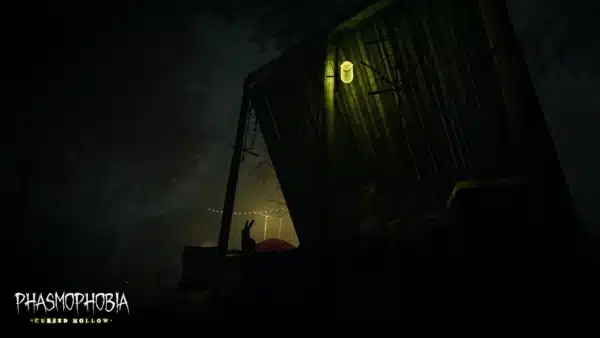
Another multiplayer horror game that recently got an update is Phasmophobia, as Kinetic Games is now offering cosmetics as a free reward for the game’s new event.

Avatar photo

Alex Co

Father, gamer, games media vet, writer of words, killer of noobs.

Home > Title Updates and Patches

Marathon New Update 1.010 Applies Version 1.0.5.2 Changes

As expected, given today’s maintenance downtime, Bungie has released Marathon version  1.0.5.2 on all platforms. This is the version you’ll see on the start screen once today’s update has been applied.

For console gamers, you’ll see the download appear as Marathon update 1.010 (complete version 1.010.000), and this brings adjustments to combat, the UI, and a lot more.

Read on for the official patch notes on everything that got changed today.

Marathon Update on March 31 Applies Gameplay Changes via Patch 1.010

marathon update 1.007

Combat

Runner Shells

  • Fixed an issue allowing slide cancel animations to keep momentum when either pulling out equipment or Thief’s Grapple Device ability.

Developer Note: One of our core philosophies for Marathon is that rapid repositioning and aggression must always have a meaningful cost. That cost can be an ability charge, heat buildup, or increased risk but it must exist and be understandable to an observer. Unbounded movement, while expressive and clip-worthy, is ultimately unhealthy for the pace of play we want to maintain for Marathon. To set expectations early, we will be looking at any future movement exploits through the same lens.

Contracts

  • Fixed an issue where players could end up locked in a room during the Introducing: NuCaloric
  • Fixed an issue where disabled contracts could not be rerolled for free.
  • Fixed an issue making the objective points visible for all Runners on the map when one Runner is on RUN/HIDE [Part 1/6].

Zones

marathon bungie stealing art

Dire Marsh

  • Fixed an issue where the Anomalous waypoint activity was appearing below the map even when the event was inactive.

Outpost

  • Adjusted the combat area for the Tox Warden:
    • Tuned the layout to reduce the number of hiding spots.
    • Tox plants now react correctly to player presence.
  • Fixed an issue where the final exfil would spawn in the same spot every time.

Pinwheel

  • Destroyed Wing entrance has been re-opened.
  • Improved overall loot rewards.
    • This includes the quality of loose loot and small containers.
  • Updated encounters to match reward quality.
  • Changed the security credentials needed to access the locked room in the Hub.
  • Added bulletproof glass to the Hub room.

Cryo Archive

  • Fixed geometry in Vault 6 that allowed Runners to fall to their death.

Armory

  • Fixed a crash that could occur when opening the Armory.
  • Fixed a bug that was causing low framerate on Armory tabs with many items.
    • Developer Note: Traxus operates beyond scale.

Codex

  • Fixed an issue in the Ranked Challenges section causing Diamond to show before Platinum.
  • Fixed an issue with the Requiem for a Cyborg challenge so that it progresses for all players in a crew after a successful Compiler kill.

UI & UX

Keybinds

  • The ESC key will now exit the keybinding menu instead of exiting settings.
  • Added an option to clear keybinds in the settings menu.
    • NOTE: Non-English languages will show this setting as blank. This will be fixed in a future patch.

Text Chat

  • Fixed an issue causing loss of control for a few seconds after using an IME keyboard in text chat while in a run.

Localization

  • Fixed an issue causing certain Codex entries to appear blank when viewing in Chinese.

Once another patch is released, we’ll be sure to let our readers know.

Avatar photo

Alex Co

Father, gamer, games media vet, writer of words, killer of noobs.

Home > News

Destiny 2 Down and Offline on March 31 for Patch 9.5.6.1

Guardians who are having issues connecting to Destiny 2, it’s not just you, as the game’s servers have been taken down by Bungie for planned maintenance on March 31.

Once we’re near the conclusion of the downtime, Bungie will roll out update 9.5.6.1 on all platforms.

For the schedule on the server outage for today, read on.

Destiny 2 Servers Down for Maintenance on March 31

Destiny 2 Down on December 11

Tuesday, March 31, 2026 — Update 9.5.6.1

7:00 AM PDT -7 UTC
  • Destiny 2 will undergo maintenance.
  • Sign-on and game integration features will be unavailable on web, mobile, third-party apps, and the Bungie Store.
  • Players who observe issues should report to the #Help forum.
8:00AM PDT -7 UTC
  • Destiny 2 and all APIs will be brought offline for expected maintenance.
  • Players will be removed from activities.
  • Destiny 1 may be impacted.
~10:00 AM PDT -7 UTC
  • The latest Destiny 2 update will be available across all platforms and regions.
  • Players will be able to log back into Destiny 2.
  • Players logging into the game may be placed in a queue and may experience sign-on issues as background maintenance is still ongoing.
  • The Destiny 2 API will be brought online.
  • Clan features may remain offline until maintenance is complete.
~12:00 PM PDT -7 UTC
  • Destiny maintenance is expected to conclude.
  • Console players who encounter issues updating should restart their console and try downloading the update.
  • Players who observe issues should report to the #Help forum.

If Bungie extends the downtime for Destiny 2, we’ll update the article with the info.

Another Bungie game that underwent server downtime today is Marathon, where a new game update for the extraction shooter will be rolled out.

Avatar photo

Alex Co

Father, gamer, games media vet, writer of words, killer of noobs.

Home > Title Updates and Patches

Marathon Down on March 31 to Apply Patch 1.0.5.2

Another week, and another Marathon patch is due for release. But before that happens, Bungie needs to take the Marathon servers down on March 31 before the update is applied.

For those that are seeing issues logging in, don’t fret, this is for standard maintenance, which will take a few hours.

For the schedule of the downtime, read on. During the downtime, players will see update 1.0.5.2 released across all platforms.

Marathon Servers Offline and Down Schedule for March 31

Update: The patch notes for today’s update is now live!

Tuesday, March 31, 2026 — Update 1.0.5.2

5:00 AM PDT UTC-7
  • Marathon will undergo maintenance.
  • Sign-on will be unavailable.
  • Players actively in runs will be able to complete them.
5:30AM PDT UTC-7
  • Marathon will begin being brought offline for expected maintenance.
  • Players will start being removed from activities.
~7:00 AM PDT UTC-7
  • The latest Marathon update is expected to become available across all platforms and regions.

~8:00 AM PDT

UTC-7

  • Players are expected to be able to log back into Marathon.
  • Players logging into the game may be placed in a queue and may experience sign-on issues as background maintenance is still ongoing.
9:00 AM PDT UTC-7
  • Marathon maintenance is expected to conclude.
  • Console players who encounter issues updating should restart their console and try downloading the update.
  • Players who observe issues should report to the Marathon Help Forum.

If the downtime gets extended, which happens from time to time, we’ll update the article with the info.

Once the patch is out, expect it here on MP1st. Speaking of patches, the other extraction shooter, ARC Raiders, received its major Flashpoint update today.

Avatar photo

Alex Co

Father, gamer, games media vet, writer of words, killer of noobs.

Home > News

Phasmophobia New Update 1.000.030 Brings Cursed Hollow Event; Kinetic Offering Cosmetic Rewards Moving Forward

Kinetic Games has released a new game update for Phasmophobia today, March 31, and this is to bring the Cursed Hollow event into the game for 2026.

Console gamers will see this appear as Phasmophobia update 1.000.030, and there are also a handful of bug fixes released alongside the event.

For the first time, Kinetic is offering cosmetic rewards as part of the event, and gamers will be glad to know that this will be the case for every seasonal event!

Phasmophobia Cursed Hollow 2026 Unleashed via New Update 1.000.030

New

  • Cursed Hollow: Complete contracts, objectionable objectives and more to earn points towards both Community & Personal goals. Each day, a different selection of locations will be specified on the contract board to be a part of the event. For more details, read here.

  • Double XP & Rewards: For the first week of the event (31st March – 7th April), players will receive double XP and rewards from their contracts.

  • Cursed Hollow Rewards: On completing the goals, players will be rewarded with event-specific rewards such as the Pathfinder ID Card & Badge, in both static and animated versions

For this year’s Cursed Hollow only, while the challenge can be completed during the event, the rewards themselves will only be available at the launch of our Player Character Update, due for release soon. Players that successfully complete the Cursed Hollow Cosmetics personal goal will be able to view and equip these items as soon as the update is available.

Phasmophobia Cursed Hollow 2026 Rewards

Changes

  • When revealing a ‘lucky’ Forest Minion, the ghost speed will decrease by 10%. This is stackable.
  • When revealing an ‘unlucky’ Forest Minion, the ghost speed will increase by 10%. This is stackable.

Fixes

  • The Cursed Hollow Altar in the warehouse will now transform correctly upon certain goals being achieved by the community and player.
  • Fixed an issue on 6 Tanglewood Drive that caused rain during Blood Moon weather to not have any audio.
  • Fixed an issue that caused fingerprints on 6 Tanglewood Drive to display at the wrong size.
  • Various other bug fixes and improvements.

There is still a known issue about the Forest Minion’s jumping sound being a bit too loud, though no timeframe has been given when it’ll be fixed.

Avatar photo

Alex Co

Father, gamer, games media vet, writer of words, killer of noobs.

Home > Title Updates and Patches

Elden Ring Nightreign Hotfix 1.03.5 Released on March 31

FromSoftware Inc. has released a minor patch for Elden Ring Nightreign during today’s maintenance period. This is a hotfix and doesn’t require a client-side download.

Players should automatically patch their game to Elden Ring Nightreign version 1.03.5 once the update has been applied, and you’ll see this in your game’s title screen.

This doesn’t bring in any new content and is targeted for a multiplayer bug fix.

Elden Ring Nightreign Update on March 31 Fixes Multiplayer Issues

Elden Ring Nightreign Update 1.03

Per Bandai Namco, here’s what’s new:

Update content

  • Fixed a bug where repeatedly using specific actions during a multiplayer Expedition would lead to degraded performance for all players.

The version number of this update shown at the lower right corner of the Title Screen will be as follows:

App Ver. 1.03.2
Regulation Ver. 1.03.5

In PS4PS5Xbox One and Xbox Series X|S versions, Regulation files can be downloaded by logging in to the server.
If the Regulation Ver. listed in the lower right corner of the title screen is not 1.03.5, please select LOGIN and apply the latest regulation before enjoying the game.

This title update is required to play online.

It’s been two months since we got a client-side update that applied balance adjustments, and chances are, we’re due for a new patch this April. Once FromSoftware releases one, expect it here on MP1st.

Avatar photo

Alex Co

Father, gamer, games media vet, writer of words, killer of noobs.

Home > Title Updates and Patches

Battlefield 6 New Update 1.000.017 Delivers Patch 1.2.2.5 on March 31

As expected, DICE has released Battlefield 6 update 1.000.017 on March 31 on all platforms, and this is for version 1.2.2.5, which improves matchmaking, fixes an issue with attachments and more.

This is a minor update, so don’t expect any new content or anything major when it comes to gameplay changes.

For the complete patch notes, read on.

Battlefield 6 Attachment Bug Fixed via March 31 Update

ATTACHMENTS:

  • Resolved an issue where the soldier’s hand would sometimes block the view on some variable scopes.

MATCHMAKING:

  • Corrected an issue that prevented players from joining friends’ in-progress sessions via the Steam system interface.

MAPS & MODES:

  • Corrected an issue where the NVG effect appeared unintentionally when switching between soldiers while spectating.
  • Resolved an issue where the C-RAM emplacement for the PAX faction was not correctly showing on Eastwood.
  • Corrected an issue where additional soldiers would be present behind the active squad in the pre-game insertion screen on Hagental Base.

REDSEC:

  • Resolved an issue that prevented players from automatically picking up Grenades while looting in REDSEC.
  • Resolved an issue that resulted in loot disappearing shortly after spawning.

STABILITY:

  • General improvements have been made towards crashing and stability issues.

UI & HUD:

  • Resolved an issue that caused match and performance statistics, along with your squad information, to display incorrectly on the End of Round screen.

In other Battlefield news, Battlefield Hardline’s console servers are sunsetting in a few months’ time, so you might want to hop on that while you still can.

Avatar photo

Alex Co

Father, gamer, games media vet, writer of words, killer of noobs.

Home > Title Updates and Patches

EA Sports FC 26 Version 1.5.2 Released via Update 1.20/1.000.019

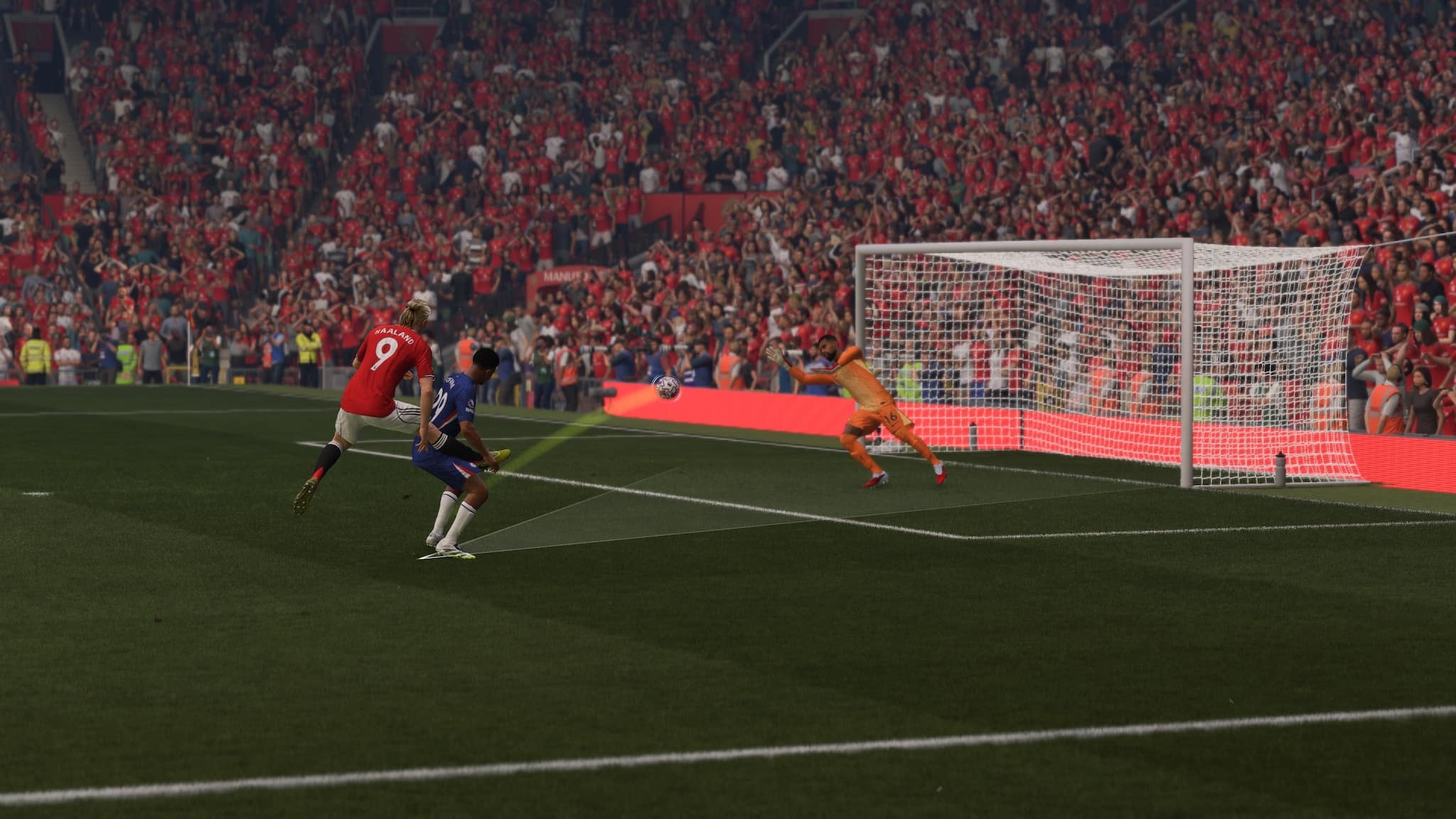
Soccer fans can now download EA Sports FC 26 version 1.5.2 on all platforms today, March 31, and this is a minor update that addresses bugs more than anything else.

Console gamers, you’ll see this download appear as EA Sports FC 26 update 1.20/1.000.019, and this should be a small file.

For everything that got changed and what the devs are working on, read on.

EA Sports FC 26 New Update on March 31 Fixes Career Mode Issue

EA Sports FC 26 New Update 1.000.018

Career Mode

Addressed the following issues:

  • Addressed various stability issues that could have occurred.

As for the known issues the developers are currently looking at, we have it available below via the official EA Sports FC Trello board.

EA Sports FC 26 Known Issues as of March 31, 2026

  • [PC] Controller stops registering input during gameplay.
  • [Matchmaking] Online matches can experience unexpectedly high ping.
  • [PC] Graphic settings reset when entering Game Settings or changing settings tabs.
  • [GP] Finesse Shot PlayStyle and PlayStyle+ sometimes cause slow shots

If you haven’t logged into the game for a while, there was a major update released four weeks ago that introduced a fair amount of gameplay-related changes.

Once another patch is out, expect it here on MP1st.

Avatar photo

Alex Co

Father, gamer, games media vet, writer of words, killer of noobs.

Home > News

ARC Raiders Flashpoint Update 1.22.0 Unleashed via Patch 1.000.033

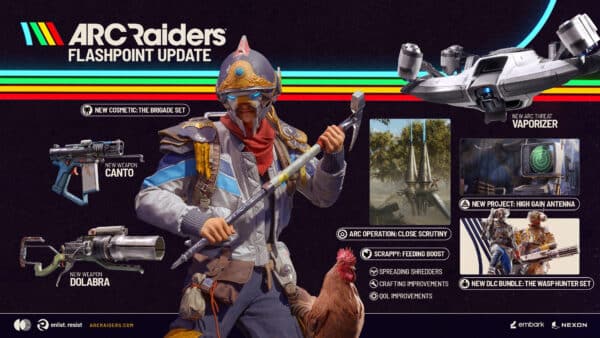
The latest major update for ARC Raiders is here, and it’s for the Flashppoint content drop! Called version 1.22.0 by Embark, console gamers will see this as ARC Raiders update 1.000.033.

Players can expect a new threat to enter the fray, a new map condition, new cosmetics, and even significant improvements to crafting.

For the complete patch notes, read on, raiders.

ARC Raiders Flashpoint Update Brings New Content for Free on March 31

What’s New?

  • Map Condition Close Scrutiny – ARC Operation
  • ARC – Vaporizer
  • Legendary Energy shotgun – Dolabra
  • Rare Medium Ammo SMG – Canto
  • Rare Deployable – Surge Coil
  • High-Gain Antenna Player Project
  • Shredders added to all maps
  • Scrappy Feeding Boost
  • Wasp Hunter Set
  • The Brigade Set

Patch Highlights

  • Increased loot value in all locked rooms with a scaled increase depending on the key rarity.
  • Players who build their own loadout are more likely to join fresh servers.
  • Crafting Improvements.
  • Hide HUD on Console.

Balance Changes

ARC

  • Rocketeers will now take less damage from collisions, and will no longer be instantly destroyed upon impact when stunned.
  • Reduced the chance for multiple Fireflies to spawn together.
  • Decreased the time it takes for ARC to identify players that are very close in-front of them.

Items

  • Free Augments can now be recycled into 6 plastic and 6 rubber parts.
  • The Firefly Burner has a new extra-spicy functionality.

Maps

  • Increased loot value in all locked rooms with a scaled increase depending on the key rarity.
  • Increased loot spawns from Baron Husks.
  • Players who build their own loadout are more likely to join fresh servers.

Dev note: As part of an ongoing look at free loadout usage and how it impacts the game, we’re going to bias the matchmaking to put players with custom loadouts into fresh servers.

This won’t be a guarantee, as map choice, time of day, and region will still affect the number of players available to matchmake. This does have an effect on overall matchmaking times so we’ll be keeping a close eye on it.

Free Loadouts are primarily meant as a safety net for a player’s personal economy. With these kits, those who play carefully should have enough to build themselves back up, accomplish a few tasks, or make a bit of progress.

Content and Bug Fixes

Animation

  • Reduced pose popping when starting to sprint, improved sprint transitions, and refined animations when starting movement from idle.
  • Fixed Comet head jitter.
  • Fixed an issue where the weapon mesh is misplaced during the automatically triggered animation of re-equipping it after breaching doors.
  • Fixed an issue where fire damage would trigger bullet hit reactions.

Audio

  • Improved stability of proximity voice chat.
  • Removed indoor wind reaction sounds to avoid confusion with player-generated sounds like looting.
  • Fixed missing secondary-use audio for the ARC Power Core and restored the use sound when repairing another player’s armor.
  • Improved positional audio clarity for other players.
  • Opening and closing doors can be heard from farther away.
  • Improved directional audio for flying ARC.
  • Adjusted directional filtering of sounds increasing clarity of sounds coming from behind the player.
  • Improved long-range hit feedback by adding distant variations to bullet impact indicator sounds.
  • Considerably reduced weapon audio latency. Windows: Only applies on systems with at least 16 GB RAM.
  • Improved responsiveness of continuous-fire weapon audio, reducing delay and desync when releasing the trigger.
  • Fixed missing tab navigation sounds in the UI when using a gamepad.

ARC

  • Improved behaviour for stunned Comets.
  • Improved the ARC target selection to allow switching targets more freely and to “zero in” less on the first target.
  • Fixed an issue where flying ARC (especially Fireflies) would spawn inside walls and attack players from outside the walls and floors in Stella Montis.
  • All interactions are now disabled when grabbed by a Tick except the interaction to fight it off.

Customization

  • Fixed an issue where parts of the Low Bun and Curly Mullet were not animated.
  • Fixed an issue where beards would disappear with some headgear.

Gameplay

  • Fixed an issue that allowed players to use ziplines or ladders while carrying items (e.g. Field Crate). Carryables are now dropped when grabbing a zipline or ladder.
  • Fixed an issue where players who joined near the end of the late-join window could have ARC spawn on them immediately.
  • Added gamepad aim assist to Leaper legs and core.
  • Fixed an issue where you could take fall damage when attempting to vault on Comets.
  • Remote Raider Flares can now be disarmed with the Mine Sweeper skill.
  • Fixed an issue where using LMB/RMB while unarmed could delay or prevent equipping a weapon, tool, or quick-use item.
  • Fixed an issue where eliminations with Trailblazer or Shrapnel Grenade did not count toward the “Horseshoes and Hand Grenades” achievement.

Maps

  • Shredders are now added to all maps (only during certain map conditions on Dam Battlegrounds).
  • Fixed an instance where players could go out of bounds in the tutorial.

Dam Battlegrounds

  • Added more Sentinel spawn points.
  • Adjusted area coverage for Leapers, Bombardiers, and Bastions to improve navigation.
  • Fixed various clipping, floating objects, and terrain gaps.

Buried City

  • Fixed multiple spots where players could get stuck.
  • Added more Sentinel spawn points and made spawns more consistent.
  • Opened up navigation on some Old Town streets for ARC to move more freely.
  • Adjusted area coverage for Leapers, Bombardiers and Bastions to improve navigation and variety.
  • Increased the variety of Leaper, Bombardier, Bastion and Rocketeer distribution during the Night Raid map condition.

Blue Gate

  • Added more Sentinel spawn points.
  • Adjusted area coverage for certain big enemies to improve navigation.
  • Reduced the number of Comets during the Hurricane map condition.
  • Locked Gate:
    • Some side entrances now unlock with the main gate,
    • Security Codes now come from Code Printers instead of containers,
    • Security Codes expire upon extraction.

Spaceport

  • Resolved several instances of floating objects and clipping.
  • Added more Sentinel spawn points.
  • Fixed players getting stuck in elevator shafts.
  • Added more mushroom spawn locations to improve resource availability.
  • Increased chances for high-tier loot from completing the rooftop activity during the Launch Tower Loot map condition.
  • Added a delay after the final antenna is activated before the bunker opens during Hidden Bunker map condition.

Stella Montis

  • Fixed a missing wall in the Security Lobby.

Movement

  • Fixed an issue where characters did not immediately face ladders when aligning to climb.
  • Fixed an issue where sprint could be retriggered and canceled when holding fire and sprint together.

Performance

  • Improved texture streaming to reduce stalls and make streaming more responsive on lower-spec systems; corrected streaming calculations to respect component scale.
  • Optimized texture streaming calculations to improve performance and reduce stuttering.
  • Optimized CPU performance.

Rendering

  • Reduced shadow popping.
  • Reduced popping from vegetation and debris.
  • Fixed flickering shadows from vegetation.
  • Upgraded Intel XeSS to SDK version 2.1.1.
  • Upgraded AMD FSR to SDK version 2.1.0.
  • Tweaked AMD FSR for improved responsiveness and image clarity.

Quests

  • Fixed items being incorrectly consumed during interactions in the “After Rain Comes” quest.
  • Fixed effect syncing issues in the quest “A Dead End”.
  • Reworked quest tracking to prevent an issue that could block quest progression in some cases, and to improve visualization. Progress bars now indicate what progress may be lost if you fail to extract.

Stability

  • Resolved a crash that could occur in the tutorial.
  • Fixed a rare crash that could occur when loading into a Practice Range session.

UI

  • Crafting improvements:
    • Quickly acquire missing materials directly from the crafting view.
    • Recycling, refining, or purchasing missing materials is now available in the same window to complete crafting.

  • All party members can now see active map conditions while in Speranza. Members can also ping destinations they’d like to depart to.
  • Checking one matchmaking option (Fill Squad or Solo vs. Squad) now disables the other.
  • Matchmaking timer is now shown at the bottom of all screens next to the selected destination.
  • Fixed an issue where stash overflow could be shown incorrectly when detaching mods from the inspect screen.
  • Fixed inverted gamepad camera zoom on Decks and Store screens.
  • Fixed missing action text for several throwable items; prompts now display correctly.
  • Added an option to change HUD visibility mode in Gameplay Options for console (also available via F10 on PC).
    • These HUD options are:
      • Visible
      • Crosshair and Interactions Only
      • Crosshair Only
      • Hidden
  • The inventory screen now shows stash value.
  • Pinging a Barricade now shows the ping by the crosshair instead of offset.
  • Emote tiles in character customization now show a wheel icon indicating which slot each emote is equipped in.
  • The store tab now shows a new items marker when the store rotation changes.
  • The purchase preview dialog now displays a detailed breakdown of bundle contents.
  • The customization screen now shows a small preview of the bundle.

VFX

  • Fixed an issue where Sentinel’s laser was shorter than its sight range in some cases.
  • Fixed ARC damage visual effects sometimes being visible through walls under certain circumstances.

There’s a significant amount of known issues affecting the game, so we’re expecting a follow-up patch to be released either this week or next.

The next major patch is due near the end of April and is called the Riven Tides. Expect a new map to be introduced, as well as a new map condition and more per the game’s Q1 roadmap.

Avatar photo

Alex Co

Father, gamer, games media vet, writer of words, killer of noobs.

Home > News

Disney Reportedly Considering Epic Games and Fortnite Purchase

While Disney+ continues to grow its content library, the company is reportedly considering the purchase of Epic Games and Fortnite.

It is worth remembering that Tim Sweeney’s company is at least 40% owned by Tencent, so it remains unclear how such a deal could actually be carried out.

Disney Eyeing Possible Epic Games Deal

fortnite

The information comes from reputable technology reporter Alex Heath, who discussed the topic during Matthew Belloni’s podcast The Town. According to Heath, he knows “for a fact” that senior executives at Disney want to buy Epic Games and are “waiting for the right moment.”

He said, “I think if Epic ever sold, if it ever decided to call it quits on being an independent company, Disney would be the most natural home for it for a lot of reasons.”

According to Heath, some of those reasons include the possible integration of Fortnite into Disney parks or bringing Disney IPs into the battle royale game.

At the same time, he also noted, “you have to understand that Epic is a founder-controlled company, so Tim Sweeney, the founder, has full voting stock control and can make unilateral decisions.”

Heath also mentioned that Disney is looking to expand its presence in gaming, although some people inside the company reportedly see the move as a bad idea.

Part of that concern comes from Disney’s limited presence in the gaming industry outside of Marvel. Disney’s major franchises have had mixed results in gaming, with some titles performing well, while others were cancelled or remain stuck in long development cycles.

For now, nothing has been confirmed, so this should be taken with a pinch of salt. As more news and rumors emerge, we’ll be sure to keep you updated here at MP1st.

In other news, Epic Games recently increased Fortnite V-Bucks prices due to higher operating costs, resulting in fewer V-Bucks per dollar.

Avatar photo

Taha

Television kills your vision.

Home > Title Updates and Patches

Crimson Desert Version 1.01.03 Fixes Boss Issues via Update 1.000.173

Developer Pearl Abyss has released the third title update for Crimson Desert in two days, and this is for version 1.01.03.

Given the major patch that introduced new mounts was released over the weekend, this new patch is once again another hotfix, and this one deals with boss issues affecting all platforms.

Console gamers will see this as Crimson Desert update 1.000.173, and this should be a small download.

For the official changelog and the known issues currently being looked into by the developers, read on.

Crimson Desert Boss Not Moving Bug Fixed via Update 1.000.173

Here’s what got fixed per Pearl Abyss:

  • Fixed an issue where some bosses would sometimes stop moving during combat.

As for the known issues, there’s still a handful, and we listed those below.

Crimson Desert Known Issues as of March 30, 2026

  • Using upscaling in certain environments causes flickering in shadow effects and character hair, visual noise in certain skill effects, and rough-looking screen textures.
  • Repeatedly changing NVIDIA Ray Reconstruction and DLSS options under certain conditions may cause frame drops. We plan to improve this issue in the next patch.
  • The effects of the items Golden Beer and Sage’s Eye do not apply properly.
  • In the quest “A Rumor Fueled by Greed”, the quest cannot be progressed if the required quest item is obtained in advance and then sold or lost.
  • Under specific conditions, the player character’s state changes abnormally.
  • Wanted criminals that have been captured cannot be turned in while the player character is also in a wanted state.
  • If an NPC’s Trust was increased during the Prologue, that NPC’s Trust value may reset to its Prologue value in certain situations.
  • [ROG Xbox Ally X] We have identified an issue where Crimson Desert is not launching properly on ROG Xbox Ally X running on the latest driver version. Microsoft and AMD are currently looking into the issue. Until the issue is resolved, we recommend installing and using the driver version immediately prior to the latest one, available on the ASUS website.
    • Latest Driver Version: V32.0.23027.4002
    • Previous Driver Version (Using this version until issue resolved recommended): V32.0.21025.27003
  • An issue has been identified where the cloudcart cannot be summoned.
  • An issue has been identified where, in certain situations, some knowledge can only be acquired after performing “Observation” twice.
  • (Xbox) An issue has been identified where the fishing reel-in function does not work properly when the “Invert Right Stick Y-Axis” setting is enabled in the device settings. Please note that if you disable this feature, the reel-in function will work normally.
  • During the “Deferred Advance” quest, retrying or abandoning the Ultimate Weapon fight when Blackstar’s Health is depleted causes Blackstar’s Health to not fully recover.
  • Attempting to steal fruit at the back of a stall results in the character becoming unresponsive to controls.
  • When receiving damage while holding a tree, the character can become stuck to the tree.
  • During the Gregor, the Halberd of Carnage boss fight, if surrounding objects are destroyed at the same time the character dies, the character cannot revive and progress.
  • Under certain conditions, applied settings are not saved after restoring settings.
  • While progressing through some quests, the next objective is not automatically tracked.
  • When using FSR4 upscaling, an issue occurs in rainy environments where rain disappears, or the screen becomes blurry or distorted.

Don’t be surprised to see another update be released soon to tackle some of these issues and bugs.

In related news, Pearl Abyss’ CEO admits the game’s story could have been better, which shouldn’t surprise players of the game.

Avatar photo

Alex Co

Father, gamer, games media vet, writer of words, killer of noobs.

Home > Title Updates and Patches

Resident Evil Village New Update 1.239 Released

Capcom has silently pushed out Resident Evil Village update 1.239 (complete version 1.239.000) on current-gen consoles today.

While we can confirm that the patch isn’t available for the last-gen (PS4, Xbox One) version of the game, it’s unknown whether this same update was released on PC. For those wondering, the patch that added PS5 Pro support was confirmed to have been released last month, so we know it’s not for that.

Remember: this is a minor patch, so don’t expect much from it outside of technical fixes.

Resident Evil Village Mysteriously Receives New Update on March 30, 2026

So far, Capcom hasn’t said anything about today’s patch, which isn’t surprising since the developers are usually late when relaying the game’s changelog.

There is a chance that this patch was pushed out to remove the mention of Resident Evil Requiem as an ad in the game.

For those on PC, there is a chance this patch breaks mods for the game, though that should be sorted out soon enough by mod makers. If Capcom releases a changelog, we’ll update the article and add the info.

In other Resident Evil news, Resident Evil Requiem was just updated last week, which added Photo Mode and more. There’s also the mini games update headed for the game sometime in May too.

Make sure to read our report on the Resident Evil 0 remake currently being developed by Capcom to know more about this upcoming release.

Avatar photo

Alex Co

Father, gamer, games media vet, writer of words, killer of noobs.

Home > Title Updates and Patches

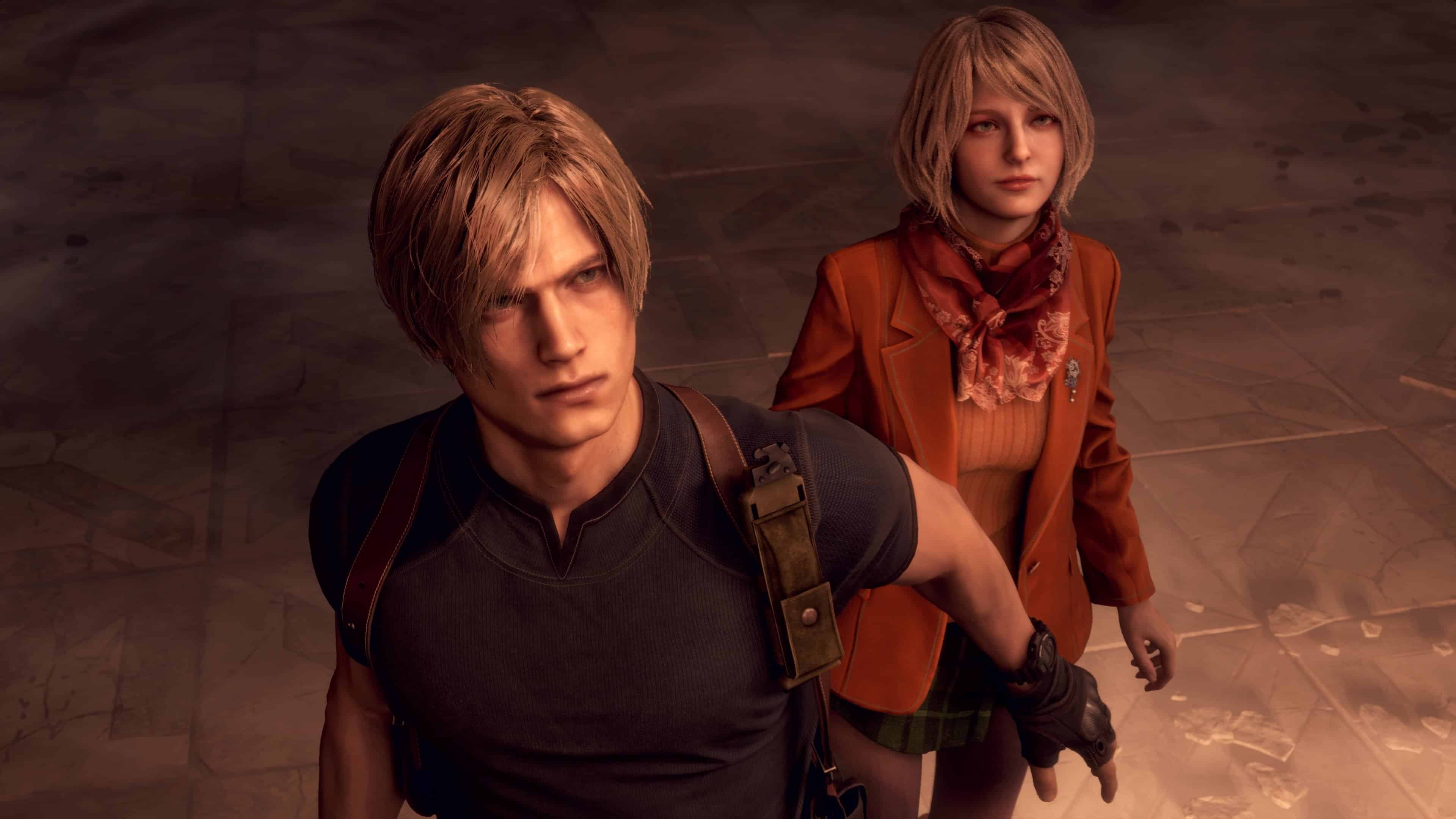
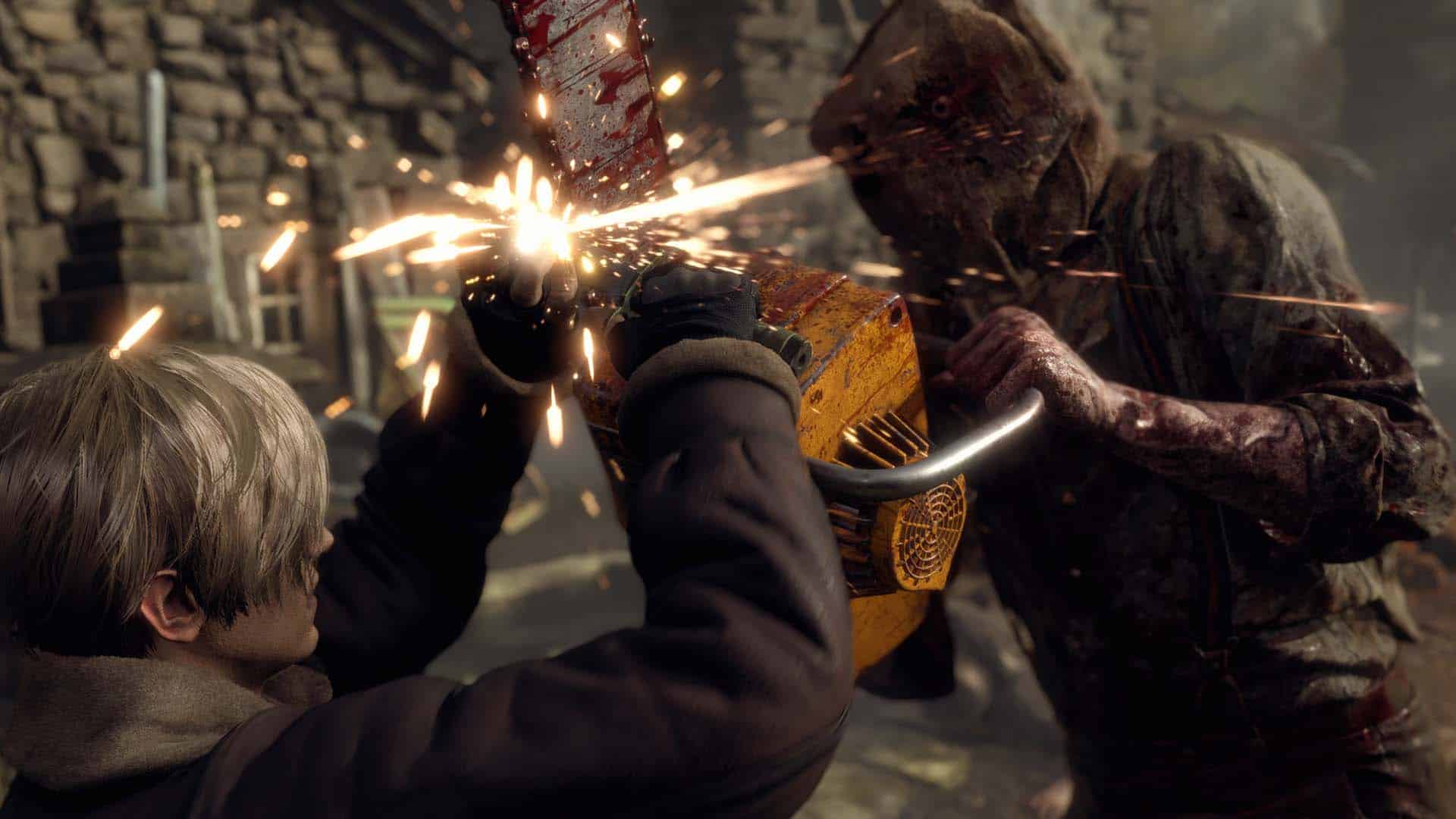
Resident Evil 4 New Update 1.590 Released on Current-Gen Consoles and PC

Just two months ago, Capcom pushed out a new update for Resident Evil 4 that added voice display options for various languages that came out of nowhere.

Today, a similar thing happened as the developers has released Resident Evil 4 update 1.590 (complete version 1.590.000) on both PC and current-gen consoles (PS5, Xbox Series X|S).

This is another unannounced patch, so don’t expect anything major from it.

Resident Evil 4 Receives New Update on March 30, 2026

Resident Evil 4 Update 1.400

So far, Capcom hasn’t acknowledged today’s patch just yet. The developers haven’t said anything about whether this download added more languages or any new features.

There is a chance that this patch was released to remove the Resident Evil Requiem ad card from the game, though we’re hoping that it’s more than just that.

Those on PC, expect this update to once again break mods, though that should be resolved soon-ish by mod makers soon, too, just don’t be surprised if your favorite character mod doesn’t work after today’s patch.

Steam user necr0inc checked the game’s update files on PC and noted, “I just booted up the game to test if everything’s okay and yeah, the game’s running fine, no issues at all. Loaded into my save, no crashing, the randomizer’s still working like before, REFramework is still working.”

Checking SteamDB, the user mentions, “apparently it was just some minor changes within re_chunk_000.pak.patch_006.pak and re_chunk_000.pak.patch_005.pak.”

For those wondering, that means nothing major was added or changed. Having said that, if Capcom releases an official changelog or acknowledgement of today’s patch, we’ll update the article with the info.

In other Resident Evil news, Resident Evil Requiem was just updated last week, which added Photo Mode and more. There’s also the mini games update headed for the game sometime in May too.

Avatar photo

Alex Co

Father, gamer, games media vet, writer of words, killer of noobs.

Home > Title Updates and Patches

Mario Kart World Update 1.6.0 Adds Quality-of-Life Adjustments

Nintendo has released Mario Kart World update 1.6.0 for the Switch 2 today, March 30, and this brings balance changes and quality-of-life adjustments to the arcade racing game.

Alongside the adjustments, a large swathe of bugs have also been squashed with today’s patch, with the complete details listed below in the official patch notes.

Mario Kart World Major Update Released as Version 1.6.0

Mario Kart 8 Deluxe Update 3.0.4

General

  • Added Bob-omb Blast as a Battle mode.
    • You can have up to 10 Bob-ombs on hand at a time.
    • The distance Bob-ombs can be thrown depends on how long you hold the L Button.
  • Adjusted the performance of Bullet Bill.
    • Increased their range of lateral movement.
    • It is now easier to follow a shortcut route immediately after using Bullet Bill.
    • Increased Bullet Bill’s speed on parts of the Bowser’s Castle, Starview Peak, and Rainbow Road courses.
  • Adjusted the performance of the boomerang.
    • Reduced the boomerang’s range.
    • Reduced the number of consecutive throws allowed.
  • Adjusted the probability of items that can be obtained from item boxes during races.
  • Adjusted the invincibility time after spinning or crashing during a race so that it varies depending on the character and vehicle.
    • The heavier the weight, the longer the invincibility time.
  • Made it so that you won’t get crushed by things, such as Thwomps, while spinning or crashing.
  • It is now possible to be hit by lightning and Spiny Shells immediately after being crushed by things, such as Thwomps.
  • Made it so that things like Bob-ombs and Bananas don’t bounce on top of the vines of Ivy Piranha Plants.
  • When playing Single Player or 1p during Online Play and Wireless Play, up to two warnings will be displayed when items like Red Shells or Spiny Shells come from behind.
  • Shortened the time until the roulette stops to determine the course in Online Play and Wireless Play.

Fixed Issues

  • Fixed an issue where the starting position would sometimes be incorrect.
  • Fixed an issue where cows and other creatures that appeared through Kamek’s magic would fall through the ground.
  • Fixed an issue where the display of Wiggler that appeared through Kamek’s magic would sometimes be incorrect.
  • Fixed an issue where Thwomps or Rocky Wrench would appear in Airship Fortress or in the cannons in the race leading to Airship Fortress.
  • Fixed an issue where the character would sometimes disappear from view when looking in the rearview mirror after using a Mega Mushroom.
  • Fixed an issue where you could not return to a point before the Ivy Piranha Plant when using Rewind after transforming into a Bullet Bill.
  • Fixed an issue where the item slot would not display correctly after using Boo and returning to Free Roam.
  • Fixed an issue in Knockout Tour where players who passed through a checkpoint after the first-place player had already reached the goal would not be eliminated, even if their rank was outside the predetermined cutoff.
  • Fixed an issue in Time Trials where the display of stacked tires would sometimes appear incorrectly.
  • Fixed an issue in Free Roam where a fleeing Nabbit would fall through the ground.
  • Fixed an issue in Events where scores were not displayed on the results screen during practice.
  • Fixed an issue where the screen display would sometimes become distorted after selecting Change Character in Free Roam in Online Play.
  • Fixed an issue in Knockout Tour and Online Play where rankings would sometimes be incorrect after passing through checkpoints.
  • Fixed an issue where the selected event would disappear when a communication error occurred after selecting Online Play.
  • Fixed an issue in Online Play and Wireless Play where rivals using Bullet Bill sometimes appeared not to be transformed.
  • Fixed an issue where the final results were not displayed after spectating in Knockout Tour in Online Play or Wireless Play.
  • Fixed an issue in Knockout Tour where the player being spectated would not change after that player was eliminated.
  • Fixed an issue where the gliding distance could be excessively long during the race from Airship Fortress to Dry Bones Burnout.
  • Fixed an issue where using the Feather while jumping in Shy Guy Bazaar during races from Airship Fortress or Wario Stadium to Shy Guy Bazaar could cause you to go off course.
  • Fixed an issue where doing a wall ride in Shy Guy Bazaar during races from Airship Fortress or Wario Stadium to Shy Guy Bazaar could cause you to go off course.
  • Fixed an issue in Bowser’s Castle where players could crash while driving over lava with a Dash Mushroom.
  • Fixed an issue in Salty Salty Speedway where players would sometimes fall through the ground after being hit by lightning and shrinking.
  • Fixed an issue when in a battle on DK Pass where you would sometimes not be returned to the course after using a Feather and ending up outside the course.
  • Fixed an issue where using a Mega Mushroom near the fence in Dino Dino Jungle could cause you to be returned to the course.
  • Fixed an issue in Koopa Beach where some buoys were buried in the ground.
  • Fixed an issue in Mario Circuit where using a Mega Mushroom could cause the player to get stuck on a fence.
  • Fixed an issue in Mario Circuit where players could sometimes be returned to the course when riding on a wall of blocks.
  • Fixed an issue where players would sometimes be returned to the course when driving along the wall near the starting point of Faraway Oasis.
  • Fixed an issue where Bloopers sometimes appeared dark in replays of Rainbow Road.
  • Fixed an issue in Rainbow Road where Spike Balls that appeared through Kamek’s magic would sometimes move erratically.
  • Fixed an issue where using the Feather to take a shortcut on Rainbow Road could sometimes cause incorrect final rankings.
  • Fixed an issue where you would sometimes recover too far ahead if you fell off the course while gliding on Rainbow Road.
    • Time Trials ghosts that have encountered this issue may be removed from View Rankings without notice.
  • Fixed an issue in the race from Wario Shipyard to Starview Peak where players could sometimes fall off the course while taking a shortcut.
  • Fixed an issue where using a Mega Mushroom near the fence in Wario Stadium could cause the player to fall off the course.
  • Several other issues have been addressed to improve the gameplay experience.

In other Switch 2 news, Pearl Abyss has confirmed they are considering developing a Switch 2 version of Crimson Desert, though there might be compromises to the game if that ever becomes a reality.

Avatar photo

Alex Co

Father, gamer, games media vet, writer of words, killer of noobs.

Home > Title Updates and Patches

Borderlands 4 Hotfix on March 30 Fixes Token Issues via Update 1.050.001

Just a few days ago, Gearbox released a major update for Borderlands 4 that brought in new features the game’s first story DLC.

Unfortunately, that patch also brought in a few issues that affected everyone who owned the game, Today, Gearbox released a hotfix on all platforms, which gamers will see as Borderlands 4 update 1.050.001.

For the complete details on the patch, as well as Gearbox’s apology gift, read on.

Borderlands 4 SDU Progress Reset Issue Fixed via Update 1.050.001

Here’s what got fixed per Gearbox:

  • fixes the issue where players who own the Super Deluxe Edition on the Epic Game Store are unable to access Story Pack 1
  • fixes the issue where SDU progress resets and tokens are lost when Shared Character Progression automatically applies to a newly created Vault Hunter. (SDU Tokens on all characters will be restored. You will need to reassign your SDU Tokens when you log in.)

As a thank you for players being patient, a SHIFT code for five Golden Keys have been given out today too.

SHIFT Code: 3ZR3T-6CSKW-WFTJC-JB33B-Z55ZT

This code is valid until April 30, 2026, and can be redeemed via the official SHIFT redemption page.

Once another patch is released, we’ll let our readers know.

Avatar photo

Alex Co

Father, gamer, games media vet, writer of words, killer of noobs.

Home > Title Updates and Patches

Football Manager 26 Version 26.3 Kicks Out as Update 1.010

Football Manager 26 patch version 26.3 is out on consoles and PC, and this is a pretty significant patch when it comes to changes made.

Console gamers will see this download appear as Football Manager 26 update 1.010 (complete version 1.010.000), and there are two separate changelogs for the PC and console versions.

Check out the patch notes for each, below.

Football Manager 26 Update 1.010 for Ver. 26.3 Console Patch Notes

Database

• More than 1 million Database changes

• Updated Transfers for China, Türkiye, the USA, and other select leagues

• Boca Juniors are now a licensed team

Technical Issues

• Crash fixes & stability improvements

• Fixed a crash that would occur when playing matches at TSV 1860 Munich’s stadium

User Interface (UI)

• Redesigned the Youth Setup Overview to be full screen

• Fixed an issue where the Squad Bar could not be dug into with controller focus after opening a player report card in match.

• Resolves an issue where controller focus would become stuck by only having one entry in a table available.

• Resolves an issue where the Stages tile would be duplicated on the Portal

• Sort functionality has been restored for transfer value, ability and potential columns in Recruitment > Shortlist

• Attributes being trained now highlight in Orange within the Individual Training screen

• The Fixtures and Result Report will remember your filters should you leave and return

• The Competition > Transfers card will remember your filters should you leave and return

• The Recruitment > Transfer History Card will remember your filters should you leave and return

• If the player attribute polygon graph is selected, it will remain visible while cycling through other players

• Match Stats bars are now correctly equal when values are zero for both teams

• Added Transfer Fees to the Career Stats tile

• Fixed an issue preventing the user to view past seasons in Stages card for select competitions

• Set Piece/Penalty taker lists should now reflect the real-time current squad

• Viewing the Tactical Analysis no longer omits certain players

• Fixed an issue causing form indicators to sometimes appear inaccurately on the Competitions page

• League tables which feature a ‘split’ now better display the split in teams

• Tactics within the save folder now display if attempting to overwrite them

• Team form should now display oldest to newest (left to right) in all game areas

• Fixed an issue that could sometimes cause Partnership lines to appear misaligned on the Tactics screen when first opened

• Fixed an issue causing the Passing Completed, Crosses Completed, and Clear Cut Chances stats to display incorrectly during the match day

Gameplay

• Added a ‘Automatically open a must respond message’ preference option

• Fixed an issue causing ‘Grey’ players that have been offered contracts to display attributes over 20

• Goalkeepers are now only compared to other goalkeepers on the player comparison screen

• Club vision ambitions have been tweaked to prevent certain objectives being contradictory of one another

• Fixed an issue where the ‘approach to sign’ action was not generating when the users club exited a transfer embargo

Match, Art & Animation

• Added a new Premier League match ball

• Fixed an issue where players would sometimes kick ball out of play straight from kick off

• Fixed an issue causing offsides lines to be missing during the replay for a goal disallowed by offside

• The Dugout and Live Scores/Table will remain expanded even after highlights occur

• Fixed a rare issue with substitutes flickering on the 2D pitch tile

Competition and Rule Groups

Belgium

• Added the RWDM Brussels points deduction

Brazil

• Updated a number of formats, schedules and rules of various Brazilian competitions

• Updated VAR rules for various Brazilian competitions

China

• Updated schedules for the Chinese Super League, Chinese National First Division, and the Chinese FA Super Cup

• Updated Transfer Windows for the Chinese Super League and Chinese National First Division

Colombia

• Updated the Colombian Cup Substitution Rules

England

• Added the Leicester City points deduction

Europe

• Updated the format for the UEFA Youth League

• Fixed an issue where some Last 16 UEFA Champions League matches were scheduled on Thursdays

France

• French Overseas Nationalities no longer count as foreign players in the French Cup

Germany

• Updated the Bundesliga and Bundesliga 2 Squad Numbers rules

Greece

• Fixed an issue causing there to be no TV matches appearing in Super League 1 after league split

Ireland

• Updated the Irish Leinster Cup schedule

Indonesia

• Updated the Substitution Rules for various Indonesian competitions

Latvia

• B Teams no longer participate in the Latvian Cup

Lithuania

• Updated the Lithuanian U18s Sorting Rules

North America

• Updated the North American W Champions Cup Squad Registration dates

Portugal

• Updated the Substitution Rules for the Portuguese Second League and Third Division

Russia

• Updated the Russian First Division Loan Rules

Scotland

• Updated the KDM Evolution Trophy Substitution Rules

Spain

• Trialists are no longer allowed to participate in the Spanish Women’s Super Cup

Switzerland

• Fixed an issue causing youth players to be denied work permits after turning professional

Sweden

• Updated schedules for various Swedish leagues/competitions

Uruguay

• Updated the Uruguayan Transfer Window dates

• Updated the Uruguayan First Division schedule

U.S.A

• Fixed an issue causing players to incorrectly gain Green Cards/American nationality (NWSL)

• Expansion teams no longer play matches prior to being formed (NWSL)

Wales

• Updated the Nathaniel MG Cup Substitution Rules

Football Manager Version 26.3 PC Patch Notes

Database

  • More than 1 million Database changes
  • Updated Transfers for China, Türkiye, the USA, and other select leagues
  • Boca Juniors are now a licensed team

Technical Issues

  • Crash fixes & stability improvements
  • Fixed an issue causing keyboard shortcuts to activate when using the global search function
  • Fixed an issue that would cause Navigation focus boxes to appear after using the global search function

User Interface (UI)

  • Redesigned the Youth Setup Overview to be full screen

  • Sort functionality has been restored for transfer value, ability and potential columns in Recruitment > Shortlist
  • Attributes being trained now highlight in Orange within the Individual Training screen
  • The Fixtures and Result Report will remember your filters should you leave and return
  • The Competition > Transfers card will remember your filters should you leave and return
  • The Recruitment > Transfer History Card will remember your filters should you leave and return
  • If the player attribute polygon graph is selected, it will remain visible while cycling through other players
  • Match Stats bars are now correctly equal when values are zero for both teams
  • Added Transfer Fees to the Career Stats tile
  • Fixed an issue preventing the user to view past seasons in Stages card for select competitions
  • Set Piece/Penalty taker lists will now properly reflect the real-time current squad
  • Removed empty space appearing in Scout World Knowledge card
  • Viewing the Tactical Analysis no longer omits certain players incorrectly
  • Fixed an issue causing form indicators to sometimes appear inaccurately on the Competitions page
  • League tables which feature a ‘split’ now better display the split in teams
  • Tactics within the save folder now correctly display if attempting to overwrite them
  • Team form will now display oldest to newest (left to right) in all game areas
  • Fixed an issue that could sometimes cause Partnership lines to appear misaligned on the Tactics screen when first opened
  • Fixed an issue causing the Passing Completed, Crosses Completed, and Clear-Cut Chances stats to display incorrectly during the match day

Gameplay

  • Staff not at the user’s club no longer display ‘unknown’ personalities
  • Added a ‘Automatically open a must respond message’ preference option
  • Added Cash/Claused Transfers, Free Transfers, Part Exchange Transfers and Player Trials filters when on the Transfer History card
  • Fixed an issue causing ‘Grey’ players that have been offered contracts to display attributes over 20
  • Goalkeepers are now only compared to other goalkeepers on the player comparison screen
  • Club vision ambitions have been tweaked to prevent certain objectives being contradictory of one another
  • Improved supporter reactions to some players performances within Squad Feedback
  • Fixed an issue where the ‘approach to sign’ action was not generating when the users club exited a transfer embargo

Match, Art & Animation

  • Added a new Premier League match ball
  • Fixed an issue where players would sometimes kick ball out of play straight from kick off
  • Fixed an issue causing offsides lines to be missing during the replay for a goal disallowed by offside
  • The Dugout and Live Scores/Table will remain expanded even after highlights occur
  • Fixed a rare issue with substitutes flickering on the 2D pitch tile

In-Game Editor (IGE) / Pre-Game Editor (PGE)

  • Further crash fixes and stability improvements
  • Fixed an issue where verified rule files with a database were not valid with that same database in a new game setup (PGE)
  • Fixed an issue causing non-playing history to appear blank for non-players with edited history (PGE)

Competition and Rule Groups

Belgium 

  • Added the RWDM Brussels points deduction

Brazil

  • Updated a number of formats, schedules and rules of various Brazilian competitions
  • Updated VAR rules for various Brazilian competitions

China

  • Updated schedules for the Chinese Super League, Chinese National First Division, and the Chinese FA Super Cup
  • Updated Transfer Windows for the Chinese Super League and Chinese National First Division

Colombia 

  • Updated the Colombian Cup Substitution Rules

England

  • Added the Leicester City points deduction

Europe

  • Updated the format for the UEFA Youth League
  • Fixed an issue where some Last 16 UEFA Champions League matches were scheduled on Thursdays

France

  • French Overseas Nationalities no longer count as foreign players in the French Cup

Germany

  • Updated the Bundesliga and Bundesliga 2 Squad Numbers rules

Greece

  • Fixed an issue causing there to be no TV matches appearing in Super League 1 after league split

Ireland

  • Updated the Irish Leinster Cup schedule

Indonesia 

  • Updated the Substitution Rules for various Indonesian competitions

Latvia 

  • B Teams no longer participate in the Latvian Cup

Lithuania 

  • Updated the Lithuanian U18s Sorting Rules

North America 

  • Updated the North American W Champions Cup Squad Registration dates

Portugal

  • Updated the Substitution Rules for the Portuguese Second League and Third Division

Russia

  • Updated the Russian First Division Loan Rules

Scotland 

  • Updated the KDM Evolution Trophy Substitution Rules

Spain

  • Trialists are no longer allowed to participate in the Spanish Women’s Super Cup

Switzerland

  • Fixed an issue causing youth players to be denied work permits after turning professional

Sweden 

  • Updated schedules for various Swedish leagues/competitions

Uruguay 

  • Updated the Uruguayan Transfer Window dates
  • Updated the Uruguayan First Division schedule

U.S.A

  • Fixed an issue causing players to incorrectly gain Green Cards/American nationality (NWSL)
  • Expansion teams no longer play matches prior to being formed (NWSL)

Wales 

  • Updated the Nathaniel MG Cup Substitution Rules

Once Sports Interactive releases another patch, we’ll have it up on MP1st.

Avatar photo

Alex Co

Father, gamer, games media vet, writer of words, killer of noobs.

Home > Title Updates and Patches

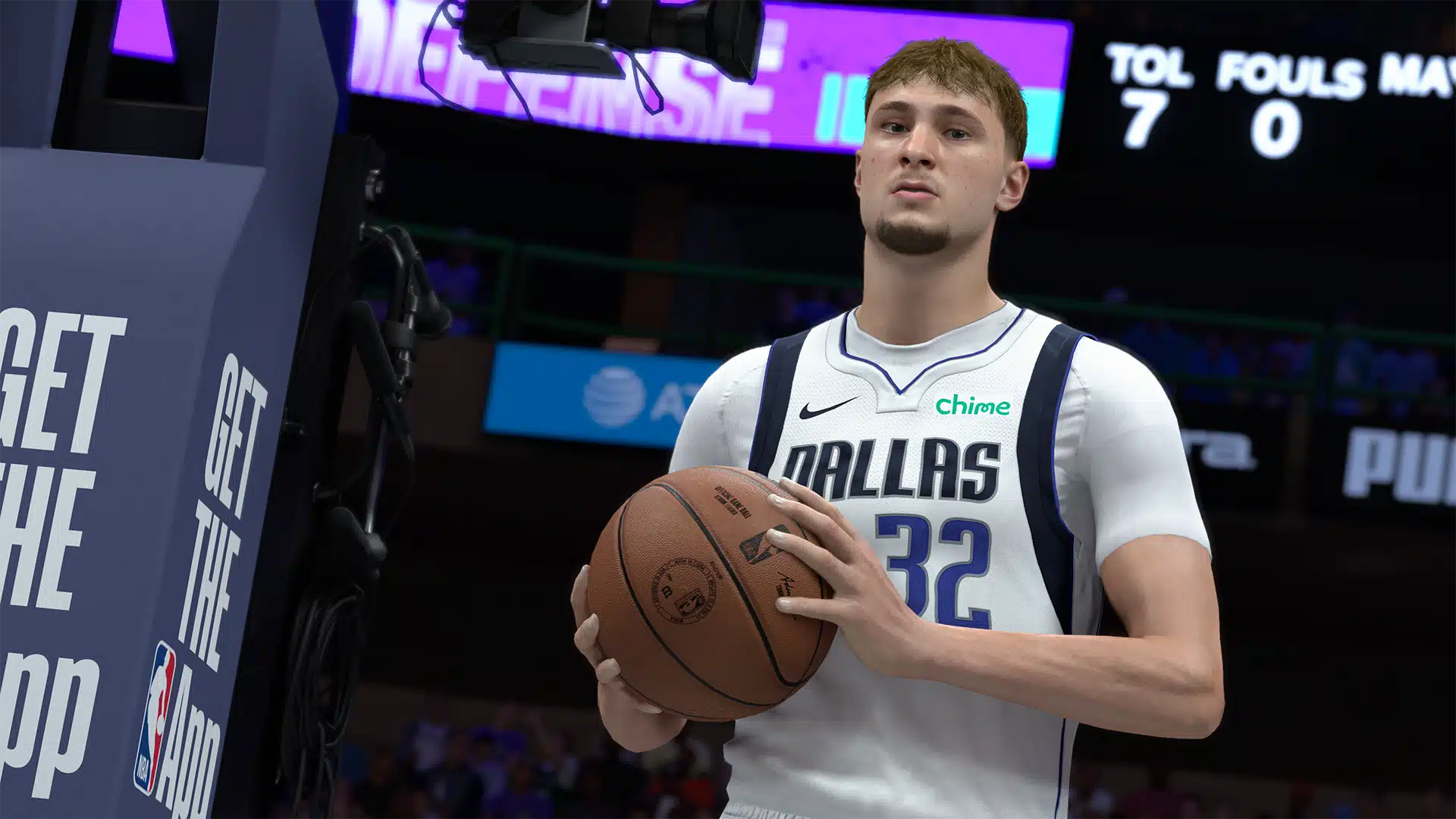
NBA 2K26 Update 1.08/1.018 Brings Season 6 Data

The latest seasonal content drop for NBA 2K26 is almost here, and players can prepare for it by downloading the game’s latest title update.

Players can expect Season 6 to be part of today’s download, but you won’t be able to access the content just yet. Even if NBA 2K26 update 1.08/1.018 (complete version 1.018.000) is available for download, Season 6 won’t start unti later this week.

NBA 2K26 Season 6 Update Data Released on March 30 via Patch 1.08/1.018

NBA 2K26 Update on January 6

Per Visual Concepts, the developers relayed, “Today’s NBA 2K26 update for PlayStation®5 and Xbox Series X|S includes preparations for Season 6, launching on Friday, 3 April 2026 11:00 pm (shown in your device’s time zone). Stay tuned for what we have in store!”

We can confirm that a patch for the last-gen versions was rolled out today too as version 1.08.

Expect another hefty download, given how the developers handle title updates.

No patch notes have been shared when it comes to gameplay changes, though we’re hoping that changes soon. If Visual Concepts releases anything, we’ll update the article with the info.

When it comes to new seasonal content, expect new cosmetics, new cards and the like, which we’ll hear more about very soon.

If you want to snag NBA 2K26 on PS5, the game is discounted significantly as part of the PlayStation Store Spring Sale.

Avatar photo

Alex Co

Father, gamer, games media vet, writer of words, killer of noobs.

Home > Title Updates and Patches

WWE 2K26 Version 1.07 Slams Out as Update 1.007 on March 30

While last week’s WWE 2K26 update was a minor patch, today’s download is much broader in scope and includes gameplay-related adjustments and bug fixes.

Called the version 1.07 patch by Visual Concepts, console gamers will see this as WWE 2K26 update 1.007 (complete version 1.007.000), and this applies fixes to The Island, Create-A-Superstar feature and more.

For the complete patch notes, read on for what got changed by the developers. Note that this is possibly the biggest changelog we’ve seen for a WWE 2K game in recent memory.

WWE 2K26 New Update Applies Gameplay Adjustments via Patch 1.07/1.007

General

  • Made Stability and Performance Improvements

Gameplay / Play

  • Increased damage threshold for instant DQ from Referee.
  • Stamina and Reversal adjustments:
    • Adjusted stamina costs to increase more gradually over the duration of a match so players are less likely to become Winded early on.
    • Reversals now cost less stamina when you are fighting more than one opponent.
  • Improved thumbtack stability during online play
  • AI now attempts reversals after transitioning from front to rear
  • Addressed reported concern related to movesets reverting to defaults while using an alt attire during the match
  • Updated VFX fade on Poison Mist to last longer
  • Addressed reported concerns related to the wrong date showing up in MyStats
  • Added new move – Chelsea Green’s Cradle Flatliner (Standing Front Grapple)
  • Added new move – Blake Monroe’s Glamour Shot Finisher (Standing Front Grapple)
  • Added new move – Solo Sikoa 1 (Standing Crowd/Opponent/Wake Up Taunt)
  • Addressed reported concerns related to hair shine changes reverting to default when in gameplay
  • Addressed reported concerns related to Superstars stepping down from the middle rope when playing Cage Matches

The Island

  • Adjusted interior camera settings
  • Added new shop and bundle items
  • Updated the Prestige Flow; Can now Prestige from within the training shop.
  • Added a Double VC earn event in the Order of Tradition (Solo PvP)
  • Addressed reported concerns related to stability and UI issues

Create

  • CREATE-A-SUPERSTAR
    • Addressed reported concerns related to the incorrect attire appearing when attempting to import a Superstar’s second attire.
    • Addressed reported concerns related to the results of idling without saving for over 45 minutes when creating a custom Superstar.
    • Addressed reported concerns related to a possible soft lock when the player applies a face photo after reaching the maximum layer point price under certain conditions in the Face and Body menus.
    • Addressed reported concerns related to alignment with ears, earlobes, and eyebrows after maxing out sliders and backing out.
    • Addressed reported concerns related to a soft lock potentially occurring when quickly selecting a second body part while creating a new Superstar on a new user account.
    • Addressed reported concerns related to the Custom Superstar tab sometimes remaining visible after deleting a Custom Superstar.
    • Addressed reported concerns related to image preview potentially failing to display during image placement after selecting “Switch Mapping.”
    • Addressed reported concerns related to eyelashes becoming misaligned with a Created Superstar’s eyes.
    • Addressed reported concerns related to shoulder button prompts vanishing when highlighting Nickname and Presentation name.
    • Addressed reported concerns related to favorited masks appearing blank in the menu.
    • Addressed reported concerns related to inconsistent removal functionality when editing body parts.
    • Addressed reported concerns related to UI button display issues after editing color operation in the Parts Color menu.
    • Addressed reported concerns related to Superstar’s face template and skin color inadvertently applying to a Persona Attire’s after selecting “Default” in face customizations.
    • Addressed reported concerns related to selecting the camera option in the Height/Weight menu causing the slider to move with the camera settings.
    • Addressed reported concerns related to button prompt functionality when saving a Custom Superstar across modes.
    • Addressed reported concerns related to sample color functionality.
    • Addressed reported concerns related to incorrect messaging when the maximum layer point price is exceeded in Face and Body menus.
    • Addressed reported concerns related to the highlight cursor potentially disappearing on multi-row onscreen keyboards.
    • Addressed reported concerns related to crowd signs appearing as generic or duplicated for certain Superstars.
    • Addressed various Create-A-Superstar part clipping and deformation concerns.
  • CREATE-AN-ARENA
    • Addressed reported concerns related to LED Aprons and Ring Posts being present when creating a Custom Arena after removing them and taking the arena into Gameplay.
      • Note that all arenas made before this update will still be affected. Please edit or delete those arenas to completely address the situation.
    • Addressed reported concerns related to copying arena props after a reverted change.
    • Addressed reported concerns related to editing an announce table in certain templates with no announce table.
    • Addressed reported concerns related to the inability to edit images placed on the announce table under certain circumstances.
    • Addressed reported concerns related to base color options appearing incorrectly when editing multiple announce tables.
    • Addressed reported concerns related to control prompts disappearing while moving props in Create-An-Arena.
    • Reduced the scale limiter on images so that all Arena Images may reach larger sizes rather than having different resolutions result in smaller max scales.
    • Addressed reported concerns related to the Custom Arena tab in Play mode not displaying the top row of arenas.
    • Addressed reported concerns related to an interface issue where the accept prompt could fail to gray out when pasting while editing Arena lights.
    • Addressed reported concerns related to various typos in Create-An-Arena parts.
  • CREATE-AN-ENTRANCE / CREATE-A-VICTORY
    • Addressed reported concerns related to pyro placement failing to adjust when editing motions or placing the pyro too early in the Timeline in Create-An-Entrance.
    • Addressed reported concerns related to pyro effects playing at the wrong time when setting Pyro blocks in the Ramp and Ring-In sections of the timeline in Create-An-Entrance.
    • Addressed reported concerns related to edited cast changes sometimes failing to apply in gameplay for 5-person team victory motions.
    • Addressed reported concerns related to timeline placement cancel and revert inputs overlapping in the Create-An-Entrance timeline.
    • Addressed reported concerns related to players potentially triggering a soft lock when entering Create-An-Entrance from Universe mode under specific conditions.
    • Addressed reported concerns related to stability when selecting a saved custom entrance using a deleted custom video from Create-A-Video.
    • Addressed reported concerns related to button prompts failing to appear after copying a Superstar in Create-An-Entrance and Create-A-Victory.
    • Addressed reported concerns related to incorrect button functionality in the Titantron Movie sub menu in Create-An-Entrance and Create-A-Victory
    • Addressed reported concerns related to the timeline screen effect losing functionality when there is a top menu screen effect applied in Create-An-Entrance.
    • Addressed reported concerns related to the player being redirected to “Edit Timeline” when selecting ‘Accept’ after making any changes in Edit Timeline in Create-An-Entrance.
    • Addressed reported concerns related to light show changes in Create-An-Entrance sometimes failing to manifest in Gameplay.
    • Improved stability in the Create a Victory menu.
    • Addressed reported concerns related to a missing Pyro name in Create-An-Entrance.
    • Addressed reported concerns related to an issue with D-Generation X screen effects remaining on screen while adding motions to the timeline in Create-An-Entrance.
    • Addressed reported concerns related to an issue where the timing bar could freeze when replacing items on the timeline in Create-An-Entrance.
    • Addressed reported concerns related to inconsistent “Accept” prompt functionality when players confirm while inside the Timeline of Create-An-Entrance.
    • Addressed reported concerns related to the Superstar slot resetting when adjusting Cast Change and accepting in Create-An-Entrance and Create-A-Victory.
    • Addressed reported concerns related to Tre and Marshall Thompson’s Cheer/Boo motions in Create-A-Victory.
    • Addressed reported concerns related to fonts changing incorrectly under certain circumstances.
  • CREATE-A-CHAMPIONSHIP
    • Addressed reported concerns related to previously saved customization on a side plate being removed when reverting out of a side plate selection.
    • Added the ability to toggle visibility on Nameplates for relevant titles in Create-A-Championship.
    • Addressed reported concerns related to front plate relief designs missing editing options when applied to custom items.
    • Addressed reported concerns related to tiled front plate and side plate images sometimes vanishing when attempting to modify a strap.
    • Addressed reported concerns related to image placement sometimes being reverted while customizing logos.
    • Addressed reported concerns related to “relief” thumbnails not matching previews in Create-A-Championship.
    • Addressed reported concerns related to “Color, Etc.” and “Pattern Placement” sometimes losing functionality after selecting the “Default” Pattern option for “Strap” in Create-A-Championship.
    • Addressed reported concerns related to misaligned side plates on certain championships.
  • CREATE-AN-IMAGE
    • Improved stability and performance in Create-An-Image.
    • Addressed reported concerns related to some menu inconsistencies in Group Images.
  • CREATE-A-VIDEO
    • Addressed reported concerns related to the preview and timeline bar sometimes falling out of sync.
    • Addressed reported concerns related to button prompts vanishing when selecting any category after saving many video clips in Create-A-Video.
    • Addressed reported concerns related to doubled functionality sometimes appearing in the UI when the player adds a clip to a Full Timeline in Create-A-Video.
    • Addressed reported concerns related to an issue where Select and Back button prompts fail to display upon reaching maximum storage capacity.
    • Addressed reported concerns related to an issue with inconsistent button functionality while selecting an Arena in Create-A-Video.
    • Addressed reported concerns related to occasional screen flickering in the preview screen while editing cutscenes in Create-A-Video.
    • Addressed reported concerns related to non-functional info button prompts in Create-A-Video.

Presentation

  • Addressed reported concerns related to Elimination Chamber pods opening prematurely or not closing properly
  • Improved selection of cameras in broadcast mode
  • Improved camera collision for steel cage
  • Improved entrance framing in Gauntlet matches
  • Addressed reported concerns related to bad cameras in Create-a-Move
  • Improved vertical tracking on high falls in brawls
  • Royal Rumble PIP no longer fades when user interface fades
  • Addressed reported concerns related to highlight reel where invisible characters were selected as camera targets
  • Addressed reported concerns related to highlight reel, with characters jiggling in replays

Online

  • Addressed reported concerns related to online stability issues

MyFACTION

  • Pack Vouchers should now be immediately accessible to use without having to restart MyFACTION
  • Made several improvements to the display of requirements across MyFACTION matches to help reduce confusion
  • Moved the Update Line-Up notification to appear when attempting to start a match without meeting all the requirements instead of appearing when first entering the Match Details screen
  • Addressed reported concerns related to a Superstar getting stuck in an animation during a Quick Swap
  • Addressed reported concerns related to Run-Ins that could cause players to be stuck in an animation
  • Addressed reported concerns related to a Run-In character attempting to complete a Ladder match objective
  • Addressed reported concerns related to a Run-in preventing a First Blood match from being completed
  • Addressed reported concerns related to a Faction Wars run not progressing or completing after finishing a boss match
  • Addressed reported concerns related to a crash that could occur when completing a PvP match
  • Addressed reported concerns related to a rare crash that could occur when loading into a MyFACTION match
  • Addressed reported concerns related to the Loser’s Superstar card displaying as the Winner on the Titantron at the end of a Ranked match.
  • Addressed reported concerns related to Vouchers not functioning correctly in certain regions
  • Addressed reported concerns related to an infinite loading screen appearing after leaving a Card Trial
  • Addressed reported concerns related to the Weapons Master badge incorrectly activating when brawling on top of a ladder
  • Addressed reported concerns related to being unable to complete a Finisher or Signature match objective in I Quit matches

MyRISE

  • Tuned rate at which players gain Match Stars in MyRISE to make it faster to earn Stars in RISE Matches
  • Unlocked Barron Blade as a Manager

Universe

  • Improved Universe overall stability
  • Addressed reported concerns related to match cards being reset when players left Universe Mode
  • Addressed reported concerns related to the Royal Rumble PLE generating 10-person Royal Rumble matches
  • Addressed reported concerns that would cause the Superstar setting of Face/Heel to not save properly
  • Addressed reported concerns that would cause Watch Show to lose crowd audio
  • Addressed reported concerns related to custom superstars having 0 HP
  • Addressed reported concerns causing Managers and named Referees to not be allowed to be Special Referee
  • Addressed reported concerns related to Titantron movies reverting when viewing entrances
  • Addressed reported concerns causing empty match cards to appear
  • Addressed reported concerns related to camera issues when watching shows and during promos
  • Addressed reported concerns causing matches to be copied between Day 1 and Day 2 of a PLE
  • Addressed reported concerns related to Superstar positioning issues with Post Match Interviews
  • Addressed reported concerns related to incomplete News when completing specific rivalry actions
  • Addressed reported concerns related to multiple incorrect news issues during Rivalry Actions
  • Addressed reported concerns related to microphone issues during Promos
  • Addressed reported concerns causing Automatic Rivalries to happen even when turned off
  • Addressed reported concerns causing selected rivalry actions to be overridden when saving changes twice
  • Addressed reported concerns related to various issues with props in cutscenes
  • Addressed reported concerns causing championship matches not to be created when selecting a title match during promos
  • Updated various historical stats correctly
  • Addressed reported concerns related to an issue where Royal Rumble matches were not being generated in Superstar Mode when selected from the Manage Superstar Menu
  • Addressed reported concerns related to Superstar not assigned to shows appearing as selectable when assigning titles
  • Made various Matchmaking fixes
  • Addressed reported concerns causing the division screen to appear blank
  • Addressed reported concerns causing the incorrect Superstar to be announced as the winner of the Royal Rumble or gauntlet match
  • Addressed reported concerns related to swapping completed shows with active or upcoming ones
  • Addressed reported concerns stopping players from editing AI attributes
  • Addressed reported concerns related to incorrect belts were being assigned to matches
  • Controller select will be shown before the match when using the “next match” button to go from one match to another
  • Addressed reported concerns related to inaccurate “days held” stats being shown for certain women’s championships
  • Addressed reported concerns related to vacant custom championships being removed from shows
  • Addressed reported concerns related to triggering the “save changes to multiple modes” pop-up when there were no changes to save
  • Addressed reported concerns related to several match types not being available when using a custom arena
  • Addressed reported concerns related to managers and Bloodline Rules teammates receiving win/loss credit after a match
  • Addressed reported concerns related to not being able to change the “Legend” classification when editing a superstar
  • Added entrances to several Rivalry Actions with pre-match cutscenes
  • Changed the MITB cash-in prompt to no longer stay active after triggering a cash-in
  • Addressed reported concerns related to situations where the wrong referee attire would be used
  • Expanded casual promo attire to apply to call-out and interrupt promos
  • Addressed reported concerns related to the wrong belt being shown in cutscenes
  • Addressed reported concerns related to incorrect information being shown when viewing a superstar with an alt attire set as their default attire
  • Addressed reported concerns that could cause teams to disband
  • Addressed reported concerns of some superstars becoming erroneously marked as locked after assigning an alt attire as their default attire
  • Addressed reported concerns related to division rankings failing to save while editing a show
  • Addressed reported concerns related to existing teams being disbanded when modifying allies/enemies
  • Addressed reported concerns related to edited cast changes failing to apply for quint victory motions
  • Addressed reported concerns related to challenging another superstar to a Special Guest Referee match during a promo not resulting in a Special Guest Referee match being created
  • Made update to prevent editing divisions with no available candidates
  • Disabled swapping to Superstar mode when calendar has no major shows
  • Addressed reported concerns related to various HUD issues that could occur when cashing in during a special guest referee match
  • Addressed reported concerns related to an issue causing custom superstars to have a 0 hit point ratio.
  • New Options
    • Added “wear and tear” option to allow superstars to remain damaged when appearing multiple times on the same show
    • Added “rivalry breaks” option to control whether rivalry matches or #1 contender vs. champion matches are prioritized at PLEs
    • Added “watch show referee counts” option to control whether the HUD for referee count-outs and pins is shown in watch mode
  • Draft Specific Changes
    • Improved Draft consistency and overall stability
    • Addressed reported concerns related to issues causing roster to appear incorrectly
    • Addressed reported concerns related to drafts completing prematurely when choosing champions
    • Addressed reported concerns related to Legends missing from roster when viewed in drafts
    • Addressed reported concerns related to drafts being active on the calendar without the proper amount of participants in shows
    • Addressed reported concerns related to supplemental drafts not triggering
    • Addressed reported concerns related to viewing “New” superstars assigned to shows
    • Addressed reported concerns related to rivalries not clearing when Superstars are drafted to different shows
    • Addressed reported concerns related to stopping users from creating group images from within the draft
    • Addressed reported concerns related to draft completing early
    • Added ability to view previous draft results from the draft select screen

Cutscenes

  • Addressed reported concerns related to Create-An-Entrance
  • Addressed reported concerns related to Superstar in a Victory being deformed or invisible
  • Addressed reported concerns related to editing timeline in Create-An-Entrance that would cause a crash
  • Addressed reported concerns related to clipping in various Create-An-Entrance motions
  • Addressed reported concerns related to minor clipping issue in El Hijo Del Vikingo’s Entrance

Don’t expect another patch from Visual Concepts as in-depth as this one for the next update, as we rarely come across this many changes and fixes in one update.

Avatar photo

Alex Co

Father, gamer, games media vet, writer of words, killer of noobs.

Home > News

GTA 6 Could Cost $3 Billion, Making It the Most Expensive Entertainment Project Ever

It may be hard to believe, but we are now in the launch year of Grand Theft Auto 6. Unless something unexpected happens, GTA 6 is set to release on November 19, and with the marketing campaign expected to begin this summer, many are already asking how much money Rockstar’s massive open-world title could generate.

In fact, looking at what the company has spent on its developers, it may need to bring in more than $3 billion in revenue through sales and related profits.

Rockstar Has Spent Over $2.1 Billion on GTA 6 Development Since 2019

gta 6

According to new estimates based on Rockstar North’s financial documents, GTA 6 could become the most expensive project not only in the video game industry but across the entire entertainment sector. The studio has reportedly spent more than $2.1 billion on salaries since 2019, a figure that could raise the total cost of the project to around $3 billion by its expected November release.

Take-Two had previously explained that work on GTA 6 began around 2018, after the release of Red Dead Redemption 2, while full production started in 2020. This long development cycle helps explain the very high figures.

Until now, one of the most widely discussed figures was an estimated final budget of around $2 billion, including production, salaries, and marketing. However, the new estimates raise that amount even further, placing GTA 6 far above other high-budget projects.

For comparison, Cyberpunk 2077 is estimated to have cost around $441 million, Red Dead Redemption 2 between $300 million and $500 million, and Call of Duty: Modern Warfare II more than $300 million.

If these estimates are confirmed, GTA 6 will not only break every record in the gaming industry, but could also become the most expensive entertainment project in history.

In other news, Rockstar Games is hosting a major recruitment drive on April 18, 2026, to hire “Associate QA Testers,” signaling that GTA 6 is entering its final and crucial polishing phase, making a delay unlikely.

Avatar photo

Taha

Television kills your vision.

Home > Title Updates and Patches

Crimson Desert Hotfix 1.01.01 Addresses Button Issues via Update 1.000.171

Following the major patch for Crimson Desert that added new mounts and other new features, Pearl Abyss has released hotfix 1.01.01 today, March 29, across all platforms.

As one might expect, this hotfix addresses issues that surfaced from the previous patch, and will show up as Crimson Desert update 1.000.171. Expect fixes to button-related issues, as well as various other gameplay bugs.

For the complete details on what got fixed today, as well as the known issues currently being checked by the developers, read on.

Crimson Desert New Hotfix Ver. 1.01.01 Released to Fix Button-Related Bugs via Update 1.000.171

Here are the confirmed fixes included in today’s update:

Bug Fixes:

  • Fixed an issue where the “Use” button for the Talisman of the 5 new mounts appeared on Damiane and Oongka.
  • Fixed an issue where Blackstar remained flying in place after death instead of disappearing.
  • Fixed an issue where the A.T.A.G was not destroyed even when its Health reached 0.
  • Fixed an issue where the UI for selecting a tempering target became unavailable in certain conditions.
  • Fixed an issue where holding down the button to follow NPCs during missions on horseback caused the horse to move abnormally.
  • Fixed an issue where Sprint could not be used while riding the White Bear.
  • Fixed an issue where the controls became unavailable while using “Examine” with the Constellation Helm.
  • Fixed an issue where Refinement of equipment was not possible for Damiane and Oongka.

As for the list of known issues, read on.

Crimson Desert Known Issues as of March 29

  • [Keyboard/Mouse] In the Refinement menu, the UI selection is automatically focused on the mouse cursor’s location. Therefore, if the cursor moves over the Refinement resources instead of the equipment being refined, the UI becomes fixed on the resources and the “Select Item” option becomes unavailable.
    • If this occurs, use the AI key to move the UI focus back to the equipment you want to refine and proceed with tempering.
    • Until this issue is fixed, please avoid placing your mouse cursor over tempering materials and resources. Instead, click the desired method of Tempering (Refinement Materials, Same Equipment, Refinement Token)and then press Space bar to ‘Select Item’ and temper.
  • During missions that require following an NPC while riding on a horse, holding down the button to follow the NPC causes the horse to move abnormally.
  • When using the Constellation Helm, the controls become unavailable while using “Examine.”
  • Damiane and Oongka cannot temper equipment.
  • In the quest “A Rumor Fueled by Greed”, the quest cannot be progressed if the required quest item is obtained in advance and then sold or lost.
  • When using upscaling and Ray Reconstruction, some background elements may flicker or appear blurred.
  • Sprinting is unavailable while mounted on White Bear.
  • The “Use” option for the Talisman of the 5 new mounts is shown as being available for Damiane and Oongka.
  • Instead of disappearing, Blackstar remains flying in place after death. Blackstar will disappear normally once the available mount usage time is used up.
  • The A.T.A.G. is not destroyed once its Health reaches 0.
  • Under specific conditions, the player character’s state changes abnormally.
  • Wanted criminals that have been captured cannot be turned in while the player character is also in a wanted state.
  • If an NPC’s Trust was increased during the Prologue, that NPC’s Trust value may reset to its Prologue value in certain situations.
  • [ROG Xbox Ally X] We have identified an issue where Crimson Desert is not launching properly on ROG Xbox Ally X running on the latest driver version. Microsoft and AMD are currently looking into the issue. Until the issue is resolved, we recommend installing and using the driver version immediately prior to the latest one, available on the ASUS website.
    • Latest Driver Version: V32.0.23027.4002
    • Previous Driver Version (Using this version until issue resolved recommended): V32.0.21025.27003
  • An issue has been identified where the cloudcart cannot be summoned.
  • An issue has been identified where, in certain situations, some knowledge can only be acquired after performing “Observation” twice.
  • (Xbox) An issue has been identified where the fishing reel-in function does not work properly when the “Invert Right Stick Y-Axis” setting is enabled in the device settings. Please note that if you disable this feature, the reel-in function will work normally.
  • During the “Deferred Advance” quest, retrying or abandoning the Ultimate Weapon fight when Blackstar’s Health is depleted causes Blackstar’s Health to not fully recover.
  • Attempting to steal fruit at the back of a stall results in the character becoming unresponsive to controls.
  • When receiving damage while holding a tree, the character can become stuck to the tree.
  • During the Gregor, the Halberd of Carnage boss fight, if surrounding objects are destroyed at the same time the character dies, the character cannot revive and progress.
  • Under certain conditions, applied settings are not saved after restoring settings.
  • While progressing through some quests, the next objective is not automatically tracked.
  • When using FSR4 upscaling, an issue occurs in rainy environments where rain disappears, or the screen becomes blurry or distorted.

As you can see, there are still a sizable number of issues that need to be resolved. Expect a patch or two to be released sometime this week to tackle some of these.

In related news, Pearl Abyss’ CEO admits the game’s story could have been better, which should come as no surprise to anyone who’s played the game.

Avatar photo

Alex Co

Father, gamer, games media vet, writer of words, killer of noobs.