Home > News

Gran Turismo Sport Demo Download Now Up for a Limited Time, Over 40GB in Size

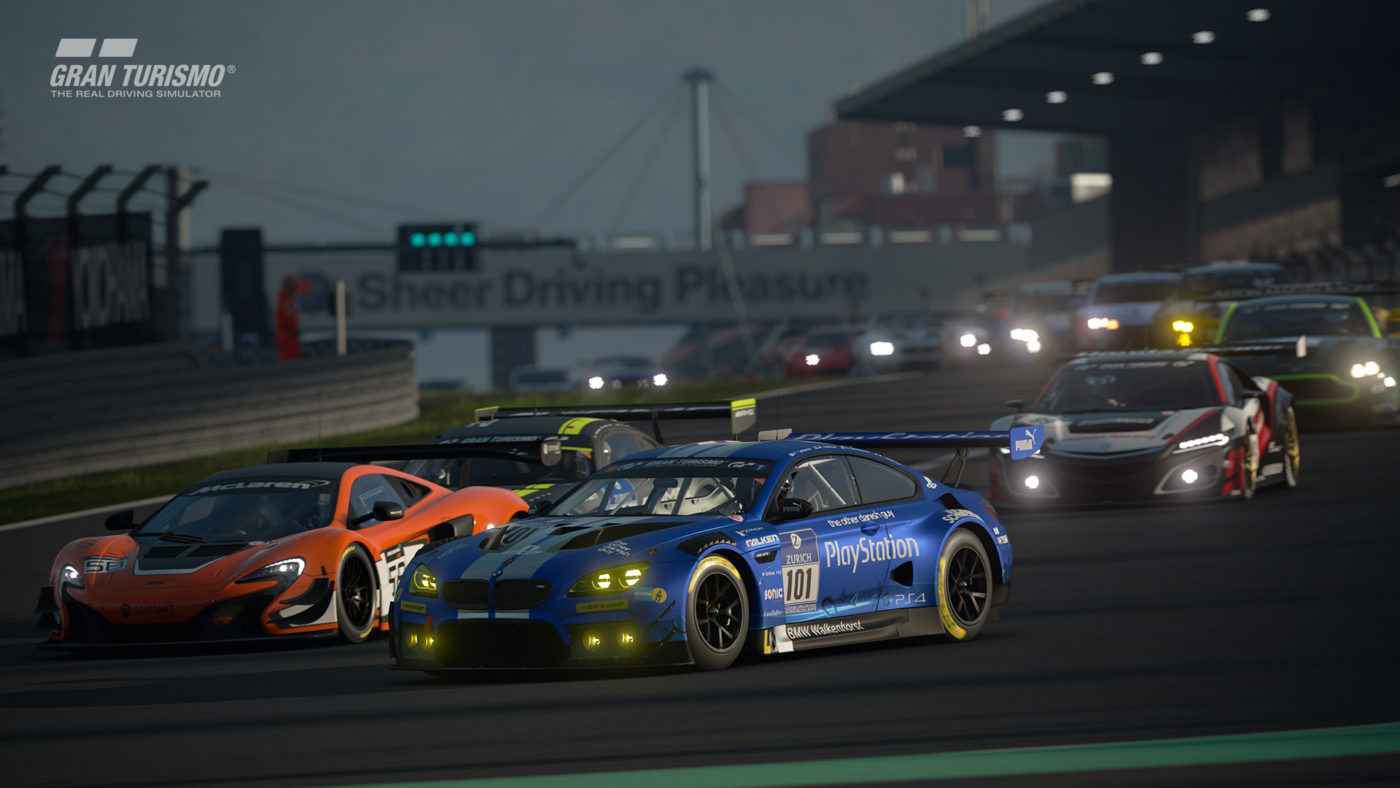
Racing fans, rejoice! The Gran Turismo Sport demo is now up on the PlayStation Store! But remember, it’s only up for a few days before it’s gone. You can download it directly from your browser right here. Best to clear your PS4’s HDD though, the demo client (which is most likely the full game), is at 43GB!

Full details straight from Sony:

PlayStation Plus members starts on 10/9/17 at 12:00am PDT and ends 10/12/17 at 8:00am PDT

Standard PlayStation 4 owners start from 10/9/17 at 6:00pm PDT and ends 10/12/17 at 8:00am PDT

Download for demo ends 10/11/17 at 8:00pm PT

The GT Sport Limited Timed Demo offers an in-depth look at some of the new innovative features, geared to define the future of motorsports for all levels of drivers, from first timers to 20 year veterans of the franchise. You drive and tune on your own terms, while the new matchmaking system ensures you’re always racing against others of similar abilities.

You won’t want to miss this limited time demo, as your earned in-game credit (up to $1 million) and personalized garage vehicles are transferable to the full game when it launches 10/17/17

Don’t forget to check out the complete Gran Turismo Sport car list, and there’s a new trailer out for the game showing the Interlagos circuit as well.

Gran Turismo Sport will race out this October 17, 2017 exclusively on the PS4.

Avatar photo

Alex Co

Father, gamer, games media vet, writer of words, killer of noobs.

Home > News

Call of Duty: WWII Gun Camos Won’t Have “Funky Pink” and Will Be “Authentic”

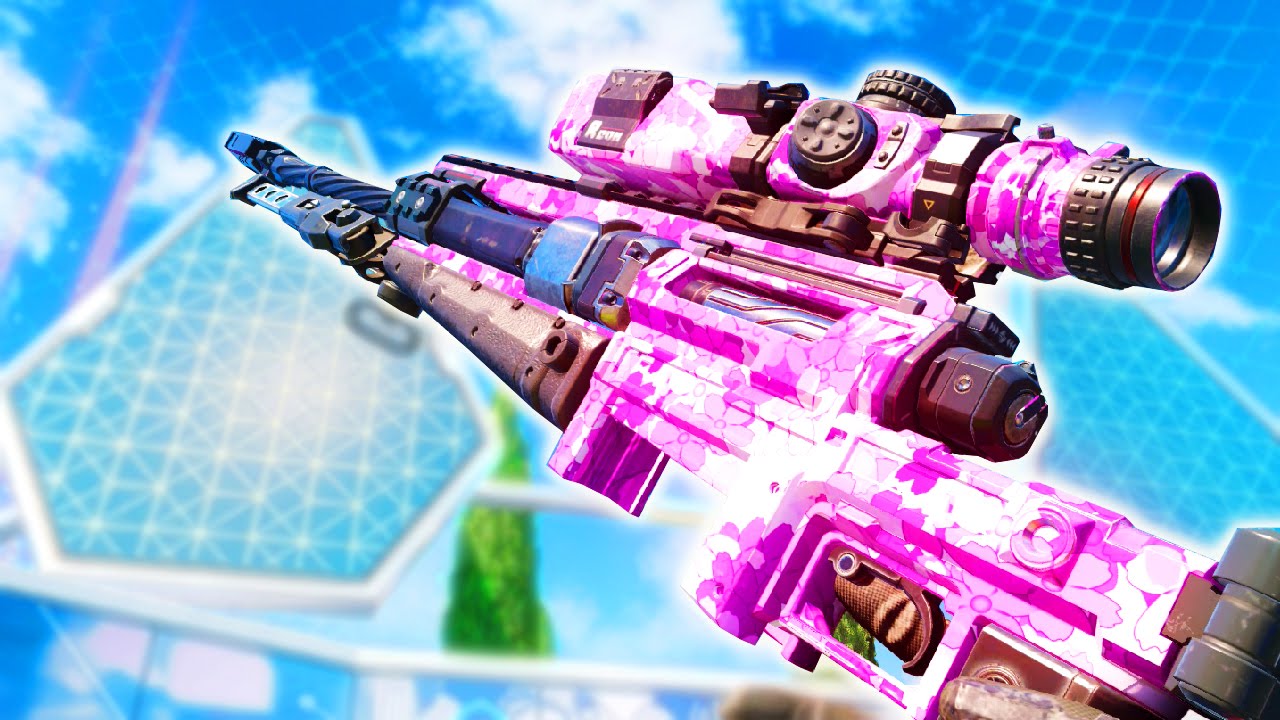
Did you like those outrageous gun camos in past Call of Duty games? You know, the pink, neon green and the like? If so, you’re in for some bad news. Apparently, that won’t make the cut in Call of Duty: WWII. Over on Twitter, Sledgehammer Games boss Michael Condrey answered a fan that there won’t be any “funky pink camos” in COD: WWII.

With COD: WWII development “creatively done,” that means there’s no chance of any funky camos to make the cut — at least at launch. Make sure to check the massive COD: WWII Zombies mode leak we posted yesterday to know about the weapons, perks and more that’ll be available in the mode.

Are you disappointed or relieved at this news? Personally, I think it might be a step in the right direction given how silly gun camos have been in the past. Then again, it’s all about player choice, right? 

Avatar photo

Alex Co

Father, gamer, games media vet, writer of words, killer of noobs.

Home > News

Gears of War 4 Season 2 Events Announced, Expected Prize Pool of $2 Million

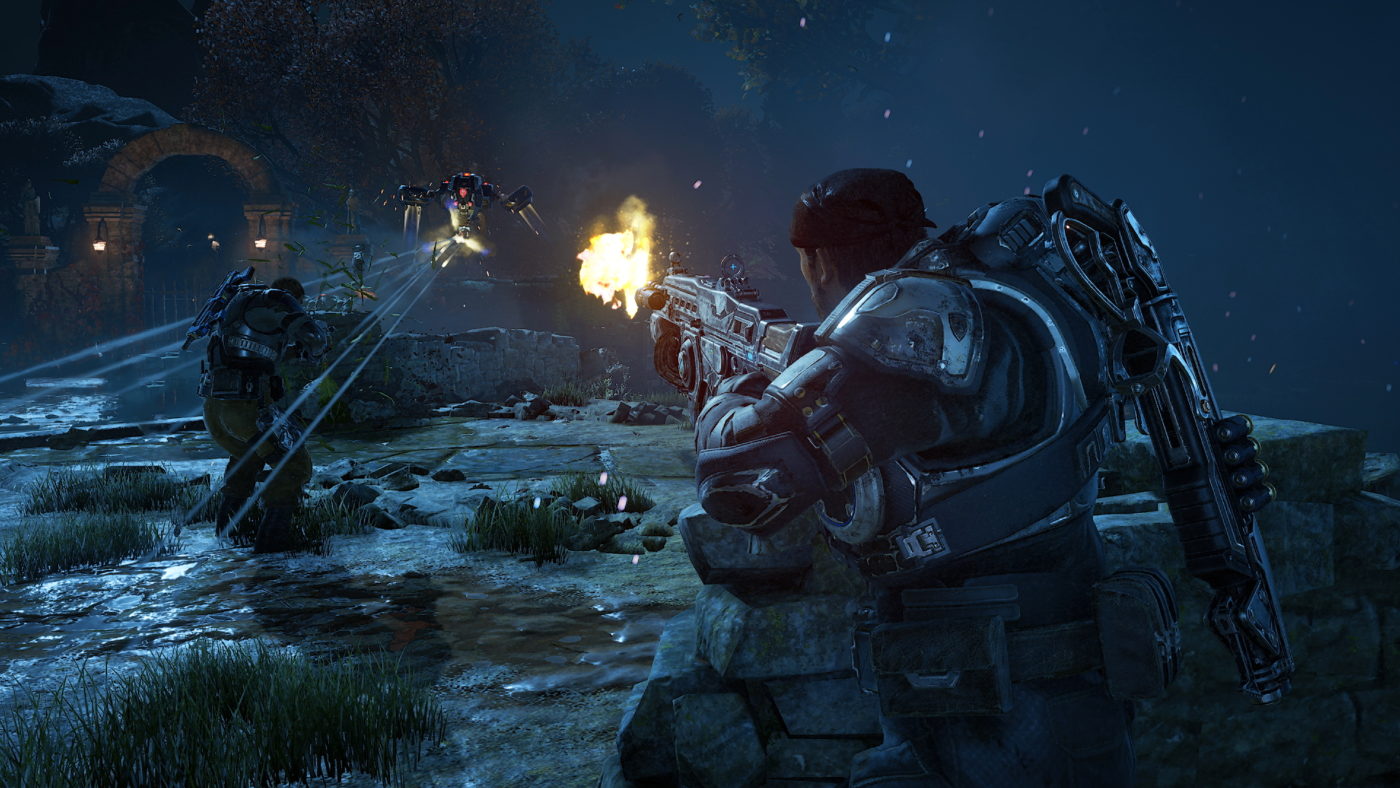
Season 2 of the Gears of War Pro Circuit has been announced for Gears of War 4.

Xbox, Gears of War Esportsm and The Coalition are backing a worldwide Gears of War “marquee live open events” with $1 million in cash prizes. Combined with all of the open events, new regional, grassroots tournaments and crowdfunding through Esports supporter packs, the total prize is anticipated to fill to $2 million through season 2.

Gears gamers in North America, Latin America and Europe have the chance to earn “Gear Pro Points.” These can be earned by taking part in regional MLG games and weekly tournaments. You’ll also be able to earn them through grassroots and approved tournaments ran through the community.

Here are all of the planned major and minor open LAN events:

This season’s exciting Gears Pro Circuit features both major and minor open LAN events in the following locations, open to all players around the world:

Date Location Partner Prize Pool (USD)
Winter 2017 USA MLG $250,000 minimum
January 26-28 Mexico City, Mexico Gamelta $150,000 minimum
Spring 2018 North America TBD $150,000 minimum
Spring/Summer 2018 North America MLG $250,000 minimum
Summer/Fall 2018 Mexico Gamelta $150,000 minimum
Summer/Fall 2018 North America TBD $150,000 minimum
Fall/Winter 2018 North America MLG $250,000 minimum

*All locations and dates subject to change.

With the postponement of the Mexico City event to January (from the original date of October), the Gears Esports team is proud to present an additional series of sanctioned events in the Fall for Gears Pro Points and cash prizes.

Gears Esports Fall Regionals – 24 Team 5000 Series Pro Point Events
Date Location Partner Prize Pool (USD)
November 11-12 New York, NY, USA Microsoft Store $20,000
November 11-12 Corona, CA, USA CMG $20,000
November 11-12 London, UK EGL $20,000
November 11-12 Mexico City, MX Gamelta $20,000

In addition, we are proud to announce several new community tournaments with some in new cities and regions:

Date Location Partner Starting Prize Pool (USD)
October 20-22 Madrid, Spain Xbox Spain Fan Fest $5,000
November 25-26 Sydney, Australia ESL $10,000 AUD + Winning Team Travel to MLG Fall/Winter 2017 Major
Spring 2018 Birmingham, UK Insomnia Festival $10,000 minimum
TBD Brazil Gamelta TBD
TBD Italy Xbox Italy TBD
TBD France Xbox France TBD

*All locations and dates subject to change.

In addition to the already confirmed events, more community and regional tournaments are expected to be announced through to December 2018.

Will you be trying your hand at some pro Gears of War 4 action?

Source: Xbox (Official)

Jasmine Powell

Subscriber

Home > News

Star Wars Battlefront II Beta Impressions – This Is the Star Wars Game You’re Looking For

When EA and DICE released a new-look, reboot of Star Wars Battlefront in 2015, it sold quite well, and it was liked by critics, too. However, for a lot of shooter fans, or even Star Wars fanatics, Star Wars Battlefront was a disappointment. Whether it’s the wafer-thin progression system, Heroes and vehicles only obtainable by jostling with other teammates to pick them up, Battlefront was OK, but there was a lot that needed to be improved.

Enter: Star Wars Battlefront II. Developer DICE seems to have taken almost all the complaints to heart and made a conscious effort to make sure Battlefront II doesn’t fall into the same quagmire that its predecessor did. Meatier progression and unlocks? Check. More maps? Check. Proper space battles? Check. Based on what we played on the beta, this is the Star Wars Battlefront game that should have come out in 2015, but it’s better late than never, right?

https://www.youtube.com/watch?time_continue=1&v=SGtmvGoNUms

Class Is in Session!

What makes Battlefront II different from the 2015 version when it comes to core gameplay mechanics are the classes that the game now employs. Gone are the super tight focus on Star Cards (more on that later), but instead, each class has specific abilities, and class-specific weaponry. Now, players can choose to be an Assault (someone at the frontlines), a Heavy (tank), an Officer (can deploy turrets, buff teammates), or a Specialist (sniper, recon). Don’t expect medics, or any Battlefield-like abilities though. Battlefront II focuses on combat, and the classes are slanted in that direction for better or worse. 

In the beta, all the classes are getting some serious play time from players based on what I’ve seen so far — expect for the Officer class, who’s clearly in need of a buff. The Officer’s turrets don’t do enough damage, nor is his buff enough of a payoff in place of the other special abilities the other classes have. 

Overall, though, the class system is loads better than having none at all. It gives the game a more focused multiplayer experience, and an actual identity to what it is. It remains to be seen whether fans will embrace this major change in the gameplay, but so far so good, DICE seems to be headed in the right direction.
Galactic Assault

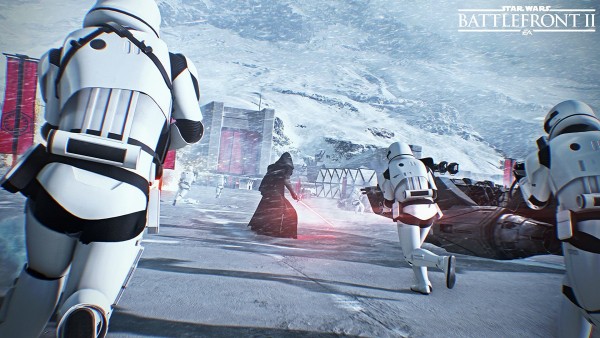
In the Star Wars Battlefront II beta, there are three multiplayer game modes to try (not counting Arcade) they are: Galactic Assault, Starfighter Assault and Strike. Out of the three, the bread and butter mode is Galactic Assault; it’s a 40-player, multi-objective mode that showcases what the game has on offer (think of it as a smaller scale version of Battlefield 1’s Operations).  Expect vehicles, Heroes, and all the chaos that only DICE’s brand of multiplayer delivers. 

In my time in the beta, Galactic Assault has been my favorite mode to play so far. Not only can you use each class to their fullest, but it also gives everyone a sense of purpose on what they need to do. Specialists need to mark enemies across the map, Heavy and Assault troops need to be on the frontlines and so on. Both sides seem to be on even ground so far, which is good. Attackers must guard the MTT while it slowly lumbers toward the main structure, while the defenders must damage it as much as they can before the final push in order to stop the attack, or to make sure the  “tickets” (number of respawns the enemy team has) is as low as it can be before the pure infantry chaos that follows.

Starfighter Assault is the announced space battles mode that has the Milennium Falcon and other noteworthy Star Wars crafts take the battle to the skies (space?). The spacecrafts are easier to control than Battlefield’s air vehicles, and the action is much more frenetic. 

Strike is the smaller objective-based mode, that sees teams of eight go up against one another. The attacking side must nab the relic, and plant it somewhere in the map, while the defending side must stop them at all costs. Unfortunately, I’ve yet to see the attacking side win a match during my time so far. Nope, I’m not even exaggerating; I’ve literally never seen the attackers plant the bomb or whatever it is and win. There’s some obvious balance changes that needs to be made here that I’m hopeful DICE is aware based on their data.

The Dark Side

While the Battlefront II beta has been a fantastic experience so far, there are a few things that need to be changed. One of them is the squad system and how it works. I’ve already reached the level cap of 10 in the beta, but I still don’t know how to spawn in squads, how to choose where to spawn (or whom) and so on. Adding to the complication is the respawn timer resets the moment you step out of the menu showing it. So say you want to spawn in as an Officer and you see the timer ticking down, but you suddenly remembered that you can spawn in as a a Wookie; well, prepare to see that countdown go back to the start and count back down again. It’s a small thing, but when you’re rushing to aid your comrades, it becomes an annoyance that shouldn’t be there in the first place.

Another concern of mine is how Star Cards work. In Battlefront II, players earn a set amount of in-game money that can be used to buy loot crates. These crates include gun attachments, Heroe and soldier abilities, emotes, poses, and more. It’s like the entire progression system of Battlefront II is tied into it, which is a bit worrying given how everything is random. Sure, you can “scrap” whatever doubles you get, which will let you craft your own gun attachments and weapons, but the chance of it being abused is there for those willing to spend real-life cash. 

It remains to be seen whether class abilities and progression are all tied into Star Cards or if there’s an actual benefit in leveling each class up aside from earning the ability to equip more Star Cards. 

Finally, this might be a minor quibble for some, but I absolutely hated how there’s a constant electric “wave” effect on the screen. I first thought it might have been my TV, but checking online, it’s something DICE did to be stylish? I really don’t know, but it’s something that should be up to the player if they want it or not (give us the option to turn it off, DICE!). 

More Star Wars Battlefront II Reading:

Level Up!

With DICE making a concerned effort to ensure players will earn and unlock stuff as they play in Battlefront II, the “depth” concern some players had with the first Battlefront should be gone — at least on face value. It remains to be seen whether there’s enough Star Cards, emotes, poses and more to have player grinding away for hours. It’s definitely a step in the right direction, and if DICE can add in more stuff post-launch, expect progression fans to keep on playing. 

As for the visuals and audio work, it’s the same AAA production values one expects from a DICE-developed game. While the graphics seem to be on par (or in some cases inferior) to the first Battlefront, the audio work is excellent. Expect to hear the familiar sound of lasers, explosions and gunfire to blast on your TV’s speakers, headset or audio device. 

The Force Awakens

So far so good, DICE seems to be on track to make Star Wars Battlefront II to surpass its predecessor handily. Add in the single-player campaign, and the Arcade mode, it should justify the asking price of $60 for most Star Wars and shooter fans. Let’s hope EA and DICE doesn’t go overboard on the Star Cards and loot crates, and fixes some of the issues that are plaguing the beta.

It’s clear that DICE has listened to fan complaints from the first game, but will the changes be enough for those who deemed the first one shallow? Will it offer enough incentive for people to keep on grinding away for Star Cards? Will that awful wavy effect be taken out at launch? There’s a ton of questions left

If DICE can iron things out, and have a compelling single-player campaign, and manage to iron out the technical kinks in multiplayer, then fans might be in for the awakening of the Force this November 17 when Star Wars Battlefront II ships for the PlayStation 4, Xbox One and PC.


Early access beta code provided by EA and played on PS4. Played for a few hours and reached the beta max cap of level 10.


Avatar photo

Alex Co

Father, gamer, games media vet, writer of words, killer of noobs.

Home > News

Divinity: Original Sin 2 Patch Addresses “Most Important Issues,” Includes Balance & Bug Fixes

Larian Studios has released new patch notes for Divinity: Original Sin 2, with a huge lists of improvements and changes detailed.

The Larian team has said that the update will “address the most important issues [players] been flagging.” As well as the standard bug fixes, the team has mentioned that this update will make the journal clearer and the “Arx journey smoother”.

You can find the rather large list of patch notes below:

Improvements and changes
  • Improved and added several quest status updates in the Journal
  • Fixed several quests not closing properly or when expected
  • Spider legs now correctly prevent player from getting Webbed
  • Tweaked frequency of certain automated dialogs
  • Fleeing from combat now pops up the waypoint menu instead of moving you to nearest waypoint
  • Added several improvements and hints in Arx that tie people together, and that introduce places and characters (e.g. added a thief corpse/ghost in the death-fog storage room)
  • Save/load screen has been reskinned
  • Removed camera shake from poison damage over time 
  • Smoke now blocks Attack Of Opportunity
  • Lowered Persuasion difficulty in Arx
  • Pressing the right mouse button now stops all characters’ movement chained to the current character 
  • Reskinned lobby and serverlist
  • Improved Taunting in favour of the Taunter
  • Optimised performance on certain AI actions
  • Filter states on inventory are now saved
  • Made the surfaces created by intersection temporary, but long-lived, instead of infinite (also fixes some surface puzzles)
  • Reactive Shot now uses equipped weapon stats to calculate damage
  • Reduced survivability and base damage of Bone Widow
  • Reduced Chicken form running distance to 6 meters
  • Small reduction in XP gain in Reaper’s Coast and Council of Seven areas
  • Fixed melee and rogue archetypes ignoring characters with Stench talent
  • Fixed Windego’s skills if you meet her in Council of Seven
  • Made several changes to Captive Deep-dweller in the third round of the Arena in Reaper’s Coast
  • The puzzle to get to Reimond now has a perception check on the hidden wall, and the wall supports lockpicking
  • Voidwoken chicken should not be able to absorb source points
  • Updated stats, skills, loot and archetype of Zaleskar
  • Lobby browser now shows map names alphabetically
  • Controller UI shows button hint in dialog windows when you can scroll
  • Controller type can be auto detected and button hints are shown accordingly
  • There is now a button to immediately go to the Recipe window (H by default)
  • In the rune screen, you can now see all runes in all your party members’
  • inventories
Bug Fixes
  • Fixed crash that could happen when putting parent containers into child containers
  • Fixed crash when you accept a party invitation from a client that has left the game
  • Fixed crash when attacking ground with a projectile strike type of skill (via script or modding)
  • Fixed a crash that could happen when loading game or returning to main menu (destroying AiGrid)
  • Fixed crash if you choose to sleep again with lizard after you put on all equipment and the thieves were already killed
  • Fixed a Story Patching issue. This prevented certain previous storyline fixes to not be applied correctly.
  • Fixed a blocking issue in the Hall of Echoes: not having the cloud appear after completing the third part of the ritual and talking to a God
  • Fixed a blocking issue with characters playing dead during the Kraken combat
  • Fixed a blocking issue when selecting the option “pick up” when talking to the Parrotplant in Arx
  • Fixed a blocking issue when saving during Braccus’ dialogue in the endgame scene
  • Fixed a blocking issue that could happen in a dialogue with Dallis in the endgame scene
  • Fixed a blocking issue where characters would still be considered in combat in the endgame scene, and nothing would be clickable
  • Fixed blocking issues caused by story scripting setting items offstage 
  • Fixed a blocking issue with the Pilgrim Door not opening in Arx
  • Fixed a blocking issue with the crypt puzzle where blocks would rotate 45 degrees instead of 90 degrees in multiplayer or in savegames
  • Fixed a blocking issue that could happen when being teleported while in the middle of casting a skill
  • Fixed issue where Gwydian could end up being non-interactable (kill magisters without triggered Gwydian and voidwoken)
  • Fixed an issue where some companions would not be recruitable after the attack on the Lady Vengeance
  • Fixed magic mirror portrait rendering
  • Fixed magic mirror showing encumbered icon
  • Fixed scrolls not scaling with primary attribute
  • Fixed desync when using Enrage which could cause lack of crits
  • Fixed a bug where instakill surfaces would make it impossible to resurrect a character inside them
  • Fixed several instances where Reactive Shot would not trigger correctly
  • Fixed Reactive Shot being triggered by invisible characters
  • Fixed Dome of Protection ignoring vision blockers
  • Fixed melee attackers sometimes being able to still attack enemies on a higher ledge
  • Fixed issues with statuses not being set during dialogues which could cause other issues in turn
  • Fixed some quest markers not showing up for all party members
  • Fixed a bug with the cat following the last of the players, not the first one
  • Fixed an issue with Malady having the wrong alignment
  • Can no longer unassign all characters from a player
  • Fixed clicking through NPCs, picking up items (often by accident)
  • Fixed certain limbs not triggering the correct dialogs in Council of Seven
  • Fixed jump skill issue that allowed players to end up in unintended locations
  • Fixed combat turn order being broken after character could no longer get a turn
  • Fixed Magister Julian sending the player East instead of West
  • Fixed several minor dialog text issues 
  • Fixed several dialog flag issues 
  • Fixed certain waypoints not being activated correctly
  • Fixed several issues with nodes in dialogs not playing voice file
  • Fixed several issues with Lovrik encounter
  • Fixed issue with spirit vision sometimes not working after save/load
  • Fixed incorrect gender in certain cutscenes
  • Fixed being able to teleport into the Magic Mirror room
  • Fixed bartering screen where “Balance offer” would show incorrect gold amount after something was changed in offer
  • Controller mode: fixed summons not being able to delay their turn
  • Fixed not getting up after being knocked down or teleported after using Play Dead skill
  • Fixed issue where disarming a knocked down character would cause character to stand up straight
  • Fixed issue where certain origin moments were queued one after the other
  • Fixed issue with story call ItemTemplateRemoveFrom not searching recursively through all inventories inside of the parent inventory
  • Fixed wrong vision cones (shift) when player has points in Sneaking ability
  • Fixed issue with White Magister ship not always moving correctly
  • Fixed pipe exit to escape Fort Joy being easily destructible
  • Fixed a repeating issue in Beast’s recruitment dialog
  • Fixed pathfinding issues on Lady Vengeance
  • Fixed issue with poison surface not spawning correctly under undead party members
  • Fixed evidence chest not having a tooltip
  • Fixed several issues related to stealing
  • Fixed previews of Attack Of Opportunity not always reflecting execution
  • Fixed AI endlessly complaining about doors being stuck (they will only nag once, e.g. in Arena’s treasure room)
  • Fixed issue where character could be stuck in combat mode and could never sheathe their weapon (desync issue)
  • Fixed queueing actions not always picking up item by default 
  • Fixed an issue with skills disappearing from Skillbars or being un-memorised when dragging them around in the skillbar
  • Fixed make war issues near Gods in Hall of Echoes
  • Fixed not having anymore source if you want to bless each God in the Hall of Echoes
  • Fixed notification being sent about un-memorising skills even if character was not under control of the player
  • Fixed issue when attacking Gareth as he is carrying Jonathan
  • Fixed possible endgame combat blocker (combat would not start automatically)
  • Fixed recipe categories
  • Fixed dead characters getting stuck in Arx Arena combat due to horror sleep status
  • Fixed turn order issue in the fight for the Lady Vengeance
  • Fixed a bug where mask of the shapeshifter could shift you back to original shape
  • Fixed Dream Undone and All-Father, Life-Shaper achievements triggering incorrectly
  • Fixed several issues with Lohse’s shapeshifted form
  • Fixed volatile voidlings having incorrect level in Reaper’s Coast
  • Fixed Arx Death room having puppets that endlessly spawn and die instantly during combat
  • In multiplayer, use client language setting for showing origin names
  • Fixed mirror image of a hero character sometimes being wrong
  • Disabled trading with Kemm when he arrives at Arhu’s
  • Fixed being moved to a different region altogether after teleporting into Windego’s cell
  • Fixed Tarquin not telling you about Godslayer and not showing up at the Graveyard
  • When Malady mentions Tarquin, now set map marker on Tarquin instead of Graveyard cause Tarquin could be at 3 spots
  • Fixed bug where clearing a keybinding would not be saved
  • Fixed “glass weapons” not breaking when using with a skill
  • Fixed issue with Arx pipes puzzle: blessed blood would not propagate correctly
  • Fixed resurrecting sometimes not adding you to combat
  • Fixed not being able to receive skill from an item if you already memorised it but don’t meet requirements anymore
  • Fixed a bug where dismissing henchmen seemed to give them a free talent point after you spent it already
  • Fixed being able to use projectile strike skills on items or characters that were out of sight range
  • Fixed characters teleporting automatically 
  • Fixed being able to cast Swap Ground out of sight
  • Fixed not being able to talk to Gwydian Rince under certain conditions
  • Fixed being able to use fast targeting to find invisible characters
  • Fixed leaking PPGammaCorrection shader
  • Prevented party management tutorials from playing inside split screen character creation
  • Prevent flee tutorial if no waypoints available
  • Fixed creating water on top of electrified cursed blood: now leaves electrified water
  • In controller mode, fixed talking to ghost when ghost was on top of his corpse
  • Fixed visual effects (e.g. camera shake) playing eternally for second player if he joins game in the middle of the effect
  • Fixed issue with the camera not going correctly to the origin presentation camera in controller mode
  • Fixed AI still using taunt when near death or when no allies left
  • Smoke cloud after using laser ray is now blocking vision
  • Fixed source lich alignment issues and repeating dialogs
  • Made Siwan bleed because dialog says Siwan is bleeding
  • Fixed Almira trade table sometimes generating items of wrong quality
  • Fixed a bug where Illusionist dungeon objects could become invisible after save-load
  • Fixed Qanna fighting and talking while petrified
  • When memorial dig sites are unlocked on map, difficulty check now turns to trivial so you can find them
UI Fixes
  • Fixed journal map camera clamping 
  • Fixed controller journal marking read quests as new when changing tabs
  • Fix Take All button sometimes missing on containers
  • Fix context menu displacement in splitscreen controller UI when opening inventory
  • Fixed text cutoff issues in some UIs
  • Fixed AP bar sometimes disappearing in controller mode when switching characters
  • Controller mode: now show HP bars of characters while it’s not your turn
  • Controller mode: “invite to party” no longer bypasses the diplomacy manager
  • Fixed bug where icon of dismissed character would still be shown in party manager
  • Scrolling through more than four characters in the character-sheet UI now looks good and understandable
  • Selecting a stack in the crafting UI now shows item splitter
  • In controller mode, the Skillbar can now be used in combat when it’s not your turn (for browsing, previewing)
  • Fixed issue when in controller mode player would teleport character or use waypoint while in selector mode, camera would not follow character but would still be locked on selector
  • Fixed item tooltip still showing after opening a book, blocking the view of the book
  • Overhead damage numbers displays are now offset, reducing overlap
  • Fixed missing strings for loca in Roll UI
  • Fixed text cut offs and button positioning in Inventory and Character Sheet
  • Fixed scrollbar in inventory sometimes not showing
  • Fixed message boxes with really long text
  • Fixed adding to wares sometimes moving wrong item when shift clicking item in inventory
  • Fixed up/down key assignment confusion on keyboard hotbar UI
  • Fixed close buttons in controls options not showing warning if there are unsaved changes
  • Fixed width of statuses in examine UI
  • Made longer enemy names fit enemy health bars
  • Fixed max gold amount not fitting in icon slot
  • Fixed some cooldowns in skillbar showing zero when it should be one
  • Fixed how main menu and some UIs in GM would handle the Escape button
  • Fixed dialog cutoffs in split screen when players are in different dialogs
  • Can now copy paste in direct connect message box
  • Fixed magic mirror throwing an invalid error message about tags
  • Fixed “mute sound” option in controller mode menu
  • Voice label in character creation was sometimes showing wrong name when choosing origin character
  • Updated backgrounds in the credits screen
GM Mode
  • Fixed issue that dragging items to inventory went directly into equipment slot
  • Fixed issue with loading a savegame while having new active mods
  • Fixed a crash related to equipment
  • Fixed broken stats for spawned equipment
  • Fixed names and labels of several building blocks
  • Fixed crafting being interrupted by global pause
  • Fixed Music Assets in mood panel
  • Fixed several issues on level binding screen
  • Removed some items from GM menus that shouldn’t have been available
  • Fixed an issue that could happen where a GM couldn’t seem to place an item or character in a certain spot when not using drag and drop
  • Fixed issue with adding physical and magical armour to characters
  • Fixed roll dice UI not showing up on top of some other windows
  • Fixed copied GM Campaign not showing in the list of My Campaigns until player launches GM Campaign Manager screen
  • When GM possesses creature, fixed UI showing tags instead of custom stats
  • Fixed duplication and saving of a shapeshifted character 
  • Fixed issue when GM possessed a creature and could use the party management screen (invite/make war)
  • Character sheet in GM now uses shortest possible names for stats
  • Fixed Vignette half showing after spamming show/hide
  • Fixed being unable to make choice on vignette screen if skill bar is active in controller mode
  • Fixed player slots drawn outside of the border in the connectivity UI 
  • Fixed ambiance not being saved in GM level
  • “New vignette” string can now be localised
  • Fixed “delete” button of exported monsters and items
  • Fixed groups update after exporting any monster or item
  • Fixed dragging newly created monsters to encounter pane
  • Fixed magnifying glass not opening sticky UI when expected
  • Fixed MoodPanel sometimes breaking after loading
Sound
  • Closing inventory / stats now makes sound
  • Fixed some drop item sounds
  • Fixed drop sound when splitting items
  • Trying to equip item without meeting the requirements makes sound now
  • Fixed music changing to wrong state when switching party members
  • Fixed voice of black ring reaver ghost in RC
Modding
  • Fixed: not being able to publish campaign after user sets dependency add-on for GM
  • Added extra osiris call CharacterResurrectAndResetXPReward() which resets the resurrected flag of the resurrected character.
  • Fixed having to create stats twice before it would be committed
  • Notify user of mods without valid story

With this game giving PUBG sales a run for its money at launch, will you be delving deep to give it a go?

Source: Steam Community

Jasmine Powell

Subscriber

Home > News

No Man’s Sky Patch Overhauls Save System & Targets Space Bugs

A new No Man’s Sky patch is live on PC and PlayStation 4. It introduces an overhauled save system, a lot of bug fixes, as well as a bunch of general improvements.

The new save system gives players five save slots. If you select a new slot, you’ll be launched into a new game. Within the game you’ll be allocated two sub-slots, giving you the option to save manually as well as your automatic slot.

Find the full list of patch notes below:

New save system

  • You will now be presented with 5 save-game slots (each of which can be used for any game mode). Your existing saves will be mapped into these slots
  • Selecting an empty slot will start a new game, allowing you to then pick which game mode to play from the mode select menu
  • There are now two sub-slots for each save-game – one for automatic saves and one for manual saves.
    • Automatic saves occur when exiting your ship, dying, purchasing a Freighter or claiming a base
    • Manual saves occur when interacting with a save point (these can be built from the build menu), or a beacon found on planet surfaces
  • Starting a new game with no existing saves will take you directly to mode select

Improvements & changes

  • Made the temperature range of dead planets more varied
  • In-flight weather effects now vary in strength based on height
  • The Analysis Visor can now be used to scan farm plants and see the remaining growth time
  • Analysis Visor can scan ships to determine their class, type and value at a distance
  • The Analysis Visor can be used to see the approximate distance of resources discovered with the Scanner
  • Added error message when no outpost is found by the economy scanner
  • Added the ability to skip black bars when discovering a planet or solar system
  • Prevented the cursor being reset to the center of the page as you switch between pause menus
  • Trade outposts now provide hazard protection
  • Added a chance for pirates to spawn earlier than usual when a player warps into a certain systems, to add more variety to exploration and trading
  • Galactic map now respects user mouse sensitivity settings
  • Galactic map now respects user control inversion settings
  • Prevented trade terminals having a negative quantity of stock
  • Made trading terminal stock values replenish over time
  • Separated stock levels for trading posts and space stations in the same system
  • Lush biomes in survival mode now occasionally exist without an aggressive sentinel presence
  • Reduced cursor UI slowdown when using a pad
  • Improved NPC ship target selection in space battles, prevented them reacting to accidental player fire
  • Added exotic ship audio for AI and NPC ships
  • Added ability to transfer items to and from containers in your base or freighter
  • Added tooltip text to explain the planet icons on the discovery page
  • Added ability to sell items from ship cargo slots at terminals
  • Storms on humid/lush planets are no longer toxic; humid/lush planets now have a chance of their rain being very hot. Note: no new storms have been added, and the frequency of storms has not been adjusted. Humid planets that previously had freezing rain storms in 1.3 have had that storm type changes to heated rain.
  • Added ability to transfer items from cargo slots during maintenance interactions
  • Improved trading by giving NPCs independent stock levels
  • Made NPCs who give directions refer to a wider spread of locations
  • Added ability to rebind the discard key

Bug fixes

  • Fixed an issue where some delivery missions would continuously tell players to visit other systems
  • Fixed an issue where the requirements to complete some missions could change as you spoke to NPCs
  • Fixed scaling issues with creature feeding icons
  • Fixed an issue where mining units would occasionally incorrectly produce Heridium
  • Prevented mining units being placed inside each other
  • Fixed an issue where base parts, including storage containers, built outside the base building radius in unlimited building mode would not be transferred when the player moved to a new base
  • Fixed an issue where storm-prone planets could be labelled as ‘Mild’. Storm frequency has not been adjusted – the text should now more accurately describe weather conditions.
  • Fixed an issue where the terrain manipulator audio would occasionally continue after terrain editing completed
  • Fixed an issue where the terrain manipulator hologram would remain in one location after subtracting from the terrain
  • Fixed an issue where the terrain manipulator would occasionally create longer lines than intended
  • Fixed an issue where the ship crosshair would appear at incorrect times
  • Fixed the Upload All button on the discovery page not deactivating after being used
  • Corrected button prompts in the ship combat wiki
  • Restored Spectral Class to the galaxy map text
  • Prevented users occasionally falling outside the trading post platform when exiting their ship
  • Prevented traders from attacking pirates which are far out of their range
  • Fixed an issue where NPC ships would stop outside the entrance of freighters and space stations in systems with no trade routes
  • Fixed an issue where smaller freighters and containers could not be destroyed
    Corrected Roamer and Rover inventories appearing incorrectly in the transfer window
  • Added protection to allow the Mind Arc step of the Artemis story to be completed even if a player deletes their base
  • Fixed issue where a blue eye icon would occasionally appear over the crosshair
  • Fixed an issue where the Space Anomaly could remain in the player’s home system indefinitely
  • Fixed an issue with dismantling tech on ship compare screens not correctly destroying the tech
  • Fixed an issue where unbinding a key would exit the control menu
  • Fixed an issue where selecting a new key binding could accidentally result in it being set to a mouse button
  • Fixed an issue where the Space Anomaly mission had no objective text in the log.
  • Fixed an issue where some players who should have been able to restart distant missions were unable to do so
  • Fixed an issue which could cause excess stacked inventory items to be lost

Has the update given you the bug to start playing again? 

Source: No Man’s Sky (Official)z

Jasmine Powell

Subscriber

Home > News

Destiny 2 Recovery Stat Is Super Useful, Here’s How Powerful It Is

The Recovery, Resilience and Mobility statistics in Destiny 2 are something that many players often ignore. With such a huge focus placed on boosting Power, it’s common to see them left unoptimized. This is a mistake.

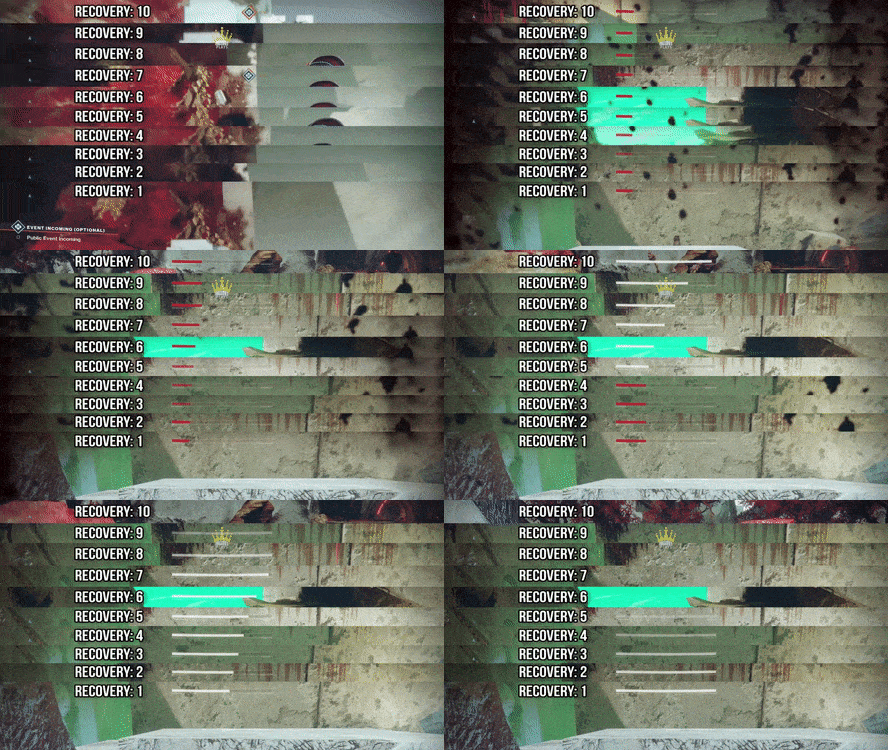
Take a look at the GIF below, and witness the impact that a better Recovery stat has. 

That is a significant reduction in recovery time, and could make the difference between life and death in both PVE and PVP!

The GIF is made using the video embedded below. It’s by FalloutPlays and goes in-depth on the Recovery, Resilience and Mobility stats. Give it a watch for a better understanding on how everything works and compares.

FalloutPlays provided an additional comment, giving further information on why Recovery is the best stat to focus on:

IMO right now, Recovery is absolutely the top stat choice because you can really see and feel the difference. When I’m doing Trials carries, or just rolling in PvP wearing my Tryhard pants, my go-to is Devour Voidwalker with 10 Recovery. You just have this seemingly bottomless well of health – take some damage? take cover for a second, I’ll be fine. Take damage and I’m being pushed? Just eat my grenade real quick, good to go. Healing rift also helps a bunch, obviously. Basically my PvP strat right now in the simplest terms, is ‘be as difficult to kill / annoying as possible’.

Armed with this knowledge, I’ll definitely be concentrating on boosting my Destiny 2 Recovery stat. Will you be doing the same?

In other Destiny 2 news, check out what Xur is selling this weekend. There’s also the Destiny 2 Iron Banner happening next week. Oh, and here’s a closer look at the Destiny 2 sea monster!

Source: FalloutPlays (YouTube) via Reddit

Mack Ashworth

Writer of Articles, Maker of Videos, and Topper of Leaderboards. Currently attempting to conquer Westeros. Subscriber

Home > News

Destiny 2 Sea Monster Strikes Again, Glitch Provides a Closer Look

A couple hundred miles north of where I live are the Scottish Highlands. Located there is a large, deep, freshwater lake called Loch Ness. The myth goes that this loch is home to a sea monster, referred to as “Nessie” or “The Loch Ness Monster.”

Well, it seems that Destiny 2 has its own sea monster, but instead of freshwater, this creature has chosen a methane ocean as its home!

You can get a clear look at the monster’s silhouette in the following video by JB3:

For more on the Destiny 2 sea monster, I’d highly recommend giving this video by My Name is Byf a watch. He offers an explanation of what the creature could be, mixing lore and possible theories which make for a compelling watch. 

What do you think of the Destiny 2 sea monster? Think it’ll pop up in some future content? Perhaps we’ll get to fight it in a future expansion!

In other Destiny 2 news, check out what Xur is selling this weekend. There’s also the Destiny 2 Iron Banner happening next week.

Source: Reddit

Mack Ashworth

Writer of Articles, Maker of Videos, and Topper of Leaderboards. Currently attempting to conquer Westeros. Subscriber

Home > News

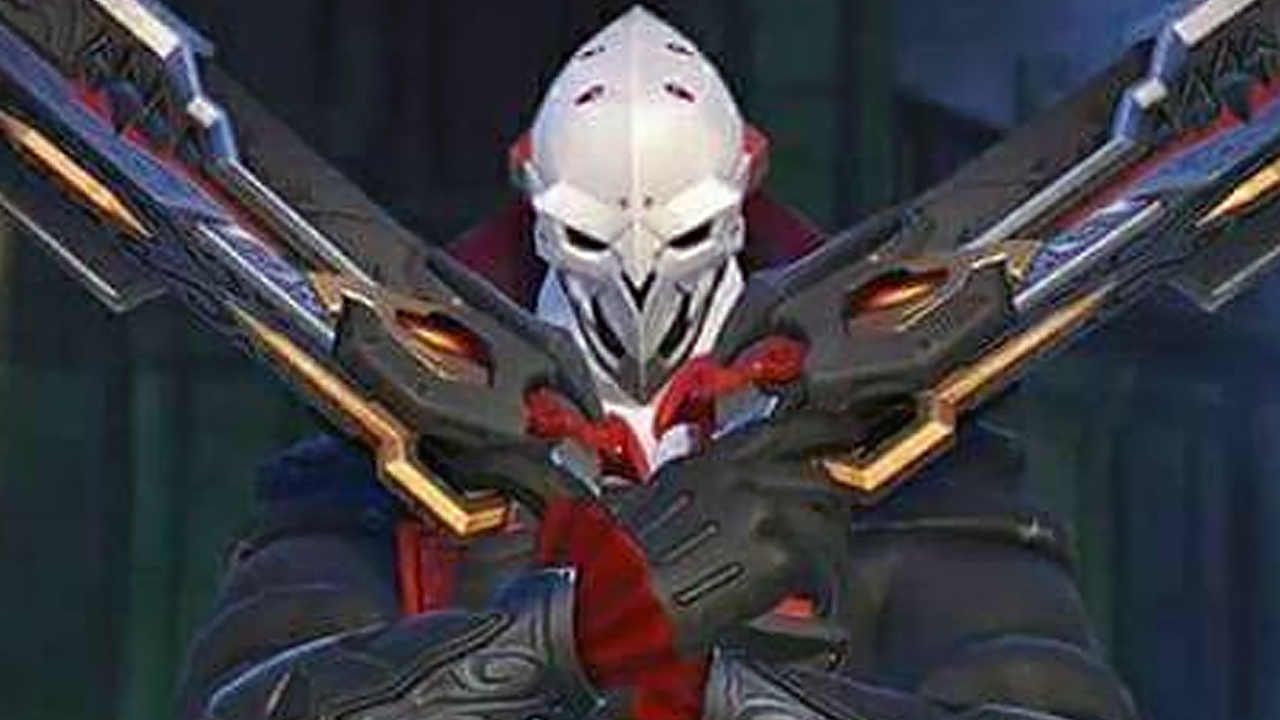
More Overwatch Halloween Skins Revealed, Check Out Mei, Zenyatta & More

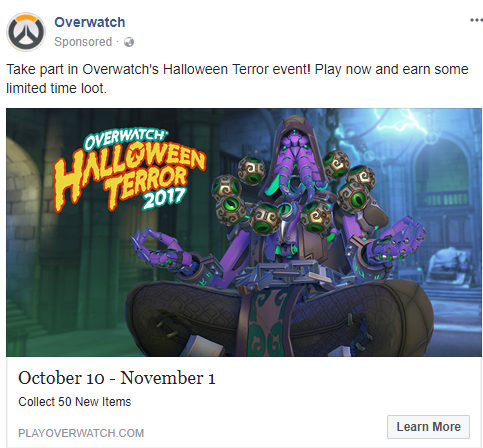
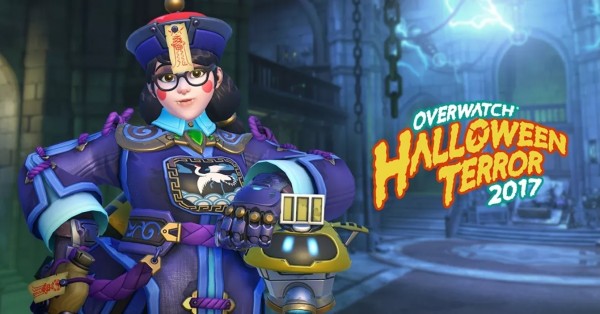
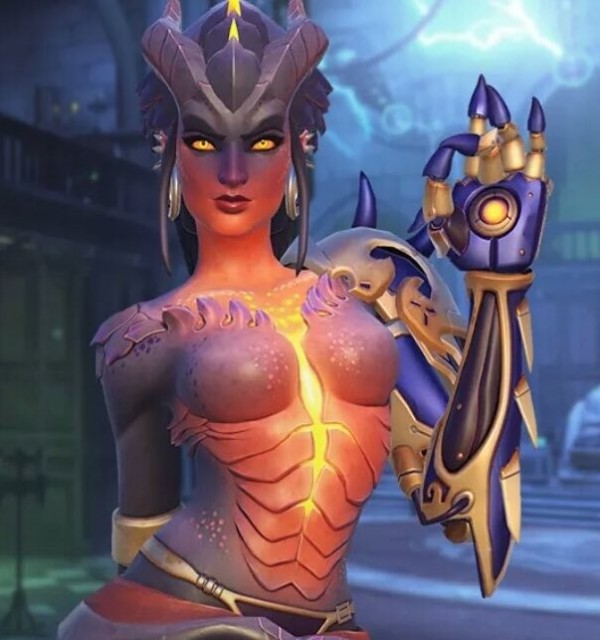
Those eagerly anticipating the upcoming Overwatch “Halloween Terror” event, will be happy to see that a few of the more premium rewards have been shown off on the Overwatch Facebook page. 

Scroll down to preview the skins for Zenyatta, Mei, Symmetra and Reaper.

The Halloween Terror event will begin on October 10, running up until November 2. As well as skins, expect to also be able to get new sprays, profile icons, emotes, and other Halloween-themed cosmetic goodies!

Will you be taking part in the Halloween Terror festivities? Which Overwatch Halloween skins are you aiming to unlock?

In other Overwatch news, a console player managed to reach the Top 500 on PC, using only a controller, and the latest patch notes reveal big changes for Mercy and the removal of maps from the Deathmatch modes.

Source: Reddit

Mack Ashworth

Writer of Articles, Maker of Videos, and Topper of Leaderboards. Currently attempting to conquer Westeros. Subscriber

Home > News

WWE 2K18 Highest Rated Wrestlers Listed, Check in to See Who’s #1

While WWE 2K18 isn’t set for release until October 17, it seems some people already have their hands on the game! YouTuber Tom Cushnie has uploaded a video revealing the WWE 2K18 highest rated wrestler, and who’s the top 10 this year.

Ready? It’s none other than Roman Reigns with an overall of 95! He beats John Cena who’s “only” a 93, who’s tied with Brock Lesnar. It’s not that surprising given the year Reigns has had so far. If you want to see the complete list of current and retired wrestlers, check it below (via SquaredCircle Subreddit).

Current Roster:

  1. Roman Reigns – 95
  2. John Cena – 93
  3. Brock Lesnar – 93
  4. Finn Balor (Demon) – 92
  5. Seth Rollins – 92
  6. AJ Styles – 90
  7. Randy Orton – 90
  8. Shinsuke Nakamura – 89
  9. Dean Ambrose – 88
  10. Braun Strowman – 88
  11. Jinder Mahal – 88
  12. Kevin Owens – 88
  13. Finn Balor (Human) – 88
  14. Samoa Joe – 88

Retired/In-Active Wrestlers:

  1. The Rock – 93
  2. Undertaker – 93
  3. Goldberg – 92
  4. 1997 Bret Hart – 92
  5. 1999 Bret Hart – 92
  6. 1997 Stone Cold – 92
  7. 1998 Sting – 92
  8. 1999 Sting – 92
  9. Daniel Bryan – 91
  10. Eddie Guerrero – 91
  11. Ultimate Warrior – 91
  12. Edge – 91
  13. 2001 Rock – 91
  14. 2001 HHH – 91
  15. 1991 Ricky Steamboat – 90
  16. 1988 Ric Flair – 90
  17. 1991 Ric Flair – 90
  18. 2000 Big Show – 90
  19. Dusty Rhodes – 90
  20. Kevin Nash – 90
  21. Randy Savage – 90
  22. 1997 Shawn Michaels – 90
  23. 1998 Shawn Michaels – 90
  24. 1989 Sting – 90
  25. 1991 Sting – 90
  26. 1990 Undertaker – 90
  27. Vader – 89
  28. Mankind – 89
  29. 1998 DDP – 89
  30. Diesel – 89
  31. 1998 Kane – 89
  32. HHH – 89
  33. Sting – 89
  34. The Undertake – 89
  35. 1998 Cactus Jack – 88
  36. Psycho Sid – 88
  37. 1998 HHH – 88

We also posted the WWE 2K18 Trophies/Achievements list earlier today, and believe it or not, there’s a tie-in to KFC and Snickers!

Avatar photo

Alex Co

Father, gamer, games media vet, writer of words, killer of noobs.

Home > News

Fortnite Patch for Battle Royale Mode Tweaks Weapons

It seems just after a day of pushing out a game update for Fortnite, Epic Games is dishing out another one today, but it’s just for Fortnite Battle Royale, and it’s just for the weapons. The official Fortnite forums mentions that there will be no down time expected, nor is there a need to update the game client.

Check out the full Fortnite patch notes for October 6 below.

Battle Royale Update – Oct 6th

  • Increased Semi-Auto Sniper Rifle damage by 50%.
    • This weapon was often passed up because of its lower damage. This increase will put it closer in line with its intended effectiveness.
  • Decreased Scoped Assault Rifle damage by 33%.
    • This weapon was too effective at its current role and needed to be scaled back slightly.
  • Decreased Grenade, Grenade Launcher, and Rocket Launcher environmental damage to 375 (was 450).
    • Metal forts will now require two explosive blasts (instead of one). Late-game bases are too easily destroyed and we want to promote building diversity.
  • Increased Rocket Launcher reload time by 20%.
    • It’s a little too easy to spam rockets. We want the Rocket Launcher to be a powerful weapon, but it’s a little too good right now.
  • Increased Submachine Gun damage by 10%.
    • The Submachine Gun is underperforming at close to medium range combat. This damage increase will improve its effectiveness slightly. We’ll continue to keep an eye on it.

In other Fortnite Battle Royale news, Epic Games has confirmed that account progression will be happening in the game soon. For those who can’t get enough battle royale action, check out our latest video where we list down the five things Fortnite can learn from PlayerUnknown’s Battlegrrounds.

Avatar photo

Alex Co

Father, gamer, games media vet, writer of words, killer of noobs.

Home > News

Call of Duty: Black Ops 3 Double Weapon XP in Chaos Moshpit Happening Right Now Until Next Week

There’s a lot of Call of Duty stuff happening today! First, there was that massive Call of Duty: WWII Zombies mode leak, and then Infinity Ward is making the “gesture warfare” game mode available this weekend in Infinite Warfare, and there’s even a “special announcement” coming on Monday. Well, Call of Duty: Black Ops 3 won’t be left behind!

Over on Twitter, Treyarch announced a Black Ops 3 double weapon XP in Chaos Moshpit from today until October 13!

In other Call of Duty news, check out this comparison video where the gun sounds of Battlefield 1 are compared to COD: WWII.

Avatar photo

Alex Co

Father, gamer, games media vet, writer of words, killer of noobs.

Home > News

Gears of War 4 Double XP, Golden Gear and More Rolling Out for GOW4’s 1st Birthday

In case you didn’t know, this month (October 11 to be exact) marks the first birthday of Gears of War 4! To mark this occasion, The Coalition is rolling out a bunch of stuff, and one of them is global Gears of War 4 double XP for an entire week! 

Aside from Gears of War 4 double XP, there’s commemorative “Golden Gear,” and few more surprises to be announced next week.

GLOBAL DOUBLE XP

We’re kicking off the celebrations with OVER a week of Double XP! Until October 16th, enjoy Double XP in Horde and Versus (which will be super helpful if you’re chasing your Seriously Year One emblem!)

COMMEMORATIVE GOLDEN GEAR

Collect the commemorative Golden Gear and Golden Gear weapon skins this month! This 400 Credit Pack will only be available this month as a celebration of our 1st Birthday – only those who were there and collected him will ever have this character. The Golden Gear Pack will be available until October 13th, and then again from October 20th for a short time.

GOLDEN GUN RETURNS

By popular demand, the hip-fire only madness of Golden Gun is back! If you haven’t played Golden Gun, it’s an intense game mode of cat and mouse – you have one bullet in the chamber and no aiming down sights. Mis your shot and you’ll have a long (LONG) reload before you can take your next shot. Land it, and you’ll instantly gib your opponent and get a bullet back in the chamber. It’s crazy, it’s fun and it’s great for insane clips. Have fun out there.

MORE SURPRISES NEXT WEEK

On October 11th, one year after Gears of War 4, we’ll have a couple of little surprises in store. Keep your calendars open and stay tuned for even more surprises coming soon.

Not a bad way to celebrate a birthday! Once we know more details about the surprise, we’ll be sure to let our Gears of War 4 readers know.

Source: Gears of War

Avatar photo

Alex Co

Father, gamer, games media vet, writer of words, killer of noobs.

Home > News

WWE 2K18 Trophies Revealed, Has Couple for KFC and Snickers

Have you ever wanted some fast food or ads in your games? No? Like it or not, it’s coming in hot, and coming in fast! The WWE 2K18 Trophies/Achievements list is here, and there’s a few ones connected to both KFC (yes, the fast food chicken chain) and Snickers (yes, the candy bar). 

You read that right! Two WWE 2K18 Trophies have actual ads in them. There’s the “Made the Hard Way” for KFC that the player can earn by performing three major reversals in a single match, and the “Hunger to Win > Hunger for Snickers, that can be obtained by playing and winning 50 matches. You can check out the complete list below.

  •  

    Earn all trophies.
     
     
  •  

    Win a match against Jericho. (PLAY mode against A.I.)
     
     
  •  

    Throw an opponent out of the ring using Grapple Carry. (PLAY mode against A.I.)
     
     
  •  

    Make an opponent fall off the Trailer in the Parking Lot. (PLAY mode against A.I.)
     
  •  

    Win a match as Sasha Banks. (PLAY mode against A.I.)
     
     
  •  

    Use all 4 carry positions in a single match. (PLAY mode against A.I.)
     
     
  •  

    Slam your opponent onto the steel steps. (PLAY mode against A.I.)
     
     
  •  

    Finish a match backstage. (PLAY mode against A.I.)
     
     
  •  

    Attack your opponent using the Championship Title. (PLAY mode against A.I.)
     
     
  •  

    Perform 3 major reversals in a Single Match. (PLAY mode against A.I.)


  •  

    Perform a Crowd or Opponent taunt. (PLAY mode against A.I.)
     
     
  •  

    Successfully pin a distracted opponent using a Leverage Pin. (PLAY mode against A.I.)
     
     
  •  

    Win a Normal One on One match in less than 60 seconds (PLAY mode against A.I.)
     
     
  •  

    Escape an elimination attempt by 2 Superstars. (PLAY mode against A.I.)
     
     
  •  

    Receive 3 rollout buffs during a Royal Rumble match. (PLAY mode against A.I.)
     
     
  •  

    Slow your opponent by throwing something from the catering table. (PLAY mode against A.I.)
     
     
  •  

    Perform a successful diving attack from the forklift. (PLAY mode against A.I.)
     
     
  •  

    Perform a Car OMG! (PLAY mode against A.I.)
     
  •  

    Successfully knock your opponent off their feet using an Equipment Box. (PLAY mode against A.I.)
     
     
  •  

    Perform a Hot Tag. (PLAY mode against A.I.)
     
     
  •  

    Catch and carry a diving opponent. (PLAY mode against A.I.)
     
     
  •  

    Eliminate all opponents in an Elimination Chamber match. (PLAY mode against A.I.)
     
     
  •  

    Win a match as Bobby Roode. (PLAY mode against A.I.)
     
     
  •  

    Win a match as Braun Strowman. (PLAY mode against A.I.)
     
     
  •  

    Win a match as Goldust. (PLAY mode against A.I.)
     
     
  •  

    Win a match as Hideo Itami. (PLAY mode against A.I.)
     
     
  •  

    Win a match as Jinder Mahal. (PLAY mode against A.I.)
     
     
  •  

    Win a match as Nia Jax. (PLAY mode against A.I.)
     
     
  •  

    Win a match as Seth Rollins. (PLAY mode against A.I.)
     
     
  •  

    WWE Universe – Win the Royal Rumble and get a World title at WrestleMani
     
     
  •  

    WWE Universe – Cash in Money in the Bank at WrestleMania and win the Championship.
     
     
  •  

    WWE Universe – Win or defend the WWE Raw Women’s Championship at WrestleMania
     
     
  •  

    WWE Universe – Play and complete each match on a show’s match-card.
     
     
  •  

    WWE Universe – Play and win 50 matches.
     
     
  •  

    Win a match as Karl Anderson. (PLAY mode against A.I.)
     
     
  •  

    Win a match as Daniel Bryan. (PLAY mode against A.I.)
     
     
  •  

    WWE Universe – Play as Roman Reigns, beat Undertaker at WrestleMania.
     
     
  •  

    Use a custom Championship and win a match. (Single play)
     
     
  •  

    MyCAREER – Complete the tutorial.
     
     
  •  

    MyCAREER – Complete your first match in RAW or SmackDown.
     
     
  •  

    Win a match as The Miz. (PLAY mode against A.I.)
     
     
  •  

    MyCAREER – Complete one side quest.
     
     
  •  

    MyCAREER – Complete 20 side quests.
     
     
  •  

    MyCAREER – Reach level 2 on a career track.
     
     
  •  

    MyCAREER – Reach level 10 on a career track.
     
     
  •  

    MyCAREER – Complete the main story.
     
     
  •  

    ROAD TO GLORY – Win 100 matches.
     
     
  •  

    ROAD TO GLORY – Qualify for a PPV Event.
     
     
  •  

    ROAD TO GLORY – Win a Main Event.
     
     
  •  

    ROAD TO GLORY – Complete 10 Challenges.
     
     
  •  

    ROAD TO GLORY – Reach level 10 in Prospect.
     
     
  • Win a Team Up match. 
 
Source: Exophase
Avatar photo

Alex Co

Father, gamer, games media vet, writer of words, killer of noobs.

Home > News

Call of Duty: Infinite Warfare “Special Announcement” Happening Monday, Gesture Warfare Back for Weekend

While this year’s Call of Duty title, Call of Duty: WWII, is due for release in a few weeks, there’s still a surprise or two left for Call of Duty: Infinite Warfare. According to the official Call of Duty Twitter account, there’s a “special announcement” due Monday.

In that same tweet, it has been announced that “Gesture Warfare” — that insane mode that was made public a few weeks ago, is coming back for the weekend! Will the “special announcement” be about Gesture Warfare being a permanent mode available all the time? Is it even connected to Infinite Warfare or for COD: WWII? I guess we’ll have to tune in Monday to find out.

What are you expecting this announcement to be? And if it’s for Infinite Warfare, what should it be?

Avatar photo

Alex Co

Father, gamer, games media vet, writer of words, killer of noobs.

Home > Features

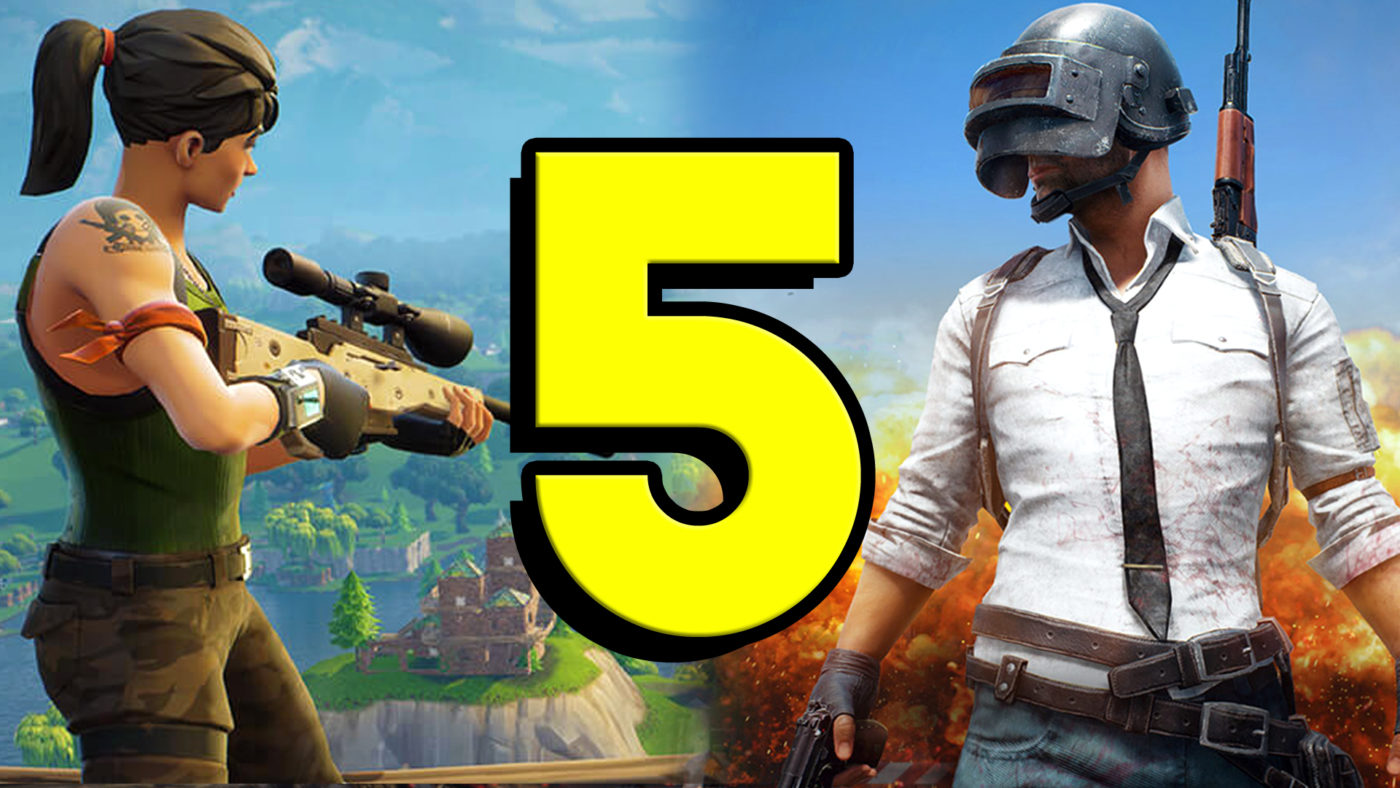
Top 5 Lessons PUBG Could Learn From Fortnite Battle Royale

Over on Pixel Enemy, I’ve posted a video in which I talk about the lessons PUBG could learn from Fortnite Battle Royale. These includes the spectator mode, crafting system, and more!

Click “play” on the video above to give it a watch, and be sure to leave any thoughts of your own in the comments below.

“This is Mack, for Pixel Enemy, here to talk about PlayerUnknown’s Battlegrounds and Fornite Battle Royale. Gamers are flocking to both of these titles in droves, eager to play either the more hardcore but so, so satisfying PUBG on PC, or the fully free-to-play and console-supported Fortnite BR.

While Fortnite Battle Royale clearly takes a lot of inspiration from PlayerUnknown’s Battlegrounds — so much so that it’s caused a lot of controversy recently — Epic Games’ attempt at a compelling last-man standing experience has some of its own unique features that I think Bluehole could learn from.

These are the top five lessons PUBG could learn from Fortnite Battle Royale.“

Don’t forget to check back regularly here on MP1st for the latest gaming news! 

For more original video, podcasts, and the latest in game trailers, don’t forget to subscribe to Pixel Enemy!

Essential Reading:

Mack Ashworth

Writer of Articles, Maker of Videos, and Topper of Leaderboards. Currently attempting to conquer Westeros. Subscriber

Home > News

Destiny 2 Leviathan Raid Exploit Makes the Challenge Much Easier – Here’s How

Arguably, the culmination of everything you do in Destiny 2 all leads to the Raids. These events take up a ton of time, manpower, ingenuity, and in some cases, luck. But what if you can pit the odds in your favor? What if you and the rest of the team are fine with cheating your way to the top? If so, check out this new Destiny 2 Leviathan Raid exploit that’s making the rounds.

Spotted over on the Destiny Subreddit, this makes the fight with Calus a lot easier. Check out the steps below.

Ready for no enemies in the throne room

When everyone spawns in you start the encounter by shooting the cup. Five people get stomped by Calus and dies. The 6th person kills themselves in the blue flames goblet

The important part

Once the wipe timer shows that 6th person leaves to orbit when 4 seconds is under the skull. This should time that person to leave when the timer reaches 0 and wipes the run

If it has worked all the doors will be open when the 5 spawn back in. The 6th person joins and then you start as normal. Shoot the goblet amd no enemies will spawn. You’ll do the whole encounter with no enemies in the throne room.

What we did:

5 people stay in the shadow realm and one person does the throne room run and you do it as normal. We got 130 skulls and killed him in one rotation

Go get him guardian’s

The video above by theMoDfatheR gaming shows how it’s done. Make sure to coordinate with your teammates or you’ll end up looking at game over screens simultaneously.

In other Destiny 2 news, check out what Xur is selling this week; there’s also the Destiny 2 Iron Banner stuff happening, and more.

Avatar photo

Alex Co

Father, gamer, games media vet, writer of words, killer of noobs.

Home > News

Need for Speed Payback Soundtrack Announced, Features 47 Songs

Need for Speed Payback is set to launch November 10 on PC, PlayStation 4 and Xbox One. Visually, it’s looking stunning. Aurally, it’s probably going to sound great, too.

If you’re going to be joining the racing grind, it’s important that you have music which keeps you excited and the adrenaline pumping. With that in mind, the Need for Speed Payback soundtrack looks promising. EA has listed all 47 songs featured in the game.

Here they are:

A$AP Ferg: Trap and a Dream feat. Meek Mill
Action Bronson: The Choreographer
Barns Courtney: Kicks
Bite the Buffalo: Enemies
Bonobo: Kerala
Chase & Status and Blossoms: This Moment
DJ Shadow & Nas: Systematic
Duckwrth: MICHUUL.
Flowdan: Original Ragamuffin feat. Wiley
Formation: Buy and Sell
Goodbye June: Liberty Mother
Gorillaz: Ascension feat. Vince Staples
Haikaiss: Raplord feat. Jonas Bento
Ho99o9: City Rejects
Jacob Banks: Unholy War
Jaden Smith: Watch Me
K.Flay: Black Wave
Kano: 3 Wheel-Ups feat. Wiley and Giggs
Kontra K: Power
Lethal Bizzle: I Win feat. Skepta
Lil’ Kleine: Kleine Jongen
Local Natives: Dark Days (Sofi Tukker Remix)
Mondo Cozmo: 11 Acre
Nothing but Thieves: I Was Just A Kid
Ohana Bam: Rebels
Otherkin: Bad Advice
P.O.S: Gravedigger
Queens of the Stone Age: The Way You Used To Do
Rae Sremmurd: Perplexing Pegasus
RAT BOY: BOILING POINT
Royal Blood: Lights Out
Run the Jewels: Panther like a Panther (Miracle Mix) feat. Trina
Salmo: Daytona
SHREDDERS: Flipping Cars
Skepta & Goldie: Road Trip
SOHN: Hard Liquor
Spoon: Pink Up
Stormzy: Return of the Rucksack
SUR: Lean Back
Syd Arthur: Evolution
Ten Tonnes: Silver Heat
The Amazons: In My Mind
Tom Morello feat. Leikeli47: Roadrunner
Tom Walker: Play Dead (Avelino x Raf Riley Remix)
Warbly Jets: Fast Change
Watt: Burning Man feat. Post Malone
X Ambassadors: The Devil You Know

Fancy getting ahead of the game? Then why not check out the trophies and achievements for Need for Speed Payback.

Will these songs leave you in first gear, or shift you over the finish line? Let us know below!

Jasmine Powell

Subscriber

Home > News

Battlefield 1 vs Call of Duty: WWII Gun Sounds – Which One Does It Better?

In terms of video game fanboys arguing which game is better, one of the recurring topics is Battlefield vs Call of Duty. And given how this year’s Call of Duty has gone back to the past, just like Battlefield 1 the year before, there’s bound to be a few people who will compare the two. 

While Call of Duty: WWII hasn’t been released just yet, we did have the beta to compare it to. Of course, it wouldn’t be fair to compare the two as a whole give we’ve only tried a portion of COD: WWII’s multiplayer, but for other stuff, it’s fair game. And that’s what we have here today. YouTuber PC Gaming Videos has compiled a BF1 vs COD: WWII gun sounds comparison video where each game’s version of the same gun is fired for a whole six minutes. Which game has the better sounding guns? Watch the video above and judge for yourself.

So, which one does it better? Are there any big differences at all? Let us know your thoughts in the comments. Rest assured, we’ll be doing a ton of comparison stuff between BF1 and COD: WWII once the latter releases this November 3.

Avatar photo

Alex Co

Father, gamer, games media vet, writer of words, killer of noobs.

Home > News

Battle.net Appear Offline, Groups, Profiles & More Tested in Beta Update

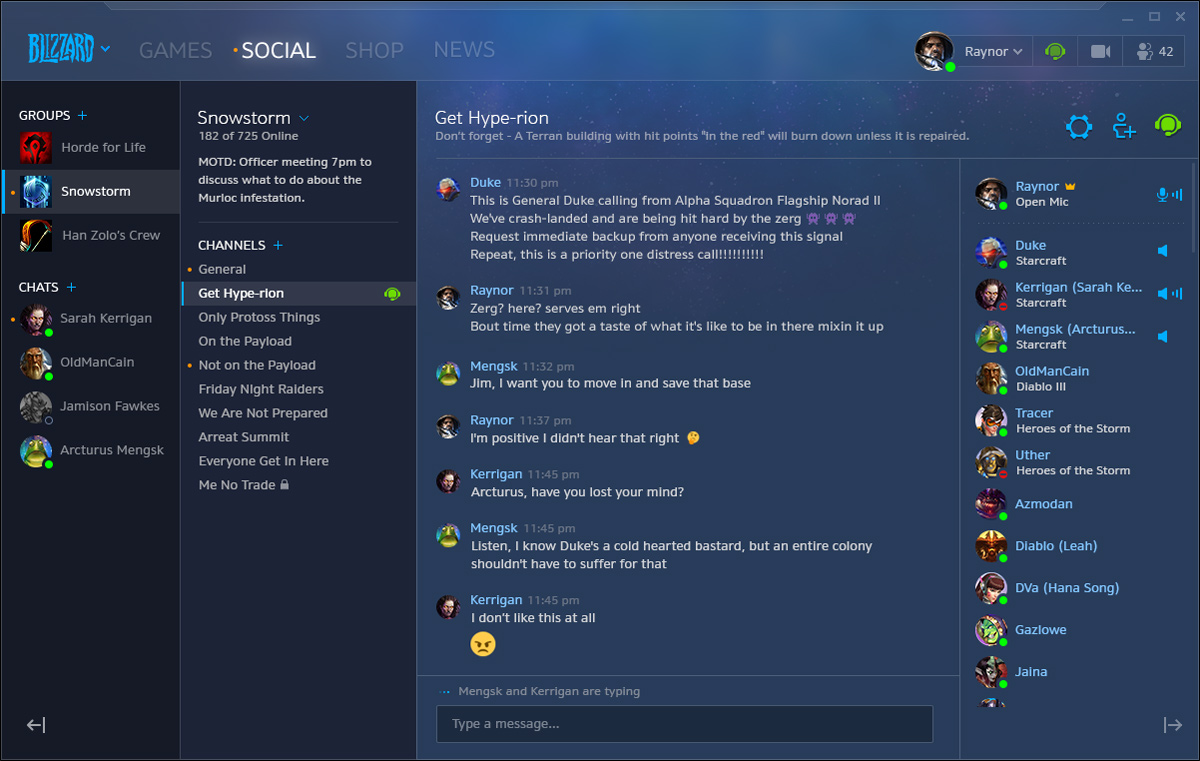
Blizzard has released an updated beta version of Battle.net, introducing new social features which can be used on the desktop app. The major additions are a new social tab, Blizzard groups, profiles and an appear offline mode. 

Users are able to test all of these new features by opening the PC app, clicking on the “Beta” tab and choosing to switch to the beta version. The beta is free to try for everyone. with no invitation necessary.

Here’s what the new features do, directly from Blizzard:

Social Tab

Our new Social tab is your one-stop-shop for managing all your various social interactions. Whether you’re chatting with a friend or engaged in our new Blizzard Groups, you’ll easily be able to pick up where you left off in all of your conversations.

Blizzard Groups

Blizzard Groups are a new way for you to connect with your friends and plan your next mission. Players can create and join Groups based on their common interests. There, they can keep in touch, share strategies, and catch up on conversations they might have missed while offline.

Each Group can have multiple text and voice chat channels, and Group administrators have a variety of tools to help manage membership, send out invitation links, and more.

The Groups beta is available now in the Americas region. Head to the new Social tab to get the party started!

AppSocialFeatures_BA_Embed01-L_MB.jpg

Profiles

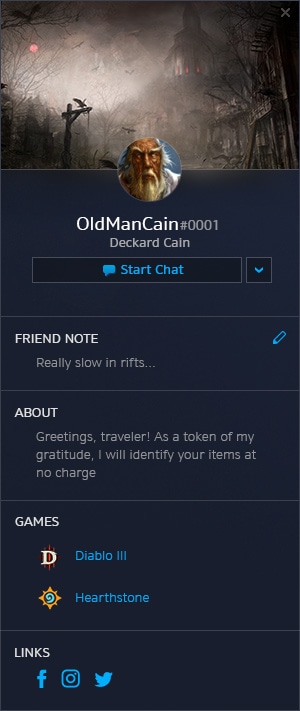
Let the Blizzard world know a little bit more about you by customizing your profile!

Your profile will allow you to select an avatar, share what’s on your mind with an About message, add links to where people can find you on social media, and more! You can also view profiles of other players if you’re curious about a pending friend request or what games a friend plays.

Players using the beta in the Americas region can customize their profile through the View Profile button in the app header and Friends List drop-downs.

AppSocialFeatures_BA_Embed02-S_MB.jpg

Appear Offline

Appear offline allows you to set your status to show you as “offline” to your Blizzard friends while remaining connected to Battle.net. This means you can launch the app and game away without distraction.

Appearing offline will show you as offline to everyone in your Blizzard friends list. Once you have joined a game, the experience of appearing offline might be slightly different depending on which game you are playing. In the case of World of Warcraft, your guildmates will see your character come online and enter WoW’s in-game chat channels, and anyone who has you as a character-level friend will see you online on their friends list. Everyone outside of the same game as you will not see you online or playing any games.

Do you see a friend who’s offline but you really want to send them a message while it’s on your mind? You can now send offline friends messages and they will receive them the next time they come online! While appearing offline you can still send and receive messages in the app, but it is up to you when you want to respond.

Do you plan on testing out the beta?

Source: Blizzard

Jasmine Powell

Subscriber

╳