Home > News

Dead Island 2 Update 1.08 Shambles Out for Patch #4 This Jan. 23

Dead Island 2 update 1.08 (PS5 update version 1.000.008) has been released by Dambuster this January 23 on all platforms, and this a host of gameplay improvements and bug fixes to the game. Read on for what’s new in the official Dead Island 2 patch 4 changelog.

Dead Island 2 Update 1.08 Patch Notes | Dead Island 2 Update 1.000.008 Patch Notes | Dead Island 2 Patch 4 Patch Notes:

General

  • Support for Epic Game Launcher Cloud Saves Implemented
  • Fixed an issue with enemies occasionally teleporting from one side of cover objects (such as cars) to the other.
  • Fixed a potential blocker on the first load after a player transfers from playing on PS4 to PS5.
  • Fixed various issues related to side quest content accessibility misbehaving for some players dependent on the relationship between the coop content they play, their main game progress and when they pick up side-quests.
  • Fixed an issue with the ‘Gore Horse’ achievement not unlocking correctly for some players.
  • Fixed ‘Kill-O-Watt Kick’ skill not triggering VFX in some coop circumstances.
  • Fixed an issue causing counters to do much less damage for players using bare fists after a death and respawn.
  • Fixed various issue with correctly awarding achievements to coop players.
  • Various minor UI, HUD & damage number fixes.
  • Some minor audio issues fixed.
  • Various minor coop issues fixed.

HAUS DLC

  • Fixes to various locations in which carry-able heads could get stuck in the environment.
  • Fixed an issue where blocking while close to a wall could cause carry-able heads to get stuck inside it.
  • Fixed an issue in which players could get a carry-able head stuck beneath the storage locker when changing their characters cosplay.
  • Fixed an issue with being able to create a blocker in the “Found: Zahra” mission by killing a set of zombies before the correct objective was active.
  • Fixed an issue where Haus progress on multiple slayers could cause a blocker due to not being able to collect the crossbow at the bottom of the well.
  • Fixed various environment collision issues in Haus, some of which allowed players to get out of the world or become stuck.
  • Fixed various cases where zombies could get stuck or were unable to traverse the environment correctly.
  • Various rare visual issues with Haus cut-scenes fixed (camera issues, missing character models, assets in incorrect states.)
  • Improved some messaging around reasons players can’t enter DLC content.

While we got the Haus DLC three months ago, the next expansion called “Sola Festival” is set to launch in Q2 2024.

As for the Haus DLC, go read our review of it here.

Source: Dead Island

Avatar photo

Alex Co

Father, gamer, games media vet, writer of words, killer of noobs.

Home > News

Destiny 2 Servers Down for Maintenance and Patch 7.3.0.6 This Jan. 23

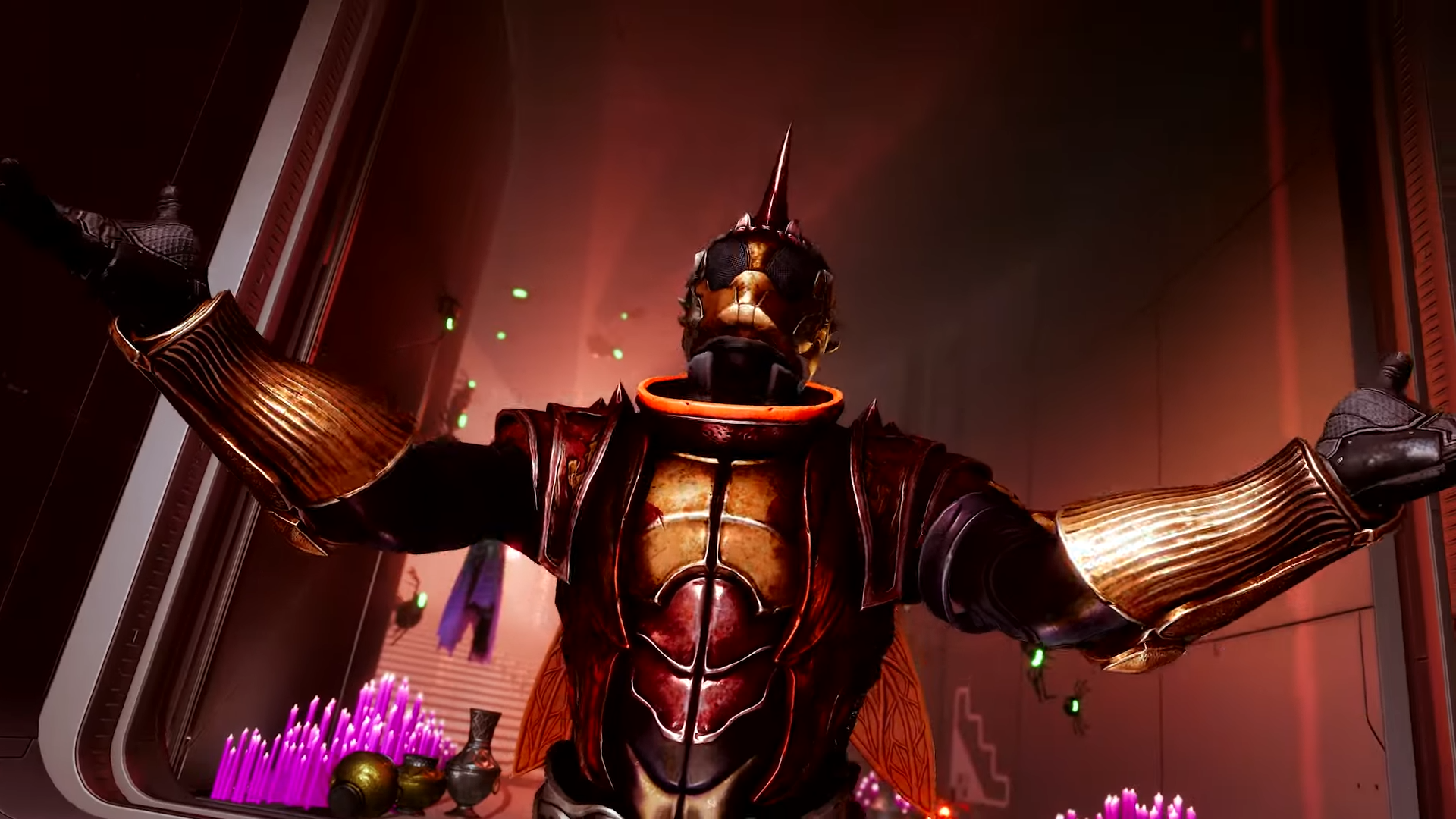
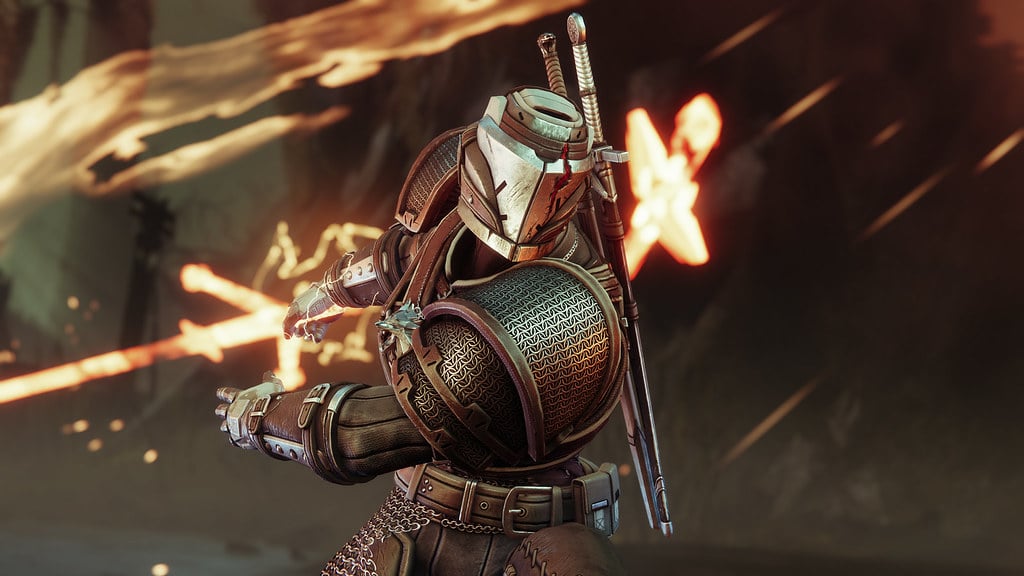
The Destiny 2 servers are down this January 23, 2024, and this is nothing to be alarmed about, as this is planned maintenance where players will see patch version 7.3.0.6 be released as well. Read on for the schedule.

Destiny 2 Server Maintenance Schedule for Jan. 23:

Tuesday, January 23, 2024 – Update 7.3.0.6
5:00 AM PST -8 UTC
    • Destiny 2 will undergo maintenance.
    • Sign-on and game integration features will be unavailable on web, mobile, 3rd-party apps, and the Bungie Store.
    • Players who observe issues should report to the #Help forum.
6:15 AM PST -8 UTC
    • Destiny 2 will be brought offline for expected maintenance.
    • Players will be removed from activities and won’t be able to log back in until 9 AM PST.
    • Ongoing Destiny maintenance is expected to conclude at 11 AM PST.
9:00 AM PST -8 UTC
    • The latest Destiny 2 Update will be available across all platforms and regions.
    • Players will be able to log back into Destiny 2.
    • Players logging into the game may be placed in a queue and may experience sign-on issues as background maintenance is still ongoing.
    • Clan features may remain offline until maintenance is complete.
11:00 AM PST -8 UTC
    • Destiny 2 maintenance is expected to conclude.
    • Console players who encounter issues updating to the latest Update should restart their console and try downloading the Update.
    • Players who observe issues should report to the #Help forum.

Same as always, once the patch is live, we’ll provide a link to it in this article. If the downtime changes or gets extended, we’ll update the article with the info.

Source: Bungie

Avatar photo

Alex Co

Father, gamer, games media vet, writer of words, killer of noobs.

Home > News

Like A Dragon: Infinite Wealth Review – Right on the Money!

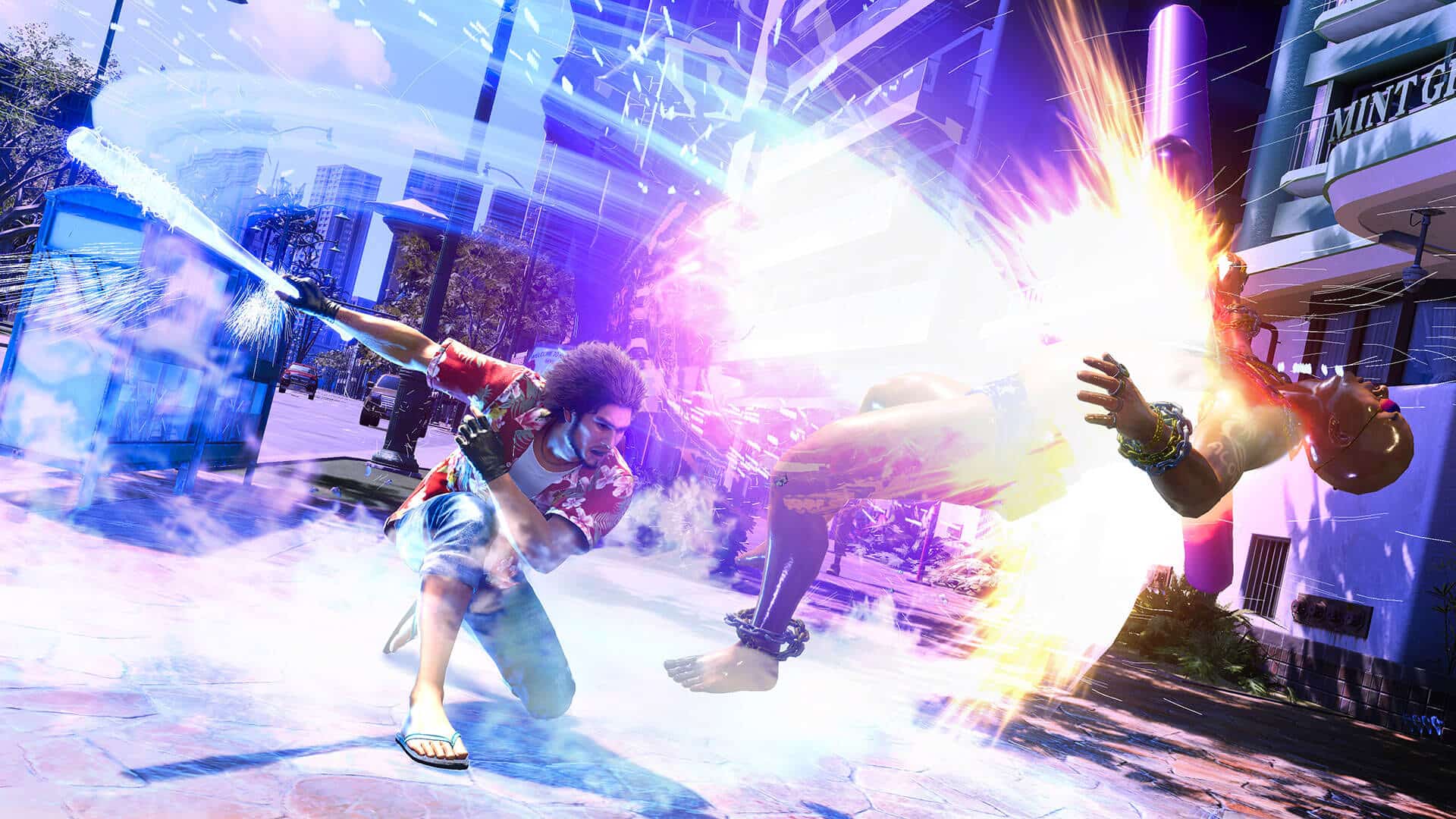
Grab some tanning lotion and a bathing suit, and put all that stress behind you because you’re about to embark on a tropical paradise in Like A Dragon: Infinite Wealth. It’s a perfect getaway from the life of a Yakuza, but as you’ll soon find out, that isn’t an easy life to leave behind. Is Like A Dragon: Infinite Wealth the dream vacation you’d hoped for? Let’s find out in our in-depth review!

Minor Spoiler Warning- This review contains minor spoilers discussing the set-up of Infinite Wealth. While the trailers have featured some major plot points, I’ll avoid discussing anything about the story beyond some vague points lea

The Hero of Yokohama Returns, With More Friends (and Foes) Than Ever Before

Three years ago, Japan saw the great dissolution, a disbanding of two of the most prominent Yakuza clans that left hundreds of thousands of members stranded and without purpose. As the years passed, ex-members struggled to make ends meet, no longer able to function in a society that didn’t want them, given their extensive criminal record.

However, a rumor quickly began spreading, one of an ex-Yakuza that was aiding ex-members, offering them a real chance at life. That person? Non other than the Hero of Yokohama, Ichiban Kusaga. Working in an unemployment center, Ichiban uses his new position to fulfill his boss’s dream, giving every member of the Yakuza a real chance at life.

Despite members being hardened criminals, Ichiban ensures everyone who visits him has their skill set put to good use, helping them find a true meaning to life. It’s a tough and long road for everyone, but it’s one that Ichiban vows to see through, even if it is an impossible task.

However, not everyone shares in his noble cause, and it’s not long before his secret is ousted, leaving him in the same position as those he helped. Soon after, he discovers one of the ex-Yakuza he helped is suddenly back to the life of crime, this time under a new clan name. Wanting answers, Ichiban sets out with company to confront this organization. Little does he know, this mystery will see him venture off to the paradise island of Hawaii, where he’ll face his greatest threats yet.

Like any Yakuza game before, Like a Dragon: Infinite Wealth offers a story that dives deep into a tangled web of conspiracies. Everything happens for a reason, even if it’s unclear at first.

At the center of that conspiracy is Ichiban Kusaga, the series’ newly appointed Dragon, who, despite having several misfortunes, manages to keep his head held high through it all. He’s a man who always sees the good in the bad, even during the worst of it. His friends would probably describe him as insufferable, and yet it’s that personality that draws them, making them want to be the best version of themselves whenever Ichiban is around. Even the bad guys can’t help but get swayed by such positive outlook on life.

Of course, for those who played 2020’s Yakuza: Like a Dragon, you’d know just how infectious Ichiban’s personality can be, as he quickly became a fan favorite and even a worthy successor to the previous long-time protagonist, Kazuma Kiryu.

Speaking of, despite the series’ attempts to pass the reins over to Ichiban, Kiryu can’t seem to stay out of trouble, as he goes wherever a dragon may be needed. As fate would have it, that means reuniting with Ichiban once again, though this time, he’ll be joining the party as a playable character.

But with the game shifting its focus to Hawaii from the densely populated cities of Japan, it means a whole new cast of characters, perhaps the most extensive and diverse seen in the series thus far.

Hawaii is a character of its own, brimming with various cultural differences, some clashing while others blending. That, of course, leaks into the story, with characters coming from around the globe to experience this slice of paradise.
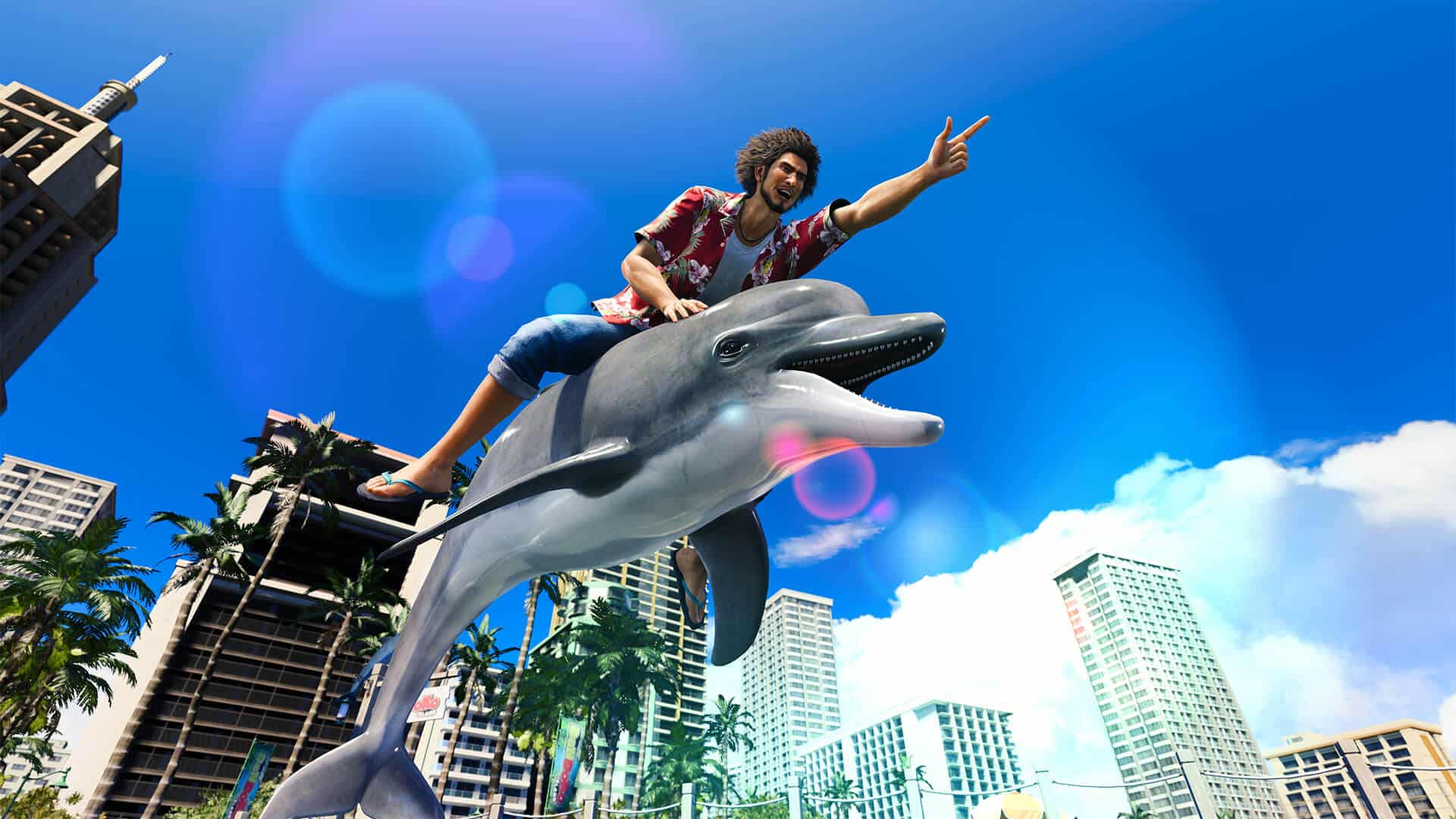
The contrast is clear when walking the streets of Honolulu when compared to the mean and gritty streets of Kamurocho, but that’s not to say that there aren’t bad sides of Honolulu with bad guys roaming around to beat up. There are several factions to be on the lookout for in Infinite Wealth, and like any crime organization, you can expect to see plenty of bosses throughout, both from the story and side missions.

What stands out the most, and undoubtedly why so many love the series, is the story and the performances delivered by the voice cast. Infinite Wealth offers Japanese, English, and Chinese dubs, and though I played through the entire game using the original Japanese dub, I did re-watch all the cutscenes in English. I will say that the English cast can deliver great when the scene calls for it, but there are a lot of moments that come off flat or just awkward. It’s alright for the most part, and unsurprisingly, Danny Trejo does give it his all as Dwight since it is just him.

But if you’re looking for the most immersive experience, stick with the Japanese dub. Not because it’s the native tongue of many of these characters but because of how much context some of the scene calls for that character to speak Japanese. It surprised me, as I was expecting every said line to be in Japanese with this dub selected, but seeing that Hawaii is filled with tons of characters from different places, there was a mix between English, Chinese, and Spanish in the Japanese dub.

You lose that in the English dub since all the characters speak English. Some scenes also lose context because everyone is speaking the same language. One example is a very early one when Ichiban is approached by English-only speaking characters (in all dubs), and a character he’s with begins speaking English. With the Japanese dub, the Japanese voice actor/actress begins speaking in English. As you’d expect, it’s not perfect, but it adds to the scene, as Ichiban is stuck talking in Japanese, not knowing if those other characters know what he’s saying. There’s added tension to said scene because of it.

The English dub will, for whatever reason, see the English VO suddenly switch to using broken English, with Ichiban also speaking English to those characters. It’s a small scene, but there are plenty of others like that, and it feels it loses a bit of impact in those moments. How come a character that is already speaking English, suddenly decides to speak with a broken English accent? If this were your first time playing, you’d never know it was meant to portray the character actually speaking English at that moment. It sounds bad in both instances, but at least it makes sense in the Japanese (and assuming Chinese) dub.

This is just something to consider when deciding which dub to go for, but at the end of the day, the story RGG Studios tells is what’s important, and what they’ve crafted with Infinite Wealth is nothing short of a masterpiece, regardless of which dub you pick.

Emotions will run rampant, something long-time fans are no strangers to. Those closely following Infinite Wealth will not be disappointed once the credit rolls, as the game is a 60-hour-plus story filled with the twists and turns of an emotional rollercoaster.
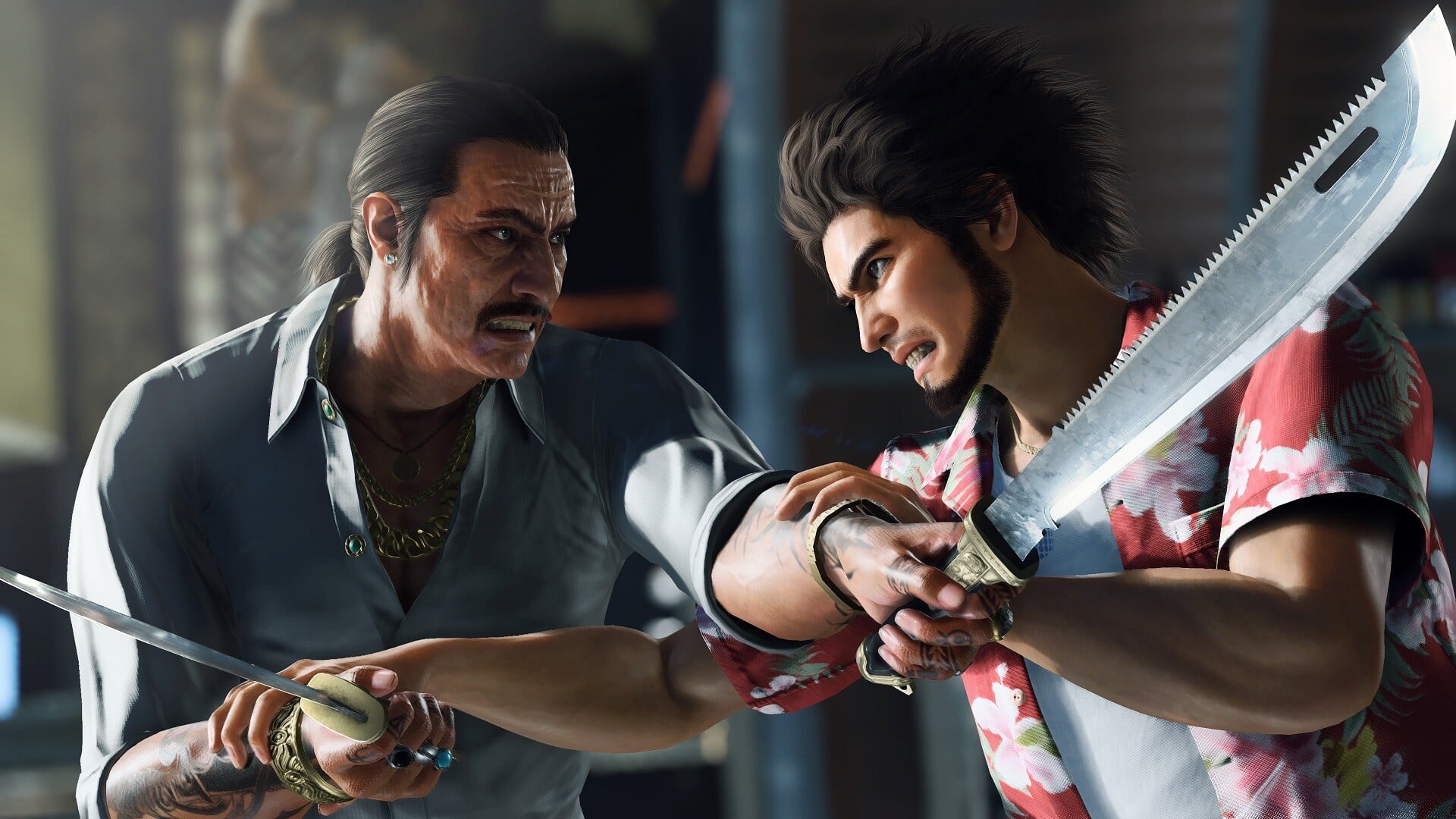
But not everything is perfect in paradise, as it goes without saying that the campaign can be heavily padded. I love going through everything these games offer and getting sidetracked into some random adventure that feels like its own story. At the same time, I’m not a fan of having said side content forced, and Infinite Wealth does that at every chance it can get.

I remember wanting to charge my Segway, as I like strolling through the city rather than using fast travel. When I went to one of these charging stations, a cutscene began for a side activity that ran for almost 20 minutes before getting the prompt asking if I wanted to do it or not. There are multiple moments like these throughout Infinite Wealth.

You can skip the dialogue and cutscene, but I’ll never see that unless I play through it again. So I’ll sit there and watch them, even if all I wanted to do at that moment was continue the story.

I get it; there’s a lot to do in the world, but that’s what quest markers are for. It spoils a bit of the mood, especially when doing something that could mean life and death for a character, only to be stopped by someone who wants you to join a dating app or be a server at their restaurant. I know it’s been a thing in past games, but I think Infinite Wealth does it the most. It throws the pacing off with lengthy, unrelated cutscenes and chatter that muddies the narrative.

I’m not saying I didn’t have fun with them; I only wish I could have returned to those things later on with an introduction when I was ready because they offer some of the most fun moments I’ve ever had in a game. I’d say they’re some of the best in the series.

You Can Take the Dragon Out of Japan, But You Can’t Take The Dragon Out of the Man

Beyond the story, Infinite Wealth offers a massive amount of side quests and activities that you can take on across Honolulu City. And when I say massive, I mean it, as the naming of “Infinite Wealth” for this iteration fits nicely, offering what feels like an “infinite” amount of things you can do.

For size comparison, Honolulu City is three times larger than Yokohama, the location of the previous mainline Like a Dragon game, which was already ten times larger than Kamurocho. I know map size isn’t everything, but fans of RGG Studios are well verse of just how much the studio can cram into its world. One hundred hours plus into the game at the time of publishing this review, and there’s still loads of content for me to explore and partake in.

There are numerous side stories that you can start, many offering tens and maybe even hundreds of hours alone of gameplay and story. One example is the return of Sujimon, the Pokemon clone introduced in the last main game. It’s back and bigger and better than ever.
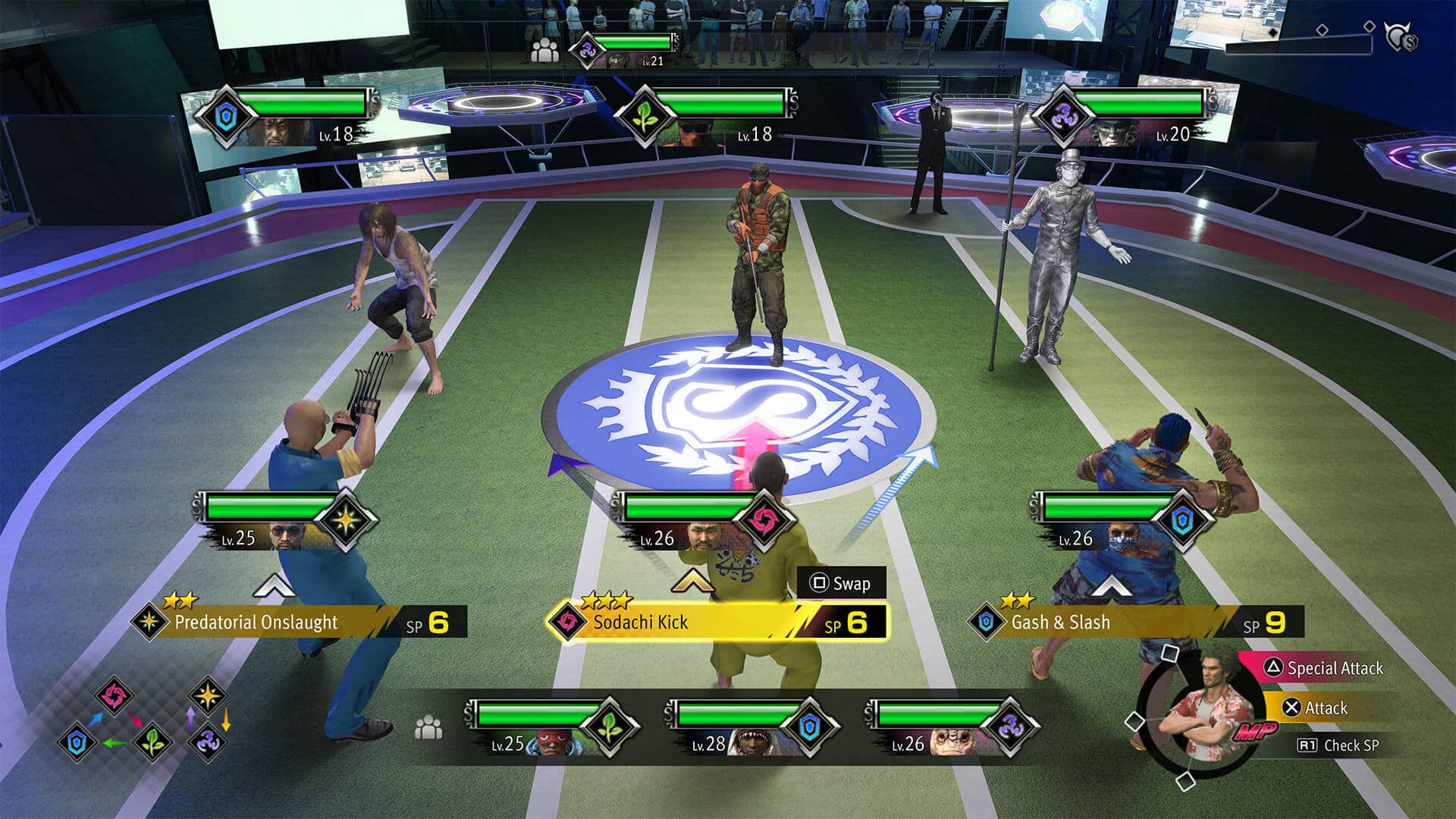
Around the city, there are different types of Sujimon that you can capture, with each being registered to the Sujidex. Similar to how it was when it was first introduced.

However, there are now trainers around the city that you can battle with your captured Sujimons. Your Sujimon gains experience with every battle, eventually leveling up and becoming stronger. You can even feed your Sujimon other Sujimons of the same type, which is a bit twisted considering these aren’t fictional monsters but humans. I suppose that all plays into the canonical reason why Like a Dragon is even an RPG now, something that gets brought up in Infinite Wealth again.

Sujimon isn’t just a battle mini-game either, as there’s a whole story around that comes with it and even a league you can compete in. It’s even more of a Pokemon clone this time than just a collection, and it has a full-fledged story to go along with it.

There are plenty of other side activities, like DonDoko Island, an Animal Crossing-like mode that sees Ichiban retreat to a resort island. The goal here is to return the island to its former glory, and you do this by crafting buildings, gathering resources, and inviting and satisfying guests’ needs when they come to the island. A whole story comes with it, too, that’ll reward you pretty well for playing through it.

Dungeons, or as the game calls them, Labyrinths, offer you endless battles with rewards.

There are the everyday people problem quests that the series has always had, and though they’re short, they’re some of the most memorable.

Character bonds also return, giving you more character-building opportunities with party members.

That’s just the tip of the iceberg of content; there is loads of it, flourishing out of every corner of the map, a lot more that I won’t mention, as it may be entering spoiler territory. But by far, this may be the most-content pack game you’ll ever play in the series.

The move to Hawaii was a brilliant one. It’s a refreshing take that doesn’t feel like a reality of either Yokohama or Kamurocho. Expect to see a side very rich in culture, though one that doesn’t lose the essence of the series.
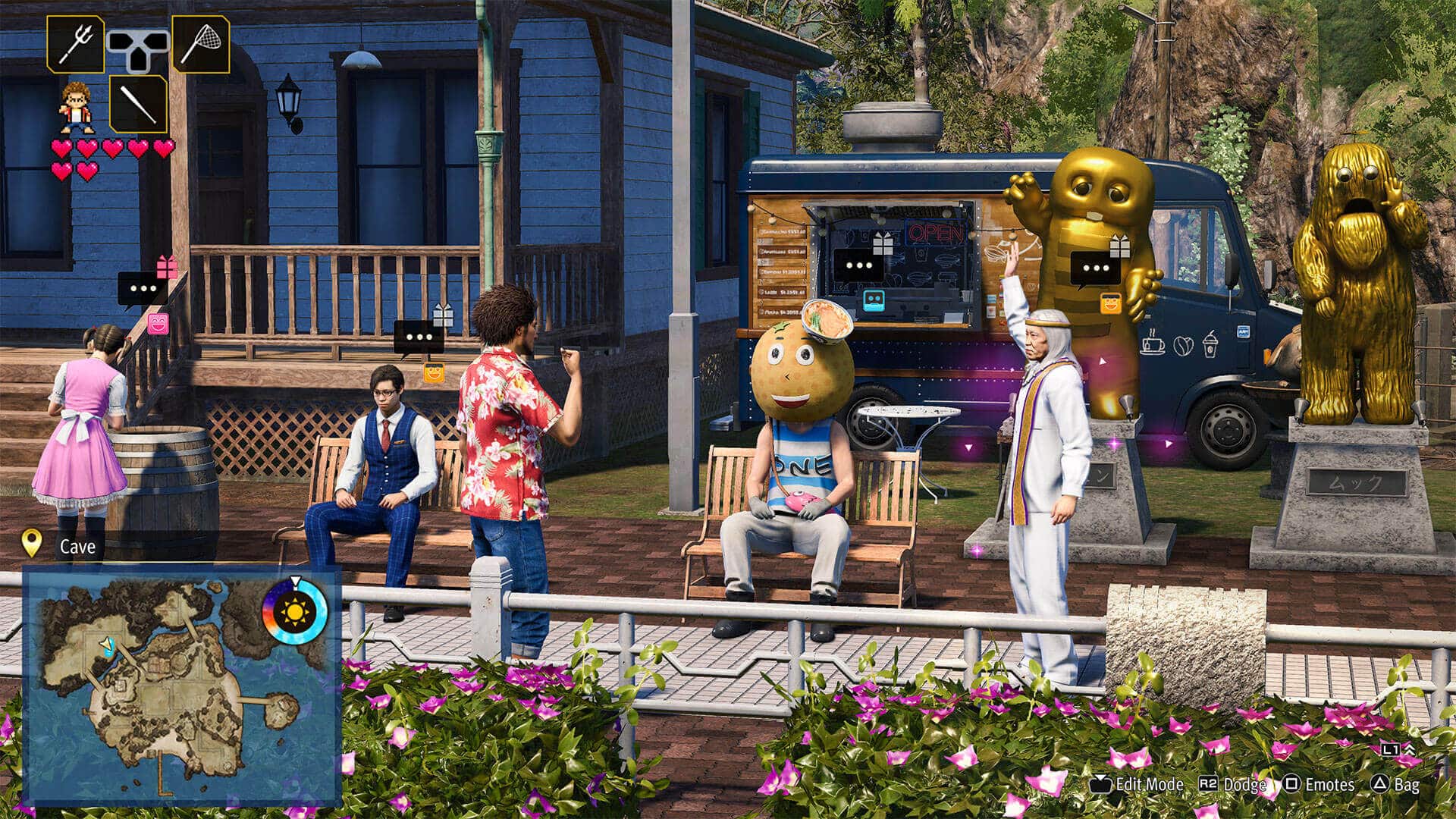
Honolulu is the perfect getaway vacation. Even if the Yakuza life may eventually catch up, at least you’ll spend it fighting on the calm ocean beaches with a cool breeze blowing through your hair.

A Turn-Based Dragon That Packs Quite the Fire

The one thing I love about RGG Studios is that no matter the iteration, they always try to improve on the gameplay they built from the previous entry. Not that I’ve ever found the gameplay in their games to be an issue, even after it switched to turn-based with Yakuza: Like A Dragon. It was a massive shakeup that I felt paid off.

For me, it called back to that golden era of RPGs, and if there was ever a game that disproved the concept of turn-based combat is dead, then it was Yakuza: Like A Dragon. I really enjoyed the turn-based combat the game had, which is part of why I’ve been so excited for Infinite Wealth.

But going back to how RGG tackles each following game, Infinite Wealth sees plenty of improvements to the gameplay, further refining what many already consider great.

The most significant change most will notice is the ability to move around within a certain radius during combat. This is massive as it allows you to strategize better instead of being stationary and attacking an enemy to move around. That means knockback and AoE attacks become more valuable combat components since you can get into a better position and line enemies up. Proximity and back damage play into it, too, and being able to move around helps exploit such features.

There’s plenty in the environment that you can take advantage of, like pick-ups and hazardous items like explosive barrels. Enemies can be knocked back into the environment and even into each other and teammates.
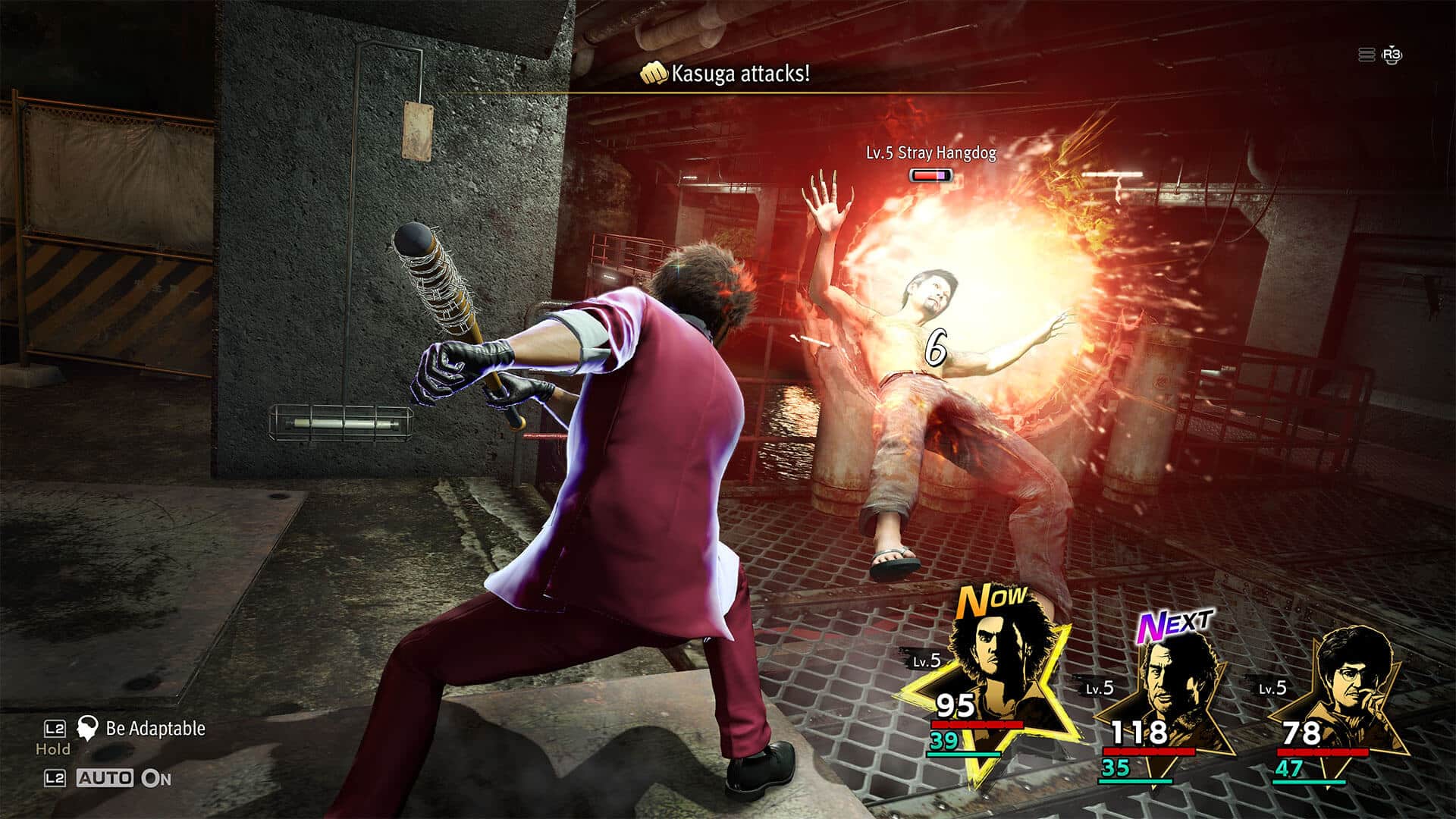
If you’ve developed your bond enough with another party member, you’ll eventually unlock combos you can perform with them if you’re close enough to them. Being able to move around the battlefield is a small addition, but it introduces several game-changing improvements.

One thing I wasn’t too big of a fan of in the last game was the job system. It was alright, but I had hoped for more skills to be interchangeable between classes than just two. That’s been fixed in Infinite Wealth, with many, if not most, of the job-exclusive skills being inheritable by other jobs. That opens up to a lot of different build types. Maybe I want to play the Hero job while mixing some skills from the Beatboxer job or the many other returning and new jobs. There was a character in my party that had a job that I really liked, but it had no healing abilities and it was the character I designated as the healer. Not a problem; I just needed to level the character job enough to equip them with the healing skill I wanted. Mixing skills lets me build my dream fighter. Plus, it adds so much fun, especially when you really think about which skills you want and how they you can follow them up with other character skills.

There are character-exclusive jobs, but the one I want to talk about the most is Kiryu’s. His exclusive job, Dragon of Dojima, grants him three fighting styles. We’ve seen them in the past Yakuza games, with each style giving different bonuses and unique attacks. But that’s not the only special thing about the job as it also has a special state called Dragon’s Resurgence, where it literally breaks the turn-based combat, allowing Kiryu to be his old self. He can walk around freely without restriction, and the combat goes from being turn-based to an all-out classic Yakuza brawler. It’s one of the most craziest things I’ve seen.

Another new feature is the Smackdown. Smackdown lets you automatically defeat enemies if they’re low enough levels. You can choose to fight and go through the battle, but for those looking to cut back on the grinding, Smackdown will help you immensely as you can easily defeat a bunch of enemies quickly.

There are lots of improvements, both big and small, but the end result is a more refined system that, dare I say, is perfect. I’m sure others may pick some flaws from it, but I loved the improvements made to the system. It’s addictive and loads of fun.

Plus, the in-canon reason why Like A Dragon is turn-based is great since it allows the studio to get creative with the types of enemies they can have. They can turn your everyday human baddy into a group of Pokemon-like characters and introduce different kinds of bosses that would otherwise not have worked in past games. Mind you, even the old games can be over-the-top, but nothing like how far the Like A Dragon turn-based games are allowed to go.
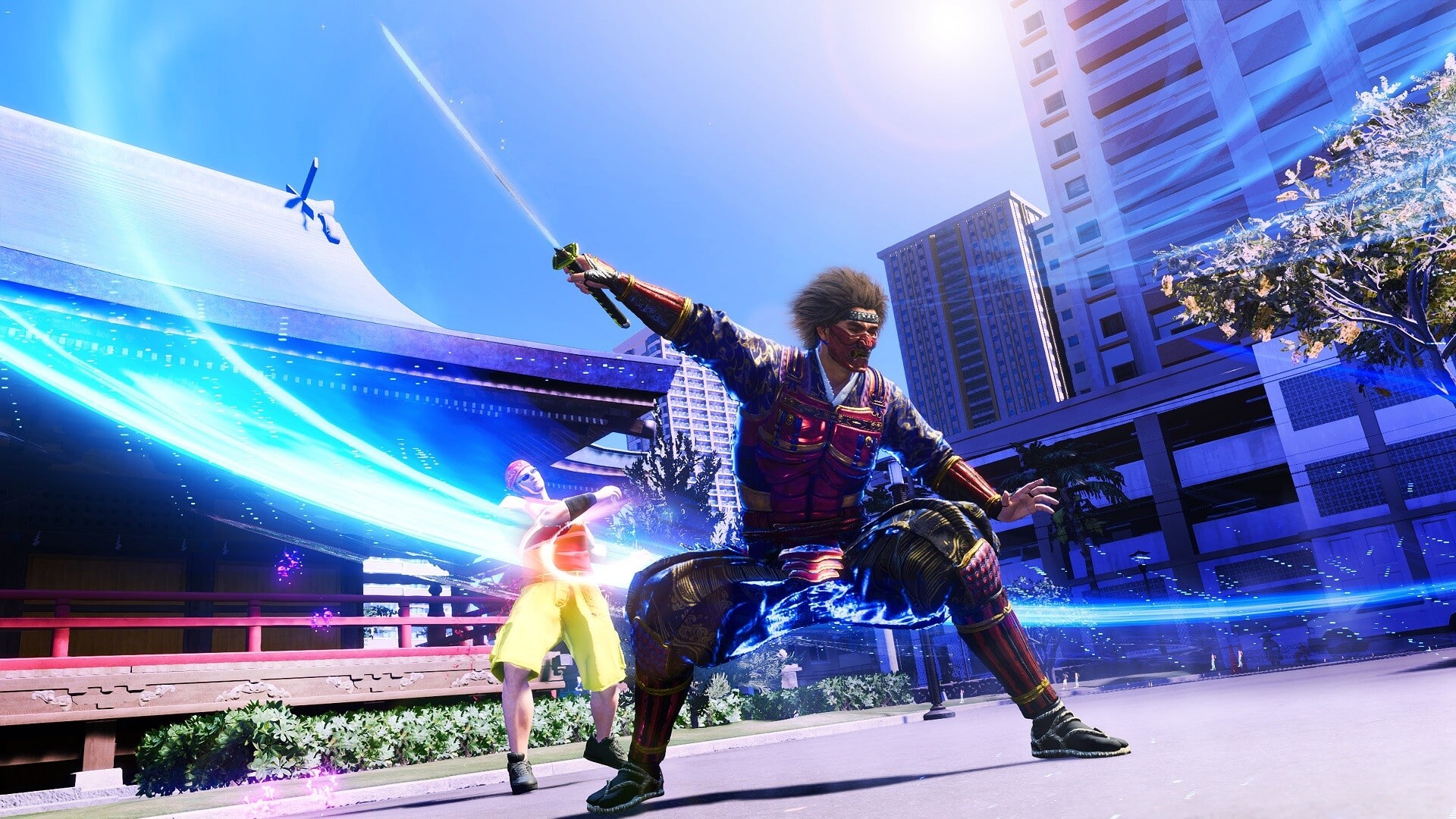
The one thing I do wish the game would allow is cosmetics based on the gear. I’m not talking about individual pieces showing on characters, but more so the sets and character-exclusive ones. There are some really awesome exclusive character gear that you can unlock, but they don’t show on the character at all. It’s possible the specific gear may have an unlockable cosmetic, and I haven’t found it yet, but if not, I hope that’s something RGG considers adding. I do know that jobs have exclusive character outfits, something I also wish we could mix and match between other jobs.

Put This On Your Bucket List

Like a Dragon’s Infinite Wealth delivers a captivating RPG experience that surpasses its predecessor in every way. With refined mechanics and an expansive world bursting with content, players are treated to a gaming experience of remarkable depth. The emotionally charged narrative, filled with unexpected turns, adds a layer of poignancy, making the journey in Infinite Wealth a memorable exploration of both gameplay and storytelling excellence.

It may not be on everyone’s list of games to play, but it definitely should be. As for this reviewer, it makes a strong early claim of being my personal Game of the Year.

Score: 9.5/10

Pros:

  • Incredible cast of characters, with a plot that will keep you invested from start to finish.
  • Gameplay improves over its predecessor in nearly every way. It’s addictive and fun.
  • RGG knows how to strike the perfect balance of humor, between all the serious and drama filled moments.
  • An “Infinite wealth” of content brims throughout the world. 100 plus hours, and I feel I haven’t hit the midpoint of what’s out there.

Cons:

  • Heavy padding between the story can throw pacing off if you solely want to focus on the story.
  • It has some awesome armor designs that, sadly, don’t provide any visual changes.
  • The English dub could have used more work.
  • New Game Plus locked behind a paywall.

Like A Dragon: Infinite Wealth review code was provided by the publisher. You can read MP1st’s review and scoring policy right here.


Avatar photo

James Lara

A gamer at heart, James has been working for MP1st for the last decade to do exactly what he loves, writing about video games and having fun doing it. Growing up in the 90's gaming has been in his DNA since the days of NES. One day he hopes to develop his own game.

Home > News

R6 Siege Update 1.000.071 Out for Patch Y8S4.2 This Jan. 23

Ubisoft has pushed out (Rainbow Six Siege) R6 Siege update 1.000.071 on all platforms today for patch Y8S4.2. Expect a lot of game adjustments and balancing. Read on for the Rainbow Six Siege January 23 patch notes.

R6 Siege Update 1.000.071 Patch Notes | R6 Siege Update Y8S4.2 Patch Notes:

Y8S4.2 Patch Size

Find the download sizes for each platform below.

  • Ubisoft Connect: 1.11GB
  • Steam: 647 MB
  • Xbox One: 0.95GB
  • Xbox Series X: 1.2 GB
  • PlayStation 4: 1.55GB
  • PlayStation 5: 1.14GB

OPERATOR BALANCING

ACE

  • S.E.L.M.A.’s fuse time increased to 4 seconds (from 3.2 seconds)

MAVERICK

  • Added Smoke Grenades

THUNDERBIRD

  • Added Deployable Shield

KAPKAN

  • Added Bulletproof Camera
  • Removed Impact Grenades

TUBARÃO

  • Zoto Canisters decreased to 3 from 4.
  • Zoto Canisters no longer affect Maverick’s D.I.Y. Blowtorch.
  • The electrical insulation effect from Zoto Canisters on metallic objects (reinforcements, deployable shield, etc.) will remain for an additional 1.5 seconds after the gadget ends or is destroyed.

WEAPON BALANCING

G-36C

  • Increased Vertical and Horizontal Recoil.

SMG-11

  • Damage reduced to 32 (from 35).

SPAS-15

  • Reduced first shot kick.
  • Increased lateral recoil.

BUG FIXES

GAMEPLAY

  • FIXED – Player spins in place when having connectivity issues.
  • FIXED – Blur VFX from damage is not properly applied.
  • FIXED – Player passes through barricades without breaking them when using ballistic shield to break the barricade and switching to a weapon at the same time.

LEVEL DESIGN

  • FIXED – Breach charges and deployable gadgets can’t be placed on the window located at EXT Stable Yard on the Villa map.

OPERATORS

  • FIXED – Tubarão’s Zoto Canister speed reduction isn’t applied if Tubarão is eliminated while holding the canister.
  • FIXED – Flash VFX doesn’t apply when hiding behind Osa’s Talon-8 Clear Shield.
  • FIXED – Electricity VFX continues to play after moving away from an electrified wall affected by Tubarão’s Zoto Canister and hit with an EMP grenade.
  • FIXED – Iana’s Gemini Replicator gauge stays red when affected by an electronics interfering device.
  • FIXED – Azami’s Kiba Barrier occasionally doesn’t stop bullets.

USER EXPERIENCE

  • FIXED – Tubarão’s unlock cinematic plays when reaching the main menu after viewing it the first time.
  • FIXED – Greyed out settings in Options tab don’t default to intended states when status is set to private in Ubisoft Connect.
  • FIXED – Caveira’s Luison Silencer missing skin in the loadout menu when the Mata-Leao legendary uniform is applied.
  • FIXED – View Menu button doesn’t redirect to the Playlist menu from the News menu.
  • FIXED – Lair playlist uses the wrong image.
  • FIXED – Yellow dot from Play Section is not removed after Tutorials tab is viewed.
  • FIXED – M590A1 shotgun clips through walls with specific skins.
  • FIXED – Animated tag is missing from item preivew in the shop menu when viewed in full screen.
  • FIXED – Brightness is lower in the main menu while in offline mode.
  • FIXED – Compass on drone doesn’t work when viewed in spectator mode.
  • FIXED – Leave Squad and See Ubisoft Connect Invite buttons do not function properly when leaving a squad.
  • FIXED – Settings are not retained when using play again option in the home tab after playing a versus AI game.
  • FIXED – In-game inventory UI does not update when transactions are completed.
  • FIXED – Osa’s idle animation plays for other operators in the Operators tab.
  • FIXED – Mute buttons aren’t functional when joining a game in progress or reconnecting.

Once a new patch is released for the game, we’ll be sure to let our readers know.

Source: Ubisoft

Damien Seeto

Home > News

Rainbow Six Siege Update 2.67 Pushed Out for Year 8 Season 4.2 This January 23

Rainbow Six Siege update 2.67 has been released on all platforms, and this ushers in the big Year 8 Season 4.2 (Y8S4.2) title update that brings operator, weapon adjustments and more. Check out everything new in the official R6 Siege Year 8 Season 4.2 patch notes.

Rainbow Six Siege Update 2.67 Patch Notes | Rainbow Six Siege Update Year 8 Season 4.2 Patch Notes:

Y8S4.2 Patch Size
Find the download sizes for each platform below.

  • Ubisoft Connect: 1.11 GB
  • Steam: 647 MB
  • Xbox One: 0.95 GB
  • Xbox Series X: 1.2 GB
  • PlayStation 4: 1.55 GB
  • PlayStation 5: 1.14 GB
OPERATOR BALANCING
ACE
  • S.E.L.M.A.’s fuse time increased to 4 seconds (from 3.2 seconds)
MAVERICK
  • Added Smoke Grenades
THUNDERBIRD
  • Added Deployable Shield
KAPKAN
  • Added Bulletproof Camera
  • Removed Impact Grenades
TUBARÃO
  • Zoto Canisters decreased to 3 from 4.
  • Zoto Canisters no longer affect Maverick’s D.I.Y. Blowtorch.
  • The electrical insulation effect from Zoto Canisters on metallic objects (reinforcements, deployable shield, etc.) will remain for an additional 1.5 seconds after the gadget ends or is destroyed.
WEAPON BALANCING
G-36C
  • Increased Vertical and Horizontal Recoil.
SMG-11
  • Damage reduced to 32 (from 35).
SPAS-15
  • Reduced first shot kick.
  • Increased lateral recoil.
BUG FIXES
GAMEPLAY
  • FIXED – Player spins in place when having connectivity issues.
  • FIXED – Blur VFX from damage is not properly applied.
  • FIXED – Player passes through barricades without breaking them when using ballistic shield to break the barricade and switching to a weapon at the same time.
LEVEL DESIGN
  • FIXED – Breach charges and deployable gadgets can’t be placed on the window located at EXT Stable Yard on the Villa map.

OPERATORS

  • FIXED – Tubarão’s Zoto Canister speed reduction isn’t applied if Tubarão is eliminated while holding the canister.
  • FIXED – Flash VFX doesn’t apply when hiding behind Osa’s Talon-8 Clear Shield.
  • FIXED – Electricity VFX continues to play after moving away from an electrified wall affected by Tubarão’s Zoto Canister and hit with an EMP grenade.
  • FIXED – Iana’s Gemini Replicator gauge stays red when affected by an electronics interfering device.
  • FIXED – Azami’s Kiba Barrier occasionally doesn’t stop bullets.

USER EXPERIENCE

  • FIXED – Tubarão’s unlock cinematic plays when reaching the main menu after viewing it the first time.
  • FIXED – Greyed out settings in Options tab don’t default to intended states when status is set to private in Ubisoft Connect.
  • FIXED – Caveira’s Luison Silencer missing skin in the loadout menu when the Mata-Leao legendary uniform is applied.
  • FIXED – View Menu button doesn’t redirect to the Playlist menu from the News menu.
  • FIXED – Lair playlist uses the wrong image.
  • FIXED – Yellow dot from Play Section is not removed after Tutorials tab is viewed.
  • FIXED – M590A1 shotgun clips through walls with specific skins.
  • FIXED – Animated tag is missing from item preivew in the shop menu when viewed in full screen.
  • FIXED – Brightness is lower in the main menu while in offline mode.
  • FIXED – Compass on drone doesn’t work when viewed in spectator mode.
  • FIXED – Leave Squad and See Ubisoft Connect Invite buttons do not function properly when leaving a squad.
  • FIXED – Settings are not retained when using play again option in the home tab after playing a versus AI game.
  • FIXED – In-game inventory UI does not update when transactions are completed.
  • FIXED – Osa’s idle animation plays for other operators in the Operators tab.
  • FIXED – Mute buttons aren’t functional when joining a game in progress or reconnecting.

Once a new patch is released, we’ll be sure to let our readers know.

Source: Steam

Avatar photo

Alex Co

Father, gamer, games media vet, writer of words, killer of noobs.

Home > News

Tekken 8 Review – Flawless Victory

Hard to believe it has been almost seven years since Tekken 7 released on home consoles and PC, but yet here we are, on the cusp of Tekken 8’s worldwide release in 2024. The last of the major fighting games to see a current-gen release, can Tekken 8 compete in a genre that has been heating up in recent years? There’s only one way to find out, so read on!

Fantastic Visuals, Smooth Action

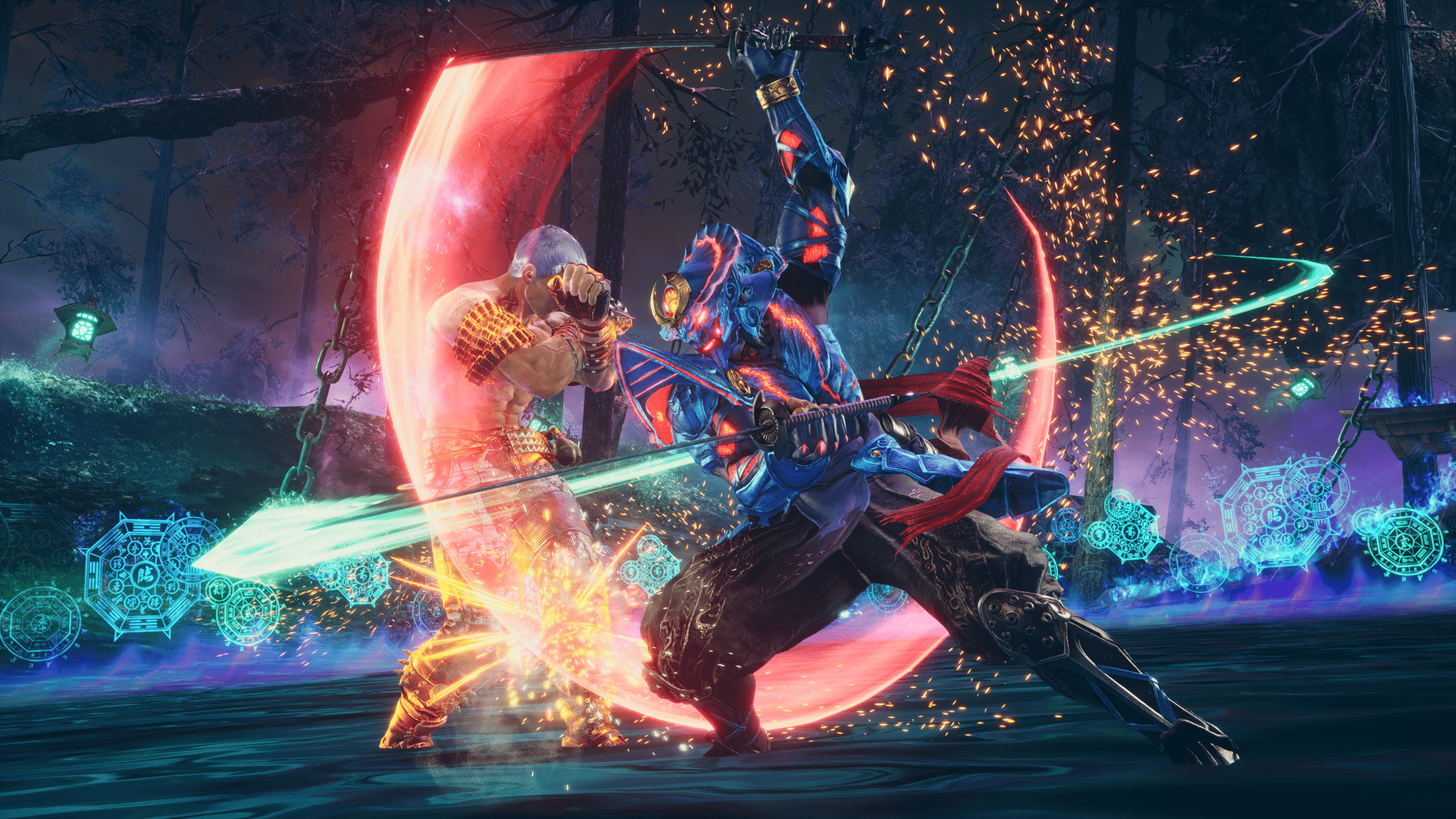
The quick and dirty version of this review, is that Tekken 8 is a superb fighter that respects the long lineage that it came from (Tekken the series actually holds the Guinness World Record for longest running narrative in video games), while introducing some new mechanics that freshen things up and reward aggressive fighting. At the same time, a new control scheme will help newcomers or those without the time to dedicate to fighting games. There’s a lot to dig in to here, so let’s start with how Tekken 8 looks and feels.

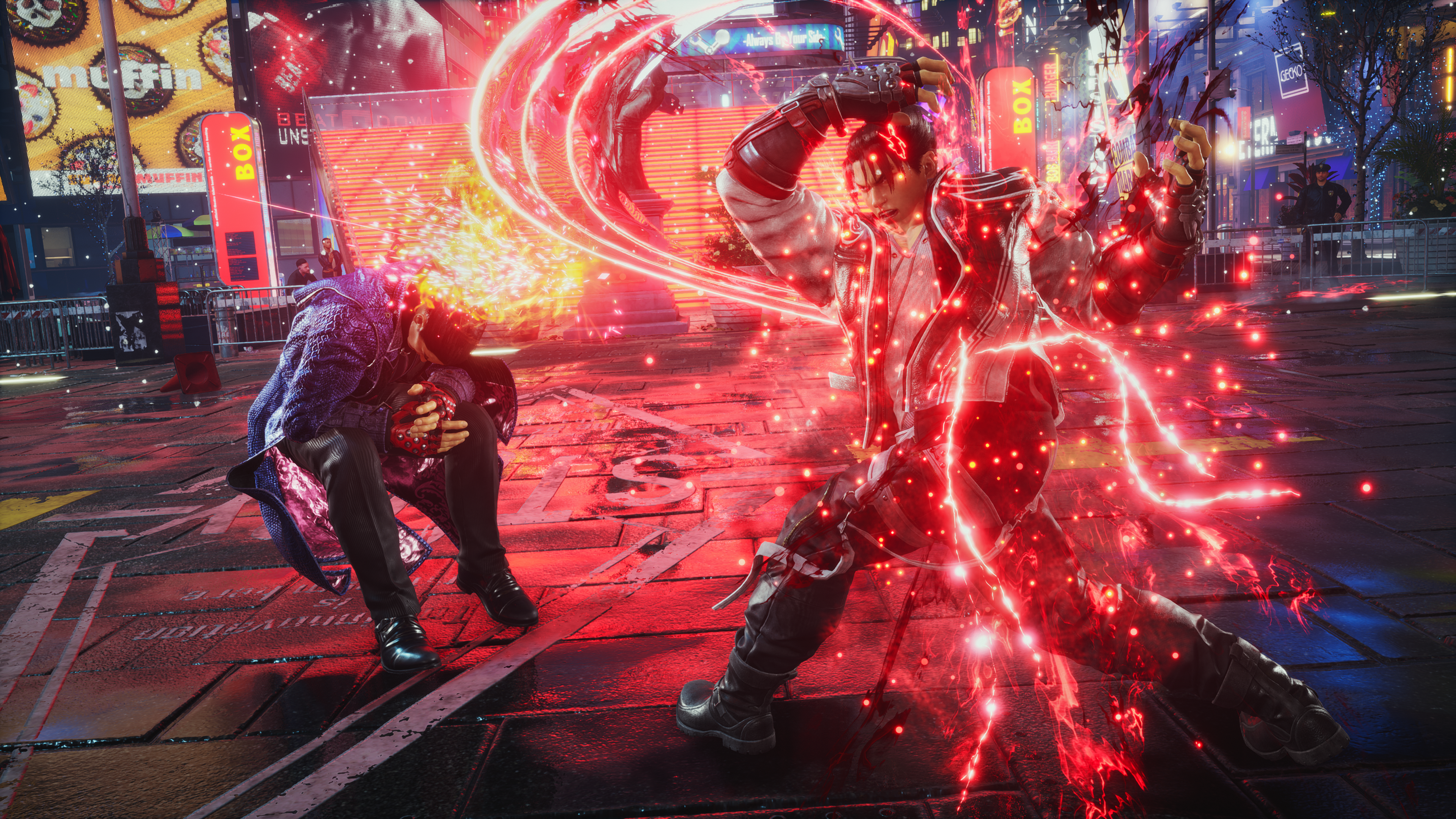
As can be seen in any gameplay footage, Tekken 8 looks gorgeous and plays smoothly. Bandai Namco leaving the previous generation of consoles behind frees it up to look better, though on PC your mileage will vary depending on your specs. We tested on hardware ranging from a lowly 4th-gen i7 laptop paired with GTX 860M, and a higher-specced 12th-gen i7 paired with an RTX 4080, and they both maintained solid frame rates throughout, though naturally the older system needed everything turned down to low. But with AMD’s FSR 2.0, which even runs on NVIDIA’s GPUs, Tekken 8 remained playable in that case, in 1080p no less. As this is the first AAA-level fighting game made in the Unreal Engine 5, it has a lot of hype to live up to, and thankfully on a technical level it appears to do so.

Heated Rage Arts

A flashy new current-gen game engine is great and all, but what really matters is what has changed in terms of fighting mechanics, and what has remained the same. The biggest change is the introduction of a new Heat system. This replaces a couple of Rage-based systems from Tekken 7. Both players begin with a full Heat bar, located beneath the health bar. Once per round (so up to five times per match if it goes to five rounds), either player can press a button to enter Heat mode, which plays a short cinematic and immediately attacks, while also buffing up their attacks in general. Blocking regular attacks in this mode does chip damage, which is indicated by a white portion of the health bar. This damage can be recovered by landing hits on the opponent, which reminds me of Bloodborne which similarly rewarded playing on offense rather than defense when you get hit.

Rage Arts make a return here as well, triggered when your character’s health reaches a low enough threshold. Once you enter this Rage state, even if you manage to recover your health above the threshold level, your Rage state remains. Pressing R2/RT when in this state launches each character’s Hail Mary move, which does more damage the less health you have left. These are the flashy “Ultimate” moves seen in other fighting games, and while they are not gory like in Mortal Kombat, they are over the top and just ooze with that pure Tekken style we have come to know and love. They are importantly also not guaranteed to hit, and dodging, interrupting or even countering these moves is a great source of trash talking when playing against other players.

Accessible for Most

A new special style control method is available for those who don’t play fighting games as often, which is enabled by default by pressing L1/LB. This shows and on-screen guide for what moves are available, and allows combos to be performed with the press of a single button, combined with an optional direction on the joystick/directional pad. This is a nice crutch for people who either can’t or don’t want to memorize combos, though of course you won’t have access to every combo using this method. It’s a nice accessibility option for those that need it, and the feature can easily be ignored by veterans of the series.

There are 15 chapters to Tekken 8’s single-player campaign, and it’ll take most players somewhere around 4-6 hours to complete, a length on-par with most games in this genre. Of course, this depends on what difficulty level you pick, and how much of a challenge it presents you. The story continues six months after the ending of Tekken 7, and while it does offer some sense of conclusion to the seemingly never-ending fight between father and son Kazuya Mishima and Jin Kazama, as any good cinematic games does these days, it leaves the door open for sequels.

Outside of the campaign, and with online mostly disabled during our time with the game, there is still happily plenty to do offline. A new Arcade Quest mode lets you create a stylized avatar, who plays a part in a separate story about becoming the best Tekken 8 arcade player. A regular to the arcade scene named Max and his friends is eager to show you the ropes, and it serves as a more organic approach to tutorials, as it has you learn by doing, taking on other avatars, climbing the arcade ranks, and having fun.

Plenty of Things to Do

There are also character episodes, which tell a story unique to each of the game’s 32 characters. There are usually just five fights to get through, so while each individual episode might not take too long, spread out over a couple of dozen episodes, this still represents several hours of additional content that fans are sure to eat up. A couple of bonus episodes can only be unlocked after completing the main campaign, and their backstory is somewhat filled in during the campaign so their unlock requirements make sense here.

A ghost battle mode is also an option, which allows you to play against yourself, as trained by the play data you generate, so you can learn what you tend to do and how to get better. A Super Ghost Battle mode can be unlocked as well, and you can even play against other players’ ghosts, which is handy to learn how they play if they’re not online at the moment. Most matches you complete can also be reviewed in the replay mode. At certain points during most matches, the game will automatically pause the action, and alert you to some mechanic of the game that you could have used to generate a better outcome than what actually transpired. By simply hitting the Train button, you’re launched into a tutorial for whatever aspect of the game is being highlighted, where you can practice against a dummy to your heart’s content. Then, if you wish, you can go into the replay and actually take over the controls for several seconds, while your opponent continues to play out actions as they actually occurred. Your goal here is to change what happened, which is kind of surreal but also a neat learning tool. Rounding out the offline modes are Versus, Practice, and the return of Tekken Ball as seen in Tekken 3, where you are stuck to one half of a volleyball “court” and can only deal damage by launching a ball into the other competitor. It’s a light-hearted and fun mode that is sure to be a hit amongst friends and frenemies alike.

Customization is also a big part of Tekken, and for most things you do you earn in-game Fight Money, which is handed out pretty generously, with items set to relatively low prices. There are a lot off offbeat accessories, and you can color any piece of clothing the way you want it. Since the Arcade Quest includes a separate avatar, that means there’s a whole separate section of clothing and accessory choices here as well. If you enjoy spending hours crafting a perfect look, you’ll probably spend hours here, easily.

Time for the Next Battle

It feels like we are in a golden age for modern fighting games, and with Tekken 8’s excellent release, everyone’s favorites are here. Whether you venture online or keep things offline with friends and family, Tekken 8 is the ultimate version of the series, with crisp visuals, an exciting campaign, a large starting roster of characters, and plenty of modes to keep you busy with.

Tekken 8 joins a full roster of fighting games, and competes with the best of them. Naturally, as we couldn’t take the game online during our review period, it remains to be seen how effective Bandai Namco and Akira were at implementing rollback netcode. All Tekken fans should buy Tekken 8 without hesitation, and most fighting game fans will find something to like as well. Though the year may have just started, Tekken 8 will probably compete for fighting game of the year and barring any surprises, should be the runaway winner.

Score: 9.5/10

Pros:

  • New Heat mode and style control scheme help to level the playing field
  • A good starting roster
  • Entertaining campaign, bringing some closure to the main battle between father and son
  • Plenty to do offline, with good customization options
  • Replays can help you master a character or combo options available to you

Cons:

  • Online mode performance is a giant unknown until launch

Tekken 8 review code provided by the publisher. You can read MP1st’s review and scoring policy right here.

Avatar photo

Paulmichael Contreras

Paulmichael has been writing in the gaming industry since 2008. Living just outside of Los Angeles, he has been lucky enough to attend numerous gaming events around the world, including the last ten E3 shows (RIP)! A thoughtful reviewer, every game you see scored by PmC has been given careful attention. Paulmichael is also an aviation fan and an avid snowboarder. Favorite games include: No Man's Sky, Gran Turismo 7, skate., CloverPit.

Home > News

New Battlefield 2042 Weekly Missions, Store Bundles for Season 6 Week 16 Listed (January 23)

Battlefield 2042’s weekly missions and store have just been refreshed! MP1st’s Battlefield 2042 Season 6 Week 16 weekly missions, store bundles, and Portal Modes post details this week’s new missions, modes, and store items down below.

New Battlefield 2042 Weekly Missions, Store Bundles for Season 6 Week 16 (January 23):

New Battlefield 2042 Weekly Missions

Weekly Missions:

  • 10 Teammates Revived (4)
  • 100 Damage Inflicted With Throwables or Gadgets (4)
  • 3 Ribbons Earned (4)

Available After 2 Missions:

  • 30 Kills, Assists, and Revives (4)
  • 10 Objectives Captured or Neutralized (4)
  • 2 Rounds Played (4)

Available After 4 Missions:

  • 30 Teammates Healed or Resupplied (4)
  • 500 Damage Inflicted on Vehicles (4)
  • 30 Enemies Killed With SMGs, Assault Rifles, or LMGs (4)

Available After 5 Missions (Bonus Mission):

  • 5 Kills in a Round (10)

Portal Modes:

New Battlefield 2042 Weekly Missions

  • 1942 Rendezvous (1942 | Conquest & Rush | 32v32)
  • Battlefield Bad Company 2 – Deja Vu (BC2 | Conquest | 32v32)

New Store Bundles:

No new bundles have been added to the Battlefield 2042 store for this week, though the Assault Shortcut Kit is available at a 50% discount until the next reset.

That’s all for Week 16. Check back next Tuesday for the Season 6 Week 17 refresh post from MP1st!

More Battlefield Reading:

Avatar photo

Salman Haider Zaidi

That's a nice argument, Senator.

Home > News

Fall Guys Update 1.33 Out for Shapes and Stickers Patch This Jan. 29

Mediatonic has released Fall Guys update 1.33 (PS5 update 1.029) and this is called the Shapes and Stickers patch. Check out the Fall Guys January 23 patch notes posted down below.

Fall Guys Update 1.33 Patch Notes | Fall Guys Update 1.029 Patch Notes | Fall Guys January 23 Patch Notes:

We’re back! Kicking off 2024 with the Shapes and Stickers Update!

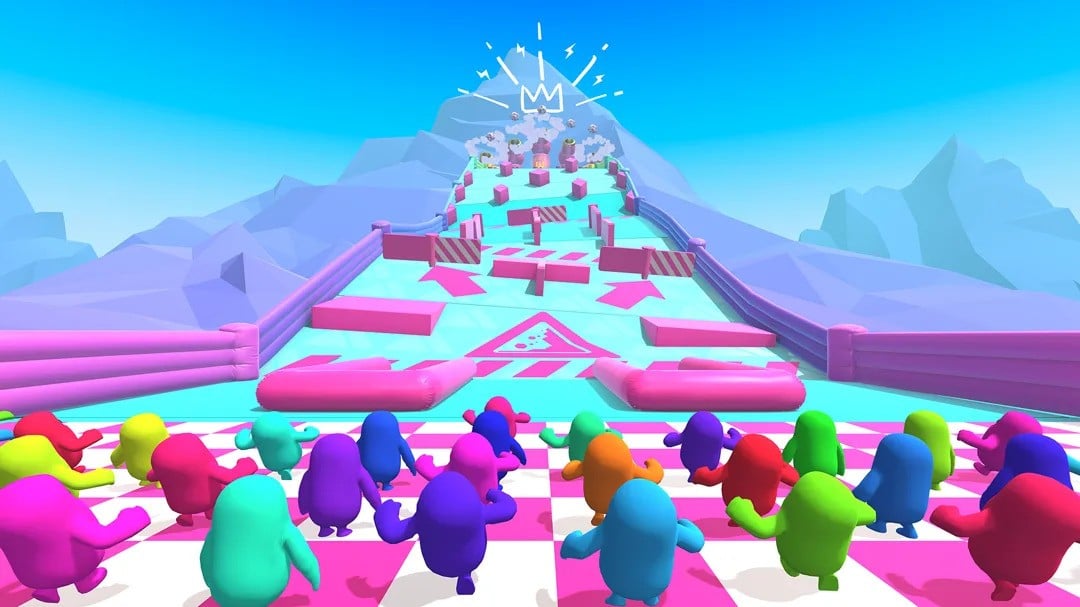
Feel a little bit wild with the Scales and Tails Fame Pass… Roam free in the Blunderdome as lions, tigers, even apes! And go from primates to primitives with some shapely addons to Creative, plus stickers to plaster over your Creative Rounds!

Happy New Year, everyone!

IT’S FULL OF SHAPES!

Geometry? Space? No, it’s not a lesson-plan. We’re just adding more cool things to the Blunderdome.

Primitives: These pleasantly geometric objects—think cones, cubes, and more—are here to give Builder Beans simple additions to their Creative vision.

Stickers: Decorate your Creative Rounds with a fun-tastic collection of stickers in a variety of shapes and colours! With size and colour customization, make your mark on your Creative Rounds.

Dynamic Object Scaling: We’ve added more items that you can scale big or small! You will now be able to scale a selection of moving Obstacles.

Space Background: Give your Round a cosmic canvas with the new Space Background.

ZOOMG! IT’S THE SCALES AND TAILS FAME PASS

The Scales and Tails Fame Pass is a menagerie of animal Costumes that’ll make you want to pet every Bean you see in the Blunderdome. It’s live now, ending
10AM GMT 3rd March!

Want some fancy Ape-aral? You’ll wow them all with the Gorilla A-Peel Costume. The Gently Giraffey Costume is a towering treat—it’s 50% neck! Kit yourself out with one of two big cat Costumes. The Majestic Roar Costume is a rawrfly fancy lion, and the Purrfectly Fierce Costume will have you feline cute in orange and white tiger stripes.

Want to be seen? Pop on the colourful Masterful Morpher Costume and be the most visible chameleon ever! Our Fame Pass freebies are a petting zoo of fun. Wrap yourself in the Snakey Snack Costume, look swish all over with the Piggy Snout and Piggy Tail Wearables, and turn the ‘dile down to ‘cool’ with the Croc Tail Wearable. With emotes, celebrations, Kudos, and Show Bucks, you’ll have a wild time with this Fame Pass!

BUG FIXES
  • Fixed an issue where beans would lose momentum when jumping on Conveyor Surfaces
  • Fixed an issue where entering a wrong code in private lobby could lead to a softlock
  • Fixed a crash on PS5 when pressing repeatedly some inputs
  • Fixed some wrong colours on the Padded beam in Digital Theme
  • Fixed issue where many menu navigation sounds were missing
  • Fixed a problem where linkable objects were unlinking when using the Multi-select tool
  • Fixed an issue with some Discovery rounds becoming unselectable with the mouse after going out of screen
  • Fixed an issue where the SFX for celebration was missing after playing the preview once
  • Fixed an issue with a lot of UI being uncentered across the game
  • Fixed an issue with the Bounce ball power up sounds missing on PS5

We want to thank you, the Fall Guys community, for playing our silly bean game and being the reason we work on these updates. As always, a huge thank you to our brilliant Dev and QA team for sorting these updates and to the entire Fall Guys Team for working so hard to make these changes!

Please remember to always report any in-game issues you face to our wonderful Support Team. Your feedback and reports are so vital in helping us keep Fall Guys as fun, playable and exciting as possible!

See you in the Blunderdome!

Source: Fall Guys

Damien Seeto

Home > News

Destiny 2 Down With Weasel Errors and Planned Server Maintenance for Update 7.3.0.6 This Jan. 23 (Update)

While Bungie has scheduled for the Destiny 2 servers to go down later today, it seems something happened along the way, as players are seeing “Weasel” error codes already this January 23. The scheduled server downtime will usher in update 7.3.0.6, with the full schedule for today listed below.

Destiny 2 Down With Weasel Errors and Planned Server Maintenance Schedule for Jan. 23:

Update: The weasel errors have been fixed, and maintenance is now on-going!

Tuesday, January 23, 2024 – Update 7.3.0.6
5:00 AM PST -8 UTC
    • Destiny 2 will undergo maintenance.
    • Sign-on and game integration features will be unavailable on web, mobile, 3rd-party apps, and the Bungie Store.
    • Players who observe issues should report to the #Help forum.
6:15 AM PST -8 UTC
    • Destiny 2 will be brought offline for expected maintenance.
    • Players will be removed from activities and won’t be able to log back in until 9 AM PST.
    • Ongoing Destiny maintenance is expected to conclude at 11 AM PST.
9:00 AM PST -8 UTC
    • The latest Destiny 2 Update will be available across all platforms and regions.
    • Players will be able to log back into Destiny 2.
    • Players logging into the game may be placed in a queue and may experience sign-on issues as background maintenance is still ongoing.
    • Clan features may remain offline until maintenance is complete.
11:00 AM PST -8 UTC
    • Destiny 2 maintenance is expected to conclude.
    • Console players who encounter issues updating to the latest Update should restart their console and try downloading the Update.
    • Players who observe issues should report to the #Help forum.

Same as always, once the patch is live, we’ll provide a link to it in this article. If the downtime changes or gets extended, we’ll update the article with the info.

Source: Bungie

Avatar photo

Alex Co

Father, gamer, games media vet, writer of words, killer of noobs.

Home > News

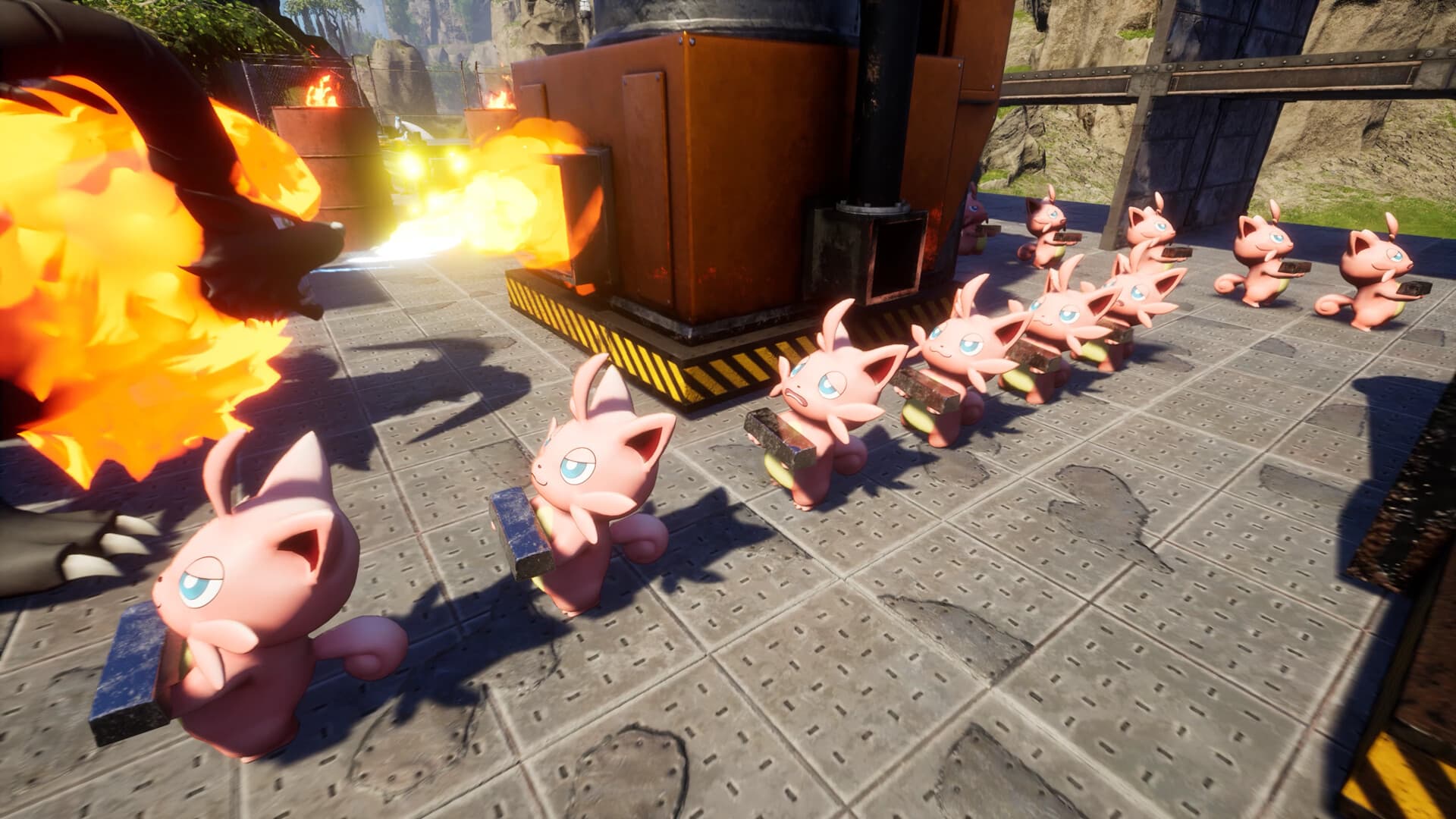
Palworld Update for January 23 Out for Various Fixes

Pocket Pair has released a new Palworld update today for the Xbox and Microsoft Store PC versions of the game. This update addresses some minor that stemmed from the patch released yesterday. Check out the Palworld January 23 patch notes down below.

Palworld Update for January 23 Patch Notes:

Information about today’s update was revealed on the official Palworld Twitter/X page. Details are below.

[Xbox Update]
Updates have been released for Xbox and Microsoft Store PC versions.
This update fixes some of the previously mentioned issues.

[The following issues have been fixed]
<Xbox>
・When starting the game app, it goes black and cannot proceed further.

<Microsoft Store PC version>
・When starting the game app, it goes black and cannot proceed further.
・Controller is not recognized
・Key guide display is not displayed correctly
・Exit game button is not implemented

Today’s update fixes some of the known issues that were highlighted over on yesterday’s patch. You can click the link to know more details on that. The game is still in the early access phase so don’t expect everything to run smoothly for the game just yet. Future updates are expected to be released in the coming weeks and months.

We will update this post or write new articles if more patches are released for Palword in the near future. The game is already taking the world by storm!

Source: Palworld Twitter/X page

Damien Seeto

Home > News

EA Sports PGA Tour Update 1.000.018 Hits Out for Season 10 This Jan. 23

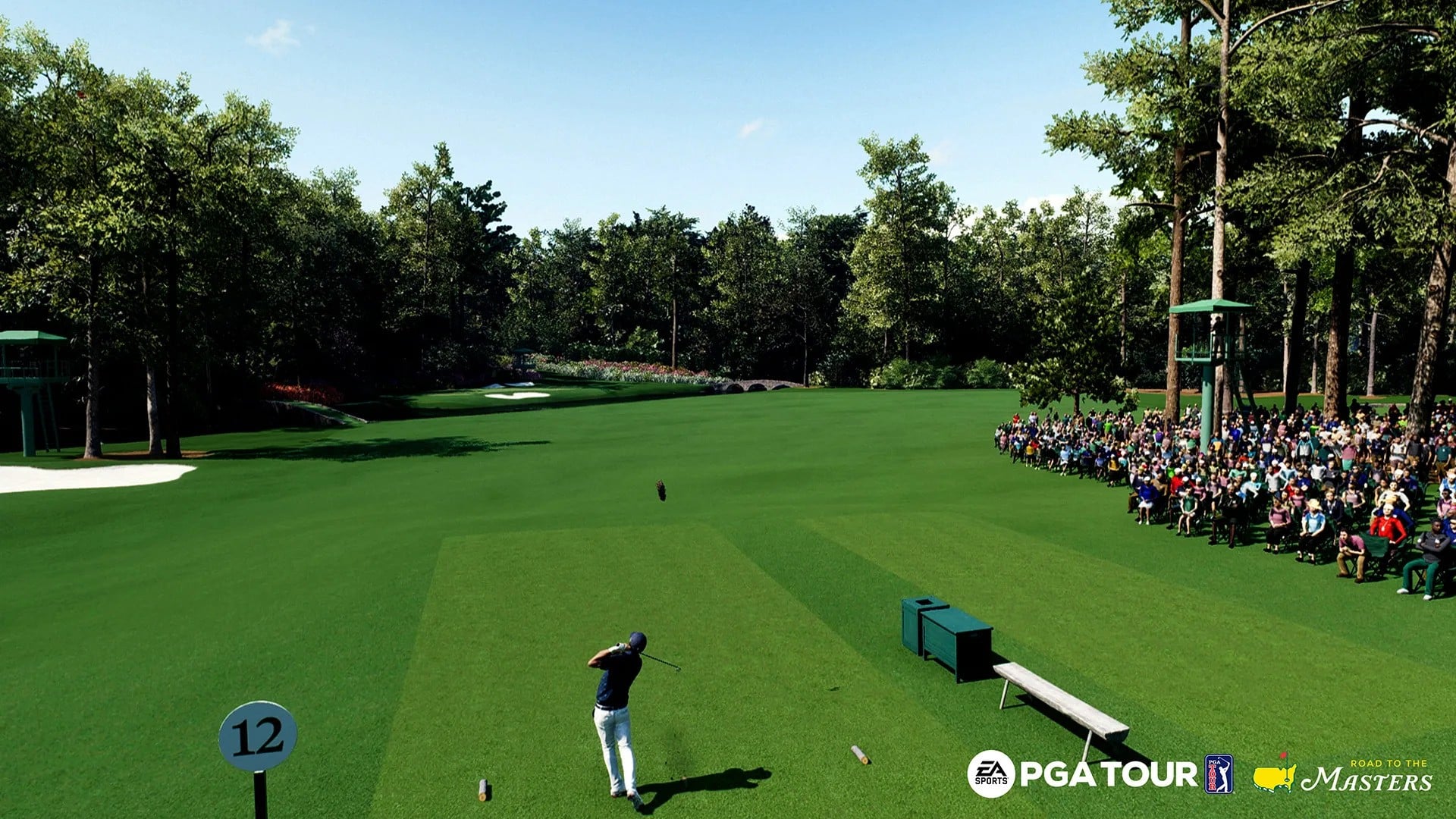
EA Sports PGA Tour update 1.000.018 is now out and this brings in Season 10 content to the game. Expect new gameplay adjustments and more. Read on for everything new in the official patch notes for EA Sports PGA Tour this Jan. 23.

EA Sports PGA Tour Update 1.000.018 Patch Notes | EA Sports PGA Tour Season 10 Patch Notes:

On January 23rd, EA SPORTS™ PGA TOUR™ will receive an update that includes a new season, a number of highly requested features, gameplay improvements, and game-wide bug fixes. Read on to learn about what’s coming next.

Welcome to Season 10!

Season 10 is the biggest season yet for Pro Pass** with 37 cosmetics items available in the premium tier. This is also the first season to feature cosmetics as part of the free tier. Included are 12 variations of EA hats and visors in addition to the same quantities of XP, RP, Tickets, and Specs that have been in previous seasons. Completing Season 10 Pro Pass will earn you Bryson Dechambeau’s Driver Spec in the free tier and the J.LINDEBERG “Brilliant Blue Big Bridge” outfits in the premium tier. Throughout the season you’ll earn tokens to level up your Pro Pass by completing live Quests and playing rounds in Online, Tournaments, and Career modes.

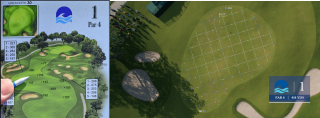
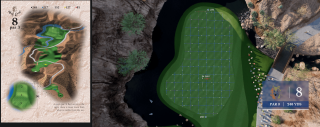
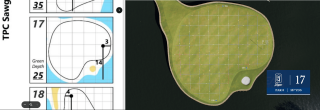
Hole Map has been expanded with a new “Green View” camera angle. This is intended to simulate a pro golfer’s ability to reference their yardage book during a round to understand pin location, green dimensions, and slope. By referencing official ShotLink pin sheets and yardage books for each course, we added and arranged over 600 cameras to give you an authentic view of each green.

When in Hole Map, you can now toggle between Green View and Hole View with the Y/Triangle button. While in Green View, the putting grid and beads are always visible regardless of the player’s Putting Grid setting. The size of the putting grid in Green View is the same for all players and does not depend on the golfer’s putting skill. The putting grid in Green View is larger than the grid for a golfer with zero putting skill, since Green View is only intended to provide high-level information and is not a replacement for reading putts on the green. We look forward to hearing everyone’s feedback. Here is an example of what it looks like in gameplay:

Turn-based stroke play with two to four players has been added as a new playable format to Private Match mode. Simultaneous stroke play with two to sixteen players is still available to play in Private Match and remains in Online mode as well.

Ryder Cup Match Play is back and available to play in Online and Private Match modes. In Online, Ryder Cup has been added to the daily playlist rotation for Match Play. We’re working through an issue that prevented Ryder Cup Foursomes and Four-Ball formats from being included now, but expect it to be added in an intermediate patch in the next couple weeks. In Ryder Cup lobbies, there is a new option that allows you to select Europe or USA for your upcoming match. Going forward, your team preference is saved so you won’t need to reselect it every time you play. Here’s an example of what it looks like in game:

Cup physics has been overhauled and replaced with all-new tech that provides more consistent lip interaction and fixes issues where sometimes the ball could appear to roll over the hole instead of falling in. Although some lip-ins and lip-outs may appear different than they did before, the frequency of hole outs and lip-outs is comparable to the previous tech.

A clock visual has been added to the online hole timer, offering an easier way to see the remaining time at a glance. When 20 seconds are left, the clock turns yellow as an initial warning. The clock turns red and emits a “tick” sound during the final 10 seconds. Here’s an example of what the new timer looks like:

Lastly, the store has been updated so that it now prioritizes displaying items that haven’t been purchased. After purchasing an item, pages now automatically update to replace the purchased item with something new from that page’s category of items. Regardless of whether items are purchased or not, each page’s contents refresh daily with new items.

  • Gameplay:
    • Fixed the ball not being aligned with the golfer for the next shot if the ball was repositioned because it was placed too close to a hazard by the unplayable lie screen on the previous shot.
    • Fix for golfers being assigned the wrong playing partners in the 2v2 quick play formats best ball, foursomes, alternate shot, and foursomes. The fix was applied to servers on December 27th.
    • Fixed a visual hitch or stutter that sometimes occurred right after the ball’s first collision with the ground. This issue was most likely to occur in specific configurations such as playing on PC with ultra visual settings.
    • Fixed a rare issue where after hitting the pin the ball would appear to magically stick to the pin and stop about an inch over the hole instead of going in.
  • Online:
    • When playing in online turn-based matches, the pre-shot spectator camera now rotates to face where the remote golfer is aiming instead of always being stationary.
    • Fixed crowd members sometimes being in the way of the camera or golfer when watching a remote golfer in online turn-based matches.
    • In online stroke play matches, the in-game leaderboard now displays the correct record for DNF players instead of always showing “0-0-0”.
    • Made a number of optimizations to substantially reduce the amount of data that is synced across the network during online gameplay.
  • Input:
    • Fixed the “hold to scroll” logic for D-pad and analog stick input when navigating the UI. Previously, scrolling wouldn’t work sometimes after quickly switching directions, even though the button was still being held down. Additionally, the delay time and scroll speed have been tuned to feel more responsive and natural.
    • [PC] Fixed an issue where keyboard input was non-functional for forward or back in-flight spin control in gameplay.
    • Holding the skip button before a skippable scene is active now automatically starts the full skip timer when the scene is skippable. Previously, you were required to press the button again for the full skip timer to start.
    • Fixed movement when adjusting drop ball position with the “Target Line” option so that it is smooth and doesn’t jitter when scrolling.
    • Fix for not being able to scroll through options with the analog stick in 16 player online or private match lobbies.
  • Challenges:
    • Scorecard HUD widget for shot challenges has been updated to display the number of shots taken, shots remaining for the current location, and total number of locations for the challenge.
    • Fixed an issue where hole preview flyovers were always skipped in stroke and match play challenges instead of being shown according to the player’s setting. Note that in shot challenges, flyovers are still always skipped regardless of the player’s setting.
  • Quests:
    • Fixed the “Get 5 Par Saves” Top of the Rock mastery quest. The fix was applied to servers on December 14th.
  • Initial Install:
    • Fix for some missing assets during initial install gameplay such as the golf bag, loading screen background, and a number of UI elements.
    • Added a message to the scorecard screen that notifies the player when access to the rest of the title is being restricted because the game is still installing.
    • Fix for seeing multiple scorecards in the scorecard screen during initial install gameplay.
    • Fixed the crowd round setting so that it now correctly displays “Off” instead of “On” during initial install gameplay.
  • Courses:
    • [Kiawah] Fixed a number of shrubs that were clipping with bridges or wooden railings.
    • [Kiawah] Moved a number of shrubs that were incorrectly placed on short grass.
    • [TPC Southwind] Fixed an online spectator camera on hole 5 which was partially obstructed by a tree.
    • [Wilmington] Fixed wrongly ordered hole preview images for Wilmington in the custom hole select screen.
  • Outfits:
    • Changed Scottie Scheffler’s belt color from white to dark blue.
  • UI:
    • [Bootflow] Updated the Masters logo shown during the initial bootflow to a higher resolution version.
    • [Gameplay] Fixed an issue where the shot result widget would sometimes display a small distance in feet and inches instead of only showing inches.
    • [Hazard Resolution] Fixed issue where drop ball arrow would remain visible in the course for the rest of the match if the player had their online hole timer expire while in the hazard resolution screen.
    • [Hazard Resolution] Updated the drop ball arrow so that it fades in and out instead of remaining visible when the screen fades to black on a transition.
    • [HUD] Made a number of minor adjustments to HUD widget sizing, alignment, and fonts to ensure consistency between HUD UI elements.
    • [Inventory] Expanded the size of the inventory grid so that 16 items are displayed instead of 12.
    • [Online] Added a button hint for cycling through spectator cameras in online stroke play.
  • Audio:
    • Fixed a couple of minor commentary bugs.
  • Stability:
    • Fixed a softlock that could occur after entering and exiting online foursomes without proceeding into matchmaking.
    • Fix for broken UI and a crash that could occur when disconnecting from the network in the main menu after playing a match in online or private match.
    • Additional crash and stability-related fixes.

** Pro Pass content requires gameplay to unlock. Requires EA SPORTS PGA Tour (sold separately) and all game updates to play.

Source: EA.com

Damien Seeto

Home > News

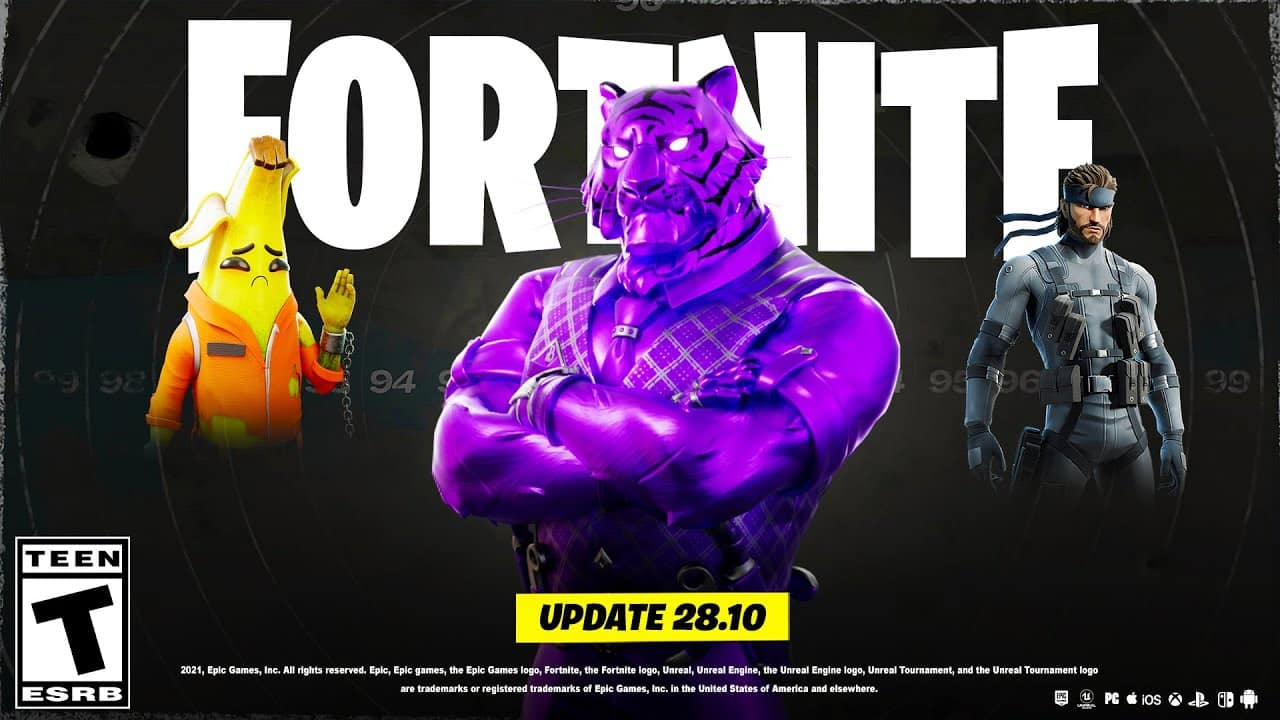
Fortnite Update 28.10 for Version 1.000.122 Out This Jan. 23; Patch Notes and Datamined Info Revealed

Epic Games has released Fortnite update 1.000.122 today for update version 28.10. More content for Lego Fortnite is expected and more. Check out the January 23 patch notes and details for Fortnite below.

Fortnite Update 1.000.122 Patch Notes | Fortnite Update 28.10 Patch Notes:

SHIFT INTO HIGH GEAR WITH ROCKET RACING V28.10!

1.24.2024
The Fortnite Team
Rocket Racing’s v28.10 update is here, meaning it’s time to put the pedal to the metal! In v28.10, put your drifting skills to the test on two new tracks and dazzle your rivals with a Trail for your Car. Plus, enjoy a smooth ride with various quality-of-life improvements — including an updated control scheme on mobile.Rocket Racing v28.10 Update

TWO NEW ADVANCED TRACKS

Ready for a new challenge? Start your engine, because v28.10 comes with two new Advanced tracks that’ll have you drifting through sharp bends, dodging obstacles, and flying off-road all the way to the finish line!

A perilous spin on a fan favorite, the first new track is Lazy Lake 2, unlocked in ranked racing once you reach Gold I. Keep your hands firm on the steering wheel as you take on hazards working overtime.

Rocket Racing Lazy Lake 2

Next up is K2 Raceway Deux, where you’ll speed across winding roads and catch plenty of air. This track is designed for experienced drivers, so you’ll need to master your racing technique and reach Platinum I to unlock it in ranked racing.

Rocket Racing K2 Raceway Deux

NEW CUSTOMIZATION OPTION: TRAILS!

Prepare to speed past your rivals in style! With Rocket Racing’s new Trails, personalize the dust you leave on the racetrack while drifting past the pack.

Trails are a new type of Locker item you can use to customize your Car. Trails will soon be eligible for cross-game ownership. This means you’ll own certain Trails in Rocket League if you obtain them in Fortnite (and vice versa). The first Trail zooming into Rocket Racing is the Fortnite-original Drift Smoke Trail, which is in everyone’s Fortnite Locker now! More Trails will be coming to Fortnite over time in the Shop.

Rocket Racing Drift Smoke Trail

Drift Smoke will be in your Rocket League garage at a later date if you play Fortnite and Rocket League with the same Epic account. Get different paint colors for this Trail by completing Season Zero Tune Up Quests, available until March 26, 2024, at 12 AM ET. Smoke your opponents on the racetrack!

Rocket Racing Drift Smoke Trail Paint Colors

Some of the unlockable Drift Smoke paint colors.

In Fortnite, Trails are currently limited to Rocket Racing. Trails grant no competitive advantage.

IMPROVED MOBILE TOUCH CONTROLS

v28.10 features enhancements to playing Rocket Racing on mobile with touch controls:

  • The D-pad, as well as the accelerate, Turbo, air dodge, and jump buttons, have all received visual and usability improvements.
  • Auto Accelerate is now enabled. It can be toggled on or off.
  • To stop, you now press and hold the brake button. Once you reach 0 on the speedometer, you’ll start to reverse.

MAJOR IMPROVEMENTS AND BUG FIXES

  • Improved overall CPU performance, especially on lower-end devices.
  • Sitting idle during a race will now put the player back in the Lobby.
  • Car collision is now less severe. We’ll continue to improve this interaction over future updates.
  • Air dodging is now smoother when landing.
  • Have the pre-race jitters? You can now wiggle and swivel the camera before a race!
  • The “Invert Steer Method” setting, which inverts steering controls when upside down, now properly remains enabled when changed.
  • Fixed an issue related to players getting stuck post-race.
  • Fixed an issue on Android that prevented players from switching languages.

LEGO FORTNITE V28.10: GO UP, UP, AND AWAY WITH LAUNCH PADS!

1.24.2024
The Fortnite Team

Builders,

Stairs are pretty cool, but v28.10 brings another way to go up high: Launch Pads! Make a futuristic structure where stairs are a thing of the past, or simply use Launch Pads to get somewhere quicker. Learn more about v28.10 below!

LEGO Fortnite v28.10 Update

FLY AWAY WITH LAUNCH PADS

As fun as it is useful, the Launch Pad is a Toy you can build to get somewhere fast. Place a Launch Pad on the ground, jump on it, then deploy a Glider! (You can craft a Glider with a Level 3 Crafting Bench.) For some extra fun, try putting a Launch Pad on a Dynamic Foundation.

LEGO Fortnite Launch Pad

MORE UPDATES!

We’ve seen a ton of amazing creations in LEGO® Fortnite already, and v28.10 makes creating even easier whether you’re piecing together a mountainside mansion, assembling a rocket-powered flying machine, or anything in between! Check out what’s changed:

  • Placing a build will now remove any small bushes, rocks, or plants that are in the way.
  • You can now more reliably place builds on slopes.
  • Want more Building Parts? A variety of new sizes and styles for Floors, Walls, and Roofs have been added so you can fill in gaps and have more options available!
  • You can now abandon a build in progress. This will leave any parts already placed and remove the blue preview parts so you can continue customizing your creation.
  • It’s now more obvious when you’re using Snap Mode, and we’ve added more snap points to Building Parts so that they lock together easier.

JUST VILLAGE THINGS

  • Bushranger, Rustler, and Tomatohead can now appear as potential Villagers to join your adventure!
  • Villages can now be instantly removed with the “Delete Village” option in the Village Square. This new option is available to the world owner and keyholders.
  • Don’t want a Villager in town anymore? You can now remove them by getting rid of their bed and then asking them to leave. 👋

OTHER STUFF

  • Chest rewards have been improved with better loot, especially those from fighting enemies and solving puzzles.
  • Blasters have wandered out of their caves and can be found in the desert, making Blast Cores easier to obtain.
    • Speaking of caves, Brutes have found their way into some — be careful down there!
  • Hermit Crabs now attack your Villagers, and they attack back!
  • You can now get rid of any unwanted items, like a Skeleton’s pickaxe ;), by throwing them in a Campfire.
  • We’ve added a legend to the map to show players’ respawn and backpack locations.

MORE OUTFITS GET A LEGO STYLE!

With v28.10, more Outfits in Fortnite have received a LEGO Style! If you already own these Outfits, their LEGO Styles are currently in your Locker:

  • Ahsoka Tano
  • Finn
  • Jack Skellington
  • Loki Laufeyson
  • Scarlet Witch
  • Spider-Man
  • Star-Lord Outfit
  • Thanos
  • Wolverine

If an Outfit has a LEGO Style, that means you can use the Outfit in LEGO Fortnite!

HIGHER DETAILED LEGO STYLES FOR OUTFITS

Some Outfits that already had a LEGO Style have gotten a higher detailed one! These higher detailed LEGO Styles are replacing the original ones for now, but you’ll have the option to choose between both starting late February. Here are the Outfits that received an updated LEGO Style with v28.10:

  • Cosmic Infinity
  • Crusher
  • Ex
  • FFC Sparkplug
  • Khari
  • Love Ranger
  • Skully
  • Snowfoot
  • Stoneheart

How do you know if one of your Outfits is getting a higher-detailed LEGO Style in the future? See if the Outfit has the hammer and wrench icon in your Locker!

MAJOR IMPROVEMENTS, ADJUSTMENTS, AND BUG FIXES

LEGO Fortnite v28.10 Update 2GAMEPLAY

  • You can now eat while moving!
  • You’ll no longer automatically pick up tools (and accidentally fill your inventory with things you might not want!).
  • Crossbow arrows now have a slightly lower speed and more natural arc when shot.
  • Added the ability to ping locations in a world.
  • Depositing items in Chests will now stack them together. This also works for dragging and dropping them in Chests or using the quick deposit actions.
  • Who’s there? Villagers can now open doors.
  • To better fit in with their environment, Rams now have more Health.
  • Thrusters, Balloons, Switches, and Wheels now give resources back when destroyed. (This only works for Thrusters, Balloons, Switches, and Wheels placed after this update. Current ones will not drop resources.)
  • Fried Eggs take less time to eat.
    • We’ve also adjusted the recipe for a Fried Egg and the effects of eating one.
      • Reduced number of eggs required from 2 to 1.
      • Reduced fullness gained from 8 to 5.
      • Reduced hearts gained from 5 to 4.
  • Eating food with a lower-value Stamina regen buff no longer overrides a higher-value buff you already have.
  • Fixed an issue where food wouldn’t fill the correct amount of hunger while playing with certain game languages selected.
  • Fixed an issue where other players joining your world would spawn far away from everyone else.
  • Fixed an issue where players would sometimes spawn in or under buildings.
  • You’ll no longer spawn on top of a cave after exiting LEGO Fortnite inside of one.
  • The “Respawn” button now works consistently.
  • Fixed a rare bug that prevented players from jumping after respawning.
  • Chests no longer appear floating in the air when you load into a world.
  • Boulders no longer change location when you load into a world.
  • Destroyed Crafting Stations no longer reappear sometimes when you load into a world.
  • Attacks will hit and damage enemies more consistently.
  • Sheep, cows, and chickens will no longer walk over fences.
  • Nearby creatures will no longer accidentally get eliminated when a player does.
  • Items you’ve stored in Chests are no longer sometimes invisible to other players.
  • Fixed an issue where some players couldn’t discover the Storage Chest recipe correctly.
  • Villagers will now actually do their “Metal Smelter” job if assigned it!
  • The Village Square will no longer get accidentally destroyed when you destroy something next to it.
  • Fixed an issue where Stations could lose the items they’ve processed during rain.
  • Fixed an issue where the Grasslands sometimes made players too hot or too cold in areas near the Dry Valley or Frostlands.
  • Fixed an issue on mobile where you couldn’t eat food after picking up a crate.
  • Fixed an issue where some cacti weren’t dropping resources when destroyed.
  • Fixed an issue where some stumps couldn’t be damaged.
  • When starting a new world, Brite Bomber or Cuddle Team Leader will now follow you to your campsite even if you wander off. They’ll now also properly appear every time when starting a new world.
  • Players are no longer launched too high when they jump-attack on a geyser.
  • Fixed an issue where you sometimes couldn’t sprint.

STABILITY AND PERFORMANCE

  • Frame rate is improved when looking at water.
  • Added a new message that says your world is closing and starting back up again (when you leave and rejoin a world too quickly).
  • Improved stability so that crashes aren’t as likely.
  • Fixed an issue where players could get stuck on the loading screen when loading into a world.

PHYSICS

  • Supply Drops will now fall more naturally and no longer get stuck in the air.
  • Large builds are now more stable and less likely to break apart.
  • Fixed an issue where breaking off chunks of a large build would cause them to fall through the ground and disappear.
  • Fixed an issue where Dynamic Foundations would sometimes go backwards when pushed.
  • Fixed an issue where Dynamic Foundations would sometimes refuse to move when you loaded back into your world.
  • Dynamic Foundations no longer get out of sync for other players in the world.
  • Fixed an issue where Wheels would shift from their attach point or disappear when moving across the world.
  • Travelling long distances with Balloons and Thrusters no longer accidentally breaks off pieces.
  • Fixed an issue where moving objects would jitter and knock players off of them.
  • Pushing objects like logs is now more predictable, with less object stutters.

UI

  • You can now remove shared worlds from your “Shared Worlds” list.
  • There’s now a button to let world owners remove other players from their world and/or remove their key.
  • Adjusted several UI screens on mobile to improve the layout and button sizes for touch controls.
  • Added more icons to the HUD on mobile for using specific items.
  • The “All Items” menu is now easier to get to in Sandbox Mode.
  • Resolved an issue with the Village UI sometimes showing the wrong Village Level.

This is still just the beginning for LEGO Fortnite. We’re listening to your requests for new features and items and mixing them with our own plans for how LEGO Fortnite will continue to grow. We can’t wait to see what you create next!


While Epic Games has not shared the official patch notes just yet, we do have info from dataminers. Check out the details down below.

Once the proper patch notes are out, or if the Trello board gets updated, we’ll update the article with the info as well.

Source: Epic Games and Epic Games

Damien Seeto

Home > News

Fortnite Update 4.11 Drops for v28.10 This Jan. 23; Read on for the Patch Notes and Datamined Content (Update)

Fortnite update 4.11 is now out on all platforms, and this is for patch version 28.10! Expect gameplay-related changes, a new PvP option for LEGO and more. Read on for Fortnite new update patch notes for January 23, which was released during today’s maintenance period.

Fortnite Update 4.11 Patch Notes | Fortnite v28.10 Patch Notes:

SHIFT INTO HIGH GEAR WITH ROCKET RACING V28.10!

The Fortnite Team
Rocket Racing’s v28.10 update is here, meaning it’s time to put the pedal to the metal! In v28.10, put your drifting skills to the test on two new tracks and dazzle your rivals with a Trail for your Car. Plus, enjoy a smooth ride with various quality-of-life improvements — including an updated control scheme on mobile.TWO NEW ADVANCED TRACKSReady for a new challenge? Start your engine, because v28.10 comes with two new Advanced tracks that’ll have you drifting through sharp bends, dodging obstacles, and flying off-road all the way to the finish line!

A perilous spin on a fan favorite, the first new track is Lazy Lake 2, unlocked in ranked racing once you reach Gold I. Keep your hands firm on the steering wheel as you take on hazards working overtime.

Rocket Racing Lazy Lake 2

Next up is K2 Raceway Deux, where you’ll speed across winding roads and catch plenty of air. This track is designed for experienced drivers, so you’ll need to master your racing technique and reach Platinum I to unlock it in ranked racing.

NEW CUSTOMIZATION OPTION: TRAILS!

Prepare to speed past your rivals in style! With Rocket Racing’s new Trails, personalize the dust you leave on the racetrack while drifting past the pack.

Trails are a new type of Locker item you can use to customize your Car. Trails will soon be eligible for cross-game ownership. This means you’ll own certain Trails in Rocket League if you obtain them in Fortnite (and vice versa). The first Trail zooming into Rocket Racing is the Fortnite-original Drift Smoke Trail, which is in everyone’s Fortnite Locker now! More Trails will be coming to Fortnite over time in the Shop.

Rocket Racing Drift Smoke Trail

Drift Smoke will be in your Rocket League garage at a later date if you play Fortnite and Rocket League with the same Epic account. Get different paint colors for this Trail by completing Season Zero Tune Up Quests, available until March 26, 2024, at 12 AM ET. Smoke your opponents on the racetrack!

Rocket Racing Drift Smoke Trail Paint Colors

Some of the unlockable Drift Smoke paint colors.

In Fortnite, Trails are currently limited to Rocket Racing. Trails grant no competitive advantage.

IMPROVED MOBILE TOUCH CONTROLS

v28.10 features enhancements to playing Rocket Racing on mobile with touch controls:

  • The D-pad, as well as the accelerate, Turbo, air dodge, and jump buttons, have all received visual and usability improvements.
  • Auto Accelerate is now enabled. It can be toggled on or off.
  • To stop, you now press and hold the brake button. Once you reach 0 on the speedometer, you’ll start to reverse.

MAJOR IMPROVEMENTS AND BUG FIXES

  • Improved overall CPU performance, especially on lower-end devices.
  • Sitting idle during a race will now put the player back in the Lobby.
  • Car collision is now less severe. We’ll continue to improve this interaction over future updates.
  • Air dodging is now smoother when landing.
  • Have the pre-race jitters? You can now wiggle and swivel the camera before a race!
  • The “Invert Steer Method” setting, which inverts steering controls when upside down, now properly remains enabled when changed.
  • Fixed an issue related to players getting stuck post-race.
  • Fixed an issue on Android that prevented players from switching languages.

LEGO FORTNITE V28.10: GO UP, UP, AND AWAY WITH LAUNCH PADS!

Builders,

Stairs are pretty cool, but v28.10 brings another way to go up high: Launch Pads! Make a futuristic structure where stairs are a thing of the past, or simply use Launch Pads to get somewhere quicker. Learn more about v28.10 below!

LEGO Fortnite v28.10 Update

FLY AWAY WITH LAUNCH PADS

As fun as it is useful, the Launch Pad is a Toy you can build to get somewhere fast. Place a Launch Pad on the ground, jump on it, then deploy a Glider! (You can craft a Glider with a Level 3 Crafting Bench.) For some extra fun, try putting a Launch Pad on a Dynamic Foundation.

LEGO Fortnite Launch Pad

MORE UPDATES!

We’ve seen a ton of amazing creations in LEGO® Fortnite already, and v28.10 makes creating even easier whether you’re piecing together a mountainside mansion, assembling a rocket-powered flying machine, or anything in between! Check out what’s changed:

  • Placing a build will now remove any small bushes, rocks, or plants that are in the way.
  • You can now more reliably place builds on slopes.
  • Want more Building Parts? A variety of new sizes and styles for Floors, Walls, and Roofs have been added so you can fill in gaps and have more options available!
  • You can now abandon a build in progress. This will leave any parts already placed and remove the blue preview parts so you can continue customizing your creation.
  • It’s now more obvious when you’re using Snap Mode, and we’ve added more snap points to Building Parts so that they lock together easier.

JUST VILLAGE THINGS

  • Bushranger, Rustler, and Tomatohead can now appear as potential Villagers to join your adventure!
  • Villages can now be instantly removed with the “Delete Village” option in the Village Square. This new option is available to the world owner and keyholders.
  • Don’t want a Villager in town anymore? You can now remove them by getting rid of their bed and then asking them to leave. 👋

OTHER STUFF

  • Chest rewards have been improved with better loot, especially those from fighting enemies and solving puzzles.
  • Blasters have wandered out of their caves and can be found in the desert, making Blast Cores easier to obtain.
    • Speaking of caves, Brutes have found their way into some — be careful down there!
  • Hermit Crabs now attack your Villagers, and they attack back!
  • You can now get rid of any unwanted items, like a Skeleton’s pickaxe ;), by throwing them in a Campfire.
  • We’ve added a legend to the map to show players’ respawn and backpack locations.

MORE OUTFITS GET A LEGO STYLE!

With v28.10, more Outfits in Fortnite have received a LEGO Style! If you already own these Outfits, their LEGO Styles are currently in your Locker:

  • Ahsoka Tano
  • Finn
  • Jack Skellington
  • Loki Laufeyson
  • Scarlet Witch
  • Spider-Man
  • Star-Lord Outfit
  • Thanos
  • Wolverine

If an Outfit has a LEGO Style, that means you can use the Outfit in LEGO Fortnite!

HIGHER DETAILED LEGO STYLES FOR OUTFITS

Some Outfits that already had a LEGO Style have gotten a higher detailed one! These higher detailed LEGO Styles are replacing the original ones for now, but you’ll have the option to choose between both starting late February. Here are the Outfits that received an updated LEGO Style with v28.10:

  • Cosmic Infinity
  • Crusher
  • Ex
  • FFC Sparkplug
  • Khari
  • Love Ranger
  • Skully
  • Snowfoot
  • Stoneheart

How do you know if one of your Outfits is getting a higher-detailed LEGO Style in the future? See if the Outfit has the hammer and wrench icon in your Locker!

MAJOR IMPROVEMENTS, ADJUSTMENTS, AND BUG FIXES

LEGO Fortnite v28.10 Update 2GAMEPLAY

  • You can now eat while moving!
  • You’ll no longer automatically pick up tools (and accidentally fill your inventory with things you might not want!).
  • Crossbow arrows now have a slightly lower speed and more natural arc when shot.
  • Added the ability to ping locations in a world.
  • Depositing items in Chests will now stack them together. This also works for dragging and dropping them in Chests or using the quick deposit actions.
  • Who’s there? Villagers can now open doors.
  • To better fit in with their environment, Rams now have more Health.
  • Thrusters, Balloons, Switches, and Wheels now give resources back when destroyed. (This only works for Thrusters, Balloons, Switches, and Wheels placed after this update. Current ones will not drop resources.)
  • Fried Eggs take less time to eat.
    • We’ve also adjusted the recipe for a Fried Egg and the effects of eating one.
      • Reduced number of eggs required from 2 to 1.
      • Reduced fullness gained from 8 to 5.
      • Reduced hearts gained from 5 to 4.
  • Eating food with a lower-value Stamina regen buff no longer overrides a higher-value buff you already have.
  • Fixed an issue where food wouldn’t fill the correct amount of hunger while playing with certain game languages selected.
  • Fixed an issue where other players joining your world would spawn far away from everyone else.
  • Fixed an issue where players would sometimes spawn in or under buildings.
  • You’ll no longer spawn on top of a cave after exiting LEGO Fortnite inside of one.
  • The “Respawn” button now works consistently.
  • Fixed a rare bug that prevented players from jumping after respawning.
  • Chests no longer appear floating in the air when you load into a world.
  • Boulders no longer change location when you load into a world.
  • Destroyed Crafting Stations no longer reappear sometimes when you load into a world.
  • Attacks will hit and damage enemies more consistently.
  • Sheep, cows, and chickens will no longer walk over fences.
  • Nearby creatures will no longer accidentally get eliminated when a player does.
  • Items you’ve stored in Chests are no longer sometimes invisible to other players.
  • Fixed an issue where some players couldn’t discover the Storage Chest recipe correctly.
  • Villagers will now actually do their “Metal Smelter” job if assigned it!
  • The Village Square will no longer get accidentally destroyed when you destroy something next to it.
  • Fixed an issue where Stations could lose the items they’ve processed during rain.
  • Fixed an issue where the Grasslands sometimes made players too hot or too cold in areas near the Dry Valley or Frostlands.
  • Fixed an issue on mobile where you couldn’t eat food after picking up a crate.
  • Fixed an issue where some cacti weren’t dropping resources when destroyed.
  • Fixed an issue where some stumps couldn’t be damaged.
  • When starting a new world, Brite Bomber or Cuddle Team Leader will now follow you to your campsite even if you wander off. They’ll now also properly appear every time when starting a new world.
  • Players are no longer launched too high when they jump-attack on a geyser.
  • Fixed an issue where you sometimes couldn’t sprint.

STABILITY AND PERFORMANCE

  • Frame rate is improved when looking at water.
  • Added a new message that says your world is closing and starting back up again (when you leave and rejoin a world too quickly).
  • Improved stability so that crashes aren’t as likely.
  • Fixed an issue where players could get stuck on the loading screen when loading into a world.

PHYSICS

  • Supply Drops will now fall more naturally and no longer get stuck in the air.
  • Large builds are now more stable and less likely to break apart.
  • Fixed an issue where breaking off chunks of a large build would cause them to fall through the ground and disappear.
  • Fixed an issue where Dynamic Foundations would sometimes go backwards when pushed.
  • Fixed an issue where Dynamic Foundations would sometimes refuse to move when you loaded back into your world.
  • Dynamic Foundations no longer get out of sync for other players in the world.
  • Fixed an issue where Wheels would shift from their attach point or disappear when moving across the world.
  • Travelling long distances with Balloons and Thrusters no longer accidentally breaks off pieces.
  • Fixed an issue where moving objects would jitter and knock players off of them.
  • Pushing objects like logs is now more predictable, with less object stutters.

UI

  • You can now remove shared worlds from your “Shared Worlds” list.
  • There’s now a button to let world owners remove other players from their world and/or remove their key.
  • Adjusted several UI screens on mobile to improve the layout and button sizes for touch controls.
  • Added more icons to the HUD on mobile for using specific items.
  • The “All Items” menu is now easier to get to in Sandbox Mode.
  • Resolved an issue with the Village UI sometimes showing the wrong Village Level.

This is still just the beginning for LEGO Fortnite. We’re listening to your requests for new features and items and mixing them with our own plans for how LEGO Fortnite will continue to grow. We can’t wait to see what you create next!


As expected, Epic Games has not shared the official patch notes just yet, we do have info from reliable dataminers. Check out the info down below.

In other Fortnite news, the FTC has set a deadline for the Fortnite shop refunds! Read on for more details.

Once the proper patch notes are out, or if the Trello board gets updated, we’ll update the article with the info as well.

Source: Epic Games  (1, 2)

Avatar photo

Alex Co

Father, gamer, games media vet, writer of words, killer of noobs.

Home > News

Fortnite Down for Maintenance and Patch v28.10 Roll Out This January 23 (Update 2)

Epic Games has taken the Fortnite servers down this January 23, 2024, and this is for your standard maintenance, where players will also see patch v28.10 be released on all platforms. Read on for the details on the server outage for today.

Fortnite Down for Maintenance Schedule This Jan. 23:

Update 2: Downtime has officially ended.

Update: Epic is investigating network error issues happening now outside of the downtime.

Here’s the announcement from Epic Games:

Adventurers – Downtime for v28.10 begins tonight at 4:00 AM ET.

This will bring you new content, bug fixes, QOL updates, and some more LEGO Styles!

You’ll be disconnected from your World slightly before we go offline, but all progress will be saved.

Why Is Fortnite Down Today?

Epic Games is pulling the servers temporarily for maintenance, and so a new patch can be released on all platforms at the same time.

While there is no mention of an actual schedule, the standard server maintenance for the game lasts from 2-3 hours usually. If anything changes, we’ll update the article to reflect it. Once the patch notes are out for the new title update, we’ll link to it in this article as well. You can check all our Fortnite stories in the battle royale’s game hub.

Once the servers are back up, we’ll update the article to reflect this, so sit tight.

Avatar photo

Alex Co

Father, gamer, games media vet, writer of words, killer of noobs.

Home > News

Resident Evil Village Update 1.205 for January 23 Released

Capcom has released Resident Evil Village update 1.205 today and this is an unannounced patch, which means there shouldn’t be any new content outside of fixes. Read on for the Resident Evil Village January 23 patch notes.

Resident Evil Village Update 1.205 Patch Notes for January 23:

Here’s what got fixed today:

The following updates have been made to the game.

– Fixed an issue in which some controller input was not recognized during Remote Play.

That’s about it. Don’t expect any major additions or adjustments to the game, as Capcom is pretty much done with it after the PSVR2 title update, and the Winters’ expansion content.

Should We Expect New Content From the RE Village New Update?

Nope. We are not expecting new weapons, enemies or the like, outside of minor adjustments. Capcom is pretty much done with RE Village’s development.

In case you haven’t played the game or just curious what we thought of it, read our review right here where we state, “With stellar combat, and a world that is easy to get lost in with it’s beauty, Village feels like a huge step for the franchise. our review where we state.”

Source: Resident Evil

Damien Seeto

Home > News

Palworld Update for January 22 Released for Fixes (Update)

Pocket Pair has released the Palworld update for January 22 on Xbox and the Microsoft Store PC version, and this is to fix numerous bugs including audio issues. Read on for more info.

Palworld Update for January 22 Patch Notes:

Size: 1.4GB (Xbox)

Here’s the announcement from Pocket Pair:

While no official notes have been released, we do know some of the stuff that has changed thanks to the community.

Unfortunately, there is still no option to name pals like the Steam version, so it doesn’t seem like the game is 1:1 across all platforms just yet.

We’re on the lookout for more fixes and other issues, and if anything gets announced, we’ll update the article with the info. If another update is released on Steam, we’ll let our readers know.

Update: Pocket Pair has acknowledged and listed the known issues the game is experiencing after the update.

[Known Bugs after Xbox Update]
The following bugs have been identified in this version and we are currently working on a fix.
We apologize for inconvenience.

<Xbox version>
・The game launches to a static black screen.

<Microsoft Store PC version>
・The game launches to a static black screen.
・The control pad is not recognized.
・The key guide display is not displayed correctly.
・There is no button to quit the game.

Source: Discord

More Palworld Reading:

Avatar photo

Alex Co

Father, gamer, games media vet, writer of words, killer of noobs.

Home > News

Tekken 8 Latest Trailer Has NBA Stars Going One on One Off the Court

With Tekken 8 releasing this week, Bandai Namco Entertainment has begun ramping up marketing, with the newest advert seeing two NBA Timberwolves stars go at it in a friendly game of competition.

Two Men Enter, Only One Man Leaves

Minnesota Timberwolves players Karl-Anthony Towns and Mike Conley Jr. are all too familiar with a game of competition, be that on the court or sitting side-by-side on a couch; if it’s an activity that involves testing their skills against one another, then you bet they’ll be there. Such is the case for the latest Tekken 8 commercial, which pits the two athletes against one another for a test of combat. Who’s fists will reign supreme? Let’s find out!

Alright, not everyone is a fan of Basketball, but if you’re a fan of Tekken and looking forward to Tekken 8, at least we got to see some new gameplay, not to mention some customization options. Victor is sporting some amazing-looking gear from this video!

The Competition Heats Up In Tekken 8 With Tekken World Tour 2024

We may have just witnessed some friendly one-on-one between two basketball stars, but what won’t be friendly is the onslaught of competition that’ll be rolling in once Tekken 8 releases. Speaking of competition, Tekken World Tour 2024 is about to ignite the world of Tekken, as it’ll headline the Tekken 8 competition scene

Throughout the year, competitors will prepare to compete in the grand stage in Japan, where they will face off against the best of the best in the Tekken fighting scene. This year brings some format changes that’ll include global and regional leaderboards for competitors to advance in and earn points to potentially make it to the Global Finals to fight for the title of TEKKEN World Tour 2024 Champion. Competitors can view the official rules and details on the Tekken World Tour website.

But for non-competitive Tekken fans, the event will likely include several Tekken 8-related announcements, including fighter reveals. Lots to be excited about from this year’s competition, and you can bet we’ll be covering every winner and announcement made through it. 

In the meantime, we can look forward to the release of Tekken 8, which is this Friday, January 26.

Avatar photo

James Lara

A gamer at heart, James has been working for MP1st for the last decade to do exactly what he loves, writing about video games and having fun doing it. Growing up in the 90's gaming has been in his DNA since the days of NES. One day he hopes to develop his own game.

Home > News

Suicide Squad: Kill the Justice League Joker Gameplay Brings Chaos to Task Force X

All it takes is one bad day to reduce the sanest man alive to lunacy, or in this case, not just a man, but a full task force. That’s all according to the Joker, who is back in the Arkhamverse, though not quite how you remember him. One could say he’s from another universe, as the latest Suicide Squad Insider episode reveals Elseworlds (something DC comic book fans should be familiar with), giving us our first look at Suicide Squad: Kill the Justice League’s endgame and some Joker gameplay.

Wait, do our eyes deceive us? Was that?

BREAKING NEWS – The Clown Prince of Crime Returns! Back From the Dead and Terrorizing Metropolis

That’s right, the Joker is back! But as shown in the latest Suicide Squad Insider episode, it’s not the same Joker we all remember, but instead one from another Earth. This Joker was part of the Suicide Squad from his universe, and as you can see, he has a much different look from what the Arkhamverse had.

According to Rocksteady Studios, this version of the Joker has yet to reach supervillain status. He’s a less experienced version of the Joker, still trying to find his place in the universe he came from.

However, one might question what happened to his other Task Force X members. And how will Harley Quinn take this news? These questions will hopefully get answered during Season 1 of Suicide Squad: Kill the Justice League.

In the meantime, here’s some fresh Suicide Squad: Kill the Justice League Joker gameplay plucked (via Reddit) from the video above.

So, what are your thoughts on the Joker? Design? Voice? Gameplay?

Suicide Squad Kill the Justice League is out on February 2 for the PS5, Xbox Series X|S, and PC, with early access going live January 30 for Deluxe Edition purchases.

Related Reading: 

Avatar photo

James Lara

A gamer at heart, James has been working for MP1st for the last decade to do exactly what he loves, writing about video games and having fun doing it. Growing up in the 90's gaming has been in his DNA since the days of NES. One day he hopes to develop his own game.

Home > News

Palworld’s Pokemon Similarities Exposed and It’s Very Glaring

Palworld is the hottest thing in gaming right now, and though the game has had quite a bit of success, it has also aroused a lot of controversy, with many suggesting that the studio may have stolen from Nintendo’s Pokemon franchise. Despite some saying the similarities are due to the artists being inspired, it would appear that some Pals may indeed directly ripped off work from Pokemon. 

The “Pokemon Ripoff” May Have Actually Ripped Off Pokemon Designs

Described as “Pokemon with guns,” Palworld quickly took the world by storm, garnering over 5 million in sales in just a few short days. It’s a success story that many dream of, though, as with all successful things, controversy was quick to follow, with many claiming that the studio stole assets from the Pokemon franchise. 

Such claims remained without evidence, with many chalking the similarities as simply being an inspired take. However, one X user, Cecilia Fae, has taken it upon themselves to shift through more than 100 Pal characters, comparing them to their inspired Pokemon counterparts. A few of those comparisons can be seen below.

They aren’t 100% rips, of course, but if you look closely, you can spot near identical designs that appear to have been lifted for the Pal versions. But the comparisons don’t end there.

Trouble In Palworld?

Okay, so maybe that wasn’t enough evidence for you. Well, this next batch may change your mind, as X user, Byo Frog, took things up a notch and ripped the models from Palworld and compared them to those found in Scarlet and Violet. The results? Models that line up in near-exact proportions. This caught the eyes of game designer Eric Covington (who previously worked at Blizzard Entertainment and PlayStation), who stated that this is “practically impossible” to achieve by accident. 

https://twitter.com/covingtown/status/1749462735291859423

VGC collaborated with that statement from two anonymous AAA artists, who provided them with the following comments:

“You cannot, in any way, accidentally get the same proportions on multiple models from another game without ripping the models. Or at the very least, tracing them meticulously first…I would stand in court to testify as an expert on this.

To give you an idea of how impossible this is, sometimes we have to copy one mesh to another when we make sequels to games, for example, redrawing an NPC from one game to another, and even when we rework those old models, they only SOMETIMES match this closely due to rigging changes that might need to happen.

There have been times when dozens of artists are given the same concept art to create a 3D model, for example, during art tests for jobs. I’ve seen 30 artists try to make the same horse using the exact schematics.

“None were as close to each other as these Palworld models are to the Pokémon models. None. The silhouettes and proportions here are near-perfect matches.”

With some dismissing this evidence due to Nintendo being a multi-billion dollar company, it’s important to understand that the artists who made these designs aren’t among the rich. Not that stealing one’s work is good under any circumstances, as even Game Freak has been accused of stealing fan-made designs.  

We aren’t sure what to think of this whole thing, but the evidence is pretty damning. Whether or not Nintendo takes legal action is up in the air, though we’re sure they’re combing through Palworld to build a case if they plan on pursuing action. 

What are your thoughts on this whole thing? Did Pocketpair Inc. steal from Game Freak?

Avatar photo

James Lara

A gamer at heart, James has been working for MP1st for the last decade to do exactly what he loves, writing about video games and having fun doing it. Growing up in the 90's gaming has been in his DNA since the days of NES. One day he hopes to develop his own game.

Home > News

Suicide Squad: Kill the Justice League Roadmap Revealed, First Content Drops March

In today’s Suicide Squad: Kill the Justice League Insider Episode 3, Rocksteady Studios revealed the game’s roadmap, and also details on the first content drop, and what’s incoming in the future seasons, too.

Suicide Squad: Kill the Justice League Roadmap:

Season 1

Start Date: March 2024

  • The Joker as a New Playable Character
  • New Joker-Themed Playable Environment
  • Two Episodes with New Missions, Activities & Strongholds
  • New Boss Fights & Enemy Variants
  • New DC Villain-Themed Weapons & Gear
  • New Riddler Content

Future Seasons (2-4)

  • 3 New Playable Characters
  • 3 New Playable Environments
  • Weapons,
  • Themed Gear Sets
  • Activities
  • Mid-Season Updates

Per WB Games, each season will be themed at a different DC character and incorporate alternate realities invaded by Brainiac, which will be known as Elseworlds.

In case you missed it, we ran a story on the game’s episodes and seasons being datamined, which seems to align with what was shown today.

In addition to that, Rocksteady Studios also revealed in today’s show that an Elseworld’s version of The Joker will be the first new playable character that will be available in March. In the same episode, Rocksteady Studios revealed that Brainiac will be voiced by Jason Isaacs (Harry Potter, The Patriot)

We’ll have more from today’s episode up on the site, so stay tuned.

What Is Suicide Squad: Kill the Justice League About?

Suicide Squad: Kill the Justice League is an original genre-defying third-person action-shooter developed by Rocksteady Studios, creators of the best-selling Batman: Arkham series. Play as Harley Quinn (a.k.a. Dr. Harleen Quinzel), Deadshot (a.k.a. Floyd Lawton), Captain Boomerang (a.k.a. Digger Harkness) and King Shark (a.k.a. Nanaue) and embark on an impossible mission through Metropolis to save Earth and take down the world’s greatest DC Super Heroes, the Justice League.

Suicide Squad Kill the Justice League will be launching on February 2 for the PS5, Xbox Series X|S, and PC. Early access will be available starting January 30 for Deluxe Edition buyers.

Related Reading:

Avatar photo

Alex Co

Father, gamer, games media vet, writer of words, killer of noobs.