Home > guides

Alone in the Dark Medicine Bottle Puzzle Guide

Having trouble piecing together the clues for the medicine bottle puzzle in Alone in the Dark? Don’t worry; you probably aren’t the only one, as it can be a little confusing from the clues they give. Thankfully, we have removed all the confusion to give you the solution to this puzzle so that you can continue your journey to solving the mystery behind the mansion.

Alone in the Dark Medicine Bottle Puzzle Guide

A few hours into your search for Jeremy, you’ll be tasked with finding some missing medicine bottles. Their locations aren’t kept much of a secret, as the clues will point out which room they’re in, so follow those, get the medicine, and eventually, you’ll find yourself in Lottie’s room with a locked box and a medicine tray lying around. To open the box, you need the combination, and to get the combination, you need to arrange the medicine bottles in the correct order and have them rotated the right way.

The clue given is a stain on each bottle that connects somehow. It sounds easy and should be, but stains can align and connect differently depending on how you look at it. Either way, here’s the solution with the order and rotation of the medicine bottles.

Here’s the code for opening the lock on the box in the room based on the solution above.

Assuming these numbers aren’t randomized and different for each character, this should get you inside the box so that you can continue with the main story. Otherwise, just set the medicine in the order above and look at the bottle numbers. There are three of them: open up the key cipher and match the number with the symbols, which will get you inside the box.

That’s it; you should now be able to continue with the story!

Avatar photo

James Lara

A gamer at heart, James has been working for MP1st for the last decade to do exactly what he loves, writing about video games and having fun doing it. Growing up in the 90's gaming has been in his DNA since the days of NES. One day he hopes to develop his own game.

Home > guides

Alone in the Dark – How to Get the Shotgun

Are you wondering how you can get the shotgun locked away in the display case in Alone of the Dark? Well, wonder no longer, as we tell you exactly how in this step-by-step guide.

Alone in the Dark How to Get the Shotgun:

Fairly early in the game, you’ll come across the Small Parlor room, which has a shotgun locked inside a display. It needs a key, which the game provides no hints on where to find.

Fortunately, the shotgun is part of the story, meaning you’ll eventually unlock it despite passing by it several times. Just how soon? Well, it’s during chapter 2. Eventually, you’ll be transported into another reality, where you’ll be tasked with shutting down an oil pump. The objective is pretty clear, so do that, which will lead to a series of cutscenes.

You’ll find yourself in the mansion again, inside the Small Parlor room. The next objective is to solve the boiler room puzzle, but if you’ve been paying attention, you still don’t have all the pieces. So, observing the ground in the Small Parlor room, you should see a bag. Open it, and it’ll contain the Palette Knife. You can use this knife to now open doors with wedges, and the first door to use this on is the one in the Small Parlor room.

Enter the new room and collect everything, including the Sitting Room Key. With this key, you can now unlock the shotgun display case.

That’s all there is to it; it’s not too complicated, just a lengthy string of quests to follow, but the shotgun is unmissable despite how many times you pass by it during the story.

It’s also one of the best weapons in the game, killing most enemies in one shot, or staggering them long enough to follow with another.

Avatar photo

James Lara

A gamer at heart, James has been working for MP1st for the last decade to do exactly what he loves, writing about video games and having fun doing it. Growing up in the 90's gaming has been in his DNA since the days of NES. One day he hopes to develop his own game.

Home > guides

Alone in the Dark Boiler Room Puzzle Guide

So you’ve finally got all the pieces assembled to solve the boiler room puzzle in Alone in the Dark, but can’t quite figure out how to place each piece. Well, lucky you, we’ve managed to crack this puzzle and have made things a lot simpler by giving you the full answer right away. Here’s how to solve the boiler room puzzle in Alone in the Dark.

Alone in the Dark Boiler Room Puzzle Guide:

The boiler room puzzle isn’t at all that difficult, just a bit time-consuming as you’ll need to align each piece in order to create a picture, and that’s 12 pieces you have to play around with. So, to help you cut to the chase so that you can keep playing the story, here’s the solution to the boiler room puzzle.

Line each part exactly like that; this then unlocks a talisman puzzle where you need the right number combination. Back out, and take a look at the meters for the boiler. If you notice, they are all different sizes, matching the size of each dial on the talisman.

Whatever number the arrow is pointing to is your solution, just in case it’s different for you. This is what we got.

Alone in the Dark Boiler Room Puzzle Guide 3

You can now start the next part of the story, which is another lengthy section in the alternative reality.

Avatar photo

James Lara

A gamer at heart, James has been working for MP1st for the last decade to do exactly what he loves, writing about video games and having fun doing it. Growing up in the 90's gaming has been in his DNA since the days of NES. One day he hopes to develop his own game.

Home > News

Max Payne 1 & 2 Remakes Have Been Fully Funded by Rockstar Games; Budget Similar to Alan Wake 2

Good news for Max Payne fans, as Remedy Entertainment has announced that their Max Payne games (Max Payne 1 & 2) have now been fully funded by none other than the IP holder, Rockstar Games!

As discussed in the studio’s financial statement, Max Payne Remakes has now received full funding from Rockstar Games, with “considerable” progress being made on the project. Remedy reveals that the budget of the remakes will be close to what Alan Wake 2 was (estimated guesses put it between $65-$80 million dollars). 

“Max Payne 1&2 Remake also continued in the production readiness stage. The team made considerable progress throughout the year. Max Payne 1&2 remake is going to be a major new game with great potential, enabled by a similar development budget as Alan Wake 2”

Seems the title will be out of the proof of concept phase real soon if it hasn’t already. Just how long until we see anything from it, well, that’s only something Remedy would know, but considering they haven’t even started full production yet, we wager this will be on the title that won’t be making any kind of appearance until next year. 

Hopefully, Max Payne’s re-imagining is the same quality as Alan Wake 2’s, as the game is not only a fantastic sequel, it’s a fantastic game period. Thankfully, the game’s sales have trended well so far, as it has become Remedy’s fastest game to hit the one-million sales mark.

Speaking of Alan Wake 2, go read our review of it here and see why it was our Game of the Year for 2023.

Avatar photo

James Lara

A gamer at heart, James has been working for MP1st for the last decade to do exactly what he loves, writing about video games and having fun doing it. Growing up in the 90's gaming has been in his DNA since the days of NES. One day he hopes to develop his own game.

Home > News

Dragon Ball: Sparking Zero Gameplay Reveal Hits Hard, Confirms 11 New Fighters

Bandai Namco Entertainment along with develolper Spike Chunsoft, have revealed our first real look at Dragon Ball: Sparking Zero gameplay! This is about three minutes of footage featuring how the latest entry in the Budokai Tenkaichi series has evolved.

Check out the trailer below, and we’ve also gotten confirmation of 11 fighters joining the roster!

According to the press release by Bandai Namco, Dragon Ball: Sparking Zero brings back and enhances gameplay elements that the franchise has been known for to make battles even more spectacular. Evolved features include “Skill Count,” “Revenge Counter,” and “Vanishing Assaults” which give players more chances to counterattack, and add more strategy to fights.

The trailer also unveils 11 new fighters joining the game, which Bandai Namco says is “centered on the constant discussion of Speed vs. Power.”

  • Super Trunks
  • Master Roshi, Max Power
  • Nappa
  • Burter
  • Jeice
  • Super Saiyan Broly (Full Power)
  • Hit
  • Super Saiyan Kale (Berserk)
  • Toppo
  • Dyspo
  • Kakunsa

No release date for Dragon Ball: Sparking Zero, but it’s headed to the PS5, Xbox Series X|S and PC.

Let’s hope this is a game the late Akira Toriyama, the creator of the Dragon Ball franchise, would be proud of.

Avatar photo

Alex Co

Father, gamer, games media vet, writer of words, killer of noobs.

Home > News

Dragon’s Dogma 2 Review – Arise, Chosen One

Twelve years ago, Capcom and director Hideaki Itsuno released what many gamers would later consider to be a cult classic, Dragon’s Dogma. It was a title that, although it was successful later in its lifecycle, didn’t exactly hit it off with the market at the time, though that soon changed quickly when word of mouth spread about how good it actually was. I was amongst those who didn’t give the game a chance at first, but soon after the Dark Arisen expansion was released, I jumped in, absolutely loved it, and grew to be a part of the fandom, which are the very fans who have been screaming every day for a follow-up.

Those cries would go unanswered for over ten years, with all hope nearly dashed. Little did we know that shortly after the game’s tenth anniversary,  Capcom would hold a showcase, announcing several new projects, with one of those being the long-awaited sequel simply titled Dragon’s Dogma 2. It was an announcement that made me jump out of my seat with excitement, so much so that I instantly rang up a long-time friend who introduced me to the series to let them know of the good news.

It would take nearly two years after the initial announcement, but we can finally say that the release of Dragon’s Dogma 2 is upon us, as the global launch arrives this Friday, March 22. But before you can experience it yourself, we’ve been graced with the opportunity to review Dragon’s Dogma 2 before launch. I have plenty to say and not enough time to say it, so let’s dive into my thoughts and find out if this is the game we’ve all been waiting for, which, spoiler alert, it most definitely is.

Editorial Note: This review is entirely spoiler-free Outside of the core story setup.

This Is Your Story

Without getting too deep into the story of Dragon’s Dogma 2, players can expect the core story to follow that of the hero’s journey. You, an Arisen, a.k.a. “Chosen One,” have been deemed worthy by the world-ending dragon to possess unique abilities and powers that can control a mysterious race of beings known as pawns. While the citizens inhabiting the world may not understand why such a singularity exists and why it would be the dragon to pick, it’s been what was prophesied to happen. Thus, the world’s fate rested solely on this chosen hero.

It’s an adventure fit for a hero, or at least we thought, because, as it turns out, the impossible has happened, and the world has somehow ended up with not one, but two Arisen.

Despite some of the plot differences listed above, Dragon’s Dogma 2 is, in many ways, a remake — or kind of — revisioning of the original Dragon’s Dogma. It’s not a direct remake on the scale of the Resident Evil games, mind you, but it rethreads some very familiar story points from the first game. That shouldn’t come as a surprise, especially to those with deep knowledge of the franchise, as it fits nicely into the universe’s lore. But if this is your first time playing the series, the good news is that you do not need to play any previous ones, though it’s highly recommendable as they are fantastic games.

But being someone who did play through those, Dragon’s Dogma 2 is more of that “dream” game the studio wanted to create but couldn’t because of the constraints at the time. The story and the lore revolving around the universe are far more fleshed out in the sequel, though, to be honest, the main story itself may leave you a bit underwhelmed.

That’s something that many fans felt about the previous games, where the presentation wasn’t quite up to par with the rich lore of the games. The same could be said here with the sequel, as the world is brimming with details and individual stories but sticking to the main path, and solely that, the story itself is rushely strung together. There are even plot points that felt entirely forgotten, though the game gives a sort of explanation as to why, but odd considering how much time is spent on that specific plot.

However, and this is the important part that every player should know before playing: how you experience the game and its narrative is entirely up to you. I’ll say bluntly: If you rush through the campaign, you’ll likely feel disappointed by what’s presented. There are fantastic set pieces that it takes you through, but following the plot can sometimes feel rushed and confusing if you aren’t paying attention closely.

But the counterpoint to all that is that Capcom has managed to recapture the magic I felt when playing through Elden Ring for the first time, mixed with a bit of Baldur’s Gate 3. There’s a sense of wonder in the world that makes you want to explore every inch of it, and the game doesn’t hold you back from doing so. It’s all rewarding, too, much like in Elden Ring, where if you veer off and explore something, the probability of encountering something completely new is considerably high.

In one of my journeys, I completed a quest, but rather than return, I noticed a closed-off road. Curious about how to get beyond it, I explored the area and discovered a path below. After an encounter with a few enemies and even a mini-boss, I eventually found myself on the other side of the road, now following the path. This eventually took me to a village where the locals were all acting strangely as if something sinister was happening here, warning and telling me to leave.

Of course, I stuck around and explored, only to get caught up in a new story without any actual quest to put in my log. Many quests are like that, where NPCs will ask for help or tell you to go somewhere without the log getting updated, yet will reward you for following through. That’s a very similar take to what FromSoftware did with Elden Ring, and like so, I found myself jolting down notes, taking screenshots of locations, and marking them myself.

I’ve spent numerous nights dipping well into the early morning hours just exploring and trying to unravel the secrets in this game. Over 60 hours into my journey, I feel I’ve only scratched the surface of possibilities that Dragon’s Dogma 2 truly offers.

This becomes especially true once you realize just how reactive the game’s NPCs are to certain decisions and outcomes you make. A glimpse of that happens fairly early on when you’re going to Checkpoint Town to continue the story. You’ll get approached by several NPCs looking for a particular item, one that a local merchant sells. Well, as it turns out, this merchant is also a forger and will forge almost any item you have had. These forged items are almost identical to the originals, outside the fact that they may produce different effects.

I returned to this mechanic almost 30 hours later because I wanted to see what would happen if I gave a certain NPC a fake item. The result was not disappointing, as it was entirely different from when I had given them the real item they requested.

In another quest, I was tasked with finding an assassin. I failed, and though all seemed good, the assassin eventually killed the NPC I was trying to protect. Again, this is a mechanic that I feel I’ve only seen a small glimpse of, and it still surprises me every time I try a different approach to some things. I am sure I’ve yet to discover other mechanics and items similar to the forger, with them having a massive list of usage throughout the game.

Once I started to play Dragon’s Dogma 2 with the approach of exploring and discovering things myself, the game’s brilliance began to unfold. It’s a fantasy RPG that, while it does guide you, works better when you decide to take full control of the story and veer off to take the road less traveled.

The funny thing is, I spoke with a few other reviewers, and their stories were nothing like mine. I had done stuff they missed, and vice versa, while having very different outcomes in other situations. Despite following the same path, they encountered some things I didn’t. It became evident how much freedom and how the world reacts to that there was, something you won’t discover unless you step away from the main narrative and take in the world around you.

I realized this appreciation during my second playthrough, as it was a story not written by someone else but one forged by my own hands — a book that felt like mine to tell.

It’s utterly amazing what can be done in this world, and Capcom has nailed down exactly what it means to create a living and breathing environment that reacts to your every action. So, while the main campaign may feel underwhelming initially, it’s all about whether you decide to take control of your destiny in the game, which ties in very nicely with the game’s overarching narrative.

It’s the ultimate RPG fantasy that every role-playing game fan dreams of.

They’ll Be Singing Legends About You and Your Epic Battles

The one thing that every fan of the series can agree with is that the combat of the original Dragon’s Dogma and Dark Arisen is among the best for an RPG. The vocations (aka classes) offered and all their unique abilities made for a very robust game that catered to all kinds of different playstyles. Want to be a cool-ass knight wielding a massive sword like Guts from the Berserker series? Or maybe you want to be Gandalf from Lord of the Rings, conjuring spells. Maybe you like playing from the shadows, moving swiftly and silently like a thief in the night, dual-wielding a set of deadly daggers? Yes, you can be all those in Dragon’s Dogma 2.

Whatever playstyle you preferred, Dragon’s Dogma had it all, presented in such a slick and imaginative way that many other action RPGs haven’t quite captured since. There’s a reason why the games are so highly talked about to this day, and even then, I think most are underselling them, and I probably will be, too.

The animation work was astonishing for a game of its time, and it still holds up strong for even today’s standards. Severely underappreciated, and I’d even go as far as to say that the combat was well ahead of its time.

So, my expectations for the combat in Dragon’s Dogma 2 were extremely high, expectations that I’m happy to say have been met.

It’s not a very different game in terms of core combat, which, in my eyes, is a good thing because why fix what isn’t broken? Improve upon it, which Capcom has done in several areas, to make it more fluid and up-to-date. Considering this is a new engine, everything has been rebuilt from the ground up. Yet, Capcom has managed to capture the feeling of the original, only better with all the new and improved animations and more stylistic combat that brings it even closer to the Devil May Cry series, though with its unique identity.

But with Dragon’s Dogma 2 and modern technology, Capcom can create things on a grander scale than the original. Battles are much bigger, not just in terms of enemy count but also in everything else. Fighting a dragon, for example, and seeing them whip up massive tornadoes and other cool particle effects make for rather epic and memorable moments.

Unfortunately, the enemy variety is pretty light from start to finish, but Capcom makes full use of what’s there, ensuring these monsters have a lasting impact on the players. The new hybrid vocations are fantastic to play as, too, though I’ll always find my way back to being a thief with its fast-paced combat and expanded moveset (all vocations have unique exclusive moves) that are just so fun to combo with.

But the big significant changes aren’t what’s been changed with the core gameplay, but what’s been changed elsewhere.

It wouldn’t be a Dragon Dogma game if the “Pawn” system weren’t making a return, and in the sequel, it’s been improved in every way imaginable. For starters, the AI themselves are quite helpful and one point when it comes to battles. There are a few commands you can perform, but I found that during combat, the pawns were very self-sufficient, aiding me whenever I needed healing or a monster’s attention diverted and other actions. There may not be co-op (though I wish there were), but the pawns certainly make up for the lack of it in how well they operate on the battlefield.

It’s not just their combat expertise that has improved; outside of combat, they have several helpful traits that benefit largely when connecting online. Every pawn has its personality, with your main one evolving to offer better benefits in and out of battle. However, not every pawn is the same when it comes to abilities and specializations, and when you hire a pawn from the Rift, they also retain all the knowledge of their master.

Some pawns can provide guidance, while others can even translate certain languages for you that would otherwise be unreadable. One of the coolest things, though, is how the pawns will talk amongst one another, discussing their journey with their masters and how your choices were different from theirs. Hints that the world offers a lot more without being too obvious. Hired pawns will even help you find hidden items their master collected during their playthrough.

It’s a clever way of making online important and worthwhile without forcing an always-online connection for no reason, like so many other games that mandate it.

It goes without saying that not everything in Dragon’s Dogma 2 is as good as one would hope for. For starters, the save system. You only get two saves, one for the last rested inn and the other a manual save that can be overwritten anytime with the auto-save system. It’s the same system carried forward from the first game, and like here, it’s not very well explained.

Even if it was, it’s still not a fun system to work with. I completely understand that the studio wants players to live with the decisions they made, but it’s also a system that can easily turn a lot of players away. I’ve lost countless hours myself after dying because of being restricted from saving in some parts, and the auto-save never kicked in. This system also locks you to a single character unless you’re on PC, which allows you to easily back up your saves by hopping into the folders. Consoles have cloud backup, but that will eventually, at one point, result in a lost save should you ever decide to download that file or upload a new one.

It’s an inconvenience many have voiced before, and I hoped the sequel would have a better system. Sadly, this is not the case.

But my biggest gripe isn’t with the save system but with general traversal in the game. The world of Dragon’s Dogma 2 is far larger than the previous games, but like those games, you’ll spend much time walking to locations or using travel carts. Fast travel does return here via Portcrystals, but it’s so limited. When you get your first Portcrystal, the game tells you you can only set ten of these at any moment. It’s more than enough, and some cities have a permanent one that unlocks after touching it. But that’s not the case for all major cities and towns out there, and after 60 hours, I’ve only found three Portcrystals myself.

Sure, you might think that’s a bit of a nitpick, but Capcom is also heavily monetizing Dragon’s Dogma 2. Most of the items they plan on selling are easy to get, but the one that stuck out is that they’re selling Portcrystals at $3 a pop. That doesn’t sit well with me for what I probably consider one of the best items in the game to use, especially with how rare they’re to come by. There could be an item somewhere in the game that changes that, but based on my time, I haven’t seen it yet.

The stamina and weight system are constant balancing acts in every portion of the game. Never have I felt like a game was making me think I was doing something wrong than the stamina and weight system in Dragon’s Dogma 2. You can only run a few feet before running out of stamina when out of combat. It’s punishing for simply just wanting to explore areas. In towns, you have unlimited stamina, yet as soon as you step out, that meter starts draining for simply making a short run to the next place. Why can’t the open world have that everywhere besides during combat?

The nice thing about all these issues is that they should be addressable. In the worst case, mods will probably improve on some of them on PC, much like in the original games.

This brings me to the next section of our review, which is the visuals and performance.

A Stunning Next-Gen Showcase of the RE Engine.

Capcom’s RE Engine, which debuted with 2017’s Resident Evil 7 and was followed by the remake of Resident Evil 2 in 2019, has been quite the showcase for the past few years. While initially created to power the next generation of Resident Evil games, the publisher has used the engine in other games and genres since its debut, such as Street Fighter 6, Devil May Cry 5, Exoprimal, and even Ace Attorney.

It’s an engine capable of quite a lot, though arguably, outside of potentially Monster Hunter Wilds, it has yet to be used for a game of this size and graphical rendering. All past games have always had some unique art style tied to them, and more commonly, they were linear-style games. Resident Evil Village was probably the closest we’d seen the engine to produce an “open world” with its wide environments aiming for realistic visuals. Still, it was a frontier that the engine had yet to conquer.

Well, that all changes with Dragon’s Dogma 2, which is an absolute showcase of the engine’s capabilities, not just from a visual standpoint but also from a technical one.

Starting with the visuals, this is, in my opinion, the best-looking RE Engine game to date. Environments are so rich in details, regardless of the graphical level or system you’re playing on. The PC version of the game is a full showstopper when it comes to the visual quality and animations being displayed. Mind you, there are some areas that can be rough here and there, with the lighting producing weird effects in some cases, but in general, Dragon’s Dogma 2 looks as next-gen as it gets.

It wasn’t a title that I was going in with the mindset that it would set some sort of graphical benchmark, and yet here I am saying it does (PC with everything maxed out, at least, not so much on consoles). This is especially true in Vernworth, the massive capital of the world, as it’s brimming with rich details during the day while showcasing the power of lighting at night. The game has a day-and-night cycle, and no matter the time and location, it all looks stunning.

Capcom doesn’t just pull from a single type of environment either, as there are plenty of locations to wander through, and again, it all looks so damn good going through it. The large set pieces, those with more baked lighting and such, are some of the best I’ve seen this generation, and they blend in beautifully with a tone that the story wants to tell in those given moments.

On PC there’s support for ray-trace lighting, which really makes environments and such pop more with the dynamic lighting. It still looks great with it off, but that ray-tracing is truly on another level we’ve yet to see in RE Engine games.

Now, onwards to what most of you are probably wondering about: performance.

Given Dragon’s Dogma 2’s size and scope and how little the studio has talked about performance outside of consoles being unlocked with 30 frames-per-second as a baseline, one might expect this is an indication of a poorly optimized game. Well, running on a PC rig equipped with an Nvidia RTX 4090 GPU and AMD 7900x CPU, performance on such a beast is, in general, rock solid outside of one area I’ll talk about shortly.

I have a 120fps 4K supported display, though in most cases, I will stick to 60fps as I play with every kind of setting enabled and, on the highest, usually plays smoother at 60fps, from my experience. I played at 120 fps for a while, which was mostly solid throughout most areas.

Moving down to a 4070, 3080, and even a 3060 and weaker CPU systems along with resolution decreases, Dragon’s Dogma 2 held frames very well throughout testing. There were some minor dips here and there out in the open parts, but nothing too detrimental.

The console versions of the game, though uncapped, targets around 30fps. That may not sound that good, and in most cases, I would agree, but with the right techniques and motion application, 30fps can look really good. There are dips, some big ones, but in general, I didn’t mind how 30fps looked and ran here. Don’t get me wrong; I’ll take 60fps and higher any day of the week when it’s an option, but it’s an option that is not on the console version.

But it does look like Capcom is using the right motion blur and other motion options correctly here because the game looks smooth in motion. We’ve had plenty of other 30fps games where it’s really noticeable with dips, and Dragon’s Dogma 2 does have those on the console, but generally, the frames hold strong and steady. That’s coming from someone who does experience straining in their eyes when playing a game at 30fps. So, if you have a PC that can handle Dragon’s Dogma 2, especially since it has FSR and DLSS support, then I highly recommend playing the game there. But if you only have a console, the 30fps dilemma isn’t as big as some try to make it out to be, at least in this case.

I know when 30fps is an issue, as there’s normally visible pacing and such. There’s some of that in Dragon’s Dogma 2, but honestly, I would compare the smoothness to something like Driveclub. It’s a 30fps racer that you’d have a hard time telling if it’s 30fps, all because of how good the motion blur and smoothing effects are. The visuals, on the other hand, have clearly been toned down in a lot of areas to even get it to run as smoothly as it does. It’s still a very beautiful game on consoles, but you’ll notice a lot more rough patches compared to its PC counterpart. It doesn’t seem like ray-trace lighting is in the console version. Not surprising considering how demanding any ray-tracing feature can be.

Now, the one area that we did notice is an issue across every tested hardware, and something other reviewers mentioned to us is that as beautiful as Vernworth is, the area is consistent with frame dips. No matter what settings I went with, there was no way to counter the dips experienced in the city. The dips were less noticeable on the stronger GPU and CPU combos, but I still noticed some severe ones here and there. But the weaker the hardware, the more dips occurred. I suspect Vernworth is a very CPU-demanding area, given the size, the number of NPCs, and the schedules they run on, something that isn’t as extensive in other parts of the game. It’s really just this part here, and we expect some improvements to come post-launch.

Wake Up, Arisen, You Have a Dragon to Slay

If you’d told me a few years back that we’d get a sequel to Dragon’s Dogma, I wouldn’t believe you, and I’d probably cut all forms of contact with you for playing with my heart like that. Yet, here we are, over 12 years later, on the eve of the release of Dragon’s Dogma 2, getting that sequel that everyone wanted but no one ever thought would ever get made.

I’m amazed it took Capcom this long to do one. It seemed like a no-brainer to do it, yet we had to wait over 12 years for it to come to fruition. Leading into the release, I had doubts that the magic touch the studio and its director had for the first game wouldn’t be something they could just pick up from again, resulting in some weird, hollowed, poor attempt that would cut back everything about the original that we loved. We’ve seen it happen with so many other projects from other studios before.

But I kept my faith up, hoping that the world I would soon return to would once again ignite the passion I had for it from the first game. To say the least, Dragon’s Dogma 2 has excelled in nearly all my expectations, and it is an easy contender for Game of the Year.

While I know it’s not the perfect game, and certainly not one for everyone, I do know that it’ll be a title that I’ll find myself returning to year after year until Dragon’s Dogma 3 is made. Let’s hope that’s not another 12 years, but if it is, at least we’ll have a sequel to keep us busy for the years to come. Dragon’s Dogma 2 is an instant classic, the ultimate RPG adventure that fans have been dreaming about, making that long wait well worth it.

Score: 9.5/10

Pros:

  • Satisfying combat offers good improvements over the first.
  • The pawn system is better than ever.
  • A massive open world that is just waiting for you to explore.
  • Side quests and explorations are some of the best we’ve seen in a game. If you loved how Elden Ring handled it, you’re going to love it here.
  • Hundreds, maybe even thousands, of hours of content worth.
  • The PC version is a beautiful showcase of the RE Engine’s capabilities, while the PS5’s performance is solid. Overall, the visuals are stunning.

Cons:

  • One save-only system, a feature from the first game, is still not great.
  • One of the best items in the game feels so rare that they decided to sell it as a microtransaction.

Dragon’s Dogma 2 review code was provided by the publisher. You can read MP1st’s review and scoring policy right here.


Avatar photo

James Lara

A gamer at heart, James has been working for MP1st for the last decade to do exactly what he loves, writing about video games and having fun doing it. Growing up in the 90's gaming has been in his DNA since the days of NES. One day he hopes to develop his own game.

Home > News

The Finals Update 2.1.0 for Version 1.000.022 Brings Season 2 Fixes This March 20

Embark Studios has released The Finals update 2.1.0 (PS5 update version 1.000.022) for Season 2 improvements and fixes today. Season 2 was released a week ago, but today’s update brings better bug fixes and gameplay improvements in many areas of the game. You can even now choose a map when starting a private match. You can check out the March 20 patch notes and watch a new video for more details on this update.

The Finals Update 2.1.0 Patch Notes:

PS5 Update Version: 1000.022

This update brings a new development to private matches! In the first of many improvements, we have added map selection to the feature so you can play in the arena of your choice.

We’re excited to see how many of you love Power Shift! Very soon, we’ll be adding new maps to this mode so you can ride the platform to its destination in a whole new setting! This and more, coming in Season 2 – so stay tuned!

BUG FIXES & ADDITIONS 

Private matches

  • Players can now select the map when starting a private match

  • Players will no longer be stuck trying to join the game server after leaving a private lobby

  • Fixed an issue where party members with different crossplay settings could be unable to leave private match lobbies

  • Fixed a bug where players could bypass the “Crossplay ON” requirement for private matches, which resulted in a softlock

Console

  • Crash fix for audio-related crash

Power Shift 

  • Monaco:

    • Fixed jump pads clipping the streets on low/medium/high settings

    • Added a short zip line to the closed alleyway next to the cathedral to make traversal smoother

    • Polished placement and orientation of spawn points

  • Skyway Stadium:

    • Added jump pad outside the construction spawn area

    • Tweaked spawns to sit less close to edges

  • General:

    • Fixed objective count score in the summary screen

Maps 

  • Performance and polish on SYS$HORIZON

  • Adjusted collision on ceiling blocker to prevent players from getting stuck above the library when using the gateway gadget in SYS$HORIZON

  • Moved a spawn location in the corner of Monaco near the Hotels that was creating imbalanced scenarios in some game modes

  • Fixed incorrect destruction effect on trees in SYS$HORIZON

  • Fixed missing destruction effects on concrete fences in Seoul

  • Fixed missing destruction effects in multiple assets in the tutorial

Weapons & Gadgets 

  • Fixed bug with inconsistent damage when multiple explosives were triggered at the same time by C4s and breaching charges as opposed to multiplied melee damage

  • Fixed an issue that made recoil on burst weapons not behave as intended

  • Fixed Gateway ammo not being properly refunded when being thrown into an APS

  • Fixed hovering objects after transmutation

  • Blocked transmutation on friendly carriables

  • Improved zipline behavior to better match the intended exit point and direction of the player

  • Improved the dematerializer ability to dematerialize/rematerialized objects when multiple objects are close to each other

  • Removed the ability to equip the mesh shield during defib revive

Art

  • Updated the shoulder-length hairstyles to avoid clipping

  • Fixed oversized ÖRF Sweater to prevent the sleeves from blocking ADS

UI/UX

  • Social syncs will not be excluded if a user is already logged in

  • Fixed a bug that would cause carriable objects to weigh more if they had an active Ping marker attached to them

  • Fixed incorrect text on certain contracts

  • Fixed overflowing text in item tutorial videos

Audio 

  • Fixed seek-to-start time not working

  • Corrected the audio for the Season vignette video

BALANCE 

Weapons

  • SA1216

    • Decreased fire rate from 230RPM to 200RPM

    • Decreased damage per pellet from 7 to 6

Gadgets

  • Glitch Grenades

    • Changed glitch grenades to trigger on impact when they hit mesh shields and dome shields — on other surfaces, they will still bounce

  • Glitch Traps

    • Changed glitch traps to trigger on impact when they hit mesh shields and dome shields

SECURITY

  • Improved prevention and detection

  • Added ban progression with a 3-strike system

Be sure to stay tuned because further updates are expected to be released following the release of Season 2.

Source: Reach the Finals

Damien Seeto

Home > News

Helldivers 2 Update 1.000.103 Out to Fix Exosuit and Balance Gameplay This March 20

Arrowhead Game Studios has released Helldivers 2 update 1.000.103 on PC and PS5 to fix the EXO-45 Patriot exosuit. This update also adds improvements to planetary hazards and patrol spawns. Read on for the Helldivers 2 March 20 patch notes below for more details.

Helldivers 2 Update 1.000.103 Patch Notes:

Size: 315MB (PS5)

Overview

For this patch, we have implemented:

  • Fixes to the EXO-45 Patriot exosuit, game stats, UI, and general stability.
  • Balance improvements for planetary hazards and patrol spawns.
Balancing
  • Balanced and adjusted spawn rates for the various planet hazards including tremors, meteor showers, volcanic activity, fire tornados, and ion storms. Hazards should now spawn less frequently during missions.
  • Meteor Shower has received the following changes in addition to reduced spawn rate:
  • Reduced explosion radius
  • Reduced meteor damage slightly
  • Reduced meteor velocity slightly
  • Meteor color has been changed slightly to try and make it easier to spot.
  • Volcanic Activity has received the following changes in addition to reduced spawn rate:
  • Reduced explosion radius
  • Reduced rock velocity slightly
  • Lighting on Fenrir III has been adjusted to be a bit less bright to improve visibility during meteor showers
Fixes
  • Reduced incidents of patrols spawning on players.
  • Exosuit no longer destroys itself when firing a missile while turning .
  • Exosuit retains its melee functionality, even when damaged.

Crash Fixes for the following scenarios

  • When ALT+Tabbing in fullscreen mode
  • After changing voice over language
  • PS5 boot issue
  • Using a stim inside of an Exosuit while wielding a grenade
  • When joining an ongoing mission
  • When idling on the title screen
  • Shots from arc-based weapons, such as ‘Blitzer’ shotgun and ‘AC-8 Arc Thrower’ stratagem now count towards “Shots fired” and “Shots hit” stats.
  • Fixed network desync issue with downed Automaton dropships.
  • Fixed Elgato Stream Deck Foot Pedal support.

Known Issues

These are issues that were either introduced by this patch and are being worked on, or are from a previous version and have not yet been fixed.

Various issues involving friend invites and cross-play:

  • Cross-platform friend invites might not show up in the Friend Requests tab.
  • Players cannot unfriend other players befriended via friend code.
  • Players cannot unblock players that were not in their Friends list beforehand.
  • Players cannot befriend players with Steam names shorter than 3 characters.
  • Hellpod steering close to large or important objects is currently not functioning as intended, resulting in steering being disabled in a large area around the object.
  • Online features are not functioning when console language is set to Ukrainian.
  • Players may be unable to select loadout when joining a multiplayer via an activity card.
  • Planet liberation reaches 100% at the end of every Defend mission.
  • Drowning in deep water with a Vitality Booster equipped puts Helldiver in a broken state.
  • Exosuits will sometimes be delivered in a damaged or broken state.
  • Stratagem beam might attach itself to an enemy but it will deploy to its original location.
  • Pink artifacts may appear in the sky when setting off large explosions.
  • Text chat box display is obstructed by the cinematic letterboxing during extraction.
  • Sometimes the player’s loadout customizations will reset after restarting the game.

Since this is a live service game, be prepared for more updates to come in the near future.

Source: Steam 

Damien Seeto

Home > News

Prince of Persia: The Lost Crown Update 1.10 Slides Out for Warrior’s Path Version 1.1.0 This March 20

Announced last week, Ubisoft has pushed out Prince of Persia: The Lost Crown update 1.10 (PS5 update version 1.001), which is for game version 1.1.0 or also known as the “Warrior’s Path.” This is the first of the four planned content drops for the game, with the last one culminating in story DLC.

Prince of Persia: The Lost Crown Update 1.10 Patch Notes for March 20:

PS5 Update Version 1.001 | Game Version: 1.1.0

Update 2: Added the official changelog below the list and details of new content.

Update: The complete details regarding the new content in the Warrior’s Path have been released and we’ve updated the article.

Permadeath Mode

We’ve seen your platinum trophies, but how about a real challenge?

Introducing Permadeath Mode: Play the game with only one life and no second chances!

You read that right; when you die with this game modifier applied, you must start a new game.

Here are some first tips to survive this menace of a challenge:

  • Be sure to use the Wak-Wak tree as often as you can to restore your health and change out your amulets as needed
  • Make sure to upgrade your gear and buy as many health potions as you can you never know when you’ll need them
  • Head off the main path and find the soma tree petals to increase your health bar

To enable Permadeath Mode just start a new game, and you will see the option!

If you succeed in beating the game with this mode enabled, not only will you have earned massive amounts of respect from our development team, but you’ll also receive a brilliant outfit. If you are up for an extra challenge, try beating the game on Immortal difficulty in Permadeath Mode, and yet another outfit awaits you.

Speedrun Mode

Want to test your running skills and see how quickly you can beat the game?

Introducing Speedrun Mode: race against time to beat your own records and keep track of your best attempts at completing the game as quickly as possible.

Beat the set time to earn a new outfit and bragging rights among your friends and fellow Prince of Persia fans!

Fariba’s Hints

You can now purchase Treasure Maps from Fariba, in the Haven, with time Crystals. Each treasure map purchased adds the location of all chests in a previously visited area on your Eye of the Wanderer map. To purchase a treasure map, you must first own the specific map of the relevant area.

  • __After finishing the main story of the game, __a special map can be purchased to Fariba: it unveils all the Lore items that remain to be found in the game, throughout Mount Qaf.

Quality of Life

New accessibility options were added to the game:

  • New option to enable ‘Omnidirectional Parry’
    • Allowing you to parry an attack coming from behind, above or below you
  • Custom Difficulty parameters range extended
    • Notably: The Parry Difficulty can now be set to “Very Easy”
    • Enemy Damage and Enemy Health have wider ranges
  • New ‘Auto Athra refill’ option in Custom Difficulty
  • New option to ‘Hide the HUD’
  • New option to adjust background Audio level.
  • Misc: Support of 120Hz on Xbox Series S

Fashion Week

We heard you like outfits, so, how about something with a touch of nostalgia?

This new outfit for Sargon will be unlocked immediately with the download of the new update.

However, the other outfits will require great effort to obtain.

The other outfits include:

  • Swift Sargon (Silver): Unlocked when defeating the game in Speedrun Mode in less than 10 hours, at any difficulty.
  • Holo Chroma (Sands of Time alt color): Unlocked when defeating the game in Permadeath Mode, at any difficulty.
  • Gold: Unlocked when defeating the game in Permadeath Mode in ‘Immortal’ difficulty. (seriously tho, who does this?)

Patch Notes for Update 1.1.0:

Patch size:
Nintendo Switch: 440 MB
PlayStation®5: 1.91 GB
PlayStation®4: 3.57 GB
Xbox One: 3.4 GB
Xbox Series X|S: 9.7 GB
PC: 2.08 GB
Luna: 2.08 GB

NEW FEATURES

Speedrun mode
Permadeath mode
Fariba’s Treasure Maps

QUALITY OF LIFE UPDATES

Support of 120Hz on Xbox Series S

ACCESSIBILITY AND OPTIONS

New omnidirectional parry option
New “No HUD” option
Custom difficulty parameters range extended:
• The Parry Difficulty can now be set to “Very Easy”
• Enemy Damage and Enemy Health have wider ranges
• New ‘Auto Athra refill’ option

GAMEPLAY

Addressed:
• In some occasions, the Time Crystals were missing as a reward together with the Haoma fragment.
• Gravity Wings reward would sometimes be missing after completing the first Constellation.
• Giant Crab would sometimes not take damage.
• A Mystery Chest in Lower City could sometimes disappear when leaving the room too quickly after triggering its appearance.
• The Mystery Chest in Sacred Archives could sometimes not appear, right after the Jailer’s first appearance.
• A lore item in Sunken Harbor could sometimes disappear if not picked up before changing areas
• “The Prophecy of Mount Qaf” side quest could be not triggered if performing specific actions in the Prophecy room before hitting the first sand jar.

WORLD

Addressed:
• In Lower City, a specific door after the Water puzzle could remain closed by changing rooms quickly.
• It was sometimes impossible to enter the Infinite Tunnel on the far left outside of Mount Qaf.
• A lever platform in the Depths could be broken in some circumstances.

PERFORMANCE

Addressed:
• FPS would drop below 50 in some areas of the Hyrcanian Forest.


While there are no official patch notes available yet, we do know what’s incoming with this title update.

The Prince of Persia: The Lost Crown Warriors Path Update will include:

  • Speedrun Mode
  • Permadeath Mode
  • New Sargon Outfits

We’re also expecting gameplay-related fixes to be part of today’s patch. Once the official patch notes are out, we’ll update the article to reflect it.

Warrior’s Path is the first free DLC drop for the game, and the next one is set to drop in Spring 2024 and will include a Boss Attack mode. So far, the only paid DLC announced is the one extending the game’s story, and has no release window yet other than “later in 2024.” You can check out the roadmap for The Lost Crown right here.

Source: Ubisoft, Prince of Persia Discord

Avatar photo

Alex Co

Father, gamer, games media vet, writer of words, killer of noobs.

Home > News

PSN Down This March 19 for Some Users Causing Game Launching and Connectivity Issues

If you are trying to play some PlayStation games online and have noticed some connection issues, you aren’t the only one, as it would appear that some of the PSN servers are down, causing issues for some users.

PSN Down March 19, 2024 Reports:

While PlayStation has yet to acknowledge any network issues, based on our testing and rising numbers on Down Detector, we can confirm that a number of services are currently accessible. For some games, this includes not being able to access online, and account management appears to be inaccessible as well. Some users, including us, even have a locked symbol on our game, though it is still bootable. 

Checking the network status for connection does appear to show that there are issues with connecting to the PlayStation network, as it’s taking a long while to verify the connection. Other menus, such as Users and Account and verifying licenses, are also having issues. 

Mind you not everyone is having issues, and it does appear to only be affecting a small number of users out there. 

Hopefully, things will resume normal soon, though PlayStation has yet to acknowledge any issues related to the outage. We’ll keep watch and will update the story should any new developments arise.

Avatar photo

James Lara

A gamer at heart, James has been working for MP1st for the last decade to do exactly what he loves, writing about video games and having fun doing it. Growing up in the 90's gaming has been in his DNA since the days of NES. One day he hopes to develop his own game.

Home > News

Battlefield 2042 Battle Pass Progression Bug, Haven Map Freezing Issues, and Vehicles Not Spawning After Season 7 Patch

Earlier today, DICE released the Battlefield 2042 Season 7: Turning Point patch to usher in the new map called “Haven,” new weapons and more! While the new content and gameplay adjustments are fine and all, one thing that’s not are bugs! It seems the BF2042 Season 7 Battle Pass has encountered progression issues, and what’s even worse, Xbox Series X players are suffering from a freeze mid-match on the new Season 7 map.

These problems were acknowledged by DICE in an announcement today, where the studio also confirmed another issue with vehicles not spawning in properly.

“We’re aware that some of you are currently unable to progress the Season 7 Battle Pass, and at times are unable to spawn in with either the AK5C or SCZ-3.

The team is actively investigating the root cause of this and we’ll update you once we have resolved the issue.

Brief update on the issue with certain vehicles not spawning in, as well as Xbox Series X players encountering freezes on Haven: While we made some progress on fixes, we will not have a patch ready today.

More updates as we get a clearer timeline on patch/hotfix rollout!”

No timeline yet on when this patch will be pushed out and whether it’ll be just for Xbox players or for everyone, but based on the bugs, we’re expecting all platforms to get this hotfix very soon.

If you know of a workaround for the freezing issues or the Battle Pass progression, leave a comment below and let us know.

Aside from Haven, another new map is on the way in the season, and it’s called Stadium, which is the stadium part in Hourglass reworked to be infantry-only. You can read more about that here.
Avatar photo

Alex Co

Father, gamer, games media vet, writer of words, killer of noobs.

Home > News

Destiny 2 Into the Light Stream 1 Reveals “Onslaught” Horde Mode and More

In case you didn’t know, Bungie held the first Destiny 2 livestream (the first of three) to showcase “Into the Light”, which is a major title update for the game set for release in April 9. While there’s two more livestreams set to air, there’s a ton of info revealed today, which includes the confirmation of a horde mode for the game called “Onslaught.”

Destiny 2 Into the Light Stream 1 – What Was Revealed:

  • Horde Mode “Onslaught” confirmed
  • Legend difficulty confirmed
  • Tripwires, turrets confirmed.
  • Wave 1 to 50 mentioned
  • No matter the difficulty, losing it all and it will fail. Defensive game mode, not offensive
  • Will be found in the Last City
  • Witness doing all it can to stop us closing it down
  • Shaxx is opening up his Arsenal (hear more next week) and is the vendor
  • Gameplay shown during livestream
  • Onslaught is three-player fireteam based. Matchmaking. (not confirmed for higher difficulties)
  • Build crafters should be on notice
  • Fallen enemy shown.
  • Killing enemies grant scrap which can be spent on defenses
  • Shaxx’s Redjacks will be there to help
  • MIDNIGHT COUP CONFIRMED
  • Lore point is that because we assault the Witness, earth is undefended so building this is essential to defend the Last City
  • Lots of weapon information starting next week (Lots of new Lore attached)
  • High Value Targets shown with Champions dropping materials and augments
  • Onslaught map is PvP map Midtown with new decorations
  • Defenses can be upgraded to be stronger. Tripmines and Turrets. Do more damage, health, fire rate
  • Bonus objectives appear. One seen is complete wave in X amount of time. Rewards include heavy ammo crates. Bonuses scale with difficulty as you go further on
  • Playlist version of Onslaught, 10 waves. Challenge version is 5 sets of 10 waves and you move around 3 different locations around the map
  • Bosses confirmed in Challenge version
  • One location is taking the fight to a Pyramid ship and dunking a spark like Rift
  • 10 wave version is Onslaught playlist. Quick and easy going fun
  • Upgrades increase in cost (Scrap) so choose upgrades wisely
  • Throwing batteries at main ADU gives it health. Like Black Armory forges and rewards scrap. Don’t let enemies in the zone
  • Boss in Pyramid taking fight to the Witness
  • Has augments to help deal with bosses
  • Playlist is matchmaking / fireteam. Challenge mode normal is matchmade, legend challenge pre-made (Says needs to confirm). Fireteam Finder on hand
  • Hive shown. Hive, Fallen and Taken will be involved
  • More weapons to be revealed next week
  • Shaxx will be announcing during the mode to push us on
  • Max level for defenses is 3
  • If defense is destroyed, It will need to be re-bought and levelled
  • Scrap is player based, not Fireteam
  • 12K Scrap total to fully upgrade Turret
  • Up to wave 20 on stream
  • Every time you clear a boss; your previous defenses will remain. So if you move location they will remain at the last location but cannot be upgraded again until it’s the defense point
  • Every 10 waves you get a chest. Challenge you’ll get 2 chests. Hard mode, additional rewards and double (Some surprises along the way)
  • Possible variants to rewards
  • Revives – on until you progress in challenge to a certain point which will turn into darkness zone and modifiers will also be added the further you go
  • Can’t gift scrap. You can upgrade defenses other players place or upgrade first
  • ‘Onslaught and chill’ will be great for catalysts, triumphs and bounties
  • Bungie challenges the community do complete legend all 50 waves solo
  • No timer. Only fail condition is to lose the defense
  • Lore wise – Weapons Shaxx has been keeping. Ones that are frowned upon in the Crucible. Revealed next week
  • Light level set to current level

For those that missed the stream, there’s also quite a bit of gameplay shown, but it’s portions. Thankfully, a Destiny subreddit compiled everything. You can catch each by clicking the link below.

If you want to rewatch the presentation, you can do so below. The info above is basically a recap of what was shown by Bungie during the stream.

Don’t forget, there are two more livestreams for Into the Light, with the next one set for March 26, and the last one at April 2. We’ll have info about the two livestreams on the site for those who want a more condensed version of what transpired.

In other Destiny 2 news, there was a patch released today (version 7.3.5.2) which features a slew of gameplay improvements and fixes.

Thanks, RiseOfBacon and gifv_Kayla!

Avatar photo

Alex Co

Father, gamer, games media vet, writer of words, killer of noobs.

Home > News

New Fallout 76 Atomic Shop Weekly Update for March 19, 2024

It’s a new Tuesday, and that means another store refresh for Fallout 76 players! That’s right, the items for sale in Fallout 76’s Atomic Shop have been updated for the week of March 19. Here’s everything, including their pricing.

New Fallout 76 Atomic Shop Weekly Update – March 19, 2024:

Limited Time Offers

Item Atom Price
Rustic Helvetian Hideaway Bundle 1800
Maul Ally Bundle 1500
S.P.E.C.I.A.L. C.A.M.P. Bundle 1800
Rustic Helvetian C.A.M.P. Kit 700
Rustic Helvetian C.A.M.P. Porch Kit 500
Hand Carved Skin (Black Powder Rifle) 500
Lite Ally: Maul 1200
Scent-o-matic Perfume Dispenser 500
Exercise Bike 500

The Rustic Helvetian Hideaway includes:

  • Rustic Helvetian C.A.M.P. Kit
  • Rustic Helvetian Porch Kit
  • Helvetia Window Door
  • Helvetia Dresser
  • Helvetia Nightstand
  • Helvetia Beside Lamp
  • Red Tartan Curtains
  • Hand Carved Blackpowder Rifle Paint

Maul Ally Bundle includes:

  • Maul
  • Mean Green Pose
  • Super Mutant Paint (Super Sledge)
  • Super Mutant Backpack

S.P.E.C.I.A.L. C.A.M.P. Bundle includes:

  • Weight Bench
  • Radiation Glove Box
  • Exercise Bike
  • Scent-o-matic Perfume Dispenser
  • Mechanical Derby Game
  • Antique Speed Bag
  • Fortune Teller Machine

Featured Offers

Item Atom Price
Outside in Helvetia Bundle 1500
Rustic Barbershop Bundle 1500
Root Cellar Bundle 2000
Modern Home Kitchen Bundle 1800
Thanksgiving Kitchen Bundle 2250
Classic Bedroom Bundle 1800
Root Cellar Shelter 1500
Helvetian Fence Set 500
Wall Vines Set 500

The Outside in Helvetia Bundle includes:

  • Helvetian Fence Set
  • Helvetia Wooden Door
  • Helvetian Lodge Sign
  • Helvetian Window Canopy
  • Swiss Flower Cart
  • Daffodil Arrangement
  • Tulip Arrangement
  • Seasonal Elm Trees

The Rustic Barbershop Bundle includes:

  • Barber’s Chair
  • Barbershop Pole Light
  • Checkered Circles Linoleum Floor and Foundations
  • White Wallpaper
  • Open and Closed Sign
  • Vault-Tec Locker Bay
  • Mr. Rocket Kiddie Ride
  • Mr. Fuzzy Kiddie Ride

The Root Cellar Bundle includes:

  • Ritual Votive Stand
  • Coffin Stash Box
  • Worm Farm
  • Vines Set

What is the Fallout 76 Atomic Shop?

The Atomic Shop is an in-game store in Fallout 76 offering cosmetics, C.A.M.P. objects and more in exchange for a special currency called Atoms. Most purchases are unlocked account-wide, and may be accessed by any character on the account.

Some objects require an in-game plan to be learned in order to gain access, while other items are only unlocked for a single, specified character. All exclusive items are character-bound, and cannot be dropped or traded with other players. The Atomic Shop is accessible at any time from the main menu, as well as the pause screen after leaving Vault 76 for the first time.

If you fancy nothing from this week’s refresh, there’s always next week, which as always, we’ll have up and posted, so be sure to check back!

Avatar photo

James Lara

A gamer at heart, James has been working for MP1st for the last decade to do exactly what he loves, writing about video games and having fun doing it. Growing up in the 90's gaming has been in his DNA since the days of NES. One day he hopes to develop his own game.

Home > News

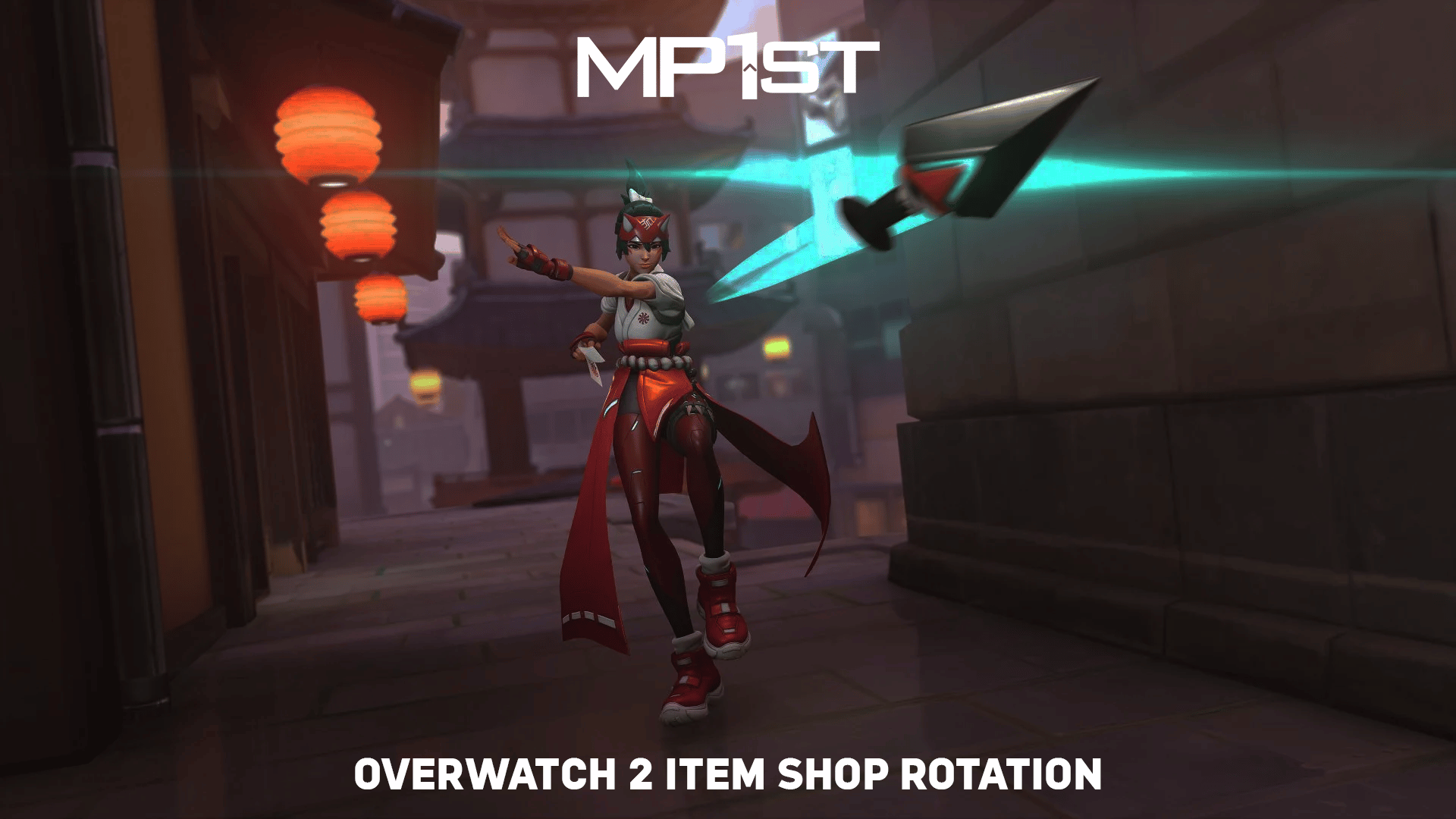
New Overwatch 2 Item Shop Rotation for March 19, 2024

A new Overwatch 2 item shop rotation for March 19, 2024 is live now, bringing a fresh set of store bundles plus individual cosmetics, emotes, and much more. Players will need the requisite amount of Overwatch Coins in order to make purchases in the item shop.

Remember that a 100 Overwatch Coins convert to $1 USD, so 1,000 Overwatch Coins equate to $10 and so on.

New Overwatch 2 Item Shop Rotation for March 19, 2024:

Featured:

  • Cowboy Bebop Mega Bundle (Legendary) – 5600 OC
    • Faye Valentine – Ashe Legendary Skin
    • Spike Spiegel – Cassidy Legendary Skin
    • Ed – Sombra Legendary Skin
    • Jet Black – Mauga Legendary Skin
    • Hip Shooter – Epic Highlight Intro
    • Revolver Twirl – Epic Highlight Intro
    • Coach Gun – Rare Victory Pose
    • Dynamic Duo – Rare Victory Pose
    • Finger Gun – Epic Emote
    • Ed’s Saunter – Epic Emote
    • Faye Valentine – Rare Name Card
    • Jet Black – Rare Name Card
    • Spike Spiegel – Rare Name Card
    • Ed – Rare Name Card
    • Swordfish II – Epic Weapon Charm
    • Bonsai – Epic Weapon Charm
  • Faye Valentine Ashe Bundle (Legendary) – 2500 OC
    • Faye Valentine – Ashe Legendary Skin
    • Hip Shooter – Epic Highlight Intro
    • Coach Gun – Rare Victory Pose
    • Dynamic Duo – Rare Victory Pose
    • Faye Valentine – Rare Name Card
  • Spike Spiegel Cassidy Bundle (Legendary) – 2500 OC
    • Spike Spiegel – Cassidy Legendary Skin
    • Revolver Twirl – Epic Highlight Intro
    • Finger Gun – Epic Emote
    • Spike Spiegel – Rare Name Card
    • Swordfish II – Epic Weapon Charm
  • Ed Sombra Bundle (Legendary) – 2500 OC
    • Ed – Sombra Legendary Skin
    • Ed’s Saunter – Epic Emote
    • Ed – Rare Name Card
  • Jet Black Mauga Bundle (Legendary) – 2500 OC
    • Jet Black – Mauga Legendary Skin
    • Jet Black – Rare Name Card
    • Bonsai – Epic Weapon Charm
  • Holi Symmetra Bundle (Epic) – 1100 OC
    • Holi – Symmetra Epic Skin
    • Holi – Rare Player Icon
    • Holi – Common Spray
  • Bounty Hunter Baptiste (Legendary) – 2100 OC
    • Bounty Hunter – Baptiste Legendary Skin
    • Qui Vive – Epic Highlight Intro
    • Vigilant – Rare Victory Pose
    • Aim for the moon – Common Voice Line

That’s all for this week’s Overwatch 2 store refresh! In case you didn’t know, Blizzard announced earlier that each new major in-game event will feature a free skin which players can earn through playing, just like the first Overwatch.

Players can also take a look at these store items over at the official Battle.net Overwatch 2 Shop page.

Avatar photo

Salman Haider Zaidi

That's a nice argument, Senator.

Home > News

Overwatch 2 Season 10 Changes: Heroes Won’t Be Locked Behind Battle Pass and More

Blizzard’s given us a first look at upcoming Overwatch 2 Season 10 changes via a developer update posted this morning. The next Season will unlock the game’s Hero roster for all players and bring past Mythic skins back for purchase in the new Mythic Shop.

These changes were also detailed on the official Overwatch 2 blog, which we’ll break down into more detail for you here.

Overwatch 2 Season 10 Changes Detailed:

While the gameplay specifics are still under wraps, Blizzard’s making a few important high-level changes to the game for all players. Here’s what you can expect from Season 10:

  • Hero Releases – Starting Season 10, all heroes will be immediately unlocked when they launch. All existing heroes will also be unlocked for players. This means that heroes will no longer need to be unlocked through the Battle Pass to play them, including Season 10’s new hero, Venture.
    • New players will still need to complete the first-time user experience to unlock heroes as they learn the ropes. Once the heroes from the original Overwatch roster have been unlocked, all Overwatch 2 heroes will also become available.
  • Mythic Changes – Season 10 will introduce changes to how you earn, upgrade, and unlock Mythic hero skins through the new Mythic Shop. The Mythic Shop will allow you to work towards past and current seasonal Mythic hero skins as you progress through the Premium Battle Pass. You get to decide how far into each Mythic skin you would like to build. So, for example, if you don’t want to fully unlock all of a skin’s color or model variations, you can spread your progression towards other Mythic hero skins.
    • Blizzard is also adding past Mythic hero skins to the Mythic Shop, giving you the opportunity to pick up your favorites. Seasonal Mythic hero skins will be available two seasons after their debut. This means Mythic hero skins from Seasons 1 through 7 will be available in the Mythic Shop starting Season 10.
  • Challenges and Coins – Starting Season 10, you will earn coins as you progress through the Free and Premium tracks of the Battle Pass, making them easier and more consistent to earn. Blizzard is also increasing the number of coins you can earn for free from 540 to 600 coins per season.
    • Weekly challenges will be more flexible to fit with your playstyle, and they will now reward Battle Pass XP.
  • Keeping Gameplay Fresh – Blizzard has promised continued changes with new or updated systems, as well as meta shake-ups, rank resets, and new rewards. More details will be shared down the line as to the specific changes coming to Season 10.
  • More Maps to Explore – The brand-new mode introduced at BlizzCon 2023, Clash, will make its debut this year with two accompanying maps. Season 10 will introduce a limited-time Clash trial with the new Hanaoka map upon launch.
    • Season 11 will introduce Runasapi, the new Push map set against the stunning backdrop of Peru in the world of Illari and the Inti Warriors. This season will also bring a reworked Colosseo.
    • Dorado, Circuit Royale, Havana, and Numbani are also on the agenda for upcoming significant updates. Blizzard will share more about the specific changes in the future.

So far, Season 10 is shaping up pretty positively. Let us know what you think about the planned changes in the comments. To learn more about these changes as we get closer to Season 10’s release date, stay tuned in to us here at MP1st.

Overwatch 2 also recently got a Cowboy Bebop crossover event with a handful of new skins. You can check that out at this link.

You can watch the developer update video below:

Source: Blizzard

Jack Breitenbach

Game the night away!

Home > News

Minecraft Update 2.85 Chips Out for Version 1.20.72 This March 19

4J Studios has released Minecraft update 2.85, which is for Bedrock version 1.20.72. This is a minor patch that was issued by the devs to deal with crashes more than anything else. Read on for the official patch notes to see what’s new.

Minecraft Update 2.85 Patch Notes for March 19:

Game Bedrock Version: 1.20.72

A new update is now available to address stability issues introduced with the 1.20.70 update. The update is currently available on Android, iOS, and PlayStation 4, and other platforms will receive the update soon.

1.20.70 remains unavailable for Windows and we’re continuing to work on a solution. We’ll make an announcement as soon as the update becomes available again. We appreciate your continued patience as we work to address this issue.

Fixes:

  • Fixed several crashes that could occur during gameplay

It’s understandable that this is a minor update, as the latest one released last week was full of adjustments and fixes, which you can read about here.

Source: Minecraft

Avatar photo

Alex Co

Father, gamer, games media vet, writer of words, killer of noobs.

Home > News

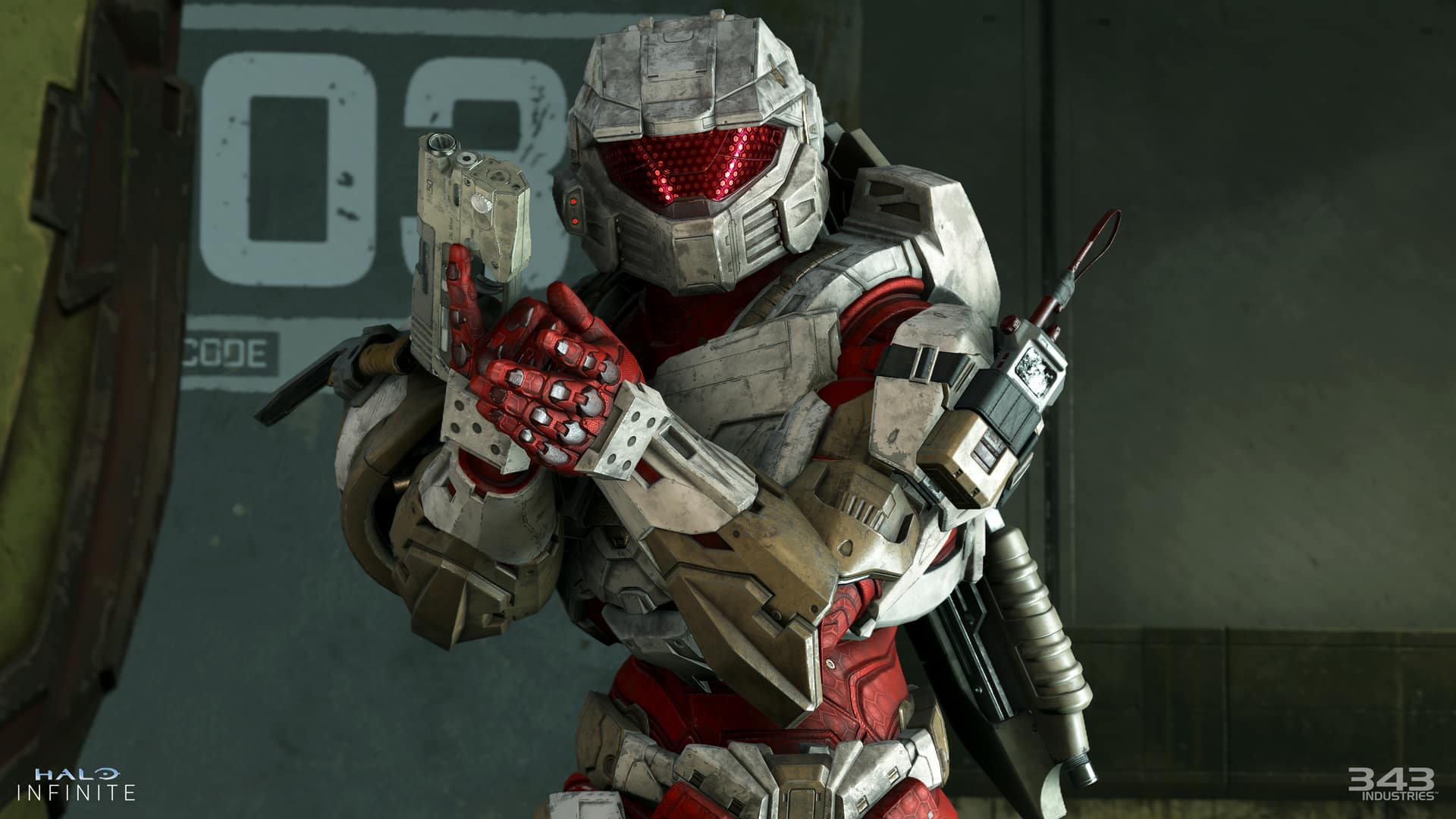
Halo Infinite Update for March 19 Brings Easy Anti-Cheat to PC, New Custom Modes, and More

343 Industries has just released a massive Halo Infinite update for today, March 19, that adds easy anti-cheat on PC, along with some new custom firefight modes, and so much more! Here are the full patch notes for today’s Halo Infinite update.

Halo Infinite Update for March. 19 Patch Notes | Halo Infinite Content Update 31 Patch Notes:

NEW FEATURES

This update brings new content, numerous bug fixes, and several new features to Halo Infinite. For a full list of this update’s bug fixes, see the Resolved Issues section below. New features and content included in this update are:

OVERHAULED NETWORK MODEL

The new networking model ⁠introduced in the Firefight matchmaking playlists in December 2023 has been rolled out to the rest of the Halo Infinite online multiplayer experience. Players should experience less instances of rubberbanding movement, taking damage around corners, and other issues caused by becoming desynchronized with the multiplayer server.

The development team will be monitoring backend metrics, Halo Support bug report tickets, and player feedback to determine how this new networking model is working. If you encounter any issues in online multiplayer that may be network related, please submit a ticket so the development team can investigate!

EASY ANTI-CHEAT ON PC

Easy Anti-Cheat (EAC) has been added to Halo Infinite on PC. EAC helps provide a level playing field in online sessions by ensuring the integrity of all players’ game files and background programs. When EAC detects that a player may be attempting to cheat or alter game files in a multiplayer session, they will be removed from the match. EAC is not active in Campaign or Forge’s Edit Mode.

When playing Halo Infinite, players are bound by the Halo Spartan Code and the Xbox Community Standards. If you encounter a player in Halo Infinite who you believe to be cheating, follow the steps below to report a player during a multiplayer match:

  1. Using the default control bindings, open the multiplayer scoreboard by pressing either the View button on a controller or the Tab key on a keyboard.
  2. From the scoreboard, navigate to and select the Gamertag of the player you would like to report.
  3. Press the corresponding button prompt at the bottom of the screen to initiate a report.
  4. Select the reason for reporting the player.

For more information on reporting players and instructions on how to report a player outside of an in-progress multiplayer match, visit the How to Report a Player article.

If you happen to record in-game behavior that appears to be cheating, please submit a Report a Player ticket and attach the related video clip. Player-submitted tickets and videos are the most direct way to help the Halo Safety team investigate cheating.

The existing automated ban system for Halo Infinite will not be changing with this update. Players will still receive automatic bans for unsporting behavior such as idling, quitting matches repeatedly, and betraying teammates.

If you believe that you were incorrectly removed from a multiplayer match by EAC, try disabling any non-essential programs you may have running in the background on your PC. If you believe you were banned incorrectly, submit a Ban Appeal ticket and the Halo Safety team will re-review the evidence that led to your initial ban and any additional evidence you supply in your appeal.

EXPERIMENTAL DETERMINISTIC COMPETITIVE SKILL RANK (CSR) PAYOUTS

Alongside this update, players with a CSR of 1800 or higher will now earn 7 CSR for every win and lose 7 CSR for every loss in Ranked matchmaking playlists. The Halo Infinite development team will be monitoring telemetry and feedback for any unintended consequences of this change. You can share any feedback on this CSR payout change on the official Halo Discord server or, if you encounter any bugs or issues in-game due to this issue, submit a Bug Report ticket.

For additional information on this change, visit the “CU 31 Ranked Changes” blog on Halo Waypoint.

FIREFIGHT CUSTOM GAME MODE VARIANT

The new Firefight Custom game mode variant removes the King of the Hill game mode logic from the existing Firefight game mode variants. Similar to the Minigame Mode introduced in the Season 4 update, this game mode variant provides Forge creators a blank slate with which to build all-new Firefight experiences. To help support this, the following nodes are now available for Script Brains in Forge’s Edit Mode:

  • On Firefight Set Start: Event called when any Firefight game variant starts a new Set. Returns the Group Index the Set was Launched with, which determines which spawners and objectives were triggered for that Set. Only works in Firefight variants.
  • On Firefight Set End: Event called when any Firefight game variant ends a Set. Returns the Group Index the Set was Launched with, which determines which spawners and objectives were triggered for that Set. Only works in Firefight variants.
  • End Firefight Custom Set: Ends the currently running Firefight Custom Set. The defending (Eagle) team will gain a point if Defenders Successful is TRUE; otherwise, Cobra will earn a point. Only works in Firefight Custom. If called between Sets, will have no effect.
  • Fail Firefight Custom Perfect Set: Causes the defending (Eagle) team in the Firefight variant to fail their perfect Set, preventing them from earning Skulls after the Set completes. Only works in Firefight Custom when dynamic Skulls are enabled.
  • Adjust Firefight Lifepool: Adjusts the Team’s lifepool by the provided Life Count, if teams and lifepools are enabled. Negative values will subtract lives. Only works in Firefight variants.
  • Get Firefight Custom Set State: Returns information about the currently running Firefight Custom Set. If no Custom Set is active, Custom Set Active will be FALSE and the other pin values will default to FALSE and 1 as appropriate. Input pins determine the value in Forge to facilitate script testing. Only works in Firefight Custom.
  • Get Firefight Wave Spawners: Returns a randomly ordered Object List of AI Spawner objects that have the Firefight Spawner game mode label, a matching Group Index, and a matching Subgroup Label. List contents will be filtered to first provide Phantom spawners up to the max, and then the rest of all other spawner types. Only returns up to 32 spawners. Works in all game modes.
  • Get Firefight Boss Spawners: Returns a randomly ordered Object List of AI Spawner objects that have the Firefight Spawner game mode label and a matching Group Index. List contents will be filtered to first provide Phantom spawners up to the max, and then the rest of all other spawner types. Only returns up to 32 spawners. Works in all game modes.
  • Override AI Spawner: Overrides the units on the given AI Spawner with a squad definition from the Firefight enemy tables. Higher Difficulty and/or higher Intensity will produce harder squads. Works in any game mode.

2024 HCS WEAPON BUNDLES

2024 HCS Weapon Bundles are now available in the in-game Shop menu. These bundles contain the Corpsewrap Weapon Model for the BR75 Battle Rifle, a Multi-Use Weapon Coating, a Backdrop, an Emblem, and a Nameplate. Each of the following HCS teams has its own version of this bundle:

  • Cloud9
  • Complexity
  • FaZe Clan
  • OpTic Gaming
  • Quadrant
  • Sentinels
  • Spacestation Gaming (SSG)

For players who purchase multiple 2024 HCS Weapon Bundles, the first bundle purchase costs 1500 cR as it includes the Corpsewrap Weapon Model. The Corpsewrap Weapon Model is not themed for each team, so players will only be able to purchase it once. Subsequent purchases of other teams’ bundles cost 1000 cR as they will exclude the Corpsewrap Weapon Model.

Download Size by Platform

  • Xbox consoles: 12.8 GB or less
  • Microsoft Store app or Xbox app on PC: 5.4 GB or less
  • Steam: 5.2 GB or less

BALANCE CHANGES

WEAPONS

Gravity Hammer (all variants)

A bug that affected the Gravity Hammer’s damage and knockback values has been resolved, however, its new damage and knockback values will remain higher than they were in pre-Season 5 updates.

Bandit Evo and M392 Bandit

Based on community feedback, the reload speed has been increased for both the Bandit Evo and the M392 Bandit.

Developer Notes

We have received feedback that the reload speed from both Bandit variants is feeling clunky and slow. The act of reloading is something we want players to continuously think about, but not feel like a chore to complete.

  • Reload speed increased 10%.
  • Reload speed while empty increased 10%.

VK78 Commando Rifle

The VK78 Commando Rifle’s bloom now resets slightly faster.

Developer Notes

We have been getting consistent feedback that players struggle to find success when operating this weapon. Bloom and recoil control are both a requisite, which can be difficult for players to control. Also, with the change from the Battle Rifle to the Bandit EVO as the primary weapon in Ranked Arena, it inherently lowered the viability of the Commando Rifle as a scavenging pickup option. The goal of this change was to give the Commando Rifle better handling, more friction from close ranges, and the potential for consistent damage output.

  • Lower bound deceleration time decreased 0.22 >> 0.21 seconds.
  • Upper bound deceleration time decreased 0.22 >> 0.21 seconds.
  • Magnetism near fall off range increased 0 >> 1 wu.

Heatwave

To reduce its long-range viability, the Heatwave’s aim assist has been decreased.

Developer Notes

There’s been long standing feedback from competitive players that the effective range of the Heatwave is excelling outside of its intended range. We’ve made tunings to limit its mid to long range capabilities.

  • Aim assist angle decreased from 5 >> 4.
  • Aim assist range decreased from 12 >> 11.
  • Aim assist falloff range decreased from 7.5 >> 6.5.

Stalker Rifle

The Stalker Rifle now takes longer to vent once overheated and will require less shots before it overheats.

Developer Notes

Feedback from the ranked community signaled that the Stalker Rifle is over performant. Players can use the advantages of the weapon to chain together multiple kills without much counter play. This change will still allow players to achieve multiple kills in succession, but there will be less room for error and a bit more time spent venting.

  • Aim assist angle decreased from 5 >> 4.
  • Aim assist range decreased from 12 >> 11.
  • Aim assist falloff range decreased from 7.5 >> 6.5.

Plasma Pistol

The Plasma Pistol has received multiple changes: its rate of fire has decreased, it now overheats faster than before, and it now requires less time to fully charge up.

Developer Notes

Over time the single shot firing method for the Plasma Pistol has become the most effective way players utilize this weapon. By using it that way they are able to get most of the benefits the weapon provides with little to no risk. These changes are meant to give the charged shot more viability while still allowing the option to find success with the single shot.

  • Rate of fire for single shot trigger decreased from 10 >> 6.75 rounds per second.
  • Overheated threshold decreased from 1 >> 0.8.
  • The amount of time for trigger to fully charge decreased from 1.6 >> 1.2 seconds.

SYSTEMS

Bandit Spawn Influencer

The development team resolved an issue caused by the Bandit Evo and the M392 Bandit’s spawn influencer that resulted in players experiencing disadvantageous respawns in the Ranked Arena playlist.

Developer Notes

Since the Bandit EVO launched there has been feedback that the spawn logic has changed in Ranked Arena. Players were reporting that at times they would more frequently spawn into advantageous or disadvantageous locations. The intent of this change is to align the spawn behavior more closely with that of when the Battle Rifle was the starting weapon for Ranked Arena, which follows more consistent logic in connection with how players influence spawn locations.

  • Adjusted weapon spawn influencer for Bandit EVO to match BR75.
  • Adjusted weapon spawn influencer for M392 Bandit to match Assault Rifle.

Bandit Fire Volume

The M392 Bandit and Bandit Evo’s firing sound effects are now quieter.

Developer Notes

A bug was called out that the Bandit first-person firing audio was suppressing other environmental and hit detection sounds. While we can agree that weapon audio is important to player fantasy and immersion, there is importance in how the weapon audio mixes with other acoustics.

  • Lowered Bandit player fire volume >> -3dB.

RESOLVED ISSUES AND BUG FIXES

Many improvements come from Halo Insider and Halo Support tickets submitted by our community. Thank you for participating and please keep submitting tickets!

Halo Support tickets help the team here at 343 Industries understand what issues you would like to see addressed in future Halo Infinite updates. The development team is actively working on a variety of game updates and improvements based on both player feedback and bug report tickets.

If you experience a crash in Halo Infinite, please include as much of the following information as possible:

  • Step-by-step instructions on what caused the crash. The more specific, the better!
  • Attach an up-to-date DxDiagfile. To create a DxDiagfile, type “dxdiag” into the Start menu’s search bar, press the Enter key, then click “Save All Information” when the DirectX Diagnostic Tool pops up.
  • Include the Problem Report from the Control Panel app. To find this, open the Control Panel and enter “problem reports” in the search bar. Click “View all problem reports” then locate the recent Halo Infinite report. Double click on this Halo Infinite entry then use the “Copy to clipboard” button near the bottom of the window. Finally, paste this text into your ticket’s comments.

GLOBAL

  • Improved stability for Halo Infinite on both Xbox consoles and PC.

MULTIPLAYER

Gameplay

  • Resolved an issue that unintentionally increased the knockback and damage of the Gravity Hammer and its variants.
  • Equipment dropped upon death will no longer become stuck underneath the map’s playable area.
    • Due to this fix, Equipment Pads in the Ranked Arena matchmaking playlist will now enter the “red rack” state when players pick up their equipment.
  • Picking up Equipment just before being killed is now less likely to result in a crash.
  • Walking or jumping into the side of a Cone object placed in Forge no longer results in player movement becoming unpredictable.
  • Opening the scoreboard while loading into a multiplayer match no longer allows players to move during the match’s non-interactive intro sequence.
  • The spectator camera is now more stable when the spectated player is killed.
  • Resolved an issue that sometimes caused Extraction Devices to be planted in inaccessible areas while standing on dynamic map objects.

New Networking Model

The improvements in this section come from feedback and Halo Support tickets submitted by our community. Thank you for participating in the Combat Workshop playlist and please keep submitting tickets!

  • Pinging enemies or locations on a map will now work consistently.
  • The Banshee and Wasp’s aiming reticles no longer rapidly swap between their two firing modes while being piloted.
  • Banshee bombs now fire immediately after switching weapon modes while holding the fire button or key down.
  • When looking at a vehicle being driven by another player, it will no longer appear to turn in unintended directions.
  • Wraith mortar shots now fire at their intended targets more consistently.
  • Vehicle Pads will now push players obstructing the spawn area out of the way when spawning a new vehicle.
  • Grenades are now picked up consistently when throwing grenades when standing near a Grenade Pad.
  • The Warthog and Chopper no longer appear to turn in unintended directions when their drivers use the A or D keys.
  • Grappleshot charges are now counted correctly when they detach shortly after latching onto their original target.
  • The Repulsor no longer has a chance to consume 2 charges at once.

Menus

  • The post-match New Rank splash screen no longer displays an incorrect rank emblem.
  • The initial Operation Pass purchase menu will no longer allow players to purchase either premium offer while its price is loading.

Custom Games

  • 343 bots will now deal the appropriate amount of damage when playing a Forge map with the AI difficulty node set to Legendary.

Customization

  • Addressed various customization combinations that resulted in “Profile Sync” error messages or players becoming locked out of the Armor Hall menu.
  • Applying an Armor Emblem to an Armor Kit released since the Season 5 update then changing the Emblem Palette to a non-default option will no longer result in the Armor Kit being unequipped.

Visual

  • Firing a weapon mid-sprint no longer has a chance to show the weapon’s projectile emitting from an incorrect location.
  • The text size for both match time and team score on the heads-up display (HUD) has been increased.

Audio

  • The Thruster’s sound effects now play as intended when the Ark Reaction Mythic Effect Set is equipped.

Observer Mode

  • The Observer scoreboard no longer highlights two players at the same time.

FORGE

Edit Mode and Creation Tools

  • Improved stability when spawning and placing multiple objects in quick succession.
  • Leaving a Forge session via the pause menu while objects are selected is now less likely to result in a crash.
  • Improved stability when loading into Forge maps created on the Void or Ecliptic canvases.
  • Halo Infinite is now less likely to crash after placing multiple Biome objects in a row.
  • Player collision for the Leafy Bush A, B, C, and D objects is now aligned with their appearance.
  • Script Brains that grant Equipment charges upon use of existing charges no longer cause player movement to become unpredictable.
  • The “Get Random N Objects” node no longer returns an incomplete list of objects.
  • Selecting the Eye icon in the Folders menu will now hide and unhide FX objects as expected.
  • Removed two non-functional camera objects that appeared on all Halo Infinite Forge canvases.

File and Map Publishing

  • Resolved issues that allowed players to edit and save Copy Protected maps and Mode Prefabs.

KNOWN ISSUES

With this update, the team has added multiple new issues to our Known Issues lists:

MULTIPLAYER

  • Vehicles may play their “doom state” sound effects when they’re approaching the doom state but prior to it actually triggering. When this issue occurs, observe whether the vehicle is glowing red to confirm whether it is about to explode.
  • When leading in score in a match of Free-For-All (FFA) Escalation, the mini-scoreboard along the bottom center of the Heads-Up Display (HUD) may show the incorrect player in second place.
  • On the map Deadlock, Pelicans only deploy Scorpion and Wraith tanks when playing non-Heavies variants of Big Team Battle.
  • Rarely, EAC is not installed preventing players from launching the game.
    • Workaround: If Halo Infinite was installed via Steam, use the “Verify integrity of game files” option to resolve this issue. If this does not resolve the issue or if Halo Infinite was installed via the Microsoft Store or Xbox app, uninstall then reinstall Halo Infinite to re-trigger the EAC installation process.”
  • When Halo Infinite is installed via the Microsoft Store or Xbox app on PC, Comodo Antivirus may block Halo Infinite from launching.
    • Workaround: Manually add Halo Infinite to the Excluded Applications list in the Comodo Antivirus client to allow Halo Infinite to launch as expected.

FORGE

  • The Snapped Log A, B, C, and D objects appear as solid black models.
  • When its Object Mode setting is set Dynamic, the Broken Stump A object’s Physics dropdown does not list an option for Normal physics.
  • When two or more Script Brains approach their max node capacity and a caution symbol appears in its Budget meter, all scripts on that map will not function as expected.
  • When a player joins an in-progress Forge session where two objects have been welded together, the joining player will not see the two objects as welded and may experience “rubberbanding” or jittery movement when moving near the objects.
  • After placing a saved Prefab object, deleted gameplay objects may still appear in Forge’s Play Mode.

Source: Bungie

Avatar photo

James Lara

A gamer at heart, James has been working for MP1st for the last decade to do exactly what he loves, writing about video games and having fun doing it. Growing up in the 90's gaming has been in his DNA since the days of NES. One day he hopes to develop his own game.

Home > News

RDR2 Update 1.32 Brings Various Improvements This March 19

Rockstar Games has pushed out (Red Dead Redemption 2) RDR2 update 1.32, and this brings various fixes to the game and mostly for Red Dead Online. Read on for the official patch notes straight from Rockstar.

RDR2 Update 1.32 Patch Notes for March 19:

[March 19, 2024] – General Stability Fixes and Improvements

  • Red Dead Online General Fixes
  • Fixed an issue that resulted in Naturalist samples not being counted toward Daily Challenges
  • Fixed an issue in Dead of Night that resulted in Night Stalkers being able to collect the Night Stalker mask
  • Fixed an issue that resulted in ambient vehicles not appearing in certain content
  • Fixed an issue that resulted in Free Roam Missions not launching
  • Improved an issue that resulted in players becoming stuck when entering the stables
  • Improved an issue that resulted in players being unable to summon horses and wagons
  • Voice Chat now defaults to Off

Game Stability and Performance

  • Fixed various issues that could result in a crash

Game Stability and Performance (PC)

  • Fixed various issues that would result in the game crashing or failing to launch
  • Fixed an issue that resulted in Offline Mode not working due to Windows 11 updates
  • Fixed an issue that resulted in crashes after reporting other players
  • Fixed issues that resulted in Offline Mode not working correctly
  • Added support for HDR10+ GAMING, this will automatically set game graphics in HDR for HDR10+ GAMING displays on compatible graphics cards and monitors connected via HDMI
  • Updated AMD Fidelity Super Resolution (FSR) libraries to version 2.2
  • Fixed an issue that resulted in 3200×2400 resolution being unavailable

Speaking of Red Dead Online, we cover the game’s monthly reset of activities and rewards, with the one for March available here.

Source: Rockstar Support

Avatar photo

Alex Co

Father, gamer, games media vet, writer of words, killer of noobs.

Home > Title Updates and Patches

Destiny 2 Update 3.20 for Version 7.3.5.2 Released This March 19

Bungie has begun releasing Destiny 2 update 3.19 (PS5 version 1.115) across all platforms, which addresses numerous bugs and gameplay mechanics. Here’s everything included in today’s Destiny 2 patch notes.

Destiny 2 Update 3.19 Patch Notes | Destiny 2 Update 1.115 Patch Notes | Destiny 2 Update 7.3.5.2 Patch Notes:

ACTIVITIES 

CRUCIBLE 

General

  • Fixed several issues where Special ammo crates were incorrectly spawning in Control and Supremacy game modes on Fragment, Pacifica, and Cathedral of Dusk.
  • Fixed an issue where Lord Shaxx’s announcement for Supremacy game mode was missing in Guardian Games Supremacy playlists. (He took some throat lozenges and was feeling up to the task once again.)
  • Fixed an issue where the Mercy ruling was absent in all Supremacy-based game modes, including Guardian Games playlists.
  • Fixed an issue where the game mode banner icon was the placeholder version for Collision mode in Crucible Labs.

Trials of Osiris

  • Fixed an issue where incorrect Special ammo meter reward amounts were used. The meter should fill slightly faster now.
  • Fixed an issue where the Passage of Persistence could become flawed when losing a game while at 0 wins, preventing players from earning the Adept reward at 7 wins.

GUARDIAN GAMES ALL-STARS 

  • Fixed an issue where the Heir Apparent Exotic Machine Gun catalyst quest could drop for players who have already obtained the Heir Apparent Catalyst.
  • Fixed an issue where the Hullabaloo Legendary Grenade Launcher rewards obtained from the weekly Gold and Platinum podiums could drop with a Range Masterwork.
  • Fixed an issue where the Drop In and Top of Class pursuits would remain available on Eva after claiming them.
  • Fixed an issue where the Trials of Osiris Diamond Contender Card would be collected more than one time.

UI AND UX 

  • Fixed an issue in which the emblem Out of the Airlock was not displaying properly.

GAMEPLAY AND INVESTMENT 

ARMOR 

  • Fixed an issue where the Stronghold Exotic Gauntlets was incorrectly granting Restoration x1 instead of Restoration x2.
  • Fixed an issue where the Allstar Cloak and Allstar Mark class items were not available to convert into universal ornaments.
  • Fixed an issue where the Titan Lion’s Might Helmet ornament wasn’t displaying properly.

BOUNTIES AND PURSUITS 

  • Players stuck on the first step of Season 22’s Toil and Trouble quest line should now have access to the Way of the Witch mission.
  • Completing this activity properly advances the quest line, ensuring eventual access to the portal in the H.E.L.M.
  • Affected players will briefly lose access to the Savathun’s Spire node until the Way of the Witch mission has been completed to advance the quest.
  • Players who were able to acquire Season 22’s Bladed Path quest line prior to the Toil and Trouble quest line were blocked from ever receiving Toil and Trouble.
  • Upon logging in (assuming the completion of the Season 23 introductory quest line), affected players should receive Toil and Trouble and be able to progress through that quest line to gain access to the portal in the H.E.L.M.
  • Affected players will briefly lose access to the Savathun’s Spire node until the Way of the Witch mission has been completed to advance the quest.
  • Fixed an issue where collecting the Cabal Missive did not advance The Final Strand quest. Collecting the Cabal Missive will now advance the quest.

GENERAL 

  • Fixed an issue where Skimmer grinding would not work when using the hold to crouch command.

PLATFORMS AND SYSTEMS 

  • Fixed an issue in which text and voice chat were not available for console play.

Source: Bungie

Avatar photo

James Lara

A gamer at heart, James has been working for MP1st for the last decade to do exactly what he loves, writing about video games and having fun doing it. Growing up in the 90's gaming has been in his DNA since the days of NES. One day he hopes to develop his own game.

Home > News

New Destiny 2 Weekly Reset March 19, 2024 and Eververse Inventory

As Xur departs from Destiny until next Friday, a new set of weekly activities and Eververse offerings have arrived to keep players occupied. The new Destiny 2 weekly reset March 19, 2024 refresh of activities is now live, fully detailed below along with the new Eververse inventory.

New Destiny 2 Weekly Reset March 19, 2024 and Eververse Inventory:

The highlights of this week’s update are:

  • Last week of Guardian Games
  • Nightfall: The Corrupted
  • Weekly Playlists: Supremacy & Showdown
  • Raid: Deep Stone Crypt
  • Dungeon: Pit of Heresy
  • Mission: Presage

That’s all for this week’s Destiny 2 update. Stay tuned for our Xur and Trials of Osiris posts on Friday.

(Thanks again, /r/DestinyTheGame!)

Avatar photo

Salman Haider Zaidi

That's a nice argument, Senator.

╳