Home > guides

XDefiant Open Session Beta Best Controller Settings Guide

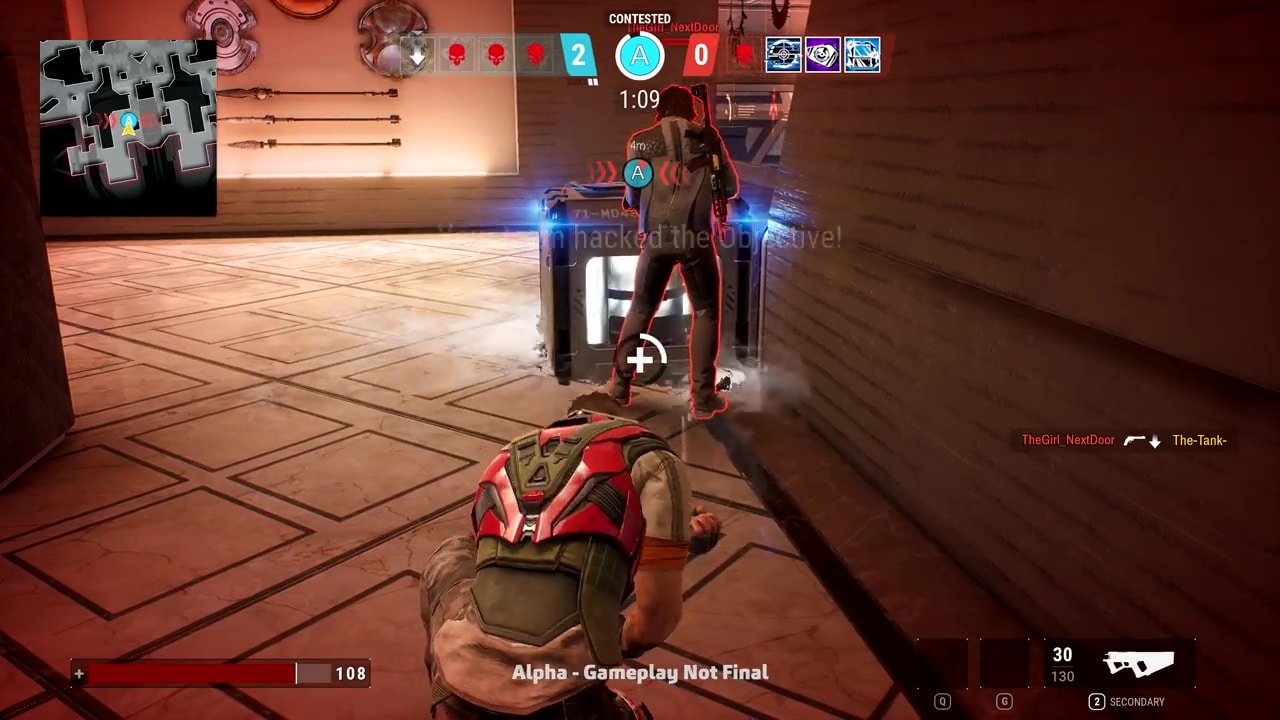
XDefiant’s beta test is currently underway, and new players may find it difficult to get used to some of the game’s controls and settings if it’s their first time with the FPS title. Fortunately, content creators have already released guides on how to optimize your game’s settings to make sure gameplay feels smooth and comfortable even for first-timers.

Here are the XDefiant open beta’s best controller settings and more!

XDefiant Open Session Beta Best Controller Settings Guide

GAMEPLAY & UI

  • FOV: 100 – 105
  • ADS Field of View – Consistent
  • ADS Sensitivity Transition (Low Zoom) – Instant

CONTROLLER

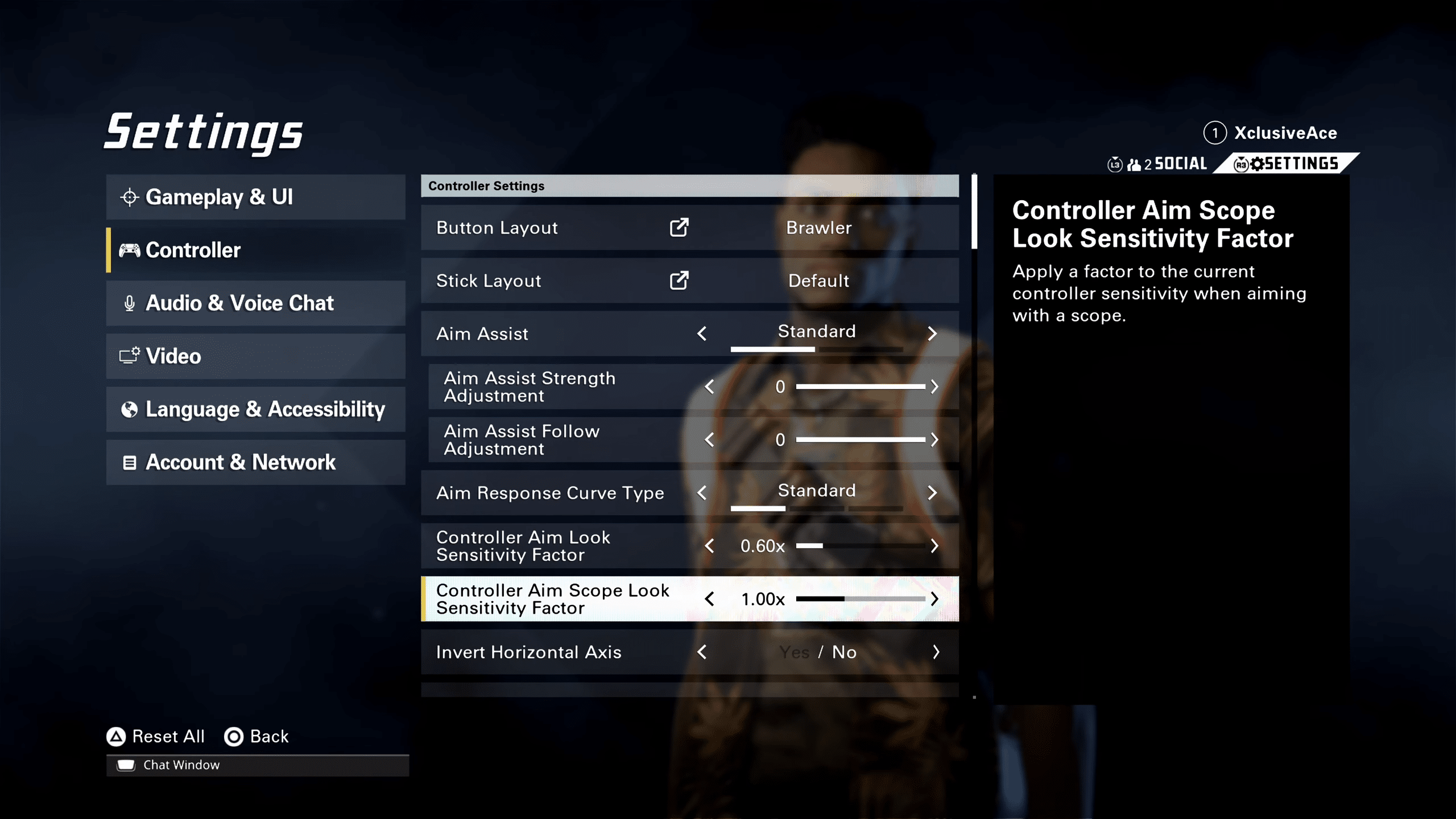
  • Button Layout – Brawler
  • Aim Assist – Standard
  • Aim Response Curve Type – Standard/Reverse S-Curve
  • Controller Aim Look Sensitivity Factor – 0.60x
  • Controller Aim Scope Look Sensitivity Factor – 1.00x
  • Horizontal Sensitivity – 50
  • Vertical Sensitivity – 50
  • Acceleration Speed Multiplier – 1.00x
  • Controller Vibration – Off

AUDIO & VOICE CHAT

  • Music Volume – 70

VIDEO
Note: Settings vary per platform

  • 120 Hz Refresh Rate – On

ACCOUNT & NETWORK 

  • Crossplay – Off (Preference)

The settings above are from YouTuber TheXclusiveAce (which you should watch here) going over his recommended settings for XDefiant’s open beta, and while settings are mostly subjective, we can’t say we disagree with the YouTuber’s picks.

While these settings are for the Open Session beta, chances are high that in the final game, these will be applicable as well.

XDefiant’s beta test is currently available to closed beta players only, though everyone will gain access starting June 21 at 10 AM PT / 1 PM ET. The test will run until June 23 at 11 PM PT / 2 AM ET, so you’ll only have a few days to play some games. With this settings guide, however, you should be able to jump into XDefiant right away.

More XDefiant Reading:

Carlos Perez

Home > News

MotoGP 23 Update 1.05 Skids Out This June 20

Milestone has released MotoGP 23 update 1.05 on all platforms, and this patch doesn’t bring in any new content and is purely for fixes. Check out what’s new in the MotoGP 23 patch notes for June 20.

MotoGP 23 Update 1.05 Patch Notes for June 20:

Unfortunately, Milestone has not addressed or acknowledged today’s patch. Here’s what’s new per the PS4 update history:

  • Moto3 category updated to the 2023 season
  • Minor fixes

That’s about it. If we spot any gameplay-related changes, we’ll let our readers know.

ABOUT THIS GAME:

Open the throttle, pass your opponents and cross the finish line. Live the dream of being the next champion with the new MotoGP™23, more amazing and challenging than ever!
Compete in the three official championship categories MotoGP™, Moto2™ and Moto3™, step into the shoes of your favorite rider and head to the track to experience the adrenaline of the 2023 season.

Once there’s a new patch, we’ll let our readers know.

Avatar photo

Alex Co

Father, gamer, games media vet, writer of words, killer of noobs.

Home > News

Might and Magic: Clash of Heroes – Definitive Edition Hands-On Preview: Fantasy Match-3

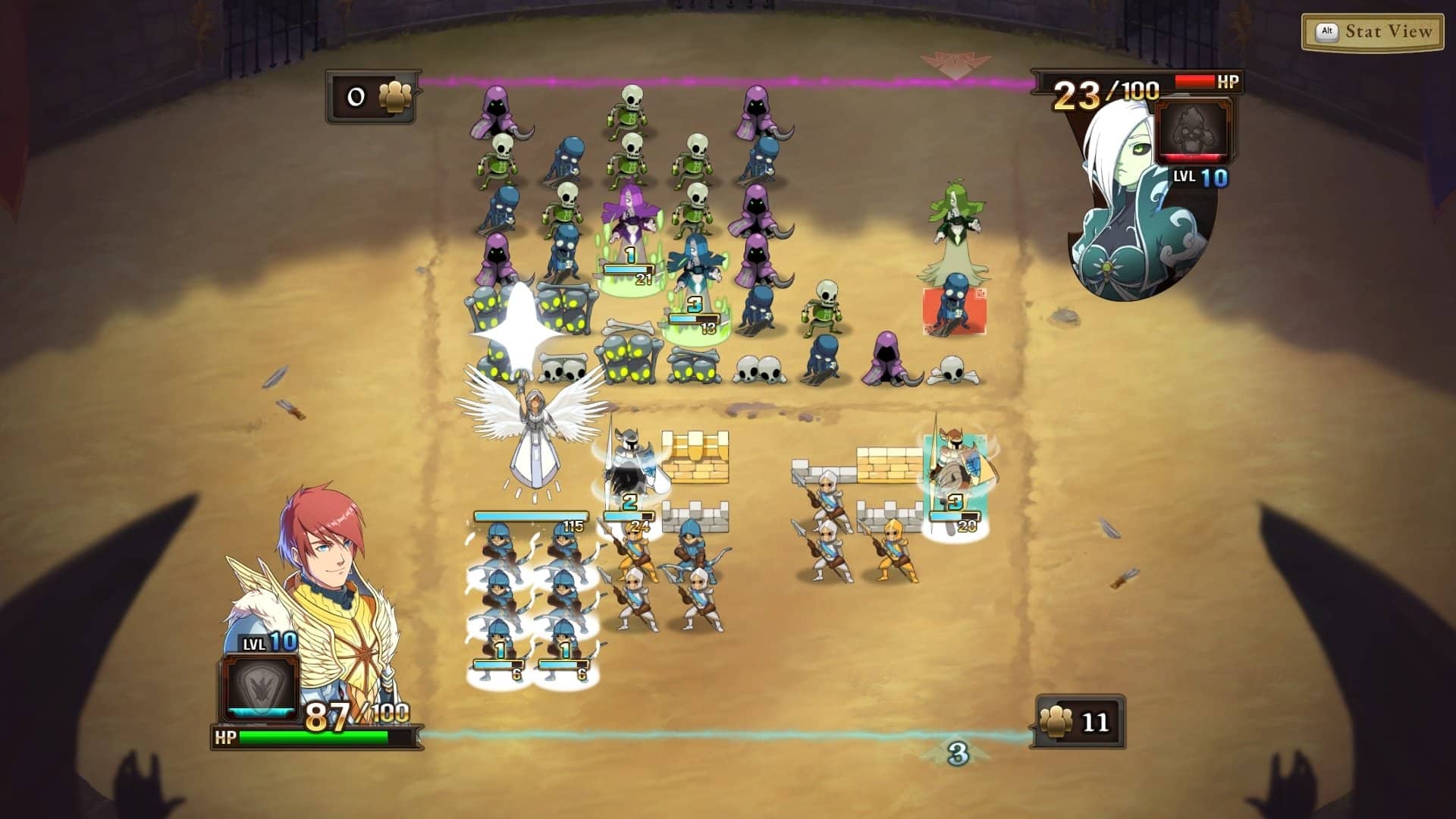
Might and Magic: Clash of Heroes is a fan-favorite tactical RPG that is receiving a new lick of paint several years after the original release. This Definitive Edition comes with graphical enhancements and adds many quality-of-life improvements, and the real kicker is the I Am the Boss DLC: Switch to the side of Chaos. But did the game age well mechanically since it was first unleashed into a tactical-hungry crowd in 2009?

Gemless Match-3

Despite the notable absence of gems, candy, or other sort of colored items, Might and Magic: Clash of Heroes – Definitive Edition is a match-3 game at heart. No number of replacements would be enough to fool a keen eye, nor was that ever the intention. Subsequently, there are some rules in common with the age-old genre, but also a few twists to result in its own thing.

You can expect the same colossal length of the original for the main story, with over 20 hours of adventure and tactical battles, with improved character artwork that really makes the heroes’ personality shine through their portraits. This build allowed us to play a very short prologue featuring Anwen’s story, a small taste of the vast campaign that comes right after. This is where the tutorial kicks in, teaching you the basics of the gameplay, but this is a case of learning and improving as you go, since there are many factors to consider.

Might and Magic: Clash of Heroes - Definitive Edition Hands-On Preview

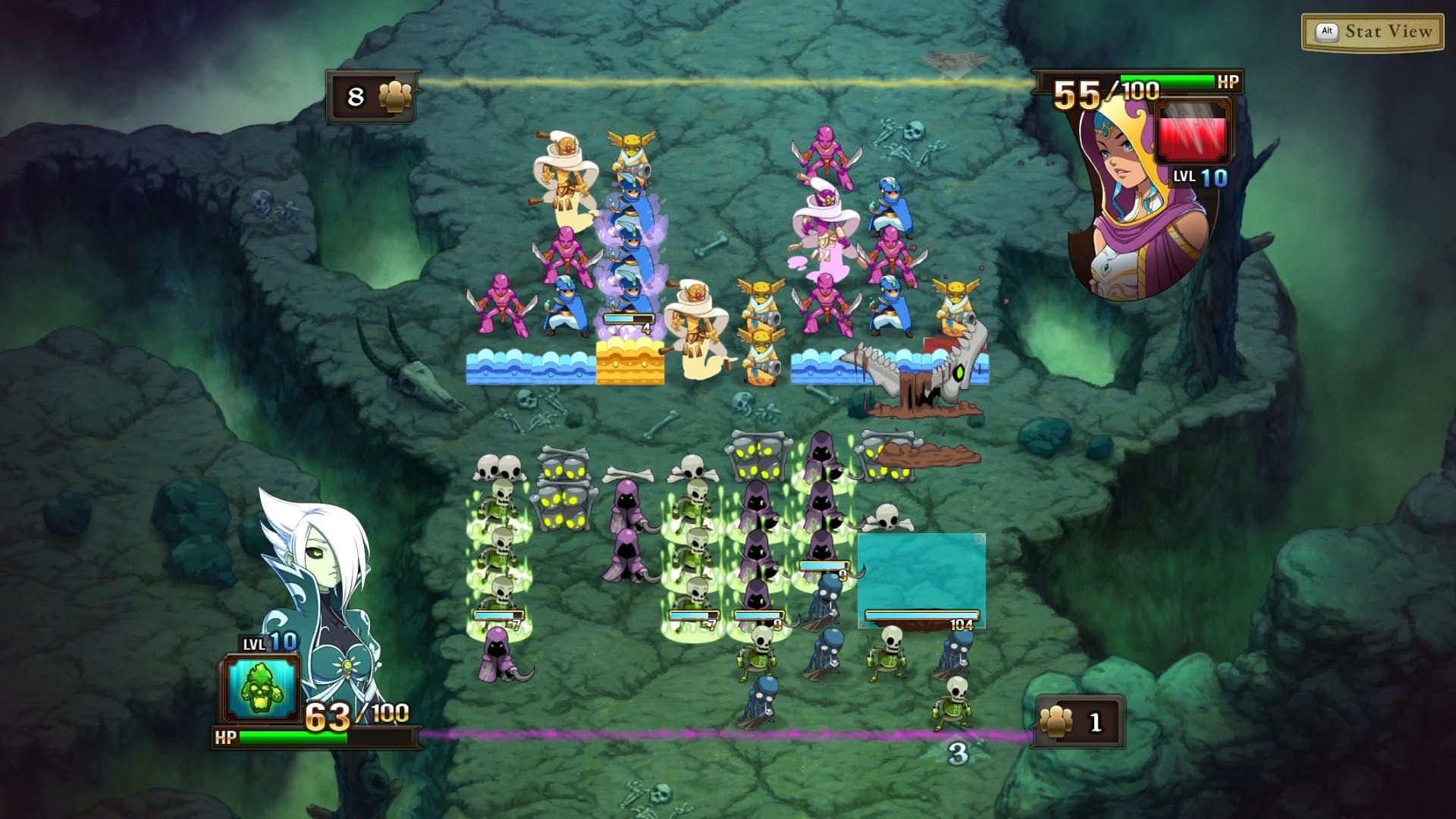
Match goals are simple, consisting of using your army to attack the enemy zone, defined by a colored line behind their troops. You have a few moves per turn, and you can only change the position of the unit at the bottom of the column. Joining three units of the same color in a column will form a chain attack that triggers the next turn.

When your side of the battlefield is nearly empty, you can call on reinforcements and again organize them to create more attack patterns. But matches are as much about attacking as they are about defending, so you can place three units of the same color horizontally to form a wall. Another important strategy is to remove a unit from a column, potentially creating a chain just by doing this action, and the more chains you create, the more bonus moves you earn.

But this is just on the surface, as you must go deeper when you select a hero and its corresponding units for 1v1 or 2v2 battles. Matches can easily last over 30 minutes, and some may even hit the hour mark if both players are balanced and continually keep pushing back the antagonist’s efforts. With units such as vampires that restore the zone’s health, it’s easy to see that there’s no such thing as a lost match, and while there’s always this unpredictable factor from the way your reinforcements drop, skill and combos play a major role in Clash of Heroes.

Might and Magic Clash of Heroes Definitive Edition Preview

Each hero comes with a special ability that while rare, can turn the tide of battle. From shield walls that devolve into projectiles to arrows that randomly strike the enemy’s army, this move requires perfect timing to work to its best, since wasting it could spell defeat in a few moves.

You can also join efforts with another player for 2v2 matches, doubling the chaos and confusion, but also the combos and synergy, as it requires a lot of joint effort to defeat the opponent.

Clash From the Past

The need for a Definitive Edition for Might and Magic: Clash of Heroes may be up for debate, but it’s a valid way of introducing newer gamers to an addictive and exciting puzzle game that possibly ended up lost in time. The simple mechanics harbor complex strategies and it’s easy to lose hours trying to overcome the enemy hero. The campaign with over 20 hours of adventure is another factor that can’t be ignored, and all of this adds to a game that may not break any new ground, but knows perfectly well how to encourage you to use your gray matter for hours on end.


MP1st was given access to a preview build of Might and Magic: Clash of Heroes – Definitive Edition for our hands-on session. Might and Magic: Clash of Heroes – Definitive Edition is set to release July 20, 2023 on PC, PlayStation 4, and Nintendo Switch.

Vitor Braz

Home > News

EA Announces Restructuring of Studios Under Two Orgs: EA Entertainment and EA SPORTS

Electronic Arts (EA) CEO Andrew Wilson has announced in a public statement that the company’s studios will be realigned under two major organizations: EA Entertainment and EA SPORTS. Key figures and executives overseeing both departments were also announced in the statement.

The first organization, EA Entertainment, will cover “extraordinary owned IP,” among other things:

EA Entertainment encompasses extraordinary owned IP, including some of the world’s most beloved blockbuster franchises, as well as licensed IP through powerful collaborations. We’re building the future of interactive entertainment on a foundation of legendary franchises and innovative new experiences, which represents massive opportunities for growth.

EA Entertainment will be headed by Laura Miele, who will “oversee key studios, empowering them with more creative ownership.”

EA SPORTS, on the other hand, will be the organization that handles all sports-related IPs under EA.

EA SPORTS is home to some of the most valuable properties in all of sports, with an incredible portfolio of IP, massive online communities with hundreds of millions of fans, and more global rights for more sports than anywhere else in interactive entertainment. Cam Weber has been appointed President of EA SPORTS, guiding the organization responsible for our genre-leading EA SPORTS experiences and our entire racing portfolio. With expanded business ownership, he will accelerate the teams’ ambitious growth plans, including building EA SPORTS FC and our American football franchises into connected multi-platform ecosystems. Through Cam’s unparalleled leadership, our EA SPORTS teams are already the best in the business, and we are positioned to lead the future of sports fandom.

The statement concluded with Wilson assuring readers that EA “remains strong,” with the CEO sharing his excitement for the future.

Source: EA

Carlos Perez

Home > News

Final Fantasy 6 Remake Is a Common Request Among Square Enix Staff, FF7R Producer Confirms

It seems as though many Square Enix staff have been requesting a Final Fantasy 6 remake from executive members of the company, according to a recent dev discussion livestream. The livestream, which was hosted in celebration of the Final Fantasy franchise’s 35th anniversary, included a brief discussion on the potential of an FF6 remake.

Yoshinori Kitase, brand manager of the FF series and producer of Final Fantasy 7 Remake, revealed the eagerness of Square Enix staff to work on FF6. A tweet by Genki_JPN discussing the conversation provided an English translation of Kitase’s remarks.

I think FF6 Remake would be difficult. FF7 Remake is not yet finished so I am not able to think about it… But for FF6 there are many FF6 fans inside the company and they often ask me ‘when are we making 6?

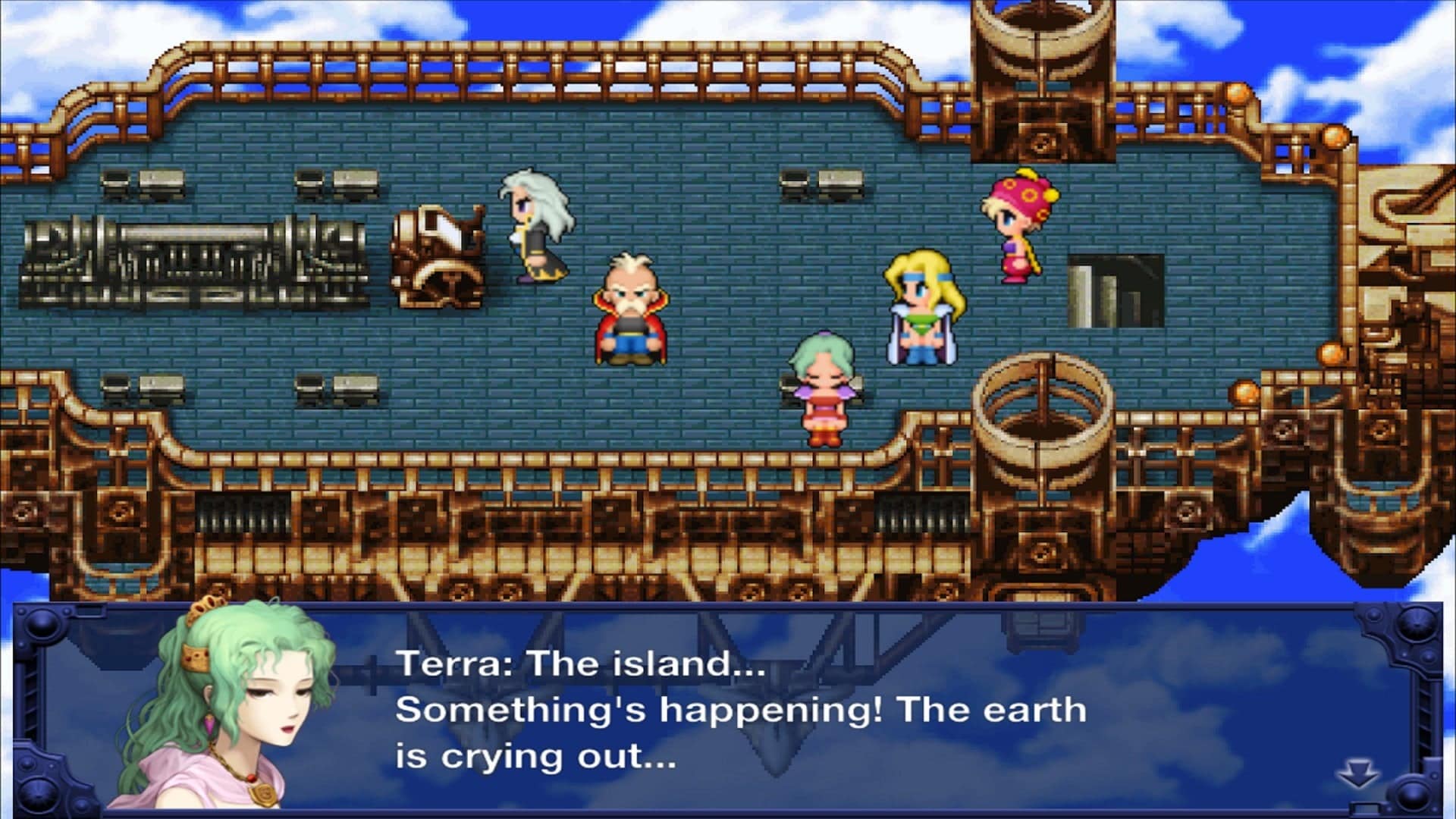
Final Fantasy creator Hironobu Sakaguchi was also in the livestream, where he explained how making a remake for FF6 would be more difficult to do due to its pixel-based nature, resulting in more effort required to translate it into a 3D title. Sakaguchi also asked Kitase whether or not he could “release the remake sooner,” though Kitase replied that it would not be easy.

If you’re curious, you can find the livestream here (timestamped to the FF6 conversation), though there aren’t any English subs, so keep that in mind.

With Final Fantasy 7 Rebirth set for early 2024 (check out gameplay right here) and Final Fantasy 16 just around the corner with its June 22 launch date, Square Enix has no signs of slowing down with the FF franchise, and only time will tell if we’ll get an FF6 remake down the road.

Carlos Perez

Home > News

New Overwatch 2 Item Shop Rotation for June 20, 2023

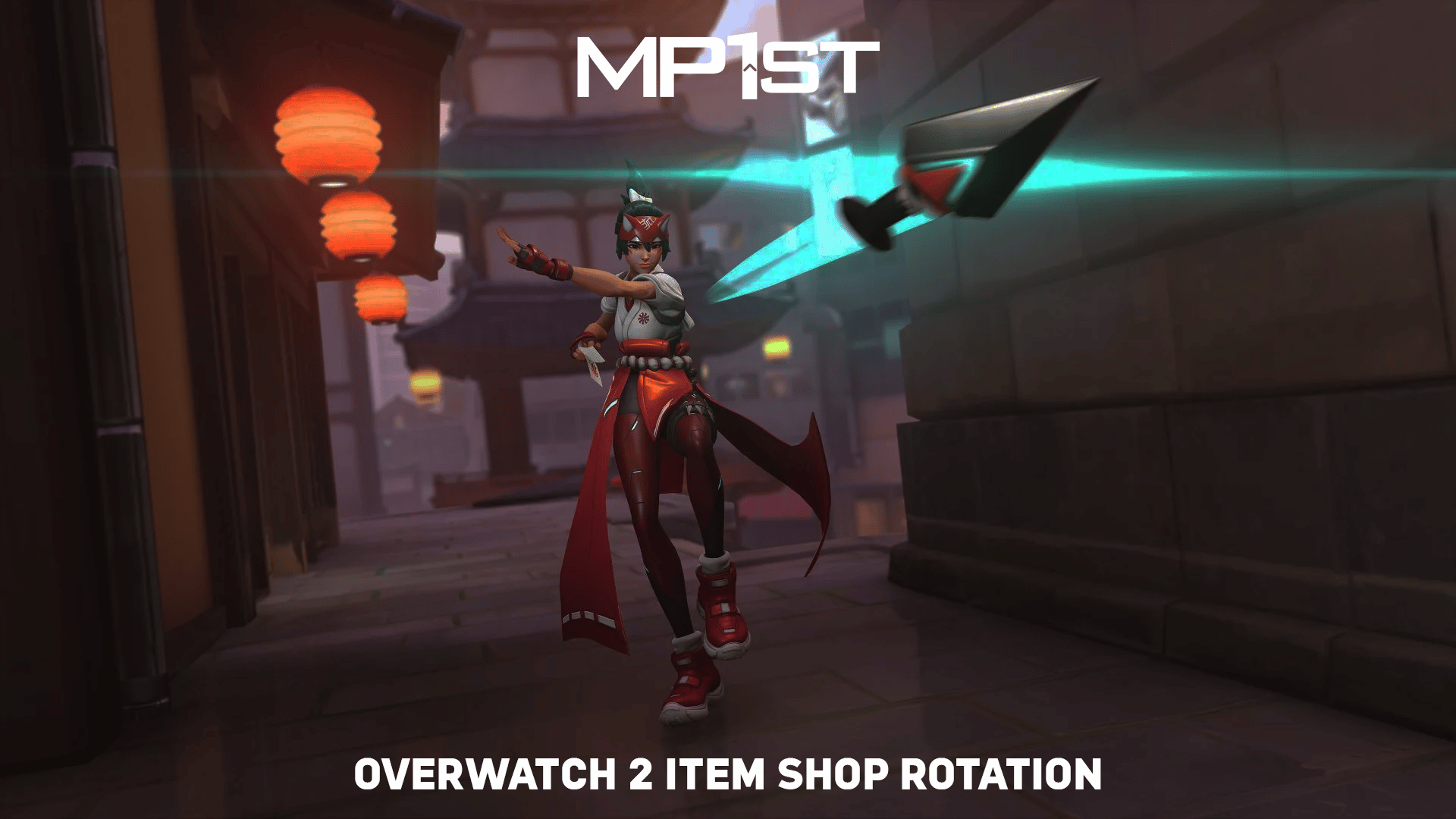
The new Overwatch 2 item shop rotation for June 20, 2023 is now live, with fresh offerings of store bundles as well as individual cosmetics, emotes, and more. Players need the requisite amount of Overwatch Coins in order to make purchases in the item shop.

Don’t forget: a 100 Overwatch Coins convert to $1 USD, so 1,000 Overwatch Coins equate to $10 and so on.

New Overwatch 2 Item Shop Rotation for June 20, 2023:

Featured:

  • Gladiator Mega Bundle (Legendary) – 2600 OC
    • “Gladiator Queen” Junker Queen Legendary Skin
    • “Gladiator” Doomfist Legendary Skin
    • “Gladiatrix Roar” Epic Highlight Intro
    • “Gladiamari” Rare Player Icon
    • “Gladiator” Rare Player Icon
    • “Stomped some face” Junker Queen Common Voice Line
    • “Gladiator Helm” Common Spray
    • “Thumbs Down” Common Spray
  • Gladiator Junker Queen Bundle (Legendary) – 2100 OC
    • “Gladiator Queen” Junker Queen Legendary Skin
    • “Gladiatrix Roar” Epic Highlight Intro
    • “Gladiamari” Rare Player Icon
    • “Gladiator Helm” Common Spray
    • “Stomped some face” Junker Queen Common Voice Line
  • Gladiator Doomfist Bundle (Legendary) – 1100 OC
    • “Gladiator” Doomfist Legendary Skin
    • “Gladiator” Rare Player Icon
    • “Thumbs Down” Common Spray
  • “Sprinter” Tracer Legendary Skin – 0 OC
  • OWWC EMEC Bundle (Legendary) – 3400 OC
    • Brigitte – Overwatch World Cup Home (Epic Skin)
    • Mercy – Overwatch World Cup Home (Epic Skin)
    • Moira – Overwatch World Cup Home (Epic Skin)
    • Reinhardt – Overwatch World Cup Home (Epic Skin)
    • Tracer – Overwatch World Cup Home (Epic Skin)
    • Widowmaker – Overwatch World Cup Home (Epic Skin)
    • Sigma – Overwatch World Cup Home (Epic Skin)
    • Torbjörn – Overwatch World Cup Home (Epic Skin)
    • Brigitte – Overwatch World Cup Away (Epic Skin)
    • Mercy – Overwatch World Cup Away (Epic Skin)
    • Moira – Overwatch World Cup Away (Epic Skin)
    • Reinhardt – Overwatch World Cup Away (Epic Skin)
    • Tracer – Overwatch World Cup Away (Epic Skin)
    • Widowmaker – Overwatch World Cup Away (Epic Skin)
    • Sigma – Overwatch World Cup Away (Epic Skin)
    • Torbjörn – Overwatch World Cup Away (Epic Skin)
  • OWWC APAC Bundle (Legendary) – 4300 OC
    • D.Va – Overwatch World Cup Home (Epic Skin)
    • Genji – Overwatch World Cup Away (Epic Skin)
    • Genji – Overwatch World Cup Home (Epic Skin)
    • Kiriko – Overwatch World Cup Away (Epic Skin)
    • Lifeweaver – Overwatch World Cup Away (Epic Skin)
    • Lifeweaver – Overwatch World Cup Home (Epic Skin)
    • Mei – Overwatch World Cup Away (Epic Skin)
    • Mei – Overwatch World Cup Home (Epic Skin)
    • Symmetra – Overwatch World Cup Away (Epic Skin)
    • Symmetra – Overwatch World Cup Home (Epic Skin)
    • Junker Queen – Overwatch World Cup Away (Epic Skin)
    • Junker Queen – Overwatch World Cup Home (Epic Skin)
    • Junkrat – Overwatch World Cup Away (Epic Skin)
    • Junkrat – Overwatch World Cup Home (Epic Skin)
    • Roadhog – Overwatch World Cup Away (Epic Skin)
    • Roadhog – Overwatch World Cup Home (Epic Skin)
    • Hanzo – Overwatch World Cup Away (Epic Skin)
    • Hanzo – Overwatch World Cup Home (Epic Skin)
  • OWWC Americas Bundle – 3400 OC
    • Ashe – Overwatch World Cup Away (Epic Skin)
    • Ashe – Overwatch World Cup Home (Epic Skin)
    • Baptiste – Overwatch World Cup Away (Epic Skin)
    • Baptiste – Overwatch World Cup Home (Epic Skin)
    • Cassidy – Overwatch World Cup Away (Epic Skin)
    • Cassidy – Overwatch World Cup Home (Epic Skin)
    • Reaper – Overwatch World Cup Away (Epic Skin)
    • Reaper – Overwatch World Cup Home (Epic Skin)
    • Sojourn – Overwatch World Cup Away (Epic Skin)
    • Sojourn – Overwatch World Cup Home (Epic Skin)
    • Soldier: 76 – Overwatch World Cup Away (Epic Skin)
    • Soldier: 76 – Overwatch World Cup Home (Epic Skin)
    • Sombra – Overwatch World Cup Away (Epic Skin)
    • Sombra – Overwatch World Cup Home (Epic Skin)
    • Lúcio – Overwatch World Cup Away (Epic Skin)
    • Lúcio – Overwatch World Cup Home (Epic Skin)

That’s this week’s Overwatch 2 store refresh covered! In case you didn’t know, Blizzard announced recently that each new major in-game event will feature a free skin which players can earn through playing, just like the first Overwatch.

Players can also check out all these items over at the Battle.net Overwatch 2 Shop page.

Avatar photo

Salman Haider Zaidi

That's a nice argument, Senator.

Home > News

Halo Infinite Update for June 20 Drags Season 4: Infection; New Content & Patch Notes Listed

The Halo Infinite update for June 20 is now live, and this is for Season 4: Infection! There’s a ton of stuff to dissect here as there are Forge improvements, balance changes, the new content and loads more! Read on for the Halo Infinite Infection patch notes (and best to grab a drink first since it’s a very long read).

Halo Infinite Update for June 20 | Halo Infinite Season 4 Infection Patch Notes:

Download Size:

  • Xbox consoles: 88.5 GB or less
  • Microsoft Store app or Xbox app on PC: 71 GB or less
  • Steam: 31.7 GB or less

NOTE: Due to the Campaign installation changes detailed above, players with the Halo Infinite Campaign installed will have a download size larger than previous multiplayer season updates. Future updates will be in line with previous seasons.

SEASON 4 OVERVIEW AND NEW FEATURES

This update brings new content, numerous bug fixes, and several new features to Halo Infinite. For a full list of this update’s bug fixes, see the Resolved Issues section below. New features and content included in this update are:

CAREER RANK

Career Rank is a new progression system that awards players with a title and insignia based on their accumulated Personal Score. As players earn more Personal Score, they can progress from the starting rank of Recruit to the maximum rank of Hero.
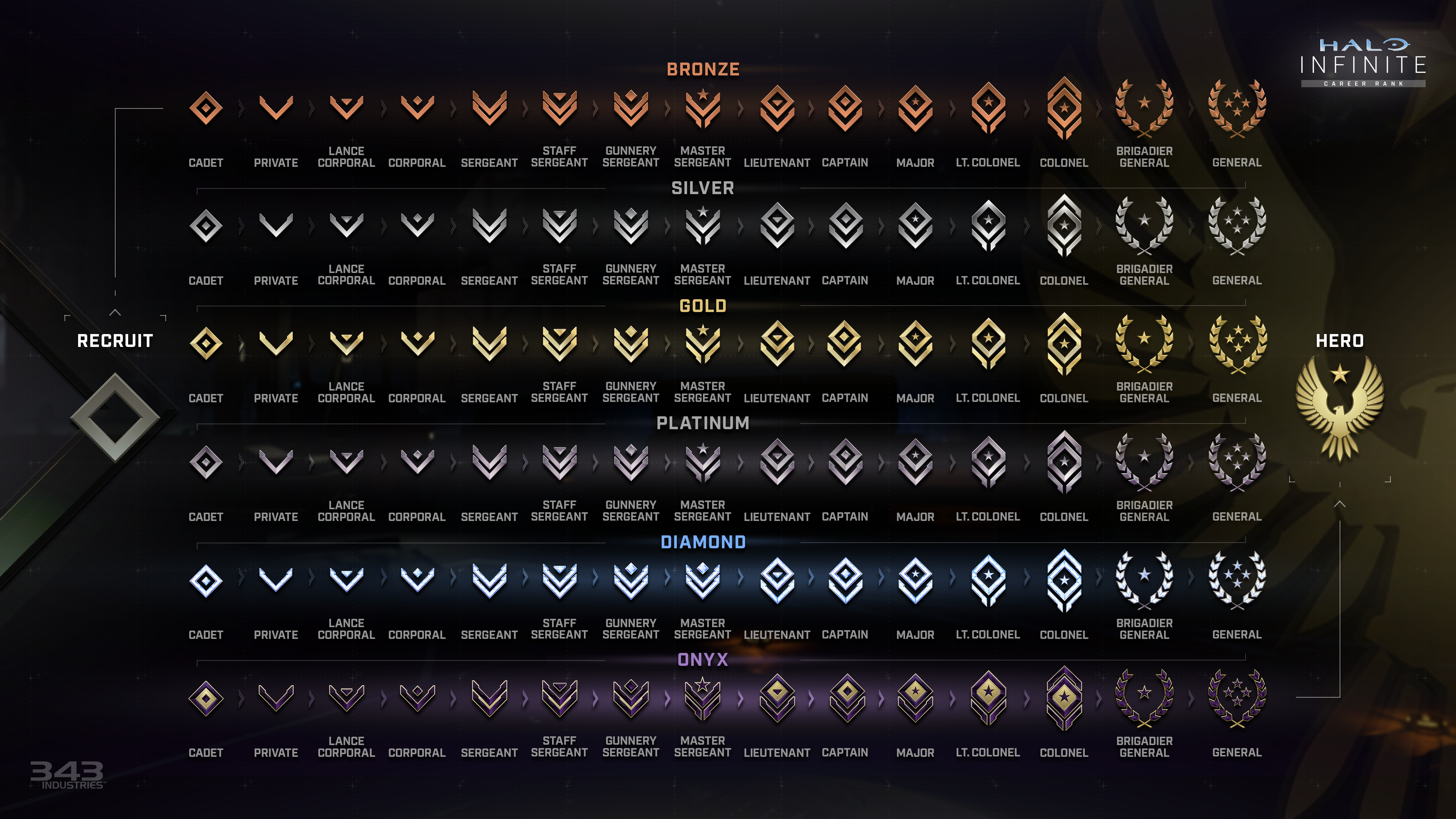
CareerProgression.png
With 3 grades per rank and 15 ranks available in each of the 6 tiers, players must earn over 270 ranks to become a Hero.

After completing a game in a matchmaking playlist, the Personal Score players earn will go towards their Career Rank. Personal Score is earned based on how well individual players performed during the match. This does not include Match XP earned after finishing a game in a matchmaking playlist, which applies only to Battle Pass progression. Personal Score can be viewed during the Post-Game Carnage Report (PGCR).

Once the player’s accumulated Personal Score has surpassed a certain amount, they will be promoted to the next rank. The amount of Personal Score needed to rank up increases with each new rank.

As players progress through Career Rank, they will receive new Nameplates and Emblems after reaching certain ranks.
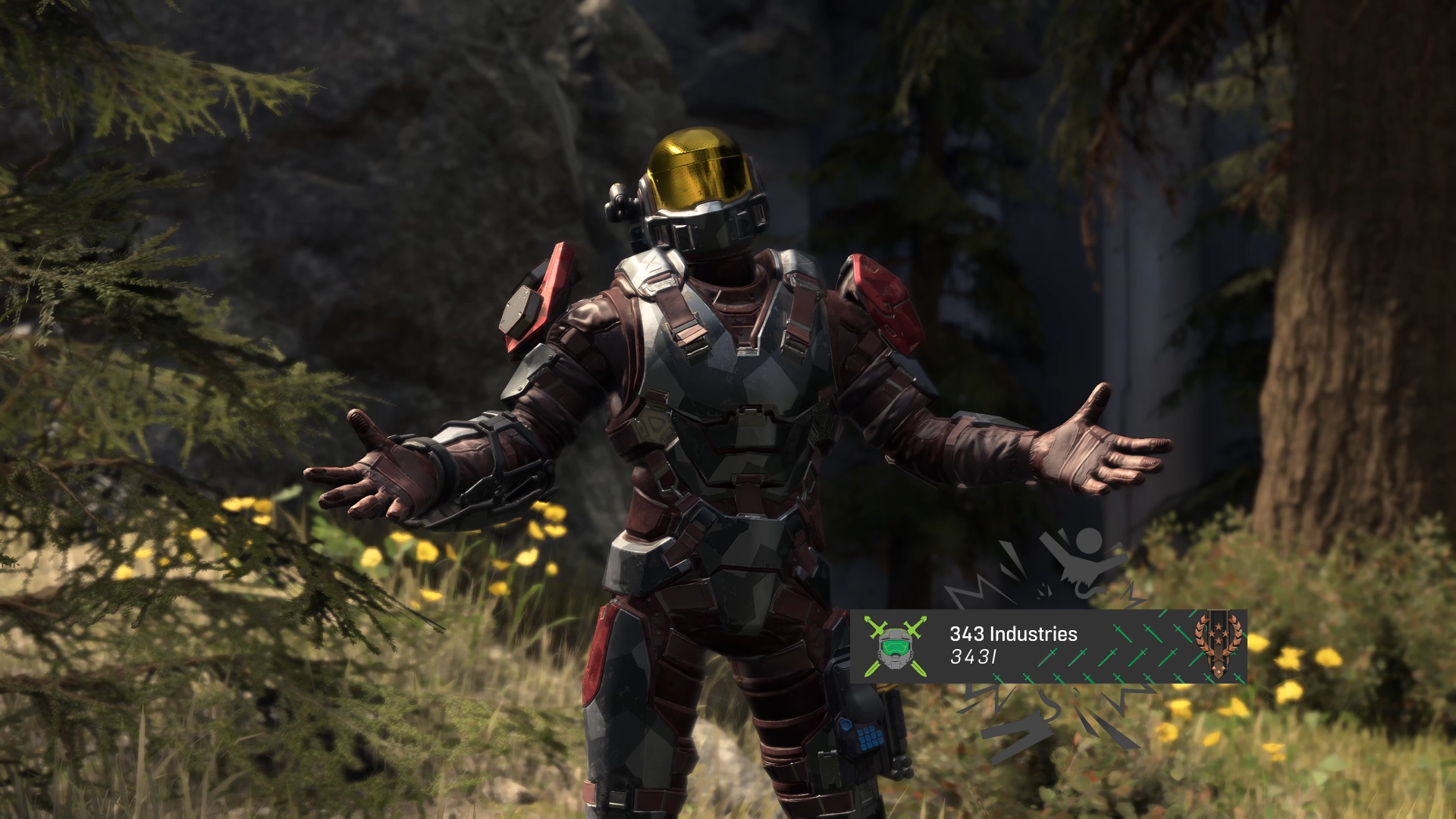
CareerRankIntroCamera-343.png
Every player’s current rank can be seen on the right side of their Nameplate.

NEW BATTLE PASS AND ARMOR CORE

Season 4 introduces a new 100-tier Battle Pass with over 180 rewards. Purchasing the Premium Battle Pass is required to earn all rewards, but all players will be able to unlock free tiers that include rewards like Weapon Coatings, Emblems, and customization items for the new Armor Core: HAZMAT.

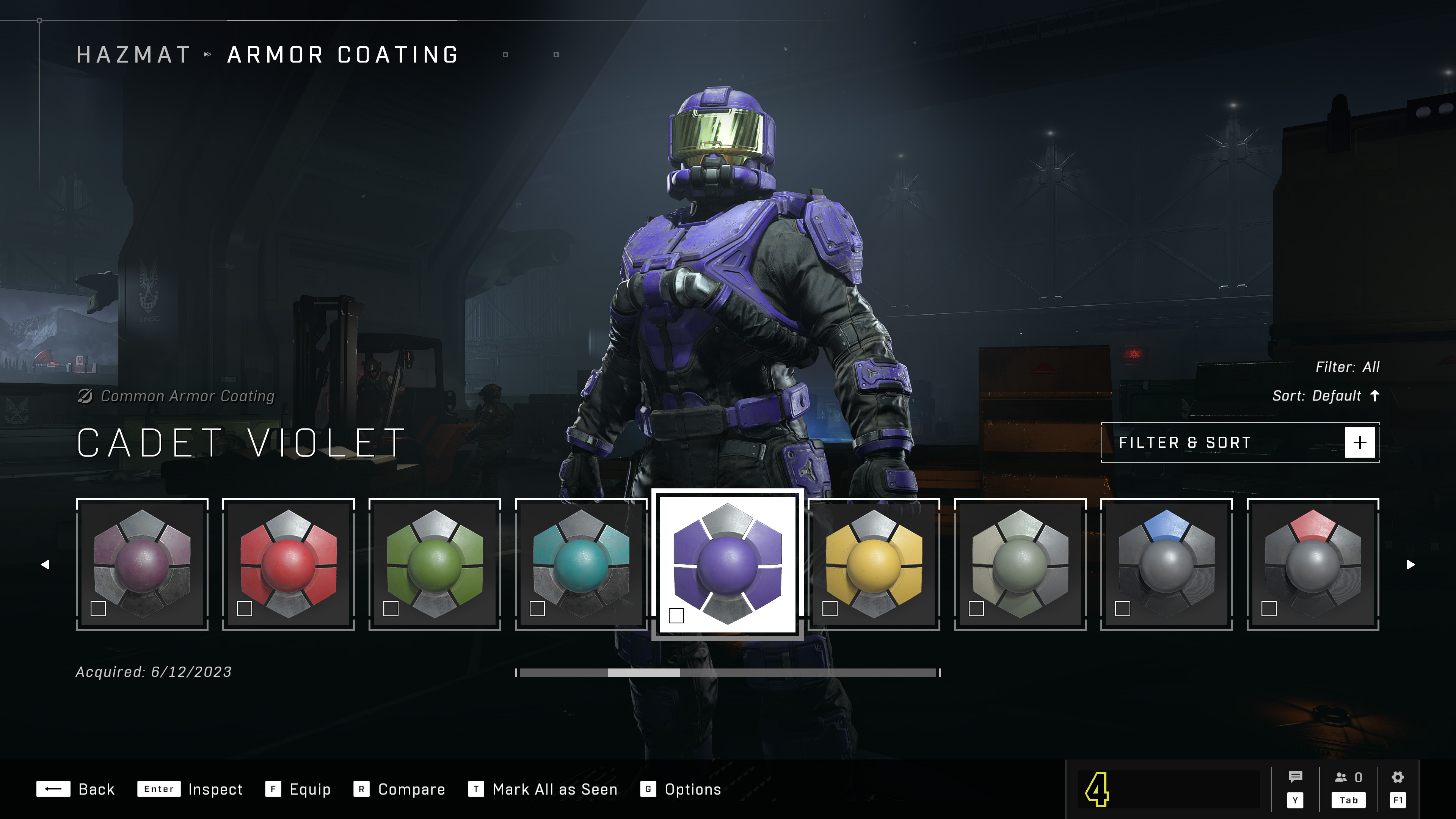
The HAZMAT Armor Core is available to all players for free and will unlock immediately after the Season 4 update has been installed. Players do not need to purchase the Season 4 Battle Pass in order to acquire this Armor Core.
HAZMAT_core.jpg
Several Armor Coatings, including the Cadet and Steel series, are unlocked by default for the new HAZMAT Armor Core. 

Along with the Premium Battle Pass, players can also purchase the Premium Pass Bundle, which includes 100 XP Grants. This will allow you to immediately unlock 25 Battle Pass levels. To use XP Grants in-game, follow the steps below:

  1. On the main menu, select the Battle Pass tile in the top right corner of the screen. This will open the Season menu.
  2. On the Season menu, use the Boosts shortcut listed along the bottom of the screen.
  3. Select the XP Grant button underneath the Increase XP header.

New Premium Battle Pass Perks

Players who purchase either the Season 4 Premium Battle Pass or the Premium Pass Bundle will earn bonus Match XP for every Multiplayer match completed during Season 4. The bonus Match XP for purchasing either Season 4 offer is awarded no matter what Battle Pass you have equipped. This bonus Match XP will end alongside the end of Season 4 and launch of Season 5.

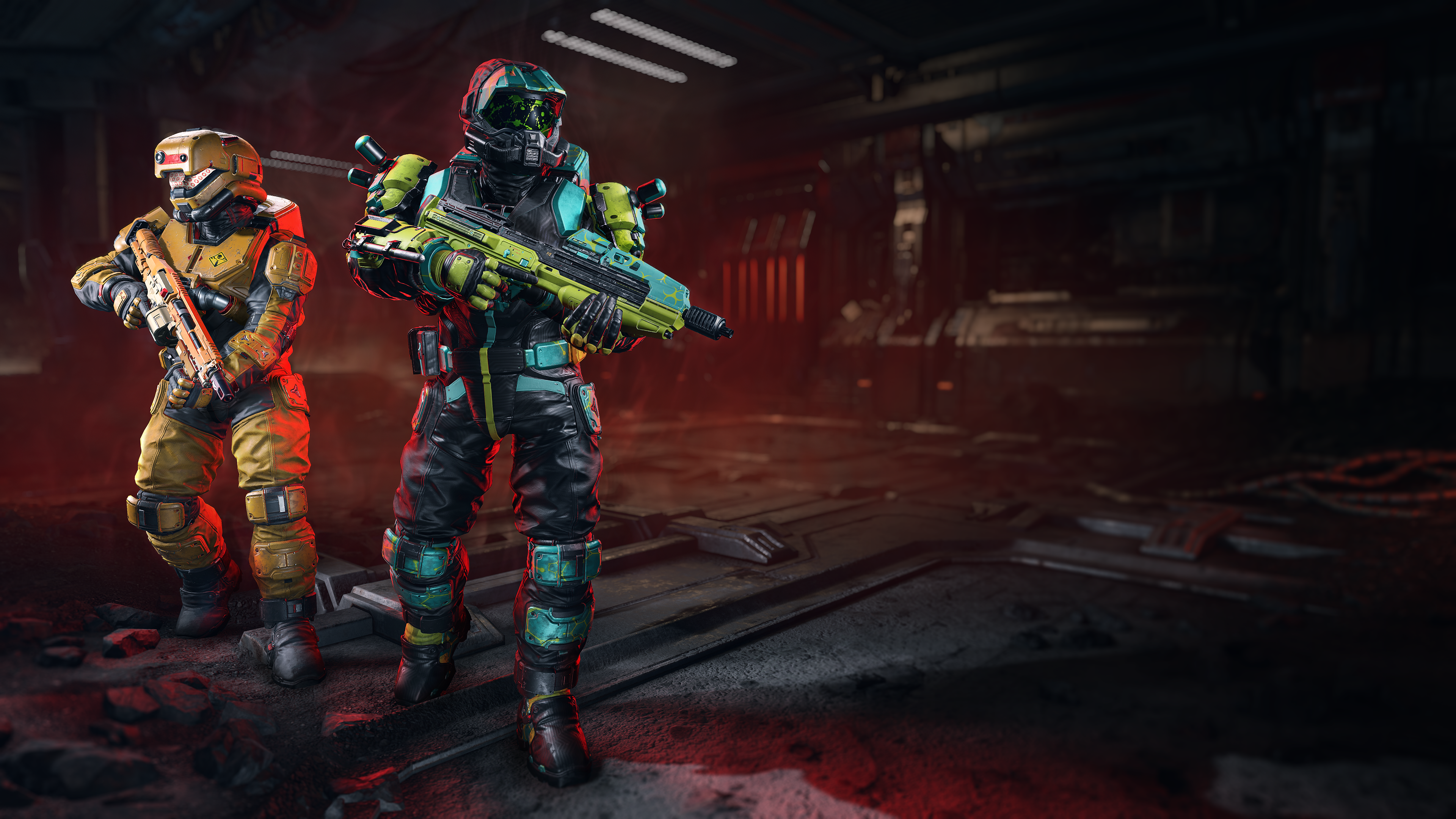
In addition, players who purchase Season 4’s Premium Battle Pass or Premium Pass Bundle will instantly unlock the new MA40 FLASHBLIND weapon model for the MA40 Assault Rifle as well as the Genesis Bloom Armor Coating for all Armor Cores.
season_upsell_background_S4.png
A Spartan (center) using the Genesis Bloom Armor Coating on the HAZMAT Armor Core and the MA40 FLASHBLIND weapon model for the MA40 Assault Rifle. Another Spartan (left) using rewards from the Season 4 Premium Battle Pass, such as the SIGNALTECH DEEPEYE helmet for the HAZMAT Armor Core and the CQS48 MODE MS weapon model for the CQS48 Bulldog. 

NEW WEAPON MODEL CUSTOMIZATION ITEMS

Season 4 introduces a number of new Weapon Model items to further customize your favorite weapons. In addition to the MA40 FLASHBLIND and the CQS48 MODE MS weapon models pictured above, players will be able to unlock or purchase the following Weapon Models during Season 4:

  • MA40 Assault Rifle
    • MA40 FLASHBLIND
    • Crimson Sun
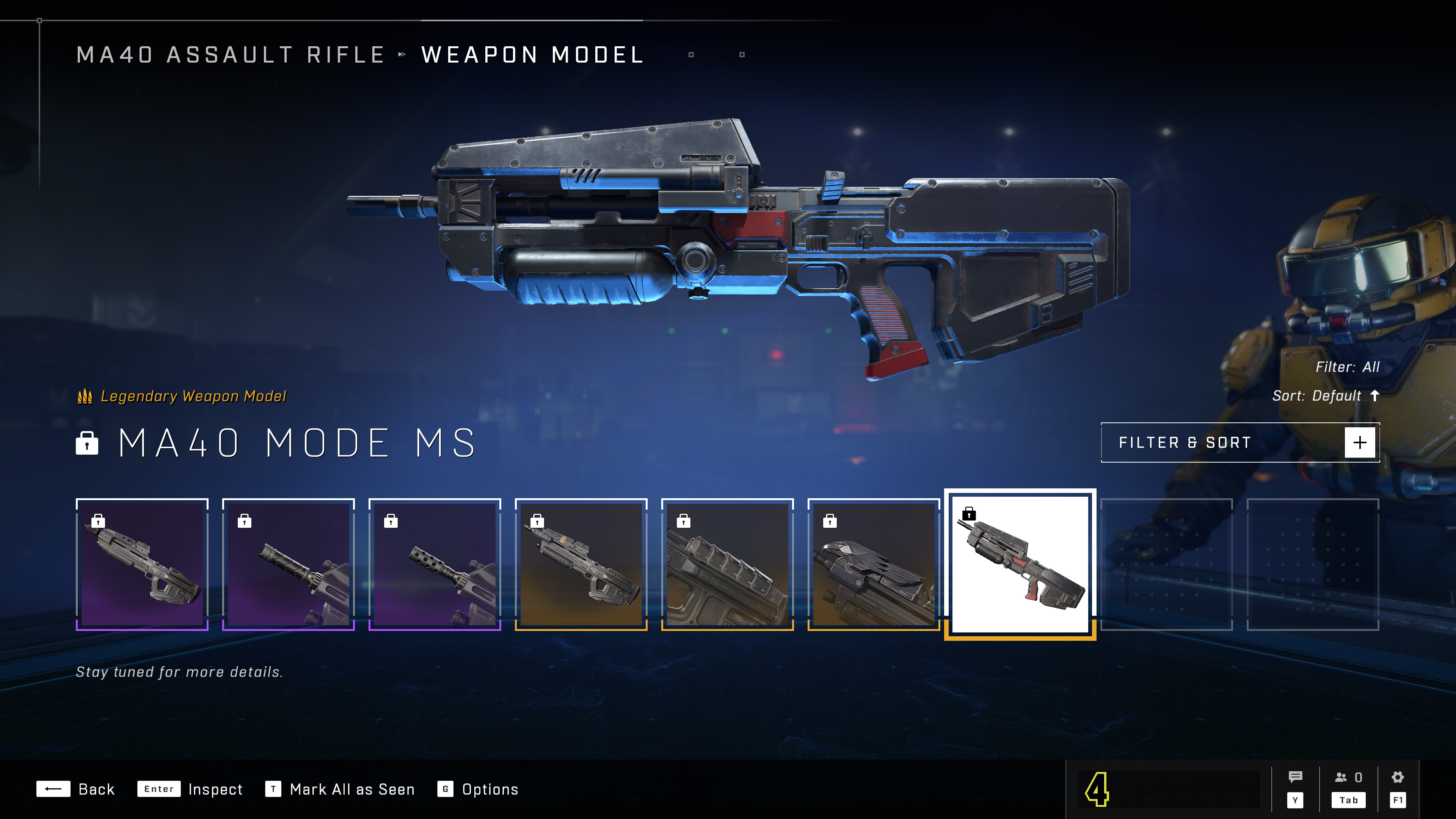
    • MA40 MODE MS
  • Mk50 Sidekick
    • Mk50 GROOVEGRIP
    • Mk50 SWIFTGUARD
  • BR75 Battle Rifle
    • BR75 [HCS] Akriveia
    • BR75 DEVLOOP
    • BR75 HAZCON
    • BRXX LIGHTFIRE
  • CQS48 Bulldog
    • CQS48 MODE MS
  • M392 Bandit
    • Crimson Dawn

WeaponModels.jpg
Weapon Models, such as the MA40 MODE MS pictured above, can be equipped in the Weapons Bench menu. 

ARMOR AND WEAPON COATING CHANGES

As mentioned in the Season 4 Customization blog on Halo Waypoint and a recent Spartan Chatter Q&A, all Armor and Weapon Coatings from the Premium Battle Pass and the Shop will include versions for all Armor Cores and Weapons. When viewing a Shop bundle, this will appear as individual Coatings for each Armor Core and/or Weapon.

Any Shop bundle released prior to Season 4 or Battle Pass reward from an earlier Season will not be cross-Armor Core or cross-weapon. Additionally, all Coatings unlocked by completing the Weekly and Ultimate Challenges will be for an individual Armor Core or weapon, and not compatible across Armor Cores or weapons.

NEW EQUIPMENT

Quantum Translocator

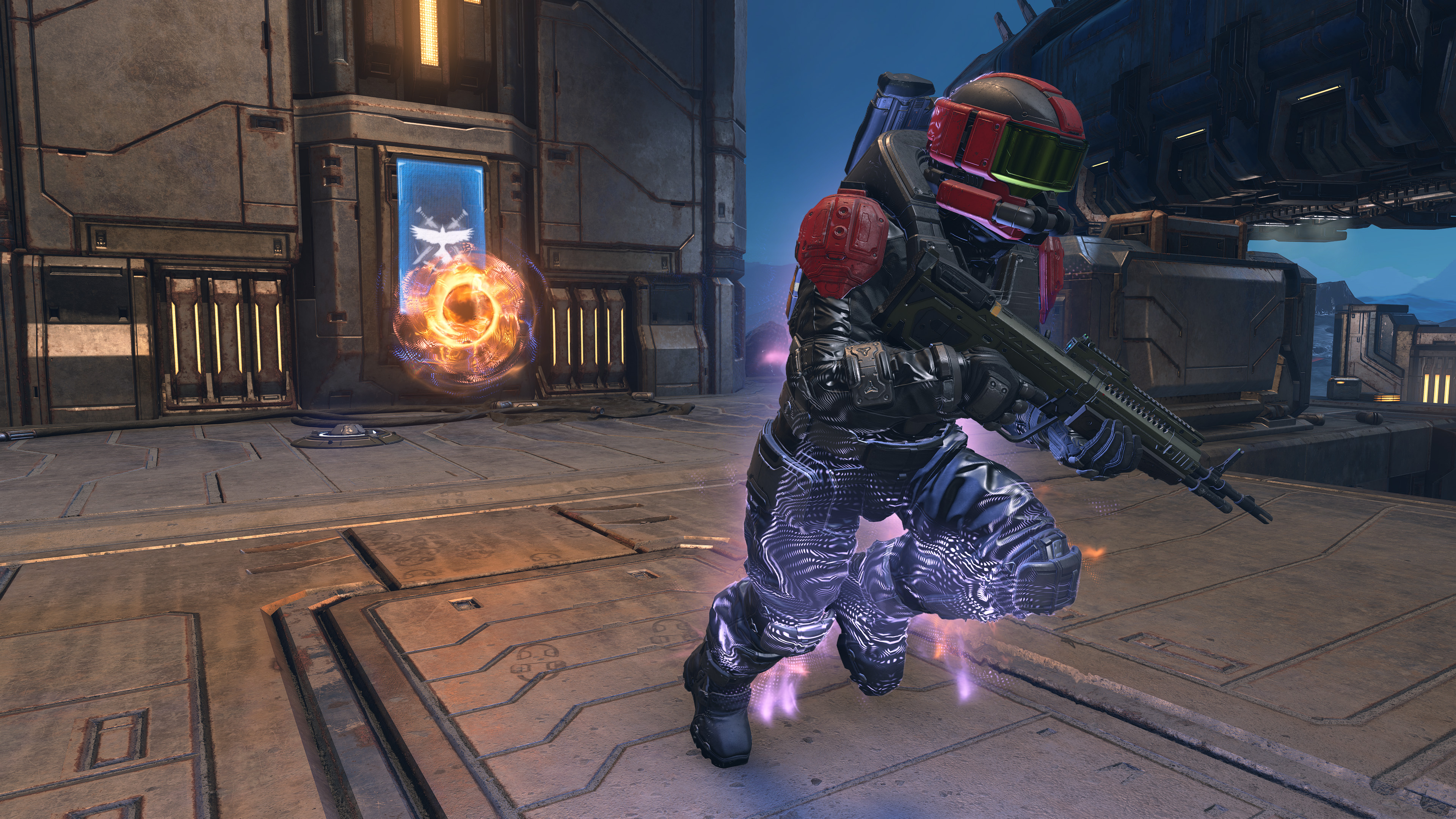
Activating the Quantum Translocator for the first time creates a teleportation point at a player’s current location. Using the Quantum Translocator again will teleport the player back to their initial teleportation point, and it creates a new teleportation point where they teleported from. Each following use returns the players to their latest teleportation point. Be mindful, however, of the Quantum Translocator’s time limit (represented by a meter above the crosshairs on the Heads-Up Display) as well as the cooldown after teleporting.
QuantumTranslocator.jpg
Players who are actively using the Quantum Translocator can be identified by a multi-colored glow.

The Quantum Translocator is only available in Halo Infinite Multiplayer and will spawn on Power Equipment Pads placed throughout various maps, including existing maps released prior to Season 4. The Quantum Translocator is also available in Custom Games, Forge, and Academy’s Training Mode.

Threat Seeker

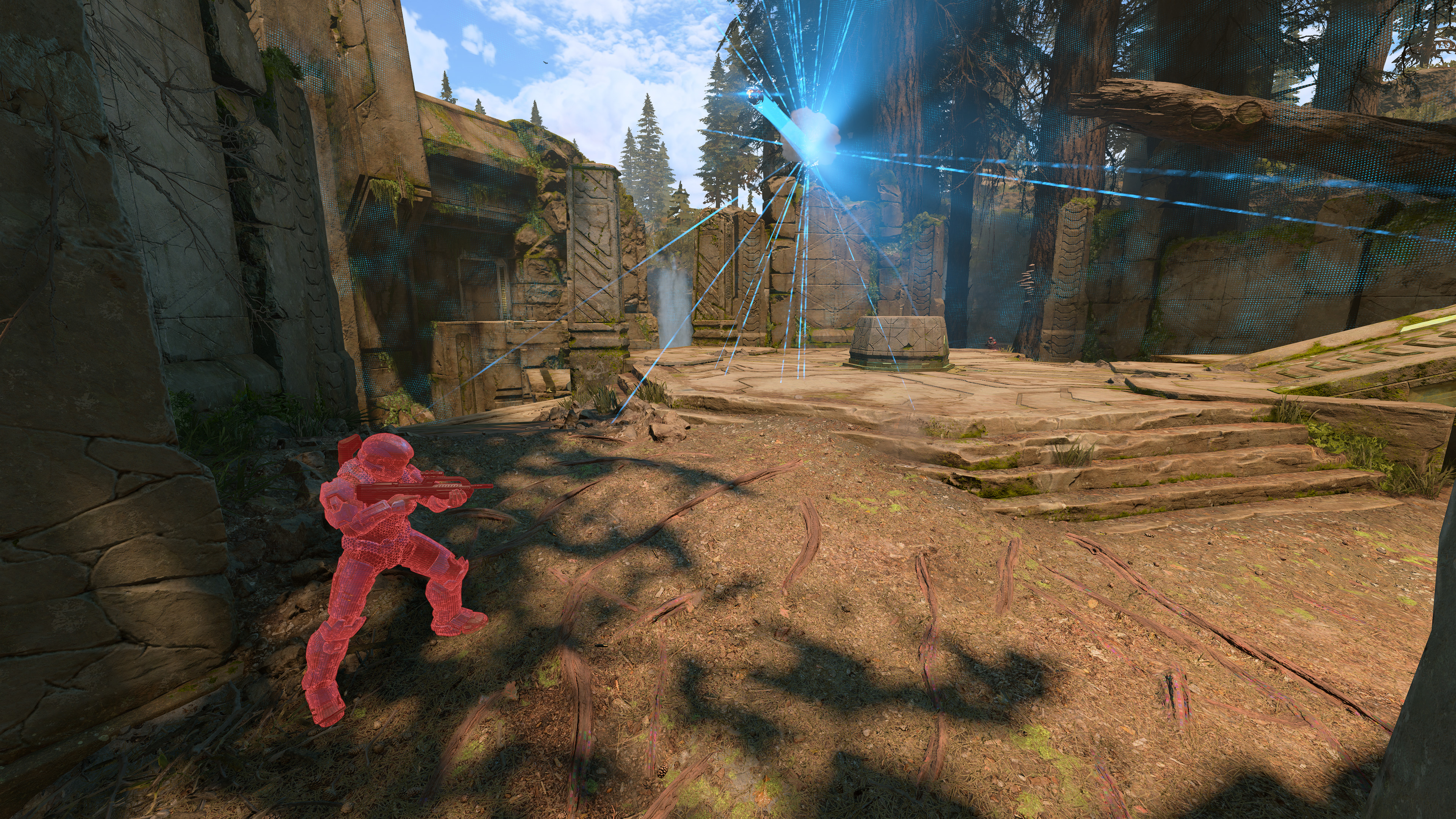
The Threat Seeker is similar to the Threat Sensor but features additional tunings for Ranked game modes and other forms of competitive gameplay. When activated, the Threat Seeker is shot from the player’s wrist, and it will bounce off different surfaces until it lands on the ground. Shortly after the Threat Seeker makes its initial contact, it emits a pulse that reveals enemy players within range, however, this only applies to players that are in direct line of sight. Players hidden behind walls or other obstacles will not appear.
ThreatSeeker.jpg
The Threat Seeker’s pulse only reveals enemies who are directly within its line-of-sight, so bouncing it up off of an object may provide it with a better vantage point.

The Threat Seeker is only available in Halo Infinite Multiplayer under Ranked playlists and will spawn on Equipment Pads placed throughout various maps, including existing maps released prior to Season 4. The Threat Seeker is also available in Custom Games, Forge, and Academy’s Training Mode.

NEW MULTIPLAYER GAME MODE: INFECTION

The Infection multiplayer mode is now available for all players via Matchmaking and Custom Games.

Players compete against each other as either Infected or Survivors. When a Survivor is killed, they join the Infected. The goal of the Infected is to infect every one of the Survivors, while the Survivors try to make it to the end of the round without getting killed by the Infected.
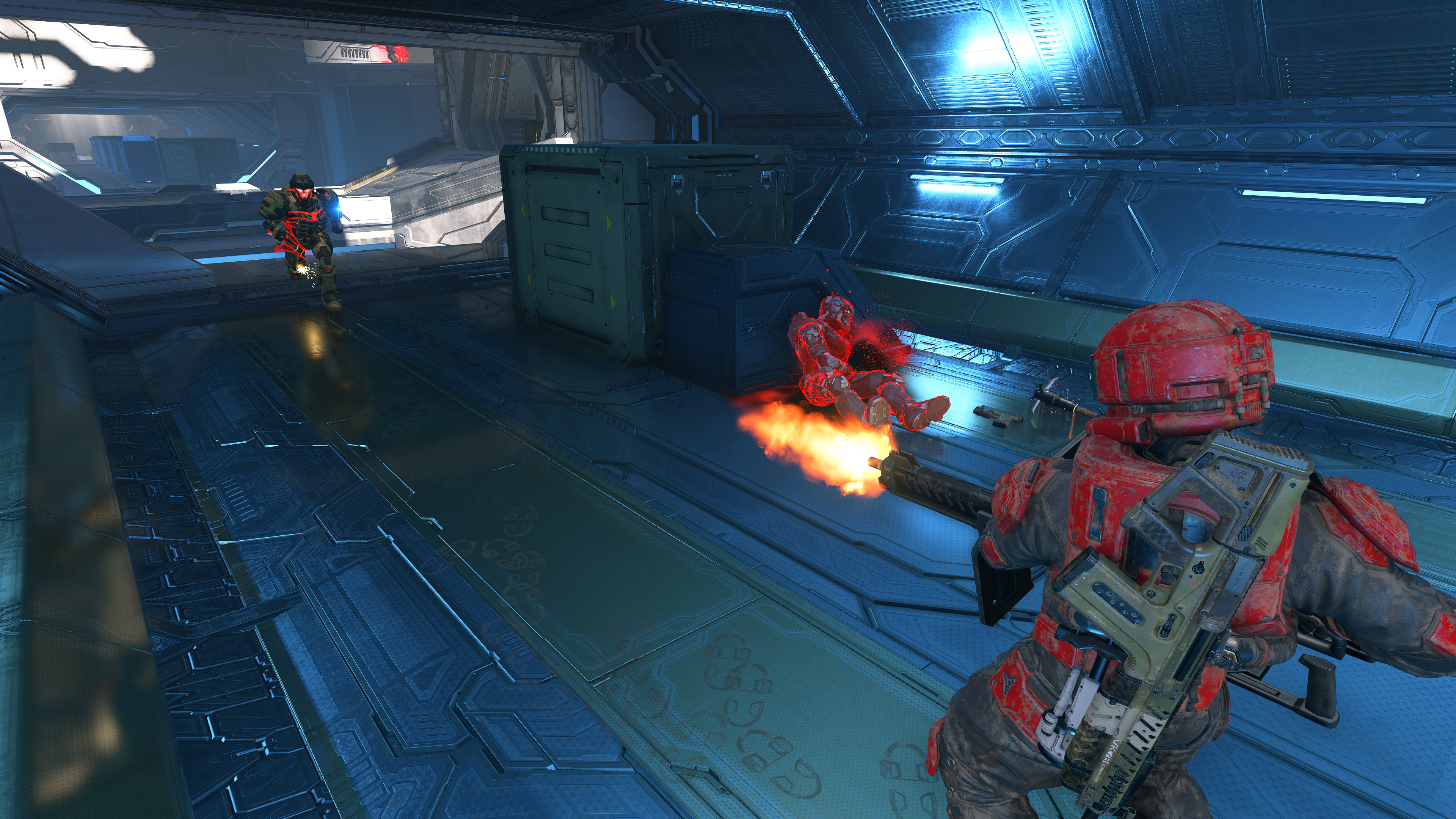
InfectedGameplay3_3.jpg
Some existing 343 Industries maps have Infection-specific variants. On Behemoth (pictured above), some pathways are blocked while others have been opened.

NEW MULTIPLAYER MAPS

To learn more these new maps, visit the “Maps Overview | Season 4” blog on Waypoint or view the video below for a flythrough of each new map:

Arena: Forest

A new Arena multiplayer map, Forest, is now available in Custom Games and various Matchmaking playlists. On Forest, players will fight in an abandoned, asymmetrical Forerunner temple located in a dense woodland.
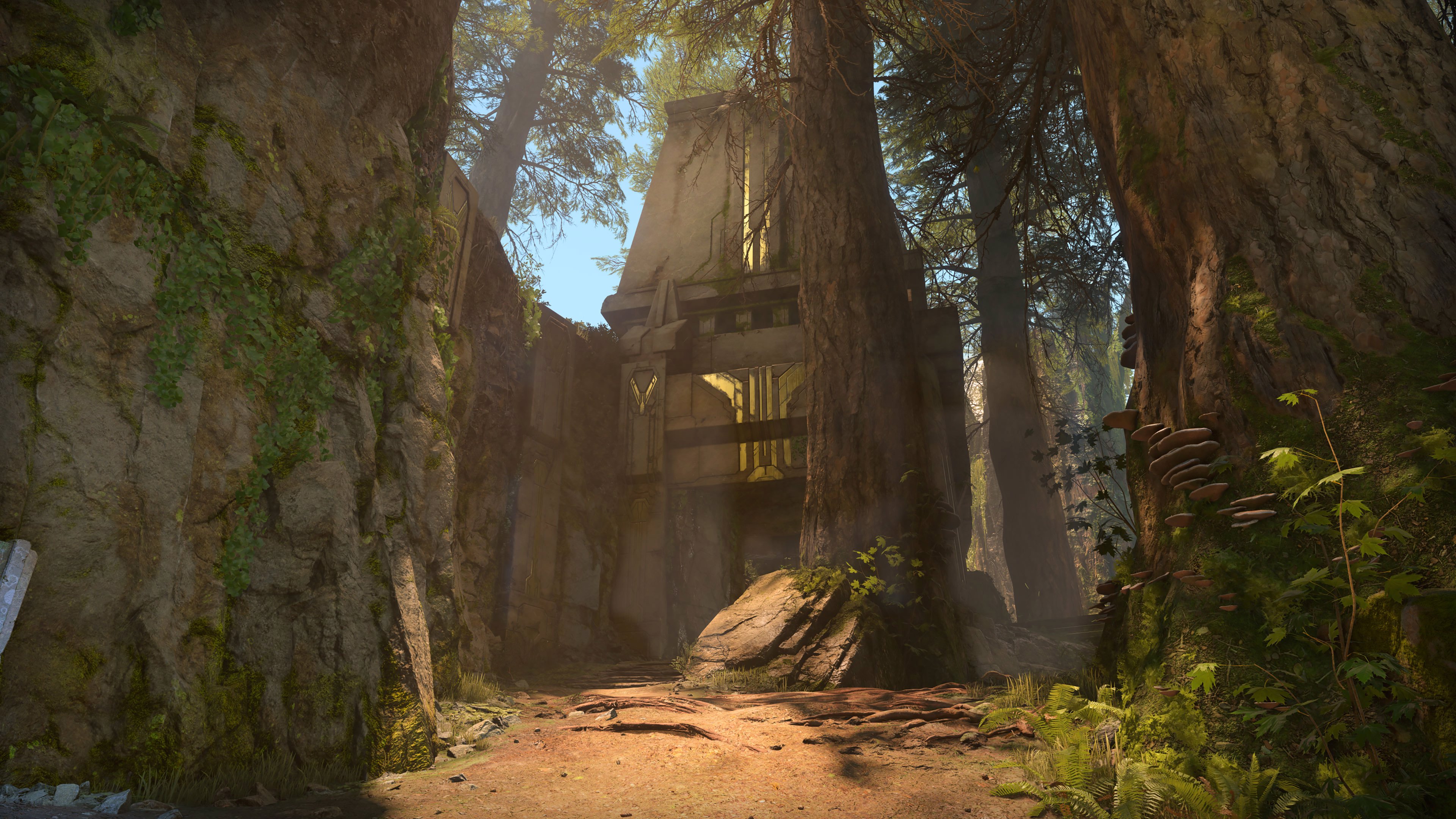
Forest.jpg
Screenshot of the new Arena map, Forest.

Big Team Battle (BTB): Scarr

Scarr, a new BTB multiplayer map, is now available via Custom Games and various matchmaking playlists. On Scarr, players will compete inside a symmetrical Banished compound built around a large, volcanic pit.
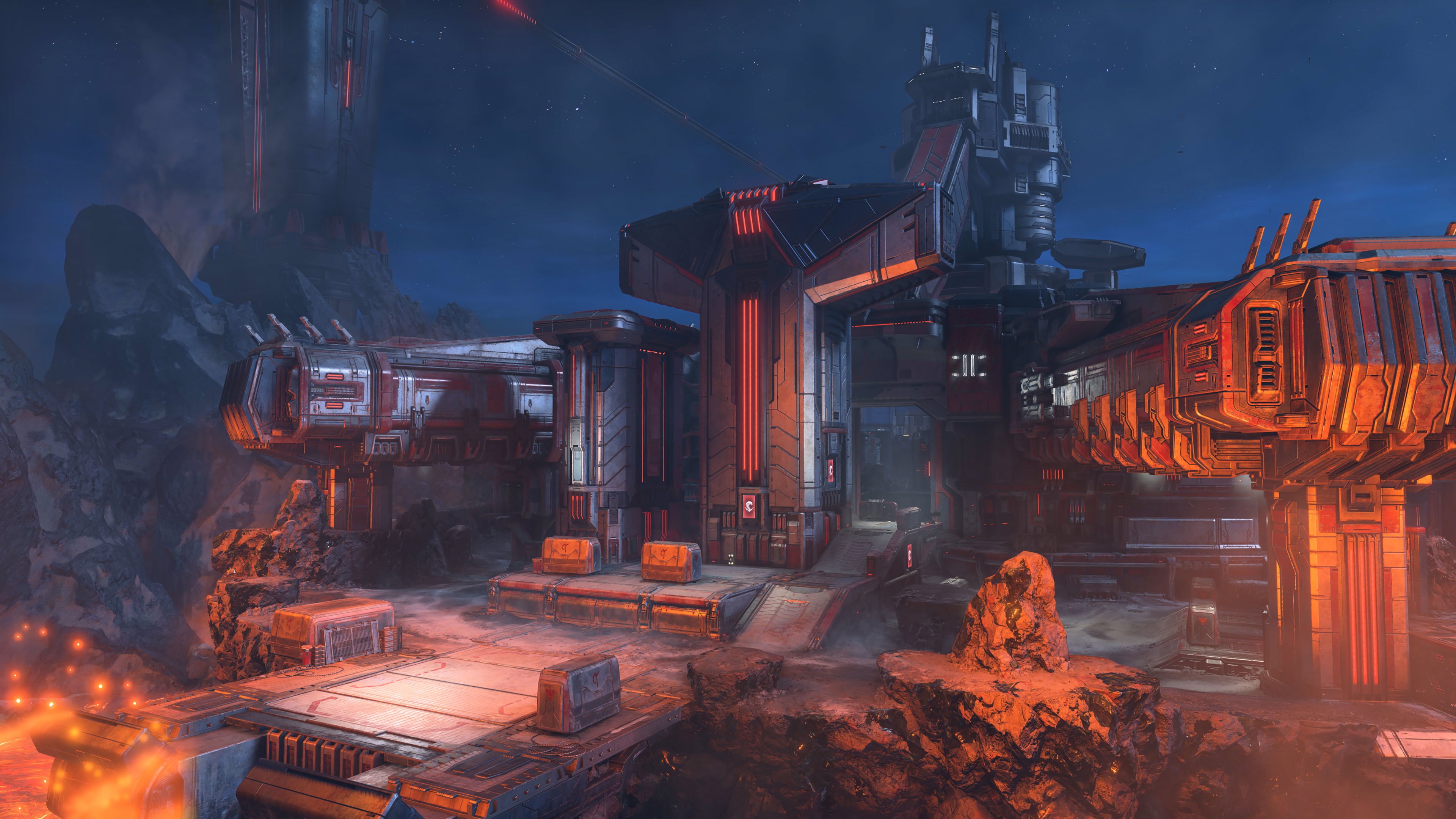
Scarr.jpg
Screenshot of the new BTB map, Scarr.

UPCOMING EVENTS

When an event is active in Halo Infinite, players can unlock free customization items via the Event Pass. To progress through the Event Pass tiers and unlock this content, players must complete Event Challenges while the event is active. Event Challenges can be identified by the orange banner icon visible by the Challenge’s name, and they can be completed in any matchmaking playlist.

Event dates listed here are subject to change. Please stay tuned to the News section of Halo Waypoint for the latest updates on in-game events.

Infection Narrative Events: Hazmat and Containment

Season 4 will feature two separate narrative events: Hazmat and Containment. These narrative events will each last two weeks and feature different 10-item Event Passes. The first of these events, Hazmat, is currently scheduled to run June 27-July 10, 2023.
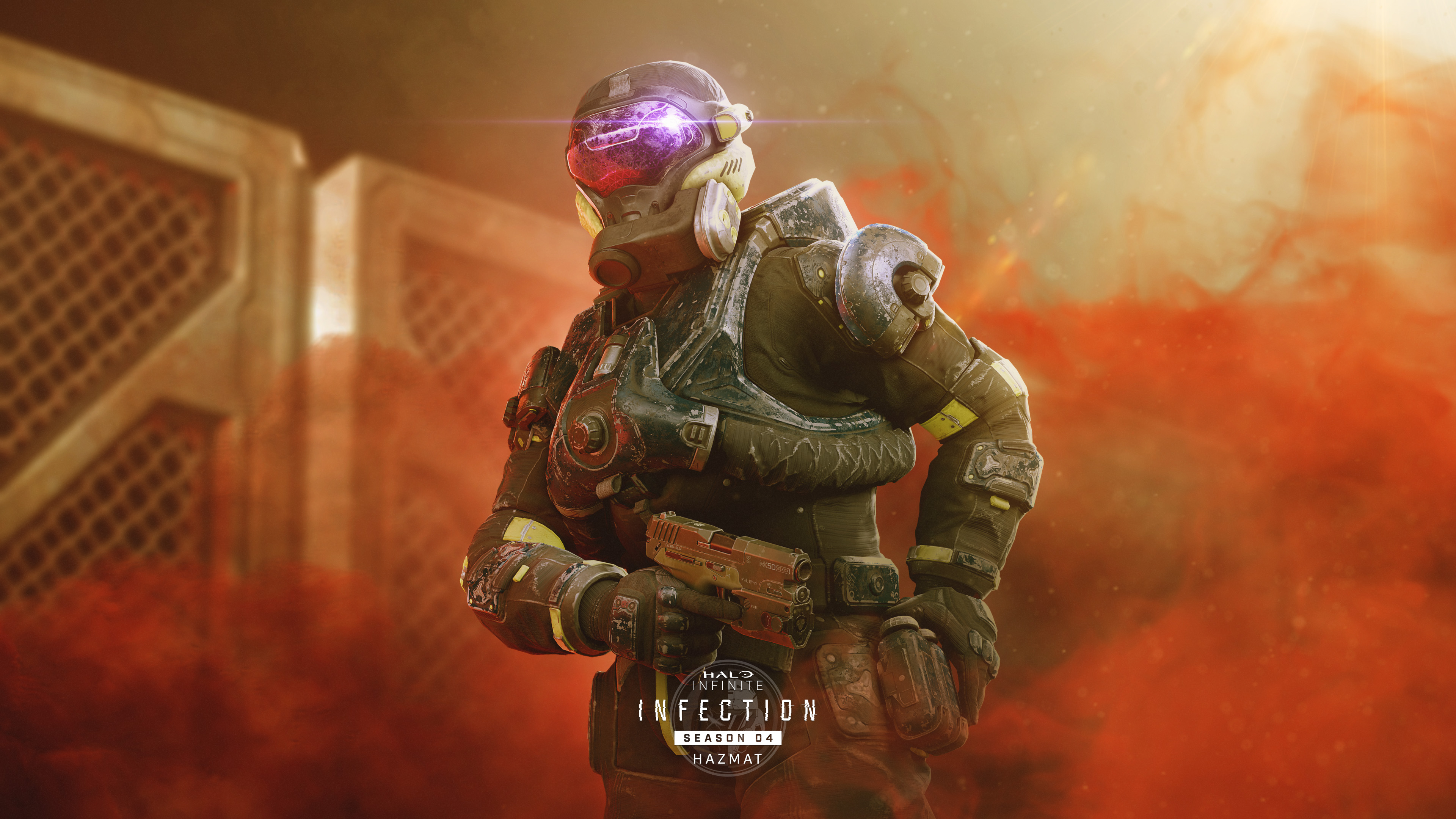
HALO_INFINITE_EVENT_S4_1_WALLPAPER_DESKTOP_BRANDED_3840x2160_RGB.jpg
Unlock customization items like the NOTUS helmet (pictured above) by completing Event Challenges during the Hazmat event. 

Stay tuned to the News section of Halo Waypoint for the latest updates on the Containment event.

Tenrai II and III

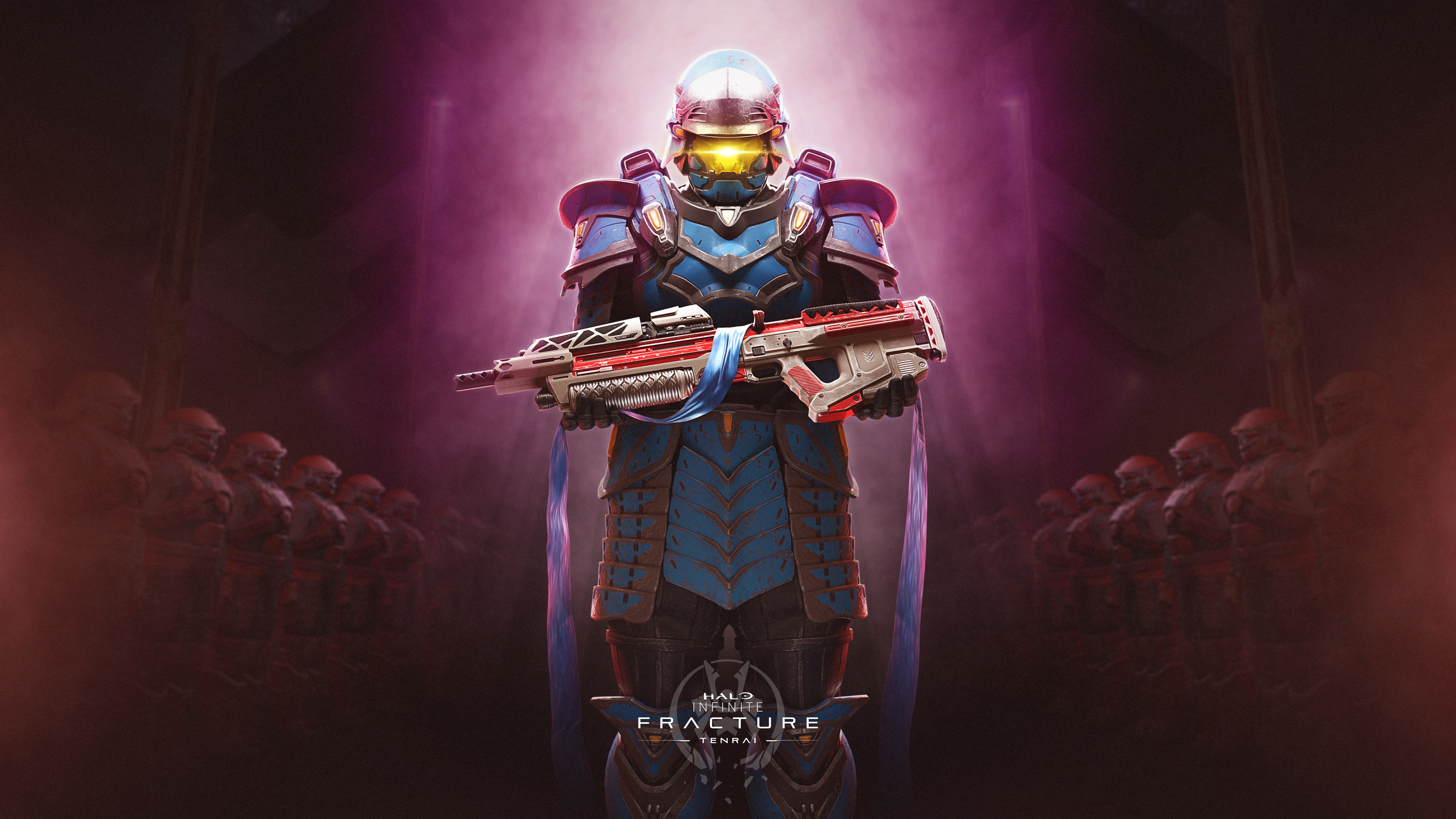
Tenrai returns in Season 4 as a two-part event with two separate 10-item Event Passes. These rewards are different from the ones included in the previous version of Tenrai seen in Season 1: Heroes of Reach.
HALO_INFINITE_EVENT_S4_TENRAI_2_WALLPAPER_DESKTOP_BRANDED_3840x2160_RGB.jpg
Players can earn free customization items for the Yoroi Armor Core by completing the Tenrai II and Tenrai III Event Passes.

Tenrai II is currently scheduled for July 18-31, 2023, and Tenrai III is currently scheduled for September 19-October 2, 2023. Stay tuned to the News section of Halo Waypoint for the latest updates on Tenrai II and III.

Cyber Showdown II

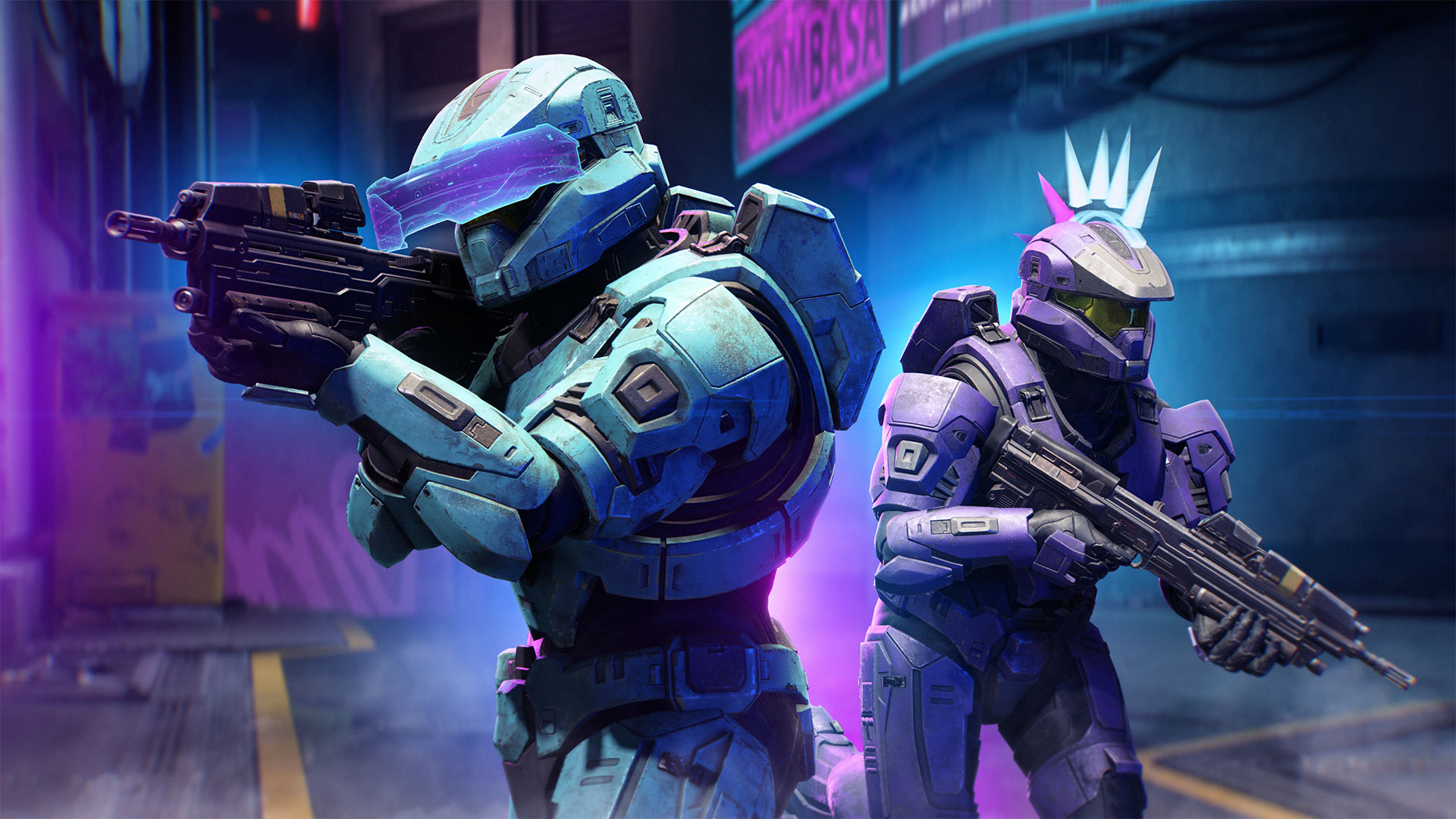
The Cyber Showdown event has returned with new rewards in Season 4. This event will last two weeks and feature a new 10-item Event Pass. Cyber Showdown will run August 8-21, 2023.
cyber
Stay tuned to the News section of Halo Waypoint for the latest updates on the Cyber Showdown event.

RANKED SLAYER MATCHMAKING PLAYLIST

A new Ranked rotational playlist is now available in matchmaking: Ranked Slayer.

Similar to Arena Slayer, Ranked Slayer features two teams of four players racing to reach 50 kills. In Ranked Slayer, players spawn with an MA40 Assault Rifle and an M392 Bandit. Motion Tracker and Friendly Fire are enabled. As in other Ranked playlists, grenade hit markers are disabled. At launch, this playlist includes the following maps:

  • Aquarius
  • Argyle
  • Bazaar
  • Behemoth
  • Detachment
  • Empyrean
  • Forest
  • Live Fire
  • Recharge
  • Streets
  • Starboard
  • Catalyst
  • Cliffhanger

Ranked rotational playlists were available for two weeks in Season 3, but this is being extended to 4 weeks in Season 4. Ranked Slayer will rotate out of matchmaking on July 18, 2023, four weeks from the launch of Season 4.

NEW FORGE FEATURES

Minigame Mode, Objects, and Nodes

Minigame mode is now available for all players via the Mode Editor in Custom Games. Minigame allows players to build entirely new game modes from the ground up that are not bound to the rules of standard Arena modes.

To create a new Minigame mode, follow the steps below:

  1. Launch Halo Infinite.
  2. Select Custom Games.
  3. Select Create Game.
  4. Select Mode Editor.
  5. Select 343 Industries.
  6. Select Minigame.

minigame.png
Once a new Minigame mode has been created, it will be saved under My Files.

Players will also be able to access new Generic Game Mode Objects via Forge, along with 25 new nodes that make implementing these objects much more efficient. These objects include:

  • Generic Capture Zone
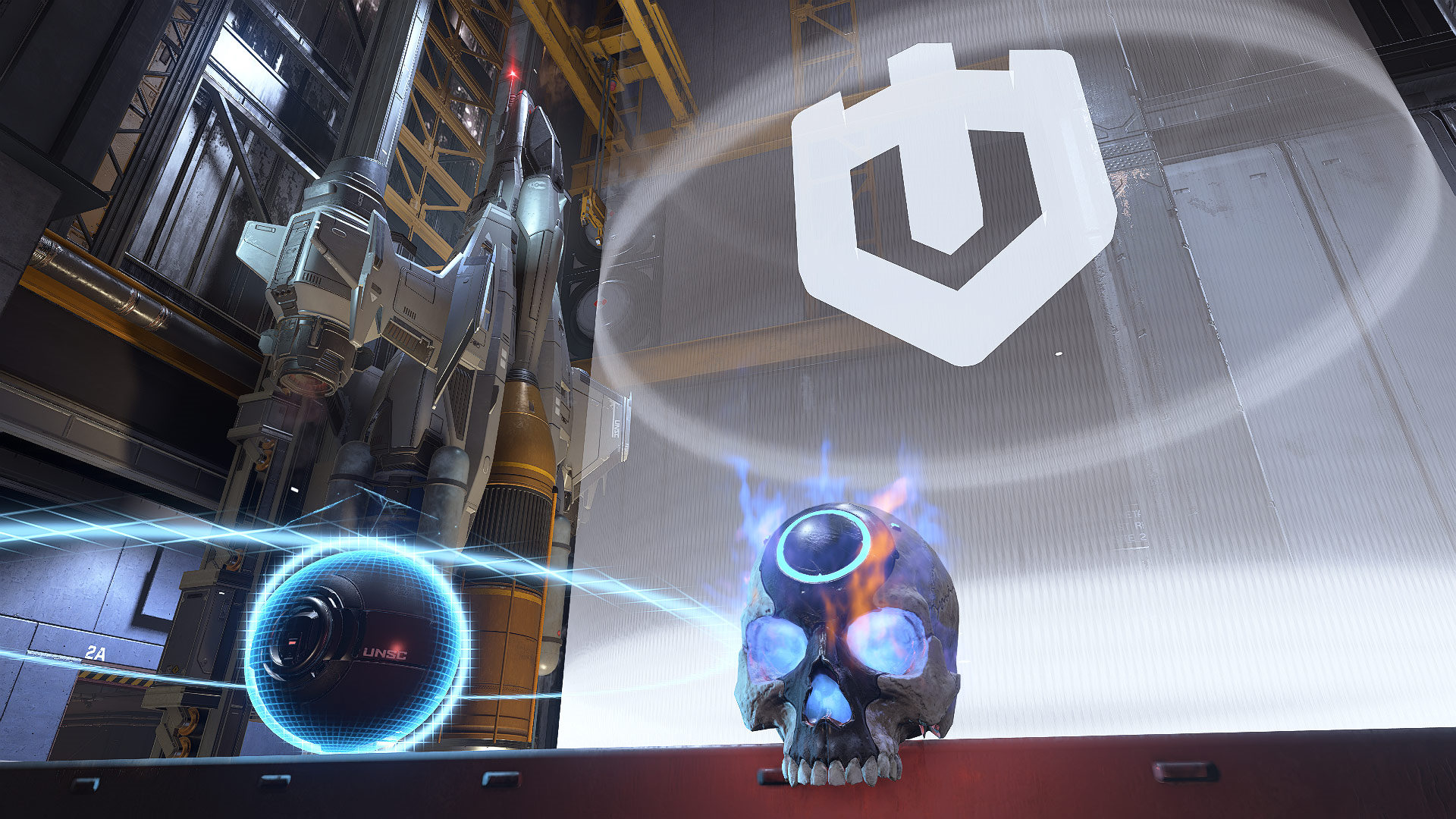
  • Generic Skull
  • Generic Ball

All three of these new objects will help players create entirely new experiences without being limited to the rules and logic of an individual game mode. For example, a Forge creator can place a capturable zone that players must defend, while also having players try to capture a flag placed in the middle of the map.

In addition, brand-new nodes are being added to assist in the creation of Minigame modes. Many of these nodes were suggested by members of the community. These nodes include:

  • Get Object By Label: allows players to create Object Lists without using Object References.
  • Get is Game Mode: run logic only in certain game modes.
  • Increment Number Variable: a more efficient way to Get, Add, and Set advanced number variables.
  • Toggle Boolean Variable: an easier way to Get, Branch, and Set advanced boolean variables.
  • Boolean Not: allows players to negate a boolean variable.
  • Global Custom Event, Async: lets players run custom events asynchronously.
  • Stopwatch: lets players create, start, pause, and reset timers from any point in a script.

Water Plane Object

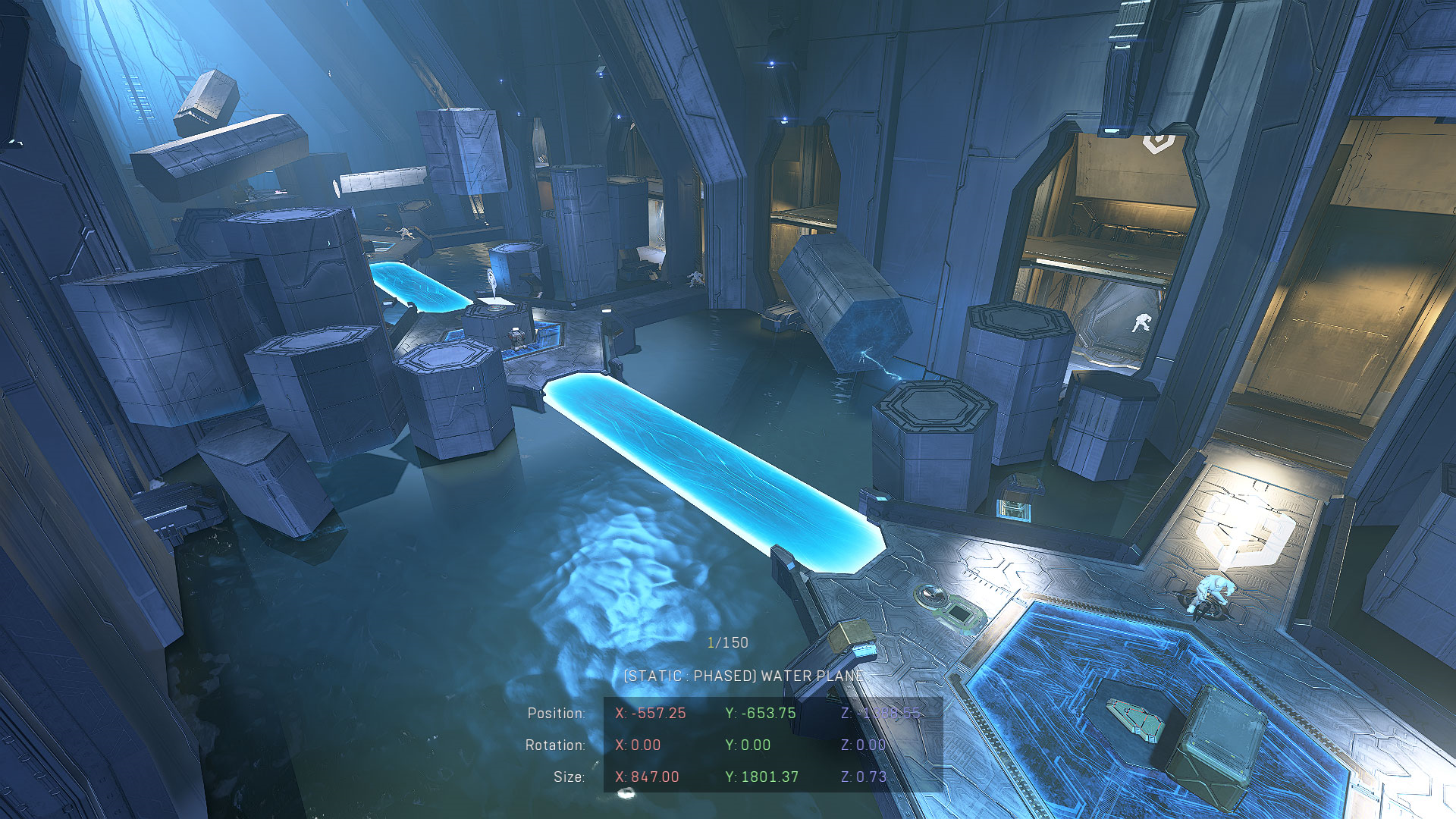
The Water Plane is a new, scalable object that allows players to add a 2D plane of water to their Forge maps. This object is located in the Object Browser menu under Biome/Water.
Chasm_Water.png
The Water Plane allows players to drastically change the environment of their own Forge map or existing 343 Industries maps.

Additional Forerunner Objects and Visual FX

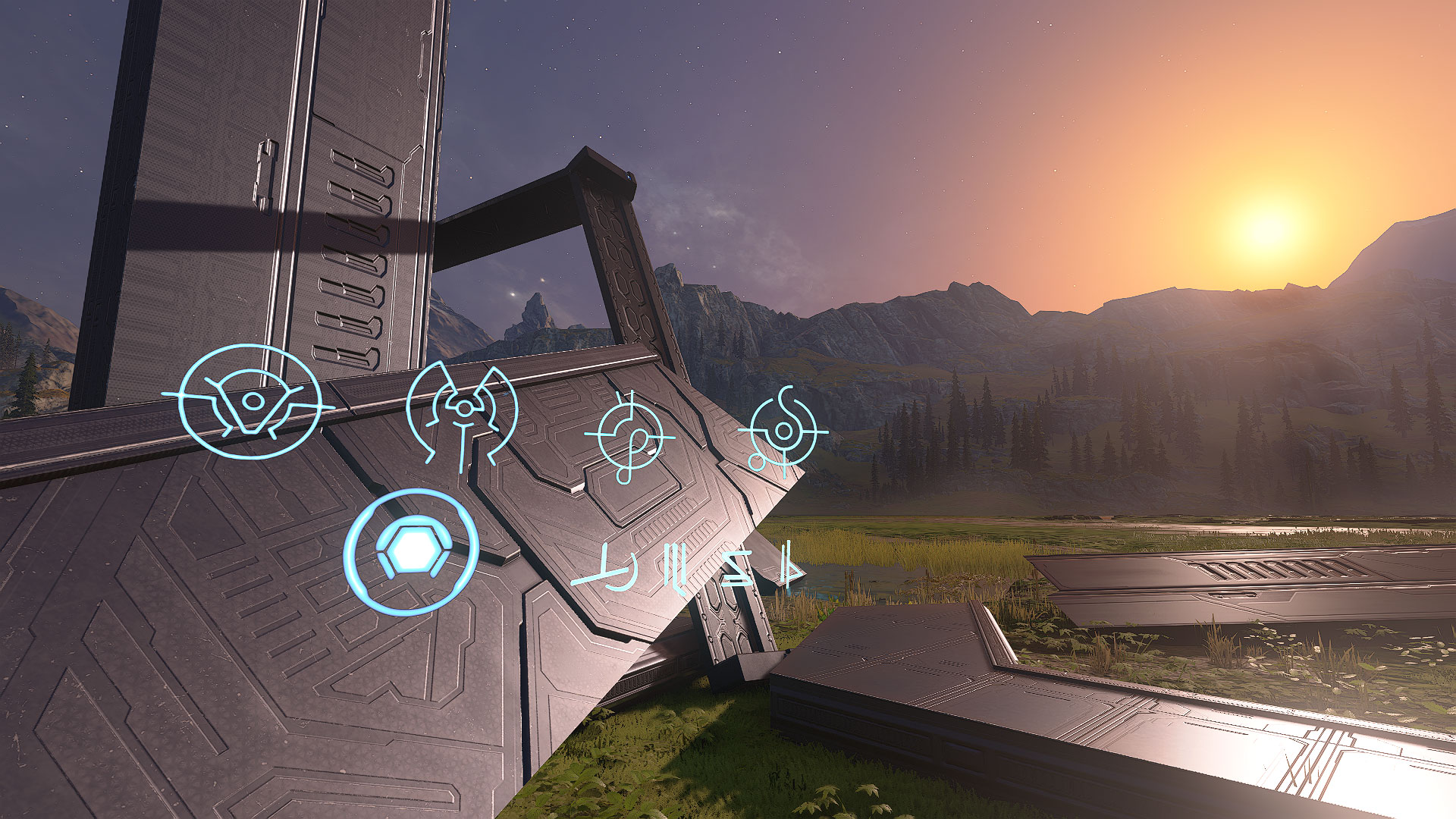
Players now have access to new Forerunner-themed Forge assets and various visual FX. This includes the following object types:

  • 28 placeable structure pieces
  • 13 accent pieces (26 including MP variants)
  • 97 decals (194 including Emissive variants)
  • 77 Visual FX

Forerunner_Objects.jpg
A selection of the new Forerunner objects on the Mires canvas. Visit the Forge Overview article to learn more about Forge mode.

Universal Blocker Objects

A new set of Universal Blocker objects are being added to Forge. This will give Forge creators a more efficient means of preventing players from exploiting the boundaries of the map, without having to place individual types of Blocker objects. Universal Blockers will block incoming players, vehicles, and projectiles.

Visual Effects Scaling

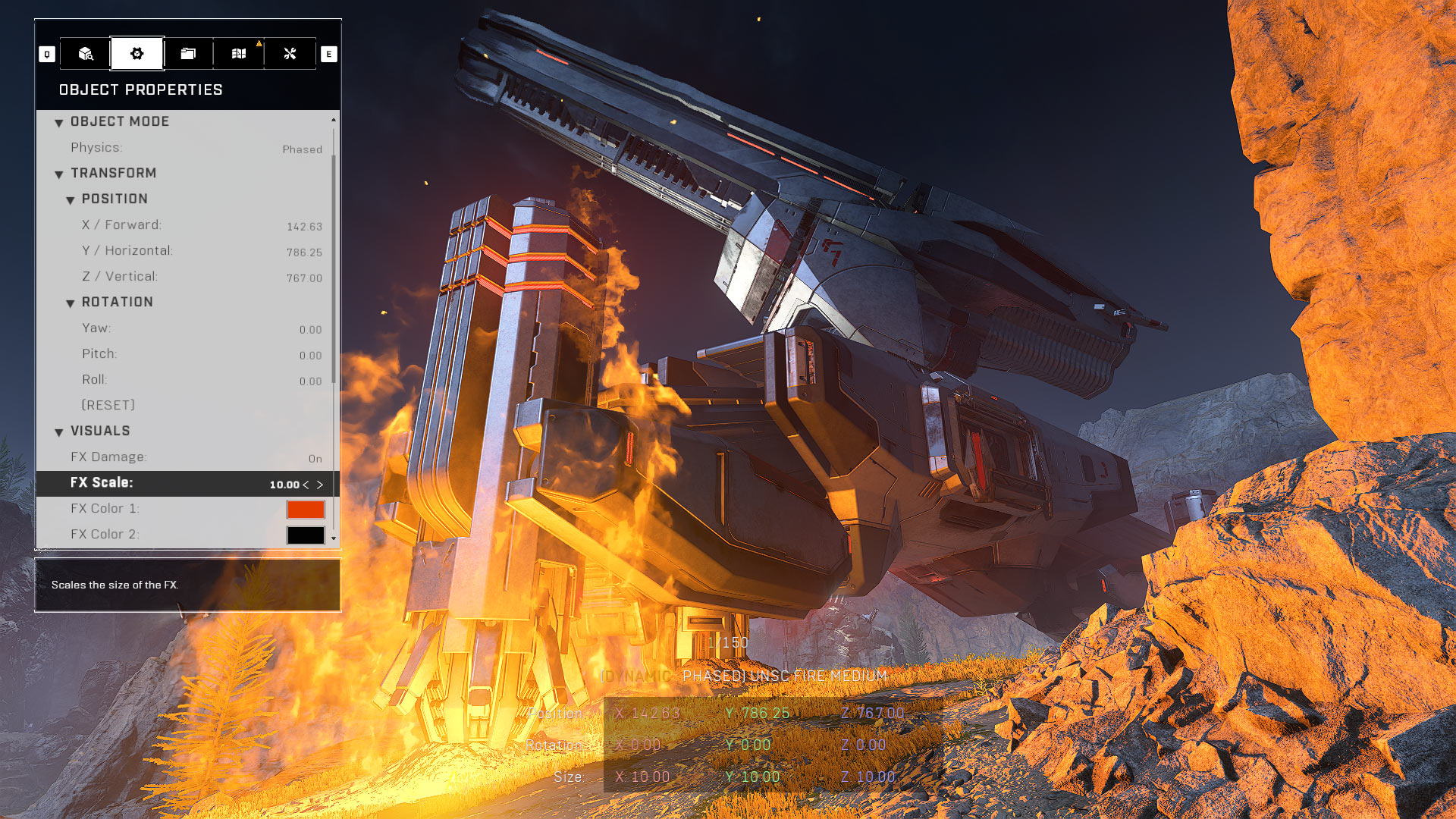
There is now an FX Scale option under the Visuals section of the Object Properties menu that allows players to adjust the size of any visual effect in Forge, such as flames and explosions. Players can also scale the damage and audio output options for visual effects, meaning that Forge creators can control whether a visual effect produces sound or deals damage to other players.
vfx
Increasing the scale of visual effects, such as fire, can also produce more dramatic lighting in Forge maps.

Budget Menu Improvements

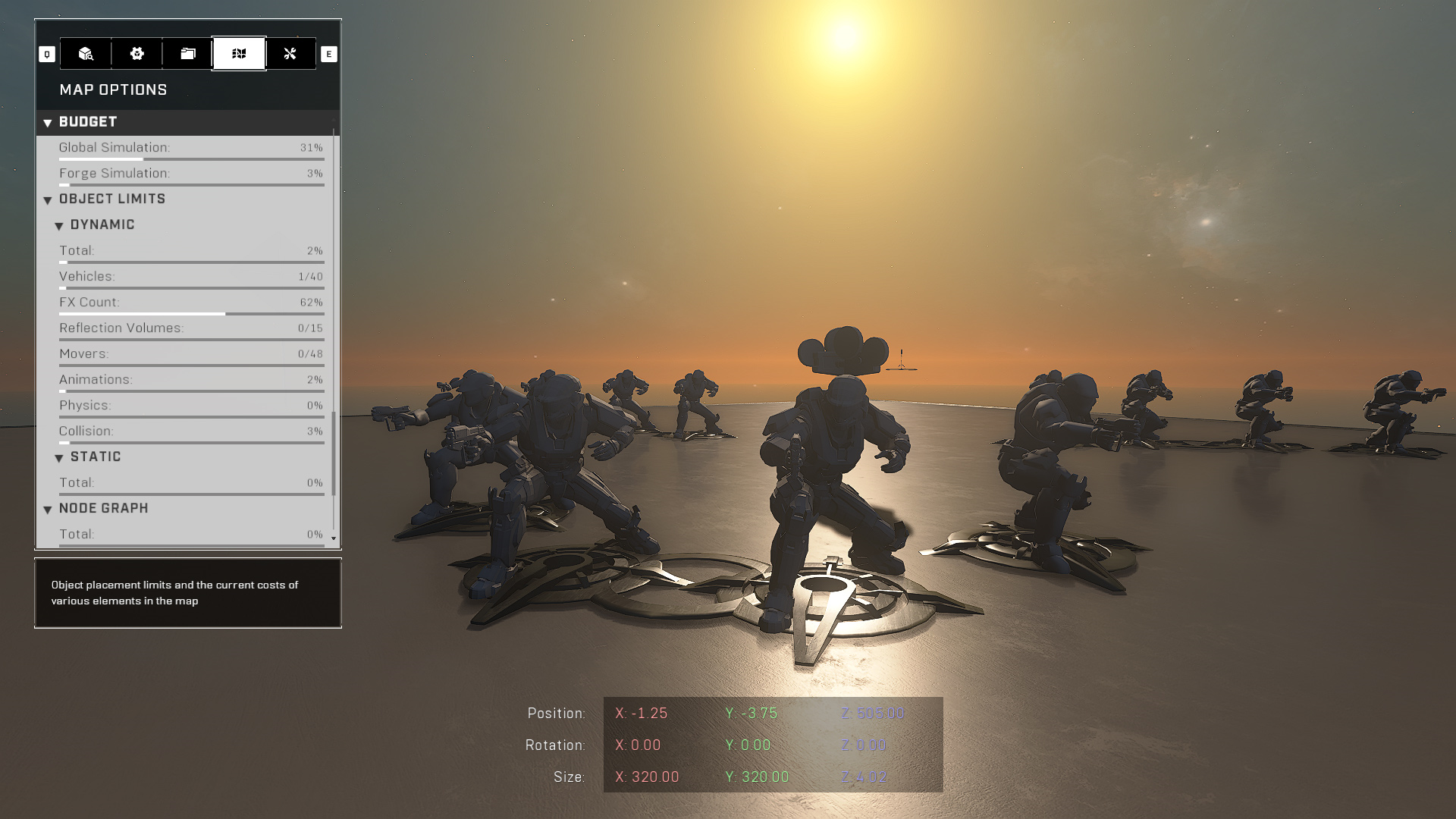
The Budget meter in Forge has been visually updated with new budget categories, outlining the number and type of each individual Forge object placed on the map.
Budget_Improvements_Canvas.png
New meters have been added to distinguish the number of different object types that have been placed on the map.

New Budget categories include:

  • Global Simulation: the overall cost of entities networked by the game, including dynamic objects, projectiles, units, actions, etc.
  • Forge Simulation: the total cost of Forge resources placed on the map, such as dynamic objects, static objects, Node Graphs, etc.
  • Object Limits
    • Dynamic
      • Total
      • Vehicles
      • FX Count
      • Reflection Volumes
      • Movers: number of movers placed on the map. This is a hard limit and cannot be exceeded.
      • Animations: number of animation states used by objects placed on the map. This is a hard limit and cannot be exceeded.
      • Physics: current percent usage of the total physics budget. This is a soft limit and can be exceeded, but doing this may have a negative impact on performance and some objects may stop working correctly.
      • Collision: current percent usage of the total Collision budget. This is a soft limit and can be exceeded, but doing this may have a negative impact on performance and some objects may stop working correctly.
    • Static
      • Total
  • Node Graph
    • Total: the total percentage of Node Graph content currently contributing to the Simulation Memory.
  • Scripting Budget: each script brain has limits on how many nodes and node connections it can contain.
  • Run Time Budget: allows players to track the number of run time objects, such as audio effects and nav points, added to any given Forge map. When run time budgets are exceeded, more instances of that type of entity cannot be created.

RAYTRACED SUN SHADOWS FOR XBOX SERIES X|S CONSOLES

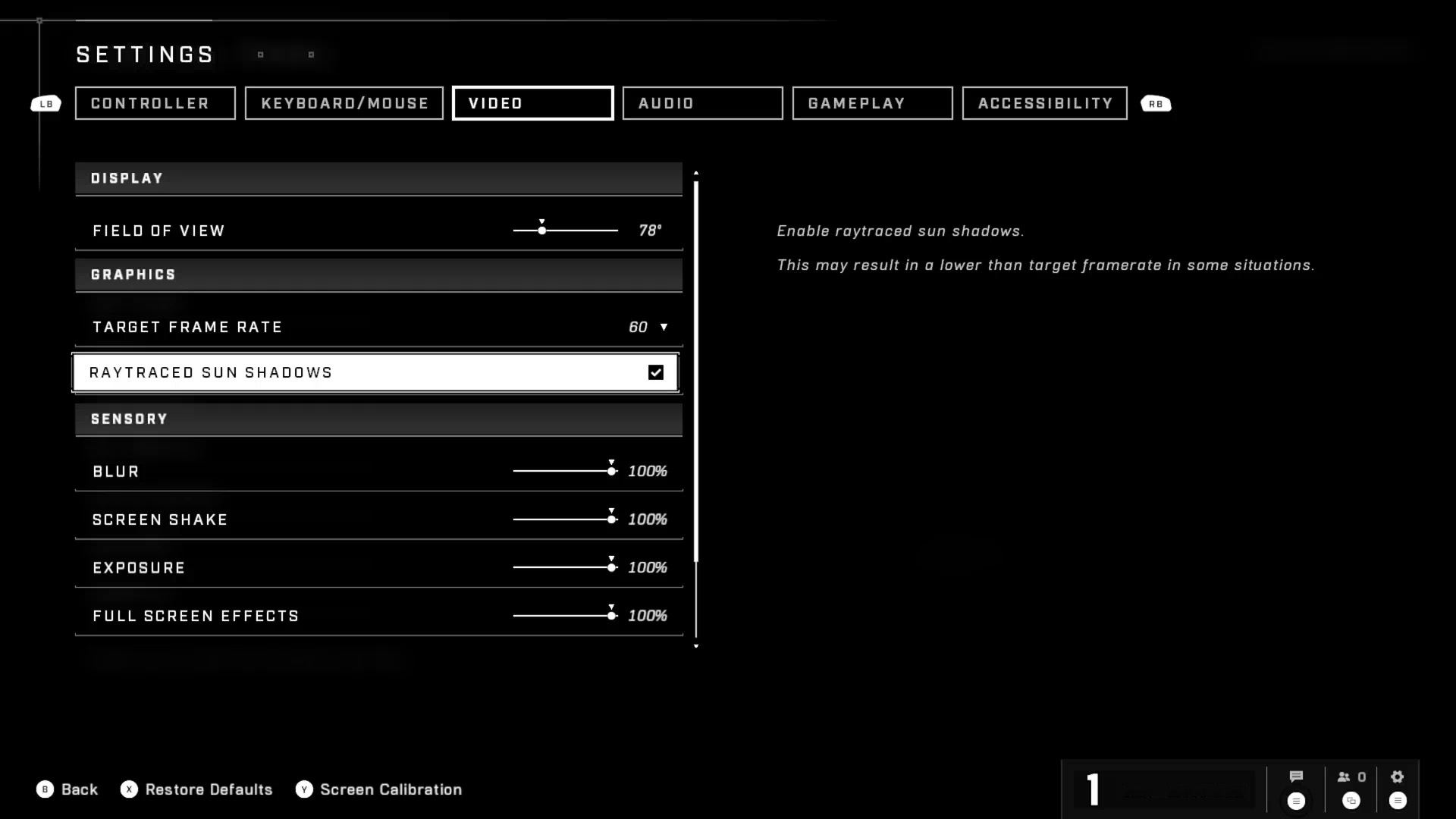
Players on Xbox Series S and Xbox Series X are now able to toggle Raytraced Sun Shadows from the Settings menu. When this feature is enabled, all shadows cast by the sun will appear more detailed in multiplayer gameplay. The Raytraced Sun Shadows option does not apply to the Halo Infinite Campaign.

In some situations, enabling this option may result in the framerate dipping below the selected Target Frame Rate value.
XboxRayTracingOption.jpg
The Raytraced Sun Shadows option can be found under the Graphics header in the Video tab of the Settings menu. 

To enable Raytraced Sun Shadows, follow the steps below:

  1. Launch Halo Infinite.
  2. Navigate to Settings. The default bindings for which are the Menu button on controller and F1 on keyboard.
  3. Navigate to the Video tab.
  4. Scroll down to the Raytracing header and set the Raytraced Sun Shadows option to the preferred setting.

MENU IMPROVEMENTS

Several changes and enhancements have been made to numerous menus within Halo Infinite. This includes:

Campaign TacMap Update

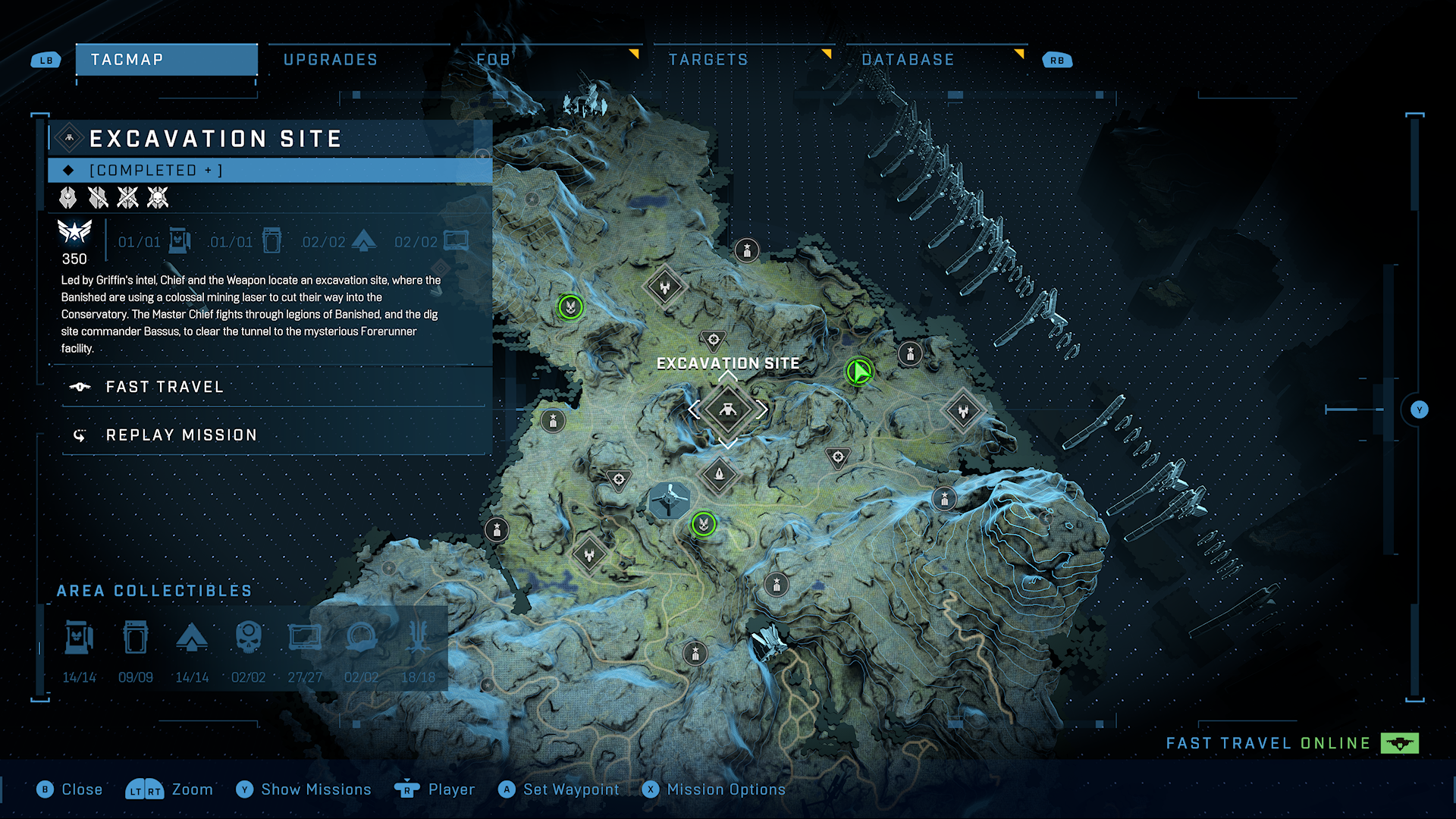
If players complete a Campaign mission on the Legendary difficulty with all Skulls on (also known as “LASO”), it will be marked as Completed+ under the Mission List section of the TacMap, as opposed to just Completed. Once every Campaign Mission is marked as Completed+, players will earn the Headmaster achievement.
With
Missions completed on Legendary with All Skulls On (also known as “LASO”) are now marked as “Completed+” on the TacMap menu. This can be seen underneath the mission’s title in the top left corner of the screen.

Campaign Installation Changes

Alongside this update, the team is making changes to backend systems related to the installation of the Halo Infinite Campaign. Our goal is to improve the development of future Multiplayer updates by minimizing the potential for unexpected issues or instability in Campaign.

This effort requires that all previously shared files between Campaign and Multiplayer are no longer shared, meaning this change will increase the overall installation size of Halo Infinite.

In addition, accessing or leaving the Halo Infinite Campaign menu now requires a loading screen. Due to this loading screen, Fireteams switching between the Multiplayer and Campaign menus will need to leave then re-form their Fireteam.

New Zoom Reset Behavior Option

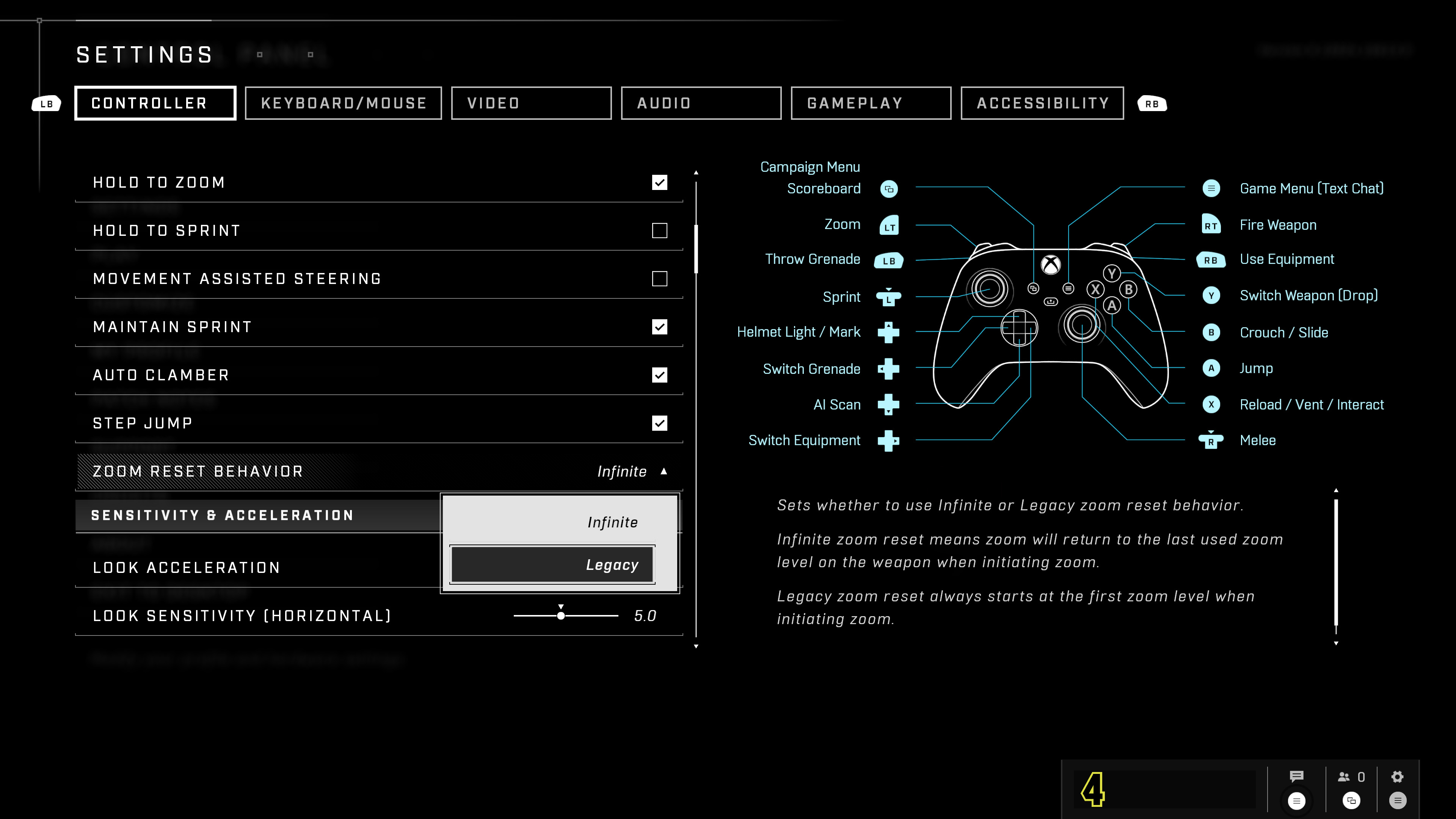
The Zoom Reset Behavior option is now available in the Settings menu. This allows players to dictate which zoom level they start with while zooming in with a scoped weapon.
ZoomResetOption.jpg
The Zoom Reset Behavior option can be found under the Movement & Aiming header of the Controller and the Keyboard/Mouse tabs of the Settings menu.  

There are two different settings for players to enable:

  • Infinite Zoom Reset: initiating zoom returns to the last used zoom level on that weapon.
  • Legacy Zoom Reset: initiating zoom always starts at the first zoom level.

New Reporting Categories for Forge Content

When reporting Forge content, players can now select from a list of categories that specify different reportable offenses, such as discriminatory language, sexual content, extreme violence, and other violations.

Players will also be able to specify where they are seeing the harmful content by selecting from three additional options. These include:

  • Associated Images: refers to preview images of the reported Forge Asset.
  • Associated Text: refers to the name or description of the reported Forge Asset given in the Details menu.
  • Map Design or Objects: refers to the 3D environment or models of the reported Forge Asset.

To report a piece of Forge content, follow the steps below:

  1. Launch Halo Infinite.
  2. From the main menu, select the Community tab.
  3. Under Community File Share, select Browse All.
  4. Select the Forge Asset you wish to report.
  5. Press the Report button from the list on the left side menu.
  6. Select the violation type and where you’re seeing the harmful content.

Shop Menu Improvements

The Shop tab now features more bundle tiles than before, and some tile sizes have increased to better show bundled items. Players can now view additional customization items by scrolling to the right.

Additionally, “super bundles” (introduced in Season 3: Echoes Within) in the Shop will now be listed alongside the smaller bundles they contain.

For more information on this change and other Shop changes, visit the Season 4 Customization blog on Halo Waypoint.

Indicator for New Customization Items

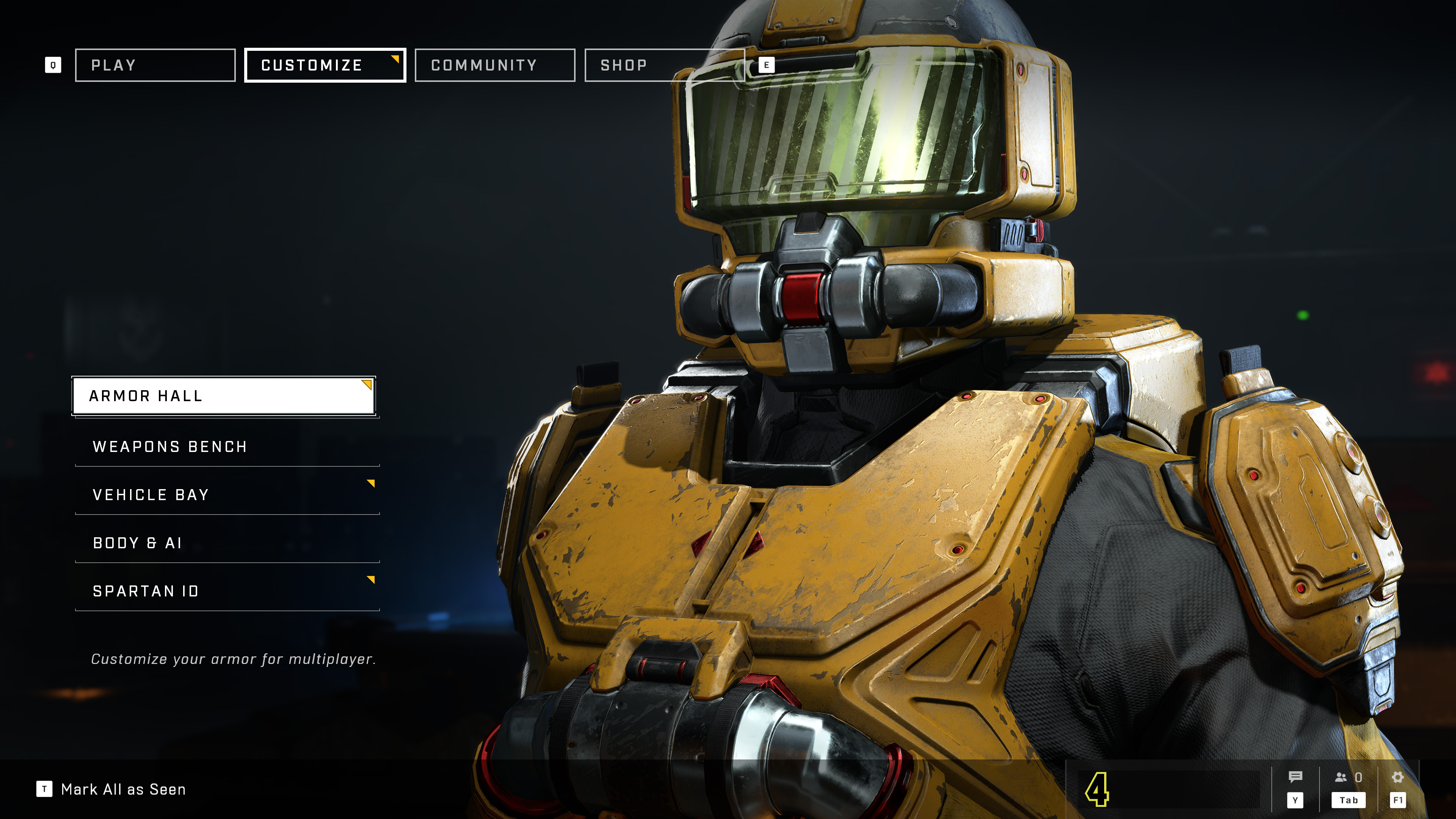
In the Customization menus, recently unlocked customization items are now identified by a yellow triangle in the top right corner of the item’s tile. Menu options with new unlocks available within will also have a yellow triangle in the top right corner to help guide players to their new items.
CustomizeCarrot.jpg
The yellow triangles will disappear once the new item has been viewed, or they can be dismissed by using the “Mark All as Seen” shortcut listed at the bottom of the Customize menu.SectionBreak.png

BALANCE CHANGE

THREAT SENSOR

To better align with the behavior of the Threat Seeker, the number of Threat Sensor pings, as well as how long enemy outlines appear has decreased, while the radius and number of seconds the Threat Sensor is active for have increased.SectionBreak.png

RESOLVED ISSUES AND BUG FIXES

Many improvements come from Halo Insider and Halo Support tickets submitted by our community. Thank you for participating and please keep submitting tickets!

Halo Support tickets help the team here at 343 Industries understand what issues you would like to see addressed in future Halo Infinite updates. The development team is actively working on a variety of game updates and improvements based on both player feedback and bug report tickets.

If you experience a crash in Halo Infinite, please include as much of the following information as possible:

  • Step-by-step instructions on what caused the crash. The more specific, the better!
  • Attach an up-to-date DxDiagfile. To create a DxDiagfile, type “dxdiag” into the Start menu’s search bar, press the Enter key, then click “Save All Information” when the DirectX Diagnostic Tool pops up.
  • Include the Problem Report from the Control Panel app. To find this, open the Control Panel and enter “problem reports” in the search bar. Click “View all problem reports” then locate the recent Halo Infinite report. Double click on this Halo Infinite entry then use the “Copy to clipboard” button near the bottom of the window. Finally, paste this text into your ticket’s comments.

GLOBAL

  • Changes have been made to how game settings are loaded, which will allow the developers to better address issues tied to game settings in future updates.
  • The indicators for the left and right Outer Deadzone trigger settings now align consistently with their default placement in the Controller settings.
  • Loading screen tips now consistently maintain their size and formatting.
  • Unplugging a wired mouse from an Xbox console now consistently results in the mouse cursor disappearing.
  • Improved stability for Xbox consoles after using Quick Resume or after the game has been suspended.

CAMPAIGN

  • A Plasma Cannon Turret now consistently spawns during the mission Banished Warship Gbraakon, allowing players the chance to unlock the “Mix Things Up” achievement.
  • The door to the Chak ‘Lok boss fight in the mission The Tower will no longer become stuck if players exit and relaunch Halo Infinite multiple times during the mission.

MULTIPLAYER

Gameplay

  • The Perfect medal can now be unlocked consistently using the VK78 Commando Rifle.
  • Players are now less likely to become stuck on a loading screen when joining an in-progress multiplayer match.
  • The 3-capture variant of Capture the Flag (CTF) that was removed from the Ranked Arena playlist in June 2023 has been re-added to the playlist. The underlying issue causing this mode to affect Competitive Skill Rank (CSR) rewards has been addressed.
  • Various performance improvements, especially for high-spec PCs using lower graphics quality options.
  • If a minimum frame rate value is set on PC, the dynamic resolution scaling will now increase from the minimum resolution faster than before.

Menus

  • Players are now able to connect more consistently to Halo services upon launching the game.
  • Once players complete their final Ranked placement match, the images for Ranked Rewards now consistently appear on the Rank-Up screen.
  • The Purchase Rewards screen no longer shows the title and insignia of a different Battle Pass after players purchase the Premium Edition of an already completed Battle Pass.
  • The correct Rewards screen now displays once players purchase a Premium Battle Pass from any Season.
  • When attempting to purchase a Premium Battle Pass, the messaging now displays the correct number of XP Grants that come included with the Battle Pass.
  • Purchased items are now immediately reflected as unlocked after completing a bundle purchase in the Customize menu.
  • After leaving a Custom Game or Forge session, map thumbnails in the Custom Game Browser or Forge menus now load consistently.
  • Using the Repulsor no longer results in the player’s Accuracy stat being lowered in the Post-Game Carnage Report.
  • A missing content warning now appears in the Forge menu, informing players that Forge is currently being installed.
  • An error message will now appear informing players that they cannot access Forge mode if they have their privacy settings set to block player-made content.
  • After navigating to the Match History menu in Theater mode and selecting a Filter option, players can now navigate back to the Match tiles.
  • After promoting another player to Fireteam leader, the previous Leader can no longer access settings available only to the Fireteam leader.
  • Thumbnail images for the maps featured in the Community Collection playlist now appear consistently.

Custom Games

  • The volume of the shield recharge sound effect now behaves in parity with the selected setting after modifying the Shield Recharge Time Scalar in Custom Games.
  • The Custom Game menu no longer shows the wrong map and mode selections after repeatedly switching between Forge and Custom Game sessions.
  • Weapon racks, vehicle, grenade, and Equipment pads now function as expected when playing King of the Hill on a Big Team Battle map in a Custom Game.
  • Players leaving a Custom Game then rejoining on the opposite team no longer results in the scoreboard listing incorrect Gamertags.
  • Modifying game rules in the Custom Game Mode Editor now consistently results in those changes being listed correctly in the Custom Game lobby menu.

Customs Browser

  • Thumbnail images will now load more consistently when viewing the Details menu of a Customs Browser session.
  • While in the Customs Browser menu, selected Tags will no longer appear in the Filters menu, unless players select Confirm.
  • When filtering by Gamertag in the Customs Browser menu, uppercase and lowercase Gamertags are now listed in alphabetical order.

Customization

  • Equipping helmet attachments to the Chimera Armor Core no longer results in the incorrect helmet appearing.
  • Audio previews for each Voiceprint available in the Spartan ID menu now consistently play whenever players select Preview Voice.
  • Previewing a Helmet Attachment included in a Shop bundle no longer shows the attachment on an incompatible helmet.
  • Customization items that were unlocked during previous Seasons are now consistently accessible to players via the Customize menus.
  • Various Nameplate palettes have been restored to their original colors.
  • The correct unlock date now appears consistently when viewing an unlocked Customization item after viewing a locked Customization item.

FORGE

Edit Mode and Creation Tools

  • Both the Simulation Memory Budget and the Dynamic Object Limit meters now consistently display 100% once the maximum number of objects have been placed.
  • Forge sessions will no longer crash after players duplicate a Script Brain with a large number of Node Graphs attached to it.
  • Players signed in on the same Xbox console under different accounts will no longer be able to enter a Forge session together using split-screen.
  • Players can no longer move, edit, or delete Script Brains that are being worked on by other players.
  • Players can now undo and redo movement, rotation, and scaling commands after deselecting a modified object.
  • The magnet tool now behaves in parity with the axis the player has rotated the object towards.
  • The magnet wires connecting objects together are now consistently visible from different camera angles and distances.
  • Reflective Forge objects now reflect light consistently based on the light sources present on the map.
  • Players now teleport after entering the object boundary for the Teleporter object in Forge, as opposed to teleporting after standing directly on top of the Teleporter.
  • The Scratches and Grime values the player selected now appear consistently when viewing the Banished Wall Corner object type in Dynamic Object mode.
  • On the multiplayer map Catalyst, a Winning Team Outro object is no longer visible during Spartan Play mode.
  • Forerunner Primitive objects now scale correctly when using the Object Properties menu to adjust their Scale X, Y, or Z values.
  • The color of an object will no longer cycle between two different colors while players are selecting a new color from the Object Properties menu.
  • Any material changes made to a prefab object will now affect all objects included in the prefab.
  • Holding down the selection button in the Node Graph menu will now consistently select individual Node Graphs.
  • Improvements to Nav Mesh visuals flickering in Edit mode.
    • Some flickering may still be visible after this update.

File and Map Publishing

  • Exiting a Forge session without saving the map no longer results in a new version being listed in the map’s Version History menu.
  • PC players can now consistently access Bookmarked maps without reverting back to a previously selected map.
  • After publishing a Forge file, the file’s Details menu now immediately reflects that it has been published.
  • Newly created and saved Forge maps made by the player now appear consistently in the player’s My Files menu.
  • Bookmarked maps will now consistently update whenever the creator publishes a new version of the map.
  • Autosaves will now trigger more consistently after a Forge session ends unexpectedly.
  • Players will no longer encounter a “Call Failed” error when attempting to disable Copy Protection on a Forge Asset.
  • Players can now add notes to each saved version of a Forge map from the pause menu.

TRAINING MODE

  • The BR75 Battle Rifle is now consistently available in the Primary and Secondary Weapon settings via the Training Options menu in Training Mode.
  • The same weapon name no longer appears twice in the Primary and Secondary Weapon settings via the Training Options menu in Training Mode.
    • This applies to the following weapons: Energy Sword, Stalker Rifle, Shock Rifle, Heatwave, CQS48 Bulldog.

For the known issues with the patch and dev notes, head on over to Halo Waypoint.

Avatar photo

Alex Co

Father, gamer, games media vet, writer of words, killer of noobs.

Home > News

Fortnite Down This June 20, Epic Games Investigating

If you’re seeing Fortnite down reports surface this June 20, it’s not just you. It seems servers are down on all platforms, and this is following today’s maintenance downtime where patch v25.10 was released.

Fortnite Down Status and Schedule for June 20:

Here’s the announcement from Epic Games:

We’re aware of reports that players are unable to log into Fortnite, and we will provide an update when we have more information.

Same as always, we’ll be updating the article as more news develops regarding the server outage. If you can connect, leave a comment below and let us know which platform you’re on, and where’ you’re connecting from.

Avatar photo

Alex Co

Father, gamer, games media vet, writer of words, killer of noobs.

Home > News

Immortals of Aveum Delayed to August 22 for Further Polish and to Deliver a “Strong Launch”

Those looking forward to Immortals to Aveum this July, you’ll have to wait a few weeks more to get your magic fix, as Ascendant Studios has announced that Immortals of Aveum has been delayed to August 22!

This announcement was accompanied by a letter from game director Brett Robbins who said that the push back will help the team polish the game and deliver a “strong launch.”

Here’s an excerpt of the announcement:

The recent feedback to the game proves to us what we already felt: that Immortals of Aveum is something special. In order to realize our full vision, we are going to take a few extra weeks, making our new launch date Tuesday, August 22nd. This will give us time to further polish the game, finish optimizing all platforms, and deliver a strong launch. We owe it to ourselves and to you to get this right.

While that’s a bummer, it’s definitely a good delay in my book, as I’d rather have a more polished game than one that’s riddled with bugs and issues at launch.

Immortals of Aveum, will now be released this August 22 on the PS5, Xbox Series X|S and PC.

For more on Immortals, check out our preview of the game, and we also have an interview with the studio too. As for gameplay, go watch over 40 minutes of raw gameplay right here.

Source: Ascendant Studios

Avatar photo

Alex Co

Father, gamer, games media vet, writer of words, killer of noobs.

Home > News

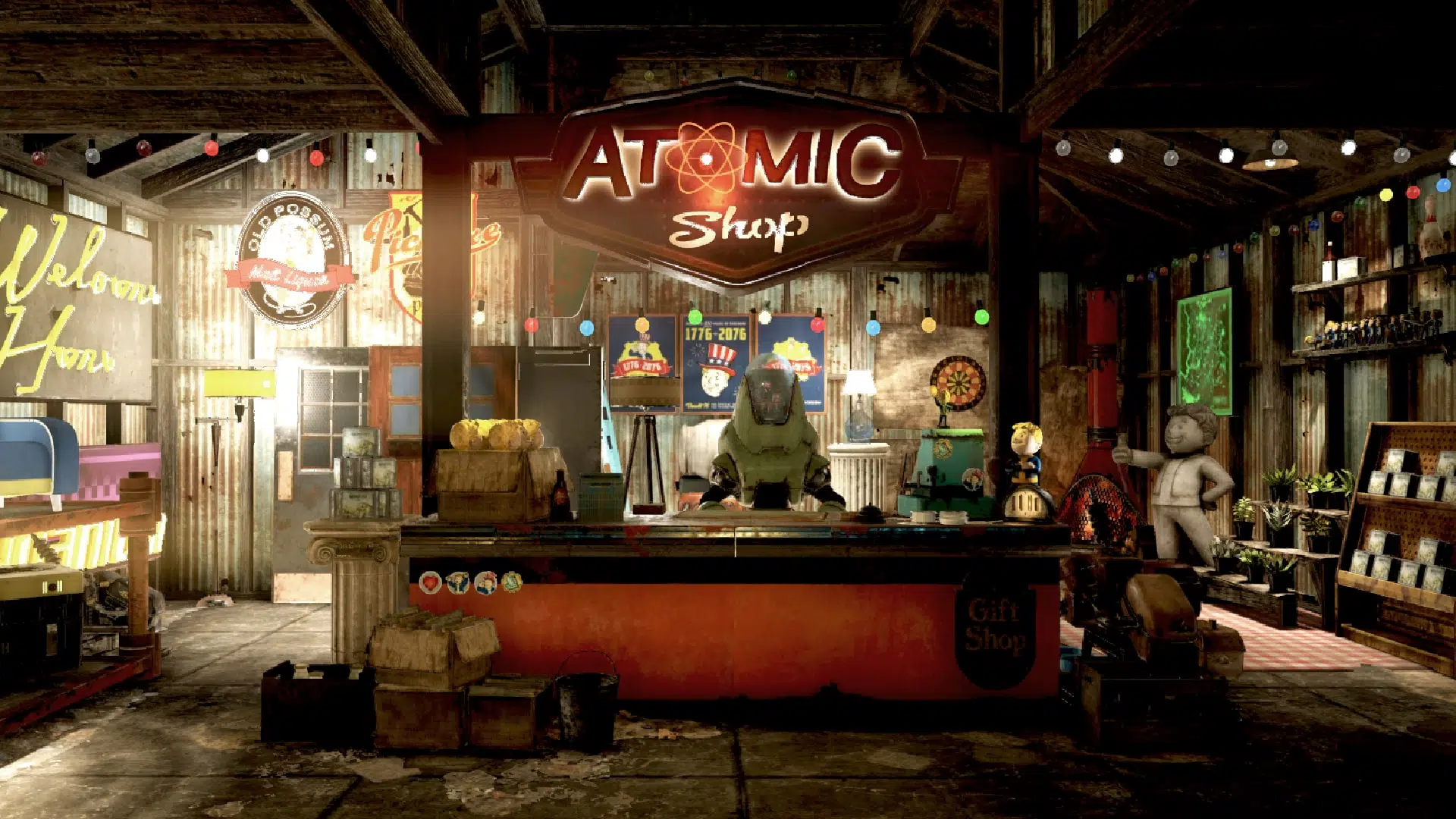
New Fallout 76 Atomic Shop Weekly Update for June 20, 2023

It’s Tuesday, Vault Dwellers, and that means a store refresh. That’s right, the items in Fallout 76’s Atomic Shop have been updated!

And as usual, MP1st is here with the new Fallout 76 Atomic Shop weekly update today, June 20’s list of items for sale. Read on for this week’s best Atomic Shop items and bundles below.

New Fallout 76 Atomic Shop Weekly Update for June 20:

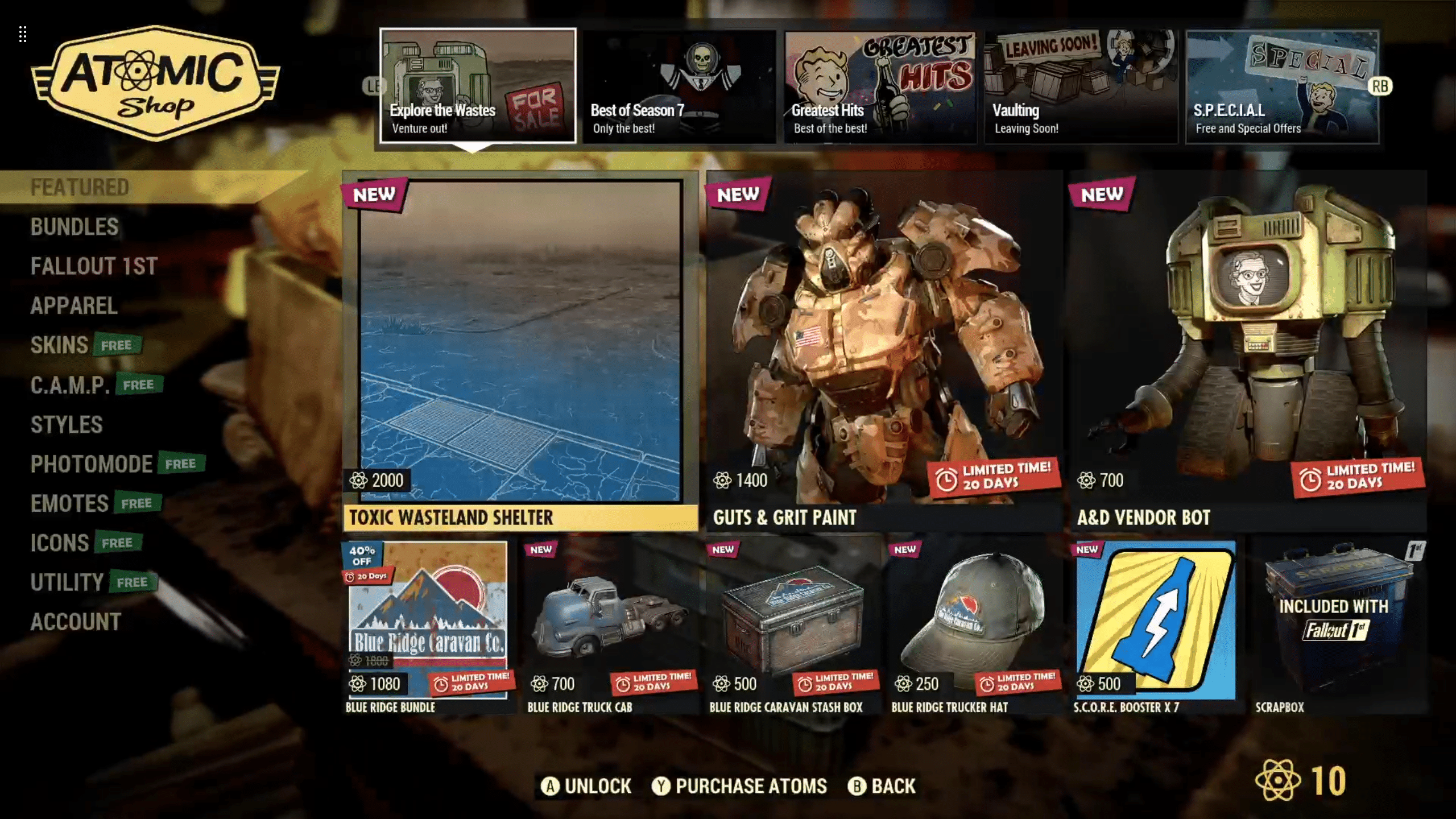
Fallout 76 Atomic Shop weekly update for June 20

Notable Items This Week:

  • Toxic Wasteland Shelter – 2000
  • Guts & Grit Paint – 1400
  • A&D Vendor Bot – 700
  • Blue Ridge Bundle – 1080
  • Blue Ridge Truck Car – 700
  • Blue Ridge Caravan Stash Box – 500
  • Blue Ridge Trucker Hat – 250
  • S.C.O.R.E. Booster x7 – 500
  • West Virginia Outfit Bundle – 500
  • Slocum’s Fat Stack Bundle – 1800
  • Helvetia Butcher Shop – 1500
  • Park Swim Trunks – 1200
  • Water Slide Bundle – 1200
  • Wavy Willard’s Park Bundle – 1200
  • Vault-Tec Linoleum – Free
  • Free Supply Package – Free
  • Metal Mohawk – 350

What is the Fallout 76 Atomic Shop?

The Atomic Shop is an in-game store which offers cosmetics, C.A.M.P. objects and more in exchange for a special currency called Atoms. Most purchases are unlocked account-wide, and may be accessed by any character on the account.

Some objects require an in-game plan to be learned in order to gain access, while other items are only unlocked for a single, specified character. All exclusive items are character-bound, and cannot be dropped or traded with other players. The Atomic Shop is accessible at any time from the main menu, as well as the pause screen after leaving Vault 76 for the first time.

That’s it for this week’s refresh. Is there anything in particular that interests you?

If not, there’s always next week, which we’ll have covered, so be sure to check back in!

Avatar photo

Salman Haider Zaidi

That's a nice argument, Senator.

Home > News

Forza Horizon 5 Update for June 20 Ushers in Series 22, Here Are the Patch Notes

Playground Games has deployed the Forza Horizon 5 update for June 20, and this brings the Series 22 content into the game! Read on for the complete list of new content and the patch notes.

Forza Horizon 5 Update for June 20 | Forza Horizon 5 Series 22 Patch Notes:

New Features (Available from June 20th) 

  • Horizon Test Track
    • Also available in Co-Op
  • 15 Test Track Accolades
  • 5 Test Track Badges
  • ASL/BSL Language for Donut Media @Horizon story cinematics
  • 27 Rims
    • Modulare B15 Evo
    • Modulare B30
    • Modulare B37
    • Modulare B38
    • Modulare B9
    • Modulare D15
    • Modulare D18
    • Modulare D30
    • Modulare D31
    • Modulare D32
    • Modulare D35
    • Modulare D37
    • Modulare D9
    • Modulare M19
    • Modulare S9
    • Fikse 802
    • Fikse FC305
    • Fikse FC307
    • Fikse Profil 10
    • Rotiform AeroDisc ‘TightMesh’
    • Rotiform AeroDisc ‘Digi Camo’
    • Rotiform AeroDisc ‘The Void’
    • Rotiform AeroDisc ‘Checkered’
    • Rotiform AeroDisc ‘Splash’
    • Rotiform AeroDisc ‘Branded’
    • Rotiform AeroDisc ‘Donuts’
    • Rotiform AeroDisc ‘Dino Nugs’
  • New engine audio for the 2003 Nissan Farilady Z
  • 6 Donut Media Car Horns

“Upgrade Heroes” Series Features (Available from June 22nd until July 20th) 

  • Donut Media Story HiLow (permanently unlocked after June 22nd)
  • 20 Donut Media HiLow Story Accolades
  • Evolving World: Donut Media Merch stalls
  • Evolving World: Mechanic Tank Piñata collectible
  • 1 Accolade “Upgrade Heroes Collector”

Unlockable cars 

  • 5 Festival Playlist Reward Cars (Available from June 22nd onwards)
    • 2020 Mercedes-AMG GT Black Series
    • 1991 GMC Syclone
    • 1992 GMC Typhoon
    • 2009 Mercedes-Benz SL 65 AMG Black Series
    • 2023 Formula Drift #64 Forsberg Racing Nissan Z
  • 4 Donut Media HiLow Reward Cars (Available from June 22nd)
    • 2003 Nissan Donut Media 350Z ‘High Car’
    • 2004 Nissan Donut Media 350Z ‘Low Car’
    • 1996 Formula Drift #51 Donut Media Nissan 240SX
    • 1994 Ford Supervan 3 ‘Donut Media Edition’

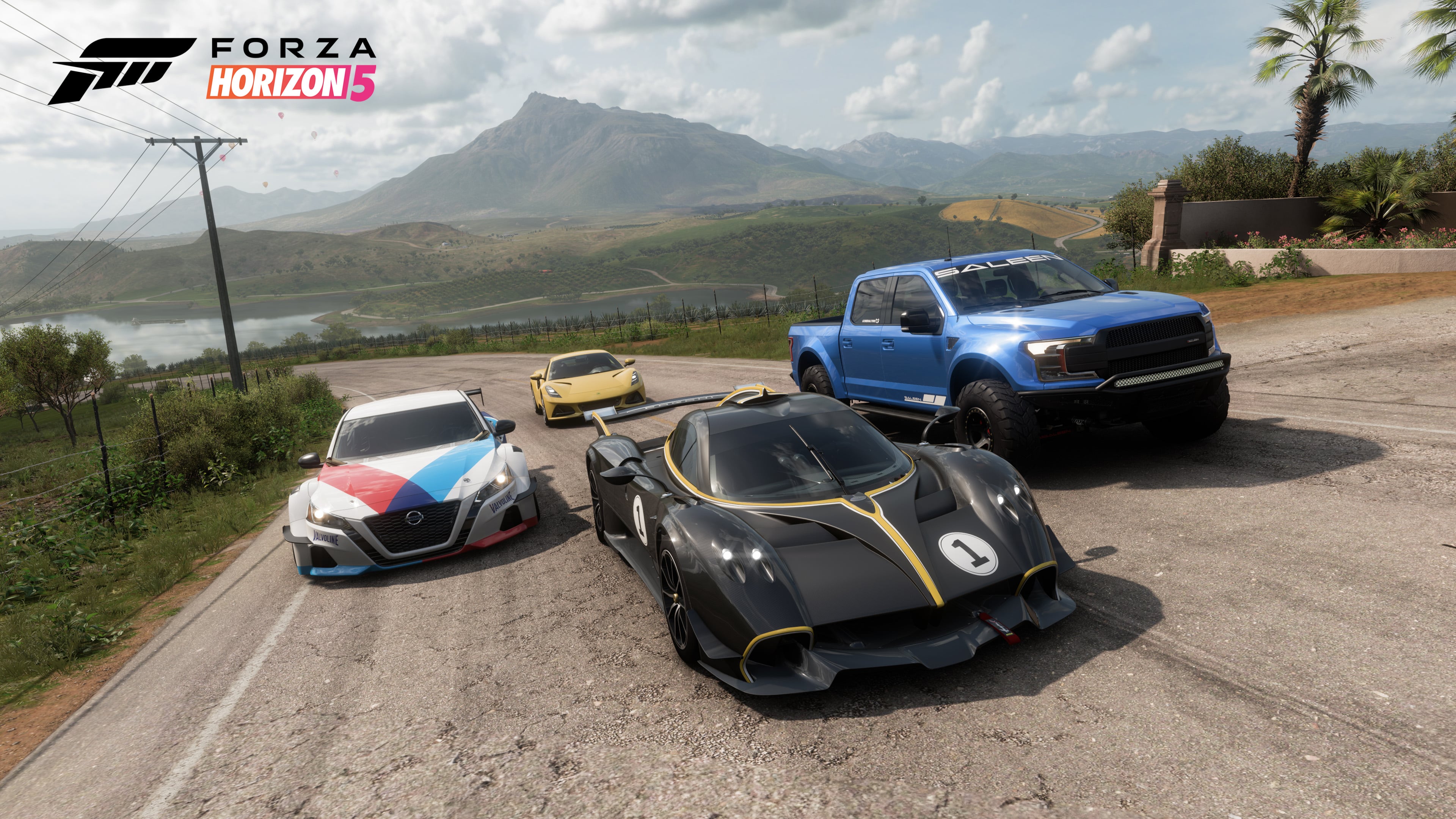
Horizon Racing Car Pack cars (Available from June 20th through Car Pack purchase) 

  • 2023 Lotus Emira
  • 2021 Forsberg Racing Nissan ‘Altimaniac’
  • 2022 Pagani Huarya R
  • 2020 Saleen Sportruck XR Black Label

Bug fixes 

General 

  • Fixed an issue where the game client could crash after receiving an invisible “DLC Car DLC Car” generic message through player gifting (Bug ID 3896802)
  • Fixed an issue where sometimes Traction Control was getting reactivated upon restarting an EventLab race from the finishing scoreboard (Bug ID 3891099)
  • Fixed an issue where sometimes the UI was showing an incorrect number of smashed Bonus Boards (Bug ID 3873073)
  • (Console) Fixed an issue with Steering Wheels where the default value for the Steering Rotation was incorrectly set (Bug ID 3890381)
  • Fixed an issue in the Eliminator where sometimes the timeout bar wasn’t showing the correct values and players were getting eliminated earlier than intended (Bug ID 3887455)
  • Fixed an issue where certain cosmetic items were incorrectly marked as available through Wheelspins (Bug ID 3887454)
  • Fixed an issue where sometimes offroad tyres were incorrectly mounted on players’ cars in Donut Media Story (Bug ID 3895799)
  • Fixed an issue where the Photo Mode camera could clip with the player’s character model placed outside of the vehicle (Bug ID 3892792)
  • Fixed an issue in Horizon Promo where Alejandra’s truck appears twice (Bug ID 3896196)
  • Fixed an issue in Photo Mode where player’s character might disappear after saving a preset (Bug ID 3890074)
  • Fixed an issue with Logitech G920 Steering Wheel where Quick Chat Phrases were not being displayed when selecting them on a Wheel’s D-pad in events and in Freeroam (Bug ID 3071918)
  • Improved replication of ghosting during anti-griefing measures (Bug ID 3866821)
  • General performance and stability fixes

Cars 

  • Fixed an issue with the 2021 Audi RS6 Avant steering wheel where the shift paddles were inverted and media controls were incorrectly displayed (Bug ID 3895860)
  • Fixed an issue with missing anti-lag pop animation on the 2010 Volkswagen Golf R while using the APR Performance wide bodykit (Bug ID 3892642)
  • Fixed an issue with misplaced anti-lag pop animation on the 1993 Nissan Skyline GTR when the Sports Rear bumper was installed (Bug ID 3892640)
  • Fixed an issue with missing anti-lag pop animation while Rocket Bunny wide bodykit was installed on the 1998 Nissan Silvia Ks, 2003 Nissan Fairlady Z and the 1994 Nissan 240SX (Bug IDs 3892600, 3892601, 3892602)
  • Fixed an issue with anti-lag pop animation clipping on the 2015 Lamborghini Huracàn while the Duke Dynamics wide bodykit was installed (Bug ID 3892596)
  • Fixed an issue with anti-lag pop animation clipping on the 2014 BMW M4 while the StreetFighter LA wide bodykit was installed (Bug ID 3892457)

Accolades 

  • Fixed an issue where the “Racing Champion” accolade wasn’t unlocked for some players despite completing the challenge (Bug ID 3887453)
  • Blue Suit and Mexico Race gloves can be obtained through Test Track accolade (Bug ID 3893896)
    • Developer’s Notes: Horizon Test Track Accolades can be found in the Creatives category

Source: Forza Support

Avatar photo

Alex Co

Father, gamer, games media vet, writer of words, killer of noobs.

Home > News

Apex Legends Update 2.27 Patch Notes Listed, Dressed to Kill Collection Event Now Live This June 20

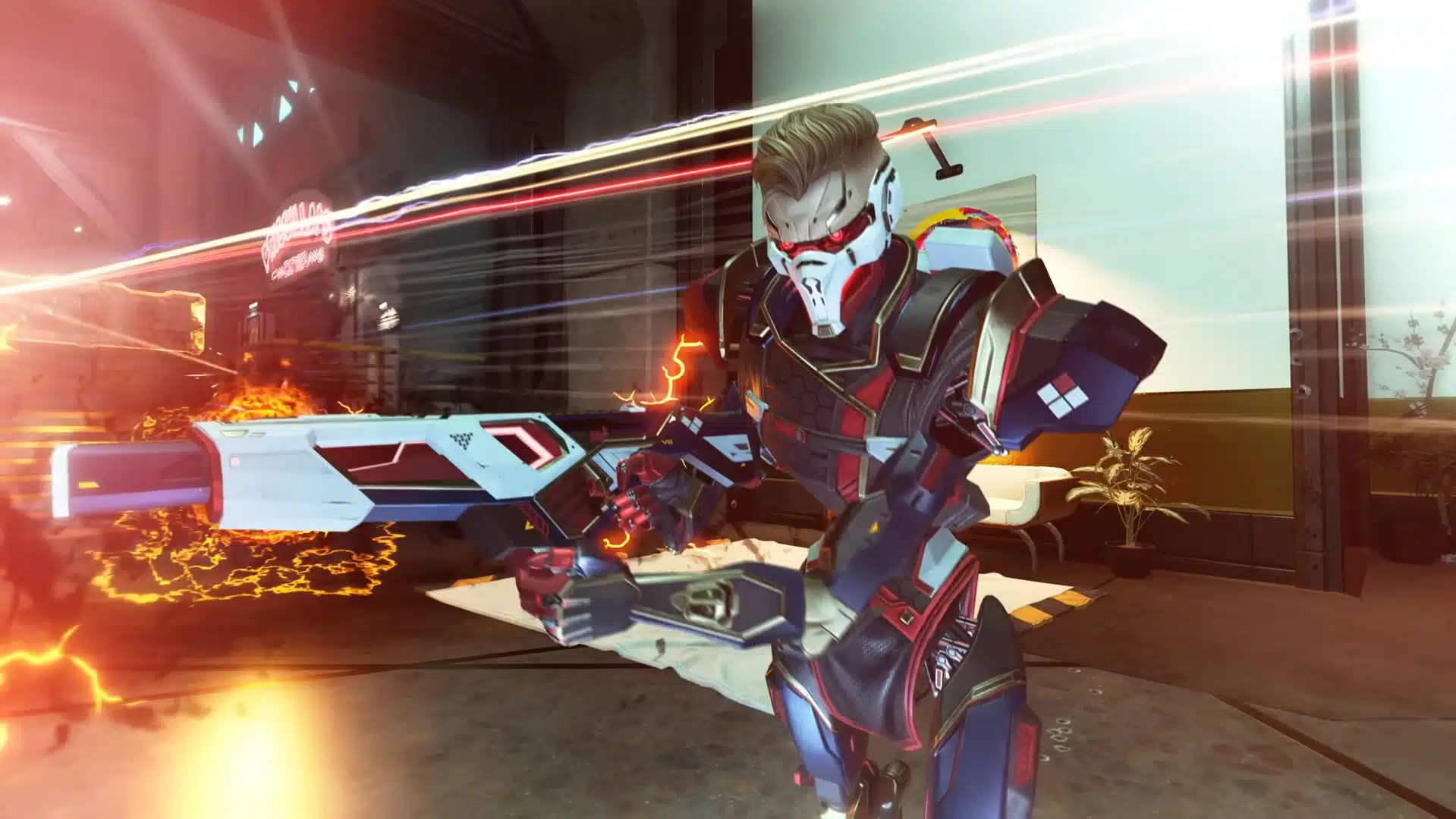
Respawn has rolled out Apex Legends update 2.27 on all platforms, and this brings the Dressed to Kill Collection Event into the game. Check out the new rewards, new LTM and more in the official Apex Legends June 20 patch notes.

Apex Legends Update 2.27 Patch Notes | Apex Legends June 20 Patch Notes:

File Size: 8.4GB (PS5)

LTM: ARMED & DANGEROUS

Big damage is abound with this returning limited-time mode. Your talent will be put to the test with two vastly different weapon types: shotguns and snipers. Looking for more bang? Check the replicator for a Fully Kitted Peacekeeper or Charge Rifle. This is the only way to grab the Charge Rifle in this LTM as it has been removed from ground loot.

COLLECTION EVENT ITEMS

We’re bringing the drip with 24 slick limited-time cosmetics, with Legendary skins for Crypto, Horizon, Mad Maggie, and more! All items are available in exchange for Apex Coins or Crafting Metals and in Dressed to Kill Event Apex Packs for the entire duration of the event. Unlock all 24 before the end of the event and you’ll automatically receive our latest Heirloom, Horizon’s Gravity Maw.

PATCH NOTES

Balance Updates

  • Weapon Crafting Rotation
    • R-99 enters the crafter
    • Rampage LMG enters the crafter
    • Alternator SMG returns to the floor
    • Sentinel returns to the floor
    • Weapon Crafting Rotation
  • Evac Tower: reduced spawn rate to match Heat Shields
  • Mobile Respawn Beacon: slightly increased spawn rate

Weapon Updates

  • Nemesis Burst AR
    • Projectile Speed reduced
    • Projectile gravity increased
  • EVA-8
    • Increased base rate of fire
    • Increased white bolt rate of fire
    • Rate of fire with blue, purple, and gold bolts is unchanged

Legends Update

Seer

  • Passive: Heartbeat Sensor
    • Range Reduced to 50m ( was 75m )
    • Initial Heartbeat delay significantly reduced
  • Tactical: Focus of Attention
    • Range Reduced to 60m ( was 75m )
    • Firing Speed Increased ( ~30% faster )
    • Removed Heal Cancel
    • Removed Revive Cancel
    • Removed Respawn Beacon Interaction Interrupt
    • Scan Time Reduced to 2.5s ( was 8s )
      • Scan once again includes a full body highlight
    • Enemies hit by Focus of Attention are now Slowed for 2.5s
    • Silence Time Increased to 10s ( was 1.75 )
      • Enemies who are silenced by Seer are now also highlighted with a threat outline to Seer and his teammates but only when they have line of sight
  • Ultimate: Exhibit
    • Throw Range Reduced to ~15m ( was ~50m )
    • Removed Diamond Scan Markers on Enemy Movement
      • Exhibit will now only show the footsteps of players moving in the zone
      • Diamond Markers will now ONLY appear with enemy gunfire for 1.25s

Quality of Life

  • Firing Range
    • Customize Range menu additions
      • New option to switch to 3rd person
      • New option to show a general-purpose timer
      • New options to match dummy helmet levels to shield levels.
    • General dummies and collision updates
      • Spawning distancing and frequency improvements
    • Firing Range target redesign
  • Added more hotlinks to how to gain weapon mastery XP to the overview tab and the end of game weapons tab
  • Audio engine stability improvements
  • Bloodhound Trials: updated loot on World’s Edge to now dispense Smart Loot for the active team in the Trials at the end of each challenge round
  • Newcastle: now destroys Jump Pads and Crypto Drones on Castle Wall Impact like other placeable objects
  • Extended Supply (Support) Bins have a higher chance to give an MRB to Support legends who have dead teammates, banners are not required for higher chance
  • Legends Menu
    • Added new Legend Bios tab
    • Removed the classes subtabs
  • PC
    • Added a new menu option: “Clamp Mouse Cursor to Game Window”
    • FPS in the Lobby is now capped at 60Hz, which should give high-end graphics cards a chance to cool down between matches
    • Intel ARC users will receive a popup prompt to consider the DX12 Beta, which has shown improved performance characteristics on ARC hardware. Players can try the DX12 Beta by following the instructions here: https://go.ea.com/ApexDX12
  • Updated podium screen to minimize white flashes
  • Weapons Menu: added new Weapon Backgrounds tab

Bug Fixes

  • [CAR] correct active ammo now shows in the inventory when infinite ammo is active
  • Fixed “are you sure you want to leave” prompt in states that were not applicable (ex. squad wipes)
  • Fixed tops of buildings not registering as out of bounds on World’s Edge
  • Fixed Ballistic’s Tempest VFX staying on while cloaked or phase shifted
  • Fixed Ballistic’s sling weapon icon not updating for spectators
  • Fixed death recap appearing blank if you were dead or died when the game ended
  • Fixed “decoy destroyed” message not displaying when destroying a decoy with Newcastle’s Castle Wall
  • Fixed Extended Supply Bin logic to address MRBs not awarding to players with dead teammates and MRBs are in ground loot
  • Fixed invisible optic on a primary weapon after swapping it with the sling weapon
  • Fixed MRB icon being squished in Control on ultrawide monitors
  • Fixed occasional client crash when exiting an IMC armory
  • Fixed occasional crash when changing legends while emoting as Ballistic in firing range
  • Fixed pinging Icarus Bridge on Olympus while holding a vault key displaying incorrectly
  • Fixed pinging weapon icons on the map and minimap being squished
  • Fixed teams being unable to craft banners if the support legend on the team leaves
  • Replicator: players should no longer get stuck when crafting
  • Weapon Mastery: badge preview now correctly updates after earning the first one
  • Volume sliders now increase/decrease correctly when using controller

Audio

  • Fixed certain movement sounds taking priority over footsteps
  • Fixed hearing Ballistic’s tactical sound effect in other firing ranges
  • Fixed incorrect sound effect when Ballistic hits a teammate with Whistler
  • Fixed more issues with server audio dropouts
  • Fixed players emitting falling audio after dying

Legends

  • Ballistic
    • Backpack no longer stays open when downed while Tempest is active
    • Fixed an exploit where players could get a weapon with attachments into Sling
    • Now auto-cycles to his sling weapon when other weapons run out of ammo
    • Tactical lock-on effect no longer stays if downed while locked on
    • Tactical lock-on effect no longer stays if hit by Seer’s tactical while locked on
  • Lifeline: fixed Shinobi Surgeon skin textures
  • Newcastle: fixed inconsistencies on landing with Castle Wall
  • Rampart
    • Nemesis voiceline no longer plays every time the gun is picked up
    • Placed Sheila turrets no longer keep the fast reloads from Ballistic’s Tempest
  • Valkyrie
    • Dummies not scanning in the firing range while skydiving
    • Heartbeat Harmonizer skin no longer blocks ADS with Prowler + 1x Holo
    • Improvements to Skyward Launch avoiding obstacles that appeared above her after she had already started launching
  • Wattson
    • Fixed fences occasionally being invisible through doors
    • Solar Static skin is no longer extra toothy
  • Wraith: Into the Void no longer prevents skydive from Evac Towers

For the rest of the rewards and store items for the week, head on over here.

Source: EA

Avatar photo

Alex Co

Father, gamer, games media vet, writer of words, killer of noobs.

Home > News

New Destiny 2 Weekly Reset June 20, 2023 and Eververse Inventory

The eccentric merchant Xur has taken his leave until this Friday, but the new weekly activities and Eververse offerings are here to keep Destiny players busy till then. The new Destiny 2 weekly reset June 20, 2023 refresh of activities is now live, itemized below along with the new Eververse inventory.

New Destiny 2 Weekly Reset June 20, 2023 and Eververse Inventory:

Nightfall – The Ordeal: Fallen S.A.B.E.R.

Modifiers:

  • Nightfall: Hero
    • Shielded Foes: You will face combatants with [Arc] Arc and [Void] Void shields. Activity modifiers may add more shield types.
    • Shielded Foes: [Arc] Arc and [Void] Void Shields
    • Hero Modifiers: Extra Shields Maximum Effective Level 1765
    • Champion Foes: You will face [Shield-Piercing] Barrier and [Disruption] Overload Champions. Visit the Character or Mod Customization screen to view your active anti-Champion perks.
    • Champion Foes: You will face [Shield-Piercing] Barrier and [Disruption] Overload Champions.
    • Arc Threat: 25% increase to incoming Arc damage.
    • Hot Knife: Shanks now have Solar shields
    • Overcharged Weapons: Weapon overcharges from the Seasonal Artifact are active in this activity. Kinetic weapons do increased damage when your subclass element matches an active surge.
    • Arc Surge: 25% bonus to outgoing Arc damage.
    • Strand Surge: 25% bonus to outgoing Strand damage.
    • Overcharged Fusion Rifle: 25% bonus to Fusion Rifle damage.
    • Galvanized: Combatants have more health and are more difficult to stun.
  • Nightfall: Legend
    • All previous modifiers
    • Legend Modifiers: Locked Loadout Extra Shields Maximum Effective Level 1815
    • Equipment Locked: You will not be able to change your equipment after this activity starts.
  • Nightfall: Master
    • All previous modifiers
    • Master Modifiers: Extra Champions Locked Loadout Extra Shields Maximum Effective Level 1820
    • Attrition: Regeneration is greatly impaired. Defeating enemies may create wells of Light.
  • Nightfall: Grandmaster
    • All previous modifiers
    • Grandmaster Modifiers: Extinguish Limited Revives Contest Join In Progress Disabled Extra Champions Locked Loadout Extra Shields Maximum Effective Level 1815
    • Extinguish: If your fireteam falls in a Restricted Zone, everyone is returned to orbit.
    • Limited Revives: Limited fireteam revives. Gain additional revives by defeating Champions.
    • Arach-NO!: When defeated, Fallen Vandals spawn a web mine at their feet.
    • Chaff: Radar is disabled.

Rewards:

  • Pinnacle reward: Earn 200,000 cumulative points by completing Nightfalls.

Weekly Crucible Rotators

Relentless: Rift

Achieve victory by collecting the Spark and igniting the opponent’s Rift.

Party: Mayhem

Achieve victory by defeating opponents. Abilities and Supers regenerate faster. Heavy ammo spawns more frequently.


Vanguard Surge: Solar Surge

The other modifiers rotate daily, check out the Daily Reset Thread for them!


Raids and Dungeons

Weekly Raid and Dungeon

  • Raid: Vow of the Disciple
  • Dungeon: Prophecy

Raid Challenges

Deep Stone Crypt

  • The Core Four: A challenge awaits…

Garden of Salvation

  • A Link to the Chain: A challenge awaits…

Vow of the Disciple

  • Swift Destruction: A challenge awaits…
  • Base Information: A challenge awaits…
  • Defenses Down: A challenge awaits…
  • Looping Catalyst: A challenge awaits…

Vault of Glass

  • Wait For It…: A challenge awaits…

King’s Fall

  • Hands Off: A challenge awaits…

Root of Nightmares

  • Illuminated Torment Challenge: A challenge awaits…

Last Wish

  • Strength of Memory: A challenge awaits…

Dares of Eternity: Legend

Contestants: The Way of the Hoof

  • Round 1: Cabal
  • Round 2: Taken
  • Final Round: Crota

Loot


Neomuna

Campaign Mission: Downfall

Infiltrate the heart of Calus’s lair and destroy the Darkness relay.

Partition: Backdoor

Break into a Vex Mind’s stronghold and defeat it.

Vex Incursion Zone: Zephyr Concourse

The Vex are testing CloudArk defenses in this region. Reality fractures as the VexNet bleeds through into Neomuna.


Legacy Activities

  • Savathûn’s Throne World
    • Campaign Mission: The Cunning: Following a lead from Fynch, search the dark corners of Savathûn’s throne world for another clue to how she stole the Light.
  • Europa
    • Eclipsed Zone: Eventide Ruins
    • Empire HuntThe Dark Priestess: Hero: Defeat the new leader of the Fallen, Kridis, the Dark Priestess.
    • Exo ChallengeSimulation: Survival: Simulated Skill-Set Training: Survive the harsh weather as you take down the Vex.
  • Moon:
    • Campaign Mission: Beyond
    • Wandering Nightmare: Nightmare of Jaxx, Claw of Xivu Arath (Hellmouth)
    • Trove Guardian is in Archer’s Line
  • Dreaming City: Weak Curse
    • Petra is at The Strand.
    • Weekly MissionBroken Courier – Respond to a distress call in the Strand.
    • Ascendant Challenge: Agonarch Abyss, Bay of Drowned Wishes
    • Blind Well: Scorn, Plagues: Sikariis & Varkuuriis

Guns, etc.

Banshee’s Weapons

Name Type Column 1 Column 2 Column 3 Column 4
Memory Interdict Heavy Grenade Launcher Countermass // Linear Compensator Augmented Drum // Mini Frags Underdog Danger Zone
Redback-5si Energy Sidearm Chambered Compensator // Extended Barrel Accurized Rounds // Extended Mag Killing Wind Surrounded
Jararaca-3sr Kinetic Scout Rifle Full Bore // Hammer-Forged Rifling Appended Mag // Light Mag Fourth Time’s the Charm Focused Fury
Harsh Language Energy Grenade Launcher Confined Launch // Countermass High-Velocity Rounds // Implosion Rounds Envious Assassin Destabilizing Rounds
Nasreddin Heavy Sword Hungry Edge // Enduring Blade // Tempered Edge Balanced Guard // Heavy Guard Relentless Strikes Surrounded
Glissando-47 Kinetic Scout Rifle Full Bore // Hammer-Forged Rifling Appended Mag // Flared Magwell Discord Box Breathing

Ada-1’s Wares

Name Description Cost
Satou Tribe Apply this shader to change the color of your gear. 10000 Glimmer
Bray Innovation Apply this shader to change the color of your gear. 10000 Glimmer
Dead Orbit’s Fate Apply this shader to change the color of your gear. 10000 Glimmer
Upgrade Module A collection of universal components that can be used to infuse power between gear items. Can be purchased from the Gunsmith or acquired from special reward sources. 1 Enhancement Core & 10 Legendary Shards & 5000 Glimmer

Eververse Bright Dust Offerings

Name Description Type Cost
Concentrated Mattergem An Upgrade Module ionizer created from refined Mattergems. Consumable 200 Bright Dust
Glimmershard A shard with the ability to generate Glimmer during combat. Consumable 250 Bright Dust
You Say Dance Emote 700 Bright Dust
ROV Shell Ghost Shell 2850 Bright Dust
Ghost Purple Modifications for your ship’s transmat systems, so you’ll always arrive in style. Transmat Effect 450 Bright Dust
Abyssinian Gold Equip this shader to change the color of your gear. Shader 300 Bright Dust
Meditator Apply this shader to change the color of your gear. Shader 300 Bright Dust
Threatening Stance Emote 3250 Bright Dust
Ta-Da Emote 400 Bright Dust
M3-D1 Shell Ghost Shell 2850 Bright Dust
Celestial Horn Vehicle 2500 Bright Dust
At Any Cost Equip this weapon ornament to change the appearance of Sole Survivor. Once you get an ornament, it’s unlocked for all characters on your account. Weapon Ornament 700 Bright Dust
Heat Sink Equip this weapon ornament to change the appearance of Eriana’s Vow. Once you get an ornament, it’s unlocked for all characters on your account. Weapon Ornament 1250 Bright Dust
Pegasus Projection Equip this item to change your Ghost’s projection. Ghost Projection 1500 Bright Dust
Celestial Dome Apply this shader to change the color of your gear. Shader 300 Bright Dust
Atmospheric Glow Equip this shader to change the color of your gear. Shader 300 Bright Dust
Jacarina Equip this shader to change the color of your gear. Shader 300 Bright Dust
Breezy Clear Equip this shader to change the color of your gear. Shader 300 Bright Dust
Signal Processed Modifications for your ship’s transmat systems, so you’ll always arrive in style. Transmat Effect 450 Bright Dust
Darkblade Effects Modifications for your ship’s transmat systems, so you’ll always arrive in style. Transmat Effect 450 Bright Dust

Weekly Bounties

Petra Venj, The Dreaming City

Name Description Cost Requirement Reward
Ascendant Challenge “The Awoken have long practiced the art of walking between worlds.” —Techeun Kalli 1500 Glimmer 1 Ascendant challenge completed XP++ & Dark Fragment & Legendary Gear
Gateway Between Worlds “The Blind Well can split wide the veins that run between realities.” —Techeun Sedia 40 Dark Fragment 10 Activity completions XP++ & Offering to the Oracle

Eris Morn, Moon

Name Description Cost Requirement Reward
Slow-Wave Disruption Complete waves of Altars of Sorrow in Sorrow’s Harbor. 1000 Glimmer 7 Waves completed Hymn of Desecration
Lunar Spelunker Loot chests in 3 of the Moon’s Lost Sectors. 1000 Glimmer 1 K1 Communion Lost Sector looted & 1 K1 Logistics Lost Sector looted & 1 K1 Crew Quarters Lost Sector looted 1 Firewall Data Fragment

Lectern of Enchantment, Moon

Name Description Cost Requirement Reward
Nightmare Hunter Defeat Nightmares in Nightmare Hunts. 5 Phantasmal Fragment 100 Nightmares XP++ & 1 Phantasmal Core
Nightmare Sojourner Defeat Nightmares in Lost Sectors across the solar system. Nightmares defeated on the Moon only grant reduced progress. 5 Phantasmal Fragment 100 Nightmares XP++ & 1 Phantasmal Core

Variks, Europa

Name Description Cost Requirement Reward
Courageous Expedition On Europa, complete Lost Sectors, public events, and patrols. 1000 Glimmer 15 Progress XP++
Divine Intervention During the Empire Hunt “The Dark Priestess,” defeat Kridis and earn points by defeating combatants with precision final blows. Higher difficulties grant more efficient progress. 1000 Glimmer 50 [Headshot] Precision & 1 Kridis defeated XP++

Shaw Han, Cosmodrome

Name Description Cost Requirement Reward
Public Disturbance Complete public events on the Cosmodrome. Heroic public events grant the most efficient progress. 1000 Glimmer 3 Public events XP++ & Glimmer
Full Spectrum Defeat combatants on the Cosmodrome with Arc, Void, and Solar damage. 1000 Glimmer 25 [Arc] Arc & 25 [Void] Void & 25 [Solar] Solar XP++ & Glimmer

Starhorse, Eternity

Name Description Cost Requirement Reward
Balmung’s Return Complete the following objectives in a single run of Dares of Eternity. Objectives will reset if not completed when the activity ends. Defeat combatants with Arc Swords, rapidly defeat combatants, and complete the activity with an impressive score. 5 Strange Coin 100 [Arc] [Sword] final blows & 125 Rapidly defeated & 1 180000 Points 2 Paraversal Haul & 1 Enhancement Core & XP++ & 50 Strange Favor
Aces High Complete the following objectives in a single run of Dares of Eternity. Objectives will reset if not completed when the activity ends. Defeat combatants with precision Hand Cannon final blows, rapidly defeat combatants, and complete the activity with an impressive score. 5 Strange Coin 75 [Hand Cannon][Headshot] Hand Cannon & 125 Rapidly defeated & 1 180000 Points 2 Paraversal Haul & 1 Enhancement Core & XP++ & 50 Strange Favor
Tools of the Trade Complete the following objectives in a single run of Dares of Eternity on Legend difficulty. Objectives will reset if not completed when the activity ends. Defeat combatants while using abilities of any type, defeat combatants while using Energy or Power weapons, and complete the activity with a incredible score. 7 Strange Coin 80 Ability & 80 Energy or Power weapons & 1 300000 Points 3 Paraversal Haul & 1 Enhancement Prism & XP++ & 150 Strange Favor

Nimbus, Neomuna

Name Description Cost Requirement Reward
Vex Incursion Countermeasures In the Vex Incursion Zone, defeat combatants using Strand to obtain Shellcode Fragments. Open a Terminal Overload Key Chest to obtain a Polymorphic Engine. 1000 Glimmer 8 Shellcode Fragments & 1 Polymorphic Engine XP++ & Polymorphic Shellcode

Seasonal Challenges

Name Description Objectives Rewards
Into the Depths V Complete the Week 5 “Into the Depths” mission. 5 Challenger XP+
Front Line Salvager V Complete 8 bounties from the Sonar Station in the H.E.L.M. Additionally, defeat powerful combatants anywhere in the system. 8 Bounties & 25 Powerful combatants Challenger XP+
Heavy Salvager Defeat combatants with Power weapons in Salvage activities. 50 Power weapon Challenger XP+
Prepared for War Defeat targets with Hand Cannons or Pulse Rifles. Defeated Guardians or combatants defeated in Salvage or Deep Dive activities grant additional progress. 300 [Hand Cannon] or [Pulse Rifle] final blows Challenger XP+
Battle Rhythm Defeat targets anywhere in the system while using Auto Rifles, Hand Cannons, Scout Rifles, Glaives, or Linear Fusion Rifles. Bonus progress is granted for defeating Guardians. 150 Progress Challenger XP+ & Bright Dust
Gotta Win Them All Complete activities in Vanguard, Gambit, or Crucible playlists. Bonus progress is granted for completing Vanguard playlist activities at Hero difficulty or higher, or for winning Gambit or Crucible matches. 15 Progress Challenger XP+ & Bright Dust
Iron Sharpens Iron Complete Iron Banner matches. Earn bonus progress for wins. 15 Progress Challenger XP+ & Bright Dust
Flood Tide Acquire Last Rite. 1 [Scout Rifle] Scout Rifle Challenger XP++ & Bright Dust

Notable Armor Rolls

Only notable rolls (stat total >= 59 or single stat >= 26) are listed here.

Class Name Vendor Type MOB RES REC DIS INT STR Total Cost

That’s it for the highlights of the new weekly reset. Stay tuned here at MP1st for Xur’s inventory post on Friday, as well as the next weekly reset.

(Thanks as always, /r/DestinyTheGame!)

Avatar photo

Salman Haider Zaidi

That's a nice argument, Senator.

Home > News

Wild Hearts Update 1.031 Rolled Out for Various Adjustments and Fixes This June 20

EA and Omega Force have released Wild Hearts update 1.031 this June 20 and this brings a bunch of balance adjustments and bug fixes to the game. Check out the official new Wild Hearts update patch notes below.

Wild Hearts Update 1.031 for June 20:

Improvements, Balance Adjustments

  • Custom dyes can now be preserved when saving loadouts in the Change Equipment menu.
  • Flying Vine routes will now be displayed on the Detailed Map for players joining online co-op as guests.
  • Adjusted rendering for DLSS and DLSS(Quality) Upscaling options.
  • Adjusted the behavior of the Sliding Dodge when using the Celestial Anchor Karakuri.

Fixes

  • Fixed an issue that allowed the Celestial Anchor Karakuri to be used more times than intended.
  • Fixed an issue that caused the Bladed Wagasa’s parry to fail under certain circumstances.
  • Fixed an issue that sometimes prevented players from using basic karakuri during online co-op when “Karakuri Activation while holding the Sprint button/key” was enabled.
  • Fixed an issue that sometimes prevented the eating animation from being displayed when “Karakuri Activation while holding the Sprint button/key” was enabled.
  • Fixed an issue where it was difficult to trigger Double Spin Slash while charging with the Nodachi when using mouse and keyboard.
  • Fixed an issue where characters or terrain were not displayed correctly in rare cases.
  • Fixed an issue that caused the hunt targets for the Stagnant Verdant Spikemoss quest to be incorrectly limited to Volatile Ragetail and Volatile Sapscourge.
  • Fixed an issue that made it impossible to change tabs on the Change Equipment screen after performing certain actions.
  • Fixed an issue where guests would sometimes see an acquisition notification during online co-op, even though no stamps or emotes had actually been acquired.
  • Fixed an issue where, in rare cases, the subtitle color setting was not reflected in the game.
  • Fixed an issue that in rare cases caused the game to crash after a long period of play.
  • Fixed and improved miscellaneous issues.

Once a new patch is out, we’ll let our readers know.

Source: EA

Avatar photo

Alex Co

Father, gamer, games media vet, writer of words, killer of noobs.

Home > News

Star Wars Jedi: Survivor Update 1.000.007 Sabers Out for Patch 6 This June 20

Respawn Entertainment has pushed out Star Wars Jedi: Survivor update 1.000.007, and this is for what the studio calls Patch 6. Out on both consoles and PC, this patch brings various fixes and crashing stability improvements as well. Check out all the details in the Jedi: Survivor patch notes for June 20.

Star Wars Jedi: Survivor Update 1.000.007 Patch Notes Star Wars Jedi: Survivor Patch 6 Patch Notes:

Patch 6 Details – June 20

The latest patch (Patch 6) for Star Wars Jedi: Survivor arrives today for PC, PlayStation 5, and Xbox Series X | S.

Here are the fixes you can expect with this patch:

  • Various crash fixes across all platforms
  • Fix for bounty hunters not spawning
  • Fix for an issue where Caij would become invisible
  • Fix for occasional issue where “Find the Gorge’s Secret” Rumor could not be completed
  • Collision improvements
  • Improved blaster handling
  • Fixes for Photo Mode
  • Wind puzzle on Jedha fixed
  • Updates to the holomap map data
  • The training dummy on Jedha was sneaking around. It has now been immobilized
  • Various bug fixes & Improvements

Respawn has said that more patches are on the way, so once there’s a new one, we’ll let our readers know.

Source: EA

Avatar photo

Alex Co

Father, gamer, games media vet, writer of words, killer of noobs.

Home > News

DayZ Update 1.54 Brings New Fixes to All Platforms This June 20

Bohemia Interactive has rolled out DayZ update 1.54 on all platforms and this brings various fixes to the game. Check out what’s new in the official DayZ patch notes for June 20 below.

DayZ Update 1.54 Patch Notes for June 20:

Console 1.21 Update 4 – Version 1.21.156300 (Released on 20.06.2023)

GAME

FIXED

SERVER

  • Fixed: Kills by AI were not logged correctly in the admin logs

 Stable 1.21 Update 3 – Version 1.21.156300 (Released on 20.06.2023)

GAME

FIXED

SERVER

  • Fixed: Kills by AI were not logged correctly in the admin logs

MODDING

  • Fixed: Server crash when the players parent hierarchy was deleted (https://feedback.bistudio.com/T172795)
  • Changed: When the parent of a player is deleted, the player will now remain at their current world transformation

Once a new patch is out, we’ll let our readers know.

Source: DayZ Forums (1, 2)

Avatar photo

Alex Co

Father, gamer, games media vet, writer of words, killer of noobs.

Home > News

Rogue Company Update 2.25 Brings Virtual Horizons Hotfix This June 20

First Watch has released Rogue Company update 2.25 (PS5 version 1.000.058) and this is to bring in a short list of fixes to the game. Read on for what’s new in the Rogue Company June 20 patch notes.

Rogue Company Update 2.25 Patch Notes | Rogue Company Update 1.000.0058 Patch Notes:

  • The Switch version of Rogue Company will no longer be able to access the game
  • Fixed an area in Highcastle where players could get out of bounds
  • Turned off Bot Backfill in Ranked
  • Fixed an issue where Bleedout was taking away Armor instead of Health
  • Fixed an issue with the Event Pass Screen that showed BattlePass12 instead of Event Horizons

That’s about it. For the complete Virtual Horizons patch released on May 30, head on over here.

Source: Rogue Company

Avatar photo

Alex Co

Father, gamer, games media vet, writer of words, killer of noobs.

Home > News

Metaphor: ReFantazio Now Also Coming to PS5, PS4, and Steam in 2024

Atlus has now revealed that its upcoming fantasy RPG Metaphor: ReFantazio will also be coming to PS5, PS4, and Steam in 2024 besides the originally-announced Xbox Series X|S and Microsoft Store releases.

Watch the game’s announcement trailer below:

For those unaware, Metaphor: ReFantazio was announced by Atlus at the Xbox Games Showcase on June 11 as a Studio Zero-developed fantasy RPG, directed by legendary Persona director Katsura Hashino. From the developers:

From the creative minds of the Persona series – Metaphor: ReFantazio marks ATLUS’ first ever, full-scale fantasy RPG, brought to you by director Katsura Hashino, character designer Shigenori Soejima, and composer Shoji Meguro. Write your destiny and rise above fear as you step into a fantasy world unlike anything you’ve seen before. Fraught with unsettling mystery, the kingdom stands on a precipice. Now, you must embark on a journey, overcoming obstacles and forging bonds with friends.

Metaphor: ReFantazio was only announced for Xbox Series X|S consoles and PC through Microsoft Store at the Xbox Games Showcase, but the developers confirmed during a special livestream that the game will also be available on PS5 and PS4 consoles as well as through Steam on PC when it launches in 2024. For additional details and information about the game’s genesis, themes, and creative process, check out the full livestream here.

Avatar photo

Salman Haider Zaidi

That's a nice argument, Senator.

Home > News

Soulstice Update 1.02 Brings Free Content This June 20

Reply Game Studios has pushed out Soulstice update 1.02, and this brings free content to the game this June 20! Read up on what’s new in the patch notes below.

Soulstice Update 1.02 Patch Notes:

Here’s the announcement from publisher Modus Games:

That’s about it. There’s no mention of any gameplay-related changes.

ABOUT THIS GAME

The balance of the Holy Kingdom of Keidas is compromised when powerful, feral creatures known as “Wraiths” invade from the other side of the Veil, threatening to consume the living. Wraiths corrupt their victims and can even possess their bodies, turning into unstoppable monsters that prey upon the common folk. The “Chimeras”, hybrid warriors born of the union of two souls, are the only ones who can protect humankind

Once a Soulstice patch is released, we’ll let our readers know.

Avatar photo

Alex Co

Father, gamer, games media vet, writer of words, killer of noobs.

Home > News

Next Nintendo Direct Set for June 21 at 7AM PT/10AM ET, Featuring Pikmin 4

Good news, Switch gamers! Nintendo has announced a new Nintendo Direct livestream set for June 21, running for roughly 40 minutes as usual and explicitly featuring new information about Pikmin 4. The livestream will begin airing tomorrow at 7am PT/10am ET/10pm HKT.

Tune into the event tomorrow here:

The last Nintendo Direct took place on February 8, notably showing off new Tears of the Kingdom gameplay, as well as a new Pikmin 4 trailer along with its release date announcement. Pikmin 4 drops on the Switch on July 21, so a more detailed gameplay overview can be expected at tomorrow’s Nintendo Direct along with pre-order information.

As per the press release, Nintendo will be focusing on games releasing in 2023, so it’s likely the upcoming Risk of Rain remake (slated for release this year) will have some presence at the event, though this is merely conjecture on our part. As usual, fans can tune into tomorrow’s Nintendo Direct at Nintendo’s Twitch channel instead of YouTube should they desire. Stay tuned here at MP1st for our coverage of the event.

Avatar photo

Salman Haider Zaidi

That's a nice argument, Senator.