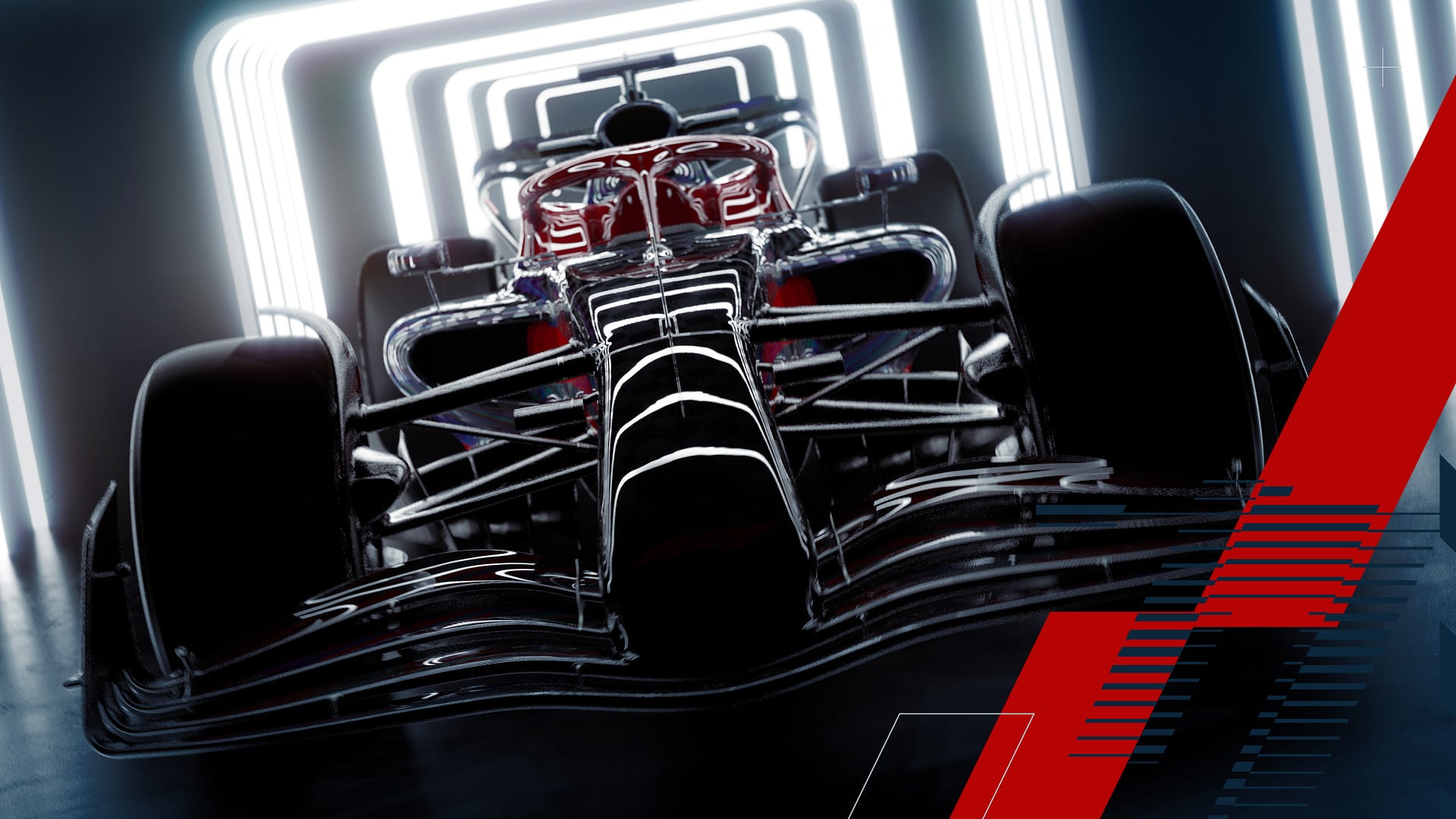
With the countdown finally over, we now have our first look at the official F1 22 trailer reveal, showcasing the next generation of the popular racing series. Check out the trailer below, as well as the details for its dual entitlement program on consoles as well as the necessary PC specs to run the game on the platform.
Enter the new era of Formula 1® in EA SPORTS™ F1® 22, the official videogame of the 2022 FIA Formula One World Championship™. Take your seat for a new season as redesigned cars and overhauled rules redefine race day, test your skills around the new Miami International Autodrome, and get a taste of the glitz and glamour in F1® Life. Race the stunning new cars of the Formula 1® 2022 season with the authentic lineup of all 20 drivers and 10 teams, and take control of your race experience with new immersive or cinematic race sequences.
Create a team and take them to the front of the grid with new depth in the acclaimed My Team career mode, race head-to-head in split-screen or multiplayer, or change the pace by taking supercars from some of the sport’s biggest names to the track in our all new Pirelli Hot Laps feature.
Besides the trailer reveal, here are some more details on F1 22:
F1 22 Dual Entitlement
What does Dual Entitlement mean?
Dual Entitlement means you can upgrade your copy of the F1® 22 Champions Edition from PlayStation 4 to PlayStation 5, or Xbox One to Xbox Series X|S at no additional cost.
Simply put, it gives you access to the game on both PlayStation 4 and PlayStation 5, or Xbox One and Xbox Series X|S.
When does F1® 22 launch?
F1® 22 worldwide release date is on July 1st, 2022. Pre-ordering the F1® 22 Champions Edition gives you up to three days’ early access which will enable you to play from June 28th, 2022.
Does everyone get Dual Entitlement with the purchase of F1® 22?
Dual Entitlement is only available with the purchase of the F1® 22 Champions Edition. The Standard Edition of F1® 22 does not include Dual Entitlement.
That means if you purchase F1® 22 Standard Edition on PS4 and upgrade to PS5 later, you would need to purchase the PS5 version of the game to play.
How do I make sure I benefit from Dual Entitlement on my PlayStation 5 or Xbox Series X|S?
If you buy the F1® 22 Champions Edition and start playing on PlayStation 4 or Xbox One, you’ll be able to upgrade your copy once you have the corresponding next generation console (PlayStation 4 to PlayStation 5, or Xbox One to Xbox Series X|S) by downloading it to your new console.
What if I upgrade from PlayStation 4 to Xbox Series X|S, or Xbox One to PlayStation 5?
The Dual Entitlement upgrade is only available when you upgrade from PlayStation 4 to PlayStation 5, or Xbox One to Xbox Series X|S.
Do I have to purchase F1® 22 digitally to benefit from Dual Entitlement?
Yes, you will need to purchase the F1® 22 Champions Edition which is only available digitally to take advantage of the Dual Entitlement offer.
Once I upgrade can I go back to PlayStation 4 or Xbox One?
Yes, you’ll be able to play F1® 22 on PlayStation 4 or Xbox One after taking advantage of the Dual Entitlement offer.
Can I play the PlayStation 4 version of F1® 22 on my PlayStation 5, or the Xbox One version on my Xbox Series X|S?
Yes, you can download and play the PlayStation 4 version of F1® 22 on your PlayStation 5, and the Xbox One version of F1® 22 on your Xbox Series X|S.
Does Dual Entitlement give me access to both the PlayStation 4 and PlayStation 5 versions of F1® 22, or both the Xbox One and Xbox Series X|S versions of F1® 22?
Yes, with Dual Entitlement you’ll be able to access and play both the PlayStation 4 and PlayStation 5 version of F1® 22 on your PlayStation 5, or both the Xbox One and Xbox Series X|S version of F1® 22 on your Xbox Series X|S.
You can switch back and forth between each version of the game, providing they are both installed on your PlayStation 5 or Xbox Series X|S.
Will PlayStation 5 players be able to match up and play against PlayStation 4 players? What about Xbox Series X|S players with Xbox One?
You will be able to match up with and against other players based on the version of F1® 22 that you are playing.
If you are playing the PlayStation 4 version of F1® 22 you will be able to match up and play with and against other players who are playing on the same version of F1® 22, regardless of whether they are playing on PlayStation 4 or PlayStation 5. The same is true for the Xbox One version of F1® 22, where you will be able to match up and play with and against other players who are playing the same version on Xbox One or Xbox Series X|S.
If you are playing the PlayStation 5 version of F1® 22, you will only be able to match up with and play against other players who are playing the PlayStation 5 version. The same is true for the Xbox Series X|S version of F1® 22, where only players on Xbox Series X|S will be able to play with each other.
Will my pre-order content from PlayStation 4 or Xbox One carry over to PlayStation 5 or Xbox Series X|S?
If you redeem pre-order content in F1® 22 on PlayStation 4 you will continue to be able to receive and access that content, when using the same account, in F1® 22 on PlayStation 5. If you pre-ordered F1® 22 on PlayStation 4, but waited to play the game first on PlayStation 5, you will still receive the content on the applicable account.
If you redeemed pre-order content in F1® 22 on Xbox One, you will continue to be able to receive and access that content, when using the same account, in F1® 22 on Xbox Series X|S. If you pre-ordered F1® 22 on Xbox One, but waited to play the game first on Xbox Series X|S, you will still receive the content on the applicable account.
If you’re on PC, however, here are the necessary specs you’ll need to run the game:
F1 22 Minimum PC Requirements
Requires a 64-bit processor and operating system
OS: Windows 10 64-bit (Version 1909) | For Ray Tracing: Windows 10 64-bit (Version 2004)
Processor: Intel Core i3-2130 or AMD FX 4300
Memory: 8 GB RAM
Graphics: NVIDIA GTX 1050 Ti or AMD RX 470 | For Ray Tracing: GeForce RTX 2060 or Radeon RX 6700 XT
DirectX: Version 12
Broadband internet connection required
Storage: 80 GB available space
Sound Card: DirectX Compatible
F1 22 Recommended PC Requirements
Requires a 64-bit processor and operating system
OS: Windows 10 64-bit (Version 1909) | For Ray Tracing: Windows 10 64-bit (Version 2004)
Processor: Intel Core i5 9600K or AMD Ryzen 5 2600X
Memory: 16 GB RAM
Graphics: NVIDIA GTX 1660 Ti or AMD RX 590 | For Ray Tracing: GeForce RTX 3070 or Radeon RX 6800
DirectX: Version 12
Broadband internet connection required
Storage: 80 GB available space
Sound Card: DirectX Compatible
F1 22 launches on PC and consoles this July 1. Pre-orders are now live across platforms, and you can see the various editions for yourself here.
Rockstar Games has rolled out the GTA Online weekly update April 21 reset of actvities and discounts! Check out the complete highlights and recap in one handy list below.
GTA Online Weekly Update April 21 Reset:
This week, GTA Online’s Nightclub Owners can enjoy double Popularity on all Promotion Missions, a 50% bonus on Daily Income deposited into Safes, and double the speed of Warehouse Goods Production.
Plenty of other bonuses and discounts await, including:
50% Bonus GTA$ and RP on all MC Sell Missions
50% Bonus Daily Income for Nightclub Owners, plus 2X Popularity on all Promotion Missions, and 2X Warehouse Goods Production Speed
Free Clothing and Accessories: Green Square Shades for completing a MC Sell Mission, White Graphic Smoking Jacket for completing a Special Cargo Sell Mission, and White Vom Feur Cap for completing a Gunrunning Sell Mission
Free Drinks at open bars at Nightclubs and in the Diamond Casino & Resort
Business Discounts: 50% off Bunker Transportation (Caddy 1+2), 40% off Nightclub Security Upgrade, 30% off MC Clubhouses and Executive Office Accommodation
4X GTA$ and RP on Cross the Line Adversary Mode
Lucky Wheel Top Prize: The Benefactor Schlagen GT
Prize Ride: Earn the Dinka Jester Classic by placing first in a LS Car Meet series race 4 days in a row
Test Rides: The Übermacht Revolter, Enus Jubilee, and Vulcar Warrener HKR
On PlayStation 5 and Xbox Series X|S: Hao’s Premium Test Ride is The Pfister Astron Custom
Vehicle Discounts: 30% off the Übermacht SC1, 40% off the Enus Stafford, Turreted Limo, and Vapid Flash GT, 50% off the Patriot Stretch and Lampadati Tropos Rallye, and 60% off the MTL Pounder Custom
Prime Gaming Bonus: Players who connect their Social Club account with Prime Gaming will get a GTA$100K bonus for playing any time this week
DISCOUNTS:
In addition to the vehicles discounted below, feel free to let loose and get carried away with free drinks at open bars at Nightclubs across the city and in The Diamond Casino & Resort.
Vehicles:
Übermacht SC1 – 30% off
Enus Stafford – 40% off
Turreted Limo – 40% off
Vapid Flash GT – 40% off
Patriot Stretch – 50% off
Lampadati Tropos Rallye – 50% off
MTL Pounder Custom – 60% off
Tune in next week for the next GTA Online weekly update.
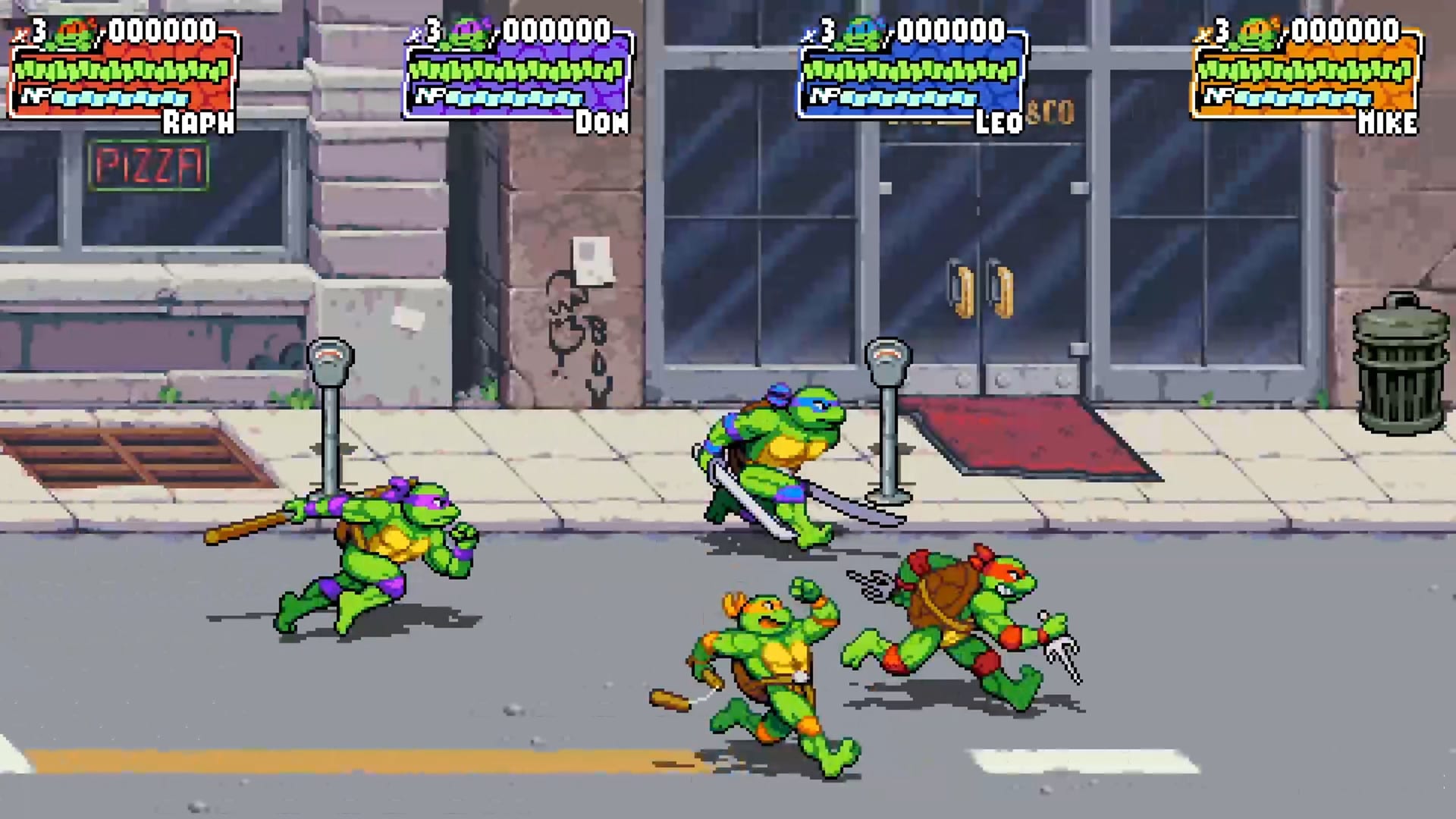
Dotemu has revealed new footage for the TMNT: Shredder’s Revenge gameplay overview, showing off the Turtles in action, plus finally revealing the game’s release window! Check out the new footage below and see if you can spot the voice actors for the Turtles.
Besides the gameplay overview, Dotemu also confirmed that TMNT: Shredder’s Revenge will include the original voice actors for the Turtles, reprising their roles for this revived classic:
Teenage Mutant Ninja Turtles: Shredder’s Revenge features newly recorded voicework from the original Turtles lineup, with Cam Clarke returning as Leonardo, Townsend Coleman as Michelangelo, Barry Gordon as Donatello, and Rob Paulsen as Raphael. Players will hear their charismatic energy in battle as the Turtles sling quips and their signature phrases and quips, making the action feel even closer to the Saturday morning cartoon magic.
The game is also set to debut on PAX East today, so if you’re in the area you can find the Dotemu booth (booth no. #12043) on the expo hall floor to check out more of TMNT: Shredder’s Revenge.
TMNT: Shredder’s Revenge is releasing for consoles and PC sometime this Summer 2022.
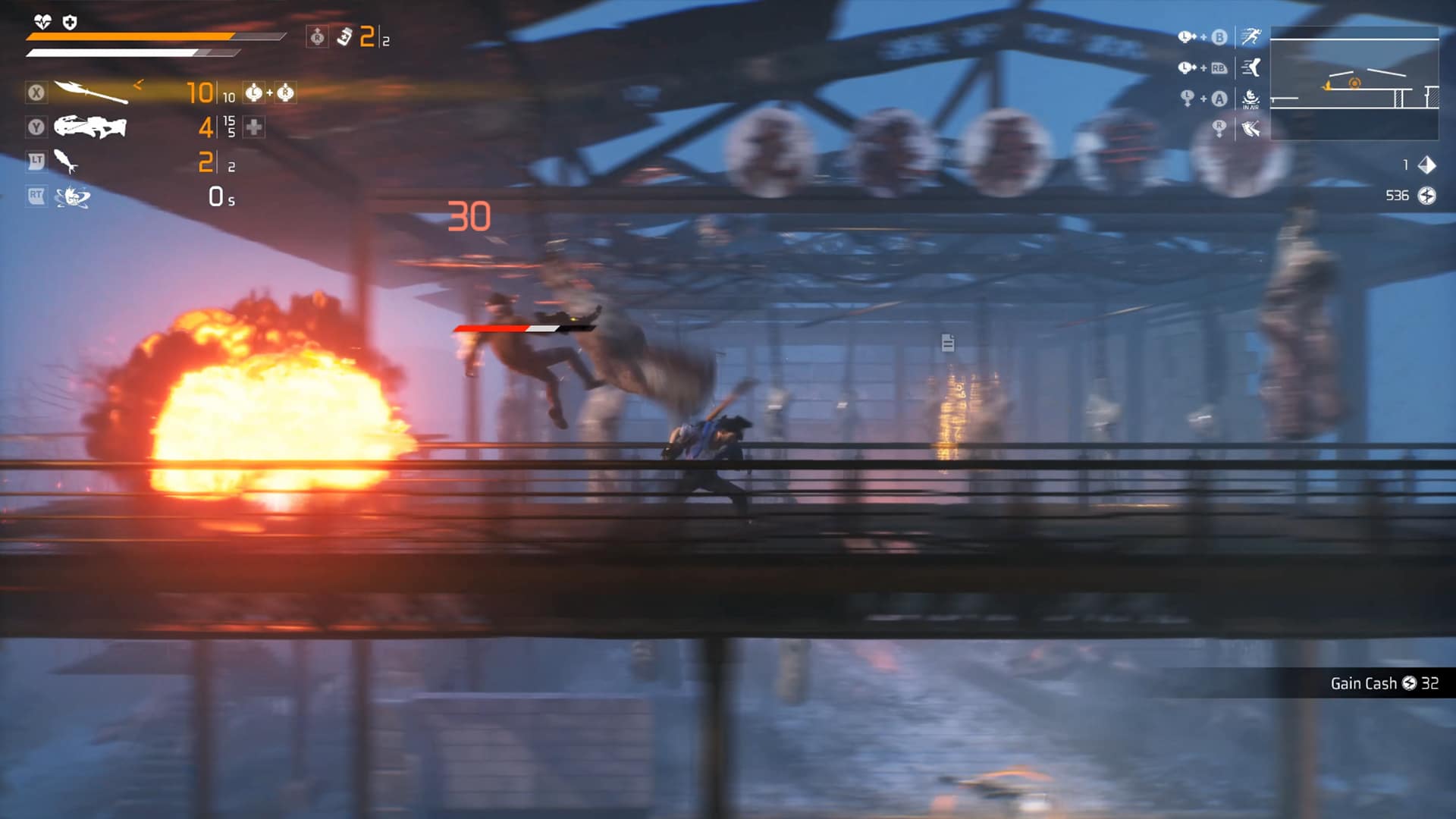
While there’s no shortage of rogue-like games on the market, each one offers their own little twist that makes playing and replaying each life worth it. Developer eBrain Studio is taking a stab at it with a new cyberpunk rogue-lite called “Loopmancer.” Thanks to the studio, MP1st got an early chance to go hands-on with a new hack and slash rogue-lite with a detective twist. Here’s how it’s shaping up so far.
Live. Die. Repeat.
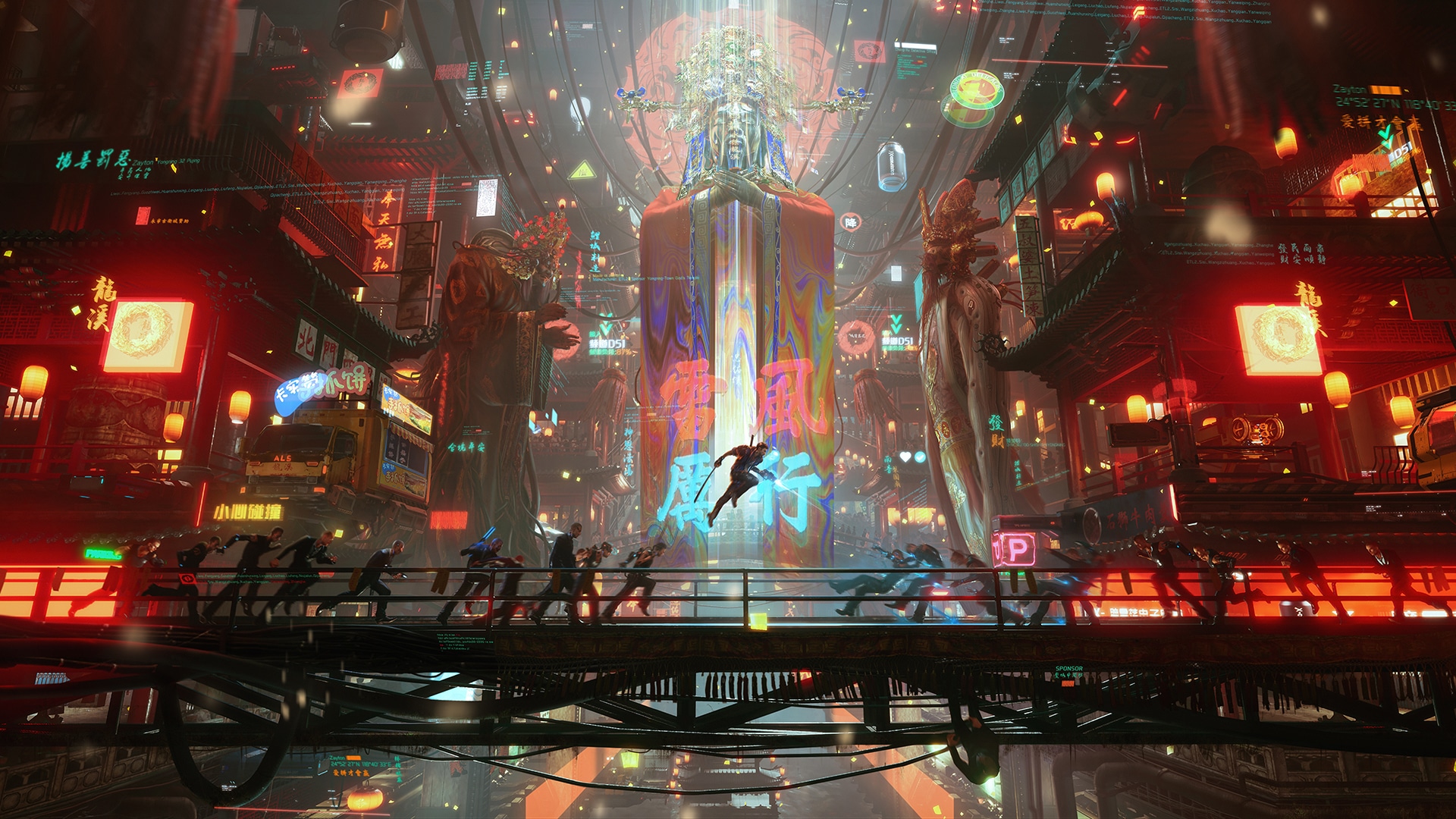
As the name of the title suggests, Loopmancer’s story revolves around a police detective named Xiang Zixu who has mysteriously found himself waking up to the same day over and over again. He’s stuck in a loop, and isn’t sure as to how or why, though he suspects it’s tied to the recent disappearance of a news journalist. With what little knowledge he has, he sets out to Dragon City, a futuristic city filled with neo light, and cyberpunk aesthetics in order to investigate and figure out what the hell is going on.
While the premise may seem straightforward, the time that I had with Loopmancer told me enough that this wasn’t going to be just another rogue-lite to flood the already crowded market. No, instead what I got was a rather fun filled, addictive, high octane fast-paced hack and slash, with a story that briefly touched upon its evolving narrative, highlighted with some rather goofy, yet incredibly fun cutscenes.
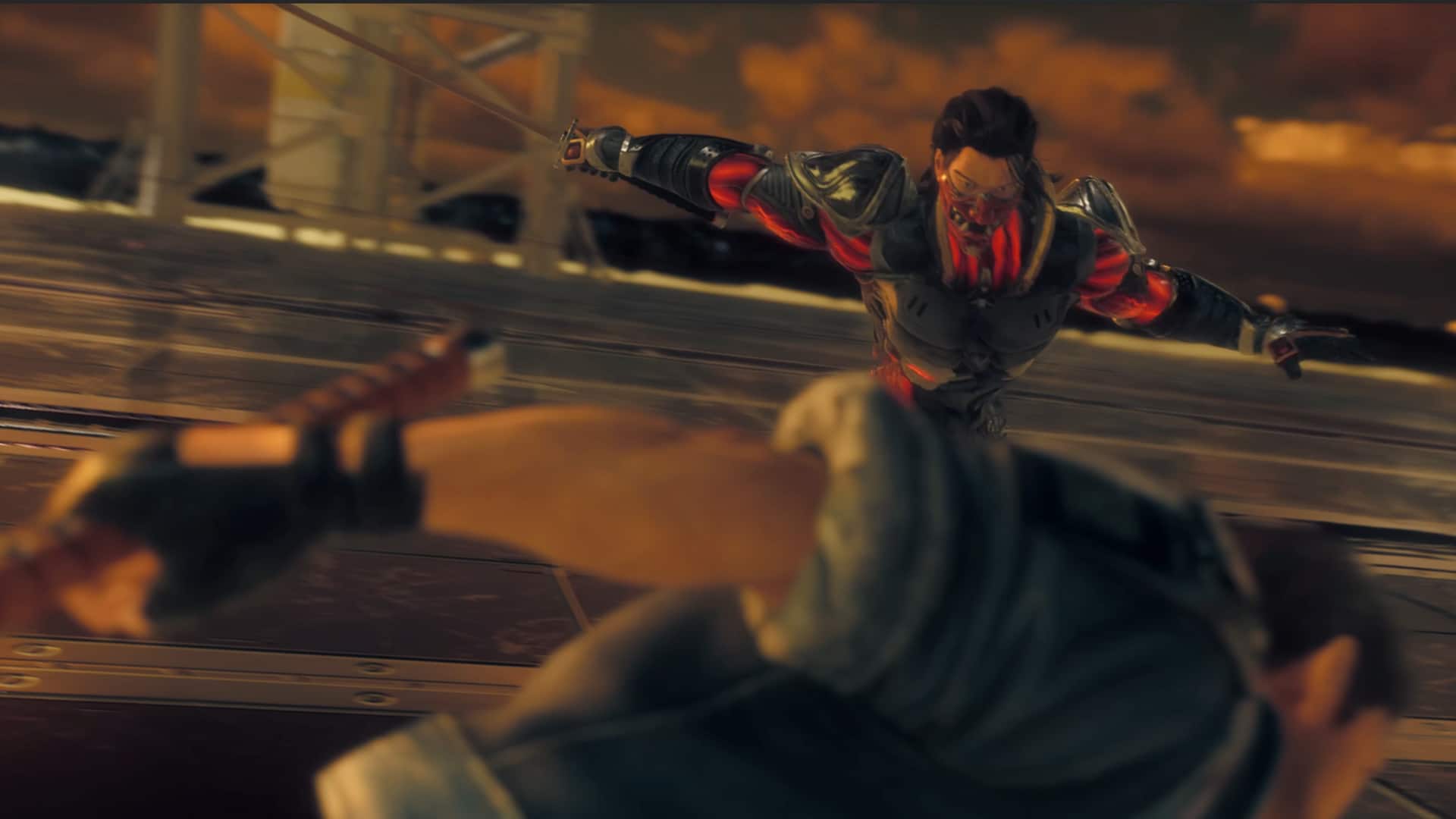
At its heart, Loopmancer is a 2.5D side-scroller, hack-and-slash game. You can use guns, but for the most part, players should expect a heavy focus on sword and melee weapons. That’s not a bad thing either, as the combat somewhat reminds me of the one found in Metal Gear Rising and Devil May Cry, minus the depth in gore. It’s fast as well as stylish, and slicing hordes of enemies is rather satisfying, especially after successfully chaining a combo, or hitting a perfect dodge only to follow up with a bloody gushing slice of a Katana, or whatever other weapon I found on the stage. It’s an absolute blast, an addicting one that I felt compelled to keep on playing despite the preview build only featuring one level.
Of course, with this being a rogue-lite, you’re probably wondering how the loop and RNG mechanics work. Well, as mentioned before, the character is stuck in a loop, having to relive the same exact day over and over again. It’s Groundhog Day, only with swords, and cybernetically enhanced humans, and blood, lots of lots of blood. OK, not exactly Groundhog Day, but the premise of reliving the same day over and over is the same. After being killed you’ll find yourself back in your home awaiting to get a phone call to come down to the police station for an urgent case. You go through the same stage, same layout, same enemies, bosses, and even have the same cutscenes that play out.
It may seem tiring at first, but this was actually the same kind of loop I previously praised in titles such as Deathloop and Sifu, and we know both those games turned out incredible despite not following rogue games before it. That’s not to say that’s an ingredient for success, but Loopmancer handles that form of loop very well. It’s challenging, but it gives players enough of an opportunity to learn from their mistakes. You aren’t at the mercy of random generated levels, with random loot, and enemies. It’s all there for you to learn from, and with its mass arsenal of unlockable weapons that you can unlock, there’s plenty of reasons to keep wanting to come back.
I really loved that aspect of the loop in Loopmancer. The world itself may have forgotten everything you’ve done, but you as a player, and even the main character themselves remembers it all. Every moment you progress in the story new key details are revealed that are used to advance the case. NPCs all react to you knowing of these details, with the main character desperately trying to convince them that he’s stuck in a loop. So much so that he’ll begin completing sentences from the receptionist. It’s humorous, a bit of a Hades vibe that adds to the world and makes it feel like there’s an endless amount of story to be explored, even if it’s just small one liners.
In general, Loopmancer seems very heavy on the narrative side of things as in addition to new dialogue that becomes available with progression, there are a number of cutscenes that play throughout. As I mentioned before, the cutscenes and the characters that are spotlighted in them are rather goofy, almost a callback to an era of gaming where everything was over-the-top and no one really cared about whether it made sense, but only if it looked cool and it does. There are ridiculous moments, the kind that you just want to smile and keep on watching and playing to see how ridiculous they keep getting. Very in line the the tones of Devil May Cry and Metal Gear Rising — how can you possibly hate that?
Honestly, my overall first impressions of Loopmancer are very positive. The gameplay feels great, and the narrative and loop mechanics are interesting as they are engaging to keep us wanting to play more. The only issue I did notice is that the performance was rather hit and miss on whatever hardware I played on. I tried using my Steam Deck, it played alright with some noticeable jitters, which I then tried to play on my RTX 3080Ti build and still noticed the jitter there. Hopefully by the time release rolls in the performance issues are addressed, but overall that’s not the worst thing to complain about for a fresh new IP, or in the least it’s something that can be addressed. I think rogue-lite fans are going to love this one, and we cannot wait to see more.
Loopmancer has a planned release date of 2022 on PC and consoles.
If you are interested in trying it out yourself, the PC demo of Loopmancer is now live on Steam.
A gamer at heart, James has been working for MP1st for the last decade to do exactly what he loves, writing about video games and having fun doing it. Growing up in the 90's gaming has been in his DNA since the days of NES. One day he hopes to develop his own game.
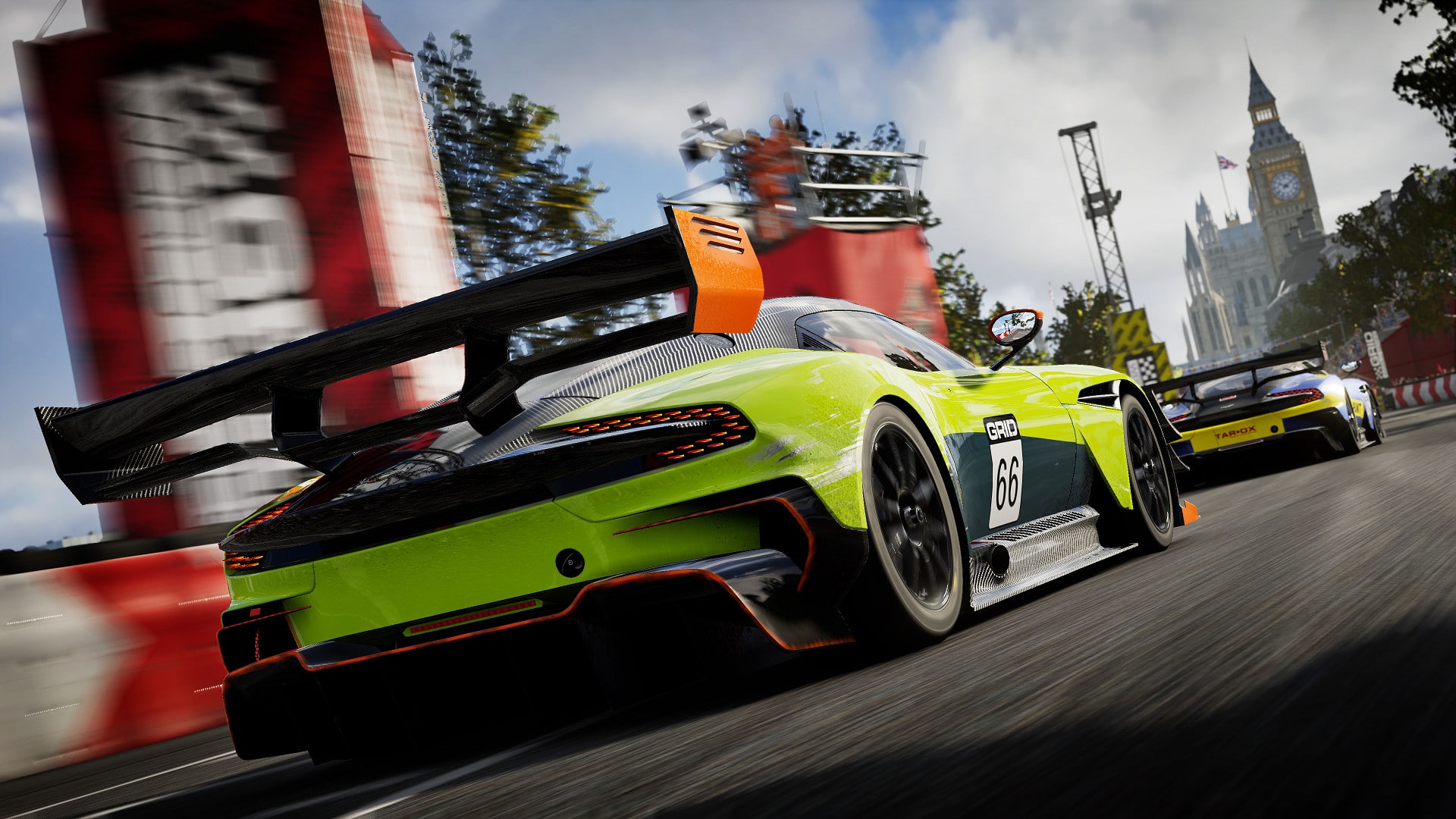
Codemasters has released the GRID Legends update 1.09 (PS5 version 1.009) patch today, and this one is for various fixes and additional wheel presets across platforms! Check out the full GRID Legends April 21 update patch notes below.
IO Interactive has unveiled the Hitman 3 April 2022 content still to come for the game, and it includes a brand-new Elusive Target for players to track and kill. Check out the announcement from the studio below as to what’s coming for the rest of April for Hitman 3.
Here's what's still to come in HITMAN 3 this April.
We're already prepping for May, so look out for a deeper blog post next month with fresh updates on upcoming content. pic.twitter.com/WSro0qzvtt
Here’s what’s still to come in HITMAN 3 this April.
We’re already prepping for May, so look out for a deeper blog post next month with fresh updates on upcoming content.
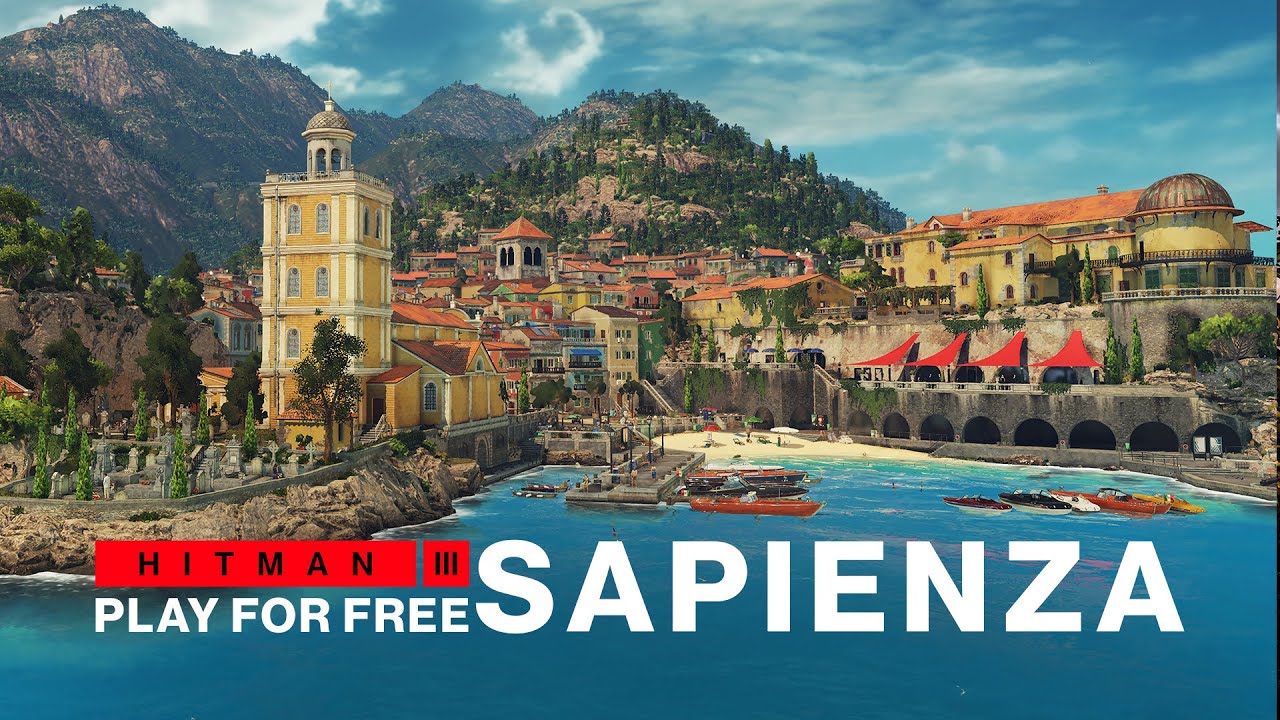
In addition to The Deceivers being the Elusive Target from April 29 to May 9, Sapienza will return to the play for free rotation starting today, April 21, until May 1. If you’re thinking to yourself that this is a bit light overall in terms of content, expect some more to come, as IO Interactive will release a full blog post this May containing the upcoming updates. This is very much in line with what they did for last month of March, where the studio released a full blog post for stuff that’s coming until sometime this April.
Either way, stay tuned for the full patch notes if there are some new updates to be pushed out for Hitman 3 here at MP1st!
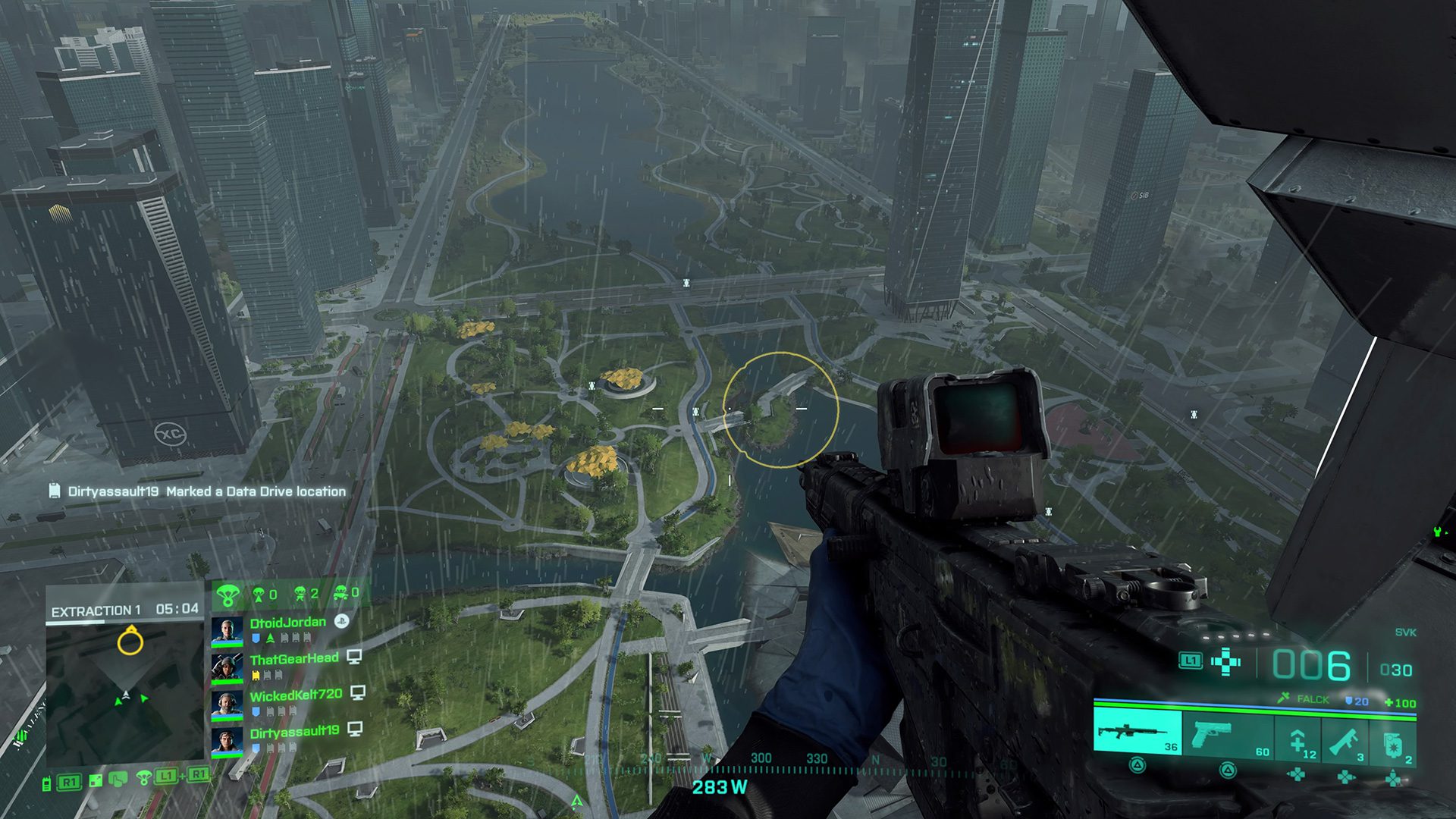
It’s Thursday and you know what that means right? That’s right, another set of new challenges to be done, and a reward to be earned in Battlefield 2042! Here’s all the requirements to unlock the Battlefield 2042 Weekly Reset Challenge #18 (Apr 21 – Apr 28) rewards.
Battlefield 2042 Weekly Reset Challenge #18 (Apr 21 – Apr 28): “Farstrike”, Legendary Weapon Skin for the SWS-10
How to Complete and Earn Battlefield 2042 Weekly Reset Challenge #18 (Apr 21 – Apr 28) Reward:
5 Ribbons Earned
20 Eliminations and Assists with Sniper Rifles
50 Enemies Spotted and Assists
Playing an objective based mode such as conquest or breakthrough is an excellent way of earning ribbons. Simply capture points and you should rack up ribbons, as well as defending them. Additionally, working towards the 50 enemies spotted or assisted should net you a ribbon. We recommend using the sensor grenade for easy spotting and throwing them around capture points. As for the 20 elimination with the sniper rifle this one will probably be the most challenging. If you aren’t good with one, I suggest at least damaging an enemy rather than trying to kill them, especially around hot zones where teammates are. You don’t need to eliminate them in order to earn progress, as long as you get an assist it will count.
Once you have completed all three challenges you’ll be rewarded the “Farstrike”, Legendary Weapon Skin for the SWS-10. Congrats!
Every week on Thursday at 4:00am PT/6:00am CT/7:00am ET the Battlefield 2042 weekly challenges refresh, revealing a new weekly reward. If you are interested in staying up-to-date on when these rewards and weekly challenges drop, be sure to follow MP1st on Twitter, or keep a watchful eye on our guide page for Battlefield 2042.
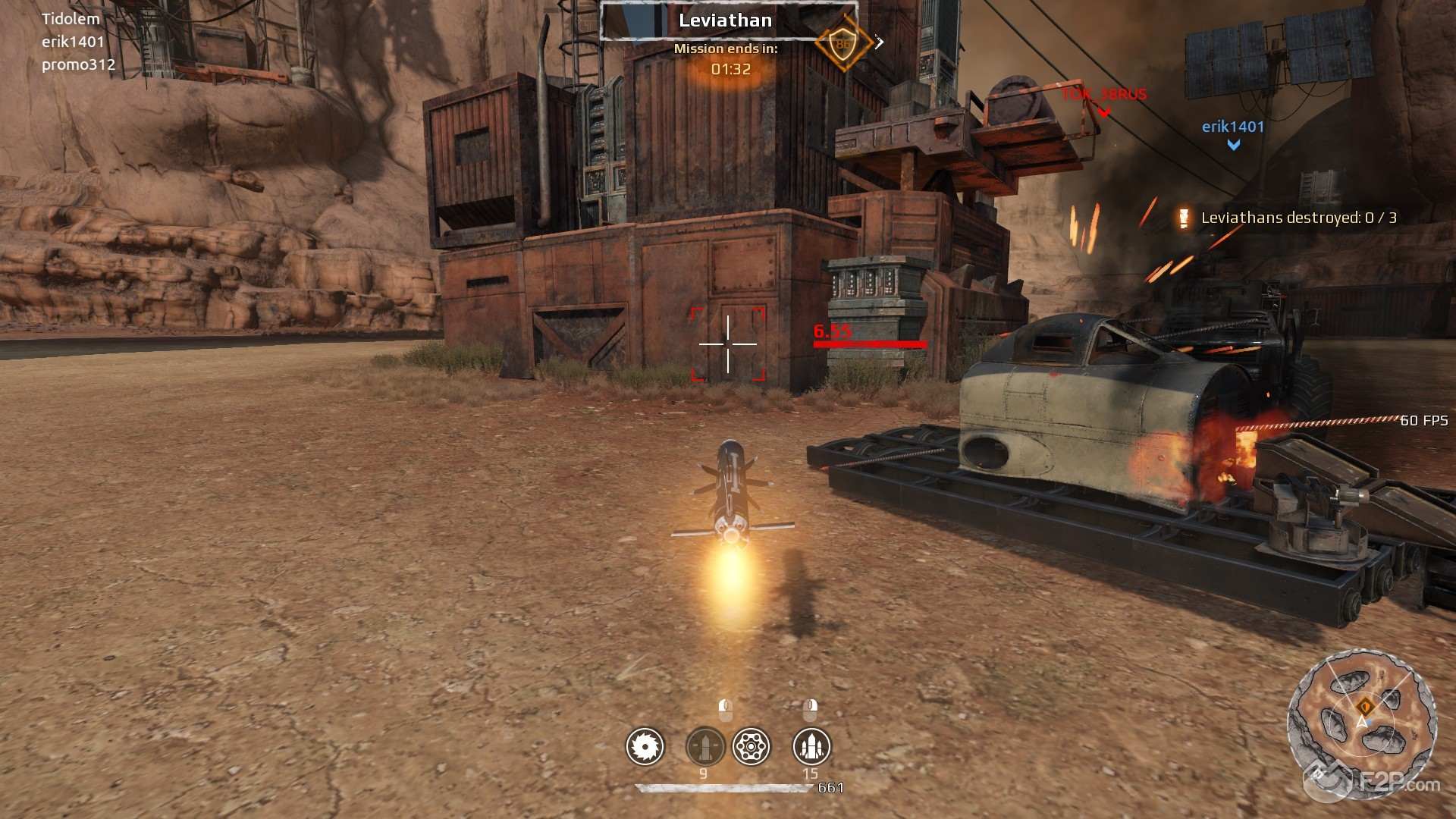
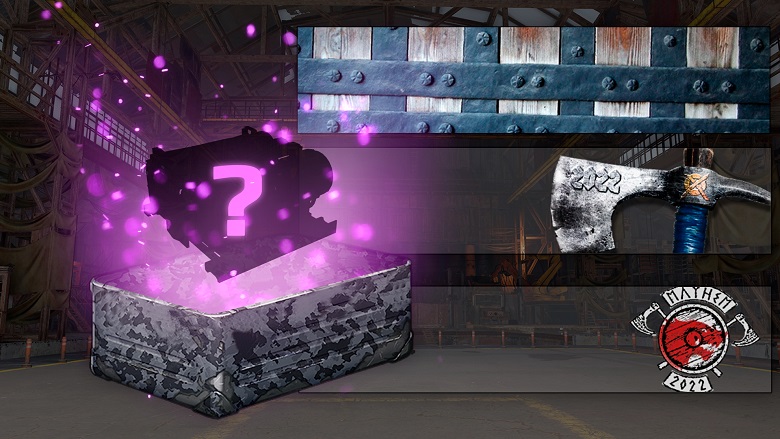
Targem Games has released the Crossout update 2.78 patch on both PC and consoles today! This is for the “Knight Mayhem” event, which comes with new rewards, challenges and more! Read on for the complete Crossout April 21 patch notes.
Attention! The event will last from April 21 to May 12 inclusive!
This year, the classic confrontation between two teams gets a new look!
Key features of the event:
Battles are held on the following maps:
“Tank range”;
“River lighthouse”;
“Fortress”.
Survivors will use pre-built armoured vehicles in the “8 vs 8” format.
At the beginning of each battle, you can choose the desired armoured car:
A choice of 5 blueprints with different weapons and, accordingly, roles.
The same blueprint can be selected at the same time by no more than 3 players.
If you do not have time to choose a car in the allotted time, the blueprint is randomly selected.
The mode has respawns. Before the respawn, you need to choose one of the 5 cars on which you want to continue the battle. If you do not have time to change the car in the allotted time, you will automatically be given the same armoured car as before
The goal of the battle is to fill the point scale before the opposing team. You can also win by scoring more points before the time runs out. Points are awarded for the destruction of opponents.
A team is awarded a win if it scores 50 points and outscores the opponent’s team by at least 5 points.
A team is awarded a win if it outscores the opponent’s team by 5 points after the game timer expires.
If one of the teams scores 50 points, but the gap between the teams is no more than 5 points, the teams are given an additional 3 minutes to score the maximum possible amount of points before the allotted time expires or before any of the teams scores 75 points.
After the additional time expires, the victory is awarded to the team, that scored the most amount of points.
If both teams have equal points after the allotted time expires, a draw is declared.
The number of points for each destruction increases, depending on the number of bases that your team controls:
No bases: 1 point for destruction.
1 base: 2 points for destruction.
2 bases: 3 points for destruction.
3 bases: 4 points for destruction.
Points scoring:
The rating points earned by a player affect his place in the rating leaderboard and belonging to one of the leagues.
Points are awarded at the end of the battle.
In addition, all participants in the battle, depending on their contribution, receive reputation points and scrap metal at the end of each battle.
In order to ensure fair play and advancement on the leaderboard, a limit on the maximum number of rating points that can be obtained in one battle has been introduced.
To enter a rating battle, a player uses a certain number of rating points. The entry fee depends on the player’s current league.
Rust: 0 points.
Iron: 8 points.
Steel: 12 points.
Bronze: 14 points.
Silver: 16 points.
Gold: 17 points.
Legend: 17 points.
If you lose, you do not lose rating points, except for those that you spent on entering the battle.
Rewards and special challenges
League rewards:
“Iron”: unique emblem for banner customization;
“Steel”: unique background for banner customization;
“Bronze”: unique emblem for banner customization;
“Silver”: unique decor “Coif”.
“Gold”: special container “Knight’s chest”, from which you can get one tradable epic part of your choice.
In addition, a special challenge for achieving 3 victories in the “Knight mayhem” brawl will be available to you daily. For completing this challenge, you will receive a special container with resources “Page’s chest”. When the container is opened, the reward is determined randomly.New pack “Polar explorer” (Deluxe edition)
Attention! The pack will be available from April 22 and until May 22 inclusive!
Unique armoured car: “Polar explorer”;
New weapon of epic rarity: “Astraeus”:
pulse cannon;
PS: 1650;
durability: 400 pts;
energy drain: 6 pts;
mass: 702 kg;
perk: Charging the weapon increases the damage of the shot at the enemy by 50%, but also deals 50 damage to your own armoured car.
50 pts. of damage are distributed among all parts to which Astraeus is mounted.
New cabin of epic rarity: “Ermak”:
heavy cabin;
PS: 1500;
maximum cabin speed: 65 km/h;
tonnage: 9000 kg;
mass limit: 18000 kg;
adds energy: 11 pts;
durability: 550 pts;
mass: 3200 kg;
perk: Upon receiving damage increases the armoured vehicle’s damage resistance by 10% for 7 sec. The effect stacks up to 3 times. Delay of the effect boost is 0,4 sec.
Unique character portrait: “Dalis Rhyme”;
Unique paint cans;
4000 in-game coins.
Additionally, the player receives:
Unique background and logo for profile customization;
Unique decor “Rover mirror” (2 pcs.);
New hologram “Northern lights”;
A set of stickers;
Maximum number of parts increased to 55.
Dalis Rhyme, a meteorological scientist, who devoted his life to studying the north, was hardened not only by the cold. As a young man, by a twist of fate, he found himself in the far North. He fell in love with this region and decided to settle down to explore it. In a small fishing village Dalis found his future wife, and together they built a research station and raised their daughter. Even Crossout didn’t have much effect on their lives and didn’t disconnect them from science, forcing them only to be more concerned about provisions. But during one of their expeditions, Dalis and his wife ventured very far into the permafrost territory. They decided to spend the night in a cave at the foot of a giant mountain range, where they stumbled upon indescribable organic specimens that were unknown to science. After that, Dalis lost consciousness. He came to his senses in the middle of a snowy forest. Having returned home and not finding his wife and daughter there, the man went searching to the only place where he had seen people in recent years — the Valley.
New pack “Polar explorer”
Attention! The pack will be available from April 22!
Unique armored car: “Icepick”;
New weapon of epic rarity: “Astraeus”;
New cabin of epic rarity: “Ermak”;
Unique character portrait: “Dalis Rhyme”;
A paint can;
1500 in-game coins.
Maximum number of parts increased to 50.
New pack “Polar explorer” (Lite edition)
Attention! The pack will be available from April 22 and until May 22 inclusive!
Unique armoured car: “Pioneer”;
New weapon of epic rarity: “Astraeus”;
New cabin of epic rarity: “Ermak”;
A paint can;
Maximum number of parts increased to 43.
GAME MODES:
Raids
We have conducted a full evaluation of the performance of AI enemies in raids, and based on these results, we have made adjustments to the damage they deal. The changes affected most of the enemy armoured cars from all factions.
Some armoured cars were too efficient for a certain raid difficulty, others were too weak and didn’t reach the intended level of difficulty.
If any enemy in raids appears to be too powerful or extremely weak, please let us know and attach a screenshot so that we can quickly identify the armoured car, check it and implement additional changes. Thank you!
PARTS:
Rare parts
Borer
Durability reduced from 330 to 231 pts.
Comment: at the moment, “Borer” shows excessive effectiveness in battles at 4000 – 5000 PS range. Reducing the durability will make it easier to counter-play this weapon and give you more opportunities to destroy it before colliding with enemies.
Spitfire
Damage reduced by 10%.
Comment: we’re slightly reducing the shotgun’s damage to bring its excessive effectiveness back to normal within 5000 – 6000 PS frames.
R-2 Chill
The module’s effectiveness when combined with shotguns has been reduced.
Comment: This radiator is practically the only option for a powerful 4000 – 5000 PS build equipped with shotguns.
CS Taymyr
Bonus to cooldown speed increased from 50% to 60%.
Comment: along with the improvement of coolers, we are trying to diversify vehicle builds and make coolers a real alternative to radiators.
P-23 Defender
Durability increased from 140 to 161 pts.
Comment: despite the fact that the machine gun was designed to be used at 4000 – 6000 PS, currently it’s not effective enough within those frames. We are slightly increasing its durability to improve the weapon’s survivability in combat.
Special parts
AC62 Therm
Damage increased by 11%.
Synthesis
Damage increased by 6%.
Comment: like “Synthesis”, “Therm” is not powerful enough compared to other weapons of its level. A small increase in damage should improve the situation and increase their demand among the players.
Chameleon
Now, at long range, the silhouette of an armoured car becomes barely visible if it’s moving at a speed of 70 km/h (previously – 100 km/h).
Now the silhouette becomes visible from a distance of 80 m. (previously – 70 m.).
Comment: the main problem with those invisibility modules is that they are too effective and not particularly demanding to player skill. Often the vehicle, being invisible, simply picks up the speed and rushes directly towards the enemy. Now, even while being in invisibility, the player needs to be more inventive.
Epic parts
Hot red
PS increased from 216 to 275.
RN Seal
PS increased from 275 to 400.
The module’s effectiveness when it’s combined with shotguns has been reduced.
Comment: at the moment, the radiator is too effective. This is especially noticeable at 5000 – 6000 PS and when using shotguns. That’s why we are implementing minor changes to its PS and reducing the module’s effectiveness when it’s used with shotguns.
Shiver
PS increased from 275 to 400.
Bonus to cooldown speed is now 85% (instead of 70%).
Maximum bonus from the perk increased from 30% to 45%.
Comment: the situation with “Shiver” is similar to the situation with “CS Taymyr”. We would like to make coolers a good alternative to radiators while assembling certain armoured cars.
AC72 Whirlwind
Damage increased by 17%.
Comment: we have taken into account your feedback about the lack of effectiveness of “Whirlwind”, and we are increasing the damage dealt by the autocannon.
Argument
Spread format changed from square to rectangular (closer to shotgun spread).
Maximum spread reduced by 25%.
Comment: changing the spread format will increase the convenience of using the nailgun, and the spread reduction will allow you to more effectively “disassemble” the enemy vehicle in close-range battles.
Thunderbolt
Damage reduced by 10%.
Comment: “Thunderbolt” is too effective at 8000 – 10000 PS level and clearly stands out from other epic weapons.
Gremlin
The required force of impact to activate the perk was reduced by 50%.
Damage increased by 10%.
Reduced the weapon’s physical model.
Comment: the situation with “Gremlin” is the opposite to the one with “Thunderbolt”. These changes will make it easier to use the weapon’s perk, and a slight increase in damage will improve the weapon’s effectiveness during moments when the perk cannot be used.
Bootstrap
Mass reduced from 840 to 576 kg.
Durability increased from 223 to 290 pts.
Comment: since “Bootstrap” has appeared in the game, one of the most frequent (besides questions about the non-standard model) questions we’ve been receiving concerned its excessive mass. We invite you to evaluate how a lightweight and durable generator will fit into your builds.
Yokai
Bonus to projectile explosion radius from the perk increased from 100% to 150%.
Bonus to blast damage from the weapon’s perk increased from 50% to 100%.
Comment: with these changes, we tried to take into account your feedback on how this weapon can be improved. We’re making it easier to use the weapon’s perk by increasing its blast radius, and the increased damage will be a nice bonus for those who use it.
Nest
Damage increased by 15%.
Comment: this damage increase will improve the effectiveness of this rocket launcher.
Quantum
Now, to activate the perk, the car must not take damage for 4 sec. (previously 10 sec.)
Comment: the previous version of this perk was quite difficult to use during fast-paced battles in the game.
Claw
Now the bonus from each charge is 4% (instead of 5% before).
Comment: we would like to balance the effectiveness of the wheel’s perk when it is used in conjunction with some weapons on 9000 – 10000 PS levels.
Cockpit
Maximum bonus to damage from the perk was reduced from 50% to 40%.
Now the bonus received from an epic booster is 15% (instead of 13% before).
Now the bonus received from a rare booster is 10% (instead of 8% before).
Now the bonus received from a common booster is 5% (instead of 4% before).
Comment: with the help of these changes, we would like to balance the cabin’s effectiveness in comparison to other cabins. We also want to increase its relevance at lower PS ranges, where the players usually use fewer epic boosters or boosters of other rarities.
Chameleon Mk2
Now, at long range, the silhouette of an armoured car becomes barely visible if it’s moving at a speed of 70 km/h (previously – 100 km/h).
Now the silhouette becomes visible from a distance of 70 m. (previously – 50 m.).
Elephant
Projectile flight speed increased by 14%.
Comment: a slightly decreased projectile flight speed will simplify the aiming at long ranges and will increase the cannon’s effectiveness.
Legendary parts
Draco
Damage reduced by 10%.
Ammunition reduced from 175 to 100 pts.
Comment: this flamethrower is often used with the “Blight” and it’s currently too effective at high PS levels.
Hammerfall
Durability increased from 221 to 260 pts.
Damage increased by 14%.
Comment: this change should slightly increase the survivability of the shotgun in close-range combat. The increase in damage will compensate for the changes in the parameters of radiators.
Nidhogg
Damage increased by 15%.
Comment: we have taken into account your comments that the shotgun is not very useful in battles, especially compared to other legendary weapons.
Harvester
Durability reduced from 765 to 576 pcs.
Mass reduced from 940 to 648 kg.
Comment: similar to “Borer”, these changes are meant to simplify the counter-play against this weapon before colliding with an enemy. Before these changes, “Harvester” was extremely effective in high-level battles (13000 Power Score).
AC80 Stillwind
Damage increased by 18%.
Fortune
Damage increased by 10%.
Comment: “Stillwind” and “Fortune” were not efficient enough compared to other legendary weapons. In both cases, many players believed that the increase in damage could fix the issue. We invite you to check out the changes for both weapons.
Relic parts
Breaker
Damage increased by 14%.
Comment: After all changes, the effectiveness of the shotgun has decreased too significantly. The increase in damage will compensate for the changes in the parameters of radiators and the “Cockpit” cabin.
CC-18 Typhoon
The blast epicenter shifts according to the parts destroyed by bullet damage (implemented the part piercing mechanics, similar to “BC-17 Tsunami”)
Comment: the armor-piercing projectiles will help the players who use the cannon fight against the builds whose parts are mounted away from each other more effectively.
Jormungandr
Range of fire increased by 25%.
Durability increased from 390 to 437 pts.
Comment: the shotgun was insufficiently effective and did not match its rarity. We will assess how these changes will affect its performance in combat and, if necessary, make additional tweaks.
INTERFACE:
The system of markers and quick messages has been redesigned:
Now players can mark places, objects or opponents on the map directly in battle, as well as select a theme from these available options:
Movement
Attention
Defence
Attack
You can also use the quick marker placement key on the map screen (“Attention” or “Movement”).
To place a marker on a specific point through the map interface, you need to enable the map, move the cursor to a specific point, hold down the “Command wheel” key (“V” by default), select one of the options, and then release the command key. Your marker and the notification about it will be displayed to allies.
To place a marker directly from your armoured car, you need to point the crosshairs at the target and press the “Command Wheel” key once: an attack marker will automatically appear above the enemy. Please note that you can only place a marker on an enemy if he is within your radar’s range or if he’s highlighted by an ally’s radar.
The enemy drones and planted landmines can be quickly marked the same way.
Pressing the key again on an already marked target will remove the marker.
To place the “Movement” marker from your armoured vehicle, point your crosshairs to a certain point of the map and press the corresponding button once. To place the “attention” marker you need to quickly press the same button twice.
You can also hold down the “Command wheel” key, and then select the option you need: allies will see the coordinates of a certain target or quadrant in this automatic message.
The placing of these markers is accompanied by special sound notifications. All these notifications are enabled by default. If you want to turn them off, you can do it in the sound settings.
Miscellaneous
Updated the visual appearance and positioning of the fuel widget above the “Battle” button in the garage and on the world map. This is done to prevent accidental activation of the tank refill button, instead of pressing the “Battle” button.
Improved the appearance of the increase / decrease buttons.
The appearance of mode icons on the world map has been improved.
Changed the color of sticker backgrounds. The light stickers will now be clearly visible in the game interface.
Improved a number of icons and their placement in the interface.
SOUND:
Fixed a bug where the sound effects of “Destructor” could differ when it was used in test drive and in battle.
Improved the sounds of the “Mandrake” howitzer’s shell explosions.
Miscellaneous:
Improved the freezing effect for the cabin “Favorite”.
Improved the physical model of the part “Hard module”.
Improved the visual model of the decor “Bucket”.
Now the barrel on the “Porcupine” minelayer’s model is not painted.
BUG FIXES:
Fixed a bug where in some cases all game sounds could disappear.
Fixed issues where some cameras in the “Adventure” mode were indestructible.
Improved the environment objects in the Colosseum on the “Blood rocks” map.
Improved collision models for train cars on the “Powerplant” map.
Fixed a bug where vehicles could get stuck in pillars on the “Naukograd” map.
Fixed a bug where enemies could stay in their spawn points:
in the “Steel cradle” raid on the map “Factory”;
in the “War for Fire” raid on the map “Ship Graveyard”.
Improved the model of the cliff on the “Factory” map. Now it’s impossible to climb it.
Fixed a bug where, in some cases, the projectiles of “Ripper” could disappear.
Fixed the placement of the “Phantom gaze” hologram cap on some wheels.
Fixed a bug with incorrect work for “Kapkan” that adds +9% to its active time.
Fixed a bug with incorrect visual effects of the “Jormungandr” shotgun’s perk.
Fixed a bug with incorrect spawn points on the “Terminal-45” map in the “Bedlam” mode.
Fixed the location of the turret on the “Founders canyon” map in the “Data theft” raid.
The “Sword of Damocles” hologram is no longer activated when the “Activate all” button is pressed.
Fixed a bug where the recoil of “CC-18 Typhoon” cannons could cause vehicles to fall through some maps.
Fixed numerical display of progress for some patches.
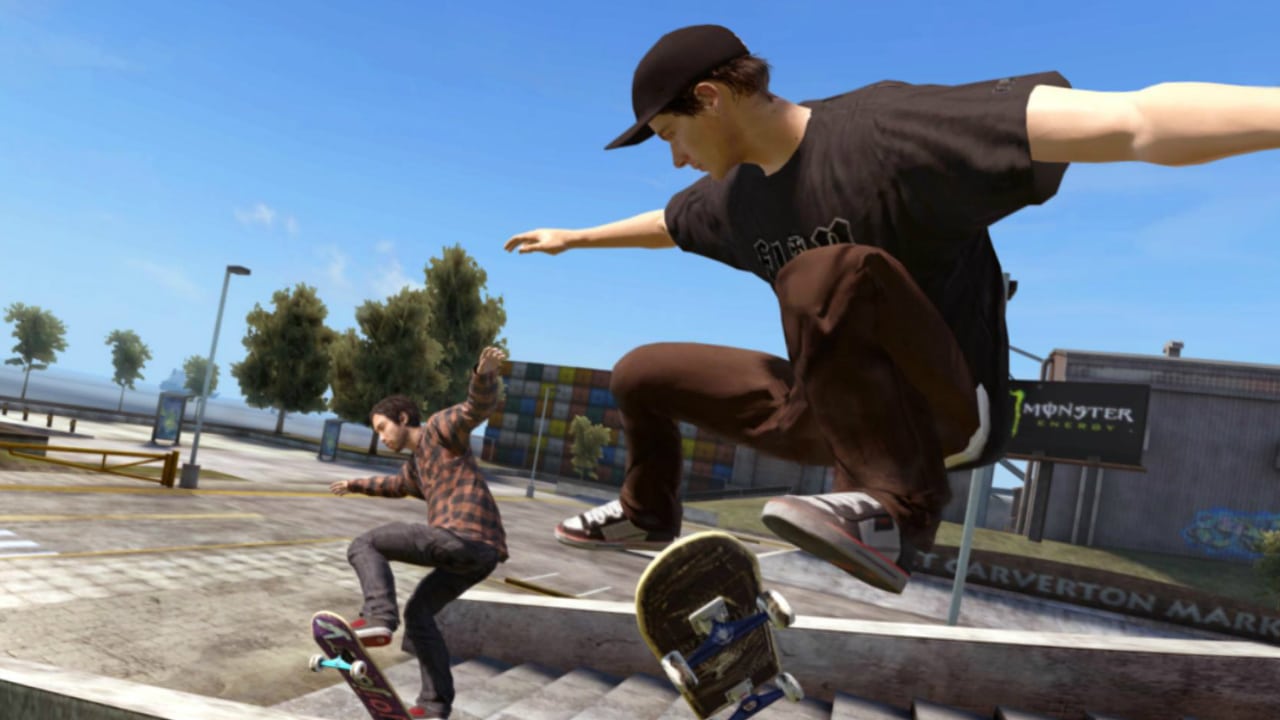
While we still have to wait for an official reveal from EA, some Skate 4 pre-alpha gameplay has now leaked online. It appears this footage has been leaked by an online tester, and it looks like development is going well for the long-awaited skating sequel.
If you look further into the 31-second clip, we can tell that Skate 4 will have the same control scheme as its predecessors. Gamers will still control the direction of the skater using the left stick, while the tricks are controlled by rotating around the right analog stick.
The footage was shared by a website called Odysee, but has since been posted up on YouTube. Hopefully, the following footage does not get taken down by EA just yet.
https://www.youtube.com/watch?v=rRe2EJpFdRY
While the footage is not representative of the final product, it does show us that the look and feel of the game should be familiar with Skate fans. The city is open-world as you can pretty much skate anywhere you want to.
Skate 4 was first announced by EA back in 2020. As of right now, there is no release date for the game yet. Platforms it will be released on have also not been confirmed yet either.
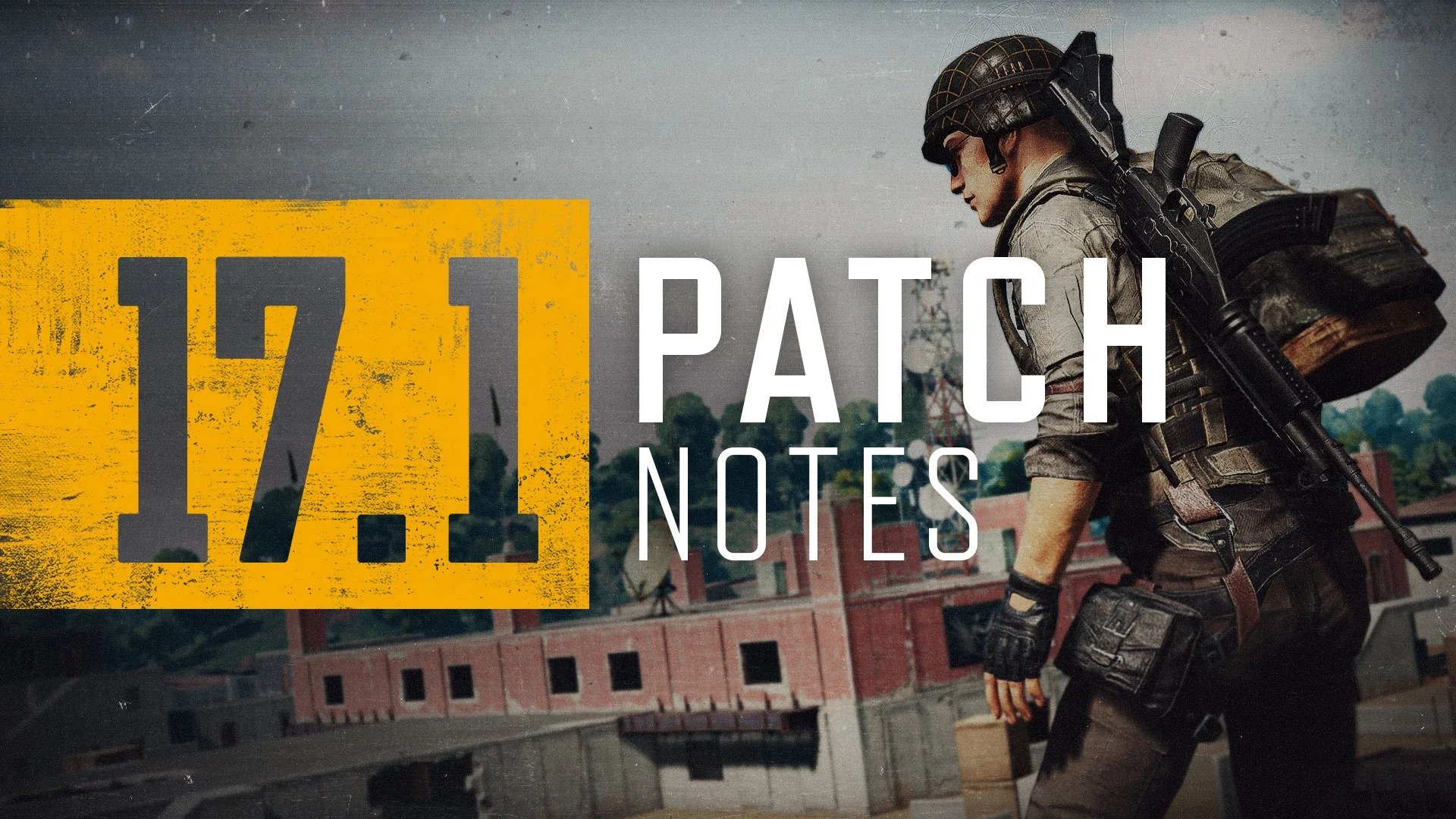
PUBG Corp. has released PUBG update 2.06 for consoles today, and this is for the big 17.1 title update which PC gamers got last week! This brings in the return of Sanhok, alongside a new weapon and other gameplay-related improvements. Read on for the PUBG April 21 patch notes.
As you may have already heard from our 2022 DEV PLAN, Sanhok’s appearance of when it was first released – yes, with Bootcamp’s lobster-shaped building, Docks, Ruins, Quarry, and the original blue-and-green jungle theme – will be making its comeback this update. Both big and small changes were made to the overgrown paradise throughout many past updates with the efforts of creating balanced gameplay and an even better map theme, but our continuous monitor of our players’ voices has made us realize the reworked Sanhok was not producing the anticipated, positive gameplay experience.
Therefore, even if it is undeniably sad to say goodbye to a longtime feature, we have decided to revert Sanhok to its original appearance and work on making it better by starting from the very beginning. We are of course continuously discussing various methods on improving Sanhok moving forward.
KEY LANDMARK CHANGES
Bootcamp
One of Sanhok’s popular hot drops, this abandoned training facility returns with its representative lobster-shaped building.
Ruins
Drop back onto the roof of the daring chambers.
Docks (Previously Getaway)
Say goodbye to the touristy resort town and welcome back the cargo-rich docks!
Quarry
The reworks have also been undone to the flooded limestone quarry.
Bhan
The nameless set of houses has redeemed its original identity.
Apart from the images shown above, Mongnai (previously Airfield) will also be returning along with the original Cave, Mountain, River, Pai Nan, Khao, Sahmee, and Kampong.
Certain textures from the current Sanhok map such as building walls, foliage, etc. have been applied.
The following features will be removed from the original Sanhok:
Jammer Pack
Decoy Grenade
Loot Truck
The following items will remain in the original Sanhok:
Weapons
M79
40mm Smoke Grenade
Mk12
Panzerfaust
C4
Tactical Gear
Drone
EMT Gear
Spotter Scope
Tactical Pack
Other
Mountain Bike
NEW WEAPON: ACE32
Players seem to struggle mastering recoil control to use the powerful 7.62mm Assault Rifles (AR). So to relieve some of that stress, we are excited to introduce a relatively simple 7.62mm AR boasting high stability (low recoil), the ACE32!
As our current AR weapon pool seemed to lack the number of 7.62mm weapons capable of firing full-auto mode compared to the 5.56mms, we’ve decided to release an attachment-friendly 7.62mm weapon anticipated to be easier to tame than the Beryl M762.
The ACE32 will world spawn in every map.
Weapon slot: Primary weapon
Available modes
Normal Matches, Ranked Matches, Custom Matches, Sandbox Mode (PC), Training Mode
Unavailable in Custom Match – Esports Mode.
STAT
VALUE
Weapon Class
Assault Rifle (AR)
Ammo type
7.62mm
Fire modes
Single, full-auto
Damage
43
Effective fire range
400
Muzzle velocity
720 m/s
Rate of fire (delay between shots)
680 RPM
Optical attachments
Up to 6x Scope
Muzzle attachments
All AR muzzles
Grip attachments
All AR grips
Magazine attachments
All AR mags
Stock attachments
Tactical Stock
RANKED – SEASON 17
Enter the new era of Ranked – Season 17 this update! But first, remember to pick up your rewards you’ll be receiving based on your final Tier from the previous season.
TIER
SEASON 16 REWARD LIST
Bronze
Bronze PUBG ID Emblem
Silver
Silver PUBG ID Emblem
Gold
Gold PUBG ID EmblemRanked Parachute Skin
Platinum
Animated Platinum PUBG ID EmblemRanked Parachute Skin
Diamond
Animated Diamond PUBG ID EmblemRanked Parachute Skin
Master
Animated Master PUBG ID EmblemAnimated Master NameplateRanked Parachute Skin
Top 500
Bonus rewards for Top 500 players:Animated Top 500 PUBG ID EmblemAnimated Top 500 Nameplate
TheParachute Skin is a permanent reward.
The rest of the obtainable rewards are available for use during a single Ranked Season.
Rewards can be found in your Inventory once Season 17 starts.
Once Season 17 is over and the server undergoes maintenance, every reward but the Parachute Skin will be withdrawn from the Inventory.
NEW RANKED ITEMS
The following items will now also spawn in Ranked matches:
World Spawn
ACE32
Mountain Bike
M79
Care Package Spawn
P90
RANKED LEADERBOARD
Set the minimum tier requirement for leaderboard entry to a minimum of Gold 5 for all regions.
TACTICAL GEAR
Recent feedback and metrics showed the Tactical Pack and Spotter Scope were overperforming than intended. To fix the low-risk high-return issue of being able to safely and instantly detect enemies with the Spotter Scope, we have decided to work on additional design and development features instead of simply balancing them out. Therefore, it is difficult to apply the Spotter Scope changes in time for this update but we are working to announce them in the next 17.2 update.
Additionally, as the Tactical Pack continues to show powerful performance, the following change has been made:
TACTICAL PACK
The Tactical Pack can no longer store other Tactical Gear (Drone, EMT Gear, Spotter Scope).
MAP SERVICE
Karakin will be replaced with the original version of Sanhok for this update’s Normal Match rotation. Erangel, Miramar, and Taego will continue to be permanent fixtures for Ranked.
Normal Match
Erangel / Miramar / Taego / Haven / Sanhok
Ranked
Erangel / Miramar / Taego
WORLD
Erangel
The team logo, photos, and trophy of the winners of PGC 2021, NewHappy, have entered the Hall of Fame.
Added billboards displaying the latest PUBG: BATTLEGROUNDS news to certain areas such as the Starting Island, Shooting Range, Quarry, Georgopol, Pochinki, and more.
Fifth Anniversary decorations have been removed.
Removed building decorations hinting the original Sanhok update (have you noticed?).
Miramar
Removed building decorations hinting the original Sanhok update.
TRAINING MODE
Added ACE32 to the Training Helper.
The following items have been removed from the Training Helper as we’ve received many reports on their misuses of hindering other players’ activities on the training grounds.
Removed Sanhok map from Custom Match – Team Deathmatch. The original Sanhok will be added back in a later update.
THERE IS CURRENTLY A KNOWN ISSUE WHERE YOU ARE ABLE TO SELECT SANHOK IN CUSTOM MATCH – TEAM DEATHMATCH. HOWEVER, YOU WILL NOT BE ABLE TO PLAY THE MAP UNTIL ORIGINAL SANHOK IS ADDED BACK.
Team Deathmatch Mode – Spawn Kit improvements
Added 60 additional 9mm ammo and Canted Sight to VSS Kit
Added 30 additional ammo of every ammo type to Designated Marksman Rifles (DMR) Kits (excluding VSS Kit)
Added 4x Scope to attachable Submachine Guns (SMG) Kits
Added spawn setting for ACE32.
(PC) Added spawn setting for ACE32 to Custom Match – Sandbox.
ANIMATION
Added falling animation to DBNOed characters when they fall from cliffs, buildings, etc.
UI/UX
Added weapon categories for ACE32 and Mk12 to Customize – Weapons.
(Console) Changed zoom in/out key for the preview screen in Customize to the following:
PlayStation®: R3 Button
Xbox: Right Stick Button
Stadia: Right Stick
BUG FIXES
GAMEPLAY
Fixed the issue of the Deploy Parachute interaction not showing up/working at high altitude.
Fixed the aim accuracy exceeding 100% once you start shooting at 0 seconds at the Aim Lab in Training Mode.
Fixed the occasional issue of vehicles spawning buried in the ground.
Fixed the issue of bots unable to recognize and/or go through Drones.
Fixed characters’ missing emote animation at a certain point in Death Cam.
Fixed the issue of teammates unable to Join Team Emote after winning a match.
Fixed the issue of being able to see another player at the indoor shooting range in Training Mode.
Fixed the issue of players dying instantly before getting DBNOed when reaching 0 HP at a certain location.
(PC) Fixed the occasional issue of the foggy Training Mode map.
(PC) Fixed the issue of a player’s Grenade throwing movement displayed differently from another player’s perspective.
(PC) Fixed the missing sound effect when using the Vending Machine for the first time.
(Console) Fixed the issue of being able to duplicate primary weapons stored in the Tactical Pack.
WORLD
Fixed collision, texture, performance, and more general issues in Erangel.
(PC) Fixed the abnormal texture in Taego when lowering texture quality at DirectX 11 Enhanced options.
UX/UI
Fixed the Custom Match session’s password settings getting reset after changing the session’s settings.
Fixed the issue of Haven displayed in all capitalized letters at the Random Map screen in NA Server.
Fixed the awkward title size in Training Mode when language is set to Arabic.
Fixed the missing list in the Training Helper when language is set to Arabic.
Fixed the issue of the end-of-match screen popping up twice when a Squad wins second place.
Fixed the issue of the missing character at the lobby after previewing an item at the Store.
Fixed the issue of the missing character and background after changing language settings at the lobby.
(PC) Fixed the Survivor Pass level up item’s “Cannot be refunded” message displayed in Korean regardless of the setting’s language.
(PC) Fixed the Survivor Pass level up item’s message popping up more than twice when used.
(PC) Fixed the awkward Score UI’s location when playing the Aim/Sound Lab at 21:9 aspect ratio.
(PC) Fixed the awkward System Menu location at 21:9 aspect ratio.
(PC) Fixed bots’ missing nicknames on their Nameplates in Match Report.
(PC) Fixed the issue of the slow transition to the Team Finder screen when players click Team Finder at the lobby.
(PC) Fixed the overlapping Training Helper UI when zooming in Training Mode’s minimap.
(Console) Fixed the missing Plus Pack/Starter Package from the Store.
(Console) Fixed the missing Xbox player’s profile when checking the received/sent friend request.
(Console) Fixed the activated category issue at the Store item category list when there are no available items.
(Console) Fixed the issue of players unable to interact with the buttons on the end-of-match screen.
ITEMS & SKINS
※ Clipping issue: Graphics that are shown outside the visible part of an image/object.
Fixed the issue where the female character’s hip turns transparent when equipping both JISOO’s BLACKPINK bottom items with the majority of top items.
Fixed the skirt’s clipping issue when equipping both JENNIE’s BLACKPINK Leggings with Sweet Threads Uniform.
Fixed the pant’s clipping issue when a female character equips both Rabbit Season Hoodie with PGC 2019 Combat Pants.
Fixed a female character’s Polar Bear Suit turning extremely dark in shadowy areas.
Fixed the missing lock icon in Event weapon skins’ lock settings.
Fixed the issue of certain parts of a dropped Mk47 Mutant with J0’s Mk47 Mutant skin equipped glowing.
Fixed the clipping issue when equipping both Sinister Skull Mask with the Wild Cat Hoodie.
Fixed the issue of RYAN’s Slippers turning transparent when equipping both RYAN’s Slippers with Divemaster Suit.
(PC) Fixed the issue where the character’s wrists turn transparent when equipping both NieR Replicant ver.1.22 – Kainé’s Dress with Tormented Knight Gloves.
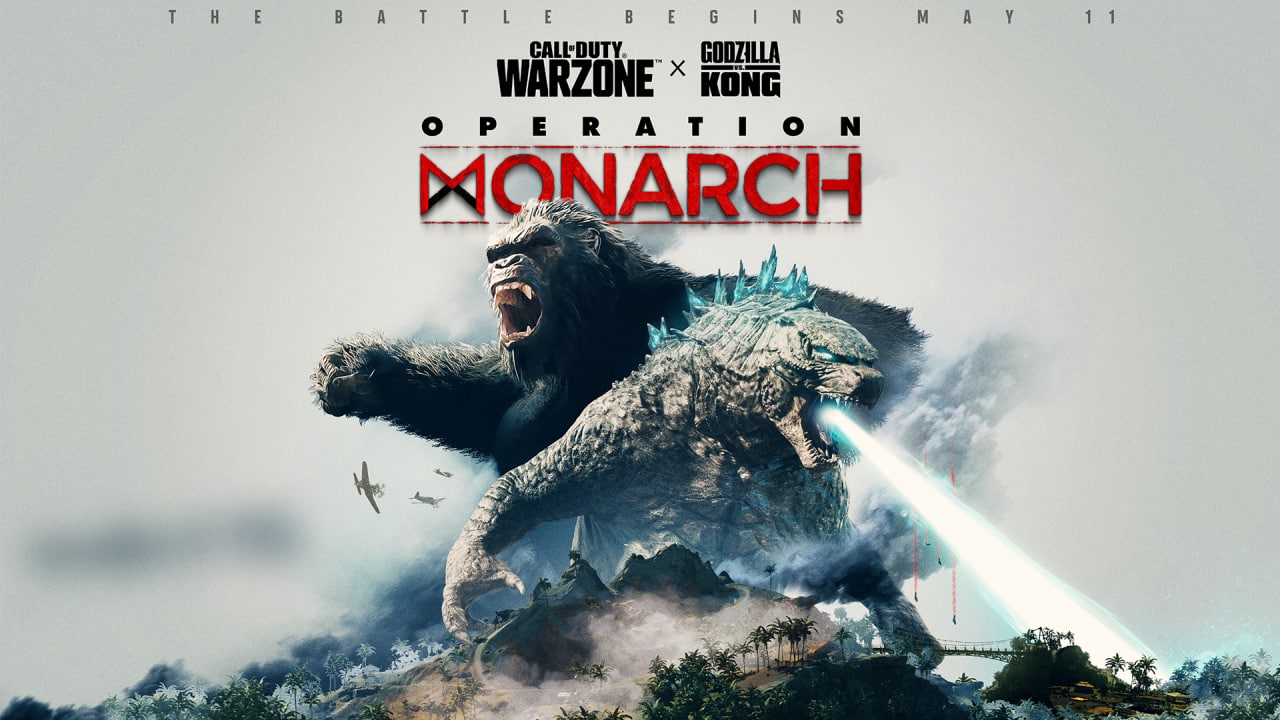
This has been unearthed by reliable PlayStation Network data scraper PlayStation Game Sizes, who spotted that a new title update (patch) has been uploaded on PSN! And there’s even the season’s new image that got leaked too!
🚨 Call Of Duty MW (Warzone) Update 1.57 Added to database.
— PlayStation Game Size (@PlaystationSize) April 21, 2022
In addition to Warzone, Call of Duty Vanguard is also getting a new title update with Season 3 alongside it, and the file size for that has been spotted on PSN as well. It won’t be that big of a download, and here’s the images accompanying the Vanguard Season 3 title update:
🚨 Call of Duty®: Vanguard Update 01.017.000 (PS4 : 01.17) Added To Database.
— PlayStation Game Size (@PlaystationSize) April 20, 2022
While nothing here is official just yet, the fact that they have been uploaded on PSN means that the date and such are almost a lock (barring anything unforeseen). Once we know more details, we’ll be sure to let our readers know about it.
What are you hoping to see in Warzone Operation Monarch? Perhaps a massive PvE experience where all players on a server hunt the two monsters? That would be something, no?
Back in February, EA announced that Battlefield 2042 Season 1 will kick off in “early summer” though we weren’t given a specific date. If this latest datamine from Battlefield 2042’s 4.0 patch is to be believed, we might have just narrowed that down to June 16, 2022!
Spotted by reliable Battlefield dataminer temporyal are eight weekly challenges that end on June 16, 2022. Note that the weekly challenges that DICE rolls out for the game are for the pre-season, which means that there is a possibility that June 16 is the BF2042 Season 1 start date (or around that), which falls in line with EA’s “early summer” announcement before. In addition to that, there’s also an unreleased set for Boris spotted in the game’s files, too!
#Battlefield2042 Patch 4.0 includes weekly missions for 8 additional preseason weeks. The earliest date for the launch of Season 1:
🗓️ June 16, 2022
Note: The next patch (scheduled for May) might introduce additional challenges.
As temporyal notes, the upcoming May patch could house more weekly challenges, which means that Season 1 most probably won’t kick off then, since DICE will probably want to exhaust all pre-season challenges before we move on to Season 1 stuff. This is assumption on our end, so take it with a grain of salt.
Another thing that surfaced from patch 4.0 is a new secret reload! Check it out below (via DANNYonPC):
As you can see, this is different from past secret reload animations due to this one showing up even if there are bullets left in the mag. It seems this BF2042 secret reload happens randomly, and there is no surefire way to trigger it for now.
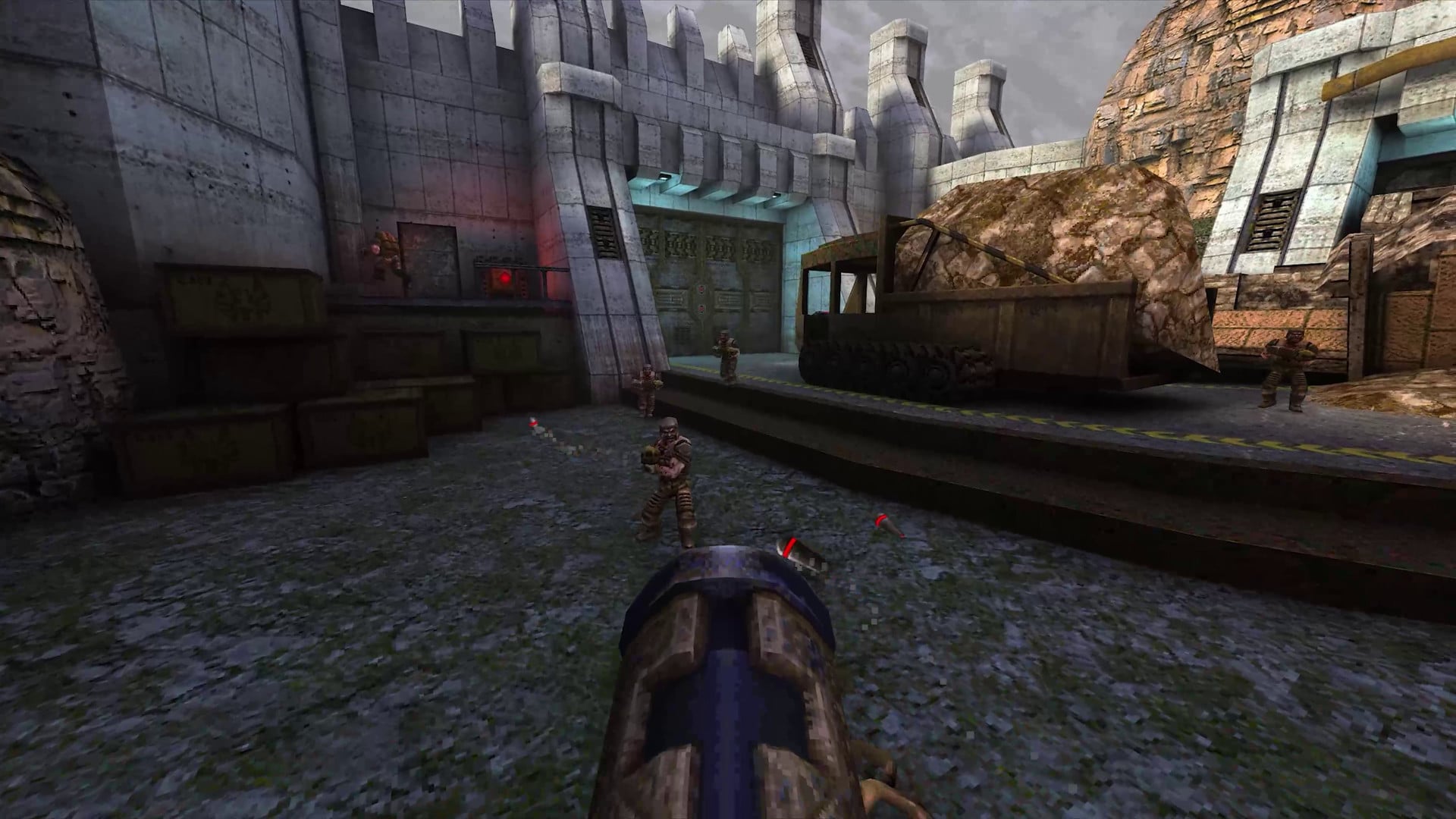
Nightdive Studios has released the Quake update 1.06 patch today, and this adds new accessibility options to the shooter, new horde mode levels and loads more! Read on for the Quake April 20 patch notes below.
Quake Update 3 includes new Accessibility features, three new Horde Mode maps from MachineGames, as well as QOL improvements, and bug fixes
NEW ACCESSIBILITY FEATURES
We are happy to add new accessibility features to Quake so that the gameplay experience can be enjoyed by even more players
Accessibility Options Notification
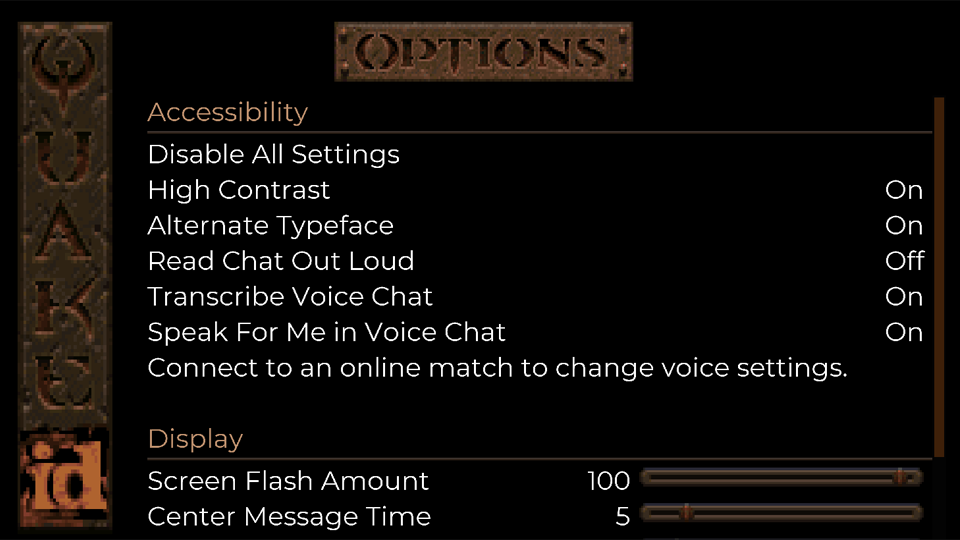
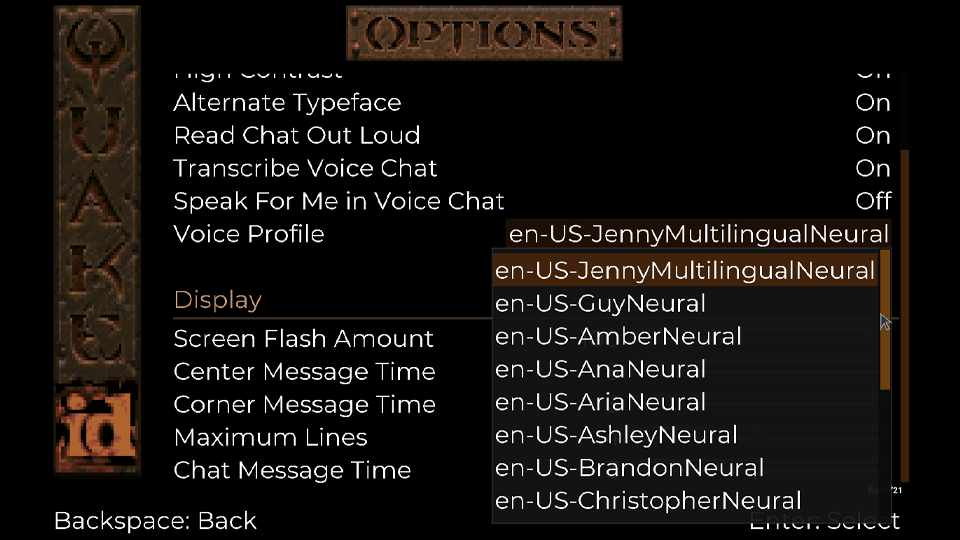
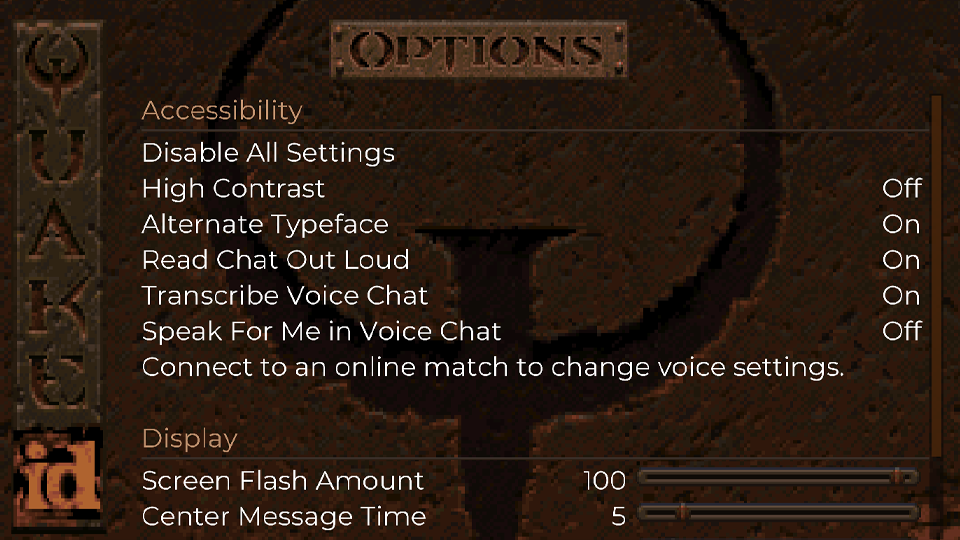
After installing Update 3, you will be presented with an Accessibility Options notification. Read through the available options to make sure they are set to your preference. Once in-game, these options can be accessed from the Options/Accessibility sub-menu via the Main and Pause Menus
(Note: All Accessibility options default to ON during first launch after install – but can be easily toggled OFF/ON via Disable/Enable All Settings)
Accessibility Options
Read Chat Out Loud ‘*’
Converts incoming multiplayer text chat into a synthesized voice
Transcribe Voice Chat
Converts incoming voice chat to text in the multiplayer chat window
Speak For Me in Voice Chat ‘*’
Converts outgoing multiplayer text chat into a synthesized voice audible to other players
‘*’
Voice profiles can be selected from the Accessibility menu when connected to an online multiplayer session
‘*’
Text-to-Speech menu narration is not supported
Note: There are several Voice Profiles now available in Quake. The number available per language may vary
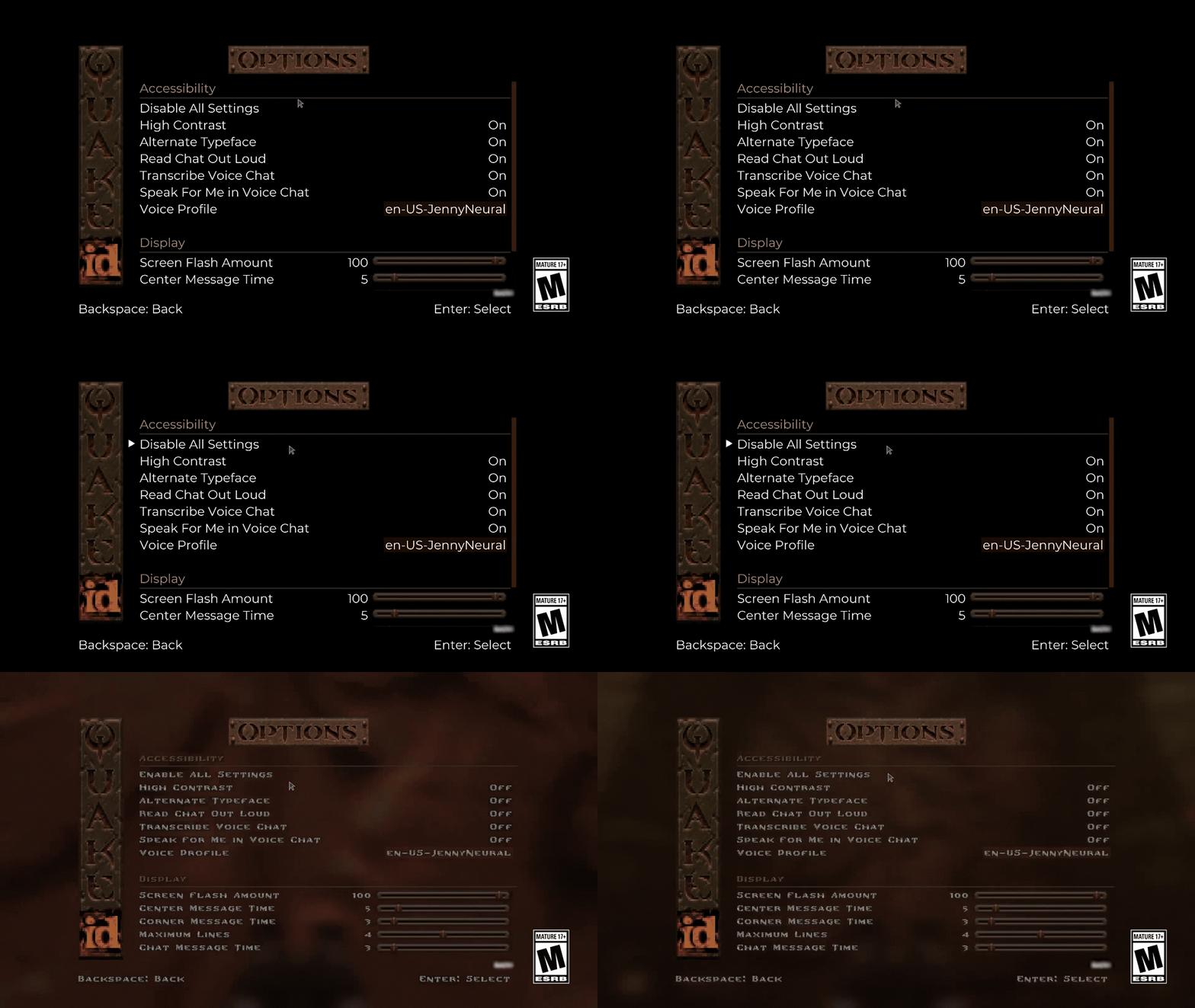
High Contrast
Changes the default text field backgrounds to improve User Interface legibility
High Contrast
OFF
High Contrast
ON
Alternate Typeface
Changes the original in-game font to a more modern one for improved legibility
Screen Flash Amount
Decreases opacity of onscreen effects to reduce flash intensity
Center Message Time
Changes the display duration of center print HUD messages
Corner Message Time
Changes the display duration of corner print HUD messages
Maximum Lines
Changes the maximum number of onscreen corner print HUD messages
Chat Message Time
Changes the display duration of multiplayer text chat messages
HORDE MODE
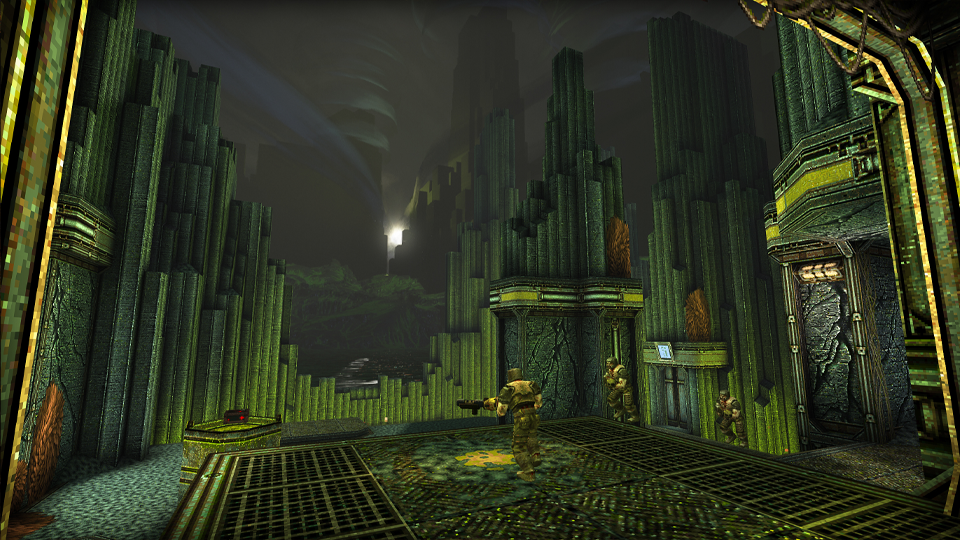
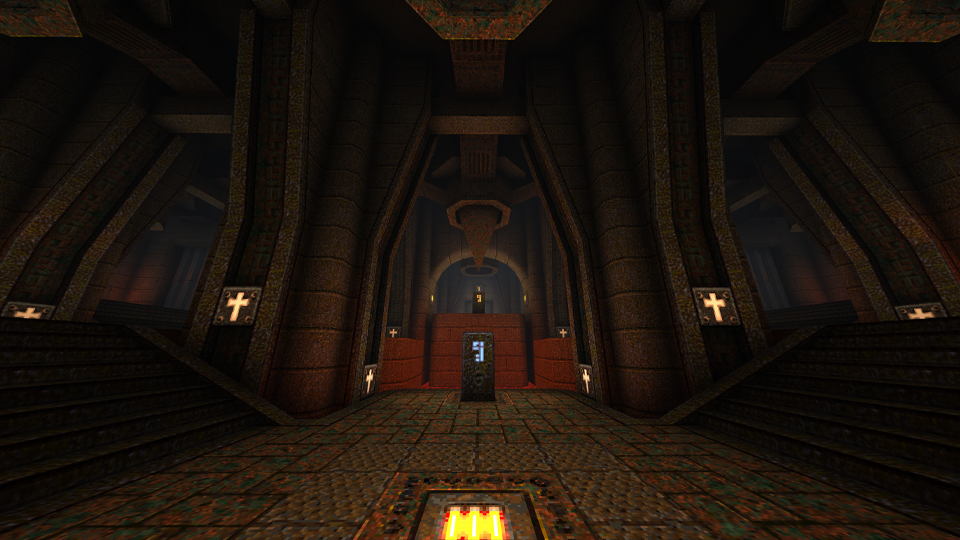
Three New Levels
Enjoy three new Horde Mode levels courtesy of our friends at MachineGames!
Relic
The Trial
The Tower
QUALITY OF LIFE IMPROVEMENTS
General Gameplay
Added option to disable automatic weapon switching on pickup
(Note: This may not work with certain Add-ons)
Improved spawn logic to avoid spawning enemies when the player is on a spawn point
Horde Mode
Skill selection balance adjustments:
We’ve received community feedback that Horde Mode is too hard on Easy and too easy on the more difficult skill selections. To accommodate this feedback, we’ve made Horde Mode less difficult on Easy and more difficult on the Hard and Nightmare skill levels. We hope these balance changes are to your liking and look forward look forward to hearing from you on them!
Fewer enemies are spawned in each squad on Easy skill selection
Boss enemies will start showing up in earlier waves on Hard and Nightmare skill selections
Hard skill selection now starts with as many enemies as wave 3 had previously
Nightmare skill selection now starts with as many enemies as wave 6 had previously
Additional balance adjustments:
Ammo now respawns every 20 seconds instead of once per round
Enemies are now more tenacious – they will now route around the map and obstacles to find you. No more hiding and safely picking off harmless monsters from a distance!
Four player games will now spawn in double the enemies in each wave
Multiplayer
Removed ability to enable cheats in public multiplayer matches (Note: Cheats can still be enabled from a PC host in private matches)
Changed color of enemy text chat from red to green for increased contrast and improved legibility
Online multiplayer text chat messages can now be sent via the Pause Menu (Note: Only PC versions support text entry from physical keyboards)
Added option to toggle the scoreboard on/off with a button press instead of a button hold (in Gameplay Options)
Multiplayer Bots
Added Deathmatch bot support for all single player levels in the original campaign, courtesy of Jorge Martins (Check out their super useful guides made for community modders here)
Bots now roam around if the current map doesn’t have items, finding their own roam goals
Bots now better handle maps with lots of air blasts that push them around
Improved bot navigation on MGDM1, and E1M2
Bots now roam around if map doesn’t have items, finding their own roam goals
Bots now better handle maps with lots of air blasts that push them around
Improved bot navigation on MGDM1, and E1M2
BUG FIXES
General Gameplay
Fixed an issue in which music was not playing correctly on certain Add-ons
Reduced audio latency throughout the game
Fixed a bug in which the House of Doom achievement was not unlocking when finding the secret level in Dimension of the Past
Resolved an issue in which the Corner message would print the incorrect one for a single frame
Fixed an issue in which menus would not scroll all the way to the top of the screen
Resolved the issue where the text chat window was too small while playing at 4K resolution on supported platforms
Horde Mode
Fixed a bug in which suicide in Horde Mode would not deduct points and immediately respawn you
Resolved an issue in which killing a teammate would incorrectly grant a frag and not end kill streaks
Removed the random offset from dropped powerups to prevent them from falling out of the level
Multiplayer Bots
Fixed an issue in which bots would sometimes miss shootable triggers
Fix bots incorrectly using Mjolnir when they don’t have ammo
Addresses the issue where bots wouldn’t chatter when killing an enemy, or if teamkilled
MODDING IMPROVEMENTS FOR MODDERS
The following changes apply to users who may be developing Add-ons that work on the PC version of Quake
General Modding Improvements
Our QuakeC source code is now available! This includes the QuakeC source for the base game, Scourge of Armagon, Dissolution of Eternity, and the new Dimension of the Machine, which includes Horde Mode. This code is released under the GPL license and can be obtained from the id Software GitHub here
QuakeC built-ins that are unique to the rerelease are now looked up by name, rather than hardcoded builtin numbers which could interfere with other engines
Fixed issue with long centerprints disconnecting clients when sent, which could occur when using long custom intermission end texts in Copper
Added “walkpathtogoal” QuakeC built-in. This can be used as a drop-in replacement for the existing AI movement to allow any entity to take advantage of bot pathfinding without needing them to be a bot client. Create a friendly dog that does your bidding, or haunted items that run away from the player to avoid being picked up. The world is your oyster!
New entities are available for ranged, flying, and boss spawn points. The horde spawning logic will use these points if available
Monster spawners can be controlled by using
trigger_multitouch
entities to enable or disable them as the player moves throughout the map
Multiplayer Bots
Added “bot_movetopoint” – new QuakeC built-in to give bots a high level command to move to a point
Added “bot_followentity” – new QuakeC built-in to give bots a high level command to follow any entity that they are aware of
Added Bot_PreThink – new QuakeC function that gets called before bots run their update logic in the engine
Added Bot_PostThink – new QuakeC function that’s called after bots run their update logic in the engine
Added “objective” flag to items.txt processing. This allows you to tag any item as an objective. Bots track these as a special case, but rely on you to tell them what to do about it
Warn at startup if weapons are not correctly setup with a power of two number in QuakeC
Add cvar “bot_entityRespawnFunc” to tell the bots which function in a QuakeC mod handles respawning items. Bots use this knowledge to understand when items like the MegaHealth will actually respawn
Bots can receive and will react to two stuffcmds: “color” and “kill”
Update monster teams regularly – allows mods to add/remove monsters from teams during the game, and have bots understand the change
Support idea that monsters can “belong” to a player in DM
Bot Navigation Editor
Add cvar “navEdit_removeNoclipOnExit” to disable turning off noclip when exiting nav editor
Expose bot pathfinding heuristic value to users in the nav editor, and save the heuristic into the nav file
Rename cvar navEdit_waterLookPointDist to navEdit_inWaterLookPointDist for clarity
When underwater, place nav node centered on crosshair
Fix nav node placement in shallow water
Add ability to clear start/goal nodes when testing paths in the editor by pressing F8
Add ability to toggle seeing traversals when testing paths in the editor by pressing F5
Add “NoMonsters” flag to nav nodes. Allows you to mark nodes that AI shouldn’t use (eg. if the node is too close to a wall or obstacle that might get an AI stuck, but are not issues for bots)
That’s it for this latest patch for Quake. Stay tuned here at MP1st for more!
As announced a week ago, Volition has finally unveiled the Saints Row customization trailer that shows off the many quirks and oddities you can create as your character in the game! Check out the trailer in action below.
Compared to the earlier Saints Row titles, the customization in the reboot looks as crazy as usual, with the many flamboyant and extravagant pieces of clothing you can wear on your character. A new addition is the socks, which you can now customize as a separate piece from the shoes.
The reboot also comes with asymmetrical face customization, allowing you to really go in-depth with the make-up or scars your character will have. The trailer also showed off leg prosthetics for your character, if you’re into that sort of thing.
Vehicle customization is now also an in-depth feature, allowing you to personally shape your ride as you please. Vehicles can also be retrofitted with insane kits like nitro boosters, ejector seats, and more.
Guns can be customized as well, from different vinyls, colors, and materials, allowing you to really personalize it to your preferences. Saints Row will also allow for the customization of your church HQ, from its visuals to its members. It really is shaping up to be the most in-depth Saints Row in terms of customization, and should get the fans and players excited as it prepares for launch later this year.
Saints Row is coming to consoles and PC on August 23, 2022.
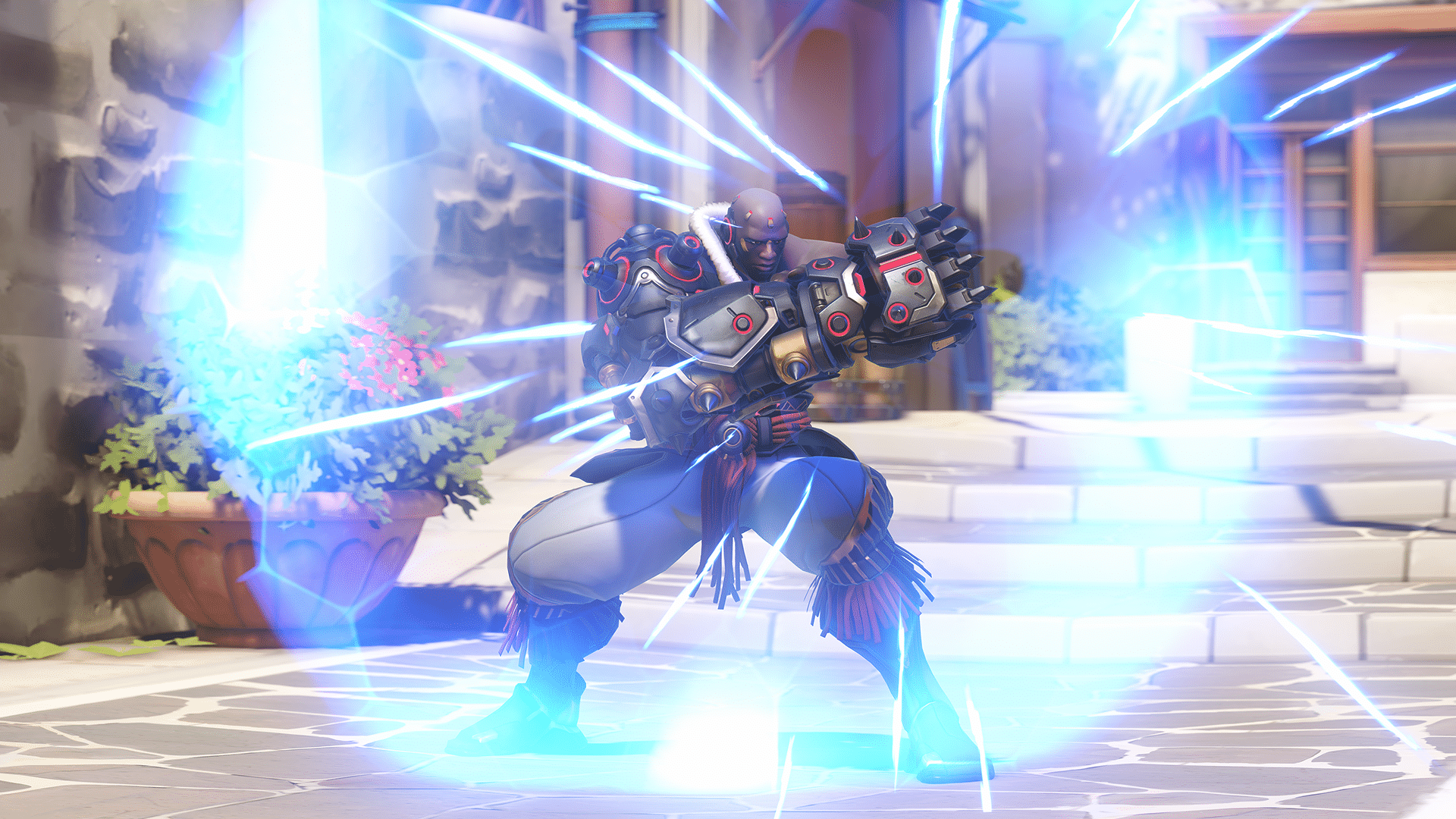
Blizzard has overhauled Overwatch 2 Doomfist and Orisa for the ongoing beta, with both characters now receiving tank changes for the game! As further explained in a detailed post, both heroes have received significant changes to their kits allowing them to fulfill their tank roles better. Check out the details on the abilities overhaul below:
DOOMFIST
Doomfist’s current playstyle is unique, even for a damage hero: He’s a fast-paced, mobile, and lethal brawling machine.
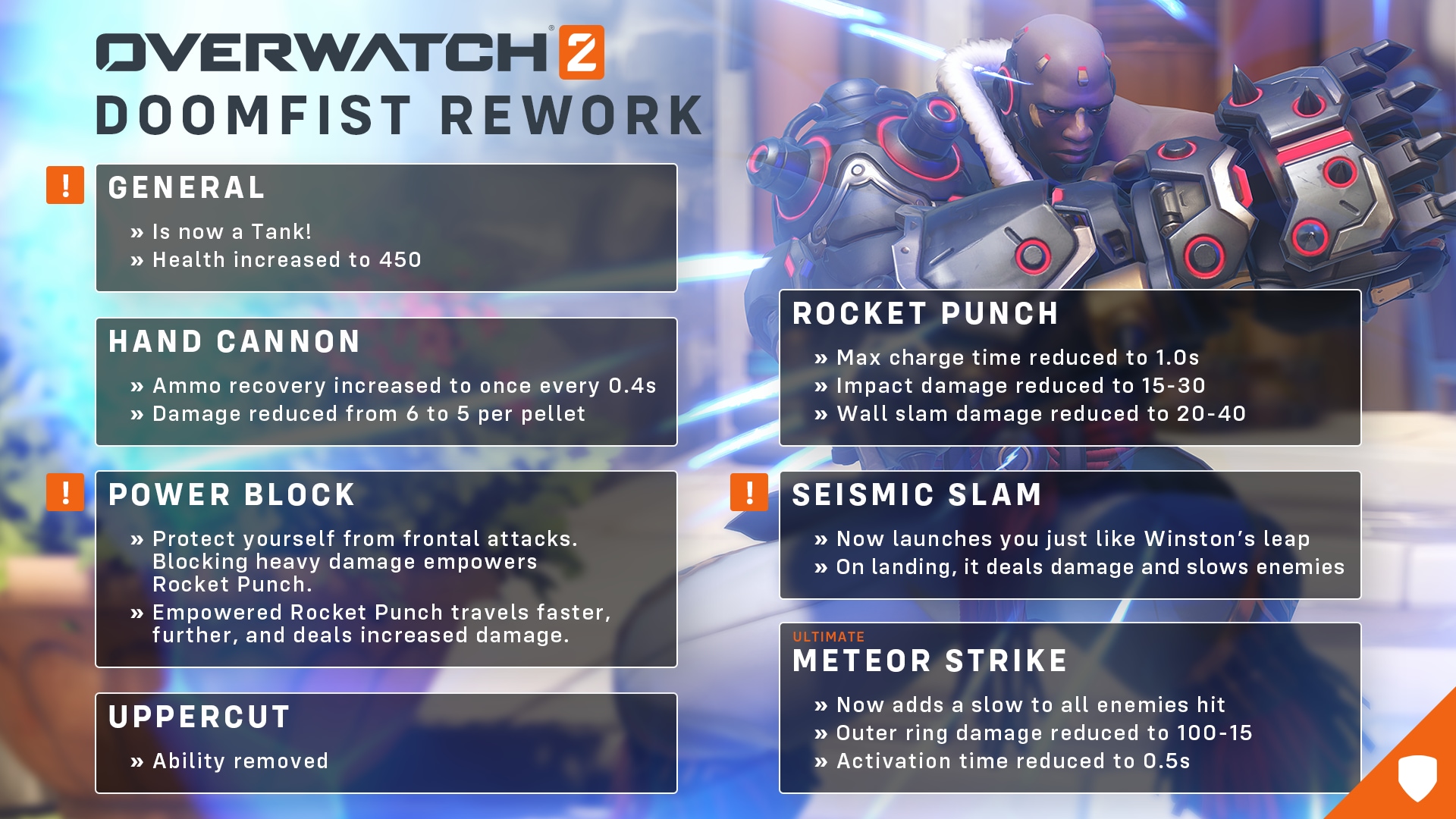
His base health is increasing from 250 to 450, putting him much more in line with other tank heroes. Hand Cannon will function similarly, trading faster ammo recharge for slightly less damage. Rocket Punch is quicker and deals less damage, but still has the potential to knock back enemies.
Power Block is the new core of Doomfist’s kit. With Power Block, Doomfist enters a defensive stance that reduces all damage taken from the front by 90%. Doomfist’s gauntlet becomes charged if he blocks enough damage with Power Block. His charged gauntlet empowers his next Rocket Punch’s damage, knockback radius, travel speed, and distance. His targets will be stunned if he knocks them against a wall.
Seismic Slam now launches Doomfist into the air towards where you’re aiming, like Winston’s leap. Upon landing, he creates a shockwave that damages and slows enemies. He has many similarities to other disruptor tanks like Wrecking Ball or Winston, so it’s important to be very aware of Doomfist’s placement. For example, remembering that Power Block only blocks damage from the front is key when jumping into the enemy team with Seismic Slam; you’ll want to ensure that you jump all the way over your enemies so you can Power Block their damage and Rocket Punch them into your team without taking heavy hits from the back.
Doomfist’s ultimate, Meteor Strike, has gained new utility and a shorter cast time. Overall, the damage has been reduced, but the impact damage at the center will still be a hard hitter. The knockback has been removed and replaced by a slow for all enemies hit, making this ability a great initiating tool for your team. This modified ultimate, paired with his tank-aligned changes, enables the quick, impactful gameplay that he had as a damage hero. While his new positioning and combos require more finesse to manage, he has transformed into a more approachable, free-flowing, and impactful tank—all while feeling familiar to current Doomfist players.
ORISA
While some of Doomfist’s power was shifted to his defensive abilities to make him a viable tank pick, Orisa underwent the opposite. The team noticed that she struggled with brawling and toe-to-toe engagements, so we had to adapt her into the future of the game.
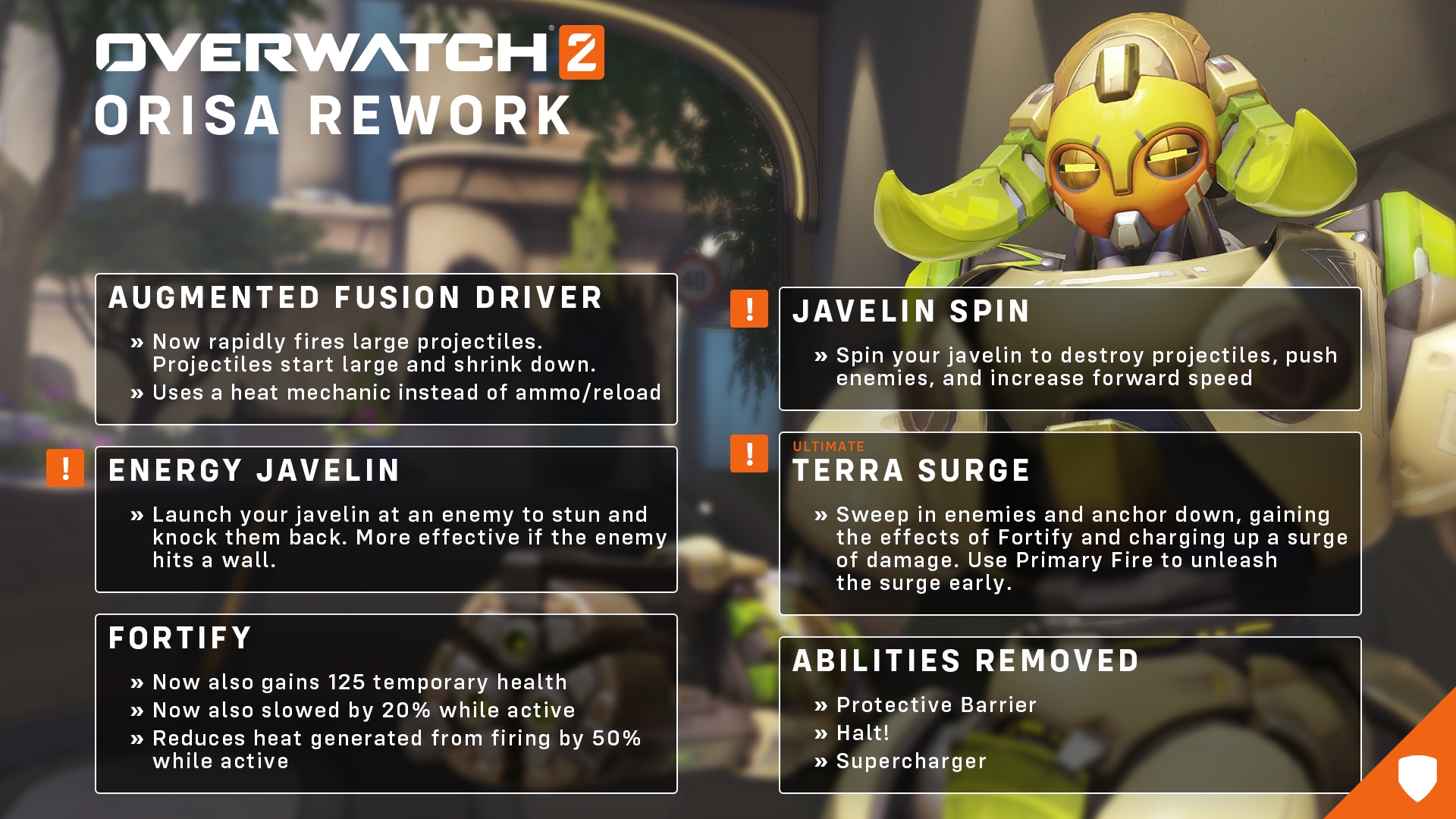
Her health and armor are being increased to help her push head on into the enemy team. Orisa’s primary fire is a projectile that is larger and does more damage the closer she is to enemies. Instead of ammo, her primary fire builds up heat that only decreases when not firing her weapon. If her weapon overheats, it will be unusable for 3 seconds. Orisa’s secondary fire, Energy Javelin, is now a skill shot projectile javelin that impacts the first enemy in its path.
Javelin Spin, another new ability, enables Orisa to rapidly spin a javelin that destroys incoming projectiles, increases forward movement speed, and damages enemies while pushing them back.
Fortify has received a few adjustments to fit her new playstyle, including generating less heat with Orisa’s primary weapon, allowing her to fire it for longer. The ability also provides 125 extra health, giving her increased survivability in team fights.
Terra Surge is Orisa’s new Ultimate ability. She becomes fortified and pulls in nearby enemies while charging up an area-of-effect attack. This creates a moment for the team to rally around and quickly coordinate combos. However, enemies aren’t bound to the center of Orisa’s pull like a Zarya Graviton Surge, so you will need to collaborate quickly to make the most of this ultimate!
In other Overwatch 2 news, a datamine has been started on the beta, with some information leaking about the game including the existence of a battle pass, PvE progression and more. Check it out here.
According to a LinkedIn post from a new studio recruiter of Naughty Dog, there may be hints of new Uncharted games in the future. The new recruiter mentioned the legacy of Uncharted overall, which could potentially mean that Sony and Naughty Dog are not quite yet done with the series.
Highlighted by a report from the VGC, Christina-Marie Drake McBrearty announced on LinkedIn earlier this Tuesday that she joined Naughty Dog as a recruiter. Here is the pertinent part of her post hinting at a future for the Uncharted series.
It’s even more special being able to be building future teams for not only new titles but for the legacy of Uncharted which is very personal and specific to me and my family. Being related to Sir Francis Drake the Uncharted franchise feels very personal and I’m so honored to be working with those who brought aspects of our family story to life. 🏴☠️
While it may be a bit disambiguous, this is not the first time there have been hearsays of another Uncharted game. Speaking to GamesRadar, Uncharted Lost Legacy creative director Shaun Escayg and game director Kurt Margenau said that Naughty Dog could develop a new Uncharted game at some point in time.
However, since this is basically speculation based on a statement, remember to take it with a grain of salt until officially confirmed.
While yesterday’s Battlefield 2042 update 4.0 included well over 400 fixes and changes, it seems there’s a lot more in it that DICE left out. Thanks to the game’s community, quite a significant number of items have been spotted as part of the Battlefield 2042 update 4.0 stealth changes list! Curious what they are? Read on, soldier!
Quick disclaimer before diving in: the list below might contain fixes and changes that might differ depending on platform, though they have been verified by the community,
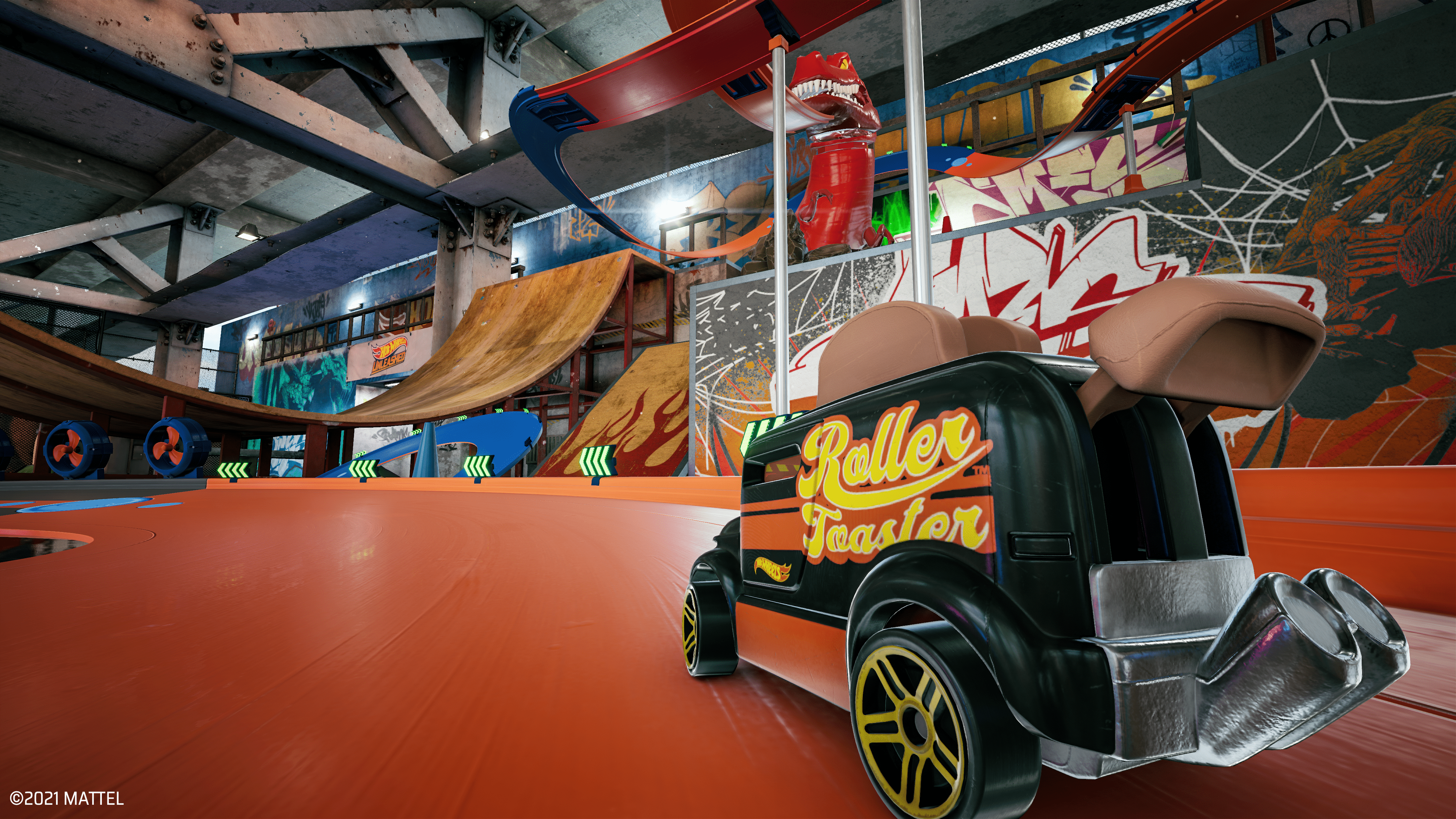
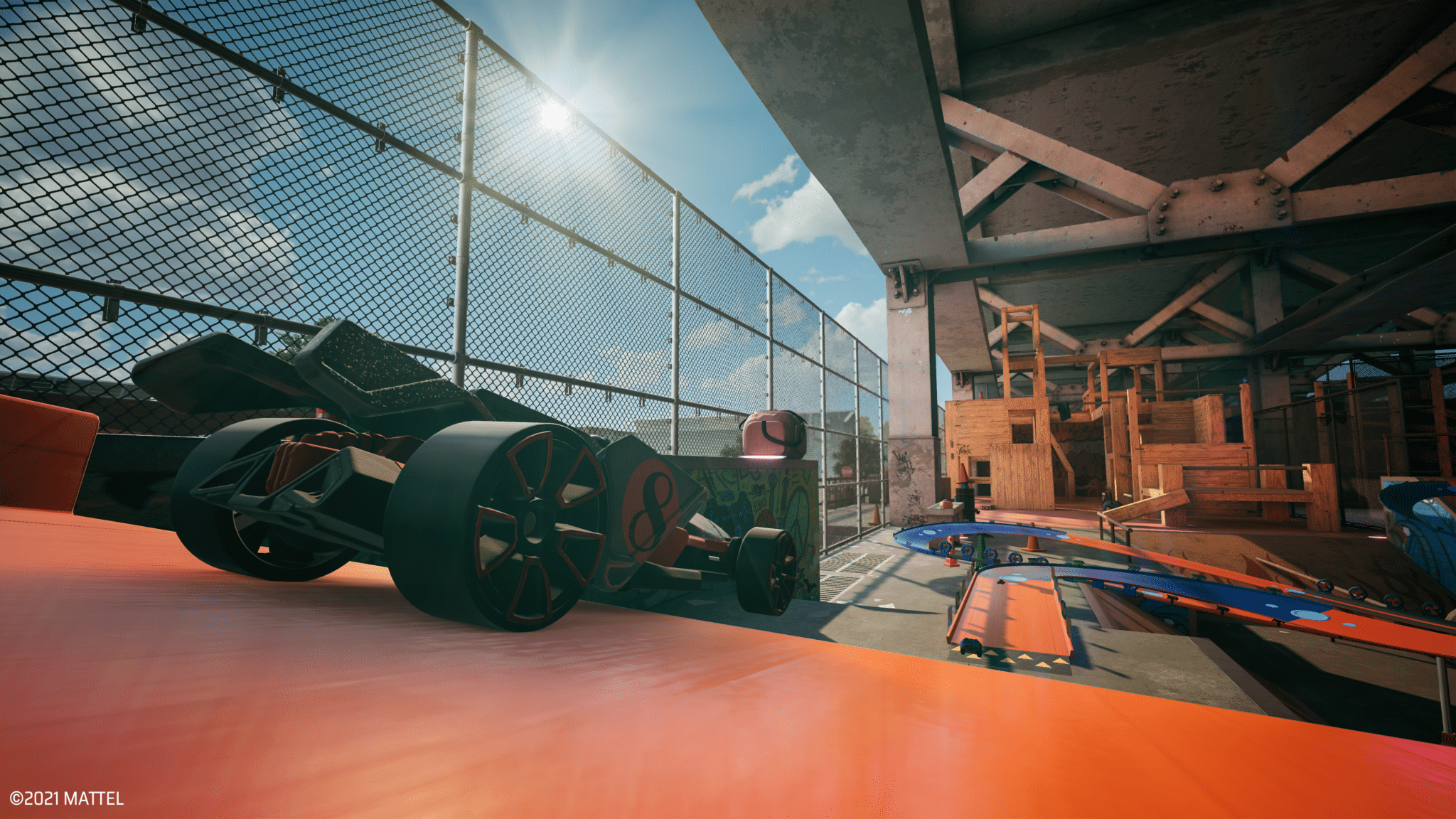
Milestone has rolled out the Hot Wheels Unleashed update 1.014 patch today for all platforms (last-gen and next-gen), and this for DLC support for the upcoming expansion, which is due for release tomorrow! The Monster Trucks expansion will bring in new trophies for players to obtain as well. Read on for the Hot Wheels Unleashed new update patch notes.
PS4 EU/USA Version 01.0113 – PS5 EU/USA Version 01.014 – PC Steam – PC Epic.
Added support for upcoming DLCs
Added Trophies for add-on (PS4)
If you’re wondering what’s coming with this new DLC, check out a small rundown below:
This brand-new environment has four monster dioramas to play in and unleashes the power of these 4-wheeled monsters: the Jungle, the Quarry, the Desert and the Ice Mountain.
The Monster Trucks Expansion is included in the HOT WHEELS Pass Vol. 2 and can be purchased separately from April 21, 2022.
The HOT WHEELS Pass Vol. 2 will also include nine vehicles, three Themed Customization Packs and three Track Builder Modules and can be purchased beginning February 17, 2022. The HOT WHEELS Pass Vol. 2 is also included in Hot Wheels Unleashed Ultimate Stunt Edition, available on digital stores only, together with the HOT WHEELS™ Pass Vol. 1.
Stay tuned here at MP1st for more information on Hot Wheels Unleashed in future updates!
Milestone has released the Hot Wheels Unleashed update 1.13 today, and this one adds DLC support for the upcoming expansion tomorrow, the Monster Trucks! Check out the full Hot Wheels Unleashed April 20 update patch notes below.
Hot Wheels Unleashed Update 1.13 Patch Notes | Hot Wheels Unleashed April 20 Update Patch Notes:
PS4 EU/USA Version 01.0113 – PS5 EU/USA Version 01.014 – PC Steam – PC Epic.
Added support for upcoming DLCs
Added Trophies for add-on (PS4)
That’s it for this small patch for the game. If you’re wondering what’s coming with this new DLC, check out a small rundown below:
This brand-new environment has four monster dioramas to play in and unleashes the power of these 4-wheeled monsters: the Jungle, the Quarry, the Desert and the Ice Mountain.
The Monster Trucks Expansion is included in the HOT WHEELS Pass Vol. 2 and can be purchased separately from April 21, 2022.
The HOT WHEELS Pass Vol. 2 will also include nine vehicles, three Themed Customization Packs and three Track Builder Modules and can be purchased beginning February 17, 2022. The HOT WHEELS Pass Vol. 2 is also included in Hot Wheels Unleashed Ultimate Stunt Edition, available on digital stores only, together with the HOT WHEELS™ Pass Vol. 1.
Stay tuned here at MP1st for more information on Hot Wheels Unleashed in future updates!
Nightdive Studios has released the Quake update 1.007 today, and this one is for accessibility features for the game and more! Check out the full Quake April 20 update patch notes below.
Quake Update 3 includes new Accessibility features, three new Horde Mode maps from MachineGames, as well as QOL improvements, and bug fixes
NEW ACCESSIBILITY FEATURES
We are happy to add new accessibility features to Quake so that the gameplay experience can be enjoyed by even more players
Accessibility Options Notification
After installing Update 3, you will be presented with an Accessibility Options notification. Read through the available options to make sure they are set to your preference. Once in-game, these options can be accessed from the Options/Accessibility sub-menu via the Main and Pause Menus
(Note: All Accessibility options default to ON during first launch after install – but can be easily toggled OFF/ON via Disable/Enable All Settings)
Accessibility Options
Read Chat Out Loud ‘*’
Converts incoming multiplayer text chat into a synthesized voice
Transcribe Voice Chat
Converts incoming voice chat to text in the multiplayer chat window
Speak For Me in Voice Chat ‘*’
Converts outgoing multiplayer text chat into a synthesized voice audible to other players
‘*’
Voice profiles can be selected from the Accessibility menu when connected to an online multiplayer session
‘*’
Text-to-Speech menu narration is not supported
Note: There are several Voice Profiles now available in Quake. The number available per language may vary
High Contrast
Changes the default text field backgrounds to improve User Interface legibility
High Contrast
OFF
High Contrast
ON
Alternate Typeface
Changes the original in-game font to a more modern one for improved legibility
Screen Flash Amount
Decreases opacity of onscreen effects to reduce flash intensity
Center Message Time
Changes the display duration of center print HUD messages
Corner Message Time
Changes the display duration of corner print HUD messages
Maximum Lines
Changes the maximum number of onscreen corner print HUD messages
Chat Message Time
Changes the display duration of multiplayer text chat messages
HORDE MODE
Three New Levels
Enjoy three new Horde Mode levels courtesy of our friends at MachineGames!
Relic
The Trial
The Tower
QUALITY OF LIFE IMPROVEMENTS
General Gameplay
Added option to disable automatic weapon switching on pickup
(Note: This may not work with certain Add-ons)
Improved spawn logic to avoid spawning enemies when the player is on a spawn point
Horde Mode
Skill selection balance adjustments:
We’ve received community feedback that Horde Mode is too hard on Easy and too easy on the more difficult skill selections. To accommodate this feedback, we’ve made Horde Mode less difficult on Easy and more difficult on the Hard and Nightmare skill levels. We hope these balance changes are to your liking and look forward look forward to hearing from you on them!
Fewer enemies are spawned in each squad on Easy skill selection
Boss enemies will start showing up in earlier waves on Hard and Nightmare skill selections
Hard skill selection now starts with as many enemies as wave 3 had previously
Nightmare skill selection now starts with as many enemies as wave 6 had previously
Additional balance adjustments:
Ammo now respawns every 20 seconds instead of once per round
Enemies are now more tenacious – they will now route around the map and obstacles to find you. No more hiding and safely picking off harmless monsters from a distance!
Four player games will now spawn in double the enemies in each wave
Multiplayer
Removed ability to enable cheats in public multiplayer matches (Note: Cheats can still be enabled from a PC host in private matches)
Changed color of enemy text chat from red to green for increased contrast and improved legibility
Online multiplayer text chat messages can now be sent via the Pause Menu (Note: Only PC versions support text entry from physical keyboards)
Added option to toggle the scoreboard on/off with a button press instead of a button hold (in Gameplay Options)
Multiplayer Bots
Added Deathmatch bot support for all single player levels in the original campaign, courtesy of Jorge Martins (Check out their super useful guides made for community modders here)
Bots now roam around if the current map doesn’t have items, finding their own roam goals
Bots now better handle maps with lots of air blasts that push them around
Improved bot navigation on MGDM1, and E1M2
Bots now roam around if map doesn’t have items, finding their own roam goals
Bots now better handle maps with lots of air blasts that push them around
Improved bot navigation on MGDM1, and E1M2
BUG FIXES
General Gameplay
Fixed an issue in which music was not playing correctly on certain Add-ons
Reduced audio latency throughout the game
Fixed a bug in which the House of Doom achievement was not unlocking when finding the secret level in Dimension of the Past
Resolved an issue in which the Corner message would print the incorrect one for a single frame
Fixed an issue in which menus would not scroll all the way to the top of the screen
Resolved the issue where the text chat window was too small while playing at 4K resolution on supported platforms
Horde Mode
Fixed a bug in which suicide in Horde Mode would not deduct points and immediately respawn you
Resolved an issue in which killing a teammate would incorrectly grant a frag and not end kill streaks
Removed the random offset from dropped powerups to prevent them from falling out of the level
Multiplayer Bots
Fixed an issue in which bots would sometimes miss shootable triggers
Fix bots incorrectly using Mjolnir when they don’t have ammo
Addresses the issue where bots wouldn’t chatter when killing an enemy, or if teamkilled
MODDING IMPROVEMENTS FOR MODDERS
The following changes apply to users who may be developing Add-ons that work on the PC version of Quake
General Modding Improvements
Our QuakeC source code is now available! This includes the QuakeC source for the base game, Scourge of Armagon, Dissolution of Eternity, and the new Dimension of the Machine, which includes Horde Mode. This code is released under the GPL license and can be obtained from the id Software GitHub here
QuakeC built-ins that are unique to the rerelease are now looked up by name, rather than hardcoded builtin numbers which could interfere with other engines
Fixed issue with long centerprints disconnecting clients when sent, which could occur when using long custom intermission end texts in Copper
Added “walkpathtogoal” QuakeC built-in. This can be used as a drop-in replacement for the existing AI movement to allow any entity to take advantage of bot pathfinding without needing them to be a bot client. Create a friendly dog that does your bidding, or haunted items that run away from the player to avoid being picked up. The world is your oyster!
New entities are available for ranged, flying, and boss spawn points. The horde spawning logic will use these points if available
Monster spawners can be controlled by using
trigger_multitouch
entities to enable or disable them as the player moves throughout the map
Multiplayer Bots
Added “bot_movetopoint” – new QuakeC built-in to give bots a high level command to move to a point
Added “bot_followentity” – new QuakeC built-in to give bots a high level command to follow any entity that they are aware of
Added Bot_PreThink – new QuakeC function that gets called before bots run their update logic in the engine
Added Bot_PostThink – new QuakeC function that’s called after bots run their update logic in the engine
Added “objective” flag to items.txt processing. This allows you to tag any item as an objective. Bots track these as a special case, but rely on you to tell them what to do about it
Warn at startup if weapons are not correctly setup with a power of two number in QuakeC
Add cvar “bot_entityRespawnFunc” to tell the bots which function in a QuakeC mod handles respawning items. Bots use this knowledge to understand when items like the MegaHealth will actually respawn
Bots can receive and will react to two stuffcmds: “color” and “kill”
Update monster teams regularly – allows mods to add/remove monsters from teams during the game, and have bots understand the change
Support idea that monsters can “belong” to a player in DM
Bot Navigation Editor
Add cvar “navEdit_removeNoclipOnExit” to disable turning off noclip when exiting nav editor
Expose bot pathfinding heuristic value to users in the nav editor, and save the heuristic into the nav file
Rename cvar navEdit_waterLookPointDist to navEdit_inWaterLookPointDist for clarity
When underwater, place nav node centered on crosshair
Fix nav node placement in shallow water
Add ability to clear start/goal nodes when testing paths in the editor by pressing F8
Add ability to toggle seeing traversals when testing paths in the editor by pressing F5
Add “NoMonsters” flag to nav nodes. Allows you to mark nodes that AI shouldn’t use (eg. if the node is too close to a wall or obstacle that might get an AI stuck, but are not issues for bots)
That’s it for this latest patch for Quake. Stay tuned here at MP1st for more!