Home > News

A Plague Tale: Requiem Release Date Set for Oct. 18, Extended Gameplay Features Combat

Asobo Studio and Focus Entertainment has kept their word, and have revealed the A Plague Tale: Requiem release date, and it’s set for October 18, 2022! Not only that, but we even get a 12-minute extended gameplay video showcasing combat, the environments, and of course, rats!

A Plague Tale: Requiem, the sequel to the critically acclaimed A Plague Tale: Innocence by Asobo Studio and Focus Entertainment, revealed an Extended Gameplay trailer during the Focus Showcase, complete with an official release date announcement for October 18 and pre-orders available on PlayStation 5, Xbox Series X|S and PC!

In this new extended gameplay sequence, follow Amicia and Hugo as they make their way through a massive ochre-red quarry overwhelmed with soldiers eager to capture them. Fortunately, the duo has many new tricks up their sleeve and doesn’t shy away from getting their hands dirty. Watch how it all plays out and get ready to embark on their heart-rending journey into a brutal, breathtaking world, and discover the cost of saving those you love in a desperate struggle for survival.

A Plague Tale: Requiem will release October 18 on PlayStation 5, Xbox Series X|S, PC and in Cloud Version on Nintendo Switch. The game will also be available Day One with Xbox Game Pass for Console, PC and Cloud.

Stay tuned for more A Plague Tale: Requiem news here on MP1st!

Avatar photo

Alex Co

Father, gamer, games media vet, writer of words, killer of noobs.

Home > News

Dauntless Update 1.86 Strikes Out for Patch 1.10.5 This June 23

Phoenix Labs has launched Dauntless update 1.86 (PS5 version 1.000.014), which is for patch 1.10.5! This continues the story for the Return to Light title update, new Radiant Escalation rewards and more! Read on for the full Dauntless June 23 patch notes below.

Dauntless Update 1.86 Patch Notes | Dauntless Update 1.000.014 Patch Notes | Dauntless Update 1.10.5 Patch Notes | Dauntless June 23 Patch Notes:

HEROIC RADIANT ESCALATION

Take on the Soulreaper Chronovore in the ultimate radiant challenge. Complete Heroic Radiant Escalation to unlock the Crest of the Chronovore crown. Conquer all six Heroic Escalations and acquire each crown to gain access to the legendary Crown of Many Colours. Heroic Radiant Escalation enters the weekly rotation on June 23.

RETURN TO LIGHT: THE STORY CONTINUES

Each week brings more challenges and new story quests. As the Return to Light season comes to a close, Priyani has one last favour to ask of Slayers. Perhaps she’s finally figured out a way to rid the Isles of the Chronovore — for good.

RADIANT ESCALATION REWARDS

The Standing Paradox banner standard and the Beacon of Ages lantern skin can now be obtained by reaching level 25 in Radiant Escalation. If you have already reached level 25, you can claim these items from your inbox.

RADIANT ESCALATION: LEGENDARY LANTERN AMPS

In Radiant Escalation, we’ve added legendary lantern amps that are only available with a particular lantern equipped. While rare, these amps are extremely powerful and mix up Escalation runs in truly legendary ways. The Shrike’s Zeal and Broadside lanterns were the first two with legendary amps added in 1.10.4. Now, Drask’s Eye and Embermane’s Rapture lanterns also have corresponding legendary amps.

  • The Eye of the Lightning Rod legendary amp is only available to Slayers who have the Drask’s Eye lantern equipped. Using your lantern plants a pair of Tesla Towers that continuously fire at enemy targets.
  • The Rapture Eruption legendary amp is only available to Slayers who have the Embermane’s Rapture lantern equipped. Your lantern ability is an explosion that leaves behind a permanent pool of aetheric fire that increases the attack speed of Slayers within it and deals damage to Behemoths.
BALANCE


Koshai

KOSHAI

  • Reduced the range of the Shadowtouched Koshai’s Spreading Corruption attack.
QUALITY OF LIFE


Radiant Escalation

RADIANT ESCALATION

  • Disabled Unbreakable Suppression, Immortal Suppression, and Bloodless suppression in Radiant Escalation. These modifiers would occasionally break, blocking progress in the Escalation. Modifiers from other Escalations have been temporarily added to Radiant Escalation.
  • Completing Radiant Escalation can now appear as a daily challenge objective.
  • Improved performance in Radiant Escalation.
  • Improved a number of instances of popping in Radiant Escalation.
 

Alyra

ALYRA

  • Alyra can now perform a new Power Kick move to damage Slayers behind it.
 

Chronovore

CHRONOVORE

  • Added new visual effects to the Chronovore’s Temporal Mastication sync attack to better communicate when players are about to be captured.
 

Objectives

OBJECTIVES

  • Updated the format of gathering objectives to be clearer.
  • Modified many objectives to read more easily in various quest and challenge UIs.
  • Objectives now correctly reference “aethercharged” Behemoths instead of Behemoths in “aether-state”.
 

Environment

ENVIRONMENT

  • Adjusted fog atmospheres to improve performance.
 

UI

UI

  • Common currency descriptions now accurately describe their sources.
BUG FIXES


Aether Strikers

AETHER STRIKERS

  • Fixed an issue where the reticle was missing during the Adamant Bolt attack.
 

Bounties

BOUNTIES

  • Fixed an issue where some clients would crash shortly after claiming new bounties.
 

Objectives

OBJECTIVES

  • Fixed a number of issues with dodge-based objectives.
  • Fixed objectives with unclear descriptions.
  • Fixed an issue where objectives that asked Slayers to complete island events wouldn’t count participation from all players.
 

Cosmetics

COSMETICS

  • Fixed an issue where the Andari Armour chest skin would appear transparent on body type 2.
  • Fixed an issue where the hammer’s ammo clip wouldn’t appear with the Bomb Cyclone hammer equipped.
  • Fixed an issue where Adamant armour pieces didn’t all have 3 dye regions as intended.
 

Environment

ENVIRONMENT

  • Fixed a number of instances of floating or clipping foliage in Ramsgate.
  • Fixed a number of instances of holes in the ground or floating shards of land.
  • Fixed an issue where fauna could get stuck on islands.
 

Audio

AUDIO

  • Fixed an issue where a Behemoth’s flee music wouldn’t play at the appropriate times during island events.
  • Fixed an issue where an island’s explore music wouldn’t play at the end of an island event.
 

UI

UI

  • Fixed an issue where some purchases didn’t display the correct confirmation artwork.
  • Alyra weapons now display the correct damage numbers for Red Seals.

Source: Play Dauntless

Avatar photo

Alex Co

Father, gamer, games media vet, writer of words, killer of noobs.

Home > News

Weird West Update 1.11 Released for Patch 1.03D This June23

Following this week’s The Miners and The Restless patch rollout for Weird West, WolfEye Studios has released Weird West update 1.11, which is tagged as version 1.03D by the devs, and includes a handful of important bug fixes. Read on for the Weird West June 23 patch notes.

Weird West Update 1.11 Patch Notes | Weird West Version 1.03D Patch Notes | Weird West June 23 Patch Notes:

This hot fix addresses the following issues introduced with the patch earlier this week or that had not made it on time for inclusion on said patch:

  • Fix for Player inventory duplicating and overriding Player’s Horse inventory
  • Fix for Ranged Weapon fire rate going crazy in some rare contexts
  • Fix for Weapon Perks and Item Durability being reset when put in Horse’s Saddlebag or Bank Safe after save/reload
  • Fix (for real this time!) Ruth becoming hostile after being captured during a Bounty mission
  • Fix for Dead Zone issue on game pad (introduced when fixing the one on Mouse)
  • Fix for some Amulets’ effects remaining active after unequipping the amulet

We apologize for the inconvenience resulting from those bugs, and we hope those fixes will now allow you to fully enjoy the latest patch!

That’s it for this title update. If there’s a new patch for the game, we’ll let our readers know.

Source: Steam

Avatar photo

Alex Co

Father, gamer, games media vet, writer of words, killer of noobs.

Home > News

Tiny Tina’s Wonderlands Update 1.08 Fires Out for Content Drop & Improvements for Patch 1.0.4.0A This June 23

Geartbox Software has released Tiny Tina’s Wonderlands update 1.08 (PS5 version 1.008), and this is for the third content drop from the Season Pass, alongside new gameplay improvements and bug fixes. This is called patch version 1.0.4.0A by Gearbox, and the complete Tiny Tina’s Wonderlands June 23 patch notes are available below.

Tiny Tina’s Wonderlands Update 1.08 Patch Notes | Tiny Tina’s Wonderlands Update 1.008 Patch Notes | Tiny Tina’s Wonderlands Update Version 1.0.40A Patch Notes | Tiny Tina’s Wonderlands June 23 Patch Notes:

This downloadable update will include support for the third Content Drop from the Season Pass and various bug fixes and performance improvements.

  • Increased Chaos Chamber Cap to 50 from 35
  • A new Chaos Tier of gear has been added: Ascended!
  • A new type of run has been added to Chaos Chamber: Boss Run
  • [PC Only] Added support for AMD FSR 2.0
  • Wheel of Fate drop changes
    • The Wheel of Fate categories now include an improved (1.5x) dedicated drop chance at Legendaries from EACH DLC that the Host Fatemaker owns and has the correct progress in, assuming the category they landed on has any dedicated DLC Legendaries associated with it. This dedicated chance scales with luck.
    • The Wheel of Fate now spawns 4 guaranteed gear pieces when you land on a gear category. The rarity chances of that gear now scale better with luck.
    • When landing on the Customization category, the Wheel of Fate now spawns 2 customizations normally associated with Badasses from the main game, plus 2 customizations from EACH DLC that the host owns and has the correct progress in.

In addition to this support, some changes have been made that we wanted to give special mention to based on feedback from the community:

Fixed various rare crashes, including those related to:                                                          

  • Bad numbers when loading into DLC Content
  • Loading into the introduction area and navigating to the Obelisks
  • Setting a Chaos Level in Chaos Chamber

Addressed the following reported concerns:

  • Fatemakers would be pulled into random runs after completing the max trial level in the Chaos Chamber
  • Added an indicator for max chaos levels in Chaos Chamber
  • Chaos Trial Runs are now never random and loop through the same core set
  • Fusion Orbs no longer require manual pickup
  • Chaos Chamber would not spawn as many enemies as we wanted. Increased the amount slightly.
  • The cinematic skip has been improved. We are also re-enabling the cinematic skip in Brighthoof
  • Added a “Press to Confirm” hold when deleting a character
  • Players joining a multiplayer game late were occasionally unable to select currently loaded characters
  • Slamming down on large crystal dice would occasionally launch players out of the map
  • Gear would not sort correctly when sorting by type
  • Item cards would overlap the Bank Inventory when comparing gear. The Bank Inventory has been adjusted to change size when Fatemakers are doing comparisons.
  • Marshmallow spell would occasionally disappear when hitting terrain in multiplayer
  • Sigil of Protection spells incorrectly referenced “Damage Resistance” instead of “Damage Reduction” on the item card
  • The “Conspiring” Enchantment would not extend bonuses to companions while Spore Warden’s “Blizzard” skill was active
  • Fatemakers and Companions would occasionally appear as dead to other Fatemakers
  • Loot would occasionally drop above the level cap
  • Bottlecap Shortcuts would not always display on the AURA map when saving/quitting into Overworld
  • Shrines and Campaign Challenge progress would not always visually update when viewing the World Buffs tab in the AURA menu
  • Final Castle area in Queen’s Gate was missing an Area of Discovery name. Has been named “Crashed Bastion”. Fast Travel names have also been updated
  • [DLC] Some dogfish enemies had no names. They have been named
  • [DLC] Ear Cosmetics would not show the cosmetic rarity level
  • Purple ghosts would come back to life with human skin
  • [Console Only] Various split-screen subtitle improvements
  • Various UI adjustments and improvements
  • Various sound effect adjustments
  • Various telemetry improvements
  • Various audio changes and adjustments
  • Various performance and stability improvements
  • Various micropatches were nativized
  • … and more!

Addressed the following gear-specific reported concerns:

  • Some guns lost the ability to be enchanted. Thunder Anima, Donkey, Birthright, Goblin Repellant, and Kao Khan will be able to drop as enchanted and re-rolled in Brighthoof.
  • [DLC] Enemies would occasionally be too calm after Counterfeint activated the Shadow Dummy
  • Health bar would not update correctly when the Fatemaker did not have a ward equipped
  • Bad Egg Ward would give an additional unintended 35% Bonus Dark damage to all melee attacks, in addition to its base melee buff. The ward’s intent is to only award this bonus dark damage when the ward has been depleted.
  • A bug was causing “Caustic” Melee Hilt was able to be stacked multiple times, dealing unintended additional damage
  • Shell Casing Ring would trigger incorrectly. The gear’s bonus will now correctly activate when the Fatemaker’s ammo is low. The team also increased the bonus while the current gun is Low on Ammo from 50% to 66%. The threshold for “Low Ammo” has also raised from 30% to 50%.
  • Some elemental puddles would not have the expected appearance
  • Adjusted Live Wire
    • Live Wire’s Chain Lightning beam would scale its damage based on how low your ammo was, with 0 doing the most damage. We’ve removed that scaling and balanced the beam to do the same amount of damage for what it would have done with no ammo. This is an overall buff, but made the gun perform a bit stronger than intended, so we’re slightly reducing its damage.
    • Reduced Live Wire’s Chain Lightning beam damage by 12.5%

Addressed the following class-specific reported concerns:  

  • Spellshot “Imbued Weapon” skill would fail to stack twice when casting two spells of the same element
  • Stabbomancer “Contagion” skill had a bug that would allow it to sometimes repeatedly apply Status Effects, leading to unintended amounts of damage
  • Stabbomancer “From the Shadows” skill would not consistently Critically Hit when the Fatemaker would use some Melee Weapons
  • Clawbringer “Dedication” skill would incorrectly give the max cooldown rate instead of scaling based on the Fatemaker’s remaining ward
  • Spore Warden’s Called Shot skill incorrectly referenced “Damage Resistance” instead of “Damage Reduction” on the skill description
  • Spore Warden’s Play the Angels was not increasing ricochet damage after a critical hit as intended
  • Brr-Zerker “Blast Chill” and Graveborn “Blast Gasp” would not scale as intended
  • Graveborn “Reaper of Bones” skill referenced “Leech Efficiency” instead of “Dark Magic Efficiency”
  • Graveborn “Harvest” skill would unintentionally keep stacking for the Shroomie companion past its stack limit
  • The Demi-Lich Companion attack element would not convert properly when the Fatemaker had the Mantis Claw armor equipped
  • The Mushroom Companion had no loyalty and would target other Fatemaker’s pings

Change Notes:

Weekly Rotations:

Weekly Event! This in-game, limited-time mini-event will be active until June 30 at 9:00 AM PT.

  • Extended the In-Game Mini Event: Crystalline Chaos!
    • Increased base crystals gained from clearing a room in the Chaos Chamber by 50%
    • Increased base crystals gained from Big Reward Dice in Chaos Chamber by 50%
    • Doubled base crystals from doing Bonus Objectives in Chaos Chamber
    • Doubled base crystals gained from the Switches in Chaos Chamber

Featured Runs are available in the Chaos Chamber after you’ve completed the main story, and rotate weekly every Thursday at 9:00 AM PT. They’re the same for all players, so jump in and see how your run went compared to other Fatemakers!

This run is an extremely special Featured Run because it was created by our community members in the Official Tiny Tina’s Wonderlands Community Discord Server!

  • The server featured daily polls and let Community Members champion their favorite Bosses for a week. It was a close call, but D’Ryl had the most active Champions and will be the Boss for this run!
  • The Discord community has released ALL the Mimics! Mimics have COMPLETELY infested this run in every area! Make sure to experience it yourself before the week is over!
  • This is an event that will be hosted again so make sure to join the Discord to be ready for the next one!

Have you checked out the goodies for sale in the Vending Machines for the Chaos Chamber’s Loot Room? They switch out their merchandise every week!

Change Notes:

  • Improved how Dragon Lord’s dedicated loot pool is setup to prevent faults in the drop chances
  • Parasite was not scaling properly when Chaos Mode was turned on
  • Prevented Fatemakers from accessing an unintended area in Overworld when trying to collect a Zoomios Shrine Piece

Spell Adjustments:

  • Barrelmaker’s damage and Status Effect damage increased by 100%
  • Dazzler’s cooldown reduced from 18 seconds to 12 seconds
  • Dazzler’s damage increased by 268%
  • Frozen Orb’s damage increased by 275%
    • Note: Frozen Orb has a known issue where it fails to collide with some enemies – this will be fixed in a future update
  • Gelatinous Sphere’s damage increased by 100%
  • Gelatinous Sphere’s status effect damage increased by 20%
  • Gelatinous Sphere’s cooldown reduced from 24 seconds to 9 seconds
  • Glacial Cascade’s damage increased by 30%
  • Laserhand’s damage increased by 525%
  • Reviver’s damage increased by 38%
  • Reviver’s seeker projectile damage scale increased by 100%
  • Reviver’s cooldown reduced from 36 seconds to 24 second
  • Sawblade’s damage and status effect damage increased by 100%
  • Time Skip’s damage increased by 100%
    • Note: We’re aware of a bug that is causing Time Skip’s damage over time effect to not apply properly. This will be fixed in a future update
  • Thread of Fate’s damage increased by 50%
  • Inflammation’s Spell Charges are increased by 3
  • Inflammation’s damage and Status Effect Damage increased by 30%
  • Twister’s damage increased by 10%

Class Adjustments:

While we don’t want to make huge adjustments until the new Blightcaller class with DLC 4 is out, we are seeing that Spellshot and Clawbringer are not matching our balance expectations for Chaos Chamber. We are finding that Spellshot is overperforming compared to the level we’re targeting, while Clawbringer is underperforming.

Spellshot Changes:

We have seen Spellshot being utilized as the premiere damage-dealing class since the launch. We’re looking to keep that strength but found that the additional stacked damage it can do with Spellweaving was contributing to that imbalance, along with the amount of Spell Damage applied to Gun Damage from Magic Bullets.

  • Spellweaving:
    Adjusted the Spell Damage per stack from 10% to 8%
  • Magic Bullets:
    Adjusted the amount of Spell Damage that is applied to Gun Damage from 15% to 12.5%

Clawbringer Changes:

Clawbringer is still underperforming from what we would like to see. We’re increasing the damage done by a few skills that deal with raw ability damage and should help with some quality of life. This should make them a bit more competitive when building for Ability Damage.

  • Storm Smite:
    Increased Storm Smite Base Damage by 33%
  • Blasthamut’s Favor:
    Increased Fire Ability Damage on Gun Kill by 25%
    Increased Lightning Ability Damage on Melee Damage Kill by 33%
  • Indomitable:
    Decreased the cooldown duration from 120 seconds to 100 seconds

Source: Play Wonderlands

Avatar photo

Alex Co

Father, gamer, games media vet, writer of words, killer of noobs.

Home > News

COD Warzone Down Reports Surfacing for Players This June 23

It looks like some people are having issues connecting to Call of Duty: Warzone, as COD Warzone down reports have surfaced this June 23, and some are reporting being kicked out of online sessions after connecting to the servers.

COD Warzone Down Status and Update for June 23:

Here are some of the reports that surfaced recently:

Why am I getting thrown in empty lobbies only to be thrown out of them three seconds later?
byu/Luuk2304 inCODWarzone

anyone else having problem with connecting? this started yesterday after i did the update.
byu/ParticularRide9319 inCODWarzone

As for Raven Software, the studio has not acknowledged the outage just yet, nor has the official Activision support site. However, the Downdetector site has seen a spike in players having issues connecting. 

This is bad timing, as Season 4: Mercenaries of Fortune just launched yesterday! You can check out the patch notes and new content from it here.

Same as always, we’ll update the post as more info becomes available regarding the server outage. If you can connect, leave a comment a below on what platform you’re on, and which region you’re connecting from as well.

Avatar photo

Alex Co

Father, gamer, games media vet, writer of words, killer of noobs.

Home > News

Hunt Showdown Update 1.58 Deployed for Specific Bug Fix This June 23

Crytek has rolled out Hunt Showdown update 1.58 for all platforms, and this is for a specific bug fix. For now, the patch isn’t out for Xbox platforms yet, but it should change soon. Read on for the Hunt Showdown June 23 patch notes.

Hunt Showdown Update 1.58 Patch Notes | Hunt Showdown June 23 Patch Notes:

Here’s the announcement from Crytek regarding today’s patch:

Console Hunters,

We are taking the servers offline at 3 PM CEST in order to deploy our temporary fix for the LeMat bug.

The estimated downtime is 2 hours.

Make sure to extract before then to save your Hunter.

Console Hunters,

PS servers are back online, but due to a delay with the Xbox certification process, it may take an additional ~2 hrs before they are able to publish the update. We will post again once the Xbox update is live and the servers are online

Thanks for your patience

That’s about it. If there are other changes included in this patch that’s not mentioned above, leave a comment below to let us know what it is.

Avatar photo

Alex Co

Father, gamer, games media vet, writer of words, killer of noobs.

Home > News

GTA Online Weekly Update Reset for June 23: Discounts, GTA Plus & More Listed

Rockstar Games has rolled out the GTA Online weekly update reset of actvities alongside the discounts, GTA Plus bonuses and more for June 23! Check out the complete highlights and recap in one handy list below.

GTA Online Weekly Update Reset for June 23: Discounts, GTA Plus & More:

The underground tuner scene in Los Santos is buzzing this week, as both legitimate and nefarious income streams at Auto Shops are doling out lucrative rewards.

Plus, gearheads can take advantage of a variety of discounts on highly modifiable vehicles, while those who have yet to become LS Car Meet members can now do so at 50% off.

More highlights from today’s news include:

  • Triple GTA$ on Auto Shop Client Jobs
  • Tripled LS Car Meet Reputation Points
  • Double GTA$ and RP on Robbery Contract Finales, Exotic Exports, Rockstar Created Stunt Races, and Trevor Contact Missions
  • A GTA$1M rebate for players who complete all six A Superyacht Life Missions and purchase the Galaxy Super Yacht until July 6
  • Lucky Wheel Top Prize: The Dinka RT 3000
  • Prize Ride: The Vapid FMJ for placing in the top 3 in a Pursuit Race for five days in a row this week
  • Test Rides: The Karin Calico GTF, Annis ZR350, and Obey Tailgater S
  • On PlayStation 5 and Xbox Series X|S:
  • Hao’s Premium Test Ride: The Imponte Arbiter GT
  • This week’s Hao’s Special Works Time Trial is between Pacific Bluffs and Mount Gordo
  • LS Tuners Discounts: 50% off LS Car Meet Membership Fees, 30% off Auto Shops and their mods and upgrades
  • Vehicle Discounts: 40% off the Karin Calico GTF, Dinka Jester RR, Pfister Comet S2, and Annis Euros, plus 30% off the Emperor Vectre, Pfister Growler, Annis ZR350, Karin Futo GTX, and Übermacht Cypher
  • This month’s GTA+ Member Benefits: The Gunrunning Bunker in Raton Canyon and the Mobile Operations Center free of charge, Double GTA$ and RP on Double Down, free clothing and accessories, and more
  • Prime Gaming Bonuses: All players will receive GTA$100K for playing anytime between June 23-29, while those who connect their Social Club account with Prime Gaming will get an additional GTA$100K bonus for playing any time this week. Prime Gaming connected players who are also GTA+ Members will receive an extra GTA$100K — totaling GTA$300K per week.

DISCOUNTS

Does the roar of superpowered engines around Los Santos send pangs of jealousy down your spine? Becoming a member of the LS Car Meet is 50% off this week, while Auto Shops and their mods and upgrades are 30% off.

Meanwhile, you can bolster your fleet by taking advantage of a range of discounts on Tuners vehicles, below.

  • Karin Calico GTF – 40% off
  • Dinka Jester RR – 40% off
  • Pfister Comet S2 – 40% off
  • Annis Euros – 40% off
  • Emperor Vectre – 30% off
  • Pfister Growler – 30% off
  • Annis ZR350 – 30% off
  • Karin Futo GTX – 30% off
  • Übermacht Cypher – 30% off


Free Galaxy Super Yacht Rebate Through July 6

Purchase the Galaxy Super Yacht between now and July 6 and complete all six A Superyacht Life missions to receive a GTA$1,000,000 rebate to your Maze Bank account (delivered within 72 hours of completion).

GTA+

This Month’s GTA+ Member Benefits:

  • The Gunrunning Bunker in Raton Canyon
  • Mobile Operations Center
  • Free clothing and accessories
  • 2X GTA$ and RP on Double Down
  • Additional Member Bonuses

Visit the GTA+ website to check out all of the GTA+ Membership Benefits available until June 29. To learn more about how to make the most of your GTA+ Membership, check out the GTA+ Guide.

Avatar photo

Alex Co

Father, gamer, games media vet, writer of words, killer of noobs.

Home > News

Dead Cells Update 1.35 Released for Assist Mode and More This June 23

Motion Twin has released the Dead Cells update 1.35 patch today, and this adds a new Assist Mode for accessibility. Some gameplay balancing and minor bug fixes are also added to this update. Check out the full Dead Cells June 23 update patch notes below.

Dead Cells Update 1.35 Patch Notes | Dead Cells June 23 Update Patch Notes:

Accessibility

Important features

  • Added a new Assist Mode to the options menu :- Continue mode – each time you die you can resurrect from the beginning of the biome. (this effectively already existed by quitting the game when you die, now it’s just ‘official’)

    – Auto-hit mode – automatically target nearby enemies with your primary melee weapon.

    – Adjustable trap damage, enemy damage and enemy health in % increments.

    – Option for slower parry window and trap speed

  • New Gameplay Options :- Hold to jump.

    – Hold to roll.

    – Shield toggle option, instead of long press.

  • New Input Options :- Customisable Long Interact input.

    – Customisable Dive Attack input.

    – Customisable functions for the Left Stick, Right Stick and D-Pad.

  • New Video Options :- Customisable HUD transparency and size.

    – New font option : Arial.

    – Customisable Brutality / Tactic / Survival colors.

    – Display stats icons in addition to their color.

    – Display critical strike feedback on the HUD.

    – Display effect icons in item descriptions. If two effects synergize with each other, the icons glow.

    – Outlines for the Beheaded, Enemies, Skills, Projectiles and Secrets.

    – Disable blood.

    – Reduce the number of particles.

  • New Sound Options :- Customize categories of sound effects individually (active, enemies, environment, etc.)

    – Added a customizable sound priority system, to limit the number of sounds at once.

Balancing

  • Barnacle: new crit condition on bleeding or poisoned targets to make it less awkward (and bad).
  • Tentacle: lots of bug fixes. It should be way more reliable now.
  • Crowbar: new crit condition on stunned enemies to make it less awkward too.
  • Magnetic Grenade: full rework, it doesn’t send enemies flying around (often in your head) but instead pulls them towards the explosion.
  • Biters pets: now way more resistant to attacks and effects that don’t specifically target them.
  • Corrupted Power: now in % instead of a flat bonus. No other difference functionally speaking.
  • Wings of the Crow: lots of bug fixes.
  • Decoy: can be manually detonated after a few moments (it’s not a grenade, but you don’t have to awkwardly wait for it to explode if you don’t want to)
  • The cost of most of the beginner items has been drastically cut, to make the early game less tedious for new players and to make new items a viable unlock option while trying to get your flask, gold and other useful upgrades.
  • Reverted the changes on Crowbar. Update 29.1
  • Barnacle no longer crits on bleeding enemies. Update 29.1
  • Machete & pistol: The third hit now ignores side shields. Update 29.1

Graphics & UI

  • Added an option to change the text size of Item Names, Item Item Descriptions and Dialogues. Update 29.1
  • Added an option to increase the size of the Attack Announces. Update 29.1
  • Added a new font to choose from: “Adys”. Update 29.1
  • Added an an option to add a colored filter between the background and foreground. The color and opacity of the filter can be freely customized. Update 29.1
  • Reorganized the entirety of the Options menu and added a new “Accessibility” section. Update 29.1
  • Texts in the Stat Selection Menu no longer use “Red”, “Purple” and “Green”, but “Brutality”, “Tactic” and “Survival”.

That’s it for the patch notes. Keep it locked at MP1st for more updates. 

Source: Dead Cells

Damien Seeto

Home > News

MotoGP 22 Update 1.08 Out for Bug Fixes This June 23

Developer Milestone has released MotoGP 22 update 1.08 (PS5 update 01.008.000), and it mostly is for minor bug fixes. There does not appear as if this update comes with any new content. Check out the full MotoGP 22 June 23 patch notes below.

MotoGP 22 Update 1.08 Patch Notes | MotoGP 22 Update 1.008 Patch Notes | MotoGP 22 June 23 Patch Notes:

The only patch notes that have been released so far come from the game’s PS history page. You can check out the details down below.

  • Bug fix on Motegi Disc Brakes management
  • Bug fix on Red Bull MotoGP™ Rookies Cup Leaderboard
  • Minor fixes

If you want to read the patch notes for update 1.07, you can see them below. 

  • Moto2™ riders and bikes updated to the 2022 season
  • Moto3™ riders and bikes updated to the 2022 season (PC STEAM)
  • New Category: Red Bull MotoGP™ Rookies Cup (PC STEAM)
  • Prima Pramac Racing riders and bikes updated to the new livery
  • Updated Aleix Espargarò’s gears
  • New 3D model for Marini & Bastianini faces (PC STEAM)
  • Re-Tuning of the official riders’ skill according to the ongoing season (PC STEAM)
  • 2009 Additional liveries can now be used in Grand Prix & Championship mode (PC STEAM)
  • Fix on the custom number of the Honda bikes (PC STEAM)
  • Improved AI performances on the start of the race (PC STEAM)
  • Minor fixes

That’s it for today’s patch notes. That’s all the news for the patch notes. MotoGP 22 is out now for the PC, PlayStation and Xbox platforms.

Damien Seeto

Home > News

Battlefield 2042 Weekly Missions, Store Refresh, Battle Pass Rewards for Season 1 Week 3 Listed (June 23)

For  those looking forward to the new stuff in Battlefield 2042, it’s live now! MP1st is here to bring players the Battlefield 2042 weekly missions and store refresh for June 23! This is Season 1 Week 3 of the weekly missions update, which are listed below.

Battlefield 2042 Weekly Missions, Store Refresh for June 23 Season 1 Week 3:

Week 3 Missions:

  • 5 Kills and Assists With Vehicles – (4 pts)
  • 1 Round Played of Rush – (4 pts)
  • 25 Enemies Spotted (4 pts)

Available After Week 2 Missions Completed:

  • Damage Inflicted to Vehicles – 1500 (5 pts)
  • Health Healed  and Repaired to Teammates and Vehicles – 400 (5 pts)
  • 15 Objectives Captured or Neutralized

Available After 4 Missions Completed:

  • 1 Air Vehicle Destroyed (6 pts)
  • 10 Kills Performed in One Round (6 pts)
  • 30 Kills and Assists – Bonus Mission (10 pts)

Battlefield 2042 Weekly Store Refresh Season 1 Week 3:

Here’s what’s new via temporyal:

Dozer Soldier Set:

Image

Gentleman’s Signature:

Image

Death From Above:

Image

Soul Harvest:

Image

Check out the Battle Pass rewards for the week:

Image

Battlefield Portal Featured Experiences for June 23:

Image

  • Air Cavalary – June 23 to June 27
  • 2042 Infantry Rush – June 23 to June 27
  • Flashback Conquest – June 23 to June 27
  • Friday Night Battlefield

That’s about it! Tune in next Thursday for the next Battlefield 2042 weekly store refesh and weekly missions! 

Thanks, Kevin Johnson!

Avatar photo

Alex Co

Father, gamer, games media vet, writer of words, killer of noobs.

Home > News

WRC 10 Update 1.06 Patch Notes Out for Small Changes This June 23

Developer Kylotonn has released WRC 10 update 1.06 (PS5 version 1.007) today for all platforms. It’s a relatively small update to customize liveries and for various bug fixes. Check out the full WRC 10 FIA World Rally Championship June 23 patch notes below.

WRC 10 Update 1.06 Patch Notes | WRC 10 Update 1.007 Patch Notes | WRC 10 June 23 Patch Notes:

The only patch notes that have been posted so far come from the game’s PS4 history page. You can read the full details posted down below. 

  • Added the option to use a customized livery during an esport round
  • Various bug fixes

The previous update was version number 1.05, and this included a lot more content than today’s patch. You can check out the full details below. 

  • Add new mode : esport competition
  • Add new mode : Teams Online
  • Add custom liveries in Spectator Mode –
  • Game balancing
  • Various polish
  • Bug fixing

That’s it for the patch notes. WRC 10 FIA World Rally Championship is available now for the PC, PlayStation and Xbox platforms. 

Damien Seeto

Home > News

NASCAR 21: Ignition Update 1.51 Out for Next-gen Upgrades This June 23

Motorsport Games has released NASCAR 21: Ignition update 1.51 today for all platforms to deploy the next-gen upgrades. Some other minor bug fixes have also been implemented. Check out the full NASCAR 21: Ignition June 23 patch notes posted down below.

NASCAR 21: Ignition Update 1.51 | NASCAR 21: Ignition June 23 Patch Notes:

Xbox Patch – 1.5.1.0
PlayStation Patch – 1.5.1.0
PC/Steam Patch – 1.5.1.0

NEXT GEN UPGRADE FOR XBOX SERIES X|S AND PLAYSTATION 5

  • 4K resolution at 30 FPS for Xbox Series X and PlayStation 5 
  • 4k upscaling at 30 FPS for Xbox Series S 
  • Online cross-generation console gameplay  
  • Save imports from previous generation consoles 
  • Support for PlayStation 5 activities 

CARS & SCHEMES

  • Fixed an issue for Career Mode where players were appearing under their car
  • Fixed an issue where anti-lock brake system was stuck on
  • Fixed an issue where sponsored logo’s light was heavily reflected on the cars while on track

TRACKS

  • Fixed an issue with the lighting at some of the night race tracks

PIT STOPS

  • Fixed an issue in which high assists caused difficulties while pitting at certain tracks

AI

  • Fixed an issue in which the AI are driving off the apron and cutting corners short at Homestead
  • Fixed an issue in which AI takes control of a user’s car when passing next to the pit stop entrance

UI

  • Fixed an issue that showed miscellaneous stats incorrectly for stages in standings menu
  • Fixed an issue in which a quick selection of options from the Garage Pause Menu would trigger a softlock
  • Fixed an issue that would cause the title to crash while being idle in Race Results screen at COTA after unlocking the “Road Course Ringer” and “Winner” trophies

That’s it for the patch notes. NASCAR 21: Ignition is out now for the PC, PlayStation and Xbox platforms. 

Source: Nascar Ignition

Damien Seeto

Home > News

Rust Update 1.41 Patch Notes Out for Several Changes This June 23

Double Eleven has released Rust update 1.41 today for the console versions of the game. This update comes with several changes and bug fixes. Read on for the full Rust June 23 patch notes down below.

Rust Update 1.41 Patch Notes | Rust June 23 Patch Notes:

GENERAL CHANGES

-Added another variant of the Fishing Village. (This new variant will be available in some of the servers, after the monthly wipe)
-Adjusted the amount of scrap you get in return for fish at the vending machines in the Fishing Village.
-Refreshed the Stack Splitting UI. Stacks are now colour coded, the number of items in each stack updates dynamically, and stacks can be split between the inventory and an open container that accepts items.
-Stack Splitting will no longer be cancelled when players have Too Hot or Too Cold effects, when an inventory item finishes crafting, or when taking damage.
-Adjusted the default hotbar cycle mode to ‘Full Cycle Mode’.
-Kayak now sits a little higher in the water.

WEAPON CHANGES

-Compound Bow removed as a default blueprint and added to the Workbench 1 tech tree.
-Increased the amount of Metal Fragments needed to craft the Compound Bow from 25 to 75.-
-Grenades can now be stuck to building blocks by using the alternate throw button.
-Reduced the crafting time for Rocket Launcher from 180 seconds to 60 on Workbench 2, and from 90 to 30 on Workbench 3.
-Reduced the crafting time for Custom SMG from 40 seconds to 30 on Workbench 2, and from 20 to 15 on Workbench 3.

ITEM CHANGES

-Reduced health points of Workbench 2 from 750 to 500, and Workbench 3 from 1000 to 750.
-Jackhammer can now be refilled at any Workbench.
-Dropped cooked fish can now be eaten directly from the ground.

CRASH FIXES

-Fixed a crash caused by entering specific characters into a Note.
-Fixed a very common threading crash.
-Fixed various server crashes that caused unplanned restarts.
-Fixed a bug causing the game to hang every so often.
-Fixed a crash caused by coming into the range of a Recycler’s audio.
-Fixed some server memory leaks caused by world items.

On top of all the changes, patch 1.41 also brings a good amount of bug fixes to the game! Here’s the list:

PLAYER

-Fixed a bug that allowed dead players to loot.
-Fixed items not getting automatically equipped when placed into an empty slot on the hotbar.
-Fixed a bug where players could get a screen shake effect when they aren’t receiving damage.

BOATS

-Fixed collision and texture issues on the Kayak.
-Fixed texture issues on the new Rowboat model and on the RHIB.
-Rowboat and RHIB no longer decay while they’re in use.

MONUMENTS

-Stopped players being able to turn off the Oil Refinery at various monuments while another player is using it.
-Cranes at the Harbour can now be climbed using the attached ladders.
-Boats can be purchased from the Fishing Village every 5 minutes. If the previously purchased boat has not been r-removed from the spawn area in that time, it will despawn to make room for the next one.
-Fixed texture issues at several monuments: Dome, Harbor, Oxum’s Gas Station, Bandit Camp, Airfield, Lighthouse, -Trainyard, Launch Site, Satellite Dish, Fishing Village, Oil Rig.
-Fixed the highlight area of the container at the Pumpjack.
-Fixed a spot where players could get stuck at the Launch Site and the Lighthouse.
-Fixed being unable to reach the refinery at the Launch Site when slow walking.
-Fixed a spot at the Lighthouse where dropped items could disappear through the ground.

WEAPONS

-Fixed texture issues on the M39 Rifle.

ITEMS

-Pumpkins can no longer be duplicated.
-Wood storage boxes can now be placed under a Workbench 2.
-Clothing items dropped on the ground can now be worn instantly without needing to be picked up first.
-Fixed a bug that could cause vending machines to become unusable after server restarts.
-Holosight weapon attachment is easier to see when looking at snow.
-Survival Fish Trap can now also catch Anchovy, Herring, and Sardine.
-Fixed the appearance of scrap dropped on the ground.
-Halved the crafting time for several items: Stone Hatchet, Pickaxe, Sheet Metal Double Door, Armored Double Door, Wooden Ladder, Hide Poncho.
-The Small Oil Refinery can now be placed on icebergs.
-Fixed texture issues on the Searchlight.

WORLD

-Fixed resource nodes in snowy biomes having a lower texture compared to nodes in other biomes.
-Fixed highlight area of corn plants.

UI

-Fixed appearance of the Fishing Controls gametip.
-Improvements to the Stack Splitting UI.

That’s it for the patch notes. Rust is out now for the PC, PS4 and Xbox One. 

Source: Rust

Damien Seeto

Home > News

MLB The Show 22 Update 1.09 Hits Out for Update 9 This June 23

San Diego Studio has released MLB The Show 22 update 1.09 (PS5 version 1.009), today on all platforms. This is tagged as title update 9 and it comes with several minor fixes to the game, plus a uniform change for Jackie Robinson Day. Check out the full MLB The Show 22 June 23 patch notes below.

MLB The Show 22 Update 1.09 Patch Notes | MLB The Show 22 Update 1.009 Patch Notes | MLB The Show Update 9 Patch Notes | MLB The Show 22 June 23 Patch Notes:

MLB The Show 22 Game Update 9 

PS4: 1.09 
PS5: 1.009 
Xbox One and Xbox Series X|S: 1.0.0.78 
Nintendo Switch: 1.09 

FRANCHISE AND MARCH TO OCTOBER: 

  • Minor League players will now wear the number 42 on Jackie Robinson Day.  

MINI SEASONS: 

  • Fixed an issue that would display incorrect records in the intro presentations.  

UI:  

  • Fixed an issue that would occasionally display incorrect text in the Marketplace tab on player cards. 
  • Fixed an issue that would cause Exhibition Live Roster stats to display incorrectly. 

NINTENDO SWITCH:  

  • Fixed a freeze that could occur when the controllers were disconnected during a play.  

MISCELLANEOUS:  

  • Introduction of the Nike City Connect Milwaukee Brewers uniform. 
  • Various play-by-play commentary adjustments.  

That’s all the patch notes for today. MLB The Show 22 is out now for the PS5, PS4, Xbox Series X/S, Xbox One and Nintendo Switch consoles.

Source: The Show

Damien Seeto

Home > News

Generation Zero Update 1.30 Out for New Dawn Content This June 23

Avalanche Studios has released Generation Zero update 1.30 today for all platforms to deploy the big New Dawn content for the game. This update comes with tons of new content, as well as several bug fixes in many areas of the game. Check out the full Generation Zero June 23 patch notes below. 

Generation Zero Update 1.30 Patch Notes | Generation Zero New Dawn Update Patch Notes | Generation Zero June 23 Update Patch Notes:

Today marks the third update for Generation Zero so far this year! This time around we’re focused on polishing the early game a bit more for our new players, as well as giving a new option for veteran players to experiment more with their character builds.

NEW DAWN – NPCS

With this update, we added some new NPCs to the beginning of the game. These revamped missions will introduce two new characters to the world of Östertörn. You’ll find Therese quite early in the first mission(s) to help guide you through your understanding of the systems of Generation Zero through given objectives.

Pontus will make a quick cameo in your journey through the Archipelago as well. He will be ready to help you through some of the first missions in the bunkers of Östertörn.

SKILL RESPEC

Skill Respec has also arrived! Players can finally continue to iterate and experiment with their character builds. You will have to progress a bit in-game before you’re able to use this new feature, as you’ll have to collect 5 Uranium to do so. These can be found around Östertörn through various activities, you can also earn 5 Uranium for every 5 player levels up to level 31, and you will earn 5 Uranium for each level after 31.

Indeed, you read that right. The level cap is coming off in Generation Zero, partially anyway. With the new maximum level reaching 10k for those that are running and gunning their way to prestige!

FARMLANDS CONTROL POINTS

FNIX has been quite busy since the last update and has further encroached into the Farmlands region with new control points. 12 new control points are ready and waiting for you to raid them for all the loot needed to keep the resistance going! You’ll be able to hold up to 6 locations in this newly opened front. Here is a sneak peek at a couple of them so far:

PARTIAL NORTH COAST REVAMP

There have been a few new iterations on the North Coast. The most affected areas are in Hagaboda, so hop on over to see all the new details and explore!

TACTICAL EQUIPMENT PACK

This paid DLC is bringing new tactics to the battlefield with scrapped together support equipment from past Resistance fights.

Autonomous Turret Sentry – This deployable mini-tower can give you cover fire while traversing an incursion.

Portable Cover – Assembled armor pieces from FNIX’s friends can now give you cover in a tight spot!

Remote Sticky Bombs – You’ll now be able to throw (and stick) multiple explosives to any incoming machine, perhaps even turning them into a makeshift weapon on the fly!

Dog Toy Lure – This trap is cute and cuddly, for a brief moment anyway, but will bring explosive hugs to its metallic friends after some time.

Molotov Cocktail – A classic weapon for any resistance! Throwing these will not only damage machines but will also burn fuel on the ground for added effect.

BUG FIXES

General

    • Fixed an issue with crossplay between Windows 10 users (Game Pass included) and Xbox users having different versions of the game. These versions now match, and cross-play should now function properly. This was previously causing some users to crash when switching between platforms on the same save file.Animation, Art, & Audio
    • [Community reported] Fixed an issue while a player used ADS/Iron Sights with an Experimental Shotgun wearing the “ecto-scientist gloves-black” which resulted in a black screen.
    • Fixed an issue where reload input was ignored during ADS/Iron Sights.
    • Fixed an issue where player characters would go from crouching to standing to prone when trying to prone from a crouching state while using a controller.
    • Fixed an issue where no sound was played when completing assignments.
    • Fixed an issue with open/close sounds sometimes heard when moving after having interacted with a loot container.
    • Fixed an issue where the visual highlight around the Resistance Building Gate could be seen far into the ground.
    • Fixed an issue in multiplayer where player character arms would contort while sprinting with the bow equipped if they have maxed out running speed.
    • Fixed an issue where the Resistance Banner also had a Security Fence Pylon inside it.
    • Fixed an issue where too many electrical “beam arcs” from shock ammo in multiplayer were being drawn.Combat, Weapons & Equipment
    • [Community Reported] Fixed an issue where guns were sometimes “un-reloadable” after loading a save game.
    • Fixed an issue in multiplayer where the Experimental Sledgehammer charge attack explosion appeared twice for other players.
    • Fixed an issue with Grenades where they would fall very slowly when you toss them against a wall.
    • Fixed an issue where a game Host wouldn’t take damage from explosions (cars, fuel tanks etc) but client does.
    • Fixed an issue in multiplayer where reclaimed arrows would not disappear for other players.
    • Fixed an issue with the Resistance Bow where an attached scope can use thermal/night vision attachments.
    • Fixed an issue in multiplayer where Field Radios could teleport players into the air when used for the first time.Crashes & Performance
    • Fixed an issue where loading time was more than twice as long while fast traveling to Östervik compared to other areas.
    • Fixed a crash where the client could crash when the host died and respawned during a Base Assault.
    • Fixed an issue where the Host could crash when teleporting away from a Base Assault after being killed.
    • Fixed a crash in multiplayer Horde Mode that would occur at Gardberget control point.
    • Fixed a crash that would sometimes occur after dying in combat during single-player.
    • Fixed a crash that could occur while a shooting FNIX Command Center during Base Assaults.
    • Fixed a crash that could occur during multiplayer for the guest client when they opened their map after fast traveling.
    • Fixed a crash that could occur when teleporting away from the Host of a multiplayer session during a fight.
    • Fixed a crash where a multiplayer host could crash after a guest client ran into arc tethers from experimental shock ammo.
    • [Community Reported] Fixed an issue on PS4 where the game could crash & corrupt saved game data upon reaching the main menu.
    • Fixed a crash during multiplayer where the Host could crash when opening the map.
    • Fixed a crash where a player could crash when idling in the main menu after leaving an MP game.Machines
    • Fixed an issue in multiplayer where machines – Class D Tank – cluster mines did not trigger correctly and can’t be shot.
    • Fixed an issue in single player where Runners were ignoring being attacked with melee weapons.
    • Fixed an issue in multiplayer where the Reaper Rival didn’t die after its Thermobaric Explosion attack.
    • Fixed an issue where the bloom effect on the red lights from machines are blinding.
    • Fixed an issue where machines could spawn and get stuck between containers and un-lootable Tank corpses.
    • Fixed an issue where Hunters’ Sniper laser pointer aimed at the ground when targeting other machines.Missions
    • Fixed an issue with Horde Mode where enemies would spawn inside a base perimeter.
    • Fixed an issue with Horde Mode where Hunters could become passive after killing a player.
    • Fixed an issue during Horde Mode where the Tank would ignore player attacks on select control points.
    • Fixed an issue during Base Assault where the FNIX Command Center did not spawn any enemies/artillery during the first wave after damaging it.
    • Fixed an issue where FNIX base turrets could see players through walls and try to shoot them during Base Assault.
    • Fixed an issue in Horde Mode during multiplayer where players could still see the Base Defense interaction prompts after the Resistance Base is destroyed.
    • Fixed an issue with Horde Mode where Hunters with only melee weapons could become passive after killing the player.
    • Fixed some issues where the VO of Calle would play too early during some parts of missions that included him.
    • Fixed an issue during Base Assault where mines inside FNIX bases could spawn inside the ground making them impossible to detonate by shooting them.
    • Fixed an issue with some roaming enemies close to Sjöglimten Control Point where they would disrupt a Base Defense mission if they were wandering by.UI
    • [Community Reported] Fixed an issue where ‘Longest fight’ and ‘total time spent in combat’ stats did not function correctly.
    • Fixed an issue where the UI showed the Resistance Flamethrower of the highest quality did less damage than lesser quality Flamethrowers.
    • Fixed an issue where Inventory Sorting could not sort alphabetically inside the PLUNDRA.
    • Fixed an issue with the Inventory Sorting where filtering “Ammo Type” was empty when there was no matching ammo to your weapon.
    • Fixed an issue with Inventory Sorting when filtering attachments by “type” or “equipped” items weren’t listed in alphabetical order.
    • Fixed an issue where FNIX Control points and Base Defense Missions were not found in “Locations”/”Missions” map filters.
    • Fixed an issue where “Label” filtering inside Map Filters had no icon.
    • Fixed an issue where the shortcut to “un-favorite” an item says “favorite” inside the Favorites map filter tab.
    • Fixed an issue where Resistance Home Bases were not showing on the player’s compass.
    • Fixed an issue with Base Assault in multiplayer where icons on the map do not update for players when FNIX bases level up.
    • Fixed an issue where Resistance control point base icons were not always displayed on the compass.
    • Fixed an issue where the region stats were not showing properly for regions with 0 threat XP.
    • [Community Reported] Fixed an issue where Challenges would reset when creating a new character (this, unfortunately, does not restore lost progress).
    • [Community Reported] Fixed an issue where the Flamethrower was being displayed as equipped after dropping it.
    • [Community Reported] Fixed an issue where DLC items duplicated in the PLUNDRA for some players.
    • Fixed an issue where side mission icons would show as main mission icons on the map.
    • Fixed an issue where region stats would reset when hovering close to the player’s icon on the map.
    • Fixed an issue where players could not interact with things while a “read more” tutorial was on-screen.
    • Fixed an issue with the slot memory for the Weapon Wheel where it would not remember where items were placed if they were previously depleted. They should now repopulate if the slot has not been replaced with something else.
  • World
  • Fixed an issue where fast traveling away then back to a player would cause the fast traveling player to loop/play an odd animation until re-equipping a weapon/items.
  • [Community Reported] Fixed an issue where Måsskär Resistance Camp is still attacked by FNIX missiles after completing the FNIX DLC.
  • Fixed an issue where after creating a new character you will spawn in the safehouse where your previous character was saved and your previous character will end up in the starting area.
  • Fixed an issue with floating reeds in Arkelstorp.
  • Fixed an issue with reeds clipping into a bridge near Påskallaholm Safehouse.
  • Fixed an issue where players could get stuck between wooden crates at Stenmyraberget.
  • [Community Reported] Fixed an issue where Bergrum Bjornen bunker gate was clipping through the fence on interaction.
  • Fixed an issue where the text “KABELSKÅP” was floating in the air above the street cabinet at the beginning of the game.
  • [Community Reported] Fixed an issue with the Soviet Hovercraft where collisions on doors were missing.
  • Fixed an issue where the player was able to teleport within the Östra Mark control point by walking into the truck.
  • Fixed an issue with Base Assault where Players could get stuck under the command center if proning below the FNIX control point when it is destroyed.
  • Fixed an issue with a floating medkit in the bathroom in the Björknäs hunter’s cabin.
  • Fixed an issue where players could get stuck in a respawning loop after falling into water.
  • Fixed an issue where two cars near Salthamn safehouse had see-through hoods.
  • Fixed an issue in multiplayer base building where dismantling a building at your base may not free all build tiles.
  • Fixed an issue with some floating foliage by the water at IGA Industrial Facility.
  • Fixed an issue with rocks clipping with a bridge at Breviken Camping in South Coast Region.

KNOWN ISSUES

  • There is currently an issue where the placement of a wall at the western border in Storskogen causes game saves to become corrupted.
  • Deployable Turrets texture appears buggy when viewing it in the menu, but appears as expected when placed in the world.
  • [Community Reported] Ticks can occasionally spawn infinitely from hunter corpses in Östervik and attack other machines.
  • During multiplayer – Other players can occasionally be observed as falling through the ground repeatedly, from client’s perspective.
  • [Community Reported] Big rock clipping into stairs near Kattkärret.
  • Collisions on a wall near Iboholmen Church are not fully accurate.
  • [Community reported] Rivals can sometimes move to other regions & show the incorrect region on the UI.

That’s about it for the patch. Generation Zero is out now for the PC, PS4 and Xbox One platforms. 

Source: Generation Zero

Damien Seeto

Home > News

Path of Exile Update 2.14 Patch Notes Released for Changes This June 23

Grinding Gear Games has released Path of Exile update 2.14 today for several changes and improvements. Officially this is tagged as patch number 3.18.1b and it should be available now for all platforms. Check out the full Path of Exile June 23 patch notes below. 

Path of Exile Update 2.14 Patch Notes | Path of Exile 3.18.1b Patch Notes | Path of Exile June 23 Patch Notes:

3.18.1b Patch Notes

Alongside a handful of fixes and improvements, this patch introduces the ability to redeem an additional copy of an already-acquired Unique Weapon Skin from Kirac’s Vault Pass.

General Improvements and Changes

  • An additional copy of any Kirac’s Vault Pass Weapon Skin microtransaction you have claimed so far can now be acquired through the ‘Unlocked’ shop category, for free!
  • This currently applies to Vendetta Paradoxica, Titan’s Mjolner, Mystic Void Battery and Sanguine Arakaali’s Fang, as you may want to dual-wield these weapons.
  • The nova that knocks back and briefly stuns enemies from the Arcane Buffer modifier now has a 2.5 seconds cooldown when gained by players. This fixes an issue where it could be repeatedly triggered if degenerating and regenerating Energy Shield at the same time.
  • Stackable items dropped from Metamorphs will no longer drop multiple stacks of the same item. They instead collate into a single combined stack of the item.
  • Microtransactions with a limit to how many you are able to purchase, such as Hideouts, are now hidden in the Path of Exile client shop when you have reached the purchase limit.
  • Fixed a wonky interaction between the Celestial Plague Bearer and Golden Character Effect microtransactions.
  • Fixed two instance crashes.

That’s it for the patch notes. Path of Exile is out now for the PC, PS4 and Xbox One. 

Source: Path of Exile forums

Damien Seeto

Home > News

Gran Turismo 7 Down for Maintenance This June 23

Polyphony Digital has triggered Gran Turismo 7 to be down this June 23, and this is for planned maintenance! During this time, update 1.17 will be rolled out, with the maintenance lasting for a few hours.

Gran Turismo 7 Down Status and Server Updates for June 23:

Here’s the official announcement regarding the maintenance period:

[Day & Time]

June 22, 2022, 23:00 – 01:00 PDT

June 23, 2022, 06:00 – 08:00 UTC

June 23, 2022 2AM – 4AM ET

June 23, 2022 2PM – 44PM HKT

Convert to your timezone here

[IMPORTANT]

Please note that during this time only Arcade Race within World Circuits, and Music Rally will be playable. other online services like Sport mode will not be available and progress will not be saved.

Furthermore, the Performance Points (PP) requirements for some events may change with this update: please be sure to complete any championships within World Circuits that might be on hold before the start of the maintenance.

As for patch 1.17, it includes threee new cars, a new circuit and loads more! Read on for the full details of that right here.

If there are any changes to the maintenance window and schedule, we’ll be sure to update the post. 

Source: Gran Turismo

Avatar photo

Alex Co

Father, gamer, games media vet, writer of words, killer of noobs.

Home > News

Gran Turismo 7 Update 1.17 Zooms Out, Brings New Cars, Circuit & More This June 23 (Update)

Polyphony Digital has rolled out Gran Turismo 7 update 1.17 (PS5 version 1.170), which brings three new cars (as teased last week), alongside a new circuit, one vision GT, and more! Read on for the GT7 June 23 patch notes.

Gran Turismo 7 Update 1.17 Patch Notes | Gran Turismo 7 Update 1.170 Patch Notes | GT7 June 23 Patch Notes:

Update: Polyphony has released the full patch notes!

Main Features Implemented

1. Cars
– The following three new cars have been added:
・1932 Ford Roadster ‘63 (Purchasable at ‘Legend Cars’ from 24 June);
・Suzuki V6 ESCUDO Pikes Peak Special ’98 (Purchasable at ‘Legend Cars’ from 24 June);
・Suzuki Vision Gran Turismo (Gr.3 Version)

2. Tracks
– The ‘Watkins Glen International’ race track has been added in two different layouts:
・Watkins Glen Long Course
・Watkins Glen Short Course

3. World Circuits
– ‘Circuit Experience’ has been added to the ‘Watkins Glen International’ track in the ‘Americas’ section.
– The following new events have been added to ‘World Circuits’:
・Watkins Glen International
– American FR Challenge 550
– American Clubman Cup 700
– World Touring Car 800

These new events will become available at Collector Level 17.

4. Scapes
– The ‘Watkins Glen International’ location has been added as a featured Curation in Scapes;
– A new spot has been added to the Scapes demo roll.

5. Café
– Added 41 sets of new conversations with the Characters appearing in the Café. These new conversations can be accessed by changing cars in ‘Garage’ and speaking with the Character that is in the Café;
– New ‘Extra Menus’ have been introduced: these menus provide opportunities to complete new car collections and are accessible after a certain Collector Level has been reached. In Update 1.17, the following three Extra Menus have been added:
・Extra Menu No. 1: ‘Collection: Toyota 86’
・Extra Menu No. 2: ‘Collection: Honda Type R’
・Extra Menu No. 3: ‘Collection: Rotary Engine’

The new Extra Menus will appear after clearing Menu Book No. 39 (‘Championship: World GT Series’) and having watched the ending, with a player’s Collector Level of at least 20 for Extra Menu No. 1 and 2, and a Collector Level of at least 32 for Extra Menu No. 3.

6. GT Auto
– The following four new paint colours have been added:
・Ford Roadster Black
・Suzuki Escudo Pikespeak Red
・Suzuki VGT Gr3 Blue
・Suzuki VGT Gr3 Black

7. Options
– The ‘Horn’ command can now be assigned to a button in the controller configuration menu. ‘Horn’ is not available for race cars and certain other cars;
– ‘In-game Notifications’ settings for ‘Now Playing’ are now stored in the Save Data;
– A ‘Steering Controller Settings’ option has been added to the Controllers menu. This menu can be used to check connected steering wheel controllers and adjust related input values. Pedal sensitivity can also be adjusted from ‘Pedal Calibration.’

Other Improvements and Adjustments

1. Multiplayer
– Event Settings can now be changed after a room has been created in ‘Lobby;’
– The ‘Variable Time Speed Rate’ value in ‘Time / Water Settings’ can now be changed from 10x to 30x.

2. Race
– Added a ‘Refuelling Speed’ option to ‘Race Settings’ in ‘Lobby’ and ‘Custom Races;’
– Added a ‘Load Ghost’ option to the ‘Ghost Settings’ menu from [Quick Menu] > [Settings];
– The correct road wetness will now be automatically applied if ‘Custom Weather’ is selected from ‘Time / Weather’ options in ‘Lobby’;
– Fixed an issue wherein the rewards at the end of a race would not match the adjusted values following a change in the Event Settings in ‘Race Settings’ from the Quick Menu;
– Changed the number of laps set for each course in [Arcade] > [Single Race] when in Offline Mode.

3. Sport
– Added Gold, Silver, and Bronze target times rewards to ‘Online Time Trial’. It is now possible to obtain those rewards by re-entering ‘Sport’ after an Online Time Trial ranking registration period has ended;
– The following game stats are now displayed at the top of the screen in ‘Sport’:
・Races
・Victories
・No. of Top 5 Finishes
・No. of Gold Record Finishes (Online Time Trial)
・No. of Silver Record Finishes (Online Time Trial)
・No. of Bronze Record Finishes (Online Time Trial)

4. My Page
– The following items have been added to ‘Profile’ in ‘My Page’:
・No. of Top 5 Finishes
・No. of Gold Record Finishes (Online Time Trial)
・No. of Silver Record Finishes (Online Time Trial)
・No. of Bronze Record Finishes (Online Time Trial

– Fixed the calculation method for the following stats under the ‘Sport’ category in ‘Profile’ in ‘My Page’:
・Pole Positions
・Races
・Victories

5. Physics Simulation Model
– Adjusted the speed of certain hybrid cars when they ran out of fuel.

6. Sound
– Fixed an issue with the Ford GT LM Race Car Spec II engine sound.

7. GT Auto
– Fixed an issue wherein a livery data error would occur when transferring liveries from ‘Gran Turismo Sport’ with the following cars:
・Toyota 86 GT ’15
・Toyota 86 GRMN ’16
・Honda Civic Type R (EK) ’98

8. Others
– Various other issues have been addressed.


Suzuki V6 Escudo Pikes Peak Special ’98

Returning to the series for the first time in a decade, the legendary Suzuki V6 Escudo Pikes Peak Special ’98 is a monster machine developed specifically to compete in the most extremely harsh conditions for any race car in conquering the treacherous hill climb. The frame is of an all-new design using an aluminum space frame. To maximize performance, the powertrain has been extensively modified, moving the engine from the base model’s front position to a midship configuration. The fully tuned 2.5L V6 engine has been fitted with twin turbochargers allowing it to produce a maximum 981 BHP and 95 kgfm maximum torque.   

Suzuki Vision Gran Turismo (Gr.3 Version)

This model is a realization of Suzuki’s motor sporting prowess, extensively tuned to meet Gr.3 regulations. The base Suzuki VGT uses the 1,340 cm³ (1,340 cc) Hayabusa engine linked to 3 high-power electric motors on an all-wheel drive powertrain. This Gr.3 version however has been changed to a simple front-engine, rear-wheel drive layout with a V8 twin-turbo powerplant comprised of 2 Hayabusa engine blocks for a total displacement of 2,680 cm³ (2,680 cc). In this form, the monstrous engine can produce a maximum 577 BHP at an astoundingly high 10,000 rpm. Compared to the base model, the design aesthetics have been altered to achieve increased downforce, featuring an enlarged front spoiler as well as the addition of front and rear diffusers, a GT wing and air ducting on the bonnet. 

1932 Ford Roadster

In the world of customized cars, the US is often number one in terms of quality, volume, and genre. The oldest genre of these, now an iconic part of American culture is the Hot Rod. This was a movement that originated in the 1930s, where the Ford Model T and the later Model A’s and Model B’s were heavily modified by their owners. Extensive exterior modifications were performed on these cars such as removing wheel arches, bonnets and cutting the body to make chop-top convertibles. More and powerful engines were then added to the cars as technology improved over the years. 

Watkins Glen International 

Nicknamed “The Glen”, Watkins Glen International is a historic road course found in New York State, roughly 260 miles northwest of New York City, which opened in 1956 and is surrounded by rolling hills. The first half of the track comprises high-speed sections with mid to high-speed corners, with the latter half features tight, technical turn combinations. The undulating track is also narrow which encourages high-intensity racing battles. The back straight leads to a high-speed chicane, immediately followed by a right turn into a banking section (Outer Loop), which is one of the track’s primary highlights. From there, the long course will run into the technical section known as “The Boot”, while the ‘Short Course’ bypasses this segment entirely.  

Gran Turismo Café – Extra Menus

The following 3 Extra Menus have been added:

  • Toyota 86 Collection: Opens at Collector Level 20
  • Honda Type R Collection: Opens at Collector Level 20
  • Rotary Engine Collection: Opens at Collector Level 32

If there are gameplay-related changes included from Polyphony that’s released, we’ll be sure to update the post.

Update: Polyphony Digital has released the official patch notes.

Source: PlayStation Blog

Avatar photo

Alex Co

Father, gamer, games media vet, writer of words, killer of noobs.

Home > News

Steam Down for June 22 – Connection Issues Preventing Logins [Update]

If you’ve been trying to sign into your Steam account this evening, you may notice that there appears to be some connection issues as it appears that Steam servers are down.

Steam Down for June 22 Status and Updates for June 22:

Update: It appears that the servers are slowly coming back up as users are now reporting that they can log in now.

While Valve and the official Steam Twitter support have yet to acknowledge any issues with the service, a large number of reports on both Twitter and Downdetector, as well as on our end, confirms that Steam is indeed down. Upon attempting to log into the client either via browser, or through the dedicated app, users will encounter the following connection error.

Steam Down for June 22It seems we’ll just have to wait this out until Valve has resolved the issue, and we will continue to update this post once any progress is made. For now, if you want to play an online multiplayer game, you’ll need to wait, but if you do want to jump into any single-player game you can at least start the client in offline mode. 

Avatar photo

James Lara

A gamer at heart, James has been working for MP1st for the last decade to do exactly what he loves, writing about video games and having fun doing it. Growing up in the 90's gaming has been in his DNA since the days of NES. One day he hopes to develop his own game.

Home > News

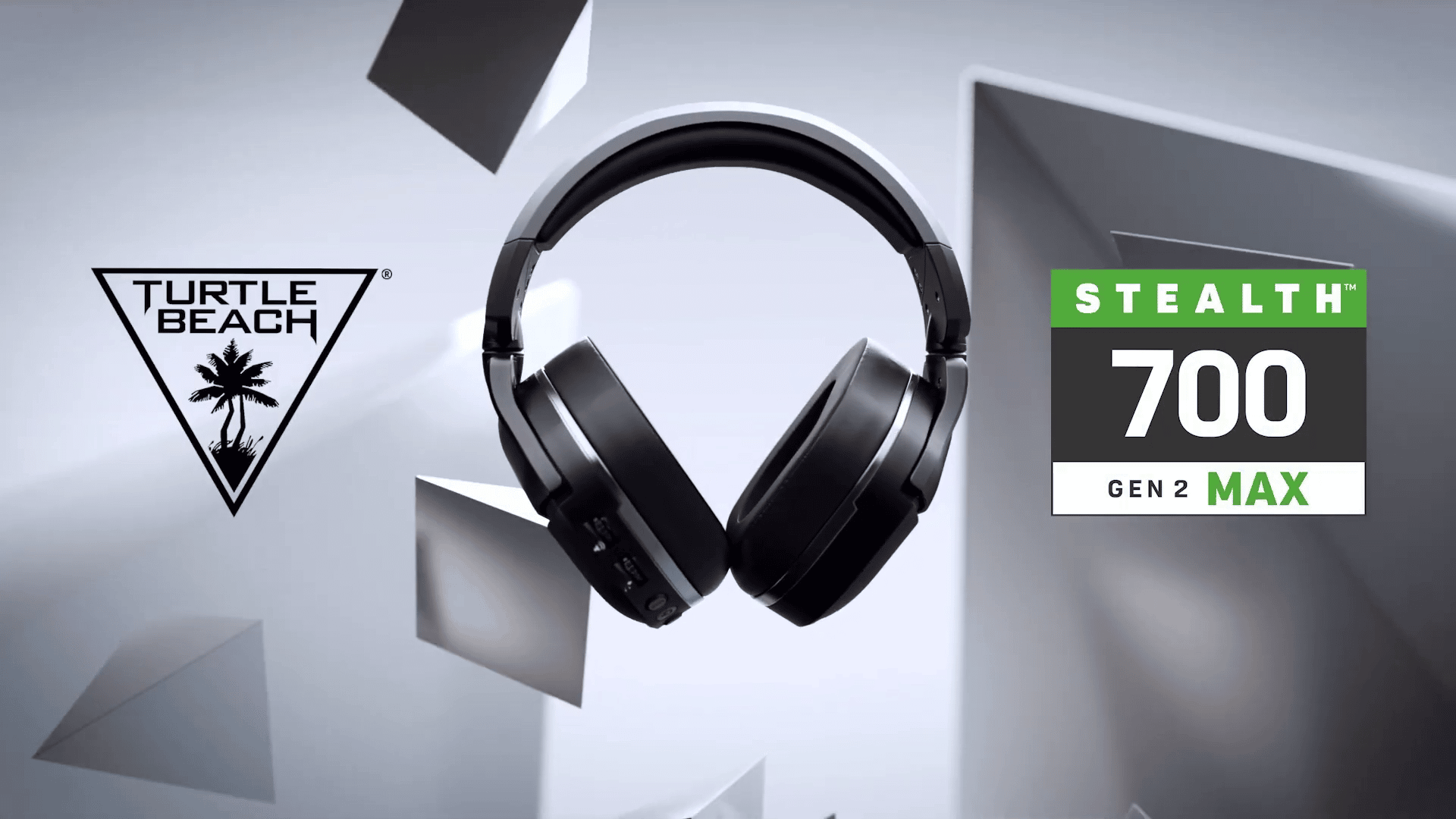
Turtle Beach Stealth 600 Gen 2 Max and Stealth 700 Gen 2 Max Review – Turtle Power

Turtle Beach is back, and this time with yet another exciting new revision to their Stealth 600 and 700 series of headsets. The “Max” versions of the Stealth series offer better quality, better sound, and built with consoles in mind, The question is: does it deliver? Here’s our review of the new Stealth 600 Gen 2 Max and Stealth 700 Gen 2 Max.

The Design

In the looks department, I have to say that the Turtle Beach Stealth 600 and 700 Gen 2 MAX is remarkably beautiful. Don’t get me wrong, it’s very plain when you first look at it from pictures and promotional material, but I assure you, in person it looks and feels like a premium product.

The exterior is covered in a nicely matted plastic finish, and while that may scream “cheap” and “non-durable,” it is anything but. It feels well built, as if the intentions were to make sure that it would last a lifetime. It’s not bulky either, comparable to the size of my PlayStation 3D Pulse headset. Now there is surprisingly some weight, but the memory foam underneath the band as well as around the ear cups help cushion that to the point where you probably won’t notice. It’s a snug and comfortable fit

Both ear cups also have hinges to rotate in and out, as well as up and down. It’s a nice design choice, one I’ve been fond of in past Turtle Beach headsets, as well as the ROCCAT line. And I mentioned before that both ear cups have memory foam cushioning, which are wrapped in a leather-like material. Looking inside the ear cups themselves however, you can actually see the speakers and its internal components as there is a transparent film of fabric over it. It’s not a big thing, but I do like that from a style standpoint, even if you only see it when you take them off.

On the left ear cup you’ll find all the bells and whistles of dials and buttons. There are two volume controls, one for game, and the other for chat, and then there’s the Bluetooth (700 model only) pairing button, and the mode button to toggle Superhuman Hearing. I’ll dive into that stuff a bit later, but in terms of accessibility, it’s all there out of the box, no additional software needed or leaving it up entirely to the consoles themselves.

What I love the most though is how the microphone is carved into the ear cup itself, allowing you to easily swing it down when you want to use it, or hide it completely without the need of removing it. I do like it when you can remove the microphone, but that’s mostly because a majority of sets out there don’t have a good way of hiding it. It either stays stuck out, or rotates awkwardly. If they are removable then you have to worry about potentially losing it, which I’m sure some of you have before. Mind it’s not the most flexible of microphones out there with a small angle adjustment, but it is positioned in a great spot where it’ll always pick up your voice. And again, if you aren’t someone who uses the mic, you can flick it to the up position and it will automatically be muted (an audible mute,) so you can play without the worry of someone hearing you.

Now if there is a complaint that I do have, then it’s the tightness around the ear cup. While the cushioning is comfortable, I found there to be a bit too much pressure around the ears during my first time wearing. I’ve gotten used to it, but there is definitely noticeable pressure. I’m not sure if it’s because of the banding not really being flexible, thus exerting too much around the ears, but as a warning if you have a large head you may find a bit of discomfort. It does do a great job at blocking outside sounds though, so there is a reason why that pressure is there, and like I said, I did get used to it after use, so it may just be the case of “breaking it in.”

Stellar Performance at Your Full Control

Perhaps what makes both the Turtle Beach Stealth 600 and 700 Gen 2 Max such a darn good pair of headsets is by far, the way they sound. I mean these are headsets, so it comes with the expectations that they would sound great, but to be able to be used across a variety of systems so seamlessly, without any sacrifices in its quality is a big thing. I’ll use my PC a lot for productivity (video and audio editing) and gaming, and I found that both the 600 and 700 are able to meet those needs, as sounds come in high, crystal clear tones. 

And while not the most option filled, the Turtle Beach Audio Hub App is an absolute must for console gamers. Being a PC gamer, I get the benefits of having access to a wide variety of options to better suit my audio needs. However, when I do play games on consoles I like that Turtle Beach gives me a bit of that power with their own apps. Again, it doesn’t have a lot of options that you would get on the PC side of things, but being able to adjust certain perimeters makes a difference. That goes without saying that both the 600 and 700 Gen 2 Max are great out of the box, but the app is definitely a worthwhile feature as it gives you access to things like Superhuman Hearing volume, mic monitoring, chat boosts, and even being able to remap the chat wheel to something else like full volume control for Superhuman Hearing, mic monitoring levels, and even Bluetooth volume. It’s great, I’ve never seen that as an option on a headset to remap specific buttons and dials, at least for console use.

Sticking to the subject of consoles, both the Stealth 600 and 700 Gen 2 Max support 3D Audio on PS5 and Dolby Atmos on the Xbox. They make great use of those audio technologies and for someone really looking for a headset that takes full advantage of these features, especially on the Xbox, then you can’t go wrong with either of these sets.

The 600 Gen 2 Max and 700 Gen 2 Max Difference

Now you may be wondering what the big differences are between both the 600 and 700 Gen 2 Max headsets, and honestly, it’ll all boil down the preference here. Both headsets offer incredible sounds, and they both share wireless connectivity via dongle with the 700 having Bluetooth support. In terms of battery life, they both are capable of supplying an astonishing 40-hours of usage, with the 600 having a bit more juice in its charge. 

However, despite looking the same, the 700 is without a question the better build. It has metal-reinforced banding, whereas the 600 is fully plastic. The ear cushions are also noticeably more comfortable, as well as have a cooling effect in the 700 series. That’s not to say that the 600 isn’t comfortable by any means, just when compared to the 700 there is a big difference.  As for the audio and microphone, the 700 inches out, but barely. They’re both superb in sound quality, but we found the microphone in the 700 to be a tad better.

The biggest difference, however, is the pricing. The 600 Gen 2 Max will run at a MSRP of $129.99 while the 700 Gen 2 Max MSRP at $199.99. A $70 price tag difference, but I suppose the 700 Gen 2 Max earns that due to the built quality and overall improved functionalities.  

Verdict

Outside of the initial ear cup tightness, I don’t have much in terms of negativity about these sets. They’re excellent, and maybe in fact amongst the best headsets I have ever used on consoles. Comfortable, as well as sleek and beautiful in their design, with their performance being a true knock-out with superbly clean audio and a well quality mic. The battery life is just perfect too, though we aren’t against Turtle Beach coming back with a longer lasting one down the road. 

I highly recommend either of the sets, but if you want a big more quality and more bang out of your buck, then the Stealth 700 Gen 2 Max is well worth the extra price. 


Pros:

  • Overall design is beautiful, and comfortable. 
  • Spectacular speakers.
  • Microphone quality, with easy built-in headphone storage.
  • Battery life in both 600 and 700. 
  • 700 model – Bluetooth support, and in general, a worthwhile improvement over the 600 series.
  • Built with console usage in mind. App is easy to use and offers well welcomed features for console players.

Cons:

  • Some tightness, which will vary from user to user.  

Turtle Beach Stealth 600 and 700 Gen 2 MAX hardware was provided by the manufacture for review purposes. You can read MP1st’s review and scoring policy right here.


Avatar photo

James Lara

A gamer at heart, James has been working for MP1st for the last decade to do exactly what he loves, writing about video games and having fun doing it. Growing up in the 90's gaming has been in his DNA since the days of NES. One day he hopes to develop his own game.

╳