Double Eleven has released Rust update 1.98 on consoles, and this adds a new vehicle in Tugboats and ping feature for binoculars. There are also various fixes as well, which are listed in the game’s patch notes for June 27.
Rust Update 1.98 Patch Notes for June 27:
ADDED
TUGBOATS – A new vehicle that you can place items on, like barbecues, chests, and furnaces! The Tugboat behaves much like the Rowboat or RHIB, but they cannot be purchased from the Fishing Village and must be acquired from the Harbors.
PINGS – Equip your Binoculars and add up to 5 in-game markers that your whole team can see (if you are the team leader). These markers will also appear on your compass!
COMMUNITY SERVER CHANGES
Player now respawns where they were when they started Spectating.
Team member names are no longer too short in Spectate mode.
Fixed a crash that could occur when switching spectated targets while in first person view.
Submarines no longer wobble and shake when in Spectate mode.
Spectators are now able to see CHIPPY gameplay in Spectate mode.
Player no longer sees flickering effects when observing/spectating CHIPPY players.
Bubble effects can now be seen when in Spectate mode in Submarines.
GAMEPLAY
Fixed a bug that let players attach multiple of the same attachment on a weapon affecting its functionality and stats by using Metal Shop Front or Locker.
Players can now move properly on wood, stone and metal roof pieces with the Hammer equipped.
Auto sprint now applies to Boats and Submarines.
Fixed a kick that could occur when falling from a ledge in a wounded state.
Stairs inside the warehouse at the Water Treatment Plant now work as intended.
Added Weapon Inspect gestures for the Crossbow and Speargun.
Fixed a bug that allowed players to go through terrain/icebergs by playing a foundation on a RHIB or by using External Stone/Wood Gate.
Fixed a kick that could occur when turning on broadcasting for Vending Machines.
UI
Vending Machines cluster menu now updates after the player toggles broadcasting.
Map button UI no longer persists across other tabs after closing the Map with the legend open.
Hidden Map controls on the Death Screen no longer appear after looking at a respawn point.
Deleting an old marker will no longer snap the map focus to the next most recently placed.
The Death Screen map no longer moves erratically when zoomed in.
Zoom In/Out speed is now consistent and ties to console framerate.
Map marker no longer off screen when zoomed in.
Marker snap and election radius is correct size at close zoom levels.
Map cursor now focuses on the player’s position whilst wounded and not the cursor.
Moonpool icons are no longer missing from the multi-layer map.
Players can now remove Map Markers placed on their death point.
Balanced the speed of the Map cursor..
UI for players submerged underwater now shows in HUD when submerged by crouching.
VISUAL
Certain props no longer float in mid-air in Underwater Labs.
NPC models now have the correct eye model.
Player hands now line up correctly when playing CHIPPY.
Underwater CCTV displays no longer appear submerged.
OTHER CHANGES
Directional audio is now smoothed correctly for Submarine SFX.
Correct SFX now plays when switching seats in the Duo Submarine.
KNOWN ISSUES
Junkpiles can rarely spawn in water where Tugboats are.
Tugboat Information Screen is hard to read at higher FOV.
Small Oil Rig monument’s name is not displayed on the map.
Underwater Labs PvP Killzone does not function properly.
FPS drops when looking directly at Tugboat’s wake effect while moving.
FPS drops when Tugboats collide around the side-mounted ladder area.
Mounting a chair on Tugboats displays the “Change Seat” prompt and will sometimes cause players to die if they then stand up afterwards.
Shooting at players on Tugboats when both Tugboats are moving will sometimes register as projectile_los.
Removing Sleeping Bags from a cluster then dying may cause the death screen list to move out of bounds.
Illfonic has released Killer Klowns From Outer Space: The Game update 1.009 on all platforms this June 27, and this is for patch version 1.2.0 that brings fresh new cosmetics and a bunch of improvements as well.
Killer Klowns From Outer Space: The Game Update 1.009 Patch Notes for Version 1.2.0:
New DLC Cosmetics
Human Summer Outfit Pack
The sun is out, and the beaches of Crescent Cove are brimming with energy! Gear up for the Klown invasion with this assortment of summer themed human cosmetics! This DLC includes summer themed tops, bottoms, hats, and eyewear. All items are purely cosmetic and do not alter gameplay.
Infernal Ranger
As a Dark Jester, more than just laughter is needed to satisfy this Klown. Nothing is more funny to Slappy than the sounds of humans fleeing in terror. Slappy is a special character skin for the Tracker Klown Type and is only cosmetic.
Changes and Improvements
General
The Matchmaking Preference System is now available
Added an accessible In-Game Friends List to the Pause Menu while in a match
In the private match menu, the Map Selection buttons are now clickable
Disabled door interactions while doors are mid-animation
Updated Klownpocalypse VFX
Player HUD will now be hidden at the end of a match
Gameplay
Introduced a delay to stamina regeneration for all Klowns and Humans
Increased total stamina pools and stamina regeneration for all Klowns and Humans
Adjusted spawn points so Humans and Klowns should no longer spawn or resurrect near each other
Humans
Made adjustments and fixes to the Human Archetype stats
Increased drop rates on Hand of Fate card rarities. Players will now have increased odds for better drops
Adjusted and polished animations for:
Human movement while crouching
Gas Can interactions
Bunker Keypad interactions
Klowns
Increased EXP Rewards for:
Cocooning a Human
Assisting in cocooning a Human
Hooking a cocoon containing a live Human
Hitting a Human with a cocoon
Adjusted and polished animations for:
Klown Mallet combo
Klown Raygun
Invisible Car left and right turning
Improved Lackey pathing so Lackeys are less likely to get stuck
Bouncecaster projectiles will now explode upon impact with Lackeys
Added some visual flashing to the progress bar while cottonizing an objective
Added a camera angle for Shoe customization
Adjusted SFX of the Mallet Charge attack
Klown Types
Klown Type “Trapper” renamed to “Hunter”
Game balance was hindered noticeably with Klown Traps, and at the end of the day it is about making the best game experience for everyone. The name change came to better represent the Klown Type.
Increased the Tank Klown’s walk and run speed
Increased the Hunter Klown’s total stamina pool
Increased the Ranger Klown’s walk and run speed
Reduced the Stamina Drain on the Brawler Klown
Adjusted the Brawler Klown’s Stamina stat display
Reduced the speed of backwards sprinting on Klowns
Reduced the speed penalty from light stuns on Klowns
Klown Weapons
Increased damage of the Gobstopper Flail’s primary melee attacks
Improved hit detection on the Gobstopper Flail
Klown Tricks
Increased LOL Trick’s healing speed
Adjusted the LOL Trick to start its duration timer after the casting animation completes
Adjusted the Balloon Dog Trick to start its duration timer after the casting animation completes
Bug Fixes
General
Various crash fixes
Fixed an issue that was causing Challenges to not track or complete while playing on dedicated servers
Fixed an issue where players would appear to fall through the floor when vaulting or silently crossing windows
Addressed an issue that was causing lobbies to have more than 7 Humans in a game
Fixed an issue where players joining a match in-progress would incorrectly see the Bridge escape barricaded after it had already been opened
Fixed an issue where players joining a match in-progress would incorrectly see the Bunker escape as usable, after it had already been used
Fixed an issue where players were not able to save their Party Privacy settings
Fixed an issue where players could take fall damage upon spawning or respawning
Fixed an issue that was causing interaction animations to not play properly for hosts
Fixed interact animation not playing for the host when stopped and quickly started
Fixed an issue where a Human’s character model would appear in front of a hiding spot for a moment before exiting the hiding spot
Fixed an issue where interaction UI could get stuck on a player’s screen if the interaction was interrupted or moved out of range
Fixed and polished various audio issues
Fixed an issue where the Portal escape VFX would only appear for the host of the match
Fixed an issue where players were able to rotate their characters in the customization menu even after they had let go of the left-mouse-button
Fixed an issue where players were not seeing voice transcriptions if they were not the host of the lobby
Fixed an issue where voice transcription text was popping up from audio that was playing out of range of players
Klowns
Fixed an issue where Klowns were able to see Flashlights when in the Klown Jump View Mode
Fixed an issue where the Pentashot would not properly cottonize Humans while they were being grabbed by a Lackey
Fixed an issue where the firing animation for the Gigaray would sometimes not properly play
Fixed an issue where Klowns were not able to use the Pizza Box Trick in certain areas
Fixed an issue where Klowns could get soft-locked if they tried to use the Pizza Box Trick while picking up a cocoon at the same time
Fixed an issue that was causing a Klown’s VOIP to stop working properly after they used the Pizza Box Trick
Fixed an issue where Klowns could not see other Klown’s name tags
Fixed an issue where sometimes while trying to Klown Jump indoors, Klowns were not receiving a prompt telling them you cannot jump indoors
Fixed an issue where Klowns could get EXP for hitting a dead Human body with a thrown cocoon
Fixed an issue where if the Tank was carrying a cocoon, the “Drop” icon would flash
Humans
Fixed an issue where Humans would not earn XP or Challenge progression when hitting or shooting a Klown and causing them to drop a cocoon
Fixed an issue where Humans would get stuck after being grabbed by a Lackey and then stunned by a Klown
Fixed an issue where the Human’s walk animation would not play correctly after being Lured out of a Boat
Fixed an issue where ammo amounts would be randomized if ammo was dropped from inventory
Fixed an issue where Human cameras could get stuck zoomed in after crouching and aiming using a Revolver or Shotgun
Fixed an issue where Human escape animations were playing incorrectly
Fixed an issue that was causing Humans to see incorrect camera angles while hiding in a hiding spot
Fixed an issue where stamina would continue to drain while hiding in a hiding spot
Fixed an issue where Humans would see remaining health after they had been killed
Fixed an issue where dead Human players could not spectate Bot Humans
Fixed an issue where Humans would not receive a hitmarker for hitting Lackeys with guns
Fixed an issue where, as a Human dropping your melee items could sometimes make them stand up vertically
Fixed an issue where Humans would appear standing up after Emoting while waiting in the Boat escape
That’s about it. Once Illfonic releases another patch, we’ll let our readers know.
It seems another video game company company has been hacked, and this time, it’s Kadokawa Corporation, the owner of FromSoftware and Acquire.
The hacking group gave a deadline of July 1, 2024 and if their ransom isn’t met, they will release 1.5TB of data which consists of:
Contracts
DocuSigned papers
Various legal papers
Platform users related data (personal info, payments, emails, contracts, etc.)
Business plans (presentation, emails, offers)
Project-related data (coding, emails, payments, etc.)
Financial data (payments, transfers, planning, etc.)
Other internal-use-only papers and confidential data
According to the message by the hackers, they contacted Kadokawa management to make a deal with them regarding data protection and network decryption. Per the hacking group, “First of all, Kadokawas IT department detected our presence within the network 3 days before we had encrypted the network. Admins tried to kick us out from the network, one of our server IP’s was blocked, they have tried to change admin credentials, but we have managed to set undetectable access to the network. We have continued downloading even after Kadokawa admins detected us. They were unable to detect and stop outgoing traffic, because our downloading scripts kept working even after the server’s IP was blocked. 1 day before encryption we have detected enormous Kadokawa admins activity trying to stop us unsuccessfully.”
The group adds that they are people of business and are only interested in money. While Kadokawa has tried to settle, the group said the amount of money offered is extremely low for “this kind of company.” Furthermore, the group is offering their help to make Kadokawa’s network better.
You can check out the complete letter by the hackers below:
While there is the obvious risk of video game assets, plans and whatnot being compromised if this hack is legit, that’s nothing compared to the lives of people who’s data will be made public, and that isn’t just the employees, as the data suggests it involves clients, and other people as well.
No word yet on what Kadokawa has to say about this, but if the company announces anything, we’ll let our readers know.
This ransomware for FromSoftware’s parent company comes hot at the heels of Elden Ring’s Shadow of the Erdtree release. Earlier today, Bandai Namco Entertainment, publisher of Elden Ring, announced the DLC has already sold-in five million units in its first three days of availability.
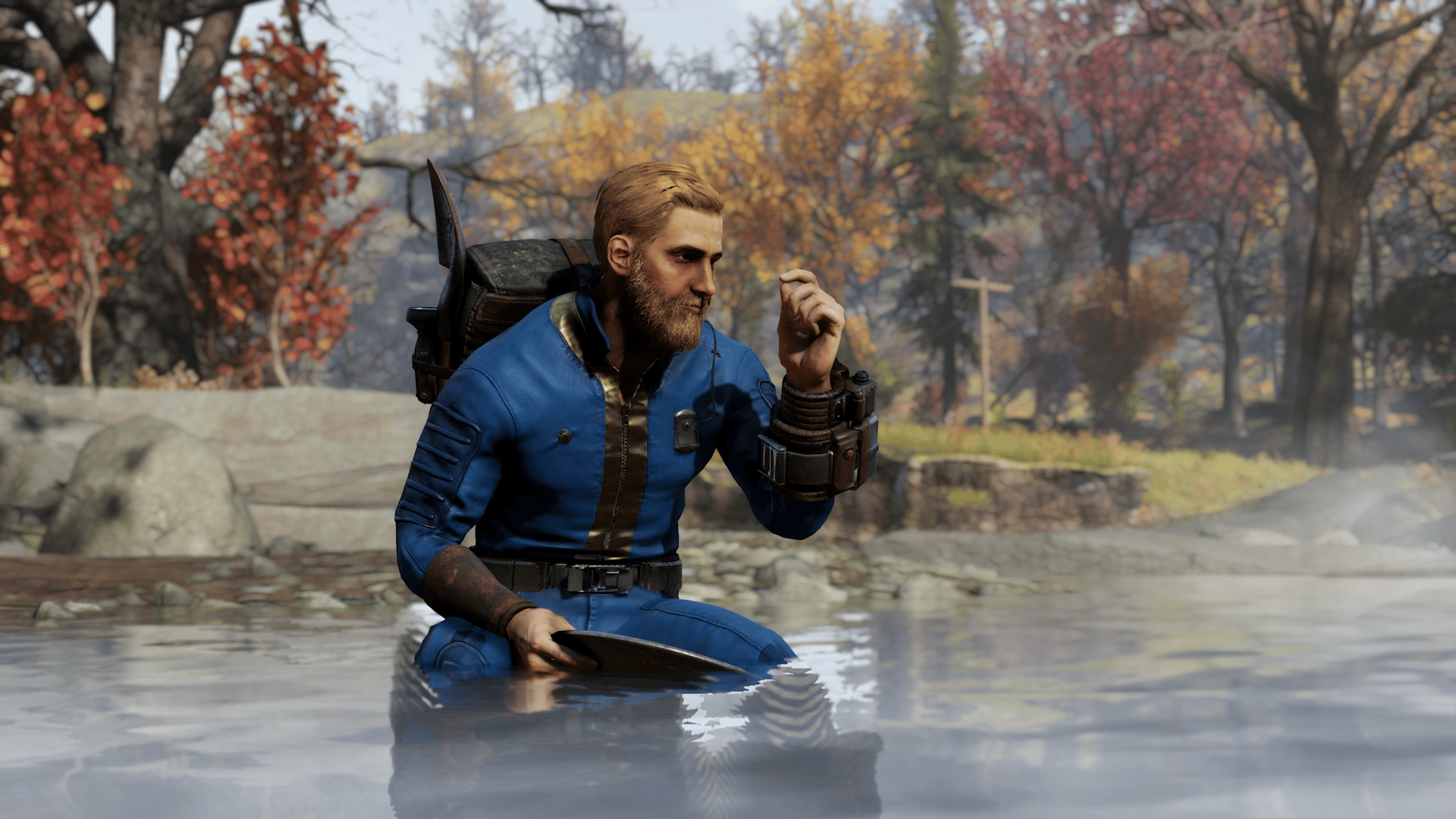
Those on Xbox and PC, Bethesda has released the Fallout 76 update for June 27, and it makes the pickaxe be craft-able again! This patch was released during today’s maintenance and is a small download for both platforms.
Pickaxes can once again be crafted and will drop as loot
Given we just got the big Skyline Valley patch, don’t expect any major new content to be released in the foreseeable future.
If there are any changes made not mentioned above, we’ll update the article to reflect it. For players who notice something that got changed or fixed, leave a comment below and let us know.
As part of today’s maintenance, NetherRealm Studios has pushed out the Mortal Kombat 1 update for June 27 on all platforms, and this seems to be a server-side patch (no download required). Read on for everything that got changed in terms of the fighters.
Mortal Kombat 1 Update for June 27 Patch Notes:
Character Specific Adjustments
Main Fighters
Geras
Inevitable now has 21 start-up frames (down from 26)
Timefall (Away + Back Kick) now recovers 2 frames faster
Adjusted Hit Regions of Sandstorm making it easier to send the opponent forward
Increased the maximum range that Colliding Worlds (Fatal Blow) can teleport
Havik
Chaos Kick (Back Kick) now recovers 1 frame faster
Dislocated (Front Kick) now has 13 start-up frames (down from 15)
Drop Dead (Towards + Front Punch, Front Kick) now recovers 15 frames faster & has 10 less frames of blockstun
Johnny Cage
Show Off Parry now has 8 start-up frames (up from 6)
Enhanced Show Off Parry now has 4 start-up frames (up from 0) & has 15 more recovery frames
Show Off & Enhanced Show Off can no longer be delayed
Shadow Kick & Enhanced Shadow Kick now has 10 start-up frames (up from 8) & has 2 more frames of recovery on miss
Kitana
Reduced the combo damage scaling of Square Wave & Enhanced Square Wave
Li Mei
The first attack in Pankration Champion (Back Kick, Front Kick, Back Punch, Front Punch) now has 16 start-up frames (down from 19)
Sky Lantern after being ignited by Nova Blast now hits Mid (was High) & causes 10 more blockstun with slightly increased pushback
Lion’s Pounce (Towards + Front Kick) now has 3 more active frames & recovers 7 frames faster
Nitara
Must Feed (Front Punch, Back Punch, Back Kick) can now be 2in1 cancelled & does 20 less damage
Reptile
Devastating Blow (Away + Back Punch) now recovers 4 frames faster & has 5 more frames of blockstun
Devastating Blow Charge (Away + Back Punch, Hold Back Punch) & Devastating Blow Charge maximum (Away + Back Punch, Hold Back Punch) now recover 5 frames faster
Tail Of Two Hities (Back Punch, Back Kick) & Sneaky Lizard (Towards + Back Punch, Back Kick) now recovers 3 frames faster on hit & has 5 more blockstun frames
Acid Spit, Enhanced Acid Spit, Acid Spit Ball, & Enhanced Acid Spit Ball now have 5 more blockstun frames
Sub-Zero
Freezing Point (Towards + Front Punch, Back Punch, Front Kick) is now -7 on block (down from -12)
Blistering Blizzard (Back Punch, Front Punch) now recovers 2 frames faster & has consistent combo damage scaling for Airborne & Grounded opponents
Scorpion
Heavy Knee (Towards + Front Kick) cancel frame is now 2 frames earlier & has 1 less recovery frame
Fire Pillar Thrust (Towards + Front Kick, Back Kick) now has 18 startup frames (down from 19)
Peacemaker
Activate Human Torpedo! & Enhanced Human Torpedo! now have 16 start-up frames (up from 12) & 13 more frames of recovery on miss
Activate Human Torpedo! no longer causes stumble animation when blocked & has 10 less frames of blockstun
Beautiful Bird Bullet now has 10 less frames of blockstun with less pushback on block
Ground-Air Offensive now has 5 less frames of blockstun with less pushback on block
Activate Force Field now has 30 more frames of recovery
Anti-Gravity’s attack now does 35 damage on block (down from 50)
Kameo Fighters
Kameo Sonya
Leg Grab now has 25 start-up frames (down from 29), hits Overhead (was Mid), & is +1 on block (up from -9)
Kameo Stryker
Fixed an issue where the 2nd Grenade in Low Grenade Toss & High Grenade Toss could sometimes have additional combo gravity
Kuffed now has 9 less frames of recovery on miss, is +1 on block (up from -9), & Stryker reaches slightly farther for the opponent
Kameo Motaro
Adjusted teleport location when Main Fighter isn’t facing the opponent
While there’s no new content inbound for Sucker Punch Productions’ samurai action game, that hasn’t stopped the studio from releasing patches for it. Today, Ghost of Tsushima update 2.23 (PS5 version 2.023) is now available, and this once targets the Legends multiplayer mode.
It includes updates that target matchmaking reliability.
The past few patches have also been released to target matchmaking and even crossplay functionality, and sometimes, stability.
At this point of the game’s lifecycle, even if the PC version just got released, we’re not expecting anything for both the single-player and multiplayer mode. That said, we are expecting a sequel announcement, which we’re hoping happens sometime this year.
Ghost of Tsushima was released back in 202 on the PS4 to critical praise. Our own review speaks highly of it, with yours truly stating, “If Ghost of Tsushima is the swan song game for the PS4, then it ends with a whirlwind of slashes, and it gives Sucker Punch the franchise it’s aiming for that stands toe to toe with the likes of God of War, Uncharted, and the rest of Sony’s impressive first-party studio games lineup.”
Talesworlds Entertainment has pushed out Mount & Blade 2: Bannerlord update version 1.2.10 on PC, and this brings a load of fixes on multiplayer and single-player. Read on for the complete patch notes for the game’s June 27 title update, and is the first patch in about three months.
Mount & Blade 2: Bannerlord Update Version 1.2.10 Patch Notes:
Singleplayer
Crashes
Fixed a crash that occurred in encyclopedia when switching between characters quickly.
Fixed a crash that occurred when assigning a commander to a formation during the Order of Battle phase.
Fixed a crash that occurred due to a multithread issue during siege and hideout missions.
Fixed a crash that occurred during a conversation with a freed prisoner if multiple prisoners had been saved from the enemy party.
Fixed a crash that occurred when assisting a settlement under siege while a peace vote was under way between the factions.
Fixed a crash that occurred during the destruction of cloth meshes.
Fixed a crash that occurred when trying to drag two objects at the same time (as a result of Alt+Tabbing).
Fixed a crash that occurred when refreshing texts.
Fixed a crash that occurred when refreshing map nameplates.
Fixed a crash that occurred when pressing the “Click to continue” button during the very first frame of a map conversation.
Fixed a crash that occurred when setting a hotkey in Options.
Fixed a crash that occurred when refreshing battle menus after a peace declaration.
Fixed a crash that occurred when entering a battle against bandits.
Fixed a crash that occurred when loading a save file that contained an item from a deleted crafting template.
Fixed a crash that occurred when using the “Manage Prisoners” game menu option in castles.
Fixed a crash that occurred when leaving a settlement while having the town management menu open.
Fixed a crash that occurred while hovering over highlightable rich texts.
Fixed a crash that occurred when a kingdom tried to make a decision related to an eliminated kingdom.
Fixed a crash that occurred when trying to “Sell All” on an equipped item.
Fixed a crash that occurred when declaring peace via the Kingdom screen and doing the Save & Load immediately after.
Fixed a crash that occurred when assigning a hero to a claimed alley.
Fixed a crash that occurred when loading a save file.
Fixed a crash that occurred when sieging a settlement as an army member.
Fixed a crash that occurred when joining an army through the conversation with the army leader inside a settlement.
Fixed a crash that occurred when starting a conversation via the “Visit” button.
Fixed a crash that occurred when visiting the target village during the “Snare The Wealthy” issue quest.
Fixed a crash that occurred when using the “Wound all enemies” cheat.
Fixes
Fixed a bug that caused donated troops and prisoners to stay in your party.
Fixed a bug that prevented certain crafting recipes from producing legendary items.
Fixed a bug that caused some clans to have heroes of other clans as their leaders in older saves.
Fixed a bug that caused parties to abandon their army when the army leader was inside a settlement under siege.
Fixed a bug that caused parties/armies to continue besiegeing the settlement even in the presence of a larger threat nearby or when that was otherwise no longer logical.
Fixed a bug that prevented the “Coming of age” notification from appearing.
Fixed a bug that prevented some companions from being listed on the party role selection list.
Fixed a bug that prevented the “Preventive Medicine” perk from healing you after performing some hostile actions against villages.
Fixed a bug that prevented the assigned governor from teleporting to the target settlement.
Fixed a bug that caused the brother and sister to spawn when they reached 18, even if they were not rescued.
Fixed a bug that caused the game to get stuck after finishing a siege while having an active “Lord Needs Horses” issue quest.
Fixed a bug that caused numeric input fields to be unresponsive to a certain digit, if that digit was the last remaining one and was previously erased.
Fixed a bug that prevented the “campaign.add_attribute_points_to_hero”, “campaign.declare_peace”, and “campaign.declare_war” cheats from working correctly.
Fixed a bug that caused a defending army in a siege to disperse without a valid reason.
Fixed a bug that caused breakout mechanics calculations to use player army count instead of the player party count when the player is not the army leader.
Changes
Reduced the loading time on consoles.
Multiplayer
Crashes
Fixed a client crash that occurred when you switched sides.
Fixes
Fixed a bug that prevented the lobby screen friends list from being updated correctly.
Fixed a bug that caused taunts and cheers to still receive inputs when holding the cheer button even after the radial menu had been closed.
Siege Scene Fixes
Ayzar Stronghold
Fixed a bug that allowed you to use the right-side ballista while in cover behind the palisade.
Fixed a bug that allowed players to walk on top of a destroyed wall near the attackers’ spawn.
Fixed a bug that caused players to get stuck inside the wooden columns on some castle walls.
Castle of Fen Altai
Fixed a bug that allowed you to climb the big rocks on the right-side in order to back cap the G flag.
Fixed a bug that allowed players to walk on top of the well.
Fixed a bug that allowed players to reach the warehouse roof by jumping on the shelves.
Baravenos Encirclement
Fixed a bug that allowed players to walk into the castle windows.
Fixed a bug that allowed players to reach spawn and character selection locations.
Skala Landings
Fixed a bug that allowed players to walk through an inaccessible door.
Fixed a bug that caused players to get stuck on the castle walls.
TeamDeathMatch Scene Fixes
Tsagaan Castle
Fixed a bug that caused players to get stuck between a barrel.
Fixed a bug that allowed players to jump over barrels to reach inaccessible locations of the castle wall and roofs of certain buildings.
Fixed a bug that allowed players to jump and get stuck between the walls and props.
Fixed a bug that caused players to get stuck between carts and walls.
Fixed a bug that caused players to get stuck between the barrels and fences.
Fixed a bug that allowed players to walk on the castle walls via the props near them.
Fixed a bug that allowed players to walk through a scene prop.
Fixed a bug that allowed players to jump and bypass the map barrier near the edge of the map.
Fixed a bug that caused players to get stuck between the castle merlons.
Fixed a bug that allowed players to attack other players while inside of a tent (outside the castle).
Harbour of Ovsk
Fixed a bug that allowed players to walk on top of the roof of a building.
Nord Town
Fixed a bug that allowed you to fire your bow/crossbow from an unreachable spot inside a house.
Fixed a bug that caused players to fall in between the walls and the props.
Fixed a bug that allowed players to walk inside of an inaccessible building through a window.
Fixed a bug that caused horses to get stuck between the small planks located on the road.
Fixed a bug that allowed players to reach the top of the shelves and get stuck.
Skirmish Scene Fixes
Zendyar
Fixed a bug that allowed players to jump and walk through some cliffs.
Fixed a bug that caused players to drop through the map while on a mount.
Fixed a bug that caused players to walk unevenly over some props.
Fixed a bug that allowed players to walk on top of some rocks.
Xauna
Fixed a bug that allowed players to walk and climb the tower walls.
Trading Post
Fixed a bug that allowed players to drop down and walk on top of some walls.
Fixed a bug that allowed players to jump down and not take any damage on some locations.
Fixed a bug that caused stray mounts to get stuck and block the stairs on Flag B.
Fixed a bug that caused mounts to get stuck between stair walls while jumping.
Port at Omor
Removed an object located outside of the playable area that was causing a graphical glitch.
Fixed a bug that caused players to get stuck while jumping with a horse on some props.
Fixed a bug that prevented players from accessing the wooden walkway near the beach.
Fixed a bug that allowed players to walk near the camera location where classes are selected.
Town Outskirts
Fixed a bug that allowed players to jump and get stuck inside a wall.
Fixed a bug that allowed players to jump glitch through some prefabs on the map.
The console versions should be getting the patch soon once the “remaining obstacles” have been resolved according to Talesworlds.
NetherRealm Studios has performed a fatality on the Mortal Kombat 1 servers, as it’s temporarily down and offline this June 27! This is to usher in a patch that touches on fighter balance changes.
Mortal Kombat 1 Down for Server Maintenance Schedule for June 27:
Here’s what NetherRealm announced regarding today’s downtime:
Start: 8 am PT/10 CT/11 am ET/11 pm HKT
Duration: Unspecified but usually lasts for 2-3 hours
Read on below for the fighter changes made in today’s MK1 update via NetherRealm:
Character Specific Adjustments
Main Fighters
Geras
Inevitable now has 21 start-up frames (down from 26)
Timefall (Away + Back Kick) now recovers 2 frames faster
Adjusted Hit Regions of Sandstorm making it easier to send the opponent forward
Increased the maximum range that Colliding Worlds (Fatal Blow) can teleport
Havik
Chaos Kick (Back Kick) now recovers 1 frame faster
Dislocated (Front Kick) now has 13 start-up frames (down from 15)
Drop Dead (Towards + Front Punch, Front Kick) now recovers 15 frames faster & has 10 less frames of blockstun
Johnny Cage
Show Off Parry now has 8 start-up frames (up from 6)
Enhanced Show Off Parry now has 4 start-up frames (up from 0) & has 15 more recovery frames
Show Off & Enhanced Show Off can no longer be delayed
Shadow Kick & Enhanced Shadow Kick now has 10 start-up frames (up from 8) & has 2 more frames of recovery on miss
Kitana
Reduced the combo damage scaling of Square Wave & Enhanced Square Wave
Li Mei
The first attack in Pankration Champion (Back Kick, Front Kick, Back Punch, Front Punch) now has 16 start-up frames (down from 19)
Sky Lantern after being ignited by Nova Blast now hits Mid (was High) & causes 10 more blockstun with slightly increased pushback
Lion’s Pounce (Towards + Front Kick) now has 3 more active frames & recovers 7 frames faster
Nitara
Must Feed (Front Punch, Back Punch, Back Kick) can now be 2in1 cancelled & does 20 less damage
Reptile
Devastating Blow (Away + Back Punch) now recovers 4 frames faster & has 5 more frames of blockstun
Devastating Blow Charge (Away + Back Punch, Hold Back Punch) & Devastating Blow Charge maximum (Away + Back Punch, Hold Back Punch) now recover 5 frames faster
Tail Of Two Hities (Back Punch, Back Kick) & Sneaky Lizard (Towards + Back Punch, Back Kick) now recovers 3 frames faster on hit & has 5 more blockstun frames
Acid Spit, Enhanced Acid Spit, Acid Spit Ball, & Enhanced Acid Spit Ball now have 5 more blockstun frames
Sub-Zero
Freezing Point (Towards + Front Punch, Back Punch, Front Kick) is now -7 on block (down from -12)
Blistering Blizzard (Back Punch, Front Punch) now recovers 2 frames faster & has consistent combo damage scaling for Airborne & Grounded opponents
Scorpion
Heavy Knee (Towards + Front Kick) cancel frame is now 2 frames earlier & has 1 less recovery frame
Fire Pillar Thrust (Towards + Front Kick, Back Kick) now has 18 startup frames (down from 19)
Peacemaker
Activate Human Torpedo! & Enhanced Human Torpedo! now have 16 start-up frames (up from 12) & 13 more frames of recovery on miss
Activate Human Torpedo! no longer causes stumble animation when blocked & has 10 less frames of blockstun
Beautiful Bird Bullet now has 10 less frames of blockstun with less pushback on block
Ground-Air Offensive now has 5 less frames of blockstun with less pushback on block
Activate Force Field now has 30 more frames of recovery
Anti-Gravity’s attack now does 35 damage on block (down from 50)
Kameo Fighters
Kameo Sonya
Leg Grab now has 25 start-up frames (down from 29), hits Overhead (was Mid), & is +1 on block (up from -9)
Kameo Stryker
Fixed an issue where the 2nd Grenade in Low Grenade Toss & High Grenade Toss could sometimes have additional combo gravity
Kuffed now has 9 less frames of recovery on miss, is +1 on block (up from -9), & Stryker reaches slightly farther for the opponent
Kameo Motaro
Adjusted teleport location when Main Fighter isn’t facing the opponent
Kameo Mavado
Increased base health value to 250 (from 200)
If there are any other changes made, we’ll update the article to reflect it. Don’t forget to check out this recent datamine where it mentions T-1000, Ghostface and more as upcoming DLC fighters.
As if there was any doubt, Elden Ring’s lone expansion, Shadow of the Erdtree, manages to do wonders at retail, as Bandai Namco Entertainment has announced that the Shadow of the Erdtree DLC sales have surpassed five million units sold in just its first three days of availability!
This was announced via a press release sent out by Bandai Namco who mentioned:
“Bandai Namco Entertainment Asia and FromSoftware, Inc. expresses their heartfelt gratitude towards fans who have enjoyed ELDEN RING™ and ELDEN RING™ Shadow of the Erdtree, and will continue to strive to provide deep and lasting quality content for fans worldwide.”
Since its release two years ago in 2022, it has sold more than 25 million units total worldwide. ELDEN RING™ Shadow of the Erdtree combines the same development capabilities of FromSoftware and Bandai Namco Entertainment’s international marketing power, and has sold over 5 million units worldwide within 3 days of its release on 21 June 2024.”
For those still on the fence on the DLC, here are some of its features:
Adventure in the Realm of Shadow
The land where Marika became God-Queen and where the Erdtree was born.
In the Realm of Shadow where the fields and dungeons seamlessly intervene, an adventure filled with abundant freedom and full of mysteries and discoveries awaits.
New threats
Players will confront threatening bosses in the vast fields and elaborate dungeons.
After enduring intense battles, passing through the brink of death, players will experience an overwhelming sense of accomplishment.
Personalised character
The addition of a variety of new weapons, sorceries, and skills will bring freshness to the battles. Players can freely customize the character to match their play style and confront threats with a uniquely personalised approach.
Untold stories
Why did Miquella head to the Realm of Shadow?
Along with the drama caused by the characters with various motives, a story that was not told in the Lands Between unfolds.
The next major update for Dying Light 2: Stay Human is out today! Console and PC players are now able to download Dying Light 2 update 1.52 (PS5 version 1.051), which is for the Tower Raid Open Beta! There’s also a bunch of gameplay fixes included as well, with the official details available in the DL2 version 1.17 patch notes.
Dying Light 2 Update 1.52 for Tower Raid Open Beta Patch Notes | DL2 Update 1.052 Patch Notes for Version 1.17:
We are unlocking the doors of the Tower as Tower Raid debuts with Update 1.17! Are you ready to venture into its abandoned floors to find long-forgotten riches? But that’s not all, you can also expect some changes to Jai and the in-game economy. So without further ado, let’s see what we’ve cooked up for you!
Tower Raid Open Beta
Tower Raid is a new type of activity, inspired by the VNC Tower mission in Dying Light 2 Stay Human. The goal is simple: reach the top and grab the special loot waiting for you there. Each time though, you’ll have to traverse different floor combinations with different obstacles and goals. To additionally spice things up, you’ll have different modifiers for each run. It will affect (positively or negatively) the Player, the enemies… or both!
Tower Raid can be started via Jai’s Board, which can be unlocked through the side quest “Lost Armory” (available automatically once you reach the Central Loop). When the Tower Raid is started, you (and your friends if you’re playing in co-op, which we highly recommend) are spawned inside the lobby of the Tower. Your adventure will take you from the ground floor all the way to the roof (if you make it that far)! It’s up to you how you deal with various encounters and if you search each floor for loot. The ultimate goal is to find your way to the roof, and what’s there? We won’t spoil the fun, you’ll have to find out for yourselves.
For completing the Tower Raid, you’ll be rewarded with Jai’s Reputation Points and Tokens, which can be used to buy new stuff from him (including the Tower Raid chest). Moreover, on top of the Tower, you’ll find an Airdrop that contains a large amount of loot and an Exotic Weapon. Additionally, when you complete the raid for the first time each week, you’ll get bonus Reputation Points and Tokens.
Important: This feature is still in development. We are releasing it for the next three weeks (June 27 – July 18), so you can try it out and give us feedback on how to make it the best experience possible! Each week, we’ll be adding some new things for you to try:
Phase 1: June 27
12 floors
20 modifiers
5 more levels at Jai’s to progress through and 5 new rewards to get
Phase 2: July 4
3 new floors (15 in total now)
10 new modifiers (30 in total now)
4 new rewards (up to a total of 9)
New “Elite Mode” difficulty – complete 4 (up from 3) floors against harder enemies and with tactical stamina on, but for better rewards
Phase 3: July 11 (till July 18)
6 new modifiers (up to a total of 36)
3 new rewards (up to total of 12)
2x Jai RP reward for completing Tower Raids
Economy Rebalance
Alongside the Tower Raid Open Beta, we are rebalancing the economy a bit. From now on, you’ll be able to earn more scraps and trophies from almost all sources. We want to make crafting more accessible and reduce the amount of time you’ll spend rummaging for crafting parts. However, you’ll find more scraps on human enemies. We’ve also tidied up the blueprints to make them clearer in terms of resource variety!
Jai’s rework and new items
With this update, we’ve also reworked Jai’s Reputation and fixed the issue with progress going back to 1 in NG+. All sources of Jai’s Reputation Points now give more than before, and leveling is now more dynamic and streamlined. Moreover, we’ve also added 5 new levels, thus expanding his rewards. Now, you’ll be able to get some of your favorite weapons from him, like the Scorpio and the Tribal Machete!
Co-op Improvements
In this round of Co-op Improvements, we focused on 3 features and enhancements for the co-op experience: Joining Players from the Main Menu: To join from the Main Menu, you need to have unlocked co-op on your last save and can only join people that are currently in-game. Quickly rejoining a lost session: Whenever a Player loses connection to a session, we have two ways to help them reconnect quickly. Remember this is only possible when the reason Players got disconnected is not directly caused by the host’s session dismissal. You can either reconnect directly through the “Lost Session” pop-up or “Join Last Player” option in the Online Menu. Improving UX and UI of co-op sessions: When joining a game for the first time, you will receive an explanation on what to expect in terms of story progress saving and character progression saves. We have also added an on-screen notification informing when Players join or leave the session, and updated the visual representation of each Player (now in color). Moreover, you can now join sessions with your friends without them being on your favorites list.
New Level 5 Chase Music
The Nightmare Mode update introduced us to Level 5 chases, which are pretty hardcore by themselves! To make them stand out a little more, we decided to give them their own musical theme. So every time you hear this new tune, you’ll know it’s a little late for caution – time to run for your life!
Free Content
With this update, you must go and check out Pilgrim Outpost (https://pilgrimoutpost.techlandgg.com/) as we have some awesome stuff for you there! First up – Vola-Toy! Yes, the charm you voted for during our Second Anniversary is finally here! Attach it to your weapon to decrease stamina consumption on attacks and have a handy counter for how many Volatiles you’ve killed with that weapon. It’ll look particularly charming on the other free item – the Pilgrim’s Weed Whacker available from July 2. Don’t wait around though, as the Pilgrim’s Weed Whacker will be free only until July 11. After that date, it will be sent to the Armory where it will be obtainable for Pilgrim Tokens. Last but not least, we’ve prepared a Peacekeeper’s Hammerbasher as a Twitch drop. Watch any Dying Light stream for at least 120 minutes by July 4 to get this new weapon!
Co-op
Fixed multiple issues with AI not working properly in co-op sessions – eg. doubling, idling, disappearing
Fixed the issue with Moe’s model still being present and improperly displayed in the Dark Zone after progressing the “True Friends” quest
Fixed the zipline audio loop sometimes not stopping in co-op
Fixed the issue when tapes only play under specific conditions in co-op
Fixed the issue where Players downed by 0 immunity are revived with 0 HP
Fixed the issue where the Water Tower unlock cinematic sometimes became blurry in co-op
Fixed the issue when Players can sometimes lock each other in unescapable locations
Fixed the issue with Dude still visible after the cutscene in the “Double Time” quest
Gameplay
Fixed the issue where ammo was sometimes blocking the inventory. Player can now drop ammo, bolts and arrows from their inventory
Fixed the issue with Hakon being idle if the Player dies and respawns during the chase in the “Getting Stronger” quest
Fixed the disappearing objective marker for “Track Down Renegade Officer” in the “Spy Game” quest, when the Player is more than 120m away from the church
Fixed the doors sometimes not opening after defeating Damien in the “Missing Persons” quest
Fixed the issue where the next group of board quests would not unlock after finishing the first four all at once
Fixed the issue with the objective location marker sometimes disappearing from the radar and map when approaching it from specific places when being asked to “Report to the PKs’ HQ”
Fixed the issue with quest objective marker disappearing when the Player is less than 100m form the container during the “Den For Brigitte” quest
Fixed the issue where the objective location marker is missing from the radar and the map after talking to Horace for the first time during the “Perfume” quest
Fixed the challenge pop-up sometimes remaining displayed if the Player is killed and respawns while being AFK after completing the challenge
Fixed the issue sometimes showing multiple loading screens during all Water Tower activation cutscenes
Fixed the Infected disappearing when the Player turns around during the “The Only Way Out” quest
Fixed the exploit allowing the Player to take the weapons out from the Firearms challenges
Fixed the Poison Alice resistances for melee weapons not working in the “Toxic Work Environment” Survivor Mission
Fixed the issue with AI not reacting when the Player shoots next to them
Fixed missing blueprints for the Nutcracker, Chicken, and Brecken Bundles, and the Dead of Winter bow and Deep Freeze arrows
Fixed the crossbow firing rate sometimes lagging
Fixed the issue with two Sophie models sometimes appearing in the Bazaar during the “Veronica” quest
Fixed the issue where too many Volatiles are spawned in the 2nd Dark Zone in the “Twin Brothers” quest
Fixed the issue where Volatiles sometimes are sliding on the ground instead of walking/creeping
Fixed the issue where Volatiles in Dark Hollows are still present during the night in the “True Friends” quest
Fixed the issue with blocked or disappearing exits in GRE Quarantines after looting all inhibitors
Fixed the issue which blocked access and prevented fast travel to the Quarry End Metro Station
Fixed the issue where the Player is unable to pick up loot from the water in the “Prince of Thieves” quest by allowing reset of all heavy objects
Fixed the issue with improperly placed bars on the military barricade near the Fish Eye, making it impossible for the Player to use it
Fixed the issue with the disappearing book during the “Book Club X” quest
Fixed the hit reaction and knock down possibility on Renegades with two-handed weapons
Technical
Fixed the improper rendering sometimes encountered for a few seconds during the “Priceless” Elite mission
Fixed the missing texture of bars visible in Online menu
Fixed the issue with the Sturdy SMG icon sometimes not showing properly
Fixed the pistol reload animation sometimes not working
Fixed the misplaced occluder which sometimes can be observed from a building in a Central Loop
Fixed the crash that sometimes happened during a GRE Aberration encounter
Fixed some performance issues sometimes happening in Old Villedor when Ray Tracing is on
Fixed the issue allowing the Player to get inside a specific building near the VNC Tower Metro Station
Fixed the missing texture of stairs on the other side of the lake during the Prologue
Fixed the issue with losing remaining ammo when the Player fills the entire ammo stack by moving the ammo from their stash to their inventory
Fixed the flashing lights sometimes present in the destroyed Bazaar
Fixed the incorrect lighting in parts of Colonel’s Fortress during the “Assasination – Epilogue” quest
Fixed the high GPU render sometimes occurring when fighting a group of enemies under a status effect
Fixed the stage in the Fish Eye sometimes disappearing in free-roaming mode
Fixed the missing LOD on the Office Tower
Fixed the display of the Power Shot’s tooltip
Fixed the missing SFX of turning on or off flashlight during cutscenes and dialogues
Fixed the issue with lightning sometimes being tinted gray in various places
Fixed the issue with “The Librarian III” quest not being marked as a night quest
Fixed the issue with certain swing plate overlapping building in Central Loop
Fixed the improper rendering of Lower Dam Ayre
Fixed the issue with Sophie sometimes clipping through the table in “The Raid” quest
UI
Fixed the issue with the UI information about the bonus experience during the night sometimes does not change when affected by the Hypermode Alteration
Fixed the issue with the lack of information about consequences of switching difficulty mode from Nightmare to a lower level
Fixed the issue with Bounties sometimes not being displayed on the HUD when tracked
DevTools
Added Developer Menu for modders in DevTools
Added visual mods for Custom Maps
Minor fixes for the Community Maps menu
Added more prefabs to DevTools
Added Olympic Stadium meshes to DevTools – now you can create your own Stadium!
As you can see, this is only in beta, so expect another title update to formally introduce the mode to all gamers soon. Go read up our Dying Light 2 interview back in March to get an idea on the direction Techland is going for with the game.
It looks like it’s the Xbox and PC platforms’ turn to have the Fallout 76 servers taken down and offline this June 27. Last week, the PlayStation version was taken offline for maintenance and to usher in a patch. There is also a title update expected to be released alongside today’s maintenance.
Fallout 76 Servers Down and Offline Maintenance Schedule for June 27:
Server Downtime Start: 10 am ET/9 am CT/7 am PT/10 pm HKT
Duration: Unspecified but should be around 2-3 hours
While the patch notes for the update hasn’t been revealed yet, here’s what got fixed for the PlayStation version from last week:
Stash and Vendor performance fixes
Stability improvements
Pickaxes can once again be crafted and will drop as loot
It’s not guaranteed that the Xbox and PC platforms’ patch notes will be the same, and once we know the official details, we’ll update the article with a link out to it. If anything changes regarding the downtime, we’ll be sure to update the article.
For those who haven’t logged into the game recently, the big Skyline Valley update was pushed out, which brought in a new area to exploire, new enemies and more.
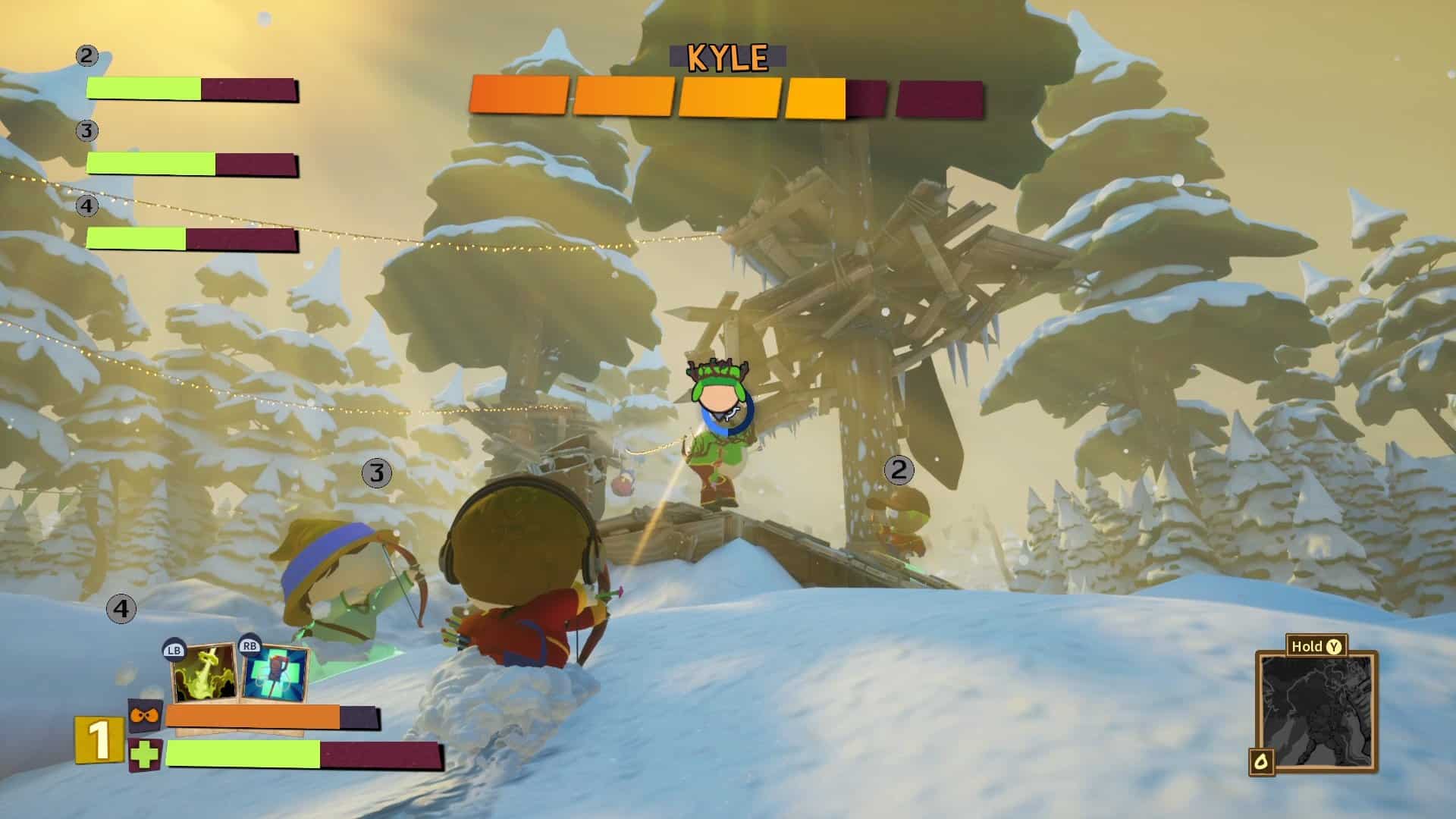
THQ Nordic has rolled out South Park: Snow Day update 1.013 on all platforms this June 27, and this brings free DLCs into the game! Yes, that’s with an “s” since there’s more than one freebie incoming for players today. Read on for the complete info and patch notes.
South Park: Snow Day Update 1.013 Patch Notes for June 27:
Update: Here’s what got fixed in this patch:
Tightened up melee weapon hit areas and movement
Targeting improvements to open loot containers from any angle
Tweaked dodge cooldown period to increase player feedback
Added aiming friction and light targeting assist to the bow & arrow for controllers
Collision issues were fixed.
Snowball cards in Butter’s Book Law is fixed.
Cosmetic: Skinny Cartman hat was added.
SOUTH PARK: SNOW DAY! – Nonconformist Weapon Variation Pack
Abandon the normy daggers and seize these malevolent Sickles. Drain the lifeblood of the unworthy and repurpose their essence to power the darkness within you. This reskin of the daggers comes with upgrade cards and macabre new cosmetics.
Celebrate 25 years of “South Park: Bigger, Longer & Uncut” with all-new cosmetics
SOUTH PARK: SNOW DAY! – To Danse with the Veiled Horde
Enjoy & stay tuned!
That’s about it. No word yet on whether this brings new fixes once again. For reference, a patch was released back in May that had the following fixes:
4 new End of Obesity themed cosmetics
Rich-Presence update for Danse with Ravenous Shadows
Stability Fixes
Audio Fixes
Visual Fixes
AI Fixes
Collision Fixes
General Bug Fixes
If we get another changelog for this title update, we’ll update the article with the info, so stay frosty!
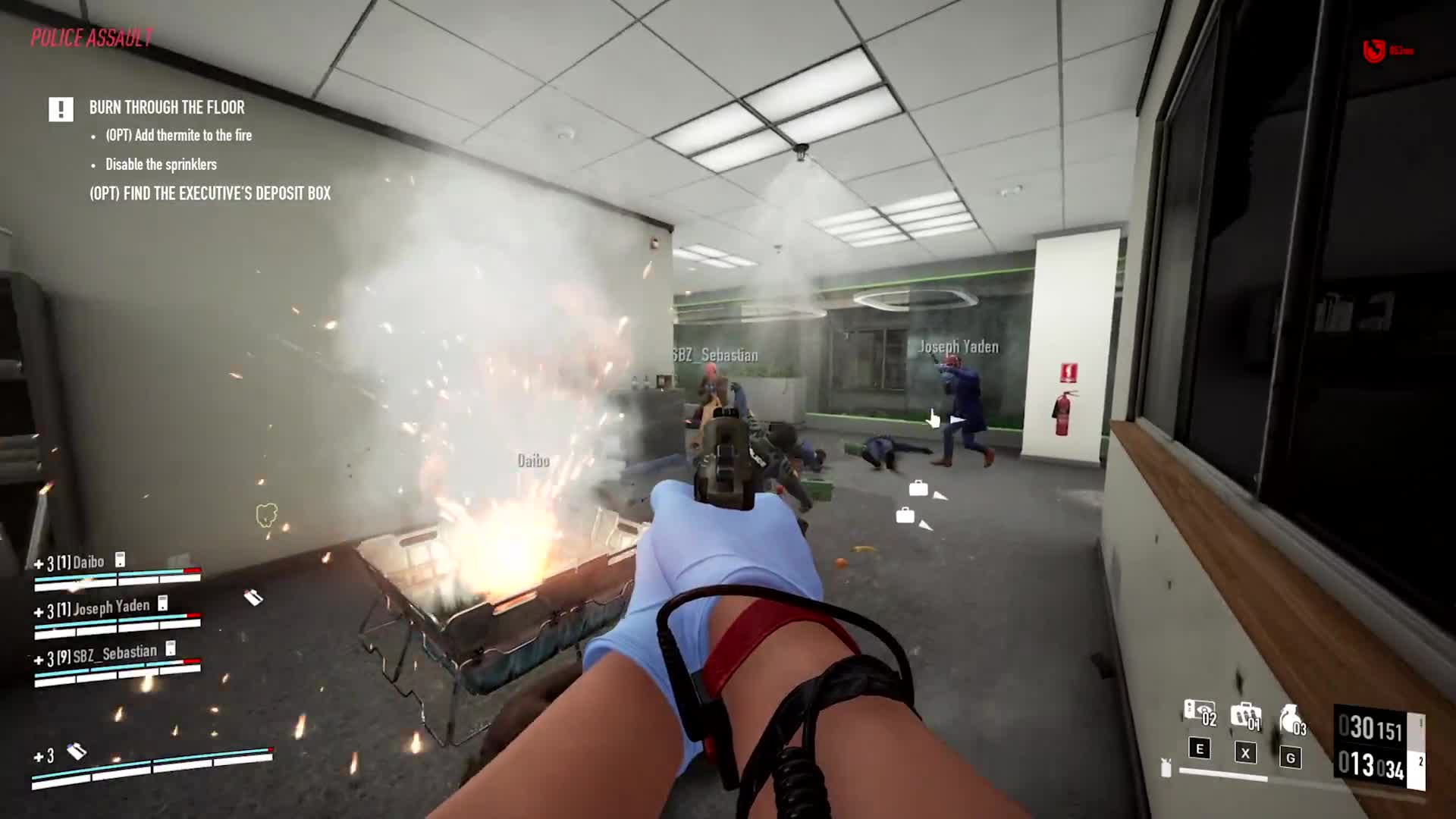
For those trying to login to Payday 3 but can’t, it’s not just you, as the game’s servers are down this June 27, and this is to usher in the Boys in Blue DLC and update.
Payday 3 Servers Down Maintenance Schedule for June 27:
Update: Starbreeze has announced that there is one “last” issue with the Boys in Blue, and then expect the game to be up and running again.
Hey heisters! We’re so happy for the excitement regarding Boys in Blue.
We’re currently working on resolving one last issue with the update and will be up and running again as soon as possible.
Per Starbreeze’s announcement, the downtime will last around eight hours in total. Expect the servers to be up at around 2 pm EDT/11 am PDT/2 am HKT (June 28).
Here’s what to expect from the DLC:
Boys in Blue is accessible to Silver Edition, Gold Edition, and Gold Pass owners of PAYDAY 3 and is available to buy separately on PC, Xbox Series S|X, and PlayStation 5. The DLC consists of:
The Heist Pack: with PAYDAY 3: Chapter 2 – Boys in Blue
The Weapon Pack with 3 new weapons, 26 mods and 2 cosmetics
The Tailor Pack with 4 new masks, 4 new suits, and 4 new gloves.
This DLC while paid, will also bring with it a major free update for all base game owners, which will include:
Solo Mode Beta (on all platforms)
New heister Clover, originally introduced to the PAYDAY series in 2014, including a gun and weapon charm
New Primary weapon – LMG
Loadout renaming
Nvidia DLSS 3.0 Ready, offering a great boost to performance for anyone with a recent Nvidia graphics card
True to their word, Starbreeze has released Payday 3 update 1.000.033 which is for the Boys in Blue patch! While the premium DLC is releasing today, even base game owners will be getting something as well. Read on for what’s new in Payday 3 that’s ushered in with the June 27 title update.
Payday 3 Update 1.000.033 for Boys in Blue Patch Notes:
ART
The window cutting animation now starts more naturally.
Weapons on high graphic settings appear less dirty now.
Adjusted stickers’ visibility and behavior on different surfaces.
Fixed the shaky idle animation on the R880 when viewed from a third-person perspective.
Fixed an issue where customized masks could become blurry.
The weapons in main menu now have bullets visible in their magazines.
Added Country Flag Weapon Stickers.
GAMEPLAY
Fixed an issue where animations could play incorrectly when going from sprinting to ADS.
Fixed an issue where the crew AI could make securing the bags more difficult on all maps with van.
Players can now mark Armor Repair Kits & Ammo Packs.
Fixed an issue where cameras could be permanently disabled by using an ECM on them while a guard was returning to the security room.
Guards now react more naturally to getting hit by an opening door.
Investigating guards now react to getting bumped into, if inside private or secure areas.
Smoke grenades no longer float in the air after exploding on impact.
Ammo pickup rate for Syntax Error Weapon Pack weapons have been readjusted to:
FIK22:
Default/Quickpull/Extended: increased from 2,5-4.17 to 7-9
Compact: increased from 4-6 to 9-11
FSA12:
Default/Quickpull/Extended: increased from 1-1.67 to 3-4
Compact: increased from 1.33-2 to 4-5
WAR45:
Default/Quickpull/Extended: increased from 2.5-4.17 to 5-7
Compact: increased from 4-6 to 7-9
FEATURES
Solo Mode (Beta) is now available.
Loadouts can now be renamed.
UI
Fixed an issue with the pop up that appears after purchasing an item.
Fixed an issue where the player had different input for accepting the ‘Party Invitation’ request than for other places.
Fixed stretching issue for loading screen while purchasing new weapons.
Fixed an issue where a weapons location in the inventory didn’t update after destroying another weapon.
Fixed a bug where the primary weapon slot could sometimes get reset on game restart and heist completion.
TECH
Improved overall stability for the DX12 renderer.
Added support for DLSS FG (available with applicable GPUs).
Fixed an issue where users with integrated GPUs were forced on D3D11 even if they had a valid GPU supporting D3D12. This occurred when the integrated GPU was set as the primary one.
Fixed an issue where both DLC maps would be available for an account without DLCs when changing profile.
Fixed a crash issue.
Windows Store players with cross-play disabled can only play with Xbox Live players.
Improved PhysX stability on server-side.
Fixed an issue where players could not matchmake with anyone if crossplay was disabled.
Fixed a possible crash when an AI character is destroyed.
Fixed a crash related to the Tactican Skill.
AUDIO
Fixed a bug where a civilians typing sound could get stuck in an infinite loop after hitting them.
Helicopter audio now transitions more smoothly from hovering to flying away.
Players can now more easily hear cops inside and exiting vents.
Heisters are now commenting the death of the techie.
HEISTS
All Heists
Fixed multiple spots where bags could get stuck.
Adjusted the First Aid Kits placement across multiple heists.
Added armor repair kits to all heists that did not have them yet.
No Rest for the Wicked
The maximum Infamy Points payouts have changed :
Normal: (~800) [Previously: ~880]
Hard: (~888) [Previously: ~980]
Very Hard: (~1320) [Previously: ~1480]
OVERKILL: (~1780) [Previously: ~2030]
Under the Surphaze
Added a bagging animation for the Tripod Scanner.
Adjusted the helicopter’s collision in order to precent players from falling down to the ground below.
Improved cop navigation through rooftop windows.
Fixed an issue where the player would hit the tree while travelling on the zipline.
Additional escape no longer appears at subway entrance.
Downstairs guards can now start patrolling the upper floor if the heist has transitioned into Searching.
Jumping doesn’t make the player leave the escape zone anymore.
Fixed a spot where it was difficult to kill a sniper.
Fixed a spot where the player could get teleported.
Dirty Ice
Added “Cleaning Complete” and “Sabotage” SFX feedback for the Cleaning Machine.
Fixed an issue where bags thrown out of bounds would not respawn in a reachable spot.
Turbid Station
The “Point of No Return” countdown sound now continues during the whole countdown.
Fixed a spot where the player could get stuck on pipes.
Fixed an issue where thrown bags could get stuck behind a container in the far end corner of the heist.
Fixed an issue where shadow of the drones were present in the train despite the doors being closed.
Fixed an issue where the SSD texture was present before placing it.
Touch the Sky
Fixed an issue where the additional secure point didn’t function as intended.
Fixed an issue with players being able to get stuck on a plant.
Fixed an issue where the bags could not be secured correctly when using the additional secure point.
Fixed an issue where the player could get stuck in a vent after the alarm was raised.
Guards will no longer get stuck behind bathroom doors.
Fixed an issue where the player could close the door after a civilian has opened it.
Gold & Sharke
Fixed an issue where guard could get stuck in a endless investigation while investigating a knife thrown in the escape van
Fixed an issue where the player could interact with a fifth switchbox after correctly guessing all four required for an objective.
Adjusted AI navigation spots in the vault.
Fixed so the escape helicopter audio playback works correctly (helicopter propellers are no longer muted).
Fixed the guard issues.
Syntax Error
Fixed an issue where stealth weapon xp would be rewarded instead of loud weapon xp on heist completion.
Fixed an issue where the vent near room D was marked as ‘Public Area’.
Fixed an issue where the explosive wall would say “Interact” instead of “Place explosives”.
Fixed various room areas.
Fixed a safespot in the manager’s office.
Fixed an issue where both elevator doors from the same elevator shaft were opened simultaneously.
Fixed a spot the bag could get stuck.
Fixed an issue where the corner in the server basement center was marked as a ‘Public Area’.
Fixed broken Shade voice line reminder to “clear the area”.
Fixed an issue where tools would float in the air after the basement wall exploded.
Road Rage
Fixed an issue where mission critical bags could be thrown outside the play area, near the helicopter.
Fixed an issue where Shade stated incorrect time before the arrival of the truck.
Fixed a spot where the player could get permanently stuck.
99 Boxes
Fixed an issue where the loot secure zone would be active after securing all bags.
Fixed a spot between a warehouse and a loading container that was set as “Public Area”.
Fixed an issue where the bag could get stuck in the environment.
Fixed an issue where camera was not able to detect the player.
Fixed an issue where the objective would disappear when bypassing the external lock.
Moved a lure on the East Yard outside the container.
Reversed the doors in the warehouse to avoid the player getting stuck by AI breaching.
Rock the Cradle
Fixed an issue where freed civilians wouldn’t leave the Night Club.
Adjusted AI navigation spots in the VIP section.
Fixed an issue where bags thrown out of bounds would not respawn in a reachable spot.
Cook Off
Fixed a spot where AI could get stuck.
The maximum Infamy Points payouts have changed (19 Bags, All Pure):
Normal: (~2280) [Previously: ~1130]
Hard: (~2950) [Previously: ~1430]
Very Hard: (~4200) [Previously: ~1900]
OVERKILL: (~5400) [Previously: ~2230]
Social Stealth Tutorial
Fixed an issue where player could fail the mission due to non-interactable doors while being escorted by a guard.
KNOWN ISSUES
Heist:
Going loud after securing all optional servers on Syntax Error, will make the main loot unsecurable, preventing the heist from being completed
Social:
Accepting lobby invites via Shell on Epic Games Store doesn’t work properly.
Playing a tutorial will prevent the social menu from being opened, going into the “game mode” menu will reset it.
Solo Mode:
Players are able to start a solo mode heist while in a co-op lobby. The fact that the player isn’t available for co-op won’t be communicated to other party members.
Solo Mode heists will reward double cash rewards. We’ll call this one an incentive to help us test the feature.
The reward screen will display double the amount of bags actually secured in the reward screen.
The visual confirmation of skill progression after a heist is missing. XP is still rewarded, but the visual element isn’t displaying.
Failing a heist will display a “Text Block”-text in place of the infamy progression.
Loadout:
The arrow keys for switching between loadouts don’t properly switch between loadouts.
If using a controller on PC, LB/RB won’t properly switch between loadouts unless the UI element is focused
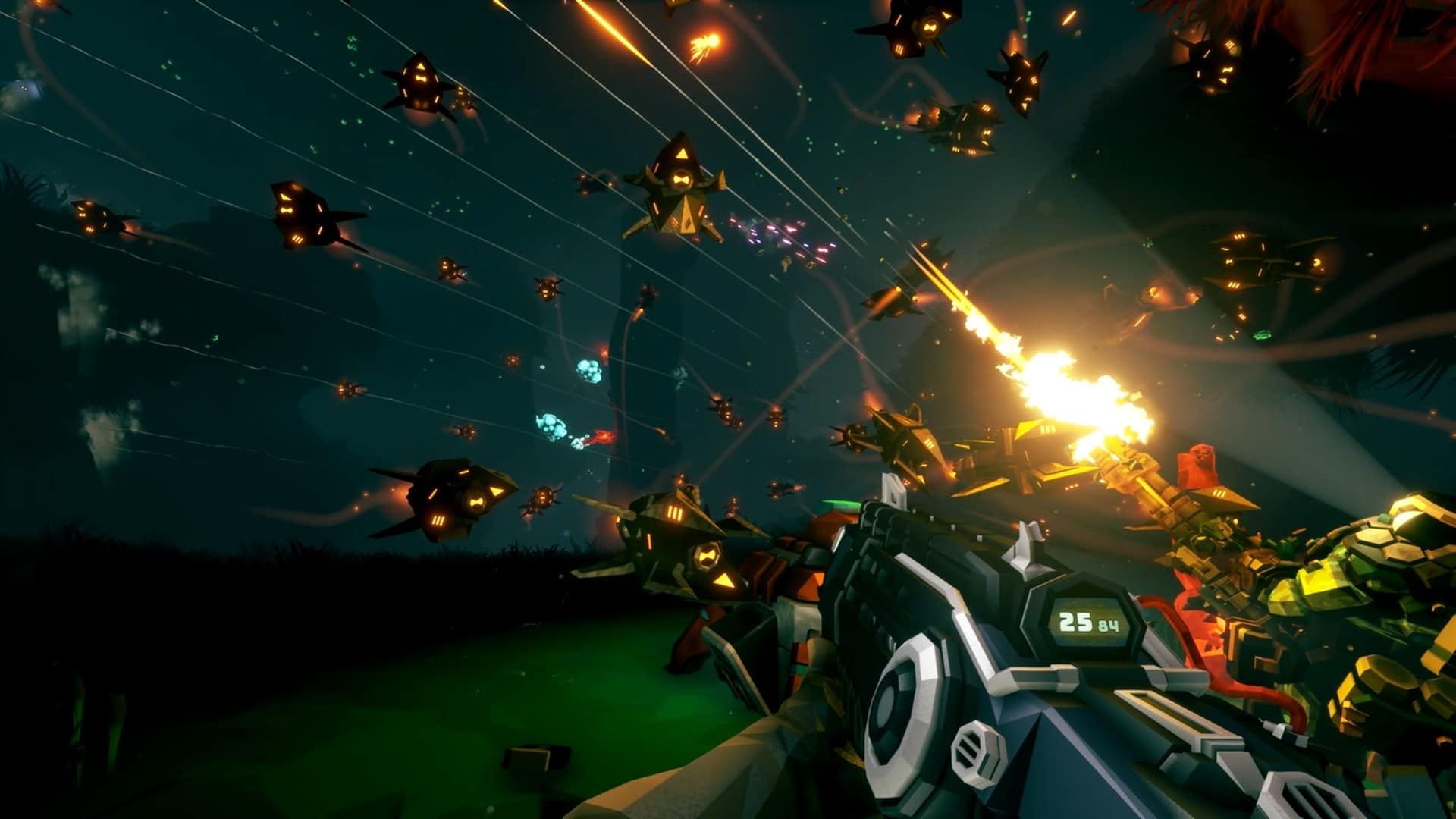
Ghost Ship Games has pushed out Deep Rock Galactic update 1.48 (PS5 version 2.000.048), and this rolls in the S05.03 patch on consoles this June 27. Read on for the patch notes which lists the fixes in the update.
Deep Rock Galactic Update 1.48 Patch Notes for June 27:
– Added new sounds for center engine on drillevator
– Fixed that sometimes clients could join and not get the UI element.
– Fixed issue where Victory Poses could be found in Lost Packs, they are only supposed to be found in Crates
– Cluster bombs now spawn the correct amount of them
– [Scorching Tide OC] Damage is now back to normal after being cut in half after double damage bugfix.
– Fixed Acid cloud left by Preatorian and Oppressors dealing 4x damage to players.
– Fixed players being killed by cold damage freezing upon revival.
– [Cluster Charges OC] Reduced max ammo slightly. Reduced cluster fragments by 2.
– Fixed gear stats overlapping Paintjob selector, when too many stats
– Fixed status effect related crash
– Fixed issue with Status effects that gave damage not always rewarding kills to players correctly. E.g. a projectile sets an enemy on fire and dies from it later. The projectile would be gone and the kill instigator could not be resolved.
– Sentries are now placeable (again) on the floodlights of the minehead in Point Extraction
– Fixed case where collecting a Data Cell would also count as collecting a rift crystal.
– The rift crystal will now try finding places to spawn rifts at increasing distance in case not enough spawn points are found
– The rift crystal will now ignore the line of sight requirement if many attempts to find spots for rift spawning fails
– You can now do weapon inspection on the Leadstorm with Rotary Overdrive OC when heat is 0.
– Fixed dwarf not using the correct voice line for sending bosco to mine morkite seeds
– Fixed On-Site Refining missions where appearing to seldom and mostly in Salt Pits and Crystalline Caverns
– Fixed Drillevator freefall audio was playing while still cracking geode crystal
– Fixed issue with Lost Packs where if the pack contained a Bosco skin, but you already had all of them. You would not get an appropriate alternate reward. In addition you would also get the wrong message about having collected everything.
– Fixed Kursite event not playing deposit particles and sounds for clients
– [Scorching Tide OC] Sticky flames are now being dropped by the projectiles again.
– [Cluster Charges OC] Tweaked clip and ammo to make them fit nicely again.
– Fix for Crystal Nucleation OC to be much more performant and fixed some issues with the ice status effect staying indefinitely.
– Fixed that Oppressors could spawn in tutorial (Rip greenbeards)
– Fixed the sticky ice from Cryo Cannon: Crystal Nucleation OC could receive Status Effects causing weird effects like it being affected by the Dreadnoughts Pheromone effect that spawns swarmers.
– Fixed LOK-1 Sm?t Trigger OS™ overkilling with 1 extra bullet in some cases
– Fixed issue where upgrades that changed the effects on weapons, e.g. Materials, Impact Effects / sounds. Would not be applied.
– Fixed Order of the Deep First Person armor getting skin color assigned to glowy bits instead of glowy material.
– Deepscan mission Resonance Target Proximity scanner now indicates height even if you are far away, unless you are far enough away to lose signal
– Fixed visual effect for coil gun OC Necro-Thermal Catalyst not working on clients.
– Fixed Rival Sniper turret missing muzzle flash.
– Fixed Rival Sniper turret making continuous impact sounds after being destroyed.
– Added voice lines for the Korlok Tyrant-Weed
IO Interactive has released Hitman 3 update 1.22 (PS5 update version 1.022) and this new season lets you try and kill Conor McGregor. The MMA/UFC star will play a character known as the mysterious Disruptor. Loads of other new content is added too. Read on for the June 27 patch notes for Hitman 3 below.
Hitman 3 Update 1.22 Patch Notes for June 27:
PS5 version 1.022
PATCH DETAILS
HITMAN World of Assassination will be updated to version 3.190 on all platforms; PlayStation 5, PlayStation 4, Xbox One, Xbox Series X|S, PC, and Switch.
Maintenance: Starts at 10:00 UTC and is expected to run until at least 13:30 UTC. Starts: 10:00 UTC / 11:00 CEST.
Patch Release Time: 11 am UTC (This is when the download will roll out, but servers will not be available until the above Maintenance period has concluded).
Patch size: Between 1.6-3.6GB on all platforms.
Cloud: Switch players do not need to download or install the patch. They will get access to the latest version when they launch the game after maintenance has concluded.
NEW CONTENT
Elusive Target: The Disruptor feat. Conor McGregor
Global Superstar Conor McGregor stars in our brand-new Celebrity Elusive Target. MMA fighter and multi-millionaire, The Disruptor’s background is shrouded in mystery. It seemed like he came out of nowhere and quickly dominated the scene. He himself was particularly guarded about his past and his real identity, turning either to violent outbursts or intensely guarded when confronted about it. Will you be able to take him down?
Free Starter Pack players will have a chance to experience the Disruptor mission in The Ostentasious – a Two-level Arcade contract featuring The Disruptor Elusive Target, available for free to everyone. In this game mode, players will be tasked with multiple escalating missions, upon failure, progress will restart from the first level and the contract will be locked for 12 hours until the player can attempt to play the contract again. The original ‘one chance only’ Elusive Target will only be available to World of Assassination players.
Here is how to access the HITMAN Free Starter Pack for new players:
On Steam, you can download the “HITMAN Free Starter Pack” on HITMAN World of Assassination’s Steam page, at the following link.
On Epic Games Store, you can download the HITMAN World of Assassination Free Starter Pack at the following link.
On PlayStation 4 and PlayStation 5, you can download the HITMAN World of Assassination Free Starter Pack at the following link.
On Xbox One and Xbox Series X|S, you can download the HITMAN World of Assassination Free Starter Pack at the following link.
Additionally, we will be releasing a brand new DLC pack to all platforms, The Disruptor Pack which includes The Ostentatious, a two-level Arcade contract featuring The Disruptor as well cosmetic items, priced at $4.99/€4.99/£3.99. The Disruptor Pack includes:
The Disruptor Fur Coat
The Disruptor Kettlebell
The Disruptor Resistance Band
The Disruptor Cane
The Ostentatious – An Arcade contract featuring The Disruptor Elusive Target.
A set of cosmetics for the Freelancer Safehouse inspired by the iconic Elusive Target mission, including the iconic Money Pit
The Disruptor Elusive Target will be available for approximately 4 weeks from June 27th
June 27 – Twitch Drop: Purple Streak Suitcase
Alongside the launch of The Disruptor, we will be releasing a brand-new Twitch Drop, The Purple Streak Suitcase. Link your Twitch account to your IOI account, and simply watch your fellow Agents on Twitch to unlock this brand-new item. For a reminder on how to earn this reward:
Watch a cumulative 1 hour of HITMAN World of Assassination on Twitch between June 27th and July 7th, 2024.
Any streamer playing under the HITMAN World of Assassination category on Twitch is eligible for Twitch Drops.
Please be aware, that both the Streamer and the viewer must link their accounts before progress can be made towards earning the Purple Streak Suitcase. For more details, please see our Twitch Drops FAQ.
We will also be reviving both of our previous Twitch Drops to celebrate the release of the Disruptor for anybody who missed the chance to get those items last time. For more details, please see our Twitch Drops FAQ.
New Challenges
June 27 – New Challenge: Rotten Fruit
Use a potent fruit to take down your target in order to unlock a new item!
August 1 – New Challenge: Mystery of the Unicorns
Use a mystical item to take down a target during the Dartmoor Garden Show to unlock a new weapon.
August 1 – New Challenge: Sapienza Sports Club
Appeal to your sporty side during the World of Tomorrow mission to complete this challenge and unlock a new weapon.
August 15 – New Challenge: A Fine Vintage
Keep yourself calm and composed for this challenge with The Farewell mission to unlock a new item.
RETURNING EVENTS
Event: July 25 – Dartmoor Garden Show
If you’re enjoying the World of Assassination as a Free Starter Pack player, then you can look forward to a Garden Show you’ll never forget. Visit or revisit Dartmoor from HITMAN 3 as it’s completely changed into a beautiful Garden Show with flowers from across the globe.
The Dartmoor Garden Show is a unique Escalation Contract styled seasonal event introduced with HITMAN 3. It takes place in a reimagined version of Dartmoor during a garden show where Agent 47 must eliminate both judges and contestants.
Welcome to the Season of The Disruptor
Alongside the above content, we will also be releasing 5 returning Elusive Targets, and two new rounds of curated Feature Contracts for you to enjoy.
We cannot wait to see how you all take on The Disruptor, and cannot wait bring you more surprises throughout the rest of 2024
BUG FIXES
GAMEPLAY
And my axes
Fixed an issue where the Ice Axe and ICA Combat Axe could not be brought in-game from the start as part of Agent 47’s Gear.
And my SMG’s
Fixed an issue where the Brine-Damaged SMG and the Scrap SMG could not be picked up as a concealed weapon from the start of a mission.
And my fruit
Fixed an issue where the banana item could not be picked up as a concealed weapon from the start of a mission.
LOCALIZATION
Lost in translation
Fixed a typo in the description of the Codename 47 Challenge Pack, with the location now written as “Carpathian Mountains, Romania” instead of “Carpatian Mountains, Romania”.
Not the droid you are looking for
Fixed a typo in the description of the Kronstadt Mini Flash Robo XOI-2900 from The Undying Pack.
UI
Ocean’s 47
Fixed an issue in The Collector Elusive Target mission, where the painting shown in The Painting Challenge did not match the one that has to be retrieved during the mission.
We’re going to need another boat
Fixed an issue in the Safehouse, where the speedboat unlocked at level 19 and level 37 would swap when playing a cinematic.
SWITCH SPECIFIC
Crashes
Fixed an issue on Nintendo Switch which caused the game to crash when booting up the game.
LIVE
Twitch Drops
Fixed an issue where Nintendo Switch users were not able to unlock Twitch Drops.
When a new season arrives, we will update you with the latest details.
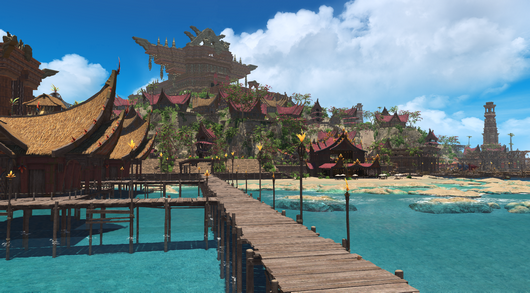
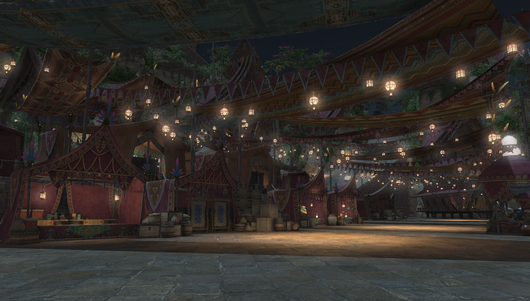
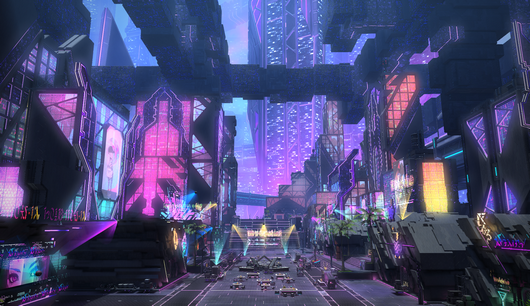
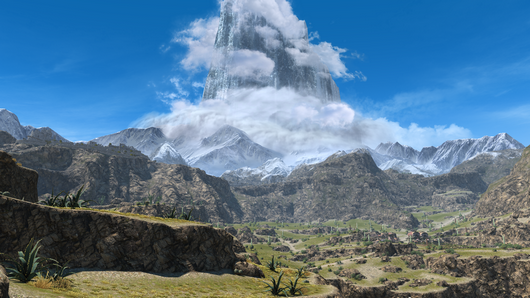
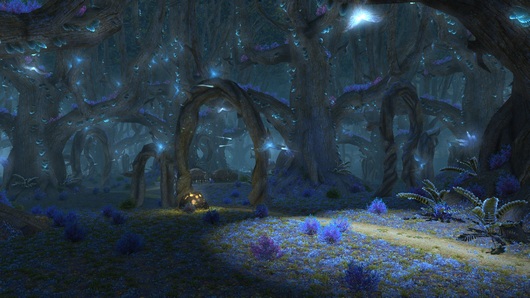
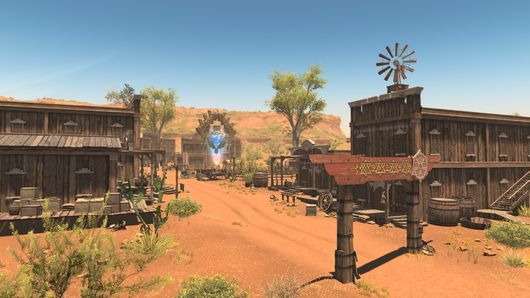
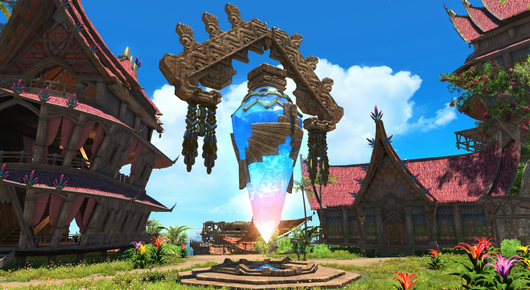
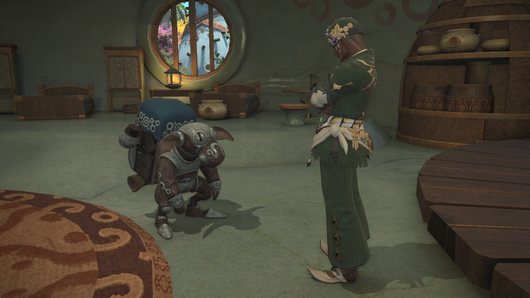
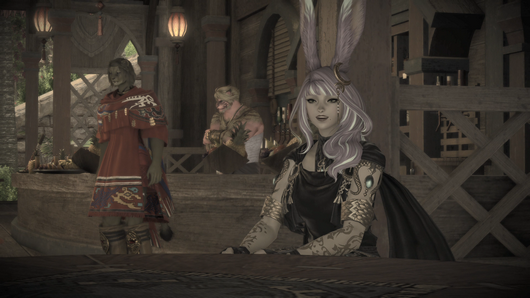
Square Enix has released Final Fantasy XIV update 10.64 (PS5 version 1.000.264) for what is tagged as patch 7.0. These are the preliminary patch notes for the Dawntrail expansion. You can expect to see new content and more. Check out the patch notes below.
Final Fantasy XIV Update 10.64 Patch Notes:
PS5 version 1.000.064
FINAL FANTASY XIV Patch 7.0
Areas
New cities have been added.
Tuliyollal
Solution Nine
New field areas have been added.
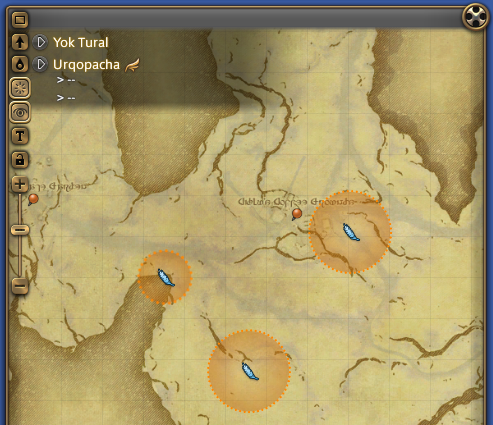
Urqopacha
Kozama’uka
Yak T’el
Shaaloani
Heritage Found
New city and field aetherytes have been added.
The number of aether currents in all Endwalker areas has been reduced.
* Players who met this new aether current requirement prior to the release of Patch 7.0 will unlock the ability to fly in each area.
Quests
Patch 7.0 introduces myriad quests in addition to the main scenario. As such, there may be cases where the patch notes only cite the initial quest in a series, or omit quests entirely to prevent spoilers. We encourage players to explore and discover what new stories and adventures await.
So that all players are able to enjoy the expansion at their own pace, we kindly ask that you do not post main scenario spoilers on the official forums, Lodestone, social media, or in videos.
New main scenario quests have been added.
New side story quests have been added.
Side story quests added in Patch 7.0 will employ an automatic level adjust system known as Quest Sync.
Quests using this system will have their difficulty and EXP rewards adjusted to match your current level. * Certain side story quests do not use Quest Sync.
Thanalan
Bottled Fantasy
Any class or job level 1
Ul’dah – Steps of Thal (X:13.4 Y:9.2)
Medicine Merchant
Players must first complete the main scenario quest “The Scions of the Seventh Dawn.”
Players will receive a phial of Fantasia upon completing this quest.
Role quests have been added.
Uncouth Customers
Disciple of War or Magic level 90
Tuliyollal (X:12.4 Y:14.5)
Br’uk Evu
Players must progress to a certain point in the Dawntrail main scenario.
Tank (Paladin / Warrior / Dark Knight / Gunbreaker)
The Narwhal Beckons
Paladin, Warrior, Dark Knight, or Gunbreaker level 90
Tuliyollal (X:12.9 Y:15.0)
Loazenikwe
Players must first complete the role quest “Uncouth Customers.”
White Mage, Scholar, Astrologian, or Sage level 90
Tuliyollal (X:12.0 Y:15.0)
Nyipine
Players must first complete the role quest “Uncouth Customers.”
* Additional quests unlocked upon completing the entirety of the main scenario and all five role quest series will be added in a future update.
New job quests have been added.
Enter the Viper
Disciple of War or Magic level 80
Ul’dah – Steps of Nald (X: 9.3 Y:9.2)
Worried Weaver
The Joy of Pictomancy
Disciple of War or Magic level 80
Old Gridania (X:8.0 Y:10.3)
Cheerless Hearer
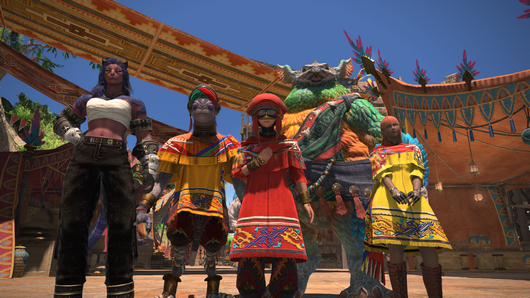
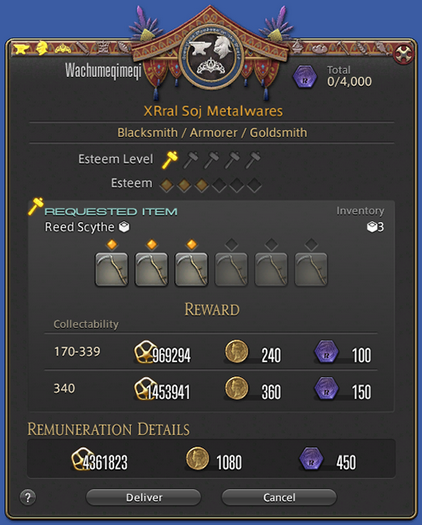
Wachumeqimeqi Deliveries have been added.
Each Disciple of the Hand or Land will be able to progress through one of five series of quests associated with the different shops of Wachumeqimeqi.
Completing deliveries for a shopkeeper of Wachumeqimeqi will advance the story of that particular shopkeeper. * Because Wachumeqimeqi Delivery quest rewards include crafters’ scrips and gatherers’ scrips, players must first complete the quest “Inscrutable Tastes” before undertaking deliveries.
Wrought in Wachumeqimeqi
Disciple of the Hand or Land level 90
Tuliyollal (X:16.1 Y:11.1)
Ropli
Players must first complete the sidequest “Inscrutable Tastes,” and make progress to a certain point in the Dawntrail main scenario.
Players must first complete the quest “Wrought in Wachumeqimeqi.”
Epistles by Pameka (Carpenter / Leatherworker / Weaver)
Pameka, the Scrivener
Carpenter, Leatherworker, or Weaver level 90
Tuliyollal (X:16.6 Y:11.3)
Pameka
Players must first complete the quest “Wrought in Wachumeqimeqi.”
Xeerol Ja Juicecraft (Alchemist / Culinarian)
Blame It on My Juice
Alchemist or Culinarian level 90
Tuliyollal (X:16.4 Y:11.0)
Xeerol Ja
Players must first complete the quest “Wrought in Wachumeqimeqi.”
Shunye’s Apothecary (Miner / Botanist)
Hands for Hire
Miner or Botanist level 90
Tuliyollal (X:15.9 Y:11.3)
Greying Gatherer
Players must first complete the quest “Wrought in Wachumeqimeqi.”
Fish Fancies Donuhanu (Fisher)
Fishmonger Blues
Fisher level 90
Tuliyollal (X:17.1 Y:11.2)
Donuhanu
Players must first complete the quest “Wrought in Wachumeqimeqi.”
* Additional quests unlocked upon completing all five Wachumeqimeqi Deliveries quest series will be added in a future update.
Requested materials can only be collected while undertaking each quest. Furthermore, these materials will not be listed in the Gathering or Fishing Log, but will appear in the Duty List.
The location where items must be gathered or delivered can be confirmed via the Journal or the Duty List. When viewing the Journal, select Map, then either Gathering Location or Delivery Location from the subcommand menu that displays. When viewing the Duty List, selecting the appropriate duty will display the same subcommand menu.
Players can now temporarily hide the display of nearby player characters when interacting with quest-related NPCs or objects.
Adjust this setting via the Character Configuration menu by selecting Control Settings followed by the General tab, then checking or unchecking the options under “Quest Progression Settings.”
Hide nearby players when close to quest NPCsEnabling this option will temporarily hide nearby players when you approach NPCs or objects with a quest icon.
Hide nearby players when interacting with quest NPCsEnabling this option will temporarily hide nearby players when you interact with NPCs or objects with a quest icon.
An additional option is available to also hide party members.
* These options are only applicable to NPCs or objects with a quest icon.
* These options will not be applied to players that are targeted or force targeted.
* These options are not applicable to certain quests.
Quest objectives that require following an NPC will now utilize visual indicators to help players avoid detection.
Indicator that players risk being seen should the NPC they’re following turn around.
Indicator that players should not approach
Players can now select icons in the Duty List to carry out quest objectives such as using emotes or opening the Crafting Log.
* As of the release of Dawntrail, this feature is only applicable to quests implemented in Patch 7.0. Implementation for past quests is planned in future updates.
Players may now adjust text auto-advance settings to apply only to voiced dialogue.
To help alleviate issues with misinputs when completing quest objectives that require entering phrases with the chat mode in Say, certain half-width and full-width characters will now be treated as the same character when typing.
The categorization of certain allied society quests has been adjusted.
Before
After
Tribal Quests
Allied Society Quests
Certain quest battles can no longer be undertaken using limited jobs.
Leves
New tradecraft and fieldcraft leves have been added.
No tradecraft leves or fisher fieldcraft leves allowing multiple turn-ins have been added.
Experience points rewarded when using a class at level 90 or above to complete a leve with a level requirement below 90 have been capped at 1,000.
FATEs
New FATEs have been added.
Players will receive bicolor gemstones upon completing FATEs in 7.0 areas. This currency can be exchanged with Gemstone Trader NPCs for various goods.
Furthermore, as you continue to complete FATEs in these new areas, Gemstone Traders will offer a wider selection of items.
To view your progress in each area, select Shared FATE under Travel in the main menu.
The maximum store of bicolor gemstones has been increased from 1,000 to 1,500.
FATEs that grant a bonus to experience points gained will now also grant a bonus to earned bicolor gemstones.
The game client will now respond more quickly when opening the Shared FATE window or changing between categories.
Large-scale FATEs that take place at fixed locations will now also appear on the map like regular FATEs.
FATEs
The Head, the Tail, the Whole Damned Thing
A Finale Most Formidable
Devout Pilgrims vs. Daivadipa
Omicron Recall: Killing Order
This change also applies to large-scale FATEs implemented in Patch 7.0. Treasure Hunt
The following additions and adjustments have been made to treasure maps:
Loboskin Treasure Maps and Br’aaxskin Treasure Maps have been added.
Rewards for Saigaskin Treasure Maps, Kumbhiraskin Treasure Maps, and Ophiotauroskin Treasure Maps have been adjusted.
Allagan tomestones rewarded for completion of Saigaskin Treasure Maps, Kumbhiraskin Treasure Maps, and Ophiotauroskin Treasure Maps have been changed from Allagan tomestones of causality and Allagan tomestones of comedy to Allagan tomestones of poetics.
* Starting in Patch 7.05, there will be a chance for a teleportation portal to appear when completing Br’aaxskin Treasure Maps.
The Excitatron 6000 and the Shifting Gymnasion Agonon will now be level synced, adjusting player levels to 90.
Grand and Free Companies
Additional items will now be accepted for supply and provisioning missions.
Viper and pictomancer symbol options have been added to the Charge category of the Company Crest editor.
New craftable items have been added to the company workshop.
The following additions and adjustments have been made to subaquatic voyages:
New areas have been added.
New items have been added.
Maximum submersible rank has been increased from 115 to 120.
Housing
Ward classifications have been adjusted for residential districts on certain Worlds.
Changes will go into effect on Saturday, June 29, 2024 at 8:00 a.m. (PDT) / 15:00 (GMT) / June 30, 2024 at 1:00 a.m. (AEST)
All Worlds in the Dynamis Data Center / Phantom / Sagittarius / Alpha / Raiden
Ward
Eligible to Purchase Land
Ward 1
Free Companies
Ward 2
Free Companies
Ward 3
Free Companies
Ward 4
Free Companies
Ward 5
Free Companies
Ward 6
Free Companies
Ward 7
Free Companies/Private Buyers
Ward 8
Free Companies/Private Buyers
Ward 9
Free Companies/Private Buyers
Ward 10
Free Companies/Private Buyers
Ward 11
Free Companies/Private Buyers
Ward 12
Free Companies/Private Buyers
Ward 13
Free Companies/Private Buyers
Ward 14
Free Companies/Private Buyers
Ward 15
Free Companies/Private Buyers
Ward 16
Free Companies/Private Buyers
Ward 17
Free Companies/Private Buyers
Ward 18
Free Companies/Private Buyers
Ward 19
Free Companies/Private Buyers
Ward 20
Free Companies/Private Buyers
Ward 21
Private Buyers
Ward 22
Private Buyers
Ward 23
Private Buyers
Ward 24
Private Buyers
Ward 25
Free Companies
Ward 26
Free Companies/Private Buyers
Ward 27
Free Companies/Private Buyers
Ward 28
Free Companies/Private Buyers
Ward 29
Free Companies/Private Buyers
Ward 30
Private Buyers
* Ward classifications for all other Worlds will remain unchanged.
* Changes to ward classifications will have no effect on plots that have already been purchased.
The Estate Holder Rights system has been implemented.
Players can now eject characters from their estate hall or garden, and bar characters from entering their property.
To bar a character from your property, you must first be on your estate grounds and have the requisite authority. Target the character you wish to bar, and select “Bar from Property” in the subcommand menu, then choose “Register as Barred Character.” They will be ejected from the estate grounds and moved to the housing area entrance.
Barred characters will remain on the Barred Characters list for 10 days. During this time, any attempts to enter your estate hall or garden will instead transport them to the housing area entrance.
To view or adjust these settings, select Housing from the Social menu, followed by Estate Settings, then Estate Holder Rights. Authorization settings will differ according to the type of residence.
Free Company Estate
The free company master is the main rightsholder, and may appoint up to four free company members as secondary rightsholders.
Personal Estate
The estate owner is the main rightsholder, and may appoint up to three tenants as secondary rightsholders.
Apartment / Private Chambers
The apartment or private chambers owner is the main rightsholder, and cannot appoint secondary rightsholders.
It should be noted that, when secondary rightsholders with the setting enabled are present on an estate, characters on their blacklist may also be denied access to the property. Which rightsholders’ blacklists will be included to determine who is barred from the estate may be adjusted via the Estate Holder Rights window.
After entering the lottery for an estate, viewing the placard for a different plot before confirming the results of your entry will now remind you of the estate address of the plot you bid on.
Furnishings from the FFXIV Furnishing Design Contest have been added.
Crafting facility furnishings can now be used by crafting classes up to level 90.
In accordance with the increased character level cap, level 100 striking dummies have been added.
New orchestrion rolls have been added.
New aquarium fish have been added.
A new seed for flowerpots has been added.
Garden Sunflower SeedsGarden sunflower seeds can be purchased from the following NPCs:
Mist (X:11.0 Y:11.4) – Material Supplier
The Lavender Beds (X:11.9 Y:8.3) – Material Supplier
The Goblet (X:10.9 Y:8.9) – Material Supplier
Shirogane (X:10.5 Y:12.1) – Material Supplier
Empyreum (X:10.2 Y:12.2) – Material Supplier
Apartments – Apartment Merchant
New Gridania (X:11.0 Y:11.2) – Tanie
The Manderville Gold Saucer
New prizes are available for purchase using MGP.
The following additions have been made to Triple Triad:
New cards have been added.
New NPC opponents for Triple Triad have been added.
Players can now engage in Triple Triad matches in new areas.
Card numbers have been added to the item description of all Triple Triad cards.
Miscellaneous
Players can now select female Hrothgar when creating a character.
Regardless of your progression in the main scenario, female Hrothgar will be selectable when creating new characters, editing your character’s appearance using Fantasia, or hiring a retainer.
A winning entry from the FFXIV Hairstyle Design Contest is now available.
The following additions and adjustments have been made to the Trust system:
Krile has been added as a new avatar NPC.
She will become available after progressing to a certain point in the main scenario.
In accordance with the increased character level cap, the level cap for avatar NPCs has also been increased.
By progressing through the main scenario, avatar NPCs can reach a maximum level of 100.
New glamours will be unlocked for avatar NPCs that reach level 100.
The Dawntrail category has been added to Duty Support.
The following additions and adjustments have been made to Wondrous Tails:
Prizes available in exchange for Khloe’s Gold Certificate of Commendation, Khloe’s Silver Certificate of Commendation, and Khloe’s Bronze Certificate of Commendation have been adjusted.
The following duties have been added as objectives for Wondrous Tails:
The addition of these duties will not affect a Wondrous Tails in your possession prior to reaching level 100 with at least one Disciple of War or Magic.
The Minstrel’s Ballad: Endsinger’s Aria
Storm’s Crown (Extreme)
Mount Ordeals (Extreme)
The Voidcast Dais (Extreme)
The Abyssal Fracture (Extreme)
Level 91-99 Dungeons
Level 100 Dungeons
The following raids and alliance raids have been grouped together into raid series categories:
The addition of these duties will not affect a Wondrous Tails in your possession prior to reaching level 100 with at least one Disciple of War or Magic. Completing any duty from a series will be counted toward objectives, granting a seal.
Before
After
Eden’s Gate: Resurrection or Descent
Eden’s Gate: Inundation or Sepulture
Eden’s Gate
Eden’s Verse: Fulmination or Furor
Eden’s Verse: Iconoclasm or Refulgence
Eden’s Verse
Eden’s Promise: Umbra or Litany
Eden’s Promise: Anamorphosis or Eternity
Eden’s Promise
The Labyrinth of the Ancients
Syrcus Tower
The World of Darkness
Alliance Raids (A Realm Reborn)
The Void Ark
The Weeping City of Mhach
Dun Scaith
Alliance Raids (Heavensward)
The Royal City of Rabanastre
The Ridorana Lighthouse
The Orbonne Monastery
Alliance Raids (Stormblood)
The Copied Factory
The Puppets’ Bunker
The Tower at Paradigm’s Breach
Alliance Raids (Shadowbringers)
Aglaia
Euphrosyne
Thaleia
Alliance Raids (Endwalker)
Dawntrail entries have been added to the sightseeing log.
Skywatcher NPCs have been added to the new areas.
Skywatcher NPCs in 6.0 and previous areas will also be able to offer weather forecasts for 7.0 areas. However, special requirements must be met for certain locations.
The following additions and adjustments have been made to the Island Sanctuary:
When selecting the plus button on the Isleworks Agenda interface, players can now choose whether Set Agenda or Supply & Demand is the default window that opens.
From the Islekeep’s Index, select Sanctuary Settings, then Default Agenda Settings under the Workshop tab.
The Sanctuary Gathering Log can now be opened via the Material Allocation window.
The Material Allocation window will now save sorting settings.
When selling materials in bulk via the enterprising exporter, the quantity set may now be saved for future transactions.
The level cap for all Disciples of War and Magic has been raised to 100.
The viper and pictomancer jobs have been added.
These jobs have no corresponding classes and begin at level 80.
Viper (Melee DPS)
Viper can be unlocked by completing the following quest:
Enter the Viper
Disciple of War or Magic level 80
Ul’dah – Steps of Nald (X:9.3 Y:9.2)
Worried Weaver
Pictomancer (Magical Ranged DPS)
Pictomancer can be unlocked by completing the following quest:
The Joy of Pictomancy
Disciple of War or Magic level 80
Old Gridania (X:8.0 Y:10.3)
Cheerless Hearer
In accordance with the addition of these new jobs, gear for viper and pictomancer has been added to the rewards for certain duties, and will now be sold by merchant NPCs. Please note, however, that viper and pictomancer cannot be used in the Hall of the Novice, nor can they receive the first-time completion bonus from guildhests.
New job actions have been added.
Actions and traits have been adjusted.
The layout of the Blue Magic Spellbook interface has been adjusted.
The following adjustments have been made to limit breaks:
Monks will no longer change position when executing Final Heaven.
Dragoons will no longer change position when executing Dragonsong Dive.
Certain status effects granted by class and job actions will now be removed when changing areas or entering an instanced duty.
The effects of certain monster and NPC actions have been adjusted.
The armoury bonus granted below level 90 has been increased from 50% to 100%.
The armoury bonus is applied to all available Disciples of War and Magic other than your highest level job or class. From level 90 onward, the armoury bonus is a 50% increase in EXP gained.
In accordance with the increased level cap, New World and Preferred World character bonuses now apply to all jobs at level 89 or below.
New enemies have been added.
New dungeons have been added.
After beginning a boss encounter in dungeons newly introduced in Patch 7.0, the shortcut warp will take players to the boss area’s entrance.
In accordance with the increased level cap, players can now gain experience from level 90 dungeons, trials, and 6.x alliance raid dungeons.
New trials have been added.
Unreal trials have been temporarily disabled.
Players may still exchange Faux Leaves for various rewards. * A new unreal trial is scheduled to be added in Patch 7.1.
Players will now receive the power of the Echo in the event all party members are incapacitated during the following trials:
The Abyssal Fracture
The Gilded Araya
Each time players restart the aforementioned trial, they will be granted a 10% Echo effect boost, which increases each restart up to a maximum of 50%. If a player restarts after battling for less than three minutes, they will not be granted this effect.
The Abyssal Fracture (Extreme)
Each time players restart the aforementioned trial, they will be granted a 5% Echo effect boost, which increases each restart up to a maximum of 25%. If a player restarts after battling for less than three minutes, they will not be granted this effect.
The strength of the Echo granted in Pandæmonium: Anabaseios (Savage) has been increased.
The Echo will take effect upon entering Pandæmonium: Anabaseios (Savage), increasing players’ maximum HP, damage dealt, and healing potency by 20%. * Unlike other instances, the strength of the Echo will not increase in the event all party members are incapacitated.
The Spire of Trial, an expansion of Stone, Sky, Sea, has been added.
The Spire of Trial offers trials tailored to various high-level duties in which players will be tasked with destroying a level 100 striking dummy. To access the Spire of Trial, players must first complete the following quest:
Trial by Spire
Disciple of War or Magic level 100
Solution Nine (X:19.9 Y:17.1)
Eccentric Researcher
Players must first complete the final quest of the Dawntrail main scenario and the quest “A Striking Opportunity.”
The weekly restriction on receiving Cracked Anthoclusters upon clearing Thaleia has been removed.
New elite marks have been added.
Players can now hunt regular and elite marks in the new areas.
Marks defeated in the new areas will also yield Sacks of Nuts, which can be exchanged for various items. Players must first complete the following quest before taking up the Hunt in these areas: A New Dawn, a New Hunt
Disciple of War or Magic level 90
Tuliyollal (X:11.8 Y:13.7)
Wing of Protection Scout
Players must first complete the quest “Elite and Dangerous” and have progressed to a certain point in the main scenario.
You can exchange Sacks of Nuts for items with the following NPCs:
Tuliyollal (X:13.9 Y:13.4) – Ryubool Ja
Viper and pictomancer’s arms are now available from the following deep dungeon vendors:
South Shroud (X:25.0 Y:20.6) – E-Una-Kotor
Ruby Sea (X:21.2 Y:9.3) – Confederate Custodian
Mor Dhona (X:34.9 Y:19.0) – Synthesis Node
Allagan tomestones of aesthetics have been added.
Players can only obtain up to a maximum of 2,000 tomestones of aesthetics. Moreover, players can only receive tomestones of aesthetics after reaching level 100 with at least one Disciple of War or Magic class or job. * There is no weekly limitation on tomestones of aesthetics.
* A secondary currency, Allagan tomestones of heliometry, will be available in Patch 7.05, which is scheduled to release approximately four weeks after the start of official service for Dawntrail.
The following additions and adjustments have been made to Allagan tomestones:
Allagan tomestones of causality and Allagan tomestones of comedy
The aforementioned tomestones will no longer be obtainable. All trials and duties where these tomestones could be obtained will now offer Allagan tomestones of poetics or Allagan tomestones of aesthetics instead.
Please note that any Allagan tomestones of causality or Allagan tomestones of comedy obtained prior to Patch 7.0 will not be lost. The NPC Auriana in Revenant’s Toll will now give players the option to exchange them for Allagan tomestones of poetics.
Allagan tomestones of astronomy
Allagan tomestones of astronomy have been removed from the game.
Allagan tomestones of poetics
Allagan tomestones of poetics may still be obtained from duties up to level 90, as well as certain Duty Roulettes.
The following additions and adjustments have been made to the Duty Finder:
Category names and the duties listed within each have been reorganized.
6.x duties can now be undertaken using the Unrestricted Party option.
When undertaking duties using the Unrestricted Party option, players can now elect to leave a duty even during combat.
The Raid Finder now only lists trials and duties introduced with Patch 7.0.
* However, the Unending Coil of Bahamut (Ultimate), the Weapon’s Refrain (Ultimate), the Epic of Alexander (Ultimate), Dragonsong’s Reprise (Ultimate), and the Omega Protocol (Ultimate) can still be accessed via the Raid Finder.
The Duty Finder has been adjusted as follows:
New duties for Dawntrail have been added to Duty Roulette: Expert, Duty Roulette: Leveling, and Duty Roulette: Trials.
Duty Roulette: Level 50/60/70/80 Dungeons and Duty Roulette: Level 90 Dungeons have been combined into Duty Roulette: High-level Dungeons.
The type and number of Allagan tomestones received from each Duty Roulette category has been adjusted.
Duty Roulette
Allagan Tomestones
Duty Roulette: Expert
80 Allagan tomestones of aesthetics
Duty Roulette: High-level Dungeons
100 Allagan tomestones of poetics
120 Allagan tomestones of aesthetics
Duty Roulette: Leveling
100 Allagan tomestones of aesthetics
Duty Roulette: Trials
60 Allagan tomestones of aesthetics
Duty Roulette: Main Scenario
350 Allagan tomestones of poetics
100 Allagan tomestones of aesthetics
Duty Roulette: Alliance Raids
120 Allagan tomestones of poetics
120 Allagan tomestones of aesthetics
Duty Roulette: Normal Raids
80 Allagan tomestones of poetics
60 Allagan tomestones of aesthetics
Duty Roulette: Mentor
30 Allagan tomestones of aesthetics
Duty Roulette: Frontline
50 Allagan tomestones of aesthetics
The requirements to register for Duty Roulette: Alliance Raids have been changed.
Before
After
Players must meet average item level requirements commensurate with the level of their current class or job at the time of registration.
Players must meet the highest item level requirements among the alliance raids they can enter at their current class or job level at the time of registration.
PvP
PvP actions for viper and pictomancer have been added.
The following additions and adjustments have been made to the Wolves’ Den Pier:
New items are available in exchange for Trophy Crystals.
New items are available in exchange for Wolf Marks.
Series 5 will end and Series 6 will begin.
Series 6 will be held from Patch 7.0 to the release of Patch 7.1, during which time you can earn Series EXP and increase your Series level by participating in any PvP duty. Increasing your Series level will unlock various Series rewards.
* Rewards from Series 5 can only be claimed until the end of Series 6. To claim rewards, select Series Malmstones from the PvP Profile window, then select Previous Series. Crystalline Conflict
Season Eleven will end and a pre-season will begin.
When the season ends, the top 100 ranking players from each data center will receive vouchers via the moogle delivery service.
Players finishing in the Bronze tier or higher can claim rewards by speaking with the Seasonal Quartermaster at the Wolves’ Den Pier (X:4.9 Y:5.7).
* Tier rewards for Season Eleven must be claimed before the release of Patch 7.1.
New items have been added.
* Due to the volume of items added with the release of Patch 7.0, they will not be listed in the patch notes.
New recipes have been added.
* Due to the volume of recipes added with the release of Patch 7.0, they will not be listed in the patch notes.
Facewear, a new form of accessories for the head, separate from other equippable accessories, has been added.
Facewear can be equipped via a new equipment slot in the Character window, or by accessing the Facewear interface under Character in the main menu, and will also appear in portraits.
Facewear can be acquired by using corresponding items such as a copy of The Faces We Wear – Oval Spectacles. Once acquired, they can be freely equipped or removed at any time, and customized with a selection of twelve colors.
The following fashion accessories have been converted into facewear:
False Oval Spectacles
False Shaded Spectacles
False Classic Spectacles
Rose-colored Spectacles
Players will now acquire facewear in place of the aforementioned fashion accessories.
The fashion accessories listed above will no longer appear in the Fashion Accessories window. However, players who acquired them prior to Patch 7.0 may obtain corresponding facewear free of charge by speaking with the Calamity salvagers located in Limsa Lominsa, Gridania, and Ul’dah.
It should also be noted that the items used to acquire these fashion accessories have not been removed from the game. If one is in your inventory or obtained via trading or the market board, it can be used to obtain corresponding facewear.
The item icons for phials of Fantasia and Retainer Fantasia will now include a marker to better distinguish them from one another.
Icon
Item
Fantasia
Retainer Fantasia
Certain items can now be sold, desynthesized, or submitted for expert delivery missions.
Grade 8 Dark Matter can be used to repair level 91 to 100 gear.
Viper and pictomancer have been added as required jobs for certain gear.
The following items are no longer classified as unique:
Moonward Ring of Fending
Moonward Ring of Slaying
Moonward Ring of Aiming
Moonward Ring of Healing
Moonward Ring of Casting
Augmented Radiant’s Ring of Fending
Augmented Radiant’s Ring of Slaying
Augmented Radiant’s Ring of Aiming
Augmented Radiant’s Ring of Healing
Augmented Radiant’s Ring of Casting
Augmented Lunar Envoy’s Ring of Fending
Augmented Lunar Envoy’s Ring of Slaying
Augmented Lunar Envoy’s Ring of Aiming
Augmented Lunar Envoy’s Ring of Healing
Augmented Lunar Envoy’s Ring of Casting
Augmented Credendum Ring of Fending
Augmented Credendum Ring of Slaying
Augmented Credendum Ring of Aiming
Augmented Credendum Ring of Healing
Augmented Credendum Ring of Casting
The following additions and adjustments have been made to dyes:
Up to two dyes can now be used on a single piece of gear.
Gear that allows more than one dye will display two separate dye tabs in the Item Dyeing window.
* Additional gear that allows for multiple dyes will be added gradually in future updates.
* Following this change to dyeing, currently selected instant portraits may need to be edited.
Undo Color Selection and Redo Color Selection buttons have been added to the Item Dyeing window.
After selecting a color, it can now be set as a favored dye.
An option to preview preferred color schemes using favored dyes has been added.
An option to preview a previously applied color scheme has been added.
An option to invert colors selected as dye 1 and dye 2 has been added.
A marker indicating no dyes have been applied to an item has been added.
When previewing your character’s appearance while using a gamepad, players can now press R1 (RB) to switch between color categories.
The furnishing Sealing Wax & Letter Set is now dyeable.
The following items can now be equipped regardless of gender:
Faerie Tale Prince’s Circlet
Faerie Tale Prince’s Vest
Faerie Tale Prince’s Gloves
Faerie Tale Prince’s Slops
Faerie Tale Prince’s Boots
Faerie Tale Princess’s Tiara
Faerie Tale Princess’s Dress
Faerie Tale Princess’s Gloves
Faerie Tale Princess’s Long Skirt
Faerie Tale Princess’s Heels
Sundry Splendors, a one-stop shop for gear and items purchased in exchange for Allagan tomestones and scrips, has been added to Old Sharlayan.
The shop is unlocked after completing the main scenario quest “Endwalker.”
The layout of gear exchange menus has been unified.
The following adjustments have been made to gear exchanges for Allagan tomestones of astronomy, causality, and comedy:
Gear that required the exchange of a base item and upgrade material can now be obtained directly in exchange for Allagan tomestones of poetics.
The base items and upgrade materials for such gear can no longer be obtained from shops, dungeons, or retainer ventures.
Players who possess the base item for such gear may upgrade them in exchange for 100 Allagan tomestones of poetics.
New items have been added to the inventory of Calamity salvagers.
New items are available from Calamity salvagers in exchange for Silver Chocobo Feathers.
The following items, which previously required a Silver Chocobo Feather each for a single-handed weapon or shield, can now be purchased together with a single Silver Chocobo Feather.
Doctore’s Scimitar and Warded Round Shield
Doctore’s Cudgel and Nightprowler’s Targe
Verdant Scepter and Warlock’s Buckler will no longer drop separately in the Aurum Vale, and instead drop together as Black Mage’s Verdant Arms (Level 47).
New items are available in exchange for societal currency from allied societies in 2.0 areas.
* Players must progress to a certain point in the respective allied society’s quests to exchange for these items.
The time until actions may be used after consuming certain medicinal items has been reduced.
After using the following items to grant a boost to experience points earned from synthesis, a system message will now be displayed when their effect expires:
Company-issue Engineering Manual
Company-issue Survival Manual
Company-issue Engineering Manual II
Company-issue Survival Manual II
Commercial Engineering Manual
Commercial Survival Manual
Revised Survival Manual
Revised Engineering Manual
The level cap for Disciples of the Hand and Land has been increased to level 100.
Orange crafters’ scrip and orange gatherers’ scrip currencies have been added for Disciples of the Hand and Disciples of the Land that are level 100.
Players can begin exchanging their collectable items for these scrips at Splendors Exchanges and custom deliveries starting at level 100, and can have up to a maximum of 4,000 at any given time.
The following additions and adjustments have been made to crafters’ and gatherers’ scrips:
White Crafters’ Scrips and Gatherers’ Scrips
No longer obtainable from completion of quests and levequests.
All activities which yielded white crafters’ or gatherers’ scrips will now yield purple crafters’ and gatherers’ scrips.
* White crafters’ and gatherers’ scrips can now be exchanged for purple crafters’ and gatherers’ scrips at the scrip exchange in Revenant’s Toll (X:22.4 Y:6.7).
Can no longer be used for item exchanges.
Items currently obtained with white crafters’ and gatherers’ scrips will be obtainable with purple crafters’ and gatherers’ scrips respectively by speaking with the scrip exchange.
Yellow Crafters’ Scrips and Gatherers’ Scrips
Yellow crafters’ scrips and yellow gatherers’ scrips have been removed.
Purple Crafters’ Scrips and Gatherers’ Scrips
The number of purple crafters’ and gatherers’ scrips required in exchange for items has been adjusted.
The amount and type of crafters’ and gatherers’ scrips received from custom deliveries have been adjusted.
The following changes have been made to collectables:
The experience points rewarded when delivering collectables will be standardized per item, the amount received no longer being reduced at lower levels.
Experience points rewarded when using a class at level 90 or above to deliver collectables that are level 90 or below have been capped at 1,000.
New actions and traits have been added for Disciples of the Hand.
The categories under Special Recipes in the Crafting Log have been adjusted.
New actions and traits have been added for Disciples of the Land.
The following miner and botanist actions can no longer be used when a gathering point is at maximum integrity:
Miner
Solid Reason
Wise to the World
Botanist
Ageless Words
Wise to the World
New miner and botanist gathering points have been added.
New items have been added to gathering points.
The Gathering window will now display the integrity of a gathering point.
New fishing holes have been added.
New teeming waters have been added.
The Bait & Tackle window will now also display swimbait, a new form of bait obtained using the level 91 fisher action Spareful Hand.
The Fish Guide will now indicate whether a fish requires Precision Hookset or Powerful Hookset to catch.
Following the increase in level cap, the following adjustments have been made to rewards obtained while ocean fishing:
Level 1-49
Experience points
Level 50-99
Experience points
Purple Gatherers’ Scrips
Level 100
Purple Gatherers’ Scrips
Orange Gatherers’ Scrips (certain conditions must be met to obtain this reward)
GP will no longer be reduced to 0 when players are incapacitated as a non-gathering class.
Spiritbond gained when gathering will now be based on gear’s equipping level rather than it’s item level.
Following this adjustment, spiritbond bonuses when gathering at unspoiled or legendary nodes has been adjusted.
Players will now receive a bonus to spiritbonding when landing a big fish or legendary fish.
New Tomes of Regional Folklore have been added.
New items that can be used for aetherial reduction have been added.
The following changes have been made to desynthesis:
The level cap for desynthesis has been increased from 650 to 710.
When using quick desynthesis, canceling will now close the window if all items have been desynthesized.
After checking the “Desynthesize entire stack” box in the Desynthesis window, this option will remain checked even after desynthesizing unstackable or single items.
New mounts have been added.
New minions have been added.
New chocobo barding has been added.
New fashion accessories have been added.
Graphical Update
A number of features have been implemented following our first graphical update.
The following graphical details have been added:
Improved movement of certain weapons, tools, and gear.
Character tilting when turning on certain mounts.
Certain environmental effects such as water splashing and smoke will now appear darker in the shadow of nearby objects.
Wavering distortion effect when underwater.
Subtle eye movements for player characters and certain NPCs.
As part of our first graphical update, the following details have been improved:
Character hair and face textures.
The appearance of skin on player characters, animals, monsters, etc.
The appearance of hair on player characters, animals, monsters, etc.
Subtle hair movements.
The appearance of lenses in glasses and other glass objects.
The appearance of metallic material on certain gear.
The appearance of characters and objects that are wet.
The appearance of fog.
The appearance of water and waves.
The appearance of textures of distant terrain when riding a mount.
Soft shadows (PlayStation®5, Xbox Series X, Windows®, Mac).
Shadows used in backgrounds and in certain cutscenes.
Changes in lighting due to the passage of time.
* With few exceptions, these updates apply to all content implemented in Patch 7.0.
* Graphical updates will be applied gradually to older content in future updates.
Detailed textures for various objects such as rocks, trees, and fabric have been added.
The number of light sources used for shadows has been increased.
The following updates have been made to grass:
Improved textures.
Increased density.
Color spotting.
Motion from wind and character interactions.
Movement from wind will appear more consistent at high frame rates.
Upscaling via AMD FSR 1.0 and Nvidia DLSS 2.0 has been added. (DLSS is only available on Windows®)
Anti-aliasing via TSCMAA has been added. (Windows®, Mac)
SSAO via GTAO has been added. (Windows®, Mac)
System
The following additions and adjustments have been made to character creation:
These additions and adjustments are also applied to character editing via Fantasia, retainer selection, and character editing via the aesthetician.
A new lighting option has been added to the aetherial background.
Selecting the clock icon at the bottom right will now allow players to choose between Lighting 1, the original aetherial background lighting, and Lighting 2, natural lighting.
Character combat voice lines can now be sampled.
Class selection is now grouped by roles.
When using the aesthetician, the display of headgear and facewear can now be toggled on or off.
When editing character appearance by way of Fantasia, players will have 60 minutes of in-game playtime from the initial usage to re-edit their appearance as many times as they desire.
A new market board has been added to Tuliyollal.
In accordance with the addition of a new market board, reduced tax rates have been adjusted.
The following additions and adjustments have been made to retainers:
Retainers can now be registered to the Tuliyollal market.
You may now create female Hrothgar retainers.
The retainer level cap has been raised to 100.
Retainers can now be assigned viper and pictomancer jobs.
To assign viper and pictomancer jobs to retainers, the following requirements must be met:
Retainers cannot be already assigned a job, or must be reset if they are.* If your retainer has already been assigned a class or job, open the retainer menu and select “Reset retainer class.” Please note, however, that doing so will lower the retainer’s level to 1.
Retainers must be Disciples of War or Magic at level 80 or higher.
Players must first unlock the viper and pictomancer jobs.
Players must possess a copy of Modern Vocation.
New retainer ventures have been added.
New items can now be obtained from quick exploration ventures.
New achievements and titles have been added.
Elite marks will now be displayed in the Recommendations list.
The gil cost for using Teleport has been adjusted.
With the addition of new areas, the world map has been updated.
The map will be updated according to progress in the main scenario.
The following adjustments have been made to maps:
On the map for Limsa Lominsa Lower Decks, the positions of the red arrows indicating area boundaries have been adjusted.
All maps will now display at high resolution quality.
Following this change, the graphic setting for map resolution has been removed. (Windows®, Mac)
The following additions have been made to the Player Search menu:
Viper and pictomancer have been added.
7.0 areas have been added under Custom.
When editing Search Info, the size of the online status pulldown menu has been increased.
The following adjustments have been made to Target Information:
When a target’s remaining HP is set to be displayed as a percentage, decimal values will now always be shown.
When the setting “Display only detrimental effects you inflict” is enabled, it will only be applied to enemy targets.
Following this change, the name of this setting has been adjusted to “Display only detrimental effects you inflict on target.”
The following additions and adjustments have been made to the Actions & Traits window:
The default view of the Actions tab will now separate actions that can and cannot be assigned to the hotbar.
A new option has been added, allowing players to choose whether certain actions will be replaced by another on the hotbar when executed.
A new option has been added to enable a recast timer to prevent erroneous inputs of actions that replace others on the hotbar upon execution.
The following additions and adjustments have been made to job gauges:
Gauges for certain jobs have been added or adjusted.
The Job Gauge Details window has been updated to reflect these changes.
The display of job gauges can now be disabled via the HUD Layout menu.
The parameters used for the text command /jobhudmode have been adjusted according to the order in which job HUD elements are unlocked.
A glamour guide has been added to the following windows, explaining the usage of various fashion-related features such as dyes and glamours:
The guide can be accessed at any time via the question mark icon in each window.
Item Dyeing
Cast Glamour
Glamour Dresser
Glamour Plates
Armoire
Facewear
Descriptions in the help menu of the Emotes window have been adjusted.
When viewing a repair request, the item details will now include information pertaining to dyes and affixed materia.
When viewing items attached to a mog letter, the item details will now include information pertaining to dyes and affixed materia.
The requirements to keep the New Adventurer status have been adjusted as follows:
Before
After
Have played less than 300 hours
Have not completed the main scenario quest “Death Unto Dawn”
Have played less than 300 hours Have not completed the main scenario quest “The Coming Dawn”
Players who fulfill either of the above requirements may set their status to New Adventurer. * Players who no longer have the New Adventurer status but fulfill the above requirements can restore it by first using the text command “/nastatus on,” then selecting the New Adventurer status in the Edit Search Info window.
The bonus to experience points earned when a mentor forms a party with a new adventurer or returner will now apply until level 90.
In accordance with the increased level cap, the requirements for new mentors have been adjusted as follows:
Disciples of War and Magic Requirements
Before
After
Must have completed the level 90 tank role quest.
Must have completed the level 90 healer role quest.
Must have completed at least one of the level 90 DPS role quests.
Must have completed at least 1,000 dungeons and trials.
Must have received at least 1,500 player commendations.
Must have completed the level 100 tank role quest.
Must have completed the level 100 healer role quest.
Must have completed at least one of the level 100 melee DPS, physical ranged DPS, or magical ranged DPS role quests.
Must have completed at least 1,000 dungeons and trials.
Must have received at least 1,500 player commendations.
Disciples of Hand and Land Requirements
Before
After
Must have reached level 90 with at least one Disciple of the Land.
Must have reached level 90 with at least one Disciple of the Hand.
Must have synthesized at least 100 collectables.
Must have gathered at least 300 collectables.
Must have reached level 100 with at least one Disciple of the Land.
Must have reached level 100 with at least one Disciple of the Hand.
Must have synthesized at least 100 collectables.
Must have gathered at least 300 collectables.
Mentor Renewal
Players who are currently mentors must renew their certification during the 7.0x patches. Players who fail to do so will be unable to access certain features during this period.
Once the renewal period has ended, players who have not renewed their certification will lose the mentor status, and must wait until after Patch 7.1 to reapply for certification.
Available During Renewal Period
Novice Network chat channel
Mentor party bonuses
Unavailable During Renewal Period
Duty Roulette: Mentor
The ability to change online status to PvE Mentor, PvP Mentor, or Trade Mentor.
A log message will now be displayed when newly created characters on New or Preferred Worlds meet the requirements to receive a gil bonus.
The following additions have been made to adventurer plates:
New accents have been added.
The color of lettering on the base plate for the Twelvefold Blessings Framer’s Kit has been changed to black.
The following additions and adjustments have been made to portraits:
New accents have been added.
New poses have been added.
When viewing the Edit Portrait interface, new filters are available for background, frame, and accent lists.
When hiding the display of headgear, this setting will apply to instant portraits even after changing headgear.
The following changes have been made to group pose:
New stickers have been added.
The Patch Logo frame has been updated with a Patch 7.0 logo.
When using monitors with a resolution wider than 16:9, screenshots taken from certain cutscenes or with certain frames in group pose will have copyright information placed within the bounds of a 16:9 resolution.
* Not applicable to certain cutscenes, or when “Affected by camera settings” is enabled.
Copyright information displayed in screenshots has been adjusted as follows:
Duties that can be recorded via the Duty Recorder have been changed.
Before
After
The Mothercrystal
Euphrosyne
Anabaseios: The Twelfth Circle (Savage)
Thaleia
???
???
Two trials introduced with Patch 7.0 will be added.
The log message that displays when a congested area is inaccessible has been adjusted.
A button to temporarily hide display of the chat log has been added.
The following changes have been made to alarms:
The maximum number of alarms that can be set has been increased from 10 to 30.
The character limit for alarm names has been increased from 10 to 20.
The layout of the Alarm Editor interface has changed.
Simplified alarm settings are now displayed by default. Additional options are available after selecting the down arrow for advanced settings.
* The display of advanced settings will be saved even after closing the Alarm Editor interface.
Sound options are now available for alarms.
Alarm sounds can now be muted while undertaking duties.
The following adjustments have been made to the Blacklist:
Characters registered to the blacklist will be hidden.
When joined in a party or alliance, their character will be displayed; however, their name will display as “Unknown” in the party list and on their nameplate.
Messages from characters registered to the blacklist will be hidden.
When joined in a party or alliance, a notification will be displayed when they speak during duties.
After receiving a notification of blacklisted messages, players may elect to temporarily see what was written via the subcommand menu.
Blacklisting will apply to all characters tied to the blacklisted character’s service account.
Blacklisting for party recruitment will now also apply to all characters tied to a service account. A system message will be displayed if a blacklisted player joins a party you’re in, or if you join a party that contains a blacklisted player.
* New blacklist functionality will not be applied to characters tied to a blacklisted character’s service account if they were registered prior to Patch 7.0.
The Blacklist tab has been removed from the Social window, and will now be displayed in its own window found under Social in the main menu.
Players can now save comments regarding blacklisted characters.
Blacklisted characters and all characters tied to their service account will also be subject to the Lodestone blocked users list.
The Mute List has been added.
The Mute List can be found under Social in the main menu.
Messages from Muted Players
Muting will apply to all characters tied to the muted character’s service account.
While their messages cannot be seen, if they are members of your party or alliance, a notification will be displayed when they speak during duties.
Players can also save comments regarding muted characters.
Temporary Display of Muted Messages
After receiving a notification of muted messages, players may elect to temporarily see what was written via the subcommand menu.
A Term Filter has been added, allowing players to mask messages containing specific words from the chat log.
Once registered to the Term Filter, any messages containing designated words can be hidden from the chat log.
Display of Filtered Terms
The Term Filter can be applied to hide the display of registered words in one of two ways:
Display the applicable term filter’s number.A system message will be displayed, indicating the term filter applied to the chat log. (e.g. “Message could not be displayed due to Term Filter 1.”)
Hide the affected message in its entirety.Messages containing a registered word will be completely hidden.
Registering Words to the Term Filter
Words can be registered to the Term Filter in one of two ways:
Players can freely register words as they see fit via the Term Filter List window.
Select a desired word in the chat log, then register it via the subcommand menu.* Half-width and full-width spaces, as well as words from the auto-translation dictionary, cannot be registered.
Up to ten words can be registered to the Term Filter list, each with its own individual settings.
Shout
Yell
Say
Tell
Custom Emotes
Saving Registered Words
Term Filter settings are saved locally. * When playing on a different platform, words you wish to be filtered must be registered anew.
In order to reduce server congestion upon the release of Patch 7.0, the following measures will be implemented temporarily:
* We will continue to monitor server activity and remove these features when server congestion is determined to no longer be an issue.
Use of the Data Center Travel system World Visit system will be restricted for certain Worlds and data centers.
Players who are inactive for thirty minutes will be logged out automatically.
New areas will be split into multiple instances.
* Particular instances can be selected when entering from a neighboring area or teleporting via aetheryte.
Players can now use the mouse to drag and drop actions onto or off of the W cross hotbar.
Gradation of the main menu background in Gamepad Mode has been adjusted to improve visibility.
The DualSense Edge™ wireless controller can now be used on Windows®.
DualSense™ wireless controllers and DualSense Edge™ wireless controllers can now be used via bluetooth on Windows®.
* Haptic feedback, controller sounds, and create button functionality are unavailable when connected via Bluetooth.
When connected to a 120Hz monitor, the maximum frame rate for PlayStation®5 and Xbox Series X|S is now 120 fps.
* Please note this is only a change to maximum frame rate. This setting will not ensure your system runs at a steady frame rate.
When playing on the PlayStation®5 or Xbox Series X|S, trophies and achievements can be obtained or unlocked if their requirements have been fuflilled while playing on other platforms.
When playing on the PlayStation®5 or Xbox Series X|S, achievement data will be updated upon opening the Achievements window. There may be a delay in receiving notifications of earned or unlocked achievements.
The following options have been added to the Character Configuration menu:
Control Settings
General Tab
Quest Progression Settings
Hide nearby players when close to quest NPCs.
Also hide nearby party members.
Hide nearby players when interacting with quest NPCs.
Also hide nearby party members.
Supplementary explanations of graphical options have been added to Display Settings in the System Configuration menu.
The following additions and adjustments have been made to the System Configuration menu (Windows®/Mac)
Frame Rate settings under Display Settings have been changed.
None
Main Display Refresh Rate
60 fps
30 fps
The following settings have been added:
Graphics Settings
Resolution
Graphics Upscaling (Windows®)
AMD FSR
NVIDIA DLSS (Applicable with only certain graphics cards)
3D Resolution Scaling
Enable dynamic resolution
Frame Rate Threshold
Below 30 fps
Below 60 fps
Always Enabled
General
Enable dynamic grass interaction.
Edge Smoothing (Anti-aliasing)
TSCMAA
TSCMAA + Camera Jitter
Shadow Quality
Use low-detail models on distant object shadows. (LOD)
Shadow Softening
Strongest
Cast Shadows
Maximum
Normal
Minimum
Texture Detail
Texture Resolution
High
Normal
Effects
Screen Space Ambient Occlusion
GTAO: Quality
GTAO: Standard
The default setting for UI Resolution has been changed to High (WQHD/4K).
The following categories were removed:
Graphics Settings
General
Enable wet surface effects.
Disable rendering of objects when not visible. (Occlusion Culling)
Map Resolution
High
Normal
Texture Detail
Texture Filtering
Anisotropic
Trilinear
Bilinear
Effects
Glare
Off
Following adjustments made to graphics settings, graphic presets have also been adjusted.
The following additions and adjustments have been made to the System Configuration interface: (PlayStation®4/PlayStation®5/Xbox Series X|S)
Under Display Settings, the option “Limit frame rate to 30 fps” has been added.
In accordance with our first graphical update, a Graphics Settings tab has been added.
The following categories have been added to this tab:
Graphics Settings
Movement Physics
Available settings: Self/Party Members/Other NPCs/Enemies
The following categories have been removed (PlayStation®4):
Graphics Settings
Resolution
Enable Dynamic Resolution
General
Use low-detail models on distant objects. (LOD)
The following settings have been moved from Display Settings to Graphics Settings:
Draw Quality (PlayStation®4 only)
Enable dynamic resolution. (PlayStation®5/Xbox Series X|S)
Use low-detail models on distant objects. (LOD) (PlayStation®5/Xbox Series X|S)
Water Refraction
Additions and adjustments have been made to text commands.
The following text commands have been added:
Command
Description
/facewear
USAGE:
/facewear [accessory]→Equip a specified face accessory.>>Example:
/facewear “oval spectacles”
(Equip the oval spectacles face accessory.)
/facewearlist
USAGE:
/facewearlist→Opens and closes the Facewear interface.
/autotargetpriority
USAGE:
/autotargetpriority [subcommand]→Change auto-target priority settings.>>Subcommands:
on
Enables auto-target priority.
off
Disable auto-target priority.Toggles between on and off when no subcommand is specified.
/mutelist
USAGE:
/mutelist→Opens and closes the Mute List interface.
/termfilter
USAGE:
/termfilter→Opens and closes the Term Filter interface.
/visualalerts
USAGE:
/visualalerts [subcommand]→Change visual alerts settings.>>Subcommands:
on
Enables visual alerts.
off
Disable visual alerts.Toggles between on and off when no subcommand is specified.
/colorfiltering
USAGE:
/colorfiltering [subcommand]→Change color filtering settings.
※Windows® and Mac only.>>Subcommands:
on
Enables color filtering.
off
Disable color filtering.Toggles between on and off when no subcommand is specified.
The following text commands can now be used to adjust volume levels even during events such as cutscenes:
/mastervolume
/bgm
/voice
/systemsounds
/ambientsounds
/soundeffects
/soundeffectsself
/soundeffectsparty
/soundeffectsother
/performsounds
/systemsoundsspeaker
New parameters have been added to the /hud text command: JobGauge1 and JobGauge2. These parameters can be used to toggle the display of job gauges.
The following parameters have been added to the /alarm text command:
se00/se01/se02/se03/se04/se05
mute
New parameters for new jobs and areas have been added to the /search text command.
New parameters have been added to the /petsize text command for Solar Bahamut.
Additions have been made to the auto-translation dictionary.
Additions have been made to the PlayStation®4 and PlayStation®5 auto-complete dictionary.
New trophies and achievements have been added. (PlayStation®5/Xbox Series X|S)
New music, sound effects, and voices have been added.
Sound effects will now play when touching certain plants.
The layout of the game launcher has been changed.
The title screen logo and opening movie have been changed to those of Dawntrail.
The logo and opening movie for Endwalker can be viewed by selecting Movies & Titles at the title screen.
The following additions and adjustments have been made to the title screen:
Options and License have been added to the title screen.
Configuration has been renamed System Configuration, and can now be found under Options at the Title screen.
Installation Details has been added within Options, displaying information on previous installations.
The game version displayed at the top left of the title screen now only includes the base package and most recent expansion.
A notification will now be displayed when a player is logged out due to inactivity during periods of congestion.
The display of certain World names has been changed in the World Selection window.
World names will no longer include a region label, regardless of game client language settings.
After registering to use the World Visit system, accessing an aetheryte and selecting “Visit Another World Server” will display your pending registration.
Retainer ventures can now be assigned via the Companion App.
Players can not only assign retainer ventures via the Companion App, but also retrieve items once they’re completed. Retainer ventures assigned in-game can also be completed via the app using the kupo nut and mog coin in-app currency.
It should be noted, however, that exploration and quick exploration ventures can only be assigned in-game. Furthermore, standard ventures cannot be assigned while exploration and quick exploration ventures are underway.
Setting an exploration or quick exploration venture to “completion pending” will allow you to assign standard retainer ventures. To complete a pending venture, you must summon your retainer in-game.
Any experience points earned or retainer ventures counted toward earning achievements will not be claimed until logging into the game and summoning your retainer. However, any experience points earned cannot exceed that needed to level up your retainer. * Players must log out in their Home World to assign ventures or retrieve items via the Companion App.
* This feature will be available starting on Friday, June 28, 2024, at 4:00 a.m. PDT / 11:00 GMT / 9:00 p.m. AEST.
Viper and pictomancer have been added to the solo rankings for Palace of the Dead, Heaven-on-High, and Eureka Orthos.
We will let you know when the next patch is released soon.
Epic Games has released Fortnite update 1.000.042 today for the new Reload Duos mode. Check out the Fortnite June 27 patch notes down below.
Fortnite Update 1.000.042 Patch Notes for June 27:
While no patch notes have been released yet, the official Fortnite X/Twitter page announced that Reload Duos will be coming to the game today at 9:00AM ET. A brief maintenance period is scheduled before the patch arrives.
Fortnite will be taking a brief downtime at 4:00 AM ET, with matchmaking disabled shortly beforehand.
Fortnite will be taking a brief downtime at 4:00 AM ET, with matchmaking disabled shortly beforehand. Reload Duos arrives tomorrow @ 9:00 AM ET !
In the meantime, you can check out the game’s current known issues in the Fortnite Trello board).
GENERAL TOP ISSUES:
In Development – Fixed in Future Update:
‘Failed to meet requirements’ error when equipping Jam Tracks as Lobby Music.
In Development:
Videos in the Lobby playing with every launch on Amazon Luna.
Investigating:
Players cannot close the emote wheel without selecting an emote
BATTLR ROYALE TOP ISSUES:
Fixed in Future Update:
The setting ‘Lock Input Method as Mouse’ is not working correctly
Investigating:
Back Bling Beacon Glass displaying incorrectly in the Locker
LEGO FORTNITE TOP ISSUES:
In Development:
Consumable buff timers can be overwritten when eating another consumable with a buff
Players are unable to sit on Seating furniture that is touching a wall
Dynamic Structure parts may displace and shift when moving fast
There is no indication of which direction some furniture is being placed
Investigating
Villagers exploring with players may destroy structures while trying to harvest.
ROCKET RACING TOP ISSUES:
Fixed in Future Update:
“Polygonal” boost icon missing in Locker.
Locker’s Vehicles – SUV/Truck and Sports Cars sections changes to a different background color when navigating through the cosmetics options
While the SUV / Truck Locker category is set as primary vehicle, the players Sports Car appears instead of the Behemoth Car Body upon entering a Rocket Racing island
The skull texture of the “Behemoth Dune Hunter” Behemoth Decal is applied on the trims while the View Distance Video Setting is set to “Epic” or “Far” but is not present when using lower settings
Werewolf and Diestro Black Painted Car Bodies are not currently cross-granting from Fortnite into Rocket League for owners of these Car Bodies
McLaren 765LT Painted Wheel variants are not currently cross-granting from Fortnite into Rocket League for owners of this Car Body
FORTNITE FESTIVAL TOP ISSUES:
In Development:
HOPO Note Following Chorded Note Not Consistently Hit
Season 4 Main Stage sometimes makes explosion noises.
Jam Stage Mixers – Players need to equip Jam Tracks before hopping into the Jam Stage to access songs and start making music.
Investigating
Keybinds are being reverted to the default ones in Battle Stage and Main Stage.
Audio Stuttering On Switch After Extended Play
SAVE THE WORDL TOP ISSUES:
Fixed in Future Update:
Wildlife do not eat consumables.
Investigating
Player-built structures may be damaged by weapons in Storm Shield Defense and Endurance missions.
In Development:
Metallica Letters pick-up appearing in inventory.
Once a new patch is released, we’ll let our readers know.
Epic Games has pulled the Fortnite servers down this June 27, and this is to deploy a patch on all platforms. Console gamers will see Fortnite update 4.30 released today, and this will being Reload Duos mode into the game, with last week’s update bringing Squad Reload.
Fortnite Update 4.30 Patch Notes for June 27:
Fortnite will be taking a brief downtime at 4:00 AM ET, with matchmaking disabled shortly beforehand.
As for what changes are in tow with this patch, it’s not mentioned by Epic Games just yet, but here are some of the issues the dev team is looking into (via the official Fortnite Trello board).
GENERAL TOP ISSUES:
In Development – Fixed in Future Update:
‘Failed to meet requirements’ error when equipping Jam Tracks as Lobby Music.
In Development:
Videos in the Lobby playing with every launch on Amazon Luna.
Investigating:
Players cannot close the emote wheel without selecting an emote
BATTLR ROYALE TOP ISSUES:
Fixed in Future Update:
The setting ‘Lock Input Method as Mouse’ is not working correctly
Investigating:
Back Bling Beacon Glass displaying incorrectly in the Locker
LEGO FORTNITE TOP ISSUES:
In Development:
Consumable buff timers can be overwritten when eating another consumable with a buff
Players are unable to sit on Seating furniture that is touching a wall
Dynamic Structure parts may displace and shift when moving fast
There is no indication of which direction some furniture is being placed
Investigating
Villagers exploring with players may destroy structures while trying to harvest.
ROCKET RACING TOP ISSUES:
Fixed in Future Update:
“Polygonal” boost icon missing in Locker.
Locker’s Vehicles – SUV/Truck and Sports Cars sections changes to a different background color when navigating through the cosmetics options
While the SUV / Truck Locker category is set as primary vehicle, the players Sports Car appears instead of the Behemoth Car Body upon entering a Rocket Racing island
The skull texture of the “Behemoth Dune Hunter” Behemoth Decal is applied on the trims while the View Distance Video Setting is set to “Epic” or “Far” but is not present when using lower settings
Werewolf and Diestro Black Painted Car Bodies are not currently cross-granting from Fortnite into Rocket League for owners of these Car Bodies
McLaren 765LT Painted Wheel variants are not currently cross-granting from Fortnite into Rocket League for owners of this Car Body
FORTNITE FESTIVAL TOP ISSUES:
In Development:
HOPO Note Following Chorded Note Not Consistently Hit
Season 4 Main Stage sometimes makes explosion noises.
Jam Stage Mixers – Players need to equip Jam Tracks before hopping into the Jam Stage to access songs and start making music.
Investigating
Keybinds are being reverted to the default ones in Battle Stage and Main Stage.
Audio Stuttering On Switch After Extended Play
SAVE THE WORDL TOP ISSUES:
Fixed in Future Update:
Wildlife do not eat consumables.
Investigating
Player-built structures may be damaged by weapons in Storm Shield Defense and Endurance missions.
In Development:
Metallica Letters pick-up appearing in inventory.
Once a new patch is released, we’ll let our readers know.
Pocket Pair has pushed out what seems to be Palworld’s biggest title update so far, as this adds a new island (Sakurajima), new pals, new weapons, the level cap being raised and a lot more. Check out the Palworld update v0.3.1 patch notes below to see what’s new for the game this June 26 (June 27 for those outside the US).
Palworld Update v0.3.1 Patch Notes:
New Content
・New Island – Sakurajima
⤷ A new island has appeared! Sakurajima!
⤷ Take control of the tower protected by a new faction “The Moonflowers”, and free this beautiful island from their control!
⤷ Sakurajima is home to many new Pals! Explore and find new species!
・Arena
⤷ An arena has appeared in the Desiccated Desert! Battle against other players to assert your dominance!
(Multiplayer exclusive content)
・Stronghold – Oil Rig
⤷ An oil rig controlled by the Rayne Syndicate has appeared in the ocean! Work together with your friends to defeat powerful enemies and claim valuable resources such as crude oil!
・Player level cap raised to 55!
⤷ Players can now adventure to level 55!
⤷ New technologies available
⤷ Upper limit for Pal’s capture bonus has been increased from 10 to 12
・New Resource – Crude Oil
⤷ You can extract crude oil by unlocking and placing a new building, the crude oil extractor, in certain spots around the world
⤷ New high-tier equipment and spheres can be crafted using the new material Plasteel which can be made from crude oil
・New Raid – Blazamut Ryu has arrived! The strongest Dragon Pal in the game!
・Meteorite Event
⤷ Meteorites or supplies will fall from space sometimes! There may even be an unknown Pal from outer space too…!?
・Tower Boss Hard Mode
⤷ Each tower boss now has a hard mode, allowing you to face them in their ultimate form!
・New Merchant – Medal Merchant
⤷ A merchant who will exchange a new item Dog Coin for rare items!
・New Items
⤷ Mysterious Accessory Box – Permanently increases the number of accessory slots by 1
⤷ Concentrated All-Purpose Pal Extract – Increases the rank of a Pal by 1 when used
⤷ Ring of Freight – Increases your carrying weight when equipped
⤷ Vital Remedy, Stamina Remedy, Might Remedy, Speed Remedy, Burden Remedy – These new remedies permanently strengthen the player’s base stats. Until now, players could only increase their stats when levelling up, but now you can reach MAX stats!
New NPC cosmetic hats! Dress up like your favourite bosses!
⤷ Zoe Hat
⤷ Axel Hat
⤷ Lily Hat
⤷ Victor Hat
⤷ Marcus Hat
⤷ Saya Hat
・New Pal cosmetic hats! Dress up like your favourite Pals!
⤷ Lyleen Floral Cap
⤷ Sibelyx Hat
⤷ Leezpunk Hood
⤷ Killamari Cap
⤷ Cawgnito Hat
⤷ Ribbuny Headband
⤷ Lamball Helm
⤷ Dumud Helm
⤷ Swee Cap
⤷ Dazzi Hat
⤷ Cattiva Hat
・New Buildings
⤷ Cold Food Box – Feed your Pals while keeping your food nice and cool
⤷ Sulfur Mine and Coal Mine – Gather valuable resources at your base
⤷ Pal Disassembly Conveyor – Get rid of unwanted Pals automatically! Your heart will hurt less this way…
⤷ Wall-Mounted Sign – Make notes without taking up too much space
⤷ Refrigerated Crusher – An upgraded Crusher that can break down various items into different items
New Feature – Lockpicking
⤷ You can now attempt to open locked treasure chests with the new lockpicking mini-game. Requires a Lockpicking Tool!
・New Feature – Pal Skins! (Cosmetics for Pals)
⤷ You can now change Pal’s skin at the new Pal Dressing Facility!
⤷ The “Sunglasses Cattiva” skin is now available for everyone! More skins will be added in future updates
▼Player
・Pal Box capacity increased from 480 Pals to 960 Pals
・Increased the maximum amount of power that can be enhanced by Lifmunk Effigies from 10 to 12
・Added a setting that prevents items from being automatically picked up if it will overencumber the player
Base Related
・The building system has been reworked and improved! Basic construction is now much more intuitive and smooth!
・Pillars have been added. The days of accidentally demolishing a supporting wall and the entire 2nd floor collapsing are over!
・Axis alignment function added
・Defensive walls can now be connected
・It is now possible to connect from the roof, walls, stairs, and pillars to the foundation (previously, connections could only be started from the foundation)
・New building material “Glass” has been added. Keep an eye on your cute Pals from inside with glass walls!
・The maximum base level has been increased to 25, and the number of bases allowed has been increased from 3 to 4 at level 25
・You can now change the maximum amount of guild bases from the game options
※Note: Too many bases may lead to performance issues
・You can now change the maximum amount of base Pals from the game options
※Note: Too many Pals at one base may lead to performance issues
・Implemented a private lock function for chests. Your friends won’t be able to steal your metal anymore!
・It is now possible to permanently assign a Pal to a specific facility from the Monitoring Stand
・Cakes will now be transported to chests as a priority
・Readjusted the work priority order for Pals
・Changes to defense facility specifications. Work pals will use them automatically even if they are not assigned to a specific facility
・Measures and mitigation for base pals getting stuck when a route cannot be taken
UI
・Added a lock function in the Pal Box menu
・Player crosshair colour can now be adjusted and fixed an issue where the crosshair would get stuck behind the player
・You can now craft items in units of 100x
・Added more types of custom map markers, and increased the placement limit to 300
・Statue of Power UI has been improved
・Improved sorting function of Pal Box, making it easier to find the Pal you want
▼World
・Junkyards have been added around the world! You might find some valuable items there…
・A new random event has been added. Find and steal eggs from “Monster Nests” hidden around the islands!
Pals
・New Pal Skills!
・Unique Skills
⤷ Jumping Stinger (Menasting)
⤷ Rocket Slam (Chillet)
⤷ Protection of Fertility (Lyleen)
⤷ Raging Flame Wave (Faleris)
⤷ Thunderbolt Heavy Tank (Grizzbolt)
⤷ Polyceraunos (Orserk)
⤷ Divine Disaster II (Shadowbeak)
・Neutral Skills
⤷ Air Blade
⤷ Holy Burst
⤷ Star Mine
・New Passive Skills
⤷ Philanthropist – Greatly reduces the time required to produce eggs
⤷ Impatient – Reduced cooldown on active skills
⤷ Infinite Stamina – Increased stamina (Only on mountable Pals)
⤷ Noble – Pals with this passive will give you an advantage when trading with merchants
⤷ Nocturnal – Pals with this passive become nocturnal and will work throughout the night
▼Multiplayer
・Added a new setting that always rejects guild invites
▼Balance Adjustment
・Due to the increase in accessory slots, accessories with the same name have been changed so they cannot be equipped more than once
・Defensive accessories have been balanced due to the increase in accessory slots.
・Due to the addition of many new Pals, some Pal breeding combinations have been changed
・Adjusted the selling price of all Pals. The selling price of Alpha Pals is now about twice that of the original species
▼Bug Fixes
・Mitigations have been added for an issue that caused PCs to freeze when closing the game
・Changed the grappling gun behaviour to make it less likely to get stuck
・Many many many other minor bug fixes
▼Other
・A warning will now be displayed if the GPU driver is too out-of-date
▼Soundtrack
・6 new songs have been added to soundtrack. If you have already purchased the game, please update the soundtrack.
*Please note that the soundtrack update may be delayed by about a day