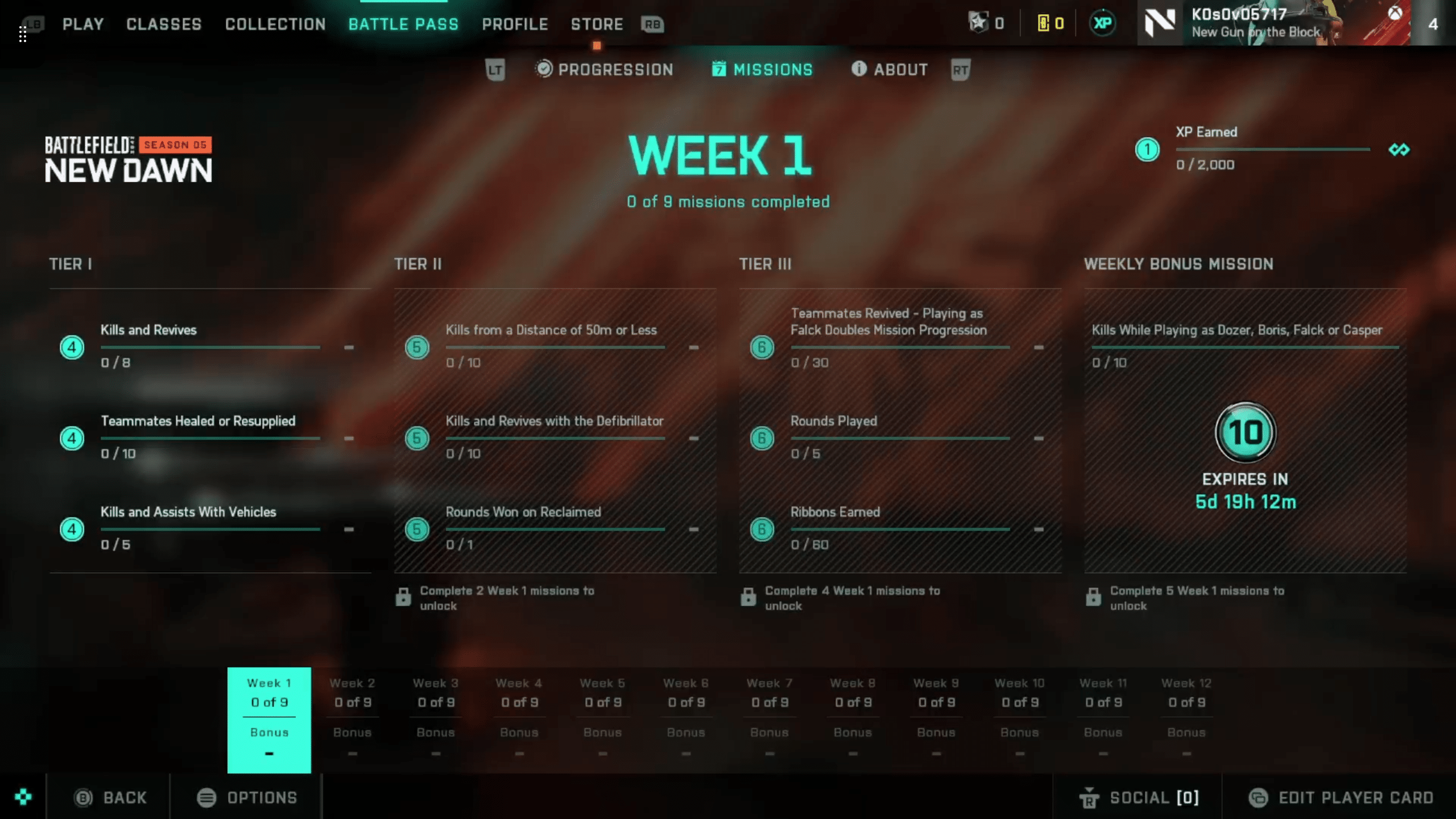
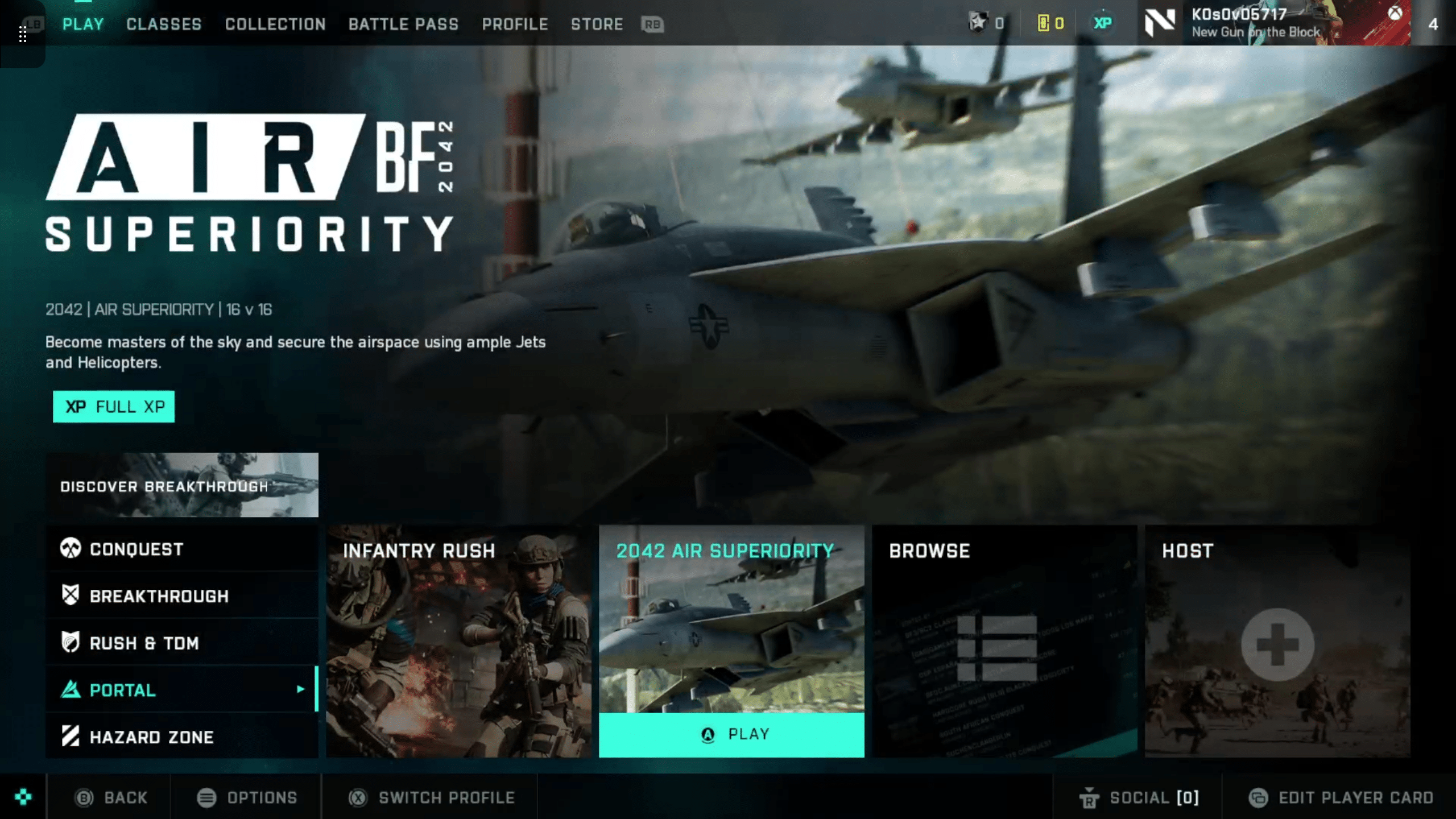
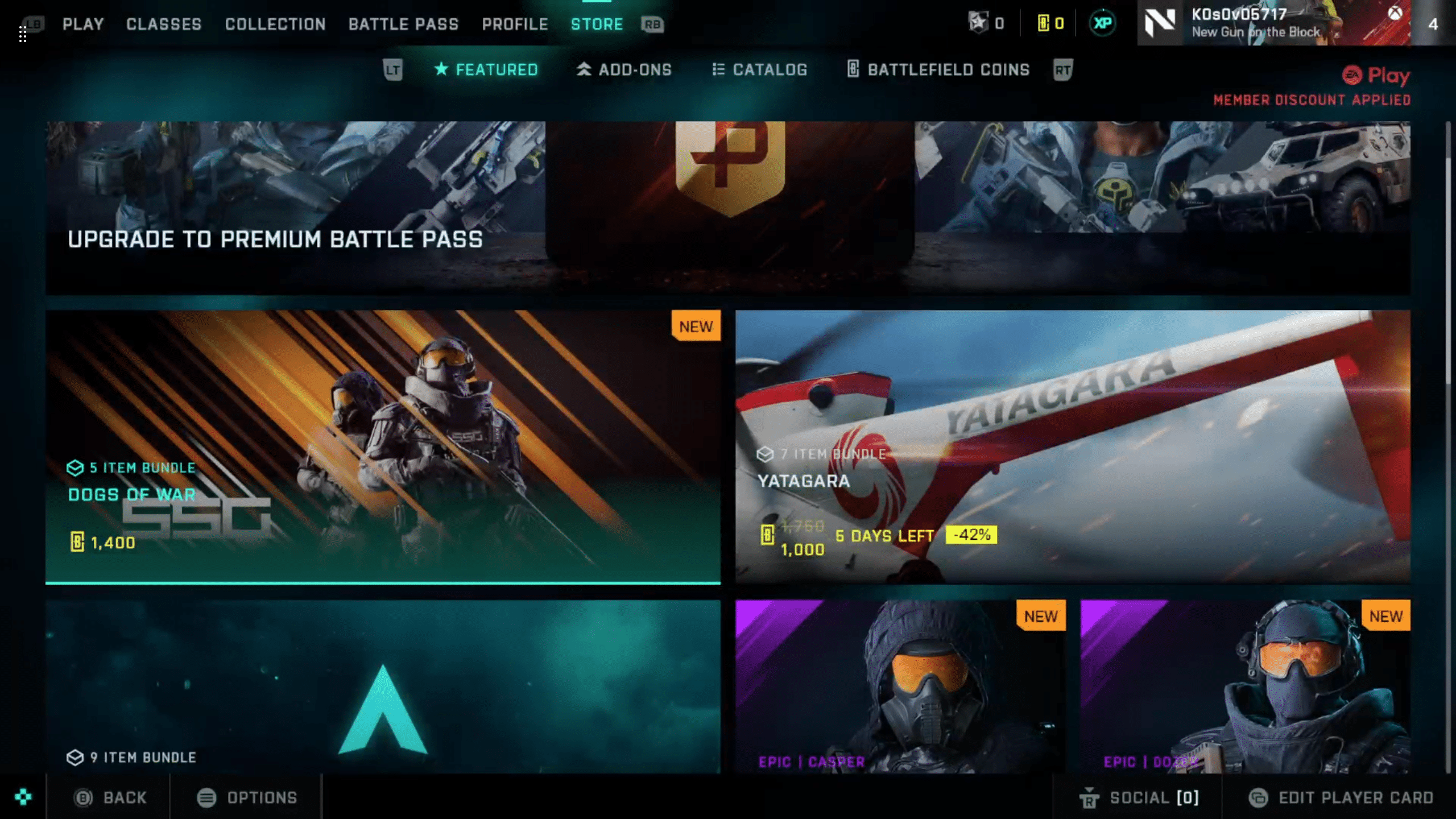
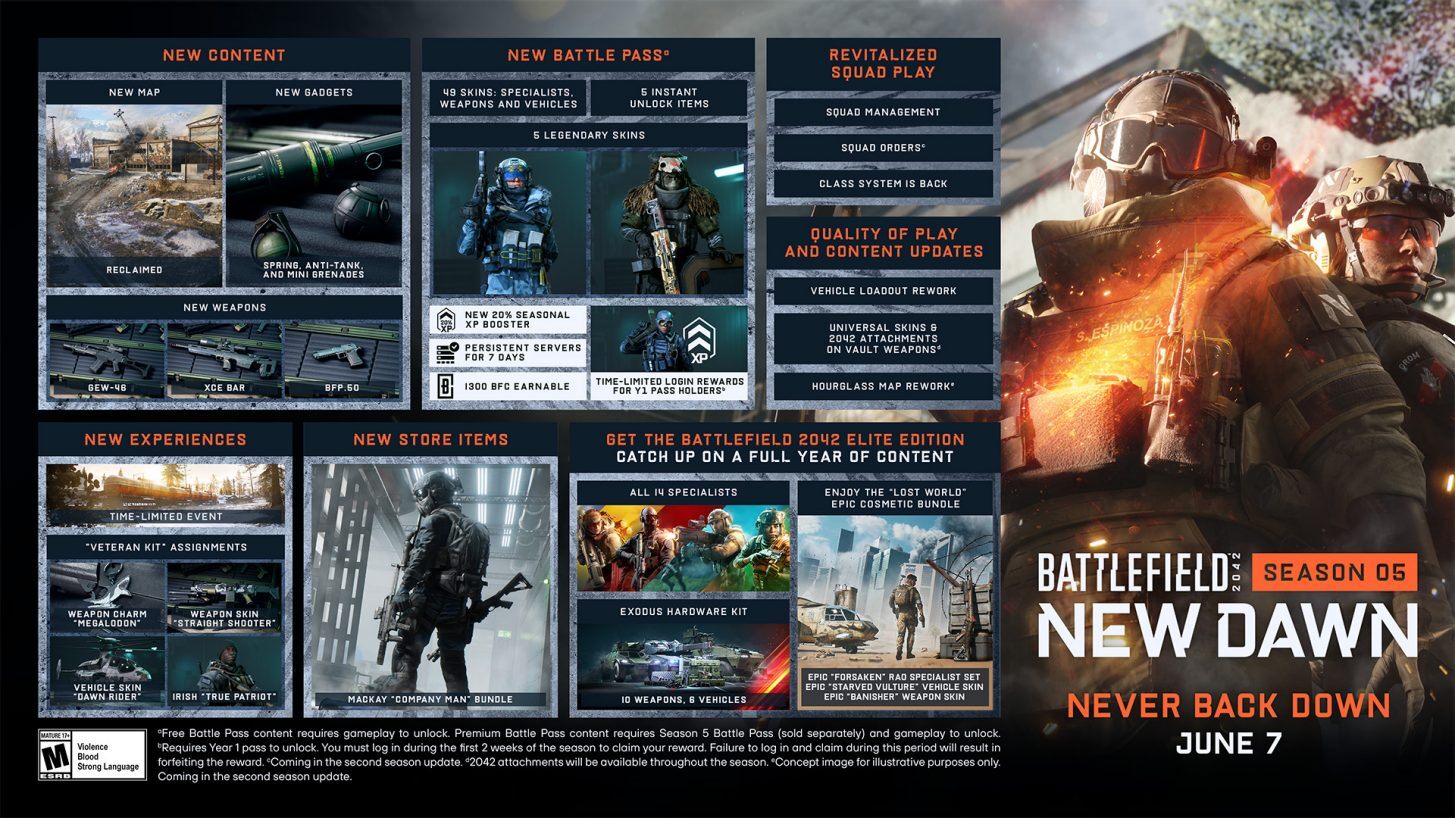
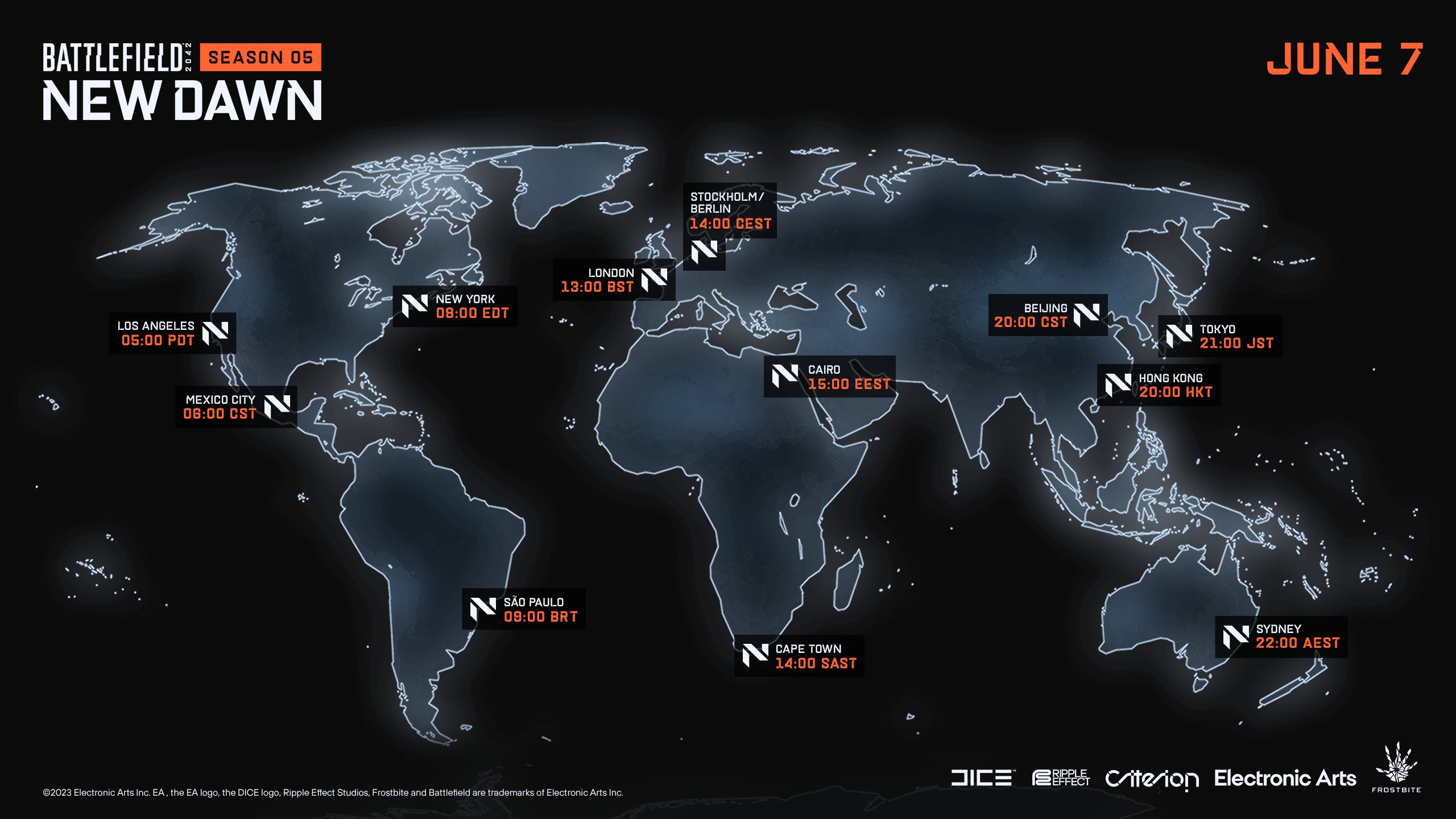
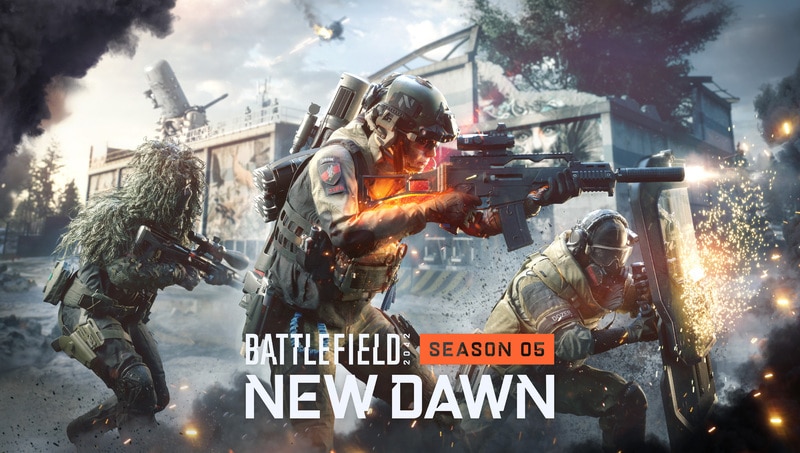
Season 5 has just begun today, with a new set of weekly missions and store offerings! Our Battlefield 2042 Season 5 Week 1 weekly missions, store bundles, and Portal Modes post lists the new missions, modes, and store items for this week (June 7 – June 13) below.
Frontier Developments has formally announced F1 Manager 2023, the next installment of its officially licensed Formula 1 management series. Players will get to experience the most “authentic, comprehensive, and dynamic F1 management experience to date” with the upcoming title.
F1 Manager 2023 will allow players to relive the key moments from the 2023 FIA Formula One World Championship, with an all-new Race Replay mode. The Race Replay Mode features two unique scenarios including:
Starting Grid: players will take control of a team of their choice in a full race which replicates the track conditions and grid positions from its real-world counterpart.
Race Moments: will challenge fans to take control of a specific scenario part-way through the real Grand Prix, aiming to achieve a set objective before the chequered flag is waved, capturing key strategic calls from throughout a thrilling season.
After the conclusion of every real-world race in the 2023 season, a new Starting Grid and Race Moment will be added to F1 Manager 2023, allowing players to test Team Principals weekly to establish their management credentials. Moreover, the title will bring every lap to life with stunning broadcast-like visual representations, with drivers going wheel-to-wheel across F1 Sprint events and all 23 circuits. Included in the 23 circuits is the all-new Las Vegas Strip circuit.
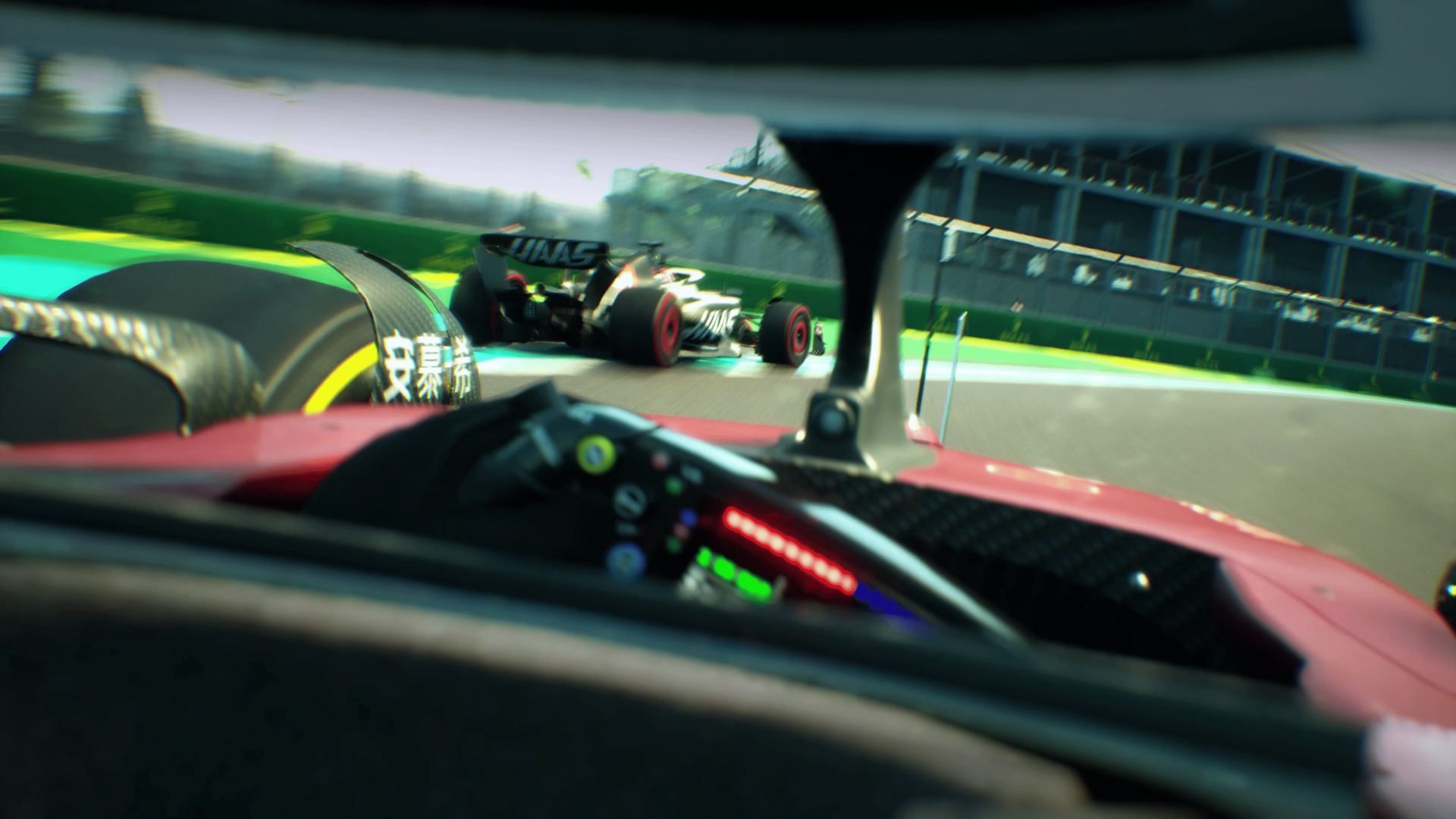
Players will have the ability to watch the action unfold either through their onboard and trackside cameras, plotting their strategies from the tweaked 3D map, or immerse themselves in the new visor camera. F1 Manager 2023 will test the player’s decision-making skills as any mistake or intense battle will affect the driver’s confidence; a low driver’s confidence stat could lead to more risk than reward on the track.
The brand-new Sporting Director provides the opportunity for players to train their pit crew to avoid costly mistakes as the drivers now develop following their directed development focus. F1 managers can also look into the future by scouting talent from the simulated F2 and F3 Championships and negotiate contracts for the upcoming season to ensure success in the long-term.
F1 Manager 2023 Standard Edition launches digitally on July 31 for Xbox Series X|S, Xbox One, PS5, PS4, and PC for $54.99 with a physical release to follow. F1 Manager 2023 Deluxe Edition launches for the aforementioned platforms on the same date for $64.99. Both of the editions are available to pre-order now.
By pre-ordering either, the Standard or Deluxe Edition, players get three unique Race Moment scenarios in F1 Manager 2023. However, the Deluxe Edition also includes a bunch of other items:
Access to the game four days before launch
12 Exclusive Scenarios, split across Starting Grid and Race Moments, testing Team Principals and creating single race experiences which pose hypothetical challenges; what if there was rain in Bahrain? If every car was equal, who would win out?
Deluxe Edition scenarios offer fans the opportunity to put some of the sport’s biggest questions to the test.
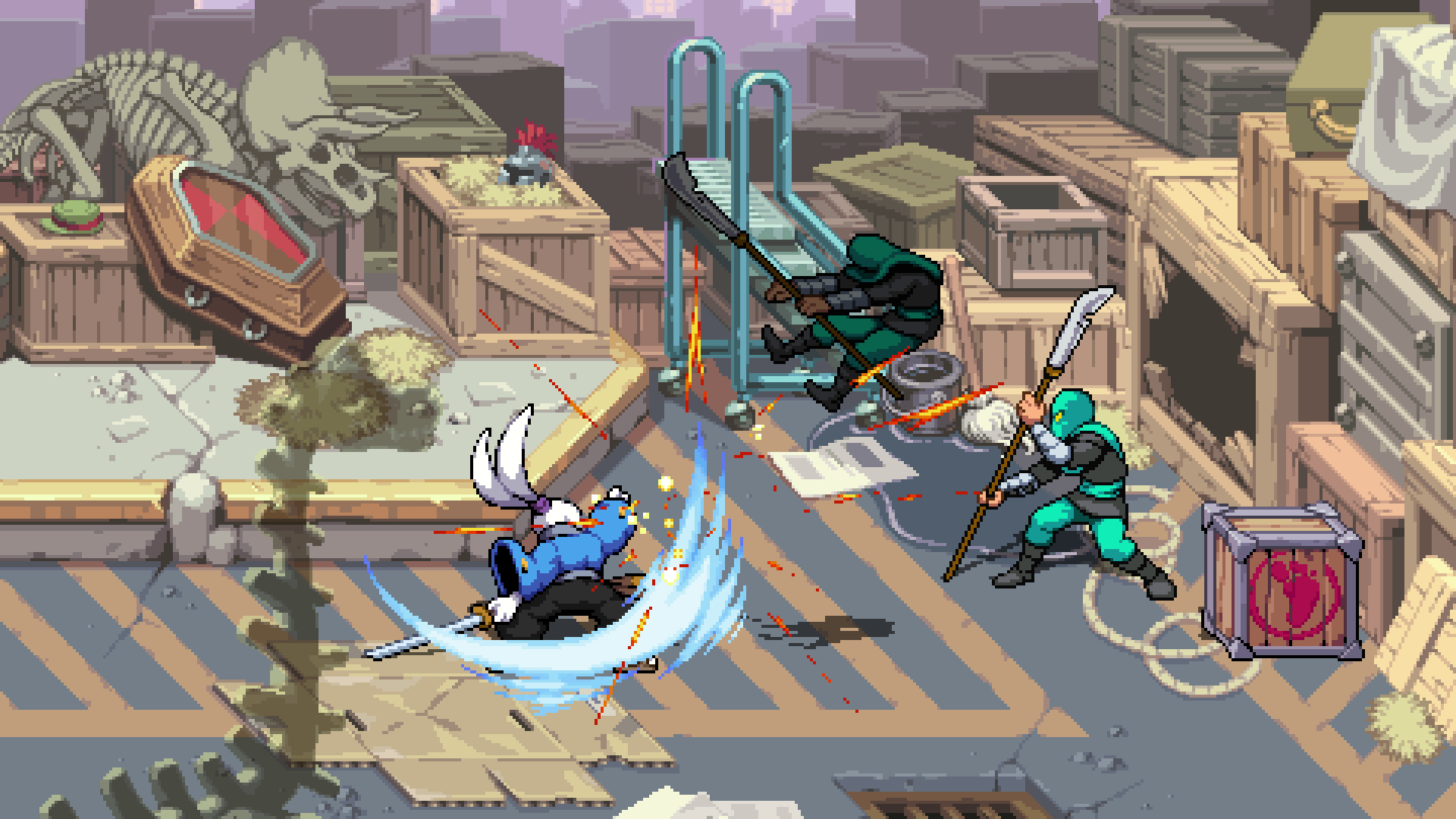
Tribute Games and Dotemu have announced that TMNT (Teenage Mutant Ninja Turtles): Shredder’s Revenge will be getting an all-new DLC called Dimension Shellshock later this year, bringing loads of new content.
TMNT: Shredder’s Revenge Dimension Shellshock will bring a new playable fighter, Usagi Yojimbo from the self-titled comic book series and fan-favorite ally of the Turtles. The rabbit samurai is featured in the new gameplay video for Dimension Shellshock which also showcases a glimpse at the new style of inter-dimensional battles.
Apart from the new playable character from Usagi Yojimbo, Dimension Shellshock also includes a new game mode, new original music from the same composer (Tee Lopes), and alternative color schemes for playable fighters. Dotemu promises that these updates will be detailed “at a later time.”
Separate from Dimension Shellshock, Tribute Games teases a second free update that will be released for TMNT: Shredder’s Revenge offering players a range of color palette options. Dimension Shellshock and the second update follow the previous free update which added Custom Game options and much more.
TMNT: Shredder’s Revenge Dimension Shellshock DLC will release later this year for PC, Nintendo Switch, PS4, PS5, and Xbox.
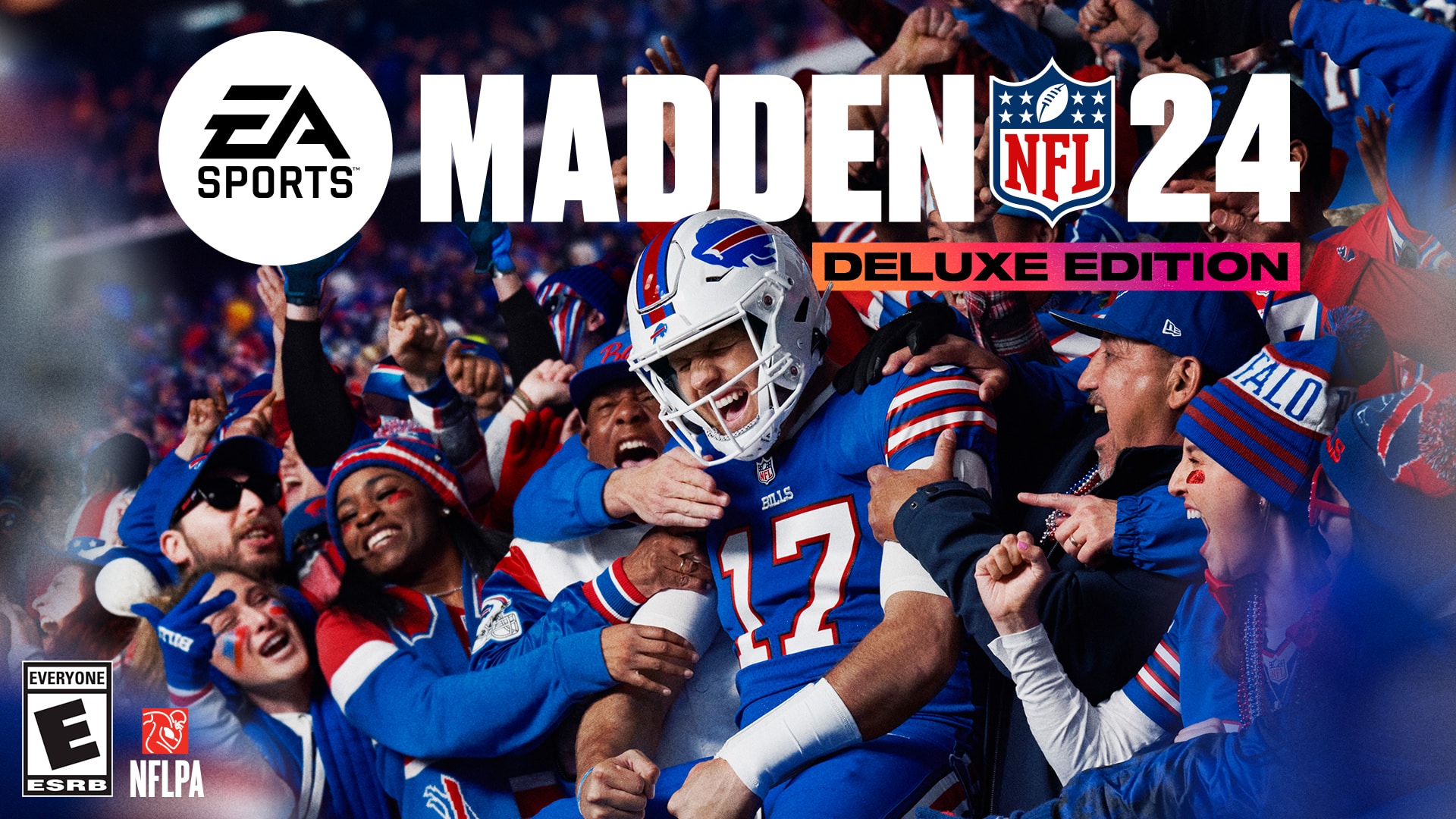
EA Sports has revealed the first look at Madden 24 with a new trailer featuring the gameplay. Madden 24 will feature the new SAPIEN Technology that delivers a leap forward in NFL realism by rebuilding the character skeleton, providing more body definitions and variations to physiques on the field.
Check out the new reveal trailer:
Moreover, for the first time in the EA Sports Madden franchise, players can play with their friends regardless of their platform with cross-play mode. Fan-favorites Superstar Mode and mini-games will also be seeing a return in Madden 24.
Gracing the cover of Madden 24 is the quarterback of the Buffalo Bills, Josh Allen, becoming the first Bills player to ever land on the cover of Madden NFL. Allen holds the record in NFL for total touchdowns (177) through his five career seasons, which made him the most-played person in Madden 23.
Here’s a list of upgrades coming to Madden 24:
Hit Everything: New contested catch tackles provide more control to play the receiver and new tackle types like: Wrap tackles, Scoop tackles and all-new Hit-Stick animations add personality and more variety on defense. Dynamic branching tech now expands to blocking as well.
Skill-Based Passing: Skill-Based Passing makes throwing and catching feel more fluid. An overhauled catching system ensures that receivers consistently maintain their momentum when catching the ball. It feels better than ever to hit a receiver in stride, giving you more control to get loose and get up-field after the catch. A variety of new passing and catching animations capture the authenticity that players expect – dive catches, no-look passes and some game-changing moments never before seen in Madden.
Foundational Football: Enhancements across blocking, ball carrier pathfinding, quarterback decision making and defensive back behaviors not only provide confidence your AI teammates will execute your gameplan the way you intend, but also deliver an authentic challenge. An all-new post-play engine brings the emotion of an NFL game to life through more realistic reactions and more emotive celebrations and frustrations.
Superstar Mode: Superstar returns with modernized versions of beloved experiences like your journey through the NFL Combine and Road To The Draft. New additions like 3v3 Superstar Showdown give fans the ability to live their NFL fantasy with friends.
Mini-Games: Test your skills with dozens of new mini-games, including moving obstacles and destructible targets in Franchise training camp or weekly strategy; every week in Superstar Mode; and playable from the main menu.
Franchise: Added depth in one of the most popular Madden NFL modes addresses top community requests like contract restructuring, trade improvements and deeper customization to name a few. Plus, mini-games are back with training camp and weekly training.
Madden 24 launches on August 18, 2023, for Xbox Series X|S, Xbox One, PS5, PS4, and PC, with pre-orders now live. Pre-Order bonus for Madden 24 Deluxe Edition includes:
3-day early access
4600 Madden Points
Dual Entitlement to upgrade to the PlayStation 5 or Xbox Series X|S version
Fans who pre-order the Deluxe Edition early by July 22 will also receive a player item from the AKA Ultimate Team Program.
Kojima Productions has collaborated with PlayStation Studios and Filmworks to make a documentary on Kojima himself called “Hideo Kojima: Connecting Worlds.” The documentary is directed by Glen Milner and produced by Ben Hilton.
Check out the official trailer below:
Hideo Kojima: Connecting Worlds is described as a “journey into the creative mind of the most iconic video game creator in the world.” The documentary film will give viewers an insight into Hideo Kojima’s creative process, and feature contributions from artists such as Guillermo del Toro, Nicholas Winding Refn, Grimes, George Miller, Norman Reedus, and others. Connecting Worlds currently has no release date.
Disney Dreamlight Valley update 1.50 is now out and this brings The Remembering content into the game! Read on for the new Dreamlight Valley patch notes for June 7,
Disney Dreamlight Valley Update 1.50 Patch Notes | Dreamlight Valley The Remembering New Content | Disney Dreamlight Valley June 7 Patch Notes:
NEW CONTENT AND IMPROVEMENTS:
– It’s our biggest story update yet! The story behind The Forgetting comes full circle!
– Fairy Godmother – along with her Friendship Quests – arrives in the Valley, answering the long-standing question of “who does that giant pumpkin belong to?”
– Celebrate all things Pixar with the brand-new Wonder of Pixar Star Path, featuring exclusive items from upcoming feature film Elemental, as well as Inside Out, Finding Nemo and Finding Dory, and Turning Red.
– Even more new, optional items are on their way to the Premium Shop for a limited time, including the Dark Castle House Style, vacation-inspired Dream Styles for multiple characters, animal companion skins, and much more!
– Browse with confidence. Preview the in-game models of items in the Premium Shop before purchasing them.
– Premium Shop refresh time has been adjusted to Wednesday at 9:00 AM ET (from Friday).
– New shipment alert! Scrooge McDuck’s Store has received a new batch of items to collect, including a range of pumpkin-themed goods.
– To help track which items from Scrooge McDuck’s Store you’ve added to your Collection (and which you haven’t yet), a red dot will be displayed on store items that are not yet owned.
– Make your mark on the Valley with the expanded Touch of Magic feature, allowing the customization of furniture using your hard-earned motifs.
– Bring a little more style to rainy days in the Valley with new umbrella hand accessories.
– You can now place multiple different player houses throughout the Valley. Please note, only one instance of any given house style can be placed.
– Step up your wardrobe! Use the new mannequin feature to save, display, and instantly change into your favorite outfits at the press of a button.
– Roads in the Valley have received a glow up, allowing you to add borders to them.
– Customize the look of your Tools with Premium tool skins.
– We’ve added a news feed to the Start Menu to help keep you in the loop about all the latest Disney Dreamlight Valley updates.
– Added a toggle to the Options menu on high performance hardware (PC, PlayStation 5, Xbox Series S/X) that allows players to increase the Valley item limit, allowing for the placement of 1,200 unique objects / 6,000 total objects (including duplicates).
– Added Steam and Epic Game Store achievements.
– [REDACTED] root vegetables again? [REDACTED]oes it mea[REDACTED]
TOP BUG FIXES:
– Fixed an issue which caused all Passion Lilies in the Frosted Heights biome to appear as red on the ground but would switch to their correct color when picked up.
– Fixed an issue which prevented players from cooking the Dream Fizz recipe.
– Fixed an issue which caused certain quest-giver icons to display improperly in their frames.
– Fixed an issue in which Scrooge McDuck’s Store would appear empty.
– Fixed an issue in which the game would open in a small window for some PC players, preventing interaction with the game.
– Fixed an issue which prevented Memory Shards and Star Coins from spawning when watering dried flowers or removing small Night Thorns.
– Fixed an issue which prevented players from buying or selling items from Goofy’s stall.
– “Stitch’s Hobby” quest: Fixed an issue which prevented some players from giving Stitch his repaired TV.
– “Staking Your Territory” quest: Fixed an issue which prevented players from removing the mustache Nala asked them to wear during this quest.
– “Collect ‘Em All: Strangers from the Outside!” quest: Fixed an issue where alien toys would occasionally appear in unreachable locations.
– “A Story to Tell” quest: Fixed an issue in which the photo the player takes is not recognized during this quest.
– “Eyes in the Dark” quest: Fixed an issue in which a freeze would revert players to an earlier stage of the quest where they had to bring a sound system to Nala and prevent further progress.
– “Eyes in the Dark” quest: Fixed an issue in which a slimy bug under a rock is unreachable.
– “Remy’s Recipe Book” quest: Fixed an issue in which the peanuts required for this quest disappear from the player’s inventory.
– Fixed an issue which prevented the game from recognizing completion of the duty “Take a Photo with Mirabel”.
– Fixed an issue in which Mirabel’s icon appears on the map, but she is not present at that location in-game.
– Fixed an issue in which oysters stop spawning in the Dazzle Beach biome.
– Fixed an issue which caused the Raven Wings item to repeated flap every few seconds.
– Fixed an issue which caused some items to appear visible through walls.
– Fixed instances of users experiencing Initialization Error #10
– Various visual and sound optimizations and fixes.
– And more bug fixes, optimizations and performance stability improvements
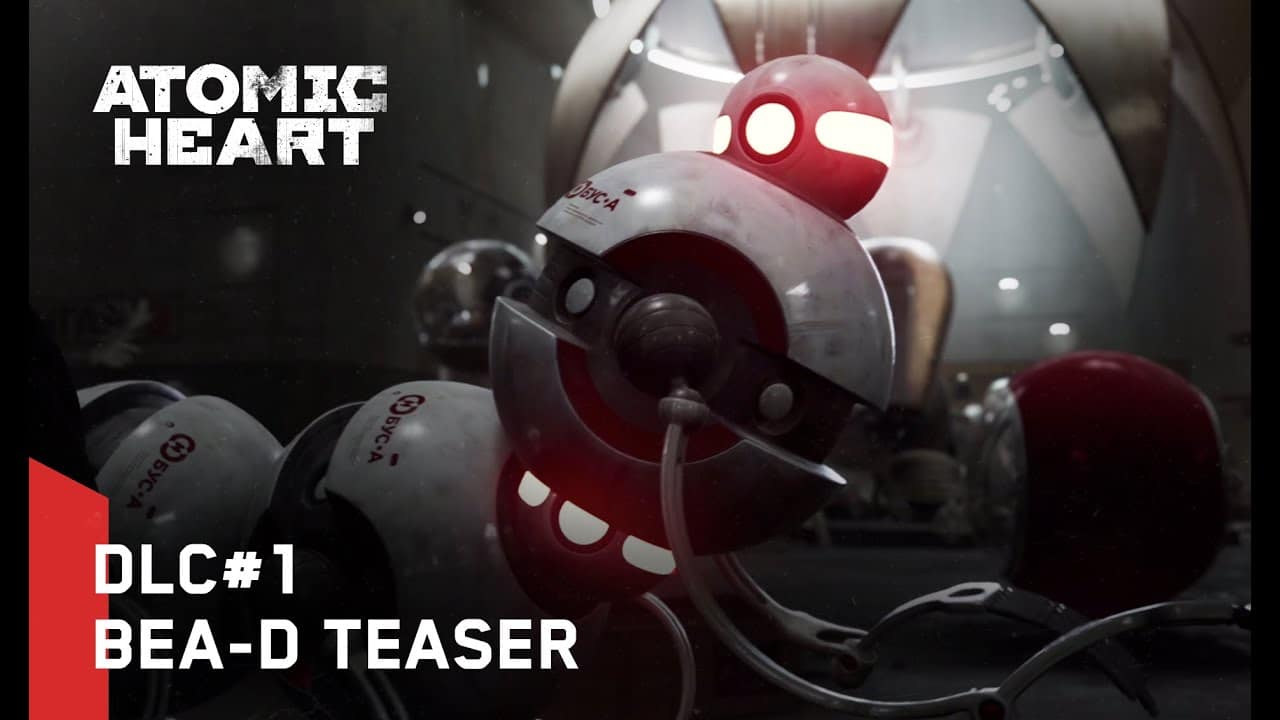
Mundfish has shared a new trailer for the first Atomic Heart DLC, unveiling BEA-D, a new group of agile and dangerous enemy robots featured in the upcoming expansion.
While Atomic Heart was a financial hit for Focus Entertainment and “performed above the group’s initial expectations,” with the player count surpassing 5 million in the first three weeks, it didn’t do as well among critics. It scored a fair 6/10 in our review of the title, with our reviewer saying that Atomic Heart needs “more polish and refinement before the good things can surface the way they should.”
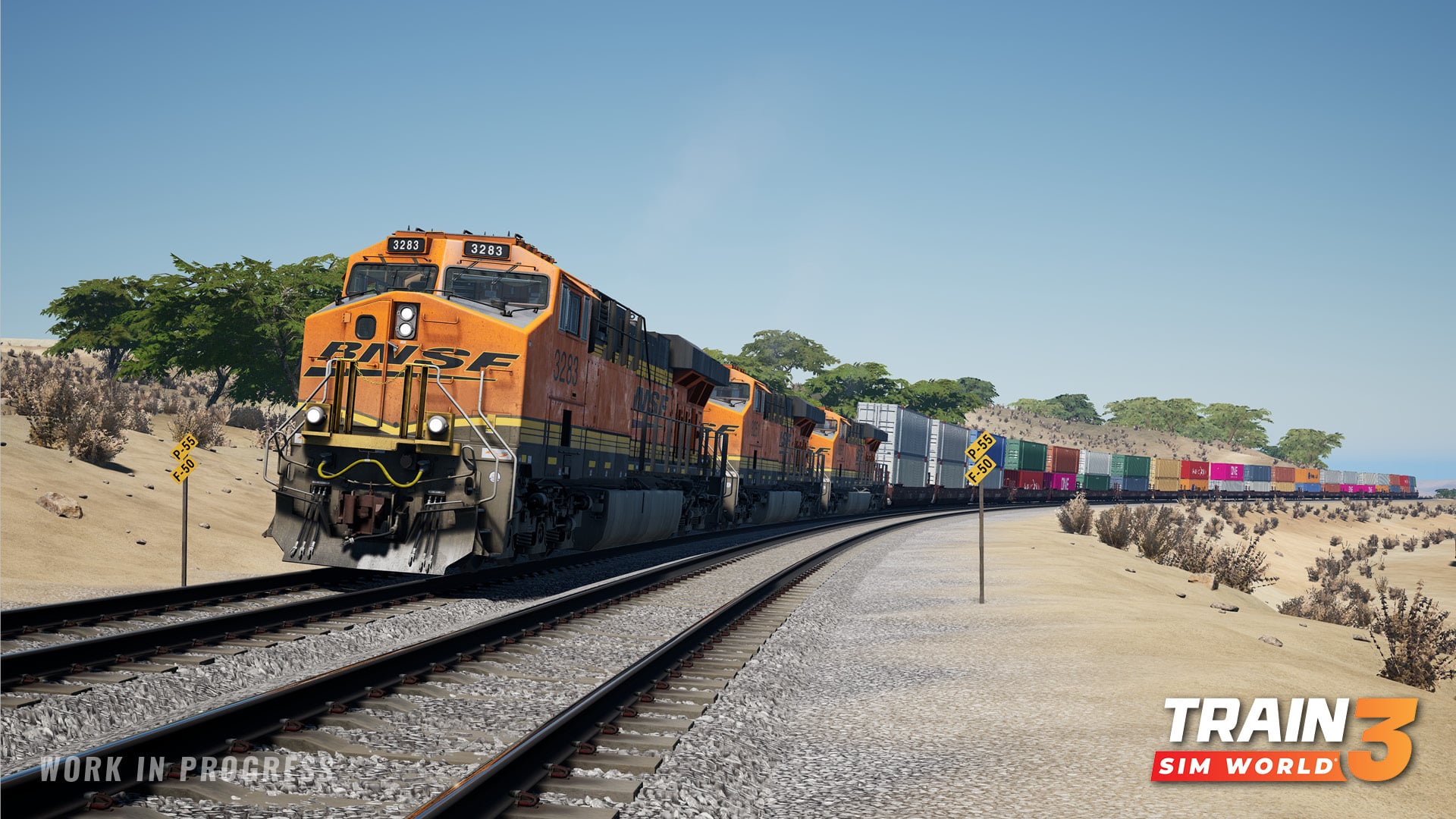
Dovetail Games has released Train Sim World 3 update 1.43 today to add some major bug fixes to the game. The aforementioned update should be available now on all platforms. Check out the June 7 patch notes for Train Sim World 3.
Train Sim World 3 Update 1.43 Patch Notes | Train Sim World 3 June 7 Patch Notes:
Headliners
Midland Main line
Full host of improvements, including an environment and scenery sweep, adjusting clipping objects and collisions, new timetabled freight services (listed below) and a range of various gameplay fixes.
Added 89 HST services, particularly between Derby <-> Leicester
Added 20 Ivanhoe services between Leicester <-> Nottingham, including 3 freight services
Added ROG service from Derby -> Leicester dragging the Blue Class 375.
Re-enabled ROG and Class 375 Blue service
Re-enabled Toton HL -> Leicester Aggregate freight service
Updated Class 66 railtour to use SEH Class 66 instead of RHTT
Overhauled area around Derby station, including adding a Derby Arena football stadium, 3 new buildings on the platforms, barriers and changed bridge supports.
Linke Rheinstrecke
BR 103 window wipers will now behave correctly
Vehicles will now correctly stop at level crossings.
Added OHLE in the ‘Cold Steel’ BR 110 scenario
Improved visuals for trees across all seasons to prevent them appearing grey and popping into colour on approach.
Full Changelog
Core
[XSS] Removed large black objects appearing in the sky – Aliens don’t invade TSW until 2177
[X1X/XSS/XSX] Xbox memory improvements (Saving ~112MB)
Midland Main Line
Timetable
Added 89 HST services, particularly between Derby <-> Leicester
Added 20 Ivanhoe services between Leicester <-> Nottingham, including 3 freight services
Added ROG service from Derby -> Leicester dragging the Blue Class 387.
Re-enabled ROG and Class 375 Blue service
Re-enabled Toton HL-> Leicester Aggregate freight service
Updated Class 66 railtour to use SEH Class 66 instead of RHTT
Improvements
Added Derby Arena football stadium
Added 3 new buildings on the platforms at Derby station, and updated many others.
Added Barriers at Derby station
Changed bridge supports at Derby station
Adjusted lighting around Derby station
Updated scenery around Loughborough station based on community feedback.
Adjusted platform at Barrow Upon Soar so it no longer clips with the 158
Snow will no longer build up underneath Nottingham Bridge
Updated East Midlands parkway with signage and display boards to the platforms to better match references, and added weathering on platforms.
Updated Derby side building with doors, windows and arches, and weathering effects.
Removed floating benches at Derby station
Derby station building should no longer be floating
Fixed light leaking in through underpass roof from the platform above
Fixed Beeston station stair textures
Added AWS magnet on the line from Derby -> Spondon
Added a new bridge around Leicester
Adjusted platform gauging at Leicester so that platforms better match the curvature of the track
Fitted incandescent bulbs to signal just north of Leicester station
Player should now be able to climb onto platforms at East Midlands Parkway and Leicester station.
Moved Lamp post at Spondon so a car stop could be attached to it
Fixed rain passing through the canopies at Derby station.
Created an extra car stop at Loughborough so longer trains can fit more coaches on the platform and allow passengers to board.
Fixed trees appearing too close to the track
Added more car variation in car parks around Derby
Signal LR501 should no longer display double greens on a clear aspect, and appropriate numbers of yellows on caution aspects.
Fixed custom liveries spawning in HST and 158 formations on introductions and tutorials.
The model for Derby Roundhouse by Derby station has been replaced with new models and textures.
***
NPCs will now spawn at East Midlands Parkway
Lamps no longer clipping into the wall at Derby station
Added missing track point blades coming out of the tunnel before East Midlands Parkway
Adjusted platform height at Syston station
Fixed hedge materials displaying incorrectly
Fixed holes in the scenery at Derby station – Talk about mind the gap!
Fixed a gap in Leicester footbridge.
Activated AWS ramp for signal just north of Beeston station.
Passengers will no longer get stuck in the ground before boarding a train at Loughborough
Fixed a crash starting the ‘Set Pieces’ scenario.
Fixed missing ‘set junction’ objectives on the ‘Set Pieces’ scenario.
Fixed conflicting speed limit information around curve at Long Eaton and before East Midlands Parkway from Nottingham
Rain/snow should no longer clip ends of Redhill tunnel
Fixed posters clipping into fences at East Midlands Parkway
Fixed flowerpots attachment to fences at Long Eaton station
Shelters at East Midlands Parkway will no longer change size when moving away.
Removed snow build-up appearing on platform 1 at East Midlands Parkway
Fixed floating assets around platforms near Barrow Under Soar and Nottingham.
Fixed issues with passengers getting stuck or floating at Nottingham station
Renamed text above lounge on platform 7 at Derby to read “EMT Lounge”
Achieving a gold medal on ‘5D90 Derby Etches Park’ will now correctly display on the menu
Fixed text at the end of ‘The Night Train’ scenario from disappearing quickly
Fixed Nottingham station platform number signage with correct numbers
Redesigned Sawley level crossing to be more natural, added angled crossing plate
Removed short 90mph section when leaving Nottingham station
Additional
Fixed various collision errors and clipping across all stations and along the route.
Fixed various camera clipping issues – players can no longer fly through iconic buildings.
Corrected various spelling errors
Class 158
Door panel buttons should function as expected.
Passengers no longer stand in the vestibules and block the player
Fixed an issue causing to guard panel local door to not work as expected in the Open position
Added two help tips that show the player how to open doors using shortcuts.
Fixed areas where the model and textures were low resolutions
Various changes to emergency brake physics and logic
Reduced amount of sliding and slipping in conditions with bad adhesion
Removed “ripple” visual effect on front window texture
Fixed issues with lighting in the passenger compartments
Fixed lighting on the rear of the train at the start is showing red and white (service 5C20)
Brake demand light will now flash when brake demand is triggered and the TPWS/AWS reset button has not been pressed.
Cab Dial needles can now be seen at night with cab lights off
Disabled Sander and Uncouple button lights from illuminating
Add DSD pedal animation and sounds
Orange swooping line on the exterior of the 158 shall now end with a sharp point, base don community feedback and reference images.
Ensured climb up options for all doors
Fixed texture seam alongside the side of the reverser handle
In both 52 and 57 variants, the key will now correctly disappear once players have stopped interacting with the key VHID in the guard panel.
Changed wiper mode speeds for different slow and fast settings.
Raised driver view point by 5cm
***
Window wipers now properly clear rain/snow.
Cab gauges will now be visible if instrument lights are inactive or when in direct sunlight.
Adjusted Vigilance penalty and pedal emergency timers to align with real-life setups.
Changed Traction Isolation and Vigilance Isolation to be toggleable, and made it so that the glass bar is removed when you toggle them
Allowed gangway door to be opened from opposite cab of two coupled units.
Added a set to set the Reverser to “Off” in the tutorial.
Added animations and a toggle to Clipboard light switch.
Prevented players form being able to click the front coupler in external views.
Implemented Fault Lamp Test – When the fault lamp test button is pressed the Engine Stop and both Transmission Fault lights are illuminated.
Additional various fixes and improvements to the BR 158-2
Fixed Class 158 Head/Tail light mimic panel to display marker lights as intended
Corrected coupler button logic (to establish jumper cable connection the “Couple” button has to be pressed with reverser in Neutral)
Taillights are now correctly red.
Removed ability to interact with the second man’s seat window through the front cab door
Fixed AI trains so they can couple without issue
Train should work as expected when taking over from the AI after being previously coupled
Ensured that all guard panel buttons are clickable, and that buzzer has audio.
Starting engine with “Aux lights” extinguished will not trip Alternator Excitation
Ensured “local control” only shuts off the local engine and the engine can be restarted by pressing Engine Start
Fixed issue preventing sanding to never be applied on rear coach
Fixed Blue Door light to stay illuminated until all doors in the consist are closed and interlocked
Adjusted platform height at Syston station
Various fixes to audio
Class 43 HST
Fixed DRA and AWS isolate switches being reversed in operation
Passengers will correctly board and disembark, and will not go through staff/guard doors.
HST cars should be in the correct order
Fixed an issue preventing players to interact with the gangway doors
Fixed an issue where the TPWS trips with penalty brake on entry to Nottingham (approach C-Line below 48 mph, the TPWS should not trip)
Removed blocked windows of Mk3 TGS Coach and added interior model for rear side guards area.
Fixed issues with shadows casting behind decals on Mk3 coaches
[PS4][XB1] Fixed text appearing blurry and illegible on decals
***
You can now sit in passenger seats once again
Fixed ‘Not Quite Awake’ scenario to now start with the HST’s reverser facing “Forward”
Fixed issue where doors appeared open after closing them from a distance
Fixed gangway doors to correctly display “Open/Closed”
Linke Rheinstrecke
Gameplay
Chapter 8: Alternating Current will now have a BR 110 loco at one end (Service RE3444)
Fixed multiple red signals outside of Koblenz station that were preventing progress in services and Journey mode.
Fixed Signal sequencing at Mainz station
BR 103 window wipers will now behave correctly
Vehicles will now correctly stop at level crossings.
SIFA on BR110 is now audible on outside camera
Headlights on n-Wagens will now correctly illuminate surroundings.
Improvements to DB Shimmns-u 708 and DB Tadgs 959 physics and brakes, ensuring trains are capable of departing and can stop within a reasonable distance.
Route Art
Added OHLE in the ‘Cold Steel’ BR 110 scenario
Improved visuals for trees across all seasons to prevent them appearing grey and popping into colour on approach.
Improved snow-build up appearing across the landscape and not over roads.
Fixed position of platform end signal box at Koblenz station.
Fixed missing collision to various fences across the route
Fixed area where grass texture cut through a main road.
Fixed signs clipping in station at Boppard Bad Salzig
[PS5] Fixed an issue that caused many areas of the environment to have a chequered texture.
UI & Menus
Added missing full stop to the “St. Goar” station name
Fixed blank options from appearing in Scenario Planner
Fixes to subtitled text in the ‘Bnrdzf 463 n-Wagen Introduction’ Training Module.
Fixed incorrectly localised PIS on the side of IC coaches.
Note: physics improvements to the BR 103 will come at a later date.
Bremen-Oldenburg
Improvements to Brake Pipe phyiscs on the Tadgs 959, Habbiins and Laaers
Voiceover and Subtitles will now correctly match in the BR 110 Training Module for French and German languages.
Fixed subtitle error in BR 463 Tutorial
Fixed ‘Load passengers’ objective to be completable in the BR110 Introduction
Fixes to the BR 103 Introduction when operating the door via D-pad or Analog Focus
Added missing speed reduction on approach to Bremen Neustadt
Mastery Tile will correctly show as available once the player has earned it.
Vorsignals will behave correctly on Sh1 and Hp2
BR 110
Improvements to the BR 110 passenger doors functionality.
Fixed BR110 SIFA audio not being played outside when activated from the menu
Window wipers will work as expected
Corrected intensity of headlights for the BR110 and n-Wagens
BR Press 155
Adjusted Tap Changer notch up/down time according to real-world data
Tuned brakeforce, pressure and general brake physics to be more prototypical
BR 425
Fixed throttle movement lag on BR 425
BR 463
Improvements to the interior model in the cab.
Peak Forest
LMS 4F
Turned down the volume of the safety valve to match 8F and Jubilee
Isle Of Wight: Ryde-Shanklin
Class 483
Added emergency brake that can be toggled with backspace ‘ – ‘
Animated guard panel buttons and increased button size to make them easier to click
Speedometer should correctly match the speed shown on the HUD.
Train will correctly load passengers after saving and reloading from the menu
Fixed HUD display swapping Brake Cylinder and Main Res
Headlights should function correctly on AI services
Driver seat is folded down by default when starting a service.
Reduced hitbox of gangway door to prevent it getting in the way.
Added collisions to passenger seats to prevent walking through them.
You can no longer flip up the driver’s seat while sat in it.
Sliding shoes will now properly contact the third rail.
Removed guard panel cameras.
Adjusted internal weather sounds.
Reduced volume of door warning audio.
Implemented guard buzzer audio.
Improved footstep audio
Fixed entrance and exit animations when climbing aboard.
Fixed animations for the guard’s door open and close buttons.
West Cornwall Local
Removed chance for player to escape the world at St Austell Station (no fourth-wall breaking here!)
Updated footstep audio at St Erth station
Updated draw distance for tunnel and crossing at Truro station – passengers should also no longer clip onto the road as much
Class 150
Adjusted fuel position on Class 150
Added wheel sparking effect, plus water and snow kick-up effects
Increased revs when starting train in Notch 3, dropping down when torque converter is filled – this is mainly an audio improvement
Class 37/5
Class 37/5 headlights will now correctly illuminate surroundings.
Main-Spessart Bahn
BR 204
Fixed ‘Release Brake’ objective in training module, allowing it to be completed.
Added Walkie-talkie model to front of cab which is used to contact signaller.
Added fuel caps and refueling setup.
Increased strength of headlights, and also warmed the colour slightly.
Manual wipers will now correctly clear rain & snow on windows.
Removed duplicated BR 204 in the service listing.
Two 204s now couple closer together.
Throttle power notches 4,5 and 6 will now do something (notches 1,2 and 3 power reduced)
Fixed Full-service brake to correctly display.
Fixed HUD brake% to match the output shown on the level.
PZB should now appear on the HUD as well as the dashboard lights.
Changed SIFA warning from bleep to “Sifa, Sifa” audio.
Adjustments to cab audio, including PZB beeper volume.
Reduced sensitivity of reverser control.
Various adjustments to brake physics.
Added Rail Driver support.
Arosaline
Added Resume Last Played image.
GE 4/4
Updated running audio, flange audio, and whistle audio – also, whistle/horn volume will now correctly decrease as the camera moves away
Improved wiper audio panning, and fixed external audio for wipers
Fixed snow effect artefacts on the front window
Fixed clock in cab 2 to no longer be blank
Improvement to headlights
Improved animation of Master Key turning
Added wheel sparking effects, and water and snow kick-up
Luzern-Sursee
RABe 523
Rounded timetable to nearest minute
1938 Tube Stock
Improved running audio when coasting
Tweaked audio for battery, running, and traction motor
Headlights should now always turn on
AI drivers should now be sat in their seats (time to rest those sore feet!)
AI trains should now have passenger lights on, with lighting adjusted in AI trains
Passengers should now correctly sit down, without piling on top of each other
Fixed animations for guard panel buttons, with a second button added to open doors
Guard buzzer functionality added
Increase of cab light brightness and headlight brightness
Added wheel spark effects
Improved handbrake animation
Doors can no longer be opened whilst the train is in motion
Wiper buttons should now be operational with the gamepad
Driving across gaps in third rail should no longer result in you losing power
Developer Mundfish has released Atomic Heart update 1.13 on both PC and consoles today for what the devs call patch 1.7.0.0. This new update adds Photo Mode to the game. Read on for what’s new in the Atomic Heart June 7 patch notes.
Added specific graphics and display settings for the Steam Deck platform
OTHERS
Added AMD FSR 2.2 technology for PC players
Improved car physics
Improved game stability (various minor bugs and rare crashes)
RECOMMENDATIONS FOR SOLVING SOME ISSUES
We cannot guarantee or support the game if the Atomic Heart game client has been modified by any third-party software. If this happens, you should uninstall this software and reinstall the game.
If you encounter issues on Steam, first check the integrity of the game files as described here. This may solve the issues:
Updating the driver to the latest version may improve performance (NVIDIA only).
The problem with unlocking achievements has already been solved, but in some very rare cases, the following issues may occur:
○ There may be some delay in unlocking achievements on a platform that requires an Internet connection for this process;
○
For those whose achievements were achieved entirely on savegames before or during the Day 1 patch
, there may be some issues, which can be solved as follows:
a) In case the achievements were not unlocked, even though their progress was achieved, it will be necessary to re-execute all the conditions by starting a new game.
b) In the rare case where all achievements have been obtained, but the “The Motherland Does Not Forget its Heroes” achievement has not been unlocked for achieving them all, the problem can be solved simply by starting a new game. Data will be recalculated at the launch of the new game, which will entail unlocking the achievement.
Sony has kicked off the PlayStation Store “PS Plus Double Discounts” sale, and it has over 400 items discounted! Games like The Witcher 3, Ghost of Tsushima, Marvel’s Midnight Suns and more are on sale. Read on for the full price list.
Update: It seems Sony has TWO PlayStation Plus Double Discounts sale on-going on the PSN Store! For the sake of transparency, we’ve included both lists below.
If there’s another sale launched, we’ll let our readers know. Chances are, we’ll be getting a Summer Game Fest sale when it kicks off tomorrow as well.
Gaijin Entertainment has released War Thunder update 1.000.175 for all platforms. This is tagged as patch 2.25.1.138 and it comes with several bug fixes. Check out the War Thunder June 7 patch notes below.
War Thunder Update 1.000.175 Patch Notes | War Thunder June 7 Patch Notes:
Display of destroyed wrecks of ground vehicles which in rare cases might look like serviceable vehicles has been fixed.
A bug where the effect of flying dirt might appear in the air in ground battles in different locations has been fixed (report).
A bug which caused the aircraft icon to remain dark and not highlighted when activating an air event in ground AB although the player was waiting for the start of the air event has been fixed.
A bug that caused event icons to me mistakenly displayed active at the beginning of the game session has been fixed
A bug that caused the reload time not to be displayed when hovering over the icon during the initial preparation of the UAV has been fixed.
Naval
HMS Glorious — torpedo firing order has been changed. In manual control, torpedoes are fired from one side in order rather than from the other.
IJN Hatsuharu — “Torpedo Mode” modification has been added.
A bug has been fixed in the boat tutorial where the frame over the furthest target was shown black.
The current provided changelog reflects the major changes within the game as part of this Update. Some updates, additions and fixes may not be listed in the provided notes. War Thunder is constantly improving and specific fixes may be implemented without the client being updated.
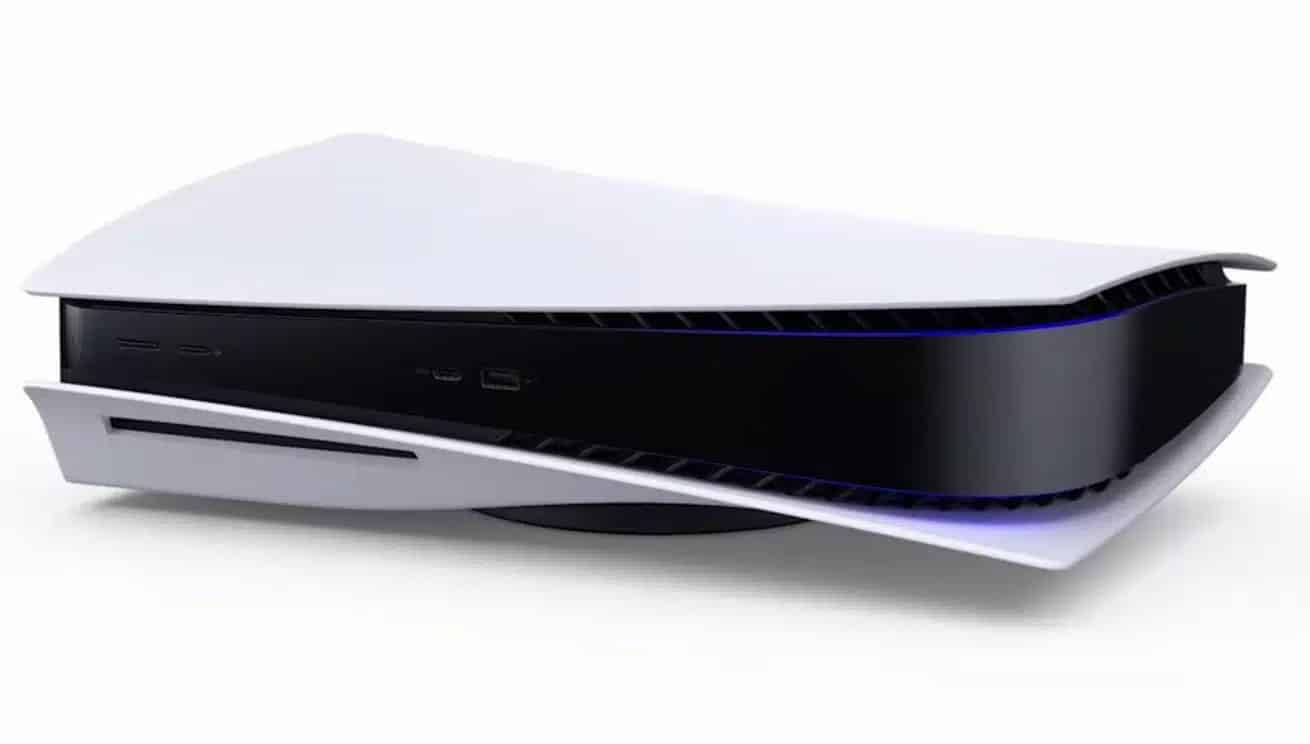
Sony has released PS5 update 23.01-07.40.00.06, and this brings in more stability and improved messaging. Read on for everything new in the official PS5 update patch notes for June 7.
We’ve improved system software performance and stability.
We’ve improved the messages and usability on some screens
It may be a few more months until the next big patch is released for the PS5 console. We know fans are dying to see even more new features that have not been implemented yet. Hopefully, more big features are coming to the PS5 later this year.
That’s about it for today’s patch though. Once a new PS5 firmware patch is released, we’ll let our readers know. Keep it locked at MP1st for all your new PS5 updates.
DICE has released Battlefield 2042 update 1.000.038 and this is for Season 5: New Dawn. Players can expect a new map, new weapons, loads of quality of life improvements and more. Read up on everything new in the Battlefield 2042 Season 5 patch notes for June 7.
Here is an overview of the new content in the Season 5 Update, alongside highlights for changes and improvements:
New Map: Reclaimed
New Weapons: XCE BAR, GEW-46 & BFP.50
New Gadgets: Spring Grenade, Anti-Tank Grenade, Mini Grenade, RPG-7V2
New Battle Pass featuring all-new cosmetics for Specialists, Weapons, Vehicles and more.
Quality of Life Improvements: Vault Weapon Attachments & Universal Cosmetics, Reworking Vehicle Loadouts, Specialist Improvements for Dozer & Irish, Squad Management, Damage Unit UI and more.
Arriving later in Season 5: Further Vault Weapon Attachments, Hourglass Map Rework and further Quality of Life Improvements like Squad Orders.
What’s New?
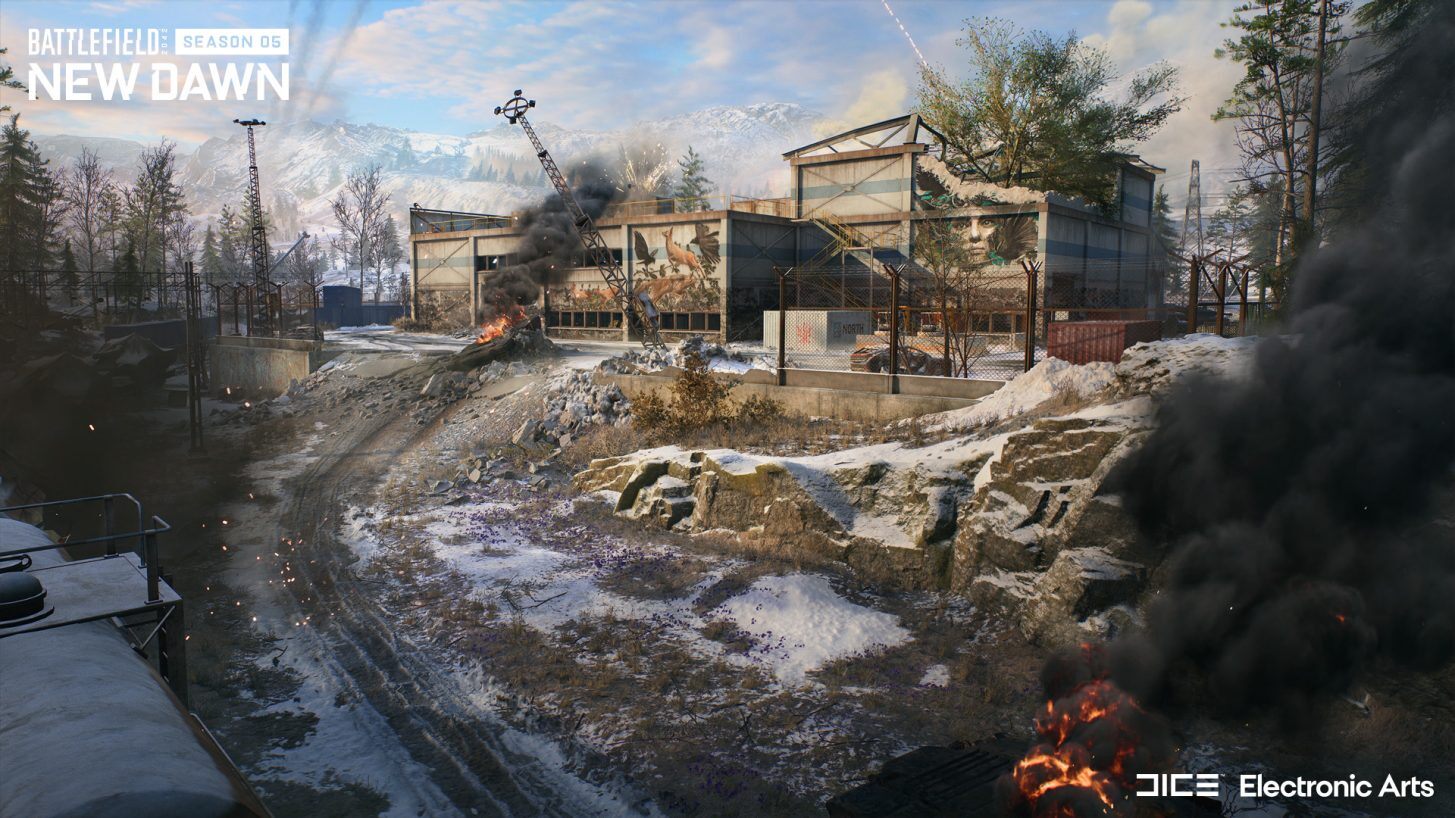
New Map: Reclaimed
War has descended upon an abandoned industrial facility, slowly being reclaimed by nature in the Czechian region. Fight in and amongst derailed trains, abandoned turbines and warehouses as you work towards secrets hidden within the mountains.
The Crash Site, featuring the derailed train, is designed primarily as a vehicle combat area, with the Landing Zone an area of forest providing a circular area that will enable close-quarters combat and new sightlines opening up when trees are destroyed.
You may see the inspiration we’ve taken for the Abandoned Turbine and Military Warehouse. The indoor space of the Abandoned Turbine will enable crossfires due to its verticality and cover. While the Military Warehouse’s floors will no doubt attract snipers and a range of gunplay experiences due to the narrow layout.
Hidden inside the nearby mountain lies The Bunker, forgotten and made up of a central room whose linear space will bring intense, short-range, close-quarters combat. In comparison to this, The Silos is another outdoor area set up for vehicle combat with its generous roads perfect for tank battles. Easy to spot due to its four towers rising up from the ground, The Silos also provides plenty of elevated areas for infantry to get a shot at vehicles dominating the ground.
New Weapons: BFP.50, XCE Bar, GEW-46
The weapons arsenal is expanding this Season with not only new weapons, but also further much community requested improvements to Vault Weapons.
BFP.50
The BFP.50 is a powerful hand cannon, giving you another sidearm that dishes out heavy damage at close range. Anticipated to become a highly popular choice due to its size, sound and power, we just know you’re going to love this updated version for The World of 2042!
GEW-46
The GEW-46 assault rifle offers high stability with short-burst fire. Great for the medium-range environments that you’ll experience across the Reclaimed map.
XCE Bar
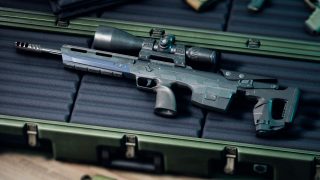
The XCE Bar is a high-precision bolt action rifle. It has expanded attachment capability to accompany its stopping power, allowing you to quickly swap through attachment options to engage the enemy at various distances.
New Gadgets: Spring Grenade, Anti-Tank Grenade, Mini Grenade & RPG-7V2
Anti-tank Grenade
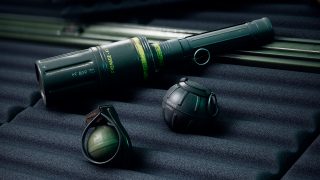
A bundle of grenades that will detonate on impact against vehicles while dealing substantial damage.
Mini Grenade
An anti-personnel grenade that can be thrown a longer distance, and after a short delay explodes across a small area.
Spring Grenade
An old familiar projectile behavior as seen before in the form of the S-Mine or Bouncing Betty. It operates through a spring-activated thruster to reach head-height altitude before imminent explosive detonation.
RPG-7V2
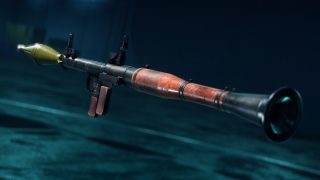
Veterans of the franchise will be familiar with this much loved gadget, and we’ve heard your requests to bring this boomstick through to All-Out Warfare from Battlefield Portal. With Season 5, you’ll now have access to use this fan favorite gadget however you see fit!
New Battle Pass
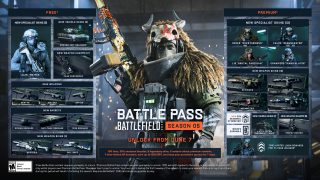
Season 5 brings with it two factions – one that’s cutting-edge, calculating and professional versus a more survivalist group who are savage, independent and ruthless.
You’ll see this in the cosmetics available as you play through the Battle Pass, some of the best we feel we’ve ever brought to Battlefield! From Falck’s ‘Regenerator’ Skin at Tier 0, to Dozer’s ‘Overthrower’ Skin at Tier 100.
There’s a whole load of items to unlock across 100 tiers of the Free and Premium Battle Pass including cosmetics, XP boosters, and the new premium Seasonal Booster! Additionally, those that were Year 1 pass holders will also receive an Epic Skin and XP booster during the first two weeks of Season 5, as a thanks for continuing to play.*
Lastly, we’re continuing to work on the game beyond Season 5. We are committed to continuing the Battlefield 2042 journey and are working through the best ways to bring new content and experiences for you all. Expect to hear more from us on what’s planned later in Season 5.
Quality of Life Improvements
Vault Weapon Attachments & Universal Cosmetics
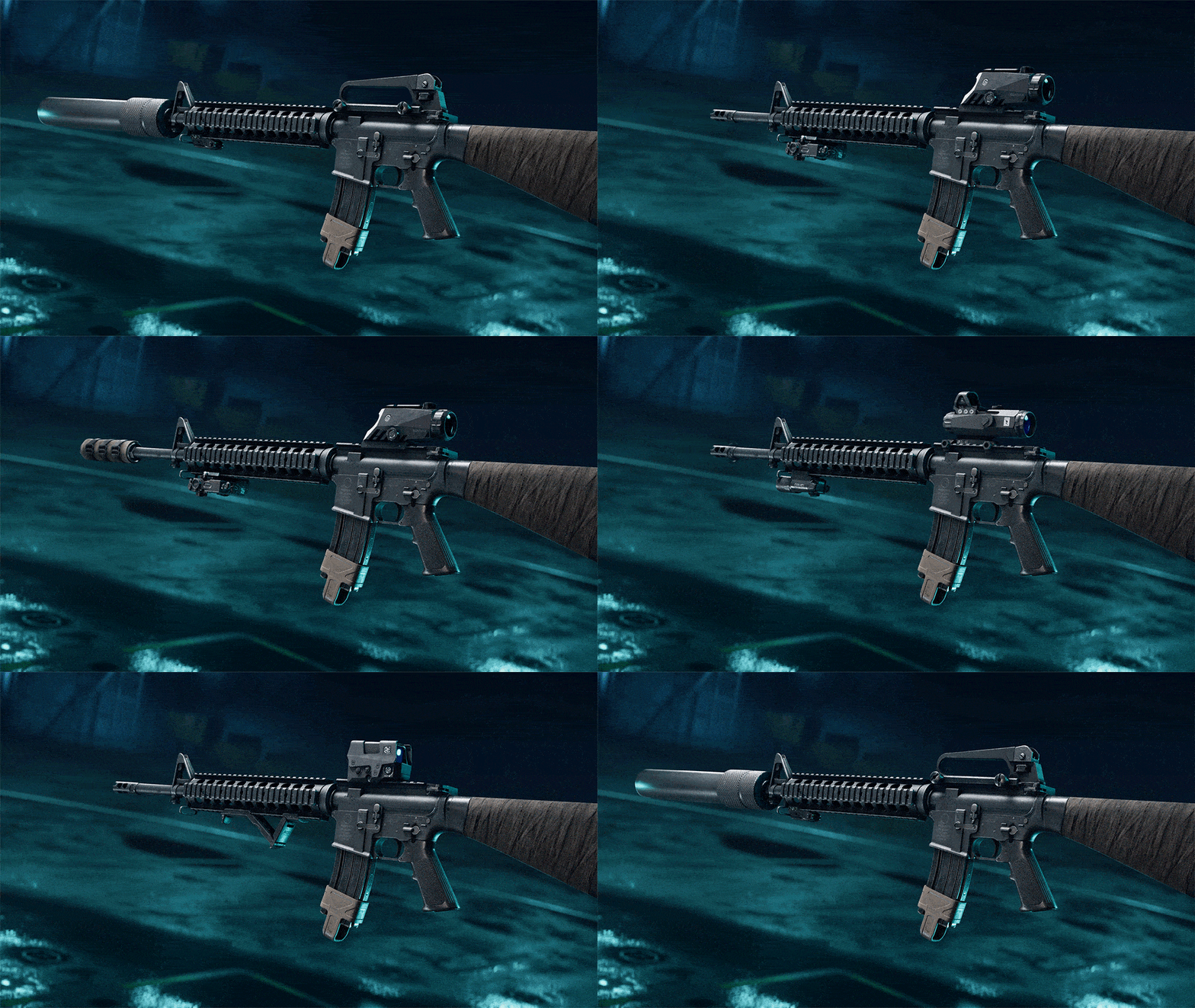
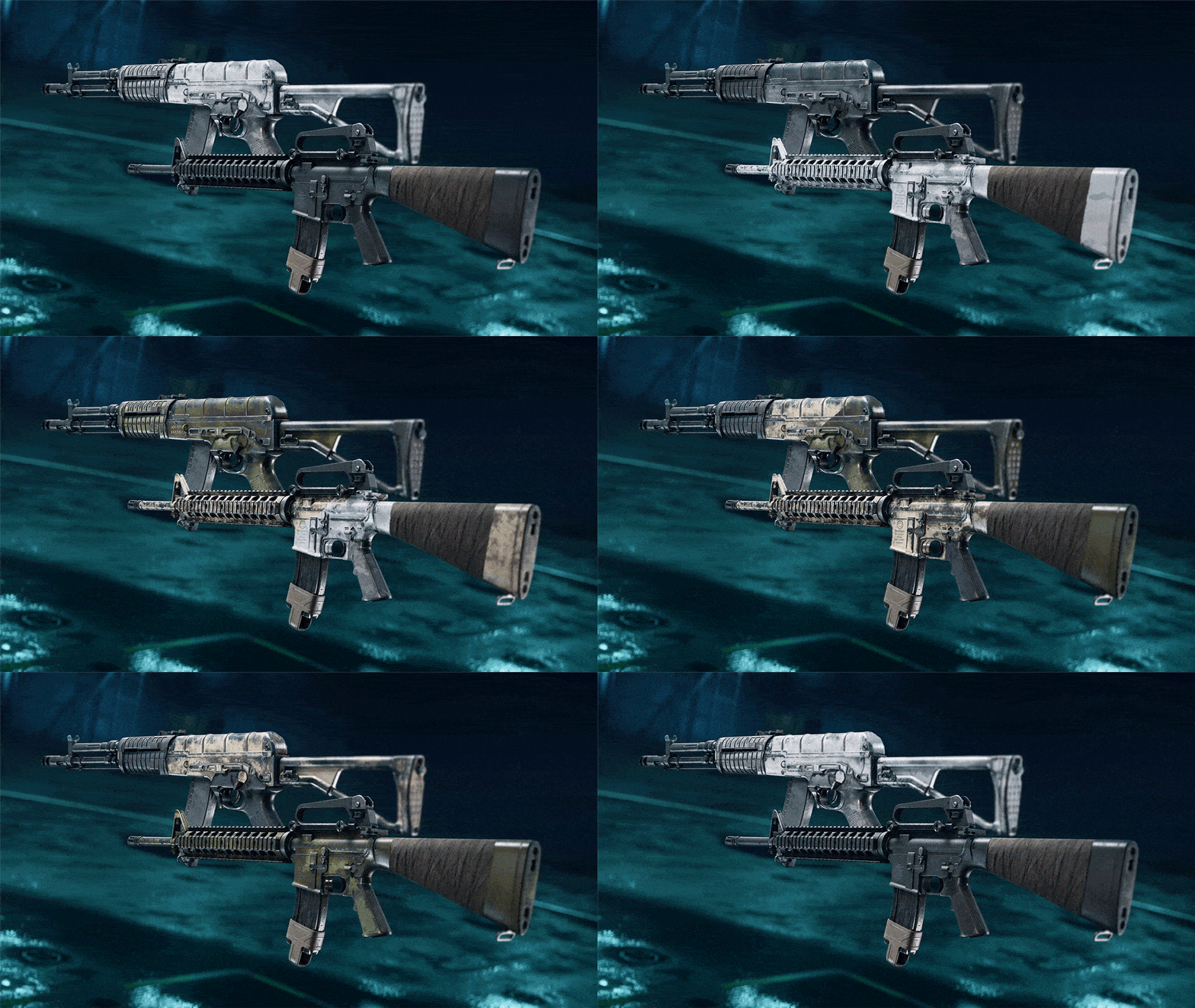
We will be adapting Vault Weapons for use with All-Out Warfare attachments during Season 5. To start, we’ll focus on Assault Rifles and Sniper Rifles with attachments for the M16A3, A-91, M416, MTAR-21, AEK-971 and the GOL Sniper Magnum. We’ll continue to provide attachment support for Vault Weapons in subsequent updates.
With Season 5, we will also be introducing Universal Cosmetics for all Vault Weapons, from Forest Multi-terrain (Unlocked at Rank 0) to Desert Technical (Unlocked at Rank 19) and more. You’ll now be able to decide not only the attachments and versatility of your Vault Weapons, but the look of them too. We’ll also be extending Universal Cosmetic support to Battlefield Portal!
Reworking Vehicle Loadouts
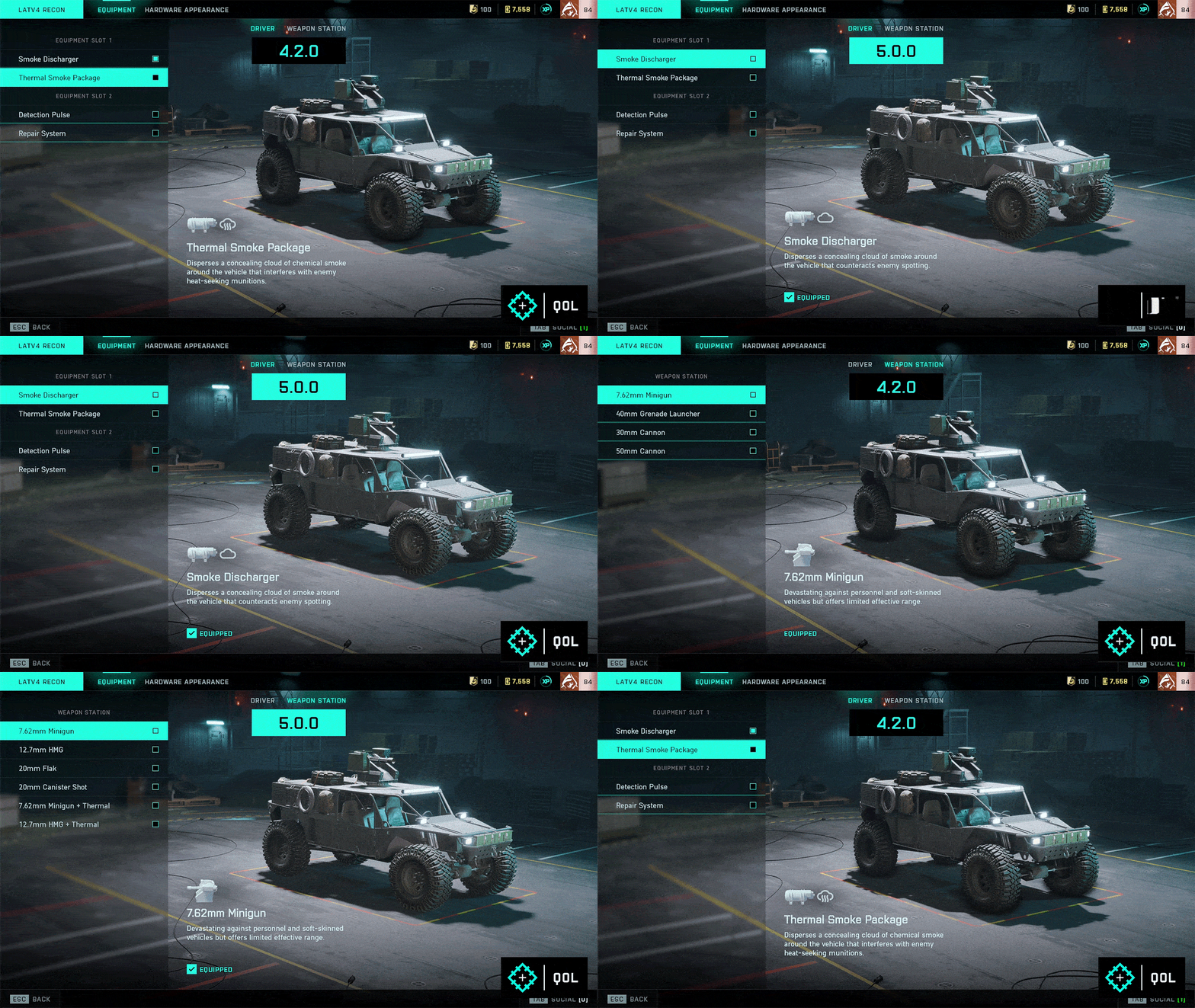
We’re restructuring vehicle loadouts to ensure their combat roles are clearly defined and to reduce prevalence of explosive weaponry. This will also add further readability on the battlefield to ensure you know what to expect from vehicles when you encounter them.
The restructuring of loadouts primarily focuses on our ground vehicles, and we’ll both remove and add weapons to each available vehicle loadout. For example, explosives will no longer be an option for all vehicles, and overall you’ll find more choice through a larger selection of weapons available to you.
Let’s use the LATV4 Recon as an example of what that looks like.
The LATV4 Recon is one of the most used vehicles in the game, and having explosive weaponry readily available pushed it outside of its intended role as a transport. We’re removing all its explosives, such as the 30mm, 50mm and Grenade Launcher, and will replace them with anti-infantry weaponry instead.
Specialist Improvements
Dozer and Irish will receive improvements to ensure they provide similar gameplay experiences as others within their class.
Dozer
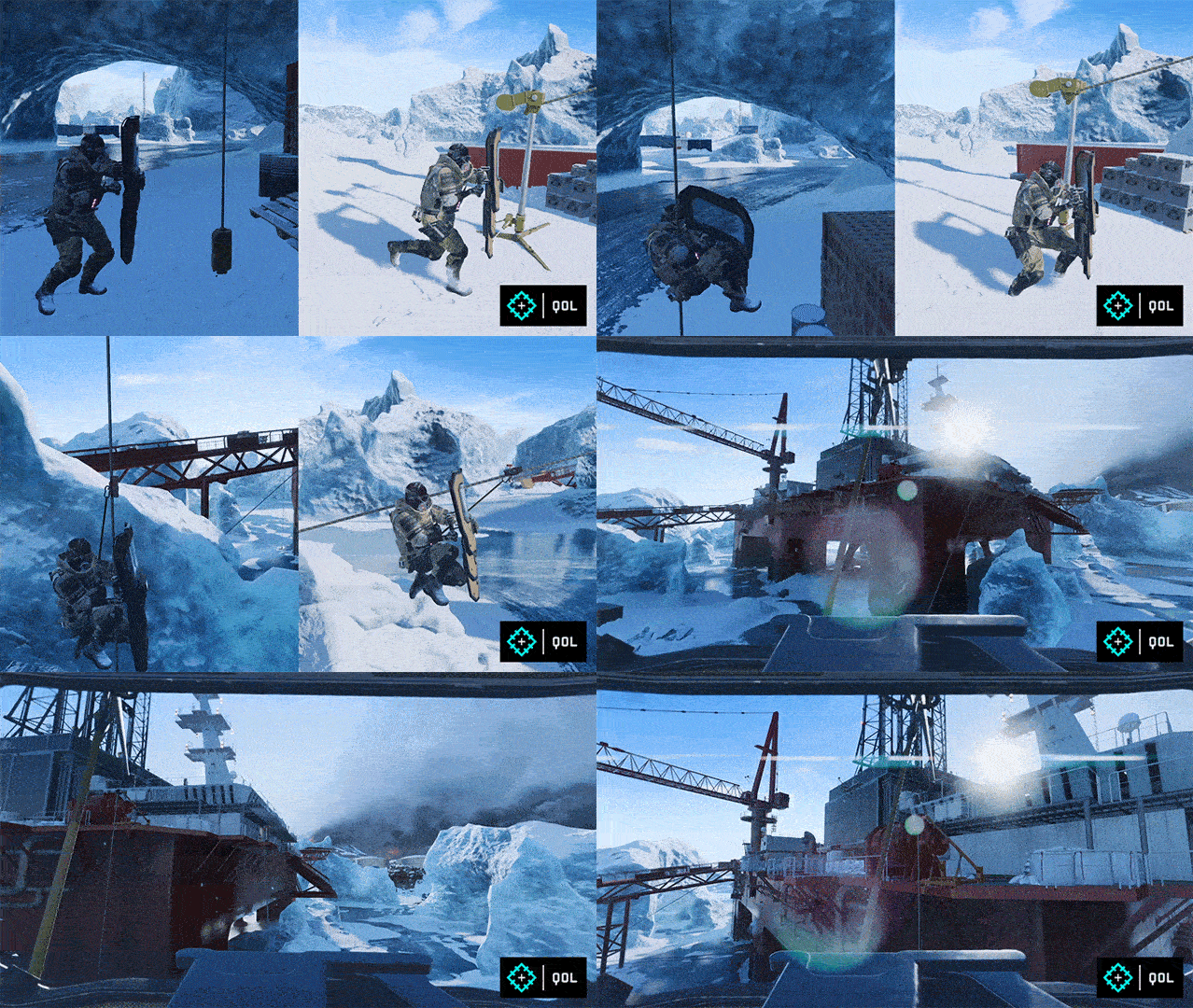
For Dozer we will be enhancing his movement and animations when using the SOB-8 Ballistic Shield. You will now be able to strafe, rotate and pitch with your shield more quickly than previously, as well as being able to traverse ziplines with your shield equipped! Lastly, we’ll also be including two new XP Events to reward further acts of teamplay when playing with Dozer.
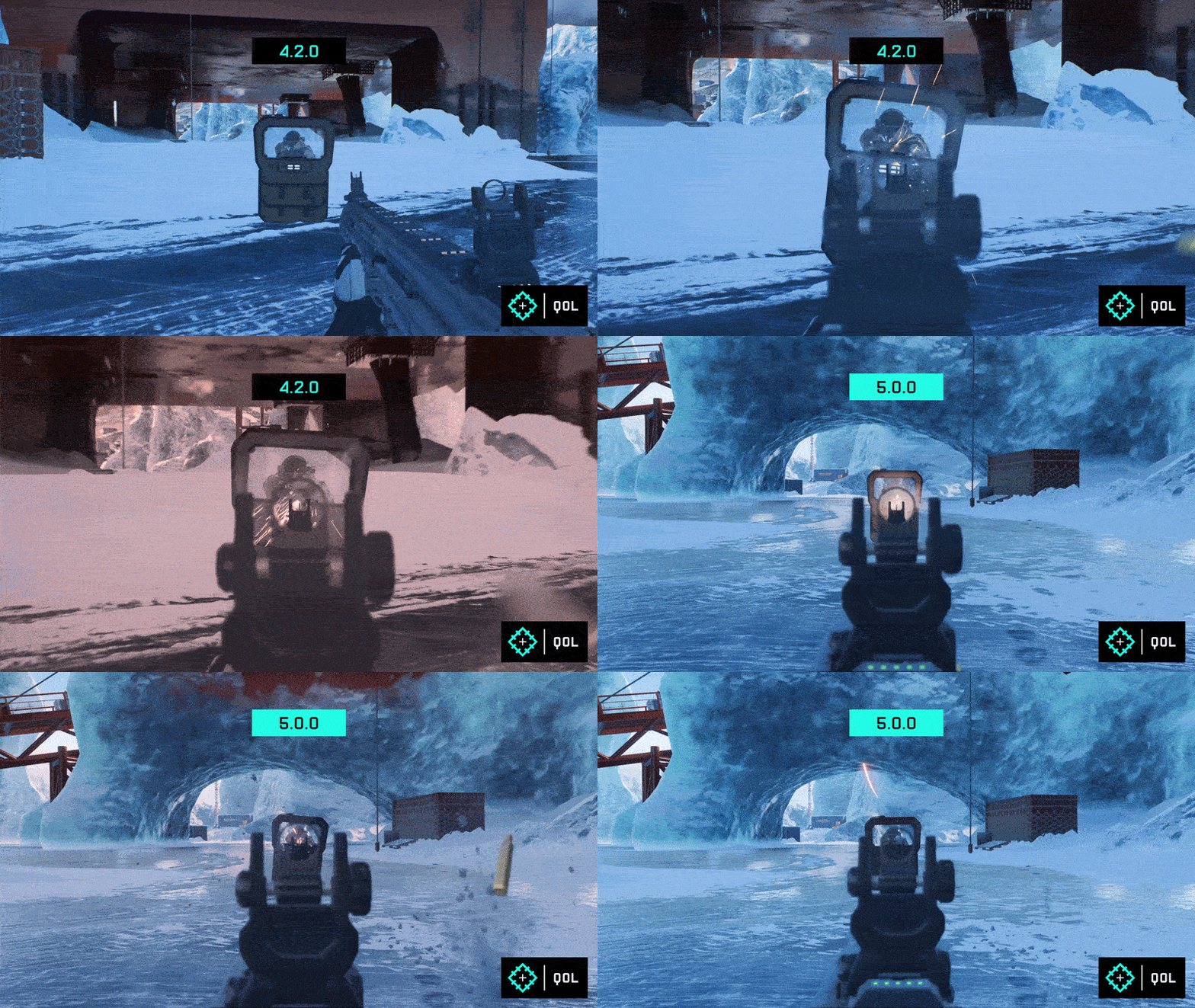
On the receiving end when firing at his shield, we will be increasing its spread and introducing more bullet trajectory upon hitting his shield. This will ensure that during these encounters you still have a fighting chance, and at the very least, won’t be as impacted by your own bullets as before.
Irish
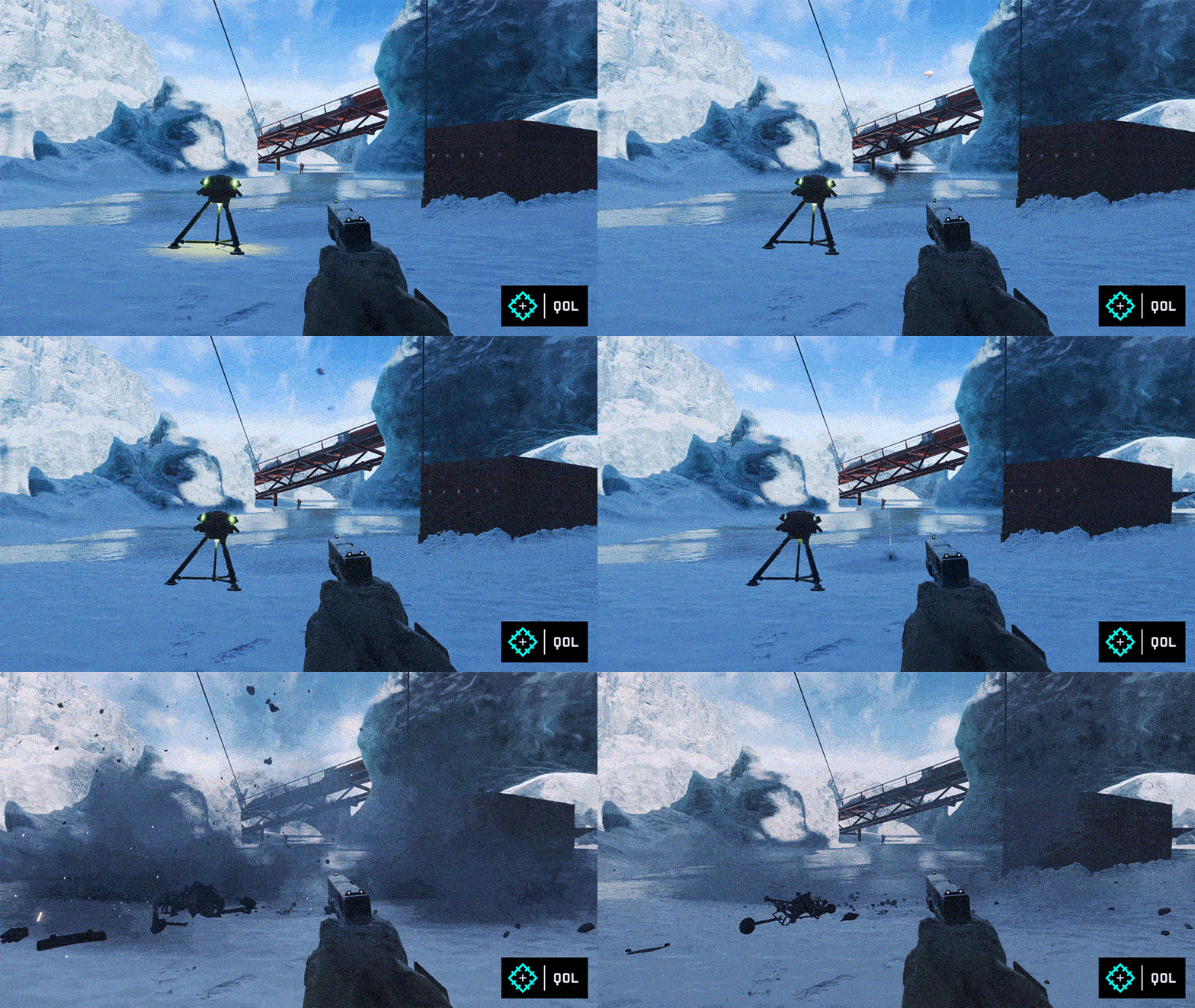
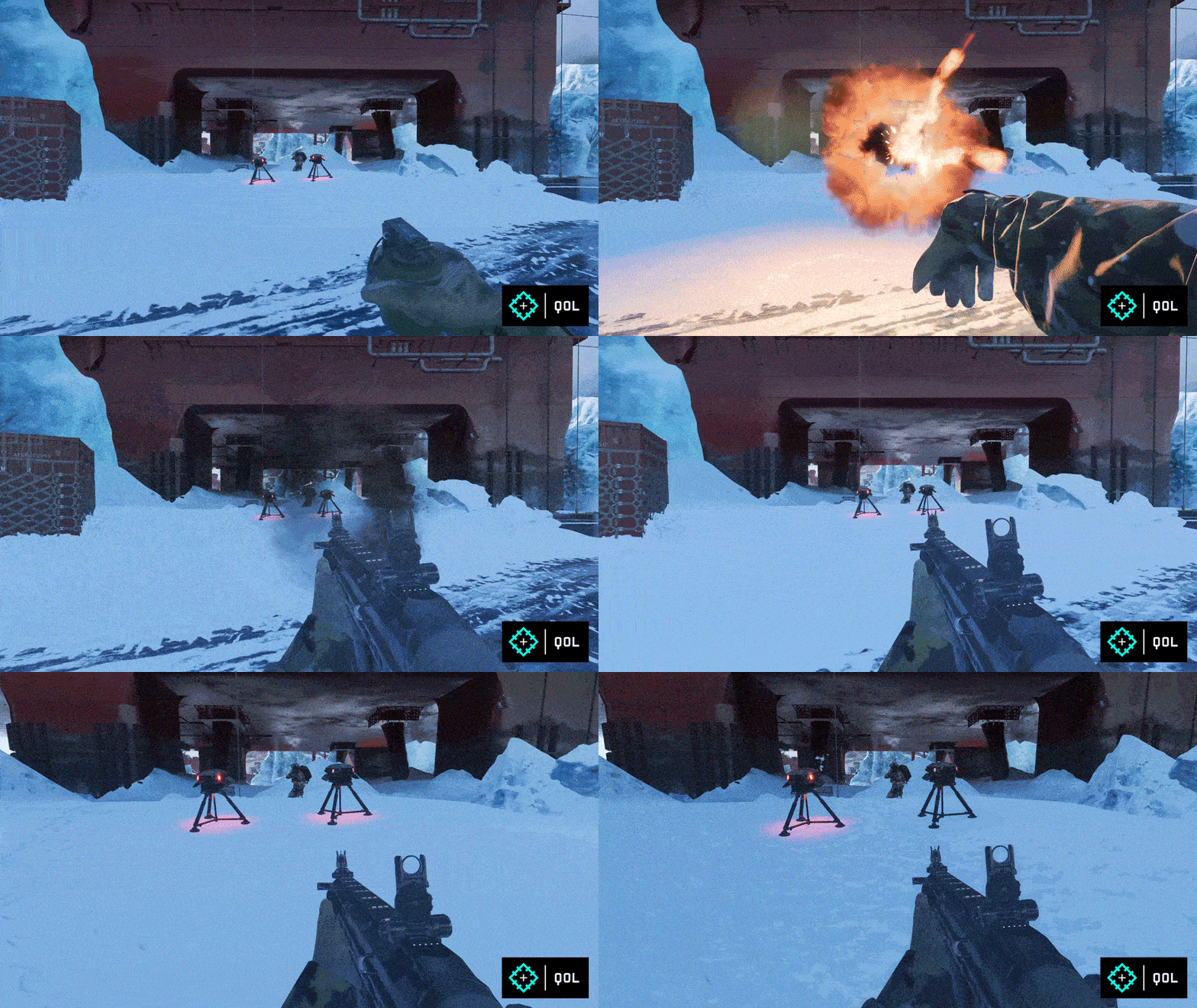
Irish will receive a balancing pass to the capabilities of his APS-36 Shootdown Sentinel. We’re doing that by having it cycle through new intercept and recharge states alongside an added short cooldown, versus its previous always-on state.
We’ve also improved its audio, alongside adding new colors to help you identify which state the APS-36 is currently in.
Squad Management Improvements
Alongside the Season update we’re also adding improvements to the current Squad functionality.
Squads and Players
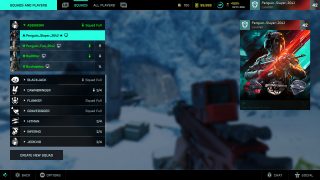
The Squad Menu is now separated to give you a full overview of all squads on your team. In this menu you can make someone else the leader, and see how many players or friends are in a squad. It also shows class icons so you know how to best complement a squad before joining it. And to add some personal flavor, leaders can also show off their Player Card Tag as the squad icon.
We also worked with the narrative team to come up with code names for each squad for that additional personal touch. One of our personal favorites is Gravedigger — surely the Gravediggers know how to PTFO. We definitely don’t mess with that squad!
Create and Join
At any time you’ll be able to create or join a new squad directly via the Squad Menu. Previously you could only switch to a random squad, and only from the deploy screen. If you create a new squad then we’ve also added a short waiting period before other players can matchmake into your squad to ensure you can play together with your friends.
Easy navigation
The Squad Menu was created to make it easier and faster to manage and navigate through squads on your team. While before it was unclear when and how to change squads, you’ll now be able to do that at any time and with only a few clicks.
We hope that with this new improved Squad Management experience you feel that you have the control over who you’d like to play with during a match. Once this is in your hands, please stay in touch and give us your feedback about how you feel about it!
Later during Season 5 we’ll also add Squad Orders functionality which allows you to work together as a squad to receive increased XP rewards. In short, PTFO – and get rewarded!
Other Areas of Improvement
Damage Unit Functionality
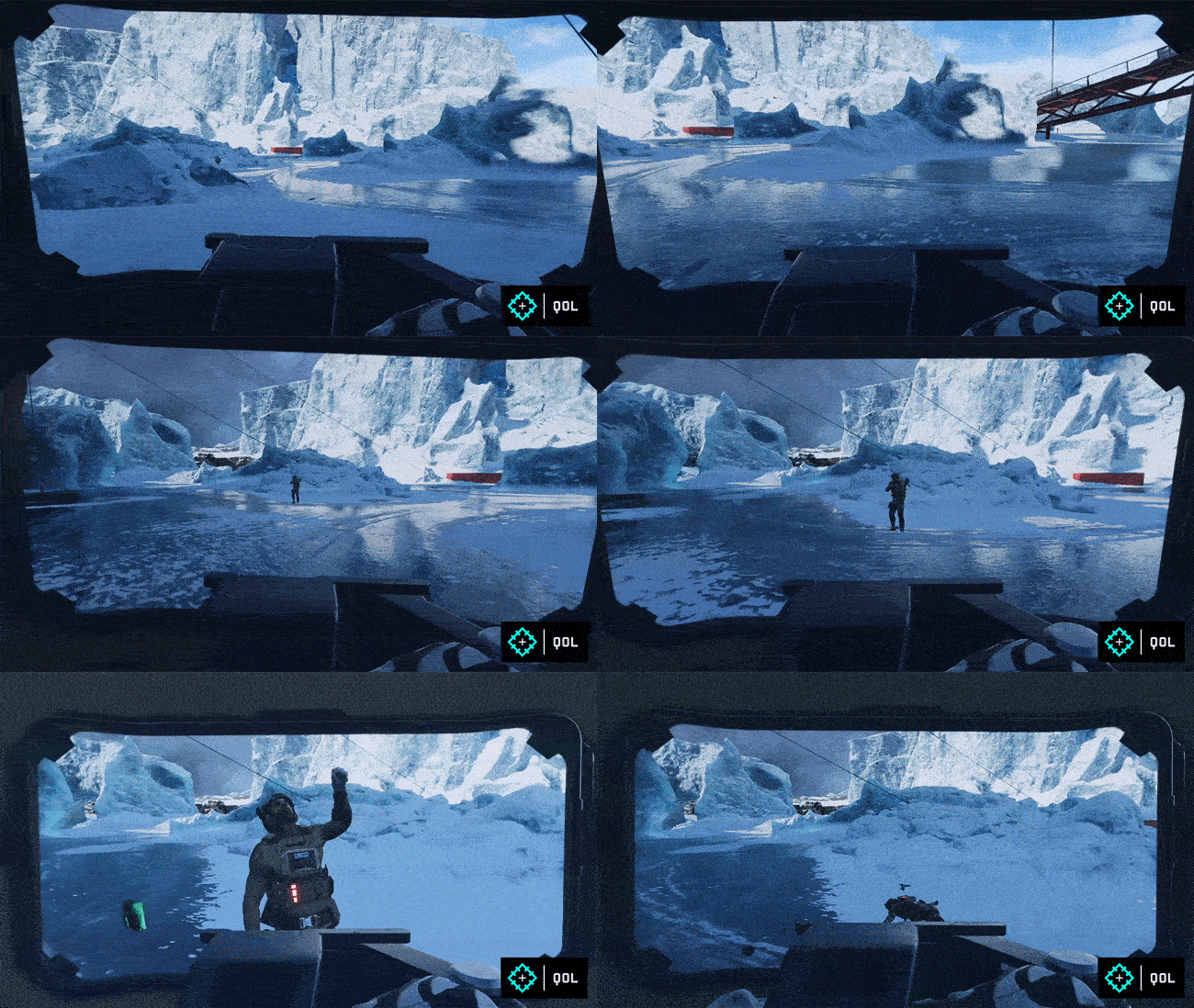
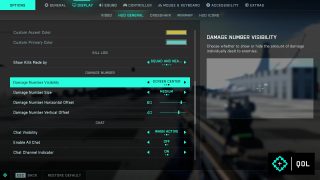
As part of Season 5, you will now be able to decide if you wish to show damage units at the bottom of your screen, at the side of your crosshair, or not at all. This new functionality can be defined to your liking via Options > Display > HUD General > Damage Numbers.
Accuracy & Dispersion Changes
Since Launch, our Level Design team has been reworking our maps to react to feedback on cover opportunities, and traversal improvements. These changes have also resulted in alterations to combat distances, and our weapons were tuned for these previous distances and combat scenarios in mind.
Over time, this has resulted in feedback from you about several weapons being too accurate at long ranges without penalty.
With Season 5, we aim to address this gap with balancing the accuracy and dispersion of several categories of weapons. Assault Rifles from All-Out Warfare and their Vault Weapon counterparts will be the first to receive this treatment.
You will notice that the maximum dispersion has been increased by an average of 15-20%, and the weapons will now reach that maximum dispersion level when they reach half of the magazine while on full auto, and full spray mode!
This should encourage everyone to do smaller bursts instead of prolonged fire towards a moving target, and in consideration with the map rework should increase survivability at longer ranges to encourage further up close and personal combat.
We will be assessing your feedback to this change over time and continue to make necessary changes in future updates.
New Unlock Requirements for Lis, Crawford, Zain and Blasco
Lis, Crawford, Zain and Blasco will now be available as rewards as you gradually gain Player Levels through earning XP. Their previous unlock requirements are no longer available. Go get ‘em!
Camera Sprint Movement
We have made adjustments to the Camera Movement when sprinting in Battlefield 2042.
This change is meant to add physicality to sprinting by introducing more immersive camera movement dependent upon the type of weapon and sprint type that you may be using at that time. You will notice a different amount when using an Assault Rifle compared to an RPG for example.
We hope you enjoy this new sense of weight and body motion through the camera. For accessibility you may turn off the new motion in the accessibility options.
On top of that, there are also some golden rules to camera motion in FPS games that ensure your understanding of where you are in space, aligned with what the camera tells you, and we have taken the opportunity to improve that further by focusing on rotations rather than translations in space.
We look forward to hearing your thoughts!
Aim Down Sight Field of View is now active for all players.
Normally a scope will adjust your field of view. With this option set to “On”, the field of view will instead be taken from the field of view you chose in general, in your display settings. Some weapons will not be affected if they have specifically been designed to have a certain field of view that should not be changed.
Why is this important?
The amount of input it takes for your aim to move across screen space changes when field of view changes. Uniform Soldier Aiming calculates your aim rate to take the same amount of pixel distance on screen for a given physical movement of the mouse.
In 4.2 we set Uniform Soldier Aiming to On by default (see our Dev Note for further detail). Setting ADS field of view to On, ensures the consistency achieved by Uniform Soldier Aiming remains the same across various scopes since your field of view will not change when zooming.
Like Uniform Soldier Aiming, this will help to build muscle memory, which is essential to aiming in first person shooters.
Changelog
General Fixes and Options
The QR code to navigate players to the support website is now scannable on android devices
Fixed an issue where players in solo/co op were being placed in a separate squads when joining on friends
Added an “Reduce Sprint Camera Motion” option in accessibility settings to reduce Camera Motion for those who are easily susceptible to motion sickness.
Audio
Overall weapon mix and audio tweaks.
Specialist movement sounds are improved to match each specialists’ gear
Fixed an audio issue on Stranded where two area types briefly overlap while zip-lining to the ship
Fixed an audio issue where voice overs are sometimes not present during the insertion phase of the prologue
Fixed an audio issue where weapon handling sounds are sometimes missing on insertion.
AI & Soldier Improvements
The Penguins have been tampering with the Ranger payload, and it will now take more damage from infantry projectiles. Not the Penguins, the Ranger.
Fixed an issue where a MCOM in Rush could get stuck in a defuse state if an AI Soldier gets removed while trying to defuse the bomb.
Fixed issues that resulted in AI Soldiers not trying to avoid some grenades. Don’t ask.
AI Soldiers will no longer keep moving and firing at the End of Round. They’ll just have to accept that the round is over and there will be another one.
AI Soldiers will now be able to enter vehicles directly from using a parachute.
Fixed an issue that would cause the player to be pushed away from bushes when proning near them.
Made improvements in ensuring the parachute cannot be deployed on smaller jumps between platforms.
Battlefield Portal
Breakthrough is now available within Battlefield Portal. You will be able to create Custom Experiences for Breakthrough and Breakthrough Small via the Web Builder. Due to the complexities of Breakthrough, Custom Scripting will not be available for this mode.
Fixed an issue that allowed Irish to use his APS Shootdown Sentinel when it was restricted.
Fixed an issue that caused the Taser Baton melee weapon to incorrectly appear in the Battlefield 3 category.
Fixed various placeholder names and icons for weapons in the restricted 2042 attachment category.
The RM68 will now have the correct icon when setting up a Portal experience.
Attachments belonging to Vault Weapons are now present in the Attachment tab via the Web Builder.
Adjusted turret speed of the M1A2 from Bad Company 2 and Tiger 1 from Battlefield 1942 to be compatible with aim decouple from body option.
Specialists & Gadgets
RPG-7V2 has received a balance pass to be more in line with All-Out Warfare Game Modes and State of Play.
A tutorial video for the FGM-148 Javelin and XM370A are now present within the Collection Screen.
The Collection Screen video for the FXM-33 AA Missile now shows the lock-on prompt as intended.
The Collection Screen will now display the correct magazine names.
Updated IBA Armor Plate’s Gadget Description to mention that it only protects the torso.
Deployable Gadgets are now destroyed after a territory control change on Breakthrough or Rush.
Resolved a number of textual inconsistencies within the Collection Screen on a variety of Gadgets.
The Repair Tool is now grayed out when pressing/holding shift while using a parachute.
Fixed an issue where you wouldn’t swap back to the last equipped Weapon or Gadget whenever you closed the Call In Military tablet.
You will now be able to place the Insertion Beacon within areas affected by smoke.
Fixed an issue that prevented SFX from playing when using Soflam Designator to designate enemy vehicles.
Fixed an issue which would prevent players from accessing the Soflam Designator’s camera after deploying the Gadget.
Fixed an issue that caused players being unable to restock on ammo when recently being damaged.
Firing the Smoke Grenade Launcher no longer self-spots on the minimap.
Throwing Knives will now benefit from Aim Assist, allowing them to attract and slow down while in hip fire. They will not benefit from snap assistance.
Players will no longer take damage when destroying Sentry Turrets or Shootdown Sentinels
Grenades will no longer detonate from other explosions.
Dev Comment: This change has been made so that each grenade will now have a set detonation timer, increasing the readability as opposed to a chain reaction style of play. Players will still be able to shoot a grenade with bullets.
The Penguins have been working hard on their research of the Incendiary Grenade and have found a breakthrough that allowed them to increase the radius by 15%. Toasty.
Concussion Grenade
All Recon Specialists will now be able to use the Concussion Grenade.
We have also made substantial changes to how the Concussion Grenade works in a couple of areas, based on distance to the player and in comparing the direction of the player upon grenade detonation.
The effects of the Concussion Grenade are defined by Near, Far and Frontal scenarios. When it detonates within close range it will heighten the duration and intensity at the point of detonation. Beyond that near range, it will lead to a lessened duration and intensity. This effect is also decided and impacted by if the detonation takes place in front of the player.
Near radius has been increased from 6m to 8m
Total radius remains unaffected at 12m.
Increased the angle acceptance in order to be considered a frontal concussion from 60 degrees to 70 degrees.
Duration at which Concussion Grenade lasts has been increased in the following conditions:
Near + Frontal Facing from 2s to 2.5s
Far + Frontal Facing from 1.5s to 1.75
Near + Side from 0.75s to 1.2s
Prox Sensors
Through telemetry and community sentiment, since moving the Prox Sensor out of the throwable slot and into the Gadget Selection field we have seen this gadget decline in relevance compared to the TUGs and other viable gadgets. We have made some adjustments to allow for the Prox Sensor to be an equally viable choice as part of your loadout.
Increased the number of Prox Sensors that can be carried from 1 to 2
Increased the number of Prox Sensors that can be deployed at once from 1 to 2
Reduced the radius of the Prox Sensors scan from 20m to 15m, which will offset some of the benefits of these adjustments.
Angel
Fixed an issue that prevented the Tracer Dart from being able to resupply from Angel’s loadout crate.
Blasco
The Area of Effect for Blasco’s Signal Jammer will no longer tilt when the Gadget is on a slope.
Enemies disrupted by Blasco’s Signal Jammer will no longer stop revealing their position when the affected player shoots their weapon.
Blasco’s Signal Jammer will no longer protect itself from spotting.
Dev Comment: We have made this change to help players in locating Blasco’s X6 Infiltration Device, allowing for a better understanding of where to find the device that is blocking their spots.
Casper
Enemy or friendly players can no longer climb upon Casper’s drone and fly with it.
Added thermal vision to Casper’s OVP-Recon Drone when zooming in.
Dozer
Dozer’s deploying shield animation will now correctly play immediately after throwing a grenade.
Dozer’s shield will now correctly play a fling/push away animation in 1st person view when being hit by a rocket, missile or tank shell.
Fixed an issue that allowed Dozer to jump for an unlimited amount of time while his shield was equipped.
Dozer’s Shield bash sound is now played when hitting enemies at the edge of the melee range.
Dozer’s shield can now destroy the Medical Crate, T-UGS, Anti-Tank Mine, Ammo Crate, C5 Explosive, M18 Claymore, Prox Sensor, and Loadout Crate.
Fixed an issue which would cause deflected bullets from Dozer’s shield to not damage enemy players.
Fixed an issue that would cause incorrect animations between first and third perspectives with Dozer.
Fixed an issue where Dozer would be unable to switch weapons when in a prone state while switching from Shield to a Melee Weapon.
Fixed an issue that caused Dozer to not take damage and enter the heavy hit animation when an RPG would hit his shield.
Added a unique shield bullet impact sound for Dozer
Falck
Falck’s Syrette Pistol projectiles no longer deal damage to Dozer when they hit his Ballistic Shield.
Falck’s Syrette Pistol will now begin to replenish ammo when the reserve is missing ammo (akin to Zain’s XM370A), as opposed to waiting for an entire magazine to be missing.
Irish
Fixed an issue that caused the explosion of the Shootdown Sentinel to unintentionally interact with the EOD Bot and remove player input from controlling it.
Irish’s Deployable Cover will no longer damage players when it is destroyed.
Shootdown Sentinel State tweaks and louder pre-explosion on sticky
Sundance
Sundance’s Anti-Armor Grenade has been removed from the game.
Dev Comment: Sundance’s Anti-Armor Grenade had poor readability which would result in vehicle players being unable to detect between an incoming missile or an Anti-Armor Grenade. Which resulted in being unable to react suitably with countermeasures. Going forward, the only time you will see “Incoming Missile” alerts is when it is actually an incoming missile.
Zain
Fixed an issue that would prevent players from setting the Airburst range on the XM370A for specific structures.
XM370A’s Range Number will now display the correct distance when looking through smoke.
Progression
Fixed issue where earning T1 Mastery on the Defibrillator did not reward the “Jack of All Trades” Achievement/Trophy.
Adjusted Pilot Kill XP to only be rewarded when the victim’s air vehicle did not also get destroyed at the same time.
Avenger and Savior Kills now include who you avenged or saved in the XP log.
Hazard Zone
Fixed an issue that prevented the Javelin from being purchasable in Hazard Zone.
Vehicles
Removed yaw aim restriction from the LCAA Hovercraft, you can now rotate 360 degrees on the second seat.
Fixed an issue with EMKV90-TOR’s zoom level not working properly on higher FOVs
Active Protection Systems will now intercept Incendiary Grenades as intended.
The Active Protection Systems light signal is now working as intended on all graphical settings.
Fixed an issue which would cause animations to occur when in a vehicle open seat and switching weapons or gadgets.
VFX trails on dumbfire rockets now continue until the projectile reaches the target.
Barrage Missiles are no longer missing an audio cue when each rocket is replenished.
Improved aiming for passengers while the driver is turning the body of the vehicle.
Fixed an issue where weapon reload sound effects went missing after entering an open seat in a vehicle.
Fixed a missing key bind in some passenger seats.
We’ve done a full pass on camera positions on all passenger weapons to ensure they feel similar during gameplay.
Fixed an issue with shooting soldiers with a vehicle not triggering in combat state for spawning
Helicopter smart rockets will now lock onto designated targets
Added overheat sound effects to flak on LATV4 and Hovercraft, as well as Wildcat’s Heavy AA.
The Air-to-Ground Missile no longer locks onto empty vehicles but will keep the lock if the enemy player leaves the vehicle during the lock sequence.
Lowered: Accepted angle of radar missiles from 10 to 5 (We’re not done with our response to this yet)
M5C Bolte
Players will no longer be able to shoot through the windshield of the Bolte
CAV-Brawler
The CAV-Brawler’s 40mm Incendiary GL ammo box will now be attached to the weapon’s base.
Soldiers are no longer able to see through their body while in open seats of CAV-Brawler.
The CAV-Brawler should now display the correct hints while being locked on.
The CAV-Brawler’s 40mm Incendiary projectile can no longer be briefly seen floating in front of the weapon.
EBAA Wildcat
The missing Lock-on SFX when using EBAA Wildcat has been located and is now present.
Lowered minimum damage of EBAA Wildcat’s default primary weapon from 9 to 6
Damage fall off start distance is now set to 250m for the EBAA Wildcat’s default primary weapon.
Removed EBAA Wildcat’s 30mm primary cannon inherited speed from the vehicle
Fixed a reload sound for Barrage missile on EBAA Wildcat
EBLC-RAM
The missing Lock-on SFX when using EBLC-RAM has been located and is now present.
Firing VFX is no longer misplaced on the EBLC-RAM when firing the Missile Launcher.
EBLC Ram will now be classified as a Heavy Armor vehicle.
Jets
Jets will now benefit from Rocket Pods.
You will now be able to look back while in the pilot seat of Jets.
Reduced the dispersion of 30mm cannons on Jets.
Increased the overheat rate of 30mm cannons on Jets.
Updated the Third Person Perspective Camera to be more responsive and precise to your inputs.
Tanks
Removed staff shell smart lock on, it now dumb fires like all other tank shells
Added an ability for staff shell to lock onto all laser designated target for extra damage
Turret speeds will now be correctly reflected within the Vehicle Weapon loadout screens.
Added an option to decouple the tank turning from aiming.
Added: Canister Shot, Minigun with Thermal vision, HMG with Thermal vision & 20mm Flak
LCAA Hovercraft
Removed: TOW Missile from the passenger seat with these changes, to ensure that it further aligns this vehicle into its combat role. We feel that despite this item being skill based, a hovercraft should not have access to such a deadly item.
Added: LMG with Thermal vision, Minigun with Thermal Vision & HMG with Thermal vision
EBAA Wildcat
Removed: 57mm cannon, Rocket weapon pod, Mortar Pod & 40mm Volley pod
Added: 35mm Dual AA Cannons, Minigun with Thermal Vision & HMG with Thermal vision
MAV:
Removed: Flak Pod
Added: Incendiary Grenade Launcher
M5C Bolte
Removed: 30mm Cannon
Moved: Repair System to Slot 1 from Slot 2
Moved: Missile Launcher to Slot 2 from Slot 1
Added: 50mm Cannon, Incendiary Grenade Launcher and Passenger Detection Pulse.
M1A5, T28 and EBLC-RAM:
Added: Minigun with Thermal Vision & HMG with Thermal Vision
Increased: Heatseeker Missile Damage to Air Transport Vehicles
Weapons
Fixed an issue that caused the camera to shake erratically when firing the NVK S-22 on PlayStation 4 and Xbox One
Fixed a visual inconsistency between the AEK-971 weapon model and its icon.
Fixed an issue where the Factory Barrel Muzzle on the LCMG was invisible while looking through a x2 scope or higher.
Fixed an issue that causes the RPK Flashlight to cast a shadow of the RPK’s muzzle.
The SWS-10 and DXR-1 no longer clips through the ground while shooting from a prone position.
Increased the AK24 aim down sight movement speed to be inline with other Assault Rifles.
Incendiary Grenades now keep doing damage after you’ve switched weapons.
Enemy nameplates no longer have a bright glow when looked at through T4 Thermal 2.5x scope.
Fixed an issue where the SVK bullets were zeroed at a different distance than the rest of the weapons, resulting in high inaccuracies at medium and longer distances. This issue became increasingly visible with the addition of Thermal Scopes.
Fixed an issue that caused the M26 Mass Underbarrel Launchers to share ammo pools across all the variations
Fixed an issue that caused the M320 underbarrel launchers on the M16A3 to all fire HE instead of their intended variations.
Reduced the maximum bullet capacity of the MTAR-21’s extended magazine from 50 to 40
Longshot scope has been updated to read 12x instead of 40x.
Fixed an issue that caused Weapon Scope Glints to not appear on several 4x and higher scopes and weapons.
Fixed an issue that prevented the M416’s flashlight from being turned on.
GOL Sniper Magnum now displays its Fire Mode as Bolt Action instead of Single.
Fixed an issue that caused the Kobra sight to clip through the M16A3
Fixed an issue that caused the 40mm Smoke Underbarrel Launcher on the LCMG to display an incorrect name in the kill log if a player got a kill with it.
In case you didn’t know, DICE has confirmed that we’ll be getting Season 6!
BF2042 update 1.35 has been deployed on all platforms this June 7, and this is for the big Season 5: New Dawn patch. Read on for the start times of the new season as well as the complete Battlefield 2042 patch notes below.
Here is an overview of the new content in the Season 5 Update, alongside highlights for changes and improvements:
New Map: Reclaimed
New Weapons: XCE BAR, GEW-46 & BFP.50
New Gadgets: Spring Grenade, Anti-Tank Grenade, Mini Grenade, RPG-7V2
New Battle Pass featuring all-new cosmetics for Specialists, Weapons, Vehicles and more.
Quality of Life Improvements: Vault Weapon Attachments & Universal Cosmetics, Reworking Vehicle Loadouts, Specialist Improvements for Dozer & Irish, Squad Management, Damage Unit UI and more.
Arriving later in Season 5: Further Vault Weapon Attachments, Hourglass Map Rework and further Quality of Life Improvements like Squad Orders.
What’s New?
New Map: Reclaimed
War has descended upon an abandoned industrial facility, slowly being reclaimed by nature in the Czechian region. Fight in and amongst derailed trains, abandoned turbines and warehouses as you work towards secrets hidden within the mountains.
The Crash Site, featuring the derailed train, is designed primarily as a vehicle combat area, with the Landing Zone an area of forest providing a circular area that will enable close-quarters combat and new sightlines opening up when trees are destroyed.
You may see the inspiration we’ve taken for the Abandoned Turbine and Military Warehouse. The indoor space of the Abandoned Turbine will enable crossfires due to its verticality and cover. While the Military Warehouse’s floors will no doubt attract snipers and a range of gunplay experiences due to the narrow layout.
Hidden inside the nearby mountain lies The Bunker, forgotten and made up of a central room whose linear space will bring intense, short-range, close-quarters combat. In comparison to this, The Silos is another outdoor area set up for vehicle combat with its generous roads perfect for tank battles. Easy to spot due to its four towers rising up from the ground, The Silos also provides plenty of elevated areas for infantry to get a shot at vehicles dominating the ground.
New Weapons: BFP.50, XCE Bar, GEW-46
The weapons arsenal is expanding this Season with not only new weapons, but also further much community requested improvements to Vault Weapons.
BFP.50
The BFP.50 is a powerful hand cannon, giving you another sidearm that dishes out heavy damage at close range. Anticipated to become a highly popular choice due to its size, sound and power, we just know you’re going to love this updated version for The World of 2042!
GEW-46
The GEW-46 assault rifle offers high stability with short-burst fire. Great for the medium-range environments that you’ll experience across the Reclaimed map.
XCE Bar
The XCE Bar is a high-precision bolt action rifle. It has expanded attachment capability to accompany its stopping power, allowing you to quickly swap through attachment options to engage the enemy at various distances.
New Gadgets: Spring Grenade, Anti-Tank Grenade, Mini Grenade & RPG-7V2
Anti-tank Grenade
A bundle of grenades that will detonate on impact against vehicles while dealing substantial damage.
Mini Grenade
An anti-personnel grenade that can be thrown a longer distance, and after a short delay explodes across a small area.
Spring Grenade
An old familiar projectile behavior as seen before in the form of the S-Mine or Bouncing Betty. It operates through a spring-activated thruster to reach head-height altitude before imminent explosive detonation.
RPG-7V2
Veterans of the franchise will be familiar with this much loved gadget, and we’ve heard your requests to bring this boomstick through to All-Out Warfare from Battlefield Portal. With Season 5, you’ll now have access to use this fan favorite gadget however you see fit!
New Battle Pass
Season 5 brings with it two factions – one that’s cutting-edge, calculating and professional versus a more survivalist group who are savage, independent and ruthless.
You’ll see this in the cosmetics available as you play through the Battle Pass, some of the best we feel we’ve ever brought to Battlefield! From Falck’s ‘Regenerator’ Skin at Tier 0, to Dozer’s ‘Overthrower’ Skin at Tier 100.
There’s a whole load of items to unlock across 100 tiers of the Free and Premium Battle Pass including cosmetics, XP boosters, and the new premium Seasonal Booster! Additionally, those that were Year 1 pass holders will also receive an Epic Skin and XP booster during the first two weeks of Season 5, as a thanks for continuing to play.*
Lastly, we’re continuing to work on the game beyond Season 5. We are committed to continuing the Battlefield 2042 journey and are working through the best ways to bring new content and experiences for you all. Expect to hear more from us on what’s planned later in Season 5.
Quality of Life Improvements
Vault Weapon Attachments & Universal Cosmetics
We will be adapting Vault Weapons for use with All-Out Warfare attachments during Season 5. To start, we’ll focus on Assault Rifles and Sniper Rifles with attachments for the M16A3, A-91, M416, MTAR-21, AEK-971 and the GOL Sniper Magnum. We’ll continue to provide attachment support for Vault Weapons in subsequent updates.
With Season 5, we will also be introducing Universal Cosmetics for all Vault Weapons, from Forest Multi-terrain (Unlocked at Rank 0) to Desert Technical (Unlocked at Rank 19) and more. You’ll now be able to decide not only the attachments and versatility of your Vault Weapons, but the look of them too. We’ll also be extending Universal Cosmetic support to Battlefield Portal!
Reworking Vehicle Loadouts
We’re restructuring vehicle loadouts to ensure their combat roles are clearly defined and to reduce prevalence of explosive weaponry. This will also add further readability on the battlefield to ensure you know what to expect from vehicles when you encounter them.
The restructuring of loadouts primarily focuses on our ground vehicles, and we’ll both remove and add weapons to each available vehicle loadout. For example, explosives will no longer be an option for all vehicles, and overall you’ll find more choice through a larger selection of weapons available to you.
Let’s use the LATV4 Recon as an example of what that looks like.
The LATV4 Recon is one of the most used vehicles in the game, and having explosive weaponry readily available pushed it outside of its intended role as a transport. We’re removing all its explosives, such as the 30mm, 50mm and Grenade Launcher, and will replace them with anti-infantry weaponry instead.
Specialist Improvements
Dozer and Irish will receive improvements to ensure they provide similar gameplay experiences as others within their class.
Dozer
For Dozer we will be enhancing his movement and animations when using the SOB-8 Ballistic Shield. You will now be able to strafe, rotate and pitch with your shield more quickly than previously, as well as being able to traverse ziplines with your shield equipped! Lastly, we’ll also be including two new XP Events to reward further acts of teamplay when playing with Dozer.
On the receiving end when firing at his shield, we will be increasing its spread and introducing more bullet trajectory upon hitting his shield. This will ensure that during these encounters you still have a fighting chance, and at the very least, won’t be as impacted by your own bullets as before.
Irish
Irish will receive a balancing pass to the capabilities of his APS-36 Shootdown Sentinel. We’re doing that by having it cycle through new intercept and recharge states alongside an added short cooldown, versus its previous always-on state.
We’ve also improved its audio, alongside adding new colors to help you identify which state the APS-36 is currently in.
Squad Management Improvements
Alongside the Season update we’re also adding improvements to the current Squad functionality.
Squads and Players
The Squad Menu is now separated to give you a full overview of all squads on your team. In this menu you can make someone else the leader, and see how many players or friends are in a squad. It also shows class icons so you know how to best complement a squad before joining it. And to add some personal flavor, leaders can also show off their Player Card Tag as the squad icon.
We also worked with the narrative team to come up with code names for each squad for that additional personal touch. One of our personal favorites is Gravedigger — surely the Gravediggers know how to PTFO. We definitely don’t mess with that squad!
Create and Join
At any time you’ll be able to create or join a new squad directly via the Squad Menu. Previously you could only switch to a random squad, and only from the deploy screen. If you create a new squad then we’ve also added a short waiting period before other players can matchmake into your squad to ensure you can play together with your friends.
Easy navigation
The Squad Menu was created to make it easier and faster to manage and navigate through squads on your team. While before it was unclear when and how to change squads, you’ll now be able to do that at any time and with only a few clicks.
We hope that with this new improved Squad Management experience you feel that you have the control over who you’d like to play with during a match. Once this is in your hands, please stay in touch and give us your feedback about how you feel about it!
Later during Season 5 we’ll also add Squad Orders functionality which allows you to work together as a squad to receive increased XP rewards. In short, PTFO – and get rewarded!
Other Areas of Improvement
Damage Unit Functionality
As part of Season 5, you will now be able to decide if you wish to show damage units at the bottom of your screen, at the side of your crosshair, or not at all. This new functionality can be defined to your liking via Options > Display > HUD General > Damage Numbers.
Accuracy & Dispersion Changes
Since Launch, our Level Design team has been reworking our maps to react to feedback on cover opportunities, and traversal improvements. These changes have also resulted in alterations to combat distances, and our weapons were tuned for these previous distances and combat scenarios in mind.
Over time, this has resulted in feedback from you about several weapons being too accurate at long ranges without penalty.
With Season 5, we aim to address this gap with balancing the accuracy and dispersion of several categories of weapons. Assault Rifles from All-Out Warfare and their Vault Weapon counterparts will be the first to receive this treatment.
You will notice that the maximum dispersion has been increased by an average of 15-20%, and the weapons will now reach that maximum dispersion level when they reach half of the magazine while on full auto, and full spray mode!
This should encourage everyone to do smaller bursts instead of prolonged fire towards a moving target, and in consideration with the map rework should increase survivability at longer ranges to encourage further up close and personal combat.
We will be assessing your feedback to this change over time and continue to make necessary changes in future updates.
New Unlock Requirements for Lis, Crawford, Zain and Blasco
Lis, Crawford, Zain and Blasco will now be available as rewards as you gradually gain Player Levels through earning XP. Their previous unlock requirements are no longer available. Go get ‘em!
Camera Sprint Movement
We have made adjustments to the Camera Movement when sprinting in Battlefield 2042.
This change is meant to add physicality to sprinting by introducing more immersive camera movement dependent upon the type of weapon and sprint type that you may be using at that time. You will notice a different amount when using an Assault Rifle compared to an RPG for example.
We hope you enjoy this new sense of weight and body motion through the camera. For accessibility you may turn off the new motion in the accessibility options.
On top of that, there are also some golden rules to camera motion in FPS games that ensure your understanding of where you are in space, aligned with what the camera tells you, and we have taken the opportunity to improve that further by focusing on rotations rather than translations in space.
We look forward to hearing your thoughts!
Aim Down Sight Field of View is now active for all players.
Normally a scope will adjust your field of view. With this option set to “On”, the field of view will instead be taken from the field of view you chose in general, in your display settings. Some weapons will not be affected if they have specifically been designed to have a certain field of view that should not be changed.
Why is this important?
The amount of input it takes for your aim to move across screen space changes when field of view changes. Uniform Soldier Aiming calculates your aim rate to take the same amount of pixel distance on screen for a given physical movement of the mouse.
In 4.2 we set Uniform Soldier Aiming to On by default (see our Dev Note for further detail). Setting ADS field of view to On, ensures the consistency achieved by Uniform Soldier Aiming remains the same across various scopes since your field of view will not change when zooming.
Like Uniform Soldier Aiming, this will help to build muscle memory, which is essential to aiming in first person shooters.
Changelog
General Fixes and Options
The QR code to navigate players to the support website is now scannable on android devices
Fixed an issue where players in solo/co op were being placed in a separate squads when joining on friends
Added an “Reduce Sprint Camera Motion” option in accessibility settings to reduce Camera Motion for those who are easily susceptible to motion sickness.
Audio
Overall weapon mix and audio tweaks.
Specialist movement sounds are improved to match each specialists’ gear
Fixed an audio issue on Stranded where two area types briefly overlap while zip-lining to the ship
Fixed an audio issue where voice overs are sometimes not present during the insertion phase of the prologue
Fixed an audio issue where weapon handling sounds are sometimes missing on insertion.
AI & Soldier Improvements
The Penguins have been tampering with the Ranger payload, and it will now take more damage from infantry projectiles. Not the Penguins, the Ranger.
Fixed an issue where a MCOM in Rush could get stuck in a defuse state if an AI Soldier gets removed while trying to defuse the bomb.
Fixed issues that resulted in AI Soldiers not trying to avoid some grenades. Don’t ask.
AI Soldiers will no longer keep moving and firing at the End of Round. They’ll just have to accept that the round is over and there will be another one.
AI Soldiers will now be able to enter vehicles directly from using a parachute.
Fixed an issue that would cause the player to be pushed away from bushes when proning near them.
Made improvements in ensuring the parachute cannot be deployed on smaller jumps between platforms.
Battlefield Portal
Breakthrough is now available within Battlefield Portal. You will be able to create Custom Experiences for Breakthrough and Breakthrough Small via the Web Builder. Due to the complexities of Breakthrough, Custom Scripting will not be available for this mode.
Fixed an issue that allowed Irish to use his APS Shootdown Sentinel when it was restricted.
Fixed an issue that caused the Taser Baton melee weapon to incorrectly appear in the Battlefield 3 category.
Fixed various placeholder names and icons for weapons in the restricted 2042 attachment category.
The RM68 will now have the correct icon when setting up a Portal experience.
Attachments belonging to Vault Weapons are now present in the Attachment tab via the Web Builder.
Adjusted turret speed of the M1A2 from Bad Company 2 and Tiger 1 from Battlefield 1942 to be compatible with aim decouple from body option.
Specialists & Gadgets
RPG-7V2 has received a balance pass to be more in line with All-Out Warfare Game Modes and State of Play.
A tutorial video for the FGM-148 Javelin and XM370A are now present within the Collection Screen.
The Collection Screen video for the FXM-33 AA Missile now shows the lock-on prompt as intended.
The Collection Screen will now display the correct magazine names.
Updated IBA Armor Plate’s Gadget Description to mention that it only protects the torso.
Deployable Gadgets are now destroyed after a territory control change on Breakthrough or Rush.
Resolved a number of textual inconsistencies within the Collection Screen on a variety of Gadgets.
The Repair Tool is now grayed out when pressing/holding shift while using a parachute.
Fixed an issue where you wouldn’t swap back to the last equipped Weapon or Gadget whenever you closed the Call In Military tablet.
You will now be able to place the Insertion Beacon within areas affected by smoke.
Fixed an issue that prevented SFX from playing when using Soflam Designator to designate enemy vehicles.
Fixed an issue which would prevent players from accessing the Soflam Designator’s camera after deploying the Gadget.
Fixed an issue that caused players being unable to restock on ammo when recently being damaged.
Firing the Smoke Grenade Launcher no longer self-spots on the minimap.
Throwing Knives will now benefit from Aim Assist, allowing them to attract and slow down while in hip fire. They will not benefit from snap assistance.
Players will no longer take damage when destroying Sentry Turrets or Shootdown Sentinels
Grenades will no longer detonate from other explosions.
Dev Comment: This change has been made so that each grenade will now have a set detonation timer, increasing the readability as opposed to a chain reaction style of play. Players will still be able to shoot a grenade with bullets.
The Penguins have been working hard on their research of the Incendiary Grenade and have found a breakthrough that allowed them to increase the radius by 15%. Toasty.
Concussion Grenade
All Recon Specialists will now be able to use the Concussion Grenade.
We have also made substantial changes to how the Concussion Grenade works in a couple of areas, based on distance to the player and in comparing the direction of the player upon grenade detonation.
The effects of the Concussion Grenade are defined by Near, Far and Frontal scenarios. When it detonates within close range it will heighten the duration and intensity at the point of detonation. Beyond that near range, it will lead to a lessened duration and intensity. This effect is also decided and impacted by if the detonation takes place in front of the player.
Near radius has been increased from 6m to 8m
Total radius remains unaffected at 12m.
Increased the angle acceptance in order to be considered a frontal concussion from 60 degrees to 70 degrees.
Duration at which Concussion Grenade lasts has been increased in the following conditions:
Near + Frontal Facing from 2s to 2.5s
Far + Frontal Facing from 1.5s to 1.75
Near + Side from 0.75s to 1.2s
Prox Sensors
Through telemetry and community sentiment, since moving the Prox Sensor out of the throwable slot and into the Gadget Selection field we have seen this gadget decline in relevance compared to the TUGs and other viable gadgets. We have made some adjustments to allow for the Prox Sensor to be an equally viable choice as part of your loadout.
Increased the number of Prox Sensors that can be carried from 1 to 2
Increased the number of Prox Sensors that can be deployed at once from 1 to 2
Reduced the radius of the Prox Sensors scan from 20m to 15m, which will offset some of the benefits of these adjustments.
Angel
Fixed an issue that prevented the Tracer Dart from being able to resupply from Angel’s loadout crate.
Blasco
The Area of Effect for Blasco’s Signal Jammer will no longer tilt when the Gadget is on a slope.
Enemies disrupted by Blasco’s Signal Jammer will no longer stop revealing their position when the affected player shoots their weapon.
Blasco’s Signal Jammer will no longer protect itself from spotting.
Dev Comment: We have made this change to help players in locating Blasco’s X6 Infiltration Device, allowing for a better understanding of where to find the device that is blocking their spots.
Casper
Enemy or friendly players can no longer climb upon Casper’s drone and fly with it.
Added thermal vision to Casper’s OVP-Recon Drone when zooming in.
Dozer
Dozer’s deploying shield animation will now correctly play immediately after throwing a grenade.
Dozer’s shield will now correctly play a fling/push away animation in 1st person view when being hit by a rocket, missile or tank shell.
Fixed an issue that allowed Dozer to jump for an unlimited amount of time while his shield was equipped.
Dozer’s Shield bash sound is now played when hitting enemies at the edge of the melee range.
Dozer’s shield can now destroy the Medical Crate, T-UGS, Anti-Tank Mine, Ammo Crate, C5 Explosive, M18 Claymore, Prox Sensor, and Loadout Crate.
Fixed an issue which would cause deflected bullets from Dozer’s shield to not damage enemy players.
Fixed an issue that would cause incorrect animations between first and third perspectives with Dozer.
Fixed an issue where Dozer would be unable to switch weapons when in a prone state while switching from Shield to a Melee Weapon.
Fixed an issue that caused Dozer to not take damage and enter the heavy hit animation when an RPG would hit his shield.
Added a unique shield bullet impact sound for Dozer
Falck
Falck’s Syrette Pistol projectiles no longer deal damage to Dozer when they hit his Ballistic Shield.
Falck’s Syrette Pistol will now begin to replenish ammo when the reserve is missing ammo (akin to Zain’s XM370A), as opposed to waiting for an entire magazine to be missing.
Irish
Fixed an issue that caused the explosion of the Shootdown Sentinel to unintentionally interact with the EOD Bot and remove player input from controlling it.
Irish’s Deployable Cover will no longer damage players when it is destroyed.
Shootdown Sentinel State tweaks and louder pre-explosion on sticky
Sundance
Sundance’s Anti-Armor Grenade has been removed from the game.
Dev Comment: Sundance’s Anti-Armor Grenade had poor readability which would result in vehicle players being unable to detect between an incoming missile or an Anti-Armor Grenade. Which resulted in being unable to react suitably with countermeasures. Going forward, the only time you will see “Incoming Missile” alerts is when it is actually an incoming missile.
Zain
Fixed an issue that would prevent players from setting the Airburst range on the XM370A for specific structures.
XM370A’s Range Number will now display the correct distance when looking through smoke.
Progression
Fixed issue where earning T1 Mastery on the Defibrillator did not reward the “Jack of All Trades” Achievement/Trophy.
Adjusted Pilot Kill XP to only be rewarded when the victim’s air vehicle did not also get destroyed at the same time.
Avenger and Savior Kills now include who you avenged or saved in the XP log.
Hazard Zone
Fixed an issue that prevented the Javelin from being purchasable in Hazard Zone.
Vehicles
Removed yaw aim restriction from the LCAA Hovercraft, you can now rotate 360 degrees on the second seat.
Fixed an issue with EMKV90-TOR’s zoom level not working properly on higher FOVs
Active Protection Systems will now intercept Incendiary Grenades as intended.
The Active Protection Systems light signal is now working as intended on all graphical settings.
Fixed an issue which would cause animations to occur when in a vehicle open seat and switching weapons or gadgets.
VFX trails on dumbfire rockets now continue until the projectile reaches the target.
Barrage Missiles are no longer missing an audio cue when each rocket is replenished.
Improved aiming for passengers while the driver is turning the body of the vehicle.
Fixed an issue where weapon reload sound effects went missing after entering an open seat in a vehicle.
Fixed a missing key bind in some passenger seats.
We’ve done a full pass on camera positions on all passenger weapons to ensure they feel similar during gameplay.
Fixed an issue with shooting soldiers with a vehicle not triggering in combat state for spawning
Helicopter smart rockets will now lock onto designated targets
Added overheat sound effects to flak on LATV4 and Hovercraft, as well as Wildcat’s Heavy AA.
The Air-to-Ground Missile no longer locks onto empty vehicles but will keep the lock if the enemy player leaves the vehicle during the lock sequence.
Lowered: Accepted angle of radar missiles from 10 to 5 (We’re not done with our response to this yet)
M5C Bolte
Players will no longer be able to shoot through the windshield of the Bolte
CAV-Brawler
The CAV-Brawler’s 40mm Incendiary GL ammo box will now be attached to the weapon’s base.
Soldiers are no longer able to see through their body while in open seats of CAV-Brawler.
The CAV-Brawler should now display the correct hints while being locked on.
The CAV-Brawler’s 40mm Incendiary projectile can no longer be briefly seen floating in front of the weapon.
EBAA Wildcat
The missing Lock-on SFX when using EBAA Wildcat has been located and is now present.
Lowered minimum damage of EBAA Wildcat’s default primary weapon from 9 to 6
Damage fall off start distance is now set to 250m for the EBAA Wildcat’s default primary weapon.
Removed EBAA Wildcat’s 30mm primary cannon inherited speed from the vehicle
Fixed a reload sound for Barrage missile on EBAA Wildcat
EBLC-RAM
The missing Lock-on SFX when using EBLC-RAM has been located and is now present.
Firing VFX is no longer misplaced on the EBLC-RAM when firing the Missile Launcher.
EBLC Ram will now be classified as a Heavy Armor vehicle.
Jets
Jets will now benefit from Rocket Pods.
You will now be able to look back while in the pilot seat of Jets.
Reduced the dispersion of 30mm cannons on Jets.
Increased the overheat rate of 30mm cannons on Jets.
Updated the Third Person Perspective Camera to be more responsive and precise to your inputs.
Tanks
Removed staff shell smart lock on, it now dumb fires like all other tank shells
Added an ability for staff shell to lock onto all laser designated target for extra damage
Turret speeds will now be correctly reflected within the Vehicle Weapon loadout screens.
Added an option to decouple the tank turning from aiming.
Added: Canister Shot, Minigun with Thermal vision, HMG with Thermal vision & 20mm Flak
LCAA Hovercraft
Removed: TOW Missile from the passenger seat with these changes, to ensure that it further aligns this vehicle into its combat role. We feel that despite this item being skill based, a hovercraft should not have access to such a deadly item.
Added: LMG with Thermal vision, Minigun with Thermal Vision & HMG with Thermal vision
EBAA Wildcat
Removed: 57mm cannon, Rocket weapon pod, Mortar Pod & 40mm Volley pod
Added: 35mm Dual AA Cannons, Minigun with Thermal Vision & HMG with Thermal vision
MAV:
Removed: Flak Pod
Added: Incendiary Grenade Launcher
M5C Bolte
Removed: 30mm Cannon
Moved: Repair System to Slot 1 from Slot 2
Moved: Missile Launcher to Slot 2 from Slot 1
Added: 50mm Cannon, Incendiary Grenade Launcher and Passenger Detection Pulse.
M1A5, T28 and EBLC-RAM:
Added: Minigun with Thermal Vision & HMG with Thermal Vision
Increased: Heatseeker Missile Damage to Air Transport Vehicles
Weapons
Fixed an issue that caused the camera to shake erratically when firing the NVK S-22 on PlayStation 4 and Xbox One
Fixed a visual inconsistency between the AEK-971 weapon model and its icon.
Fixed an issue where the Factory Barrel Muzzle on the LCMG was invisible while looking through a x2 scope or higher.
Fixed an issue that causes the RPK Flashlight to cast a shadow of the RPK’s muzzle.
The SWS-10 and DXR-1 no longer clips through the ground while shooting from a prone position.
Increased the AK24 aim down sight movement speed to be inline with other Assault Rifles.
Incendiary Grenades now keep doing damage after you’ve switched weapons.
Enemy nameplates no longer have a bright glow when looked at through T4 Thermal 2.5x scope.
Fixed an issue where the SVK bullets were zeroed at a different distance than the rest of the weapons, resulting in high inaccuracies at medium and longer distances. This issue became increasingly visible with the addition of Thermal Scopes.
Fixed an issue that caused the M26 Mass Underbarrel Launchers to share ammo pools across all the variations
Fixed an issue that caused the M320 underbarrel launchers on the M16A3 to all fire HE instead of their intended variations.
Reduced the maximum bullet capacity of the MTAR-21’s extended magazine from 50 to 40
Longshot scope has been updated to read 12x instead of 40x.
Fixed an issue that caused Weapon Scope Glints to not appear on several 4x and higher scopes and weapons.
Fixed an issue that prevented the M416’s flashlight from being turned on.
GOL Sniper Magnum now displays its Fire Mode as Bolt Action instead of Single.
Fixed an issue that caused the Kobra sight to clip through the M16A3
Fixed an issue that caused the 40mm Smoke Underbarrel Launcher on the LCMG to display an incorrect name in the kill log if a player got a kill with it.
In case you didn’t know, DICE has confirmed that we’ll be getting Season 6!
Psyonix has released Rocket League update 2.28 today for all platforms. This update prepares for Season 11 and also includes bug fixes and new content. Check out the Rocket League June 7 patch notes below.
Rocket League Update 2.28 Patch Notes | Rocket League June 7 Patch Notes:
THE HEADLINES
v2.28 prepares Rocket League for Season 11. Additional patch notes will be posted when Season 11 begins on 6/7/2023, 8 a.m. PDT / 3 p.m. UTC
NEW CONTENT
NEW ARENA
Estadio Vida is now available to play in Private Matches, Training, and Free Play
ROCKET LEAGUE RADIO
Added a new “Esports” Playlist
This new playlist will host all current and future Rocket League Radio tracks associated with the RLCS.
Included tracks:
Athena & smle – “Moment”
Athena, smle & Isaac App – “Moment (Worlds Version)”
Koven – “All We Needed”
Hoaprox & YUAN – “Savior (feat. Haneri)”
OddKidOut – “CODES (feat. Macntaj)”
Isaac App – “Fall (Clean)”
CHANGES AND UPDATES
TRANSPARENT GOALPOSTS
Starting with v2.28, Transparent Goalposts are permanently enabled for all players on all platforms
Some arenas have elements outside of the team’s goals that are connected to the Transparent Goalposts setting (example: the wall fence posts on Farmstead).
With the setting now permanently on, these elements will no longer block a player’s view when driving on or near a wall.
The “Transparent Goalposts” checkbox has been removed from Settings -> Video
ITEM SHOP NOTIFICATIONS
When notable or new items are live in the Item Shop, a new notification will sometimes appear at the top of the main menu.
These notifications are enabled by default, and you can toggle them off and on in Settings -> Interface with the “Item Shop Notifications” box.
BUG FIXES
Fixed cosmetic bugs:
Hakkaa Decal for Octane (color adjustment)
Huntress Decal (brightness and gloss fixes)
Painted X-Devil and Takumi RX-T Car Bodies (trim appearance when using certain Decals
Hanasha JRL: Multichrome Wheels (fixed appearance while in motion)
Performed an optimization pass on Sovereign Heights and Deadeye Canyon (Oasis)
Fixed an issue for PS4/Xbox where the game would freeze at the opening splash-screen for some players
Fixed an issue where some players will load the game to a blank UI with no main menu screen
Fixed a bug where a player may rarely become stuck in spectator mode
[Xbox] Fixed a bug where hitting the select button to type causes the game to soft lock
Fixed a bug preventing the Palm Tree Topper from appearing in player inventories
KNOWN ISSUES
For a complete list of known issues in Rocket League, go here
Visual Concepts has pushed out LEGO 2K Drive update 1.05 (PS5 version 1.005) this June 6, and this doesn’t bring in any new content. Read on for what got changed in the patch notes.
Yep, that’s about it. Players should be getting new content within the month as the racing game’s first season is set to kick off this month. Don’t be surprised if today’s patch houses data for the season as well. For more on the known post-launch content for LEGO 2K Drive, head on over here.
For content creators (and gaming media), one of the most annoying things you’ll get from any video game company is a Cease & Desist letter that almost always you have to comply to lest you’re ready for a legal scrap. But there are some instances that these things are used for good, which is what happened recently, as Activision has served Cease & Desist letters to Call of Duty cheat makers.
The companies in question are Mobius and GhostAim. Here’s the message Mobius sent to members of their Discord recently about complying with Activision’s C&D.
While there are a ton more cheat providers out there, every little bit helps in making the gaming space a fair and fun area. Let’s hope Activision continues with its attack against cheat providers.
If you’re having a hard time connecting to both Call of Duty: Modern Warfare 2 and Warzone 2, it’s not just you, as multiple players from both games have reported on the MW2 and WZ2 servers down issue that’s plaguing gamers this June 6.
Call of Duty Modern Warfare 2 and Warzone 2 Servers Down This June 6 Status and Updates:
Update: The Activision support site states that Modern Warfare 2 and Warzone 2 are now back online.
Over on the Modern Warfare 2 subreddit, multiple gamers are reporting on server outages and how multiplayer matchmaking simply isn’t working.
Same as always, once we know more about the situation, we’ll update the article ASAP. For the latest developments on today’s server outage, refresh this article from time to time.
Frontier Developments has announced a special Jurassic World Evolution 2: Jurassic Park 30th anniversary update, featuring new decorative items instantly recognizable from the original 1993 film. The update will be released on June 8 on all platforms.
As part of the 30th anniversary update, a host of decorative items that call back to the original Jurassic Park film will be added to the game, including:
the Airlock Gates
statue of Mr. DNA
Les Gigantes Mural
the Power Bunker
T.Rex and Alamosaurus skeletons
Small Electrified Fence
“When Dinosaurs Ruled the Earth” arch
Check out a selection of screenshots from the update showing off the new items:
The Jurassic Park 30th Anniversary update will be released on June 8 on PC, PS5, Xbox Series X|S, and Xbox One. The game is available through Xbox Game Pass and NVIDIA GeForce Now as well, and will be offered as a free PlayStation Plus game later in June.
In case you didn’t know, THQ Nordic is helping with the horror remake revolution with the upcoming revival of Alone in the Dark. The 1992 horror classic — which many consider to be the granddaddy of survival horror — is being developed by Pieces Interactive for an October 25 release.
MP1st was fortunate enough to have a quick chat about the project with Associate Producer of Alone in the Dark, Andreas Schmiedecker.
MP1st: People are getting a bit confused as to what Alone in the Dark 2023 really is. Is this Alone in the Dark a remake? A reboot? A mix of both?
Schmiedecker: Alone in the Dark 2023 is a re-imagination of the first game, to deliver an experience that is both faithful to the original and exciting for new players.
At the core, the original game is a haunted house – experience: A creepy mansion that you get to explore step by step as you uncover the plot of the game. Mechanically, we conserve the classic survival horror elements of (scary) exploration, challenging puzzles, fraught combat and a deep story (in the best tradition of Silent Hill and earlier Resident Evil games) with the presentation of a contemporary 3rd-person game.
And while many other games go more into the “terror”-part of survival horror, we see ourselves more in the tradition of psychological horror – and in that regard we’re lucky to have David Harbour and Jodie Comer on board, whose spellbinding performances will convince everybody who’s here for the story-experience.
MP1st: How did David Harbour and Jodie Comer become a part of the game?
Schmiedecker: The characters were designed first, then we cast David Harbour and Jodie Comer for the respective roles. Casting David and Jodie in the lead roles has been a great inspiration for writers and artists alike. First, both of them have a distinctive physicality that helped us get the movement and the cutscenes right and fitting for the characters. Even more importantly, how they chose to act with their faces and voices gave feedback on the development of the characters and allowed the writers to adapt the characters to the actors playing them. So it was an inspiring and beneficial process.
MP1st: Just to clarify, we’re getting both a digital and physical release of Alone in the Dark, right?
Schmiedecker: Yes
MP1st: What are some of the major differences (aside from the audio and graphics) from the original? Are there any sections cut? Alone in the Dark originally came out over 30 years ago. Obviously, technology has grown immensely since, with some games even having near-photorealistic visuals. But games and tech have always been more about the visuals, so we’re curious, with the long history of Alone in the Dark, what are some of the things that technology has brought to the table for the team, that has not only modernized the series, but also help blend in elements of the past, to help build this new telling of the game.
Schmiedecker: While we play a lot with elements and characters from the 1992 game and our story starts a lot like the original, we actually have a unique story that takes the original’s premise to all new places. If you remember the original story, you’ll find a lot of hints and references, but also a couple of surprises; while new players will get to enjoy the story without the need for any prior knowledge.
MP1st: Are the DualSense’s haptic feedback and other features used in the game?
Schmiedecker: Yes, the game will support the PlayStation 5’s DualSense haptic feedback. MP1st: The original Alone in the Dark (1992) is a game many consider to be the granddaddy of the survival-horror genre (in a way) that paved the way for games like Resident Evil, Silent Hill, etc. How are Pieces handling the idea that they are recreating a game that basically spawned a whole new genre? Is there a lot of pressure, given a lot of games are being remade today?
SchmiedeckerThe team of Pieces Interactive is a great mix of eager newcomers and seasoned developers that came up with an exciting pitch for the project. We’re happy that we could get Mikael Hedberg, writer of beloved Horror Games Amnesia: The Dark Descent and SOMA on board as writer and creative director. This combination, together with the admiration the team showed for the original game sold us on the pitch.
MP1st: Can we expect alternate endings, or will the two stories all converge to one definite conclusion?
Schmiedecker: The player will get to see exclusive levels and parts of the mansion depending on your chosen protagonist. So it’s a great incentive to play through the game more than once. If you go for a second playthrough with the other characters, there will be slight influences in your game depending on which items you found in your first playthrough.
Alone in the Dark is set for release this Oct. 25 on the PS5, Xbox Series X|S and PC.