Home > Title Updates and Patches

NBA 2K26’s Latest Update 1.006 Applies Version 1.4 Fixes

Visual Concepts has released another patch for NBA 2K26, which makes this the fourth patch pushed out since the game was relesaed earlier this month.

Same as with the other patches, there are no balancing changes made here, as this is more to deal with various issues. Called the version 1.4 patch, console gamers will see this as NBA 2K26 update 1.006 (complete version 1.006.000), and given how the developers handle file management, this should be a hefty download even if it doesn’t house a lot of changes.

For the complete list of changes made today, read on for the official patch notes.

NBA 2K26’s Update for Sept. 18 Fixes Bugs in Various Modes as Part of Patch 1.006

The fixes for today’s patch include no gameplay-related changes, as the developers say they are continuing to monitor games across various modes by players of all skill levels before making any major changes.

THE CITY

  • Numerous fixes to game stability in The City have been made
  • Resolved an issue with matchmaking that prevented locker rooms from properly filling; additional matchmaking improvements and optimizations will be arriving over the next week
  • Resolved an issue that could cause outdated Daily Challenges to appear on the tracking list

MyCAREER

  • Build Specialization progress has been re-enabled when playing NBA games

While there aren’t a lot of changes in today’s update, the developers shared they are working quickly to resolve the most user-impacting issues being reported, and expect a beefier patch to be released prior to the start of Season 2, which will contain a much broader set of fixes and improvements to the entire game.

Last week’s patch had a lot more gameplay fixes included, which we’ve included some of it below.

THE CITY / PARK / PRO-AM / REC / THEATER

  • Fixed a reported game disconnect that was occurring for some users in Park, Theater, REC, and Proving Grounds games
  • Cap Breakers and Max +1/+2 Badge Perks will now be correctly retained when leaving a Crew, and they will be restored to players who previously lost them in this situation
  • Various fixes and improvements have been made to Challenges to ensure proper tracking and completion, particularly in relation to those that carry across saves
  • Games played in the Gatorade Training Facility will now count towards Daily Challenge progress
  • Long camera cuts that could potentially block active gameplay on possession changes in Pro-Am games have been removed
  • Unqualified Takeover Abilities can no longer be activated in online games where Takeover Presets can be set
  • Conditions for progressing the Up For The Challenge Performance Multiplier have been made easier
  • Fixed an errant “Event has ended” message that appeared when entering The Theater under certain conditions
  • Resolved a rare hang that could occur when inviting players to your MyCOURT

There are also fixes made to MyCarer and platform-specific changes, which you can read about in last week’s complete patch notes.

Avatar photo

Alex Co

Father, gamer, games media vet, writer of words, killer of noobs.

Home > Title Updates and Patches

Fortnite’s Latest Update 37.30 for Console Patch 1.000.195 Adds Dino Megazord

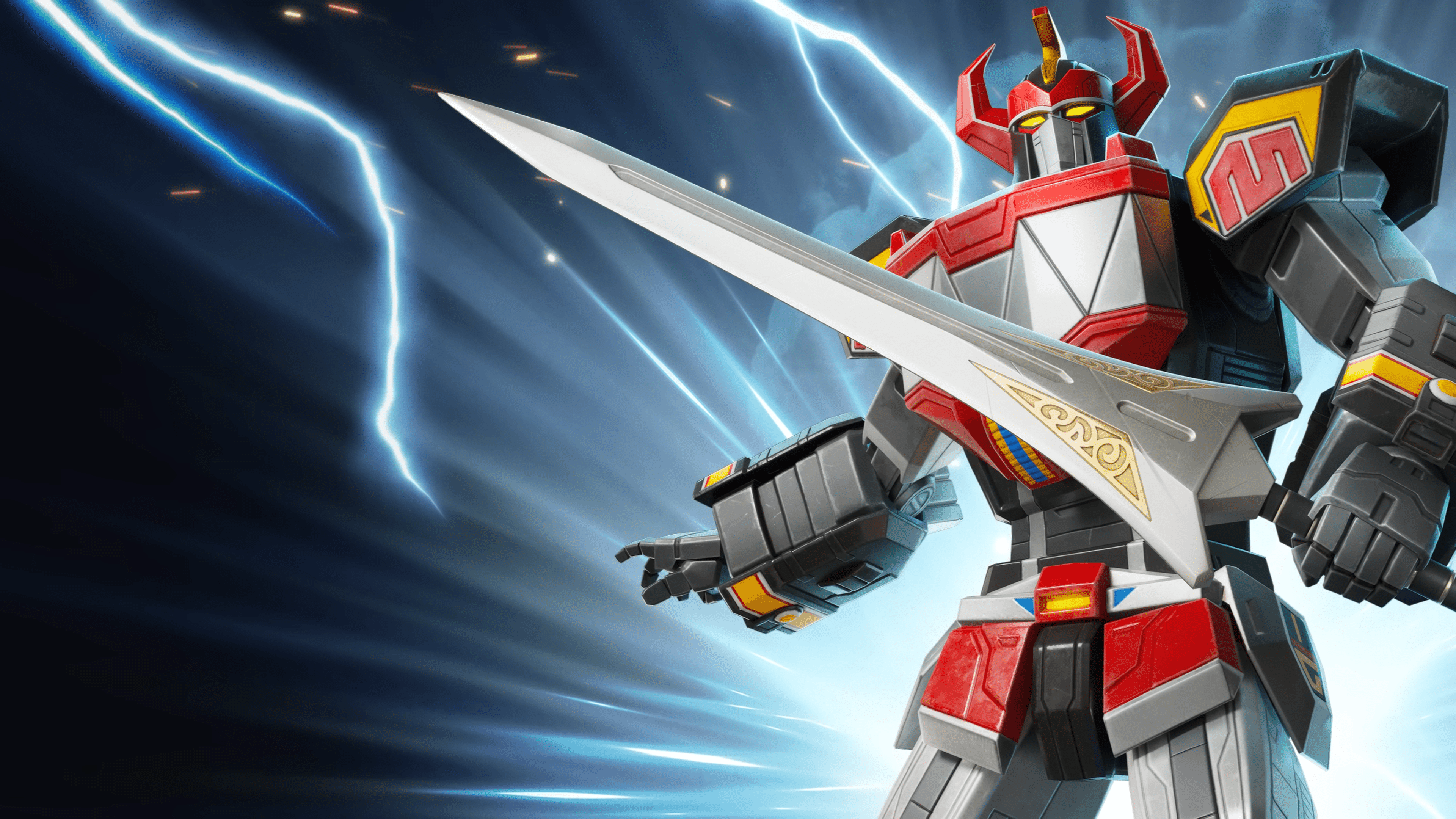
Epic Games has released Fortnite’s latest update 37.30, whcih console gamers will see as patch 1.000.195. This brings the latest Power Rangers content in the Dino Megazord!

In addition to that, there are community fixes and new inventory items added too.

Read on for the patch notes and details.

Fortnite v37.30 Released on Sept. 18 for Update 1.000.195

Overview of Changes Made

  • Epic MegaGrants 2025 — Cycle 2
  • New Multi-Island Monetization Dashboard in Creator Portal
  • Fab in Launcher UEFN Update
  • User Interfaces Feature Template

Content Browser and Inventory Updates

New 2025 Birthday Cake Prop

Add the new 8th anniversary prop, 2025 Birthday Cake, to your islands. This indestructible prop is available in the Indoor Residential Prop Gallery. You can place, resize, and copy-paste it.

New Prefabs & Galleries

  • Lonewolf Lair Prefab
  • Lonewolf Lair Floor and Stairs Gallery
  • Lonewolf Lair Wall Gallery
  • Lonewolf Lair Roof Gallery
  • Lonewolf Lair Prop Gallery

Community Bug Fixes

The following fixes are from issues that you submitted to us on the forums. Thank you for your patience and for reporting these issues!

  • Fixed an issue where UEFN would need to be restarted after losing connection to Unreal Revision Control.
  • Fixed an issue where the Pop-Up device, “Do Not Close on Button Press,” did not work as intended.
  • Fixed an issue where Weapon Canting was not working on published islands.
  • Fixed an issue with the Item Spawner where the base visibility was disabled, but the spawned item would remain stuck in place.

Device Updates and Fixes

New:

  • Added ViewModels for the Voting Group device and Voting Option device. These are still under development and not yet functioning with the device.
  • Added a configurable user option for when the Skilled Interaction device should hide its UI — either when the player’s own interaction completes (existing default behavior) or when all queued interactions complete (new behavior).
  • Fixed an issue where players couldn’t enter the top half of Skydive Volumes.
  • Added a user option to hide the beacon for the Changing Booth device.

Fixes:

  • Fixed an issue where the Launch Pad wouldn’t account for device rotation when launching the player.
  • Fixed issue with the Voting Option device where trying to vote for an option more than once did not produce an error.

UEFN Updates and Fixes

New:

  • Added support to drag assets into the outliner to create entities.
  • Added support to drag assets into the entity prefab editor viewport to create entities.
  • Added symmetry support to the Paint Vertex tool.
  • Added an experimental setting for entity prefab in place editor mode.

Fixes:

  • Fixed a potential infinite loop in the serialization of packed integers when loading malformed values.
  • Fixed the Gameplay Events for Sequencer not showing the Gameplay Event Function property for Trigger, Enable, Disable, and Reset Times Triggered.
  • Resolved playback errors and crashes for Mesh Plate actors configured as spawnable in Sequencer after saving or reloading the level or level sequence.
  • Fixed a crash that occurred when force-deleting an entity prefab.
  • Fixed an editor crash when saving a map while the landscape material was invalid.
  • Fixed landscape weight blending that sometimes left ghost layer masks.
  • Fixed a variation of the issue where swapping teams would cause random disguises to revert to a different player’s random disguise. This issue is fully fixed in v37.40.
  • Fixed template hyperlinks in the Project Browser that were linked to deprecated documentation sites.

General Physics Beta Is Coming Soon (v37.40)

Per Epic, “With the Beta release of General Physics coming in v37.40, you’ll be able to publish your physics-enabled islands. Physics provides mechanics for your players to push, topple, hit, and move objects, unlocking emergent physics-driven gameplay. Create experiences that feel more realistic, engaging, and predictably unpredictable. Don’t wait! Get your island physics-ready.”

You can read more about it in the Physics documentation.

Avatar photo

Alex Co

Father, gamer, games media vet, writer of words, killer of noobs.

Home > Title Updates and Patches

Fortnite New Update 4.84 for v37.30 Summons Dino Megazord, Adds Inventory Items

Fortnite’s new update 4.84 is out now on September 18, and this introduced the Dino Megazord! The Fortnite x Power Rangers Megazord Rising event starts today, and this not only brings the mech, but a slew of new items and fixes, too.

For the list of fixes made, as well as details on the Megazord event, read on below.,

Fortnite x Power Rangers Megazord Rising Event Update Kicks Off via Patch 4.84

Overview of Changes Made

  • Epic MegaGrants 2025 — Cycle 2
  • New Multi-Island Monetization Dashboard in Creator Portal
  • Fab in Launcher UEFN Update
  • User Interfaces Feature Template

Content Browser and Inventory Updates

New 2025 Birthday Cake Prop

Add the new 8th anniversary prop, 2025 Birthday Cake, to your islands. This indestructible prop is available in the Indoor Residential Prop Gallery. You can place, resize, and copy-paste it.

New Prefabs & Galleries

  • Lonewolf Lair Prefab
  • Lonewolf Lair Floor and Stairs Gallery
  • Lonewolf Lair Wall Gallery
  • Lonewolf Lair Roof Gallery
  • Lonewolf Lair Prop Gallery

Community Bug Fixes

The following fixes are from issues that you submitted to us on the forums. Thank you for your patience and for reporting these issues!

  • Fixed an issue where UEFN would need to be restarted after losing connection to Unreal Revision Control.
  • Fixed an issue where the Pop-Up device, “Do Not Close on Button Press,” did not work as intended.
  • Fixed an issue where Weapon Canting was not working on published islands.
  • Fixed an issue with the Item Spawner where the base visibility was disabled, but the spawned item would remain stuck in place.

Device Updates and Fixes

New:

  • Added ViewModels for the Voting Group device and Voting Option device. These are still under development and not yet functioning with the device.
  • Added a configurable user option for when the Skilled Interaction device should hide its UI — either when the player’s own interaction completes (existing default behavior) or when all queued interactions complete (new behavior).
  • Fixed an issue where players couldn’t enter the top half of Skydive Volumes.
  • Added a user option to hide the beacon for the Changing Booth device.

Fixes:

  • Fixed an issue where the Launch Pad wouldn’t account for device rotation when launching the player.
  • Fixed issue with the Voting Option device where trying to vote for an option more than once did not produce an error.

UEFN Updates and Fixes

New:

  • Added support to drag assets into the outliner to create entities.
  • Added support to drag assets into the entity prefab editor viewport to create entities.
  • Added symmetry support to the Paint Vertex tool.
  • Added an experimental setting for entity prefab in place editor mode.

Fixes:

  • Fixed a potential infinite loop in the serialization of packed integers when loading malformed values.
  • Fixed the Gameplay Events for Sequencer not showing the Gameplay Event Function property for Trigger, Enable, Disable, and Reset Times Triggered.
  • Resolved playback errors and crashes for Mesh Plate actors configured as spawnable in Sequencer after saving or reloading the level or level sequence.
  • Fixed a crash that occurred when force-deleting an entity prefab.
  • Fixed an editor crash when saving a map while the landscape material was invalid.
  • Fixed landscape weight blending that sometimes left ghost layer masks.
  • Fixed a variation of the issue where swapping teams would cause random disguises to revert to a different player’s random disguise. This issue is fully fixed in v37.40.
  • Fixed template hyperlinks in the Project Browser that were linked to deprecated documentation sites.

General Physics Beta Is Coming Soon (v37.40)

Per Epic, “With the Beta release of General Physics coming in v37.40, you’ll be able to publish your physics-enabled islands. Physics provides mechanics for your players to push, topple, hit, and move objects, unlocking emergent physics-driven gameplay. Create experiences that feel more realistic, engaging, and predictably unpredictable. Don’t wait! Get your island physics-ready.”

You can read more about it in the Physics documentation.

Avatar photo

Alex Co

Father, gamer, games media vet, writer of words, killer of noobs.

Home > News

Battlefield 6 Complete List of Weapons Available at Launch

While we posted about the Battlefield 6 weapons based on leaked info from Battlefield Labs last month, we now have the complete and official list that will be available when the game launches on October 10.

There are 45 weapons in total available at launch, which we’re sure will be expanded by DICE, as new seasonal content is released as part of Battlefield 6’s live-service plan.

For the complete breakdown of each weapon category, their names and more, read on.

Battlefield 6 Complete Weapons List at Launch

Battlefield 6 Weapon Camos

Battlefield 6 will feature eight different weapon types, which only include the guns and not the melee weapons. Read on for the complete list of guns that will be available at launch (via Dexerto).

Assault Rifles

  • M433
  • B36A4
  • SOR-556 Mk2
  • AK4D
  • TR-7
  • KORD 6P67
  • NVO-228E
  • L85A3

Carbines

  • M4A1
  • M277
  • AK-205
  • M417 A2
  • GRT-BC
  • QBZ-192
  • SG 553R

Submachine Guns

  • SGX
  • PW5A3
  • PW7A2
  • UMG-40
  • USG-90
  • KV9
  • SCW-10
  • SL9

Light Machine Guns

  • L110
  • DRS-IAR
  • M/60
  • RPKM
  • M123K
  • M250
  • KTS100 MK8
  • M240L

Designated Marksman Rifles

  • M39 EMR
  • LMR 27
  • SVK-8.6
  • SVDM

Sniper Rifles

  • M2010 ESR
  • SV-98
  • PSR

Shotguns

  • M87A1
  • M1014
  • 18.5KS-K

Secondary Weapons

  • P18
  • ES 5.7
  • M45A1
  • M44

In other Battlefield 6 news, EA has clarified that console-only crossplay will not be available, contrary to what an interview earlier said about it.

We recently talked about the cosmetics, and how far, is too far when it comes to unrealistic operator skins.

Avatar photo

Alex Co

Father, gamer, games media vet, writer of words, killer of noobs.

Home > News

Report: First Look at Gameplay for Marvel 1943 Rise of Hydra Surfaces

In our last report, we shed light on some of the upcoming Marvel titles from Insomniac Games. This time, however, our focus shifts away from the well-known PlayStation developer to another highly anticipated Marvel game.

In October 2021, Marvel Entertainment announced a partnership with Skydance New Media to create a new narrative action game. The project was to be helmed by Amy Hennig, a writer known for her work on franchises like Uncharted and Legacy of Kain. A year later, a brief teaser trailer revealed more details, confirming the game would center on Captain America and Black Panther during WWII.

The game’s true ambition got to be revealed last year at GDC 2024, with a stunning cinematic trailer that showcased a graphical powerhouse made possible with the power of Unreal Engine 5. The visuals were so impressive that it is safe to say they put the game on the radar for Marvel fans, if it wasn’t there already.

However, despite having two trailers, we have yet to see a single glimpse of actual gameplay. This could have led some to doubt whether the game’s action can live up to its stunning visuals. We can now say that’s about to change, at least in part. We’ve stumbled upon some early development material that provides a first look at the gameplay, along with a wide range of new images showcasing the game’s gorgeous environments.

Early Gameplay and Environments for Marvel 1943

The material we’ve come across this time was posted by a developer who worked on the game, and while we don’t have specific dates for the origin of each image, we do know the content was created between 2022 and 2023. It’s essential to consider this before judging, as changes could have been made during development.

The presented images showcase a wide variety of environments, from alleys and terraces to subway tunnels and more. It’s also notable that Captain America is absent from the footage, as we are only shown Black Panther. This could be due to the stage of development or simply because the artist only worked with this character.

The most important discovery that we’ll be able to notice in this gallery is a short clip of what appears to be gameplay footage of Black Panther in full action. While the camera is clearly positioned unconventionally, as this is raw development material, it offers a first look at the characters’ in-combat mobility.


In the clip, we can see Black Panther fighting several soldiers after storming a lounge entrance, a moment we can also see in the still images. The footage immediately highlights the degree of environmental interactivity during combat: soldiers shattering bottles while shooting, and Black Panther knocking over several objects as he jumps onto his enemies. We can also spot some basic moveset elements like long-range attacks and dodge rolls. The way we can see him fluidly move through the environment, jumping over tables and moving at a high speed, suggests that he will have an agile, parkour-oriented moveset. This makes us wonder just how different it will be from what Captain America will have to offer.

Returning to the images, some of the captures offer a glimpse of the third-person camera, with Black Panther exploring an alley and also a subway tunnel. If we add to this the fact that in another image we can see a grotto, it’s easy to assume that a section of the game will take place underground. Another location that could also be important is a hotel, whose detailed interiors we can see in a pic, and which appears to be the same place where Black Panther is seen bursting in from a terrace window.

It is worth noting that all these locations are situated in Paris, one of the two confirmed settings for the game. The second would be Wakanda, of which we have only an image thanks to an exclusive look from Entertainment Weekly. So we still have plenty to see from Black Panther’s hometown. It’s also worth keeping in mind that some of these locations could look drastically different or even absent from the final game, so this material should be treated as what it is: early development material.

Hopefully, considering the game is now scheduled for early next year following a delay, we can expect a new preview in the coming months.

One opportunity for this to happen could be the State of Play that is rumored to take place next week. If so, we’ll finally get to see the gameplay in all its glory, but for now, perhaps the best approach is to manage our expectations and wait patiently.

Efrain

Home > News

NHL 26 Review – Be a Pro

NHL 25 seemingly had a lot of potential as the franchise finally left the last generation of consoles behind, leaving fans expecting big things for the series that had been on a downhill trajectory for a few years. Instead, what we got felt like little more than a roster update with a few new features sprinkled in.

As a result, NHL 26 has a lot of ground to make up to turn this franchise back in the right direction, and they at least show some signs of promise here. Read our review to see what we mean.

Skate for the Cup

The gameplay has always been one of the stronger aspects of the game each year, and that trend continues with NHL 26. With the leap to next-gen consoles only last year, we also saw a pretty big leap in visuals thanks to the mixing of the existing Frostbite engine and the use of the new Sapien Technology at the time to take character models to the next level, though not quite to the level of detail seen in some of EA’s other franchises. Gameplay also got an upgrade last year with the introduction of ICE-Q AI technology to make the on-ice action all the more realistic with player animations, reactions, and more, which has now gotten a further upgrade with ICE-Q 2.0.

Taking the foundation already built last year, ICE-Q 2.0 now utilizes NHL Edge tracking data to bring NHL superstars to life even more so than in the past. NHL Edge is the puck and player tracking technology that is used by all teams, so you can’t ask for a better way to emulate the players within NHL 26. The impact of ICE-Q 2.0 can be seen through player Attributes such as top speed, slap shot power, and many more help to differentiate between different types of players. Taking things one step further are the Tendencies that are built around habits that help to bring individual players to life. As of launch, there are 22 unique Tendencies that can affect both on-puck and off-puck behavior. While a more casual fan may not notice anything special here, hardcore fans will definitely notice how these allow players to perform like their real-life counterparts better than ever before.

There wasn’t too much in the way of presentation upgrades this time around, but the biggest addition was that of the Delta Center, the home arena for the latest expansion team, the Utah Mammoth. This comes complete with the goal horn sound effect used in the actual arena too. On a broader level, the game’s dynamic lighting has been improved to where replays and different moments of the presentation look better than ever. Lastly, the mesh nets in the goals have also received a visual upgrade, so they react more realistically than ever before.

NHL 26 offers a number of different game modes to choose from, and the majority of them are very much as you have seen in recent years. Franchise is back again and lets you take control of a team as the GM of a team, in the existing NHL, a custom league, or even a 33-team expansion draft with custom rosters. Unfortunately, if you played Franchise last year or the few years before, you’re going to know exactly what to expect here. Considering we just had Madden finally go through a long awaited revamp of its Franchise, the dated variation we see here sticks out like a sore thumb. However, at least EA having other series finally redo the stale Franchise mode gives hope for the future.

A Much-Needed Revamp

On the other hand, the star of the show in NHL 26 is easily the career-oriented Be A Pro mode that received a substantial revamp this year. When creating your new Pro, you get the option to either take the route of starting in Europe or start in the CHL’s Memorial Cup. Either way though, you will participate in the World Juniors Medal Round and where you go from there before the draft is dependent on your starting choice.
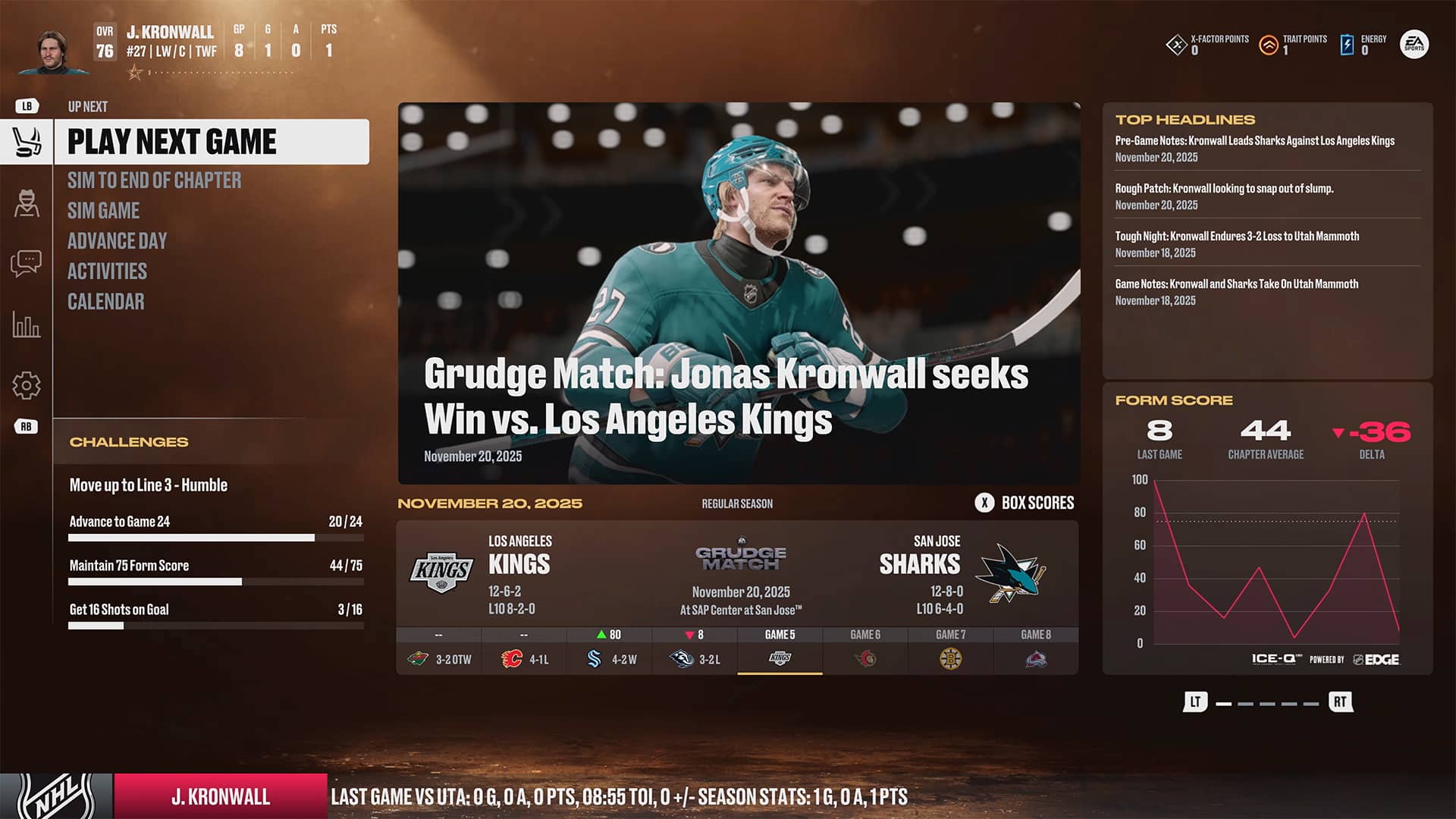
Similar to Madden 26’s Franchise mode upgrades, NHL 26’s Be A Pro also adopts a chapter setup that helps you to better know where you are in your career and what goals you are currently working towards at any given time. These chapters include situations such as the NHL Draft, roster battles, and playoff pushes, as well as attempts to win the Stanley Cup. I think this works perfectly here and takes away any concerns about the mode being aimless with you just playing game after game.

Right away, you can already tell a solid improvement when it comes to dialogue for interviews and such. While your player still doesn’t have voice acting for his answers, the questions being asked are at least voiced to add a little more liveliness to these segments. On the downside, some of the voice actors used here are incredibly monotone and almost robotic, so it’s a bit of a mixed bag overall. However, this is merely a nitpick, as each of these dialogue choices actually matters and often leads to consequences if you answer them in certain ways. As you make decisions, your player’s personality will be shaped into one of two directions: Influential or Confidential. These work in tandem with your on-ice performance to affect your career trajectory in very interesting ways that make the entire journey worth playing until your career is over.

Each week, you are given energy that can be used to upgrade aspects of your character, including Brand, Management, Teammates, Health, Skill Training, and X-Factor Training. How you spend these is totally up to you, so you have to be careful not to mismanage them week to week. I learned quickly how important it was to keep my Health up here too, as it can go downhill quickly if you aren’t using Energy on it. The method of managing your player week to week this way added another layer of strategy into the mix that felt just right here in Be A Pro mode.

Microtransactions Central

Hockey Ultimate Team does not get anywhere near the upgrade that Be A Pro received, but it still got some new features that make it a bit more interesting for those who enjoy this style of game mode. As always, HUT is a card-collecting game mode that is largely powered by microtransactions for those who don’t want to grind incessantly. Returning this year after much fan request is that of seasons, which allows for a much more dynamic experience throughout the year, thanks to season-specific rules, rotating team captain themes, and special combinations to get boosts. Involved with this are new Seasonal Captain Chemistries through items that can provide you with captain chemistries for your HUT team for that specific season. There are also now flexible line chemistries that allow you to more easily gain boosts for your lineup, which came in quite handy when first starting out, especially.

HUT also now has a few new methods of play, including a great mode for beginners that are first jumping into HUT. Cup Chase is a new offline mode that allows you to take part in a short 18-game offline season against the computer to try and win the Cup. For those ready to jump online though, there is Ranked competition online that is ready for you to take part in as well.

World of Chel also returns in NHL 26 and is always a lot of fun. You can take your Be A Pro created skater into World of Chel and take part in various events, whether they are live or quick play events. This is where the game offers a season pass for you to work towards to unlock near cosmetics for your skater and then take them into games. As always, World of Chel always feels best when you have a group of friends to create a club and take on the competition together, but it’s still fun as a solo experience as well. Even so, I do feel like this mode is starting to feel a bit stale and will need more of a refresh at some point before it wears out its welcome.

Verdict

NHL 26 provides a much-needed upward swing for the series that has been treading water for a few years outside of the visual upgrades in the previous entry. The lackluster Franchise mode is still a disappointment, but improvements to other modes like HUT and especially Be A Pro mode have helped to move the franchise back in the right direction. There’s still a lot of work to be had in the future with even Be A Pro mode that helped to elevate the overall NHL 26 experience over just feeling like a simple roster update, so hopefully this game can serve as a solid foundation for next year’s iteration.

Score: 7.5/10

Pros:

  • ICE-Q 2.0 using NHL Edge statistics
  • Be A Pro revamp
  • HUT enhancements

Cons:

  • Franchise mode feels almost untouched
  • Lack of major changes outside of a few modes

NHL 26 was provided by the publisher. You can read MP1st’s review and scoring policy right here.

Avatar photo

Dean James

Home > Title Updates and Patches

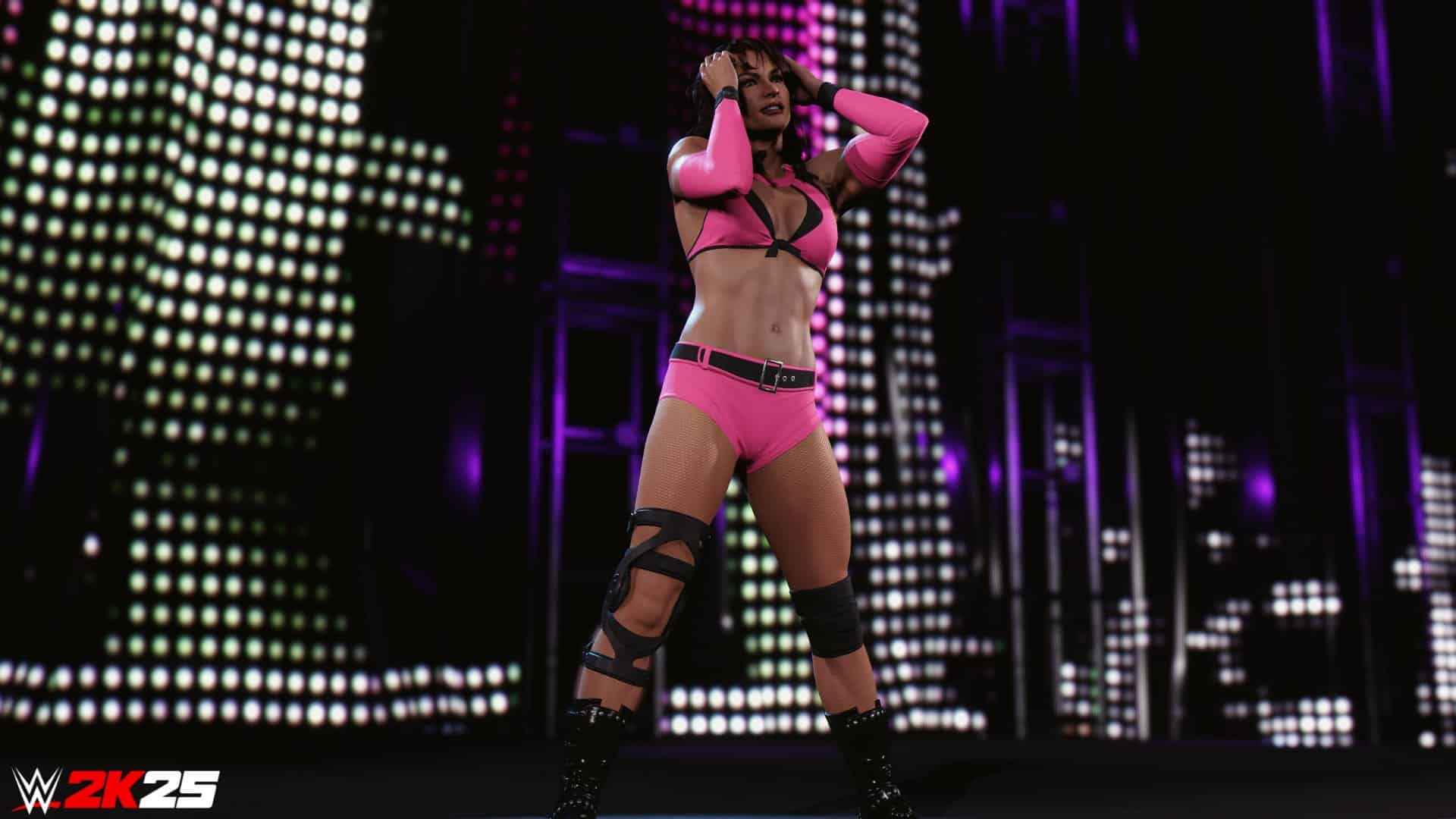
WWE 2K25 Patch 1.25 Adds New Wrestlers, But Causes Players to Lose Save Game Data, Crashing Issues and Other Bugs

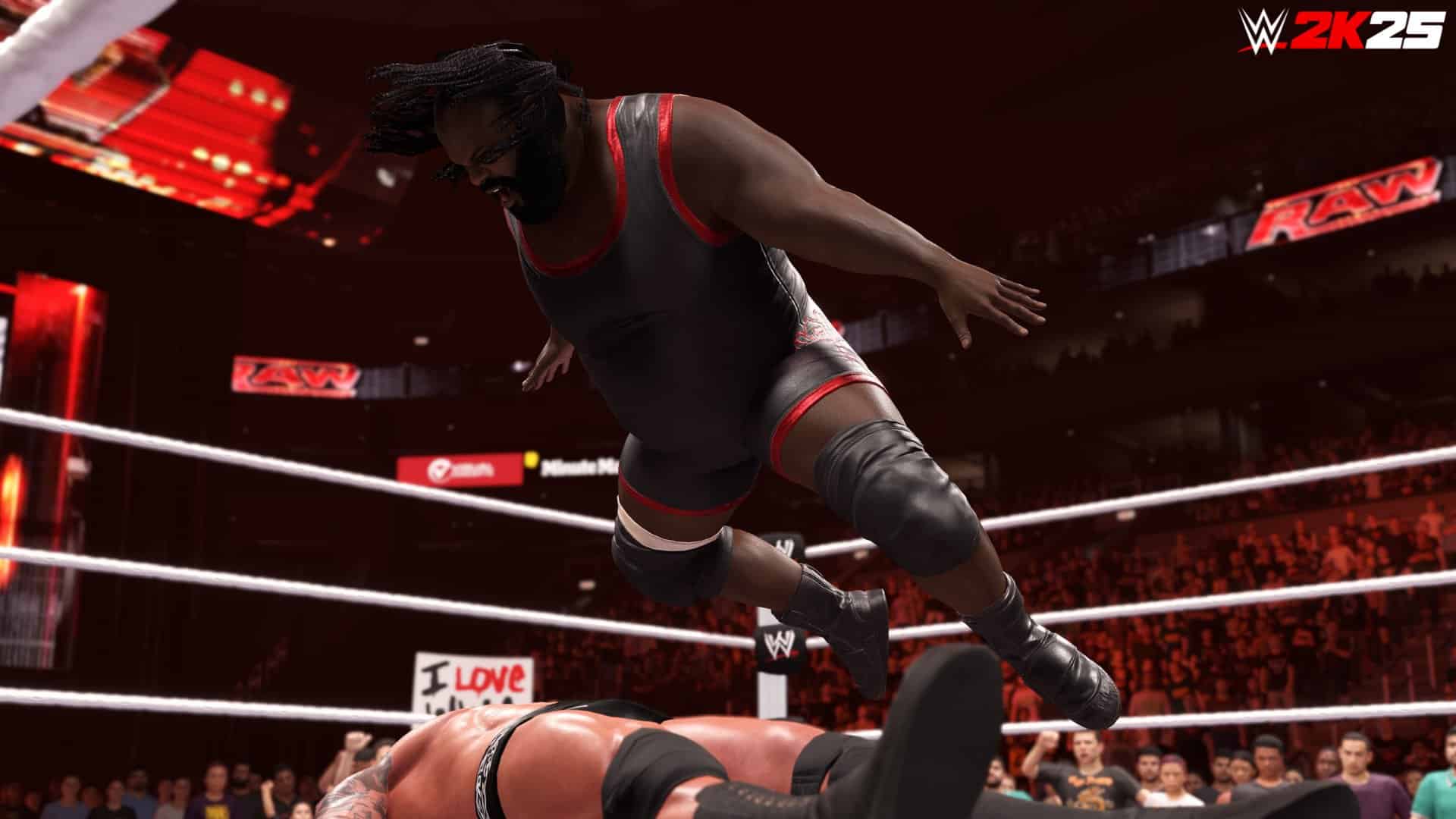
Today, Visual Concepts has released WWE 2K25 patch 1.25 on all platforms, and this brings the SuperStars DLC Pack as a premium add-on, and a bunch of new content as well.

However, it’s not the only thing this new patch brings, as loads of reports about save data being wiped/reset have surfaced, as well as other issues that seemingly stemmed from this new title update.

Read on to see what’s new in the patch, as well as the reports players have posted today.

WWE 2K25 Patch 1.25 Adds New Content, But Breaks the Game

The confirmed wrestlers in the DLC pack include:

  • D’Lo Brown
  • Billy Gunn
  • Road Dogg
  • Victoria
  • Mark Henry

Not only that, but a slew of new items have been added as well, and these are available for eveyrone — not just DLC buyers.

New tattoos and piercings added to The Island (via )

In addition to that, some new items were added to the game files, and have been datamined by WWE content creator WhatsTheStatus:

Note that datamined content is in no way confirmed to be releasing for the game, as things could change or be removed entirely. That said, the gallery below houses the spotted items that include:

  • Trish Status ’00 hat
  • Becky wearing it (second hat image)
  • New masks added (Undertaker)
  • Brock Lesnar ’25 Pants
  • Brock Lesnar ’25 Vest
  • Brock Lesnar ’25 T-Shirt

WWE 2K25’s Latest Update Causes Players to Lose Save Game Data

Multiple reports have surfaced today of players losing their entire save data after installing the update. The subreddit community about the game has seen players posting about a warning, the game crashing and more.

One user said, “Apparently, many players, including myself (Xbox Series X), are losing their save data on the new patch update. You’ll know because it’ll say “Load failed” or send you to the tutorial section. Just a warning for anyone who hasn’t loaded up their game yet. So far, I lost my Island Character, MyRise character and unlocks, showcase unlocks, and even my CAWs. I already sent out a ticket for support. Hopefully, they can help all of us who were affected. It sucks losing that much content and time.”

Another posted that they just bought the game, and noticed their game has reset. “I bought the Deadman edition (which came with the new DLC that just launched) and got on to play and everything is reset even my showcase mode WTH IS HAPPENING?! Thanks.” This sparked a reply stating,”Yeah mines has reset after 1.25 patch and downloading the newest pack with the Outlaws etc. All the arenas and wrestlers I’ve unlocked are back behind padlocks again. What a mess.”

In addition to losing saved game data progress, some players reported being stuck in The Island, entrance vocal issues when adding the Outlaws to DX, and even crashing.

If this persists, or if more players are affected, I expect Visual Concepts to release another patch to fix the issues. Let’s hope that comes sooner, rather than later.

According to the roadmap, we still have the Saturday Night’s Main Event Pack set to be released in November.

Avatar photo

Alex Co

Father, gamer, games media vet, writer of words, killer of noobs.

Home > News

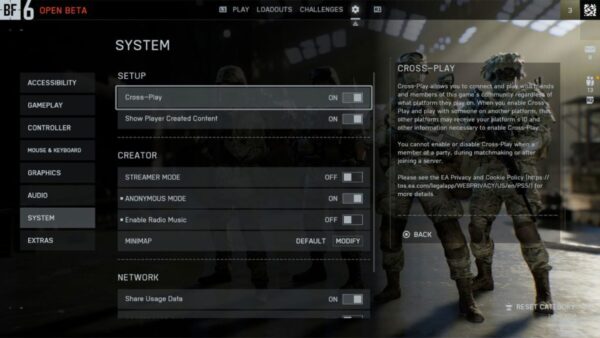
EA Clarifies That There Is No Console-Only Crossplay in Battlefield 6

This is getting quite ridiculous. Initially, it was mentioned that Battlefield 6 would feature “preferred crossplay” wherein for console matchmaking, it will prioritize console players from both PS5 and Xbox Series X|S before picking players from the PC pool.

However, a new interview that was conducted this month refuted that, with Battlefield 6’s Technical Director, who mentioned that there will be console-only crossplay.

But, today, that has since been refuted, as EA says there is no console-only crossplay.

Battlefield 6 Console Crossplay Finally Clarified

battlefield 6 console only crossplay

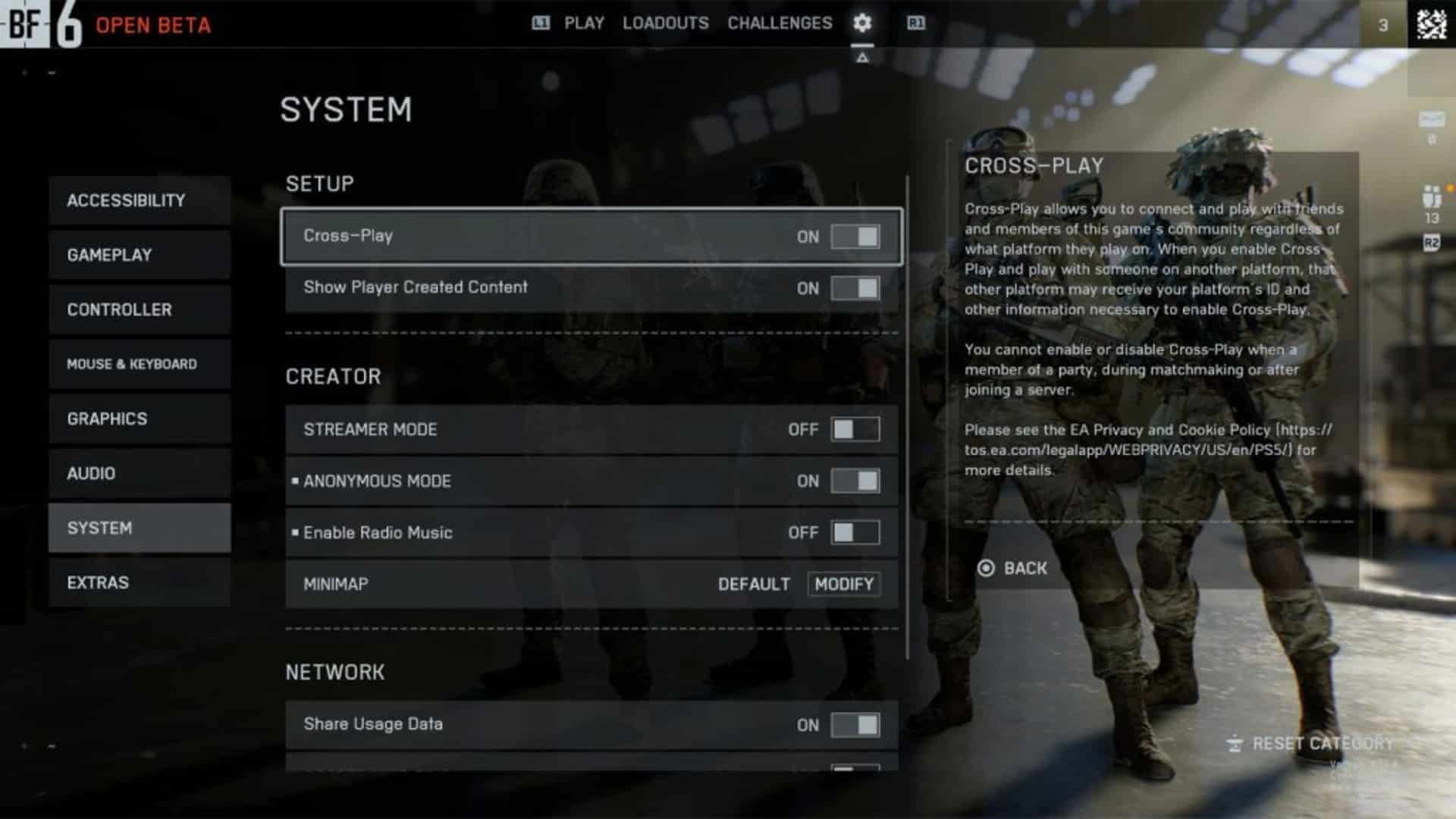
Speaking to Dexerto, an EA rep confirmed that there is no console-only crossplay. If crossplay is on, the matchmaking will prioritize matching the player with other console players, though PC players will also be in the matchmaking pool. PC players do not have the option to disable crossplay.

If a console player disables crossplay on console, the game will only match you with players on the same platform PS5 vs. PS5, Xbox Series vs. Xbox Series). This also means you won’t be able to squad up with players from other platforms.

This means the original statement of preferred crossplay is the correct one, though we’re hoping EA reconsiders adding console-only crossplay in a future update.

Speaking of BF6 on consoles, the resolution and performance of each platform has been revealed, and unlike the crossplay news, this should make console gamers happy. In a separate interview, the Technical Director of BF6 shared how they struggled to have the shooter run on the Xbox Series S.

Will this no console-only crossplay news affect your decision whether to buy Battlefield 6 when it launches on October 10? Sound off and let us know.

Avatar photo

Alex Co

Father, gamer, games media vet, writer of words, killer of noobs.

Home > Title Updates and Patches

PGA Tour 2K25 Sept. 17 Update Adds a New Course and More via Patch 1.021

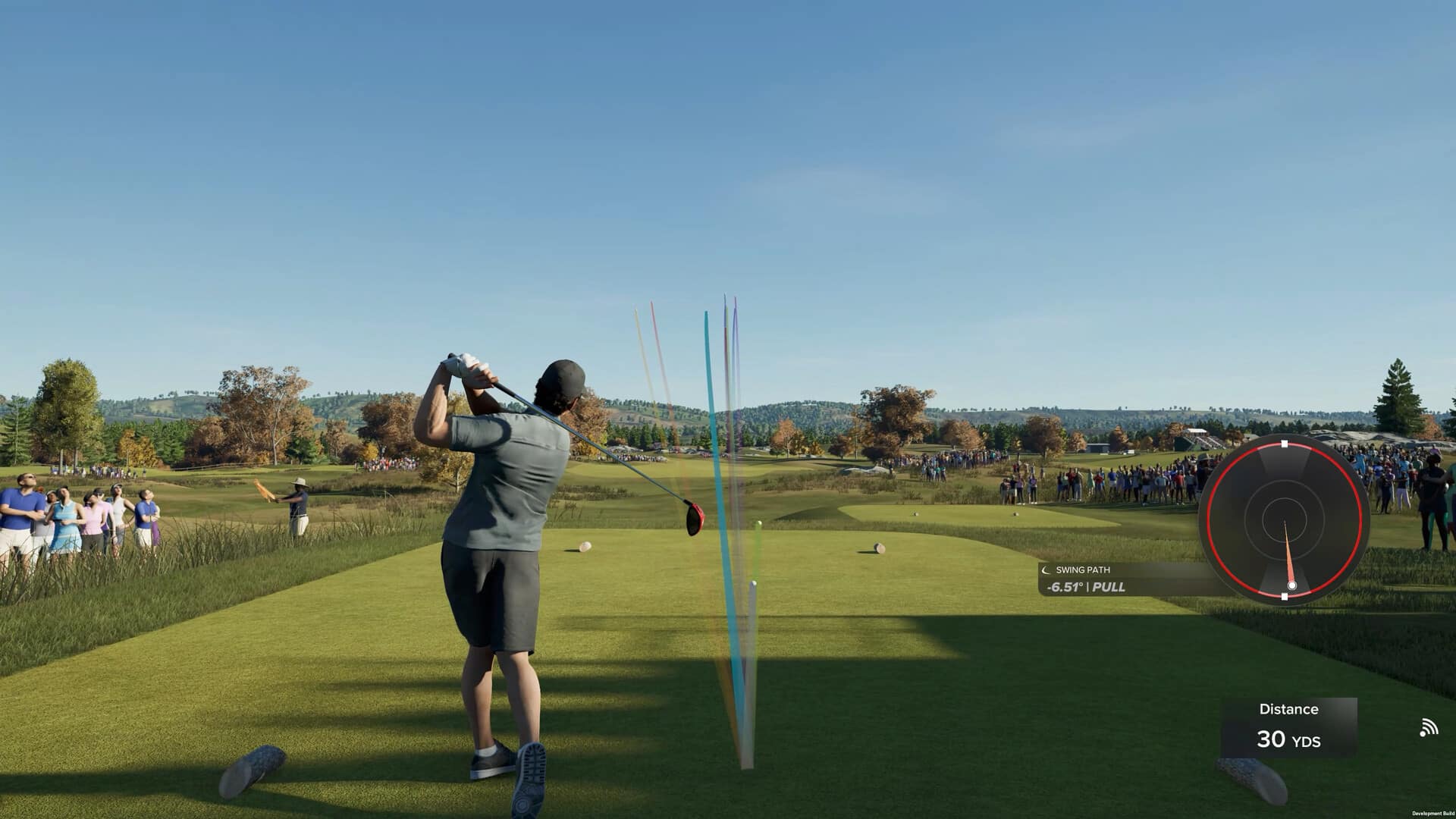
HB Studios has released the latest update for PGA Tour 2K25 on September 17, and this adds a new course alongside fixes. Console gamers will see this as PGA Tour 2K25 update version 1.021 (complete version 1.021.000), and it also introduces a number of free items.

For everything newly released today, read on below for the patch notes and a round-up of new content.

PGA Tour 2K25’s Latest Update Released on Sept. 17 Brings Fields Ranch East for Free via Patch 1.021

General

  • Fields Ranch East at PGA Frisco has been added as a playable course

Online

  • Addressed reported concern related to percentile calculation of Ranked Tours position being inaccurate on the event summary screen
  • Addressed reported concern within MyCAREER where first and second objectives fail to count up when hitting circling targets during “Control: Launch Control”

Quests

  • Addressed reported concern related to ‘Warming Up’ quest where part 1 and part 2 were not unlocking after completion, blocking the ‘Master of All’ in Quests
  • [PS5 & XSX only] Addressed reported concern where collection quest tracker number was displayed incorrectly after first stage.
  • Addressed reported concerns across “First Class Finish”, “Ultimate Control” & “Eyes on the East Lake” quests where button says ‘Requires Premium Clubhouse Pass – Season 3’ instead of ‘Set Active Season’ when user owns CHP

Challenges

  • Addressed reported concern related to ‘Map of Magic’ challenge where secondary objective ‘land on the fairway with a recovery’ was not tracking.
  • Addressed reported concern related to ‘Tiger Woods’ challenge where first objective failed to complete when hitting ball onto green with 150yds in hole 2 of 2001 Arnold Palmer Invitational.

Store

  • Generic apparel items have been added to store

What’s New in PGA Tour  2K25 This Week

RANKED TOURS

This week’s Ranked Tours event heads to The Championship at Fields Ranch East at PGA Frisco. Play events to climb the ranks and gain merits based on your performance! PLUS, earn rewards for event participation and tier promotions.

WEEKLY WEAR & EARN

Wear it. Earn it. It’s that simple on Wear & Earn Wednesday! Rep apparel from this week’s featured PGA TOUR Superstore brand while completing 9 holes between 10 AM PT Wednesday and 9:59 AM PT Thursday, and you’ll earn 250 VC, plus a LVL↑ Token—easy. This week’s featured brand is: MANORS Pants, Shorts, Skirts, or Skorts. Find them in the Featured section of the PGA TOUR Superstore, in-game.

QUESTS

Weekly Quests are here—visit the Quest tab to learn more. One of many quests available in-game this week is Frisco Fairways

FREE DAILY ITEMS

From Thursday September 18 through Sunday September 21, you can claim free new rewards each day by just loginning in and redeeming from the PGA TOUR Superstore. Redeem rewards all 4 days and earn an Evo Tool!*

NEW DESIGNER PACKS

New Course Designer Packs are now available to use in the Course Designer mode, giving you even more tools to shape your dream layouts. 2 packs have been added: Royal Ruins & Rural Roots, and More Sticks & Stones. Whether you’re crafting a rugged countryside course, weaving ancient ruins into your fairways, or adding subtle detail to elevate the atmosphere, these packs open the door to even greater creativity and variety in PGA TOUR 2K25.

That’s about it for this title update. Even if it’s not a sesaonal content drop, there’s still a lot to check out for virtual golfers out there. If HB Studios releases another patch to fix any bugs, we’ll have it up on the site.

Avatar photo

Alex Co

Father, gamer, games media vet, writer of words, killer of noobs.

Home > Title Updates and Patches

WWE 2K25 New Update 1.025/1.25 Adds SuperStars Pack and Other Content

Visual Concepts has released the SuperStars DLC Pack for WWE 2K25 today, and alongside the DLC, there’s a new patch out as a mandatory download for everyone, even if you’re not buying the latest premium pack.

Players will see the download as WWE 2K25 update 1.025/1.25, and this also adds in a slew of new stuff that’s not part of the SuperStars Pack.

For a look at the added content, which Visual Concepts didn’t reveal, head on below.

WWE 2K25 SuperStars DLC Now Out as Part of Patch 1.025

The confirmed wrestlers in the DLC pack include:

  • D’Lo Brown
  • Billy Gunn
  • Road Dogg
  • Victoria
  • Mark Henry

Not only that, but a slew of new items have been added as well, and these are available for eveyrone — not just DLC buyers.

New tattoos and piercings added to The Island (via )

In addition to that, some new items were added to the game files, and have been datamined by WWE content creator WhatsTheStatus:

Note that datamined content is in no way confirmed to be releasing for the game, as things could change or be removed entirely. That said, the gallery below houses the spotted items that include:

  • Trish Status ’00 hat
  • Becky wearing it (second hat image)
  • New masks added (Undertaker)
  • Brock Lesnar ’25 Pants
  • Brock Lesnar ’25 Vest
  • Brock Lesnar ’25 T-Shirt

So far, Visual Concepts has not released anything official when it comes to gameplay changes, but if that changes, we’ll have it up on the site.

According to the roadmap, we still have the Saturday Night’s Main Event Pack set to be released in November.

Avatar photo

Alex Co

Father, gamer, games media vet, writer of words, killer of noobs.

Home > Title Updates and Patches

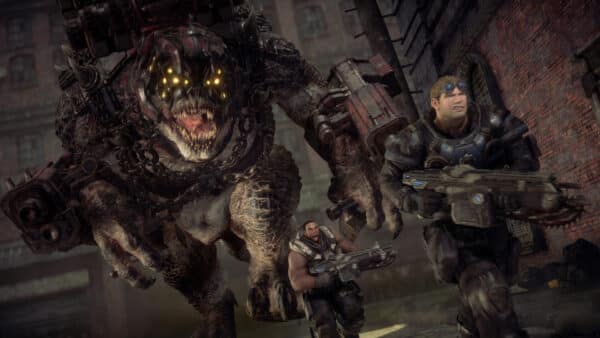
Gears of War: Reloaded New Update 1.007.001 on Sept. 17 Fixes Squad Achievement Progression and Other Bugs

The Coalition has released a new Gears of War: Reloaded patch today, September 17, and this addresses a slew of bugs. Console gamers will see this download as Gears of War: Reloaded update version 1.007.001, and while this isn’t a major update, it still packs a good number of much-needed fixes.

Chief among the fixes issued are squad achievement progression issues, matchmaking and stability improvements, and other technical issues.

For the full list of fixes for today, read on for the official patch notes.

Gears of War: Reloaded’s Latest Update Fixes Multiple Issues via Patch 1.007.001

The Coalition says the following has been fixed:

  • Addresses squad achievement progression
  • Matchmaking and stability improvements
  • Additional frame rate option for PC
  • Squadmates who aren’t hosting will now earn progress towards achievements in Campaign
  • Matchmaking optimizations for more balanced lobbies based off of skill rating (MMR)
  • Several issues that were causing game crashes have now been resolved
  • Added an Unlimited option to Frame Rate Limit in display settings

The developers also shared that they are “always monitoring feedback across the game and other support channels,” and added, “Our intent when communicating to our players is to ensure we’re providing real, meaningful updates and information on what actions we’ve taken. Thank you for your patience.”

No word yet on whether we’ll get balance changes or another patch soon, but don’t be surprised to see one — especially given the state the multiplayer is in.

In other Gears of War news, we recently reported that Gears of War: E-Day will be released on PS5, alongside another Xbox-exclusive game.

Avatar photo

Alex Co

Father, gamer, games media vet, writer of words, killer of noobs.

Home > Title Updates and Patches

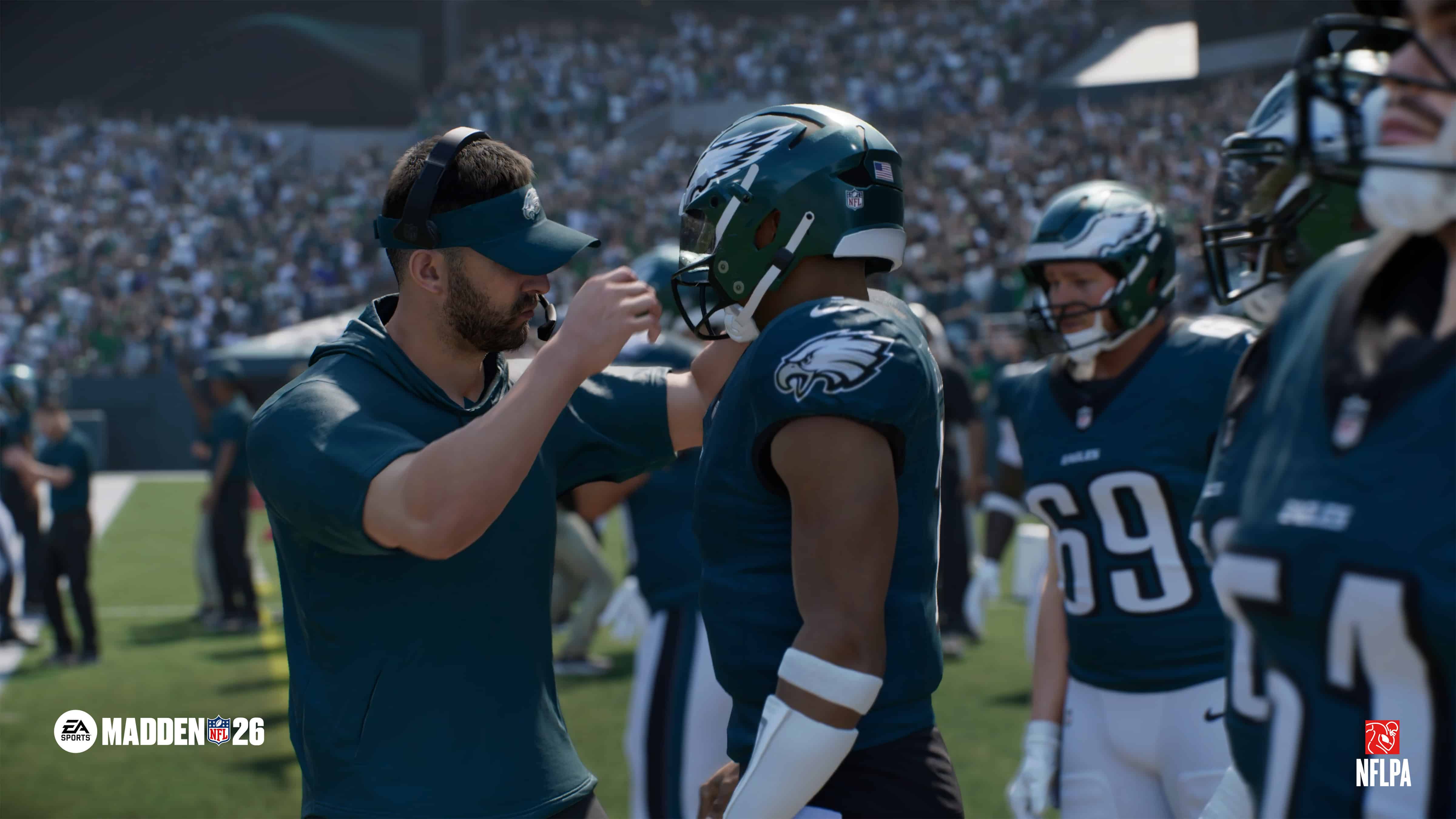
Madden NFL 26 Update 1.007 for Sept. 17 Brings Gameplay Tuning Changes and Adjustments to Every Mode

The latest major title update for Madden NFL 26 is here, and this not only brings bug fixes, but there are also gameplay tuning changes, and every mode has been given an adjustment.

Console gamers will see today’s patch as Madden NFL 26 update 1,007 (complete version 1007.000), and tbis adds new Coaching Adjustments that give you more control over pass protection and coverage depth, and new player likenesses, gear and more.
Want to know everything new? Read on for the complete patch notes.

Madden NFL 26 New Update on Sept. 17 Applies Major Changes and New Likenesses, Gear Options via Patch 1.007

Madden NFL 26 Day-One Update 1.003

Gameplay

Pass Blocking

  • Added a new Coaching Adjustment option allowing you to set your default pass protection scheme—choose from Base, Empty, Half Left, Full Left, Half Right, Full Right or Default.
    • Dev Note: For players who don’t want built-in pass protections on passing plays, we have included a new Coaching Adjustment to allow players to choose the default protection for all dropback passing plays. When toggling this option in, players will still have the ability to change their protection before the play via the Pass Protection adjustments menu.
  • Fixed an issue sometimes causing the pass protection adjustment menu to get stuck in an open state after selecting a protection adjustment.
  • Made improvements to blocking logic for better targeting and improved protection on Shotgun Play Action plays
  • Tuning done to shorten the wait time after failed pass rush moves to improve pocket degradation over time.
  • Enhanced QB Contain logic to ensure defenders contain more effectively
    • Dev Note: This was a two-part fix where we fixed disengages from blocks and pursuit of quarterbacks scrambling outside the pocket. For the second part, we resolved an issue where defenders would incorrectly abandon their Contain assignments in favor of executing pass rush moves.
  • Addressed an issue with pass rush move selection logic to reduce excessive use of Rip moves and ensure more realistic, ratings-driven defender behavior.

Run Game

  • Fixed an issue allowing a short, artificial speed boost to the ball carrier when using Truck in open space (Air Truck).
    • Dev Note: The truck animations and transitions from truck to locomotion have been modified to more accurately reflect the movement speed of the ball carrier as the truck ends, and the transition has been tuned to keep the speed more consistent.
  • Fixed an issue causing Duo run plays to be mislabeled as Inside Zone plays.
  • Decreased the frequency of power non-engaged sheds on run plays.
  • Added shed timers for defenders who lost their previous defensive move on passing plays.
  • Edge defenders now steer towards their outside gap for longer to help set the edge on run plays

Passing Game

  • Increased the minimum for ‘stemmed down’ routes from 1 yard to 3 yards.
    • Dev Note: When using the route-stemming feature, certain stemmed-down routes, particularly Corner Routes, became too powerful and difficult to fairly and/or realistically defend. As a result, the minimum stem-depth allowed now is 3 yards. The intent of this change is to  preserve the structure and timing of the route, while enabling more realistic and balanced defensive reactions.
  • Resolved an issue where auto-motion receivers would continue their motion during the Quiet the Crowd animation, users can no longer Quiet the crowd during auto-motion.
  • Fixed an issue preventing behind-the-line special moves from working when using Gadget players in the QB spot in Wildcat formations.
  • Fixed an issue causing WR’s to sometimes use fake-out footwork off the snap with no defender nearby.
  • Fixed an issue preventing the appropriate frequency of catch-knockouts when throwing to a receiver covered by multiple defenders.
    • Dev Note: This was the main issue leading to receivers holding onto aggressive catches too much in crowds when the ball should have been knocked out. With this update, outcomes on aggressive catch attempts now more accurately reflect the ratings and physical matchups of the players involved when there is collision at the catch point.
  • Fixed an issue causing  illegal man-downfield penalties to trigger incorrectly on certain play-action boot plays.
  • Fixed an issue causing no-look passing animations to sometimes trigger on quick throws, like bubble screens.

Pass Coverage

  • Added a new Coaching Adjustment setting to set the safeties depth at 16 yards.
  • Updated hook-defender depth with underneath coverage adjustment to play at 5 yards of depth to be in better position to play short routes like drag routes.
  • Updated hook-defender depth with over-the-top coverage adjustment to play at 12-18 yards of depth to put defenders in better position to take away deeper intermediate routes like deep Digs and Over routes.
  • Updated vertical-hook zone logic so that it will not match when using coaching adjustments or custom-stem zones.
  • Updated press-animation logic to ensure defenders trigger press animations requested by the user at the line of scrimmage.
  • Fixed an issue in Goal Line defense causing the receiver in heavy-personnel formations to be completely uncovered.

Pre-Play Controls

  • Updated logic so the offense cannot instantly flip the play or audible to a new formation when walking to the line from the huddle
  • Standardized the hot route timer for all QB’s when breaking the huddle.
    • Dev Note: This new timer also applies to how long users need to wait after flipping a play or audibling to a new formation. Stemming a route also counts as a hot route when breaking the huddle. Signature animations for players like Mahomes now have consistent responsiveness resulting in all quarterbacks having the same hot route timing cadence.
  • Fixed an issue preventing under-center QBs from queuing more than two hot routes at a time.
  • Fixed an issue causing the TE to motion awkwardly on a series of plays within Gun Y Off Trips Wk (Mtn Y Corner, RPO Alert Mtn Dive, Mtn Shock H Opt)
  • Fixed an issue preventing the hot-route stem controls from appearing when using mouse & keyboard controls on PC.
  • Fixed hot route stem control not appearing when using keyboard and mouse.
  • Tuning to improve avoidance by WR’s in motion at the snap.

AI & Game Logic

  • Tuning to the Bills Homefield Advantage to reduce excessive kick-meter wobble.
  • Tuning to improve AI-controlled teams’ clock management, preventing it from calling timeouts right before punting when losing by a large margin.
  • Fixed an issue sometimes causing a crash when setting QB Throw Style.
  • Fixed an issue in Goal Line defense causing the receiver in heavy-personnel formations to be completely uncovered.
  • Fixed a rare issue causing some players in online rosters to appear with generic player models and wearing the incorrect uniform numbers, such as multiple players wearing #11 or #22.

Animation & Visuals

  • Adjusted Small Agile Back hit stick animations to look more realistic and grounded.
  • Fixed an issue sometimes causing defenders to warp back to their feet when mid-lunge in tackling.
  • Fixed an issue allowing late hurdle attempts to cause missed tackles.
  • Fixed an issue causing Josh Allen to use the incorrect ball-carry style (bread loaf) on read option plays.

Playbooks

  • Fixed an issue causing the ball to warp on specific Pistol formation handoffs.
  • Fixed an issue causing the ball to warp when cancelling the handoff on PA Sprint HB Flat plays.
  • Fixed an issue causing a fumble when snapping the ball in Gun Bunch TE Str MTN RPO Peak Flats.
  • Fixed a rare issue causing the ball to be snapped well behind the QB on various Pistol and Gun Jet Sweep plays.
  • Fixed an issue allowing an unnatural speed boost on the In-Corner route within Gun Bunch Offset Close Mesh Rebound, which made it unbalanced.

Presentation

  • Broadcast Packages
    • Fixed issue with missing stats in the Last Week Stats banner after a bye week.
    • Fixed issue with Stat Leaders banner for pass yards disappearing too quickly.
    • Fixed issue preventing Draft Class banner from appearing during a Sunday Night Primetime game.
  • NFL Traditions
    • Fixed a camera issue for the Cardinals’ Big Red Siren tradition.
  • Halftime Show
    • Fixed issue with missing highlights after using the Resume Game option.
    • Fixed an inconsistency with a score shown during a highlight from a game in progress and the subsequent Around the League banner.
  • Halftime Show / Weekly Recap
    • Fixed lighting pop that would sometimes occur at the end of a highlight.
    • Tuned logic for highlight selection from a game in progress to reduce the chances of seeing the losing team.
    • Tuned logic to prevent non-scrambling QBs from being shown performing long runs.
    • Fixed CPU highlight showing right-handed QB throwing left-handed touchdown.
  • Weekly Recap
    • Fixed issue preventing Weekly Recap from being available during the playoffs when a user’s team did not make the playoffs.
  • Pregame
    • Fixed issue with an out-of-focus camera for the Falcon statue at Mercedes-Benz Stadium.
    • Fixed issue with fog sometimes obstructing mascots during runouts.
    • Fixed various camera obstructions and clipping issues with sideline characters.
  • Drive Starter
    • Fixed a broken camera when showing the Stat Leaders banner for a wide receiver.
    • Fixed issue with Drive Starter sometimes appearing before Drive Summary when a turnover occurs in Superstar: The League.
  • Post Play
    • Fixed an issue sometimes causing players to appear on the wrong sideline.
    • Fixed an issue causing the camera to  linger too long after completing a MUT Challenge in one play.

Franchise

  • Fixed an issue where certain Players would be playing out of position.
    • Dev Note: This issue was tied to the Progressive Fatigue setting, we have removed the setting as we’ve introduced Wear and Tear Management. We are also addressing an issue where Wear and Tear sliders are not in Franchise and looking to implement them in a future title update
  • Fixed an issue with the Nose Tackle archetype’s OVR formula that was causing it to appear different from the front end.
    • Dev Note: For new leagues this change will apply immediately. For existing leagues, the formula will apply immediately and for players that had Nose Tackle as their highest rated archetype previously, will appear with their new Nose Tackle OVR until the week is advanced where their highest OVR will be correct.
  • Fixed an issue where some draft generators were using wrong body types.
    • Dev Note: The change will not apply to existing leagues until the next draft class is generated.
  • Addressed an issue with Importing and Exporting Draft Classes were incorrectly changing Player Body Types
    • Dev Note: This update will not address existing Draft classes already in a league.
  • Addressed an issue where Tight Ends were able to acquire the Universal Coverage Zone Ability
  • Addressed an issue where Players sustaining a Low Back Strain Injury was treated as a Career Ending Injury
  • Fixed an issue where coaches and trainers were unlocking abilities in the wrong order
  • Addressed an issue where the WILL position was prioritized over the SAM position in the Depth Chart when using the reorder feature

Dev Note: We are aware of an existing case when a Head Coach leaves a league, the CPU automatically promotes the teams’ existing Offensive or Defensive coordinator without hiring a backfill. We are investigating the issue to be addressed in a future title update.

Superstar Mode

  • Fixed an issue where Season stats were not accessible
  • Adjusted QB Combine drills
  • Resolved an issue where selected Gear would appear on the wrong uniform

Ultimate Team

Field Pass, Progression & Rewards

  • Fixed an issue that prevented certain objectives from appearing in the Field Pass and Team Pass tabs.
  • Resolved multiple soft lock scenarios when purchasing the Premium Field Pass or entering rewards screens.
  • Corrected a visual bug where Season 1 Field Pass art would replace Season 2 while active.
  • Reward icons and token/coin rewards now display consistently across New Items Flow and Rewards Flow.

Lineups & Team Management

  • Corrected an issue where punters and kickers displayed inflated OVR values when placed at QB.
  • Fixed chemistry and strategy boosts not displaying correctly, ensuring lineup synergies are accurate.
  • Improved substitution logic and lineup refresh behavior to prevent errors when managing rosters.

Store & Packs

  • Restored the “Open Next Pack” callout in reward flows, improving pack-opening speed.
  • Fixed an issue where packs included inside other rewards were not visible.
  • Pack Helper tuned to prioritize lineup improvements correctly, avoiding cases where it would recommend removing useful players.

Challenges, Events & H2H

  • Addressed blockers in Gauntlet events that prevented progress from tracking correctly.
  • Fixed a bug in H2H Seasons where winning the Super Bowl did not end the season as intended.
  • Leaderboards now display correctly, fixing issues with empty or undefined rank values.
  • Corrected star reward tracking in Legendary Challenge packs to ensure proper rewards.

Stability & Disconnects

  • Fixed multiple soft locks in NUX scenarios, Field Pass purchases, and Preseason Events.
  • Addressed crashes when loading into Squads crossplay sessions with multiple PC players.
  • Corrected disconnects during ready-up transitions in H2H and Squads lobbies.
  • Resolved desyncs in 6v6 and Sick Six modes.

Audio

  • New music added: Limp Bizkit – “Morgan Wallen”
  • Fixes for various issues: in-game commentary firing improperly, stadium music adjustments, SFX volume adjustments, mix adjustments for the Halftime Show, & a fix for unintended audio dropouts when adjusting unrelated volume sliders.

UI

  • Fixed crash when entering Custom Playbooks
  • Fixed issue with avatar portraits not showing in the Halftime Report
  • Fixed issues with some in-game banners not showing data or showing incorrect data and other various polish
    • Dev Note: This will also include occasionally seeing ‘Eagles vs Chiefs’ in the scorebug during certain moments.
  • Fixed double score HUD showing after calling a timeout after a play
  • Korean currency now supported on Switch 2
  • Fixed issues with Download/Preview/Report function in Download Center
  • Added and updated various player, coach and avatar portraits

Art

  • Added additional NFL Player & Coach Likeness Heads:
    • 49ers DL Mykel Williams
    • Bears WR Luther Burden III
    • Bengals LB Demetrius Knight
    • Bengals EDGE Shemar Stewart
    • Bills CB Maxwell Hairston
    • Broncos CB Jahdae Barron
    • Browns RB Quinshon Judkins
    • Buccaneers WR Emeka Egbuka
    • Cardinals CB Will Johnson
    • Chargers RB Omarion Hampton
    • Chiefs OT Josh Simmons
    • Dolphins DT Kenneth Grant
    • Dolphins TE Jonnu Smith
    • Eagles LB Jihaad Campbell
    • Giants QB Jaxson Dart
    • Jets OT Armand Membou
    • Jets TE Mason Taylor
    • Lions OT Taylor Decker
    • Lions DT Tyleik Williams
    • Packers WR Matthew Golden
    • Patriots RB TreVeyon Henderson
    • Rams TE Terrance Ferguson
    • Ravens S Malaki Starks
    • Saints QB Tyler Shough
    • Seahawks TE Elijah Arroyo
    • Seahawks S Nick Emmanwori
    • Seahawks G Grey Zabel
    • Steelers DT Derrick Harmon
    • Steelers Head Coach Mike Tomlin
    • Texans WR Jayden Higgins
  • Added New Cleats
    • Nike Vapor Edge Speed 360 2
  • Added New Facemasks
    • Axiom Robot Jagged 2
    • Axion Grid
    • Axiom Robot 808
    • Axiom Robot RB Jagged 2
    • Axiom 3 Bar RB
    • Axiom Robot RB Straight
  • Added 2 New Coach Wristbands
  • Added New Undershirt w/4 Color Options

Given the scope of this update, don’t be surprised if a new bug surfaces that will necessitate another patch to fix. If we do get one, expect it here on MP1st.

Avatar photo

Alex Co

Father, gamer, games media vet, writer of words, killer of noobs.

Home > News

PS4 New Update 13.00 Released

While the PS5 got a chunky system update today, its older brother also received a surprise firmware patch as well. Sony has, without much fanfare, released PS4 update 13.00 on Sept. 17, and this is more than your standard stability console patch.

Understandably, this doesn’t feature any major new features given the console’s life, but there are improvements roled out that should help console users.

PS4 New Update on Sept. 17 Improves Messaging Functionality via Patch 13.00

Here’s what got updated in today’s download:

  • We’ve improved the messages and usability on some screens.

This is also the same update notes for the version 12.50 download, and in other past system updates too. Chances are, this is something players won’t really notice, though it’s one of those things that probably helps messages load faster and whatnot.

We’re not expecting a lot of PS4 system updates in the future, but don’t be surprised to see a few more pop up, since some are released for security vulnerabilities given the PS4’s online scene is still very much active.

For reference, the PS3 even got a new update early this year, which is also for security loopholes more than anything else.

If we get a new PS4 system update, regardless of whether it’s a big or small one, you’ll hear about it here on MP1st.

Avatar photo

Alex Co

Father, gamer, games media vet, writer of words, killer of noobs.

Home > News

PS5 New Update 25.06-12.00.00.43 Adds Power Save Feature, DualSense Pairing for Multiple Devices

Sony has released the latest major PS5 new system update, which players will see as version 25.06-12.00.00.43. This adds a few new features to the console, with one benefiting those who even use controllers on other devices.

Clocking in at 1.317 GB, this download is live now worldwide and could very well be the last significant system update of the year.

Read on for everything that got added with the official patch notes.

PS5’s Latest Firmware Update on Sept. 17 Adds DualSense and Power Save Features via Version 25.06-12.00.00

PS5 System Update

Here are the new features for the today’s PS5 system update:

  • You can now turn on power saver for supported PS5 games. When using power saver, you can scale back performance as needed to reduce power consumption.
    • You can adjust this in Settings > System > Power Saving > Use Power Saver. You can turn this on or off for each supported game.
    • When power saver is on, and a game supporting power saver is active, an icon appears next to the game in Switcher in the control center.
  • We’ve updated the device software for the DualSense wireless controller and the DualSense Edge wireless controller.
    • It’s now possible to pair your controller with multiple devices. You can register up to 4 devices and switch the device you’re connected to using your controller. For details, see the User’s Guide for your PlayStation®5 console.
  • We’ve updated the device software of the DualSense and DualSense Edge wireless controllers, PlayStation VR2 Sense controllers, and Access controller to improve stability.
  • We’ve improved the messages and usability on some screens.
  • We’ve improved system software performance and stability

How to Pair DualSense Controller to Multiple Devices

By pressing a combination of the PS button and one of the action buttons (triangle button/circle button/cross button/square button), you can assign a device to your desired slot.

If a USB cable is connected to your controller, disconnect it before pairing.

  1. Make sure the light bar and player indicator on your controller is off. If they’re turned on, press and hold the PS button until they turn off.
  2. Press and hold one of the action buttons (triangle, circle, cross, or square) and the PS button for over 5 seconds. The light bar and player indicator flash two times.
  3. Turn on Bluetooth® on your device, and select the option to add Bluetooth® devices. Your device detects nearby Bluetooth® devices.
  4. Select your controller from the detected devices. The light bar lights up, and the player indicator’s lights blink according to the slot number.

How to Switch Devices

Once the device is registered on your controller, you can switch between devices by pressing the PS button and the action buttons (triangle, circle, cross, or square) corresponding to a slot. You can do this when the controller is turned on or off.

  1. Turn on the device you want to connect to.
  2. Press and hold one of the action buttons and the PS button for about 3 seconds. When the light bar and player indicator blink, release both buttons. The light bar lights up, and the player indicator’s lights blink according to the slot number.
Slot number Button used Player indicator lights Connected Device (Example)*
Slot 1 PS button and Triangle button One light on PS5
Slot 2 PS button and Circle button Two lights on PS5 Pro
Slot 3 PS button and Cross button Three lights on Windows PC
Slot 4 PS button and Square button Four lights on iPhone

That’s about it for this new system update for today. If Sony plans to release another major firmware update, we should know about it beforehand given the company tests it first in the beta branch.

In other PlayStation news, we recently reported that Marvel’s Wolverine will be released next year, and that Insomniac is also working on a Venom project.

Avatar photo

Alex Co

Father, gamer, games media vet, writer of words, killer of noobs.

Home > Title Updates and Patches

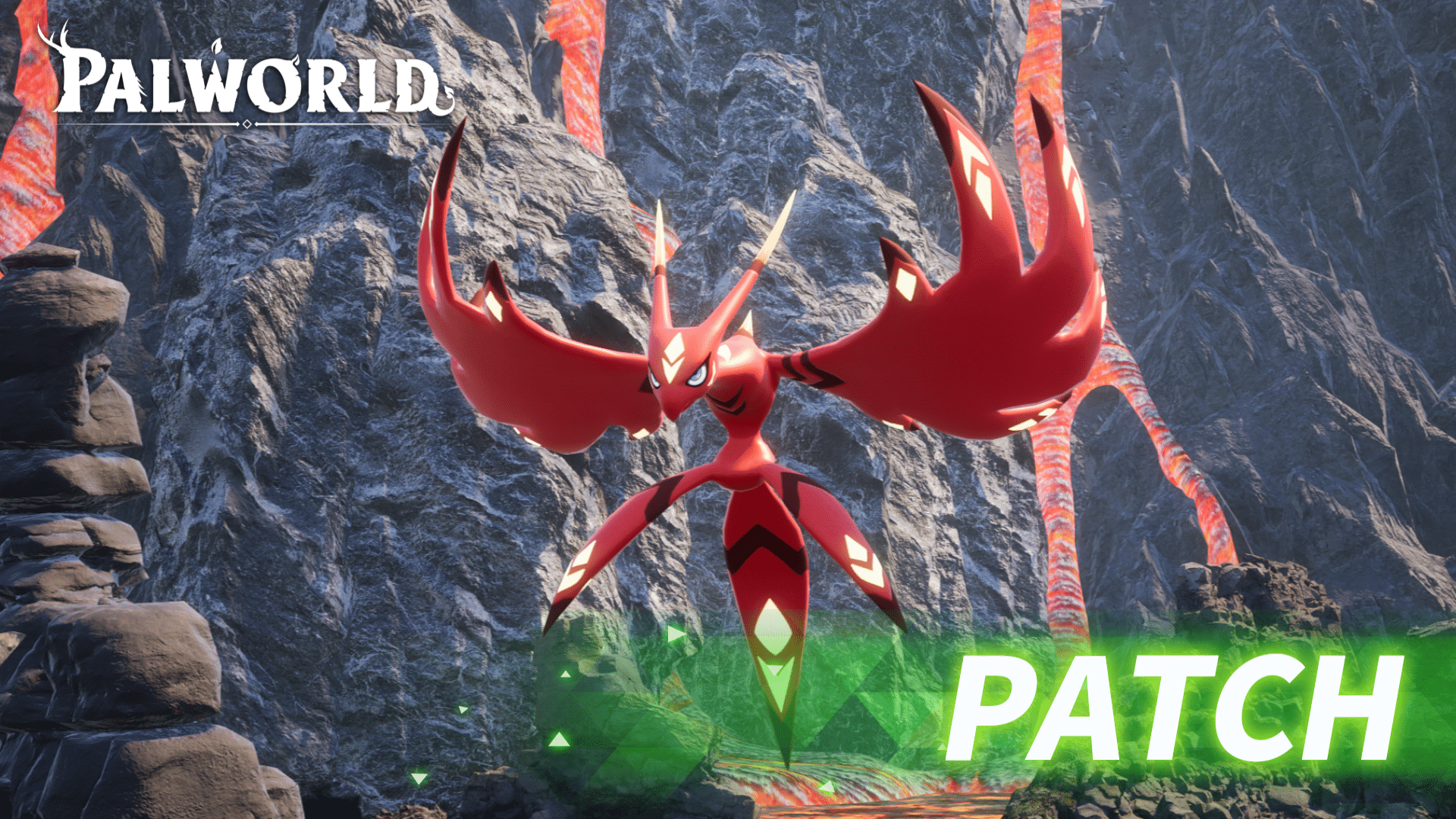
Palworld Update 1.079.318 Released for Patch v0.6.6 Applying System Changes

Pocketpair Inc. has released Palworld update 1.079.318 on consoles, which is for v0.6.6 on PC. This is more than your standard bug fix patch, as this one slots in balance adjustments and system changes too.

There are minor quality-of-life improvements included as well, with the full details available in the Palworld new update patch notes listed below.

Palworld New Update v0.6.6 Available for System Changes via Patch 1.079.318

Palworld Patch 1.000.017

Balance Adjustments & System Changes

  • A warning will now be displayed on screen if the world settings are set too high for the system playing the game.
  • Changed Herbil Pulse so that players will be invincible for a short time when getting up.
  • Slightly expanded the hit detection of Excalibur’s shockwave.
  • Fixed an issue where the hit detection and visual effects of Terra Blade were misaligned.
  • [Controller] Easy Bulk Storage control adjustment: pressing the LS button now applies immediately.
  • Changed the appearance of Pal’s rank-up items.
  • Adjust NPC trust modifiers to be in line with the implementation of NPC passive skills.
  • Added “Item Decay Speed” options to the world settings.

Bug Fixes

  • Implemented countermeasures for save data bloating and rollback issues.
  • Fixed a bug where passive skill effects were not applied to human NPCs.
  • Fixed a bug that allowed climbing on spheres during capture.
  • Fixed an issue where the sorting order of Key Items appeared to shuffle randomly.
  • Fixed a bug where treasure chests would sometimes not appear at the end of random dungeons.
  • Fixed a bug where Zoe’s Assault Rifle would continue to fire after defeating an enemy.
  • Fixed a bug where shooting Boost Gun / Mega Boost Gun at base Pals while mounted would not increase their stats.
  • Fixed a bug in multiplayer where equipping a waist lantern and entering a dungeon would turn the entire screen yellow.
  • Fixed a bug where using High Breach with Whalaska or Whalaska Ignis could sometimes cause the player to fall through the floor.
  • Fixed a bug where if Herbil was used just before the player became incapacitated, Herbil Pulse would not activate and progression could become impossible.
  • Fixed a bug where NPCs would not retaliate when attacked.
  • Fixed a bug that allowed construction near towers.
  • Fixed a bug where battle BGM would sometimes continue playing after the player died.
  • Fixed a bug where aim assist would not function properly during the Moonlord battle.
  • Fixed a bug where certain Pal skills would fail when used over water.
  • Fixed a bug in the Arena where using “Huggy Fire” would cause enemies to become stuck.
  • Fixed a bug where Hallowed Plate Mail was not reducing damage taken from Extreme Moonlord.
  • Fixed a bug where unreleased items were being displayed in the flea market.
  • Fixed an issue where DualSense input was not supported on Windows (Win64).

Hopefully, we’ll hear more about Palworld’s next major update soon. Once we know more about that, we’ll let our readers know.

Avatar photo

Alex Co

Father, gamer, games media vet, writer of words, killer of noobs.

Home > guides

Borderlands 4 Frame Rate Improvement Settings

While Borderlands 4 might be a good game as a whole, it’s hard to deny that the experience is somewhat tarnished by the game’s myriad performance issues.

Even if Gearbox released a patch for the PC version already, it didn’t solve a lot of the game’s issues, which include frame rate problems.

If you’re one of the many suffering from that, this handy guide should work to make everything more stable and optimized.

Borderlands 4 Frame Rate Stability Can Be Achieved With These Settings

borderlands 4

One community member has outlined how changing the settings to the one below boosted their frame rate from an inconsistent 50 frames-per-second, to a solid 120fps.

Specs based on: 5800X3D, 3080 10gb, 32gb @ 3600Mhz, 1440p

Standard Game Settings

Visuals (Basic)
Display Mode Fullscreen
Vertical Sync Off
Visuals (Advanced)
Upscaling Method* DLSS*
Upscaling Quality Balanced
Scene Capture Quality Full Resolution
Frame Generation* On*
HLOD Loading Range Medium
Geometry Quality Medium
Texture Quality High
Texture Streaming Speed High
Anisotropic Filtering Quality 8x (Can go lower to 4x, 2x, etc.)
Foliage Density Medium
Volumetric Fog** Low**
Volumetric Cloud** Low**
Shadow Quality Medium
Directional Shadow Quality Low
Volumetric Cloud Shadows Disabled
Lighting Quality Medium
Reflections Quality Low
Shading Quality Medium
Post-Process Quality Low
Motion Blur Quality Off

*If not using the “dlssg-to-fsr3” mod, use FSR over DLSS for 3000-series and older.
**I have an INI change to disable volumetric fog

Enabling FSR Frame Gen Wiith DLSS

DLSS doesnt allow frame gen on older gpu, especially on my 3000-series GPU. This mod enables frame gen for DLSS in-game. That’s why I have the setting set to DLSS in my settings. Other wise, use FSR, for older cards.

  1. Manual Download the “dlssg-to-fsr3-0.130” file
    https://www.nexusmods.com/site/mods/738?tab=files
  2.  Place the two “dll” files
    from: \dlssg-to-fsr3-0.130 (Universal)-738-0-130-1742150779\dll_version
    into: Steam/steamapps/common/borderlands 4/OakGame/Binaries/Win64
  3. Make sure Hardware-Accelerated GPU Scheduling is On
    Windows Setting: System/Display/Graphics/Advanced Graphics Settings (and restart PC)

Disable Volumetric Fog

Open the “engine.ini” in Documents\My Games\Borderlands 4\Saved\Config\Windows You may have “GameUserSettings.ini” instead of “engine.ini”

Add the following:

[SystemSettings]
r.fog=0
r.VolumetricFog=0
r.MotionBlurQuality=0
r.Depth0fFieldQuality=0
r.LensFlareQuality=0
r.Shadow.Virtual.Enable=1

Windows Settings

Windows Settings
Gaming > Game Bar > Allow your controller to open Game bar*** Off***
Gaming > Game Mode On
System > Power > Power Mode Balanced

***Enable game-bar. If you have a 7900X3D, 7950X3D, 9950X3D, 9900X3D processor.

NVIDIA App Settings

Check and update drivers.

NVIDIA Settings
Graphics > Global Settings > DLSS Override – Model Presets Latest
Graphics > Global Settings > Low Latency Mode On
Graphics > Global Settings > Shader Cache Size 10 GB****

Important: if you have more storage, turn it even higher to 100 GB

Reddit user cites Termx, Luxthos, and Kephren’s videos as the source for the optimization, which I suggest checking out as well for added reference and tips.

Bear in mind, there are different PC configurations, so this is not a catch-all that will solve every frame rate issue you might have for Borderlands 4. That said, various members of the community have vouched that these settings improved their experience greatly, so it’s definitely worth a shot.

If you’re playing Borderlands 4 using a controller — be it consoles or PC — I suggest checking our controller settings guide.

Avatar photo

Alex Co

Father, gamer, games media vet, writer of words, killer of noobs.

Home > Title Updates and Patches

Valorant Update 1.000.051 Brings Patch 11.06 to Consoles

Riot Games has brought patch 11.06 to Valorant on consoles with update 1.000.051, available today. While this might seem like a minor update, it does bring an important feature to Competitive in the form of replays.

In the same patch announcement, Riot also announced they have banned over 40,000 bots over the last six months, which is nothing to scoff at.

For the complete list of changes made today, read on for the PC and console patch notes.

Valorant Update on Sept. 16 Applies Patch 11.06 on All Platforms via Version 1.000.051

ALL PLATFORMS

COMPETITIVE UPDATES

  • Our last banwave hit 40,000 bots over the last 6 months!

BUG FIXES

  • Agents
    • We have fixed a rare bug where in a very very specific set of circumstances, Yoru and Reyna, after turning invisible, would reappear in their original location after the invisibility ended.

PC ONLY

GENERAL UPDATES

  • Replays
    • Replays are now available for your Competitive, Unrated, Swiftplay and Premier games. Jump over here for more details!

PERFORMANCE UPDATES

  • The RawInputBuffer setting has been removed and is no longer configurable. The setting will be enabled at all times for players because it is more performant.

CONSOLE ONLY

KNOWN ISSUES

  • The highlight behavior for dropped weapons and the Spike is incorrect and will highlight when players are merely nearby rather than when directly looking at them. This will be resolved in Patch 11.07!

BUG FIXES

  • Fixed an issue with how New Player Tips were displayed on console.

Given there’s a known issue for the console version, don’t be shocked to see a follow-up hotfix be released within the week or next, and once it’s out, expect it here on MP1st.

Avatar photo

Alex Co

Father, gamer, games media vet, writer of words, killer of noobs.

Home > News

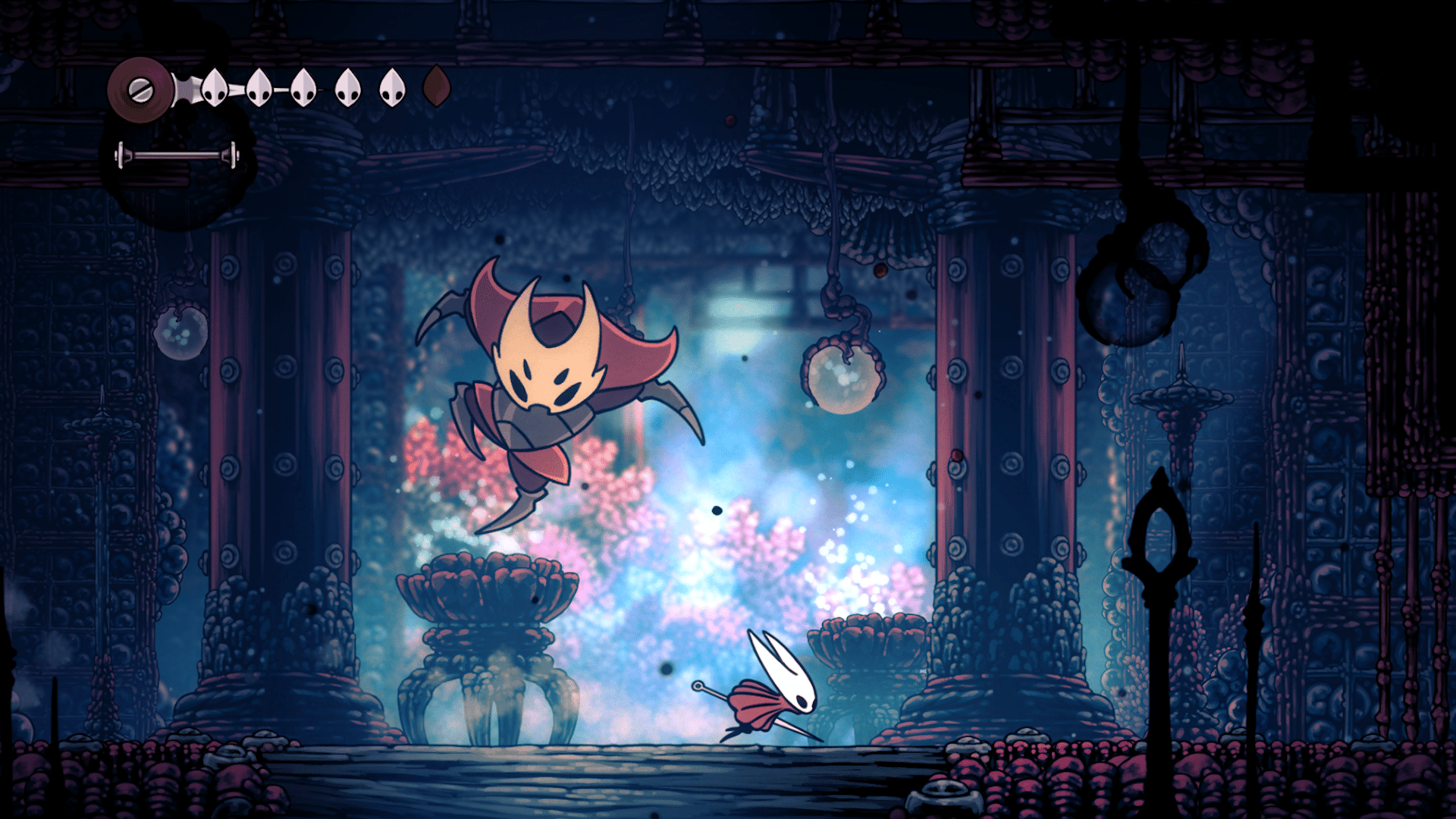
Hollow Knight: Silksong Patch 2 Preview Lists a Good Chunk of Gameplay Fixes

Following the release of Hollow Knight: Silksong’s first post-release update, Team Cherry has revealed they are close to releasing Patch 2 for the game, and this will bring a lot more bug fixes.

Alongside the bug fixes, there are also adjustments to gameplay that make the game a little bit easier, though nothing drastic when it comes to bosses or enemy damage.

Note that this patch will be released on PC first, and then consoles will receive it once it has passed through certification.

Hollow Knight; Silksong Patch 2 Preview of Fixes and Adjustmenthollow knight silksong

The current version of that patch is now live on the public-beta branch (version: 1.0.28626) if you’d like to test it for yourself. Expect a few more additions and tweaks before full release.

  • Added Dithering effect option in Advanced video settings. Reduces colour banding but can slightly soften the appearance of foreground assets. Defaults to ‘Off’.
  •  Updated Herald’s Wish achievement description to clarify that players must both complete the wish and finish the game.
  • Fixed Savage Beastfly in Far Fields sometimes remaining below the lava.
  • Fixed rare cases of Shrine Guardian Seth getting out of bounds during battle.
  • Added catch to prevent Lugoli sometimes flying off screen and not returning during battle.
  • Further reduced chance of Silk Snippers getting stuck out of bounds in Chapel of the Reaper battle.
  • Fixed various instances of dying to bosses while killing them causing death sequences to play messily or out of sync.
  • Fixed Shaman Binding into a bottom transition causing a softlock.
  • Cocoon positions in some locations updated to prevent it spawning in inaccessible areas.
  • Fixed Liquid Lacquer courier delivery not being accessible in Steel Soul mode.
  • Fixed some NPCs not correctly playing cursed hint dialogues in certain instances.
  • Fixed Pondcatcher Reed not being able to fly away after singing.
  • Fixed Verdania memory orbs sometimes replaying layered screen-edge burst effects.
  • Fixed the break counter not working for certain multihitter tools eg Conchcutter.
  • Fixed Volt Filament damage multiplier not applying for certain Silk Skills.
  • Fixed Cogflies and Wisps inappropriately targeting Skullwings.
  • Fixed Cogflies incorrectly resetting their HP to full on scene change.
  • Fixed Curveclaw always breaking on the first hit after being deflected.
  • Fixed Plasmium Phial and Flea Brew sometimes not restoring as intended at benches.
  • Various other smaller tweaks and fixes.

There is a possibility that more fixes will be added to the final patch notes, and once it’s out, expect it here on MP1st.

No release date has been announced, but it is likely to be released sometime this week on PC, with consoles following suit a few days later. Once it’s out, we’ll have it up on the site.

Avatar photo

Alex Co

Father, gamer, games media vet, writer of words, killer of noobs.

Home > Title Updates and Patches

College Football 26 Gets Surprise Update 1.010 on All Platforms on Sept. 16

Following the big patch released last month that brought in a ton of new college players, a surprise patch has been released today, whcih will show up as College Football 26 update 1.010 (complete version 1.010.000) on all platforms.

This is a small download that clocks in at just 500 MB on PS5, and given we just got a content drop, don’t expect anything from this outside of fixes.

College Football 26 New Update on Sept. 16 Brings the Football Sim to Version 1.010

Oddly enough, the developers have not shared anything about today’s patch, even hours after it went live. There is a chance the developers will release the patch notes later today, but for now, we’re left in the dark whether this houses a roster update, bug fixes or technical fixes that players won’t see.

In the meantime, here are the known issues reported by players that have yet to be resolved:

Technical Issues

  • Crashing issues affecting all platforms
  • Twitch drops not transferring
  • Not being able to pick a play
  • Event tab not working

Ganeplay Bugs

  • Dropped pass called a Touchdown
  • Invisible players
  • Game stuck on pre-snap after the update
  • Dynasty AP Ranking bug
  • Illegal Forward Pass Bug

Once we get an idea of what’s in the patch, we’ll update the article with the info. For those who noticed something that got fixed or changed, leave a comment below to let us know.

Avatar photo

Alex Co

Father, gamer, games media vet, writer of words, killer of noobs.

Home > News

Rumor: Battlefield 6 Battle Royale Releases the Same Month as the Full Game

While Battlefield 6 isn’t even out yet, it seems the release date for the game’s Battle Royale mode has leaked, and it’ll be out the same month as the game.

Bear in mind, this is all based on a rumor, so before reacting, take heed that this should be taken with a grain of salt.

If true, Call of Duty Warzone will see a fierce rival way earlier than expected, which should make the battle royale genre a lot more exciting.

Battlefield 6 Battle Royale Release Date Leaks and It Might Surprise Players

battlefield 6 content

The rumored date comes from Modern Warzone, who’s known to be a Call of Duty content creator. That said, he is someone who doesn’t throw out rumors and leaks, and as such, this is worth nothing.

According to Modern Warzone, Battlefield 6’s Battle Royale mode will be released on October 28, 2025, which I gather is a lot sooner than anyone could have predicted.

Adding to the rumor, Modern Warzone shared that original reports of the Battle Royale mode of BF6 releasing “months after launch” were false.

“Original reports that were widely published had BR set for “months after launch” but I was always told the plan was for the BR to arrive shortly after launch, not months later. Recently got enough to post publicly about it but have always been told that rumor was inaccurate,” Modern Warzone added.

The release date might come as a surprise to some people, given DICE has only mentioned testing of the mode is beginning this week in BF Labs. Of course, given that there’s already leaked gameplay of BF6 Battle Royale, it might be in a more advanced state than anyone thought.

Again, treat this with a grain of salt, but the release date does seem plausible. If so, then Call of Duty Warzone and Black Ops 7 will finally have a suitable challenger for the military shooter space.

In other Battlefield 6 news, Battlefield Studios revealed the resolution and performance of the console versions, which should make gamers happy.

Battlefield 6 will be released on Oct, 10 for the PS5, Xbox Series X|S and PC, and if rumors are to be believed, its Battle Royale mode will be out a few weeks later on Oct. 28, and it will be free-to-play.

Avatar photo

Alex Co

Father, gamer, games media vet, writer of words, killer of noobs.