Home > News

Marvel’s Avengers Devs AMA About Gear and Systems Happening This Dec. 10

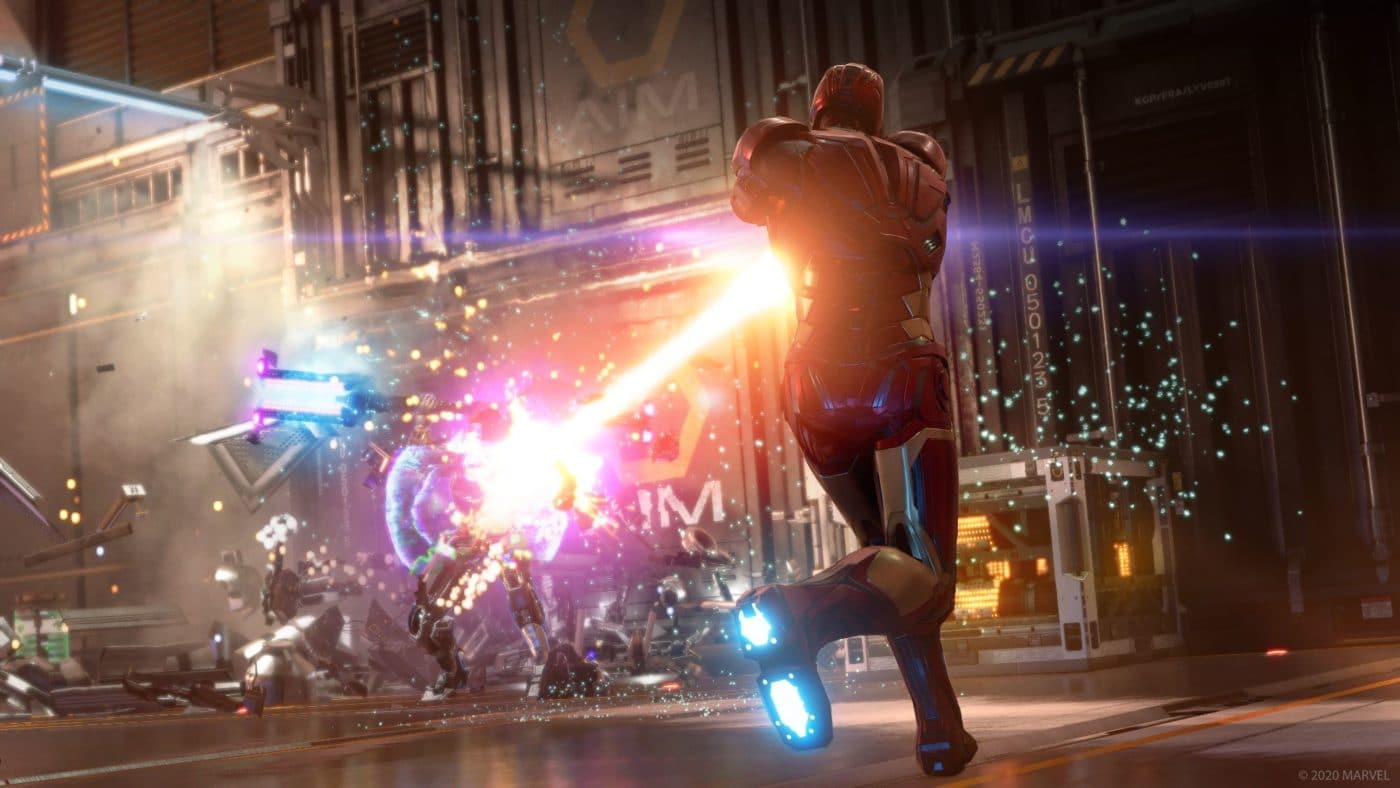
This November, Crystal Dynamics changed a lot of stuff in Marvel Avengers when it comes to gear, rewards, and the game’s overall systems. If you have questions, here’s your chance to have it answered by the devs directly! Crystal Dynamics announced a Marvel’s Avengers devs AMA (Ask Me Anything) on Reddit, which is set for December 10 (this coming Friday).

While devs will be answering questions on December 10 at 2PM PT/5PM ET/6AM HKT, fans can start posting questions in the AMA thread right now. Of course, there is no guarantee that all questions left will be answered, but there’s no harm in trying, right?

Here are the pertinent details:

“We’re going to host a Reddit AMA for all the systems, rewards, gear, and Perk changes that happened with patch 2.2. Although we’re still tweaking and working on bugs/issues, this is specifically for feedback and questions for our team regarding systems and gear, including any additional bugs you’ve run into. We won’t be able to answer any questions regarding upcoming and unannounced content.”

On Friday, 12/10 at around 2PM PT, we’ll start answering questions, but get them in ahead of time if you’d like. The following team members will be participating:

  • Brian Waggoner, Systems Designer
  • Alex Kende, Game Designer
  • Andy Wong, Sr. Community and Social Media Manager

We here at MP1st will have a round up of the important questions answered once it’s done, so don’t fret if you can’t join in.

Avatar photo

Alex Co

Father, gamer, games media vet, writer of words, killer of noobs.

Home > News

Sonic the Hedgehog 2 Poster Released, First Trailer to Premiere at The Game Awards

Get ready for another way past cool adventure in the big screen next year, as the first Sonic the Hedgehog 2 poster has been released — with the first trailer for the sequel set to premiere at this week’s The Game Awards!

Unveiled by the official Twitter account of the film series, Sonic is seen riding on the red plane of his partner and friend Miles “Tails” Prower who makes his full debut after appearing at the end of the first film!

Also returning for the sequel is Jim Carrey as Dr. Robotnik, who now goes by the name Dr. Eggman just like in the games! After being stranded in a planet full of mushrooms, Eggman returns to take his revenge on Sonic and concoct a new scheme that involves an emerald and help from Knuckles the Echidna! Ben Schwarz will once again voice Sonic, while actress Colleen O’Shaughnessey reprises her role as Tails — a role she has played since 2014 in the video game series themselves! Meanwhile Knuckles will be voiced by the iconic Idris Elba, while James Marsden and Tika Sumpter return as Sonic’s human friends the Wachowskis!

The first Sonic the Hedgehog film was released in 2020 and became the highest grossing video game film adaptation in North America. This year marked the character’s 30th anniversary, and you can check out the news and features we did on the way past cool hedgehog here.

Sonic the Hedgehog 2 is slated for release in theaters on April 8, 2022.

Tim Villasor

Home > News

AC Valhalla Next Update 1.4.1 Is for Data Restructuring, Players Need to Redownload Entire Game

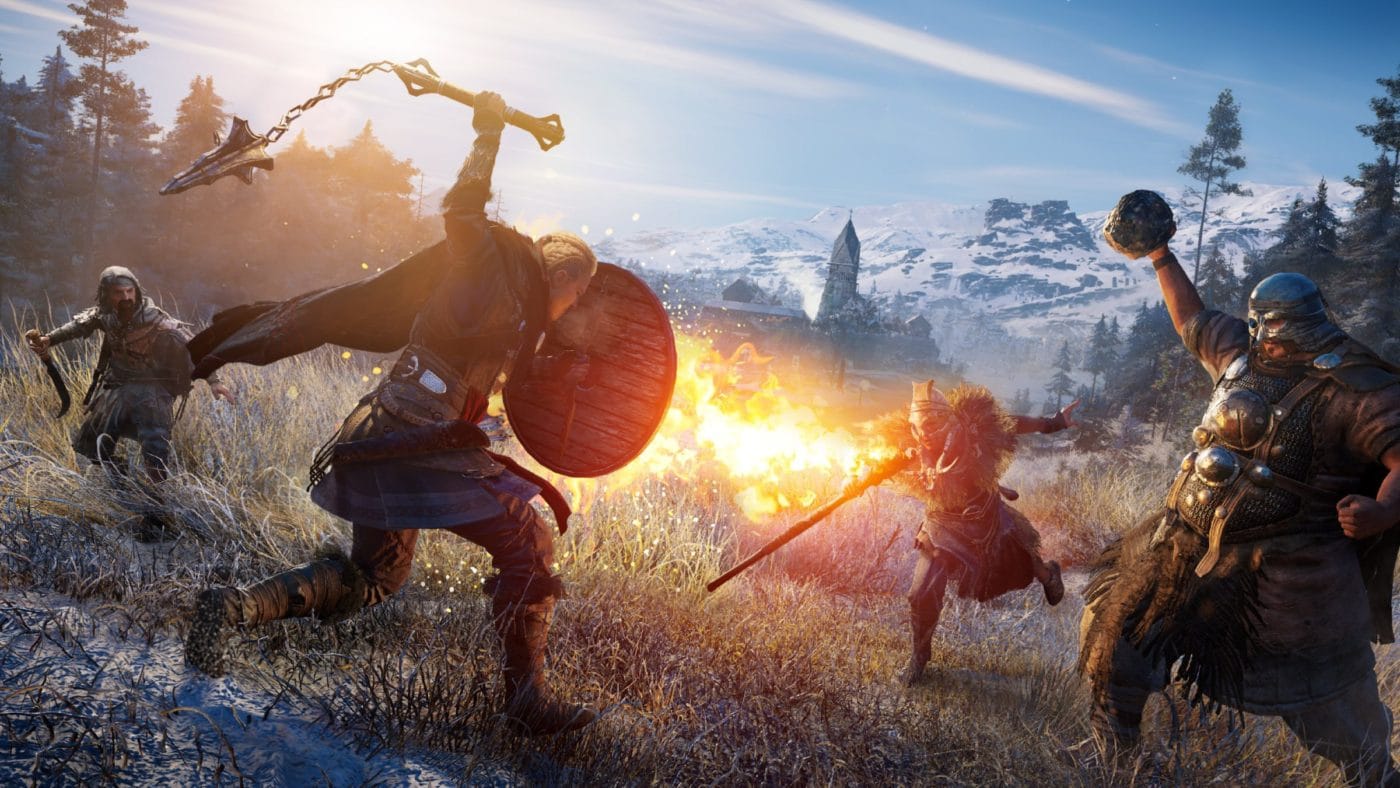
Ubisoft is rolling out a new title update for Assassin’s Creed Valhalla next week (Title Update 1.4.1)! Unfortunately, this patch isn’t for new content, but for data restructuring. According to Ubisoft, AC Valhalla next update 1.4.1 is set to roll out sometime next week, and unfortunately, will require players to re-download the entire game as part of this data restructuring.

AC Valhalla Next Update 1.4.1 Data Restructuring Explanation:

The upcoming Title Update consolidates the game files, resulting in a smaller overall game size on all platforms. Additionally, performance should improve with this data restructuring, with faster loading screen times, improved world data streaming, and overall runtime performance.

Note that only the base game needs to be redownloaded. Expansions will not be affected by the restructuring.

The size of Title Update 1.4.1 for each platform can be found below.
_______________________________________

Download size from 1.4.0 to 1.4.1:

  • PC ~78 GB
  • PS4 ~67 GB
  • PS5 ~40 GB
  • X1 ~62 GB
  • XS ~71 GB

Disc space used after installing 1.4.1

  • PC ~77 GB
  • PS4 ~75 GB
  • PS5 ~77 GB
  • X1 ~63 GB
  • XS ~72 GB

Disc space saved after rebase:

  • PC ~34 GB
  • PS4 ~30 GB
  • PS5 ~13 GB
  • X1 ~30 GB
  • XS ~44 GB

This is a bit of a bummer for sure, but hopefully, this means a better overall experience and whatnot which should make the additional download time worth it. Check out the roadmap for AC Valhalla right here to see what’s coming down the road.

Source: Ubisoft forums

Avatar photo

Alex Co

Father, gamer, games media vet, writer of words, killer of noobs.

Home > News

God of War PC System Requirements and Features Trailer Released

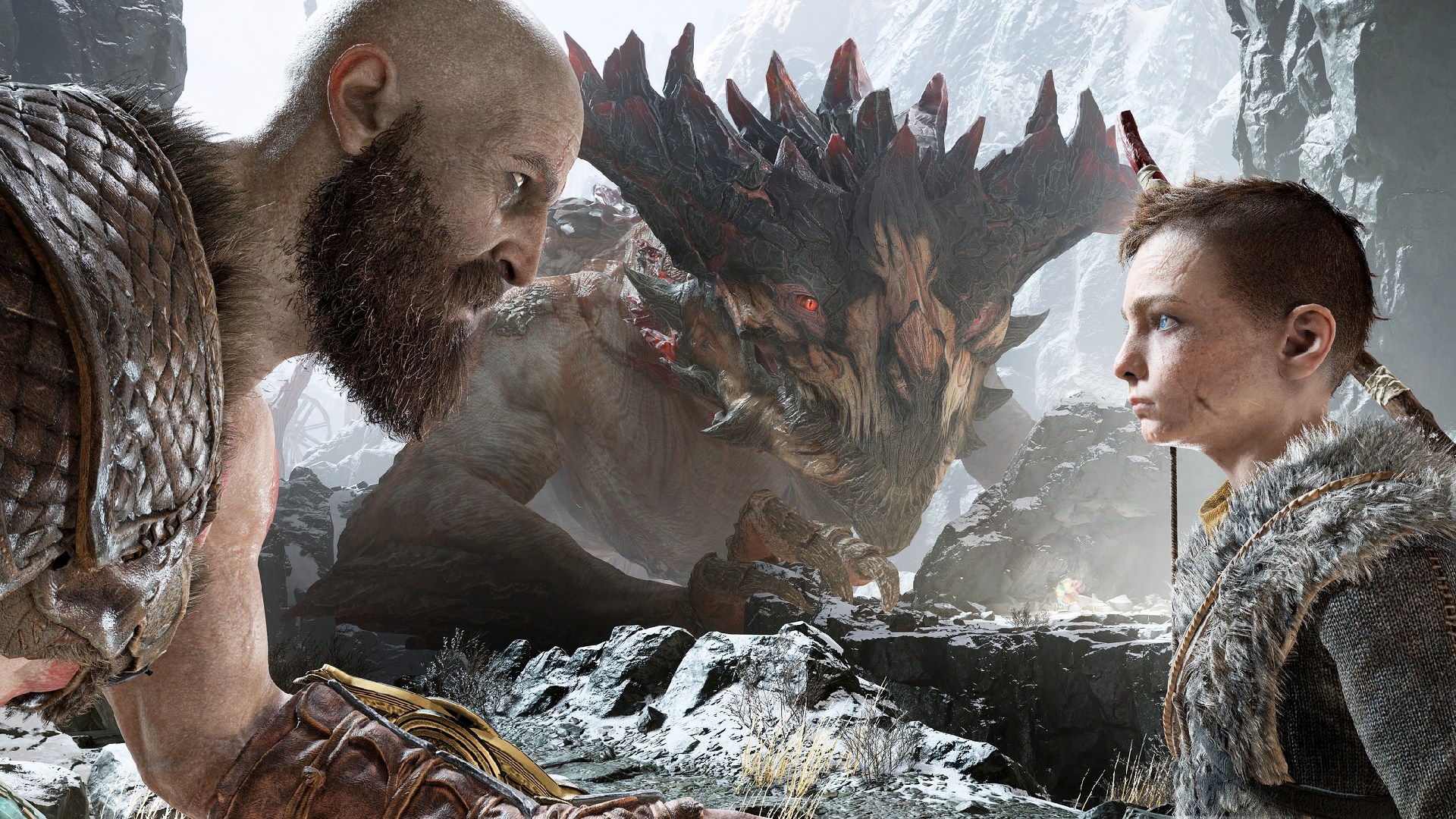
Curious what kind of gaming rig you’ll need to have in order to run Sony Santa Monica’s latest? Wonder no more as the God of War PC system requirements has been released, alongside a new trailer spotlighting the game’s PC features! Here’s the new features trailer released by NVIDIA GeForce!

God of War PC Requirements:

Additionally, here are the PC specs for the game, with the game supporting native 4k, NVIDIA DLSS and Reflex support, and a whole lot more.

For a full description of the features, here they are from as listed on the game’s Steam page.

High Fidelity Graphics
Striking visuals enhanced on PC. Enjoy true 4K resolution, on supported devices, [MU1] with unlocked framerates for peak performance. Dial in your settings via a wide range of graphical presets and options including higher resolution shadows, improved screen space reflections, the addition of GTAO and SSDO, and much more.

NVIDIA® DLSS and Reflex Support
Quality meets performance. Harness the AI power of NVIDIA Deep Learning Super Sampling (DLSS) to boost frame rates and generate beautiful, sharp images on select Nvidia GPUs. Utilize NVIDIA Reflex low latency technology allowing you to react quicker and hit harder combos with the responsive gameplay you crave on GeForce GPUs.

Controls Customization
Play your way. With support for the DUALSHOCK®4 and DUALSENSE® wireless controllers, a wide range of other gamepads, and fully customizable bindings for mouse and keyboard, you have the power to fine-tune every action to match your playstyle.

Ultra-wide Support
Immerse yourself like never before. Journey through the Norse realms taking in breathtaking vistas in panoramic widescreen. With 21:9 ultra-widescreen support, God of War™ presents a cinema quality experience that further expands the original seamless theatrical vision.

God of War on PC arrives this coming January 14, 2022.

Tim Villasor

Home > News

Fallout 76 Update 1.59 Patch Notes; Out for Night of the Moth This Dec. 8

Bethesda has released the Fallout 76 update 1.59 patch this December 8, and this is for the Night of the Moth title update for the game! You can check out the estimated file sizes for each platform, as well as patch notes below.

Fallout 76 Update 1.59 Patch Notes | Fallout 76 Night of the Moth Patch Notes | Fallout 76 Update 1.6.2.16 Patch Notes:

Update Highlights

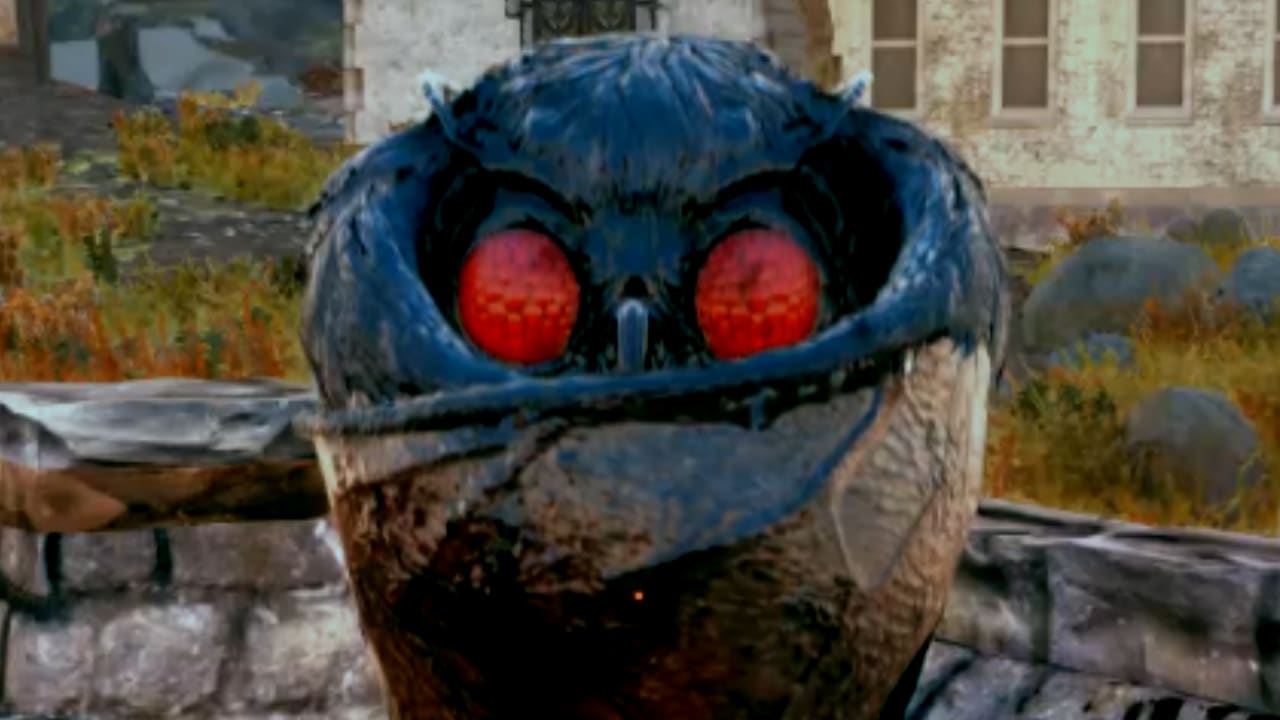
  • Mothman Equinox: Until December 21, visit Point Pleasant in the Forest Region every hour to aid The Enlightened in summoning the Wise Mothman to Appalachia and earn new themed rewards!
  • Season 7 Begins: Dr. Zorbo will have his revenge against Captain Cosmos—and you’re going to help! Rank up and claim stellar new rewards on the Season 7 Scoreboard, all while traveling the stars to aid Zorbo in assembling a devious crew.
  • Quality-of-Life Improvements: We’ve added Legendary Loot Sharing, Nearby Corpse Looting, a Pip-Boy Keyring, and many more community-requested improvements to the game.
  • Public Event Updates: We’ve made some improvements to help streamline our Public Event system and implemented balance changes for a variety of Public Events.
  • Pirate Radio: A rogue broadcast is invading Appalachia’s airwaves! Tune your Pip-Boy to Pirate Radio to tap your toes to new tunes, catch radio dramas, and commercials.

Update Version 1.6.2.16

Check the download sizes below for today’s patch on your platform of choice:

  • PC (Bethesda.net): 9.7 GB
  • PC (Microsoft Store): 19.1 GB
  • PC (Steam): 11.1 GB
  • PlayStation: 18.5 GB
  • Xbox: 19.0 GB

New Seasonal Event: Mothman Equinox

A group of robed travelers have just arrived in Appalachia, and they’ve taken up residence at Point Pleasant to celebrate a dubious occasion known as the Mothman Equinox. Calling themselves “The Enlightened,” this sect of the Wise Mothman’s most devoted followers plan to summon the cryptid through an elaborate ritual. Aid their dark endeavors and fend off rival cultists to earn the Wise Mothman’s favor!

  • Until December 21, the Mothman Equinox Seasonal Event will take place every hour at the top of the hour at Point Pleasant in the Forest region of Appalachia.
  • Begin the event by speaking with Interpreter Clarence on the roof of the Mothman Museum.
    • Join other Dwellers to aid the Enlightened in completing ceremonial tasks around Point Pleasant, lighting ritual bonfires, and defending against an onslaught of rival Mothman Cultists.
    • If you manage to finish each objective before its timer expires, head back to the Mothman Museum’s roof to complete the final step of the summoning, commune with the Wise Mothman, and have a chance to earn new themed plans.
    • While you’re in Point Pleasant, don’t forget to hunt around for ways to learn more about the origins of the mysterious Enlightened.
  • As long the Mothman Equinox Seasonal Event is live, you’ll also encounter Cultist High Priests during your adventures throughout Appalachia. Hunt down and dispatch them for more chances to earn Mothman Cult themed rewards, but watch out for their shadow creatures!

Fallout 76 Season 7: Zorbo’s Revenge

Former (and self-proclaimed) Emperor of the Universe, Dr. Zorbo, has never forgotten his crushing defeat at the hands of Captain Cosmos during “The Legendary Run.” Now, Zorbo seeks to enact revenge by assembling a villainous crew, who will help him build a massive war machine he’ll use to obliterate the Captain. Here’s what’s headed your way during Fallout 76 Season 7, which begins today:

  • New Scoreboard: Join forces with Dr. Zorbo on the “Zorbo’s Revenge” Scoreboard as he travels from planet to plant to recruit a crack team that will help him take down Captain Cosmos. Along the way, you’ll be able to earn a host of new in-game rewards this Season, including cosmetics, in-game currencies, consumables, C.A.M.P. objects, and much more!
  • New Allies: As you rank up on the Scoreboard, you will also unlock Xerxo and Katherine, two new Allies who can join you in your C.A.M.P., sell you their wares, and offer a daily buff.
  • To Rank 100, and Beyond!: As with the previous Season, you can once again surpass Rank 100 to continue earning additional rank-up rewards through the end of Season 7. Each rank you achieve after 100 will award items like Perk Card Packs, consumables, Atoms, and more.

Catch additional details about Fallout 76 Season 7 by heading to the Seasons page on Fallout.com, or by heading here to read our recent article.


Quality-of-Life Improvements

Community feedback plays an important role in how we approach shaping and leveling-up Fallout 76, and we love reading all of your ideas about what you’d like to see added to the game. With today’s update, we’re implementing a number quality-of-life improvements that have been suggested to us by many of you in the community. We hope you enjoy digging into them in-game, and that you will continue sharing your thoughts with us.

  • Nearby Corpse Looting: Unlike many of the creatures who cross your path in the Wasteland, you’re a born survivor! Whenever corpses start to pile up, you’ll no longer need to pick through each and every one to grab your loot. When viewing a fallen enemy’s inventory, you can now see and collect all the goodies that the creatures around you have dropped by hitting the “Nearby Corpses” button. Happy looting!
  • Legendary Loot Sharing: Going forward, if you’re within sight range of a legendary creature when it’s killed, you’ll be able to loot it. With this improvement, the days of trying to hit legendary enemies before they die, are over.
  • Team XP Sharing: Sharing is caring, and leveling-up as you adventure with your team is about to get easier than ever. Every enemy that you or a teammate takes down will now grant XP to everyone on the team, so long as they are within sight range of the creature when it dies.
  • Build Menu “New” Tab: We’re adding a “New” tab to your C.A.M.P. build menu that will display any new C.A.M.P. item plans you’ve learned during your current play session, as well as new C.A.M.P. items you’ve unlocked in the Atomic Shop.
  • Pip-Boy Keyring: Tired of all those keys cluttering up your Pip-Boy? Get organized with the Keyring, which is a new item in your “Misc.” inventory tab that stores all of the keys you’ve collected from your adventures in the Wasteland. Click it to view or access any keys in your collection as needed.
  • Pip-Boy Menu Color Customization: Show your true colors by changing the hue of your Pip-Boy menus using a new set of customization sliders that we’ve added to the game’s settings.
  • Ammo Everywhere: The contextual ammo system has been a very popular aspect of Daily Ops, and so we’d like to bring it to all of Appalachia. Now, all existing sources of ammo, like containers and creature loot, have a chance to drop a small amount of ammo for your currently equipped weapon.

Public Event Updates

We’re bringing a variety of improvements to Public Events through some adjustments to the Public Event system itself, the addition of a reward preview to Public Event map descriptions, and a number of balance change across many of the events that are currently available in-game.

Public Event System Updates
  • We’ve streamlined the way that Public Events become available in-game by making the cooldown times between events much more consistent.
  • Public Event start times are now based on real-world time, and a new one will begin every 20 minutes across all worlds.
    • Each world’s next Public Event is selected at random. In addition, a Public Event can no longer appear twice in a row in the same world.
    • Seasonal Public Events that begin every hour, like Grahm’s Meat-Cook or Mothman Equinox, will take priority over normal Public Events.
  • We’ve adjusted the timers for the following Public Events to help them fit within the 20-minute Public Event time cadence:
    • Campfire Tales
    • Distinguished Guests
    • Feed the People
    • Heart of the Swamp
    • Line in the Sand
    • One Violent Night
    • Path to Enlightenment
    • Project Paradise
    • Radiation Rumble
    • Tea Time
    • The Motherlode
    • Uranium Fever
  • A few Public Events, like Scorched Earth and A Colossal Problem, have special requirements in order to start and can be triggered at any time. That has not changed, and these events are not part of the timed Public Event rotation.

Public Event Reward Previews

As mentioned above, you can now preview the rewards that are up for grabs at each Public Event directly from the event’s description on the Map.

  • Select an available Public Event on the Map to display its description, and view some of the big-ticket items that are possible to earn if you manage to complete that event successfully.

Public Event Balance Adjustments

Previously, some of our Public Events could be a little too difficult, end in failure too suddenly, or even last too long. We’re implementing balance changes for a number of Public Events to help smooth out some of these rough spots and improve the experience of playing through them.

  • Campfire Tales
    • The campfire often died down too quickly, which could cause the event to fail more easily than we’d like. Now, the campfire will burn a little longer, giving you and your event mates some more time to feed the flames.
  • Free Range
    • The Brahmin during Free Range were too fragile, so we’ve beefed up their resistances to help them survive more easily (though they will still need you to defend them).
  • Guided Meditation
    • Feral Ghouls now consistently run toward and attack the speakers, preventing an issue where they could remain idle in the parking lot.
    • Ghouls may sometimes still stand around if they don’t sniff out new prey right away, but they will always be much closer to the action.
    • We’ve reduced Ghouls’ overall difficulty during Guided Meditation to account for their increased speaker-busting effectiveness.
  • Line in the Sand
    • Line in the Sand was taking a bit too long to come to an end. It now has an overall time limit of 10 minutes, and uses timers to determine how long Scorched attack waves last, rather than requiring you to kill all enemies in a given wave. These changes should help the event flow more smoothly and reduce downtime throughout.
    • Upon reaching the event’s time limit, it will not fail so long as the generator is still standing. You will receive more rewards, however, if you managed to defeat all of the enemy waves.
  • Project Paradise
    • To help reduce the event’s difficulty, we’re lowering the amount of food required to level-up each biome’s creatures to 15 per rank.
    • We’re also adding some more resistances to friendly creatures that spawn during the event.
    • Project Paradise no longer ends in failure if you do not manage to kill the Alpha creatures. To succeed, players only need to defend the friendly creatures. However, rewards will be reduced if the Alphas are still alive at the end of the event.
  • Radiation Rumble
    • To encourage players to participate in the ore collection objective more often, we’re lowering the requirements to 5, 15, 30, and 50 ore for reward tiers one through four, respectively.
    • Radiation Rumble now has an overall time limit of 8 minutes, even if you have already reached the final ore collection tier. This way, you can continue defending against enemy attack waves until the event concludes.
    • We’ve also lowered the spawn rate of non-Ghoul enemies at certain Ore thresholds to prevent overwhelming enemy numbers.
    • Finally, we’ve doubled the Scavengers’ resistances to make them more survivable.
  • Swarm of Suitors
    • We’ve addressed a number of bugs that could prevent players from receiving the highest tier of rewards and from successfully completing the event. We’ve also made some design adjustments to streamline the event.
    • Swarm of Suitors has been redesigned to focus on killing Mirelurks within a certain amount of time, rather than preventing them from reaching the island.
    • Now, players must kill all Mirelurks in each of three attack waves before the objective timer expires. If they don’t manage to defeat an attack wave in time, a Mirelurk Queen will spawn and the event will end in failure.
  • Tea Time
    • Tea Time could end in failure too quickly at times, in part due to some of the pipes breaking too easily. As a result, we’ve increased the health for two of the three pipes so that they match the sturdiest one.
    • We’ve also tuned enemy attack waves to spawn creatures at a more consistent frequency to keep up the action.
    • Additionally, Rad Ants and Ticks no longer spawn enemy waves that attack the pipes. However, Rad Ants and Bloatflies now spawn in separate enemy waves that focus their attacks on players.

Tune Into Pirate Radio!

It seems someone out there in the Wasteland has found a way to hijack the airwaves to begin broadcasting their very own Pirate Radio Station! Open your Pip-Boy and tune into the new station to tap your toes to hours of new jingles, and catch a blast from the past with radio dramas and commercials from life before the bombs dropped. The audio interloper behind this rogue station has yet to reveal their identity, and until they do, you can at least enjoy some fresh tunes during your adventures in Appalachia.


Bug Fixes & Additional Improvements

Art

  • Apparel: The player’s hands no longer clip into rifles and shotguns while wearing the Crypt Crook outfit.
  • Apparel: Blood Eagle Charmer, Treasure Hunter, and Radstag Hide outfits now correctly hide underarmor while equipped.
  • Graphics: Players who are killed by a Flamer will no longer continue to display flame visual effects after respawning.
  • Graphics: Fixed an issue that could cause enemy and player corpses to temporarily become invisible after being killed.

C.A.M.P.s & Workshops

  • Displays: The Pepper Shaker can now be displayed in the Heavy Weapons Stand.
  • Fences: Red Cedar Hedges placed in a teammate’s C.A.M.P. can now be moved, stored, scrapped, etc., by the C.A.M.P. owner.
  • Flags: The Clean U.S. Wall and Pole Flags have been hand-washed with care and are now much cleaner than before.
  • Floors: C.A.M.P. budget consumed by the Haunted House Floor is now consistent with other types of flooring.
  • Misc. Structures: Reduced the C.A.M.P. budget consumed by many large neon signs and billboards.
  • Roofs: C.A.M.P. budget consumed by the Haunted House Roof is now consistent with other types of roofing.
  • Roofs: A windowless variation of the Haunted House Roof Slant has been added to the Haunted House building set.
  • Stash Boxes: Implemented a fix to reduce instances where the Secret Stash Bookcase and other Stash Boxes could appear open even though they are closed.
  • Tables: The Wavy Willard’s Round Deck Table now correctly appears in the “Tables” category in the build menu.
  • Walls: Powered Doors with Keypad access now correctly snap to foundations.
  • Walls: Haunted House right fascia pieces no longer flip after applying wallpaper to them.
  • Wall Décor: Season Gameboards no longer each have their own entry in the build menu, and instead appear as variants in a single row under Wall Décor.
  • Workbenches: Attempting to use a Power Armor Station that has been built close to a wall or another object no longer results in a “Waiting for response from server” error message.

Challenges

  • Combat: The “Repair 76 Swords” lifetime challenge now correctly awards Atoms when completed.
  • Social: The “Revive 76 Players” lifetime challenge now correctly awards Atoms when completed.
  • Social: The “Use Photomode at Burdette Manor” subchallenge for the “Use Photomode around the Forest Region” social challenge has been corrected to “Use Photomode at the Kill Box.”
  • Weekly: Killing a Hermit Crab now progresses the “Kill Huge Creatures” challenge.
  • World: Building a wood instrument now correctly progresses the “Possum: Musician” challenge.

Combat

  • Enemy Health: Implemented a fix to significantly reduce enemy health “rubber banding” that could occur when damaging them with certain weapons, like the Pepper Shaker.

Daily Ops

  • Arktos Pharma: Adjusted the spawn location for Daily Ops inside Arktos Pharma so that players have more room to move around and are less likely to start the Op by accident.

Events & Quests

  • Loading Screens: When fast traveling to a Public Event, loading screens now correctly display additional information about that event.
  • The Motherlode: Melody Larkin will no longer warn the player about church bells in Charleston after completing the Motherlode event. Your reign of terror has ended, Melody.
  • Project Beanstalk: Pharmabot-JD7E no longer becomes hostile toward the player after being hit by NPCs during the event.
  • Vital Equipment: Players now receive the proper amount of reputation with Foundation when choosing to donate the recovered item.

Fallout Worlds

  • Menus: The Shared Worlds menu now reflects changes to a shared Custom World more quickly after the world owner makes settings adjustments.
  • Settings: Crafting quest items with Free Workbench Crafting enabled no longer consumes standard crafting materials.
  • Settings: When PVP is set to “Always,” the players in that world will now correctly be marked as hostile toward one another.
  • Private Adventure: Fixed an issue that could prevent players from joining Private Adventure worlds from the main menu while on a team.

Items

  • Aid: Addiction debuffs are now correctly suppressed after consuming an item the character is addicted to.
  • Ammo: Fixed an issue that could result in less ammo being created than expected when attempting to craft large amounts of high-caliber ammo with the Ammosmith Perk and Ammo Factory Legendary Perk equipped.
  • Apparel: The Hooded Rags outfit no longer removes armor or underarmor when equipped.
  • Apparel: The Wrapped Cap can now be worn with eyewear and some face coverings, and no longer removes facial hair when equipped.
  • Backpacks: The name of the player’s backpack now updates correctly after applying the Corvega skin.
  • Exploit: Addressed an issue that could be exploited to consume fewer materials when crafting legendary items.
  • Junk: Lanterns now display a preview image when inspected.
  • Melee Weapons: The Valorous Alistair Sword Skin can now be applied to many additional one-handed melee weapons.
  • Misc: Scrap Assaultron Heads no longer appear upside down in Display Cases.
  • Misc: Cold Steel Beer Steins now face the same direction as other Steins when placed in a Beer Stein Display Case.
  • Mods: Applying a Jetpack mod to a Secret Service Chest Piece no longer causes it to turn invisible after logging out and back in.
  • Mods: The Communist and Red Communist Jetpack mods can now be applied to Ultracite and Raider Power Armor torso pieces.
  • Mods: Fixed an issue that allowed players to apply a Jetpack to Excavator Power Armor.
  • Mods: Fixed an issue that could prevent a Minigun with the Shredder mod from dealing damage if the player had 5mm ammo in their inventory.
  • Mods: The Power Armor Helmet Targeting HUD mod now correctly highlights hostile NPCs who had been passive before the player initiated combat with them.
  • Power Armor: The Northern Lights Power Armor skin can now be applied to all types of Power Armor.
  • Ranged Weapons: The Salvaged Assaultron Head now deals the correct amount of damage per charge when fired in VATS.
  • Ranged Weapons: Fixed an issue that could prevent weapon bash attacks from dealing damage after applying a mod that increased the weapon’s melee damage.
  • Ranged Weapons: Flares now ignite properly when fired into the terrain or at a structure.
  • Survival Tents: The Tinker’s Workbench and Scrapbox are now oriented correctly in the APC Survival Tent.

Localization

  • Achievements: Steel Reign Achievements now have proper translations in the Simplified Chinese game client.
  • Quests: Corrected missing characters in the “Unsolved: Missing Girls” note during the “Unsolved: Picnic Panic” quest in the Simplified Chinese game client.
  • Quests: Corrected missing characters in the “Suspicious death of Alicia Shay” note during the “Treasure Unknown” quest in the Japanese game client.

NPCs

  • Allies: The Settler Forager Ally can once again give Daily Quests to the C.A.M.P. owner.
  • Minerva: Item Plans and Recipes the player has already learned will no longer appear to them as purchasable in Minerva’s inventory.

Performance & Stability

  • Client Stability: Fixed a crash that could occur during normal gameplay.
  • Client Stability: Fixed a crash that could occur when fighting a Daily Ops boss.
  • Client Stability: Addressed an audio issue that could result in a client crash.
  • Client Stability: Fixed an issue that could cause the client to crash after fast traveling.
  • Client Stability: Applying mods to laser and plasma weapons no longer causes the Russian game client to crash.
  • Server Stability: Fixed an issue that could cause a server crash during normal gameplay.
  • Server Stability: Fixed a server crash that could occur during combat.
  • Server Stability: Addressed an issue that could result in a server crash during the Meat Week Seasonal Event.

Perks

  • Friendly Fire: Allied NPCs can now be healed using the Friendly Fire Perk.

User Interface

  • Controls: The quick-swap button can now be used to switch to non-offensive weapons, like the Pro-Snap Deluxe Camera.
  • Main Menu: Fixed visual issues that could occur after idling on the main menu for an extended period of time.

World

  • Ultracite Veins: Mining Ultracite Veins near Fissure Sites no longer causes Scorched to spawn.

Source: Reddit

Avatar photo

Alex Co

Father, gamer, games media vet, writer of words, killer of noobs.

Home > News

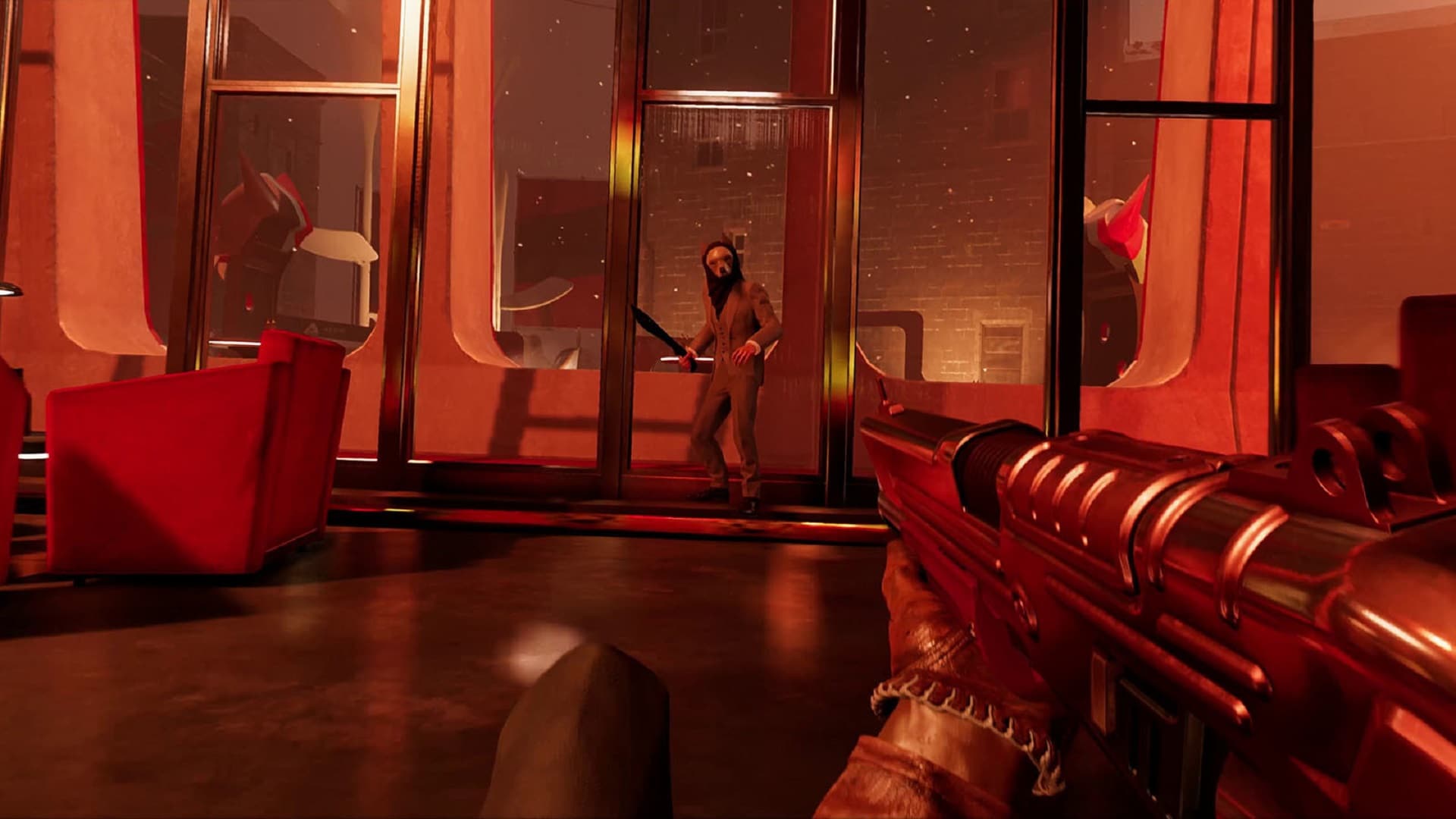
Deathloop Update 1.201 Shoots Out for Achievement Fixes & More This December 8

Arkane Studios has released the Deathloop update 1.201 patch this December 8 for both PS5 and PC. This is a small download that includes a short list of fixes, that includes one connected to Achievements/Trophies! Check out the official patch notes below.

Deathloop Update 1.201 Patch Notes | Deathloop Hotfix Patch Notes for December 8:

Here’s the announcement from Bethesda:

Size: 580MB (PC), 390MB (PS5)

Today we released a Hotfix to address a couple of topics.

– Fixed an issue that was preventing the “Play it Again, Colt” achievement from unlocking properly

– By popular demand, restored players’ ability to attach mines to throwable objects

We hope you have fun!

Today’s update sits at ~580 MB on PC and ~390 MB on PS5. If you currently have the game launched, you will need to restart it to receive the update.

P.S. If you come up with any wild mine plays, be sure to share them with us!

That’s about it for this patch. The last major patch (1.200) was released three weeks ago, and included a long list of fixes and tweaks. In case you haven’t played the game yet, Deathloop is an absolute blast, and earned a perfect 10/10 from us! Read Jimmy Lara’s review and why it’s in the running for our Game of the Year right here.

Avatar photo

Alex Co

Father, gamer, games media vet, writer of words, killer of noobs.

Home > News

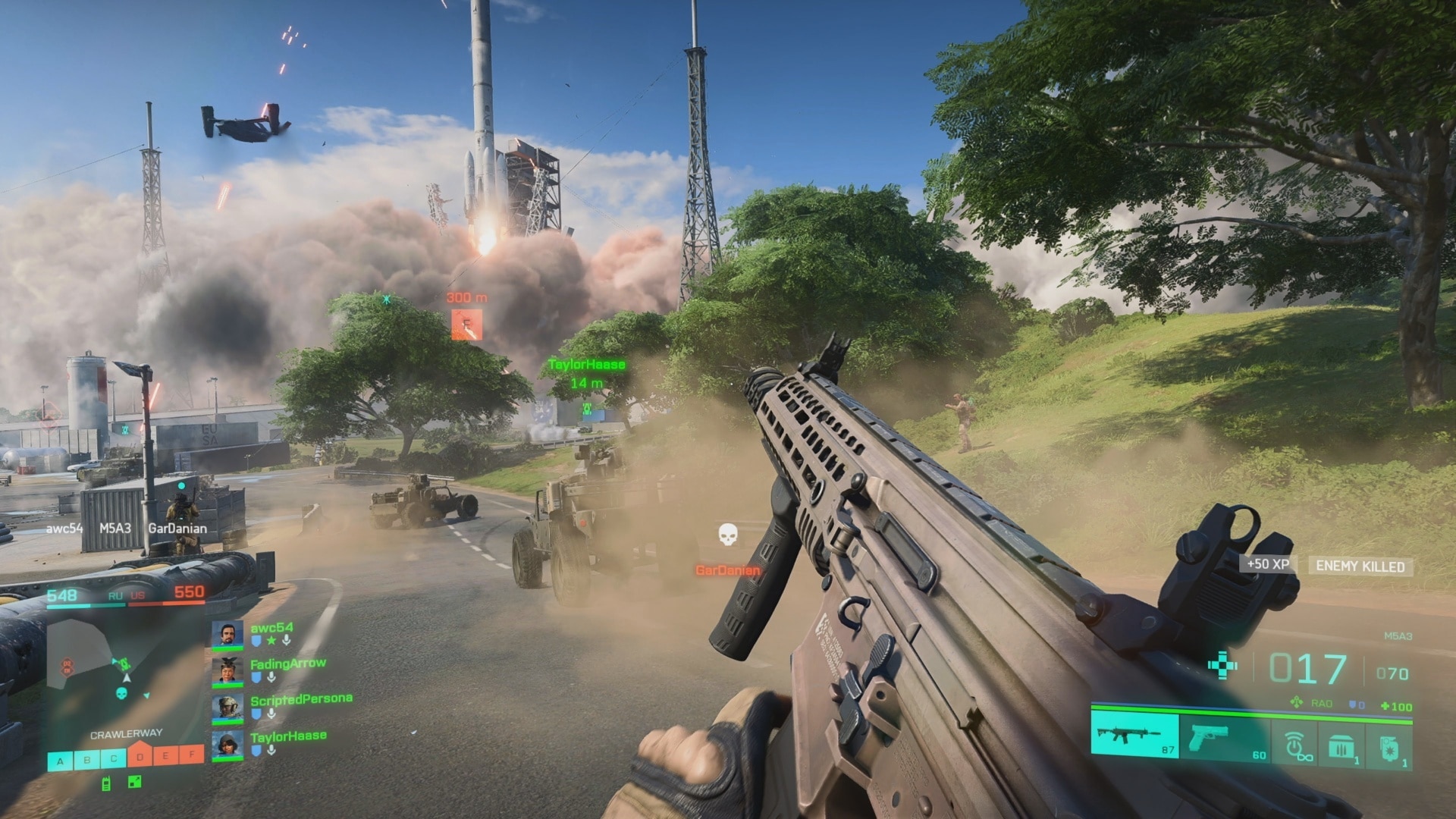
Battlefield 2042 Next Update 3.1 Patch Notes Revealed, Last Patch for 2021

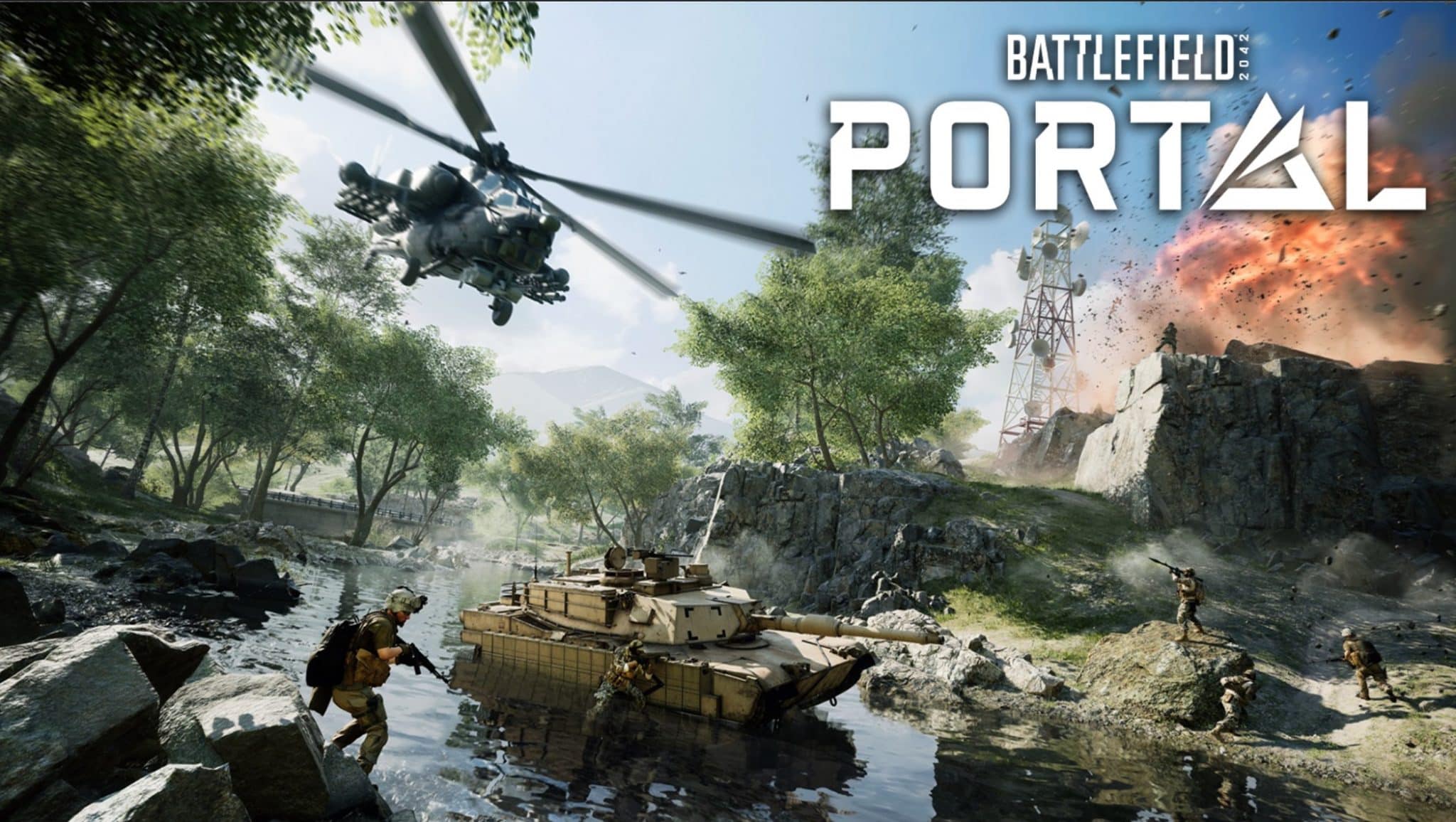
DICE has announced that Battlefield 2042 is getting a new patch tomorrow, December 9! Called Title Update 3.1, this includes improvements to hit registration, fixes for invisible enemies and more! The Battlefield 2042 next update 3.1 patch notes have been revealed as well, which are listed below.

Battlefield 2042 Next Update 3.1 Patch Notes:

Update 0.3.1

Fixes, Changes, and Improvements

General

  • Players that are not the Party Leader can now cancel while waiting in a queue
  • Xbox – Cross-Play can now be enabled/disabled in the Options menu on Xbox
  • Your Sort settings will now be correctly remembered when refreshing the Battlefield: Portal Server Browser
  • Fixed an issue where loadouts would sometimes be empty on the spawn screen after joining a server, preventing weapon selection
  • Made improvements to ensure Aim Assist is more consistent during console gameplay
  • Ranger’s effective combat range and overall health has been decreased

Audio

  • Made various tweaks to the overall audio experience to improve clarity, distance, and directional perception
  • Fixed an issue where soldiers would not always play indoor specific footsteps

Weapons

  • Removed bounce from Underbarrel Grenades when firing at short distances
  • 40mm AP Grenades now properly damage vehicles
  • Fixed some weapons displaying wrong ammo counts for specific magazines
  • DXR-1 and NTW-50 Bolt Action rifles reload animation increased by 0.2 seconds
  • Adjusted dispersion values for most weapons, which results in a faster dispersion decrease when tap firing or doing short bursts
  • Adjusted dispersion increases for most weapons. It now takes slightly longer for weapons to become overly inaccurate in sustained fire
  • Adjusted the recoil values to prevent over aggressive recoil jumps for the AK24, LCMG, PKP-BP, SFAR-M GL, and PP-29
  • Improved hip fire accuracy for all SMGs to make them better stand-out from other automatic weapon archetypes
  • LMG dispersion and recoil lowered to improve performance in sustained fire
  • Additional improvements to recoil control for all weapons, more specifically automatic weapons.
  • Increased close range damage and consistency of the MCS-880 when using Buckshot Shell or Flechette Shells
  • Fixed a bug that caused bullets to be fired below the player’s aims for the SFAR-M GL and the K30

Vehicles

  • Fixed a bug where vehicle weapons sometimes did not deal blast damage on a direct hit
  • We’re reducing the Ground Vehicle 30mm Cannon effectiveness versus infantry. It now overheats faster, has a slightly reduced rate of fire and blast damage, and increased fall off damage at distance
    • Rate of Fire 350 -> 330
    • Heat Per Bullet 0.13 -> 0.14
    • Heat Drop Per Second 0.5 -> 0.475
    • Blast Damage 20 -> 18
  • LCAA Hovercraft – 40mm GPL Grenade Launcher
    • Blast Damage lowered from 55 -> 35
  • The 40mm Utility Pod upwards firing angle is now easier to use
  • EBAA Wildcat – 57mm Cannon
    • Removed dispersion
    • Ammo 12 -> 8
    • Impact Damage 85 -> 75
    • Blast Damage 70 -> 35

Gadgets

Frag Grenade

  • Increased the time to detonate a Frag Grenade from 1.1s -> 1.4s after first bounce on a hard collision
  • Increased damage of Frag Grenades across game modes to deal 120 damage and guarantee a kill on armored players too
  • Reduced Frag & Incendiary Grenade max ammo account from 2 -> 1

Prox Sensor

  • Lowered spotting radius from 30m -> 20m
  • Lowered uptime from 30s -> 14s
  • Lowered amount of Prox Sensor a player can carry and deploy from 2 -> 1

Battlefield Hazard Zone

  • Fixed an issue that caused the roaming Occupying Forces LATV4 Recon to spawn at the wrong times or not at all

Breakthrough

  • Kaleidoscope – Rooftop Capture Objective has been removed. There are now two Capture Objective at the bottom in BT large and one at the bottom in BT small
  • Orbital – Rooftop Capture Objective has been removed. There is now a single Capture Objective at the bottom in BT large and BT small
  • Hourglass – Rooftop Capture Objective has been removed. There is now a single Capture Objective at the bottom in BT large and BT small. Also fixed an issue where players were spawning out of bounds

Soldier

  • Improvements on back pedaling into objects when being in prone position
  • Fixed a rare issue where players could turn invisible when spawning on a full/destroyed vehicle

According to DICE, this will be the last patch before the devs take a holiday break, which means this will be the last BF2042 patch for 2021.

Update #3.1 is our last game update before the start of the holidays. That means our teams will take a break towards the end of this month and return in the new year with fresh eyes ready to go on the road to Season One. We’ll see you again in the new year where we’ll talk more on further changes and improvements you can expect for Battlefield 2042.

Once the patch is out, we’ll be sure to let our readers know.

Source: EA

Avatar photo

Alex Co

Father, gamer, games media vet, writer of words, killer of noobs.

Home > News

GTA Online New DLC “The Contract” Release Set for Dec. 15, Trailer, Screenshots & Info Revealed

Those who want more than just weekly activities to do in GTA Online, Rockstar Games has today announced the GTA Online new DLC titled “The Contract.” It will feature rapper and business mogul Dr. Dre, and more importantly, a new story! This new content will drop on December 15, and will be available for all GTA Online players for free!

GTA Online New DLC “The Contract” Trailer, Screenshots and Info:

Per the press release, The Contract will feature an all-new GTA Online story, and will feature the return of GTAV’s Franklin Clinton. Players will help Franklin and friends set up his “fixer” agency, and land their first big-ticket client in Dr. Dre. Expect exclusive brand tracks from Dr. Dre alongside other artists, an all-new radio station, and a first-of-its-kind update to the radio dial.

Plot synopsis of The Contract:

Welcome to F. Clinton and Partner, a new “celebrity solutions agency” catering to the Vinewood elite in need of solutions to high-society problems.

Franklin needs two things to get the agency off the ground: a reliable partner and a big-ticket, high-profile client. With your longtime LS contact — and newly aspiring cannabis entrepreneur — Lamar Davis making the connection, you can be the partner that helps Franklin take the business to the next level.

Meanwhile on the other side of the city, DJ Pooh has been reaching out to Franklin about an exciting potential client: his close friend, Dr. Dre.

Lost in the shuffle on his way to Cayo Perico last year, it turns out Dr. Dre’s phone isn’t just missing — it’s in the wrong hands. Not only that, but the phone also contains the hottest property in the city: new, unreleased music from Dr. Dre himself. This could be the big break your agency needs.

Get ready for a wild and hilarious ride through Los Santos, from the mean streets of Franklin’s old neighborhood to the hottest parties in the city, from debaucherous mansions to the offices of the FIB and everywhere in between as you join Franklin, expert hacker Imani, Chop the Dog, and crew to secure Dr. Dre’s precious tracks and return them to their rightful owner.

Screenshots:

Once the DLC is out, we’ll be sure to let our readers know. Again, this is a free download for everyone who has GTA Online, prepare your for Dr. Dre’s debut in the GTA universe!

Avatar photo

Alex Co

Father, gamer, games media vet, writer of words, killer of noobs.

Home > News

Fortnite Is Now on Unreal Engine 5 With the Release of Chapter 3

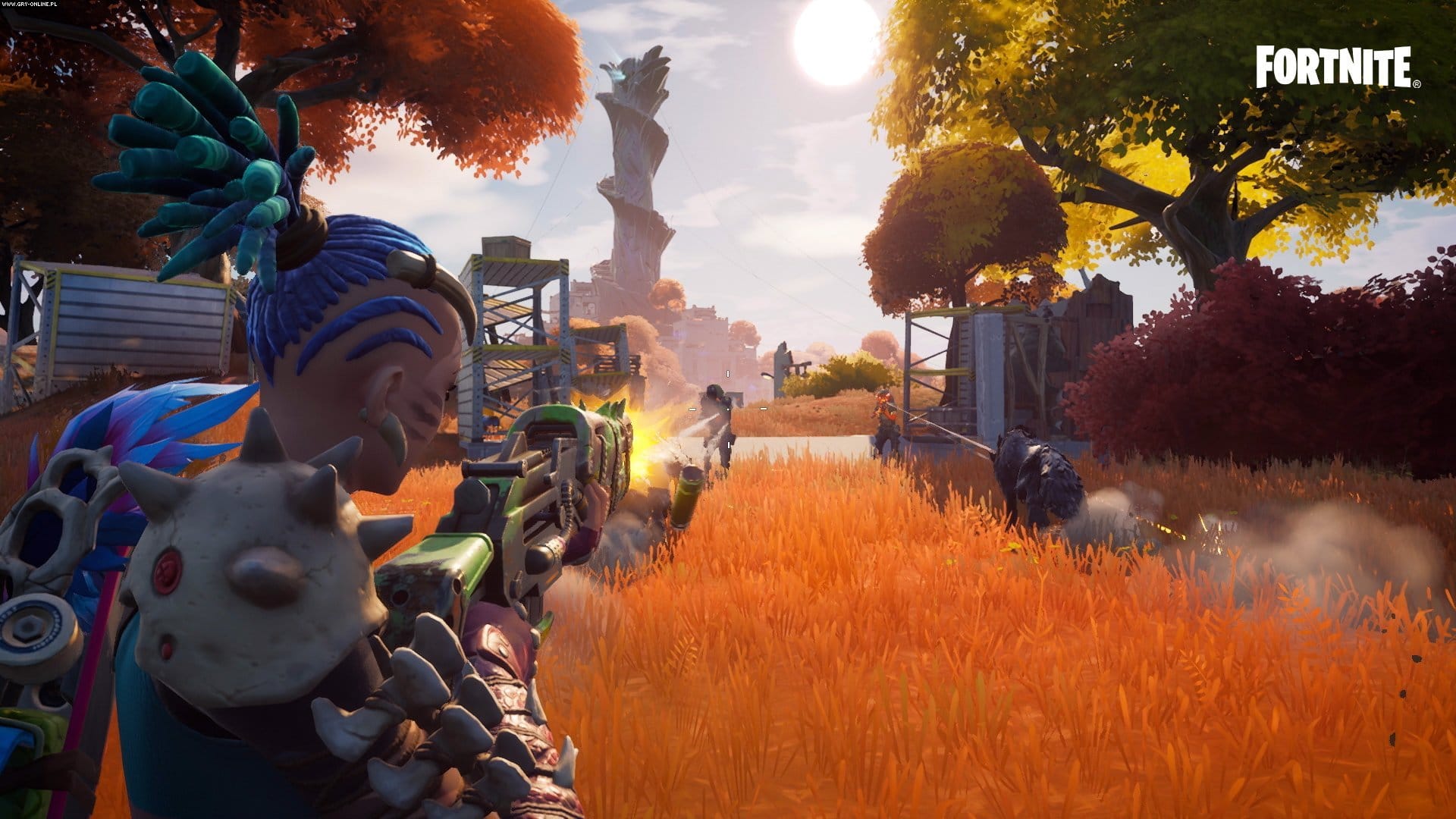
Fortnite Chapter 3 Season 1 dropped a few days ago, and with it came a trove of exciting collaborations and additions. However, one of the more interesting ones that got a lot of players talking is the fact that with the release of Chapter 3, Fortnite is now officially on Unreal Engine 5, Epic Games’ new proprietary engine.

Fortnite switching to Unreal Engine 5 was confirmed over on Twitter by the official Unreal Engine account:

With the arrival of Chapter 3,@FortniteGame development has flipped to Unreal Engine 5.
We’re excited to share this journey with you and are working to make this the best experience possible for the entire Fortnite community.

Fortnite switching to Unreal Engine 5 is anything but unexpected, as it currently is Epic Games’ flagship title. The recent trailer reveal showcased some of the bolder, higher-end stuff that players can expect to see with this switch, like lightning hazards and massive tornadoes, the latter of which is akin to Battlefield 2042’s own environmental dangers.

If you’ve been playing Fortnite Chapter 3 Season 1 lately and found something interesting with regards to this new engine, let us know in the comments below!

MP1st Staff

Home > News

Insurgency Sandstorm Update 1.07 Out for Operation: Warlord This Dec. 8

New World Interactive has released the Insurgency Sandstorm update 1.07 patch this December 8, and this one brings Operation: Warlord to consoles! Check out the full patch notes below.

Insurgency Sandstorm Update 1.07 Patch Notes | Insurgency Sandstorm Update 1.11 (Console) Patch Notes | Insurgency Sandstorm Operation: Warlord Patch Notes:

Hello Console Friends,

We have plenty to share with you today, so thank you for joining us here in these release notes. We are really excited to be rolling this update (and hotfix) out today, and can’t wait to hear what you all think about it! This post is hefty so time to dive right in.

ABOUT THE CRASHES

The crashing issues that some of you on console have been experiencing has been a serious concern for all of us on the Insurgency: Sandstorm team. We believe this update will address most of them. Because most of these are related to memory, an almost uncountable number of variables impact if a crash will occur. As such, while many of these crash fixes are addressed with this update – lots of optimisation has gone into the game over the past two months – we expect to continue working on this throughout 2022 as well.

The crash reports sent in to us through to console directly and also through our support team are really helpful, thank you!

INTRODUCING OPERATION: WARLORD

Welcome to our first major content update for consoles! Operation: Warlord includes a whole bunch of new stuff. Read on, Macduff!

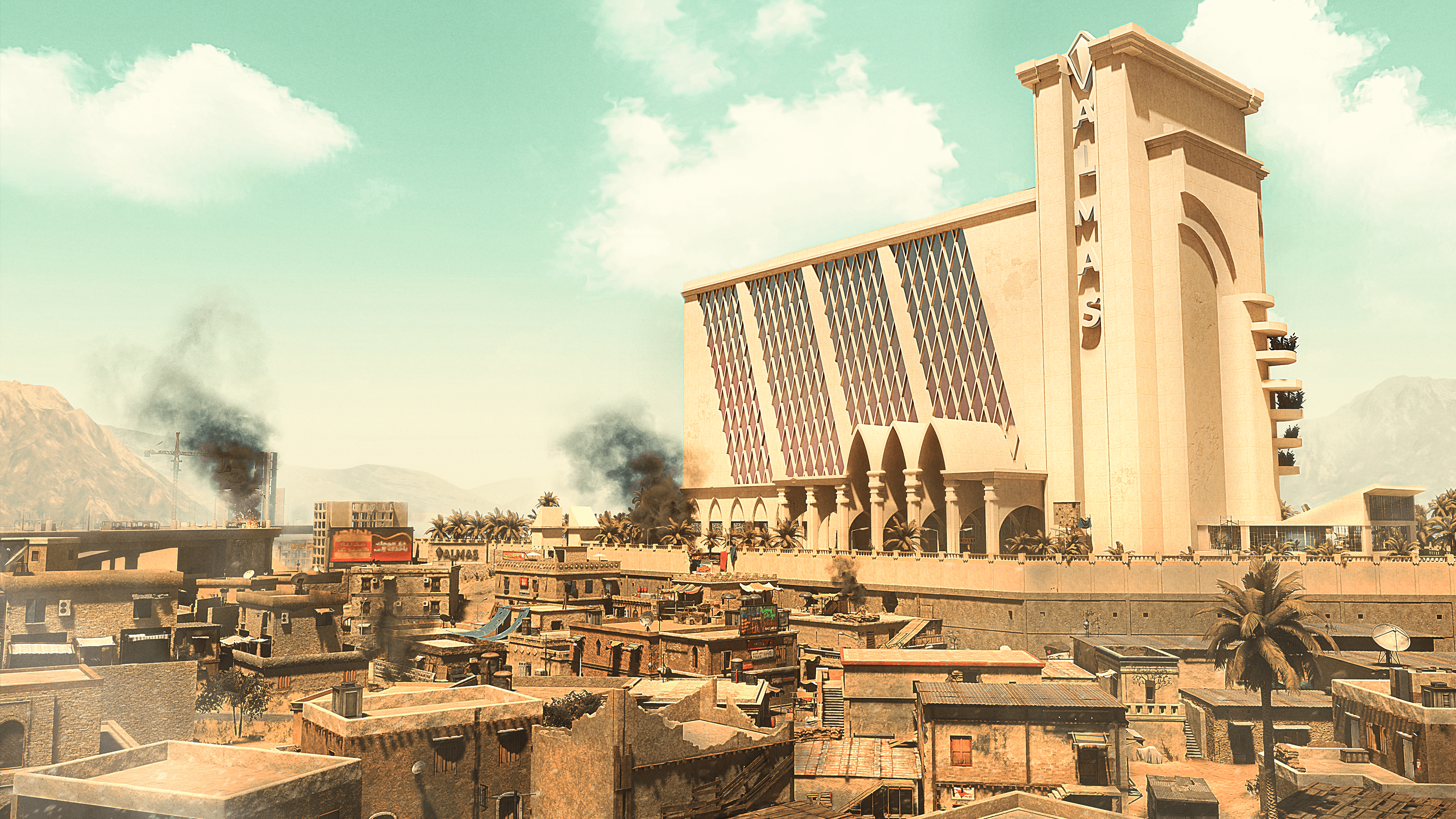
NEW MAP: GAP

Two worlds collide in Gap. A luxurious hotel and the neighbouring slums are a close-quarters battleground offering intense gameplay where any step could be your last. Tight alleyways, exposed rooftops, opulent hallways, and a gold-plated lobby are only a few of the spaces where confrontation will take place.

Gap supports the following game modes:

  • Co-op
    • Checkpoint Security
    • Checkpoint Insurgents
    • Outpost
    • Survival
  • Versus
    • Push Security
    • Push Insurgents
    • Frontline
    • Domination
    • Firefight
    • Ambush

NEW GAME MODE: AMBUSH

We have added a new Versus Mode called Ambush, a single-elimination scenario that was originally introduced in Insurgency (2014). Escort the VIP to the objective as the extracting team (Security), or hunt down and eliminate them as the ambushing team (Insurgents). Check out the Ambush preview video!

This mode is available on the maps below:

  • Power Plant
  • Summit
  • Refinery
  • Ministry
  • Gap
  • Precinct
  • Hillside
  • Farmhouse
  • Citadel
  • Crossing
  • Tell
  • Hideout

A new option to enable or disable VIP selection was added to the Settings Menu under “Allow VIP”. If you do not wish to be selected as the VIP then remember to uncheck this box!

Your first successful extraction in this game mode will grant you both of the new unlockable cosmetic sets: Sporty and Big Spender. Details on these cosmetics can be found below.

NEW WEAPONS: P90 AND VECTOR

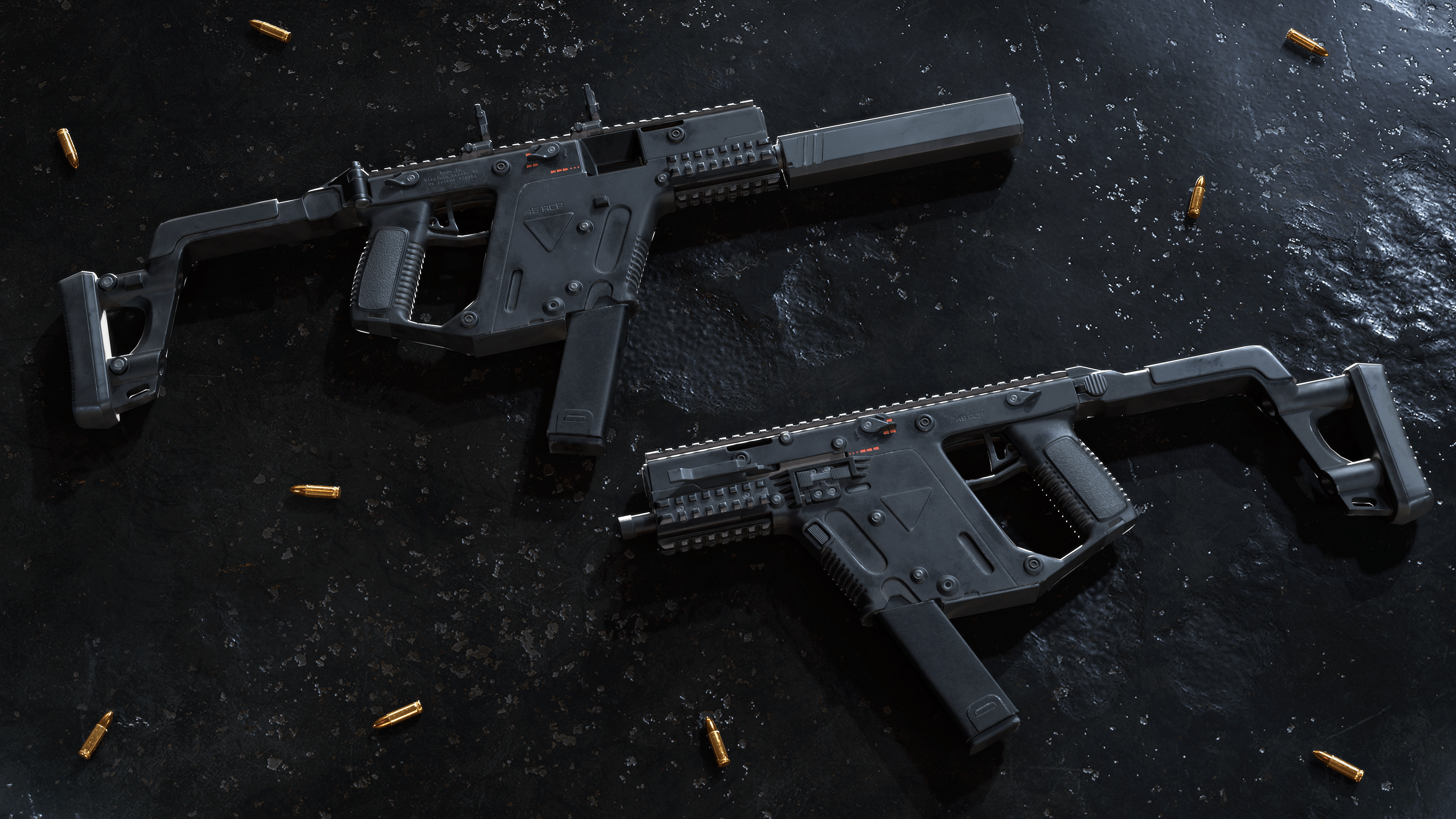
Operation: Warlord brings two new SMGs to the game: the P90 for Insurgents (5 supply points) and the Vector for Security (6 supply points). Both weapons support Optic, Barrel, and other upgrades, and offer unique iron sights. These specialist weapons are exclusive to the Advisor Class, and offer new and lethal ways to approach combat.

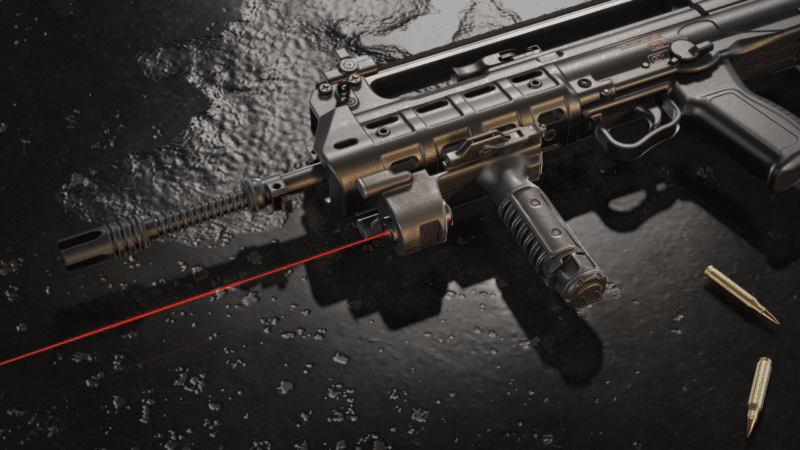
NEW UPGRADE: POINT SHOOTING GRIP

The new Point Shooting Grip is here, adding precision, and changing how close quarters combat is fought out. This new attachment improves hip-firing at close range while including a laser-sight. The Point Shooting Grip is available to both factions on co-op modes only.

NEW UNLOCKABLE COSMETICS: SPORTY AND BIG SPENDER

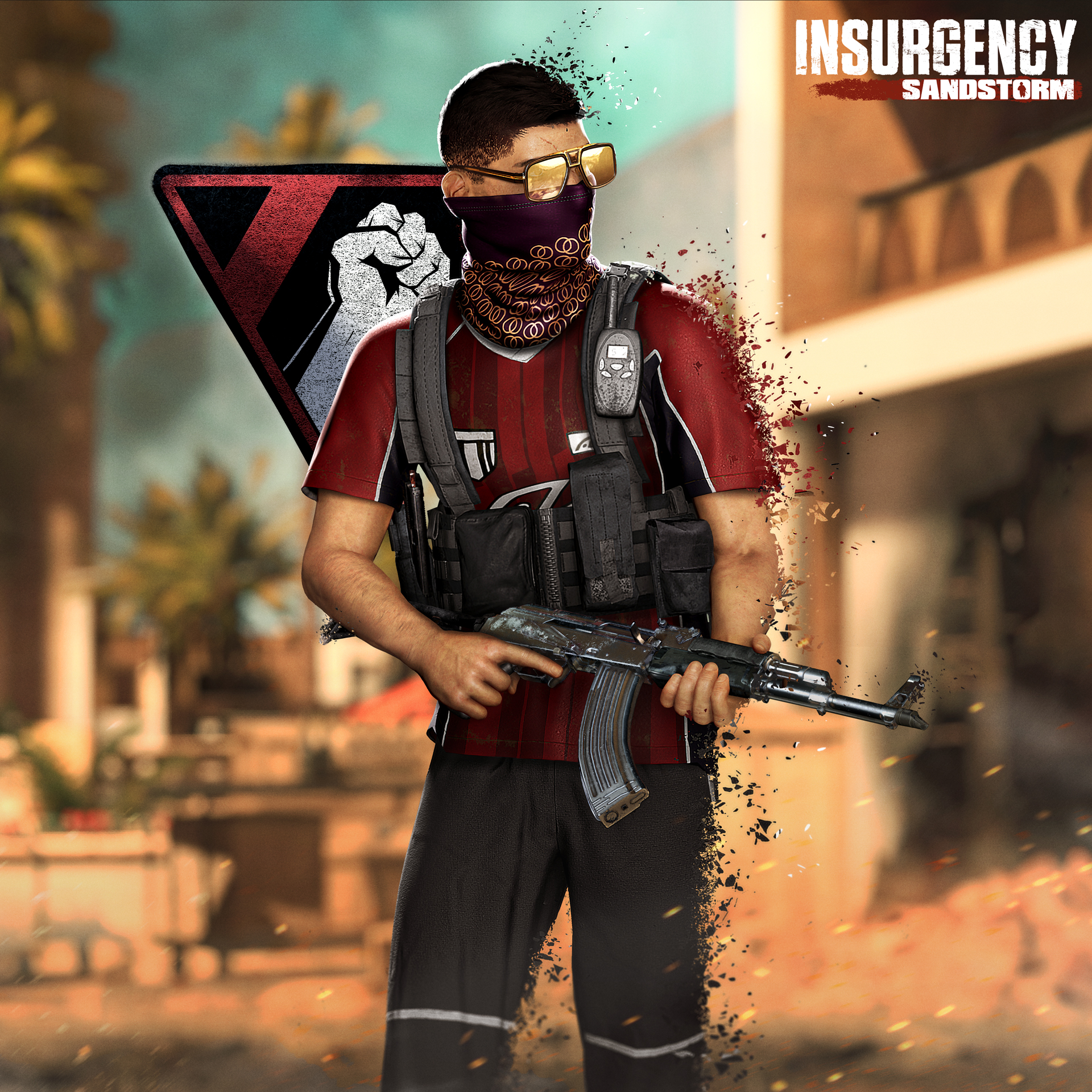
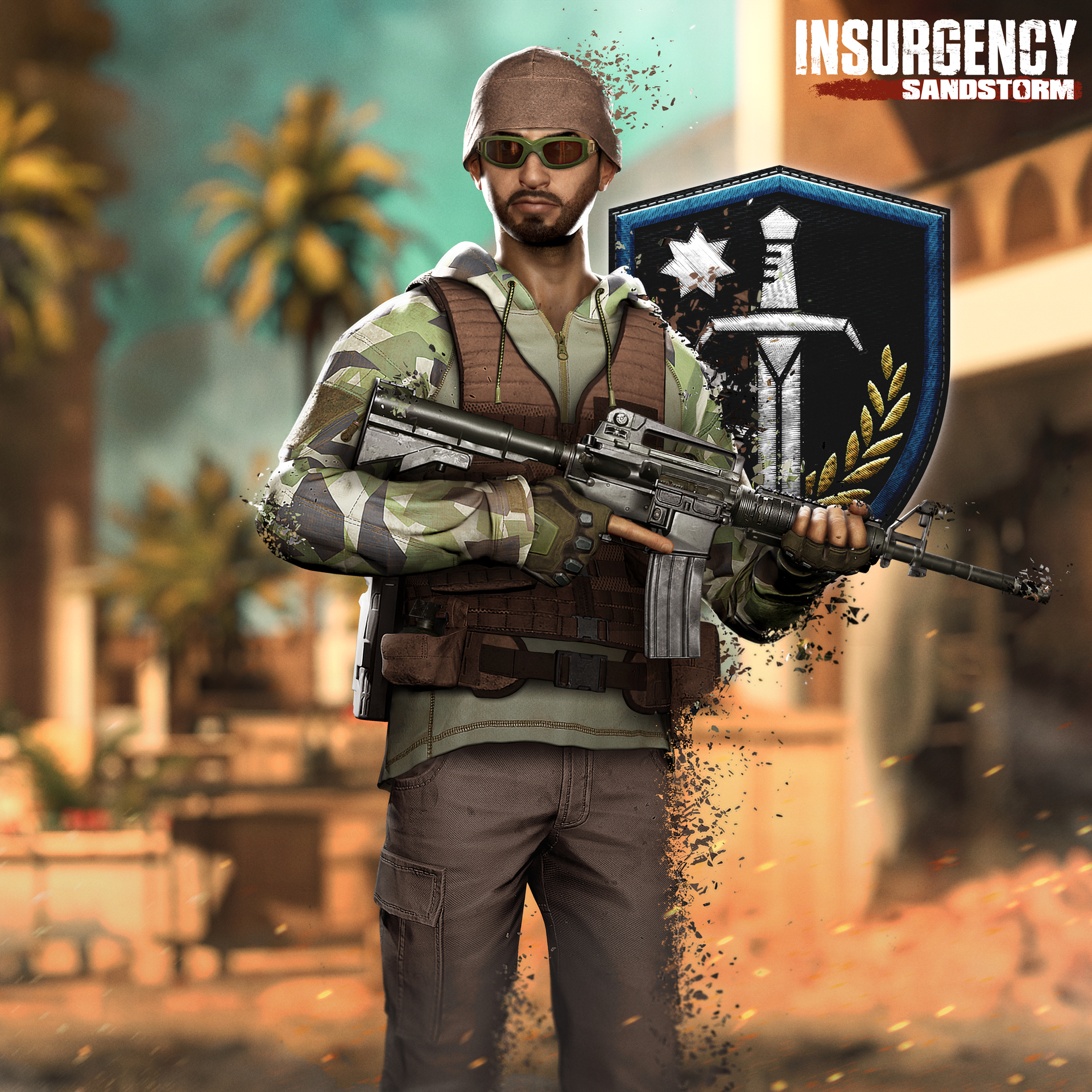
Operation: Warlord is all about Insurgents going into battle wearing their flashiest gear. They are confident, and they want the enemy to know it. Meanwhile, Security is made up of private contractors each sporting personalised equipment and looking to not be too conspicuous. They’re here to do their jobs.

The Sporty and Big Spender sets are unlocked for the player after their first successful extraction in the new game mode, Ambush.

Sporty – Gaudy and brash, this fighter chooses style over substance.

  • Sporty (Hairstyle)
  • Half Wrap Mask (Facewear slot)
  • Gaudy Sunglasses (Eyewear slot)
  • Sport Shirt Top (Torso slot)

Big Spender – Privately-contracted, this soldier equips personalized tactical gear.

  • Elastic Band Goggles (Facewear slot)
  • Overdesigned Tac Gloves (Hands slot)
  • Combat Hoodie with Hood Down (Torso slot)

NEW COSMETICS: INSURGENT HAIRSTYLES

Two new hairstyles have been added to the Insurgents faction:

  • Sporty
  • Sweptback

NEW DLC: THE PRAETORIAN SET BUNDLE

New DLC cosmetics are now available for purchase, they are included in the Year 2 pass for those of you who have that either standalone or via the Gold Edition. These cosmetic items can be combined with the others in-game.

Buying these helps us to continue work on Insurgency: Sandstorm post-launch, and we greatly appreciate the support! Here is a breakdown of each cosmetic.

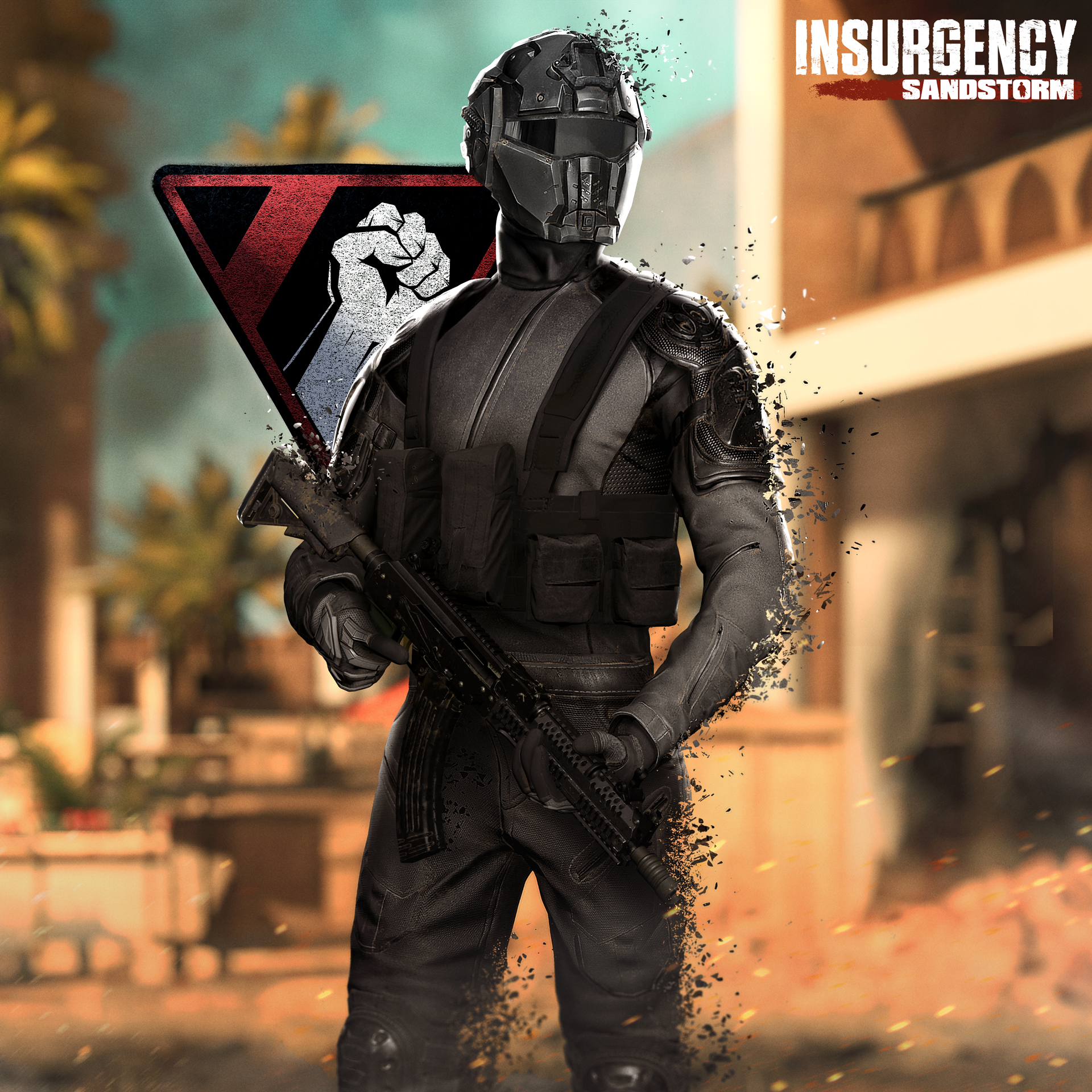
“Gray Man” Gear Set for Insurgents

  • Gray Man Mask (Facewear slot)
  • Gray Man Top (Torso slot)
    • Gray Man Top Camo
  • Gray Man Bottom (Legs slot)
    • Gray Man Bottom Camo
  • Gray Man Gloves (Hands slot)

“Chrome” Weapon Skin Set for Insurgents

  • Desert Eagle
  • TOZ-194
  • AKM
  • FAL
  • P90
  • MP5A2

“PMC” Gear Set for Security

  • PMC Headset (Headgear slot)
    • PMC Headset Backwards
    • PMC Headset Britain
    • PMC Headset Canada
    • PMC Headset Germany
    • PMC Headset Turkey
    • PMC Headset USA
  • PMC Glasses (Eyewear slot)
  • PMC Top (Torso slot)
  • PMC Bottom (Legs slot)
  • PMC Gloves (Hands slot)
  • PMC Boots (Feet slot)
  • PMC (Left Arm Tattoo slot)

“Two-Tone” Weapon Skin Set for Security

  • Vector
  • PF940
  • M870
  • VHS-2
  • M4A1
  • MP7

CHANGES

  • Enabled Replay functionalities on all console platforms.
  • Crossing (map) has been temporarily removed from matchmaking on all console platforms due to crashes.
  • Outskirts (map) is added back into matchmaking on all console platforms.

RESOLVED ISSUES

GENERAL

  • Reduced the number of crashes caused by memory issues on all platforms by optimizing assets.
  • Fixed an issue where the transition between prone and crouch was not available. Players can now cycle through all stances as intended.
  • Fixed an issue where the “Survival” game mode was being translated into certain languages.
  • Fixed an issue where navigation through the Tutorial Menu would not work after joining and leaving a party.
  • Fixed an issue where navigation through the Radial Menu would not work if the player’s camera was pointed directly at another player.
  • Fixed an issue where the “Reset Enemies” function did not work properly in the Range.
  • Patched a hole in the Warlord Legs DLC item.
  • Fixed an issue where characters and weapon models could not be rotated using the right stick in the Customization and Loadout Menus when users set their language to Korean or Simplified Chinese.
  • Fixed an issue where the camera zoom keybinds in Spectator mode were not displayed according to the selected controller layout.
  • Fixed a lighting issue on Hideout which caused shadows to move spookily.
  • Fixed an issue where allied AI was not planting explosives at caches in Checkpoint Security.
  • Fixed an issue where the AI would congo line to Objective A on Farmhouse.
  • Fixed an issue where AI would get stuck near Objective A on Checkpoint on Farmhouse.
  • Fixed a visual issue that was appearing on water on Hideout.
  • Fixed an exploit location around the tent area on Gap.
  • Fixed a crash when joining a disbanded party.
  • Fixed an issue where a party invite during a match could cause invitees to return to the Main Menu after accepting the party invite.
  • Fixed an issue where frame rates would drop when swapping or scavenging weapons.
  • Fixed an issue where certain weapons from Survival crates could not be properly reloaded.
  • Fixed an issue where the Ammo display HUD element would show a Drum Magazine instead of a Smoke Grenade when performing an ammo check while using the AK-74 equipped with the smoke launcher active.
  • Fixed an issue where the 2x and 1x optics would automatically toggle when sprinting in hardcore checkpoint.
  • Fixed an issue where the “Enter Replay ID” button in the Stats Menu could not always be selected.
  • Fixed an issue where the text would overflow inside a drop down menu in the Stats section that affected the Spanish and Brazilian Portuguese languages.
  • Fixed an issue where part of the UI did not display the correct team colour.
  • Fixed an issue where dead players would gain objective points after an objective capture in Survival mode.
  • Fixed an animation issue that could occur when picking up thrown mines by disabling the ability to throw mines. Mines can now only be planted.
  • Fixed an issue where there was a chance that Checkpoint could unintentionally end in a Draw.
  • Fixed an issue where the Heavy Breathing audio would not stop when entering a vehicle.
  • Fixed a localisation issue in the Network Widget where the text was only partially translated.
  • Fixed an issue where an accessory was not highlighted when exiting its selection screen in the Loadout Menu using a gamepad.
  • Fixed an issue where certain head and facial hair combinations would be misaligned:
    • Rob and Imperial.
    • Soran and Imperial.
    • Soran and Garibaldi.
  • Fixed an issue where the opacity of the Objective Status Indicator would not appear consistent every time.
  • Fixed an issue where the Universal Digital weapon skin would not apply on the extended magazine on the MK 17 Mod 0.
  • Fixed an exploit that allowed players to shoot within restricted areas.
  • Fixed an issue where the C4 would remain suspended in the air even after the glass panels are shattered.
  • Fixed text overrun in the Credits Screen in the Turkish language.
  • Fixed an issue where Replays of maps played in the Night scenario would be replayed with the Day scenario lighting.
  • Fixed an issue where a random item would be displayed and highlighted when nothing was selected in the Inventory Menu.
  • Fixed an issue where water bodies would block bullets and not damage the player’s body parts that were submerged.
  • Fixed an issue where the fire support global and specific cooldown bars were not appearing on the HUD and radial menu.
  • Fixed an issue where the cosmetics on the character would not update when hovering over the appearance presets until a class was selected.
  • Fixed an issue where the Desert Hex weapon skin did not apply onto the compensator, flash hider, flashlight and laser attachments on the M45.
  • Fixed an issue where the Resupply Cooldown UI element does not always appear after the player had walked away from the resupply crate.
  • Fixed an infinite reload animation issue when spectating a player that was using a shotgun or MR 73.
  • Fixed an issue where classes that were completely occupied did not appear grey to indicate that all slots have been taken.
  • Fixed an issue where the order of the explosive slots in-game did not match the Loadout Menu.
  • Fixed an issue where the autocannon strafe fire support coordinates and orientation were not taken at the time of the callout.
  • Fixed an issue where the version number text could block players from clicking on elements covered by it.
  • Fixed the idle animation for the Desert Eagle.
  • Fixed an issue where players were able to prone in the water.
  • Fixed an issue where a comma would appear before the spectators list when viewing the scoreboard in Replays.
  • Fixed an issue where the fingers would appear broken during the ready animation when the player has the AKM or AK-74 equipped with any grip and drum magazine.
  • Fixed an issue where players could shoot a shotgun without using any ammunition.
  • Fixed an issue where the locked Achievements Icons were displaying the unlocked icon and vice versa in the Stats Menu.
  • Fixed an issue where the “Movement” and “Changing Loadout” lessons windows did not close after completion.
  • Fixed a display issue with the MR 73 in the Loadout Menu that occurred after removing the primary weapon.
  • Fixed an issue where the Supply Points indicator appeared at the bottom center of the Loadout Screen.
  • Fixed a visual issue that would cause the screen to flicker when swapping between the Loadouts and Inventory screens in the Customisation Menu.
  • Fixed an issue where the game type would default to the first option (Versus) when swapping between the factions in the Customise Menu.

PLAYSTATION

  • Fixed a crash on the PS4 that would occur after two hours of launching the app.
  • Fixed a crash that would occur after joining an ongoing Co-op Checkpoint scenario.
  • Fixed a crash that would occur while playing through Basic Training.
  • Fixed an issue where the incorrect inventory icon would appear after unlocking new weapons or cosmetics.
  • Fixed a visual issue with glass on Gap.
  • Fixed an issue where DLC items would still appear on the Character on the Main Menu after removing them.

XBOX

  • Fixed an issue where the pre-order DLCs were not unlocking properly.
  • Fixed an issue where Party functionalities could not be accessed when the party was at capacity.
  • Fixed an issue where blocked players were still able to communicate with others.
  • Fixed a party invite issue where some party members would return to the Main Menu instead of continuing in the same match as the party leader.
  • Fixed a crash on game launch that could occur when switching between Microsoft accounts.
  • Fixed an issue where players could get stuck in the Loadout Menu if they attempted to sign out from their account while loading a scenario in Local Play.
  • Fixed an issue where the audio from the explosion of suicide bombers was distorted.

SURVIVAL MODE IMPROVEMENT

  • Increased enemy AI difficulty by decreasing reaction time and increasing accuracy.

GAMEPLAY IMPROVEMENTS

  • Flashlight brightness levels have been adjusted for consistency for all primary and secondary weapons.
  • Direct hits from molotov cocktails will no longer cause instant death.
  • The Fragger class is now broken down into five classes: Assaulter, Advisor, Breacher, Gunner, and Marksman.
  • Night Vision Goggles can now be worn and taken off using one hand. This allows players to keep their weapon on screen and have the ability to fire while toggling.
    • New 1P and 3P animations added for the toggling of NVGs.
  • The interact and reload actions are now mapped to the same “X” button when using a gamepad in the Modern controller layout.
  • Players will no longer sit in spectate mode while a server populates and will now be able to play while waiting for the server to populate.

VOICEOVER IMPROVEMENTS

  • Implemented new voiceover triggers for the following events:
    • Explosive Drone detonates.
    • Bomber Drones finish their run.
    • Insurgents station does not hear the entire request.
    • Security station does not hear the entire request.
    • Support helicopter fires and misses target.
    • Support helicopter searches for targets.
    • Support helicopter confirms kills.
  • Voiceover lines played in-game are now synced so all players hear the same line.
  • Static plays when a character is killed while speaking through the radio.
  • Different reloading voiceover lines play depending on whether the equipped weapon is magazine fed or not.
  • AI will now always respond back to ‘intimidate’ voice lines from any player within the vicinity and continue to respond when provoked.
  • Enemy AI that are blinded by flashbangs will now play a voiceover line.
  • Fixed an issue where characters would play the Wounded or Suppressed voice lines upon death.

USER EXPERIENCE IMPROVEMENTS

  • Improved readability of teammate indicator icons:
    • Increased the thickness and opacity of the friendly teammate indicator icon.
    • The icon now flashes when friendly teammates are nearby.
    • Teammate icons now appear around the edges of the screen similar to objective icons.
  • The default colour of party members is now green and more visible by default, this can be adjusted in the Settings Menu if desired.
  • Updated the Appearance Selection Screen with a gradient and vertically centered the UI elements to be consistent with other screens.
  • Added audio and visual feedback when collecting ammo from supply crates, performing a full resupply, or scavenging for ammo from weapons on the ground.
  • Added the scavenge animation when resupplying ammo from a supply crate.
  • Improved melee attack responsiveness by increasing animation speed and decreasing delay between attacks.
  • Added icons for each section in the Appearance Screen.
  • The selected scenario in Local Play will persist after changing maps or lighting scenario.
  • The last focused position will now be kept when returning to the Main Menu.
  • Increased the contrast of UI elements in the Appearance Menu to improve readability.
  • The “Reset to Default” button in the Settings Menu will no longer move the focus to the first item in the list instead it will remain at the same position.
  • Added audio feedback when hovering, clicking, and navigating through menus.
  • Improved the overall layout of the Appearance Screen.
  • Network service icons are now smaller and more subtle on the Main Menu.
  • Smoother new select and hover sounds used as audio feedback across all interface elements.
  • The invite friends pop-up will appear automatically after creating a party.
  • The weapon held by the character on the Main Menu now features its respective upgrades.
  • The weapon held by the character on the Main Menu is now the primary weapon equipped in the Loadout Menu.
  • The tactical map will now display faction-specific icons to indicate spawn locations.
  • The order of the maps are now displayed in alphabetical order in the Local Play Menu.
  • Added visual feedback when hovering over the center of the in-game Radial Menu.
  • Improved navigation between elements in the in-game Radial Menu.

ENEMY AI IMPROVEMENTS

  • The snap shooting fixes have made gameplay against enemy AI less challenging, to balance this we have increased the reaction speed and accuracy of enemy AI.
  • Enemies are more coordinated and can use smoke as cover to advance through the level in order to capture objectives more effectively.
  • Improved enemy navigation towards objective areas.
  • Enemies now take a longer time to react and fire upon players who are hidden in the shadows.
  • Reduced occurrences of hip-firing from long ranges.
  • Enemies will react to live C4 by retreating.
  • Enemies will not immediately retreat off a lost objective when engaged in combat.
  • Gunner enemies will search for more effective cover locations to set up.
  • Scavenged magazines dropped by enemies are now always full.
  • General improvements to the pathfinding behaviour.

LOADOUT SYSTEM REVAMP

We have revamped the look and usability of the loadout system. Below are some of the main changes that have been made:

  • Weapon upgrades and attachments appear in slots surrounding the weapon preview.
  • The weapon model now occupies more space on screen and can be seen in greater detail.
  • Improved audio feedback in the Loadout screens.
  • Added a back button in the Appearance and Loadout screens to reduce selection travel time when customising characters.
  • Weapons now point to the left by default.
  • 1.5x optics now appear between the 1x and 2x optics in the Optics list.
  • The in-game Menu, Class Selection and Customisation, and Loadout Menu layouts have been adjusted to better fit ultrawide monitors.
  • Attachments will now be previewed on weapons when hovering over their name in the list.
  • Added an arrow to preview changes on the weight bar to improve visual feedback.
  • The equipped weapon skin will now be saved until the player decides to remove it.

LEVEL DESIGN IMPROVEMENTS

  • Bab
    • Fixed a wall that was incorrectly blocking bullets.
  • Citadel
    • Fixed an exploit on Citadel Push on Objective A giving the Security team an unfair advantage.
    • Fixed an issue where two blocks on the ground would block players from advancing as intended.
    • Fixed an issue where players could get stuck on an overhang while walking up the stairs.
    • Fixed an issue where players were able to climb rocks to reach an exploitable area.
    • Fixed an issue where certain textures were displaying incorrectly.
    • Fixed an issue where it was possible for players to crawl underneath a portion of the level.
  • Farmhouse
    • Fixed an exploit on Farmhouse Push on Objective A where a player could stop the objective from being captured.
  • Hideout
    • Fixed an issue where a cabinet would disappear and reappear as the player moves around it.
    • Fixed an issue where players could access an area outside the playable boundaries.
  • Ministry
    • Fixed an issue where players were blocked by unbreakable glass.
  • Outskirts
    • Fixed an issue where players were able to access an exploitable area on a rooftop.
  • Precinct
    • Fixed an exploit location where players were unintentionally able to hide in certain areas.
    • Fixed an issue where a wall did not connect all the way to a column revealing an empty area.
  • Range
    • Fixed a visual issue with the lockers (z-fighting).
    • Fixed an issue where a piece of sheet metal was clipping through a sandbag.
  • Refinery
    • Fixed an issue where an oil derrick was unintentionally blocking bullets.
  • Tell
    • Fixed an issue where enemy AI would get stuck after successfully capturing Objective E.
    • Fixed an issue where the AI would occasionally get stuck upon spawn.
    • Fixed an issue where an invisible collision obstructed player movement.
    • Fixed an exploitable area that allowed players to spawn camp the Security team and block the capture of Objective C on Push Insurgents.
    • Fixed multiple locations where enemy AI would get stuck on the map.
  • Tideway
    • Fixed multiple exploit locations where players were able to hide inside a rock.
    • Fixed and blocked the path to an exploitable area to a rooftop.

KNOWN ISSUES

We currently have 1,900+ issues that the team has categorised as bugs. Some are big, some are small, and unlike Goldilocks none of them are just right. What this means is that we can’t possibly include the entire list in these notes, so, below is a snapshot of the issues that have been brought to our attention more recently as well as some actively being worked on for the next update.

  • There is an issue where the “There For You” and “Play to Win” trophies / achievements cannot be unlocked.
  • There is an issue where gore is not showing up for some players.
  • There is an issue where ragdoll death is played instead of full death animations.
  • Replays are displayed in lower than expected frame rates.
  • The screen may flicker at certain locations in the Firing Range.
  • The game may crash if the player is on the Local Play loading screen and they accept a party invite.
  • There is an issue where the Select button is not grayed out when there are no party members.
  • There is an issue where coloured circles may appear at the bottom of the screen on Farmhouse.
  • There are texture loading issues that happen when ADSing after loading a level on Xbox One.
  • There is a memory-related crash occurring on Bab and Precinct while in co-op.
  • There is an AI issue where some bots do not attack the player in Outskirts.

OPERATION: WARLORD CONSOLE HOTFIX #1

The following are the notes for the hotfix that is also available today on PlayStation and Xbox platforms.

RESOLVED ISSUES

GENERAL

  • Fixed an issue where the weapon firing sound was not playing.
  • Fixed an issue where the highlighted selection would disappear when scrolling through the Aesthetics section in the Loadout Menu.
  • Fixed an issue where text was missing for the Ammo Carrier, Armor, and Accessory slots in the Loadout Menu after changing languages.
  • Fixed an issue where the ambient sounds were missing during gameplay.
  • Fixed an issue where the 1P and 3P sounds were missing on the Vector and P90.
  • Fixed an issue where the character and AI voice lines were being truncated.
  • Fixed an issue where the values in the Settings Menu would reset to default after relaunching the game.
  • Fixed an issue where UI elements would overlap each other.

PLAYSTATION

  • Fixed an issue where restrictions on social features and communication were not applied correctly to an account when in game.

XBOX

  • Fixed an issue where controller inputs would stop working when the controller was  disconnected while changing accounts using Account Picker.
  • Fixed an issue where players could get stuck in a pop-up after turning off and on the controller in the Main Menu.
  • Fixed an issue where the Title icon and name were missing in the Xbox Game Hub.

That’s about it for the patch.

Source: New World Interactive

MP1st Staff

Home > News

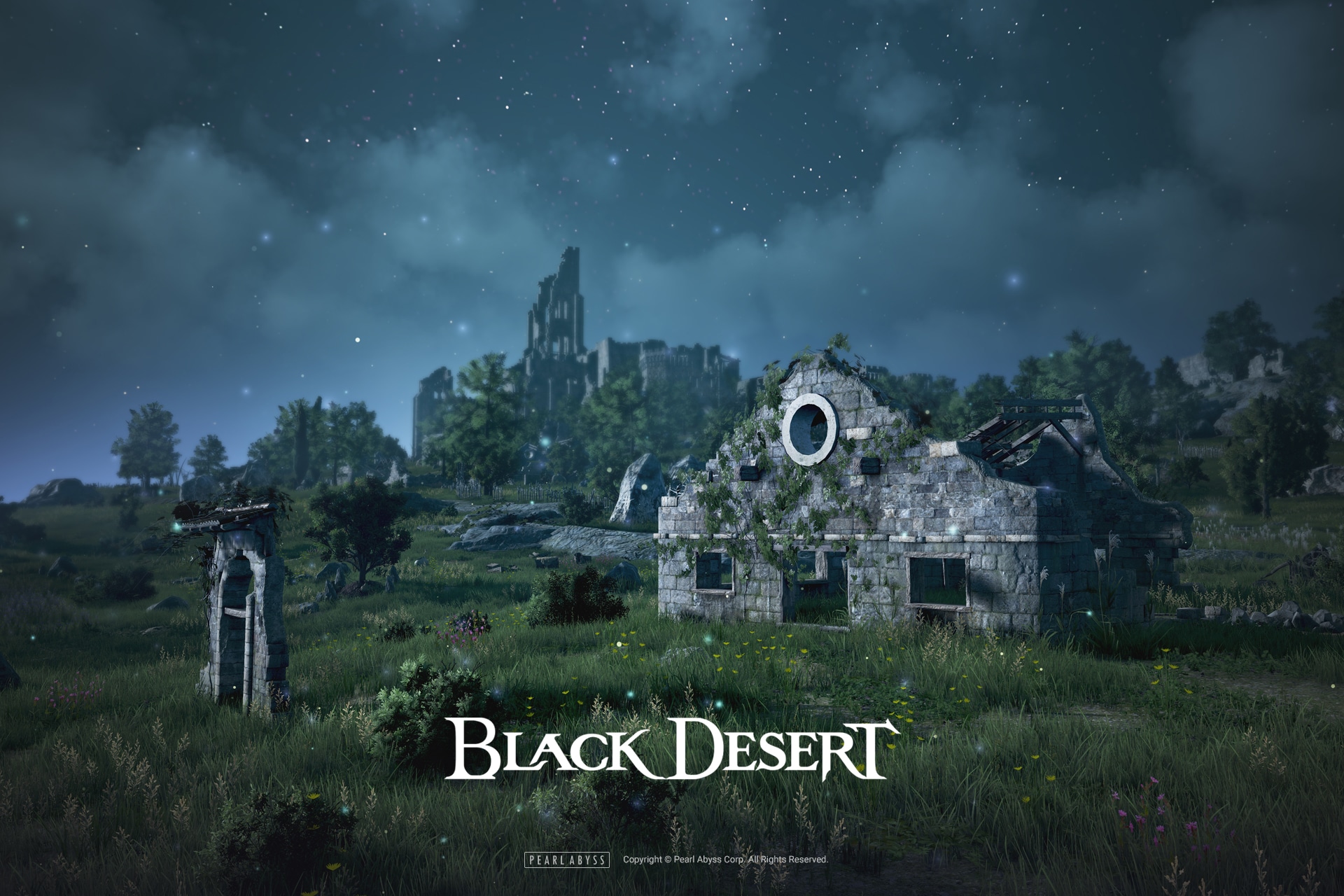
Black Desert Online Update 2.12 Out for Conquest Wars & More This Dec. 8

Pearl Abyss has released the Black Desert Online update 2.12 patch this December 8, and this one is for the end of Season+ as well as Conquest Wars and more. Head down below for the complete patch notes.

Black Desert Online Update 2.12 Patch Notes:

The latest Black Desert update is here, and brings a close to the Season+ server and ushers in the arrival of Valencia Node and Conquest Wars. Read on to find out what else is in store for the December 8th Update.

Season+ Ends

● As Season+ has ended, there will be multiple changes that will take place during the transition period.

– All Season+ Characters that have yet to graduate will be converted into regular characters.

– Adventurers who have not completed ‘[Season Server Graduation] At the Crossroad’ or ‘[Season Server Graduation] Into the Big Wide World’ will find their Gift Box Full of Memories and the Fughar’s Letter of Encouragement in their mail. Head to Rewards>Mail to collect them.

* This mail will be deleted on February 28th 2022 at 11:59PM (UTC+0), so please make sure to collect it as soon as possible.

– All Season quests that have not been completed have been deleted.

– Your highest level Tuvala gear per slot has automatically been converted, if it had not already been done so by the December 8th Maintenance.

– Tuvala enhancement materials, Tuvala conversion stones, unconverted Tuvala gear, and other seasonal items have been deleted.


※ Please refer to the End of 2021 Season+ for more detailed regarding the automatic Tuvala gear conversion and items which are deleted.


● As Season+ has concluded, the following servers have changed.

NA
Before After
NEW Olvia NEW Olvia – Novice
Season-1 New Olvia – 1
Season-2 New Olvia – 2
Season3 Rulupee


EU/ASIA
Before After
NEW Olvia NEW Olvia – Novice
Season-1 New Olvia – 1
Season-2 Rulupee -2


Valencia Node Wars, Conquest Wars.

● Node and Conquest Wars have been added to the Valencia Region.

※ After the maintenance on December 8th 2021, taxes will begin accumulating for Valencia Conquest and Node Wars. Therefore, the first week will see lower payouts than expected.

Valencia Node Wars
Day Region Tier Max. Number of Participants
Sunday Pilgrim’s Sanctum: Fast  Tier 1  – Hard 30 People
Altinova Gateway  Tier 2 50 People
Gorgo Rock Belt 35 People
Crescent Shrine 50 People
Ibellab Oasis  Tier 3 35 People
Roud Sulfur Works  Tier 4 60 People
Monday Ivory Wasteland  Tier 1  – Medium 30 People
Valencia Plantation  Tier 2 25 People
Rock Post  Tier 3 35 People
Tuesday Taphtar Plain  Tier 2 60 People
Aakman  Tier 3 60 People
Wednesday Altas Farmland  Tier 1  – Easy 20 People
Ivero Cliff  Tier 1  – Medium 40 People
Pilgrim’s Haven  Tier 3 25 People
 Thursday Rakshan Observatory  Tier 1  – Medium 20 People
Fohalam Farm 30 People
Barhan Gateway  Tier 2 25 People
Cadry Ruins  Tier 4 60 People
Friday Bashim Base  Tier 1  – Hard 40 People
Desert Naga Temple  Tier 2 25 People
Valencia Castle Site  Tier 3 60 People
Ancado Coast 30 People

Valencia Conquest War has the following limits:

Stat Name Limit
AP 475
Evasion 847
Evasion Rate 20%
Damage Reduce 347
Fixed Damage Rate Reduction 23%
Accuracy Limit 726
Accuracy Rate Limit 20%
All Resistance Limit No Limit
Special Evasion Rate Limit 30%


Stabilization Changes

● Loading Screens have been reverted to static images.

● Memory usage of translation data has been optimized.

● The way the game handles Item Tooltips has been modified.


Content Changes

● The alerts that display at certain times for Imperial Alchemy/Delivery have been modified.

Before After
The Imperial Crafting/Fishing Delivery Managers in each territory have begun receiving deliveries. The Imperial Fishing Delivery Managers in each territory have begun receiving deliveries.

Monster Changes

● The probability of obtaining Black Magic Crystals at the following spots has been increased.

– Some monsters which would not drop Black Magic Crystals in the spots below have been modified to now be able to drop Black Magic Crystals.

– Therefore the probability of obtaining Black Magic Crystals have increased in the following ways.

Region Increased Probability
Gahaz Bandit’s Lair About 7.5 times increase
Waragon Nest About 1.8 times increase
Bashim Base About 6 times increase
Aakman Temple About 2.4 times increase
Roud Sulfur Mine About 150 times increase
Crescent Shrine About 15 times increase
Cadry Ruins About 7.5 times increase
Pila Ku Jail About 10 times increase
Hystria Ruins About 1.2 times increase

● Added Black Magic Crystal items to the drop tables of the following zones.

– Information has been added to the Item Drop UI.

Monster Zone
Desert Naga Temple
Titium Valley
Kratuga Ancient Ruins
We increased the drop rates of “Black Magic Crystals,” items required for both the guaranteed PEN (V) accessories and PEN (V) boss gear questlines, from level-appropriate mid-tier monster zones throughout the Valencia territory. We hope that this update will help many more Adventurers to progress through these questlines in order to obtain the upgrades they need. (The drop rate for Black Magic Crystals from Roud Sulfur Mine were comparatively much lower than other monster zones, so we increased their drop rate by about 150 times to match that of other zones.)

Node War and Conquest War

● Gates have been added to the World Map during Calpheon, Mediah and Valencia Conquest Wars.

– If the gate has been destroyed, you will also be able to see it on the World Map.


Character Changes

● Changed the ‘test NPCs’ in the Battle Arena from Monster-type to Character-Type.

– When skills are used on these test NPCs, any inflicted debuffs/CCs and the number of times the corresponding debuffs/CCs that are inflicted will now display.


● Fixed the issue where the Invincible effect wouldn’t go away if your screen froze temporarily while your character had the effect applied.


● Improved the visual effects of the special actions for the [Mystic] Makalu outfit.

Item Changes

Naru gear was really helpful for leveling from the Serendia questline to the Mediah questline and was also a sort of a tutorial gear that helped with understanding all levels of enhancement in Black Desert. The gear was designed to help you progress through Mediah with little difficulty, but Adventurers not yet used to the skill commands felt a much steeper difficulty spike than others. Due to this, we improved the stats of the Naru gear to allow for a safer adventuring experience. We will continue to provide quality-of-life updates for our new Adventurers.

● Added a feature to easily exchanges the PEN (V) Naru gear (excluding accessories) obtained by a season character for PRI (I) Tuvala gear through the relevant UI.

※ You will be able to check out this feature in the upcoming Season.

– The button for converting to PEN (V) Naru gear will appear in the upper left of the Equipment UI when your season character has a piece of PEN (V) Naru gear equipped or in their Inventory.

– Use the Convert UI to convert your PEN (V) Naru gear into PRI (I) Tuvala gear.

– Changed the Season Pass objectives for converting to PRI (I) Tuvala gear, due to the addition of this feature.

● Added effects to each parts of the Naru gear that improves depending on their enhancement levels, PRI (I), DUO (II), TRI (III), TET (IV), and PEN (V).

Parts Effects PRI (I) DUO (II) TRI (III) TET(IV) PEN (V)
Main Weapon Extra AP Against Monsters 6 8 10 12 14
Sub-weapon Extra AP Against Monsters 6 9 12 15 18
Greatbow Extra AP Against Monsters 2 3 4 5 6
Each Part of Defense Gear Monster Damage Reduction 1 2 3 4 5
Max HP+ 10 20 30 40 50

● Changed the description for ‘Monster Damage Reduction Up,’ an extra effect gained by enhancing gear.

Before After
Monster Damage Reduction Up (enhancement level PRI or up) Monster Damage Reduction Up (Pri or higher)

● Changed the name of the Nude Deep Black Underwear to Nude Black Underwear.

● The description of Cron Stones will now mention that in the event of an accessory enhancement attempt failure while using the stones, the enhancement level of the item can degrade.

● Your character will now cheer when obtaining a Pure Black Stone item.

● Added a note of caution to the item description of the Pure Black Stone about its duration and expiration.

● Changed the [PEN(V) Boss Gear]: The Best Deal questline’s upgradable equipment to no longer allow characters with less than 0 Karma to equip it. (This does not apply to the final PEN(V) Boss Gear)

● Separated [Sorceress, Lahn] Cartian Shoes from [Sorceress, Lahn] Cartian Armor.

– Added [Sorceress, Lahn] Cartian Shoes to the outfit boxes that contain [Sorceress, Lahn] Cartian Armor.

* Adventurers who had the [Sorceress, Lahn] Cartian Armor in their possession will receive the [Sorceress, Lahn] Cartian Shoes in their storage in Heidel.


Quest and Knowledge Changes for Black Desert Online Update 2.12

● Knowledge about the Smuggling NPC’s will now be available. You can find the knowledge in the following locations.

Knowledge Talk to the following NPC’s to obtain Knowledge
Telshir Abdul Jaum
Epil Tanbu Ahon Kirus
Zahad Tatar
Valgon Maguliggio
Roxanna Tavu
Mysterious Man Lolly


Pearl Shop

● More detailed descriptions have been added to the following items sold in the Pearl Store.

Items that have been added and modified in detail.
Wizard Gosphy Added details on how you have a higher chance at getting a higher tier pet than other pets when exchanging pets.
Bookshelves Purchasable with Pearls (Interior – Furniture) Added text regarding the probability of obtaining Knowledge.

Check out info regarding the probability of obtaining Knowledge on our Adventurer’s Guide.

[All Classes] Underwear Added text regarding Luck and its effects.
Fisto/Dark Thorn Fishing Boat Set

Belle Epoque Rowboat Set

Added text regarding the equip effects of each part.
Fairy Queen’s Might Added info regarding the chance for your Fairy to change into one of all available personalities when using “Reset Persona.”
Wagon Sets Purchasable with Pearls Added text regarding the equip effects of each part.
Reset Mount Growth Added text regarding the probability to obtain new skills.

You can find info regarding the probability to obtain new skills after using “Reset Mount Growth” in the BDO Wik

Ornette’s Dark Honey Wine Added text that includes an example of growth EXP depending on your Fairy’s level.
Mount Brand Spell Stone Changed the text regarding the increase in probability to obtain skills when your mount levels up..
Horse Appearance Change Coupon Added details on how using the item does not change your mount’s breed..
Premium Horse Appearance Change Coupon Changed the text regarding learning a skill and EXP obtainable if the horse doesn’t learn a skill when changing appearances.

Added details on how using the item does not change your mount’s breed.

Elion’s Tear Changed the text regarding the HP and MP when resurrecting your character.

Changed the text regarding restoration of EXP lost from death.

[All Classes] Splat Fisher’s Clothes Set

[All Classes]  Da-Dum Da-Dum Diving Suit Set

Changed the description regarding Stamina consumed while swimming.

UI Changes for Black Desert Online Update 2.12

● Changed the Item Drop information of the ‘Gatekeeper’ monsters of the following zones to not be displayed on the Item Drop Information page.

Monster Zones Item Drop Info Changed to Not Be Displayed
Crescent Shrine Black Spirit’s Claw Piece
Yona’s Fragment
Intricately Patterned Mystical Shard
Gold Bar 10G
Desert Naga Temple Black Magic Crystal – Vigor
Black Spirit’s Claw Piece
Intricately Patterned Mystical Shard
Gold Bar 10G
Titium Valley Black Magic Crystal – Precision
Black Spirit’s Claw Piece
Intricately Patterned Mystical Shard
Gold Bar 10G
Cadry Ruins Black Spirit’s Claw Piece
Intricately Patterned Mystical Shard
Gold Bar 10G

● Ancient Spirit Dust has been added to the Item Drop Menu for Aakman Temple.

● The Check Box button has been modified to display the J’s Hammer item when used to enhance items.
● The performance of the Party UI has been optimized.


Other Changes for Black Desert Online Update 2.12

● Fixed the issue where storing Marni’s Stones in Storage would cause their item icons to appear abnormal.

● Fixed the issue where the scroll bar on the Central Market transaction history would regularly reset after a certain period.

● After-images that appear in certain situations have been fixed.

● The area around the Syca fight in Sycrakea has been modified.

● Fixed an issue where Sycrid would not die as intended in certain situations.

● Fixed an issue where grass would appear on the floor in the Glish-3 Residence.

● Fixed an issue with gathering in Gorgo Rock Belt.

● Fixed an issue where Stabilized Magic Black Stones, Cleansed Magical Black Stone, Pure Magical Black Stone Icons would not display in the crafting notes.

● Fixed a typo in the message that shows when Kvariak spawns.

● Fixed various typos in different languages.

● Fixed an issue where NPC’s in Altinova say lines that do not match their character.

● Changed the item required to complete the “Curing Someone” quest from a trade item to a quest item.

– Due to this change, the reward item for the preceding quest, “Craft Medical Kit” was changed to the pertaining quest item.

● Fixed Lloyd in Casta Farm to no longer appear in an awkward stance.

● Made the quest summary for “[Processing] Trent Worker Experience?” under the “[ADV Support] Inventory Expansion!” Suggested questline tab read more clearly.

● Fixed the issue where “Returning” under the “Nightmare Revealed” main questline wouldn’t appear for normal characters.

● Fixed the issue where “Gateway to Heidel” and “Reinforcing the Quarry” under the “The Concerns of Bobby Lauren” main questline wouldn’t appear for normal characters.

● Fixed an issue where the Hypothermia and Heatstroke Debuffs would not apply on Tyrant’s Hill.

● Fixed an issue where players could be damaged while mounting the Flame Tower, Enhanced Flame Tower and Hwacha.

● Fixed an issue where the wrong error message would display when selecting an item that had already been installed within a residence.

● Fixed the issue where relogging as the party leader while fighting a boss summoned from a scroll would prevent your party members from dealing damage to the summoned boss.

● Fixed an issue where Cron Stones could not be added to Dream Horse attempts after using the training function.

● The tooltip for the recommended quest, ‘Investigating Rumors’ has been fixed.

That’s about it for the Black Desert Online Update 2.12 patch notes.

Source: Black Desert

MP1st Staff

Home > News

Virtua Fighter 5 Ultimate Showdown Update 1.30 Rolled Out

SEGA has released the Virtua Fighter 5 Ultimate Showdown update 1.30 patch this December 7 (or December 8 depending on where you are in the world), and it includes new content — for a price though. Read up on what’s new down below.

Virtua Fighter 5 Ultimate Showdown Update 1.30 Patch Notes:

Update: Per the PS4’s update history:

•Added Yakuza Series Collaboration Pack
•Added an option to stop an ongoing Team, Tournament, or League Match.
•Adjustments made to Tournament Event matchmaking.
•Adjusted the fence within a stage to be semi-transparent.
•Fixed various minor issues.

SEGA has not released any patch notes or fighter changes for the game, but the Yakuza Series Collaboration Pack DLC is now available, amd it includes new costumes and music tracks. There are also a ton of new costumes added.


Per the game’s official site, here are the official content of the Yakuza DLC pack, as we as LINE stickers that are set to be on sale starting December 8, 2021 too!

■ “Ryu ga Gotoku” series collaboration pack

The “Ryu ga Gotoku” series collaboration pack contains costumes and BGM of attractive characters that color the “Ryu ga Gotoku” series. Furthermore, in addition to the original costume, it is a special pack with many new arrangement BGM and stamps added.

“Virtua Fighter esports main game & DLC” Ryu ga Gotoku “pack is 3,300 yen (tax included), additional download content (DLC)” Ryu ga Gotoku “series collaboration pack is 1,100 yen (tax included) It will be sold at.

<Product name>

・ Virtua Fighter esports main game & DLC “Ryu ga Gotoku” pack: 3,300 yen (tax included)

・ “Ryu ga Gotoku” series collaboration pack: 1,100 yen (tax included)


<Contents>

・ Character customization items (approx. 650 types)

・ Character costume type (19 types in total)

・ “Ryu ga Gotoku” series character costumes (19 types in total)

・ “Ryu ga Gotoku” series BGM (20 songs in total)

・ “Virtua Fighter 3” Arranged BGM (20 songs in total)

・ Stamps for watching games (40 types in total)

■ Costumes of attractive characters that color the “Yakuza” series


■ Approximately 650 types of original costumes have been added!


■ “Virtua Fighter esports ” LINE Creators Stamp 2nd release decision!

The second LINE Creators’ Stamp of “Virtua Fighter esports” will be on sale from December 8, 2021 (Wednesday) on the free communication app “LINE” operated by LINE Corporation. Based on the in-game “watching mode” stamp, all 40 types of stamps are added with easy-to-use lines.

Type: All 40 types

Price: 120 yen (50 LINE coins)

If there’s new info regarding bug fixes and whatnot, we’ll be sure to update the post to reflect it.

Avatar photo

Alex Co

Father, gamer, games media vet, writer of words, killer of noobs.

Home > News

The Last of Us HBO Series Taps Nick Offerman to Play the Role of Bill

The role of a familiar TLOU supporting character has been recast, as The Last of Us HBO series taps Nick Offerman to play the role of Bill, a survivor who lives in his own fortified town and helps Joel and Ellie in their adventure.

According to Variety, the role was originally supposed to be played by Con O’Neill. Unfortunately, scheduling conflicts with the actor forced him to bow out, and HBO then went on to hire Parks and Recreation actor Nick Offerman to step up for the vacant role instead.

Offerman joins Pedro Pascal and Bella Ramsey, who are set to play the main characters Joel and Ellie. Below is a brief description of The Last of US TV series from HBO’s official website for the show.

The series takes place twenty years after modern civilization has been destroyed. Joel, a hardened survivor, is hired to smuggle Ellie, a 14-year-old girl, out of an oppressive quarantine zone. What starts as a small job soon becomes a brutal, heartbreaking journey, as they both must traverse the U.S. and depend on each other for survival.

If you missed the first teaser image HBO released for The Last of Us, you can check it out here. The first season is expected to be released some time in 2022.

Source: Variety

Tim Villasor

Home > News

Resident Evil 2 Becomes Dead Space With New Mod, Check It Out in Action

If you ever wanted Isaac Clarke to venture into the zombified streets of Raccoon City then now’s your chance, as Resident Evil 2 becomes Dead Space with a brand new mod released that switches the zombie apocalypse characters out with those found from the future!

Created by modder 4kodda, the Dead Space Mod for the Resident Evil 2 Remake turns our favorite leads from the game into characters from Electronic Arts’ futuristic survival horror franchise! Check out the video below to see how this mod looks in action!

As you can see, a number of changes have been done by the mod to turn the Raccoon City incident into a Dead Space adventure. Rookie cop Leon S. Kennedy for instance gets several Dead Space 2 skins including a fully animated Isaac Clarke, while Claire Redfield gets a variety of DS 2 skins as well as new hairdo that is inspired by Isaac’s love interest Elle Langford. Finally the biggest nuisance of the game gets pretty terrifying skins, as Mr. X will now give it to you as a Necromorph!

While the mod is definitely fun to see and try out if you have the means, Dead Space is actually making a return with a remake coming up at end of 2022– and the developers have promised that they will share more updates next year.

Source: TheGamer

Tim Villasor

Home > News

Diablo 3 Update 1.40 Out for Season 25 Patch 2.7.2 This December 7

Blizzard Entertainment is about to kick off the latest season of Diablo 3 this week with Season 25! The studio has released the Diablo 3 update 1.40 patch this December 7, and this is to bring the patch 2.7.2 data into gamers’ hands, and usher in Season 25, which will start on December 10 at 5PM PST/8PM EST/9AM HKT. Patch notes and more details are listed down below.

Diablo 3 Update 1.40 Patch Notes | Diablo 3 Update 2.7.2 Patch Notes | Diablo 3 Season 25 Patch Notes:

PATCH 2.7.2

Note: All changes apply to all versions of Diablo III, including PlayStation 4, PlayStation 5, Xbox One, Xbox Series X|S, Nintendo Switch, and PC unless otherwise indicated.


Seasons

Season 25 introduces a new type of socketable item called Soul Shards. Nephalem can find 7 unique Soul Shards, based on the Lords of Hell, which give players demonic new powers. One of 3 Prime Evil Soul Shards can be equipped into Helms and one of 4 Lesser Evil Soul Shards can be equipped into Weapons. Each Soul Shard can be upgraded three times using a new seasonal-exclusive consumable, the Hellforge Ember.

Soul Shards and Hellforge Embers can drop from anywhere in Sanctuary, but Soul Shards have a higher chance to drop from Bosses. Soul Shards cannot be traded, but can be salvaged or utilized in Caldesann’s Despair. You may only equip one Prime Evil Soul Shard and one Lesser Evil Soul Shard at a time. Lastly, Soul Shards and Hellforge Embers only drop in Seasonal play, and will not transfer to your non-seasonal character when the season ends. For a look into the capabilities for each of the Soul Shard powers look below:

Prime Evil Soul Shards

Sliver of Terror 

  • Base Power: Your cooldowns are increased by 25%. For every skill on cooldown, you take 12.5% reduced damage and deal 25% 12.5% increased damage.
  • Additional Powers:
    • Your attack speed and critical hit chance are increased by 7% 5% for each skill on cooldown.
    • You cast a devastating Ring of Fire after killing 100 enemies.
    • If three or more skills are on cooldown, your lightning and fire skill damage are increased by 50%.

Shard of Hatred 

  • Base Power: You deal 15% reduced damage while you have 3 or fewer enemies within 25 yards. If more than 3 enemies are within the same distance, you deal 10% 5% increased damage per enemy (to a maximum of 100% 50%).
  • Additional Powers
    • Killing an elite enemy pulls all enemies within 40 yards to where the elite died.
    • Your Movement speed is increased by 50%. Each enemy within 25 yards reduces your movement speed by 10% up to 70%.
    • You now deal 15% 10% increased damage for every enemy instead of 10% 5% (to a maximum of 150% 100%)

Fragment of Destruction 

  • Base Power: You move unhindered through enemies. Each enemy you pass through receives Mark of Destruction for 7 seconds. Each marked enemy that dies removes 1 second from one of your skills on cooldown. If the Mark of Destruction expires before the enemies die you lose 2% of your maximum health as damage. Marks are not applied if you are below 35% health.
  • Additional Powers
    • You have a 25% Chance to restore 5% health when an enemy dies with Mark of Destruction active.
    • When you apply Mark of Destruction to an enemy, you increase your movement speed by 5% for 7 seconds. Max 10 Stacks.
    • You now leave a trail of fire in your wake that slays enemies with the Mark of Destruction and are below 10% health.

Lesser Evil Soul Shards

Stain of Sin 

  • Base Power: You deal 25% less damage. When you kill 50 enemies, you spawn a pool of blood that increases the damage done to elite enemies by 150% and lasts 15 seconds.
  • Additional Powers
    • The pool of blood now negates Elite affixes within its area.
    • You gain an additional Rift Progress Orb when you kill and elite pack.
    • The pool of blood now collects Rift Progress Orbs.


Dregs of Lies 

  • Base Power: You deal 25% less damage. Your pets deal 50% 25% increased damage.
  • Additional Powers
    • Killing an elite enemy reduces all your active cooldowns by 5 seconds.
    • On receiving fatal damage, spawn a shadow that prevents your death, restores your health to 35%, and grants +225 All Resist to all party members while it is active. The shadow only lasts 15 seconds.
    • Each time your pet hits an enemy, your damage is increased by 1% 0.5% for 5 seconds. This stacks up to 100 times. When you reach 100 stacks, the stacks quickly reset to 0.


Remnant of Pain 

  • Base Power: Your Critical Hit Chance is reduced by 15%. Attacks against Incapacitated enemies are automatically critical hits.
  • Additional Powers
    • Hitting enemies with cold damage has a 50% chance to freeze them. Cold skill damage is increased to frozen targets by 20%.
    • Gain passability while your movement speed bonus is over 50%. When you move through enemies you knock them back and stun them for 2 seconds.
    • When you critically hit an enemy you increase the attack speed all players by 5% for 5 seconds. Max 10 stacks.


Essence of Anguish 

  • Base Power: Every time you deal poison damage to an enemy you increase your cooldown reduction and movement speed by 2.5% while your damage received is increased by 5% for 10 seconds. Max 10 stacks.
  • Additional Powers
    • Your movement speed and cooldown reduction can be increased up to 15 times by dealing poison damage to an enemy.
    • When you deal poison damage to an enemy they receive 50% increased poison damage from all sources for 10 seconds.
    • Killing an enemy deals the damage done by the death blow to all enemies within 25 yards.

Items

General

  • Depth Diggers: Primary skills deal 80-100% additional damage.

Barbarian

  • Remorseless: While both Wrath of the Berserker and Call of the Ancients are active, Hammer of the Ancients deals 600-800% increased damage.

Witch Doctor 

  • Shukrani’s Triumph: After the initial duration of Spirit walk ends, it will continue to last until you attack 3 times or until an elite enemy is within 20 yards of you. Attacks while in the spirit realm deal 75-100% increased damage.
  • Lakumba’s Ornament: Reduce all damage taken by 60% if your Soul Harvest stack is at least (1-3), and an additional 2% for each stack of Soul Harvest.
  • Spider Queen’s Grasp​: Corpse Spiders deals an additional 600-800% damage and releases a web on impact that Slows enemies by 80%.
  • Brood of Araneae​: Corpse Spiders deals an additional 75-100% damage, and each spider bite causes the target to take an additional 1% damage from Corpse Spiders for 5 seconds.
  • Spirit of Arachyr (2-piece bonus): Summon a permanent Spider Queen connected to you by an infested thread. Enemies caught in the thread are infested. Corpse Spider attacks against infested enemies inflict the same damage to all infested enemies. The Spider Queen is commanded to move to where you cast your Corpse Spiders. Corpse Spiders now spawns with health.
  • Spirit of Arachyr (4-piece bonus): The Spider Queen now leaves behind webs that lasts for 15 seconds and Slows enemies. Infested enemies remain infested while on the web. You take 75% reduced damage while in the web and for 4 seconds after.
  • Spirit of Arachyr (6-piece bonus): The damage of creature skills is increased by 17500% 25000%. Creature skills are Corpse Spiders, Plague of Toads, Firebats, Locust Swarm, Hex, and Piranhas.

Demon Hunter

  • Marauder’s Encasement (4-piece bonus): Sentries cast Elemental Arrow, Chakram, Impale, Multishot, and Cluster Arrow when you do, as well as automatically cast your equipped Hatred spenders.
  • Marauder’s Encasement (6-piece bonus): Your primary skills, Elemental Arrow, Chakram, Impale, Multishot, Cluster Arrow, Companions, Vengeance, and Sentries deal 12000% increased damage for every active Sentry.
  • The Shadow’s Mantle (6-piece bonus): Impale deals an additional 75000% weapon damage to the first enemy hit, and 25000% to subsequent enemies.
  • Bombardier’s Rucksack: You may have 2 additional Sentries. Cluster Arrow deals 150-200% increased damage.

Necromancer

  • Bones of Rathma (6-piece bonus): Each permanent active minion increases the damage of Army of the Dead by 1750%, up to 31,500%.

Wizard

  • Firebird’s Finery (6-piece bonus): You gain 5000% increased damage while Ignite is applied to a target. Hitting an Ignited enemy with a non-channeling fire spell deals Ignite damage multiplied by Combustion stacks. Pets cannot trigger this effect

Bug Fixes

  • Fixed a bug that prevented pets cast by the player from proccing Oculus Ring if it is equipped on a Follower.
  • Fixed a bug that caused Momentum stacks to not always apply properly when using Calamity and The Ninth Cirri Satchel.
  • Fixed a bug where Life per Second granted from Mantra of Healing isn’t being applied to the shield generated by Molten Wildebeest’s Gizzard.
  • Fixed a bug where Mystic Ally: Earth Ally damage was not increased by The Crudest Boots.
  • Fixed a bug that prevented Mystic Ally: Fire Ally active from attacking the Rift Guardian Perendi.

For a deeper look at the season’s rewards, season theme, and more, head on over here.

Avatar photo

Alex Co

Father, gamer, games media vet, writer of words, killer of noobs.

Home > News

SCUF PS5 Controller “SCUF Reflex” Announced, Features and Prices Listed

If you’re playing competitive shooters on the PlayStation 5 and you want to hone that edge even further, then SCUF may have the controllers for your needs. The premium controller manufacturer has announced the SCUF PS5 controller dubbed the “SCUF Reflex,” which includes features one would expect from SCUF controllers.

The SCUF Reflex comes in three versions: the basic SCUF Reflex, the Reflex Pro, and an inaugural first-person shooter model, the Reflex FPS.

All three Reflex models feature four removable back control paddles, programmable directly on the controller and toggled through at the press of a button. Paddle profiles make it easy to fine-tune controller settings and save them for different games. No pause in gameplay, remapping tool, or software app is required. Reflex and Reflex Pro feature the DualSense™’s adaptive triggers, giving gamers the ability to experience immersive PlayStation 5 gameplay alongside the SCUF control advantage.

For fans of first-person shooters such as Call of Duty or Destiny, the Reflex FPS model features high-performance grip along with instant bumpers and instant triggers – eliminating trigger pull and offering a one-tap motion similar to a mouse click for advanced speed, ideal for fast-paced shooters. Reflex FPS also comes without force feedback motors or adaptive triggers, creating a lightweight controller that removes unwanted vibrations while playing, so you can keep your aim on point at all times.

Here’s a feature list for the SCUF Reflex across all three models:

  • Four rear, remappable paddles that can be configured to 12 functions
  • Profile Switch allows you to save three remapping configurations for different games
  • Adaptive triggers, from the PS5 DualSense™ controller, changes force and tension to improve in-game immersion (Reflex and Reflex Pro only)
  • High-performance grip for advanced comfort and endurance (Reflex Pro and Reflex FPS only)
  • Instant triggers and bumpers alleviate pull distance for faster activations (Reflex FPS Only)
  • Wireless connectivity to play comfortably from a distance
  • Improved thumbstick design and material for more grip and durability
  • Interchangeable thumbstick options, including long, short, domed, and conclave, for optimized fit
  • Removable faceplate trim to swap colors and thumbsticks easier
  • Anti-friction rings for smoother, more controlled thumbstick movement
  • Mute your headset at the tap of a button
  • Built-in rechargeable battery, charged via USB Type-C

The SCUF Reflex is fully compatible with both the PS5 and Windows 7+ PCs. SCUF Reflex starts at $199.99, Reflex Pro starts at $229.99, and Reflex FPS starts at $259.99. All three are now available, and you can get yours here.

MP1st Staff

Home > News

COD Warzone Pacific RICOCHET Anti-Cheat Rolled Out, Progress Report Revealed

As part of the developer’s initiative to combat the rise of unfair play, Raven Software has rolled out the COD Warzone Pacific RICOCHET Anti-Cheat alongside a progress report on how the system has been working so far. Check out the details straight from a Call of Duty blog posting below and see if you’re part of the RICOCHET rollout that has been happening.

As revealed in the blog, it appears that the anti-cheat has been officially live on some servers. The anti-cheat system has been rolled out in anticipation for COD Warzone Pacific which is launching tomorrow for Vanguard owners (December 9 for everyone else):

RICOCHET Anti-CheatTM is already live across Call of Duty®: Vanguard and Call of Duty: Warzone™ with server-side updates and other backend elements to combat cheating.

With the launch of Call of Duty: Warzone Pacific tomorrow, #TeamRICOCHET continues its new anti-cheat security initiative with the rollout of an internally developed PC kernel-level driver for Warzone, which will activate first in the Asia-Pacific region before expanding worldwide.

The developers also shared an FAQ on RICOCHET to help player acclimate to this new anti-cheat system:

Q- Where does the rollout plan begin?

Initial rollout will begin first within the Asia-Pacific region before expanding worldwide.

Q- I am not located in the Asia-Pacific region. When does the rollout expand to my region?

#Team Ricochet will provide updates, including when the PC kernel-level driver rollout expands, across our franchise and studio social channels.

Q- When Warzone Pacific launches, what will I see?

When you boot up Warzone Pacific, you’ll see the RICOCHET Anti-Cheat logo as part of the game’s loading screen. The kernel-driver installation process is automatic. Once available, when Warzone Pacific launches, the driver will launch with the game. When you exit the game, the driver will shut down.

Q- What can I expect from RICOCHET Anti-Cheat?

RICOCHET Anti-Cheat is an evolving initiative that will grow stronger as its systems learn more about cheating behavior. #TeamRICOCHET is committed to continuously monitoring and updating our security measures to fight unfair play. Every update we make forces cheaters to change their tactics, which provides us with more information to identify and expel them from the community. You can help the team by reporting cheaters as they happen:

·       Learn how to report a player in Call of Duty: Warzone

·       Learn how to report a player in Call of Duty: Vanguard

Warzone Pacific is launching a day early tomorrow for COD Vanguard owners, so if you’re playing on PC in the Asia-Pacific region let us know if you’ve noticed any changes with regards to cheaters in-game.

Source: Call of Duty

MP1st Staff

Home > News

Battlefield Portal XP FAQ: XP Caps, Earn Rate, & Why Farming Servers Are Bad Per DICE

While we’re waiting on update 3.1 for Battlefield 2042, DICE has rolled out a quick Q&A about the game! More specifically, a short but sweet Battlefield Portal XP FAQ about XP caps, earn rates, weapon mastery, and even why farming servers are frowned upon by the studio.

This mini Q&A was conducted via the Battlefield Direct Communication Twitter, and we’ve compiled everything in one easy read below.

Battlefield Portal XP FAQ:

Can you earn XP in Battlefield Portal?

All of our featured modes work the same as CQ and BT in All-Out Warfare, earning XP at the full rates, unlocking new weapons, ribbons and attachments, and progression for your Mastery.

Custom Experiences work differently.

What is a featured mode?

This is what you see when you first enter #Battlefield Portal, and are a mix of officially authored experiences (such as Rush), and highlighted Community Created experiences that we’re providing full matchmaking for (such as Snipers & Knives by Stodeh)

How about XP in Custom Experiences?

XP can be earned on Community Created experiences. With this you will level up, unlock new gadgets, vehicles, and weapons. We re-enabled this following careful and clos

Do I earn less XP playing Custom?

XP is capped per minute, with that cap resetting once per minute. If you trigger the cap, it doesn’t impede you earning XP after that trigger. Modes designed to be played normally largely reward the same XP overall as you would get in CQ or BT.

Why do you cap XP in Custom Experiences?

We want Battlefield Portal to encourage players to build creative experiences that are fun to play.

Without caps in place, farming servers end up saturating the Server Browser with valueless experiences, and we want to discourage that.

Do I still receive ribbons and End of Round performance in Custom Experiences?

Ribbons are not presently available in Custom.

Match Completion, and Victory Bonuses are awarded at the same values as other modes and make up for the largest percentage of XP earned across the game

Can I earn progress towards Mastery in Custom?

Not presently. Mastery rewards are designed to be showcases for the committed, and until we’ve determined if we’re able to establish further safeguards, we won’t change that.

Mastery is earnable in official Portal experiences.

Are Weapon Attachments considered part of Mastery?

They are. Presently these will only unlock in All-Out Warfare, Hazard Zone, and official Portal experiences.

Do you adjust the XP caps?

We do. This past week we raised the caps, and as more diverse custom experiences start to fill the server browser, we’ll monitor and make favourable adjustments where we can.

Why are you against farming servers?

It’s not fun, and farming servers prevent established communities from hosting fun events, and folks from running experiences that better reflect the experiences they want to have. They’re dull, and exploitative, and we don’t want them.

Speaking of the next patch, DICE has talked about that a bit, and have shared some of the changes confirmed to be included in the next patch, which will be released this December.

Avatar photo

Alex Co

Father, gamer, games media vet, writer of words, killer of noobs.

Home > News

Fortnite Down With Login Issues, Epic Investigating This Dec. 7 (Update)

If you’re trying to log in to Fortnite right now but can’t, it’s not just you! Fortnite down reports have surfaced, and they seem to be associated with login issues. Reports are surfacing from players from social media and even the game’s subreddit about the login problems.

Note that this seems to be happening to both PC and console gamers currently.

Fortnite Down and Login Issues This December 7:

Update: Epic Games has announced that the issue has been resolved!

Is Epic Games and Fortnite down?
byu/randomusicjunkie inFORTnITE

Thankfully, Epic Games is aware of it, as the studio has posted the following acknowledgement:

Same as in every game, we are going to monitor the situation and will update the post if Epic relays a new message, or if anything new arises. For those who can log in (and even those who still can’t), share your platform and region, so other Fortnite players will be informed whether the game should be working for them as intended or not.

This is bad timing for the game, as the most recent chapter has just launched earlier this weekend, and we have the info and datamined stuff listed here.

Avatar photo

Alex Co

Father, gamer, games media vet, writer of words, killer of noobs.

Home > News

Terraria Update 1.26 Out for Fixes and Improvements This Dec. 7

Re-logic has released the Terraria update 1.26 patch notes this December 7, and this one is for fixes and improvements on the PlayStation and Xbox consoles. Check out the full patch notes below.

Terraria Update 1.26 Patch Notes | Terraria Update v1.4.0.5.6 Patch Notes:

New!​

  • Move the Sun! You can now control the sun and the moon on the frontend menu by holding RT/R2 + right stick. Give it a whirl!
  • It’s back! It is again possible to use the Touch Pad on the PS4 Dualshock Controller to zoom in and out of the world and transition between the world and map!
    • In Settings >> Controller >> Pinch Zoom World and Pinch Zoom Map are now available

Improved! ​

  • Based on player feedback we’ve fixed the hotbar navigation when a Dynamic Hotbar item is bound to a hotbar slot, making it easier to jump through the Hotbar
  • Improved mouse & keyboard support across the board. Keyboard bindings for inventory management are now closer to PC
    • Use Shift/Ctrl/Alt + click to quick deposit/sell, quick trash and favorite items
    • Press Alt + left click to toggle the vanity visibility on equipment (this differs from PC, pressing Alt changes the cursor to an eye and you can click anywhere in the slot)
    • In Settings >> Keyboard & Mouse >> Quick Trash can be set to Shift + click or Ctrl + click
  • Improved world creation speed!
  • Improved boot up time, the game now starts a little bit quicker!

Fixed!​

Multiplayer and Split Screen

  • Fixed mannequins losing items when placed by the host and not being able to be seen by other players
  • Fixed an issue in multiplayer where an item was lost if held when a chest was closed
  • Fixed player 2+ in split screen being immune to projectiles
  • Fixed a few issues where open menus caused navigation conflicts or problems navigating the game in split screen and multiplayer
  • Fixed issues where open menus interfered with joining multiplayer games
  • Fixed the issue where users were unable to navigate through the Options menu during multiplayer if their network connection was lost when a menu was open
  • Fixed the delay in picking up items when the host threw an item to another player
  • Fixed a number of crashes
    • Fixed some player reported crashes when player encounters certain trees from their 1.3 worlds
    • Fixed the crash when the Painter’s house is in a hallowed-snow graveyard biome and trying to open his shop
    • Fixed a bug on PS4 where some worlds are unable to be hosted, or cause a crash when they move to an area which was very built up (many items placed in one location). If you have worlds where you cannot get your friend to join them, and you’re able to access your files on PS4, please send us the world file so we can investigate further Upload your PS4 game files to the devs
    • Please let us know if you experience a crash by reporting it in the forums and including as much detail as possible!

And many more fixes!

  • Fixed the issue where some players were unable to unlock Pet Collector achievement. Please let us know if you still are having an issue by raising a bug in the forums!
  • Fixed! The housing menu should be easier to navigate/query/assign npcs now!
  • Fixed the issue where player’s couldn’t quick equip an item from a chest, as long as there isn’t a conflicting binding for Use Item bound in the Settings
  • Fixed the controller binding for Research! You can now open the Research menu directly from an item in the Inventory. You can find this in Settings >> Controller >> Controller Bindings: Edit >> Inventory and bind Research Item!
  • Fixed a number of UI visual and graphical issues
  • Fixed that one hairstyle being displayed outside the hairstyle list menu.
  • Fixed an issue where the player was prevented from continuing to play if they died while a text input box was open
  • Fixed issue where sometimes when using a crafting station items could appear at a locked-on enemy’s location
  • Fixed item pickup range in Journey mode to match PC. It’s now possible to throw items from the inventory without immediately picking them back up!
  • Fixed multiline editing on signs and tombstones for PS4.
    • Sorry Xbox players ;( this is a harder fix to add as it’s not supported by the Xbox’s default text input system
  • Fixed a bug where the frame rate would drop when the housing menu was open and you had a lot of NPCs
  • Fixed the issue where the summons tag on enemies could disappear if you got too far away from the enemy, making it hard to know who your summons were targeted on
  • Fixed the issue where the biome artwork behind the map was incorrectly scaled depending on UI zoom level and especially in split screen
  • Fixed a graphical glitch in the tutorial dialog boxes
  • Fixed a missing controller prompt on tutorial dialog boxes

That’s about it for the patch.

Source: Terraria forums

MP1st Staff