Home > News

Jurassic World Evolution 2 Update 1.03 Out for Free Content Patch This Dec. 9

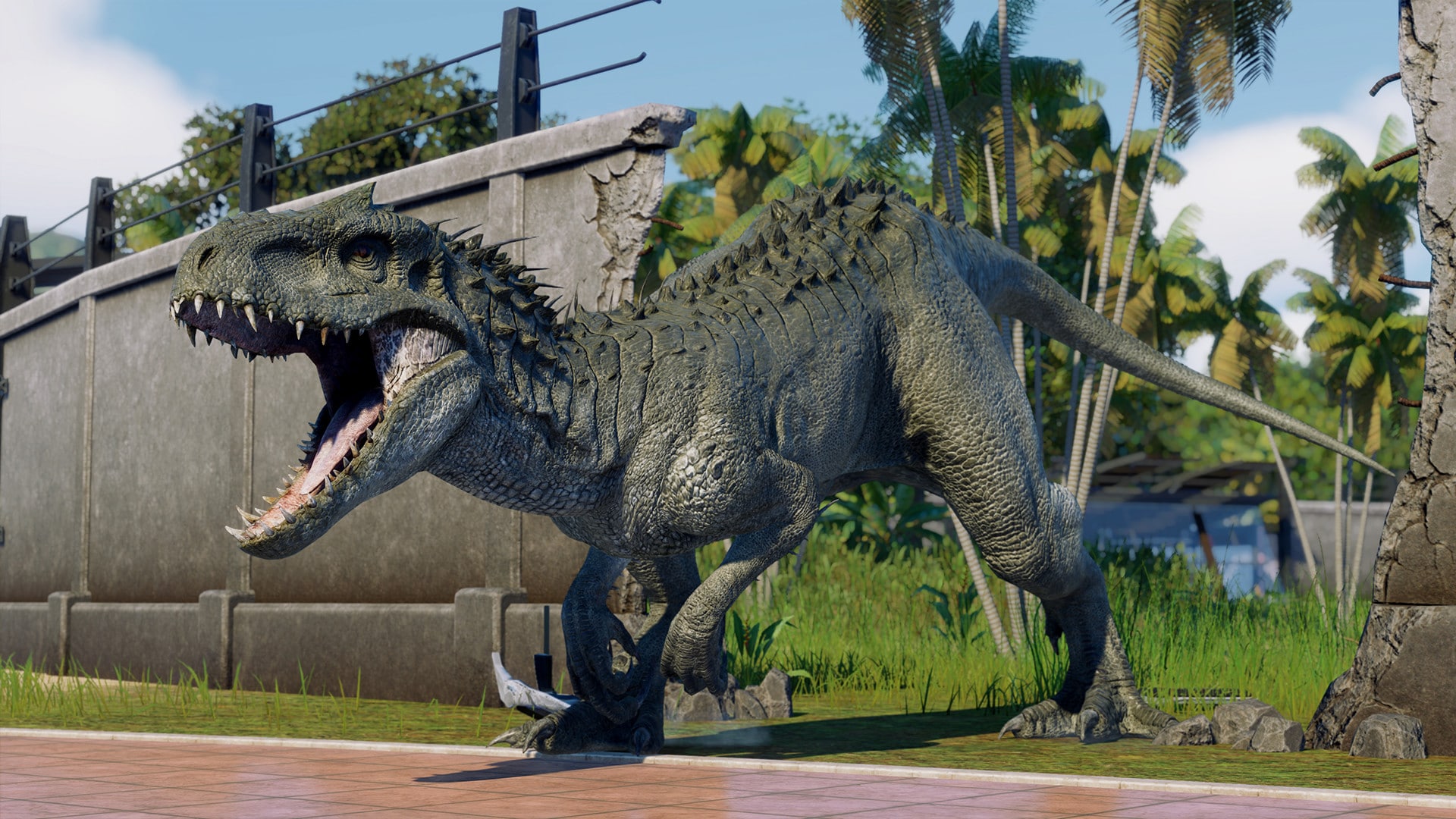
Frontier Developments has released the Jurassic World Evolution 2 update 1.03 patch notes for December 9, and this one is for the Early Cretaceous DLC as well as a free content update! Head down below for the complete patch notes.

Jurassic World Evolution 2 Update 1.03 Patch Notes:

UPDATE NOTES for Jurassic World Evolution 2 Update 1.03


Release Notes:
DLC 1 –  Early Cretaceous Pack
  • Flying Reptile
    • Dsungaripterus – Small Pterosaur
  • Land Dinosaur
    • Minmi – Ankylosaur
    • Wuerhosaurus – Stegosaur
  • Marine Reptile
    • Kronosaurus – Pliosaur
  • Added new dinosaurs and reptiles to dig sites
  • These dinosaurs will be automatically unlocked when you download the DLC
New Content Free Update 1
Buildings
  • Added DFW themed buildings to Sandbox mode, including new buildings:
    • Restroom
    • Lagoon
    • Lagoon Hatchery
    • Lagoon Viewing Gallery
    • Shark Feeder
    • Hotel Large
    • Hotel Small
    • Hatchery
    • Large Power Station
    • Small Power Station
    • Viewing Platform
  • Existing DFW buildings are also added to Sandbox mode:
    • Science Centre
    • Arrival Point
    • Control Centre
    • Staff Centre
    • Response Facility
    • Paleo-Medical Facility
    • Viewing Gallery
    • Aviary
    • Aviary Hatchery
    • Aviary Viewing Gallery
    • Shelter
  • Added extra JP themed buildings to Sandbox mode:
    • Lagoon
    • Lagoon Hatchery
    • Lagoon Viewing Gallery
    • Shark Feeder
    • Aviary
    • Aviary Hatchery
    • Aviary Viewing Gallery
  • Added a ‘randomise all’ button to Amenity and Guest Attraction architecture and colour customisation
Sandbox for Jurassic World Evolution 2 Update 1.03
Mode
  • Added Sandbox versions of all 5 campaign levels (with appropriate landscape and building space tweaks)
  • Added ‘Combat Frequency’ option to Sandbox settings, letting you decide how often dinosaurs fight
  • Added flattened versions of all Sandbox levels with a building space cleared of trees etc; you can chose which one to use in the sandbox settings before starting a new map
  • Added Colour Grading options to sandbox settings; these change the colour tone of a level – you can choose from a predefined selection
Campaign
  • Added level select screen in Campaign mode – once completed, you can now go back and re-play any of the campaign levels
Genome Editing
  • Updated the skin and pattern colour selection screen from a preview image to colour swatches; it’s now easier to select the skin and pattern colour combinations you wish to use
  • Added a random swatch for both pattern and skin colour in Genome Editing. You can now hatch a batch of dinosaurs, each with a random skin and/or pattern colour
  • Added animal x-ray images to genome editing screen
Landscaping
  • Added ‘auto paint’ option to landscaping tools (off by default); with this option on, terrain that is raised or lowered will now automatically update it’s texture to match (example, raising the terrain will create a rock texture at the top, which blends down into dirt/grass at the bottom)
  • Added perch points for flying reptiles on all placeable rocks
  • Improved visual feedback for terrain constraints
UI
  • Added more details and info to the following buildings’ tooltips:
    • Arrival Point
    • Control Centre
    • Expedition Centre
    • Staff Centre
    • Viewing Buildings
    • Customisable Attraction
    • Monorail Station
  • Added the ability to click on individual events in the Calamity bar when using mouse and keyboard. When clicking you are taken to the calamity location on the map
  • Added extra info to path connection warning message, clarifying that players need to ensure that buildings are connected to the Arrival Point through the path network
  • Added an info panel for the transport tool which shows the selected dinosaur and options for selling or loaning, where applicable
  • Added “Fossil Storage Full” message at dig sites on the expedition maps
  • Added more information to finance overview screen
Accessibility
  • Added more accessibility options:
    • Added pause function for cinematics, letting you pause the game at any time
    • Added ‘signify speaker by colour’ option in settings to differentiate between speakers in subtitles
    • Added ‘Autosave Interval’ in settings, allowing you to adjust autosave frequency between 1 and 20 minutes
Balance Changes
  • Reduced the frequency of storms and periodic disease outbreaks in Chaos Theory
  • Reduced the frequency of periodic disease outbreaks in Challenge levels on easy and medium difficulty
  • Dominance changes:
    • Reduced the dominance boost from traits that don’t affect combat stats
    • Increased the dominance boost from traits that do affect combat stats
    • Fixed an issue that would cause the Aggressive trait to increase dominance more than intended
    • Reduced the increase in dominance from high infamy
    • Decreased the frequency of leadership challenges
  • Decreased the likelihood of dinosaurs fights causing injuries
  • Rebalanced the combat stats of dinosaurs that can be involved in group hunts
  • Contracts can now be requested more frequently in Challenge mode
  • Balanced selling eggs to the black market narrative event
  • Balanced economy in various challenge levels
  • Balanced Jurassic difficulty on Challenge 1
  • Balanced Triceratops comfort objective in Jurassic Park 3 Chaos Theory level (no longer auto completes)
Bug Fixes for Jurassic World Evolution 2 Update 1.03
Audio
  • Fixed issues that caused outside ambiance to play when inside an aviary dome
  • Added in various missing SFX on various animals
Buildings/Fences
  • Fixed issue where selling a dinosaur/reptile straight from a Paleo Medical Facility could cause the helicopter to get stuck and lock the building
  • You are now blocked from demolishing a lagoon that contains a dead reptile until it has been removed
  • Fixed issued that caused half of a shark to vanish on a feeder when the camera is close to it
  • Gate animation can now be cancelled when opening, not just when closing
  • Fixed issues where buildings are warning that they are not powered, even when they don’t need power
  • Show time remaining whilst lagoons and aviaries are under construction
  • Fixed gaps that can be caused when placing curved sections of fences
  • Fixed missing physics on buildings that are being demolished
  • Turned off the power UI when a power substation is deactivated
  • Fixed missing confirmation dialogue box when demolishing certain buildings
  • Fixed issues where buildings with vehicles can’t be moved short distances because of collisions with the vehicles
  • Fixed a situation where Power Output and Fuel Usage information wouldn’t appear when a Backup Generator had finished construction
  • Fixed the amenity building customisation screen close button not working
  • Added better feedback when a repair task is blocked by a dinosaur
  • Show running cost of power stations on info panel
  • Fixed deactivated Paleo Medical Facility still being able to incorrectly treat dinosaurs/reptiles
  • Fixed missing ‘guest boost’ indication on attraction buildings
  • Fixed amenity building signs being reset to default when loading into a save
Crashes/Stability
  • Various crash fixes
  • Fixed softlock that could occur when creating a save whilst airlifting dinosaurs from a hatchery
Dinosaur/Reptile Animations
  • Fixed missing animation for pre-fight between Sauropelta vs Chungkingosaurus
  • Increased animation blend times during fights to make movement smoother
  • Fixed issue that caused flying reptiles to continually play ‘eat social animations’ (which can cause them to not actually eat when they need to)
  • Adjusted flying reptiles position when drinking, so they don’t appear to sit on top of the water
  • Prevent Mosasaurus from clipping through the floor of the lagoon
  • Ensure a second animal is present before playing a social eat animation
  • Fixed various clipping issues with jump attack animations
  • Fixed cases where Dinosaurs could run on the spot
  • Fixed cases when animals could slide into various positions/spots in different situations
  • Fixed various popping/glitches on different animations
  • Fixed various alignment issues with social interactions
  • Improved the look/movement of hunt/chase pathing when prey get’s into an area the dinosaur can’t reach
  • Fixed various alignment issues when dinosaurs fight/hunt, including instances of dinosaurs teleporting
  • Fixed issue that could cause dinosaurs to turn on the spot
  • Reduced the amount of times that the Mosasaurus swims into the shark feeder support
  • Fixed various instances of dinosaurs/reptiles distorting whilst being airlifted from hatcheries
  • Fixed instances where dinosaurs would stand or lay on dead dinosaurs
  • Fixed situations that could cause flying reptiles to clip through the landscape
  • Fixed Ichthyosaur sometimes swimming above the lagoon water
  • Fixed various issues with hatchery exit animations on various dinosaurs
Dinosaur/Reptile Behaviours
  • Fixed issue that could cause a dinosaur that has recently become comfortable still attempting to breakout of their enclosure
  • Improved ragdoll movement and lessened clipping during different situations (dead, tranquilized)
  • Fixed issue where flying reptiles can end up underneath lagoons
  • Fixed issue where flying reptiles would attempt to eat from a deactivated piscivore feeder
  • Fixed issue that caused dinosaurs to eat from a corpse from the same place and clip into each other
  • Fixed situations where an animal may attempt to start a fight with another animal that’s dying
  • When attempting to tranquilise a sleeping dinosaur, they will now wake up quickly rather than play out the whole rest animation
  • Balanced amount of food that dinosaurs can provide carnivores
  • Improved flying reptiles ability to hunt goats
  • Removed the ‘Thirst’ need from marine reptiles in the genome library
  • Balanced aggressive behaviour triggering fights with marine Vs marine and flying Vs flying
  • Improved positioning of dinosaur when it’s eating prey that has moved from the position it was killed
  • Fix for Indoraptor sometimes not being able to catch goats during a hunt
  • Wild dinosaurs will now become domesticated if the player builds anything within their ‘wild’ territory
Dinosaur/Reptile Injuries & Diseases
  • Escalated diseases no longer need to be scanned again, and are monitored automatically
  • Fixed ‘Infected Wounds’ not appearing as a disease
  • Fixed wrong icon appearing above ill animals that you do have the cure for
  • Ensure scars are applied to animals in all appropriate situations, even non lethal ones
  • Balance pass on injuries received when a dinosaur attacks a fence
  • Rebalanced frequency of ‘broken wing’ and ‘swallowed object’ injuries
  • Increased the time it takes for a dead animal to discolour
  • Predators that die through a group attack now display ‘Killed by’ rather than ‘Hunted by’
  • Previously seen ailments will now reveal themselves immediately, without the need for a medical scan
Dinosaur/Reptile Models
  • Fixed texture stretching around the Carcharodontosaurus leg
  • Enabled snow/dust settling on dead dinosaurs
  • Pteranodon 1997 skin can now be unlocked correctly (to unlock, play Chaos Theory: The Lost World. If you’ve already finished this level, just load your last save and it should unlock)
  • Removed quills from Velociraptor 2001B skin
  • Fixed the Suchomimus always having visible lift straps when released
  • The Deluxe Edition species are now available by default in Sandbox Mode
Economy
  • Lowered guest comfort needs
  • Added notification when income tax becomes deductible
  • Fixed situation that could cause the player not be able to start incubating a marine reptile, even though they have enough money
Expeditions
  • Moved the Hanson Formation dig site, which contains the Cryolophosaurus, further up the map so that it’s accessible
  • Expedition helicopter now leaves when performing a live capture
Feeders
  • Fixed issue that could cause the fish from lagoon fish feeders to swim outside of the lagoon itself
  • Fixed meat vanishing early from dinosaurs mouth whilst eating
Foliage/Trees
  • Fixed cacti blocking navigation of vehicles and dinosaurs, stopping dinosaurs from detecting wetland
Game Settings
  • Ensured that camera shake is actually turned off, if selected, when placing rocks in sandbox mode. Setting has also been moved to the Accessibility section
Game Modes
  • Ensured that storms are actually frequent, if the player selects the ‘Frequent Storms’ sandbox setting
  • Fixed various contracts that could be given out in Challenge that can’t be completed due to restrictions on the level
  • Removed ‘Increase Genome’ contract from sandbox mode, as players can’t increase a genome in that mode
  • Various contracts that can’t be completed in Chaos Theory mode won’t be offered to the player
  • Fixed rounding issue in the first Campaign level that could cause the ‘ensure Stegosaurus are at 90% comfort’ not to be completed, when the Stegosaurus comfort is at 90%
  • Stopped highlighting buildings that don’t need to be demolished as part of an early objective in the Jurassic World: Fallen Kingdom Chaos Theory level
  • Fixed edge case where a player can create a save game just after a failure state, meaning the player can not continue
  • The dinosaurs roaming around Jurassic World Fallen Kingdom Chaos Theory level no longer count as ‘terrorising’
  • Fixed various flow issues on Campaign levels that could cause objectives to be incompletable
  • Fixed timer in Challenge Mode
  • Fixed Wild dinosaurs in Washington State Campaign level wandering up to main facility area, which could cause objectives to not complete
Genome Editing
  • You should now get better feedback when certain gene modifications need to be unlocked in other areas of the game, not through research
  • Variants and patterns unlocked by completing Challenge levels no longer also require a tech tree node to be researched
Guests
  • Balanced the rate and way in which guests refill a park after it’s closed and opened
  • Guests now react at photo points during the Jurassic Tour
JW Database
  • Fixed various data inconsistencies and typos
Landscaping
  • Stopped terrain being modified underneath buildings that are being demolished
  • Fixed issue that could cause terrain tool to not work correctly when flattening/raising terrain around lagoons
Localisation
  • Fixed various truncated text
  • Fixed various typos
  • Adjusted language/terminology consistency
  • Adjusted subtitles to match VO
  • Fixed various missing localisations
Narrative Events
  • Removed ‘Theft Sabotage’ events in favour of other, better sabotage ones
  • Added details of the scientist involved in applicable narrative events
Optimisations
  • Optimised territory system
Park Teams
  • Prevented players being able to erroneously lock on to marine and flying reptiles, when direct controlling ACU helicopter
  • Fixed ranger team vehicle being launched into the air when driving over a dead goat
  • Ensured the ‘danger to vehicle’ icon is shown in the appropriate places
  • Added extra visual trails to darts fired from the park team to give better aiming feedback to the player
  • Fixed issue where the helicopter could clip through the landscape
  • Fixed missing animations on Park Team member when switching between equipment
  • Fixed Ranger Teams needing to be re-assigned to a drone task after being disabled after a storm
  • Ranger Team vehicles now produce tire tracks when going in reverse
  • Fixed Response Facility sometimes showing access to 3 vehicles, when it actually has 2
  • Fixed controller inputs sometimes being blocked after being forced into direct control
  • Ensured destroyed MVUs are added to the calamity bar
  • Ensured that renamed Ranger Posts also appear on the Rangers UI
  • Drone rotors now spin when in use
  • Added shortcut to buy new vehicle from selecting a destroyed one
  • Fixed issue causing drones in lagoons and aviaries to sometimes become stuck
  • Fixed sometimes not be able to replace a destroyed ranger vehicle
  • Added prompt to tell player how to switch targets when locked on to a dinosaur
  • Stopped transport helicopters falling to the ground when loading into a save where they’re transporting an animal
  • Blocked park team vehicles from being directly driven into aviaries as they will not be able to navigate out on their own
  • Ranger vehicles that crash into the lagoon will now sink and the vehicle will respawn outside
Park Tours/Transport
  • Added extra info to tell the player how to fix a tour that has suffered an emergency shut down
  • Dead goats on tour tracks despawn more quickly, and don’t allow dinosaurs to sleep on tracks either (to lessen the amount of times tours get stuck)
  • Fixed issue where monorail track piece would move towards the camera as player pans down
Paths
  • Fixed flickering issue when trying to place a path junction across a tour path
Photography
  • Fixed incorrect ‘Ranger Team’ text when taking a picture that features the Mobile Veterinary Unit
Rendering
  • Fixed visual artefact that could appearing along the top of water whilst a dinosaur is drinking
  • Updated Campaign 2 Colour Grading
Scientists
  • Applying more skill to a task that is needed no longer incorrectly counts as applying a trait
  • Fixed ‘show unavailable staff’ off the bottom of the assign screen when player has large number of scientists
  • Fixed images of scientists not appearing straight away when perform research tasks
  • Fixed issue that could cause salaries of applicants to be too low
  • Fixed various bio inconsistencies
  • Players can assign scientists to tasks if they have the a trait that makes the task cheaper so they can afford it
Storms
  • Ensure all vehicles are appropriately affected by storms
UI
  • Fixed issue where the ‘Ticket Sales’ UI was incorrectly stating that Adventure guests desired the Gyrosphere Tour attraction, when they actually want the Jurassic Tour attraction
  • Fixed issue that caused a mis-match of progress between the genome grid and details panel
  • Added missing button prompt on the Paleo Medical Facility when a healed dinosaur/reptile needs transporting back to an enclosure
  • Fixed empty ‘Standing By’ icon
  • Disabled the Paleo Medical Facility ‘Transport’ button when there are no available helicopters to carry out the task
  • Improved visuals when a fossil is selected to be extracted
  • Fixed size of the ranger team icon in assign task mode
  • Fixed issue where the incubation timer could loop infinitely
  • Made various UI panel options cycle round
  • When the task log is open, the d-pad can select items in the log, not the build menu
  • Fixed some building icons in the build menu not matching the in game model
  • Fixed issue that stopped players being able to use the left thumbstick to select options when resupplying response team
  • The “Clear Extraction Slots” button will no longer display when fossils are being extracted
  • Added missing ‘Scientist Limit’ data to egg incubation screen
  • Delivery tool tip when selling animal confirmation is open is now hidden
  • Updated loading animation
  • Improved cases where icons and lines on the map view shake whilst the player moves around it
  • Fixed issue that sometimes stopped the ‘synthesis’ button from working on the hatchery screen
  • Ensure the live capture event is focused on when the map is opened
  • Fixed ESC key not working correctly if the mouse is over the in game HUD
  • Fixed negative amenity profit sometimes still showing as blue, and not red
  • Fixed hatcheries displaying total number of species available, rather than just ones that can be released through the specific one
  • Track junctions should now appear on the map view
  • Fixed various missing or broken icons in different research screens
  • Fixed the star rating and finance buttons on the HUD becoming unresponsive
  • Always show the Cosmetic stat in the Dinosaur Appeal tab on the info window
  • Ensured the pause menu can still be accessed whilst the game time is paused and the pause wheel is still open
  • General pass on UI focus consistency
  • Fixed not being able to use a controller thumbstick to change number of vehicles on a gyrosphere tour
Visuals
  • Added particle effects when flying reptiles break out of aviaries
  • Fixed light still emitting from a flare that has been removed

That’s about it for the Jurassic World Evolution 2 Update 1.03 patch notes.

Source: Steam
MP1st Staff

Home > News

Conan Exiles Update 1.75 Slashes Out for Grave Matters This Dec. 9

Funcom has released the Conan Exiles update 1.75 patch this December 9, and this is also called update 2.7. This patch is for PlayStation 4, and it’s for the big Grave Matters update. Head on down below for the complete patch notes.

Conan Exiles Update 1.75 Patch Notes | Conan Exiles Update 2.7 Patch Notes | Conan Exiles Grave Matters Patch Notes:

Greetings, Exiles!

We’re unearthing Update 2.7, just in time to rattle and chill your holiday break!

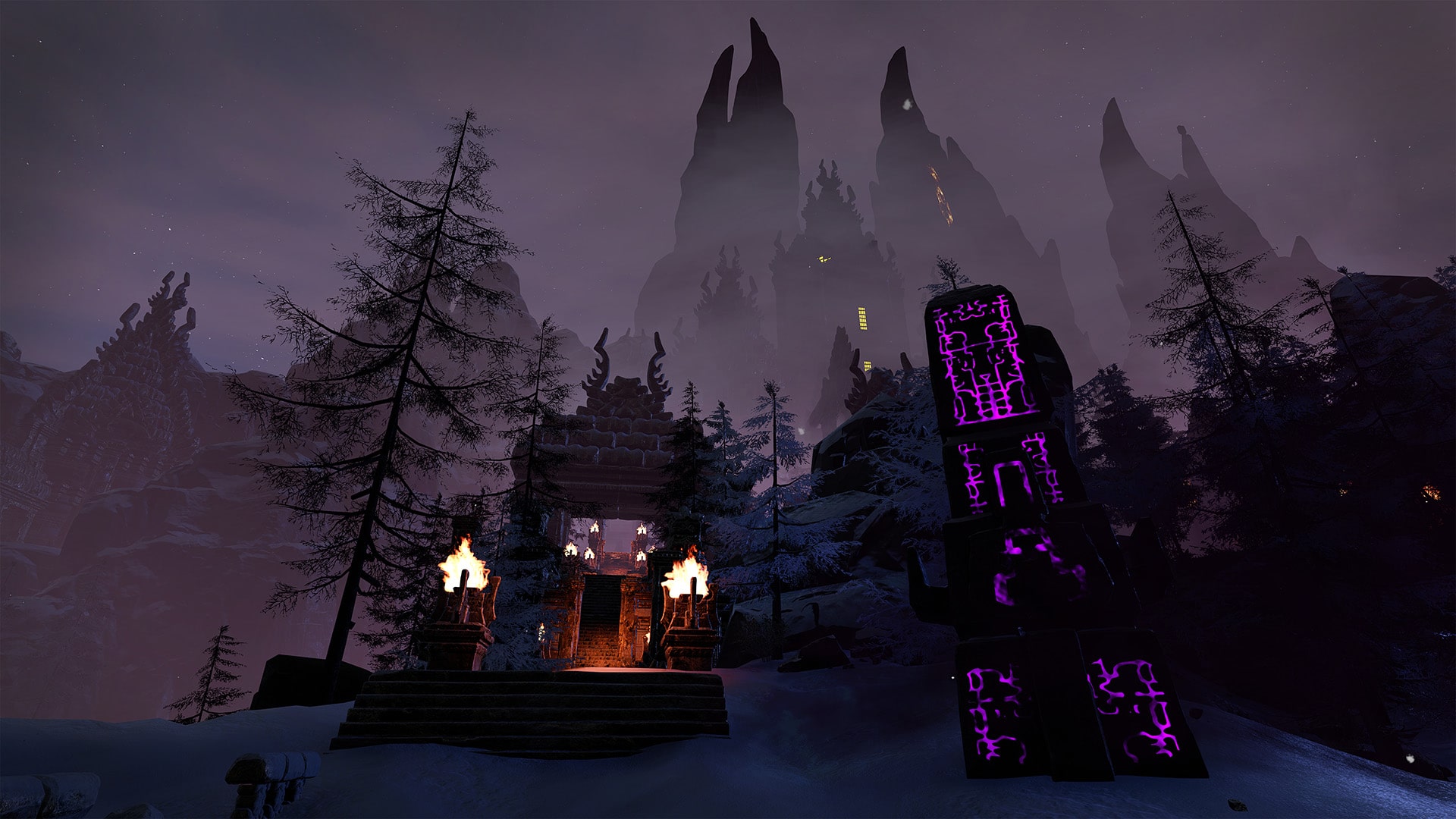
Something stirs in the air and a coldness grips your bones. You sense a nefarious darkness growing within both the Exiled Lands and the Isle of Siptah. The veil between our world and the outer dark is starting to tear, and droves of undead stalk the land. Mystical pillars rise in dark rituals and the ominous chanting of sorcerers can be heard as whispers on the wind.

You can take on this new threat and fight the sorcerers and the unnatural undead they summon. Be on the lookout for rituals of dark sorcery as you explore either the Exiled Lands or the Isle of Siptah. By stopping the rituals you may earn unique rewards, such as some brand new placeables or even the Skelos Cultist Master armor set of the sorcerers, starting today and until January 10th!


With Update 2.7, we’re adding a new Point of Interest protection system. This first iteration will prevent obelisks in the Exiled Lands from being blocked, and will destroy any interfering constructions until access is guaranteed. We’re also focusing on polishing the new Nemedian building pieces and cosmetic sets, with fixes to collision boxes and visual polish to minor issues with armors and placeables. Along with that comes the hinted at upgrade to the building pickup system, where any pieces that would’ve otherwise collapsed when picking one up will now be sent to the inventory!


Along with these changes we’ve been working on other fixes and general layers of polish to the game, as well as the character transfer feature between servers! Finally available on consoles, you can read more about this feature in its separate announcement 59. We hope these improvements make your adventures in the Exiled Lands and Siptah more enjoyable, so you can focus on grabbing all that new loot!

Thanks once again for your continued feedback and support, and stay safe!


conan exiles update 1.75

Limited-time in-game event: Grave Matters!


The veil between our world and the outer dark is starting to tear, and droves of undead stalk the land. Mystical pillars rise in dark rituals and the ominous chanting of sorcerers can be heard as whispers on the wind.
From today, until January 10th, you can earn unique rewards by stopping the rituals scattered across the Exiled Lands and Isle of Siptah!

Point of Interest Protection System!


Obelisks in the Exiled Lands will now be protected against obstructing constructions. This new system will check against any total blockings and destroy the offending structures. This can also be enabled in private servers by adjusting a new server setting!

Character server transfers comes to consoles!


You can now transfer your character between eligible servers on Playstation!
To read more about this feature, including details, limitations and cooldowns, you can read the separate announcement in this link 59.

tldr

  • Limited-time in-game event: Grave Matters!
  • POI protection system!
  • Server transfers now available on Playstation!
  • Pick-up system upgraded!
  • Fixed to Nemedian pieces and sets!
  • Tons of #spellchekker fixus!
  • and more!

Currently Known Issues

This patch will prevent players from playing on Conan Outcasts servers and vice versa due to version mismatch. This will be addressed as soon as possible.


notes
performance

  • Fixed a number of crashes and stability issues.
  • Optimized the game and server logs to be less spammy about a number of outdated errors, and updated to provide more meaningful information regarding connectivity issues.

exploits

  • Fixed a number of exploits in regards to the building and clan systems.

newadditions

  • New limited-time in-game event: Grave Matters. Between Dec 8th until January 10th, find the totems and stop the rituals to earn unique rewards, such as some brand new placeables or even the Skelos Cultist Master armor set of the sorcerers.
  • Added new Point of Interest protection system. In this initial implementation it will protect obelisks in the Exiled Lands. This new system will periodically check the surroundings of these locations. Buildings found blocking access to these resources will be automatically destroyed.
    • This is controlled via Server Setting, and comes disabled by default. PoiProtectionEnabled=false
  • Character server transfers are now enabled on Playstation. You can read more about this feature in this separate announcement 22.

building

  • It’s no longer possible to climb over the Nemedian fences.
  • Ceilings can now be snapped to Nemedian Gate Frames as intended.
  • Stormglass fence should now have the correct destructible mesh.
  • Nemedian Fence and Crenelated Wall destructible meshes did not match their models either. This has now been fixed.
  • Fixed a number of improper collisions on several Nemedian building pieces.
  • Fixed a number of known visual issues with Nemedian pieces and placeables.
  • Edited placement volume for the Lesser Wheel of Pain to prevent placing it on top of another one.
  • Updated collision box for Lesser Wheel of Pain to be more appropriate with its ingame model.

crafting

  • Fixed several Nemedian items that couldn’t be dismantled at the Dismantling Bench.
  • Black Ice War-Axe now correctly requires Hardened Steel War-axe to craft.
  • It is now possible to squeeze Yakith and Shaggai Horror carcasses in liquid presses for resources. Yummy.
  • Kordovan Tack and Saddle should now be craftable again.

ai

  • Addressed an issue where thralls would spawn with a xx_unarmed bag in their inventory.
  • We have stripped NPCs from their interest in Geology and they should no longer get stuck in front of rocks and ores. This should help them pathfind around them normally.
  • The Tortured King should now have the correct base weapon.
  • We found out Accursed Bearer II was lying about their tier and that is not cool. So we have fixed that. Know your place, Gary.
  • Fixed a number of NPCs that were missing from New Khemi Docks in Siptah.
  • Fixed an issue with a stuck Rocknose near the Tower of Bats.
  • Rejoice, spider zealots-to-be: Harpagus the Hatcher no longer suffers from chronic shyness and should be spawning in the Exiled Lands again.
  • Undead Dragon in the Sinkhole should now spawn even if someone has built close to the Sinkhole.
  • Fixed an issue where a few NPCs wouldn’t spawn due to invalid AI controllers.

balancing

  • Increased durability for the Shield of the Grey Ones from 500 to 2000.
  • The amount of Zeal gotten from burning the Flesh of Jhebbal sag has been reduced from 20 per flesh to 1 per flesh.

qol

  • Accessing the inventory of the Lesser Wheel of Pain should now be easier to accomplish.
  • The building pick-up system has been improved to now also send to the inventory any pieces that would collapse when picking up a building piece.
  • Building pieces that had been previously repaired to 100% can now be picked up.
  • Building pieces that are picked up can now be sent to the shortcut bar automatically if another piece of that type is in one of the slots.
  • Interactable objects are now subtly highlighted to ease spotting and interacting with them.

general

  • Addressed an issue where Rocknoses would lose their textures once they were at a distance.
  • Blood-moon Bow should now have the correct in-game visuals.
  • Elevators now replicate its movement correctly to all players on a server.
  • Fixed an issue where elevators would need to be triggered twice after a server restart to work correctly.
  • Fixed an issue where a corpse at the Proving grounds would give out a Fragment of Power instead of a Scout Report. #rip
  • Valusian and Tongue of the Serpent Men language dictionaries were missing from the game. This has now been fixed.
  • Addressed an issue where some saddles would show low-quality, grey textures.
  • Fixed a number of character visual imperfections while wearing the Nemedian Scout Vest.
  • Corpses (especially Rhinos) should no longer lose their texture when going out of range.
  • Addressed an issue where sometimes the game client would not receive game invites after a failed attempt.
  • Fixed a number of connectivity issues on the PlayStation version of the game in regards to FLS and offline accessibility.

terrain

  • Added decorations to a Siptah camp that was missing them. World NPCs also deserve nice things, you know.
  • Fixed a spot near the Eye of Ekim where players could get stuck.
  • In our eternal war against the evil forces of cheese -lieutenant of the lactose empire- we have fixed several spots in the Warmaker Dungeon and Grey Ones Pools where it was possible to fight bosses without retaliation. This made dealing with them less con-grate-lating than intended. Crom laughs at your four winds, cheese.
  • Fixed a number of minor visual imperfections across several Siptah locations.

ui

  • The #spellchekker team has ben vury busy fixeng grammor and spelling mistooks in de gaem so now patchnotes løøk like this. Your welcome.
  • Our international and therefore more prestigious #spellchekker team has fixed a number of mistranslations and typos in localized versions of the game.
  • Unusable dye-slots in Nemedian Officer Sandals and Zathite Dancer Beads no longer show up in the Dye UI.
  • The Eastlight and Westlight camp names were swapped. This is now fixed.
  • The Berserk Rage buff has been renamed to Berserker’s Protection and the description changed to match what the buff actually does. The actual functionality of the buff was always to add armor, not damage.
  • Dune Hunter Shoes stopped treading rhythmically and should now correctly state which stat they improve (Strength).
  • Thralls stolen from the Wheel of Pain while being converted will now be listed in the event log.
  • Accounts trying to access an official server with a suspension or ban active will now get a display prompt stating the reason and end time of their suspension.
  • Losing connection while playing will now show a prompt informing the game has entered offline mode when the player is booted to the main menu.
  • Added visual timer informing about time left when character transfer is prevented by a cooldown.
  • Fixed an issue where if two servers had the same name, only one would show up in the server browser.
  • Removed “Report Official Server” link from the server browser as the form is no longer in use.

That’s about it for the patch.

Source: Funcom forums

MP1st Staff

Home > News

Ghost Recon Breakpoint Update 2.01 Out for Fixes This Dec. 9

Ubisoft has released the new Ghost Recon Breakpoint update 2.01 December 9 patch, and this is for a minor set of bug fixes that have been rolled out during today’s maintenance for the servers. Check out the estimated file sizes and patch notes below.

Ghost Recon Breakpoint Update 2.01 Patch Notes:

The servers will shut down for a scheduled maintenance on Thursday, December 9th, at 14:00 CET / 08:00 EDT / 05:00 PDT to deploy the Title Update 4.2.0.

Estimated downtime: 3 hours.

Patch size:

  • PC: ~1,30 GB
  • Xbox Series X|S / Xbox One: ~3,10 GB
  • PlayStation5 system / PlayStation4 system: ~350 MB

Patch Notes:
* Fixed an issue where players could have their saves corrupted.
* No other player-facing changes.

Please follow this thread for any updates on the maintenance progress.

Thank you
/The Ghost Recon Team

That’s about it for the patch.

How are you enjoying Ghost Recon Breakpoint’s latest expansion, Operation Motherland? Are you still playing it? Let us know in the comments below!

Source: Reddit

MP1st Staff

Home > News

For Honor Update 2.32 Out for Y5S4 Patch 2.32.0 This Dec. 9

Ubisoft has released the For Honor update 2.32 December 9 patch, which brings Frozen Shores update into the game! Ubisoft calls this title update 2.32.0 and 2.32.1, and brings a host of gameplay tweaks into the fold as well. Check out the file sizes and patch notes below.

For Honor Update 2.32 Patch Notes | For Honor Update 2.32.0 Patch Notes | For Honor Update 2.32.1 Patch Notes | For Honor Y5S4 Patch Notes:

PATCH NOTES 2.32.1 – FOR HONOR


PS4: 31Mb, Xbox One: 31Mb, PC: 31Mb
 

IMPROVEMENTS


FIGHT


Orochi

  • Dust Devil
    • Can no longer be canceled into a Dodge during the recovery of a Miss.
  • Dodge Cancels
    • All Dodge Cancel timings after missed attacks lowered to 100-300ms (from 100-333ms on average)
  • Lightning Strike

Developer’s comment: If you dodge the Orochi’s Dust Devil, the Orochi can no longer dodge cancel the recovery, so you can now easily punish a whiffed Kick. This nerf, combined with the dodge timing nerfs, and the nerfs to Kiai + Smoke Bomb + Slip Through that you’ll see later in these Patch Notes, should combine to reduce the frustration of fighting an Orochi.

Raider

  • HP
    • Reduced HP to 130 (was 140)
  • Damage
    • Reduced Soft Feint Storming Tap damage to 10 (was 12)
    • Reduced Second Top Heavy in Chain damage to 30 (was 32)
    • Reduced Top Heavy Finisher Damage to 33 (was 36)
    • Reduced Raider’s Fury Damage to 32 (was 38)
  • Stamina Damage
    • Removed Stamina Damage and Stun on Knee Attack when hitting a wall with Stampede Charge or Forward Throw

Developer’s comment: Generally, Raider’s damage was overtuned, so here we reduce it across a number of major attacks. Similarly, we removed the Stamina Damage from the sprint melee (and forward throw) to reduce the frequency that a Raider puts a victim OOS. These should reduce Raider’s overall effectiveness.

Shugoki

  • Headbutt
    • Delayed branching from side dodge’s Headbutt Miss to Heavy Finishers to 300ms (was 200ms)

Developer’s comment: This should make it easier for the opponent to punish a whiffed Headbutt.

  • Demon Ball
    • Demon Ball Recovery is now 1200ms (was 1300ms)
    • Victim’s Bind duration is now 1800ms (was 2100ms)

Developer’s comment: This should remove the Demon Ball > Demon’s Embrace combo that was possible when facing a wall, which will therefore reduce Shugoki’s damage output in these situations.

  • Damage
    • Charged Side Heavy Opener damage is now 28 (was 32)
    • Charged Top Heavy Opener damage is now 30 (was 34)
    • All Uncharged Heavy Finisher damage is now 27 (was 31)
    • Side Charged Finisher damage is now 30 (was 36)
    • Top Charged Heavy Finisher damage is now 32 (was 38)

Developer’s comment: Generally, Shugoki’s damage was overtuned, so here we reduce it across a number of major attacks.


FEATS


Kiai

  • Cooldown raised to 105 seconds (from 90)

Developer’s comment: This is a nerf to Orochi’s ability to put opponents OOS as frequently.

Slip-Through

  • Logic behind Slip Through was changed. Now checks for the next single landed damaging attack shortly after a dodge, rather than all attacks after a dodge within 1.5 seconds.
  • Slip Through damage buff lowered to 30% (from 40%).
  • Cooldown raised to 3 seconds, up from 1 second.

Developer’s comment: This is both a bug fix and a general nerf to Orochi damage.

  • Short Tempered
  • Damage Bonus is now 15% (was 20%)

Developer’s comment: This is a Shugoki nerf.

PATCH NOTES 2.32.0 – FOR HONOR

PS4: 1.2 Gb, Xbox One: 1.69 Gb, PC: 1.69 Gb
IMPROVEMENTS

Shinobi

  • HP is now 120, up from 110

Developer’s comment: With the changes coming to Shinobi’s escape options, the lower HP pool was no longer necessary.

Ranged Attacks

  • Removed Charging Heavy Attack from Neutral
  • Removed Ranged Guard Break
  • Ranged Heavy Attack is now a Melee attack accessible after Front Kick, Side Kick or Teleport Kick

Developer’s comment: Shinobi had access to tools that bypassed For Honor’s Art of Battle; at-will ranged attacks caused issues in group fights with invisible indicators and off-screen attacks. With these changes, Shinobi’s Ranged Attack is now only accessible as a guaranteed attack off some of the hero’s Kick attacks, which should reduce the frustration experienced when facing Shinobi. We’re pushing the hero in a different direction, with a more slippery, agile and mixup intensive kit which fits better with what heroes are capable of generally doing.

Heavy and Light Attack changes

  • Adjusted Heavy Opener properties to gain better tracking and range
  • Light attacks now chain to Sickle Rain at 100ms (down from 200ms)
  • Light Openers now have extra forward movement
  • Light Finishers now have flatter weapon trajectories and now have extra forward movement

Sickle Rain

  • Top Heavy Finisher is now Unblockable and 800ms (up from 700ms)
  • Side Heavy Finisher is now Undodgeable
  • Additional hits for Sickle Rain no longer require strict timing
  • Additional hits no longer cause Bleed damage
  • Now deals 20 damage on initial hit, plus 3 per Stab (for a total of 29 damage)
  • No longer drains stamina on hit
  • No longer ignores Pinning rules
  • Now chains to Back Flip 66ms earlier

Developer’s comment: With the removal of Ranged Guardbreak (which was the main way Shinobi landed Sickle Rain), we’ve adjusted the move as well as where it can be accessed from so that it lands more frequently.

Chains

  • Light Finishers now chain to Sickle Rain
  • Combo Light attacks now chain to Sickle Rain

Developer’s comment: These changes should help Shinobi flow better in 1v1.

Dodge Kicks

  • Side Dodge Kick can now be performed after a single Dodge (was from Double Dodge only)
  • Front Dodge Kick can now be performed after a single Dodge (was from Double Dodge only)
  • Front Dodge Kick can be performed from 300ms to 500ms from Dodges
  • Front Dodge Kick and Side Dodge Kick can now ledge

Developer’s comment: With these changes, Shinobi is better able to defend and open up opponents.

New Option: Front Dodge Heavy

  • New Option: Front Dodge Heavy Attack
  • 700ms feintable Heavy Attack
  • Can be performed from 100ms to 500ms during Front Dodge and Front Double Dodge
  • Initiates Chains

Developer’s comment: This new option should help Shinobi have a proper mixup between Front Dodge Kick and this new attack which is feintable.

Front Roll

  • Now chains to Flip Kick earlier
  • Now chains to Sickle Rain
  • Now can be target-swapped
  • Now has extra forward movement
  • Now 600ms of invulnerability frames (iframes)
  • No longer Guardbreak Invulnerable
  • Now lasts 900ms total
  • Now leads to Double Dodge at same timing as Flip Kick and Sickle Rain

Developer’s comment: Front Roll is accessible after using Ranged Heavy attacks. These changes ensure that Shinobi has a mixup available when performing Front Roll, with Flip Kick or Side Sickle Rain, opponents will need to make a read as to how to approach this situation.

We’ve also improved the properties of Front Roll; since it now has generous iframes, it can be used more often with less risk of being punished.

Flip Kick

  • Now leads to a new guaranteed combo Heavy Attack
  • Now target-swappable

Developer’s comment: Flip Kick is now a chain extender; the new combo Heavy Attack chains to Sickle Rain, providing extra mixups.

Sprint Attack

  • Replaced Sliding Kick with a new Sprint Attack
  • New option is still a Melee attack but no longer unbalances opponents
  • New option now chains to Combo Heavy Attack on hit

Developer’s comment: This new Sprint Attack is both less frustrating to play against and also adds another layer of mixups to Shinobi by letting them push forward with the Combo Heavy Attack.

New option: Combo Heavy Attack

  • Accessible by pressing Heavy Attack after Flip Kick and Sprint Attack
  • Chains to Sickle Rain

Developer’s comment: This new option lets Shinobi deal reliable damage after two of their Melee options, and opens up new venues to go to Sickle Rain.

Back Flip

  • Is now 900ms (up from 600ms)
  • Now has 600ms of iframes
  • Is no longer Guardbreak Invulnerable
  • No longer chains to Ranged Attacks
  • Now chains to Flip Kick
  • Now chains to Light Finishers and Sickle Rain
  • Now initiates Double Dodge

Developer’s comment: This new iteration of Back Flip should help Shinobi use Back Flip to counter attacks more efficiently with branchings to Flip Kick and extended iframes.

Dodges

  • Double Dodge can no longer dodge backwards
  • Double Dodge now costs 6 stamina

Developer’s comment: Shinobi was able to create too much distance too quickly with back Double Dodge; with this change, Shinobi can still use Double Dodge to create horizontal space with their opponents, but shouldn’t become impossible to reach.

Deflect

  • Teleport is no longer automatic; it must be performed by pressing Guardbreak during a Deflect
  • Teleport now chains to Heavy Finishers

Developer’s comment: This change makes Shinobi more in-line with other heroes that can Deflect and removes automatic Teleport to make sure players have a choice to perform the action or not, depending on the situation.

Teleport Kick

  • No longer guaranteed after a Teleport
  • Ranged Heavy Attack is now always guaranteed

Developer’s comment: Shinobi was dealing too much damage after a Deflect; with this, the hero is more in line with his new identity where a landed Deflect now enables a mixup with Teleport Kick and Undodgeable Sickle Rain.

Shadow Strike

  • Now chains to Teleport Kick
  • Now chains to Sickle Rain
  • Extended the input window to make the move easier to perform

Developer’s comment: Similarly to Deflect, Shinobi now gains new mixup options after a successful Parry.

Zone Attack

  • Now costs 15-15-10 Stamina (down from 17-17-21)
  • Can now Back Flip at the same timing as Feint
  • 3rd hit has less Knockback
  • Now chains to Sickle Rain

Developer’s comment: These changes to Zone Attack should help make it more usable; it can now initiate mixups with Back Flip, can chain to Sickle Rain, and has a much lower stamina cost.


FEATS


Smoke Bomb

  • Changed the effect of Smoke Bomb to an immediate AoE blast that Stuns enemies on launch for 5.0s
  • Removed the effect that prevented Locking onto other Players
  • Removed the effect that prevented using Interactions (Revive, Zipline, switches, etc)
  • Removed the effect that prevented Enemy Players inside to contest Capture Points
  • Removed the effect that prevented Soldiers and Pikeman from attacking
  • Removed the effect that granted the caster a 10% Speed Boost Modifier for 10s
  • Removed the effect that granted the Stealth Modifier while in the AoE
  • Removed the effect that cleansed the “Scout” and “Marked for Death” effects on the caster

Developer’s comment: Smoke Bomb had a huge variety of properties that lead to many strange, buggy, or frustrating interactions. Especially notable is that it had a negative effect on our control scheme, where the Lock and Parry rules changed while under the effects of a Smoke Bomb. As we recognize For Honor is pioneering in group fight-based melee genre, it’s unproductive to have something so directly and frequently damaging to our control scheme.

For this reason, we’ve cut out everything that was never going to work, such as loss of Lock rules, inability to Parry, and the weird editing of the Capture Point rules.

We’ve only retained the visual Stun effect on launch of the feat, to keep the fantasy of dropping a Smoke Bomb, but still allowing players to fight through the smoke.

Also, this should reduce the frustration when fighting Orochi players who run Kiai & Smoke Bomb.

BUG FIXES


FIGHTERS


Warlord

  • [Bug Fix] Fixed an issue that caused Warlord, when changing Stance, to be stuck waiting 300ms before being able to enter Full Block Stance.

Shugoki

  • [Bug Fix] Fixed an issue where dodging Demon Embrace would neither apply a Revenge Tag or feed Revenge. (FH-2509)
  • [Bug Fix] Fixed an issue where Shugoki would pass through the floor and die if performing “Demon Embrace” in stairs versus an enemy that is activating Revenge

Jiang Jun

  • [Bug Fix] Fixed an issue that caused Jiang Jun to slide on left stick direction input during attack opener miss recoveries. (FH-2515)


DOMINION


  • [Bug Fix] Kill Streaks AFTER reaching maximum Kill Streak (Godlike) now give the same bonus rewards as the maximum Kill Streak (previously they gave no extra reward)


CUSTOMIZATION


  • [Bug Fix] Fixed an issue where Female Hitokiri’s right thumb is awry. (FH-2845)
  • [Bug Fix] Fixed Excessive camera shake on Berserker’s “Move It Along” execution. (FH-2845)
  • [Bug Fix] Fixed an issue where grey texture would appear on Shinobi’s “Death’s Shadow” or Satsuki Helm. (FH-2703)
  • [Bug Fix] Fixed an issue where the camera during Shugoki’s “Smash” execution has a point of view issue. (FH-2631)
  • [Bug Fix] Fixed an issue where opponent’s head pops off to early during Highlander’s “Intent to Behead” execution. (FH-2595)
  • [Bug Fix] Fixed an issue where Orochi’s “Seijuro’s Finesse” execution usually caused camera shake issues. (FH-2551)
  • [Bug Fix] Fixed an issue where the Fauld on the back of Shuten Alternate would lose physics. (FH-2557)
  • [Bug Fix] Fixed an issue where Jiang Jun’s Tianjin Blade changes color with skin color. (FH-2503)
  • [Bug Fix] Fixed an issue in which the secondary color displayed incorrectly on Wugimai chest piece. (FH-2505)
  • [Bug Fix] Fixed an issue where Warden’s neck is visible through the Horkos Phantom Effect. (FH-2372)
  • [Bug Fix] Fixed an issue where the “Vithar Chest” on female Raider had a patch of skin that didn’t change color under the chest wrap. (FH-2590)

That’s about it for the patch.

Source: Ubisoft

MP1st Staff

Home > News

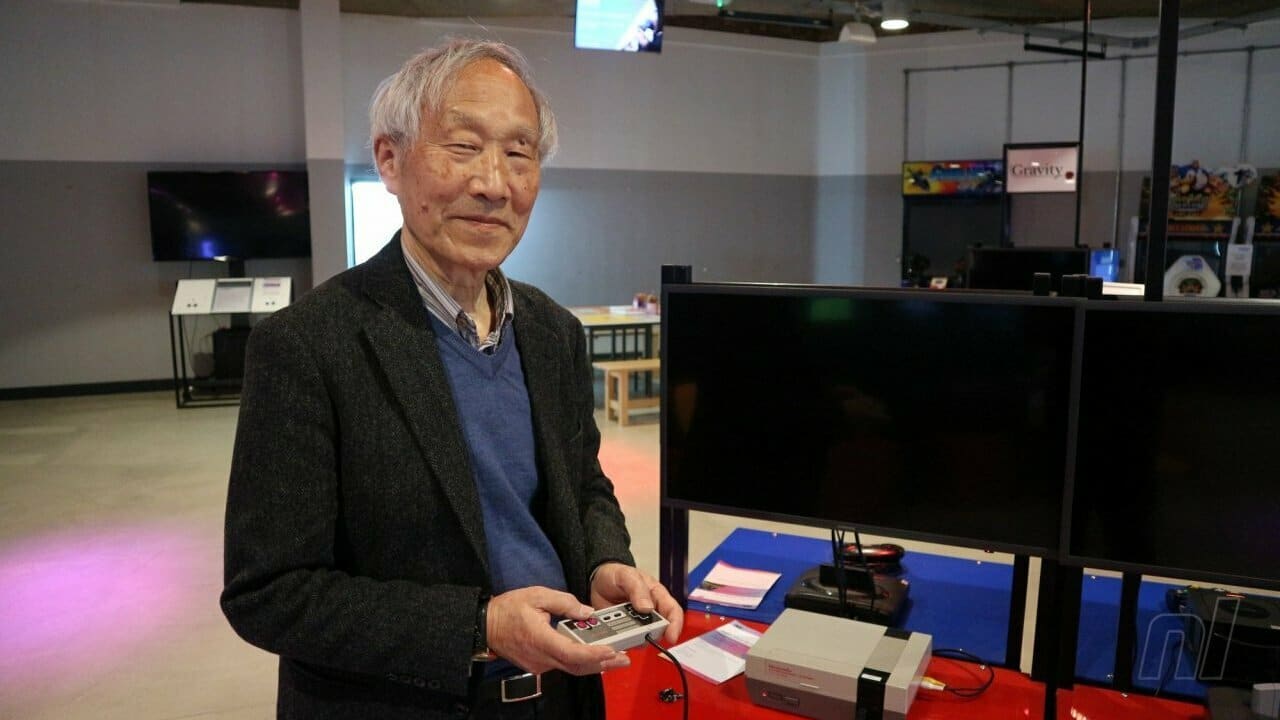
Nintendo Architect and Famicom Creator Masayuki Uemura Passes Away at 78

One of the most important figures in video game history has sadly left us, as legendary Nintendo architect and Famicon creator Masayuki Uemura passes away at 78, leaving behind a legacy that hard undeniably impacted and changed video games since the 80’s and 90’s.

As the lead architect behind what would be known as the Nintendo Entertainment System and Super NES in North America, Uemura created two of the most popular systems mankind has ever known, which established Nintendo as a powerhouse in the video game industry and introduced households around the world to iconic games and titles such as the Super Mario, Donkey Kong, and Legend of Zelda series.

Originally working at Sharp and selling photocell technology, he was called by then-Nintendo president Hiroshi Yamauchi to help work on a new system that would let arcade games be played at home. This would then become the Family Computer or Famicom in Japan. That system became a huge success, and Nintendo would rebrand and introduce it to American markets as the Nintendo Entertainment System or NES in October of 1985. The console would become a global phenomenon, and a successor would follow in the form of the Super Famicom/ Super NES in the 90’s which was also developed and overseen by Uemura and his team.

After retiring from work at Nintendo at 2004, Uemura would go on to become director of game studies in Ritsumeikan University — who broke the news of his passing.

“We would like to express our sincere gratitude not only for the development of the Ritsumeikan University Game Research Center, but also for making a great contribution to the development of the game industry by launching a number of video game machines including family computers. I wish you a peaceful sleep. “

Thank you Uemura-san for all your contributions in Nintendo which continues to prosper. You can check more features and news about the company here.

Source: Oricon News

Tim Villasor

Home > News

Fortnite Update 1.000.050 Released This December 9

Epic Games has released the Fortnite update 1.000.050 patch this December 9 for both last-gen and next-gen platforms. This title update was originally released on PC and Android devices, and has now been rolled out for consoles, too. There are no gameplay-related changes, though there is a specific fix for Switch owners that should be a welcome one.

Fortnite Update 1.000.050 Patch Notes:

Here’s what Epic Games had to share regarding today’s patch:

We’ve released a maintenance patch on PC and Android to address stability issues. Players will need to close their game to grab the update.

We’ll provide an update when this is available on other platforms

This maintenance patch is now available on PlayStation 4, PlayStation 5, Xbox One, Xbox X|S, and Switch. On Nintendo Switch this patch also addresses the issue with docking or undocking.

Players will need to close their game to grab the update.

As you can see, there’s no mention of anything gameplay-related, and whatnot. The Chapter 3 Season 1 title update was released just a few days ago, which contained gameplay fixes and even new content, which you can read about here.

If there are other gameplay-related changes or other findings about it, we’ll update the post.

Avatar photo

Alex Co

Father, gamer, games media vet, writer of words, killer of noobs.

Home > News

Fortnite Update 3.40 Released for Stability Fixes This December 9

Epic Games has released the Fortnite update 3.40 patch this December 9 on all platforms, and this includes stability fixes and other similar tuning, and doesn’t include anything specific to gameplay. Check out the patch notes courtesy of Epic Games.

Fortnite Update 3.40 Patch Notes:

Here’s what Epic Games had to share regarding today’s patch:

We’ve released a maintenance patch on PC and Android to address stability issues. Players will need to close their game to grab the update.

We’ll provide an update when this is available on other platforms

This maintenance patch is now available on PlayStation 4, PlayStation 5, Xbox One, Xbox X|S, and Switch. On Nintendo Switch this patch also addresses the issue with docking or undocking.

Players will need to close their game to grab the update.

As you can see, there’s no mention of anything gameplay-related, and whatnot. Of course, the Nintendo Switch docking issue being resolved is a huge relief, so there’s that. The Chapter 3 Season 1 title update was released just a few days ago, which contained gameplay fixes and even new content, which you can read about here.

Avatar photo

Alex Co

Father, gamer, games media vet, writer of words, killer of noobs.

Home > News

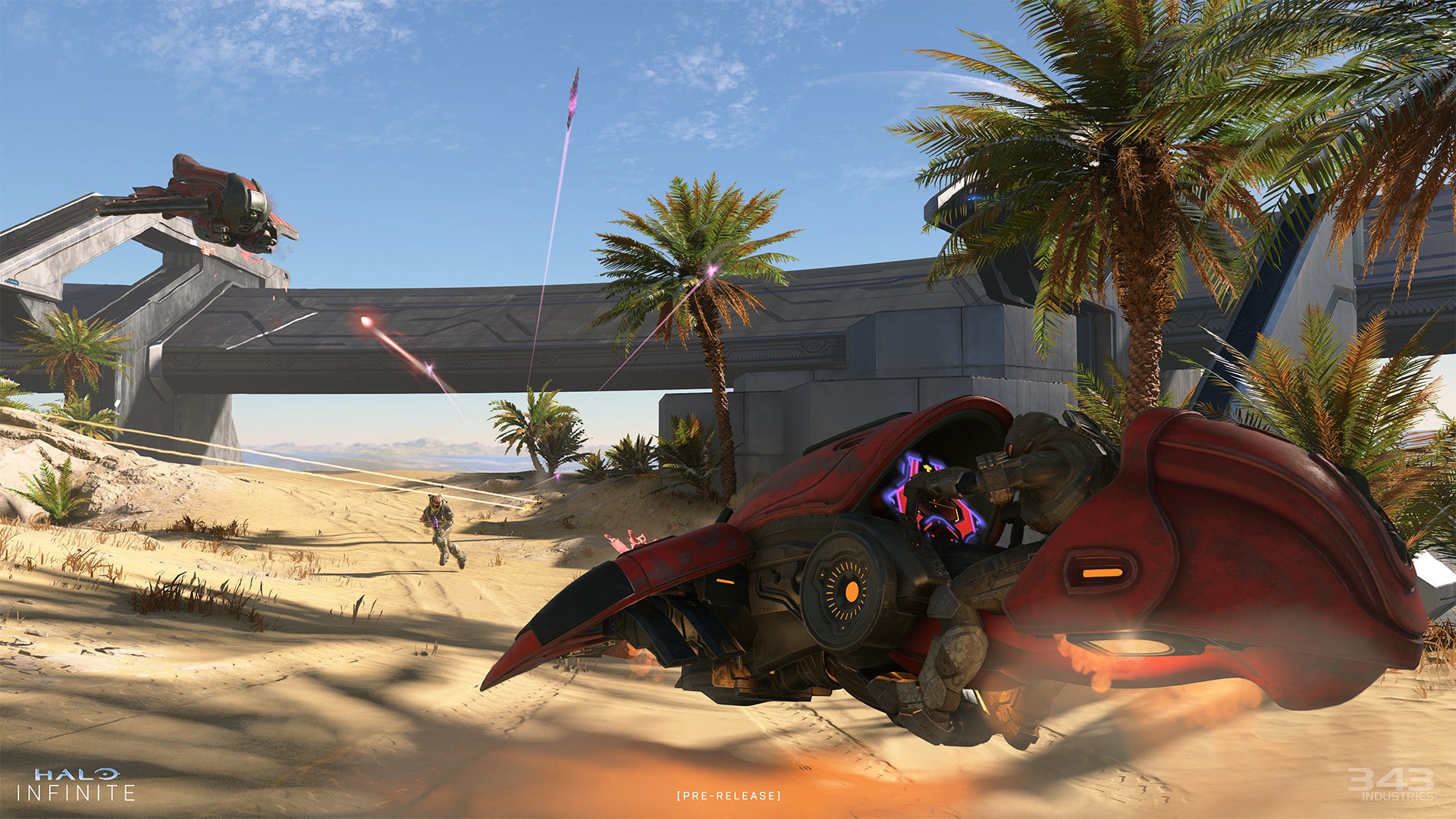
Microsoft Has Filed a Trademark for Halo: The Endless

Halo Infinite is not even a full day out and yet we now have rumblings of a possible entry to the long-running franchise. As spotted over on a trademarks site, it appears that something called ‘Halo: The Endless’ has been filed by Microsoft, leading to speculation on what this name could possibly be with regards to Halo as a whole.

The trademark filing was spotted by Aggiornamenti Lumia, a well-known Halo and Microsoft dataminer. The trademark, called ‘Halo: The Endless,’ was filed back in December 3, and was classified under the downloadable game software, computer game software, etc. for its Goods and Services category.

Besides the enigmatic name, not much else is known on ‘Halo: The Endless.’ Twitter users on Aggiornamenti Lumia‘s post speculated on the name, with some stating that it could point to a possible DLC involving The Flood.

As is the case with everything unconfirmed, take everything mentioned here with a grain of salt until officially confirmed. Stay tuned here at MP1st for possible developments on ‘Halo: The Endless’ in the future.

Source: Justia Trademarks

MP1st Staff

Home > News

Fall Guys Update 1.35 Released for Content Update This Dec. 9

Mediatonic has released the Fall Guys update 1.35 this December 9, and this is for some changes and fixes across consoles and PC. Head down below for the complete patch notes.

Fall Guys Update 1.35 Patch Notes:

Content Update!

  • Fixes for squads
  • Jump Showdown removed due to elimination issue
  • Better balancing of squads shows, no longer sending one team alone to a final
  • Full Tilt removed very temporarily until a fix comes in for the exploit

That’s about it for the patch.

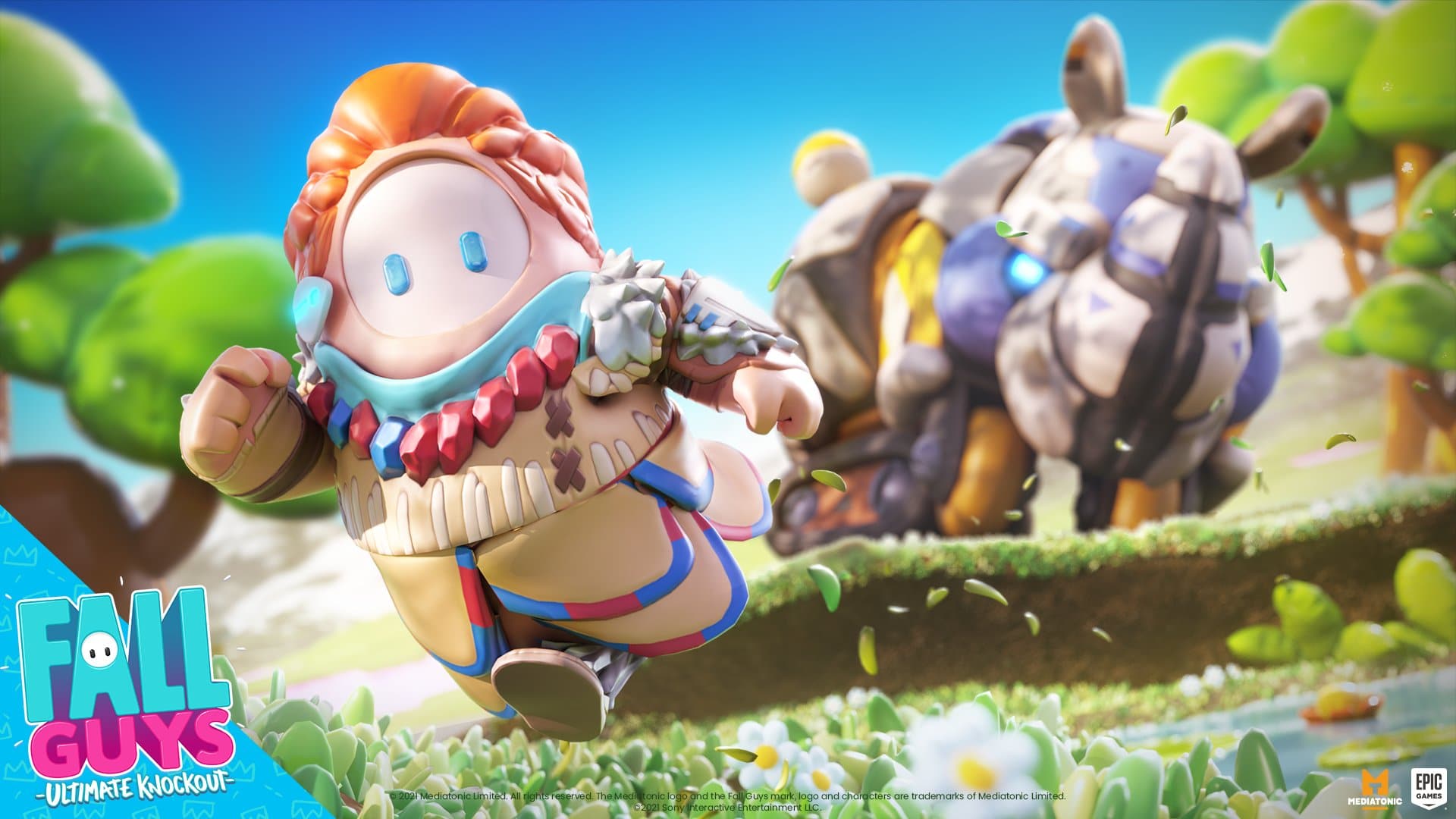
In case you missed it, Aloy of Horizon Zero Dawn has an ongoing event over on Fall Guys, the details of which you can read below:

Aloy is coming to Fall Guys!
Get ready to avoid mechanical menaces, collect blaze canisters, and win unique rewards in Aloy’s Blaze Canister Mayhem!

Aloy’s Blaze Canister Mayhem is LIVE!

Collect Blaze Canisters, evade familiar-but-more-mechanical foes, complete new challenges and earn exclusive rewards in Aloy’s brand new event!

Source: Fall Guys Discord

MP1st Staff

Home > News

Hunt Showdown Update 1.42 Out for Patch 1.7.1 This Dec. 9

Crytek has released the Hunt Showdown update 1.42 patch for consoles this December 9, and this is for update 1.7.1. Check out the complete patch notes below for all the changes that came with this latest update. This patch was also released earlier this week on PC.

Hunt Showdown Update 1.42 Patch Notes | Hunt Showdown Update 1.7.1 Patch Notes:

Highlights

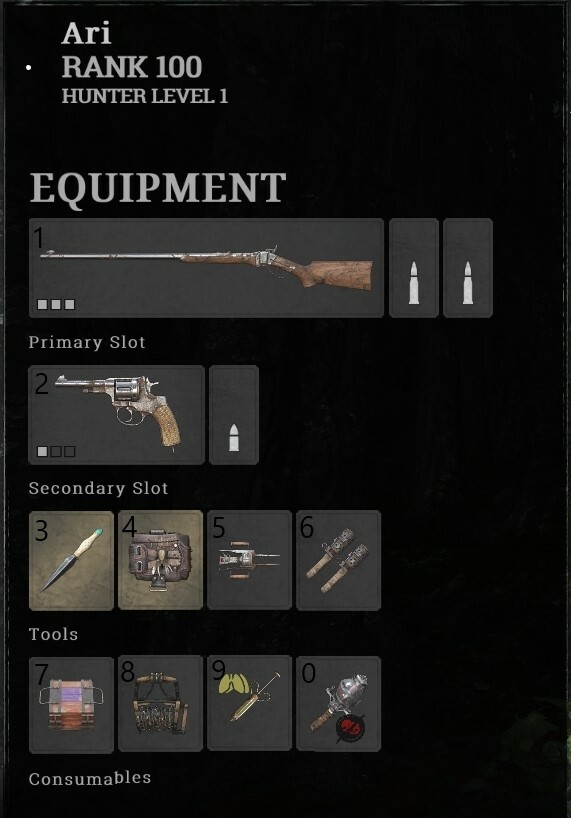
Rearranging Inventory Items – Item Hotswap Feature

With Update 1.7.1 we’re introducing the ability to rearrange Weapons and Items on your Hunter while still within a mission. Rearranging your items only takes a moment, and we know it will become second nature to Hunters of the Bayou in no time:

To move or swap items:
  • Hold the item you wish to be moved in your Hunter’s hands
  • Press and hold the button assigned to the inventory slot where you’d like the item to go
  • After a short delay the item will be placed in the target inventory slot
    • If this inventory slot already contains an item, the two will swap positions

Moving and swapping items is limited to their slot categories. Weapons can only move to other weapon slots, same with Tools and Consumables.

Example:

Swapping an Ammo Box in your first consumable slot, with a looted Flash Bomb in your last consumable slot.

Start by pressing ‘7’ to hold the Ammo box in your hand. Next press and hold ‘0’ to indicate you would like to switch its position with the Flash Bomb. After a short delay, the two items will be swapped.

  • The rearranging inventory feature will be limited to PC Players. Console Players still can use the two ‘favorite slot’ button mappings with -Left and -Right buttons on their Dpad to quickly access their two most important tools or consumables.
    • In order to remap your favorite slots select the target slot with the right stick and press and hold either -Left or -Right on the Dpad.


Developers Note:
With the introduction of this new feature, we’re hoping it will help normalize each game of Hunt and allow players to have their weapons in the correct slot even after looting a dead Hunter or to rearrange consumables acquired from Toolboxes.
We’re most looking forward to the utilization of this feature in Quickplay, so players can rearrange their Quickplay Hunter’s newly looted gear to fit the order they are most familiar with from Bounty Hunt.

Audio


  • Added a sound effect for Miner grunt’s headlamp being destroyed without the fireball.
  • Improved sound design for silenced weapons


Developers Note:
Since the introduction of the Vetterli 71 Karabiner Silencer, we noticed that the previously released silenced weapons (Sparks LRR Silencer, Winfield M1873C Silencer, and the Nagant M1895 Silencer) would need a slight rework of their design to be more in line with the original “base” weapons. This change is purely aesthetic and should not impact gameplay (e.g., The audible distance of the Silenced Shot)


World


Lawson Delta
  • Added more sandbags to the roof of the Waiting Hall in Lawson Station. This should help offer more cover from all directions while upon the roof
  • Made the side-building roofs fully accessible in Wolfshead Arsenal

AI


  • Fixed an issue where the Butcher would incorrectly shoot a projectile at a wall instead of a player
  • Tentative fix for bosses sometimes dropping Bounty Tokens underneath boss lair stairs where the tokens could not be reached
  • Fixed an issue where Concertina Armoured could kill chickens when walking past the chicken coop
  • Fixed a rare server crash related to AI navigation systems


World


  • Fixed an issue where cash registers would be facing the wrong way
  • Fixed a missing roof in Lockbay Docks while in the Tutorial
  • Fixed an issue where wooden footsteps could be heard in the basement of Lockbay Docks
  • Fixed an issue where the Butcher could partially get stuck in the basement of Darrow Livestock
  • Fixed an issue where the Spider couldn´t reach players in Wolfshead Arsenal
  • Fixed a spot where players could get stuck in Stanley Coal Company
  • Fixed an issue where crows can spawn too close to a player spawn point outside Moses Poultry
  • Fixed a spot where players could get stuck in Reeves Quarry
  • Fixed an issue where bullets could be blocked by an invisible obstacle in Weeping Stone Mill
  • Fixed a small see-through gap at the stairs by the new crypt entrance in Healing-Waters Church
  • Moved the crank wheel at the new crypt gate to the other side in Healing-Waters Church
  • Fixed a spot where players could get stuck in Fort Bolden
  • Fixed a bug where two cash registers would spawn in the same location
  • Fixed an issue where windows would sometimes become indestructible
  • Tentative fix for walls not properly rendering in spectator mode
  • Fixed a spot where players could get stuck in Darin Shipyard
  • Fixed a spot where players could get stuck in Cyprus Huts
  • Fixed a spot where players could get stuck in, beneath a roof in Scupper Lake


Gunplay


  • Fixed an issue where the Vetterli Marksman used the wrong base sensitivity, making the default camera speed faster than other marksman variants
  • Fixed an issue where the Dolch precision would eject one more bullet than intended when reloading without Bulletgrubber


Weapon


  • Fixed a reconnect issue that prevented players from swapping weapons


Reconnect


  • Fixed an issue preventing players from properly red-skull-reviving with a Bounty after a full reconnect
  • Fixed an issue where players would immediately execute world interactions that were queued up during an on-the-fly reconnect
  • Fixed an issue where event items that should boost Darksight range would not properly work
  • Fixed an issue where windows looked unbroken after a reconnect
  • Fixed an issue where after multiple reconnects players would no longer automatically crouch upon disconnecting
  • Fixed an issue where after a reconnect a burning player could no longer ignite AI and/or other players surrounding them
  • Fixed an issue where players were able to navigate the main menu before selecting a choice on the reconnect pop-up
  • Fixed an issue where the button shortcuts on the main menu were still working while a reconnect pop-up was active


UI


  • Fixed an issue that caused zooming in and out of hunter models while scrolling through recruits
  • Fixed an issue which caused the wrong reward to be selected while prestiging under certain conditions
  • Fixed a visual bug that caused custom ammo 3D models to be displayed on top of other weapons in the Equipment list
  • Fixed an issue that showed incorrect weapons briefly when selecting an ammo type filter in the Arsenal
  • Fixed an issue where the equipment tab would scroll incorrectly
  • Fixed an issue where previously removed “plus icons” came back when scrolling in the roster
  • Fixed an issue where fully dead teams, solo players, and QP players would sometimes get misleading info on leave mission
  • Fixed an issue where, when equipping four consumables, the selection would jump to the first consumable slot and render the reduce button useless
  • Fixed a visual bug that caused a gap between lines to appear after using filters in the legendary weapon store
  • Fixed a visual bug that caused a tooltip to be shown in the legendary weapon store despite the filter being empty

Please note – this list is not all-encompassing. We are aware that some currently known issues might not be listed, however, we will continue to update it as these are reported to us.


  • In some cases, AI is able to attack players before the match has started
  • In some cases, the Assassin clone can become stuck and not try to attack players
  • In some cases, the Butcher’s bounty token can spawn below the floor/stair and be unable to be picked up
  • In some cases, Meatheads may be missing leeches and not react to players
  • In some cases, receiving bleeding damage from AI can show “you killed yourself” in damage history
  • In some cases, the Spider’s frenzy is sometimes canceled when a player leaves the boss lair
  • In some cases, audio sounds as if it comes from a different position than it actually does
  • In some cases, switching fire modes on Dual wielding LeMats doesn’t go into the correct stance, and plays a weird looping audio
  • In some cases, players can interact with trait charms at a specific range which plays the ‘trait acquired’ audio but doesn’t give the player the trait
  • In some cases, the Spider can fall through the floor and become stuck when performing an attack
  • In some cases, razor wire can damage players through walls
  • In some cases, weapons can drop on top of each other making it difficult to loot the correct one
  • In some cases, players location can desync between client and server
  • In some cases, the crosshair stops changing size dynamically and will stay at a very small size
  • In some cases, the crosshair for the throwing knife/axes can disappear during a mission
  • In some cases, the banishment counter can desync for players
  • In some cases, the ammo counter doesn’t update correctly when fast-firing the Scottfield
  • For some challenges when an AI finishes off a hunter that kill counts towards the Player that damaged the Hunter before previously
  • In some cases, players won’t get a hit marker with melee while dealing damage
  • In some cases, Very High Spec users may be experiencing lower fps since a recent patch
  • In some cases, players may experience a stall on banishment
  • In some cases, players are unable to fire when switching quickly from iron sights to fanning
  • In some cases, the Winfield can empty itself server-side after the player gets revived or swapping weapons
  • In some cases, the transition between poison states can result in a slight camera shake
  • Very rarely, dragonbreath ammo can set the corpse of a player on fire (on kill)
  • In some cases, ammo on single-shot weapons may not be reloaded when switching while vaulting
  • In some cases, using a first aid kit while burning may cause problems with regeneration
  • Melee queuing sometimes fails for some weapons/items
  • In some cases, having RMB pressed while switching to a melee tool/world item doesn’t prepare a heavy melee
  • In some cases, players cannot instantly charge a melee after using a different tool/consumables (like throwing knives)
  • In some cases, players can’t sprint when they make a sprint input after a hipfire shot (only while sprint and ADS are on different buttons)
  • In some cases, players will randomly un-ADS their weapon
  • In some cases, when canceling a reload the player will melee instead of shooting (while RMB is held down)
  • In some cases, medkits can drop on a clue making them difficult to interact with
  • In some cases, players might remain empty/wrong handed when swapping weapons and vaulting at the same time
  • In specific cases, having sprint and ADS on different buttons ignores sprinting
  • The view of spectators doesn’t always represent the correct aiming state of the player
  • In some cases, players can be stuck continuously executing ‘LMB’
  • In some cases, players can have different sensitivities for melee weapons and normal guns
  • In some cases, players are unable to loot weapons and will receive the ‘Ammo Full’ message when pressing interacting
  • In some cases, used up tools get replaced when players pick up a new tool
  • In some cases, the poison effect from a hive or spider can be stuck on a player
  • In some cases, arrows and other retrievable may become unpickable when a killed AI is despawned
  • In some cases, bear trap placing is canceled when too close to another object
  • In some cases, weapons can drop below floors after switching
  • In some cases, picking up a small weapon during a weapon switch animation (from large to small) ends in swapping the wrong weapon
  • In some cases, flares stay alive for reconnected players and loop the throw audio
  • In some cases, the ammo display for single-action rifles can show incorrectly after a temporary disconnect
  • In some cases, climbing a ladder after a partial disconnect puts the player in a climbing state
  • In some cases, players won’t start with full HP when replaying a Trial
  • After equipping all four consumable slots, players may have difficulties purchasing more consumables with double click
  • In some cases, after leaving a group and queuing for QP the button “Please wait” gets active/red again
  • In some cases, bleeding damage ticks are not properly represented in a players damage history
  • In some cases, the crosshair can be missing after switching weapons in gunslinger
  • In some cases, a Hunter is partially visible for a short time while in the lobby after a match has started or finished. (Players may see floating weapons, but not the Hunter model in the menu)
  • In some cases, banishment and token UI can display the wrong status
  • In some cases, dying to ‘burning out’ shows a placeholder/previous death screen
  • Some items in the progression list can disappear when unlocking them
  • In some cases, dying to the poison cloud left by a poison trip mine may display an empty death screen
  • In some cases, unlocking a legendary weapon can change the order of the legendary weapon list
  • In some cases, the bomb lance deals no explosion area damage
  • In some cases, bullets have difficulty penetrating objects they should be able too
  • In some cases, crows can react late to nearby players
  • In some cases, concertina wire doesn’t break consistently
  • In some cases, shooting a hive bomb that is floating on the water with a shotgun spawns multiple instances of the hive swarm
  • In some cases, Geom layers can sometimes not load for a compound
  • In some cases, concertina wire doesn’t deal damage to players
  • In some cases, using a ladder may result in teleporting and being stuck inside assets
  • Players do not receive the confirmation popup when attempting to leave a mission as the final living member of a team (or as a Solo player)

If there are any console specific updates that will go live, we will let our readers know.

That’s about it for the patch.

Source: Steam

MP1st Staff

Home > News

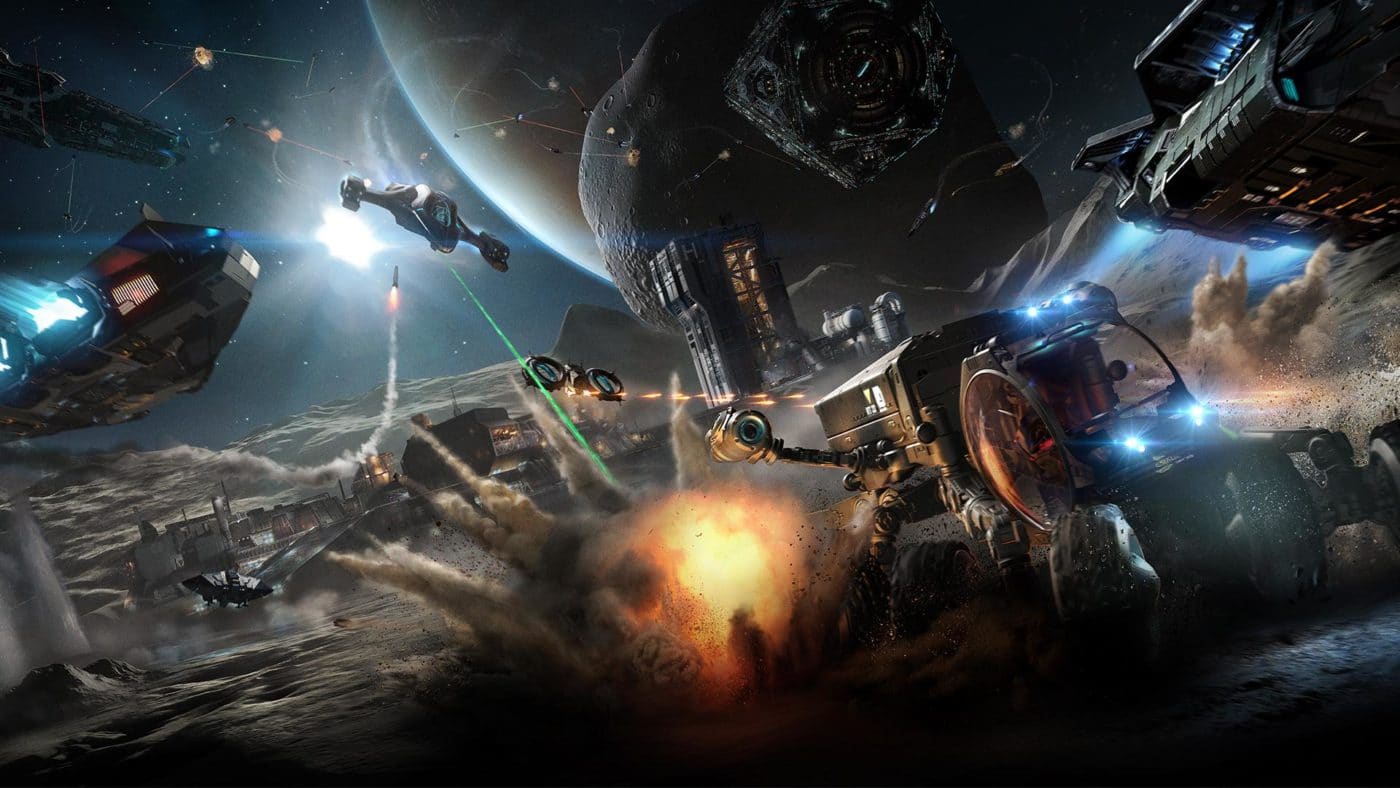
Elite Dangerous Update 1.60 Patch Notes; Horizons & Odyssey Flies Out This Dec. 9

Frontier Developments has released the Elite Dangerous update 1.60 patch this December 9, and this is the Horizons update for PC and consoles. Check out the complete patch notes below, as well as the Odyssey Update 9 notes as well.

Elite Dangerous Update 1.60 Patch Notes:

Updates of Note

Multi Limpet Controller Modules.
Multi-Limpet Controllers are now available from Outfitting.
Multi-Limpet Controllers can program a limpet to perform one of a given set of tasks and will be available in multiple types which will dictate what functions it is able to program.

  • Mining Multi Limpet Controller module (Available in Size 3)
  • Operations Multi Limpet Controller module (Available in Size 3)
  • Rescue Multi Limpet Controller module (Available in Size 3)
  • Xeno Multi Limpet Controller module (Available in Size 3)
  • Universal Multi Limpet Controller module (Available in Size 7)


Module Management.

A fix has been implemented for pre-engineered modules from community goals not being marked informatively, as such.

  • Pre-engineered module rewards will now have their description display the fact that they are pre-engineered, as well as have it display in the outfitting screen.
  • Also trying to apply modifications to pre-engineered modules which specifically cannot be modified further (very niche circumstances) will now be disallowed with a message stating why.

Stability.
We’re actively continuing to help with tracking down as many continuing stability issues as possible, with your continued support in providing logs and reports where possible.

  • A crash could occur when selecting telepresence crew member fighters to deploy. This has now been addressed.
  • Player example:
  • “Once you have joined a ship via Telepresence, attempting to select an onboard fighter from the bottom screen will cause the game to immediately crash. This will only crash the second player (passenger) as they attempt to board fighter. Helm player one is unaffected at time of crash.”

General Fixes.

  • Fix implemented for that nasty issue whereby Megaship Cargo and Escape Pod canisters could become stuck inside the ships.
  • Issues around this included:
    • “After hatchbreaking a cargo bay or escape hatch, some or all of the cargo/escape pods stay inside the ship rather than venting into space where they can be scooped or picked up by limpets. Cargo bays don’t seem to vent any canisters at all, they just stay stacked inside. Escape hatch vents some pods but others seem trapped under the skin of the megaship and can’t be reached.”
    • “Use a hatchbreaker limpet on any cargo bay. Cargo canisters will appear on the contacts list but there’s no way to collect them”
  • Core mining fragments should no longer become trapped inside asteroids.
    • The team have been heavily investigating and attempting to reproduce cases of this happening and will keep the checks in mind as we’re aware this issue has quite the tendency to bounce back.
  • Handing in multiple bounty vouchers at a terminal in quick succession could cause the text string containing the credit number to cascade to the next bounty voucher on the list, prefixing the text that indicates how much that bounty voucher is worth. This issue has now been fixed.
  • Fix implemented for being unable to switch tabs on comms panel when looking with headlook.
  • Various missing translations have been added.


As I say to everyone playing Odyssey too, there’s naturally a continued list of issues remaining which many of you look forward to having some attention.
If they’re not listed as fixes here, we just need more time to focus down on them.

Go easy on me with the “but you didn’t mention this bug, is it going to be fixed?” pings o7
I can entirely sympathise with you on how you’d like to see me list and confirm way more of these here for you, but unfortunately my brain can’t keep up with responding to them all, but I am paying desperate attention on this side of the screen for you – promise.

I’m just going to pull a few important and existing issues aware of out of the air here:

  • Starting Frameshift makes the game freeze/lock.
  • Unable to access Session Logs.
  • Disconnect/suspended in Supercruise.
  • Empty Faclities lists for Stations in the system map.
  • Continued experiences of stability issues on console, particularly PS5 but also on Xbox.
  • Inconsistency with Codex entries.

We truly do hope some of these targeted fixes in today’s update on some of the issues listed will be a help.


Odyssey | Update 9 Notes

Updates of Note

Introducing…The Scorpion.
The Scorpion, a new SRV designed specifically for supporting infantry on ground-based combat has rolled into action.

  • The Scorpion is fitted with 2 seats for a driver and a gunner, allowing two Commanders to operate as a team in this formidable fighting machine.
  • All Scorpions come fitted with two weapons:
  • Surge Repeater – A rapid-fire weapon that increases its fire rate and accuracy the longer it’s fired for.
  • Aculeus Launcher (I’m not saying that on stream) – A combination dumbfire and lock-on missile launcher.
  • The Scorpion is only stocked at military economies.
  • Scorpion Cargo Bay = 2

Multi Limpet Controller Modules
Multi-Limpet Controllers are now available from Outfitting.
Multi-Limpet Controllers can program a limpet to perform one of a given set of tasks and will be available in multiple types which will dictate what functions it is able to program.
  • Mining Multi Limpet Controller module (Available in Size 3)
  • Operations Multi Limpet Controller module (Available in Size 3)
  • Rescue Multi Limpet Controller module (Available in Size 3)
  • Xeno Multi Limpet Controller module (Available in Size 3)
  • Universal Multi Limpet Controller module (Available in Size 7)
  • Make your tea for you module?


Mission Providers at Settlements.

Some NPCs at settlements might now occasionally have missions they can offer to passing Commanders!
If these mission providers become critically injured while a mission is active and the mission owning Commander is present at the location where the mission was provided, the mission will be considered failed.

  • Mission providers will fight back if provoked.
  • Mission providers will reappear at the settlement once the mission is marked as complete.


Planets.

Major improvements have been made to light tinting from atmospheres. You will have seen some lovely examples of this in our latest update from Arthur here.


Module Management.

(Thought this worth popping up at the top here).
A fix has been implemented for pre-engineered modules from community goals not being marked informatively, as such.

  • Pre-engineered module rewards will now have their description display the fact that they are pre-engineered, as well as have it display in the outfitting screen.
  • Also trying to apply modifications to pre-engineered modules which specifically cannot be modified further (very niche circumstances) will now be disallowed with a message stating why.

Optimisation.
“Update 9 will see us go further, with optimisation already well underway for motion graph animation, mid-far distance planet rendering, lighting, scatter rocks, object physics, AI and character models – all of these, and many more, contributing to a better Odyssey experience for our players.”
(Forgive me on this one for not deep diving into each point a little further for you. They’re quite tricky to word effectively and a whole day of trying to best explain would be needed from me at this point. You might like to read them for interest sake anyway, so here they are)

  • Optimisations to textmesh system
  • Optimisations to tubelights
  • Optimisations to scatter rocks and scatter rock physics
  • Minor optimisation to vehicle debris rendering
  • Optimisations to the UI rendering
  • Depth prepass optimisations have been implemented
  • Optimisations to Environment Map rendering
  • Optimisations to the avatar rendering system
  • Optimisation to planets, particularly at mid-distance view
  • Optimisations to energy management
  • Optimisations to humanoid interactions
  • Optimisations to compass and sensor data aggregation
  • Performance improvements for NavMesh tile building

Stability
We’re actively continuing to help with tracking down as many continuing stability issues as possible, with your continued support in providing logs and reports where possible.

  • A crash to desktop has been prevented which would occur when viewing a mission invitation inbox message, such as those offered by Professor Palin, that was generated on a different version of Elite Dangerous (For example if it was generated in Horizons then you’d get the crash in Odyssey and vice versa).
  • A crash that could occur if a bit of dialogue is queued (in order to not play over another line) and then cancelled before it had a chance to play. (eg. in a conflict zone, the coordinator might be talking, so a suit voice gets queued, and then the player is killed before it plays.) has been addressed.
  • A fix has been implemented for a crash that could occur when talking with a mission giving NPC again after completing a mission for them.
  • Improvements made to the general stability of the tutorial scenario.

General Improvements and Fixes

AI

  • AI in dropships will take explosive damage if the dropship is destroyed before deployment.
  • The player that destroyed the ship will be given credit for the damage caused to the AI.
  • A fix has been implemented for Supercruise assist not disengaging correctly when approaching stations inside ring systems.
  • AI will no longer become suspicious of you if you run out of suit energy near them (I kind of love the idea of this…”why you tired?”. I mean at least they care! I guess they don’t need to get mad about it though…).

Audio
SRV related improvements

  • Improved responsiveness and mix of the Scarab tire surface noises, including skids.
  • Improved the Scarab mix at different distances and perspectives.
    • Scarab will now sound clearer further out, for example.
  • Fix implemented to address the odd echo quality on Scarab sounds at distance, which basically, I’m straight up told, sounded ‘weird’.
  • Improvements made to audio Level of Definition optimisations on the Scarab that were incorrectly set up.
  • Fixed annoying high pitched tone in the SRV tire on rock sounds.
  • Fix implemented for audio not being affected sufficiently when obstructed by objects.
  • Fix implemented for SRV turret movement sounds not always being audible.
  • Rebalanced the Scarab Wavescanner sounds.
    • Some were quite loud (eg. the crystal one). They should be more consistent compared to each other now.

Rebalanced SRV audio perspectives:

  • SRV Cockpit should have less sharp “crunch” of the surface/tires compared to before (as you are in a canopy).
  • Turret/Gunner should have clearer surface crunch and less bassy engines (made me think of Shirley Bassey for some reason).
  • The Camera Suite, when activated, will have less ‘fizzy surface noise’ come through at distance compared to before, but more surface detail does come in if you get the camera close to the wheels.
  • Optimisations have been made to the Scarab wheel audio emitters.
  • Reduced volume of overly loud planetary exploration music (I can’t get enough of it, personally).
  • Fixes for Emote body movement sounds sometimes being silent have been implemented.
  • Fix added for settlement terminal boot-up-ident sounds being too loud.
  • Fixed the firegroup toggle sound sometimes being silent if you rapidly change it.
  • Fix implemented for TK Aphelion gunshots dropping out when manually triggering individual shots rapidly.
  • Fix implemented for missing Engineer voice lines in the non-English languages when discussing the quiet footsteps modification (they’re talking about quiet footsteps, c’mon! Maybe they don’t wanna broadcast it, right?).
  • Added small delay to various Engineer voice lines to stop missing words happening at the start of a phrase, when transitioning between menus.
  • Fix implemented for drive assist off and on COVAS lines occurring on disembarking and boarding your SRV when drive assist is on.
  • A 30 second cooldown has been added to the drive assist on and off COVAS lines to reduce the “spammy quality” for players who switch drive assist on and off frequently.

Camera Suite

  • An issue has been fixed whereby certain parts of the ship UI became visible when using the Camera Suite, particularly in the Type 10.
    • You were able to see the comms panel, team status and info panel from your external cam view, for example.
  • Custom ship paintjobs were not showing up in the 3rd person camera when in virtual multicrew. This has now been resolved.

Conflict Zones

  • A fix has been implemented for the Commander’s current reputation with a faction being highlighted in a Combat Zone showing red, despite being friendly or neutral.
  • An update has been made to Combat Zone control points to allow them to be visible in Ships and SRVs.
  • Improved player messaging has been implemented for when you can’t recall your ship from an SRV, due to being in a Conflict Zone.
  • An issue has been resolved whereby the Combat Zone objectives UI persisted on the SRV info panel following the end of a CZ.
  • A fix has been implemented for a Combat Zone sometimes no longer progressing if a Ship Launched Fighter is destroyed.

Commodity Trading

  • Black markets now offer the full market value for Illegal goods (swindlers…)

Characters

  • Fix implemented for broken lip sync on Dylan, at the end of the tutorial (big fan of Dylan).

Fleet Carriers

  • When accessing information about a Fleet Carrier via the system map, certain vital information was missing – e.g: Access Type and Owner. This has now been addressed.

Interactions

  • Fix implemented for destroyed limpets not having collision.
  • Fix implemented for missing turret schematics.
  • Fixed implemented for the Thargoid shutdown field not affecting ships.
    • Thargoid Interceptors EMP blast did not disable Commander ships in Combat/AX Zones.
  • An issue has been fixed which prevented the galaxy map button on the Vista Genomics vendor from functioning.

Lighting & VFX

  • VFX for the engineered Multicannon weapon have been re-balanced.
  • VFX for the seeker missiles have been rebalanced.
  • Fix implemented for water geyser VFX being visible through rock.
  • Fix implemented for missing ripple effect on shields.

Megaships

  • Megaship Cargo and Escape Pod canisters would often become stuck inside Megaships, rendering them irretrievable.
  • Issues around this included:
    • “After hatchbreaking a cargo bay or escape hatch, some or all of the cargo/escape pods stay inside the ship rather than venting into space where they can be scooped or picked up by limpets. Cargo bays don’t seem to vent any canisters at all, they just stay stacked inside. Escape hatch vents some pods but others seem trapped under the skin of the megaship and can’t be reached.”
    • “Use a hatchbreaker limpet on any cargo bay. Cargo canisters will appear on the contacts list but there’s no way to collect them”
    • This issue…has now been (man, I hope so. It seems really good…it does!!) fixed.

Mining

  • An issue has been fixed whereby raw materials and even some refinable fragments became “stuck” inside the mineable rock instead of being released, even though they show up in contacts they cannot be collected.

Missions

  • Fix implemented for some Delivery Missions failing to progress upon interacting with the mission contact.
  • Fix implemented for Recovery and Scavenge Missions sometimes being unable to fail if the mission is abandoned or the mission owning commander is critically injured.
  • Fix implemented for Combat Aftermath USS:
    • When Commanders are given the option of taking the “Scan” objective, they could scan the onboard data link before accepting the objective which would cause the USS to break and would prevent progression. This has now been fixed.
  • Fix implemented for unlocalised objective text in Delivery and Collect Missions.
  • Fix implemented for unlocalised “Talk” prompt attached to mission contacts.
  • Additional mission rationales to Smuggling missions have been added.

Outfitting

Ship/SRV/Fighter Outfitting

  • Updates made to the visual effect of the Thermal Conduit experimental effect.
    • The colour will now reflect how much of an impact on the module’s damage the ship’s heat level is applying.
    • Damage will also be correct.

Commander Outfitting

  • Fix implemented for an issue experienced with backpack capacity miscalculations, for suits fitted with the Extra Backpack Space modification.

Rendering

  • A fix has been implemented to ensure the correct directional shadow profile is selected for interior environments.
  • The shadow will be cast accurate to the light source.
  • Fix implemented for in-game ship HUD occasionally appearing on player avatar beards (I laughed. Why beards?!)
  • Fix implemented for vehicle debris culling when still in view.
  • Fix implemented for artefacts (visual…blips…pixilation…that kind of thing) that could appear on vehicle schematics.
  • Fix implemented for shield VFX rendering when there is no shield active.
  • Rebalance made to the “Bloom” setting on low and medium graphics settings.
  • Fix implemented for avatar skin not utilizing ambient occlusion correctly.
    • “In 3D computer graphics, modeling, and animation, ambient occlusion is a shading and rendering technique used to calculate how exposed each point in a scene is to ambient lighting”
    • Basically your Commander’s skin is gunna be LIT!
  • Fix implemented for incorrect proportion of dark nebulae rendering in the galaxy.
  • Fix implemented for cracked glass effects and condensation effects not displaying on the Python.
  • City lights effects on non-landable planets have been re-balanced – they’re visible again now!
    • Trivia: Which country performed the song ‘City Lights’ in the 2017 Eurovision Song Contest?
  • Fix implemented for some weapon scopes not displaying paintjob textures correctly.
  • Improvements and fixes have been made to impact decals (again, any kind of visual effect on a surface that’s caused by impact, like from a weapon).
  • Fix implemented for ship schematic displaying in the FSS Scanner view.
  • Fix implemented for planetary rings not displaying as exoected in the FSS Scanner view.
  • Fix implemented for the exclusion zone of White Dwarfs not being drawn.
    • Nasty AS! Especially with how big White Dwarves wear their skirts!

Server

  • A server error has been fixed which some players were experiencing when editing a bookmark of a Fleet Carrier that has since been decommissioned.
  • Selling cargo will no longer result in a Yellow Adder server error.

Settlements (Odyssey)

  • Fix implemented for Restricted Area inconsistencies.
    • Commanders were experiencing the following kind of situation:
      • “Warned for trespassing when on the 1st floor but only when walking over the power room below.”
      • “The power building has a level 2 security access but does not warn you for trespassing unless you enter the power room that has a level 3 restricted security access or go upstairs and walk over the power room.”
  • Fix implemented for floating objects found in a variety of settlement types.
  • Fix implemented to an offset hitcheck on a particular radar dish – which made its debut in these update notes BUT sadly I can’t tell you which one it is in the entire galaxy, but shout out anyway, Mr Dish!
  • Fix implemented to a gap in the roof of an Agricultural building – shoutout to THAT gap!
  • Fix implemented for z-fighting/mad flickering of wall or floor textures seen in some station social spaces
  • Around 150(!!!) fixes and improvements have been made to the look and feel of props and buildings at settlement locations.

Settlements (Horizons)

  • Fix implemented to hologram that would display incorrectly in ship HUD for some planet ports when targeted.

Ships/SRV

  • Cockpit dirt & scratches have been re-balanced to look more in line with real aesthetic.
  • Fix implemented for emissive scaling on Crypsis paintjobs – these should match Horizons versions of this paint type more closely now.
  • Fix implemented for missing hitcheck (solid…ness) on the Corvette landing gear.
  • Improvements made to the hitchek (solidness) of the Beluga Liner and Orca to prevent players from being able to get stuck when underneath them.
  • Fix implemented for the Krait MKII having misaligned canopy ice effects.
  • Fix implemented for the Type 10, which could hover above the ground until the SRV was deployed.
  • Fixed ships jerking to the side when released from the pad while undocking with flight assist off in a rotating station:
    • As Commanders would potentially undock from one of the large spinning stations in FA off, the station would shift away from underneath them causing quite the disturbance and occasionally resulting in them crashing into things.
  • Malfunctioning cargo hatches no longer prevent hyperspace jumps.
    • Issue of this type included:
      • “Can’t use FSD after deploying SLF and enemy hatch breaking your cargo hatch”.
  • Ship engine smoke trails no longer appear ahead of the ship after exiting Supercruise.
  • Condensation and ice effects have been fixed to be more pleasing (I chose that word and I’m sticking to it…’ACCURATE’ would be a better one but…) for the Python.
  • Scarab Cargo Bay changed from 2 to 4.

Tutorial

  • Ship-focused tutorials no longer allow on-foot actions such as disembarking.
  • An issue has been addressed whereby players reported being unable to enter the hangar at the end of the flight tutorial in Odyssey, resulting in them becoming “stuck”.

UI

  • Conflict Zone capture point icons are now be visible when in SRVs and Ships.
  • SRV Radar signatures will now no longer float in the air when at, for example, Barnacle Site.
  • An icon has been added to the Conflict Zone browser to show if players are wanted in the target system.
  • An issue has been fixed whereby the transfer popup would softlock/freeze up in some kind of way when attempting to make an item transfer from storage to backpack whilst in Ship.
  • Fix implemented for orbit lines being visible during loadout management UI when in Supercruise.
  • Several issues have been fixed with scrolling of comms panel social tab.
    • Notably, this one would
      • “On the Social tab of the on foot Comms Panel, the page does not scroll down accordingly when the arrow/WASD keys or mouse scroll wheel are used to select UI elements on the page – you can select and move down the menu via these keys just fine, but upon reaching the displayed bottom of the page the UI selection will then continue off-screen as the page does not automatically scroll down to keep these elements in view. As such, the only way to currently scroll down the page is to manually drag the scroll bar on the right which will then keep selected UI elements in view.”
  • Fixes have been made to incorrect text being shown in vehicle rolepanel displays.
  • Bookmarks can now be successfully made via the system map.

Codex

  • Fix implemented for the “distance travelled on foot” stat sometimes recording twice the actual distance travelled (a ‘feel less good about yourself’, fix).

Controls:

  • Key binds preset will no longer reset when you open Horizons after Odyssey.

VR:

  • Fixed Holo-Me character disappearing in VR when in close-up views.

Weapons:

  • Fix implemented for railguns not firing in slots on the Beluga, Type 9, Krait, Type 10 & Fer De Lance.

Stations:

  • Fix implemented for Stations (and Fleet Carriers in several instances) not spawning immediately when dropping out of Supercruise manually (no more pop-smash-bang!, hooray!).


Phwoiiiiiiiiii (is the sound I made as I ended that one, so I’m putting that in here too…)
There’s lots to digest and get your hands on here, Commanders. We’ve hopefully made a nice dent in tackling some of your more pressing issues present in Odyssey to help towards making good your experiences across the Galaxy following Update 9, but it’s also time to get to grips with a new ‘Toy’ – The Scorpion – and those handy Limpets!

There’s naturally a continued list of issues remaining which many of you look forward to having some attention.
If they’re not listed as fixes here, we just need more time to focus down on them.

I’m just going to pull a few out of the air but do go easy on me with the “but you didn’t mention this bug, is it going to be fixed?” pings.
I can entirely sympathise with you on how you’d like to see me list and confirm way more of these here for you, but unfortunately my brain can’t keep up with responding to them all, but I am paying desperate attention on this side of the screen for you – promise.

Update 9:

  • The Scorpion turret seems to be inheriting textures/decals from the ground that dance/parallax across it. Texture movement is at its worst when the SRV itself is in motion – This is a known issue we will address as soon as we can.

Legacy Odyssey and Horizons:

  • I know this is a really nasty one but we need to really knuckle in to some deeper work with it: NPCs sometimes being inactive during Combat Zones.
  • Starting Frameshift makes the game freeze/lock.
  • Disconnect/suspended in Supercruise.
  • Empty Faclities lists for Stations in the system map.
  • Issues around “Raid Missions” not counting kills (needs further investigation internally before I can go into it further).
  • Mission errors when taking multiples of the same type to their destination (investigation further needed).
  • Rarity of Settlement Defence Plans.
  • Inconsistencies with the way cosmetics look in Horizons compared to their appearance in Odyssey.

Source: Frontier forums (1, 2)

Avatar photo

Alex Co

Father, gamer, games media vet, writer of words, killer of noobs.

Home > News

FIFA 22 Update 1.000.005 Kicks Out for Ultimate Team Fixes This Dec. 9

EA has released the FIFA 22 update 1.000.005 patch this December 9 for both next-gen and last-gen platforms, and this is for a set of fixes Ultimate Team. Check out the complete and official patch notes for today’s update below.

FIFA 22 Update 1.000.005 Patch Notes:

FIFA Ultimate Team

Made the following change:

  • Added Prime ICON Player Item assets.
    • Prime ICON Player Items will start becoming available in-game following a server update in the near future.

Thanks to everyone who provided feedback. Throughout the FIFA 22 season, we’ll provide you with more updates if and when they become available. Be sure to follow @EAFIFADIRECT on Twitter and the EASF Tracker for the latest updates.

Head on over here to read up on the site’s other FIFA posts.If there are more gameplay-related changes included in this patch that’s found, we’ll be sure to update the post. Same as always, feel free to leave a comment for any gameplay-related or technical fixes you find that’s not mentioned in the patch notes.

Source: FIFA forums

Avatar photo

Alex Co

Father, gamer, games media vet, writer of words, killer of noobs.

Home > News

FIFA 22 Update 1.15 Patch Notes; Out for Title Update 3.1 This Dec. 9

EA has released the FIFA 22 update 1.15 patch this December 9, and this is for a set of fixes to the soccer sim. Check out the complete and official patch notes for today’s update below.

FIFA 22 Update 1.15 Patch Notes:

FIFA Ultimate Team

Made the following change:

  • Added Prime ICON Player Item assets.
    • Prime ICON Player Items will start becoming available in-game following a server update in the near future.

Thanks to everyone who provided feedback. Throughout the FIFA 22 season, we’ll provide you with more updates if and when they become available. Be sure to follow @EAFIFADIRECT on Twitter and the EASF Tracker for the latest updates.

For the rest of the FIFA 22 updates we posted, head on over here. If there are more gameplay-related changes included in this patch that’s found, we’ll be sure to update the post. Same as always, feel free to leave a comment for any gameplay-related or technical fixes you find that’s not mentioned in the patch notes.

Source: FIFA forums

Avatar photo

Alex Co

Father, gamer, games media vet, writer of words, killer of noobs.

Home > News

Battlefield 2042 1.000.007 Released for Update 3.1 This Dec. 9

DICE has released the Battlefield 2042 update 1.000.007 patch this December 9, and this is called Update 3.1 by DICE, and is out on both last-gen and next-gen platforms. This title update includes hit registration fixes, audio tweaks and more, which are all listed in the complete patch notes.

Battlefield 2042 Update 1.000.007 Patch Notes | Battlefield 2042 December 9 Patch Notes:

Update 0.3.1

Fixes, Changes, and Improvements

General

  • Players that are not the Party Leader can now cancel while waiting in a queue
  • Xbox – Cross-Play can now be enabled/disabled in the Options menu on Xbox
  • Your Sort settings will now be correctly remembered when refreshing the Battlefield: Portal Server Browser
  • Fixed an issue where loadouts would sometimes be empty on the spawn screen after joining a server, preventing weapon selection
  • Made improvements to ensure Aim Assist is more consistent during console gameplay
  • Ranger’s effective combat range and overall health has been decreased

Audio

  • Made various tweaks to the overall audio experience to improve clarity, distance, and directional perception
  • Fixed an issue where soldiers would not always play indoor specific footsteps

Weapons

  • Removed bounce from Underbarrel Grenades when firing at short distances
  • 40mm AP Grenades now properly damage vehicles
  • Fixed some weapons displaying wrong ammo counts for specific magazines
  • DXR-1 and NTW-50 Bolt Action rifles reload animation increased by 0.2 seconds
  • Adjusted dispersion values for most weapons, which results in a faster dispersion decrease when tap firing or doing short bursts
  • Adjusted dispersion increases for most weapons. It now takes slightly longer for weapons to become overly inaccurate in sustained fire
  • Adjusted the recoil values to prevent over aggressive recoil jumps for the AK24, LCMG, PKP-BP, SFAR-M GL, and PP-29
  • Improved hip fire accuracy for all SMGs to make them better stand-out from other automatic weapon archetypes
  • LMG dispersion and recoil lowered to improve performance in sustained fire
  • Additional improvements to recoil control for all weapons, more specifically automatic weapons.
  • Increased close range damage and consistency of the MCS-880 when using Buckshot Shell or Flechette Shells
  • Fixed a bug that caused bullets to be fired below the player’s aims for the SFAR-M GL and the K30

Vehicles

  • Fixed a bug where vehicle weapons sometimes did not deal blast damage on a direct hit
  • We’re reducing the Ground Vehicle 30mm Cannon effectiveness versus infantry. It now overheats faster, has a slightly reduced rate of fire and blast damage, and increased fall off damage at distance
    • Rate of Fire 350 -> 330
    • Heat Per Bullet 0.13 -> 0.14
    • Heat Drop Per Second 0.5 -> 0.475
    • Blast Damage 20 -> 18
  • LCAA Hovercraft – 40mm GPL Grenade Launcher
    • Blast Damage lowered from 55 -> 35
  • The 40mm Utility Pod upwards firing angle is now easier to use
  • EBAA Wildcat – 57mm Cannon
    • Removed dispersion
    • Ammo 12 -> 8
    • Impact Damage 85 -> 75
    • Blast Damage 70 -> 35

Gadgets

Frag Grenade

  • Increased the time to detonate a Frag Grenade from 1.1s -> 1.4s after first bounce on a hard collision
  • Increased damage of Frag Grenades across game modes to deal 120 damage and guarantee a kill on armored players too
  • Reduced Frag & Incendiary Grenade max ammo account from 2 -> 1

Prox Sensor

  • Lowered spotting radius from 30m -> 20m
  • Lowered uptime from 30s -> 14s
  • Lowered amount of Prox Sensor a player can carry and deploy from 2 -> 1

Battlefield Hazard Zone

  • Fixed an issue that caused the roaming Occupying Forces LATV4 Recon to spawn at the wrong times or not at all

Breakthrough

  • Kaleidoscope – Rooftop Capture Objective has been removed. There are now two Capture Objective at the bottom in BT large and one at the bottom in BT small
  • Orbital – Rooftop Capture Objective has been removed. There is now a single Capture Objective at the bottom in BT large and BT small
  • Hourglass – Rooftop Capture Objective has been removed. There is now a single Capture Objective at the bottom in BT large and BT small. Also fixed an issue where players were spawning out of bounds

Soldier

  • Improvements on back pedaling into objects when being in prone position
  • Fixed a rare issue where players could turn invisible when spawning on a full/destroyed vehicle

According to DICE, this will be the last patch before the devs take a holiday break, which means this will be the last BF2042 patch for 2021.

Update #3.1 is our last game update before the start of the holidays. That means our teams will take a break towards the end of this month and return in the new year with fresh eyes ready to go on the road to Season One. We’ll see you again in the new year where we’ll talk more on further changes and improvements you can expect for Battlefield 2042.

In the last patch before this one, the Santa Clause cosmetic was accidentally revealed, though DICE says they have no intention of releasing it. If there’s more like this in this patch, we’ll be sure to let our readers know.

Source: EA

Avatar photo

Alex Co

Father, gamer, games media vet, writer of words, killer of noobs.

Home > News

Battlefield 2042 Update 1.06 Patch Notes; Fires Out for Update 3.1 This December 9

DICE has released the last Battlefield 2042 title update of 2021! The Battlefield 2042 update 1.06 patch has been rolled out today for Update 3.1 this December 9, and this includes a long list of fixes like hit registration, audio fixes, weapon balance tweaks and more! Check out the complete patch notes below straight from DICE.

Battlefield 2042 Update 1.06 Patch Notes | Battlefield 2042 Update 3.1 Patch Notes:

Update 0.3.1

Fixes, Changes, and Improvements

General

  • Players that are not the Party Leader can now cancel while waiting in a queue
  • Xbox – Cross-Play can now be enabled/disabled in the Options menu on Xbox
  • Your Sort settings will now be correctly remembered when refreshing the Battlefield: Portal Server Browser
  • Fixed an issue where loadouts would sometimes be empty on the spawn screen after joining a server, preventing weapon selection
  • Made improvements to ensure Aim Assist is more consistent during console gameplay
  • Ranger’s effective combat range and overall health has been decreased

Audio

  • Made various tweaks to the overall audio experience to improve clarity, distance, and directional perception
  • Fixed an issue where soldiers would not always play indoor specific footsteps

Weapons

  • Removed bounce from Underbarrel Grenades when firing at short distances
  • 40mm AP Grenades now properly damage vehicles
  • Fixed some weapons displaying wrong ammo counts for specific magazines
  • DXR-1 and NTW-50 Bolt Action rifles reload animation increased by 0.2 seconds
  • Adjusted dispersion values for most weapons, which results in a faster dispersion decrease when tap firing or doing short bursts
  • Adjusted dispersion increases for most weapons. It now takes slightly longer for weapons to become overly inaccurate in sustained fire
  • Adjusted the recoil values to prevent over aggressive recoil jumps for the AK24, LCMG, PKP-BP, SFAR-M GL, and PP-29
  • Improved hip fire accuracy for all SMGs to make them better stand-out from other automatic weapon archetypes
  • LMG dispersion and recoil lowered to improve performance in sustained fire
  • Additional improvements to recoil control for all weapons, more specifically automatic weapons.
  • Increased close range damage and consistency of the MCS-880 when using Buckshot Shell or Flechette Shells
  • Fixed a bug that caused bullets to be fired below the player’s aims for the SFAR-M GL and the K30

Vehicles

  • Fixed a bug where vehicle weapons sometimes did not deal blast damage on a direct hit
  • We’re reducing the Ground Vehicle 30mm Cannon effectiveness versus infantry. It now overheats faster, has a slightly reduced rate of fire and blast damage, and increased fall off damage at distance
    • Rate of Fire 350 -> 330
    • Heat Per Bullet 0.13 -> 0.14
    • Heat Drop Per Second 0.5 -> 0.475
    • Blast Damage 20 -> 18
  • LCAA Hovercraft – 40mm GPL Grenade Launcher
    • Blast Damage lowered from 55 -> 35
  • The 40mm Utility Pod upwards firing angle is now easier to use
  • EBAA Wildcat – 57mm Cannon
    • Removed dispersion
    • Ammo 12 -> 8
    • Impact Damage 85 -> 75
    • Blast Damage 70 -> 35

Gadgets

Frag Grenade

  • Increased the time to detonate a Frag Grenade from 1.1s -> 1.4s after first bounce on a hard collision
  • Increased damage of Frag Grenades across game modes to deal 120 damage and guarantee a kill on armored players too
  • Reduced Frag & Incendiary Grenade max ammo account from 2 -> 1

Prox Sensor

  • Lowered spotting radius from 30m -> 20m
  • Lowered uptime from 30s -> 14s
  • Lowered amount of Prox Sensor a player can carry and deploy from 2 -> 1

Battlefield Hazard Zone

  • Fixed an issue that caused the roaming Occupying Forces LATV4 Recon to spawn at the wrong times or not at all

Breakthrough

  • Kaleidoscope – Rooftop Capture Objective has been removed. There are now two Capture Objective at the bottom in BT large and one at the bottom in BT small
  • Orbital – Rooftop Capture Objective has been removed. There is now a single Capture Objective at the bottom in BT large and BT small
  • Hourglass – Rooftop Capture Objective has been removed. There is now a single Capture Objective at the bottom in BT large and BT small. Also fixed an issue where players were spawning out of bounds

Soldier

  • Improvements on back pedaling into objects when being in prone position
  • Fixed a rare issue where players could turn invisible when spawning on a full/destroyed vehicle

According to DICE, this will be the last patch before the devs take a holiday break, which means this will be the last BF2042 patch for 2021.

Update #3.1 is our last game update before the start of the holidays. That means our teams will take a break towards the end of this month and return in the new year with fresh eyes ready to go on the road to Season One. We’ll see you again in the new year where we’ll talk more on further changes and improvements you can expect for Battlefield 2042.

If there’s any new data unearthed from today’s patch, we’ll let our readers know.

Source: EA

Avatar photo

Alex Co

Father, gamer, games media vet, writer of words, killer of noobs.

Home > News

PUBG Update 1.90 Patch Notes; Fires Out for 15.1 This Dec. 9

PUBG Corp. has released the PUBG update 1.90 patch this December 9, and this brings the big 15.1 title update to consoles! Read up on the official patch notes below to see everything new from this title update.

PUBG Update 1.90 Patch Notes | PUBG Update 15.1 Patch Notes:

※ Please keep in mind that the features and updates we provide below may be modified or even possibly removed due to reasons such as bugs, in-game issues, and/or community feedback. We will update our players if such changes occur.

Map Service Update 

We had announced our long-term Map Service Plan to our players not so long ago, but after reviewing our players’ feedback, we realized our plan was not something our players looked forward to. Therefore, after thorough internal debates based on our community’s feedback, we have decided it would be best to change the map rotation service for Season 15 to the following:

  • Normal Match
    • Erangel / Miramar / Sanhok / Taego / Vikendi
  • Ranked
    • Erangel (40%) / Miramar (40%) / Taego (20%)

Taego will remain in the map rotation for Season 15 due to two reasons: first, our players’ feedback, and second, our data showing us that Taego maintains its status as a very popular map. With these being the case, including Haven to the rotation would eventually cause stability issues as we’d have to adapt the map selection UI for regions with map selection without thorough testing.

Please note that our map service plan for Season 16 and later are still being discussed, but a separate announcement will be made to our players once decisions are made.

New Vehicle: Mountain Bike

Attention all triathletes! The Mountain Bike, a fan-requested vehicle is coming to the Battlegrounds. Unlike our other vehicles, the Mountain Bike can be found as a lootable item in its folded state. It can be located most often on the outskirts of the map, helping you have additional transportation methods.

Due to the lack of an engine, it hardly makes any noise, allowing for stealthy movement. Combined with Driver shooting, this can lead to some great surprises for your enemies.

Specifications

  • Maps: All maps in normal matches
  • Spawned in a folded form.
  • Unfold it into a rideable vehicle or store them in inventory.
  • Folds back into an item when stored back into the inventory.
  • Due to the absence of a speedometer, the current traveling speed is not displayed.
  • Does not spawn in Esports Mode.
  • Maximum number of passengers: One
  • Maximum speed:
    • Max speed without sprinting (85% Force applied to pedals): 50 km/h
    • Riding with 40% or more Boost (90% Force applied to pedals): 54 km/h
    • Riding with sprint tapping (100% Force applied to pedals): 62 km/h
  • HP: Cannot be destroyed, including the wheels
  • Item weight: 70
  • Fuel consumption: None

Sprinting

Like in real life, you can sprint on the Mountain Bike by putting in some physical effort to mash the A (Xbox & Stadia)/Χ (Playstation) button repeatedly to cycle faster. Being boosted makes it easier to reach max sprint speed. Higher tapping speeds increase sprint speed.

Jumping

Additionally, you can put your BMX skills to the test by jumping with the Mountain Bike. Holding the LB (Xbox & Stadia)/L1 (Playstation) button longer (up to half a second) will increase jump height. High speed and being boosted also increases the jump height.

Wheelies

We hipsters don’t ride on two wheels. We don’t find the need to use all wheels because it just ain’t cool! One, that’s right, one wheel is all we need. Try to find the perfect balance by holding the “sprint” button and tapping “jump” in rhythm to find the hipster inside you.

Weapon Balance Update 

Weapon Balance

As a battle royale game where every match presents different situations, we believe each weapon category should have its purpose in certain types of encounters. Based on our data findings and community feedback we have made weapon balance changes.

P90

  • The P90 is making the most kills of any Crate weapon and is performing better on ranges where we want Crate ARs to dominate. So we decided to increase the recoil difficulty while supplying less ammo.
    • Increased horizontal and vertical recoil
    • Increased ADS deviation during full-auto burst
    • Lowered Care package ammo from 250 -> 200 bullets

Shotguns

  • The Shotguns in Battlegrounds continue to have a very limited role as seen in our data, to improve their usability we are increasing the effective range.
    • Increased damage drop-off range to improve effective range by several meters per shotgun
    • Increased hit probability on short range
    • Increased Sawed-Off damage by 1
    • Decreased Sawed-Off pellet spread

LMGs

  • LMGs in general are not considered useful enough based on our data, so we are slightly increasing their damage potential to improve the weapon’s role. For MG3 we saw very little usage in our data compared to the other crate weapons so we are making it more powerful. Also, some time ago we nerfed the effectiveness of the M249 on Console. We now see that that nerf has had too much effect and thus we are changing its recoil to a state in between the current and previous iteration.
    • Reduced recoil when shooting in crouch and stand
    • Increased Body Damage multiplier from 1.0 to 1.05
    • Increased M249 damage by 1
    • Reduced Horizontal & Vertical Recoil for M249
    • Increased MG3 damage by 2
    • Decreased MG3 horizontal recoil

SMGs

  • While some players feel that SMGs have a strong position due to their relatively low recoil, we still see in data that their role in weapon balance is very limited. To incentivize more accurate firing we are increasing the Head Damage multiplier.
    • Increased Head Damage multiplier from 1.8 to 2.1
    • Increased PP-19 Bizon weapon accuracy during ADS full auto firing
    • Decreased UMP45 Damage at longer ranges
    • Decreased UMP45 weapon accuracy during ADS full auto firing

AUG

  • The AUG seems to be overtaken by the P90 and even by the user’s ability to control the Beryl, thus we are making it slightly more powerful to improve its Crate weapon status.
    • Increased damage by 1
    • Increased damage drop-off range to improve effective range

Magazine Balance

Based on our data over the years, we see that magazines in PUBG have not been very equally balanced. The Extended QuickDraw magazine offers an obvious upgrade over the Extended and QuickDraw magazines. The QuickDraw magazine is often left aside with players not even bothering to pick them up despite their advantage over having no magazine attachment at all.

We have tweaked our magazine attachments to add tactical decision-making and to improve the usefulness of the QuickDraw Magazine and Extended Magazine. Now every magazine attachment will be useful and offer its own play-style.

If you want to have up to 60% faster reloads, take a QuickDraw Magazine. If you want to have the highest magazine capacity, take an Extended Magazine. If you want to have a bit of both, take an Extended QuickDraw Magazine.

Example when applied to M416:

  • Default Magazine: 30 bullets
  • QuickDraw Magazine: 30 bullets and 60% faster reload
  • Extended Magazine: 42 bullets
  • Extended QuickDraw Magazine: 40 bullets and 15% faster reload

Additionally, we have added the QuickDraw Magazine Attachment to the Skorpion.

World Updates 

Sanhok Update

  • Bootcamp

  • As being one of the most hottest drop zones in Sanhok, Bootcamp should be able to provide dynamic gameplay experiences. But we’ve been hearing that our players were not enjoying the reworked Bootcamp as the structure felt too crowded and complex for desirable tactical plays. Therefore, we decided to make Bootcamp undergo another big change and the best way to go at it was to shift the whole structure. Here are some of the main changes:
    • To reduce the complexity and bunched-up feeling of Bootcamp, the central tower has been repositioned from the center to the right. We have then considered different angles and distances and adjusted the layout of the other buildings around the center area to provide an open space for better shooting.
    • Players seemed to have too much of an advantage behind the parapet walls on the third floor of the central tower so we got rid of them and instead placed boxes made of stone on the rooftops.
      • We also narrowed the space between the second and third floor to reduce the advantage players had on the third floor.
    • We realized that the large windows on the second floor of the central tower were allowing a wide view of players’ surroundings which resulted in frequent camping. Thus, we have shrunk the size of the windows.
    • Training areas have been added and scattered around the center as well to provide more cover and looting spots.
    • We moved the watchtowers to place one each in the north and south to prevent players from hoarding them.
    • Players didn’t seem to have the best opportunities when they land a little late on Bootcamp. Therefore, we removed the 4 warehouses within Bootcamp and added 3 to the North (outside of Bootcamp) so even players who start late could earn a better chance at arming and hiding.
  • Shoreline

  • Players seemed to be feeling vulnerable around the shoreline areas so more rocks and trees have been added.
  • Weather
  • The lighting and weather effects in Sanhok seemed to be hindering our players’ in-game sight, so we:
    • Increased brightness by 25% for Clouds and Sunset weather.
    • Decreased darkness from 66% → 33% when it turns Foggy/Rain during Overcast weather.

Vikendi Update

  • KAKAO FRIENDS

https://preview.redd.it/2e37i0vjc2481.jpg?width=1920&format=pjpg&auto=webp&s=1631089a05ca8d738860d209a21f947be8962fd6

  • PUBG’s new collaboration is with KAKAO FRIENDS! More information on this collaboration will be updated in a separate announcement on the day the Live Server gets updated.
  • Dinoland has transformed into KAKAO FRIENDS LAND.
    • KAKAO FRIENDS statues have been positioned here and there in KAKAO FRIENDS LAND.
  • Billboards for KAKAO FRIENDS have been added.
  • Buildings have been decorated with KAKAO FRIENDS ornaments.
  • Christmas

https://preview.redd.it/0hacnf5lc2481.jpg?width=1920&format=pjpg&auto=webp&s=3bb84f4bd35be278b095168070b1aede54b88319

  • Christmas theme has been applied to Dinoland, Castle, and Winery.
  • Christmas weather has been added.
    • Players can use this weather setting in Custom Matches for Vikendi.

Ranked Season 15 

Season 14 Ranked Mode Rewards

Season 14 has now wrapped up and it’s time to enjoy your rewards, after a hard-fought season of Ranked. Rewards will be automatically distributed to your inventory upon login at the beginning of Season 15.

Season 14 rewards are granted based on your final end-of-season rank.

Tier Reward List
Bronze Bronze PUBG ID Emblem
Silver Silver PUBG ID Emblem
Gold Gold PUBG ID Emblem & Ranked Parachute Skin
Platinum Animated Platinum PUBG ID Emblem & Ranked Parachute Skin
Diamond Animated Diamond PUBG ID Emblem & Ranked Parachute Skin
Master Animated Master PUBG ID Emblem, Animated Master Nameplate & Ranked Parachute Skin
Top 500 Bonus rewards for Top 500 players: Animated Top 500 PUBG ID Emblem & Animated Top 500 Nameplate


Unlocked Rewards

  • The Parachute Skin is a permanent reward players keep forever and can equip as they please.
  • The rest of the earnable rewards are only ‘Unlocked’ for the duration of a single Ranked Season.
  • Only the unlocked rewards from a player’s highest rank will be granted.
  • Unlocked Rewards can be found in the inventory at the start of the new Season.
  • Once the Ranked Season is over and the server maintenance begins, Unlocked Rewards will be collected from the inventory.

Training Mode Update 

  • Every vehicle but the Scooter has been removed from Training Mode to prevent various sound and crash issues and to prevent players from getting bothered by other players’ vehicles during shooting practice.
  • After we observe the change in memory usage issues, we will discuss about the feature of allowing players to choose a vehicle of their choice in Training Mode.

Action Wheel Update 

  • An additional Action Wheel with 8 more slots has been added as we noticed that players did not seem to have enough space to fit and use all their spray and emote items.
  • Players will be able to find their additional Action Wheel in the Customize tab.
  • In the lobby or in a match, players can switch between the first and second action wheel by using left and right on the D-pad.
  • If players select spray items from their Action Wheel in the lobby, a message will pop up saying that sprays are unable to use.

Performance Update 

  • There has been performance updates with the Hideout tab.
    • The loading speed when first accessing the page has been improved.
    • A feature that could help prevent accidental weapon upgrades has been added.
      • A message showing the current level has been added to the Upgrade button.
      • Once a player clicks the Upgrade button, an additional confirmation message will pop up.
  • Memory usage has been improved by removing unused and duplicate data files within the game.

Smoke Grenade Sound Update 

Smoke grenade deployment sound and visual effects are now synchronized

  • The deploy sound stops ten seconds before the smoke cover fully disappears.
  • Smoke cover fadeout starts when sound effect is stopped, so player can start being visible from five seconds while inside smoke.

Anti-Cheat

  • We have implemented a system that prevents players from receiving damage from cheats using lag switch on console.

Known Issues 

  • New Vehicle: Mountain Bike’s tool tip is displayed only in English in certain languages.

Bug Fixes 

Gameplay

  • Fixed the issue of the PGC 2021 Contingent Chaos – Beryl M762’s rail blocking players’ sight in ADS mode.
  • Fixed the issue of a player unable to join the Comeback BR after getting killed while disconnected from the game.
  • Fixed the issue of custom game sessions getting deleted due to unknown reasons.
  • Fixed the issue of a dirt bike with blown-out tires moving slowly by itself on the ground.
  • Fixed the issue of an empty screen being shown to players when a custom game session is deleted.
  • Fixed the issue of characters being shown in a consistent pose after pausing during replay.
  • Fixed the issue of creatures not being killed when shot.
  • Fixed the issue of the crosshair of a weapon with a scope equipped in ADS mode shaking severely when used in the backseat of a vehicle.
  • Fixed the issue that caused Jerry cans not to explode when shot.
  • Fixed the issue that caused C4 to disappear but still explode after it was attached to a mountain bike that was placed back into the player’s inventory.
  • Fixed the issue that caused other player’s lean animation to appear quicker than expected.

World

  • Fixed general bugs in Sanhok.
  • Fixed the issue on Erangel where players were unable to deal damage to others on the other side of a certain fence.
  • Fixed the issue on Miramar, where the terrain texture is low in quality.
  • Fixed the issue that caused Blue Zone grenades and C4 to be included in the supply drops on Taego in Ranked Mode.
  • Fixed the issue that allowed players to get inside a cliff on Miramar.

UI

  • Fixed the issue of the parachute reward from Ranked Season 13 being shown as two items in the inventory.
  • Fixed the issue of the kill message on the upper right screen not disappearing in matches.
  • Fixed the issue of the character glitching when changing items in the set item preview screen.
  • Fixed the issue of the awkward P90 magazine appearance in the inventory.
  • Fixed the issue of the killfeed text being cut off due to specific killfeed limit settings.
  • Fixed the issue of the text being cut off after a teammate dies in Ranked when player sets game language to English.

Items & Skins

※ Clipping issue: Graphics that are shown outside the visible part of an image/object.

  • Fixed the clipping issue when a male character equips Shadowstar’s Top with Moon Rabbit Jacket.
  • Fixed the issue of the Bunny Aeronautics – M416 and Bunny Aeronautics – Mini-14 looking severely dark indoors.
  • Fixed the issue of the Night Hunter Costume’s bullet loops looking awkward in-game.
  • Fixed the clipping issue when the PUBG Varsity Jacket is equipped with most glove items.
  • Fixed the clipping issue of a female character’s top and bottom when equipping specific jacket items.
Avatar photo

Alex Co

Father, gamer, games media vet, writer of words, killer of noobs.

Home > News

Nickelodeon All-Star Brawl Update 1.000.007 Out for Garfield DLC This Dec. 9

Ludosity has released the Nickelodeon All-Star Brawl update 1.000.007 this December 9 for both last-gen and next-gen platforms, and this is for a free fighter in Garfield! Check out the trailer featuring the fighter alongside his moves list below.

Nickelodeon All-Star Brawl Update 1.000.007 Patch Notes:

This title update adds Garfield for free on all platforms, and the devs have not mentioned anything fighter-related changes or anything yet.

Image

If there are more changes included in today’s update or if Ludosity releases the official patch notes, we’ll be sure to update the post.

For those who notice anything tangible in today’s patch, share what you find down in the comments below. The newest patch released before today was rolled out last week, and it included fighter changes, which you can read about here.

Avatar photo

Alex Co

Father, gamer, games media vet, writer of words, killer of noobs.

Home > News

Nickelodeon All-Star Brawl Update 1.08 Adds Garfield This December 9

Developer Ludosity has released the Nickelodeon All-Star Brawl update 1.08 this December 9, and this adds a DLC character for free in Garfield! Check out the details and other info below.

Nickelodeon All-Star Brawl Update 1.08 Patch Notes:

This title update adds Garfield for free on all platforms, and doesn’t seem to include any gameplay-related changes or fighter tweaks just yet.

Image

If there are more changes included in today’s update or if Ludosity releases the changelog, we’ll be sure to update the post. For those who notice anything tangible in today’s patch, share what you find down in the comments below. The latest patch before today was released last week, and it included fighter changes, which you can read about here.

Avatar photo

Alex Co

Father, gamer, games media vet, writer of words, killer of noobs.

Home > News

New Dying Light Update 1.40 Brings New Content This December 9

Techland has released the new Dying Light update 1.40 (Enhanced Edition 1.33) this December 9, and this seems to bring new content into the game in the form of a new outfit, support for new events, and more. Note that the game is under different version numbers depending on region, and we’ll do our best to note each one below.

New Dying Light Update 1.40 Patch Notes | New Dying Light The Following Enhanced Edition Update 1.31 Patch Notes:

Size: 9GB

Per the PS4 update history:

Support for Live Events
– Added new weapons and blueprints
– Added new outfit with new perk
– Added new enemy
* Support for Hellraid DLC including:
– Expanded Story Mode with new explorable map areas
– Added new weapons
– Added new enemy
– Balance and visual changes
* Minor bug fixes

According to a user on the Dying Light subreddit, the TechlandGG site says there is a new event that starts today (December 8).

Regarding the versions, check which one applies to your copy of the game:

  • Dying Light version 1.38 – US
  • Dying Light version 1.31 – JP
  • Dying Light version 1.37 – EU
  • Dying Light The Following Enhanced Edition version 1.26 – JP
  • Dying Light The Following Enhanced Edition version 1.31 – US/EU

We’ve reached out to Techland regarding today’s patch and will update the post if we hear anything back.

Avatar photo

Alex Co

Father, gamer, games media vet, writer of words, killer of noobs.

Home > News

Saber Interactive Multiple New Games to Be Revealed at The Game Awards

Saber Interactive, the developer behind World War Z, the upcoming Evil Dead game and more, is set to reveal multiple new games at this year’s The Game Awards. In the press release sent, it mentions how the studio is teasing announcements for five upcoming titles for The Game Awards, and the Twitch Winter Gathering.

Here’s what Head of Publishing Todd Hollenshead had to say about the upcoming announcements:

Saber is celebrating its 20th anniversary this year, and it’s amazing how much the company has evolved in that time. Our company has long been known for its sterling reputation as a developer, and since joining the Embracer family we have continued to grow on that front by acquiring some of the most talented studios from around the world. At the same time, we have been quietly building our publishing division and lineup which is about to rapidly expand with the announcement of multiple new titles for 2022 and beyond. We will be revealing more from our upcoming, very diverse slate with announcements and trailer reveals later this week at both The Game Awards and the Twitch Winter Gathering.  You’re going to be hearing a lot more from Saber moving forward.

At The Game Awards, gamers can look forward to a brand new game announcement and trailer from Saber Interactive and Focus Entertainment. Three more Saber Interactive games will be revealed with world premiere trailers at Saber’s showcase in the Twitch Winter Gathering on December 10. Of course, if you’ve been keeping tabs on the studio, these multiple game announcements shouldn’t come as a shock, as the devs has told us that they have multiple games in development, which are a mix of indie-style and “big hitters” as well.

The Game Awards is set to air tomorrow, December 9, at 5PM PT/8PM ET/9AM HKT, and will air on YouTube, Twitch, and other relevant platforms. The Twitch Winter Gathering will start December 9 and will run until December 10. You can check out the full schedule for Twitch’s show right here.

Avatar photo

Alex Co

Father, gamer, games media vet, writer of words, killer of noobs.