Home > News

GTA Online Weekly Update for July 27 – Discounts, GTA Plus & More

Rockstar Games has now dropped a new GTA Online weekly update for July 27 with a fresh set of activities plus discounts, GTA Plus benefits and more! Check out the full highlights and details in one neat list down below.

New GTA Online Weekly Update for July 27 – Discounts, GTA Plus & More:

The GTA Online Summer Racing Event continues this week, now offering triple rewards on Issi Classic, Special Vehicle, and Open Wheel Races.

Plus, it’s the last chance for Los Santos’ fastest Open Wheel, Hotring Circuit, and Street Racing drivers to earn the Dark Manor Racing Suit.

Full details include:

  • Triple GTA$ and RP on Issi Classic Races, Special Vehicle Races, and Open Wheel Races
  • Triple GTA$, LS Car Meet Rep, and RP on Street and Pursuit Races
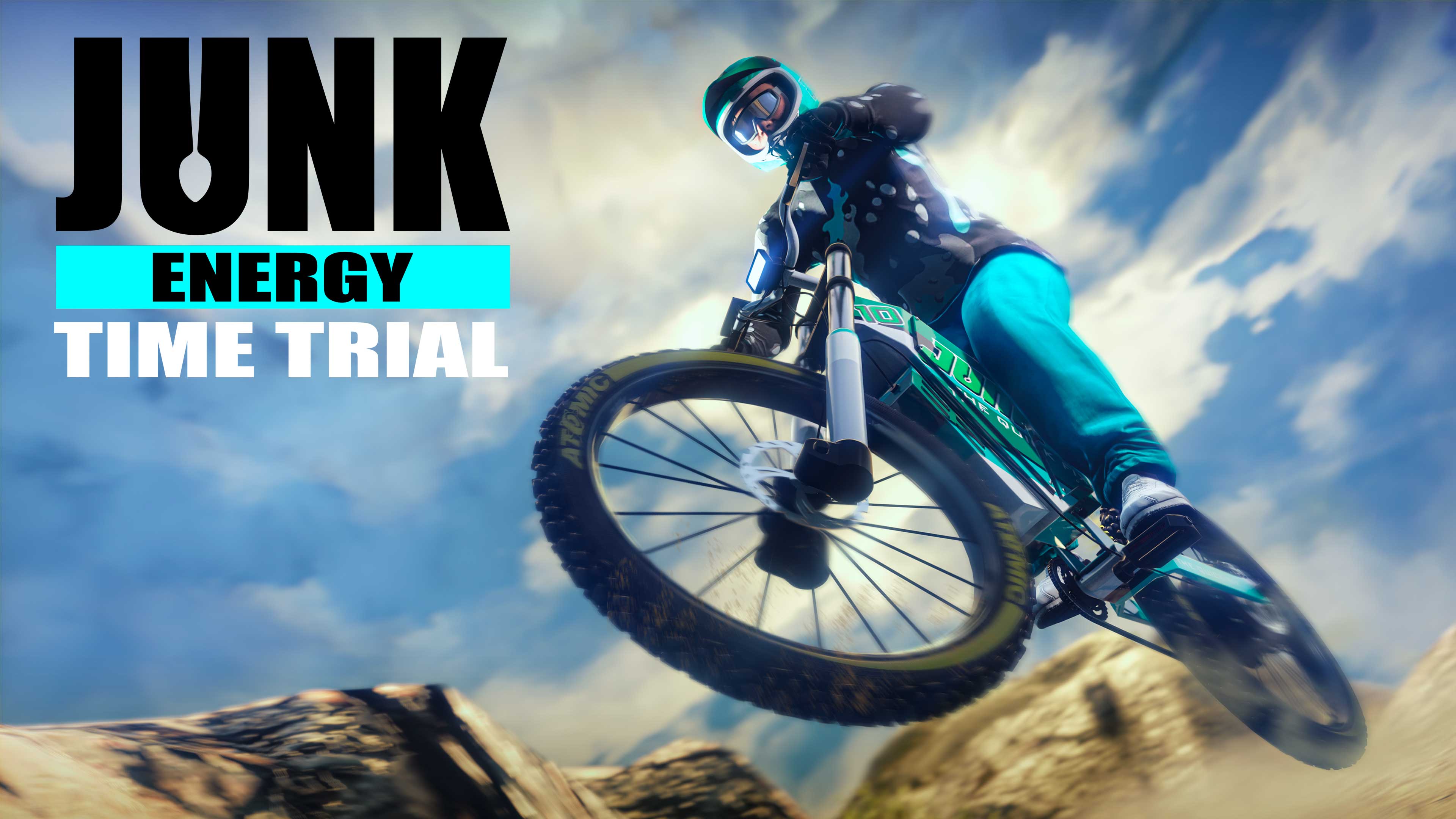
  • Double GTA$ and RP on Junk Energy Time Trials
  • The Dark Manor Racing Suit awarded to players who win once in a Rockstar Created Open Wheel Race, Hotring Circuit Race, and an LS Street Race through August 2 
  • 30% off the Eclipse Blvd Garage, capable of storing up to 50 vehicles
  • On PlayStation 5 and Xbox Series X|S:
    • Premium Test Ride: Principe Deveste Eight
    • This week’s HSW Time Trial takes place between Pacific Bluffs and Mount Gordo
  • This Week at Simeon’s Premium Deluxe Motorsports Showroom: The Pfister Growler wrapped in the rare Kisama Graffiti livery, Dinka RT3000, Pegassi Monroe, Progen PR4 and Benefactor BR8
  • On Display at the Luxury Autos Showroom: The Maibatsu MonstroCiti and Vysser Neo
  • LS Car Meet Prize Ride: Win any LS Car Meet race three days in a row to earn the Ocelot Ardent
  • LS Car Meet Test Rides: The Benefactor Streiter, Progen GP1, and Coil Raiden
  • Lucky Wheel Top Prize: The Dinka Jester Classic
  • 30% off the Mammoth Avenger Thruster, Front Machine Guns and Missile Upgrades
  • Vehicle Discounts: 25% off the Maibatsu MostroCiti, 30% off the Progen GP1, Progen PR4, and Progen Emerus, and 40% off the Vyser Neo
  • Gun Van Discounts: 50% off the Marksman Rifle and 30% off the Military Rifle for GTA+ Members
  • GTA+ Benefits: A free Penaud La Coureuse and Penaud Rally livery, free Santo Capra x Manor Suit Jacket and Pants, complimentary Anodized Lime Pearl Chameleon Wheel Paint, extra rewards on Junk Energy Time Trials and Land, Air, Open Wheel, and Stunt Races, and more

GTA+:

GTA+ Members can claim the new Penaud La Coureuse (Sports) for free at The Vinewood Car Club, and more through August 16:

  • Free Penaud Rally livery and Anodized Lime Pearl Chameleon Wheel Paint
  • Santo Capra x Manor Suit Jacket and Pants
  • 1.5X GTA$ and RP on Junk Energy Time Trials
  • 1.5X GTA$ and RP on Land, Air, Open Wheel, and Stunt Races
  • 50% off conversion costs at Hao’s Special Works

And much more, including a GTA$500,000 bonus delivered upon billing each month. Visit the GTA+ website for full details.

Discounts:

Display your vehicles in a spacious, well-lit environment designed with luxury in mind. The multi-floor Eclipse Blvd Garage is 30% off this week. The Mammoth Avenger Thruster is also 30% off, as are the optional upgrades for Front Machine Guns and Missiles. Read on below for a full list of this week’s discounts.

  • Eclipse Blvd. Garage – 30% off
  • Mammoth Avenger Thruster – 30% off
  • Mammoth Avenger Front Machine Guns and Missiles Upgrades – 30% off
  • Maibatsu MonstroCiti (Off-Road) – 25% off
  • Progen GP1 (Super) – 30% off
  • Progen PR4 (Open Wheel) – 30% off
  • Progen Emerus (Super) – 30% off
  • Vysser Neo (Sports) – 40% off

Gun Van Inventory and Discounts:

Machete Tactical SMG Advanced Rifle | Heavy Pistol Marksman Rifle (50% off) | Military Rifle (30% off for GTA+ Members) | Knife | Machine Pistol Grenades Tear Gas | Sticky Bombs | Armor

That’s all for this week’s update. Check back next Thursday for the new GTA Online weekly update.

Avatar photo

Salman Haider Zaidi

That's a nice argument, Senator.

Home > News

PS5 Sales Exceed 40 Million Units; Console Is Now “Well-Stocked”

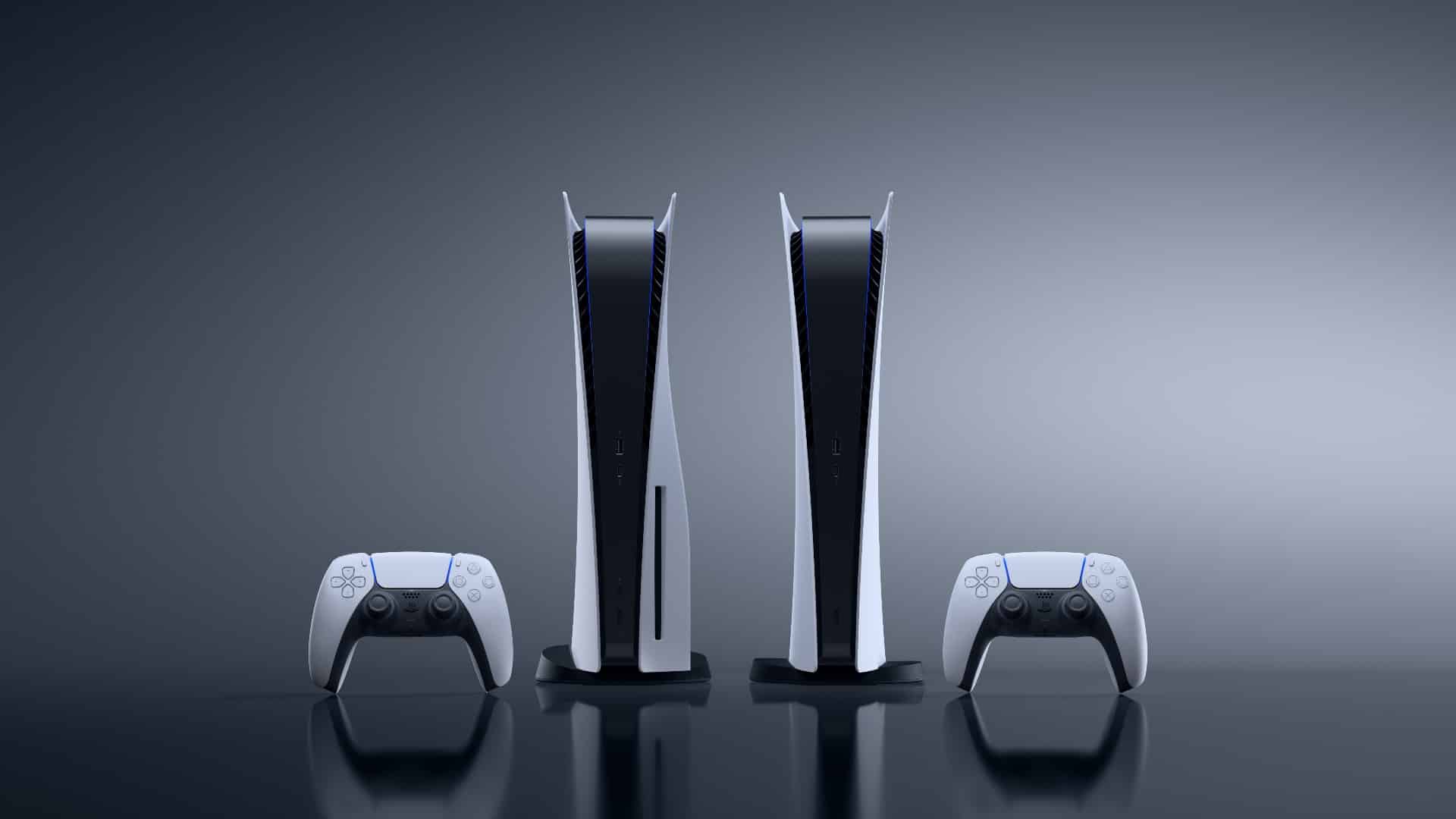
Sony has revealed that the PS5 sales have surpassed 40 million units after a little under 3 years since its launch. The company unveiled that the PS5 hardware sales exceeded 40 million on July 16.

Despite facing a setback from the COVID-19 pandemic, the PS5 seems to be performing really well. Sony Interactive Entertainment CEO noted the challenges the company faced due to the global pandemic but assures that the PS5 is now “well-stocked” and that the demand is finally being met. Ryan also reveals that PS5 has over 2,500 games including indie games and AAA blockbuster titles.

Find the full announcement below:

We launched PlayStation 5 in November 2020 and the world was in a strange and different place than when we announced the console in 2019. Despite the unprecedented challenges of COVID, our teams and our partners worked diligently to deliver PS5 on time. We continued to face headwinds with the pandemic, and it took months for supply chains to normalize so we could have the inventory to keep up with demand. For more months than I care to remember, we kept thanking our community for their patience while working through these issues. But now PS5 supply is well-stocked and we are seeing that pent up demand finally being met.

With the support of PlayStation fans, we have reached a milestone of 40 million PS5 consoles sold through to gamers since launch. Thank you so much to our community of gamers – without you this would have been an impossible task.

PS5 launched with the best catalog of games in our history and the momentum for great content keeps getting stronger. From innovative indie games to AAA blockbusters, there are more than 2,500 PS5 games now available, and it has never been a better time to experience PS5 In the last two months alone, we have seen incredible new games from our partners, including Final Fantasy XVI, Diablo IV, and Street Fighter 6.

If you’re thinking of grabbing a brand-new PS5, then there are quite a few new hardware accessory options for you to explore. The DualSense Edge offers a higher-end gaming experience with customizable features, the PSVR2 will let you enjoy modern VR games, and the PS5 Access Controller releasing in December, giving players more options to play.

Ryan notes that these additional accessories, hardware, and the first-party studios have all contributed in PS5 reaching the 40 million mark:

We developed PS5 with our community at the forefront of our thinking, which led us to deliver innovations like the adaptive triggers and haptic feedback in the DualSense controller, as well as PlayStation VR2. PlayStation Studios and our third-party partners have jumped in to take advantage of these capabilities and expand their creative toolkit to deliver a generational leap in the experiences they bring to gamers.

With Marvel’s Spider-Man 2 swinging out in October, the supply issues seemingly fixed, and the reported PS5 promotional sale across various regions, now may be the best time for you to get your hands on a PS5.

Source: Sony Interactive Entertainment

Ibrahim Kabir

Home > News

20 Minutes of Lords of the Fallen Gameplay Showcasing Mechanics Revealed

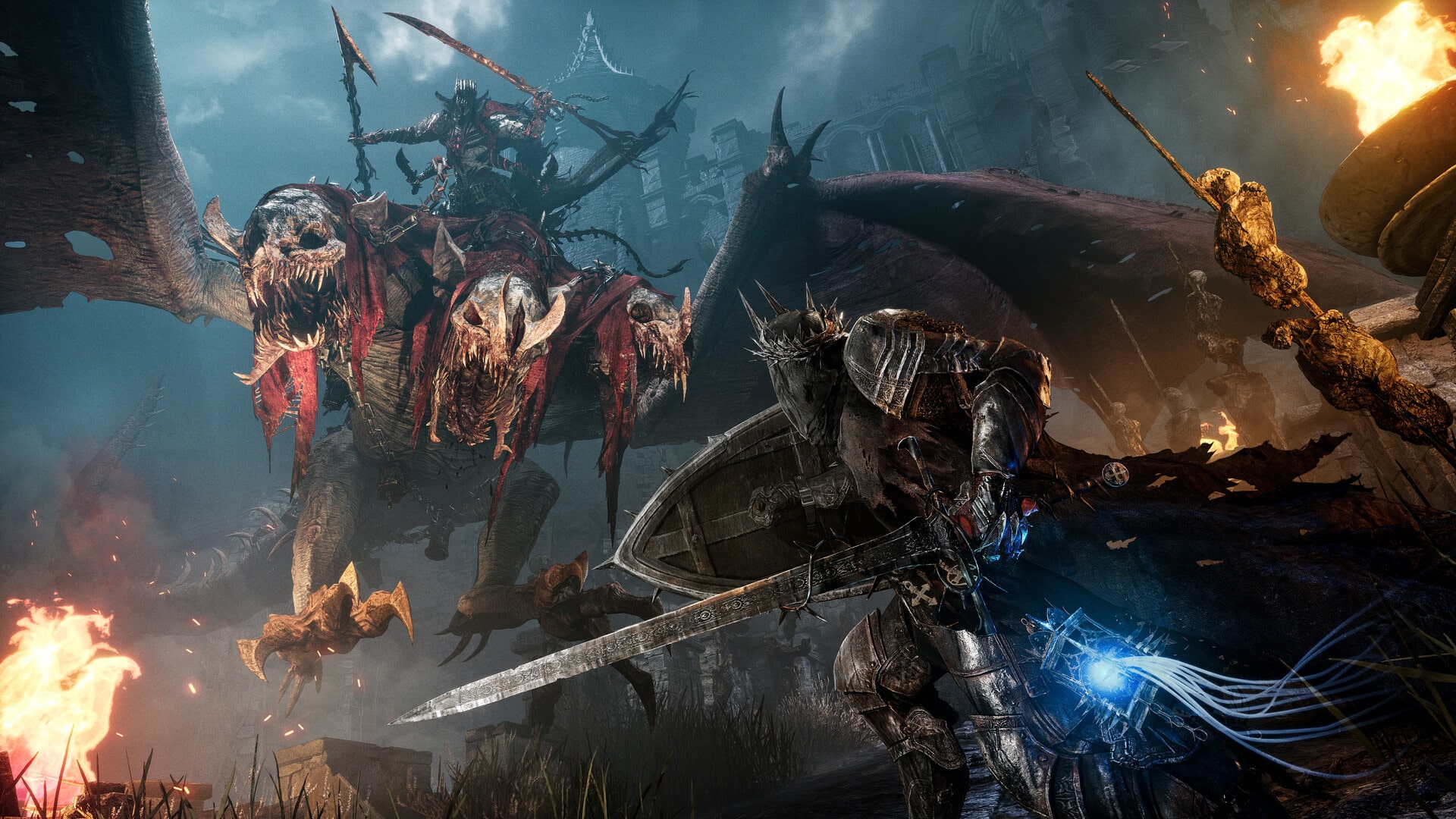
HexWorks has unveiled twenty minutes of Lords of the Fallen gameplay. The gameplay showcases a few of the many diverse and harrowing environments that players will journey through in their quest to overthrow Adyr, the demon God.

You can watch the full Lords of the Fallen gameplay presentation here:

Lords of the Fallen takes place in a vast, semi-open world. With each major area in the game being interconnected with at least two others, players can venture through the lands in any order they prefer. Although, you will have to survive two worlds in this extensive RPG, thanks to the game’s unique dual-realm mechanic.

The Lords of the Fallen gameplay presentation provides new details on the game’s uninterrupted co-op feature. Players can invite a friend to join their adventure or be paired up with a random person. Once connected, the co-op companion will fight beside you as long as either of the player desire.

Moreover, Lords of the Fallen will also be introducing the ability for players to craft their own vestiges, though can only be done in very select places and requires an extremely rare resource to do so.

All of this and additional details can be found in the gameplay presentation above. The upcoming Lords of the Fallen game reboots the series when it releases on October 13 for Xbox Series X|S, PS5, and PC.

Ibrahim Kabir

Home > News

DayZ Experimental Update 1.22 Now Live, Here Are the Patch Notes

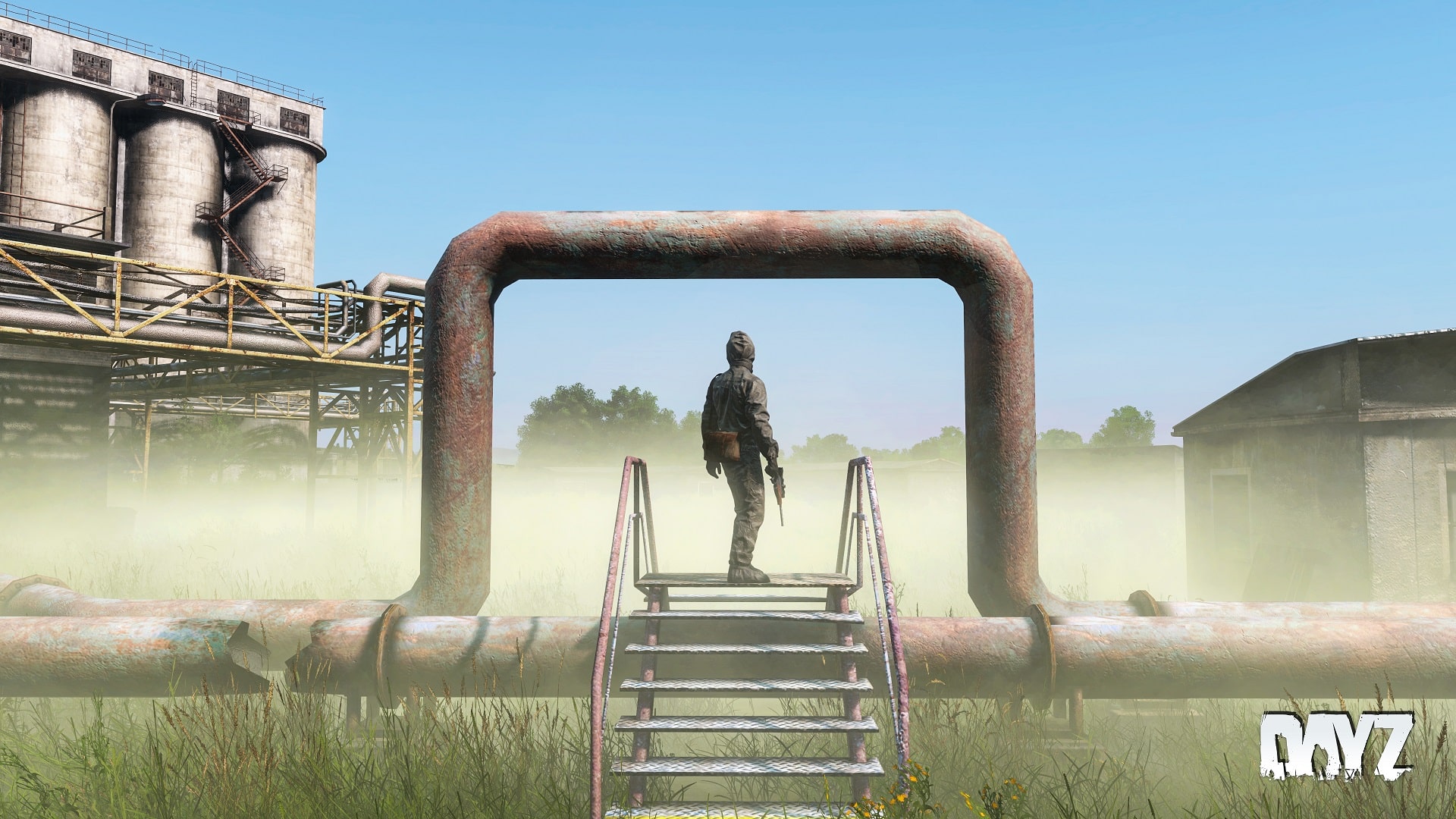
Bohemia Interactive has released the DayZ Experimental update 1.22 on Xbox and PC, and we have the goods on what got changed! Read on for what’s new in the DayZ for the Experimental July 27 patch notes!

DayZ Experimental Update 1.22 Patch Notes:

PC Experimental 1.22 Update 1 – Version 1.21.156458 (Released on 27.07.2023)

NOTES

  • Consider using the Steam client option to verify the integrity of the local game cache to avoid corrupted data after downloading this update.
  • Consider de-fragmenting your HDD after downloading large updates.
  • In case of problems, please check the Bohemia Interactive support F.A.Q.DayZ F.A.Q., or BattlEye F.A.Q.
  • You can help us to further improve the game by posting your feedback on the Feedback Tracker.

GAME

ADDED

  • Sling Bag
  • Army Pouch
  • Canvas Bag
  • Leather Duffel Bag
  • Hip Pack
  • Craftable Drysack Bag
  • New animation and sound for activating the heat pack
  • White variant of the fingerless wool gloves

FIXED

  • Fixed a server crash related to vehicle deletion
  • Car horns were not played when started outside of other players’ network bubble
  • Fixed a cause of the character and creatures movement giving the perception of micro-stutters at inconsistent but reliably high frame rate
  • Fixed an exploit to stand up from prone faster
  • Throwing an item into rivers/ponds/lakes would not produce a splash sound in deep water
  • Throwing an item into water would incorrectly play the sound at the bed of the water
  • The character was unable to enter some building entrances that were slightly above ground level
  • Players dying under water would not float up to the surface
  • Fixed a case of door animation desynchronization related to navmesh updates
  • The character name in the server browser was not displayed correctly in all cases
  • Fixed an exploit related to poison gas zone triggers (https://feedback.bistudio.com/T172418 – private)
  • When attempting to turn the car on with low fuel, the engine state between server and client would desynchronize
  • Actions that would hide items in hands would display the item to other players if they entered the network bubble after the action was started
  • AI were unable to enter the Livonia bunker
  • AI would not register open doors of the service hangar
  • It was not possible to detach the battery from a head torch looted from infected
  • Flares shot from the flare gun would produce a continuous sound when stuck in objects (https://feedback.bistudio.com/T172688)
  • The clerk infected looked too dark
  • Road flares would continue to burn for up to a minute even after reaching ruined state
  • Some weapon attachments were not registering hit impacts
  • Mining rocks with smaller tools did not play sounds
  • Destroyed fuel pumps would still yield gasoline
  • Washing hands with a water bottle did not have sounds
  • Certain can opening actions did not have sounds
  • Interrupting the washing hands action could result in a character glitch
  • Fixed several exploits to look through walls (https://feedback.bistudio.com/T157876 – private, https://feedback.bistudio.com/T165940 – private, https://feedback.bistudio.com/T169841https://feedback.bistudio.com/T171015https://feedback.bistudio.com/T171773 – private)
  • Several clothing items were missing their hitboxes
  • Camera was glitching when attempting to switch to prone in deep water
  • Bolts could get stuck in water
  • Crossbow bolts did not reflect their damage states correctly
  • It was not possible to shave while wearing the carnival mask
  • After removing a burlap sack from a player’s head, their hair could clip with their head gear
  • The red dot of the RVN Optic was not aligned with the center of the screen (https://feedback.bistudio.com/T171772)
  • If a dead body was skinned and quartered, bolts stuck in it would disappear
  • Attempting to treat another player’s wounds could result in false prompts to bandage yourself
  • Fixed several instances of items being held badly by the player
  • Fixed several instances of clothing items clipping
  • Fixed several building issues and exploits (https://feedback.bistudio.com/T170849https://feedback.bistudio.com/T169681)
  • Item widget would stay on the screen for the duration of hold actions (https://feedback.bistudio.com/T143492)
  • While driving, the user would constantly get the item widget of the car prompted
  • Medieval helmets had inconsistent impact sounds when thrown
  • The crossbow did not have sounds when used in prone
  • The crossbow did not have sounds when dry shooting indoors
  • The reload sound of the crossbow was more quiet while moving
  • The thirst indication sound could overlap with the fever sound
  • The thirst sound was not being played while wearing a gas mask or helmet
  • Prison doors played the wrong sounds (https://feedback.bistudio.com/T162517)
  • Audio of certain doors was desynchronized (https://feedback.bistudio.com/T170418)
  • The respawn timer was skipped as soon as the game was loaded (https://feedback.bistudio.com/T159902)
  • The reticle of the ATOG 6×48 optic was blurry on low graphics settings (https://feedback.bistudio.com/T171572)
  • Widgets connected to dead bodies were not static on the screen (https://feedback.bistudio.com/T172420)
  • An unconscious player could temporarily go into falling state and see their surroundings
  • Jumping while applying a gag bugs the rag
  • It was possible to access the inventory while blindfolded after waking up from unconsciousness
  • Deployed fence kits could block ladder exits (https://feedback.bistudio.com/T173115 – private)
  • The audio effect of the flash grenade would persist after respawn if the player was killed during it (https://feedback.bistudio.com/T172824 – private)
  • Certain car wreck doors wouldn’t open in all cases (https://feedback.bistudio.com/T172885)
  • Despawned fireplaces could still cause damage to players at their position
  • It was possible to collapse the hand slot container in the inventory (https://feedback.bistudio.com/T170500)
  • Fixed an exploit that allowed auto-rolling
  • Ambient sounds were missing after relogging while alt-tabbing in the Livonia underground
  • It was possible to warm up pills and split them
  • It was possible to bypass travel/server hop spawns by logging off on a ladder (https://feedback.bistudio.com/T173612 – private)
  • The player could cancel the stagger animation from a heavy hit by jumping (https://feedback.bistudio.com/T173573 – private)

CHANGED

  • Balanced gear armor values against melee weapons
  • Balanced damage caused by melee weapons and infected
  • Blunt melee weapons now inflict significantly more shock damage than health damage
  • Sharp melee weapons now inflict significantly more health damage than shock damage
  • The chance of suffering bleeding now both depends on the weapon/infected type, as well as protective clothing
  • Certain low tier sharp weapons will no longer cause push-back even when using heavy attack.
  • Chance of suffering bleeding is now based on weapons and armor
  • PBO data is now verified before entering the login queue (PC)
  • Added collisions for the player with dead bodies large animals
  • Reduced the weight of gas canisters (https://feedback.bistudio.com/T171733)
  • Improved the fire geometry for several firearms
  • Improved the fire geometry of several weapon attachments
  • Improved sounds of explosives
  • Reduced the damage taken by belts from torso hits by 20 percent
  • Reduced surface noise when driving over specific surfaces (https://feedback.bistudio.com/T171153)
  • Item widgets are no longer visible when blinded by a flash grenade or burlap sack
  • Updated the game credits
  • The in-game server browser now displays exact player numbers
  • Removed the column for slots in the server browser

CENTRAL ECONOMY

  • Added: Missing armbands for new flag variants
  • Fixed: Fixed misaligned spawnpoints for various buildings
  • Changed: Reduced the amount of backpacks spawning on infected
  • Changed: Reduced amount of backpacks spawning in the world
  • Changed: Rebalanced spawning locations of backpacks
  • Changed: Reduced amount of tools that work as high tier weapons and increased their low tier counterparts
  • Changed: Gasoline Canisters no longer spawn with full gasoline
  • Changed: Gas Canisters no longer spawn with full gas
  • Changed: Power generator no longer spawns with full fuel

CHERNARUS

LIVONIA

  • Fixed: A police event close to Brena was misplaced

SERVER

LAUNCHER

  • Added: server config for PC server now supports steamProtocolMaxDataSize, which enables larger packets, which can be used by servers with many mods to still show up in Launcher
  • Added: Users can now favorite a server from the Direct Connect window
  • Fixed: Launcher no longer displays a server as both offline and online in the FAVORITES tab (which would happen to certain steam accounts)
  • Fixed: Direct Connect window in Launcher was asking for “Server name or address” even though it only accepts the IP Address
  • Tweaked: All Launcher Server Browser tabs can now refresh simultaneously, and start refreshing upon Launcher startup
  • Tweaked: Server Browser tabs no longer refresh automatically, the user must trigger a refresh manually
  • Tweaked: Direct Connect window now opens Mod Management Window instead of attempting to directly connect
  • Tweaked: Removed Slots column from Server browser section. Players column now displays exact player number on a server, in color
  • Tweaked: Filter button in Launcher is now highlighted in red
  • Deprecated: Password field has been removed from the Direct Connect window
  • Deprecated: Completely removed the legacy PLAY SG button from the Launcher
  • Deprecated: Show Official Servers filter has been removed from the Launcher due to redundancy with the official tab

MODDING

  • Added: Invoker for trigger enter/leave events
  • Added: Invoker for entity EEKilled and EEHitBy events
  • Added: ‘DayZPhysics.GetHitSurfaceAndLiquid’ to get the liquid type of the hit surface
  • Added: Method ‘SoundObject.UpdateVariables(array<float>) to update the variables of a soundset while it is playing (https://feedback.bistudio.com/T161112)
  • Added: ‘SoundObjectBuilder.AddVariables(array<string>, array<float> = null)’
  • Added: Human::CheckFreeSpace exposed to scripts
  • Added: Accessor methods for the parent entity of a SoundObject
  • Added: Accessor methods for the speed of a SoundObject
  • Added: ‘AbstractWave.SetDoppler’ to enable or disable the doppler effect on sounds
  • Added: Script methods to get the current object texture/material
  • Added: ‘DayZPlayerImplement.IsAlreadyInFallingCommand’ to block falling command from starting
  • Added: ‘World.UpdatePathgraphDoorByAnimationName’ for updating states of doors on entities that aren’t a house
  • Added: ‘soundSpeedAppliesToHit’ for CfgAmmo to enable sound fall off on hit surfaces
  • Added: Basic config defines are now available in the built pbo as hpp file that can be included in any custom config
  • Added: Accessor for detecting if the player is teleported during login through ‘Hive.CharacterIsLoginPositionChanged’
  • Added: ‘ButtonWidget.GetText(out string)’ to get the set non-localized text
  • Added: ‘EntityAI.RegisterNetSyncVariableObject’ to synchronize an object by its network id
  • Added: ‘UUIDApi’ for generating and formatting a 128bit universally unique identifier (https://feedback.bistudio.com/T173290)
  • Added: RandomBool() func.
  • Added: Config parameter “collidesWithCharacterOnDeath” on DayZPlayer and DayZCreature to enable if either entity collides with the player when dead
  • Fixed: Human::CanChangeStance – parameter newStance has raised hands flag now
  • Fixed: Having code in the body of UIScriptedMenu.Cleanup would cause an infinite loop in script for UIScriptedMenu created and managed by script
  • Fixed: Triggers will now sync their shape over network
  • Fixed: Triggers will now automatically refresh themselves when setting a new shape
  • Fixed: Debug shapes could crash the game under certain conditions
  • Fixed: Window couldn’t be resized after the window was maximized while CLI ‘-resizeable’ was used
  • Fixed: ScriptCallQueue.GetRemainingTime and ScriptCallQueue.GetRemainingTimeByName returning values of removed funcs (https://feedback.bistudio.com/T173840)
  • Changed: A ‘CONTACT’ event is now fired for ‘InventoryItem’ when the origin of the entity is submerged in water
  • Changed: ‘Car.GetFluidFraction’ now returns the quantized amount with 8 bits of precision
  • Changed: ‘AbstractWave.SetPosition’ now contains 2nd default argument for setting the velocity
  • Changed: In-Game menu will appear on launch if the window isn’t focused (https://feedback.bistudio.com/T166474)
  • Changed: Player identity is now applied before player object loading
  • Changed: Moved ‘string.Get’ and ‘string.Set’ to native for slight performance improvement
  • Changed: RPT warning “‘/’ is not a value” has been changed to “Trying to access error value.” for more clarity
  • Deprecated: ‘SoundObjectBuilder.SetVariable’ in favor of the more appropriately named ‘SoundObjectBuilder.AddVariable’
  • Deprecated: ‘SoundObjectBuilder.UpdateEnvSoundControllers’ in favor of the more appropriately named ‘SoundObjectBuilder.AddEnvSoundVariables’

KNOWN ISSUES

  • Bolts are instantly ruined on impact – a fix is in internal testing
  • Players can leave ghosts for remotes at the edge of the network bubble – a fix is in internal testing
  • Player is desynced when changing seat or leaving the vehicle and falling down unconscious – a fix is in internal testing
  • White Fingerless wool gloves are missing their damaged textures – a fix is in internal testing
  • The character position in the water does not change with the water level – a fix is in internal testing
  • The explosion sounds of the improvised explosive lacks direction – a fix is in internal testing
  • Watchtower’s roof widget blocks other wall widgets – a fix is in internal testing
  • Vehicles will keep driving after the driver is killed

Xbox Experimental 1.22 Update 1 – Version 1.21.156458 (Released on 27.07.2023)

NOTES

GAME

ADDED

  • Sling Bag
  • Army Pouch
  • Canvas Bag
  • Leather Duffel Bag
  • Hip Pack
  • Craftable Drysack Bag
  • New animation and sound for activating the heat pack
  • White variant of the fingerless wool gloves

FIXED

  • Fixed a game crash related to the login process
  • The regular logout timer and the one prompted when accepting a server invitation were not consistent
  • Some button prompts were not present in the inventory after dropping an item
  • Option to put item in hands back into inventory was not displayed in inventory hints
  • HUD brightness settings were not connected to the account
  • Fixed a server crash related to vehicle deletion
  • Car horns were not played when started outside of other players’ network bubble
  • Fixed a cause of the character and creatures movement giving the perception of micro-stutters at inconsistent but reliably high frame rate
  • Fixed an exploit to stand up from prone faster
  • Throwing an item into rivers/ponds/lakes would not produce a splash sound in deep water
  • Throwing an item into water would incorrectly play the sound at the bed of the water
  • The character was unable to enter some building entrances that were slightly above ground level
  • Players dying under water would not float up to the surface
  • Fixed a case of door animation desynchronization related to navmesh updates
  • The character name in the server browser was not displayed correctly in all cases
  • Fixed an exploit related to poison gas zone triggers (https://feedback.bistudio.com/T172418 – private)
  • When attempting to turn the car on with low fuel, the engine state between server and client would desynchronize
  • Actions that would hide items in hands would display the item to other players if they entered the network bubble after the action was started
  • AI were unable to enter the Livonia bunker
  • AI would not register open doors of the service hangar
  • It was not possible to detach the battery from a head torch looted from infected
  • Flares shot from the flare gun would produce a continuous sound when stuck in objects (https://feedback.bistudio.com/T172688)
  • The clerk infected looked too dark
  • Road flares would continue to burn for up to a minute even after reaching ruined state
  • Some weapon attachments were not registering hit impacts
  • Mining rocks with smaller tools did not play sounds
  • Destroyed fuel pumps would still yield gasoline
  • Washing hands with a water bottle did not have sounds
  • Certain can opening actions did not have sounds
  • Interrupting the washing hands action could result in a character glitch
  • Fixed several exploits to look through walls (https://feedback.bistudio.com/T157876 – private, https://feedback.bistudio.com/T165940 – private, https://feedback.bistudio.com/T169841https://feedback.bistudio.com/T171015https://feedback.bistudio.com/T171773 – private)
  • Several clothing items were missing their hitboxes
  • Camera was glitching when attempting to switch to prone in deep water
  • Bolts could get stuck in water
  • Crossbow bolts did not reflect their damage states correctly
  • It was not possible to shave while wearing the carnival mask
  • After removing a burlap sack from a player’s head, their hair could clip with their head gear
  • The red dot of the RVN Optic was not aligned with the center of the screen (https://feedback.bistudio.com/T171772)
  • If a dead body was skinned and quartered, bolts stuck in it would disappear
  • Attempting to treat another player’s wounds could result in false prompts to bandage yourself
  • Fixed several instances of items being held badly by the player
  • Fixed several instances of clothing items clipping
  • Fixed several building issues and exploits (https://feedback.bistudio.com/T170849https://feedback.bistudio.com/T169681)
  • Item widget would stay on the screen for the duration of hold actions (https://feedback.bistudio.com/T143492)
  • While driving, the user would constantly get the item widget of the car prompted
  • Medieval helmets had inconsistent impact sounds when thrown
  • The crossbow did not have sounds when used in prone
  • The crossbow did not have sounds when dry shooting indoors
  • The reload sound of the crossbow was more quiet while moving
  • The thirst indication sound could overlap with the fever sound
  • The thirst sound was not being played while wearing a gas mask or helmet
  • Prison doors played the wrong sounds (https://feedback.bistudio.com/T162517)
  • Audio of certain doors was desynchronized (https://feedback.bistudio.com/T170418)
  • The respawn timer was skipped as soon as the game was loaded (https://feedback.bistudio.com/T159902)
  • The reticle of the ATOG 6×48 optic was blurry on low graphics settings (https://feedback.bistudio.com/T171572)
  • Widgets connected to dead bodies were not static on the screen (https://feedback.bistudio.com/T172420)
  • An unconscious player could temporarily go into falling state and see their surroundings
  • Jumping while applying a gag bugs the rag
  • It was possible to access the inventory while blindfolded after waking up from unconsciousness
  • Deployed fence kits could block ladder exits (https://feedback.bistudio.com/T173115 – private)
  • The audio effect of the flash grenade would persist after respawn if the player was killed during it (https://feedback.bistudio.com/T172824 – private)
  • Certain car wreck doors wouldn’t open in all cases (https://feedback.bistudio.com/T172885)
  • Despawned fireplaces could still cause damage to players at their position
  • It was possible to collapse the hand slot container in the inventory (https://feedback.bistudio.com/T170500)
  • Fixed an exploit that allowed auto-rolling
  • Ambient sounds were missing after relogging while alt-tabbing in the Livonia underground
  • It was possible to warm up pills and split them
  • It was possible to bypass travel/server hop spawns by logging off on a ladder (https://feedback.bistudio.com/T173612 – private)
  • The player could cancel the stagger animation from a heavy hit by jumping (https://feedback.bistudio.com/T173573 – private)

CHANGED

  • Mouse cursor in menus is now visible only when the mouse is connected and enabled in options
  • While moving an item in the inventory, the selected item remains highlighted as well
  • Balanced gear armor values against melee weapons
  • Balanced damage caused by melee weapons and infected
  • Blunt melee weapons now inflict significantly more shock damage than health damage
  • Sharp melee weapons now inflict significantly more health damage than shock damage
  • The chance of suffering bleeding now both depends on the weapon/infected type, as well as protective clothing
  • Certain low tier sharp weapons will no longer cause push-back even when using heavy attack.
  • Chance of suffering bleeding is now based on weapons and armor
  • Added collisions for the player with dead bodies large animals
  • Reduced the weight of gas canisters (https://feedback.bistudio.com/T171733)
  • Improved the fire geometry for several firearms
  • Improved the fire geometry of several weapon attachments
  • Improved sounds of explosives
  • Reduced the damage taken by belts from torso hits by 20 percent
  • Reduced surface noise when driving over specific surfaces (https://feedback.bistudio.com/T171153)
  • Item widgets are no longer visible when blinded by a flash grenade or burlap sack
  • Updated the game credits
  • The in-game server browser now displays exact player numbers
  • Removed the column for slots in the server browser

CENTRAL ECONOMY

  • Added: Missing armbands for new flag variants
  • Fixed: Fixed misaligned spawnpoints for various buildings
  • Changed: Reduced the amount of backpacks spawning on infected
  • Changed: Reduced amount of backpacks spawning in the world
  • Changed: Rebalanced spawning locations of backpacks
  • Changed: Reduced amount of tools that work as high tier weapons and increased their low tier counterparts
  • Changed: Gasoline Canisters no longer spawn with full gasoline
  • Changed: Gas Canisters no longer spawn with full gas
  • Changed: Power generator no longer spawns with full fuel

CHERNARUS

LIVONIA

  • Fixed: A police event close to Brena was misplaced

SERVER

KNOWN ISSUES

  • Bolts are instantly ruined on impact – a fix is in internal testing
  • Players can leave ghosts for remotes at the edge of the network bubble – a fix is in internal testing
  • Player is desynced when changing seat or leaving the vehicle and falling down unconscious – a fix is in internal testing
  • White Fingerless wool gloves are missing their damaged textures – a fix is in internal testing
  • The character position in the water does not change with the water level – a fix is in internal testing
  • The explosion sounds of the improvised explosive lacks direction – a fix is in internal testing
  • Watchtower’s roof widget blocks other wall widgets – a fix is in internal testing
  • Vehicles will keep driving after the driver is killed

Once the update is out on live servers, we’ll let our readers know.

Source: DayZ Forums

Avatar photo

Alex Co

Father, gamer, games media vet, writer of words, killer of noobs.

Home > News

For Honor Update 2.45 for July 27 Spears Out for YS72 TU2, Brings Ocelotl, Performance Mode (Update)

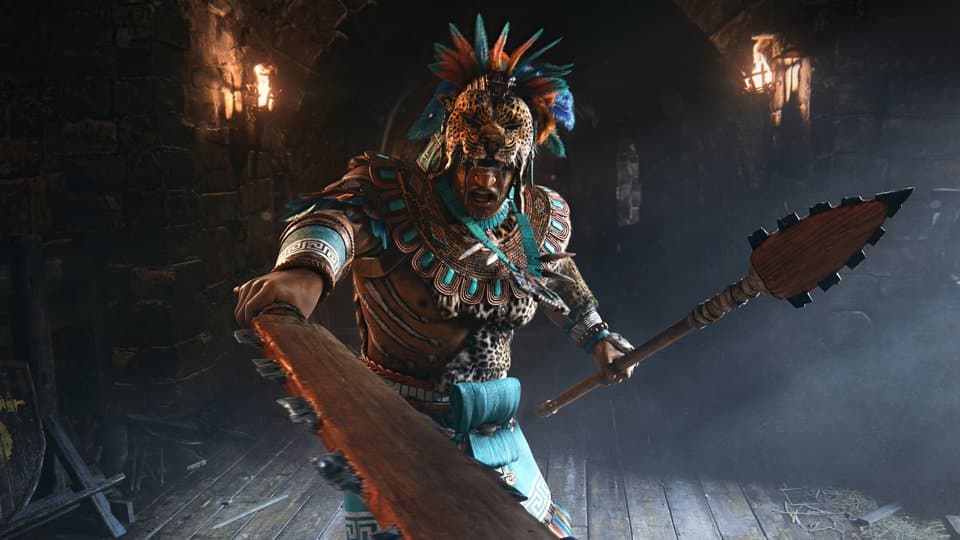
Ubisoft has released For Honor update 2.45 on all platforms today, and this brings the big Y7S2 TU2 content, which includes the new fighter Ocelotl and performance mode on consoles! Read on for what’s new in the For Honor patch notes for July 27.

For Honor Update 2.45 Patch Notes | For Honor Update Y7S2 TU2 Patch Notes | For Honor New Update Patch Notes:

File Size: 

PS: 1.7 GB
XB: 2.2 GB
PC: 2.2 GB

Update: The complete patch notes are now available.

NEW HERO: OCELOTL

Description

*”The prey should hear nothing but its own scream.” *

The Ocelotl hail from the great Aztec Empire. Master hunters, their name means “Jaguar Warrior” in their native tongue of Nahuatl. The Ocelotl stalk their enemies with predator patience — only to tear them to shreds in moments. Efficient and calculating, they wield a macuahuitl club and tepoztopilli spear to maul their prey as the situation warrants. They are ferocious fighters who never forget a grudge.

Fighting Style

  • Difficulty: Medium
  • Fast & Relentless Offense
  • Disabler & Ganker

Special Capabilities

  • Instead of dying, becomes a Huntsman’s Spirit
  • Infinite Chains with Light, Heavy, Zone and Melee attacks
  • Unique Hunter’s Stance for extra mobility
  • Unique Hunter’s Snare to surprise opponents with a far reaching, disabling attack

IMPROVEMENT

FIGHTERS

Centurion

  • Charged Jab now gains Uninterruptible Stance at 900ms (down from 1000ms)

Developer’s Comment:* With this change, we are adding safety to using Charged Jab after a Heavy Attack; it should no longer be interruptible by a Light Attack by your opponent, giving your opponent one less option to deal with Charged Jab.*

Nuxia

  • Caltrops changes:

o Cooldown is now 90 seconds (up from 45 seconds)

o Is now active for 15 seconds (down from 25 seconds)

Developer’s Comment:* Caltrops is one of the strongest Tier 2 feats available in the game, with its ability to deal a lot of damage as well as efficiently clear the minion lane for extended periods of time. With these changes, Caltrops is still an efficient minion lane clearing tool, but the feat’s uptime has been lowered significantly, ensuring it must be used at more opportune times.*

Jormungandr

  • Jotun Farewell no longer chains on miss
  • Hammer Slam now deals 26 damage (down from 30)

Developer’s Comment:* These changes are meant to tweak the risk/reward ratio of using Jotun Farewell; before these changes, Jormungandr took a low risk throwing Jotun Farewell as the only reliable response their opponents had was performing a dodge attack for an average of 14 damage and dealing 30 (and with Feats, extending that life lead even more). With these changes, Jormungandr must not only commit more as their opponents now get a Guard Break on a correct read, awarding an average 24 damage, but also deal less damage when their opponents do not get a correct read, lowering that extended life lead. This also promotes more varied gameplay scenarios when playing as and against a Jormungandr.*

PERFORMANCE MODE

  • Added a Performance Mode on supported consoles.

Developer’s Comment:On consoles, a new Graphic Mode option is added to choose between the existing Quality Mode and the new Performance Mode. Performance Mode brings unlocked FPS/Vsync with VRR (requires VRR compatible hardware), at 1080p resolution with reduced graphic upgrades. See Performance Mode article for more details.

EASY ANTI-CHEAT

  • Updated Easy Anti-Cheat client module and library.

Developer’s Comment:* This update of Easy Anti-Cheat makes the game playable on Steam Deck.*

UI

  • Players can now “Group Dismantle” Gear in both the Reward and Scavenger Gear screens.

Developer’s Comment:* This is a quality of life improvement that allows you to mark all the Gear, and then Dismantle them all at once (rather than individually as before)*

BUG FIXES

FIGHTERS

Jiang Jun

  • [Bug Fix] Fixed an issue that caused the Jiang Jun Sifu’s Poise breathing sound effect to continue playing even when Stamina is full

Jormungandr

  • [Bug Fix] Fixed an issue that caused the Jormungandr Chain Zone to not be useable while Out of Lock (FH-5393)

Warlord

  • [Bug Fix] Fixed an issue where Warlord can’t perform Back Slammer execution from opponent’s back

UI

  • [Bug Fix] Fixed an issue that caused some Custom Match options like Parry Flash Indicator and Renown to not be displayed in Map Overview (FH-4389)

SOUND

  • [Bug Fix] Fixed an issue that caused an explosion sound effect to be missing in Kazan Castle near second Attacker spawn (FH-3011)

CUSTOMIZATION

  • [Bug Fix] Fixed an issue that caused the Orochi Honkyo Helm to not be connected to body with some chest pieces
  • [Bug Fix] Fixed an issue that caused the Orochi “Tooth Fairy” execution to play correctly against some opponents
  • [Bug Fix] Fixed an issue that caused some Warmonger chest pieces to not apply paint patterns
  • [Bug Fix] Fixed an issue that caused the “Candlelit Shrine” to display different colors than what is displayed in game
  • [Bug Fix] Fixed an issue that caused the Shinobi Ryuseigun Helm to have missing textures (FH-5463)

While the official patch notes aren’t out just yet, you can check out the official details regarding Ocelotl and performance mode courtesy of Ubisoft.

Embody the Ocelotl, hunter on the battlefield, they can defeat an enemy with their Macuahuitl and their Tepoztopilli. Stalk opponents, and when the time is right, strike them with overwhelming ferocity.

Performance Mode:

Quality Mode (Current Default Setting)

  • Old Gen (PS4, Xbox One, Xbox One S) => 1080P, locked at 30FPS, Low Graphics
  • Mid Gen (Xbox One X and *PS4 Pro) => 4K, locked at 30FPS, **High Graphics
  • Next Gen (PS5, Xbox Series S, Xbox Series X) => 4K (except Series S at 1080p), locked at 60FPS, High Graphics

Performance Mode

  • 1080p, Unlocked FPS and unlock Vsync, Reduced Graphics
  • ***Medium Graphics (higher shadow resolution, better Level of Detail) on PS5 and Xbox Series X
  • VRR (Variable Refresh Rate) to avoid screen tearing on: Xbox One S, Xbox One X, Xbox Series S, Xbox Series X and PS5

PS4Pro – Will continue to have an extra option “High Resolution” that will set low graphics @ 4K @ 30FPS locked.

** High Graphics = higher shadow resolution, better Details, better space Reflections

*** Medium Graphics = higher shadow resolution, better Details

Performance mode is best using a TV or Monitor capable of a 120Hz refresh rate, otherwise players can experience screen tearing. Your console settings should also have a 120Hz refresh rate output enabled. To correctly activate 120Hz on your console of choice:

a. Xbox One and Series: Resolution needs to be set to 1080p

b. Only on Xbox Series : Allow4K needs to be disabled

c. PS5: Enable 120Hz Output is turned Automatic/On

To ensure that VRR is functioning properly, it will have to also be enabled on your console settings. To correctly activate VRR on your console of choice:

a. Xbox One and Series: Allow Variable Refresh Rate needs to be enabled in console

b. PS5 : VRR AND Apply to Unsupported Games are turned Automatic/On

To avoid screen tearing you will also need to have a VRR (Variable Refresh Rate) compatible TV, or Monitor, AND a 2.1 HDMI cable.

Once the official patch notes are out, we’ll update the article

Update: Official patch notes are now available.

Source: Ubisoft (2)

Avatar photo

Alex Co

Father, gamer, games media vet, writer of words, killer of noobs.

Home > News

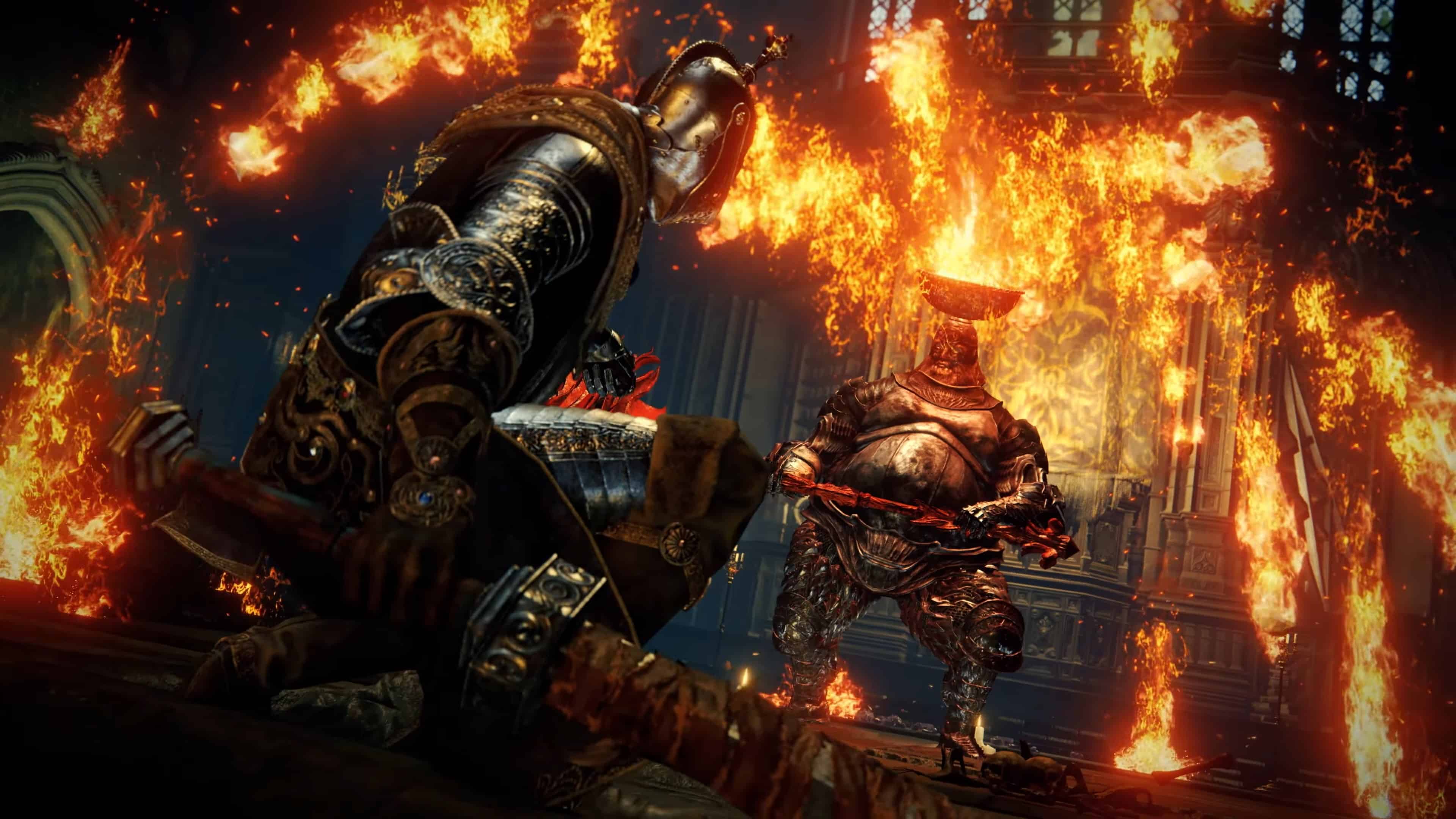
Elden Ring Update 1.010 for July 27 Slams Out for Version 1.10; Patch Notes Listed (Update)

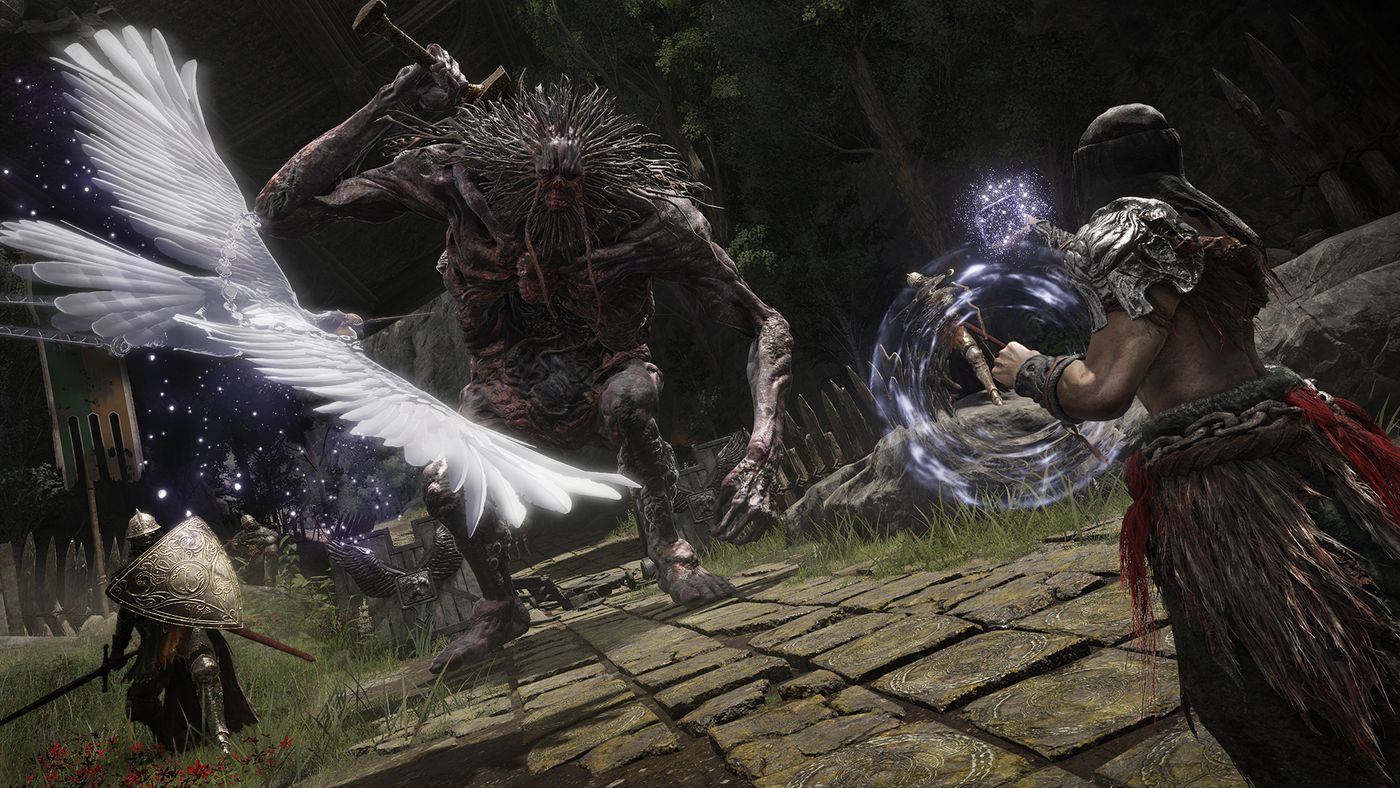
Elden Ring update 1.010 has been released on all platforms by FromSoftware for what the studio calls update version 1.10. This brings balance changes, bug fixes and more. Read on for what’s new in the Elden Ring patch notes for July 27.

Elden Ring Update 1.010 Patch Notes | Elden Ring Version 1.10 Patch Notes | Elden Ring New Update Patch Notes for July 27:

Size: 242MB (PS5)

Update: Full patch notes are now available.

PvP-wexclusive balance adjustments

The adjustments in this section do not affect single-player or cooperative play.

  • Increased poise damage of all weapons and some spells and incantations.
  • Increased poise when attacking with some skills, spells, incantations and some types of weapon attacks that generates poise.
  • Added damage reduction when performing attacks with some skills, spells and incantations and some types of weapon attacks that generates poise.
  • Critical hit angles have been extended.
  • Decreased the invulnerability window of the Quick Step and Hound’s Step skills.
  • Decreased the damage reduction granted by some skills, incantations and items.

General balance adjustments

  • Increased critical hit damage.
  • Decreased recovery time after a missed critical hit.
  • Increased poise damage of attacks that occur after missing a critical hit.

Bug Fixes and other changes

  • Adjusted the player damage animation so that the attack direction is not unintentionally shifted when getting hit while attacking with some types of weapons that generates poise.
  • Fixed a bug that prevented some spells and incantations from causing damage while under the effect of some skills and items.
  • Fixed a bug that caused the effects of the Sacred Order skill to continue after switching weapons.
  • Corrected some text in certain languages.

The version number of this update shown at the lower right corner of the Title Screen will be as follows:

App Ver. 1.10

Regulation Ver. 1.10


For now, FromSoftware has not released the patch notes just yet, but that should change once we get nearer to the maintenance’s end. What we do know is the patch will bring “balance & gameplay adjustments and bug fixes” according to the devs.

Once the proper notes are out, we’ll update the article accordingly, so refresh it from time to time.

Update:  Full patch notes added

Source: Bandai Namco

Related Reading:

Avatar photo

Alex Co

Father, gamer, games media vet, writer of words, killer of noobs.

Home > News

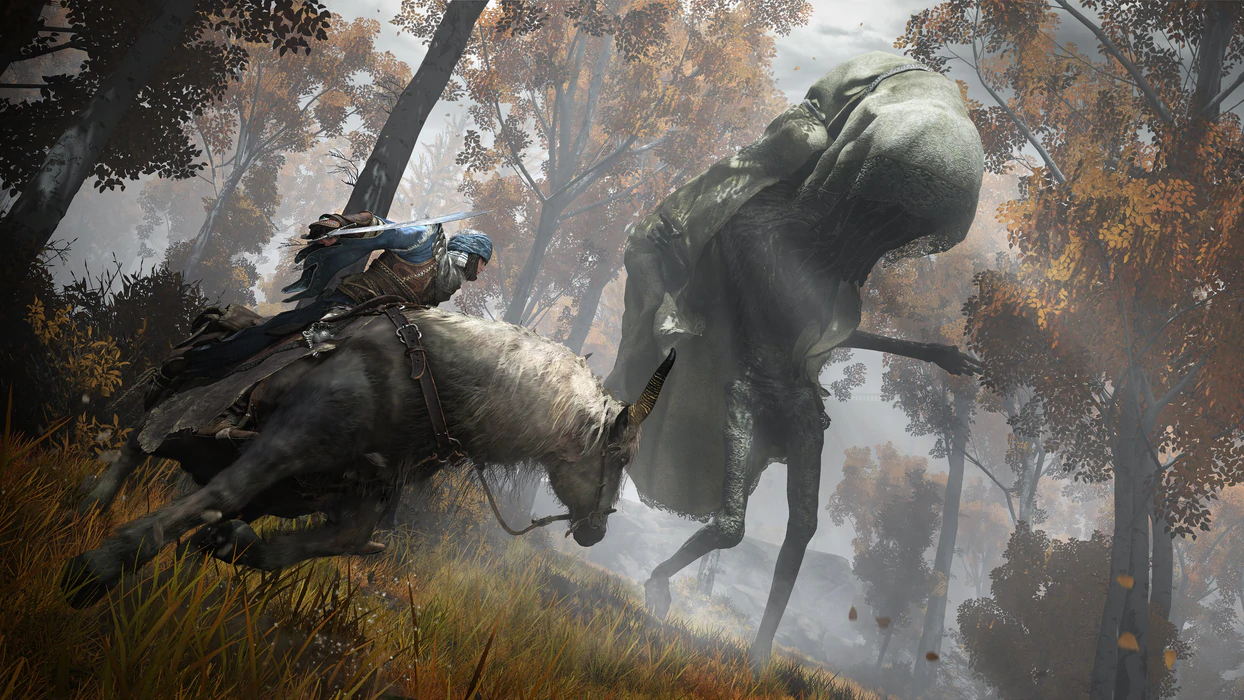
Elden Ring Update 1.15 Released for Patch 1.10 This July 27 (Update)

FromSoftware has released Elden Ring update 1.15 on all platforms this July 27, and this is for patch version 1.10! Players can expect balance changes and bug fixes to be part of this title update. Read on for the Elden Ring update 1.10 patch notes below.
Elden Ring Update 1.15 Patch Notes | Elden Ring Update 1.10 Patch Notes | Elden Ring July 27 Patch Notes:

PvP-exclusive balance adjustments

The adjustments in this section do not affect single-player or cooperative play.

  • Increased poise damage of all weapons and some spells and incantations.
  • Increased poise when attacking with some skills, spells, incantations and some types of weapon attacks that generates poise.
  • Added damage reduction when performing attacks with some skills, spells and incantations and some types of weapon attacks that generates poise.
  • Critical hit angles have been extended.
  • Decreased the invulnerability window of the Quick Step and Hound’s Step skills.
  • Decreased the damage reduction granted by some skills, incantations and items.

General balance adjustments

  • Increased critical hit damage.
  • Decreased recovery time after a missed critical hit.
  • Increased poise damage of attacks that occur after missing a critical hit.

Bug Fixes and other changes

  • Adjusted the player damage animation so that the attack direction is not unintentionally shifted when getting hit while attacking with some types of weapons that generates poise.
  • Fixed a bug that prevented some spells and incantations from causing damage while under the effect of some skills and items.
  • Fixed a bug that caused the effects of the Sacred Order skill to continue after switching weapons.
  • Corrected some text in certain languages.

For now, FromSoftware has not released the patch notes just yet, but that should change once we get nearer to the maintenance’s end. What we do know is the patch will bring “balance & gameplay adjustments and bug fixes” according to the devs.

Once the proper notes are out, we’ll update the article accordingly, so refresh it from time to time.

Related Reading:

Update: This post has been updated with patch notes.

Source: Bandai Namco

Avatar photo

Alex Co

Father, gamer, games media vet, writer of words, killer of noobs.

Home > News

Monster Hunter Rise: Sunbreak Free Item Packs Offered by Capcom, Download Them Here

Monster Hunter Rise: Sunbreak is another major hit for Capcom, and another content update that has contributed to the company’s growth displayed by the latest financial results. To thank players for their commitment, the studio is once again offering everyone some free DLC to make your monster hunting smoother, in the shape of two special item packs containing in-game goodies such as lottery tickets, traps, vouchers, and more. Download the two free Monster Hunter Rise: Sunbreak item packs here.

You can grab both packs from the Microsoft Store (Xbox and Windows) and the PlayStation Store at no cost. The first bonus pack is named A Gift from Chichae 2, and the second one is the Elgado Funtime Pack. Below you can find the links to each add-on and the included content.

A Gift from Chichae 2 (Microsoft Store | PlayStation Store)

  • Farcaster x20
  • Friend Voucher x30
  • Shock Trap x10
  • Thunderbug x20
  • Trap Tool x20
  • Tranq Bomb x20

Elgado Funtime Pack (Microsoft Store | PlayStation Store)

  • Platinum Egg x5
  • Lottery Ticket x30
  • MP Accelerant x20
  • Melding Nectar x30

There is no notice on any expiration date for this free Monster Hunter Rise: Sunbreak DLC, but if you’re an active player and want to get some extra items, don’t sit on this offer for too long, who knows when it may not be available anymore.

Capcom is planning on releasing the Monster Hunter Rise: Sunbreak Ver16 including all title updates on August 24, 2023.

Vitor Braz

Home > News

Mobile Suit Gundam Battle Operation 2 Update 1.70 Out for 5th Anniversary Campaign This July 27

Bandai Namco has fired out Mobile Suit Gundam Battle Operation 2 update 1.70 (PS5 version 1.070) today for all platforms. This update includes the 5th Anniversary Campaign and other gameplay adjustments. Read on for the Mobile Suit Gundam Battle Operation 2 July 27 patch notes down below.

Mobile Suit Gundam Battle Operation 2 Update 1.70 | Mobile Suit Gundam Battle Operation 2 Update 1.070 | Mobile Suit Gundam Battle Operation 2 July 27 Patch Notes:

■5th Year Anniversary Campaign
Happy Birthday to GBO2!
“5th Year Anniversary Campaign” is starting from today!
■Period
[PDT] 07/26/2023 22:00 – 08/23/2023 21:59 [Scheduled]
[CEST] 07/27/2023 07:00 – 08/24/2023 06:59 [Scheduled]
※For more details, please click here.

■Updates
ver.0170.1534
■Battle Simulator
  • ◎Battle Simulator missions is now updated.
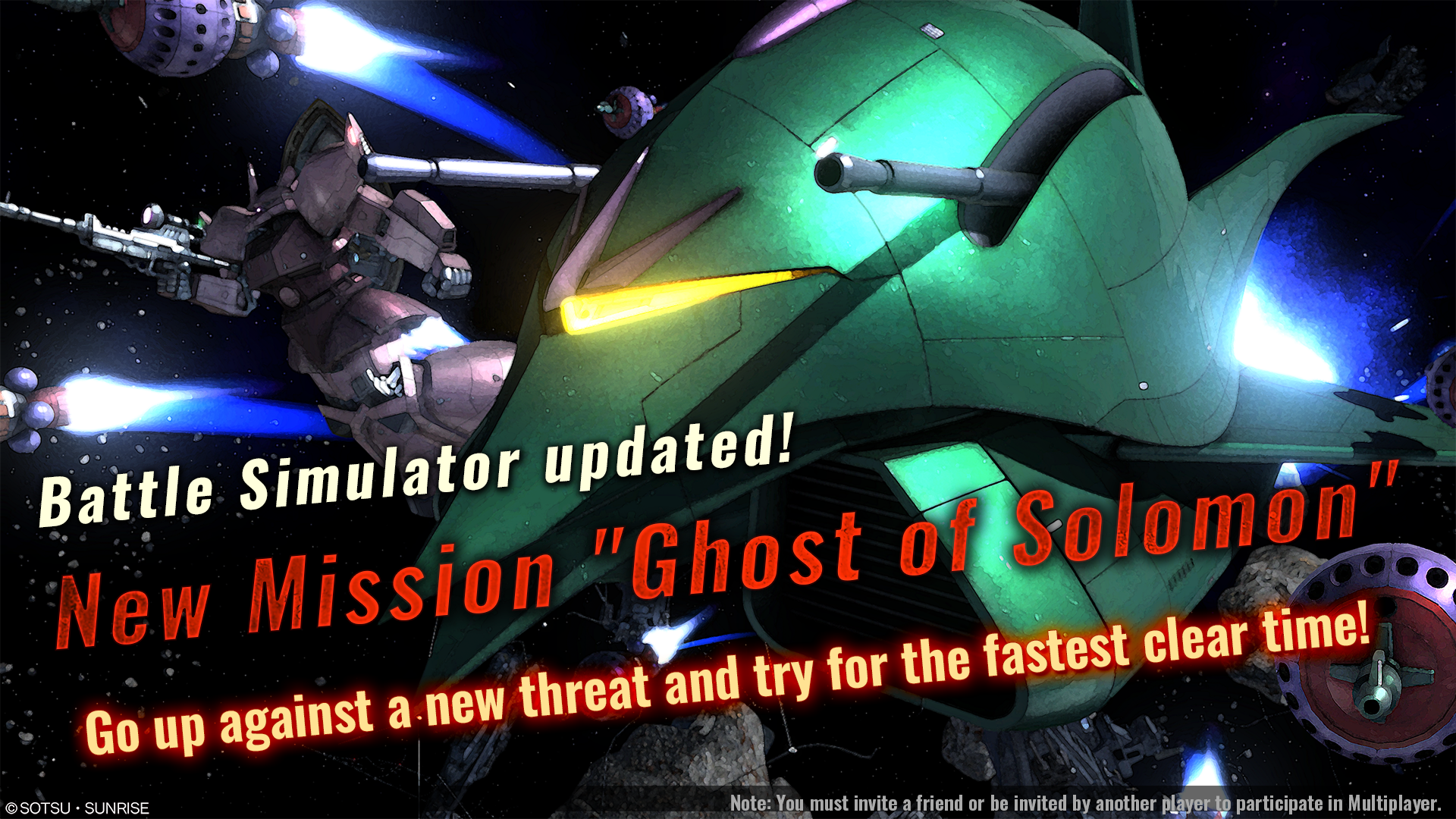
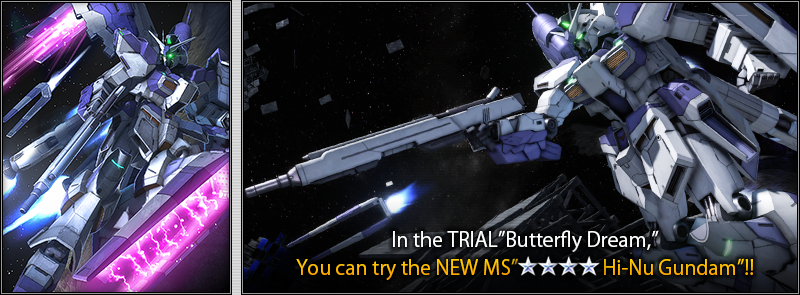
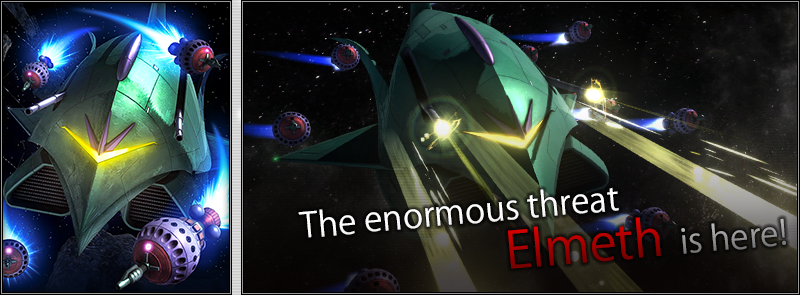
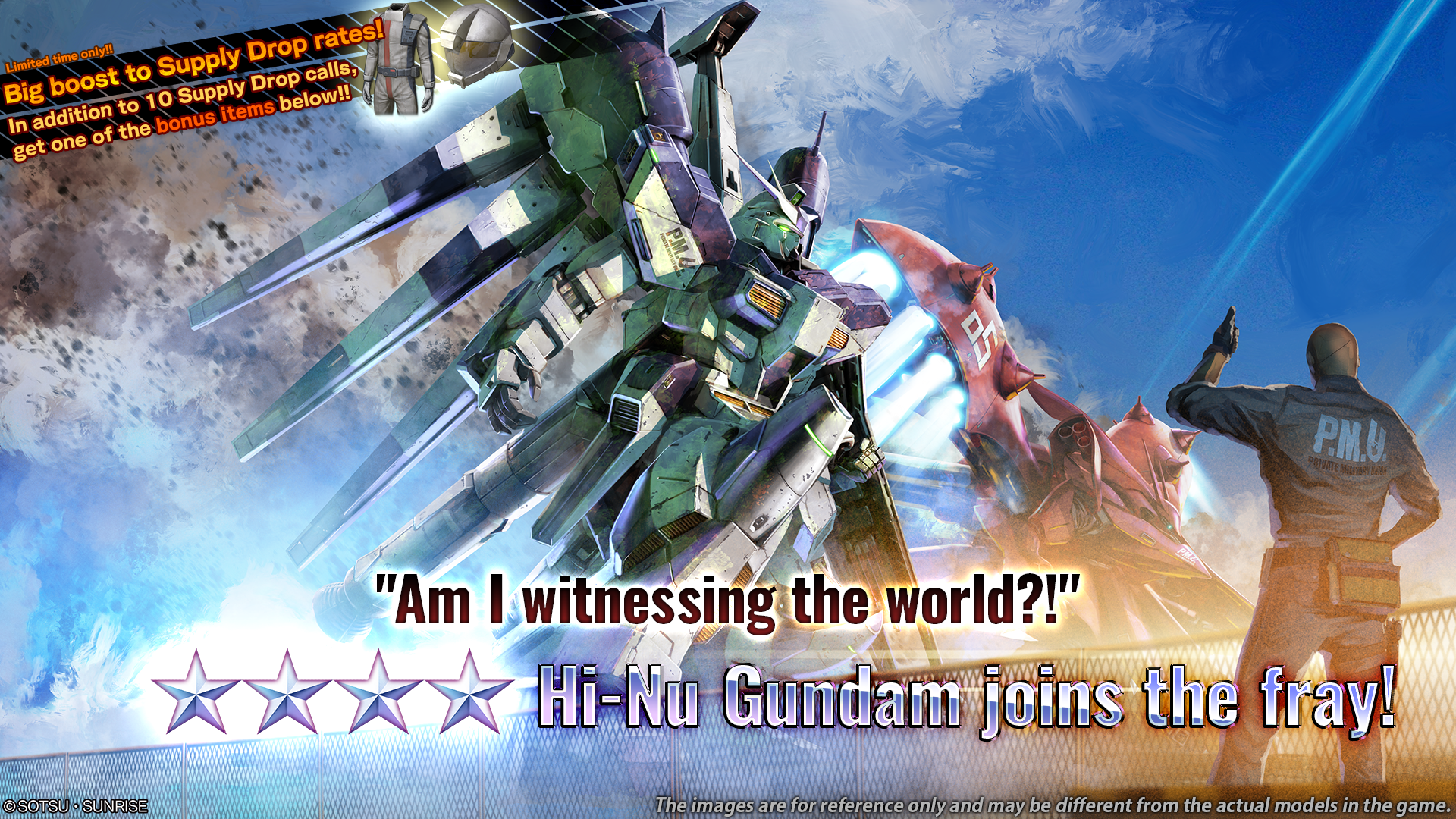
  • ⇒ You can now try the new MS Hi-Nu Gundam in TRIAL “Butterfly Dream” and fight the new BOSS “Elmeth” in mission “Ghost of Solomon”.
  • ■ TRIAL “Butterfly Dream”
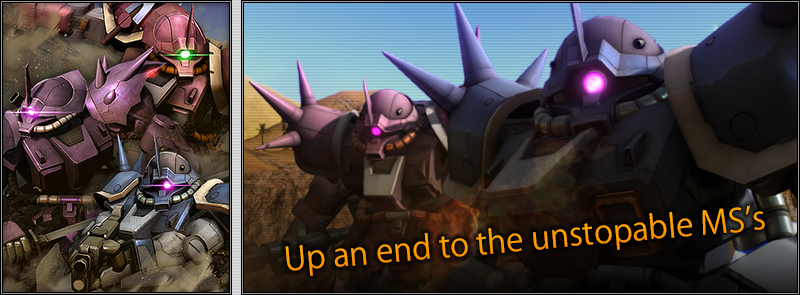
  • ■ SURVIVAL “Demon of the desert”
  • ■ BOSS “Ghost of Solomon”
  • ◎Achievement rewards for Battle Simulator is now updated.
  • ⇒ New achievement rewards can be earned by finishing the updated missions.
  • ■Achievement rewards
  • ・TRIAL “Butterfly Dream”
  • Achievement reward 1: DP 50,000
  • Achievement reward 2: Strengthened Frame LV5
  • Achievement reward 3: 3 tokens
  • ・SURVIVAL “Demon of the Desert”
  • Achievement reward 1: DP 50,000
  • Achievement reward 2: Enhanced Melee Program LV4
  • Achievement reward 3: 3 tokens
  • ・BOSS “Ghost of Solomon”
  • Achievement reward 1: DP 50,000
  • Achievement reward 2: Enhanced Firing Program LV4
  • Achievement reward 3: 3 tokens
  • ※Pilots who already have those materials will obtain a number of recycle tickets instead.
■Unit adjustment
Various Parameter Adjustments are implemented.  ※For details, check here.
◎Results of various parameter adjustments from 06/22/2023 [JST] are announced.  ※For details, check here.
■Game title menu
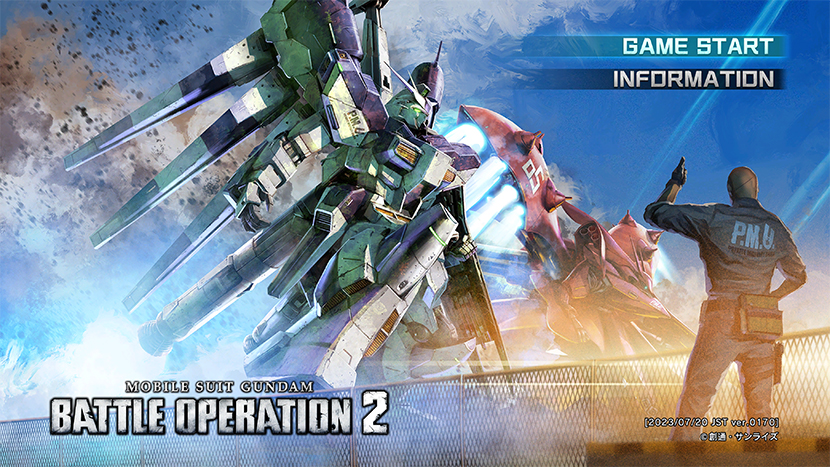
  • ◎We have changed a new key visual to celebrate our 5th Anniversary.
    ⇒ Not only the key visual, we have also adjusted the UI.
  • ◎We have new opening movie for this celebration too!
    ⇒ Opening movie is now replaying after AFK in the title menu a while.
■Matching
  • ◎Now only the exact same cost MS can be matched in a rating match.
  • ⇒ Pilots may have used MS -50 cost for the rating match in the past, but this has been changed and pilots now have to choose the exact cost for the rating.
■Option menu
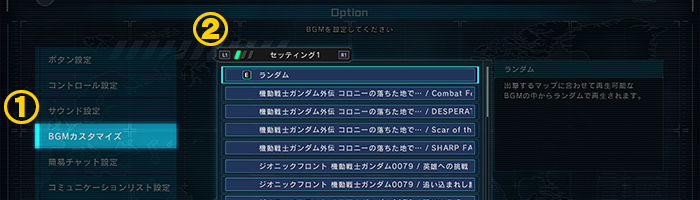
  • “BGM customizing function” have been added.
  • ⇒ Battle BGM was played randomly in the past but now you can choose whatever you like with the “BGM customizing function” to set it to your favorite one.
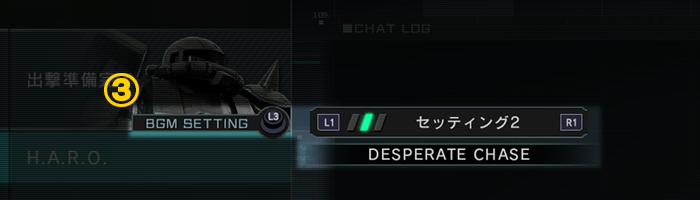
■How to set the BGM
  • ①Select “BGM customizing” from H.A.R.O. -> option
  • ②Press “L1/R1” to choose maximum 3 favorite BGM.
  • ③Press “L3” in matching room can change the BGM which you had set in step ②.
  • ※You can listen the BGM you want by pressing “△” in the option menu.
■Battle related
  • ◎With the addition of the Hi-Nu Gundam’s sub-weapon, “Fin Funnels [Support]”, an icon will now be displayed on all MS to confirm whether or not they are affected by the “Psycommu jamming” effect, which disables the use of Psycommu weapons for a certain period of time.
  • ⇒ Since the “Fin Funnels [Support]” is a psycommu weapon that can be deployed against all MS, it is now possible to check whether the “psycommu jamming” effect is occurring in all MS.
■Others
  • ◎You can now hold Directional Buttons or L stick up/down to quickly check the list rather than pressing the buttons every single time.
■Application Data Update
■Supply Drop Lineup Update Notice
※For more details, please click here.
■August 2023 Premium Login Bonus
※Regarding August 2023 Premium Login Bonus, click here.
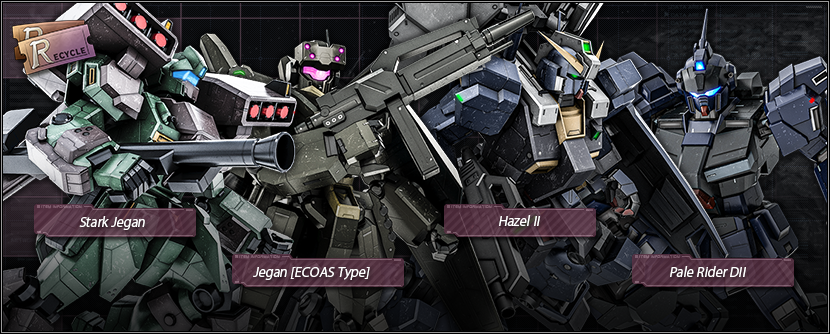
■New Materials for exchange are added to Recycle Counter.
⇒ Information about newly added materials
  • ■Units
  • ★★★ Stark Jegan LV1–2 added
  • ★★ Jegan [ECOAS Type] LV1–2 added
  • ★★ Hazel II LV1–2 added
  • ★★ Pale Rider DII LV1–2 added
  • ■Main weapon
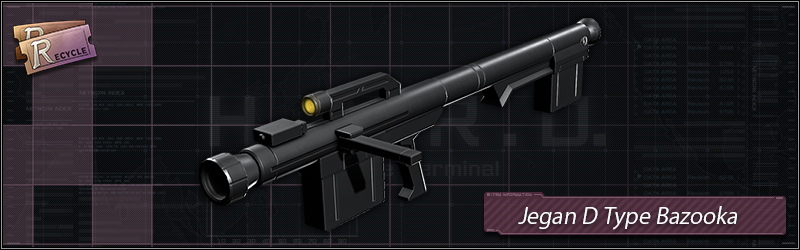
  • ★★★ Jegan D Type Bazooka LV1–2 added
  • ※The materials mentioned above will be available at Recycle Counter for 2 days, from [JST] 07/27/2023 – 07/28/2022.
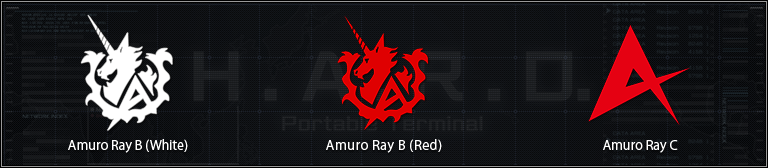
    • ■Mark
    • ★★ Amuro Ray B (White) added
    • ★★ Amuro Ray B (Red) added
    • ★★ Amuro Ray C added
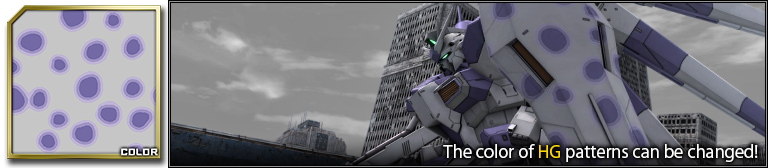
  • ■Pattern
  • ★★★ Inkspot camouflage HG added
■New Materials for exchange are added to DP exchange Counter.
⇒ Information about newly added materials
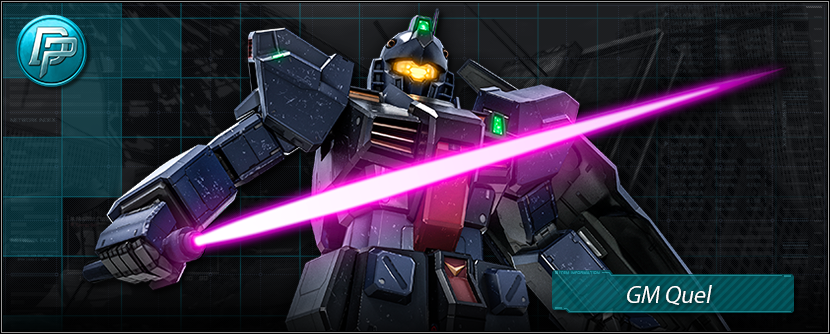
  • ■Unit
  • ★★ GM QuelLV3 added
■Some materials have been excluded from the Supply Drop Lineup.
※For Details, click here.
■Rating Match/Quick Match Game Modes are updated
※There may be differences about the game mode with the information above, which were introduced during the previous update regarding [Possible Game Modes].

■Collaboration with WasyaganaTV Youtube Channel “GBO2 Quiz”
We had a collaboration event with WasyaganaTV Youtube Channel, “Happy Brithday GBO2 5th Anniversary! Mafia Kajita and Yuichi Nakamura’s show “Washanama” #37 “WasyaganaTV Youtube Channel” (only in Japanese), to reward both MC who had answered a certain questions correctly in “GBO2 Quiz” on [JST] 07/23/2023, we would like to distribute all pilots a series of MS!
■Period
[PDT] 07/26/2023 22:00 – 08/23/2023 21:59 [Scheduled]
[CEST] 07/27/2023 07:00 – 08/24/2023 06:59 [Scheduled]
■Reward MS
・Zeta Gundam LV1 (General Unit, ground/space use, cost: 600)
・ZZ Gundam LV1 (General Unit, ground/space use, cost: 650)
・Gundam Mk-II LV1 (General Unit, ground/space use, cost: 500)
・Qubeley LV1 (General Unit, ground/space use, cost: 650)
・The-O LV1 (General Unit, ground/space use, cost: 650)
・Döven Wolf LV1 (General Unit, ground/space use, cost: 600)
・Qubeley Mk II LV1 (Raid Unit, ground/space use, cost: 650)
・Zaku III Custom LV1 (Raid Unit, ground/space use, cost: 650)
・Hyaku-Shiki LV1 (Raid Unit, ground/space use, cost: 550)
・Hamma-Hamma LV1 (Support Unit, ground/space use, cost: 600)
  • ※Pilots who already have the MS will obtain a number of recycle tickets instead.
■About WasyaganaTV Youtube Channel
A video and radio channel formed by “free” writer, Mafia Kajita, and voice actor, Yuichi Nakamura.
With Script Writer, Bukubu Ohkawa, who is the writer of “POP TEAM EPIC”, getting us various fun contents and game streaming!!
Channel link:https://www.youtube.com/@WasyaganaTV

■Weekly Weekend Battle Schedule
Weekend Battle Schedule Special Rules
[PDT] 07/27/2023 12:00 – 07/28/2023 11:59
[CEST] 07/27/2023 21:00 – 07/28/2023 20:59
“Mix-Up”, “Simple Battle”, “Shuffle Target”,
“Brawl Match”, “Duel Match”
will be held every two hours.
[PDT] 07/28/2023 12:00 – 07/29/2023 11:59
[CEST] 07/28/2023 21:00 – 07/29/2023 20:59
[PDT] 07/29/2023 12:00 – 07/30/2023 11:59
[CEST] 07/29/2023 21:00 – 07/30/2023 20:59
■Next Clan Match Schedule
Please refer, here for the next Clan Match schedule and reward collection period.
For an overview of the Clan Match, please refer here.
■Fixes
  • ◎Units
  • ・In the “Unicorn Gundam,” although the skill “Awaken Ability Boost” nullifies “Psycommu Jamming” effect, no explanation was provided for this ability, so the description has been corrected.
  • ・In “MSN-04FF Sazabi”, the behavior of the skill “Resist Move” other than its effect was different from that of the skill “Emergency Evasion” and we have unified the effect to match that.
  • ・The mono eye of “Sisquiede” was turned off when the skill “Offense Mode: Phase 2 Ability Boost” was activated while the head was damaged.
  • ◎Weapons
  • ・Fixed a case in which unnecessary lock-on markers were displayed when certain operations were performed on weapons that can use ASL (automatic sight lock) and weapons that can lock on to the target.
  • ・In the language setting “English,” the name of the sub-weapon “RD Custom C Bazooka [Shrapnel]” of the “Modified Rick Dijeh” which was not appropriate.
  • ◎Others
  • ・In the language setting “English”, the icon for Monthly MS displayed in “H.A.R.O. > Database > Item Data > MS” was listed as “Special MS”, which was corrected to “Monthly MS”.
  • ◎Others
  • ・In the PS5™ version, when scrolling down the screen while the cursor is over the “Battle Operation 2” application on the home screen, the performance was not appropriate and now is fixed.

Source: Battle Operation

Damien Seeto

Home > News

Elden Ring Down for Server Maintenance and Patch 1.10 Roll Out This July 27

If you’re seeing Elden Ring down reports surface this July 27, it’s not just you, as FromSoftware has taken the Elden Ring servers down for maintenance, and during this time, patch 1.10 will be released on all platforms.

Update: Here are the official Elden Ring update 1.10 patch notes

Elden Ring Down for Server Maintenance Schedule and Status for July 27:

Here’s the announcement from the studio:

The #ELDENRING servers will undergo maintenance today, July 27 to deploy patch 1.10.

This update contains balance & gameplay adjustments and bug fixes.

Maintenance will begin at 0:00 PDT | 09:00 CEST | 16:00 JST and last 3 hours on all platforms.

Once the patch is out, we’ll provide a link out to it in the article. Same as always, if the maintenance period is extended or changed, we’ll update the article to reflect it.

In other Elden Ring news, it’s been revealed recently that the studio has developed both Elden Ring and the upcoming Armored Core 6 with just a 300-man team.

More FromSoftware Reading:

Avatar photo

Alex Co

Father, gamer, games media vet, writer of words, killer of noobs.

Home > News

Splatoon 3 Update 4.1.0 Goes Live for July 26; Here’s What’s Included

As announced earlier this week, Nintendo has begun rolling out Splatoon 3 Update 4.1.0 this July 26, addressing several recent bugs, as well as weapon balancing.  

Splatoon 3 Update 4.1.0 Patch Notes for July 26:

Fixes to Multiplayer

  • Specifications for some main weapons have changed.
    Weapon Change Details

    Aerospray MG

    Aerospray RG

    • Reduced the amount of ink consumed by approximately 9%.

    Splattershot

    Tentatek Splattershot

    Hero Shot Replica

    • Reduced the scatter of shots while on land by approximately 17%.
      • This also includes midair shot-scatter reduction from the Intensify Action gear ability. The midair ink scatter will now be closer to the effect while shooting on land.

    N-ZAP ’85

    N-ZAP ’89

    • Reduced the scatter of shots while on land by approximately 17%.
      • This also includes midair shot-scatter reduction from the Intensify Action gear ability. The midair ink scatter will now be closer to the effect while shooting on land.

    Splattershot Pro

    Forge Splattershot Pro

    • Increased the radius of the ink splatter at the point of impact by approximately 8%.

    Luna Blaster

    Luna Blaster Neo

    • Reduced the scatter of shots midair by approximately 25%.
    • Also made midair shot-scatter reduction from the Intensify Action gear ability easier to activate even with a smaller number of gear abilities. The midair ink scatter will now be closer to the effect while shooting on land.
      • The effect gained from equipping the maximum number of Intensify Action gear abilities will not change.
    Dynamo Roller
    • Reduced the amount of time it takes for ink to begin recovering after a horizontal or vertical swing by about 1/6 of a second.
    Painbrush
    • Reduced the amount of ink consumed when swinging the brush by approximately 25%.
    • Reduced the amount of ink consumed when holding the ZR Button to paint while moving ahead by approximately 25%.
    Goo Tuber
    • Adjusted the display indicating the charge amount to make it easier to tell when it will exceed 100.0 damage dealt.
    Bloblobber
    • Increased the radius of ink splatter at the point of impact and from ink spray by approximately 10%.
    Tri-Stringer
    • Increased the damage dealt to opponents by the explosions of shots lodged in the terrain from 28.0 to 30.0.
    • Increased movement speed while charging and while fully charged by approximately 13%.
  • Specifications for some sub weapons have changed.
    Sub Weapon Change Details
    Sprinkler
    • Extended the duration of the state where the ink is strongest immediately after placement by approximately 3 seconds.
    Angle Shooter
    • Increased the damage dealt to opponents by direct hits from 35.0 to 40.0.
  • Specifications for some special weapons have changed.
    Special Weapon Change Details
    Trizooka
    • Increased the damage dealt by explosions from 40.0 to 60.0.
    Ink Vac
    • Increased the radius of the ink-shot explosion by approximately 50% when the amount of the opponent’s ink that was sucked up is at the minimum.
    • Increased the radius of the ink-shot explosion by approximately 25% when the amount of the opponent’s ink that was sucked up is at the maximum.
    Super Chump
    • Increased the amount of damage dealt to players caught in an explosion near a decoy from 60.0 to 70.0 and increased the radius of that area by approximately 38%.
    • Increased the radius of the decoy explosion area that deals 35.0 damage by approximately 20%.
    Inkjet
    • Decreased the radius of the explosion area that deals 50.0 damage by approximately 15%.
      • No changes to the radius of the area that deals 30.0 damage.
  • Points required for some special weapons have been changed.
    Weapon Before After
    Clash Blaster Neo 180 170
    Carbon Roller 180 170
    Rapid Blaster Pro Deco 180 190
    Tri-Slosher Nouveau 180 190
    Mini Splatling 180 190
    Ballpoint Splatling 200 210

Changes to the Lobby

  • Made it possible to join a room even when a Private Battle is in progress if there is a spot available.
    • In this case, the new player will be able to participate starting with the next battle.

This update focuses on making tweaks to multiplayer.

We have improved certain weapons to make them easier to use and modified some less popular weapons to be a bit closer to popular weapons in performance. We hope this will encourage a wider selection of weapon usage.

Additionally, we have made adjustments to some sub weapons to make them easier to use in conjunction with main weapons.

We have also adjusted some special weapons. In addition to similar adjustments mentioned above to encourage a wider selection of usage, we’ve dialed back the performance of some special weapons that had been modified in the past. Their specifications are now closer to the original weapon specifications.

We plan on releasing the next update at the end of the current season. It will focus primarily on further weapon balance adjustments and adding features for the new season starting in September.

Bug Fixes

Fixes to Player Controls

  • Fixed an issue where the player could jump higher than normal by performing certain inputs to do a Squid Roll while swimming on a wall holding the B Button.
  • Fixed an issue where the back side of the terrain occasionally displayed when the player jumped in front of certain terrain, making it hard to see the screen.
  • Fixed an issue where players could appear in an unintended state to other players and not correctly take damage when using an unstable wireless connection.
  • Fixed an issue in Rainmaker mode where players with the Rainmaker could appear to not have the Rainmaker in their possession to other players when using an unstable wireless connection.
  • Fixed an issue where certain sloshers were occasionally not inking walls correctly.
  • Fixed an issue where a player behind a brella would sometimes take damage and explode when the tip of the brella touched a fully charged Rainmaker shot after impact or a stationary bomb.

Fixes to Multiplayer

  • Fixed an issue where communication errors occurred easily when hitting a Big Bubbler or the Rainmaker shield repeatedly with Killer Wail 5.1 when using an unstable wireless connection.
  • Fixed an issue in Rainmaker mode where sponges and inkrails did not respond when hit directly by a fully charged Rainmaker shot.
  • Fixed an issue in Clam Blitz mode where overtime occasionally did not occur even though the leading team’s power clam remained on the stage.
  • Fixed an issue in Clam Blitz mode where clams or power clams occasionally increased when multiple players with unstable wireless connections attempted to acquire them.
  • Fixed an issue in Eeltail Alley where it was possible to ink under certain obstacles and have it count as turf inked.
  • Fixed an issue in Mahi-Mahi Resort where it was possible to ink under certain obstacles and have it count as turf inked.
  • Fixed an issue in Inkblot Art Academy in Rainmaker mode where there were points where the goal distance did not change as intended.
  • Fixed an issue in Sturgeon Shipyard in Tower Control mode where players could be pushed by the tower and become stuck inside terrain.
  • Fixed an issue in Manta Maria in Tower Control mode that caused players to occasionally clip into terrain when doing a Super Jump to the top of the tower in certain positions.
  • Fixed an issue in Barnacle & Dime where it was possible to ink under certain obstacles and have it count as turf inked.
  • Fixed an issue in Barnacle & Dime in Tower Control mode where players could be pushed by the tower and become stuck inside terrain.
  • Fixed an issue in Humpback Pump Track where it was possible to ink under certain obstacles and have it count as turf inked.
  • Fixed an issue in Humpback Pump Track where Wave Breakers disappeared when set in certain areas.

Fixes to Salmon Run

  • Fixed an issue where it was difficult to deal damage to Drizzlers with the horizontal slash of the Grizzco Splatana.
  • Fixed an issue where inking the majority of the Flipper-Flopper ring’s interior occasionally didn’t register.
  • Fixed an issue that occasionally caused a Flipper-Flopper to land on top of the egg basket.
  • Fixed an issue that occasionally caused Salmonids that appeared in the wave after a special Rush wave to have the same health as Rush-wave Salmonids.
  • Fixed an issue in Jammin’ Salmon Junction that caused grates to obstruct the player’s vision by making it possible to see through them when they appear in front of the player.
  • Fixed an issue in Jammin’ Salmon Junction where Salmonids occasionally became stuck on Big Shot cannons and Fish Sticks. This was done by adjusting the position of the Big Shot cannons and Fish Sticks on the map.
  • Fixed an issue in Jammin’ Salmon Junction where the Golden Egg that appears after defeating a Snatcher in certain positions occasionally clipped into the terrain or a Fish Stick.

Fixes to Splatfests

  • Fixed an issue in Tricolor Turf War where players occasionally appeared to hold the Ultra Signal in a position away from where it was placed when using an unstable wireless connection.

Other Fixes

  • Fixed an issue where the lobby jukebox would occasionally play the wrong song immediately before matchmaking ends.
  • Fixed an issue that halted matchmaking if a player in the lobby had the “Save to amiibo” confirmation screen open in the Equip menu.
  • Fixed an issue that caused notifications to be resent after a player in the lobby did recon in a Private Battle.
  • Fixed an issue where a player’s alias setting was occasionally ignored and their regular player name was displayed when they were in a Private Battle room performing certain actions within the lobby menu or the Equip screen.
  • Fixed an issue in the Sheldon Sampler Challenge where the amount of turf inked and number of wins were added to the weapon equipped in the lobby before the start of the match.

Source: Nintendo

Avatar photo

James Lara

A gamer at heart, James has been working for MP1st for the last decade to do exactly what he loves, writing about video games and having fun doing it. Growing up in the 90's gaming has been in his DNA since the days of NES. One day he hopes to develop his own game.

Home > News

Diablo 4 TurboHUD4 Flagged by Blizzard as Software That Can Lead to “Disciplinary Action” and Even “Permanent Suspension”

For Diablo 4 gamers playing on PC, some might be using (or are thinking to use) the TurboHUD4 (THUD4) software in order to make your dungeon raiding and spellcasting lives easier in Sanctuary. Well, if so, you might want to stop doing that, as Blizzard has issued a new announcement confirming that Diablo 4 TurboHUD4 use is something the studio does not condone.

In the announcement, Blizzard states that using THUD4 is game-modifying software, and can lead to “disciplinary action” and even permanent suspension.”

We are committed to keeping the world of Sanctuary a safe and fair place for all players, and our Game Security team constantly monitors for cheats and unauthorized modifications.

All Diablo IV players agree to the Blizzard EULA as a condition of playing the game. The Blizzard EULA explicitly prohibits cheating, bots, hacks, and any other unauthorized software which automates, modifies, or otherwise interferes with the game. This is important to players’ security as well as the game’s long-term integrity.

With that in mind, we want to make it clear that TurboHUD4, like any game-modifying software, is prohibited for use with Diablo IV. Players who install this kind of software will put their accounts at risk for disciplinary action, which can include permanent suspension.

Thank you to our players for helping to keep Sanctuary fair for all.

For those unaware, the TurboHUD4 is a customizable overlay tailor-made for Diablo 4. It helps keep the player track gold, experience and items, and also displays Elites and normal monsters with their affixes. This is a paid software tool that was released earlier this month.

In other Diablo 4 news, a new client patch was released today that included a few adjustments (though no balance changes).

Source: Blizzard Forums

Avatar photo

Alex Co

Father, gamer, games media vet, writer of words, killer of noobs.

Home > News

Battlefield 2042 Upcoming Update 5.2 Will Allow Squad Leaders to Lock, Kick Players From Squads

One of the most requested features in Battlefield 2042 ever since its release is finally coming! DICE has announced that Battlefield 2042 upcoming update patch version 5.2 will allow squad leaders to kick (remove) players from their squad.

In addition to that, squad leaders will also be able to lock and unlock squads as well. This is one of the many quality-of-life improvements coming in the game’s next major update.

We’ve heard you loud and clear, you want the ability to define who you play with in a Squad on #Battlefield2042.

Arriving as part of Update 5.2, Squad Leaders will have the ability to Lock, Unlock, and Remove Players from their Squads.

Squad Leader not up to the task? If your requests go unanswered, leadership duties may be taken from them.

Stay tuned for full Update Notes on 5.2, soon.

As you can see, we should be getting the full patch notes for update 5.2 soon. Hopefully, this will come with a release date as well. What other player-requested feature do you want to see make its way to BF2042? Sound off and let us know.

Avatar photo

Alex Co

Father, gamer, games media vet, writer of words, killer of noobs.

Home > News

Evo 2023 Schedule Revealed, Will Include “Surprise-Filled Panel” From Arc System Works

With Evo 2023 just around the corner, those attending in person and watching at home may be wondering exactly what’s in store throughout this year’s largest fighting game tournament. Fortunately, the organizers have finally confirmed the Evo 2023 schedule, which you can check out below.

Interestingly, Arc System Works will also be holding a “surprise-filled panel” during the event, alongside updates for Granblue Fantasy Versus: Rising and an “exciting announcement” from a “surprise developer,” though we don’t know much about that bit, so it’ll likely remain a secret until the event proper.

Evo 2023 Schedule:

Note: All times listed are in Pacific Time (PT).

Main Stage:

Streamed on Evo

Day 1:

  • 10:00 AM – 7:00 PM: Evo 2023 Special Events
  • 7:00 PM – 10:00 PM: Top 6 – Mortal Kombat 11 Ultimate

Day 2:

  • 10:00 AM – 12:00 PM: Top 6 – MELTY BLOOD: TYPE LUMINA
  • 12:00 PM – 5:00 PM: Top 6 – THE KING OF FIGHTERS XV
  • 5:00 PM – 7:00 PM: Top 4 – Granblue Fantasy Versus Rising
  • 7:00 PM – 11:00 PM: Top 6 – DRAGON BALL FighterZ

Day 3:

  • 10:00 AM – 12:00 PM: Top 6 – Ultimate Marvel vs. Capcom 3
  • 12:00 PM – 4:00 PM: Top 6 – TEKKEN 7
  • 4:00 PM – 7:00 PM: Top 6 – Guilty Gear -Strive-
  • 7:00 PM – 11:00 PM: Top 6 – Street Fighter 6

Stage A:

Streamed on Evo 2

  • 10:00 AM – 3:00 PM: Pools R1 – DRAGON BALL FighterZ
  • 3:00 – 4:00: Break
  • 4:00 PM – 8:00 PM: Pools R1 – TEKKEN 7‍

Day 2:

  • 10:00 AM – 2:00 PM: Pools R2 – TEKKEN 7
  • 2:00 – 3:00 PM: Break
  • 3:00 PM – 5:00 PM:  Pools R3 – TEKKEN 7
  • 5:00 PM – 7:00 PM: Pools R4 – TEKKEN 7
  • 7:00 PM – 10:00 PM: Top 24 – TEKKEN 7

Stage B:

Streamed on Evo 3

Day 1:

  • 10:00 AM – 3:00 PM: Pools R1 – THE KING OF FIGHTERS XV
  • 3:00 PM – 4:00 PM: Break
  • 4:00 PM – 6:00 PM: Pools R2 – THE KING OF FIGHTERS XV
  • 6:00 PM – 08:00 PM: Top 24 – THE KING OF FIGHTERS XV

Day 2:

  • 10:00 AM – 12:00 PM: Pools R1 – DRAGON BALL FighterZ
  • 12:00 PM – 2:00 PM: Pools R2 – DRAGON BALL FighterZ
  • 2:00 PM – 3:00 PM: Break
  • 3:00 PM – 6:00 PM: Top 48 – DRAGON BALL FighterZ

Stage C:

Streamed on Evo 4

Day 1:

  • 10:00 AM – 3:00 PM: Pools R1 – Street Fighter 6
  • 3:00 PM – 4:00 PM: Break
  • 4:00 PM – 9:00 PM: Pools R1 – Street Fighter 6

Day 2:

  • 10:00 AM  – 2:00 PM: Pools R2 – Street Fighter 6
  • 2:00 PM – 03:00 PM: Break
  • 3:00 PM – 7:00 PM: Pools R3 – Street Fighter 6
  • 7:00 PM – 10:00 PM: Top 24 – Street Fighter 6

Stage D:

Streamed on Evo 5

Day 1:

  • 10:00 AM – 03:00 PM: Pools R1 – Guilty Gear -Strive-
  • 3:00 PM – 04:00 PM: Break
  • 4:00 PM – 8:00 PM: Pools R1 – Guilty Gear -Strive-

Day 2:

  • 10:00 – 2:00: Pools R2 – Guilty Gear -Strive-
  • 2:00 – 3:00: Break
  • 3:00 – 7:00: Pools R3 – Guilty Gear -Strive-
  • 7:00 – 10:00: Top 24 – Guilty Gear -Strive-

Stage E:

Streamed on Evo 6

Day 1:

  • 10:00 – 3:00: Pools R1 – Mortal Kombat 11 Ultimate
  • 3:00 – 4:00: Break
  • 4:00 – 06:00: Pools R2 – Mortal Kombat 11 Ultimate
  • 6:00 – 08:00 PM: Pools R1 – Ultimate Marvel vs Capcom 3

Day 2:

  • 10:00 AM – 2:00 PM: Pools R1 – Ultimate Marvel vs Capcom 3
  • 2:00 PM – 3:00 PM: Break
  • 3:00 PM  – 7:00 PM: Pools R2 – Ultimate Marvel vs Capcom 3
  • 7:00 PM – 10:00 PM: Top 48 – Ultimate Marvel vs Capcom 3

Stage 7:

Streamed on Evo 7

Day 1:

  • 10:00 – 3:00: Pools R1 – MELTY BLOOD: TYPE LUMINA
  • 3:00 – 4:00: Break
  • 4:00 – 06:00: Pools R2 – MELTY BLOOD: TYPE LUMINA
  • 6:00 – 08:00 PM: Top 24 – MELTY BLOOD: TYPE LUMINA

Day 2:

  • 10:00 AM – 2:00 PM: Granblue Fantasy Versus Rising
  • 2:00 PM – 3:00 PM: Break
  • 3:00 PM  – 4:00 PM: Pools R3 – Street Fighter 6
  • 4:00 PM – 6:00 PM: Pools R4 – Street Fighter 6
  • 6:00 – 08:00 PM: Top 24 – Street Fighter 6

Evo 2023 runs from August 4 to August 6. What games do you plan on watching? Let us know in the comments!

Source: Evo

Carlos Perez

Home > News

Riot Games’ “Project L” Announced as 2v2 Fighting Game; Demo Available During Evo 2023

Riot Games just released a dev update for their upcoming fighting game, Project L, and it looks like they’re going for something pretty unique in the genre. Project L isn’t just a tag-based fighting game, but a 2v2 team-based fighting game, allowing you to play matches with one other player against one or two opponents.

You can watch the full dev video below:

You can also watch a full match by Project L devs here:

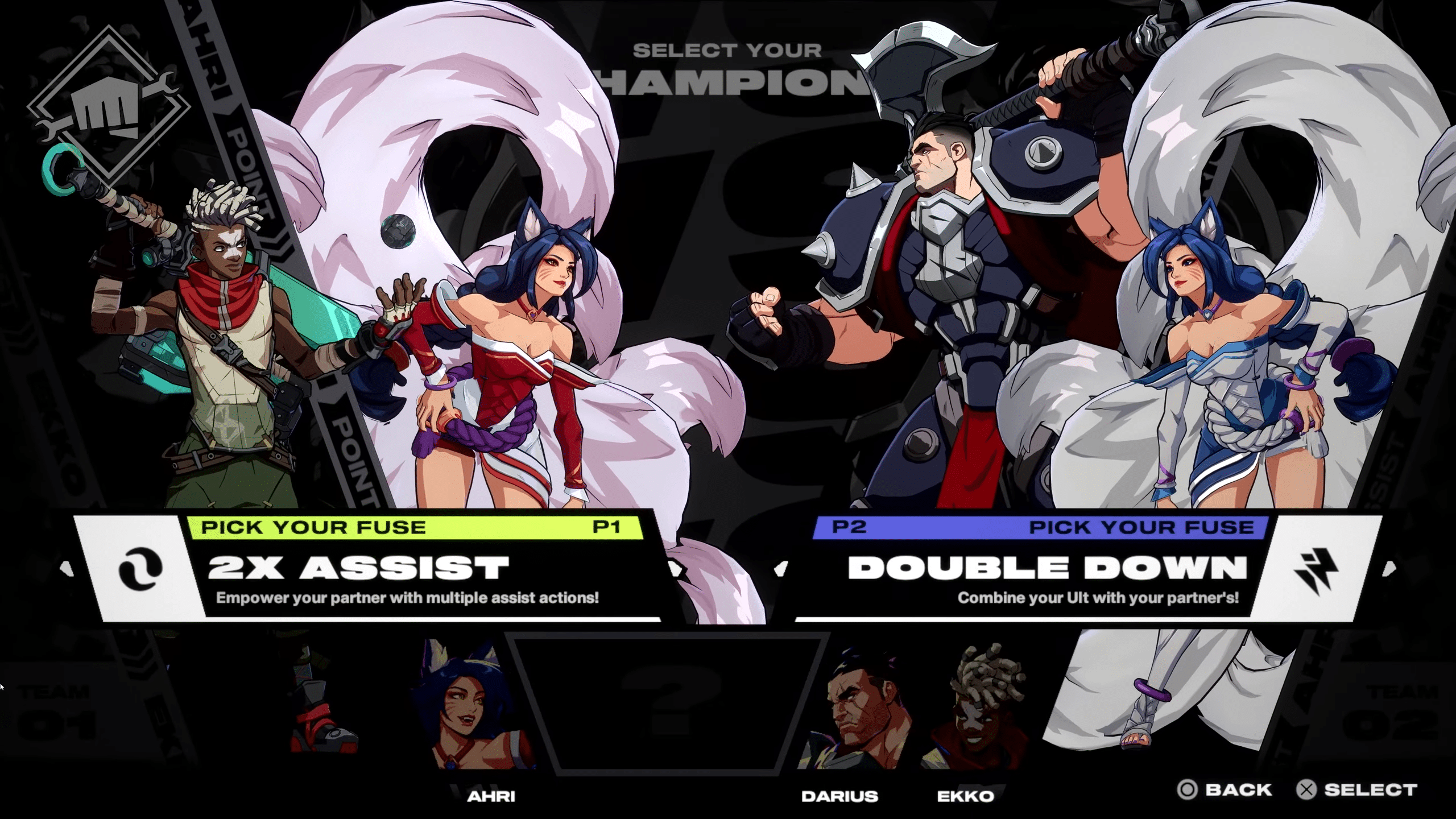
Project L will allow for 1v1, 2v2, and even 2v1 matches, so you can still play even if you don’t have a duo to partner with. Players can choose special buffs with the Fuse system, which grants various synergies to you and your partner which also affect your overall play style.

For those looking to get their hands on Project L right away, there’s good news—a playable demo will be available at Evo 2023 to try out on the show floor. It won’t require signups to play, either, so you won’t need a Riot account to give it a go. The demo will include four playable champions, including Ekko, Ahri, and Darius, who were shown in the showmatch. As for the fourth champion, Riot hasn’t announced it just yet, though it’s likely we’ll finally get to see Illaoi in action, given that she was the spotlight of a previous Project L dev update.
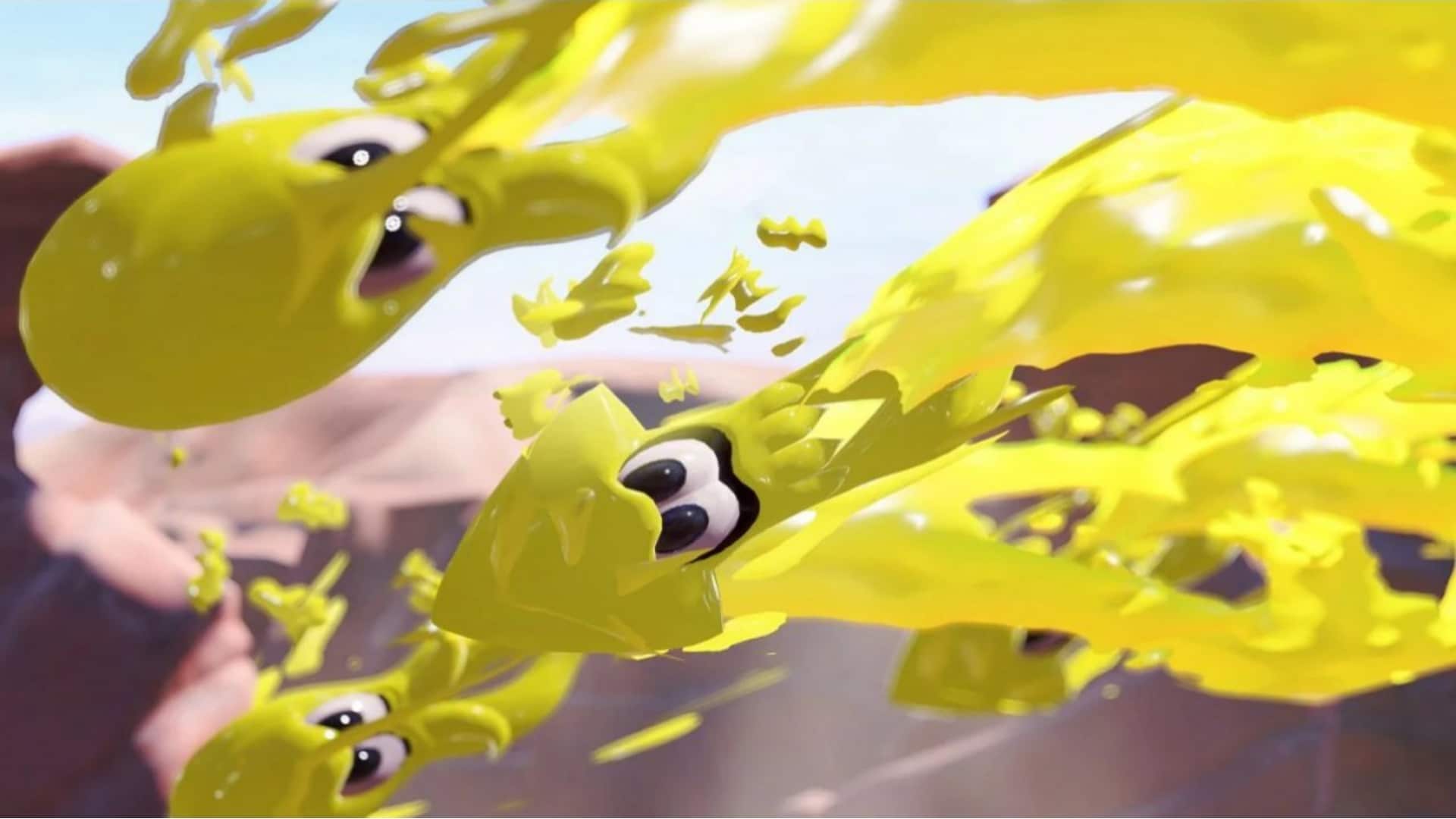
Project L doesn’t have a release date, nor do we know what platforms it’ll be on just yet. With Riot looking to enter the fighting game space through this interesting spin on the genre, it will be interesting to see player reception of the demo once Evo 2023 rolls in.

Carlos Perez

Home > News

COD Modern Warfare 2 and Warzone Season 5 Start Date Set for August 2, First Details Revealed

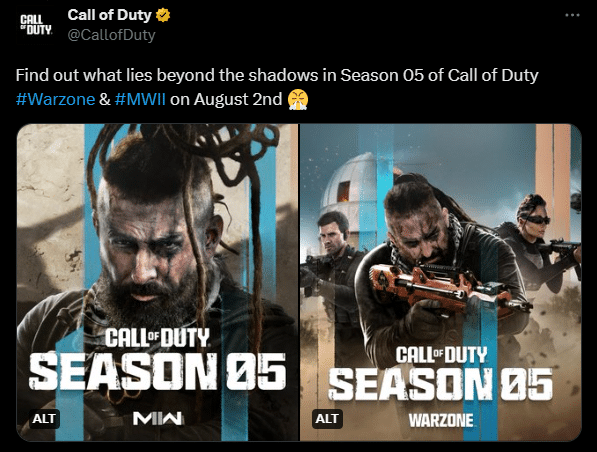
Call of Duty Modern Warfare 2 and Warzone’s next season is fast approaching, and it looks like players will be able to try out the new content next week. COD MW2 and Warzone’s Season 5 start date is set for August 2, exactly a week away.

Here’s the official announcement tweet:

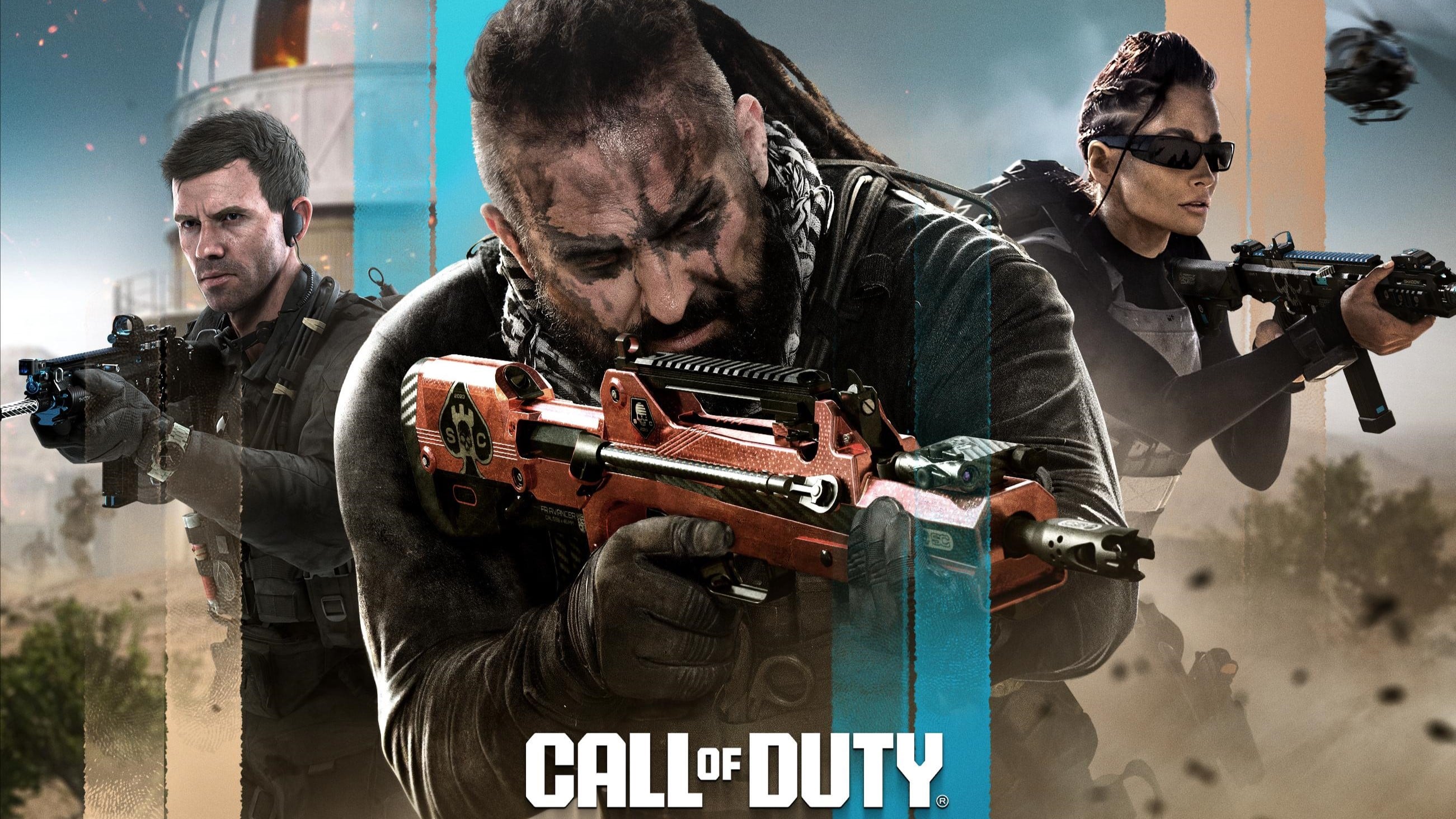
Some details regarding the key art (credit to ModernWarzone on Twitter for spotting some of these):

  • Features three operators who seem to be Graves, Oz, and Mila
  • Weapon in the center is either a FAMAS, FFAR, or something similar
  • Al Mazrah observation tower is seen burning in the background
  • Graves’ appearance in key art may imply that he did not die in the MW2 campaign

If you’ve been following COD-related news in the past few weeks, you may also know that we’ll probably be getting our first look at Call of Duty: Modern Warfare 3 on the same day. The official Call of Duty Twitter account mentioned that the reveal for the new game would be made when Season 5 rolls in, and now that we know when that’s going to be, it looks like there will be a lot to look forward to for Call of Duty fans next week.

More Call of Duty Reading:

Carlos Perez

Home > News

Generation Zero Update 1.38 for July 26 Brings Crash Fixes

Generation Zero update 1.38 is now out on consoles, and this brings a hotfix that was released for PC earlier this week. This doesn’t bring in any new content, which is understandable given we just got the big Companion update last week. Read on for what’s new in the Generation Zero patch notes for July 26.

Generation Zero Update 1.38 Patch Notes | Generation Zero July 26 Patch Notes:

HOTFIX] The hotfix is now live for all console players. Please exit your game to receive the update. Thank you for your patience, and happy hunting!
Here’s the message that was relayed to PC gamers a few days ago:

[HOTFIX]

Thank you for your patience and feedback regarding game crashes when joining multiplayer sessions. We have now released a hotfix that resolves this issue for Steam users.

We are also working on a fix to address less frequent issues that have been reported by players since the update, and will let you know more soon.

Once a new patch is out, we’ll let our readers know.

Source: Steam

Avatar photo

Alex Co

Father, gamer, games media vet, writer of words, killer of noobs.

Home > News

LEGO 2K Drive Update 1.09 for July 26 Brings New Features and More

LEGO 2K Drive update 1.09 (PS5 version 1.009) is now live, and this brings a host of new features and fixes to the racing game. Players can expect the Creator Hub, new vehicles and more to be part of today’s download. Read on for what’s new in the LEGO 2K Drive new update patch notes for July 26.

LEGO 2K Drive Update 1.09 Patch Notes | LEGO 2K Drive Update 1.009 Patch Notes | LEGO 2K Drive New Update Patch Notes for July 26:

NEW CONTENT:

JOIN A COMMUNITY OF BUILDERS IN THE CREATORS HUB
It’s time to share your LEGO® 2K Drive vehicles with the world and see what everyone else has been building! With LEGO 2K Drive’s July 26 update —which is free for all players—you can access the in-game Creators Hub, a new feature for sharing and downloading player-made vehicles. To use the Creators Hub, you’ll need internet access and a 2K Account; from there, you can start uploading your custom vehicles and browsing other players’ creations. If other players really love what you’re making, your designs could be shared all over the world!

GETTING STARTED IN THE DEPOT
When you first open up the Creators Hub menu, you’ll be in the Depot, where the hottest vehicles on the block are showcased. Right away, you’ll see the Most Upvoted and Most Downloaded creations from the LEGO 2K Drive community; with any luck, your creation could join their ranks! By selecting a vehicle from this menu, you can zoom in for a Preview that gives you a closer look, Download the vehicle to add it to your collection in the Garage, or Upvote it to show your appreciation for a vehicular creation.

AN EXPANSIVE CREATORS HUB
All Creators Hub submissions go through a moderation process before they’re shared with the LEGO 2K Drive community, giving players a welcoming selection of player-created vehicles. If you see any vehicle on the Creators Hub that you object to, you have the option to Report it, which flags it for review by LEGO 2K Drive’s moderation team.

BROWSING THE CREATORS HUB
By switching from the Depot to the Browse tab, you can peruse the ever-growing selection of vehicles created by other players! If you’re in the mood for something more specific, you can browse with a variety of filters, including Street, Off-Road, and Water vehicles, vehicles uploaded by your 2K Account Friends, and vehicles you’ve already Downloaded or Upvoted before.
Along with filters, you can also sort the Creators Hub vehicles by alphabetical order, how recently they were uploaded, total number of upvotes, total number of downloads, or total number of bricks used to construct the vehicle.
There’s also a Search function if you’re looking for something specific. You can search by 2K Account Name, a vehicle’s identifying Share Code number, or vehicles made by someone on your Friends list, with the same Filter and Sort By options as the rest of the Creators Hub.

ADDING VEHICLES TO YOUR COLLECTION
When you’ve found something you like in the Creators Hub, simply Download it to add it to your Garage collection! Now, whenever you visit your Garage, you’ll see any Downloaded vehicles listed underneath the Downloads tab. When you’re ready to get behind the wheel of any vehicles you’ve acquired from the Creators Hub, remember to add them to your Loadout so you can show Bricklandia your newest rides! You can even make modifications to Downloaded vehicles in the Garage to personalize them to your style—or if a ride simply doesn’t suit your tastes anymore, hit the “Remove from Garage” button in the Garage or the Creators Hub to release it from your collection.

SHARING YOUR VEHICLES
Only vehicles created solely by you in the Garage can be shared on the Creators Hub, with you credited as the author! In other words, a modified version of any vehicle you’ve earned through gameplay, purchased from Unkie’s Emporium, or downloaded from the Creators Hub won’t be eligible for uploading. The first step of uploading to the Creators Hub is ensuring your vehicle can be used in online multiplayer via a simple submission and review process. You can submit your vehicle by clicking the Submit button seen at the bottom of each vehicle’s menu in the Garage.
After you’ve submitted a vehicle, it will go through LEGO 2K Drive’s moderation process; you should get a notification if your vehicle has successfully passed through this process within a day or so and it’ll show up in the My Hub tab within the Creators Hub.

From the My Hub tab, you’ll have the option to upload it to the wider Creators Hub ecosystem, which will generate a unique Share Code for the vehicle and make it discoverable for upvoting and downloading by other players around the world! Note that each player is allowed to upload a total of 30 vehicles to the Creators Hub; any new uploads you want to make beyond that will need to be swapped in place of old ones.

NEW FEATURES:

Keyboard Remapping

  • Implemented keyboard remapping features for PC players
New Vehicles
  • Seven new LEGO City vehicles available in Unkie’s Emporium

BUG AND STABILITY FIXES

Bug Fixes

  • Fixed multiple issues when Brickbux are not displayed correctly in-game
  • Fixed an issue where the Drive Pass XP bar does not appear to be collecting Brickbux
  • Fixed an issue where Drive Pass account unlock reconciliation across multiple platforms
  • Fixed an issue where EMP does not display in multiplayer sessions
  • Fixed an issue where AI racers would drive backward on Drive-Thru Derby
  • Fixed an issue where a player respawns indefinitely in High Stakes
  • Fixed multiple flair animations not displaying properly
  • Fixed an issue where Drive Pass says 101 after completion
  • Fixed an issue where the player position was reset after playing offline
  • Fixed an issue where Awesome Pizza Vehicle wheels were not attaching correctly in Garage
  • Fixed an issue where part 18975 was sorted incorrectly in the garage
  • Fixed an issue where Sidewalk Sprinter instructions got stuck on step 4
  • Fixed an issue where Custom Hotrod instructions got stuck on step 6
  • Fixed an issue where McLaren Solus GT instructions got stuck on step 6

Stability Fixes

  • Fixed crash when launching garage after R34 vehicle unlock
  • Fixed many multiplayer server issues and improved stability
  • Fixed several split-screen crashes
  • Fixed several Garage crashes
  • Fixed several Unkie’s crashes

That’s about it. Once a new patch is out, we’ll let our readers know.

Source: Steam

Avatar photo

Alex Co

Father, gamer, games media vet, writer of words, killer of noobs.

Home > News

Diablo IV Update 1.14 Slices Out for Changes This July 26 (Update)

Diablo IV update 1.14 is out now on last-gen and current-gen platforms, and this brings another round of changes to the game. While this isn’t the 1.1.1 patch that Blizzard discussed last week and doesn’t bring in any balance changes, it still brings a few key changes to the game. Read on for what’s new in the Diablo IV new update patch notes for July 26.

Diablo IV Update 1.14 Patch Notes | Diablo IV New Update Patch Notes for July 26:

Size: 301MB (PS5)

Update: Official patch notes have been added.

1.1.0c Build #43556 (All Platforms) – July 26, 2023

  • Fixed an issue where several Focus off-hand items could only have an aspect imprinted on them once.
  • Fixed an issue where combining the Dark Dance and Punishing Speed Malignant Powers could cause the player to stun themselves.
  • Fixed an issue where the Grim Reward Season Journey objective could be repeated by dropping and picking up the same stash.
  • Fixed an issue where the Werebear and Werewolf fur color was too bright in certain situations.
  • Fixed an issue where movement on specific controllers was often not functioning correctly.
  • Updated the activation of the Premium Battle Pass with a confirmation pop-up.
  • The default focus (the button the controller will first highlight) on the Battle Pass screen is now the Season Journey button.
  • Acquiring or re-allocating Seasonal Blessings will now clear the vendor buyback inventory.
  • Fixed multiple instances where players were encountering crashes.
  • Further stability improvements.
  • Fixed an interaction with the Agitated Winds Malignant Heart power which led to automatic Cyclone Armor casts to ignore its own cooldown.
  • Acquiring or re-allocating Seasonal Blessings will now clear the vendor buyback inventory.

Blizzard has not released the official patch notes just yet, though that should change very, very soon. However, what we do know about this patch is, it doesn’t include any balance changes as confirmed by Blizzard Community Manager Adam Fletcher.


In other Diablo 4 news, Blizzard has relayed some of the things they are looking into for patch 1.1.1 which has no release date just yet.

Once the official patch notes are out, we’ll update the article ASAP.

Update: Official patch notes have been added.

Source: Blizzard 

Avatar photo

Alex Co

Father, gamer, games media vet, writer of words, killer of noobs.

Home > News

Diablo 4 Update 1.015 for July 26 Released for Patch 1.1.0c (Update)

Blizzard has released Diablo 4 update 1.015 on all platforms, and this brings in another round of tweaks to the game brought about by the Season 1 patch (though no balance changes). Called Diablo 4 patch version 1.1.0c, read on for what’s new in the official D4 July 26 patch notes below.

Diablo 4 Update 1.015 Patch Notes | Diablo 4 Update 1.1.0c Patch Notes | D4 Patch Notes for July 26:

Size: 301MB (PS5)

Update: Official patch notes have been added.

1.1.0c Build #43556 (All Platforms) – July 26, 2023

  • Fixed an issue where several Focus off-hand items could only have an aspect imprinted on them once.
  • Fixed an issue where combining the Dark Dance and Punishing Speed Malignant Powers could cause the player to stun themselves.
  • Fixed an issue where the Grim Reward Season Journey objective could be repeated by dropping and picking up the same stash.
  • Fixed an issue where the Werebear and Werewolf fur color was too bright in certain situations.
  • Fixed an issue where movement on specific controllers was often not functioning correctly.
  • Updated the activation of the Premium Battle Pass with a confirmation pop-up.
  • The default focus (the button the controller will first highlight) on the Battle Pass screen is now the Season Journey button.
  • Acquiring or re-allocating Seasonal Blessings will now clear the vendor buyback inventory.
  • Fixed multiple instances where players were encountering crashes.
  • Further stability improvements.
  • Fixed an interaction with the Agitated Winds Malignant Heart power which led to automatic Cyclone Armor casts to ignore its own cooldown.
  • Acquiring or re-allocating Seasonal Blessings will now clear the vendor buyback inventory.

Blizzard has not released the official patch notes just yet, though that should change very, very soon. However, what we do know about this patch is, it doesn’t include any balance changes as confirmed by Blizzard Community Manager Adam Fletcher.


In other Diablo 4 news, Blizzard has relayed some of the things they are looking into for patch 1.1.1 which has no release date just yet.

Once the official patch notes are out, we’ll update the article ASAP.

Update: Official patch notes have been added.

Source: Blizzard 

Avatar photo

Alex Co

Father, gamer, games media vet, writer of words, killer of noobs.