Home > News

Battlefield 2042 Update 4.2 Releases April 25, Full Patch Notes Revealed

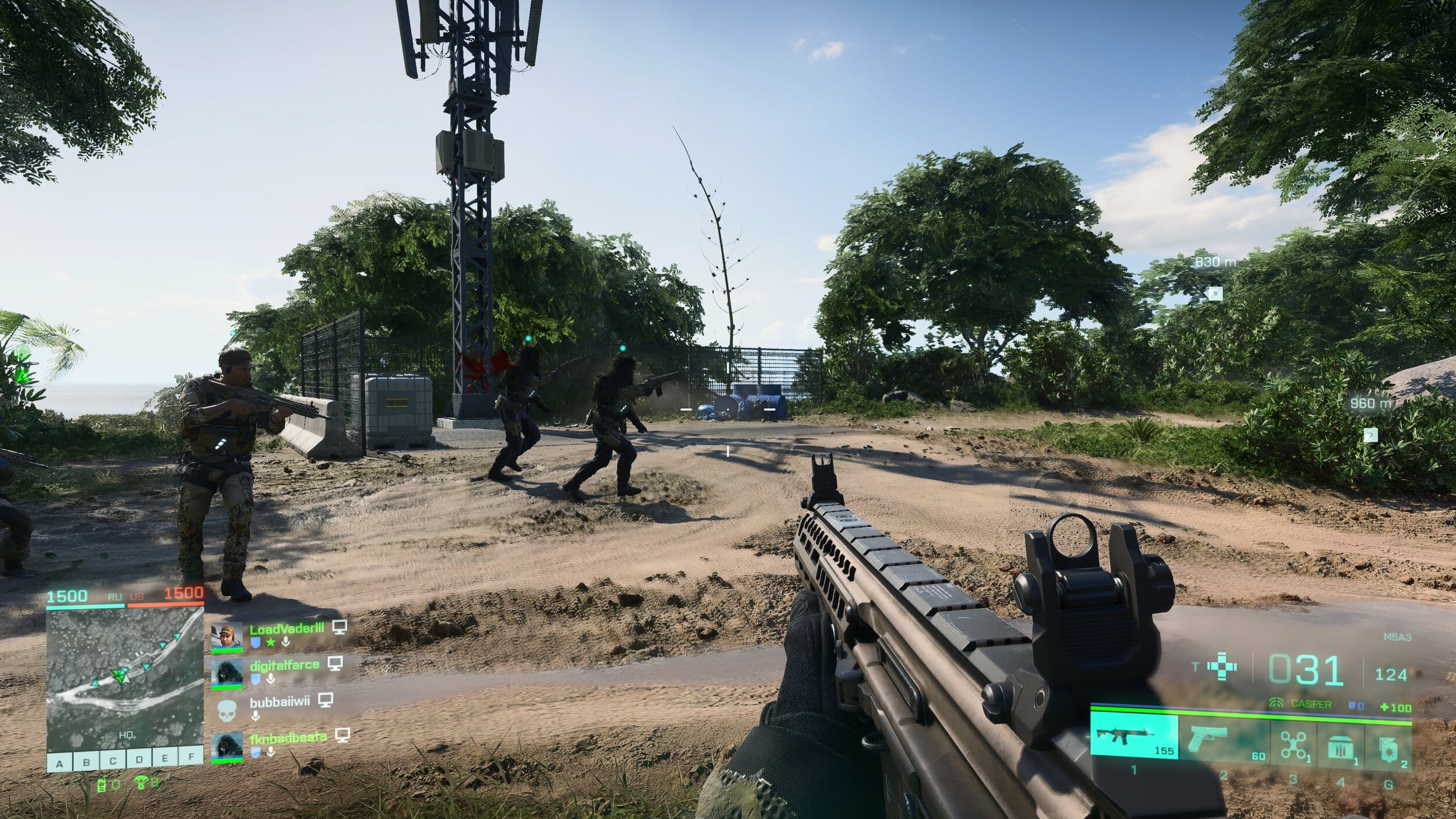
DICE has announced that Battlefield 2042 update 4.2 will be out this April 25 on all platforms, and we now have the complete patch notes! Players can expect the Discarded map rework, End of Round improvements, Uniform Soldier Aiming to be on by default and more!

Battlefield 2042 Update 4.2 Patch Notes:

Here’s an overview of focus areas:

  • Map Rework: Discarded.
  • Collection &Customization Improvements such as the ability to remove Weapon Attachments from Weapons within the Collections Screen.
  • End of Round Improvements such as the showcasing of a new Personal Best statistic.
  • Lis Specialist Mastery Improvement to include Assists into the tracking of Mastery.
  • Uniform Soldier Aiming now “On” by default.

CONTENT

Map Rework: Discarded
The focus of our Discarded rework was to make the infantry gameplay more enjoyable and accessible. New flags have been added, and others have been moved closer to the main play areas, alongside several new paths and roads across the map. Global lighting has also received improvements.

Check out our overview below for a selection of areas that we feel are going to become quite entertaining once this rework goes live!
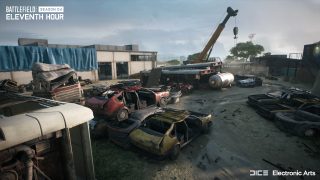
Areas of Improvements

Salvage Yards
What used to be an open field on the northwest side of the map has become the Salvage Yard. The car wrecks not only fit the theme of Discarded, but also add multiple cover opportunities for soldiers to outsmart the heavy vehicles roaming the area. There are several destructible houses on the outskirts of the flag that can serve as vantage points at the expense of being buried in their rubble.

Antenna
Whilst already an existing flag, we have brought this flag point closer to the Flooded Village based in the northern region of the map. With this new location, it now provides an improved link between the north area of the map (the green area) with the south (the beach). We reinforced the thought of military occupation by adding various military assets and we have improved the layout by populating the combat space with a few extra structures. You can also climb up the antenna, and parachute or Wingsuit from here down to the Colossus or to the Village.

Dismantled Hull
A destroyed convoy and rows of military cover now strengthen the frontlines of this flag.

The smoke from the convoy should conceal approaching players from snipers that may be waiting on the upper floors of the Hull. The core of the flag received a few improvements with military cover as well, allowing for infantry to push in forward less difficulty. Lastly, we closed off part of the side of the hull that faces the Colossus to limit the frequent sniping from the deck of the ship into this flag.

OTHER AREAS OF FOCUS

Collection & Customization Improvements

  • Implemented the ability to remove attachments from weapons within the Customization Screen.
  • Increased legibility of the Plus Menu in-game by only displaying the attachment category that is being changed.
  • Improved how attachments are moved and swapped out in the Customization Menu.
  • Increased the clarity of descriptive information on how suppressors function within the Collection Screen.
  • Fixed layout in the Customization screen so that info is displayed in the same place.
  • Reduced the amount of steps necessary to get into changing attachments.

End of Round Improvements

  • Introduced a new Squad Performance screen statistic called “Personal Best”. If you’ve reached a new record for statistics such as most kills, damage dealt, revives, assists, there is a chance for this stat to display for your efforts in going above and beyond on the battlefield.
  • During the End of Round flow it’s now possible to skip all the way to the main menu without leaving automatic matchmaking.
  • Updated Ribbon progression, increasing legibility of what rank was earned.
  • Improved art & animations across all of End of Round.
  • Round-based Game Modes will now have side switching enabled, and will now have increased visual communication to indicate what happens after the end of match timer ticks down.

Specialist Mastery Improvements

Updated Lis’ Mastery requirement to better fit her intended playstyle:

  • Old – 10 Kills when destroying Vehicles with the G-84 TGM to
  • New – 10 Kills and Assists when destroying Vehicles with the G-84 TGM

Uniform Soldier Aiming
We’re changing the default setting of Uniform Soldier Aiming from Off, to On, for both controller and mouse & keyboard gameplay. This feature is a tool which over time helps your aiming movement to gradually become more consistent during gameplay.

Our reasoning for having Uniform Soldier Aiming turned Off by default in Battlefield 2042 was because in previous Battlefield titles we expected a slower aim rate in zoom to be a benefit in helping players learn to aim. Instead, we have since observed that for both new and experienced players this variance does not promote good muscle memory build up.

CHANGELOG

General & Gameplay Improvements

  • Doors that were previously controlled by the enemy team will now automatically open upon getting close to them rather than having to hold the interact button.
  • Updated the scoreboard to keep the Objective score in the right-most column for all objective-based game modes, for an easier overview.
  • Sundance Mastery now correctly tracks Assists on destroyed enemy vehicles when using the smart explosives.
  • Correct icon is now present for Irish and Sundance’s gadgets.
  • Dozer’s Ballistic Shield will no longer deflect/ricochet Sundance’s Scatter Grenade.
  • Soldiers will now become spotted on the minimap upon firing or throwing the following items: Smoke Grenade Launcher, SPH Explosive Launcher, Recoilless M5, Javelin and FXM-33.
  • The reload prompt no longer appears while you are knocked down and awaiting a revive.
  • The kill log will now display Ranger as the cause of death if you are killed by one of them upon self destructing.
  • Blasco no longer attempts to hug the ground and her arms should remain in the correct place when switching to her gadget while prone.
  • Improved HUD visibility across a number of different screen settings.
  • The icon above Ranger now pulsates correctly when self destructing.
  • Auto throw grenades and throwing knives option now behaves more consistently.
  • Fixed an issue that would cause players to be seen with the green highlight while reviving when they shouldn’t.
  • The repair tool now displays the overheat UI element correctly.
  • Fixed an issue where teammates couldn’t deal damage to friendly deployable shields.
  • Resolved an issue when landing with the parachute and the user repeatedly pressed the melee button it would sometimes cause an unintended animation.
  • The affected zone of Blasco’s X6-Infiltration Device will no longer display on the minimap whilst far away from the intended zone.
  • The name of Blasco’s specialist trait now appears in the HUD after exiting a vehicle and triggering the effect.
  • Players can no longer hear the Signal Jammer noise while in a downed state.
  • A reload animation is now present in first person view after a player fires the rocket launcher, throws a grenade and swaps back
  • Fixed an issue where weapon overheating behaved differently across different platforms.
  • The EOD Bot was getting a bit too friendly with Boris’ SG-36 Sentry Gun and instead of repairing it, would pick it up. Not figuratively speaking, don’t ask us how that would have looked, an EOD Bot rolling down the hills of Flashpoint with a Sentry Gun on it. Anyway, this will no longer take place and it will repair the turret instead, as intended.
  • Resolved an issue that allowed MCOM’s to be stuck in a state which prevented it from exploding upon using the EOD Bot on it.
  • Fixed an issue where you couldn’t pick up C5 or Claymore placed near or inside bushes.
  • If you throw a grenade while holding the Repair Tool, you can no longer see and hear the Repair Tool becoming active for a brief moment.
  • Fixed an issue which would cause multiple grenades to be thrown in a quicker succession than expected if Quick Throw grenades were enabled.
  • Updated Boris’ SG-36 Sentry Gun description to now mention targeting vehicles.

Battlefield Portal

  • Adding a CAV-Brawler to Battlefield Portal will no longer restrict you from saving the experience.
  • Improved consistency of the Vault Weapon attachments.
  • Corrected Recoil Modifiers across Bad Company 2 weapons.
  • MTAR-21’s fire modes can be changed within Battlefield 3 experiences.
  • Correct stats now display within the Collection screen for the RPK.
  • You can now switch between fire modes on the AEK-971.
  • Two consecutive bullets are fired when firing intermittently on auto with the AN-94.
  • You can now switch between fire modes on the AN-94.
  • Fixed an issue that resulted in multiple Battlefield Portal weapons showing incorrect fire modes shown on the Collection Screen.

Weapons

  • Fixed an issue that would occur to reloads when placing a gadget then entering and exiting a vehicle.
  • Fixed an issue where equipping the RPK-74M while repeatedly pressing the melee function with the bipod attachment equipped would cause a broken animation.
  • The Gewehr 43 will no longer have its bolt open within the Collection screen.
  • Tracers are no longer present on Subsonic ammo when equipped on the MP28.
  • The Type 88 LMG and SVD will now be held correctly within the left hand on the Main Screen and Collection Screen.
  • The Super 500 will now display a Prompt Reload option when running low on ammo.
  • Fixed damage sounds not playing when taking hits from Super 500.
    Super 500’s crosshair is now an acceptable size while using a flechette shell.
  • Fixed an issue that was causing the Prompt Reload option to keep appearing despite being disabled in the options menu.
  • The correct RoF is now present for GOL Sniper Magnum in Collection Tab.

Weapon Attachments

  • MTAR-21 Suppressor no longer deals more damage than Default Suppressors.
  • The Extended Barrel now affects the Rate of Fire when customized on PP-29.
  • The K30 magazines will now display the correct Rate of Fire within the collection screen.
  • The ADR Bipod weapon attachment no longer breaks the melee animation.
  • RM68’s Canted Sight no longer clips through the camera when firing in ADS with Shan 2.5X scope.
  • The M11 x6 Scope is no longer partially obscured while aiming down sights.

Vehicles

  • Increased damage of heavy projectiles towards Transport Vehicles (Including MPAT Shell, TOW Missile etc)
  • Radar Missiles now ignore targets that are Below Radar
  • Mi-240 Super Hind takes 20% more damage from all projectiles
  • MV-38 Condor takes 10% more damage from all projectiles
  • Fixed an issue that would cause the audio to intermittently cut out while repairing the MV-38 Condor.
  • The EMKV90-TOR no longer shakes as it sits on rugged terrain in siege mode.
  • Fixed an issue that would cause the wrong LOD model to display on the MAV at certain distances.
  • The MAV’s 50mm cannon will now visibly show recoil.
  • The HUD no longer flickers while attempting to drive a vehicle in an elevator on Exposure.
  • The Fire Countermeasure reactive hint will no longer be displayed while being hacked or under the influence of an EMP.
  • VFX now displays correctly when Javelin projectiles are intercepted by APS.
  • Blue markers are now displayed in HUD for projectiles intercepted by APS.
  • Fixed an issue that was causing the missiles of the EBAA Wildcat to not hit enemy helicopters.
  • Fixed an issue where EBAA Wildcat AA missiles sometimes fail to hit helicopters
  • Stealth helicopters that have been hit with the Tracer Dart can now be locked onto, even in Stealth mode.
  • The 40mm Incendiary Grenade Launcher Visual Effects on the CAV-Brawler now matches the affected area.
  • The lid on the CAV-Brawler open seat no longer closes while Lis is controlling her guided missile.
  • Added Cyber Warfare Protection to the CAV-Brawler
  • Fixed an issue that would cause the icons of a neutral vehicle to disappear and reappear for a split second on map opening.

Once the patch is out, we’ll be sure to let our readers know.

Source: EA

Avatar photo

Alex Co

Father, gamer, games media vet, writer of words, killer of noobs.

Home > News

New Destiny 2 Trials of Osiris Rewards and Map This Week April 21

For those seeking the latest rewards in Destiny 2’s weekly PvP mode, MP1st is here to bring you the new Destiny 2 Trials of Osiris rewards and map this week April 21, 2023 edition!

New Destiny 2 Trials of Osiris Rewards This Week April 21, 2023:

Trials of Osiris Map

Distant Shore


Rewards

  • Reputation Rank 4: Upgrade Module (2)
  • Reputation Rank 7: Enhancement Prism (3)
  • Reputation Rank 10: Trials Weapon (Changes for each rank reset)
  • Reputation Rank 13: Upgrade Module (2)
  • Reputation Rank 16: Trials Weapon (Changes for each rank reset)
  • Flawless Reward: Unwavering Duty (Adept)

Reputation System, Trials Engrams, and Adept Farming

Win individual rounds within each match to gain Trials reputation. The amount of reputation you gain increases with each round you’ve won on your card. Earn enough reputation, and you’ll be able to claim a Trials Engram from Saint-14! This engram can be focused into any currently available trials loot you have previously obtained, or it can be taken to Master Rahool for a random Trials drop. Your reputation increases after every match completion, based on the number of round-wins on your card, regardless of the result of that match itself (win or lose, 0-5 or 5-4).

Once you have gone Flawless, keep playing! Every win you achieve while at the 7-win level, even if you lose your Flawless, has a chance to drop bonus Trials Engrams, adept weapons, prisms, and even Ascendant Shards. There is no penalty for losing once you’ve made it to the Lighthouse!

When you’re done, you can cash in your 7-win passage for one additional adept drop, granted you have gone Flawless that week. This resets your card so you can start anew.


Passages

Name Perk Cost
Passage of Ferocity Your third match win grants a bonus win. 10000 Glimmer & 15 Legendary Shards
Passage of Mercy Forgives one loss per run. 10000 Glimmer & 15 Legendary Shards
Passage of Wealth Increased Trials Rank points from reaching 3, 5, and 7 match wins on a ticket. 15000 Glimmer & 25 Legendary Shards
Passage of Confidence Grants bonus rewards from Flawless Chest. 20000 Glimmer & 50 Legendary Shards

Thanks, Reddit!

Avatar photo

Salman Haider Zaidi

That's a nice argument, Senator.

Home > News

New Destiny 2 Xur Location Today April 21, 2023 (And What Xur Is Selling)

It’s Friday and for Destiny 2 players, this means Xur is back to sell his wares! If you’re asking what Xur is selling in Destiny 2 this week and where he’s holed up, we’re here to help! The MP1st new Destiny 2 Xur location today, April 21, 2023 post is live, and you can check out Xur’s list of items this week in one handy list below.

New Destiny 2 Xur Location Today April 21, 2023 (And What Xur Is Selling):

Xûr, Agent of the Nine

A peddler of strange curios, Xûr’s motives are not his own. He bows to his distant masters, the Nine.

Location

Arcadian Valley (Watcher’s Grave), Nessus


Exotic Weapons

Name Type Column 1 Column 2 Column 3 Column 4
The Wardcliff Coil Heavy Rocket Launcher
Hawkmoon Kinetic Hand Cannon Fluted Barrel Killing Wind Heavy Grip
Dead Man’s Tale Kinetic Scout Rifle Full Bore Accurized Rounds Snapshot Sights Hand-Laid Stock

Note: Fixed perks on weapons are not displayed

Exotic Armor

Name Type MOB RES REC DIS INT STR Total Cost
The Bombardiers Hunter Leg Armor 17 2 13 15 10 7 64 23 Legendary Shards
An Insurmountable Skullfort Titan Helmet 16 7 11 2 7 22 65 23 Legendary Shards
Ophidian Aspect Warlock Gauntlets 3 16 11 6 7 20 63 23 Legendary Shards

Exotic Ciphers

Name Description
Xenology Complete Vanguard playlist activities, or win matches in Crucible or Gambit. Extra progress is awarded for more challenging activities and for succeeding with clanmates.

Engrams

Name Description Cost
Exotic Engram An engram with a predestined outcome. Contains a new Exotic if any of the possible rewards remain to be collected. Preview contents for possible rewards. 97 Legendary Shards

Legendary Weapons

Name Type Column 1 Column 2 Column 3 Column 4
Chroma Rush Kinetic Auto Rifle Chambered Compensator // Polygonal Rifling Tactical Mag // Alloy Magazine Moving Target Adrenaline Junkie
Nezarec’s Whisper Energy Glaive Tempered Truss Rod // Auxiliary Reserves Alloy Magazine // Appended Mag Lead from Gold Adaptive Munitions
Nature of the Beast Energy Hand Cannon HitMark HCS // Crossfire HCS Tactical Mag // Alloy Magazine Hip-Fire Grip Dragonfly
Bump in the Night Heavy Rocket Launcher Volatile Launch // Confined Launch Alloy Casing // Black Powder Steady Hands Chill Clip
IKELOS_SG_v1.0.3 Energy Shotgun Smoothbore // Barrel Shroud Tactical Mag // Light Mag Threat Detector Incandescent
Brass Attacks Energy Sidearm Arrowhead Brake // Extended Barrel Appended Mag // Ricochet Rounds Surplus Frenzy
Quickfang Heavy Sword Honed Edge // Jagged Edge // Tempered Edge Thresh En Garde

Note: Fixed perks on weapons are not displayed

Legendary Armor

Name Type MOB RES REC DIS INT STR Total Cost
Simulator Gauntlets Titan Gauntlets 19 11 2 9 6 17 64 50 Legendary Shards & 1000 Glimmer
Simulator Plate Titan Chest Armor 15 12 2 15 9 8 61 50 Legendary Shards & 1000 Glimmer
Entanglement Mark Titan Mark 0 0 0 0 0 0 0 50 Legendary Shards & 1000 Glimmer
Simulator Helm Titan Helmet 13 2 16 14 15 2 62 50 Legendary Shards & 1000 Glimmer
Simulator Greaves Titan Leg Armor 6 20 6 6 2 23 63 50 Legendary Shards & 1000 Glimmer
Simulator Gloves Warlock Gauntlets 12 9 11 2 16 16 66 50 Legendary Shards & 1000 Glimmer
Simulator Robes Warlock Chest Armor 15 7 9 7 21 2 61 50 Legendary Shards & 1000 Glimmer
Entanglement Bond Warlock Bond 0 0 0 0 0 0 0 50 Legendary Shards & 1000 Glimmer
Simulator Hood Warlock Helmet 12 7 13 2 16 16 66 50 Legendary Shards & 1000 Glimmer
Simulator Legs Warlock Leg Armor 7 14 9 7 9 13 59 50 Legendary Shards & 1000 Glimmer
Simulator Grips Hunter Gauntlets 2 16 13 18 13 2 64 50 Legendary Shards & 1000 Glimmer
Simulator Vest Hunter Chest Armor 6 24 2 11 2 19 64 50 Legendary Shards & 1000 Glimmer
Entanglement Cloak Hunter Cloak 0 0 0 0 0 0 0 50 Legendary Shards & 1000 Glimmer
Simulator Mask Hunter Helmet 2 14 16 7 17 6 62 50 Legendary Shards & 1000 Glimmer
Simulator Boots Hunter Leg Armor 12 9 11 19 6 2 59 50 Legendary Shards & 1000 Glimmer

What’s a Xûr?

Xûr, Agent of the Nine, is a strange vendor who randomly appears in a Public Sector on one of the Worlds. Xûr sells Exotic equipment and only takes Legendary Shards in exchange for them.

TL;DR: He’s the Santa Claus of Destiny and every weekend is Christmas. Sometimes he brings you what you want, sometimes he brings you coal. Mostly it’s coal.

When does Xûr visit?

Xûr visits every Friday at 17:00 UTC and departs at Weekly Reset (Tuesday 17:00 UTC). If you would like to see all the live conversions of Time Zones, please follow this link here.

Thanks, Reddit!

Avatar photo

Salman Haider Zaidi

That's a nice argument, Senator.

Home > News

“Unrecord” Bodycam FPS Devs Prove Gameplay Footage Is Legit by Sharing Unreal Engine 5 Editor Video

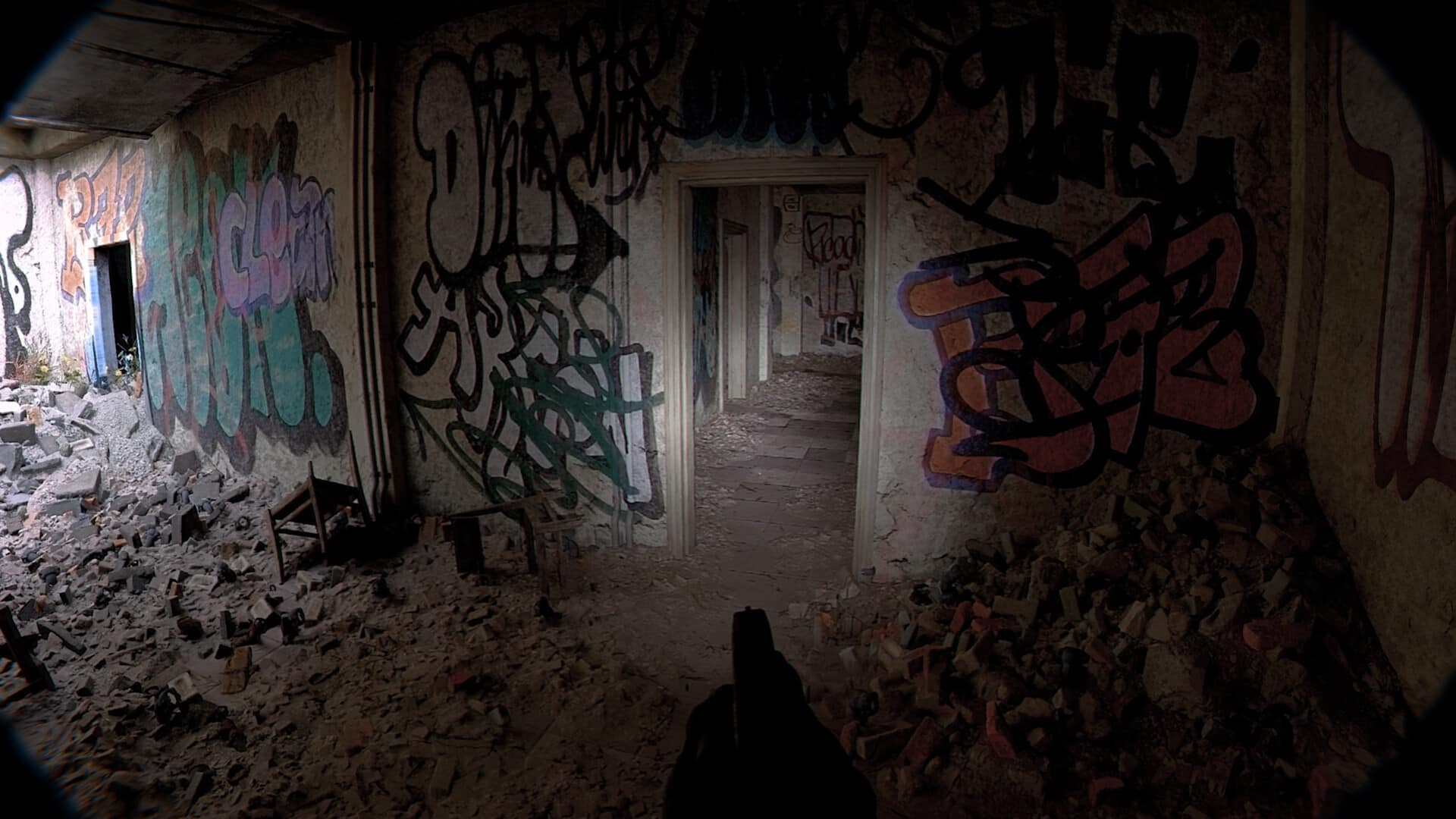
First revealed in a stunning trailer released two days ago, DRAMA’s Unrecord is a hyper-realistic narrative FPS with strikingly detailed, immersive visuals. However, the game’s graphics have led skeptics to doubt its authenticity, claiming that the trailer actually showed off real-life footage, and that the game is vaporware. Unrecord’s director Alexandre Spindler has now put such claims to rest by releasing Unreal Engine 5 developer footage in which he freely manipulates the game’s environments and camera.

On April 19, indie developer DRAMA announced Unrecord with the following trailer:

The early gameplay trailer is not intended to be representative of the final product, but it still reveals an unprecedentedly-impressive level of graphical fidelity. Unrecord tells the story of a police offer through his body camera, and as such, the camera angles, movement system, recoil, and other immersion effects are extremely realistic. However, given that many other ambitious titles making such promises have as of yet failed to materialize, many gamers theorize that DRAMA’s upcoming FPS title is also vaporware, and that the gameplay shown in the trailer is actually real-life footage.

To counter these claims, director Alexandre Spindler has released a video of him manipulating the game’s environments and camera in the Unreal Engine 5 editor, proving its authenticity:

In so far, DRAMA has announced no release window for Unrecord, though it is confirmed to be coming to PC and unspecified consoles. Stay tuned here at MP1st for all upcoming news and announcements about the title.

Avatar photo

Salman Haider Zaidi

That's a nice argument, Senator.

Home > News

The Division 2 Year 5 Season 1 PTS Patch Notes Revealed

With yesterday’s big The Division 2 news blowout as part of The Division Day, Ubisoft has confirmed that the upcoming season’s PTS (Private Test Server) will be live today. Having said that, Ubisoft has revealed the complete The Division 2 Year 5 Season 1 PTS patch notes!

While there is no guarantee that every change included below will be available in the final version of the update, this should be a good indication of the changes incoming to the game based on it.

The Division 2 Year 5 Season 1 PTS Patch Notes | The Division 2 Year Title Update 18 PTS Patch Notes:

PATCH SIZE:

Size without PTS build on Connect: ~ 75.26 GB

Size if PTS build already is on Connect ~ 7.28 GB

NEW GAME MODE DESCENT

Overview

Descent is a free, 1-to-4 player game mode with semi-infinite and randomized progression, versus an infinite difficulty curve. Warlords of New York ownership is not required to access the mode.

What to expect

Agents are stripped of all their gear, specializations and perks when starting the game mode. The mode is a playground where you can experiment with builds not feasible in the regular game, challenging them tactically and encouraging deeper understanding of the build meta. This AR training simulation at the NSA Facility was designed to test the limits of the Ortiz Robotics tech. Leave your gear and SHD tech behind to help Wally extract intel from the NSA database.

How it plays

All Agents can access Descent from the Mega Map to activate the simulation. Equip weapons, skills and talents, take turns exploring rooms, defeat enemies, bosses and the ultimate opponent: the Nemesis.

Infinite fun

Continue your Run after defeating the Nemesis and see how far you can go for exclusive leaderboard rewards! Discover the history of the simulation and Ortiz Robotics’ connection to the Division and the Black Tusk each week in your Collectibles menu.

Rooms

Each Room has a different difficulty rating (Easy, Medium and Hard) and provides rewards. Earn Talents, battle powerful HVTs in Arenas and keep pushing forward until you face the Nemesis.

Each Room features a Talent Console that unlocks after defeating all enemies. Choose your Talent and start constructing a powerful build to take on the Nemesis. Stack the same Talent more than once for upgraded effects.

Enemy spawn doors

All rooms have some doors marked with a red pattern. From these doors the hostiles spawn in waves.

Heat gauge

When choosing a room, the fixed amount of Nemesis Heat gained will be shown in the AR panel at the entrance and it depends on the Room’s difficulty. Easy Rooms will see you gain more Heat than Hard Rooms, forcing the Nemesis to be generated earlier. After the gauge reaches 100%, you will encounter the Nemesis at the end of your current loop. You can continue with the run after defeating it, but it can only be encountered once.

Supply rooms

You can get extra ammo, armour kits, consumables and special ammo in the Supply Stores.

Talents

Talent & Exotic talent consoles

You have a limited time to choose a random talent from the 3 available (the 4th one can be unlocked at the NSA Station). Choosing the same talent more than once will stack it, making it more powerful.

Pick a free slot or replace a Talent you do not need any more if all slots are full. Unlock new slots at the Descent Shop, found at the start of each loop, by spending Descent Currency which can be obtained after clearing a room.

Buffs

Buffs reinforce your overall Offensive, Defensive or Utility categories. You can choose one category and reinforce it.

Skills

Skill types are divided into four categories:

Skills.png

Weapons

You can choose between 3 weapons of random type, category and rarity. There are 3 different weapon rarities you can encounter:

  1. worn – the base gear rarity as well as the most common weapon rarity
  2. standard
  3. specialized

Currency

NSA Tech

To spend your NSA Tech, go to the NSA Station outside the Descent’s game mode.

Descent Currency

Spend Descent currency to get extra ammo, armour kits, consumables and special ammo.


NEW GEAR

Electrique – Gear Brand Set

  • 1 Piece equipped gives +10% Status effect Damage
  • 2 Pieces equipped give +20% Electricity Protection
  • 3 Pieces equipped give + 10% SMG Damage
  • Chest and Backpack Bonuses:
    • Named Chest “Henri ” – Talent “Perfect Companion” – Increases total weapon damage by 20% within a 10 meter radius of an ally or skill
    • Named Backpack “Lavoisier” – Talent “Perfect Galvanize” – Applying Blind, Ensnare, Confuse, or Shock to an enemy grants 50% of your armor as bonus armor to you and all allies within 30 meters of that enemy for 10 seconds.

“The Cavalier” – Gear Set:

  • 2 Pieces equipped give + 30% Hazard Protection
  • 3 Pieces equipped give +40% Incoming Repairs
  • 4 Pieces equipped give access to a new unique talent
    • Talent “Charging” – For each second spent out of cover during combat Agents will get 5% reduced incoming damage from any skills. Max 50%
    • Talent “Charged” – While fully charged, gain immunity to any movement speed debuff and share hazard protection and the skill damage reduction with all allies for 10 seconds.

After “Charged” is consumed, “Charging” buff will resume if the Agent is still in combat and out of cover. “Charged” Talent does not stack.

If another agent applies “Charged” on an ongoing “Charging” Talent, “Charging” will pause for the duration of the “Charged” Talent.

  • Chest and Backpack Bonuses:
    • Chest Bonus – Talent “Overcharging” – Increases Charger max incoming skill damage protection to 70%
    • Backpack Bonus – Talent “Safe Charging”– Charger gives 10% protection per second

NEW WEAPONS & TALENTS

Exotic Weapons

St. Elmo’s Engine – Exotic AR

  • Talent “Actum Est” – Shooting an enemy gives 1 stack, at 100 stacks the next magazine is filled with shock ammo.

Shocker Punch – Exotic Holster

  • Talent “Defibrillator” – Gives 50%-time reduction when being stunned by any electric skill. Using a Shield gives 100% melee damage. Using the St. Elmo’s Engine Exotic AR gives an extra 100% melee damage and apply shock to any enemies hit with melee within the 5-meter radius. It has a 15 second cooldown.
  • Fixed Attributes – Armor, Explosive Resistance and Hazard Protection

To get the full potential of the TU18 Exotics we recommend using them with a Shield.

Named Weapons & Talents

Cabaret – MP5 ST

  • Talent “Perfect Thunder Strike” – Deals 40% extra damage to shocked targets.

Big Show – MG5 LMG

  • Talent “Perfect Thunder Strike” – Deals 40% extra damage to shocked targets.

Talent “Thunder Strike” – Deals 30% extra damage to shocked targets. Applicable to all weapon types except Signature weapons.


KNOWN ISSUES

Descent Game Mode

GENERAL

  • To play with the template provided please create a new WONY character

VISUALS

  • The visual identity of the mode is not final
  • If the lobby remains dark upon your first entry and you can’t proceed, please exit and re-enter the mode

GAMEPLAY

  • The incoming enemy wave timer is sometimes not visible. The timer is set to 10s.
  • If the Group Leader disbands the group, resuming personal progress might not work.
  • If you don’t get to see the tutorial pop-up, you can access it while outside Descent by opening the Inventory -> Tutorial tab -> Descent mode
  • If notifications no longer work, please try to log out and log back in
  • Upon reaching the Nemesis lobby, wait for all players to be ready to continue before starting the fight
  • If your team gets wiped out by the Nemesis, you might notice the end flow triggering twice with the option to continue. Please exit manually
  • When entering Descent in a group, you might notice the Depart interaction appearing on the console before other players are loaded in. Wait for all players to load before continuing. Interacting with the Depart prompt will kick you out of mode

MATCHMAKING

  • Matchmaking does not work if the players have different levels. Please use the template provided to create a new WONY character
  • Please do not use Ubisoft Connect invites to join another player in an on-going Descent session, it will break their run
  • To enter the mode, use the AR panel at the location shown on the screenshot below. You can also start matchmaking from here if you are looking for a group

Descent_Known_Issues_1.png

Descent_Known_Issues_2.png

UI

  • The Seasons shop is empty. If it pops up, please press and hold ESC to close it.
  • The NSA shop at the location shown on the screenshot above will sometimes have no items available. Try to fast travel or logout and back in to reset the shop.

Talents, Gear and Weapons

  • The TU18 weapons form the PTS cache can drop without attributes and talent
    • WORKAROUND: Use the weapons from the Character template
  • St. Elmo’s Engine Exotic AR has a placeholder name The Senate
  • St. Elmo’s Engine Exotic AR obtained from the PTS Crafting Cache has no Attributes and Core Attributes
  • Mod icons for the St. Elmo’s Engine Exotic AR are missing in the Inventory
  • Placeholder image is used for the visual representation icon of the “Actum Est” Talent
  • Placeholder image is used for the visual representation icon of the “Charging” and “Charged” Talents
  • Placeholder image is used for the visual representation icon of the “Perfect Thunder Strike” and “Thunder Strike” Talents
  • Missing visual representation icon for the “Defibrillator” Talent
  • The “Defibrillator” Talent description is missing the information about the 15 seconds cooldown
  • The “Defibrillator” Talent still mentions St. Elmo’s Engine’s Exotic AR placeholder name, The Senate
  • Named weapons from the PTS Crafting Cache have the base gear rarity (grey)
  • Sometimes, when having the “Shocker Punch” with the “Defibrillator” Talent equipped (and the talent is working), equipping/unequipping or swapping items, may cause the Talent to stop working
  • The opposite will work as well, where having the “Shocker Punch” with the “Defibrillator” Talent and the Talent is not working; equipping/unequipping or swapping items will activate the Talent
  • The “Defibrillator” Talent is not activated on a newдн equipped item with the same Talent

Before Year 5 Season 1 starts, the Resident Evil event is coming back next week! Read on for more info about it here.

Source: The Division Trello

Avatar photo

Alex Co

Father, gamer, games media vet, writer of words, killer of noobs.

Home > News

Sons of the Forest Update 4 Patch Notes Lists Action Cam, AI Improvements & More

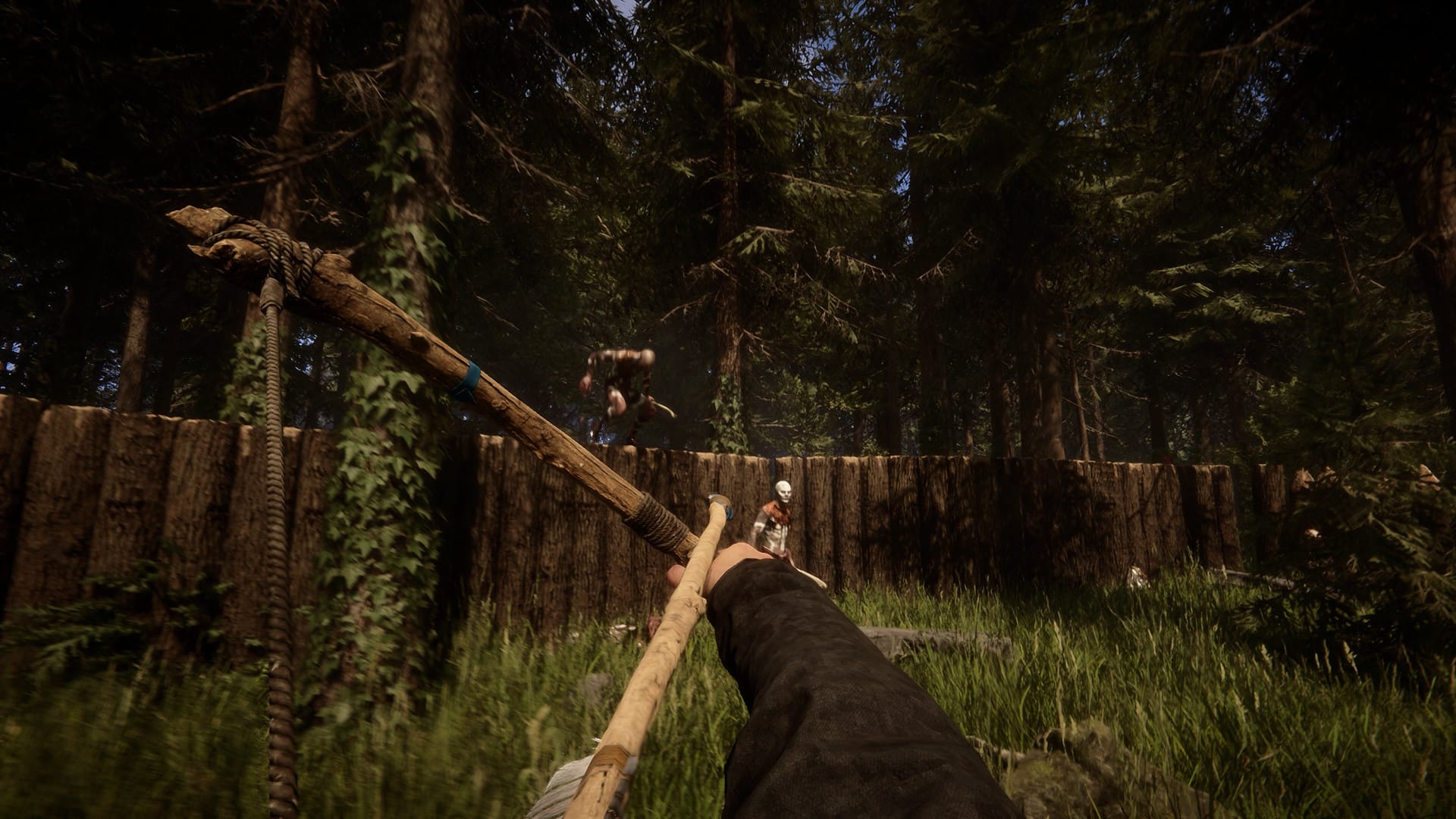
Endnight Games has released Sons of the Forest update 4 on PC, and this brings new features to the game alongside bug fixes and more. Read on for the Sons of the Forest Patch 4 changelog.

Sons of the Forest Update 4 Patch Notes | Sons of the Forest Patch 4 Changelog:

Hey Everyone,

This patch adds a new system for finding bunker locations which are now not visible on your GPS tracker at the start. Along with this, we have made a bunch of A.I. improvements, tons of bug fixes, the ability to name your save games, and a new action camera that is used to view found footage videos, along with the first of these videos with more coming in the future.

Also, because we have seen a lot of people asking — the log sled will return! It is almost ready for release and will be included in the next patch.

As always, please continue to post your bug reports and feedback in the Discussions area of the Community Hub.

Features
  • Added new ‘Action Cam’ item and first found footage tape
  • Added new point of interest discovery laptops
  • Added ability to name save games
  • Added kick and ban popup messages when kicked or banned from a game
Improvements
  • Kelvin can now carry 2 logs at a time!
  • Brighter night vision goggles
  • Added snow impact effects to snow crash cutscene
  • Longer Timmy fighting demon boss intro animation
  • High sentiment Virginia should now visit player more often
  • Added more spots in villages for cannibals to stand watch or sit around
  • Muddies are now more likely to flee when scared
  • Cannibals now sometimes look at each other when not fighting
  • Cannibals have new animation variations for running and lunging attacks making them more evasive in combat
  • Cannibal creepy and leaf armor will now be visually broken and knocked off when hit
  • Female cannibals will sometimes drink blood from village troughs or from dead animals, cheer for other family members and occasionally dance to radio music
  • Male cannibal will now sometimes bash dead bodies of enemies
  • Skinned small animals now will have skinned visuals. Specifically the rabbit, squirrel, eagle, duck, seagull, land turtle
  • Low health Deer and Moose will sometimes lay down and rest
  • Add a wetness amount per character that increases when submerged in water or cleaning in water, and reduces over time when not
  • Dead bodies now get washed (blood/dirt) in water
  • Increased Deer bleeding and increased damage caused by hitting front body
  • Bird flight speed increased by a small percentage
  • Torn silver jacket added to end mutant
  • Added some ducks on the golf course
  • Added north arrow guide to mini map
  • Ballistic impact effects from other players will now be visible in multiplayer
  • Armor is now dropped if the player does not have available space for it if it’s cycled off being worn
  • Grenades and bombs will now play a water explosion effect when thrown in water
  • Dead cultists clothing is now bloody
  • Added more flower wreaths on some dead cultists
  • Added new binder prop to security rooms
  • Improved some of the lighting in bunker residential
  • Improved armor rack LOD
  • Added binoculars, night vision goggles, wire and lightbulbs to quick select slots
  • 3D Printer readouts should update more accurately now
  • Fallen Log E scaled down to 65% size
  • Some fixes for open edges on cliff above golf course
  • New lake added to golf course
  • Kelvin can now finish building shelves
  • Setup LOD’s for logs in storage holders
  • GPS map updated to include all current ponds and lakes
  • Removed location pins from opening cutscene laptop screen
Fixes
  • ‘I Dream of Sushi’ achievement is once again achievable
  • Fix for players game hanging when switching from empty slingshot to another ranged weapon that has swappable ammo
  • Player should no longer get into a bad state if they are spamming a weapon hotkey while opening a door with a keycard
  • Animal Hide and tech mesh will now be greyed out on the grab bag when interacting with an armor rack
  • Removed rebinding for back action
  • Fixed lone life jacket floating in sky
  • Fixed issue where option menu could be opened at the end of loading screen
  • Fixed some missing player disconnected notifications
  • Fix for not being able to drink from deep bodies of water
  • Crafted spears no longer fall through cave floors
  • When a storage structure is destroyed and stored pickups are spawned, it is now spread over multiple frames to ease the performance overhead and create less frame stutter
  • Fixed issue where the left side UI notifications would stop showing up after the player has died
  • Trying to equip your left hand item light is now blocked when the player is in another action
  • Fix for collider not being enabled on dynamic pickups sometimes
  • Fix for pause menu continuing to add force to players on ziplines
  • Fixed some initialization issues causing DLSS to not be enabled by default / after reset settings
  • Added harsh slope limitation to block riding knight V up steep slopes
  • Added localization credit names and fixed font for fallback characters
  • Fix for player crouching while riding Knight V
  • Fixed being able to dismember dead cannibal without destroying armor on the limb first
  • Fixed big hut destruction sometimes leaving a floating corpse and standing walls with no collision
  • Fix for the quick select bag getting stuck in the players hands or getting stuck in a bad state if it is triggered at the exact same time as the player begins swimming
  • Fixed Kelvin carry radio position
  • Fix for clients in multiplayer sometimes seeing muddy cannibal hit reacts have standing glitch frames
  • Fixed muddy cannibal leaf piles sometimes not showing for multiplayer clients
  • Fixed multiplayer clients not seeing Kelvin carried arrows properly
  • Fixed multiplayer clients sometimes doing first note long animation on first interact with Kelvin
  • Fixed a case where clients could see and interact with a “ghost” Kelvin not at his real position
  • Some fixes for Virginia washing in waterfall, and will now occur at more waterfalls around the map
  • Virginias GPS will now retain the assigned icon when given to her
  • Fix for Virginia or Kelvin sometimes getting stuck in sitting animation
  • Fix thrown small rocks falling through ground when bouncing
  • Fixed silenced pistol shot being heard as regular shot by other players
  • Fixed case of player getting stuck in skinning action
  • Shovel attack will now slow down when low stamina
  • Fixed wrong ceiling panel in bunker entertainment
  • Fixed destroying defensive wall log with spike not using the right model for the spawned pickup, also solved the scaling issue
  • Fixed cutting defensive wall spike not working in some cases
  • Fixed scaling of destroyed rock reinforcement pickups
  • Fixed destroyed defensive wall spikes of quarter Logs not working properly
  • Destroying ramps a solar panel is on now spawns a pickup
  • Placed solar panels now have collision
  • Fixed a specific case where connecting Electric Wires would not work
  • Fixed bug causing incorrect count of light bulbs and solar panels received on pickup
  • Fixed case that allowed placing a Beam connecting two structures from unaligned grids, resulting in a degenerate stretched or compressed Beam
  • Fixed Lookout tower placement being blocked if there is a Defensive Wall underneath the overlook
  • Fixed One sided apex blocking placing Pillars on top of Ramps
  • Removed switch mode UI prompt that didn’t do anything when placing a Defensive Wall Gate
  • Fixed an issue that would result in multiplayer clients unable to build anything or receive construction updates from the host
  • Fixed case where snow & wetness occlusion as well as solar panel initialization didn’t work for tree structures
  • Fixed case where removing an electric wire didn’t work properly and could prevent the underlying power grid system from splitting in two and behaving as expected
  • Fixed case where a leaning beam snap point would be invalid (arrow in red) when it should be allowed
  • Fixed issue when loading a save that could prevent other features such as placing ramps from functioning properly
  • Fixed a case where a free pillar in middle of a grounded beam grid would cause degenerate leaning beam placements
  • Fixed destroying solar panel support not cascading to the solar panel
  • Fixed issue where drinking while holding multiple log planks could result in broken animation state
  • Fixed case where non log items spawned by construction system would fall through the ground
  • Fixed destroyed log pickups ending up with oversized collision
  • Fixed destroyed non log element pickups not matching physics with the visual in some cases
  • Fixed structure collapse applying delay between elements even if it doesn’t spawn a pickup, resulting in weird behavior when destroying the fire wood stack for example
  • Fixed some issues with Beams leaned down slopes from Walls, which were incorrectly displaying the lift preview prompt and placing awkwardly
  • Fixed issue causing some missing Beam snap points after removing a pillar supporting a beam that is also supported by a Wall
  • Fixed multiplayer issue where players enter a broken state if killed while starting to climb a rope
  • Fixed multiplayer issue where placing a stick or rock path would wrongly show up for remote players while placing it, which could lead to game breaking issues
  • Fixed multiplayer issue with physics doors that could prevent clients from locking it if it was stuck open on host side
  • Fixed players able to remove chairs and benches from under seated AI or remote players
  • Fixed destroyed defensive walls built with non-full Logs reverting to unsharpened state
  • Fixed element collapse order for apex & one-sided apex, ensuring top elements break before lower ones
  • Fixed one-sided apex behaving oddly when hit with a repair tool
  • Fixed issue preventing placing a Beam from a Pillar to the top of a Leaning Beam if there is another Beam linked
  • Fixed case where Leaning Beams were not being repaired properly
  • Fixed issue with Beams supported by a low Ramp that would prevent removal of the Beam and add a degenerate Pillar placement
  • Fixed multiplayer issue where players could dismantle a Log from a Wall and add a Wall Beam simultaneously, resulting in a floating Beam
Audio
  • Fixed some sounds in multiplayer having a very low precision location
  • Fixed other players hearing double impact sounds from shovel and repair tool
  • Cannibal armor now has impact audio when hit
  • Pistol no longer doubles up on its reload audio
  • Tuned terrain and motor levels of Knight V
  • Fixed fade time on gunshots in opening crash sequence
  • Added gunshots to the Demon Boss sequence
  • Demon Boss attack audio and hurt audio for intro and added new music sting audio
  • Tuned waterfalls large and small, and water spots
Source: Steam
Avatar photo

Alex Co

Father, gamer, games media vet, writer of words, killer of noobs.

Home > News

Focus Entertainment Acquires Train Simulator Developer Dovetail Games

French video game developer and publisher Focus Entertainment (Evil West, A Plague Tale, Atomic Heart) has announced that it is fully acquiring UK-based developer Dovetail Games, the latter being famous for developing simulation games including Train Simulator, Train Sim World, and Fishing Sim World. The acquisition is intended to benefit Focus Entertainment with “established owned IPs” and “recurring revenue,” while allowing Dovetail Games to “grow in key markets […] with access to a wider network of resources and new monetization opportunities.”

The UK-based Dovetail Games (a trade name of RailSimulator.com) studio has notably been responsible for a variety of simulation video games in the last two decades. It released RailWorks in 2009 as a successor to EA’s Rail Simulator, and the title later evolved into Train Simulator and then Train Simulator Classic in 2022. The company then went on to develop the successful Euro Fishing, Train Sim World, and Bassmaster Fishing titles, carving out a niche for itself in the shooter-dominated gaming industry.

Acknowledging Dovetail Games’ enduring success, Focus Entertainment is now acquiring the studio fully along with its IP catalog and senior management team. From Sean Brennan, CEO of Focus Entertainment:

We are extremely pleased to welcome the talented and passionate teams from Dovetail Games into the Focus Group. The studio and its IPs are a very good fit for us and a worthy complement to the Focus lineup and strategy, with unique, compelling and definitive sim games celebrated by players all around the world.

CEO of Dovetail Games Jon Rissik (who will keep his position post-acquisition) states:

From our first meeting with Sean and the talented team at Focus it was clear that we share much in common, most notably a deep-rooted passion for simulation gaming, a commitment to deliver engaging and rewarding experiences for our customers and an underlying set of values that both empower our people and support their career journey. As a business we are ambitious and we believe that Focus’ publishing and distribution power will amplify our own talents as a digital publisher, allowing us to grow in key markets such as North America with access to a wider network of resources and new monetization opportunities. I am extremely proud of the company and strong brands that we have built over the past 14 years and look forward to joining Focus Entertainment’s confederation of entrepreneurs.

Dovetail Games will be consolidated into Focus Entertainment’s accounts starting April 20, 2023. While no new IPs or projects by the studio under Focus’s supervision have yet been announced, the latter will quite likely have Dovetail Games continue to capitalize on its core strengths through developing new and expanded simulation games.

Source: Focus Entertainment

Avatar photo

Salman Haider Zaidi

That's a nice argument, Senator.

Home > News

SMITE Update 12.49 Out for 10.4 Hotfix Patch This April 21

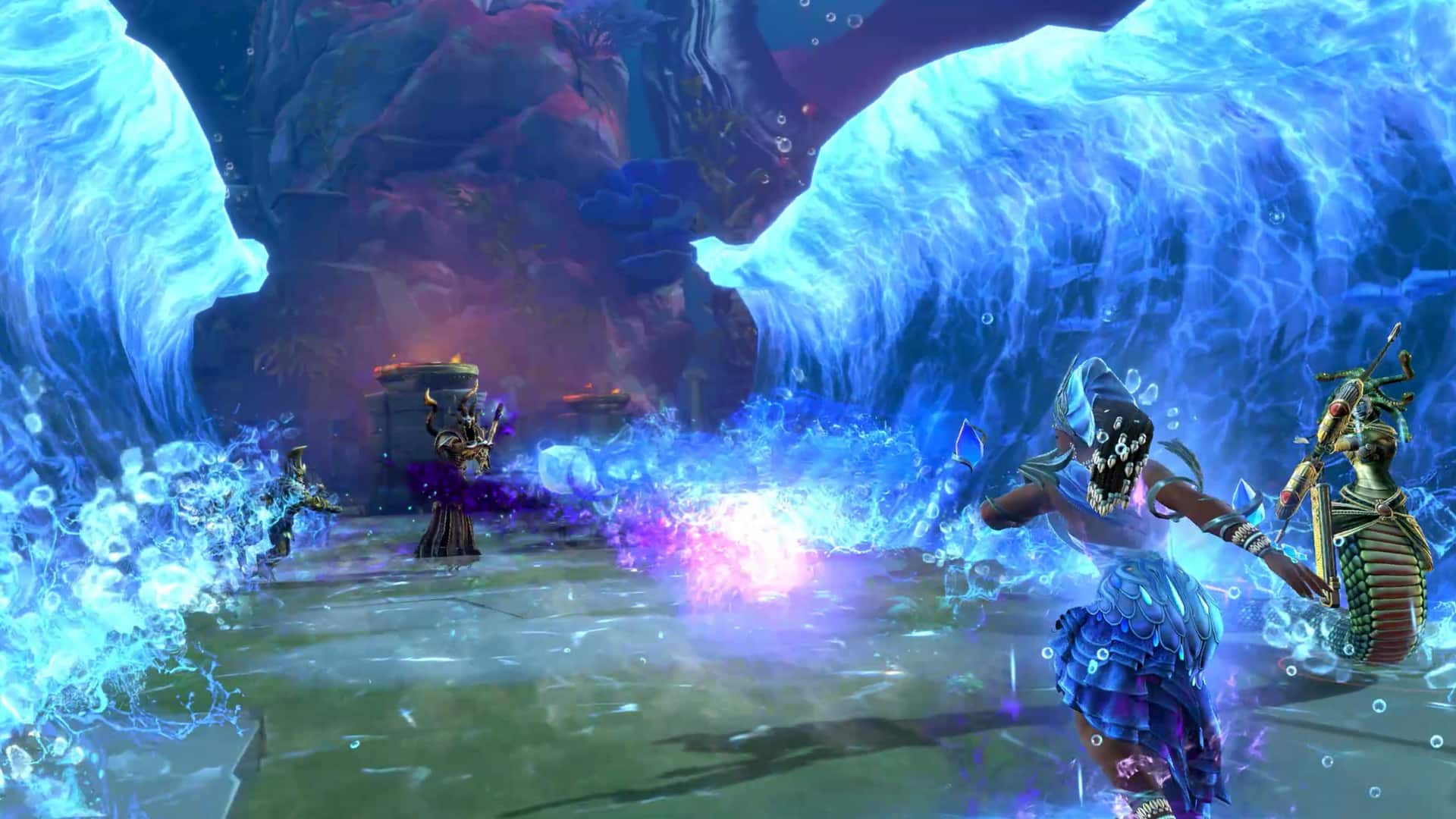
Hi-Rez has deployed SMITE update 12.49 today on all platforms to release a new hotfix. This is to address bug fixes for the previously released 10.4 patch. Read on for the SMITE April 21 patch notes down below.

SMITE Update 12.49 Patch Notes | SMITE Update 10.4 Patch Notes | SMITE April 21 Patch Notes:

The patch notes were revealed on the game’s official Trello Board. You can look at the full details down below.

  • Scarlet Dangerfield Neith is now re-enabled
  • Fixed an issue with the HUD Editor where opacity was resetting when players hovered over elements again or re-entered the editor
  • Fixed an issue with Console HUD editor where elements were shrinking when applying changes if the Safe Zone setting was set lower than the Monitor resolution
  • Fixed an issue where Ix Chel’s God Voice Pack was playing the incorrect Audio
  • Fixed an issue where hitting Ix Chel’s first ability on an enemy at close range was not providing the proper cooldown afterwards

Source: SMITE Trello Board

Damien Seeto

Home > News

PlayStation Acquires Ex-Bungie Dev Company Firewalk Studios

PlayStation (through Sony Interactive Entertainment‘s PlayStation Studios division) has announced its acquisition of Firewalk Studios, a studio founded in 2018 by ex-Bungie developers that has been working on a AAA live-service game for PS5 and PC since 2021. The acquisition expands on the prior publishing partnership established in 2021 between the two companies.

Firewalk Studios is a Bellevue, Washington-based game company that was founded in 2018 by a team of Destiny veterans, including Tony Hsu (Studio Head, previously GM and SVP of Destiny at Activision) and Ryan Ellis (Game Director, previously Creative Director at Bungie). The studio formed under independent AAA game company ProbablyMonsters, which is itself headed by former Bungie CEO, Chairman and President Harold Ryan. In April 2021, Firewalk Studios along with ProbablyMonsters entered an exclusive publishing agreement with Sony Interactive Entertainment.

As part of the agreement, Firewalk Studios has been developing a AAA live-service multiplayer game for the PS5 and PC platforms, which will be published by Sony. The latter has now seen fit to acquire the studio altogether from ProbablyMonsters, uniting Firewalk Studios’ team with the likes of Bungie and Haven Interactive Studios in order to expand PlayStation’s live-service game ambitions.

From Sony Interactive Entertainment President and CEO Jim Ryan:

Firewalk Studios is led by a world-class team that is highly experienced and deeply passionate about creating exceptional multiplayer games that foster memorable shared experiences. I’m confident the studio’s upcoming project will be a robust addition to PlayStation Studios’ portfolio, and its live service and technology expertise will be instrumental in helping grow PlayStation’s reach.

Head of PlayStation Studios Hermen Hulst also expressed his excitement about Firewalk’s upcoming work under his division:

We’re thrilled to expand upon our collaborative relationship with Firewalk Studios and formally welcome the team to PlayStation Studios. We’ve had the privilege of working with ProbablyMonsters and Firewalk for several years and our teams share the same ambition to create meaningful experiences for gamers. Firewalk’s innovative approach to connected storytelling and its commitment to high-quality gameplay continues to exceed our expectations. I think fans will be very pleased when they see what Firewalk has in store for them.

Firewalk Studios’ Tony Hsu and Ryan Ellis described the acquisition as the “next natural step” for their company:

Every once in a while, you get to have an adventure.

Over five years ago, we jumped at the chance to set up a new studio and build a new IP from the ground up. Recalling our own favorite times with games, we founded Firewalk Studios around the idea of delivering memorable moments – those amazing, had-to-be-there times shared with other people. Our goal is to deliver those shared moments of joy to players around the world.

Building a new studio at scale has been an incredibly exhilarating and relentlessly daunting task. Fortunately, we’ve been supported by great partners throughout – ProbablyMonsters helped turbocharge us in setting up the studio, and Sony has been supporting our project and our creative vision from the beginning. We’ve assembled some of the most inspired talent in the industry to deliver awe-inspiring new worlds and experiences filled with great core gameplay. The excitement of building something new for players has thoroughly energized the team and our partners, and we’ve been playtesting every day.

Today we’re taking the next natural step and joining PlayStation Studios. We’ve worked closely with Hermen and the very talented team at PlayStation for years, helping to make our new game even better. To join PlayStation Studios is to formally become part of a family that has produced many of the most storied games of our age, and we are honored. We want to thank everyone who’s supported us along the way and those looking forward to our future. It’s been an incredible journey so far, and we can’t wait for the next chapter in this adventure.

Finally, CEO and President of ProbablyMonsters Harold Ryan expressed high hopes for Firewalk Studios’ future:

ProbablyMonsters is incredibly proud of the team and the game we incubated and built over the past few years. Firewalk Studios joining PlayStation Studios is a brilliant move for the team, game, and future players. Our goal at ProbablyMonsters is to find the best path to market for all of our games, and we couldn’t be happier for the Firewalk team.

Firewalk Studios’ 150+ employees will continue to be managed by the studio’s existing management team in collaboration with the PlayStation Studios External Development team. No new details about the company’s upcoming live-service game have been revealed as of yet.

Source: PlayStation Blog

Avatar photo

Salman Haider Zaidi

That's a nice argument, Senator.

Home > guides

Dead Island 2 Best Settings for PS5 and Xbox Series

Want to get the most out of your Dead Island 2 experience on consoles? Well, we have a guide for you for that, as we walk you through the Dead Island 2 best settings for both PS5 and Xbox Series players.

Dead Island 2 Best Settings for Consoles:

Nothing too crazy with Dead Island 2 when it comes to console settings. For the most, everything can remain as the default, with a few options we recommend tweaking before starting your Dead Island 2 journey.

Controls

This menu will allow players to tweak several options related to the game’s controls. For the most, I recommend keeping everything on default as the presets are overall responsive as they are.

If you find the turning a bit slow for your taste, adjust the sensitivity to 5. Vibration in Dead Island 2 can be annoying sometimes, so lowering it from 100 might not be a bad idea. 65-75 seems to be an excellent sweet spot.

There are advanced settings that you can toggle, such as deadzones, that you may want to play around with, but again, the defaults are good as are.

Online

If you want to play Dead Island 2 strictly as a single-player game, you can turn the online option to single-player only. If you want to play with friends only, then select friends only. There’s also an invite and public option to choose from.

Dead Island 2 doesn’t feature cross-play with other platforms outside players within a console family. So Xbox Series players can play with Xbox One and PS5 with PS4. If you are playing on current-gen platforms, you may want to turn the online option to friends or invite-only since you could potentially (if public is selected) be matchmade with a last-gen console owner. This will result in long wait times, as loading times on the last-gen version of Dead Island 2 is very long.

Of course, if you have friends playing on last-gen, this is a fair warning that you should expect long waits for them to join your game.

Display

Dead Island 2, unfortunately, doesn’t offer any quality or performance mode on either PS5 or Xbox Series. Nonetheless, the overall experience does appear to be stable for most parts on current-gen hardware.

An option missing from the last-gen version is the FoV slider. For those playing on the PS5 or Xbox Series, ensure this is cranked to 100 for maximum viewing field. We didn’t notice any hit to the performance, though if you happen to see any, lowering this may improve it.

The motion blur slider can be moved down to 0 if you aren’t a fan of blurry image quality.

HDR – Follow the guide the game gives you to get a starting point. This depends on your setup, but I always like going brighter for my darks and darker for my lights. Not too far from the “barely visible” image they provide you, just a notch or two below or above it.

UI

The default (Full) should be fine going into the game fresh; otherwise, turn off any option you may not like here. If there is one I recommend changing, it’s the player’s health and status. Rather than “On,” I would change this to dynamic, causing it to disappear after a while and re-appear during combat.

If you want an experience offering more immersion but keeping the critical UI parts intact, change the HUD preset to minimal.

Audio

You’ll find subtitles here, and if you find the text size too small, you can adjust it here.

For those planning on streaming and uploading gameplay on a platform, you can turn streamer mode on. Dead Island 2 features tons of third-party music that will be flagged for copyright. Turning on Streamer mode will help avoid that.

And there you have it, the best settings for console players to use while playing Dead Island 2. Hopefully, this guide has given you a bit of help in deciding if you should use an option or not.

As for those who may be on the fence about buying Dead Island 2, then you may be interested in reading our review, which breaks down our full experience.

Avatar photo

James Lara

A gamer at heart, James has been working for MP1st for the last decade to do exactly what he loves, writing about video games and having fun doing it. Growing up in the 90's gaming has been in his DNA since the days of NES. One day he hopes to develop his own game.

Home > News

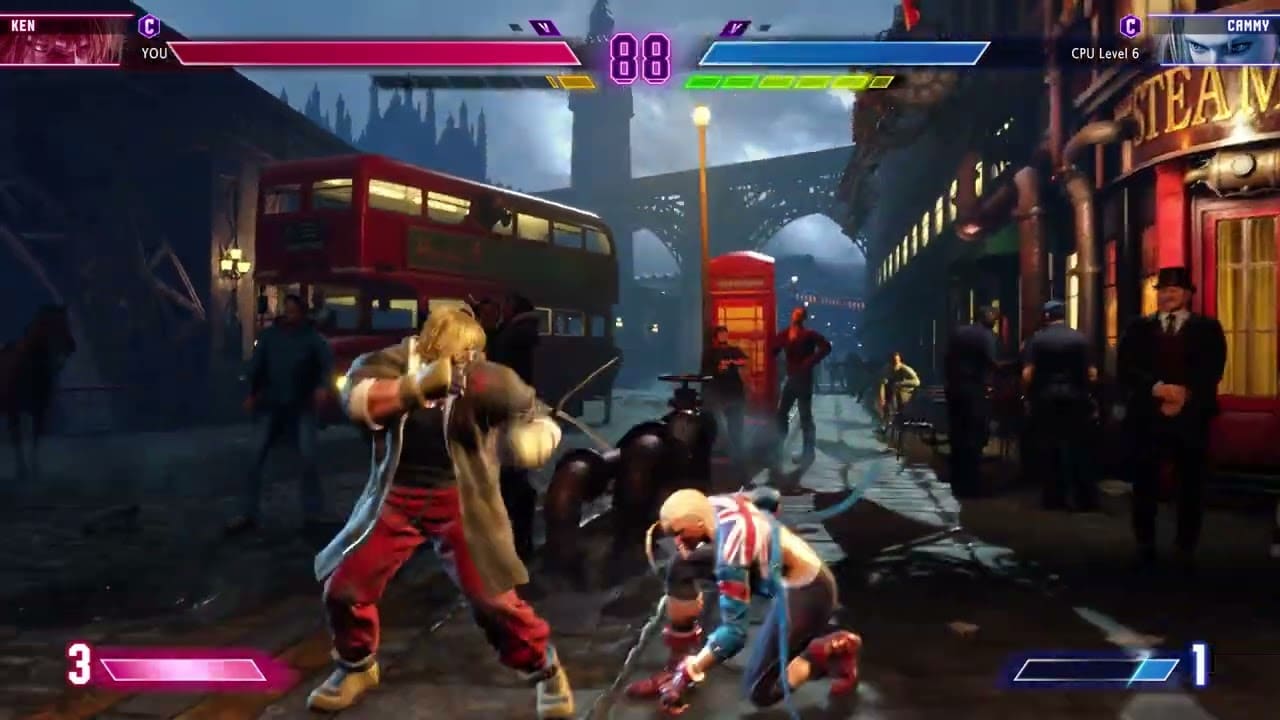
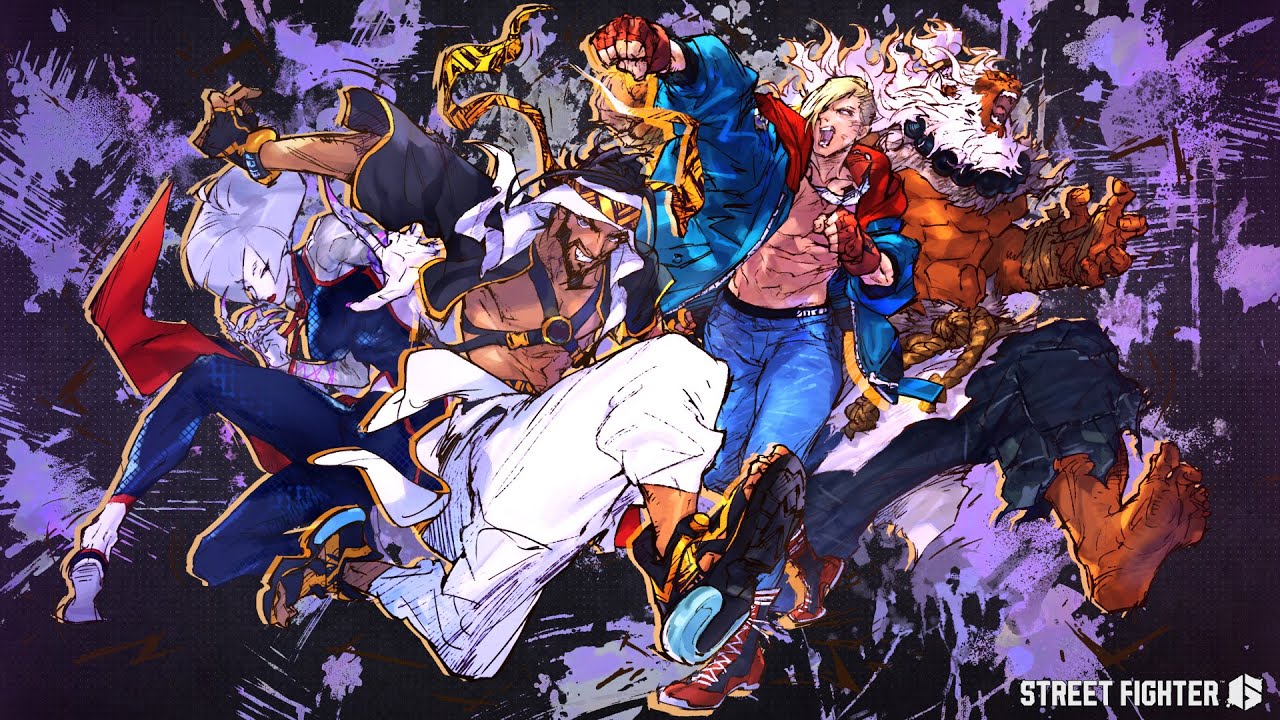
Street Fighter 6 World Tour, Avatar Battles, Ranked Play and Battle Damage Feature Outlined

In today’s Street Fighter 6 Showcase, Capcom not only dropped a demo, but we also got a look at some of the new features incoming to the fighting game as well. Chief among the stuff shown were the Street Fighter 6 World Tour, Avatar Battles, the Battle Damage feature and more.

Street Fighter 6 Avatar Battles, World Tour, Ranked Play and Battle Damage Feature Details:

Welcome to World Tour

  • We showed off an all-new location in World Tour called Nayshall, a developing nation tucked away in a remote corner of Asia. You’ll meet iconic Masters and experience the world of Street Fighter with your own custom avatar as you hit the streets of Metro City, Nayshall, and other locations around the world in this new single-player story mode.
  • We introduced a number of RPG elements as well. You can consume items and food during battle or at eateries to recover Vitality, acquire buffs, or inflict debuffs. As you level up your avatar, you’ll earn Skill Points to spend on a Skill Tree to further customize your tailor-made move set.
  • Become a student of your favorite Masters – including all 18 launch characters – by Enrolling in their style and learning their Special Moves! Increase your bonds with Masters by giving them presents and completing Missions. Combine all of this to unlock new cutscenes as you form personal connections with these legendary fighters.

Show Off Your Style with Custom Avatar Battles

  • Build up your unique character in World Tour and then head into Battle Hub to join custom Avatar Battles against other players online! Use your avatar with Dhalsim’s fighting style, Zangief’s Screw Piledriver, and Ken’s Hadoken, or any other combination of abilities you’ve learned in World Tour to show off your own personal fighting style. Be wary because your opponent might have come up with an even wilder palette of moves

Compete Against the World

  • Ranked Matches return and we’ve taken steps to reduce the pressure of losing a match in certain Ranks. First, we’ve added a one-time Rank-down protection feature for those in Diamond rank and below. Next, Rookies will no longer lose League Points upon defeat to encourage online play. Finally, Iron-Gold and Master rank players will not incur League demotions. Each character also has their own individual Rank, so trying new characters in Ranked Matches is more approachable than ever.
  • As a celebration of the entire Street Fighter series, we’re introducing the Battle Damage Feature! During fights, characters will get sweatier, develop cuts and bruises, along with other signs of heated battle appearing on their faces and clothing. This is only available in certain offline modes and can be turned off in Settings.
  • We showed off how players can create a Club in the Battle Hub to play with friends and find like-minded players. Customize your Club emblem and design a uniform that only your Club’s members can show off.

Classic Fighting Game Experiences with Some Extra Spice

  • Arcade Mode is a single-player mode where you’ll face off against the computer and learn more about each fighter’s story. Complete Arcade Mode with each character to unlock and view beautiful illustrations in the Gallery. Your scores can also be uploaded to online leaderboards!
  • Play against other players or the computer by creating a team of up to 5 characters and customize the Match Format to your liking such as Single Elimination, Doubles, and Teams.
  • Extreme Battle introduces rulesets you’ll need to follow, along with fun features like Running Bulls or our own special version of hot potato. Play in Extreme Battle to learn more about the basics of the game or to unleash pure havoc at a party.
  • Play online against other players by creating a Custom Room. The four virtual cabinets in the room can be set to One on One, Extreme Battle, or Training. Custom Rooms can now include up to 16 players at a time and makes Online Training and Match Spectating easier than ever before!

There’s also the SF6 Year 1 roadmap reveal as well, which lists the new fighters incoming in the game’s first year, as well as their release schedule.

Street Fighter 6 will punch its way out this June 2 on the PS4, PS5, Xbox One, Xbox Series X|S and PC.

Avatar photo

Alex Co

Father, gamer, games media vet, writer of words, killer of noobs.

Home > News

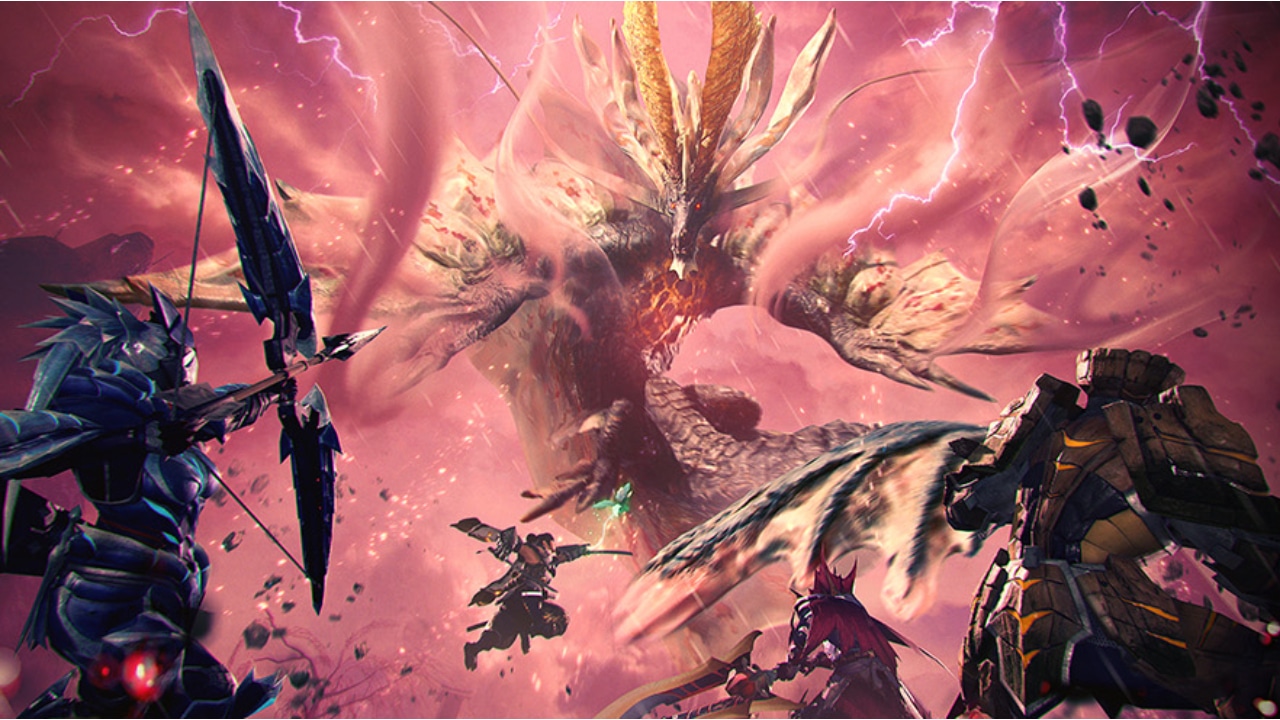
Monster Hunter Rise Sunbreak Update 15 Now Live on PC and Switch, Full Patch Notes Listed

A new update for Monster Hunter Rise Sunbreak has arrived, adding new story content, monsters, bug fixes, and so much more. Read on for the full Monster Hunter Rise Sunbreak Update 15 patch notes!

Monster Hunter Rise Sunbreak Update 15 (April 20) Patch Notes

Size

  • Nintendo Switch: About 0.8 GB
  • Steam: About 2.0 GB

New Story Elements

  • A new monster has been added and will appear in Gathering Hub quests.
  • New afflicted monsters and a new Risen elder dragon have been added to the game.
  • New quests have been added.
  • The level cap for Anomaly Investigations has been raised.
  • Special Investigations have been added as the final difficulty level for Anomaly Investigations.
  • A wider variety of monsters now appear on Anomaly Investigations.
  • New weapons, armor, layered equipment, and skills have been added.
  • The level cap for armor upgrades has been raised.
  • New skills have been added to the pool of potential skills available during Qurious Armor Crafting.
  • New Melding Pot method added to the Market.
  • New prizes have been added to the Market’s lottery.
  • New trinkets and hanging scrolls have been added.
  • New items have been added for trade at the Anomaly Research Lab.
  • New dialogue added for major NPCs at Kamura Village and Elgado Outpost based on your progress.

New System Elements

  • A new “afflicted materials” option has been added to the search criteria for “Anomaly Investigations” at the Quest Counter.
  • Added a category filter for forging decorations at the Smithy and for the “Set Decorations” option in the item box.
  • Added a “Wishlist” option to “Search/Sort” when forging armor at the Smithy.
  • Added a “Wishlist Order” option to “Search/Sort” when forging or upgrading armor at the Smithy.
  • Added a “Wishlist” option to “Search Decorations” when creating decorations at the Smithy.
  • Added a “Skill Pool Details” option when augmenting armor at the Smithy.
  • Added a filter function to the talisman management screen under “Change Equipment.”
  • New Guild Card titles have been added.
  • Added an entry for Special Investigations on the Guild Card.
  • A new Badge of Heroes has been added.

Bug Fixes and Balance Adjustments

Hunter

  • Increased the power and elemental correction value for the great sword’s Falling Slash, Vortex Slash, and Rising Slash in the Surge Slash Combo.
  • Increased the power of the great sword’s Adamant Charged Slash.
  • Reduced the amount of damage taken while charging the great sword’s Rage Slash.
  • The following adjustments were made to the long sword’s Harvest Moon:
    • Increased the radius of the circle that spawns.
    • Removed “”sheathing your weapon”” as a condition for canceling the effect.
    • Players will no longer be knocked back when touching the ring.
    • Decreased the cooldown time.
    • Slightly increased the height of the display position for the circle.
  • Fixed a bug causing the sword & shield’s Jumping Slash to combo into a Rising Slash instead of a Roundslash if performed right after landing.
  • Increased the power and elemental correction value for the dual blades’ Demon Flurry Rush and Lunging Strike.
  • Increased the elemental correction value for the dual blades’ Slide Slash Combo.
  • Changed the effect duration of the lance’s Anchor Rage from 20 seconds to 30.
  • Increased the power of the the gunlance’s Wyrmstake Cannon (normal, long, wide).
  • Increased the power of the gunlance’s shelling (wide only).
  • Increased the elemental correction value for the hammer’s Charged Big Bang and Big Bang I ~ Finisher.
  • Changed the effect duration of the hunting horn’s Silkbind Shockwave from 30 seconds to 45.
  • Added a damage reduction effect to the hunting horn’s Sonic Barrier.
  • Adjusted the attack scaling upward when retrieving all 3 colors of extract with the insect glaive.
  • Increased the amount of stamina for the insect glaive’s Kinsect.
  • Fixed a bug occasionally preventing the Blue Swap Scroll from being reverted to the Red Swap Scroll when changing weapons at the base camp tent.
  • Fixed a bug causing a regular draw even when performing a Special Draw, when using specific items in combination with control type 2.
  • Fixed a bug causing the player to suffer from hellfireblight during the fadeout when entering a tent, if Lv. 4 Hellfire Cloak is activated.
  • Fixed a bug where Followers appearing in the targeting reticle for long-range weapons would occasionally prevent it from displaying correctly.
  • Some head gear will now remain on screen when having a meal at the canteen.

Buddies

  • Fixed an issue occasionally causing Buddies to be displayed inappropriately at a Buddy Recon point.
  • Mitigated a bug occasionally preventing Buddies from participating in combat due to the fact that they keep attacking sleeping small monsters when they are on alert.

Followers

  • Fixed a bug causing a Follower’s Buddy’s attack to hit the player as well when the Buddy tries to knock the Follower out of a status that prevents them from moving.
  • Fixed a bug preventing dialogue between Followers from being played if the player is at camp when the quest is completed.
  • Fixed a bug causing Followers to keep dodging for a while if the player returns to base camp right before Risen Crimson Glow Valstrax’s comet attack hits the ground.
  • Fixed a bug preventing Followers from dodging Magnamalo’s explosion when it is in a turf war with Velkhana.
  • Fixed a bug occasionally preventing Followers from participating in battle and moving normally during an Anomaly Investigation.
  • Fixed a bug occasionally preventing a Follower’s quest completion dialogue from being played if they faint right after completing the quest.

Monsters

  • Fixed a bug occasionally preventing Pyrantula from being displayed correctly on the guest’s side when Pyre Rakna-Kadaki unleashes them.
  • Fixed a bug preventing attack collision on Kushala Daora’s backwards swipe.
  • Fixed a bug causing Shagaru Magala to only stay down for a short period of time after certain toppling conditions.
  • Adjusted the attack collision for Shagaru Magala’s glide attack, and fixed it so that it doesn’t hit at inappropriate times.
  • Fixed a bug preventing Seething Bazelgeuse from getting caught in traps while on the ground when performing its gliding tail-dragging attack.
  • Fixed a bug causing Violet Mizutsune’s successful AoE attack explosion to appear as the explosion that occurs when the attack fails on the guest’s side.
  • Fixed a bug occasionally preventing the visual effect of Violet Mizutsune’s failed AoE attack from being displayed on the guest’s side.
  • Fixed a bug causing the actions of small monsters to shift Velkhana’s current position.
  • Fixed a bug causing Velkhana to drop account items when hit with a Wyvern Riding attack.
  • Fixed a bug occasionally preventing attack collision on Risen Chameleos’s sweeping poison projectile attack.
  • Fixed a bug occasionally preventing Risen Chameleos from appearing in its Risen state on the guest’s side.
  • Fixed a bug occasionally causing rocks and debris to appear at unusually distant locations when Risen Chameleos performs its ground slam attack near a ledge.
  • Fixed a bug causing a ball of poison to remain in place for a while when Risen Chameleos hits a wall with its spherical poison attack.
  • Fixed a bug preventing the sound effect from playing when Risen Chameleos uses its spherical poison attack twice in a row.
  • Fixed an issue occasionally preventing Risen Kushala Daora’s tornadoes from being displayed correctly during certain attacks.
  • Fixed an issue occasionally causing fewer tornadoes to be displayed on the guest’s side when performing specific attacks on Risen Kushala Daora while it’s in its Risen state.
  • Fixed a bug preventing Risen Teostra from being toppled for a prolonged period of time if it leaves its Risen state while in the Citadel’s Resinmire.
  • Fixed a bug occasionally causing Teostra to perform attacks as if it’s covered in dust, even when that is not the case.
  • Fixed a bug occasionally preventing the animation from being played correctly when Malzeno, Shagaru Magala, or Crimson Glow Valstrax crosses a ledge.
  • Fixed a bug occasionally making it look as if Rajang and Furious Rajang perform a turf war in their normal state rather than their enraged state.
  • Fixed a bug preventing players from contracting hellfireblight when Magnamalo is in a turf war with Velkhana.
  • Fixed a bug occasionally causing unintended attack collision to spawn when Magnamalo is in a turf war with Velkhana.
  • Fixed a bug occasionally preventing the visual effect for Magnamalo’s hellfire veil from being displayed after finishing a turf war with Velkhana.
  • Fixed a bug preventing some attacks from hitting players when Magnamalo is in a turf war with Velkhana.
  • Fixed an issue occasionally causing Remobra to attack Velkhana while it is sleeping.

Locales

  • Fixed a bug occasionally preventing the screen from displaying properly if the player moves the camera while Wyvern Riding at a specific location in area 4 of the Sandy Plains.
  • Fixed a bug occasionally preventing the screen from displaying properly if the player moves the camera at a specific location in area 12 of the Citadel.
  • Fixed a bug occasionally preventing the hunter from moving if they perform specific actions with the hunting horn at a specific location in area 5 of the Jungle.

Endemic Life

  • Fixed a bug preventing Scale Lizards in the Jungle from dropping Kulu-Ya-Ku materials, and Apex monster materials in a variety of other locales.
  • Fixed a bug causing monsters to move in the direction of the Follower or player that used a Stinkmink, when using a Marionette Spider after said Stinkmink.

Facilities

  • Fixed a bug causing Chichae’s dialogue at the Quest Counter not to match the player’s progress in the game.
  • Fixed a bug occasionally causing the cursor position memory for Master Rank at the Quest Counter to also affect other menu items.
  • Added a confirmation message when the player tries to buy or trade the maximum number of items at the Market, the Argosy, or the Anomaly Research Lab.
  • Fixed a bug preventing the ZL/ZR buttons from functioning on the screen for forging equipment/layered equipment at the Buddy Smithy if the top entry on the list of hired Buddies is empty.
  • Fixed various minor UI bugs on all of the loadout screens.
  • The number of pages for registering equipment loadouts, layered equipment loadouts, and hunter loadouts has been increased to 28.

Quests

  • Fixed a bug during Gaismagorm quests preventing the player from moving to the lower level of the locale if they return to camp right as the quest moves to a new phase.
  • Fixed a bug during Anomaly Investigations occasionally preventing player voices warning about attacks from being played for Apex monster attacks.
  • Fixed a bug preventing afflicted materials from being awarded when breaking parts on Risen elder dragons during Anomaly Quests and Anomaly Investigations.
  • Fixed a bug occasionally causing quests received under certain circumstances when a guest joins an Anomaly Investigation to become invalid quests.
  • Increased the number of Anomaly Research points the player can earn from Anomaly Investigations between level 1 and 220. (For quests between level 1 and 120, the increase in points is even larger than before.)
  • Fixed a bug preventing Velkhana from appearing as a subtarget or wild monster during Anomaly Investigations.
  • Fixed a bug causing the player to receive the same quest over and over when obtaining new Anomaly Investigations via specific steps.
  • Fixed a bug causing an unintentional bias in selecting target monsters for Anomaly Investigations at the Citadel with 3 or more target monsters.

Equipment

  • Fixed a bug preventing bangs from being displayed for hairstyle type 01 when the player has a Lagombi Helm equipped.
  • Fixed a bug preventing hairstyle 33 from being properly displayed when the player has a Scholar’s Beret equipped.
  • Fixed some mistakes with the default color settings for Pigment 2 of the Marine Braces layered equipment.
  • Fixed some mistakes with the pigment settings of the Dusk Braces layered equipment.
  • Fixed a bug preventing some hairstyles from being properly displayed when the player has the Face Scarf equipped.
  • Fixed a bug preventing some hairstyles from being properly displayed when the player has the Sonic Cap equipped.
  • Fixed a bug causing the shield of the Noble Ana Palas sword & shield to display in an unintended way.
  • Fixed a bug causing the position and angle when sheathing the Pure Spear Osaki to be different from other lances in the Mizutsune tree.
  • Fixed a bug causing weapons to display unnaturally when using a whetstone while having the Cloudburst Axe or the Wicked Niddoq switch axe unsheathed and in Axe mode.
  • Fixed a bug in the design of some of the insect glaives on the Barioth tree.
  • Fixed a bug causing the Moonlight Sparkflier heavy bowgun to display in an unintended way.

Menus

  • Fixed a bug occasionally causing the contents of the materials page on the large monsters list to display incorrectly following specific button inputs.
  • Fixed a bug causing incorrect button prompts to display when opening the sorting window while pointing the cursor to fixed items whose display can be toggled in your item pouch.
  • Fixed a bug causing the reward money amount to overlap or overflow from its display window when the amount exceeds 100,000z.
  • Fixed a mistake in the system message for “Receive Items” in the Start Menu.

Other

  • Fixed a bug causing some NPCs to use dialogue that doesn’t match the player’s progress.
  • Fixed a mistake in the explanation for the Regalfin.
  • Fixed a mistake in the explanation for the Daimyo Hermitaur Statue.
  • Fixed a mistake in the explanation text when accepting the “Running Out of Ideas” Event Quest at the Courier
  • Fixed a bug occasionally causing NPC Canynes from still being audible even when the volume is turned down in the options.
  • Fixed a bug occasionally preventing the game from saving if you try to save right after joining a Lobby.

Steam-Specific Patch Notes

  • Fixed a bug causing a “Could not save.” message to appear if another player leaves the Lobby right when the game is saving in Multiplayer.
  • Mitigated the occurrence of error codes MHRS-0034-0036 and MHRS-0034-0002, which involve saved data becoming unreadable.
  • Fixed a bug occasionally causing a crash report to be created right after selecting “Quit Game” from the in-game menu.
  • Fixed a bug occasionally causing the game to crash when completing a quest with a Follower
  • Fixed a mistake for the Housekeeper where “Elgado” was misspelled as “Elagdo.”
  • Fixed various text bugs.
  • Other miscellaneous bug fixes have been made.

As for PS5 and Xbox players, this will update will be launching the same day as Sunbreak releases, which is on April 28 for both platforms.

Source: Monster Hunter

Avatar photo

James Lara

A gamer at heart, James has been working for MP1st for the last decade to do exactly what he loves, writing about video games and having fun doing it. Growing up in the 90's gaming has been in his DNA since the days of NES. One day he hopes to develop his own game.

Home > News

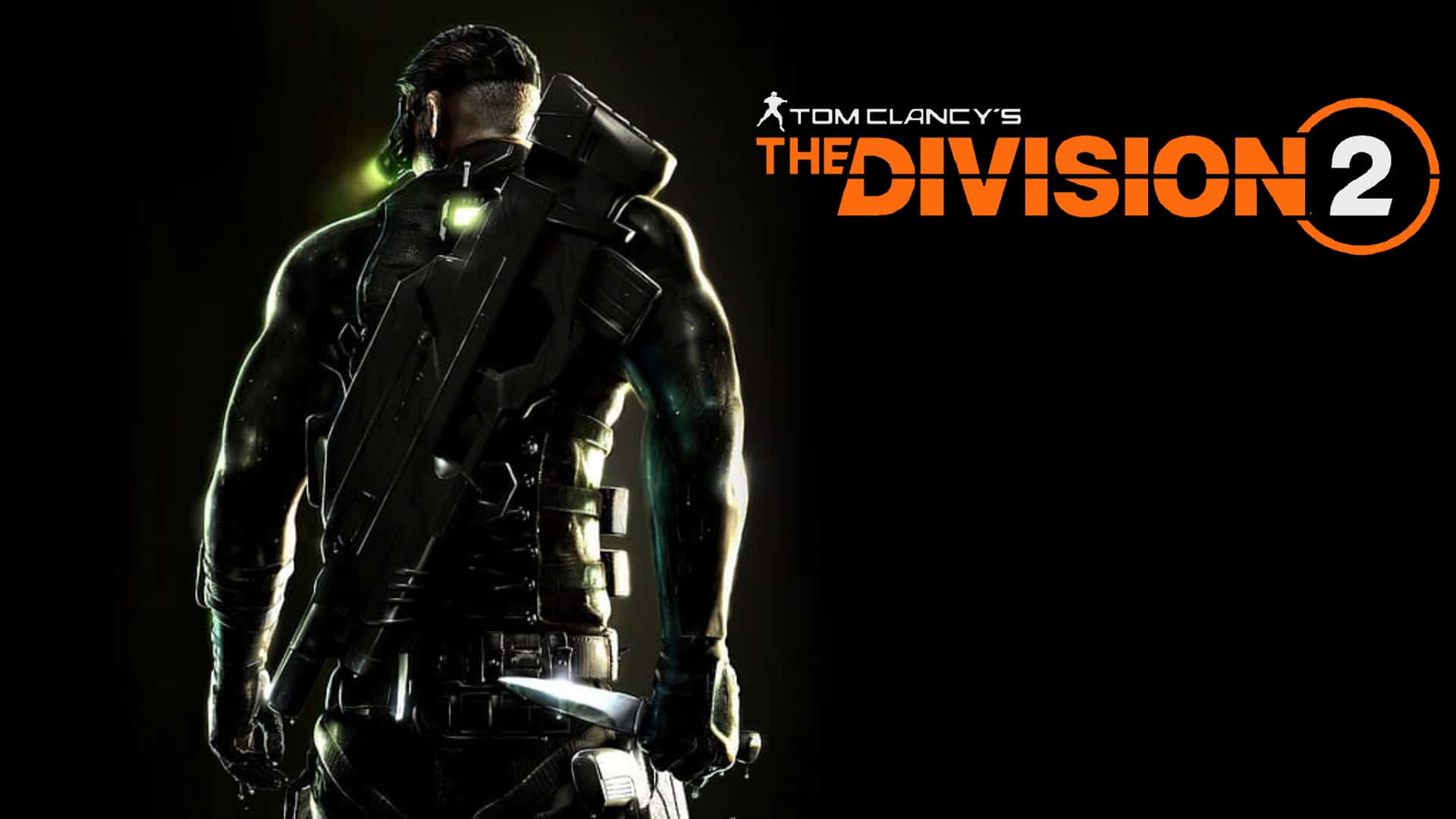
The Division 2 Splinter Cell Apparel Incoming in Y5S1 Premium Pass; Resident Evil Event Returns April 25

Players who missed out on the 25th Resident Evil anniversary event for The Division 2 a few years ago will be glad to know that the event is coming back this month! And that’s not the only surprise either, as Ubisoft has also announced that The Division 2 Splinter Cell apparel will be available as part of the Year 5 Season 1 Premium Pass.

As revealed during The Division Day stream, Agents of The Division 2 will be able to unlock Resident Evil-themed apparel, as the 25th-anniversary event is coming back next week! From April 25 until May 9, The Division 2 players can earn and unlock Resident Evil themed-cosmetics. Players who login during the event’s duration will receive a free Leon S. Kennedy outfit just for playing.

Assuming it’s the same as last time, below, you’ll find a complete list of all the skins, outfits, and more that can be unlocked during the event.

The Division 2’s Resident Evil Apparel Event

Outfits

  • Leon Kennedy RPD (unlocked by simply logging into The Division 2 during the event)
  • Chris Redfield S.T.A.R.S.
  • Jill Valentine S.T.A.R.S.
  • Rebecca Chambers S.T.A.R.S.
  • Umbrella Corporation Operative

Single Apparels

  • Claire Redfield Jacket
  • Leon Kennedy Jacket
  • Nemesis Mask

Weapon Skins

  • Corporate
  • Crimson
  • Decorator
  • Dapper
  • Scratch Pad

Backpack Trophies

  • Doberman
  • Ink Ribbon
  • Jill Sandwich
  • Licker
  • RPD Badge
  • T-Virus
  • Zombie Hand

Arm Patches

  • Resident Evil 25th Anniversary
  • RPD
  • S.T.A.R.S.
  • Umbrella Corporation

Pretty good timing if we say so ourselves, especially since the Resident Evil 4 remake (read our review now!) was just released recently,

Of course, if you had already gotten everything from this event the first time it happened, You might want something new, and that comes in the form of having your agent dress up as Sam Fisher from the Splinter Cell franchise! Ubisoft has mentioned that players will be able to unlock pieces of Sam Fisher’s Splinter Cell outfit as part of the Year 5 Season 1 Premium Pass (Broken Wings).

If you haven’t done so, go check out the Year 5 roadmap for the game, where it’s confirmed that we’ll be seeing new story content ni Season 4!

Avatar photo

James Lara

A gamer at heart, James has been working for MP1st for the last decade to do exactly what he loves, writing about video games and having fun doing it. Growing up in the 90's gaming has been in his DNA since the days of NES. One day he hopes to develop his own game.

Home > News

Street Fighter 6 Year 1 Roadmap and Character Release Schedule Revealed, Accessibility Features Explained

As part of today’s massive Street Fighter 6 Showcase where Capcom shadow dropped the demo, the company also revealed the Street Fighter 6 Year 1 roadmap and which characters will be available in the first year after launch.

Street Fighter 6 Year 1 Roadmap and Character Release Schedule:

  • Rashid of the Turbulent Wind, who debuted in Street Fighter V, returns in Summer 2023. The enigmatic A.K.I. struts into the roster in Autumn 2023. Ed, the Young Commander from Street Fighter V, also strikes back in early Winter 2024. And finally, the legend himself, the beast, the transcendent Akuma will rage into Street Fighter 6 in Spring 2024! All four of these characters will be included as Masters in World Tour following their release and are also included in the Deluxe and Ultimate Editions of Street Fighter 6.

In addition to the four new characters joining in Year 1, Capcom also detailed the accessibility features that’s going to be part of the game.

Street Fighter 6 Accessibility Features:

Innovation in Accessibility

  • Street Fighter 6 is committed to supporting increased accessibility with innovative sound design that tells you how far away you are from your opponent, the height level of attacks, whether an attack is a cross-up, how much Drive Gauge remains, and more.
  • For newcomers and veterans alike, there are fleshed out Tutorials, Character Guides, and Combo Trials, which provide a solid foundation for each character.
  • Our third Control Type to go along with Classic and Modern is Dynamic, where you can unleash a character’s flashy moves by pressing the Auto-Attack button and having AI assist your attacks and combos!

Street Fighter 6 launches this June 2 on the PS4, PS5, Xbox One, Xbox Series X|S and PC.

Avatar photo

Alex Co

Father, gamer, games media vet, writer of words, killer of noobs.

Home > News

Wild Hearts Update for April 20 – Introduces the Deathhaze Gloombeak Kemono and More

EA has launched the Wild Hearts update for April 20, which is the game’s second update this month! This brings with it a new challenging hunt for players to undertake, as the deadly Deathhaze Gloombeak has been unleashed and is wreaking havoc across the Akikure Canyon. 

Note that there is no download file associated with the update, as it seems to have been triggered via a server-side update.

Wild Hearts Update for April 20 Patch Notes:

New Deeply Volatile Kemono – Deathhaze Gloombeak

A new breed of Volatile Kemono—Deathhaze Gloombeak—has appeared in Akikure Canyon. You must restore tranquility by expelling the beast and its grim toxins before they permeate every corner of the ravine.

For ousting the blighted fowl, hunters will receive the title Deathhaze Exorciser.

New Talisman Skill – Toxic Shock

After a successful hunt, Deathhaze Gloombeak may drop a talisman with a new skill – Toxic Shock.

Toxic Shock will increase damage to health from toxins when Kemono are in a poisoned state.

New Special Quest – Serial Hunts

On Serial Hunts, you’ll be forced to hunt a gauntlet of Kemono, each within a set period of time. While you’ll be able to quickly gather yourself in between hunts, hunters will be unable to draw from healing water wells.

Each time you successfully take down a target, your reward increases. However, if you fail at any stage of the hunt, you’ll receive no reward at all. Hunters may choose to end the hunt early to at least receive any promised rewards up to that point.

In addition to the rewards from each round, successfully taking down all targets in a single run will grant new Chat Stamps and Emotes.

That’s all for this update, and as always, good luck and good hunting, hunters!

Source: EA
Avatar photo

James Lara

A gamer at heart, James has been working for MP1st for the last decade to do exactly what he loves, writing about video games and having fun doing it. Growing up in the 90's gaming has been in his DNA since the days of NES. One day he hopes to develop his own game.

Home > News

Neverwinter Update 12.13 Adds Campaign Changes This April 20

Cryptic Studios has released Neverwinter update 12.13 for PC, PS4, and Xbox One today. The update fixes a boss in the campaign as well as adds other improvements. Take a look below at the full Neverwinter April 20 patch notes today.

Neverwinter Update 12.13 Patch Notes | Neverwinter April 20 Patch Notes:

Campaigns and Adventures

Menzoberranzan

  • The kobold before the final boss in “Whispers in the Dark” has learned to properly walk around the wall instead of getting stuck attempting to walk through it.

Combat and Powers

Artifacts

  • The Ruthless Domination Artifact Set Bonus should now activate more reliably when using a Daily Power.

Companions

  • Blaspheme Assassin
    • Faerie Fire’s effect has been changed to increase enemy Damage Taken by 1% and reduce enemy Deflect by 2%, non-stacking.
  • Cyclops Drummer
    • Increased uptime on Percussion.
    • Increased activation chance of Repercussion.
    • Rebalanced as a Hybrid Companion.
  • Dwarven Battlerager
    • Now uses Ferocious Leap with regularity.
    • Rebalanced as a Hybrid companion.
  • Manticore
    • Updated Manticore’s Swipe, Tail Spin, and Poisonous Spine skills to hit more consistent areas.
    • Revised Swipe to deal appropriate Multi-Target damage. It had been incorrectly setup as a Single Target power.
    • Revised Poisonous Spines to deal their full damage over a much shorter timeframe.
    • Rebalanced as a Multi-Target companion.
  • Wizard Companions (Wayward Wizard, Mystagogue, etc.)
    • Wizard companions now stay closer to their targets to hit both Slow and Chilling Cloud.
    • Increased radius of Chilling Cloud.

Enchantments

  • The Account wide versions of the Ruby, Sapphire, and Aquamarine Enchantments should now properly grant more total stats than a single stat enchantment.
  • The Epic Aquamarine Enchantment no longer grants an excessive amount of Outgoing Healing.
  • The Mythic Aquamarine Enchantment should no longer grant an excessive amount of Control Bonus.

Items and Economy

General

  • The tooltip for the Bregan D’aerthe Expert’s Coif no longer has a typo on the power name: “Mystic Inspiration”.
  • The Windsoul Genasi companion, when bound, is no longer called “Air Genasi” in the companion list or when summoned. It is now Windsoul Genasi in all appropriate places. This may affect sorting in the companion list.
  • The items listed below have had their tooltips altered. Functionality has not been modified.
    • Feet Armor from the Dark Maiden’s Gear
    • Stormforged Weapons
    • The Weaver’s Weapons

Those tooltips now describe total damage and total healing multipliers differently, to better differentiate between our different ‘Damage’ and ‘Healing’ stats.

  • Outgoing Damage -> Total Damage
  • Outgoing Healing -> Total Healing

Masterwork

  • The following items have had their Item Levels increased when the result is a +1:
    • Thorned Amulet +1 – Item Level 1300, up from 1200.
    • Feywood Amulet +1 –  Item Level 1300, up from 1200.
    • Thorned Sash +1 – Item Level 1300, up from 1200.
    • Feywood Sash +1 – Item Level 1300, up from 1200.
    • Dawn’s Light Sash +1  Item Level 1300, up from 1200.
    • Hermit’s Incense +1 – Item Level 95, up from 90.

Menzoberranzan Campaign

Players could previously claim Menzoberranzan milestones 2 and 4 rewards on all characters. This was an error on our part. As per our other campaigns, we intended these rewards to be reclaimable once per account. We have corrected this error, and, apologize for the inconsistency. Players whom had managed to get multiple characters through these campaign steps will get to keep their rewards, but future claims will be limited to once per account.

  • Campaign Milestone 2 and 4 rewards (Mount Tokens and Tradebars) can only be claimed once per account.

User Interface

General

  • Campaign tasks that award Boon Points will no longer display 0 Boon Points in the task tooltip.
    • An overlay of the count is also now on the item icon.

Source: Play Neverwinter

Damien Seeto

Home > News

The Game Awards 10-Year Concert Lineup Includes Elden Ring, God of War, Hogwarts Legacy, Final Fantasy 16 & More

The Game Awards 10-Year Concert’s Lineup has now been officially revealed. Celebrating 10 years of Geoff Keighley’s The Game Awards, the Hollywood Bowl concert will feature music from Elden Ring, God of War, Final Fantasy 16, Hogwarts Legacy, Starfield, The Last of Us, and other popular IPs performed by the renowned Hollywood Bowl Orchestra.

Check out the official trailer for the concert:

The Game Awards 10-Year Concert will be held at the Hollywood Bowl amphitheater in Los Angeles on June 25. Executive-produced by Keighley and Kimmie Kim, the event will celebrate the 10-year anniversary of the former’s The Game Awards show, which is held in December each year. The concert has been arranged in partnership with the Los Angeles Philharmonic Association, and will see the Hollywood Bowl Orchestra reimagine music from a range of beloved video games released in the last two decades.

Tickets for the event are now on sale. The concert will feature music from the following IPs and upcoming releases:

  • Arcane
  • Diablo
  • Elden Ring
  • Final Fantasy XVI
  • God of War
  • Hades
  • Hogwarts Legacy
  • League of Legends
  • Marvel’s Spider-Man
  • Starfield
  • Star Wars Jedi
  • The Last of Us

Elswhere, with the cancellation of E3 2023 and industry players’ move towards exclusive digital-only showcase events, Keighley has remained as the face of many of gaming’s biggest events. Besides The Game Awards 10-Year Concert, he will also be holding his own Summer Game Fest in June, hosting gamescom Opening Night Live in August, and then conducting this year’s The Game Awards event as well. Stay tuned here at MP1st for all upcoming The Game Awards news and announcements.

Avatar photo

Salman Haider Zaidi

That's a nice argument, Senator.

Home > News

Street Fighter 6 Demo Now Available for PS4 and PS5; Find the Download Links Here

The official Street Fighter 6 demo is now live for PS4 and PS5 players, with the Xbox and PC demo release coming next week.

Announced during today’s Street Fighter 6 broadcast, Capcom has released a new demo for Street Fighter 6 that is now available on both the PS4 and PS5. Download links to the storefront for each platform are available below.

Street Fighter 6 Demo Download Links

What’s Included in the Demo?

Players will get the chance to try out select modes in the fighting ground, as well as the start of World Tour. The character creator will also be available, letting players create unique avatars and fight other user-generated avatars in online battles.

Per the press release:

Power up your PlayStation 5 or PlayStation 4 and play the demo now! We’ve prepared a special demo of the game that will let you play through the beginning of World Tour and some select modes in Fighting Ground. The avatar that you create in this demo can be used in the full version of the game if you’re playing on the same platform. Go ahead and let your imagination run wild as you create your own avatar!

When Will the Street Fighter Demo be available on PC and Xbox?

The PC and Xbox release of the demo has been confirmed for April 26. We’ll have download links available once they have gone live.

That’s all for now, but stay tuned as we’ll have more coverage of Street Fighter 6 shortly!

Avatar photo

James Lara

A gamer at heart, James has been working for MP1st for the last decade to do exactly what he loves, writing about video games and having fun doing it. Growing up in the 90's gaming has been in his DNA since the days of NES. One day he hopes to develop his own game.

Home > News

Diablo 4 Second Beta Announced, “Server Slam” Set for May 12 to 14 (Update)

If you weren’t able to hit max rank in the Diablo 4 beta last month or you just want to slay more monsters before the game’s release, rejoice! Blizzard has announced the Diablo 4 second beta, and it’s happening this May!

Diablo 4 Second Beta Details:

Update: Blizzard has shared more info regarding the second beta outside of the announcement.

  • From May 12, 12 p.m.–May 14, 12 p.m. PDT, everyone can come to Sanctuary’s defense on Windows PC, Xbox Series X|S, Xbox One, PlayStation 5, and PlayStation 4—against the armies of the Burning Hells to help test the durability of the servers.
  • Play with friends! Server Slam supports couch co-op for consoles and cross-play and cross-progression for all platforms.
  • The version of Diablo IV available during Server Slam will be similar to our previous Open Beta weekends, however, it will include all bug fixes and updates detailed in the Open Beta Retrospective blog.
  • There are also some new rewards players can earn if they participate! Up for grabs:
  • The Initial Casualty title (earned by reaching Kyovashad with one character)
  • The Early Voyager title (earned by reaching Level 20 on one character)
  • The Beta Wolf Pack Cosmetic (earned by reaching Level 20 with one character)
  • A new reward: the Cry of Ashava Mount Trophy (earned by defeating Ashava with one Level 20 character).
TO GET THE MOST FROM SERVER SLAM WEEKEND:
  • All character progression from the Beta weekends will not carry over into this weekend, so now is your chance to try a new class or build!
  • Explore the entirety of Fractured Peaks while playing through the Prologue and Act 1. Character level maxes out at Level 20 for this weekend.
  • Visit the town of Kyovashad to repair and purchase new gear, upgrade your healing potions, and access your Stash.
  • There are also plenty of Quests to experience Sanctuary’s rich story, World Events to exercise your fighting skills, and Dungeons to loot for legendary gear.
  • Don’t forget to try your hand at defeating the World Boss, Ashava, the biggest challenge of the weekend!

Announced over on Twitter, Blizzard calls the Diablo 2 second beta as “Server Slam” and is set for May 12 to May 14!

This is definitely good news for Diablo fans who can’t get enough of the game. Go read our impressions of the beta if you want to know what we thought of it. Hopefully, the beta changes revealed when the test concluded will be implemented in this new beta session.

Diablo 4 launches this June 6 on PS4, PS5, Xbox One, Xbox Series X|S, and PC, with no delay in sight, as the game has hit gold status already.

More Diablo 4 Reading:

Avatar photo

Alex Co

Father, gamer, games media vet, writer of words, killer of noobs.

Home > News

The Division Heartland Gameplay Explored in Latest Dev Diary; Cinematic Intro and New Screens Released

As part of The Division Day celebration, Ubisoft has released two new video videos about The Division Heartland! Thankfully, the dev diary released also includes our first actual look at The Division Heartland gameplay,

The Division Heartland Gameplay (Dev Diary)

The Division Heartland Cinematic Intro

New Division Heartland Screenshots

Additionally, Ubisoft will be hosting more rounds of playtest, though didn’t give a specific timing as to when. They did, however, say that we should expect to hear more sometime this Summer, so be on the lookout and be sure you’re registered to receive updates, including an opportunity to be part of the test via the official Division Heartland website.

Heartland takes players to Silver Creek, once a pleasant town in the American Midwest, left in ruins following the spread of the Dollar Flu. Silver Creek is a hostile environment filled with deadly contamination, roaming enemy hordes, and the looming threat of sickness and dehydration. In The Division Heartland, and for the first time in The Division, Silver Creek’s Base of Operations is a shared space. Silver Creek’s Rockit Rink is an abandoned roller skating rink where players will be able to socialize, form a group, customize their character, and prep for the next Operation.

Each session begins and ends in the Base of Operations, and each time players exfiltrate they will take back materials and gear they’ve collected to better prepare them for future days in the town. Players will use the Base of Operations to fabricate supplies and ready their go-bag preparing for their time out in the town. Before each session, they can select between three Classes: Weapons Expert, Medic, and Survivalist. Each Class brings a unique ability, and in a squad, each truly shines when complemented by the others. When they venture out during the daytime, players will be scavenging for supplies as well as preparing to survive the night. At night, Silver Creek becomes much more tenuous, with PvEvP gameplay forcing players to think quick and potentially work together to make it out alive with their loot intact.

The team is taking a test-and-learn approach to building this game, continually conducting test phases and gathering player feedback before moving on to the next phase. Players can sign up for future closed tests at thedivisionheartland.com. Those who are invited to participate in closed tests will also receive five invites to share with friends.

The Division Heartland currently has no release date, though will be launching on the PS4, PS5, Xbox One, Xbox Series, and PC.

MP1st was invited to a closed door session with The Division developers to talk about The Division 2,  The Division Heartland and The Division Resurgence. Stay tuned to our interview hitting the site soon.

Avatar photo

James Lara

A gamer at heart, James has been working for MP1st for the last decade to do exactly what he loves, writing about video games and having fun doing it. Growing up in the 90's gaming has been in his DNA since the days of NES. One day he hopes to develop his own game.