Home > News

Need for Speed Unbound Release Date Set for December 2, Trailer Races Out

After a few leaks has spoiled the surprise, EA has officially announced Need for Speed Unbound today! As part of the reveal, EA has confirmed that Criterion Games is the studio tapped to deliver this new entry in the franchise. Not only do we get a new trailer for the game today, but the Need for Speed: Unbound release date has also been confirmed for December 2 for the PS5, Xbox Series X|S and PC (sorry, last-gen owners). 

Start at the bottom and race to the top in Need for Speed Unbound, coming to PlayStation 5, Xbox Series X|S and PC on December 2, 2022.

Race against time, outsmart the cops, and take on weekly qualifiers to reach The Grand, Lakeshore’s ultimate street racing challenge. Pack your garage with precision-tuned, custom rides and light up the streets with your style, exclusive fits, and a vibrant global soundtrack that bumps in every corner of the world.

We’ll have more news regarding Need for Speed Unbound within the day, so stay tuned!

Need for Speed Unbound races out this December 2, 2022 on the PS5, Xbox Series X|S and PC.

Avatar photo

Alex Co

Father, gamer, games media vet, writer of words, killer of noobs.

Home > News

Conan Exiles Update 1.82 Out for Patch 3.0.3 Fixes This October 6

Funcom has released Conan Exiles update 1.82, which is tagged as patch version 3.0.3. This patch is available for all platforms and it includes several gameplay adjustments and bug fixes. Read on for what’s new in the Conan Exiles October 6 patch notes.

Conan Exiles Update 1.82 | Conan Exiles Update 3.0.3 Patch Notes | Conan Exiles October 6 Patch Notes:

  • Various crash fixes that should result in improved game stability.
  • Addressed a number of exploits in regards to the crafting system.
  • The recipe “Rough Timber Doorframe” is now in the “Rough Timber Interior Walls” feat as intended.
  • Building items spawned from the Admin Panel should no longer be turned into salvaged materials after restarting.
  • The “Pick Piece” option from the building menu has been renamed to “Copy Building Piece” to better represent its use.
  • Fixed an issue where the Delving Bench would return random items instead of recipes.
  • Explosive jars should now deal more consistent damage when placed on uneven surfaces.
  • Shaggai Creatures ranged attacks are now functional on Dedicated Servers.
  • Minimum Stamina consumed or minimum Damage taken value is now 1 to prevent some unintended situations with certain character builds.
  • Casting Darkness would cause players and NPCs to fall through buildings when in high altitudes. We fixed that as that is not the kind of dark result we were aiming for.
  • Resurrected Corpses should no longer turn invisible, delaying the inevitable uprising of Casper’s army.
  • Lighting Storm was unintendedly causing high amounts of damage to Building Structures. This has been addressed.
  • Lightning Storm will no longer damage the caster or the caster’s clan mates.
  • Lightning Storm will now strike up to 4 targets each striking cycle with a small delay between each target.
  • Due to the increased frequency of strikes, the base damage dealt by Lightning Storm has been reduced.
  • Addressed an issue where some items could not be spawned in via the Admin Panel.
  • Fixed an issue where some items were misplaced in the Admin Panel.
  • Removing the bracelet no longer kills your followers too.
  • If creativity overflows you, removing the bracelet while in Creative Mode will now kill you. Carpe Diem.
  • Fixed an issue that allowed for Extended Leap to be reset while climbing.
  • Fixed an issue that could prevent Challenge states to be updated correctly.
  • Addressed an issue that could cause problems with item rotations in the Bazaar.
  • The international #spellchekker team saves the day once again by fixing a bunch of nefarious and honestly, quite unpleasant typos and grammar mistakes in international versions of the game.
  • The Thaumaturgy Bench UI was cut in some localizations, which is now fixed.
  • The Claim All Rewards button now works with one single press instead of twice.
  • Addressed an issue where the unspent points pip would show up after dying.
  • Consolidated how Illusions show in situations where you don’t own the base item or the item used for the Illusion.
    • If you don’t own the item used to apply the Illusion, you will still be able to equip it, but you will only see the base version. If you equip the item later after owning the Illusion item, it will show with the Illusion applied.
    • UI icons will also be greyed out to give better visual feedback.
  • The last Foundation removed now makes a sound when picked up, as intended.

Source: Funcom forums

Damien Seeto

Home > News

Hitman 3 Update 1.13 Patch Notes; Over 100 Improvements Added This October 6

IO Interactive has released Hitman 3 update 1.13 (PS5 version 1.013), and this is the game’s big October patch! There are more than 100 improvements and changes made ranging from graphics settings, map bug fixes and more! Read on for the complete Hitman 3 October 6 patch notes below.

Hitman 3 Update 1.13 Patch Notes | Hitman 3 Update 1.013 Patch Notes | Hitman 3 October 6 Patch Notes:

NEW ADDITIONS:

Super Sampling
The HITMAN 3 October Patch adds support for super sampling technology from Intel, AMD and NVIDIA.

Intel Xe Super Sampling 
Intel® Xe Super Sampling (XeSS) technology uses machine learning to deliver more performance with exceptional image quality. Hardware accelerated XeSS is optimized for Xe-HPG microarchitecture-based GPUs.

NVIDIA Deep Learning Super Sampling (DLSS)
NVIDIA DLSS uses AI Super Resolution to provide the highest possible frame rates at maximum graphic settings. DLSS requires an NVIDIA RTX graphics card.

AMD FidelityFX™ Super Resolution 2 (FSR 2)
AMD FidelityFX™ Super Resolution 2 is a cutting-edge temporal upscaling algorithm that produces high resolution frames from lower resolution inputs.

HITMAN 3 supports AMD FSR 2.1, although the game menu and launcher will only refer to “FSR 2”.

Stability
We’ve resolved various issues that could cause the game to crash or be unstable in various ways.
Amongst others, we’ve resolved crashes that could occur when;
– using certain fuseboxes whilst in cover
– using items that require you to hold a button to activate (sinks, radios etc) and then moving
– restarting, loading, replanning or exiting to menu after pausing the game with the camera item active

Accessibility Options
We’ve added four additional options to our gameplay settings, allowing additional gameplay elements to be set to hold or toggle. For all four new options, the default is set to hold, as that’s the current setting in the game. We’ve noted a few additional things below for each setting.

Walk and Run 
Currently, you hold a button to run/jog and this new setting allows that to be a single toggle.
On PC, the ‘slow walk’ button can now be set to toggle via this setting.
Note: This setting also affects the slide action on ladders and drainpipes, but this isn’t currently mentioned in-game.

Instinct Activation 
Currently, on a controller, the Instinct (hold) and Reload (press) buttons share the same button; this option inverts which action requires a hold and press.

On a keyboard, this setting only affects the Instinct action (as reload has its own individual binding)

In Contracts Mode, the default Instinct button is used to show Target Info and this new setting does affect that functionality, even if the player has chosen to disable Instinct entirely.

Precision Aim 
Currently, on a controller, the ‘precision aim’ function can be activated in two ways; either by half-pressing the right trigger or by holding the left bumper / shoulder button, whilst aiming. This setting only affects the left bumper, allowing it to be pressed rather than held.
Note: It is also possible to set your aiming mode to ‘toggle’.

Item Placement 
Currently, on a controller, the ‘item placement’ action shares buttons with run, instinct and reload. Both bumpers / shoulder buttons must be pressed to enter item placement mode, but you may press either to cancel the placement. Now, you can choose to press the shoulder buttons just once to enter placement mode.

Trespassing Alert 
We’ve resolved an issue on consoles where the trespassing/hostile area UI notification (yellow bar) could get stuck on the screen after a save/load cycle. Note: This issue was fixed for PC in a previous patch.

Ruby’s Rude Rain Rave 
We’ve resolved two issues where the Rave On Suit and Ruby Rude Tracksuit don’t get noticeably wet when worn in the Chongqing rain. In some cases internally, we even saw that the Rave On suit would refuse to load and the default suit for the location was active instead. We’ve fixed that too to make sure it didn’t make it into the live game.

The Suitcase Summoner
We’ve resolved an issue where Agent 47 could perform some briefcase magic and make it appear in his hand at a chosen time, if he performed certain actions at the start of a mission. We’ve ironed that out – and “this is a bug and not a feature”, so we don’t have any plans to release a teleporting briefcase (at this time).

Falcon and the Polar Hitman 
We’ve resolved an issue where the disguise bag for the Polar Survival Suit was incorrectly displayed as ‘Hitman Falcon’. “Falcon” is the development codename for the Siberia location where the suit was originally worn, which is how it came to have that name by mistake.

Kanon Cannons 
We’ve made some changes to cannons, to make sure that they can always be triggered by explosions, even after performing a save/load cycle. We saw a few reports from players were cannons appeared to not work at all, but it was the save/load cycle that caused it.

ET Naming Inconsistencies 
We’ve tweaked some inconsistencies with how the names of some Elusive Targets (Surgeons and Pharmacist) are shown in the menus and through the game’s intel/bio pages.

Arcade HUD 
We’ve updated four Arcade complications to ensure that they always display in the HUD. If you’ve noticed that Lethal Melee Only, Lethal Poison Only, No Poison Kill or Explosion Kill Only complications were not showing in the HUD, they will now.

Decimal Numbers
We’ve changed the decimal number displays throughout the menus. Currently, all languages use a decimal points (shown as 0.75), where this change will now mean that certain languages will show as 0,75 based on their localised usage.

Tricky Bric-key 
We’ve resolved an issue where keys that were hidden underneath bricks would be destroyed if players destroyed the brick (with bullets, explosions etc.) instead of picking up the brick. Now, destroying bricks will also reveal the hidden keys underneath.

Save Date 
We’ve tweaked the date format shown on save games to properly display according to localised usage. Previously, all languages were defaulting to the US date format, or had incorrect capitalisation or punctuation.

HITMAN 3 LOCATIONS:

AMBROSE ISLAND

Camera Catch 
We’ve resolved an issue on Ambrose Island where being recorded by a specific security camera would not affect the Silent Assassin rating. This was a simple error caused by the camera not being ‘connected’ to a security recorder in the development setup.

Ambrose Classics 
We (have already) resolved an issue where the Classics Challenges were not available on Ambrose Island at launch. They were all set up correctly but a minor oversight when moving from the stage server to live server meant that they were missed out of QA checks. They were added in within 48 hours of launch. We’re noting this all here for posterity.

DOA (Dead on Ambrose) 
We’ve resolved an issue where a metal worker would instantly die after a few seconds of launching Ambrose Island, despite no player interaction. Not even Agent 47 is that good.
This was a player-reported issue that had a low reproduction rate, meaning we only saw it 1/20 times. Ultimately, we slightly moved and delayed the spawn timing (by a fraction of a second) of both a Molotov cocktail and a bag of gunpowder that were near each other. We’ve not been able to replicate it since.

Pirate Sanctum 
We’ve resolved an issue where NPCs could see through a wall near the Pirate Sanctum in Ambrose Island.

Molotov Accidents
Their time is up. We’ve changed how kills with the Molotov cocktail from Ambrose Island are classified and they’re no longer considered an Accident Kill. Whilst other fire kills in the game are classified as accidents, it was considered to be a little far-fetched that a molotov would be the same.

Drinkable Molotov 
We’ve resolved an issue where NPCs would be willing to drink Molotov cocktails, after the player swapped them with other items. Now, NPCs will be more thorough in their attempts to quench their thirst.

Dart Gun Molotov 
Yes, this one’s been fixed too. It’s no longer possible to shoot a placed Molotov with a dart gun to trigger the explosion/fire AND THEN pick it up and throw it for a second round of fiery goodness.

The Boat Man 
We’ve resolved an issue where some NPCs were able to walk through a boat on Ambrose Island.

The Magnus Opus 
We’ve resolved an issue where a chess player on Ambrose Island could spot 47 taking a disguise from the freezer behind Farah’s Bar.

Bright Lights 
We’ve calibrated a TV in Ambrose to reduce the brightness when 47 is nearby. The NPCs will have to deal with the intense light by themselves.

Long Distance Radio 
We’ve tweaked the properties of two radios in Ambrose Island to prevent them from attracting the attention of the entire map. This was caused by the radios missing a setup that would define how far their distraction status would go.

<Making changes/tweaks to a suspicious lamp/light>  
We’ve contained a suspected Altered Item in Ambrose Island that was displaying unusual behaviour, described by [REDACTED] as “dancing or shaking”. The FBC has been notified.

Made To Order 
We’ve tweaked the setup of the Made To Order challenge on Ambrose Island to make it unlock more consistently.

Rooftop Trip 
We’ve replaced the chair and changed the AI properties for a specific NPC in Ambrose Island to prevent them from teleporting to a nearby roof when distracted from behind. They might still walk over the new chair to collect the coin they heard, but this is better than jumping to the roof.

Ambrose Destination 
We’ve tweaked the menu setup so that Ambrose Island is displayed under the Destinations tab at all times.

DUBAI

Maintenance Staff 
We’ve tweaked the trespassing properties of the Maintenance Staff disguise in Dubai to make it more consistent with expected behaviour. Specifically, it is now considered legal on the staircase leading to the Penthouse Reception and legal in the penthouse back-corridor – but only until the actual penthouse.

SMG Skip 
We’ve resolved an issue where it could be impossible to pick up the Golden SMG in level 3 of the Asmodeus Waltz (Dubai Deluxe Escalation), if the entry cinematic was skipped at a particular time.

Behind The Camera 
We’ve resolved an issue in Dubai where 47 could get spotted by a camera, despite standing behind curtains where he should not be visible.

Security Wall 
We’ve resolved an issue where Agent 47 could be spotted through a wall near the Black Gold Bar in Dubai.

Helicopter Hazard 
We’ve resolved an issue where Agent 47 could get stuck in a wall near the helipad in Dubai, after dumping a body.

Challenging Photography 
We’ve resolved issues on Dubai and Mendoza where certain photography challenges didn’t unlock if the player took a photo of the intended subject before capturing the exact requirement of the challenge. Essentially, the challenges would only unlock if the very first photo taken of any NPC was the required one. Now, there should be a ‘reset’ that will allow multiple challenges to be unlocked in a single playthrough.

Long Exposure 
We’ve resolved an issue in Dubai where it wasn’t possible for Agent 47 to give an item to another NPC during ‘The Assassin’ Mission Story, if he initiated the conversation in a specific place. Now, the NPC will move a little bit closer to him to make sure this doesn’t happen.

DARTMOOR

Alexa Burnwood 
We’ve resolved an issue where certain dialogue from the target in Dartmoor, at the end of a specific mission story, could be heard regardless of where Agent 47 was located in the level. This was caused by that particular dialogue line mistakenly having the ‘handler’ tag, which is typically reserved for Ms Burnwood.

Dartmoor Security 
We’ve resolved an issue where guards at the front gate would attempt to frisk Agent 47, even when he was wearing a security guard disguise himself. Best of all, he could just skip the frisk without consequence. Now, the guards won’t bother asking any security guards to get frisked.

Dartmoor Drop 
We’ve resolved an issue in Dartmoor where it was possible for 47 to drop from specific places on the outer upper floors to the ground floor.

DGS: Stashes 
We’ve resolved an issue where unusable Agency Pickups were listed during the planning phase in the Dartmoor Garden Show. This was causing players to stash items in locations that they couldn’t reach during gameplay.

Under The Bridge 
We’ve resolved an issue where it was possible for NPCs to walk into an area that 47 himself couldn’t reach near the bridge in Dartmoor.

Hold Our Stand
We’ve resolved an issue where Agent 47 and a bodyguard in Dartmoor could both ‘lean’ on the balcony at the same time, in the same place. Now, they’ll need to respect personal space and lean a few metres apart.

Generating Trouble 
We’ve resolved an issue where Agent 47 could get stuck near a generator during the Wrath Termination Escalation, meaning that it would be impossible to complete the mission.

Hide In Bush.gif 
We’ve resolved an issue where a guard in Dartmoor would try and do his best Homer impression and blend into the wall behind him.

BERLIN

Rule of Threes 
We’ve tweaked the conditions of the Rules of Threes challenge in Berlin, which required players to “eliminate three agents from the radio tower with a Sniper Rifle”. Previously, only kills from the top floor would count but that has now been extended to include the floors below too.

Laser Alarm  
We’ve resolved an issue where guards could still be alerted by a laser tripwire in Berlin even if it was destroyed by Agent 47. We’ve also resolved a related issue where indestructible laser wires would appear if they were destroyed and then a save/load cycle was performed.

Extra Targets 
We’ve made a change to Agents Price and Montgomery in Berlin, so that they continue to be counted as targets (and therefore do not trigger a non-target kill) once the main objective for the campaign mission in Berlin has been completed.

Stuck in the Club 
We’ve resolved an issue where Agent 47 could get stuck in a wall near the DJ booth area in Berlin.

Challenged Sniper 
We’ve resolved an issue in Berlin where it was possible for Agent 47 to kill himself when using a very specific sniper rifle. We’ve now reworked the situation so that this won’t happen.

CHONGQING

Water Gate 
We’ve resolved an issue in Chongqing where some sinks could be a cause of distraction for NPCs a long way away. We’ve added a limit to these distractions to go no further than neighbouring rooms.

Wall H4ckz 
We’ve resolved an issue where Agent 47 could be spotted when hiding behind a wall in the Chongqing facility. This was caused by an incorrect setup of how the NPCs can see 47 in the mirror in this room, essentially allowing them to see him in spite of the wall.

Chongqing Crush 
We’ve resolved an issue where Agent 47 was able to float in mid-air after opening a manhole in Chongqing. We’ve moved some of the nearby trolley carts to give him more space for his manhole-opening manoeuvres.

Ceiling Falling 
We’ve resolved an issue where part of the ceiling was missing inside the restaurant during the Gluttony Gobble (Deluxe Escalation).

MENDOZA

New Mendoza Exit
We’ve added a new exit to Mendoza to accommodate the new Guerrilla Wetsuit that was added in Ambrose Island. The existing ‘wetsuit exit’ and new ‘Guerrilla wetsuit exit’ are both located in the same place, but only one will be visible at any given time, depending on the suit that is worn.

Mendoza Audio Distractions 
We’ve overhauled how audio distractions work on Mendoza, essentially bringing the location in line with all others. This was triggered by several reports from players that NPCs in various areas of the level react in unusual ways to audio distractions. It turns out that a specific part of the AI audio setup needed to be updated, which we’ve now done alongside additional setups to windows, balconies and doors etc to make sure everything is as it should be. We expect that the NPC behaviour in Mendoza should now be vastly improved in relation to sound propagation.

New Mendoza Exit (For Real This Time) 
We’ve added a (proper) new exit to the Mendoza location, both for the campaign mission and Contracts Mode. The new exit is located near the default starting location and utilises the car Agent 47 arrives in. All disguises can be used and no keys are required to use the exit. However, the car must still be intact (obviously) and this exit cannot be used the very first playthrough of the main mission.

Mendoza Mount 
We’ve resolved an issue where Agent 47 could walk on the stair railings between the reception and cinema.

Mendoza Windows 
We’ve tweaked the setup of the skylight windows in Mendoza to make them more consistent with expected behaviour.

Hidden Vault 
We’ve resolved an issue where it was possible for Agent 47 to vault through(!) a mercenary guard in Mendoza without raising suspicion. Yes, through.

Grape Drown 
We’ve resolved an issue where dumping a pacified body into the grape crusher would count as a drowning kill and incorrectly unlock related challenges.

Last Dance 
We’ve resolved an issue in Mendoza where using a campaign-specific mission exit in Contracts Mode could cause the game to crash, depending on players actions.

Gilmore Girls 
We’ve resolved an issue in Mendoza (Contracts Mode) where two NPCs were both called “Kate Gilmore”. Apologies to the creator of the “Stars Hollow Reunion” contract, because it doesn’t make sense now.

Crushing Blow 
We’ve resolved an issue where NPCs could eliminate themselves near the grape crusher, due to a lack of space around them during a certain part of a Mission Story in Mendoza. We’ve removed a nearby table to make this much less likely to occur.

Closed Statement 
We’ve resolved an issue where the Closing Statement mission story in Mendoza might offer guidance steps that cannot be completed, depending on the players actions.

Unreachable Prompt 
We’ve removed a prompt in Mendoza that was placed outside of the playable space, and looked like an item may have been buried. It wasn’t.

Lost His Head 
We’ve resolved an issue where the Head of Security in Mendoza would repeatedly trigger an animation during a very specific, spoiler-filled scenario if Agent 47 ‘bumped’ into him.

Dance Without The Devil 
We’ve resolved an issue where 47 would insist on holding his briefcase during an exit cinematic in Mendoza.

Dead Man Talking 
We’ve resolved an issue on Mendoza where a Mission Story could be revealed by the Chief Winemaker during a phone conversation with a target, even if that target had already been eliminated. Now, that phone conversation won’t happen if that target is dead, which makes sense.

Low Visibility 
We’ve resolved an issue where some crowds and tall foliage in Mendoza were not considered LVAs (limited vision areas), i.e where 47 can hide or blend in.

CARPATHIAN MOUNTAINS

Cabin Fever 
We’ve resolved an issue that could cause NPCs to trigger a cinematic, which could prevent Agent 47 from progressing near the start of the campaign mission on the Carpathian Mountains.

Cargo Overflow 
We’ve resolved an issue on Carpathian Mountains where an NPC from a long way away would react to Agent 47 overflowing a sink.


WORLD OF ASSASSINATION LOCATIONS:

HAWKE’S BAY

Twice as Wet 
We’ve resolved an issue where the Tactical Wetsuit would appear twice in the Hawke’s Bay planning menu, if the player has already unlocked it through a challenge in the ‘Mills Reverie’ Halloween Seasonal mission.

MIAMI

Foot Loose 
We’ve resolved an issue where Agent 47 would appear to stand on his tiptoes when looking out at the view in Miami near the dolphin statue. In reality, some sneaky (and invisible) elements that are in place to ensure that NPCs properly go down into the water – and not just get stuck (and therefore potentially visible) on the rocks – were in fact poking up through the floor. These invisible elements essentially acted as a ramp for 47 to train his calves, or look a little bit peculiar.

The Briefcase Challenge 
We’ve removed ‘The Briefcase’ challenge from Miami, as it no longer serves a purpose. At the launch of HITMAN 2, this challenge was used to reward players with the briefcase. When HITMAN 3 launched, we moved the briefcase unlock to Miami Mastery level 10, so it’s no longer needed.


SANTA FORTUNA

The Maid With a New Name 
We’ve resolved an issue where one of the maids in Santa Fortuna had a name in Contracts Mode that included two questions marks (Carlomagno Y??ez Pacheco). Now, one of our level designers has given her a new name: Maria Luisa Zamorano

RFID Reduction 
We’ve removed an unintended property of the RFID coin (Santa Fortuna unlock), where it could be used to trigger actions only usually reserved for Agent 47.


MUMBAI

Crow’s Hideout
We’ve resolved an issue where NPC’s in the Crow’s Hideout could spot 47 through walls and the ceiling, when 47 was on the surface level near the slums apartment.

Train Hop 
We’ve resolved an issue where it was possible for 47 to vault from the inside of a train carriage to the roof.


ISLE OF SGAIL

Stair(un)well 
We’ve resolved an issue where Agent 47 could be seen/spotted through the staircases by NPCs below in several places.


NEW YORK

Chumbawumba 
We’ve resolved an issue where Athena Savalas would drink her vodka drink from the vodka bottle, if the glass was destroyed. Now, she’ll react accordingly to the glass being destroyed.

Master Deposit 
We’ve made a change to the Master Deposit Key, so that it no longer opens the CEO Room. That right is now exclusively reserved for the CEO Key.

Meeting Trespass 
We’ve resolved an issue in New York where the conference room would remain a trespassing zone for all disguises, even after the meeting between the mission’s three core characters has concluded. This was caused by a logic state of one character changing when they left the room, which in turn caused the meeting to ‘stop’, rather than ‘end’. As the meeting hadn’t actually ended, the trespass zone didn’t reset.

Now, the logic state change of the character who leaves the room won’t affect the meeting and the remaining dialogue between the characters still in the room can continue to play out. This in turn will allow for the meeting to be considered ‘ended’ and for the trespass status to reset as normal. Phew!

Mezzanine Map 
We’ve tweaked the minimap in New York to properly display which floor 47 is located on when he’s on stairs or on a mezzanine.

Bank Security 
We’ve resolved an issue in New York where the friendly neighbourhood security guard wasn’t performing his one job: frisk assassins. Now, he’ll properly check everyone who approaches.

Poisoned Pint
We’ve resolved an issue where Perez was not affected by drinking a poisoned drink in the security room on the second floor. We’ve extended his drinking by a few seconds to make sure he has long enough to consume the poison.


HAVEN ISLAND

Villa Vision (Consoles) 
We’ve resolved several issues that could cause NPCs and (especially!) targets in Haven Island to see through several walls and floors. This was a complicated and tricky issue to address but it seems to have been caused by an AI vision blocker in the door template for this level.
Essentially, whenever NPCs opened a particular door type, they were able to see everywhere within the mansion, regardless of how many floors or walls were in the way. This was especially troublesome if Tyson Williams was involved, because his character animation has him looking down frequently, which meant he could spot 47 several floors down. Note: This issue was resolved on PC in our July Patch.

Kitchen Starter
We’ve resolved an issue where the starting location picture for the Restaurant Kitchen shown in the planning phase, incorrectly shows the starting disguise as Villa Staff, where in fact you start as a Waiter. This was just a visual issue, not affecting gameplay.


SAPIENZA

New Puddle
We’ve tweaked the properties of some water in the corner of the church in Sapienza to turn it into a puddle. This was never intended to be a gameplay element and was purely a cosmetic touch. However, we’ve now enabled it to work as other puddles do.

Chatty Abiatti
We’ve resolved an issue where the target in Landslide would stop moving in the Town Hall, based on player actions. Now, he’ll continue as expected.


MARRAKESH

The Bodyguard’s Teleporter
We’ve resolved an issue in the Gunrunner Elusive Target where a specific guard would teleport to the underground parking lot as soon as the ‘Target Lockdown’ event ends. This was caused by his post-lockdown act being set to immediately return to his next destination, rather than walk.

Map Schooling
We believe that a community-reported issue where the Marrakesh map does not properly display the second floor of the school been fixed. We’ve not directly addressed this issue, but cannot replicate it in the latest version of the game and therefore believe it’s now resolved. If we notice it in the newly released version, we’ll re-open the issue.

The Entertainer 720
We’ve resolved an issue where some NPCs in The Entertainer Elusive Target would appear to ‘float’ in the air or walk on tables.
Whenever this happens, it’s typically because the NPCs are trying to do something too close to an object in the world. Each object needs enough space around it in the NPC navmesh (i.e where the NPCs can physically go) to ensure that NPCs don’t walk on or through the object – but sometimes they will begin an act that starts in the navmesh, but then ends outside of it and they’re forced to go somewhere to finish their act. Often, that means floating in mid-air, on a table or wherever they can.


BANGKOK

Bangkok Bottles
We’ve resolved an issue where certain ‘poisonable’ bottles in Bangkok are duplicated and standing right next to each other. This would mean players would be forced to use two poisons or taking a chance that the ‘target’ would drink from the poisoned bottle. Neither is a good idea, so we’ve removed the duplicate bottles. This issue was likely caused by a change to how we setup NPCs drinking.

Bread Basket
We’ve disabled the bread basket in the Bangkok kitchen as a possible ‘sick-spot’ for NPCs that have been poisoned. To sure up some of the other ‘sick-spots’ in the location, we’ve also disabled the trash can in the atrium and the one in the nearby toilet. There was also a related issue where the other nearby toilets could get ‘disabled’ as a sick-spot if they were in use by another NPC at the same time and then would not become available again. All of this was to address an issue with Ken Morgan (Bangkok target) making illogical sickspot decisions.


COLORADO

Missing Wrench
We’ve resolved an issue where it was sometimes impossible for 47 to perform actions that required a wrench in Colorado, despite having one in his inventory.

Nitro-glycerine
We’ve removed a floating and unusable nitro-glycerine bottle that was present near a small shed by the mansion in Colorado.

Firing Range
We’ve tweaked a few things to make it less likely for Agent 47 to trigger combat when using the firing range, including if players miss the targets and hit the fences behind it.

Forklift
We’ve resolved an issue where a forklift truck could be used to alert all of the guards in the location one by one.


HOKKAIDO

Dead Rising
We’ve resolved an issue where 47 would start in a standing position when choosing the Morgue starting location in Hokkaido.

Hakuna Katana
We’ve resolved an issue where the Neon Katana could not be used to unlock the Groom challenge in Hokkaido (which requires you to “use the katana” and do a bunch of things). We’ve also updated a handful of other challenges that require ‘a weapon’ where we now have several versions of that weapon to choose from.

Hokkaido Hot Springs
We’ve tweaked the map and minimap in Hokkaido to accurately display all walls, especially those around the hot springs.

Yuki Poison
In a similar vein to the issues with Bangkok’s sick-spots, we’ve resolved an issue on Hokkaido where it could be difficult to reliably get Yuki to use a toilet after being poisoned. We had previously disabled most trash cans in the level as potential sick-spots, but that change had been unintentionally reverted. Now, we expect more believable behaviour from all poisoned NPCs in Hokkaido.

The October roadmap is set to be published today too, and once that’s up, we’ll let our readers know.
 
Avatar photo

Alex Co

Father, gamer, games media vet, writer of words, killer of noobs.

Home > News

Cities: Skylines Update 12.02 Out for Bug Fixes This October 6

Developer Colossal Order has released Cities: Skylines update 12.02 today for the console platforms. Today’s new update comes with several useful bug fixes. Here’s the Cities: Skylines October 6 patch notes.

Cities Skylines Update 12.02 Patch Notes | Cities Skylines October 6 patch Notes:

We are happy to report that the console patch is now live and available! There were several fixes implemented, including to fix the freaky friday road glitches, and you can read all about them here

October 6th Patch Notes:

  • Fixed crash when viewing Toll Booths on Snowfall maps
  • Fixed crash when relocating buildings during Autosave
  • Fixed Airport Terminal not being buildable after creating Airport Area
  • Fixed Wall-to-Wall Residential and Office Districts not being available
  • Fixed graphics corruption on roads and paths
  • Fixed graphics corruption on some low-detail trees
  • Fixed game stuck in Free Camera mode
  • Fixed some random crashes

That’s about it for this patch. Cities: Skylines is out now for PC, PS4, Xbox One and Nintendo Switch. 

Source: Paradox Forums

Damien Seeto

Home > News

Dead Space Remake PC System Requirements Revealed

Motive Studios and Electronic Arts have officially revealed the Dead Space remake system requirements on PC just after revealing our first official gameplay look. The remake’s minimum requirements are a Ryzen 5 2600X / Core i5 8600 CPU and RX 5700 / GTX 1070 combination. For an ideal experience, a Ryzen 5 5600X  / Core i5 11600K CPU and RX 6700 XT / RTX 2070 combination is recommended.

Announced back in July last year, the Dead Space remake aims to rebuild the experience of the legendary 2008 survival horror title in gorgeously horrifying detail. The remake will stay faithful to the original story while additionally incorporating cut content and references to other installments in the series.

Ahead of its January 27, 2023 release date, the official Dead Space remake PC system requirements have been revealed on its Steam store page, and it looks to be a fairly demanding game:

MINIMUM:
Requires a 64-bit processor and operating system
OS: Windows 10 64-bit +
Processor: Ryzen 5 2600x, Core i5 8600
Memory: 16 GB RAM
Graphics: AMD Radeon RX 5700, GeForce GTX 1070
DirectX: Version 12
Network: Broadband Internet connection
Storage: 50 GB available space

RECOMMENDED:
Requires a 64-bit processor and operating system
OS: Windows 10 64-bit +
Processor: Ryzen 5 5600X, Core i5 11600K
Memory: 16 GB RAM
Graphics: AMD Radeon RX 6700 XT, GeForce RTX 2070
DirectX: Version 12
Network: Broadband Internet connection
Storage: 50 GB available space

In other news, Motive Studios recently revealed that the entire game will be delivered as “one sequential shot,” similar to Sony Santa Monica’s 2018 God of War title.

The Dead Space remake can be pre-ordered now for PS5, PC, and Xbox Series X|S.

Avatar photo

Salman Haider Zaidi

That's a nice argument, Senator.

Home > News

Madden 23 Down for Maintenance This October 6

If you’re seeing Madden 23 down reports surface this October 6, it’s due to EA taking down the servers for maintenance. This seems to be an emergency one given the timing.

Madden 23 Down Server Status and Updates for October 6:

Here’s the announcement from EA:

Hey Madden fans, we’re running maintenance on Madden NFL 23 on October 6th from 11:00 a.m UTC to 3.00 p.m UTC. While we’re working you won’t be able to play online, but we’ll get you back in the game as soon as we can.

We’re unsure whether a new patch will be rolled out alongside this maintenance, as the official Madden NFL Direct Twitter account did confirm that the developers are investigating an issue regarding solo battles.

If there is a patch, we’ll be sure to let our readers know. If the maintenance schedule is extended, we’ll update the post accordingly too. For those curious about this year’s iteration of the football sim, go read our review of Madden 23 here, where we state, “Madden NFL 23 has some good new ideas, but is mostly more of the same. The graphics and presentation are fine, but only just. The football appears to have a mind of its own sometimes, while commentators don’t always have a response to the on-field action that makes sense. If Franchise mode is where you spend your time, then you are likely to enjoy the changes. Outside of that, though, Madden 23 feels awfully familiar.”

Avatar photo

Alex Co

Father, gamer, games media vet, writer of words, killer of noobs.

Home > News

Nascar 21: Ignition Update 2.10 Out for 2022 Expansion This Oct. 6

Motorsport Games has released Nascar 21: Ignition update 2.10 today for all platforms. Today’s update gets the game ready for the new 2022 Season Expansion. You can read the Nascar 21: Ignition October 6 patch notes down below.

Nascar 21: Ignition Update 2.10 Patch Notes | Nascar 21: Ignition October 6 Patch Notes:

The 2022 Season Update will be available for download starting October 6, 2022, for Sony PlayStation 4 and 5, Xbox One, Series S and X and PC through the Steam store. For current owners of Ignition, both Standard and Champions Editions will be able to download the update for free, while those who do not currently own Ignition can purchase Ignition at a reduced price point ($19.99 USD) and then receive the free install. Additionally, NASCAR 21: Ignition – Victory Edition is still available, which will include the Season Pass 1 (2021 DLC content), 2022 Season Update and Season Pass 2 (2022 DLC content).

The Ignition 2022 Season Update provides a number of refreshed features for the title. Players will be greeted with refreshed user interface elements, making navigation of menus and settings more seamless. An upgraded HUD has also been developed with all new tire wear and fuel indicators to closely monitor the real-time status of the car’s condition while racing. Furthermore, newly-recorded broadcast introductions from Motor Racing Network’s On-Air Announcer, Alex Hayden, will be featured throughout. Gamers will also be able to access the current 2022 NASCAR Cup Series racetracks from both the regular season and playoffs. The 2022 lineup of drivers, teams and paint schemes have been directly pulled from the 2022 season, providing players with the most up-to-date version of the sport. The Ignition update also sees the addition of all three Next Gen car models from Chevrolet, Ford and Toyota, playable on every NASCAR track.

That’s it for the new details. Nascar 21: Ignition is out now for PC, PlayStation and Xbox.

Source: Motorsport Games YouTube

Damien Seeto

Home > News

Bleach: Brave Souls Update 1.27 Out for New Campaigns This October 6

Developer KLabGames has released Bleach: Brave Souls update 1.27 on all platforms today. Today’s new update comes with some new campaigns to the game. Check out the full Bleach: Brave Souls October 6 patch notes posted down below. 

Bleach: Brave Souls Update 1.27 Patch Notes | Bleach: Brave Souls October 6 Patch Notes:

We’re implementing various campaigns to celebrate the release of the BLEACH TV Animation Series: Thousand-Year Blood War.

BLEACH: Thousand-Year Blood War Tie-In Campaign Login Bonus

Available: 10/1 00:00 – 10/30 23:59 JST

Log in every day for 20 days to receive a total of 100 Spirit Orbs!

You can see a list of forthcoming login bonuses by tapping the cogwheel icon in the top right of the Home screen and then tapping the Login Bonus button.

Free Thousand-Year Blood War Summons

Available: 9/30 16:00 – 12/31 15:59 JST

The Thousand-Year Blood War PV Campaign currently running on various SNS platforms has passed 10,000 reactions, so for a limited time only, the Free Thousand-Year Blood War Summons will be available!

This Summons is available for free once per player and guarantees a ★5 character.

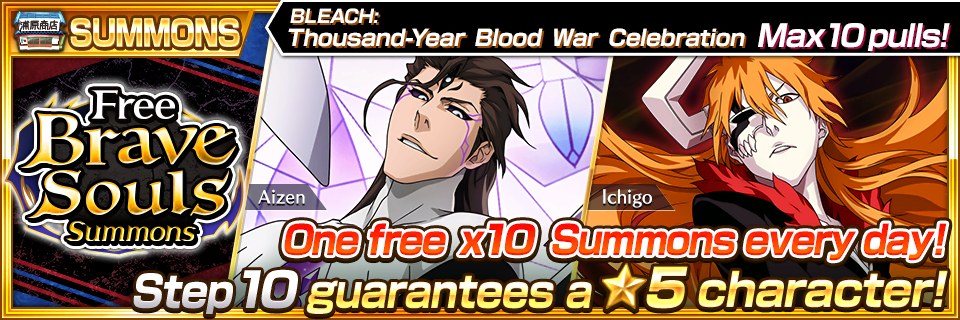
Free BLEACH: Thousand-Year Blood War Brave Souls Summons

Available: 10/1 16:00 – 10/31 15:59 JST

A free x10 Summons will be available during the period shown above. One Step is available every day, and there are a maximum of ten Steps on offer. Step 10 guarantees a ★5 character!

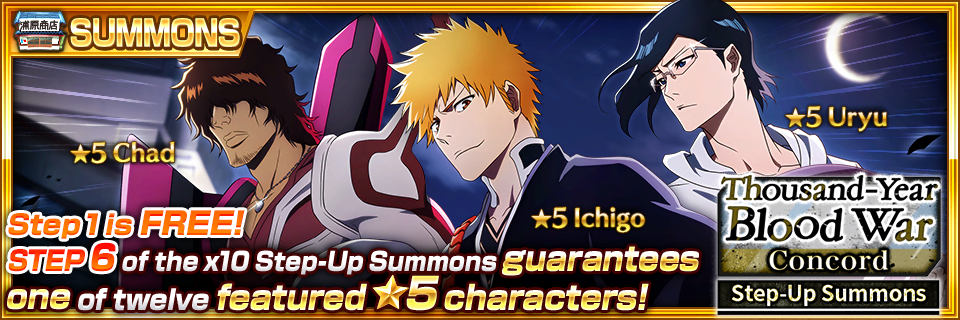
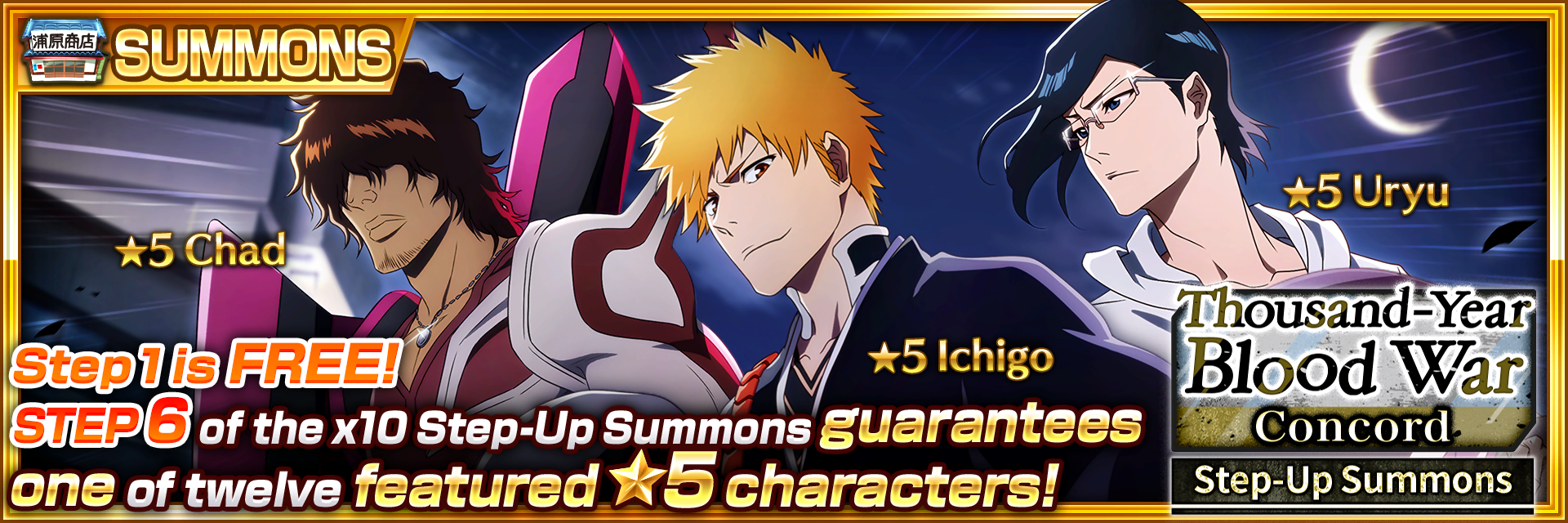
Thousand-Year Blood War Step-Up Summons: Concord

Available: 9/30 16:00 – 10/31 15:59 JST

Three characters from the BLEACH TV Animation Series: Thousand-Year Blood War will be available!

The Thousand-Year Blood War Step-Up Summons: Concord comes in both single-pull and x10 types, and the first pull from both Summons is free! From Step 2 onward, each Step comes with extra bonus items, and Step 6 of the x10 Summons guarantees you one of the twelve featured ★5 characters.

Kon’s School Newspaper

Available: 9/30 16:00 – 10/16 15:59 JST

Extra! Extra! Kon’s School Newspaper, full of information gathered by Kon, is out now, and the first subject is exactly who you think it is!

(EPIC RAID) Yhwach

Available: 9/30 16:00 – 10/31 15:59 JST

Epic Raids are super-hard 6-player challenges. The boss for this Epic Raid is Yhwach.

Kon’s Mega Bonanza

Available: 9/30 00:00 – 10/16 23:59 JST

Available once a day, beating the boss in Kon’s Mega Bonanza will earn you an automatic ★4 Power Heart, and other enemies drop lots of ★3 Power Hearts and Large EXP Crystals.

Rukia’s Special Training: Extra

Available: 9/30 00:00 – 10/16 23:59 JST

Rukia’s Special Training: Extra is available once per day and gives out far more than the normal amount of character EXP. This is a great chance to earn EXP for powering up your characters.

Ururu & Jinta’s Daily Free Gift Bonanza

Available: 10/16 16:00 – 10/31 15:59 JST

Ururu & Jinta’s Daily Free Gift Bonanza is a special quest that is available once a day.

Clear the quest for a chance to earn Rainbow Link Slot Potions, ★4/★5 Summons Tickets, and other great rewards. Make sure to clear the quest every day so you don’t miss out!

Tie-In Campaign Special Orders: Round 1

Available: 9/30 16:00 – 10/16 15:59 JST

During the period shown above, Round 1 of the Tie-In Campaign Special Orders will be available.
Complete these special Orders to earn great rewards.

Go to the Events tab in the Orders menu to see details of the other Special Orders.

Tie-In Campaign Special Orders: Round 2

Available: 10/16 16:00 – 10/31 15:59 JST

During the period shown above, Round 2 of the Tie-In Campaign Special Orders will be available.
Complete these special Orders to earn great rewards.

Go to the Events tab in the Orders menu to see details of the other Special Orders.

Social Network Post Orders

Available: 9/30 16:00 – 10/16 15:59 JST

Orders relating to posting on social networks will be added to the Orders menu. Post on Twitter to earn 20 Spirit Orbs!

Not Available on PlayStation®4 or PlayStation®5

Increased Power-Up Items

Available: 9/30 16:00 – 10/31 15:59 JST

Get even more power-up items during the period shown above!
Get your hands on as many as you can to power up as many characters as you can!

October Login Bonuses

Available: 10/1 00:00 – 10/31 23:59 JST

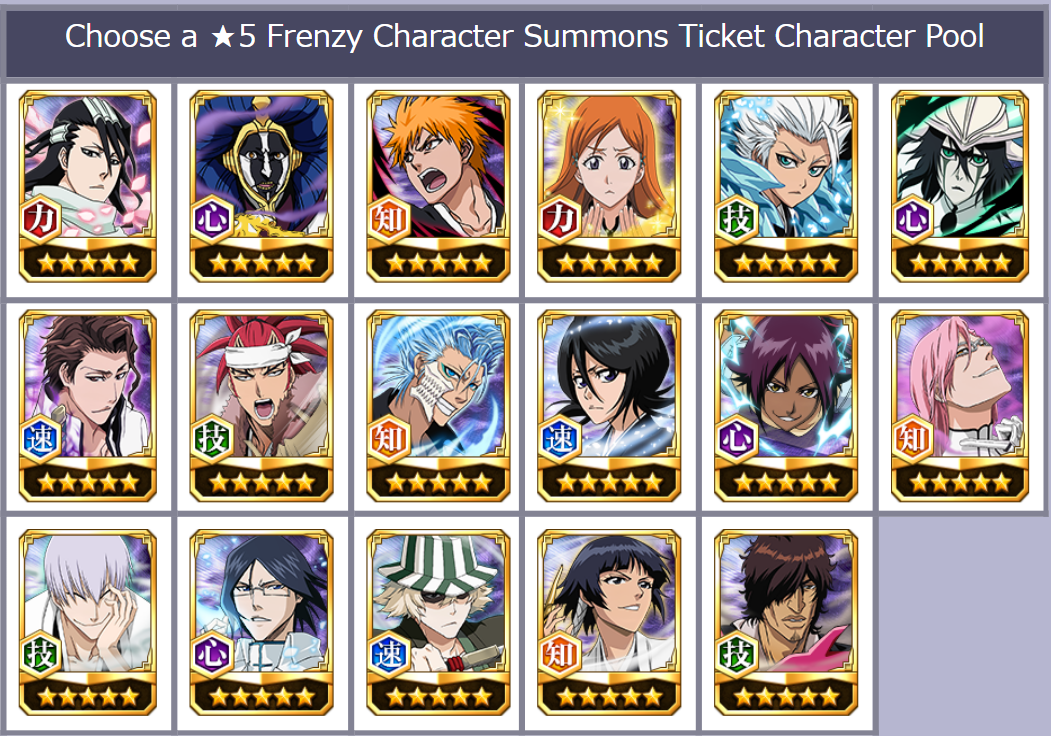
Login bonuses for October include a Choose a ★5 Frenzy Character Summons Ticket, a ★4/★5 Accessory Ticket, and loads of other great rewards.

Available: 9/30 16:00 – 10/31 15:59 JST

Three characters from the BLEACH TV Animation Series: Thousand-Year Blood War will be available!

The Thousand-Year Blood War Step-Up Summons: Concord comes in both single-pull and x10 types, and the first pull from both Summons is free! From Step 2 onward, each Step comes with extra bonus items, and Step 6 of the x10 Summons guarantees you one of the twelve featured ★5 characters.

There are seven Steps in total. The Steps do not reset, but you can use Step 7 as many times as you like.

See below for details of each Summons.

Character Details: Ichigo

・Attack type: Melee strong attack
・New Skill: Damage to Enemies Not Afflicted by an Ailment +100%
・New Skill: Hit Hidden Enemies + Pierce Iron Skin

Character Details: Uryu

・Attack type: Ranged strong attack
・New Skill: (Team/Party) Technique Attribute Character Strong Attack Damage +20%
・New Skill: Guard Break + Pierce Iron Skin

Character Details: Chad

・Attack type: Melee normal attack
・Strong attack 2: Boost
・New Skill: Damage to Enemies Not Afflicted by an Ailment +100%


Available: 9/16 16:00 – 9/27 15:59 JST

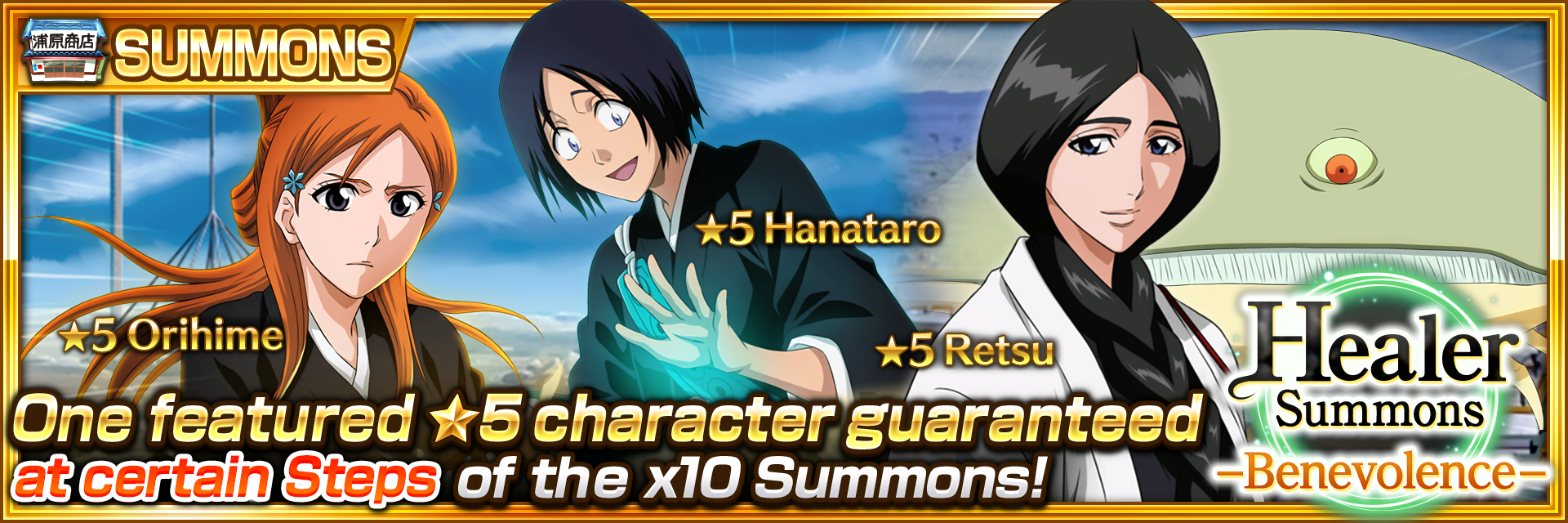
New versions of characters from The Soul Society arc!

The draw rate for featured ★5 characters in this Summons is 4.5% and 1.5% for all other ★5 characters. The x10 Summons guarantees one featured ★5 character every five Steps until Step 25.

See below for details.

Character Details: Retsu

・Attack type: Ranged strong attack
・All attacks: Paralysis
・Special Move: Heal

Character Details: Orihime

・Attack type: Ranged strong attack
・Special Move: Automatic revival
・Strong attack 3 heals and can be charged.
・New Innate Skill: Damage inflicted at full STA +20%

Character Details: Hanataro

・Attack type: Melee strong attack
・Strong attack 2: Heal
・Special Move: Heal
・New Soul Trait: Power Droplet Drop +30%
・New Innate Skill: Damage inflicted at full STA +20%

 
Available: 8/31 16:00 – 9/12 15:59 JST

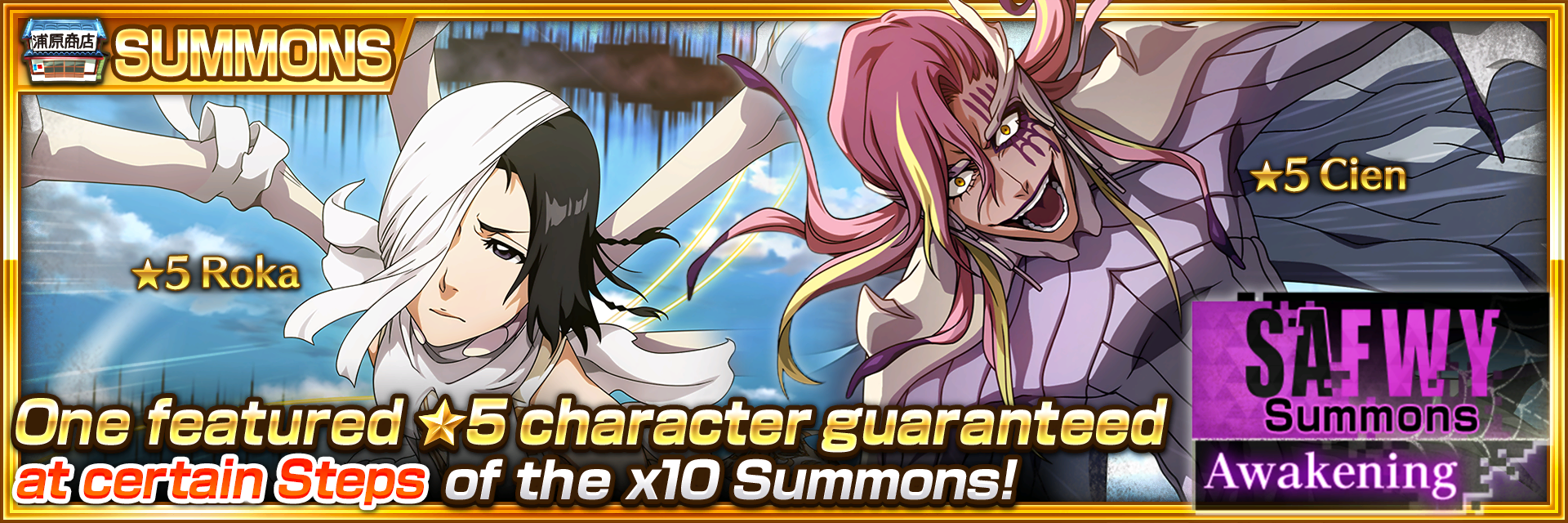
Round 7 of the Spirits Are Forever With You collaboration characters is here!

The draw rate for featured ★5 characters in this Summons is 4.5% and 1.5% for all other ★5 characters. The x10 Summons guarantees one featured ★5 character every five Steps until Step 25.

See below for details.

Character Details: Cien

・Attack type: Ranged strong attack
・All attacks: Burn and Lacerate
・New Skill: Damage to Lacerated Enemies +60%

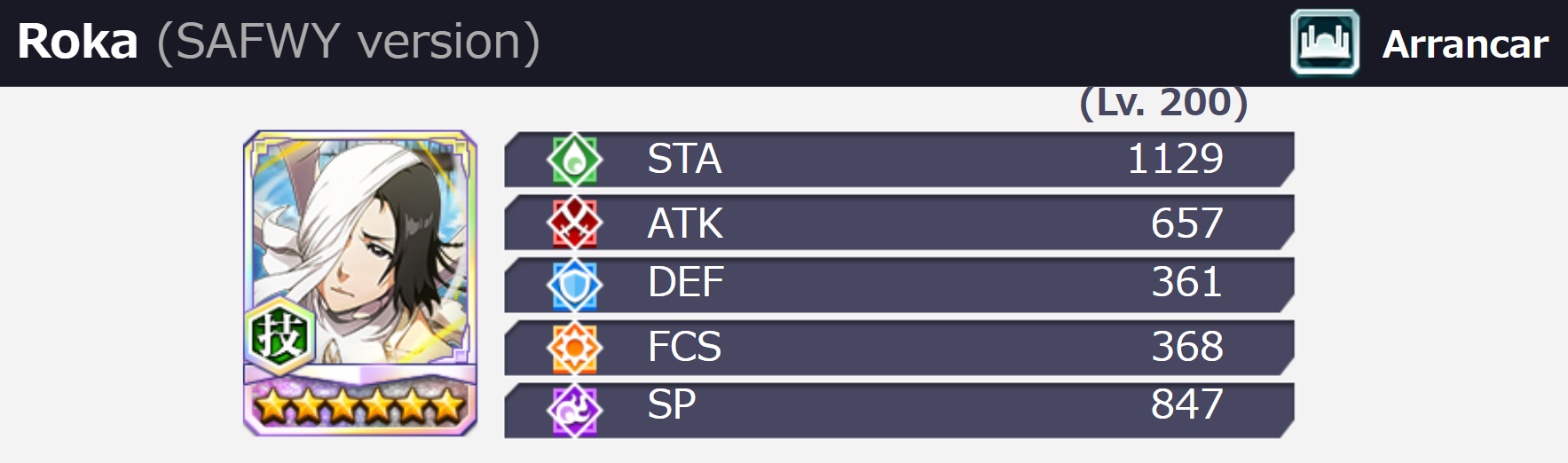
Character Details: Roka

・Attack type: Ranged strong attack
・All attacks: Weaken
・Special Move: Automatic revival


Source: Steam

Damien Seeto

Home > News

Overwatch 2 SMS Protect Requirement Lifted for Veteran Players, Queue Issues & More Addressed

For those trying to login to Overwatch 2 for the first time, be it for new players or veterans alike, you’ll be greeted with Blizzard’s phone number message requirement that the studio calls “SMS Protect,” which has been implemented to prevent toxicity and cheaters. Unfortunately, this Overwatch 2 SMS Protect requirement has also locked out legit players from accessing the game too!

In a new update posted by Blizzard, the studio has announced that SMS Protect will no longer be required for gamers who have played since June 9, 2021! This will take effect later this week on October 7 on all platforms.

Overwatch 2 SMS Protect Requirement Lifted:

We designed Overwatch 2 to be a live service, which enables us to be responsive to a variety of player feedback. We have made the decision to remove phone number requirements for a majority of existing Overwatch players. Any Overwatch player with a connected Battle.net account, which includes all players who have played since June 9, 2021, will not have to provide a phone number to play. We are working to make this change and expect it to go live on Friday, October 7. We will update players once it is in effect.

SMS Protect is part of Blizzard’s “Defense Matrix” imitative to combat cheaters and toxicity in the game.

In addition to that, the studio has apologized for the long queue times, server crashes and stability issues the game is currently suffering through. As one might expect given the game has gone full-on free-to-play, servers are being overloaded, and the fact that they are also being attacked isn’t helping things either.

Queue Issues, Server Crashes and Stability Acknowledgement:

Tl;dr: We have addressed some issues and are in the process of addressing others, but players should still expect to see queues.

Login queues, server crashes, and stability problems are intertwined, so we’ll talk about them together. Players may have been seeing their queue numbers jumping around, going from a small number to a larger number. This is due to there being two queues for players—one through Battle.net, then one through the game itself. This process is usually invisible to players, but was being seen in real time. We have made changes to simplify the queuing process, so players should now only be experiencing the one queue before entering the game.

There are several areas where we’re working to improve stability. Today we’ve patched a server that is critical to the login experience, and this change has increased login reliability. Beyond queues, we’re in progress with another server update that will reduce the occurrences of players being disconnected once they’re already in game.

Blizzard has also acknowledged issues with missing player items and data as well, and assures players that their progress and items are still there. In half of the cases being reported, it’s just a matter of the original items from Overwatch 1 taking longer to be transferred to OW2.

Player Missing Items and Data:

Tl;dr: You have not lost any items or progress, though some players are logging in and seeing some/all elements missing from their collection.

We’ve received a number of reports from players that their inventory in-game is partially or totally reset. We’ve determined that the cause for this discrepancy in approximately half of reported cases is players having not yet completed their account merge 9.1k. This is understandable—one cause for this is due to a bug with the launch build not providing an account merge prompt on some consoles. We rolled out a partial UI fix earlier today to help some console players progress through the account merge flow, however, we are still working on fixes for additional UI issues.

In the other half of reported cases for this issue, things are just taking longer than expected for items from the original Overwatch to transfer and populate in Overwatch 2. In all cases, no player data has been wiped or lost. We have a client-side fix for this that cannot be deployed until next week, so we are exploring server-side fixes and will provide updates as more information becomes available.

Finally, the studio addressed concerns regarding locked heroes and items for existing players too. This issue is separate from the missing items/data issue, and it seems relogging will fix it.

Incorrect Locked Heroes and Items for Existing Players:

This is an issue separate from account merge but the player experience is the same as the above, where heroes and items that should be unlocked for existing players are appearing as locked. These cases are almost certainly related to our new First Time User Experience (FTUE) flow incorrectly being applied to existing players. We have seen relogging into the game resolve this issue in most cases. If you’re still experiencing this issue after taking these steps, please open a support ticket 3.8k, that data is very helpful for our team.

Hopefully, these issues are resolved soon, so players can deal with the actual game rather than issues.

Source: Blizzard forums

Avatar photo

Alex Co

Father, gamer, games media vet, writer of words, killer of noobs.

Home > News

Gran Turismo 7 Update 1.24 Released for Progression Fix This October 6

Polyphony Digital has released Gran Turismo 7 update 1.24  (PS5 version 1.240), which fixes a progression block glitch. Given we just got the big September update last week, don’t expect any new content from this title update. Read on for the GT7 October 6 patch notes.

Gran Turismo 7 Update 1.24 | Gran Turismo 7 Update 1.240 | GT7 October 6 Patch Notes:

Other Improvements and Adjustments

Application Error/Progression Blocker
– We fixed an issue where the application would crash on the Rewards and Rating screen of certain race events, preventing any further progression.

That’s about it for this patch. If you’re curious how GT7 fared when it launched, go read our review here, where we state, “Gran Turismo 7 represents a true return to form for Polyphony Digital. Despite being the seventh mainline iteration, the team is still able to keep the series feeling fresh with its new coat of paint and innovative technology with its new weather system (and even a new AI tech called “Sophy”). ”

Source: Gran Turismo

Avatar photo

Alex Co

Father, gamer, games media vet, writer of words, killer of noobs.

Home > News

PUBG and Dead By Daylight Crossover Brings the Scares This October, New Cosmetics, Event Announced

Krafton has partnered with Behaviour Interactive to bring the Dead by Daylight franchise into the PUBG universe! Starting this month and lasting until December, PUBG players can expect new cosmetics and a new limited-time event (LTM) to be available! Check out the complete PUBG and Dead by Daylight crossover schedule and info below.

PUBG and Dead By Daylight Crossover Event Schedule and Details:

PUBG: BATTLEGROUNDS x DEAD BY DAYLIGHT

  • Dress For The Hunt: From Oct. 19-Dec. 7 on PC and Oct. 20-Dec. 8 on consoles, the DEAD BY DAYLIGHT collaboration will offer PUBG: BATTLEGROUNDS players the chance to acquire themed cosmetic rewards, including:

    • Costumes (x4 sets)

    • Masks (x4)

    • Backpack Skins (x3)

    • Pan Skin 

    • Nameplate

  • Survive the Hunt for Exclusive Event Rewards: For a limited time during the DEAD BY DAYLIGHT collaboration, players can experience the iconic heart-pumping and spine-chilling DEAD BY DAYLIGHT hide and seek in-game web event. Four players can participate in the web event by accessing it through the in-game lobby banner, where there will be one Killer and three Survivors. The three Survivors will have to use their wits and skills to avoid the Killer by using staple elements from DEAD BY DAYLIGHT like throwing items to distract the Killer. Survivors must repair Generators around the map to power up the Exit Gates in order to escape. Players can earn rewards by completing the missions below from Oct.21~Nov.7:

  • Play the DEAD BY DAYLIGHT mode one time and get a ‘Dwight Unknown’ Lone Survivor Outfit Code, which can be redeemed in DEAD BY DAYLIGHT

  • Play the DEAD BY DAYLIGHT mode five times to earn a DEAD BY DAYLIGHT-themed spray item

  • Accumulate 10 total kills as a Killer and receive The Nurse (DEAD BY DAYLIGHT character) mask item

Dead by Daylight will also be crossing over with New State Mobile as well!

NEW STATE MOBILE x DEAD BY DAYLIGHT

  • Killer Halloween Costumes: During the collaboration, players can obtain exclusive DEAD BY DAYLIGHT cosmetic items to add some frightening horror to their Halloween costumes this year. DEAD BY DAYLIGHT-themed in-game items and collaboration crates will be available for all players from Oct. 20 through Nov. 23. Stay tuned for more information about the DEAD BY DAYLIGHT collaboration in NEW STATE MOBILE.

In other PUBG news, PUBG Corp. has released the PUBG update 21.0 patch notes today! 

Avatar photo

Alex Co

Father, gamer, games media vet, writer of words, killer of noobs.

Home > News

Destiny 2 Down for “Weasel” Reports Have Surfaced This October 5 (Update)

It seems Destiny 2 servers cannot be accessed now, as Destiny 2 down reports have surfaced, and this seems to show the “weasel” error once again! There is no planned maintenance, so this is an unexpected outage.

Destiny 2 Down Server Status” Weasel” and Update for October 5 (October 6 outside the US):

Update: Bungie has said that the issue should be resolved now.

Multiple reports of server outage has been posted on the game’s subreddit:

Weasel errors on login
byu/xombylil inDestinyTheGame

URGENT: every time i log into destiny 2, i get a weasel error code
byu/sorcerorofheroes inDestinyTheGame

Fortunately, Bungie has acknowledged the outage just now:

We are aware of issues impacting players’ ability to sign in to Destiny 2. Until resolved, players may experience disconnects or be unable to sign in. Please stay tuned to @BungieHelp for updates.
 
We’ll update the post once more news comes out of Bungie. Hopefully, this will be resolved soon. If you can login, leave a comment below stating your platform, and where you’re connecting from.
 
Avatar photo

Alex Co

Father, gamer, games media vet, writer of words, killer of noobs.

Home > News

SteamOS Update 3.3.2 & Steam Deck Client Patch Pushed Out This October 5

Valve has released the SteamOS update 3.3.2 today, and this should now be live as a Steam Deck client update as well. This brings improvements to docked mode, Steam input fixes and loads more. This patch includes all the changes and improvements from the Beta and Preview channels that have been tested.

SteamOS Update 3.3.2 Patch Notes | Steam Deck Update Patch Notes | SteamOS October 5 Patch Notes:

SteamOS 3.3.2
  • Docked Mode
    • Added external display output resolution and refresh rate selection UI in Display Settings
    • Automatically avoid problematic resolutions like 4096×2160 or 30Hz modes on external displays
    • Improved external display hot-plug detection
    • Fixed in-game camera control issues when using a physical mouse
    • Fixed aspect ratio and resolution not properly switching in the Steam UI after reconnecting an external monitor
    • Fixed an issue where frames could drop on external displays at lower refresh rates
  • General
    • Fixed a crash in Red Dead Redemption 2
    • Improved frame pacing when compositing (such as when FSR is enabled)
    • Improved touch / de-touch detection speeds
    • Modified USB descriptors to support controller navigation in EFI menu at boot
    • Fixed controller firmware update applying on every boot
    • Fixed a scenario where an SD Card format operation could fail
    • Fixed an issue where small touches would be ignored on edges of some trackpads
    • Fixed unsolicited random haptic events
    • Fixed boot tone volume to be equalized across models
Steam Client
  • General
    • Performance improvements when rendering the homescreen
    • Chat textboxes are now auto-focused when opening the chat tab
    • Fixed some cases where cloud sync would be attempted while offline
    • Fixed issue with startup haptics
  • Docked Mode
    • Added a toggle allowing Steam Deck to automatically control the display resolution for external displays. When toggled on, Steam Deck will automatically adjust the resolution for best performance on higher resolution displays.
    • Steam Deck now keeps track of refresh rate and FPS limit settings independently for internal and external displays
    • Disabled refresh rate switching via the quick access menu for external displays by default. Alternative refresh rates are still accessible via the resolution dropdown in Settings->Display.
    • Added a toggle to developer settings to re-enable refresh rate switching in the quick access menu for external displays. (Please note that the Steam Deck’s built-in display was validated to support the full range of refresh rates available in the slider, but for arbitrary external displays we can’t provide a guarantee that the resolution + refresh rate combination will be functional. This can lead to a scenario where the external display doesn’t display an image, so there isn’t an easy way to undo the change. Here be dragons, we don’t recommend turning this setting on.)
  • Steam Input
    • Controller configurations now automatically switch to be per-device when multiple of the same controller are connected at once
    • Virtual menu previews in the Configurator now highlight the appropriate button when navigating to its associated command in the command list
    • Reduced occurrence of double-activations on Soft Press on Touch Pads and Sticks.
    • Fixed scaling of the virtual hotbar menu preview in the Configurator
    • Fixed an issue where “Disabled” would be listed multiple times the dropdown options for modes
    • Fix an issue where booting into offline mode in desktop would result in unresponsive controller inputs until the “stay offline” dialog was clicked.
    • Fix an issue with setting command settings inside a modeshift
    • Fixed a bug where switching the active controller in the configurator could lose unsaved changes
    • Fixed a crash with editing the mode settings for an input (e.g. joystick)
    • Fixed a crash when setting a trigger input to “Disabled” in an action set layer
    • Fixed a crash when loading some Steam Input configs.
  • Steam Input: FlickStick
    • Reduced update rate from 240hz to 120hz to reduce instances of maxed out mouse movement between game frames
    • Added a “Slap Back” check so that the stick does not accidentally invoke an opposite-side turn when snapping home aggressively
    • Any remaining Snap Angle is doled as the stick returns to zero. This further reduces “mouse movement spikes”
    • Tweaked Inner Radius Default to be lower
    • Fixed Dampening Value not being used with the correct ranges
  • Custom boot videos
    • Steam Deck will now look for a custom boot video and/or a suspend animation in ~/.steam/root/config/uioverrides/movies/
    • Please note that you’ll need to create this folder first
    • You’ll need webm file format, no need to truncate the video, no need to mess with css
    • Play custom boot animations in full screen
Source: Steam Deck
Avatar photo

Alex Co

Father, gamer, games media vet, writer of words, killer of noobs.

Home > News

Warhammer 40K: Inquisitor PS5, Xbox Series X|S Out on Oct. 27, Here’s What to Expect

NACON is bringing NeocoreGames’ Warhammer 40K: Inquisitor to current-gen (PS5, Xbox Series X|S) later this month! The Warhammer 40K: Inquisitor PS5 and Xbox Series X|S release date are now locked for October 27,  and will also include some new features as well.

Coming along for the ride will be all the 25 previously released DLCs for the game along with the following new features:

  • Native 4k support
  • Higher resolution textures
  • Improved physics
  • Cross-gen multiplayer modes
  • Fully utilizing DualSense controller on PlayStation 5

The new playable class, which was announced back in 2021, will be coming to PS4, PS5, Xbox One, Xbox Series X|S as a DLC at a later date. This new Sororitas class will bring new mechanics and item types to players.

If you’re unfamiliar with the game, we’ve included the next-gen launch trailer along with the official overview.

Warhammer 40,000: Inquisitor – Martyr, the first action RPG to be set in the Warhammer 40,000 universe, features both fast-paced and tactical combat, featuring multiple classes of the Inquisition who carry out the Emperor’s will. From destructible environments and a cover-based combat system, to skill trees and a wide range of vehicles and weapons, the game offers a truly unique experience. The game is also set in a persistent universe, which boasts incredible replay value thanks to its size and a procedurally generated mission system.

Brutalize Chaos as a Crusader, summon deadly constructs as a Tech-Adept, take down abominations with guile and agility as an Assassin or fight fire with fire playing as a Psyker. In single player, two-player local co-op (exclusively on consoles) or four-player online multiplayer, you must enforce the will of the Emperor and cleanse the darkest sectors of the Imperium of heresy.

Once a new patch to introduce the next-gen upgrade is out, we’ll be sure to let our readers know.

Avatar photo

Alex Co

Father, gamer, games media vet, writer of words, killer of noobs.

Home > News

Microsoft Acquisition of Activision-Blizzard Has Been Approved in Brazil

The saga regarding Microsoft’s acquisition of Activision-Blizzard is still on-going, but it has passed one hurdle it seems, as the deal has just been approved in Brazil!

The full document from Brazil’s Administrative Council for Economic Defense (CADE)  can be seen her, and the translation is below (via Google Translate):

Based on §1 of art. 50 of Law No. 9,784, of 1999, I integrate the reasons of Opinion No. 21/2022/CGAA3/SGA1/SG (SEI No. 1128655 ) to this decision, including its motivation. Pursuant to arts. 13, XII, and 57, I, of Law No. 12,529, of 2011, I decide to approve this merger without restrictions. Publish yourself.

The document has been signed just today as well. 

Also of note, for those not sure if this is legitimate, multiple people from the country have confirmed the document’s legitimacy as well, so this is the real deal.

Of course, this deal is far from over, as Sony seems to be pushing back hard and even allegedly met with EU regulators over it. As for Microsoft, the company opened a new web page touting how the deal pushing through will be good for gamers. It doesn’t look like Microsoft is worried though, as the company’s CEO Satya Nadella states that he’s “sure” that the deal will push through.

Once we know more about the deal. we’ll report the update to our readers.

Source: SEI CADE Brazil via BemjiSales 

Avatar photo

Alex Co

Father, gamer, games media vet, writer of words, killer of noobs.

Home > News

Mortal Kombat Co-Creator Says Next Game Announcement in “Due Time,” Focus Now Is on MK 30th Annniversary

It appears that fans hoping for Mortal Kombat 12 or Injustice 3 will have to wait a little longer. Mortal Kombat co-creator Ed Boon has tweeted that the next NetherRealm Studios game announcement will happen in “due time,” as the focus right now is the 30th anniversary event (MK30) for the Mortal Kombat series. Thankfully, this confirms that underwhelming bundle we reported on before isn’t the only thing we’re getting for the franchise’s anniversary.

Read the statement below:

Boon has also put any rumors of a new game announcement during to rest, stating that any such announcement will be “separate” from MK30.

Despite the studio’s hesitation to discuss the futures of Mortal Kombat and Injustice, it’s reasonable to assume that at least a new Mortal Kombat is currently in development.

Last summer, NRS announced that they’d stopped development on Mortal Kombat 11 in favor of their next project:

NetherRealm is now focusing on its next project and after more than two years of supporting Mortal Kombat 11, DLC for the game, including characters, has come to an end.

Journalist Jeff Grubb claimed in the following August that NRS was prioritizing the development of the next Mortal Kombat over a new Injustice game, due to the studio’s conflicts with parent Warner Bros. Games.

Not only that, files most likely related to Mortal Kombat 12 were seen on the workstation of senior NRS staff back in January.

And finally, Andrew Bowen, the actor for Johnny Cage, shared a since-deleted video of himself at the Warner Bros. lot in June:

The video features music and dialogue from the movie Bloodsport, which served as direct inspiration for the Mortal Kombat series.

Only time will tell what Ed Boon and NRS have in mind, though.

We’ll keep our readers updated with any new Mortal Kombat news.

Avatar photo

Salman Haider Zaidi

That's a nice argument, Senator.

Home > News

PUBG 20.1 Patch Notes Revealed; Update Out Oct. 11 for PC, Oct. 19 for Consoles

PUBG Corp has revealed the official PUBG update 20.1 patch notes today. The update will roll out on October 11 for PC and October 19 for consoles.

The update brings several improvements to weapon attachments, as well as updates to firing from vehicles, a new ranked season, world and map updates and quality-of-life updates. Players who want to preview the content can do so today on the PC test server.

Check out the full patch notes below:

PUBG 20.1 Patch Notes

LIVE MAINTENANCE SCHEDULE

※ The times shown below are subject to change.

  • PC
    • PDT: October 11, 5:30 PM – October 12, 1:30 AM
    • CEST: October 12, 2:30 AM – 10:30 AM
    • KST: October 12, 9:30 AM – 5:30 PM
  • Console
    • PDT: October 19, 9 PM – October 20, 4 AM
    • CEST: October 20, 6 AM – 1 PM
    • KST: October 20, 1 PM – 8 PM

MAP SERVICE

  • TEST SERVER
    • Normal Match: Erangel / Deston / Karakin
      • AS region: Squad
      • NA region: Squad – FPP
  • LIVE SERVER
    • AS, SEA, KR/JP
      • Starting this update, Deston has been removed as a Featured Map and will replace Miramar in Normal Matches.
      • Normal Match: Erangel / DESTON / Taego / Sanhok / KARAKIN
      • Ranked: Erangel / Miramar / Taego
    • NA, EU, SA, OC, RU
      • In this update, Deston will be replacing Miramar in Normal Matches.
      • Normal Match: Erangel / DESTON / Taego / Sanhok / KARAKIN
      • Ranked: Erangel / Miramar / Taego
    • CONSOLE (XBOX, PLAYSTATION®, STADIA)
      • Normal Match: Erangel / DESTON / Taego / Sanhok / KARAKIN
      • Ranked: Erangel / Miramar / Taego

※ PLEASE KEEP IN MIND THE FEATURES AND UPDATES SHOWN BELOW MAY BE MODIFIED OR EVEN POSSIBLY REMOVED DUE TO REASONS SUCH AS BUGS, IN-GAME ISSUES, AND/OR COMMUNITY FEEDBACK. ALSO, THE IMAGES SHOWN BELOW ARE PROVIDED AS VISUAL GUIDELINES – THEY MAY LOOK DIFFERENT IN THE ACTUAL GAME AS BUILDS ARE CONTINUOUSLY DEVELOPED AND FIXED BEFORE THEY GO LIVE.

GUNPLAY

Balancing weapon attachments and vehicle gameplay this patch, along with a reticle option update for the 4x Scope.

WEAPON ATTACHMENTS

  • THUMBGRIP
    • Vertical recoil control: +5% → +8%
    • ADS speed: +30% → +40%
    • Sway control (breathing): +20%
  • ANGLED FOREGRIP
    • Sway control (firing): +5% → 0%
    • Horizontal recoil control: +15% → +20%
    • ADS speed: +10%
    • Sway control (breathing): -20% → –10%
  • HALFGRIP
    • Vertical recoil control: +8%
    • Horizontal recoil control: +8%
    • Sway control (breathing): -20% → –10%
    • Recoil recovery: +10%
    • Sway control (firing): -15% → -5%
  • VERTICAL FOREGRIP
    • Vertical recoil control: +15%
    • Sway control (firing): +15% → 0%
  • LIGHTWEIGHT GRIP
    • Sway control (firing): +20%
    • Initial shot recoil control: +40%
    • Sway control (breathing): +20%
    • Recoil recovery after shot: +20% ADDED

DEV COMMENT

The Vertical Foregrip shows strong performance and receives much love from our players – which is quite obvious, as the attachment definitely helps control vertical recoil and accuracy when firing at long range.

However, we didn’t want to sustain a meta where everyone uses the same attachment and repeating similar combat styles every match. Therefore, we’ve decided to buff other attachments based on their individual, unique traits.

We’ll of course continue to monitor your plays after this balance update and make sure we’re providing more options and room for possible tactics moving forward.

Additionally, we’ve also noticed that the current in-game terms of the attachments’ features (such as weapon steadiness) could be much clearer – so we’re also planning to polish up some of the terms very soon.


FIRING FROM VEHICLES

Using vehicles to fight enemies has great merits (and is a lot of fun). You can move so much faster and find yourself being able to hurl relatively stable shots at enemies running for their lives barefoot.

So we’ve received lots of feedback from players facing major disadvantages on foot, such as getting barraged by a horde of ammo from moving vehicles and ending up dying too fast.

Therefore, after many tests on in-vehicle recoil control and thoughts on how we could reduce these one-sided situations in a healthy direction, we’ve decided to balance vehicle gameplay as the following based on your feedback:

  • DRIVER’S SEAT
    • Reloading handguns will be instantly canceled if the driver controls the vehicle’s steering wheel.
      • Therefore, players can reload handguns when the vehicle is moving in a single direction only.
    • Handgun reload duration in the vehicle has increased by approximately 50%.
    • Handgun recoil has increased by approximately 20%.
      • This recoil update only applies to PC.

DEV COMMENT

Since players in the vehicle driver’s seat are able to reload handguns while driving and receive considerable protection from the vehicle at the same time, one-sided combats were quite common against vulnerable players on foot. Therefore, we’ve decided to make these balance updates to firing from moving vehicles.


  • PASSENGER SEATS
    • Weapon recoil increased by approximately 10%. (Total recoil: 10% → 20%)
      • This recoil update only applies to PC.

DEV COMMENT

A vehicle with fewer passengers naturally has greater disadvantages when it’s attacked by a full-packed vehicle. It is also difficult to flee from combat due to similar movement speed among most vehicles. So we’ve also added a slight nerf to the passenger seats.


  • 8X SCOPE AND 15X SCOPE
    • To have ARs not capable of full-auto more useful, Scopes 8x and higher are now attachable to M16A4 and Mk47 Mutant.
    • 8x Scopes added to M16A4 and Mk47 Mutant spawn kits in Arcade – Team Deathmatch.
  • 4X SCOPE RETICLE TYPE
  • Added 3 reticle types to the 4x Scope to allow you to freely select and use your preferred type:
    • Press Page Up, Page Down buttons for PC and Settings for Console to switch between reticle types.

RANKED – SEASON 20

Begin your new competitive endeavor among the best at Season 20 of Ranked!

  • The leaderboard will reset after the Live Server maintenance.
  • Check out your final Tier from the previous season at the Career page.

SEASON 19 REWARDS

Below are the rewards you’ll be receiving based on your final Tier from the previous Ranked season.

TIER SEASON 19 REWARDS
Bronze Bronze PUBG ID Emblem
Silver Silver PUBG ID Emblem
Gold Gold PUBG ID EmblemRanked Parachute Skin
Platinum Animated Platinum PUBG ID EmblemRanked Parachute SkinPlatinum Medal
Diamond Animated Diamond PUBG ID EmblemRanked Parachute SkinPlatinum ~ Diamond Medal
Master Animated Master PUBG ID EmblemAnimated Master NameplateRanked Parachute SkinPlatinum ~ Master Medal
Top 500 Bonus rewards for Top 500 players:Animated Top 500 PUBG ID EmblemAnimated Top 500 Nameplate
  • TheParachute skin and Medals are permanent rewards.
  • The rest of the obtainable rewards are available for use during a single Ranked season.
  • Rewards can be found in your Inventory once Season 20 starts.
  • Once Season 20 is over and the server undergoes maintenance, every reward but the Parachute and Medal will be withdrawn from your Edit Profile page.

WORLD

PGC 2022

  • Celebrating the upcoming PGC 2022 with the newly added Esports objects such as flags, billboards, and building decorations scattered throughout Erangel, Taego, and Miramar!

DESTON

  • SAFE ZONE
    • Phase 1
      • Radius Rate (size of the circle compared to the previous one): Increased by approximately 30%.
      • Start delay: 150s → 180s
    • Phase 2
      • Radius Rate: Increased by approximately 15%.
      • Damage Magnifier per Distance: Increased by approximately 6%.

DEV COMMENT

Players seemed to be dying more often in the Blue Zone compared to other maps, so readjustments were made to the Safe Zone as above.


  • O12
    • Can now attach 2x Scopes to 6x Scopes.
      • 2x Scopes to 6x Scopes added to the O12 spawn kit in Arcade – Team Deathmatch.
  • CHANGING WEATHER
    • Now available to use in Custom Matches.

JAMMER PACK

  • Continuing with the Safe Zone update above, we’ve also decided to readjust the Jammer Pack to the following:
    • The Blue Zone damage the Jammer Pack receives increased by approximately 27%.
  • The Jammer Pack can only be found as a world spawn item in Miramar, Karakin, Haven, and Deston.

ERANGEL

  • Sunset weather has been added.
    • Available in Normal and Custom Matches.

CUSTOMIZE – WARDROBE

  • Preset Feature Improvements
    • Preset slots from 1 to 5 will now be shown as tabs on the Wardrobe page.
      • The first slot will be set as default.
      • As usual, you can unlock the second preset slot with rewards obtained through the Survivor Pass. The third to fifth preset slots can also be opened with coupons purchasable at the Store.
    • Pressing a preset tab will automatically show a preview of your character equipped.
  • Preview
    • Previews will be shown for each body part.
    • You can click once to Preview and re-click to unequip the Preview.
    • (PC) +/- icons are provided to equip/unequip items.
    • (PC) You can select various items to test out various combinations beforehand.
    • (PC) Your customized preview will maintain its state even when you flip through different item categories.
      • It will reset to its original state when you switch between preset slots or if you exit the Wardrobe page.

QOL

  • CARRY
    • The Carry feature can now be used/canceled with the Limited Interact keys.
      • Limited Interact default keys
        • PC: H
        • Xbox/Stadia: LB + X
        • PlayStation®: L1 + ▢
      • You can also choose to customize your keys in Settings.
    • The following bug fixes/improvements have been made when using Carry during certain situations such as:
      • Carrying a moving, knocked out player
      • Using Carry while moving
      • Using Carry while both players are moving
        • However, you can NOT carry a knocked out player while sprinting.
      • Putting down a player in an area that clearly has enough space
      • Experiencing delay after pressing the Carry key

DEV COMMENT

We’ve received many feedback on how the fixed keybinding of the Carry feature was causing many inconveniences, so we’ve transferred its key to the Limited Interact key and also improved several Carry-related bugs that affected gameplay.


  • SCREEN PING MARKER
    • The screen ping marker will now look more transparent the closer a player/weapon crosshair is to the marker.
    • The marker will be automatically removed after 30 seconds.
    • Screen ping markers that were only available in Normal Matches are now available in RANKED MATCHES as well.

DEV COMMENT

The update on the screen ping marker above was based on the feedback that the screen ping marker hindered players’ field of view and aim due to the marker’s consistent transparency. Additionally, many players wished there was a limited duration to the marker once it was made and the screen ping marker’s implementation to other modes.


  • RADIO MESSAGE
    • New Inventory-related Radio Messages have been added.
      • Alert the number of a certain item in your vicinity or Inventory.
        • Inventory: “I have 1 Energy Drink.”
        • Vicinity: “Found 1 Energy Drink here.”
      • Let teammates know if you’ve equipped or need a specific item/attachment/weapon.
        • “Equipped/Equipping 1 2x Scope.”
        • “Need low-magnification Scope.”
      • Default keys are Wheel Click for PC and L Button for Console, but you can also customize keys in the settings.

DEV COMMENT

The current Radio Messages do not seem to have enough flexibility for various situations, so we’ve added new Radio Message options to let you quickly communicate about your item situation. Let your teammates know what you currently possess, what items you need, and more!


  • STARTING PLANE UI
    • Added the number of remaining/total players to the starting plane icon to help players plan out their jumps easier.
      • Applies to every mode.
    • This does NOT apply to the Comeback Arena Plane.
  • (PC) INSTANT VOLUME REDUCER ADJUSTMENT FEATURE
    • You can now adjust the volume of the Instant Volume Reducer feature.
    • Enter Options → Gameplay → Instant Volume Reducer to manually adjust the volume.
  • (CONSOLE) VOICE CHAT
    • We’ve added an option that allows you to adjust the Voice Chat volume.
    • You can enter Settings → Audio → Voice Chat to adjust the volume.
  • (CONSOLE) GRAPHIC OPTIONS
    • Resolution and framerate graphic options will appear in Settings for all Console devices.
      • However, devices/monitors that do not support 4K will find the options disabled.
      • Anti-aliasing settings will only be available on Xbox Series X and PlayStation®5 devices.

ARCADE – TEAM DEATHMATCH

  • We’ve added a feature that auto-saves your spawn kit settings. The attachments you attach to your weapon will be saved so you can reuse it right away every time you swap weapons in TDM.
    • This feature applies to each respawn, round, and match.
  • Even if you switch to a weapon that does not support a certain attachment you previously used, the attachment used before the switch will be saved.

WORKSHOP

  • New item sets have been added to the Hunter’s Chest and Archivist’s Chest.
    • Bunny Express
    • Emotes
      • Special Delivery
      • Victory Dance 83
      • Victory Dance 84

HIDEOUT

  • An auto-lock feature has been added to progressive weapon skins that are at least Level 2 to help prevent players’ unfortunate, accidental salvaging.
    • This feature only applies to skins upgraded AFTER the 20.1 patch.

UI/UX

  • We’ve polished the Profile page a bit to make it more convenient and concise:
    • We’ve removed the EDIT PROFILE pop-up and added an EDIT PROFILE tab to the Profile page.
    • We’ve removed the Career page navigation feature from Profile – Overview.
    • We’ve removed the Exchange for BP option when you select an item.
    • Any changes you make will be auto-saved when you move to a different tab.
    • You can equip items by:
      • PC: Double click
      • Console: Item menu that pops up when you select an item
    • You can exit the Profile page by pressing the ESC key for PC.
    • We’ve polished the general design of the header, box modules, and footer buttons.

PERFORMANCE

  • The average cumulative memory usage has been reduced when you go from the loading screen to the map to help improve loading times.
  • In-game performance has been optimized to help improve inconsistent frame drops.
  • Applied a certain allocator to the latest Unreal Engine and saved additional memory on Win64/Xbox platforms. This will also help improve Out of Memory crashes on Xbox.

BUG FIXES

GAMEPLAY

  • Fixed the issue of Commanders in War Mode: Conquest/Platoon Battle unable to use the Red Zone bombings.
  • Fixed the issue of the previous magazine remaining on the weapon after a player (holding a Drone) reloads it.
  • Fixed the issue of being able to use emotes when a player moves to stick to a wall.
  • Fixed the issue of the DBNO kill message showing up after a revived enemy holding a Self-AED makes a kill nearby.
  • Fixed the issue of the Flare Gun’s Care Package/BRDM count UI showing up as 0 in the driver’s seat.
  • Fixed the issue of the flashing effect of a thrown BZ Grenade not showing up.
  • Fixed the issue of the screen’s sudden zoom-in and glitch after a player carries a knocked out player.
  • Fixed the issue of being able to hear the sound effect twice after putting down a player you carried.
  • (PC) Fixed the issue of bots moving very smoothly while getting up after going prone.
  • (PC) Fixed the issue of the Zeroing Distance UI showing up in ADS mode even when the UI is toggled off.
  • (PC) Fixed the issue of being able to acquire a wider field of view due to high transparency of a vehicle’s skin effect.
  • (PC) Fixed the issue of the number of Mortar ammo being doubled in the death crate of a player who had Mortar ammos.
  • (Console) Fixed the awkward movement of a player who left the client during landing.

WORLD

  • Fixed collision, texture, performance, and more general issues in Karakin.

UX/UI

  • Fixed the issue of being able to see the Played With information of a player you search up on the Social page.
  • Fixed the issue of the long item names of McLaren’s items in Special Crafting not being shortened.
  • Fixed the issue of the incorrect font used for “Last 20 Match Stats” in Career – Match History.
  • (Console) Fixed the issue of being able to hear the sound effect twice when selecting items/changing colors in Customize – Appearance.
  • (Console) Fixed the issue of being unable to hear the sound effect after changing the filter option in Social – Team Finder/Settings.
  • (Console) Fixed the issue of being unable to equip a weapon skin to the Last Weapon Kill weapon using the preset slot in Career – Overview.
  • (Console) Fixed the issue of the BATTLEGROUNDS text and item name overlapping in certain purchasable items.

ITEMS & SKINS

※ Clipping issue: Graphics that are shown outside the visible part of an image/object.

  • Fixed the clipping issue when a female character equips Hairstyle 30 with Explorer Hat.
  • Fixed the clipping issue when a male character equips the B.A.S.A. Bunny Jacket with the Bunny Academy Hazard Mask.
  • Fixed the clipping issue when equipping both the Shiba Crew Hoodie and the Bunny Academy Sailor Hat.
  • Fixed the issue of the underarm part of the Bunny Academy Sailor Top being shown a bit too dark in shadows.
  • Fixed the issue of the slow transition between tabs in Customize when you possess more than a certain amount of items.
  • (PC) Fixed the issue of having trouble selecting the correct item in Customize when you possess more than a certain amount of items.
  • (PC) Fixed the issue of being unable to equip an individual item you purchased at the Store in the Customize page.
  • (PC) Fixed the issue of the hairstyle disappearing once you equip both a hooded jacket and a hat with Hairstyle 31.
  • (PC) Fixed the clipping issue when equipping both Mr. Ma’s Outfit and Bunny Academy Sailor Boots.

And that’s all. PUBG is available for PC, PS5, PS4, Xbox Series X/S, Xbox One and Google Stadia.

Source: PUBG

Avatar photo

Salman Haider Zaidi

That's a nice argument, Senator.

Home > News

A Plague Tale: Requiem “In Focus” Developer Diary Series Dives Into the Game’s Creation & Dev Stories

Ahead of the game’s release on October 18, Asobo Studio has released a four-part A Plague Tale: Requiem “In Focus” developer diary series.

The series covers various aspects of the game’s creation, including the evolution of the story, the gameplay-narrative balance, tech upgrades and challenges, and the world Amicia and Hugo call home.

Read on to see what each episode reveals about the development of A Plague Tale: Requiem.

A Plague Tale: Requiem “In Focus” Developer Diary

Episode 1: Story invites Kévin Choteau (Game Director), Sébastien Renard (Lead Writer), and David Dedeine (Creative Director) to situate A Plague Tale’s second chapter in relation to the first and talk about the evolution of heroes Amicia and Hugo de Rune, as well as their relationship, attitudes, abilities, and new dynamics.

Episode 2: World-building invites Olivier Ponsonnet (Art Director), David Dedeine (Creative Director) and Kévin Choteau (Game Director) to chat about the world-building work done for this sequel, still giving a great sense of history while taking Amicia and Hugo south, towards the Mediterranean and its burst of light and colors.

Episode 3: Tech invites Brice Davin (Executive Producer), Cyril Doillon (Lead Gameplay Engineer) and Julien Guérin (Cinematic Director) to share the challenges and innovations associated with developing A Plague Tale: Requiem as a next-gen exclusive game, taking full advantage of the most advanced technology available.

Episode 4: Gameplay invites Kévin Pinson (Lead Level Designer), Kévin Choteau (Game Director) and David Dedeine (Creative Director) to let us in on the work they’ve done to offer new gameplay possibilities towards a more flexible experience, with more freedom for the player yet keeping a strong narrative direction.

A Plague Tale: Requiem comes out October 18 for the PS5, Xbox Series, and PC. Stay tuned here at MP1st to read our review of the game hitting the site soon.

Avatar photo

Salman Haider Zaidi

That's a nice argument, Senator.

Home > News

Rogue Company X The Walking Dead Crossover Announced, Featuring Rick, Michonne & Negan Skins

A new crossover between Rogue Company and The Walking Dead (comic series)  has been announced. The crossover brings new Rick, Michonne, and Negan skins and themed cosmetics to the game.

Watch the trailer below:

Rogue Company is a 2020 free-to-play third-person tactical shooter developed by First Watch Games and Hi-Rez Studios. With similar gameplay to the Counter Strike series, Rogue Company’s characters (called “Rogues”) compete in multiplayer matches across a variety of classic objective-based game modes.

The crossover includes character skins from The Walking Dead as well as black-and-white versions for the following Rogues:

  • Dallas – Rick Grimes
  • Lancer – Michonne Grimes
  • Dima – Negan Smith

All these skins are rendered faithfully to the art style of The Walking Dead comic series. Themed cosmetics, including a special Wingsuit, will also be available.

All The Walking Dead content will be available for purchase starting October 18 along with the release of the corresponding update for Rogue Company. Chances are, we’ll get a title update along with this, and once it’s out, we’ll let our readers know.

Rogue Company is available on PC, PS5, PS4, Xbox One, Xbox Series X|S, and Nintendo Switch as a free-to-play title.

Avatar photo

Salman Haider Zaidi

That's a nice argument, Senator.

Home > News

Need for Speed Unbound Screenshots Drives Out Ahead of Official Reveal

Following yesterday’s artwork leak that confirmed that this year’s Need for Speed game will officially called “Need for Speed: Unbound,” screenshots have now leaked courtesy of a Japanese online retailer!

Thanks to neowing, which seems to have missed the memo that they shouldn’t have the listing live just yet, you can check out the Need for Speed Unbound screenshots below alongside what seems to be the box art for the game.


Alongside the images, the game’s official store description has been revealed as well:

Beat the clock, outsmart the cops, and compete in weekly qualifiers for Lakeshore’s ultimate street racing challenge: The Grand. Fill your garage with precision-tuned custom machines, put on your own style and exclusive looks, and light up the streets with a soundtrack that resonates from every corner of the world.

The world is your canvas:
Bringing graffiti to life in a completely new visual style, merging the latest street art with the most realistic cars in Need for Speed ​​history. Access a new toolkit full of energetic visuals and sound effects, including Burst Nitrous, a new boost element for dizzying speed.

 Display your full potential and express yourself:
Go to meetups and show off your style with many items, including limited edition gear, from the world’s latest fashion. Then add the finishing touches to your car’s style, transforming it with unique wraps and cut-out items to match your legendary custom car, and take the lead in races and put your winning pose above the competition.

Find your freedom with the flow:
A soundtrack featuring pioneering artists in the modern HIPHOP scene, including A$AP Rocky and AWGE, presents creative songs that transcend genre boundaries. Deliver. The original music was produced by French producer Brodinsky. The songs, which are closely related to various HIPHOP expressions from around the world, embody the underground culture itself, which can be said to be the heart of Lake Shore.

As you can see, this year’s Need for Speed games seems to be more grounded than previous entries. If you’re wondering why the retail listing only mentions PS5, it’s due to the fact that the Xbox console hasn’t really taken off in Japan, which should alleviate any concerns people might have that this is exclusive to one platform.

The official reveal for Need for Speed: Unbound is tomorrow, October 6, at 8 am PT/5 pm CEST/11 am ET/11 pm HKT. 

Avatar photo

Alex Co

Father, gamer, games media vet, writer of words, killer of noobs.

╳