Home > Title Updates and Patches

WWE 2K25 New Update 1.021 Slams Out on July 23 to Bring Fearless DLC Pack and More

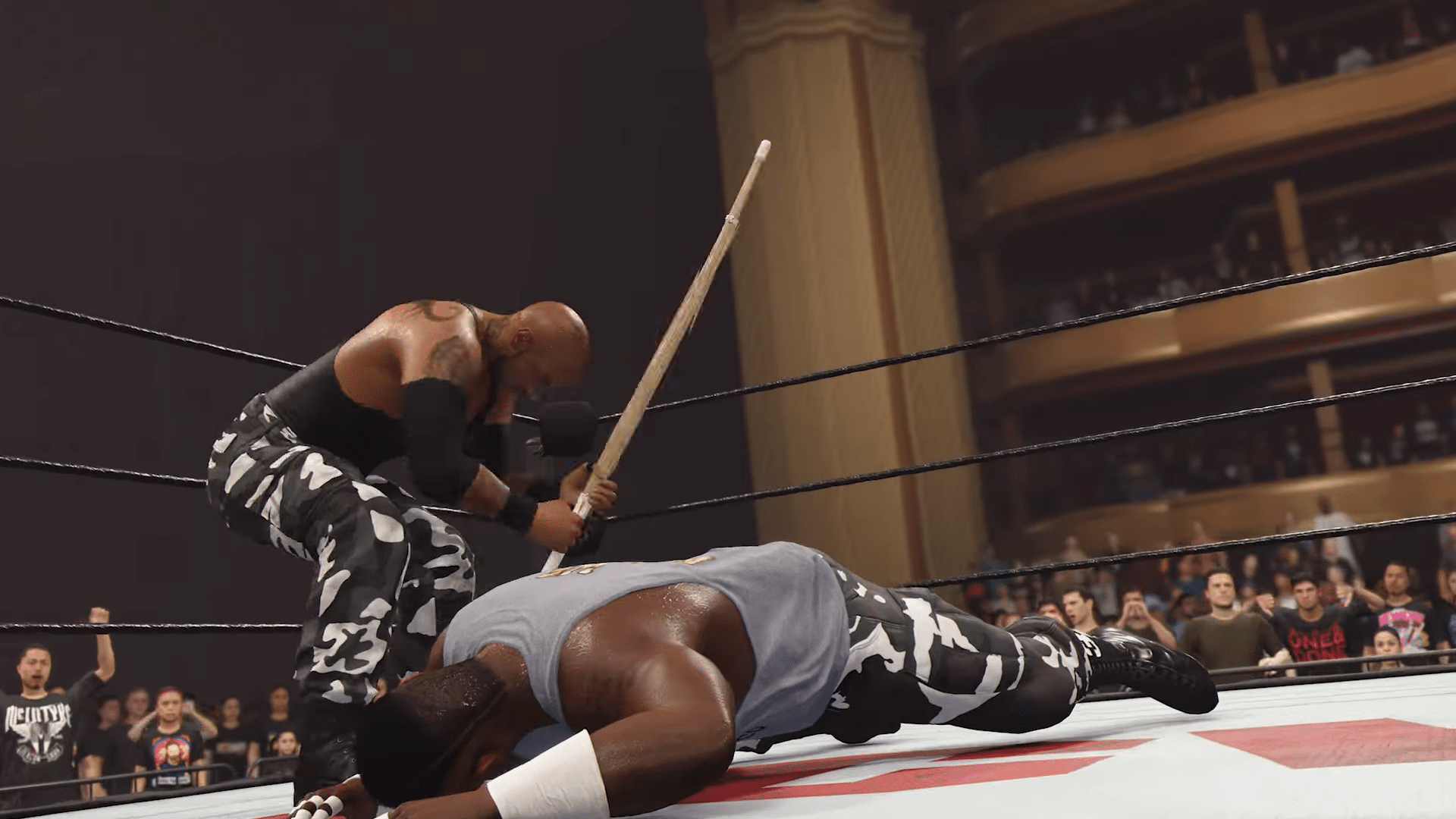
Wrestling fans, you’ll be prompted to download a new patch for WWE 2K25 today, and this is not only for the game’s latest DLC pack, but also to slot in a slew of fixes.

Console gamers will see this appear as WWE 2K25 update version 1.021/1.21. If you downloaded version 1.020 for some reason, please check again, as Visual Concepts has rolled out the next version today as well.

In terms of fixes, this is a minor patch, but it does enable support for the Fearless DLC Pack, and there are a bunch of stuff datamined too.

WWE 2K25’s Update for July 23 Brings the Fearless Pack, and Other Improvements via Patch 1.021/1.21


General

  • Stability and Performance improvements
  • Added support for the Fearless DLC Pack

Create

  • Addressed reported concerns with Hair shine value changing after being set
  • Addressed reported issue with the Stay Fearless hat appearing corrupted in Gameplay and Community Creations

While the patch notes Visual Concepts has released only include a short list of fixes, the community is here to save the day! Alongside the items mentioned above, there are also some other items spotted in update files that could pave the way for new content incoming in the future.

Content creator Status has spotted new name entries as part of today’s patch:

  • NXT 2017
  • Trish Stratus ’00 (Again?)
  • Charlotte (Exclusive)
  • WYATT SWAMP ARENA
  • ULA FALA IN THE BANK
  • NEW JACK (Exclusive)
  • THE GULF OF MEXICO
  • Trick Willaims (Exclusive)
  • UNDERTAKER (Exclusive)
  • JOHN CENA (EXCLUSIVE)
  • THE GULF OF AMERICA
  • BIANCA VELAIR (EXCLUSIVE)

Note that the stuff spotted within the game’s files are in no way official, and these could change or not be used at all.

WWE 2 K25 Fearless Pack Content

The wrestlers included in the Fearless Pack are:

  • New Jack;
  • Jordynne Grace;
  • Penta;
  • Bull Nakano;
  • Prime Hydrate Bottle (Featuring KSI)

When it comes to the next wrestlers set to be released, there is a DLC pack scheduled for September, and one for November, which should be the cap to the Season Pass — at least per the roadmap.

Avatar photo

Alex Co

Father, gamer, games media vet, writer of words, killer of noobs.

Home > News

The Outer Worlds 2 Price Drops to $70, as Microsoft Vows to Keep $70 Price for All Holiday Titles

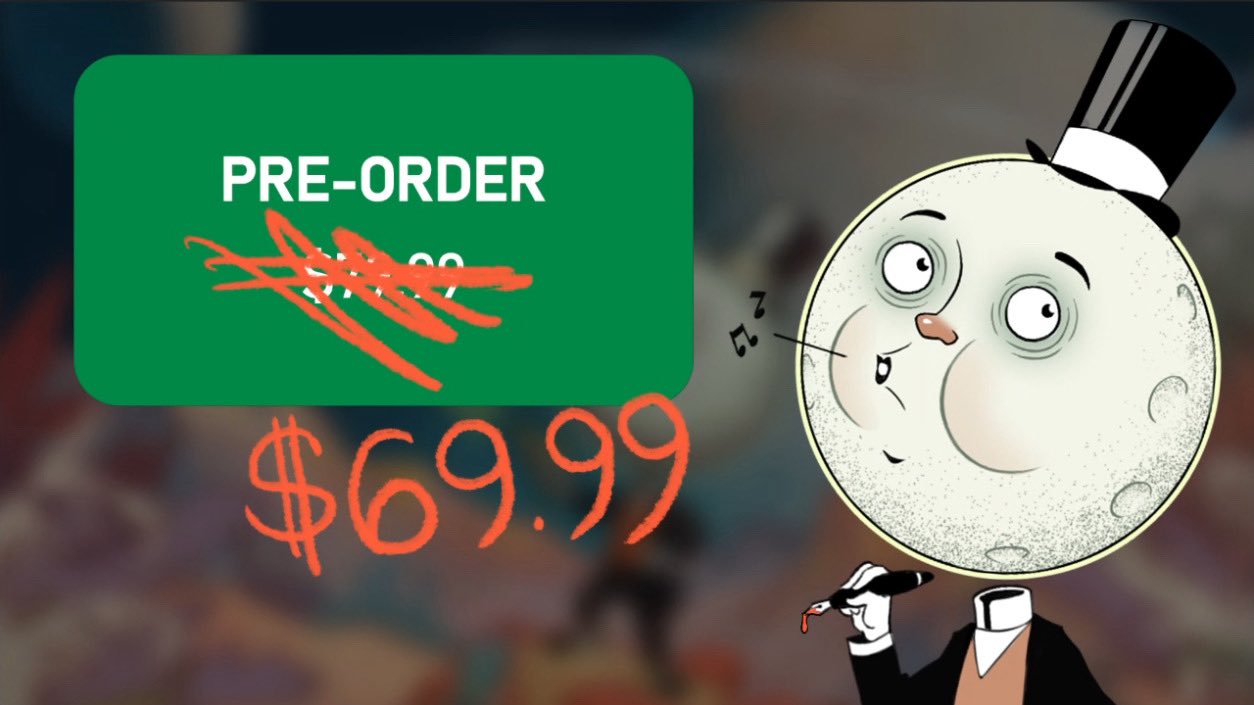
Obsidian Entertainment has reduced the price of The Outer Worlds 2. Initially, the role-playing game’s pre-orders opened in June at $80 — a move that sparked backlash, as players are generally used to paying $70 for new releases. The game will now be sold at the more familiar price of $70.

Obsidian officially announced the price change on X (formerly Twitter), acknowledging fan concerns over pricing.

Players who already placed a pre-order can request a refund and repurchase the game to save $10. Xbox also clarified that its upcoming holiday season titles will follow the same pricing model.

Xbox Confirms $69.99 Price for Holiday Releases

The Outer Worlds 2 price

In a statement to Windows Central, an Xbox spokesperson said, “We’re focused on bringing players incredible worlds to explore, and will keep our full-priced holiday releases, including The Outer Worlds 2, at $69.99 – in line with current market conditions.”

The Outer Worlds 2 will release on October 29 for PC, PlayStation 5, and Xbox Series consoles, and will be available on Game Pass from day one. This is just one of several major releases from Xbox Game Studios expected later this year.

Other titles from Microsoft expected to be released in the last quarter of the year include our annual Call of Duty game. Generally, new entries in the COD franchise are typically released in the fall, and according to rumors, the upcoming Black Ops 6 might launch on November 14. It will also be available on Game Pass. For those concerned that Black Ops 6 might adopt the $80 price tag — that won’t happen based on the Xbox statement, the $70 pricing model for holiday releases is expected to apply to Black Ops 6 as well, so a price increase isn’t anticipated.

While Microsoft pulled back The Outer Worlds 2’s price increase, it’s just a matter of time until the company releases its first $80-priced game. Gamers can take comfort that they have at least a few more months of being able to buy premium releases at the current $70 standard price point.

In related news. Nintendo justifies $80 Switch 2 game prices, citing development cost, gameplay depth, and replayability as key reasons for flexible pricing.

Avatar photo

Taha

Television kills your vision.

Home > Title Updates and Patches

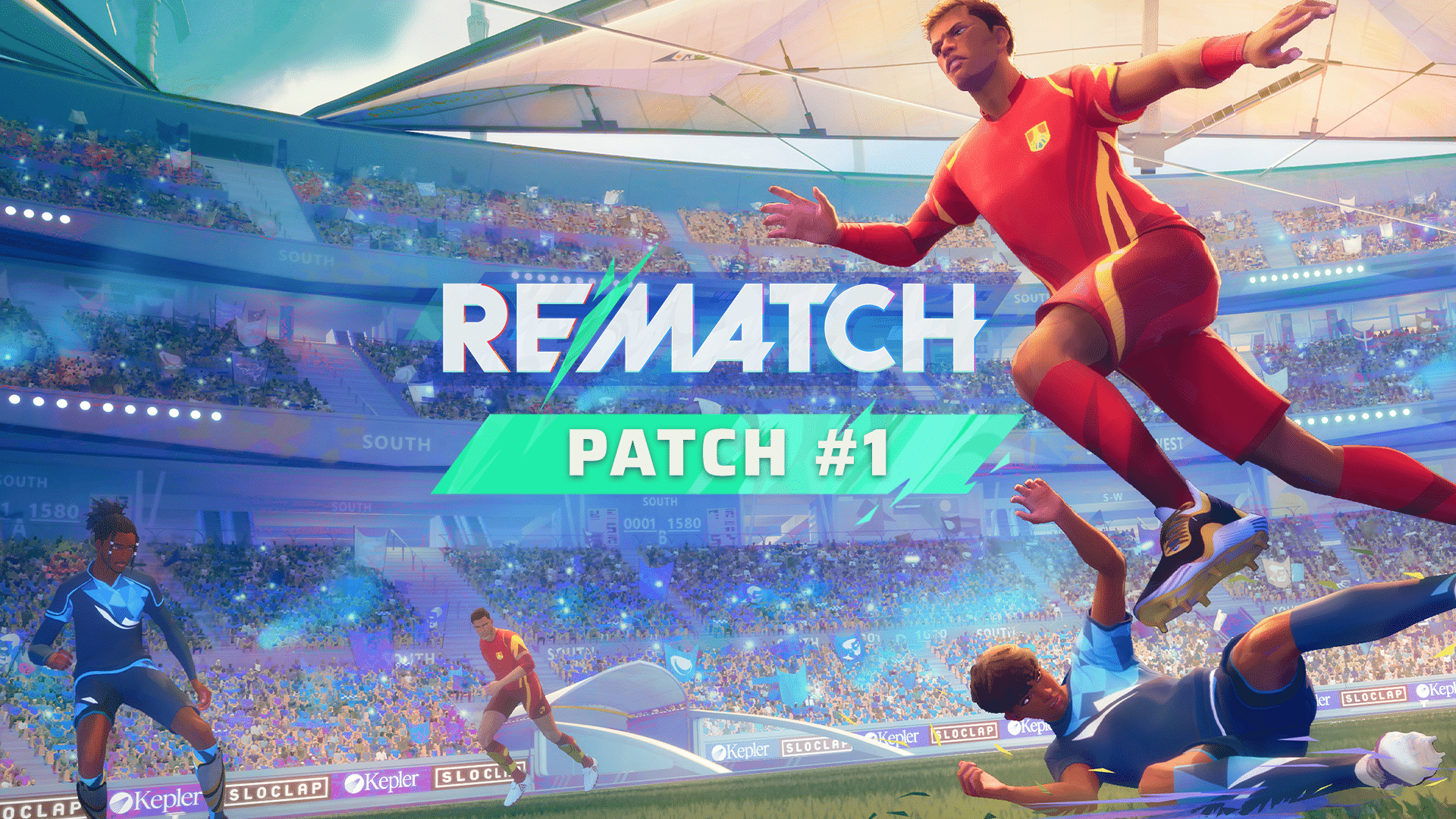
Rematch Patch #1 Kicks Out on July 23 as Version 1.200.100 and It Applies Core Gameplay Changes

While Sloclap has released updates for Rematch, those were considered hotfixes. The first actual patch has just been released today, and it houses more than just bug fixes.

Players will see today’s patch as Rematch update version 1.200.100, and there are a lot of new stuff to take in..

Rematch Patch #1 Now Live via Version 1.200.100

Matches / Core Gameplay Improvements

Major Changes / Updates

Gamepad Remapping

  • This first version is quite basic (it doesn’t allow to create combinations of inputs), but we opted to allow players to start tinkering with mapping before offering a more advanced version soon.

Better Hit Detection

  • Fixed an issue where the ball would be deflected instead of being caught by the goalkeeper in certain situations : the ball speed was not correctly evaluated to decide whether to catch or deflect.

Note: some design to tweaks to catch vs. deflect parameters will also be coming soon.

  • Improved goal validation when the ball is caught on the goal line : decision making now uses a delay to check for potential deflect/catch and account for network variation before validating the goal.

  • Other general netcode improvements and fixes.

Major Fixes

  • Multiple fixes to camera during goal replays, removing jitter
  • Fixes to “hindering” (physical contact between players): it should now be more efficient to “body block” opponents
  • Fixed end match screens skip function (at last!): scoreboard can now be analyzed without going back to ranking screen automatically
  • Fixed pause menu toggle in any stage of match: pause menu should be accessible at all times during matches
  • Fixed various crashes happening during post-goal sequence

Multiple animation improvements and fixes

  • New statics tap animations
  • Polish on volley shoots animations
  • Polish on Dive player animations
  • Polish on pushball animations
  • Minor animation improvements and fixes

Minor / Misc. Fixes

  • Fixed an issue where goalkeepers were not reacting to opponents’ collisions: goalkeepers should now react to other player’s physical presence the same way other players do (this does not change the rules of invulnerability against tackles).
  • Fixed several issues with the physical & visual state of the ball inside menus & at matches’ kickoff.
  • Shots deviated by an outfield player’s defense mode now have a wider angle, except against goalkeeper or sweeper shots.
  • On mouse and keyboard, when performing a tap, the camera control is given back a bit sooner than before (more news on m&kb tap aiming soon!)
  • Fixed an issue with Ball Camera Lock while using mouse and keyboard where the camera would teleport back to the previous position when shooting.
  • Fixed an issue where pushball would not keep last direction inputted when going quickly back to neutral
  • Increased communication/ball call cooldown from 0.8 to 1s, to slightly decrease comms spam
  • Shots now trigger a rumble during the shoot preparation
  • Goal Bursts are now stopped correctly after goal replay
  • Multiple VFX fixes and improvements during and after goal replay
  • Fixed pause menu footer display in match
  • Fixed missing move input in spectator mode
  • Fixed spectator icon on match livefeed
  • Fixed ping icons legibility: switched icon and background colors
  • Fixed opponent nametag in match stats screen: color fixes
  • Display player number for opponents in scoreboard
  • Fixed scoreboard input actions display in footer
  • Audio update for the UI SFX of post match screens
  • Update on the music integration during the start section of a match
  • Various audio update on animations
  • Fixed a bug where the music playing during the beginning of a match was not the expected one
  • Multiple environment and lighting improvements and fixes
  • Multiple minor fixes to tutorials and workshops

Menus & Interface

Additions and updates

  • Colorblind mode: when activated, this option will change color selection for teams at match start, according to the three main types of colorblindness (deuteranopia, protanopia, tritanopia). In the next patch, this feature will be pushed further, to apply a filter on the whole screen.
  • Visual update of player progression screen – improved readability and UI feedback.
  • Added voice channel parameter choice on custom match parameter screen, allowing to chat with all players in the lobby, useful to train with friends on both teams.

Additions and updates

  • Fixed ball indicator arrow orientation, was not always following the ball
  • Fixed navigation focus and camera in customization menu
  • Fixed social panel navigation and display issues
  • Fixed “”Some players in lobby are still in a match”” pop-up can not be displayed in same time as reconnect prompt”
Misc. Fixes
  • Fixed options footer display
  • Fixed matchmaking research panel visibility
  • Fixed input action text “Leave lobby” in custom match matchmaking
  • Fixed reconnect state being applied to players leaving a server after a ranked game was deemed incomplete
  • Fixed mouse navigation in custom match parameter screen
  • Fixed purchase popup toggle in customization menu
  • Fixed items thumbnail background in store menu
  • Fixed focused state lost on clicking spin wheel buttons
  • Fixed “Press any key” display in launch screen
  • Fixed rank icons in player profile menu
  • Fixed custom keyboard mapping preset selection
  • Fixed keyboard custom profile input modifier option showing as enabled by default
  • Fixed reconnect pop-up overlap
  • Fixed missing status when a friend is in a custom match lobby on Xbox
  • Fixed warning message overlap
  • Fixed victory mood thumbnails display
  • Fixed player card customization screen display
  • Fixed currencies packs order
  • Fixed language options not being properly saved on first launch
  • Fixed User Agreement not being translated in languages other than English
  • Fixed Xbox version missing rich presence when a friend is currently in a custom match lobby
  • Special skin now have an assigned voice
  • Various audio fix within the menus
  • Audio and voice language options settings are now correctly saved
  • Update on SFX for the tutorials and workshops
  • Multiple localization fixes and improvements in the options menu
  • Multiple UI fixes and improvements
  • Multiple fixes in tutorials
  • Lighting improvement in Player Profile menus

Art / Rendering

Additions and updates

  • Add detail mod for small actors, on levels and VRs.
  • Add new Balls to Prologue (ball custo will be coming soon!).
  • Add crowd spawn / distribution textures for stadiums.

Major Fixes

  • Increase min LOD in low settings for Customization menu.
  • Fixed head sections.
  • Fixed corrupted crosshair on certain actions.
  • Fixed crowd LOD bias.
  • Fixed UI material AA.
  • UI textures improvement.
  • Cast shadow, WPO and VSM optimization on VRs / Stadium.
  • Meshes fixes and optimization on levels.
  • Optimize minimap & line textures.

Minor Fixes

  • Fixed material time period.
  • Fixed accessories material on the Ponytail hairstyle.
  • Fixed Jelly Tails and Golden Flyaways hairstyle materials.
  • Fixed Eyelashes material.
  • Fixed Characters textures compression settings.
  • Update goal reaction behavior for smokes & flash flares.
  • Playable Intro lighting optimization.
  • Force LOD on certain sequences in playable intro.
  • Cast shadow optimization on VRs.
  • Minor material and math optimization.
  • Minor update for Eye material.
  • Character parts, disable cast shadow on specific parts.

There are a few known issues that have seeped through today’s update, and that should be resolved with another update in the future.

Avatar photo

Alex Co

Father, gamer, games media vet, writer of words, killer of noobs.

Home > Title Updates and Patches

No Man’s Sky Latest Update on July 23 Floats in Version 5.075 Fixes

Hello Games has a new patch for No Man’s Sky available for download today, and this brings another set of fixes to the survival space exploration game. Console gamers will see this as No Man’s Sky update 5.075/5.75, and it should be a small download.

Compared to past fixes released, this is a smaller patch, so temper expectations.

No Man’s Sky New Update Released on July 23 Applies Small Set of Fixes

No Man's Sky Update 5.061

Bug Fixes

  • Fixed a visual issue with the tail of the Wraith ship.
  • Fixed an issue which caused Alloy base parts to appear in the wrong colour.
  • Fixed a crash on PS5 when using the Terrain Manipulator.

The last patch released before this from earlier this month, included a host of technical fixes and even gameplay improvements.

Gameplay Improvements

  • Implemented a recovery for players who had travelled a very long distance from the first purple system generated during In Stellar Multitudes, and had no nearby teleporter destinations to return to.
  • Fixed an issue that caused mission markers requiring a target sweep to hide themselves prematurely.
  • Fixed an issue that caused the Horrific Flesh-Helmet’s eyeball to render incorrectly.
  • Fixed an issue that caused some base parts placed prior to the Beacon update to be incorrectly assigned a weathered material

Given the slate of content released and how frequently Hello Games updates their games, don’t be surprised to see more patches released soon.

Avatar photo

Alex Co

Father, gamer, games media vet, writer of words, killer of noobs.

Home > Title Updates and Patches

Test Drive Unlimited Solar Crown Season 4 Update Races Out as Version 1.012

The big Season 4 patch for Test Drive Unlimited Solar Crown is live, which players will see as download version 1.012 (ver. 1.012.000). This tows in a ton of new features and new content free to all gamers.

Chief among the new features are the Casino social hub, increased Reputation level, and more.

For the new content, there are new cars, new ranked case, new live events and of course, a new Solar Pass. There’s a lot to take in, so read up on everything new in the official patch notes.

Test Drive Unlimited Solar Crown Season 4 Update Now Live via Patch 1.012

New Features

Casino

    • 32-Player Social Hub
    • Cashier – To buy Casino Chips (withdrawing added in later update)
    • Slot Machines – 1 type (another added in later update)
    • Car Part and Clothing

Stock Restriction Races

    • Added 20 new races, changed 20 existing races to stock restriction
  • Group Ping/Shared Route System & 5-Route Planner

  • Revamped Worldmap and Filters UI

  • Reworked Active Spoilers

  • Increase Reputation Level Max To 70 (Previously 60)

New Content

New Cars

    • Aston Martin DB11 Volante (Car Dealer)

    • Mercedes-AMG GT Black Series (Casino)

    • Porsche 911 Carrera Coupe VR Widebody (Solar Pass)

    • DeLorean Alpha 5 (Solar Pass) 

    • Lamborghini Huracán Sterrato (Solar Pass)

Ranked Cars In Dealership

    • Aston Martin Valour

    • Bugatti Chiron Super Sport 300+

  • New Live Events
  • New Solar Pass

Test Drive Unlimited Season 4 Bug Fixes and Vehicle Improvements

General Fixes & Improvements

  • Improved shadow performance
  • Updated EULA
  • Added maintenance notification directly in-game
  • Increased rewards of daily challenges
  • The Solar Hotel now displays the car at the last level of Solar Pass
  • Improved player race line generation
  • Merged calendar and news menu
  • Fixed a crash when completing ‘Highway to Heaven’ in IBIZA island
  • Fixed a crash when completing the Sprint race ‘Skyscraper Parade’
  • Fixed a crash when completing the Time Attack race ‘Into the Docks’
  • Fixed crash when quitting game with an active message box
  • Fixed a crash when adding multiple photos as favourite
  • Fixed car clipping with the delivery car in ‘Delivery – M4 Competition’ contract
  • Fixed NPC and player’s character sometimes clipping with the ground during car delivery’s cutscene
  • Added facial animation during the end of the race podium
  • Fixed an issue where avatars would not appear on the end of the race podium.
  • Improved various NPCs animations in HUBs
  • Fixed an issue where collision SFX were played when running into a displayed car in any HUBs
  • Fixed an issue where texts would disappear in some menus
  • Updated rarity on several car skin appearances
  • Resolved various clipping issue on clothes
  • Updated car delivery missions spot images
  • Added Solar Pass quick access on main menu
  • History now show if the player has already been solar king
  • Fixed issues where reputation gain was delayed
  • Improved render of cars and clothes thumbnails
  • Share more information between group players ( league, money, gender, etc.)
  • Added SFX related to Solar Pass reward unlock
  • Fixed an issue where traffic would change lane abruptly
  • Added photo download errors handle
  • Fixed an issue where the rain drops would fail to fall on the interiors of any open roof car
  • Fixed an issue where the ‘Time to beat’ text in the info card of race lobby failed to match the ‘Time to beat’ text in the race initial cutscene
  • Show a default thumbnail when when the ‘Hide Custom Liveries’ option of the ‘Streamer Mode’ settings is turned on
  • Fixed a camera issue when changing vehicle while in cockpit view
  • Fixed an issue where some clothes could change the avatar’s skin colour
  • Added new spot Images for each gas station on HKI
  • Fixed voice chat controls not visible when default channel is disabled
  • Fixed photo in full screen being download all over again
  • New lighting on Hippodrome race track on Hong Kong Island
  • Fixed various clipping issues with vehicles and steering animation

Vehicle Improvements

  • Updated Koenigsegg Agera RS dashboard
  • Fixed suspensions height on stock McLaren MP4 12C
  • Fixed accessible suspension upgrades on Mercedes-AMG GT Black Series & Mercedes-AMG SL 65
  • Updated hitboxes of all cars
  • Improved LED blinkers rendering
  • Updated aero flaps and wheel on Ferrari 488 Pista
  • Added bumper Spoiler on Lamborghini Huracán Performante
  • Fixed bumper holes on Lamborghini Aventador SVJ.
  • Added new aero system to Lamborghini Centenario
  • Added new aero system to Lotus Evija
  • Added new aero system to Pininfarina Battista
  • Added new aero system to Ferrari 488 Pista
  • Added new aero system to Lamborghini Countach LPI 800 4
  • Added new aero system to Lamborghini Huracán (All editions)
  • Activate the rear wipers when going in reverse
  • Fixed suspensions on Buggy
  • Added semi slick tires on Alfa Romeo Mito
  • Deleted ‘All Road’ suspension upgrades on some supercars and all hypercars
  • Some cars’ PR’s may have changed due to fixes on suspension, gearbox issues, clutch, etc.
  • Super Sport suspension has been added to various supercars and hypercars
  • Suspension PR changes
    • Before, we applied a flat PR amount when installing suspension, but this is not the case anymore and it was misleading with the behaviour of the specs gauge. Now a suspension can make you lose or gain PR and the referential is always the behaviour on asphalt

  • New progressive clutch

    • More torque to idle constraint

    • Use acceleration to allow slipping torque at low speed

    • Should give you the ability to park your car easily as long as you use throttle

    • No block when accelerating at middle RPM value (the reported bug where RPM’s stay at a certain value while accelerating has been fixed)

  • Hazards will no longer turn on automatically.
  • Improved sound on Apollo IE
    • We will increase this vehicles crackles and pops and its signature transmission whine in the mid-season update for Season 4

  • Improved sound on DeLorean DMC12

PC

  • Enabled SARD Anti-Cheat

 PS5

  • Updated dynamic resolution clamp value to improve performance stability
    • Players should no longer have stutters

Xbox Series

  • Updated dynamic resolution clamp value to improve performance stability
    • Players should no longer have stutters

Network

  • Better Stability and Performance
  • Improved the gathering of people from the same group.
    • Fixed the issue where players of a group wouldn’t end up in the same session

    • Fixed the calculation of the session’s score for a given player, now properly handling the members of the group already present and the reserved slots for the group

KT Racing has also listed a slew of the known issues they are currently taking a look at and when these will be fixed:

  • Achievements Unlocks: Achievements not unlocking for them despite completing the description. (Example: VISIT ALL DISTRICTS, GPS COORDINATOR)
    ETA: Bug solved, gone to Quality Assurance (Mid-Season Patch)

  • Empty Friends List: Players on all platforms may run into the issue where they cannot see players on their friends list.
    ETA: Bug solved, gone to Quality Assurance (Mid-Season Patch)

  • Time Trial Leaderboards: Players have mentioned that they cannot view the global leaderboards.
    ETA: Bug solved, gone to Quality Assurance (Mid-Season Patch)

  • Logitech G920 Wheel FPS Issue: Players mention while using the Logitech G920 wheel, the game causes extreme FPS drops.
    ETA: Under Investigation

  • Steering Filtering/Animation: Vehicle steer animation is behind player input which affects keyboard and controller inputs.
    ETA: Under Investigation

  • Missing Rims: Players mention the American Racing VN507 Gloss Black rims are missing from their inventory.
    ETA: Under Investigation

  • Logitech G923 Wheel PC/PS: Players mention the Logitech G923 wheel does not work correctly when using the PC/PlayStation version.
    ETA: Under Investigation

  • Moza Wheel: Players mention their Moza racing wheels cannot change the in-game rotation angle
    ETA: Under Investigation

  • Paint Change Server Error: Players mention they cannot upgrade or change the paint on their vehicle and they are met with a server error
    ETA: Under Investigation

That’s about it. Given the scope of the patch, don’t be surprised to see a follow-up hotfix be released to fix any bugs that surface from Season 4.

Avatar photo

Alex Co

Father, gamer, games media vet, writer of words, killer of noobs.

Home > News

Wuchang: Fallen Feathers Review – Birds of the Same Feather

The Soulslike genre of games has been a staple of modern gaming for well over a decade by this point. Chinese developer Leenzee has produced their own take at this popular (and merciless) genre.

Read our Wuchang Fallen Feathers review to see if the mixture of real-life 3D scans of ancient Chinese areas and a few different combat mechanics can result in a game that makes a name for itself in a competitive field or if this stuff is best left to veteran developers in this space.

Terrible Disease, Fantastic Looks

The Unreal Engine 5 runs the show, and Wuchang: Fallen Feathers looks great. Character models are nice and detailed, while environments are dense and full of things to look at and occasionally interact with. On my 13-gen i7 CPU paired with an RTX 4070 laptop GPU, with DLSS 2x Frame Generation turned on, I would average around 80-90 FPS in most areas, though certain spots would cause noticeable dips, with a low in the mid-40s in one particular safe spot. Your mileage may vary, of course, but Wuchang gives off a high level of polish. Most characters are fully voiced, which is a nice inclusion to help sell the immersion of ancient China.
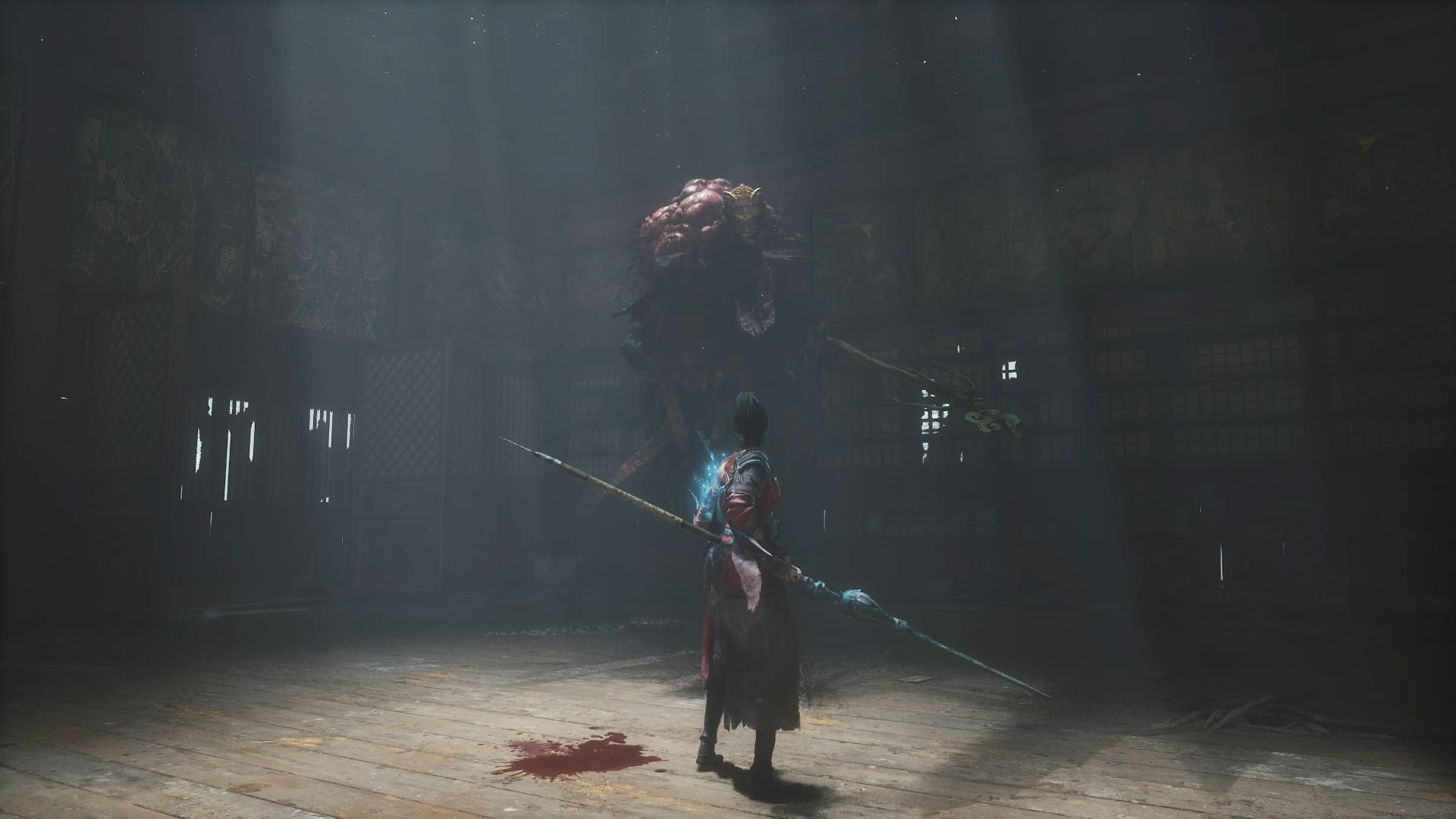
Wuchang: Fallen Feathers takes place during the late Ming dynasty, within the region known as Shu. A terrible plague called the “Feathering” has begun to take over the area’s inhabitants. How it spreads, and why it affects some worse than others, is not known. You play as Bai Wuchang, freshly awoken with a severe case of amnesia, due in part because of being afflicted with this blight. Indeed, your left arm shows the telltale signs of the disease – feathers have appeared there. While usually this results in the infected quickly going mad and attacking anyone who approaches them, you are special and seem to be able to keep the madness mostly at bay. The story adapts popular Chinese myths into game characters, offering a slightly more grounded narrative than the genre typically provides – although it also incorporates plenty of supernatural elements. Also, a talking panda whom you can trade with, because why not?

Wuchang is a Soulslike through and through. You can expect to die a lot in this game, especially in the early hours as you learn the controls. There are literally all the tropes the genre is known for. Stop me if you’ve heard this one before: in one of the relatively early areas, a big enemy will abruptly roll a large boulder in your direction, then promptly follow it to attack you. That moment, rather than being a shocking surprise, merely caused an eyeroll from me, because I’ve seen it done so many times, and unfortunately, this iteration didn’t really do anything new with the scenario. It kind of felt like there was a whiteboard in a meeting room at the offices of Leenzee Games, which had a list of things considered essential to have in a Soulslike, and “big boulder rolls towards protagonist” was one of the first items on there, right after “player should die during tutorial.”

It’s Certainly Familiar

Yes, Wuchang is tough, as the genre demands. But, it didn’t feel nearly as punishing as FromSoftware’s games. Most bosses only took me a few tries to complete, and a couple I even managed to figure out on the first try. Part of that may be because I have absolutely no issues with figuring out a grinding path, and spending some extra time farming areas for levels. After playing these kinds of games for well over a decade at this point, I can sniff out a good grinding area pretty quickly. So, perhaps I was a bit over-leveled for some of those bosses. But then again, if you want a real challenge, no one is forcing you to upgrade your build or grind it out before taking on the area’s boss.

Upgrades in Wuchang are numerous. There are prayer shrines to be found throughout the world, where your healing items can be refilled, at the cost of bringing back all non-boss enemies. Here is also where you can spend any Red Mercury you’ve collected from defeated enemies or in random locations. The Impetus Repository is where this currency can be spent to unlock new abilities, extra stats, and more. If you’re a bit short on mercury, you can use some items to generate more. Since dying doesn’t remove these items, it’s smart to only use them when you are about to upgrade, otherwise you risk losing that mercury when you die again.

Outside of basic upgrading of your character, you can also upgrade parts of Wuchang’s arm with needles. Think of it as a metaphysical version of acupuncture. This aspect helps give Wuchang: Fallen Feathers a more unique identity, as there is a narratively driven reason behind these upgrades. You can also slot upgrades into every weapon, although you must remember to re-equip them when changing weapons. The Invoke option allows you to purchase single-use items, at the cost of increasing your madness. The Discipline menu further adds to the numerous options for tweaking any build you desire.
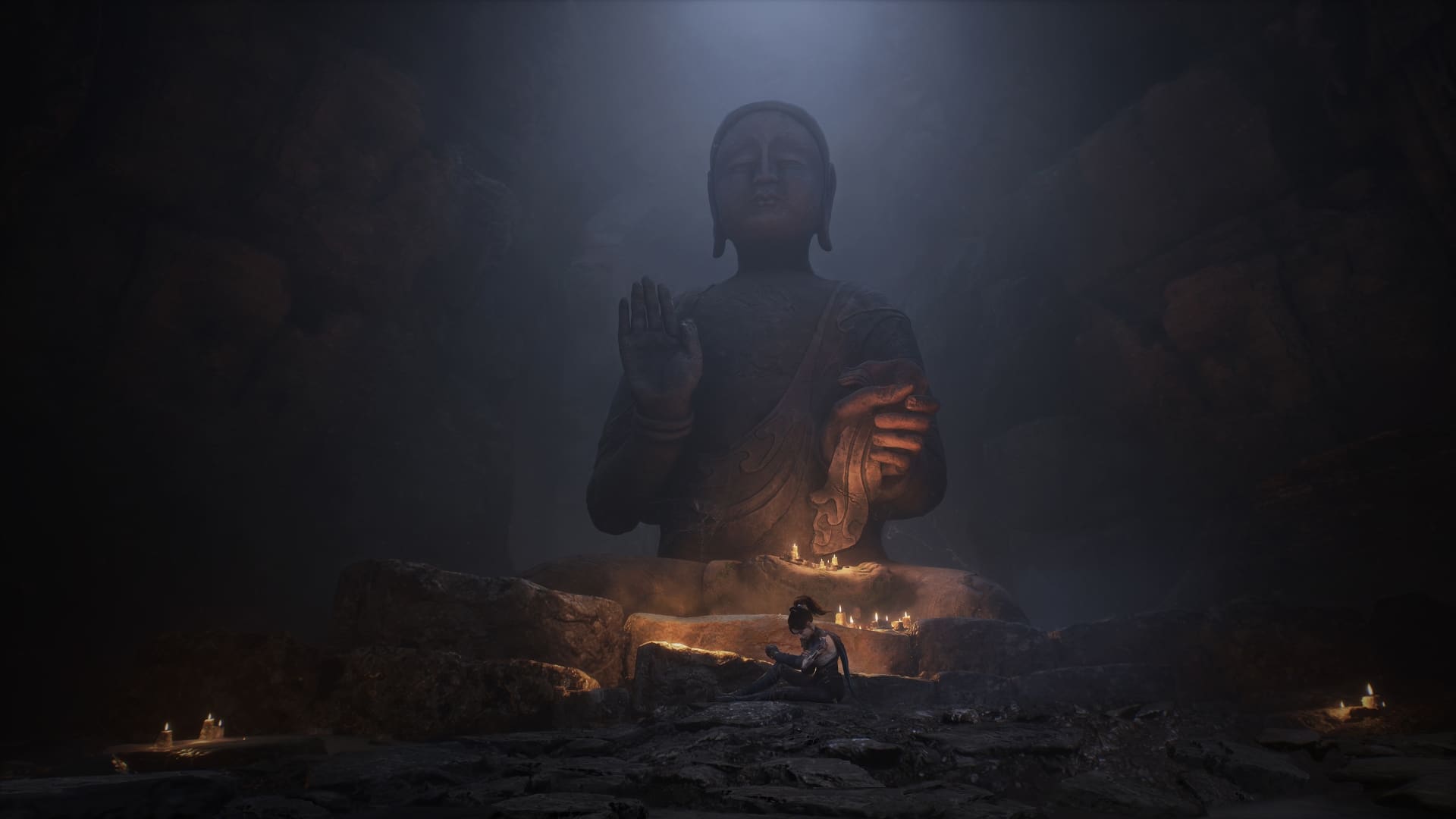
The Dream Beckons

When in combat, parrying is highly encouraged. Performing one successfully grants you one bar of something called Skyborn Might. This has immediate effects on weapons, depending on what’s equipped. These effects can be added to from within the Impetus Repository, some of which are weapon-specific. This same Skyborn Might can be used to start special combos, or it can also be used to perform a Swift Draw, a move which switches weapons while also dealing damage. Parrying or landing successive hits on enemies can also charge this Might, as well as increasing energy stores for any magic-imbued weapons equipped. Taking a defensive approach is possible, but perhaps more tedious as the game is designed around using offensive methods.

Wuchang: Fallen Feathers does not include any online functionality. In this genre, that usually means invading other players’ games in an attempt to kill them, thus earning rewards (and incurring the wrath of said player), or joining someone else in a co-op session, or the opposite where you host an invasion or have someone else join you. While it’s a shame this functionality isn’t included, a couple of things do help to remedy this. After a couple of hours or so, you’ll likely unlock an item which summons a CPU-controlled ally, who is fairly competent in battle, and at the very least serves as a distraction for whatever boss you’re facing. This cannot be used outside of major battles, however, so it cannot be used as a crutch. It feels reminiscent of the online mechanics of other Soulslikes, but not quite the same. Ultimately, those used to playing against unpredictable human players will feel like something is missing, because it is.

For those seeking an invasion-like feeling, though, then Wuchang’s Inner Demon mechanic will come into play. As you play, your level of a madness meter will fluctuate based on what happens to you. Dying or resting repeatedly will increase it, while certain items will decrease it. At a basic level, the higher this meter gets, the more powerful you become, while you simultaneously also begin to take more damage from enemies. If you die and your madness level is high enough, then a clone of you called the Inner Demon will show up around the spot where you last died, guarding your souls echoes mercury. It’ll have the same build as you did when you were last defeated, so there’s always a risk that your best build might also be your undoing. It’s an interesting mechanic, and the first time it happened to me, I thought I had been invaded by another player, before realizing that wasn’t a feature of Wuchang. This Inner Demon attacks indiscriminately, so you can use that to your advantage and have your clone defeat nearby enemies, or at least provide fodder for a time. It’s a feature that has been executed very well.

Verdict

Wuchang Fallen Feathers is a solid addition to the Soulslike genre, which, while not completely revolutionizing things, does do enough to warrant a look at by fans of this style of game. The core of the genre has been left intact, with some thoughtful additions that can enhance the depth of options available to the player. While combat does have its issues, they can be adapted to once you’ve spent some time with the game. If you’re looking for something different after playing too much Nightreign lately, Wuchang: Fallen Feathers is a fresh change of scenery, one that is well worth a look.

Score: 8/10

Pros:

  • Great scenery, including 3D scans of real-life locations
  • Fun, varied combat
  • Dense environmental design, including vertical space

Cons:

  • Mostly the same feeling as other Soulslikes
  • Fall animations feel unforgiving

Wuchang: Fallen Feathers review code was provided by the publisher. You can read MP1st’s review and scoring policy right here.


Avatar photo

Paulmichael Contreras

Paulmichael has been writing in the gaming industry since 2008. Living just outside of Los Angeles, he has been lucky enough to attend numerous gaming events around the world, including the last ten E3 shows (RIP)! A thoughtful reviewer, every game you see scored by PmC has been given careful attention. Paulmichael is also an aviation fan and an avid snowboarder. Favorite games include: No Man's Sky, Gran Turismo 7, skate., CloverPit.

Home > News

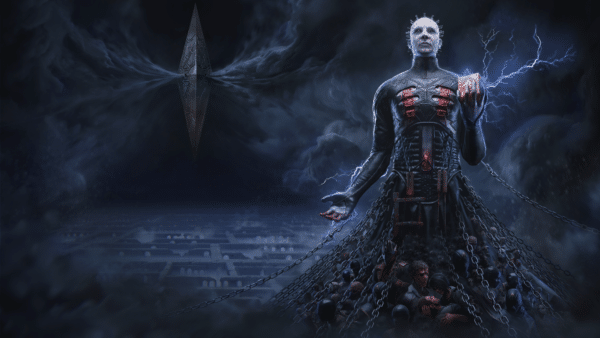
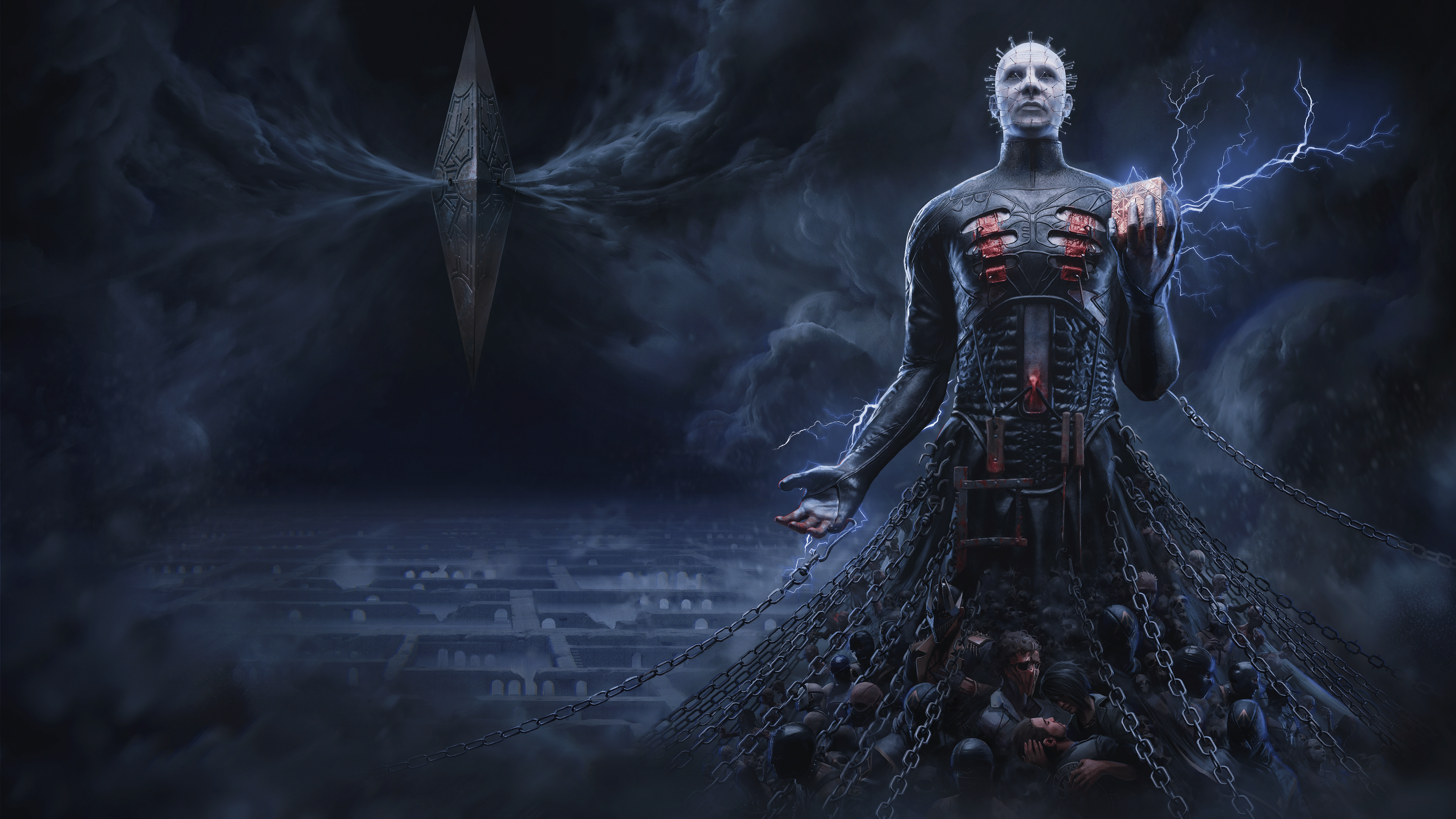
Hellraiser: Revival Announced and It’s the Opposite of What You’re Expecting

Would you believe that in 40 years, Hellraiser has yet to see a video game adaptation? Crazy, I know, which is why Saber Interactive and Boss Team have decided that now is finally a good time to get one!

If you were expecting the game to be a multplayer live service, much like Boss Team’s previous game Evil DeadL The Game, we’re glad to confirm it’s not! Hellraiser: Revival has been announced as a story-driven single-player, survival horror action game.

Here’s you’re first look at Hellraiser: Revival. 

You Opened the Box. What Did You Expect to Happen?

Talk about an announcement out of nowhere! As mentioned, Hellraiser: Revival is entirely single-player, which will see Clive Barker, the creator of Hellraiser, returning to the franchise and assisting the studio in crafting this new story in the long-running franchise. 

“Working on the first true Hellraiser game has been a venture deep into the recesses of my darkest imaginings,” said Clive Barker, horror legend and creator of Hellraiser, who has been a guiding hand for the game’s unique story in the Hellraiser universe. “The dedication that Saber and Boss Team Games have shown is nothing short of remarkable. They’ve immersed themselves in the Hellraiser universe, capturing its essence—the seductive pull of suffering, the beauty within the grotesque—and forged a narrative that invites players to step beyond the threshold. I’m eager for both the curious and the damned to experience this new chapter in the Hellraiser mythos, where every moment balances on the brink of nightmare and revelation.”

“Hellraiser is the quintessential horror franchise, and lends itself perfectly to a video game,” said Matthew Karch, CEO and co-founder of Saber Interactive. “Saber has had success with horror IPs in the past, and working alongside Clive to create tense gameplay and a new story that delves into the twisted depths of pain and pleasure has been a real treat. We look forward to opening up the gates of hell.”

KEY FEATURES

  • A Terrifying New Story in the Hellraiser Universe: Discover a chilling new story in the iconic horror franchise as you unwittingly kickstart Pinhead’s (voiced by Doug Bradley) ritual to unleash the ultimate torment on the world.
  • Unleash the Power of the Box: Harness the unique abilities of the Genesis Configuration in combination with an arsenal of earthly weapons to inflict bone-breaking, flesh-searing pain (or pleasure?) upon your enemies.
  • Battle for Survival Against Hell’s Armies: Take on hell’s wretches, deviants, cultists, and its most infernal priests in an unholy war for your immortal soul.

Now for those wondering, there is a much more graphical version of this trailer (Redband) that is viewable via the official Hellraiser: Revival website

There’s currently no release date, though fans can now wishlist the title on SteamPlayStation 5, and Xbox Series X|S.

Avatar photo

James Lara

A gamer at heart, James has been working for MP1st for the last decade to do exactly what he loves, writing about video games and having fun doing it. Growing up in the 90's gaming has been in his DNA since the days of NES. One day he hopes to develop his own game.

Home > News

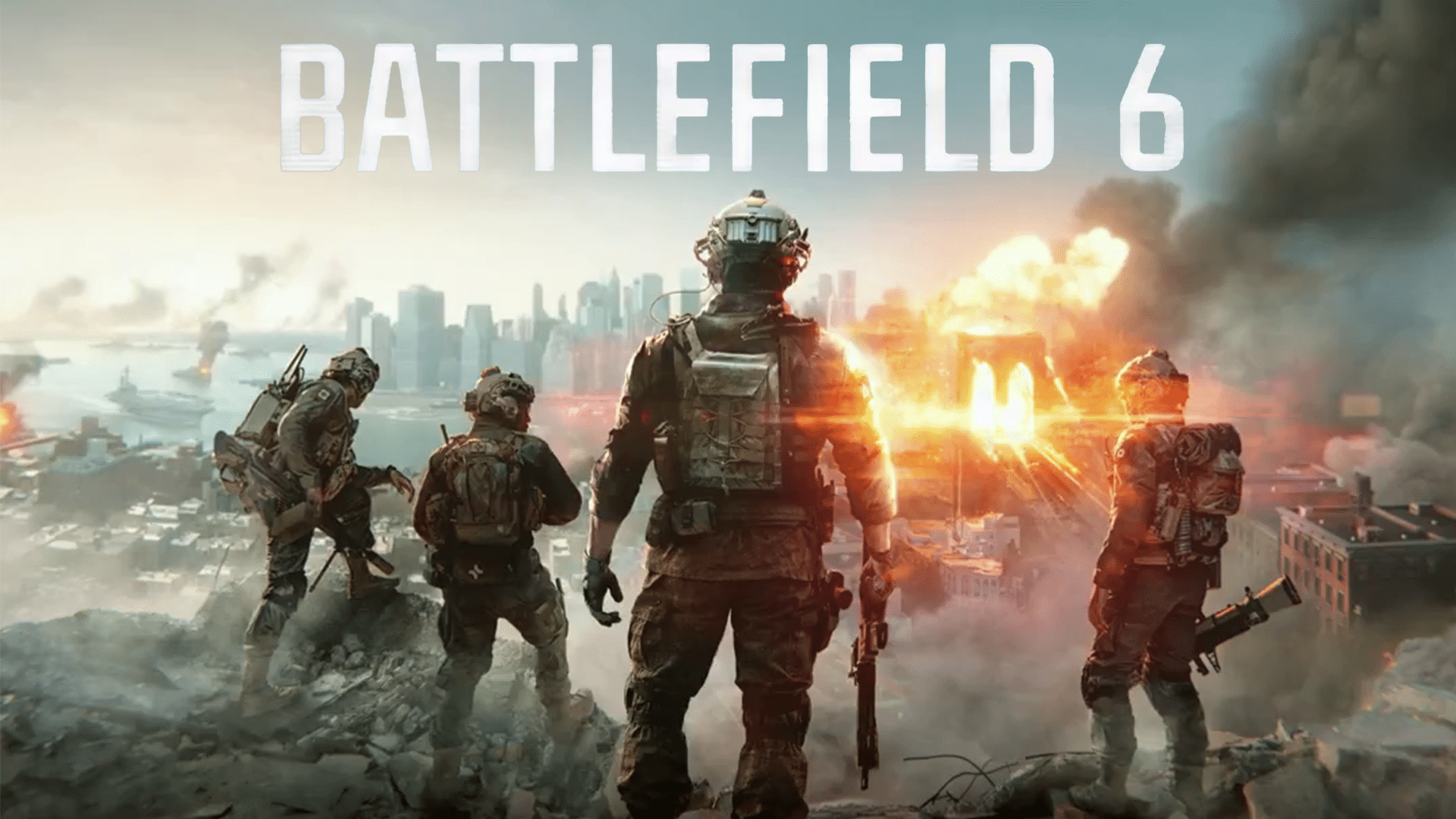
Battlefield 6’s Signature Weapons System to Be Similar to BF4 Confirmed

Earlier today, Electronic Arts (EA) officially confirmed the new Battlefield game will be titled “Battlefield 6” with the reveal trailer hitting on Thursday, July 22, 2025.

Not only that, but yesterday, the Battlefield 6 open beta was announced, where DICE revealed that players will be getting two separate playlists where they can test signature weapons locked behind classes, with one being open (meaning all classes can wield any weapon).

If you’re wondering what signature weapons are for each class, it seems DICE is following Battlefield 4.

Battlefield 6’s Signature Weapons and Classes Will Be Familiar for BF4 Players

Over on X (formerly Twitter), Battlefield 6 Lead Producer David “tiggr” Sirland confirmed that DMR’s, shotguns, and carbines will be available to all classes, and the signature weapon means the following:

  • Locked Assault Rifles to Assault
  • Locked Submachine guns to Engineer
  • Locked Lightmachine guns to Support
  • Locked Snipers to Recon

As you can see, this is exactly the way BF4 did it back in 2013. Given how Battlefield 4 is considered one of the best — if not the best — Battlefield games in franchise history, it’s hard to argue why DICE followed this route.

Bear in mind, there will be two playlists, so the other one will feature all weapons available to all classes. So, there is a chance DICE opts for this one, since it all depends on the players and I assume, the data DICE collects during the open beta.

So far, based on what we’ve seen from BF Labs, Battlefield 6 is headed in the right direction with character skins that don’t look goofy, and even the gun customization looks to be a natural evolution.

Are you happy with this news, or would you rather DICE shake it up a bit?

Avatar photo

Alex Co

Father, gamer, games media vet, writer of words, killer of noobs.

Home > Title Updates and Patches

Minecraft Preview Update 1.79 for Version 1.21.110.20 Released

Mojang has released a new patch for the Beta and Preview build of Minecraft that’s now live across consoles and PC.  Players will see this as Minecraft Preview update 1.79 on last-gen, while those on current-gen will see this as 1.062. The developers refer to this as version 1.21.110.20 when discussing the official client-side build.

Beyond fixes, this update comes packed with some new features.

Minecraft Preview and Beta Build Update Improvements for July 22 via Patch 1.79/1.062

Minecraft Beta & Preview Update 1.60

Experimental Features

  • We’ve removed the experimental toggle for game drop features, so you can now enjoy them in normal worlds without flipping any switches. As always, your feedback and bug reports are incredibly valuable, especially during Betas and Previews. Keep them coming!

Features and Bug Fixes

Shelf

  • The Shelf is a new type of decorative block which comes in the following variants:
    • Oak
    • Spruce
    • Birch
    • Jungle
    • Acacia
    • Dark Oak
    • Mangrove
    • Cherry
    • Pale Oak
    • Bamboo
    • Crimson
    • Warped
  • The Shelf can be crafted from six matching blocks of any Stripped Log, Stripped Stem, or Block of Stripped Bamboo, filling the top and bottom row
    • This recipe produces 6 Shelves
  • The Shelf can store up to 3 item stacks:
    • Interacting with any of the 3 slots on its front swaps the player’s main hand item with the content of that slot
    • The Shelf displays all items it contains in front of it, similar to an Item Frame
  • While a Shelf is powered by Redstone, its front texture changes to reflect that it’s powered; when placed next to each other, up to 3 powered Shelves will connect
    • Interacting with a single powered Shelf swaps all its contents with the 3 rightmost items in the player’s hotbar
    • Interacting with two connected Shelves swaps their contents with the 6 rightmost items in the player’s hotbar
    • Interacting with three connected Shelves swaps their contents with all items in the player’s hotbar
    • It does not matter which of the connected Shelves the player interacts with

Copper Golem

  • If the Copper Golem has fully oxidized it will turn into a Copper Golem Statue Block
  • When turned into a Copper Golem Statue block, it will freeze in a random pose
  • When turned into a Copper Golem Statue the Copper Golem will drop any item it may be holding
  • A Copper Golem turned into a Copper Golem Statue will keep its name if named with a Name Tag
  • Interacting with the Copper Golem with an empty hand will drop its carried item
  • Copper Golem now interacts with Trapped Chests (MCPE-223758)
  • Unwaxing or scraping the Copper Golem using an Axe now affects the durability of the Axe
  • Copper Golem saved by Totem of Undying no longer becomes passive (MCPE-223746)
  • Copper Golem no longer continues Chest interaction animation while panicking (MCPE-223764)
  • Copper Golem now sorts differently named items of the same type together
  • Copper Golem now sorts the same item together even when durability is different (MCPE-223755)
  • Copper Golem now sorts Bundles of the same color together (MCPE-223833)
  • Copper Golem Chest interaction sounds now match the animation more closely
  • The Copper Golem now turns its head when looking at the player

Copper Golem Statue Block

  • Copper Golem Statue Block is a new type of decorative block which has waxed and oxidized variants
  • Copper Golem Statue Block oxidizes over time and can be waxed like Copper blocks
  • The pose of the block can be changed by interacting with it
  • If the Copper Golem Statue Block has no oxidation when interacted with using an Axe, the block will turn into a Copper Golem again
  • When connected to a Redstone Comparator, the Copper Golem Statue Block emits a Redstone signal based on its current pose

Accessibility

  • Dye Colors now have updated icons
    • The goal with these is to enhance visual cohesion across the dye set while maintaining distinct shapes to support colorblind accessibility

Blocks

  • Some blocks that could catch fire with Flint and Steel, like the top Stone Slab or Wood Stair, will now also catch fire during fire explosion, such as those from Fireballs
  • Glass Blocks will now catch fire with Flint and Steel or fire explosion
  • Fixed a bug where placing water from a Water Bucket onto a block containing another block (e.g. Button or Lever) would not allow the user to remove that water block afterwards. (MCPE-218044)

Copper Chest

  • Copper Chest lid now has a copper texture (MCPE-223790)
  • Double Copper Chests now have their groove at the front (MCPE-223825)

Copper Equipment

  • Hostile Monsters now have a chance to spawn with Copper Armor equipped
  • Hostile Monsters can pick up and use Copper Weapons and Armor

Editor

  • Editor Structures are now exported under the /structures folder in the world’s directory when an Editor world is exported

Gameplay

  • Entities are no longer placed halfway outside of a nether portal after traveling through the portal (MCPE-189106)
  • Fixed an issue where the player sleeping animation would start before the player climbed into bed
  • Camera command no longer leads to crash when using the in_out_back method (MCPE-223147)

General

  • Fixed grass color in swamps that is too green in Preview builds (MCPE-223910)
  • Fixed Paintings from breaking when joining a multiplayer game in low-latency scenarios (MCPE-181306)

Graphical

  • Update Volumetric Fog configs for PC to have more consistent steps in performance impact, while also maximizing image quality for cost
  • Added support for Subsurface Scattering on particle textures
  • Fixed rain and snow lighting up far above the light source in Vibrant Visuals
  • Fixed the issue where the Nether Portal fullscreen effect appeared black in Vibrant Visuals (MCPE-221341)
  • Updated max render distance to 28 on PC for Vibrant Visuals
  • Fixed lack of illumination in some particles emitted by breaking blocks (MCPE-218184)
  • Increased thickness on Block Selection wireframe to make it more visible in Vibrant Visuals especially with TAAU enabled
  • Fixed an issue causing Chests to appear desaturated while held in hand in Vibrant Visuals
  • Fixed an issue causing attachables such as Bows to appear desaturated in Vibrant Visuals
  • Fixed bug where Vanilla Mob Flame textures are missing
  • Progress of Leaves turning white in snow is now correctly set when entering a world, and this color change now works correctly in Custom Biomes
  • Fixed unlit Candles not casting shadows
  • Fixed unlit Cake Candles not casting shadows
  • Fixed Glass Block depth issues with Candles
  • Fixed water depth buffer issues with Cake Candles
  • Fixed infinite duration blindness effect visuals

Mobs

  • Wolves no longer start shaking off water if they are already shaking off water

Realms

  • New Edit World page available to try
    • To access, click “Settings” on the Realms tab to go to the Slots page. Then, select a world and click “Edit World.” There will be a button at the top of the page that you can click to try the new design
    • You can flip back and forth between the old and new designs as much as you want
    • Resource and behavior packs will still have to be configured in the old design for now

User Interface

  • The RTX and Marketplace Pass icon will no longer show up on the same item
  • The RTX Chevron will now show up correctly on the Marketplace search screen
  • Fixed an issue where the Featured Server details would randomly scroll up (MCPE-181924)
  • Recipe Book can no longer show duplicate icons if user has Recipe Book hidden when acquiring new recipes
  • Fixed Marketplace pass chevron priority on hero row items
  • Fixed Blade row missing Marketplace pass chevron

Technical Updates

Add-Ons and Script Engine

  • Moved the properties “ash”, “red_spores”, “blue_spores”, and “white_ash” from the “minecraft:climate” biome component to the new client biome component “minecraft:precipitation”

API

@minecraft/server

  • Added @minecraft/server version 2.3.0-beta
  • Added @minecraft/server version 2.2.0
  • Enabled Player.applyImpulse and Player.clearVelocity
  • class AimAssistRegistry
    • Added readonly property DefaultCategoryId
  • Updated System.sendScriptEvent to be able to be called in “before” events

Biomes

  • Added content errors in server side biome components that were missing them to more easily identify issues and how to fix them

Blocks

  • Fixed a bug that caused default editor movement speed to initialize incorrectly
  • Custom block geometry no longer produces a warning when fully contained within the first or last 1/16ths of the unit cube volume in any axis
    • A warning is still produced if the geometry doesn’t have at least one corner overlapping the unit cube volume, not counting its boundary

Components

  • Content warnings will log missing references in Jigsaw Structure, Processor List, Template Pool, and Structure Sets JSON
  • Content warnings will log missing references in Camera Preset, Camera List, Aim Assist Preset, and Aim Assist Categories JSON
  • Content warnings will log missing item references in Crafting Items Catalog JSON
  • Changes to ‘minecraft:input_air_controlled’
    • Renamed to ‘minecraft:free_camera_controlled’
    • Removed upward movement behaviour when holding the jump action from this component
  • Added new component ‘minecraft:vertical_movement_action’
    • Adds the functionality of upward or downward movement when holding the jump action
    • This component is automatically added to any entity that uses the old ‘minecraft:input_air_controlled’ with format version 1.21.100 or older
  • Updates to “minecraft:dash”
    • Renamed to “minecraft:dash_action” to improve clarity

Editor

  • Fixed a bug where the selection highlight used the wrong color after changing the theme
  • Fixed a bug that caused keybinding text to be narrated incorrectly
  • Updated tooltip API property of IToggleGroupPropertyItemEntry to take BasicTooltipContent

Entity Components

  • Fixed the documentation of minecraft:on_death claiming the component only works on the Ender Dragon, it works on all entities
  • Added slot.weapon.mainhand and slot.weapon.offhand as valid slots for minecraft:interact component operations

Entity Event Responses

  • Added the drop_item entity event response, which allows an entity to drop its item in a given slot

Gameplay

  • Fixed an issue where the player behaved incorrectly with the fixed boom camera when using the locked_player_relative_strafe control scheme. Player movement is now consistent with the free camera in this scenario

Graphical

  • Changed defaults for color grading contrast and saturation fields to 1. Previously the defaults were 1.2 and 1.05 respectively

Items

  • Setting the “minecraft:use_modifiers” component’s “movement_modifier” field to 1.0 now allows using the item while sprinting, and starting to sprint while using the item
  • “poly_mesh” is no longer treated or documented as an experimental feature
  • “texture_meshes” is no longer treated or documented as an experimental feature
  • The “scale” field can now adjust the depth of “texture_meshes”, since its value is no longer ignored
  • Added the “use_pixel_depth” option to “texture_meshes” to control how geometry depth relates to texture resolution
    • If set to “true”, the geometry will have a depth of one pixel (in entity space, not texture space)
      • This causes textures with a resolution different from 16×16 to appear stretched
    • If set to “false”, the geometry will be built from perfectly cubic voxels, regardless of the texture’s aspect ratio
    • Defaults to “true” to ensure backward compatibility

Additional experimental notes can be found on the Minecraft site.

Avatar photo

James Lara

A gamer at heart, James has been working for MP1st for the last decade to do exactly what he loves, writing about video games and having fun doing it. Growing up in the 90's gaming has been in his DNA since the days of NES. One day he hopes to develop his own game.

Home > Title Updates and Patches

Overwatch 2 Update Version 4.05/1.000.069 Slots in Massive List of Changes, New Events

Blizzard has a new patch out for Overatch 2, and this applies a signifncant number of changes to the game’s heroes. Not only that, but this also adds in new events that run all the way to next month.

Players can expect the Better Together challenges and Junkrat’s Loot Hunt to be part of today’s Overwatch 2 update, which console gamers will see as version 4.05/1.000.069.

Read on for the hero changes, which apply to the base game and Stadium mode.

Overwatch 2’s Update for July 22 Brings Big List of Hero Changes

Overwatch 2 Update 3.96

Better Together Challenges

Overwatch is always better with backup! From July 29 to August 25, you’ll get rewarded for rolling with your crew. Complete 2, 4, and 6 games with a group to unlock up to three Loot Boxes, with each milestone paying out once. Simply completing the games is all it takes, but wins and Stadium matches count double, so bring your A-game. Buddy up and battle it out again to finish the season strong, whether that’s rallying old friends or queuing with new ones. Have some fun, it’s Better Together!

Junkrat’s Loot Hunt

From August 1 to August 3, Junkrat is back with another blast of chaos and it’ll be raining loot again…and also probably shrapnel. Junkrat’s Loot Hunt is bringing daily match challenges that will unlock 3 Loot Boxes per day and up to 9 Loot Boxes total. Play 2, 5, and 10 matches each day to hit your milestones and stack the rewards. Progress resets daily at 11AM PT, so you’ve got a fresh chance to go boom every morning.

General Updates

New Tag Improvements
  • We’ve made several enhancements to the “New” tag for newly acquired cosmetic items and brought back the “Mark All as Seen” button in the Hero Gallery. Because this is implemented, all previously owned items will appear as “New”, but you can dismiss it by clicking the “Mark All as Seen” button.
Drives

Competitive Drives return from August 19 to 26 with a new challenge curve and the Season 17 Signature. Rack up wins, checkpoint your progress, and master your climb. Squad wins earn bonus Drive Score, and if you completed the last Drive, you’ll see a shiny Prestige upgrade waiting at the top. Before the first checkpoint you won’t lose any Drive Score for losses, and the amount you lose now scales up to last season’s rate as you climb the Checkpoints, making it easier than ever to claim these awesome rewards.

  • Drive progress can now be earned in both Competitive Play and Stadium Ranked modes.
Hero Updates

Developer Comments: The meta has been in a steady state for most of Season 17 so we are using this Midseason patch to take a look at less desirable perks, make adjustments based on hero ban trends, and tweak a few heroes in reaction to the Season 17 changes and the more powerful Damage Role Passive. With Season 18 including many Perk changes, we wanted to bring up a handful of our least picked/less powerful perks so that they are competitive options that cut through your standard gameplay loops. As players have gotten fairly settled in their perk choices on particular heroes, some of these changes are beyond where we would’ve started for perk balance in Season 15. Over time we’ve learned what’s necessary for perks to stand out as an interesting choice and make a marked change in how you approach engagements.

Below you’ll also find some adjustments that are related to hero ban trends or the current meta. Orisa has seen her matchup spread shift since the introduction of Hero Bans, particularly when it comes to facing beam-based weapons. Being able to dodge heroes like Zarya has brought up her popularity and performance, so we are pulling back a bit on her survivability and cooldown cycle. For Freja and Tracer, we are pulling back slightly on their damage capabilities and attempting to find a good middle ground for their current standing in the damage roster. Zenyatta also sees his Harmony Orb healing increased as it has been lacking in an environment with a more powerful Damage Role Passive.

Tank

D.Va

Heavy Rockets – Major Perk

  • Number of rockets reduced from 8 to 7.
  • Impact damage reduced from 7 to 5.
  • Explosion damage increased from 14 to 22.
  • Explosion radius increased from 2.75 to 3 meters.
  • Projectile gravity increased.

Orisa

  • Armor health reduced from 325 to 300.

Energy Javelin – Secondary Ability

  • Cooldown increased from 6 to 7 seconds.

Reinhardt

Crushing Victory – Major Perk

  • Overhealth gain increased from 50% to 100% of Charge damage.

Sigma

Experimental Barrier – Secondary Ability

  • Deployment cooldown reduced from 2 to 1 second.

Massive Impact – Minor Perk

  • Knockdown stun now reaches maximum duration at 30 meters, down from 40 meters.

Winston

Short Circuit – Minor Perk

  • Bonus damage to buildable objects increased from 50% to 100%.

Damage

Ashe

Rapid Fire – Minor Perk

  • Primary fire damage penalty reduced from 15% to 10%.

Sidewinder – Minor Perk

  • Knockback increase for both Ashe and enemies reduced from 20% to 12%.

Bastion

Configuration: Artillery – Ultimate Ability

  • Ultimate cost reduced 7%.

Freja

Revdraw Crossbow – Primary Fire

  • Primary fire damage reduced from 30 to 25.
  • Maximum ammo increased from 12 to 15.

Hanzo

Storm Bow – Primary Fire

  • Bases projectile size increased from 0.1 to 0.125 meters.

Dragonstrike – Ultimate Ability

  • Ultimate cost reduced 8%.
  • Damage per second increased from 300 to 400.

Dragon Fury – Major Perk

  • Attack speed duration increased from 1 to 2 seconds.

Yamagami Technique – Major Perk

  • Cooldown speed increased from 250% to 300%.

Junkrat

Aluminum Frame – Minor Perk

  • Now prevents trapped enemies from being healed instead of revealing them through walls.

Tick Tock – Major Perk

  • Concussion Mine arming time reduced from 0.5 to 0.25 seconds.

Reaper

Death Blossom – Ultimate Ability

  • Ultimate cost increased 9%.

Tracer

Pulse Pistols

  • Spread increased from 3.0 to 3.5 degrees.

Widowmaker

Infra-Sight – Ultimate Ability

  • Ultimate cost decreased 10%.

Support

Juno

Mediblaster – Primary Fire

  • Minimum falloff range increased from 20 to 25 meters.

Glide Boost – Ability 1

  • Movement acceleration in air reduced when changing directions, after the initial movement burst.

Lúcio

Sound Barrier

  • Ultimate cost increased 9%.

Zenyatta

Harmony Orb

  • Healing increased from 30 to 35 health per second.

Transcendence

  • Healing per second increased from 300 to 400.

Core Map Updates

Developer Comments: Flashpoint has always sparked a range of passionate opinions, and with the new map Aatlis, we felt that we applied a lot of learnings from Suravasa and New Junk City—so it’s only fitting that we go back and update those maps as well. These changes focus on three areas: Readability, Stronger Themes, and Flow.

Navigating and understanding where you are (and where you need to go) should now be easier. Entrances to Points have been highlighted more clearly, and the layouts and cover surrounding many entrances have been reworked. Building heights have also been reduced to help keep the focus on points of interest and spawn rooms. Understanding these maps is crucial, and having a clear visual distinction between areas is key. Many themes have been improved to ensure each area feels stronger, more distinct, and easier to recognize in the heat of battle. Objective Points are now less contained. The chokes are, as the team puts it, “less choky.” Various pieces of cover, new flank routes, and updated connecting paths have been added to give players more options—and a better shot at pushing onto and capturing points successfully.

Overwatch 2’s Latest Stadium Changes and Bug Fixes

Stadium Updates

General Updates
  • Ability tooltip details in the Armory UI are now always display. This option has been removed from the Armory.
Third Person Camera
  • Aim down sights for Ana and Ashe has been updated to fade out over time for the local player while scoping in from third person.
  • Your camera will now smoothly fade when it collides with allies from third person.

Tank

D.Va

Developer Comments: D.Va has been having a tough time in early rounds, especially against beam-heavy heroes that counter her defensive tools. To address this, we’re introducing a new hero item aimed at improving her effectiveness in those matchups. Additionally, her solo survivability has been lagging behind other tanks, so this patch includes improvements to help her stay in the fight longer and thrive even without immediate team support.

TOKKI Slam – Power

  • Now the damage scales from both armor and shield combined.

Facetanking – Power

  • Increased healing scalar to 50% (up from 30%).

Refraction Armor – Normal Survival Hero Item

  • New Hero Item
  • +25 Armor
  • While you have Armor, gain 15% damage reduction against beams.
  • Cost: 2000

Orisa

Developer Comments: Orisa’s javelin-focused build has been effective at disrupting enemies, but it also came with some clunky interactions that impacted its reliability and clarity. This patch addresses those rough edges to smooth out the experience and help her disruption tools to feel more responsive and intuitive to use.

Advanced Throwbotics – Power

  • Now shoots the javelin after 0.5s and the Javelin Spin must be ongoing to shoot. Canceling Javelin Spin will also cancel shooting the javelin.

Lassoed – Power

  • If a javelin hits an enemy, nearby enemies are pulled to the enemy’s position now instead of where it was hit.
  • If a javelin hits the environment, it just pulls nearby enemies.
  • If a javelin hits a barrier, the pull will not activate

Damage

Mei

Developer Comments: This update improves its consistency so you can land those chilly plays more reliably. Enjoy freezing the competition!

Slowball – Power

  • Now normal hit with Secondary Fire will also apply slow to the hit enemy.

Support

Ana

Developer Comments: Ana has struggled to make an impact in the late game with unscoped weapon power build. This new epic item is designed to address that, giving her the tools to become a more reliable formidable threat.

Unscoped Resources – Epic Weapon Hero Item

  • Added +15% Weapon Power.

Juno

Developer Comments: Stellar Focus lacked a clear standout strength compared to other power options, often feeling underwhelming in practice. This update aims to give it a more defined impact, helping it stand out as a meaningful and competitive choice in your build.

Stellar Focus – Power

  • Increased duration to 50% (Up from 35%).

Kiriko

Developer Comments: Kiriko’s clone is reworked to serve a more utility-focused role, rather than functioning as the overly lethal auto-turret it once was. This change should help her contribute more reliably to team utility and generate Stadium Cash more consistently. In addition, Fleet Foot has been updated based on popular feedback, requiring a bit more commitment when diving into the backline, reinforcing the risk-reward dynamic of aggressive plays.

Clone Conjuration – Power

  • Now the Clone’s heal and damage contributes to earning Stadium Cash.
  • Now there is a short delay before the Clone starts healing or dealing damage after being spawned.
  • Clone’s health has been reduced and can be increased by Ability Power.

Fleet Foot – Power

  • Swift Step cooldown is increased by 30% when used without a target.

Foxy Fireworks – Power

  • Projectile speed is now the same as regular kunai.

Armory

Ironclad Exhaust Ports – Rare Survival General Item

  • Each stack of Overhealth granted now expires individually instead of refreshing the duration of all stacks of Overhealth granted from this Item.

Developer Comments: Ironclad Exhaust Ports have been too powerful on certain heroes with low base ability cooldowns and crowding out other survival options at that price point. We’re making this more consistent with other Overhealth stacking effects to bring the payoff down to a healthier level.

Bug Fixes

General
  • Fixed an issue that could cause the top 5 highlights to have unsynchronized sound and video.
Heroes

D.Va

  • Fixed an issue with D.Va’s Defense Matrix visual effects while using Boosters in 3rd person.

Echo

  • Fixed an issue where Sunstruck explosions from an Echo Clone after the clone timer ended didn’t deal any damage.

Soldier: 76

  • Fixed an issue with Soldier’s animation while using the “Stim Pack” perk and sprinting.
Maps

Aatlis

  • Fixed an issue where the Aatlis map was unavailable in 6v6.
Stadium
  • Fixed an issue where a user’s Career Profile displayed incorrect data for Stadium games.
  • Fixed an issue that caused animations to stop playing on certain abilities after death.

Ana

  • Fixed an issue with Ana’s “Dreamy” Power incorrectly doubling the damage of her Sleep Dart.

Junker Queen

  • Fixed an issue with Junker Queen’s “Let’s Go Win” power not reducing the Commanding Shout cooldown by the stated 50%.

Kiriko

  • Fixed an issue with Kiriko’s “Clone Conjuration” power where her clone would not always award bounty currency correctly.

Reinhardt

  • Fixed an issue with Reinhardt that caused Barrier Field to shift slightly upward while jumping.

Sigma

  • Fixed an issue that prevented the Sigma “Perfected Barrier” and “Orbital Bombardment” challenges from progressing

You can check out the core map changes to see what was implemented by Blizzard today.

Avatar photo

Alex Co

Father, gamer, games media vet, writer of words, killer of noobs.

Home > Title Updates and Patches

The Outlast Trials Latest Hotfix Version 1.000.031 Addresses Infinite Loading Bug and More

Red Barrels has pushed out a new hotfix for The Outlast Trials this week, and it addresses a few nagging bugs that affect gameplay and even game stability. Those on consoles will see this appear as version 1.000.031/1.34, and this should be a small download.

Players on PC should see the same list of changes made today, with the complete patch notes available below, as well as the previous hotfixes as well.

The Outlast Trials Latest Hotfix Fixes Icon Pointer Arrow Issues and More

Here’s what’s new for the gane’s July 22 patch:

  • Fix for the icon pointer arrows being offset on consoles.
  • Fix for “Destroy the Evidence” MK-Challenge end music.
  • Fix for a crash with CPUs that don’t support SSE3 instructions.
  • Fix for an infinite loading screen for players in low-bandwidth conditions with large profiles.

There was a hotfix released last week, which fixed the following issues:

  • Fixed an issue with Co-Op doors being blocked.
  • Fixed some issues with Kress Twins spawning rates in Shopping Mall.
  • Fixed a crash that some players reported when launching the game.
  • Fixed an issue with the Broadcast TVs Secondary Objective not spawning.

With the Season 4 patch released this month, expect more fixes to be released in the coming weeks, until we hit the mid-season refresh update. Once that’s live, expect it here on MP1st.

Avatar photo

Alex Co

Father, gamer, games media vet, writer of words, killer of noobs.

Home > Title Updates and Patches

Destiny 2 Update on July 22 for Version 3.67/1.162 Drops Long List of Fixes

As part of today’s maintenance, Bungie has released a new Destiny 2 update and it’s a big one. Called patch 9.0.0.3 by the developers, console gamers will see this as Destiny 2 update 3.67/1.162.000 for those on consoles.

In terms of fixes, it resolves issues with Activities, Raids, and many more.

We rarely get a changelog this big for a fix, but thankfully, Bungie went all out with this one.

Destiny 2’s Update for July 22 Brings Massive List of Fixes

Activities

Destinations

Kepler

  • Fixed an issue where Kepler engram focusing at higher gear tiers was listing incorrect requirements.
    • These now correctly show Fabled and Mythic world tier quests as the requirements to unlock higher gear tier focusing.

The Portal

  • Fixed an issue where some Conquest modifiers were not displayed properly.
  • Fixed an issue where Players would only match with other players who were within 20 power in all PvE activities.
    • Players will now be able to match with players up to 100 power away.
  • Fixed an issue where extra drops were dropping at a lower-than-intended chance.
  • Fixed an issue where Fireteam Ops Quickplay playlist were not advancing Guardian Rank objectives correctly.

Crucible

Cutting Edge

  • Game mode is now available!
    • Modifiers are now displayed properly.
    • Loadout restrictions now apply properly.

Competitive

  • Fixed an issue where Competitive Division did not reset back to 0.
    • Players who were Ascendant last Season and completed placements this Season will have their Competitive Division reset to Platinum I.

Raids and Dungeons

Vault of Glass

  • Fixed an issue that blocked players from accessing the raid.

Prophecy

  • Fixed an issue that blocker progression after the Cube encounter.

Duality

  • Fixed an issue where bells did not teleport players to the Nightmare realm.

Vanguard Ops

The Corrupted

  • Fixed an issue where players did not get teleported during the ogres encounter.

Liminality

  • Fixed a Weasel error that prevented players from starting the activity.

Gameplay and Investment

Abilities

General

Matterspark

  • Fixed an issue where the camera would spin when entering Matterspark when using mouse-and-keyboard controls at high FPS.
  • Fixed an issue where the camera rotation was too slow when using a controller.
  • Reduced motion blur, field of view change, and screen shake during Matterspark dash.

Weapons

  • Fixed an issue where Third Iteration was doing more damage when used along with the Anti-Barrier Scout Rifle perk.
    • Note: Charged Amalgamation Rounds were not affected by this bug, and their damage is unchanged.
  • Fixed an issue where some Area Denial Grenade Launchers and Rocket Sidearms were receiving less ammo from ammo bricks than intended. The correct amounts are listed below:
    • Area Denial Frames
      • Base PvE Ammo Brick – three shots
      • Enhanced PvE Ammo Brick – six shots
    • Rocket Sidearms
      • Base PvE Ammo brick – six shots
      • Enhanced PvE Ammo Brick – 12 shots
  • Fixed an issue where Choir of One’s ammo reserves were incorrectly increased. Total ammo has been set to 225.
  • Fixed an issue where Sword’s ammo reserves were incorrectly reduced. Reserves for Swords have been set back to pre-Edge of Fate values.
  • Fixed an issue where the Agape Hand Cannon could generate multiple stacks of Precision Instrument per burst.
  • Fixed an issue where Overload Perk for Auto Rifles and Submachine Guns would appear in players weapon buff trays until they next reloaded or stowed the weapon, regardless of sustained fire.
  • Fixed an issue where Reaper’s Tithe would deal inconsistent damage at max stacks.

Armor

  • Fixed an issue preventing the armor mod Distribution from being available.

Customization

  • Fixed an issue where the Chain Piston Ornament was not available for Synthoceps.
    • Apologies to the Knights of the Punch Table
  • Fixed an issue that was causing the Wings in the “Taking Flight” Holochip to be smaller than intended.
  • Fixed an issue where the Taking Flight Holochip was visible while in Matterspark form.
  • Fixed an issue where the Infernal Holochip was not available in collections.

Vendors

  • Fixed an issue where the One-Eyed Mask could not be focused at Ada-1.

Loadouts

  • Fixed an issue where extra slots where inaccessible to some players.

Currencies and Materials

  • Destination Materials can now be dismantled in stack.

UI&UX

  • Fixed an issue where activities could be launched with modifiers from a different difficulty tier.

Bounties and Pursuits

  • Pursuits to acquire the catalysts for prior Season Pass Exotic weapons will now properly reflect progress earned from Portal activities.

Platforms and Systems

  • Fixed an issue where audio was dropping in and out on PS5.
  • Fixed an issue where higher resolutions would cause mouse blocking problems on Steam.
  • Fixed an issue where Ultrawide screen settings would cause mouse problems on PC platforms.

Localization

  • Fixed an issue where the in-game product page for The Final Shape in Japanese was presented in the wrong language.
  • Fixed several incorrect voice lines and translations.

General

  • The Exotic Sparrow, Enneachord, is now available to claim by owners of The Year of Prophecy in addition to owners of The Year of Prophecy Ultimate Edition.

With a patch this big, I wouldn’t be surprised if something breaks again that Bungie has to resolve with another update.

Avatar photo

Alex Co

Father, gamer, games media vet, writer of words, killer of noobs.

Home > News

“Battlefield 6” Now Official, as Reveal Trailer Fires Out on Thursday

It’s officially official! We can stop referring to the new Battlefield game by any other name, as Electronic Arts finally confirmed it is called “Battlefield 6.”

Not only that, but the reveal trailer now has a date, and it’s on July 24, Thursday,

The YouTube countdown timer is in full effect, and you can click the “notify” icon to receive a notification the moment it’s live.

Latest Entry in the Franchise Is Called Battlefield 6

Alongisde the reveal, EA officially announced the Battlefield 6 Open Beta, which will feature two playlists that will feature locked signature weapons, and another that’s not. This will enable DICE to determine which model is best for players, though  I feel a lot of Battlefield fans will be biased that they won’t even consider having every weapon available to every class.

If you’re unfamiliar with signature weapons, we posted about it in depth, which provides insight on it among other things.

With this week’s reveal, EA has kept true to their word that the next entry in the franchise will be revealed this summer. Will we get a beta soon after the reveal? The “Battlefield 6 Open Beta” code has been spotted in BF Labs via a datamine, though that’s not a guarantee.

Avatar photo

Alex Co

Father, gamer, games media vet, writer of words, killer of noobs.

Home > Title Updates and Patches

Fortnite’s Update on July 22 Brings It to Version 1.000.187

Fortnite update version 1.000.187 is out now o n all platforms, and this brings fixes to the free-to-play mega-hit. Given this is an unannounced update, don’t expect anything major from it.

While this patch brings in fixes, it won’t fix every issue in the game. With that in mind, we’ve also included the known issues steaight from Epic Games, too.

Fortnite July 22 Update Details and Known Issues

Fortnite New Update 4.68

The latest bug fixed has been acknowledged by Epic Games, stating, “The issue where the project browser wasn’t finding projects has been fixed, and you should now see your projects directly in the browser.”

Alongside that, check out the list of issues the dev team is working on (via the official Fortnite Trello board).

BATTLE ROYALE/RELOAD/OG TOP ISSUES

Fixed in Next Game Update

  • Switching from KBM to controller might cause Superman’s power icons to disappear or display incorrectly.

Investigating

  • Styles for Ranked Backbling and Ranked Umbrella do not unlock when players rank up
  • Some Outfits may change their rarity when scrolling in the Locker.
  • Changing to another item right after using the Fishing Rod breaks the animation.

LEGO FORTNITE TOP ISSUES

Fixed in Next Game Update

  • Hunter’s abilities have no effect on Spires.
  • Rift Shards may cause autofire to stop working properly.

In Development

  • Player 2’s scrolling through the Hero Superpowers Menu also switches Player 1’s equipped weapons.
  • Lag/hitching issues in the Storm King fight
  • Players may get stuck in a cannon if its damaged or falls into water while operating it.
    Consumable buff timers can be overwritten when eating another consumable with a buff
  • There is no indication of which direction some furniture is being placed
  • The Swag Shot emote is not correctly translating on the Chalk Board

Investigating

  • ‘F’ key conflict: unable to interact with objects.
  • Vacant Apartment and Housing Lot Icons are sometimes not displayed on Map.
  • A prompt to flip a vehicle no longer appears when a vehicle is flipped.
  • Isabelle won’t talk to players while interacting with the blackboard.
  • Can’t move placed decorations in Edit Mode if the Decor Inventory is full.
  • The Wasp 8000 Motorcycle may float after hopping off while in motion.
  • Storm King’s Weak Points and Rift Spawners are immune to damage when an enemy is around.
  • Invisible collision in Phase 1 after being eliminated in Phase 2 of the Storm King fight.
  • Enemies’ health bars may not appear at times.
  • Stuck when exiting the Crusher.
  • Bottom of HUD can disappear after using macrobinoculars.

FORTNITE MOBILE TOP ISSUES

Fixed in Next Game Update

  • Cannot use the microphone in-game on iOS.

Investigating

  • Controller bindings cannot be customized on Mobile.
  • Unable to send Game Channel messages in Battle Royale Solos.

ROCKET RACING TOP ISSUES

Fixed in Next Game Update

  • Some Battle Royale UI elements are incorrectly displayed in Rocket Racing.
  • The auto-acceleration option is missing when using a controller on Mobile.

In Development

  • [Switch] Non Party Leaders may experience matchmaking errors when attempting to queue for Casual mode while in a party.
  • Locker’s Vehicles – SUV/Truck and Sports Cars sections changes to a different background color when navigating through the cosmetics options

Investigating

  • Some Wheels may incorrectly appear with darker Default Styles or incomplete visual elements.
  • Vehicle handling may be unresponsive after passing through a Teleporter Checkpoint in a Community track.
  • Players may observe extremely bright lights.

SAVE THE WORLD TOP ISSUES

Investigating

  • The ‘Completed Main Quests’ tab is missing from the Quest Log.
  • [Volume Warning] Earsplitter and Boom B.A.S.E volume may be very high.
  • The progress circle animation does not appear around the “Vote” button when using a controller.

FORTNITE FESTIVAL TOP ISSUES

Investigating

  • Eliminated players may be able to continue playing in Battle Stage.

If Epic releases has more to say about today’s update, we’ll add it in the article.

Avatar photo

Alex Co

Father, gamer, games media vet, writer of words, killer of noobs.

Home > Title Updates and Patches

Fallout 76 Latest Update 2.09 Applies a Long List of Bug Fixes

As part of today’s game maintenance, Bethesda has released the latest update for Fallout 76, which gamers will see as version 2.09. While this is considered a minor update, it still houses a long list of fixes that affect gameplay, technical issues and more.

The developers call this patch version 1.7.21.8, which players will see in the start-up screen.

For the full list of fixes and the file size of each download per platform, head on below.

Fallout 76’s Update for July 22 Brings Bug Fixes via Patch 2.09

Fallout 76 Update 1.93

Download Sizes

  • PC (Steam): 2.9 GB
  • PC (Microsoft Store): 15.7 GB
  • Xbox: 22.7 GB
  • PlayStation: 15.1 GB

C.A.M.P.

  • Reduced the wood cost to build the Fire Watch Tower from 25 to 5.
  • Fixed a missing textures issue with the Atomic Ceiling Light.
  • Corrected several typos for buildable and craftable items.
  • Increased the build limit of several flag variants from 3 to 25.
  • Covered Bridge Cap and Covered Bridge Deck have been updated to correctly cost wood instead of steel.
  • Canoe Planter now plays the correct destruction effects.
  • Fixed an issue with the Tool Shed’s radiant powered area not extending to the top.
  • Fixed an issue where the Seaweed Scrapbox did not show as a premium item.
  • Fixed an issue with the Industrial Fusion Core Recharger which caused it to become unresponsive in certain circumstances.
  • Updated the Sphynx Cat and Bombay Cat beds to use separate models to avoid a cat fight.
  • Caged Owl now grants the correct materials upon destruction.
  • Updated the placement and destruction SFX for the Pointing Cappy Signs.

Combat

  • Fixed an issue where Daily Ops Alien enemies could drop stacks of unusable Alien Blaster Rounds.
  • Fixed an issue where the Imposter Assaultron Head weapon did not play SFX when firing.
  • Fixed an issue where the Electro Enforcer’s name did not change when applying the “Overcharged” weapon mod.
  • Fixed an issue where sometimes corpses, meat piles, ash piles, and loot bags disappear before the player can loot them.

Ghoul

  • Fixed an issue where the Bomb Scientist perk incorrectly applied damage over time.
  • Fixed an issue where Ghouls could contract diseases.
  • Fixed an issue where certain headwear would become stretched when worn by Ghouls.

Fishing

  • Fixed an issue where fish were slightly offset when displayed in the Curved Fish Display.
  • Fixed an issue where fishing in rainy weather in Skyline Valley did not progress the “catch a fish in the rain” challenge.

Weapons

  • Fixed an issue where sound would get stuck on Chainsaw and Auto axe when attacking after AP was drained.
  • Fixed an issue where the Industrial Paint for the Plasma Caster did not apply to the barrel.
  • The Death Tambo, Cattle Prod, and Plasma Cutter weapons no longer make cloth and several other objects bleed when striking them.
  • Fixed an issue with the M-16 style Handmade Skins’ alignments for glow and iron sights.

Outfits

  • Updated the Snorkel Mask to prevent damage from airborne hazards.
  • Fixed an issue with the Mothman Wing Clipper Backpack not correctly displaying its dynamic name in crafting.
  • Fixed an issue where certain masks and bandanas clip through female faces when equipped.

UI

  • Fixed an issue where the Mods List text would overlap with the crafting or modification menu.
  • Updated the Help Menu “Feral” section.
  • Addressed typos within the Help menu.
  • Updated all Ghoul perk cards to have the green border and burnt card textures on their cards.
  • Mr. Fuzzy Antennae Ball Backpack Flair has been correctly renamed Mr. Fuzzy Antennae Ball Backpack Flair. Apologies for not putting the correct amount of respect onto Mr. Fuzzy’s name.
  • Fixed an issue where the Item Stats box could overlap other menus.
  • The Gun Runner perk animation will not have the Vault Boy flipped mid animation.
  • Updated the Vault Storage Facility Shelter Entrance to correctly identify the item as an entrance.
  • Fixed an issue where the transfer menu would fail to show all items when using “take all” from Nearby Corpses.
  • Fixed an issue where the Ice Breaker’s Cryo Cold Harbor description could appear in the Pip-Boy.

Miscellaneous Fixes

  • Updated various premium item names to display their missing their Atomic Shop symbol.
  • Fixed an issue where the player’s character appears gloved in 1st person when the ‘Nurse Outfit’ is equipped.
  • Fixed an issue where the player can see inside their arms when sitting on “Tiki Bar Stool”.
  • Fixed an issue where the “No Mic” emote continued to play after the action was canceled.
  • Fixed an issue where players could not fast travel to Old Danielson Cabin.
  • Fixed an issue where too many caps would be charged to respawn if you became over encumbered during death.
  • Fixed an issue where Ginseng Root was not affected by Verdant Season & Backwoodsman 4.
  • Fixed an issue where the Power Armor headlamp was misaligned in 3rd person when the “Hydro Tech Exo Power Armor Paint” was applied.

The next major update has no release date yet, but it is currently being tested in the PTS, so it should be out relatively soon.

Avatar photo

Alex Co

Father, gamer, games media vet, writer of words, killer of noobs.

Home > News

Destiny 2 Servers Pulled Down on July 22 to Apply Patch 9.0.0.3

Even if Bungie had to bring the Destiny 2 servers down twice this weekend, it’s still not enough as Bungie has now taken the game’s servers down on July 22, and this is to apply another update to the game.

Players can expect patch 9.0.0,3 to be available for download later today, and this will once again bring a host of fixes related to the base game, and The Edge of Fate expansion.

For the full downtime schedule, head on below.

Destiny 2 Downtime Schedule for July 22

destiny 2 down june 10

Tuesday, July 22, 2025 — Update 9.0.0.3
6:00 AM PDT -7 UTC
    • Destiny 2 will undergo maintenance.
    • Sign-on and game integration features will be unavailable on web, mobile, third-party apps, and the Bungie Store.
    • Players who observe issues should report to the #Help forum.
8:35AM PDT -7 UTC
    • Destiny 2 and all APIs will be brought offline for expected maintenance.
    • Players will be removed from activities.
    • Destiny 1 may be impacted.
10:00 AM PDT -7 UTC
    • The latest Destiny 2 update will be available across all platforms and regions.
    • Players will be able to log back into Destiny 2.
    • Players logging into the game may be placed in a queue and may experience sign-on issues as background maintenance is still ongoing.
    • The Destiny 2 API will be brought online.
    • Clan features may remain offline until maintenance is complete.
12:00 PM PDT -7 UTC
    • Destiny 2 maintenance is expected to conclude.
    • Console players who encounter issues updating should restart their console and try downloading the update.
    • Players who observe issues should report to the #Help forum.

While we do not expect the downtime to be extended beyond the scheduled timeframe, if it is, this article will be updated accordingly. Don’t be surprised if the downtime lasts longer than usual, guardians.

For the patch notes and update version, we’ll have it up once Bungie has released the info, so stay tuned.

Avatar photo

Alex Co

Father, gamer, games media vet, writer of words, killer of noobs.

Home > Title Updates and Patches

Fortnite New Update 4.76 on July 22 Released; Known Issues Listed

Epic Games has released an unannounced patch for Fortnite on July 22, indicating a minor update focused on fixes rather than introducing new content. Console gamers will see Fortnite’s update today as version 4.76, and this should be a small download across all platforms.

For what got fixed and what the studio is working on, head on below for the info.

Fortnite’s July 22 Update Fixes Project Bug
Fortnite Update 4.69

The latest bug fixed has been acknowledged by Epic Games, stating, “The issue where the project browser wasn’t finding projects has been fixed, and you should now see your projects directly in the browser.”

Alongside that, check out the list of issues the dev team is working on (via the official Fortnite Trello board).

BATTLE ROYALE/RELOAD/OG TOP ISSUES

Fixed in Next Game Update

  • Switching from KBM to controller might cause Superman’s power icons to disappear or display incorrectly.

Investigating

  • Styles for Ranked Backbling and Ranked Umbrella do not unlock when players rank up
  • Some Outfits may change their rarity when scrolling in the Locker.
  • Changing to another item right after using the Fishing Rod breaks the animation.

LEGO FORTNITE TOP ISSUES

Fixed in Next Game Update

  • Hunter’s abilities have no effect on Spires.
  • Rift Shards may cause autofire to stop working properly.

In Development

  • Player 2’s scrolling through the Hero Superpowers Menu also switches Player 1’s equipped weapons.
  • Lag/hitching issues in the Storm King fight
  • Players may get stuck in a cannon if its damaged or falls into water while operating it.
    Consumable buff timers can be overwritten when eating another consumable with a buff
  • There is no indication of which direction some furniture is being placed
  • The Swag Shot emote is not correctly translating on the Chalk Board

Investigating

  • ‘F’ key conflict: unable to interact with objects.
  • Vacant Apartment and Housing Lot Icons are sometimes not displayed on Map.
  • A prompt to flip a vehicle no longer appears when a vehicle is flipped.
  • Isabelle won’t talk to players while interacting with the blackboard.
  • Can’t move placed decorations in Edit Mode if the Decor Inventory is full.
  • The Wasp 8000 Motorcycle may float after hopping off while in motion.
  • Storm King’s Weak Points and Rift Spawners are immune to damage when an enemy is around.
  • Invisible collision in Phase 1 after being eliminated in Phase 2 of the Storm King fight.
  • Enemies’ health bars may not appear at times.
  • Stuck when exiting the Crusher.
  • Bottom of HUD can disappear after using macrobinoculars.

FORTNITE MOBILE TOP ISSUES

Fixed in Next Game Update

  • Cannot use the microphone in-game on iOS.

Investigating

  • Controller bindings cannot be customized on Mobile.
  • Unable to send Game Channel messages in Battle Royale Solos.

ROCKET RACING TOP ISSUES

Fixed in Next Game Update

  • Some Battle Royale UI elements are incorrectly displayed in Rocket Racing.
  • The auto-acceleration option is missing when using a controller on Mobile.

In Development

  • [Switch] Non Party Leaders may experience matchmaking errors when attempting to queue for Casual mode while in a party.
  • Locker’s Vehicles – SUV/Truck and Sports Cars sections changes to a different background color when navigating through the cosmetics options

Investigating

  • Some Wheels may incorrectly appear with darker Default Styles or incomplete visual elements.
  • Vehicle handling may be unresponsive after passing through a Teleporter Checkpoint in a Community track.
  • Players may observe extremely bright lights.

SAVE THE WORLD TOP ISSUES

Investigating

  • The ‘Completed Main Quests’ tab is missing from the Quest Log.
  • [Volume Warning] Earsplitter and Boom B.A.S.E volume may be very high.
  • The progress circle animation does not appear around the “Vote” button when using a controller.

FORTNITE FESTIVAL TOP ISSUES

Investigating

  • Eliminated players may be able to continue playing in Battle Stage.

If Epic releases has more to say about today’s update, we’ll add it in the article.

Avatar photo

Alex Co

Father, gamer, games media vet, writer of words, killer of noobs.

Home > News

Fallout 76 Down on July 22 to Apply an Update Focused on Bug Fixes

Heads up! If you’re planning on going outside your vault in Fallout 76, it’ll need to wait a few hours, as by the time you read this, the Falloutn 76 servers are already down. Fret not, as this is for your standard maintenance.

During the game’s maintenance downtime, players can expect a patch to be released on all platforms. Based on what Bethesda has shared, this is a minor update focused on bug fixes, rather than any major changes.

Fallout 76 Servers Down on July 22 for Maintenance

UPDATE: The patch notes for today’s update is now out.

Per Bethesda, the downtime starts at 10 am ET/9 am CT/7 am PT/10 pm HKT. While there’s no definite schedule revealed, the game’s server outages usually lasts for 3-4 hours.

The list of bugs that will be sorted out in the update hasn’t been revealed yet, but Bethesda confirmed that this is an update “focused on bug fixes.”

With the studio having just released the big Season 21: Gone Fission update last month, don’t expect anything major to be included in this patch. The next major update has no release date yet, but Bethesda is testing it out on the PTS (Private Test Network), and the studio has even released the patch notes for it, which detail the quality-of-life features and balance changes players can expect from the next major update that has no release date yet.

Once the patch is out, we’ll have it up on the site. If there are any changes to the downtime schedule or it’s extended, we’ll update the article to reflect it.

Avatar photo

Alex Co

Father, gamer, games media vet, writer of words, killer of noobs.

Home > Title Updates and Patches

Tekken 8 New Update 2.003.002 on July 21 Fixes Character Behavior Issues

Bandai Namco has released the latest Tekken 8 update on July 21, bringing the game to version 2.003.002 on consoles. Players can expect a small list of fighter behavior changes that were unintentionally implemented with the last patch, bug fixes and more.

The developers tag this patch as v2.03.02, and this also sees Ranked Match changes and a short list of bug fixes.

When it comes to future patch balance changes, the devs shared an outline of what they have planned, and when players can expect these to be applied.

Tekken 8’s Latest Update Applies Character Adjustments via Patch 2.003.002/2.03.02

Tekken 8 Season 2 Balance Changes

Impact of the Update
The following changes will take effect in each mode and feature after the update:

* DOWNLOADED REPLAYS / MY REPLAY & TIPS
– Replay data created before the update will no longer be playable.

* ONLINE REPLAY
– All replay data created before the update will be deleted.

* SUPER GHOST BATTLE / GHOST MATCH / Ghost vs Ghost
– The behavior and performance adjustments applied to each character after the update will be reflected in ghost data.
– Ghost data will not be deleted.

The details of the update are as follows:

RANKED MATCH

Adjustment to Matching Specifications
– We have recognized that due to changes in the rank distribution over time since the start of Season 2, players in certain rank ranges are experiencing “longer-than-expected matchmaking times.”
– To alleviate this issue, we will adjust the “internal matchmaking conditions” to shorten the time it takes to expand the search range.
– We will continue to monitor the situation after this adjustment and will further tune and improve matchmaking as necessary.

Bug Fixes

– Fixed an issue in “TEKKEN FIGHT LOUNGE” where “COMMENTS” would sometimes not display correctly when selecting “Players in the Lounge” from the “LOUNGE MENU.

Playable Characters

Character Move Behavior Fixes and Balance Adjustments
We have corrected unintended behavior changes introduced in the previous update (Ver.2.03.01), issues that were insufficiently addressed, and bugs that were causing significant disadvantages to players, based on the judgment that early response was necessary.

When it comes to future fughter adjustments, the developers shared the following:

Future Updates

No balance adjustments are planned for the next update (Ver.2.04) in August, as several major esports tournaments are scheduled that month.
From Ver.2.05, scheduled for release in September, the updates will primarily focus on bug fixes and similar improvements.

No word yet on when we can expect the next patch to drop. Thankfully, the developers usually announce it a day or two before it happens.

Avatar photo

Alex Co

Father, gamer, games media vet, writer of words, killer of noobs.

Home > Title Updates and Patches

Days Gone Remastered Update 1.036.178 Applies Minor Fixes

There’s a new patch available for download for Days Gone Remastered on PS5 and PC, though it’s nothing to get eccited about since it’s a minor update. Players will see it pop up as update download version 1.036.178 on PS5, and version 1.13 on PC.

Perhaps the most significant aspect included is streaming improvements, which most players won’t even notice.

Days Gone Remastered’s Update for July 21 Ushers in Streaming Improvements

Days Gone 2 Cancelled

GENERAL

  • Various crash fixes.
  • Streaming performance improvements.
  • Translation updates

The changelog above applies to both PS5 and PC versions of the game.

Given the major update we got last month, we’re not surprised today’s patch is a smaller one. In case you haven’t seen it yet or haven’t applied the game’s June patch yet, here’s a look at some of the gameplay bug fixes included:

GENERAL

  • Fixed an issue where female Freakers were spawning at a higher rate out of nests.
  • Fixed inaccessible Growler locations in NG+.
  • Fixed an issue where the icons wouldn’t update properly when trying to refuel or repair at camp Mechanics.
  • Updates to the Touchpad deadzone.
  • Fixed an issue where the screen may flash black randomly.
  • There is now feedback for Importing a PS4 Save on the main menu.
  • Fixed an issue where in some instances players were able to control Deacon while on the main menu.
  • Corrected an instance where the player would end up in the Options menu when selecting Continue on the main menu.
  • Updated text in Options menu that XP Indicators are only available in Story mode.
  • General updates to the leaderboards in Challenges.
  • Updated all game modes to use consistent language.
  • Mini-map updates to properly remove icons.

HORDE ASSAULT

  • Fixed an issue with the focus bar staying on screen after use.
  • Any set waypoints will be removed upon choosing to reset the current map.
  • Freakers will now explode when killed with Throwables. Molotov responsibly.
  • Supply Box interacts will update if the Target Score is achieved while standing next to it.
  • The Open a Supply Box side job is now properly disabled during Ultimate Horde phase

For the complete list of fixes from that patch, check out the patch notes for the June 24 update.

Avatar photo

Alex Co

Father, gamer, games media vet, writer of words, killer of noobs.