Home > Title Updates and Patches

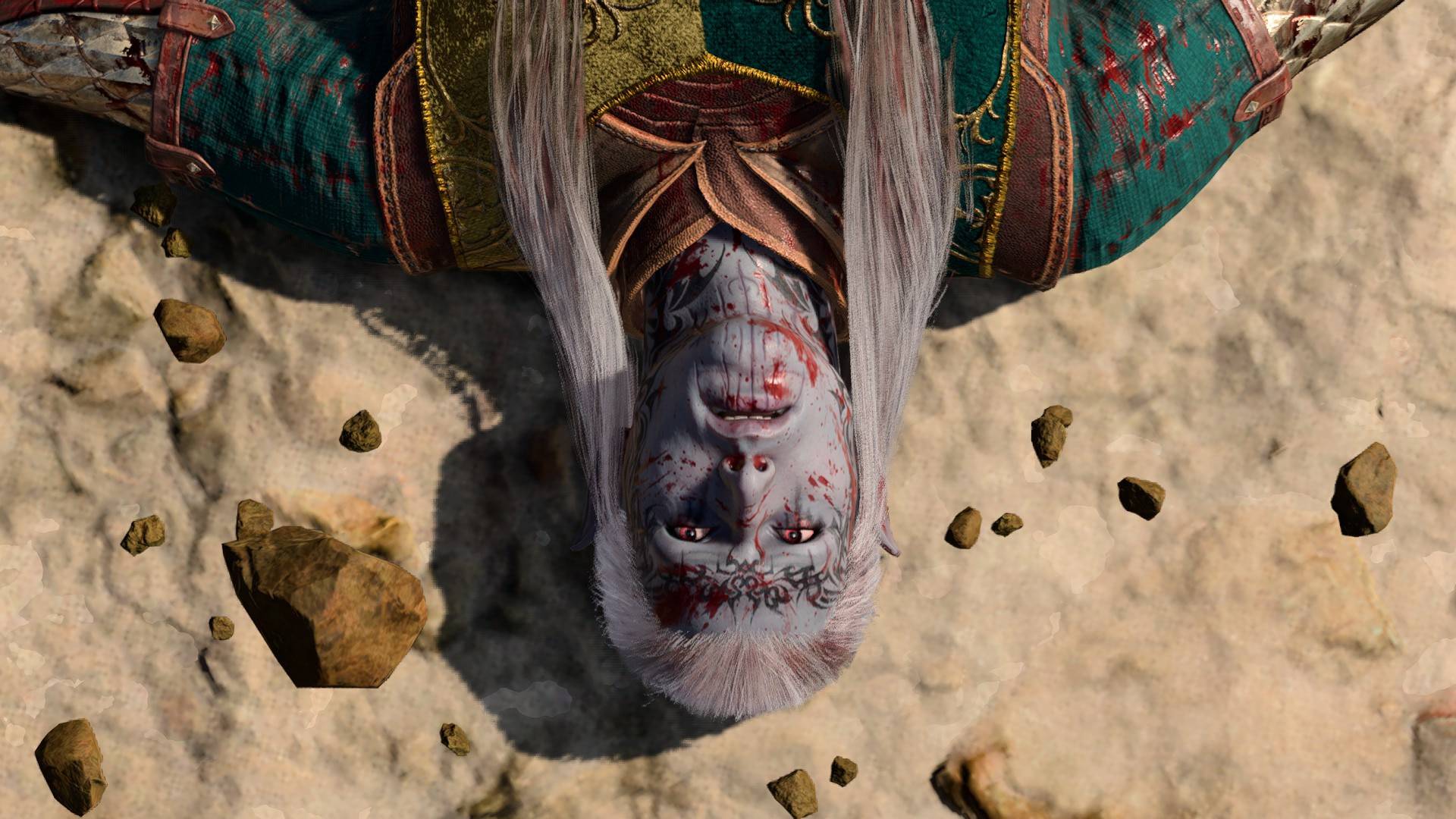
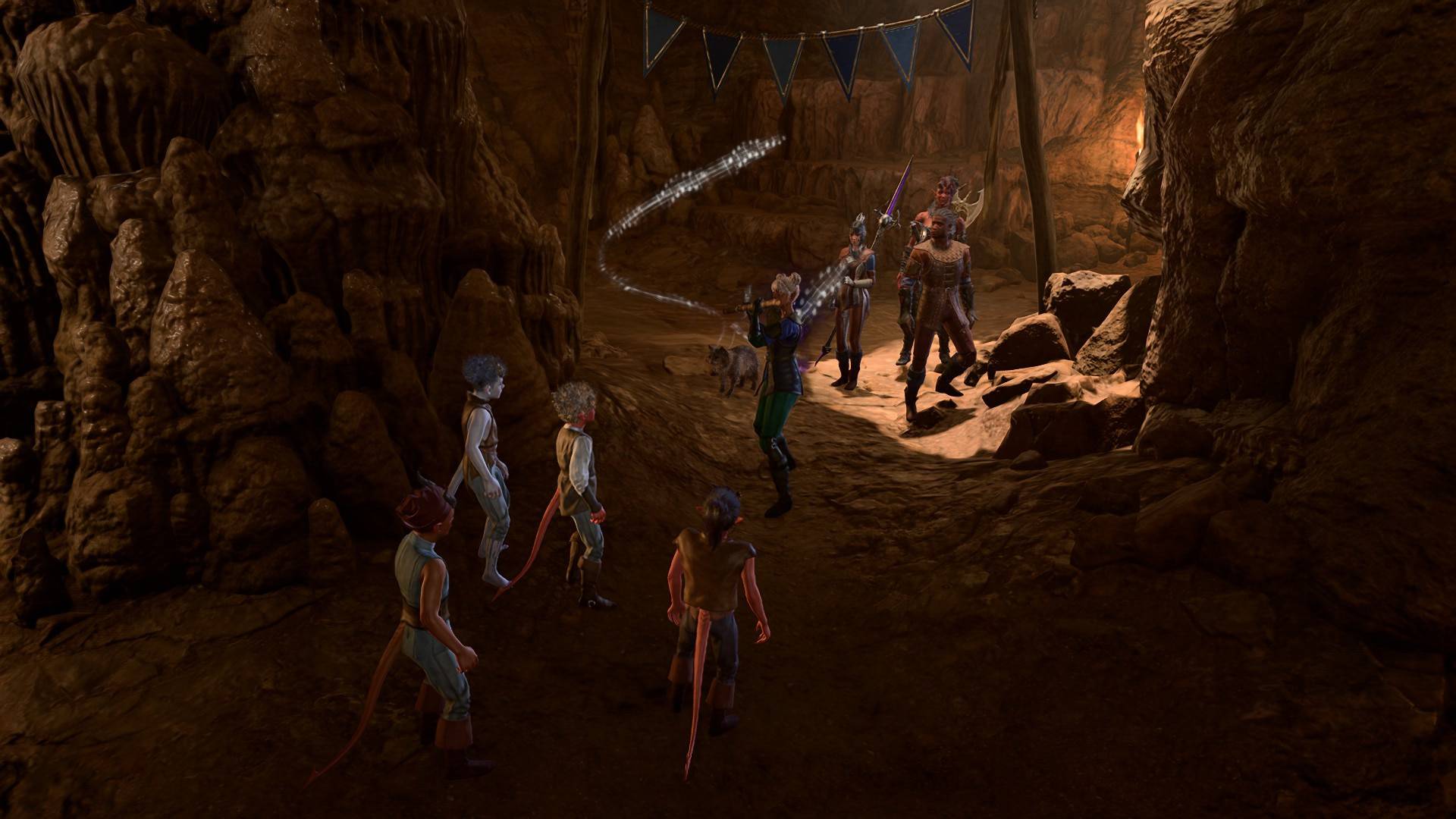
Baldur’s Gate 3 New Update 1.800.503 Fixes PS5 Freezing Issues

Larian Studios has just released a new Baldur’s Gate 3 update on the PS5, which is version 1.800.503. This update will be rolled out to all platforms, as it also involves tweaks made to controller input.

Don’t expect any major content or Halloween goodies, as this update is entirely focused on addressing a recent bug that caused the game to freeze.

Baldur’s Gate 3 Latest Update on Oct. 2 Brings Freeze Fixes for All Platforms via Patch 1.800.503

Here’s what Larian had to say about the update:

“We’re rolling out a fix which aims to resolve issues with freezing on PS5 when accessing party management! As this fix involves tweaks to controller input, it will need to be deployed on all platforms, starting with PC and PS5, and should go live for Xbox and macOS next week.”

That’s really all there is in this update, which is no surprise considering the game just got a pretty big set of fixes in last week’s update. With development on Baldur’s Gate 3 winding down and the studio now working on new projects, don’t expect much in terms of support beyond bug fixes and general gameplay adjustments. That’s not to say that the studio can’t surprise us with some new content, but I’d keep those expectations in check.

As always, we’ll keep you in the loop whenever a new update is released.

Avatar photo

James Lara

A gamer at heart, James has been working for MP1st for the last decade to do exactly what he loves, writing about video games and having fun doing it. Growing up in the 90's gaming has been in his DNA since the days of NES. One day he hopes to develop his own game.

Home > Title Updates and Patches

Fortnite Update 37.40 for Console Patch 1.000.197 Ushers in KPop Demon Hunters

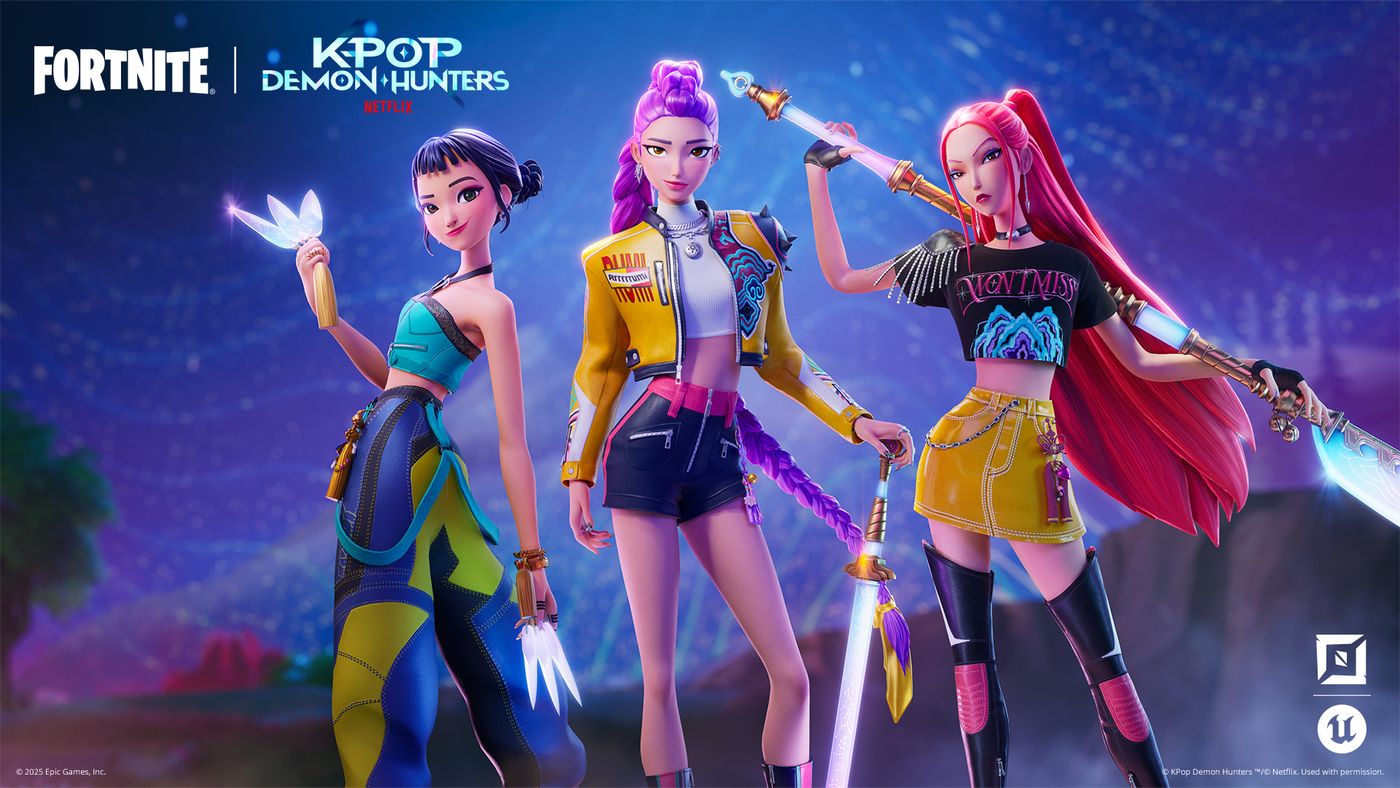
Prepare for some killer KPop in Fortnite! Epic Games has unleashed the latest collaboration for the game, and it’s with Netflix’s K-Pop Demon Hunters, which is now live as part of Fortnite’s 17.40 update.

For those on consoles, this will show up as Fortnite update 1.000.197, and this also brings ecosystem changes.

Read on for the official patch notes and info on what’s new this Oct. 2.

Fortnite KPop Demon Hunters Added in Latest Update 37.40

KPop Demon Hunters Comes to UEFN and Fortnite Creative!

KPop Demon Hunters has landed in UEFN and Fortnite Creative! Developers can now build, publish, and share their KPop Demon Hunters islands. No publishing hold this time!

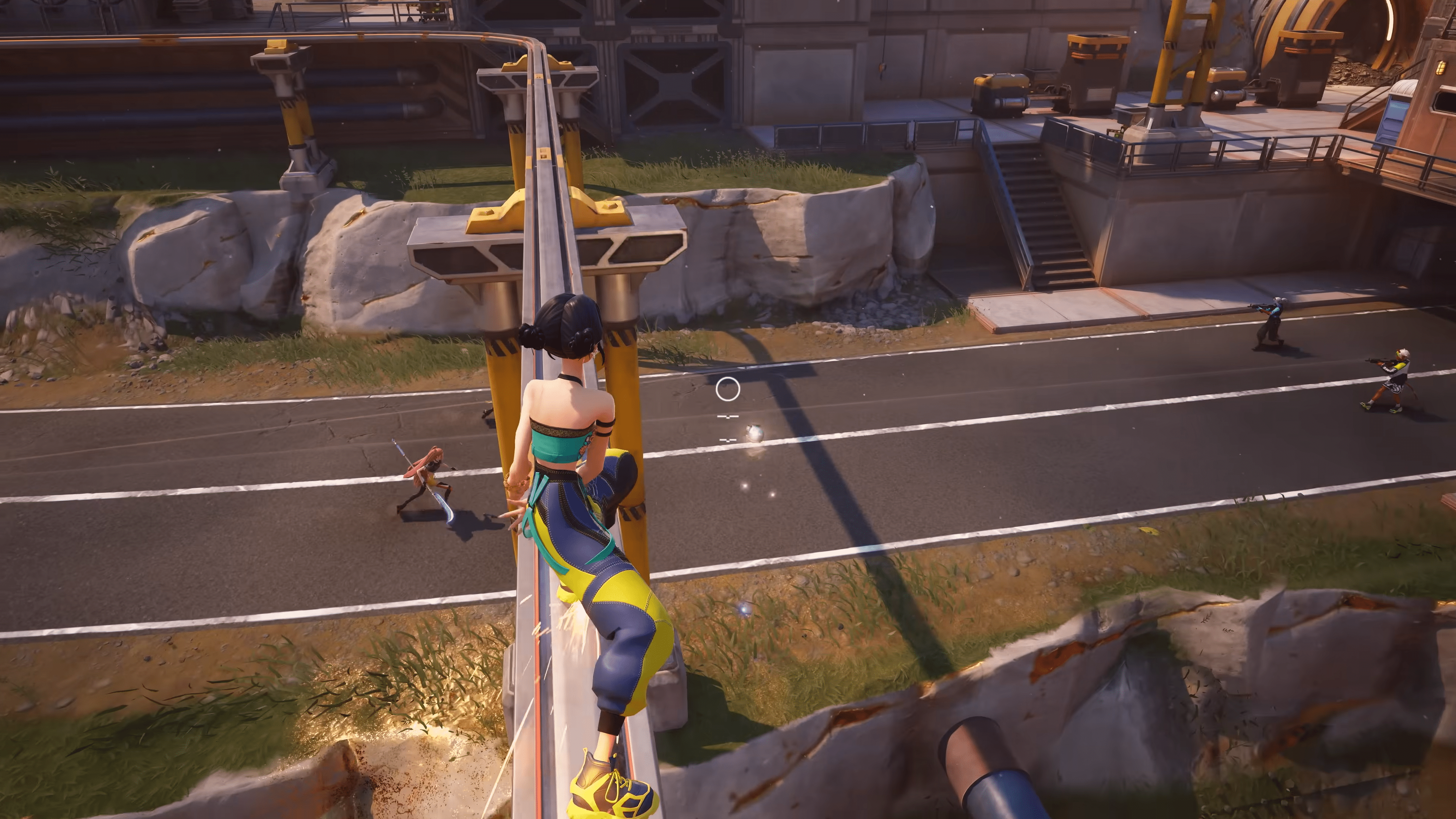
With HUNTR/X taking down foes in style across Fortnite, developers can now ride the wave from the start. Dive into features inspired by Rumi, Mira, and Zoey — perfect for building bold, melee-focused islands or remixing existing ones! Get the lowdown in our blog post.

KPop Demon Hunters Starter Island for UEFN

Get started creating with the KPop Demon Hunters starter island. Explore a Fortnite-inspired take on the colorful KPop Demon Hunters streets! Fight demons with friends in the moody bathhouse, then celebrate on the beautiful plaza!

HUNTR/X and Demon NPC Devices

Spawn HUNTR/X into your island to help players protect the honmoon and defeat demons. You can add the hero characters, each with their own unique pickaxe, using the KPop Demon Hunters Character Spawner device.

The feature set also includes a new enemy type — demons — inspired by the movie. Use the Demon Spawner or Demon Placer devices to summon demons from the underworld.

KPop Demon Hunters Assets

Build your island with themed assets like gameplay items, honmoon shaders, props, and a background vista of Gwi-Ma collecting souls.

To learn more about the available brand content, see Working with KPop Demon Hunters Islands.

Also, make sure to read and follow the KPop Demon Hunter Brand and Creator Rules!

Custom Inventory and Items (Experimental)

The Experimental release of Custom Inventory and Items allows developers to modify, customize, or completely replace the default player inventory. Developers can design original items with unique properties, and build gameplay systems centered around inventory interactions.

From in-game economies to crafting mechanics and beyond, this system supports a wide range of gameplay styles, unlocking even more ways to create distinct and engaging player experiences.

Custom items are made up of Scene Graph components, more of which will be released regularly. You can also create your own components with Verse.

Best Practices for Building Mobile-First Islands

This new documentation aims to guide developers with design best practices and tips to optimize island performance for mobile devices. As UEFN continues to enhance the mobile development experience for developers, we’ll update and expand this content as needed.

Hive Lobbers

A new wildlife type has been added to the Wildlife Spawner device: the Hive Lobber. This large insect fires ranged projectiles at its enemies, and will burrow and tunnel away from them when they get close. Hive Lobbers can be tamed by players like other wildlife types (such as the Wolf and Boar) using device events. However, Hive Lobbers currently do not work with patrol paths.

The Wildlife Spawner also has a new option called Aggression Level. This option determines how often the Hive Lobbers perform their ranged attack, so you can control their behavior and how threatening they are.

Verse API for Hive Stash Device

Verse API for the Hive Stash device is now live! You can now use Verse to dynamically track and adjust the Hive Stash state, appearance, and behavior. You can also link Hive Stashes directly to Guard and NPC Spawner devices for even more control over rescued characters. Check it out in the Verse API documentation!

New Prefabs and Galleries

  • Reckless Railways Grand Station
  • Reckless Railways Villa
  • Reckless Railways Houses
  • Reckless Railways Floor and Stairs Gallery
  • Reckless Railways Wall Gallery
  • Reckless Railways Roof Gallery
  • Reckless Railways Props Gallery
  • Reckless Railways Foundation and Street Gallery

New Debug Commands

To help you efficiently debug your projects, we are committed to adding more debug commands to the Beta Debug Command menu. We’ve now added:

  • Set Health: Adds health as a percentage of max health.
  • Increase Gold Resources: Instantly adds the requested number to the player’s gold resources.

Community Bug Fixes

The following fixes are from issues that you submitted to us on the forums. Thank you for your patience and for reporting these issues!

  • Fixed an issue where the Pinball Bumper device’s animation would trigger, but the user remained on top of the device.
  • Fixed an issue where explosive weapons were not dealing enough damage.
  • Fixed an issue where DBNO players were entering a broken state after being revived.
  • Fixed an issue where Verse code based on a subscription for DestroyEvent was ignored.

Fortnite Ecosystem Updates and Fixes

New:

  • Added utility functions to query private states in the widget. This can be useful when creating widget validators.
  • The Speaking Players widget on the right side of the screen is now more responsive during game chat.
  • When players speak, their player name is displayed in the Speaking Players widget on the right side of the screen.

Fixes:

  • Fixed an issue where the Boom Box dealt no damage to objects around it.
  • Fixed an issue where many explosive items and weapons dealt reduced damage to vehicles.
  • Fixed several weapons not respecting the Weapon Destruction options in Island Settings.

Device Updates and Fixes

New:

  • The Player Movement device has been temporarily disabled when Physics is enabled.
  • The Carryable Spawner device now has the ability to set the Carryable Mesh and Material in Verse using new SetMesh and SetMaterial functions.

Fixes: 

  • Fixed an issue where clearing a Hive Stash’s link to a spawner device could result in character and container visual overlapping inside of the Hive Stash.
  • Fixed a validation error that sometimes prevented starting a session when using the Map Indicator device in UEFN.

UEFN Updates and Fixes

Fixes:

  • Cleaned up some editor-only material localization that was being gathered as game localization data.
  • Disabled the Dynamic Possession menu in UMG since it’s not supported for UEFN.
  • Removed Edit In Sequencer because it relies on something that is not yet supported in UEFN.
  • Fixed a crash that occurred when publishing an island or saving a project while the landscape material was invalid.

UEFN General Physics Updates and Fixes

New:

  • The Pinball Flipper and Pinball Bumper devices are now physically based. This means that objects will be propelled by the flipper action. This also addresses previous device latency for these devices.

Fixes:

  • The Prop Mover device’s On Player Collision Behavior option is now functioning with translation movement.
  • A new error message now warns that the FortPhysics component cannot be added to devices. It should only be applied to props.
  • The sound presets no longer play after ending a game.
  • The sound effects (SFX) selected in the FortPhysics component now follow the prop movements consistently.
  • The Impulse on Hit Multiplier setting is now greyed out when the Impulse On Hit Island setting is set to Disabled.
  • Players can now use emotes when standing anywhere on props that are moved with the Prop Mover device.
  • The player no longer returns to standing state when crouching.
  • The player now moves correctly while being impulsed upward with a Player Movement device.
  • The Explosive device default impulse now has a greater effect on physics props and on players.
  • The player is now launched consistently when they collide with the D-Launcher device.
  • Weapon positioning and ADS animations are now correctly replicated for other clients.
  • The Angled Environmental Trap Bouncer (Ceiling) trap now launches physics props in the right direction.
  • Props with a sound preset now produce sounds when hit by a second player using a weapon or pickaxe.
  • Props now consistently keep moving when they are pushed or hit.
  • Props no longer simulate physics when Simulate Physics is set to False.
  • The transition between standing still and sprinting is now smoother.
  • Movement is now much more fluid when characters or players fall from heights.
  • The crosshair now remains above the weapon when a player is crouching and aiming down the sights.

For other known issues and technical info on the patch, check out Epic Games’ explanation.

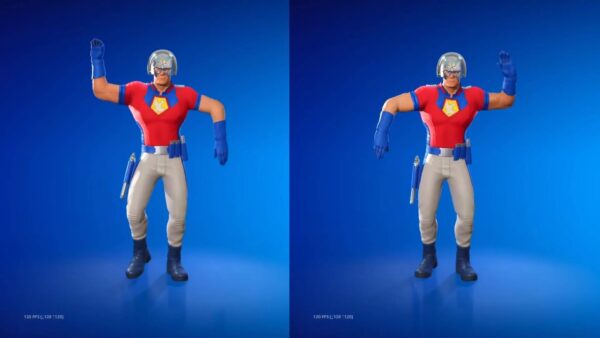
In other Fortnite news, the Peacemaker dance has been removed by Epic following the show’s big Season 2 twist.

Avatar photo

Alex Co

Father, gamer, games media vet, writer of words, killer of noobs.

Home > Title Updates and Patches

Fortnite Update 4.86 Brings KPop Demon Hunters and Ecosystem Changes via v37.40

The latest crossover content for Fortnite is here, as the game’s v37.40 patch brings Netflix hit KPop Demon Hunters content into the free-to-play battle royale experience.

Those on consoles will see this as Fortnite update 4.86, and this is another hefty download.

Alongside the new collab content, there are significant ecosystem changes made as well, which are detailed in the patch notes.

Fortnite’s Update on Oct. 2  Brings KPop Demon Hunters via Patch 4.86

KPop Demon Hunters Comes to UEFN and Fortnite Creative!

KPop Demon Hunters has landed in UEFN and Fortnite Creative! Developers can now build, publish, and share their KPop Demon Hunters islands. No publishing hold this time!

With HUNTR/X taking down foes in style across Fortnite, developers can now ride the wave from the start. Dive into features inspired by Rumi, Mira, and Zoey — perfect for building bold, melee-focused islands or remixing existing ones! Get the lowdown in our blog post.

KPop Demon Hunters Starter Island for UEFN

Get started creating with the KPop Demon Hunters starter island. Explore a Fortnite-inspired take on the colorful KPop Demon Hunters streets! Fight demons with friends in the moody bathhouse, then celebrate on the beautiful plaza!

HUNTR/X and Demon NPC Devices

Spawn HUNTR/X into your island to help players protect the honmoon and defeat demons. You can add the hero characters, each with their own unique pickaxe, using the KPop Demon Hunters Character Spawner device.

The feature set also includes a new enemy type — demons — inspired by the movie. Use the Demon Spawner or Demon Placer devices to summon demons from the underworld.

KPop Demon Hunters Assets

Build your island with themed assets like gameplay items, honmoon shaders, props, and a background vista of Gwi-Ma collecting souls.

To learn more about the available brand content, see Working with KPop Demon Hunters Islands.

Also, make sure to read and follow the KPop Demon Hunter Brand and Creator Rules!

Custom Inventory and Items (Experimental)

The Experimental release of Custom Inventory and Items allows developers to modify, customize, or completely replace the default player inventory. Developers can design original items with unique properties, and build gameplay systems centered around inventory interactions.

From in-game economies to crafting mechanics and beyond, this system supports a wide range of gameplay styles, unlocking even more ways to create distinct and engaging player experiences.

Custom items are made up of Scene Graph components, more of which will be released regularly. You can also create your own components with Verse.

Best Practices for Building Mobile-First Islands

This new documentation aims to guide developers with design best practices and tips to optimize island performance for mobile devices. As UEFN continues to enhance the mobile development experience for developers, we’ll update and expand this content as needed.

Hive Lobbers

A new wildlife type has been added to the Wildlife Spawner device: the Hive Lobber. This large insect fires ranged projectiles at its enemies, and will burrow and tunnel away from them when they get close. Hive Lobbers can be tamed by players like other wildlife types (such as the Wolf and Boar) using device events. However, Hive Lobbers currently do not work with patrol paths.

The Wildlife Spawner also has a new option called Aggression Level. This option determines how often the Hive Lobbers perform their ranged attack, so you can control their behavior and how threatening they are.

Verse API for Hive Stash Device

Verse API for the Hive Stash device is now live! You can now use Verse to dynamically track and adjust the Hive Stash state, appearance, and behavior. You can also link Hive Stashes directly to Guard and NPC Spawner devices for even more control over rescued characters. Check it out in the Verse API documentation!

New Prefabs and Galleries

  • Reckless Railways Grand Station
  • Reckless Railways Villa
  • Reckless Railways Houses
  • Reckless Railways Floor and Stairs Gallery
  • Reckless Railways Wall Gallery
  • Reckless Railways Roof Gallery
  • Reckless Railways Props Gallery
  • Reckless Railways Foundation and Street Gallery

New Debug Commands

To help you efficiently debug your projects, we are committed to adding more debug commands to the Beta Debug Command menu. We’ve now added:

  • Set Health: Adds health as a percentage of max health.
  • Increase Gold Resources: Instantly adds the requested number to the player’s gold resources.

Community Bug Fixes

The following fixes are from issues that you submitted to us on the forums. Thank you for your patience and for reporting these issues!

  • Fixed an issue where the Pinball Bumper device’s animation would trigger, but the user remained on top of the device.
  • Fixed an issue where explosive weapons were not dealing enough damage.
  • Fixed an issue where DBNO players were entering a broken state after being revived.
  • Fixed an issue where Verse code based on a subscription for DestroyEvent was ignored.

Fortnite Ecosystem Updates and Fixes

New:

  • Added utility functions to query private states in the widget. This can be useful when creating widget validators.
  • The Speaking Players widget on the right side of the screen is now more responsive during game chat.
  • When players speak, their player name is displayed in the Speaking Players widget on the right side of the screen.

Fixes:

  • Fixed an issue where the Boom Box dealt no damage to objects around it.
  • Fixed an issue where many explosive items and weapons dealt reduced damage to vehicles.
  • Fixed several weapons not respecting the Weapon Destruction options in Island Settings.

Device Updates and Fixes

New:

  • The Player Movement device has been temporarily disabled when Physics is enabled.
  • The Carryable Spawner device now has the ability to set the Carryable Mesh and Material in Verse using new SetMesh and SetMaterial functions.

Fixes: 

  • Fixed an issue where clearing a Hive Stash’s link to a spawner device could result in character and container visual overlapping inside of the Hive Stash.
  • Fixed a validation error that sometimes prevented starting a session when using the Map Indicator device in UEFN.

UEFN Updates and Fixes

Fixes:

  • Cleaned up some editor-only material localization that was being gathered as game localization data.
  • Disabled the Dynamic Possession menu in UMG since it’s not supported for UEFN.
  • Removed Edit In Sequencer because it relies on something that is not yet supported in UEFN.
  • Fixed a crash that occurred when publishing an island or saving a project while the landscape material was invalid.

UEFN General Physics Updates and Fixes

New:

  • The Pinball Flipper and Pinball Bumper devices are now physically based. This means that objects will be propelled by the flipper action. This also addresses previous device latency for these devices.

Fixes:

  • The Prop Mover device’s On Player Collision Behavior option is now functioning with translation movement.
  • A new error message now warns that the FortPhysics component cannot be added to devices. It should only be applied to props.
  • The sound presets no longer play after ending a game.
  • The sound effects (SFX) selected in the FortPhysics component now follow the prop movements consistently.
  • The Impulse on Hit Multiplier setting is now greyed out when the Impulse On Hit Island setting is set to Disabled.
  • Players can now use emotes when standing anywhere on props that are moved with the Prop Mover device.
  • The player no longer returns to standing state when crouching.
  • The player now moves correctly while being impulsed upward with a Player Movement device.
  • The Explosive device default impulse now has a greater effect on physics props and on players.
  • The player is now launched consistently when they collide with the D-Launcher device.
  • Weapon positioning and ADS animations are now correctly replicated for other clients.
  • The Angled Environmental Trap Bouncer (Ceiling) trap now launches physics props in the right direction.
  • Props with a sound preset now produce sounds when hit by a second player using a weapon or pickaxe.
  • Props now consistently keep moving when they are pushed or hit.
  • Props no longer simulate physics when Simulate Physics is set to False.
  • The transition between standing still and sprinting is now smoother.
  • Movement is now much more fluid when characters or players fall from heights.
  • The crosshair now remains above the weapon when a player is crouching and aiming down the sights.

For other known issues and technical info on the patch, check out Epic Games’ explanation.

In other Fortnite news, the Peacemaker dance has been removed by Epic following the show’s big Season 2 twist.

Avatar photo

Alex Co

Father, gamer, games media vet, writer of words, killer of noobs.

Home > Title Updates and Patches

The Finals Update 8.3.0 Brings You to Heaven via Patch 1.000.107/145

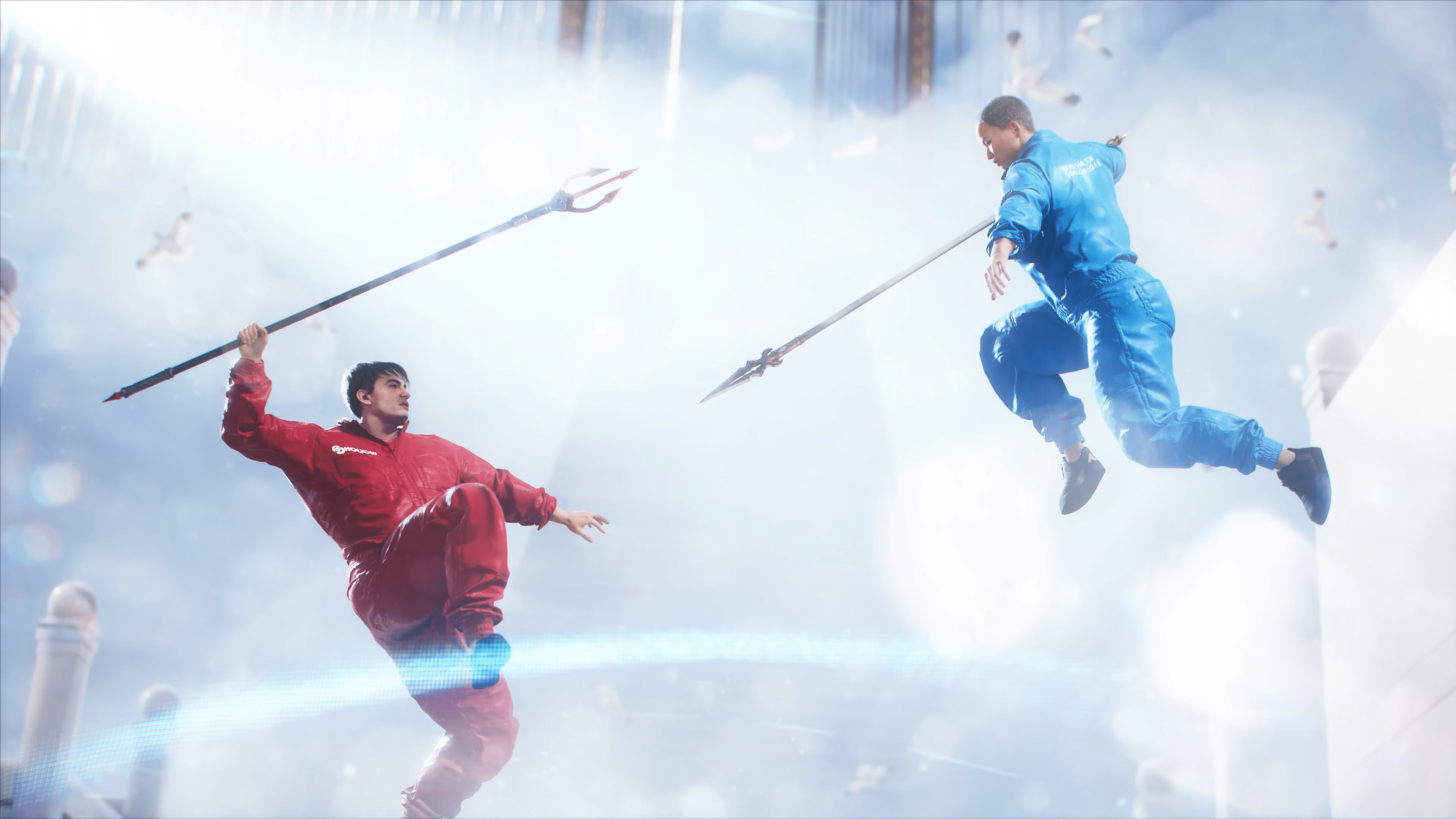
Embark’s teasers were the real deal, apparently, the developers really are bringing The Finals players to heaven! There’s a new game mode out now as part of The Finals patch 8.3.0, which also brings new balance changes, cosmetics, and more.

Console gamers will see this download as The Finals update 1.000.107 (version 145 on PS4), and this has the same new features as its PC counterpart.

Read on for info on the “Heaven or Else” game mode and other changes made today,

The Finals Latest Update on Oct. 2 Brings Players to Heaven

NEW LIMITED-TIME MODE: HEAVEN OR ELSE

Get ready to shine in HEAVEN OR ELSE, a limited-time, 5v5 showdown where Contestants will fight for their lives (and their afterlives!) armed with a Spear and a few extra tools fine-tuned for the competition! Sweep, spin and poke players to knock them off the celestial surfaces of the Final Stage Arena!

Pierce the competition and secure your glory! Keep your health and your spirits up or you’ll be sent plummeting down through the clouds. You won’t turn into coins here, but the lower your health, the farther you’ll fly, so keep your feet on the ground or you’ll head for the clouds!

Complete contracts to earn up to 12 free rewards over the next two weeks. Play with fire but don’t get burned!

Balance Changes

Gadgets 

Breach Drill

  • Decreased activation sequence duration from 3s to 2.5s, making it faster to trigger after deployment
  • Decreased cooldown from 25s to 20s

Smoke Grenade

  • Decreased the duration of smoke from 15s to 9s, meaning it stays in the world for less time after deploying
  • Decreased the amount of ammo from 3 to 2
    Dev Note: We’re aware that cashout steals using smoke have become an increasing frustration for many players, due to their frequency and limited counters. We have several long-term improvements on the way in the coming months for smoke, but in the short term we hope these nudges to Smoke Grenades will make them a little more balanced.

Game Modes

Cashout (World Tour & Ranked Tournament)

  • Updated how respawn positions are decided after team wipes, reducing the chances that teams spawn very close to each other
    Dev Note: Related to Cashout in World Tour and Ranked, but not to the direct change above, we want to acknowledge that we’re aware of community sentiment around ‘doubling’ cashouts, especially in tier three, and its ability to ‘grief’ out the second placed team and we’re working towards a solution for it. Our hope is to be testing some changes in the live game relatively soon, but we have no set timeline. We wanted to let you all know so you’re aware that it’s being worked on.  

Weapons 

BFR Titan

  • Decreased damage from 98 to 90
    Dev Note: This change is mostly aimed at removing the Winch Claw plus BFR headshot attack combo on Lights which, now that the data is in, has proven to be more rapid and easier to execute than we expected. The change shouldn’t negatively impact most other ‘shots to kill’ breakpoints, so for the most part the weapon should feel as it did before.

Content and Bug Fixes

Animation 

  • Fixed inspect animations blending badly together with interacting animations in 3rd person
  • Fixed a small inconsistency when going from aim down sight to sprint in first person
  • Fixed deploys and inspects breaking when activated while climbing off a ladder
  • Fixed an issue where the Weapon sometimes disappeared for a short while after using Charge N’ Slam in the air

Audio 

  • Fixed an issue that caused double respawn sounds when exiting a replay
  • Fixed an issue where incorrect introduction voiceovers were sometimes played in Cashout
  • Minor tweak to the P90 firing sequence to make it sound less suppressed

Contracts

  • Daily Club Contracts now display the total number of contracts that can be accepted/completed instead of showing the number of contracts available to be accepted

Controller

  • Fixed an issue that caused controller input to be processed while the game was not in focus
  • Changed the buttons used to back out of a pop-up notification to prevent the accidental canceling of matchmaking

Customization & Cosmetics

  • Fixed an issue where the Player Card displayed wouldn’t match the eliminated contestant
  • Your pet will now play its audio when you Emote in game
  • Improved the colliders on punk-style outfits to reduce the erratic movements of shoelaces and chains
  • Fixed issue with Visible Line in Solar Safeguard, Blazing Guarantee, Radiant Protection and Blinding Warranty skins on certain AMD graphics cards
  • Addressed issue causing an artifact near Dale the Whale’s mouth
  • Pets now play sounds in the Store and Battle Pass
  • Fixed the Sensorveil Bomber jacket clipping with Emblems and upper back items
  • Fixed the clipping of head and ears on the Impact Unit V3000 mask
  • The item descriptions now show the correct origin of items from Battle Passes
  • Fixed visual glitches on Mischief League heads when viewed in third person [909001] Reduced clipping and added physics simulation to the necklace in the Sick Trick Rick outfit
  • Headband will now have a better fit and less clipping when combined with multiple facewear items

Game Modes

  • Updated the scoreboard in Ranked Cashout in private matches to hide certain info, such as scores, so that it matches the functionality of the scoreboard in Ranked Tournaments
  • Fixed an issue where it was possible to change your loadout mid-round in private match ranked cashout games.
  • Powershift platform path should now properly display in replays
  • Fixed issue where you started with 4 respawn tokens in a private match ranked Cashout.

Gameplay

  • Fixed an issue where weapon audio could get stuck while in a replay
  • Fixed issue with hand getting stuck when interacting with an object, also called the hand-gun bug. Interactions have now been improved and should appear smoother and more correct than before
  • Fixed FOV setting affecting the visibility of the Dematerializer’s first-person vfx
  • Fixed an issue where objects picked up just as you launched on a jumppad would trail behind and eventually fail to be picked up. With this change the failed pickup in this situation will happen much sooner to reduce frustration
  • Revive statues will now have a unique look for Lights, Mediums and Heavies!
  • Address doors, ziplines and platforms being in the wrong locations in replays in some situations
  • Fixed a corner case that could leave players stuck in a replay
  • It’s now again possible to use the back key to leave the drafting screen
  • Fixed so respawn markers doesn’t block interaction line of sight validation which could for example interrupt steals
  • Fixed an issue that made it harder to place down deployables
  • Increased aiming accuracy for Grapple Hook and Winch Claw
  • Fixed so the revive effect plays in the correct position if the respawn statue was moved from its original spot
  • Fixed an issue where Grenades and projectiles would trigger effects twice when used simultaneously with another of the same type

Game Show Events

  • Flying saucers now spawn near the closest active Cashout Station during the Alien Invasion game show event
  • Alien Invasion is now enabled again on SYS$Horizon, Fortune Stadium, and Nozomi/Citadel

Maps

General

  • Fixed players being able to go outside of certain maps when spectating
  • Reduced planter beds so that they are now a set height across multiple maps
  • Fixed issue where tree stumps wouldn’t destroy properly on destructible ground, leading to visual and gameplay issues

Bernal

  • Temporarily disabled the Suspended Sponsor Structures map variant due to a lighting bug that caused them to be completely dark

Fortune Stadium

  • Added out-of-bounds border to prevent players using Gadgets to access unreachable areas

Kyoto

  • Fixed step up height for temple pillar stones
  • Fixed an issue with the Kyoto pagoda roof causing unexpected destruction behaviour

Monaco

  • [Fixed issue with cannon collision not matching visuals

Nozomi/Citadel

  • Replaced the zipline between the corner of Apartments and Cybercafe with Jump Pads
    Dev Note: Taking out this zipline and forcing enemy teams to approach Cybercafe head-on made it hard to cross The Rift unscathed. This change now provides a reliable option to flank from the side.
  • Slightly moved a player spawn in the corner of the Research Facility that was next to the underpass

SYS$Horizon

  • Increased the health of the large cubes from 1000 to 2000 so they’re more consistent with other large/sturdy geometry
  • Campus cube garden corner:
    • Split some of the extra large cubes into multiple
    • Added a few cubes for extra cover
    • Raised a part of the ring surrounding the ball for extra cover
    • Reduced the size of the ‘Big Cube’ next to the rooftop to make it less of a dominating vantage point
  • Campus voxel bridge corner:
    • Added a secondary voxel bridge underneath that connects with a vent to the classroom
    • Added extra cover on and around the street
      Dev Note: The cashouts at the two outer corners of Campus have been tricky to contest. With these changes we aim to give players more ways to approach and play around these areas, and reduce the speed at which these areas become too empty.

Seoul

  • We have reduced the length of the exposed hospital roof by 8 meters, and added a 16 meter overhang at the end. Effectively shortening the exposed area from 60 meters down to 36 meters
    • These changes also enable a host of new gadget and movement opportunities both for approaching teams and teams that defend/spawn in the back wing
  • An additional doorway and vent were added to the side of the back wing, to allow for quicker exits and new flanking opportunities.
    Dev Note: We’ve wanted to address this particular pain-point for a while. Our challenge was to address it in a way that maintained the original design intent, since a lot of the surrounding area was built to support that. We have some smaller changes planned for the future to help with jump pad placement, but didn’t want to delay these larger adjustments. As always, we will be monitoring the effectiveness of these updates and will make further adjustments where needed. Thank you so much for all your feedback 🙂

Skyway Stadium

  • Added soil ground meshes to planter beds above Medical Center to help player flow

Private Matches & Spectator

  • Fix for back input closing the team customization modal instead of dropdown menu

Settings

  • Added descriptions to explain why certain Video settings are grayed out
  • Unify size and opacity of all option buttons

Social

  • Fixed so that the chat is scrollable using the scroll-wheel anywhere in the chat window
  • Added support for official clubs

Specializations

Winch Claw

  • Increased how much visibility is needed for Winch Claw to successfully hook an enemy player

Stability & Performance

  • Optimize memory usage by showing simplified characters on the tournament overview screen on systems with 16GB RAM or less
  • Improve reliability of Embark systems during platform outages (e.g. if steam is down, game is still playable)
  • Improve performance when browsing the customization screens
  • Potential fix for one of our most common animation related client crashes

UI

  • Improved the pacing of the Player Card sequence to better fit the Instant Replay flow
  • Fixed various input hints not updating correctly when keybindings are changed
  • Updated the emote list to be name-based rather than icons for easier overview
  • Fixed an issue where badges was incorrectly rendering over the transition screen in the winners’ sequence
  • Fixed an issue where hitmarkers could appear after respawning
  • Fixed an issue causing the incorrect name to be displayed on weapon animations in the customization menu
  • Updated overview stats on a some Weapons (Famas, CB-01, KS-23, Model, XP-54) to fix inconsistencies and incorrect reload durations on single-bullet reload weapons
  • You can now set your preferred color to reticules!
  • Added playername to the Match report
  • Fixed an issue that caused the current ammo count to not be displayed in the inventory for certain weapons

VFX

  • Fixed an issue that would cause all in-flight visual effects to restart when changing Effects quality in the Video Settings

Weapons

Melee Weapons

  • Fixed an issue where the damage from melee weapons could be incorrectly blocked by the world even though the enemy player was hit
  • Fixed an issue where Dome Shields and Mesh Shields would incorrectly block melee attacks

Riot Shield

  • Improved collision alignment
  • Fixed an issue where moving in front of a Cashout Station could cancel steals

Spear

  • Fixed the secondary attack not showing properly in 3rd person when being winched
  • Fixed an issue where the primary attack animation could go missing in 3rd person

.50 Akimbo

  • Fixed an issue that caused bullet dispersion to grow slightly faster than intended

For the new store bundles and other cosmetics, check out Embark’s showcase on it.

Avatar photo

Alex Co

Father, gamer, games media vet, writer of words, killer of noobs.

Home > Title Updates and Patches

Rematch New Update 01.201.002 for Patch 4 Hotfix 2 Released

Developer Sloclap has released the latest patch for Rematch, and this is another minor update addressing issues from Patch 4.

Console gamers will see this as Rematch update version 1.201.002, and this it the second hotfix for Patch 4.

Read on for the info and changes made.

Rematch’s Oct. 2 Update Applies Patch 4 Hotfix 2

Online

Ranked

  • Fixed an issue where 3v3 Ranked games could start with fewer than 6 players.

Core Gameplay

Goalkeeper

  • Fixed multiple occurrences of the goalkeeper invulnerability not applying correctly.
  • Fixed an issue where the Goalkeeper dive would sometimes be forced in the wrong direction.

Locomotion

  • Fixed an issue where Extra Effort would sometimes lock players in the running direction when it was triggered from a sprint.

Match Flow

  • Removed the “highest” stat indicators in the scoreboard at the end of a match.

    • Note: This feature was released a bit earlier than planned and still had a few issues. We’ve decided to remove it temporarily and will reintroduce it in a future patch once it’s been polished.

  • Fixed multiple issues that caused Last Action to end earlier than intended.

Misc.

  • Fixed an issue where new poses released with the Season 1 update would not appear in the Player Card customization options.
  • Fixed several issues that could cause crashes.
  • Fixed an issue where squad members could encounter a freeze during quickmatch when a friend joins the squad.
  • Fixed an issue where the Platinum and Master shirt names from the Season 0 ranked rewards were incorrectly swapped.

Once another update is out, expect it here on MP1st.

Avatar photo

Alex Co

Father, gamer, games media vet, writer of words, killer of noobs.

Home > Title Updates and Patches

Marvel Rivals New Update on Oct. 2 Slots in Fixes in Minor Patch 1.000.047/1.05

Ahead of the Season 4.5 major update next week, NetEase has released a new minor update for Marvel Rivals, adding new cosmetic items and quality-of-life features.

This update will be available as version 1.000.047/1.05 for console gamers.

This is a minor update, so don’t expect any hero balancing changes or anything big in terms of content, since that’s dropping next week.

Marvel Rivals Minor Update 1.000.047/1.05 Released on Oct. 2

Marvel Rivals Season 4 Battle Pass Skins

New In Store

1. Emma Frost – Hellfire Protocol Bundle
2. Emma Frost – Hellfire Protocol Emoji Bundle
3. Volleyball Bash Group Emote Bundle
Available from: October 3rd, 2025, at 02:00:00 (UTC)

New Additions and Optimizations

1. Added a “Faction Only” option for Career profile privacy settings.

Fixes

All Platforms

1. Optimized Volleyball Bash emote prompts: now shows if the emote can be performed based on the distance between players.
2. Fixed an issue where the number and order of replays in the Livestreams system could display abnormally.
3. Fixed a bug where switching heroes before the end of a match could cause the wrong costume to appear on the results screen.
4. Fixed frame rate drops during Hela’s The Grim Lady intro sequence.

Heroes

1. Invisible Woman’s Unvanishing Act: Fixed a bug where using Veiled Step after her Ultimate Ability sometimes left her visible to all. Now, the Invisible Woman lives up to her name!
2. Angela’s Divine Double-Tap: In certain tight spots, Angela’s Assassin’s Charge was striking foes multiple times in a flash, turning her into the Queen of Combo hits! Now, her celestial justice lands just once per target.
3. Angela’s Weaponless Wonder: Using Divine Judgement during round transitions could cause her weapon to disappear. Don’t worry, her Ichors are now always at her side!

Expect the full patch notes for Season 4.5 to be available here on MP1st next week.

Avatar photo

Alex Co

Father, gamer, games media vet, writer of words, killer of noobs.

Home > News

Marvel Cosmic Invasion Hands-On Preview – Arcade-Sized Annihilation

There are moments when you’re walking through the mall and stumble upon a newly opened arcade. Curiously you walk inside to see what awesome games they may have. But then reality sets in, only a handful of machines are worth your time, while the rest barely scratch that nostalgic itch at all. It makes you wonder: where did the good times go? Back when Street Fighter, Time Crisis, Gauntlet, and countless others that you spent all entire day playing and waiting on your parents to finish shopping.

That magic has been missing for me for years until now. Tribute Games and Dotemu have teamed up to create Marvel Cosmic Invasion, and MP1st got some hands-on time with the demo, I can honestly say it brought that childhood joy back once more.

Back to the Roots, With a Cosmic Twist
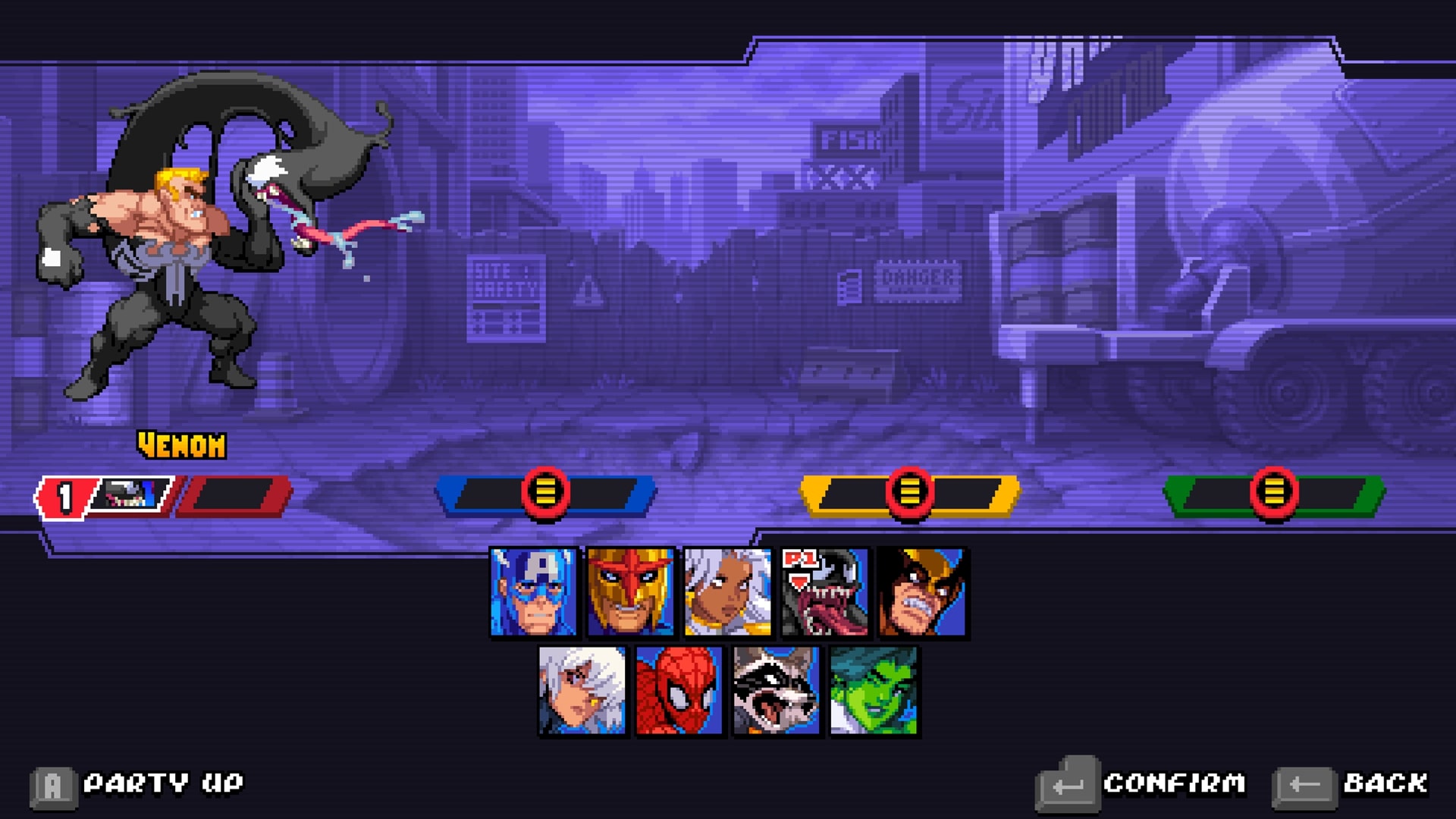
Tribute Games and Dotemu, who already know their way around retro revivals (TMNT: Shredder’s Revenge should be enough proof ), have teamed up with Marvel Games to deliver an arcade-style brawler that plays like a love letter to the golden age. The game drops you into a galaxy-spanning conflict where Annihilus and his Annihilation Wave threaten all life. It’s a bold setting that lets the game jump from New York City streets to cosmic battlefields in the Negative Zone.

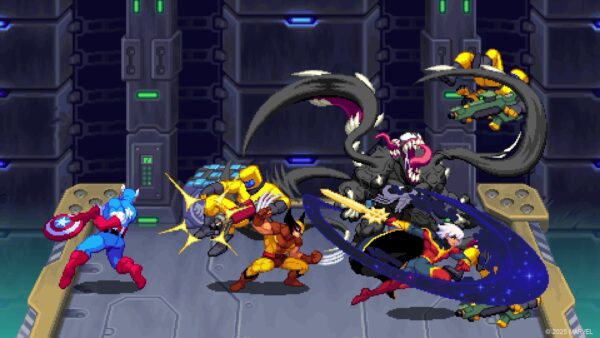
The roster is already stacked: Spider-Man, Wolverine, Captain America, Storm, Nova, Rocket, Phyla-Vell, She-Hulk and my favorite character Venom, with more teased in the full game (15 total from what I read). Each character animated with gorgeous pixel art that looks like a Saturday morning cartoon hopped into an arcade cabinet. It’s impossible not to appreciate how much care went into making every punch, swing, slash, and a bit of comedic relief that feel like it belongs to the Marvel universe.

Gameplay That Demands You Earn It
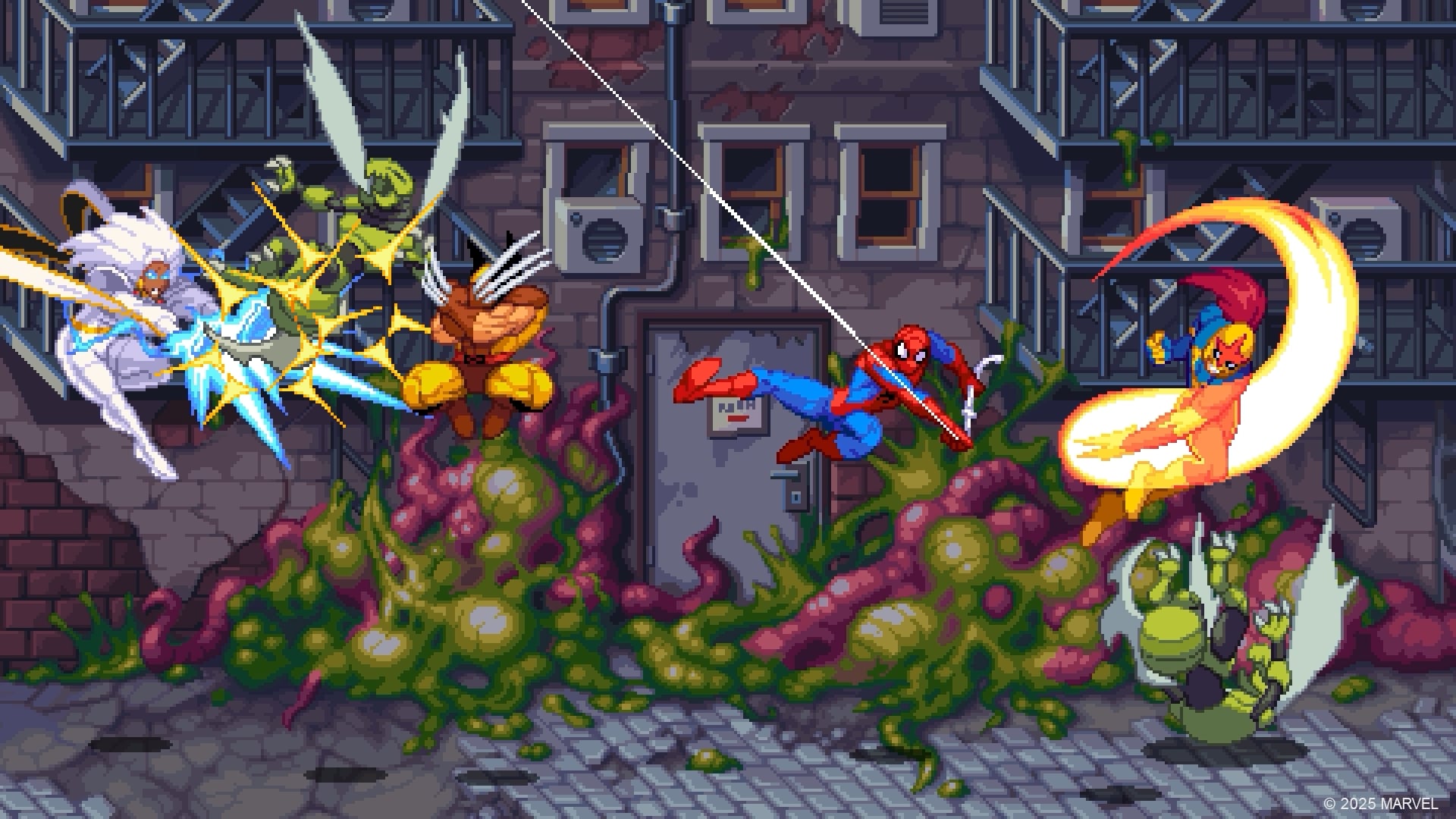
If you’re thinking this will be a casual button-masher, well, think again. The game leans hard into old-school difficulty, where losing health makes you wince because you know recovery items are rare. Falling off a platform? That’ll cost you a chunk of health too, just like those brutal arcade games of the past. It’s unforgiving at times, but I’d be lying if I said it doesn’t remind you of the time where you had to put more quarters in to continue the game. Of course, no quarters needed and the game is lenient in allowing you to continue after you fallen, but that is the Arcade version and not the Campaign. However, the game is not so difficult, as I got through the first chapter easily, and almost beat the second chapter boss.

The demo doesn’t hold your hand. There’s no traditional tutorial, only a “How to Play” menu with the control layout. The controls themselves are straightforward: punch, jump, block, swap, and specials. Blocking is straightforward in the game and will help you get through those annoying enemies. A well-timed block nullifies most incoming damage, while a perfect block not only protects you, but also restores some focus and can stop certain enemies’ attacks or combos. Mastering that timing is a skill you’ll want to develop fast, because enemies don’t pull punches.

Combat inputs are responsive, which makes experimenting with combos satisfying, but I did feel it could use a bit more tuning. Sometimes, chaining moves feels a little stiff compared to the fluid animations. That said, the tag-team “Cosmic Swap” system breathes new life into encounters. You pick two characters before a stage and can swap between them to execute some moves. Mixing abilities this way creates unique strategies and or combos like pairing Spider-Man’s mobility with Wolverine’s raw power, for instance, can turn tricky fights in your favor.

Marvel Assemble
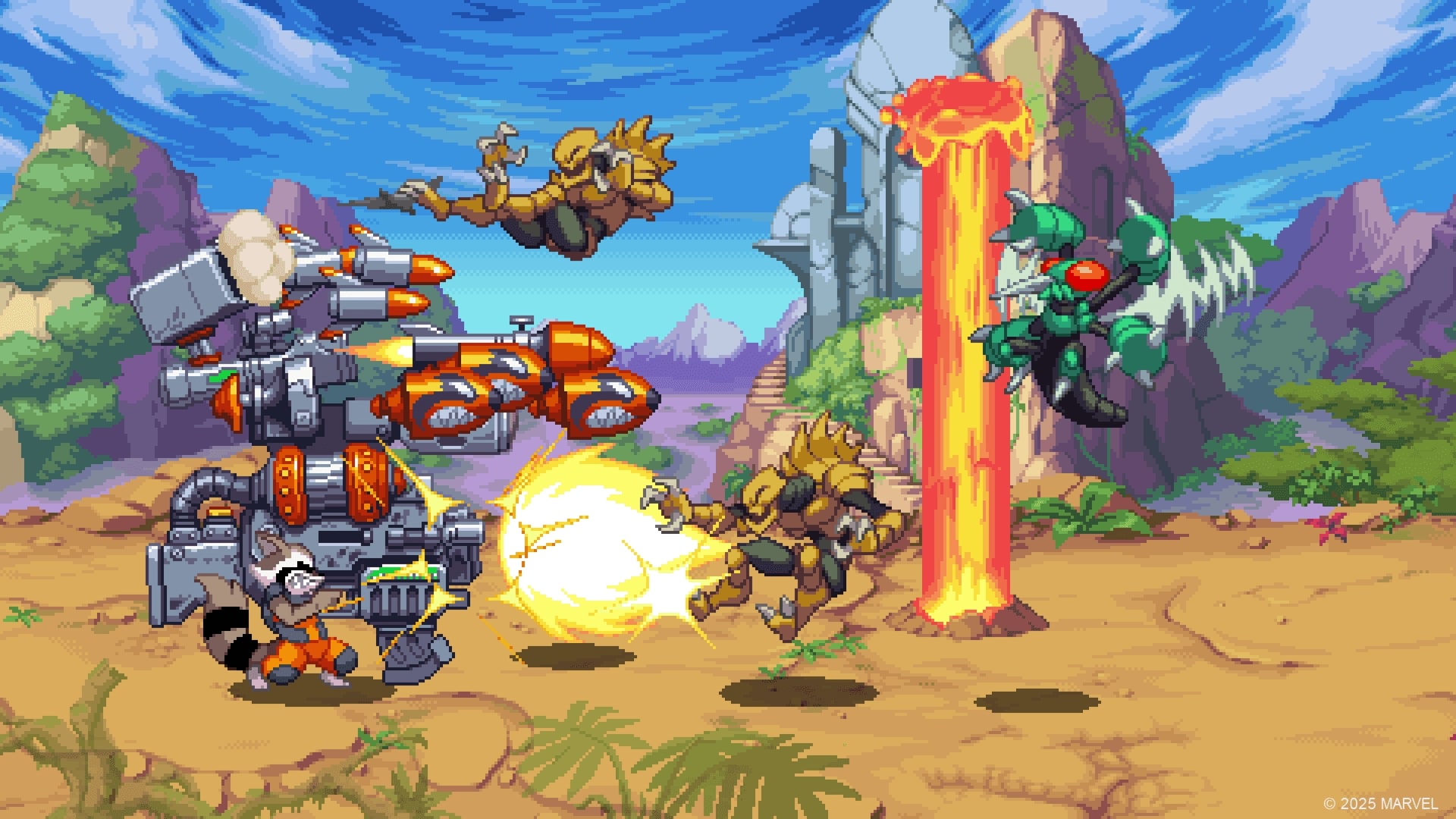
Another mechanic that stood out is character progression. The more you play with a specific hero, the more they level up, giving you a better chance against the increasingly tough stages. It’s a smart touch that adds replay value, especially since I kept rotating between characters just to see how their styles evolved over time.

On the multiplayer side, the demo only let me try solo and two-character swapping, but the full release promises up to four-player co-op, both local and online. As well as drop-in/drop-out adaptive system for quick casual sessions, which feels perfect for this kind of game. I can already picture a group of friends crowding around the couch, arguing over who gets to be who, while someone reluctantly picks up Rocket cause he got a missile launcher.

Marvel Cosmic Invasion is looking to be an ideal game for many Marvel fans (both comic book and movie universe), and we can’t wait to see what more heroes they will add and other features they might include.

Stay tuned for more announcements and news as it is set to launch on PC (Steam), Nintendo Switch, PlayStation 4|5, Xbox One, and Xbox Series X|S sometime this year.


Avatar photo

Alexander Lataillade-Nguyen

Alexander Lataillade-Nguyen is a California-based cybersecurity professional and lifelong gamer with a passion for continuous learning. Outside of his work in ethical IT and digital security, he enjoys competitive pinball, miniature painting, and exploring new hobbies and cuisines.

Home > News

Ghost of Yotei New Update 1.007 Drops on Launch Day as New Day-One Patch

For those booting up Ghost of Yotei for the first time, you’ll be greeted with an update to download. While we reported on the game as getting a day-one update, we assumed Sucker Punch wouldn’t roll out a second patch before the game releases, and we were wrong.

Today, Sucker Punch Productions has released Ghost of Yotei update 1.007 (complete version 1.007.000), and this is a small download clocking in at just 261 MB.

Read on for the set of fixes Sucker Punch confirmed are included in the game’s day-one update.

Ghost of Yotei Update 1.007 Released as New Day-One Patch

Update: Sucker Punk has released updated patch notes for this update.

  • Updated some asset textures.
  • Fixes a rare stability issue.

Here are the details of the day one update (1.006).

Performance and Stability

  • Multiple improvements to environmental rendering performance.
  • Fixed issues affecting Ray Tracing Mode lighting consistency and performance.
  • Changes to improve performance and stability while in photomode.
  • Various improvements to performance in missions with high character counts.
  • Resolved uncommon crashes when playing or idling for long periods of time.
  • Fixed rare crashes related to loading certain saves.

Gameplay

  • Audio fixes to allow impact sound effects to correctly match surface types.
  • Fixes several bugs in mini games like bamboo chop and Zeni Hajiki.
  • Fixed an occasional long delay when starting buddy grapple pull.
  • Fixed pumpkins appearing transparent during the kunai training mission.
  • Fixed interrogation camera transitions to avoid popping between angles.
  • General camera improvements for world navigation and when using tools in combat.
  • Improvements camera behavior while engaged in combat, especially in optional camera modes.
  • Fixes various bugs and exploits during duels.
  • Various balance adjustments to weapons and charms, especially related to late game content.
  • Various balance adjustments and bug fixes related to Lethal difficulty.
  • Fixed bugs related to picking and throwing dropped weapons.
  • Balance adjustments and bug fixes to stealth kills with weapons other than the katana.
  • Fixed bugs with mission dialogue being cut short due to player or NPC actions.
  • Fixed several bugs in missions that players could perceive as blocking progress.
  • Various mission area improvements to help with mission flow and easier navigation.
  • Limit puzzle clues in some difficulty levels.
  • Prevent the horse from interrupting certain missions objectives or cutscenes.
  • Removed the ability to decapitate bounty capture targets.
  • Fixes a bug causing Standoff to select far away enemies.
  • Various adjustments and balance changes to wolf abilities, such as when fighting enemy leaders.
  • Prevent systemic enemies from appearing when the player is following foxes.
  • Added the ability for the player to open photomode (via R1) during certain stages when camping.
  • Various economy and loot balance changes to common metals.
  • Improved enemy responses to player actions in combat scenarios.
  • Reduced the occurrence of tutorials when camping.
  • Improved behavior of Saito’s men hunting for Atsu in the open world.

Animation

  • Improved intro and exit transitions for some cinematics to present a better and more emotional experience.
  • Fixed multiple instances of armor blocking camera shots during cutscenes.
  • Fixes to prevent geometry fading or popping at incorrect times in cutscenes.
  • Fixes for cutscene animation artifacts.
  • Fixes multiple instances of weapons appearing incorrectly during cutscenes.
  • Fixes characters improperly appearing in some cutscenes.
  • Improvements to character expressions and emotions during some cutscenes.
  • Updated various NPC animations and voice lines to make characters behave more naturally.
  • Updated the intro and exit animations for katana attacks so they feel more natural.
  • Updating foot matching across animations to better match characters’ feet to the ground.
  • Added new into and exit animations to improve transitions smoothness in foot matching and posture.
  • Improved animations for the coal throwing game used in weapon training.
  • Fixed a bug that allowed dogs and other animals to play incorrect hunt animations.
  • Fixed various NPC animations that would play incorrectly during missions.
  • Improved the animation for the Brute enemy grabbing Atsu and throwing her down on the ground.
  • Improving various weapon draw and stow animations to reduce clipping.

Environment

  • Improved onsen environmental assets, layout, set dressing and world interaction to provide more unique experiences for each onsen.
  • Improving appearance and performance of some flower types.
  • Improved the look of erosion and details in mountain ranges seen across the world.
  • Improved various textures in caves to bring up level of detail and eliminate seams and some artifacting.
  • Updated lower levels of detail on various tree assets around the world to prevent visual popping when the player is navigating around locations.
  • Updated deep snow blending to better conceal characters and also improve the look of snow on other assets.
  • Improvements and optimization across many assets throughout the game to improve performance.
  • Improved textures and assets within various caves and dens across the game for general quality polish.
  • Tweaked assets across the entire game to fix issues with objects floating above the ground.

UI/UX

  • Fixed photomode flashes and bright glow when rapidly changing the time of day.
  • General improvements to the photomode menu UI and navigation.
  • Fixed bugs in mini games related to alternative controller schemes.
  • Fixed various bugs in spyglass.
  • Fixed conflicting UI elements in various menus and the map.
  • Fixed text overflowing in Large Text mode in various languages.
  • Fixed text overlap with the Key Items list and objective cards with multiple rewards.
  • Adjusted the position of certain UI elements, such as the Charm Level icon.
  • Fixed or improved icons for multiple cosmetics and skills.
  • Updated skill videos and allow colored glints for clearer instruction.
  • Fixed UI elements to avoid overlapping in various cases like duels.
  • Fixed a bug with items on the travelers map appearing incorrectly.
  • Updated the UI marker shaders, animation and size to improve legibility.
  • Fixed a bug where the loadout trainer inappropriately.
  • Modified bloom in the spyglass to improve visibility in bright scenes.
  • Reduced the number of pop-ups at the start of the game for a smoother experience for players with bonus content.
  • Improved various UI elements at vendors.
  • Fixed bugs related to loading and popping in menus.
  • Updated trophy and activity art.
  • Improved the appearance of some elements on the map.
  • Fixed the naming of some inventory items.
  • Added options to photomode.

Outside of this patch, we know there’s at least one more update hitting the game, and that’s to add the Legends multiplayer mode sometime in early 2026. Even if Sucker Punch hasn’t announced anything, we would be very surprised if we don’t see at least one update before 2025 ends.

Avatar photo

Alex Co

Father, gamer, games media vet, writer of words, killer of noobs.

Home > News

Marvel Rivals Season 4.5 Update Patch Preview Before It Launches on Oct. 10

Enjoying Season 4 of Marvel Rivals so far? Things are about to get a lot more deadly as Daredevil enters the roster on October 10, when Marvel Rivals Season 4.5 update is unleashed on all platforms.

Aside from introducing Daredevil as the new hero, cross-progression testing will also begin before the launch of Season 5.

There are also gameplay-related changes included as well as new cosmetics players can buy from the in-game shop.

Marvel Rivals Season 4.5 Update Patch Preview

Daredevil (Duelist) – Daredevil’s iconic radar sense makes all evil visible; nothing escapes his “sight.” In combat, he can pick a priority target based on the situation, use his agility to close the gap, and unleash rapid attacks with his Billy Clubs. When facing tough opponents, Daredevil taps into The Beast’s power, amplifying his martial arts for even more deadly strikes! Activate his Ultimate Ability, and Daredevil fully unleashes The Beast. Any enemy who dares look at him will be gripped by fear, awaiting his cold justice!

Outside of Daredevil, the other additions in Season 4.5 include cross-progression (testing) before it’s released officially to everyone in Season 5. Note that Rank and leaderboard position wil remain separate for each platform. When players compete on PC, PlayStation, or Xbox, their career battle stats and rank are tracked independently for each device

New Team-Up Ability adjustments.

Removed:

  • Ragnarok Rebirth (Hela – Thor)
  • Namor removed from Gamma Charge (Hulk – Namor/Black Panther).

Added:

  • Bestial Hunt (Daredevil – The Punisher)
  • Deep Wrath (Hela – Namor)

Players can also expect a new Halloween event and themed costumes will be rolled out, and there’s also a special new mode that will be revealed at the Thailand Game Show on October 17.

Stay tuned for the patch notes and hero balancing changes, which should be released before the download drops.

Avatar photo

James Lara

A gamer at heart, James has been working for MP1st for the last decade to do exactly what he loves, writing about video games and having fun doing it. Growing up in the 90's gaming has been in his DNA since the days of NES. One day he hopes to develop his own game.

Home > Title Updates and Patches

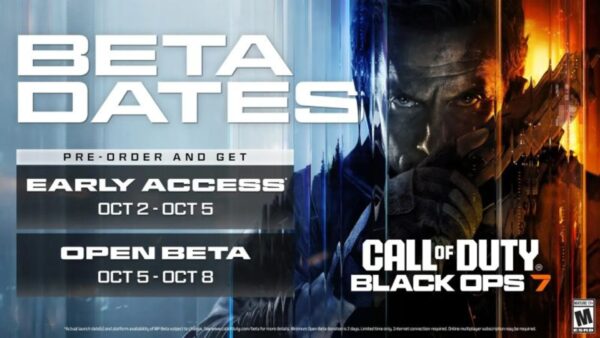
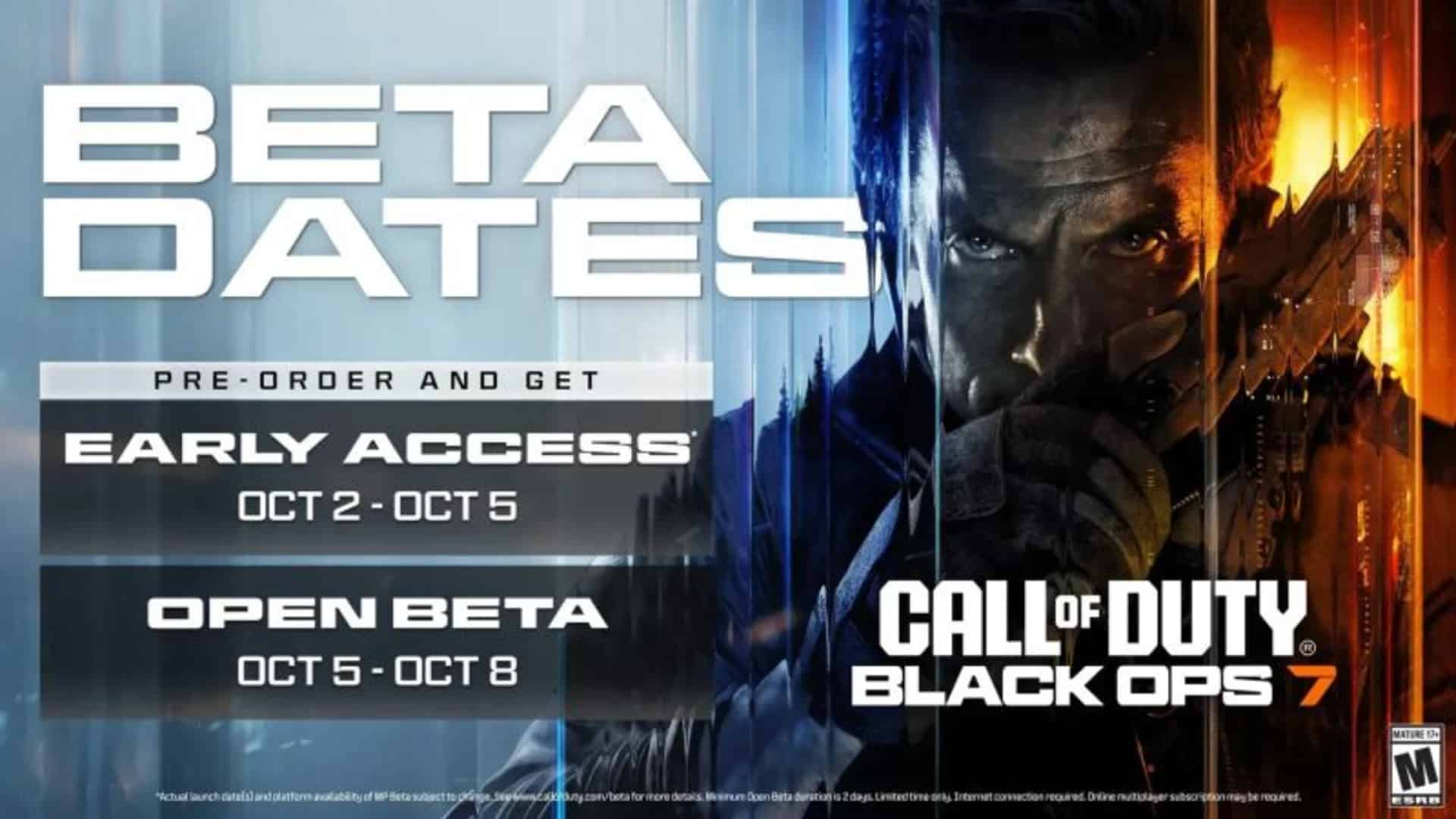
Black Ops 6 & Warzone Update 1.82/1082 Brings Black Ops 7 Beta Client Into COD HQ

Call of Duty players might have noticed Activision has released a new game update for Black Ops 6 and Warzone today, which shows up as version 1.82/1.082 (complete version 1.082.000), and there’s no fanfare around it.

Well, it’s because it’s a game update for the Black Ops 7 beta, which kicks off this week!

It seems the Black Ops 7 beta client won’t be standalone, and is housed inside the Call of Duty HQ App.

Black Ops 6 and Warzone’s Latest Update on Oct. 1 Wil Need You to Require a Hefty Download

If you downloaded the game update and noticed nothing’s new in Black Ops 6 and Warzone, it’s because there doesn’t seem to be any gameplay-related changes.

Unfortunately, it appears that the download is mandatory, even if you don’t want to participate in the beta. The Black Ops 7 beta download will require at least 42 GB of space on PS5.

If you don’t have early access to the beta, don’t fret, as you can enter our giveaway to snag one.

For those that do have a key, here’s how to redeem:

REDEMPTION INSTRUCTIONS:

  • Please go to www.callofduty.com/betaredeem to redeem your Call of Duty: Black Ops 7 Open Beta Early Access code.
  • You must then login/create an Activision account.
  • You will need to enter your code, platform of choice, and region that you live in.
  • You will know your code is valid if you’re redirected to the success page.
  • The success page will confirm that you are registered for Early Access to the Call of Duty: Black Ops 7 Open Beta but will not provide a platform-specific code to download the Beta.
  • A platform-specific code will be emailed to you on a date closer to when Early Access to the Open Beta begins.

You can check out more info about the beta in Activision’s official FAQ.

If we spot any gameplay-related changes, we’ll update the article with the info.

Avatar photo

Alex Co

Father, gamer, games media vet, writer of words, killer of noobs.

Home > Title Updates and Patches

Overwatch 2’s Latest Update Brings Stadium Changes via Patch 4.11/1.000.075

Blizzard has released a new Overwatch 2 patch and while it’s not a seasonal content drop, it does apply a good amount of of fixes, hero adjustments and more.

Console players will see the patch download as Overwatch 2 update 4.11/1.000.075, and this is a small file.

For everything new in the title update, read on.

Overwatch 2’s Update on Oct. 1 Brings Stadium Changes via Patch 4.11/1.000.075

Stadium Updates

Stadium Competitive updates

  • Fixed an issue where players near their predicted rank started to gain extremely low Stadium Points.
  • We have adjusted the Stadium Ranked distribution curve to make it easier to reach Elite rank for most players.
  • We have made adjustments to reduce the amount of Stadium Points lost when players lose a match, as each round won now provides a greater reduction in the overall point loss.
  • We have made adjustments to the maximum and minimum amount of Stadium Points that can be won or lost from a competitive match.

Damage

Freja

Developer Comments: Freja has had the lowest winrate in Stadium for an extended period of time, so we’re adding some more consistency to her builds to make her more competitive amongst the DPS roster. We’re aware she has a very high damage ceiling in the right hands, so these changes are aimed at helping her consistency but not raise her damage ceiling or one shot capabilities.
Lille Fælde – Power

  • Increased effectiveness to 30% reduced effectiveness (up from 40% reduced effectiveness).

Seismic Shot – Power

  • Increased explosion radius increased to 50% (up from 33%).

Forager – Power

  • Increased Max Life Heal per shot to 5% (up from 4%).

Deep Pockets – Power

  • Ammo Restore on Ability Use increased to 40% (up from 25%).

Volley à Deux – Power

  • Increased damage on additional bolts to 50% reduced (up from 66% reduced).

Tracer

Developer Comments: Tracer has been performing well across the board. We’re making it a bit harder for her to reach high amounts of health to make sure there is still risk involved in her engagements. We’re also hitting some of her Weapon focused Powers with a few buffs to her other builds. We’ll be continuing to keep a very close eye on Tracer as we know she has a very strong relationship with Stadium’s stat increases.

Chronal Crux – Stadium Passive

  • Now gains 35% less Health, Armor, and Shields from items and cash (previously 25% less).

Alternate Ending – Power

  • Healing increased to 100% of damage taken (up from 75%).

Blink of An Eye – Power

  • Cooldown reduction reduced to 0.04s (down from 0.05s).

Foresight – Power

  • Auto-aim reduced to 4 shots (down from 6).

Temportal – Power

  • Increased the portal’s duration to 8s (up from 6s).

Chrono Bomb – Epic Ability Hero Item

  • Increased Ability Power to 20% (up from 15%).
  • Increased cost to 10500 (up from 10000).

Support

Brigitte

Developer Comments: Brigitte’s damage buff to Shield Bash in the core game in the midseason proved to be a large unintended damage buff for Sköldkastning and it has been overperforming. We’re bringing down the bonus damage to be more in line with her other powers to ensure variety in her build paths.

Sköldkastning – Power

  • Shield Boomerang damage reduced to 40% of Shield Bash damage (down from 60%).

Armory

General Item Updates

Codebreaker – Epic General Weapon Item

  • Cost increased to 10000 (up from 9000).

Bug Fixes

Heroes

Mercy

  • Fixed an issue with the animation and voice line of Mercy’s Ultimate in Overwatch Classic.

Wuyang

  • Fixed an issue where Wuyang’s Ultimate sometimes targeted closer enemies than intended.

Maps

Aatlis

  • Fixed an issue with the stairs in Aatlis and the map has been re-enabled.

Stadium

Moira

  • Fixed an issue where Moira’s Power Optimal Overflow spawned Biotic Orbs without reduced duration.

Pharah

  • Fixed an issue where Pharah’s Triple Volley rockets dealt more damage than intended.

Reinhardt

  • Fixed an issue where Reinhardt’s Power Shield Stampede caused camera to not lock in place during Charge.

Soldier: 76

  • Fixed an issue where Soldier 76’s Power Peripheral Pulse didn’t deal reduced damage to additional targets during Tactical Visor.

The latest content drop for Overwatch 2 was released two weeks ago, which saw the Phantom Thieves crossover collab pushed out.

Avatar photo

Alex Co

Father, gamer, games media vet, writer of words, killer of noobs.

Home > Title Updates and Patches

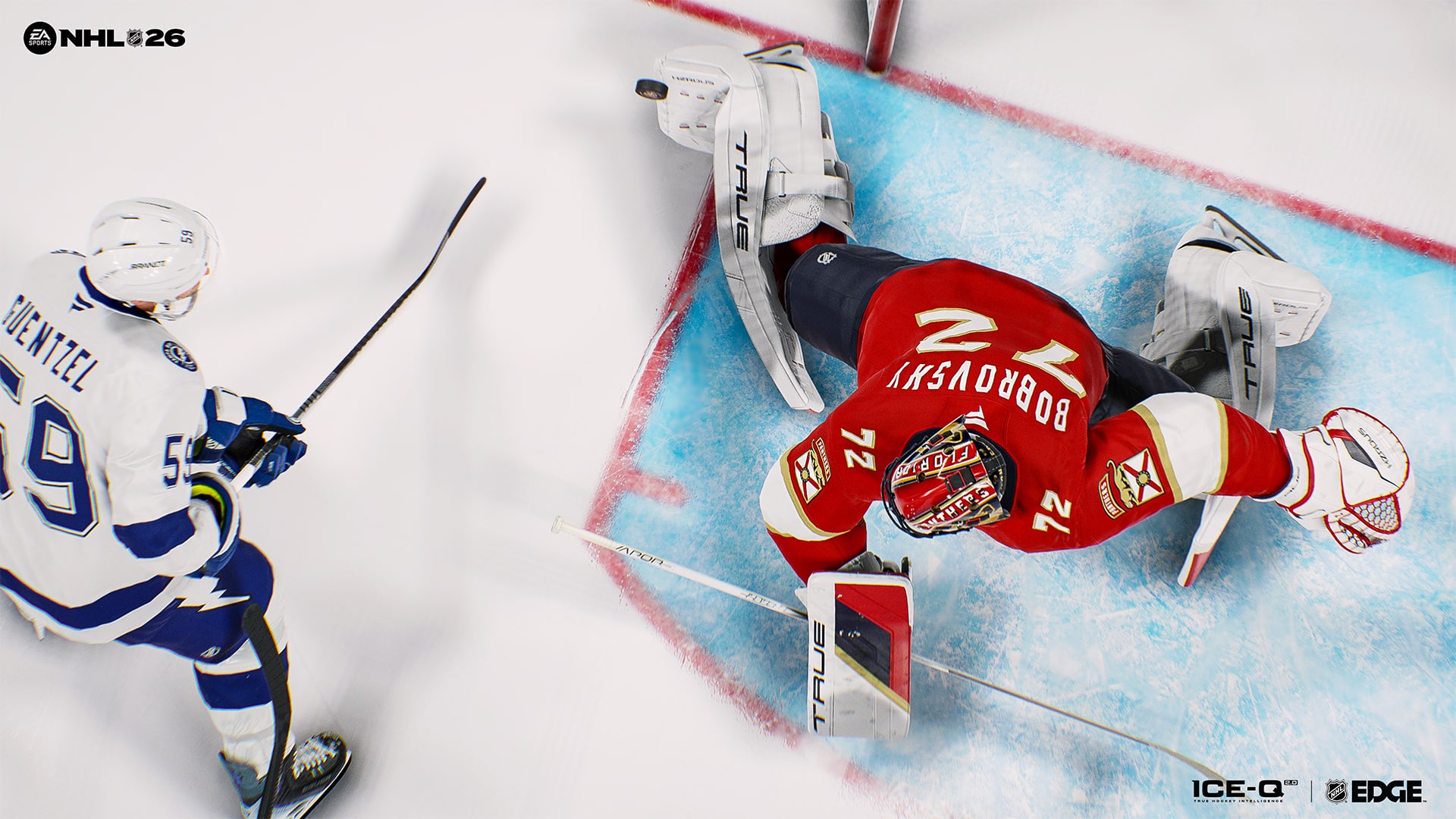
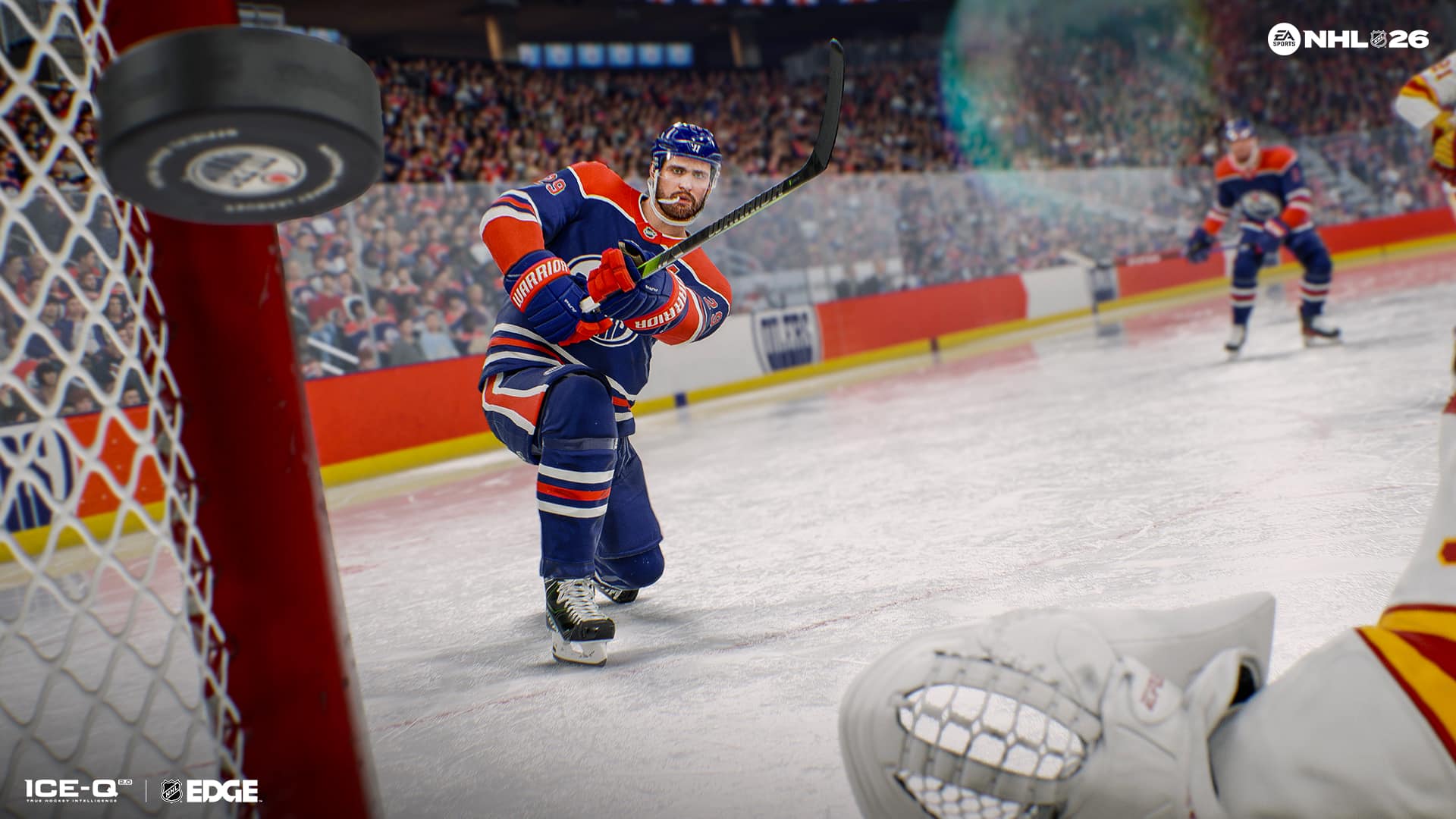
NHL 26 New Update 1.012 Applies Visual Refreshes Across Stadiums, Uniforms

NHL 26 has a new update out on all platforms today, and gives a visual refresh to the game’s stadium, uniforms, center ice and more.

Players will see it as NHL 26 update 1.012 (complete version 1.012.000), which the devs tag as version 1.12. For the complete patch notes and details, read on below.

NHL 26 Update on Oct. 1 Patch Notes

Stadiums

  • Updated Minnesota Wild Scoreboard
  • Updated Philadelphia Flyers Scoreboard

Center Ice Updates

NHL

  • Anaheim Ducks
  • Calgary Flames
  • Minnesota Wild
  • Philadelphia Flyers

ECHL

  • Adirondack Thunder

Canadian Hockey League

OHL

  • Kitchener Rangers
  • North Bay Battalion

QMJHL

  • Rouyn-Noranda Huskies

WHL

  • Swift Current Broncos

Uniforms

The following uniforms have been added or updated in NHL 26

NHL

  • Carolina Hurricanes Away
  • Chicago Blackhawks Centennial
  • Ottawa Senators Third
  • Seattle Kraken Third

ECHL

Greensboro Gargoyles Home, Away and Third

Liiga

  • Kiekko-Espoo Away
  • Oulun Karpat – Home and Away
  • Vaasan Sport – Home and Away

SHL

  • Brynas IF Home and Away
  • Djurgardens IF Home and Away
  • Farjestad BK Home and Away
  • Frolunda HC Home and Away
  • HV71 Home and Away
  • Leksands IF Home and Away
  • Linkoping HC Home and Away
  • Lulea Hockey Home and Away
  • Malmo Redhawks Home and Away
  • Orebro HK Home, Away and Third
  • Rogle BK Home and Away
  • Skelleftea AIK Home and Away
  • Timra IK Home and Away
  • Vaxjo Lakers Home and Away

Nationalliga

  • EHC Biel Home and Away
  • EHC Kloten Home and Away
  • EV Zug Home and Away
  • HC Ajoie Home and Away
  • HC Ambri-Piotta Home and Away
  • HC Davos Home and Away
  • HC Fribourg-Gotteron Home and Away
  • HC Lugano Home and Away
  • Geneve-Servette HC Home and Away
  • Lausanne HC Home and Away
  • SC Bern Home and Away
  • SCL Tigers Home and Away
  • Rapperswil-Jona Lakers Home and Away
  • ZSC Lions Home and Away

Gameplay

  • Fixed issue in Ones Eliminator where idle players didn’t get automatically kicked out of a match

Franchise Mode

  • Fixed a Crash when entering Edit Lines after a player has developed Quick Draw X-Factor in Franchise mode.
  • Fixed a soft lock when reaching 1st grudge match against specific teams.
  • Fixed an issue where Custom rosters containing Custom players fails to load in the Create Player tab.

Hockey Ultimate Team

  • Fixed a crash at the end of Cup Chase games during the post-game flow when NIS sequences played.
  • Fixed a crash that could occur when rapidly scrolling or selecting line combinations in Team Management.
  • Fixed a crash when selecting certain line combination options in the Hub.
  • Fixed a crash that could occur after matchmaking in Wildcard Offline mode.
  • Fixed an issue where the Captain Card in Chemistry tiles did not show OVR numbers.
  • Fixed OVR bonus values being displayed when populating a lineup in the Mode Hub.
  • Fixed various issues related to spacing, sizing and missing art assets on HUT screens
  • Fixed an issue where search filters in the HUT Hub showed incorrect card types.
  • Fixed a navigation issue where the Utah Mammoth (Delta Center) arena was not appearing in HUT Arena cards.
  • Fixed an issue where an icon was displayed instead of the NHL Points icon in the Purchase NHL Points tab.
  • Fixed an issue where previously boosted OVR cards did not update correctly in Collection filters.
  • Fixed an issue where some in-game voting messages did not include an “Opt Out” option.
  • Fixed placeholder text and missing content in Cup Chase information screens

World of CHEL

  • Fixed the Injury symbol not showing up in World of CHEL when your player was Injured.
  • Fixed a crash that could happen when accessing match strategies in EASHL 6v6 Drop-in
  • Fixed an issue where AI players may be shown a Player Banner in the pre-game intro
  • Fixed an issue where Goal Call items are missing images when opened in Club reward bags

Art

  • Fixed an issue where the Boston Bruins logo was upside down on the curved Brim Snapback Baseball Cap in World of CHEL
  • Fixed an issue where uniforms displaying the number 8 all had a missing pixel within the number.

This is one content-filled update, though I gather that future NHL 26 updates will be more focused on bug fixes than new content. If EA releases one, expect it here on MP1st.

Our review of NHL 26 talked fairly about this year’s hockey sim, and we think it’s a solid foundation for the franchise’s future.

Avatar photo

Alex Co

Father, gamer, games media vet, writer of words, killer of noobs.

Home > News

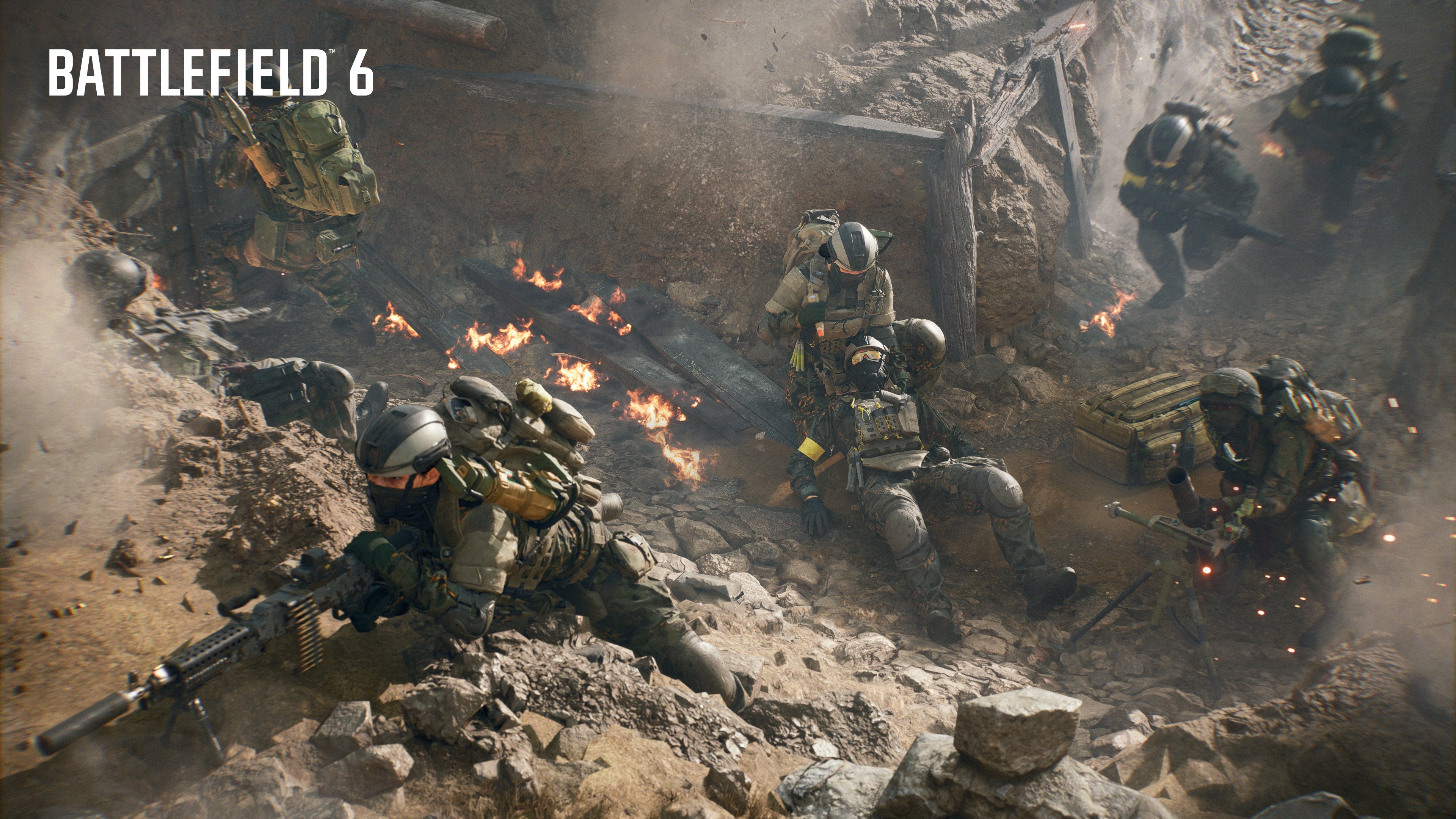
Battlefield 6 Trophies/Achievements Revealed and Here’s a Breakdown

With Battlefield 6’s launch inching closer by the day, publisher Electronic Arts has today released the complete trophies/achievements players can obtain while playing through the game’s campaign and multiplayer.

In total, there are 43 Battlefield 6 trophies, with 28 bronze, 11 silver, 3 gold and 1 platinum.

Check out our breakdown of the trophies/achievements and what you need to obtain each one.

Battlefield 6 Trophies/Achievements Lean Heavy Into Multiplayer

Multiplayer Trophies

Rank Progression

  • Private First Class Montes – Reach Rank 9.
  • Lance Corporal Matkovic – Reach Rank 14.
  • Sergeant Redford – Reach Rank 25.

Game Modes

  • Command and Conquest 2 – Capture 128 objectives in Conquest.
  • Front line – Take/defend 41 sectors in Breakthrough.
  • Super Bomb Man – Arm/disarm 5 M-COMs in one match.

Class-Based / Performance

  • Five by Five – 5 multi-kills as Assault.
  • Wrench Monkey – Repair vehicles for 2042 damage.
  • Stolz der Nation – 250 sniper rifle kills as Recon.
  • A Joyful Nurse – Revive 1996 players as Support.
  • Medal of Honor – 414 acts of valor (likely medals/ribbons).
  • Heavy Weaponry – 5 kills with LMGs without reloading.
  • 1200 – 6 sidearm headshot kills in one match.
  • Road Rash – Get a roadkill with a vehicle.
  • A Little C-4 Knocking on Your Door – Deal 2000 damage to vehicles with C-4.
  • First Blood 2 – 10 takedowns in one match.
  • Punished – Get 129 kills total in multiplayer.

The next lists of trophies dive into what many might consider spoiler territory, and as such, anyone wishing to read on should know that. There are trophies tied to Easter eggs and more (thanks, TrueTrophies).

Single-Player Campaign Trophies

Campaign Completion

  • Cloak and Dagger – Complete the Battlefield 6 Campaign.
  • Stand Alone – Complete Always Faithful.
  • Rock of Gibraltar – Complete The Rock and Operation Gladius.
  • Devil in the Dark – Complete Night Raid.
  • Secret Service – Complete No Sleep and Moving Mountains.
  • High Roller – Complete Nile Guard.
  • Damned If You Do – Complete Operation Ember Strike.

Collectibles

  • In Memoriam – Pick up 1 Campaign collectible.
  • Dogs of War – Pick up 5 Campaign collectibles.
  • Hounds of War – Pick up 10 Campaign collectibles.
  • Wolves of War – Pick up 20 Campaign collectibles.
  • Pack Leader – Pick up all Campaign collectibles.

Campaign Combat / Challenges

  • Peak Performance – Complete a mission on hardest difficulty.
  • Liquidator – 50 headshots.
  • One Stone – Kill 3 enemies with 1 grenade.
  • Armor Annihilation – Destroy 10 enemy vehicles.
  • Sidearm Savant – Complete Night Raid using only pistols, knives, or gadgets.
  • Looks Like A Nail – Kill 5 enemies with a sledgehammer in No Sleep.
  • Bullseye Blitz – Land 6 headshots in a row in Moving Mountains.
  • Roadside Assistance – Collapse an overpass on a tank in Nile Guard.
  • Being Watched – Spot 20 enemies with drone in Operation Ember Strike.
  • No Reinforcements – Shoot down chopper with a tank in Always Forward.

Easter Egg / Hidden

  • End of an Era – Find dinosaur figurine in Always Faithful.
  • Efficiency – Destroy 10 mannequins in The Rock.
  • Deep-Six – Destroy 3 floating mines in Operation Gladius.

Platinum

  • Perfectly Balanced, As All Things Should Be
    Collected all other trophies

Battlefield 6 launches next week on Oct. 10, and there’s a slate of content scheduled to be released within the month as part of Season 1. Check out the roadmap for Season 1 to see what’s in store for players every month.

Excited for Battlefield 6? We listed down exactly when the game unlocks, and you don’t even need a timezone converter for it.

Avatar photo

Alex Co

Father, gamer, games media vet, writer of words, killer of noobs.

Home > News

Cronos: The New Dawn Developer Bloober Does Not Expect “Longer Downtimes Between Big Releases”

While Bloober Team just released Cronos: The New Dawn last month, and the studio released the Silent Hill 2 remake last year, it seems we won’t have to wait long to experience the next game from the Polish studio.

During an investor’s report, the company confirmed that gamers won’t have to wait long between the studio’s big releases, which should be good news for horror fans.

Bloober Team’s Next Game Release Might Not Be as Far Away as We Think

In the investor’s report, Bloober was asked when we can expect another event of this magnitude (pertaining to the releases of Cronos and Silent Hill 2).

Bloober replied, “Our goal is to become a leader in the horror genre, which translates into a strategy of releasing games in increasingly shorter periods between releases. The second party department is supposed to help with this, among others. We are also working on big titles as part of it, so we should not expect a longer downtime between big releases :)” (Editor’s Note: Yes, there is a smiley in the report).

Does this mean the Silent Hill 1 remake the studio is working on at Konami a lot further along in development than we thought? Or perhaps the studio is pertaining to another title, though highly unlikely given Bloober has said before that there are two teams within the studio, with one that worked on Silent Hill 2, and the other that worked on Cronos: The New Dawn.

For now, it’s unknown whether Bloober has something planned for release in 2026. I was assuming they didn’t have anything, and will then release Silent Hill 1 remake in 2027. I would love to be proven wrong though.

So far, the studio has released two amazing AAA horror experiences. Cronos: The New Dawn might be one of the year’s best new IPs, and thankfully, the game plays well too. The Silent Hill 2 remake, released in 2024, was also top-tier, and it successfully revived the once-dormant Silent Hill franchise. For those that are playing or have played Cronos, there was a game update released a few days ago that fixed New Game+ bugs and more.

Hopefully, we’ll hear more about the studio’s plans soon, and once we know more, we’ll let our readers know.

Avatar photo

Alex Co

Father, gamer, games media vet, writer of words, killer of noobs.

Home > Title Updates and Patches

FBC: Firebreak’s Hotfix 1.6.3 Resolves Unintended Difficulty Spikes via Update 1.006.003

Following the release of FBC: Firebreak’s first major update called “Breakpoint” the other day, the studio has released a follow-up hotfix for consoles and PC on Oct. 1.

The FBC: Firebreak hotfix 1.6.3, which console gamers will see as version 1.006.003, aims to address unintended difficulty spikes and issues with Survive the Hiss and Recovery objectives.

This is a small patch when it comes to file size and even the changelog, so for anyone expecting balance changes or something related to that will need to wait. I mean, it’s been a day since players have experienced the new content and whatnot, so time and feedback is needed before Remedy does anything drastic.

FBC: Firebreak’s Hotifx for Oct. 1 Handles Issues With Unintended Difficulty Spikes via Patch 1.6.3/1.006.003

FBC: Firebreak Update 1.003

Fixes & Adjustments

  • Fixed an issue with the Lab Rat voice pack subtitles not displaying correctly (Brazilian Portuguese is still missing and will be added later).
  • Fixed a bug where the Survive the Hiss objective would not end, causing endless enemy waves.
  • Fixed an issue where Powerful Enemies appeared too early in Survive the Hiss. The Powerful Enemy now appears at the end of the event as intended.
  • Lowered the enemy spawn rate in the Recovery objective event.
  • Reduced the health of Hiss Ranger (Airborne)
  • Reduced the number of more resilient enemies in Normal and Easy Threat Levels.

While Remedy Entertainment hasn’t mentioned anything about upcoming balance changes and whatnot, we’d be very surprised if the studio doesn’t release one in the coming weeks.

Avatar photo

Alex Co

Father, gamer, games media vet, writer of words, killer of noobs.

Home > Title Updates and Patches

Lost Soul Aside New Update 1.011 Delivers Optimization Improvements on PS5 and PC

Ultizero has a fresh patch for Lost Soul Aside available for download now on PS5 and PC, and this brings bug fixes, and more importantly, performance optimization improvements for both console and PC versions.

Players will see today’s patch as Lost Soul Aside update 1.011 (complete version 01.011.000), and this should be another small file download.

For the complete list of fixes, read on.

Lost Soul Aside Lip-Sync Issue, Combat Bugs Resolved in New Update Version 1.011

PS5 & PC – Bug Fixes

  • Fixed the issue where certain trophy may not unlock correctly after collecting all trinkets.
  • Fixed an issue where rewards for Hard difficulty could be incorrectly granted on Nightmare difficulty under certain conditions.
  • Fixed an issue where the weapon “Stygian Wraith” might not save properly after being obtained when returning to the Harbor in Chapter 3.
  • Fixed potential loading issues occurring in specific areas, including Mount Salvation, Skycrest Badlands, Buckhorn Palace, among others.
  • Fixed various collision detection problems in areas such as Mistwood, Lethonix Dimension, the Royal Court of Frosthold, and the Entropis Dimension.
  • Fixed several combat trigger and boundary issues in areas including Buckhorn Palace, Mistwood, Redstone Mines, and the Royal Court of Frosthold.
  • Fixed a potential rare crash related to enemy loading and combat effects.
  • Other minor bug fixes.

PS5 & PC – Optimizations

  • Added lip-sync animations during environmental talks to enhance immersion.
  • Improved the atmospheric environment of the Interlude Harbor in the later stages for better scene immersion.
  • Optimized the ground shield’s protective range during the Phantom Arena boss fight in Chapter 1: Mount Salvation.
  • Enhanced sound effects for Arena form during the White Dragon boss fight in Chapter 5: Dragon Ruin Dimension.
  • Players can now purchase key items from both Normal and Hard mode chests through the Weapon Merchant after completing the game on Nightmare difficulty.
  • Reduced the health regeneration ability of the “Commander” enemy on Nightmare difficulty.
  • Optimized the voice trigger range for the Flying Gate mechanisms.
  • Made various enhancements to the combat experience during the Prologue’s introductory battle.
  • Adjusted NPC gaze directions during multi-person dialogues in the Prologue to improve narrative clarity.

PC only – Bug Fixes:

  • Fixed an issue preventing players from correctly receiving the “Emperor’s Edict” outfit if no PlayStation account was linked.
  • Fixed UI misalignment issues for enemy health bars and interface elements when playing in widescreen resolutions.
  • Fixed inaccurate mouse click positioning issues when playing in ultrawide screen resolutions.

The next first-party PlayStation game is Ghost of Yotei, which is out tomorrow, and there’s a day-one update players need to download to iron out bugs and whatnot.

Once Ultizero releases another update, expect it here on MP1st/

Avatar photo

Alex Co

Father, gamer, games media vet, writer of words, killer of noobs.

Home > News

PS5 New Update 25.06-12.02.00.00-00.00.00.0.1 Rolls Out for Security Fixes

PlayStation has begun rolling out a PS5 update 25.06-12.02.00.00-00.00.00.0.1, which aims to patch some console security issues.

Don’t expect much from it, since it just includes the usual stability improvements, so there are no new player-facing features added.

PS5 New Update 25.06-12.02.00.00-00.00.00.0.1 Patch Notes for October 1, 2025

ps5 liquid metal leak

This is what this update does, according to PlayStation:

  • We’ve made some security fixes to the system software.

The PS4 also received a security update today, so whatever was fixed was across both platforms. We can only assume this is related to some console exploit, as we’ve yet to notice any changes on our end. Of course, if that changes, we’ll be sure to update the story with more details.

The PS5 recently received a major update earlier this month, which added a Power Save Feature and DualSense pairing across multiple devices. We are not anticipating another major update for a while given Sony usually announces these major system updates months before they’re released.

Will we see another one before 2025 ends? Probably not, but if we get wind of any, we’ll let our readers know.

Avatar photo

James Lara

A gamer at heart, James has been working for MP1st for the last decade to do exactly what he loves, writing about video games and having fun doing it. Growing up in the 90's gaming has been in his DNA since the days of NES. One day he hopes to develop his own game.

Home > Title Updates and Patches

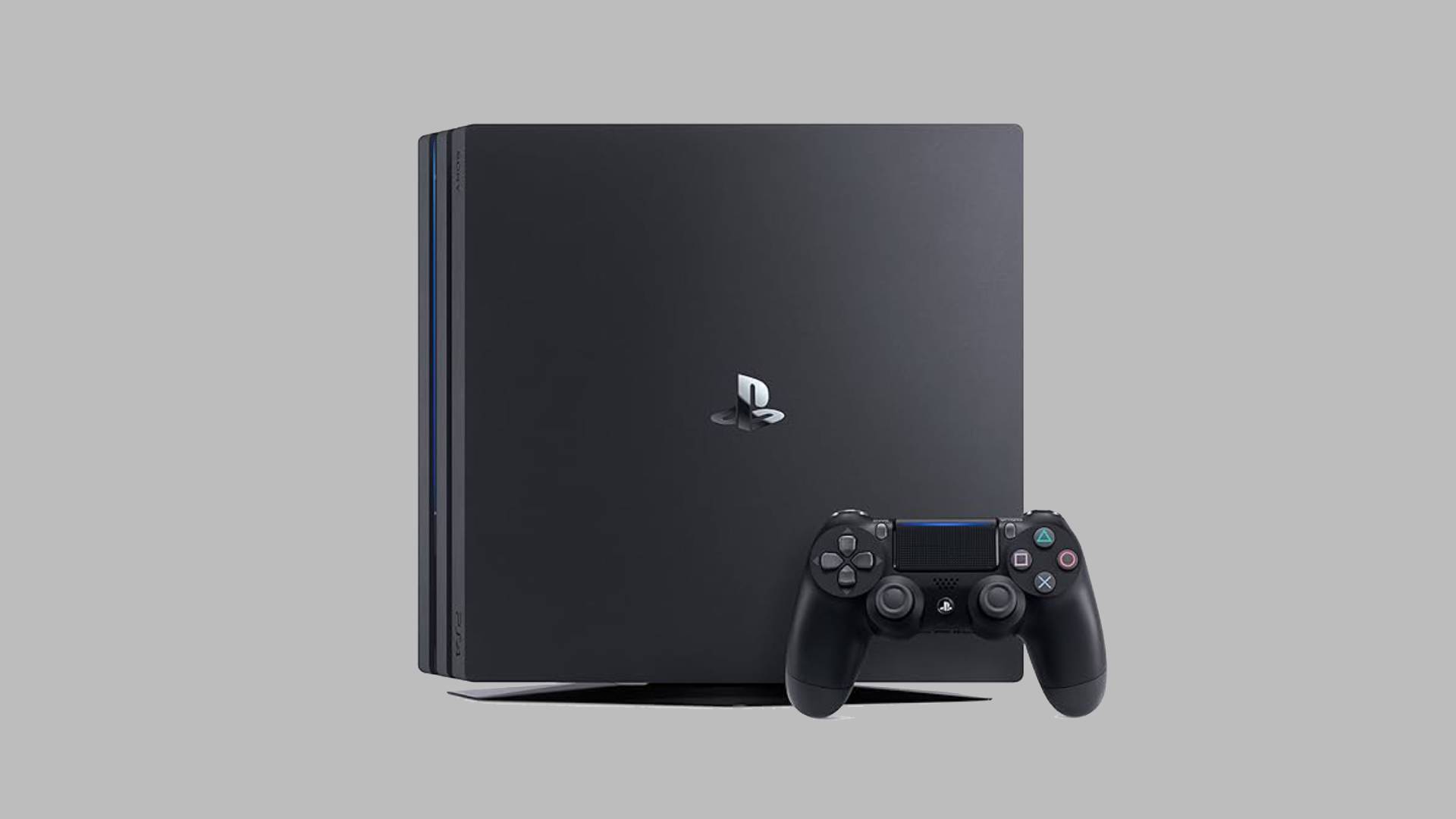
PS4 System Update 13.02 Released

PlayStation has just released PS4 update 13.02, although don’t expect anything major from it, or even stability improvements, as the update addresses some security fixes.

There are no surprise new features here for those hoping for some, which is expected given the console’s advanced age.

PS4 New Update on Sept. 30 Brings Security Fixes via Patch 13.02

Here’s what got updated in today’s download:

  • We’ve made some security fixes to the system software.

Yep, that’s really it, and chances are this is to fix some undisclosed PS4 exploit. So if you have a hacked PS4 connected to the internet, be sure not to update this firmware.

We aren’t expecting the PS4 to receive any new features anytime soon, considering the console is essentially at the end of its life cycle. New games are still of course coming to it, but much of the focus has begun shifting over to the PS5, which just got a major update a few weeks ago.

If we do spot anything specific, we’ll be sure to let you know.

Avatar photo

James Lara

A gamer at heart, James has been working for MP1st for the last decade to do exactly what he loves, writing about video games and having fun doing it. Growing up in the 90's gaming has been in his DNA since the days of NES. One day he hopes to develop his own game.

Home > Title Updates and Patches

Monster Hunter Wilds Hotfix Patch 1.030.020 Fixes Bugs From FF14 Content Update

Following the big Final Fantasy XIV collaboration update released yesterday for Monster Hunter Wilds, Capcom has issued a follow-up hotfix to resolve issues that surfaced from the content drop.

This is a minor update primarily aimed at fixes, and this should show up to gamers as Monster Hunter Wilds hotfix update 1.030.020, and expect a small download for this across all platforms.

For the list of issues sorted in this patch, head on below.

Monster Hunter Wilds Hotfix Update Released After FF14 Patch for Fixes

  • Some skill effects, such as the Agitator skill, wear off when drawing Omega Planetes’s enmity.\
  • When attacking while mounted on Omega Planetes under certain conditions, Omega Planetes or the Seikret does not move to a new area, making it impossible to slay the target in some instances.
  • Lagiacrus unintentionally appears at Wounded Hollow even when it has not been slayed during game progression.
  • Graphical issues with Omega Planetes’s Rocket Punch where the rocket does not disappear on some occasions.
  • When using the Filter Icons option, Cactuar and some endemic life that have not appeared in the locale are unintentionally shown in the list on some occasions.
  • When trying to apply a coating while charging with a bow, the coating is not applied in some occasions.

There is one PS5 issue that won’t be fixed in today’s patch:

  • The text for the Cosmetic DLC Pass is not displayed correctly in the Claim Content menu at the Support Desk. (PS5 only)

Chances are, this will be resolved in another hotfix by Capcom. Once we know more, we’ll be sure to let our readers know.

Avatar photo

Alex Co

Father, gamer, games media vet, writer of words, killer of noobs.

Home > News

Black Ops 7 Beta Preload Start Time and When Servers Unlock Revealed

It’s almost time! Call of Duty fans will be able to test out Black Ops 7 for themselves this week with the game’s early access beta! If you’re excited to try it out, you can start the game’s preload tomorrow, October 1.

We have the exact time when preloads start on consoles and PC, and the best thing here is: you don’t need to convert the time, since we did it for you.

Not only that, but the server start time for October 2 has also been revealed and is available below.

Black Ops 7 Preload and Server Start Times Confirmed

Black Ops 7 Free Beta Code

Activison confirmed to MP1st the preload start time, which we have listed below.

Black Ops 7 Beta Preload Start Times on Oct. 1

United States

  • Los Angeles / San Francisco (PT): 9:00 AM
  • Denver (MT): 10:00 AM
  • Chicago (CT): 11:00 AM
  • New York / Washington D.C. (ET): 12:00 PM (Noon)

Canada

  • Vancouver (PT): 9:00 AM
  • Toronto (ET): 12:00 PM
  • Calgary (MT): 10:00 AM
  • Montreal (ET): 12:00 PM

Mexico

  • Mexico City (CT): 10:00 AM

United Kingdom

  • London (BST): 5:00 PM

Europe

  • Paris / Berlin / Rome (CEST): 6:00 PM
  • Madrid / Amsterdam (CEST): 6:00 PM
  • Athens / Bucharest (EEST): 7:00 PM

Africa

  • Johannesburg / Cape Town (SAST): 6:00 PM
  • Nairobi (EAT): 7:00 PM
  • Lagos (WAT): 5:00 PM

Middle East

  • Dubai (GST): 8:00 PM
  • Riyadh (AST): 7:00 PM
  • Tehran (IRST): 8:30 PM

India

  • New Delhi (IST): 9:30 PM

East Asia

  • Beijing / Shanghai (CST): 12:00 AM (Oct 2)
  • Hong Kong (HKT): 12:00 AM (Oct 2)
  • Taipei (CST): 12:00 AM (Oct 2)
  • Seoul (KST): 1:00 AM (Oct 2)
  • Tokyo (JST): 1:00 AM (Oct 2)

Southeast Asia

  • Bangkok (ICT): 11:00 PM
  • Jakarta (WIB): 11:00 PM
  • Singapore (SGT): 12:00 AM (Oct 2)
  • Manila (PHT): 12:00 AM (Oct 2)

Australia

  • Sydney / Melbourne (AEDT): 3:00 AM (Oct 2)
  • Brisbane (AEST): 2:00 AM (Oct 2)
  • Perth (AWST): 12:00 AM (Oct 2)

New Zealand

  • Auckland (NZDT): 5:00 AM (Oct 2)

South America

  • São Paulo (BRT): 1:00 PM
  • Buenos Aires (ART): 1:00 PM
  • Santiago (CLT): 1:00 PM

As for when the servers will start, it’s the same time on October 2.

Black Ops 7 Beta Start Time on Oct. 2 (Early Access)

United States

  • Los Angeles / San Francisco (PT): 9:00 AM
  • Denver (MT): 10:00 AM
  • Chicago (CT): 11:00 AM
  • New York / Washington D.C. (ET): 12:00 PM (Noon)

Canada

  • Vancouver (PT): 9:00 AM
  • Toronto (ET): 12:00 PM
  • Calgary (MT): 10:00 AM
  • Montreal (ET): 12:00 PM

Mexico

  • Mexico City (CT): 10:00 AM

United Kingdom

  • London (BST): 5:00 PM

Europe

  • Paris / Berlin / Rome (CEST): 6:00 PM
  • Madrid / Amsterdam (CEST): 6:00 PM
  • Athens / Bucharest (EEST): 7:00 PM

Africa

  • Johannesburg / Cape Town (SAST): 6:00 PM
  • Nairobi (EAT): 7:00 PM
  • Lagos (WAT): 5:00 PM

Middle East

  • Dubai (GST): 8:00 PM
  • Riyadh (AST): 7:00 PM
  • Tehran (IRST): 8:30 PM

India

  • New Delhi (IST): 9:30 PM

East Asia

  • Beijing / Shanghai (CST): 12:00 AM (Oct 2)
  • Hong Kong (HKT): 12:00 AM (Oct 2)
  • Taipei (CST): 12:00 AM (Oct 2)
  • Seoul (KST): 1:00 AM (Oct 2)
  • Tokyo (JST): 1:00 AM (Oct 2)

Southeast Asia

  • Bangkok (ICT): 11:00 PM
  • Jakarta (WIB): 11:00 PM
  • Singapore (SGT): 12:00 AM (Oct 2)
  • Manila (PHT): 12:00 AM (Oct 2)

Australia

  • Sydney / Melbourne (AEDT): 3:00 AM (Oct 2)
  • Brisbane (AEST): 2:00 AM (Oct 2)
  • Perth (AWST): 12:00 AM (Oct 2)

New Zealand

  • Auckland (NZDT): 5:00 AM (Oct 2)

South America

  • São Paulo (BRT): 1:00 PM
  • Buenos Aires (ART): 1:00 PM
  • Santiago (CLT): 1:00 PM

If you need a code for early access, you’re in luck as we’re giving a ton away! Check out how to snag one in our Black Ops 7 beta code giveaway.

Black Ops 7 releases Nov. 14 on the PS4, PS5, Xbox One, Xbox Series X|S and PC.

Avatar photo

Alex Co

Father, gamer, games media vet, writer of words, killer of noobs.