Home > News

Battlefield 6 Phantom & Tombstone XP Boost Tokens Will Give Hours of Added XP

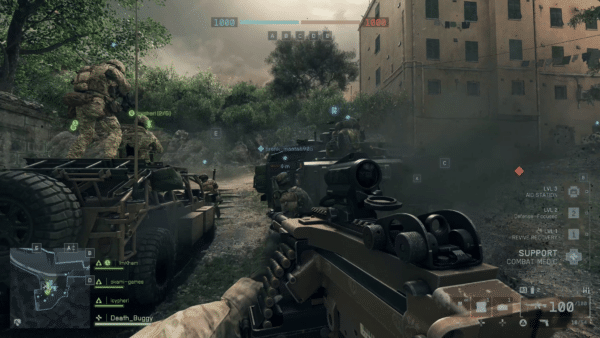
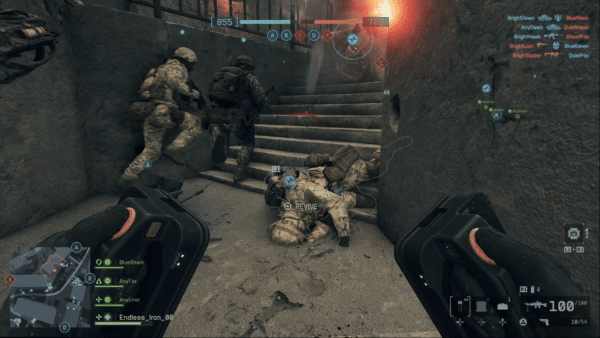
If you’ve decided that you’re picking up Battlefield 6, you can pre-order the game to snag the Tombstone Pack for free, or opt for the Phantom Edition, which includes an exclusive Phantom Pack set of outfits for each soldier class.

However, both the Tombstone Pack and Phantom Edition also include XP boost tokens, which will be super useful when the game launches, and you want to unlock weapons, gadgets, attachments, and the like.

If you’re thinking of pre-ordering BF6 for the Tombstone Pack or even considering the Phantom Edition, we have the info on the tokens you’ll receive.

Battlefield 6 Phantom Edition, Tombstone Pack XP Boost Tokens Explained

When it comes to XP boost tokens, here’s what players can expect from the pre-order bonus, and the Phantom Edition (thanks, BFBulletin!).

Tombstone Pack

  • 60 minutes Career XP boost.
  • 60 minutes Hardware XP boost.

Phantom Edition

  • 60 minutes Career XP boost.
  • 60 minutes Hardware XP boost.
  • 30 minutes Career XP boost.
  • 30 minutes Hardware XP boost.

Don’t forget, pre-ordering the Phantom Edition will net you the Tombstone Pack goodies, which includes the XP boost tokens as well. This means that if you pre-order the Phantom Edition, you’ll get a total of five hours of double XP, which isn’t bad — providing DICE doesn’t pull a Call of Duty and trigger double XP for everyone in the game’s first weekend.

If you’re curious what you’ll receive in the Tombstone Pack for pre-ordering, here’s the list of items:

  • Gravedigger Soldier Skin
  • “Fallen Heroes” Player Card
  •  “Bandolier” Weapon Charm
  • “Express Delivery” Weapon Sticker
  • “Hatchet” L110 Weapon Package
  • “Doomsayer” Soldier Patch
  • Tombstone XP Boost Set

Is it worth pre-ordering to get the extra items? That’s subjective. For me, I think it is, especially if you liked what you played in the beta.

In other Battlefield 6 news, EA has revealed the Season 1 roadmap of content, and there’s a lot of stuff to look forward to when the game’s first season kicks off on October 28.

Battlefield 6 is releasing on October 10, and you can check our release and unlock article to see when the client will be live in your country.

Avatar photo

Alex Co

Father, gamer, games media vet, writer of words, killer of noobs.

Home > News

Ghost of Yotei Day-One Update 1.006 Includes Performance and Gameplay Improvements

For PS5 gamers excited to ride out and massacre bad guys in Ghost of Yotei, there is a mandatory day-one update for the game, which those who pre-loaded should have seen pop up, and for disc buyers, you’ll be prompted to download it once you boot the game.

Sony has confirmed that this brings various improvements related to performance, bug fixes and even gameplay tweaks to deliver a better performance at launch.

Ghost of Yotei’s day-one update will appear as version 1.006 (complete version 1.006.000), and in one of those rare instances, there are actual patch notes for it.

Ghost of Yotei Day-One Update 1.006 Resolves Multiple Issues

Ghost of Yotei Review Embargo

Sony has confirmed the patch notes to IGN, and it’s a handful.

Performance and Stability

  • Multiple improvements to environmental rendering performance.
  • Fixed issues affecting Ray Tracing Mode lighting consistency and performance.
  • Changes to improve performance and stability while in photomode.
  • Various improvements to performance in missions with high character counts.
  • Resolved uncommon crashes when playing or idling for long periods of time.
  • Fixed rare crashes related to loading certain saves.

Gameplay

  • Audio fixes to allow impact sound effects to correctly match surface types.
  • Fixes several bugs in mini games like bamboo chop and Zeni Hajiki.
  • Fixed an occasional long delay when starting buddy grapple pull.
  • Fixed pumpkins appearing transparent during the kunai training mission.
  • Fixed interrogation camera transitions to avoid popping between angles.
  • General camera improvements for world navigation and when using tools in combat.
  • Improvements camera behavior while engaged in combat, especially in optional camera modes.
  • Fixes various bugs and exploits during duels.
  • Various balance adjustments to weapons and charms, especially related to late game content.
  • Various balance adjustments and bug fixes related to Lethal difficulty.
  • Fixed bugs related to picking and throwing dropped weapons.
  • Balance adjustments and bug fixes to stealth kills with weapons other than the katana.
  • Fixed bugs with mission dialogue being cut short due to player or NPC actions.
  • Fixed several bugs in missions that players could perceive as blocking progress.
  • Various mission area improvements to help with mission flow and easier navigation.
  • Limit puzzle clues in some difficulty levels.
  • Prevent the horse from interrupting certain missions objectives or cutscenes.
  • Removed the ability to decapitate bounty capture targets.
  • Fixes a bug causing Standoff to select far away enemies.
  • Various adjustments and balance changes to wolf abilities, such as when fighting enemy leaders.
  • Prevent systemic enemies from appearing when the player is following foxes.
  • Added the ability for the player to open photomode (via R1) during certain stages when camping.
  • Various economy and loot balance changes to common metals.
  • Improved enemy responses to player actions in combat scenarios.
  • Reduced the occurrence of tutorials when camping.
  • Improved behavior of Saito’s men hunting for Atsu in the open world.

Animation

  • Improved intro and exit transitions for some cinematics to present a better and more emotional experience.
  • Fixed multiple instances of armor blocking camera shots during cutscenes.
  • Fixes to prevent geometry fading or popping at incorrect times in cutscenes.
  • Fixes for cutscene animation artifacts.
  • Fixes multiple instances of weapons appearing incorrectly during cutscenes.
  • Fixes characters improperly appearing in some cutscenes.
  • Improvements to character expressions and emotions during some cutscenes.
  • Updated various NPC animations and voice lines to make characters behave more naturally.
  • Updated the intro and exit animations for katana attacks so they feel more natural.
  • Updating foot matching across animations to better match characters’ feet to the ground.
  • Added new into and exit animations to improve transitions smoothness in foot matching and posture.
  • Improved animations for the coal throwing game used in weapon training.
  • Fixed a bug that allowed dogs and other animals to play incorrect hunt animations.
  • Fixed various NPC animations that would play incorrectly during missions.
  • Improved the animation for the Brute enemy grabbing Atsu and throwing her down on the ground.
  • Improving various weapon draw and stow animations to reduce clipping.

Environment

  • Improved onsen environmental assets, layout, set dressing and world interaction to provide more unique experiences for each onsen.
  • Improving appearance and performance of some flower types.
  • Improved the look of erosion and details in mountain ranges seen across the world.
  • Improved various textures in caves to bring up level of detail and eliminate seams and some artifacting.
  • Updated lower levels of detail on various tree assets around the world to prevent visual popping when the player is navigating around locations.
  • Updated deep snow blending to better conceal characters and also improve the look of snow on other assets.
  • Improvements and optimization across many assets throughout the game to improve performance.
  • Improved textures and assets within various caves and dens across the game for general quality polish.
  • Tweaked assets across the entire game to fix issues with objects floating above the ground.

UI/UX

  • Fixed photomode flashes and bright glow when rapidly changing the time of day.
  • General improvements to the photomode menu UI and navigation.
  • Fixed bugs in mini games related to alternative controller schemes.
  • Fixed various bugs in spyglass.
  • Fixed conflicting UI elements in various menus and the map.
  • Fixed text overflowing in Large Text mode in various languages.
  • Fixed text overlap with the Key Items list and objective cards with multiple rewards.
  • Adjusted the position of certain UI elements, such as the Charm Level icon.
  • Fixed or improved icons for multiple cosmetics and skills.
  • Updated skill videos and allow colored glints for clearer instruction.
  • Fixed UI elements to avoid overlapping in various cases like duels.
  • Fixed a bug with items on the travelers map appearing incorrectly.
  • Updated the UI marker shaders, animation and size to improve legibility.
  • Fixed a bug where the loadout trainer inappropriately.
  • Modified bloom in the spyglass to improve visibility in bright scenes.
  • Reduced the number of pop-ups at the start of the game for a smoother experience for players with bonus content.
  • Improved various UI elements at vendors.
  • Fixed bugs related to loading and popping in menus.
  • Updated trophy and activity art.
  • Improved the appearance of some elements on the map.
  • Fixed the naming of some inventory items.
  • Added options to photomode.

When it comes to day-one updates, this might be one of the biggest we’ve seen. While Sucker Punch or Sony have not confirmed any post-release updates, we are likely to receive at least one, which will be to introduce the Legends multiplayer mode in 2026.

Avatar photo

Alex Co

Father, gamer, games media vet, writer of words, killer of noobs.

Home > Title Updates and Patches

Dead by Daylight New Update Brings Bug Fixes via Patch 3.57/9.200.100

Behaviour Interactive has deployed the latest patch aimed at bug fixes for Dead by Daylight, and this is for patch version 9.2.1! If you’re playing on consoles, this should show up as Dead by Daylight update 3.57/9.200.100, and this should be a relatively small download, given that there is no new content added.

Expect changes made to the Sinister Grace update released last week, which isn’t surprising.

For the complete list of bug fixes and character changes, read on below.

Dead by Daylight’s Sept. 30 Update Drag Balance Changes to The Krasue via Patch 3.57/9.200.100

Content Updates

The Krasue

  • Increased the initial number of Glowing Fungus to 5 (was 4) and decreased the maximum number to 6 (was 8).
  • Decreased the time during which Intestinal Whip ignores obstructions to 0.35 seconds (was 0.6).
  • Increased the Head Form pallet vault time to 2 seconds (was 1.7) and the Head Form window vault time to 1.8 seconds (was 1.7).
  • Increased the Head Form pallet stun time to 2.5 seconds (was 2).

Bug Fixes

Audio

  • Fixed an issue where The Krasue was missing SFX when grabbing a Survivor from a locker.
  • Fixed an issue where Orela’s voiceover was missing from the the Killer POV when unhooked.
  • Fixed an issue where The Animatronic’s footsteps were louder than intended.
  • Fixed an issue where some of The Krasue’s SFX were not synced up with their animations.
  • Fixed an issue where The Krasue’s SFX were missing when performing an Intestinal Whip on any collision.
  • Fixed an issue where some haptic feedback was missing for The Krasue.
  • Fixed an issue where static could be heard during the Entombment Rift Pass trailer in-game.
  • Fixed an issue where The Unknown’s Mori voiceover plays from the incorrect direction.

Bots

  • Fixed multiple issues where Survivor bots would not finish healing other Survivors.

Characters

  • Fixed an issue where the Carlos Oliveira, Chris Redfield, Claire Redfield, and Sheva Alomar Legendary outfits did not have unique campfire animations.
  • Fixed an issue where The Shape’s hand was misaligned with the Survivor’s neck during his Mori.
  • Fixed an issue where Rain Carradine’s campfire animation did not play correctly.
  • Fixed an issue where the camera remained pointed downward after closing the hatch as The Ghoul.
  • Fixed an issue where a score event was missing for The Ghoul when performing a Kagune Leap on a Survivor.
  • Fixed an issue where The Houndmaster’s dog could despawn and respawn during a Chase Command.
  • Fixed an issue where The Nightmare could teleport out of bounds when teleporting to a Survivor healing at the Exit Gate.
  • Fixed an issue where The Knight could initiate a chase before teleporting back to his original location after summoning a Guard.
  • Fixed an issue where The Knight could briefly see Survivors and scratch marks when teleporting back to his location after spawning a Guard.
  • Fixed an issue where Security Doors would appear misaligned with their doorframes when The Animatronic exited one after a jump scare.
  • Fixed an issue where The Dark Lord’s camera could become misaligned when transforming.
  • Fixed an issue where Survivor character models would disappear from The Executioner’s Cage of Atonement after being sacrificed.
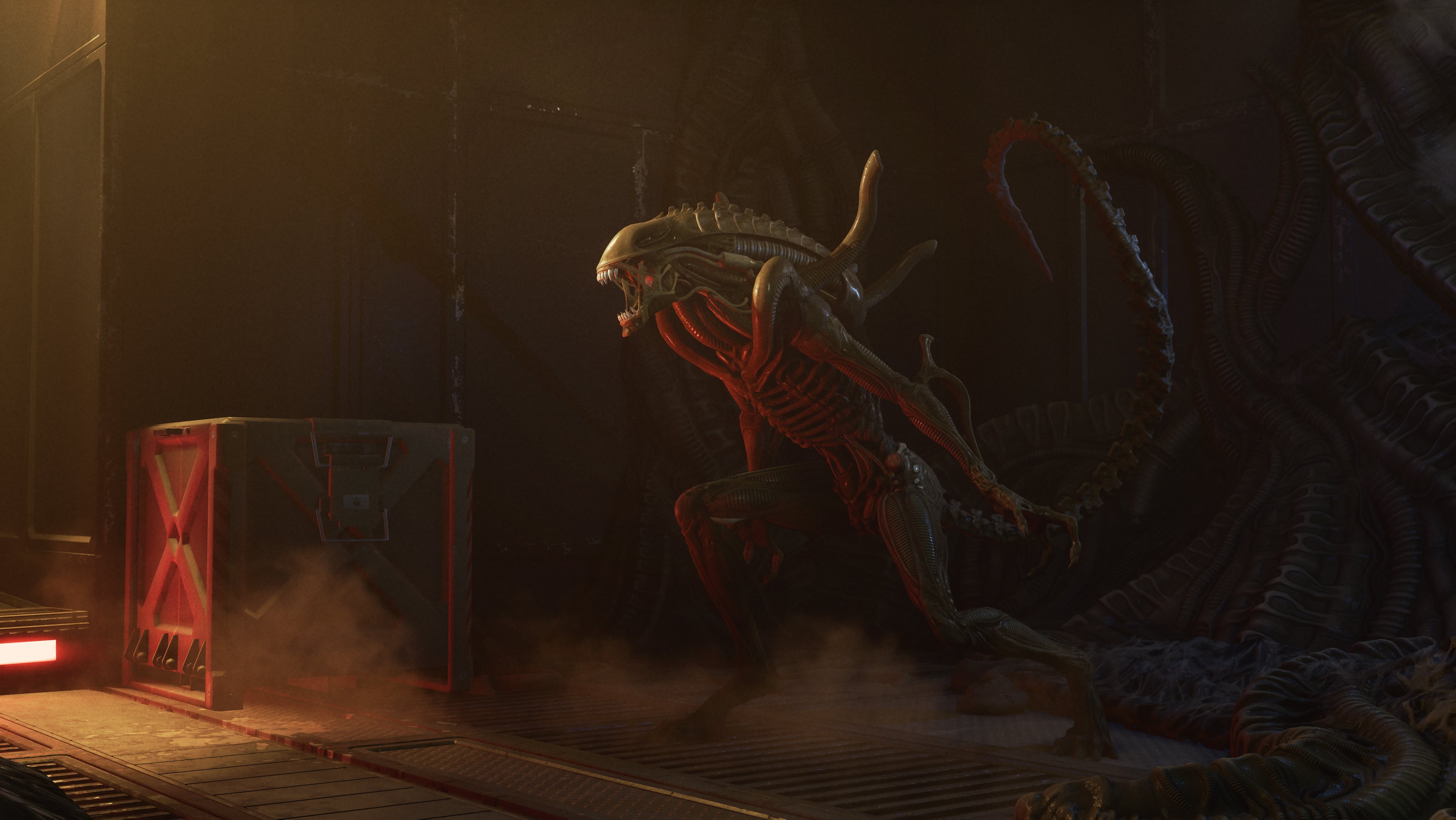
  • Fixed an issue where The Xenomorph was unable to see the Entity’s claws on blocked generators while inside a tunnel.
  • Fixed an issue where Killers could receive permanent Killer Instinct on a Survivor.
  • Fixed an issue where The Lich’s Flight of the Damned projectiles disappeared upon reaching map boundaries.
  • Fixed an issue where The Artist’s crow projectiles disappeared upon reaching map boundaries.

Characters – The Krasue 

  • Fixed an issue where the animation for Survivors eating a Glowing Fungus was missing.
  • Fixed an issue where the animation of The Krasue snuffing out a totem would not play properly.
  • Fixed an issue where Survivors were misaligned during locker grabs and when being dropped by The Krasue.
  • Fixed an issue where The Krasue’s spectator camera was misaligned after performing a Mori.
  • Fixed an issue where the Glowing Fungus would clip into Survivors’ hands.
  • Fixed an issue where the Glowing Fungus could spawn under dropped pallets.
  • Fixed an issue where the Glowing Fungus VFX would remain after it was destroyed by a pallet.
  • Fixed an issue where The Krasue’s hair would stutter from the Survivor POV when being carried in Head Mode.
  • Fixed an issue where The Krasue’s Headlong Flight’s icon cooldown would briefly appear full when a generator was completed.
  • Fixed an issue where The Krasue’s Headlong Flight vignette would remain visible in spectator mode after finishing this action.
  • Fixed an issue where the Glowing Fungus cleansing effect would stop if a Survivor lost a health state by any means other than a hit from the Killer or Deep Wound.
  • Fixed an issue where the “Re-Leeched” score event was missing when the Glowing Fungus effect was interrupted by The Krasue’s Regurgitate.
  • Fixed an issue where The Krasue’s Regurgitate reticle remained visible after being stunned with a pallet.
  • Fixed an issue where The Krasue’s Theatre Binoculars add-on would only reveal Survivor auras when they had zero Leech progress.
  • Fixed an issue where The Krasue could push Survivor when transitioning between forms.
  • Fixed an issue where The Krasue’s intestines would stretch when destroying a breakable wall.

Environment/Maps

  • Fixed an issue in the Dead Dawg Saloon map where players were unable to navigate through a gap as intended.
  • Fixed an issue in the Dead Dawg Saloon map where a balcony vault was inaccessible to Survivors.
  • Fixed an issue in the Lampkin Lane map where the leaves of trees would clip through the walls.
  • Fixed an issue in the Autohaven Wreckers Realm where a tree would block a vault.
  • Fixed multiple issue where the camera would clip through The Houndmaster at the beginning of a Trial.
  • Fixed an issue in the Coldwind Farm Realm where a tree would spawn through objects.
  • Fixed an issue in The Game map where The Nurse could Blink out of bounds.
  • Fixed an issue in the Mother’s Dwelling map where The Krasue’s camera while in Head Form would clip through walls.
  • Fixed an issue in the Ormond Lake Mine map where The Skull Merchant’s drones were unable to detect Survivors on the outside ramp or upper level of the main building.
  • Fixed an issue in various maps where The Krasue’s Glowing Fungus was not able to spawn in some intended places.
  • Fixed an issue in various maps where The Krasue’s Glowing Fungus was able to spawn on top of objects.
  • Fixed an issue in the Red Forest Realm where an invisible ramp was present.
  • Fixed an issue in the Autohaven Wreckers Realm where player could not use the vault in the magnet crane.
  • Fixed an issue in the Pale Rose map where a fire barrel was clipping inside a generator, making it unusable.

Perks

  • Fixed an issue where a token from Play With Your Food was removed when The Krasue used Regurgitate.
  • Fixed an issue where The Krasue’s Head Form aura remained visible to Survivors while having Alert and Eyes of Belmont equipped.
  • Fixed an issue where Plot Twist could trigger Mettle of Man’s activation requirements.
  • Fixed an issue where the debuff icon was missing when affected by Forced Hesitation.
  • Fixed an issue where Survivors could hear the audio cue on Territorial Imperative.
  • Fixed an issue where Potential Energy remained toggled on when moving to another generator.
  • Fixed an issue where Solidarity would not apply after a med-kit ran out of charges in the middle of a heal.
  • Fixed an issue where Road Life gained tokens when affected by The Animatronic’s Office Phone add-on.
  • Fixed an issue where ONE-TWO-THREE-FOUR! affected The Pig’s Jigsaw Boxes.
  • Fixed an issue where ONE-TWO-THREE-FOUR! affected The Lich’s Mimic Chests.
  • Fixed an issue where ONE-TWO-THREE-FOUR!’s tambourine would grow increasingly larger if used with the Hand of Vecna equipped.
  • Fixed an issue where ONE-TWO-THREE-FOUR! took priority over Reassurance when within the 6m radius of a hooked Survivor.
  • Fixed an issue where ONE-TWO-THREE-FOUR! took priority over Invocation: Treacherous Crows and Invocation: Weaving Spiders when within the circle.

Platforms

  • Fixed an issue where the Sinister Grace DLC was not linked in-game on Steam and Epic Games Store.
  • Fixed an issue where the match end audio would play on the Tally Screen when quitting or abandoning a match on Epic Games Store.

Quests

  • Fixed an issue where the progress for “Heal 2 Survivors From the Dying State” was counted twice when fully recovering from the Dying State.

UI

  • Fixed an issue where The Twins’ power and add-ons were not displayed in the Match Details screen when controlling Victor.
  • Fixed an issue where the player info boxes in a Custom Match lobby were misaligned.
  • Fixed an issue where the matchmaking status text could overlap with the event button in the Quests menu.
  • Fixed an issue where the slugging and tunneling reduction features were visible in the Custom Match Settings Modified popup despite not being available.
  • Fixed an issue where the depleted item icon would appear replenished when dropping a Glowing Fungus.

Miscellaneous

  • Fixed an issue where the status of the autoplay checkbox in The Tomes to not be saved when rebooting the game.
  • Fixed an issue that caused a crash when switching between tabs in the Store.
  • Fixed an issue where anonymous mode would disable licensed music when active.

Once Behaviour releases another patch, expect it here on MP1st.

Avatar photo

Alex Co

Father, gamer, games media vet, writer of words, killer of noobs.

Home > Title Updates and Patches

Minecraft’s New Update on Sept. 30 Brings Bedrock 1.21.111 via Patch 1.029/3.20

Minecraft’s latest major update is live today, September 30, and this is for “The Copper Age” content, which Mojang calls Bedrock version 1.21.111! This brings a host of new features and a ton of fixes.

For console players, this will show up as Minecraft update 1.029/3.20 (complete PS5 version 01.0129.000). Expect a hefty download given the amount of new stuff.

For the complete patch notes, head on below.

Minecraft Latest Major Update Bedrock 1.21.111 Adds New Content via Patch 1.029/3.20

Features and Bug Fixes

Copper Chest

Copper chests are a new block! Summon a copper golem to get your first copper chest, which you can leave to oxidize, or keep pristine with wax. Drop items into a copper chest, and then sit back and relax as your copper golem sorts them into normal chests around your base!

  • Copper Chest is a new type of chest that has waxed and oxidized variants
  • Copper Chests oxidize over time and can be waxed like other Copper blocks
  • Copper Chests can be crafted using a Chest and Copper Ingots

Copper Equipment

What comes between stone and iron? Now the answer is: copper! Craft tools, weapons, and armor from copper, giving this early-game ore more uses than ever before. Unlike copper blocks, these items won’t oxidize, but like all copper blocks – they will look beautiful!

  • Copper armor has higher durability than leather but less than iron. Copper armor enchantability sits slightly lower than with iron
  • Copper equipment turns into Copper Nuggets when smelted
  • Hostile Monsters have a chance to spawn with Copper Armor equipped
  • Hostile Monsters can pick up and use Copper Weapons and Armor
  • Added Copper Horse Armor
    • Has the same loot table and chance of generating as Iron Horse Armor
    • Armor toughness: 4

“]

Copper Golem

Copper golems are handy, organization-loving companions that’ll bring your base to life! Summoned with copper and carved pumpkins, the copper golem removes items you leave in copper chests and sorts them based on the item type into chests around your base!

  • Copper Golem will drop between 1 and 3 Copper Ingots when killed
  • Copper Golem can help with sorting items into Chests
  • If the Copper Golem has fully oxidized it will turn into a Copper Golem Statue Block
  • When turned into a Copper Golem Statue block, it will freeze in a random pose
  • When turned into a Copper Golem Statue the Copper Golem will drop any item it may be holding
  • A Copper Golem turned into a Copper Golem Statue will keep its name if named with a Name Tag
  • Interacting with the Copper Golem with an empty hand will drop its carried item
  • Iron Golems will sometimes plant a decorative flower onto a nearby Copper Golem

Copper Golem Item Sorting

  • If the Copper Golem is not holding an item, it will look for nearby Copper Chests to try to pick up an item
  • The Copper Golem will look in any oxidized and waxed Copper Chest variant to pick up items
  • It can pick up max 16 items in a stack at a time
  • Any item in a Copper Chest can be picked up
  • If the Copper Golem is holding an item, it will look for nearby Chests to try to place the item in
  • The Copper Golem will look in Chests and Trapped Chests to try to place items
  • It can place an item in a Chest if it’s empty, or if it contains the same type of item it is holding in its hand
  • The Copper Golem will visit max 10 Chests or Copper Chests in sequence to try to pick up or place an item
  • If no matching chest is found the Copper Golem will idle for 7 seconds before trying again
  • The search area for chests from the Copper Golem’s position is horizontally 32 blocks and vertically 8 blocks

Copper Golem Statue Block

  • Copper Golem Statue Block is a new type of decorative block which has waxed and oxidized variants
  • Copper Golem Statue Block oxidizes over time and can be waxed like Copper blocks
  • The pose of the block can be changed by interacting with it
  • If the Copper Golem Statue Block has no oxidation when interacted with using an Axe, the block will turn into a Copper Golem again
  • When connected to a Redstone Comparator, the Copper Golem Statue Block emits a Redstone signal based on its current pose

Copper Decorations

  • Added Copper Torch
    • A green variant of the Torch crafted from a Copper Nugget, Coal, and Stick
    • Functionally identical to the Torch
  • Added Copper Bars
    • Functions like the existing Iron Bars block
    • Made from copper and oxidizes over time
  • Added Copper Chain
    • Functions like the existing Chain block (now renamed to Iron Chain)
    • Made from copper and oxidizes over time
  • Added Copper Lantern
    • Crafted similarly to a regular Lantern but uses Copper and a Copper Torch
    • The lantern itself oxidizes, changing its look as it ages
    • Functionally identical to the Lantern

Shelf

  • The Shelf is a new type of decorative block which comes in the following variants:
    • Oak
    • Spruce
    • Birch
    • Jungle
    • Acacia
    • Dark Oak
    • Mangrove
    • Cherry
    • Pale Oak
    • Bamboo
    • Crimson
    • Warped
  • The Shelf can be crafted from six matching blocks of any Stripped Log, Stripped Stem, or Block of Stripped Bamboo, filling the top and bottom row
    • This recipe produces 6 Shelves
  • The Shelf can store up to 3 item stacks:
    • Interacting with any of the 3 slots on its front swaps the player’s main hand item with the content of that slot
    • The Shelf displays all items it contains in front of it, similar to an Item Frame
  • While a Shelf is powered by Redstone, its front texture changes to reflect that it’s powered; when placed next to each other, up to 3 powered Shelves will connect
    • Interacting with a single powered Shelf swaps all its contents with the 3 rightmost items in the player’s hotbar
    • Interacting with two connected Shelves swaps their contents with the 6 rightmost items in the player’s hotbar
    • Interacting with three connected Shelves swaps their contents with all items in the player’s hotbar
    • It does not matter which of the connected Shelves the player interacts with
  • Shelf storage affects a Comparator’s output signal depending on which slots are occupied (MCPE-225226)
    • Each Shelf slot corresponds to 1 bit
    • The signal strength is determined by converting the 3 bits of the slots into a decimal value
    • All slots empty [000] means a signal strength of 0
    • Only the first slot occupied [100] means a signal strength of 1
    • Only the second slot occupied [010] means a signal strength of 2
    • Only the third slot occupied [001] means a signal strength of 4
    • All slots occupied [111] means a signal strength of 7

“]

Accessibility

  • Dye Colors now have updated icons
    • The goal with these is to enhance visual cohesion across the dye set while maintaining distinct shapes to support colorblind accessibility
  • Text to Speech support has been added to all Dressing Room pages

Blocks

  • Some blocks that could catch fire with Flint and Steel, like the top Stone Slab or Wood Stair, will now also catch fire during fire explosion, such as those from Fireballs (MCPE-78691)
  • Glass Blocks will now catch fire with Flint and Steel or fire explosion (MCPE-78691)
  • Fixed a bug where placing water from a Water Bucket onto a block containing another block (e.g. Button or Lever) would not allow the user to remove that water block afterwards (MCPE-218044)
  • Fixed an issue with being unable to continue destroying valid blocks in Adventure Mode when they are behind water

Gameplay

  • Entities are no longer placed halfway outside of a Nether portal after traveling through the portal (MCPE-189106MCPE-157992)
  • Fixed an issue where the player sleeping animation would start before the player climbed into bed
  • Camera command no longer leads to crash when using the in_out_back method (MCPE-223147)
  • Fixed an issue where players could duplicate Bundle content using a Hopper (MCPE-223261)
  • Rider rotation lock now applies to cameras when using camera relative movement
  • Fixed an issue where equipping armor while aiming at a mob would create a “ghost” cloned item (MCPE-220172)
  • Fixed an issue where the control scheme set via control scheme commands would not be retained if a later-activated camera did not support it. The scheme will now persist as intended until explicitly cleared via /controlscheme clear, beginning since base game version 1.21.110
  • Fixed stuck progress arrow despite no process in Furnace/Blast Furnace/Smoker (MCPE-63099)
  • The Ender Dragon no longer freezes at the end of its death. It now dies and creates the portal (MCPE-224403)
  • Fixed a bug that caused the facing direction of Command Blocks to differ from all other blocks like Pistons and Dispensers when placed in certain coordinates in the world (MCPE-62252)

General

  • Fixed grass color in Swamps that was too green (MCPE-223910)
  • Fixed Paintings from breaking when joining a multiplayer game in high-latency scenarios (MCPE-181306)
  • Enabling blending for Legacy Chunks. This fixes an issue where blocks were missing from the terrain after loading into the world on some Starter Biomes
  • Improved blending around Frozen River chunks (MCPE-189996)

Graphical

  • Updated Volumetric Fog configs for PC to have more consistent steps in performance impact, while also maximizing image quality for cost
  • Added support for Subsurface Scattering on particle textures
  • Fixed rain and snow lighting up far above the light source in Vibrant Visuals
  • Fixed the issue where the Nether Portal fullscreen effect appeared black in Vibrant Visuals (MCPE-221341)
  • Updated max render distance to 28 on PC for Vibrant Visuals
  • Fixed lack of illumination in some particles emitted by breaking blocks (MCPE-218184)
  • Increased thickness on Block Selection wireframe to make it more visible in Vibrant Visuals especially with TAAU enabled
  • Fixed an issue causing Chests to appear desaturated while held in hand in Vibrant Visuals
  • Fixed an issue causing attachables such as Bows to appear desaturated in Vibrant Visuals
  • Fixed a bug where Vanilla Mob Flame textures are missing
  • Progress of Leaves turning white in snow is now correctly set when entering a world, and this color change now works correctly in Custom Biomes
  • Fixed unlit Candles not casting shadows
  • Fixed unlit Cake Candles not casting shadows
  • Fixed Glass Block depth issues with Candles
  • Fixed water depth buffer issues with Cake Candles
  • Fixed infinite duration blindness effect visuals
  • Colored text on signs no longer appear dark in Vibrant Visuals
  • Fixed an issue that caused certain mobs to display incorrectly when using the Minecraft Classic Texture Pack (MCPE-221572)
  • Added an option to Hide Sky Flashes in the End when playing with Vibrant Visuals

“]

Mobs

  • Wolves no longer start shaking off water if they are already shaking off water
  • Foxes now consider Honey Bottle to be a food item and will prioritize picking it up the same way it does other food items
  • It is possible for Zombies and Skeletons to spawn with diamond tier armor again (MCPE-226140)

Realms

  • Fixed several crashes that could occur
  • Realms invite page no longer loads endlessly on PS4/PS5
  • Leaving Realm now removes it from Realms list on Play screen
  • Tooltip text no longer overlaps with loading bar
  • Realms Stories settings page now includes accurate instructions for closing/opening a Realm
  • Realms tab ‘Settings’ button now scales correctly

Sounds

  • When picking up an item to hand that is not hand equippable, mobs no longer play an equip sound (MCPE-223747)
  • Music in Forest biome will no longer get stuck to the position it started playing at (MCPE-222113)

Stability and Performance

  • Fixed a crash when downloading packs from a multiplayer world on Xbox
  • Fixed a Realms crash in liquid sensing system

User Interface

  • The RTX and Marketplace Pass icon will no longer show up on the same item
  • The RTX chevron will now show up correctly on the Marketplace search screen
  • Fixed an issue where the Featured Server details would randomly scroll up (MCPE-181924)
  • Recipe Book can no longer show duplicate icons if user has Recipe Book hidden when acquiring new recipes
  • Fixed Marketplace pass chevron priority on hero row items
  • Fixed Blade row missing Marketplace Pass chevron
  • Touch Controls: The Invert Y-Axis setting now works correctly for spectators (MCPE-179110)
  • Touch Controls: The Swap Jump And Sneak option no longer changes the position of the swim/fly up buttons (MCPE-184808)
  • Resized the “Textures & More” button icon to be in line with the other button icons
  • Using the /hud command to hide touch controls now correctly hides all touch buttons (MCPE-184856)
  • Action bar messages now have a text shadow (MCPE-186346)
  • The /hud command to hide the progress bar now also hides the Horse and Camel bars, and also the Locator bar (MCPE-184858)
  • Updated the Marketplace Pass chevron on tiles and the purchase buttons to have the correct scaling
  • Resized the icons on the Marketplace sidebar to match the icon’s proper size
  • Resized the icons on the Inventory category selection to match the icon’s proper size
  • Addded a properly sized My Library button for the top bar to use
  • Changed a couple of locations where the information bulb appears to be the correct resolution
  • Updated the Marketplace error animations to display at the correct resolution
  • Added new icons for the Sale banners to fit the pixelated style of the UI
  • Added a new Minecraft Profile Pic. This icon is a snapshot of your character’s appearance. The new Minecraft Profile Pic replaces your Xbox Gamerpic on all screens, including Profile, lists of players, and on Realms.

For the complete technical changes, read Mojang’s explanation. With a patch this big, we’re expecting a hotfix or two to be released in the coming weeks.

Avatar photo

Alex Co

Father, gamer, games media vet, writer of words, killer of noobs.

Home > Title Updates and Patches

Minecraft New Update 3.20 Ushers in Bedrock 1.21.111 “The Copper Age”

The latest major update for Minecraft is here, and it’s called “The Copper Age.” Mojang has released this as Minecraft Bedrock update version “:1.21.111”, with console players seeing this as Minecraft update 3.20/1.029.

Expect new features, even new lively mechanical companions known as the copper golems.

Aside from the new features, there are a ton of technical fixes, small quality-of-life additions and more, all outlined in the official patch notes.

Minecraft The Copper Age Update Live on Sept. 30 via Patch 3.20


Features and Bug Fixes

Copper Chest

Copper chests are a new block! Summon a copper golem to get your first copper chest, which you can leave to oxidize, or keep pristine with wax. Drop items into a copper chest, and then sit back and relax as your copper golem sorts them into normal chests around your base!

  • Copper Chest is a new type of chest that has waxed and oxidized variants
  • Copper Chests oxidize over time and can be waxed like other Copper blocks
  • Copper Chests can be crafted using a Chest and Copper Ingots

Copper Equipment

What comes between stone and iron? Now the answer is: copper! Craft tools, weapons, and armor from copper, giving this early-game ore more uses than ever before. Unlike copper blocks, these items won’t oxidize, but like all copper blocks – they will look beautiful!

  • Copper armor has higher durability than leather but less than iron. Copper armor enchantability sits slightly lower than with iron
  • Copper equipment turns into Copper Nuggets when smelted
  • Hostile Monsters have a chance to spawn with Copper Armor equipped
  • Hostile Monsters can pick up and use Copper Weapons and Armor
  • Added Copper Horse Armor
    • Has the same loot table and chance of generating as Iron Horse Armor
    • Armor toughness: 4

Copper Golem

Copper golems are handy, organization-loving companions that’ll bring your base to life! Summoned with copper and carved pumpkins, the copper golem removes items you leave in copper chests and sorts them based on the item type into chests around your base!

  • Copper Golem will drop between 1 and 3 Copper Ingots when killed
  • Copper Golem can help with sorting items into Chests
  • If the Copper Golem has fully oxidized it will turn into a Copper Golem Statue Block
  • When turned into a Copper Golem Statue block, it will freeze in a random pose
  • When turned into a Copper Golem Statue the Copper Golem will drop any item it may be holding
  • A Copper Golem turned into a Copper Golem Statue will keep its name if named with a Name Tag
  • Interacting with the Copper Golem with an empty hand will drop its carried item
  • Iron Golems will sometimes plant a decorative flower onto a nearby Copper Golem

Copper Golem Item Sorting

  • If the Copper Golem is not holding an item, it will look for nearby Copper Chests to try to pick up an item
  • The Copper Golem will look in any oxidized and waxed Copper Chest variant to pick up items
  • It can pick up max 16 items in a stack at a time
  • Any item in a Copper Chest can be picked up
  • If the Copper Golem is holding an item, it will look for nearby Chests to try to place the item in
  • The Copper Golem will look in Chests and Trapped Chests to try to place items
  • It can place an item in a Chest if it’s empty, or if it contains the same type of item it is holding in its hand
  • The Copper Golem will visit max 10 Chests or Copper Chests in sequence to try to pick up or place an item
  • If no matching chest is found the Copper Golem will idle for 7 seconds before trying again
  • The search area for chests from the Copper Golem’s position is horizontally 32 blocks and vertically 8 blocks

Copper Golem Statue Block

  • Copper Golem Statue Block is a new type of decorative block which has waxed and oxidized variants
  • Copper Golem Statue Block oxidizes over time and can be waxed like Copper blocks
  • The pose of the block can be changed by interacting with it
  • If the Copper Golem Statue Block has no oxidation when interacted with using an Axe, the block will turn into a Copper Golem again
  • When connected to a Redstone Comparator, the Copper Golem Statue Block emits a Redstone signal based on its current pose

Copper Decorations

  • Added Copper Torch
    • A green variant of the Torch crafted from a Copper Nugget, Coal, and Stick
    • Functionally identical to the Torch
  • Added Copper Bars
    • Functions like the existing Iron Bars block
    • Made from copper and oxidizes over time
  • Added Copper Chain
    • Functions like the existing Chain block (now renamed to Iron Chain)
    • Made from copper and oxidizes over time
  • Added Copper Lantern
    • Crafted similarly to a regular Lantern but uses Copper and a Copper Torch
    • The lantern itself oxidizes, changing its look as it ages
    • Functionally identical to the Lantern

Shelf

  • The Shelf is a new type of decorative block which comes in the following variants:
    • Oak
    • Spruce
    • Birch
    • Jungle
    • Acacia
    • Dark Oak
    • Mangrove
    • Cherry
    • Pale Oak
    • Bamboo
    • Crimson
    • Warped
  • The Shelf can be crafted from six matching blocks of any Stripped Log, Stripped Stem, or Block of Stripped Bamboo, filling the top and bottom row
    • This recipe produces 6 Shelves
  • The Shelf can store up to 3 item stacks:
    • Interacting with any of the 3 slots on its front swaps the player’s main hand item with the content of that slot
    • The Shelf displays all items it contains in front of it, similar to an Item Frame
  • While a Shelf is powered by Redstone, its front texture changes to reflect that it’s powered; when placed next to each other, up to 3 powered Shelves will connect
    • Interacting with a single powered Shelf swaps all its contents with the 3 rightmost items in the player’s hotbar
    • Interacting with two connected Shelves swaps their contents with the 6 rightmost items in the player’s hotbar
    • Interacting with three connected Shelves swaps their contents with all items in the player’s hotbar
    • It does not matter which of the connected Shelves the player interacts with
  • Shelf storage affects a Comparator’s output signal depending on which slots are occupied (MCPE-225226)
    • Each Shelf slot corresponds to 1 bit
    • The signal strength is determined by converting the 3 bits of the slots into a decimal value
    • All slots empty [000] means a signal strength of 0
    • Only the first slot occupied [100] means a signal strength of 1
    • Only the second slot occupied [010] means a signal strength of 2
    • Only the third slot occupied [001] means a signal strength of 4
    • All slots occupied [111] means a signal strength of 7

Accessibility

  • Dye Colors now have updated icons
    • The goal with these is to enhance visual cohesion across the dye set while maintaining distinct shapes to support colorblind accessibility
  • Text to Speech support has been added to all Dressing Room pages

Blocks

  • Some blocks that could catch fire with Flint and Steel, like the top Stone Slab or Wood Stair, will now also catch fire during fire explosion, such as those from Fireballs (MCPE-78691)
  • Glass Blocks will now catch fire with Flint and Steel or fire explosion (MCPE-78691)
  • Fixed a bug where placing water from a Water Bucket onto a block containing another block (e.g. Button or Lever) would not allow the user to remove that water block afterwards (MCPE-218044)
  • Fixed an issue with being unable to continue destroying valid blocks in Adventure Mode when they are behind water

Gameplay

  • Entities are no longer placed halfway outside of a Nether portal after traveling through the portal (MCPE-189106MCPE-157992)
  • Fixed an issue where the player sleeping animation would start before the player climbed into bed
  • Camera command no longer leads to crash when using the in_out_back method (MCPE-223147)
  • Fixed an issue where players could duplicate Bundle content using a Hopper (MCPE-223261)
  • Rider rotation lock now applies to cameras when using camera relative movement
  • Fixed an issue where equipping armor while aiming at a mob would create a “ghost” cloned item (MCPE-220172)
  • Fixed an issue where the control scheme set via control scheme commands would not be retained if a later-activated camera did not support it. The scheme will now persist as intended until explicitly cleared via /controlscheme clear, beginning since base game version 1.21.110
  • Fixed stuck progress arrow despite no process in Furnace/Blast Furnace/Smoker (MCPE-63099)
  • The Ender Dragon no longer freezes at the end of its death. It now dies and creates the portal (MCPE-224403)
  • Fixed a bug that caused the facing direction of Command Blocks to differ from all other blocks like Pistons and Dispensers when placed in certain coordinates in the world (MCPE-62252)

General

  • Fixed grass color in Swamps that was too green (MCPE-223910)
  • Fixed Paintings from breaking when joining a multiplayer game in high-latency scenarios (MCPE-181306)
  • Enabling blending for Legacy Chunks. This fixes an issue where blocks were missing from the terrain after loading into the world on some Starter Biomes
  • Improved blending around Frozen River chunks (MCPE-189996)

Graphical

  • Updated Volumetric Fog configs for PC to have more consistent steps in performance impact, while also maximizing image quality for cost
  • Added support for Subsurface Scattering on particle textures
  • Fixed rain and snow lighting up far above the light source in Vibrant Visuals
  • Fixed the issue where the Nether Portal fullscreen effect appeared black in Vibrant Visuals (MCPE-221341)
  • Updated max render distance to 28 on PC for Vibrant Visuals
  • Fixed lack of illumination in some particles emitted by breaking blocks (MCPE-218184)
  • Increased thickness on Block Selection wireframe to make it more visible in Vibrant Visuals especially with TAAU enabled
  • Fixed an issue causing Chests to appear desaturated while held in hand in Vibrant Visuals
  • Fixed an issue causing attachables such as Bows to appear desaturated in Vibrant Visuals
  • Fixed a bug where Vanilla Mob Flame textures are missing
  • Progress of Leaves turning white in snow is now correctly set when entering a world, and this color change now works correctly in Custom Biomes
  • Fixed unlit Candles not casting shadows
  • Fixed unlit Cake Candles not casting shadows
  • Fixed Glass Block depth issues with Candles
  • Fixed water depth buffer issues with Cake Candles
  • Fixed infinite duration blindness effect visuals
  • Colored text on signs no longer appear dark in Vibrant Visuals
  • Fixed an issue that caused certain mobs to display incorrectly when using the Minecraft Classic Texture Pack (MCPE-221572)
  • Added an option to Hide Sky Flashes in the End when playing with Vibrant Visuals

Mobs

  • Wolves no longer start shaking off water if they are already shaking off water
  • Foxes now consider Honey Bottle to be a food item and will prioritize picking it up the same way it does other food items
  • It is possible for Zombies and Skeletons to spawn with diamond tier armor again (MCPE-226140)

Realms

  • Fixed several crashes that could occur
  • Realms invite page no longer loads endlessly on PS4/PS5
  • Leaving Realm now removes it from Realms list on Play screen
  • Tooltip text no longer overlaps with loading bar
  • Realms Stories settings page now includes accurate instructions for closing/opening a Realm
  • Realms tab ‘Settings’ button now scales correctly

Sounds

  • When picking up an item to hand that is not hand equippable, mobs no longer play an equip sound (MCPE-223747)
  • Music in Forest biome will no longer get stuck to the position it started playing at (MCPE-222113)

Stability and Performance

  • Fixed a crash when downloading packs from a multiplayer world on Xbox
  • Fixed a Realms crash in liquid sensing system

User Interface

  • The RTX and Marketplace Pass icon will no longer show up on the same item
  • The RTX chevron will now show up correctly on the Marketplace search screen
  • Fixed an issue where the Featured Server details would randomly scroll up (MCPE-181924)
  • Recipe Book can no longer show duplicate icons if user has Recipe Book hidden when acquiring new recipes
  • Fixed Marketplace pass chevron priority on hero row items
  • Fixed Blade row missing Marketplace Pass chevron
  • Touch Controls: The Invert Y-Axis setting now works correctly for spectators (MCPE-179110)
  • Touch Controls: The Swap Jump And Sneak option no longer changes the position of the swim/fly up buttons (MCPE-184808)
  • Resized the “Textures & More” button icon to be in line with the other button icons
  • Using the /hud command to hide touch controls now correctly hides all touch buttons (MCPE-184856)
  • Action bar messages now have a text shadow (MCPE-186346)
  • The /hud command to hide the progress bar now also hides the Horse and Camel bars, and also the Locator bar (MCPE-184858)
  • Updated the Marketplace Pass chevron on tiles and the purchase buttons to have the correct scaling
  • Resized the icons on the Marketplace sidebar to match the icon’s proper size
  • Resized the icons on the Inventory category selection to match the icon’s proper size
  • Addded a properly sized My Library button for the top bar to use
  • Changed a couple of locations where the information bulb appears to be the correct resolution
  • Updated the Marketplace error animations to display at the correct resolution
  • Added new icons for the Sale banners to fit the pixelated style of the UI
  • Added a new Minecraft Profile Pic. This icon is a snapshot of your character’s appearance. The new Minecraft Profile Pic replaces your Xbox Gamerpic on all screens, including Profile, lists of players, and on Realms.

For the complete technical changes, read Mojang’s explanation. With a patch this big, we’re expecting a hotfix or two to be released in the coming weeks.

Avatar photo

Alex Co

Father, gamer, games media vet, writer of words, killer of noobs.

Home > News

Battlefield 6 Season 1 Roadmap Outlines New Content Dropping on Oct. 28, With Monthly Content Releases Confirmed

Electronic Arts has blown the lid wide open for Battlefield 6 Season 1! It appears that most of our report on this earlier this month was accurate, as we will be receiving the leaked Eastwood and Blackwell maps.

Alongside the new maps, there are new weapons, attachments and more, not just dropping on October 28 when Season 1 starts, but there are monthly content updates planned, which is the right way of doing it, I think.

Curious what you’ll be seeing come Season 1? Read on for the promised new content all players will receive as major title updates.

Battlefield 6 Season 1 Roadmap & Preview

Rogue Ops – Launching October 28

Maps & Modes

Blackwell Fields – Map, Support for All Combat Sizes, Land and Air Vehicles

Just as the fires of war from the single-player campaign start to cool, Pax Armata double agents launch a series of attacks on NATO targets. These strikes begin at a recently recommissioned American air base in the California badlands.

Strikepoint – Mode, Designed for 4v4 Combat

Strikepoint is an intense, small team tactical mode where a squad fights another squad across multiple rounds to capture a key objective. There is only one life each round, so make it count.

Vehicles. Weapons

APC Traverser Mark 2 – Land Vehicle

This Armored Personnel Carrier seats four: one driver, one roof gunner and two backseat passenger side gunners, serving mostly as an infantry support vehicle.

SOR-300C  – Carbine Rifle

A low rate of fire, subcompact carbine chambered in the higher damage .300 Blackout ammunition compared to the platform’s 5.56 version.

Mini Fix – Sniper Rifle

Remember the Scout Elite? Then consider this  lightweight, bolt-action sniper rifle designed for the aggressive Recon soldier a “Mini Fix” to your needs.

GGH-22 – Sidearm

A high-capacity, high fire rate and low damage pistol meant to bail out a soldier when their primary (and in the case of Assault, both their primaries) run dry.

Rail Cover & LPVO – Attachments

Available for a variety of rifles and light machine guns, these two attachments – the Rail Cover and the  Low Powered Variable Optic (LPVO) – are the first of several to drop after launch to make you rethink how you spend those attachment points.

California Resistance – Launching November 18

Maps & Modes

Eastwood – Map, Support for All Combat Sizes, Land Vehicles and Helicopters

As part of a coordinated strike across the west coast of the United States, Pax Armata sleeper agents embedded into the Eastwood community – a sleepy, affluent suburb connected to a golf course – are activated.

Sabotage – Mode, Designed for 8v8 Combat

Destroy as many sites as possible before the round time finishes. Use your creativity and your arsenal to do so. Each team has one round each to go on offense and defense; the team who successfully detonates the most sites wins.

New Weapons, Features

Battle Pickups – Feature

Veterans will be familiar with Battle Pickups: unlike weapons that appear in a loadout, Battle Pickups are high-tech, powerful weaponry that are limited in ammo and availability throughout a given map. Where will these pickups live exactly? That’s up to you and your squad to find out…

DB-12 – Shotgun

A dual barrel pump-action shotgun that feeds from two different tubes. One trigger pull fires a shell (or slug) from one barrel, a second trigger pull fires the other, then the pump action rechambers both barrels.

M327 Trait – Sidearm

High damage with a low rate of fire, this eight-round revolver is strong up close with a considerable damage drop-off compared to its .44 Magnum comrade.

Troy Angled – Attachment

The third attachment to come in Season 1, this grip offers an alternative choice for underbarrel choices with its unique blend of ergonomic and handling changes.

Winter Offensive – Launching December 9

Maps & Modes

Ice Lock Empire State – Limited Time Map Update

Environmental threats detected — temperatures have dropped well below freezing in Brooklyn. Gear up, stay warm, and take complete control of the borough with this limited time visual update to the Empire State map.

Ice Lock – Limited Time Event

The Ice Lock looms…

This Limited Time Event is centered around a mechanic called Freeze, which is a gameplay modifier that is only active in specific experiences.

Weapons

Ice Climbing Axe – Melee

Designed to make an enemy’s blood run cold or pick through more delicate environmental pieces, expect this new melee tool to compliment this category typically reserved for knives and the sledgehammer

I have to admit, that’s a healthy dose of new content incoming every month until 2025 ends. If you’re looking forward to Battlefield 6, not only will the preload be live in a few days, but we also know the worldwide release times on when the game client will unlock.

Stay tuned for more coverage of Battlefield 6 here on MP1st leading up to the game’s October 10 release.

Avatar photo

Alex Co

Father, gamer, games media vet, writer of words, killer of noobs.

Home > Title Updates and Patches

Atomfall The Red Strain DLC Fixes Applied via Update 1.021/1.21

Rebellion has released a set of fixes tackling issues with Atomfall’s The Red Strain DLC, and this is live now on all platforms. Console players should see this patch appear as Atomfall update erison 1.21/1.021 (complete version 01.021.000).

Expect this to be a small download, as this is more of a hotfix than a major update.

Atomfall’s Sept. 30 Patch Applies DLC Fixes and Other Improvements via Update 1.021/1.21

Fixes

  • Resolved an issue where players were unable to complete one of the endings of The Red Strain DLC if they had already picked up a specific item
  • Improved AI to avoid NPCs becoming instantly aggressive as was reported by the community
  • Turrets can now be consistently hacked using a certain item
  • Removed an invisible wall that was preventing players from exiting the Abbey Crypt in the Wicked Isle DLC

The Red Strain DLC was released two weeks ago with an accompanying title update, and this is the first hotfix for it. If additional bugs are found, expect another hotfix to be released.

Avatar photo

Alex Co

Father, gamer, games media vet, writer of words, killer of noobs.

Home > Title Updates and Patches

Rainbow Six Siege X Y10S3.2 Update Applies Denari Balancing Changes via Patch 3.11/1.000.116

Ubisoft has released the latest patch for Rainbow Six Siege X, and this is for the Y10S3.2 patch that brings balancing changes and other bug fixes.

Console gamers will see this as R6 Siege X update version 3.11/1.000.116, and this applies a balancing change to the new operator, Denari, as well as general bug fixes.

For the complete list of patch notes, head on below.

Rainbow Six Siege X’s New Update on Sept. 30 Brings Various Improvements via Patch 1.000.116/3.11

Rainbow Six Siege X Y10S3

OPERATOR BALANCING

DENARI

  • T.R.I.P. Connector reactivation time increased to 1 second after their line of sight has been blocked by an operator, gadget, or object.

BUG FIXES

GAMEPLAY

  • FIXED – The Elevate 2025 unique ability skin for the Ballistic Shield is missing from the Elevate Weapon Kit 2025 bundle.
  • FIXED – An orange crate sitting on a table is misaligned on the Dual Front map.
  • FIXED – Two crates of Pears are misaligned on the Dual Front map.
  • FIXED – An apple crate is positioned incorrectly on the Dual Front map.
  • FIXED – A peppers crate is out of place on the Dual Front map.
  • FIXED – Wood planks are incorrectly aligned with the structural metal struts on the Dual Front map.
  • FIXED – Metal strut meshes near drone vents have uncapped ends causing visual inconsistencies on the Dual Front map.
  • FIXED – Reinforcement panels can’t be deployed on a destructible wall due to clipping columns on the Dual Front map.
  • FIXED – Cables hanging from ceiling clip through a tire on the Dual Front map.
  • FIXED – Metal studs are uncapped near hatches on the Dual Front map.
  • FIXED – Keyboards overlap with each other on the Dual Front map.
  • FIXED – Folder organizer is not placed correctly on a toolbox in Dual Front map.
  • FIXED – Papers on corkboard don’t disappear when the corkboard is destroyed on the Dual Front map.
  • FIXED – Misplaced invisible wall causes devices to bounce back at the player on the Dual Front map.
  • FIXED – Collision on drone vents is misaligned causing deployable devices to clip into the surface on the Dual Front map.
  • FIXED – Collision on shutters is misaligned causing deployable devices to clip into the surface on the Dual Front map.
  • FIXED – Missing collision from metal struts in the ceiling of the Pawn Shop causes devices to pass through them on the Dual Front map.
  • FIXED – Drones appear to be floating when positioned on top of the light fixture due to a slight collision mismatch on the Dual Front map.
  • FIXED – Collision on corridor wall is misaligned causing deployable devices to clip into the surface on the Dual Front map.
  • FIXED – Papers attached to a board don’t have collision causing devices to clip through them on the Dual Front map.
  • FIXED – Collision on sandbags is misaligned causing deployable devices to float above the object on the Dual Front map.
  • FIXED – Red ping and scanning functionality on drones doesn’t appear as expected.
  • FIXED – Collision on wall is misaligned causing the wall to extend into the doorway on the Dual Front map.
  • FIXED – View Moderated Chat button is missing from the player profile side panel.
  • FIXED – Buck’s Skeleton Key doesn’t have the magazine count when in use.
  • FIXED – The building on the Oregon map has graphical issues.
  • FIXED – Missing text in the toast message for unlocking Card Background and Operator Portraits in the Competitive Pack Collection.
  • FIXED – Tubarão’s Zoto Canister leaves a frozen VFX on reinforced walls after deployment.
  • FIXED – The Evolving Rampart Universal Card Background displays a placeholder name in the customization menu.
  • FIXED – Newer notifications appear below older ones in the Notification Center.
  • FIXED – The Pre-Reverse Friendly Fire ticker message displays real player names at the start of the match, even when the Rename Other Players option is enabled.
  • FIXED – Valkyrie’s Quintessence of Form victory dance displays duplicated Black Eye visual effects on the right side of the screen during the MVP sequence.

OPERATORS

  • FIXED – Rauora’s D.O.M. Panel Launcher won’t deploy if she removes a barricade while holding the gadget.
  • FIXED – Valkyrie’s Black Eye camera loses connection when deployed near a light fixture in the 1F Lobby on Bank map.

USER EXPERIENCE

  • FIXED – Players are not de-anonymized in the After Action Report with the End of Match Name Reveal option enabled.
  • FIXED – De-anonymization option lacks functionality and is missing its description in the settings menu.
  • FIXED – Sandy Straps Operator Card foreground displays a placeholder name.
  • FIXED – Kaid, Blitz, and Melusi’s Operator portraits display a placeholder name.
  • FIXED – Players can place a drone inside the walls at 2F Bunks on the Favela map.
  • FIXED – Players are disconnected from the session with a connection error during normal gameplay.
  • FIXED – Voice Chat is not muted when disabled.
  • FIXED – Players clip through the roof when vaulting and retrieving a claymore during a network interruption.
  • FIXED – An unintended collision on the 2F Main Stairs wall allowed players to place a drone mid-air.

AUDIO

  • FIXED – Footstep SFX for ‘Sprint Start’ and ‘Sprint Stop’ were being triggered twice.
  • FIXED – Gunshot SFX are muffled when fired from outside toward the hostage extraction site.
  • FIXED – Gunshot SFX are muffled when firing from inside a building toward the outside in the West Neutral Sector of the Nighthaven map.

If you haven’t logged into the game in a while. the Y10S3 patch brought in new operator Denari, as well as other major additions.

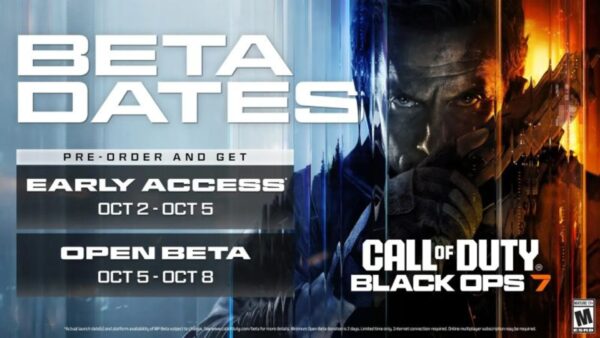
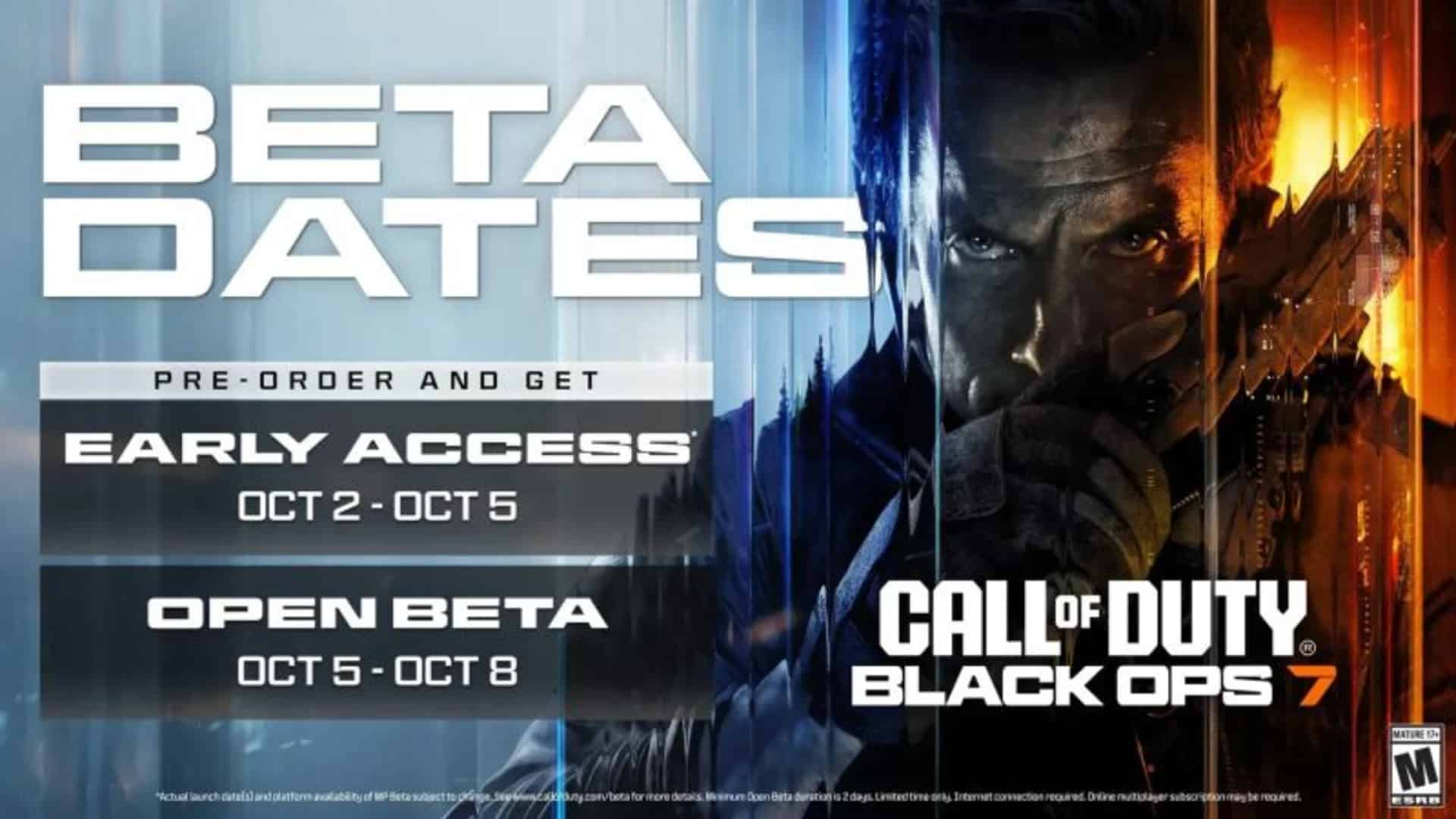
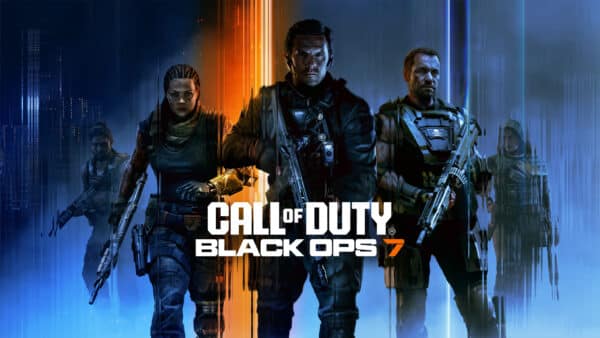
For something different, go check out Black Ops 7 this weekend via its early access beta. Don’t have a key? Check out our code giveaway to snag one.

Avatar photo

Alex Co

Father, gamer, games media vet, writer of words, killer of noobs.

Home > Title Updates and Patches

Dying Light: The Beast New Update 1.002.003 for Hotfix 1.2.3 Applies Grab Changes

Following the release of Dying Light: The Beast’s first hotfix last week, Techland has released a follow-up hotfix today, and this one has actual gameplay-related changes in tow.

The studio has today released hotfix 1.2.3, which console gamers will see as Dying Light: The Beast update 1.002.003, and this small download changes how grabs work in combat.

Given this is a hotfix, don’t expect anything major in terms of balance changes, as that should come with the game’s first major update sometime in the future.

Dying Light: The Beast Grab Adjustments Made in New Update Released on Sept. 30 as Version 1.002.003/1.2.3

Update: Techland has released the complete patch notes, and there are a lot more fixes included, which also resolves some of the known issues.

Stability & Performance

  • Fixed various crashes to improve overall game stability.
  • Resolved an issue where sharpening was not applied correctly while using DLSS.
  • Addressed occasional stuttering when playing with Frame Generation enabled.
  • Fixed graphical glitches when using HDR on PlayStation 5.

Gameplay Improvements

  • Grabbing Biters is now less frustrating and feels more fair.
  • Fixed an issue where patrolling routes of Screamers in Dark Zones were broken.

Quests & Progression

  • Tutorial:
    • Fixed a critical issue where, if a player received a modded weapon from someone who had already completed the tutorial, the game attempted to apply the mod a second time, thus blocking the progress.
  • The Mine (Co-op):
    • Fixed an issue where destructible doors could remain indestructible for one player, blocking quest progression.
  • Safe Spots:
    • Fixed a bug where breakable doors and windows respawned after reloading, trapping players inside.
  • Mental Asylum Safe Spot:
  • Fixed an issue where reloading the save could leave the entrance blocked by an unintended obstacle, preventing players from entering.
  • Fixed an issue where music could loop infinitely after reloading certain quests.

UI & Consoles

  • Fixed the missing “Join the Community” button on consoles.

Original Story

According to Techland, the changes made will allow biters remain aggressive, but ensures encounters will be more fair.

  • When grabbing you, the damage will now start a little later to give more opportunities to escape a grab without being hurt.
  • When you start a fight, the first alerted biter will be less likely to start with a grab.
  • Biters wanting to grab you from a distance will now make it slightly more obvious.

The recent hotfixes released ushered in the Kyle Crane ouftit, as well as fixed issues with indoor rain.

Same as before, there are still a handful of issues not fixed with the recent hotfixes, and these include:

  • Wolf axe still locked for some gamers (Pilgrim Outpost issue)
  • Biter grabs broken
  • HUD elements disappearing
  • Progression blocker on clearing the area from infected where the game doesn’t recognize the task is completed\
  • Parkour issue where Crane stops randomly and drops from climable terrain
  • Input issues with dashing
  • Upgrading weapons in the workbench downgrading stats
  • Performance issues on consoles and PC, notably blurriness
  • Frame rate drops in various instances such as lockpicking
  • Lighting, HDR issues

If you’re aware of any additional issues, please leave a comment below and we’ll add it to the list. Hopefully, Techland will release an update that addresses these issues.

Avatar photo

Alex Co

Father, gamer, games media vet, writer of words, killer of noobs.

Home > Title Updates and Patches

Nintendo Switch 2 System Update 20.5.0 for Sept. 29 Brings on Stability

Nintendo has just released system update 20.5.0 for the Nintendo Switch 2, but don’t expect anything significant from it, as it’s primarily focused on stability.

The update is also available on the original Nintendo Switch console. 

Nintendo Switch 2 Update 20.5.0 Makes the Console Even More Stable, So We’re Told

Here’s what this update does, according to Nintendo:

  • General system stability improvements to enhance the user’s experience.

Yep, that’s really it, and it’s the same for the original Nintendo Switch (as in the first one). Chances are this is either tied to a potential console exploit or compatibility for a game across both platforms, though we won’t know for sure until someone actually spots it. Switchbrew currently lists changes made to the Sysmodules, specifically the account and something called “glue,” but again, there is nothing particular specific there. 

Hopefully, we’ll see a major update coming soon, as we’re sure many are tired of seeing these stability updates, even though we do welcome them.

Avatar photo

James Lara

A gamer at heart, James has been working for MP1st for the last decade to do exactly what he loves, writing about video games and having fun doing it. Growing up in the 90's gaming has been in his DNA since the days of NES. One day he hopes to develop his own game.

Home > Title Updates and Patches

The First Berserker: Khazan Update 1.015.021 Brings Halloween Treats

Neople Studio has just released The First Berserker: Khazan Update 1.015.021 across all platforms, and while it brings more fixes, it also brings some new Halloween cosmetics.

Yep, Halloween has come early to the world of The First Berserker.

The First Berserker: Khazan Gets Spooky With Update 1.015.021

Here’s what developers Neople have said is included in this update:

Versions:

  • STEAM®: Ver. 535597
  • PlayStation®5: Ver. 01.015.021
  • Xbox Series X|S: Ver. 1.1.15.21

Berserkers, we’ve prepared a small gift to celebrate Halloween! After September 30 update, Halloween Package will be distributed to all users who have played The First Berserker: Khazan. Put on a spooky hat and strike fear into your enemies!

  • Eligible Users: All users who own the main game (Giveaway)
  • Reward Item: Halloween Package
  • Package Contents: Khazan-o’-Lantern (M), Moonlight Whisperer‘s Hat (F)
  • How to Obtain: You can claim the Halloween Package from the Mailbox located in the Crevice after clearing Mission 2
    • If you have reached your maximum carrying limit for gear, please try again after making room in your inventory.
    • You can claim the item in each save file.
  • The items in the Halloween Package are categorized as helms. They are available for Inherit Gear, Change Attributes, Upgrade Gear, Convert or Change Scaling, and Change Appearance.

[Bug Fixes]

These are major bug fixes from this update that directly affect gameplay.

Common

  • Fixed an issue where the drop location for the Knight’s Scroll was missing after the update.
    • You can obtain the Knight’s Scroll in the same location as before the update
  • Fixed an issue where the duration of the Enhancer buff was unusually long when using Eagle Wind: Gale.
  • Fixed an issue where successful Reflection against certain boss patterns would occasionally not reduce stamina or apply stagger as intended.

Improvements

  • (PC) Fixed an issue where the translated text for anti-aliasing settings would not appear when using FSR 3

That’s all for today’s update. It’s nice to see the studio continuing to add new content, even if it is only cosmetics at the moment. We’re sure plenty more is coming, especially with Christmas coming up.

Avatar photo

James Lara

A gamer at heart, James has been working for MP1st for the last decade to do exactly what he loves, writing about video games and having fun doing it. Growing up in the 90's gaming has been in his DNA since the days of NES. One day he hopes to develop his own game.

Home > Title Updates and Patches

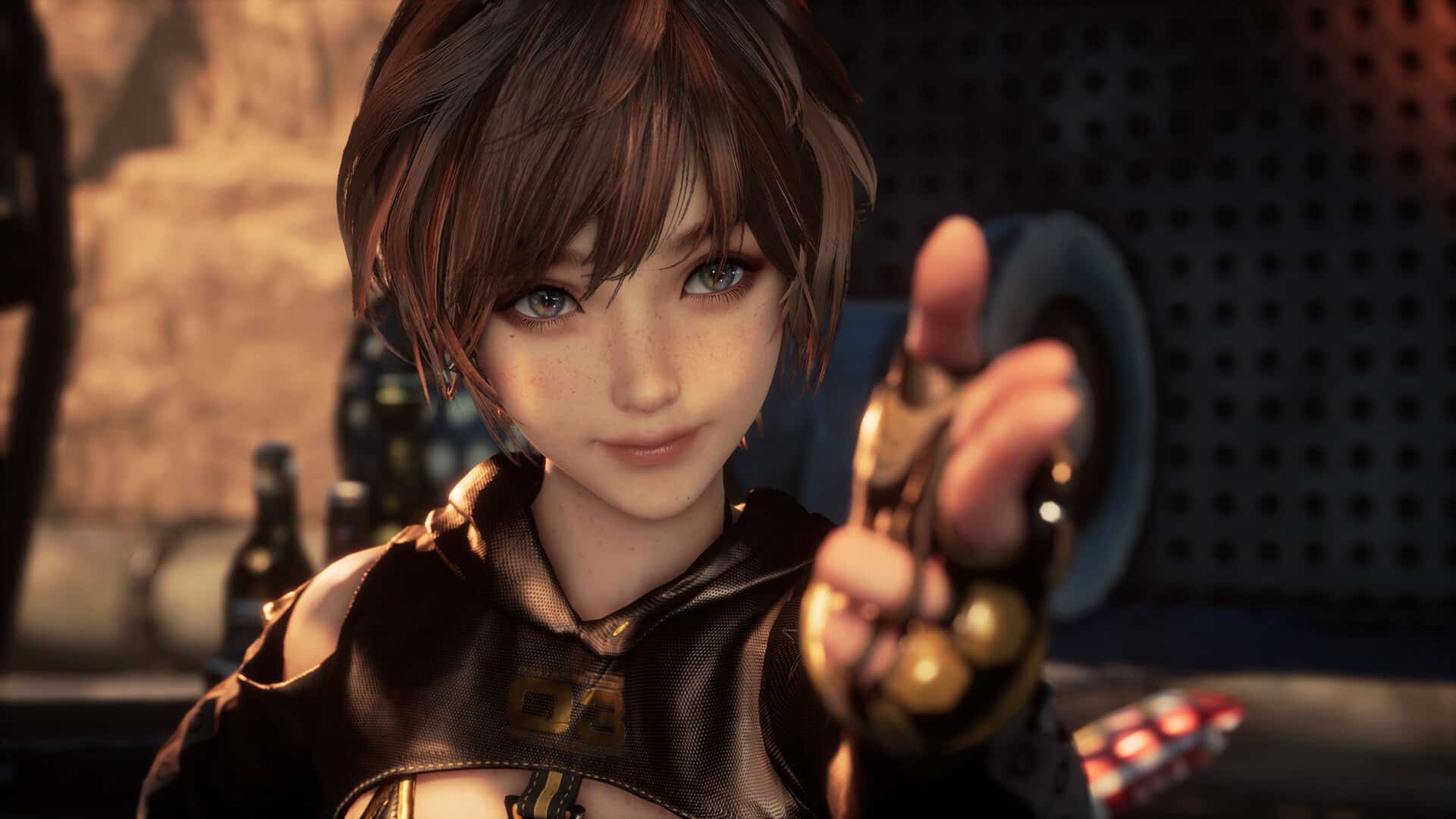
Stellar Blade New Update 1.014.001 Adds Three New Epilogues

Shift Up has released yet another surprise update for Stellar Blade for this month, and it brings not one, not two, but three epilogues for the game after the player completes it.

Players will see the download appear as Stellar Blade update 1.014.001, which Shift Up refers to as the version 1.4.1 title update.

Stellar Blade Update 1.014.001 Patch Notes for August 29

Here’s what Shift Up had to say about what’s included in today’s update. 

PS5 & PC Shared update details!

  • After one ending comes another beginning — explore three epilogues that reveal the lives of EVE and the people of Xion following a specific ending.

 PC 1.4.1 New update details!

  • When using Photo Mode via Odyssey 3D Hub, screenshots will now be saved in the “Screenshots” folder located in the Stellar Blade executable directory.
  • Fixed an issue during the “Strange Signal” request where players could not interact with the network device in the Scrap Yard after completing the Orbital Elevator story, preventing quest progression.
  • Various other bug fixes.

I totally wasn’t expecting to see any new content, especially since the game just got an update last week that added some. Curious to know what these new epilogues are about, as I am sure are other players. We’ll find out soon that the update is available on all platforms.

Could these be tied into the upcoming sequel that the team has shifted to? Possibly, and considering that it is targeting a release before 2027, there might be a good chance for a connection of sort.

Avatar photo

James Lara

A gamer at heart, James has been working for MP1st for the last decade to do exactly what he loves, writing about video games and having fun doing it. Growing up in the 90's gaming has been in his DNA since the days of NES. One day he hopes to develop his own game.

Home > News

Electronic Arts to Be Acquired by Jared Kushner, Saudi Group, and SIlver Lake for $55 Billion

In an unprecedented move, one of the biggest video game publishers in the world, Electronic Arts (EA), has announced that it has entered into an agreement to be acquired.

This means that the company that owns the Battlefield, Dead Space, Mass Effect, Madden, EA Sports FC franchises, and a good number of studios will have new owners.

Nope, you’re not dreaming.

Electronic Arts Will Have New Owners Soon

apex legends down

The press release from EA mentions that PIF, Silver Lake, and Affinity Partners has entered an agreement to acquire the publisher for $55 billion in an all-cash transaction.

Once completed, the Consortium will acquire 100% of EA, with PIF rolling over its existing 9.9% stake in the Company. EA stockholders will receive $210 per share in cash. The per share purchase price represents a 25% premium to EA’s unaffected share price of $168.32 at market close on September 25, 2025, the last fully unaffected trading day, and a premium to EA’s unaffected all-time high of $179.01 at market close on August 14, 2025.

Even after the acquisition, current EA CEO Andrew Wilson will remain on board to steer the ship.

Read on for the prepared statements from the press release.

“Our creative and passionate teams at EA have delivered extraordinary experiences for hundreds of millions of fans, built some of the world’s most iconic IP, and created significant value for our business. This moment is a powerful recognition of their remarkable work,” said Andrew Wilson, Chairman & CEO of Electronic Arts. “Looking ahead, we will continue to push the boundaries of entertainment, sports, and technology, unlocking new opportunities. Together with our partners, we will create transformative experiences to inspire generations to come. I am more energized than ever about the future we are building.”

“PIF is uniquely positioned in the global gaming and esports sectors, building and supporting ecosystems that connect fans, developers, and IP creators,” said Turqi Alnowaiser, Deputy Governor and Head of International Investments at PIF. “PIF has demonstrated a strong commitment to these sectors, and this partnership will help further drive EA’s long-term growth, while fueling innovation within the industry on a global scale.”

“Electronic Arts ​is ​an ​extraordinary ​company with a ​world-class ​management ​team and a bold vision ​for ​the ​future. ​I’ve admired their ​ability to create iconic, lasting experiences, ​and ​as ​someone ​who ​grew up playing their ​games ​- and now enjoys them with his ​kids – I couldn’t be ​more ​excited about ​what’s ​ahead,” said Jared Kushner, Chief Executive Officer of Affinity Partners.

Yes, that Jared Kushner is the same one who’s married to Ivanka Trump, which means a member of the Trump family owns EA. Crazy, right?

Interestingly, perhaps the major cause for concern here is that the Saudi Group, as this might mean they’ll squeeze EA and its franchises dry.

Short-term, does this mean Battlefield 6’s grounded direction will change with new owners? I wouldn’t be surprised if it was, though I wouldn’t be happy about it.

For now, all we can do is wait. Let’s hope this works out for EA and gamers to some degree.

Avatar photo

Alex Co

Father, gamer, games media vet, writer of words, killer of noobs.

Home > Title Updates and Patches

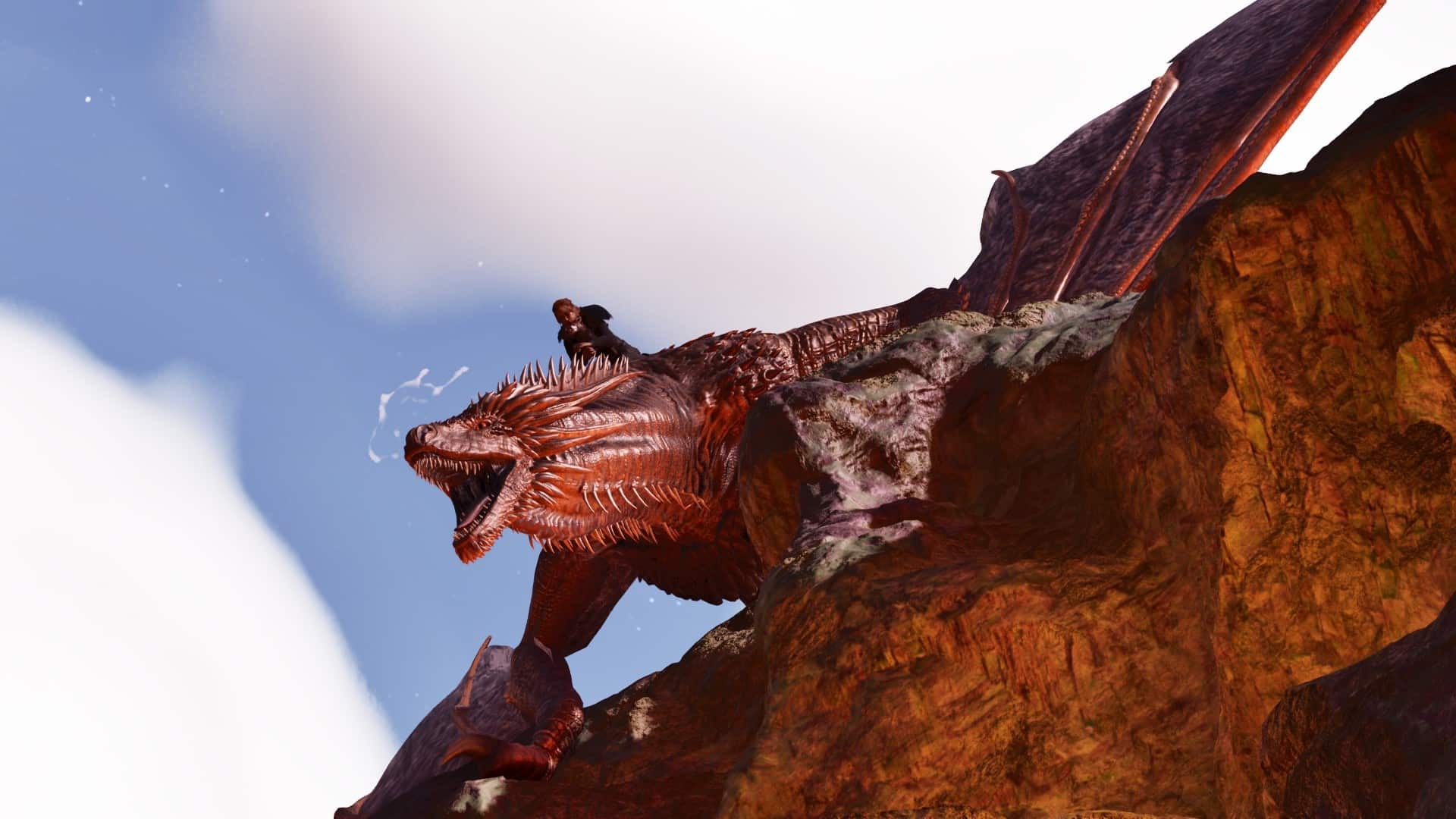
Ark Survival Ascended New Update 1.072.016 Fixes Collision Issues

Studio Wildcard has released a small patch for Ark: Survival Ascended on PC and consoles today, September 29, to address a few nagging issues affecting gamers.

This patch appears as version 1.072.016 on consoles and v72.16 on PC. Don’t expect much from this, as it is a targeted update.

Read on for everything new for today’s client download patch, as well as the most recent server-side update.

Ark Survival Ascended’s Collision Issues Fixed in Latest Update 1.072.016 /72.16

Ark Survival Ascended New Update 1.067.027

v72.16 – Minor version for PS5, Xbox and Windows Clients – 09/29/2025

  • Fix for incorrect collision on treasure chest when placed on the back of a car.
  • Fix to allow cosmetic mods to access movie files.

v72.12 – Minor version for Servers – 09/19/2025

  • Blueprints made from Helicoprion and items crafted from those blueprints no longer retain the Club ARK reward tag.
    • This will apply retroactively to existing items on server bootup.
  • Performance improvement with Dung Beetles.
  • Fixed issue causing Unofficial Servers to ignore config and ini changes.
  • Worker Bees are no longer killed by the bio grinder.
  • Fixed an exploit.

There was also a client patch released earlier this month that addressed the stall issue gamers had experienced.

While an unrelated game, if you’re looking for something new to play this week, enter our Call of Duty: Black Ops 7 beta code giveaway, which is open to all platforms.

Avatar photo

Alex Co

Father, gamer, games media vet, writer of words, killer of noobs.

Home > News

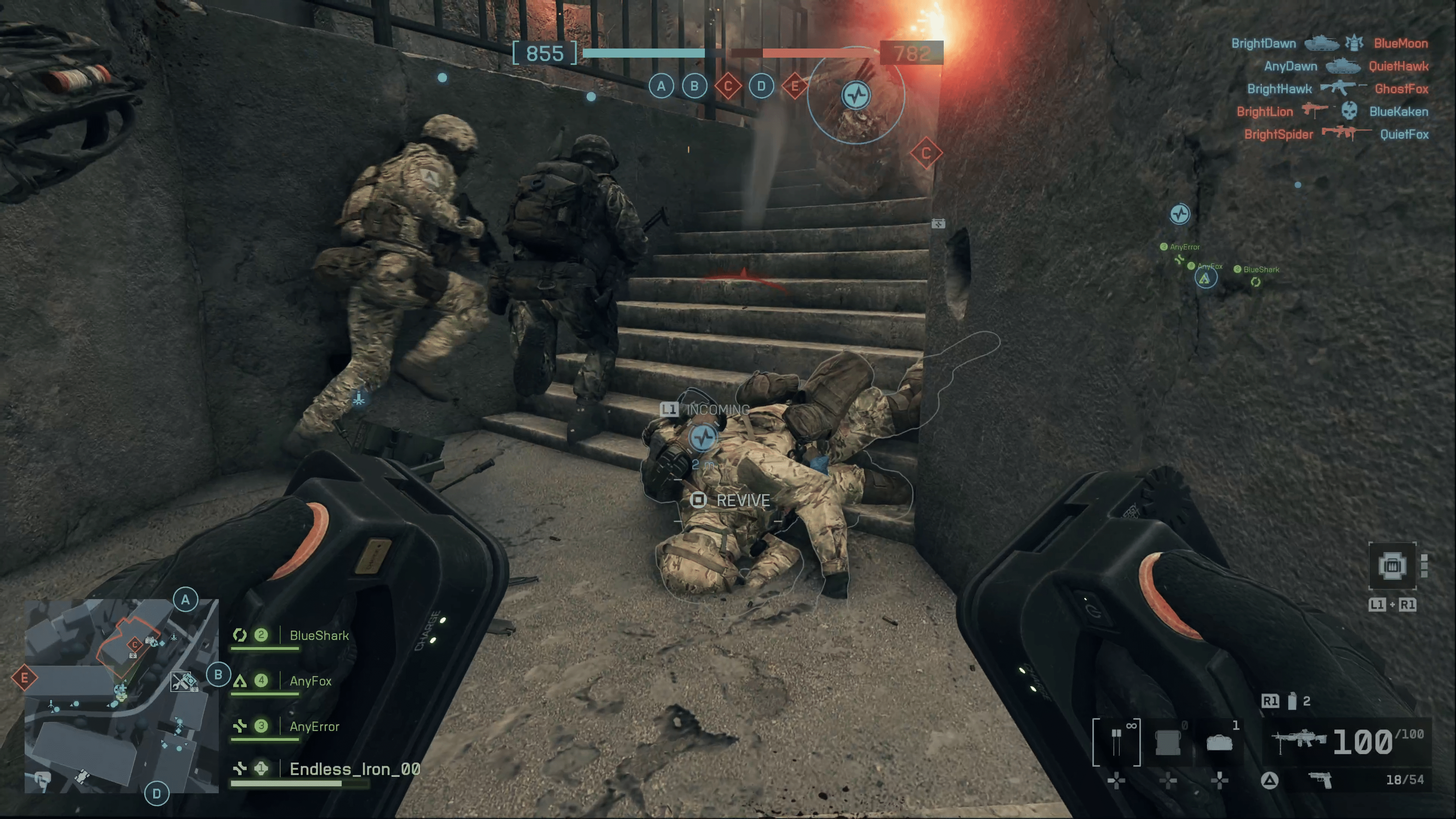
Battlefield 6 Release and Unlock Times Worldwide Revealed

Following our report that Battlefield 6 preload for PC and consoles has been moved up from October 8 to October 3, we now know when Battlefield 6 will unlock and be playable.

It seems that for Battlefield 6, the publisher is opening the floodgates at the same time. Sadly, this means that the ol’ Australia time trick won’t work for the shooter.

Battlefield 6 Release and Unlock Times Confirm There Will Be No Early Access

battlefield 6 spot

The file size on PC is at 75.97 GB, and the consoles file sizes aren’t known yet, though that should change within the week.

For when Battlefield 6 will actually be playable in your country, head on below.

North America

  • 🇺🇸 United States: 8:00 AM PDT / 11:00 AM EDT
  • 🇲🇽 Mexico: 9:00 AM CST
  • 🇨🇦 Canada: 11:00 AM EDT

South America

  • 🇦🇷 Argentina: 12:00 PM ART
  • 🇧🇷 Brazil: 12:00 PM BRT

Europe

  • 🇬🇧 United Kingdom: 4:00 PM BST
  • 🇪🇸 Spain: 5:00 PM CEST
  • 🇩🇪 Germany: 5:00 PM CEST

Middle East

  • 🇸🇦 Saudi Arabia: 6:00 PM AST
  • 🇪🇬 Egypt: 6:00 PM EEST
  • 🇺🇦 Ukraine: 6:00 PM EEST
  • 🇹🇷 Turkey: 6:00 PM EEST
  • 🇷🇺 Russia (Moscow): 6:00 PM MSK
  • 🇮🇷 Iran: 6:30 PM IRST
  • 🇦🇪 UAE: 7:00 PM GST

Asia

  • 🇮🇳 India: 8:30 PM IST
  • 🇮🇩 Indonesia (Jakarta): 10:00 PM WIB
  • 🇵🇭 Philippines: 11:00 PM PHT
  • 🇸🇬 Singapore: 11:00 PM SGT
  • 🇭🇰 Hong Kong: 11:00 PM HKT
  • 🇨🇳 China: 11:00 PM CST
  • 🇯🇵 Japan: 12:00 AM JST (October 11)

Oceania

  • 🇦🇺 Australia (Sydney): 1:00 AM AEST (October 11)

In other Battlefield 6 news, if you haven’t seen it yet, EA launched a new live-action trailer that takes shots at Call of Duty. Some of our other coverage lists the gadgets available for all classes at launch, and even the weapons list too.

We have more info on Battlefield 6 dropping, so if you want the best and most accurate coverage on Battlefield 6, make sure to bookmark MP1st.

Avatar photo

Alex Co

Father, gamer, games media vet, writer of words, killer of noobs.

Home > News

Call of Duty: Black Ops 7 Free Beta Code Giveaway

MP1st continues its (now) yearly tradition of handing out a ton of Call of Duty beta codes! If you want to play Black Ops 7 early, now’s your chance to do so, and there’s no purchase necessary or anything icky.

Thanks to Activision, MP1st has hundreds of codes to give away. We’ll be giving away as much as possible in the comments section of this article, as well as on our various social media platforms.

So how do you snag one of these codes? Read on…

Get a Free Black Ops 7 Beta Code From MP1st!

To snag a beta code, just leave a comment and tell us how you think Call of Duty can recover from its recent downturn. The best comments will receive an email sent to the account used for commenting. This is open to all platforms, as the codes are valid for consoles and PC.

Black Ops 7 Beta Schedule

Early Access

  • Start: Thursday, October 2, at 10 am PDT/1 pm EDT/1 am HKT/6 pm BST
  • End: Sunday, October 5, at 10 am PDT/1 pm EDT/1 am HKT/6 pm BST

Open Beta

  • Start: Sunday, October 5, at 10 am PDT/1 pm EDT/1 am HKT/6 pm BST
  • End: Wednesday, October 8, at 10 am PDT/1 pm EDT/1 am HKT/6 pm BST

Speaking of which, here are the redemption instructions listed.

The Black Ops 7 Beta Starts

REDEMPTION INSTRUCTIONS:

  • Please go to www.callofduty.com/betaredeem to redeem your Call of Duty: Black Ops 7 Open Beta Early Access code.
  • You must then login/create an Activision account.
  • You will need to enter your code, platform of choice, and region that you live in.
  • You will know your code is valid if you’re redirected to the success page.
  • The success page will confirm that you are registered for Early Access to the Call of Duty: Black Ops 7 Open Beta but will not provide a platform-specific code to download the Beta.
  • A platform-specific code will be emailed to you on a date closer to when Early Access to the Open Beta begins.

You can check out more info about the beta in Activision’s official FAQ.

We’ll also be giving codes away from today until the day the bete starts on October 2 on our X (formerly Twitter) and bluesky socials.

In related Black Ops 7 news, gamers will be glad to hear that “big brand” skin collabs have been cancelled after the backlash. This is a good first step and we hope to see Activision lean more in this direction.

Avatar photo

Alex Co

Father, gamer, games media vet, writer of words, killer of noobs.

Home > Title Updates and Patches

FBC: Firebreak First Major Update “Breakpoint” 1.6.2 Now Out as Console Patch 1.006.002

Remedy Entertainment has been working on FBC: Firebreak and has now released the game’s first major update, called “Breakpoint,” which is tagged by the developers as version 1.6.2.

Console gamers will see this as FBC: Firebreak update version 1.006.002 on PS5, and version 1.6.2.0 on Xbox Series. This introduces a new Crisis, weapons, grenades, enemies, and gear.

When it comes to changes, the progression has been overhauled, alongside the game’s currencies. There’s a lot to take in, so read on for the complete patch notes and overview of everything new.

FBC: Firebreak Breakpoint Update Completely Reworks the Game via Patch 1.6.2/1.006.002

New Content 

  • Crisis Board – Replaces the Job Board with curated, dynamic Crises (previously known as Jobs). 
  • New Crisis: Outbreak – Located in the Research Sector, with new objectives, hazards, and Mold enemies. 
  • New Weapons – Scattergun, Semi-automatic rifle, Rotary Cannon. 
  • New Grenades – Freeze, Healing, Black Rock. 
  • New Enemies – Mold Walker, Mold Turret, Corrupted Ranger, Corrupted Ranger (Airborne), Demolition Expert. 
  • New Harmful Condition – Moldy, which can transform you into a Mold Walker. 
  • New Tutorial Level – Orientation
  • Media Viewer with orientation videos
    • Job overview videos to help you understand each Crisis 
    • Welcome to Firebreak introduction video. (was already in the game, now rewatchable in the Media Viewer) 
  • 2 New Voice Packs – The Dave and The Lab Rat (Found in Exotics Requisition). 
  • Gun Mods added: 
    • The system unlocks at Reputation level 3 
    • 27 Mods: 
      • 9 universal mods 
      • 6 mods per weapon category (Blast, Precision, Spray) 
  • New Armor Sets, Exotic Helmets, Gun Skins, Sprays

Progression & Gear 

  • All tools, guns, and grenades unlock at full power – no upgrades required. 
  • Crisis Kits have their Altered Augments and Improvised Devices fully unlocked at Reputation level 1. 
  • A few Perks tied to weapon performance have been moved into Gun Mods.
  • Ammo Stations recharge Improvised Devices faster 
  • Reputation level cap raised to 200 (from 49). 
  • New guns, grenades, and level 1 perks unlock through leveling. 

Economy 

  • Old currencies (Lost Assets, Research Samples) removed, converted into: 
    • Parts, Samples, Intel – used for cosmetics & Perk upgrades. 

  • Trace – New currency for Exotic cosmetics (drops from Powerful Enemies and Corrupted Items). 
  • Requisitions Reworked: 
    • Essentials removed. 
    • Expressions now include cosmetics + gun skins. 
    • Firestarter Deluxe updated to use new currencies. 
    • Breakpoint Requisition – New cosmetics themed to the update. 
    • Exotics Requisition – Unique cosmetics & voice packs using Trace. 

Gameplay 

  • You can now slide. 
  • You can crawl while downed. 
  • New onboarding flow for smoother first-time experience. 
  • Alternative Objectives can replace main objectives in Zones 1–2. 
  • Shower & Ammo Station locations randomized; closest Shower always marked on your HUD. 
  • Players now pick up items with a button press (no need to hold). 
  • You now get an objective marker to pick up the Neutralizer when a Corrupted Item appears. 
  • Button rebinding enabled for Emergency minigames. 
  • Better healing feedback.

Tuning & Balancing 

  • Early game tuned to be less punishing. 
  • Balancing of enemy density and difficulty at higher Threat Levels. 
  • Objectives in Zones 1–2 require 25% fewer completions. 
  • Lessened high recoil with single-shot guns. 
  • Player stagger from damage is now more forgiving. 
  • Ground Control: Radiation damage from Leech Pearls reduced by 50%. 
  • Freezer Duty: Frost Anomalies now show health bars. 
  • Freezer Duty: Improved mannequin markers’ visibility. 
  • Hot Fix: Ambient heat damage removed (except on Extreme Threat Level). 
  • Paper Chase: Dry sticky notes are immune to melee and gun damage; wet ones are destroyed easier and can get destroyed by water. 

Harmful Conditions 

  • No longer spread between players. 
  • Improved visual readability (Burning, Cold, Moldy, etc.). 
  • Splash Kit Ejector now removes all Harmful Conditions except Moldy. 

Crisis Kits 

  • All Altered Augments now also charge from Tool use against enemies. 
  • Fix Kit – Piggy Bank Augment: higher damage, coin vortex moves forward from the first point of impact.
  • Splash Kit – Teapot Augment: higher damage.
  • Fix Kit – Swivel Cannon: previously did not do damage beyond 5 meters, now fixed. More effective in hitting flying enemies. Up to 3 deployable at the same time.
  • Jump Kit – BOOMbox: now properly and more effectively attracts enemies when deployed, causes bigger explosions when destroyed, you can now carry up to 2. 
  • Splash Kit – Humidifier: clearer healing visuals, you can now carry up to 2. 

Technical & Visual Updates 

  • FSR Frame Gen added for supported AMD GPUs. 
  • Enemy health bar visibility option is now ‘On’ by default. 
  • Many UI/visual updates for clarity. 
  • Flashlight flicker removed. 
  • Improved audio feedback – destroyed resonance shield SFX fixed. 
  • Improved healing visuals. 

Bug Fixes 

  • Fixed login issue on PS5 where players got stuck on infinite triangle spinner. (was already fixed in the previous patch) 
  • Fixed rare issue where players got stuck after being revived. 
  • Fixed an issue where the sprinkler red lights were not visible for others than the host. 

Miscellaneous 

  • More Hank & Jerry banter in the Main Menu. 

With a patch this big, don’t be surprised to see a follow-up update be released to fix any issues that surface from it. If Remedy releaseas one, expect it here on MP1st.

Avatar photo

Alex Co

Father, gamer, games media vet, writer of words, killer of noobs.

Home > Title Updates and Patches

Killing Floor 3 Hotfix 4 Released for Performance Improvements via Update 2.006

Tripwire Interactive has released Hotfix 4 for Killing Floor 3 on all platforms. This should appear in the console as Killing Floor 3 update 2.006 (complete version 02.006.000), ushering in performance and matchmaking improvements.

While this is yet another minor update, there is a big one looming on the horizon, and it won’t be long until gamers get their grubby hands on it.

For now, read on for what exactly got fixed in today’s hotfix.

Killing Floor 3’s Update on Sept. 29 Brings Performance Improvements in Download Version 2.006

killing floor 3 update 2.004

Bug Fixes

  • Addressed client side backend services disconnects related to save data spamming.

Performance Optimization

  • Optimized performance spikes that occur during Boss battles while they take damage.
  • Reduced wait time when closing Skill videos

Matchmaking Improvements:

  • Improved matchmaking reliability issues experienced by players with several hundred crafted mods and/or dozens of saved weapon loadouts.
    • This fix is expected to improve user behavior, now supporting up to 2000 mods and/or 90 loadouts. If you…

Next up for the game is the big Rearmament Update set for release this Halloween!

While the official patch notes for that isn’t available yet, we do know some of the major changes planned, which we’ve included below.

Rearmament Update Key Highlights:

  • Perk and Character Decoupling: Implemented by popular community request.
  • New Weapons & Mods: Inspired by real-world designs.
    • M14 EBR Mod 0 (Sharpshooter)
    • MKR-350 Assault Rifle (Commando)
    • Streik Dual Defender Shotgun (Engineer)
  • Performance & Stability: Further improvements and optimizations.
  • Balance & Quality of Life: A wide range of fixes and tunes.

Needless to say, there’s more to this patch than that, so Killing Floor 3 players have a lot to look forward to in the shooter. Once Tripwire releases more details, we’ll have it up on the site.

Avatar photo

Alex Co

Father, gamer, games media vet, writer of words, killer of noobs.

Home > News

Alien: Rogue Incursion Evolved Edition Review – Stay Frosty

Hot off the heels of Alien Earth, Alien: Rogue Incursion Evolved Edition is the flatscreen conversion of Survios’ 2024 Alien: Rogue Incursion VR. Rebuilt from the ground up, this new version of Alien: Rogue Incursion comes loaded with graphical enhancements, improvements, and full controller/mouse and keyboard support, to bring the latest Alien horror experience to a wider audience.

With a focus on delivering a truly terrifying and immersive adventure, the Evolved Edition promises to be the most definitive version of the game, letting players face off against the Xenomorph threat in a way they never could before.

Does Survious manage to keep the same heart-pounding terror and immersive dread from its VR counterpart, or is this conversion a less-than-stellar port?

From VR Terror to Flatscreen Frights
In Alien: Rogue Incursion, you play as Zula Hendricks, a rogue Colonial Marine who is sent to investigate a distress signal on a planet known as Purdan, aka LV-354. As it turns out, Purdan is a Weyland-Yutani blacksite, the franchise’s main evil mega-corporation that has a sickening obsession with controlling and weaponizing the deadly Xenomorph species. This obsession has, of course, gone terribly wrong, something you find out shortly upon landing on Purdan as Xenomorphs now overrun the base.

Now, I won’t spend too much time diving deep into this re-release, as many of my opinions remain unchanged from my original review of Alien: Rogue Incursion, including the story. It’s not the deepest when it comes to lore of the universe, and though this time around it does market itself as a first-parter experience, it still comes up short in the story department.

The main draw of the game is going to be in the gameplay and set pieces themselves. Like the VR version, Alien: Rogue Incursion Evolved Edition manages to create a menacing threat when it comes to the Xenomorph. Sure, it’s not on the scale of Alien Isolation, where a single Xenomorph is hunting you throughout the entire game. But given that this is meant to be closer to Aliens (the sequel film to Alien), where it’s more action-focused, and the Xenomorphs are taken down by the dozen, the game does a fantastic job at making the Xenomorph feel like a true inteelegant hunter, where they’ll throw a few at you, while the rest scurry off into vents, and sneak around to try and flank you and such.
They know they have the numbers, and not only will they be used to try to overwhelm you, but they’ll also use that to their advantage.

The VR experience definitely had a much more terrifying aspect to it, given that you were in full control of the character movement with your own body. This sense of physical presence made the close-quarters encounters with the Xenomorphs feel visceral and truly terrifying. When you had to physically lean around a corner or duck behind a crate, it added a layer of immersion that is difficult to replicate on a flatscreen. The Evolved Edition, while still frightening, loses some of that immediacy. However, it compensates with a finely tuned control scheme and a more cinematic presentation that makes the action feel intense and satisfying in its own right. The developers have successfully translated the core gameplay loop, proving that the Xenomorph threat can be just as potent when viewed through a flatscreen space.

Tighter Controls to Face Off an Even Deadlier Threat

The controls, of course, have been entirely rebuilt, going from motion input to controller/mouse and keyboard, and the conversion is spectacular. Don’t get me wrong, I loved the VR version of this game for what it was. I thought Survios did a fantastic job at making use of 3D spatial audio and the immersive nature of VR, but the flatscreen controls feel incredibly intuitive. Moving from a physical, one-to-one movement system to a traditional control scheme is often a massive stumbling block for VR ports, but here, it feels like the game was always meant to be played this way (even if VR is still my go-to). The shooting is tight and responsive, and the movement feels fluid, allowing you to react quickly to the Xenomorphs’ unpredictable movements.
Motion actions that previously required you to reach around your body for a certain utility have now been replaced with a single button press. That does, in many ways, lose a lot of the “horror” the VR version had, where you would be fumbling around, trying to reload or swap weapons as something was trying to eat your face. The Facehugger scene certainly doesn’t evoke the same bone-chilling feeling as it does in the VR version, but it’s still a great scene.

But one big difference here is the reworked AI. While the VR version received several patches to fix bugs and improve the AI (which, by the way, was not bad by any means), the Evolved Edition undergoes further reworking to compensate for the less immersive format. The Xenomorphs are just more deadly and think more before throwing an onslaught of Xenos at you, often keeping you more on your toes during encounters.

Where I feel the VR version was leaning more towards Alien Isolation, this flatscreen conversion feels like a proper Alien Colonial Marines (that awful Gearbox release) that fans have been craving for. You don’t have to worry about Xenomorphs spinning around in place and constantly being predictable in their locations. They genuinely feel like a threat here, using vents, ceiling holes, floors, and any cover to try and sneak their way to you.

On the visual side of things, the flatscreen version is a massive glow-up. If you’re coming from the Quest 3 version, the difference will be more noticeable. However, for PSVR2 and PCVR, playing on the PS5 almost feels like playing on a high-end version of this, with better lighting (ray-traced lighting really shines here), textures, and a rock-solid 60 FPS throughout. Survios didn’t just port the game over and call it a day; there’s real work put into this, with new animations to account for the ones performed by motion.
I love how the DualSense feels in this one, too, with every gun having unique haptics and triggers, and certain actions being felt through the controllers’ motors. Supporting the DualSense to its fullest is always a plus to me in any game, and it’s just one of those extra added layers to make the experience feel more immersive for flatscreen gamers.

Save points are still accessed via panic room terminals (similar to the Resident Evil typewriter system). This was an issue I had with the original VR version of the game, mostly due to the lack of autosaving and having to replay sections repeatedly in VR. Well, it eventually became tiring to the point that it could induce motion sickness as you tried to rush back through a section to get caught up again. Arguably, since it’s now on a flatscreen, that’s not really an issue anymore. It’s much easier to go through the motions of things without going through those motions physically, and you aren’t constantly bobbing your head around. Of course, that can be said about any flatscreen converted VR game, but coupled with the bugs the original release had, it made for a less-than-enjoyable experience at the time, where auto-saving would have been greatly appreciated. I’m glad to see it’s a much more manageable experience in its flatscreen format, even with the higher difficulty AI; I’m not bothered by that issue.

There are still some odd bugs here and there, and on PS5 Pro, we noticed some of the newly added character animations that are performed in place of the motion controls do have a bit of a stutter to them, but overall, the experience is generally a lot more polished than it was in the original VR release. Mind you, the story’s shortcomings aren’t addressed here, as this is still a first part that ends rather anticlimactically, for the sake of part 2. At least it’s marketed this time, so players won’t feel misled into thinking it’s a standalone, but that still doesn’t fix the ending.

There’s also no upgrade path available for those who purchased the game on either PSVR2 (for PS5) or PC (via Steam). I’m not too bothered by this because other games have done this, where you go from flatscreen to VR, with the latter being charged, so why can’t it be true for the opposite? That, and the pricing isn’t aggressive by any means, with this being $30 rather than the original $40 for the VR version. It would still have been nice to have had a discount of sorts for those who supported the original release, and vice versa for those who would later transition to VR.

Evolved to Survive
Alien: Rogue Incursion Evolved Edition is more than just a simple port; it’s a meticulously crafted conversion that proves the core terror of its VR counterpart can thrive on a flatscreen. Survios has successfully translated the visceral dread and intense combat of the original into a polished and well-optimized experience that feels right at home on consoles and PC. While the story remains a bit light and the cliffhanger ending might leave some players wanting more, the refined controls, stellar graphical upgrades, and a genuinely threatening Xenomorph AI make this a must-play for any fan of the franchise.

It’s rare to see a VR-to-flatscreen port handled with such care. The developers didn’t just rely on the novelty of the Alien license; they took the time to rebuild and rebalance the game, resulting in an experience that feels tighter and more engaging. Alien: Rogue Incursion Evolved Edition isn’t trying to be Alien: Isolation, but rather a worthy spiritual successor to Aliens, delivering a relentless and action-packed horror experience that will leave you on the edge of your seat. For those who missed the VR version or prefer to face their fears from a less immersive perspective, this is undoubtedly the best way to do it.

Score: 8/10

Pros

  • The flatscreen conversion is handled expertly with tight, intuitive controls for controller and mouse/keyboard.
  • Visuals have received a significant “glow-up” with improved lighting, textures, and a rock-solid 60 FPS.
  • The reworked Xenomorph AI makes the enemies feel like a more cunning and deadly threat.
  • Haptic feedback on the DualSense controller adds a fantastic layer of immersion to the gameplay.
  • The flatscreen version successfully captures the action-horror tone of Aliens in a way that feels like a spiritual successor to the film. Even if it ends anticlimatically, this feels closer to a proper Aliens: Colonial Marines game.

Cons

  • Don’t expect too much from the story, especially since it’s set up as a two-parter.
  • No “new” content, which, while we weren’t expecting it in terms of story, could have solved the lack of weapons in this re-release.
  • The lack of upgrade paths for existing VR owners and vice versa is still a little disappointing.

Alien: Rogue Incursion Evolved Edition was provided by the publisher. You can read MP1st’s review and scoring policy right here.


Avatar photo

James Lara

A gamer at heart, James has been working for MP1st for the last decade to do exactly what he loves, writing about video games and having fun doing it. Growing up in the 90's gaming has been in his DNA since the days of NES. One day he hopes to develop his own game.

Home > Title Updates and Patches

New Man’s Sky New Update Applies Corvette and Technical Fixes via Patch 6.006/6.06

Developer Hello Games has released the latest patch for No Man’s Sky on PS4, PS5 and PC, and this once again brings a long list of Corvette bug fixes and improvements.

Players will see this update as No Man’s Sky 6.006 (6.006.000) and 6.06. This patch also includes various technical fixes addressing crashes, performance improvements, and more.

The PC version’s input issues, and other rare crashing and hanging issues, have been resolved as well.

No Man’s Sky Update on Sept. 29 Brings Another Wave of Corvette Fixes

Corvette Fixes

  • Fixed an issue which caused the mission board on a corvette to sometimes be inaccessible.
  • Fixed an issue which prevented fishing missions from being completed on a corvette.
  • Increase number of guns that visually fire on corvettes.
  • Fixed an issue with bobble head positions when placed in corvettes.
  • Fixed an issue that would respawn the player on an empty corvette landing pad when dying on a derelict freighter.
  • Fixed an issue which caused some corvette parts to be invisible when a save point was placed in the corvette.
  • Fixed an issue which could result in changing galaxy when warping as a passenger aboard a corvette.
  • Fixed an issue which could cause some elements of the user interface to be misaligned with the crosshair position in the corvette.
  • Fixed an issue which caused the option to recolour all parts on a corvette not to work correctly.
  • Fixed an issue that caused invisible collision around the round window base part.

Technical Fixes

  • Fixed an issue which caused blocking geometry to appear at the 4th rendezvous space station of the Corvette expedition.
  • Fixed an issue with freighter collision.
  • Fixed an issue causing The Anomaly landing pad display to be oriented incorrectly.
  • Fixed an issue that prevented some special cross-save customisation parts, such as the Jellyfish Tank helmet, from unlocking across all save games.
  • Fixed an issue that could cause you to be stuck when teleporting to your base from another system.
  • Fixed an issue that caused a black screen to appear during the star field loading screen.
  • Fixed an issue that could cause missing terminals on settlement buildings.
  • Improved reflection quality for the inventory preview viewer.

PC-Exclusive Fixes

  • Fixed a Steam input issue.
  • General performance optimisations.
  • Fixed a performance issue which caused hitches when in the Anomaly.
  • Fixed a rare physics crash.
  • Fixed a rare issue that could cause the game to hang when using the terrain manipulator.
  • Fixed a number of other crashes.

For those keeping count, this is the sixth patch released to fix issues that stemmed from the Voyagers content drop. We expect more are on the way, and once Hello Games releases another one, expect it here on MP1st.

Avatar photo

Alex Co

Father, gamer, games media vet, writer of words, killer of noobs.