Home > News

Evil Dead the Game Review: Low on Gas (PS5)

The Evil Dead is one of the most enduring horror franchises of all time. Three main films: The Evil Dead, Evil Dead 2, Army of Darkness (a remake and a TV show), Ash vs Evil Dead and another film coming to HBO Max this year (Evil Dead Rise), and numerous comics and video games are proof that director Sam Raimi’s comedy horror franchise show no signs of slumber. When I saw that there was an asymmetric take on the franchise with Evil Dead The Game, I was, to say the least, excited. While it’s clear the developers at Saber Interactive have love and reverence for the franchise, there’s not a whole lot to do and some odd design choices make it less than it could be.

The Gang’s All Here

The good new is that for fans of the series there are a ton of things to geek out over. From the characters you can choose to play as, ranging from Ash to his sister Cheryl from The Evil Dead, to Annie from Evil Dead 2, to Henry the Red from Army of Darkness,  and even Kelly from Ash vs Evil Dead. Only fans of the remake alone will feel left out as none of those characters are present.

From the Kandarian Dagger, to the infamous cabin, to, of course, the Necronomicon, all Evil Dead iconography is present and accounted for. There’s even little east eggs like “Shemp’s Cola” (not Shemp’s beer, for some reason) make their useful appearance into the game. The enemies you fight will be familiar to anyone who loves this franchise and the game even features the voice work of Bruce Campbell, Ellen Sandweiss, Betsy Baker and more. All of this is to say this is the most authentic Evil Game there has ever been and for that Evil Dead: The Game is worthy of praise.

Faceful of Boomstick

Unfortunately, presentation can only get you so far in a video game. It still has to be fun to play, and while it can have its moments, Evil Dead The Game is more frustrating than fun. The main attraction of the game is the Survivors vs. Demons mode that allows up to four people to play the survivors and should you choose, you can play against a demon AI. There’s also the option to play solo in this mode. Every match consists of following the clues laid out in the upper right corner of the screen to find three map pages from different locations on the map, before being able to collect the Kandarian Dagger and cleansing the Necronomicon of spirits. As you make your way around the map, you may find better weapons, matches to light fires to lower your fear meter, or even Shemp’s Cola which heals you.

The gameplay does offer wrinkles directly tied to the Evil Dead franchise, such as if your fear meter gets too high your vision is impaired and you are highly likely to be possessed. Being possessed turns you against your teammates, but they can wack you enough that you snap out of it. If you die, a teammate can take your soul to an alter and resurrect you. And while you’re trying to do all of this, random demons will spawn out of nowhere and attack you.

As Clunky as a 73 Oldsmobile

On paper it sounds fun, but the controls aren’t as tight as they should be. Aiming feels wonky, and ammo is so scarce that I wound up using melee 90% of the time. Speaking of scarce, healing items are hilariously and frustratingly scarce. Should the other teammates not choose a healer, you have to rely on these ultra rare items which seems baffling to me. Targeting with a melee weapon isn’t much better and the hit boxes are pretty small, so unless you’re directly facing an enemy, you’re going to whiff a bunch of swings.

There are solo missions in the game which change things up a bit, but there are no checkpoints, so if you die late into a mission you have to start the whole thing over again. There are games like that I love, like FromSoftware games. But here it’s nearly rage inducing because the game isn’t fun enough to warrant that kind of design. After a while I just stopped playing the mode altogether.

It’s ultimately more fun with friends, but only really if they’re also into Evil Dead as a franchise. And even then, references and nostalgia can only get you so far. Ultimately, Evil Dead the Game can be improved by patches and I’ll be happy to return to it when it is improved. As for now, I’ll stick with my film collection for my Evil Dead fix.

Score: 6/10

Pros

  • Tons of reverence for the Evil Dead franchise (except the remake)
  • A lot of the cast from the original film and Ash vs Evil Dead lend their voices
  • Fun with friends that are also fans

Cons

  • Every vs mission has the same goals
  • Aiming and targeting make combat a chore
  • Solo missions aren’t fun enough to warrant no checkpoints
  • Not enough content to keep you playing

Evil Dead: the Game review code was provided by the publisher. Version tested PS5. You can read MP1st’s review and scoring policy right here.

Sean Mesler

Home > News

FNAF Security Breach Update 1.11 Adds New Features This June 15

Steel Wool Studios has rolled out the (Five Nights at Freddy’s) FNAF Security Breach update 1.11 (PS5 version 1.011) on all platforms, and this adds new features to the game, and even references the patch released on May 24! Check out the new features and improvements in the FNAF June 15 patch notes.

FNAF Security Breach Update 1.11 Patch Notes | FNAF Security Breach Update 1.011 Patch Notes | FNAF Security Breach June 15 Patch Notes:

CHANGES (across all Platforms):

  • Starting a New Game will no longer overwrite the last loaded manual save

  • Movement controls can now be remapped

  • Interaction action controls can now be remapped to ‘cross’ or ‘circle’ on controller and ‘F’ on keyboard

  • Added in an alert for changing control inputs

  • Updated the subtitle system to display multiple dialogue simultaneously

  • Added camera posters in key areas

  • Added camera assets to roughly reflect the faz watch cameras’ position 

  • Updated the ‘Thrill Seeker’s’ mission objective, “Use Mazercise controls…”, to now complete upon entering the vent to Gator Golf

  • Updated the ‘Dumpster Diving’ mission objective, “Find out how to decommission Chica”, to now complete upon acquiring the Mystery Mix duffel bag

  • Updated the ‘Monty Mystery Mix’ mission objective to now complete upon collecting the bowling ticket

  • Removed tables and chair assets, collisions of the plush shapes and noisemakers in order to allow the Daycare Attendant to traverse the Daycare Play Area without getting stuck

  • Updated Roxy’s patrol pathing in Roxy Raceway

  • Updated Vanny’s patrol pathing in her Boss Battle

  • Optimized Endo’s polycount

  • Added in more Vanny audio files for variety of lines to play when encountering her in Lost and Found

  • Added in color indicator for Fazer Blast flags to turn blue when players capture it and return to green if the enemy alien bots capture it

  • Added in more STAFF Bots to patrol after the player acquires the Security Upgrade from the Gator Golf Office

  • Added in an animation transition  for when Endos pop down from their hooks in the Endo Warehouse

  • Chica now enters hunt mode if she sees the player in the hallway during the Burntrap wave

  • Updated Animatronics to be stunnable in Burntrap Boss Battle

  • Updated Vanessa’s spawn position so that the flashlight popping in was less visible

  • Updated ray trace reflections for particular shaders

  • Updated lighting in some areas of El Chip’s Kitchen and Parts and Service

  • Added in environmental fog

  • Added a “Set your brightness, contrast, etc.” upon fresh game start

  • Added in additional loading screens across several areas of the Map (primarily PS4 and lower-spec PCs)

  • Optimized Freddy’s mesh, maintaining fidelity for high-end PCs but allowing him to appear to have more mesh density on the PS4. Also helps with CPU optimization across platforms. 

  • Updated the Fazwatch to indicate Party Pass quantity

  • Updated the Collectible Categories in Game

  • Removed the Security Badge instruction card after the first one has been collected

  • Removed the autosave occurring at the start of Daycare Attendant’s Hunt when Party Pass is collected

  • Added in additional Freddy dialogue lines during ‘Escape the Daycare’, when completing Monty and Chica’s Boss Battles, interacting with a gate without correct requirements, and in the Fazerblast elevator

  • Updated the timestamp system to break subtitles into more readable lines. This has been done with all supported translations

  • Comedy Bot is now sporting a lovely suit and bowler hat

  • Added UI text that says “Mazercise Control Key needed”

  • Updated lighting in Mini Golf Arcade for holes 6-9

  • Added new randomized Elevator dialogues

  • Adjusted timing when Freddy opens the vent at the end of Backstage Office Game to be almost immediate

  • Added in title screen and updated all Game Over screens with new assets for Princess Quest 1, 2, and 3

  • Updated Gregory saying “That moon thing’s gonna get me! There! On the wall!” to no longer mention the wall.

  • Players can no longer press buttons early during the memory sequence of Parts and Service

  • Mazercise modules now have their position saved when players reload their saves

  • Players can now toggle the Stealth Indicator ON or OFF

  • Added an indicator audio when player’s pick up Monty’s claw

CHANGES (PC):

  • Added Language Support for Japanese (PS4/PS5 was already implemented during Physical Release in Japan)

  • Updated UI icons for buttons, bumpers, and D-pad when using an Xbox controller on PC

  • Added in more granular Video Options

  • Adjusted mission hitboxes on the Fazwatch

  • Adjusted the Upgrade Machine’s, Save Station’s, Pause Menu’s and Main Menu’s UI hitbox

  • Adjusted Fazwatch camera hitboxes in the Gator Golf Security Office and in Fazer Blast

  • Improved performance in front of the Main Stage in Atrium when RTX settings are ON

CHANGES (PS4):

  • Added in haptic feedback

  • Improved CPU performance of Gator Golf on the PS4

  • Improved the CPU usage overall for framerate, especially for the PS4 and lower min-spec PC machines

  • Improved performance drops after picking up the Monty Mystery Mix and activating Endos

  • Fixed an issue where sprint could not be mapped to <L2>

CHANGES (PS5):

  • Added in haptic feedback

  • Improved PS5 FPS stability overall for framerate and proper memory budget allocation

BUG FIXES – ALL PLATFORMS:

  • Fixed an issue where the Roxy’s eyes instruction card freezes when the player is entering/exiting Freddy at the same time it appears

  • Fixed an issue where the flashlight recharge instruction card could not be closed as soon as the DJ MM cutscene starts

  • Fixed an issue where Monty would not patrol in Gator Golf at all unless called

  • Fixed an issues where Roxy would not patrol East Arcade in Overtime unless called

  • Fixed an issue where Monty was unable to search hiding spots

  • Fixed an issue where Roxy was unable to search hiding spots

  • Fixed an issue where players could leave the Security Office when repairing the Damaged Head’ and not able to acquire the ‘Repaired Head’ item

  • Fixed an issue where players could leave the West Arcade during the DJ MM chase sequence

  • Fixed an issue where players could leave Fazer Blast with the incorrect fazer blaster item when losing the minigame and going through the exit door

  • Fixed an issue where the ‘Error’ save station sprites would change between lower and higher quality

  • Fixed an issue where levels can be seen loading/unloading behind airlock doors that are held open by frozen Endos

  • Fixed an issue where players could get perma stuck by entering the Fazer Blast Play Area in Overtime after already completing it prior

  • Fixed an issue where already-claimed prize boxes can appear as closed in the world when loading into some areas

  • Fixed an issue where players could not complete the “Look Out Window” objective if they were already in front of the window

  • Fixed an issue where Map Bot could appear during Daycare Attendant’s hunt time, allowing the player to collect the map and continue towards the warehouse early

  • Fixed the majority of the jungle gym area where the Daycare Attendant could possibly clip

  • Fixed an issue where a burst of UI sounds would play when using a controller analog stick to navigate the list in Fazwatch’s ‘Messages’ and ‘Missions’ tabs

  • Fixed an issue where exiting a hiding spot did not return the player to prior crouched state

  • Fixed an issue where Monty’s jumpscare animation would not play if the player is on a turret

  • Fixed an issue where Monty’s jumpscare could be interrupted if the player is next to a working turret

  • Fixed an issue where players could not click “Retry” or “Quit” after getting jumpscared on a turret by Monty

  • Fixed an issue where the player could get out of Monty’s jumpscare with the hidden Fazcam mechanic, breaking his walk cycle animation

  • Fixed an issue where Glamrock Animatronics visibly despawned at 12:55 AM when Daycare Attendant’s hunt time began

  • Fixed an issue where the wall-crawling Endo can be retriggered if the player goes back up to the stairs to Rockstar Row

  • Removed DJ MM’s leftover collisions after hitting the first breaker in West Arcade

  • Fixed an issue where the player can get stuck on the Go-Kart after collecting Roxy’s eyes

  • Fixed an issue where Freddy could be called and accessed during the ending ‘Stay or Leave’ sequence

  • Fixed an issue where Gregory’s body can be seen stretching when entering the Prize Counter elevator

  • Fixed an issue where loading after starting the performance disk removed Vanny from the Atrium and respawned STAFF bots

  • Fixed an issue where a slight camera shake and jump landing sound effect can be heard during several in-game sequences

  • Fixed an issue where players could activate the Service Elevators from outside the doors and unload the area

  • Fixed an issue where Gregory could be seen poking out of the Photo Booth when viewed on the Fazwatch

  • Fixed an issue where rapidly switching between Fazwatch camera nodes  can put the wrong camera on the mini-map selection

  • Fixed a global issue where the player receives a pop-up UI for cameras in several office

  • Fixed an issue where input action can be buffered while player is paused

  • Fixed an issue where Freddy’s head can clip through the raised part of the maintenance door

  • Fixed an issue where Freddy could get stuck in the air if the player shoots him with a fazer blaster while going down an elevator or stage lift

  • Fixed an issue where Chica despawns when chasing Gregory through the Loading Dock

  • Removed the ‘Requires Item’ UI item from the ATM in Glamrock Gifts

  • Fixed an issue where generator textures are low-res when turned ON

  • Fixed an issue where “New Mission” and “Mission Updated” titles disappear and reappear briefly

  • Fixed an issue where Gregory always looks like he’s holding a flashlight in his left hand before he actually has one

  • Fixed an issue where Roxy walked on top of the Prize Counter dome as she’s patrolling 

  • Fixed an issue where Freddy’s dialogue for the player reaching the syrup vats is very quiet or missing

  • Fixed an issue where the camera position while hiding in strollers clips into its geometry

  • Removed hidden Retro CDs’ collisions until found

  • Fixed an issue where Freddy does not remain inside of the recharge station after retry or loading a save during the ‘Get Out’ mission

  • Fixed an issue where Chica could get stuck in the plastic strip curtains of the laundry room

  • Fixed an issue where the enemy stops attacking and follows the player if the player hits the enemy while the enemy is attacking

  • Fixed an issue where the “CFF MAINT LOG” duffel bag was available in both East Arcade and Cupcake Shoppe

  • Fixed an issue where the “Food Storage” duffel bag was available in both the West Utility tunnels and Kitchen Hallways

  • Updated interaction collision for the “Freddy Mask” and “Freddy Piñata” prize boxes

  • Fixed an issue where the “Chica Magnet” prize is available in two different boxes in Cupcake Shoppe and West Arcade

  • Fixed an issue where Roxy’s line would consistently repeat at the West Entrance to Stage Controls

  • Fixed an issue where Freddy can go through a portion of the wall in the secret room

  • Fixed an issue where skipping the Monty Boss Battle cutscene before Monty lands on the catwalks could remove the gator rides

  • Fixed an issue where Freddy’s lighting changes during the Ending cinematic

  • Fixed an issue where the fazwatch can be opened during the Parts and Service Upgrade minigame

  • Fixed an issue where the Skip Cutscene UI can remain on-screen after the Sun-to-Moon transformation scene finishes in Daycare

  • Fixed an issue where the Sun-to-Moon transformation scene did not match the player’s brightness/gamma settings

  • Fixed an issue where players could get stuck as Freddy when entering the Gator Golf trailer

  • Fixed several issues where Freddy could sporadically teleport if called to certain areas

  • Fixed an issue where ball pit animation and audio did not activate when moving through them in Gator Golf

  • Fixed an issue where the Security badge instruction card still appeared after collecting Endo warehouse badge

  • Fixed an issue where the Faz Cam power bar does not fill back up if quickly switched out 

  • Fixed an issue where the Damaged Head item would not show up in player inventory if voice volume is turned off

  • Fixed an issue where players could cheese through Monty gates without the upgrade by exiting and entering Freddy

  • Fixed an issue where the Fazer Blast’s winner elevator doors close and do not reopen if the player did not go in

  • Fixed an issue where players can open the Upgrade Menu and Fazwatch watch at nearly the same time, causing the Upgrade screen to be non interactable

  • Fixed an issue where Alien Bots’ blasters are visible through walls during the Fazer Blast minigame when player has already acquired the golden blaster

  • Fixed an issue where Roxy could almost immediately attack players when loading a save at the Atrium 2F save station during ‘Showtime’ mission

  • Fixed an issue where player’s POV gets elevated when getting jumpscared by a patrolling Security Bot and hopping into Freddy right after

  • Adjusted additional environmental collisions in Roxy Raceway, Sewers, Kitchen, Gator Golf, Fazer Blast, Rockstar Row, West Arcade, Parts and Service, etc. that prevents players from getting stuck or falling OOB

  • Added asset collisions in Roxy Raceway, Sewers, Kitche, Gator Golf, Fazer Blast, Backstage, etc.

  • Adjusted and cleaned up environmental clipping 

  • Adjusted Roxy Raceway Boss Battle area to  prevent Roxy from getting stuck

  • Fixed an issue where exiting a minigame overwrites the player’s manual save

  • Fixed an issue where Shattered Roxy will get stuck mid-animation if she is stunned right as she is about to leap

  • Fixed an issue where Players can unload the world if completing the Parts and Service Upgrade Games when Instruction Card options are turned ‘OFF’.

  • Fixed an issue where players could not finish the ‘Repair Robot Head’ mission if they were to leave West Arcade, save, and load back in.

  • Fixed an issue where players can retrigger Shatter Roxy’s cutscene in Overtime. 

  • Corrected typo on collectible prize box shirt, “Pizzaplex Logo Shirt”

  • Fixed an issue where spamming “E” button in order to grab the flashlight in Daycare freezes the game

  • Fixed an issue where players can unload the Fazer Blast sublobby in several areas by jumping

  • Increased West Arcade’s waterfall texture resolution

  • Removed the a White testing cube floating above the stairwell in Gator Golf 

  • Fixed several Roxy Raceway assets’ lightmap UVs to prevent LOD flickering

  • Fixed an issue where loading a save after moving the Mazercise walls results in missing floor and z-fighting floor segments.

  • Fixed an issue where Roxy’s camera movement and stinger from Prize Counter mission in Hour 6 plays despite her not existing prior.

  • Fixed an issue where Roxy can infinitely spawn on the West Side of the Pizzaplex when the player walks into East Arcade

  • Fixed an issue where the garage door remains closed after Freddy passes through in the Backstage Office Game.

  • Removed Freddy’s “I’m going. I’m going” subtitles when the player enters Roxy’s Green Room as Freddy.

  • Fixed an issue where projectile enemies in Princess Quest 3 would go underneath the conveyor belt when moving downwards

  • Fixed an issue where players could get stuck on the conveyor belt next to the balloons in the top-right room in Princess Quest 3. 

  • Fixed an issue where turning off V-Sync causes screen tearing during gameplay (PC and PS5)

  • Fixed an issue where the player can despawn the first Endo and respawn it as inactive b running towards the Parts and Service hallway

  • Fixed an issue where Vanny did not spawn back in if the players exited Princess Quest 3 arcade without beating it

  • Fixed an issue where Chica will chase the player but disappear if they enter the Loading Dock area.

  • Fixed an issue where the Daycare Attendant sometimes did not appear on the Stage Lift at the end of the Showtime Mission

  • Fixed an issue where the player marker disappears from the Fazwatch Map and Minimap in several areas before the first Endo.

  • Fixed an issue where Chica will repeatedly follow the Two Ways Out mission pathing whenever the player visits the Kitchen until she is shattered

  • Fixed an issue where the player can recollect the Mr. Hippo magnet any time after using it on the Upgrade Machine

  • Fixed an issue where the players can retrigger the trash compactor cutscene with Chica and be sent to the sewers

  • Fixed an issue where the Vanessa and Map Bot cutscene does not play when returning back to the Main Kitchen

  • Fixed an issue where the player can infinitely trigger the Mission popup underneath the Vat Room’s vents

  • Fixed an issue where Rockstar Row can be viewed unloaded on the Fazwatch cameras during the Backstage Office Game

  • Fixed an issue where adjusting brightness on the ‘Adjust Brightness’ screen does not change in-game brightness settings

  • Fixed an issue where players can get trapped in the recharge station as Freddy exits during the Burntrap Boss Battle

  • Fixed an issue where players can skip Freddy’s dialogue by shooting him with the Fazerblaster or the Faz Cam item

  • Fixed an issue where Freddy’s power level did not deplete during the Burntrap Boss Battle if Freddy was trying to eject Gregory as he was still entering

  • Fixed an issue where using the Blaster Return in Fazer Blast mission unlocks the exit door permanently.

  • Fixed an issue where Freddy could sporadically teleport around the Gator Golf catwalks during the Monty Boss Battle

  • Fixed an issue where the Real-time save slots did not display the correct AM/PM at 12:00

  • Fixed an issue where the button for the trash compactor did not turn green after the player placed the Mystery Mix and started the generator

  • Fixed an issue where Freddy can use the trash compactor button, the flashlight recharge station, interact with noisemakers, and place the Repaired Head on the Staffbot

  • Fixed an issue where players can use player inputs during the Vanny intro/ending scenes and the Burntrap Cinematic

  • Fixed an issue where the stone door did not open for the second puzzle if the player cycles through all of the purple flames’ positions before changing the yellow flames’ position in Princess Quest 2

  • Fixed an issue where pausing during the Parts and Service upgrade gamer results in control inputs to not register

  • Fixed an issue where the ‘Clothes’ section in the Inventory Menu is empty and the clothes items are missing in the ‘All’ section

  • Fixed an issue where the Atrium lighting unloads when standing at the far left corner of the stage

  • Fixed an issue where the animation for removing Freddy’s eyes and replacing during the Parts and Service Upgrade game did not play, bypassing the second animation

  • Fixed an issue where the vents in the Burntrap Boss Battle can still be closed despite having no power left

  • Fixed an issue where the player icon disappeared from MAP and Camera Mini-Map after entering the vent to the Endo Warehouse, Salad Bar restaurant, Kitchen, etc.

  • Adjusted the Utility First Aid’s Monty Gate to prevent blockage when opening from one direction

  • Fixed Shattered Monty’s nav during the Vanny Boss Battle

  • Fixed an issue where running past the stage before the Atrium has fully loaded caused the AI to not spawn during the Showtime mission

  • Fixed an issue where the PQ3’s conveyor belts were appearing to move faster than it actually does during Gameplay

  • Fixed an issue where the fazblaster/faz cam’s reticle and UI remains on certain cutscenes.

  • Fixed an issue where Freddy Upgrade minigames ere not being affected by the player’s brightness/gamma settings

  • Fixed an issue where Sun grabbing Gregory was not being affected by the player’s brightness/gamma settings

  • Fixed an issue where the cutscene of Lil’ Music Man’s appearance in East Arcade Vent was not being affected by the player’s brightness/gamma settings

  • Fixed an issue where the cutscene of Map Bot and Vanessa capturing the player in the Laundry Room was not affected by the player’s brightness/gamma settings

  • Fixed an issue where the cutscene of Chica attacking the Pizzabot was not affected by the player’s brightness/gamma settings

  • Fixed an issue where the player visibly teleports for the Gator Golf catwalks to the stage after the 

  • Fixed an issue where leaning Staff Bots are not holding onto their mops as they move

  • Fixed an issue where if players shattered Chica and then completed the Kitchen Office game, Chica will be unshattered in the cutscene of her attacking the Pizzabot

  • Fixed an issue where there were missing subtitle during the West Arcade game

  • Fixed inconsistent spelling of “recharge” and “Fazer Blast” throughout Fazwatch missions and subtitles

  • Fixed an issue where players can access the basement levels of the Faz Map immediately after obtaining it

  • Fixed an issue where STAFF bot would disappear in front of players after taking the player’s Party Pass 

  • Fixed an issue where Monty’s jumpscare was interrupted if the player was next to a working turret

  • Fixed an issue where various textures throughout the Pizzaplex bleeds onto Gregory’s hand and flashlight when approached

  • Fixed an issue where Freddy fell through the floor is the player chooses to stay at the Prize Counter or Loading Dock

  • Fixed an issue where the Loading Screen resizes itself when loading a save file

  • Fixed an issue where a random elevator arrow was present on the ground in front of the Sinkhole elevator

  • Fixed an issue where the left elevator doors in the Atrium will not be open if it’s already been taken to the Lobby

  • Fixed an issue where the Fazwatch Camera viewing DJMM freezes his animation in view after a few seconds

  • Updated the duffel bag hint for Mazercise to reflect the correct information

  • Fixed an issue where Freddy would not pull down the vent cover if Gregory is standing on top of it at the end of the Backstage Office Game 

  • Fixed an issue where players were able able to interact with the noisemaker behind the wall of the Photo Pass cutout

  • Fixed glowing arcade cabinet textures

  • Fixed a zoomed-in Helpy Error texture appearing on the screens at the Build-A-Mangle set

  • Adjusted several Monty gates across the environment to prevent swinging and blockages 

  • Adjusted the Vanny and Freddy video in the backstage office to fill the screen of the monitors

  • Adjusted collision between Gregory and Party Pass Staff Bots

  • Fixed an issue where Parts and Service doors clipped into the door frames

  • Fixed an issue where the wrong language is displayed as selected in Options Menu when changed

  • Added collisions to sick Freddy in Roxy Raceway sublobby

  • Fixed an issue where Freddy’s grunge textures were inconsistent throughout the game

  • Fixed an issue where the player can click to remove eyes before DreadUnit instructs to do so

  • Fixed an issue where the first Endo respawns when reloading a save or retrying after he intro cutscene has already triggered

  • Fixed an issue where the Prize Boxes were clipping into environment assets when unopened

  • Fixed an issue where the Faz Cam only recharges only while the player has it equipped

  • Fixed an issue where players can walk off the railings of the first staircase as Freddy and get stuck

  • Fixed an issue where Freddy did not have upgrades on his model in the Burntrap Boss Battle

  • Fixed an issue where Freddy swipes at already opened Monty fences

  • Removed static Security Bots in Atrium and Bonnie Bowl

  • Fixed an issue where the old mission update ‘Get to the Recharge Station’ UI text would pop up every hour after “Escape the Daycare” mission

  • Fixed an issue where rule-explaining Fazer Blast STAFF Bot overlaps itself if players go straight into the equipment room

  • Fixed an issue where there were duplicate cameras in the Backstage Office area

  • Fixed an issue where Freddy’s West Arcade dialogue can be triggered early

  • Adjusted interaction point to slide down the Food Court vents

  • Fixed an issue where the camera nodes and player position on the Fazwatch mini map is extremely off from the actual location in Glamrock Salon

  • Fixed an issue where Rockstar Row’s carpet was appearing black in the Fazwatch cameras

  • Fixed an issue where Monty and Roxy favored one side of the Prize Counter for the entirety of the Office Game

  • Updated interaction radius for elevators

  • Adjusted the Daycare Attendant’s position in the Stagelift sequence to prevent being blocked by the button pillar

  • Fixed an issue where fountain sound effects were missing in the airlock from Lobby to Daycare

BUG FIXES – PC

  • Fixed an issue where pressing “Q” to call Freddy could also be used to enter Freddy

  • Fixed an issue where players are unable to interact with ‘Missions’ and ‘Messages’ UI upon collecting the duffle bag for the first time

  • Fixed an issue where the cursor is hidden at the top if the ‘Missions list is full when using a controller

  • Fixed an issue where the Windowed setting does not work with 2560×1440 if extended displays are different resolutions 

  • Fixed an issue where the Windowed Mode will not work when changing the resolution settings to match the player’s exact resolution 

  • Fixed an issue where Windowed Fullscreen does not work

  • Fixed an issue where some walls and floors had streaks when RTX is set on Medium

  • Fixed an issue where the Lobby 2F floor would flash during The Daycare Attendant’s hunt while RTX is on.

  • Fixed an issue where overhead lights in the West Arcade bathrooms flashes on and off while RTX is on

  • Increased the flashlight recharge station’s resolution when the player’s visual quality settings are set to Medium or Higher

  • Increased the Atrium Island displays’ resolution when the player’s visual quality settings are set to Medium or Higher.

  • Increased the Security Badge Holders’ resolution when the player’s visual quality settings are set to Medium or Higher.

  • Increased the lobby’s large Freddy and Chica posters’ resolution when the player’s visual quality settings are set to Medium or Higher.

  • Fixed an issue where the player cannot go back to the other tabs without closing out of the inventory menu 

BUG FIXES – PS4

  • Fixed an issue where the game continues in the background if ‘PS’ button is pressed (applicable to PS5 as well)

  • Improved performance when the player picks up the Mazercise Key, activating the Endos

  • Fixed an issue where lighting wasn’t loaded in upon reloading save files in certain areas

  • Improved loading Gator Golf when coming from Mazercise

  • Improved loading Atrium when running in from the East and West Wing Airlocks

  • Added ‘Accept’ and ‘Back’ buttons in the Retry Menu and Save Station Menu (applicable to PS5)

  • Fixed an issue where pressing <ESC> on PlayStation invokes a PC related pop-up and causes a softlock

BUG FIXES – PS5

  • Fixed an issue where Fazwatch cameras would first show non-moving image of an area when the camera is loading instead of static

  • Fixed an issue where the game continues in the background if ‘PS’ button is pressed (applicable to PS4 as well)

  • Fixed several system software crashes on the PS5 whenever the Quality Preference was set on Visual

  • Fixed an issue where the “Visual” Quality preference mode is negated when player quickly raises and lowers Fazwatch Cameras

  • Fixed an issue where the “Visual” Quality preference mode is negated when player pauses the game

  • Fixed an issue where certain cinematics would get sped up if the player decides to skip the opening cutscene

  • Fixed an issue where pressing <X> during the Opening Cinematic produced a menu select sound

Localization Fixes

  • Added subtitles to Roxy’s pep talk

  • Fixed an issue where colorblindness sliders do not appear in Options for several languages when setting is enabled

  • Fixed an issue where Freddy’s El Chips line is not localized in Italian 

  • Fixed an issue where the ‘Monty Golf’ and ‘Use Mazercise controls…’ mission objectives goes slightly out of bounds in Russian

  • Fixed an issue where ‘Changes Have Not Been Saved’ text spills out of the box in certain languages such as German, French (FR), and French (CA)

  • Fixed an issue ‘Quit to Title’ exceeds its text box in Italian 

  • Fixed an issue where jumpscare warning text exceeds screen edges when language is set to German

  • Fixed an issue where Freddy subtitles would overlap the warning text in Stay Or Leave when the language is set to Portuguese (BR)

  • Changed Sinkhole generator’s UI prompt to say ‘Press’ instead of ‘Hold’

  • Fixed an issue where loading screen texts were not being localized

  • Fixed several issues where prompts, options, and words were not being localized across different menus in Chinese Simplified and Chinese Traditional (Hong Kong)(Taiwanese)

  • Fixed an issue where various option toggles do not get localized when the language is changed

  • Added Russian language support on Princess Quest title screens

  • Fixed an issue where the ‘All’ option in inventory is not localized

  • Fixed an issue where the Dreadunit subtitles were not displaying in West Arcade

  • Fixed an issue where Gregory’s dialogue were not displaying in the Gator Golf’s Office

  • Fixed an issue where Map Bot’s “Thank you. Please Enjoy” subtitles were not displayed.

  • Fixed an issue where Freddy’s dialogue was not displaying when heading over to El Chips for the first time.

  • Fixed an a erroneous subtitle being displayed after Freddy gets dragged by the Daycare Attendant

  • Fixed issue where texts would overextend outside of text boxes across several languages

  • Fixed a typo in warning screen

  • Fixed several punctuation errors in subtitles before,during, and after Freddy’s Power Upgrade, Vanessa and Freddy’s dialogue, and first entering Mazercise

  • Added in subtitles for the announcer in Daycare Theater

In addition to that, Steel Wool has also touched on the upcoming DLC for the game too! Here’s the studio’s announcement which was included in the patch notes roll out.


Hey everyone!

We have been busy over here at Steel Wool and now is a good time to give you a few updates on what’s been happening!

A couple of weeks ago, we pushed a new patch for the console version of Security Breach. That patch contained a whole bunch of fixes, but was specifically released in order to add Japanese localization to support the launch of our physical version in Japan. The reason we hadn’t released patch notes until now is because we wanted to add a few more fixes that were cut off due to the hard deadline. At the bottom of this post is the list of changes/fixes that went into both that patch and the one we’re currently releasing. As you’ll see, this is a non-trivial release for us.

Given the size of this patch and the previous major patch, we are generally content with the game as it currently stands, but we know it can always be better. There will be other patches in the future, they’re just not likely to be as major as the ones you’ve seen.

Next, we should probably talk about the gold and busted Glamrock Freddy statue in the room…

Over the last few months, we’ve begun our full development push on our upcoming DLC, Five Nights at Freddy’s: Security Breach – RUIN. There’s not much to share at this point, other than we’re working hard and are very excited to share more as soon as the time is right. It’s worth saying that while there will always be skeptics (as there absolutely should be), the response has been overwhelmingly positive and your excitement has put smiles on all of our faces here at the studio. We get hyped when you do and it reminds us why we love doing what we do.


Source: Steel Wool Studios

Avatar photo

Alex Co

Father, gamer, games media vet, writer of words, killer of noobs.

Home > News

OlliOlli World Update 1.03 Skates OUt for VOID Riders DLC This June 14

Roll7 has released OlliOlli World update 1.03 (PS5 version 1.003) and this is for the VOID Riders DLC launch! The content drop is free for those who own the RAD edition, or the Expansion Pass. Read on for the OlliOlli World June 15 patch notes.

OlliOlli World Update 1.03 Patch Notes | OlliOlli World Update 1.003 | OlliOlli World June 15 Patch Notes:

Play OlliOlli World: VOID Riders on PlayStation 5, PlayStation 4, Xbox Series X|S, Xbox One, Steam, and Nintendo Switch, out June 15, 2022.

Following the critically acclaimed, OlliOlli World, by the BAFTA and multi-award-winning studio Roll7, comes OlliOlli World’s first expansion, VOID Riders. Extra steezy-extraterrestrials – Sair’Rah, Khehvyn, and Pftangxi have landed in Radlandia with the mission to acquire skate specimens for the mighty Nebulord. Gear up with new space-age customizations, take on new challenges, and discover the alien biome, the V.O.I.D.

Feel the flow as you trek across the snowed-in Cloverbrook, grind the eerie Sunshine Valley, and visit storming Burntrock of Radlandia. Find yourself swept up in the alien abduction facing your biggest obstacle yet, the new tractor beam mechanic. Stick the landing and impress Nebulord with your extraterrestrially-inspired style and you may just find yourself in favor to become his favorite skate alien! Kick-flip into the raddest reaches of space in OlliOlli World’s next far out adventure.

Key Features:
● Skate Me to Your Leader: Ollie through a variety of levels with your otherworldly companions and experience an all-new side of Sunshine Valley, Cloverbrook, and Burntrock. While your alien cohort retrieves skate specimens (and cows), endure the obstacles ahead to unlock the VOID Riders’ home planet: the V.O.I.D.

● UFO Sighting: “Defying gravity” takes on a whole new meaning in VOID Riders. Encounter massive beams of light lifting up everything in their path…including you! Take your tricks to the next level and grip your board before hitting the tractor beam. If you succeed, you’ll be able to use anti-gravity to your advantage to perform even more steezy tricks. Missing those opportunities could risk a crash landing like none other. Up for the challenge?

● Extradimensional Expression: Show your true self with out of this world looks, including everything from alien streetwear to a cow onesie. There are lots of all-new customizations available to transcend your personal sci-fi style with unique outfits, fresh emotes, and slick tricks.

*OlliOlli World base game required to play.

If you haven’t played the game yet, go read our review here.

Avatar photo

Alex Co

Father, gamer, games media vet, writer of words, killer of noobs.

Home > News

Shadow Warrior 3 Update 1.10 Punches Out for New Game+ & More for Version 1.05 (June 15)

Flying Wild Hog has deployed Shadow Warrior 3 update 1.10, and this is for dev patch version 1.05, and includes New Game+, new challenges, new weapon skins, gameplay improvements and more! Read on for the full Shadow Warrior 3 June 15 patch notes.

Shadow Warrior 3 Update 1.10 Patch Notes | Shadow Warrior 3 Update 1.05 Patch Notes | Shadow Warrior 3 June 15 Patch Notes:

Full Patch Notes:
 
Fixes
  • Fix for a bug where ledges near the grappling point in the Ancient Cock arena weren’t transitioning the player into a climbing animation.
  • Fix for a bug where enemies were permanently stuck in their floating animation after being struck by the Seeking Eye.
  • Fix for a bug where the rabbit outfit immediately disappears from the Cursed Oni-Hanma’s corpse once it is killed.
  • Fix for a bug where the Cursed Oni-Hanma could spawn without its rabbit outfit.
  • Fix for a bug where a weapon’s projectiles could bounce off a Cursed Oni-Hanma’s bunny ears.
  • Fix for a bug where enemies frozen by a Brain Freeze would keep playing their idle animation.
  • Fix for a bug where the player was not killed when jumping down to the previous traversal to the left of the temple arena on the Doomsday Device level.
  • Fix for a bug where a permanent freeze could occur after opening and closing the Pause Menu right after using the Grapple during the Way to Motoko level tutorial.
  • Fix for a bug where the next-used Swarm Launcher might stop dealing damage after discarding the previously used Swarm Launcher.
  • Fix for a bug where the last surviving enemies were not highlighted properly in various arenas.
  • Fix for a bug where loading screen elements would not scale when changing resolution.
  • Fix for a bug where using wall climbs in the Laser Shogun’s intro arena might sometimes not allow the player to climb the same objects in Motoko’s Thunderdome arena.
  • Fix for a bug where an incorrect amount of available upgrade points was shown in the Chapter Select screen for the Midnight Snack level.
  • Fix for a bug where the notification for picking up an upgrade point was missing after loading a level via Chapter Select.
  • Fix for a bug where the Hattori remained alive after performing a Finisher on it while it was also reacting to a hit.
  • Fix for a bug where Hattori corpses had the wrong shader applied.
  • Fix for a bug where aim-assist could slow down controller movement too much.
New Additions!
  • New Game Plus
  • Additional challenges added.
  • New weapon skins added as rewards for completed challenges.
Quality of Life improvements
  • Added Discord icon to the menu.
  • Audio volume range on PC has been extended.
  • Last wave enemy highlight option has been added.
  • Subtitles size option added.
  • Hide HUD option added.
Optimization
  • VFX optimization for the Walking on Eggshells level.
  • Asset optimization for Midnight Snack level.
  • Blast mesh code.
  • Finisher indicator code.
  • Kill triggers mechanic.
Quality of Life improvements
  • VFX optimization for the Walking on Eggshells level.
  • Asset optimization for Midnight Snack level.
  • Blast mesh code.
  • Finisher indicator code.
  • Kill triggers mechanic.
User Interface improvements
  • Fix for a bug where loading screen elements could blink erratically.
  • Fix for a bug where leaving and re-entering Way to Motoko via the Continue option after the last
  • checkpoint of a level had been saved was causing the UI prompts to appear over inactive buttons.
  • Updated Credits list.
Localization
  • Fix for a bug where subtitles size was incorrectly translated in Polish.
  • Fix for a bug where we had missing spaces in control bindings when in Simplified Chinese.
  • Fix for a bug where we had missing dots in some descriptions in Polish.
  • Updated text for Hero Mode.

In case you haven’t picked the game up yet, go read our review and see why it got an impressive 8.5/10 from us!

Source: Steam

Avatar photo

Alex Co

Father, gamer, games media vet, writer of words, killer of noobs.

Home > News

Dreams Update 2.47 Out for Ancient Dangers Content This June 15

Developer Media Molecule has released Dreams update 2.47 for the PS4, and the purpose of today’s patch is to improve on the existing Ancient Dangers: A Bat’s Tale content. The game also has a new Boot Image for gamers to look at as well. You can read the full Dreams June 15 patch notes below.

Dreams Update 2.47 Patch Notes | Dreams June 15 Patch Notes:

Important Note

We are aware of a bug introduced in this update affecting text gadgets within creations which are set to In Scene. The bug causes text to display incorrectly when the camera moves behind the text gadget’s position. If you notice an issue with text gadgets in your creations, we recommend you do not attempt to fix these. We will be addressing this bug in our early July update, ensuring that the bug does not affect booths on display at DreamsCom ’22.

Please do let us know of any issues you encounter when playing and creating in Dreams on our forums(opens in new tab).

Ancient Dangers Updates

  • Here for Glory difficulty setting no longer has a three-life limit. We also removed the now-superfluous Game Over screen.
  • Added a Continue option in the menu, allowing players to pick up where they left off.
  • The game will now detect whether the player has already completed the training for either setting, and will not force them to redo it.
  • Introduced a more prominent Skip Cutscene option, requiring a 1 second button hold to do so.
  • If a player skips the opening market cutscene, they’ll be taken straight to the training level.
  • Removed the pop-up prompt that asked players to restart depending on their difficulty setting.
  • Added all the names of our QA team to the credits.
  • Added a counter in the main menu that displays the number of chests and Fallen Hero Notes that have been collected, as well as listing them per chapter. Individual chapter times are also now displayed once the game has been completed in Here for Glory.
An image of the updated main menu, featuring the Continue button and counters for discovered chests and Fallen Hero Notes.

New Boot Image

As we mentioned a couple of months ago, each update to Dreams will bring with it a brand new boot image – something lovely to look at each time you start the game. This month’s image comes from our artist Dan Goddard!

New Boot Image from our artist Dan Goddard.

That’s it for the patch notes. Dreams is out now for the PS4 console.

Source: Dreams website

Damien Seeto

Home > News

Fortnite Update 3.59 Out for Maintenance Patch This June 15

Epic Games has released Fortnite update 3.59 today for all platforms in order for a routine maintenance patch. It does not appear as if today’s update comes with any new content. You can check out the Fortnite June 15 patch notes posted down below.

Fortnite Update 3.59 Patch Notes | Fortnite Jun 15 Patch Notes:

The following information comes from the official Fortnite Status Twitter page

“We’ve just released a maintenance patch on all platforms to address stability issues. You will be able to download the patch before launching your game.”

The last update to be released was patch 3.58 and this deployed the new Chapter 3 Season 3 content to the game. Another report has also suggested that the game will have an all-new first-person mode to the game very soon. People have wanted a first-person mode since the game’s release back in 2017.

If there are any more patch notes released, we’ll be sure to update this post as soon as we can. Fortnite is out now and free-to-play on all major gaming platforms.

Source: Fortnite Status Twitter 

Damien Seeto

Home > News

Crusader Kings III Update 1.007 Out for Patch Number 5 This June 15

Developer Paradox Interactive has released Crusader Kings III update 1.007 today for the console platforms. This update is patch number 5 and it fixes a crash issue as well as addresses some minor bug fixes. Check out the Crusader Kings III June 15 patch notes below.

Crusader Kings III Update 1.007 Patch Notes | Crusader Kings III June 15 Patch Notes:

Hi everyone,

We have released Update 5 for Console at 10am CEST this morning.
The latter aims to fix the most important issues that you have raised this past weeks! We apologise for the delay in publishing this update, and we hope that you will continue to enjoy Crusader Kings III!

Changelog Update 5:

  • Fixed a crash issue occurring when saving the game on Xbox
  • Fixed a navigation blocker issue when selecting the disabled crown authority UI affecting Xbox Series S
  • Fixed a navigation issue that was preventing users to construct new holding on Xbox Series S
  • Fixed issue with corrupted map texts in Chinese and Korean languages

Thanks for your time and patience.

That’s it for the patch notes. Crusader Kings III is out now for the PC, PS5 and Xbox Series X/S platforms.

Source: Paradox Forums

Damien Seeto

Home > News

Fall Guys Reveals Spartan Showdown Halo Event, Coming June 30

Fall Guys was an explosive success at its launch, and has continued to grow through seasonal updates and events. Fans of the wacky title got a new look at the newest addition to the game, Fall Guys Spartan Showdown.

The Spartan Showdown event starts on June 30 and will run until July 4, bringing free challenges for players to complete and unlock Halo-themed cosmetics like a Master Chief outfit. The trailer is also a reference to the iconic Believe trailer for Halo 3 that sees the camera slowly exploring a frozen scene from the middle of a battle, which is a fun nod toward the event’s inspiration.

Here’s the full trailer.


Spartan Showdown will also be coming to the game just after its transition to free-to-play as well as its launch on Xbox consoles and the Nintendo switch on June 21. This means that alongside the new cosmetic items there will also be a deluge of new players checking the game out for the very first time.

Fall Guys’ Spartan Showdown event starts on June 30 and will be available on PC, PlayStation 4, PlayStation 5, Switch, Xbox One, and Xbox Series X/S.

Arron Kluz

Home > News

S.T.A.L.K.E.R. 2 Invites You to The Zone in New Trailer, Releases 2023

The fate of S.T.A.L.K.E.R. 2 Heart of Chornobyl has remained dubious in recent months. Following the invasion of Ukraine by Russia, the Kyiv-based studio announced the game was delayed indefinitely as it established new studios to continue development while some of its developers decided to stay in their home country and fight. Now, the Xbox Extended Showcase showed off a new S.T.A.L.K.E.R. 2 trailer that confirmed its release for 2023.

The trailer is actually the introductory cinematic that players can expect to see at the start of the game, and provides a peek at the game’s narrative as well as the hostile environment known as the Zone. The trailer shows how the player’s character will enter the Zone, which just happens to be in the back of a truck. Throughout the trailer audio also plays of an interview with a doctor who says that the Zone is now safe enough to begin exploring for the betterment of mankind.

See the newest trailer for S.T.A.L.K.E.R. 2 below.

However, the Zone does not look safe at all as the truck has to drive through an incredible storm, only to crash. The trailer then hints at some more supernatural elements that fans may be expecting, as the player character then stands before a strange light with rocks floating upward around it.

S.T.A.L.K.E.R. 2 Heart of Chornobyl releases in 2023 on PC and Xbox Series X/S.

Arron Kluz

Home > News

The Amazing Spider-Man 2 Suit Already in Development for Marvel’s Spider-Man Remastered PC By Modder

With Sony announcing that Marvel’s Spider-Man Remastered is coming to PC in just a few months’ time, it seems some people have already began making mods for it! One such modder has given gamers a sneak peek at The Amazing Spider-Man 2 (TASM2) suit mod they’re currently developing!

Over on Reddit, user Mann53 has posted a couple of concept images of the TASM2 suit for Marvel’s Spider-Man Remastered.

TASM2 SUIT MOD (WIP) – HEAD FINISHED! (now i will finish the rest of the body which is still just an very early concept)
byu/Mann53 inSpidermanPS4

Not bad, right? This might be one of the best things to come out of Sony’s first-party games being released on PC. For reference, when God of War came out on PC, it didn’t take long for modders to release funny and creepy mods for it, and we’re expecting the same from Marvel’s Spider-Man.

Sony will be releasing Marvel’s Spider-Man Remastered on August 12, 2022 with Marvel’s Spider-Man Miles Morales following it sometime during Fall 2022.

If you haven’t played Marvel’s Spider-Man, you’ll probably going to want to change that as soon as possible, as it’s one heck of a ride! I gave it a glowing 9.5/10 when it was released and said,”It’s surprising that Insomniac’s first foray into the superhero video game scene is this ambitious, and what’s even more surprising is, the studio managed to shatter all expectations. Make no mistake, this Spider-Man game is one mean action game even without the license, though it uses it to great effect, which puts the game from “good” to “excellent” all in one go. Simply put, Marvel’s Spider-Man is one neighborhood you’ll want to swing by, and be a part of.”

Avatar photo

Alex Co

Father, gamer, games media vet, writer of words, killer of noobs.

Home > News

Rocket League Update 2.16 Drives Out for Season 7 This June 14

Psyonix has rolled out the Rocket League update 2.16 file today, and this is to bring Season 7 into the fold!  Note that Season 7 begins on June 15, but the data for the new season will be downloaded today, and all Psyonix has to do is flip the switch tomorrow! Read on for the changes and new stuff in the Rocket League June 14 patch notes (June 15 for those outside the US).

Rocket League Update 2.16 Patch Notes | Rocket League Season 7 Patch Notes | Rocket League June 14 Patch Notes:

THE HEADLINES

  • v2.16 prepares Rocket League for Season 7
    • Season 7 begins on 6/15/2022 at 8 a.m. PDT / 3 p.m. UTC
    • Look for additional patch notes detailing Season 7 before the season begins

9fa5bc1a-e143-4973-8d50-46b04ed600ed.jpgNEW CONTENT

New Arena Variant

  • Utopia Coliseum (Gilded) is now available in Private Matches, and Free Play

CHANGES AND UPDATES

Custom Training Updates

  • Read more about the changes to Custom Training here
  • You can now complete shots in a training pack in any order you want
  • Training pack progress is now included in game save data
  • You can reset progress on any training pack (see Pause Menu changes below)
  • New controls:
    • Next and Previous Shot: Freely swap between shots in a training pack
    • Select Shot: Press and hold will bring up a new drop-down menu that allows you to pick which shot in the pack you want to practice
    • Shuffle Shots: Randomize the shot order (press again to reset to the original order)
    • Shot Mirroring: Flip a shot to the opposing side of the arena. Mirroring works on all Arenas currently available in Custom Training
  • To view and change Custom Training controls:
    • Load into a Custom Training pack
    • Go to Settings -> Controls -> View/Change Bindings
    • Scroll to the very bottom, and you will see the new inputs right below controls for Knockout
  • ‘History’ tab has been added to the Custom Training Menu
  • New options have been added to the Custom Training Pause Menu
    • Reset Progress
    • End Training
  • End Training screen: From here, you can jump back into the pack, change to a different game mode, change the training pack, or go back to the main menu.
    • This screen will appear the first time you complete every shot in a training pack, and any time you complete all of the shots in a pack after resetting progress
    • This screen won’t automatically appear if you are using a training pack that has already been completed if its progress hasn’t been reset

ct_select_shot_2.pngPainted Items

  • Sort by Paints: You can now sort Customization Items by Paints in the Car Customization and Manage Inventory menus
  • Gold Paint: ‘Gold’ has been added as a Painted color attribute, available on select Customization Items

Player Behavior

  • We have made changes and improvements to how we track and take action against in-game griefing and scoring on your own team (“own-goaling”)
  • If you witness any griefing or own-goaling during a match, please use the “Match Throwing/Griefing” report reason
  • This will lead to disciplinary action under the “Unsportsmanlike Conduct” ban reason
  • When a player is banned, a “Report Feedback” notification is sent to all players who sent in eligible reports for Match Throwing/Griefing

General

  • Similar to the new shot controls in Custom Training, ball controls in Free Play now display at all times in the upper left corner

BUG FIXES

  • Fixed positioning of in-game Voice Chat notifications
  • Fixed a focus issue in the Friends List while navigating the Report/Block list
  • [PS, Switch, Xbox] Fixed a rare bug that allowed spectators into some online matches and would place them on the field
    • This issue was fixed on PC in v2.15
  • Fixed a bug with the Credits pop-up after a trade has completed
  • Fixed multiple bugs with text appearance on the Scoreboard
  • Fixed appearance of the Shark Tooth Decal on Jager 619
  • Fixed the Joker Decal on Dominus so it no longer affects Painted trim color
  • Fixed appearance of the MG-88 Decal on Endo
  • Voice Chat pop-up for first-time users no longer blocks controller input
  • Fixed the post-match scoreboard so the MVP player name doesn’t get cut off
  • Fixed a bug causing a players Rank to show up as Unranked on the post-match scoreboard

KNOWN ISSUES

For a complete list of known issues in Rocket League, go here

  • [Custom Training] The HUD does not update automatically when changing the controls
  • [Custom Training] Some shots may not mirror correctly
  • [Custom Training] Replay may show car being moved across the field after a shot is mirrored
  • Some Boosts may be partially visible to splitscreen players even when it is not being actively used
  • Sometimes the  lightning animation above a car does not trigger when a player switches teams
  • The ‘Boujee’ Animated Decal is off centered on certain Car Bodies
  • The ‘Sizzled’ Decal is listed as an ‘Animated’ decal when it is not
  • For first time players only, leaving the RL Intro cinematic causes the car and grass in the Main Menu to be hidden until entering the Garage
  • Some Blueprint thumbnails may disappear when rapidly switching between tabs
  • When being replaced by a real player, bot names may not disappear from the scoreboard

That’s it for the Season 7 list of new stuff!

Source: Rocket League

Avatar photo

Alex Co

Father, gamer, games media vet, writer of words, killer of noobs.

Home > News

Battlefield 2042 Sundance Scatter Grenade Nerf Deploye by DICE

If you play as Battlefield 2042’s Sundance a lot, you might have (or not) noticed that something changed today. As it turns out, DICE has rolled out a server-side Battlefield 2042 Sundance Scatter Grenade nerf!

This announcement was made by DICE today where the studio went into detail on how it got nerfed, too.

Something that we’ve seen from last weeks Update is that Sundance’s Scatter Grenade is too strong

The design of this grenade is as much Area Denial as it is Offense

We’ve just deployed a change that increases the fragment detonation range from 0.85s – 1.3s to 1.5s – 1.75s

This is definitely a step in the right direction, no? For those who haven’t logged into Battlefield 2042 in quite a while, Season 1: Zero Hour has just been released, and you can check our in-depth review of the new season right here.

More Battlefield Reading:

Avatar photo

Alex Co

Father, gamer, games media vet, writer of words, killer of noobs.

Home > News

The Callisto Protocol: Striking Distance Spent Years Developing Gore System, Hopes It Becomes a Franchise

With development led by the mind behind Dead Space, The Callisto Protocol has a lot of eyes on its release later this year. The science-fiction horror game has shown a lot of impressive elements, and in a new interview with the director of Striking Distance Studio Greg Schofield, he has given some more details on The Callisto Protocol gore system and other aspects.

The interview itself comes from IGN and was posted to YouTube in an eight-minute video that is packed with interesting bits of information. One of the most eye-catching was the claim that Striking Distance has spent years developing The Callisto Protocol gore system. Gore can play a massive role in setting the tone of horror games, so much so that the game even re-released a trailer without the gore removed to give players a better idea of what to expect when the title launches.

During the interview, Schofield also discusses how the game has a linear structure with smaller paths built into sections to allow players to freely explore and navigate the ship. He also talks briefly about the studio’s in-house performance capture studio that helped the studio reach the incredible animations that have been shown in the game thus far. And, if you’re worried that The Callisto Protocol will be a one-and-done deal, he also talks about the studio’s hopes that it will be the start of a brand new franchise.

Check out the full interview from IGN here.

The Callisto Protocol releases on December 2 for PC, PlayStation 4, PlayStation 5, Xbox One, and Xbox Series X/S.

Arron Kluz

Home > News

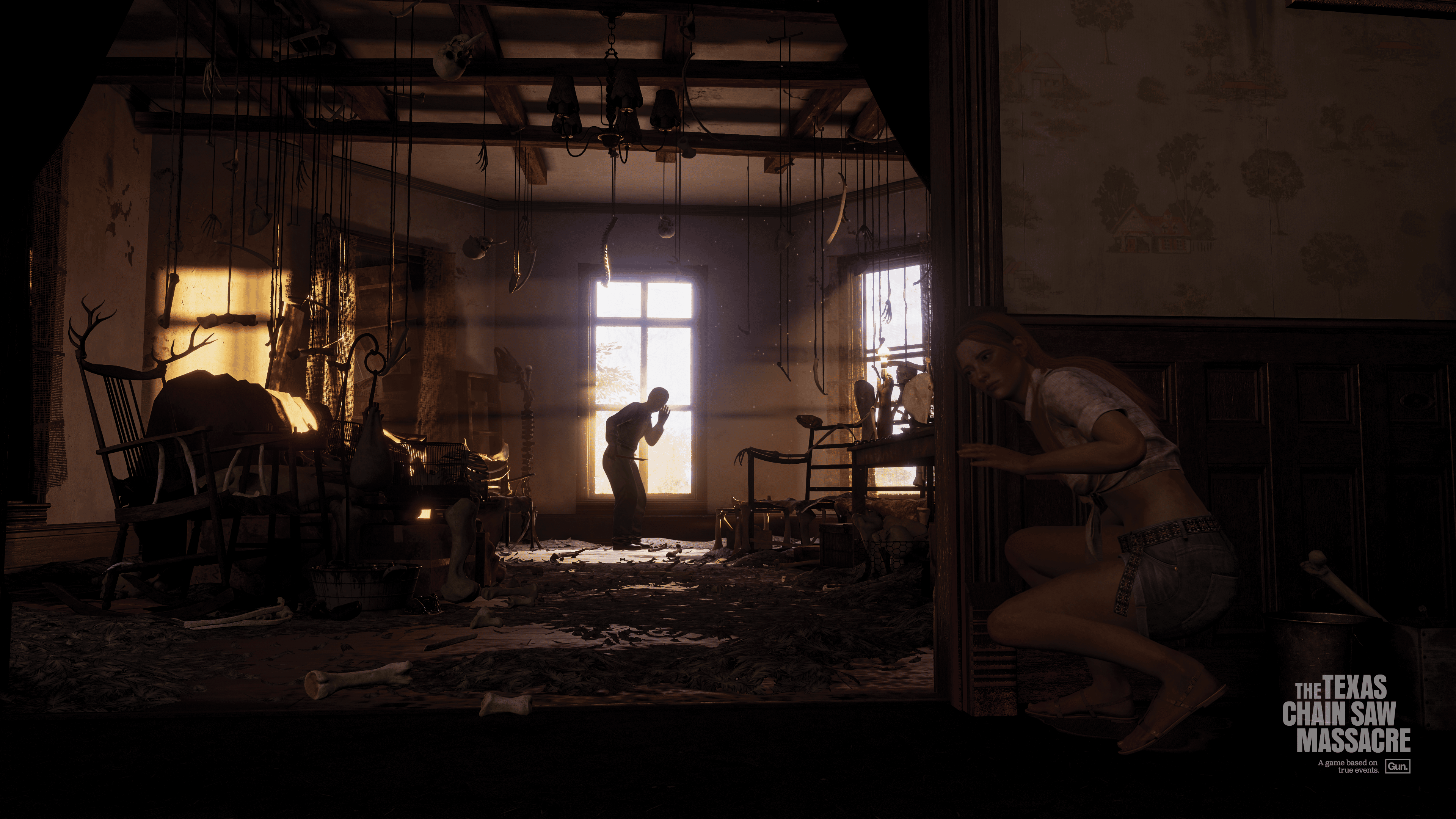
The Texas Chain Saw Massacre Gameplay Revealed, Set for Release in 2023

A new game based on the hit horror film The Texas Chain Saw Massacre has been revealed to be in development by one of the studios of Friday the 13th: The Game, Gun Interactive. Alongside The Texas Chain Saw Massacre Gameplay reveal and a confirmed release window of 2023, we get to see a deeper look at what makes the game tick.

The Texas Chain Saw Massacre looks to be similar to Friday the 13th: The Game in that it is an asymmetrical horror game that pits a team of survivors against an iconic film killer. In it, players will be able to play as multiple members of the Slaughter family that each come with their own strengths and weaknesses. As a survivor, players have to try and avoid the killer for long enough to gather different tools and items to make their ultimate escape.

Following the game’s reveal during the Xbox Extended Showcase, the developers have released an unrated trailer that shows the title in all of its gory glory, similar to the route taken by the upcoming sci-fi horror title, The Callisto Protocol. The Texas Chain Saw Massacre trailer, however, also gives a great look at the game’s atmospheric elements and dark tone, which does an incredible job of matching up with the original movie from 1974. It seems like the game will be a treat for fans of the film franchise, and players of asymmetric horror games as well.

See the unrated Texas Chain Saw Massacre trailer here.

The Texas Chain Saw Massacre releases in 2023 for PC, PlayStation 4, PlayStation 5, Xbox One, and Xbox Series X/S.

Arron Kluz

Home > News

Ark Survival Evolved Update 2.79 Out for Save Fixes This June 14

Studio Wildcard has rolled out the Ark Survival Evolved update 2.79, and this seems to be just for the PS4, and fixes save issues. There’s also a recent server-side patch released, which includes various fixes. We’ve listed all the details in the Ark Survival Evolved June 14 patch notes.

Ark Survival Evolved Update 2.79 Patch Notes | Ark Survival Evolved June 14 Patch Notes:

v704.7 (704.6 client) – 06/14/2022 – Minor version for clients

  •  Fixed save issues on Playstation

Alongside this, a server-side patch was released on PlayStation, Xbox and PC yesterday, and we’ve listed the changes made too.

PlayStation,Xbox, PC:

v704.7 – 06/13/2022 – Minor version for servers

  •  Fixed a cooldown on defecation
  • Server administrators can enable and disable the biome teleport in Fjordur with the server config option:
    UseFjordurTraversalBuff=true/false

That seems to be it. Given we just got the big Fjordur free title update, don’t expect anything outside of fixes with Ark title updates in the coming days and weeks.

Source: Survive the Ark

Avatar photo

Alex Co

Father, gamer, games media vet, writer of words, killer of noobs.

Home > News

Overwatch Update 3.30 Released for Short List of Fixes This June 14

Blizzard Entertainment has released Overwatch update 3.30 today on all platforms, and this is a small download, and doesn’t include any character adjustments. Read on for the Overwatch June 14 patch notes.

Overwatch Update 3.30 Patch Notes | Overwatch June 14 Patch Notes:

Size: 240MB

GENERAL UPDATES

General
  • Stability updates and fixes

BUG FIXES

General
  • Fixed a bug that caused ‘Voice Chat Mode’ sound setting to reset after relogging

That’s about it. Given Overwatch 2 is set to be released this October, don’t expect any major changes to Overwatch or its characters (I assume). If there are other changes not mentioned above, leave a comment below and let us know what you find.

Source: Overwatch

Avatar photo

Alex Co

Father, gamer, games media vet, writer of words, killer of noobs.

Home > News

Assassin’s Creed 15th Anniversary Kicks Off; AC Valhalla Year 2 Content Announced

Ubisoft has kicked off the Assassin’s Creed 15th anniversary celebrations today! Running for a total of 12 weeks, Ubisoft will be hosting contests, a look at the development of the franchise, and more! In addition to that, the company announced Assassin’s Creed Valhalla Year 2 content is incoming!

Watch the trailer and livestream for the franchise’s 15th anniversary kick off!

Revealed during the stream is what’s incoming for AC Valhalla players, and there’s quite a lot! Coming free to all players are:

Image

  • Festivals
  • Armory Updates
  • Mastery Challenge Pack 2
  • New Tombs
  • The Forgotten Saga

The Forgotten Saga will be a new roguelite mode dropping for free for all owners of the game!

Players have access to new free content in Assassin’s Creed Valhalla thanks to unprecedented Year 2 support, with the return of festivals, the Mastery Challenge Pack 2, and the Armory feature, as well as new caves to explore this fall to solve the mystery of the Tombs of the Fallen. This summer, players will also be able to take part in Odin’s rogue-lite–inspired journey to the spectacular region of Niflheim with the new game mode, The Forgotten Saga, offering a fresh take on gameplay that’s free to all Assassin’s Creed Valhalla players. One last surprise awaits fans at the end of the year as the Assassin’s Creed teams will reveal the last episode of the story of Eivor as a free chapter for all players.

Part of this celebration is the patch for AC Origins released earlier this month that added 60fps support to the next-gen versions of the game.

Avatar photo

Alex Co

Father, gamer, games media vet, writer of words, killer of noobs.

Home > News

Destiny 2 Weekly Reset June 14, 2022 and Eververse Inventory

It’s Tuesday, and that means another heaping of activities are live for players to complete in Destiny 2 are now live! The Destiny 2 weekly reset June 14, 2022 refresh of activities is now live along with the Eververse inventory of items for sale. Read on for the full info for this week.

Destiny 2 Weekly Reset June 14, 2022 and Eververse Inventory:

Nightfall – The Ordeal: The Corrupted

Modifiers:

  • Nightfall: Adept
    • Empath: Enhanced radar. Take increased damage from melee.
    • Acute Arc Burn: +25% Arc damage dealt and +50% Arc damage received.
  • Nightfall: Hero
    • All previous modifiers
    • Champion Foes: You will face [Disruption] Overload and [Stagger] Unstoppable Champions. You must equip Anti-Overload and Anti-Unstoppable mods to your arms armor to defeat them. These mods come from the Seasonal Artifact.
    • Champion Foes: You will face [Disruption] Overload and [Stagger] Unstoppable Champions.
    • Hero Modifiers: Extra Shields
    • The Closer: When targets are nearby, you have improved slide; after sliding, your ranged weapon attacks deal increased damage for a short time.
  • Nightfall: Legend
    • All previous modifiers
    • Equipment Locked: You will not be able to change your equipment after this activity starts.
    • Match Game: Enemy shields are highly resistant to all unmatched elemental damage.
    • Legend Modifiers: Locked Loadout Match Game Extra Shields
    • Shielded Foes: You will face combatants with [Arc] Arc, [Solar] Solar, and [Void] Void Shields.
    • Shielded Foes: [Arc] Arc, [Solar] Solar, and [Void] Void Shields
  • Nightfall: Master
    • All previous modifiers
    • Togetherness: Base health regen is reduced. If near another player, health regen is increased.
    • Master Modifiers: Champions: Mob Locked Loadout Match Game Extra Shields
    • Champions: Mob: This mode contains additional Champions.

Rewards:

  • Powerful (Tier 1) reward: Get 3 points by completing runs. Higher difficulties grant more points.
  • Pinnacle reward: Get a score of 100k. Since modifiers are fixed, this requires a high difficulty run.

Weekly Crucible Rotator: Mayhem

Achieve victory by defeating opponents. Abilities and Supers regenerate faster. Heavy ammo spawns more frequently.


Vanguard Burn: Void Singe

The other modifiers rotate daily, check out the Daily Reset Thread for them!


Savathûn’s Throne World

Campaign Mission: The Last Chance

Infiltrate Savathûn’s fortress to recover an artifact linked to her acquisition of the Light.


Legacy Activities

  • Europa
    • Eclipsed Zone: Asterion Abyss
    • Empire Hunt: The Warrior: Defeat Eramis’s military commander, Phylaks, the Warrior.
    • Exo Challenge: Simulation: Agility: Simulated Skill-Set Training: Test your dexterity as you move against the Vex.
  • Moon:
    • Wandering Nightmare: Nightmare of Horkis, Fear of Mithrax (Anchor of Light)
    • Trove Guardian is in Anchor of Light
  • Dreaming City: Growing Curse
    • Petra is at Divalian Mists.
    • Weekly Mission: The Oracle Engine – The Taken threaten to take control of an irreplaceable Awoken communications device.
    • Ascendant Challenge: Cimmerian Garrison, Chamber of Starlight
    • Blind Well: Hive, Plague: Cragur

Eververse Bright Dust Offerings

Name Description Type Cost
Concentrated Mattergem An Upgrade Module ionizer created from refined Mattergems. Consumable 200 Bright Dust
Glimmershard A shard with the ability to generate Glimmer during combat. Consumable 250 Bright Dust
Scavenger’s Boon A transmutation device with the ability to create planetary materials. Consumable 250 Bright Dust
EXU-14 Vehicle 2500 Bright Dust
Dragonbone Equip this weapon ornament to change the appearance of Deathbringer. Once you get an ornament, it’s unlocked for all characters on your account. Weapon Ornament 1250 Bright Dust
Burning Maul Projection Equip this item to change your Ghost’s projection. Ghost Projection 1500 Bright Dust
Stasis Entrance Modifications for your ship’s transmat systems, so you’ll always arrive in style. Transmat Effect 450 Bright Dust
Splish Splash Emote 3250 Bright Dust
Floating Dance Emote 700 Bright Dust
Redline Shell Ghost Shell 2850 Bright Dust
Beggar, to Be Fed Equip this weapon ornament to change the appearance of the Epicurean. Once you get an ornament, it’s unlocked for all characters on your account. Weapon Ornament 700 Bright Dust
Shining Cabriolet Ship 2000 Bright Dust
Sun’s Apex Strides Equip this ornament on any eligible Legendary armor item to change its appearance. Once you get a universal ornament, it’s unlocked for all characters of the relevant class on your account. Hunter Universal Ornament 1200 Bright Dust
Depository Projection Equip this item to change your Ghost’s projection. Ghost Projection 1500 Bright Dust
Sunrise Warrior Equip this shader to change the color of your gear. Shader 300 Bright Dust
Hazard Pay Equip this shader to change the color of your gear. Shader 300 Bright Dust
Wayfarer’s Guise Equip this shader to change the color of your gear. Shader 300 Bright Dust
Time-Honored Apply this shader to change the color of your gear. Shader 300 Bright Dust
Fallen Arrival Modifications for your ship’s transmat systems, so you’ll always arrive in style. Transmat Effect 450 Bright Dust
Only the Finest Modifications for your ship’s transmat systems, so you’ll always arrive in style. Transmat Effect 450 Bright Dust
Signal Processed Modifications for your ship’s transmat systems, so you’ll always arrive in style. Transmat Effect 450 Bright Dust

Weekly Bounties

Petra Venj, The Dreaming City

Name Description Cost Requirement Reward
Ascendant Challenge “The Awoken have long practiced the art of walking between worlds.” —Techeun Kalli 1500 Glimmer 1 Ascendant challenge completed XP++ & Dark Fragment & Legendary Gear
Gateway Between Worlds “The Blind Well can split wide the veins that run between realities.” —Techeun Sedia 40 Dark Fragment 10 Activity completions XP++ & Offering to the Oracle & Baryon Bough

Eris Morn, Moon

Name Description Cost Requirement Reward
Slow-Wave Disruption Complete waves of Altars of Sorrow in Sorrow’s Harbor. 1000 Glimmer 7 Waves completed Hymn of Desecration
Lunar Spelunker Loot chests in 3 of the Moon’s Lost Sectors. 1000 Glimmer 1 K1 Communion Lost Sector looted & 1 K1 Logistics Lost Sector looted & 1 K1 Crew Quarters Lost Sector looted 1 Firewall Data Fragment

Lectern of Enchantment, Moon

Name Description Cost Requirement Reward
Nightmare Hunter Defeat Nightmares in Nightmare Hunts. 5 Phantasmal Fragment 100 Nightmares XP++ & 1 Phantasmal Core
Nightmare Sojourner Defeat Nightmares in Lost Sectors across the solar system. Nightmares defeated on the Moon only grant reduced progress. 5 Phantasmal Fragment 100 Nightmares XP++ & 1 Phantasmal Core

Variks, Europa

Name Description Cost Requirement Reward
Courageous Expedition On Europa, complete Lost Sectors, public events, and patrols. 1000 Glimmer 15 Progress XP++
The Heat of Battle During the Empire Hunt “The Warrior,” defeat Phylaks and earn points by defeating combatants with precision final blows. Higher difficulties grant more efficient progress. 1000 Glimmer 50 [Headshot] Precision & 1 Phylaks, the Warrior defeated XP++

Shaw Han, Cosmodrome

Name Description Cost Requirement Reward
Public Disturbance Complete public events on the Cosmodrome. Heroic public events grant the most efficient progress. 1000 Glimmer 3 Public events XP++ & Glimmer
Full Spectrum Defeat combatants on the Cosmodrome with Arc, Void, and Solar damage. 1000 Glimmer 25 [Arc] Arc & 25 [Void] Void & 25 [Solar] Solar XP++ & Glimmer

Starhorse, Eternity

Name Description Cost Requirement Reward
Sticky Situation Complete the following objectives in a single run of Dares of Eternity. Objectives will reset if not completed when the activity ends. Defeat combatants with attached grenade abilities, defeat combatants with grenades, and complete the activity with an impressive score. 5 Strange Coin 15 Attached grenades & 50 [Grenade] Grenade & 1 {var:3447066373} Points 2 Paraversal Haul & 1 Enhancement Core & XP++
Balmung’s Return Complete the following objectives in a single run of Dares of Eternity. Objectives will reset if not completed when the activity ends. Defeat combatants with Arc Swords, rapidly defeat combatants, and complete the activity with an impressive score. 5 Strange Coin 100 [Arc] [Sword] final blows & 125 Rapidly defeated & 1 {var:3447066373} Points 2 Paraversal Haul & 1 Enhancement Core & XP++
Close and Impersonal Complete the following objectives in a single run of Dares of Eternity on Legend difficulty. Objectives will reset if not completed when the activity ends. Defeat combatants with Submachine Guns, Sidearms, Fusion Rifles, or Shotguns; defeat combatants within streaks; and complete the activity with an incredible score. 7 Strange Coin 130 Weapon & 150 Defeated in streaks & 1 {var:73817828} Points 3 Paraversal Haul & 1 Enhancement Prism & XP++

Weekly Records

Name Description Objectives Rewards
Sorrow Bound IV Complete Bound in Sorrow IV and defeat Cabal Centurions throughout the system. 4 Bound in Sorrow IV completed & 50 Centurions Challenger XP+
Crematory Fist On the Derelict Leviathan, defeat combatants with melee abilities. Solar melee abilities or Nightmares defeated with melee abilities grant additional progress. 150 [Melee] Melee Challenger XP+
Burning Shame Complete “Sever – Shame” using only a Solar subclass and Solar, Kinetic, or Stasis weapons. 1 Figments of Darkness & Challenger XP+
Shape of Nightmares I Extract weapon elements from a Haunted weapon with a Deepsight mod. 1 Elements extracted Challenger XP+
Mod Collector Unlock artifact mods. 12 Mods unlocked Challenger XP++ & Bright Dust
Precision Calibration Calibrate marksman weapons—Scout Rifles, Sniper Rifles, and Linear Fusion Rifles—by landing precision final blows. Bonus progress against Guardians. 200 Calibration Challenger XP+ & Bright Dust
High-Value Hunter Defeat powerful combatants in Gambit. Earn bonus progress for defeating high-value targets. 75 Combatants Challenger XP++ & Bright Dust
Flourish of Power Defeat Guardians in the Mayhem playlist with Super abilities. 50 Guardians Challenger XP+ & Bright Dust
Darkest Nightfall Complete any Nightfall strike on Hero difficulty or higher. 3 Nightfall Nightfall Weapon & Challenger XP+ & Bright Dust

Notable Armor Rolls

Only notable rolls (stat total >= 59 or single stat >= 26) are listed here.

Class Name Vendor Type MOB RES REC DIS INT STR Total Cost
Titan Clutch Extol Helmet Crucible Helmet 30 2 2 8 6 10 58 25 Legendary Shards & 1000 Glimmer
Titan Noble Constant Type 2 Ada-1 Chest Armor 28 2 2 9 2 20 63 25 Legendary Shards & 1000 Glimmer
Hunter Frumious Strides Ada-1 Leg Armor 2 26 2 12 7 6 55 25 Legendary Shards & 1000 Glimmer

Thanks, Reddit!

Avatar photo

Alex Co

Father, gamer, games media vet, writer of words, killer of noobs.

Home > News

The Sims 4 Update 1.60 Brings Lunar Cycles & More This June 14

Maxis has released The Sims 4 update 1.60, and this is for the Werewolves Game Pack data along with proper lunar cycles, and quite a lot of bug fixes too! Read below for the full list of new stuff and bug fixes in The Sims 4 June 14 patch notes.

The Sims 4 Update 1.60 | The Sims 4 June 14 Patch Notes:

PC: 1.89.214.1030 / Mac: 1.89.214.1230

Console: Version 1.60

Awoooo, Simmers!

We’re very excited to share with you our newest patch notes (but I’m particularly excited because this is my first time getting to write them and now I’m as free and wild as a Werewolf during a full moon)!

To begin, we hope you’ve been enjoying the real life super moons lately, because we have similar themes in store for you! Awooo!-Sorry. *Clears throat.* This patch brings bug fixes and updates to accompany the Werewolves Game Pack’s release in two days. We hope you find everything within these notes… transformative.

As usual, thank you all for your continued support and feedback, and – most importantly – have fun just wolfin’ around!

– SimGuruMorgan

WHAT’S NEW?

Lunar Cycles

Were your Sims set in their nocturnal ways? The moon now has phases within a Lunar Cycle! From now on, you’ll notice that the moon in the sky changes over time, which affects how much light is given off at night in almost every neighborhood across all packs. This excludes locations that might not make sense, like the Magic Realm.

In total, there are eight phases: New Moon, Waxing Crescent, First Quarter, Waxing Gibbous, Full Moon, Waning Gibbous, Third Quarter, and Waning Crescent. With default settings, the moon will change each night, but you can change the length of the phases in the Environment section of Game Options. If you want, you can also make a phase permanent or turn off moon effects.

Yes, the moon phase will affect your Sim! Each phase grants a special gameplay boost that can be viewed by hovering over the moon icon at the bottom center of the screen. This information will also display the current phase. Are you curious when the next full moon is coming around? The calendar has also been updated to display upcoming moon phases based on the previously mentioned phase length settings.

Occult Sims will find that the moon now plays an extra role in how their powers behave. During certain moon phases, Mermaids have less hydration loss, Vampires recharge power slower, Spellcasters cast spells more successfully, and Aliens receive a special moodlet while moonbathing (which is also now a thing for all Sims Teen and older)!

There are also some particularly cute new interactions for toddlers. They have special questions that they can ask during each phase and they can also say goodnight to the moon. This will grant them special moon dreams, which may change depending on the particular moon phase that night. Prepare for cuteness overload! (I’d be remiss if I failed to mention that this is where the Princess Cordelia reference is hidden in this pack. Sorry, SimGuruNinja. You can’t stop me!)

Sims are now also able to moongaze through the observatory or the…

Small Telescope

It was a rainy afternoon one day at the Maxis office. The Bay doesn’t see much rain, and the sound of water drops hitting the windows filled the otherwise silent studio.

In a dimly lit corner on the Maxis floor, one Modeling Artist was working on a telescope model. A simple feature, a staple of the Sims and real-life space hobbyists. A smile grew across the Artist’s face. The model was perfect. Small, elegant, perfectly capable of sitting on a balcony in a virtual household. There were great expectations for The Sims 4, and the Artist had great expectations too.

Suddenly, a Game Designer appeared behind the Artist. The Artist was serenaded by the sound of rain, and hadn’t noticed that they were no longer alone.

As the Artist turned around to greet the Designer, the Designer uttered a single word, as if to interrupt eye contact.

“Bigger.” the Designer muttered.

Confused, the Artist scanned their freshly sculpted 3D model in order to figure out what exactly needed to be bigger. The base of the structure? Could it not support the weight of such a lens? Was the scope itself too small? Would the mysteries of the cosmos elude our Sims with its inadequacy?

“What do you mean by-” the Artist’s voice was cut short as they noticed the Designer digging into a fresh plate of Lobster Thermidor. A peculiar sight as there wasn’t even a kitchen nearby. How had the Designer cooked an entire lobster? The grated cheese atop the crustacean slowly melted as the Artist sat astonished.

“Bigger.” the Designer once again exclaimed. This time slightly louder, exhaling a cloud of Old Bay seasoning that stung the Artist’s eyes. The Artist blinked rapidly and grimaced.

“What exactly needs to be big-”

“BIGGER.” This time the Designer was shouting, bread crumbs flying onto the desk.

The Designer stood silently before taking another bite. The Artist looked down at the clenched hands in their lap, trying hard to find the right words to say. Where do we go from here? Where does life go from here?

The Artist tried to return their gaze to the Designer, but the Designer was already gone. Lingering steam lofted in the air. The Artist tried once again to speak, but words felt meaningless, unnecessary. The only thing that remained was the odor of buttery shellfish and the gentle hum of rain.

The Artist sighed and looked back at their telescope model, still baffled by the encounter. As their thoughts stirred, one word repeated in their mind.

Bigger.

Bigger.

Bigger.

Yes! They’re finally here. Tiny, portable, and ready to fulfill your logic dreams. This patch includes one small telescope, and The Sims 4 Werewolves Game Pack will add a second pack-specific one. Most of the interactions that were available on the observatory are also available on the small telescope, but for understandable reasons you cannot Woohoo inside it, and – as it isn’t quite as technically advanced as the observatory – using the small telescope will not reward prints. You may, at various times of day and night:

  • Spy on Neighborhood
  • Observe the Sky
  • Search for the Truth
  • Stargaze
  • Track Satellite
  • Spy on Apartments [City Living Expansion]

Important Warning: Viewing the night sky can be dangerous work. If your Sim notices something is coming straight for them… get inside quickly! Death by meteorite is now a thing! So are meteorite ghosts! Who knew?

Observatory

Small Telescopes aren’t the only star gazing item to get some attention. Remember the base game observatory? Yes, the big one. How could you forget after the story above?! Well, you can now discover 10 new framed moon prints when moongazing with it! They’re very pretty, and I hear one might show what Sixam looks like from space.

CAS Updates

  • We added a new beard!
    • ymFacialHair_BeardCurly
    • yfFacialHair_BeardCurly
  • To address feedback on the rainbow Base Game wedding dress variants we released with My Wedding Stories, we added some new variants that are ombre and faded to two of the dresses:
    • yfBody_DressWeddingTiered_RainbowLt
    • yfBody_DressWeddingTiered_RainbowWhite
    • yfBody_DressWeddingTiered_SolidRainbow
    • yfBody_DressWeddingMermaid_RainbowLt
    • yfBody_DressWeddingMermaid_SolidRainbow
    • yfBody_DressWeddingMermaid_WhiteRainbow
  • We heard that you wanted the My Wedding Stories wedding hijab without the veil, so now you have a new hijab headpiece in Base Game!
    • Hat_Hijab_Black
    • Hat_Hijab_BlueLt
    • Hat_Hijab_Blue
    • Hat_Hijab_Green
    • Hat_Hijab_Ivory
    • Hat_Hijab_Pink
    • Hat_Hijab_Purple
    • Hat_Hijab_Red
    • Hat_Hijab_WhiteBlack
    • Hat_Hijab_WhiteBlue
    • Hat_Hijab_WhiteRed
    • Hat_Hijab_White

Build Mode

In Build Mode you will now find “The Brickery Elite – Caution” wallpaper, which complements the existing base game “Brickery Elite” wallpaper. There are also two new terrain paints – one has a lot of tiny rocks that are very cute and the other is pine duff! Both look fantastic in Moonwood Mill if we do say so, ourselves. Use them wherever you’d like though!

Scenarios

  • We’ve made some various improvements to the user interface in the Base Game for Scenarios
    • The Scenarios menu now uses a tile system that shows information about what to start the Scenario with and some possible Story Endings
    • The menu will also now show recommendations for scenarios and show limited time scenarios at the top of the screen.
    • The Scenarios tab in the Live Mode UI has been updated to better showcase actions to pursue in the Scenario
    • Brand new players to The Sims 4 will now see a welcome screen on the Main Menu

Miscellaneous

  • Wolfsbane has been brought to Base Game. You may acquire it through cheats or random plant awards, but this will allow it to be found in the worlds of both The Sims 4 Werewolves as well as the The Sims 4 Vampires.
  • We are formally excited to announce: “Reticulating Splines” is back as a loading tip!

BUG FIXES

The Sims 4

  • Why shouldn’t Sims be able to nap in a bush that’s been… partied in? We couldn’t think of a good reason, so we fixed it! Sweet dreams.
  • The floors will no longer disappear on Low/Medium graphics settings for 2019 16″ MacBook Pro users.
  • It’s a good day for 2019 16″ MacBook Pro users. Potentially more important than the ground not disappearing, the game will also not crash when on Low graphics settings.
  • You know how when you’d make a picture frame black, then change it to another color, and then change your mind and decide that black really was the right option and you’d try to change it back but it wouldn’t go back to black? Well that doesn’t happen anymore! Your indecision is secure!
  • If you looked at the pack preview screenshots on Origin, some of The Sims4 packs had more screenshots than when previewing a pack on the main menu, so we made sure that each pack that had at least four screenshots on Origin also had at least four screenshots in our main menu, because our main menu felt jealous, and now it doesn’t.
  • The ymBody_EF01BusinessSuitMed_WarmGray suit was clipping through itself when a Sim would sit in it. Really, the clipping collected a lot of crumbs and got the suit dirty, so it was a problem that needed fixed. Fancy Sims everywhere rejoice!
  • I’m not very tech-savvy myself, but our engineers fixed an issue where low/medium settings on Retina displays (which I had no clue were a thing) was causing graphical issues on lots.
  • There were some unnecessary blue blocks in the Tutorials section of the Game Options Menu for Xbox, so we got rid of those. They were strange. Strange and blue… and very boxy. Too suspicious for us!
  • 3… 2… 1… blast off! Sometimes Sims were unable to build rocket ships, but that is no longer the case!

Snowy Escape

  • The Proper trait now has text in Russian. No longer will players stare at the icon of a person bowing with no guidance as to what it means!

Spa Day

  • If a Sim aspiring to be a Self-Care Specialist wants to complete the “Hustle” goal, they should be able to! And now they can. The world needs more hustle.
  • Russian and Polish translations for one of the new aspirations were being cut off in UI when you went to select a new Aspiration. Now the tooltips say what they should!

Realm of Magic

  • Already powerful Spellcasters that seemed “stuck” will now receive additional perk points when the XP bar fills to maximum. Need I warn you all that fixing this was probably a bad idea? Does the world really need more powerful Spellcasters? This is how you get magical super villains!
  • We fixed an issue where Spellcasters and Aliens were having children with incomplete genetics data. It sort of makes sense, since they are Aliens, but also it wasn’t a good experience because once that child became a teen, they would be missing pants. And underwear. With no censor grid… So yeah.

Dream Home Decorator

  • When a Sim with level 10 in the Interior Decorator career does a level addition gig, they can now add additional levels, walls, stairs, and delete items on walls.
  • Decorator Sims who attempt to do a Basement Gym Level Addition gig are now able to add basements. Sim afraid of working out underground will not be pleased with this update.
  • The ymTop_GP10JeanJacket will now appear in the catalog as a feminine style choice.

My Wedding Stories

  • Gloves should accessorize a dress, not change it, and for the yfBody_GP11DressBridePrincess dress this is now true! No longer will gloves have an undesirable texture overlay.
  • There once was a magical left-handed ring, that when worn, would replace the texture of any other ring put on the same finger of the opposite hand with its own. This was a dark magic, an evil magic, and so The Sims 4 developers put a stop to it! They said, “No more! Stay on your own finger, foul ring beast!” Now you can wear this ring and another ring on the same finger but opposite hand and they will look different! All is as it should be.
  • Dmaps have been updated for ymBody_GP11SuitFlowing_Red, which pretty much means that it looks less wobbly. Nobody likes a wobbly suit.
  • When you pull the camera in and out for windows windowMISHigh2x1x4_02 and windowMISHigh1x1x3_02, they will now change LoDs as desired. The Laurents won’t be quite so confused now when they come and go from their mansion.
  • That awkward moment when a Sim leans in to kiss while Slow Dancing and fails… well it’s even more awkward now because they’re actually touching and their hands aren’t floating. Or is that less awkward? We aren’t sure.

For a quick look at the Werewolves Game Pack, head on for the video below.

Source: EA

Avatar photo

Alex Co

Father, gamer, games media vet, writer of words, killer of noobs.

Home > News

Killing Floor 2 Update 1.63 Splashes Out for Tidal Terror This June 14

Tripwire Interactive has hosed out Killing Floor 2 update 1.63, which is for the massive Tidal Terror Update! This brings in a new event, new community map, new weekly mode and loads more! Check out the full Killing Floor 2 June 14 patch notes right here!

Killing Floor 2 Update 1.63 Patch Notes | Killing Floor 2 Tidal Terror Patch Notes | Killing Floor 2 June 14 Patch Notes:

KF2 Summer 2022 Update Changelog

Event
Tidal Terror

  • Off the coast of Scotland in the East Shetland Basin of the North Sea, we’ve located a secret research lab hidden away in an oil drilling rig. We can only imagine what horrors the Patriarch and his cohorts have been up to here in this remote location. By the way, if you are one of those people who like to try different weapons, we have a new weekly mode for you, Arsenal Ascent, in which you will be swapping weapons as you kill Zeds. And if that weren’t enough, the Horzine Research Group just released two new products, the HRG Head Hunter and the HRG Crossboom, for Sharpshooter and Demolitionist mercs respectively. Hurry up and take a look!

New Additions and Highlights

  • 1 New Community Map
    • Rig
      rig1.png
      • Compatible with Survival, Weekly, and Endless Game Modes.
      • Fight against Zeds in this oil platform in the middle of the ocean.
  • 1 New Weekly Mode
    • Arsenal Ascent
      aa.png
      • Players start with a knife and obtain new weapons by killing Zeds.
      • Each new weapon increases the “Weapon Level”.
      • The new weapon is randomly chosen from a list per Weapon Level.
      • Waves are endless until a player reaches the final Weapon Level and completes the wave. Then, the final wave is unlocked, which is a boss wave.
  • 4 New Weapons
    • HRG Crossboom for the Demolitionist
      crossboom.jpg
      • An alternative version of the Crossbow for the Demolitionist Perk.
      • A tier 3 weapon that shoots strong explosive bolts.
      • The secondary fire makes a bigger explosion with reduced damage, perfect for getting weaker Zeds out of the way.
      • Trader price is 900 Dosh.
    • HRG Head Hunter for the Sharpshooter
      headhunter.jpg
      • An alternative version of the Hemogoblin for the Sharpshooter Perk.
      • A tier 3 semi-automatic weapon that shoots darts that enlarge Zeds’ heads.
      • The secondary fire uses energy to launch an expansive wave that damages enlarged heads.
      • Trader price is 1100 Dosh.
    • Sentinel for the Commando
      sentinel.png
      • This is a paid DLC weapon. This weapon can be shared amongst players through our weapon-sharing system.
      • An autonomous drone equipped with a full-auto barrel is treated as a tier 3 weapon.
      • Alt-fire detonates the drone.
      • The drone also self-detonates when it runs out of ammo and a Zed passes nearby.
      • Trader price is 500 Dosh.
    • Reducto Ray for the Survivalist
      reductoray.png
      • This is a paid DLC weapon. This weapon can be shared amongst players through our weapon-sharing system.
      • A tier 3 weapon that shoots an energy ray that shrinks Zeds and kills them by triggering an “evisceration death”.
      • Shrunk Zeds are more vulnerable to damage.
      • Trader price is 1200 Dosh.
  • New Steam Achievements
    • Rig related achievements
  • Time-limited Objectives, Tickets, and Cosmetics
    • Seasonal objectives related to Rig
    • Complete all seasonal objectives to earn the Deep Sea Trident Backpack
    • Summer Sideshow Prize Tickets
    • Summer Sideshow Golden Prize Tickets
  • Zedconomy
    • Sentinel Weapon Bundle
    • Reducto Ray Weapon Bundle
  • Tidal Terror Weapon Bundle
  • Deep-Sea Explorer Outfit Bundle
  • Premium Summer Sideshow Ticket Bundles come in three sets of tiers:
    • Bronze – 5 Premium Seasonal Tickets
    • Silver – 10 Premium Seasonal Tickets and 1 Bonus Golden Seasonal Ticket
    • Gold – 20 Premium Seasonal Tickets and a 3 Bonus Golden Seasonal Tickets
  • Neon MK VIII Weapon Skin Bundle Pack
  • Classic Weapon Skin Bundle Pack
  • Deep-Sea Skin Weapon Skin Bundle Pack
  • Chameleon Weapon Skin Bundle Pack
  • Killing Floor 2 – Armory Season Pass 2
  • Killing Floor 2 – Ultimate Edition
  • Killing Floor 2 – Ultimate Edition Upgrade

As a reminder, the database update for ticket drops and setting up steam items for sale will occur at approximately 1pm EDT after all the patches go out in order to verify that the patches are deployed across platform.

Addressed Community Feedback
As mentioned in the 2021 Killing Floor 2 ‘State of the Game’ our goal is to bring to the community a continued stream of QOL changes for each update throughout the year. Please continue to report any QOL changes you believe should be added to the game by submitting your feedback in the ‘general’ section on our official forums at: https://forums.tripwireinteractive.com/forum/killing-floor-2

General

  • Survivalist Perk
    • Option to choose base grenade and initial weapon https://media.tripwirecdn.com/040722/survqol1.PNG
    • The initial weapon will be granted only at the beginning of the match.
    • The base grenade will be granted at the beginning of the match, but can also be changed during trader time.
    • Perk level 15 adds Medic Grenade or Molotov Cocktail to the rotation, depending on the perk skill choice.
  • New order rules in the Weapon Skin section in the inventory.
    • First ordered by trader price, then rarity (common to precious), then quality (battle-scarred to mint).

Balance

  • Weapons
    • FAMAS Masterkey
      • Alt-fire spread decreased by 20%
      • Alt-fire fire rate increased from 50 RPM to 78 RPM
      • Alt-fire animation speed increased by 70%
    • Minigun
      • Movement speed when winding up increased 12.5%
      • Movement speed when firing increased 500%
      • Rotation speed when firing increased 105%
      • Reload speed increased 20%
      • Equip speed increased 30%
      • Put Away speed increased 30%
  • Perks
    • Firebug
      • Inferno (level 25 skill)
        • Rework of the skill.
        • New functionality is: During Zed time, your fire damage over time spreads to all surrounding Zeds.

Designer Notes :

Survivalists had to rely on randomness every time they started a match, but that is over. Now, Survivalists can choose their initial weapon and grenade on the Perk screen. We have left the “random option” available for those who prefer it. In addition to that, for Level 15+ Survivalists, the Medic Grenade or the Molotov Cocktail will be added to the rotation, depending on whether the player has chosen the “Ammo Vest” or “Weapon Harness” skill. But players can keep choosing another grenade if they want. Finally, as the grenade is linked to the perk skill, and this can be changed during trader time, players will also be able to change their grenade during this time, keeping the number of grenades they already had.

The order in the Weapon Skin section in the inventory was a bit chaotic, with different skins of different weapons mixed. We have added some rules to improve it, and now you will see all the skins of the same weapon grouped together. The skins will be ordered by weapon trader price, then rarity (common to precious), and then quality (battle-scarred to mint).

Regarding balance, we have made adjustments in two weapons, keeping in mind the community feedback. For the FAMAS Masterkey, we have increased the fire rate for the alt-fire (shotgun fire), which was very slow to use, and it was hard to swap between alt-fire and main fire. Now you can shoot faster, and combine main fire and alt-fire better, making this weapon more versatile and dynamic in play style. We also have slightly adjusted the spread, which will help to improve the effectiveness of the weapon.

The other balanced weapon is the Minigun. The main disadvantages of this weapon were its mobility restrictions, so that’s what we’ve been focusing on. Now, you will have the same firepower as before, but you will be able to move and reload faster.

Finally, we have made a complete rework of the Inferno perk skill for the Firebug. We expect that now this skill performs better than the previous one, creating a good alternative to the other Firebug level 25 skill, Pyromaniac.

Bug Fixes
Also mentioned in the 2021 Killing Floor 2 ‘State of the Game’ our goal is to bring to the community a continued stream of community-reported bug fixes for each update throughout the year. Please continue to report any bugs you discover by visiting our official forums at: https://forums.tripwireinteractive.com/forum/killing-floor-2 and posting in the ‘PC’ or ‘Console’ sections.

Top Community Issues

  • Fixed an issue where the knife was being selected instead of the 9mm when the primary weapons were out of ammunition.
  • Fixed an issue on consoles where the game would crash when starting Weekly Outbreaks on Santa’s Workshop

Map:

  • Carillon Hamlet
    • Fixed multiple blood splatter issues in the City Hall area.
    • Improved the lighting in the map lobby.
    • Fixed an issue where SYG zones were not appearing in Endless Mode.
    • Improved the draw distance of multiple objects in the Station area.
  • Dystopia – Improved the collision in the Hotel area.
  • Elysium
    • Fixed an issue where some textures in the main area were not rendering.
    • Updated the zed spawning nodes during the boss fight to prevent pop-in spawning.
    • Fixed an issue where player location in the main arena could delay the boss spawn.
  • Moonbase – Fixed the distorted reflections in the Living Quarter Dome
  • Netherhold – Improved the collision in the Hellfire Pit area.
  • Rig
    • General
      • Raised the SYG area boundaries to be more visible
      • Moved the map Lobby to an an isolated non-playable area
      • Fixed an issue where kismet warnings were being displayed in the chat box
      • Updated bullet decals and sounds across the map to accurately reflect the materials being hit.
      • Fixed an issue where audio on the map was louder than other areas.
    • North Platform
      • Increased the blood splatter across the area to be consistent with other maps.
      • Fixed zed pathing issues in relation to the players in the area.
    • East Platform
      • Increased the blood splatter across the area to be consistent with other maps.
      • Fixed multiple instances of textures and objects culling too close to the player.
    • West Platform
      • Fixed an issue where weapons dropped on the zed floor spawn would disappear.
    • South Platform
      • Increased the blood splatter across the area to be consistent with other maps.
    • Central Platform
      • Fixed multiple collision volumes within the area.
      • Added sound to the Diesel Generator.
    • Laboratory
      • Increased the blood splatter across the area to be consistent with other maps.
      • Added sound for the sprinkler system.
      • Adjusted the conveyer to reduce clipping into other objects.
      • Adjusted multiple emergency lights to reduce clipping with the walls.
    • Living Quarters
      • Increased the blood splatter across the area to be consistent with other maps.
      • Fixed an issue where weapons dropped on the zed floor spawn would disappear.
      • Fixed zed pathing issues in relation to the players in the area.
    • Main Building
      • Increased the blood splatter across the area to be consistent with other maps.
      • Fixed zed pathing issues in relation to the players in the area.
    • Machinery Room
      • Increased the blood splatter across the area to be consistent with other maps.
      • Fixed zed pathing issues in relation to the players in the area.
      • Fixed multiple instances of textures and objects culling too close to the player.
    • Connecting Bridge
      • Increased the blood splatter across the area to be consistent with other maps.
      • Fixed multiple instances of textures and objects culling too close to the player.
      • Fixed multiple collision volumes within the area.
      • Fixed an issue where the rain effects were coming through the ceiling.
    • Cargo Storage
      • Increased the blood splatter across the area to be consistent with other maps.
    • Oil Shaft
      • Increased the blood splatter across the area to be consistent with other maps.
      • Fixed zed pathing issues in relation to the players in the area.
      • Fixed multiple instances of textures and objects culling to close to the player.

Weapons:

  • Corrupter Carbine – Alt-fire now properly interrupts the reload animation.
  • Doshinegun
    • Fixed an issue where the projectile would always appear in the upper right of the screen when fired.
    • Fixed an issue where collectibles were not destroyed upon impact from the dosh.
  • Minigun – Updated the reload animation to address clipping.
  • Reducto Ray
    • Fixed an issue where ZED’s did not rage except during HOE difficulty
    • Adjusted the weapon animations to reduce hand clipping.
  • Sentinel
    • Updated the bash attack to prevent the detonator from disappearing for a short time.
    • Fixed an issue where the audio was not updated to reflect the effects of the Machine Gunner Commando skill.
  • Crossbow – Fixed an issue where in 1P the cable anchor pulley was not attached to the limb.
  • Helios Rifle – Fixed the desync issue between the bash attack animation and the impact.
  • Seal Squeal – Fixed an issue where nuke damage was applying an overly large DoT.
  • HRG Crossboom
    • Fixed an issue where the arrow fired was offset from the impact decal.
    • Fixed an issue where the arrow post impact was increased in size.
  • HRG Head Hunter – Fixed an issue where the alt-fire was not doing head damage.
  • HRG Kaboom Stick – Improved the visuals in 1P & 3P.

Weekly Outbreak:

  • Fixed an issue where weekly modes were not being completable in offline mode.
  • Fixed an issue where the weekly outbreak was not updating after map travel or server restart.
  • Fixed an issue where weapons and armor were not spawning in the maps during the Outbreak.
  • Boss Rush – Removed Holdout maps from the mode during map travel.
  • Shrunken Heads – Updated the Abomination and Patriarch’s audio to play the correctly filtered lines for the mode.
  • Arachnophobia – Fixed an issue where players were starting the match without their starting weapon.

Cosmetics:

  • Added the Supply Backpack to both Tom Banner and Classic Briar as a wearable cosmetic.

Localization:

  • Updated the text for the Gunslinger’s Skill “Steady” so the description now fits within the text box in all languages.

General:

  • Fixed an issue where the player’s weapon would not reappear in their hands when performing an emote during a boss’s death scene.

Source: Tripwire forums

Avatar photo

Alex Co

Father, gamer, games media vet, writer of words, killer of noobs.

╳