Home > News

STALKER 2 Update 1.008 Adds “Stories Untold” Content for Free

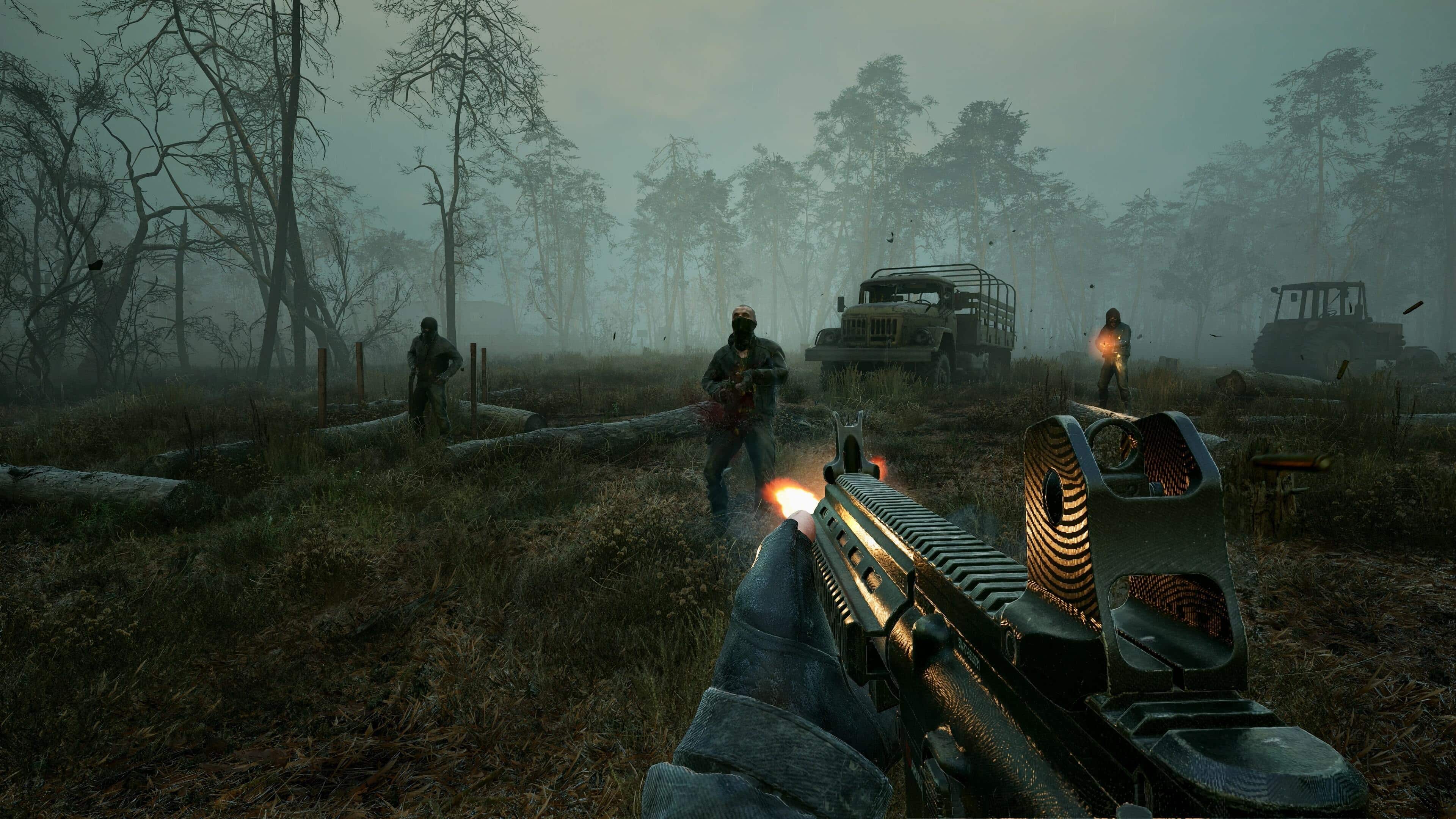
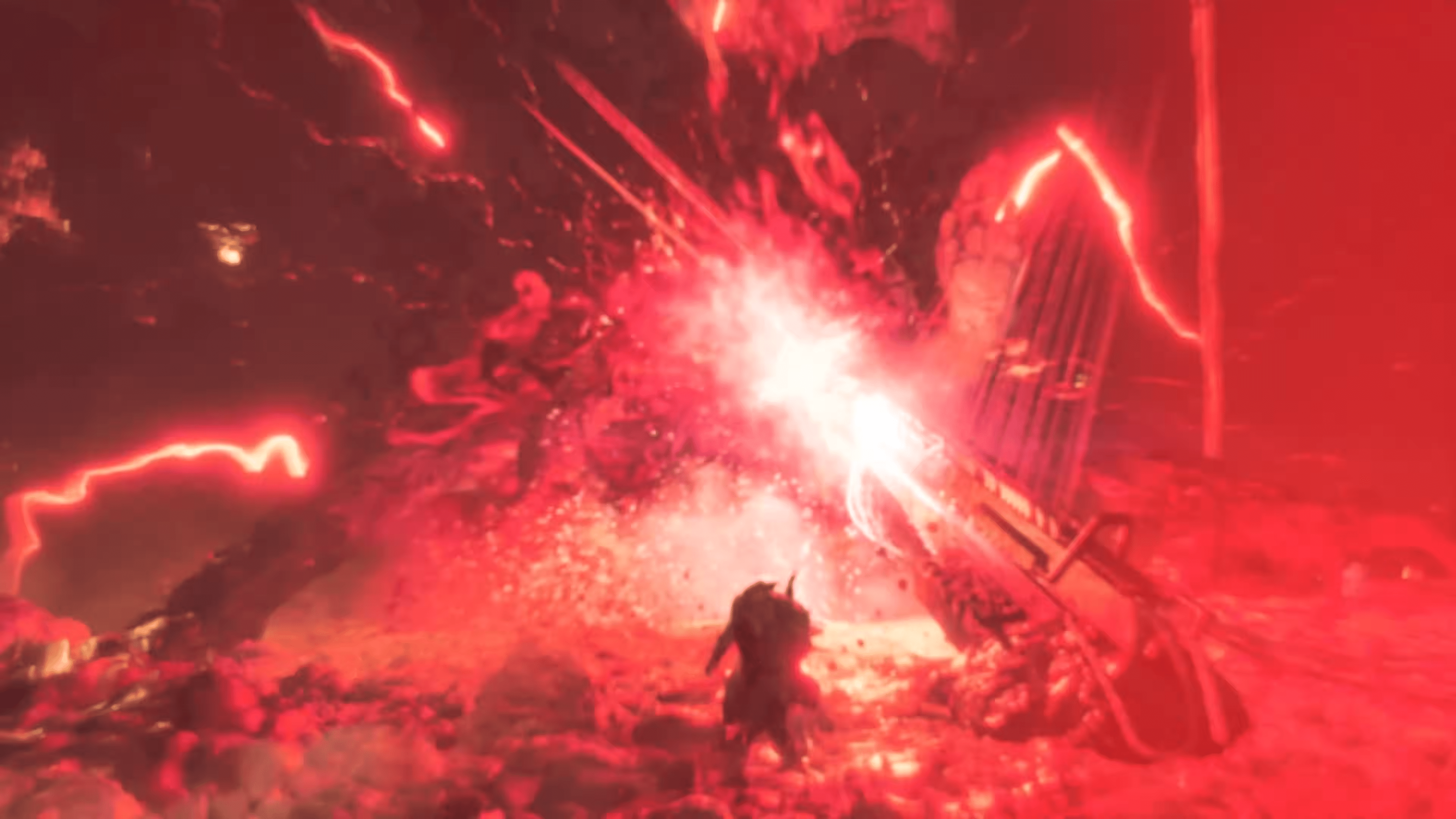
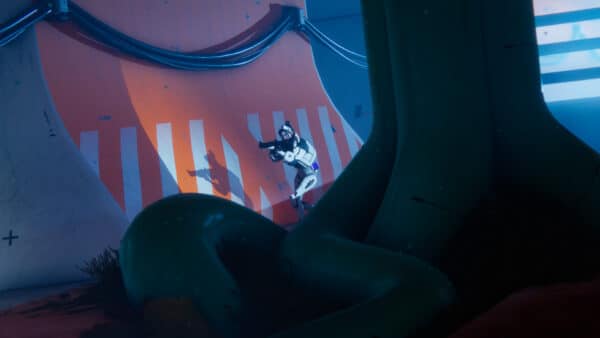
GSC Game World is rounding out 2025 with a bang, as the developer has released the STALKER 2: Heart of Chornobyl “Stories Untold” Update.

This free content drop will show up to console gamers as STALKER 2 update 1.008 (complete version 1.008.000), and this adds over five hours of new gameplay in the form of new stories, new locations, and more.

For the complete list of new content and the gameplay improvements made, read on below.

STALKER 2 Update 1.008 Introduces Stories Untold Content on December 17

NEW STORIES

Over five hours of gameplay have been added, depending on your pace. Discover the mysterious transmission that gives stalkers headaches, nosebleeds, and even hallucinations.

As the story unfolds, you can choose to help the stalkers and scientists figure out what’s going on. Make decisions, fight for what you believe in, search for answers, and more.

You can catch a PDA message anywhere on the map, with the biggest chance around the Burnt Forest. How you deal with it will shape the fates of stalkers you meet. This mission will become available after leaving the Zalissya region in the early stages of the game.

This new storyline brings to life 8 new missions, 7 new locations, 6 new characters, 3 new unique items, unique weapon, and more.

NEW LOCATIONS & NEW HUB

Speaking of new locations, if you decide to explore untold stories, you are going to visit and explore new places. They are free to explore for everyone in the Zone, some locations that were previously occupied only by rusty metal or mutants are now used by stalkers. The storyline also might lead you to creating a new hub in the Burnt Forest region. The new place on the map will draw the stalker’s attention, so you can expect the whole area to become more populated. But again, this outcome of the quest is not granted. You may choose to play another way.

NEW WEAPON

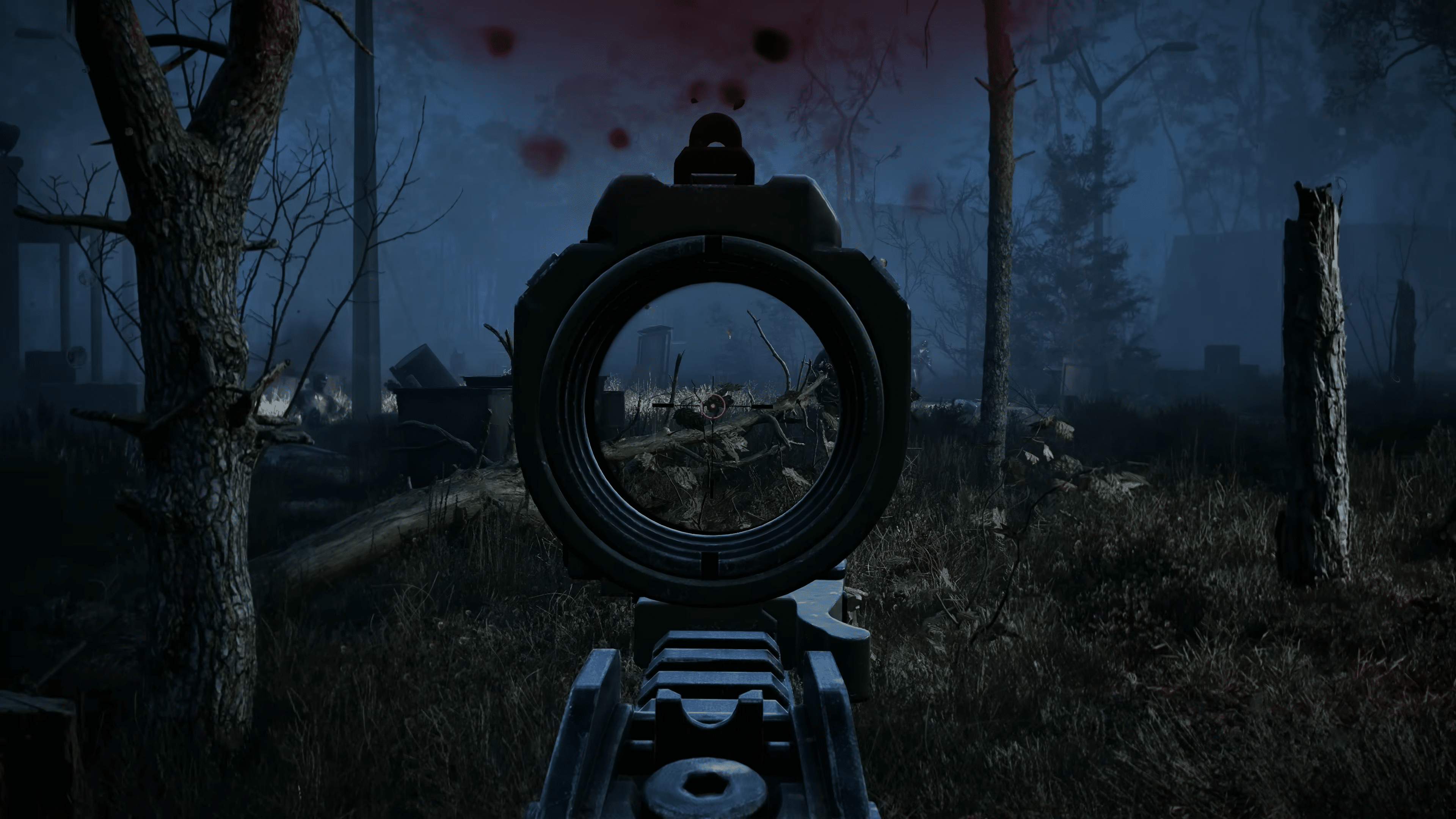
The GP37V2 is a modified version of the GP37 rifle, crafted for the most tactically proficient players. It features a pre-installed suppressor and a low-magnification scope. The trigger group has been modified to support single and burst fire modes only.

The cost of failure is higher, but in the hands of a skillful operator, the GP37V2 can reward you with its precision and power. This thing you can get during the completion of the questline.

MASTER DIFFICULTY AND EXPEDITION MODE SIMPLIFICATION

This change allows you to simplify the save system if you want to play on “Master” difficulty or any other difficulty with the “Expedition mode” enabled.

After starting the game (if Master difficulty or difficulty with Expedition mode enabled is selected), you can enable the Manual Save system in the settings menu. This option is enabled once and permanently (for the current playthrough) and allows you to save with:

  • Quick Save (F5).

  • Regular Manual Save via the menu.

If these saves are enabled, the player’s progress status, which is displayed in the Pause menu, will change.

ADDITIONAL FIXES

  • Fixed an issue where multiple artifacts could spawn in one place.
  • Optimized multiple mutant models.
  • Fixed an issue where NPC could not find a way to the shelter during an Emission at the Cement Factory location.
  • Fixed an issue where NPC could not find a way to the shelter during an Emission in Zalissya.
  • Fixed an issue that could cause massive mutant hordes to spawn at the Plant location of the Garbage region.
  • Adjusted dead zone settings for DualSense controller on PC.
  • Fixed an issue where the player could obtain the Heart of Chornobyl artifact from the regular anomalies.

While we’d love to say that this is the last patch for the game this year, we would be surprised if a hotfix isn’t released in the coming days to resolve any issues that might crop up from the glut of new content added.

If GSC Game World releases another patch, expect it here on MP1st.

Another single-player game that recently got a major update is Dying Light: The Beast, as Techland has released the Nightmare Experience content drop today.

Avatar photo

Alex Co

Father, gamer, games media vet, writer of words, killer of noobs.

Home > Title Updates and Patches

Dying Light: The Beast Update 1.5 Brings the Nightmare Experience via Patch 1.005.001

Techland has one more content drop for Dying Light: The Beast players before the year is over, and this one will give you nightmares on how hard the game will be.

The developers have tagged this as game version 1.5, and console gamers will see the download as Dying Light: The Beast update 1.005.001. This major update adds the Nightmare Experience, new finishers, and a significant amount of gameplay improvements.

For the complete info on what got added to the game today, read on.

Dying Light: The Beast Update for December 17 Introduces the Nightmare Experience via Patch 1.5/1.005.001

Dying Light: The Beast Update 1.002.003

Nightmare Experience

Nightmare Experience is a new difficulty level for Dying Light: The Beast – designed for seasoned players looking for serious survival experience. It makes Human and Infected enemies stronger, smarter, more aggressive, reacting faster to players’ actions using their heightened senses. Some Dark Zones may now include Volatiles during the day and gameplay becomes more challenging as resources are limited and they need to be managed more carefully.

The Alpha Volatile

This update also introduces a new Alpha Volatile. This is the most powerful infected in Castor Woods, and the most intelligent Volatile in the history of Dying Light. It tracks the player’s scent, ignores the UV light from the flashlight, and can hunt and follow them across the map until they reach a safe zone or manage to kill it. He’s smart and dangerous, enforcing a careful and strategic playstyle during the night.

New survival mechanics

On top of that Nightmare Experience brings new survival mechanics. The Hunger System affects stamina, health regeneration, and combat efficiency. The longer players ignore hunger, the stronger the penalties become. Additionally the flashlight drains over time and will dim and flicker as the battery gets low, requiring players to craft or find replacements.

Completing the hardest challenges in this difficulty rewards players with exclusive items, including unique charms, and a special outfit, and a new vehicle skin.

Call of The Beast Community Challenge

The Call of the Beast community initiative is still running. Players dive into weekly challenges, hitting shared goals, earning rewards, and building momentum together to unlock a special Legendary Reward. We are currently in Challenge 9, where players are racing to loot millions of items at night. The next challenge kicks off on Thursday, December 18.

The players’ dedication and creativity are truly amazing. To further reward their engagement, Techland has organized a video editing contest, teaming up with partners like Intel and Alienware to offer high-value prizes for the winners.

NEW FINISHERS

We’ve added 2 new finishers to give you even more varieties of bloody execution on enemies.

  • 1 for one-handed blunt weapons
  • 1 for one-handed slashing weapons

Dying Light: The Beast update 1.002.004

ADDITIONAL FIXES AND IMPROVEMENTS

Gameplay:

New Game+ & Legendary Levels:

  • Adjusted the NewGame+ and Legendary Levels progression curves to reduce farming exploits and balance the experience better.
  • Starting a NewGame+ will now check the Legend Level of players to adjust enemies difficulty accordingly.
  • Reaching Legend Level 300 before reaching NewGame+ 10 will make enemies’ difficulty adjust accordingly.

Legend Levels:

  • Fixed the possibility for players with no Legend Levels progress to pick up Legend Levels reward weapons left by coop teammates and obtain blueprints of such weapons
  • Balanced mods bonus damage related to Legend Levels Rewards
  • Balancing of durability of legend weapons Balanced situation where car HP scaled inconsistent with player damage for legend levels
  • Fix for the buff “+15% damage (humans) of “Butcher’s Dream” failing to apply correctly
  • Fix for critical hit damage does not scaling accordingly with legend levels
  • Fixed cases of weapon mods and charms multiply base damage different than the one visible to the player

NewGame+:

  • Balancing amount of XP granted on higher NewGame+ levels
  • Suiciders, Gas Tank Bitters and Gas Tank Virals fixes of explosion strength for higher NewGame+ levels
  • Fixed the case of XP loss on Story Mode NewGame+ upon player’s death
  • Fixes related to AI having higher ranks than quest rank in cases where it is not intended

Performance & Stability:

  • Fixed multiple COOP crash cases when peer joins the host
  • Fixed a crash triggered by changing FPS limiter values
  • Fixed instances of FPS drops when switching graphics settings from Ultra to High

Graphical improvements: 

  • Raytracing:
    • Fixed laggy tree shadows when Raytracing enabled
    • Applied various lighting fixes in Side Quest interiors on Raytracing mode
  • Fixed COOP synchronization issues on PS5
  • Fixed graphical artifacts in the Exile cave upon adjusting Upscaler settings
  • Implemented various occluder fixes across the environment
  • Fixed rectangular blood shapes on the Peacekeeper weapon
  • Fixed of reward icons glowing irregularly depending on how players highlight or claim rewards

Environmental & navigational fixes: 

  • Resolved an environmental issue in the Exile Cave where players get stuck behind a tent
  • Corrected several geometry gaps visible when climbing ledges in the old town
  • Addressed several geometry gaps visible when climbing ledges in the swamps area

UI & Audio:

  • Fixed the big message for Legend Level gained suggests using “U” key for the Skills Menu instead of the correct “L” key
  • Resolved missing strings related to Legend Levels
  • Applied several Steamdeck UI issues related to misaligned or overlapping text
  • Fixed weapon damage display for high Legend Levels (above 10m)
  • Fixed the crest of recommended Legend Levels in the NewGame+ config screen not matching the actual Legend Levels crest of players on higher NewGame+ levels
  • Re-enabled  Photo Mode at the beginning of NewGame+
  • Adjusted the NewGame+ category title in Public Games section to prevent overlapping with other titles in certain languages
  • Corrected the camouflage skill sound not playing correctly

Unless something breaks from the update, don’t expect Techland to release a new patch for the game until January 2026.

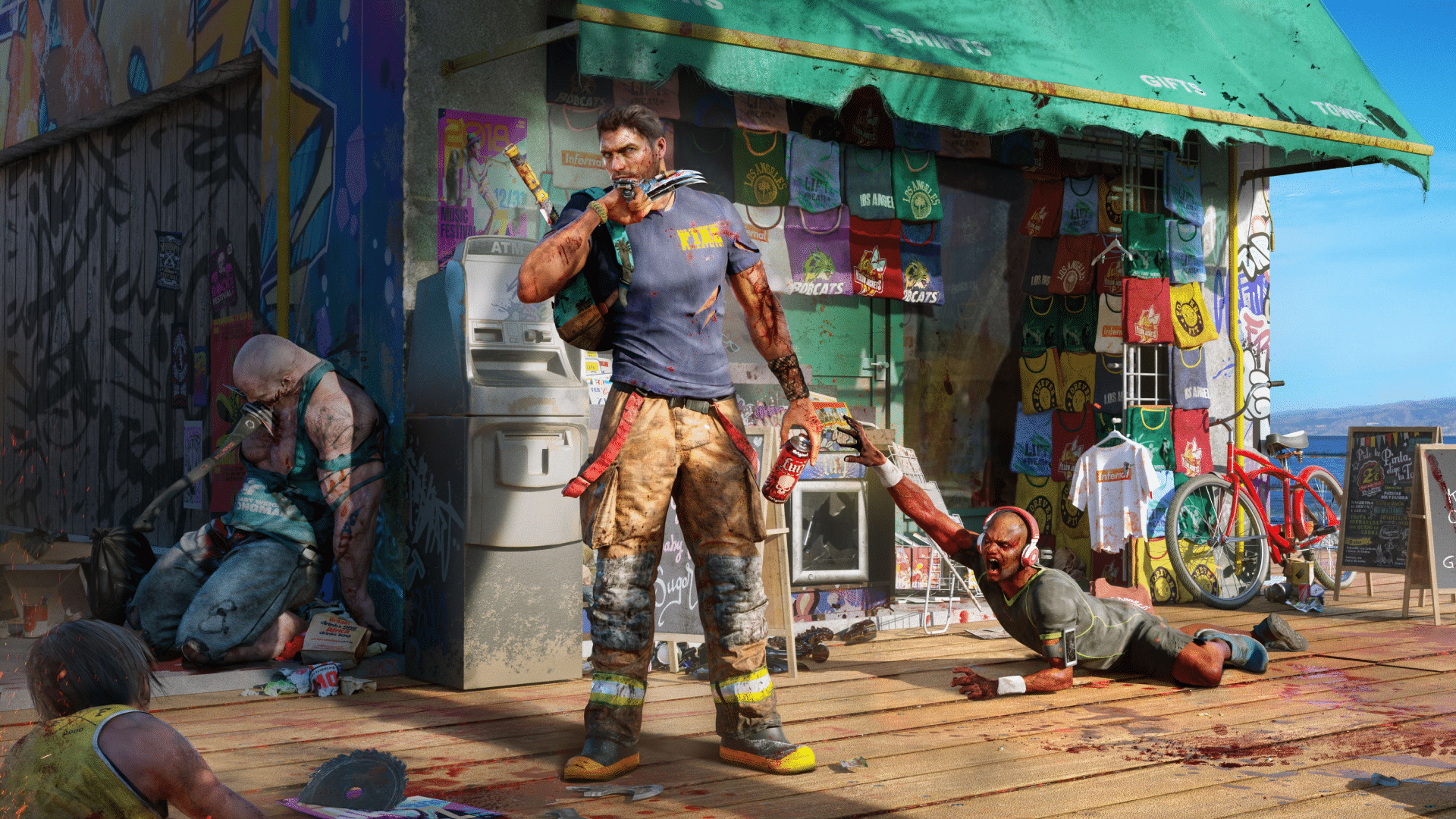
In other zombie gaming news, Dead Island 3 is in development, though don’t expect it until at least 2028.

Avatar photo

Alex Co

Father, gamer, games media vet, writer of words, killer of noobs.

Home > Title Updates and Patches

Grand Theft Auto 5 New Update 1.010.001 Released to Plug Exploits

Rockstar Games has released Grand Theft Auto 5 update 1.010.001 on December 17, and this is a new patch that follows the A Safehouse in the Hills content drop last week.

Console gamers will see the download appear as Grand Theft Auto 5 update 1.010.001, and this is a small download across all platforms.

Given the recent content drop, don’t expect much from this update outside of fixes, as this plugs a few known exploits that surfaced from last week’s patch.

Exploits Fixed in Latest Grand Theft Auto 5 Update Version 1.010.001

gta online players

Update: Rockstar has finally released the complete patchb notes and there are a a lot of fixes implemented than expected.

General

  • Fixed several issues that resulted in mission progression being blocked in Home Sweet Home

  • Fixed an issue that resulted in the cutscene not triggering after being chased by the helicopters in A Clean Break

  • Fixed an issue that resulted in missing Japanese text in Trash Talking

Vehicles

  • Fixed a graphical issue with Progen Luiva spoiler upgrades that resulted in the spoiler disconnecting upon being deployed

Mansions

  • Fixed an issue that resulted in players losing HSW upgrades, special liveries, and vehicle mods when using the Mansion Garage

    • Players will have to re-purchase and reapply any lost HSW upgrades, liveries, and mods to their vehicle

  • Fixed an issue that resulted in animals falling through the terrain in Mansions and dying

  • Fixed several graphical issues with Mansion Properties

  • Fixed several graphical issues with quick-entry options

  • Fixed several issues that resulted in incorrect idle animations for Mansion pets

  • Fixed several issues that resulted in Mansion trophies not unlocking when their requirements were met

  • Fixed an issue with The Tongva Estate that resulted in the buzzer not being available when standing in the entrance corona

  • Fixed an issue that resulted in the radio being cut off in Mansions for Motorcycle Club members when the Leader fast travels out of the Mansion

  • Fixed an issue in the Cigar Room that resulted in cigars floating in the air if a smoking player accepts an invite to another Mansion

  • Fixed an issue that resulted in players spawning incorrectly in their bed after passing out

  • Fixed an issue that resulted in players being unable to use the AI tablet

  • Fixed an issue that resulted in players being kicked from their Mansions when a Freemode event was started by another player in the session

  • Fixed an issue that resulted in players being unable to complete Taxi Work due to the drop-off location being at the player’s owned Mansion

  • Fixed an issue that resulted in players spawning underneath the map when renovating their Mansion property

  • Fixed an issue that resulted in Mansion layouts appearing in the radar while doing Original Heists

Rockstar Mission Creator

  • Fixed an issue with the Rockstar Mission Creator that resulted in actors receiving a placement error when an unrelated vehicle was removed

  • Fixed an issue with the Rockstar Mission Creator that resulted in objects going missing when deleting an actor

  • Fixed an issue with the Rockstar Mission Creator that resulted in Go To Location Objectives being completed instantly when the Allow Players in Any Location option was set to On

  • Fixed an issue with the Rockstar Mission Creator that resulted in invites to Mission Creator Content stating ‘0-8 players’ instead of ‘1-8 players’

  • Fixed an issue where the Number of Lives option was not applied until after players opened the Team Lives menu


While some players might be hoping for some new vehicles to be aded, nothing has been said by Rockstar just yet. Could this data be for Christmas and New Year surprises?

The confirmed fixes/changes from this patch that we’ve found include:

  • God mode glitch (yes, patched after a week)
  • One Weed delivery glitch (Before the patch, players didn’t need to deliver the whole shipment, as if your car blew up after one drop off, your mission would be marked as completed — thanks,

While we can’t confirm, this patch should also fix the duplicate vehicle exploit, and the business boost exploit too.

Expect Rockstar to release the notes later today, though we’re not expecting a long changelog from it.

In other Grand Theft Auto news, GTA 6 is set to be released in November 2026, so expect a ton of news to flood the internet starting next year. Check out our screenshots and character bios to know more about the game now.

Avatar photo

Alex Co

Father, gamer, games media vet, writer of words, killer of noobs.

Home > Title Updates and Patches

GTA 5 Update 1.55 Released on December 17

Just last week, Rockstar Games released the A Safehouse in the Hills content for GTA Online that saw Grand Theft Auto 5 receive an update.

It seems a few undesirable stuff got through, as the developers have now released GTA 5 update 1.55 on all platforms.

Needless to say, do not expect anything major from this (though we’d love to be proven wrong), as this focuses on bug fixes and exploit plugins.

GTA 5’s Latest Update Released Unannounced

GTA 5 DLC

Update: Rockstar has finally released the complete patchb notes and there are a a lot of fixes implemented than expected.

General

  • Fixed several issues that resulted in mission progression being blocked in Home Sweet Home

  • Fixed an issue that resulted in the cutscene not triggering after being chased by the helicopters in A Clean Break

  • Fixed an issue that resulted in missing Japanese text in Trash Talking

Vehicles

  • Fixed a graphical issue with Progen Luiva spoiler upgrades that resulted in the spoiler disconnecting upon being deployed

Mansions

  • Fixed an issue that resulted in players losing HSW upgrades, special liveries, and vehicle mods when using the Mansion Garage

    • Players will have to re-purchase and reapply any lost HSW upgrades, liveries, and mods to their vehicle

  • Fixed an issue that resulted in animals falling through the terrain in Mansions and dying

  • Fixed several graphical issues with Mansion Properties

  • Fixed several graphical issues with quick-entry options

  • Fixed several issues that resulted in incorrect idle animations for Mansion pets

  • Fixed several issues that resulted in Mansion trophies not unlocking when their requirements were met

  • Fixed an issue with The Tongva Estate that resulted in the buzzer not being available when standing in the entrance corona

  • Fixed an issue that resulted in the radio being cut off in Mansions for Motorcycle Club members when the Leader fast travels out of the Mansion

  • Fixed an issue in the Cigar Room that resulted in cigars floating in the air if a smoking player accepts an invite to another Mansion

  • Fixed an issue that resulted in players spawning incorrectly in their bed after passing out

  • Fixed an issue that resulted in players being unable to use the AI tablet

  • Fixed an issue that resulted in players being kicked from their Mansions when a Freemode event was started by another player in the session

  • Fixed an issue that resulted in players being unable to complete Taxi Work due to the drop-off location being at the player’s owned Mansion

  • Fixed an issue that resulted in players spawning underneath the map when renovating their Mansion property

  • Fixed an issue that resulted in Mansion layouts appearing in the radar while doing Original Heists

Rockstar Mission Creator

  • Fixed an issue with the Rockstar Mission Creator that resulted in actors receiving a placement error when an unrelated vehicle was removed

  • Fixed an issue with the Rockstar Mission Creator that resulted in objects going missing when deleting an actor

  • Fixed an issue with the Rockstar Mission Creator that resulted in Go To Location Objectives being completed instantly when the Allow Players in Any Location option was set to On

  • Fixed an issue with the Rockstar Mission Creator that resulted in invites to Mission Creator Content stating ‘0-8 players’ instead of ‘1-8 players’

  • Fixed an issue where the Number of Lives option was not applied until after players opened the Team Lives menu


While some players might be hoping for some new vehicles to be aded, nothing has been said by Rockstar just yet. Could this data be for Christmas and New Year surprises?

The confirmed fixes/changes from this patch that we’ve found include:

  • God mode glitch (yes, patched after a week)
  • One Weed delivery glitch (Before the patch, players didn’t need to deliver the whole shipment, as if your car blew up after one drop off, your mission would be marked as completed — thanks,

While we can’t confirm, this patch should also fix the duplicate vehicle exploit, and the business boost exploit too.

Expect Rockstar to release the notes later today, though we’re not expecting a long changelog from it.

In other Grand Theft Auto news, GTA 6 is set to be released in November 2026, so expect a ton of news to flood the internet starting next year. Check out our screenshots and character bios to know more about the game now.

Avatar photo

Alex Co

Father, gamer, games media vet, writer of words, killer of noobs.

Home > Title Updates and Patches

Dragon Ball Xenoverse 2 New Update 1.51/1.004.002 Released on December 17

Bandai Namco and Dimps have released Dragon Ball Xenoverse 2 update 1.51/1.004.002 on all platforms on December 17, and this is an unannounced title update for the fighting game.

Given we just received the Future Saga Chapter 3 update two months ago, don’t expect anything major from this patch outside of bug fixes.

Read on for the known bug fixes included in today’s patch.

Dragon Ball Xenoverse 2 Update on December 17 Focuses on Fixes

So far, Bandai Namco has not said anything about today’s patch just yet, though we’re hoping that changes within the day.

One community member mentioned that this fixed Broly’s (DBS version) voice, though we can’t confirm that right now. Outside of that, we’re expecting bug fixes to be applied.

The Steam version’s updated files is as follows:

  • Modified EasyAntiCheat/Certificates/base.bin (-21 B)
  • Modified bin/DBXV2.exe (-2.50 KiB)
  • Modified bin/render_pass_x64.dll (+512 B)
  • Modified bin/xgcore.dll (+1.00 KiB)
  • Modified cpk/data.cpk
  • Modified cpk/data0.cpk (-172.97 KiB)
  • Modified cpk/data1.cpk
  • Modified cpk/data2.cpk

As you can see, it’s a minor patch and no new data has been added. If we get more news on what got fixed, we’ll update the article with the info.

For players who find a thing or two that got fixed or changed, leave a comment below and let us know.

The latest Dragon Ball game that got patched was Dragon Ball FighterZ, which received a balance update two weeks ago.

Avatar photo

Alex Co

Father, gamer, games media vet, writer of words, killer of noobs.

Home > Title Updates and Patches

Elden Ring Nightreign Version 1.03.1 Brings Deep of Night Content via Update 1.21/01.003.001

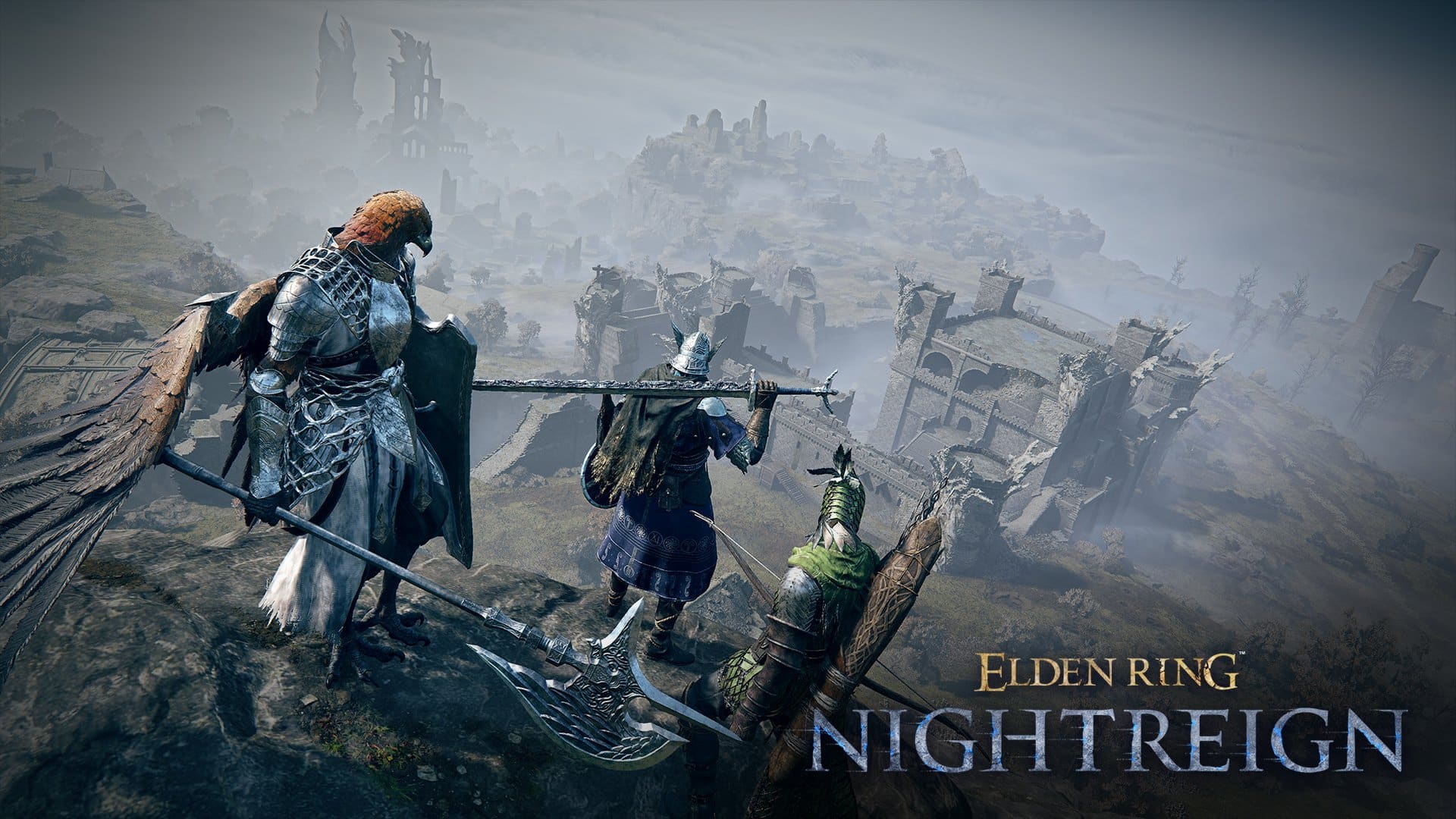
Following the release of Elden Ring Nightreign’s Forsaken Hollows DLC two weeks ago, FromSoftware is back with another game update that ushers in new stuff for players.

While FromSoftware tags the patch as version 1.03.1, console gamers will see the download as Elden Ring Nightreign update 1.21/01.003.001.

Those who own the DLC will see the Deep of Night content available, alongside new features and balance changes that applies to everyone who owns the base game.

Read on for everything new for today via the official patch notes.

Elden Ring Nightreign’s December 17 Patch Brings Balance Changes and More via Patch 1.21/01.003.001

Additional content

Players that own the DLC The Forsaken Hollows will now encounter new targets, Landmarks, raid events and Shifting Earth when playing The Deep of Night mode.

These additions will only appear when matched with players that also own the DLC content.

Balance Adjustments and Feature Updates

  • Increased the Fire, Magic, Lightning, or Holy related curse effects applied to weapons and items that occur in the temples of the Great Hollow Shifting Earth.
  • Adjusted the Continuous HP Loss & Continuou powers HP Recovery curse effects that occur in the temples of the Great Hollow Shifting Earth.
  • Decreased the attack power of the wolves summoned that appear during the Tricephalos raid event.
  • Added a stack count display to the damage negation reduction icon that appears when hitting enemies with level 3 Dart-type items thanks to Scholar’s Bagcraft Skill.
  • Shcolar’s Ultimate Art Communion will no longer break when transforming using Executor’s Ultimate Art Aspects of the Crucible: Beast.
  • Added a near-death animation when reviving with the Power to Balance the World special effect.
  • When swapping identical consumables in the Equipment Menu, they will now combine in accordance to their stack limit.
  • Added icons and explanations to indicate active effects for some special effects in the status menu.
  • When pinning an item, the item rarity color will now be displayed in the You indicated equipment message.
  • When engulfed in the Night’s Tide in the Great Hollow Shifting Earth, your character’s feet will now appear to be burning.
  • Expanded the range of clues discovered when using a map to reveal hidden clues in the Great Hollow Shifting Earth.
  • Added additional types of attacks when fighting the Night Aspect if all Nightfarers present own The Forsaken Hollows DLC.
  • You can now remap the Map Display key in the system menu’s keyboard/mouse settings.
    • Note: remapping this key will also change the navigation key in some menus, such as “Open All Presets” in the Relic Rites Menu.

Bug Fixes and Improvements

Elden Ring Nightreign Update 1.002

  • Fixed a bug in the Sentient Pest fight where the boss would not lose sight of the player when using Duchess’s Ultimate Art Finale.
  • Fixed a bug where the effect of Scholar’s Skill Communion would continue to be applied to the player even if no other targets were affected.
  • Fixed a bug where the damage to linked enemies and healing to allies would not propagate correctly in the event where a Scholar was put into a Near Death state during the activation of his Communion Ultimate Art.
  • Fixed a bug in Scholar’s Skill Analyze where the art gauge would not increase from the shockwave triggered on oneself at maximum charge.
  • Fixed a bug where the number of targets analyzed by Scholar’s Skill Analyse would reset if any player would perform the Open door action to transition to the boss fight within the Spirit Tree shelter.
  • Fixed a bug in Scholar’s ability Bagcraft where the damage negation reduction effect’s duration would not extend when hitting enemies with level 3 Dart items.
  • Fixed a bug in Scholar’s ability Bagcraft where the damage negation reduction effect would not be applied according to the number of hits when hitting enemies with level 3 Fan Daggers.
  • Fixed a bug in Scholar’s ability Bagcraft where the healing effect added to the level 3 Holy Water Pot would not cause damage to the Royal Revenant.
  • Fixed a bug where the Crystal Tear count would not display correctly when obtaining a second one from Dormant Powers as Scholar.
  • Fixed a bug with the Frozen Needle attack motions as Scholar.
  • Fixed a bug where some enemies appearing in specific Scholar’s Remembrances would not behave as expected.
  • Fixed an issue where the immortality granted by Revenant’s Ultimate Art Immortal March was not being overwritten by other visual effects.
  • Fixed a bug where the effect added by the skill Mists of Slumber to the Sword of St. Trina by the special would disappear upon taking enemy attacks.
  • Fixed a bug where Bow attacks affected by the Black Flame Blade and Bloodflame Blade incantations would not remove the frostbite status effect from enemies.
  • Fixed a bug where the Improved Rolling Attacks passive effect was not applied to Bows.
  • Fixed a bug where the Partial HP Restoration upon Post-Damage Attacks effect would not trigger on critical hits performed with Bows.
  • Fixed a bug where the player character would accumulate frostbite status ailment while standing on the area created by the Holy Ground skill while the weapon is imbued with frost by the Chilling Mist skill .
  • Fixed a bug where the effect applied to the weapon by the Black Flame Blade incantation would not be applied to attacks made with the Frenzyflame Thrust skill.
  • Fixed a bug where the effect applied to the weapon by the Black Flame Blade incantation would be applied in hitbox of the Wave of Gold and Thundercloud Form skills.
  • Fixed a bug where the Golden Retaliation skill and the Carian Retaliation skill/sorcery would not rescue allies from a near-death state in some instances.
  • Fixed a bug where attack power enhancing effects would be not applied to the Regal Beastclaw and Wave of Gold skills.
  • Fixed a bug where charging a skill/spell by holding the cast button would not enhance the Ancient Death Rancor sorcery and the Beast Claw incantation.
  • Fixed a bug where the post-cast delay of the Beast Claw incantation could not be canceled by chaining it with a sorcery or incantation.
  • Fixed a bug where attribute marks created by Recluse’s Passive Skill Elemental Defense did not appear with attacks from a weapon imbued with an attribute by the Order’s Blade incantation.
  • Fixed a bug where the reduced HP recovery from the Black Flame’s Protection incantation would also affect the shared healing from the Flask Also Heals Allies relic effect.
    • Allies that receive shared healing from this effect will have their HP recovery reduced if they are under the effect of the Black Flame’s Protection incantation.
  • Fixed a bug where the Creates Holy Ground at Low HP effects would overwrite each other when players with the same special effect stand near each other.
  • Fixed a bug where the Critical Hits Inflict Blood Loss special effect did not display its physical attack power enhancement effect.
  • When the “Communion Grants Anti-Dragon Effect” special effect adds an Anti-Dragon Effect to a weapon, additional physical damage will now be applied as well.
  • Fixed a bug where the Cold Mirage special effect was not properly applied to Executor’s Ultimate Art Aspects of the Crucible: Beast.
  • Fixed a bug where the player would be defeated even after reviving from a near-death state through the Power to Balance the World special effect when playing a Solo Expedition.
  • Fixed a bug where enemies directly defeated by Raider’s Ultimate Art Totem Stela would not be counted by the Defeating enemies near Totem Stela restores HP relic effect.
  • Fixed a bug where the attack power enhancement at the sixth stage of the Attack power increased for each Evergaol prisoner defeated relic effect would be differed than expected.
  • Fixed a bug where the stacks granted by relics that grant accumulating effects while on an Expedition would disappear if the player died and revived during an Expedition after reaching a certain number of stacks.
  • Fixed a bug where the Increased rune acquisition for self and allies Relic Effect would not share its effect to allies after dying and reviving once.
  • Fixed a bug where the weapon Great Bow of the Erdtree would not appear as intended.
  • Fixed a bug where the near-death gauge state from the second day’s boss battle would carry over if any player would perform the Open door action to start the final fight in the Spirit Shelter.
  • Fixed a bug where it would be not possible to lock on to a near-death ally in some cases.
  • Improved the hit detection and effect position of ground-based attacks accuracy used by the boss during the fight against Gaping Jaw.
  • Fixed a bug in the combat with Everdark Sovereign Equilibrious Beast where enemy Raiders would spawn if a Revenant in specific costumes was present during the Expedition.
  • Fixed a bug where other players could not deal damage to the Dancer of the Boreal Valley while a critical hit was performed against her.
  • Fixed a bug in the fight against the Dreglord where some spells or ghosts summoned by Revenant’s skill Summon Spirit would sometimes aim incorrectly.
  • Fixed a bug in the fight against the Dreglord where enemy attacks intended for specific players would sometimes target other players.
  • Fixed a bug in the fight against the Dreglord where players could become stuck inside objects and be unable to move.
  • Fixed a bug in the fight against the Dreglord where the timing of the music during multiplayer did not align with the intended sequence.
  • Fixed a bug in the fight against the Balancers where the sound effect for enemy grab attacks would not play.
  • Fixed a bug where the defeat animation would not occur when the Demon in Pain and Demon from Below bosses would be defeated simultaneously.
  • Fixed a bug where arrows hitting the heads of the Demon in Pain and Demon from Below bosses did not deal increased damage.
  • Fixed a bug where some Night bosses would die if a player who had previously left the session rejoined under some circumstances.
  • Fixed a bug where the Curseblade Night boss version would sometimes perform specific attacks at unintended timings.
  • Fixed a bug where enemies summoned by some bosses in The Great Hollows Shifting Earth would not disappear even after the boss was defeated.
  • Fixed a bug in in The Great Hollows Shifting Earth where the Tree Guard that appear in the temple would not die.
  • Adjusted the behavior of some enemies in The Great Hollows Shifting Earth
  • Fixed a bug in The Great Hollows Shifting Earth where unintended enemies would appear in some areas.
  • Fixed a bug where the Omenkillers located in the Blacksmith Village could not be hit under certain conditions.
  • Fixed a bug where some enemies added in the DLC The Forsaken Hollows would not drop appropriate weapons upon defeat.
  • Fixed a bug in The Great Hollows Shifting Earth where HP was not fully restored when a player died with its maximum HP reduced by the Crystal Curse, and then respawned in an area unaffected by the Crystal Curse.
  • Fixed a bug in The Great Hollows Shifting Earth where site of graces and blacksmithing tables would appear even though the special merchant did not.
  • Fixed a bug in The Great Hollows Shifting Earth where players could become immune to the effects of the Crystal Curse when moving to the Eastern Underground Fort or the temple under certain conditions.
  • Fixed a bug in the temple in The Great Hollows Shifting Earth where it would be impossible to proceed under certain conditions.
  • Fixed a bug in The Great Hollows Shifting Earth where additional enemies that appear during the combat might already be present from the start if a player left and then returned to the temple during a boss fight.
  • Fixed a bug in The Great Hollows Shifting Earth where players could sometimes get stuck on some treasure chests and be unable to move.
  • Fixed a bug in The Great Hollows Shifting Earth where the players who remained in the session if a player left and rejoined a session would become unable to use the temple’s Spiritstream.
  • Fixed a bug in The Great Hollows Shifting Earth where Raider’s Ultimate Art Totem Stela would spawn underground on some platforms.
  • Fixed a bug in The Great Hollows Shifting Earth where runes might not be acquired when defeating the temple boss under certain circumstances.
  • Fixed a bug in The Great Hollows Shifting Earth where some Spiritstreams would not be displayed on the map.
  • Fixed a bug in the While on Expedition and Result menus where the Enemy felled message would not be displayed when defeating a boss in the temple of The Great Hollows Shifting Earth.
  • Fixed a bug where Nightfarer enemies would not appear when Cataclysms occurred in the Blacksmith Village.
  • Fixed a bug in the Blacksmith Village’s Combat Art workbench where some weapons could be assigned unintended skills.
  • Fixed a bug in the Augur Raid Event where the powerful water bomb would become invisible to players that left and rejoined a session during the event.
  • Fixed a bug in the Tricephalos Raid Event where summoned wolves would not immediately disappear after the event was cleared.
  • Fixed a bug in the Tricephalos Raid Event where the summoned wolves’ HP was higher than intended when on an Expedition with 2 or 3 players.
  • Fixed a bug in the Tricephalos Raid Event where the damage reduction rate of some summoned wolves was different than intended.
  • Fixed a bug in the Tricephalos Raid Event where the Raid Event would continue for longer than intended if the last remaining enemy appeared within the night boss spawn area.
  • Fixed a bug in the Fissure in the Fog Raid Event where the blizzard effect, which precedes the hail, would not be displayed if the event occurred while all player characters were inside a mine.
  • Fixed a bug in the Fissure in the Fog Raid Event where fog would also appear indoors at some strongholds.
  • Fixed a bug in the Fissure in the Fog Raid Event where multiple bosses would appear on a rejoining player’s screen if a player left and rejoined a session that was active or had previously experienced the event.
  • Fixed a bug in the Fissure in the Fog Raid Event where runes could not be acquired upon clearing the event under certain circumstances.
  • Fixed a bug in the Balancer Raid Event where the Balancer might not appear under certain circumstances.
  • Fixed a bug where the attack from the Summon foe-chasing vengeful spirits field item effect could not rescue allies in a Near Death state.
  • Fixed a bug where Dormant Powers would disappear immediately after obtaining them under certain circumstances.
  • Fixed a bug in Sparring Grounds where some effects applied to the player would persist even after changing characters.
  • Fixed a bug where Undertaker’s Skill Loathsome Hex could be used to reach unintended locations.
  • Fixed a bug where some effects in specific Remembrances for Scholar and Undertaker would be displayed in incorrect position upon launching the game.
  • Fixed a bug where accumulated Newly found Sites of Grace would be reset when respawning from death, opening the Spirit Shelter door through the action button leading to the Day 3 boss fight, or leaving and rejoining a session, while under the special effect Traces of Grace-Given Lord.
  • Fixed a bug where runes from some defeated bosses could sometimes be re-obtained upon leaving and rejoining a session.
  • Fixed a bug where, if a player exited a session with a curse active while in The Great Hollows Shifting Earth and then respawned inside a Spirit Shelter, the curse would remain active.
  • Fixed a bug where leaving and rejoining a session at a specific timing during the Balancers Raid Event, the UI emphasis effect for the remaining number of flasks would persist.
  • Fixed a bug in the Status Menu where stats other than Level and HP for allied players did not reflect their decreased level state after death or other events.
  • Fixed a bug in the Status Menu and Victor’s Record menu where an empty popup would be displayed when hovering over an empty talisman equipment slot.
  • Fixed a bug in the map menu where icons from a different depth would sometimes remain on the map when switching floor displays.
  • Fixed a bug in The Great Hollows Shifting Earth where some Scarabs, Treasures, and Sites of Grace were displayed at incorrect locations on the map menu.
  • Fixed a bug where the Enemy felled message would appear twice when a specific powerful enemy was defeated in The Great Hollows Shifting Earth.
  • Fixed a bug in the Relic Rite Menu where the [Revenant] Power up while fighting alongside family effect was incorrectly displayed as active when changing Relics for Scholar and Undertaker.
  • Fixed a bug in the Relic Rites Menu where the filter function displayed related effects regardless of additional content ownership or Deep of Night unlock status.
  • Fixed a bug where the item help function could not be used in the Equipment section of the Visual Codex menu.
  • Fixed several minor issues related to menu displays.
  • Fixed a bug where, while The Great Hollows Shifting Earth was active, you would not be able to match with players who did not possess The Forsaken Hollows DLC when starting an Expedition other than Balancers or Dreglord.
  • Fixed a bug where starting a Deep of Night Expedition with a pre-made team, the dialog warning indicating a decrease in the Deep of Night rating was not displayed when pressing the Return to Title Menu from the menu.
  • Fixed a bug where, depending on the network environment during gameplay, the Deep of Night win/loss results might not be correctly reflected in the rating.
  • Fixed a bug where the game would crash when transitioning to the Battle Results screen or the Title screen while targeting allies with the Scholar’s Analyze skill.
  • Fixed a bug in the PlayStation 5 and PlayStation 4 where the game would sometimes crash when opening and closing the button configuration menu from the controller settings menu.
  • Fixed a bug where the text for the next objective in the journal menu was displayed cut off in German.
  • Fixed some graphics and effects rendering issues.
  • Fixed a bug where some sound effects were not playing correctly.
  • Revised some texts.
  • Fixed other bugs and improved performances.

Steam Only Adjustments

  • Updated the list of prohibited words.

Unless something gets broken from this patch, expect the next update by FromSoftware to be released in January 2026. See you then, nightfarers!

Avatar photo

Alex Co

Father, gamer, games media vet, writer of words, killer of noobs.

Home > Title Updates and Patches

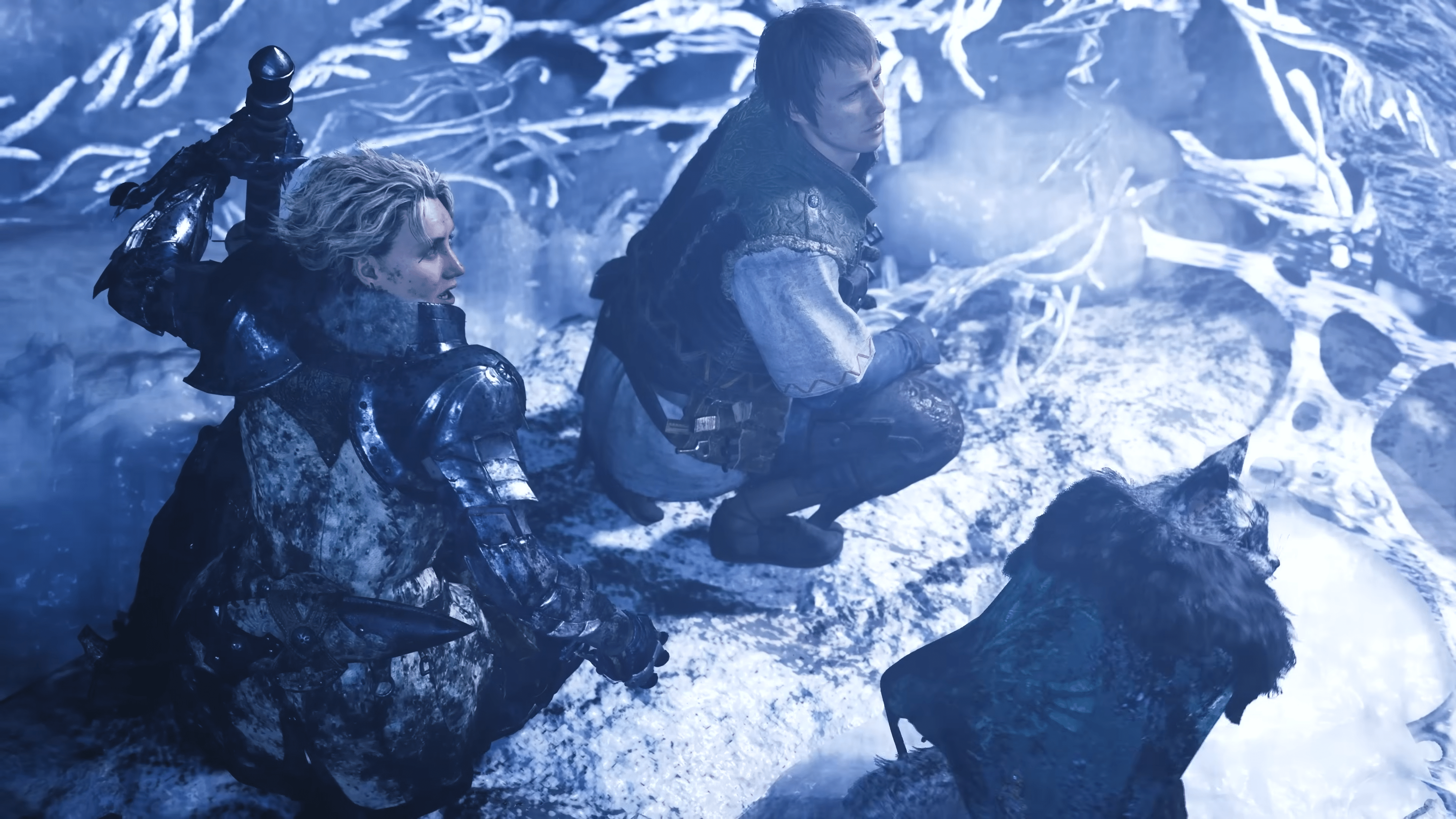
Monster Hunter Wilds Update 1.040.030 Fixes Major Crashing Issues for Specific Instances

After the release of Title Update 4 for Monster Hunter Wilds yesterday, a bunch of major game-breaking issues surfaced, with most tied to specific actions from players in the game.

Thankfully, these issues won’t last long, as Capcom has already pushed out Monster Hunter Wilds update 1.040.030, which Capcom labels as patch version 1.040.01.00 on all platforms.

Read on for everything that got fixed in today’s update.

Monster Hunter Wilds Receives Follow-Up Patch as Version 1.040.01.00/1.040.30 for Fixes

Here’s what got fixed in today’s update per Capcom:

Bug Fixes and Balance Adjustments

  • – Fixed an issue where Fabius and some Support Hunters would continue to run into the wall when failing to weaken Gogmazios’s special attack.
  • – Fixed an issue where the game could crash after applying the update when accessing the Meld Relics or Artian Materials Box options from the Melding Pot menu, if a specific sort order had been previously set.
  • – Fixed an issue where the game would sometimes crash during fade out transitions when moving between locales, or when withdrawing from the Gogmazios quest.
  • – Fixed an issue where the names of some Gogma Materials were not displayed when the text language was set to Polish.

For Steam users, don’t forget:

Steam

Video Driver Version
  • Please update to the following driver versions to ensure the most stable experience possible.
    – NVIDIA GeForce: 581.57 or newer
    – AMD Radeon: 25.9.1 or newer
    Note: Some issues have been identified with AMD Radeon drivers versions 25.10.2 and higher.
  • Note: This information is subject to change at any time due to factors such as NVIDIA and AMD support availability.

While a patch has been released today, it doesn’t fix all the known issues. There’s still one know problem plaguing PS5 gamers:

  • The text for the Cosmetic DLC Pass is not displayed correctly in the Claim Content menu at the Support Desk. (PS5 only)

Expect the next patch to drop sometime in January once the festivities are over.

Avatar photo

Alex Co

Father, gamer, games media vet, writer of words, killer of noobs.

Home > News

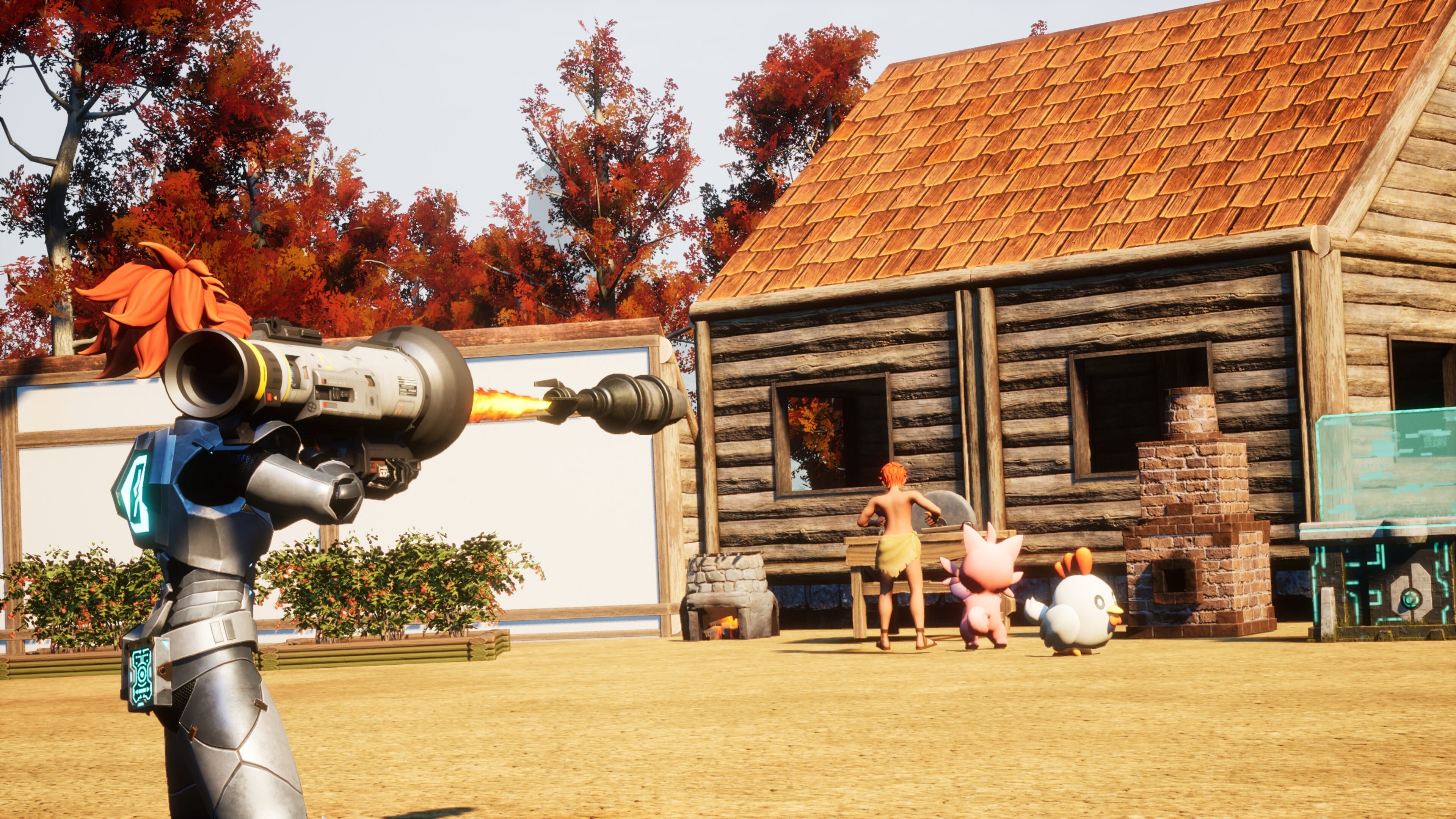
Palworld Update v0.7 Brings Home Sweet Home Content via Patch 1.084.578

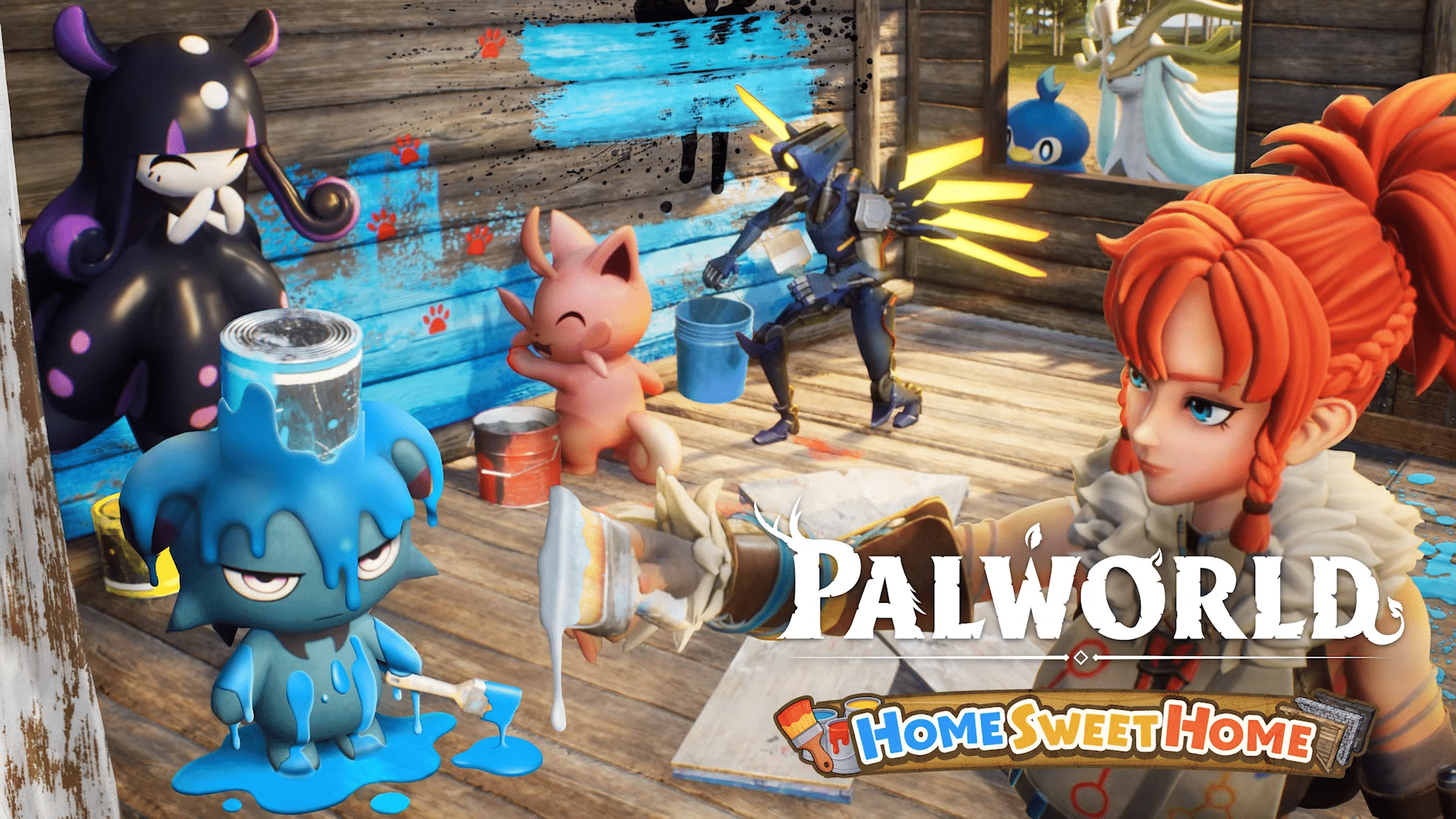
Pocketpair Inc. has released the biggest update to date for Palworld, and it’s called the Home Sweet Home content drop. The developers have numbered this content drop as v0.7, though console gamers will see it as Palworld update 1.084.578.

Expect this patch to usher in the Ultrakill collaboration, building improvements, a new raid, experimental PvP, and a lot more.

There’s a lot to take in, so read on for the patch notes.

Palworld Home Sweet Home Update Brings New Content via Update 0.7/1.084.578

ULTRAKILL Collab!

This update adds several iconic weapons and armour, as well as a V1’s infamous coin toss! Thank you to New Blood and Hakita for allowing us to play with their incredible game, and we hope our fans will enjoy taking on battles in a fresh, stylish way with this special equipment!

  • Added V1 and V2 armor sets! Terrorize the Palpagos Islands as your favorite blood-fueled robot!
  • Added a pair of iconic weapons from ULTRAKILL!
  • Unique Mechanic – Coin Toss

⤷Throw coins while using the Marksman Revolver to perform a Ricoshot! Bullets will ricochet off the thrown coin and deal devastating damage to nearby targets!

Base Building Improvements

A big part of the Home Sweet Home update is, as the name suggests, your home!

We have been blown away by all the incredible builds that you guys have been sending us, and we know that you have been eagerly waiting for more freedom in how you design your base. This update brings a large number of new building parts, including the much-requested triangular pieces!

Another new addition to the building system in this update is the ability to change the colour of building pieces! Express yourself in any way you feel like by adding a splash of your favourite colour to your home!

  • Added 48 new building parts, including triangular pieces!
  • Added the ability to change the color of some buildings and foundations!
  • Changed the building UI to a list-based system.

Raid Boss Improvements

  • Added a new raid boss!
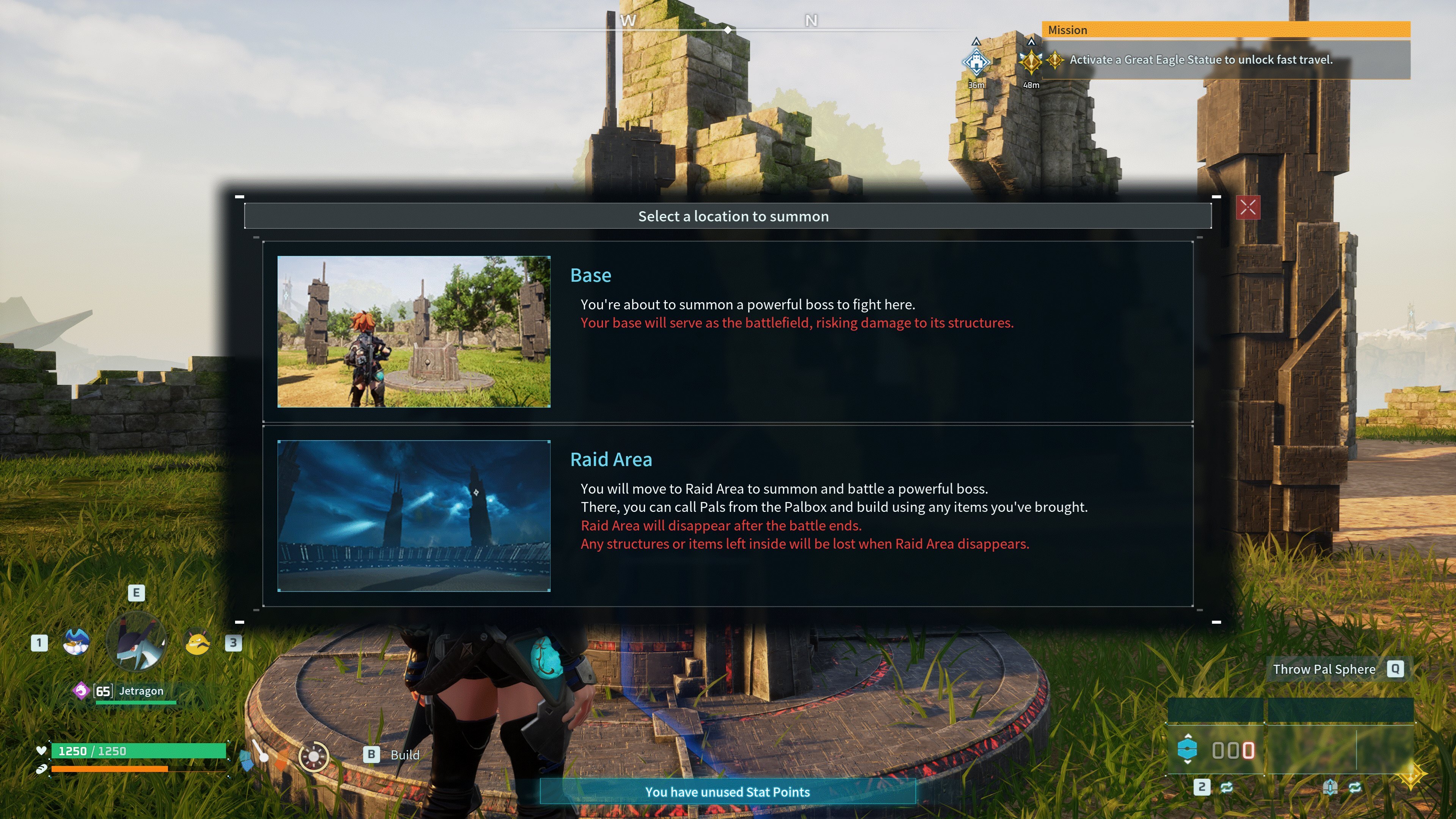
  • Added a new battlefield for raid bosses. Players can now choose to challenge raid bosses in their base or in a new separate battlefield. These Raid Areas allow you to fight with all your might, without risking any damage to your base. You can build temporary structures and take items into these special Raid Areas.

Melee Combat Improvements

Melee is often overlooked in the late game, so we wanted to start improving the system to make it more viable and fun for players. To that end, we have made improvements to the melee gameplay!

The basic attack actions for swords, katanas, and beam swords have been changed. You can now perform attacks consecutively by repeatedly pressing left click (right trigger on controller). In addition, special attacks have been added to katanas and beam swords. You can activate a special attack by holding down right click (left trigger on controller) and left click (right trigger on controller). Take your melee gameplay to the next level!

  • Improved the melee gameplay for swords, katanas and beam swords. Pressing left click (right trigger) will perform a new consecutive combo attack. 
  • Special attacks have been added to the katana and beam sword. Holding either left or right click (left or right trigger) will activate these abilities.

New Features

  • Added PvP functionality (Experimental!). – PvP has been a topic of discussion in the Palworld community for a long time, and although it’s hard to fully integrate PvP into the game, we are releasing all the necessary tools for players to set up their own PvP rules on their own terms. Please note that PvP is experimental, and as such, there may be some balancing issues.
  • [PC – Steam Only] Added Steam Workshop, allowing players to download and use mods. Please also note that some servers, including official servers, prohibit the use of mods in order to ensure fair play. To that end, we recommend only using mods in single-player or with your friends.

Mechanic Adjustments

  • When placing a building, an arrow indicating the building’s orientation will now be displayed.
  • When placing a building, buildings with a set work location will now display a Cattiva icon indicating the work location.
  • Adjusted the Palbox so it can be aligned with foundations and roofs. 
  • [Keyboard & Mouse Controls] Building controls have been made more intuitive, and continuous building has been changed to the default setting.

Balance Adjustments

  • Added new implants to the surgery table:
    • ⤷Implant: Mine Foreman
    • ⤷Implant: Logging Foreman
    • ⤷Implant: Fine Furs
    • ⤷Implant: Sleek Stroke
    • ⤷Implant: Work Slave
  • You can now get a Little Kinship Peach from a Pal when freeing them from an enemy camp.
  • The last hit done to an enemy while using mercy will now display “”MERCY HIT”” to indicate that no damage was done.
  • Changed specifications so that all Pals will no longer lose SAN when taking damage.
  • Reduced the impact of bad status effects:
    • ⤷Hungry… Attack, Defense, Work Speed ​​-20% → -10%
    • ⤷Starving… Attack, Defense, Work Speed ​​-50% → -20%
    • ⤷Cold… Work Speed ​​-10% → -5%
    • ⤷Sprain… Movement Speed ​​-10% → -5%
    • ⤷Overfull… Increased hunger loss rate by 100% → +50%
    • ⤷Ulcer… Work Speed ​​-20%, Movement Speed ​​-10% → Work Speed ​​-10%, Movement Speed ​​-5%
    • ⤷Fracture… Work Speed ​​-10%, Movement Speed ​​-20% → Work Speed ​​-5%, Movement Speed ​​-10%
    • ⤷Weakened… Work Speed ​​-20%, Movement Speed ​​-30% → Work Speed ​​-10%, Movement Speed ​​-20%
    • ⤷Depressed… -30% Work Speed, -20% Movement Speed ​​→ -20% Work Speed, -10% Movement Speed
  • Changed the attribute of the Broncherry’s unique skill “”Body Smash”” from neutral to the grass.
  • Changed the attribute of Rushoar’s unique skill “Heavy Charge” from neutral to earth.
  • Added “Item Decay Speed ​​Multiplier” to the Options Settings.
  • [Dedicated Servers] Police NPCs targeting players who have committed crimes will now only deal damage to the target player and their guild.
  • The appearance of the work aptitude icon has been changed.

Bug Fixes 

  • Fixed an issue where Flopie would not collect dropped items in the field while her partner skill “Helper Bunny” was active. 
  • Improved Pal pathfinding AI ​​to make it easier to reach the target location within the base.
  • Fixed an issue where summoned Pals would attack visitors when set to “attack aggressively.”
  • Fixed an issue where attacking visitors in your base would not result in the correct attacking state. 
  • Many other minor bug fixes.

With a patch this big, don’t be surprised if a hotfix or two is needed to fix any issues that might arise from it. If there’s none, don’t expect another update from Palworld until 2026 when the game officially exits from its early access state.

Avatar photo

Alex Co

Father, gamer, games media vet, writer of words, killer of noobs.

Home > News

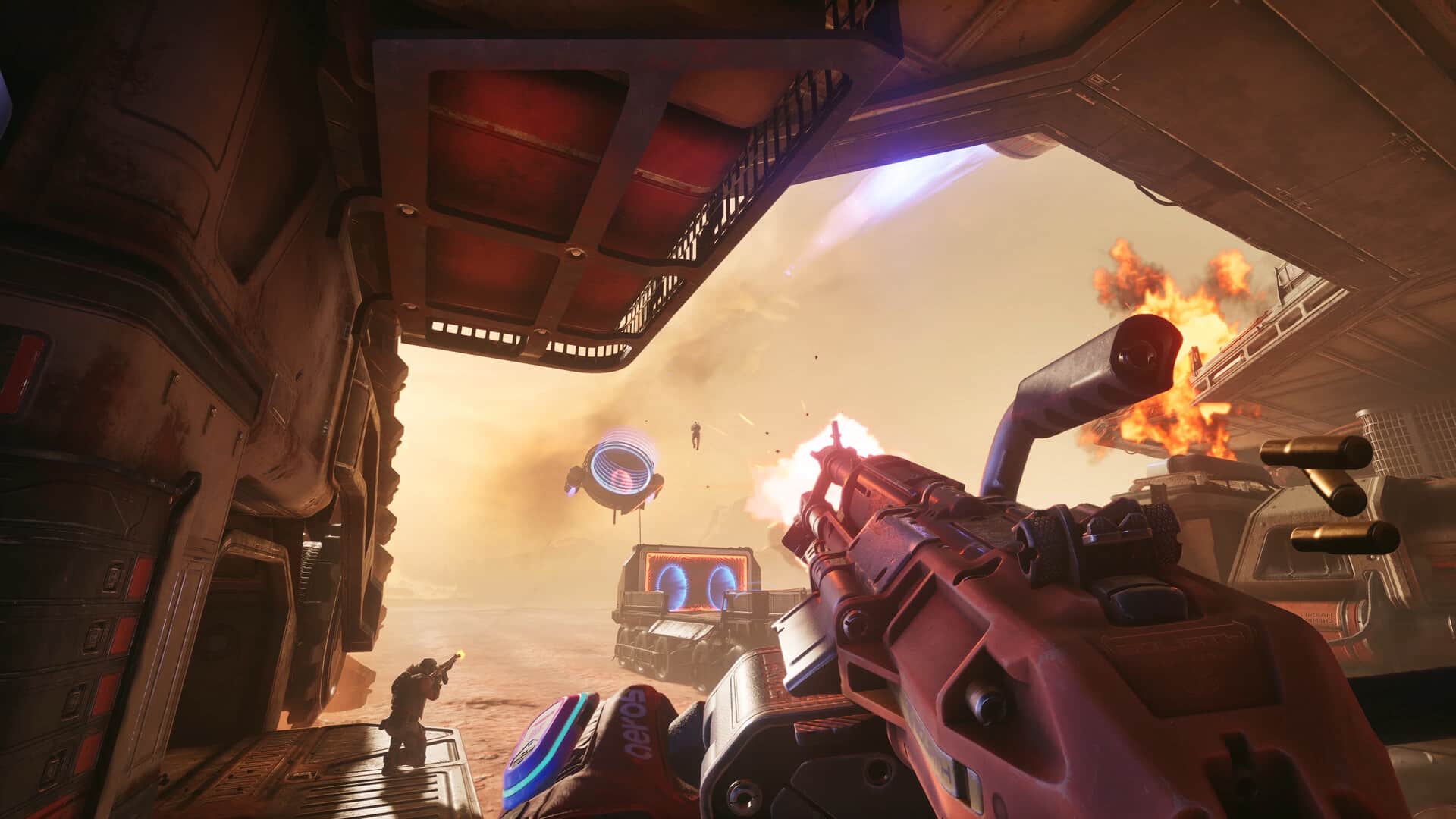
Splitgate Arena Reloaded Day One Update Is All About Performance

Splitgate Arena Reloaded (formerly known as Splitgate 2) is officially out tomorrow. But before players hop back into the arena for more portal action, 1047 Games has begun rolling out the day-one update for those who already have the game downloaded. 

It’s a massive update, not in terms of content, but in terms of optimization, as it brings performance overhauls across all platforms.

Splitgate Arena Reloaded Day One (1.000.015) Detailed

Ahead of tomorrow’s launch, here are the details provided by 1047 Team (via Steam)

“Hey everyone,

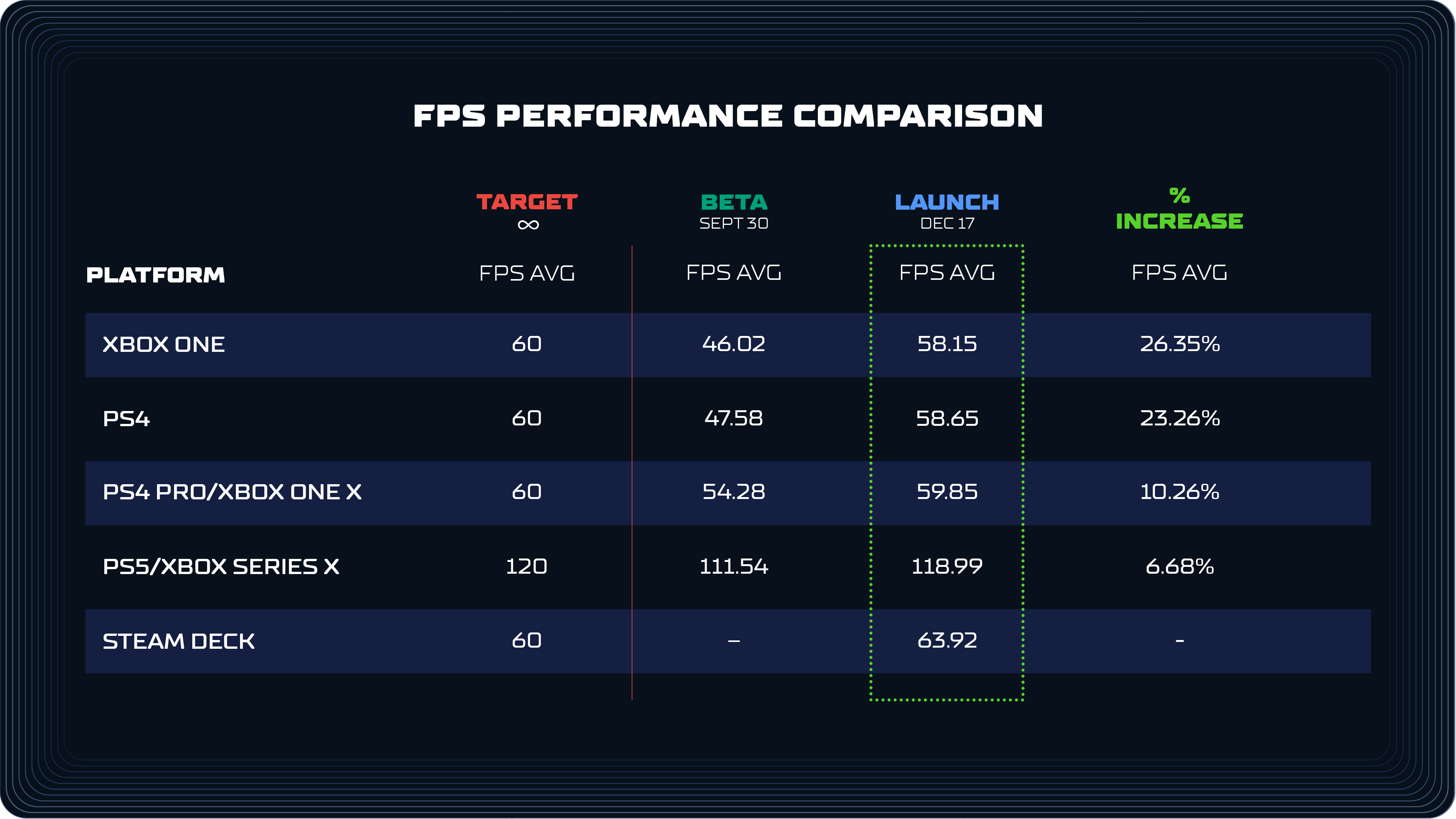
Today we’re talking all about the performance improvements you can expect in SPLITGATE: Arena Reloaded. We’ve gathered several members of the team to talk about the performance optimizations we’ve made across the game since the beta release. Spoiler alert: Arena Reloaded has had a major performance overhaul. The stuff you feel moment to moment is better across the board: fewer frame spikes, less stutter, and more consistent framerate in real matches. You’ll see it in the numbers too. PC sees big improvements in hitching and stuttering, and even last gen consoles now run at 60 FPS.

We’ve got a lot to discuss, but before getting into specifics, it’s important to set expectations. There was no single change that “fixed” performance. We did not flip a switch or add one magic system. Performance work is cumulative, and it’s the result of many disciplines working together with the singular goal to improve the player experience. It comes from giving engineers and artists the time to find friction, remove it, and repeat that process relentlessly.

With that said, let’s meet the team that is going to be talking about some of the biggest changes that got us here:

  • Ethan – Distinguished Engineer

  • Sam – Principal Gameplay Engineer

  • Nadir – Principal Technical Artist

  • Wojciech – Graphics Engineer

Smoothing Heavy Moments With Time Slicing

Sam: Let’s talk about stuttering. Some of the worst stutters in an FPS show up when a lot happens all at once. Multiple players respawn. Weapons and attachments get created. Too much gets received by your game client at a time, all within the same frame.

To reduce those spikes, we implemented time slicing across many systems, including our own systems and the engine’s underlying systems. Instead of forcing all work to happen immediately, time slicing spreads it across multiple frames when needed. Each system has a per-frame budget, and work is only deferred if that budget would be exceeded. In other words, it only kicks in if framerate is going to be impacted.

A simple example is spawning. When a player spawns, we have to build their visuals, including character skin, weapon skin, and attachments. If a lot of players respawn at once, that can get expensive. With time slicing, those pieces get built across a few frames only when necessary, which keeps the game from dropping frames during those heavy moments.

Weapon Rendering That Scales With Player Count

Ethan: Another area of performance that adds up is weapon rendering. Weapons in Splitgate are made up of a lot of moving parts: the weapon itself, up to five attachments, and multiple components per attachment. Rendering and updating all of that across a full lobby gets expensive, especially on older hardware.

To help, we added a system that calculates the most “significant” players in your view to let them show at full quality, while scaling back on what your game needs to calculate for players further away or off-camera. The exact number of players that can be at “high” significance depends on your view distance quality setting on PC.

Some of the improvements we made with this system:

  • Less significant players have their weapons and attachments swapped out with “static” versions that are made up of simpler meshes instead of a fully animated multi-component weapon. At a distance, this swap isn’t noticeable so your game ends up doing less work for minimal impact to visuals.
  • On lower-end platforms the entire set of weapons and attachments are replaced with a single optimized static representation
  • Animations update less often for players that are less significant
  • We now limit how many players can cast dynamic shadows based on their significance

The result is lower CPU and GPU cost in crowded fights, without sacrificing clarity for the players that matter in the moment.

Reducing Hitching With Improved PSO Precaching

Wojciech: Hitching is one of the most frustrating problems in any FPS. A big cause of hitching on modern hardware is shader compilation. A shader is basically a tiny program your GPU uses to draw a surface correctly. The first time your PC sees a new shader, your graphics driver has to turn it into a Pipeline State Object (PSO) that it can reuse quickly. That “first time” work can cause a noticeable stutter.

This is also why stuttering often improves the more you play. Once those PSOs are cached for your specific GPU and driver version, the same content can render smoothly the next time you see it.

Unreal has systems to precache PSOs in the background as assets load, so the game can do that work ahead of the moment you need it. We went through the game and found multiple places where that workflow was not happening correctly, both in our custom rendering and in a few engine paths. We fixed those gaps and improved our PSO data generation so more of that caching work happens earlier and more reliably.

Precaching can be a little CPU heavy while it runs, but it is predictable and temporary. We opted to take a short, controlled cost up front over random stutters in the middle of a fight. Once everything is cached, that cost disappears, and the match stays smooth, especially for first time players on PC.

Content Optimization Across Every Arena

Nadir: When talking about performance, a lot of the impact comes from content. That includes maps, character and weapon skins, gun attachments, as well as the materials and effects that accompany them. Over the past several months, the tech art team has conducted full audits across our maps and assets and made improvements across the board.

Here are some of the biggest areas:

  • Materials: We reduced shader complexity by simplifying logic, adding primitive data inputs and quality switches so materials do less work, especially on lower settings.
  • Textures: We standardized texture compression across the board and used lower resolution textures where appropriate on older platforms, which lowers memory pressure and reduces streaming stalls.
  • Meshes: We optimized mesh density and merged or batched meshes where it made sense, which cuts down on draw calls and reduces how much work the CPU and GPU have to do each frame.
  • Particles: We improved particle rendering with a LOD and budgeting system and moved complex particle logic from CPU to GPU, which reduces big spikes when effects get heavy.
  • Lighting and reflections: We tuned light draw distances, shadow-casting behavior, and significantly reduced the number of unnecessary reflection captures across all maps, decreasing the amount of lights, shadows, and reflections the engine needs to evaluate each frame.
  • Collision and navigation: We lowered the complexity of player and visibility collisions for faster Chaos scene queries and reduced the number of objects that update the navmesh, which lowers CPU cost during movement and combat.
  • Maps: We calibrated custom map actors, adjusted draw distances, and optimized content for low-end platforms, which lowers worst case load in dense areas and keeps performance more consistent across arenas.

This work is exactly what it sounds like. Lots of small changes. Lots of testing. Lots of iteration. But when all is said and done, it adds up fast. Below is a comparison of console performance during beta and launch.


PC saw major gains as well, though it’s harder to represent cleanly due to the wide range of hardware configurations. If you’re playing on PC, let us know what improvements you’re seeing.

Engine and Rendering Improvements

Wojciech: As we mentioned at the top, performance problems, and performance gains, are the sum of many, many smaller pieces. There has been a massive team effort to ensure that we are optimizing the game across all of its many surfaces. Here are a number of deeper optimizations and platform improvements we’ve made:

  • We optimized the mesh data format to use about 20% less memory, which reduces VRAM pressure and helps assets stream in faster and more consistently.
  • We optimized how water surfaces and the sky atmosphere render, which lowers GPU cost in scenes where those effects are visible for large portions of the match.
  • We improved the occlusion query system so the game can more efficiently skip rendering things you cannot see, which helps unlock higher framerates in complex arenas.
  • We tuned and optimized Virtual Texturing to smooth out render and streaming time, which reduces texture-related hitches as you move through a map.
  • We added a 30 FPS lock when the game is unfocused on PC, which cuts unnecessary GPU load and saves power when you are tabbed out.
  • We made targeted platform improvements to increase visual quality on PS4 Pro and Xbox One X without compromising performance.
  • We now track performance more closely than ever across builds, including frame time consistency and hitch detection. On PC, you will be able to see some of these additional performance stats by enabling them in settings.

There is so much more to cover, but in the interest of keeping this rundown short, we’ll leave it there. We hope this gives you a small look into the work we have put into ensuring your experience at launch is smooth.

Looking Ahead

All of these changes make a huge difference in how the game feels. Movement stays responsive. Portal fights stay readable. Movement stays responsive. Portal fights stay readable. Matches stay smooth even when everything is happening at once.

The truth is, performance work never really ends, but we feel great about where Arena Reloaded is landing. This launch build is the strongest foundation Splitgate has had, and it puts us in a position to keep improving as we add new content and updates.

We cannot wait for you to jump in on the 17th and feel the difference.

See you in the arena tomorrow!

– The Team at 1047″

Looking forward to tomorrow’s release aswell! Can’t wait to see how the game has shaped up since its “unlaunch” back in July.

Avatar photo

James Lara

A gamer at heart, James has been working for MP1st for the last decade to do exactly what he loves, writing about video games and having fun doing it. Growing up in the 90's gaming has been in his DNA since the days of NES. One day he hopes to develop his own game.

Home > News

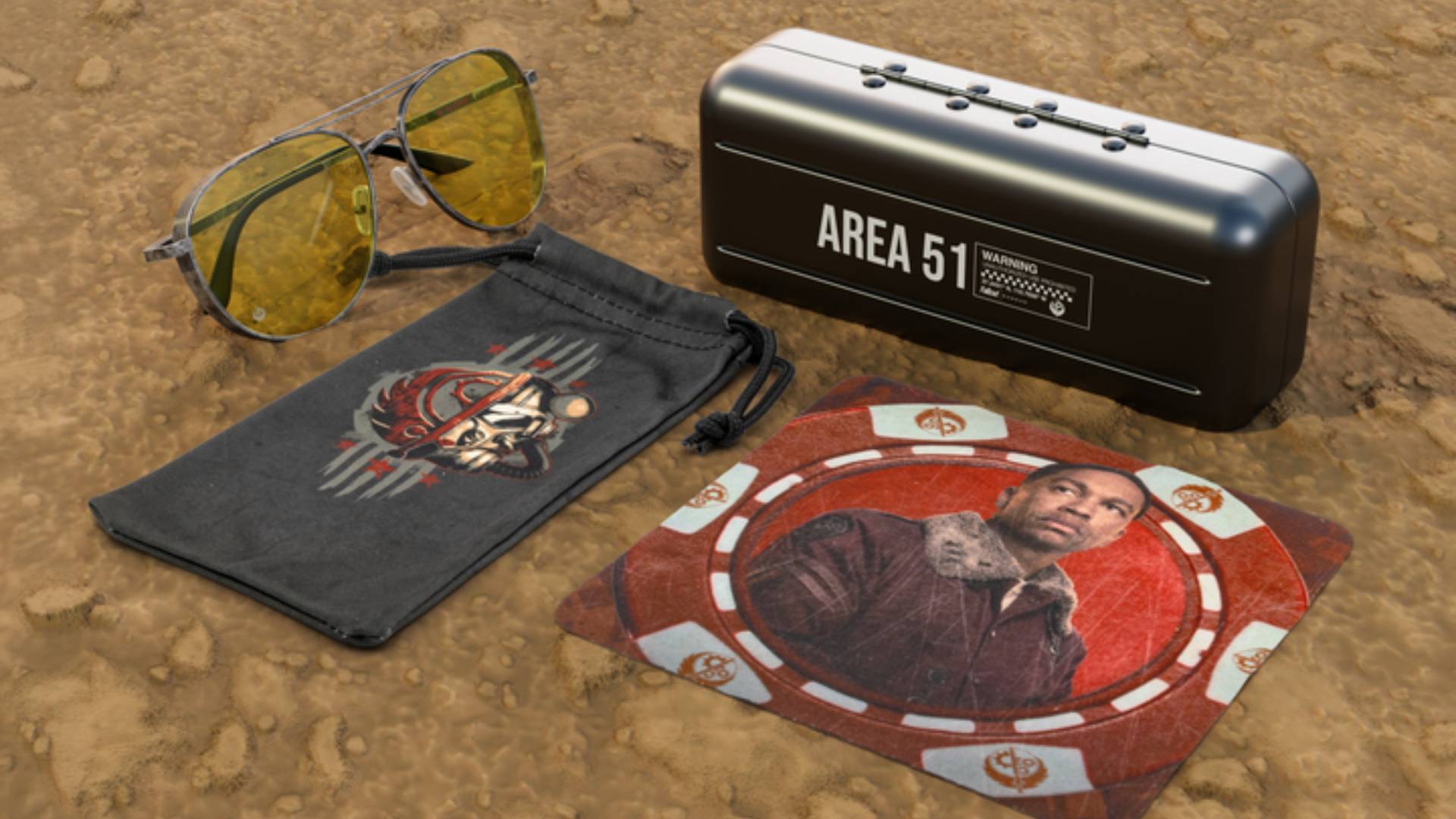
GUNNAR Brings Style to the Wasteland With Brotherhood of Steel-inspired ‘Fallout’ Glasses

To celebrate the launch of Amazon’s Fallout Season 2 (review here), GUNNAR, the gaming and computer glasses maker, has teamed up with Amazon for a rather special collaboration. Starting tomorrow, Fallout fans can order new Fallout-themed glasses with a unique Brotherhood of Steel-inspired frame. 

Step Into the Wasteland With Style

GUNNAR and Amazon are going big for this season of Fallout, teaming up once again for yet another collaboration. Though instead of it all being about the Vault Dwellers, this new collab is all about the ruthless Brotherhood of Steel.

Launching later next month, here are the details on this new collab.

“Step into the ranks of the Brotherhood with the official Fallout x GUNNAR Brotherhood of Steelglasses. Inspired by the Brotherhood’s iconic armor and unshakable dedication to preserving technology, these frames are built for strength, clarity, and protection—both in-game and in real life. The rounded aviator design is finished in weathered gunmetal, echoing the steel plating of Brotherhood power armor. Subtle engravings include the Brotherhood of Steel emblem on the lens and the battle cry “Ad Victoriam” etched boldly along the temple, marking your allegiance to the cause. Each pair comes packaged with premium accessories, including a metal “Area 51” collector’s case, a microber pouch featuring Brotherhood artwork, and a custom microber cleaning cloth with Fallout designs. Available in Amber, Amber Sun-shift, Sun, or Amber Max lens tints for maximum protection.”

The Brotherhood of Steelglasses will be available to pre-order ($99) starting today, via GUNNAR. For a limited time, a GUNNAR mystery box bonus will also be included for pre-orders, with the expected launch set for mid-January.

Avatar photo

James Lara

A gamer at heart, James has been working for MP1st for the last decade to do exactly what he loves, writing about video games and having fun doing it. Growing up in the 90's gaming has been in his DNA since the days of NES. One day he hopes to develop his own game.

Home > Hardware

G’AIM’E Review – Lightgun Fun on the Flatscreen

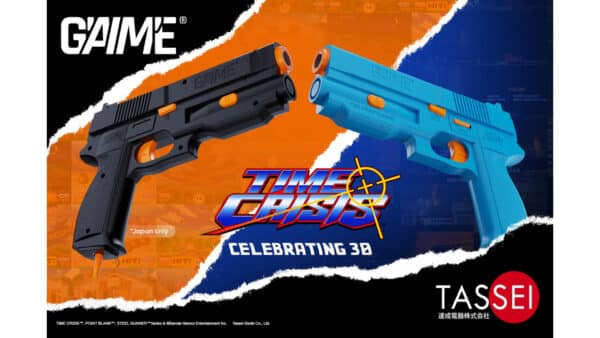
Time Crisis turned 30 this year. Tassei Denki, a manufacturer of licensed gaming equipment, saw fit to release the G’AIM’E (simply pronounced “game”), a dedicated lightgun home console, fully licensed by Bandai Namco Entertainment. It will work on any modern display – from your desktop monitor to your 150” projection screen.

MP1st was sent a unit for review, and after shooting everything that moved on the screen for a while, we have our review locked and loaded. Let’s see if G’AIM’E has brought lightgun gaming back!

Three Versions to Choose From

The G’AIM’E started as a Kickstarter, which hit its funding goal ten minutes after going live. It was available in three packages: Basic (~$100 USD), Premium (~$130 on Kickstarter, now $149.99 direct), and Ultimate (~$193 on Kickstarter, now $199.99 direct). The Premium and Ultimate versions include all four games: Time Crisis, Steel Gunner 1 & 2, and Point Blank. The Basic version only contains Time Crisis. Unfortunately, none of the units can officially have any other software installed, and there is no online connectivity in the unit to download or update anything. It is in that regard a lot like consoles and games from the era – what was shipped is the final product. In today’s world, where things are constantly released early and need updates all the damn time, this is somewhat refreshing to see.

We were shipped the Ultimate edition. Included in the box was two blue GAIME lightguns (the Japanese region units received black guns instead), the console, a pedal for Time Crisis, a 1-meter power cable, an AC adapter (the other two versions do not include this and expect you to simply use a spare USB-C charger you have lying around the house), a 1-meter HDMI cable, a pin badge, a diorama with a number of acrylic pieces to pop in to make a nice desk decoration, a Kickstarter-exclusive keychain with an etched gun design, and the instruction manual. The guns are made of plastic, but they have a great build quality to them. The textured grip on the pistols should hold up well over time. No doubt Tassei Denki used their manufacturing prowess to achieve a high-quality look and feel. Everything was tightly packed in a box that I am unlikely to ever be able to pack everything back up into correctly. The overall size of all the hardware isn’t too large, and I was able to pack it into a PS5 travel case without issue, so the portability of such a small console isn’t really a concern.

Dead-Simple Setup

Setup is pretty simple: you plug power and HDMI into the back, and at least one gun and/or pedal into the front. A press of the power button illuminates a blue LED, and the console turns on and immediately begins playing an instructional video, which shows you how to set the console up, as well as things to know about the calibration process. You can press a button on the gun to skip this, which begins the calibration. Calibration is simple, if perhaps a tad tedious. Each gun needs to be calibrated separately by aiming and shooting at eight targets, three times each, spaced at key locations on the screen. This calibration must be performed each time the console is turned on – unfortunately, the system does not seem capable of saving calibration data. This is annoying, to be sure, but it can usually be done in a minute or less. Once that’s done, the main menu loads. The feature set here is pretty bare-bones – you can shoot a game to load it into, recalibrate, or hold the B button to enter the settings screen. In settings, you can choose the difficulty level of each of the four games, as well as decide whether or not the crosshair will be shown on the screen. Oddly, while the difficulty level choices persist between reboots, the crosshair option does not.

If you’ve calibrated things correctly, then the games play exactly as you might remember them. Time Crisis is the standout title that everyone knows, though Point Blank (Gun Bullet in Japan) is sure to be fun in a group setting, as it is a mini-game shooter. Steel Battalion 1 & 2 have never had home releases before, and they support co-op play as well. Each game played without any slowdown or hiccups, indicating that the hardware inside the console is more than powerful enough to play these games. Considering the “newest” included game, Time Crisis, is 30 years old, it seems any basic hardware would have no problems playing any of these.

Fun! But No Modern Conveniences

Here is where one of my few issues with G’AIM’E shows up. While it’s great to see all four games in their original glory, there are no modern conveniences that you sort of expect to see in anything retro these days. There are no save states, no rewinds, nothing to let you play around with the game in ways that could never be done in the arcade setting the games were ripped from. You can at least pause the game, and of course, you can add as many credits as you want via the coin button. But even a single save state would be helpful, because the target audience for a product like this likely includes Millennials and Gen Xers – working professionals, people with kids, and other priorities and responsibilities. We won’t always have enough time to play through an entire campaign in one go. But, at least the console doesn’t use very much power at only 15W – so, if you need a break and want to come back to it later, you can pause the game and turn off your TV. Still, the lack of any real modern emulation capabilities is a shame.

Another issue that may affect some users is the physical space required for proper calibration. The lightguns use a camera at the end of the “barrel,” which feeds into some sort of “AI” program to determine where you are aiming at on the screen. The bigger your screen, the farther back you have to be to calibrate properly. A 20-inch screen needs at least 1.5 – 2 meters of space between you and the gun, while a 50-inch set will need you to stand back 2 – 3 meters, and anything at or above 65 inches will need you to stand back 3.5 – 4 or more meters. Considering the cables on the guns are only 3 meters long, it may require some creative wiring to achieve a good setup on larger displays. We can also confirm that standing too close to a screen causes aiming to fail. For example, in our house, we have a 55-inch OLED TV in a smallish “gaming room,” about the size of a regular bedroom. It proved to be too small of a space to fire accurately. Meanwhile, our 65-inch OLED in the much larger living room had more than enough space to fire accurately. So, just like with VR room-scale games, you’re going to want to ensure you have the space to play this.

Barebones features aside, the only thing that really matters is whether or not G’AIM’E successfully captures the fun that lightgun games offered in their heyday. To that end, the G’AIM’E is a massive success. The games play faithfully, the guns fire accurately, the pedal stays mostly in place. The recoil feature is great, as well – a nice rumble that lets you know you pulled the trigger far back enough, while not being so strong that it affects your aim. It’s a blast from the past that millions of people are familiar with, and one that everyone can quickly understand how to play. While it’s not exercise, you do have to stand while you play for the best results, something which can at least get you on your feet and moving a bit.

Intriguing Possibilities…

As an aside, seeing that the peripherals all use a standard USB-C connector got me curious, so I hooked up a lightgun to my computer. Windows 11 identified the gun as “GAIME v1,” with an icon of a webcam. But then I noticed something – my mouse cursor disappeared. When I moved the gun, the cursor moved as well. Extremely erratically, but it moved in the general direction that I moved the gun. I opened up a fresh Word document while typing this review out, and pressed each button on the gun. The A button entered a space character; the B button entered the letter ‘b.’ The coin button entered the letter ‘c,’ while the start button entered the letter ‘q.’ The Recoil switch naturally resulted in no input, because it is a literal switch that only the gun checks the state of. Finally, pulling the trigger sent a mouse-click signal, held down for as long as I did – Windows saw it as a touch pointer when I moved it while the trigger was held.

Does this mean lightgun games might be in the future on PC? Officially, that’s tough to say, but I think once these things get in the hands of the general public, it won’t be too long before they are reverse-engineered and other games are modified to be able to use them. I tried to use it in Dying Light: The Beast, and while the aiming was all over the place, it technically worked. It wasn’t playable at all, because the gun was calibrated for a 65” television which was now being played on the much smaller 17” screen of my ASUS gaming laptop, and calibration can only be performed on the console. Hooking the laptop back up to the TV made the aiming slightly less erratic, but it was still altogether unusable. Even if it were accurate, it’s not like I could move without access to my keyboard, mouse, or controller. Still, as a proof of concept, it worked with Windows out of the box. The pedal, on the other hand, was not detected by my computer at all.

Verdict

G’AIM’E is a fascinating product, serving as both a look into the past as well as the future. When calibrated properly, the guns work exactly as you remember them, if not better than before. It’s unfortunate that the console is so locked down, however, because the system does seem to have enough power to play other lightgun games. Despite the lack of modern emulation features, the four games on offer are challenging, play smoothly, and most importantly, are a blast to play! If you know someone who wishes they could play lightgun games again, G’AIM’E might make for a perfect gift this holiday season.

Pros

  • Very portable
  • Great build quality
  • Simple setup
  • Games play smoothly
  • When properly calibrated, plays at least as well as in the arcades
Editor’s Choice Badge
Verdict
8.5/10
A wonderful showcase using modern methods to capture that retro feeling of shooting a light gun at your TV. The calibration tech works well, the guns feel great in-hand, and the games run smoothly. While it's not without issues, this is the easiest way to get back into playing light gun games at home.

Cons

  • Calibration must be performed every boot
  • No extra games can be added, software cannot be updated
  • Needs a lot of space for larger screens


G’AIM’E review unit provided by the manufacturer. You can read MP1st’s review and scoring policy right here.


Avatar photo

Paulmichael Contreras

Paulmichael has been writing in the gaming industry since 2008. Living just outside of Los Angeles, he has been lucky enough to attend numerous gaming events around the world, including the last ten E3 shows (RIP)! A thoughtful reviewer, every game you see scored by PmC has been given careful attention. Paulmichael is also an aviation fan and an avid snowboarder. Favorite games include: No Man's Sky, Gran Turismo 7, skate., CloverPit.

Home > News

New Divinity Game Confirmed to Be Turn-Based and Will Be “Way Better” Than Baldur’s Gate 3, Claims Larian CEO

One of the biggest reveals at The Game Awards (which we managed to crack before it was officially announced) was Larian Studios’ Divinity.

While we got a spanking new trailer that showed off the game’s brutality and themes, there wasn’t a lot of gameplay info to chew on.

For those wondering, Larian has confirmed that this new Dvinity game will be a turn-based game.

New Divinity Game Will Be Turn-Based Confirmed

This nugget of info was confirmed by studio chief Swen Vincke in a new interview with Bloomberg. Not only that, but Vincke is now making some lofty claims.

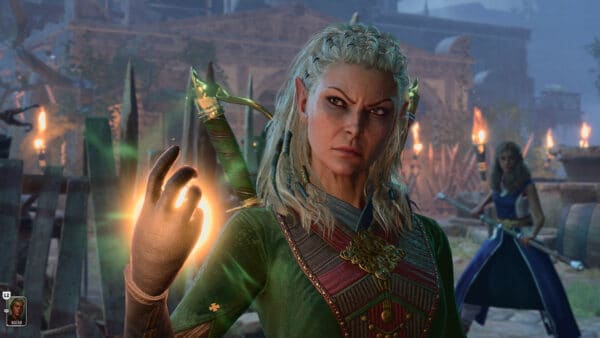
Vincke noted, “Baldur’s Gate 3 was a good game and I’m proud of it, but I think this one is going to be way better.” The studio chief mentioned one of the challenges in developing Baldur’s Gate 3, and that’s by taking the ruleset of Wizards of the Coast’s pen-and-paper RPG and adapting it into a game.

That won’t be an issue with the new Divinity game. “Here, we’re making a system that’s made for a video game. It’s much easier to understand,” Vincke explained.

Given how Baldur’s Gate 3 is universally loved, and is considered by many to be one of the best games of this generation (if not all-time), then Larian has a lot of ground to cover. That said, if anyone can craft a game better than Baldur’s Gate 3, it’d be them. For those that played past Divinity games, they wouldn’t be shocked if Larian manages to pull it of too.

No word yet on when we can expect to see or hear more about the new Divinity game, but hopefully, Larian will be more forthcoming with info in 2026.

Once we catch more info about Divinity, we’ll be sure to let our readers know.

Avatar photo

Alex Co

Father, gamer, games media vet, writer of words, killer of noobs.

Home > Title Updates and Patches

Dispatch New Update Version 1.0.16598 on December 16; Fixes Softlocks and Spoilers

AdHoc Studio has deployed Dispatch 1.0.16598 on December 16, and this is to fix a few nagging issues. Before diving in, take note that the patch notes do contain spoilers, so proceed with caution.

The patch is only live for PC right now, though we are checking if it’s been released on consoles as well.

Read on for the official Dispatch patch notes for December 16.

Dispatch Gets Updated to Version 1.0.16598 on December 16

Just another reminder that the patch notes you’re about to read below do contain spoilers for the game’s story, so don’t blame us if you continue scrolling, alright?

  • Fixed softlock when pausing during the completion of a hacking level
  • Fixes for incorrect hero power behaviors includingWaterboy “Eager Sponge” auto assign, Punch Up “Squeeze In”, Invisigal’s “Ear on the Ground”, and Prism’s “Doppelganger Illusion”
  • Fixes for softlock behaviors in episode 8 gameplay shifts including heroes in perpetual waiting status and inability to interact with the convoy
  • Fix for hero injury and hero down behavior in episode 8 gameplay shifts
  • Fix for UI in hacking levels in episode 8 gameplay shifts
  • Fix issue to heroes being assignable in waiting mode
  • Improvements to analytics performance
  • Minor audio, visual, subtitle and localization fixes across the season

As you can see, this is a minor update that aims to resolve some key issues. If the console version receives the update, we’ll be sure to let our readers know.

Hopefully, AdHoc has another update planned in January.

Avatar photo

Alex Co

Father, gamer, games media vet, writer of words, killer of noobs.

Home > Title Updates and Patches

Destiny 2 Update 9.5.0.3 Released for Patch 3.85/1.180

As expected, given today’s maintenance downtime, Bungie has released Destiny 2 update 9.5.0.3 on December 16 on all platforms to apply another round of fixes.

Console gamers, you’ll see this download as Destiny 2 update 3.85/1.180 (complete version 1.180.000), and this applies fixes to the Renegades content once again.

Read on for the complete patch notes.

Destiny 2 Receives New Update on December 16 for Adjustments

Renegades

  • Fixed an issue where players could become soft-locked early in the Renegades campaign after talking to Drifter in the Cantina.
  • Fixed an issue where the Cyan Crystal for the Praxic Blade had a lower drop chance from Exotic Contracts than intended.
  • Fixed an issue where credits earned from lockboxes did not count toward the Make a Killing Triumph.
  • Fixed an issue where kills with the Falcon were not progressing the Resourceful Renegade Triumph.
  • Fixed an issue where some Renegades campaign cinematics would not allow players to go into their inventory or other menus.

Lawless Frontier

  • Updated activity behavior so that Invasions can occur at various points during a Lawless Frontier run.
  • Fixed an issue where fireteams could duplicate heavy cargo crates by all picking up the same one simultaneously.
  • Fixed an issue where optional objectives would not appear on Venus in higher-difficulty Smuggle and Sabotage activities.
  • Fixed an issue where a Sabotage boss could spawn under terrain on Mars.
  • Fixed an issue where the antenna Sabotage encounter could not recover if the antenna was dropped in an unreachable location.
  • Fixed an issue where Invasion Doublecross sessions abandoned by the enemy player would wait for the encounter to end. They will now end immediately.
  • Fixed an issue where Invaders weren’t sent back to the hangar if they died immediately after completing their objective.
  • Fixed an issue where the Strafing Run Renegade ability would show different damage between players and invaders.
  • Fixed a visual issue where the blue Faction names when previewing Venus activities could be incorrect.
  • Fixed an issue where some player-created visual effects would not apply to enemies in Lawless Frontier.
  • Fixed an issue where spawning a Falcon under water would make it unusable.
  • Fixed an issue where invaders would not get teleported back to the ready room if they ended their invasion timers while in a vehicle.

Fire and Ice

  • Reduced the time required to interact with the pyramid activators in the boss arena to one second.
  • Changed platforms in the boss arena to be solid on Legendary difficulty and adjusted their positioning to offer more protection on both difficulties.
  • Fixed an issue where players who did not earn all catalysts for the Praxic Blade in one run were prevented from acquiring additional catalysts.
  • Fixed an issue where players could disable the activity timer.
  • Fixed an issue where players who died at the same time as they completed the final encounter would not be taken to the final reward room.

Raid and Dungeon

Equilibrium

  • Fixed an issue where the combatants that spawn Shadow pools could fall off the map, causing the pools to be unreachable.

Conquests

  • Fixed an issue where the Conductor’s Keep Master Conquest could not be completed. This activity has now been re-enabled.

Crucible

Trials of Osiris

  • Fixed an issue where the Dazzling Iridescence emblem could not be earned.
  • Updated the Dazzling Iridescence emblem description to display the correct earn requirements.

Gameplay and Investment

Exotic Armor

Hunter

Graviton Forfeit

  • Fixed an issue where Stylish Executioner was not triggering Graviton Forfeit’s Vanishing Shadow perk.

Celestial Nighthawk

  • Celestial Nighthawk shots now combine the scorch stacks from all three Marksman Golden Gun shots to cause an Ignition.

Warlock

Mataiodoxia

  • Fixed an issue where the Stylostixis suspending burst was scaling off the Grenade stat.
    • Now scales based on Melee or Super stat depending on what activates the explosion.

Weapons

  • Fixed an issue where the Refurbished A499 Sniper Rifle could drop with Backup Mag installed.
    • Instances that dropped with this mod will be updated to have no mod equipped.
  • Fixed an issue where the Kinetic Rupture Artifact mod was not scaling based on Power.
  • Fixed an issue where Anti-Barrier Sniper could increase Sniper Rifle damage against all targets in many activities.
  • Fixed an issue where the thrown Praxic Blade was not consistently playing impact audio when hitting metallic combatants such as Vex.
  • Fixed an issue where the Sharp Harvest weapon trait would not grant ammo to burst fire weapons when running double special.

Abilities

General

  • Fixed an issue where Void smoke visual effects were inconsistently darkening the victim’s screen. We’ve reverted the screen darkening to its pre-Renegades state.
  • Fixed an issue where Grapple Tangles could be used to unintentionally cancel some ability animations.
  • Fixed an issue where instantly canceling a free Grapple from a Grapple Tangle could refund non-Grapple grenade energy.

Hunter

  • Shadowshot: Moebius Quiver Super
    • While Moebius Quiver is active, increased damage-boost charge rate by 60%.

Orders

  • Redesigned the Praxic Professional Order so it can now be completed in Solo, Fireteam, Arena and Pinnacle Ops activities, and the total kills required has been reduced.
    • We are aware of an issue with the Order’s description where it does not list being completable in Arena Ops and does not mention the ammo regeneration for all activity types. This will be fixed in a future update.
  • Fixed an issue where the Praxic Professional Order was granting two Exotic Payouts upon completion instead of one.
  • Fixed an issue where the Free For All Order was rolling when the Rumble (FFA) mode was not active in the Portal.
  • Reduced the chances to roll Crucible Orders (if you are a high enough Crucible rank) when not in a Crucible match.
  • Reduced the chances to roll activity completion Objective Orders when not in a Portal activity.

Collections

  • Fixed an issue that occasionally caused Scout Rifle views in Collections to not properly display all pages on PC platforms.
  • Fixed an issue where the Tower Pamphlet emblem could not be reclaimed from Collections.

Quests and Pursuits

  • Fixed an issue where players could lose access to Lawless Frontier activities due to alternate characters acquiring the “The Territory War Begins” quest earlier than intended.
    • As part of this fix, all ineligible characters (those that have not yet completed the ‘Renegades’ quest) will have the quest removed when they log in.

Audio

  • Fixed an issue where audio dropouts could occur in the Crucible or the Shooting Range.

Localization

  • Fixed an issue where Korean VO was missing in Solo Ops.
  • Added missing French and Spanish (Spain) voice-over for The Edge of Fate content.

Player Identity and Expression

  • Adjusted the unique sound effects on the Executive Aide D.A.R.C.I. Weapon ornament and the Exquisite Weapon Display head armor ornament.
    • Using the head armor ornament will now play the unique lock on audio when aiming at a target with D.A.R.C.I. as well as the unique catalyst audio when the personal catalyst damage buff is triggered.
    • Using the Executive Aide D.A.R.C.I. Weapon ornament will trigger the unique catalyst audio when the personal catalyst damage buff is triggered. We are aware of an issue where the sound effects will still not play with D.A.R.C.I.’s Cleans Up Good and Mind of Its Own ornaments. This will be fixed in a future update.
  • Fixed an issue that caused the Reclamation Rewards Pass Emote Worm Brulee to inadvertently take on the visuals of the newly introduced Bee Wary emote.
  • Fixed an issue with the Bee Wary emote that caused the flower on the emoter’s hat to orbit their head in Tharsis Junction.
  • Fixed an issue that prevented Prismscatter Plate’s intended interactions from working as expected with the Heart’s Pledge and Heart’s Purity ornaments.
  • Fixed an issue that prevented the Noble Partisan’s jetpack animations and visuals from properly playing when any Exotic Arms items were equipped.

General

  • Fixed an issue where the Dungeon Key Bundle could still be purchased after all dungeon keys were acquired. Any players who accidentally purchased in this state will receive a Silver refund at a later date.
  • Fixed an issue that prevented Hunters from claiming the Wild Anthem Vest armor item from Rank 56 on the Lawless Rewards Pass.
  • Fixed an issue that prevented players who had earned progression materials through participation in creator campaigns from claiming those materials at the Special Deliveries kiosk.
  • Fixed an issue where entries 7-10 in the Sintering lore book were all duplicates of entry 6.

Chances are, this is the last patch from Bungie for the year given most developers will be taking some time off starting next week.

Avatar photo

Alex Co

Father, gamer, games media vet, writer of words, killer of noobs.

Home > Title Updates and Patches

Minecraft Update on December 16 Delivers Patch 1.038

Mojang has released a new Minecraft update on December 16, available on all platforms. For console gamers, this will show up as Minecraft update version 1.038 (complete version 1.038.000), and this should be a relatively small download.

Given we just received the Mounts of Mayhem content update earlier this month, expect this new title update to primarily be focused on bug fixes.

For the complete patch notes for Bedrock version 1.21.131, head on below.

Minecraft Latest Update Rolled Out on December 16

Fixes

General

  • The Adventuring Time achievement no longer unlocks after visiting fewer than 17 biomes on PC (MCPE-156784)

Mounts of Mayhem

Spear

  • Increased the duration during which a Spear can apply knockback while charging
  • Charge attack animations now align more closely with the Spear’s gameplay phases (Engaged, Tired, Disengaged) for improved visual feedback

Marketplace

  • Fixed a bug that could cause the Escape key to not return to the main menu after searching the Marketplace (MCPE-232316)

Technical Updates

API Infra

  • Fixed a bug that could trigger a ‘Block’ error code during level load or world creation when using multiple add-ons (MCPE-232978)

Graphical

  • Fixed UI textures looking incorrect on Switch when loading add-ons or connecting to servers

Unless another hotfix is released by Mojang, expect this to be the last patch for Minecraft for 2025.

Avatar photo

Alex Co

Father, gamer, games media vet, writer of words, killer of noobs.

Home > Title Updates and Patches

Minecraft New Update 3.28 for Bedrock 1.21.131 Released

After the rollout of the Mounts of Mayhem content drop for Minecraft, a follow-up patch has been released today as Bedrock 1.21.131, available now on all platforms.

As one might expect, Minecraft uipdate 3.28 released today ushers in fixes for both the base version and on a technical level.

For the latest round of changes, read on.

Minecraft’s Update on December 16 Applies Bedrock Version 1.21.131 Fixes via Patch 2.38

Fixes

General

  • The Adventuring Time achievement no longer unlocks after visiting fewer than 17 biomes on PC (MCPE-156784)

Mounts of Mayhem

Spear

  • Increased the duration during which a Spear can apply knockback while charging
  • Charge attack animations now align more closely with the Spear’s gameplay phases (Engaged, Tired, Disengaged) for improved visual feedback

Marketplace

  • Fixed a bug that could cause the Escape key to not return to the main menu after searching the Marketplace (MCPE-232316)

Technical Updates

API Infra

  • Fixed a bug that could trigger a ‘Block’ error code during level load or world creation when using multiple add-ons (MCPE-232978)

Graphical

  • Fixed UI textures looking incorrect on Switch when loading add-ons or connecting to servers

Unless another hotfix is released by Mojang, expect this to be the last patch for Minecraft for 2025.

Avatar photo

Alex Co

Father, gamer, games media vet, writer of words, killer of noobs.

Home > Title Updates and Patches

Fallout 4 December Update Fixes Issues via Patch 1.42/1.000.007, But Doesn’t Expand Storage on Consoles

Bethesda is back this month for Fallout 4’s December 2025 update, and while there’s a lot of good news, there’s also some bad news as well.

Console gamers will see Fallout 4 update 1.42/1.000.007 available for download now, and this resolves a lot of issues that stemmed the previous updates. While this is good news, for those expecting storage to be expanded, Bethesda has confirmed that consoles will be getting it in 2026. For now, console Fallout 4 gamers are still stuck with 1 GB.

For the full list of improvements made today, read on.

Fallout 4 Update 1.42/1.000.007 Delivers Improvements on December 16

Fallout 4 New Update 1.40

Save/Load and Content Handling

  • Fixed issues with the missing Creations Bundle add-on for Steam
  • Game now recognizes Creation Club content upon loading a save file from an older build.
  • Correct warning dialogue is shown when Creations are disabled but not deleted.

General UI/UX Improvements

  • Improved visibility and interaction in the Category List, fixed overlapping boxes, and ensured button prompts display correctly on all platforms (including ROG Ally and Steam Deck).
  • Fixed issues with missing or broken UI elements, such as missing button layouts, gallery image enlargement, and empty titles in “My Library”.
  • Improved sort menu transparency and restored the ‘Best Results’ sort option.
  • Addressed keyboard input loss and cursor visibility issues in the Creations menu.
  • Fixed prompt and navigation issues when rapidly re-entering the Creations Store or using the PS Store overlay.
  • Creations removed from the storefront can now be individually deleted from the Load Order.
  • Banner carousel/category rows no longer endlessly scroll when opening the Purchase Credits menu.

Crash & Stability Fixes

  • Addressed crashes related to downloading all Creations, data reloads, idling in menus, profile sign-out, and leaving the Creations menu (especially on PS4/PS5).
  • Fixed rare crashes after store purchases, during scrolling/viewing in the Creations menu, and when starting a new game with Creations enabled.
  • Improved error handling for rapid menu actions and ensured the game no longer hangs on quit.

Ultrawide, Steam Deck, and Platform-Specific Fixes

  • Workshop menus and reset screens are now optimized for ultrawide and super ultrawide monitors.
  • Fixed performance hitches and UI alignment issues on ultrawide
  • Addressed platform-specific issues such as button prompts, misplaced UI

Text, Localization, and Miscellaneous

  • Apostrophes and other special characters now display correctly in the in-game Creations menu.
  • Prompt for Anniversary Upgrade now fits correctly in German, French, and Spanish localizations.

In other Fallout news, Amazon’s Season 2 of Fallout airs today, and we have the full season review! Check out why we think this is a must-watch and a great way to cap your year.

Avatar photo

Alex Co

Father, gamer, games media vet, writer of words, killer of noobs.

Home > News

Dead Island 3 in Development, Launch Planned for 2028

It seems unbelievable that after waiting so many years for Dead Island 2 — originally announced in 2014 and finally released in 2023 — we’re already getting a third installment in a much shorter time.

But it’s true: Dambuster Studios, the team behind the second game, is already working on Dead Island 3. The developers and Deep Silver aren’t rushing things, but thankfully, we won’t be waiting ten years this time around.

Dead Island 3 Already Has an Official Release Window

Dead Island 3 release

According to Dambuster Studios’ financial report (thanks, Timur222), new details have emerged about Dead Island 3. However, it has already been made clear that the sequel will not arrive in 2026.

The report states that Dead Island 3 is planned to release in 2028. It’s clear that the game will still need a few years of work, and by the time it’s ready, the PS6 and the next Xbox might already be in stores.

As of March 2025, the studio has 194 employees, with 93% actively working on Dead Island 3. Once the Mac and Amazon Luna versions of Dead Island 2 are released, the quality assurance (QA) team will also move on to assist with development of the third installment.

When it comes to its release window, everything points to Dead Island 3 being ready between January and June 2028, that is, in the first or second quarter of that year.

The statement reads, “Parts of the game are now in early production, with feature, character, world, and story design moving at pace. The current predicted release window for the project is Q1/Q2 2028.”

It’s clear that Dead Island 3 will take its time to meet expectations, and fans shouldn’t expect to see it before 2028. As more information about the project unfolds, we’ll be sure to keep you updated here at MP1st.

Until then, you can still enjoy Dead Island 2 on PS5, PS4, Xbox Series X|S, Xbox One, and PC. Our review of Dead Island 2 gave it a score of 8/10, stating, “With a consistent and crunchy limb damage system, some great sightseeing to catch, and more secret side-quests than you can shake your damaging electrocutor pike at, Dead Island 2 is absolutely worth the ride.”

Avatar photo

Taha

Television kills your vision.

Home > Title Updates and Patches

Assassin’s Creed Shadows Major Update 1.7.1 Brings New Features via Patch 1.017.021

Ubisoft has rolled out the latest major update for Assassin’s Creed Shadows, which should be the last significant update for the action game in 2025.

Called Title Update 1.7.1, console gamers will see the download appear as Assassin’s Creed Shadows update 1.017.021. This is a major download across all platforms, and we have the file size estimates for consoles and PC available below so that allocate your disk space accordingly.

Expect this title ujpdate ot add new finisher animations, a new Rift has been opened, and the Animus Hub Project – Defiance is also available too.

Assassin’s Creed Shadows New Update on December 16 Ushers in New Features via Patch 1.7.1/1.017.021

Patch Sizes:

  • Xbox Series X|S: 16.64 GB
  • PlayStation®5: 4.53 GB
  • Nintendo Switch™ 2: 3.66 GB
  • PC: 13.06 GB
  • Steam: 6 GB
  • MAC: 9 GB

PATCH HIGHLIGHTS:

New Finisher Animations

Bring more flair to your encounters with a fresh set of finisher animations. Both Naoe and Yasuke now have expanded ways to end fights in style with more cinematic flair and brutality.

Animus Rift: Lost and Found

A mysterious new Rift has appeared within the Animus…

Uncover secrets, solve puzzle, traverse across the digital plains and help The Guide.

New Project: Defiance

We are releasing a new Project available in the Animus HUB, called Defiance, in which you can unlock a new Bo staff, Trinket and more! Activate the new Project, complete Anomalies and progress through the rewards like previously released ones.

Vault Access in the Animus Menu

A quick access for the Vault has been added to the Animus menu while in gameplay for easier access to the feature.

New Resources Available in the Exchange

Gold, Mastery and Knowledge Points are now available as part of daily offers, which can be purchased repeatedly with Keys.

Bug fixes & Improvements

Nintendo Switch 2

  • Improved various FPS issues.
  • Fixed crashes for stability improvements.
  • Fixed various visual issues.
  • Improved the touchscreen experience.
  • Fixed an issue where players were asked to connect to a controller whenever the Switch 2 was docked or undocked, even if controllers were already connected.
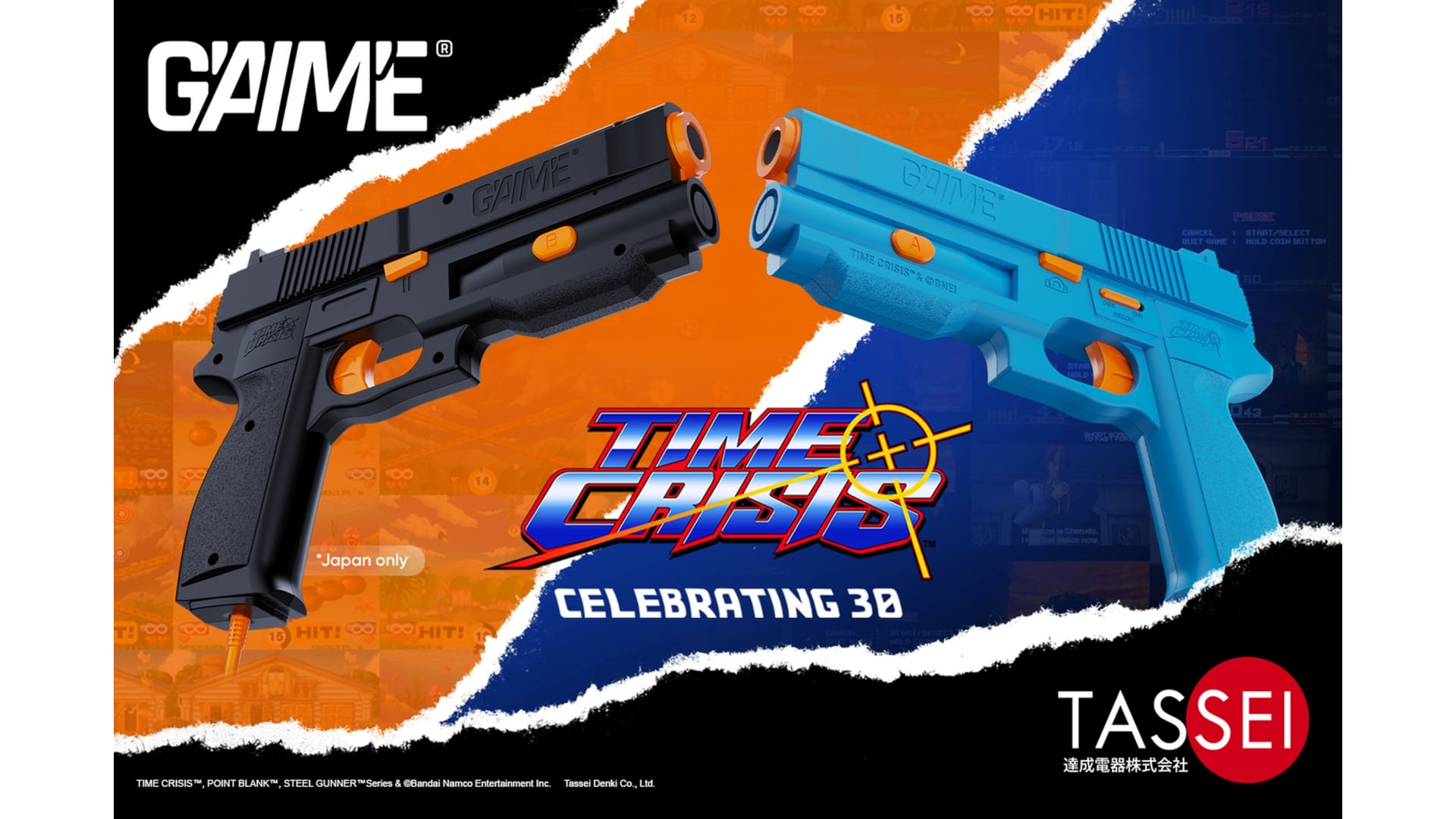
  • Resolved an issue where the players would remain in an infinite black screen after creating a Ubisoft Connect account or log in with an already existing account upon selecting an audio pack from the initial boot menu.

Gameplay

  • Removed an exploit that would permit double engravings on the Sword of Fathoms.
  • Fixed an issue preventing Naginatas from being sold. Fine, I shall sell my best wares somewhere else!
  • Resolved an issue where perks that checked Mastery points spent would not update if Mastery points changed after equipping the item.
  • Fixed an issue where upgrading skills to Rank 3 would sometimes cause damage upgrades from Rank 2 to be missing.
  • The Bo Staff will now increase its affliction buildup stat when upgrading it Mythic and Artifact quality.
  • Perks with affliction effects now have dynamic wording that specify which affliction they apply, based on the item they are engraved on.
  • Fixed an issue where Knowledge Scrolls were removed from the players inventory. Junjiro did you take my scrolls again??
  • Shared skills between Naoe and Yasuke will now correctly be learned by both.
  • Edited wording for the “Affliction After Deflect” perk to clarify it applies 35% buildup instead of a full Affliction.
  • Ensured that “Restore 6% Health With Posture Attack” is present for all Critical Damage and Health Gain engravings for all weapons when equipped.

Claws of Awaji

  • Fixed an issue where players with two copies of the game, one with the Claws of Awaji Expansion and one without, would permanently lose the ability to fast travel to the island of Awaji when switching between the two editions of the game.

World

  • Players can now whistle while using the Follow Road mechanic. Enjoy the open road, whistle a tune and relax!
  • Corrupted Castles will no longer reset when loading into a previous save after a season has already changed.
  • Fixed an issue where enemies and loot would respawn upon loading a save before changing seasons.

Visuals & Graphics

  • Adjusted some facial animation for Naoe or Yasuke that looked unnatural during all cinematics when a hood was equipped. Psst! Naoe, stop making silly faces, please!

UI

  • Corrected inconsistencies between the smuggled rewards shown in the UI at the end of a season and what was truly received. All the goods are there, boss!
  • Fixed inconsistencies with the smuggled rewards UI when the Stables are upgraded. Remember to give your trusty steed an apple as a treat.
  • Corrected location name for “Kawarajiri Lumber Camp” in Japanese.

Online Store

  • Fixed an issue with receiving Store, Deluxe and Premium items into the player’s inventory.

PC SPECIFIC

  • Fixed input issues when rebinding on Mouse and Keyboard.
  • Improved FPS stability issues on PC.

SPOILERS AHEAD!

Quests

  • “Swords And Sake”: Fixed an issue where the mission couldn’t be completed due to Gennojo dying.
  • “Eliminate Outlaws”: Corrected issues preventing the completion of the mission.
  • “Temple Stories”: Ensured that Joken Hokkyo will not disappear so that the quest objective can be completed. Wait! Don’t go! I need to complete this mission!
  • “Dismantling One by One”: Wandering enemies will now be indicated with a marker.

Looking forward, Ubisoft hasn’t outlined a new roadmap, nor are we sure if the game is getting one, There is the existence of Assassin’s Creed: Black Flag Resynced to look forward to. While it wasn’t announced at The Game Awards, the Black Flag remake might be the worst-kept secret in gaming right now.

It’s just a matter of time until Ubisoft announces it, and we’re betting it’ll be announced in Q1 of 2026.

Avatar photo

Alex Co

Father, gamer, games media vet, writer of words, killer of noobs.

Home > News

Destiny 2 Down and Offline on December 16 to Bring Patch 9.5.0.3

For the third consecutive week, Bungie is taking the Destiny 2 servers down and offline today, December 16, and this is to apply another patch.

Players should expect the servers to be down for a few hours, and once it’s back up, patch version 9.5.0.3 should be ready for download across all platforms.

Destiny 2 Servers Down on December 16 to Usher in New Update

Destiny 2 Down april 16

Tuesday, December 16, 2025 — Update 9.5.0.3

5:00 AM PST -8 UTC
  • Destiny 2 will undergo maintenance.
  • Sign-on and game integration features will be unavailable on web, mobile, third-party apps, and the Bungie Store.
  • Players who observe issues should report to the #Help forum.
7:35 AM PST -8 UTC
  • Destiny 2 and all APIs will be brought offline for expected maintenance.
  • Players will be removed from activities.
  • Destiny 1 may be impacted.
09:00 AM PST -8 UTC
  • The latest Destiny 2 update will be available across all platforms and regions.
  • Players will be able to log back into Destiny 2.
  • Players logging into the game may be placed in a queue and may experience sign-on issues as background maintenance is still ongoing.
  • The Destiny 2 API will be brought online.
  • Clan features may remain offline until maintenance is complete.
11:00 AM PST -8 UTC
  • Destiny 2 maintenance is expected to conclude.
  • Console players who encounter issues updating should restart their console and try downloading the update.
  • Players who observe issues should report to the #Help forum.

If there are any changes to the scheduled downtime, expect this article to be updated. Once the patch is out, it’ll be up on the front page. You can bookmark our Destiny 2 game hub to see it posted there once it’s live.

Chances are, this is the last maintenance and update for the year given it’s the holidays next week.

Avatar photo

Alex Co

Father, gamer, games media vet, writer of words, killer of noobs.