Home > News

Battlefield 2042 Update 1.000.022 Pushed Out for Patch Version 2.1 This Sept. 27

Battlefield 2042 update 1.000.022 has been released for all platforms, and this is for patch version 2.1! Players can expect new vault weapons to make its way into All-Out Warfare, the Renewal map rework, gameplay adjustments and more. Read on for the BF2042 Update 2.1 notes.

Battlefield 2042 Update 1.000.022 | BF2042 Update 2.1 Patch Notes | BF2042 PS5 Update Patch Notes:

Size: 4.4GB (PlayStation), 6.4GB (Steam)

Here’s an overview of some of the key changes and improvements that are included in this Update:

  • A reworked version of Renewal, bringing an improved gameplay flow, new cover, terrain improvements and shorter distances between flags
  • The new Polaris RZR in-world vehicle, for swift traversal across the Battlefield
  • 3 new Vault Weapons for the the All-Out Warfare arsenal, bringing even more weapon variety; the P90, GOL Sniper Magnum and the M1911
  • Improvements have been made to reduce instances of mouse input latency
  • Balance tuning for Attack and Transport Helicopters, and the Nightbird
  • Irish’s APS-36 Shootdown Sentinel improvements that ensure it now blocks M320 LVG and M26 Mass Frag attachment grenades
  • AM40 and Avancys bullets will no longer incorrectly registered as SMG bullets

Changelog

General

  • Fixed an issue preventing the Weekly Missions list from being scrolled during End of Round
  • Collection – Fixed an issue where the wrong input icon is displayed when equipping vehicle customizations
  • Statistics – Fixed an issue that could cause the accuracy stat to reach a value above 100%
  • Fixed an alignment issue related to HUD notifications on wide screen monitors
  • Fixed a scaling issue related to HUD notifications
  • Fixes an issue that could cause a black screen after leaving a game that was close to the End of Round
  • Fixed an issue that could cause the Introduction Video to play when booting the title into fullscreen and directly pressing Alt + Enter to go into windowed mode
  • Resolved instances where visual artifacts could appear on screen while matchmaking into a new server on the Exodus Conquest playlist
  • Fixed instances where binding a secondary input to mouse buttons did not work
  • The sorting arrow is now pointed correctly for the Players section in the Battlefield Portal Browse tab

Battlefield Portal

  • Multiple fixes and adjustments have been made to resolve issues with assets and collision across classic era maps

Rules Editor

  • Added Crawford, Stranded, Season 2 Weapons, and Vehicles to Rules Editor selection lists
  • Added Audio Asset Library
  • Added World Icons Asset Library
  • Added RemovePlayerInventoryAtSlot block to Rules Editor
  • Added RemovePlayerInventory block to Rules Editor
  • Added EnableFastTicketBleed block to Rules Editor
  • Added OnPlayerExitCapturePoint block to Rules Editor
  • Added OnPlayerEnterCapturePoint block to Rules Editor
  • Added OnCapturePointNeutralizing block to Rules Editor
  • Added SetCapturePointOwnership to Rules Editor
  • Added EnableCaptureHQ block to Rules Editor
  • Added CapturePointCapturingTime to Rules Editor
  • Added CapturePointNeutralizationTime to Rules Editor
  • Added SetNeutralizationMultiplier block to Rules Editor
  • Improved error messages to clarify parameter type mismatches for some blocks

Modifiers

  • Added Modifiers for Hiding Crosshair (also affects vehicles)

Gadgets

  • Fixed Incorrect Zoom levels when using SOFLAM

Maps

Breakaway

  • Resolved silo damage effects stopping when the silo was queued for destruction
  • You’ll no longer see foot on snow VFX inside the heli during the insertion sequence

Discarded

  • Fixed issue an issue where the terrain around the base of the walkway ship rail could be destroyed enough to make it float

Exposure

  • Fixed bullet decals not looking realistic on a painting in the C3 sector
  • Fixed bullet tracers from the MD540 Nightbird’s Minigun that disappeared when firing on certain assets
  • Fixed a fire extinguisher that was floating after the wall was destroyed
  • Fixed a LOD (Level of Detail) issue on wall near stairs in sector E2
  • Fixed an issue where players could enter unintended areas above the D1 flag room and shoot unaware enemies because of assets with missing collisions

Hourglass

  • Fixed an audio issue where walking over the outdoor bins at the western side of B1 was inappropriately triggering dirt sound

Kaleidoscope

  • Fixed an issue preventing AI from using the ladder between capture points B2 and D1
  • Fixed a LOD issue present on the plaza foundation planters found across the map

Orbital

  • Fixed an issue where the carports were shaking at the opening animation
  • Fixed an issue where the dumpster had audio material set to dirt
  • Fixed an issue where the rocket from rocket launchers would go through the map when shot beneath the soldier while standing on the ramp from crawlerway

Renewal

  • Fixed an issue in the Research Facility where players would be able to clip platforms and see through the assets while the head would be visible to others on the other side
  • Fixed an issue where players would clip with the ceiling and see through parts of the building when climbing on the lab barrels placed in corners
  • Fixed issue where players would clip with the sewers ceiling and see through the building when placed on the propane tank
  • Fixed an issue causing player camera clipping while vaulting on top of the pump station
  • Fixed issue with grenades thrown near the wall of the small lab that could pass through the terrain
  • Fixed an issue where the Breakthrough insertion helicopter landed out of bounds on attacker side
  • Fixed an issue where terrain clipped through the concrete canal
  • Fixed issue where front desks inside the Synseco building had LOD issues
  • Fixed increased shadow issue on both sides of the stairs that leads to the Research Facility
  • Fixed LOD issues present on the warehouse shelves found inside the research facility building
  • Fixed LOD issues present for the material around the windows at the ground floor in the Research Facility
  • Fixed sharp black shadow present on the edge of the bridge leading to the Research Facility
  • Fixed uneven and sharp lighting on the walls inside the Research Facility
  • Fixed an issue where after destroying the vegetation on the vab foundation where the revealed terrain looked unnatural and stretched
  • Fixed LOD issue on concrete cover while in destroyed state
  • Fixed issue where shadows were too dark in multiple areas of the map
  • Fixed missing wall mesh in some locations
  • Fixed LOD issue present on the planters found across the level
  • Fixed flashing and disappearing lights and shadows on a wall in the Research Facility

Stranded

  • Fixed issue where a LATV4 Recon partially caught in the hatch would take damage overtime
  • Fixed issue where vehicles would stutter on the hatches during opening
  • Fixed issue where players would stutter while standing on the rotating platform in the showroom
  • Fixed issue where an extended occluder was visible when the player is prone near the right margin on the front deck
  • Fixed an issue in sector C1 where an occluder was visible when the player is prone on the ship’s margin near the zipline going to B1 and looking towards the antenna
  • Fixed an issue on sector C2 where there was intense flashing in one of the marketplace corridors
  • Fixed issue with flickering visible in the backdrop from deploy screen
  • Fixed issue where G-84 TGM would get stuck when shot in to E1 control tower
  • Fixed issue with inconsistent metrics where the player could not walk through 12 out of the 36 gaps made between the metal beams and the containers on top of the ship
  • Fixed issue where player received damage until dead when jumping on top of a moving platform

Soldier

  • Improved input polling to reduce aiming input latency
    • Players who previously observed mouse input lag during gameplay should feel an improvement with this game update. Please continue sharing your feedback about your experience with us once you’ve been able to play.
  • Fixed an issue that caused Overexposed lights on Soldier uniforms (IFF)
  • Fixed an issue where Repair VFX is still present for a short time after the user enters the vehicle
  • Fixed an issue where the character stance did not reset when entering/exiting vehicles
  • Fixed an issue where there grenade cooking animation was missing
  • Fixed an issue with the Large Impact Sound incorrectly being played when attaching C5 to vehicles
  • Fixed issues animations missing when throwing any grenade
  • Fixed issues with inconsistent face wrinkles on several characters. A proper skincare routine is important to compliment the active lifestyle of being on the Battlefield
  • Fixed an issue where Soldiers were visible for a second before spawning on the Spawn Beacon
  • Grenade throw animation should now play correctly
  • Fixed issue with Incorrect world log messages when repairing an air vehicle from the passenger seat
  • The Combat Hammer has should now have a hit indicator when striking a target
  • Sundance’s landing animation with the Wingsuit has been improved. It’s no longer causes jumpy behavior
  • Fixed unintended behavior for Soldier physics animations while in deep terrain craters
  • Improved prone behavior in craters and on ledges
  • A temporary Soldier movement speed has been added when performing stance changes
  • A short cooldown has been added to prevent standing / prone stance change spam
  • Fixed a camera snapping issue when starting a slide
  • Improved hit detection from shots fired by soldiers while in moving and in open vehicle seats
  • A prone soldier is no longer able to push other prone soldiers around
  • Introduced new player collision behavior for friendly Soldiers to help prevent body blocking in tight spaces. Friendly Soldiers that are moving will now be able to move through other Soldiers but will be pushed away whenever they stop moving to prevent clipping

Specialists

Boris

  • Fixed an issue that caused the SG-36 Sentry Gun to sometimes shoot enemy players through smoke
  • Fixed an issue with the SG-36 Sentry Gun is floating after being deployed
  • Fixed an issue where the turret deploy sound is delayed when deploying SG-36 Sentry Gun with Boris

Casper

  • Fixed an issue where the OV-P Recon Drone flies in circles after getting pushed by another player
  • Fixed a bug where Slow vehicles could not destroy the OV-P Recon Drone by ramming it or running over it
  • Fixed issues with Casper’s OV-P Recon Drone tooltips showing as unassigned when unbinding Crouch Hold Keybind

Crawford

  • Fixed an issue where the Mounted Vulcan could be seen in the character hands when picking up the gadget
  • Fixed an issue with EMP VFX not being present on the Mounted Vulcan while under the EMP effect
  • Fixed an issue with Mounted Vulcan shield not being displayed correctly when destroyed

Irish

  • Fixed an issue where APS-36 Shootdown Sentinel did not not block M320 LVG and M26 Mass Frag attachment grenades
  • The legs on the APS-36 Shootdown Sentinel now have proper shadows

Lis

  • Fixed an issue Audio hit cue/indicator triggered on Lis’s rocket when hitting nothing
  • Fixed an issue G-84 TGM gets a hit marker but 0 damage is dealt to the enemy Soldier

Rao

  • Fixed an issue where Rao signal hacker pulse was missing
  • Fixed an issue where Rao spotted any enemy that destroyed equipment nearby

Vehicles

  • Fixed an issue that would prevent jets from visually updating when viewed from a distance.
  • Hands are now correctly aligned on the 4×4 Utility steering wheel as soon as you enter the vehicle.
  • Minor tweaks to make exhausts look less odd in vehicle elevators. They were very exhausting.
  • The audio SFX from Stealth Helicopter bombs no longer persist after being fired.
  • The countermeasure prompt for vehicles is now only visible for the driver/pilot
  • The Gunner VE has been removed during spawn, now only showing when you are in the gunner position.
  • Updated the Air-to-Ground Missile crosshairs on jets to display the lock on crosshair
  • You will no longer hear the “In Stealth” target blocked audio when looking at a Stealth Helicopter with active dual 30mm Cannon Pods
  • The HEAT Shell has been renamed to HE Shell to better reflect its intended use as anti-infantry

EBLC-RAM

  • Aligned the EBLC-RAM Turret so it now sits snugly on the main body
  • The countermeasure prompt is now correctly displayed for the EBLC-RAM
  • Fixed an issue causing the EBLC-Ram Active Protection System ability to detonate Lis’ Guided missile from further away than intended
  • Fixed an issue that caused the crosshair to be shown when deploying the vehicle insertion beacon
  • Fixed an issue that caused the EBLC-Ram Active Protection System ability to appear to shoot down Lis’ Guided Missile in the wrong direction
  • Fixed issue that caused the EBLC-RAM Spawn Beacon to not attach correctly to moving objects
  • Placing the EBLC-RAM’s Team Insertion Beacon in an invalid area will no longer spawn the Beacon in the last location it was placed
  • The EBLC-RAM now has working lights within the Collection screens.
  • When exiting the EBLC-RAM with the Team Insertion Beacon Deploy ability active, you will now automatically switch back to the previously equipped weapon

Vehicles – 60mm Flak Weapon Pod
The 60mm Flak Weapon Pod was underperforming against air vehicles so we have increased its effectiveness. Alongside that change we have also reduced its damage toward infantry to further solidify its purpose.

  • Velocity has been increased from 150 -> 250
  • Detonation delay decreased from 0.15 -> 0.02
  • Vehicle detonation radius decreased from 10 -> 2
  • Damage multiplier to infantry reduced 0.47 -> 0.05
  • An issue has been resolved that caused the 60mm Flak Weapon Pod to unintentionally damage infantry when damaging vehicles

AH-64GX Apache Warchief and KA-520 Super Hokum
We have observed that Stealth Helicopters have become the dominant Air Vehicle of choice since their introduction in Season 1. In Update 2.1, we are making several balance adjustments to the AH-64GX Apache Warchief and KA-520 Super Hokum to ensure all Helicopters have a dedicated purpose on the Battlefield. As a result, we’re increasing their anti-vehicle effectiveness.

  • 127mm Anti-Vehicle Rocket Pack velocity has been increased
  • 127mm Anti-Vehicle Rocket Pack damage has been increased from 100 -> 130
  • 127mm Anti-Vehicle Rocket Pack is now more accurately in shorter ranges
  • 127mm Anti-Vehicle Rocket Pack Replenish rate has been lowered 1.3 -> 2
  • 30mm Cannon Gunner Rate of Fire has been lowered 350 -> 200
  • 30mm Cannon Velocity has been increased
  • 30mm Cannon Gunner Damage Start Damage increased 18 -> 40
  • 30mm Cannon Gunner Damage End Damage increased 8 -> 25
  • 30mm Cannon Blast Damage increased from 18 -> 20
  • 30mm Cannon Overheat has been increased

MD540 Nightbird – Mounted 7.62mm Miniguns
We are updating the miniguns to ensure they remain powerful when actively managed, while reducing their effectiveness during continuous fire.

  • Minigun Wind Up Time has been lowered
  • Minigun Wind Down Time has been increased
  • Overall Dispersion has been lowered
  • Overheat has been increased

MV38-Condor / Mi-240 Super Hind – 7.62mm Minigun Pod
We have observed the Transport Helicopter 7.62mm Minigun Pod was mainly used for long range combat. We are making several balance adjustments to ensure its focus remains on intended defensive and close range use. It’s now more accurate, but with an overall decreased damage output and range while also overheating faster.

  • Damage fall-Off Starting Distance has been lowered from 350 -> 150
  • Damage Fall-Off End Distance has been lowered from 1000 -> 300
  • Dispersion has been lowered
  • Wind Up Time has been lowered
  • Wind Down Time has been increased
  • Overheat has been increased

Weapons

  • Fixed an issue that caused AM40 and Avancys bullets to be registered as SMG bullets
  • The AM40 Standard Issue Ammo now correctly displays the intended magazine count of 20
  • The AM40 and Avancys can no longer be used underwater
  • Adjusted deploy delays for Vault Weapons to ensure a smoother experience
  • Fixed a bug where picking up the DM7 from the ground would show incorrect weapon icon
  • Fixed an issue that caused the M11 scope on the BSV-M to not have the correct display
  • Fixed an issue that was causing unwanted behavior on underbarrel ammo
  • Fixed an issue that would cause the Avancys to display the wrong LOD when another player zoomed in on you
  • Fixed an issue where the PF51 would shake when firing after switching from and to primary
  • Fixed the suppressor muzzle flash being visible in front of the BSV-M when using certain scopes
  • Missing hints for underbarrel attachments have been located
  • Reload no longer sometimes go missing on the the SWS-10 when low on ammo
  • SFX have been improved for Laser Sights
  • The Ghostmaker R10’s attachments are now displayed on Kill Cards
  • The PF51 now shows the correct Magazine size in the Collection screens
  • The Target 8T scope now has the correct icon on the Avancys

Alongside the new patch, DICE announced a new in-game event is pushing out this mid-October!

Changelog

General

  • Fixed an issue preventing the Weekly Missions list from being scrolled during End of Round
  • Collection – Fixed an issue where the wrong input icon is displayed when equipping vehicle customizations
  • Statistics – Fixed an issue that could cause the accuracy stat to reach a value above 100%
  • Fixed an alignment issue related to HUD notifications on wide screen monitors
  • Fixed a scaling issue related to HUD notifications
  • Fixes an issue that could cause a black screen after leaving a game that was close to the End of Round
  • Fixed an issue that could cause the Introduction Video to play when booting the title into fullscreen and directly pressing Alt + Enter to go into windowed mode
  • Resolved instances where visual artifacts could appear on screen while matchmaking into a new server on the Exodus Conquest playlist
  • Fixed instances where binding a secondary input to mouse buttons did not work
  • The sorting arrow is now pointed correctly for the Players section in the Battlefield Portal Browse tab

Battlefield Portal

  • Multiple fixes and adjustments have been made to resolve issues with assets and collision across classic era maps

Rules Editor

  • Added Crawford, Stranded, Season 2 Weapons, and Vehicles to Rules Editor selection lists
  • Added Audio Asset Library
  • Added World Icons Asset Library
  • Added RemovePlayerInventoryAtSlot block to Rules Editor
  • Added RemovePlayerInventory block to Rules Editor
  • Added EnableFastTicketBleed block to Rules Editor
  • Added OnPlayerExitCapturePoint block to Rules Editor
  • Added OnPlayerEnterCapturePoint block to Rules Editor
  • Added OnCapturePointNeutralizing block to Rules Editor
  • Added SetCapturePointOwnership to Rules Editor
  • Added EnableCaptureHQ block to Rules Editor
  • Added CapturePointCapturingTime to Rules Editor
  • Added CapturePointNeutralizationTime to Rules Editor
  • Added SetNeutralizationMultiplier block to Rules Editor
  • Improved error messages to clarify parameter type mismatches for some blocks

Modifiers

  • Added Modifiers for Hiding Crosshair (also affects vehicles)

Gadgets

  • Fixed Incorrect Zoom levels when using SOFLAM

Maps

Breakaway

  • Resolved silo damage effects stopping when the silo was queued for destruction
  • You’ll no longer see foot on snow VFX inside the heli during the insertion sequence

Discarded

  • Fixed issue an issue where the terrain around the base of the walkway ship rail could be destroyed enough to make it float

Exposure

  • Fixed bullet decals not looking realistic on a painting in the C3 sector
  • Fixed bullet tracers from the MD540 Nightbird’s Minigun that disappeared when firing on certain assets
  • Fixed a fire extinguisher that was floating after the wall was destroyed
  • Fixed a LOD (Level of Detail) issue on wall near stairs in sector E2
  • Fixed an issue where players could enter unintended areas above the D1 flag room and shoot unaware enemies because of assets with missing collisions

Hourglass

  • Fixed an audio issue where walking over the outdoor bins at the western side of B1 was inappropriately triggering dirt sound

Kaleidoscope

  • Fixed an issue preventing AI from using the ladder between capture points B2 and D1
  • Fixed a LOD issue present on the plaza foundation planters found across the map

Orbital

  • Fixed an issue where the carports were shaking at the opening animation
  • Fixed an issue where the dumpster had audio material set to dirt
  • Fixed an issue where the rocket from rocket launchers would go through the map when shot beneath the soldier while standing on the ramp from crawlerway

Renewal

  • Fixed an issue in the Research Facility where players would be able to clip platforms and see through the assets while the head would be visible to others on the other side
  • Fixed an issue where players would clip with the ceiling and see through parts of the building when climbing on the lab barrels placed in corners
  • Fixed issue where players would clip with the sewers ceiling and see through the building when placed on the propane tank
  • Fixed an issue causing player camera clipping while vaulting on top of the pump station
  • Fixed issue with grenades thrown near the wall of the small lab that could pass through the terrain
  • Fixed an issue where the Breakthrough insertion helicopter landed out of bounds on attacker side
  • Fixed an issue where terrain clipped through the concrete canal
  • Fixed issue where front desks inside the Synseco building had LOD issues
  • Fixed increased shadow issue on both sides of the stairs that leads to the Research Facility
  • Fixed LOD issues present on the warehouse shelves found inside the research facility building
  • Fixed LOD issues present for the material around the windows at the ground floor in the Research Facility
  • Fixed sharp black shadow present on the edge of the bridge leading to the Research Facility
  • Fixed uneven and sharp lighting on the walls inside the Research Facility
  • Fixed an issue where after destroying the vegetation on the vab foundation where the revealed terrain looked unnatural and stretched
  • Fixed LOD issue on concrete cover while in destroyed state
  • Fixed issue where shadows were too dark in multiple areas of the map
  • Fixed missing wall mesh in some locations
  • Fixed LOD issue present on the planters found across the level
  • Fixed flashing and disappearing lights and shadows on a wall in the Research Facility

Stranded

  • Fixed issue where a LATV4 Recon partially caught in the hatch would take damage overtime
  • Fixed issue where vehicles would stutter on the hatches during opening
  • Fixed issue where players would stutter while standing on the rotating platform in the showroom
  • Fixed issue where an extended occluder was visible when the player is prone near the right margin on the front deck
  • Fixed an issue in sector C1 where an occluder was visible when the player is prone on the ship’s margin near the zipline going to B1 and looking towards the antenna
  • Fixed an issue on sector C2 where there was intense flashing in one of the marketplace corridors
  • Fixed issue with flickering visible in the backdrop from deploy screen
  • Fixed issue where G-84 TGM would get stuck when shot in to E1 control tower
  • Fixed issue with inconsistent metrics where the player could not walk through 12 out of the 36 gaps made between the metal beams and the containers on top of the ship
  • Fixed issue where player received damage until dead when jumping on top of a moving platform

Soldier

  • Improved input polling to reduce aiming input latency
    • Players who previously observed mouse input lag during gameplay should feel an improvement with this game update. Please continue sharing your feedback about your experience with us once you’ve been able to play.
  • Fixed an issue that caused Overexposed lights on Soldier uniforms (IFF)
  • Fixed an issue where Repair VFX is still present for a short time after the user enters the vehicle
  • Fixed an issue where the character stance did not reset when entering/exiting vehicles
  • Fixed an issue where there grenade cooking animation was missing
  • Fixed an issue with the Large Impact Sound incorrectly being played when attaching C5 to vehicles
  • Fixed issues animations missing when throwing any grenade
  • Fixed issues with inconsistent face wrinkles on several characters. A proper skincare routine is important to compliment the active lifestyle of being on the Battlefield
  • Fixed an issue where Soldiers were visible for a second before spawning on the Spawn Beacon
  • Grenade throw animation should now play correctly
  • Fixed issue with Incorrect world log messages when repairing an air vehicle from the passenger seat
  • The Combat Hammer has should now have a hit indicator when striking a target
  • Sundance’s landing animation with the Wingsuit has been improved. It’s no longer causes jumpy behavior
  • Fixed unintended behavior for Soldier physics animations while in deep terrain craters
  • Improved prone behavior in craters and on ledges
  • A temporary Soldier movement speed has been added when performing stance changes
  • A short cooldown has been added to prevent standing / prone stance change spam
  • Fixed a camera snapping issue when starting a slide
  • Improved hit detection from shots fired by soldiers while in moving and in open vehicle seats
  • A prone soldier is no longer able to push other prone soldiers around
  • Introduced new player collision behavior for friendly Soldiers to help prevent body blocking in tight spaces. Friendly Soldiers that are moving will now be able to move through other Soldiers but will be pushed away whenever they stop moving to prevent clipping

Specialists

Boris

  • Fixed an issue that caused the SG-36 Sentry Gun to sometimes shoot enemy players through smoke
  • Fixed an issue with the SG-36 Sentry Gun is floating after being deployed
  • Fixed an issue where the turret deploy sound is delayed when deploying SG-36 Sentry Gun with Boris

Casper

  • Fixed an issue where the OV-P Recon Drone flies in circles after getting pushed by another player
  • Fixed a bug where Slow vehicles could not destroy the OV-P Recon Drone by ramming it or running over it
  • Fixed issues with Casper’s OV-P Recon Drone tooltips showing as unassigned when unbinding Crouch Hold Keybind

Crawford

  • Fixed an issue where the Mounted Vulcan could be seen in the character hands when picking up the gadget
  • Fixed an issue with EMP VFX not being present on the Mounted Vulcan while under the EMP effect
  • Fixed an issue with Mounted Vulcan shield not being displayed correctly when destroyed

Irish

  • Fixed an issue where APS-36 Shootdown Sentinel did not not block M320 LVG and M26 Mass Frag attachment grenades
  • The legs on the APS-36 Shootdown Sentinel now have proper shadows

Lis

  • Fixed an issue Audio hit cue/indicator triggered on Lis’s rocket when hitting nothing
  • Fixed an issue G-84 TGM gets a hit marker but 0 damage is dealt to the enemy Soldier

Rao

  • Fixed an issue where Rao signal hacker pulse was missing
  • Fixed an issue where Rao spotted any enemy that destroyed equipment nearby

Vehicles

  • Fixed an issue that would prevent jets from visually updating when viewed from a distance.
  • Hands are now correctly aligned on the 4×4 Utility steering wheel as soon as you enter the vehicle.
  • Minor tweaks to make exhausts look less odd in vehicle elevators. They were very exhausting.
  • The audio SFX from Stealth Helicopter bombs no longer persist after being fired.
  • The countermeasure prompt for vehicles is now only visible for the driver/pilot
  • The Gunner VE has been removed during spawn, now only showing when you are in the gunner position.
  • Updated the Air-to-Ground Missile crosshairs on jets to display the lock on crosshair
  • You will no longer hear the “In Stealth” target blocked audio when looking at a Stealth Helicopter with active dual 30mm Cannon Pods
  • The HEAT Shell has been renamed to HE Shell to better reflect its intended use as anti-infantry

EBLC-RAM

  • Aligned the EBLC-RAM Turret so it now sits snugly on the main body
  • The countermeasure prompt is now correctly displayed for the EBLC-RAM
  • Fixed an issue causing the EBLC-Ram Active Protection System ability to detonate Lis’ Guided missile from further away than intended
  • Fixed an issue that caused the crosshair to be shown when deploying the vehicle insertion beacon
  • Fixed an issue that caused the EBLC-Ram Active Protection System ability to appear to shoot down Lis’ Guided Missile in the wrong direction
  • Fixed issue that caused the EBLC-RAM Spawn Beacon to not attach correctly to moving objects
  • Placing the EBLC-RAM’s Team Insertion Beacon in an invalid area will no longer spawn the Beacon in the last location it was placed
  • The EBLC-RAM now has working lights within the Collection screens.
  • When exiting the EBLC-RAM with the Team Insertion Beacon Deploy ability active, you will now automatically switch back to the previously equipped weapon

Vehicles – 60mm Flak Weapon Pod
The 60mm Flak Weapon Pod was underperforming against air vehicles so we have increased its effectiveness. Alongside that change we have also reduced its damage toward infantry to further solidify its purpose.

  • Velocity has been increased from 150 -> 250
  • Detonation delay decreased from 0.15 -> 0.02
  • Vehicle detonation radius decreased from 10 -> 2
  • Damage multiplier to infantry reduced 0.47 -> 0.05
  • An issue has been resolved that caused the 60mm Flak Weapon Pod to unintentionally damage infantry when damaging vehicles

AH-64GX Apache Warchief and KA-520 Super Hokum
We have observed that Stealth Helicopters have become the dominant Air Vehicle of choice since their introduction in Season 1. In Update 2.1, we are making several balance adjustments to the AH-64GX Apache Warchief and KA-520 Super Hokum to ensure all Helicopters have a dedicated purpose on the Battlefield. As a result, we’re increasing their anti-vehicle effectiveness.

  • 127mm Anti-Vehicle Rocket Pack velocity has been increased
  • 127mm Anti-Vehicle Rocket Pack damage has been increased from 100 -> 130
  • 127mm Anti-Vehicle Rocket Pack is now more accurately in shorter ranges
  • 127mm Anti-Vehicle Rocket Pack Replenish rate has been lowered 1.3 -> 2
  • 30mm Cannon Gunner Rate of Fire has been lowered 350 -> 200
  • 30mm Cannon Velocity has been increased
  • 30mm Cannon Gunner Damage Start Damage increased 18 -> 40
  • 30mm Cannon Gunner Damage End Damage increased 8 -> 25
  • 30mm Cannon Blast Damage increased from 18 -> 20
  • 30mm Cannon Overheat has been increased

MD540 Nightbird – Mounted 7.62mm Miniguns
We are updating the miniguns to ensure they remain powerful when actively managed, while reducing their effectiveness during continuous fire.

  • Minigun Wind Up Time has been lowered
  • Minigun Wind Down Time has been increased
  • Overall Dispersion has been lowered
  • Overheat has been increased

MV38-Condor / Mi-240 Super Hind – 7.62mm Minigun Pod
We have observed the Transport Helicopter 7.62mm Minigun Pod was mainly used for long range combat. We are making several balance adjustments to ensure its focus remains on intended defensive and close range use. It’s now more accurate, but with an overall decreased damage output and range while also overheating faster.

  • Damage fall-Off Starting Distance has been lowered from 350 -> 150
  • Damage Fall-Off End Distance has been lowered from 1000 -> 300
  • Dispersion has been lowered
  • Wind Up Time has been lowered
  • Wind Down Time has been increased
  • Overheat has been increased

Weapons

  • Fixed an issue that caused AM40 and Avancys bullets to be registered as SMG bullets
  • The AM40 Standard Issue Ammo now correctly displays the intended magazine count of 20
  • The AM40 and Avancys can no longer be used underwater
  • Adjusted deploy delays for Vault Weapons to ensure a smoother experience
  • Fixed a bug where picking up the DM7 from the ground would show incorrect weapon icon
  • Fixed an issue that caused the M11 scope on the BSV-M to not have the correct display
  • Fixed an issue that was causing unwanted behavior on underbarrel ammo
  • Fixed an issue that would cause the Avancys to display the wrong LOD when another player zoomed in on you
  • Fixed an issue where the PF51 would shake when firing after switching from and to primary
  • Fixed the suppressor muzzle flash being visible in front of the BSV-M when using certain scopes
  • Missing hints for underbarrel attachments have been located
  • Reload no longer sometimes go missing on the the SWS-10 when low on ammo
  • SFX have been improved for Laser Sights
  • The Ghostmaker R10’s attachments are now displayed on Kill Cards
  • The PF51 now shows the correct Magazine size in the Collection screens
  • The Target 8T scope now has the correct icon on the Avancys

The Liquidators Await

A special event is coming your way during mid-October. We’re looking forward to sharing full details with you at a later time. But for now… expect new earnable cosmetics alongside infantry only gameplay with tight playspaces and intense close-quarters combat.
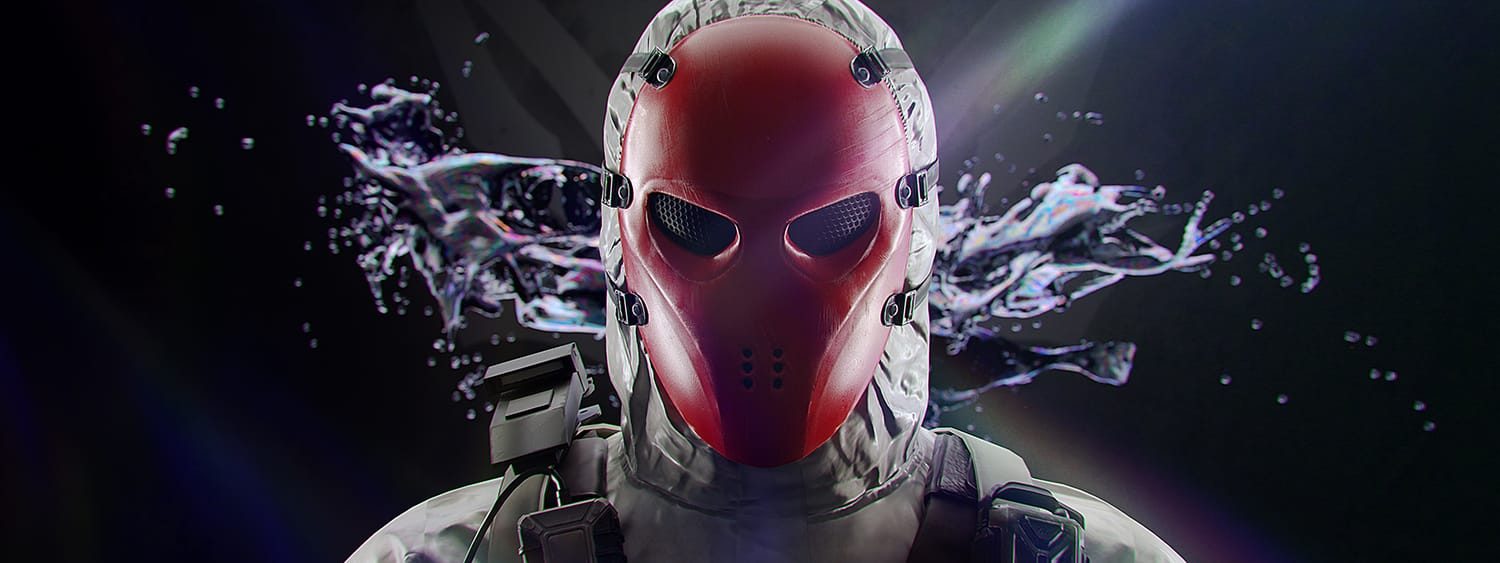
Once we know more details regarding the new event, we’ll let our readers know.
 
Source: EA
Avatar photo

Alex Co

Father, gamer, games media vet, writer of words, killer of noobs.

Home > News

Battlefield 2042 Update 1.19 Released for Patch 2.1 This September 27

DICE has rolled out Battlefield 2042 update 1.19, and this is for what DICE calls Update 2.1! This brings the reworked version of Renewal, alongside a new vehicle, weapons and loads more! Read on for the official BF2042 September 27 patch notes below.

Battlefield 2042 Update 1.19 Patch Notes | BF2042 September 27 Patch Notes:

Size: 4.4GB (PlayStation), 6.4GB (Steam)

Here’s an overview of some of the key changes and improvements that are included in this Update:

  • A reworked version of Renewal, bringing an improved gameplay flow, new cover, terrain improvements and shorter distances between flags
  • The new Polaris RZR in-world vehicle, for swift traversal across the Battlefield
  • 3 new Vault Weapons for the the All-Out Warfare arsenal, bringing even more weapon variety; the P90, GOL Sniper Magnum and the M1911
  • Improvements have been made to reduce instances of mouse input latency
  • Balance tuning for Attack and Transport Helicopters, and the Nightbird
  • Irish’s APS-36 Shootdown Sentinel improvements that ensure it now blocks M320 LVG and M26 Mass Frag attachment grenades
  • AM40 and Avancys bullets will no longer incorrectly registered as SMG bullets

Changelog

General

  • Fixed an issue preventing the Weekly Missions list from being scrolled during End of Round
  • Collection – Fixed an issue where the wrong input icon is displayed when equipping vehicle customizations
  • Statistics – Fixed an issue that could cause the accuracy stat to reach a value above 100%
  • Fixed an alignment issue related to HUD notifications on wide screen monitors
  • Fixed a scaling issue related to HUD notifications
  • Fixes an issue that could cause a black screen after leaving a game that was close to the End of Round
  • Fixed an issue that could cause the Introduction Video to play when booting the title into fullscreen and directly pressing Alt + Enter to go into windowed mode
  • Resolved instances where visual artifacts could appear on screen while matchmaking into a new server on the Exodus Conquest playlist
  • Fixed instances where binding a secondary input to mouse buttons did not work
  • The sorting arrow is now pointed correctly for the Players section in the Battlefield Portal Browse tab

Battlefield Portal

  • Multiple fixes and adjustments have been made to resolve issues with assets and collision across classic era maps

Rules Editor

  • Added Crawford, Stranded, Season 2 Weapons, and Vehicles to Rules Editor selection lists
  • Added Audio Asset Library
  • Added World Icons Asset Library
  • Added RemovePlayerInventoryAtSlot block to Rules Editor
  • Added RemovePlayerInventory block to Rules Editor
  • Added EnableFastTicketBleed block to Rules Editor
  • Added OnPlayerExitCapturePoint block to Rules Editor
  • Added OnPlayerEnterCapturePoint block to Rules Editor
  • Added OnCapturePointNeutralizing block to Rules Editor
  • Added SetCapturePointOwnership to Rules Editor
  • Added EnableCaptureHQ block to Rules Editor
  • Added CapturePointCapturingTime to Rules Editor
  • Added CapturePointNeutralizationTime to Rules Editor
  • Added SetNeutralizationMultiplier block to Rules Editor
  • Improved error messages to clarify parameter type mismatches for some blocks

Modifiers

  • Added Modifiers for Hiding Crosshair (also affects vehicles)

Gadgets

  • Fixed Incorrect Zoom levels when using SOFLAM

Maps

Breakaway

  • Resolved silo damage effects stopping when the silo was queued for destruction
  • You’ll no longer see foot on snow VFX inside the heli during the insertion sequence

Discarded

  • Fixed issue an issue where the terrain around the base of the walkway ship rail could be destroyed enough to make it float

Exposure

  • Fixed bullet decals not looking realistic on a painting in the C3 sector
  • Fixed bullet tracers from the MD540 Nightbird’s Minigun that disappeared when firing on certain assets
  • Fixed a fire extinguisher that was floating after the wall was destroyed
  • Fixed a LOD (Level of Detail) issue on wall near stairs in sector E2
  • Fixed an issue where players could enter unintended areas above the D1 flag room and shoot unaware enemies because of assets with missing collisions

Hourglass

  • Fixed an audio issue where walking over the outdoor bins at the western side of B1 was inappropriately triggering dirt sound

Kaleidoscope

  • Fixed an issue preventing AI from using the ladder between capture points B2 and D1
  • Fixed a LOD issue present on the plaza foundation planters found across the map

Orbital

  • Fixed an issue where the carports were shaking at the opening animation
  • Fixed an issue where the dumpster had audio material set to dirt
  • Fixed an issue where the rocket from rocket launchers would go through the map when shot beneath the soldier while standing on the ramp from crawlerway

Renewal

  • Fixed an issue in the Research Facility where players would be able to clip platforms and see through the assets while the head would be visible to others on the other side
  • Fixed an issue where players would clip with the ceiling and see through parts of the building when climbing on the lab barrels placed in corners
  • Fixed issue where players would clip with the sewers ceiling and see through the building when placed on the propane tank
  • Fixed an issue causing player camera clipping while vaulting on top of the pump station
  • Fixed issue with grenades thrown near the wall of the small lab that could pass through the terrain
  • Fixed an issue where the Breakthrough insertion helicopter landed out of bounds on attacker side
  • Fixed an issue where terrain clipped through the concrete canal
  • Fixed issue where front desks inside the Synseco building had LOD issues
  • Fixed increased shadow issue on both sides of the stairs that leads to the Research Facility
  • Fixed LOD issues present on the warehouse shelves found inside the research facility building
  • Fixed LOD issues present for the material around the windows at the ground floor in the Research Facility
  • Fixed sharp black shadow present on the edge of the bridge leading to the Research Facility
  • Fixed uneven and sharp lighting on the walls inside the Research Facility
  • Fixed an issue where after destroying the vegetation on the vab foundation where the revealed terrain looked unnatural and stretched
  • Fixed LOD issue on concrete cover while in destroyed state
  • Fixed issue where shadows were too dark in multiple areas of the map
  • Fixed missing wall mesh in some locations
  • Fixed LOD issue present on the planters found across the level
  • Fixed flashing and disappearing lights and shadows on a wall in the Research Facility

Stranded

  • Fixed issue where a LATV4 Recon partially caught in the hatch would take damage overtime
  • Fixed issue where vehicles would stutter on the hatches during opening
  • Fixed issue where players would stutter while standing on the rotating platform in the showroom
  • Fixed issue where an extended occluder was visible when the player is prone near the right margin on the front deck
  • Fixed an issue in sector C1 where an occluder was visible when the player is prone on the ship’s margin near the zipline going to B1 and looking towards the antenna
  • Fixed an issue on sector C2 where there was intense flashing in one of the marketplace corridors
  • Fixed issue with flickering visible in the backdrop from deploy screen
  • Fixed issue where G-84 TGM would get stuck when shot in to E1 control tower
  • Fixed issue with inconsistent metrics where the player could not walk through 12 out of the 36 gaps made between the metal beams and the containers on top of the ship
  • Fixed issue where player received damage until dead when jumping on top of a moving platform

Soldier

  • Improved input polling to reduce aiming input latency
    • Players who previously observed mouse input lag during gameplay should feel an improvement with this game update. Please continue sharing your feedback about your experience with us once you’ve been able to play.
  • Fixed an issue that caused Overexposed lights on Soldier uniforms (IFF)
  • Fixed an issue where Repair VFX is still present for a short time after the user enters the vehicle
  • Fixed an issue where the character stance did not reset when entering/exiting vehicles
  • Fixed an issue where there grenade cooking animation was missing
  • Fixed an issue with the Large Impact Sound incorrectly being played when attaching C5 to vehicles
  • Fixed issues animations missing when throwing any grenade
  • Fixed issues with inconsistent face wrinkles on several characters. A proper skincare routine is important to compliment the active lifestyle of being on the Battlefield
  • Fixed an issue where Soldiers were visible for a second before spawning on the Spawn Beacon
  • Grenade throw animation should now play correctly
  • Fixed issue with Incorrect world log messages when repairing an air vehicle from the passenger seat
  • The Combat Hammer has should now have a hit indicator when striking a target
  • Sundance’s landing animation with the Wingsuit has been improved. It’s no longer causes jumpy behavior
  • Fixed unintended behavior for Soldier physics animations while in deep terrain craters
  • Improved prone behavior in craters and on ledges
  • A temporary Soldier movement speed has been added when performing stance changes
  • A short cooldown has been added to prevent standing / prone stance change spam
  • Fixed a camera snapping issue when starting a slide
  • Improved hit detection from shots fired by soldiers while in moving and in open vehicle seats
  • A prone soldier is no longer able to push other prone soldiers around
  • Introduced new player collision behavior for friendly Soldiers to help prevent body blocking in tight spaces. Friendly Soldiers that are moving will now be able to move through other Soldiers but will be pushed away whenever they stop moving to prevent clipping

Specialists

Boris

  • Fixed an issue that caused the SG-36 Sentry Gun to sometimes shoot enemy players through smoke
  • Fixed an issue with the SG-36 Sentry Gun is floating after being deployed
  • Fixed an issue where the turret deploy sound is delayed when deploying SG-36 Sentry Gun with Boris

Casper

  • Fixed an issue where the OV-P Recon Drone flies in circles after getting pushed by another player
  • Fixed a bug where Slow vehicles could not destroy the OV-P Recon Drone by ramming it or running over it
  • Fixed issues with Casper’s OV-P Recon Drone tooltips showing as unassigned when unbinding Crouch Hold Keybind

Crawford

  • Fixed an issue where the Mounted Vulcan could be seen in the character hands when picking up the gadget
  • Fixed an issue with EMP VFX not being present on the Mounted Vulcan while under the EMP effect
  • Fixed an issue with Mounted Vulcan shield not being displayed correctly when destroyed

Irish

  • Fixed an issue where APS-36 Shootdown Sentinel did not not block M320 LVG and M26 Mass Frag attachment grenades
  • The legs on the APS-36 Shootdown Sentinel now have proper shadows

Lis

  • Fixed an issue Audio hit cue/indicator triggered on Lis’s rocket when hitting nothing
  • Fixed an issue G-84 TGM gets a hit marker but 0 damage is dealt to the enemy Soldier

Rao

  • Fixed an issue where Rao signal hacker pulse was missing
  • Fixed an issue where Rao spotted any enemy that destroyed equipment nearby

Vehicles

  • Fixed an issue that would prevent jets from visually updating when viewed from a distance.
  • Hands are now correctly aligned on the 4×4 Utility steering wheel as soon as you enter the vehicle.
  • Minor tweaks to make exhausts look less odd in vehicle elevators. They were very exhausting.
  • The audio SFX from Stealth Helicopter bombs no longer persist after being fired.
  • The countermeasure prompt for vehicles is now only visible for the driver/pilot
  • The Gunner VE has been removed during spawn, now only showing when you are in the gunner position.
  • Updated the Air-to-Ground Missile crosshairs on jets to display the lock on crosshair
  • You will no longer hear the “In Stealth” target blocked audio when looking at a Stealth Helicopter with active dual 30mm Cannon Pods
  • The HEAT Shell has been renamed to HE Shell to better reflect its intended use as anti-infantry

EBLC-RAM

  • Aligned the EBLC-RAM Turret so it now sits snugly on the main body
  • The countermeasure prompt is now correctly displayed for the EBLC-RAM
  • Fixed an issue causing the EBLC-Ram Active Protection System ability to detonate Lis’ Guided missile from further away than intended
  • Fixed an issue that caused the crosshair to be shown when deploying the vehicle insertion beacon
  • Fixed an issue that caused the EBLC-Ram Active Protection System ability to appear to shoot down Lis’ Guided Missile in the wrong direction
  • Fixed issue that caused the EBLC-RAM Spawn Beacon to not attach correctly to moving objects
  • Placing the EBLC-RAM’s Team Insertion Beacon in an invalid area will no longer spawn the Beacon in the last location it was placed
  • The EBLC-RAM now has working lights within the Collection screens.
  • When exiting the EBLC-RAM with the Team Insertion Beacon Deploy ability active, you will now automatically switch back to the previously equipped weapon

Vehicles – 60mm Flak Weapon Pod
The 60mm Flak Weapon Pod was underperforming against air vehicles so we have increased its effectiveness. Alongside that change we have also reduced its damage toward infantry to further solidify its purpose.

  • Velocity has been increased from 150 -> 250
  • Detonation delay decreased from 0.15 -> 0.02
  • Vehicle detonation radius decreased from 10 -> 2
  • Damage multiplier to infantry reduced 0.47 -> 0.05
  • An issue has been resolved that caused the 60mm Flak Weapon Pod to unintentionally damage infantry when damaging vehicles

AH-64GX Apache Warchief and KA-520 Super Hokum
We have observed that Stealth Helicopters have become the dominant Air Vehicle of choice since their introduction in Season 1. In Update 2.1, we are making several balance adjustments to the AH-64GX Apache Warchief and KA-520 Super Hokum to ensure all Helicopters have a dedicated purpose on the Battlefield. As a result, we’re increasing their anti-vehicle effectiveness.

  • 127mm Anti-Vehicle Rocket Pack velocity has been increased
  • 127mm Anti-Vehicle Rocket Pack damage has been increased from 100 -> 130
  • 127mm Anti-Vehicle Rocket Pack is now more accurately in shorter ranges
  • 127mm Anti-Vehicle Rocket Pack Replenish rate has been lowered 1.3 -> 2
  • 30mm Cannon Gunner Rate of Fire has been lowered 350 -> 200
  • 30mm Cannon Velocity has been increased
  • 30mm Cannon Gunner Damage Start Damage increased 18 -> 40
  • 30mm Cannon Gunner Damage End Damage increased 8 -> 25
  • 30mm Cannon Blast Damage increased from 18 -> 20
  • 30mm Cannon Overheat has been increased

MD540 Nightbird – Mounted 7.62mm Miniguns
We are updating the miniguns to ensure they remain powerful when actively managed, while reducing their effectiveness during continuous fire.

  • Minigun Wind Up Time has been lowered
  • Minigun Wind Down Time has been increased
  • Overall Dispersion has been lowered
  • Overheat has been increased

MV38-Condor / Mi-240 Super Hind – 7.62mm Minigun Pod
We have observed the Transport Helicopter 7.62mm Minigun Pod was mainly used for long range combat. We are making several balance adjustments to ensure its focus remains on intended defensive and close range use. It’s now more accurate, but with an overall decreased damage output and range while also overheating faster.

  • Damage fall-Off Starting Distance has been lowered from 350 -> 150
  • Damage Fall-Off End Distance has been lowered from 1000 -> 300
  • Dispersion has been lowered
  • Wind Up Time has been lowered
  • Wind Down Time has been increased
  • Overheat has been increased

Weapons

  • Fixed an issue that caused AM40 and Avancys bullets to be registered as SMG bullets
  • The AM40 Standard Issue Ammo now correctly displays the intended magazine count of 20
  • The AM40 and Avancys can no longer be used underwater
  • Adjusted deploy delays for Vault Weapons to ensure a smoother experience
  • Fixed a bug where picking up the DM7 from the ground would show incorrect weapon icon
  • Fixed an issue that caused the M11 scope on the BSV-M to not have the correct display
  • Fixed an issue that was causing unwanted behavior on underbarrel ammo
  • Fixed an issue that would cause the Avancys to display the wrong LOD when another player zoomed in on you
  • Fixed an issue where the PF51 would shake when firing after switching from and to primary
  • Fixed the suppressor muzzle flash being visible in front of the BSV-M when using certain scopes
  • Missing hints for underbarrel attachments have been located
  • Reload no longer sometimes go missing on the the SWS-10 when low on ammo
  • SFX have been improved for Laser Sights
  • The Ghostmaker R10’s attachments are now displayed on Kill Cards
  • The PF51 now shows the correct Magazine size in the Collection screens
  • The Target 8T scope now has the correct icon on the Avancys

Alongside the new patch, DICE announced a new in-game event is pushing out this mid-October!

Changelog

General

  • Fixed an issue preventing the Weekly Missions list from being scrolled during End of Round
  • Collection – Fixed an issue where the wrong input icon is displayed when equipping vehicle customizations
  • Statistics – Fixed an issue that could cause the accuracy stat to reach a value above 100%
  • Fixed an alignment issue related to HUD notifications on wide screen monitors
  • Fixed a scaling issue related to HUD notifications
  • Fixes an issue that could cause a black screen after leaving a game that was close to the End of Round
  • Fixed an issue that could cause the Introduction Video to play when booting the title into fullscreen and directly pressing Alt + Enter to go into windowed mode
  • Resolved instances where visual artifacts could appear on screen while matchmaking into a new server on the Exodus Conquest playlist
  • Fixed instances where binding a secondary input to mouse buttons did not work
  • The sorting arrow is now pointed correctly for the Players section in the Battlefield Portal Browse tab

Battlefield Portal

  • Multiple fixes and adjustments have been made to resolve issues with assets and collision across classic era maps

Rules Editor

  • Added Crawford, Stranded, Season 2 Weapons, and Vehicles to Rules Editor selection lists
  • Added Audio Asset Library
  • Added World Icons Asset Library
  • Added RemovePlayerInventoryAtSlot block to Rules Editor
  • Added RemovePlayerInventory block to Rules Editor
  • Added EnableFastTicketBleed block to Rules Editor
  • Added OnPlayerExitCapturePoint block to Rules Editor
  • Added OnPlayerEnterCapturePoint block to Rules Editor
  • Added OnCapturePointNeutralizing block to Rules Editor
  • Added SetCapturePointOwnership to Rules Editor
  • Added EnableCaptureHQ block to Rules Editor
  • Added CapturePointCapturingTime to Rules Editor
  • Added CapturePointNeutralizationTime to Rules Editor
  • Added SetNeutralizationMultiplier block to Rules Editor
  • Improved error messages to clarify parameter type mismatches for some blocks

Modifiers

  • Added Modifiers for Hiding Crosshair (also affects vehicles)

Gadgets

  • Fixed Incorrect Zoom levels when using SOFLAM

Maps

Breakaway

  • Resolved silo damage effects stopping when the silo was queued for destruction
  • You’ll no longer see foot on snow VFX inside the heli during the insertion sequence

Discarded

  • Fixed issue an issue where the terrain around the base of the walkway ship rail could be destroyed enough to make it float

Exposure

  • Fixed bullet decals not looking realistic on a painting in the C3 sector
  • Fixed bullet tracers from the MD540 Nightbird’s Minigun that disappeared when firing on certain assets
  • Fixed a fire extinguisher that was floating after the wall was destroyed
  • Fixed a LOD (Level of Detail) issue on wall near stairs in sector E2
  • Fixed an issue where players could enter unintended areas above the D1 flag room and shoot unaware enemies because of assets with missing collisions

Hourglass

  • Fixed an audio issue where walking over the outdoor bins at the western side of B1 was inappropriately triggering dirt sound

Kaleidoscope

  • Fixed an issue preventing AI from using the ladder between capture points B2 and D1
  • Fixed a LOD issue present on the plaza foundation planters found across the map

Orbital

  • Fixed an issue where the carports were shaking at the opening animation
  • Fixed an issue where the dumpster had audio material set to dirt
  • Fixed an issue where the rocket from rocket launchers would go through the map when shot beneath the soldier while standing on the ramp from crawlerway

Renewal

  • Fixed an issue in the Research Facility where players would be able to clip platforms and see through the assets while the head would be visible to others on the other side
  • Fixed an issue where players would clip with the ceiling and see through parts of the building when climbing on the lab barrels placed in corners
  • Fixed issue where players would clip with the sewers ceiling and see through the building when placed on the propane tank
  • Fixed an issue causing player camera clipping while vaulting on top of the pump station
  • Fixed issue with grenades thrown near the wall of the small lab that could pass through the terrain
  • Fixed an issue where the Breakthrough insertion helicopter landed out of bounds on attacker side
  • Fixed an issue where terrain clipped through the concrete canal
  • Fixed issue where front desks inside the Synseco building had LOD issues
  • Fixed increased shadow issue on both sides of the stairs that leads to the Research Facility
  • Fixed LOD issues present on the warehouse shelves found inside the research facility building
  • Fixed LOD issues present for the material around the windows at the ground floor in the Research Facility
  • Fixed sharp black shadow present on the edge of the bridge leading to the Research Facility
  • Fixed uneven and sharp lighting on the walls inside the Research Facility
  • Fixed an issue where after destroying the vegetation on the vab foundation where the revealed terrain looked unnatural and stretched
  • Fixed LOD issue on concrete cover while in destroyed state
  • Fixed issue where shadows were too dark in multiple areas of the map
  • Fixed missing wall mesh in some locations
  • Fixed LOD issue present on the planters found across the level
  • Fixed flashing and disappearing lights and shadows on a wall in the Research Facility

Stranded

  • Fixed issue where a LATV4 Recon partially caught in the hatch would take damage overtime
  • Fixed issue where vehicles would stutter on the hatches during opening
  • Fixed issue where players would stutter while standing on the rotating platform in the showroom
  • Fixed issue where an extended occluder was visible when the player is prone near the right margin on the front deck
  • Fixed an issue in sector C1 where an occluder was visible when the player is prone on the ship’s margin near the zipline going to B1 and looking towards the antenna
  • Fixed an issue on sector C2 where there was intense flashing in one of the marketplace corridors
  • Fixed issue with flickering visible in the backdrop from deploy screen
  • Fixed issue where G-84 TGM would get stuck when shot in to E1 control tower
  • Fixed issue with inconsistent metrics where the player could not walk through 12 out of the 36 gaps made between the metal beams and the containers on top of the ship
  • Fixed issue where player received damage until dead when jumping on top of a moving platform

Soldier

  • Improved input polling to reduce aiming input latency
    • Players who previously observed mouse input lag during gameplay should feel an improvement with this game update. Please continue sharing your feedback about your experience with us once you’ve been able to play.
  • Fixed an issue that caused Overexposed lights on Soldier uniforms (IFF)
  • Fixed an issue where Repair VFX is still present for a short time after the user enters the vehicle
  • Fixed an issue where the character stance did not reset when entering/exiting vehicles
  • Fixed an issue where there grenade cooking animation was missing
  • Fixed an issue with the Large Impact Sound incorrectly being played when attaching C5 to vehicles
  • Fixed issues animations missing when throwing any grenade
  • Fixed issues with inconsistent face wrinkles on several characters. A proper skincare routine is important to compliment the active lifestyle of being on the Battlefield
  • Fixed an issue where Soldiers were visible for a second before spawning on the Spawn Beacon
  • Grenade throw animation should now play correctly
  • Fixed issue with Incorrect world log messages when repairing an air vehicle from the passenger seat
  • The Combat Hammer has should now have a hit indicator when striking a target
  • Sundance’s landing animation with the Wingsuit has been improved. It’s no longer causes jumpy behavior
  • Fixed unintended behavior for Soldier physics animations while in deep terrain craters
  • Improved prone behavior in craters and on ledges
  • A temporary Soldier movement speed has been added when performing stance changes
  • A short cooldown has been added to prevent standing / prone stance change spam
  • Fixed a camera snapping issue when starting a slide
  • Improved hit detection from shots fired by soldiers while in moving and in open vehicle seats
  • A prone soldier is no longer able to push other prone soldiers around
  • Introduced new player collision behavior for friendly Soldiers to help prevent body blocking in tight spaces. Friendly Soldiers that are moving will now be able to move through other Soldiers but will be pushed away whenever they stop moving to prevent clipping

Specialists

Boris

  • Fixed an issue that caused the SG-36 Sentry Gun to sometimes shoot enemy players through smoke
  • Fixed an issue with the SG-36 Sentry Gun is floating after being deployed
  • Fixed an issue where the turret deploy sound is delayed when deploying SG-36 Sentry Gun with Boris

Casper

  • Fixed an issue where the OV-P Recon Drone flies in circles after getting pushed by another player
  • Fixed a bug where Slow vehicles could not destroy the OV-P Recon Drone by ramming it or running over it
  • Fixed issues with Casper’s OV-P Recon Drone tooltips showing as unassigned when unbinding Crouch Hold Keybind

Crawford

  • Fixed an issue where the Mounted Vulcan could be seen in the character hands when picking up the gadget
  • Fixed an issue with EMP VFX not being present on the Mounted Vulcan while under the EMP effect
  • Fixed an issue with Mounted Vulcan shield not being displayed correctly when destroyed

Irish

  • Fixed an issue where APS-36 Shootdown Sentinel did not not block M320 LVG and M26 Mass Frag attachment grenades
  • The legs on the APS-36 Shootdown Sentinel now have proper shadows

Lis

  • Fixed an issue Audio hit cue/indicator triggered on Lis’s rocket when hitting nothing
  • Fixed an issue G-84 TGM gets a hit marker but 0 damage is dealt to the enemy Soldier

Rao

  • Fixed an issue where Rao signal hacker pulse was missing
  • Fixed an issue where Rao spotted any enemy that destroyed equipment nearby

Vehicles

  • Fixed an issue that would prevent jets from visually updating when viewed from a distance.
  • Hands are now correctly aligned on the 4×4 Utility steering wheel as soon as you enter the vehicle.
  • Minor tweaks to make exhausts look less odd in vehicle elevators. They were very exhausting.
  • The audio SFX from Stealth Helicopter bombs no longer persist after being fired.
  • The countermeasure prompt for vehicles is now only visible for the driver/pilot
  • The Gunner VE has been removed during spawn, now only showing when you are in the gunner position.
  • Updated the Air-to-Ground Missile crosshairs on jets to display the lock on crosshair
  • You will no longer hear the “In Stealth” target blocked audio when looking at a Stealth Helicopter with active dual 30mm Cannon Pods
  • The HEAT Shell has been renamed to HE Shell to better reflect its intended use as anti-infantry

EBLC-RAM

  • Aligned the EBLC-RAM Turret so it now sits snugly on the main body
  • The countermeasure prompt is now correctly displayed for the EBLC-RAM
  • Fixed an issue causing the EBLC-Ram Active Protection System ability to detonate Lis’ Guided missile from further away than intended
  • Fixed an issue that caused the crosshair to be shown when deploying the vehicle insertion beacon
  • Fixed an issue that caused the EBLC-Ram Active Protection System ability to appear to shoot down Lis’ Guided Missile in the wrong direction
  • Fixed issue that caused the EBLC-RAM Spawn Beacon to not attach correctly to moving objects
  • Placing the EBLC-RAM’s Team Insertion Beacon in an invalid area will no longer spawn the Beacon in the last location it was placed
  • The EBLC-RAM now has working lights within the Collection screens.
  • When exiting the EBLC-RAM with the Team Insertion Beacon Deploy ability active, you will now automatically switch back to the previously equipped weapon

Vehicles – 60mm Flak Weapon Pod
The 60mm Flak Weapon Pod was underperforming against air vehicles so we have increased its effectiveness. Alongside that change we have also reduced its damage toward infantry to further solidify its purpose.

  • Velocity has been increased from 150 -> 250
  • Detonation delay decreased from 0.15 -> 0.02
  • Vehicle detonation radius decreased from 10 -> 2
  • Damage multiplier to infantry reduced 0.47 -> 0.05
  • An issue has been resolved that caused the 60mm Flak Weapon Pod to unintentionally damage infantry when damaging vehicles

AH-64GX Apache Warchief and KA-520 Super Hokum
We have observed that Stealth Helicopters have become the dominant Air Vehicle of choice since their introduction in Season 1. In Update 2.1, we are making several balance adjustments to the AH-64GX Apache Warchief and KA-520 Super Hokum to ensure all Helicopters have a dedicated purpose on the Battlefield. As a result, we’re increasing their anti-vehicle effectiveness.

  • 127mm Anti-Vehicle Rocket Pack velocity has been increased
  • 127mm Anti-Vehicle Rocket Pack damage has been increased from 100 -> 130
  • 127mm Anti-Vehicle Rocket Pack is now more accurately in shorter ranges
  • 127mm Anti-Vehicle Rocket Pack Replenish rate has been lowered 1.3 -> 2
  • 30mm Cannon Gunner Rate of Fire has been lowered 350 -> 200
  • 30mm Cannon Velocity has been increased
  • 30mm Cannon Gunner Damage Start Damage increased 18 -> 40
  • 30mm Cannon Gunner Damage End Damage increased 8 -> 25
  • 30mm Cannon Blast Damage increased from 18 -> 20
  • 30mm Cannon Overheat has been increased

MD540 Nightbird – Mounted 7.62mm Miniguns
We are updating the miniguns to ensure they remain powerful when actively managed, while reducing their effectiveness during continuous fire.

  • Minigun Wind Up Time has been lowered
  • Minigun Wind Down Time has been increased
  • Overall Dispersion has been lowered
  • Overheat has been increased

MV38-Condor / Mi-240 Super Hind – 7.62mm Minigun Pod
We have observed the Transport Helicopter 7.62mm Minigun Pod was mainly used for long range combat. We are making several balance adjustments to ensure its focus remains on intended defensive and close range use. It’s now more accurate, but with an overall decreased damage output and range while also overheating faster.

  • Damage fall-Off Starting Distance has been lowered from 350 -> 150
  • Damage Fall-Off End Distance has been lowered from 1000 -> 300
  • Dispersion has been lowered
  • Wind Up Time has been lowered
  • Wind Down Time has been increased
  • Overheat has been increased

Weapons

  • Fixed an issue that caused AM40 and Avancys bullets to be registered as SMG bullets
  • The AM40 Standard Issue Ammo now correctly displays the intended magazine count of 20
  • The AM40 and Avancys can no longer be used underwater
  • Adjusted deploy delays for Vault Weapons to ensure a smoother experience
  • Fixed a bug where picking up the DM7 from the ground would show incorrect weapon icon
  • Fixed an issue that caused the M11 scope on the BSV-M to not have the correct display
  • Fixed an issue that was causing unwanted behavior on underbarrel ammo
  • Fixed an issue that would cause the Avancys to display the wrong LOD when another player zoomed in on you
  • Fixed an issue where the PF51 would shake when firing after switching from and to primary
  • Fixed the suppressor muzzle flash being visible in front of the BSV-M when using certain scopes
  • Missing hints for underbarrel attachments have been located
  • Reload no longer sometimes go missing on the the SWS-10 when low on ammo
  • SFX have been improved for Laser Sights
  • The Ghostmaker R10’s attachments are now displayed on Kill Cards
  • The PF51 now shows the correct Magazine size in the Collection screens
  • The Target 8T scope now has the correct icon on the Avancys

The Liquidators Await

A special event is coming your way during mid-October. We’re looking forward to sharing full details with you at a later time. But for now… expect new earnable cosmetics alongside infantry only gameplay with tight playspaces and intense close-quarters combat.

Once we know more details regarding the new event, we’ll let our readers know.
 
Source: EA
Avatar photo

Alex Co

Father, gamer, games media vet, writer of words, killer of noobs.

Home > News

The Division 2 Update 1.45 Brings Fixes This September 27 (Update)

As part of today’s The Division 2 maintenance, Ubisoft has released The Division 2 update 1.45 on all platforms, and this brings additional fixes to the game. Read on for what’s new in the The Division 2 September 27 patch notes.

The Division 2 Update 1.45 | The Division 2 September 27 Patch Notes:

Update: Ubisoft has released the official patch notes.

Patch Notes for Title Update 16.1

PVP  

  • As a temporary solution, we decided to significantly reduce Shrapnel Trap efficiency in PvP to dissuade players from using it.  

STORE  

  • Fixed an issue where Premium Credits were spent instead of Textiles when buying from the in-game store. 
  • Fixed an issue where “Add” and “Remove” options would appear when attempting to buy items more expensive than the premium credits balance. 

LEGENDARY STRONGHOLD  

  • Reduced the HP of the Tidal Basin Legendary Stronghold Boss weak points. 

GEAR 

  • Fixed an issue where the Doctor Home Exotic rifle is not working in PvP. 
  • Fixed an issue where All High-End Assault Rifles had Rifle damage as a Core Attribute. 
  • Fixed an issue where the Closer and Uzina Getica Gear Brand Set chest pieces were missing an attribute roll. 
  • Fixed an issue where Dye slots weren’t functional on gear pieces from the Umbra Initiative Gear Set and Brazos de Arcabuz Brand Set. 

EXPERTISE  

  • Fixed an issue where the Doctor Home Exotic rifle does not have a proficiency rank. 
  • Fixed an issue where Busy Little Bee had two icons in the Expertise Pistols category. 

UI & VISUAL  

  • Fixed an issue where the “Show the Signature Weapon” Option is reset to default every time the user changes server. 
  • Fixed an issue where the primary weapon skins rewards visuals would stretch outside of the Season 10 Reward Tracker. 
  • Fixed an issue where the active event text from the Season menu overlaps with Progression when hovering it in the pause menu. 
  • Fixed an issue where text is present in the Main Menu Season Option for Manhunt Target Events on locales: Spanish, Latin-American Spanish, Traditional Chinese and Korean. 
  • Fixed an issue where the Screen/Image displayed on the “Expertise Table” section of the Tutorial was not localized in Brazilian Portuguese but in Italian. 
  • Fixed an issue where multiple weapon skin previews would not display properly in the apparel menu or on the weapons. 
  • Fixed an issue where the Season 10 Unique Weapon skins have small icons in the Apparel Menu. 
  • Fixed an issue where the icon for the Tendrils unique weapon skin was missing the drum mag. 
  • Fixed an issue where the “Fast Travel to Seasons Vendor” button could be used to start the “Initiate Fast Travel” animation while inside submenus that don’t have this button present. 
  • Fixed an issue where the Season Pass for Season 10: Price of Power was blurry.   

APPAREL ITEMS   

  • Fixed an issue where Apparel Items from Dark Path would drop as gear items. 
  • Fixed an issue where the Maintenance Shirt would clip with various pants from the store. 
  • Fixed an issue where the LED Pants icon from the Apparel Menu does not match the in-game pants. 

MISC  

  • Fixed an issue where Legacy or Season 9 Hidden Alliance caches are rewarded instead of Season 10 Price of Power caches for Leagues. 

Massive Entertainment has not released the official patch notes just yet, though that should change within the day. However, the studio did update and link to the official The Division Trello board to list down some of the issues being worked on and such.

Reported:

[Gear] Busy Little Bee Weapon damage is applied to skills

Investigating:

[Apparel] SHD Paragon Apparel has some items with clipping issues.

In Progress:

[Expertise] Missing Expertise/proficiency rank

Once the official patch notes are out, we’ll update the post, so sit tight!

Official patch notes have been released, and we’ve updated the article.

Source: Ubisoft forums

Avatar photo

Alex Co

Father, gamer, games media vet, writer of words, killer of noobs.

Home > News

The Division 2 Down for Scheduled Maintenance and Patch Roll Out This Sept. 27

Ubisoft has once again triggered The Division 2 down on the game’s servers, and this is for maintenance this September 27. During this downtime, players will see the release of a new patch that will introduce new fixes.

The Division 2 Down Server Status and Update for September 27:

Update: Here are the complete patch notes for today’s title update.

Here’s the official announcement from Ubisoft:

The servers will shut down for a scheduled maintenance to implement Season 10 – Patch 1 (TU16.1) on Tuesday, September 27th at 09:30 CEST, 03:30 AM EDT, 12:30 AM PDT.

The estimated downtime is ~3 hours and will implement a number of fixes.

  • Known Issues: (https://trello.com/b/F2RU9ia9/the-division-2-known-issues)

Maintenance Notes:

  • Patch Notes will be shared post-maintenance.
  • The Apparel Event will be delayed to secure quality. New start date to be posted very soon

Once the official patch notes are out, we’ll update the article with a link out to it. 

Same as always, if the maintenance goes over the schedule, we’ll update the post accordingly.

Source: Ubisoft forums

Avatar photo

Alex Co

Father, gamer, games media vet, writer of words, killer of noobs.

Home > News

Black Ops Cold War Crashing and Black Screen Issues Surface After Latest Patch, Treyarch Investigating

In case you didn’t know, Treyarch released a Call of Duty: Black Ops Cold War patch yesterday that, while it was a hefty download, didn’t include any player-facing changes. Unfortunately, this patch ushered in Black Ops Cold War crashing and black screen issues that has been plaguing players since.

Over on the game’s subreddit, loads of people have reported this glitch happening. From our understanding, this is affecting the PC version of the game, while the console versions remain to be functional. For its part, the official “TreyarchCM” account responded to people in the thread stating that they are currently investigating the issue.

The little update after the big update killed the game (still)
byu/gazajohnstone inblackopscoldwar

The studio even updated the official Black Ops Cold War Trello board (which hasn’t been done in quite some time).

PC: Some players may encounter black screens or crashes when launching Black Ops Cold War

Description
Thank you for your reports!

On September 26th, 2022, we released an update for all platforms at 10 am/PT. Unfortunately, shortly after the release of this update, we discovered that some PC players on Battle.net were encountering black screens or crashes, prompting the user to Scan and Repair.

We published a tweet soon after to identify that we were aware and tracking.

At 6:00 pm/PT, we are still investigating this issue with our partners. We will update this Trello card and our Twitter thread with more information when it is available.

Is there a fix for the Black Ops Cold War crash and black screen error?

Unfortunately, scanning and repairing won’t work, as confirmed by Treyarch:

Some people in the community has mentioned that uninstalling and installing it (which means you’ll have to redownload the full game client) worked for them:

Bear in mind, this is not an official fix, and some have reported that doing this have not worked for them. 

Once Treyarch issues a formal fix or an update on the situation, we’ll let our readers know. 

Is Black Ops Cold War working for you? How did you manage to fix this if so? Leave a comment below and let us know.

Avatar photo

Alex Co

Father, gamer, games media vet, writer of words, killer of noobs.

Home > News

Capcom Fighting Collection Update 1.02 Out for QoL Changes This Sept. 27

Capcom has released Capcom Fighting Collection update 1.02 today for all platforms. This update comes with many quality-of-life changes, as well as some new features and bug fixes. Check out the Capcom Fighting Collection September 27 patch notes below.

Capcom Fighting Collection Update 1.02 Patch Notes | Capcom Fighting Collection September 27 Patch Notes:

Super Puzzle Fighter II Turbo

  • A new “Gem Colors” option was added to the game’s EX Settings. You can choose between the original palette of gem colors and up to 6 different alternate palettes.

Hyper Street Fighter II

  • A new “Difficulty Table” option was added to the game’s EX Settings. You can choose between a CPU opponent difficulty table based on the English version or the Japanese version.

Display Filter / Display Size

  • “Type H” has been added to the display filter options. You can also now preview the game screen when adjusting the options for the display filter and display size.
  • A “Shuffled Slideshow” feature has been added to the gallery.

Darkstalkers

  • Phobos: Fixed an issue where KO-ing an opponent with Circuit Scrapper would sometimes not transition into a victory pose. (This is a bug from the original game.)

Vampire Savior / Vampire Hunter 2 / Vampire Savior 2

  • Fixed an issue where selecting TURBO would set the speed to NORMAL even when the speed select option was set to “Free Select” options 1 through 3.

Super Gem Fighter

  • Fixed an issue where the game speed would be set to 1 when the speed select option was set to “Free Select,” no matter what selection was made.
  • Nintendo Switch™ Version: Fixed an issue preventing players from viewing the leaderboards.

Casual and Ranked Match Searches

  • It is now easier to match with opponents when entering a standby search with only one game selected.

Custom Match Lobby Searches

  • Lobbies where a match is in progress will now show up in the search results. Joining one of these lobbies will prompt a waiting message, and you’ll be able to join the lobby as soon as the current game ends and the players
  • Fixed an issue that caused unintentional audio bugs during rollbacks.

Casual and Ranked Matches

  • It is now possible to cancel a match even after selecting “Yes” after matching with an opponent. Additionally, if you leave a match, you will be prompted afterwards on whether to re-enter standby.
  • You can now gauge an opponent’s latency by color. When matching with opponents for casual and ranked matches, this is indicated by the color of the line below the game’s title. In custom match lobbies, this is indicated by the color of the player’s order number. You can now also change your input delay settings on either of these two screens.
  • You can now play up to 10 rematches in casual and ranked matches (up from 3).
  • Each player’s online ID now displays on screen during matches.
  • A “Hit Boxes” display setting has been added to the training options. Turn this setting on to display character and effect hit boxes.

Super Gem Fighter /Hyper Street Fighter II / Red Earth

  • The attack data display on the training mode screen now also shows stun data.

Vampire Savior / Vampire Hunter 2 / Vampire Savior 2

  • A “Dark Force” option is now available in training mode. You can select from normal behavior or infinite Dark Force gauge.

Vampire Savior / Vampire Savior 2

  • A “Gloomy Puppet Show” option is now available in training mode. You can choose from normal (random) behavior for the move, or lock it to any of the 6 different patterns.

Super Gem Fighter

  • A “Gem Level” option is now available in training mode. You can choose from normal behavior or lock any gem to a level from 1 to 3.

Red Earth

  • A “Character Level” option is now available in training mode.
  • Both bonus stages have been added to the stage select in boss training mode.
  • A “Mystic Orb” option is now available in training mode, and allows you to select infinite orbs of any single element.
  • Restarting the match while moving left or right will now you restart you at the edge of the screen.
  • The pre-match intro no longer plays when restarting the match.

Hyper Street Fighter II

  • The background design in E. Honda’s stage, “JAPAN(E.Honda)”, has been updated.
  • Other minor bug fixes have been made.

Source: Capcom

Damien Seeto

Home > News

Kena: Bridge of Spirits Update 2.02 Out for Anniversary Patch This Sept. 27 (Update)

Ember Lab has released Kena: Bridge of Spirits update 2.02 (PS5 version 2.002) today for PS4 and PS5. It is the big anniversary update coming with New Game+, new outfits, and more. Check out the Kena: Bridge of Spirits September 27 patch notes below.

Kena: Bridge of Spirits Update 2.02 Patch Notes | Kena: Bridge of Spirits 2.002 Patch Notes | Kena: Bridge of Spirits September 27 Patch Notes:

Update: Ember Lab has released the official patch notes, though it doesn’t deviate much from what was originally announced for the anniversary update.

The Anniversary Update includes the following new features and updates:

  • New Game+
    • New Game+ will become available after completing an initial playthrough – replay the main story while keeping all collected Rot, abilities, and upgrades. 
    • Most New Game+ combat encounters have been updated with new enemies and modified compositions. 
    • Special Green Chests with collectibles will become available in New Game+.
    • Many bosses will include new attacks in New Game+.
  • Spirit Guide Trials & Outfits
    • Spirit Guide Trials offer unique challenges to test your skills and earn rewards. Interact with the carving behind the Mask Shrine to take on new Trials as they become available throughout your adventure.
    • Unique Kena Outfits with color variants can be unlocked by completing Spirit Guide Trials and Bonus Objectives.
  • Charmstones, Abilities, & Hats
    • Equipable Charmstones have been hidden throughout the world that will modify Kena’s abilities by granting unique combinations of advantages and disadvantages in combat.
    • Two new Bomb Ability upgrades have been added – Splatter Bomb and Split Bomb.
    • New Rot Hats have been hidden throughout the world.
  • Enhanced Photo Mode
    • Photo Mode has been enhanced with Lighting Setups, Camera Animation, and more.
    • Brand new Poses have been added to Photo Mode.
  • Settings
    • Apprentice Spirit Guide, a new difficulty setting, offers a balance between Story Mode and Spirit Guide settings.
    • Text localization for Polish language has been added.
    • DLSS and Dynamic Resolution support has been added. (PC Only)
  • Accessibility Features
    • UI scaling.
    • Automatic sprint.
    • Subtitle size and background opacity.
    • Toggle input functionally for multiple abilities.
  • Deluxe Edition:
    • Kena: Bridge of Spirits Original Soundtrack has been expanded and remastered.
    • The Shadow outfit has been included as a Deluxe Edition exclusive.

This patch also includes the following fixes:

  • Pre-rendered cutscenes are rendered at higher frame rate to fix frame pacing issues.
  • Difficulty balancing has been improved.

  • New Game+
  • New enemy types and added boss phases
  • Charmstones
  • Spirit Guide Trials
  • New outfits (Deluxe Edition owners get an exclusive outfit all their own)

Read more on the new features and content being added below.

New Game+  — the mode will feature:

  • Combat adjustments (redesigned and more challenging)
  • New enemy types unique to New Game+
  • “Many” bosses have some additional phases

Charmstones are being added with the September 27 update:

Individually equipable – these unique collectibles each provide different adjustments to Kena’s stats and abilities. Some Charmstones contain a benefit and a drawback, encouraging players to strategize about how they want to take on certain enemies and challenges. Rare Cursed Charmstones are aimed at players who want a serious challenge by attacking the game with reduced abilities. Players will find most Charmstones hidden around Kena’s world, with a few connected to another big addition: Spirit Guide Trials.

Spirit Guide Trials:

New Game Mode accessed from the Mask Shrine. It will fall into three different categories: Obstacle Courses, Wave Defenses, and Boss Reflects.

Each Trial can be played as many times as players want, and they include various objectives to complete within that particular Trial. 

In the Obstacle Courses for example, players focus on Kena’s primary abilities: the Bow, Bomb, and Dash as they navigate through courses designed to test their accuracy, timing, and platforming. 

Wave Defenses pit players against multiple rounds of increasingly difficult enemies. They must think strategically while pacing themselves through multiple waves of unique scenarios with limited chances to heal. We’ve prepared some pretty exciting and hair-raising enemy combinations here, so be prepared.

Boss Reflects allow players to revisit their favorite boss fights and perfect their tactics. While we love the excitement of all of our smaller combat encounters, we’re particularly fond of a good bossfight. We wanted to make sure players had the opportunity to retry these exciting events to their hearts’ content within one playthrough, experiment with new approaches, and become true masters.

Outfits:

New outfits are rewarded by completing Trials. These new clothing options are inspired by the characters Kena meets in her journey. Succeeding at bonus objectives within each Trial can unlock color variations of each outfit, as well as unique Charmstones.

Source: PlayStation Blog, Ember Lab

Damien Seeto

Home > News

Path of Exile Update 2.26 Out for 3.19.1c Patch Changes This September 27

Grinding Gear Games has released Path of Exile update 2.26 today for changes to Archnemesis monsters and the  Kalandra League. This is officially tagged as patch 3.19.1c, and it also includes bug fixes. Check out the Path of Exile September 27 patch notes below.

Path of Exile Update 2.26 Patch Notes | Path of Exile 3.19.1c Patch Notes | Path of Exile September 27 Patch Notes:

Archnemesis Changes

  • Increased the cooldown of the Ice Prison Archnemesis modifier from 5 seconds to 10 seconds, and the duration of the Ice Prison has been increased from 3 seconds to 5 seconds. This results in 50% prison uptime rather than 60%, and fewer overall prisons.
  • Lowered the duration of the shocked ground on death from the Electrocuting Archnemesis modifier from 25 seconds to 10 seconds.
  • Removed the damage from the Permafrost Archnemesis modifiers cold-damaging ground area. The area now only applies chill.
  • Lowered the duration of the Incendiary Archnemesis modifiers fire-damaging ground area from 4 seconds to around 3 seconds.
  • Disabled the on-death ground effects for the Incendiary Archnemesis modifier for Magic monsters.
  • Disabled Volatiles from spawning on death when a Magic monster with the Toxic Archnemesis modifier is slain.

Lake of Kalandra Changes

  • Gems are no longer a possible chest reward from Tier 3 and 4 generic encounters in the Lake of Kalandra and, for the most part, have been replaced by Currency chests.
  • Reflection of the Dream now has 50% increased Monster density (previously 100%), and the Breach now opens and closes 30% slower. This is both for reasons related to performance and the difficulty level of the encounter.
  • Added a warning message that will display in the Mirrored Tablet interface when performing an action that disconnects one or more tiles, preventing them from being accessed.

Other Changes

  • Increased the chance for the Will of Chaos and Deadly End Ultimatum Aspects to drop from their respective bosses.
  • Void Jaguar Influence monsters now have 50% of physical damage converted to cold damage (previously 75%), and now have a variable time before they can use their Leap Slam skill after spawning (previously a fixed time).
  • Consuming Thrall Influence monsters now deal 30% less damage with their projectiles against enemies at close range (previously 15% less).
  • Increased the following Skills target limit to 100: Ancestral Warchief, Bladestorm, Cleave, Contagion, Doryani’s Touch, Earthquake, Vaal Earthquake, Fire Burst, Flame Golem’s Flame Wave Skill, Ground Slam, Ice Nova, Shattering Steel, Shock Nova, Whirling Blades, Wild Strike’s Fire Area of Effect, and Vortex.

Bug Fixes

  • Fixed a bug where Metamorphs with the Magma Barrier modifier would always create Fire Volatiles and be surrounded by a Magma Barrier the moment they transformed.
  • Fixed a bug where Operative’s Strongboxes were not being affected by increases to Quantity of Items contained in Strongboxes.
  • Fixed a bug where the “A Trip Down Memory Lane” Challenge still required you to complete 6 Atlas Memories.
  • Fixed a bug where the Pantheon of the Gods Challenge could not be completed across two separate characters.
  • Fixed a visual bug where increased Quantity and Rarity of Items from allocated Atlas Passive Skills was not always displayed in the Map Overlay Mods.
  • Fixed a bug where item labels could be offset incorrectly in the Lake of Kalandra.
  • Fixed a bug where the highest modifier tier for local increased Attack Speed on Bows was displayed as tier 2.
  • Fixed a bug where some explicit modifiers did not have a vendor sell price.
  • Fixed two client crashes.
  • Fixed an instance crash.

That’s it for the patch notes. Path of Exile is out now for the PC, PS4, and Xbox One. 

Source: Path of Exile forums

Damien Seeto

Home > News

Battlefield Discord Not Handled by DICE and EA Anymore, Once Again Ran by Community

If you’re active on Discord and you’re a Battlefield fan, we have some good news for you! The Battlefield Discord server is now once again in the hands of the community.

In case you didn’t know, since 2018, DICE (and in part, EA) has been handling the Battlefield Discord channel. Well, that changed today, as the community is now in charge of the Battlefield Discord.

Here’s the announcement from the community:

We have decided to return this server to a state of being 100% owned and run by the community, which means this server is no longer an official Discord for Battlefield.

All the way back in 2018, we gave you all the news that we had just partnered with EA/DICE to become the Official Battlefield Discord Server.
After 4 awesome years with EA/DICE, we have decided it is time to go back to our roots, and return to be fully community owned and run.

We will continue being the #1 Discord for all your Battlefield needs, and we thank you all for being here with us.
Some things might change, some things might not, but we will always stay transparent with you all and inform you of any major changes to this server. To stay informed about any server news, head to set-roles and get yourself the Server News role.

I want to personally thank all our moderators who have done an incredible job in keeping this place great. ❤️
I also want to thank EA/DICE for their amazing and continued support. ❤️

And that’s all our news today. Have a great time, thanks for being here, and most importantly…
See you on the Battlefield!

Alongside that, Adam Freeman, DICE Community Manager also acknowledged the announcement too.

And from all of us here at DICE, a massive thank you to all of the Moderators and the Council of Elders across the Battlefield Discord for your support these past years.

We’re so grateful that the team here provide a welcoming space for fans of the game, helping you each to celebrate your love for the game, find new squad mates to play with, and to share with us your thoughts on Battlefield.

They work tirelessly to keep this Discord growing, and all of us at DICE appreciate the love and support that exists here. We’re especially grateful that the team were keen to partner with us back in 2018, and we fully support them in their decision to revert back to being a Community ran server going forwards.

From us here at DICE, we will not be creating a new Discord to replace this one. We agree with the crew here that Player Communities are best in the control and the hands of our Players, and we’ll keep helping players across Battlefield to find their way here, and to make new friends, to ensure that the team are able to stay close to the crew to keep sharing new Battlefield News, and to spend time with you all bringing your thoughts and feedback back to our development teams.

Now let’s PTFO – We’ll see you on the Battlefield

In other Battlefield news, patch 2.1 for Battlefield 2042 will be dropping tomorrow, September 27, and the patch notes are already live.

Thanks, DANNYonPC!

Avatar photo

Alex Co

Father, gamer, games media vet, writer of words, killer of noobs.

Home > News

EA Teasing “Big News” Announcement Tomorrow

It looks like we’re about to get another video game announcement tomorrow, as publisher Electronic Arts (EA) has announced that there’s going to be an announcement tomorrow! Yes, it’s an announcement for an announcement. What a time to be alive, eh?

The tweet with the announcement also mentioned that it’ll be “big news,” which suggest that this could be a game reveal for one of the publisher’s franchises, 

What’s interesting here is the line ” Do you have an online BFF you would like to meet in IRL (in real life)?” thing. Based on that, this somehow ties into online personas and the like, Could this be a new social platform? Maybe a new game announcement for Need for Speed that involves a social aspect of some kind?

EA does have a game and franchise that ties into friends and whatnot, and that’s The Sims 4. Earlier this month, EA announced that The Sims 4 will be going free-to-play this October, where a “Behind The Sims Summit” digital event is being held too.

Oddly enough, EA did announce a new game today. The publisher officially revealed Wild Heart which is game the publisher is collaborating with Omega Force (a Koei Tecmo studio). 

Once the announcement tomorrow is lifted, we’ll be sure to let our readers know.

Avatar photo

Alex Co

Father, gamer, games media vet, writer of words, killer of noobs.

Home > Features

Team Ninja Talks Wo Long Fallen Dynasty – Difficulty, PvP and More Discussed

With the success of both Nioh and Nioh 2, Team Ninja has now ventured forth to create a new game with Wo Long: Fallen Dynasty. The studio attended this year’s Tokyo Game Show with Wo Long already announced (alongside Rise of the Ronin), and we were fortunate enough to have had the chance to ask them a few questions about the game.

Interviewing Team Ninja is NextGen Player who attended TGS in-person, and he has managed to talk to Producers Fumihiko Yasuda (Nioh) and Masaaki Yamagiwa (Bloodborne with the help of a translator.

Q: I’m very interested to know what motivated the two of you to get into game development many, many years ago — and what inspires you today about being a producer within this dynamic industry?

Yasuda-san: I got into the games industry because I wanted to make worlds, this whole world view and place of my own creation, and making the story is a really part of it. I’ve been making a lot of different games at this point, the Nioh series and now Wo Long, but before that I thought, “I want to make games that go out to the world to as many people as possible.” Team Ninja worked with that, and we’ve made these great action games, and also bringing the games to everyone around the world. So it was a great choice for the types of games I wanted to make. My motivation, specifically, if kind of what you did, hearing players or fans saying I liked your game. That’s just so important to me, it means the world to me. Another motivation is when when we’re on the dev side, it could be an aspect of the game or the game itself, and you see all the ideas from everyone come together, meld together, in like this perfect entity that is the game. Sometimes you see that and think “wow” it just came together so beautifully. That’s a big motivator for me as well.

Yamagiwa-san: I love drawing, big fan of art when I was young. I had a friend that going to program and he said “hey can you draw me something?” So I did a pixel art drawing and my friend used his programming wizardry to make it move. I was just in awe of seeing something I created moving on screen. So that set me on that path to making games. In regards to motivation, I’m not super motivated as a person when it comes to myself, but once I’m doing things for others that’s where I get my inspiration and motivation. Whether that’s for the director, or the dev team, or players, that’s where my motivation comes from. Seeing them happy and doing the best for them that’s a big part for me. And one more thing, my friend is in the games industry and we haven’t made anything together, so at some point it’s a dream of mine to make a game together some day.

Q: The Three Kingdoms era spans many dynasties over many years, what made you decide to focus on the fall of the Han dynasty?

Yasuda-san: So specifically myself, and the Team Ninja dev team in general, wanted to make to make an action RPG–that’s a big focus for us. We thought what’s a good setting, and we thought how about this war-torn period. Looking at the Three Kingdoms and thinking which period, we wanted a turbulent era and that’s the reason why we chose that period. It’s also a good fit for an action-RPG. It’s also a very famous period, that world and that setting, it’s pretty well known and famous and that’s another reason for choosing it — people are very familiar with it. We thought if we could take this era and make it an action RPG it’d be really unique. That uniqueness was also a driving factor as well. But of course here at Koei Tecmo Games we’ve made a lot of games around the Three Kingdoms, so this was Team Ninja’s turn to say OK let’s see what our Three Kingdoms game looks like. But we want to make it through this dark fantasy land, it’ll be the darkest Three Kingdoms game that Koei Tecmo has ever made.

Q: How do you two go about researching on the histories, myths, culture and themes of the Three Kingdoms era? Is it reading books or traveling, or watching documentaries? For Wo Long, what balance do you want to strike between being historically accurate vs. leaning into dark fantasy elements?

Yamagiwa-san: At Koei Tecmo Games we’ve been making a lot of games in this period at this point, so we have this wealth of knowledge and experience that Team Ninja can draw from being here at Koei Tecmo Games. And specifically we have a scenario team and they have all of the information, just a well of information for the team to go and consult them to learn more and get all the details they need to make this the most accurate game. Accurate in terms of getting all the information at our fingertips. We also have Chinese staff at Team Ninja that have helped. They’ve been able to talk about their own experiences with Chinese history, living there, knowing about the culture and knowledge as well, so that’s been really really helpful. In terms of balance, the best way I can put it is we like making games based on historical fact, like Nioh which is based in history, but you’re seeing it from the sidelines or the back. You’re seeing things play out and seeing things you maybe didn’t know about. It’s hard to say–are there actually demons? Some people believe there are, some people maybe dont think there are. We don’t want to give an opinion on that. We wanted to make it a world where you felt like they exist, they would be in this world, I know they’re around here, it’s really important to create that feeling for this game. We also have many many Chinese demons that you fight in the game, it’s an important element of Wo Long, so we want the player to really believe that they exist and create a world that gives that to the player.

Q: Will this game be similar in tone to Nioh or are you going even darker? Are all the enemies and bosses inspired by Chinese mythology or did you also come up with your own twisted creations? Can we expect an abundance of variety?

Yasuda-san: So originally, Nioh was just going to have samurai enemies, there wasn’t going to be any kind of Yokai in it. But when I was making this game I thought “well, this isn’t very interesting and as fun as I wanted it to be, it doesn’t have enough variation in the type of enemies”, so then we said OK let’s add in Yokai, Japanese demons. In Wo Long, we’re focused on Chinese demons and having to fight them and overcome them it’s very easy, and I mean it in a good way, for the player to ‘get it’ — this is what I’m fighting, this big Chinese demons are what I need to go after. It’s easy for players to really get into the action. We’re making a dark game this time too, like we did with Nioh, that’s important, we’ve making a very dark experience that kind players expect. I want players to look forward to seeing what kind of demons will come up, what kind of monsters they’re going to have to take on. I think it’s interesting, perhaps most interesting, to rearrange some of those stories, to give our own twist on them. Looking at Chinese myths and legends and giving them that Team Ninja flair, or looking through the Team Ninja lens. Or going as far as saying going through the Wo Long lens, what would fit the Wo Long world we’re creating. You might see things you’re familiar with, legends and monsters, but then they’re going to have this new take on them. And it also our goal to rearrange them in such a way that makes them interesting for an action game when you’re fighting them. So when you’re fighting them they’re not completely true to their original story, we give them a little extra flair.

Q: A lot of fans of Souls-like experiences enjoy them for their high difficulty – they love the challenge and the satisfaction we get from beating a tough stage or boss. But there are also gamers who are interested in playing, but feel these games are too hard. Are there things the team is looking at, that don’t necessarily make the game more easier, but more accessible? For example, the way FromSoftware approached Elden Ring – it’s a very tough game, but they added new mechanics like calling spirit helpers that made it more “approachable” for new players.

Yamagiwa-san: We’re thinking it’s ‘good’ to have one set difficulty so that everyone has the same experience of overcoming a really intense obstacle and they all have that feeling of achievement, like I did it. But the caveat there is giving players all different ways that they can do that. So you could talk to your friends and say hey I beat this boss and this is how I did it, you want to talk to people and go online because you really want to have communication with them. It’s really important to keep the challenge the same and giving players different ways to overcome it. Wo Long is not an easy game by any means but we’re working to give players as much freedom and agency to play it as they want, overcome obstacles in their own way. One thing that comes to mind is the morale system. You have a morale rank and as you keep increasing it you get stronger and you can use that to choose which enemies to fight, or raise it up so you can take on a harder enemy and maybe they’ll be a little bit easier now that you’re stronger. You can also level up your character like a traditional action RPG and get stronger that way. There’s multiplayer as well, so you can get online with your friends, two other people so a total of three online and then take on bosses as a group. We’re really giving players their own ways to be able to tackle all these things, that’s really important to Wo Long’s game design.

Q: Are you planning on releasing a demo or beta version of Wo Long, and if so do you have timeframe for its release? We assume like Nioh, that Wo Long will have a multiplayer test before launch?

Yasuda-san: We’re announcing the demo so we’re really looking forward to that and hope everyone is excited. We want players to have as many options as possible when they’re approaching all the obstacles and challenges in the game, so the demo will help us see are there enough options, are player playing it in many different ways? We like getting this feedback from players to prove the game and make it the best they can be when it comes out at launch.

Q:Wo Long is going to be day one on Game Pass. What made the team want to go the Gamepass route and how, if it has, already benifitted you and your team?

Yasuda-san: This is a first for us being day one on Xbox Game Pass. While we’re making a really really hard game and we’re not sure what everyone will think of that, but by making it available day one on Game Pass so many players that maybe never played this game before will have a chance to do that and we’ll get even more players around the world than ever before. So yeah, this is a big first for us at Koei Tecmo Games and Team Ninja as well and it’s something we’re really excited about. We also think it’ll be really great for the multiplayer with so many people to play with and really increase the number of people you have available to join your party and take on bosses.

Q: Nioh 1 featured a PvP mode, but Nioh 2 didn’t. Will Wo Long see the return of a player vs player mode, or will it remain the same as Nioh 2 where player’s faced off against other character’s Revenants, who were AI controlled? 

Yamagiwa-san: There will be PvP in the game, for example a player or NPC coming into your world is one way we do that. You can go to other players’ worlds as well to fight in PvP. Also there will be areas you can place a flag there will be an enemy there and that enemy may be able to bring in regular NPC enemies or other players–and then you can decide, do I want to fight the player first or do I want to fight the big enemy? And if I beat the big enemy then everyone goes away. So you can decide what to do in that regard. 

Q: Are either of you involved with Rise of the Ronin? What did you think of the reveal trailer at this week’s PlayStation State of Play?

Yasuda-san: I’m providing direction on the game. This is our next big title after Wo Long. The feedback has been good from what we’ve seen and we’re very happy with it. Our plan is to release Wo Long and then release Rise of the Ronin, keep on going on that track and making these great games moving forward. The team at Team Ninja is really motivated with these two big games coming out next. We want to keep doing the best we can.

Q: Yamagiwa-san, it’s been 7 years since Bloodborne released and it’s still one of the most talked about games on Twitter and gaming forums – are you surprised by the high interest from fans so many years after launch?

Yamagiwa-san: I see it trending but always think “why?” (Laughs)


Wo Long: Fallen Dynasty will be released sometime in 2023 for the PS4, PS5, Xbox One, Xbox Series X|S and PC. A demo is available now for current-gen consoles.

Avatar photo

Alex Co

Father, gamer, games media vet, writer of words, killer of noobs.

Home > News

Genshin Concert 2022 Set for October 2, Featuring Evangelion Composer & More

Following the success of last year’s event, miHoYo (HoYoverse in the West) has announced that Genshin Concert 2022 will be returning this year on October 2.

Genshin Concert 2022 will feature a collection of original and reimagined Genshin Impact soundtracks played by Neon Genesis Evangelion composer Shirō Sagisu, the Hollywood Chamber Orchestra, and more.

Watch the trailer below:

The event will be streamed on Genshin Impact’s official channels on October 2 at 12pm China Standard Time (12am ET) on October 2.

The highlights of Genshin Concert 2022 are:

  • Shirō Sagisu, world-renowned composer and producer for Neon Genesis Evangelion, appointed as music director
  • A global broadcast featuring Genshin Impact music from Mondstadt, Liyue, Inazuma, and Sumeru
  • Reimagined soundtracks created by Shirō Sagisu with global bands and musicians
  • Original music to be performed by the Hollywood Chamber Orchestra and conducted by Eímear Noone

For more details about the event, head on to the official Genshin Concert 2022 page, where players can create and share a Concert Pass to get Mora, Primogems, and even a chance to win exclusive event merch.

While you wait, check out the highlights of the upcoming HoYo Fest 2022 starting September 28!

Avatar photo

Salman Haider Zaidi

That's a nice argument, Senator.

Home > News

EA and Koei Tecmo Collaboration Project Is Titled “Wild Hearts”, Trailer Out on Sept. 28

After the collaboration announcement on September 12 this year, Electronic Arts (EA) and Koei Tecmo have revealed that their new “great hunting game” will be a fantasy adventure titled “Wild Hearts.”

The game will be set in a fantasy world inspired by feudal Japan, and development will be handled by Koei Tecmo’s Omega Force studio (of Dynasty Warriors fame) in partnership with EA.

Wild Hearts’ trailer debuts September 28 at 10 am ET/7 am PT/10 pm HKT:

More details regarding the announcement are set to be revealed next month.

We’ll keep our readers updated with new details on this exciting project.

Avatar photo

Salman Haider Zaidi

That's a nice argument, Senator.

Home > News

Century: Age of Ashes Out Now for PS5, PS4 With All Season 1 Content, Exclusive PS Plus Pack

Playwing’s F2P multiplayer dragon battle game Century: Age of Ashes has finally come to the PS5 and PS4.

The PS5/PS4 release also features all the content from Season 1 – “A Shadow Over Skeld,” plus the Dolkuni Lagoon Pack for PlayStation Plus subscribers.

Watch the release trailer below:

Century: Age of Ashes was first released on Steam on December 2, 2021. Following the game’s success, it was additionally released for the Xbox Series X|S in March this year, and an Xbox One release followed on July 12.

The PlayStation console release was delayed from the initial July 19 date to an unspecified “Summer 2022” date. Playwing finally confirmed a new September 26 PS5/PS4 release date last week.

The free PS5/PS4 release comes with all content from Season 1 – “A Shadow Over Skeld”:

  • NEW CLASS: The Stormraiser, offering tank-like gameplay with thunder attacks
  • NEW MAP: The Valkürian Sanctuary, an aerial fortress with a signature dark fantasy design
  • DRAGON PASS: New progression system with 70+ rewards and story-driven lore books
  • EXTRA CONTENT: Ranked season, live events and upcoming PvE event 

The Dolkuni Lagoon Pack for PlayStation Plus subscribers includes:

  • 1x Dragon “Dolkuni Lagoon” (Epic)
  • 1x 30-Day Double XP Booster

We’re excited to see how our readers feel about this much-awaited release. Let us know your experience with Century: Age of Ashes in the comments below!

Avatar photo

Salman Haider Zaidi

That's a nice argument, Senator.

Home > News

E3 2023 Dates Officially Announced, With Separate Business and Gamer Days

As mentioned previously, next year’s E3 will see both a digital and physical show next summer at the Los Angeles Convention Center. In addition to that, ReedPop has announced the E3 2023 dates, and it will run from June 13 through June 16, 2023.

E3 2023 Dates and Schedule:

E3 Business Days will take place June 13 – June 15. These will be reserved days for gaming industry personnel to network in-person, hold meetings, and connect with licensors and distributors.

June 15 and 16 will be E3 Gamer Days, where gamers will be able to personally experience upcoming titles and interact with their favorite developers, content creators, and media personalities in a different hall than the industry area.

Throughout the event, developers, publishers, distributors, and media will have access to reserved spaces for exclusive game previews and interview opportunities. During E3 Gamer Days, special booths and a dedicated content theatre for ticket holders will offer gamers the chance to obtain “deep-dive” looks at upcoming games.

E3 2023 will be the first E3 hosted by ReedPop, the giant events company that also operates and manages PAX, the New York Comic Con, and more.

For a trip down memory lane, why not check out our coverage of the digital E3 2021 showcase.

Avatar photo

Salman Haider Zaidi

That's a nice argument, Senator.

Home > News

HBO’s The Last of Us TV Series Receives Official Teaser Trailer

In celebration of this year’s The Last of Us Day, HBO has released the first official teaser trailer for their upcoming The Last of Us TV series, starring Pedro Pascal as Joel and Bella Ramsey as Ellie. The teaser features the duo navigating through post-apocalyptic America and the uneasy beginnings of their heartbreaking bond.

Watch the trailer below:

https://www.youtube.com/watch?v=rBRRDpQ0yc0

Just last month, we got a small snippet of show footage from HBO’s sizzle reel, though it’s not exactly as big as the teaser we got today.

For those unfamiliar, The Last of Us Day is celebrated by Naughty Dog (the developer of the eponymous game) on September 26 each year. The event commemorates the day the Cordyceps brain infection reached critical mass in the game’s narrative.

The HBO adaptation of The Last of Us was first announced back in 2020, followed by the casting of Pedro Pascal as Joel and Bella Ramsey as Ellie in 2021. The series is set for a 2023 release.

Pedro Pascal and Bella Ramsey have previously co-starred as Oberyn Martell and Lyanna Mormont (respectively) in the Game of Thrones TV series, another one of HBO’s legendary productions.

We’ll keep our readers updated as the series nears release. In the meantime, check out our review of the PS5 remake of The Last of Us.

Avatar photo

Salman Haider Zaidi

That's a nice argument, Senator.

Home > News

Black Ops Cold War Update 1.034 Released This September 26

Treyarch has pushed out Call of Duty: Black Ops Cold War update 1.034 on all platforms today, and this is an unannounced patch, so don’t expect anything major from it. Read on for what’s new in the BOCW Sept. 26 patch notes below.

Black Ops Cold War Update 1.034 Patch Notes | BOCW September 26 Patch Notes:

Update: Treyarch has acknowledged today’s title update and announced that they know that some gamers are having issues with it:

Treyarch has not acknowledged the patch at all, and we’re not expecting any official announcements from the studio regarding it. The official Black Ops Cold War Trello board has also not been updated too.

Checking in with the community, no changes have been reported so far, though we’re monitoring it and will update the post if there’s any gameplay-related adjustments.

Same as always, if you spot any gameplay-related changes, leave a comment below and let us know what you find,

With Modern Warfare 2 out in a month, expect support for Black Ops Cold War to be winding down (if it hasn’t already). 

More Call of Duty Reading:

Avatar photo

Alex Co

Father, gamer, games media vet, writer of words, killer of noobs.

Home > News

Black Ops Cold War Update 1.35 Update Sneaks Out This September 26

Treyarch has released the Call of Duty: Black Ops Cold War update 1.35 on all platforms, and this is another unannounced patch, so don’t expect anything from this outside of backend fixes. Read on for what’s new in the Black Ops Cold War September 26 patch notes.

Black Ops Cold War Update 1.35 Patch Notes | Black Ops Cold War September 26 Patch Notes:

Update: Treyarch has acknowledged today’s title update and announced that they know that some gamers are having issues with it:


Treyarch has not acknowledged the patch at all, and we’re not expecting any official announcements from the studio regarding it. The official Black Ops Cold War Trello board has also not been updated too.

Checking in with the community, no changes have been reported so far, though we’re monitoring it and will update the post if there’s any gameplay-related adjustments.

Same as always, if you spot any gameplay-related changes, leave a comment below and let us know what you find,

With Modern Warfare 2 out in a month, expect support for Black Ops Cold War to be winding down (if it hasn’t already). 

More Call of Duty Reading:

Avatar photo

Alex Co

Father, gamer, games media vet, writer of words, killer of noobs.

Home > News

Dead Cells Update 1.40 Released for Stuttering Fix This September 26

Motion Twin has released Dead Cells update 1.40 on consoles today, and this is to fix the lag and stuttering issues players have been experiencing. Read on for the full Dead Cells September 26 patch notes below.

Dead Cells Update 1.40 Patch Notes | Dead Cells September 26 Patch Notes:

Here’s the official announcement from the dev team:

The Dead Cells hotfix to address lag & stuttering is out now on all consoles! Thanks for your patience as we worked to get this through certification, we’re all glad to see the back of this one 😅 #deadcells

That seems to be it. Of course, if you haven’t logged into the game for a while, there’s a trove of stuff for you to discover, as the Panchaku update was released earlier this month and brought in new content and more.

Avatar photo

Alex Co

Father, gamer, games media vet, writer of words, killer of noobs.

Home > News

Battlefield 2042 Next Update 2.1 Patch Notes Released Ahead of Roll Out on Sept. 27

DICE has announced that the next Battlefield 2042 patch is due tomorrow, September 27! This will bring a reworked version of the Renewal map, a new in-game vehicle, new vault weapons in All-Out Warfare, and more! Read on for the complete Battlefield 2042 next update 2.1 patch notes!

In addition to that, a new in-game event is headed our way in mid-October! While the exact details will be revealed at a later time, there will be new cosmetics that can be earned starting tomorrow.

Battlefield 2042 Next Update 2.1 Patch Notes:

Here’s an overview of some of the key changes and improvements that are included in this Update:

  • A reworked version of Renewal, bringing an improved gameplay flow, new cover, terrain improvements and shorter distances between flags
  • The new Polaris RZR in-world vehicle, for swift traversal across the Battlefield
  • 3 new Vault Weapons for the the All-Out Warfare arsenal, bringing even more weapon variety; the P90, GOL Sniper Magnum and the M1911
  • Improvements have been made to reduce instances of mouse input latency
  • Balance tuning for Attack and Transport Helicopters, and the Nightbird
  • Irish’s APS-36 Shootdown Sentinel improvements that ensure it now blocks M320 LVG and M26 Mass Frag attachment grenades
  • AM40 and Avancys bullets will no longer incorrectly registered as SMG bullets

Content

Renewal – Map Improvement

Our intent for the map rework is to improve the infantry & close quarter combat experience. Flags and objectives are now significantly closer to each other. This will reduce the traversal time and overall ‘time to action’ when moving between sectors and objectives. To increase the impact of these changes, we decided to completely remove certain sections of the map that broke the game flow or were considered to be too far away. 

We’ve worked with both the terrain and with a large amount of new military fortifications to provide more opportunities for cover. These assets transform the map, making it feel less pristine and more ready for war. A feeling enhanced during gameplay as the new military fortifications support destruction to greater extent than the original map design.

The Solar Station 1
The Solar Station remains the initial attack location in Breakthrough, only now it is heavily protected by huge concrete barriers, sturdy sandbags, shipping containers, and the large warehouses are perfect for hiding from air vehicles.

The Solar Station 2
Attacker vehicles will be crucial in helping in breaking down defenses. But be careful, enough stray shells can ignite a firestorm at this capture point.

Desert Terrain 1
The Terrain in Renewal has also been heavily reworked with a focus on providing clear infantry and vehicle paths and offering infantry better line of sight breakers and cover. When looking at our telemetry we could see that players did not move through the intended lanes across the desert terrain. The changes we made provide clearer paths for both infantry and vehicles.

Battery Farm
The Battery Farm has had a simplification pass and now promotes more predictable fighting lanes and lines of sight. Additional cover has also been placed, but you should remain wary of skybound threats.

Check Point – Green side
The check point on the farm side is now heavily fortified. Attackers will be able to use the new cover to slowly work their way to their new objectives. Vehicles can be a threat to these defenses, but the plethora of cover means C5 may always lurk around the corner. 

Approach to Synseco Building 1
The approach to the Synseco building  is now heavily fortified, offering vital cover to attackers. But cover alone here will not be enough to succeed, attackers must push through quickly.

Approach to Synseco Building 2
The central road that connects the checkpoint to the Synseco building is now the fortified spine of the map. 

Interior Synseco Capture Point 1
Interiors of the Synseco building are no longer pristine. Instead they are storage areas for the defenders, their ammo crates and storage units making great cover for close quarters combat.

Interior Synseco Hallway
Lines of sight in the hallways are now broken by sandbags and ammo crates, making these spaces viable defense points. Sandbags against windows offer some protection against enemy snipers, but also make for a great nest for you to return some marksmen fire of your own.

Synseco Foyer
The first front line in the crucial building, defenders now have the luxury of sturdy defenses, forcing attackers to think twice about using the front door.

Polaris RZR

Fast and fun. The Polaris RZR is now available on the Battlefield as an in-world vehicle. Jump into this lightweight buggy with a teammate and zip across the Battlefield, surprising enemy infantry or gaining new, tactical positions.

New Vault Weapons
4 Battlefield Portal iconic weapons from the Battlefield 3 and Bad Company 2 era are now available in the All-Out Warfare arsenal. You’ll unlock these Vault Weapons at your own pace via the new Assignment system.

P90 – Battlefield 3
A compact and capable weapon system firing 5.7x28mm armor-piercing rounds. It has three forward rails for a wide array of attachments. Comes with a 50 round magazine.

GOL Sniper Magnum – Bad Company 2
This German bolt action rifle provides exceptional performance and standoff capability. Its long range and accuracy makes it a great choice for special forces and counter terrorist units.

M1911 – Bad Company 2
Modified version of the classic .45 caliber sidearm for Allied forces. Seven round magazine.

Changelog

General

  • Fixed an issue preventing the Weekly Missions list from being scrolled during End of Round
  • Collection – Fixed an issue where the wrong input icon is displayed when equipping vehicle customizations
  • Statistics – Fixed an issue that could cause the accuracy stat to reach a value above 100%
  • Fixed an alignment issue related to HUD notifications on wide screen monitors
  • Fixed a scaling issue related to HUD notifications
  • Fixes an issue that could cause a black screen after leaving a game that was close to the End of Round
  • Fixed an issue that could cause the Introduction Video to play when booting the title into fullscreen and directly pressing Alt + Enter to go into windowed mode
  • Resolved instances where visual artifacts could appear on screen while matchmaking into a new server on the Exodus Conquest playlist
  • Fixed instances where binding a secondary input to mouse buttons did not work
  • The sorting arrow is now pointed correctly for the Players section in the Battlefield Portal Browse tab

Battlefield Portal

  • Multiple fixes and adjustments have been made to resolve issues with assets and collision across classic era maps

Rules Editor

  • Added Crawford, Stranded, Season 2 Weapons, and Vehicles to Rules Editor selection lists
  • Added Audio Asset Library
  • Added World Icons Asset Library
  • Added RemovePlayerInventoryAtSlot block to Rules Editor
  • Added RemovePlayerInventory block to Rules Editor
  • Added EnableFastTicketBleed block to Rules Editor
  • Added OnPlayerExitCapturePoint block to Rules Editor
  • Added OnPlayerEnterCapturePoint block to Rules Editor
  • Added OnCapturePointNeutralizing block to Rules Editor
  • Added SetCapturePointOwnership to Rules Editor
  • Added EnableCaptureHQ block to Rules Editor
  • Added CapturePointCapturingTime to Rules Editor
  • Added CapturePointNeutralizationTime to Rules Editor
  • Added SetNeutralizationMultiplier block to Rules Editor
  • Improved error messages to clarify parameter type mismatches for some blocks

Modifiers

  • Added Modifiers for Hiding Crosshair (also affects vehicles)

Gadgets

  • Fixed Incorrect Zoom levels when using SOFLAM

Maps

Breakaway

  • Resolved silo damage effects stopping when the silo was queued for destruction
  • You’ll no longer see foot on snow VFX inside the heli during the insertion sequence

Discarded

  • Fixed issue an issue where the terrain around the base of the walkway ship rail could be destroyed enough to make it float

Exposure

  • Fixed bullet decals not looking realistic on a painting in the C3 sector
  • Fixed bullet tracers from the MD540 Nightbird’s Minigun that disappeared when firing on certain assets
  • Fixed a fire extinguisher that was floating after the wall was destroyed
  • Fixed a LOD (Level of Detail) issue on wall near stairs in sector E2
  • Fixed an issue where players could enter unintended areas above the D1 flag room and shoot unaware enemies because of assets with missing collisions

Hourglass

  • Fixed an audio issue where walking over the outdoor bins at the western side of B1 was inappropriately triggering dirt sound

Kaleidoscope

  • Fixed an issue preventing AI from using the ladder between capture points B2 and D1
  • Fixed a LOD issue present on the plaza foundation planters found across the map

Orbital

  • Fixed an issue where the carports were shaking at the opening animation
  • Fixed an issue where the dumpster had audio material set to dirt
  • Fixed an issue where the rocket from rocket launchers would go through the map when shot beneath the soldier while standing on the ramp from crawlerway

Renewal

  • Fixed an issue in the Research Facility where players would be able to clip platforms and see through the assets while the head would be visible to others on the other side
  • Fixed an issue where players would clip with the ceiling and see through parts of the building when climbing on the lab barrels placed in corners
  • Fixed issue where players would clip with the sewers ceiling and see through the building when placed on the propane tank
  • Fixed an issue causing player camera clipping while vaulting on top of the pump station
  • Fixed issue with grenades thrown near the wall of the small lab that could pass through the terrain
  • Fixed an issue where the Breakthrough insertion helicopter landed out of bounds on attacker side
  • Fixed an issue where terrain clipped through the concrete canal
  • Fixed issue where front desks inside the Synseco building had LOD issues
  • Fixed increased shadow issue on both sides of the stairs that leads to the Research Facility
  • Fixed LOD issues present on the warehouse shelves found inside the research facility building
  • Fixed LOD issues present for the material around the windows at the ground floor in the Research Facility
  • Fixed sharp black shadow present on the edge of the bridge leading to the Research Facility
  • Fixed uneven and sharp lighting on the walls inside the Research Facility
  • Fixed an issue where after destroying the vegetation on the vab foundation where the revealed terrain looked unnatural and stretched
  • Fixed LOD issue on concrete cover while in destroyed state
  • Fixed issue where shadows were too dark in multiple areas of the map
  • Fixed missing wall mesh in some locations
  • Fixed LOD issue present on the planters found across the level
  • Fixed flashing and disappearing lights and shadows on a wall in the Research Facility

Stranded

  • Fixed issue where a LATV4 Recon partially caught in the hatch would take damage overtime
  • Fixed issue where vehicles would stutter on the hatches during opening
  • Fixed issue where players would stutter while standing on the rotating platform in the showroom
  • Fixed issue where an extended occluder was visible when the player is prone near the right margin on the front deck
  • Fixed an issue in sector C1 where an occluder was visible when the player is prone on the ship’s margin near the zipline going to B1 and looking towards the antenna
  • Fixed an issue on sector C2 where there was intense flashing in one of the marketplace corridors
  • Fixed issue with flickering visible in the backdrop from deploy screen
  • Fixed issue where G-84 TGM would get stuck when shot in to E1 control tower
  • Fixed issue with inconsistent metrics where the player could not walk through 12 out of the 36 gaps made between the metal beams and the containers on top of the ship
  • Fixed issue where player received damage until dead when jumping on top of a moving platform

Soldier

  • Improved input polling to reduce aiming input latency
    • Players who previously observed mouse input lag during gameplay should feel an improvement with this game update. Please continue sharing your feedback about your experience with us once you’ve been able to play.
  • Fixed an issue that caused Overexposed lights on Soldier uniforms (IFF)
  • Fixed an issue where Repair VFX is still present for a short time after the user enters the vehicle
  • Fixed an issue where the character stance did not reset when entering/exiting vehicles
  • Fixed an issue where there grenade cooking animation was missing
  • Fixed an issue with the Large Impact Sound incorrectly being played when attaching C5 to vehicles
  • Fixed issues animations missing when throwing any grenade
  • Fixed issues with inconsistent face wrinkles on several characters. A proper skincare routine is important to compliment the active lifestyle of being on the Battlefield
  • Fixed an issue where Soldiers were visible for a second before spawning on the Spawn Beacon
  • Grenade throw animation should now play correctly
  • Fixed issue with Incorrect world log messages when repairing an air vehicle from the passenger seat
  • The Combat Hammer has should now have a hit indicator when striking a target
  • Sundance’s landing animation with the Wingsuit has been improved. It’s no longer causes jumpy behavior
  • Fixed unintended behavior for Soldier physics animations while in deep terrain craters
  • Improved prone behavior in craters and on ledges
  • A temporary Soldier movement speed has been added when performing stance changes
  • A short cooldown has been added to prevent standing / prone stance change spam
  • Fixed a camera snapping issue when starting a slide
  • Improved hit detection from shots fired by soldiers while in moving and in open vehicle seats
  • A prone soldier is no longer able to push other prone soldiers around
  • Introduced new player collision behavior for friendly Soldiers to help prevent body blocking in tight spaces. Friendly Soldiers that are moving will now be able to move through other Soldiers but will be pushed away whenever they stop moving to prevent clipping

Specialists

Boris

  • Fixed an issue that caused the SG-36 Sentry Gun to sometimes shoot enemy players through smoke
  • Fixed an issue with the SG-36 Sentry Gun is floating after being deployed
  • Fixed an issue where the turret deploy sound is delayed when deploying SG-36 Sentry Gun with Boris

Casper

  • Fixed an issue where the OV-P Recon Drone flies in circles after getting pushed by another player
  • Fixed a bug where Slow vehicles could not destroy the OV-P Recon Drone by ramming it or running over it
  • Fixed issues with Casper’s OV-P Recon Drone tooltips showing as unassigned when unbinding Crouch Hold Keybind

Crawford

  • Fixed an issue where the Mounted Vulcan could be seen in the character hands when picking up the gadget
  • Fixed an issue with EMP VFX not being present on the Mounted Vulcan while under the EMP effect
  • Fixed an issue with Mounted Vulcan shield not being displayed correctly when destroyed

Irish

  • Fixed an issue where APS-36 Shootdown Sentinel did not not block M320 LVG and M26 Mass Frag attachment grenades
  • The legs on the APS-36 Shootdown Sentinel now have proper shadows

Lis

  • Fixed an issue Audio hit cue/indicator triggered on Lis’s rocket when hitting nothing
  • Fixed an issue G-84 TGM gets a hit marker but 0 damage is dealt to the enemy Soldier

Rao

  • Fixed an issue where Rao signal hacker pulse was missing
  • Fixed an issue where Rao spotted any enemy that destroyed equipment nearby

Vehicles

  • Fixed an issue that would prevent jets from visually updating when viewed from a distance.
  • Hands are now correctly aligned on the 4×4 Utility steering wheel as soon as you enter the vehicle.
  • Minor tweaks to make exhausts look less odd in vehicle elevators. They were very exhausting.
  • The audio SFX from Stealth Helicopter bombs no longer persist after being fired.
  • The countermeasure prompt for vehicles is now only visible for the driver/pilot
  • The Gunner VE has been removed during spawn, now only showing when you are in the gunner position.
  • Updated the Air-to-Ground Missile crosshairs on jets to display the lock on crosshair
  • You will no longer hear the “In Stealth” target blocked audio when looking at a Stealth Helicopter with active dual 30mm Cannon Pods
  • The HEAT Shell has been renamed to HE Shell to better reflect its intended use as anti-infantry

EBLC-RAM

  • Aligned the EBLC-RAM Turret so it now sits snugly on the main body
  • The countermeasure prompt is now correctly displayed for the EBLC-RAM
  • Fixed an issue causing the EBLC-Ram Active Protection System ability to detonate Lis’ Guided missile from further away than intended
  • Fixed an issue that caused the crosshair to be shown when deploying the vehicle insertion beacon
  • Fixed an issue that caused the EBLC-Ram Active Protection System ability to appear to shoot down Lis’ Guided Missile in the wrong direction
  • Fixed issue that caused the EBLC-RAM Spawn Beacon to not attach correctly to moving objects
  • Placing the EBLC-RAM’s Team Insertion Beacon in an invalid area will no longer spawn the Beacon in the last location it was placed
  • The EBLC-RAM now has working lights within the Collection screens.
  • When exiting the EBLC-RAM with the Team Insertion Beacon Deploy ability active, you will now automatically switch back to the previously equipped weapon

Vehicles – 60mm Flak Weapon Pod
The 60mm Flak Weapon Pod was underperforming against air vehicles so we have increased its effectiveness. Alongside that change we have also reduced its damage toward infantry to further solidify its purpose.

  • Velocity has been increased from 150 -> 250
  • Detonation delay decreased from 0.15 -> 0.02
  • Vehicle detonation radius decreased from 10 -> 2
  • Damage multiplier to infantry reduced 0.47 -> 0.05
  • An issue has been resolved that caused the 60mm Flak Weapon Pod to unintentionally damage infantry when damaging vehicles

AH-64GX Apache Warchief and KA-520 Super Hokum
We have observed that Stealth Helicopters have become the dominant Air Vehicle of choice since their introduction in Season 1. In Update 2.1, we are making several balance adjustments to the AH-64GX Apache Warchief and KA-520 Super Hokum to ensure all Helicopters have a dedicated purpose on the Battlefield. As a result, we’re increasing their anti-vehicle effectiveness.

  • 127mm Anti-Vehicle Rocket Pack velocity has been increased
  • 127mm Anti-Vehicle Rocket Pack damage has been increased from 100 -> 130
  • 127mm Anti-Vehicle Rocket Pack is now more accurately in shorter ranges
  • 127mm Anti-Vehicle Rocket Pack Replenish rate has been lowered 1.3 -> 2
  • 30mm Cannon Gunner Rate of Fire has been lowered 350 -> 200
  • 30mm Cannon Velocity has been increased
  • 30mm Cannon Gunner Damage Start Damage increased 18 -> 40
  • 30mm Cannon Gunner Damage End Damage increased 8 -> 25
  • 30mm Cannon Blast Damage increased from 18 -> 20
  • 30mm Cannon Overheat has been increased

MD540 Nightbird – Mounted 7.62mm Miniguns
We are updating the miniguns to ensure they remain powerful when actively managed, while reducing their effectiveness during continuous fire.

  • Minigun Wind Up Time has been lowered
  • Minigun Wind Down Time has been increased
  • Overall Dispersion has been lowered
  • Overheat has been increased

MV38-Condor / Mi-240 Super Hind – 7.62mm Minigun Pod
We have observed the Transport Helicopter 7.62mm Minigun Pod was mainly used for long range combat. We are making several balance adjustments to ensure its focus remains on intended defensive and close range use. It’s now more accurate, but with an overall decreased damage output and range while also overheating faster.

  • Damage fall-Off Starting Distance has been lowered from 350 -> 150
  • Damage Fall-Off End Distance has been lowered from 1000 -> 300
  • Dispersion has been lowered
  • Wind Up Time has been lowered
  • Wind Down Time has been increased
  • Overheat has been increased

Weapons

  • Fixed an issue that caused AM40 and Avancys bullets to be registered as SMG bullets
  • The AM40 Standard Issue Ammo now correctly displays the intended magazine count of 20
  • The AM40 and Avancys can no longer be used underwater
  • Adjusted deploy delays for Vault Weapons to ensure a smoother experience
  • Fixed a bug where picking up the DM7 from the ground would show incorrect weapon icon
  • Fixed an issue that caused the M11 scope on the BSV-M to not have the correct display
  • Fixed an issue that was causing unwanted behavior on underbarrel ammo
  • Fixed an issue that would cause the Avancys to display the wrong LOD when another player zoomed in on you
  • Fixed an issue where the PF51 would shake when firing after switching from and to primary
  • Fixed the suppressor muzzle flash being visible in front of the BSV-M when using certain scopes
  • Missing hints for underbarrel attachments have been located
  • Reload no longer sometimes go missing on the the SWS-10 when low on ammo
  • SFX have been improved for Laser Sights
  • The Ghostmaker R10’s attachments are now displayed on Kill Cards
  • The PF51 now shows the correct Magazine size in the Collection screens
  • The Target 8T scope now has the correct icon on the Avancys

The Liquidators Await
A special event is coming your way during mid-October. We’re looking forward to sharing full details with you at a later time. But for now… expect new earnable cosmetics alongside infantry only gameplay with tight playspaces and intense close-quarters combat.
The patch is set to go on September 27 at 8 am UTC/4 am ET/1 am PT/4 pm HKT. Once the patch is out, we’ll be sure to let our readers know.
 
Source: EA
Avatar photo

Alex Co

Father, gamer, games media vet, writer of words, killer of noobs.

╳