Home > News

Lords of the Fallen Game Length “Somewhere” Around 30 Hours, New Game+ Confirmed

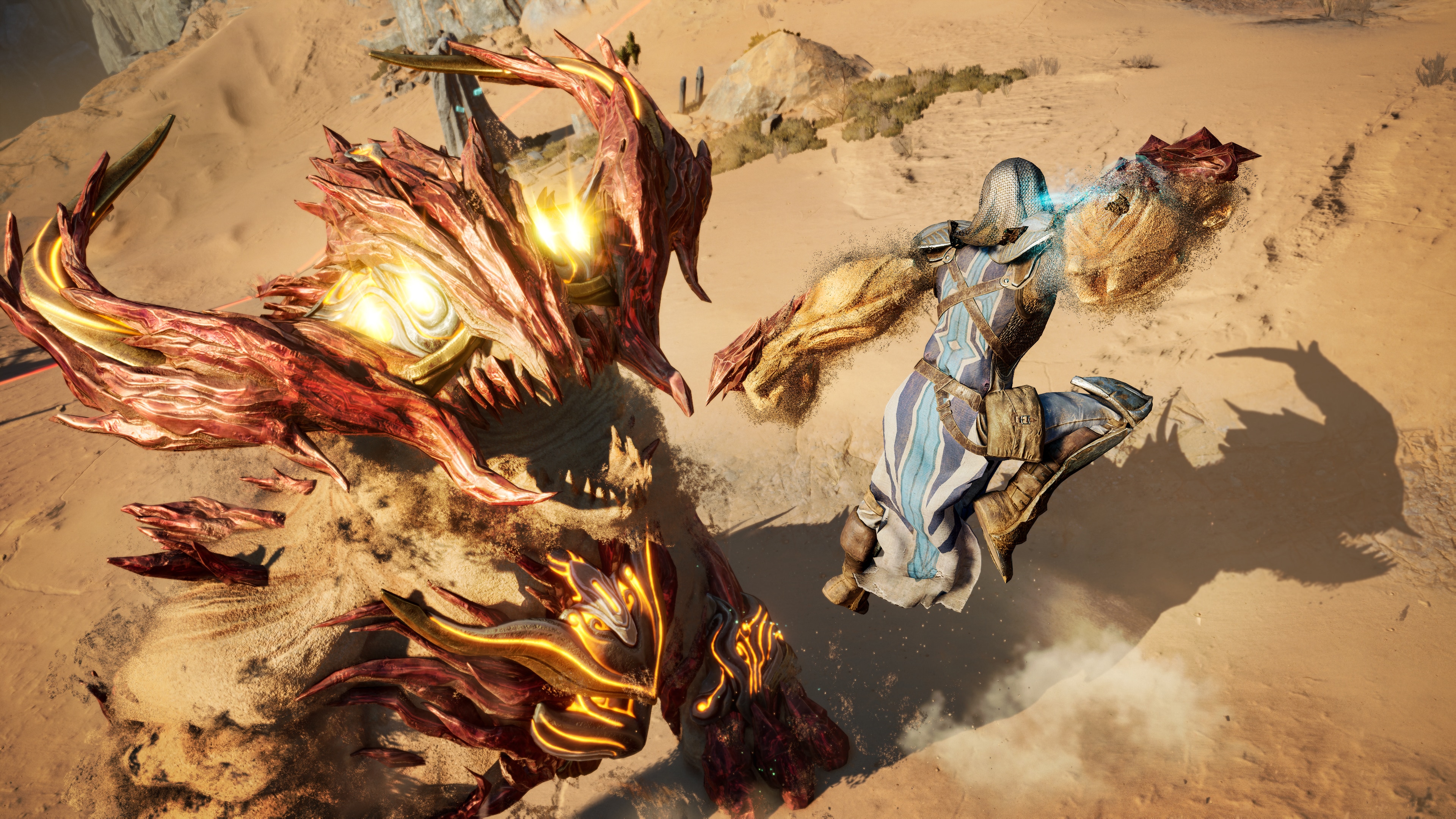
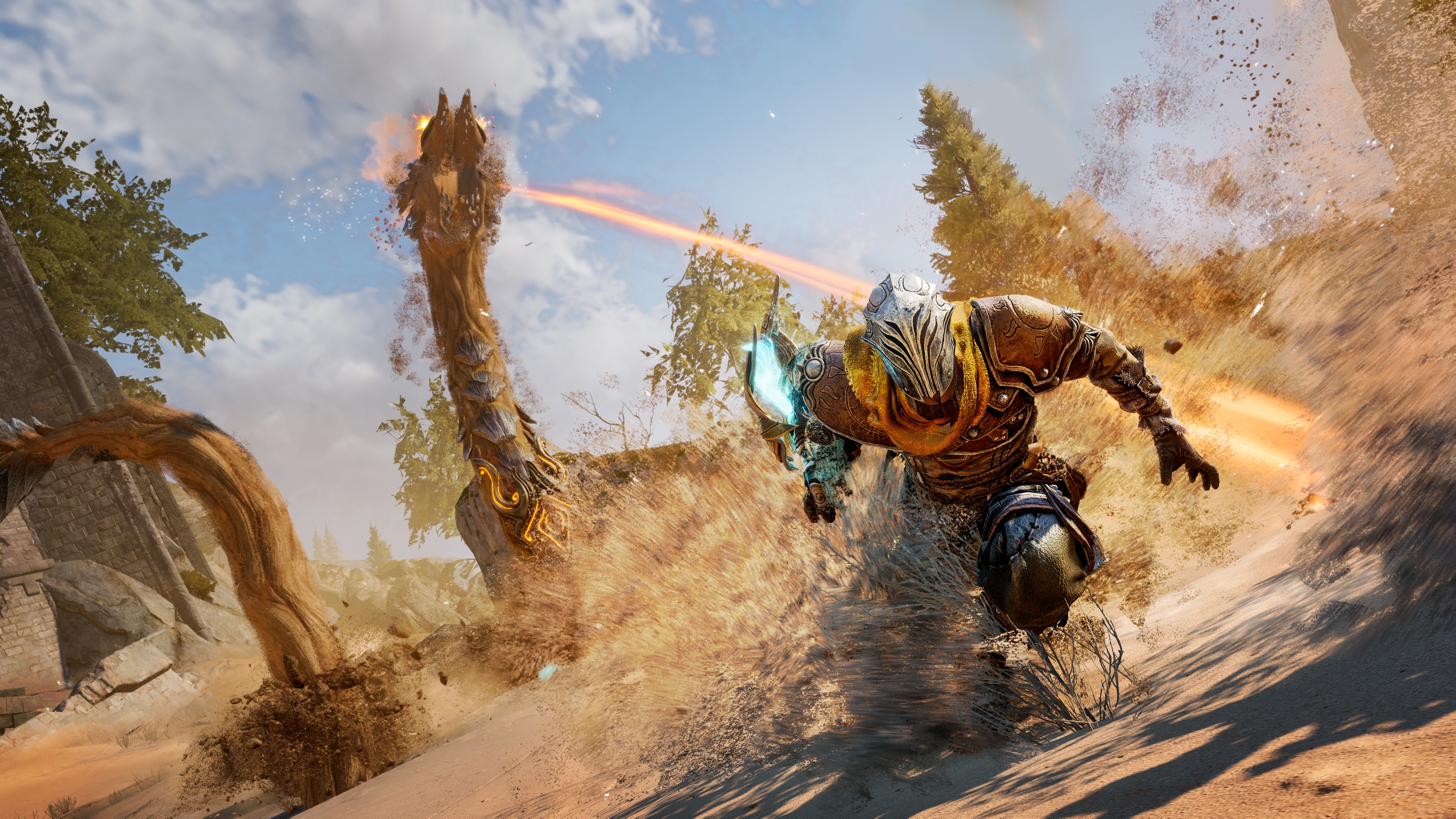
For those looking for their next Souls-like fix, you might want to take a look at HexWorks’ upcoming Lords of the Fallen. If you’re wondering what the Lords of the Fallen game length is, we have the answer to that straight from the devs.

Speaking to MP1st during our hands-on session with the game, HexWorks’ studio boss Saul Gascon and Creative Director Cezar Virtosu answered how long it will take for players to complete Lords of the Fallen, and whether there’s a New Game+ mode.


MP1st: How long is the game’s single player, will there be incentives to replay the game? New Game plus modes?

Saul Gascon – The single player experience for us, like we know whatever enemy spawns, we know everything about it,  think around 25 hours. For a new player it’s gonna be somewhere around the 30 or more.

Cezar Virtosu –  Seeing that the tutorial area takes more than an hour and a half. For us, it takes like 25 minutes tops. So we are looking, I have some 30 hours or something. 

Saul Gascon –  30 plus more or less. Then you have different endings. Like you have three different endings depending on which factions you align with, so that’s one of the replay values. Plus the different classes, so you want to try different types of builds and etc. 

On top of this, is NG+. We have quite a few surprises waiting for players. Just as a brief one, you’ve seen (referring to our hands-on experience) that you have the Ancient Vestiges that are always there, they are present. You have the ones Vestige Seedlings that you can build yourself.

So in NG Plus, there is only one Ancient Vestige, all of the others are out and it’s in the hub and any vestige you want, you need to build it yourself. That means mastery of the environment itself. 

It’s funny because this is how we originally designed the game crafting Vestiges. The first iteration of the game only had one Vestige. But then through the play test, we saw that the dark souls ,or souls like veterans were super happy about it, “oh It’s amazing” right? But then anybody that you know was in the rest of the world “that’s too hard man, you went too far!”. Then we kept that original vision, but only for NG plus. Plus a couple of extra surprises that you will find NG+. 


For an action-RPG Soulslike, 30 hours isn’t too bad. There’s New Game+ as well, which should further add to the replayability.

Stay tuned to our full interview with HexWorks regarding Lords of the Fallen hitting the site soon.

Lords of the Fallen will be released this October 13 on the PS5, Xbox Series X|S and PC.

Avatar photo

Alex Co

Father, gamer, games media vet, writer of words, killer of noobs.

Home > Features

Lords of the Fallen Hands-On Preview – Umbral Has Its Secrets

Lords of the Fallen originally released in 2014, when it received fairly average reviews. However, it seemingly sold enough copies to warrant a sequel, which never fully materialized. Nine years later, a reboot is nearly upon us with a new game, on the latest consoles and PC, with the same name.

MP1st was invited to get a couple of hours of hands-on time with the upcoming creation by developer Hexworks, and we have our impressions ready right now.

A Bit More Accessible

Lords of the Fallen is a Soulslike game, so naturally, it’s challenging. Although, if you have a decent amount of experience with these types of games, you likely won’t have too much of an issue with the regular enemies on offer here and will only find real challenges in the game’s many bosses. Indeed, during my time with Lords of the Fallen, my only deaths occurred during the first true boss, Pieta. A large part of this decrease in difficulty compared to, say, Elden Ring is due to the two lives you’re given.

One unique aspect of Lords of the Fallen is the existence of a parallel world called Umbral. It’s a world of the dead, and represents many things for players. For starters, dying in the main overworld (called Axiom) doesn’t immediately cause you to lose progress. Instead, you are sent to Umbral with one chance to return to the world of the living. This can be accomplished by reaching certain exit points, or building a Forged Vestige by using the relatively rare resource Vestige Seed at particular spots in Umbral.

Essentially, all of Lords of the Fallen features two separate yet interlinked levels to traverse. At any point, you can peer into the Umbral world by holding up your Umbral Lantern. Sometimes, it will be necessary to perform an Umbral Rift, which transports you to the world of the dead at the cost of one of your lives. This will enable you to, for example, cross a bridge that exists only in the Umbral world, thus allowing you to cross an otherwise uncrossable, destroyed bridge in the normal Axiom world. This does represent a unique gameplay mechanic that will no doubt be used throughout the entire game.

The Best Defense Can Be Offense

The Umbral Lantern isn’t only used to travel between worlds. It can also be used offensively. Performing a move called a Soul Flay allows you to rip out the soul of an enemy and attack it. Perform enough damage to the soul in a short window of time, and the enemy will be stunned and ripe for a Soul Reaping attack, which is a special finisher that deals a lot of damage. The lantern can only hold one charge of this ability at first, but of course, this can be increased with upgrades later on in the adventure. Some Axiom (regular) enemies will also have buffs from parasites that only exist in the Umbral realm – the Lantern can thus be used to drain and eventually kill the parasite, which will help make the main enemy a little easier to defeat.

One area where the Umbral mechanic comes in handy is in boss battles. Even against the game’s first boss, which is, Souls-style, designed to kill you so you can learn about the game’s respawning mechanics, performing an Umbral Rift can help you to avoid some attacks at the cost of one of your lives. It’s a risky move, to be sure, but it can occasionally help improve your chances of survival.

Standard Genre Tropes

Combat in Lords of the Fallen is pretty standard for the genre. You’ve got heavy and light attacks at your disposal, blocking and parrying, and even jumping if you’re sprinting. There are also magic attacks that are strong and weak against each other and even ranged weapon options. Dodging via dashing is a common tactic used to lure enemies to attack in order to counter them after they miss you. Double-tapping the dodge button will quickly get you out of harm’s way, though, of course, this uses a good chunk of stamina which is very limited at the start.

If a lot of this sounds familiar, that’s because it is for these types of games. There’s a tutorial sequence where you’re expected to die against a very overpowered boss and thus introduced to the respawn mechanic. There are bonfires like in Souls games, but here they are called Vestiges. These areas are relatively safe and allow you to fill up your healing items at the cost of resetting enemies, upgrading, and performing other tasks. There are multiple character classes to choose from, varying from tanks to magic users, and of course, a special cursed class for those who love extra challenges. This is all stuff you’ll find in any Soulslike, perhaps because these things work so well for games of this type.

Definitely a Reboot

Lords of the Fallen may share the same name as the original 2014 game, but it expands upon basically every aspect of the original. There are two separate worlds, for starters, but also a faster combat system, more RPG aspects, and the entire campaign can be played in online co-op. While we didn’t get to try out this feature during our hands-on time, we were told that the feature is seamless and should help increase accessibility for those that might need assistance playing tougher games.

Lords of the Fallen, as it’s shaping up now, seems to be on the right path to be a fun Soulslike, with its own unique features that it brings to the table. The helper NPCs before boss fights will help the game be a bit more accessible to those who need the assistance, while its optional status means those who are a glutton for punishment can ignore them entirely. There is a sense that we’ve seen a lot of this before, even down to the “cursed” character that you can start with, but some of that is inevitable in a genre with well-established tropes. Prepare yourself for Lords of the Fallen’s launch in October 2023 for current-generation consoles and Windows.


Lords of the Fallen will be released this October 13 on the PS5, Xbox Series X|S and PC.

Avatar photo

Paulmichael Contreras

Paulmichael has been writing in the gaming industry since 2008. Living just outside of Los Angeles, he has been lucky enough to attend numerous gaming events around the world, including the last ten E3 shows (RIP)! A thoughtful reviewer, every game you see scored by PmC has been given careful attention. Paulmichael is also an aviation fan and an avid snowboarder. Favorite games include: No Man's Sky, Gran Turismo 7, skate., CloverPit.

Home > News

World War Z Update 1.48 for August 10 Shoots Out for Holy Terror, Here Are the Patch Notes

Saber Interactive has released World War Z update 1.48 (PS5 version 1.011) on all platforms, and this is for the Holy Terror free content drop.  This brings new Horde Mode XL map, new weapons, and loads more! Read up on everything new in the WWZ new update patch notes for August 19.

World War Z Update 1.48 Patch Notes | World War Z Update 1.011 Patch Notes| WWZ Holy Terror Update Patch Notes | WWZ August 10 Patch Notes:

New Content

  • New Paid DLC – Victory Lap Weapon Skins Pack.
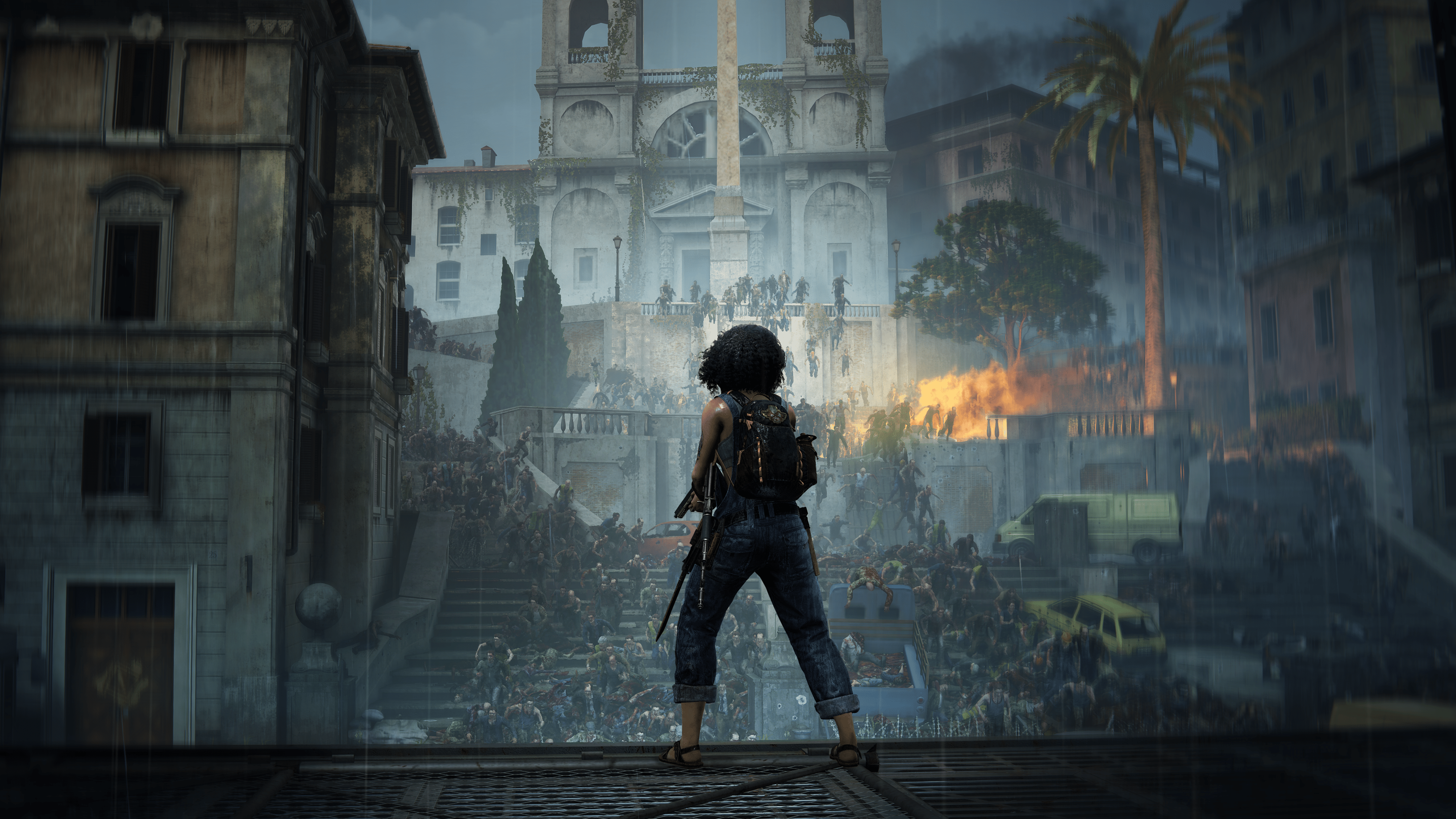
  • New Horde Mode XL Map – Rome.
  • New primary weapon – Repeating Rifle.
  • New heavy weapon – Multi-Shot Rocket Launcher.
  • New perks for specific weapons.
  • 4 New trinkets for characters.
  • 9 New perks for each player class.
  • 12 New Mutators in Horde Mode Challenge:
    • Airstrike (the mortar shell can land in three random locations).
    • Healing Explosions (device and heavy weapon explosions restore health).
    • Drone Army (each player receives a temporary drone).
    • Free Meds (free medicine becomes available in the main shop).
    • The Pursuers (players can encounter slow, more resilient zombies during the wave that can revive and pursue players until the end of the wave).
    • Free Supply (free gear bags become available in the main shop).
    • Sell-Out (defense kits start having a discount).
    • Taxes (defense kits start costing more).
    • Leg Day (the player loses health and stamina when climbing).
    • Hot-Tempered Bull (each Bull’s ground smash causes an explosion).
    • My Chainsaw and Me (a random player gets an infinite ammo chainsaw without being able to use other weapons).
    • Primary Weakness (primary weapon damage gets reduced by 75%).

General

  • Mutators from Horde Mode Challenge can now be used in private lobbies.
  • Added Quick Match search option for Horde Mode and Horde Mode XL.
  • Tokyo Horde Mode XL map is now available in the Horde Mode Challenge.
  • Fixed a bug when the player with the “Judo” or “Rage Mode” perk could become invincible.
  • Fixed a bug when respawning a Vanguard class player with the “Stronger Together” perk would heal all players to full HP.
  • Fixed a bug when the Grenade Launcher with the “Incendiary Grenades” weapon perk and “High Voltage” Slasher class perk could inflict unexpectedly high damage.
  • Classes (Gunslinger, Fixer, Medic, Slasher) can now be assigned to the bots, and they can use the abilities of these classes.

PC

  • Added the FSR 2.2 support.
  • Added new DualSense Haptic Feedback effects.
  • Fixed the Dead Sea Stroll level crashes on the MS Store game version.

Consoles

  • Added new DualSense Haptic Feedback effects on PlayStation 5.
  • Fixed crashes in Horde Mode XL on PlayStation 5.
  • Slightly improved performance on Xbox Series X|S and PlayStation 5.

Once a new patch is out, we’ll be sure to let our zombie-slaying readers know.

Source: Saber Support

Avatar photo

Alex Co

Father, gamer, games media vet, writer of words, killer of noobs.

Home > News

Jurassic World Evolution 2 Update 1.008.001 Out for New DLC This Aug. 10

Jurassic World Evolution 2 update 1.008.001 is now out on all platforms this August 10. This is update 1.8.10 and it includes the newly released Prehistoric Marine Species Pack. Read on for what’s new in the patch notes down below.

Jurassic World Evolution 2 Update 1.008.001 Patch Notes | Jurassic World Evolution 2 Update 1.8.10 Patch Notes | Jurassic World Evolution August 10 Patch Notes:

Hello Park Managers!

We are very excited to announce that the Jurassic World Evolution 2: Prehistoric Marine Species Pack and free Update 7 are now available.

Read below for the full set of patch notes.

DLC – PREHISTORIC MARINE SPECIES PACK

PREHISTORIC SPECIES

  • 4 x New Species
    • Shonisaurus
    • Dunkleosteus
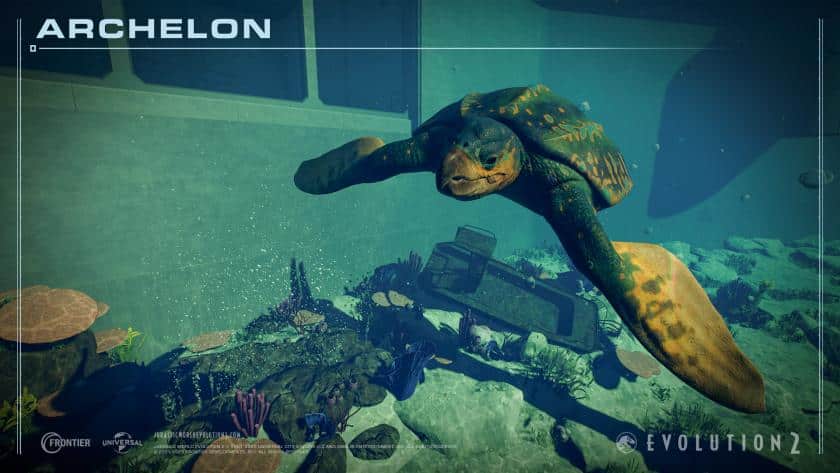
    • Archelon
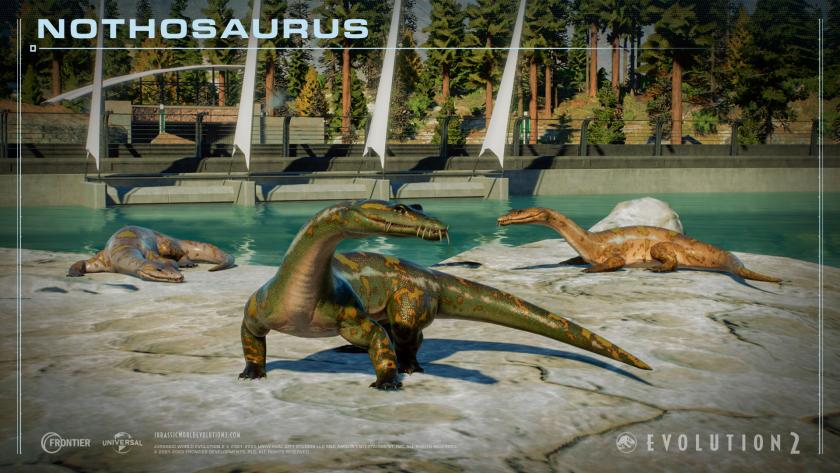
    • Nothosaurus

FEATURES

  • Added new environment object (Lagoon Rock Platform) to be used by Archelon and Nothosaurus
  • Added new environment need for Platforms required by Archelon and Nothosaurus

UPDATE 7

CUSTOM CHALLENGE MODE

  • Players are now able to create their own challenges with ‘Custom Challenge Mode’
  • Select a map – Choose from one of four preset difficulties, or create your own experience with over 40 customisable settings for you to adjust to your own liking
  • Then choose up to 3 objectives which will be required to complete your challenge
  • Each custom challenge will generate its own unique Share Code, which you can then share with others and have them recreate your personal configuration

BUILDINGS

  • Added new “Lagoon Viewing Dome” which works as a “Remote Viewing Gallery” for the lagoon
  • Added the “Amphitheatre” as a placeable building in Sandbox Mode on all levels as part of the “Jurassic Park” building style
  • When buildings are marked for deletion, scaffolding now shows immediately
  • Remote viewing entrances can now be snapped to lagoon edges

GENE SPLICER/SPECIES VIEWER

  • Added the ability to mark skin and pattern colour variants as favourites
  • Added ability whilst in the Hatchery genome editing menu to only randomise your favourited colour variants

SANDBOX MODE

  • Added a new setting “Dinosaur Danger to Guests” (found under the “Dinosaurs” section)
    • When set to “off”, dinosaurs will not be considered a danger to guests and guests will not flee or be attacked by them
    • This can be set to “off”, “on” or “on (carnivores only)”
  • Added ability as part of Demolish to Cosmetically Damage buildings in Sandbox Mode allowing players to make buildings look damaged without affecting gameplay
  • Removed all unlock requirements on Sandbox levels so that all levels are available without requiring progression in other game modes
  • Added “Intelligent” and “Fussy” traits into Sandbox Mode
    • Allowing “Intelligent” dinosaurs requires the Dinosaur Escapes setting to be “on”
    • “Fussy” dinosaurs is an additional setting as part of Dinosaur Comfort settings

JURASSIC WORLD DATABASE

  • Added the ability to view different dinosaur model variants in the JWDB

DINOSAURS

  • Added the ability to Favourite a Dinosaur and be notified when that dinosaur is performing interesting behaviours
  • Reduced all sauropod territory requirements by 25%
  • Adjusted Spinosaurus posing in all behaviours and movements
  • Added new social behaviours to Ichythosurus, Plesiosaurus, Kronosaurus, Elasmosaurus, Attenborosaurus, Styxosaurus and Liopleuropdon
  • Marine reptile transport no longer always goes to the centre of a lagoon
  • Enabled Proceratosaurus and Monolophosaurus to attack Ranger Teams
  • Contact points for Ranger Team vehicles have been rebalanced, allowing for accurate engagements from dinosaurs

SPECIES VIEWER

  • Added ability to view behaviours in slow motion in the Species Viewer

BUG FIXES

  • Removed duplicate ‘Extra Scientist’ & ‘Storm Defence’ upgrades from Malta Acquisition Centre
  • Fixed Contracts to purchase Authorities or Underground-listed dinosaurs appearing in Sandbox Mode on Malta maps
  • Fixed automated Ranger Teams briefly displaying the “Can’t reach destination” status when assigned to a Ranger Post they can reach
  • Enabled hunts by large marine reptiles on small and medium ones when they’re hungry and don’t have enough feeders
  • Adjusted vehicle spawn point spatial box sizes for JP Response Facility so that Ranger Teams don’t act blocked when parked
  • Fixed the absences of the Herrerasaurus and Megalosaurus so they’ll appear as part of the Dominion Malta Expansion campaign
  • Feathered Species Pack and Prehistoric Marine Species Pack (when owned) species are now also available in the Malta Dinosaur Exchange as part of the Dominion Malta Expansion
  • Fixed duplicate traits appearing for a Scientist when sent to rest when they were disgruntled
  • Fixed the vehicle radio in the Isla Nublar Square Sandbox playing the wrong station
  • Adjusted staff generation to provide more skilled applicants
  • Fixed Mr. DNA decoration appearing in the lights sub-menu
  • Set the correct helicopter for the Biosyn Expedition Centre’s decorative variant
  • Fixed being unable to accelerate or brake when switching the camera to the inside of a Ranger Team when using a controller
  • The Heavy Fence is now available when using the DFW Building Style
  • Fixed weather and disease not appearing on Sierra Nevada square Sandbox level
  • Fixed Dinosaur Exchange Contracts appearing in Northwest USA Challenge level
  • Small and tiny pterosaurus will no longer cause panic just by flying near other dinosaurs
  • The Malta Staff Centre should now count towards the shared building limit on all Sandbox maps
  • Fixed bug where some Sauropod species would require an extra stimulant dart to wake when at 100%
  • Fixed bug where carnivore and live prey feeders could be placed on and clip into San Marie Lagoon attachment point platforms
  • Fixed Log Viewing Gallery and Dome Viewing Gallery negatively affecting transport rating
  • Additional fixes for dinosaurs and ranger teams getting stuck in place
  • Fixed players being blocked during the Dominion Malta Expansion if you transport Atrociraptors to another island before the player moves
  • Prevent vehicles being able to drive through a fence when a invisible fence joins a regular fence
  • Fixed aviary drone not being fully controllable when aviary is below a certain height.
  • Fixed tour vehicles flipping/bouncing in groups
  • Fixed research prompts for dinosaur tranquiliser not working during Washington State Wreckage Challenge level

MISC

  • Various stability fixes
  • Various animation fixes
  • Various audio fixes
  • Various text and localisation fixes

Source: Jurassic World Evolution 2

Damien Seeto

Home > News

F1 Manager 2023 Update 1.05 for Aug. 10 Races Out for Crash Fixes

Frontier Developments has released F1 Manager 2023 update 1.05, which is called patch 1.5 by the devs. This patch addresses to fix the game from crashing. Check out the F1 Manager 2023 August 10 patch notes down below.

F1 Manager 2023 Update 1.05 Patch Notes | F1 Manager Update 1.5 Patch Notes | F1 Manager 2023 Aug. 10 Patch Notes:

Hey folks,

Update 1.5 is now rolling out to consoles that looks to address the most common cause of crashes:

  • Fixed crash that could occur if red flag triggered near end of race
  • Fixed crash that could occur during race weekend

A small update for F1 Manager 23 is rolling out now to PC that looks to address the most common cause of crashes:

  • Fixed crash that could occur during race weekend
  • Added DX11 stable fallback option where DX12 crash is detected
  • Prevented patch notes pop-up persisting after first launch

If you experience any crash issues after your game has updated, please let us know via this link: https://formcrafts.com/a/f1manager

Thank you to everyone who has let us know about bugs, crashes and other issues they have experienced so far, as well as the feedback you’ve provided on the game. We really appreciate hearing from you!

Source: F1 Manager

Damien Seeto

Home > News

Baldur’s Gate 3 Update for August 10 Drops for Hotfix 2.1, Here Are the Patch Notes

Larian Studios has pushed out Baldur’s Gate 3 update for August 10, and this is for what the studio calls Hotfix 2.1! This is the second hotfix released this week, with the patch released on Tuesday housing a ton of fixes.

Baldur’s Gate 3 Update for August 10 Patch Notes | Baldur’s Gate 3 Hotfix 2.1 Patch Notes:

As it turns out, many of you were doing so much in Baldur’s Gate 3 that some of your personal ‘story’ databases (where your choices and actions are stored) got too big. We now made the size infinite (or at least as infinite as you have storage space), to account for the sheer amount of things you’re all doing on your journeys.

As of today, we’re also reactivating cross-saves as we near our PlayStation 5 launch.

Hotfix #3 is currently in the oven, and will include further fixes in the near future.

CHANGES

  • Fixed an issue with save games that could occur if a save file grew too large.
  • Re-enabled Larian Cloud savegames.

That’s about it. Once Hotfix 3 is out, we’ll let our readers know ASAP.

Source: Steam

Avatar photo

Alex Co

Father, gamer, games media vet, writer of words, killer of noobs.

Home > News

Jurassic World Evolution 2 Update 1.25 Released for Patch 1.8.10 This Aug. 10

Frontier Developments has released Jurassic World Evolution 2 update 1.25 today to implement a new DLC called the Prehistoric Marine Species Pack. Check out the Jurassic World August 10 patch notes down below.

Jurassic World Evolution 2 Update 1.25 Patch Notes | Jurassic World Evolution 2 Update 1.8.10 Patch Notes | Jurassic World Evolution August 10 Patch Notes:

Hello Park Managers!

We are very excited to announce that the Jurassic World Evolution 2: Prehistoric Marine Species Pack and free Update 7 are now available.

Read below for the full set of patch notes.

DLC – PREHISTORIC MARINE SPECIES PACK

PREHISTORIC SPECIES

  • 4 x New Species
    • Shonisaurus
    • Dunkleosteus
    • Archelon
    • Nothosaurus

FEATURES

  • Added new environment object (Lagoon Rock Platform) to be used by Archelon and Nothosaurus
  • Added new environment need for Platforms required by Archelon and Nothosaurus

UPDATE 7

CUSTOM CHALLENGE MODE

  • Players are now able to create their own challenges with ‘Custom Challenge Mode’
  • Select a map – Choose from one of four preset difficulties, or create your own experience with over 40 customisable settings for you to adjust to your own liking
  • Then choose up to 3 objectives which will be required to complete your challenge
  • Each custom challenge will generate its own unique Share Code, which you can then share with others and have them recreate your personal configuration

BUILDINGS

  • Added new “Lagoon Viewing Dome” which works as a “Remote Viewing Gallery” for the lagoon
  • Added the “Amphitheatre” as a placeable building in Sandbox Mode on all levels as part of the “Jurassic Park” building style
  • When buildings are marked for deletion, scaffolding now shows immediately
  • Remote viewing entrances can now be snapped to lagoon edges

GENE SPLICER/SPECIES VIEWER

  • Added the ability to mark skin and pattern colour variants as favourites
  • Added ability whilst in the Hatchery genome editing menu to only randomise your favourited colour variants

SANDBOX MODE

  • Added a new setting “Dinosaur Danger to Guests” (found under the “Dinosaurs” section)
    • When set to “off”, dinosaurs will not be considered a danger to guests and guests will not flee or be attacked by them
    • This can be set to “off”, “on” or “on (carnivores only)”
  • Added ability as part of Demolish to Cosmetically Damage buildings in Sandbox Mode allowing players to make buildings look damaged without affecting gameplay
  • Removed all unlock requirements on Sandbox levels so that all levels are available without requiring progression in other game modes
  • Added “Intelligent” and “Fussy” traits into Sandbox Mode
    • Allowing “Intelligent” dinosaurs requires the Dinosaur Escapes setting to be “on”
    • “Fussy” dinosaurs is an additional setting as part of Dinosaur Comfort settings

JURASSIC WORLD DATABASE

  • Added the ability to view different dinosaur model variants in the JWDB

DINOSAURS

  • Added the ability to Favourite a Dinosaur and be notified when that dinosaur is performing interesting behaviours
  • Reduced all sauropod territory requirements by 25%
  • Adjusted Spinosaurus posing in all behaviours and movements
  • Added new social behaviours to Ichythosurus, Plesiosaurus, Kronosaurus, Elasmosaurus, Attenborosaurus, Styxosaurus and Liopleuropdon
  • Marine reptile transport no longer always goes to the centre of a lagoon
  • Enabled Proceratosaurus and Monolophosaurus to attack Ranger Teams
  • Contact points for Ranger Team vehicles have been rebalanced, allowing for accurate engagements from dinosaurs

SPECIES VIEWER

  • Added ability to view behaviours in slow motion in the Species Viewer

BUG FIXES

  • Removed duplicate ‘Extra Scientist’ & ‘Storm Defence’ upgrades from Malta Acquisition Centre
  • Fixed Contracts to purchase Authorities or Underground-listed dinosaurs appearing in Sandbox Mode on Malta maps
  • Fixed automated Ranger Teams briefly displaying the “Can’t reach destination” status when assigned to a Ranger Post they can reach
  • Enabled hunts by large marine reptiles on small and medium ones when they’re hungry and don’t have enough feeders
  • Adjusted vehicle spawn point spatial box sizes for JP Response Facility so that Ranger Teams don’t act blocked when parked
  • Fixed the absences of the Herrerasaurus and Megalosaurus so they’ll appear as part of the Dominion Malta Expansion campaign
  • Feathered Species Pack and Prehistoric Marine Species Pack (when owned) species are now also available in the Malta Dinosaur Exchange as part of the Dominion Malta Expansion
  • Fixed duplicate traits appearing for a Scientist when sent to rest when they were disgruntled
  • Fixed the vehicle radio in the Isla Nublar Square Sandbox playing the wrong station
  • Adjusted staff generation to provide more skilled applicants
  • Fixed Mr. DNA decoration appearing in the lights sub-menu
  • Set the correct helicopter for the Biosyn Expedition Centre’s decorative variant
  • Fixed being unable to accelerate or brake when switching the camera to the inside of a Ranger Team when using a controller
  • The Heavy Fence is now available when using the DFW Building Style
  • Fixed weather and disease not appearing on Sierra Nevada square Sandbox level
  • Fixed Dinosaur Exchange Contracts appearing in Northwest USA Challenge level
  • Small and tiny pterosaurus will no longer cause panic just by flying near other dinosaurs
  • The Malta Staff Centre should now count towards the shared building limit on all Sandbox maps
  • Fixed bug where some Sauropod species would require an extra stimulant dart to wake when at 100%
  • Fixed bug where carnivore and live prey feeders could be placed on and clip into San Marie Lagoon attachment point platforms
  • Fixed Log Viewing Gallery and Dome Viewing Gallery negatively affecting transport rating
  • Additional fixes for dinosaurs and ranger teams getting stuck in place
  • Fixed players being blocked during the Dominion Malta Expansion if you transport Atrociraptors to another island before the player moves
  • Prevent vehicles being able to drive through a fence when a invisible fence joins a regular fence
  • Fixed aviary drone not being fully controllable when aviary is below a certain height.
  • Fixed tour vehicles flipping/bouncing in groups
  • Fixed research prompts for dinosaur tranquiliser not working during Washington State Wreckage Challenge level

MISC

  • Various stability fixes
  • Various animation fixes
  • Various audio fixes
  • Various text and localisation fixes

Source: Jurassic World Evolution 2


Damien Seeto

Home > News

EA Sports PGA Tour Update 1.000.010 for August 10 Brings Patch 6.0

EA Sports PGA Tour update 1.000.010 is now out on all platforms this August 10, and this is for the big 6.0 patch that rolls in a new course, a new season, and new features! Read on for everything new in the official EA Sports PGA Tour update .6.0 patch notes.

EA Sports PGA Tour Update 1.000.010 Patch Notes | EA Sports PGA Tour Update 6.0 Patch Notes | EA Sports PGA Tour August 10 Patch Notes:

Season 5 and the FedExCup Playoffs are here!

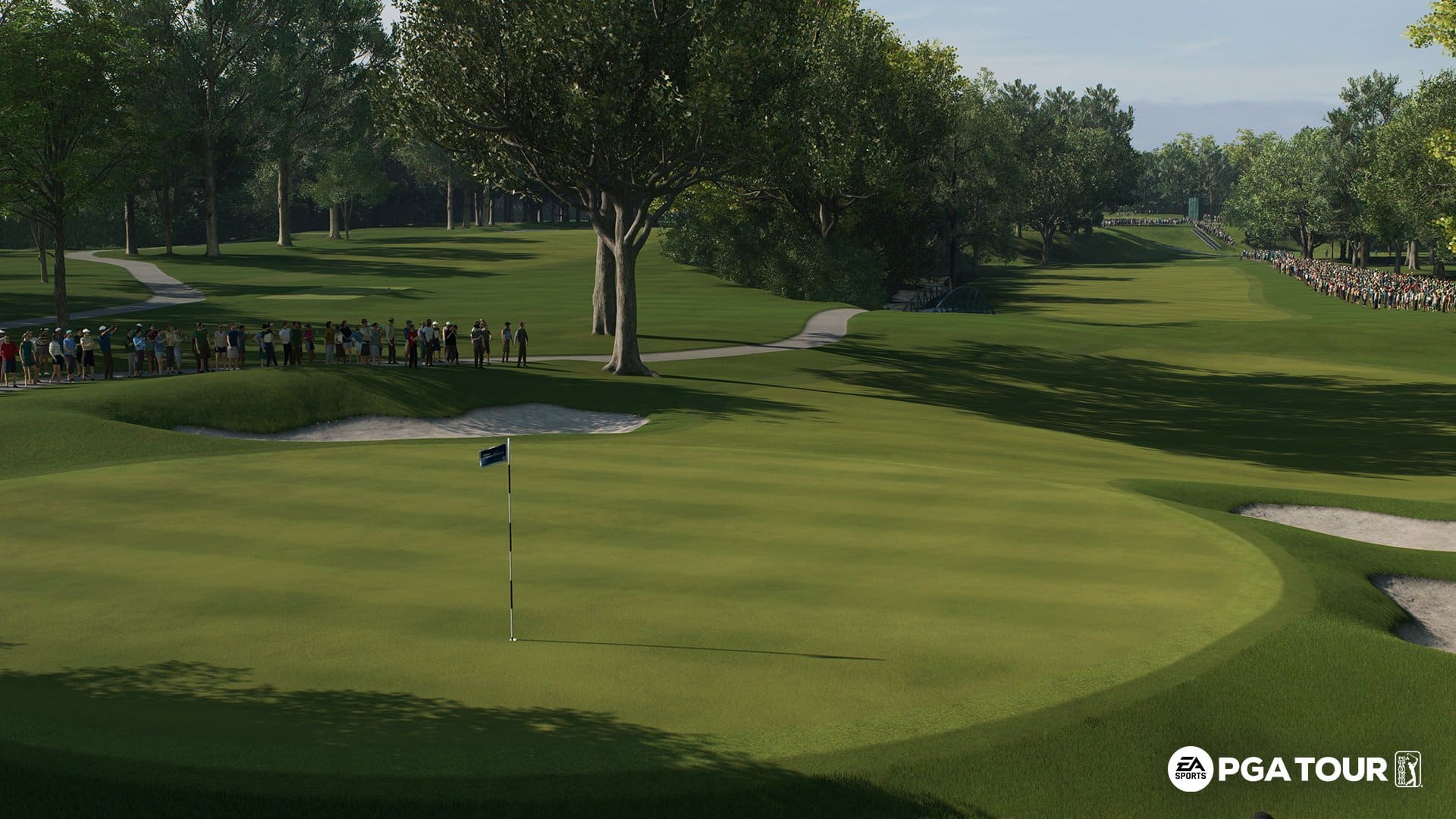
The North Course at Olympia Fields Country Club, host of the second leg of the 2023 FedExCup Playoffs, is now available to play in all game modes. In career mode, the BMW Championship now alternates between Olympia Fields and Wilmington Country Club every season. Menus, screens, and key art have also been updated to be styled in the Season 5 FedExCup Playoffs theme. Three straight weeks of new Challenges will also be released that recreate key moments from each of the three FedExCup Playoff events.

Season 5 also introduces Pro Pass* as the best way to experience everything that each season has to offer and earn exclusive rewards. Season 5 Pro Pass includes new seasonal content such as Scottie Sheffler’s Signature Irons Spec in the free tier, while the premium tier includes the new Orange TaylorMade MyStealth 2 Driver, Jordan Spieth’s Scottie Cameron 009 Putter, and more. Throughout the season you’ll earn tokens to level up your Pro Pass by completing live Quests, FedExCup Playoffs Challenges, and playing rounds in Online, Tournaments, and Career modes.


We are excited to announce that Match Play is now available to play in both Online and Private Match modes. Online leaderboards have also been updated to differentiate between Match Play and Stroke Play performance. Since this is the first online turn-based format that has been released, we will continue to build upon it as we look to add additional formats like Foursomes and Four-Ball and make overall improvements to the online turn-based gameplay experience.

We are also happy to announce that one round tournaments are now available in Career mode. Note that one round tournaments are no cut events where the player is required to play all 18 holes.

Online mode has been updated to show upcoming playlists along with timers to indicate when they will be opened and closed. This will allow us to expand online playlist variety such as making other gameplay styles like Arcade, Pro, and Simulation available to play for periods of time.

  • New specs for Season 5:
    • Superior Power and Superior Accuracy: These specs focus on significantly improving your Power or Accuracy attribute.
    • Xander Schauffele and Sungjae Im’s signature series specs will be added to the store.
    • Complete the Pro Pass and earn Scottie Sheffler’s Signature Irons Spec.
  • Gameplay:
    • Aiming arc and ball trails are no longer visible on the black screen during a fade-out.
    • Fix for HUD being momentarily visible at the end of hole flyovers that were initiated from the scorecard menu.
    • Updated aiming arc to show the power of the arc using the exact lie effect percentage when the player’s Lie Effect setting is off. When the Lie Effect setting is on, the aiming arc continues to use the average of the lie effect range to determine the power of the arc.
    • Fixed the “Team Ball” Quick Play format, which was not scoring the match correctly and showing the wrong type of scorecard. The fix was applied to servers on August 4th.
  • Career:
    • Fixed numerous issues related to how FedExCup Starting Strokes for the TOUR Championship were being displayed and sorted in scorecards, leaderboards, and the HUD.
  • Tournaments:
    • Fixed issues where the Tournament fee was not being charged back to the player’s account after experiencing an error. The fix was applied to servers on July 27th.
  • Challenges:
    • Fixed instances where pro golfers were being shown instead of the player’s created golfer when previewing challenge rewards.
    • Fixed issue where Scottie Scheffler was always the AI opponent in challenges. This fix was already applied to servers on August 4th.
  • Quests:
    • Fixed issue where Live Quests were not being displayed in the UI. The fix was applied to servers on August 9th.
  • Courses:
    • Improve texture resolution and overall visual quality on 5 courses:
      • Chambers Bay
      • Riviera
      • TPC Sawgrass
      • TPC Scottsdale
      • Wolf Creek
    • Augusta National: Reprimanded and corrected camera operators in the towers on holes 12, 13, and 15 who were not filming their greens.
    • Bandon Dunes: Fixed tree hit box being too big on the right side of the tee shot for hole 9.
    • Bandon Dunes: Fix for tree disappearing during the hole 7 flyover when using performance mode.
    • Bandon Dunes: Adjusted sun glow effect in the morning so that it is better aligned with the position of the sun.
    • Bay Hill: Fixed inconsistent bark texture on willow oaks.
    • Chambers Bay: Updated bunker textures to improve visuals when viewing from a distance.
    • Chambers Bay: Improved antialiasing on the fence on the right side of hole 16.
    • Evian Resort: Fixed base of camera tower on hole 16 being slightly off the ground.
    • Lighthouse Pointe: Fix for stairs on the lighthouse being slightly above the terrain..
    • Oak Hill: Fixed trees floating above the ground on the left side of the fairway on hole 17.
    • Pebble Beach: Fixed collision that was missing on some sidewalk curbs.
    • PGA WEST: Improved antialiasing on wooden planks that line bunkers around the course.
    • Royal Liverpool: Added the internal out of bounds area to the course, which was previously missing.
    • Royal Liverpool: Fixed chimney textures on Hole 1 sometimes being incorrectly displayed as white on some graphics settings.
    • Royal Liverpool: Updated bunkers so that the sod edge wraps the full perimeter of all bunkers.
    • Royal Liverpool: Fixed some walls and bushes popping in during the flyover camera on hole 1.
    • Royal Liverpool: Adjusted sun glow effect in the morning so that it is better aligned with the position of the sun.
    • Tara Iti: Fixed 3D grass not appearing properly on a number of greens.
    • Tara Iti: Fixed a patch of grass that was floating above the terrain on hole 18.
    • Teeth of the Dog: Cut grass that was clipping through the concrete base of the patio on the left side of hole 1.
    • The Country Club: Cut grass that was clipping through the bridge near the 10th green.
    • TPC Boston: Fixed tree hit box being too big on the left side of the tee shot for hole 14.
    • TPC Boston: Buoyed some ducks that were floating below the level of the water height.
    • TPC Scottsdale: Fixed inconsistent collision on the floating WM logo next to holes 17 and 18.
    • TPC Southwind: Improved antialiasing on fence near the green and right side of hole 1.
    • Wetlands: Cut grass that was clipping through the concrete base of the structure next to the 15th green.
  • UI:
    • Global: Updated thumbnail images for all clubs so that they’re oriented to better display the club.
    • Challenges: Fix for the challenge card remaining on the screen if the player exits back to gameplay quickly after changing a setting.
    • Equipment: Fix for “Copy Bag” applying Bag 1 instead of the currently selected bag if “Copy Bag” is used immediately after changing equipment.
    • Equipment: Fix for the wrong item being focused in the yardage breakdown panel when navigating between bags.
    • Equipment: Updated the “Swap All” confirmation popup to clarify that the item is applied to all compatible clubs, not only the currently selected type of club.
    • Gameplay: Changed “Exit” button to “End Round” and removed the confirmation popup if the round is completed.
    • Gameplay: Added a background to the shot types screen.
    • Identity: Fix for golfer name being erased after navigating quickly through identity screen contents.
    • Loading: Fix for showing the incorrect seasonal trophy when returning from gameplay.
    • Main Menu: Added a notification that links the player to the skills screen after skill points have been earned.
    • Main Menu: Fix for the timer of a pinned quest being cut off in the main menu.
    • Online: Updated the matchmaking timer to only display minutes and seconds.
    • Online (Stroke Play): Fixed the outro leaderboard so that it correctly shows the course logo instead of always displaying the TPC Sawgrass logo.
    • Online (Stroke Play): Changed the order of columns in the outro leaderboard from Win/Ties/Losses to Win/Losses/Ties.
    • Private Match (Stroke Play): Show leaderboard with match results in the end round screen.
    • Private Match: Fix for Private Match being in an unplayable state if the player spams “Select” in the golfer selection screen.
    • Quests: Removed the “Manage Golfers” button from the Quests tab due to issues caused by being able to change your golfer while in Career mode.
    • Quests: Added a notification that links the player to the rewards screen after completing quests.
    • Rewards: Fixed text overlap that occurred when viewing multiple packs with long names.
    • Skills: Fixed shot types information panel alignment so that it no longer overlaps with text behind it.
    • Tournaments: Updated background image for tournaments on Royal Liverpool to show an image of the course.
  • Branding:
    • Update UI to use the latest version of the TravisMathew logo.
    • Fixed the inner element of the BMW logo being transparent instead of solid white.
  • Stability:
    • Fixed crash that could occur when backing out of a sub item tab in the equipment screen.
    • Additional crash and stability-related fixes.
  • Accessibility:
    • Fix for menu narration reading subtabs first instead of main tabs after accessing a main tab for the second time.

* Pro Pass content requires gameplay to unlock. Requires EA SPORTS PGA Tour (sold separately) and all game updates to play.

That’s about it. Once a new patch is released for the golf sim, we’ll let our readers know.

Source: EA

Avatar photo

Alex Co

Father, gamer, games media vet, writer of words, killer of noobs.

Home > News

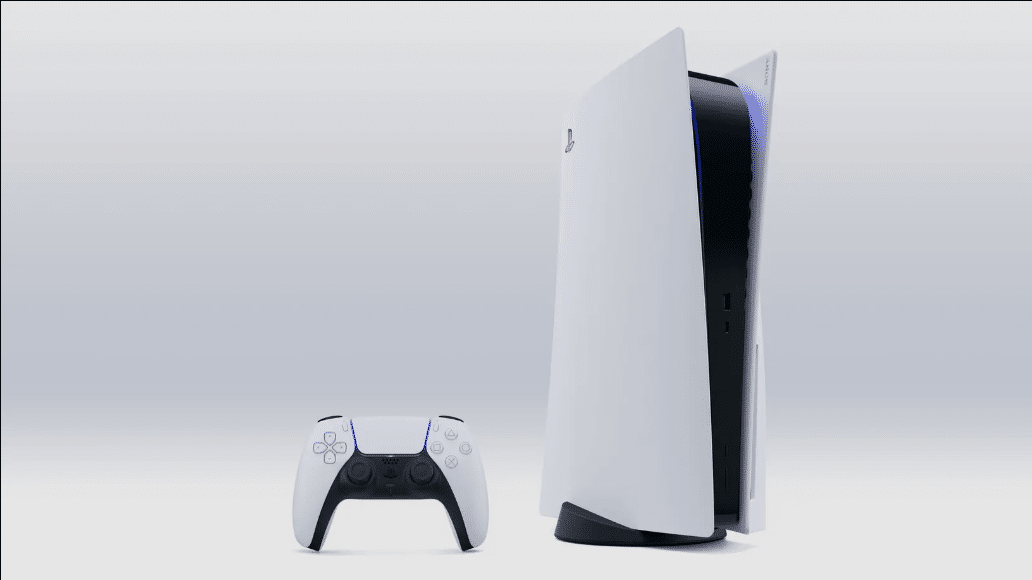
PS5 Update 23.01-07.61.00.00 for August 10 Rolled Out, Patch Notes Listed

Sony has released PS5 update 23.01-07.61.00.00, and given this is another unannounced patch, and we already know that a big firmware update is already in beta testing, this is more for stability than anything else. Read up on what’s new in the PS5 system update patch notes for August 10.

PS5 Update 23.01-07.61.00.00 Patch Notes | PS5 System Update August 10 Patch Notes:

Size: 1,1GB

Main features in this system software update

  • This system software update improves system performance

That’s about it. As for the next major PS5 firmware patch, it’s being tested, and is tagged as version 8.00 of the system software, and you can read the patch notes released to beta testers here.

More PlayStation Reading:

Avatar photo

Alex Co

Father, gamer, games media vet, writer of words, killer of noobs.

Home > News

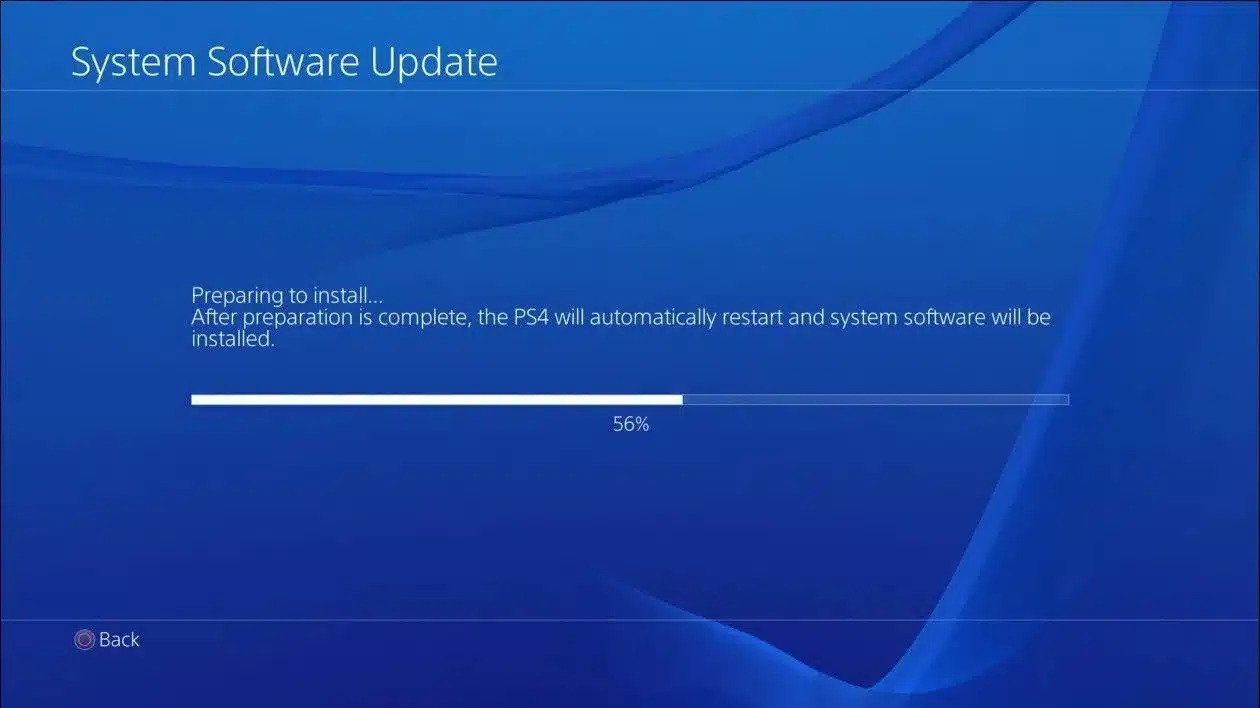
PS4 Update 10.71 Released This August 10, Here Are the Patch Notes

Sony has released PS4 update 10.71 today worldwide. This update comes with improved system performance. Check out the PS4 August 10 patch notes below.

PS4 Update 10.71 Patch Notes | PS4 August 10 Patch Notes:

Main features in the system software update:

  • This system software update improves system performance.

That’s all the patch notes Sony has released. We will update this post if and when more details are uncovered. The PS4 may be on its way out, but Sony is still continuing to release updates for the again console. Keep it locked at MP1st for more updates about the PS4 console.

More PlayStation Reading:

Damien Seeto

Home > News

Double Dragon Gaiden: Rise of the Dragons Review – A Confused Throwback

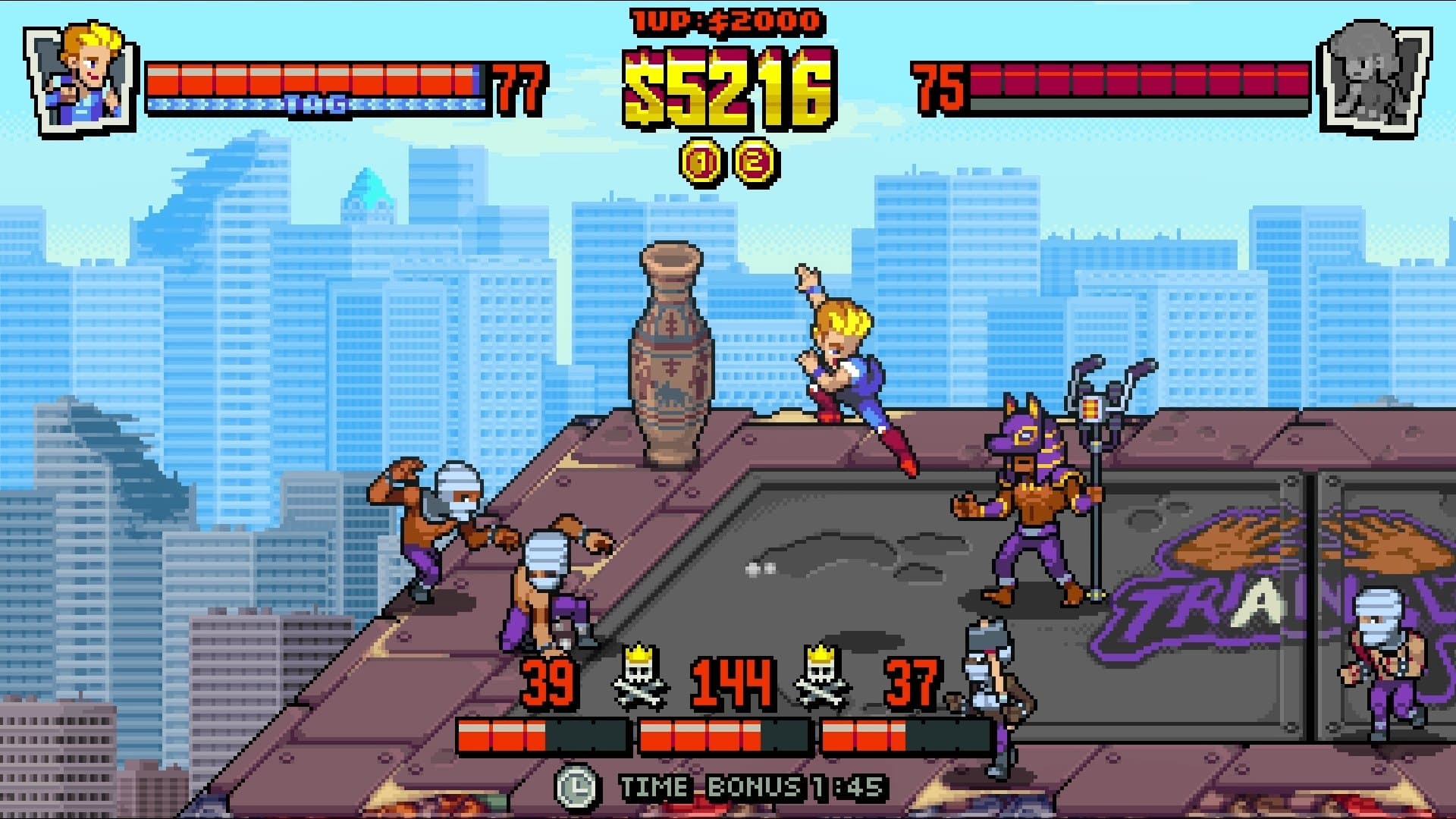
Billy and Jimmy are back from the prolific eighties for another round of glorious old-school arcade brawling. Double Dragon Gaiden: Rise of the Dragons is the new pixel-art fighting game where the two brothers are once again called into action, this time to rid a post-nuclear war New York City of criminal gangs. Roguelite elements and tag team action go hand-in-hand… or should I say foot-in-face with the two-player cooperative game mode, but is this a successful comeback?

The Golden Era of Brawlers

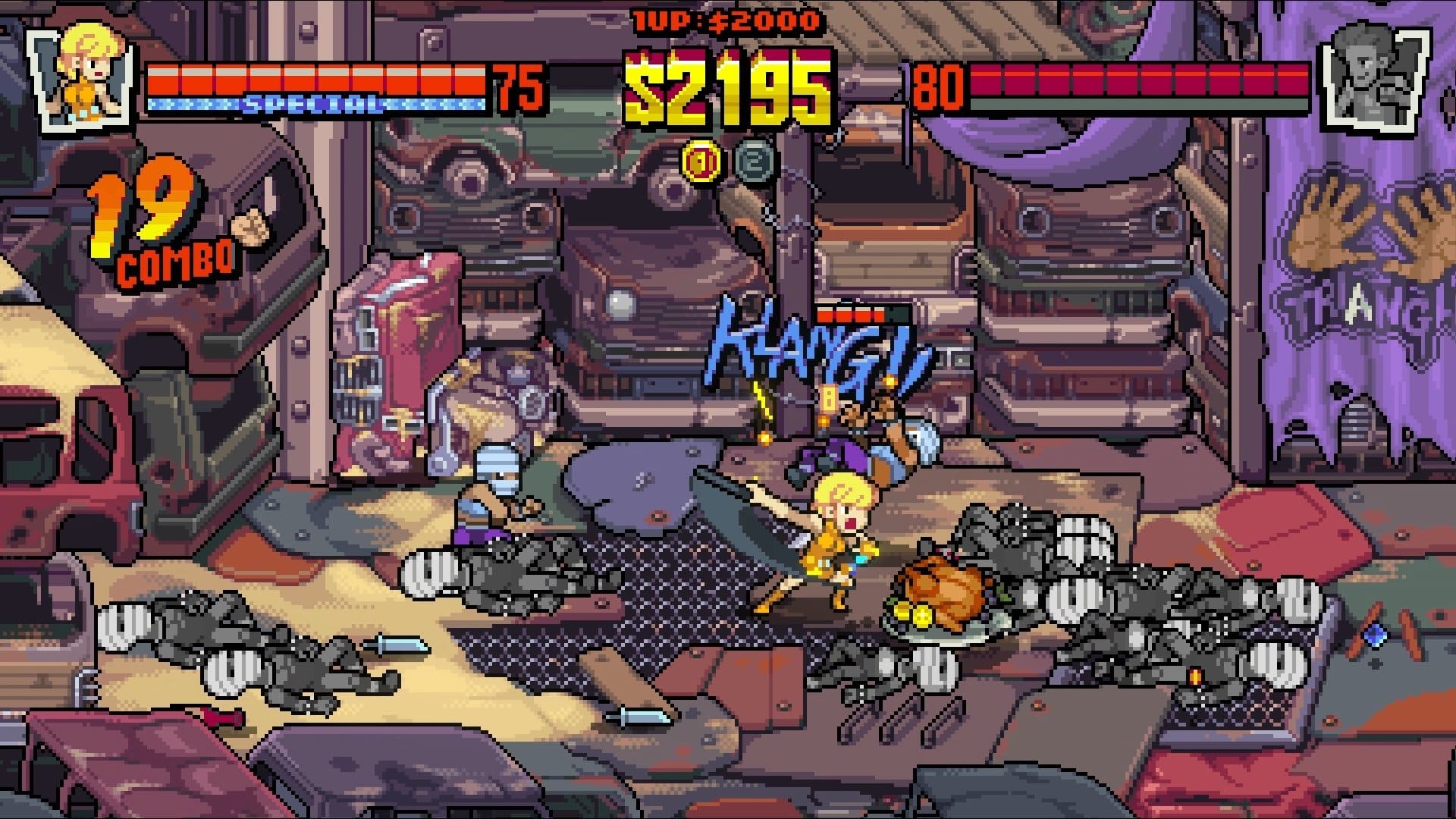
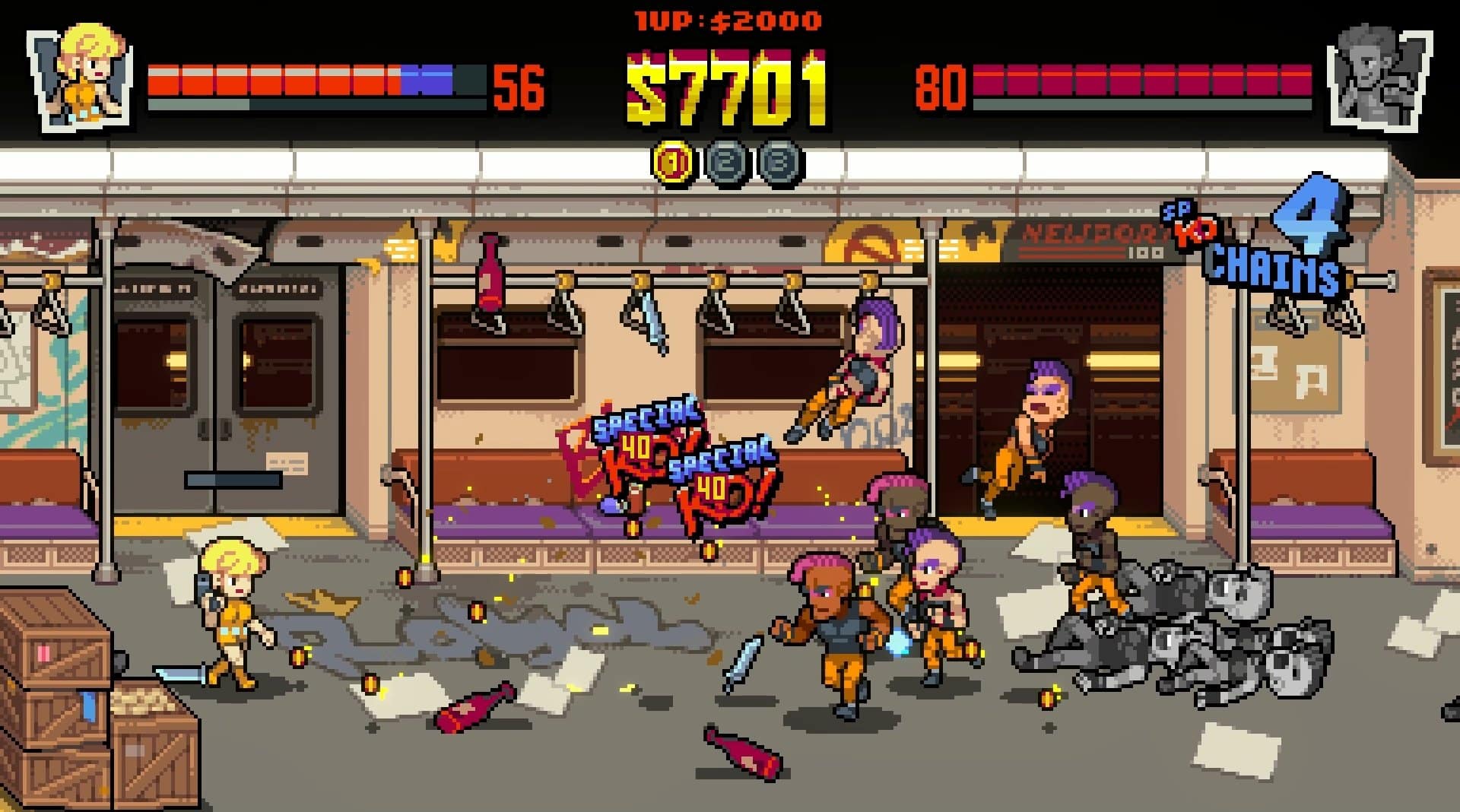
Double Dragon Gaiden puts you in this pixel-art style that feels both like an update and a tribute to the first games in the franchise. The looks of both Billy and Jimmy may not be to everyone’s taste, with a hint of chibi that is bound to divide opinions, especially when the character portrait artwork here is remarkable, but overall, the graphical choices are cute and give the game a cheerful style. Still, it is more reminiscent of 16-bit console games than the arcades of yesteryear.

Double Dragon Gaiden brings a new take to the series with the introduction of roguelite elements. Nothing too deep or complicated, some may even call this addition somewhat shallow; just a few features managing to add choices to a brawler that could otherwise offer a standard linear progression system. You can select one level from the four starting stages and follow this approach as you clear one after the other, breaking some of the rigidity from other side-scrolling brawlers. The difficulty of each level increases accordingly to your stage in the adventure, modifying the number of enemies, stage length, and challenge, giving each playthrough a chance of feeling slightly different from the previous one.

Double Dragon Gaiden: Rise of the Dragons Review

The roguelite elements are also seen in the randomized selection of items that you purchase at the end of each stage with the collected coins. Additional health, improved attack efficiency, gaining shield, or simply grabbing a nice pile of cash are some of the options, many of them dependent on factors such as current health or tag partner defeated.

But this feels more of a gimmick than a real game changer. It’s still a fighting game with the kind of gameplay that isn’t too deep, and the roguelite elements are true to the name, being light in the way that they actually affect how the game unfolds. Stronger and tougher enemies may be a thing indeed, but it’s nothing that breaks the mold of the game in any fundamental or overly thought-provoking ways.

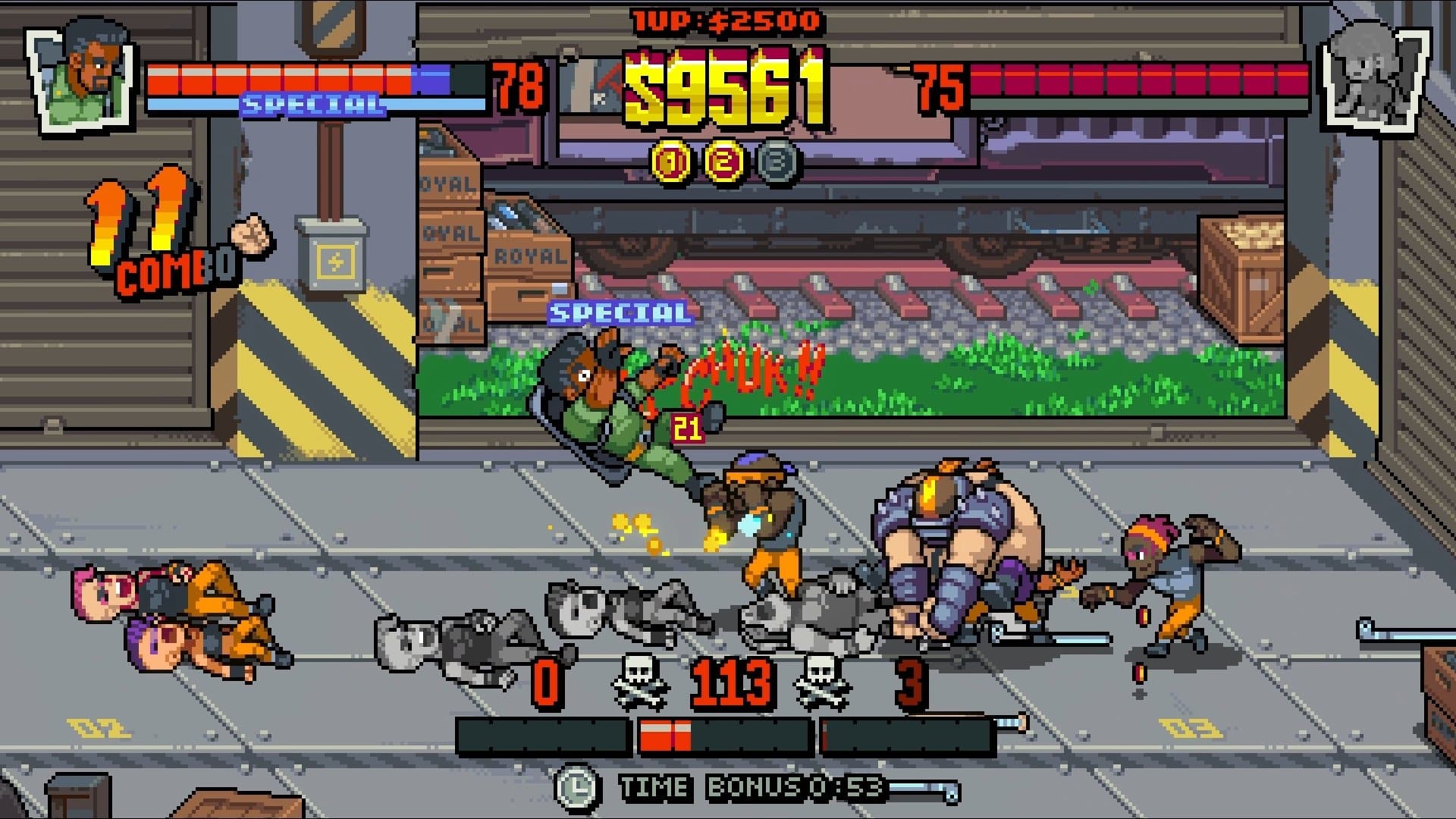
This is a game with a strong focus on the tag team aspect, allowing for two-player local cooperative play where each one selects two characters. Billy, Jimmy, Marian, and Uncle Matin are the starting options, with Marian’s choice of a pistol as her main weapon coming as a perfectly balanced alternative to the brothers’ familiar array of punches and kicks. There are nine other characters to unlock, and combining these during the game for crowd control and other moves should be your goal, increasing effectiveness and the number of coins and tokens to earn. It’s fun to experiment with fighters and see how the tag move works in some conditions, breaking enemy attacks, but you shouldn’t expect a deep offer in terms of moves for each character.

Double Dragon Gaiden: Rise of the Dragons Review

It’s a shame then that hit collision verges on the inaccurate side. Billy’s kicks often strike home even when he is clearly too far apart from scorpions or destructible objects, with the hit boxes seemingly fluctuating between good and awful. Fighters with short range aren’t much fun to play, so you’re likely going to want Marian in your team to use her ranged advantage anyway. Billy and Jimmy players are likely going to resort to flying kicks often, as normal attacks end up feeling short, and there’s the occasional feeling that movement errs on the side of sluggish. You end up getting used to it and the game remains partially fun, but it’s not quite there with the latest fast-paced, weighty, and engaging brawlers of the genre such as Streets of Rage 4.

Double Dragon Gaiden encourages you to go for crowd control moves for better rewards, which pretty much means using your wits to group up enemies and take them out with your special abilities. It is satisfying to do so, but the combo announcement interrupting the gameplay becomes tiresome; even if it’s just for a second, this ends up amounting to a lot and turns into an incessant stream of short breaks. A small and discreet pop-up somewhere on the screen would have a better effect, allowing for seamless gameplay.

Pulling Punches?

Double Dragon Gaiden: Rise of the Dragons Review

Double Dragon Gaiden isn’t deprived of something to bring to the beat’em up genre, but it does feel like a game tailored to younger players, when it should in fact be designed with veterans in mind – those who have grown with the first games of the series, drawn to their brutal martial arts combat without any rules or complications getting in the way of relentless punishment. It’s not just the gameplay mechanics that feel light in terms of moves and combos, this despite the tag aspect; the visuals also support this idea that there’s some sort of indecision regarding the actual target audience.

There’s some undeniable fun to be had if you can look past the hit collision issues, or the lack of proprietary support for online coop. The roguelite elements are interesting but don’t feel essential in any sense, almost as if a mandatory box to tick and tickle the fancy of some fans. As a throwback to one of the all-time brawler greats, Double Dragon Gaiden is competent, but doesn’t really pack the punch that the series deserves.

Score: 7.5/10

Pros:

  • Two-player coop play can be fun
  • Some welcome diversity to the campaign
  • Interesting choice of characters

Cons:

  • Hit collision isn’t always up to current standards
  • Feels conflicted about its target audience
  • Despite the freedom of choice, roguelite elements still feel like an afterthought

Double Dragon Gaiden: Rise of the Dragons review code was provided by the publisher. You can read MP1st’s review and scoring policy right here.

Vitor Braz

Home > News

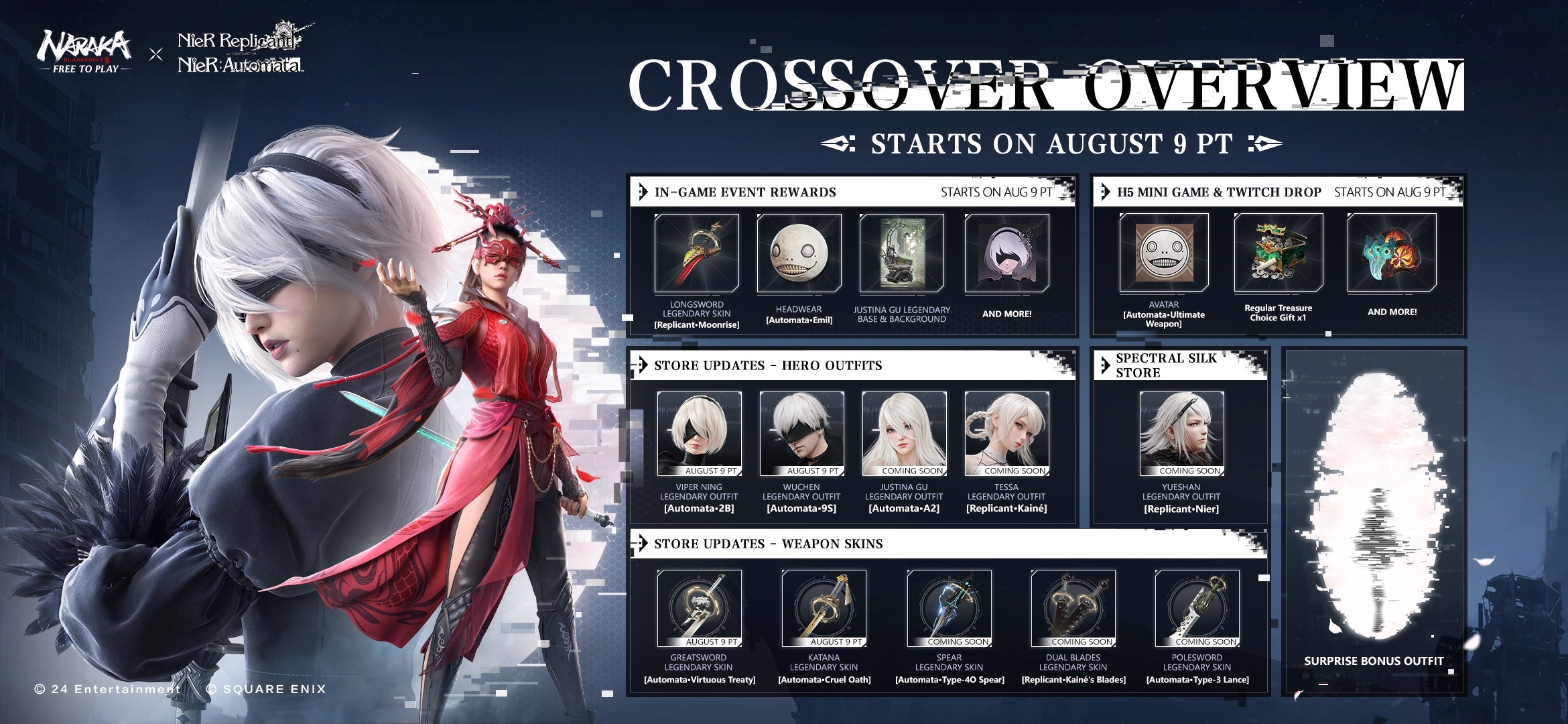
Naraka Bladepoint Update for August 10 Dropped for NieR Crossover, Patch Notes Listed

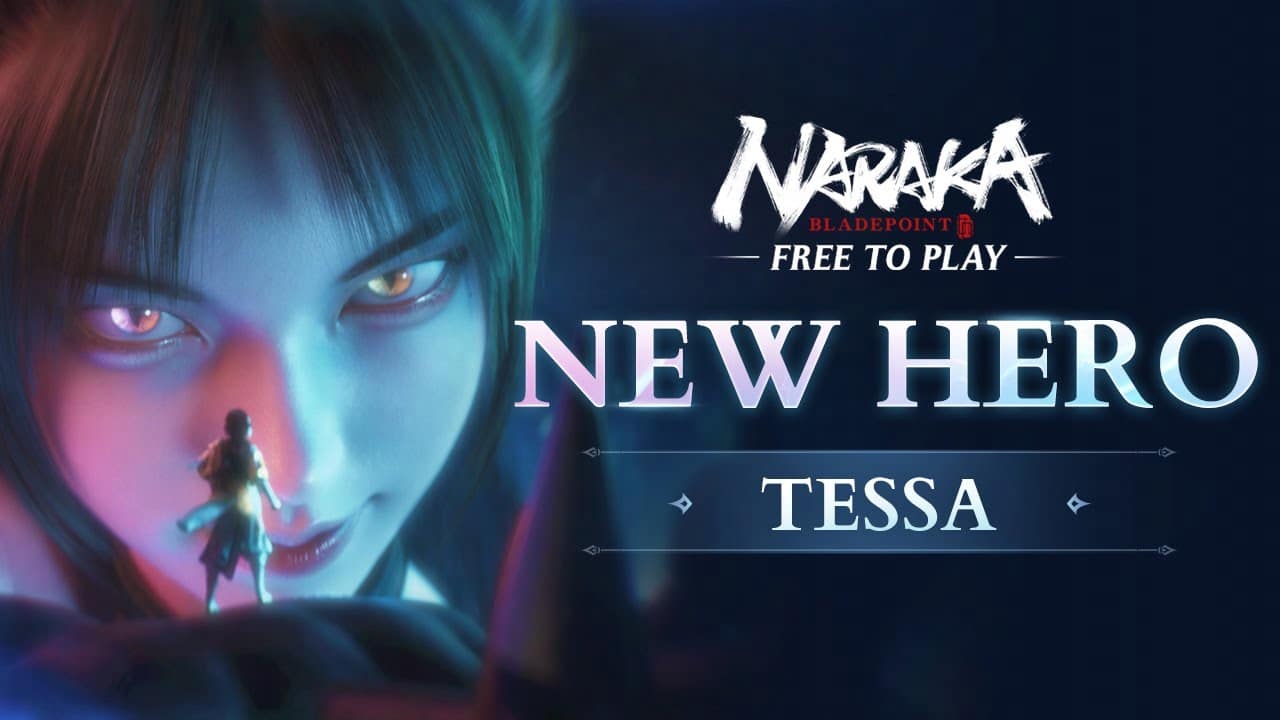
NetEase has released the Naraka Bladepoint update for August 10 for the big NieR crossover! This update includes a  new hero in Tessa: The Vixen, a new mechanism and loads more! Read on for the complete Naraka Bladepoint and NieR crossover patch notes.

Naraka Bladepoint Update for August 10 Patch Notes | Naraka Bladepoint and NieR Crossover Patch Notes:

Brand-new Content

I. New Hero: Tessa, The Vixen

Sultry but deadly, don’t let those tails fool you. Many have fallen prey to her beguiling charms.

A young Herald sharing her soul with an ancient fox spirit, Tessa uses charm and trickery to manipulate any and all into doing her bidding.

She wields sensuality and wit like weapons, weaving a web of pleasure to ensnare her prey. Though her love might feel genuine, the targets of her affection are little more than pawns in her quest to revive the fallen god Sunwing.

The third skill and ultimate are not yet available in this version. Once available, you can complete heroes’ Cultivation Quests to unlock them. If you’ve completed the required Cultivation Quests before upcoming updates, the skill and ultimate will be unlocked automatically.

II. New Mechanism: Congeneric Skill

1. New Mechanism: Congeneric Skill of Greatsword and Polesword is now available.

How to use the move:

(1) Equip both Greatsword and Polesword in the weapon slots;

(2) While performing an attack move with Greatsword or Polesword, you can switch between primary and secondary weapons to execute the resonated move, which enables subsequent “Congeneric Skill”.

III. Fight with Tenacity (Newbie Protection)

Players below Lv. 20 (this standard will be adjusted according to actual performance in battle) will gain the Tenacity effect in Quick Matches.

The specifics are as follows:

1. An extra Rebirth (each player can have 2 Rebirth chances until the Shadow Corruption’s first advance).

2. +25% damage reduction.

IV. Crossover Event with NieR is now available
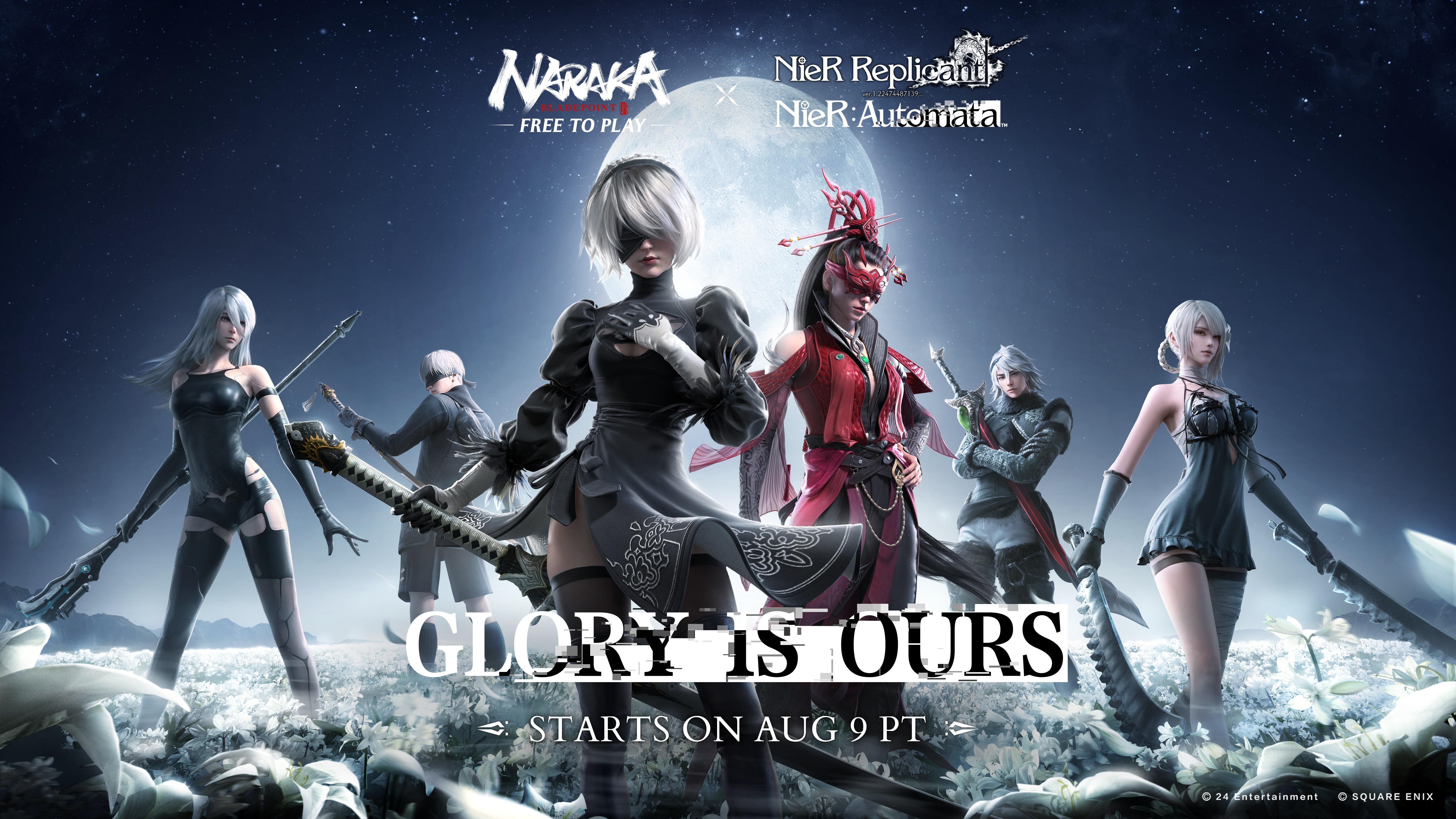
Everything that lives is designed to end.

We are perpetually trapped…

in a never-ending spiral of life and death.”

1. Fairyland Penglai Updates

(1) NARAKA × NieR crossover themed song “The Flame of Fate” is now available in the background music.

(2) You can now sit on the chairs and benches on Fairyland Penglai.

(3) Updated the appearance of NARAKA Balls on Fairyland Penglai and reactivated their interaction with players.

(4) Redesigned the appearance of the Giant Kitebird and introduced new tour routes; board them at Wind’s Abode and Mystoland to experience different tours.

2. Map Updates

(1) Holoroth – Frigid Pools

On the Frigid Pools of Holoroth, vast fields of Lunar Tears have bloomed, along with peculiar iron puppets appearing. A strange skull is found among the blooms; what happens if you offer it the Lunar Tears you’ve picked?

(2) The Morus Isle – Cosmic Pillars

An anomaly occurred at the Cosmic Pillars: a portal that cannot be closed has opened!

3. New Mechanism – Pod

Small accompanying robots appeared in the Morus Isle and Holoroth. Hold the buttong to interact and awaken these robots. When your Armor is not full, they will provide you with recovery until their stored armor is depleted.

4. Limited-time Event: New Era
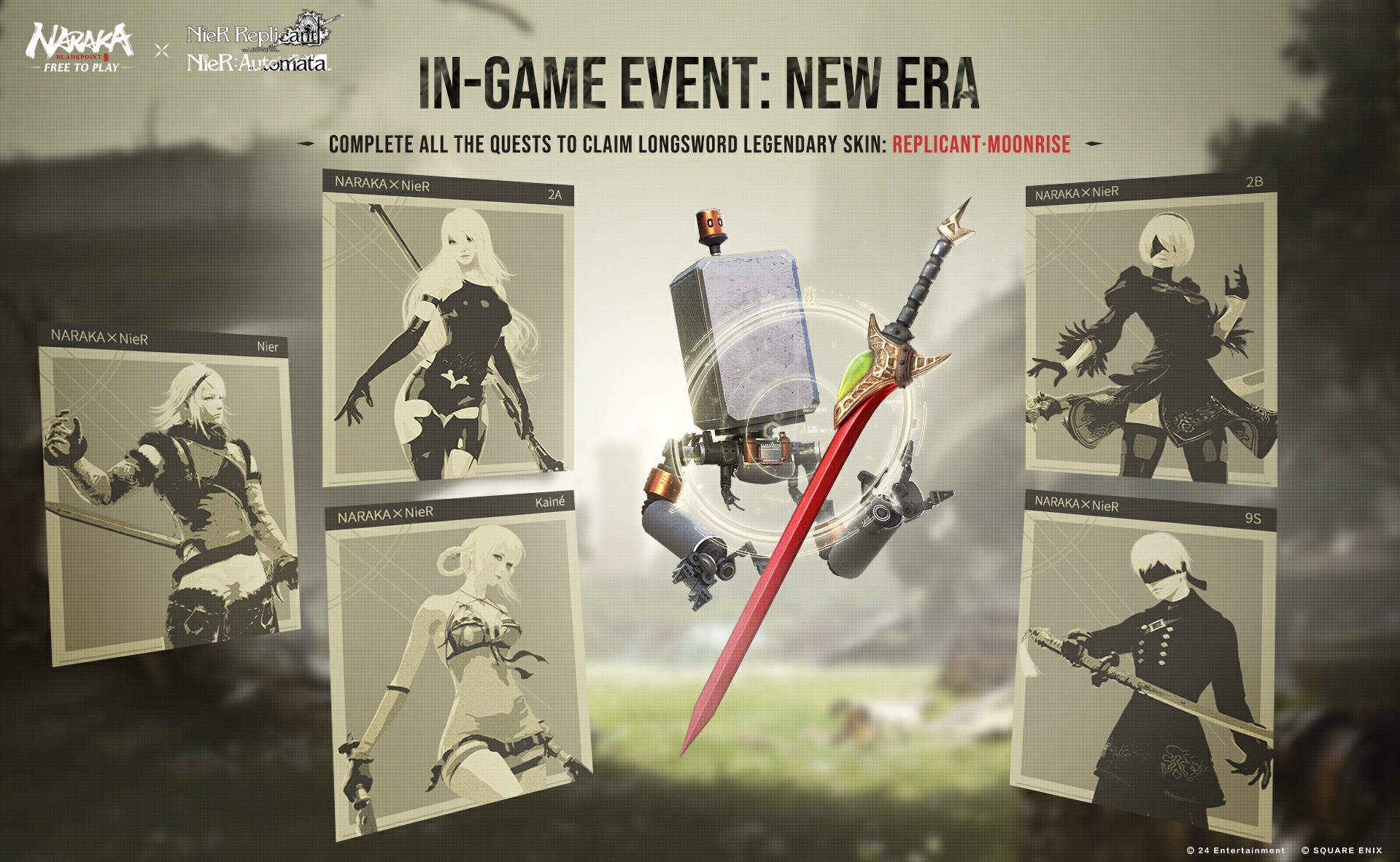
(1) During the event, you can select any chapter each day to complete its quests. The quests of each chapter will be unlocked in a timely order. Once you begin exploring a selected chapter, you cannot switch to other chapters on the same day nor complete quests in other chapters. However, you can still claim rewards for completed quests from other chapters. Changing chapters do not change your current quest progress.

(2) Complete all chapter quests to claim the Crossover Themed Longsword Legendary Skin: [Replicant ·Moonrise].

(3) Complete event quests and pick up Lunar Tears during matches to give them to Emil. Participate in Sky-high Racing to obtain [Bolt], which can be used to redeem the rewards that Pod-24 secretly “acquired” from the game operation system.

(4) Pod-24 has hacked into your friend list, you may sometimes receive messages or rewards from it.

Event Time: From Aug 10th, 2023 Update to Sep 6th, 2023 at 20:00 (UTC)

V. Limited-time Event: Vixen’s Trick

Red blooms sway, sun-kissed after the rain; fragrant air, a sight to gain.

Event Rules:

1. Players can obtain Fox Spirit Beads by completing daily and event quests. Fox Spirit Beads can be exchanged for rare rewards.

2. You must complete an event quest to unlock the next one. You can’t complete an event quest before it becomes available.

3. Completing each event quest will unlock a question. Tap on the spirit fox to answer the question and claim generous rewards when you answer correctly.

VI. Mythic Treasure with Bonus Star – Collections

Event Time: From Aug 10th, 2023 Update to Nov 16th, 2023 at 00:00 (UTC)

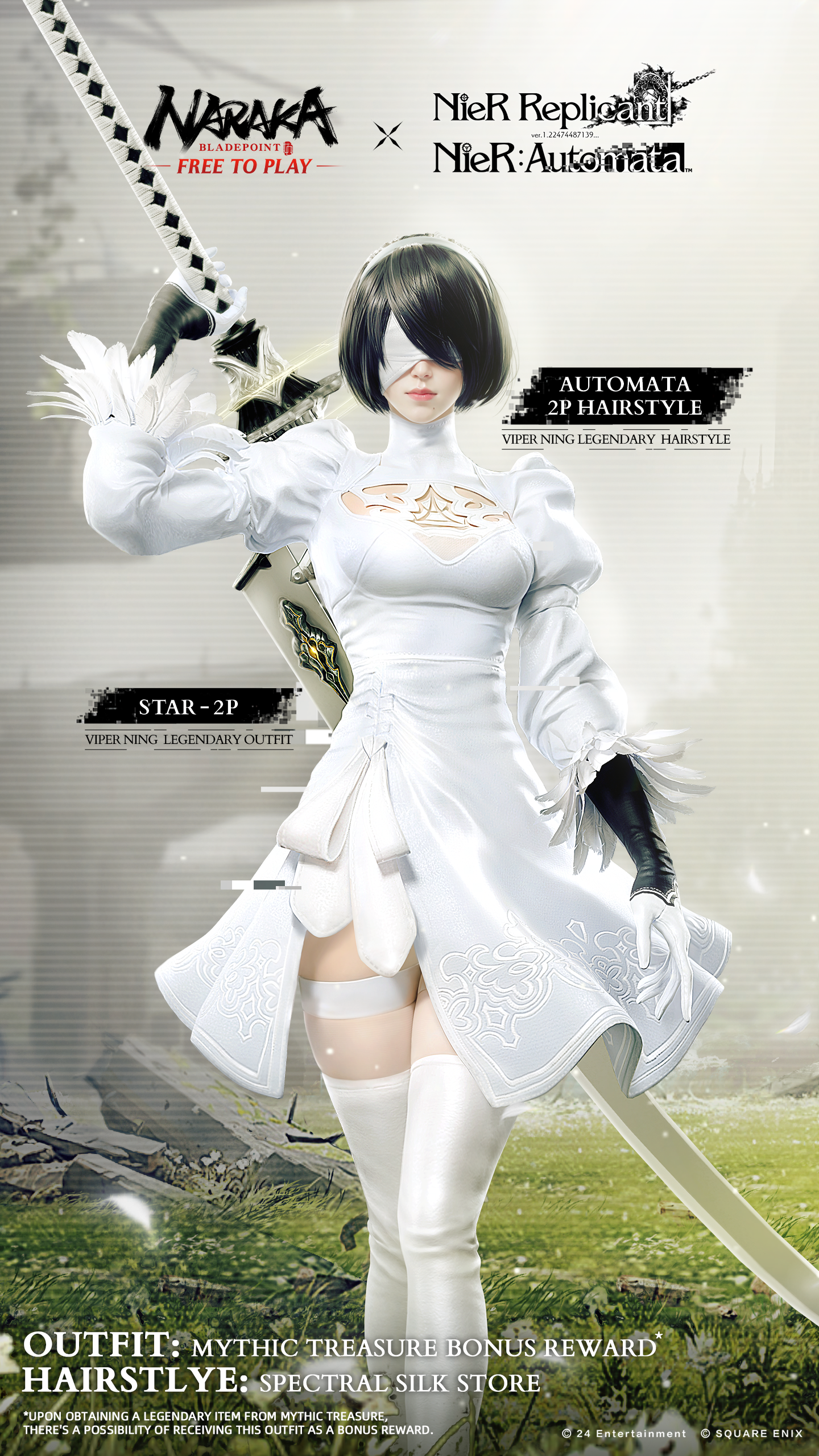
1. When opening Mythic Treasures, there is a chance to receive the Extreme Outfit, Star – Nine Tailed Destiny and the Legendary Outfit, Star – 2P.

2. How to Obtain:

[Star – Nine Tailed Destiny]: There is a chance to get this outfit when obtaining an Extreme cosmetic from Mythic Treasures. Your chances increase as you obtain more Extremes, up to a maximum of 100%.

[Star – 2P]: There is a chance to get this outfit when obtaining a Legendary cosmetic from Mythic Treasures. Your chances increase as you obtain more Legendaries, up to a maximum of 100%.
After you have obtained the Star-Collections listed above, your increased chances will reset to their original level.

3. The number of Star-Collections that can be obtained from Mythic Treasures is limited.

[Star – Nine Tailed Destiny] has four Constellations that are [Color], [Fox Tail], [Dress Pattern], and [Divine Fox].

[Star – 2P] has no Constellation and cannot be restyled.

Identifier Rules:

Each Star-Collection has its own unique 6-digit code, determined at intervals of 50 by the time at which it was claimed.

It means that the first 50 to claim theirs will have codes (randomly) ranging from 000001-000050, the next 50 from 000051-000100, and so on.

This is not applicable for Star-Collections before this updates, which means the identifier of [Star – Wolf King’s Fang] and [Star – Dragon’s Bane] remain the same.

For more detailed information on these particular Star-Collection Bonus Gifts please see our FAQ: https://www.narakathegame.com/news/update/20230808/35280_1103467.html.

Hero Adjustments

I. Kurumi

1. Optimized the [Healing Ray] skill and its Talents, altering the logic it uses to choose a link target.

(1) If there’s a [Marked] ally in the direction aimed, it links to them.

(2) If not, it links instead to the nearest ally within 30m (prioritizing heroes and Remains, then Light Parasols).

(3) In the event there are no [Marked] allies, and no others to link within 30m, a Light Parasol is summoned in the direction aimed instead.

2. Optimized the skill [Healing Ray] and all its talent moves.

(1) Slightly increased the attack range of the Horizontal Strike after connecting the target.

(2) The Horizontal Strike after connecting the target now provides 100% damage reduction instead of 70%. During the recovery frames, the damage reduction is 0.

3. While the healing circle of Ultimates [Purified Circle] or [Purified Circle: Armor] is active, you can recast it by unleashing the Ultimate again. The new circle inherits the old one’s remaining time and elemental effects.

4. The Ultimate [Purified Circle: Rapid] now launches a knock-airborne attack on nearby enemies.

//Dev Note: Kurumi possesses strong rescue and protection capabilities, but her survivability has been slightly lacking through each version update. Therefore, we have adjusted the difficulty of using [Healing Ray] and added additional effects to [Purified Circle] to lower the entry barrier for Kurumi and enhance her survivability.

II. Temulch

1. Improved the operation experience of all [Zephyr Wisp] skill branches:

(1) Jump optimization: slightly increased the jumping height. Now the character’s speed when activating the skill will be reset, ensuring consistent jumping height. During the jump phase, you can control the character’s movement with directional buttons.

(2) Changed the status during the jump from Blue Focus to Golden Focus.

//Dev Notes: The ability to perform horizontal movement during the jump phase significantly enhances Temulch’s mobility. We hope this change addresses the issue of Temulch being easily interrupted by the Uppercut Slash move after skill activation and jumping.

III. Tarka Ji

1. After activating the Ultimate, Tarka Ji’s 2nd-stage dodge (elbow strike) attack can interrupt higher Focus. Now it can interrupt enemies’ Purple Focus Strikes.

2. The damage multiplier for the skill [Flame Force: Fireball] has been adjusted from 2.0 to 2.2.

3. Tarka Ji now expends 8.5% instead of 9% Rage to cast [Flame Force: Fireball] while [Fire Frenzy: Reload] is in effect.

IV. Valda Cui

1. The bubble duration of skill [Water Trap: Trinity] has been adjusted from 4 sec to 2.5 sec.

2. Added a 3-sec CD after throwing the water spear during the Ultimate [Rising Tide: Unchained], preventing consecutive spear throws.

//Dev Notes: Consecutive spear throws with continuous Focus have provided Valda with strong defensive advantages and exerted immense pressure on opponents during gameplay. To balance her offensive and defensive capabilities, we have introduced a CD for consecutive spear throws.

V. Zai

1. All talents of the skill [Flame Ward] and itself will now exit the [Flame Ward] state when affected by Control effects.

2. Adjusted the rush action for [Flame Ward] and [Flame Ward: Ignition] to rush toward the aiming direction.

3. Adjustments to the attack moves of [Chain Scythe] after activating the Ultimate:

(1) Changed the Focus level for the second hit of Horizontal and Vertical Strikes from Golden Focus to Purple Focus.

(2) Increased gravity during Airborne Horizontal Strikes.

(3) The charged move [Chain Link: Suppress] can no longer knock enemies airborne.

4. Updated the skill description for the Ultimate [Chain Scythe: Afflict].

//Dev Notes: Zai’s continuous Horizontal Strikes with [Chain Scythe] made it difficult for opponents to counter, and her Airborne Horizontal Strike mechanism granted her additional survivability and damage output. We have adjusted the performance of the [Chain Scythe] moves to address these issues. Additionally, Zai’s ability to continue using [Flame Ward] even under Control effects made it challenging for Control-based Heroes to time their actions correctly when facing Zai. Thus, we have revised the interruption conditions to reduce Zai’s margin for error.

VI. Wuchen

1. Optimized the placement of Yin Yang Orbs for Wuchen’s Ultimates [Tai Chi Teleport] and [Tai Chi Teleport: Switch], as well as the selection of the aiming point for [Tai Chi Teleport: Portal], reducing potential issues and camera blocking to ensure accurate targeting.

Weapon Adjustments

I. General Adjustments for Melee Weapons

1. Added a grappling button buffer during the execution of the Uppercut Slash move.

//Dev Notes: Combining Uppercut Slash, grappling, and Blink Strike with the Katana or Uppercut Slash, grappling, and Decimator with Dual Halberds is fascinating gameplay. However, the use of the grappling hook mid-combo was leading to combo failures more than we would like due to timing issues. To address this, we have introduced a grappling button buffer during the execution of the Uppercut Slash move, ensuring that you can perform the combo without grappling prematurely. With this input buffer, we hope that more of you will be encouraged to explore and enjoy these combos.

II. Katana

1. Slightly reduced the stagger duration after hitting an enemy with the horizontal strike when sprinting.

III. Staff

1. Reduced the pursuing effects and camera turning of charged horizontal strikes.

2. Reduced the stagger duration when hitting enemies lying on the ground by Crouch+Horizontal Strike and Slide+Horizontal Strike.

IV. Spear

1. Reduced the stagger time when hitting enemies lying on the ground by Crouch+Horizontal Strike and Slide+Horizontal Strike.

V. Dual Blades

1. Slightly reduced the stagger duration after hitting an enemy with the charged Vertical Strike.

2. Charged Vertical Strike 1st stage damage multiplier: increased from 1.64*3 to 1.79*3.

3. Charged Vertical Strike 2nd stage damage multiplier: increased from 1.01*6 to 1.12*6.

VI. Longsword

1. Changed the effect when knocking enemies airborne by hitting enemies already in midair by Uppercut Slash.

VII. Greatsword

1. Reduced the stagger duration when hitting enemies that have been lying on the ground with a Vertical Strike immediately after a Horizontal Strike.

2. Adjusted the damage multiplier of Brutal Tide from 2.12*2 to 1.27 + 2.97.

VIII. Polesword

1. Reduced the stagger duration when hitting enemies that have been lying on the ground with a Vertical Strike immediately after a Horizontal Strike.

2. Adjusted the damage multiplier of Brutal Tide from 2.12*2 to 1.27 + 2.97.

IX. Dual Halberds

1. Charged Vertical Strike 1st stage damage multiplier: decreased from 0.89*6 to 0.87*6.

2. Charged Vertical Strike 2nd stage damage multiplier: decreased from 0.85*8 to 0.82*8.

In-game Adjustments

I. Adjustments to Game Mechanics

1. Slightly increased the interaction range of the Wishing Wells.

Out-Game Adjustments

I. Fairyland Penglai Optimizations

1. Party characters are now visible in the Home interface.

2. The same button is now used for both switching lobbies and accessing your Bag during a match, and can be reassigned.

3. Party members may now Teleport to each other’s Fairyland Penglai locations.

II. Hero Badge

1. New Hero Badge

(1) Divine Treasures: Unlock by obtaining a certain number of Extreme Cosmetics.

(2) Admirable Collection: Unlock by obtaining a certain number of Set Collections.

(3) Steal the Show: Unlock you reach a certain amount of Collection Points.

III. Free Training

1. Adjustments to Specialized Training:

(1) Added a new segment, “Chapter 7: Combos”.

(2) Adjusted the weapon of AI opponents in Tap To Dodge training and simplified Hold To Dodge training.

(3) Enhanced UI display for actions involving holding down buttons, providing more precise prompts when the action is required.

(4) Optimized AI opponent demonstrations to avoid failures in certain scenarios.

(5) Added explanatory information for some training items, explaining new terms or training techniques.

2. Added a button for direct jump to custom behavior practice.

3. AI opponents in custom behavior practice will switch weapons and restart commands after being countered.

4. Adjusted the positions of AI opponents and AI allies in general training.

IV. Justice Chamber

1. Positions have been added to Justice Chamber. Currently only the position as “Co-Leader” is available.

2. Title has been added to Justice Chamber, which is determined by players’ Activeness.

3. Contract Quest has been added to Justice Chamber.

(1) Post and complete contracts to get rewards. The poster needs to party up with other Justice Chamber members to complete the quests. Each player can post up to 3 contracts per week.

(2) Justice Chamber members in the poster’s team can also claim rewards once the quest is completed.

(3) Each player can claim up to 5 rewards per week.

4. Justice Store Updates

(1) Players can team up with “Outstanding Potential” players (those who are below Lv.50 or have not logged in for the past 14 days) in the Justice Chamber, or complete their contract quests to get Journey Coins. Each minute that you’ve played together grants you 1 Journey Coin. Journey Coin can be redeemed for rewards at the Justice Store·Journey.

V. Gold Purchase Updates

1. The icon of Gold on the top right corner can now direct you to the Recharge page.(Not yet available for the controller)

2. If you attempt to purchase while having insufficient gold, you can navigate directly to the Recharge page. And on the Recharge page, you can also directly return to the previous page.

Settings

I. Capture the Spirit Well Chat Optimizations

1. Players’ chat channel settings are now saved in Settings – Audio – Capture the Spirit Well (Chat).

Feature Optimizations

I. Client

1. We’ve improved NARAKA’s disk read efficiency to tackle lag and frame drops, greatly reducing the performance hit when starting a match, when large groups of characters interact, and other times at which character resources could cause slowdowns.

Store Updates

I. The Mythic Treasure is available now!

Mythic Treasure sells for 360 Gold. Open it and there’s a chance to get Tessa Extreme Outfit [Nine Tailed Destiny], Dagger Extreme Skin [Beyonder Stone] and more.

Minimum Guarantee:

1. Players are guaranteed to receive at least 1 Red (Extreme) reward during the process of opening at most 100 Treasures. This can be triggered multiple times.​

2. Red (Extreme) rewards will not repeat until all of them have been obtained.

Wishing Legendary Reward: If you draw an Extreme cosmetic, you gain a Legendary cosmetic guarantee, which allows you to pre-set the Legendary cosmetic which you receive when you next draw a Legendary cosmetic. You can accumulate multiple guarantees, but you can only pre-set 1 cosmetic each time.

II. New Pack

1. Newly added Viper Ning exclusive Pack [2B Pack], including Viper Ning Legendary Outfit [Automata·2B], Epic Hairstyle [Automata·2B Hairstyle], Greatsword Legendary Skin [Automata·Virtuous Treaty]. Standard price: 4,100 Gold; Now: 2,600 Gold.

2. Newly added Wuchen exclusive Pack [9S Pack], including Wuchen Legendary Outfit [Automata·9S], Epic Hairstyle [Automata·9S Hairstyle], Wuchen Legendary Accessory [Automata·Camouflage Goggles], Katana Legendary Skin [Automata·Virtuous Treaty]. Standard price: 5,300 Gold; Now: 3,200 Gold.

3. Newly added Tessa exclusive Pack [Lethal Allure Pack], including Tessa Legendary Outfit [Noir Sash], Legendary Hairstyle [Unfazed], Dual Halberds Legendary Skin [Lunar Call]. Standard price: 4,100 Gold; Now: 2,600 Gold.

III. New Discounts

1. Newly added Viper Ning Legendary Background [Automata·Amusement Park Ruins]. Standard price: 600 Gold; Now: 500 Gold.

2. Newly added Viper Ning Legendary Base [Automata·The Carousel]. Standard price: 1,200 Gold; Now: 1,000 Gold.

3. Newly added Feria Shen Legendary Hairstyle [Creatures Myth·Bliss]. Standard price: 800 Gold; Now: 600 Gold.

4. Newly added Tarka Ji Legendary Hairstyle [Creatures Myth·Scorched]. Standard price: 800 Gold; Now: 600 Gold.

5. Newly added Valda Cui Legendary Hairstyle [Creatures Myth·Nocturne]. Standard price: 800 Gold; Now: 600 Gold.

6. Newly added Viper Ning Legendary Outfit [Automata·2B]. Standard price: 1,800 Gold; Now: 1,500 Gold.

7. Newly added Viper Ning Epic Hairstyle [Automata·2B Hairstyle]. Standard price: 500 Gold; Now: 400 Gold.

8. Newly added Greatsword Legendary Skin [Automata·Virtuous Treaty]. Standard price: 1,800 Gold; Now: 1,500 Gold.

9. Newly added Wuchen Legendary Outfit [Automata·9S]. Standard price: 1,800 Gold; Now: 1,500 Gold.

10. Newly added Wuchen Legendary Accessory [Automata·Camouflage Goggles]. Standard price: 1,200 Gold; Now: 1,000 Gold.

11. Newly added Wuchen Epic Hairstyle [Automata·9S Hairstyle]. Standard price: 500 Gold; Now: 400 Gold.

12. Newly added Katana Legendary Skin [Automata·Cruel Oath]. Standard price: 1,800 Gold; Now: 1,500 Gold.

13. Newly added Tessa Legendary Outfit [Noir Sash]. Standard price: 1,800 Gold; Now: 1,500 Gold.

14. Newly added Tessa Legendary Hairstyle [Unfazed]. Standard price: 800 Gold; Now: 600 Gold.

15. Newly added Dual Halberds Legendary Skin [Lunar Call]. Standard price: 1,500 Gold; Now: 1,250 Gold.

IV. Discounts End

1. Katana Legendary Skin [The Breaker·Exorcist’s Blade] has returned to its standard price of 1,500 Gold.

2. Longsword Legendary Skin [Fuchun Mountains·Verdure] has returned to its standard price of 1,800 Gold.

3. Justina Gu Legendary Gesture [Fuchun Mountains·Gleaming Peak] has returned to its standard price of 900 Gold.

4. Kill Announcement [Journey of Blades·All-Seeing Eye] has returned to its standard price of 300 Gold.

5. Kill Announcement [Journey of Blades·Flaming Depths] has returned to its standard price of 300 Gold.

6. Justina Gu Legendary Outfit [Fuchun Mountains·Hills Afar] has returned to its standard price of 1,800 Gold.

7. Justina Gu Legendary Hairstyle [Fuchun Mountains·Sunrise-lit] has returned to its standard price of 800 Gold.

8. Kurumi Legendary Outfit [JTeam·Virtuous Empress] has returned to its standard price of 1,800 Gold.

9. Kurumi Legendary Pose [JTeam·Curtsy] has returned to its standard price of 800 Gold.

10. Yueshan Legendary Outfit [JTeam·Demon’s Nightmare] has returned to its standard price of 1,800 Gold.

11. Yueshan Legendary Pose [JTeam·Blade’s Edge] has returned to its standard price of 800 Gold.

12. Tianhai Legendary Outfit [JTeam·Feller of Dragons] has returned to its standard price of 1,800 Gold.

13. Tianhai Legendary Pose [JTeam·Sharpened] has returned to its standard price of 800 Gold.

V. Rotation Sale of Cosmetics

On August 10th, we will discontinue the direct sale of collections including:

1. Feria Shen Legendary Outfit [2674·CyberKitty].

2. Viper Ning Legendary Outfit [2674·GasViper].

3. Justina Gu Legendary Outfit [2674·Frost Drift].

VI. New Items in Spectral Silk Store

1. Newly added Mythic Treasure with the price of 3,600 Spectral Silk. Please note that there is a limit of 1 purchase per 24 hours, and a maximum of 6 purchases for each player.

2. Newly added Viper Ning Legendary Gesture [Viper Ning·Social] with a price of 9,000 Spectral Silk.

3. Newly added Wuchen Legendary Gesture [Wuchen·Social] with a price of 9,000 Spectral Silk.

4. Newly added Valda Cui Legendary Accessory [Creatures Myth·Birdlike Carp] with a price of 9,000 Spectral Silk.

5. Newly added Viper Ning Epic Hairstyle [Automata·2P Hairstyle] with a price of 5,000 Spectral Silk.

Bug Fixes

I. Hero-related Bug

1. Fixed an issue with Tarka Ji’s ground strikes during the Ultimate being mistakenly judged as airborne strikes.

II. Other Bugs

1. Fixed an issue where other players could teleport to a player’s location in Fairyland Penglai even when the target player was in the Invisible state.

2. Fixed an issue where the Lobby music would be abnormally interrupted.

3. Fixed an issue where map, game mode selection, and friend list interfaces were overlapping on Fairyland Penglai.

4. Fixed an issue where the male Hero’s action clipped when handling the Dual Halberds in the closet page.

5. Fixed an issue where the Fairyland Penglai would flicker occasionally when opening the Treasure Pavillion.


That’s about it. Once a new patch is out, we’ll let our readers know.

Source: Naraka 

Avatar photo

Alex Co

Father, gamer, games media vet, writer of words, killer of noobs.

Home > News

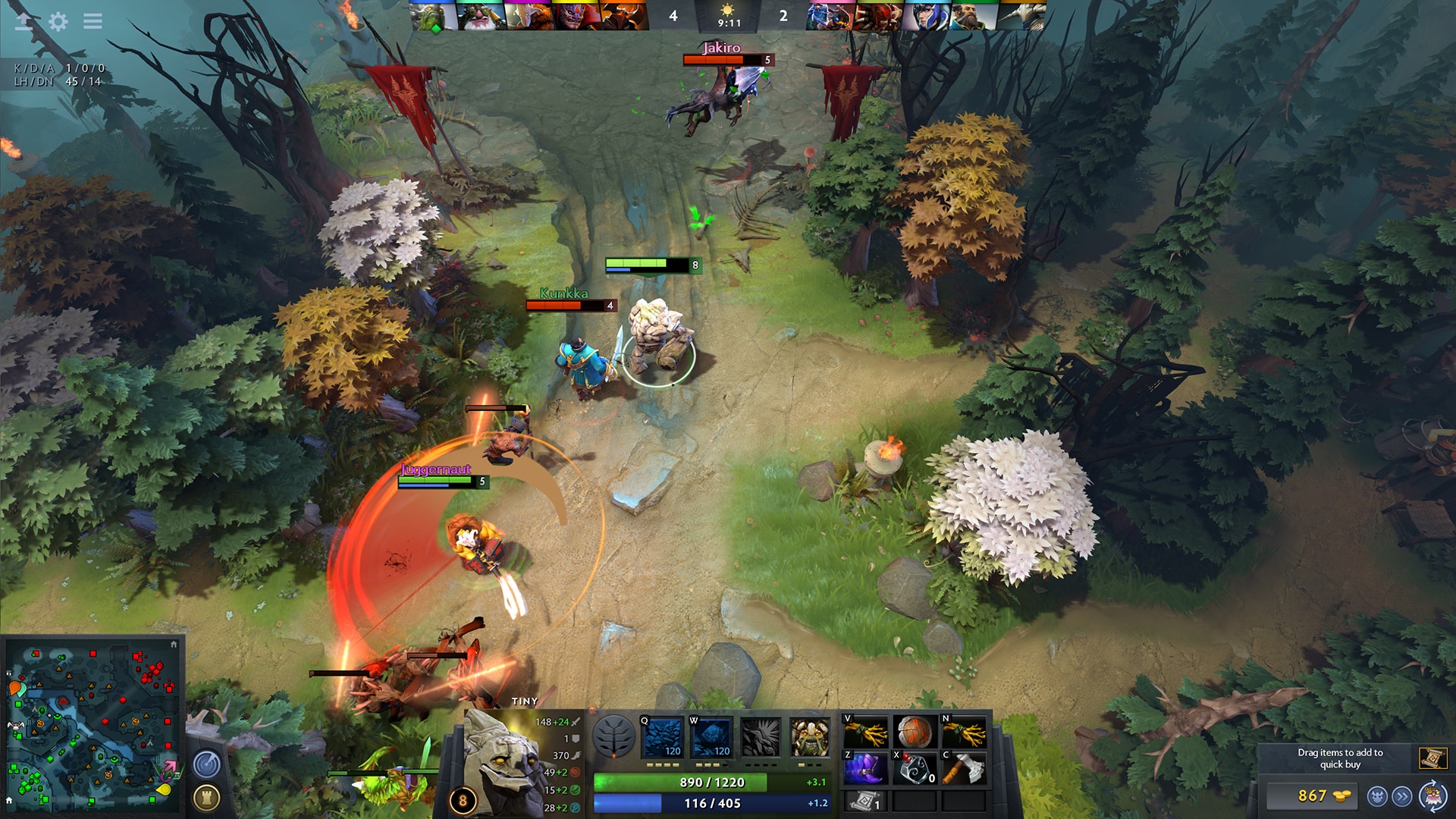
New DOTA 2 Update for August 9 Fixes Several Issues

Valve has released the new DOTA 2 update for August 9 (August 10 outside the US), and this fixes several issues from patch 7.34. Read on for everything new below.

New DOTA 2 Update for August 9 Patch Notes:

  • Fixed an issue where issuing an alt-cast order while out of range and then changing alt-cast mode could result in the wrong variant of the ability being cast
  • Fixed Holy Locket + Midas not working with Bad Juju
  • Fixed Midas cooldowns being independent of each other
  • Fixed an issue with Ninja Gear where it could apply smoke to allies while Phase Boots was active
  • Fixed Revenant’s Brooch not showing passive attack speed bonus in the item description (this was only a display issue, attack speed bonus was always applied)
  • Fixed Smoke of Deceit modifier not showing speed bonus and visibility radius on the client.
  • Fixed various issues in glossary, tooltip, and patch note text
  • Fixed missing description on Alchemist Corrosive Weaponry
  • Fixed Anti-Mage Counterspell Ally being castable on enemies
  • Fixed Beastmaster level 15 movespeed aura talent not working properly
  • Fixed Beastmaster Call Of The Wild Hawk not behaving properly when dominated
  • Fixed Brewmaster illusions always being in Earth Stance
  • Fixed Centaur Hoof Stomp proccing magic stick on spell cast, rather than stomp being applied
  • Fixed Centaur Hoof Stomp not being interrupted when stunned/silenced/hexed/etc.
  • Fixed Crystal Maiden Crystal Clone Frostbite not lasting for creep duration on creeps
  • Fixed Doom level 25 talent (Doom now mutes) not working
  • Fixed an issue where Drow Multishot ceased firing too early
  • Fixed Elder Titan not being able to toggle the Alt Cast ability on Echo Stomp after cast
  • Fixed Invoker Wex cooldown reduction being multiplicative instead of additive
  • Fixed Juggernaut Level 20 talent lifesteal not working properly
  • Fixed Spirit Bear illusions triggering backlash damage on Lone Druid
  • Fixed missing Spirit Link visuals with Lone Druid Scepter
  • Fixed Meepo Earthbind having infinite range
  • Fixed Morphling Morph illusion not properly removing abilities at the end of the illusion’s lifetime
  • Fixed Morphling Morph illusion taking and giving and extra 100% damage
  • Fixed Morphling Morph Scepter not properly using Lil’ Shredder charges when replicating Snapfire
  • Fixed a crash when Morphling replicates Slark
  • Fixed Ogre Magi’s multicast of Midas consuming multiple charges.
  • Fixed Phantom Assassin Deadly Focus buff being purgable
  • Fixed Phantom Assassin Deadly Focus buff being sometimes lost on missed or canceled attacks
  • Fixed Puck’s Aghanims Scepter Dream Coil not hitting units that have invisibility, even if they are visible to Puck
  • Fixed Rubick being able to steal Reality and getting Haunt as a result
  • Fixed Dark Ascension resetting itself and other ultimate abilities when stolen by Rubick
  • Fixed some joint issues with Tidehunter’s Dead in the Water chain
  • Fixed Tusk still displaying Frozen Sigil in the ability list in some places
  • Fixed Warlock imps being spawned inside of each other/impassable terrain
  • Fixed Weaver shard Geminate attacks not applying on-attack modifiers
  • Fixed Witch Doctor Death Ward Scepter bounce shots not being pure damage

That’s about it. Once a new patch is released, we’ll let our readers know.

Source: Steam

Avatar photo

Alex Co

Father, gamer, games media vet, writer of words, killer of noobs.

Home > News

Sony: “Portion” of PlayStation First-Party Games Changes in Launch Date Impacted Profitability

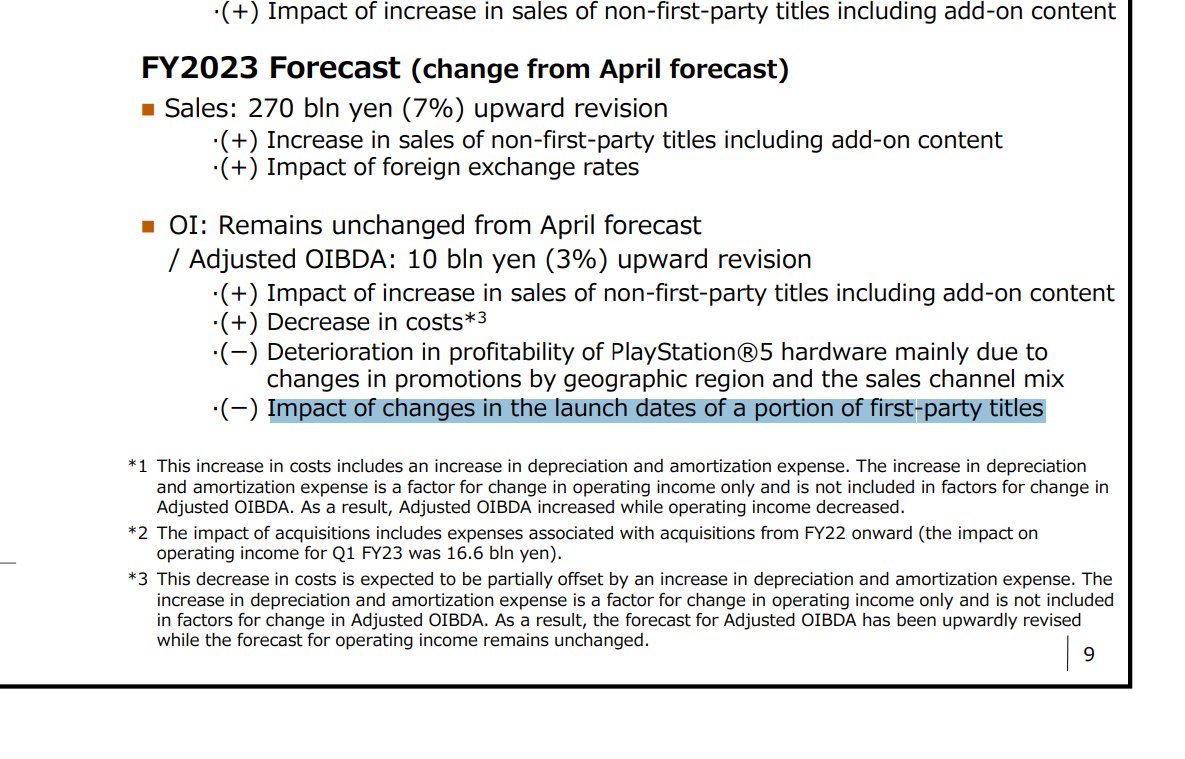
Aside from Marvel’s Spider-Man 2, it doesn’t seem like Sony’s first-party plate is quite full compared to recent years. Well, it looks like there’s a reason to that, as a new tidbit of info from Sony mentions how multiple first-party PlayStation games were internally delayed.

This was mentioned by Sony in its quarterly earnings report, where it mentions, “Impact of changes in the launch dates of a portion of first-party titles” for its Fiscal Year 2023 forecast.

ImageSadly, that’s all the info we have. No word on which games were delayed, though this would explain why we haven’t gotten a huge PlayStation event in ages.
Here’s to hoping we get some good PlayStation news to round out the latter half of 2023. However, even with that little snag, that hasn’t stopped Sony from selling PS5 units, as the company announced that they have breached 41.7 million units sold already.

Source: Sony (thanks, ethangach, Okami)

More PlayStation Reading:

Avatar photo

Alex Co

Father, gamer, games media vet, writer of words, killer of noobs.

Home > News

Modern Warfare 3 Steam Page Now Live, Has 7 Studios Working on the Game

Following today’s announcement of the global reveal happening on August 17, the official Call of Duty: Modern Warfare 3 Steam page is now live!

While there’s not a lot of info that’s new (or any info at all) available there, it does state the Activision-owned studios helping Sledgehammer Games developer MW3, and they are:

  • Sledgehammer Games
  • Treyarch
  • Infinity Ward
  • Beenox
  • Raven Software
  • High Moon Studios
  • Demonware

Mind, having multiple studios work on one game is not new for a Call of Duty game. With Treyarch handling the Ranked Play mode in Modern Warfare 2, perhaps the studio is once again in charge of that for MW3? Infinity Ward and Raven are, of course, part of it given the game’s integration to Warzone.

Other than that, the rest of the info are not up yet. There are no screenshots, no “About the Game” section, no PC requirements. The release date is marked as “coming soon,” even if Activision themselves have announced it for November 10.

Once more Modern Warfare 3 info surfaces, we’ll let our readers know about it.

More Call of Duty Reading:

Avatar photo

Alex Co

Father, gamer, games media vet, writer of words, killer of noobs.

Home > News

Dead by Daylight Update 2.90 for August 9 Crawls Out for 7.1.2

Behaviour Interactive has released Dead by Daylight update 2.90 (PS5 version 7.100.200), which is for patch version 7.1.2! Players can expect a list of fixes to be included in the patch, which are outlined in the DBD patch notes for August 9.

Dead by Daylight Update 2.90 Patch Notes | Dead by Daylight Update 7.1.2 Patch Notes | Dead by Daylight Update 7.100.200 Patch Notes:

Features

  • Activation of the Improved Player Reporting Feedback feature

Content

Bug Fixes

  • Fixed an issue that caused certain killers to not look downward while vaulting from a ledge or window, which led to a drop
  • Fixed an issue that caused the Ghostface camera to move backward when leaning and stalking.
  • Fixed an issue that caused Survivors to get stuck crouching after being hit by the Deathslinger.
  • Fixed an issue that caused The Knight’s camera moves up slightly after a successful basic attack.
  • Fixed an issue where shows unknown error message when connection to party is lost via http request errors.
  • Fixed an issue where survivors could be heard above ground when hooked in the Killer Basement.
  • Fixed an issue where the “Dramaturgy” perk’s scream animation is played after stepping on a Bear Trap
  • Fixed an issue where the “Dramaturgy” perk’s scream animation is played incorrectly as a survivor is downed
  • Activating the “Dramaturgy” perk and being hit by Virtulent Bond together no longer plays the wrong screaming animation
  • Fixed an issue where the VFX and aura on “Hex Pentimento” are not removed upon being cleansed
  • Fixed an issue where “Friendly Competition” sometimes fails to activate
  • Fixed an issue where some female Survivors hit by The Spirit will not make injury or grunts sounds on being hit
  • Fixed an issue where the Singularity can become stuck when teleporting to a survivor that disconnects
  • Fixes for some crashes across several platforms
  • Fixed an issue where survivors couldn’t be picked up or healed and could block others when holding the key assigned to activate the perk “Plot Twist”.

UI

  • Fixed the input taking too long to register on the add/subtract tier buttons with mouse click.
  • Fixed an issue with the perk tooltips being overlapped by survivor info.
  • Fixed disable visual state for the “Go to Event Tome” button in the Online Lobby.
  • Fixed an issue that prevent player from viewing the profile of someone replaced by a bot.
  • Fixed missing Chinese subtitles for archive trailer.

Level Design

  • Fixed an issue where players could climb on supply crates in the Raccoon City Police Station
  • Fixed an issue where the Nurse would get stuck in Toba Landing
  • Fixed an issue where crows were overlappng in Dead Dawg Saloon
  • Fixed an issue to give more chances for hooks to spawn on the lower floor of the Gideon Meat Plant
  • Fixed an issue where the Trapper’s trap would hide in a pile of snow in the Ormond
  • Fixed an issue where a placeholder tile would spawn in McMillan’s Estate Maps
  • Fixed an issue where the Hillbilly would not collide with assets in Eyrie of Crows
  • Fixed an issue in Ormond where the Legion could not vault over a side of a pallet when in Feral Frenzy
  • Fixed an issue where the characters would clip through the doors of the lockers in Eyrie of Crows
  • Fixed an issue with the dark mist in Raccoon City Police Station
  • Fixed an issue where a generator in Lery’s Hospital could not be repaired or damaged
  • Fixed an issue where an invisible collision would prevent the navigation of the players

That’s about it. Don’t forget, the big Alien crossover is hitting the game this August 29. Read up on its details right here.

Source: Behaviour Forums

Avatar photo

Alex Co

Father, gamer, games media vet, writer of words, killer of noobs.

Home > News

Modern Warfare 2 Adds Pay-to-Win Items With Thermal Scope and Merlin the Dog, Here’s How They Work

Activision may be up to another controversy with the recent introduction of alleged Modern Warfare 2 pay-to-win elements. During season 5, the developers added a couple of purchase options that the community is deeming as giving spending players a clear advantage over the rest, even if they won’t magically make anyone a better player out of the blue.

News of these pay-to-win Call of Duty: Modern Warfare 2 perks started growing on YouTube, with TheXclusiveAce and LegoUnlocked being two of the most vocal players about these controversial changes.

The first item that may give you an advantage comes with the purchase of the Dark Rituals 3 bundle. It is the Death’s Door battle riffle and the impressive thing about it is that the holotherm is extremely superior in comparison to the default one. The new Holotherm scope highlights the targets in bright red colors, making them a lot easier to see at a distance; when using in long range, the difference between the two scopes is even more pronounced, with an increased ease of spotting enemies and vehicles from afar.

Modern Warfare 2 Pay-To-Win Elements

The other alleged Modern Warfare 2 pay-to-win item is Merlin, the dog. While it isn’t bound to operative Arthur – any operator may use Merlin if you buy the Blackcell Battle Pass, you just have to equip the finishing move with the dog – it nonetheless remains a noticeable perk. The way Merlin works is the following: when you have the High Alert perk and it is fully charged, the dog will growl whenever an enemy looks at you within 100 meters. This audio cue will catch your attention and make you even more aware that you have been spotted, so it’s impossible to ignore how helpful this can be. However, the enemy must be directly facing you, otherwise Merlin won’t growl.

Important to note that this isn’t the first time Activision pulled something like this. Back in April, Activision did something similar to it with Active Duty Slots Operator slots, Also in May, Activision included an UAV bonus effect on a bundle that was only accessible by purchasing it with real-world money.

Just how much of a game-changer do you think these two Modern Warfare 2 elements are? Do you agree that they give you an extra benefit or, on the contrary, they are nothing particularly significant in the overall scheme of things?

Vitor Braz

Home > News

Diablo 4 Update for August 9 Brings Patch 1.1.1 Hotfix 1

Blizzard has released a new Diablo 4 update for August 9, and this is Hotfix 1 from patch 1.1.1, which was released yesterday. This brings various bug fixes which are outlined in the patch notes below.

Diablo 4 Update for August 9 Patch Notes | Diablo 4 Patch Version 1.1.1 Hotfix 1 Patch Notes:

Bug Fixes

  • Fixed an issue where the Shadow Clone from the Trickery Malignant Heart did not taunt enemies.

Seasonal Bug Fixes

  • The drop rate and craft chance for Wrathful Hearts and Invokers has been increased.
    • The previous chance to get a Wrathful Invoker from crafting an Uncertain Invoker was 3%.
      • The chance is now 15%.
    • Previous chance to get a Wrathful Heart from crafting an Uncertain Heart was 2%.
      • The chance is now 10%.
    • Wrathful Invokers now also have a chance to drop from elites in addition to other Invokers.

Miscellaneous

  • Further Stability improvements.

Note that at the time of this writing, Blizzard has said that the patch isn’t deployed completely and it will take a few hours before it takes effect.

Source: Steam

Avatar photo

Alex Co

Father, gamer, games media vet, writer of words, killer of noobs.

Home > News

Atlas Fallen Review – Riding the Sandy Waves

Deck13 dishes out a brand-new experience that is filled with fantastic stylish combat but gets bogged down by poor pacing and a not-so-memorable story. Read on for our Atlas Fallen review.

Atlas Has Fallen to the Gods

The human race is on the brink of extinction, as the world of Atlas Fallen has been ravaged, nearly destroyed by the Sun God known as Thalos. Enslaving humanity, he seeks to drain the world of essence, grains of resources that contain what is known as eternity, which is life itself. With humanity thinning in numbers, few can stand against Thalos as he unleashes watchers, massive beasts, upon the world to maintain the harsh grasp he has over it. 

It’s here that you, an unnamed slave, finds a mysterious gauntlet that seemingly holds the powers of a god. With your newfound abilities, you take up arms against Thelos and his forces, seeking answers to the mystery of the gauntlet and how you can use it to save humanity from the clutches of an all-powerful god. 

While the world of Atlas Fallen offers richness in lore and mysteries, with abundant collectibles and side-quests to be found, the main campaign itself is as forgettable as it can get. 

You’ll be tasked with collecting shards for the gauntlet early on, which grant you god-like powers that can lift massive structures. Along the way, you’ll meet several characters that, despite reoccurring, hardly leave any impact. They exist to move the plot forward, with no real meat regarding their character development. You may share a common goal with them, but there’s little reason for you to care for these characters. 

Perhaps this may boil down to the fact that shard collecting is the main objective throughout the campaign. You’re given a good chunk of exposition between sections of the story, only to be thrown back into the world to have to collect three shards over and over for the next story checkpoint. 

Sure, there are bosses, but they’re not exactly what I would say are the most memorable, especially since they eventually get reused in later encounters. 

As mentioned, there are side quests and other activities that you can do in the world of Atlas, which I found more engaging than the main plot itself. They’re short stories, and you’ll learn more about some of the main NPCs you encounter during the campaign by doing them. Mind you, many of these quests are rinse and repeat, go here, kill monsters, collect an item, and so on. I did, however, like that they altered the world itself. Some side quests would need us to take down massive towers that brought vicious sandstorms. Destroying one of these towers would rid the storms and restore the wildlife that had previously occupied an area, bringing back the land’s beauty. 

Sadly, this dynamic system seemed to be in vain, as once you reached a certain point, the game would take you to a different map. The world isn’t a single seamless open world but rather massive zones that are strung together by the campaign’s progression. It made the effort to restore these locations pointless, as I wouldn’t have a reason ever to go back to them (if you could even at that.)

Still, I kept at it, but only because the gameplay was so darn fun. 

Sand Surfing and Monster Slaying With a Friend

If you can look past the story and some of its repetitiveness, then I’m sure you’ll have an absolute blast playing Atlas Fallen because I know I certainly did. The combat feels great, and it reminded me of some of the classic hack-and-slash games from the golden era of the PlayStation 2, or more so recently, that of the Darksiders franchise. It’s fast, fluid, and flashy, as you can assign several move sets, giving you an arsenal of abilities. 

These come as Essence Stones, stones that grant the bearer unique abilities. There are three tiers of these stones that you’ll unlock, with tiers having four slots each. Tiers run on a momentum system, which has a meter that fills up as you attack enemies. The more attacks you hit, the more it grows and the higher the tier abilities you can use during combat. If you get hit, you begin losing momentum, so in some ways, it’s sort of like a combo meter. 

This was an interesting approach to combat that did take a while for me to get used to at first, but once you do, the number of combos you can chain and abilities you can pull off, it all works superbly well. Couple that with the easy-to-use parry system, and you got yourself one hell of a good time. 

Players can also collect armor sets. It’s not the deepest armor system, as it’s only full sets rather than individual pieces of gear, but there is an upgrading system tied to them and the essence stones. There are lots to explore with the combat, perks, and essence stone system that I’m sure many will enjoy tinkering with.

Outside of combat, there’s platforming and traversing. The platforming is, for the most part, alright. It’s there, and it doesn’t feel frustrating if that concerns anyone. I found it to be pretty forgiving and straightforward. I would have loved to see more out of it, specifically more elaborate puzzles, but I’m not complaining about what was provided. 

But the coolest thing, without question, was the sand gliding. I’m sure you’ve all seen the trailers and gameplay videos of it, and it’s as much fun as it looks. Something about it made me feel cool as I surfed around the map wearing badass gear. Unfortunately, it’s non-upgradable, with a perk being the only thing that can boost its speed during use, and even then, you need to pick up flowers that seem rarer (even if you upgrade the spawn rates) than they should have been. It looks cool and feels good, but at the same time, it also feels a bit slow for its base speed. 

Air dash is also an ability you’ll unlock in the game, which comes in handy for reaching some of the high and far places in the world. It’s also very useful during combat, offering I-frames when needed most. 

All this works well for the solo experience, as I beat the game from start to finish with no help whatsoever. However, for my second playthrough, I decided to play with my friend, and I have to say that Atlas Fallen works excellently as a cooperative experience. It’s the same fun, only double the amount since you’re fighting alongside a friend. I’ve always wanted to play a hack-and-slash of this kind with a friend, and Atlas Fallen delivers on it in every way I’d want it to. The full campaign is playable from start to finish in co-op, and it’s just hours of endless fun experimenting with different builds and abilities with a friend. 

A Gorgeous World, With Some Technical Issues

Visually speaking, I love what Deck13 has gone for with Altas Fallen. It’s not completely aiming to be realistic, which lets them get away with some of the textures, but I did feel that certain areas were rather breathtaking upon seeing them for the first time. Despite being themed around sand, Atlas Fallen has a lot of variety in its environment, as you should expect lush green forests, cool, damp, and dark caverns, and many unique locations throughout. 

It’s visually gorgeous, even if the NPCs aren’t always the best-looking ones we’ve seen. 

Sadly though, some technical issues were a bit disappointing to see, especially considering that Atlas Fallen isn’t releasing on last-gen (PS4 and Xbox One) platforms. The PS5 version (and most likely the Series version) features a performance and quality mode. Quality mode aims for 4K at 30fps, while performance is 60fps at what I assume is dynamic resolution. I played using performance mode, which at first felt like a locked 60fps, but as I progressed further, I noticed more and more dips. Mind you, it’s not to the point where it’s unplayable or detrimental to the overall experience, but you will notice dips, regardless if you’re in or out of combat. 

There are clear noticeable pop-ins, too, mostly around vegetation. Again, it’s not all that major, but it can be a bit distracting at times. 

I would like to point out the load times too. I’ll say I’ve been spoiled by what this generation has to offer for load times, with games being nearly instantaneous, but with Atlas Fallen, you can expect to see load screens between fast traveling, loading between different map sections, and respawning from death. They’re not bad by any means, with maybe around 20 seconds being the longest I’ve ever had to wait, but they’re there, which sort of came as a surprise to me as I’ve gotten so used to instant loading. 

To be fair, these aren’t issues I would say are a cause for concern, but I always include a section around performance and such in my reviews, and I do think that players should always know what to expect going into a game when it comes to that. 

What matters the most, in this case, are the bugs, and Atlas Fallen is relatively bug-free, with an expected day-one patch addressing several issues I never encountered. Of course, experiences will vary from person to person, but for the most part, expect a fairly polished experience. 

Verdict

There’s a lot of potential in Atlas Fallen that, sadly, feels heavily bogged down by its forgettable and, at times, repetitive story. If you can look past that, you’ll find Atlas Fallen has much to offer. It’s a great callback to classic hack-and-slash titles, filled with hours of senseless, monster-slaying fun that can be enjoyed with another player online. It’s not without its faults mind you, but it does build a great foundation, one I’d like to see built upon with potential sequels.  

Score: 7.5/10

Pros:

  • Fun gameplay that offers deep customization with combos and abilities. 
  • Gorgeous visuals. 
  • Side quests and world exploration are well worth doing. 
  • Fully playable in co-op from start to finish. 

Cons:

  • The story has pacing issues, but even then, I wouldn’t expect something deep.
  • Repetitive mission structure that sets in quickly. 

Atlas Fallen review code (PS5) was provided by the publisher. You can read MP1st’s review and scoring policy right here.

 
Avatar photo

James Lara

A gamer at heart, James has been working for MP1st for the last decade to do exactly what he loves, writing about video games and having fun doing it. Growing up in the 90's gaming has been in his DNA since the days of NES. One day he hopes to develop his own game.

Home > News

Halo Infinite Update for August 9 Brings New Map, Improvements and More

343 Industries has released the Halo Infinite update for August 9, and this brings a new map in Dredge, alongside Death Cam improvements and more! Read on for the official patch notes.

Halo Infinite Update for August 9 Patch Notes:

NEW MULTIPLAYER MAP: DREDGE

A new Arena multiplayer map, Dredge, is now available in Custom Games and various matchmaking playlists.

dredge001.jpg
Screenshot of Dredge, which is based off the map Countdown from Halo: Reach.

Dredge was created in Forge and is based on the multiplayer map Countdown from Halo: Reach, albeit with tweaks for the Halo Infinite sandbox. For example, weapons now respawn via Weapon Racks and Equipment Pads are placed throughout the map.

To celebrate Dredge’s addition, a new “Dredge 24/7” playlist featuring different game modes on the map is available in matchmaking. This playlist is currently scheduled to rotate out of matchmaking on August 22nd, 2023.

DEATH CAM IMPROVEMENTS

The following improvements have been made to the spectator camera used while respawning in a multiplayer match, also known as the “death cam”:

  • Players can now rotate the camera while spectating other players.
  • Swapping between different players while spectating is now faster.

HI_Death_Cam_Watermarked.jpg
Screenshot of the spectator camera rotated away from its default angle.

PERSONAL AI DIALOGUE TOGGLE

Personal AI dialogue can now be enabled or disabled using the new Personal AI Chatter option in the Settings menu. This will allow players to control whether or not their Personal AI speaks during multiplayer matches.

PersonalAISetting.PNG
The Personal AI Chatter toggle can be found under the Communication header in the Audio tab of the Settings menu.

FORGE MODE IMPROVEMENTS

Reactive Water Plane

Similar to the Water Plane object introduced in the Season 4 update, the new Reactive Water Plane object is a scalable object that players can add to their own Forge maps or existing 343 Industries maps. Unlike the previous Water Plane though, the Reactive Water Plane’s surface responds dynamically to player collision, projectiles, and vehicles.

HI_Reactive_Water_Plane_Watermarked.jpg
Screenshot of the Reactive Water Plane responding to a player firing an MA40 Assault Rifle at its surface.

The static Water Plane object will remain available as a separate object so that Forge creators can choose whether a body of water is decorative or reactive.

Collapsible Forge Menus

Players now have the option to expand or collapse every sub-menu featured in both the Forge Menu and the Node Graph Menu. This applies to all Folders, as well as the following menus:

  • Object and Node Browser
  • Object and Node Properties
  • Map and Graph Options
  • Tool Settings

HI_Forge_Folders_Closed_Watermarked.jpg
Screenshot of Forge’s Object Browser menu with all of its sub-menus collapsed.

OBSERVER MODE IMPROVEMENTS

The following improvements have been made to Observer mode in Custom Games:

  • Observers can now hear the in-game announcer’s voice lines.
  • To improve legibility for both broadcasters and viewers, two new options are now available for the Event Feed: Background Mode and Background Opacity. Background Mode controls which Event Feed items have a background while the Opacity slider controls the transparency of the background.
    • These settings apply to the Event Feed both in and out of Observer Mode to increase legibility across the entire Halo Infinite Multiplayer experience.

EventFeedSettings.PNG
The Event Feed Background Mode and Background Opacity options can be found under the Heads-Up Display (HUD) header in the Gameplay tab of the Settings menu. The Background Mode options include None, Yours, or All.

RESOLVED ISSUES AND BUG FIXES

Halo Support tickets help the team here at 343 Industries understand what issues you would like to see addressed in future Halo Infinite updates. The development team is actively working on a variety of game updates and improvements based on both player feedback and bug report tickets.

If you experience a crash in Halo Infinite, please include as much of the following information as possible:

  • Step-by-step instructions on what caused the crash. The more specific, the better!
  • Attach an up-to-date DxDiagfile. To create a DxDiagfile, type “dxdiag” into the Start menu’s search bar, press the Enter key, then click “Save All Information” when the DirectX Diagnostic Tool pops up.
  • Include the Problem Report from the Control Panel app. To find this, open the Control Panel and enter “problem reports” in the search bar. Click “View all problem reports” then locate the recent Halo Infinite report. Double click on this Halo Infinite entry then use the “Copy to clipboard” button near the bottom of the window. Finally, paste this text into your ticket’s comments.

GLOBAL

  • Frametime on 4K 120hz displays has been improved when playing Halo Infinite on an Xbox Series X|S console with Dolby Vision enabled.
  • Players will now reconnect to online services more consistently after using Quick Resume.
  • The High-Res Texture Pack is no longer automatically downloaded when installing Halo Infinite from the Microsoft Store app or the Xbox app for PC.
  • Resolved two common crashes that occurred in the main menus.

CAMPAIGN

  • Completing the mission Outpost Tremonius on a higher difficulty via Mission Replay will now consistently result in the TacMap menu reflecting the new highest difficulty completed.
  • Destroying a Ghost that is hanging from the bottom of a Phantom is now less likely to result in a crash.

MULTIPLAYER

Gameplay

  • Sprinting then sliding down a slope no longer results in players coming to an abrupt stop.
  • Weapon Charms are now less likely to detach from a weapon after players remain idle in gameplay.
  • When entering a Big Team Battle match, Fireteam members will now appear together during the match’s opening camera sequence and see one another’s Pings. 
    • For Fireteams with more than 4 players, Fireteam members will be split across multiple in-game squads. Pings are only visible to players in your squad.
  • Pelicans vehicle drop-offs in Big Team Battle have been improved to deliver the same vehicle for both teams in the same wave.
    • Due to the Pelicans’ flight path on each map, there may be some slight differences in the timing of vehicle drop offs between the two teams.
  • Players can no longer access unintended areas outside of the playable space on the map Chasm.
  • The VK78 Commando Rifle’s sight no longer appears opaque when using some of the new Weapon Coatings introduced in Season 4.
  • Spike Grenades thrown into water will now consistently deal their intended amount of damage.
  • During Infection matches, the holograms of incoming Power Equipment can no longer be picked up and activated as normal Power Equipment.
  • Holding down the Pick Up button while swapping to the next Escalation Slayer loadout will no longer result in players keeping the previous loadout’s Equipment.
  • The Extermination medal can now be earned when playing any Arena game mode in Halo Infinite.
    • This medal can be earned by killing all four members of the opposing team in rapid succession, before the first player to be killed has respawned.
  • The “Straight to the Bank” Achievement can now be earned in a Custom Game session.
    • This Achievement can be earned by depositing 5 Power Seeds in a single Stockpile match.
  • Bots will now consistently navigate through 343 Industries maps made in Forge.
  • When playing Last Spartan Standing on a Big Team Battle map, the Danger Zone now consistently inflicts damage to players.
  • As announced via @HaloSupport on Twitter on August 8, 2023, the following map and playlist changes were made via a backend update:
    • Map improvements:
      • Weapon spawns on Catalyst have been adjusted and, as a result, it has been re-added to the Ranked Arena matchmaking playlist.
      • Plasma Grenades will no longer become stuck in the Gravity Lift on Solitude.
      • Weapons dropped in the Elevator area on the map Empyrean can now be picked up consistently.
    • Playlist improvements:
      • Playlist descriptions and names have been adjusted to better reflect their included maps and modes.
      • The order of the playlists on the Multiplayer menu has also been adjusted to provide a more consistent layout week-to-week.
      • Squad Battle is now a staple playlist, meaning it will not be removed from matchmaking.
      • There are now five rotational playlists available, one for each of the following categories: Big Team Battle, Arena, Ranked, Doubles, and Free-For-All.

Menus

  • The “Battle Tested” achievement now consistently unlocks after reaching the maximum level on any Battle Pass.
    • If you completed a Battle Pass prior to this update and did not receive this Achievement, navigate to the main menu then select the Battle Pass widget in the top right corner of the menu. The Achievement should unlock shortly after opening this Battle Pass menu or while navigating its sub-menus. If you have completed a Battle Pass and are not receiving this Achievement after the update, submit a ticket so our team can investigate.
  • The Career Rank Rewards screen will no longer overlap and block other menus if another menu is opened while it is active.
  • The button prompts listed at the bottom of the Post-Game Carnage Report menu will now appear more consistently.
  • Selecting the Content Browser’s “Browse All” option no longer lists the “Popular” results when initially opened.

Custom Games

  • The default value for the Points Per Slay setting is now consistently set to 1 when modifying Custom Game settings.

Customization

  • The Superintendent’s eyes are now consistently visible in the Body & AI customization menu.
  • Weapon Coatings now consistently apply the correct color to the M392 Bandit when the Crimson Dawn Weapon Model is equipped.
  • The Grim Fortress Weapon Coating now consistently applies its intended colors.

Theater & Observer Mode

  • Improved stability when fast-forwarding and switching perspectives simultaneously in a Theater film.
  • Assigning the Change Outlines function to a new controller button now consistently results in the new binding working as expected.
  • Observer Mode’s Starting Outlines setting now consistently takes effect after being toggled from the Settings menu.
  • When switching between players on either team as an Observer, the overall scores for each team are now less likely to become swapped on the Observer Scoreboard.
  • The Observer Scoreboard now only shows columns that are used by the current game mode.

FORGE

  • The Golf Ball, Primitive Sphere, and Forerunner Sphere objects now react to player collision when their Physics setting is set to Normal in Forge mode.
  • The Physics and Collision budget meters will now consistently update when the Physics setting of a Dynamic object is set to either Normal or Phased.
  • Objects no longer change colors when transitioning between the Object Browser menu and placing them on the map.
  • Railings, Columns, Floors, Ramps, and Walls objects in the Halo Design Set category will no longer turn grey when applying new Scratch and Grime values.
  • The Forerunner Door Small Animated object can now be consistently repositioned.
  • Tall objects, such as columns, can now be Snap Duplicated along their longest axis.
  • All Flora objects now have consistent collision after setting the Object Collision to Dynamic.
  • Identifiers within node graphs are now less likely to revert back to a blank value after duplicating and deleting Script Brains.
  • Nav Marker icons on the Heads-Up Display (HUD) now align with the selected Nav Icon value in the associated Node Graph.
  • Players can now edit objects on 343 Industries maps that only appear in the Infection game mode.
  • The Player Blocker object no longer blocks dynamic objects from crossing its threshold.
  • Players can now pass through the open sides of a One Way Blocker more consistently.
  • Grenade Blockers now consistently block grenades’ area of effect damage.
  • Player Blockers, Grenade Blockers, and the Water Plane object no longer disrupt navigation mesh data on Forge maps.
  • Re-entering a Forge map after encountering a server issue no longer results in the new session’s save attempts failing without informing the player.
  • Lowering the Sunlight Intensity Map setting below its default value is now less likely to result in a crash.
  • Scaling the Wall Window A MP object is now less likely to result in a crash.
  • Players will now see an error message when attempting to save a Forge map that is too large to open.

CAMPAIGN

  • Launching Halo Infinite from Steam may result in a crash if both Campaign and Multiplayer’s High-Res Texture Packs are not installed. If you’re experiencing this issue, use the workaround steps below to resolve the crash. If the steps below do not work, submit a Bug Report ticket so the development team can investigate.
    • 1. Right click on Halo Infinite in your Steam Library and select Properties.
    • 2. Select the DLC tab in the Properties menu, then uncheck the Multiplayer High-Res Textures.
    • 3. Close the Properties window and allow the game to update.
    • 4. Relaunch Halo Infinite. If the game is crashing at this step, return to the Properties menu and uncheck the Campaign and Campaign High-Res Textures DLC. After the resulting update, relaunch Halo Infinite to see if the game is still crashing. If the game is still crashing after uninstalling all DLC, fully reboot your PC.
    • 5. If the game is now launching without issue, you can reinstall the DLC that was removed.

MULTIPLAYER

  • When starting a match with bots enabled, the bots will enter gameplay and may attack players during the match’s non-interactive intro sequence.
  • Bots may not navigate through certain areas on the multiplayer map Dredge.
  • A floor texture in the Outside area of the multiplayer map Dredge may appear stretched or distorted.
  • Power Weapons and Power Equipment may not spawn until 1-2 seconds after their associated Pad’s countdown reaches 0.
  • When viewing a multiplayer match’s Theater film, players who joined the match while it was in progress or players mantling over objects may appear to stutter in place.
  • Subtitles for the player’s Personal AI may still appear after disabling the Personal AI Chatter setting.
  • When the Effects Quality setting is set to Medium or above, the player’s vision may be obscured when standing next to a Gravity Lift on the map Dredge.
  • When using the Swiftguard Weapon Model, the following Weapon Coatings are missing a texture on the MK50 Sidekick:
    • Flash Fjord
    • Snowbound
    • Tigris Dread
  • Rarely, after connecting to a Local Area Network (LAN), a connection error message may appear and the list of players on each multiplayer team may disappear from the Custom Game menu.
    • If you encounter this issue, close and relaunch Halo Infinite.

FORGE

  • Some objects on the map Recharge may appear completely white when modifying the map in Forge mode. The affected items will appear with their intended textures in multiplayer gameplay.

That’s about it. Once a new patch is out, we’ll let our readers know.

Source: Halo Waypoint

Avatar photo

Alex Co

Father, gamer, games media vet, writer of words, killer of noobs.