Home > News

Dead by Daylight Update 2.50 Crawls Out for Patch 6.0.0 Roots of Dread (June 7)

Behaviour Interactive has released the Dead by Daylight update 2.50 patch, which is also tagged as Patch 6.0.0 Roots of Dread! This is the new chapert for the 6th anniversary of the game, and adds a new killer in The Dredge, alongside new events and more! Read on for the Dead by Daylight June 7 patch notes.

Dead by Daylight Update 2.50 Patch Notes | Dead by Daylight Update 6.0.0 Patch Notes | Dead by Daylight June 7 Patch Notes:

Features

  • New Killer – The Dredge
    • New Perk: Dissolution
      • 3 seconds after injuring a Survivor by any means, Dissolution activates for 12/16/20 second(s). While Dissolution is active, if a Survivor fast vaults over a pallet inside of your Terror Radius, the Entity will break the pallet at the end of the vault, and Dissolution deactivates.
    • New Perk: Darkness Revealed
      • When you open a locker, the auras of all Survivors within 8 meters of any lockers are revealed to you for 3/4/5 seconds. This perk has a 30 second cooldown.
    • New Perk: Septic Touch
      • Whenever a Survivor performs the healing action within your Terror Radius, they suffer from Blindness and Exhaustion. These effects linger for 6/8/10 seconds after a healing action is interrupted by any means.
  • New Survivor – Haddie Kaur
    • New Perk: Inner Focus
      • You can see other Survivors’ Scratch Marks within a 32 meters range of you. Whenever another Survivor loses a health state within a 32 meters range of you, the Killer’s aura is revealed to you for 3/4/5 seconds.
    • New Perk: Residual Manifest
      • After a successful Killer Blind action, the Killer is affected by the Blindness status effect for 20/25/30 seconds. This perk grants the ability to rummage through an opened chest once per Trial and will guarantee a basic Flashlight.
    • New Perk: Overzealous
      • After cleansing any totem, this perk activates. Your generator repair speed is increased by 4%/5%/6%. This Perk deactivates when you lose a health state by any means.

New General Killer Perk – Shattered Hope

  • When you destroy a Boon Totem this way, the auras of all Survivors inside the Boon Totem range are revealed to you for 6/7/8 seconds.
  • UI 
    • Layout change to the Main Menu – Allows more room to gaze longingly into the campfire.
    • Menu movement when using a Controller has been removed across all screens.
  • Presets – For Loadouts & Customizations
    • The ability to save your favorite Loadout builds and Customizations has been added to the Loadout and Customizations menus respectively.
  • The Ghost Face
    • Reworked Add-on – Driver’s License
      • When Marking a Survivor repairing a generator, the generator explodes and loses 20% progress. The affected generator becomes blocked for 15 seconds. When Marking multiple Survivors at the same time, the loss of progress only applies once.
  • The Pig
    • Added an extra Jigsaw Box to all matches
    • Survivors are guaranteed to find the key for their Reverse Beartrap at a maximum of 4 boxes searched (It can still be found sooner, but you will never need to search more than 4 boxes)
    • The box system has been adjusted to be more consistent overall and have a slightly higher average number of searches needed, from 2.5 to 3 (Yes, this is a buff)

Dev Note: Some Pig players have been camping out in front of the final Jigsaw Box, blocking a survivor from being able to get rid of their Reverse Beartrap. With these changes, this strategy will no longer work! We also tweaked the way box searches are determined to prevent extreme cases of very few searches / too many searches, as well as a small buff to the average number of searches required to escape the Reverse Beartrap. Overall, this should make the boxes more consistent and slightly more powerful for The Pig.

  • Miscellaneous
    • Changed the text for Entity Displeased on the tally screen. It now reads “The Entity Hungers…”
    • Added a warning message in the Custom Games Lobby to indicate that matches do not count toward Achievements.
    • Updated desktop icon.

Content

  • “Twisted Masquerade” 6th Anniversary limited-time event (starting June 16th 11AM ET)
  •  Archives
    • Twisted Masquerade event tome (also starting June 16th 11AM ET)
    • Fixed the localization of the Green Glyph challenge description text to better clarify the spawn rules and aura reveal information.
    • Added a timer to the Main Menu indicating time remaining until the Rift closes.
  • New Map: Garden of Joy
PatchNotesDivider.png

Bug Fixes

  • Tentatively fixed an issue that could cause the Onryo’s power to sometimes not load properly at the start of a match.
  • Tentatively fixed an issue that could cause the Oni to have the Demon Dash prompt when Blood Fury was inactive.
  • Tentatively fixed an issue that could cause the Deathslinger to be unable to aim down sights or reload.
  • Tentatively fixed an issue that could cause the screen to stay black after the Cenobite uses Summons of Pain.
  • Tentatively fixed an issue that could cause Survivors’ items to not function properly when loading into a match. 
  • Fixed an issue that may cause the hook indicator not to update upon entering the struggle phase.
  • Fixed an issue that caused the Hillbilly to be able to use his momentum to reach inaccessible areas.
  • Fixed an issue that may cause killers not to be able to use their power for the duration of the trial.
  • Fixed an issue that caused survivors to be misaligned when hooked after being picked up from a locker in the basement.
  • Fixed an issue that caused the killer’s camera to become stuck after interrupting a survivor closing a white glyph.
  • Fixed an issue where the Legion Chase music (and the addons mixtapes) was too loud.
  • Fixed an issue where multiple assets in the Léry’s Memorial Institute maps have the wrong impact sfx.
  • Fixed an issue that caused an inaccessible green glyph in a locker in the Midwich Elementary map.
  • Fixed an issue that occasionally caused the daily rituals to show an incorrect amount of bloodpoints temporarily.
  • Fixed the disabled states in the Tutorials menu so that it’s easier to understand when they are locked / disabled. 
  • Fixed a misaligned button in the Redeem Promo Code popup.
  • Fixed an issue that caused Nemesis zombies to become stuck when climbing basement stairs.
  • Fixed an issue which caused blocked generators to lose progression when the Eruption perk is triggered.
  • Fixed an issue that caused the perk Kindred to remain active when the Survivor using it disconnected.
  • Fixed an issue that caused a bush to disappear from distance in the Eyrie of Crow. 
  • Fixed an issue that could cause a totem to be unreachable at the top of the stairs in Midwich Elementary School
  • Fixed an issue that caused survivors working on the side of the generator with the light pole not to be targeted by the Cenobite’s Chain Hunt.
  • Fixed an issue that may prevent the killer from picking up survivors downed next to a fence in the Haddonfield map.
  • Fixed an issue that caused survivors unable to wake up using a clock on the second floor of the house in Haddonfield map. 
  • Fixed an issue that occasionally caused some players to appear disconnected even when they have not disconnected.
  • Fixed an issue that caused lag while the game was saving for some players.
  • Fixed an issue that caused bonus bloodpoints from Barbecue & Chilli to not appear in the tally match total.
  • Tentatively fixed an issue that caused EAC error 10022 when launching the game.
  • Fixed an issue that caused Dwight’s Bloodletting T-Shirt to not be added to the Steam inventory when redeemed. (Steam only)
  • Fixed an issue that prevented some users from unlinking their Steam or EGS accounts. (Steam/EGS only)
  • Fixed an issue caused custom games to start failing after several consecutive matches in the same lobby.
  • Fixed an issue where the game partially softlocks when attempting to spectate at the same time as the last survivor reaches the tally screen.
  • Fixed an issue that caused The Pig’s add-on Amanda’s Letter not to show survivor auras.
  • Fixed an issue that caused the Botanist Extraordinaire archive challenge to not be completable in some cases.
  • Fixed an issue that caused the White Glyph challenge to get completed without having performed the required actions.
  • Fixed an issue that caused survivors to be seen passing through the ground when being moried by The Cenobite.
  • Fixed an issue that caused The Spirit to be unable to use her power more than once in a Trial.
  • Fixed an issue that caused the Blinding Legion mid lunge attack to not reset the Feral Frenzy combo.
  • Fixed an issue that caused the perk No One Left Behind to not add bonus Bloodpoints.
  • Fixed an issue that caused Onryo exiting a television via teleport to be easily blinded by a flashlight.
  • Fixed an issue that caused the killer perk Save The Best For Last to have no effect on a successful basic attack cooldown.
  • Fixed an issue that caused The Deathslinger to be able to avoid a chain breaking fatigue animation by pressing M2 at the end of the Chain Reel.
  • Fixed an issue that caused The Artist to be unable to attack if a Survivor runs into Dire Crow when it is launched.
  • Fixed an issue that caused the Deathslinger’s harpoon to bounce off survivors who are fast vaulting a pallet.
  • Fixed an issue that caused Pallet Stuns to move a killer if they are on the same side of the pallet as the survivor.
PatchNotesDivider.png

Fixes from PTB

  • Fixed an issue that caused the jumpscare stinger to not play if the Dredge exits a locker too quickly.
  • Fixed an issue that caused the survivors to not scream at the end of The Dredge’s Mori Animation.
  • Fixed an issue that caused some missing SFX when walking through the Purple Hydrangea Bush by any character in the Garden of Joy map.
  • Fixed an issue that caused some Dredge actions to lower the volume of some gameplay object like the generator.
  • Fixed an issue that caused the voices starvations in Midwich Highschool to cut in and out for a couple seconds.
  • Fixed an issue that caused a generator not being able to be repaired from the short side when spawned on the hill in Sanctum of Wrath.
  • Fixed an issue that caused the bottom of some windows missing from the Grim Pantry’s main building. 
  • Fixed an issue that caused an invisible collision allowing characters to walk over a hole in Gideon Map.
  • Fixed an issue in the Loadout Panel where the Charm Zoom button can lose functionality when swapping Loadout Presets.
  • Fixed an issue that caused the game to crash when swapping to the Spectator role.
  • Fixed an issue that sometimes caused a crash when The Dredge exits a locker carrying a survivor.
  • Fixed an issue that caused The Pig’s Workshop Grease add-on to have no effect on the Ambush charge speed.
  • Fixed an issue that caused The Survivor’s Jigsaw Box search speed to be unaffected by the Pig’s Bag of Gears and Crate of Gears add-ons.
  • Fixed an issue that caused The Pig’s Ambush attack charge time to be unaffected by the Last Will uncommon Add-on.
  • Fixed an issue that caused a survivor’s body to remain visible after after being moried by the Dredge.
  • Fixed an issue that caused The Dredge to sometimes become unable to exit a locker if teleporting at the same time as a Survivor exits.
  • Fixed an issue that caused The Dredge can be blinded during the first part of locker search.
  • Fixed an issue that caused The Dredge’s Nightfall Meter to stop charging once a survivor is downed.
  • Fixed an issue that caused The Dredge’s locker teleport to individually select lockers within a cluster.
  • Fixed multiple issues with how The Dredge’s Septic Touch perk applies Blindness and Exhaustion status effects.
  • Fixed an issue that caused The Dredge’s Darkness Revealed perk to incorrectly show the auras of hooked survivors.
  • Fixed an issue that caused the Spine Chill perk to activate incorrectly when The Dredge is in a locker.
  • Fixed an issue that caused a spurious skill check when a survivor is abducted in a locker by The Dredge.
  • Fixed an issue that caused The Dredge’s Destroyed Pillow add-on to decrease the teleport cooldown during the daytime instead of Nightfall.
  • Fixed an issue that caused some lockers to be missing their aura when using The Dredge’s teleport power.
  • Fixed an issue that caused VFX to be sometimes be incorrectly visible when charging The Dredge’s teleport power.
  • Fixed an issue that caused VFX to be incorrectly visible when spectating The Dredge during a teleport.
  • Fixed an issue that caused The Dredge’s add-on Haddie’s Calendar not to decrease the time to exit a locked locker.
  • Fixed an issue that caused chest auras to be white instead of pink.
  • Fixed an issue that caused spectators not to move along with The Dredge during a locker teleport.
  • Fixed an issue that caused the Decisive Strike perk to not activate when The Dredge abducts a survivor from a locker.
  • Fixed an issue that caused The Dredge’s add-on Caffeine Tablets to not show a yellow aura on lockers while charging a teleport.
  • Fixed an issue that caused The Dredge’s arms to behave incorrectly during a mori.
  • Fixed an issue that caused The Dredge’s hand to be momentarily visible when switching cameras upon entering a locker.
  • Fixed an issue that caused locker locks to be sometimes difficult for The Dredge to break.
  • Fixed an issue that caused the Nightfall effects to be missing when a survivor is moried during Nightfall.
  • Fixed an issue that caused a survivor with Head On to be able to stun The Dredge when the latter is inside or entering a Locker.
  • Fixed an issue that caused the Dredge not to receive a score event for abducting a Survivor from a locker.
  • Fixed an issue that caused The Wraith to be unaffected by the Blast Mine perk when cloaked.
  • Fixed an issue that caused the Dredge to appear incorrectly when he teleport as Nightfall is trigger
  • Fixed an issue that caused the Dredge to see through blindness when charging his power
  • Fixed an issue that caused the Survivor’s body to be visible when he get mori by the Dredge
  • Fixed an issue that caused the quantity number on Loadout Inventory buttons to overlap with the selected markers.
  • Fixed an issue that caused Archive Challenges with no progress to incorrectly use the “in progress” state.
  • Fixed an issue that caused the left side Lobby UI to be positioned lower than intended, causing overlapping UI elements on smaller resolutions.
PatchNotesDivider.png

Known Issues

    • PS5 | Outrun the Overlap trophy description uses English text in certain languages.
    • The Dredge has no animation on the match result screen if they are in a locker when the match ends.
    • The Dredge’s weapon is distorted during locker interrupts.
    • The Dredge’s Very Rare Twisted Plaything outfit stretches during its apparition in menus (All platforms except Steam and Epic).
    • It is possible for Survivors to get stuck when searching a locker as the Dredge teleports to it with high packet loss.
    • The Trapper and the Wraith’s weapons snap after they stop moving.
    • Killer Instinct and Loud Noise notification appear black and white during the Dredge’s Nightfall.
    • The generator notification from the perk Tinkerer is slightly misaligned with the generator.
    • The Dredge smoke may not appear in certain situations.
    • The Dredge’s body can be visible when teleporting to a locker with a survivor inside
    • Some players are experiencing rubber banding since 5.7.0 – this issue is being investigated

Don’t forget, there’s also another Resident Evil crossover happening soon, too!

Source: Dead by Daylight forums

Avatar photo

Alex Co

Father, gamer, games media vet, writer of words, killer of noobs.

Home > News

Marvel’s Avengers Update 1.000.042 Released (June 7) – Update

Crystal Dynamics has released the Marvel’s Avengers update 1.000.042 patch on both next-gen and last-gen platforms, and this is a small download (and an unannounced patch) so don’t expect any new content. Read on for what’s new in the Marvel’s Avengers new update patch notes below.

Marvel’s Avengers Update 1.000.042 | Marvel’s Avengers New Update Patch Notes:

Size: 755MB (PlayStation)

Update: Crystal Dynamics has released the patch notes for today!

Currently, Crystal Dynamics has not revealed or acknowledged the title update released today, which isn’t that surprising. We are expecting the studio to release the changelog or comment on it later in the day. 

As for what’s new this week, here’s what the studio announced recently:

Calling in a Flashback Shipment! This run will contain five different Outfits from Shipments past. Each week, a different one will be available at a discounted rate of ONLY 50 UNITS per Shipment! Obtain each outfit by claiming enough Shipments by the end of its week or as a reward from inside a Shipment for that week. We’re starting with Iron Man’s Wakanda Stealth Outfit, available for a week starting today!

From 6/2 – 6/8, we’re running a 50% discount on Emotes! Check out the selection and show everyone what’s on your mind!

The Tachyon Anomaly is on for its second week until 6/9! Hop in to earn Legendary and Exotic Gear and increase your Heroes’ Power Level!

There is also an original short story available as part of the Pride celebrations:

Once the studio releases the official patch notes, we’ll be sure to update the post. If you spot any gameplay-related fixes and changes, leave a comment below to let us know what they are.

Update: Post has been updated with the official patch notes from Crystal Dynamics.

Avatar photo

Alex Co

Father, gamer, games media vet, writer of words, killer of noobs.

Home > News

Marvel’s Avengers Update 1.66 Blasts Out This June 7 (Update)

Crystal Dynamics has released the Marvel’s Avengers update 1.66 patch today, and this is an unannounced title update, so don’t expect any new content, or anything game-changing. Read on for the Marvel’s Avengers June 7 patch notes.

Marvel’s Avengers Update 1.66 Patch Notes | Marvel’s Avengers June 7 Patch Notes:

Update: Crystal Dynamics has released the patch notes for today!

Currently, Crystal Dynamics has not revealed or acknowledged the title update released today, which isn’t that surprising. We are expecting the studio to release the changelog or comment on it later in the day. 

As for what’s new this week, here’s what the studio announced recently:

Calling in a Flashback Shipment! This run will contain five different Outfits from Shipments past. Each week, a different one will be available at a discounted rate of ONLY 50 UNITS per Shipment! Obtain each outfit by claiming enough Shipments by the end of its week or as a reward from inside a Shipment for that week. We’re starting with Iron Man’s Wakanda Stealth Outfit, available for a week starting today!

From 6/2 – 6/8, we’re running a 50% discount on Emotes! Check out the selection and show everyone what’s on your mind!

The Tachyon Anomaly is on for its second week until 6/9! Hop in to earn Legendary and Exotic Gear and increase your Heroes’ Power Level!

There is also an original short story available as part of the Pride celebrations:

Once the studio releases the official patch notes, we’ll be sure to update the post. If you spot any gameplay-related fixes and changes, leave a comment below to let us know what they are.

Update: Post has been updated with the official patch notes from Crystal Dynamics.

Avatar photo

Alex Co

Father, gamer, games media vet, writer of words, killer of noobs.

Home > News

Battlefield 2042 Player Profile Stat Page and Big Portal Update Planned to Drop During Season One

It looks like we have even more updates to look forward to during Season 1 of Battlefield 2042, as DICE have confirmed that there are a bunch in the works, with notable ones revolving around the much-requested Battlefield 2042 player profile stat page, as well as to Battlefield Portal too.

In the Q&A session during the closed press event that we were invited to, DICE confirmed a number of things relating to the first season of Battlefield 2042. Amongs them, were questions to what the team had planned in terms of content drops, and while they aren’t ready to reveal the exact specifics of everything, DICE did confirm that the Battlefield 2042 player profile state page is finally coming, with plans to launch it with the second Season 1 update. And the best part? It’s been tracking stats since launch! 

Alexia Christofi (Associate Producer): Nothing to confirm on smaller weapon updates but we certainly have a bunch of updates that we have planned between season one and two. Player profile is a good example, Player profile stats page is coming in the second update for season one, so that will give players a chance to look back at their previous performance. We’ve been recording the stats the whole time, so don’t worry when you start to look at those stats you will see everything from the launch of the game. We have a bunch of portal improvements coming as well. We certainly got plans for with the season. It’s not just a drop at the beginning of the season and then drop at season 2 for example. 

As for drops related to Battlefield Portal, Game Producer Nika Bender later confirmed that a big update to Portal is currently planned.

In season one later on you will have a big update to Portal. There will be additional hardware, additional builder tools. We are going to continue expanding on the Portal builder as well as the content that you can use to create the experiences. We are going to continue expanding on Portal.

Senior Producer Ryan Mcarthur also had this regarding content for Portal during Season 1.

When it comes to new content from Portal there’s going to be new vehicles, new hardware coming as part of Season One. There will be new content coming for the existing years we have in the game. As for new eras that we’re looking at, we haven’t decided where to go, we’re not ready to communicate what the plans are there, but definitely Portal from a gamep[lay perspective is a big part of our game… we definitely see it as a big part of our live service.

Luckily, the fact sheet provided from the company did give us a bit more as it confirmed that Superiority mode will be amongst the toolset added in an update. Yes, you read right and it seems that Air Superiority is returning, though this being tied to Portal its likely we will see the mode feature a number of different types of setups. I, for one, cannot wait to to see what the community builds with these new rule logics once they’re live later in the season.

Sticking to the subject of Battlefield Portal, for those hoping to see if one of these updates would bring over the promised Portal weapons to All-Out War, we have some bad news as we were told during the Q&A that the team doesn’t have a date yet, nor should players expect to see that update during Season 1. The big reasoning is that they don’t want to just throw the weapons in there as in, they’re exploring the best way possible to bring them in. 

Avatar photo

James Lara

A gamer at heart, James has been working for MP1st for the last decade to do exactly what he loves, writing about video games and having fun doing it. Growing up in the 90's gaming has been in his DNA since the days of NES. One day he hopes to develop his own game.

Home > News

Battlefield 2042 Support Has No End Date; DICE Currently Has Four Seasons Planned

It seems that DICE isn’t planning on moving away from Battlefield 2042 support anytime soon, as the studio has once again reaffirmed their commitment to making it the best possible game it can be.

Speaking during the Q&A session of the Season 1: Zero Hour Battlefield 2042 press preview event that we were invited to, Senior Producer Ryan McArthur had this to say pertaining to how long they’ll continue to support Battlefield 2042.

This game for us is a live game, we have four seasons planned right now but we want to keep this game going. We want to keep people playing this game, we want to make this game the best we can possibly make it. We don’t have a end date for this particular game.

To elaborate a bit more, each season is scheduled to run a minimum of 12 weeks, or roughly three months per season. This means that the studio has at least one continuous year of seasonal content planned to launch for Battlefield 2042, though judging from Ryan’s statement, they have no plans of stopping at the end of season four.

That is certainly good news, regardless of how you may feel about the current state of Battlefield 2042, the team is, at least, pushing out things they have learned from the feedback to try and make it the game fans wanted it to be, which of course is something that the team is hoping that players will see with the launch of Season One Zero Hour later this week.

The big one for me is we think that Zero Hour’s goal is to show our players the potential that this game has. If I could bring everyone who worked on this season, to show everybody how much effort, how much time to make this as good as it can be, I would love to. What we want players to see is how much the studio here, and the studio at Ripple Effect, everybody who worked on Battlefield , how much they’re committed to this game, how much they want this to be good, and I think when you play this content you’ll feel it. We hope to see this week that players can really feel that, that’s the goal we really set out when we really pushed forward with the season.

Players won’t have long to wait, and if not, should already be able to experience some of those changes as the Season 1 update began rolling out earlier today. As for when the season officially kicks off to play the new map and other season related content, that’ll all be available this Thursday.

Avatar photo

James Lara

A gamer at heart, James has been working for MP1st for the last decade to do exactly what he loves, writing about video games and having fun doing it. Growing up in the 90's gaming has been in his DNA since the days of NES. One day he hopes to develop his own game.

Home > News

Battlefield 2042 Season 1 Battle Pass Rewards and Trailer Fires Out

With Battlefield 2042’s Season 1 “Zero Hour” now cemented to start this June 9 (and the patch for it out already), there’s something being added to the game outside of a new Specialist, map, weapons and the like, and that’s the Battle Pass! Thanks to EA who invited MP1st to an early hands-on session of the game, we now have the Battlefield 2042 Season 1 Battle Pass rewards listed below, alongside the new trailer.

Battlefield 2042 Season 1 Battle Pass Rewards:

Battlefield 2042 Season 1 Battle Pass Trailer

Read on for how the Battlefield 2042 Battle Pass works straight from EA:

HOW MUCH DOES THE PREMIUM VERSION OF THE BATTLE PASS  COST? 

The premium version of the Battle Pass will cost 1000 BFC ($10). 

DO PLAYERS HAVE TO PAY TO UNLOCK GAMEPLAY ITEMS?

No. All gameplay-affecting items will be free and earnable by  progression. 

HOW MANY PLAYERS CAN PLAY ON THE NEW MAP? 64 players on Breakthrough and Up to 128 players for Conquest on PC,  PlayStation 5, and Xbox Series X|S. 

DO I HAVE TO UNLOCK THE NEW MAP IN THE BATTLE PASS?

No. 

WHAT DO THE COSMETIC RARITIES MEAN? 

  • Common – The easier cosmetics and items to obtain in-game. • Rare – A little harder to obtain than Common 

  • Epic – Difficult to obtain cosmetics 

  • Legendary – The most difficult and most valuable cosmetics you can  obtain in-game

For more on Battlefield Currency and the game’s economy, head on over here.

Battlefield 2042 Season 1 (and the Battle Pass) will launch this June 9 on all platforms.

Avatar photo

Alex Co

Father, gamer, games media vet, writer of words, killer of noobs.

Home > News

Battlefield 2042 Season 1 Release Date Set for June 9, Videos and New Content Overview Fire Out

For those playing Battlefield 2042, this is one good week for you, as the Battlefield 2042 Season 1 release date is now locked for June 9 — yes, just two days from now! The first season of the shooter brings in a new Specialist in Ewelina Lis, a new map (Exposure), new weapons, and even the first Battle Pass!

Check out the explosive Battlefield 2042 Season 1 trailer below, and see what’s coming in just two days!

Battlefield 2042 Season 1 Zero Hour Trailer:


Thanks to EA, MP1st was invited to an invite-only early hands-on with the game, as well as a look at what’s coming on June 9! Check out the Season 1 new content overview below straight from EA!

Battlefield 2042 Season 1 New Content Overview:

FEATURES: 

NEW MAP: EXPOSURE 

Head to the Canadian Rockies and traverse the extreme vertical terrain of a new battlefield.  Ground-to-air combat as well as tight infantry fights await within caves and among ridges. 

NEW SPECIALIST: EWELINA LIS  

As vehicle killer expert Ewelina Lis joins the No-Pats, airborne enemies need to be on their toes.  Use her new rocket launcher to even the odds against the enemy with player-guided projectiles and  the Armor Hunter trait to get invaluable intel on damaged vehicles. 

NEW VEHICLES: STEALTH HELICOPTERS 

Pilot the new RAH-68 Huron and YG-99 Hannibal Gunships, equipped with radar deflection and  advanced defensive capabilities. 

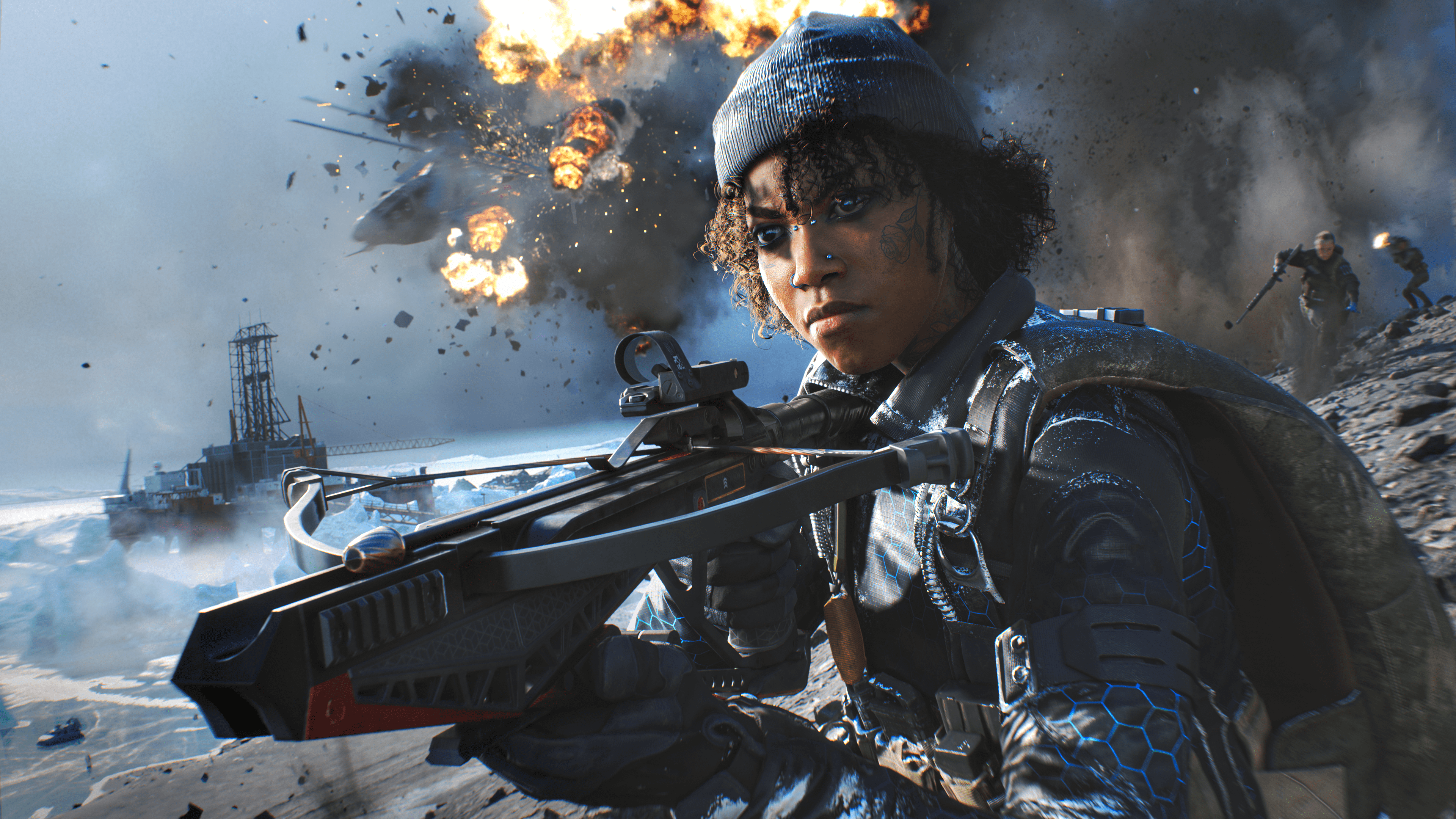
NEW WEAPON: GHOSTMAKER R10 CROSSBOW 

Quiet but deadly, this short- to mid-range crossbow is a versatile weapon. Choose from regular, light,  heavy, and explosive ammo and adapt to different combat situations. 

KEY FEATURES:

NEW IN ALL-OUT WARFARE: BSV-M MARKSMAN RIFLE 

Take out enemies from afar with a Sniper Rifle ideal for mid-range combat. This integrally suppressed  DMR fires high power and is absolutely lethal in the right hands. 

NEW GADGET: SMOKE GRENADE LAUNCHER 

Provide extra cover for your squad by laying down a wall of smoke. Use the Smoke Grenade Launcher  in both offensive and defensive situations to open up new windows of opportunity. 

NEW ADDITIONS TO BATTLEFIELD™ PORTAL 

Dive into new features and arsenals of Battlefield 1942, Battlefield Bad Company 2, and Battlefield 3 as  Battlefield Portal expands. A new Builder toolset for Superiority mode is among the updates.  

NEW BATTLE PASS 

Play through 100 tiers in the Season 1 Battle Pass to unlock Free and Premium content. Free tiers give  access to Weapons, Vehicles, Cosmetics, and more. Completing Premium tiers unlocks Skins, BFC,  Player Cards, Weapon Charms, Takedowns, and more. 

There’s also a new gameplay look at the new Specalist, Ewelina Lis and what she can do on the battlefield!

Battlefield 2042 Season 1 Ewelina Lis Gameplay Blowout:

We’ll have more coverage of BF2042’s Season 1 all throughout the day, so stay frosty!

Avatar photo

Alex Co

Father, gamer, games media vet, writer of words, killer of noobs.

Home > News

Bus Simulator Update 2.18 Out for Various Bug Fixes This June 7

Developer Stillalive Studios has released Bus Simulator 21 update 2.18 on all platforms today. It comes with various bug fixes, and also adds Chinese voice overs to the game. Performance improvements have also been made. You can check out the full Bus Simulator 21 June 7 patch notes below.

Bus Simulator 21 2.18 Patch Notes | Bus Simulator June 7 Patch Notes:

New:

  • Chinese Voice Overs added (for Simplified Chinese)

Performance Improvements:

  • Overall performance improvements for various areas on both maps

Bug fixes and general game improvements

  • “Catch Em All” achievement has been fixed
  • Direction arrows on the streets of Seaside Valley are now visible again
  • Save games can be deleted again
  • Pedestrians do not jump from bridges anymore
  • Pedestrians do not sink into the streets anymore
  • Passenger delivery/pick up counter does not overcount anymore
  • Iveco Crossway LE is now showing the correct engine type
  • Mission 10 in Angel Shores which requires a balanced route does not complete with an unbalanced route anymore
  • In Sandbox Mode the Quest Log is hidden now
  • Female AI driver clipping elbow fixed
  • Corrected setting description for the language setting
  • Fixed controller can’t apply locked customization
  • Interact area of the locker in the depot has been improved
  • Added a one time per game session reminder of how to stand up from the passenger seat
  • Now, you can not sit on passenger seats in the initial tutorial mission anymore
  • Long bus names are scrolling in the POI details panel
  • Fix of a wrong button icon in the Modding Kit menu
  • Added a boat called “Liam Dawe” as a special thanks for testing the game on Steam Deck

That’s it for the patch notes. Bus Simulator 21 is out now for the PC, PlayStation and Xbox platforms. 

Source: Bus Simulator

Damien Seeto

Home > News

Crossout Update 2.87 Patch Notes Out for Bug Fixes This June 7

Targem Games has released the Crossout update 2.87 (PS5 update 1.000.020) patch on both PC and console platforms today. The patch itself includes various gameplay improvements as well as bug fixes. This is a small update with no new content. You can check out the full Crossout June 7 patch notes posted down below.

Crossout Update 2.87 Patch Notes | Crossout June 7 Patch Notes:

  • Fixed a bug that caused the shells of the “Executioner 88mm” and “Prosecutor 76mm” cannons to pierce more armour than they should.
  • Fixed an issue in the calculation formula that caused the structural parts of the “Eater of souls” pack to automatically have excessive parameters. As a result, the parameters of power score, mass and durability were reduced for the following parts:
    • Left Kutkh wing;
    • Right Kutkh wing;
    • Left Kutkh foot;
    • Right Kutkh foot.
  • Reduced the green shade contrast of the “Dark aquamarine” paint. Now the paint is closer to its original visual appearance (before the 0.13.70 update).
  • Fixed a bug that caused one more base to appear on the “Nameless tower” map in the “Assault” mode.
  • Improved textures for the parts “Left Kutkh wing” and “Right Kutkh wing”
  • Fixed the effects of shells hitting the checkpoint frames in the “Copperhead stadium” garage.
  • Fixed a bug that led to an incorrect amount of received resources being displayed in the Engineer badge exchange confirmation window.
  • Ochre and Caligari left the players’ garages.

That’s it for the patch notes. Crossout is out now and free-to-play for PC, PS5, Xbox Series X/S, PS4 and Xbox One.

Source: Crossout.net

Damien Seeto

Home > News

Sniper Elite 5 Update 1.05 Fires Out for Crash Fixes This June 7

Rebellion Developments has released Sniper Elite 5 update 1.05 patch on all platforms today. Much like the last update, this patch addresses crashing issues that the game has been having. No new content has been released today. You can check out the Sniper Elite 5 June 7 patch notes posted down below.

Sniper Elite 5 Update 1.05 Patch Notes | Sniper Elite 5 June 7 Patch Notes:

  • Fixed several missing sounds – most notably the big guns in ‘Atlantic Wall’
  • Fixed crash during checkpoint load
  • Fixed occasional crash that occurred when loading into an AMP maps
  • Fixed occasional crash that occurred on the Survival results screen
  • Fixed crash that occurred when shooting the Machine Gun Team ‘Loader’ then the ‘Gunner’ in quick succession (the patch fixed crash that occurred just from shooting the Loader before the Gunner)

That’s it for the patch notes. You can check out the 1.04 patch notes released on May 28 below.

  • Fixed a crash when shooting the Machine Gun team loader before the gunner
  • Fixed an occasional crash when shooting into the water
  • Fixed players not receiving weapon attachments when visiting workbenches in Wolf Mountain DLC
  • Fixed Achievements/Trophies not always unlocking: Covert Elimination + Reich To The Point in the Wolf Mountain DLC
  • Player no longer gets stuck in reload animation
  • Fixed missing explosion sounds (for example, on the satchel charge)
  • Client no longer gets kicked after the first cutscene of some missions in co-op games.

Source: Steam

Damien Seeto

Home > News

Final Fantasy XIV Update 9.53 Patch Notes; Out for 6.15 This June 7

Square Enix has released Final Fantasy XIV update 9.53 , and this is for patch 6.15 as tagged by the developers. It brings lots of changes and additions to the game. There’s some new custom deliveries, additional quests and more. You can read the full Final Fantasy XIV Online June 7 patch notes posted down below.

Final Fantasy XIV Update 9.53 Patch Notes | Final Fantasy XIV June 7 Patch Notes:

Playable Content

Quests

Chronicles of a New Era quests have been added.

Omega: Beyond the Rift

A Heartless Hypothesis

Disciple of War or Magic level 90
Old Sharlayan (X:10.9 Y:14.3)
Bespectacled Technician
Players must first complete the main scenario quest “Endwalker,” and the Chronicles of a New Era quest “A Dream in Flight.”

Goodbye, ε̆│\̆│Δ

Disciple of War or Magic level 90
???
???
Players must first complete the Chronicles of a New Era quest “A Heartless Hypothesis.”

New side story quests have been added.

Tataru’s Grand Endeavor

Small Business, Big Dreams

Level 90
Old Sharlayan (X:11.8 Y:9.8)
Mehdjina
Players must first complete the main scenario quest “Newfound Adventure.”

Somehow Further Hildibrand Adventures

The Sleeping Gentleman

Disciple of War or Magic level 90
Radz-at-Han (X:11.8 Y:11.2)
Excitable Youth
Players must first complete the main scenario quest “Endwalker” and the quest “Don’t Do the Dewprism.”

???

Disciple of War or Magic level 90
???
???
Players must first complete the quest “The Sleeping Gentleman.”

New side quests have been added.

Custom Deliveries

Of Mothers and Merchants

Disciple of the Hand or Land level 80
Old Sharlayan (X:12.6 Y:9.7)
Well-dressed Attendant
Players must first complete the main scenario quest “Endwalker” and the quest “Go West, Craftsman.”

???

Disciple of the Hand or Land level 80
???
???
Players must first complete the quest “Of Mothers and Merchants” and achieve a satisfaction level of 4 with Ameliance.

???

Level 80
???
???
Players must first complete the quest “???” and achieve a satisfaction level of 5 with Ameliance.

Arkasodara tribal quests have been added.

* Starting with Patch 6.2, “beast tribe quests” in-game will be officially renamed to “tribal quests.”

Quest Sync

The Arkasodara tribal main quests and daily quests will employ an automatic level adjustment system known as quest sync, which will match the difficulty of the battles to the player’s current job and class levels. Any experience received upon the completion of these quests will be adjusted accordingly. Furthermore, certain quests will not allow players to proceed with a class or job that is different than when they accepted them.

Tribal Main Quests

Hippos Born to Run

Disciple of War or Magic level 80
Thavnair (X:25.3 Y:31.2)
Kancana
Players must first complete the main scenario quest “Endwalker” and the quest “A Budding Adventure.”

* The quest “A Budding Adventure” will become available after progressing through the quest chains beginning with “Steppe Child” and “What’s in a Parent.”

???

Disciple of War or Magic level 80
???
???
Players must first complete the tribal quest “Hippos Born to Run.”

???

Disciple of War or Magic level 80
???
???
Players must first complete the tribal quest “???”

???

Disciple of War or Magic level 80
???
???
Players must first complete the tribal quest “???”

???

Disciple of War or Magic level 80
???
???
Players must first complete the tribal quest “???”

???

Disciple of War or Magic level 80
???
???
Players must first complete the tribal quest “???”

Tribal Daily Quests

To unlock Arkasodara daily quests, players must first complete the tribal quest “Hippos Born to Run.”

Tribal Currency

Players can earn Arkasodara Pana by completing Arkasodara daily quests. The number of Arkasodara Pana currently held is displayed in the Currency window.

Tribal Vendors

The vendor for Arkasodara will be unlocked upon completing the quest “Hippos Born to Run.”

  • Thavnair (X:20.4 Y:28.4)

New chapters have been added to New Game+.

The final quest of each chapter must be completed before it can be unlocked.

Chronicles of a New Era Quests

  • Omega: Beyond the Rift
Housing

Furnishings from the FFXIV Furnishing Design Contest have been added.

Learn more about the FFXIV Furnishing Design Contest 2019.

Entries that did not win have also been selected to serve as new furnishings.

New furnishings have been added.

The Manderville Gold Saucer

The following additions have been made to Triple Triad:

New cards have been added.
New NPC opponents for Triple Triad have been added.

Miscellaneous

New orchestrion rolls have been added.

Battle System

PvP

The following adjustments have been made to PvP actions:

Ninja

Action   Adjustment
Shukuchi   The Hidden effect will now end even when using Sprint.
Meisui   Base cure potency has been reduced from 10,000 to 8,000.

Black Mage

Action   Adjustment
Paradox   This action no longer has charges.
Night Wing   Half-asleep effect no longer reduces target movement speed.
Soul Resonance   Damage reduction from the Apocatastasis effect has been changed from 20% to 10%.

Items

New items have been added.

* Items added in Patch 6.15 will be listed at a later date.

New recipes have been added.

* Recipes added in Patch 6.15 will be listed at a later date.

The following items can now be sold, desynthesized, or submitted for expert deliveries:

      • Moonward Longsword


      • Moonward Kite Shield


      • Moonward War Axe


      • Moonward Zweihander


      • Moonward Gunblade


      • Moonward Bladed Tonfa


      • Moonward Bident


      • Moonward Samurai Blade


      • Moonward Crux


      • Moonward Ninja Blades


      • Moonward Harp Bow


      • Moonward Arquebus


      • Moonward Tathlums


      • Moonward Rod


      • Moonward Grimoire


      • Moonward Rapier


      • Moonward Wand


      • Moonward Codex


      • Moonward Torquetum


      • Moonward Milpreves


      • Moonward Circlet of Fending


      • Moonward Mail of Fending


      • Moonward Gauntlets of Fending


      • Moonward Hose of Fending


      • Moonward Sollerets of Fending


      • Moonward Circlet of Maiming


      • Moonward Mail of Maiming


      • Moonward Gauntlets of Maiming


      • Moonward Hose of Maiming


      • Moonward Sollerets of Maiming


      • Moonward Veil of Striking


      • Moonward Cloak of Striking


      • Moonward Armguards of Striking


      • Moonward Gaskins of Striking


      • Moonward Boots of Striking


      • Moonward Veil of Scouting


      • Moonward Cloak of Scouting


      • Moonward Armguards of Scouting


      • Moonward Gaskins of Scouting


      • Moonward Boots of Scouting


      • Moonward Hat of Aiming


      • Moonward Vest of Aiming


      • Moonward Armlets of Aiming


      • Moonward Breeches of Aiming


      • Moonward Boots of Aiming


      • Moonward Hairpin of Casting


      • Moonward Top of Casting


      • Moonward Armlets of Casting


      • Moonward Bottoms of Casting


      • Moonward Boots of Casting


      • Moonward Hairpin of Healing


      • Moonward Top of Healing


      • Moonward Armlets of Healing


      • Moonward Bottoms of Healing


      • Moonward Boots of Healing


      • Moonward Earring of Fending


      • Moonward Necklace of Fending


      • Moonward Bracelet of Fending


      • Moonward Ring of Fending


      • Moonward Earring of Slaying


      • Moonward Necklace of Slaying


      • Moonward Bracelet of Slaying


      • Moonward Ring of Slaying


      • Moonward Earring of Aiming


      • Moonward Necklace of Aiming


      • Moonward Bracelet of Aiming


      • Moonward Ring of Aiming


      • Moonward Earring of Casting


      • Moonward Necklace of Casting


      • Moonward Bracelet of Casting


      • Moonward Ring of Casting


      • Moonward Earring of Healing


      • Moonward Necklace of Healing


      • Moonward Bracelet of Healing


    • Moonward Ring of Healing

Players can now speak with Ameliance to complete custom deliveries.

By completing these custom deliveries, players can receive gil, experience points, crafters’ scrips, or gatherers’ scrips.
* A total of 12 custom deliveries can be made each week.

Requirements

Of Mothers and Merchants

Disciple of the Hand or Land level 80
Old Sharlayan (X:12.6 Y:9.7)
Well-dressed Attendant
Players must first complete the main scenario quest “Endwalker” and the quest “Go West, Craftsman.”

Players can gain the ability to cast glamours on Ameliance by raising her satisfaction level to the maximum.
* The player must have glamours unlocked to acquire this ability.
* Glamour prisms are required as catalysts for the glamouring process.
* Items used to cast glamours will be bound to you, and can no longer be traded or sold on the market.

New items have been added to the inventory of Calamity salvagers.

New items have been added to gathering points.

New teeming waters have been added.

New varieties of fish have been added.

New mounts have been added.

New minions have been added.

System

New achievements and titles have been added.

New music has been added.

New trophies have been added. (PlayStation®5)

In order to better maintain the game’s security, connections using TLS 1.0 and 1.1 will be blocked. As a result, the game client can no longer be launched on the Windows®7 and Mac 32-bit platforms.

Resolved Issues

  • The following issues have been addressed.
    • An issue when undertaking the Myths of the Realm quest series wherein the symbols for Menphina and Halone in the Omphalos were incorrect.
    • An issue wherein graphics did not display properly in certain areas.
    • An issue wherein the cursor would reset to its default position each time a monk PvP action was set to the hotbar using a gamepad.
    • An issue wherein the additional effect listed in the help text of the ninja PvP action Meisui was incorrect.
      * This issue did not affect the functionality of this action.
    • An issue wherein effect duration listed in help text for the PvP red mage action Resolution was incorrect.
      * This issue did not affect the functionality of this action.
    • An issue wherein Zodiac Weapons did not gain light upon completion of the Praetorium or the Minstrel’s Ballad: Ultima’s Bane.
    • An issue wherein item level sync disabled itself upon entering the duty the Minstrel’s Ballad: Ultima’s Bane with Minimum IL enabled.
    • An issue in Crystalline Conflict on the Cloud Nine map wherein the tactical crystal would travel in the wrong direction despite your team having control of it.
    • An issue in Crystalline Conflict wherein teams were not declared the winner despite reaching 100% progress.
    • An issue in Crystalline Conflict wherein matches that entered overtime mistakenly resulted in a draw under certain circumstances.
    • An issue wherein the hot water and steam graphics of the Alpine Open-air Bath furnishing did not display correctly.
    • An issue when summoning retainers wherein error messages for sale items would display even when retainers were not in possession of the indicated items.
    • An issue wherein switching to a gear set linked to a portrait caused instant portraits to display default images under certain circumstances.
    • An issue where company crests displayed in the portrait editing window.
    • An issue wherein motions for the ninja PvP action Fleeting Raiju would not replay in the group pose mode.
    • Other minor text issues have also been addressed.

Other various issues have also been addressed.

Known Issues

  • An issue in the quest “The Sleeping Gentleman” wherein dialogue is attributed to the wrong character.
  • An issue when viewing the minion guide wherein the description of the wind-up Arkasodara minion overlaps its illustration.

That’s is for today’s patch notes. Final Fantasy XIV is out now for PC, PS5 and PS4.

Source: Final Fantasy XIV

Damien Seeto

Home > News

Outward Update 1.19 Patch Notes Released for Bug Fixes This June 7

Developer Nine Dots Studio has released Outward update 1.19 today. Officially this is called the DEFED patch notes and it comes with several bug fixes. This patch was released on PC a few days ago, but now you can download it for console platforms. You can check out the full Outward June 7 patch notes posted down below.

Outward 1.19 Patch Notes | Outward June 7 Patch Notes:

  • Jinx effects are now properly sync.
  • Instruments now apply their periodic effects properly.
  • Nurturing Echo now trigger the instrument properly.
  • Fixed issue where Rock Mantis life bar was displayed even when hidden.
  • Fixed Torment not doing its effect when target is affected by confusion.
  • Fixed Sweeping Kick not doing its effect when target is affected by confusion.
  • Fixed opportunist stab effects.
  • Fixed issue where Client’s stash would spawn initial loot more than once.
  • Reverberate effects now properly sync.
  • Item rotting in the stash won’t display the notification anymore.
  • Assassin’s enchantment can now be properly applied.
  • Fixed an issue where enemy would spawn a few km in the air in the open areas.
  • Fixed various instances where multiple version of Crock would be present at the same time.
  • Attempt to fix an issue where known recipe would be lost when playing in coop (This won’t bring back lost recipe unfortunately).
  • Enchantment on legacied item will now properly apply when retrieving them from the legacy chest.
  • Fixed issue where cooldown skills would be stuck after a loading.
  • Fixed issue where some inn doors would not close one they have been open.
  • Fixed issue where attempting to stop split would fail to do so when using a third party controller manager such as DS4.
  • Fixed issue where cursor would be visible when opening a menu even when using a gamepad.

That’s it for the patch notes. Outward is out now for the PC, PS4, Xbox One and Google Stadia platforms. 

Source: Steam

Damien Seeto

Home > News

Battlefield 2042 Update 1.000.014 Fires Out for Update 1.0 Season 1 (June 7)

DICE has deployed the Battlefield 2042 update 1.000.014 patch on all platforms, and this is to bring the Season 1: Zero Hour changes! While the new content isn’t available yet, there’s a ton of gameplay improvements in tow in what DICE calls Update 1.0! Read on for the BF24042 PS5 and Xbox Series X update patch notes!

Battlefield 2042 Update 1.000.014 Patch Notes | BF2042 Update 1.0 Patch Notes | BF2042 PS5 & Xbox Series X|S Update Patch Notes:

What’s new?

This Update includes hundreds of changes, bug fixes and Quality of Life improvements in preparation for the release of Season 1. Here are some of the highlights that you can expect in this Update:

  • Multiple improvements to soldier gameplay which will result in overall smoother animations and movement.
  • Weapons received updated netcode to improve bullet hit registration. We’ve also done a further balance pass which includes increased projectile speeds for DMR’s and LMG’s, and improved accuracy for Shotguns.
  • Multiple new XP events have been added, such as for killing an enemy who recently wounded or killed a squadmate, or when an enemy vehicle you recently damaged is destroyed by a teammate and the occupants are killed
  • The number of available in-world vehicles has been increased for Conquest which should make it easier to move across the map
  • Sundance’s Wingsuit has been adjusted to lower overall flight time, while making it easier to maneuver. To simplify their Specialty, the EMP Field Smart Explosive has been removed

Changelog

General

  • Voice Chat Channel is now greyed out in the Social Menu when Voice Chat is turned On, but you are unable to switch channels
  • Online IDs are now displayed in the rewards screen after End of Round when VoIP is enabled
  • Resolved instances where players could be Squad or Team switched outside of their Party
  • Quitting an ongoing match no longer automatically puts you back into the matchmaking queue
  • Resolved Mouse Raw Input Settings sometimes reverting
  • Resolved instances where switching to Fullscreen would cause the Borderless Window setting to not work on a second monitor
  • Added missing Voice indicators on Xbox Series X|S when unplugging/plugging in a headset to the controller
  • Closing the Pause menu no longer briefly shows the hangar lobby background
  • When disabling Social Communication options via Console, Text-to-speech and Speech-to-text options will now automatically be greyed out in-game
  • Resolved a flickering microphone indicator when clicking on the VoIP:Party button in the Social screen
  • Resolved instances where keyboard input was lost and the game window couldn’t be focused after alt+tabbing out of game
  • Resolved instances where in-game QR codes could not be scanned due to resolution issues
  • Resolved instances where players couldn’t be revived at the base of ziplines
  • Fixed an issue that caused Kill Cards to no longer display attachment names and icons after the first kill
  • Player nametags are no longer visible before the player models itself becomes visible to other players
  • Takedown kills now trigger an XP event
  • Claiming a control panel (ex. sliding doors) now triggers an XP event
  • Killing an enemy who recently wounded or killed a squadmate now triggers an XP event
  • Providing smoke cover in which teammates are healed or revived now triggers an XP event
  • Reviving, healing, repairing or resupplying a squadmate now provides more XP
  • Damaging an enemy vehicle now triggers an XP event
  • Providing smoke cover for squadmates who kill enemies or covering enemies who are killed now triggers an assist XP event
  • Getting a triple kill now triggers an XP event
  • When an enemy vehicle you recently damaged is destroyed by a teammate, and this kills occupants it will now trigger an assist XP event
  • Killing an enemy with a headshot now triggers an XP event
  • Always Traversal Sprint has been added as an option under the Controller tab
  • A Chat Log Visibility option has been added to allow setting the default visibility mode of the chat log (SHOW, WHEN ACTIVE or HIDE). This option is available under Display > Hud General

Battlefield Portal

  • Resolved instances where users could become stuck in an infinite sliding animation after exiting a moving Quad Bike
  • Fixed instances where the ESC button failed to bring up the Pause menu
  • Resolved instances of crashes when joining an in-progress match in Battlefield Portal
  • Fixed an issue on Valparaiso where vehicles could spawn underground in the lower US HQ
  • Fixed an issue on Caspian Border where the T-90 at Capture Point E1 would repeatedly respawn
  • Fixed an issue on Caspian Border where the player spawned Out of Bounds when deploying in a tank at the US HQ
  • Fixed an issue on El-Alamein and Arica Harbor where it wasn’t possible to vault through certain windows
  • Resolved instances where AI-driven tanks were getting stuck on cover assets
  • We’ve fixed further locations across all Classic era maps where players could get stuck
  • We’ve fixed further instances of floating assets and misaligned rocks/cliffs across all Classic era maps
  • Fixed an issue that would cause vehicles to sometimes stutter on Arica Harbour while driving at high speeds

AI Soldiers

  • Made further balance changes to AI difficulty and behavior
  • Fixed an issue where AI Soldiers only targeted the Recon Drone using the Recoilless M5
  • Fixed an issue where AI Soldiers were shooting above the target when using the Recoilless M5
  • Fixed an issue where AI using Barrage Missiles weapons from a vehicle are too accurate versus air vehicles
  • Fixed an issue where AI teams were sometimes uneven in Solo/Coop
  • Fixed an issue where AI got stuck in helicopters. AI will now bail out of helicopters when the vehicle gets stuck
  • Fixed an issue where AI soldiers were crouching too frequently
  • Added new AI Helicopter behaviors, including helicopter strafe runs
  • It’s now possible to be in a squad with AI in Solo/Coop
  • Fixed a mismatch for AI between their bullet traces and hit positions in high-rate shooting

Gadgets

  • Pathing for thrown grenades has been improved
  • The EMP Grenade now affects the Insertion Beacon, SG-36 Sentry Gun and APS-36 Shootdown Sentinel
  • Fixed an issue with the Repair Tool where repair progress would disappear during repair
  • Resolved instances where the Med-Pen wasn’t available for use
  • Resolved a bug where a weapon would fire while equipping an IBA Armor Plate
  • Resolved rare instances where Ammo Crates didn’t provide ammo
  • Resolved the Prox Sensor floating after the vehicle it was thrown on moves away
  • The FXM-33 AA Missile’s lock-on timer is now consistent between maps
  • Smoke Grenade effects can no longer be negated by opening the Collections menu
  • Using the The SOFLAM Designator now gives Assist XP after a designated vehicle has been destroyed by a friendly
  • The SOFLAM Designator lock-on now correctly disappear after the vehicle is destroyed
  • Resolved instances where spotting enemy soldiers with the SOFLAM Designator wasn’t always working as intended
  • Instances where C5 couldn’t be detonated while in water will longer happen

Maps & Modes

  • We have reduced the total number of Air Attack vehicles that can be active at any time to 1 per team
    • This change applies to both Conquest and Breakthrough, and is not active in Battlefield Portal modes, nor on the Classic era or Breakaway maps
    • The MV-38 Condor and the Mi-240 Super Hind are also not impacted by this change
  • In Conquest we have increased the number of in-world vehicles you’ll encounter across all maps
  • We’ve made countless smaller improvements across all maps such as updating lighting, improving audio and visual effects, and removing glitches
  • Fixed an issue on Breakaway where planes clip through terrain while Out of Bounds
  • Fixed an issue where a whiteout effect followed by terrain textures appearing low resolution on Breakaway while playing Conquest with 128 players
  • Fixed an issue on Breakaway where you could stay on the radar dome due to extended collision after using the Grappling Hook
  • Fixed an issue on Discarded where you could fall under the map after deploying for the first time
  • Fixed an invisible wall near E3 capture point on Hourglass
  • Using the Grappling Hook inside an elevator on Hourglass should no longer kill the player
  • Fixed an issue where projectiles could pass through trucks on Kaleidoscope
  • Fixed and issue across all maps where the first deploy could cause you to spawn out of bounds
  • Fixed an issue which allowed players to re-enter the deployment Condor
  • Proning or jumping while on the A2 platform in Orbital will no longer glitch the player
  • Resolved instances on Renewal where players couldn’t be revived if killed by an explosive in an elevator
  • Fixed an issue a Hazard Zone issue on Breakaway where it would be difficult to enter the helicopter for extraction
  • Fixed an issue where a Tuk Tuk was spawning on Discarded while playing Hazard Zone
  • Reduced the rate at which repeat Voice Over lines can occur during the last Sector in Breakthrough
  • Added a UI Widget for Breakthrough that informs defenders of being spotted when the last sector is lost
  • Hazard Zone Data Drives are now visible in the world by default. This removes the need to use the Data Drive Scanner

Soldier

  • We’ve improved netcode for bullets hit detection on moving soldiers as well as when changing states or stance. This includes more consistent hit detection against Sundance when they are flying with the wingsuit.
  • Resolved a broken traversal sprint animation after spamming the jump button
  • Performing a takedown on another player performing a takedown will no longer result in a broken animation
  • Resolved an issue that could cause loss of input after traversing a ladder while using crouch and sprint at the same time
  • Resolved instances of missing character hands while in first person after deploy
  • Resolved bugged character movements when a player is prone inside a moving elevator
  • Resolved camera spinning when being downed on a moving LATV
  • Resolved instances of incorrect damage when falling from high distances
  • It’s now possible to jump off a ladder by crouching
  • Resolved glitchy movement in prone while in a crater which also prevented deploying gadgets
  • The Press Button animation no longer plays twice when pressed
  • Fixed an issue where movement penalty speed after jump landing didn’t trigger
  • The left hand no longer twitches while in first person when going from prone ADS, to standing ADS
  • Resolved a broken hand animation after sprinting into a wall while holding a grenade
  • Resolved instances of the camera clipping with the ground while inside a tornado
  • Resolved a stuttering animation when transitioning from petting Ranger back to soldier
  • Resolved a broken grenade throwing animation while vaulting
  • Fixed instances where parachutes didn’t deploy as intended
  • Switching to/from prone when having a grenade cooked no longer causes the grenade to be thrown
  • The throwing animation no longer loops when keeping the throw button pressed while in water
  • Resolved instances of being able to clip through objects after climbing a ladder
  • Resolved some instances where players were unable to ADS
  • Resolved choppy movements while crawling up slopes while downed
  • Resolved a misaligned camera when downed and looking at an attacking players
  • Resolved a misaligned camera after being revived
  • Resolved glitched ragdoll physics during death animations
  • Zipline travel is no longer interrupted by vehicles standing directly below it
  • Improved the melee bash animation and Added facial animation when performing a melee bash
  • You can no longer melee while throwing a grenade, which could cause visual glitching
  • Fixed an issue where a “No Ammo” visual message would appear while you still have ammo left
  • Players should no longer take explosion damage through walls
  • Resolved an issue where the player’s camera could sometimes clip through the ground or objects while prone
  • Resolved an issue where players didn’t get sent back to the deploy screen when getting killed when piloting a remotely controlled vehicle such as the EOD Bot
  • You will no longer sometimes get ejected from vehicles while driving through shallow water
  • You are now able to ADS directly after deploying a parachute
  • Being affected by a storm should no longer block ADS or Fire input
  • Dead or friendly soldiers will no longer sometimes block bullets
  • Sprinting to the side no longer causes a static first person while in third person it appears as no longer sprinting
  • It’s now possible to crawl while prone under obstacles which have enough space, such as some vehicles
  • Optimizations have been made to enable showing higher quality animations on soldiers

Specialists

Angel

  • Resolved a bug where a stuck Loadout Crate would kill players passing underneath it
  • The Loadout Crate no longer floats while deployed in smoke
  • The Armor icon is no longer visible for the Supply Bag
  •  Armor is no longer mentioned in Angels Loadout Crate description

Boris

  • The SG-36 Sentry Gun now gets destroyed during the Rocket Launch or Explosion events on Orbital
  • The SG-36 Sentry Gun no longer hovers in the air when the object it was placed on is destroyed
  • The SG-36 Sentry Gun now gets destroyed when the Colossal Wall event triggers on Discarded
  • The SG-36 Sentry Gun preview no longer shows as green when placing it in an enemy controlled Sector in Breakthrough
  • Resolved some instances where the SG-36 Sentry Gun couldn’t be deployed on smooth surfaces
  • The SG-36 Sentry Gun can no longer be deployed in elevators


Casper

  • Buttons on the OV-P Recon Drone now correctly display on the first deploy
  • The OV-P Recon Drone HUD no longer overlaps with the Objective HUD

Dozer

  • It’s no longer possible to float mid-air while crouching while having the SOB-8 Ballistic Shield deployed
  • Resolved instances where Dozer’s SOB-8 Ballistic Shield could block direct hits from tank shells

Falck

  • The S21 Syrette Pistol can now correctly heal players in prone position
  • The S21 Syrette Pistol can no longer incorrectly heal enemies while in a smoke screen
  • The “Plus” hit indicator for the S21 Syrette Pistol no longer shows while at full health
  •  Resolved an issue where death would occur when healing yourself or an ally while healing and taking damage from an enemy at the same time

Irish

  • Deploying Irish’s Gadgets no longer makes them inaccurately show as at 50% cooldown in the inventory
  • The DCS Deployable Cover can no longer block elevator doors

Mackay

  • You will no longer get stuck while grappling against the ship’s elevators on Discarded
  • The Grappling Hook now has the correct animation when attached to a moving vehicle
  • Resolved an issue where players could get stuck when grappling thin floors from below
  • Resolved an issue that prevented the Grappling Hook from being used inside bushes
  • Resolved a broken animation when jumping in water and using the Grappling Hook just before landing

Rao

  • Rao’s hands no longer flicker when using the Cyber Warfare Suite while prone

Sundance

  • The Smart Explosives cooldown no longer resets when switching between Explosives
  • Gliding and entering the MAV vehicle mid air no longer causes death when leaving the vehicle
  • Resolved instances of the Wingsuit showing visual twitching
  • Fixed an issue where Sundance did not take fall damage after hitting the ground from high altitudes
  • Sundance’s EMP Field Smart Explosive has been removed to simplify their Speciality
  • The Wingsuit has been adjusted so it’s easier to maneuver, while reducing the overall flight time
    • Reduced initial velocity boost when deploying from low heights
    • Increased velocity when deploying from greater heights
    • Adjusted elevation gain when pulling up to prevent getting higher up than the original starting position
    • Adjusted pitch turn angles to make it easier to pull up easier when going at high speeds
    • The hitbox while Wingsuiting has been improved

UI/HUD

  • Gadget Hit and Kill markers are now properly present when damaging
  • Fixed a bug where soldier health visuals weren’t visible as a passenger in a vehicle
  • The nearby revivers widget now updates until the player is done being revived
  • The Nearby Medic Widget has been updated to improve accuracy
  • Resolved instances where Squad Made Icons didn’t shrink after deploy
  • Control Points now display in the correct color in the Commorose
  • Resolved Location and Danger pings not showing in the World Log
  • Fixed an issue which would cause an extra space to appear next to weapon names within the Kill Feed

Vehicles

  • Fixed an issue that caused ping locations to be inaccurate when using the chase camera in aircraft
  • Fixed an issue that was causing excessive jitter when in cockpit view on jet planes
  • Repositioned the rearview camera alignment for aircraft
  • Fixed an issue where the camera would clip with aircraft while using ADS on the ground
  • Fixed an issue which prevented heavy ground vehicle weapon recoil from applying when firing low-impulse guns
  • Fixed an issue where the lock-on UI would sometimes not appear on enemy vehicles
  • Fixed an issue that was preventing players from entering the Polaris Sportsman from specific angles
  • Fixed an issue that was causing the cooldown on the vehicle deploy screen not display accurately
  • Made improvements to the landing of helicopters, who should not explode as easily when touching the ground at landing speeds
  • Fixed an issue that was causing the 3rd person ADS camera to break while piloting aircraft
  • Fixed an issue that would sometimes cause tank turrets and other parts to be invisible after exiting the vehicle.
  • Tanks would sometimes have the wrong equipment setup in some seats, this no longer happens
  • Fixed an issue causing strange helicopter behavior when flying in underground-type areas
  • On rare occasions vehicles would sometimes vanish from the collection screen. This has been fixed
  • The Crosshair dot for transport vehicles should now be visible
  • 40mm GL Projectiles should now be replenished while holding down fire
  • Fixed an issue where vehicle tooltips would not display on the first deployment
  • Exiting a vehicle that is in water should no longer sometimes cause players to fall through the map
  • Missiles from aircraft would sometimes loop around targets. They now head straight for them with unbridled rage
  • Fixed a tech hang that would sometimes occur when flying a helicopter upside down and exiting it moments before crashing
  • Fixed an issue which would sometimes cause the Plus Menu to not be openable while in a passenger seat of a vehicle
  • Fixed an issue where a weapon could be seen through the driver seat of the 4×4 Utility
  • Fixed an issue that caused vehicle weapons with near detonation such as the 60mm Flak Weapon Pod to detonate when getting close to certain gadgets
  • There was a unwanted muzzle explosion on Helicopter TOW Missile and Air-to-Ground Missiles that has been removed
  • Improved the visuals of the Polaris Sportsman suspension

AH-64GX Apache Warchief

  • Fixed an issue that would cause the AH-64GX Apache Warchief’s missile pod to be invisible when landing and exiting the vehicle

EBAA Wildcat

  • The Lock-on crosshair no longer enters a broken state while switching between the primary and secondary weapons in the EBAA Wildcat
  • Found an extra gear in the engine of the EBAA Wildcat, giving it an easier time driving uphill
  • Fixed an issue where the EBAA Wildcat’s 40mm Grenade Launcher would have misaligned projectiles

KA-520 Super Hokum

  • Fixed an issue where the Rocket pods remained on the 3D model of the KA-520 Super Hokum after equipping the 30mm cannon

LATV4 Recon

  • Fixed an issue where the LATV4 Recon turret does not move when another player is controlling it
  • Fixed an issue with the LATV4 Recon minigun which would sometimes lose its audio while spinning
  • Fixed an issue where you could continue to fire the LATV4 Recon minigun while in its overheat state during a lock-on
  • Fixed an issue which would cause soldiers to clip through the LATV4 Recon’s wheels. No more wheelies.
  • Fixed an issue which would cause the LATV4 Recon to question the laws of physics and lose gravitational force while exiting the vehicle when it’s upside down
  • LATV4 Recon Mastery should now always correctly track T1 Mastery progress
  • Fixed an issue where ping would sometimes not work in driver seats for vehicles with driver weapons

LCAA Hovercraft

  • You can no longer swim through the LCAA hovercraft

MAV

  • The headlights on the MAV would sometimes flicker, causing a little disco disco time. We have resolved the MAV lights going disco disco.
  • The Dot crosshair is no longer visible for passengers in the MAV
  • You no longer have to repeatedly hit E to exit the MAV
  • Fixed an issue that caused explosives to not benefit from the rear weakspot damage modifier on the EBAA Wildcat, T28 and the MAV
  • On Hourglass, the MAV could sometimes get stuck in a hole within sector B on Breakthrough, resulting in players unable to exit. This hole should no longer cause claustrophobic panic
  • The MAV now appears with the correct categorisation within the world log
  • The destroyed hulk of the MAV no longer appears as friendly vehicle on the minimap
  • Fixed an issue that would sometimes prevent you from exiting the MAV while it’s driving backwards

Mi-240 Super Hind

  • Attempting to exit the Mi-240 Super Hind as a passenger was sometimes problematic. This should now be a much smoother experience

MV38-Condor

  • Fixed an issue where tooltips would not always display while piloting the MV38-Condor

Weapons

  • Projectile speeds for all DMR’s and LMG’s has been increased
  • Shotgun Cone spread has been adjusted to improve consistency of hits
  • Improved pellet dispersion for Shotguns
  • All Underbarrel Attachments, excluding the AK-24 and SFAR-M GL, now have reduced reload times from 3.8 -> 3 seconds
  • Shotgun Ammo for the Masterkey Attachment can now be replenished via Ammo Crates as expected
  • Bolt Action Rifles now have identical Aim Assist as other weapons, this excludes Snap Settings
  • Tracer effects for Bolt Action rifles are now thicker to increase their visibility at long range
  • Fixed an issue where the crosshair would sometimes vanish upon revive
  • Fixed an issue where the crosshair would sometimes disappear when swapping sights
  • Fixed an issue where the reload and the ammo count resets while switching magazines in the Plus Menu
  • Aim Assist is no longer present for Sniper Rifles in hip fire
  • The Hold Breath breath mechanic for Bolt Action Rifles has its duration extended
  • Players can now Hold Breath for a total of 10 seconds
  • Fixed broken animations that could occur after shooting and immediately running with a Sniper Rifle
  • Attachments in the Plus Menu no longer display a 0 in their icon when depleting the last magazine on that weapon
  • You can now reload during vaults that don’t require both hands
  • Fixed an issue that could cause incorrect weapon movements while sprinting and reloading at the same time
  • Controller Trigger inputs are now more responsive when firing. This means you no longer need to fully release the trigger for a weapon to stop firing, or being able fire again.
  • Character hands should no longer clip through the M5A3 while using the ADS after the deploy animation
  • Underslung Shotgun and Grenade Launcher weapon sounds are no longer affected by other attachments on the primary weapons

AK-24

  • AK-24 Anti-Materiel Rounds now do correct damage at 20m
  • The Masterkey Underbarrel Attachment on the AK12 no longer incorrectly resets

M5A3

  • The projectile of the M5A3’s 40mm Incendiary attachment is now correctly visible during the reload animation

NTW-50

  • NTW-50 High Power Rounds now cause intended damage
  • Added missing shell ejection effects for the NTW-50

PBX-45

  • Reload time for the PBX-45 has been decreased from 3.1 -> 2.3 seconds

PKP-BP

  • Removed the unintended Single Fire mode on the PKP-BP

PP-29

  • The PP-29 now displays the correct ammo count for Subsonic Rounds

SWS-10

  • Resolved visual issues on the SWS-10 when using the Farstrike skin

Weapon Attachments

  • The SFAR Warhawk Compensator now has the correct modifiers
  • Fixed a spelling error on the Type 4 Heavy Suppressor
  • Fixed an issue where the Laser Sight and Flashlight could sometimes end up in a broken state after entering vehicles
  • Fixed Type 4 Heavy Suppressor and PB Heavy Suppressor incorrect modifier values
  • Fixed an issue where the Ghost Hybrid 1.25-2.5X had the wrong zoom level within the Collection menu
  • Fixed an issue that would cause the Plus Menu to break when equipping the Masterkey attachment
  • Fixed an issue where the AC42 Iron Sights could be blurry
  • Champion Muzzle Brake is now attached properly to the PBX-45
  • Warhawk Compensator is now properly attached to the MP9 icon on the deploy screen
  • Underbarrel Attachments no longer affect weapon Deploy / Undeploy times
  • Fixed an issue where some weapons would display incorrect reloading animations
  • The bipod on the DSR-1 should now properly visually attach to surfaces
  • Fixed some weapons displaying wrong ammo counts for specific magazines
  • Weapon names now appear in the Kill Log and Kill Cards when eliminating players while using an Underbarrel Attachments
  • Resolved a bug where the melee takedown sound wouldn’t play for the victim
  • Added unique impact sounds for melee Hatchets and Clubs
  • Performing a melee attack when switching to weapons/gadgets no longer incorrectly causes the weapon/gadgets art to display
  • Resolved a visual glitch when performing a takedown with the Survivalist’s Edge

We’ll have the BF2402 Season 1 gameplay and other bits available later today, so stay tuned! Keep your crosshairs locked in to our Battlefield game hub for the latest news.

Source: EA

Avatar photo

Alex Co

Father, gamer, games media vet, writer of words, killer of noobs.

Home > News

Path of Exile Update 2.12 Patch Notes Released for Changes This June 7

Grinding Gear Games has released Path of Exile update 2.12 today for several changes. Officially this is tagged as patch number 3.18.0e (Restartless). It brings changes to Headhunter and Replica Headhunter as well as several bug fixes. You can check out the full Path of Exile June 7 patch notes posted down below.

Path of Exile Update 2.12 Patch Notes | Path of Exile 3.18.0e Patch Notes | Path of Exile June 7 Patch Notes:

Headhunter changes

  • The Headhunter Unique Belt now has “When you Kill a Rare Monster, you gain its Modifiers for 60 seconds” (previously 20 seconds).
  • The Replica Headhunter Unique Belt now has “20% chance when you Kill a Magic Monster to gain its Modifiers for 60 seconds” (previously 20 seconds).
  • The above changes affect existing versions of these items.
  • We have done a lot of work on reducing the memory usage of rare monster modifiers so that a greater variety can be present in each area. This means that the number of different mods that Headhunter items can steal is a lot higher than before.

Sentinel changes

  • All Apex Sentinels can now empower an additional monster.
  • Apex Sentinels now add slightly more rewards to Rare and Unique monsters based on the level of the monster.
  • Sentinels can no longer drop in areas where Sentinels cannot be used, such as Unique Maps.
  • Sentinels can no longer empower Malachai, The Nightmare, or Catarina, Master of Undeath, in the first phase of their Boss fights as they don’t drop items at the end of this phase.

Other improvements and bug fixes

  • “Hide Filtered Ground Items” is now enabled by default due to the performance benefits it provides. This setting will be enabled upon downloading this patch and can be disabled in the Gameplay section of the Options menu.
  • Fixed a bug where defeating Xesht-Ula in the Wild while affected by the Covetous Shrine buff was not granting credit towards the Complete Domination Encounters Challenge.
  • Fixed a bug where Breach Commanders could be found with monster modifiers that require having Rare Minions, such as Heralding Minions.
  • Fixed another case where Heralding Totems from the Heralding Minions modifier would sometimes fail to despawn.
  • Fixed a bug where the Crystal Ore Map Bosses could become invulnerable when empowered by The Shaper.
  • Fixed a bug where the “Atlas of Worlds” Achievement could not be completed.
  • Fixed an instance crash.

That’s it for the patch notes. Path of Exile is out now for the PC, PS4 and Xbox One. 

Source: Path of Exile forums

Damien Seeto

Home > News

Battlefield 2042 Update 1.12 Deployed for Season 1 Zero Hour This June 7

It’s finally here! DICE has released Battlefield 2042 update 1.12, which is for Season 1: Zero Hour! While the season won’t kick off today (though we’ll see gameplay footage), the gameplay-related changes will be present the moment the patch is installed. Check out the changes for what DICE calls Update 1.0 in the BF2042 June 7 patch notes below.

Battlefield 2042 Update 1.12 Patch Notes | Battlefield 2042 June 7 Patch Notes:

What’s new?

This Update includes hundreds of changes, bug fixes and Quality of Life improvements in preparation for the release of Season 1. Here are some of the highlights that you can expect in this Update:

  • Multiple improvements to soldier gameplay which will result in overall smoother animations and movement.
  • Weapons received updated netcode to improve bullet hit registration. We’ve also done a further balance pass which includes increased projectile speeds for DMR’s and LMG’s, and improved accuracy for Shotguns.
  • Multiple new XP events have been added, such as for killing an enemy who recently wounded or killed a squadmate, or when an enemy vehicle you recently damaged is destroyed by a teammate and the occupants are killed
  • The number of available in-world vehicles has been increased for Conquest which should make it easier to move across the map
  • Sundance’s Wingsuit has been adjusted to lower overall flight time, while making it easier to maneuver. To simplify their Specialty, the EMP Field Smart Explosive has been removed

Changelog

General

  • Voice Chat Channel is now greyed out in the Social Menu when Voice Chat is turned On, but you are unable to switch channels
  • Online IDs are now displayed in the rewards screen after End of Round when VoIP is enabled
  • Resolved instances where players could be Squad or Team switched outside of their Party
  • Quitting an ongoing match no longer automatically puts you back into the matchmaking queue
  • Resolved Mouse Raw Input Settings sometimes reverting
  • Resolved instances where switching to Fullscreen would cause the Borderless Window setting to not work on a second monitor
  • Added missing Voice indicators on Xbox Series X|S when unplugging/plugging in a headset to the controller
  • Closing the Pause menu no longer briefly shows the hangar lobby background
  • When disabling Social Communication options via Console, Text-to-speech and Speech-to-text options will now automatically be greyed out in-game
  • Resolved a flickering microphone indicator when clicking on the VoIP:Party button in the Social screen
  • Resolved instances where keyboard input was lost and the game window couldn’t be focused after alt+tabbing out of game
  • Resolved instances where in-game QR codes could not be scanned due to resolution issues
  • Resolved instances where players couldn’t be revived at the base of ziplines
  • Fixed an issue that caused Kill Cards to no longer display attachment names and icons after the first kill
  • Player nametags are no longer visible before the player models itself becomes visible to other players
  • Takedown kills now trigger an XP event
  • Claiming a control panel (ex. sliding doors) now triggers an XP event
  • Killing an enemy who recently wounded or killed a squadmate now triggers an XP event
  • Providing smoke cover in which teammates are healed or revived now triggers an XP event
  • Reviving, healing, repairing or resupplying a squadmate now provides more XP
  • Damaging an enemy vehicle now triggers an XP event
  • Providing smoke cover for squadmates who kill enemies or covering enemies who are killed now triggers an assist XP event
  • Getting a triple kill now triggers an XP event
  • When an enemy vehicle you recently damaged is destroyed by a teammate, and this kills occupants it will now trigger an assist XP event
  • Killing an enemy with a headshot now triggers an XP event
  • Always Traversal Sprint has been added as an option under the Controller tab
  • A Chat Log Visibility option has been added to allow setting the default visibility mode of the chat log (SHOW, WHEN ACTIVE or HIDE). This option is available under Display > Hud General

Battlefield Portal

  • Resolved instances where users could become stuck in an infinite sliding animation after exiting a moving Quad Bike
  • Fixed instances where the ESC button failed to bring up the Pause menu
  • Resolved instances of crashes when joining an in-progress match in Battlefield Portal
  • Fixed an issue on Valparaiso where vehicles could spawn underground in the lower US HQ
  • Fixed an issue on Caspian Border where the T-90 at Capture Point E1 would repeatedly respawn
  • Fixed an issue on Caspian Border where the player spawned Out of Bounds when deploying in a tank at the US HQ
  • Fixed an issue on El-Alamein and Arica Harbor where it wasn’t possible to vault through certain windows
  • Resolved instances where AI-driven tanks were getting stuck on cover assets
  • We’ve fixed further locations across all Classic era maps where players could get stuck
  • We’ve fixed further instances of floating assets and misaligned rocks/cliffs across all Classic era maps
  • Fixed an issue that would cause vehicles to sometimes stutter on Arica Harbour while driving at high speeds

AI Soldiers

  • Made further balance changes to AI difficulty and behavior
  • Fixed an issue where AI Soldiers only targeted the Recon Drone using the Recoilless M5
  • Fixed an issue where AI Soldiers were shooting above the target when using the Recoilless M5
  • Fixed an issue where AI using Barrage Missiles weapons from a vehicle are too accurate versus air vehicles
  • Fixed an issue where AI teams were sometimes uneven in Solo/Coop
  • Fixed an issue where AI got stuck in helicopters. AI will now bail out of helicopters when the vehicle gets stuck
  • Fixed an issue where AI soldiers were crouching too frequently
  • Added new AI Helicopter behaviors, including helicopter strafe runs
  • It’s now possible to be in a squad with AI in Solo/Coop
  • Fixed a mismatch for AI between their bullet traces and hit positions in high-rate shooting

Gadgets

  • Pathing for thrown grenades has been improved
  • The EMP Grenade now affects the Insertion Beacon, SG-36 Sentry Gun and APS-36 Shootdown Sentinel
  • Fixed an issue with the Repair Tool where repair progress would disappear during repair
  • Resolved instances where the Med-Pen wasn’t available for use
  • Resolved a bug where a weapon would fire while equipping an IBA Armor Plate
  • Resolved rare instances where Ammo Crates didn’t provide ammo
  • Resolved the Prox Sensor floating after the vehicle it was thrown on moves away
  • The FXM-33 AA Missile’s lock-on timer is now consistent between maps
  • Smoke Grenade effects can no longer be negated by opening the Collections menu
  • Using the The SOFLAM Designator now gives Assist XP after a designated vehicle has been destroyed by a friendly
  • The SOFLAM Designator lock-on now correctly disappear after the vehicle is destroyed
  • Resolved instances where spotting enemy soldiers with the SOFLAM Designator wasn’t always working as intended
  • Instances where C5 couldn’t be detonated while in water will longer happen

Maps & Modes

  • We have reduced the total number of Air Attack vehicles that can be active at any time to 1 per team
    • This change applies to both Conquest and Breakthrough, and is not active in Battlefield Portal modes, nor on the Classic era or Breakaway maps
    • The MV-38 Condor and the Mi-240 Super Hind are also not impacted by this change
  • In Conquest we have increased the number of in-world vehicles you’ll encounter across all maps
  • We’ve made countless smaller improvements across all maps such as updating lighting, improving audio and visual effects, and removing glitches
  • Fixed an issue on Breakaway where planes clip through terrain while Out of Bounds
  • Fixed an issue where a whiteout effect followed by terrain textures appearing low resolution on Breakaway while playing Conquest with 128 players
  • Fixed an issue on Breakaway where you could stay on the radar dome due to extended collision after using the Grappling Hook
  • Fixed an issue on Discarded where you could fall under the map after deploying for the first time
  • Fixed an invisible wall near E3 capture point on Hourglass
  • Using the Grappling Hook inside an elevator on Hourglass should no longer kill the player
  • Fixed an issue where projectiles could pass through trucks on Kaleidoscope
  • Fixed and issue across all maps where the first deploy could cause you to spawn out of bounds
  • Fixed an issue which allowed players to re-enter the deployment Condor
  • Proning or jumping while on the A2 platform in Orbital will no longer glitch the player
  • Resolved instances on Renewal where players couldn’t be revived if killed by an explosive in an elevator
  • Fixed an issue a Hazard Zone issue on Breakaway where it would be difficult to enter the helicopter for extraction
  • Fixed an issue where a Tuk Tuk was spawning on Discarded while playing Hazard Zone
  • Reduced the rate at which repeat Voice Over lines can occur during the last Sector in Breakthrough
  • Added a UI Widget for Breakthrough that informs defenders of being spotted when the last sector is lost
  • Hazard Zone Data Drives are now visible in the world by default. This removes the need to use the Data Drive Scanner

Soldier

  • We’ve improved netcode for bullets hit detection on moving soldiers as well as when changing states or stance. This includes more consistent hit detection against Sundance when they are flying with the wingsuit.
  • Resolved a broken traversal sprint animation after spamming the jump button
  • Performing a takedown on another player performing a takedown will no longer result in a broken animation
  • Resolved an issue that could cause loss of input after traversing a ladder while using crouch and sprint at the same time
  • Resolved instances of missing character hands while in first person after deploy
  • Resolved bugged character movements when a player is prone inside a moving elevator
  • Resolved camera spinning when being downed on a moving LATV
  • Resolved instances of incorrect damage when falling from high distances
  • It’s now possible to jump off a ladder by crouching
  • Resolved glitchy movement in prone while in a crater which also prevented deploying gadgets
  • The Press Button animation no longer plays twice when pressed
  • Fixed an issue where movement penalty speed after jump landing didn’t trigger
  • The left hand no longer twitches while in first person when going from prone ADS, to standing ADS
  • Resolved a broken hand animation after sprinting into a wall while holding a grenade
  • Resolved instances of the camera clipping with the ground while inside a tornado
  • Resolved a stuttering animation when transitioning from petting Ranger back to soldier
  • Resolved a broken grenade throwing animation while vaulting
  • Fixed instances where parachutes didn’t deploy as intended
  • Switching to/from prone when having a grenade cooked no longer causes the grenade to be thrown
  • The throwing animation no longer loops when keeping the throw button pressed while in water
  • Resolved instances of being able to clip through objects after climbing a ladder
  • Resolved some instances where players were unable to ADS
  • Resolved choppy movements while crawling up slopes while downed
  • Resolved a misaligned camera when downed and looking at an attacking players
  • Resolved a misaligned camera after being revived
  • Resolved glitched ragdoll physics during death animations
  • Zipline travel is no longer interrupted by vehicles standing directly below it
  • Improved the melee bash animation and Added facial animation when performing a melee bash
  • You can no longer melee while throwing a grenade, which could cause visual glitching
  • Fixed an issue where a “No Ammo” visual message would appear while you still have ammo left
  • Players should no longer take explosion damage through walls
  • Resolved an issue where the player’s camera could sometimes clip through the ground or objects while prone
  • Resolved an issue where players didn’t get sent back to the deploy screen when getting killed when piloting a remotely controlled vehicle such as the EOD Bot
  • You will no longer sometimes get ejected from vehicles while driving through shallow water
  • You are now able to ADS directly after deploying a parachute
  • Being affected by a storm should no longer block ADS or Fire input
  • Dead or friendly soldiers will no longer sometimes block bullets
  • Sprinting to the side no longer causes a static first person while in third person it appears as no longer sprinting
  • It’s now possible to crawl while prone under obstacles which have enough space, such as some vehicles
  • Optimizations have been made to enable showing higher quality animations on soldiers

Specialists

Angel

  • Resolved a bug where a stuck Loadout Crate would kill players passing underneath it
  • The Loadout Crate no longer floats while deployed in smoke
  • The Armor icon is no longer visible for the Supply Bag
  •  Armor is no longer mentioned in Angels Loadout Crate description

Boris

  • The SG-36 Sentry Gun now gets destroyed during the Rocket Launch or Explosion events on Orbital
  • The SG-36 Sentry Gun no longer hovers in the air when the object it was placed on is destroyed
  • The SG-36 Sentry Gun now gets destroyed when the Colossal Wall event triggers on Discarded
  • The SG-36 Sentry Gun preview no longer shows as green when placing it in an enemy controlled Sector in Breakthrough
  • Resolved some instances where the SG-36 Sentry Gun couldn’t be deployed on smooth surfaces
  • The SG-36 Sentry Gun can no longer be deployed in elevators


Casper

  • Buttons on the OV-P Recon Drone now correctly display on the first deploy
  • The OV-P Recon Drone HUD no longer overlaps with the Objective HUD

Dozer

  • It’s no longer possible to float mid-air while crouching while having the SOB-8 Ballistic Shield deployed
  • Resolved instances where Dozer’s SOB-8 Ballistic Shield could block direct hits from tank shells

Falck

  • The S21 Syrette Pistol can now correctly heal players in prone position
  • The S21 Syrette Pistol can no longer incorrectly heal enemies while in a smoke screen
  • The “Plus” hit indicator for the S21 Syrette Pistol no longer shows while at full health
  •  Resolved an issue where death would occur when healing yourself or an ally while healing and taking damage from an enemy at the same time

Irish

  • Deploying Irish’s Gadgets no longer makes them inaccurately show as at 50% cooldown in the inventory
  • The DCS Deployable Cover can no longer block elevator doors

Mackay

  • You will no longer get stuck while grappling against the ship’s elevators on Discarded
  • The Grappling Hook now has the correct animation when attached to a moving vehicle
  • Resolved an issue where players could get stuck when grappling thin floors from below
  • Resolved an issue that prevented the Grappling Hook from being used inside bushes
  • Resolved a broken animation when jumping in water and using the Grappling Hook just before landing

Rao

  • Rao’s hands no longer flicker when using the Cyber Warfare Suite while prone

Sundance

  • The Smart Explosives cooldown no longer resets when switching between Explosives
  • Gliding and entering the MAV vehicle mid air no longer causes death when leaving the vehicle
  • Resolved instances of the Wingsuit showing visual twitching
  • Fixed an issue where Sundance did not take fall damage after hitting the ground from high altitudes
  • Sundance’s EMP Field Smart Explosive has been removed to simplify their Speciality
  • The Wingsuit has been adjusted so it’s easier to maneuver, while reducing the overall flight time
    • Reduced initial velocity boost when deploying from low heights
    • Increased velocity when deploying from greater heights
    • Adjusted elevation gain when pulling up to prevent getting higher up than the original starting position
    • Adjusted pitch turn angles to make it easier to pull up easier when going at high speeds
    • The hitbox while Wingsuiting has been improved

UI/HUD

  • Gadget Hit and Kill markers are now properly present when damaging
  • Fixed a bug where soldier health visuals weren’t visible as a passenger in a vehicle
  • The nearby revivers widget now updates until the player is done being revived
  • The Nearby Medic Widget has been updated to improve accuracy
  • Resolved instances where Squad Made Icons didn’t shrink after deploy
  • Control Points now display in the correct color in the Commorose
  • Resolved Location and Danger pings not showing in the World Log
  • Fixed an issue which would cause an extra space to appear next to weapon names within the Kill Feed

Vehicles

  • Fixed an issue that caused ping locations to be inaccurate when using the chase camera in aircraft
  • Fixed an issue that was causing excessive jitter when in cockpit view on jet planes
  • Repositioned the rearview camera alignment for aircraft
  • Fixed an issue where the camera would clip with aircraft while using ADS on the ground
  • Fixed an issue which prevented heavy ground vehicle weapon recoil from applying when firing low-impulse guns
  • Fixed an issue where the lock-on UI would sometimes not appear on enemy vehicles
  • Fixed an issue that was preventing players from entering the Polaris Sportsman from specific angles
  • Fixed an issue that was causing the cooldown on the vehicle deploy screen not display accurately
  • Made improvements to the landing of helicopters, who should not explode as easily when touching the ground at landing speeds
  • Fixed an issue that was causing the 3rd person ADS camera to break while piloting aircraft
  • Fixed an issue that would sometimes cause tank turrets and other parts to be invisible after exiting the vehicle.
  • Tanks would sometimes have the wrong equipment setup in some seats, this no longer happens
  • Fixed an issue causing strange helicopter behavior when flying in underground-type areas
  • On rare occasions vehicles would sometimes vanish from the collection screen. This has been fixed
  • The Crosshair dot for transport vehicles should now be visible
  • 40mm GL Projectiles should now be replenished while holding down fire
  • Fixed an issue where vehicle tooltips would not display on the first deployment
  • Exiting a vehicle that is in water should no longer sometimes cause players to fall through the map
  • Missiles from aircraft would sometimes loop around targets. They now head straight for them with unbridled rage
  • Fixed a tech hang that would sometimes occur when flying a helicopter upside down and exiting it moments before crashing
  • Fixed an issue which would sometimes cause the Plus Menu to not be openable while in a passenger seat of a vehicle
  • Fixed an issue where a weapon could be seen through the driver seat of the 4×4 Utility
  • Fixed an issue that caused vehicle weapons with near detonation such as the 60mm Flak Weapon Pod to detonate when getting close to certain gadgets
  • There was a unwanted muzzle explosion on Helicopter TOW Missile and Air-to-Ground Missiles that has been removed
  • Improved the visuals of the Polaris Sportsman suspension

AH-64GX Apache Warchief

  • Fixed an issue that would cause the AH-64GX Apache Warchief’s missile pod to be invisible when landing and exiting the vehicle

EBAA Wildcat

  • The Lock-on crosshair no longer enters a broken state while switching between the primary and secondary weapons in the EBAA Wildcat
  • Found an extra gear in the engine of the EBAA Wildcat, giving it an easier time driving uphill
  • Fixed an issue where the EBAA Wildcat’s 40mm Grenade Launcher would have misaligned projectiles

KA-520 Super Hokum

  • Fixed an issue where the Rocket pods remained on the 3D model of the KA-520 Super Hokum after equipping the 30mm cannon

LATV4 Recon

  • Fixed an issue where the LATV4 Recon turret does not move when another player is controlling it
  • Fixed an issue with the LATV4 Recon minigun which would sometimes lose its audio while spinning
  • Fixed an issue where you could continue to fire the LATV4 Recon minigun while in its overheat state during a lock-on
  • Fixed an issue which would cause soldiers to clip through the LATV4 Recon’s wheels. No more wheelies.
  • Fixed an issue which would cause the LATV4 Recon to question the laws of physics and lose gravitational force while exiting the vehicle when it’s upside down
  • LATV4 Recon Mastery should now always correctly track T1 Mastery progress
  • Fixed an issue where ping would sometimes not work in driver seats for vehicles with driver weapons

LCAA Hovercraft

  • You can no longer swim through the LCAA hovercraft

MAV

  • The headlights on the MAV would sometimes flicker, causing a little disco disco time. We have resolved the MAV lights going disco disco.
  • The Dot crosshair is no longer visible for passengers in the MAV
  • You no longer have to repeatedly hit E to exit the MAV
  • Fixed an issue that caused explosives to not benefit from the rear weakspot damage modifier on the EBAA Wildcat, T28 and the MAV
  • On Hourglass, the MAV could sometimes get stuck in a hole within sector B on Breakthrough, resulting in players unable to exit. This hole should no longer cause claustrophobic panic
  • The MAV now appears with the correct categorisation within the world log
  • The destroyed hulk of the MAV no longer appears as friendly vehicle on the minimap
  • Fixed an issue that would sometimes prevent you from exiting the MAV while it’s driving backwards

Mi-240 Super Hind

  • Attempting to exit the Mi-240 Super Hind as a passenger was sometimes problematic. This should now be a much smoother experience

MV38-Condor

  • Fixed an issue where tooltips would not always display while piloting the MV38-Condor

Weapons

  • Projectile speeds for all DMR’s and LMG’s has been increased
  • Shotgun Cone spread has been adjusted to improve consistency of hits
  • Improved pellet dispersion for Shotguns
  • All Underbarrel Attachments, excluding the AK-24 and SFAR-M GL, now have reduced reload times from 3.8 -> 3 seconds
  • Shotgun Ammo for the Masterkey Attachment can now be replenished via Ammo Crates as expected
  • Bolt Action Rifles now have identical Aim Assist as other weapons, this excludes Snap Settings
  • Tracer effects for Bolt Action rifles are now thicker to increase their visibility at long range
  • Fixed an issue where the crosshair would sometimes vanish upon revive
  • Fixed an issue where the crosshair would sometimes disappear when swapping sights
  • Fixed an issue where the reload and the ammo count resets while switching magazines in the Plus Menu
  • Aim Assist is no longer present for Sniper Rifles in hip fire
  • The Hold Breath breath mechanic for Bolt Action Rifles has its duration extended
  • Players can now Hold Breath for a total of 10 seconds
  • Fixed broken animations that could occur after shooting and immediately running with a Sniper Rifle
  • Attachments in the Plus Menu no longer display a 0 in their icon when depleting the last magazine on that weapon
  • You can now reload during vaults that don’t require both hands
  • Fixed an issue that could cause incorrect weapon movements while sprinting and reloading at the same time
  • Controller Trigger inputs are now more responsive when firing. This means you no longer need to fully release the trigger for a weapon to stop firing, or being able fire again.
  • Character hands should no longer clip through the M5A3 while using the ADS after the deploy animation
  • Underslung Shotgun and Grenade Launcher weapon sounds are no longer affected by other attachments on the primary weapons

AK-24

  • AK-24 Anti-Materiel Rounds now do correct damage at 20m
  • The Masterkey Underbarrel Attachment on the AK12 no longer incorrectly resets

M5A3

  • The projectile of the M5A3’s 40mm Incendiary attachment is now correctly visible during the reload animation

NTW-50

  • NTW-50 High Power Rounds now cause intended damage
  • Added missing shell ejection effects for the NTW-50

PBX-45

  • Reload time for the PBX-45 has been decreased from 3.1 -> 2.3 seconds

PKP-BP

  • Removed the unintended Single Fire mode on the PKP-BP

PP-29

  • The PP-29 now displays the correct ammo count for Subsonic Rounds

SWS-10

  • Resolved visual issues on the SWS-10 when using the Farstrike skin

Weapon Attachments

  • The SFAR Warhawk Compensator now has the correct modifiers
  • Fixed a spelling error on the Type 4 Heavy Suppressor
  • Fixed an issue where the Laser Sight and Flashlight could sometimes end up in a broken state after entering vehicles
  • Fixed Type 4 Heavy Suppressor and PB Heavy Suppressor incorrect modifier values
  • Fixed an issue where the Ghost Hybrid 1.25-2.5X had the wrong zoom level within the Collection menu
  • Fixed an issue that would cause the Plus Menu to break when equipping the Masterkey attachment
  • Fixed an issue where the AC42 Iron Sights could be blurry
  • Champion Muzzle Brake is now attached properly to the PBX-45
  • Warhawk Compensator is now properly attached to the MP9 icon on the deploy screen
  • Underbarrel Attachments no longer affect weapon Deploy / Undeploy times
  • Fixed an issue where some weapons would display incorrect reloading animations
  • The bipod on the DSR-1 should now properly visually attach to surfaces
  • Fixed some weapons displaying wrong ammo counts for specific magazines
  • Weapon names now appear in the Kill Log and Kill Cards when eliminating players while using an Underbarrel Attachments
  • Resolved a bug where the melee takedown sound wouldn’t play for the victim
  • Added unique impact sounds for melee Hatchets and Clubs
  • Performing a melee attack when switching to weapons/gadgets no longer incorrectly causes the weapon/gadgets art to display
  • Resolved a visual glitch when performing a takedown with the Survivalist’s Edge

Source: EA

Avatar photo

Alex Co

Father, gamer, games media vet, writer of words, killer of noobs.

Home > News

The DIvision 2 Down for Maintenance This June 7, Will Bring in Fairview Apparel Event

Agents who’ve been waitig for The Division 2’s latest event,it’s time! Though you’re going to have a wait a bit, as The Division 2 down has been triggered on the game’s servers this June 7, and this will last a few hours. Read on for the schedule and more.

The DIvision 2 Down Status and Updates for June 7:

Schedule: 09:30 CEST/03:30 AM EDT/12:30 AM PDT/3:30 PM HKT

Duration: 3 hours

Maintenance Notes:

  • The Chill Out Mask will no longer drop.
  • Fixed an issue where Expertise Upgrades would reset to 0 after joining a match in Conflict.

That’s about it. When The Division devs issued a statement last week regarding the Fairview Apparel event being delayed and starting this week, they stuck to their word! Hopefully, any niggles and issues won’t surface from this event.

If things change regarding the maintenance schedule, we’ll  be sure to update the post accordingly.

Source: Ubisoft forums

Avatar photo

Alex Co

Father, gamer, games media vet, writer of words, killer of noobs.

Home > News

Capcom Showcase Digital Show Announced for Next Week

Capcom has announced that it will broadcast its own Capcom Showcase next week, which will feature updates from already announced titles. 

The Capcom Showcase kicks off on June 13 at 3:00pm PT. The show will be around 35 minutes long and will mostly focus on already announced video games. Hopefully this means more from the Resident Evil 4 Remake and as well as some Street Fighter 6 gameplay.

You can read the full announcement below.

“A new livestreamed digital event is on the way.

The Capcom Showcase has got you covered on the latest news and updates for upcoming Capcom games! Tune in on Monday, June 13 at 3:00pm PT, 6:00pm ET for the Capcom Showcase livestream. We’ll be diving deeper into details and news on previously announced titles. You can check out the show live on the official Capcom Twitch and YouTube channels. The show will run about 35 minutes; so sit back, grab a snack, and enjoy the show.”

We will share more news about the Showcase when it happens next Monday.

Source: Capcom

Damien Seeto

Home > News

Uncharted 4 Almost Had a Stamina Bar

Uncharted 4 was the climax of one of the most iconic franchises in video games. The developers at Naughty Dog managed to include a fantastic story, fun mechanics, and technological improvements into the game that made it a standout title for the PlayStation 4. Now, fans of the game have gotten a small peek behind the curtain of its development, revealing that at one point, Uncharted 4 was going to feature a stamina bar for Nathan Drake’s climbing. 

The information comes from the game’s co-writer Josh Scherr, who appeared on the YouTube channel Couch Soup to play the game and talk about its development. The video itself covers a lot of ground, including Scherr’s more than 20-year career with Naughty Dog, but it eventually turned to the development of Uncharted 4 itself. It was then that Scherr revealed that during much of the game’s earlier prototypes players had to deal with a stamina bar whenever Nathan Drake was climbing in Uncharted 4.

He said that the mechanic was introduced to the game to try, and add a level of challenge to the climbing sections of the game. However, it was ultimately scrapped because the development team felt that it got in the way of their blend of platforming and gunplay. In particular, he said that it was too much to pay attention to when the player also had to focus on shooting at enemies, running away from them, and navigating the map all at once. 

The video goes through a lot of other topics as well, and it is a very interesting look at the development of one of the biggest franchises in gaming. So, if you want to check out the entire chat, feel free to do so below: 

Arron Kluz

Home > News

Advocacy Groups Call for FTC Investigation into FIFA Loot Boxes

Loot boxes have always been a contentious part of the games industry. While many see no issue with them, there are others that claim they have a significant impact on the games they are included in, and more still say that there is evidence of loot boxes acting as an exploitative monetization tactic. Now, a group of 15 advocacy groups that believe there loot boxes exploit young children and those with gambling addictions have called on the FTC to launch a formal investigation into FIFA loot boxes. 

This is not the first time that loot boxes have drawn legal attention, and they are even completely illegal in some nations like Norway. In fact, it is the Norwegian Consumer Council Report that these groups are using to fuel their claims of FIFA exploiting children and teens for financial profit. Their filing also claims that EA’s efforts to disclose the odds of their loot boxes and explicitly advertise the cost of getting coveted cards are not enough. 

EA has responded to the filing, saying that their titles do not require players to purchase microtransactions and that they encourage parents to use parental controls that are available on most gaming platforms. This also is not the first time that the FTC has taken a look at the practices of loot boxes, as they held a workshop on the subject in 2019, but ultimately didn’t decide to take any action on the subject. 

Currently, game publishers have to disclose the odds of their loot boxes because of an agreement between Microsoft, Sony, and Nintendo, so it will be interesting to see if the FTC believes that more needs to be done to protect vulnerable players from them. If the group’s letter does lead to action by the FTC it could bring some big changes to other multiplayer games that still use them. 

Source: gamesindustry.biz

Arron Kluz

Home > News

Madden NFL 23 Showcases New FieldSENSE System

EA revealed the next installment in its blockbuster football franchise, Madden NFL 23, not too long ago. Now, it has released a trailer for the game’s new FieldSENSE game mechanic to show off exactly what players can expect from the game’s biggest new addition. 

The video explains how the new game uses an advanced animation branching system to make plays more dynamic and fluid than ever before. The first part of this is called Hit Everything, which allows you to hit ball carriers regardless of the situation. This means creating tackle piles and tackling wide receivers in mid-air, all with physics-based animations to boot. Another inclusion is Skill-Based Passing. This mechanic allows the player to decide exactly where to put the ball during a pass, allowing players to take advantage of narrow pass windows and confuse defenders. 

Players are also given more control while carrying the ball through 360 Cuts. This mechanic allows players to make precise cuts so that they can avoid defenders and make it into any gap they see on the field. This is aimed to fix the problem found in previous games where ball-runners couldn’t turn sharply enough to make it through holes in the defensive line. Finally, FieldSENSE also brings wide receiver and defensive back battles. This system introduces a new 1v1 minigame that gives players more control on both sides of the ball for every pass.

Madden NFL 23 releases on August 19 for PC, PlayStation 4, PlayStation 5, Xbox One, and Xbox Series X/S. 

Arron Kluz

╳