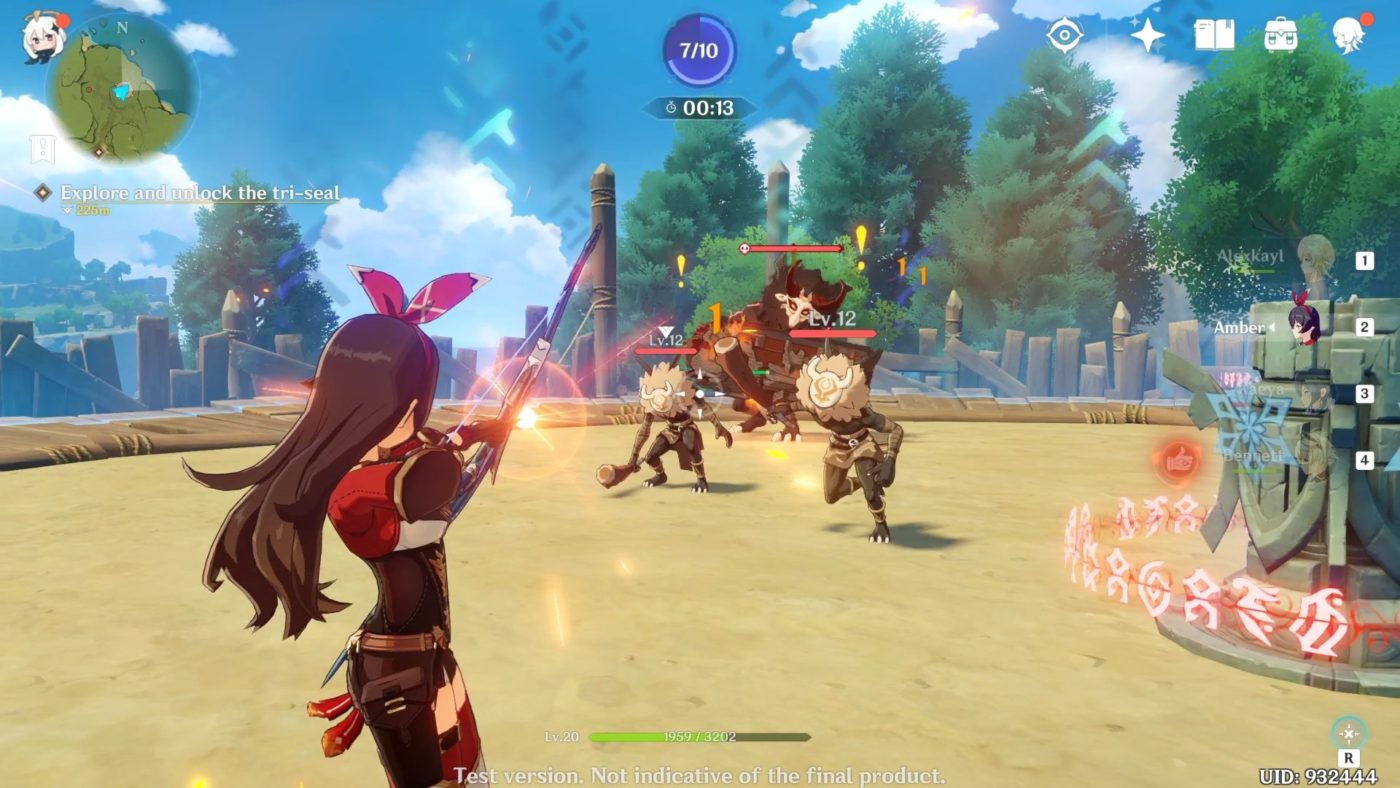
Those addicted to miHoYo’s mega-hit Genshin Impact, there’s a new content drop out now! The Genshin Impact update 1.02 November 10 patch is live and it adds a slew of new characters, gameplay changes annd more! This update applies to all versions of the game (mobile, PC, consoles), and is a big download.
Read on for the full Genshin Imapct A New Star Approaches patch notes below. Note that miHoYo calls this the “Genshin Impact 1.1 update.”
Genshin Impact Update 1.02 November 10 Patch Notes:
〓Update Time〓
Begins at 2020/11/11 06:00:00(UTC+8) and will take about 5 hours
(Precise times are subject to change. Players may also experience disruption outside of this period.)
〓How to Update Game〓
PC: Close the game, re-open the launcher, and click Update.
iOS: Go to the App Store and tap Update.
Android: Open the game and follow the prompts to complete the update. (Or go to the Google Play Store and tap Update.)
PS4: Highlight Genshin Impact on the PS4 Home Screen > press the OPTIONS button > select Check for Update.
If you encounter any issues while installing the update, please contact Customer Service and we will help you solve your issue as soon as possible.
〓Compensation〓
1. Primogems ×300
(We will give a compensation of 60 Primogems for each hour the servers are down. If servers go back online sooner than scheduled, we will still give out the full compensation above.)
2. With regard to inaccurate descriptions of characters and artifacts, compensation will be given out for these issues separately after they are fixed.
〓Eligibility〓
All Travelers who have reached Adventure Rank 5 or above by 2020/11/11 06:00:00(UTC+8)
We will issue compensation to all Travelers via in-game mail within 5 hours from the end of maintenance. Please log in to receive the mail by 2020/11/14 11:00:00(UTC+8). The mail will be valid for 30 days, so don’t forget to claim the compensation before it expires.
〓What to Look Forward To〓
▌New Content
I. New Characters
5-Star Character “Childe” Tartaglia (Hydro)
◇ No. 11 of The Harbingers, also known as “Childe.” His name is highly feared on the battlefield.
4-Star Character “Kätzlein Cocktail” Diona (Cryo)
◇ A young lady who has inherited trace amounts of non-human blood. She is the incredibly popular bartender of the Cat’s Tail tavern.
◆ During the event wish “Farewell of Snezhnaya”, from after the Version 1.1 update to 2020/12/01 15:59:59 (Server Time), the event-exclusive 5-star character “Childe” Tartaglia (Hydro) and the 4-star characters “Kätzlein Cocktail” Diona (Cryo), “Uncrowned Lord of Ocean” Beidou (Electro), and “Eclipsing Star” Ningguang (Geo) will have their Wish drop-rates greatly increased!
◆ The “Test Run” character trial event will be available from after the Version 1.1 update to 2020/12/01 15:59:59 (Server Time). Travelers can use fixed team compositions that contain the trial characters to complete designated challenges. Once the challenge is complete, you can obtain the corresponding rewards!
5-Star Character “Vago Mundo” Zhongli (Geo)
◇ A mysterious guest invited by the Wangsheng Funeral Parlor. Extremely knowledgeable in all things.
4-Star Character “Blazing Riff” Xinyan
◇ Liyue’s sole rock ‘n’ roll musician. She rebels against ossified prejudices using her music and passionate singing.
*The characters “Vago Mundo” Zhongli (Geo) and “Blazing Riff” Xinyan will appear in a subsequent event wish.
II. New Weapons
Memory of Dust (5-Star Catalyst)
◇ A stone dumbbell containing distant memories. Its endless transformations reveal the power within.
◆ The event wish “Epitome Invocation” will be available from after the Version 1.1 update to 2020/12/01 15:59:59 (Server Time). During this time, the event-exclusive 5-star weapon Memory of Dust (Catalyst) and the 5-star weapon Skyward Harp (Bow) will have their Wish drop-rates greatly increased!
Vortex Vanquisher (5-Star Polearm)
◇ This sharp polearm can seemingly pierce through anything. When swung, one can almost see the rift it tears in the air.
The Unforged (5-Star Claymore)
◇ Capable of driving away evil spirits and wicked people alike, this edgeless claymore seems to possess divine might.
*The weapons Vortex Vanquisher (Polearm) and The Unforged (Claymore) will appear in a subsequent event wish.
Royal Spear (4-Star Polearm)
◇ This polearm was once cherished by a member of the old nobility that governed Mondstadt long ago. Although it has never seen the light of day, it is still incomparably sharp.
*The weapon Royal Spear (4-Star Polearm) will be available in Starglitter Exchange in the Shop.
III. New Quests
1. New Archon Quest
◇ The mysterious emissary Ganyu appears before you at Third-Round Knockout. Claiming to have come at Ningguang’s behest, she invites you to the skyfaring palace known as the Jade Chamber.
To that end, you and Paimon have come to Mt. Tianheng, from where you can see the Jade Chamber in the distance…
◆ After the Version 1.1 Update, the Archon Quest Chapter 1: Act III – A New Star Approaches will become available. Complete this quest chain and obtain Primogems, Weapon Enhancement Materials, Character EXP Materials, and other rewards!
2. New Story Quests
◇ The Millelith have received numerous eyewitness reports recently that have confirmed an active Ruin Guard presence in an area far beyond their normal range of activity. After some investigation, you find that these Ruin Guards are, in fact, just toys for a certain child…
◆ After the Version 1.1 Update, the Story Quest Monoceros Caeli Chapter: Act I – Mighty Cyclops’ Adventure! will become available.
Complete this quest chain and obtain Primogems, Weapon Enhancement Materials, Character EXP Materials, and other rewards!
◆ The Story Quest Historia Antiqua Chapter: Act I – Sal Flore will also become available at a later date.
3. New World Quests
◆ New World Quests Added: The Adventurers’ Guild’s Affairs, Necessary Procedures, Words Worth Their Weight in Mora, Changchang’s Little Friend, The Secret of Nantianmen, An Ode to Yonder City, and Endless Research
Complete these quests and obtain Mora, Character EXP Materials, and other rewards!
IV. New Events
Version Main Event — Unreconciled Stars
◇ Peculiar meteorites are descending upon Teyvat, bringing a rare sleeping sickness with them. People trapped in deep slumber, mysterious dreams, an unknown star… The crisis draws closer!
◆ Event Rules: During the event, complete designated quests and “Star of Destiny” challenges to obtain Fading Star’s Might and Fading Star’s Essence!
◆ Event Rewards: Exchange Fading Star’s Might and Fading Star’s Essence in the Event Shop for Character Ascension Materials, Hero’s Wit, Mystic Enhancement Ore, Talent Enhancement Materials, Crown of Insight, and other rewards!
Complete “Prinzessin’s Pact” to get “Prinzessin der Verurteilung!” Fischl (Electro)!
*The Gliding Challenge and While It’s Warm events will become available at a later date. Stay tuned for more information.
V. New Systems
1. City Reputation System
◇ Reach Adventure Rank 25 and complete the corresponding quests to unlock this system.
◆ Reputation is currently divided into Mondstadt Reputation and Liyue Reputation.
Mondstadt Reputation Unlock Criteria: Complete the Archon Quest Prologue: Act I “The Outlander Who Caught the Wind”
Liyue Reputation Unlock Criteria: Complete the Archon Quest Chapter I: Act II “Farewell, Archaic Lord”
◆ Travelers can speak to Knights of Favonius Coordinator, Hertha and Ministry of Civil Affairs Secretary, Ms. Yu to take on new Bounties and Requests. You can also collect Reputation EXP rewards from them for World Exploration, Mondstadt Quests, and Liyue Quests.
◆ As you increase your Reputation Level, you will unlock special city features, recipes, gadget blueprints, namecards, wind gliders, and other rewards.
2. Exploration Progress System
Zoom out on the map to view the Exploration Progress for each area. Open chests, find Elemental Oculi, unlock Waypoints, and complete other exploration activities to increase your Exploration Progress in each area.
3. Archive System
A collection of Equipment, Materials, Geography, Books and Tutorials.
4. Character Archive System
Character Archive added.
VI. Other New Content
1. Gameplay
The following recipes are now available for purchase:
Wanmin Restaurant: Triple-Layered Consommé
Wangshu Inn: Bamboo Shoot Soup
Added new achievements under “Challenger – Series II”
New Harvestable Resources: Bamboo Shoot and Golden Loach
New Monster: Unusual Hilichurl
2. Settings
• Added customization options for keyboard and controller: Go to Paimon Menu > Settings > Controls, select a function to change the key or button assigned to it, and press any key or button to assign it to this function.
• New customization options added to Settings > Graphics: Volumetric Fog, Reflections, Bloom, Crowd Density, and Co-Op Teammate Effects.
• New options added to Settings > Other: Combat Camera Settings and Default Camera Distance.
3. System
• Added an Equipment Locking function. Locked equipment cannot be used for enhancement or refinement.
• A Report function has been added to Co-Op Mode.
Note: Different servers do not have the same server times. Travelers, please take note of the difference between server times and the time in your own time zone as follows:
America: UTC-5
Europe: UTC+1
Asia: UTC+8
TW, HK, MO: UTC+8
If you haven’t downloaded the game yet, go read our review to see why you nust do it now!
Now that’s one big update! Once we get wind of more Genshin Impact news, we’ll make sure to let our readers know.
In case you’ve been living under a rock for the past few months, the next-generation of gaming is here, as the Xbox Series X|S are now available (or at least officially out even if you can’t buy it due to stock shortages). Unfortunately, the new console’s launch has been marred, as Xbox Live down reports are flooding in and have been throughout the day!
While the Xbox Live server outages have been happening the entire day, it apparently got fixed a few hours ago before going down yet again just now. The official Xbox Support page acknowledged this and have mentioned that they will be providing updates via the official Xbox Live statuts page.
We're aware that users are currently unable to sign into Xbox Live. Our teams are already on it. We'll provide updates here and on our status page. https://t.co/PzAdjUFMJj
The official status page lists that signing into Xbox Live is having issues now, which means players won’t be able to download games, play online, etc.
Sadly, this is also causing Xbox Series X|S owners grief in setting up their consoles and playing the game, as most Xbox Series X titles require an online activation to function.
While Call of Duty: Black Ops Cold War will follow Modern Warfare 2019’s post-launch content plans to give out free maps and more, it looks like players willl be getting a super small Black Ops Cold War map count when it launches later this week.
Over on Reddit, an image of which maps will be available have made its way out via leaked early copies of the game. In the screenshot, it lists eight maps:
Armada
Cartel
Checkmate
Crossroads
Garrison
Miami
Moscow
Satellite
We’ve already seen Armada, Cartel, Miami, Satellite, Crossroads and Moscow during the Black Ops Cold War beta, which means, that if the screenshot above is legit, we just have two new maps to discover come launch! While I appreciate that we’re getting Nuketown in November, and more new maps in the future, launching with just eight maps is a bit too thin — especially if you consider that some of the maps will only be playable in large scale modes.
Of course, given this is from a leaked build without any patches applied and whatnot, maybe this isn’t the full Black Ops Cold War launch maps. Here’s to hoping!
It’s that time of the week again, cowpokes! Rockstar Games has rolled out the Red Dead Online weekly update November 10 server refresh of activities, discounts and more. Same as before, check out the summary below along with the complete list of available discounts.
Red Dead Online Weekly Update November 10, 2020:
Free Collectibles for all players that log in: 2 Bird’s Eggs, 2 Arrowheads and 2 Family Heirlooms
50% extra pay on all bounties for Bounty Hunters, plus Bounty Hunters Rank 5 and above will receive a free Role Outfit, Accessory or Emote
An Offer for 40% off an Established or Higher Bounty Hunter Item will be earned by any Bounty Hunter who completes a Legendary Bounty this week
An Offer good for 40% off an Established or Higher Collector Item will be earned by Collectors who dig up at least 5 Collectibles, plus Collectors Rank 5 and above will get 4 Megafauna Fossils anda Reward for a free Coat
Limited-Time Clothing additions to the Catalogue: The Irwin Coat, Porter Jacket, Charro Jacket, Prieto Poncho, Concho Pants, Owanjila Hat, Fanned Stovepipe Hat, Raccoon Hat, Cossack Hat, Shaffer Chaps, Pelt Half Chaps, Vaquero Baroque Spurs, Furred Gloves, Darned Stockings, Bowyer Boots, Morales Vest and the Cardozo Vest
Prime Gaming Benefits: Players that connect to Prime Gamingwill get a free Single Bandolier, plus Offers for 50% off a Double Bandolier, 50% off the Deluxe Campfire, and 30% off the Improved Bow
Additional Prime Gaming Benefits: A free Katata Coat, 6,000 Naturalist XP, a free Wilderness Camp, and 5 free Legendary Animal Pheromones for players that connect their Social Club account with Prime Gaming
CATALOGUE ADDITIONS
Irwin Coat
Porter Jacket
Charro Jacket
Prieto Poncho
Concho Pants
Owanjila Hat
Fanned Stovepipe Hat
Raccoon Hat
Cossack Hat
Shaffer Chaps
Pelt Half Chaps
Vaquero Baroque Spurs
Furred Gloves
Darned Stockings
Bowyer Boots
Morales Vest
Cardozo Vest
Stay tuned next Tuesday for the latest Red Dead Online refresh!
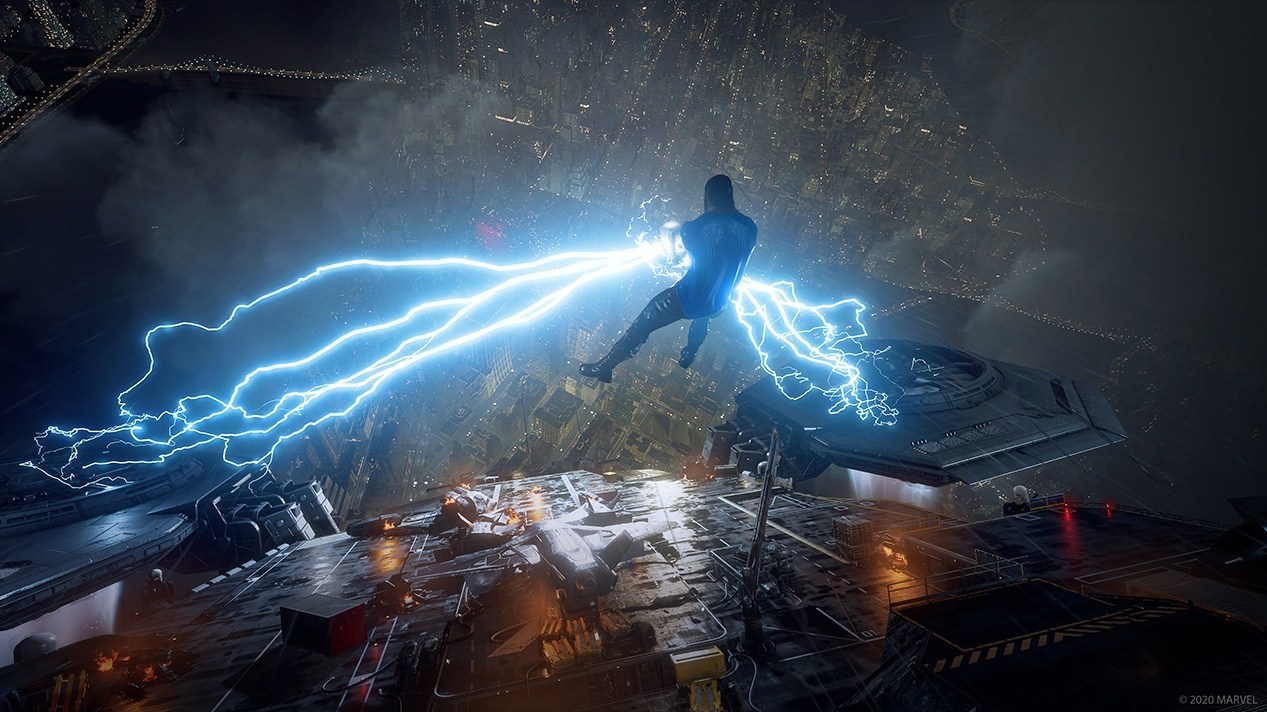
Heads up, true believers! Crystal Dynamics has released the Marvel’s Avengers update 1.14 November 10 patch. This clocks in at 2.6GB on PS4, and is also out on PC and Xbox One. Head on below for the details.
Marvel’s Avengers Update 1.14 November 10 Patch Notes:
Various performance improvements
Various crash & freeze fixes
Fixed an issue that cause the same boss to appear in both Villain Sector Faction Assignments each day.
Fixed a rare issue where players would become stuck in the Quinjet when traveling to an outpost.
Fixed a rare issue where Hulk would block the camera view in Quinjet when assigned as a companion.
Implemented a fix for AI companions being unable to revive players if they are downed on top of a Warbot.
Fixed an issue during “Hello Old Friend” where players are instructed to interact with the War Table but are unable to do so.
Fixed a rare issue in Elite Hives where a player cannot capture the servers after being downed and respawning.
Fixed a rare issue when Thor is re-introduced and a cut scene would not load, preventing progression.
Fixed a rare issue where Black Widow and Kamala would swap character models, blocking player progression.
Fixed an issue where perks exclusive to the upcoming Cloning Lab – such as Lab Breaker – were incorrectly active in other modes.
Fixed a rare issue where Black Widow’s baton staff would appear incorrectly oriented on her back.
Fixed an issue that caused Black Widow’s Saboteur Outfit to only have glasses on in the Main Menu.
Fixed a rare issue which occurred when Hulk threw multiple enemies, causing one to be stuck mid-air in the grab animation.
Fixed a rare issue where Hulk’s animation would invert when using Ground Shaker against power regulators.
Fixed an issue where Captain America would enter a broken state after canceling a Ricochet throw.
Fixed a rare issue where shield generators would become invisible during the final encounter in “More than Inhuman”.
Fixed a rare issue where Kamala’s model would expand and distort when performing certain moves.
Various multiplayer and matchmaking fixes
Fixed a rare issue where players could not see themselves or their strike team when loading into a matchmaking lobby.
Fixed a rare issue where enemies would enter an idle state and become invincible after a host leaves a multiplayer session.
Various UI fixes including replacing placeholder text, incorrect text, and non-localized text.
Updated and corrected various skill/gear descriptors.
Fixed an issue where sometimes, inspecting gear would cover relevant stats.
Improved the beam attack indicator to make players more aware of their surroundings and incoming attacks.
Faction Reward notification removed from helicarrier as Shield Faction Vendor moved to Substation Zero. Notifications will only appear in outposts where the vendor is at.
Fixed a rare issue where interact button prompts would not fill when holding the interact button.
Fixed an issue where UI would be stuck on screen indefinitely if the Hulkbuster ran out mid-interact.
Fixed an issue where Thor’s ‘Alfheim’s Favor’ Ultimate Heroic skill didn’t match the description at higher power levels.
Fixed rare occurrences of Iron Man Melee gear having a ranged icon/name.
Fixed an issue where the objective marker would appear on the Hulkbuster when the ability was used.
Fixed an issue where a resource crate icon would persist when opening a crate after reloading checkpoint.
Fixed an issue where Captain America’s Brooklyn Brawler specialization “Strong Arm” did not give increase in ranged damage.
Increased the time between Abomination’s attacks on downed players to provide a better chance of revival from companions.
Intrinsic Hero guards have been balanced to be more consistent against ranged attacks made by Keepers and Aero Keepers.
Fixed an issue where Kamala’s Focused Heart skill would unintentionally refresh the Hulkbuster energy meter and put it in an unresponsive state.
Fixed a rare issue where enemies could attack players from behind a closed door.
Fixed a rare issue that would sometimes result in Captain America sliding backwards after using Sprint Block.
Fixed a rare issue where Black Widow was sometimes unable to aim/shoot her ranged weapons after interacting with an object such as a console or core.
Fixed a rare issue where enemies would become stuck in the ground after Kamala uses Crushing Grasp on them following a takedown.
Added a 5% XP bonus for selecting “Quick Match” and 10% XP bonus for using “Quick Match with any Hero”.
Gear/Reward fixes across War Table missions to ensure expected/guaranteed rewards.
Fixed an issue where the ‘Shopping Spree’ trophy/achievement could be unlocked without making purchases from a Faction Vendor
Note that Crystal Dynamics has not released the official patch notes just yet, but should do so in an hour or two, as is usually the case with these Marvel’s Avengers patches. But thanks to the community, we have some of the first known changes!
Here are some of the changes per reliable Marvel’s Avengers dataminer Miller:
“Virtually Unstoppable” mission chain being stuck bug is fixed.
Outfit prices reverted
Once Crystal Dynamics publishes the official patch notes, we’ll update the post.
Speaking of datamining, go check out our first look at Black Panther and War Machine in the game right here! That post also contains new missions, upcoming content and more.
Same as before, if you spot any gameplay-related changes not mention by the official patch notes, feel free to leave a comment below to let others know.
While the actual data file was already released by Bungie last night (over the weekend for PS4 players), we didn’t know the exact list of changes until now. Bungie has released the Destiny 2 update 3.0.0. Beyond Light patch notes! Even if you don’t own the expansion, there are gameplay-related changes you’ll want to know.
Destiny 2 Update 3.0.0 Beyond Light Patch Notes:
Whew! Don’t forget, there’s the weekly reset today too.
Cryptic Studios has just finished maintenance for Neverwinter on consoles and PC, and have released the Neverwinter update 8.40 November 10 patch! This includes gameplay changes and more. Head on below for the official patch notes.
Neverwinter Update 8.40 November 10 Patch Notes:
Content and Environment
General
Ravenloft: Certain tutorial popups no longer stay active forever after leaving the tutorial hunt.
Umbraxakar’s Lair: The beams from the Amulet of Selûne are now visible from a longer distance.
Underdark Heroic Encounters: Demonic Escape’s required time has been reduced to 2.5 minutes, down from 5 minutes, to bring it in line with other Demonic Heroic Encounters.
Vallenhas: A skill node has been moved out of collision.
Events
Harvester of Nightmares: Players can no longer complete the Inception quest twice per run under certain circumstances.
Harvester of Nightmares: Players may no longer pick up Haunting the Harvester on multiple characters in the same day.
Masquerade of Liars: The drop rate of the Enchanted Witch’s Sash from piñatas has been increased.
Combat and Powers
Companion Powers
Soradiel: The power Divine Judgment now properly applies its stats to the player.
Item Powers
Charged Fury: This power now properly grants its power increase.
Wisps of the Power Demon: The tooltip on this item power now shows the correct stats.
Visual Effects
Wizard: Scorching Burst: The targeting cursor now properly shows on the ground when used.
Enemies and Encounters
Avernus Heroic Encounters
Ascension: Shocktroop Devil is no longer susceptible to control spells.
Items and Economy
Avernus Hunts
Hunts now give reward credit to the summoning party as long as any one of them hits the hunt target.
Dungeon Rewards
Insignias can now drop from dungeon rewards.
Redeemed Citadel
Store
Resolved an issue wherein the item “5 Mount Upgrade Tokens (Weekly)” did not properly display an icon.
Resolved an issue wherein the item “5 Mount Upgrade Tokens (Weekly)” did not grant mount tokens as advertised.
Resolved an issue wherein the item “5 Mount Upgrade Tokens (Weekly)” was purchasable multiple times in one week under certain circumstances.
Reward Claims Agent
(PC) The Neverwinter Vanguard pack and the Leyline Lorekeeper title are once again properly available from the Reward Claims Agent. The latter is granted to characters who had completed the version of the tutorial prior to Module 15.
General
Instances of an item labeled “Zariel’s Favor” appearing in a player’s inventory have been removed.
Dev note: These items were never meant to be granted, and could not be opened or redeemed for anything. Instead, they wasted space in one’s inventory until thrown away. They have now been removed so as to not be mistakenly held on to while wasting space.
Various minor typos have been addressed.
User Interface
General
The support suggestion URL has been updated.
Auction House
(Xbox, PS4) When consigning equipped items from the Auction House, the cursor can again properly be moved.
Home Page
The Blood Ruby Pack ad now opens the Refinement Pack entry in the Zen Market.
The “New Hairstyles” ad no longer appears, as these hairstyles are no longer new.
The Star Rover Key Bundle ad no longer appears, as this no longer shows up in the Zen Market.
Mounts
(PC) The “Choose New Equip Power” window can now be resized and moved.
Overworld Map
Players can now use the VIP Signpost to teleport to locations technically on the same map, e.g. the Wandering Emporium while in Avernus.
Queues
The queue window now updates more frequently after queue requirements are met.
Zen Market
When purchasing something, the purchase confirmation now includes the name of the product.
Developer Illfonic has released the Friday the 13th The Game update 1.39 November 9, which is the final update for the game, as its servers are being killed off, though the game will still be playable for gamers (just not with dedicated servers). Head on below for what’s set to be the final round of patch notes for the game.
The patch should be out on PS4, Xbox One, and PC, while the Nintendo Switch version has been delayed.
Friday the 13th The Game Update 1.39 November 9 Patch Notes:
Combat Stance
Commonly referred to as Sliding or Teleporting, the team has fixed an issue allowing players to manipulate combat stance changes.
Players may still see, when in spectator mode, counselors attempting to perform the exploit, however this is a visual artifact.
Pocket Knife Issues
Instant break free by using health spray or firecrackers when grabbed, resulting in not only an instant break free but also retention of the player’s pocket knife, has been fixed.
Loss of pocket knives in circumstances when firecrackers are used has also been fixed.
Jason – Game Play
Ability Unlock/Recharge Rate toggle in private matches has been fixed to include both parameters.
Lobby icon irregularities resulting in an inaccurate lobby icon have been fixed.
Abduction, when Jason is able to Morph while holding a counselor, has been fixed.
Mask HP loopholes where use of a flare gun or firecrackers could get the mask to come off too quickly have been fixed.
Jason Kill Sequence – Kneel: The issue where the kneeling animation during the Jason Kill process could be repeated has been fixed.
Counselor – Game Play
Hiding Under Bed: An issue where players could hide under beds and become stuck in a way where Jason could not kill them has been fixed. While it is still possible in some instances to cause the bug, the counselor will be able to be killed by Jason in that state.
Lobby icon irregularities resulting in an inaccurate lobby icon have been fixed.
Numerous safe spots around the maps have been fixed, including the Pinehurst Roof method by way of Tommy’s bed.
Players will now see an error if they roll and sell perks too quickly, but the game will stay functional and no longer lock up. Players can then continue to roll and sell perks, being cautious of not overloading the roll system.
An issue causing the Counselor clothing options to not save properly when altering color/items has been resolved. Feel free to go back to playing Pink Cop Kenny.
Tommy Jarvis voice lines have been restored, and this is between him and Jason.
General
Various Interaction Locks have been fixed, particularly those that occurred when players would input either multiple button presses or rapid button presses in short succession, rapid pick up and put down of items, and multiple inputs appearing with on screen prompts.
Fuse Box and Fuse spawn for the Cop call has been extended to ensure the fuse does not spawn inside the house with the fuse repair box.
With this patch, matchmaking will shift away from Dedicated Servers and onto Peer to Peer Matchmaking for all matches.
The game will still be playable online publicly with the Quick Play option and privately with the Private Match option.
For more on this change, as well as the status of the game going forward, please follow up with our statement here.
If there’s a new patch released, or server news changes, we’ll let you know.
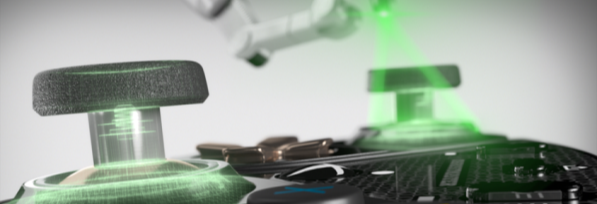
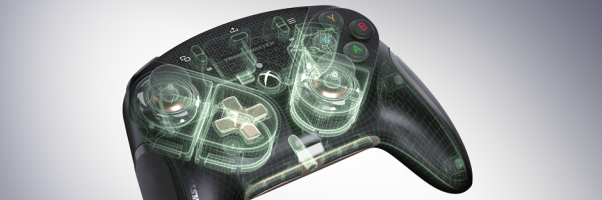
Gaming peripheral maker Thrustmaster has announced the latest member of its product lineup and it’s none other than the next-gen ESWAP controller for the Xbox Series X|S called the “ESWAP X Pro Controller.”
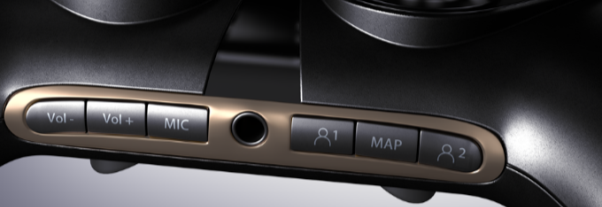
The ESWAP controller is a modular gaming pad that offers interchangeable parts, and the next-gen version offers the same, but with added improvements such as next-gen mini-sticks for a longer lifespan and greater precision, the ability to lock the triggers, manual button remapping, and headset volume control!
Full list of features and pricing can be seen below via the press release.
Thurstmaster next-gen ESWAP controller – ESWAP X Pro Controller:
Next-generation mini-sticks: better precision, and an even longer lifespan
The ESWAP X PRO CONTROLLER features next-generation (S5 NXG) analog mini-sticks, for enhanced precision and a longer lifespan compared with previous Thrustmaster mini-sticks.
Gamers will enjoy better physical resistance (+33%), improved re-centering precision (+66%), and even double the lifespan for the built-in mini-stick buttons (+100%).
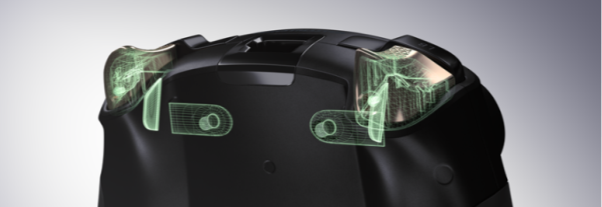
New trigger locking feature
Thrustmaster now lets gamers adjust the physical range of travel on the triggers, for the best fit with any gaming style: reducing the travel by 50% can be extremely useful in shooter games, where the triggers’ responsiveness is a major advantage in terms of increasing the firing rate and emerging victorious when facing off against adversaries.
In this way, shooter game players can take advantage of enhanced responsiveness with a shorter range of travel on the triggers — while a longer range of travel will provide more precision and a truly progressive feel in other types of games.
Renowned surgical precision
Thrustmaster is also offering new modules compatible with the ESWAP X PRO CONTROLLER, featuring super-responsive tact switches providing a greater level of precision and near-zero response times, along with a better feeling of control — during even the longest gaming sessions, and well into the future.
The controller’s buttons and D-pad can be activated more than 5 million times each. The pre-calibrated analog mini-sticks, featuring a shorter design for optimal precision, can be activated more than 2 million times each.
Headset volume control and manual button remapping
The ability to manually remap the rear buttons lets gamers find and use the best combinations of buttons to adapt to all types of games, as well as all hand sizes.
Being able to quickly adjust their headset’s volume increases gamers’ ability to focus, for the best fit with whatever part of the game they’re in — and gives a considerable boost to the practical aspect of IRL (In Real Life) listening, when needed.
ESWAP ecosystem: dedicated packs of modules, plus replacement modules
Like its predecessor, the ESWAP X PRO CONTROLLER features a unique, brand-new ecosystem of modules without any limits, officially licensed by Microsoft, allowing users to update the look of their gamepad and enhance its performance.
ESWAP X GREEN COLOR PACK and ESWAP X BLUE COLOR PACK:
Camo-inspired packs of modules for the ESWAP X PRO CONTROLLER, allowing users to expand their gaming comfort zone. Modules with new shapes and textures let gamers push their boundaries and take their gaming to the next level — with 7 modules, plus 2 additional mini-stick caps.
ESWAP X S5 NXG MINI-STICK MODULE:
Replacement next-generation mini-stick: start fresh if you lose or break your mini-stick module, or if you’ve gotten through its lifespan of millions of activations.
ESWAP X D4XB D-PAD MODULE:
Replacement D-pad: start fresh if you lose or break your D-pad module, or if you’ve gotten through its lifespan of millions of activations.
ESWAP T-CASE:
The ESWAP T-Case hardshell carrying case rounds out the ecosystem, letting gamers safely transport their gamepad and modules wherever they’re going (gaming in different locations, taking part in LAN parties, or when moving house).
The ESWAP X Pro Controller should be out today in the US, with some of its modules coming in December.
Commercial details regarding the ESWAP X PRO CONTROLLER ecosystem
Rockstar Games and 2K Games parent company Take-Two Interactive has reached an agreement to acquire Codemasters — the studio most notably known for racing franchises such as the Dirt and F1 series, and is also the parent company of Slightly Mad Studios (Project Cars).
In the press release, it mentions that the acquisition is expected to be completed in the first quarter of calendard 2021. The transaction values each Codemasters’ share at 485 pence ($6.39) and an implied equity value of approximately £759 million ($994 million).
Take-Two Chairman and CEO Strauss Zelnick released a statement for the company’s acquisition of the UK-based company.
We are exceedingly pleased to announce this recommended transaction with the Board of Codemasters. Codemasters has a renowned history of creating some of our industry’s most beloved and commercially successful racing franchises, and we believe that their offerings will be highly complementary to our sports portfolio and enhance further our organization’s long-term growth. Moreover, we look forward to welcoming Codemasters’ senior management and development teams into our Take-Two family, and sharing in our vision to deliver the highest quality entertainment experiences and aim to be the most innovative, creative and efficient company in our industry.
Take-Two believes that the addition of Codemasters will enhance the diversity and revenue visibility of the publisher through Codemasters’ regular title release cadence of its racing games.
Does this mean we can expect better driving physics and gameplay from future Grand Theft Auto games? That might be a possibility.
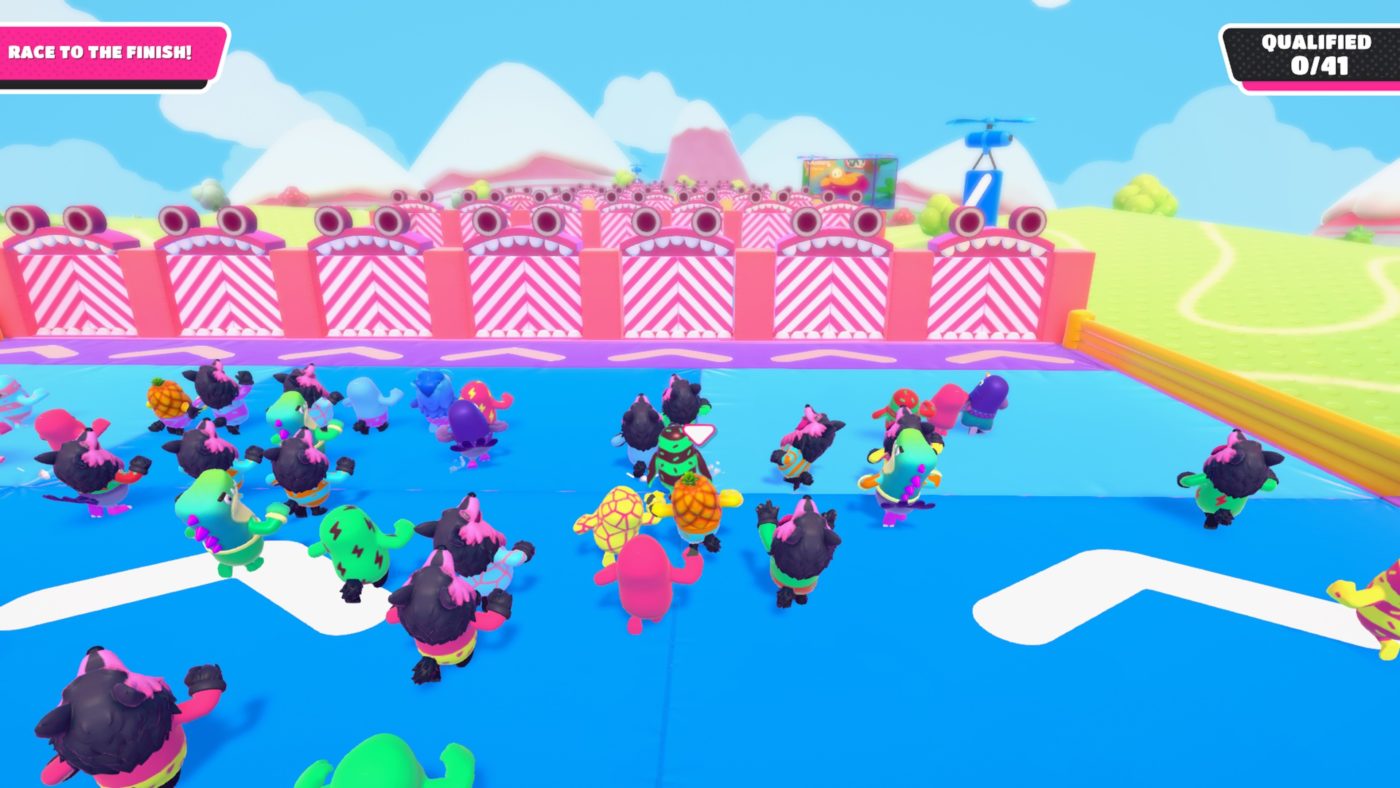
Mediatonic has rolled out the Fall Guys update 1.11 November 10 patch, and it includes new content! There’s a new level, the much-requested Show Selector, and loads more! Head on below for the list of new content and tweaks by Mediatonic.
NEW LEVEL – Big Fans!
NEW VARIATIONS throughout the game!
[PC] NEW name system!
Server Region Selector!
Featured Crown Costumes now available in regular store rotation
Show Selector now lets you queue for multiple shows at the same time
Improved stability when playing in parties!
New Language selection option in-game
Lowered chance of Medieval Rounds, Perfect Match, and Tail Tag
Fix: Falling through tiles on Hex-A-Gone
Losing jump inputs, especially on Jump Showdown
Grabbing the crown on Fall Mountain and hanging from it instead of winning
Infallible achievement sometimes not unlocking
Falling on flat surfaces
That’s it, as far as we’re aware. If ever Mediatonic releases more changes and notes, we’ll update the post to reflect it. Same as before, if you spot any gameplay-related changes or other tweaks not mentioned above, feel free to leave a comment below and let us know.
If you’re looking for a new cosmetic that will strike fear among your peers, then don’t forget to check out the Godzilla-themed skin that’s available now.
Over the weekend, Ubisoft officially revealed Rainbow Six Siege Operation Neon Dawn. This is the latest and final expansion for Rainbow Six Siege Year 5. Following on from Operation Shadow Legacy, this expansion brings a Defender to compliment Sam Fisher, or Zero as he’s called in the game. While the Attacker we got last time can use a camera that can see through almost any obstacle and door, we’re about to get one who can turn any opening into a lethal barrier.
Aruni will arrive with a laser grid that can be deployed across any opening. It’ll prevent almost every projectile in the game from passing through it. Not only that though, but it’ll also deal a hefty chunk of damage to any Operator stupid enough to barge through it. This Operator matches her gadget, with bright colors over all of her gear, including her prosthetic limbs. While all of this is very coordinated, I can’t help but look at this expansion and feel the need for a casino map.
I’ve harped on about why Rainbow Six Vegas was so good in the past, so I won’t bore you about it again. But it really was a masterpiece in two games. I also touched upon the fact that Rainbow Six Siege should have a Vegas map by now, but it still doesn’t. I have no idea why Ubisoft wouldn’t put two and two together and finally bring a casino map to the game with an expansion called Neon Dawn. It practically writes itself.
However, for all the flashing neon lights that make you forget that it’s 1 am, the $10 lobster dinner signs, and the themed gambling rooms filled with identical slot machines, there is a better alternative. These days, most people, particularly with the pandemic showing no signs of subsiding, are opting to use a casino online. There are loads of them, whether you’re based in the US, Canada, or the UK. There are so many options that it can be quite difficult to choose the best one.
I think this partly plays into why Ubisoft hasn’t added a casino map to Rainbow Six Siege. I now look back at Rainbow Six Vegas, and no matter how much I love them, the game’s environments look dated. I visited Vegas about ten years ago, and it felt dated then. The only way a casino map could really work in a game in 2020 is if it was a museum, a movie set, or a mock-up designed for combat practice. Today, most people have very few reasons to go to a casino, and I don’t think that’s likely to change.
I would still love to see a casino map in Neon Dawn though. No other Rainbow Six Siege expansion has felt so apt for one. It feels very much like a missed opportunity. Maybe I’m wrong though. In Year 6, we could get a casino map as part of the first expansion and two Operators who use coin-based weaponry.
For those hoping to shoot some hoops on the next-gen version of NBA 2K21, you may want to be sure you have enough space as it has been confirmed that the PS5 version will require a minimum of 150GB!
Amazon has shipped early copies of NBA 2K21 for the PS5, which an image was shared by Robo3687 over on reddit of the backside of the case.
As you can see from the requirements, the PS5 version will need a minimum of 150GB in order to be installed. For comparison the PS4 version currently weighs in around 42 to 50GB, meaning the PS4 version is 3 times the size. Though it’s important to note that this listed number on box cases has always somewhat been misleading in the past, at least for PS4 games as they are generally larger than the actually file size.
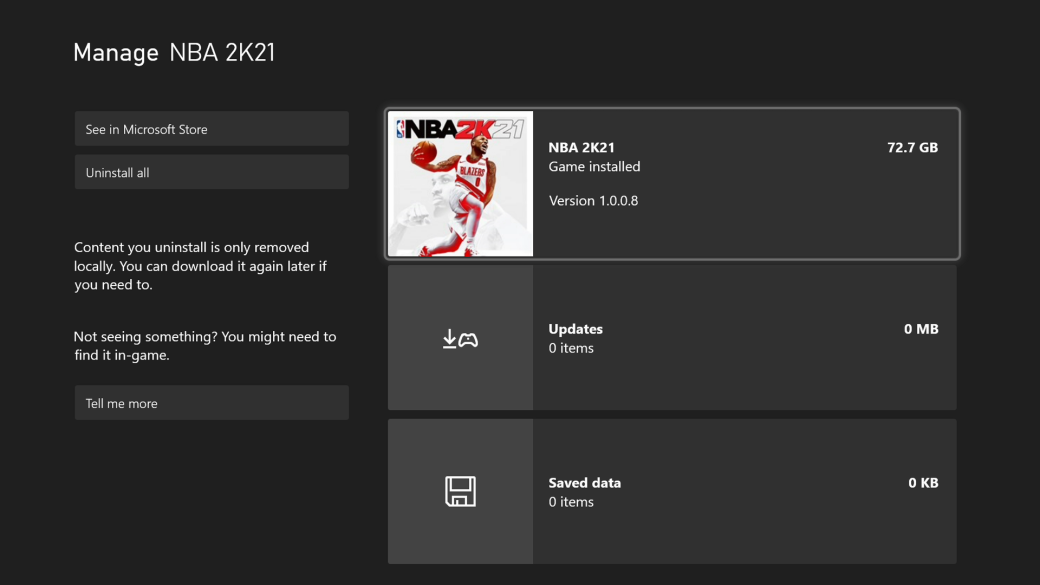
This may be the case, as the Xbox Series X version is reasonably smaller, clocking in at just 72GB for our download.
Of course we’ll know the true size of the PS5 version here real soon as the title will become available to download the same day as the PS5 launch, which is November 12. We’ll be sure to update this post if the size differs, but for now just be prepared for the game to take up a large chunk of your SSD.
Check out how NBA 2K21 looks on next-gen by watching uncut PS5 gameplay here.
A gamer at heart, James has been working for MP1st for the last decade to do exactly what he loves, writing about video games and having fun doing it. Growing up in the 90's gaming has been in his DNA since the days of NES. One day he hopes to develop his own game.
While PS4 gamers might have had the chance to pre-load the big Call of Duty: Modern Warfare & Warzone mid-Season 6 update 1.29 over the weekend, Xbox One and PC gamers are now able to download the file now! Check out the patch notes below.
Modern Warfare & Warzone Mid-Season 6 Update 1.29 Patch Notes:
PLAYLIST UPDATE:
MODERN WARFARE:
Ground War
Gunfight
TDM Snipers Only
Hardpoint Hills and Kills
Shipment 24/7
Shoot House 24/7
WARZONE:
BR Solos, Duos, Trios, Quads
Plunder Trios
PRIVATE WARZONE
We’re excited to launch a beta version of Private Warzone matches! This requires various player counts to start the match and we have three modes available:
BR – 50 players required to start (also has squad variations)
Plunder – 30 players required to start (also has squad variations)
Mini BR – 24 players required
Please share any bugs you encounter along with your feedback!
GENERAL FIXES:
Fix for a bug where, when reviving a fallen teammate as the round ends in Survival, users can become stuck in third person
Fixed an issue where some players were seeing the error code: “HK:s=373408m=54293536:10635584”
Fix for the Gaz Operator challenge where players are unable to complete the first objective in the Season 4 Gaz Operator Bundle Mission “win 3 Gulag fights as Gaz”
Fix for an issue where officer challenges 90 – 100 have been resetting after completion, preventing players from getting the last Season 6 Emblem
In the Safehouse Finale of SP, at the Killstreak Chopper checkpoint, when using the zoom button the camera will zoom in and out
Players using the Juggernaut will not hear the drilling audio when hit by the Phlembotomizer throwing knife. This has been fixed
Fixed a bug where the player could have the Spotter Scope effect when not ADSing with it by picking up 2 weapons while looking with the scope
Fixed a bug where helicopters could spin and float in the air after progressing in Survival
Fixes to help prevent players from going AFK in Gunfight
LMGs, Sniper Rifles, and Marksmen Rifles will now rotate as intended in Gunfight
Fix for an issue where players that die right before an HQ is disabled and watch the full killcam do not spawn in as intended
WEAPONS:
M4 Tombstone: Fix for a bug where adding the .458 SOCOM or the 9mm Para 32-Round Mags removes them from the weapon model
Tracer Pack: Sakura Edition- Maruyama – The dynamic icon appears to have a minor gap between the barrel and body of the weapon when the Compensator is equipped on the FTAC 13.5″ Compact barrel. This has been fixed
PC:
To help with patch sizes and disk space, high-resolution textures will now be downloaded while playing, using On-Demand Textures Streaming:
On-Demand Textures Streaming is located in the Options, under the Graphics tab and in the Details & Textures section.
It will only kick-in for users playing with Texture Resolution set to High.
It streams textures for Operators and Weapons.
You can control the daily texture streaming limit and the size of your cache
Fix for a bug where a Premium user with only Warzone installed, can select a trial on a MP map, which can result in a crash
Fix for a bug where PC players were able to select a custom loadout in Snipers Only
Fixes for an issue where some Activision account names were being applied to different profiles in the friends list
Survival mode now has its own DLC package. To access Survival, a player has to install both Special Ops and Survival
WARZONE:
Fixes to help fight against weapon corruption while in Spectator mode
The gas from the Gas Grenade can sometimes obscure or completely hide players from thermal scopes
Fixed an exploit near the Lozoff Pass Metro Station
Armored Royale: Fixed a bug where dropping a truck redeployment flare into the service entrance of the subway can cause the truck to parachute underground
While in Plunder, players parachutes will now auto deploy to help prevent against exploits
Fix for an exploit with the Durable Gas Mask
Fixed an audio bug where no overheat audio was playing when using the minigun on the helicopter
When the player is using Bumper Ping as their button layout, the player will be unable to switch between the Gas Grenade and EMP Blast, resulting in them only able to use the gas grenade. This has been fixed
When sitting in passenger seat of a helicopter and using the minigun, priming a lethal while simultaneously switching seats will break the players viewmodel. This has been fixed
Fix for a bug where players are unable to equip other War Tracks after selecting “Random”
While PS4 gamers have been able to pre-load the big Call of Duty: Modern Warfare & Warzone mid-Season 6 patch since this weekend, Infinity Ward has now released the Modern Warfare & Warzone update 1.29 patch notes! There are playlist changes, fixes and more.
Modern Warfare & Warzone Update 1.29 Patch Notes:
PLAYLIST UPDATE:
MODERN WARFARE:
Ground War
Gunfight
TDM Snipers Only
Hardpoint Hills and Kills
Shipment 24/7
Shoot House 24/7
WARZONE:
BR Solos, Duos, Trios, Quads
Plunder Trios
PRIVATE WARZONE
We’re excited to launch a beta version of Private Warzone matches! This requires various player counts to start the match and we have three modes available:
BR – 50 players required to start (also has squad variations)
Plunder – 30 players required to start (also has squad variations)
Mini BR – 24 players required
Please share any bugs you encounter along with your feedback!
GENERAL FIXES:
Fix for a bug where, when reviving a fallen teammate as the round ends in Survival, users can become stuck in third person
Fixed an issue where some players were seeing the error code: “HK:s=373408m=54293536:10635584”
Fix for the Gaz Operator challenge where players are unable to complete the first objective in the Season 4 Gaz Operator Bundle Mission “win 3 Gulag fights as Gaz”
Fix for an issue where officer challenges 90 – 100 have been resetting after completion, preventing players from getting the last Season 6 Emblem
In the Safehouse Finale of SP, at the Killstreak Chopper checkpoint, when using the zoom button the camera will zoom in and out
Players using the Juggernaut will not hear the drilling audio when hit by the Phlembotomizer throwing knife. This has been fixed
Fixed a bug where the player could have the Spotter Scope effect when not ADSing with it by picking up 2 weapons while looking with the scope
Fixed a bug where helicopters could spin and float in the air after progressing in Survival
Fixes to help prevent players from going AFK in Gunfight
LMGs, Sniper Rifles, and Marksmen Rifles will now rotate as intended in Gunfight
Fix for an issue where players that die right before an HQ is disabled and watch the full killcam do not spawn in as intended
WEAPONS:
M4 Tombstone: Fix for a bug where adding the .458 SOCOM or the 9mm Para 32-Round Mags removes them from the weapon model
Tracer Pack: Sakura Edition- Maruyama – The dynamic icon appears to have a minor gap between the barrel and body of the weapon when the Compensator is equipped on the FTAC 13.5″ Compact barrel. This has been fixed
PC:
To help with patch sizes and disk space, high-resolution textures will now be downloaded while playing, using On-Demand Textures Streaming:
On-Demand Textures Streaming is located in the Options, under the Graphics tab and in the Details & Textures section.
It will only kick-in for users playing with Texture Resolution set to High.
It streams textures for Operators and Weapons.
You can control the daily texture streaming limit and the size of your cache
Fix for a bug where a Premium user with only Warzone installed, can select a trial on a MP map, which can result in a crash
Fix for a bug where PC players were able to select a custom loadout in Snipers Only
Fixes for an issue where some Activision account names were being applied to different profiles in the friends list
Survival mode now has its own DLC package. To access Survival, a player has to install both Special Ops and Survival
WARZONE:
Fixes to help fight against weapon corruption while in Spectator mode
The gas from the Gas Grenade can sometimes obscure or completely hide players from thermal scopes
Fixed an exploit near the Lozoff Pass Metro Station
Armored Royale: Fixed a bug where dropping a truck redeployment flare into the service entrance of the subway can cause the truck to parachute underground
While in Plunder, players parachutes will now auto deploy to help prevent against exploits
Fix for an exploit with the Durable Gas Mask
Fixed an audio bug where no overheat audio was playing when using the minigun on the helicopter
When the player is using Bumper Ping as their button layout, the player will be unable to switch between the Gas Grenade and EMP Blast, resulting in them only able to use the gas grenade. This has been fixed
When sitting in passenger seat of a helicopter and using the minigun, priming a lethal while simultaneously switching seats will break the players viewmodel. This has been fixed
Fix for a bug where players are unable to equip other War Tracks after selecting “Random”
For those trying to log in to Destiny 2 but can’t, you won’t be able to for quite some time, as Bungie has taken the servers offline. It’s Destiny 2 down until tomorrow, as the studio has rolled out the Beyond Light update 2.02, which should be available for pre-load for everyone and not just for PS4 gamers.
Bungie calls this the Destiny 2 update 3.0.0.1, which is a huge step up in numbering given today’s patch brings in not only the premium (read: paid) Beyond Light expansion, but also Season of the Hunt! Read up on the server schedule and details below.
Destiny 2 Down Schedule:
Pre-load is now available across all platforms. Players will be unable to log in to Destiny 2 until 9 AM PST (1700 UTC) on Nov 10 when Update 3.0.0.1 is available.
Destiny 2 is being brought offline for expected maintenance. This should conclude on 11/10 at 9 AM PST (1700 UTC) when Update 3.0.0.1 becomes available.
Destiny 2 is being brought offline for expected maintenance. This should conclude on 11/10 at 9 AM PST (1700 UTC) when Update 3.0.0.1 becomes available.
Pre-load is now available across all platforms. Players will be unable to log in to Destiny 2 until 9 AM PST (1700 UTC) on Nov 10 when Update 3.0.0.1 is available.
Stay tuned for further maintenance updates.
Servers will go up at 9 a.m. PST/12 p.m. EST/1 a.m. HKT/5 p.m. GMT! Once servers are back up and the official list of changes are released, we’ll let our readers know. In the meantime, go check out the patch preview below.
Crucible
Trials of Osiris
Trials of Osiris Power level requirement increased to 1210.
Added ADEPT weapons and weapon mods to Flawless chest rewards.
Added physics blockers to some out-of-bounds areas on Altar of Flame.
Added physics blockers to some out-of-bounds areas on Exodus Blue.
Added physics blockers to some out-of-bounds areas on Cauldron.
Player Identity
Login screens now have a dark background.
Updated the full-screen menus to have a dark background style.
Player waypoints now display Season Rank, HUD waypoints.
Added toggle functionality to the character screen, allowing the player to make a choice between Light and Dark subclasses.
Character screen visuals updated depending on player choice between Light and Dark.
Character Creation
Changed selection from “Male” & “Female” to “Masculine” & “Feminine.”
Guardian head and hair models have been replaced with improved versions.
Several color swatches have been changed to better represent the applied color.
Player’s previous head selections are still used.
Misc
Fixed a bug that prevented online friends from showing up in the roster on Stadia for players with more than 100 friends.
Fixed a bug that occasionally prevented players from earning progress on bounties when joining an activity in progress.
This most notably impacted Iron Banner bounties and could cause players to have their Artifact Power bonus enabled during Iron Banner matches.
A few Sandbox changes that we missed in our Sandbox preview
Traveler’s Chosen
Reduced muzzle flash intensity.
Point of the Stag
Increased Point of the Stag’s Max Power Level to 1310.
Divinity
Fixed a bug that prevented some weapons from dealing precision damage to the Divinity cage (e.g. Eriana’s Vow).
Hunter Dodge
Increased Hunter’s Dodge cooldown by a few seconds.
(E.g. Tier 4, old cooldown: 22 sec. New cooldown: 26 sec.)
Anti-Champion Mods
Anti-barrier rounds will now penetrate Taken Phalanx shields.
All Anti-Champion mods have been shifted to armor, rather than taking a weapon mod slot.
Orbs of Light have been changed to Orbs of Power as they can now be consumed by Light and Dark subclasses.
Before we end our patch note preview, we do want to call out the collectors among you who have been talking about the impending removal of Expired Ramen Coupons from your inventories. We know this one stings a bit. It’s a byproduct of us cleaning up inventory systems and doing general maintenance.
We want to a provide a parting gift before these coupons are tossed into the bin. These coupons can’t be redeemed for spicy ramen, but they can decorate your desktop for as long as you desire.
While we just got the big Season 7 patch for Apex Legends last week, Respawn Entertainment has rolled out the Apex Legends update 1.51 November 9 patch! Given this is an unannounced title update, don’t expect any new content.
Note that this patch is available now on all platforms and is a small download.
FYI, Legends, we’ve pushed out a small update that:
Fixed various Steam-only issues, including poor performance in the lobby
Fixed various issues with Clubs
Fixed miscellaneous errors
One Reddit user commented that the Steam edition of the game now runs at 30 frames-per-second (fps), which confirms the Steam fps issue has been resolved.
In other Apex Legends news, EA CEO Andrew Wilson has confirmed that the mobile version’s development is almost complete, and that it will be released sometime in 2021!
In addition to that, if you’re not a fan of the current Battle Pass changes introduced in Season 7, Game Director Chad Grenier has offered an in-depth explaation to it and says that they have the players’ “best interest in mind.”
If you spot any gameplay-related changes or bug fixes not mentioned in the notes, feel free to leave a comment and let us know.
While football fans just got an update from EA Vancouver for EA Madden 21 last week, the studio has released the Madden 21 update 1.16 November 9 patch today, and it’s for a big fix!
EA Madden 21 Update 1.16 November 9 Patch Notes:
Here’s the full details straight from the Madden 21 Community Manager’s post on the official forums:
Today’s Madden NFL 21 Emergency Title Update addressed an issue where players were getting locked out of signing into Madden NFL 21.
The Emergency Title Update will be going live on all platforms (Xbox/Playstation/PC) at 9AM PT/12:00PM ET today, Monday, November 9th.
Yep, that’s the only fix listed with today’s patch, but it’s a huge one given players are being locked out from playing. If you spot any other changes (gameplay-related or otherwise) from this patch, share the details down in the comments below.
If you haven’t bought the game yet, go check out our review to see if it’s worth a pick up or not. Don’t forget, there’s been quite a number of patches released since the review went live.
Once new details regarding Madden 21’s next patch is released, we’ll be sure to let our readers know. And you don’t have to worry about us posting any fake patch notes and whatnot, either.
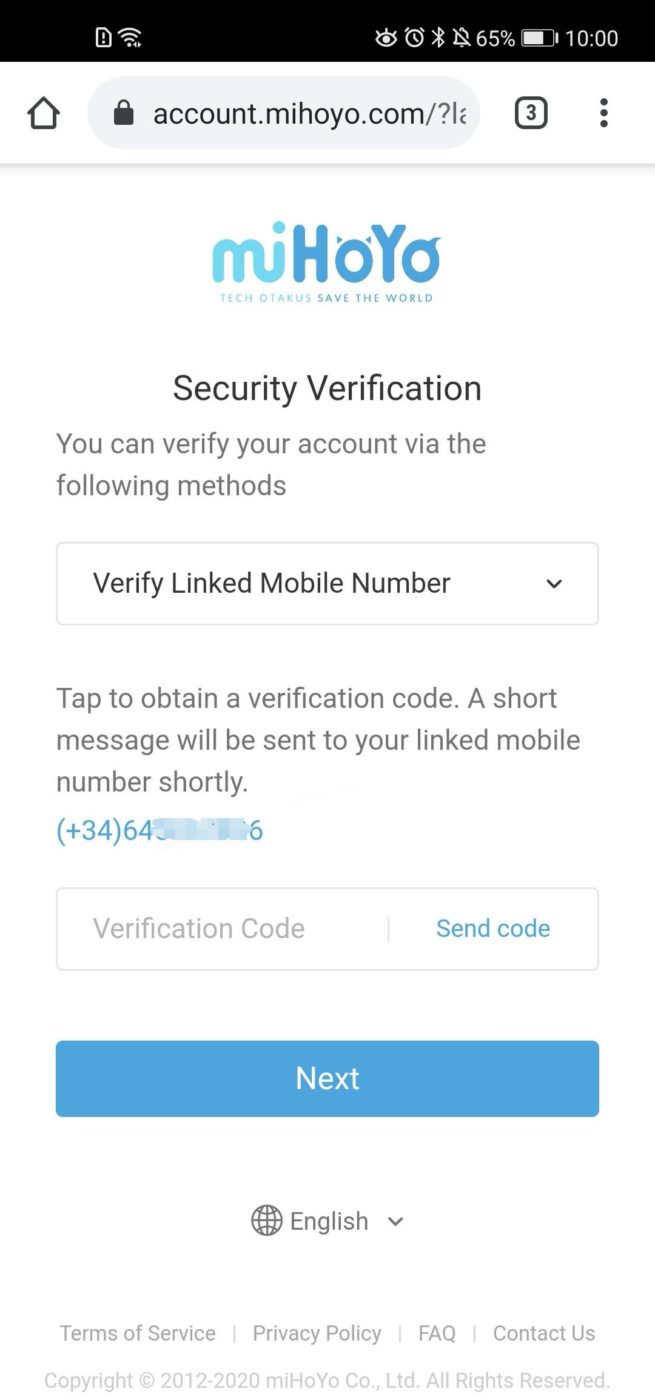
Are you playing Genshin Impact? miHoYo’s hit, free-to-play action RPG? If so, and you’ve linked your mobile account, you might want to unlink it now.
Over on the Genshin Impact subreddit, a user has provided proof that apparently, if you linked your mobile number and retrieved your password by using the “forgot password” option, your entire mobile number will be shown to the public!
This has to be some sort of mistake right? Right now, if you were to go to the miHoYo account website –> forgot password –> and then enter your username, the email would be partially censored.
However, if you linked a mobile number, it is NOT censored at all. So if you have a common username or your username on Genshin is the same on another service such as Reddit, anyone on the internet can see your phone number. You can see for yourself right now on the website.
Having private information exposed this easily on the internet isn’t ok.
Probably the wise thing to do right now is to unlink your phone number for now. Hopefully miHoYo does something about this.
Image Proof:
If you’ve linked your account via email, then you’re good, as it doesn’t show the full email address.
Mind, this is a huge security hole — one we hope that the devs act on ASAP.
With the PS5 set to take over households this week and beyond, no doubt that there are a lot of would-be buyers and more that have questions about the console. Sony has today published a huge PS5 FAQ that answers everything from outlets, weight, performance and more.
PS5 FAQ:
The Console Hardware
What is PlayStation 5’s release date, and what is its retail price?
PlayStation 5 will launch worldwide on the following dates, with the local suggested retail price:
PS5 console: CDN $629.99
PS5 Digital Edition console: CDN $499
United Kingdom
November 19, 2020
PS5 console: £449.99
PS5 Digital Edition console: £359.99
Europe
November 19, 2020
PS5 console: €499.99
PS5 Digital Edition console: €399.99
What’s the difference between the PS5 console and the PS5 Digital Edition console?
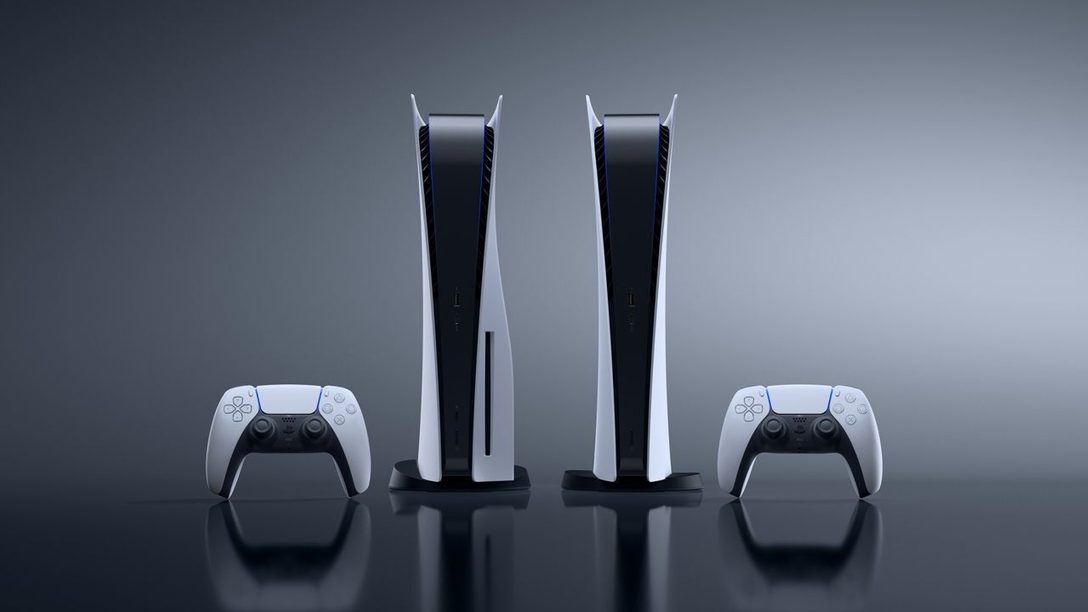
The only difference between the PS5 console and the PS5 Digital Edition console is the inclusion of an Ultra HD Blu-ray disc drive in the PS5 console. The PS5 Digital Edition console does not feature a disc drive.
The PS5 console features an Ultra HD Blu-ray disc drive that will allow you to play PS5 Blu-ray disc games and PS4 Blu-ray disc games, as well as play video from 4K Ultra HD Blu-ray Discs, standard Blu-ray discs, and DVDs.
The PS5 Digital Edition console does not have an Ultra HD Blu-ray disc drive. PS5 Digital Edition console owners will be able to buy PS5 and PS4 games from PlayStation Store or access games via PlayStation Plus and PlayStation Now (an ongoing paid subscription is required for each, sold separately).
And more than 99% of the 4,000+ PS4 games can also be played on either the PS5 console or the PS5 Digital Edition console, though with the PS5 Digital Edition console these games will need to be downloaded from PlayStation Store while the PS5 model with a Blu-ray disc drive will also support PS4 Blu-ray discs.
Note: Blu-ray discs cannot be used with the PS5 Digital Edition console. If you own PS4 Blu-ray Discs, you will not be able to use them with a PS5 Digital Edition console.
Are there any performance differences between the PS5 console and the PS5 Digital Edition console?
No. The consoles’ performance is identical, outside the existence of a disc drive.
What are the physical dimensions of the PS5 console and the PS5 Digital Edition console? How much do they weigh?
The PS5 console is approximately 390mm x 104mm x 260mm (width x height x depth), excluding the Base, and weighs in at around 4.5kg.
The PS5 Digital Edition console is approximately 390mm x 92mm x 260mm (width x height x depth), weighing in at around 3.9kg.
Can I use both PS5 console models in either horizontal or vertical orientation?
Yes, both PS5 models include a Base that allows users to adjust the console for vertical or horizontal placement. Watch our PS5 teardown video to see how it works.
Will PS5 be available in other color schemes?
There won’t be additional colors or designs available for either of the PS5 models at launch.
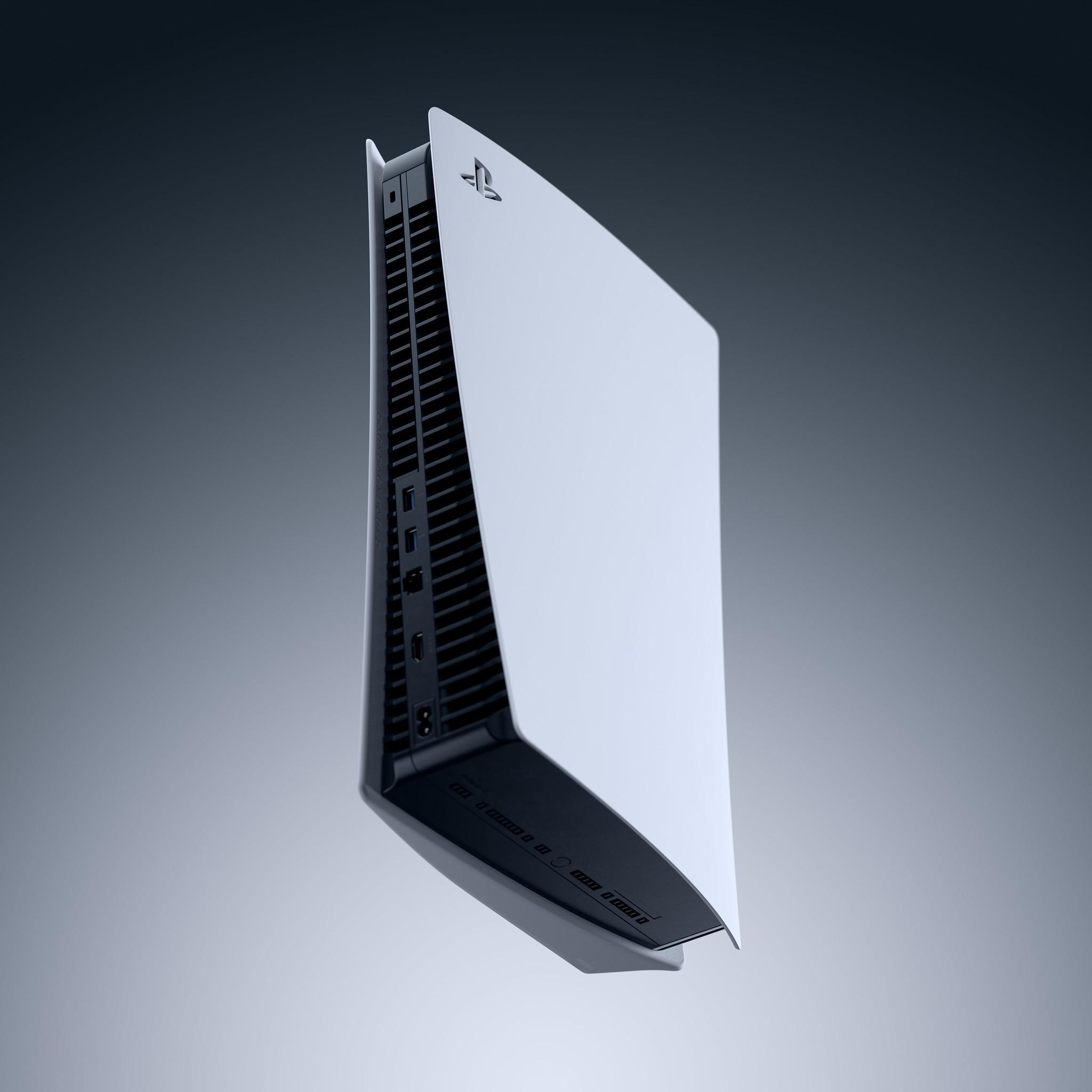
What input/output ports and connectivity features does PS5 support?
Input/Output Front of Console
USB Type-C® port (Super-Speed USB 10Gbps)
USB Type-A port (Hi-Speed USB) — Connect your DualSense wireless controller to this port.
Input/Output Back of Console
USB Type-A port (Super-Speed USB 10Gbps) x2 — Use these ports to connect a USB drive for extended storage. You can also connect your HD Camera here.
No, PS5 is designed with an internal power supply.
What is included in the PS5 box at launch?
Whichever model you choose, you’ll get:
The PS5 console or PS5 Digital Edition console
One DualSense wireless controller
USB Type-C to Type A charging cable for the DualSense wireless controller
HDMI cable (compatible with Ultra High Speed defined by HDMI v2.1)
AC power cord
Base that allows you to orient the console either vertically or horizontally
Quick Start and Safety guide.
Additionally, both PS5 models come with a free game pre-installed. Astro’s Playroom is a brand-new platformer that allows PS5 players to explore four worlds, each one showcasing innovative gameplay using the new and versatile features of the DualSense wireless controller.
The Ultra High-Speed SSD
What’s special about PS5’s SSD?
PS5’s ultra-high-speed SSD and integrated custom I/O system were developed with the goal of removing barriers to play – specifically loading screens. Developers are able to stream assets into PS5 games at an incredibly fast rate, so PS5 play experiences can be seamless and dynamic, with near-instantaneous fast travel through large game worlds. This enhanced speed will enable game developers to create larger, richer worlds without traditional limitations, such as load times, and also allows gamers to spend more time gaming than waiting.
Read what some developers are saying about the PS5’s ultra-high speed SSD in this article.
What’s the difference between the PS5’s ultra-high speed SSD and other SSDs?
The 5.5GB/s (raw) read bandwidth of PS5’s ultra-high speed SSD is on the cutting edge thanks to its advanced, highly customized design and integrated I/O, including a custom decompressor (learn more here). We developed it with the specific goal of reducing load times and maximizing the developer’s ability to access game data at super-fast speeds.
We believe it represents a true generational leap in data access, and will unleash game developers to create larger, richer, and more seamless play experiences than ever before.
Does PS5 improve my ability to download and store games?
Similar to PS4, PS5 games can offer a feature called “Preferred Install” that allows players to choose which part of a game to install first. This can allow a player to prioritize access to a particular mode or feature. An example could be prioritizing the installation of the single-player or multiplayer component of a game.
In supported PS5 games, players can also choose to remove specific modes or content they no longer want in order to free up storage space. Developers will ultimately determine the level of support offered for these features, but the goal is to maximize storage flexibility.
Downloading and applying game software updates on PS5 should work more quickly than on the PS4 console in general, as the data size of updates and patches is managed more effectively.
Additionally, a feature on the updated PlayStation App for mobile devices will allow players to remotely manage their PS5’s storage if they run out of space when queuing a game to download to their console via the app.
Can I store or play PS5 games from a USB drive?
No, players cannot transfer PS5 games to a USB drive. PS5 games must be stored on the console’s internal ultra-high speed SSD for gameplay. Explorations for allowing players to store (but not play) PS5 games on a USB drive in a future update are underway.
You can, however, store and play PS4 games from a compatible USB drive connected to PS5. For more details, keep reading.
Can I expand PS5’s ultra-high speed SSD storage?
PS5 features an expansion port that will, in the future, enable players to add M.2 SSD storage to be used for installing and playing PS5 games.
This M.2 SSD storage upgrade functionality will come to PS5 after launch as part of a system software update. We’ll share more details in the future, including around which type of M.2 SSD storage drive will be compatible with PS5.
On day one, you’ll be able to connect a compatible USB drive and use it to store and play your PS4 games. You’ll be able to play PS4 games while they remain stored on the external device. PS5 games need to reside on PS5’s internal SSD before play.
What’s an M.2 SSD drive?
M.2 SSD drives are a high-speed SSD medium that you can use to upgrade storage capacity in supported devices. Both PS5 models will support M.2 SSD storage expansion following a future system software update coming after launch.
Will I need to use a specific type or speed of M.2 SSD drive with my PS5?
Yes, a minimum performance level for the M.2 SSD drive will be required, and we’ll share more details in the future.
Should I buy an M.2 SSD drive for my PS5 at launch?
No. For now, we recommend that you hold off on purchasing any M.2 SSD drives intended for use with PS5. We will share more details on recommended drives in the future. M.2 SSD storage functionality will come to PS5 after launch with an upcoming system software update.
3D Audio
What is Tempest 3D AudioTech?
Tempest 3D AudioTech is PS5’s custom engine for 3D Audio. It will provide high-quality audio and allow games to offer a much deeper sense of immersion via the custom 3D Audio implementation with a PS5-compatible headset.
How does PS5’s 3D Audio benefit gameplay?
Games will tap into PS5’s advanced 3D Audio capabilities in different ways based on the goals of the development team. Among other advanced audio features, PS5’s 3D Audio supports highly accurate audio positioning.
Examples could be hearing an arrow zip past the player’s head, or hearing footsteps in another room and detecting the enemy’s location.
Will every PS5 game benefit from 3D Audio?
Yes. Even simple channel-based audio will have additional dimensionality thanks to PS5’s Tempest 3D AudioTech. The exact 3D Audio effects may vary title by title, and developer optimization will provide the best experience
More broadly, PS5’s audio processing capabilities are considerably more advanced than PS4’s, so PS5 game developers will have powerful new tools to create great in-game audio.
What types of headsets can I use to enjoy 3D Audio?
The PULSE 3D wireless headset has been engineered to take full advantage of PS5’s 3D Audio capabilities. With a refined design, dual noise-cancelling microphones, and an array of easy-access controls, the PULSE 3D wireless headset offers a seamless experience.
Players can also experience 3D Audio on PS5 with a PS5-compatible headset that you may already own, either through the console’s USB connection, or by plugging an analog headset into the DualSense wireless controller’s 3.5mm headset jack.
Is 3D Audio available through TV speakers?
TV speaker virtual surround sound won’t be available on launch day for PS5 but is planned for a future update.
How do I get the best 3D Audio experience on PS5?
Using a PS5-compatible stereo headset offers the best 3D Audio experience due to the ability to deliver audio to each ear separately. In addition, since everyone’s ears are a little bit different, PS5 provides a set of built-in user profiles that players can choose from to get the best sound for them.
GPU, CPU and RAM
What are the specs of the AMD CPU and GPU?
CPU
x86-64-AMD Ryzen™ “Zen 2” 8 Cores / 16 Threads Variable frequency, up to 3.5 GHz
GPU
AMD Radeon™ RDNA 2-based graphics engine Ray Tracing Acceleration Variable frequency, up to 2.23 GHz (10.3 TFLOPS)
System Memory
GDDR6 16GB 448GB/s Bandwidth 448GB/s Bandwidth
What exactly is ray tracing, and how will it make PS5 games look better?
Hardware-basedray tracing acceleration is integrated into PS5’s graphics processing unit (GPU), and developers have many ways to tap into these capabilities.
In a nutshell, ray tracing in graphics simulates the way light interacts with objects and surfaces, with a goal of generating more in-game visual detail. PS5 game developers can take advantage of ray tracing to make the effects of water, glass, light refraction, shadows, and surfaces look more realistic or striking, depending on their goals for their game.
Broader benefits, such as unified lighting models or other advanced effects, are also possible depending on the developer’s goals for their PS5 title.
Additional Information
What buttons are featured on PS5?
The PS5 console has a Power button and an Eject button for Blu-ray Discs. The PS5 Digital Edition console only has a Power button.
How loud will PS5 be when I’m playing games?
Our goal is for PS5 to be quieter than PS4. This is due to changes in the power delivery and cooling systems, as well as custom engineering work including a custom heatsink and a liquid metal-based thermal interface material.
You can take a close look at PS5’s cooling system in our recent teardown video.
Does PS5 feature a rest mode? What functions are possible while in rest mode?
Yes. When the system is placed in rest mode, the screen will turn off, the status indicator will shift to orange, and PS5 will enter a low-power state. You can set the system to perform actions such as downloading files or charging the DualSense wireless controller from a USB port while it’s in rest mode.
Rest mode for PS5 will be enabled by default in all markets.
What are the best practices when setting up my PS5 at home?
To maintain good ventilation, follow these guidelines below:
Place the console at least 10 cm (4 in) away from a wall surface.
Do not place on a carpet or rug with long fibers.
Do not place in a narrow or cramped space.
Do not cover with cloth.
Do not allow dust to build up on the vents. Use a cleaning tool such as a vacuum cleaner to remove dust buildup.
Will PS5 require a 4K TV? What resolutions are supported?
No, PS5 does not require a 4K TV. Supported resolutions are 720p, 1080i, 1080p, and 2160p. PS5 can output resolutions up to 2160p (4K UHD) when connected to a 4K display.
PS5 is compatible with 8K displays at launch, and after a future system software update will be able to output resolutions up to 8K when content is available, with supported software.
Does PS5 support HDR?
Yes, PS5 will support the HDR10 specification.
Can I connect my PS5 to my surround sound system or sound bar?
Yes, players can use PS5’s HDMI OUT port to connect to your TV or sound system.
Which audio output formats does PS5 support?
PS5 will support the following audio formats:
Dolby Digital (max 5.1ch)
Dolby Digital Plus (max 7.1ch)
Dolby TrueHD (max 7.1ch)
DTS (max 5.1ch)
DTS-HD High Resolution Audio (max 7.1ch)
DTS-HD Master Audio (max 7.1ch)
AAC (max 5.1ch)
Linear PCM (max 7.1ch)
What kind of HDMI cable should I use to connect the PS5 to my TV or receiver?
The included HDMI cable is recommended, but in general, use an Ultra High Speed HDMI Cable that supports HDMI 2.1.
Will PS5 support 4K at 120Hz modes?
Yes, PS5 supports the HDMI 2.1 specification. HDMI 2.1 supports 4K 120Hz, but HDMI 2.1-compatible 4K TVs have not yet fully penetrated the market.
The DualSense Wireless Controller
What are the differences between the DualSense wireless controller and the DualShock 4 wireless controller?
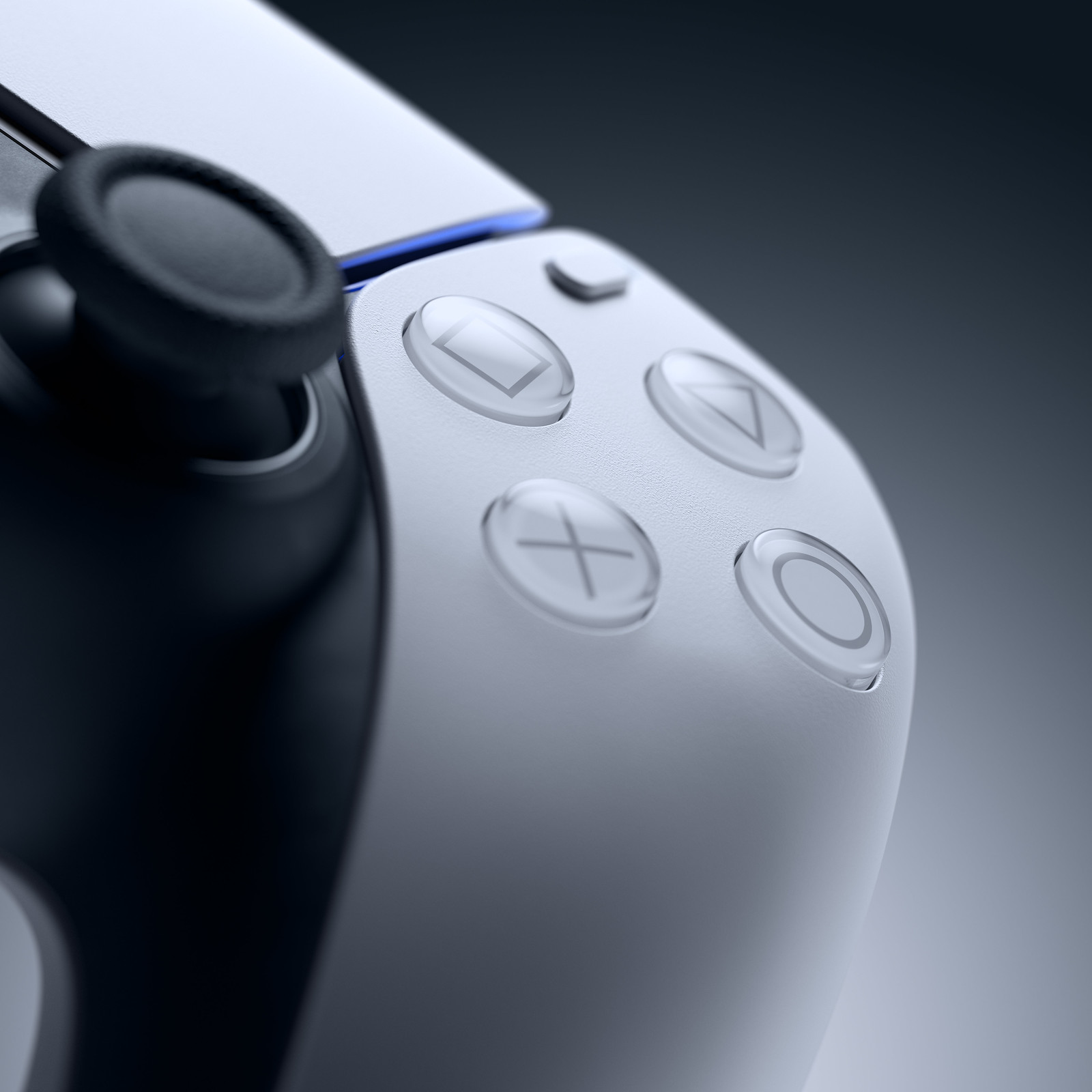
The DualSense wireless controller elevates the way players engage with games. That’s thanks to several immersive next-generation features, including haptic feedback technology and adaptive triggers.
Both haptic feedback and adaptive triggers are designed to produce powerful tactile sensations that deepen player immersion and increase gaming interactivity.
Learn more about the DualSense wireless controller here.
What are the physical dimensions and weight for the DualSense wireless controller?
The DualSense wireless controller measures approximately 160mm x 66mm x 106mm (width x height x depth), excluding the largest projection. It weighs approximately 280g.
How does the DualSense wireless controller’s haptic feedback technology work?
Next-generation haptic feedback replaces traditional “rumble” features with dual actuators, offering a more immersive suite of powerful physical sensations. We expect that game developers will find many interesting and useful ways to tap into DualSense wireless controller’s unique haptic capabilities, from deepening player immersion to communicating various gameplay states, and much more.
Players will be able to reduce the effect or disable the feature if they prefer.
How does the haptic feedback intensity of the DualSense wireless controller compare to the “rumble” feature from the DualShock 4 wireless controller?
In the case of traditional “rumble” technology, two small motors spin in order to create a vibrating or shaking sensation that can increase immersion.
The DualSense wireless controller’s next-generation haptic technology uses dual actuators instead of motors, and the results are quicker, more precise, and far more tactile. These haptic effects can produce a far wider range of physical sensations, from gentle pulsing centered in a specific part of the controller, to more robust physical effects.
When playing a PS4 game on PS5, the DualSense wireless controller’s haptic effects will simulate the “rumble” effects of the DualShock 4 wireless controller. Players interested in experiencing the PS4 game’s original “rumble” effects can use a DualShock 4 wireless controller to play PS4 games on their PS5. For games that require a front-facing lightbar, the DualShock 4 wireless controller is required.
For the best PS VR experience on PS5 we recommend using a DualShock 4 wireless controller. Selected games may require PlayStation Move motion controllers or be compatible with the PlayStation VR Aim controller.
Players will need to use a DualSense wireless controller to play PS5 games.
What are in-game examples of the haptic feedback used by the DualSense wireless controller?
Examples include the feeling of metal striking metal in Demon’s Souls or feeling the texture of the surface Astro runs across in Astro’s Playroom. There are plenty of other examples you can read here, straight from PS5 game developers.
How do the adaptive triggers work?
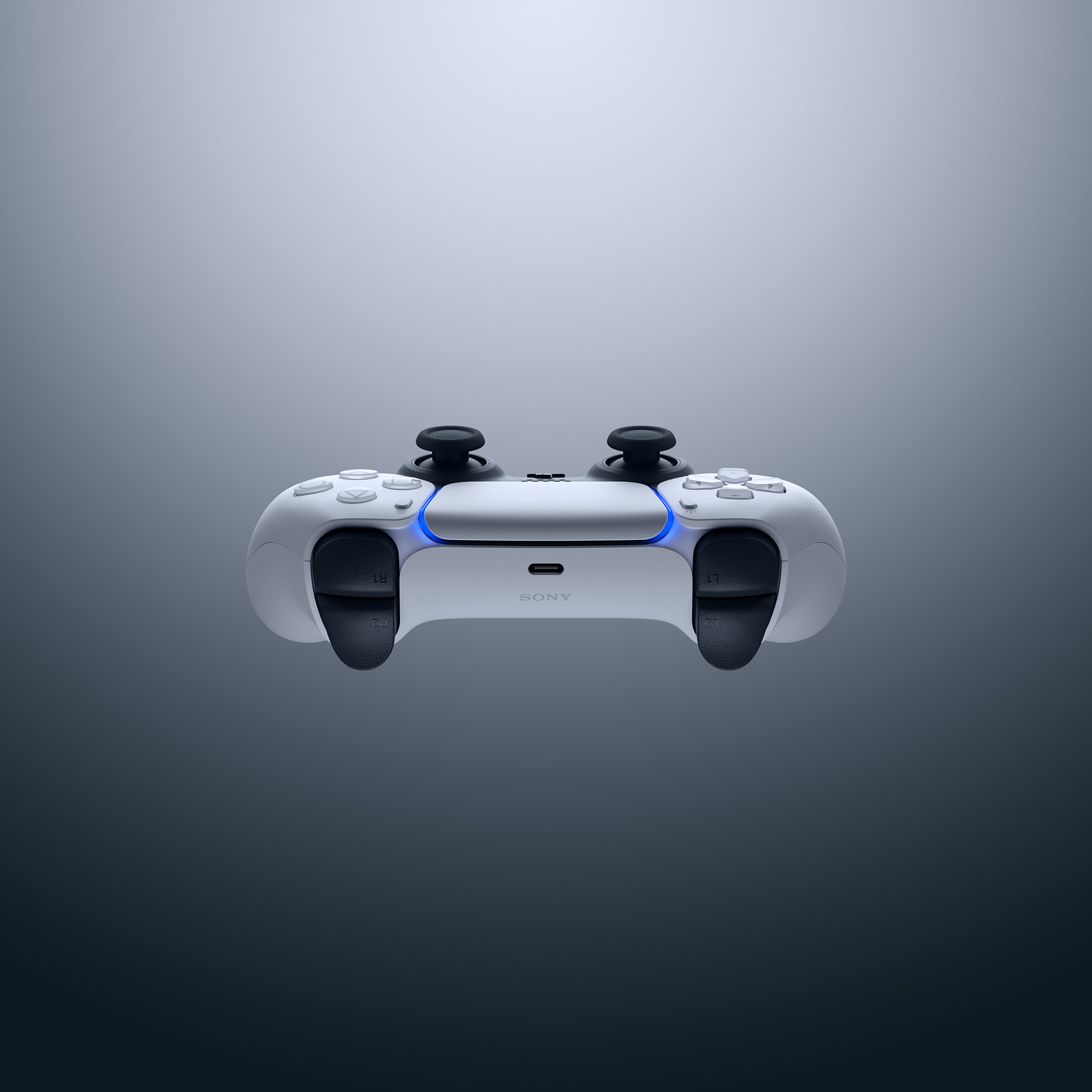
The new adaptive triggers – incorporated into the L2 and R2 buttons – can create powerful, real-time trigger effects that simulate your in-game actions. For example, a player could pull a bow string in a game and feelthe resistance as the string grows taut. Or they could press the brake pedal in a driving game and feel the resistance as they steer around a tight curve. Read other examples here, straight from PS5 game developers.
Developers can independently program the resistance of each trigger, so we’re expecting to see some pretty creative implementations once PS5 launches!
Players will be able to reduce or disable the trigger effects if they prefer. If a game doesn’t use the feature, the L2 and R2 buttons behave similarly to the buttons on the DualShock 4 wireless controller.
Does the DualSense wireless controller include a built-in speaker?
Thanks to a higher sampling frequency and acoustic improvements, the DualSense wireless controller’s integrated speaker produces clearer sounds than the DualShock 4 wireless controller.
Over the years, game developers have used DualShock 4 wireless controller’s speaker to boost immersion in creative ways, and we’re excited to see them carry on that tradition with the DualSense wireless controller.
Does the DualSense wireless controller include a built-in microphone?
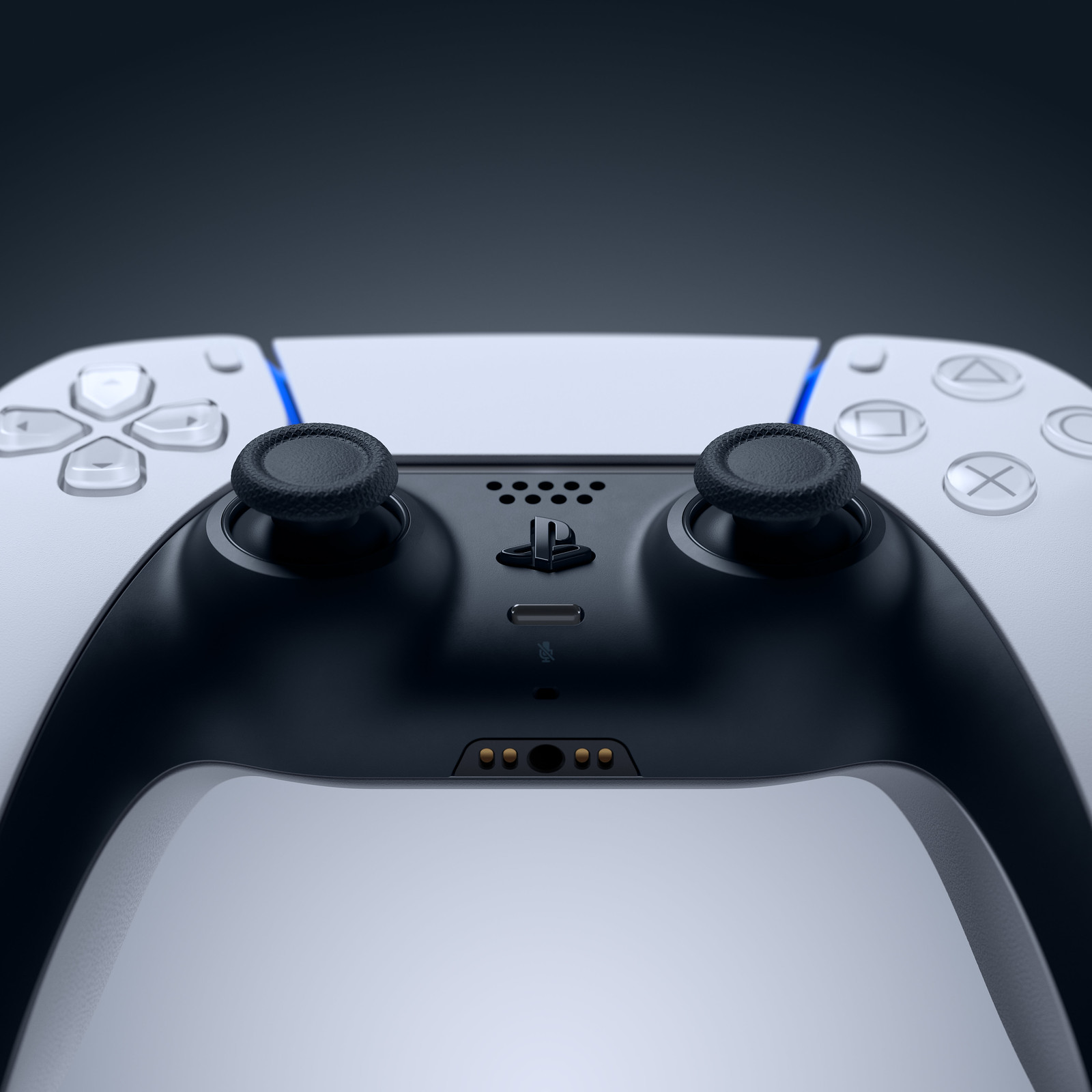
Yes, the DualSense wireless controller’s integrated microphone array and built-in echo cancellation will enable players to quickly chat with friends without setting up a headset – ideal for jumping into a quick conversation with a friend. But if you’re planning to chat for an extended period, you may want to have a headset handy.
A mute button on the front of the DualSense wireless controller will allow users to toggle the mic on and off. A short button press will mute or unmute the controller mic, as well as the mic on a wired headset or USB headset, while a long press will mute the mic input as well as all PS5 audio output from your connected TV, speakers, or headset.
Does the DualSense wireless controller have a headset jack?
Yes, the DualSense wireless controller’s integrated headset jack will allow players to plug in a headset, earbuds, or another compatible audio device, similar to PS4. Players can also connect a wired headset and chat with friends in multiplayer games.
Will PS5 or the DualSense wireless controller support voice dictation?
Yes, players will be able to use dictation features to type messages or enter phrases for search, using either the DualSense wireless controller’s mic, or a headset mic. At launch, supported languages include Japanese, US English, UK English, Spanish, Latin American Spanish, French, Canadian French, Italian, and German.
Does the DualSense wireless controller feature motion controls?
Yes, the controller features an integrated six-axis motion sensing system (a three-axis gyroscope and a three-axis accelerometer).
Does the touch pad on the DualSense wireless controller have any new capabilities?
The touch pad is now slightly larger and easier for players to reach. The touch pad also features a light bar that can be used to show controller status and can display various colors to communicate gameplay status, similar to what you may have experienced with the DualShock 4 wireless controller.
Does the DualSense wireless controller have a ‘Share’ button?
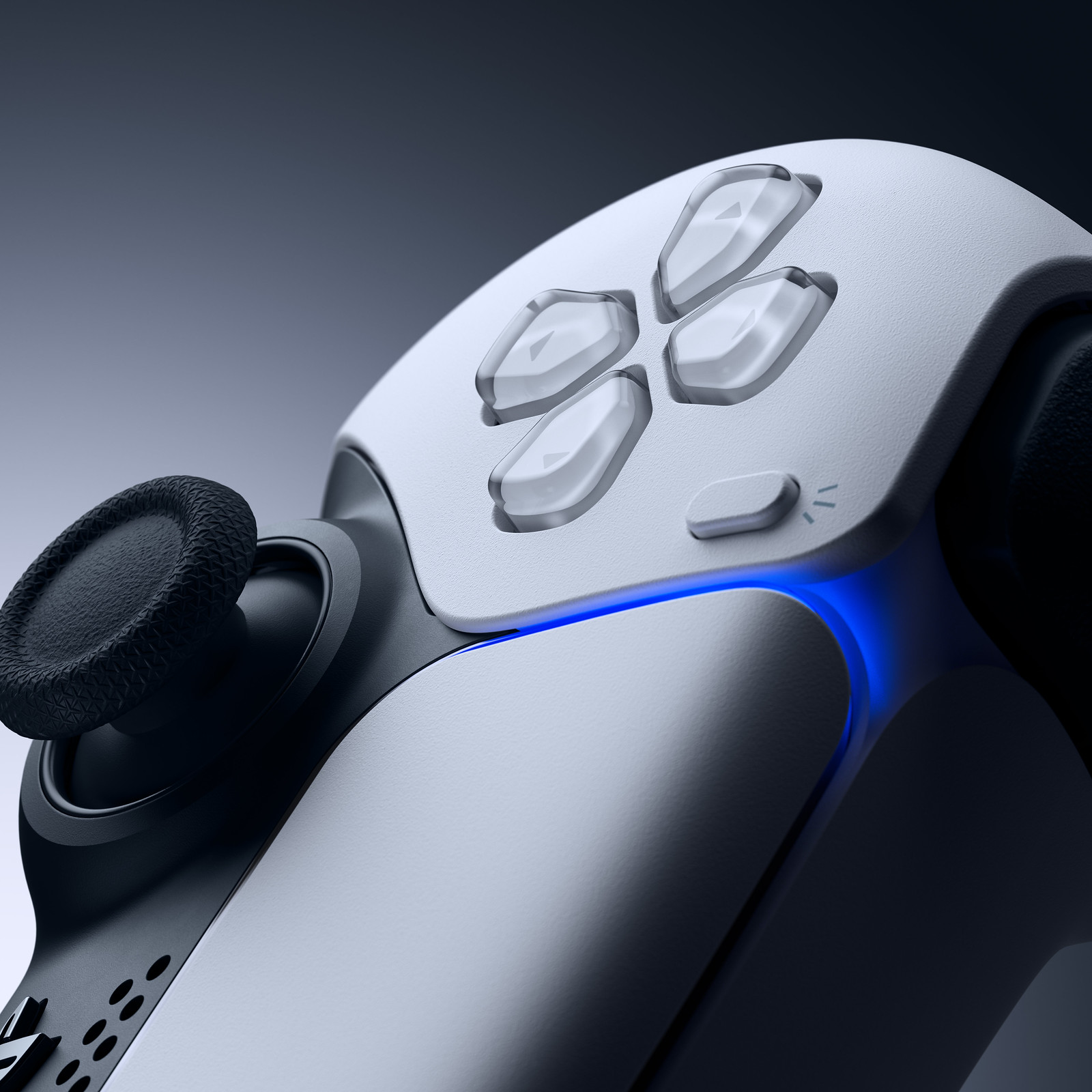
Yes, the Create button is designed to build upon the success of our industry-first Share button. With the Create button, we’re once again empowering players to create engaging gameplay content to share with the world, or just to enjoy for themselves.
Watch our PS5 UX video to learn more about how the Create button works.
Does the DualSense wireless controller have a light bar?
Yes, the DualSense wireless controller features player-facing light bars. For PS4 games that require a forward-facing lightbar and are playable on PS5, players will need to use a DualShock 4 wireless controller for gameplay. For the best PS VR experience on PS5 we recommend using a DualShock 4 wireless controller. Selected games may require PlayStation Move motion controllers or be compatible with the PlayStation VR Aim controller.
The light bars on the DualSense wireless controller lay to the right and left of the touch pad, and can display various colors to communicate gameplay status, similar to what you may have experienced with the DualShock 4 wireless controller.
Below the touch pad, the player indicator will communicate which player you are — useful when playing locally with other people.
Will the DualSense wireless controller have improved input latency compared to the DualShock 4 controller?
Input latency has been optimized on the DualSense wireless controller compared to the DualShock 4 wireless controller.
Will DualSense controller support any accessibility options?
Yes, PS5 players will be able to reduce or disable the force of haptic feedback and adaptive triggers. Players can also remap buttons on the controller. And the DualSense wireless controller’s integrated microphone allows for voice dictation features, making it easier for players to search for content with their voice.
To learn more about other accessibility features available for PS5, read below.
How do I charge the DualSense wireless controller?
The DualSense wireless controller can be charged in two main ways. One is via the USB Type-C® port, which players can connect to PS5 (or a compatible charging device) using the included USB cable.
Additionally, the DualSense Charging Station (sold separately) can charge up to two controllers simultaneously.
How long will the DualSense controller last on a full charge? How long will it take to recharge?
Under most conditions, battery life is expected to be similar to the DualShock 4 wireless controller. Recharging time when connected to PS5 or the DualSense Charging Station is estimated at approximately three hours.
How many DualSense controllers can be connected to PS5 at any one time?
Up to four DualSense controllers can be connected to one PS5 at a time. When playing with multiple players locally, the DualSense wireless controller’s player indicator (located just under the touch pad) will communicate which player you are.
Can I connect the DualSense wireless controller to my PS5 via a USB cable, and play it in a “wired” mode?
Yes, the DualSense controller operates in a wireless mode using Bluetooth 5.1, or in a “wired” USB mode by connecting it directly to the PS5 using the included USB cable.
Does the DualSense wireless controller come in black (or any other color)?
In the future, other colors will become available. But there are no announcements to share at this time.
Can I use the DualSense wireless controller with my PS4 console?
The DualSense wireless controller is not compatible with the PS4 console.
Can I use my existing DualShock 4 wireless controller with my PS5?
For PS4 games played on PS5, players can use either the DualShock 4 wireless controller or the DualSense wireless controller.
PS5 games will require use of the DualSense wireless controller, as they have been designed to take advantage of its immersive new features.
For the best PS VR experience on PS5, we recommend using a DualShock 4 wireless controller. Select games may require PlayStation Move motion controllers or be compatible with the PlayStation VR Aim controller. The new HD Camera for PS5 is not compatible with PS VR.
PS VR games will also require the PS Camera (PS4) and the PS camera adaptor. Click here for more information.
Can I use the DualSense wireless controller with my PC?
Remote Play on PC supports the DualSense wireless controller via a USB wired connection.
Can I use third-party controllers, like the SCUF Vantage or Astro C40 TR, with PS5?
Existing “specialty” controllers that are designed for and licensed for the PS4 console, such as steering wheel controllers and arcade fight sticks, will work on PS5 if the PS5 or PS4 game supports it.
Licensed PS4 controllers with a standard gamepad formfactor, such as the SCUF Vantage and Astro C40 TR, will work with PS4 games played on PS5. They are not supported for playing PS5 games.
How do I pair a DualSense wireless controller to PS5?
Pairing is easy: just connect the DualSense wireless controller to PS5 using the included USB cable, and turn on the controller by pressing the PS button.
What headsets are compatible with the DualSense wireless controller’s headset jack?
Headsets that can be connected via the headset jack are supported.
The PS5 UX and Apps
PS5 User Experience
What were the goals of the PS5 user experience (UX)?
The goal was to ensure that play time is valuable and meaningful. PS5’s new user experience (UX) is completely centered on the player – to provide a truly next-generation experience with increased immediacy and deeper immersion, quickly connecting you to great games and a passionate gaming community.
What are some of the most notable differences in PS5’s user interface from PS4?
PS5’s new UX introduces a number of new features designed to make your gaming experiences more immediate, more immersive, and more personalized.
One of the highlights is the new Control Center, which works like an evolved version of the PS4 console’s Quick Menu. A single press of the PS button will bring up Control Center on PS5, providing immediate access to frequently used system features – all without leaving the game.
Activities are another new feature designed to bring you closer to key elements of gameplay. Activities are displayed via on-screen Cards in the Control Center and in the hubs of supported games, and enable you to discover new gameplay opportunities, return to things you missed, jump directly into levels or challenges you want to play, and much more.
Other types of Cards include Game Help, Screen Sharing, and more. Some cards can be put in picture-in-picture mode or pin-to-side mode, so you can view them without having to leave the game.
To learn more about the PS5 user experience, watch our video tour.
Will PS5 automatically download game patches and game updates for the games that I’ve played?
Yes. When the auto-download feature is activated and you’re connected to the internet, PS5 will automatically search for game updates for games that you frequently play. Game updates will also download while the console is in rest mode, if the user selects a power profile that allows connection to the internet. When you play a game, PS5 will automatically search for game updates.
Will PS5’s UI support folders or themes at launch?
No, PS5 will not support folders or themes at launch.
Will the PS5 user experience offer official updates or news?
Yes, all PS5 owners globally will get official news from publishers for games they own or follow in each game’s hub, as well as recent stories in their language in a special Card in Control Center, and in the PlayStation App for mobile devices.
At launch, PS5 owners in the United States can also visit Explore on the home screen to see all of these stories together in one place, so you can see what’s going on with games you’re excited about or games you’ve set aside. In addition, Explore allows you to access live broadcasts, shared video, and images that are trending in the community from games you follow, and get updates from PlayStation.
Will we need to download a system update on day one?
Yes, there will be a PS5 system software to the latest version on day one.
If I’m not online, can I install system updates via a USB drive?
Yes, as with the PS4 console, you will be able to download new system software updates to your PC from PlayStation.com and transfer them to PS5 using a USB drive formatted for FAT32.
What is Game Help, and how does it work?
Game Help is a system-level feature for PS Plus members only on PS5 that may offer helpful hints, tips, and tricks to help you move forward in select PS5 games. The feature is purely optional, but it’s designed to be quicker and easier than searching the web for some types of tips and should help you avoid game spoilers.
PS5 players will be able to reduce or disable the force of haptic feedback and adaptive triggers on the DualSense wireless controller and remap buttons on the controller.
A voice dictation feature provides a simple and fast way for users to input text compared to a virtual keyboard: simply speak the words and they’ll appear on-screen. The feature will work with a headset, the DualSense wireless controller’s integrated microphone, or the Media Remote.
An integrated screen reader provides users with options to hear on-screen text and have controls read out loud. Users can also customize their display settings to invert colors, make text larger or smaller, bold text, adjust contrast, invert color, color correction, auto-scroll speed, and reduce motion settings.
Additionally, a chat transcription feature provides the ability for voice chat audio to be transcribed into text, and also for typed text to be spoken to other players in voice chat.
Voice dictation, screen reader, and chat transcription on PS5 support the following languages: English (US), English (UK), Japanese, German, Italian, French, Canadian French, Spanish, Latin American Spanish.
PS Store and Digital Content
Is PlayStation Store improved on PS5?
PS Store on PS5 is now fully integrated into the system with lightning-fast browsing and a simplified, smarter layout that makes it easy to find the right game.
Can I buy PS4 and PS VR games at PS Store on PS5?
Yes, any PS4 and PS VR games that are playable on PS5 will be available for purchase on PS5 through PS Store.
How will the PlayStation App for mobile devices supportPS5?
The updated PlayStation App for mobile devices has been reimagined to enhance your gaming experiences on both PS4 and PS5, including an updated user interface, Messages integration, voice chat and Party groups, natively integrated PlayStation Store and remote downloads, PlayStation news, and new features for PS5.
The new PlayStation App for iOS (12.2 or later) and Android (6.0 or later) mobile devices features a native PlayStation Store experience that enables fast and smooth shopping and browsing, with the ability to remotely purchase and download games and add-ons directly to your PS4 and PS5.
When PS5 arrives, you’ll be able to remotely launch games, manage storage on your console, and quickly sign in to PS5 straight from the PS App.
From PS5’s home screen, the “Game Library” will show all the PS5 and PS4 games you’ve purchased or played. This includes games you were able to play as a PS Plus or PS Now subscriber. If those subscriptions have lapsed you will need to buy new subscriptions to be able to play those games again (note: PS Now service availability varies by country).
Entertainment Apps
Where will I find all of my entertainment and media apps?
From PS5’s Media homescreen, you can easily find and launch media apps you’ve recently used. Other apps you’ve downloaded but haven’t used lately can be found in the App Library.
When you want to try something new, use the All Apps hub to download a new app, or use the TV & Video hub to find recommended shows across your apps and new apps you haven’t yet downloaded.
Not sure what app has a movie or a show you’re interested in? Universal Search will let you know where you can find it and help you get there.
Which entertainment apps will be available for PS5 at launch?
Popular entertainment apps such as Netflix, Apple TV +, YouTube, Disney+, and Spotify will be available on PS5 at launch, though availability will differ by region. Additional app info can be found here.
Will streaming apps differ across countries, depending on what services are available regionally?
Yes, Internet access and an account for PlayStation Network will be required, and streaming services may require a paid subscription and may not be available in all countries or regions.
How do I access media apps and services on PS5?
Media apps are easy to access on the PS5’s home screen, in a dedicated Media section.
Will PS5 entertainment apps offer support for 4K resolution and HDR?
Yes, if the app supports these features.
Can I listen to my own music while playing on PS5?
Yes. Spotify will be supported at launch, enabling music playback, including as in-game background music. Players can also listen to music from a USB drive, including MP3, FLAC, and AAC formats.
Party, Friends, and Network Features
How will social features like Friends List and Party be improved with PS5?
PS5 expands the concept of Parties into a dedicated hangout space for you and up to 99 of your friends. You can share game content, plan play sessions, or just catch up over voice chat or text chat with users across PS4, PS5, and the new PlayStation app for mobile devices.
On PS5, the newly upgraded Parties are fast, convenient, and richly interactive places. Want to play a few multiplayer games? Jump straight into a match with your Party participants – no further invites required.
Want to chat with a friend while showing off what you’re playing? Start a voice chat in your Party and you can activate the “Share Screen” feature, which uses low-latency technology so you can show you friends what you’re playing now in real time, while keeping an eye on their game progress, too.
Want to share your gaming experience? Using Share Play (PlayStation Plus membership required), you can also hand over control of your game to a trusted friend or use it to play a local co-op game together.
A new feature called Game Base acts as your social hub on PlayStation. Game Base collects all your Friends, Parties, chat conversations, and more in one convenient and persistent place across PS5, PS4, and the new PlayStation app for mobile devices, so you can stay connected with your friends on PlayStation wherever you are.
How many players can participate in the voice chat in a Party at any one time on PS5?
You can have up to 16 people participate in a voice chat across the PS4 and PS5, and the new PlayStation App for mobile devices.
What Family/Parental controls are available with PS5?
If you’re an adult with an account for PlayStation Network, you can create an account for your child and become a family manager. This can be done in the Family Management section of your account settings.
The family manager can:
Manage playtime.
Manage purchases from the family manager wallet.
Manage access to games, videos, and apps.
Disable messaging and voice chat.
Block videos, broadcasts, and pictures created by other players.
Appoint other adults in the family as “guardians.” This allows them to set and change controls, such as how much can be spent from your wallet, for all the child family members.
Additionally, parental controls allow the family manager to institute age level restrictions for certain games and media, playable hours, spending limits, communication with other players, and use of PlayStation VR.
Can I customize my privacy options to Appear Offline?
Yes, you can Appear Offline. In a new feature on PS5, you can also set your status to “Busy,” to let friends and other players know not to disturb you.
Can I link other services to my PlayStation account?
Yes. PS5 offers integrated features with Spotify, Twitch, Twitter, and YouTube, and you can link your account to these services.
Creating and Sharing Content
How does the new Create button on the DualSense wireless controller work?
The Create button gives players the ability to capture just the right moment in their gaming session. In the Create menu, you can choose to save a portion of your past gameplay, start a manual recording, take a great screenshot, or broadcast gameplay.
Additionally, the most common controls that players like to change (recording resolution, screenshot format, whether to include voice chat audio in the recording) are easily available without having to leave the game.
What video length can I capture on PS5?
PS5 automatically captures the last 60 minutes of gameplay. To save the footage, you’ll press the Create button and select “save recent gameplay.” There, you can select as little as the last 15 seconds, up to the last 60 minutes of your play session.
PS5 automatically captures the past 60 minutes of your gameplay at 1080p resolution. 4K resolution is also available if you manually record your gameplay using the Create button.
What resolution will video content be captured at?
By default, recorded video is saved at 1080p and up to 60 frames per second. 4K video recording is also available if you manually record your gameplay using the Create button.
There is a setting in the Create Menu called Manual Recording Resolution, which is visible when your PS5 is connected to a 4K capable TV. Players will be able to choose between 1920×1080 (default) or 3840×2160. The setting stays until you or another player on your console changes it or connects the console to a non-4K TV.
Where are my captured screenshots and video content stored on PS5?
Captured screenshots and videos are saved to the Media Gallery on PS5. The Media Gallery is accessible in the Games home screen, and allows for viewing, editing, sharing, copying to a USB drive, and playback of USB-based media.
How can I save the video and images I record on PS5 to another device?
Players can select images and videos and copy them to an external USB drive.
What options do I have for outputting captured video? Can I stream or export video in 4K from my PS5 to external services?
1080p and 4K video can be shared to external services, but the output resolution may be reduced depending on the shared platform.
In which formats and resolutions can I capture screenshots on PS5?
You can save screenshots as JPEG or PNG formats at 1920×1080 or 3840×2160 resolutions. Players can also capture (and view) HDR screenshots if PS5 is connected to an HDR display. When HDR screenshots are exported or shared, PS5 converts them to a standard JPEG image.
Where can I share content at launch?
Players can share screenshots and video clips (up to 3 minutes long) with friends in their Parties on PS5 or the PlayStation App for mobile devices. Players can also share to external services including Twitch, Twitter, and YouTube.
Can I transmit my shared content to the new PlayStation App for mobile devices for easy mobile sharing?
Players can share images and videos in Parties via Game Base, and that content is viewable on the new PlayStation app for mobile devices.
Does PS5 offer capture device support?
Yes. PS5 will allow the use of external HDMI-based capture devices by disabling HDCP in the Settings menu.
What improvements does Share Factory Studio on PS5 offer over Share Factory on PS4?
Share Factory Studio is a powerful media editor for your PS5. The app offers a much more robust set of editing features than the basic quick-edit feature for your gameplay capture. Share Factory Studio on PS5 provides a new set of tools and many new features, such as 4K HDR video support. Create visual wonders and share them for others to see!
What are Share Screen and Share Play?
Share Screen is a new feature for PS5. Share Screen allows a user to broadcast their game screen in real time to up to 16 Party members in a voice chat. Think of it as a small-scale game broadcast session between friends.
While using Share Screen, a player can use Share Play (active PlayStation Plus subscription required), to pass a “virtual controller” to another voice chat participant, who can then play the game remotely for up to one hour while the Party continues to watch and chat.
Share Play will also allow up to two players to play a local co-op game together, even if the other player does not own the game.
Can I transfer my captured media (gameplay clips, screenshots) from PS4 to PS5?
No, though you can export them via the built-in Capture Gallery application to a compatible USB drive from your PS4 console for safekeeping.
Other Questions
How many users can sign into one PS5?
Up to 16 users can be registered to one PS5, and up to four users can log in at the same time.
Does PS5 feature a web browser?
No, the PS5 system doesn’t include a dedicated web browser app.
How does Remote Play on PS5 work?
Players will be able to access their PS5 from a PC or mobile device via Remote Play in the same way as PS4. With PS5, you’ll also be able to access your PS5 from a PS4 console or another PS5 via Remote Play.
Learn more about Remote Play, including app download links, here .
Are there any other changes to Remote Play with the launch of PS5?
We’re updating PS4’s Remote Play feature. Now, in addition to being able to access your PS4 from a PC or a mobile device, your PS4 can access other consoles via Remote Play too, right on your TV. This includes the ability to connect to your PS5 and stream a PS5 game to your PS4 so you can play it there.
Additionally, Remote Play will add support for up to three additional users to join the Remote Play session, which allows users to enjoy local multiplayer games via Remote Play.