Home > News

Anthem Update Today for Cataclysm Includes New Weapons and More

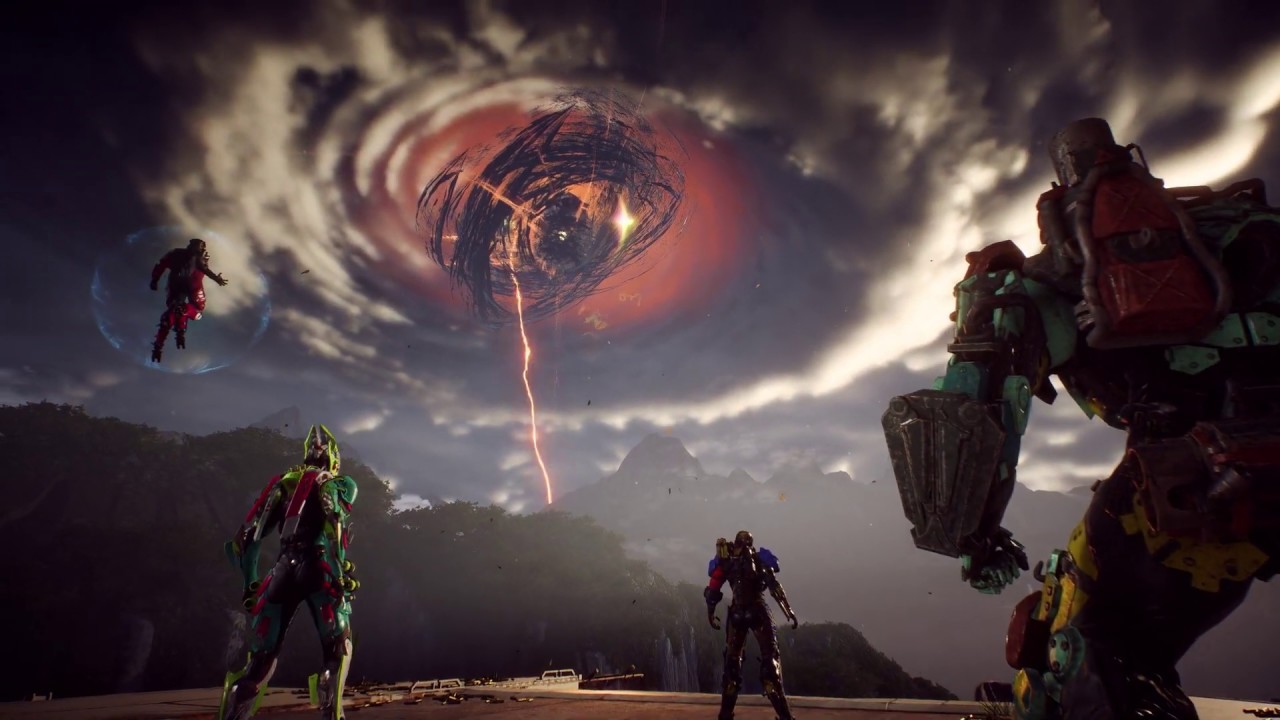
Freelancers, BioWare has rolled out a new Anthem update today for the Cataclysm. Same as before, there are new challenges, and more. Note that this is a server-side update, so don’t expect to download anything. Check out the full Anthem Cataclysm update below.

Cataclysm “Echoes of Reality” Changes:

  • “Crucible of Astrid” Event  – This week we add the next arena to the Cataclysm, which you will want to finish before going to challenge Vara for maximum points (and Crystals). The Crucible of Astrid event, located in the “Trials of Might” District on the Cataclysm map, will have Freelancers working together with a set of 5 Echoes to switch ON and OFF the relic suppression fields. Per usual, teamwork is key and utilizing communication with your squadmates will help optimize your time.
  • Inversions Changes – Here are this week’s Inversion changes:
    • On the Edge: At low armor, damage dealt increases.
    • Soldier’s Reward: Killing an enemy restores a small amount of shields.
​

Seasonal Store Refresh:

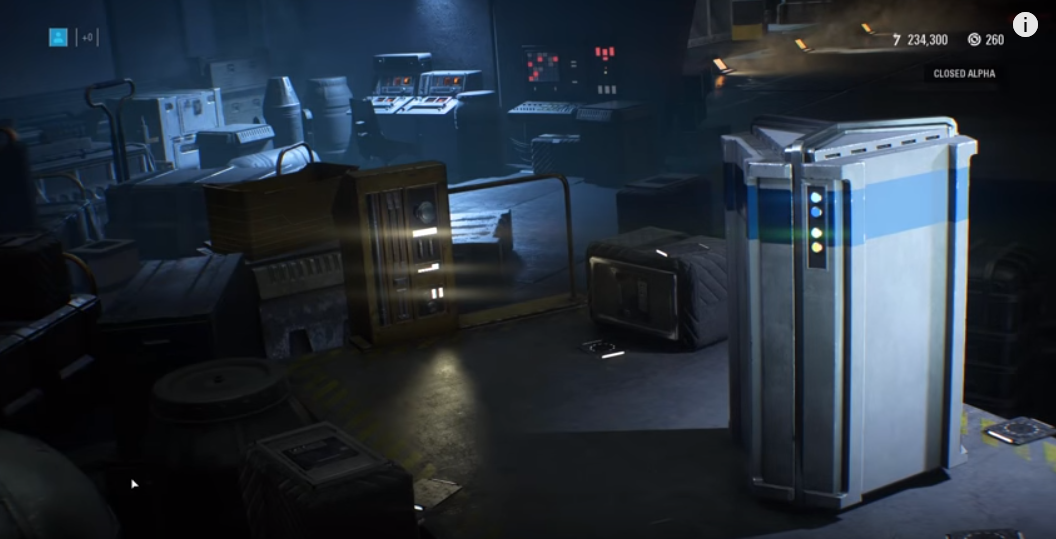
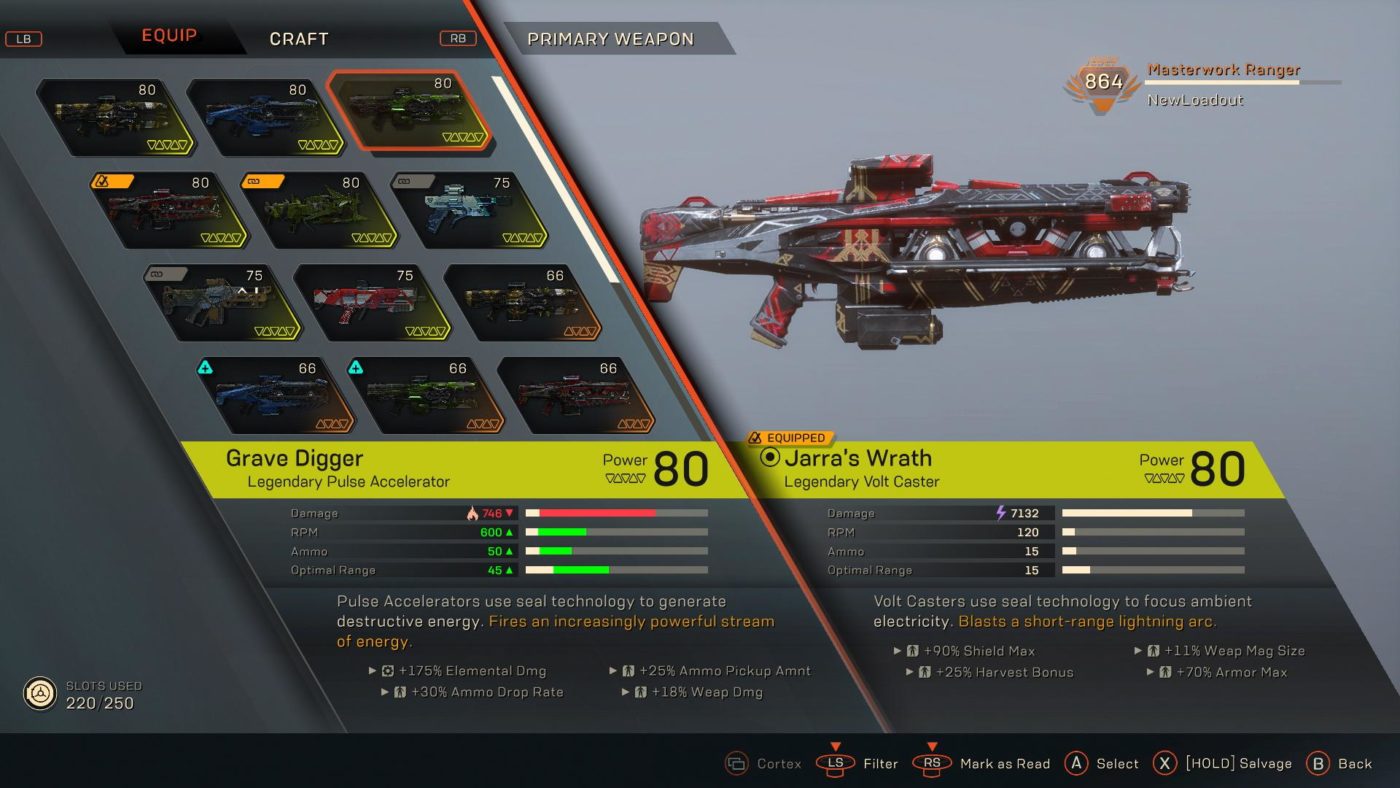
  • War Chest: Weapon – Ever since these first showed up on the PTS for the Cataclysm, Freelancers have been asking when they’d be able to get their hands on these news weapons. Well, I am excited to tell you that the time has finally come! Pulse Accelerators, Volt Casters and Blade Slingers (all with three additional MW/LEG variants) are available in these new War Chests and loot drops. If you want more details on the new weapons, we have additional details in our 1.3.0 Update Notes. As a reminder, the War Chests allow you to trade in Crystals for a Masterwork item (with a chance to roll Legendary). The chests are also the only way to acquire the lvl 66 MW and lvl 80 LEG items.
  • War Chest: Melee Weapon – (returning)
  • Piercer Armor Pack (Interceptor Javelin)
  • Wrap: Neon Shard
  • Painted: Diamond Gemstone
  • Graphic: Gleaming Mantle
  • Graphic: Purple Spire
  • Decal: Guard Sheen
  • Decal: Parry Sheen
  • Decal: Strike Sheen
  • Arrival Emote: Triple Axel (Storm Javelin)
  • Emote: Cameraman

Daily Cataclysm Challenge:

  • Daily Cataclysm Arenas Challenge: Weapon – These challenges granted a Support piece in week three, and now they will reward you with a new Weapon (Masterwork with a chance to be Legendary) here in the Week 4 update. These can be repeated daily, so… just another reminder to do your dailies. ?
  • Power of the Storm (Daily) – Complete 3 Cataclysm arenas using the Storm javelin and be rewarded with one Weapon.
  • Heart of the Ranger (Daily) – Complete 3 Cataclysm arenas using the Ranger javelin and be rewarded with one Weapon
  • Strength of the Colossus (Daily) – Complete 3 Cataclysm arenas using the Colossus javelin and be rewarded with one Weapon.
  • Speed of the Interceptor (Daily) – Complete 3 Cataclysm arenas using the Interceptor javelin and be rewarded with one Weapon.

NOTE: These are in addition to the other rotating Daily, Weekly and Monthly challenges, so keep an eye on your Path to Glory tab in the Challenges menu.

According to BioWare, the new weapons do NOT drop, and are only available in War Chests (which players can purchase with Crystals or earn in Daily Challenges).

You should also check out the in-game store refresh here (with pics!).

Source: Reddit

Avatar photo

Alex Co

Father, gamer, games media vet, writer of words, killer of noobs.

Home > News

Anthem Store Update August 27, 2019 – Prospero Items List

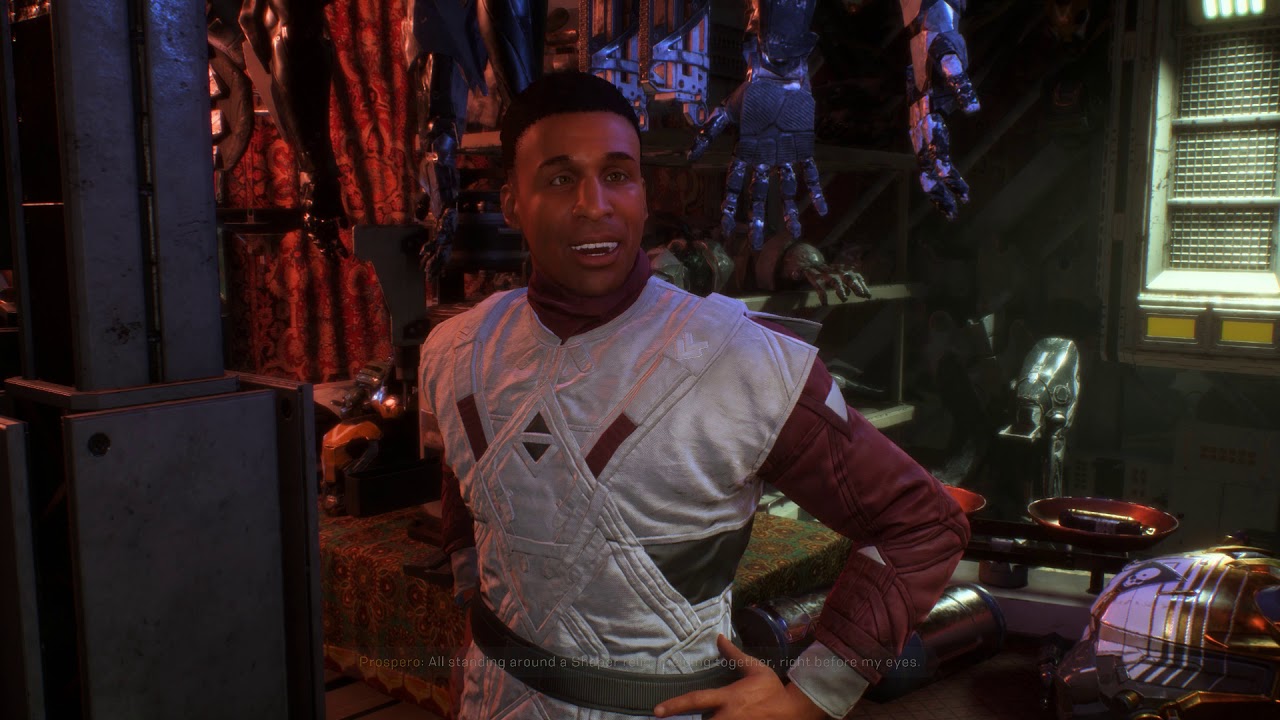
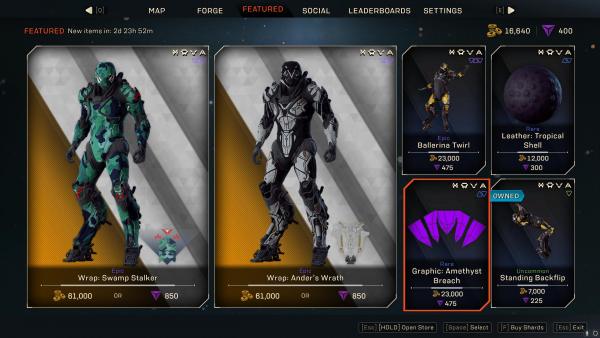
Today’s Anthem store update is now live, bringing new Wraps and other customisation options for Javelins to the Featured Store, where Prospero sells his wares. There’s nothing out of the ordinary today, but there are some items in particular that could make a Javelin look more than epic. Check out the storefront below and read on for more information.

Anthem-Store-Update-August-27-2019–Prospero-Items-List

Wraps

Swamp Stalker: 61,000 Coin or 850 Shards – While not quite the Swamp Thing cosplay option it might sound like, Swamp Stalker will allow you to equip all sorts of digital camouflage to use in the field.

Ander’s Wrath: 61,000 Coin or 850 Shards – The lines on this Wrap make my eyes go a but funny. If you’re into the look of skins in Borderlands 3 then this is good for you, because it almost looks hand drawn.

Emotes

Ballerina Twirl: 23,000 Coin or 475 Shards – If you’ve always longed to dance in a mech suit designed to murder aliens, this is your chance.

Standing Backflip: 7,000 Coin or 225 Shards – This is a pretty standard Emote in Anthem that most players should have, so this is your chance to pretend you had it all along.

Material

Tropical Shell (Leather): 12,000 Coin or 300 Shards – This material is great for creating any kind of fashionable look on your Javelins, particularly ones that are modelled after handbags.

Graphics

Amethyst Breach: 23,000 or 475 Shards – If you love crystals, and if you’re playing the Cataclysm you probably do, then this is the graphic for you.

That’s all for this week’s reset. Our recommendation would be to get those Wraps if you don’t already own them, they look particularly fabulous this week. Don’t forget to check out what the Anthem store update was on August 16, 2019 to compare the items that have been switched in between then and now.

Jamie Moorcroft-Sharp

Trying to be a games journalist, dad, and master of Destiny 2. Author

Home > News

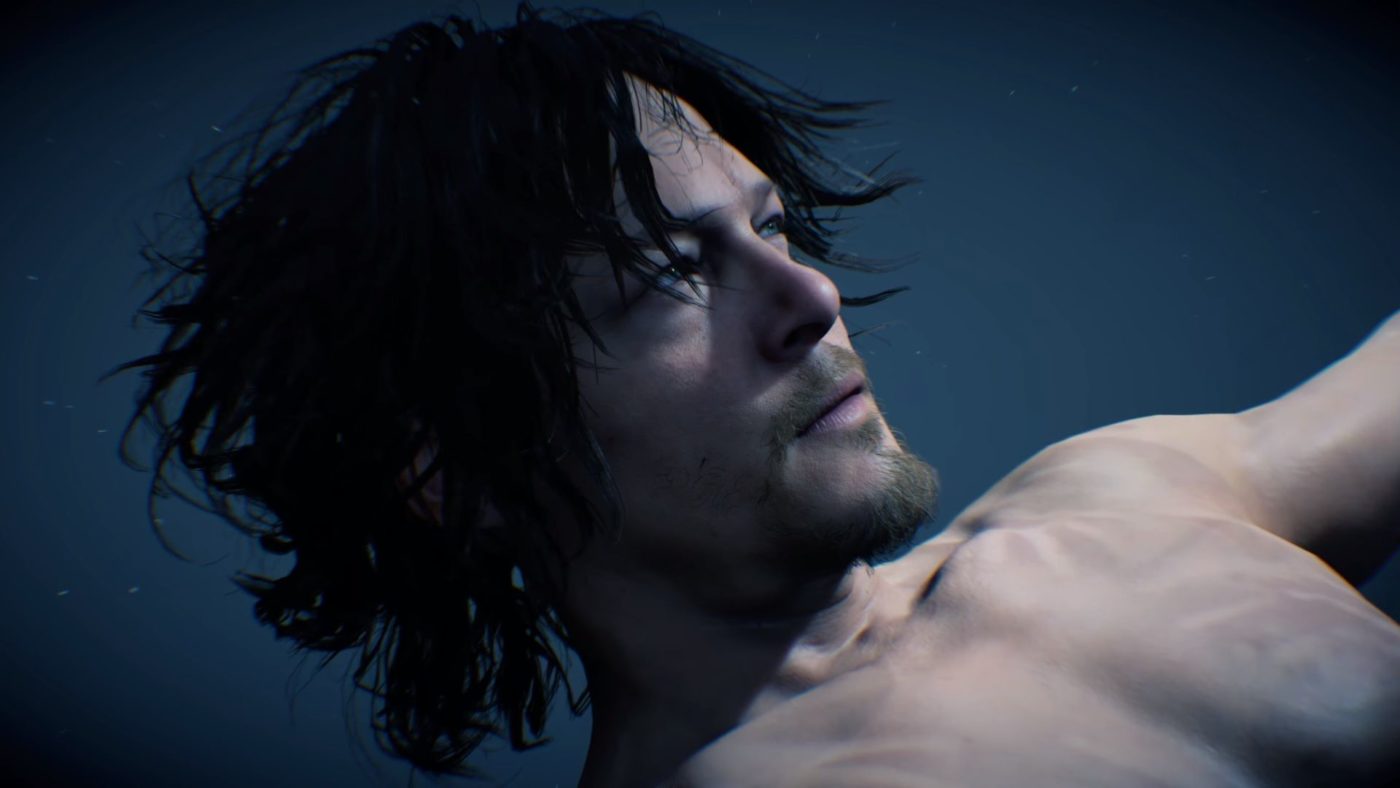
Death Stranding Multiplayer Aims to Connect Millions at Launch, Compares the Idea to Spider-Verse

Hideo Kojima recently took part in an interview, answering a number of questions pertaining to his personal life and Death Stranding. One interesting question that came up was regarding the online component, and although Hideo wanted to keep things close to the chest, he did in the very least offer some small hints as to what players may expect in the Death Stranding multiplayer.

Taking part in a one on one interview done by French reporter, Julien Chièze and translated by reddit user xxxjohnnygxxx, Kojima explains that upon launch the game will have millions of users connected to one another and that it’s comparable to the concept of Spider-verse in a sense that these Spider-Man characters had always thought they were the one and only Spider-Man.


Q: With DS you said you wanted to opt for a brand new, never seen multiplayer approach, can you tell me a little more about the social strand system?

A: I’m going to let you down, but I cannot say anything atm. All i can say is that it is an open world in which the players will quickly find out that the approach is different. Its going to be hard task and you must reconnect a fractured society and split up humans, you do this with a character who has nothing to do with superheroes. Sam is just by himself and must survive, he has no special power. The more you play the more you will notice that he isn’t the only one in this situation. At launch, there will probably be millions of people who will play and you will be CONNECTED to them USING SOMETHING…

Q: Something?

A: Yes, its like Miles Morales in the Spiderman Spider-verse. Miles thinks he is the only spiderman, then different characters from different alternate dimensions also become Spiderman and meet up, all of a sudden Miles is not alone! Of course DS will be different but it’s a clue towards what the game is about. Sorry but i really cant say anymore, is that ok?

Like the rest of the game, Death Stranding multiplayer is very much shrouded in a cloud of mystery. We know that Kojima and his team are aiming for it to offer an “Asynchronous“ style of gameplay where no players actually meet with one another, though it has yet to be explained exactly so.

Avatar photo

James Lara

A gamer at heart, James has been working for MP1st for the last decade to do exactly what he loves, writing about video games and having fun doing it. Growing up in the 90's gaming has been in his DNA since the days of NES. One day he hopes to develop his own game.

Home > News

Death Stranding First Person View Confirmed, but Won’t Be an FPS

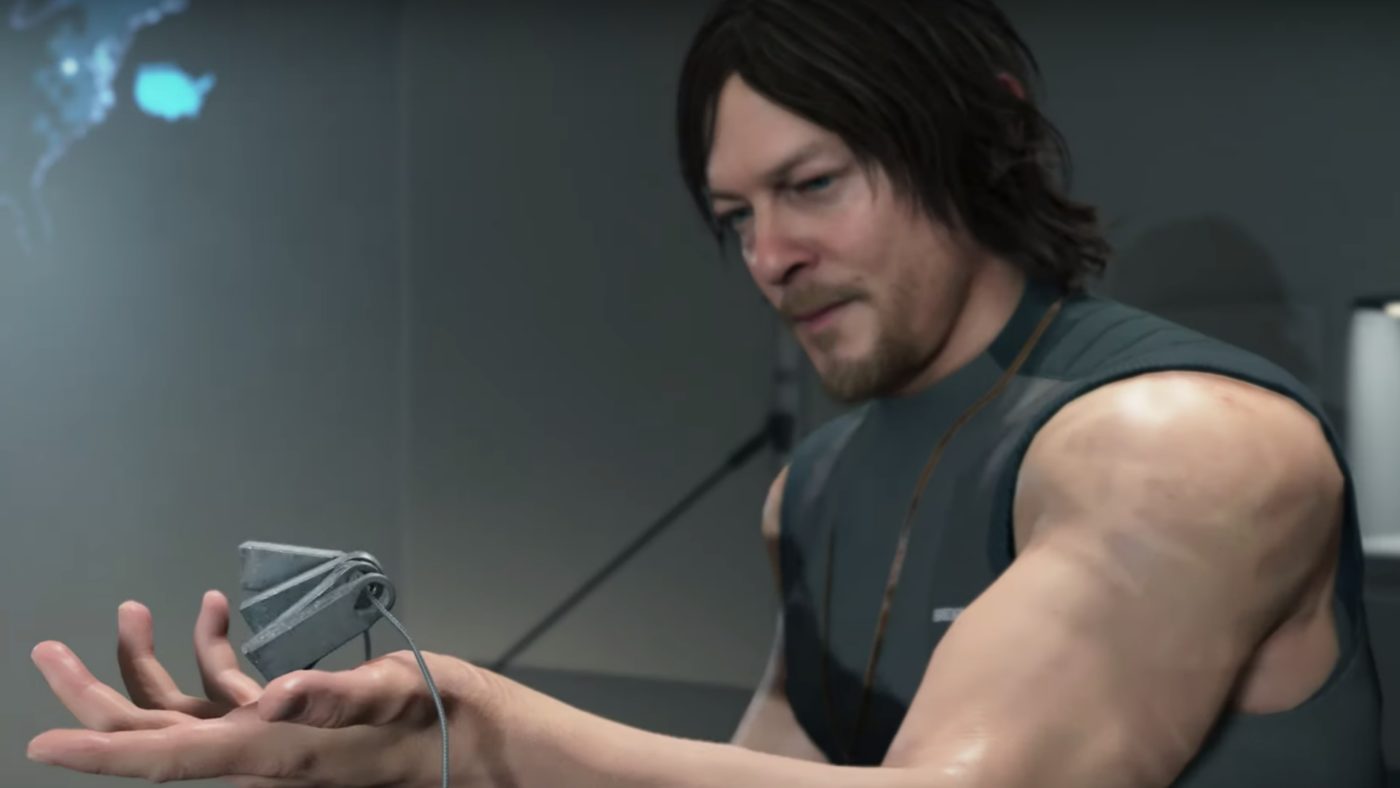
Game director Hideo Kojima has confined a Death Stranding first person view will be available in the game, though before anyone gets any ideas, he also confirms that it won’t be a first-person shooter.

Taking to Twitter to address a commonly asked question, Kojima once again iterates that Death Stranding will be an entirely new genre that he’s calling “Social Strand System.”

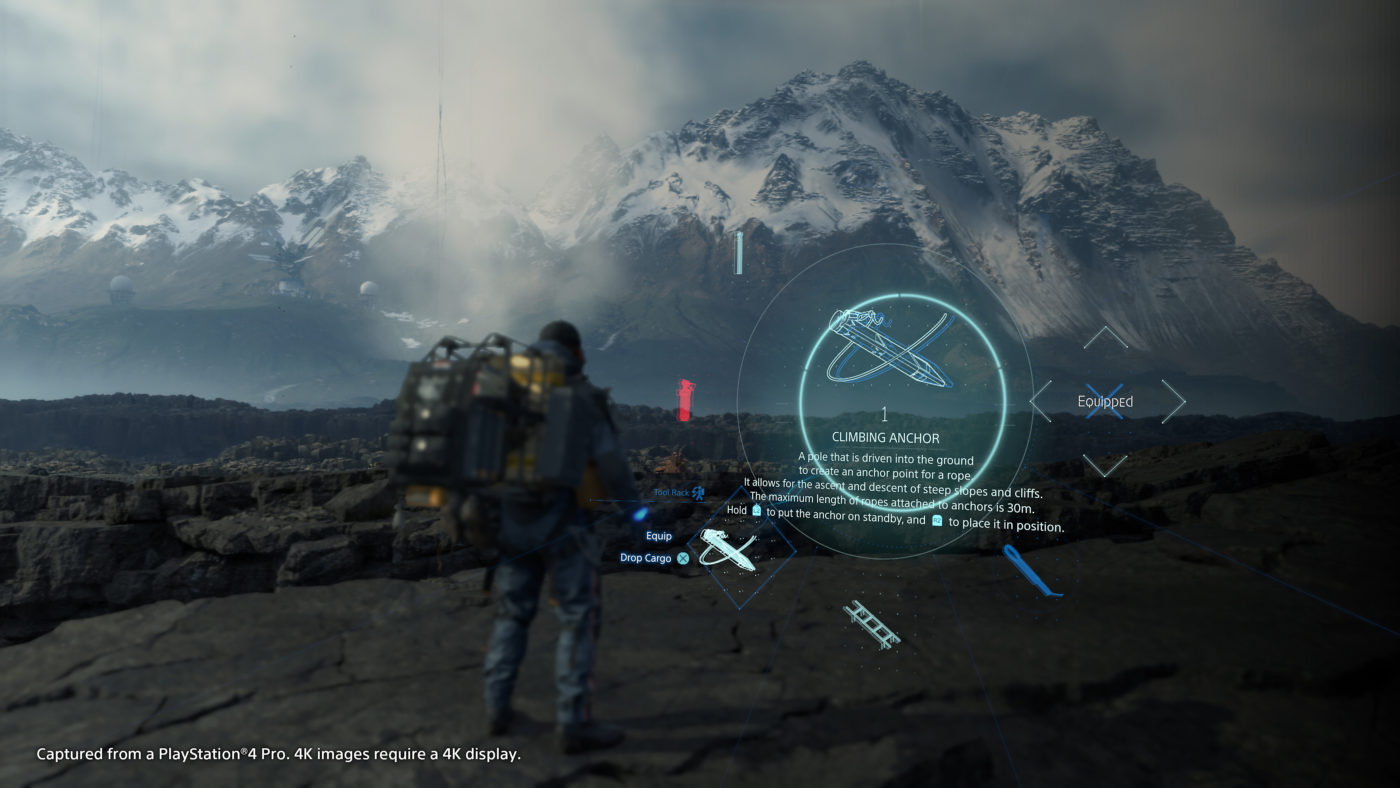
The big take here is that he did indeed confirm that the game will in some capacity be playable in first-person view. A majority of the gameplay shown thus far has been in third-person view, however there was one interesting scene from one of the past trailer that showcased what appeared to be a first person view. Check it out below

It really shouldn’t come much as a surprise, considering that the past couple of Metal Gear Solid (a series Kojima created and worked on) games have featured the ability to play entirely in first-person view. However those also featured guns that can be shot from that perspective, which Kojima states that this game will not be a FPS.

It’ll be interesting to see how this all turns out and hopefully TGS 2019 will be able to shed some more light on the recent gameplay reveal. Death Stranding will be releasing this November, exclusively for the PlayStation 4. Make sure to also check out this Briefing trailer leak to see seven minutes of new footage!

Avatar photo

James Lara

A gamer at heart, James has been working for MP1st for the last decade to do exactly what he loves, writing about video games and having fun doing it. Growing up in the 90's gaming has been in his DNA since the days of NES. One day he hopes to develop his own game.

Home > News

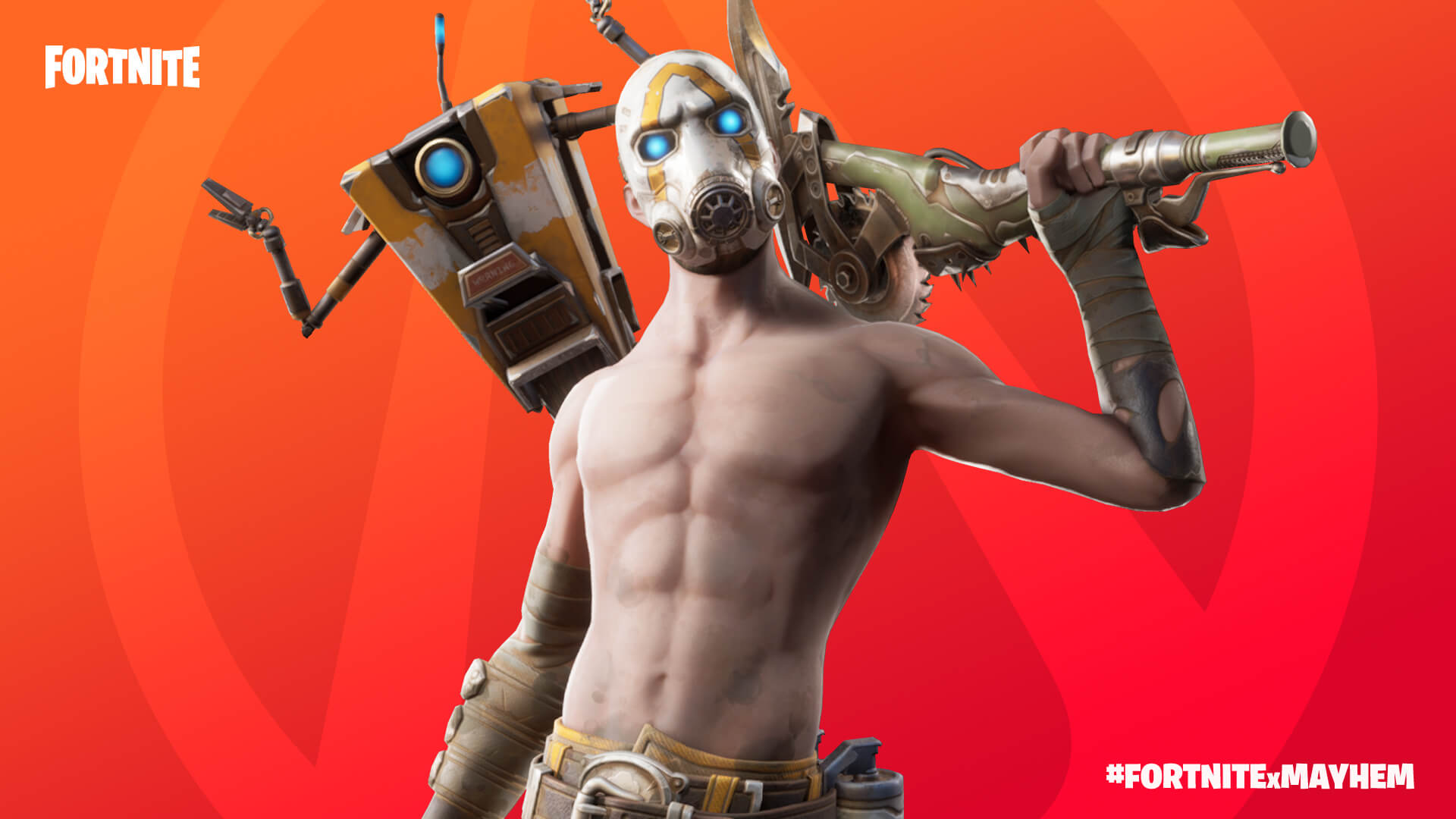
Fortnite Update 2.32 Patch Notes and File Size Info (v10.20) – Borderlands Crossover Event Now Live

Who’d have thought this would be a thing? Epic Games has partnered with Gearbox Software to bring us a Fortnite crossover event with Borderlands! Officially called Fortnite update version v10.20 (or version 2.32 on PS4), this crossover event brings themed Challenges, rewards, cosmetics tied to the Borderlands franchise and more. Check out the full Fortnite update 2.32 patch notes below, which clocks in at 3.45GB on PS4.

Fortnite update 2.32 patch notes:

Shield Bubble
This is a bubble that’s not easy to burst. Take cover under this dome that’s invulnerable to projectiles and explosives!
10BR_ShieldBubble_Social.jpg

WEAPONS + ITEMS

  • Shield Bubble
    • Rare item.
    • Found from Floor Loot, Chests, Supply Drops, and Vending Machines.
    • Lasts for 30 seconds.
    • Creates a large bubble that blocks projectiles and explosives. However, players can still run through it.
      • Projectiles and explosives can be fired from inside the bubble but cannot go outside of it.
      • The bubble’s emitter has 400 HP. Destroying it deactivates the bubble.
  • B.R.U.T.E.
    • The B.R.U.T.E.’s map icon will remain visible to all players after players board one. The icon will follow the vehicle as it moves.
      • This is to increase awareness of a B.R.U.T.E.’s presence and location to all players in the match.
    • The B.R.U.T.E. changes below were implemented between August 22-23.
      • Decreased the maximum amount of rockets fired by the B.R.U.T.E. in a single charge from 10 to 6.
      • Decreased the rate at which the rockets are fired from the B.R.U.T.E. by 56%.
      • The B.R.U.T.E. no longer grants materials to the driver and passenger when stomping or dashing through the environment.
      • Returned the explosion radius of B.R.U.T.E. missiles back to their original range.
        • We had decreased the explosion radius by 42% in the August 22 hotfix. This change in particular felt like an overswing, making it too difficult for the B.R.U.T.E to hit targets with less rockets and mobility. So on August 23 we brought the damage radius back (in core modes) to where it was before August 22. We’re continuing to closely evaluate the B.R.U.T.E. changes to make sure they align with our goals.
          • As of v10.20, these changes are now also in Arena & Tournament playlists.
      • Increased the dash cooldown from 3 seconds to 5 seconds.
      • Decreased the velocity gained from boosting while in air by 33%.
      • Adjusted the variability of spawn rates for storm phases 1, 2, and 3 in core modes.
        • Note: These adjustments do not affect the spawn rates in Arena and Tournament playlists. You can find those spawn rates in the v10.10 Patch Notes.
        • Storm phase 1
          • Increased the maximum number of B.R.U.T.E. spawns from 5 to 6.
          • Reduced the chance for 0 B.R.U.T.E.s to spawn from 29% to 14.3%.
          • New spawn rates
            • 14.3% chance to spawn 0.
            • 14.3% chance to spawn 1.
            • 14.3% chance to spawn 2.
            • 14.3% chance to spawn 3.
            • 14.3% chance to spawn 4.
            • 14.3% chance to spawn 5.
            • 14.3% chance to spawn 6.
          • Old spawn rates
            • 29% chance to spawn 0.
            • 14.3% chance to spawn 1.
            • 14.3% chance to spawn 2.
            • 14.3% chance to spawn 3.
            • 14.3% chance to spawn 4.
            • 14.3% chance to spawn 5.
        • Storm phase 2
          • Increased the maximum number of B.R.U.T.E. spawns from 3 to 5.
          • New spawn rates
            • 16.7% chance to spawn 0.
            • 16.7% chance to spawn 1.
            • 16.7% chance to spawn 2.
            • 16.7% chance to spawn 3.
            • 16.7% chance to spawn 4.
            • 16.7% chance to spawn 5.
          • Old spawn rates
            • 25% chance to spawn 0.
            • 25% chance to spawn 1.
            • 25% chance to spawn 2.
            • 25% chance to spawn 3.
        • Storm phase 3
          • New spawn rates
            • 25% chance to spawn 0
            • 25% chance to spawn 1
            • 25% chance to spawn 2
            • 25% chance to spawn 3
          • Old spawn rates
            • 33% chance to spawn 1
            • 33% chance to spawn 2
            • 33% chance to spawn 3
      • Decreased the material cost of using the gunner’s overshield from 200 to 75.
      • Increased the Health of the B.R.U.T.E from 1000 to 1250.
  • Junk Rift
    • The Junk Rift has been re-enabled in all modes.
  • Vaulted
    • Storm Flip
    • Drum Gun
    • Storm Scout Sniper Rifle

Bug Fixes

  • Fixed an issue in which the Junk Rift was not destroying B.R.U.T.E.s on impact.
  • Weapons and items received from Vending Machines no longer differ from the weapons and items displayed upon receiving them.
  • Fixed an issue in which Chug Splashes were able to be deployed quicker than intended.
  • The Combat Shotgun no longer becomes more inaccurate for a short period of time after players swap to it from a weapon best used while aiming down sights (such as Sniper Rifles).
  • Shockwaves now properly affect members of the Horde.
  • Fixed an issue in which Small Shield Potions would not fill players’ Shield to 50 if it was at 49.
  • Fixed an issue in which Stink Bombs would do less damage to players using a B.R.U.T.E.
  • Gunners in a B.R.U.T.E. who aren’t accompanied by a driver will no longer have an obstructed view while in the volcano vortex.
  • Hoverboards can no longer be ridden by a B.R.U.T.E.
  • The damage state of a B.R.U.T.E. now appears when players with a vehicle Wrap equipped enter a B.R.U.T.E. that was previously unoccupied.
  • Reloading a B.R.U.T.E.’s shotgun no longer makes it unable to fire missiles.
  • Fixed an issue involving the B.R.U.T.E.’s air slam dealing more damage to Horde spawners than intended.
  • The self-destruct timer of a B.R.U.T.E. can no longer be paused.
  • Switching seats in or exiting a B.R.U.T.E. while it is loading missiles no longer makes it unable to emote.
  • Entering a B.R.U.T.E. no longer causes players to lose the ability to use weapons or items on exit.

GAMEPLAY

  • Pandora
    • At the oasis near Paradise Palms, a Rift Beacon has created the Pandora Rift Zone.
      • Part of the Fortnite X Mayhem collab.
      • This Rift Zone highly resembles the planet Pandora. However, it’s more than just a model; even the rules of the planet apply!
        • While at the Rift Zone, players will begin to generate Shield after 4 seconds of not taking damage.
      • Pandora will be available until September 10.
  • Tilted Town
    • Added traversable paths that connect the town to the surrounding hills.
      • This is to improve the experience in late-game circles that take place at Tilted Town.
  • Increased the time between subsequent Turbo Build placements from 0.05 seconds to 0.15.
    • The first placement of a structure using Turbo Build remains the same.
  • Moving Storm
    • Safezones will no longer move while shrinking in the later phases of a match.
    • Note: This change does not affect Arena and Tournament playlists.
    • This change was implemented on August 23.

Bug Fixes

  • Going inside the Tilted Town Rift Zone while using a B.R.U.T.E. no longer causes the screen filter and no-building effect to remain after leaving the Rift Zone.
  • Getting knocked out of a B.R.U.T.E. no longer causes players to enter an unintended Down But Not Out state in which they’re able to walk/run and unable to be revived.
  • Fixed an issue in which members of the Horde would not attack players in a B.R.U.T.E.
  • Damaging a B.R.U.T.E. no longer counts towards the Storm Surge damage threshold.
  • Players inside indestructible buildings can no longer be damaged by a Junk Rift.
  • Destroying a Chest or ammo container by destroying the object it is placed on will now open it.

ART + ANIMATION

Bug Fixes

  • Fixed an issue in which Catalyst’s left arm would clip through multiple backpacks in the lobby while idle.
  • The Y0ND3R Outfit and EQ Wrap now animate correctly on PlayStation 4.
  • Boarding a B.R.U.T.E. inside the Tilted Town Rift Zone and then exiting the Rift Zone while in the B.R.U.T.E. no longer causes the player’s Outfit to be unable to return to the equipped Outfit.

AUDIO

  • Adjusted the shape of the Junk Rift’s audio attenuation from a sphere to a capsule.
    • This is to make Junk Rift objects more audible when spawned up high. 
  • Reduced the volume of the Minigun’s overheat audio.

Bug Fixes

  • The Frag Grenade’s fuse sound no longer occurs as it is thrown.
  • The Battle Bus’ audio no longer plays from the wrong location on Starter Island.
  • Fixed an issue in which the spawn sound effects of Junk Rift objects would not play if the thrown projectile hit a player.

UI

Bug Fixes

  • Fixed an issue involving players being unable to see Challenges upon logging in for the first time during Season X.
  • The input UI for the B.R.U.T.E.’s gunner mode no longer displays the wrong inputs for players using a controller.
  • Fixed an issue in which the player icon wouldn’t update properly while players have their Locker Outfit set to Random.
  • A rounding error no longer occurs in the Health and Shield meters after applying Bandages or Small Shields.
  • Fixed an issue that caused the Social Panel to show an incorrect set of Team Members.

REPLAY

  • Local replays now have the same HUD as that of server/broadcast replays.
  • After a player is eliminated in a replay, the camera will now follow their teammates or the player who eliminated them.
  • Reordered and slightly modified the replay HUD controls.
    • As part of this, the button used to access the player list has been removed. However, players can still access the player list using the map screen.
  • On August 20, we disabled server streaming replays on PlayStation 4 and Xbox One to improve stability and address performance issues.

Bug Fixes

  • Fixed an issue in which some of the smaller Junk Rift objects would not be hidden in replay rewinds after hitting the ground.
  • Thrown Junk Rift projectiles no longer duplicate in replays.
  • Junk Rift objects hitting the ground in replays no longer causes assets to appear.
  • Fixed an issue involving the Junk Rift’s audio effects not occurring in replays.

MOBILE

  • iOS will now optimize content during players’ first run of the game after patching. This will help reduce hitching and load times when waiting for the Battle Bus to leave.
  • 60FPS support has been re-enabled for iPhone 8.
  • Updated the images that appear on-screen during the patching process.

Bug Fixes

  • Playlist tiles, “New” tiles, and Event page tiles will now display the correct images.
  • Fixed collision issues between characters and some cosmetics.
  • Fixed an audio issue when using the B.R.U.T.E on Android.
  • Backing out of cinematics no longer causes a black screen.
  • The font alignment has been corrected in the Challenges menu.
  • Fixed an issue in which ammo belts would float while players were in a B.R.U.T.E.
  • Fixed an issue in which Autofire was active against some vehicles.

CREATIVE

WHAT’S NEW?

Pandora Building Set
Recreate your favorite Pandora setting! Fortnite will be featuring a Pandora themed block in the near future, so make sure to submit and share your creations. Part of the Fortnite X Mayhem collab.
10BR_Mayhem_Prefab_NewsHeader.jpg

Arid Island
A desert themed canyon with high peaks and jagged rocks, inspired by the Pandora desert area on the Battle Royale map.
Pandora_woRocks.png

Communication
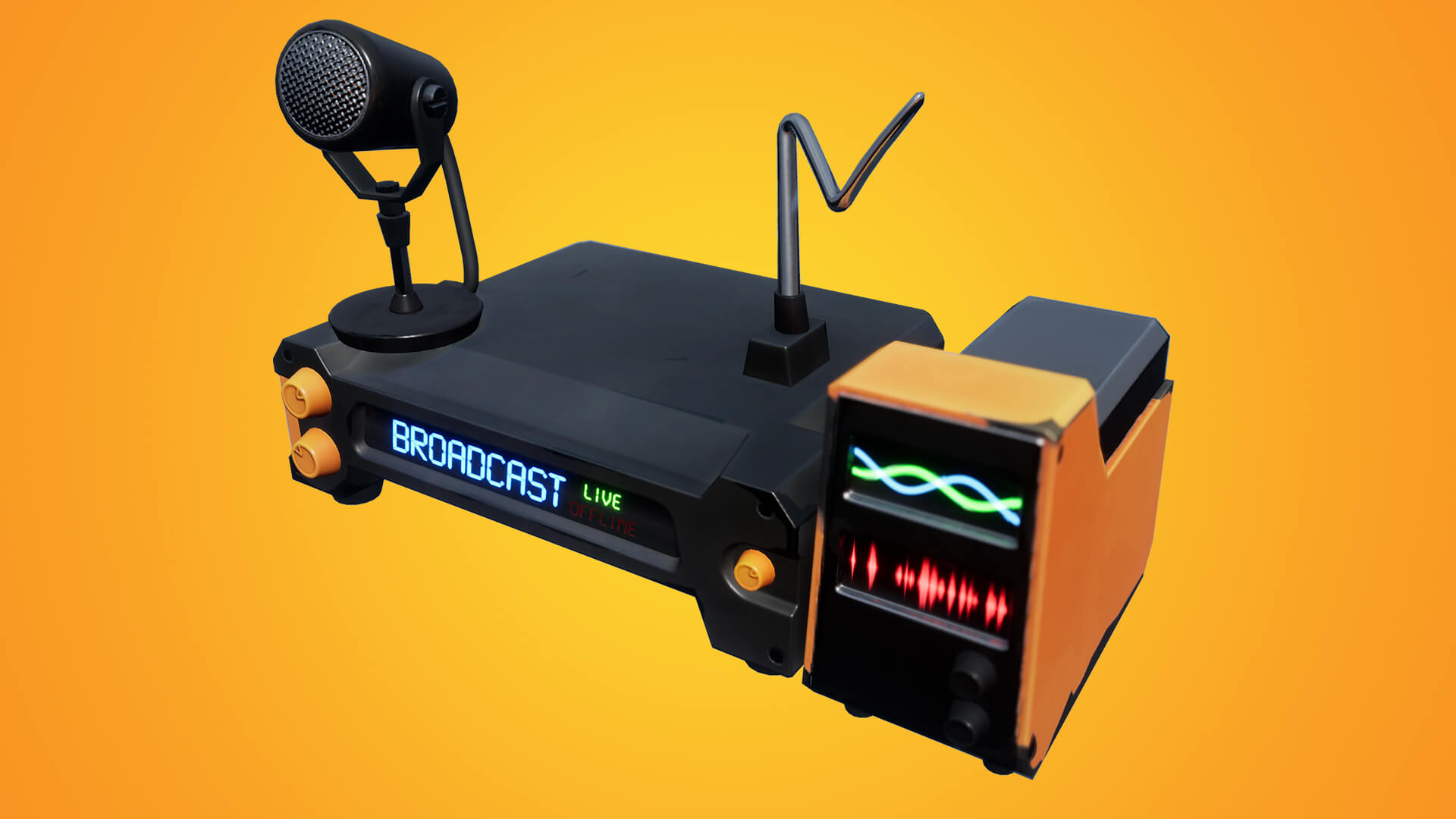
New ways to let your players know what’s going down with the addition of the Speaker device and HUD Message Device.
NewsHeader_HUDMessageDevice.jpg

Light it Up
Let your players explore those dark corners of the map with the Torch and Flashlight Pistol.
NewsHeader_FlashlightPistol.jpg

ISLANDS

  • Added a desert-themed canyon with high peaks and jagged rocks, inspired by the desert area on the Battle Royale map.

Bug Fixes

  • The ground on Ice Lake Islands no longer flickers on mobile devices.

GAMEPLAY

  • Added a new value to the Camera Filter option in the Game Settings menu: Comic.
  • Added Weapon Destruction option to the Game Settings menu.
    • Determines how much damage player weapons will do to the environment and buildings on the map.
    • None, 10%, 25%, 50%, 75%, 100%, 125%, 150%, 175%, 200%, 300%, 400%, 500%, Instant (Default: 100%).
  • Added Allowed to Edit option to the Game Settings menu.
    • Determines who is permitted to edit player built structures during the game.
    • Default, Anyone (Default: Default).  Default – players can edit structures built by themselves or their teammates.  Anyone – all player built structures can be edited by any player.
  • Added a new value to the Join in Progress option in the Game menu: Spawn On Next Round.

Bug Fixes

  • Players do not lose movement functionality when entering a vehicle that is overlapping a rift.
  • Fixed an issue where Creatures wouldn’t spawn on the Kevin Floating Islands.
  • Players will no longer have access to the Creative inventory on the Battle Royale map when they enter Tilted Towns or Retail Row.

Known Issue:

  • Unmanned vehicles are no longer causing traps to trigger. This breaks many Creative islands that use this mechanism to trigger events. We’re actively working on a fix.

WEAPONS + ITEMS

  • Added Flashlight Pistol.
    • Allows players to defend themselves while navigating in the dark.
    • Rare Item.
    • Use Light Ammo.
    • Damage: 26.
    • Headshot: 52.
    • 6.75 Rounds per second.
    • 16 Rounds per magazine.
  • Added Torch.
    • A flaming brand to light your way.
    • Rare Item.
    • Cannot be used as a melee weapon.

Bug Fixes

  • Traps now activate for players after they have turned into a prop.
  • Camera placement is more stable when switching directly between different props using the Prop-O-Matic.
  • Fixed several issues related to how the Prop-O-Matic interacts with DBNO state.

PREFABS & GALLERIES

  • Added 6 New Prefabs:
    • Pandora Container Complex.
    • Pandora L-Stack.
    • Pandora Transmission Stack.
    • Pandora Barn Shelter.
    • Pandora Hearth Shelter.
    • Pandora Traveler Shelter.
  • Added 6 New Galleries:
    • Pandora Gallery.
    • Pandora Prop Gallery.
    • Pandora Prop Gallery Large.
    • Pandora Container Gallery.
    • Pandora Bone & Rock Gallery.
    • Pandora Light Gallery.

Bug Fixes

  • Cliff Gallery floors won’t automatically destroy after pasting them.
  • The Butterfly Orb effects can be seen on lower graphical quality settings.
  • The Pueblo Gallery no longer has an invisible collision at the bottom of certain walls.
  • The Great Pyramid prefab no longer has a black floor on mobile.
  • The Tomato Head Framed picture from the Mega Mall Gallery and the Dusty Depot Framed picture from the Dusty Prop Gallery now have collision.
  • Players can no longer “Search” the bed from the Stilted Cabin Prefab.
  • Items from the Indoor Residential Prop Gallery give proper materials when destroyed.
  • The Factory Roofs from the Dusty Depot and Diner Gallery can be pasted.

DEVICES

  • Added Random Number Generator device.
    • This picks a random number between two values and displays the result. Optionally, it can also award score or apply this random value to a volume in front of it to trigger devices.
    • Value Limit 1: 0-99 (Default: 1). Can be either the Max or Min Value.
    • Value Limit 2: 0-99 (Default: 6). Can be either the Max or Min Value.
    • Winning Value: If the output is higher than this, you ‘win’. This can be used with other customization options and can be used to send a trigger signal.
      •  0-99 (Default: 4).
    • Result Multiplier: Multiplies the visible output (and the winning score) of the device. e.g. if you roll a 5 with 10x multiplier, the device will report a value of 50.
      •  1-10 (Default: 1).
    • Roll Time: Determines how long the roll takes to complete.
      •  Instant, 1-30 seconds (Default: 3 seconds)
    • Reset Delay: Determines how long the device will wait after a roll before it can be activated again.
      • None, 1 second, 2 seconds, 3 seconds, 5 seconds, 10 seconds, 20 seconds, 30 seconds, 1 minute, 2 minutes, 3 minutes, 5 minutes, 10 minutes, 15 minutes, 20 minutes (Default: None).
    • Award Score: Determines the circumstances under which score is awarded to the player who activated the device.
      • Never, Always, On Win, On Loss (Default: Never).
    • Score Type: Determines how any score award is handled.
      • Add, Remove, Set (Default: Add).
        • Add and Remove – Adjust the player’s current score by the Score amount.
        • Set – Forces the player’s current score to the Score amount, ignoring any existing score.
    • Score Value: Determines how much Score is awarded to the player.
      • Roll Amount, 1, 2, 3, 4, 5, 10, 15, 20, 35, 50, 100, 200 (Default: Roll Amount).
    • Zone: Determines whether this device has a Zone, and if so, the direction it extends from the plate. On rolling, a location within the Zone will be highlighted based on the rolled result. This highlighted area will activate Triggers, Music Sequencers, Speakers and other Random Number Generators.
      • None, Forward, Left, Right, Backwards (Default: None).
    • Length: Length of the Zone.
      • ½, Normal, 2-20, 24, 26, 28, 30, 40, 60, 80, 100 (Default: 4).
    • Width: Width of the Zone.
      • ½, Normal, 2-20, 24, 26, 28, 30, 40, 60, 80, 100 (Default: Normal).
    • Height: Height of the Zone.
      • ½, Normal, 2-20, 24, 26, 28, 30, 40, 60, 80, 100 (Default: Normal).
    • Visible During Game: Off, On (Default: On).  If Off, the device can still be triggered via a received signal, but not by player interaction.
    • Play Audio: Determines whether the device will play sounds for rolling, winning and losing.
      • Off, On (Default: On).
    • Team: Any, 1-16 (Default: Any).
    • Enabled: Determines when the device is enabled.
      • Disabled, Enabled, Warmup Only, Gameplay Only (Default: Enabled).
    • Activate on Game Phase: Starts rolling when this game phase starts.
      • Never, Pre-Game, Warm-up, Game Start (Default: Never).
    • Receivers:
      • Enable when Receiving From: No Channel, 1-32 (Default: No Channel).
      • Disable when Receiving From: No Channel, 1-32 (Default: No Channel).
      • Activate when Receiving From: Starts rolling when a signal is received on the selected channel.
        • No Channel, 1-32 (Default: No Channel).
      • Cancel When Receiving From: Cancels any roll currently in progress when a signal is received on the selected channel.
        • No Channel, 1-32 (Default: No Channel).
    • Transmitters:
      • On Win Transmit On: If the roll is considered a ‘win’, a signal is sent on the selected channel.
        • No Channel, 1-32 (Default: No Channel).
      • On Lose Transmit On: If the roll is considered a ‘loss’, a signal is sent on the selected channel.
        • No Channel, 1-32 (Default: No Channel).
      • When Rolled Max Transmit On: If the roll resulted in the highest possible value, transmit a signal on the selected channel.
        • No Channel, 1-32 (Default: No Channel).
      • When Rolled Min. Transmit On: If the roll resulted in the lowest possible value, transmit a signal on the selected channel.
        • No Channel, 1-32 (Default: No Channel).
  • Added Score Manager device.
    • This device provides score to the player that activates it. It can only be activated via its receivers – it cannot be interacted with directly by players.
    • Score Value
      • Determines the amount of score awarded the first time the device is activated during a game.
        • -200, -100, -50 , -35, -20, -15, -10, -5, -4, -3, -2, -1, 0, 1, 2, 3, 4, 5, 10, 15, 20, 35, 50, 100, 200 (Default: 0).
    • Score Award Type: Determines what effect the device has on the activating player’s score.
      • Add, Subtract, Set, None (Default: Add).
        • Add and Subtract – Adjust the player’s current score.
        • Set – Forces the player’s current score to the required amount, ignoring any existing score.
        • None – does not change the player’s current score, making the device a counter.
    • Team
      • Any, 1-16 (Default: Any).
    • Times Can Trigger
      • Determines how many times the device can be triggered before it stops responding.  This value can still be reset via the Reset When Receiving From receiver even after the limit has been reached.
        • Infinite, 1-10 (Default: Infinite).
    • Score Increment
      • Each subsequent time the device is triggered after the first, the amount of score to be awarded will be adjusted by this amount.  This can be utilized to create increasing or decreasing reward structures.
        • -200, -100, -50 , -35, -20, -15, -10, -5, -4, -3, -2, -1, 0, 1, 2, 3, 4, 5, 10, 15, 20, 35, 50, 100, 200 (Default: 0).
    • Minimum Score
      • This determines the minimum value that the score award can be reduced to by the Score Increment option. The actual score awarded will never be less than this value, even if the initial Score Value begins lower.
        • -999, -500, -400, -300, -200, -100, -50 , -35, -20, -15, -10, -5, -3, -2, -1, 0, 1, 2, 3, 5, 10, 15, 20, 35, 50, 100, 200 (Default: -999).
    • Maximum Score
      • This determines the maximum value that the score award can be raised to by the Score Increment option.  The actual score awarded will never be greater than this value, even if the initial Score Value begins higher.
        • -200, -100, -50 , -35, -20, -15, -10, -5, -3, -2, -1, 0, 1, 2, 3, 5, 10, 15, 20, 35, 50, 100, 200, 300, 400, 500, 999 (Default: 999).
    • Enabled: Determines when the device is enabled. When Disabled, the device cannot be activated by its receivers.
      • Disabled, Enabled, Warmup Only, Gameplay Only (Default: Enabled).
    • Visible In Game: Off, On (Default: Off).
    • Transmit On Score
      • When the device awards this amount of score it will transmit.
        • -200, -100, -50 , -35, -20, -15, -10, -5, -4, -3, -2, -1, 0, 1, 2, 3, 4, 5, 10, 15, 20, 35, 50, 100, 200 (Default: 0).
    • Receivers:
      • Activate When Receiving From: Awards score to the activating player when receiving a signal on the selected channel.
        • No Channel, 1-32 (Default: No Channel).
      • Enable When Receiving From
        • No Channel, 1-32 (Default: No Channel).
      • Disable When Receiving From
        • No Channel, 1-32 (Default: No Channel).
      • Reset When Receiving From
        • On receiving a signal from the selected channel, the device will be Enabled, the score award value will be reset to the value specified in the Score Value option and the number of times triggered will be reset to 0.
          • No Channel, 1-32 (Default: No Channel).
      • Increment When Receiving From
        • Causes the current score award value to be adjusted by the Score Increment value without actually awarding any score to the activating player.
          • No Channel, 1-32 (Default: No Channel).
    • Transmitters:
      • On Max Triggers Transmit To
        • When the device has been triggered the number of times specified by the Times Can Trigger option, send a signal on the selected channel.
          • No Channel, 1-32 (Default: No Channel).
      • On Score Output Transmit To
        • When the score specified in Transmit on Score is awarded to a player, send a signal on the selected channel.
          • No Channel, 1-32 (Default: No Channel).
  • Added Speaker Device.
    • Plays audio to everyone nearby when triggered.
    • Speaker Audio: Selects which audio sample to play.
      • Off, Accent A, Accent B, Accent C, Bump A, Bump B, End A, End B, Failure A, Failure B, Flashback, Game Over, Magic, Mystery A, Mystery B, Mystery C, Neutral, Positive, Reward A, Reward B, Scare A, Scare B, Success A, Success B, Success C, Surprise A, Surprise B, Threat, Transition A, Transition B, Unlock, Wash (Default: Accent A).
    • Volume: Very Low, Low, Medium, Loud, Very Loud (Default: Medium).
    • Attenuation: Determines how far the sound will travel.
      • Close, Medium, Far, Very Far, Island (Default: Medium). Island – the sound can be heard anywhere on the map.
    • Retrigger Behaviour: Determines what should happen if the device is triggered again while a sound is already playing.
      • Ignore, Restart (Default: Ignore).
    • Enabled: Determines when the device is enabled. When Disabled, the device cannot be activated by its receivers.
      • Disabled, Enabled, Warmup Only, Gameplay Only (Default: Enabled).
    • Activate on Hit: Selects whether the device can be activated by applying damage to it.
      • Yes, No (Default: Yes).
    • Visible In Game: Off, On (Default: Off).
    • Receivers:
      • Activate When Receiving From: No Channel, 1-32 (Default: No Channel).
      • Enable When Receiving From: No Channel, 1-32 (Default: No Channel).
      • Disable When Receiving From: No Channel, 1-32 (Default: No Channel).
  • Added HUD Message Device.
    • This device allows you to send text messages to players through the HUD in a variety of styles.  Messages can be timed or activated via triggers and receivers. Only one message can be on-screen at a time, regardless of placement.
    • Message
      • Text box with 80 character limit.
    • Team
      • All, 1-16 (Default: All).
    • Time From Round Start
      • The message will be displayed after the specified amount of time has elapsed since game start.
        • Off, 1-10 seconds, 15 seconds, 20 seconds, 25 seconds, 30 seconds, 40 seconds, 50 Seconds; 1 minute, 2 minutes, 3 minutes, 4 minutes, 5 minutes (Default: 10 seconds).
    • Display Time
      • Determines how long the message will remain on-screen.
        • 1-5 seconds, 10 seconds, 15 seconds, 20 seconds, 25 seconds, 30 seconds, 40 seconds, 50 seconds, 60 seconds, Permanent (Default: 5 seconds).
    • Text Style
      • Default, Small, Large, Bold, Extra Large, Blue, Bold Blue, Orange, Bold Orange, Red, Red Outline (Default: Default).
    • Message Type
      • Determines the importance level of the message.  Default messages will queue behind other messages.  Critical messages will be displayed immediately.
        • Default, Critical (Default: Default).
    • Play Sound
      • On, Off (Default: On).
    • Placement
      • Selects the area of the screen in which the message will be displayed.
        • Bottom Center, Top Center, Center Right (Default: Bottom Center).
    • Visibility During Game
      • Visible, Hidden (Default: Hidden).
    • Receivers
      • Show When Receiving From: No Channel, 1-32 (Default: No Channel).
      • Hide When Receiving From: No Channel, 1-32 (Default: No Channel).
  • Made a number of changes to the Advanced Storm Controller device.
    • Overall we have tried to simplify the use of the Advanced Storm Controller and Advanced Storm Beacons to make it easier to generate custom storms.
    • Added Generate Storm on Game Start
      • Should the Storm start as soon as the game begins?
        • Yes, No (Default: Yes).
    • Added Generate Storm When Receiving From
      • Generates the Storm on receiving a signal from the selected channel.
        • No Channel, 1-32 (Default: No Channel).
    • Added Destroy Storm When Receiving From
      • Disables the Storm controller, removing the Storm immediately on receiving a signal from the selected channel.
        • No Channel, 1-32 (Default: No Channel).
    • Added When Phase Ended Transmit On
      • Sends a signal on the selected channel at the end of each Storm phase.
        • No Channel, 1-32 (Default: No Channel).
    • Removed Starting Phase and Late Phases Move options – These caused confusion when being used with the Storm Beacons. Intent is that Storm Beacons will be used to configure late Storm phases.
  • Made a number of changes to the Advanced Storm Beacon device.
    • Removed “Don’t Override” value from all options – all values must now be specifically set and defaults have been added. This was done to reduce confusion on how Storm Beacons worked with the Storm Device.
    • Removed “None” value from the Movement Behavior option.
      • Choose if the Storm will move to this Beacon or randomly.
    • Added additional value to End Radius option: 0m.
  • Added new option to Item Spawner, Item Spawn Plate and Capture Item Spawner devices.
    • When Item Picked Up Transmit On
      • No Channel, 1-32 (Default: No Channel).
  • Added additional values to Duration option for Timer device
    • 6 minutes, 7 minutes, 8 minutes, 9 minutes, 11 minutes, 12 minutes, 13 minutes, 14 minutes.
  • Added a number of options to the Radio device.
    • Play During Pregame: No, Yes (Default: No).
    • Play During Warmup: No, Yes (Default: No).
    • Play During Gameplay: No, Yes (Default: No).
    • Play During Round End: No, Yes (Default: No).
    • Play During Game End: No, Yes (Default: No).
    • Play When Receiving From: No Channel, 1-32 (Default: No Channel).
    • Stop When Receiving From: No Channel, 1-32 (Default: No Channel).
  • Added a number of options to the Explosive Device.
    • Visible During Game: On, Off (Default: On).
    • Collision During Game: On, Off (Default: On).
    • Collide Against: All, Only Weapons (Default: All).
    • When Exploded Transmit On: No Channel, 1-32 (Default: No Channel).
    • Turn On Visibility When Receiving From: No Channel, 1-32 (Default: No Channel).
    • Turn Off Visibility When Receiving From: No Channel, 1-32 (Default: No Channel).
    • Added additional values to Time to Detonation from Game Start option: 11 minutes, 13 minutes, 14 minutes.
  • Added options to the Team Settings & Inventory device.
    • End Round When Received From: Ends the current round with this team being the winner.
    • When Team is Eliminated Transmit On: Transmits when the team associated with this team settings device is eliminated.
  • Removed option from the Objective Device.
    • Collision During Game: When Visible
      • This was causing networking performance issues.

Bug Fixes

  • Settings on certain devices on Xbox One now save correctly (including Player Spawn, Billboard and Explosive Device).
  • Fixed an issue where Billboard device memory cost increased to 200.
  • The Speed Boost device now affects the B.R.U.T.E.
  • Initial storm phase will now spawn at the Advanced Storm Controller device location.
  • Fixed an issue where the Storm Controllers’ Generate Storm When Receiving From options would reset existing storms.
  • Ambient sound effects from the Advanced Storm Beacon device are no longer audible during games.
  • Players will not be able to use weapons after respawning inside an active Weapon-Free Zone.
  • Fixed an issue where Collectibles would block interaction with other actors when nearby.
  • Barrier device frames no longer show up while far away from players.
  • Barrier devices will now block players in the pre-game lobby.
  • Fixed an issue where the Team Settings & Inventory device would incorrectly send a team elimination signal when the team wasn’t eliminated.
  • The Retro camera filter renders properly on PlayStation 4 or Xbox One, as well as other rendering artifacts on mobile devices.
  • The Creature Spawner will display descriptions when cycling through customization options.

UI + SOCIAL

  • Building quick bar will now be hidden and building hotkeys disabled if Allow Building option in the Game Settings menu is set to Off.
  • Added “Duplicate” button to the Game Creation menu to allow players to create a quick duplicate of an existing island.

Bug Fixes

  • The screen will not black out when using the B.R.U.T.E. after having been eliminated.
  • Fixed an issue with the score widget in the HUD not tracking player/team standings correctly.
  • Text fields can now be selected on Playstation 4 and Switch.
  • Fixed the Creative-mode scoreboard menu in replays to show the buttons to close it or leave the match.

SAVE THE WORLD

WHAT’S NEW?

Long Road Home Questline
The past and future collide in a time destroying adventure! Help Ray, Dennis, and Lars fight their way through these difficult times.
Social.jpg

Cosmetic Pickaxes
Get ready to harvest in style as the Pickaxes swing their way into the locker.
10StW_PickaxeLocker_Social.png

Sound Wall Trap
Get those Husks movin’, groovin’, and distracted from attackin’! Make the Husks dance to your heart’s content with the new Sound Wall trap.
10StW_SpeakerTrap_Social.jpg

MISSIONS + SYSTEMS

  • Discover the possible future fates of Ray, Lars, Dennis, and even Ned in a series of quests where the past and future collide!
    • Progress your way through 15 quests to earn Gold, Event Tickets, a choice of new legendary ranged weapons, and a brand new Constructor Hero!
  • Hits the Road for part 2 of her Song of the Summer!
    • This week, Quinn continues her journey to the Radio Station to broadcast her Song of the Summer.
    • Catch up on part 1 of Quinn’s Song of the Summer as she prepares for her next adventure.
    • Part 1 is available until August 28 at 8:00 PM Eastern Time.
    • Part 2 available starting August 28 at 8:00 PM Eastern Time.
  • “Husk Extermination (SMG)” has been added as a possible daily quest.
  • Updated the “Rescue the Survivors” badge UI to correctly display it’s  requirement for Silver, Gold and Platinum. (Silver is 3 or more Gold is 7 or more, Platinum is 9)
  • The Radar Tower now only accepts the required amount of BluGlo for additional scans.
  • The Husk power level scaling between sub-objectives in Hit the Road has been reduced.
  • There is now a guaranteed “Evacuate the Shelter” mission in Canny Valley’s power level 64 region.
  • Increased the rewards obtained from the Shadow Orb Activity.

Bug Fixes

  • The Hit the Road vehicle will now despawn if the mission is failed.
  • T.E.D.D.Y. and Shock Tower will now be destroyed by the Hover Truck in Hit the Road if placed in its path.
  • Locating the servers in the “Have You Tried Turning it On and Off again?” mission now requires closer proximity and cannot be discovered through walls.
  • The Canny Valley map will now indicate which zones the quest “The Big Picture” can be completed in.
  • Players in private parties will no longer be locked out of lower level zones in Hit the Road when paired with higher power level players.
  • Husks now spawn correctly on all Storm Shield Defense waves.
  • Note: We discovered that this bug was blocking valid Husk spawn points, now some amplifiers will be attacked from new directions.

UI

Bug Fixes

  • Emote keybindings are now visible and assignable in Save the World.
  • Llamas on sale for 0 V-Bucks/X-Ray Tickets will now display as 0 V-Bucks instead of 0 X-Ray Tickets.
  • Fixed extra space between currency icons and quantities in the Item Shop.
  • The “Select” button no longer becomes disabled while using a mouse in the Collection Book Rewards flow.
  • Pinned quest will no longer become large or stretch horizontally while on the zone map.
  • Leader banner and stats now populate correctly in team bar after leaving a zone with a party.
  • Players can no longer change party leaders while matchmaking.
  • Weapons will no longer display “default data” in Hit the Road missions. It now shows a loading spinner until the correct information is ready to be displayed.
  • Item cards will no longer flicker when opening a Llama in the store.
  • Progression popups can no longer cause the quest tracker to overlap with the UI elements above it.
  • Disabled the PSA load screens that were covered up by objective bullet points when loading into a mission.
  • The Proximity Mine now has correct blast radius descriptions on the gadget upgrade screen.

PERFORMANCE

  • Slight reduction in memory usage at the end of the level.

HEROES

  • Carbide answers the call of action, and returns to the event store!
    • Standard Perk: Zip and Zap
      • Lefty and Righty applies Affliction which deals 13 base energy damage per second for 3 seconds
    • Commander Perk: Zip and Zap+
      • Lefty and Righty applies Affliction which deals 26 base energy damage per second for 3 seconds. Lefty and Righty uses Space Pistols which fire piercing, bouncing lasers.
    • Available in the Event Store starting August 28 at 8:00 PM Eastern Time.
  • Dennis Jr., the new mythic Constructor, enters the stage!
    • Standard Perk: Shredder
      • Axe eliminations have an 11% chance to grant Rockin’ Riff (Increases Damage by 50% and Melee Attack Speed by 32%, decaying over 8 seconds).
    • Commander Perk: Shredder+
      • Axe eliminations have a 37% chance to grant Rockin’ Riff.
    • Team Perk: Totally Rockin’ Out
      • REQUIRES: 2 Totally Rad Heroes.
      • Rockin’ Riff also increases your Crit Rating by 160 (decaying over 8 seconds) and Heals for 73 base health.
      • Available from “The Long Road Home” quest line.
  • Break down the competition with Breakbeat Wildcat, the new Soldier!
    • Standard Perk: Battle Beat
      • Eliminating 10 enemies within 9 seconds grants Rockin’ Riff.
    • Commander Perk: Battle Beat+
      • Eliminating 4 enemies within 9 seconds grants Rockin’ Riff.
    • Available from the Rad Llama.
  • Become the star with Power Pop Penny, the new Constructor!
    • Standard Perk: Bringin’ Down the House
      • Heavy attack eliminations have a 12.5% chance to grant Rockin’ Riff.
    • Commander Perk: Bringin’ Down the House+
      • Heavy attack eliminations have a 40% chance to grant Rockin’ Riff.
    • Available from the Rad Llama.
  • Steal the show with Main Stage Quinn, the new Outlander!
    • Standard Perk: Sub Wafers
      • Harvesting Metal objects has a 32% chance to give Sub Wafers. Consuming Sub Wafers grants Rockin’ Riff.
    • Commander Perk: Sub Wafers+
      • Harvesting Metal objects has a 100% chance to give Sub Wafers. Consuming Sub Wafers grants Rockin’ Riff.
    • Available from the Rad Llama.
  • Varsity Hiro, the new Ninja, becomes your MVP!
    • Standard Perk: Fumble
      • Eliminated enemies have a 7% chance to fumble a Football. Footballs grant Rockin’ Riff when picked up.
    • Commander Perk: Fumble+
  • Eliminated enemies have a 23% chance to fumble a Football. Footballs grant Rockin’ Riff when picked up.
  • Available from the Rad Llama.

Bug Fixes

  • Fixed Anti-Material Charge collision becoming inconsistent after charging off edges.
  • The Supercharged Traps buff is now properly removed from traps when B.A.S.E is destroyed.
  • Standing in T.E.D.D.Y no longer prevents the Husks from targeting players.

WEAPONS + ITEMS

  • The Rad Llama is now available!
    • Contains 4 new Totally Rad Heroes and 5 Boombox Weapons.
    • Cost: 500 Hit the Road Tickets
  • Added the Boombox weapons set, available in Rad Llamas
    • Beat Blaster: A high impact assault rifle that fires two shots of piercing projectiles.
    • Crescendo: A piercing sniper rifle that can be charged up for extra damage.
    • Earsplitter: A spear that deals heavy damage with long range thrusting attacks.
      • Heavy Attack: Sonic Pulse – Slam the spear into the ground, channeling damage and knocking back nearby enemies while also providing a temporary damage buff to you and your allies. Stacks up to 4 times.
    • Mic Drop: A chunky club with excellent knockback potential.
      • Heavy Attack: Feedback Pulse – Swing the mic head into the ground, blasting enemies in front of you with a sonic pulse.
    • Woofer: Shotgun that shoots sonic blasts at enemies in a mid-ranged cone, damaging and knocking them back.
  • New Sound Wall Trap is available via the new Hit the Road Quest, “Well-Traveled”
    • This trap stuns Mist Monsters and causes other Husks to dance for a short duration.
  • Updated the weapon icon shown next to a Defender’s item card to indicate if they can use SMGs.
  • Crafting times are now standardized and shortened for all crafted items regardless of rarity.
    • Weapons craft in 5 seconds.
    • Traps craft in 3 seconds.
    • Ammo crafts in 2 seconds.
    • Crafted ingredients in 0.5 seconds.
  • Schematic crafting costs for Healing Pad traps have been reduced.
    • Common-Uncommon: 2 Herbs, 4 Flowers, and 1 Bacon.
    • Rare: 3 Herbs, 5 Flowers, 1 Bacon.
    • Epic: 4 Herbs, 5 Flowers, 1 Bacon.
    • Legendary:  5 Herbs, 6 Flowers, 1 Bacon.

Bug Fixes

  • SMG weapons can now be increased in Rarity.
  • Traps now rotate correctly when placing them without a floor.
  • Mist blasters will no longer slide after being knocked back by players during their laser attack.
  • Fixed issue with the vacuum tube sniper rifle beam pointing at inconsistent locations on refire.
  • Deathray no longer causes bright white flashes when shot near other players.
  • Banner no longer self destructs unless a new banner is placed by the same player.

GAMEPLAY

  • The pickaxe customization is now available in the locker!
    • Choose any of the styles you’ve unlocked through in-game progression, or choose any Pickaxe you have from Battle Royale.
    • You can also use your Save the World Pickaxes in Battle Royale. Log in to Save the World to unlock them.
    • More information available in our blog post.
      • Note: We’re removing the Heavy Attack from Pickaxes, as they do not effectively fit in with harvesting. This change will also accommodate the addition of dual-wielding Pickaxes. Outlander’s Anti-Material Charge will not be impacted by this change.
  • Wargames – Double Trouble: Increased the knockback resistance on the golden smashers so they cannot be held in place forever by freezing traps and launcher pads.

Bug Fixes

  • Wargames: Quantum Countdown: Fixed an issue where the second wave spawns at an incorrect location.
  • The active Encampment beacon now correctly shows up for a player joining an in progress “Destroy the Encampments” mission.
  • The Hover Truck no longer gets visually stuck if a player reconnects to Hit the Road.
  • Fixed a rare crash that could occur when going into the down but not out state.
  • Adjusted spawn locations in the Wargames Simulation: Quantum Countdown.
  • Wall Spikes now provide combat score when they damage an enemy.
  • Fixed registration of PS4 trophies when completing achievements in StW

ART + ANIMATION

Bug Fixes

  • Snare VFX no longer applies to environmental objects.
  • VFX for sleeping Smashers, Takers, and Blasters now display correctly.

AUDIO

Bug Fixes

  • The end of day score audio will get stuck less frequently in an audio loop.
    • Note: The issue may still randomly occur at a low rate or get stuck on the end of mission reward screen. A permanent fix will be implemented in v10.30.
  • Fixed an increase in audio memory on PS4 that may have resulted in out of memory crashes.
  • Storm sounds no longer persist when switching game modes.

GENERAL

  • Players will now be granted each Pickaxe they’ve earned through playing Save the World for use as a cosmetic in every game mode. Log in to Save the World to unlock them.

SOCIAL

  • Matchmaking will no longer be canceled when a player who is Sitting Out leaves the party.

PERFORMANCE

  • iOS will now optimize content during players’ first run of the game after patching. This will help reduce hitching and load times when waiting for the Battle Bus to leave.
  • 60FPS support has been re-enabled for iPhone 8.
  • Made load times for launching Fortnite on certain Mac devices shorter.
  • Fixed a regression in loading performance on Xbox One and Switch introduced in v10.10. This fix is to improve load times and reduce instances of players landing on buildings with a low level of detail.
  • Improved stability and performance on iOS by reducing level streaming distances. Reduced level streaming distances on iOS.
  • This may impact visuals of distant objects.

Miscellaneous

  • Optimized time spent culling building actors.
  • Optimized Sniper projectiles.
  • Optimized cosmetics that were doing expensive collision checks.

This crossover is no doubt bolstered with Borderlands 3’s release on the Epic Games Store. Check out our full coverage of Borderlands 3 right here.

Source: Epic Games

Avatar photo

Alex Co

Father, gamer, games media vet, writer of words, killer of noobs.

Home > News

GT Sport Update 1.43 Patch Notes and File Size Info Races Out

It’s another end of the month, and that means another Gran Turismo Sport update has been released by Polyphony Digital. Same as before, players can expect new cars, track variations and more. Clocking in at over 2.2GB on the PS4,  you can check out the GT Sport update 1.43 patch notes below.

GT Sport update 1.43 patch notes:

Main Features Implemented

1 Cars

– The following 5 new cars have been added:
* Honda S2000 ’99
* Mitsubishi GTO Twin Turbo ’91
* Nissan Silvia K’s Dia Selection (S13) ’90
* Subaru Impreza Coupe WRX Type R STi Version VI ’99
* Toyota Corolla Levin 3door 1600GT APEX (AE86) ’83

2 Tracks

– “Wet Conditions” added to “Red Bull Ring” and “Red Bull Ring Short Track”.

3. Campaign Mode

– The following events have been added to the “GT League”:
* “Beetle & Samba Bus Fest” Rounds 4 and 5
* “J-Sports Meeting” Rounds 8 and 9
* “All Japan GT Car Championships” Rounds 8 and 9
* “Porsche Cup” Round 6

4. Physics Simulation Model

– The deceleration torque that occurs when taking your foot off the accelerator has been changed for the following hybrid cars:
* McLaren P1 GTR ’16
* McLaren Ultimate Vision Gran Turismo
* McLaren Ultimate Vision Gran Turismo (Gr.1)
* Peugeot L500R Hybrid Vision Gran Turismo, 2017
* Toyota TS050 – Hybrid (Toyota Gazoo Racing) ’16

Other Improvements and Adjustments

– Fixed an issue in “Sport” mode and Lobby wherein the amount of time lost during a pit stop was longer than that of an offline race.
– Various other issues have been addressed.

In other GT Sport news, a new track has been confirmed to be in the works, which you can watch in action here.

Source: Gran Turismo

Avatar photo

Alex Co

Father, gamer, games media vet, writer of words, killer of noobs.

Home > News

Mortal Kombat 11 Spawn Will Be Voiced by Keith David, Arnold Schwarzenegger Won’t Voice Terminator

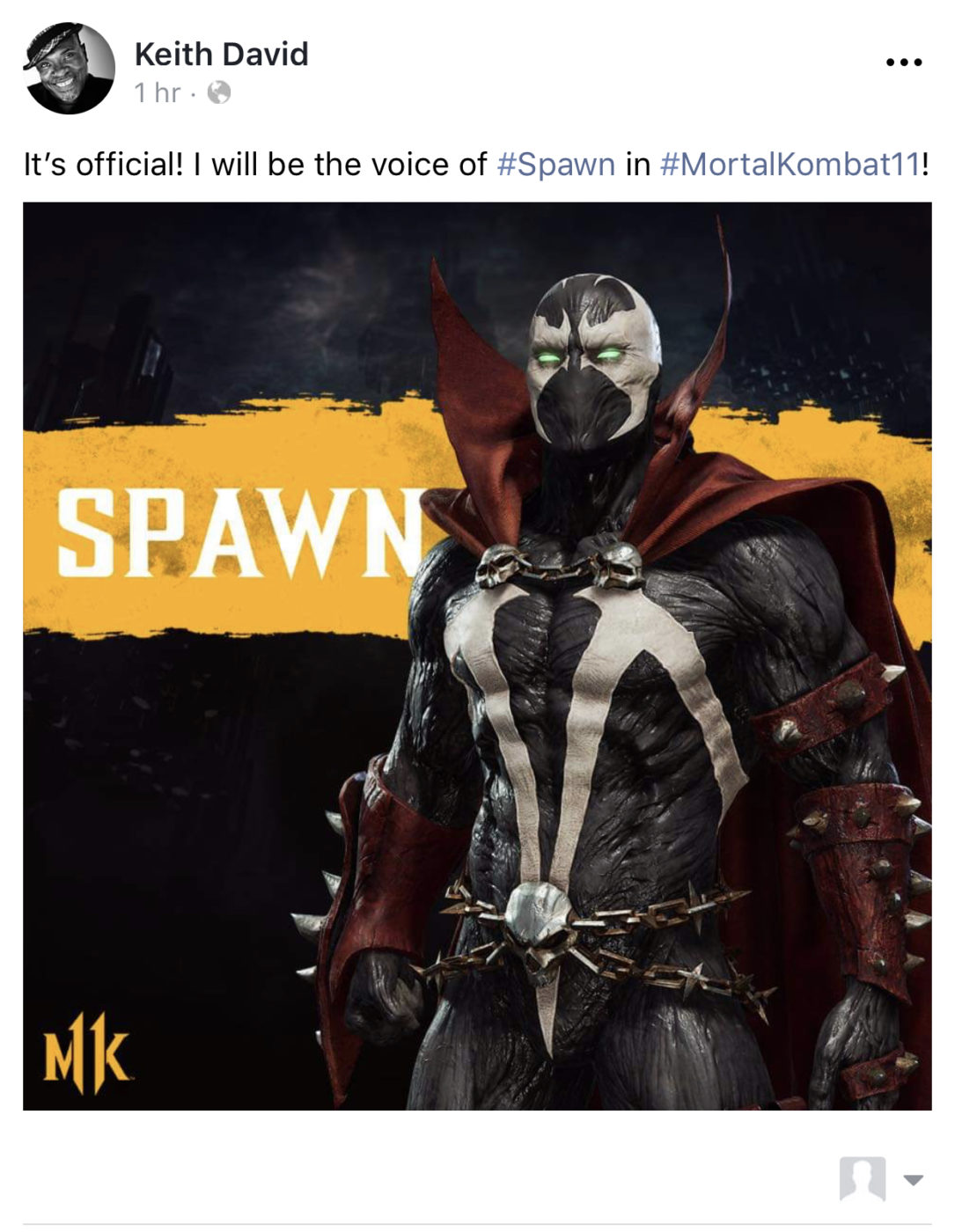
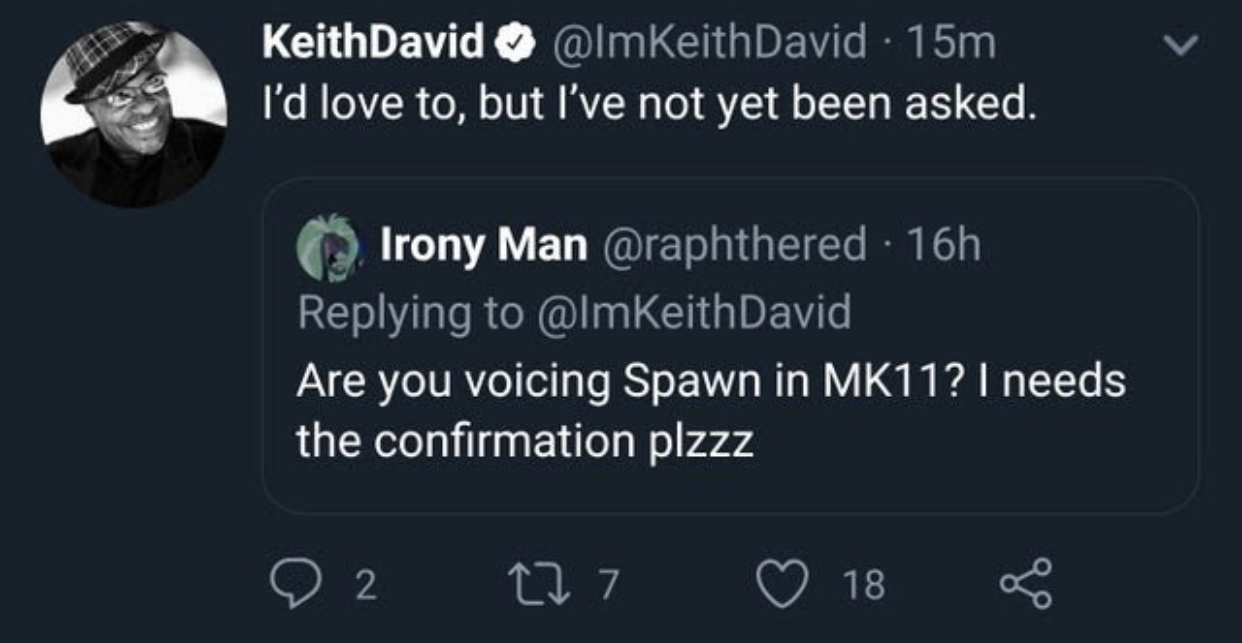
Fans have speculated for some time now regarding the Mortal Kombat 11 Spawn voice actor casting, but it has now officially been confirmed that Keith David will be reprising his voice acting role as Spawn when the character launches next year.

Over on his official Facebook page, Keith took to a post to announce the exciting news.

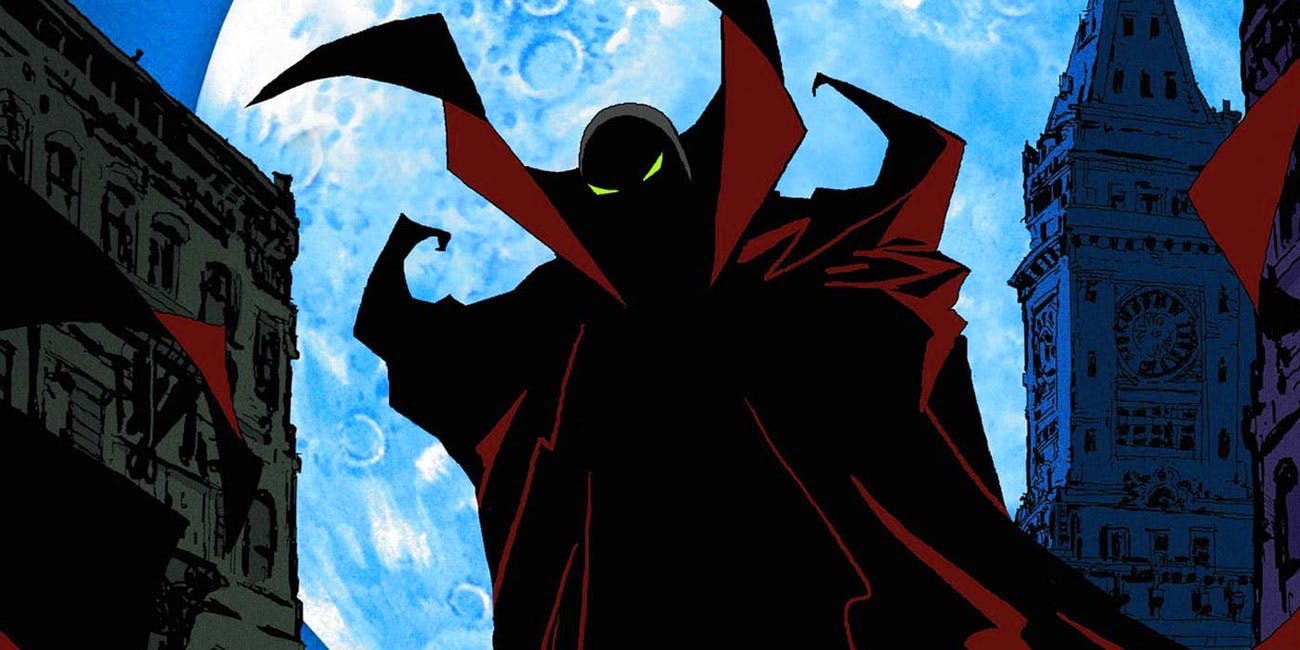
Keith David first voiced spawn back in 1997 in the Todd Mcfarlane’s Spawn animated series. He continued to voice Spawn until his final episode in 1999. Fans no doubt will be please by this news as the voice behind Spawn, or Keith in general is rather iconic. Fans were a bit worried, as back in June Keith stayed that he hasn’t been approached by Netherrealm to do the character’s voice. Of course this could have simply been due to a NDA he was under.

In other Mortal Kombat 11 voice acting related news, it has also been confirmed that the T-800 Terminator will NOT be voiced by legendary Hollywood action star, Arnold Schwarzenegger. This confirmation comes from The Hollywood Reporter, which has confirmed with Warner Bros that NetherRealm studio will only use Arnold’s likeness and instead be voiced by an imitator.

This one in all honesty we aren’t surprised by, as despite Arnold’s violent film history, this is one of those titles he may not want to entirely be involved in or he could just be busy. He was after all a governor and had in the past held a strong stance against violent video games being sold to children, so this could very well be the reason why he won’t be lending his voice.

The remaining characters that were announced for the first Kombat Pack, Joker and Sindel have yet to have their voice actors confirmed, though we bet Troy Baker will most likely voice the Joker and hopefully Musetta Vander (Sindel Actor From Mortal Kombat Annihilation) will be up to the task to do the voice work.

Avatar photo

James Lara

A gamer at heart, James has been working for MP1st for the last decade to do exactly what he loves, writing about video games and having fun doing it. Growing up in the 90's gaming has been in his DNA since the days of NES. One day he hopes to develop his own game.

Home > News

Battlefield 5 Missing Weapons Explained by DICE, Says They Are Coming & Explains Delay

If you’re a long-time Battlefield fan, and you were keeping tabs on Battlefield 5 before/near release, you might have seen some of the weapons in trailers aren’t available in the game right now. While some of these Battlefield 5 missing weapons have been seen in the game’s files via datamined info, it’s still not available in the game, and it seems there’s a good reason for that. According to DICE, these weapons were originally planned for the now-cancelled 5v5 competitive mode.

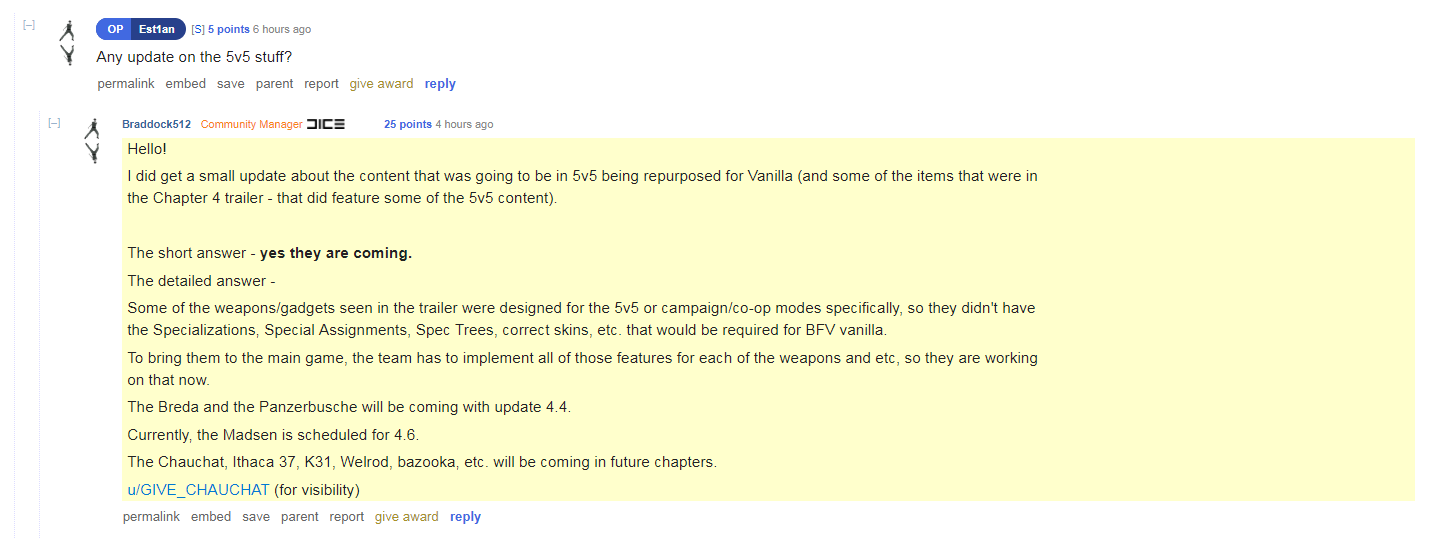
Over on the Battlefield 5 subreddit, Battlefield Community Manager Jeff Braddock posted an answer to a fan inquiring whether he can ask if any of the planned 5v5 content is going to be in the game at all.

Hello!

I did get a small update about the content that was going to be in 5v5 being repurposed for Vanilla (and some of the items that were in the Chapter 4 trailer – that did feature some of the 5v5 content).

The short answer – yes they are coming.

The detailed answer –

Some of the weapons/gadgets seen in the trailer were designed for the 5v5 or campaign/co-op modes specifically, so they didn’t have the Specializations, Special Assignments, Spec Trees, correct skins, etc. that would be required for BFV vanilla.

To bring them to the main game, the team has to implement all of those features for each of the weapons and etc, so they are working on that now.

The Breda and the Panzerbusche will be coming with update 4.4.

Currently, the Madsen is scheduled for 4.6.

The Chauchat, Ithaca 37, K31, Welrod, bazooka, etc. will be coming in future chapters.

u/GIVE_CHAUCHAT (for visibility)

Well, there you go, then. It is coming, but it’s just being reworked, which is understandable. We even (sorta) got a timeline for when we’ll be getting the weapons, too! Will this please BF5 players? Most probably not, but at least we can be assured that they’re coming, and for free.

Don’t forget that in the next patch, not only are we getting the Provence and Lofoten Islands maps (though for smaller modes), we’re also getting the max rank increase too. Based on DICE’s statement, we can add new weapons as part of that update, which should be hitting soon.

Avatar photo

Alex Co

Father, gamer, games media vet, writer of words, killer of noobs.

Home > News

PSN Down for Unplanned Maintenance – August 26, 2019 (Update)

Update #3:

Sony has deemed the PSN down issue fixed! PSN Status page says that all services are up and running.

Update #2: 

Some users on Reddit have reported that restarting their PS4 console allowed them to connect online! Not saying that will work 100 percent, but it’s worth a shot.

Update #1:

Sony has acknowledged that it’s now having issues, as the PSN status page now says “some services are experiencing issues.”

While the PlayStation Network last went down just a few weeks ago, it seems another PSN down scenario is happening now as multiple people have reported that the network is not letting them  connect online.

Booting PS4, it automatically states that PSN is undergoing “maintenance,” which isn’t planned, nor announced. Checking the Ask PlayStation support account on Twitter, it hasn’t acknowledged the issue just yet. Also, on the official PSN status site, it mentions “All services are up and running.”

Unfortunately, I can report first hand now that PSN is indeed down. Over on Reddit, multiple people have reported the same thing in the last few minutes.


Is anyone else’s PlayStation Network down?
byu/Dance-p0tato inPS4

A lot of people have chimed in that PSN is down for them, too. For now, we don’t know if it’s affecting everyone worldwide, but we’ll be sure to update the post once we know more, or if the issue is resolved.

Is PSN down for you? If so, leave a comment below and tell us where you’re connecting from.

In other PlayStation news, go check out this early dev kit image of the PS5, which a developer confirmed as legit.

Avatar photo

Alex Co

Father, gamer, games media vet, writer of words, killer of noobs.

Home > News

26-Minutes of New Dying Light 2 Gameplay Shown Behind Closed Doors Crawls Out – Watch It Now

Remember when, a weeks ago, we reported that Techland is finally ready to show us some new Dying Light 2 gameplay? Well, today’s the day! Previously unreleased, Techland will be making public, the behind closed door video shown at E3 2019 and at gamescom 2019!

Check out the new Dying Light 2 gameplay reveal below where we’ll see brutal combat, the next iteration of the day/night cycle, and the world that Techland built for the highly anticipated sequel.  Word of warning though, given we do see over 20 minutes of footage, some stuff might be a bit too spoiler-ish for some. We already get to see one of the new weapons (UV flashlight), and lots more! There’s even a stealth section, and one boss fight (or mini boss fight) that gets revealed in the gameplay demo too!

Welcome to The City, a modern world plunged into a Dark Age – the last bastion of humanity, where factions fight for power, and regular people fight just to survive. Our protagonist, Aiden Caldwell, is forced to make difficult decisions under pressure, that will shape both the narrative and the world around you

Watching the trailer, you can already tell this will be a more brutal game than the first. Not only that, but there’s  more parkour elements, a bigger world, and of course, the visuals seem to be kicked up a notch.

Dying Light 2 will be out sometime in spring 2020.

Avatar photo

Alex Co

Father, gamer, games media vet, writer of words, killer of noobs.

Home > News

Hideo Kojima Explains Death Stranding Open World Setting

In a recent interview at Gamescom 2019 with 4Players, a German press outlet, Hideo Kojima discussed the Death Stranding open world, and why he doesn’t think he can go back to developing linear games. The core reason for his shift in focus from traditional game design, such as that seen in the first three Metal Gear Solid games, is due to his work on Metal Gear Solid 5: The Phantom Pain.

Within the interview Kojima talked about many different subjects, from his career to why Death Stranding has an open world at all. When it came to the subject of why he wanted to make an open world game over a traditionally linear one, Kojima said that it’s not very easy to go back to designing a traditional action game once you’ve made one in an open world. While the translation doesn’t nail down the exact word, it seems that Kojima’s interest in the player’s interaction with an open world itself is what has made him believe that this is the only way he can continue to make games.

While Kojima says that now he’s had a taste of building an open world game there’s no way he can go back, he admits that open world games have their struggles, such as fitting a narrative in that players will be able to follow. He described managing the narrative as one of the biggest technological challenges, but even so the importance of narrative in Death Stranding hasn’t been reduced. Kojima points out that open world games are filled with activities, one of which can just be exploring the world itself. To Kojima this says a lot about the player, and actually leads him to believe that they want to be distracted, which doesn’t necessarily mean that they want a story to follow.

Hideo Kojima is well-known for making incredible games, and telling stories that are entirely unpredictable, and mesmerising. Kojima assures fans that narrative is a core focus of Death Stranding, but the game is more about conveying a message to players.

Jamie Moorcroft-Sharp

Trying to be a games journalist, dad, and master of Destiny 2. Author

Home > News

Call of Duty: Modern Warfare Aim Assist Settings Explained by Infinity Ward

If you’ve dipped your feet in the Call of Duty: Modern Warfare alpha that just concluded yesterday, there’s a chance you checked the options to see that the game features different aim assist settings. If you’re wondering how the Modern Warfare aim assist settings work, allow Infinity Ward to explain it a bit better.

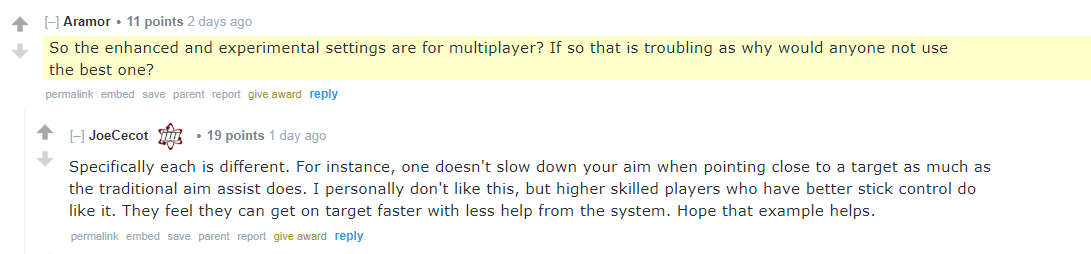
Answering fan questions on Reddit, Infinity Ward Co-Design Director of Multiplayer Joe Cecot explained the differences between the enhanced, and experimental Modern Warfare aim assist settings.

Specifically each is different. For instance, one doesn’t slow down your aim when pointing close to a target as much as the traditional aim assist does. I personally don’t like this, but higher skilled players who have better stick control do like it. They feel they can get on target faster with less help from the system. Hope that example helps.

That seems to be a logical explanation, right?

In other Modern Warfare news, go check out this IT movie Easter egg spotted in one of the alpha’s maps. We also posted our Modern Warfare alpha impressions, which talks about gunplay, movement and more, right here.

Avatar photo

Alex Co

Father, gamer, games media vet, writer of words, killer of noobs.

Home > News

Gran Turismo Sport Circuit De Spa-Francorchamps Track Confirmed, Watch It in Action

Heads up, Gran Turismo Sport fans! A new GT Sport track has just been confirmed! The  Gran Turismo Sport Circuit De Spa-Francorchamps track has finally been revealed during this years New York GT Nation Cup event.

You can watch an in-depth overview of the track down below, presented by one of the Nation Cup’s qualifier.

The track appeared in Gran Turismo 5 as one of the first DLC track and then again at launch for Gran Turismo 6. GT sport had originally planned to have the track, however it had ran into some licensing issue so it unfortunately didn’t make it in time for launch. No doubt fans will be extremely excited to see this track return, as it has been one of the most requested maps from the community for some time now.

The track is expected to hit sometimes next week with the monthly Gran Turismo Sport content update. Hopefully we get a few more surprises with the patch, either way we’ll be sure to keep you all posted when it drops along with the patch notes.

For now, if you haven’t make sure to check out the latest offering that GT Sport got from last months update. You can read the full details here: GT Sport Update Version 1.41 Now Out, Patch Notes

Avatar photo

James Lara

A gamer at heart, James has been working for MP1st for the last decade to do exactly what he loves, writing about video games and having fun doing it. Growing up in the 90's gaming has been in his DNA since the days of NES. One day he hopes to develop his own game.

Home > News

Monster Hunter World Iceborne Beta Start Time Announced, Will Include 4 Quests

Those looking forward to trying out Monster Hunter World’s upcoming expansion called “Iceborne” you’ll be able to do just that with the DLC’s upcoming beta! Today, in a press release, Capcom announced the Monster Hunter World Iceborne beta start time for both PS4 and Xbox One!

Monster Hunter World Iceborne beta start time:

PS4:

Starts: 12:01 a.m. PDT (August 30, Friday)

Ends: 11:59 p.m. PDT (September 1, Sunday)

Xbox One:

Starts: 12:01 a.m. PDT (September 2, Monday)

Ends: 11:59 p.m. PDT (September 4, Wednesday)

Note that the preload will being on August 28, before each beta start date begins. Players are not required to own the Monster Hunter World base game in order to participate in the beta.

There will be four quests available in the beta alongside these three: Great Jagras (Beginner), Banbaro (Intermediate), Tigrex (Expert). Beta participants will be able to battle against the game’s mythical flagship monster Velkhana! All 14 weapon types will be available in the four quests, and will include new Iceborne features, plus the new Slinger tool options such as the Clutch Claw grapple mechanic!

Players who complete each quest for the first time will earn a total of four special commendation packs containing helpful consumable items that will be available in the full Iceborne expansion.

In other Monster Hunter World news, all players will get a new free armor set once the expansion drops, and for PS4 owners, Aloy will be making her way into the game soon as well.

Avatar photo

Alex Co

Father, gamer, games media vet, writer of words, killer of noobs.

Home > News

Control Review – Let’s Get Weird

Control is the latest game to come from the acclaimed studio — Remedy — that brought us Max Payne, Alan Wake, and Quantum Break.  Due to exclusivity deals though, Remedy hasn’t touched a Sony console in a very long time. So it’s great to finally see Remedy games back on a PlayStation platform and hopefully for the foreseeable future. PlayStation fans have proven their love for single-player story drive game and Remedy aims to deliver. The question is, are you ready to see how strange things truly get? Control is unlike most games you’ve experienced, and that’s a good thing.

Shall We Begin?

The story starts off simple enough. Players will take control, no pun intended, of Jesse Faden. She has been led to a building called the Federal Bureau of Control; a place that seems to be hidden from society; a place that most would never be able to find unless it wanted someone to find it.  This “men in black” sort of organization seems to house some of the world’s biggest and darkest secrets. Jesse is guided by a guardian-like angel that has helped her discover the location, and hopefully some answers to her past secrets. Before Jesse can make it far into the building though, she is confronted by an entity that is labeled “The Hiss” and the building is put on lock down. Coincidence? Or is this all a part of a bigger plan?

Remedy has always gone to great lengths to tell their stories, and Control is no different their other games in the regard. Why Jesse is here, what the FBC does, and other intricate details are all well told whether that’s via in-game cut scenes, documents to find, and videos to watch. They know how to craft not only a story line but a theme that encompasses the whole world they’ve created. In my experience, this always leads to a very immersive feeling, a world carefully crafted. The deeper I got into Control, the deeper I fell under its spell.

Third-Person Powers of Awe

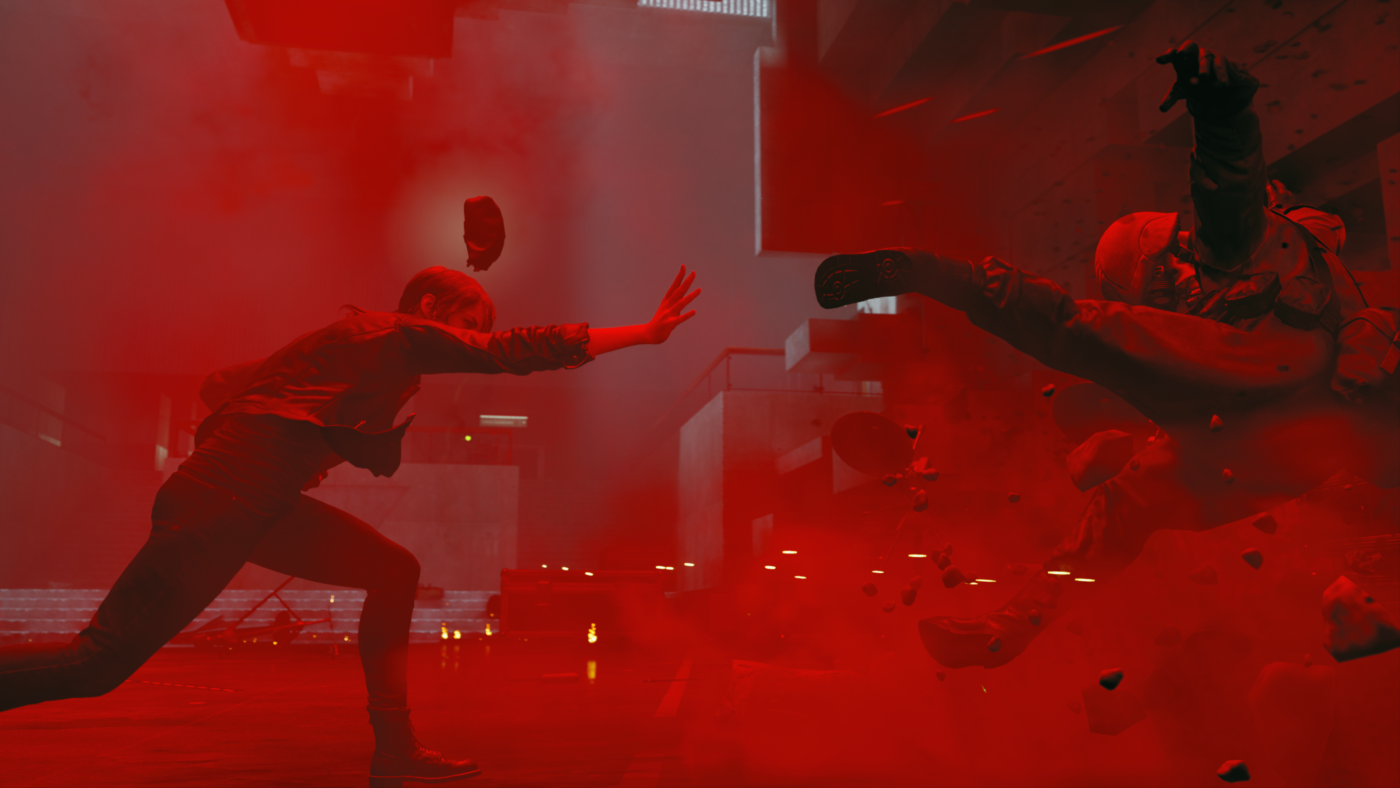
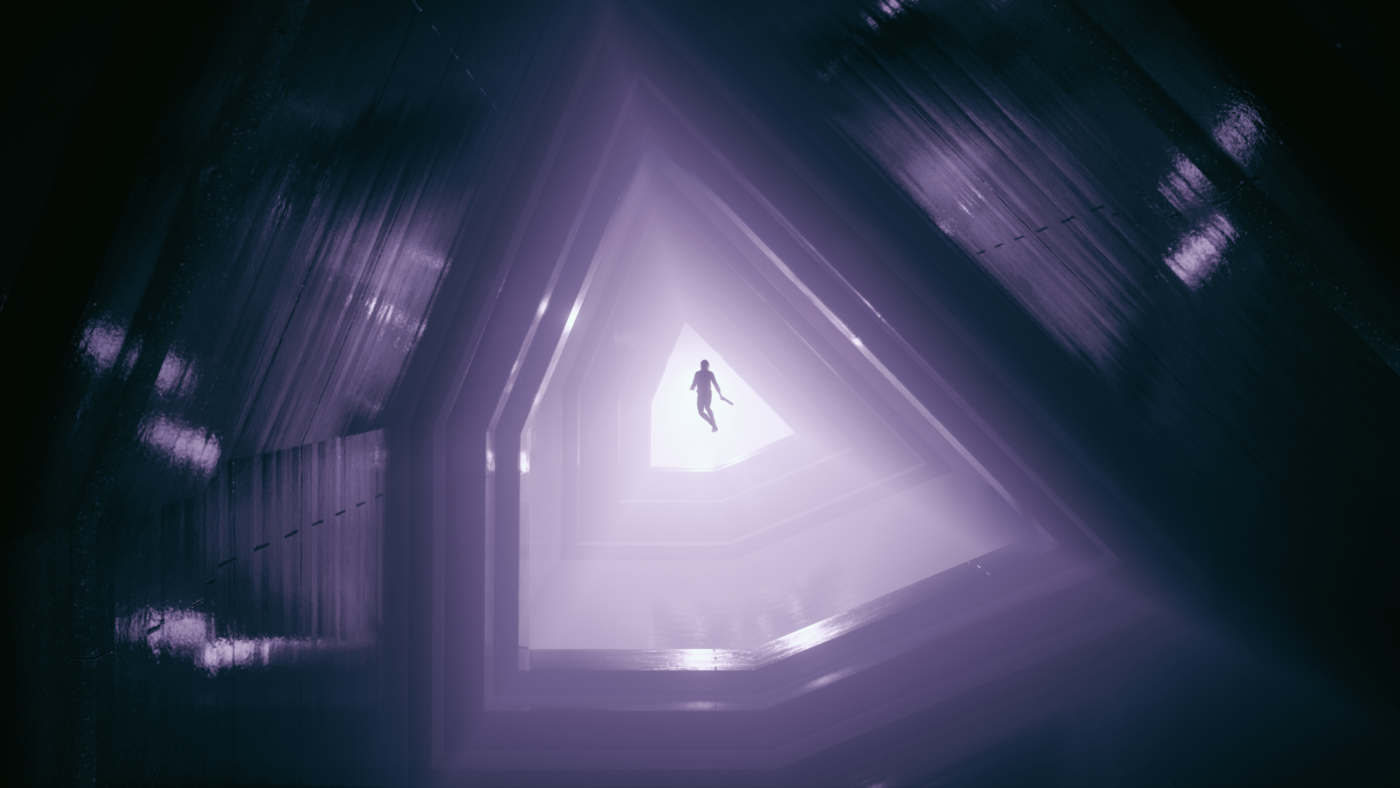
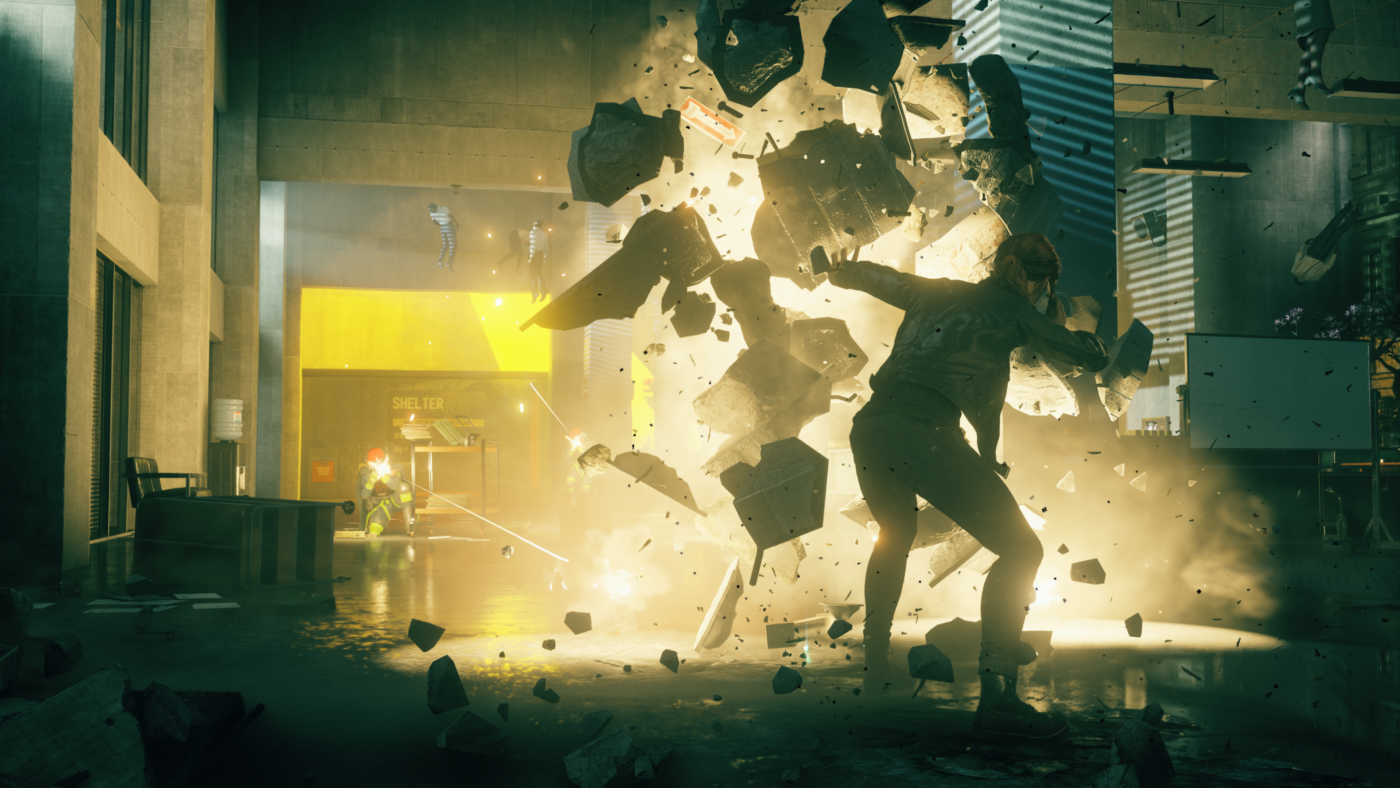
Gameplay in Control is third person-and features a variety of weapons and powers at Jesse’s disposal. The gun that players get early on has the ability to take on multiple forms via unlocks, and with that comes different styles of attack. One feels like a common pistol, another a shotgun,  and one acts like an explosive rocket launcher. Players will be able to shift between two equipped at the press of a button and are upgradable. Certain weapons do feel like they are better fit for certain enemy types, though I felt I could still get by playing with my favorites. The other abilities come from powers Jesse unlocks. The ability to use telekinesis on items from all around the room will be a common staple for attacking. Later she can learn a shield ability, and also the power to levitate and float around the world which really never gets old. These two aspects come together and complement each other extremely well for a smooth controlling experiencing. The weapons and Jesse herself can also equip modification items to add on more stats like better damage or more health. Jesse can also use skill points to upgrade her health, energy, and abilities. The further players get in the story line and the more side quests completed, the more skill points are unlocked. Something to emphasize here, side quests lead to some really awesome, unique, and very creative encounters. While they are not necessary to finish the game, for fans of boss battles, this is the part of the game players truly don’t want to miss.

Control from the outside, much like in the game itself, can appear to look like an average title as far as aesthetics go and even the theme at first glance. A regular run of the mill office environment, concrete walls, and cubicles with some oddness doesn’t go a long way to entice folks. It doesn’t truly inspire some grand adventure or set up to go on. Perhaps that is the first impression anyone would come away with? The old saying applies here to not judge a book by it’s cover. It’s what Remedy is able to accomplish with this setting and flip it — sometimes quite literally — on players, expectations, and perceptions. This is where Control really shines and the further you go, the stranger and weirder it gets. They know how to take a typical setting and sends players on an almost acid-like trip of epic proportions with wild results. I’d be doing an injustice to even spoil a majority of these moments for folks intending to play the game, but after a couple of hours hands on,  I knew Control was going to be a wild ride and it truly never disappointed in that regard.

The building itself is set up with various floors with different sections of development, research and more. Within these halls there are hidden locations, locked doors, and areas that can only be accessed with abilities earned or new key card access levels gained. In a sense, exploration progression feels similar to a lot of Metroidvania-style games and it feels extremely satisfying to be able to go back to an area and find new areas to explore. Getting the levitation ability makes revisiting them take on a whole new approach. I found myself looking for hidden spots or places I couldn’t reach prior with some interesting results. Traversal itself consists of Jesse being able to jump, crouch, and climb up certain surfaces but adding the powers in and taking control of the situation against a group of enemies is always thrilling and never boring. When players are not fighting or dealing with the weird stuff being thrown at them, there are some clever puzzles here also. There was even a hidden one I solved that gave me a ton of ability points and a new golden outfit. It just feels like there could be so many Easter eggs hidden away, and even if there is only a handful, that’s just how wonderful Remedy has crafted this world. It gets you thinking, even after putting the controller down.

What Comes Up, Must Come Down

Control honestly feels like a perfect fit for the PS4 library. It’s filled with awesome action, greater mysteries, and feels like Remedy at their best. Proving once again they can deliver with interesting narratives, unique ideas, and backed up with their trademark stellar action their known for since day one. This feels like a culmination of all their prior titles rolled together. It has me absolutely excited to continue following Remedy’s future releases. There are some things I questioned like the slow way of dismantling mods or the moments there was some stuttering of sounds while playing on the PS4 version. I could even see some players just really not liking the office environment, even though I felt like it was almost a living entity in itself.I had noticed so occasional texture load issues and performance problems when the action gets heavy. Most the time the game handles the action nicely but when a ton of enemies appear and debris goes flying, it shows. These are all minor quirks and nitpicks on an otherwise superb experience I had. While Control’s story line and themes might not resonate with players as Remedy’s best, there is no denying it’s their boldest game from a design standpoint. Like a fine whine, Remedy improves over time and Control delivers a world flipped upside down, spat out, and realities thrown into oblivion. I simply couldn’t put it down.

Overall score: 8.5

Pros:

  • Visuals/Sound
  • Atmosphere
  • Voice acting
  • Powers
  • Story

Cons:

  • Mod management
  • Audio hiccup at time
  • Rare performance issues

Review code provided by the publisher. Levitated and fought through the halls of the Federal Bureau of Control on a PS4 Pro. You can read MP1st’s review and scoring policy right here.

Justin Celani

Editor

Home > News

Call of Duty: Modern Warfare Alpha Feedback Being Looked Into Listed by Infinity Ward, Thanks Players for Participating

Well, it’s over. After a few days of testing, the Call of Duty: Modern Warfare alpha is now officially over. Developer Infinity Ward has now issued a thank you note to participants, which you can read below, as well as the Modern Warfare alpha feedback they’re looking into.

On behalf of everyone at the studio, thank you for participating in the 2v2 Gunfight Open Alpha. From sharing your gameplay highlights with us to finding humor in our “proper English welcome”, it was truly inspiring for us to see so many 2v2 matches out in the wild.

Your feedback and suggestions have been incredibly valuable to us and have already contributed to creating a better game experience for everyone as we sprint toward the Beta next month and the full game launch on October 25th. So again, thank you!

Here’s some of the Modern Warfare alpha feedback the studio is looking into:

Issues We’re Looking Into:

We know this isn’t all of the feedback you’ve shared over the past three days, but here are some updates on a few issues we’ve frequently been seeing:

  • Head glitches
  • Explosives that cause damage through multiple surfaces
  • Inconsistencies with penetrable surfaces (metal containers, wood surfaces, etc.)
  • Freezing that results in a black screen when loading into a match
  • Picking up equipment in Gunfight: OSP won’t auto-pickup if you press square within a certain distance

Lastly, the studio touches on the upcoming Modern Warfare beta hitting in September. Before everything kicks off on September 12, Infinity Ward will detail the maps, modes, Operators, weapons and more the day before. The studio also confirmed we’ll see updates for the beta client as well, which is reassuring to hear.

In case you haven’t played the alpha, or just want to read up on what we thought of it, go check out our Modern Warfare alpha impressions piece.

Source: Reddit (1, 2)
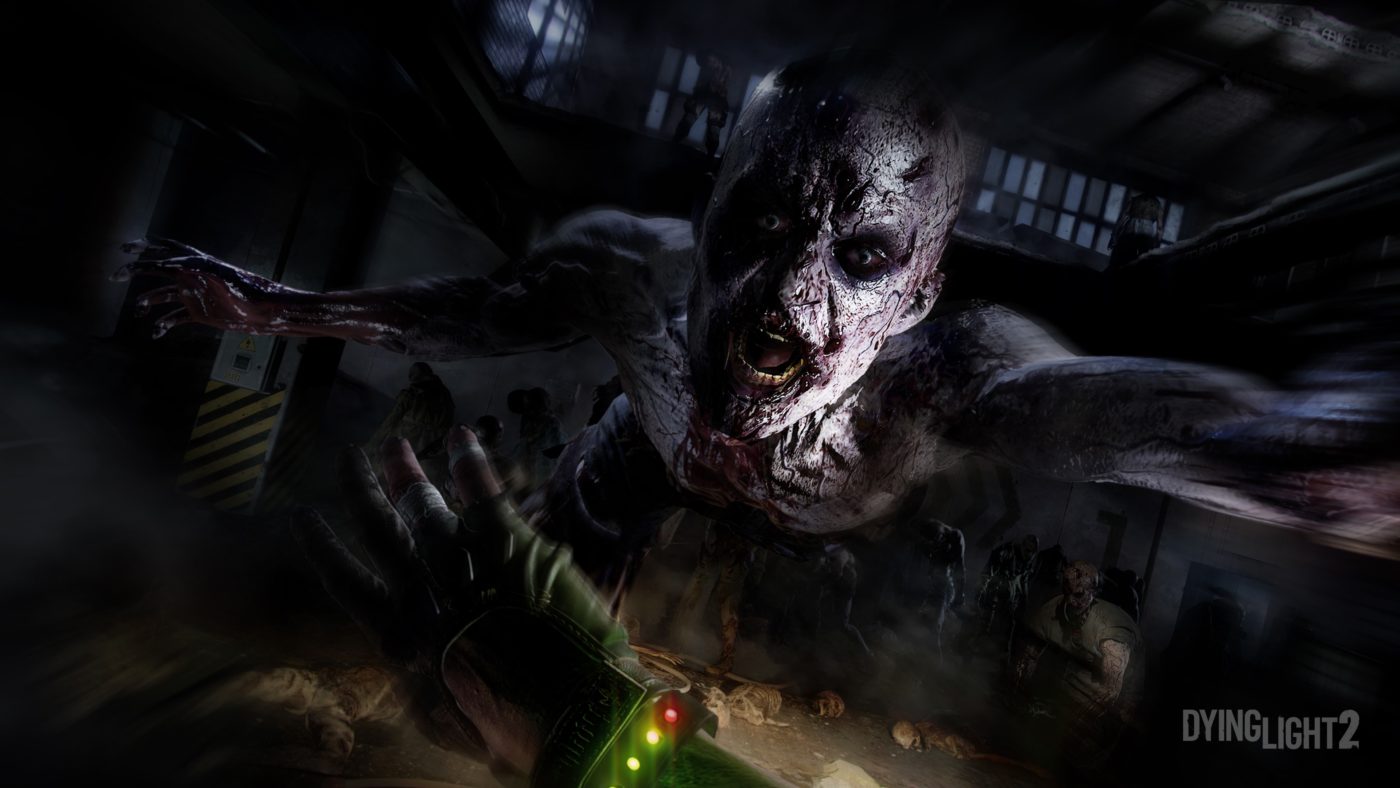
Avatar photo

Alex Co

Father, gamer, games media vet, writer of words, killer of noobs.

Home > News

Cyberpunk 2077 Map “A Little Bit Smaller” Than The Witcher 3 but More Dense With Content, According to CDPR
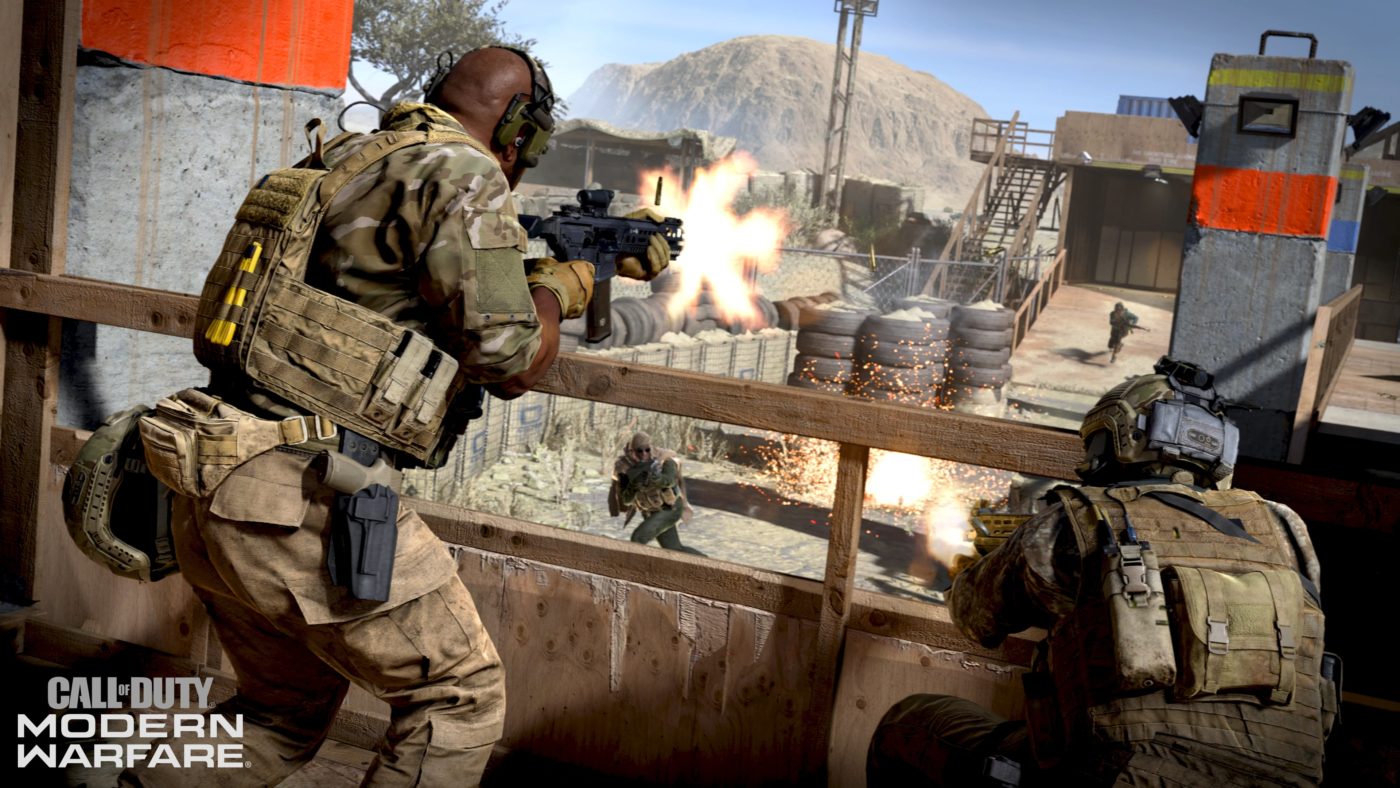
With Cyberpunk 2077, CD Projekt RED is creating a sci-fi follow up to one of the best games of all time in The Witcher 3. Not only did the The Witcher 3 feature fantastic gameplay, but it also offered an unprecedented number of side quests, and other content that was doable given the game’s massive size. For those wondering whether the Cybperunk 2077 map would be bigger than The Witcher 3, the answer, is a definite no, but there’s a catch.

In a new interview with CDPR conducted at gamescom, Producer Richard Borzymowski mentioned that while the Cyberpunk 2077 map is smaller compared to The Witcher 3’s, it’s packed with more content.

If you look at pure surface [in terms of] square kilometers, then Cyberpunk 2077 might even be a little bit smaller than The Witcher 3, but it’s the density of the content, taking the world of The Witcher and squeezing it right in, deleting the wilderness between.

That’s not bad at all, no? I mean, the fact that it can even be compared to The Witcher 3 means it’s packed to the brim when it comes to content.

In other Cyberpunk 2077 news, CDPR has confirmed that you can complete the game without killing anyone.

Source: GamesRadar

Avatar photo

Alex Co

Father, gamer, games media vet, writer of words, killer of noobs.

Home > News

Death Stranding Briefing Trailer Leaked, Giving Us 7 Minutes Of New Footage

Death Stranding made a large presence at this year’s gamescom, revealing not one, but three new videos during the Opening Night event. While we got a small preview of the gameplay, Kojima Had promised that we would see more at this year’s Tokyo Game Show event.
While gamescom has already ended, a new exclusive spotlight video was shown off privately to attendees. This video, called “Briefing” has leaked online, which you can watch below. Check out the 11-minute video, with the actual new footage hovering at around the seven minutes in total.

In case the YouTube video gets pulled, you can watch it in the other video embedded below.

The trailer gives a bit more of some story details, this time focusing on the characters Die Hardman (Earl Jenkins), Amelie (Lindsey Wagner). It’s clear from the dialogue between the characters that there is a long history between Sam (Norman Reedus) and Amelie.

Death Stranding will be released this November 8 exclusively on the PS4.

Avatar photo

Alex Co

Father, gamer, games media vet, writer of words, killer of noobs.

Home > Features

Call of Duty: Modern Warfare Alpha Review (Impressions) – Arcade Realism

In case you’ve been living under a rock the past few days, you might not have known that Call of Duty: Modern Warfare has sprung a surprise alpha for its 2v2 mode called Gunfight on the PS4. After playing a fair amount of matches, killing and dying repeatedly, we now have our Modern Warfare alpha review (impressions) for you to check out.

modern warfare alpha

Sample Platter

First off, the main thing to remember is, this impressions piece talks about the alpha, which in itself is a very limited sample size of Modern Warfare’s multiplayer. There are no killstreaks, no loadouts, no perks, and so on. Even the maps we can play around in are built for the Gunfight (2v2) mode, which is a big departure from your usual Call of Duty map.

While that might be the case in terms of content, we do have a firm grasp now on how movement works, how the guns feel, how the overall gunplay is different from past Call of Duty games, and more. Rather than dwell on what we didn’t experience, or talk about the different maps, we’re instead going to focus on what makes Modern Warfare different from past entries in the franchise, and how it actually plays.

modern warfare fov slider

New Engine, No Problem

In case you didn’t know, Modern Warfare marks the debut game of a new game engine for the franchise. I’m not talking about a game engine update or revision, but rather, an honest to goodness new game engine that the studio made a big deal about (understandably so).

On my PS4 Pro, the visuals don’t jump out as something that’ll outright impress anyone, but you can tell it’s a new game engine. This new Call of Duty game engine apparently supports ray tracing (PC), spectral rendering, and other sorts of technical jargon This means that it should look super sexy, which the franchise isn’t exactly known for.

Another thing that people might notice that’s possibly due to the new game engine is how the audio is in the alpha. To be more specific, the gun sounds are on another level in the Modern Warfare from my experience. Each gun has a large, booming sound that you’ll immediately associate with guns, and it doesn’t sound “toy-ish” or rickety like in past Call of Duty games.

Gunplay and Movement Overhauled

Possibly the biggest change ushered in by Infinity Ward is how the gunplay, and overall movement feels and works. On the gunplay front, the guns feel heavy, and have more recoil than your standard Call of Duty game. Assault rifles pack a punch and their recoil shows it as well. Don’t expect to spray and pray like in previous Call of Duty titles. While some might be annoyed at just how heavy and “unwieldy” these weapons are in-game, it is quite a refreshing change of pace from not only past Call of Duty titles, but shooters in general.

In the Gunfight game mode, which is the only one available in the alpha, the maps are a lot more cramped than your usual multiplayer Call of Duty match. Even in Gunfight, you’ll have to fire in bursts if you want to hit your target at a considerable distance. I assume that we’ll have to even be more on-point in your standard multiplayer match where distances play a larger factor.

While the recoil has been upped by Infinity Ward, it’s not uncontrollable, either. Long-time shooter fans should easily be able to adapt, and for the most part, this is a step in making multiplayer “feel” different. What hasn’t changed though, is how hit registration works. Like in past Call of Duty games, it’s still spot-on, and each hit has a satisfying “meat-y” feel to it.

Speaking of gunplay, if you disliked Black Ops 4’s high TTK (time-to-kill), well, that won’t be an issue in Modern Warfare. So far, so good, the TTK in Modern Warfare feels right. While that in itself, is subjective, personally, I don’t feel it’s too quick, or too long. Catching someone unaware usually means they’re dead, but at the same time, engaging someone and getting hit doesn’t mean insta-death, and you can run away if tagged usually.

While the gunplay changes might seem for the better for the most part, one thing that the community might be split on is the movement system. In Modern Warfare (at least based on the alpha), your characters move and feel much slower compared to past Call of Duty games. Running feels slower, there’s momentum swings when you stop on a dime and change directions, and so on.

This translates to the gunplay as well. From my experience, almost every weapon (save pistols) takes longer to ADS (aim down sight) than compared to other Call of Duty games. Don’t expect to just run and gun like in past franchise entries, as running and immediately stopping to ADS when meeting someone head-on usually means you’ll be dead before firing off a single shot. Of course, there are perks to combat these, and given we don’t have perks or loadouts in Gunfight, we can’t say for sure how much this change feels in your standard multiplayer game.

modern warfare dedicated servers

The Dawning of Something…

Like the changes or not, Modern Warfare is the dawn of something new for the franchise. There’s a new game engine, we’re back to boots on the ground, the gunplay feels new, and more. Of course, whether the player base — who’s used to the franchise staples and are usually abhorrent of changes — embraces these changes is something we don’t know until after launch, or maybe until the beta is made public, and we get a bigger taste of multiplayer.

From what I’ve played so far, the changes made are for the better; it’s Infinity Ward bringing back boots to the ground but at the same time, shaking things up to offer players something fresh, which the franchise needs more of given how the shooter fans of today have a lot more choices compared to years past.


Call of Duty: Modern Warfare alpha played on PS4 Pro. Downloaded the client for free on the PSN Store. Played solo and with a squadmate. Tried the different guns, and maps. Level progression not available in the alpha.

Avatar photo

Alex Co

Father, gamer, games media vet, writer of words, killer of noobs.

Home > News

Star Wars Battlefront 2 Loot Box Controversy Caused DICE to Hit “Rock Bottom,” Player Sentiment Now Rising Says DICE

Regardless if you’re a Star Wars or a shooter fan or not, chances are you’ve heard of the big Star Wars Battlefront 2 loot box controversy in 2017.  It was so big that not reports came in that Disney, who owns the Star Wars IP, even threatened to pull the plug with its EA partnership due to how out of hand it’s gotten.

While players might not have liked what EA had planned for the game, even the studio who developed Battlefront 2 felt the backlash. DICE Design Director of Star Wars Battlefront 2 Dennis Brannvall says that due to the Battlefront 2 loot box controversy, the studio hit “rock bottom” in terms of player sentiment.

We hit rock bottom in terms of player sentiment but now it’s climbing every month. We’re delivering more content this year than we did in the first year, which is also a sign of a healthy game. The community’s happier than it’s ever been, especially with the big announcement yesterday. I think we had to take a step back, the team had to look at itself in the mirror a little bit, pick ourselves up from a really rough Christmas for everyone and then just get back to work. – Dennis Brannvall (DICE Design Director)

Let’s hope this is a lesson for both EA and DICE, and that it won’t happen again.

In other Battlefront 2 news, DICE has been superb in adding content to it post-launch even after two years of being out. You can check out the updated roadmap for 2019 right here. We also posted gameplay of the upcoming PvE mode, which you ought to watch, too.

Source: Games Industry

Avatar photo

Alex Co

Father, gamer, games media vet, writer of words, killer of noobs.

╳