Sony has announced a new State of Play is set to air this Thursday, April 13, and it will focus on one of the platform’s biggest upcoming games, Final Fantasy 16 (Final Fantasy XVI).
According to Sony, this Thursday’s show will “dive” into the game’s dark fantasy setting, the powerful Eikons and the battle system. It’s set to last for 20 minutes and will only feature Final Fantasy 16. If you’re not looking forward to the action-RPG, you might want to skip the show altogether.
The State of Play for this week will air at 2 pm PT/5 pm ET/11 pm CEST/5 am HKT. Gamers will be able to watch it on PlayStation’s YouTube channel or on Twitch.
Final Fantasy 16 will be released this June 22 exclusively on the PS5, and it seems no delay is incoming as the game has hit gold status already.
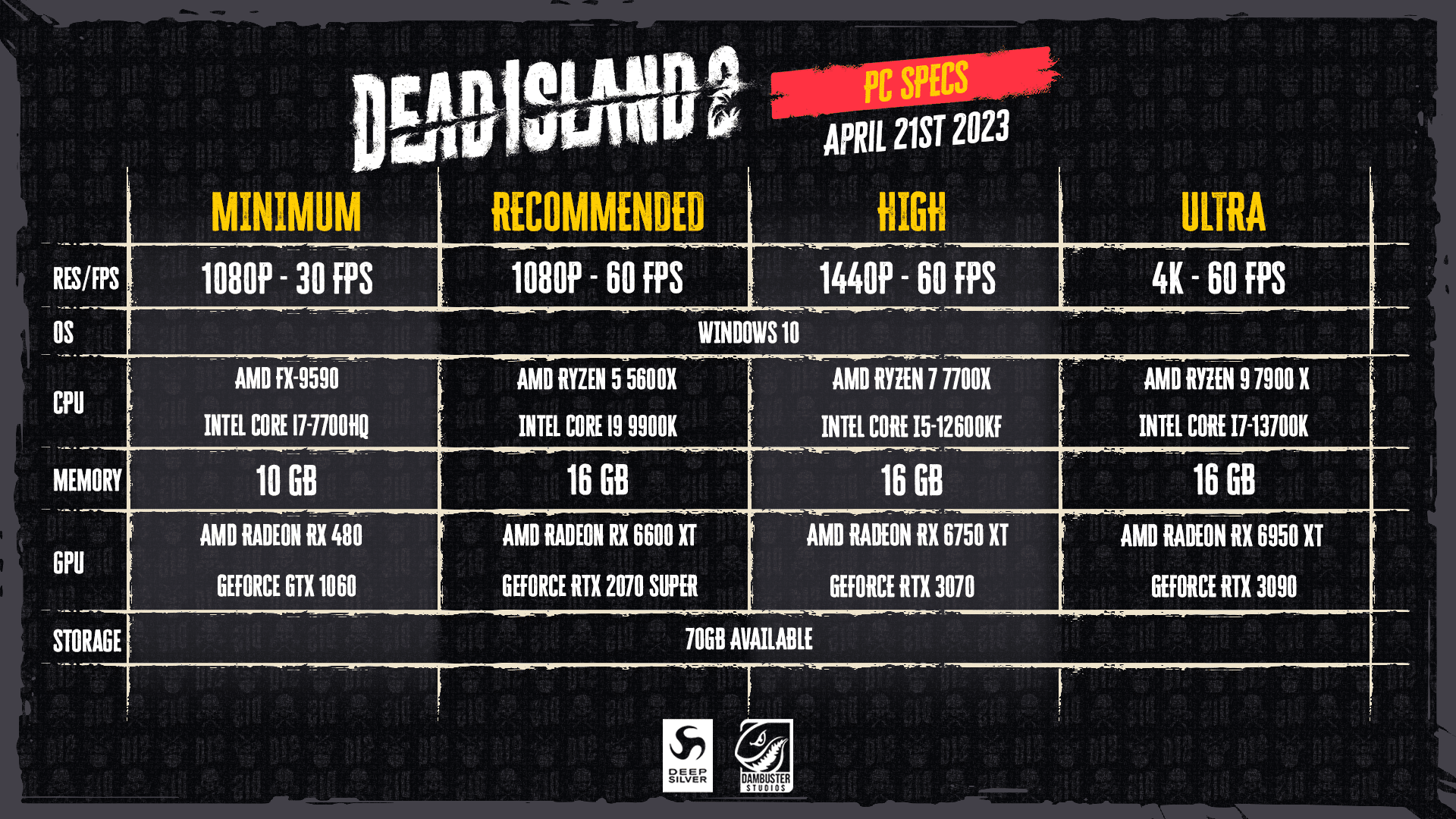
Dead Island 2’s PC requirements have been revealed via the game’s official website, with somewhat demanding specs for settings as low as 1080p 60 FPS. At 4K 60 FPS, PC owners will need to have a GeForce RTX 3090 in order for the game to run smoothly.
Here’s the full list of PC requirements for all settings:
Minimum:
Res/FPS – 1080p at 30 FPS
OS – Windows 10
CPU – AMD FX-9590 or Intel Core i&-7700HQ
Memory – 10 GB
GPU – AMD Radeon RX 480 or GeForce GTX 1060
Storage – 70 GB Available
Recommended:
Res/FPS – 1080p at 60 FPS
OS – Windows 10
CPU – AMD Ryzen 5 5600X or Intel Core i9 9900K
Memory – 16 GB
GPU – AMD Radeon RX 6600 XT or GeForce RTX 2070 Super
Storage – 70 GB Available
High:
Res/FPS – 1440p at 60 FPS
OS – Windows 10
CPU – AMD Ryzen 7 7700X or Intel Core i5-12600KF
Memory – 16 GB
GPU – AMD Radeon RX 6750 XT or GeForce RTX 3070
Storage – 70 GB Available
Ultra:
Res/FPS – 4K at 60 FPS
OS – Windows 10
CPU – AMD Ryzen 9 7900 X or Intel Core i7-13700K
Memory – 16 GB
GPU – AMD Radeon RX 6950 XT or GeForce RTX 3090
Storage – 70 GB Available
With Dead Island 2 clocking in at 70 GB of total file size, it’s a fairly heavy game, and based on the requirements for higher settings, it looks like you’ll need a relatively modern PC in order to run it with good graphics and performance.
Dead Island 2 creeps out this April 21 on PS4, PS5, Xbox One, Xbox Series X|S, and PC via the Epic Games Store.
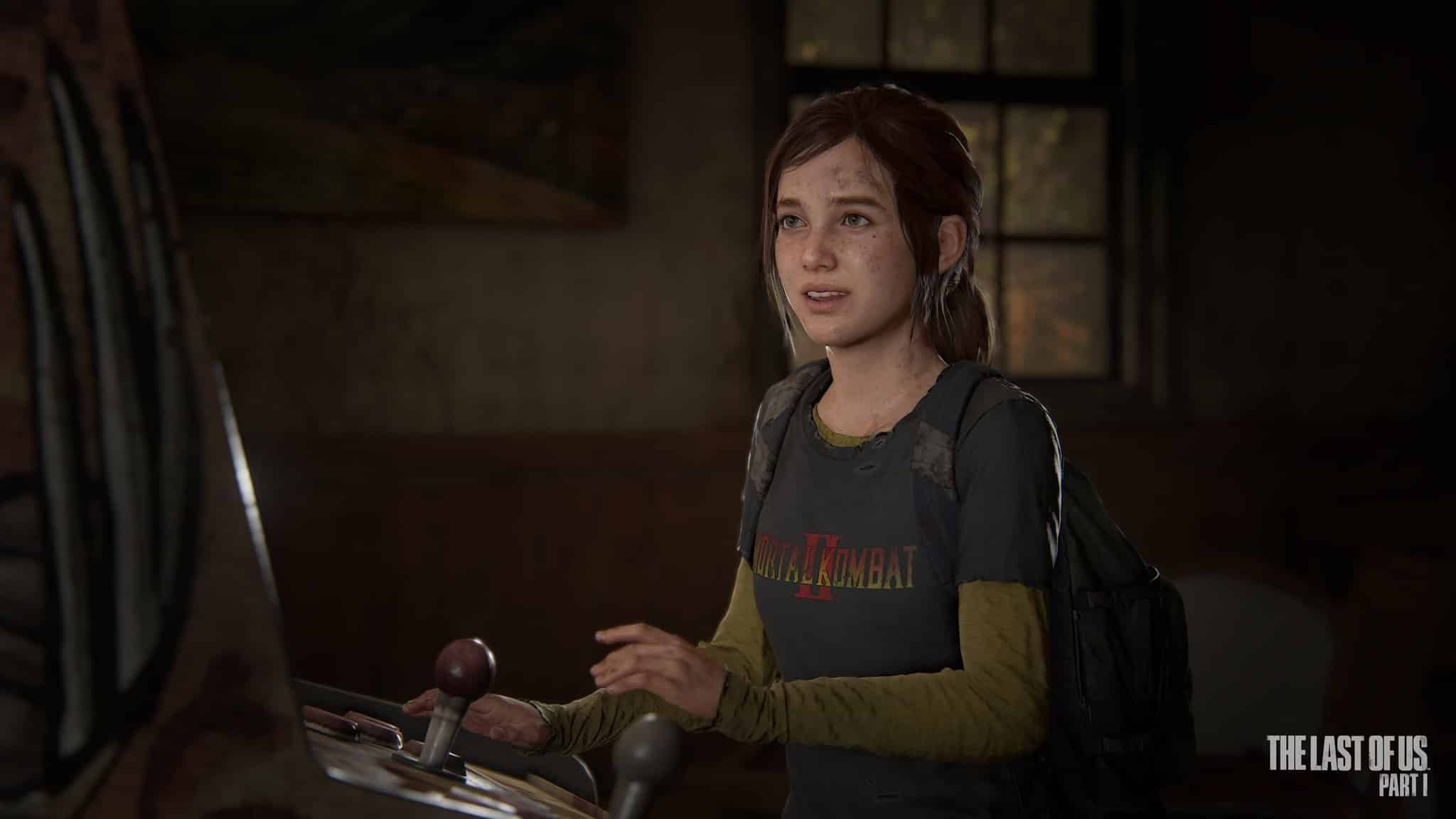
Naughty Dog has pushed out The Last of Us update 1.003 for the PS5 version, which is one focused on various fixes related to combat, accessibility and even new content. Read on for what’s new in the TLOU April 11 patch notes.
The Last of Us Update 1.003 Patch Notes | TLOU April 11 Patch Notes:
[Brazilian Portuguese] Remastered and increased the audio quality for in-game voice lines
Adjusted aim sensitivity from 1-10 to 1-100, with a lower minimum sensitivity
Companion characters now throw bricks at enemies during combat more consistently
Rifle weapons now use hit-scan instead of projectile physics to determine whether they hit an enemy
Increased the pump shotgun’s base fire rate
Melee and Fire may now be bound to the same button in Customize Controls (Options > Controls > Customize Controls)
Speedrun Mode timer now pauses during black screen fades
Melee attacks using a two-handed melee weapon now kill stunned enemies
Meleeing while sprinting now staggers Infected enemies for longer
Player character can move sooner after finishing a melee swing
Companion characters rescue the player character from enemy grapples more consistently
Shotguns and rifles begin rechambering sooner after being unholstered
Melee attacks that send enemies to their knees now combo into finishers, whether or not the player has a melee weapon
Increased time that human enemies are staggered after being punched
Enemies no longer beg for their lives when they can’t be easily reached by the player
Adjusted timing of various checkpoints throughout the game
Numerous visual improvements and adjustments throughout the game
Multiple fixes to subtitles, UI text, and Screen Reader lines
[Grounded Difficulty] Reduced the accuracy of the turret truck
[Permadeath Mode] The deer hunt is no longer considered a combat encounter
Bug Fixes
Drawing the bow no longer reduces the player’s accuracy with other weapons
Fixed an issue where the player may spin around their target when using sprinting melee attacks
Fixed an issue where a melee swing may be canceled mid-swing when holding a shotgun
Loading save files no longer affects the number of bonus feature unlock points currently available
Fixed an issue where some weapons’ reloads may be interrupted before all bullets were loaded
Corrected accuracy of the El Diablo pistol when using its scope
Fixed an issue where nail bombs may be retrieved after detonating
Director’s Commentary now plays during the final credits
Rechambering a weapon now registers as complete sooner, so the player won’t have to repeat the animation if interrupted
Baseball bats now do the same damage against Clickers as other two-handed melee weapons
Player no longer automatically succeeds when machete-wielding enemies do an evasive counterattack
Fixed an issue where Infected may use a human enemy’s grab attack when grabbing the player from behind
Fixed an issue where companion characters may die in combat at unintended times
Removed some cover positions that allowed enemies to shoot the player character without revealing themselves
Infected no longer enter the ‘beg for life’ state
Fixed an issue where some items and ingredients were not added to the player’s inventory when collected
Fixed issues with some in-game cutscenes where the player may get interrupted if attacked
[The Prologue] Tommy will lead the player more consistently
[The Prologue] Fixed an issue where player character may die during the car crash cutscene
[Tommy’s Dam] Fixed an issue where the player character may get stuck behind a door during the fight at the hydroelectric dam
[The Firefly Lab] Shooting a doctor will no longer make them invincible to flamethrowers
[New Game+] All extra ammo and ingredient types now appear as intended when playing in Full Loadout mode on Grounded difficulty.
Left Behind Standalone
The arcade minigame will not request multiple attacks that deal no damage in a row
Moved a corpse’s arm to the correct location
Improved Ellie’s accuracy to match her accuracy during the main story
Accessibility
Improved Navigation Assistance goal placement across various locations
Fixed button prompts that showed the incorrect button in certain circumstances
Fixed some collectible items not highlighting correctly when using High Contrast Mode
Fixed various issues where the incorrect cue would play when using audio cues
Fixed issue in Chapter and Encounter Select menus where the Screen Reader did not read sub-chapter names
Additional Content
New HBO® in-game t-shirt cosmetics for Ellie
While the PS5 version just got a patch, the PC version — which has been plagued by technical issues — have been getting regular patch roll outs since it launched. You can keep tabs on all the patches released for both versions right here.
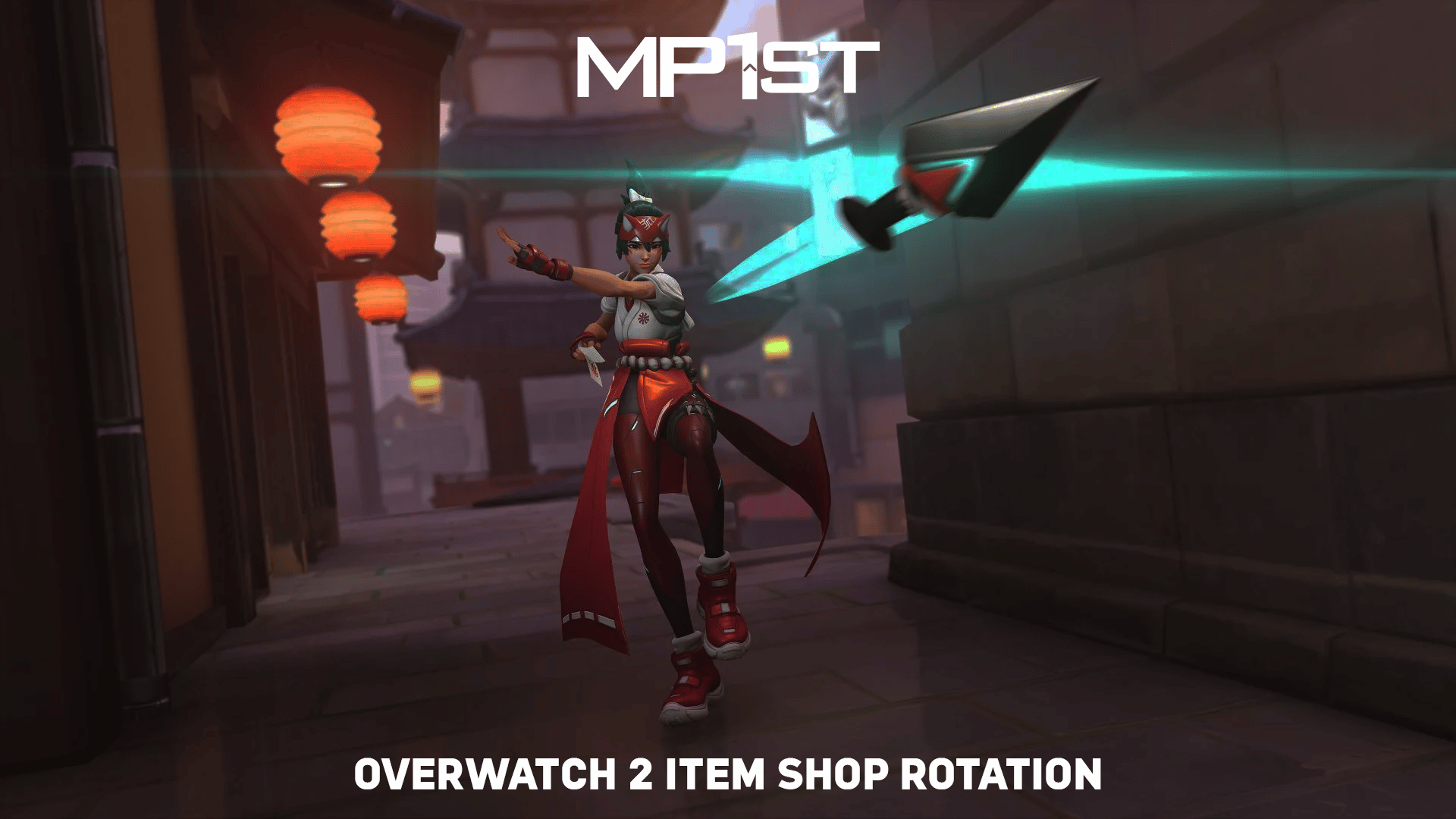
Blizzard has rolled out the new Overwatch 2item shop rotation for April 11, 2023! This means that another round of character skins and other cosmetics can be bought via the in-game story using Overwatch Coins.
That’s about it for the Overwatch 2 Item Shop Rotation this week. In case you didn’t know, Blizzard announced recently that for the game’s events, players will now be able to earn a skin for it just by playing just like the first Overwatch! The new One Punch Man-themed Soldier 76 free skin is a prime example of this.
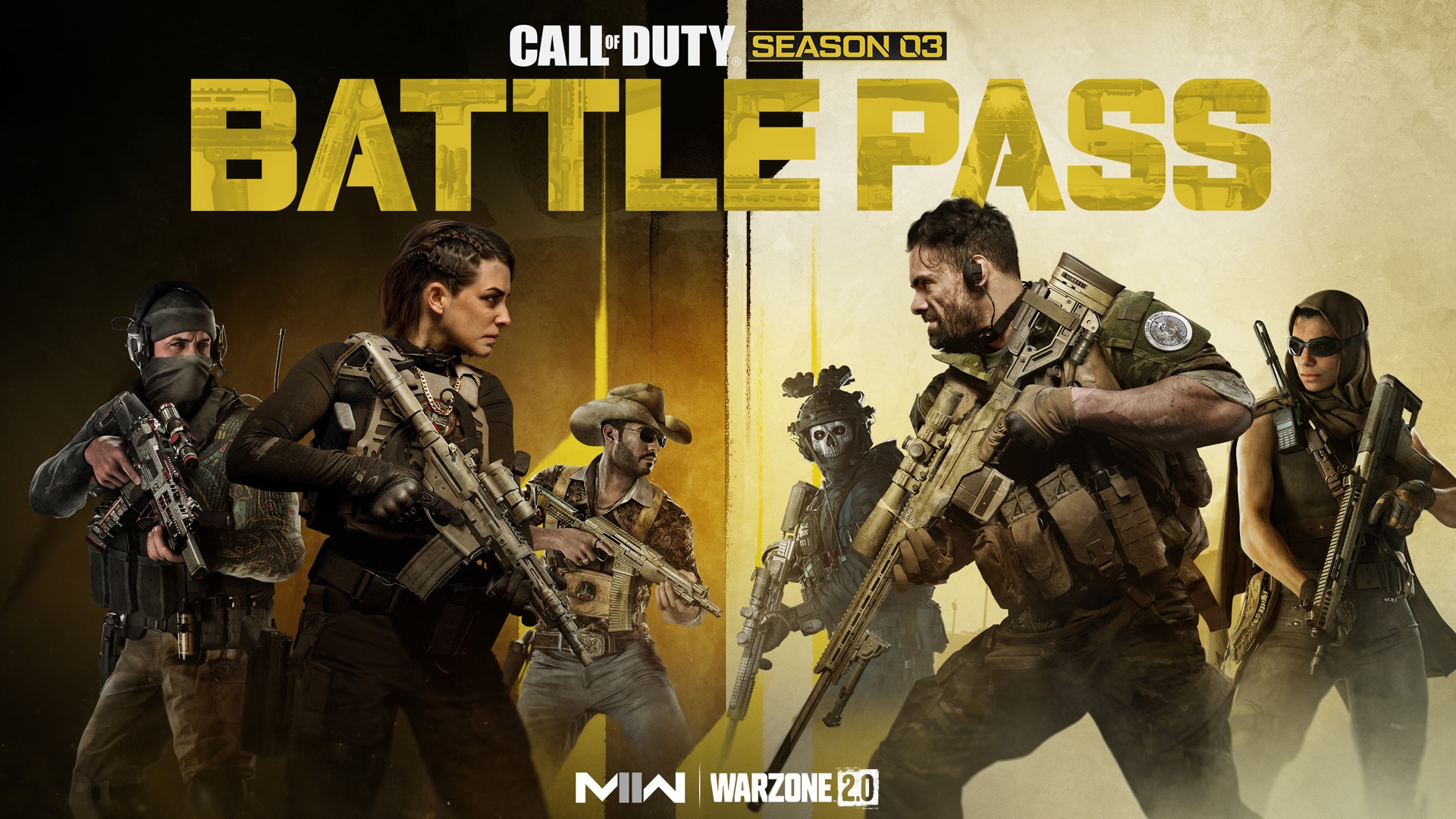
Call of Duty Modern Warfare 2 and Warzone 2 Season 3’s Battle Pass and its premium BlackCell upgrade are set to arrive tomorrow, bringing with them tons of cosmetics and content for players to try out.
Here are all the goodies you can nab by getting the Battle Pass and the BlackCell upgrade this Season 3 of COD.
Modern Warfare 2 and Warzone 2 Season 3 Battle Pass and BlackCell Breakdown:
SEASON 3 BATTLE PASS
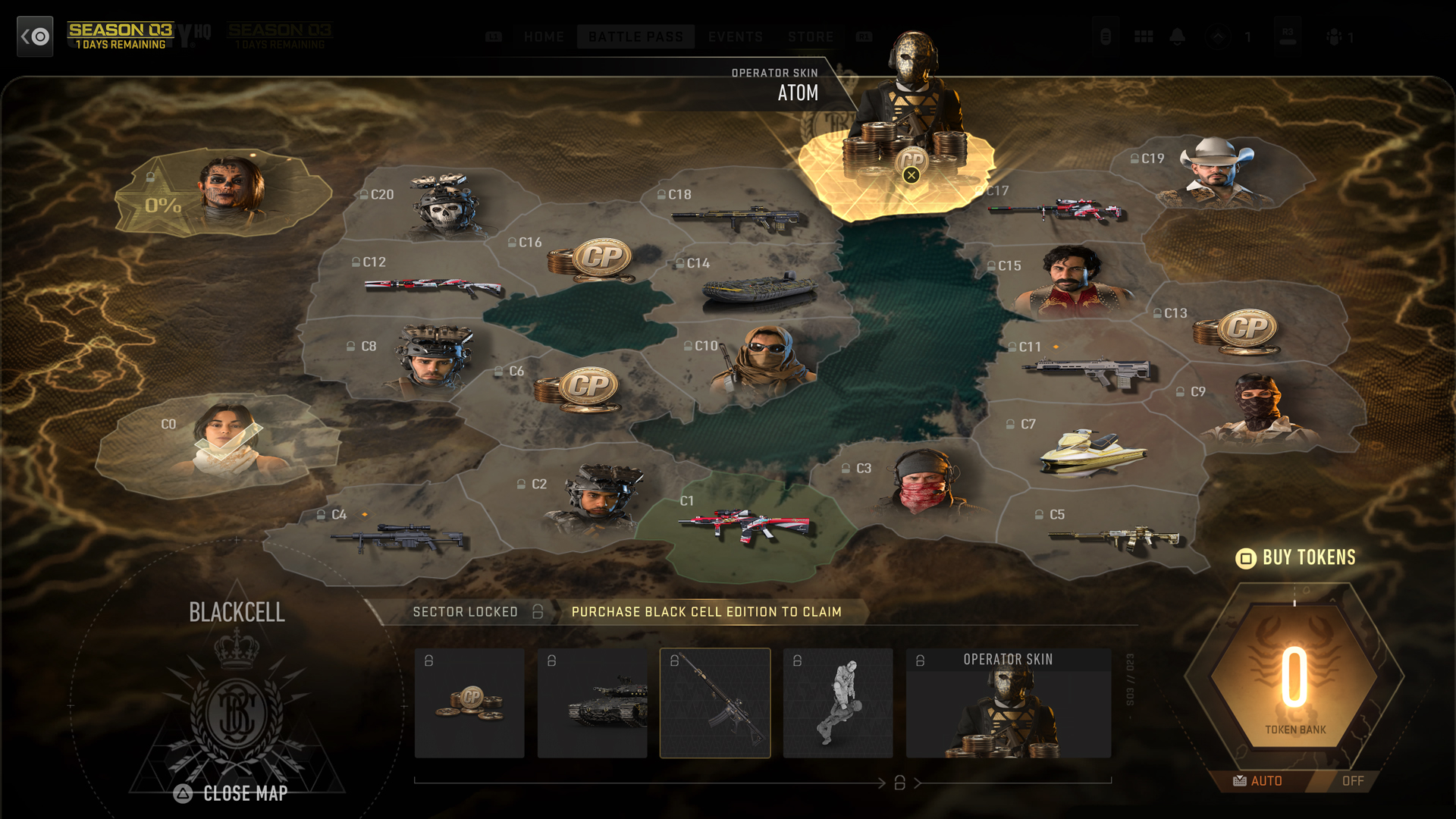
The new Battle Pass for Season 03 features 100+ rewards across 22 Sectors, including two new functional weapons and the addition of Operators Valeria Garza and Alejandro Vargas from the Modern Warfare® II Campaign. Upgrade to the full Battle Pass for 1,100 COD Points for access to all of Season 03’s regular Battle Pass items, or purchase BlackCell, the brand-new Battle Pass offering for an additional Sector, bringing the total up to 23, as well as earning additional Battle Token Tier Skips.
Battle Pass Update: Automatic Pathing
In addition to the BlackCell offering, the Battle Pass has an updated and streamlined way to unlock content through the addition of an Automatic Pathing feature. Those who don’t mind what they earn first and who simply want to rack up hours in-game can choose to automatically have the Battle Pass chart an effective path through the different AO Sectors. Players can also choose to manually earn Battle Token Tier Skips and spend them as they did in prior seasons.
Purchase the Battle Pass to Unlock Valeria and Alejandro
Though they once served together in the Mexican Special Forces, Valeria Garza and Alejandro Vargas are now adversaries. Valeria rose to become El Sin Nombre, leading the Las Almas Cartel, while Alejandro went on to become an important ally of the legendary Task Force 141. Players who purchase the Season 03 Battle Pass can unlock the C0 Bonus Sector and gain immediate access to the default Skins for both Operators.
In addition to unlocking these two Operators, the Bonus Sector also awards the gilded “El Dorado” Weapon Blueprint, plus 150 COD Points and a 10% Battle Pass Boost.
New Weapon HVTs in Sectors C4, C11
FJX Imperium Sniper Rifle — (Sector C4, HVT, Free)
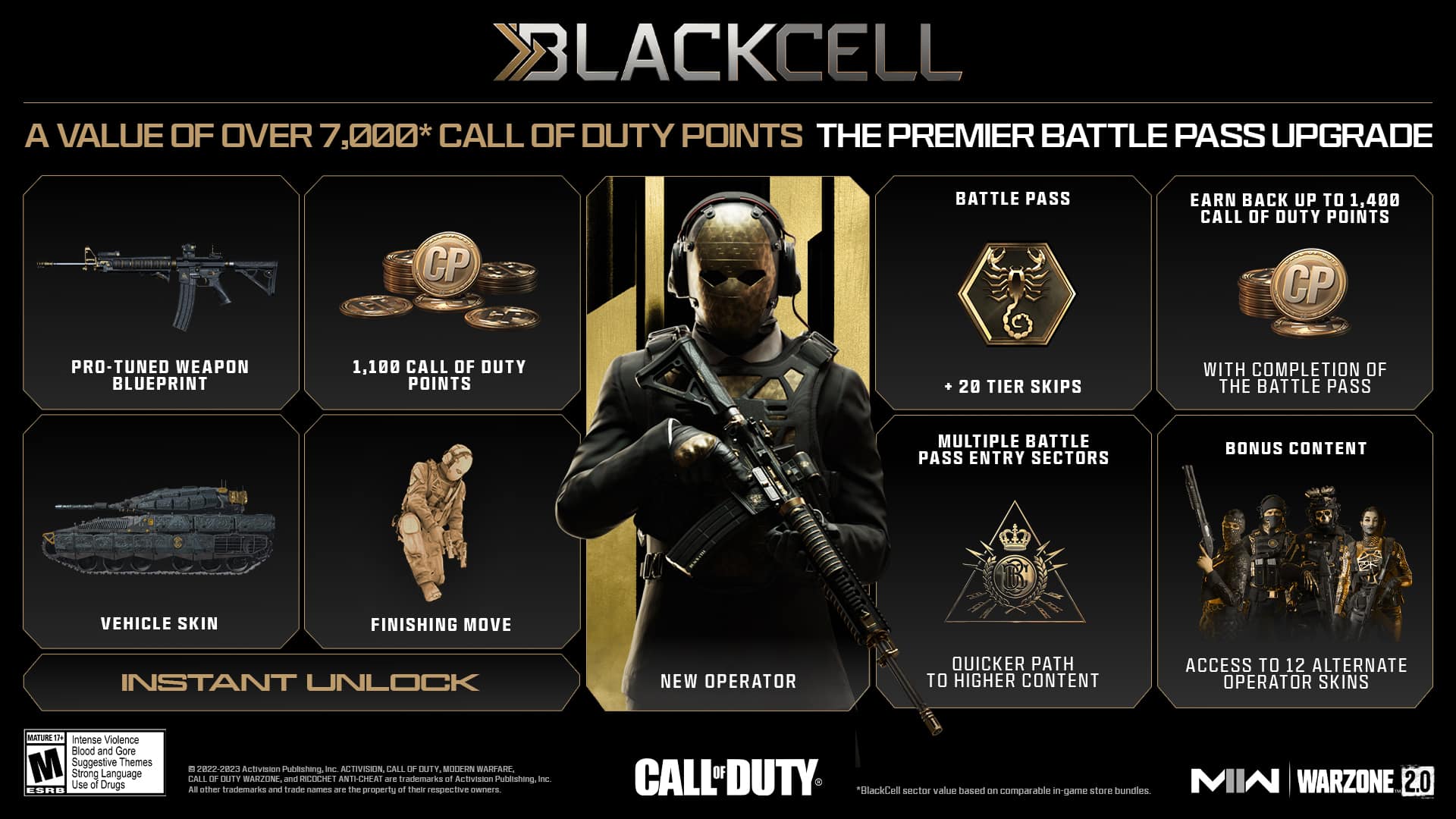
BlackCell, the premium Battle Pass upgrade for Season 3 which we reported on a few days ago, is a new version of the Battle Pass that comes with exclusive content and goodies. Coming in at $29.99, the upgrade comes with immediate item unlocks, an exclusive Operator, and more. You cannot purchase the BlackCell upgrade with COD Points.
A Battle Pass Bundle and Pro Pack combined with even more items, BlackCell is a premium offering that provides incredible value – over 7,000* COD Points in value – to be used across both games:
Battle Pass BlackCell Sector, Token Tier Skips
The BlackCell Sector offers a unique entry point to the rest of the Battle Pass Map that allows you to unlock higher value items (higher tiered Battle Pass items) more quickly and instantly grants you the BlackCell Operator attired in an imposing animated Camo skin, Pro-Tuned Weapon Blueprint, Vehicle Skin, Finishing Move, and 1,100 CP bonus. You can also take advantage of the 20 Battle Token Tier Skips (25 on PlayStation®) that BlackCell comes with, and immediately unlock one of the two free functional weapons available in the Battle Pass.
Immediate Item Unlocks, Including New Operator and Weapon Blueprint
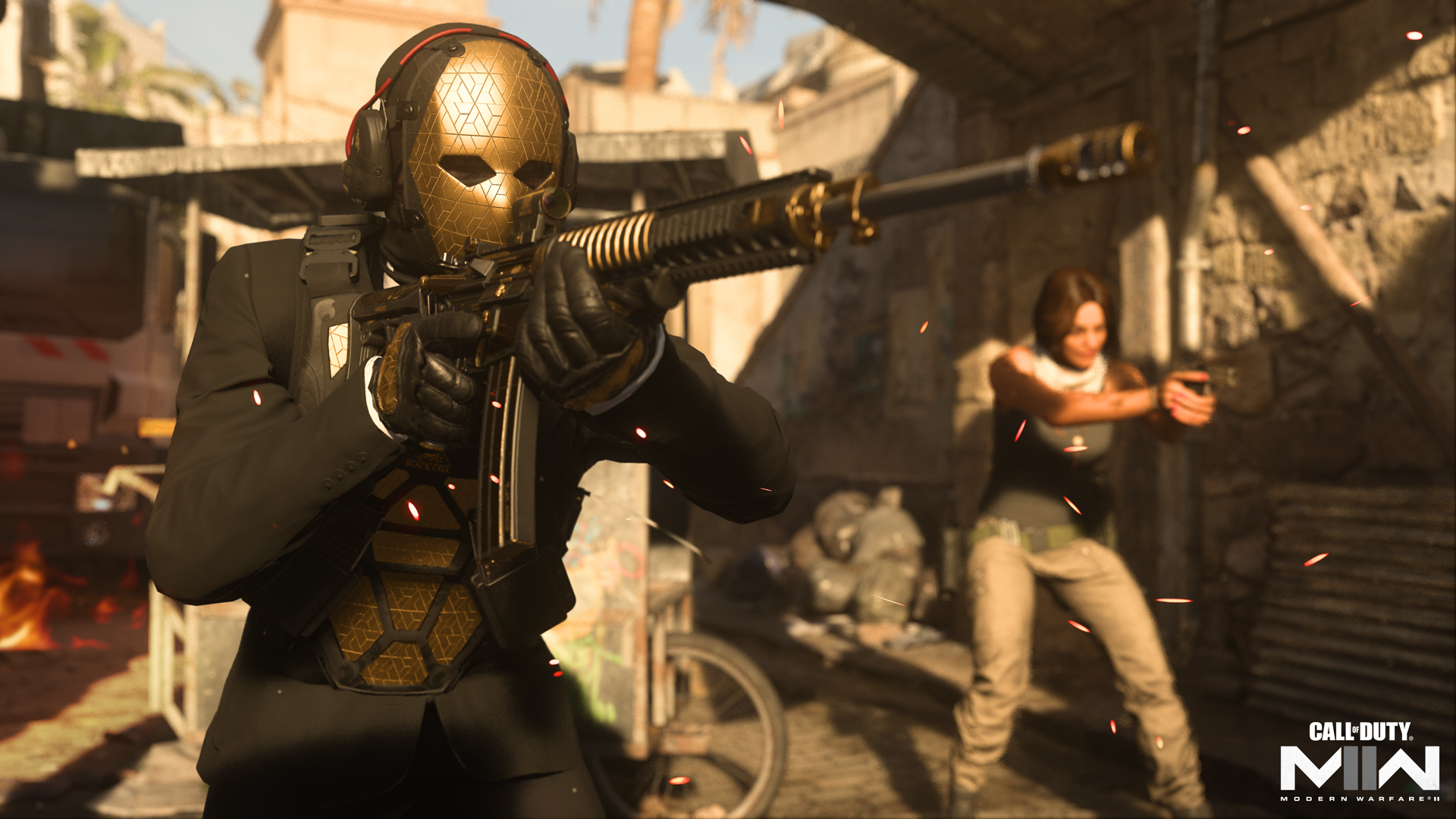
BlackCell owners also get a number of immediate unlocks as well as the Battle Pass purchase, including the BlackCell’s very own Operator, known as Atom. The BlackCell have their own armorer that can handcraft incredible Weapon Blueprints, too. In Season 03’s BlackCell Sector, you can get your hands on the “Singularity” Assault Rifle Pro-Tuned Blueprint, a five-attachment all-around beast of a weapon.
Special Season 03 Bonus Operator Skins
For Season 03, all BlackCell owners will receive a Bonus series of BlackCell-only Battle Pass items available as exclusive additional unlocks on top of the regular Battle Pass content, within the AO Sectors. These include a dozen additional Operator Skins, all themed around the sleek black-and-gold aesthetic of the new addition to the Operator roster.
1,100 COD Points Bonus
As previously mentioned, in addition to accessing up to 1,400 COD Points through the full Battle Pass, BlackCell includes an instant unlock of 1,100 COD Points within the BlackCell Sector that can be used on any other bundle in the Store.
For the cosmetic bundles that will be available during Season 3, you can find them in the full article here.
Call of Duty Season 3 for Modern Warfare 2 and Warzone 2 (along with the Battle Pass and BlackCell upgrade) shoots out this April 12 on all platforms.
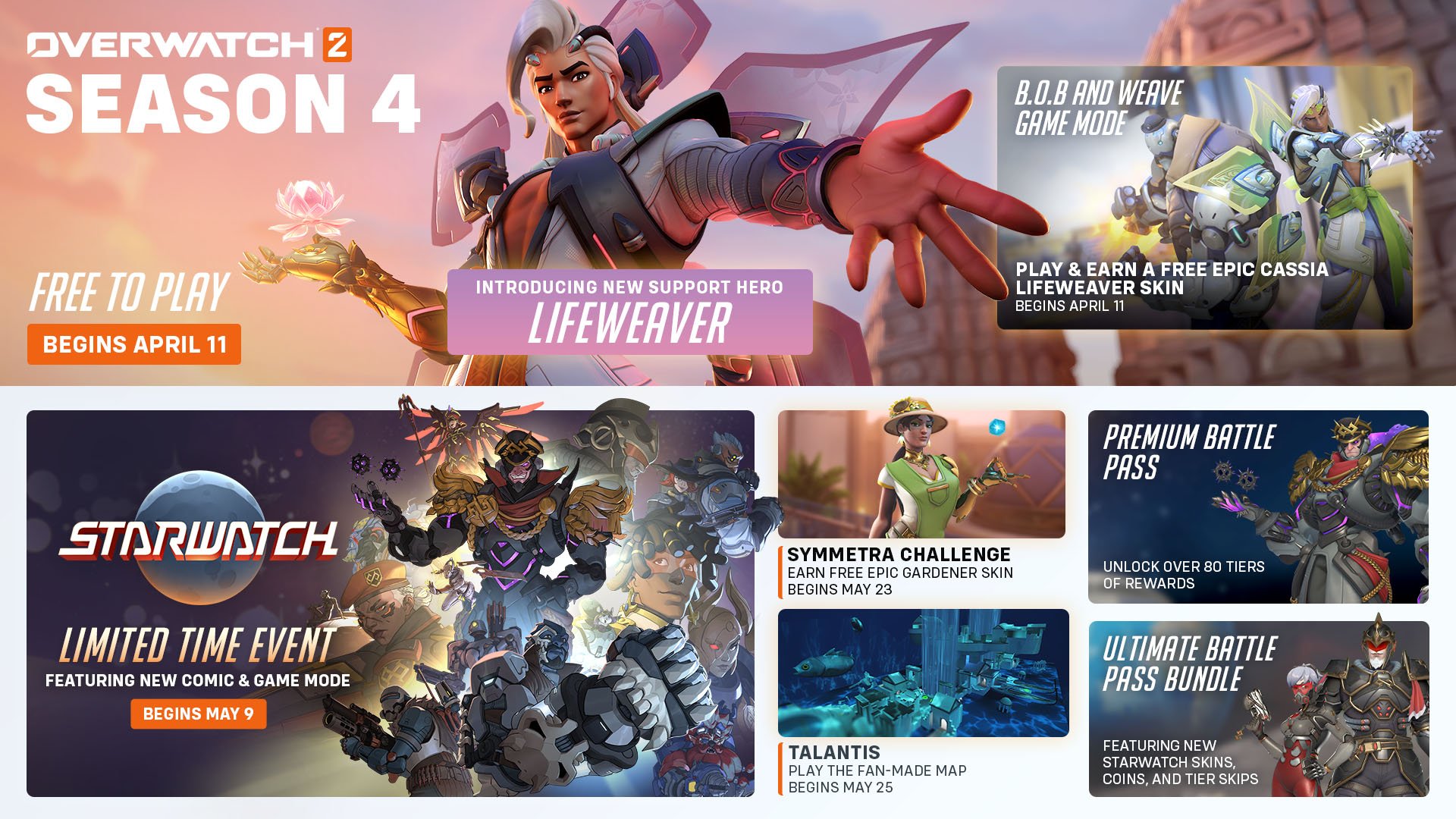
Overwatch 2 update 1.000.013 is now out on all platforms, and this is to bring the Season 4 content into the game! Players can expect the new support hero Lifeweaver, major changes to Competitive mode, loads of balance changes and more. The official OW2 Season 4 patch notes for April 11 is available below.
Overwatch 2 Update 1.000.013 Patch Notes | OW2 Season 4 Patch Notes for April 11:
OVERWATCH 2 SEASON FOUR
Fight for a better future in Season Four! Our newest Support hero Lifeweaver, who hails from Thailand and wields biolight, enters the fray. Take combat to the cosmos with the new Battle Pass featuring Mythic Space Conqueror Sigma, and earn free rewards in events happening throughout the season.
INTRODUCING LIFEWEAVER
Scientist, artist, and activist: Overwatch 2’s latest hero entwines the beauty of nature with the practicality of science. He dreams of healing the world.
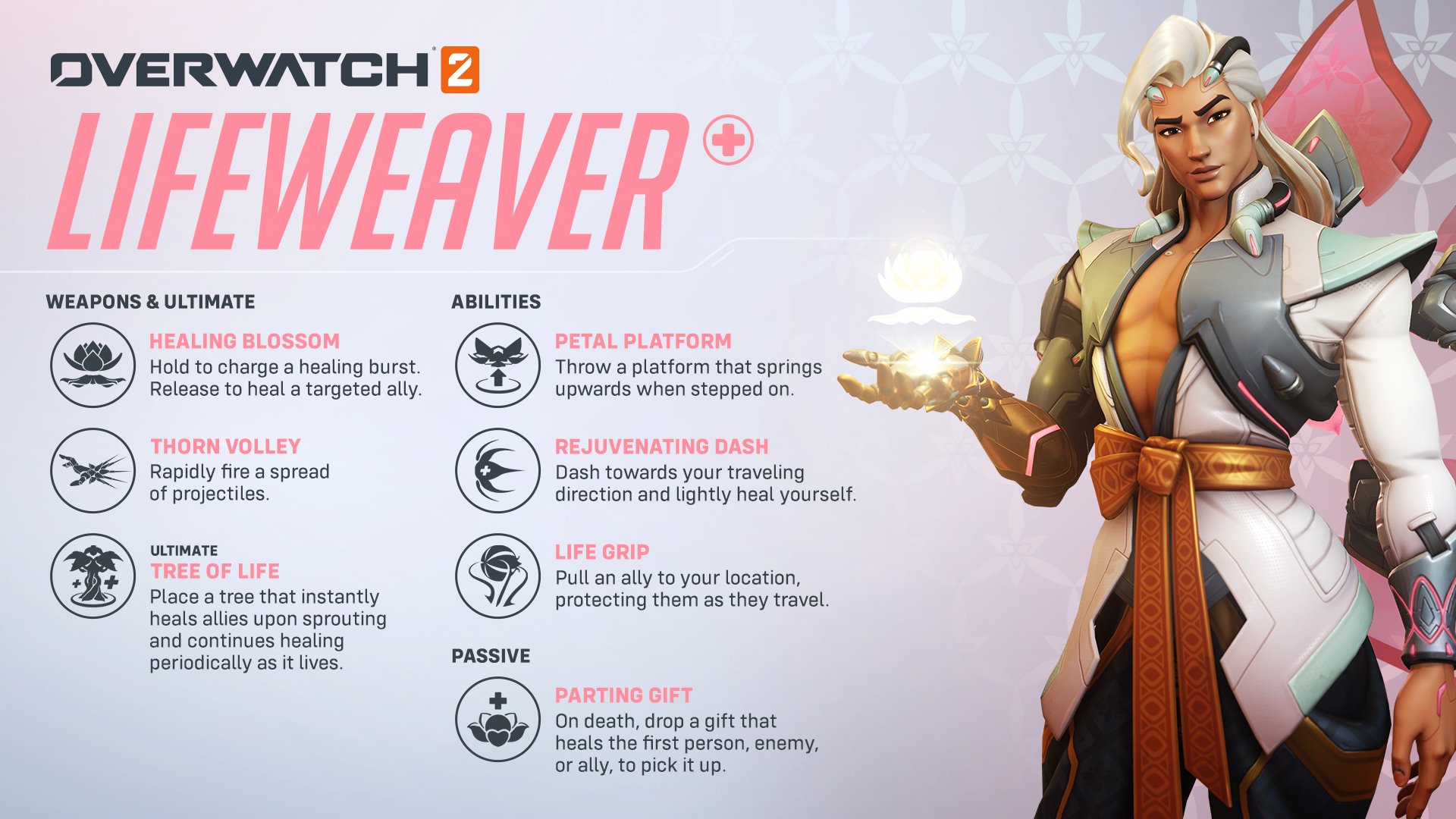
Lifeweaver
Lifeweaver has been added to the line-up.
Healing Blossom
Hold to charge a healing burst. Release to heal a targeted ally.
Thorn Volley
Rapidly fire a spread of projectiles.
Petal Platform
Throw a platform that springs upwards when stepped on.
Rejuvenating Dash
Dash toward your traveling direction and lightly heal yourself.
Life Grip
Pull an ally to your location, protecting them as they travel.
Tree of Life
Place a tree that instantly heals allies upon sprouting and continues healing periodically as it lives.
Parting Gift (Passive)
On death, drop a gift that heals the first enemy or ally to pick it up.
Added a setting to select custom colors for health, armor, shields, and overhealth in health bars. Improved preview feature for custom color settings with different preview backgrounds.
Stranded Spawn System
Regrouping with your team after getting stranded in a spawn room has never been easier! Spawn rooms that shut down due to capturing or losing an objective will now remain partially active for 7 seconds. While you still can’t change heroes in these spawn rooms, other new features have been activated. In these “stranded spawns,” the doors remain locked to the opposing team, the healing field remains active, and you can now use the Interact key to instantly teleport to the new active spawn room.
Matchmaking
Backfilling players in Unranked modes will now prioritize finding players closer to the skill level of the other players in the match. Minor optimizations for large groups improving matchmaking quality.
COMPETITIVE UPDATES
Top 500 Leaderboard Eligibility
Players will now be required to win 25 Competitive matches before being eligible to enter the Top 500 leaderboard for a specific role, queue, or region.
Developer comments: Previously, we only required 25 games to be completed regardless of winning prior to becoming eligible for the Top 500 leaderboards; however, this change should help make sure that players are consistently pushing toward winning matches, which should help ensure the leaderboards have the best players in each region.
Competitive Leaver Penalty Changes
Matches left in different Competitive queues are still considered separate for purposes of determining the lengths of suspensions or receiving a seasonal ban from Competitive Play.
The start of a new Competitive season also no longer fully resets the severity of these suspensions and bans. This should hopefully prevent players from leaving Competitive games at the end of a season without facing meaningful consequences at the start of the next.
Matches left in Competitive Play will also have a more negative effect on a player’s Skill Tier and Division after a 5-win Competitive Update.
Competitive Point Reward Changes
The number of Competitive Points (CP) rewarded for a win in Competitive Play has been changed from 15 to 25.
The number of Competitive Points earned from seasonal challenges based on your final seasonal rank has also been updated. Games played after your last Competitive Update during a season will still count towards your final seasonal rank. You must still compete in the season’s Competitive Play Qualification challenge to receive bonus Competitive Points.
Ending in Bronze will now earn 300 Competitive Points (previously 65)
Ending in Silver will now earn 450 Competitive Points (previously 125)
Ending in Gold will now earn 600 Competitive Points (previously 250)
Ending in Platinum will now earn 800 Competitive Points (previously 500)
Ending in Diamond will now earn 1000 Competitive Points (previously 750)
Ending in Masters will now earn 1200 Competitive Points (previously 1250)
Ending in Grand Masters will now earn 1500 Competitive Points (previously 1750)
Competitive Challenge Titles
Seasonal Competitive titles earned from challenges now distinguish between whether they are earned in Open Queue or Role Queue. For example:
Ending in Diamond rank in Open Queue will earn the “Diamond Open Challenger” Title
Ending in Diamond rank in Role Queue will earn the “Diamond Role Challenger” Title
Developer Comments: The goal of these changes is to prevent confusion about a player’s rank from the previous season if they participate in multiple Competitive queues.
Competitive Match Rank
The initial loading screen that shows all the participants of Competitive matches will now show an icon at the top of the screen representing the average Skill Tier and Division of all players in that match. This should provide players with a better comparison of their own rank to other players in the match.
Seasonal Rank Decay Removed
Starting with Season Four, a player’s Competitive Play rank will no longer be reduced at the beginning of a season. Furthermore, the effects of this reduction of rank from previous seasons will also be removed. Depending on how many games they played during the previous season, most players will see their skill tier and division increase. A player’s skill tier and division at the beginning of Season 4 will now closely match the matchmaker’s estimate of your current skill.
Developer Comments: The previous seasonal rank decay was causing considerable confusion for players, who would see players in their Competitive games who did not appear to be of a similar rank. Often these players were actually of similar skill, but they had not played enough games during the season to compensate for the initial decay.
Competitive Skill Update and Progression
Both the Competitive progress and Competitive update screens will now include information about a player’s losses and ties as well as their wins.
The Competitive Update screen will also now provide players with an indication of their current percentage progress within a skill division. This will hopefully make it more clear how the results of games played during the update affect a player’s Skill Tier and Division.
It is possible for players to have a positive win/loss record, but not go up a skill division because the progress occurs entirely within a single division. This new message will allow players to see that they did in fact make positive progress, just not enough to reach a new skill tier or division.
There is also a similar message with Competitive Updates for players who are Grandmaster 1, but not yet on the Top 500 leaderboard. This should provide those players with feedback about their progress towards earning a spot on the Top 500 leaderboard.
Here’s everything you need to know about the gameplay updates coming in #Overwatch2 Season 4, launching April 11!
Developer Comment: Reinhardt has been overperforming after the recent increases to his offensive capabilities. Those changes have been playing well, so to adjust his overall power, we’re reducing his overall health through this armor reduction.
Sigma
Accretion
Impact damage reduced from 60 to 40 (80 damage total with explosion)
Knockdown duration increased from 0.8 to 1.1 seconds
Developer Comment: Like Roadhog’s Chain Hook, Sigma’s Accretion and primary fire combo can be highly lethal and can feel like a guaranteed kill against 200 health targets. We’re reducing the damage slightly to require an additional volley of primary fire but are also increasing the stun duration to provide allies with more opportunity to follow up on successful impacts.
DAMAGE
Cassidy
Base health reduced from 225 to 200
Magnetic Grenade
Damage reduced from 131 to 120
Developer Comment: Magnetic Grenade only requiring one additional primary fire shot after sticking to a target was too reliable to execute on, even though it only works at close range. We’re reducing the total damage on Magnetic Grenade, evenly split between the direct target damage and explosion. The reduced falloff-damage buff his primary fire received recently enables Cassidy to play from safer engagement ranges now, so we’re reducing his health back to 200.
Sombra
EMP can now disable Blizzard
Developer Comment: We are expanding what Sombra’s EMP turns off to keep it consistent with how it affects other device-controlled ultimates.
SUPPORT
Ana
Sleep Dart
Maximum duration on Tank heroes reduced 30%, from 5 to 3.5 seconds
Developer Comments: We’ve been watching how effective Sleep Dart has been in 5v5 gameplay. It hasn’t been overly disruptive as a whole, but since it is significantly more reliable to land against Tank heroes due to their large hit boxes and even more valuable to do so with only one tank on the field, we’re reducing its maximum duration against those targets.
Brigitte
Rally
Brigitte now gains 100 restorable armor health pool for the duration of Rally
Brigitte no longer gradually builds temporary health like her nearby allies
Rally now upgrades her Barrier Shield, increasing both its size and health
Barrier health increased from 300 to 750 during the ultimate
During Rally, Shield Bash now impacts multiple enemies and briefly stuns them
Bonus movement speed reduced from 30 to 15%
Repair Pack
Range reduced from 30 to 25 meters
Developer Comments: Rally lost some of its power with the change from granting allies additional armor to temporary health, and overall took a relatively long time to build up its defensive benefits. This rework is intended to keep it as a defensive ultimate ability but with a more immediate impact due to gaining an increased armor health pool upfront and the enhanced barrier, which can be utilized to block for teammates while their temporary health builds or interrupt enemies with the stun.
Mercy
Caduceus Staff
Healing-per-second increased from 45 to 55
Healing is no longer increased for allies under half health
Guardian Angel
Cooldown reduced from 2.5 to 1.5 seconds
Jump and Crouch cancel active ability state duration increased from 1.0 to 1.5 seconds
The Jump and Crouch cancel active ability state can no longer be manually interrupted to begin the cooldown early
Valkyrie
Support role passive healing is now active for the duration of Valkyrie
Developer Comment: The recent increase to Guardian Angel’s jump-cancel mobility still needs to be kept in check in some way, but while the last iteration was simple, it also had some unintended effects, such as not being ready to use GA again after flying in and using Resurrect. This revision provides more flexibility, and allows Mercy to opt into an additional 1.5 second cooldown when using the increased mobility from the jump/crouch cancel options or otherwise waiting for the base cooldown time.
The increased healing multiplier condition on Caduceus Staff was intended to help Mercy players feel more agency in trying to save critical-health allies and to add depth to the healing mechanic without changing the total time to heal to full health. However, the overall rebalance of the healing values received significant negative feedback, both from those playing as Mercy and those playing against it. There wasn’t a satisfying middle ground where we could reduce the potency of this effect while still having it feel impactful, so we’re reverting it.
Moira
Fade
Can now be activated during Coalescence
Coalescence
Bonus movement speed reduced from 50 to 40%
Biotic Grasp
Lingering heal duration increased from 2 to 3 seconds
Developer Comments: Being able to use Fade during her Coalescence ultimate gives Moira more playmaking ability by being able to reposition even more quickly and avoid potential threats with quick reactions. Due to the more spread-out playstyle of 5v5, we’re increasing the lingering heal duration from her primary fire, meaning it will heal more in total.
MAP UPDATES
General Updates
Map Pools have been disabled, all maps are now in rotation
New Arcade Map: Talantis
You designed it, we built it: an underwater Talon base with jump pads, pit traps, giant fish, and waterfalls.
Talantis will be playable for a limited time from April 25th through May 1st.
Season 4 Map Lighting
Push
New Queen Street – Dawn (New)
Colosseo – Morning
Esperança – Morning
Hybrid
Blizzard World – Morning
Eichenwalde – Morning
Hollywood – Night (New)
King’s Row – Evening
Midtown – Morning
Numbani – Morning
Paraíso – Morning
Escort
Dorado – Night
Havana – Night
Watchpoint: Gibraltar – Evening
Junkertown – Morning
Circuit royal – Morning
Rialto – Morning
Route 66 – Morning
Shambali Monastery – Night
Control
Antarctic Peninsula – Night
Busan – Morning
Ilios – Morning
Lijiang Tower – Night
Nepal – Morning
Oasis – Evening
WORKSHOP UPDATES
Introducing Workshop Projectiles
There are three new Workshop actions allowing you to create either a fully functioning projectile or a cosmetic projectile effect:
Create Projectile
Create Homing Projectile
Create Projectile Effect
Additionally, there is a corresponding workshop extension that enables 19 projectile visual effects.
BUG FIXES
GENERAL
Fixed a bug in Competitive Modes that resulted in the rank-up animation playing when a player was actually ranking down
Fixed a bug where Relative Aim Sensitivity was unable to be set to a value of 0%
Fixed a bug where Hero Options could become unresponsive if modified during the respawn period
Fixed an issue where some map preview images were missing from Game Reports and Replays
Fixed Streamer Mode failing to obfuscate BattleTags in some cases
Fixed an issue with Custom Game Browser sorting by decreasing ping by default
Fixed an issue where the round transition screen in Competitive could break when played on 21:9
Fixed a bug with the Round Transition screen being significantly darker if you had colorblind options enabled
Fixed a bug that could cause the camera to become displaced if you used a Souvenir as you loaded into the map
Fixed a bug that prevented you from navigating the Endorsement UI while on the Challenge Progress Screen
Fixed a controller/gamepad issue that prevented players from accessing the While you Wait menu unless the middle card on screen was highlighted first
MAPS
Circuit Royale
Fixed multiple lighting issues in Circuit Royale
Hanamura
Fixed multiple cases of lighting and geometry
Ilios
Fixed areas in Ilios where players could become stuck
New Queen Street
Fixed multiple cases of lighting an geometry in Toronto
Oasis
Fixed areas in Oasis that blocked players and gameplay
Shambali Monastery
Fixed areas in Shambali Monastery that allowed players to stand in unintended locations
HEROES
Ashe
The Raijin skin has been adjusted so that Ashe’s Viper no longer takes up a large amount of screen space when scoped in
Fixed a bug that allowed Ashe to gain Ultimate while B.O.B was active
Bastion
Fixed a bug where some abilities were able to interact with Artillery’s targeting reticle
Fixed a bug where Bastion’s attack animations could appear sped up (though they actually weren’t) after the effects of Kitsune Rush expired
Cassidy
Fixed in a previous update – Fixed a bug with Cassidy’s Deadeye not taking armor mitigation into account which resulted in a Killing Blow before the enemy was marked with a skull
Fixed in a previous update – Fixed a bug where the damage from Deadeye could be multiplied by reacquiring the same target before Deadeye completed
Doomfist
Fixed an issue with Seismic Slam not always registering when used on uneven surfaces
Echo
Fixed an issue with Echo’s Duplicate sometimes failing when duplicating a D.Va as she casts Self-Destruct
Genji
Fixed an issue where some abilities did not function correctly after being Deflected by Genji
Kiriko
Fixed an issue where in some cases Swift Step would fail to teleport the player
Fixed an issue with Kitsune Rush appearing orange to enemies if Kiriko had ‘Terrible Tornado’ equipped
Fixed invisible entities within Kiriko’s ultimate Kitsune Rush being pingable for a brief duration
Mercy
Fixed a bug that allowed Mercy, when using Valkyrie to clip for extended periods into the environment and prevent critical shots
Fixed an issue where Mercy could negate the effects of Rocket Punch in some cases
Fixed an issue with Mercy’s footsteps being extra quiet while crouched
Moira
Fixed an issue with Moira’s hand animations breaking during gameplay
Orisa
Fixed a bug with the art on Orisa’s Forest Spirit Spear
Pharah
Fixed an issue with the Barrage play of the game not using custom rockets from the selected skin
Roadhog
Fixed an interaction with Whole Hog and Hook where the hook would clip into the camera of the hook’s target
Sigma
Fixed a bug with Gravitic Flux picking up reviving heroes just before the Revive completes
Fixed a typo in Kinetic Grasp’s tooltip. It now correctly states it grants ‘extra health’
Sombra
Fixed a bug with Sombra’s footsteps remaining silent to players who had detected her
Torbjorn
Fixed a bug where Molten Core projectiles could become stuck in the air if deflected with Orisa’s spear
Tracer
Fixed a bug where in some cases Tracer would not get all her Blink charges back upon respawn
Widowmaker
Fixed a bug where Venom Mine would be missing a team color if Widowmaker was wearing an Away OWL Skin
Zarya
Fixed an issue where Zarya would not receive charge from Brigitte’s Shield Bash
Zenyatta
Fixed an issue where Zenyatta’s ability prompts on target characters being reversed when using a gamepad/controller
Fixed an issue where Orb of Discord could appear team-colored Blue when applied to an enemy
The new support hero is here! Blizzard has released Overwatch 2 update 3.49 and this is for the big Season 4 content drop that includes the new hero Lifeweaver, a big load of balance changes and more. Read on for the full Overwatch 2 April 11 patch notes below.
Fight for a better future in Season Four! Our newest Support hero Lifeweaver, who hails from Thailand and wields biolight, enters the fray. Take combat to the cosmos with the new Battle Pass featuring Mythic Space Conqueror Sigma, and earn free rewards in events happening throughout the season.
INTRODUCING LIFEWEAVER
Scientist, artist, and activist: Overwatch 2’s latest hero entwines the beauty of nature with the practicality of science. He dreams of healing the world.
Lifeweaver
Lifeweaver has been added to the line-up.
Healing Blossom
Hold to charge a healing burst. Release to heal a targeted ally.
Thorn Volley
Rapidly fire a spread of projectiles.
Petal Platform
Throw a platform that springs upwards when stepped on.
Rejuvenating Dash
Dash toward your traveling direction and lightly heal yourself.
Life Grip
Pull an ally to your location, protecting them as they travel.
Tree of Life
Place a tree that instantly heals allies upon sprouting and continues healing periodically as it lives.
Parting Gift (Passive)
On death, drop a gift that heals the first enemy or ally to pick it up.
Added a setting to select custom colors for health, armor, shields, and overhealth in health bars. Improved preview feature for custom color settings with different preview backgrounds.
Stranded Spawn System
Regrouping with your team after getting stranded in a spawn room has never been easier! Spawn rooms that shut down due to capturing or losing an objective will now remain partially active for 7 seconds. While you still can’t change heroes in these spawn rooms, other new features have been activated. In these “stranded spawns,” the doors remain locked to the opposing team, the healing field remains active, and you can now use the Interact key to instantly teleport to the new active spawn room.
Matchmaking
Backfilling players in Unranked modes will now prioritize finding players closer to the skill level of the other players in the match. Minor optimizations for large groups improving matchmaking quality.
COMPETITIVE UPDATES
Top 500 Leaderboard Eligibility
Players will now be required to win 25 Competitive matches before being eligible to enter the Top 500 leaderboard for a specific role, queue, or region.
Developer comments: Previously, we only required 25 games to be completed regardless of winning prior to becoming eligible for the Top 500 leaderboards; however, this change should help make sure that players are consistently pushing toward winning matches, which should help ensure the leaderboards have the best players in each region.
Competitive Leaver Penalty Changes
Matches left in different Competitive queues are still considered separate for purposes of determining the lengths of suspensions or receiving a seasonal ban from Competitive Play.
The start of a new Competitive season also no longer fully resets the severity of these suspensions and bans. This should hopefully prevent players from leaving Competitive games at the end of a season without facing meaningful consequences at the start of the next.
Matches left in Competitive Play will also have a more negative effect on a player’s Skill Tier and Division after a 5-win Competitive Update.
Competitive Point Reward Changes
The number of Competitive Points (CP) rewarded for a win in Competitive Play has been changed from 15 to 25.
The number of Competitive Points earned from seasonal challenges based on your final seasonal rank has also been updated. Games played after your last Competitive Update during a season will still count towards your final seasonal rank. You must still compete in the season’s Competitive Play Qualification challenge to receive bonus Competitive Points.
Ending in Bronze will now earn 300 Competitive Points (previously 65)
Ending in Silver will now earn 450 Competitive Points (previously 125)
Ending in Gold will now earn 600 Competitive Points (previously 250)
Ending in Platinum will now earn 800 Competitive Points (previously 500)
Ending in Diamond will now earn 1000 Competitive Points (previously 750)
Ending in Masters will now earn 1200 Competitive Points (previously 1250)
Ending in Grand Masters will now earn 1500 Competitive Points (previously 1750)
Competitive Challenge Titles
Seasonal Competitive titles earned from challenges now distinguish between whether they are earned in Open Queue or Role Queue. For example:
Ending in Diamond rank in Open Queue will earn the “Diamond Open Challenger” Title
Ending in Diamond rank in Role Queue will earn the “Diamond Role Challenger” Title
Developer Comments: The goal of these changes is to prevent confusion about a player’s rank from the previous season if they participate in multiple Competitive queues.
Competitive Match Rank
The initial loading screen that shows all the participants of Competitive matches will now show an icon at the top of the screen representing the average Skill Tier and Division of all players in that match. This should provide players with a better comparison of their own rank to other players in the match.
Seasonal Rank Decay Removed
Starting with Season Four, a player’s Competitive Play rank will no longer be reduced at the beginning of a season. Furthermore, the effects of this reduction of rank from previous seasons will also be removed. Depending on how many games they played during the previous season, most players will see their skill tier and division increase. A player’s skill tier and division at the beginning of Season 4 will now closely match the matchmaker’s estimate of your current skill.
Developer Comments: The previous seasonal rank decay was causing considerable confusion for players, who would see players in their Competitive games who did not appear to be of a similar rank. Often these players were actually of similar skill, but they had not played enough games during the season to compensate for the initial decay.
Competitive Skill Update and Progression
Both the Competitive progress and Competitive update screens will now include information about a player’s losses and ties as well as their wins.
The Competitive Update screen will also now provide players with an indication of their current percentage progress within a skill division. This will hopefully make it more clear how the results of games played during the update affect a player’s Skill Tier and Division.
It is possible for players to have a positive win/loss record, but not go up a skill division because the progress occurs entirely within a single division. This new message will allow players to see that they did in fact make positive progress, just not enough to reach a new skill tier or division.
There is also a similar message with Competitive Updates for players who are Grandmaster 1, but not yet on the Top 500 leaderboard. This should provide those players with feedback about their progress towards earning a spot on the Top 500 leaderboard.
Here’s everything you need to know about the gameplay updates coming in #Overwatch2 Season 4, launching April 11!
Developer Comment: Reinhardt has been overperforming after the recent increases to his offensive capabilities. Those changes have been playing well, so to adjust his overall power, we’re reducing his overall health through this armor reduction.
Sigma
Accretion
Impact damage reduced from 60 to 40 (80 damage total with explosion)
Knockdown duration increased from 0.8 to 1.1 seconds
Developer Comment: Like Roadhog’s Chain Hook, Sigma’s Accretion and primary fire combo can be highly lethal and can feel like a guaranteed kill against 200 health targets. We’re reducing the damage slightly to require an additional volley of primary fire but are also increasing the stun duration to provide allies with more opportunity to follow up on successful impacts.
DAMAGE
Cassidy
Base health reduced from 225 to 200
Magnetic Grenade
Damage reduced from 131 to 120
Developer Comment: Magnetic Grenade only requiring one additional primary fire shot after sticking to a target was too reliable to execute on, even though it only works at close range. We’re reducing the total damage on Magnetic Grenade, evenly split between the direct target damage and explosion. The reduced falloff-damage buff his primary fire received recently enables Cassidy to play from safer engagement ranges now, so we’re reducing his health back to 200.
Sombra
EMP can now disable Blizzard
Developer Comment: We are expanding what Sombra’s EMP turns off to keep it consistent with how it affects other device-controlled ultimates.
SUPPORT
Ana
Sleep Dart
Maximum duration on Tank heroes reduced 30%, from 5 to 3.5 seconds
Developer Comments: We’ve been watching how effective Sleep Dart has been in 5v5 gameplay. It hasn’t been overly disruptive as a whole, but since it is significantly more reliable to land against Tank heroes due to their large hit boxes and even more valuable to do so with only one tank on the field, we’re reducing its maximum duration against those targets.
Brigitte
Rally
Brigitte now gains 100 restorable armor health pool for the duration of Rally
Brigitte no longer gradually builds temporary health like her nearby allies
Rally now upgrades her Barrier Shield, increasing both its size and health
Barrier health increased from 300 to 750 during the ultimate
During Rally, Shield Bash now impacts multiple enemies and briefly stuns them
Bonus movement speed reduced from 30 to 15%
Repair Pack
Range reduced from 30 to 25 meters
Developer Comments: Rally lost some of its power with the change from granting allies additional armor to temporary health, and overall took a relatively long time to build up its defensive benefits. This rework is intended to keep it as a defensive ultimate ability but with a more immediate impact due to gaining an increased armor health pool upfront and the enhanced barrier, which can be utilized to block for teammates while their temporary health builds or interrupt enemies with the stun.
Mercy
Caduceus Staff
Healing-per-second increased from 45 to 55
Healing is no longer increased for allies under half health
Guardian Angel
Cooldown reduced from 2.5 to 1.5 seconds
Jump and Crouch cancel active ability state duration increased from 1.0 to 1.5 seconds
The Jump and Crouch cancel active ability state can no longer be manually interrupted to begin the cooldown early
Valkyrie
Support role passive healing is now active for the duration of Valkyrie
Developer Comment: The recent increase to Guardian Angel’s jump-cancel mobility still needs to be kept in check in some way, but while the last iteration was simple, it also had some unintended effects, such as not being ready to use GA again after flying in and using Resurrect. This revision provides more flexibility, and allows Mercy to opt into an additional 1.5 second cooldown when using the increased mobility from the jump/crouch cancel options or otherwise waiting for the base cooldown time.
The increased healing multiplier condition on Caduceus Staff was intended to help Mercy players feel more agency in trying to save critical-health allies and to add depth to the healing mechanic without changing the total time to heal to full health. However, the overall rebalance of the healing values received significant negative feedback, both from those playing as Mercy and those playing against it. There wasn’t a satisfying middle ground where we could reduce the potency of this effect while still having it feel impactful, so we’re reverting it.
Moira
Fade
Can now be activated during Coalescence
Coalescence
Bonus movement speed reduced from 50 to 40%
Biotic Grasp
Lingering heal duration increased from 2 to 3 seconds
Developer Comments: Being able to use Fade during her Coalescence ultimate gives Moira more playmaking ability by being able to reposition even more quickly and avoid potential threats with quick reactions. Due to the more spread-out playstyle of 5v5, we’re increasing the lingering heal duration from her primary fire, meaning it will heal more in total.
MAP UPDATES
General Updates
Map Pools have been disabled, all maps are now in rotation
New Arcade Map: Talantis
You designed it, we built it: an underwater Talon base with jump pads, pit traps, giant fish, and waterfalls.
Talantis will be playable for a limited time from April 25th through May 1st.
Season 4 Map Lighting
Push
New Queen Street – Dawn (New)
Colosseo – Morning
Esperança – Morning
Hybrid
Blizzard World – Morning
Eichenwalde – Morning
Hollywood – Night (New)
King’s Row – Evening
Midtown – Morning
Numbani – Morning
Paraíso – Morning
Escort
Dorado – Night
Havana – Night
Watchpoint: Gibraltar – Evening
Junkertown – Morning
Circuit royal – Morning
Rialto – Morning
Route 66 – Morning
Shambali Monastery – Night
Control
Antarctic Peninsula – Night
Busan – Morning
Ilios – Morning
Lijiang Tower – Night
Nepal – Morning
Oasis – Evening
WORKSHOP UPDATES
Introducing Workshop Projectiles
There are three new Workshop actions allowing you to create either a fully functioning projectile or a cosmetic projectile effect:
Create Projectile
Create Homing Projectile
Create Projectile Effect
Additionally, there is a corresponding workshop extension that enables 19 projectile visual effects.
BUG FIXES
GENERAL
Fixed a bug in Competitive Modes that resulted in the rank-up animation playing when a player was actually ranking down
Fixed a bug where Relative Aim Sensitivity was unable to be set to a value of 0%
Fixed a bug where Hero Options could become unresponsive if modified during the respawn period
Fixed an issue where some map preview images were missing from Game Reports and Replays
Fixed Streamer Mode failing to obfuscate BattleTags in some cases
Fixed an issue with Custom Game Browser sorting by decreasing ping by default
Fixed an issue where the round transition screen in Competitive could break when played on 21:9
Fixed a bug with the Round Transition screen being significantly darker if you had colorblind options enabled
Fixed a bug that could cause the camera to become displaced if you used a Souvenir as you loaded into the map
Fixed a bug that prevented you from navigating the Endorsement UI while on the Challenge Progress Screen
Fixed a controller/gamepad issue that prevented players from accessing the While you Wait menu unless the middle card on screen was highlighted first
MAPS
Circuit Royale
Fixed multiple lighting issues in Circuit Royale
Hanamura
Fixed multiple cases of lighting and geometry
Ilios
Fixed areas in Ilios where players could become stuck
New Queen Street
Fixed multiple cases of lighting an geometry in Toronto
Oasis
Fixed areas in Oasis that blocked players and gameplay
Shambali Monastery
Fixed areas in Shambali Monastery that allowed players to stand in unintended locations
HEROES
Ashe
The Raijin skin has been adjusted so that Ashe’s Viper no longer takes up a large amount of screen space when scoped in
Fixed a bug that allowed Ashe to gain Ultimate while B.O.B was active
Bastion
Fixed a bug where some abilities were able to interact with Artillery’s targeting reticle
Fixed a bug where Bastion’s attack animations could appear sped up (though they actually weren’t) after the effects of Kitsune Rush expired
Cassidy
Fixed in a previous update – Fixed a bug with Cassidy’s Deadeye not taking armor mitigation into account which resulted in a Killing Blow before the enemy was marked with a skull
Fixed in a previous update – Fixed a bug where the damage from Deadeye could be multiplied by reacquiring the same target before Deadeye completed
Doomfist
Fixed an issue with Seismic Slam not always registering when used on uneven surfaces
Echo
Fixed an issue with Echo’s Duplicate sometimes failing when duplicating a D.Va as she casts Self-Destruct
Genji
Fixed an issue where some abilities did not function correctly after being Deflected by Genji
Kiriko
Fixed an issue where in some cases Swift Step would fail to teleport the player
Fixed an issue with Kitsune Rush appearing orange to enemies if Kiriko had ‘Terrible Tornado’ equipped
Fixed invisible entities within Kiriko’s ultimate Kitsune Rush being pingable for a brief duration
Mercy
Fixed a bug that allowed Mercy, when using Valkyrie to clip for extended periods into the environment and prevent critical shots
Fixed an issue where Mercy could negate the effects of Rocket Punch in some cases
Fixed an issue with Mercy’s footsteps being extra quiet while crouched
Moira
Fixed an issue with Moira’s hand animations breaking during gameplay
Orisa
Fixed a bug with the art on Orisa’s Forest Spirit Spear
Pharah
Fixed an issue with the Barrage play of the game not using custom rockets from the selected skin
Roadhog
Fixed an interaction with Whole Hog and Hook where the hook would clip into the camera of the hook’s target
Sigma
Fixed a bug with Gravitic Flux picking up reviving heroes just before the Revive completes
Fixed a typo in Kinetic Grasp’s tooltip. It now correctly states it grants ‘extra health’
Sombra
Fixed a bug with Sombra’s footsteps remaining silent to players who had detected her
Torbjorn
Fixed a bug where Molten Core projectiles could become stuck in the air if deflected with Orisa’s spear
Tracer
Fixed a bug where in some cases Tracer would not get all her Blink charges back upon respawn
Widowmaker
Fixed a bug where Venom Mine would be missing a team color if Widowmaker was wearing an Away OWL Skin
Zarya
Fixed an issue where Zarya would not receive charge from Brigitte’s Shield Bash
Zenyatta
Fixed an issue where Zenyatta’s ability prompts on target characters being reversed when using a gamepad/controller
Fixed an issue where Orb of Discord could appear team-colored Blue when applied to an enemy
It’s Tuesday, and that means another heaping of activities are live for players to complete in Destiny 2 are now live! The new Destiny 2 weekly reset April 11, 2023 refresh of activities is now live along with the Eververse inventory of items for sale. Read on for the full info for this week.
New Destiny 2 Weekly Reset April 11, 2023 and Eververse Inventory:
Hero Modifiers: Extra Shields Maximum Effective Level 1765
Champion Foes: You will face [Shield-Piercing] Barrier and [Stagger] Unstoppable Champions. Visit the Character or Mod Customization screen to view your active anti-Champion perks.
Champion Foes: You will face [Shield-Piercing] Barrier and [Stagger] Unstoppable Champions.
Solar Threat: 25% increase to incoming Solar damage.
Empath: Enhanced radar. Take increased damage from melee.
Overcharged Weapons: Weapon overcharges from the Seasonal Artifact are active in this activity. Kinetic weapons do increased damage when your subclass element matches an active surge.
Solar Surge: 25% bonus to outgoing Solar damage.
Strand Surge: 25% bonus to outgoing Strand damage.
Overcharged Sniper Rifle: 25% bonus to Sniper Rifle damage.
Galvanized: Combatants have more health and are more difficult to stun.
Nightfall: Legend
All previous modifiers
Legend Modifiers: Locked Loadout Extra Shields Maximum Effective Level 1815
Equipment Locked: You will not be able to change your equipment after this activity starts.
Nightfall: Master
All previous modifiers
Master Modifiers: Extra Champions Locked Loadout Extra Shields Maximum Effective Level 1820
Famine: All ammunition drops are significantly reduced.
Nightfall: Grandmaster
All previous modifiers
Grandmaster Modifiers: Extinguish Limited Revives Contest Join In Progress Disabled Extra Champions Locked Loadout Extra Shields Maximum Effective Level 1815
Grandmaster Modifiers: Extinguish Limited Revives Contest Join In Progress Disabled Extra Champions Locked Loadout Extra Shields Maximum Effective Level 1815
Extinguish: If your fireteam falls in a Restricted Zone, everyone is returned to orbit.
Limited Revives: Limited fireteam revives. Gain additional revives by defeating Champions.
Scorched Earth: Enemies throw grenades significantly more often.
Chaff: Radar is disabled.
Rewards:
Pinnacle reward: Earn 200,000 cumulative points by completing Nightfalls.
Weekly Crucible Rotator: Team Scorched
Everyone on both teams has a Scorch Cannon. Be brave.
Vanguard Surge: Stasis Surge
The other modifiers rotate daily, check out the Daily Reset Thread for them!
Apply this shader to change the color of your gear.
10000 Glimmer
Arctic Dreamscape
Apply this shader to change the color of your gear.
10000 Glimmer
New Monarchy Allegiance
Apply this shader to change the color of your gear.
10000 Glimmer
Upgrade Module
A collection of universal components that can be used to infuse power between gear items. Can be purchased from the Gunsmith or acquired from special reward sources.
Modifications for your ship’s transmat systems, so you’ll always arrive in style.
Transmat Effect
450 Bright Dust
Weekly Bounties
Petra Venj, The Dreaming City
Name
Description
Cost
Requirement
Reward
Ascendant Challenge
“The Awoken have long practiced the art of walking between worlds.” —Techeun Kalli
1500 Glimmer
1 Ascendant challenge completed
XP++ & Dark Fragment & Legendary Gear
Gateway Between Worlds
“The Blind Well can split wide the veins that run between realities.” —Techeun Sedia
40 Dark Fragment
10 Activity completions
XP++ & Offering to the Oracle
Eris Morn, Moon
Name
Description
Cost
Requirement
Reward
Slow-Wave Disruption
Complete waves of Altars of Sorrow in Sorrow’s Harbor.
1000 Glimmer
7 Waves completed
Hymn of Desecration
Lunar Spelunker
Loot chests in 3 of the Moon’s Lost Sectors.
1000 Glimmer
1 K1 Communion Lost Sector looted & 1 K1 Logistics Lost Sector looted & 1 K1 Crew Quarters Lost Sector looted
1 Firewall Data Fragment
Lectern of Enchantment, Moon
Name
Description
Cost
Requirement
Reward
Nightmare Hunter
Defeat Nightmares in Nightmare Hunts.
5 Phantasmal Fragment
100 Nightmares
XP++ & 1 Phantasmal Core
Nightmare Sojourner
Defeat Nightmares in Lost Sectors across the solar system. Nightmares defeated on the Moon only grant reduced progress.
5 Phantasmal Fragment
100 Nightmares
XP++ & 1 Phantasmal Core
Variks, Europa
Name
Description
Cost
Requirement
Reward
Courageous Expedition
On Europa, complete Lost Sectors, public events, and patrols.
1000 Glimmer
15 Progress
XP++
Controlled Experiment
During the Empire Hunt “The Technocrat,” defeat Praksis and earn points by defeating combatants with precision final blows. Higher difficulties grant more efficient progress.
1000 Glimmer
50 [Headshot] Precision & 1 Praksis, the Technocrat defeated
XP++
Shaw Han, Cosmodrome
Name
Description
Cost
Requirement
Reward
Public Disturbance
Complete public events on the Cosmodrome. Heroic public events grant the most efficient progress.
1000 Glimmer
3 Public events
XP++ & Glimmer
Full Spectrum
Defeat combatants on the Cosmodrome with Arc, Void, and Solar damage.
1000 Glimmer
25 [Arc] Arc & 25 [Void] Void & 25 [Solar] Solar
XP++ & Glimmer
Starhorse, Eternity
Name
Description
Cost
Requirement
Reward
Old-Fashioned Way
Complete the following objectives in a single run of Dares of Eternity. Objectives will reset if not completed when the activity ends. Defeat combatants with charged or uncharged melee abilities, defeat combatants with weapons equipped in the Kinetic slot, and complete the activity with an impressive score.
Complete the following objectives in a single run of Dares of Eternity. Objectives will reset if not completed when the activity ends. Defeat combatants with Arc Swords, rapidly defeat combatants, and complete the activity with an impressive score.
Complete the following objectives in a single run of Dares of Eternity on Legend difficulty. Objectives will reset if not completed when the activity ends. Defeat combatants while using abilities of any type, defeat combatants while using Energy or Power weapons, and complete the activity with a incredible score.
7 Strange Coin
80 Ability & 80 Energy or Power weapons & 1 300000 Points
In the Vex Incursion Zone, defeat combatants using Strand to obtain Shellcode Fragments. Open a Terminal Overload Key Chest to obtain a Polymorphic Engine.
1000 Glimmer
8 Shellcode Fragments & 1 Polymorphic Engine
XP++ & Polymorphic Shellcode
Seasonal Challenges
Name
Description
Objectives
Rewards
Eternal Queensguard
Complete a flawless run in any Defiant Battlegrounds playlist location.
1
Challenger XP+
Defiant Focus
Decode or focus Defiant Engrams at the War Table during Season of Defiance.
20 Defiant Engram
Challenger XP+
Favored Liberator
Generate Favors in Seasonal activities. All members of your current fireteam contribute to overall progress.
60 Favors generated
Challenger XP+
Fleeting Glory
Complete Crucible matches in the Competitive playlist. Earn bonus progress for wins.
15 Progress
Challenger XP+++ & Bright Dust
High-Value Hunter
Defeat powerful combatants in Gambit. Earn bonus progress for defeating high-value targets.
75 Combatants
Challenger XP++ & Bright Dust
Grandmaster
Complete any Nightfall strike on Grandmaster.
1 Nightfall
Challenger XP+++ & Bright Dust
Notable Armor Rolls
Only notable rolls (stat total >= 59 or single stat >= 26) are listed here.
The Resident Evil 4 remake does an excellent job of revamping the story and gameplay of the original titles for modern audiences, but players may still find the currency grind tedious given that many upgrades and purchases require a hefty amount of money. A newly-discovered Resident Evil 4 money glitch can altogether eliminate that grind in additional playthroughs after the first one, making New Game Plus a significantly easier experience.
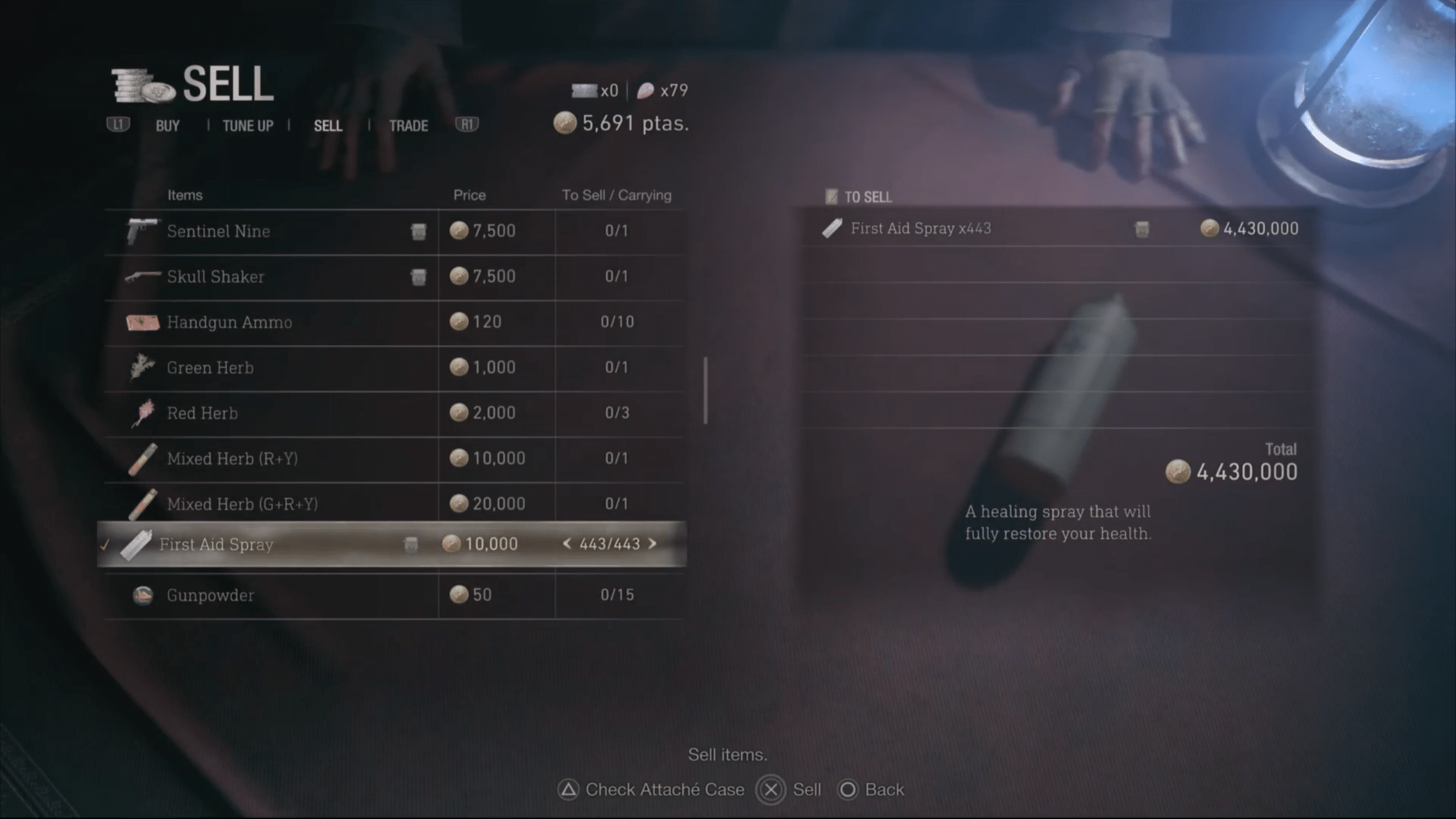
The glitch, discovered by YouTuber Slide-Show Sidney, has players hold onto their currency in a playthrough on Assisted difficulty, and then use it to buy the maximum amount of First-Aid Sprays (443) at the final merchant location before the end of the game. On Assisted, each First-Aid Spray costs 3000 Pesetas, for a total of 1,329,000 Pesetas if 443 are bought.
After buying the First-Aid Sprays, players should go on and finish their playthrough, and then begin New Game Plus on Professional difficulty. The 443 First-Aid Sprays can be sold for 10000 Pesetas each (in Professional difficulty) at any merchant location with the use of the Rhinoceros Beetle charm, which lets the player sell items at 100% of their cost price. Selling all 443 First-Aid Sprays will net players a whopping total of 4,430,000 Pesetas, equipping them with a sufficiently-fat wallet for any upgrades and weapon purchases they need to make afterwards.
You can check out the glitch in action in the following video:
If you’ve just picked up the title or are exploring all it has to offer, check out our collection of Resident Evil 4 remake guides that should make your journey into Valdelobos significantly easier.
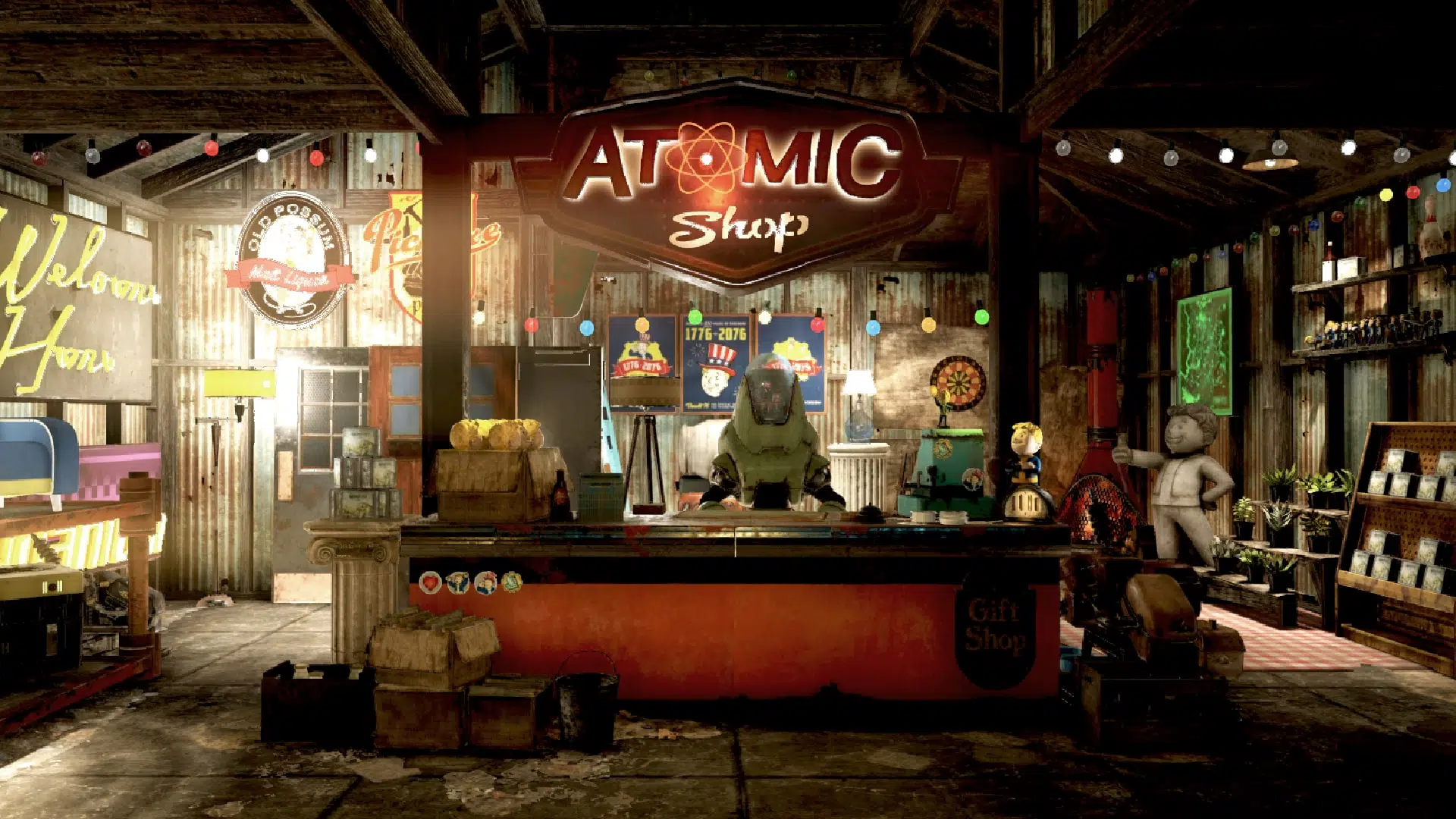
MP1st is here to bring you the new Fallout 76 Atomic Shop weekly update today, April 11’s list of items for sale!
New Fallout 76 Atomic Shop Weekly Update for April 11:
https://imgur.com/a/nBgKl4w
Notable Items This Week:
Vault Shelters Bundle – 2133
Riders Mega Bundle – 2100
Brotherhood Reclaimed Deluxe Bundle – 1680
Classic Bedroom Bundle – 797
Ghillie Netting Bundle – 252
Red Menace Outfit Bundle – 1260
Mad Scientist Bundle – 840
Reclaimed Backyard Bundle – 840
Wasteland Playground Bundle – 373
Blue Ridge Caravan Trader Bundle – 1440
Fallout First Quarterly Catch Up Bundle 6 – 1000
Wavy Willard’s Wipeout Slide Bundle – 1125
What is the Fallout 76 Atomic Shop?
The Atomic Shop is a microtransaction store which offers cosmetics, C.A.M.P. objects and more in exchange for a special currency called Atoms. Most purchases are unlocked account-wide, and may be accessed by any character on the account.
Some objects require an in-game plan to be learned in order to gain access, while other items are only unlocked for a single, specified character. All exclusive items are character-bound, and cannot be dropped or traded with other players.
The Atomic Shop is accessible at any time from the main menu, as well as the pause screen after leaving Vault 76 for the first time.
That’s it for this week’s reset. Is there anything in particular that interests you?
If not, there is always next week, which we’ll have covered, so be sure to check back in!
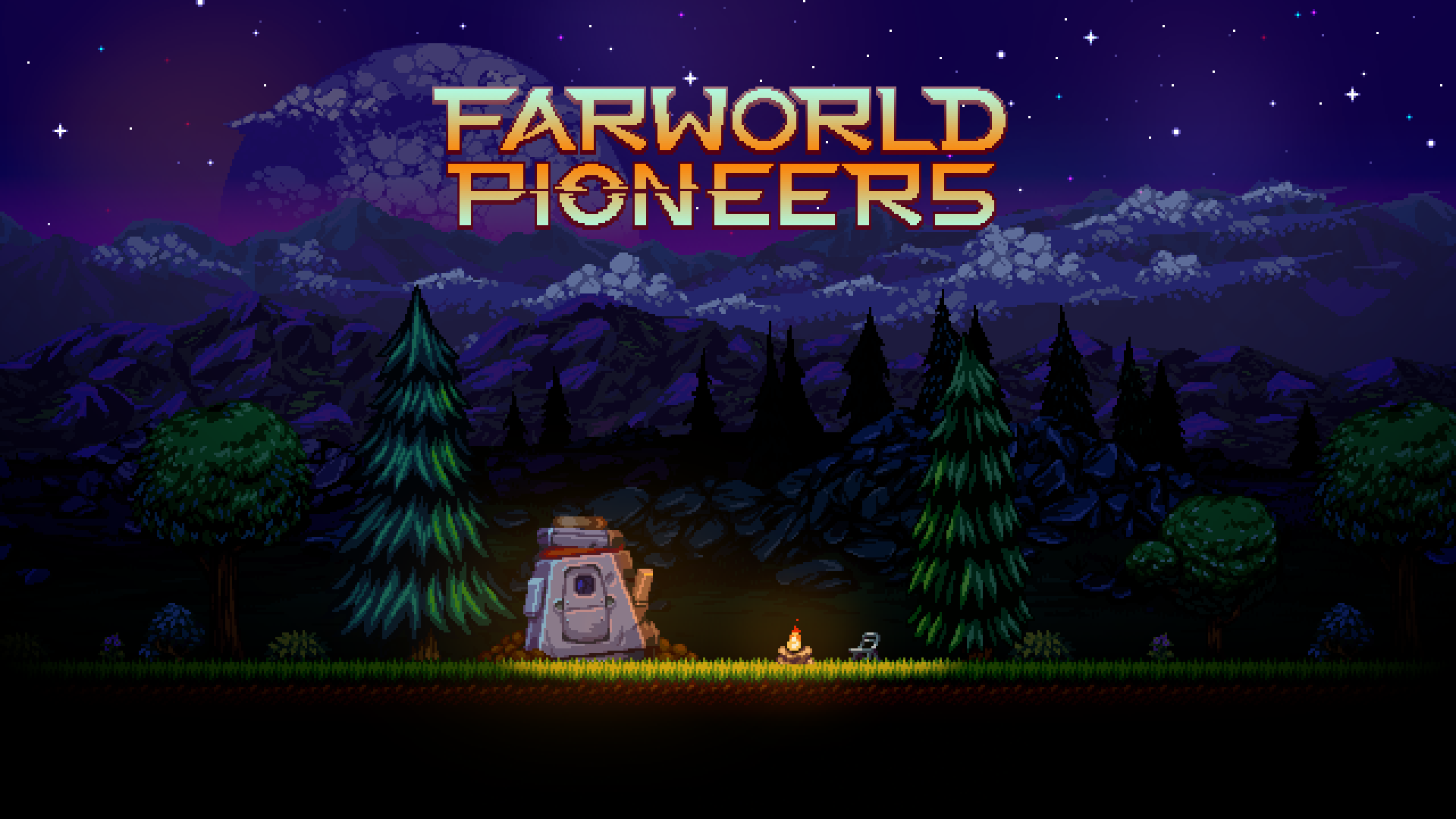
Igloosoft and tinyBuild have announced that their upcoming open-world side-scroller Farworld Pioneers’ release date has been set for May 30 on PC, PS5, PS4, Xbox Series X|S, Xbox One, and Nintendo Switch. The game will also be available on Xbox Game Pass (both PC and console) on day one.
Farworld Pioneers is an upcoming open-world side-scroller developed by Igloosoft (whose founder Rho Watson previously worked on Starbound, RimWorld and Gnomoria). The game incorporates the resource-gathering and survival gameplay mechanics of Minecraft and Terraria, with players’ objective being to secure materials and expand their colony in solo or co-op gameplay environments. From the developers:
Start with just your best friend, Buddy(™), and a survival pod to build your way to huge colonies on alien worlds. Find ways to survive by using surrounding resources, hunt local wildlife to sustain health and stamina, and research ways of expanding the colony. With a lot of determination, you can even build a ship to transport surviving colonists to other planets with different ecosystems, biomes, and secrets to discover.
You can play alone or with friends in multiplayer mode, which supports up to 32 people on a server. Move seamlessly from PvP to co-operative, existing between groups online using a dynamic faction system. Peril lurks around every corner, as randomly generated monsters can attack at a moment’s notice and the more your base grows, the more you’ll make yourself the target for raiders. Prepare for attack by finding and mining raw materials, and outfitting survivors with the best protective gear and weaponry. There are also plenty of gizmos to be discovered by research and leveling up skill trees to increase productivity.
Experience scenic landscapes on a 2D scrolling canvas that keeps adventurers hungry for more. A pixelated color palette that ranges from dark hues and vivid colors provides a contrast that makes sprites and different environments pop on screen with many different biomes like sand-swept deserts, forest terrains, and frosty plains inhabited by manseals. Oh, and don’t forget to keep an eye out for the adorable dog companion Weenie.
A playable demo of Farworld Pioneers is available on Steam for those eager to check out the game prior to release. Stay tuned here at MP1st for all upcoming Farworld Pioneers news and announcements.
Update: We were informed by the game’s spokesperson that the game is not headed to the Nintendo Switch — contrary to the earlier press release sent out. We’ve amended that in the article.
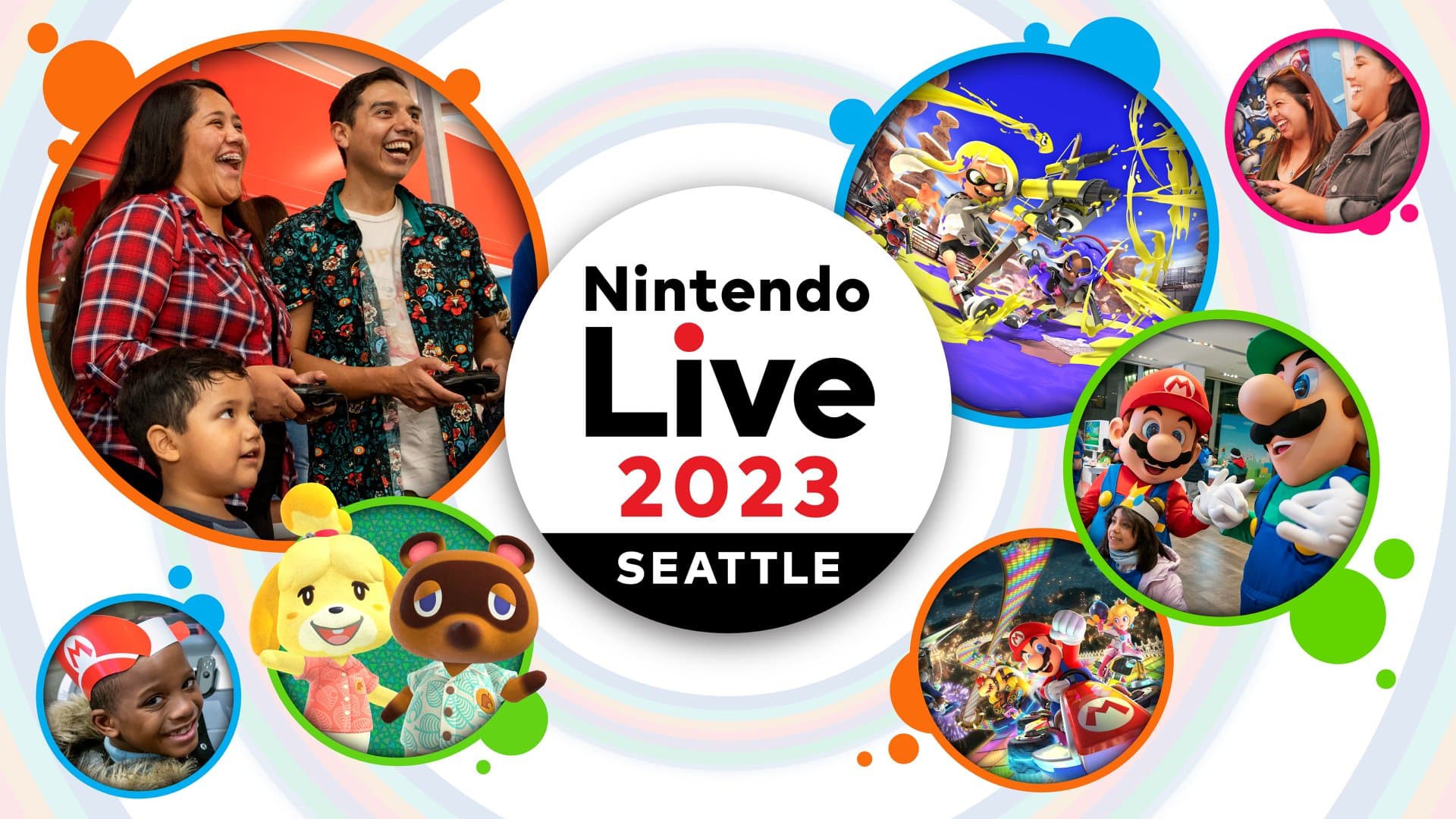
Nintendo has announced that its Nintendo Live event is coming to Seattle this year in September, marking its first U.S.-based iteration. Nintendo Live 2023 will celebrate Nintendo’s franchises and the Nintendo Switch with gameplay, live stage performances, and many other activities.
After debuting in Japan last year, Nintendo Live is being brought to the U.S. this year in the fall to reach fans of the company’s franchises in the West. Nintendo is advertising the event as suitable for audiences of all ages in order to expand its reach per Nintendo of America president Doug Bowser:
Fans of all ages can currently experience the unique games, characters and worlds of Nintendo on Nintendo Switch, but we want to expand that scope with a new experience. With Nintendo Live 2023, we’re giving attendees a chance to celebrate together with family, friends and the broader Nintendo community in the spirit of fun and creating long-lasting memories.
Nintendo Live 2023 will feature a themed arena with Nintendo game-inspired activities at the currently-undisclosed Seattle venue, and attendees will be able to take part in Nintendo Switch gameplay, enjoy live entertainment, spectate gaming tournaments, and take photos with Nintendo mascots like Mario and Luigi amongst many others.
The schedule, exact dates, and venue for the event have not yet been revealed. Stay tuned here at MP1st for all upcoming Nintendo Live 2023 and Nintendo game news.
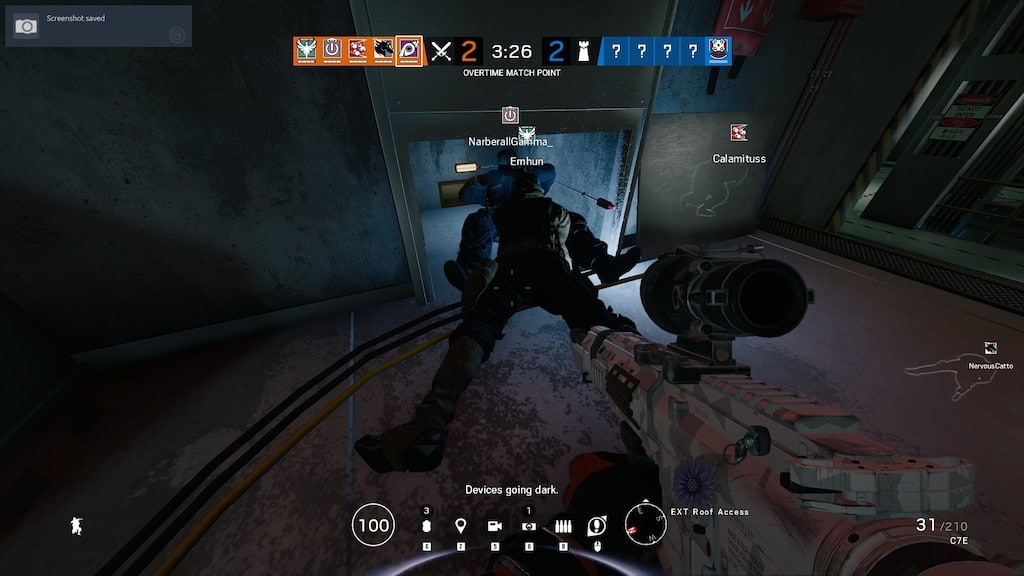
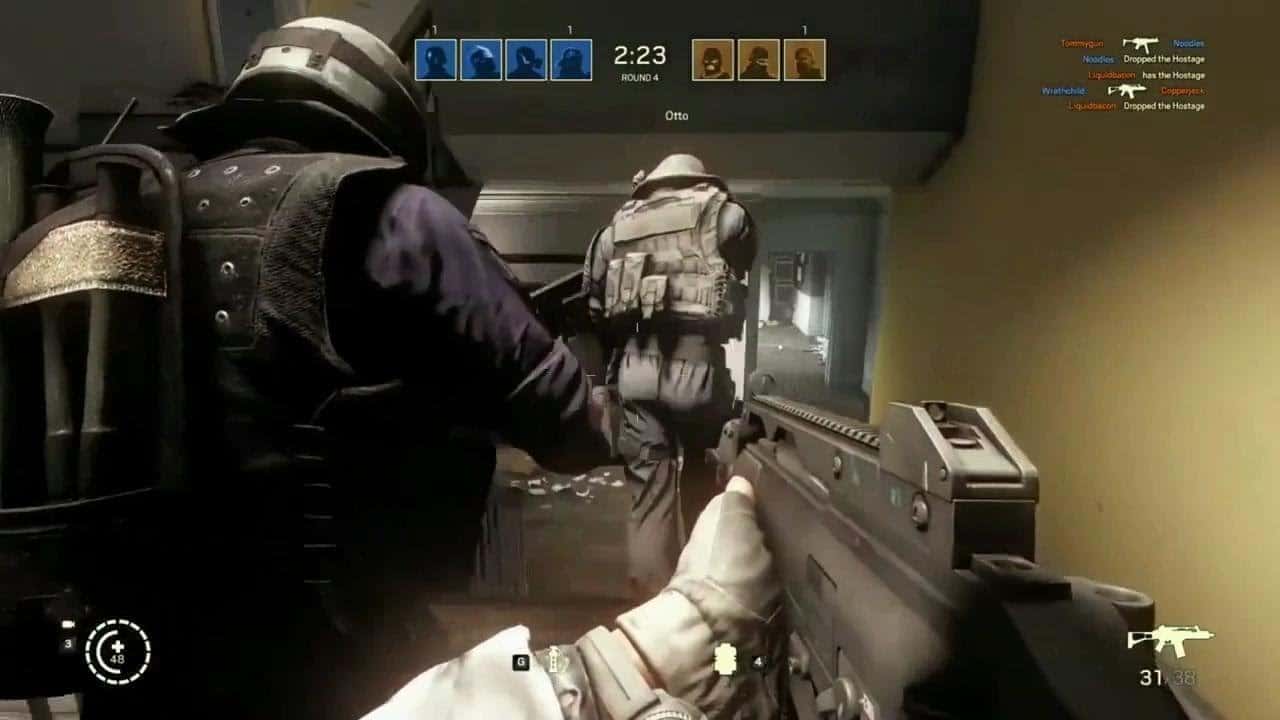
The (Rainbow Six Siege) R6 Siege update 1.000.052 download has been released by Ubisoft on all platforms, and this is for patch Y8S1.2! This brings the highly anticipated “Mousetrap” anti-cheat functionality in-game, alongside a host of various improvements and operator balancing changes. You can read up on the full R6 Siege April 11 patch notes below.
R6 Siege Update 1.000.052 Patch Notes:
Y8S1.2 Patch Size
Find the download sizes for each platform below.
Ubisoft Connect: 1.19 GB
Steam: 553.3 MB
Xbox One:
Xbox Series X:
PS4:
PS5:
MOUSETRAP (MOUSE & KEYBOARD ON CONSOLE)
On consoles, mouse and keyboard players now get a penalty that adds lag to their inputs. Continued use increases the lag over several matches, increasing fairness by removing their unfair advantage by making it harder to aim and shoot. Completing matches with a controller gradually reduces the lag back to normal.
Brava’s Kludge Drone will change the team of Aruni’s Surya Gate when successfully converted by the Kludge Drone. It will then become an attacker device, so it will open for Attackers and damage Defenders.
BUG FIXES
GAMEPLAY
FIXED – Solis remains in her scanning animation for too long after performing a scan.
FIXED – Brava’s Kludge Drone briefly displays positive feedback for a device that is out of range if it’s the first one scanned in the match.
FIXED – Continuously reloading the 6P41 LMG within a few seconds occasionally results in an instant reload.
FIXED – Number of displayed Operator icons is limited in the fullscreen and side panel of the Shop and Battle Pass.
FIXED – Brava cannot shoot with a converted Yokai if Echo is eliminated.
FIXED – Signal Disrupter converted by Brava’s Kludge Drone still affects Iana’s Gemini Replicator.
FIXED – Drones hacked by Mozzie’s Pest during Preparation Phase lose functionality after being converted by Brava’s Kludge Drone.
FIXED – Doorways on 1F Service and Toilets of Stadium map can be reinforced twice.
FIXED – Thunderbird’s Kona Station has a missing texture.
FIXED – IQ’s Electronics Detector detects Solis even while not active.
FIXED – After Brava deploys all Kludge Drones, pressing the unique ability input key produces a “No Kludge Drone Left” message instead of entering Observation Tools.
FIXED – Remove prompt displays if barricade is immediately destroyed after placement.
FIXED – Victory Celebrations end or loop too early when previewed in Operator Loadout or Shop.
FIXED – All of Aruni’s Surya Gates change to enemy color if one Surya gate is converted by Brava’s Kludge Drone.
Ubisoft has released Rainbow Six Siege update 2.48 for patch version Y8S1.2, and this adds the much awaited “mousetrap” anti-cheat measure! Alongside that, there are also operator balancing changes as well. Check out the Rainbow Six Siege April 11 patch notes below.
Rainbow Six Siege Update 2.48 Patch Notes | Rainbow Six Siege Y8S1.2 Patch Notes:
Y8S1.2 Patch Size
Find the download sizes for each platform below.
Ubisoft Connect: 1.19 GB
Steam: 553.3 MB
Xbox One:
Xbox Series X:
PS4:
PS5:
MOUSETRAP (MOUSE & KEYBOARD ON CONSOLE)
On consoles, mouse and keyboard players now get a penalty that adds lag to their inputs. Continued use increases the lag over several matches, increasing fairness by removing their unfair advantage by making it harder to aim and shoot. Completing matches with a controller gradually reduces the lag back to normal.
Brava’s Kludge Drone will change the team of Aruni’s Surya Gate when successfully converted by the Kludge Drone. It will then become an attacker device, so it will open for Attackers and damage Defenders.
BUG FIXES
GAMEPLAY
FIXED – Solis remains in her scanning animation for too long after performing a scan.
FIXED – Brava’s Kludge Drone briefly displays positive feedback for a device that is out of range if it’s the first one scanned in the match.
FIXED – Continuously reloading the 6P41 LMG within a few seconds occasionally results in an instant reload.
FIXED – Number of displayed Operator icons is limited in the fullscreen and side panel of the Shop and Battle Pass.
FIXED – Brava cannot shoot with a converted Yokai if Echo is eliminated.
FIXED – Signal Disrupter converted by Brava’s Kludge Drone still affects Iana’s Gemini Replicator.
FIXED – Drones hacked by Mozzie’s Pest during Preparation Phase lose functionality after being converted by Brava’s Kludge Drone.
FIXED – Doorways on 1F Service and Toilets of Stadium map can be reinforced twice.
FIXED – Thunderbird’s Kona Station has a missing texture.
FIXED – IQ’s Electronics Detector detects Solis even while not active.
FIXED – After Brava deploys all Kludge Drones, pressing the unique ability input key produces a “No Kludge Drone Left” message instead of entering Observation Tools.
FIXED – Remove prompt displays if barricade is immediately destroyed after placement.
FIXED – Victory Celebrations end or loop too early when previewed in Operator Loadout or Shop.
FIXED – All of Aruni’s Surya Gates change to enemy color if one Surya gate is converted by Brava’s Kludge Drone.
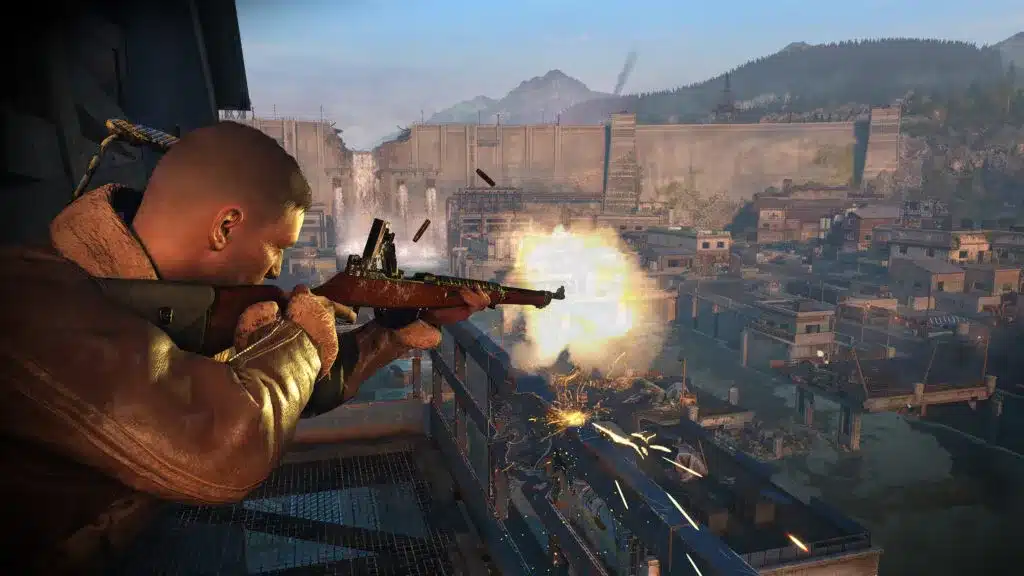
Rebellion has dropped Sniper Elite 5 update 1.24 on all platforms today, and this brings a slew of new content! Players can expect the “Death From Above” DLC, as well as a new map that’s free for all players. Read on for everything new in the Sniper Elite 5 April 11 patch notes.
Sniper Elite 5 Update 1.24 Patch Notes | Sniper Elite 5 Death From Above New Content | Sniper Elite 5 April 11 Patch Notes:
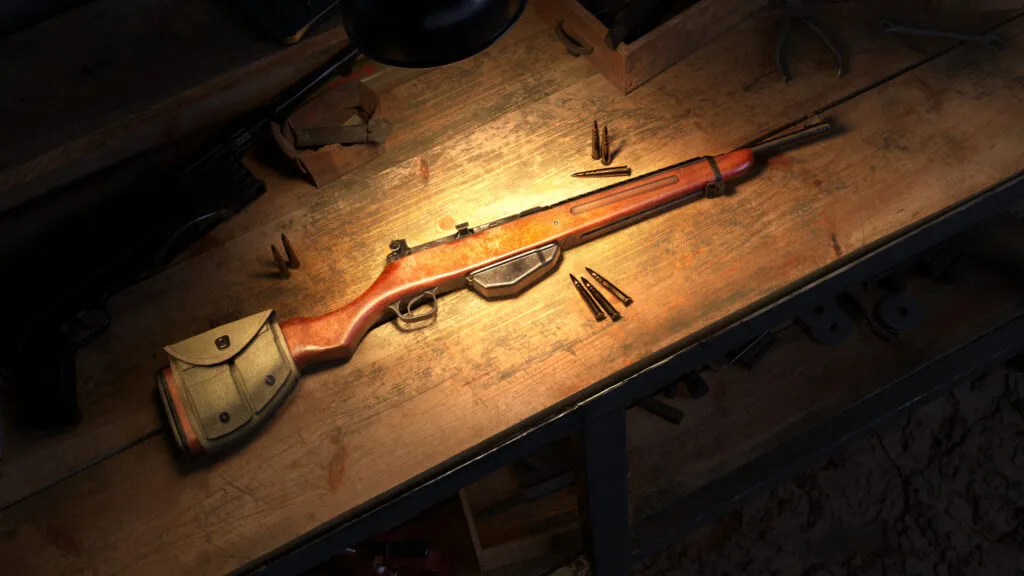
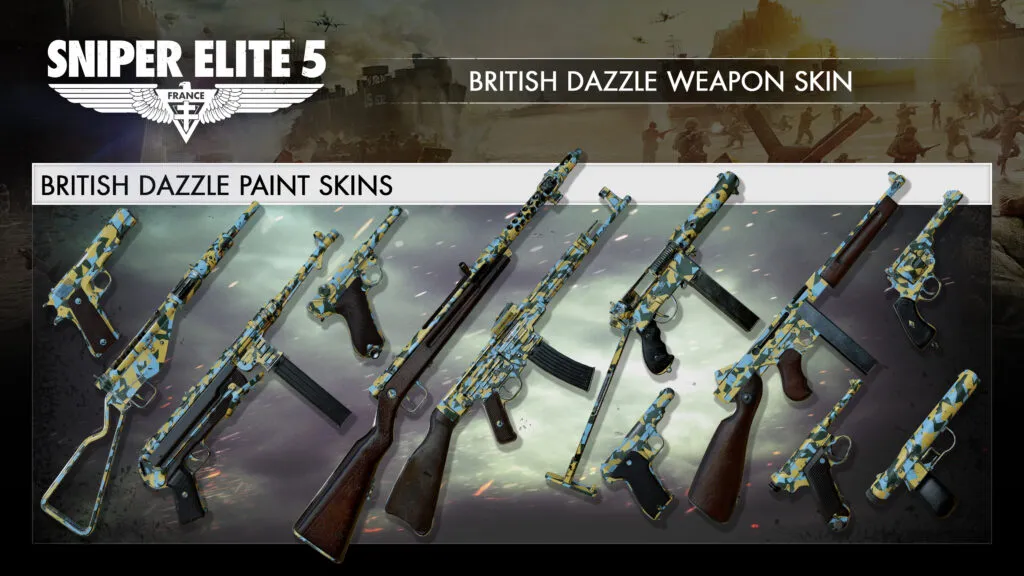
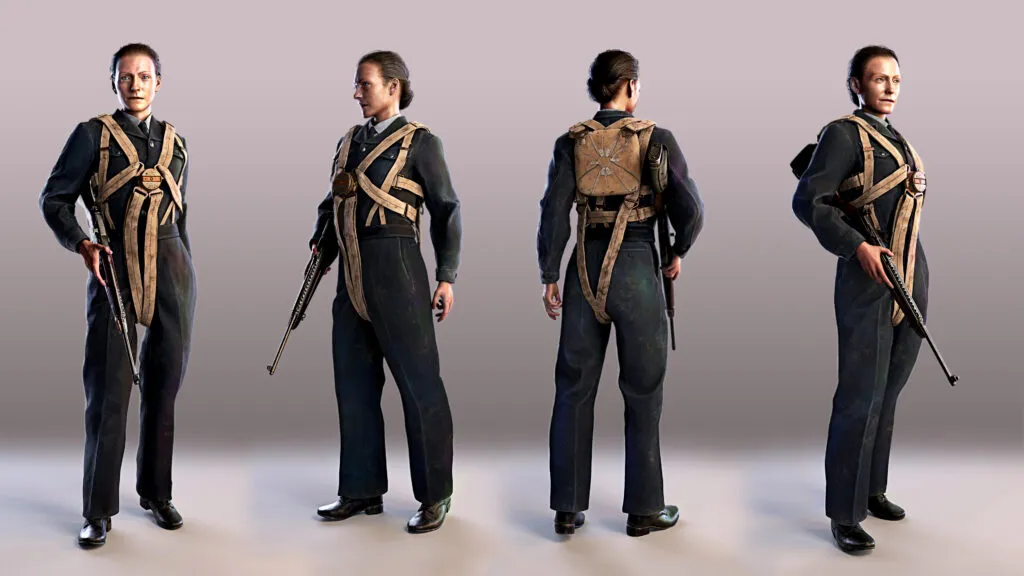
Death From Above delivers a brand new rifle in the shape of the Pedersen as well as a British Dazzle skin for use across all weapons. Also included in this pack is an Air Auxiliary Skin for Monika and the rather suave British Bomber skin for our ever-debonair Karl Fairburne, promising style and class, even in the brutalist of combat scenarios.
New Weapon
The Pedersen rifle was proposed as part of a program to adopt a semi-automatic replacement to the M1903. It features no scope options but is arguably best-in-class for ironsight usage and is capable of firing fast, accurate shots at medium range, with great overall stability.
The Pedersen offers a fantastic alternative to weapons like the Gewehr 1943 which may achieve slightly higher damage but posses poor recoil. The Pederson on the other hand has very little recoil and so the gun can be rapidly fired whilst still maintaining accuracy.
New Weapon Skin
Players will also receive the striking British Dazzle weapon skin for all weapons, which pays homage to the dazzle camouflage design used on British tanks during desert campaigns.
New Character Skins
Finally, both Karl and Monika receive new character skins. The British Bomber skin for Karl gives him a distinct aviator look while the Air Auxiliary skin for Monika reflects the uniforms worn by the women’s air-corps whose job was to transport new or repaired planes to active military airfields throughout the UK.
FREE No-Cross Map
Alongside this release, all players will receive a new No-Cross multiplayer map called The Dam which takes players to the remains of a dam that has been partly destroyed by the Allied bombing campaign.
Where is the divide we hear you ask snipers? On this occasion, the river and broken bridges divide the two sides of the map with one side providing ample cover and sniping positions thanks to a tangle of pipework and industrial railings. Players on the opposite side can instead utilise the higher, more natural terrain to their advantage.
Full Patch Notes:
Snipers, thank you for your ongoing feedback regarding Rebellion’s Dedicated Servers and for your responses to last month’s Discord vote (https://discord.gg/Rebellion). We’ve just rolled out our latest updates to these spaces which prioritise server visibility and Community-favoured game settings. Changes are as follows:
Locked Game Modes – First and foremost, our server spaces are now locked to individual game mode settings which will include Team Match, No-Cross and one additional server with rotating game modes. Maps will then rotate based on the server game mode.
Scope Glint & Last Known Location – Many of you requested the removal of both scope glint and the ‘last known location’ feature so these will be removed in the 2 x Team Match and 2 x No Cross servers in our US and UK regions.
Server Name Update – We’re aware that for some of you, these spaces weren’t as visible as they could be so we’ve now adapted the server names to ensure it’s clear that these are Rebellion-hosted spaces. They will all include ‘[OFFICIAL]’, followed by the previously used server names (e.g. Kraken), then the acronym for the game mode that applies. ‘TDM’ refers to Team Match, ‘NC’ refers to No-Cross and ‘ALL’ refers to a rotating selection of game modes.
Looking to the future, we’re still exploring ways we might build on these spaces further but for now, the priority is providing a secure, uninterrupted Multiplayer experience that our Community can rely on as an alternative to peer-to-peer hosting.
Keep the feedback coming and watch this space for more in the coming months!
In the meantime, here’s an extended list of our latest bug fixes, including a fix for the Trench Gun Shell Loop attachment and what we think will be a very popular update for the Mosin-Nagant following extensive Community feedback that it just wasn’t quite hitting hard enough. We think you’ll like this one!
Campaign:
Trench Gun – Shell Loops Attachment can now be unlocked as expected. Players who have already met the unlock requirements will only need to get one more kill to trigger the unlock.
Wolf Mountain – Hitler and his car now appear as expected.
Wolf Mountain – Depot – Player is now able to vault over low walls next to the road before the tunnel.
Rough landing – Player is not longer able to get stuck under boxes while prone.
Rough landing – Player is no longer able to go behind the collision barrier.
Rough landing – Railyard – Camera no longer shakes and player no longer stands on invisible collision.
Rough landing – Railyard – Transparent texture seam no longer present in wall.
War Factory – Translated text for ‘Found Shipping warehouse safe combination’ now appears aligned after killing the logistic officer in the warehouse.
Secret Weapons – Castle – (Hide) Body crate is now empty on mission start.
Demolitionist Ribbon – Ribbon is now tracking properly with Grenade and Pressure Mine combined.
Weapons:
Following Community feedback, the Mosin-Nagant’s muzzle velocity has been increased from 800 m/s to 860 m/s, the damage increased from 130 HP to 140 HP and the spread accuracy increased from 48cm to 52 cm.
The M40 attachment is now included as an attachment for the Mosin-Nagant.
Trench Warfare – Carl Gustav M45 – Audio now present when reloading the Carl Gustav M45.
Trench Warfare – Trench Gun – Bayonet attachment now works properly when equipped.
Trench Warfare – The appropriate holding animation of Carl Gustav m/1945 is now observed while walking in ADS view during gameplay.
Localisation:
(POR, SPA) – Text box no longer overflows outside border when using a keyboard and mouse setup
(GER, FRE, RUS, JAP) – Summary of difficulty settings no longer overlaps UI elements within the pause menu.
(POL) – Text for the Health Regeneration option in Advanced Difficulty settings no longer overlap left and right arrows when Menu text is set to ‘Large’.
(FRE) – Visit Store – ‘Airborne elite weapon and skin pack’ text is now properly aligned and visible on the Visit store screen banner after changing the ‘Menu Text Size’ 2 of 4.
(FRE , RUS) – Loadout and Customisations – Gun Stats – displayed Projectiles Per Minute statistic no longer overlaps the UI box.
General:
Player character hand is no longer deformed after taking aim in shoulder view with the Sjogren Inertia shotgun.
The crawling animation now works as expected when aiming with a Panzerfaust and moving in prone position.
Schu mines now explode upon shooting at them while the timer is running.
Wrecker Ribbon – The correct description text for Wrecker ribbon now displays.
Ubisoft has taken the Rainbow Six Siege servers down this April 11, and this is for your standard server maintenance! During this time, players will also be prompted to download the Y8S1.2 title update.
Rainbow Six Siege Servers Down Schedule and Info for April 11:
Here’s the announcement from Ubisoft:
🛠Y8S1.2 Maintenance🛠
We’ll be deploying the Y8S1.2 update today, April 11th.
💻🎮All Platforms: 09:00 ET / 13:00 UTC
⏲Downtime up to 90 mins
As for what’s being changed, the patch notes are below:
MOUSETRAP (MOUSE & KEYBOARD ON CONSOLE)
On consoles, mouse and keyboard players now get a penalty that adds lag to their inputs. Continued use increases the lag over several matches, increasing fairness by removing their unfair advantage by making it harder to aim and shoot. Completing matches with a controller gradually reduces the lag back to normal.
Brava’s Kludge Drone will change the team of Aruni’s Surya Gate when successfully converted by the Kludge Drone. It will then become an attacker device, so it will open for Attackers and damage Defenders.
BUG FIXES
GAMEPLAY
FIXED – Solis remains in her scanning animation for too long after performing a scan.
FIXED – Brava’s Kludge Drone briefly displays positive feedback for a device that is out of range if it’s the first one scanned in the match.
FIXED – Continuously reloading the 6P41 LMG within a few seconds occasionally results in an instant reload.
FIXED – Number of displayed Operator icons is limited in the fullscreen and side panel of the Shop and Battle Pass.
FIXED – Brava cannot shoot with a converted Yokai if Echo is eliminated.
FIXED – Signal Disrupter converted by Brava’s Kludge Drone still affects Iana’s Gemini Replicator.
FIXED – Drones hacked by Mozzie’s Pest during Preparation Phase lose functionality after being converted by Brava’s Kludge Drone.
FIXED – Doorways on 1F Service and Toilets of Stadium map can be reinforced twice.
FIXED – Thunderbird’s Kona Station has a missing texture.
FIXED – IQ’s Electronics Detector detects Solis even while not active.
FIXED – After Brava deploys all Kludge Drones, pressing the unique ability input key produces a “No Kludge Drone Left” message instead of entering Observation Tools.
FIXED – Remove prompt displays if barricade is immediately destroyed after placement.
FIXED – Victory Celebrations end or loop too early when previewed in Operator Loadout or Shop.
FIXED – All of Aruni’s Surya Gates change to enemy color if one Surya gate is converted by Brava’s Kludge Drone.
Announced last week, DICE has revealed that all chat functionality will be available tomorrow as part of Battlefield 2042 next update 4.1.1! In addition to the communication feature, there’s also a host of improvements included as well, which are listed in the official patch notes below.
All-Chat functionality is now available. You can once again congratulate the other team for dancing on top of your downed body.
All-Chat will be turned off by default when this update goes live. If you wish to partake in friendly chatter with the opposing team then you’ll need to turn this feature on via Options > Display > HUD General > Chat Section.
Resolved an issue for console players that were unable to assign an input to Chat Visibility.
You will now be able to assign an input via Options > Controller > Edit Controller Mapping > Menu
General Improvements
Resolved an issue that resulted in the CAV-Brawler “Earthshaker” Vehicle Skin from interacting with world objects.
Resolved an issue that prevented some players from selecting equipment from the second and third Weapon Station / Pods within the Vehicles Collection Screen.
Resolved an issue that resulted in some players losing access to Irish’s APS-36 Shootdown Sentinel.
The Damage Dealt Statistic at the End-of-Round Screen was shown for players more often than intended, this has now been adjusted to its intended frequency.
DICE has also confirmed that by all chat will be switched off by default. Here’s how to turn it on once patch 4.1.1 is released and installed:
If you wish to partake in friendly chatter with the opposing team then you’ll need to turn this feature on via Options > Display > HUD General > Chat Section.
Note that all chat will be activated at 12:00 UTC/8 am ET/5 am PT/8 pm HKT. Once the patch is out, we’ll be sure to let our readers know.
MP1st is here to bring players the new Battlefield 2042weekly missions and store refresh for April 11. Check out the official Battlefield 2042 Season 4 Week 7 weekly missions, store bundles, and Featured Experiences!
As promised by CD Projekt RED. the studio has released Cyberpunk 2077 update 1.62 today for the PC platform. Aside from the usual bug fixes, this update also brings a preview for Ray Tracing: Overdrive Mode for people with high-end PCs. Check out the Cyberpunk 2077 April 11 patch notes down below.
Cyberpunk 2077 Update 1.62 Patch Notes for April 11:
Patch 1.62 for Cyberpunk 2077 is being rolled out on PC. This update brings the technology preview of Ray Tracing: Overdrive Mode for high-end PCs.
Together with NVIDIA, we’re bringing a completely new, fully ray-traced, aka path-traced, rendering mode to the game with this patch – Ray Tracing: Overdrive Mode. We’re proud of it. It pushes the boundaries of what’s possible in technology. However, because it is so new and fundamentally different from what we’ve been using so far, we know it’s not going to be perfect from the start and players might experience some issues – that’s why we’ve decided to call it a “Technology Preview”. This is a vision of the future that we want to share, and we’re committed to continue working on and improving this feature.
The technology preview of Ray Tracing: Overdrive Mode is currently supported on NVIDIA GeForce RTX 40 Series (4070 Ti and up) graphics cards. Also, on NVIDIA GeForce RTX 3090 (1080p, 30 fps). As this is a cutting-edge feature, it requires the highest-performing hardware available to run it properly. Ray Tracing: Overdrive is very GPU intensive, therefore it’s set to “off” by default.
For other ray-tracing-capable PC graphics cards with at least 8GB VRAM, we included an option to render path-traced screenshots in Photo Mode. This is possible because it means rendering just one frame, as opposed to rendering several frames every second (i.e. FPS), which would happen when playing the game.
You’ll find the list of changes for patch 1.62 below:
Path Tracing: Technology Preview
Added a Ray Tracing: Overdrive preset which includes the Path Tracing technology. You can enable the Ray Tracing: Overdrive preset in Settings > Graphics > Quick Preset, or just Path Tracing separately in Settings > Graphics in the Ray Tracing section.
Additionally, we included an option to render path-traced screenshots in Photo Mode for other Ray-Tracing-capable graphics cards with at least 8GB VRAM. If your graphics card has more than 8GB VRAM and this option is still greyed out, it means you need to lower your in-game resolution. Note that the higher the resolution and the less powerful the GPU is, the longer it will take to take a screenshot (between a few seconds to several minutes). You can enable Path Tracing for Photo Mode in Settings > Graphics in the Ray Tracing section.
DLAA
Added NVIDIA DLAA, an AI-based anti-aliasing mode designed to improve image quality. DLAA requires a NVIDIA RTX graphics card. It can be enabled in Settings > Graphics in the NVIDIA DLSS section.
Intel XeSS
Added support for Intel Xe Super Sampling 1.1, an upscaling technology using machine learning to provide improved performance with high image quality. It can be enabled in Settings > Graphics in the Resolution Scaling section.
Benchmark improvements
Improved the Benchmark to display more information in the results screen, including PC specs, GPU driver version and selected settings.
Released back in 2020, Media Molecule has announced that Dreams support will be discontinued this September 1 2023, as the studio focuses on their next project.
This announcement was made on the studio’s website, where it was also shared that at least two more major updates are incoming. While players will still be able to play, create and share their Dreams creations with other players after September, Media Molecule won’t be releasing any more updates to the game or events such as DreamsCom, All Hallow’s Dreams or the Impy Awards once September hits.
As for the upcoming updates, the “Tren” update is on the way, as well as “significant improvement to animation” is also incoming via the last Create mode update. No release date(s) has been given for these patches just yet, though.
Read on for the server migration and other pertinent details (especially for creators.
Server Migration
Below, you’ll find all the major changes that will be coming with Dreams’ new server. By detailing these today, we’re providing all our users time before the launch to learn more, ask questions and prepare for the upcoming changes.
Limits
As part of the Dreams server migration, in an effort to preserve the security and stability of the Dreams server for all players, there will be a storage limit of up to 5GB from the date of the Dreams server migration. This 5GB limit will be added for players on the date of server migration. Your existing creations will not count towards the limits. New limits are as follows:
Type
Online
Local
Storage Space
5GB
1GB
Photos
256
128
Creations
256
256
Versions
512 per creation
1024 across all creations
Deletion & Archiving
To help you manage your content you’ll now be able to delete, rather than archive, creations.
We are removing archiving as a feature. Creations that were archived prior to the date of the server migration will be unarchived and available in your saved creations, where you can choose to delete them.
Releasing Content
We have simplified release screens, making it easier for you to publish your Dreams creations.
You can now release Dreams creations as PUBLIC that contain PRIVATE content.
Versions
We’ve improved clarity for versions – global LOCAL version limit is called out where it wasn’t previously and we’ve named the two key versions Latest Online and Lead.
Prize Bubbles
We are removing prize bubbles from Dreams. Please make PRIVATE prizes PUBLIC if you’d like fellow players to use them. Specifically:
Creations that included prizes in bubbles will now display empty bubbles.
You will no longer have access to this feature from the Gadgets menu.
CoMmunity Jams
Unfortunately, from April 2023 and after the last CoMmunity Jam, we will no longer be holding additional CoMmunity Jams. The Hall of Fame will still feature previous jam content. We have loved seeing all your brilliantly creative entries to these – thank you!
Quests and Trophies
We are removing the following Creative Imp Quests:
Creative Thinker – Welcome Home Theme
Creative Thinking – Ancient Temple Theme
If you have already earned PSN Trophies related to the above Creative Imp Quests this will not impact you, including if you have already earned a Dreams PSN Platinum Trophy. New players of Dreams will be able to unlock replacement trophies. If you have PSN Trophies in progress in relation to the above Creative Imp Quests, you will lose any progress in respect of that PSN Trophy and need to complete the new requirements to unlock the applicable replacement trophy.
To unlock the replacement PSN Trophies, you will have to perform the following:
2D platformer Template & Ancient Dangers Template – you will have to carry out the Play & Edit. If you have completed these already, you only need to walk through the Play & Edit exit door again to re-trigger the PSN Trophy.
We are modifying the following PSN Trophies:
Come Aboard
Come Aboard: enter DreamShaping after having completed the Camera Quests
Home Visit
Home Visit: visit another player’s profile
Pop All The Bubbles
Pop All The Bubbles: modification to the trophy description
Audio Importer
We are temporarily removing the audio importer. We expect to be restoring it before October 2023.
When restored, you will no longer need to be online for microphone recordings and the number of uploads per day limit will be removed.
Twitch Integration
We are removing Twitch integration (Twitch Buddy).
Social
We are removing the ‘Message of the Day’ feature.
Players won’t receive a notification when they are @ mentioned in creation titles or version notes.
You must now page through comments.
Activity Feeds
You will no longer be able to view:
What another player has been doing via the other player’s activity feed (what they played, liked, left a comment on, took a photo of, etc.)
What other players have been doing related to a creation (the owner released a new version, another player left a review, took a photo, etc.)
Scoreboards
Scoreboards will only show the top 100 entries.
We are removing Friends Scoreboards – you will not see PSN friend score comparisons.
Homespaces
Homespaces are now local only (no visiting others’ homespaces).
Indreams.me
Linking to creations and players by ID in titles and descriptions will no longer be possible.
You will not be able to open a creation in-game from indreams.
“Tools” option in the header user account menu will be removed.
The following live tools are being removed:
Play now
Send to imp
Keyboard entry
Photos
Taking photos is now limited to a maximum of 15 photos before saving (local save space limit allowing).
You must select where you want to save photos to as part of the flow: online or locally.
Uploading photos now deletes the local version.
We have removed elements of the filter functionality in photo management and removed the ability to search photos by tag when selecting what photo to add to a cover page.
Trial
We will be removing the Dreams trial from the PlayStation Store. If you are playing Dreams on a trial, you will need to buy the full game to continue accessing Dreams.
VR
Your personalised comfort rating is now visible on content.
There are no comfort ratings on maps and collections.
Media Molecule has also published an in-depth FAQ on everything you might have a query on regarding Dreams’ support ceasing.