Home > News

DOOM Eternal Update 1.006 Fires Out for Horde Mode This October 26

Developer id Software has released the DOOM Eternal update 1.006 patch this October 26 for both last-gen and next-gen platforms, and this brings Horde mode into the game, and then some! Read on for the patch notes and details for title update 6.66 (internal version by id Software).

DOOM Eternal Update 1.006 Patch Notes:

Features and Content

Introducing our biggest free update yet – Update 6.66

The team can’t wait for you to experience our brand new, three level arcade-style single player Horde Mode (with online leaderboards), two new Master Levels and enough improvements to BATTLEMODE that it’s getting the 2.0 treatment. We are super excited about this release and hope you enjoy playing it as much as we do. Thank you again for your patience and continued support of DOOM Eternal

  • Note: Update 6.66 will be coming to Nintendo Switch as soon as it’s ready

Horde Mode

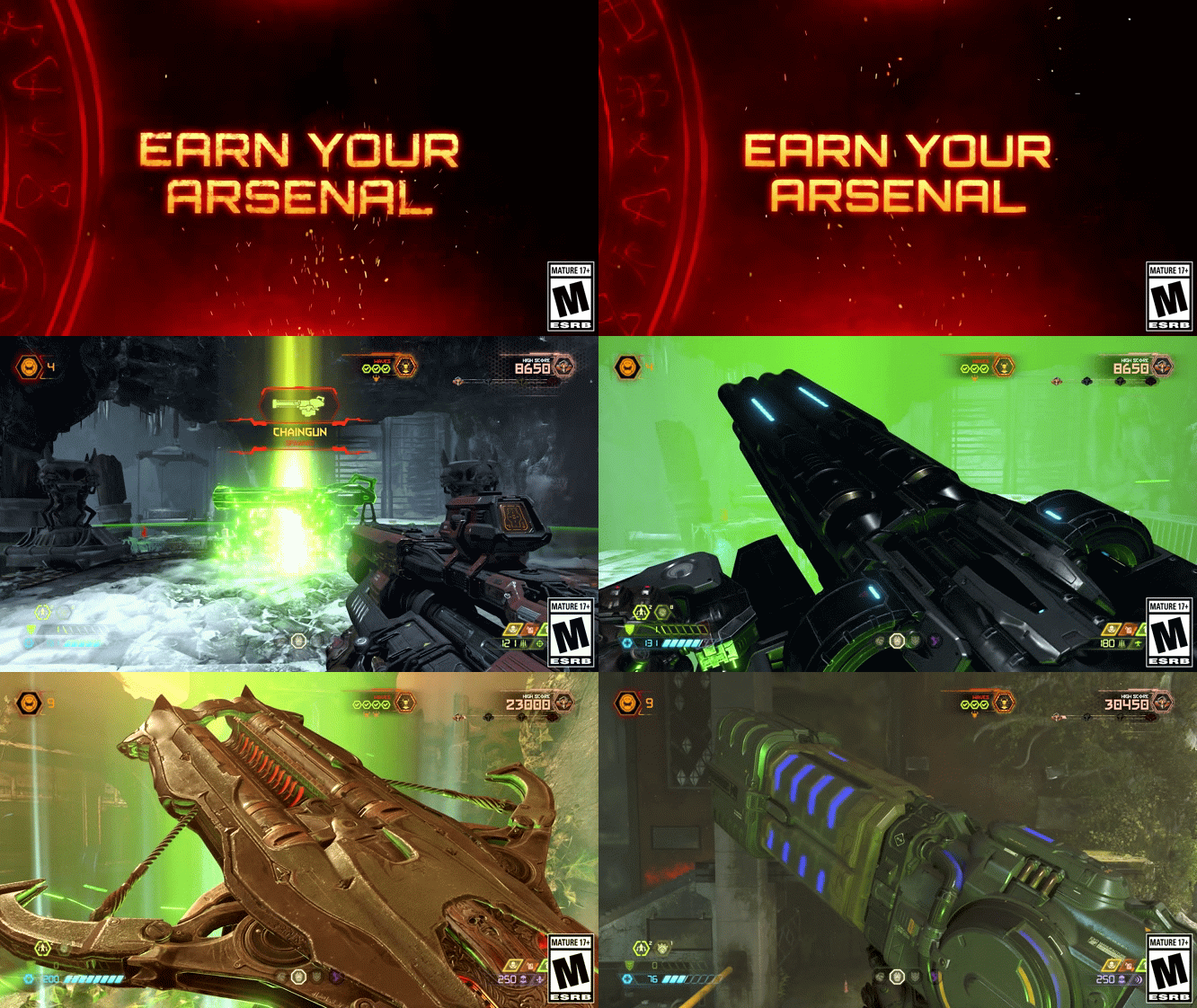
Compete for the highest score by battling wave after wave of demons across three Missions from DOOM Eternal and The Ancient Gods – Parts One and Two* in this challenging new single player game mode. You’ll need to keep your wits about you and your skill sharp. Like a classic arcade game, there aren’t any checkpoints, you start with just 3 extra lives – but there are more to earn as you progress. You begin with only a fully mastered Combat Shotgun, unlocking a new weapon at random as you complete each Arena Round. Earn new Milestones and unlock loads of cool new customization items as you progress!

  • *All Horde Mode content is available to players who own any DOOM Eternal product configuration, including standalone versions of The Ancient Gods – Parts One, Part Two, and or the Year One Pass
HordeModeProgress.960x540

Structure

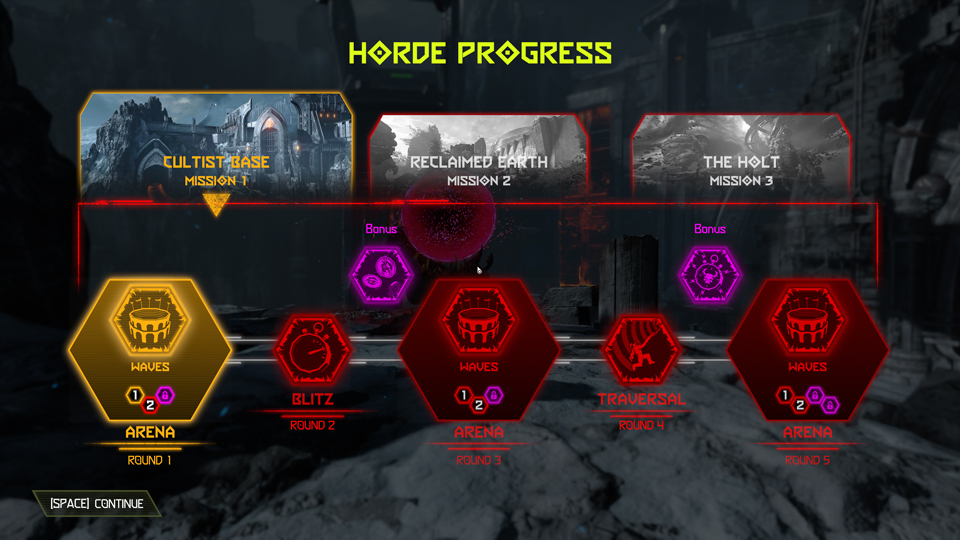
Each Horde Mode Mission consists of the following Rounds (pictured above):

  • Arena Round – Arena combat encounter with waves and waves of demons
  • Blitz Round – Kill as many demons as you can before time runs out
  • Bonus Coin Round (optional) – Collect as many coins as you can before time runs out
  • Traversal Round – Navigate a traversal puzzle and collect as many coins as you can before time runs out
  • Bonus Blitz Round (optional) – A Blitz round but with Super Heavy demons and Onslaught (damage multiplier) power-ups!
DE-HORDE.MODE-SCORING-UI

Scoring

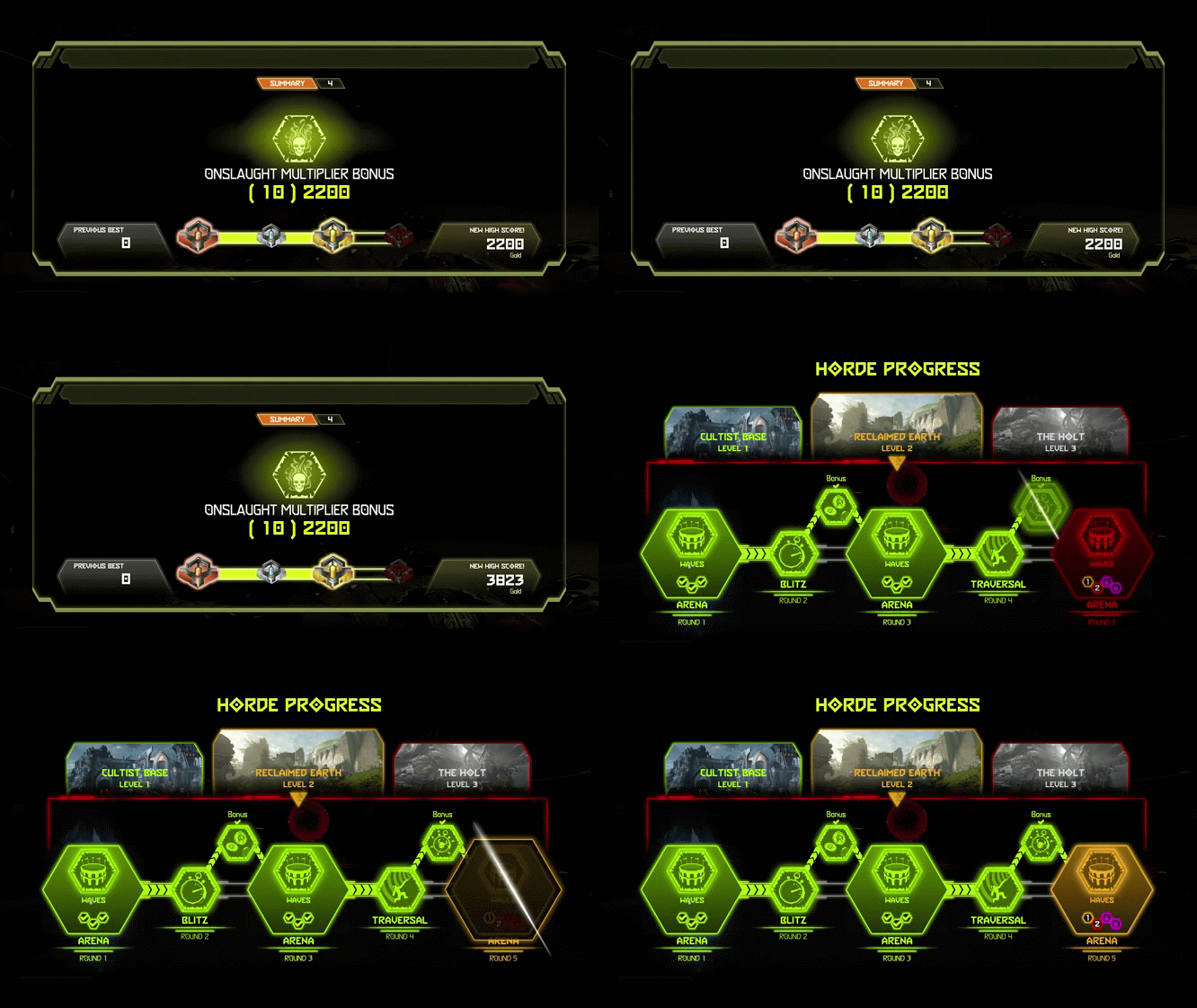
Your score is tallied at the end of each Round. You are awarded additional points for any remaining Extra Lives and BFG Ammo

  • Every demon you kill that isn’t a Zombie, a Spirit or summoned by an Archvile gives you points
  • Bigger demons are worth points more than smaller ones
  • Bounty demons are worth more than standard ones but decrease in value over time
  • Earn more points by completing Mission Challenges (completing all of them rewards bonus points)
  • Picking up coins in Traversal and Bonus Coin Rounds reward points (Gold > Silver > Bronze)
DE-HORDE.MODE-EARN.ARSENAL

Progression

You begin Horde Mode with:

  • 3 Extra Lives
  • A fully mastered Combat Shotgun
  • The Chainsaw, all Equipment and Dash
  • All Perks, Runes and Sentinel Crystal Upgrades
  • Another fully mastered gun is awarded at random on completion of each Arena Round
  • Special weapons are given at the start of certain Arena Rounds*
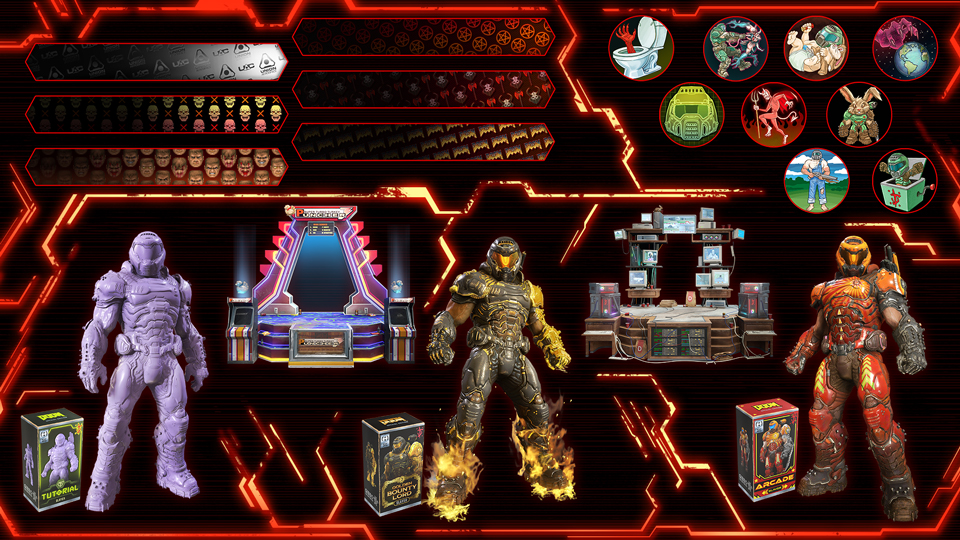
  • Completing Milestones unlocks new customization items
  • Additional Extra Lives are awarded by completing Blitz Rounds, Bonus Coin Rounds, Bonus Blitz Rounds, Combat Arena Rounds 1 and 2 in The Holt and by killing the required number of demons in Blitz and Bonus Blitz Rounds. They can also be acquired in level during any Traversal Round

  • *The Sentinel Hammer in The Holt Horde Mode Level can hold 4 charges (2 more than in The Ancient Gods – Part Two)

Leaderboards

  • There is a different Leaderboard for each Difficulty
  • Your score gets uploaded to the Leaderboard at the end of each run
  • Your rating is based on your score
  • The top 10 players on the Leaderboard get Slayer Medals

Rewards Galore

There are so many amazing earnable rewards in Horde Mode, that instead of listing them all via text, we thought it would be better to show you:
DE-rewards 1 960x540So…

DE-rewards 2 960x540…many…

DE-rewards 3 960x540…rewards.

Stadia Enhanced Feature – State Share *

Stadia players can use State Share to save their score and weapon loadout at the end of each Horde Mode round. Use State Share to challenge your friends to beat your score or replay the round yourself to beat your own score

  • *Note: If you don’t have a Stadia controller, you’ll need to press F12 on your keyboard to capture a State Share

New Master Levels
DE MARS.CORE.ML GFX 960x540

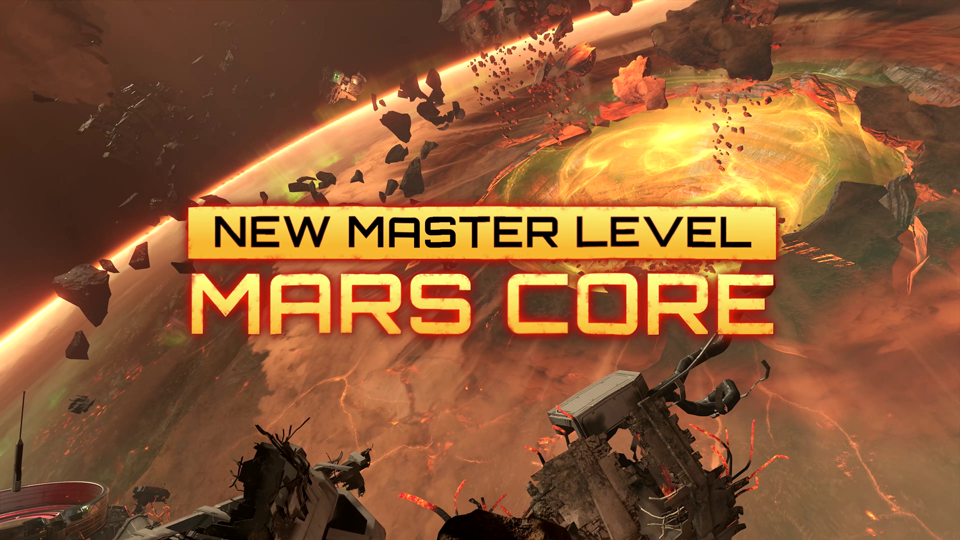
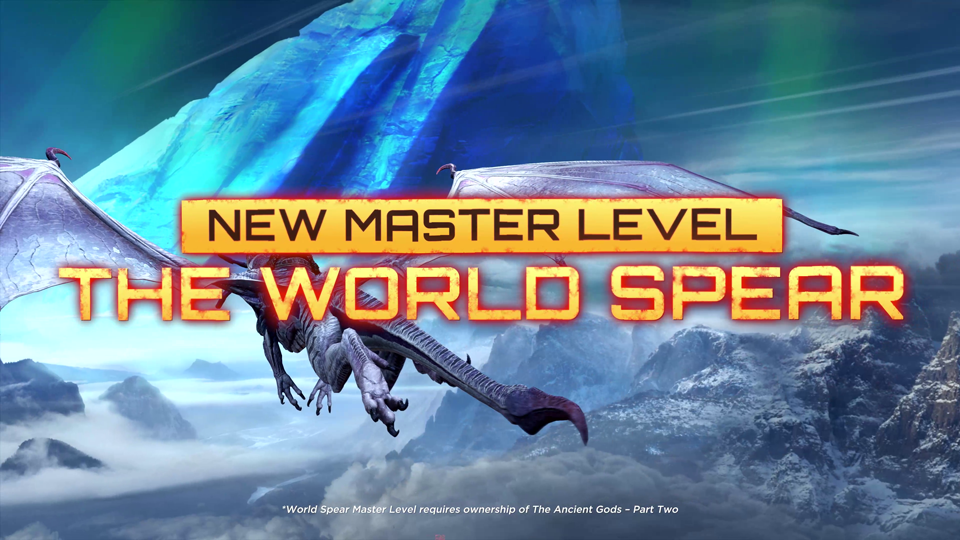
Update 6.66 includes two new Master Levels, Mars Core and The World Spear*. Complete the corresponding campaign level to unlock each one. Access your unlocked Master Levels from the Fortress of DOOM or the Mission Select menu
DE THE.WORLD.SPEAR.ML GFX 960x540

  • *You must own DOOM Eternal: The Ancient Gods – Part Two to play The World Spear Master Level

DE BATTLEMODE2.0 LOGO 960x540

BATTLEMODE 2.0

Update 6.66 brings the biggest and most important update to the game mode so far. Now, more than ever skill matters in BATTLEMODE. The more you win, the better the players you face off against will be. Complete BATTLEMODE 2.0 Series Challenges to increase your Rank, unlock new rewards and attain a higher Leaderboard position

Hot Streaks

Hot Streaks are key to the more competitive BATTLEMODE 2.0 design

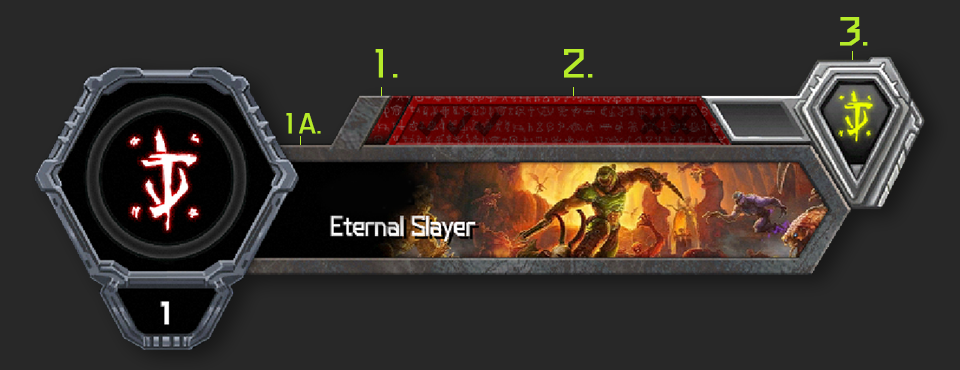
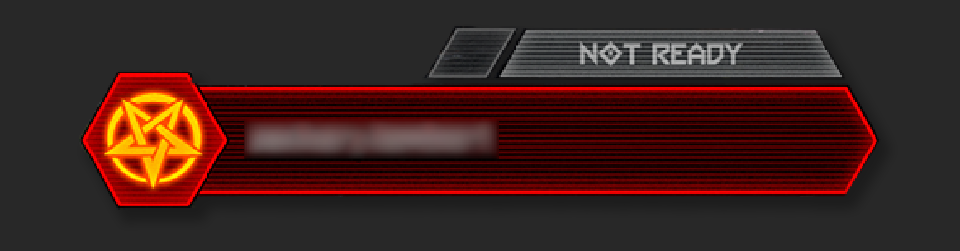
The new Streak Tracker on the top of the Player Card tracks wins and losses played in Public Matches, activating after the first win as a Slayer or a Demon. When the Streak Tracker is active, additional wins are tracked as checkmarks and losses as X’s

  • A Hot Streak card is awarded when a player wins four games before losing two
  • The Streak Tracker resets after losing two matches before a Hot Streak card is awarded
  • The number of Hot Streak cards you have determines your Rank and Leaderboard position

Additional details:

  • Playing as the Slayer and as a Demon each has their own respective Streak Tracker
  • Exiting a Public match prematurely will count as a loss
  • The Streak Tracker does not record wins and losses from Private Matches
  • Rewards from the series page and the requirements to unlock them are different for Slayers and Demons

Time for some helpful infographics!
badge-markers

1. Streak Tracker

This is the streak tracker (not to be confused with Hot Streak) this is to highlight the user what level of streaks they are currently at. This should match up with the same state that 1A

1A. Title Card Border

The title card border surrounds the players title card, in conjunction with 1. this too shows the players current streak count and they should match the same visual style (ie: if the streak tracker is stone, the title card border should also be stone

2. Hot Streak Tracker

The hot streak counter becomes active when the user achieves 4 wins. When they do, they will complete a hot streak and win a hot streak card

3. Rank

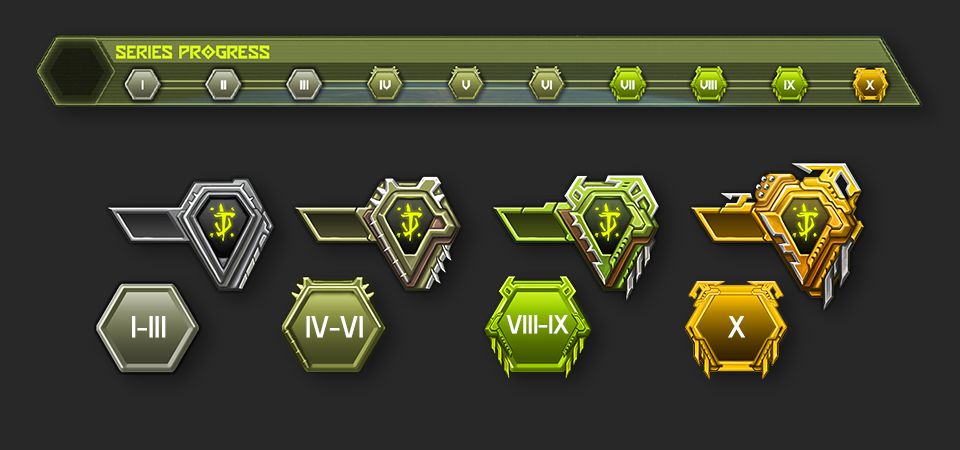
A players rank will increase as they accomplish the series challenges. Below is a diagram breaking up the progress of the ranks
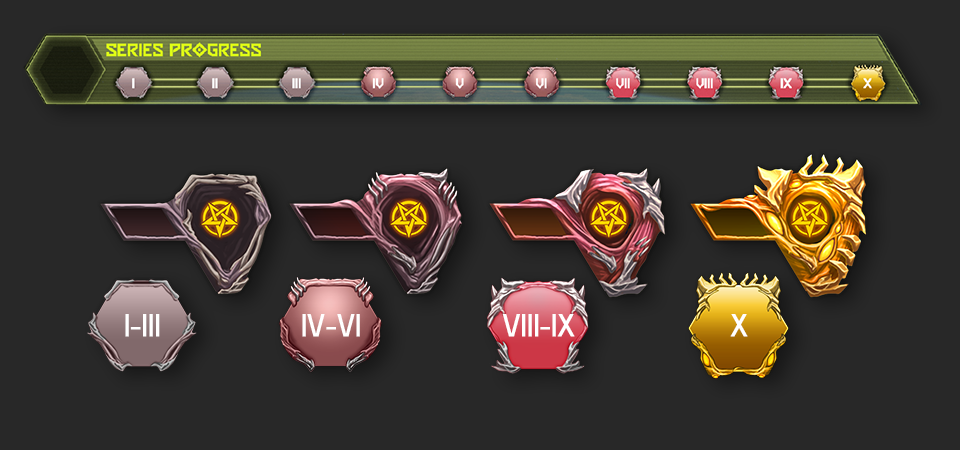
slayer-series-progress

demon-series-progress

hot-streaks-notext

Hot Streak Cards

When a player completes a hot streak run, they will be awarded a hot streak card (these determine your leader board position). If you got a hot streak playing as a Demon you’ll get a Demon card. If you completed it as the Slayer, you’ll get a Slayer card

default-hot-streaks-notext

1. Stone Border (Default) – 0 Win Streak(s)

2. Red Border (Hot Streak) – 1 Win Streak(s)

  • Each empty check mark will fill in if the player continues their win streaks. If the player fills out all check marks they will complete their hot streak and receive a hot streak card (#2. in the image)
  • When a player is on a hot streak, they will have 2 loss forgiveness opportunities (the 2 unfilled x’s) If both x’s become filled, the user will reset to stone (#1. in the image)

Streak-Based Matchmaking

With the release of Update 6.66, all Public Lobbies use Streak-based matchmaking. Streak-based matchmaking aims to match you against other players with the same number of Streak wins, broadening the match criteria over time if unmet. Players can join Public Lobbies as a Slayer, a solo Demon or as a Demon team

Additional details:

  • Players return to the BATTLEMODE 2.0 root menu at the end of every Public Match
  • Players are no longer able to play consecutive matches in Public Lobbies – the Shuffle and Replay post-match options have been removed
  • Players on the same team cannot choose to play as the same Demon
  • When two Demon players in a party quick play, the player with more wins is used for matchmaking
  • 3-player parties cannot join Public Lobbies

Series Challenges and Rank

Update 6.66 adds new Dossier pages that exclusively track your progress toward completing BATTLEMODE 2.0 Series Challenges while playing as the Slayer or as a Demon. Completing Slayer Challenges increases your Slayer Rank. Completing Demon challenges increases your Demon Rank. You are awarded a new Customization item or XP every time you attain a new Rank. Series Challenges and Rank reset with each Series changeover

Leaderboards

BATTLEMODE 2.0 adds Slayer and Demon-based Leaderboards for each supported platform. Leaderboard position is determined by Rank attained and number of Hot Streaks completed in the current Series. Leaderboards are reset with each Series changeoverleaderboard parts

1. Cycle Type

  • Global – This displays all players on the Leaderboard within a specific platform
  • Favorites – This displays all players within your personal favorites list
  • Near Me – This displays global players in and around your Leaderboard placement

2. Leaderboard List

Leaderboards are organized by descending order of rank

  • Rank – Displays rank numbers
  • Hot Streak – Indicates number of Hot Streaks earned
  • Name – Displays player usernames

3. Rewards

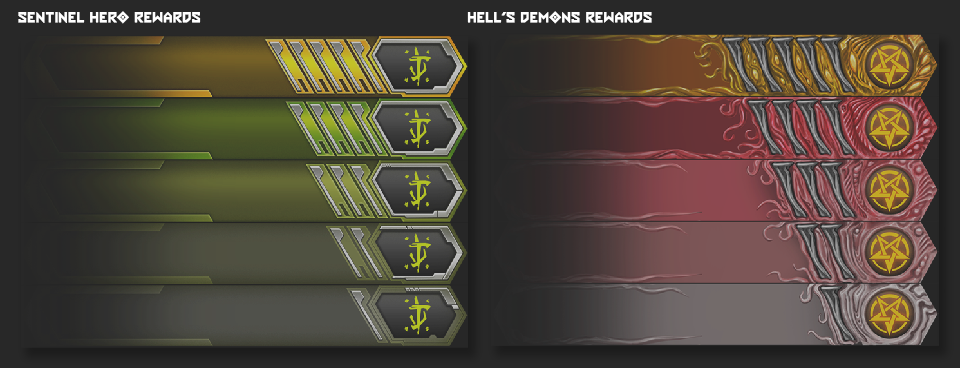
  • Players will be awarded title cosmetics based on their BATTLEMODE Leaderboard placements for a single Series. There are two separate sets of titles for both the Sentinel Hero and Hell’s Demons Leaderboards

leaderboard rewards


simple playercard

Simplified Player Cards

  • Player Cards are simplified to username and faction up until match podium introduction. This format has been implemented to reduce lobby dodging within BATTLEMODE 2.0

Speaking of Rewards…

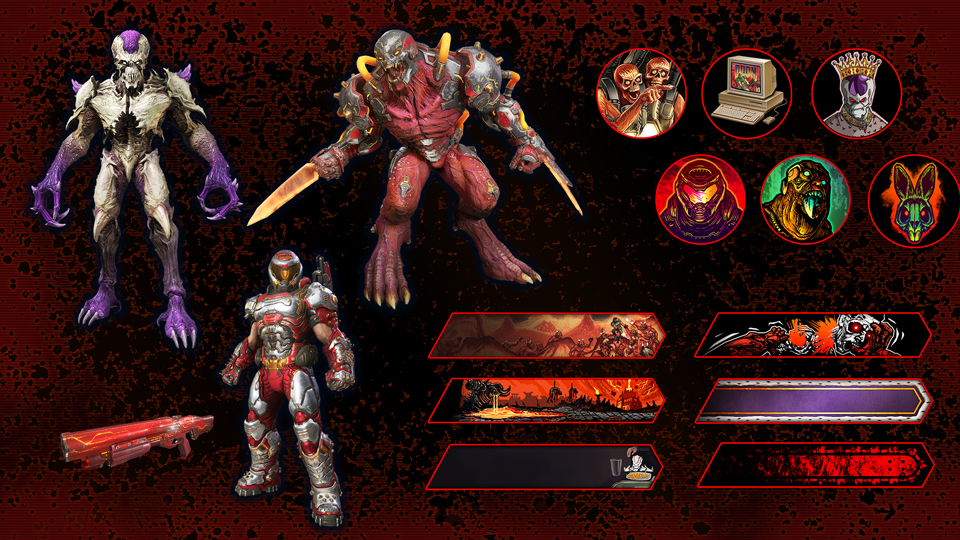
We know you just wanna see the rewards that are available right now in BATTLEMODE 2.0, so without further ado…

DE-rewards BM 2.0 960x540


New Playable BALLTEMODE 2.0 Content

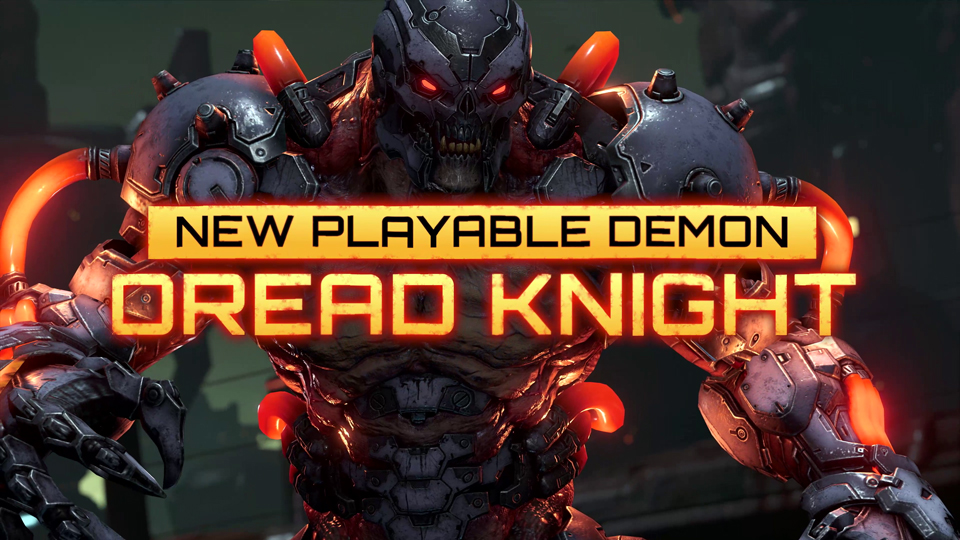
In addition to BATTLEMODE 2.0, Update 6.66 adds the brand-new playable Demon, the Dread Knight and new BATTLEMODE arena, Stronghold!

DE-DreadKnight GFX 960x540

DREAD KNIGHT

The Dread Knight is well-suited for Demon players who have an all-or-nothing play style. With double-jump and an array of attacks, the Dread Knight is a nimble demon with and potent offensive capabilities, but the attacks require cooldowns that can leave you exposed in between use

DE-DK-Ability EnergyWave

Primary Attack: ENERGY WAVE

The Energy Wave is a Destroyer Blade-style energy projectile that yields moderate damage with a moderate rate of fire

DE-DK-Ability Berserk

BERSERK

  • Activating Berserk temporarily replaces Energy Wave with a high-damage melee attack with heavy lurch
  • While in use, Berserk increases movement speed and reduces damage taken by up to 60%
  • Every use of Berserk requires a long cool down period

DE-DK-Ability GroundSlam

GROUND SLAM

  • Ground Slam is an AOE attack that allows the Dread Knight to leap to a selected location within the permitted range to deal explosive damage to the area upon impact
  • Every use of Ground Slam requires a cool down period

DE-DK-Ability QuantumOrb

QUANTUM ORB

  • Quantum Orb is a projectile attack dealing moderate damage which the Dread Knight can redirect in flight by activating its teleport ability
  • Every use of the Quantum Orb requires a cooldown period, which is shorter if the teleport ability is not activated

Mid-Round Upgrades

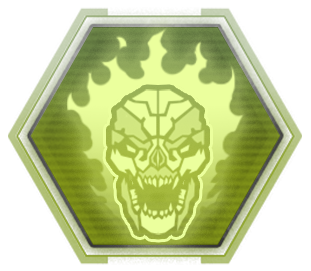
DE-DK-EndOfRoundUpgrade Ferocity

FEROCITY

Your Energy Wave projectile reduces Berserk’s cooldown every time it hits the Slayer

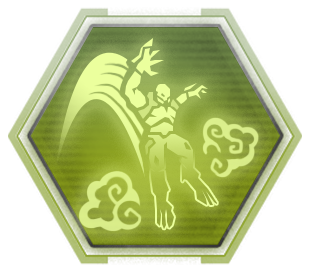
DE-DK-EndOfRoundUpgrade Enshroud

ENSHROUD

Ground Slam not longer deals damage but instead creates a smoke cloud that grants temporary invisibility


New BATTLEMODE 2.0 Arena: STRONGHOLD

DE-BM2.0-STRONGHOLD-GFX

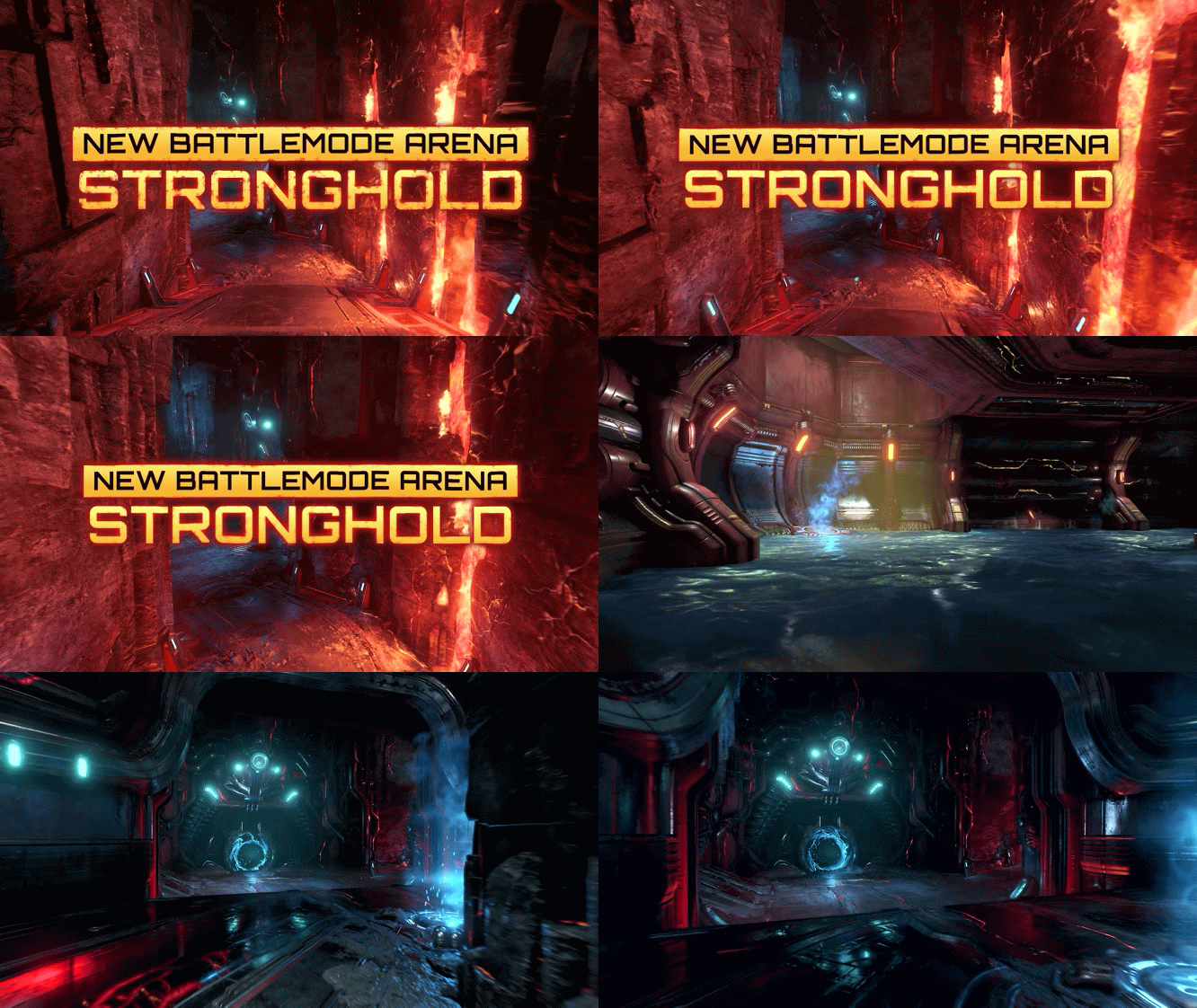
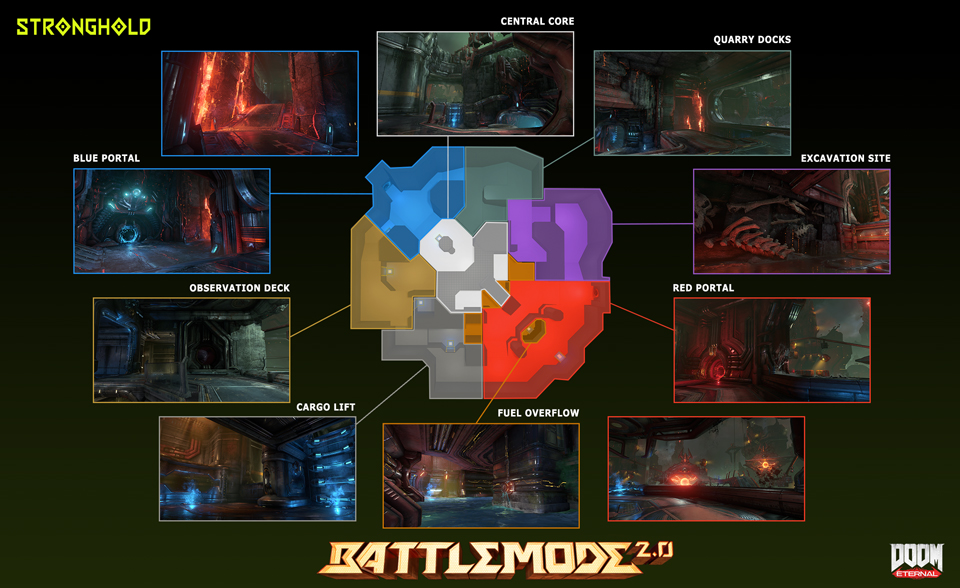
What better way to celebrate all that is new and exciting about BATTLEMODE 2.0 in Update 6.66 than the new Immora-inspired map, Stronghold

BATTLEMODE’s new arena: Stronghold is at the center of Hell. Acting as both a defensive position and a processing facility that helps fuel the Dark Lord’s warmachine, the environment lends itself to players who can keep moving between the different layers arena. Demon players and Slayer alike will fight over the valuable cover that the Fuel Overflow area provides. Players who master traversing between the bottom and top platforms will excel in our most competitive BATTLEMODE map to date

DE-BM2.0-Arena-Stronghold Layout 960x540


New BATTLEMODE 2.0 Balance Changes for ALL platforms

BATTLEMODE Characters Slayer.245x278

SLAYER


CHAINGUN

  • Removed Energy Shield mod from BATTLEMODE loadout
  • Primary Fire increased to 60 damage up from 48
  • Mobile Turret increased to 64 damage up from 60

COMBAT SHOTGUN

  • Primary Fire increased to 400 damage up from 350

HEAVY CANNON

  • Primary Fire increased to 140 damage up from 100
  • Precision Bolt increased ammo consumed per shot to 8 up from 6 to offset the increased bullet count

PLASMA RIFLE

  • Primary Fire increased to 55 damage up from 45
  • UAC Firepower mid-round upgrade causes the Plasma Rifle to deal 65 damage up from 55
  • Heat Blast increased to 200, 300, 400 damage (based on charge level) up from 150, 250, 350

ROCKET LAUNCHER

  • Lock-on increased to 900 damage (per 3-rocket burst) up from 600

BLOOD PUNCH

  • Increased to 500 damage up from 400

DEMON PLAYERS

BATTLEMODE Characters Maurader.245x278

MARAUDER


AXE

  • The further the axe travels the more damage direct hits deal – this damage is indicated by glowing effects that grows over time

BURY THE HATCHET (End of Round Upgrade)

  • Direct hits with the axe now heal the Marauder for a portion of the damage dealt

BATTLEMODE Characters Archvile.245x278

ARCHVILE


  • Large reduction in Flame Wall hitbox size

BATTLEMODE Characters Revenant.245x278

REVENANT


  • The threshold to trigger Sadist has been increased from 30% to 40%

BATTLEMODE Characters PainElemental.245x278

PAIN ELEMENTAL

  • Haste now grants 25% movement speed increase down from 35%

General Demon Player Updates

  • Reduced the number of armor shard drops, while retaining relative armor values
  • Player Demons now drop no more than 30 armor when Flame Belched by the Slayer
  • Bonus Armor from Burning Hate has been removed
  • Increased Instant Resurrection cooldown from 2 minutes to 3 minutes

New BATTLEMODE 2.0 Balance Changes for Consoles Only

BATTLEMODE Characters Slayer.245x278

SLAYER


BALLISTA

  • Primary Fire decreased to 500 damage down from 600

New BATTLEMODE 2.0 Balance Changes for PC Only

DEMON PLAYERS

BATTLEMODE Characters PainElemental.245x278

PAIN ELEMENTAL

  • Reduction in movement speed gained by Haste

New Slayer Campaign & BATTLEMODE 2.0 Changes for ALL platforms

DE-Slayer Controller Binds 960x540

CONTROLLER: WEAPON-SPECIFIC BINDS

  • Players can now remap their controller to include specific weapon-specific binds

COMBAT SHOTGUN (FULL AUTO MOD)

  • Added ability to switch weapons during wind down animation
  • Adjusted base charge time and wind down time
  • Speed of Quick Recovery upgrade has been increased
  • Removed additional movement speed penalty for firing so there is just slowdown on activation. As a result, the Fast Feet upgrade removes all movement penalty and the string has been updated to reflect that

The Ancient Gods – Part Two Balance Changes for ALL platforms

The World Spear

  • Updated Fountain encounter by adding a Pain Elemental and improving AI pathing
  • Added some incidental encounters to mountain area
  • Adjusted pacing of initial Blood Maykr encounter

Reclaimed Earth

  • Beefed up the first encounter to make it a bit more challenging and added a Mancubus
  • Removed Stone Imps from the first stage of the Escalation Encounter
  • Removed Shield and Riot Soldiers out of the Library arena
  • Added some more challenging AI to combat as you ascend the Library building
  • Added an additional Mancubus to the final arena

Immora

  • No changes

Main Menu Music Option for ALL platforms

DE-Music-UI 960x540

Happy to announce the community requested QOL option to be able to chose which music plays in the main menu!

Main Menu Music options now available via Audio menu:

  • DOOM Eternal Menu Music
  • The Ancient Gods Menu Music

Bug Fixes for ALL platforms

CAMPAIGN

  • Fixed an issue where collision was present on armor and ammo drops
  • Fixed in issue in which ambient music from the automap would persist outside of the Dossier
  • Fixed the issue in which the Argentas Paladi Milestone progress would not complete correctly

Note: Thank you all so much for your patience with these!

BATTLEMODE 2.0

  • Fixed an issue in which the Archvile’s Flame Wall would block the Marauder’s Shotgun Blast attack
  • Updated the description for the Revenant’s Sadist upgrade to make the wording is clearer
  • Fixed an issue where Demon Players can stack Healing Zone for double healing with/without Tactician upgrade
  • Fixed a physics-related issue that caused Slayers to lose momentum when dashing next to certain surfaces
  • Fixed the Revenant’s jetpack acceleration so it is no longer framerate dependent
  • Fixed an issue where additional Demon Player models would appear on respawn after using Team Heal upon a Demon teammate’s death
  • Fixed an issue where Slayers can generate more armor shards from Demon Players damaged by quick-swapping
  • Fixed a culling issue on the ceiling of the Corrosion map

Bug Fixes for Xbox Only

BATTLEMODE 2.0

  • Fixed an issue introduced in Update 6 in which the controller configuration image in the Settings menu didn’t update after changing Controls as a Demon Player during a BATTLEMODE match

Known Issues for ALL platforms

GENERAL

  • Issue: Series Challenge reward unlocks may be delayed
  • Resolution: Series Challenge reward unlocks may not be immediate. If you experience this, don’t worry, they will unlock shortly
  • Issue: Mission Challenges pinned on the HUD can appear to partially reset once completed
  • Resolution: This is a cosmetic issue. Progress on the Challenge tracker in the Dossier remains intact
  • Issue: Control inputs may not work correctly in Photo Mode third person free camera mode
  • Resolution: We are investigating a fix for this in a future update
  • Issue: The cooldown timer does not appear if you fail to kill the tagged demon with the Take Back Rune equipped
  • Resolution: We are investigating a fix for this in a future update
  • Issue: The Saving Throw cooldown timer is shared between Campaign and Master Levels on the same save file
  • Resolution: We are investigating a fix for this in a future update

MILESTONES

  • Issue: Progress for the “Headstrong” and “Blood Transfusion” Agnostic Milestones is not tracked in the campaign or Master Levels
  • Resolution: We will fix these Milestone issues in a future update

MASTER LEVELS

  • Issue: The Full Auto Combat Shotgun mod is not usable if you interrupt its pickup animation with the Plasma Rifle equipped in the Mars Core Master Level
  • Resolution: Switch to the Sticky Grenades mod then back to Full Auto to resolve this
  • Issue: Milestones and milestone progress is not visible from the Pause Menu while playing a Master Level
  • Resolution: This is a cosmetic issue in which the UI is not displaying correctly. Unless otherwise noted above, Milestone progress is being tracked under the hood while playing Master Levels. We will fix this in a future update

BATTLEMODE 2.0

  • Issue: Your personal Leaderboard Rank may not always match your public one if you are tied with another player
  • Resolution: Just be aware and check to see if you happened to be tied with another player on the Leaderboard
  • Issue: The Demon Loadout menu may auto-scroll after selecting a new Demon if placed in a different Podium slot from the previous match on Quick Play
  • Resolution: Back out of the lobby before all players are readied up and rejoin a new one to resolve the issue
  • Issue: In rare cases, player names may appear delayed in BATTLEMODE lobbies or fail to appear before matches launch
  • Resolution: It should correct itself by the end of match
  • Issue: If the host leaves a match in progress, the remaining players are placed in a broken lobby
  • Resolution: Back out of the lobby to resolve this issue, if encountered.  It will be fixed in an upcoming patch

Horde Mode

  • Issue: The player’s “Previous Best” score displays as 0 on death and at the Victory Summary screen after finishing all Horde Mode rounds on Cultist Base and Reclaimed Earth
  • Resolution: This is a cosmetic issue. The correct score is being tracked under the hood even though it displays as 0 on the UI. We are working to fix this issue in a future release
  • Issue: The Difficulty Bonus score is incorrectly attributed to Combat Score on the Summary screen after losing your last life
  • Resolution: This is a cosmetic issue. The correct score is recorded
  • Issue: In rare instances, the player may get pushed out of the world
  • Resolution: You will need to back out of the current Horde Mode playthrough to resolve this
  • Issue: There may be briefly visible level culling present after teleporting and during Round transitions
  • Resolution: This has no effect on gameplay

Known Issues for PlayStation 5 Only

BATTLEMODE 2.0

  • Issue: On PlayStation 5, some users may encounter the “#str_dlg_no_online_priveleges” error pop-up message
  • Resolution: This means you can’t access online game features without a PlayStation Plus subscription if you do not already have one. If you already have a PlayStation Plus subscription, it means that you are not able to access online features because of a network connection issue. In this case, please check your network connections and confirm that all ISP and platform services are not down. We will be adding clearer error messages for these cases in a future update

Source: Slayers Club

Avatar photo

Alex Co

Father, gamer, games media vet, writer of words, killer of noobs.

Home > News

DOOM Eternal Update 1.22 Patch Notes; Brings Horde Mode for Patch 6.66 This October 26

It’s finally here, slayers! id Software has released the DOOM Eternal update 1.22 patch this October 26, and this brings Horde mode into the game, and then some! Read on for the patch notes and details. Note that this is also called update 6.66 by the studio, which kind of works out.

DOOM Eternal Update 1.22 Patch Notes | DOOM Eternal Update 6.66 Patch Notes:

Features and Content

Introducing our biggest free update yet – Update 6.66

The team can’t wait for you to experience our brand new, three level arcade-style single player Horde Mode (with online leaderboards), two new Master Levels and enough improvements to BATTLEMODE that it’s getting the 2.0 treatment. We are super excited about this release and hope you enjoy playing it as much as we do. Thank you again for your patience and continued support of DOOM Eternal

  • Note: Update 6.66 will be coming to Nintendo Switch as soon as it’s ready

Horde Mode

Compete for the highest score by battling wave after wave of demons across three Missions from DOOM Eternal and The Ancient Gods – Parts One and Two* in this challenging new single player game mode. You’ll need to keep your wits about you and your skill sharp. Like a classic arcade game, there aren’t any checkpoints, you start with just 3 extra lives – but there are more to earn as you progress. You begin with only a fully mastered Combat Shotgun, unlocking a new weapon at random as you complete each Arena Round. Earn new Milestones and unlock loads of cool new customization items as you progress!

  • *All Horde Mode content is available to players who own any DOOM Eternal product configuration, including standalone versions of The Ancient Gods – Parts One, Part Two, and or the Year One Pass

HordeModeProgress.960x540

Structure

Each Horde Mode Mission consists of the following Rounds (pictured above):

  • Arena Round – Arena combat encounter with waves and waves of demons
  • Blitz Round – Kill as many demons as you can before time runs out
  • Bonus Coin Round (optional) – Collect as many coins as you can before time runs out
  • Traversal Round – Navigate a traversal puzzle and collect as many coins as you can before time runs out
  • Bonus Blitz Round (optional) – A Blitz round but with Super Heavy demons and Onslaught (damage multiplier) power-ups!

DE-HORDE.MODE-SCORING-UI

Scoring

Your score is tallied at the end of each Round. You are awarded additional points for any remaining Extra Lives and BFG Ammo

  • Every demon you kill that isn’t a Zombie, a Spirit or summoned by an Archvile gives you points
  • Bigger demons are worth points more than smaller ones
  • Bounty demons are worth more than standard ones but decrease in value over time
  • Earn more points by completing Mission Challenges (completing all of them rewards bonus points)
  • Picking up coins in Traversal and Bonus Coin Rounds reward points (Gold > Silver > Bronze)

DE-HORDE.MODE-EARN.ARSENAL

Progression

You begin Horde Mode with:

  • 3 Extra Lives
  • A fully mastered Combat Shotgun
  • The Chainsaw, all Equipment and Dash
  • All Perks, Runes and Sentinel Crystal Upgrades
  • Another fully mastered gun is awarded at random on completion of each Arena Round
  • Special weapons are given at the start of certain Arena Rounds*
  • Completing Milestones unlocks new customization items
  • Additional Extra Lives are awarded by completing Blitz Rounds, Bonus Coin Rounds, Bonus Blitz Rounds, Combat Arena Rounds 1 and 2 in The Holt and by killing the required number of demons in Blitz and Bonus Blitz Rounds. They can also be acquired in level during any Traversal Round

  • *The Sentinel Hammer in The Holt Horde Mode Level can hold 4 charges (2 more than in The Ancient Gods – Part Two)

Leaderboards

  • There is a different Leaderboard for each Difficulty
  • Your score gets uploaded to the Leaderboard at the end of each run
  • Your rating is based on your score
  • The top 10 players on the Leaderboard get Slayer Medals

Rewards Galore

There are so many amazing earnable rewards in Horde Mode, that instead of listing them all via text, we thought it would be better to show you:

DE-rewards 1 960x540So…

DE-rewards 2 960x540…many…

DE-rewards 3 960x540…rewards.

Stadia Enhanced Feature – State Share *

Stadia players can use State Share to save their score and weapon loadout at the end of each Horde Mode round. Use State Share to challenge your friends to beat your score or replay the round yourself to beat your own score

  • *Note: If you don’t have a Stadia controller, you’ll need to press F12 on your keyboard to capture a State Share

New Master Levels

DE MARS.CORE.ML GFX 960x540

Update 6.66 includes two new Master Levels, Mars Core and The World Spear*. Complete the corresponding campaign level to unlock each one. Access your unlocked Master Levels from the Fortress of DOOM or the Mission Select menu

DE THE.WORLD.SPEAR.ML GFX 960x540

  • *You must own DOOM Eternal: The Ancient Gods – Part Two to play The World Spear Master Level

DE BATTLEMODE2.0 LOGO 960x540

BATTLEMODE 2.0

Update 6.66 brings the biggest and most important update to the game mode so far. Now, more than ever skill matters in BATTLEMODE. The more you win, the better the players you face off against will be. Complete BATTLEMODE 2.0 Series Challenges to increase your Rank, unlock new rewards and attain a higher Leaderboard position

Hot Streaks

Hot Streaks are key to the more competitive BATTLEMODE 2.0 design

The new Streak Tracker on the top of the Player Card tracks wins and losses played in Public Matches, activating after the first win as a Slayer or a Demon. When the Streak Tracker is active, additional wins are tracked as checkmarks and losses as X’s

  • A Hot Streak card is awarded when a player wins four games before losing two
  • The Streak Tracker resets after losing two matches before a Hot Streak card is awarded
  • The number of Hot Streak cards you have determines your Rank and Leaderboard position

Additional details:

  • Playing as the Slayer and as a Demon each has their own respective Streak Tracker
  • Exiting a Public match prematurely will count as a loss
  • The Streak Tracker does not record wins and losses from Private Matches
  • Rewards from the series page and the requirements to unlock them are different for Slayers and Demons

Time for some helpful infographics!

badge-markers

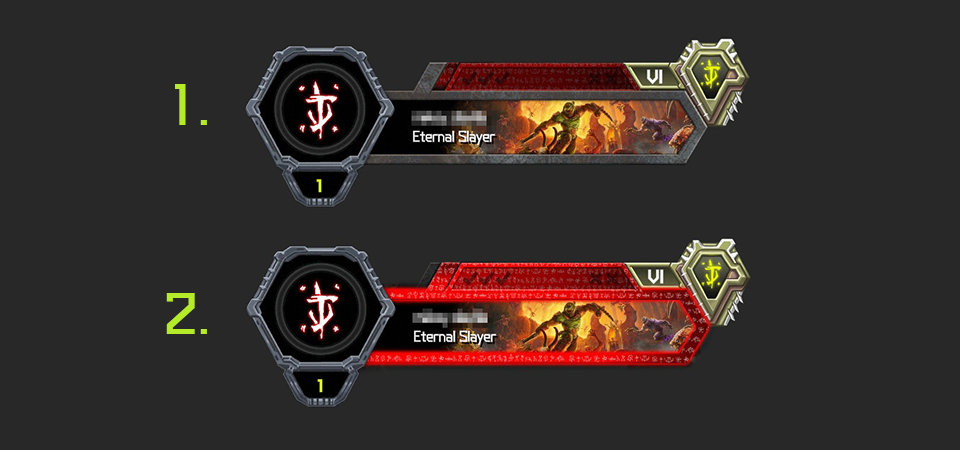
1. Streak Tracker

This is the streak tracker (not to be confused with Hot Streak) this is to highlight the user what level of streaks they are currently at. This should match up with the same state that 1A

1A. Title Card Border

The title card border surrounds the players title card, in conjunction with 1. this too shows the players current streak count and they should match the same visual style (ie: if the streak tracker is stone, the title card border should also be stone

2. Hot Streak Tracker

The hot streak counter becomes active when the user achieves 4 wins. When they do, they will complete a hot streak and win a hot streak card

3. Rank

A players rank will increase as they accomplish the series challenges. Below is a diagram breaking up the progress of the ranks
slayer-series-progress

demon-series-progress

hot-streaks-notext

Hot Streak Cards

When a player completes a hot streak run, they will be awarded a hot streak card (these determine your leader board position). If you got a hot streak playing as a Demon you’ll get a Demon card. If you completed it as the Slayer, you’ll get a Slayer card
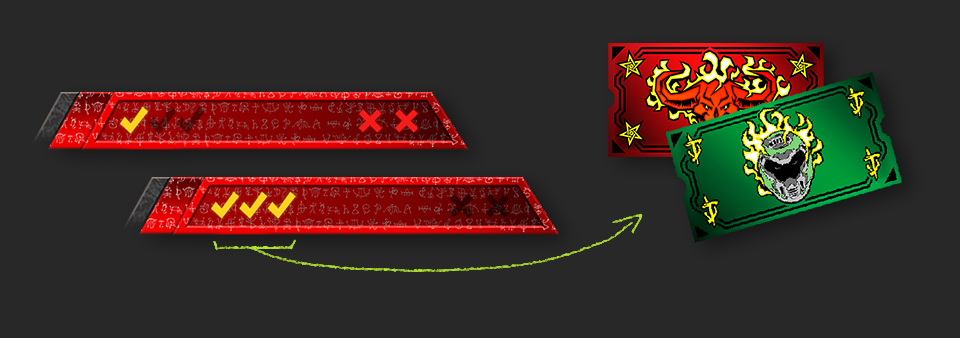
default-hot-streaks-notext

1. Stone Border (Default) – 0 Win Streak(s)

2. Red Border (Hot Streak) – 1 Win Streak(s)

  • Each empty check mark will fill in if the player continues their win streaks. If the player fills out all check marks they will complete their hot streak and receive a hot streak card (#2. in the image)
  • When a player is on a hot streak, they will have 2 loss forgiveness opportunities (the 2 unfilled x’s) If both x’s become filled, the user will reset to stone (#1. in the image)

Streak-Based Matchmaking

With the release of Update 6.66, all Public Lobbies use Streak-based matchmaking. Streak-based matchmaking aims to match you against other players with the same number of Streak wins, broadening the match criteria over time if unmet. Players can join Public Lobbies as a Slayer, a solo Demon or as a Demon team

Additional details:

  • Players return to the BATTLEMODE 2.0 root menu at the end of every Public Match
  • Players are no longer able to play consecutive matches in Public Lobbies – the Shuffle and Replay post-match options have been removed
  • Players on the same team cannot choose to play as the same Demon
  • When two Demon players in a party quick play, the player with more wins is used for matchmaking
  • 3-player parties cannot join Public Lobbies

Series Challenges and Rank

Update 6.66 adds new Dossier pages that exclusively track your progress toward completing BATTLEMODE 2.0 Series Challenges while playing as the Slayer or as a Demon. Completing Slayer Challenges increases your Slayer Rank. Completing Demon challenges increases your Demon Rank. You are awarded a new Customization item or XP every time you attain a new Rank. Series Challenges and Rank reset with each Series changeover

Leaderboards

BATTLEMODE 2.0 adds Slayer and Demon-based Leaderboards for each supported platform. Leaderboard position is determined by Rank attained and number of Hot Streaks completed in the current Series. Leaderboards are reset with each Series changeoverleaderboard parts
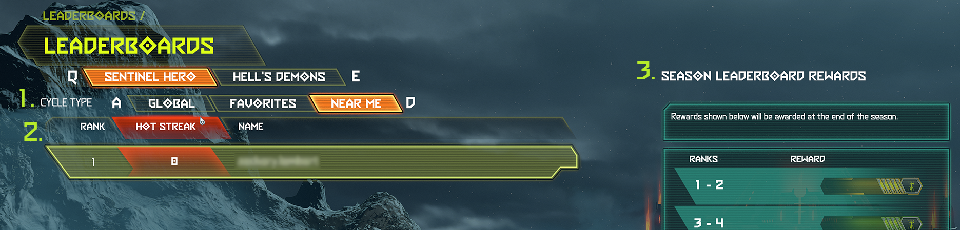
1. Cycle Type

  • Global – This displays all players on the Leaderboard within a specific platform
  • Favorites – This displays all players within your personal favorites list
  • Near Me – This displays global players in and around your Leaderboard placement

2. Leaderboard List

Leaderboards are organized by descending order of rank

  • Rank – Displays rank numbers
  • Hot Streak – Indicates number of Hot Streaks earned
  • Name – Displays player usernames

3. Rewards

  • Players will be awarded title cosmetics based on their BATTLEMODE Leaderboard placements for a single Series. There are two separate sets of titles for both the Sentinel Hero and Hell’s Demons Leaderboards
leaderboard rewards


simple playercard

Simplified Player Cards

  • Player Cards are simplified to username and faction up until match podium introduction. This format has been implemented to reduce lobby dodging within BATTLEMODE 2.0

Speaking of Rewards…

We know you just wanna see the rewards that are available right now in BATTLEMODE 2.0, so without further ado…
DE-rewards BM 2.0 960x540


New Playable BALLTEMODE 2.0 Content

In addition to BATTLEMODE 2.0, Update 6.66 adds the brand-new playable Demon, the Dread Knight and new BATTLEMODE arena, Stronghold!
DE-DreadKnight GFX 960x540

DREAD KNIGHT

The Dread Knight is well-suited for Demon players who have an all-or-nothing play style. With double-jump and an array of attacks, the Dread Knight is a nimble demon with and potent offensive capabilities, but the attacks require cooldowns that can leave you exposed in between use
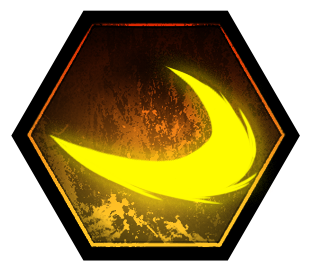
DE-DK-Ability EnergyWave

Primary Attack: ENERGY WAVE

The Energy Wave is a Destroyer Blade-style energy projectile that yields moderate damage with a moderate rate of fire
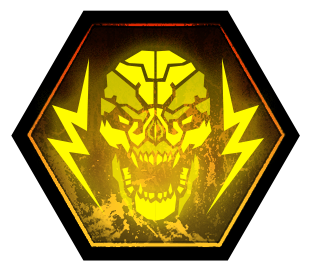
DE-DK-Ability Berserk

BERSERK

  • Activating Berserk temporarily replaces Energy Wave with a high-damage melee attack with heavy lurch
  • While in use, Berserk increases movement speed and reduces damage taken by up to 60%
  • Every use of Berserk requires a long cool down period
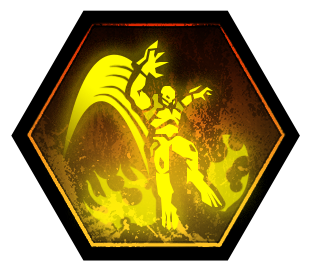
DE-DK-Ability GroundSlam

GROUND SLAM

  • Ground Slam is an AOE attack that allows the Dread Knight to leap to a selected location within the permitted range to deal explosive damage to the area upon impact
  • Every use of Ground Slam requires a cool down period
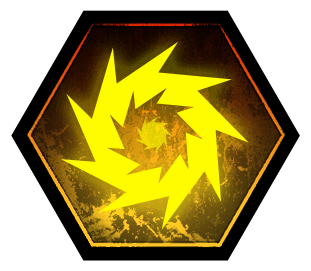
DE-DK-Ability QuantumOrb

QUANTUM ORB

  • Quantum Orb is a projectile attack dealing moderate damage which the Dread Knight can redirect in flight by activating its teleport ability
  • Every use of the Quantum Orb requires a cooldown period, which is shorter if the teleport ability is not activated

Mid-Round Upgrades
DE-DK-EndOfRoundUpgrade Ferocity

FEROCITY

Your Energy Wave projectile reduces Berserk’s cooldown every time it hits the Slayer
DE-DK-EndOfRoundUpgrade Enshroud

ENSHROUD

Ground Slam not longer deals damage but instead creates a smoke cloud that grants temporary invisibility


New BATTLEMODE 2.0 Arena: STRONGHOLD
DE-BM2.0-STRONGHOLD-GFX

What better way to celebrate all that is new and exciting about BATTLEMODE 2.0 in Update 6.66 than the new Immora-inspired map, Stronghold

BATTLEMODE’s new arena: Stronghold is at the center of Hell. Acting as both a defensive position and a processing facility that helps fuel the Dark Lord’s warmachine, the environment lends itself to players who can keep moving between the different layers arena. Demon players and Slayer alike will fight over the valuable cover that the Fuel Overflow area provides. Players who master traversing between the bottom and top platforms will excel in our most competitive BATTLEMODE map to date
DE-BM2.0-Arena-Stronghold Layout 960x540


New BATTLEMODE 2.0 Balance Changes for ALL platforms
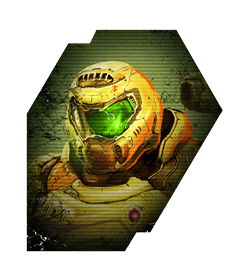
BATTLEMODE Characters Slayer.245x278

SLAYER


CHAINGUN

  • Removed Energy Shield mod from BATTLEMODE loadout
  • Primary Fire increased to 60 damage up from 48
  • Mobile Turret increased to 64 damage up from 60

COMBAT SHOTGUN

  • Primary Fire increased to 400 damage up from 350

HEAVY CANNON

  • Primary Fire increased to 140 damage up from 100
  • Precision Bolt increased ammo consumed per shot to 8 up from 6 to offset the increased bullet count

PLASMA RIFLE

  • Primary Fire increased to 55 damage up from 45
  • UAC Firepower mid-round upgrade causes the Plasma Rifle to deal 65 damage up from 55
  • Heat Blast increased to 200, 300, 400 damage (based on charge level) up from 150, 250, 350

ROCKET LAUNCHER

  • Lock-on increased to 900 damage (per 3-rocket burst) up from 600

BLOOD PUNCH

  • Increased to 500 damage up from 400

DEMON PLAYERS
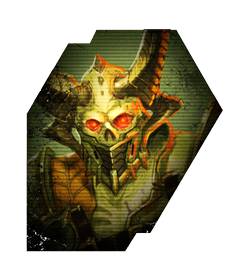
BATTLEMODE Characters Maurader.245x278

MARAUDER


AXE

  • The further the axe travels the more damage direct hits deal – this damage is indicated by glowing effects that grows over time

BURY THE HATCHET (End of Round Upgrade)

  • Direct hits with the axe now heal the Marauder for a portion of the damage dealt
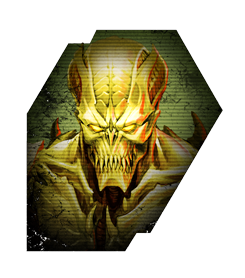
BATTLEMODE Characters Archvile.245x278

ARCHVILE


  • Large reduction in Flame Wall hitbox size
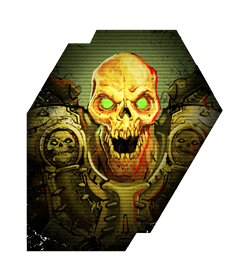
BATTLEMODE Characters Revenant.245x278

REVENANT


  • The threshold to trigger Sadist has been increased from 30% to 40%
BATTLEMODE Characters PainElemental.245x278

PAIN ELEMENTAL

  • Haste now grants 25% movement speed increase down from 35%

General Demon Player Updates

  • Reduced the number of armor shard drops, while retaining relative armor values
  • Player Demons now drop no more than 30 armor when Flame Belched by the Slayer
  • Bonus Armor from Burning Hate has been removed
  • Increased Instant Resurrection cooldown from 2 minutes to 3 minutes

New BATTLEMODE 2.0 Balance Changes for Consoles Only

BATTLEMODE Characters Slayer.245x278

SLAYER


BALLISTA

  • Primary Fire decreased to 500 damage down from 600

New BATTLEMODE 2.0 Balance Changes for PC Only

DEMON PLAYERS

BATTLEMODE Characters PainElemental.245x278

PAIN ELEMENTAL

  • Reduction in movement speed gained by Haste

New Slayer Campaign & BATTLEMODE 2.0 Changes for ALL platforms
DE-Slayer Controller Binds 960x540

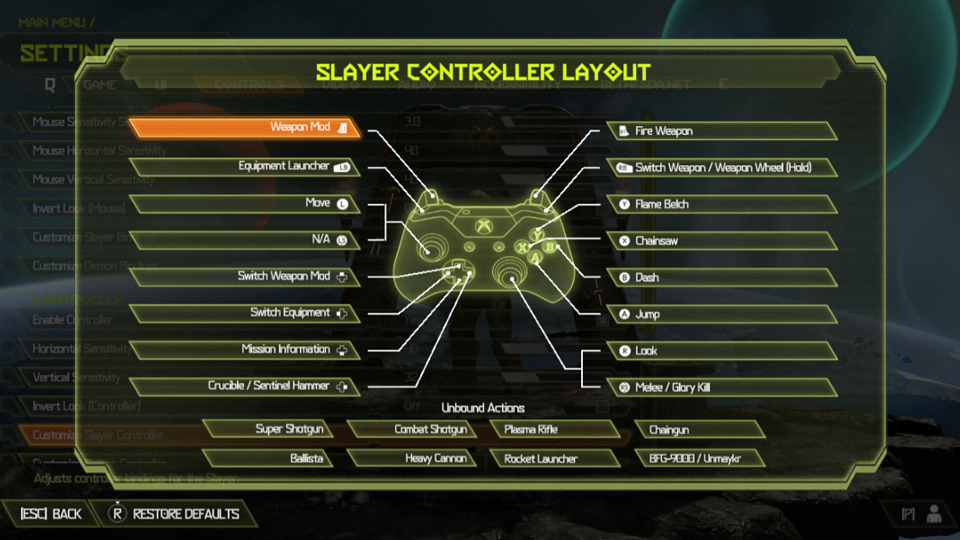
CONTROLLER: WEAPON-SPECIFIC BINDS

  • Players can now remap their controller to include specific weapon-specific binds

COMBAT SHOTGUN (FULL AUTO MOD)

  • Added ability to switch weapons during wind down animation
  • Adjusted base charge time and wind down time
  • Speed of Quick Recovery upgrade has been increased
  • Removed additional movement speed penalty for firing so there is just slowdown on activation. As a result, the Fast Feet upgrade removes all movement penalty and the string has been updated to reflect that

The Ancient Gods – Part Two Balance Changes for ALL platforms

The World Spear

  • Updated Fountain encounter by adding a Pain Elemental and improving AI pathing
  • Added some incidental encounters to mountain area
  • Adjusted pacing of initial Blood Maykr encounter

Reclaimed Earth

  • Beefed up the first encounter to make it a bit more challenging and added a Mancubus
  • Removed Stone Imps from the first stage of the Escalation Encounter
  • Removed Shield and Riot Soldiers out of the Library arena
  • Added some more challenging AI to combat as you ascend the Library building
  • Added an additional Mancubus to the final arena

Immora

  • No changes

Main Menu Music Option for ALL platforms
DE-Music-UI 960x540

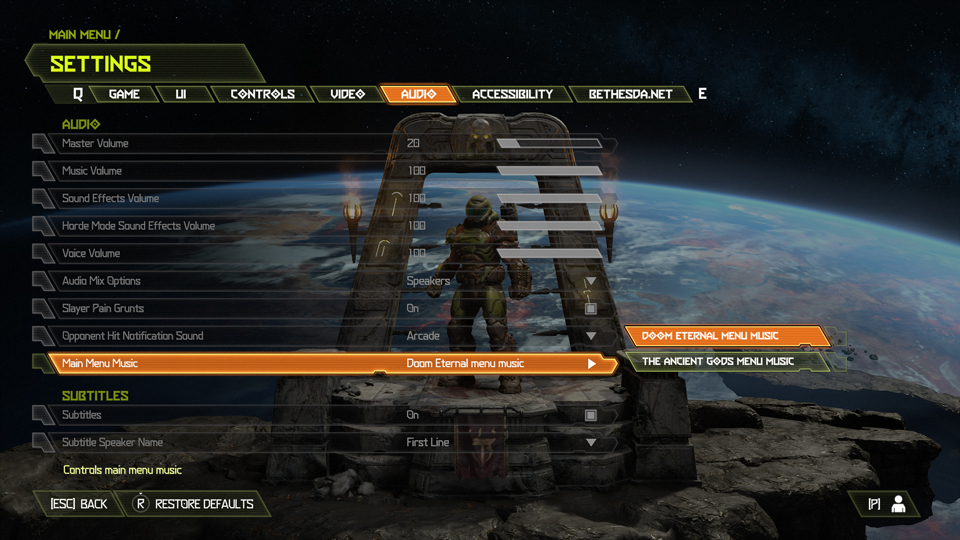
Happy to announce the community requested QOL option to be able to chose which music plays in the main menu!

Main Menu Music options now available via Audio menu:

  • DOOM Eternal Menu Music
  • The Ancient Gods Menu Music

Bug Fixes for ALL platforms

CAMPAIGN

  • Fixed an issue where collision was present on armor and ammo drops
  • Fixed in issue in which ambient music from the automap would persist outside of the Dossier
  • Fixed the issue in which the Argentas Paladi Milestone progress would not complete correctly

Note: Thank you all so much for your patience with these!

BATTLEMODE 2.0

  • Fixed an issue in which the Archvile’s Flame Wall would block the Marauder’s Shotgun Blast attack
  • Updated the description for the Revenant’s Sadist upgrade to make the wording is clearer
  • Fixed an issue where Demon Players can stack Healing Zone for double healing with/without Tactician upgrade
  • Fixed a physics-related issue that caused Slayers to lose momentum when dashing next to certain surfaces
  • Fixed the Revenant’s jetpack acceleration so it is no longer framerate dependent
  • Fixed an issue where additional Demon Player models would appear on respawn after using Team Heal upon a Demon teammate’s death
  • Fixed an issue where Slayers can generate more armor shards from Demon Players damaged by quick-swapping
  • Fixed a culling issue on the ceiling of the Corrosion map

Bug Fixes for Xbox Only

BATTLEMODE 2.0

  • Fixed an issue introduced in Update 6 in which the controller configuration image in the Settings menu didn’t update after changing Controls as a Demon Player during a BATTLEMODE match

Known Issues for ALL platforms

GENERAL

  • Issue: Series Challenge reward unlocks may be delayed
  • Resolution: Series Challenge reward unlocks may not be immediate. If you experience this, don’t worry, they will unlock shortly
  • Issue: Mission Challenges pinned on the HUD can appear to partially reset once completed
  • Resolution: This is a cosmetic issue. Progress on the Challenge tracker in the Dossier remains intact
  • Issue: Control inputs may not work correctly in Photo Mode third person free camera mode
  • Resolution: We are investigating a fix for this in a future update
  • Issue: The cooldown timer does not appear if you fail to kill the tagged demon with the Take Back Rune equipped
  • Resolution: We are investigating a fix for this in a future update
  • Issue: The Saving Throw cooldown timer is shared between Campaign and Master Levels on the same save file
  • Resolution: We are investigating a fix for this in a future update

MILESTONES

  • Issue: Progress for the “Headstrong” and “Blood Transfusion” Agnostic Milestones is not tracked in the campaign or Master Levels
  • Resolution: We will fix these Milestone issues in a future update

MASTER LEVELS

  • Issue: The Full Auto Combat Shotgun mod is not usable if you interrupt its pickup animation with the Plasma Rifle equipped in the Mars Core Master Level
  • Resolution: Switch to the Sticky Grenades mod then back to Full Auto to resolve this
  • Issue: Milestones and milestone progress is not visible from the Pause Menu while playing a Master Level
  • Resolution: This is a cosmetic issue in which the UI is not displaying correctly. Unless otherwise noted above, Milestone progress is being tracked under the hood while playing Master Levels. We will fix this in a future update

BATTLEMODE 2.0

  • Issue: Your personal Leaderboard Rank may not always match your public one if you are tied with another player
  • Resolution: Just be aware and check to see if you happened to be tied with another player on the Leaderboard
  • Issue: The Demon Loadout menu may auto-scroll after selecting a new Demon if placed in a different Podium slot from the previous match on Quick Play
  • Resolution: Back out of the lobby before all players are readied up and rejoin a new one to resolve the issue
  • Issue: In rare cases, player names may appear delayed in BATTLEMODE lobbies or fail to appear before matches launch
  • Resolution: It should correct itself by the end of match
  • Issue: If the host leaves a match in progress, the remaining players are placed in a broken lobby
  • Resolution: Back out of the lobby to resolve this issue, if encountered.  It will be fixed in an upcoming patch

Horde Mode

  • Issue: The player’s “Previous Best” score displays as 0 on death and at the Victory Summary screen after finishing all Horde Mode rounds on Cultist Base and Reclaimed Earth
  • Resolution: This is a cosmetic issue. The correct score is being tracked under the hood even though it displays as 0 on the UI. We are working to fix this issue in a future release
  • Issue: The Difficulty Bonus score is incorrectly attributed to Combat Score on the Summary screen after losing your last life
  • Resolution: This is a cosmetic issue. The correct score is recorded
  • Issue: In rare instances, the player may get pushed out of the world
  • Resolution: You will need to back out of the current Horde Mode playthrough to resolve this
  • Issue: There may be briefly visible level culling present after teleporting and during Round transitions
  • Resolution: This has no effect on gameplay

Known Issues for PlayStation 5 Only

BATTLEMODE 2.0

  • Issue: On PlayStation 5, some users may encounter the “#str_dlg_no_online_priveleges” error pop-up message
  • Resolution: This means you can’t access online game features without a PlayStation Plus subscription if you do not already have one. If you already have a PlayStation Plus subscription, it means that you are not able to access online features because of a network connection issue. In this case, please check your network connections and confirm that all ISP and platform services are not down. We will be adding clearer error messages for these cases in a future update

Source: Slayers Club
Avatar photo

Alex Co

Father, gamer, games media vet, writer of words, killer of noobs.

Home > News

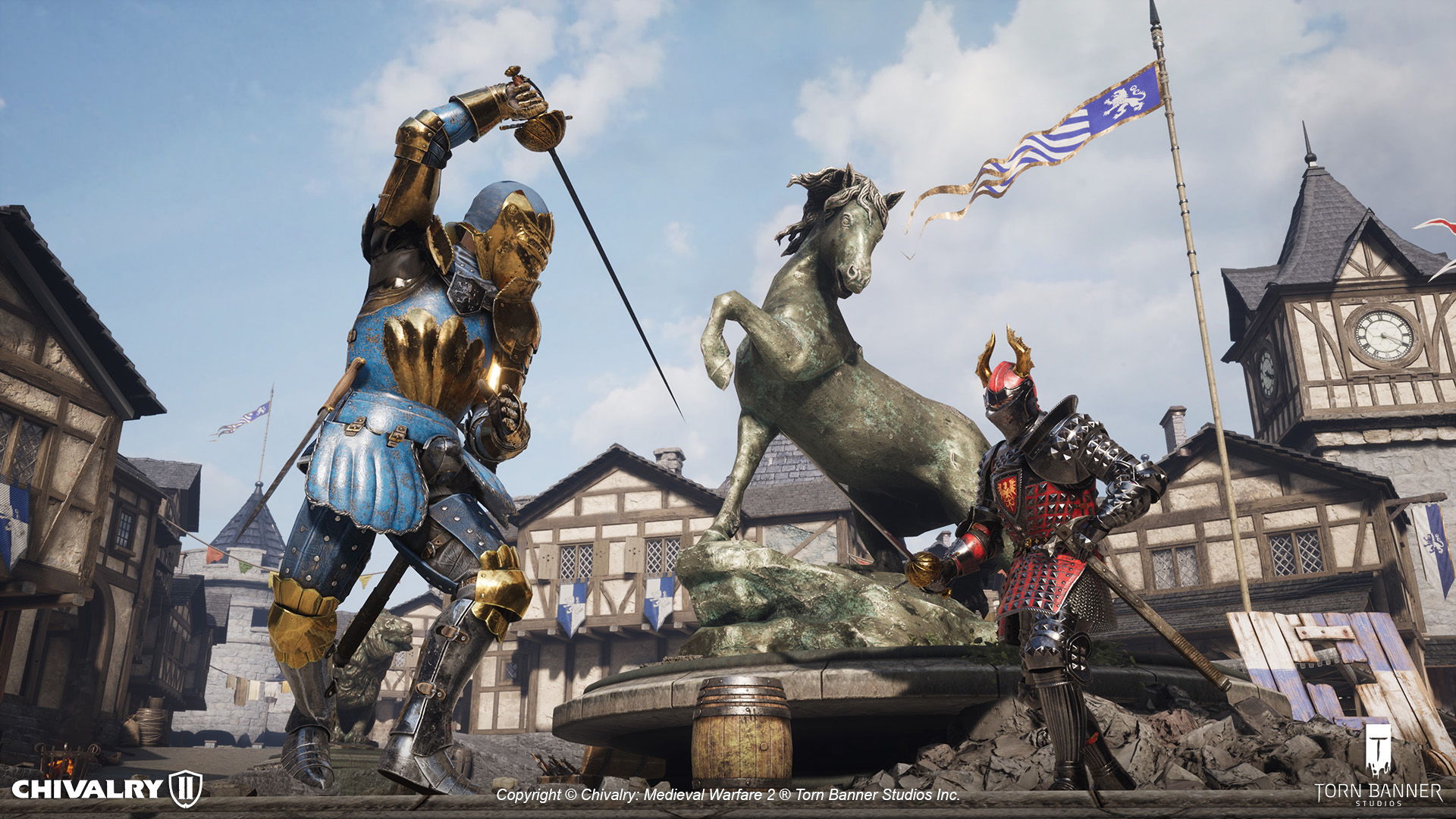
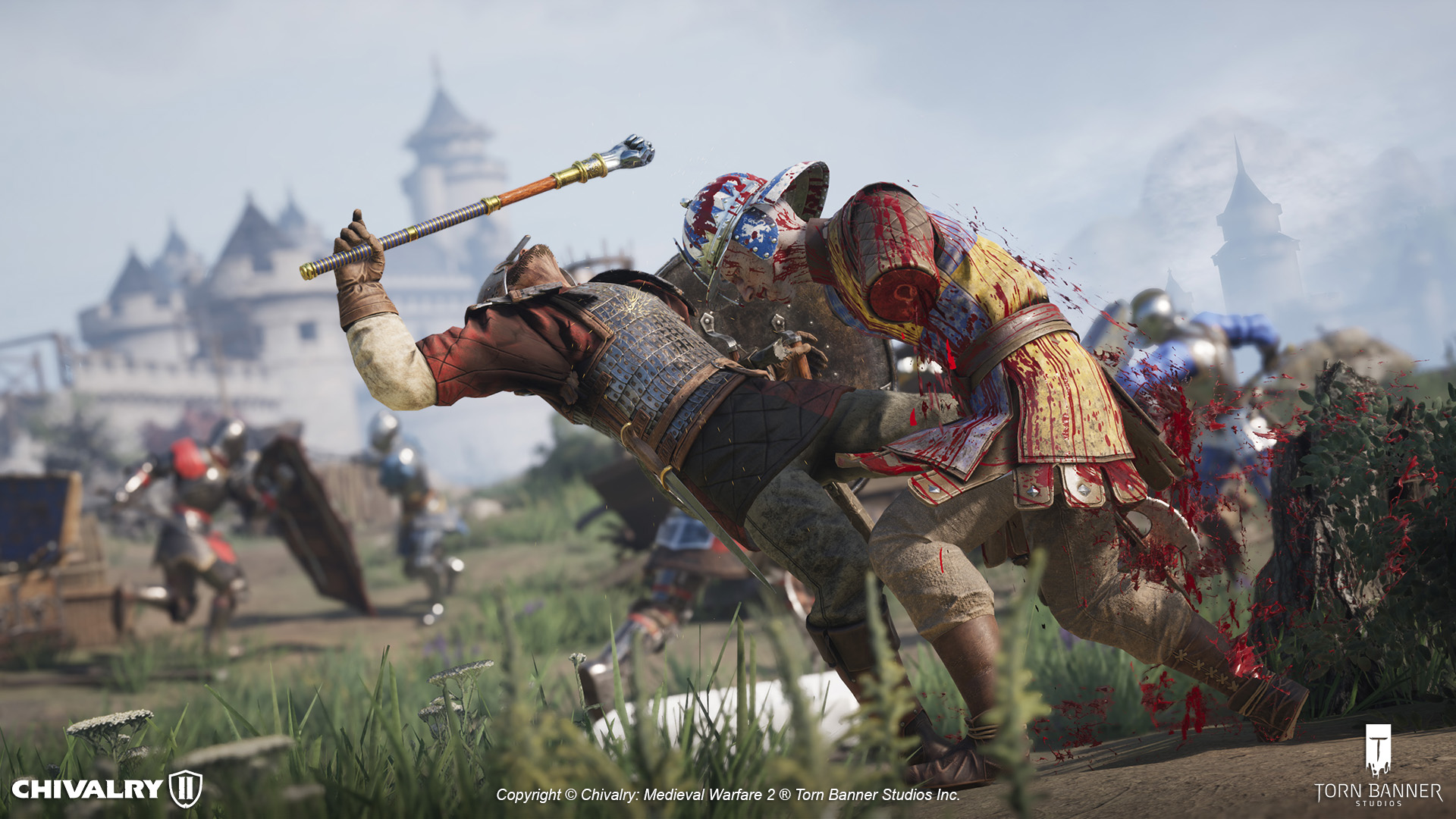
Chivalry 2 Update 1.07 Slashes Out for Fight Knight This Oct. 26

Torn Banner Studios has released the Chivalry 2 update 1.07 patch (PS5 1.007) this October 26, which is also called Fight Knight 2.2 by the studio! This includes new weapons, a new mode and a host of other fixes for all platforms. Check out the full patch notes below:

Chivalry 2 Update 1.07 Patch Notes | Chivalry 2 Update 1.007 Patch Notes | Chivalry 2 Fight Knight 2.2 Patch Notes:

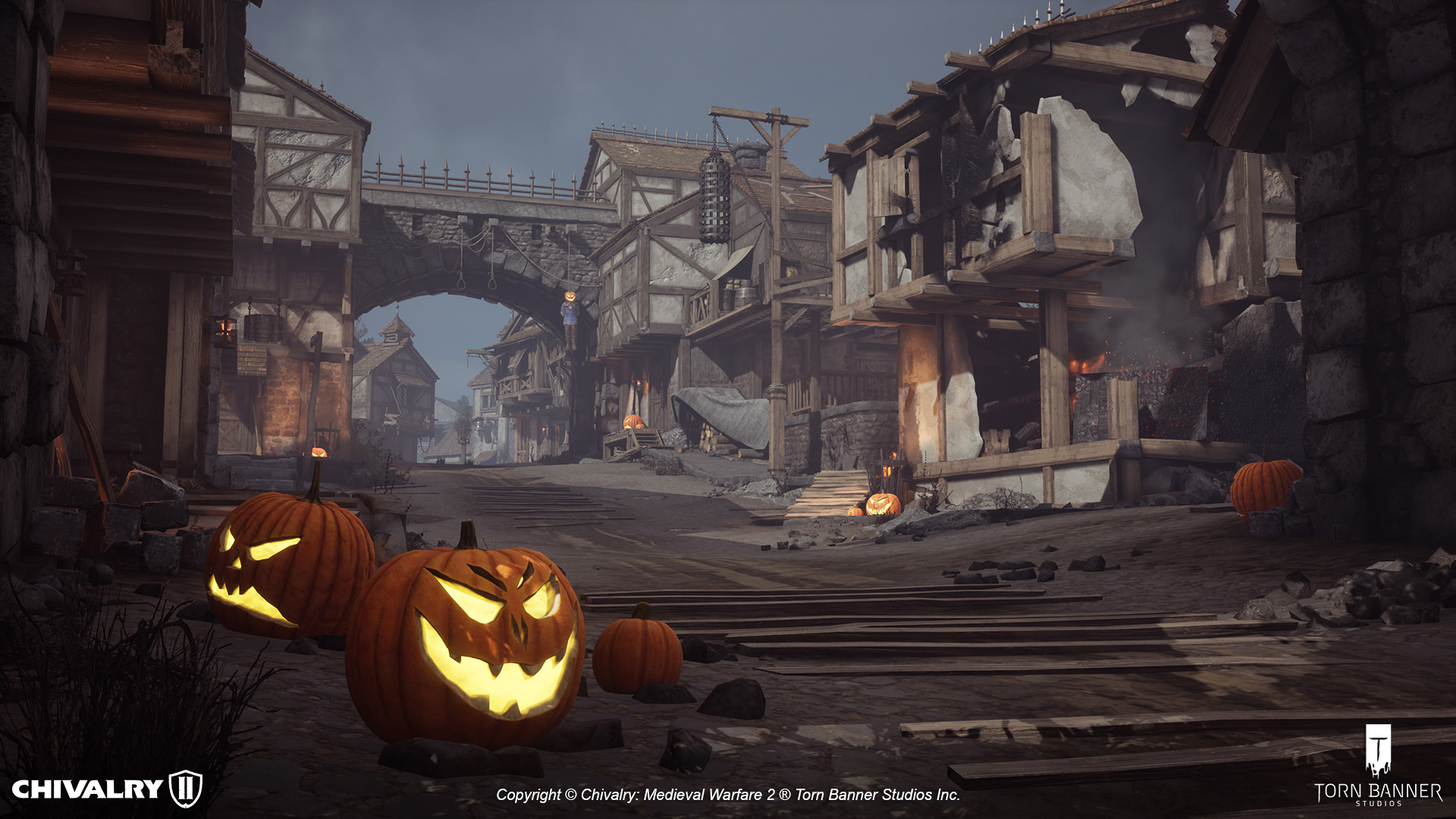
Halloween!

  • Three Halloween Pumpkin Helmets – Spooky, Sad and Goofy
  • Jack O Lantern carryables (two large 2h versions, one small 1h version)
  • Interactable grave plots – pick up a spare arm, its previous owner doesn’t need it anyways
  • Body part carryables (assets already existed) + weapon racks, baskets and piles of limbs and bones (assets already existed)
  • A hidden ghost? Spooky!
  • Ghost statues
  • Witch Cauldrons that act as weapon racks, giving skulls
  • Halloween decorated maps
    • Brawl: Lionspire (Great Hall)
    • TDM: Wardenglade
    • FFA: Wardenglade
    • TO: Rudhelm and Dark Forest

New Gamemodes!

New Gamemode – Last Team Standing. Fight to be the final team alive in this large-scale, round-based fighting mode – a returning favourite from Chivalry: Medieval Warfare (2012).

  • Existing TDM maps are supported as well as new Falmire Village, with Galencourt Amphitheater coming soon!
  • Offline support added

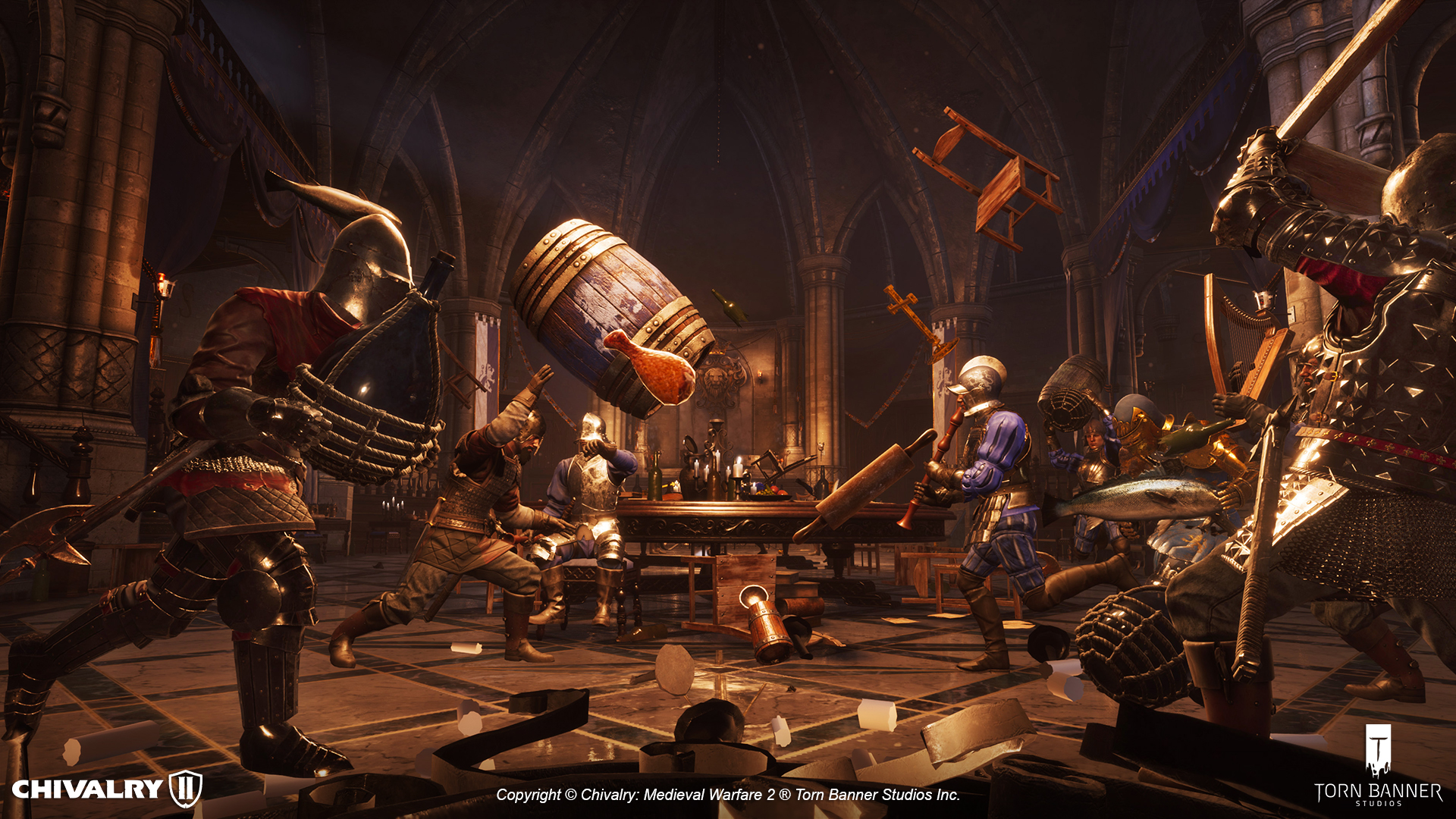
New Gamemode – Brawl. Embrace chaos and duke it out with your fists, or whatever you can grab – in the Great Hall or Rudhelm Feast maps – with up to 40 players!

  • Maps: Lionspire Great Hall and Rudhelm Feast

Gamemode Changes

Arena

  • New Victory podium
  • New Victory and Defeat animations
  • Warm up timer now gets skipped when enough players are present
  • Fixed countdown audio being half a second off time
  • Special items are now disabled in this mode and Duel mode
  • Arrows now properly reset each round
  • Fixed Announcer VO for time remaining playing after match ends
  • Ending summary screen adjustments to show the rounds won per team and the player list
  • Added audio stingers behind the Countdown and Fight! voiceovers
  • Offline support added
  • Fixed arena games failing to backfill and starting with only 2 players on a team
  • Fixed cancelling search before a game starts causing game to start unbalanced
  • Fleshwound overlays are now removed between rounds
  • Both players will no longer end up on the same team in 1v1
    • Added more audio fanfare between Arena mode rounds
    • New arena mode match start countdown voice over
    • Idle kick timer is now working as intended
    • When a timeout occurs the UI now reads as “Draw” instead of “Round Lost/Won”
    • Match no longer ends in a draw if one team has more kills than the other but has one remaining player alive
    • Reduced out of combat area on Falmire

Team Deathmatch

  • Reduced match time by 600 seconds
  • Closed gates for Agatha spawns on Falmire

Votekick

  • Votekick values have been changed to the following values:
  • Team Deathmatch: 45-55%
  • Team Objective: 45-55%
  • FFA: 60-70%
  • Duels: 35%

Matchmaking

  • When a game is started by users that do not have crossplay enabled, it will only allow non-crossplay users to rejoin that match and prevent crossplay users from joining it
  • Fixed disabling crossplay causing matchmaking problems for all crossplay users
  • Fixed an issue with matchmaking failing if crossplay is disabled on 64p and FFA queues
  • When joining a server while backfill is in progress players will not longer be removed from the server
  • Rejoining the same server no longer has a chance to kick you
  • Fixed a case where an entire party would not be successfully matched into the same game

Parties

  • Friends and party members are now always placed on the same team at the start of a game
  • When searching for a game as a party, the party members latency no longer attributes to the match (only the party leaders does) which should decrease the time it takes to find a match
  • Fixed a case where parties would fail to migrate to a new match after finishing a match and would be instead sent back to the main menu
  • PlayStation – Accepting an invite from another player while queueing now properly updates the party widget
  • Fixed an issue with parties failing to migrate together if the finished match had less than 12 players
  • Fixed a case where console parties could fail to migrate with the rest of the server into a new map
  • Console – inviting a player to your party from in-game is now disabled, matching PC standards. Parties need to be formed while on the main menu

Performance and Crash Fixes

  • NVIDIA DLSS support added for RTX graphic cards. The option to enable this feature is in the video options.

  • Resolved a large hitch that would occur occasionally when playing Last Team Standing
  • Fixed a client-side frame drop that occurred when picking up items
  • Further optimization for memory streaming on consoles to address out of memory crashes
  • Fixed a crash that occurred in Offline mode when using a catapult
  • Replication optimization
    • Reduced arrow replication (on arrows that have been fired and landed)
    • Unequipped items are no longer replicated
    • Items dropped on death are no longer replicated for other players
    • Character and inventory properties have been reduced

Weapons and Carryables

  • New Weapon – Rapier. Slice and dice with this new fast-paced stabbing weapon! Equipable on the Footman.
  • New carryable – Breakable Chair
  • New carryable – Breakable Bottle
  • New novelty item – Carryable Harp
  • Adjusted Stab/Overhead turn caps to between patch 1 and CU1 values. These attacks should now feel less restrictive and easier to land.
  • Arrows are now counterable for a short duration (0.25s)
  • Fixed an exploit that enabled the player to launch themselves across the map with the 2 handed torch
  • Fixed a bug where some thrown weapons passed through characters when blocked instead of bouncing off
  • Fixed weapons sometimes disappearing after thrown
  • Fixed an issue where player could not throw medkits while using an offhand weapon
  • Players can now push pushable from the front
  • Projectiles now properly maintain the angle/rotation at the point of impact
  • Spike traps (deployable, barricades and environment) now cause players to stick to them upon death
  • Falling traps now kill bots
  • Crossbow reload now gets interrupted if the player is hit

Customization

New Customization

  • Mason Tournament Helmet, with Red Horned and Champion versions
  • Agatha Tournament Helmet and Champion version
  • Mason Tournament Knight skin, and Champion version
  • Agatha Tournament Knight skin, and Champion version
  • Dreadmare Open Helmet, and Dreadmare Helmet closed versions
  • Female Mason Knight Dreadmare set, with Wraith and Royal versions (not genderlocked)
  • Agatha Footman Burgonet Helmet, with Rusty, Painted, Royal versions
  • Mason Knight Great Bascinet, with Rusty, Painted, and Royal versions
  • Agatha Knight Pointed Burgonet Helmet, with Rusty, Painted, and Royal versions
  • Mason Footman Gjermundbu, with Rusty, Painted, and Royal versions
  • Mason Vanguard Brawler Helmet, with Rusty, Painted, and Golden variants
  • Agatha Vanguard Pot Helm, with Rusty, Painted, and Royal variants
  • Mason Archer Zischagge, with Rusty, Painted, Royal versions
  • Agatha Archer Lobster Tail Burgonet, with Rusty, Painted, and Golden variants
  • Mason Archer Ranger Hat, with Fine and Lavish versions
  • Ravager Mason Footman, with Painted and Champion versions
  • Ringed Rapier, with Rusty, Royal, and Elegant versions
  • Cup Hilt Rapier, with Rusty, Royal, Agatha, and Mason versions
  • Cross Hilt Sword skin for the Arming Sword, with Rusty, Engraved, and Royal versions
  • Twirled Moustache
  • Fauchard, with Rusty, Weathered, and Royal versions
  • Blunt Club, with Rusty, Aged Blunt Club, Royal, Agatha, and Mason versions
  • Raven Knight armour set is back!
  • New heraldry – Cohh Cog
  • New heraldry – Strippin emblem

Customization Fixes

  • Lady/Sir titles are now unlockable as intended
  • House Lirik Heraldry can now be purchased and equipped
  • Full Mutton and Long Goatee beard customizations and Bowl, Master’s Cut, and Viking Braid hair customizations can now be purchased and equipped on PlayStation
  • Fixed the wrong team customization being applied when throwing a shield (that is a pickable on the map) and having an enemy pick it up
  • Fixed the Archer secondary weapon skin not applying the skin in-game

Combat

  • Fight to survive – after losing your arms you can now headbutt players and survive bleeding out as long as you get a few hits in!
  • Archer limits are now enforced
  • Players who are outside of the combat zones can no longer use ranged weapons or throwing actions, or place constructibles
  • Increased wind-up time of 1h weapons
    • Sword windup increased by 0.05s
    • Shortsword windup increased by 0.025s
    • Rapier windup increased by 0.05s
    • Axe windup increased by 0.025s
    • Hatchet windup increased by 0.025s
    • Cudgel windup increased by 0.025s
  • Player sprint no longer cancels when turning
  • Fixed an exploit where fist Special Attack did not consume stamina
  • Heavy attacks now consume stamina
  • Jumping now consumes stamina (12 stamina, same as dodging)
  • Comboing into Fist Special now adds a combo time penalty to the windup to prevent spamming
  • Stab Special attacks (via stab on any weapon and/or slash with spears) now deal damage after 0.10s to avoid being instantly stabbed before the weapon visually collides with the player, with the goal of making stabs more reactable
  • Pressing M2 or left trigger (on controller) now drops any two handed carryable and swaps to the previous weapon
  • When disarmed while holding a throwable, if the player draws a second 1H weapon the throwable will stay properly equipped
  • Jabs/Kicks are no longer cancelable
  • Passive health regen stops if you engage in combat
  • Can attack faster after parry break
  • Allow queuing a riposte/counter after queuing a block during an interrupting state and getting hit
  • Hitting a downed player is now more forgiving, previously felt difficult to hit another player when they were downed from a standing position
  • Fixed an issue where the crouch matrix animation (looking like a total badass) sometimes didn’t play server side (server just played normal crouch animation)
  • Crouching after dash timer in Recovery now overrides the recovery animation with the matrix duck animation to make you look cooler
  • Fixed Tackle and Sprint attack failure having no sounds during windup
  • Fixed Iron maiden death counting as suicide and team takedown
  • Players can no longer start their next attack immediately after being blocked (this resulted in a faster than intended combo timing after being blocked compared to if your initial attack landed)
  • Archers (Ambusher) now have a sniper perk that allows headshot multipliers for projectile damage.
  • Projectile headshot damage deals 1.25x (from 1.5x). Sniper perk gives 1.5X damage
  • Tackle now stops sprint after landing a hit. Previously players were able to maintain their speed and then immediately do another tackle.
  • Thrown weapons now drain less stamina when blocked
  • Attack lunges no longer trigger barricade and spike trap damage
  • Queuing parry in interrupt states no longer blocks kicks. Players will no longer be stunned locked just for queuing a parry while you are in an interrupt state (like stagger/interrupt).
  • Blunt weapons (such as mace, heavy mace, war club, etc) now cleave on kill. Thwack weapons suffer in 1vsX when compared to cleave weapons because the attack stops after hitting one opponent (unless you use a heavy attack).
  • Players can no longer dash out of a heavy attack during windup
  • Recovery after being interrupted has been increased for throwing/shooting bow/shooting crossbow from 0.7s to 0.9s

Team Objective Maps

Courtyard

  • Map optimization

Coxwell

  • Female peasants (AI) have come to show the men how to defend the village
  • Multiple changes to attack and defense spawn times
  • Increased the gates health from 7,500 to 10,000 HP
  • Decreased the score given by loot to 50 from 63
  • Increased the number of loot you have to collect to complete the looting stage (10% more loot)
  • Masons must now kill 100 defenders during the last stage instead of 77 currently, before the defenders respawn as peasants

Dark Forest

  • Fixed a bug where players could nudge the siege engines and wagon
  • Final Stage, Mason can stay on the outer wall without OOC triggering, but it will trigger for Agatha
  • Fixed an issue where the top player could glitch the VIP spawn and prevent themselves from spawning as VIP

Falmire

  • Reduced despawn time and max concurrent number of Powder Kegs to prevent spamming barrels everywhere
  • Increased the HP of the gibbet cages to 450 from 400
  • Changed capture score interval for the second capture area to 2 instead of 3
  • Prison cranks opening duration set to 25 sec from 30 sec
  • Changed spawn locations and timing to improve map balance
  • Increased the ramp width of the final objective in order to stop attackers from preventing the Prisoner from reaching the ship
  • Prisoner health increased to 1000HP from 750
  • Prisoner now has 5 bandages (increased from none)
  • Score and Health are mismatched for Falmire VIP
  • VIP can no longer switch teams
  • Fixed Mason Forward Spawn prompts to appear earlier

Galencourt

  • Stage1 Rock near outcropping allows player to survive in water
  • Stage 4 Defender combat zone is too far forward
  • All ship stairs can be crawled under and trap players
  • Removed Mason access behind the church so they can no longer enter through the side door on Agatha spawn
  • Changes to attack and defense spawn times
  • Slightly moved spawn points throughout the map for both defense and attack in order to improve map balance
  • Increased number of statues destroyed to advance to the next stage
  • Areas where large church bells will fall already have collisions
  • Stage 4, intact gazebo has unexpected collisions, makes bots stutter and hover
  • Stage 4, Collision on the blown up gate from stage 3
  • Mason – Stage 3 – In offline Practice, Mason bots grab all randomly placed barrels before destroying the barricades
  • Mason – Stage 1 – In offline Practice, Mason bots do not path towards the shipyard
  • Fixed an area blocking the player from walking (by the bridge that leads to the first gate, between the objective areas)
  • Fixed Church side doors having empty health bars
  • Fixed flag blowing in inconsistent directions
  • Fixed ramps from appearing jittery and getting caught on geometry
  • Fixed a bug in Offline Practice mode where statues can be heard breaking before the game started
  • Reduced despawn time and max concurrent number of carryable powder kegs

Lionspire

  • Attackers no longer spawn into combat during the capture stage
  • Masons can no longer exploit the Agatha Spawn on stage 3 to rush the banners in stage 4

Rudhelm Siege

  • Defender forward spawner has been moved forward from the courtyard stage to the front of the keep
  • Fixed ramps from appearing jittery

Tournament Grounds

  • Fixed a bug where players could sit in the throne during the intro cinematic

Animation

  • Added new third-person death animation
  • Fixed a bug where suicide set the player in a brief A-pose upon death
  • Fixed third-person Poleaxe movement (was removed temporarily but is now back!)
  • Fixed a bug where throwing all ammo for javelin would cause the secondary weapon draw to float out of the players hand hand
  • Animation polish for the short spear
  • Added a new quick throw animation for bow and crossbow when doing a bandage toss
  • Fixed Shield jump third person animation

Audio

  • Dynamic Music for multiple gamemodes
  • New songs for Brawl added
  • New Monk voiceover added
  • Bar Maid and Evil Queen voice preview now set up in the Customization menu
  • Added audio notifications for party actions (invites, joining or leaving a party)
  • Fixed 1h Spear and Javelin LMB attack hit success using wrong sound effect
  • New headbutt sound effects
  • Strippin and CohCarnage AI peasant audio voices added

UI

  • PC – New Play menu with relocated gamemodes, and more obvious Server Browser option
  • New update takeover screen that highlights the latest game features
  • New Main Menu characters and weapons
  • Stat FPS & Togglehud are available for players to use again
  • Various localization changes to better fit text on screen in multiple languages
  • Players now receive a warning when they join a party that has too many players
  • PC – Server list info is now accurate and up to date regardless of filters or list refreshing
  • Fixed the Hints UI overlapping with Menu UI
  • Added unique Killfeed icons for carryables
  • When using Shuffle Mode players now see a prompt to explain why the loadout menu is not accessible
  • PS4 – fixed an issue where the Options button was not visible on the main menu
  • JOIN GAME button is now hidden if you’re in a party to avoid confusion
  • Fixed player being unable to highlight or use the Invite Party Members button on the Play Screen when using a controller
  • When crossplay is disabled, a disclaimer now appears at the of the Play screen
  • Fixed HUD not appearing after joining a game until the player spawns
  • PC – Failing to get into a server now returns the player to the Server Browser
  • Teamkills now result in -1 kill on the scoreboard
  • Fixed a bug where the Objective HUD never appears after a server travel
  • Console – Fixed VOIP indicator always being visible

Customization Menu UI

  • A short VO line now plays when changing Voices
  • New Clear Notifications button added
  • Fixed the Weapons customization list not scrolling properly once it had been scrolled through
  • Cursor on Weapons tab in the Customization menu defaults to the middle of the page
  • Changing team while on a class in the Customization menu makes Item description UI appear
  • Fixed large text sizes in Customization menu
  • Locked Items no longer have the New Item notification
  • PlayStation – fixed an issue that occurred when using the options button to clear notifications
  • Customization – Cursor will break when switching faction during weapon previewing
  • Customization menu now properly highlights what item you have equipped
  • Fixed cursor breaking that occurred when switching faction during weapon previewing
  • Switching to Agatha or Mason while viewing heraldries no longer breaks the controller selection
  • Facial Hair list no longer disappears when switching teams
  • One-Handed Sword has been moved to its proper category (previously listed under Two-Handed)

Controller

  • Fixed a bug where the pause menu wasn’t immediately closed when holding the start button
  • Fixed an issue where gamepad users could have two classes highlights at the same time in the Customization menu
  • Fixed an issue where players had to scroll through scoreboard names before being able to focus on the scoreboard submenu

Other Changes

  • You can now battlecry during commander speech
  • Pressing jump now cancels full body emotes
  • Jumping at a ladder now allows you to mount the ladder
  • Players can now kick weapons and carryable heads on the ground
  • Pushing a ragdoll no longer causes limbs to decapitate, and thrown objects now impact ragdolls
  • Attacking during the run-in spawn no longer disables full sprint
  • Bots now understand how to get up after sitting on a bench. We’re all doomed.

Known Issues

Top Known Issues

  • Novelty items cannot be purchased and lack a proper preview when using a gamepad

  • Shield cosmetics cannot be purchased when using a gamepad

  • LTS Galencourt is in offline mode but lighting is not final

  • Brawl – temporary movement lock after spawn before being able to jump into the action (player is invincible during this period so they won’t be spawn killed)

Cross-Platform Parties

At current, we are now evaluating all available cross-platform services at our disposal to better understand which will meet our needs. In parallel to this, our engineers have begun early evaluations with reviewing the level of effort required for such a technical endeavour. In addition to the engineering work, there will be a fair amount of UI and design tasking to be completed as well.

As we are in the early stages of development for this feature, it’s difficult to predict a firm timeline. With that said, when our team has updates to share on the progress of cross-platform parties, we will absolutely do so.

Lastly, along with cross-platform parties, the addition of specifically PS4-PS5 cross-generation parties continues to remain an equally top priority for our studio. Once we have firm details on a timeline for this, we’ll share with everyone.

Console-specific issues

  • Xbox One: Customization/weapons are loading in late

  • Playstation 4: Players may see themselves joining a party of 5 or more people when accepting invites to a full party

  • Xbox One, Playstation 4: Players on the Arena podium may not animate properly

Gameplay

  • Players during pushable objective stages may teleport briefly

  • Bots aren’t disarmed at end of match if they lose

  • Oil pots are not bouncing correctly off some level geometry/actors

  • Players that switch or are kicked to spectate may not be able to rejoin the match in FFA and Brawl if player counts are too high

  • The brotherhood of Galencourt Monks have decided to sport some new headwear. No one has told them yet that the monk hoods look better…for fear of a heavy mace to the face.

UI

  • Alt attack rebinds don’t work specifically on Tournament Grounds

  • Some keys can’t be bound as expected

  • Rebinding certain keys will make “Get Up” and “Special Item” binds appear to use controller binds

  • Some languages have some overlapping UI

  • ”Players Left” UI in offline mode may not appear consistently

Maps

  • Rudhelm Siege – Unfolded ramps may hitter players in the unfolded section of the ramp

  • Brawl Great Hall – Lighting is darker than intended

Audio

  • Heartbeat audio can get in a state between matches where it persists

Visual

  • Dx12 VRS can cause visual artifacting on some maps (Tournament Grounds, for example)

That’s about it for the patch.

Source: Chivalry 2

MP1st Staff

Home > News

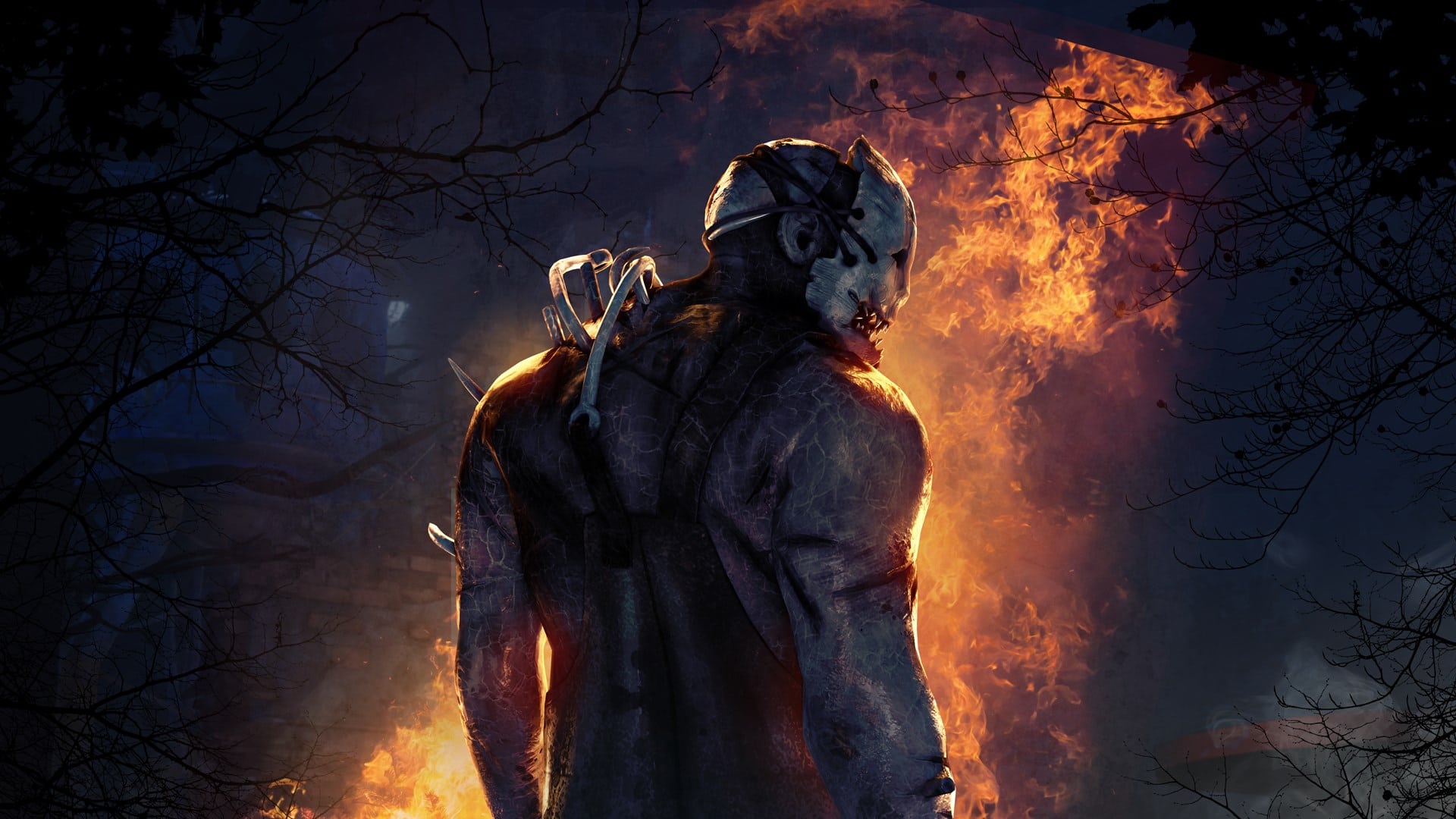
Dead by Daylight Update 2.34 Released for Bugfix Patch 5.3.1 This October 26

Behaviour Interactive has released the Dead by Daylight update 2.34 (PS5 version 5.003.101) patch this October 26, which the studio calls bugfix patch 5.3.1! There’s a few gameplay changes to perks, as well as a host of bug fixes listed in the patch notes below.

Dead by Daylight Update 2.34 Patch Notes | Dead by Daylight Update 5.003.101 Patch Notes | Dead by Daylight Update 5.3.1 Patch Notes:

Content

  • Perk – Clairvoyance: Added the Hatch to the auras revealed. The Hatch aura is only visible after The Hatch has spawned.
  • Perk – Dead Hard: Added hit validation
  • The Midnight Grove Event – Selecting a Halloween challenge involving the event pumpkins will cause pumpkins to react to your presence.

Dev note: Previously, Dead Hard’s invulnerability was calculated on the Killer’s client, which led to survivors needing to anticipate the killer’s swing to an unreasonable degree in order for it to work. With hit validation, the server will decide if the hit would have landed and reject it if Dead Hard was active without relying on the Killer’s client.

Bug Fixes

  • (Steam, Windows Store, PS4, PS5, Xbox One, Xbox Series S|X) Tentatively fixed an issue which could cause players to get stuck in an infinite loading screen
  • Fixed an issue that caused Halloween pumpkins not to rotate to face the player.
  • Fixed an issue that caused Halloween pumpkins not to appear lit when a related challenge is active.
  • Fixed an issue that caused Halloween hooks’ auras not to be orange when viewed by survivors.
  • Fixed an issue that caused the haste timer not to function properly when having haste both from the Halloween pumpkins and from the Clown’s Afterpiece Antidote.
  • Fixed an issue that may cause the game to crash when using the Boon: Circle of Healing perk.
  • Fixed an issue that caused the Boon: Circle of Healing perk to give the Self Care prompt.
  • Fixed an issue that caused the heal speed not to be adjusted when a medkit runs of charges when self healing with a medkit within the range of Boon: Circle of Healing.
  • Fixed an issue that caused the Clairvoyance perk to remain activated when used while being healed and holding an item.
  • Fixed an issue that caused the Spirit to be able to teleport to a destroyed husk when using the Wakizashi Saya add-on.
  • Fixed an issue that caused the Life Giver archive challenge not to gain progress when gaining health from the Adrenaline, For the People, Resurgence, Second Wind, or Solidarity perks.
  • Fixed an issue that caused the Appeal to Heal archive challenge not to gain progress when consuming a medkit by using the Styptic Agent or Anti-Hemorrhagic Syringe add-ons.
  • Fixed an issue that caused the Power Struggle perk not to reliably stun the killer since the same side pallet stuns were removed.
  • Fixed an issue in the cosmetic icons where Jonathan Byers’ head would appear distorted in his outfit and torso icons.
  • Fixed an issue that caused users to be able to change a Daily Ritual multiple time by restarting the application after removing a Daily Ritual.
  • Fixed an issue that caused Players to sometimes load into trials with little to no lighting.
  • Fixed an issue that caused some hatch spawns on Midwitch Elementary can not be opened with a key.
  • Fixed an issue that caused the Survivors can’t be picked up in crevasse on Lery’s Memorial Institute.
  • Fixed an issue that caused the First to the Punch achievement not to gain progress when a survivor is downed other than by a basic attack. It now gains progress whenever a survivor is downed next to a pallet, no matter the reason.
  • Fixed an issue that caused the Humanitarian achievement not to gain progress when unhooking a survivor with the Borrowed Time perk.
  • Fixed an issue that caused the Cenobite to appear inside of the ground when teleporting to a survivor solving the Lament Configuration on the top level of the maze in the Pale Rose map.
  • Fixed an issue that caused the Twins’ Drop of Perfume add-on’s oblivious range not to be affected by other add-ons affecting Victor’s Shriek radius.
  • Fixed an issue that caused Victor’s alert range not to be affected by other add-ons affecting Victor’s Shriek radius.
  • Fixed an issue that caused survivors to be able to use the Dead Hard and Balanced Landing perks at the same time.
  • Fixed an issue that caused the 5th Killer Instinct VFX “tick” to not appear if a Survivor affected by Killer Instinct is behind an asset.
  • Fixed an global issue that caused multiple totems to not being snuffed by the Killer in multiple maps.

Known Issues

  • Treatment Theatre Map is disabled.
  • The Killer can only earn 1 point of progress per Tangled Hook for the Halloween Hook challenge.

In case you didn’t know, Dead by Daylight has crossed over with Ubisoft’s For Honor franchise! Head on over here for details on that.

Source: Dead by Daylight forums

Avatar photo

Alex Co

Father, gamer, games media vet, writer of words, killer of noobs.

Home > News

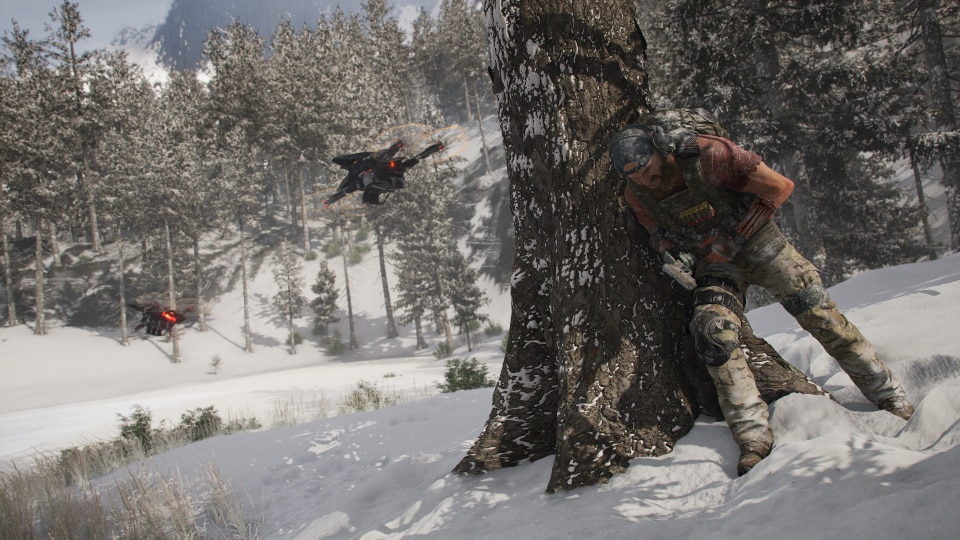
Ghost Recon Breakpoint Operation Motherland Launch Trailer Revealed, Coming This November 2

First announced during the Ghost Recon 20th Anniversary showcase, Ubisoft has now revealed the Ghost Recon Breakpoint Operation Motherland launch trailer, with the big expansion set to release this November 2. Check out the trailer below.

Besides the Ghost Recon Breakpoint Operation Motherland launch trailer, Ubisoft also shared a short backstory on this expansion, as well as everything new that comes with it.

In Tom Clancy’s Ghost Recon Breakpoint: Operation Motherland, players will help Karen Bowman and the outcasts liberate the island of Auroa which is at the center of an upcoming global conflict. A new faction of enemies, more dangerous than ever, will do everything to block the Ghosts’ progress. In Operation Motherland players will discover new weapons including the M110, the ACR and the SR-1 as well as a new enemy faction, cosmetic gear and Russian vehicle skins in Maria’s Shop.

Features:

  • New alternative mode: Conquest mode.  With Conquest Mode, each mission will have an impact on the world dynamic, such as increasing Outcast patrols, decreasing enemy presence or deactivating drone swarms, offering new tactical options to players.
  • An updated progression system will provide long-term objectives with a maximum XP level that will increase to 99.
  • The return of an all-time favorite gameplay feature: Optical camo. Available with Conquest mode, optical camoallows the player to be invisible to enemies until a certain distance,the more a player progresses in the game, the more effective the camouflage is. Once the optical camo is unlocked, players will also be able to enjoy it in the Story mode.

What do you think? Will you be giving Ghost Recon Breakpoint another shot with this latest Operation Motherland expansion? Let us know in the comments below!

MP1st Staff

Home > News

Hunt: Showdown Halloween Event “The Harvest” Launches, Here’s an Overview

Prepare for a spooky time filled with rewards and legendary items, as Hunt: Showdown Halloween event “The Harvest” launches — and here’s an overview of what to expect from this new live-event for the game!

Here’s the trailer to new pumpkin-smashing event that runs for a limited time only.

Starting this October 26 and running until Tuesday, November 9, Hunt: Showdown players can look forward to a lot of interesting items from The Harvest event. Here’s a list of the rewards that will be available via press release.

  • Bronze Wormseed Shot (unlocked with first login)

  • 500 Hunt Dollars

  • Legendary Combat Axe “The Executioner”

  • Three Vitality Shots

  • One Bronze Wormseed Shot

  • Legendary Caldwell Rival 78 “The Marwood”

  • Three Frag Bombs

  • Three Big Dynamite Bundles

  • Legendary Mosin-Nagant M1891 Obrez Mace “Closed Casket”

  • 1,000 Hunt Dollars

  • Legendary Hunter “The Headsman”

In addition to the new live-event the new Cold-Blooded DLC as well as the Legendary Hunter “The Reptilian,” a Legendary Bomb Lance “Tooth to Tail,” and a Legendary Romero 77 Talon “Avarice.” are all available for the game today. Check the official Hunt: Showdown website for more details.

If you missed the patch notes for update 1.38 for Hunt: Showdown you can check them out here. The game is available to play on PS4, Xbox One, and PC.

Tim Villasor

Home > News

Battlefield 2042 GeForce Game Ready Driver Support Now Available Ahead of Release

We are just three short weeks away from the release of Battlefield 2042, and while DICE is certainly gearing up to release a hefty launch day update, PC gamers using one of the many available Nvidia graphic cards will be happy to know that the Battlefield 2042 GeForce Game Ready Driver is now available ahead of the early access release.

To coincide with the release of Guardians of the Galaxy Nvidia has published their latest driver update, which includes a batch of new NVidia GeForce Game Ready titles. Big highlights include Call of Duty: Vanguard, GTA Trilogy, Forza Horizon 5, and many more, including the highly anticipated Battlefield 2042! A full list of titles included in this update can be found below.

New GeForce Game Ready Driver Supported Games for October 2021

  • Age of Empires IV
  • Battlefield 2042 Early Access
  • Call of Duty: Vanguard
  • Chivalry 2
  • Forza Horizon 5
  • Grand Theft Auto: The Trilogy – The Definitive Edition
  • Jurassic World Evolution 2
  • Marvel’s Guardians of the Galaxy (Review here if you haven’t read it it!)
  • Riders Republic

If you plan on purchasing Battlefield 2042 next month and you have an RTX graphic card from NVidia, then you’ll want to be sure to download this latest update as it will offer full DLSS support, amongst other performance boosting features.

Powered by next-gen GeForce RTX gaming technologies, the AI-performance boost of NVIDIA DLSS and the lowest latency with NVIDIA Reflex. As you adapt and overcome in a near-future world transformed by disorder, GeForce RTX delivers the ultimate PC gaming experience.

For those interested in downloading the latest driver, you can do so from the official Nvidia website, or directly from the GeForce App. 

Battlefield 2042 will officially be releasing on November 19, though if you purchase either the Gold or Ultimate edition you will be able to play one week earlier on November 12. 

Avatar photo

James Lara

A gamer at heart, James has been working for MP1st for the last decade to do exactly what he loves, writing about video games and having fun doing it. Growing up in the 90's gaming has been in his DNA since the days of NES. One day he hopes to develop his own game.

Home > News

Far Cry 6 Update 1.004 Released for Bug Fixes This Oct. 26

Ubisoft has released the Far Cry 6 update 1.004 patch today on both last-gen and next-gen platforms this October 26, and this is primarily for bug fixes. This patch is out now on all platforms, with the official patch notes and file sizes listed below.

Update (11/2/21): Those looking for the patch notes for November 2, head on over here!

Far Cry 6 Update 1.004 Patch Notes:

File Sizes:

  • PC: 1.1 GB
  • Xbox One: 512 MB
  • Xbox Series X/S: 2.4 GB
  • PlayStation 4: 772 MB
  • PlayStation 5: 536 MB

PC, Luna, and Stadia:

  • Fixed an issue that could cause performance issues when the Ubisoft Connect overlay was enabled on PC
  • General bug fixes

Xbox One, Xbox Series X|S:

  • General bug fixes

PlayStation 4:

  • General bug fixes

PlayStation 5:

  • Fixed an issue that caused English voice assets to be missing for some regions on PlayStation 5
  • General bug fixes

The first major title update is being worked on, and will include post-launch content, performance improvements, and more bug fixes according to Ubisoft. Once it’s out, we’ll be sure to let our readers know. If you haven’t picked the game up yet, go read our review and see why it’s a tale worth playing through and say, “While Far Cry 6 is not the huge revamp many have been asking for, it is a great time nonetheless. The extensive weapon customization, and new additions like the Supremo weapons and Amigos add even more flexibility to the tried and true formula.”

Source: Ubisoft forums

Avatar photo

Alex Co

Father, gamer, games media vet, writer of words, killer of noobs.

Home > News

Zombie Army 4 Update 1.43 Blasts Out for Season 3.4 This October 26

Rebellion has released the Zombie Army 4 update 1.43 patch this October 26, and this one is for the huge Season 3.4 content update! Check out the complete patch notes below.

Zombie Army 4 Update 1.43 Patch Notes | Zombie Army 4 Season 3.4 Update Patch Notes:

Slayers Assemble! Today, we invite our players to take on hordes of the undead in the FREE new Hell’s Cauldron map. Developed in collaboration with Flix Interactive and Radical Forge, we’re also delighted to introduce cross-play and cross-platform chat between PC and PlayStation players so you can now team up to take on the zombie legions.

The FREE Horde Map ‘Hell’s Cauldron’ is OUT NOW and available on all platforms! We are also pleased to announce that you can enjoy this blood bath with even more friends – new cross-play…

In addition to the free Horde Map and cross-play functionality, further outfits, weapons, skins and charms have also been made available. The latest content concludes Season 3 of Zombie Army 4 and is available as part of the Season Pass.

Zombie Army 4 | Season 3.4 Content:


Occult Karl Outfit

With occult symbols shining on his deathly pale skin, something nasty flowing in his veins, and hollow eyes glimmering with an ominous light – you might say Karl’s had something of a glow-up, but you’d be dead wrong. This pack includes:

  • Occult Karl Outfit
  • 2 Hats for Karl (Occult Officer’s Cap + Steel Skull Mask)

zombie army update 1.43

Strange Brigade Headgear Pack

Humorous hats and menacing masks! Definitely an appropriate use for priceless antiquities. This pack contains the following pieces of headgear, usable by all characters:

  • Mummy Head Mask
  • Bull Mask
  • Assassin’s Death Mask
  • Seteki Headdress

zombie army update 1.43

Blowtorch Weapon Bundle

Hell just got a little bit hotter! It’s always a good idea to have a blowtorch to hand. This Weapon Bundle contains:

  • Blowtorch
  • 2 Charms (Dragon Egg + Cracked Pressure Gauge)
  • 2 Weapon Skins (Painted like a Dragon + Brass)


Bandages Weapon Skins

Bring a new meaning to taking care of your weapons with these tightly wound dressings! Apply a Bandages finish to the following weapons: Gewehr 43, M1 Garand, Mosin-Nagant M91/30, M30 Drilling, MP44, Thompson, Trench Gun, C96 Pistol, M1911 & Webley MKVI.

zombie army update 1.43

Tarot Charm Pack

From the hand you’ve been dealt, pick your favourite esoteric figure to clip to your weapon. This pack contains the following charms:

  • The Emperor
  • The Hermit
  • The Tower
  • Judgement

That’s about it for the patch.

Source: Zombie Army

MP1st Staff

Home > News

Far Cry 6 Update 1.03 Patch Notes; Out for Bug Fixes This October 26

Ubisoft has released the Far Cry 6 update 1.03 patch today, October 26, and this is primarily for bug fixes. This patch is out now on all platforms, with the official patch notes and file sizes listed below.

Far Cry 6 Update 1.03 Patch Notes:

File Sizes:

  • PC: 1.1 GB
  • Xbox One: 512 MB
  • Xbox Series X/S: 2.4 GB
  • PlayStation 4: 772 MB
  • PlayStation 5: 536 MB

PC, Luna, and Stadia:

  • Fixed an issue that could cause performance issues when the Ubisoft Connect overlay was enabled on PC
  • General bug fixes

Xbox One, Xbox Series X|S:

  • General bug fixes

PlayStation 4:

  • General bug fixes

PlayStation 5:

  • Fixed an issue that caused English voice assets to be missing for some regions on PlayStation 5
  • General bug fixes

The first major title update is being worked on, and will include post-launch content, performance improvements, and more bug fixes according to Ubisoft. Once it’s out, we’ll be sure to let our readers know. If you haven’t picked the game up yet, go read our review and see why it’s a tale worth playing through and state, “While Far Cry 6 is not the huge revamp many have been asking for, it is a great time nonetheless. The extensive weapon customization, and new additions like the Supremo weapons and Amigos add even more flexibility to the tried and true formula. The story starts off excellent, and remains solid throughout, although it does start to overstay its welcome towards the latter half of the game. There’s a huge cast of characters, highlighted by yet another iconic Far Cry villain in Anton Castillo.  It’s not going to win over any Far Cry naysayers, but fans of the series should thoroughly enjoy what Ubisoft have done here. It is, in my opinion, the best Far Cry title since 2012’s Far Cry 3.”

Source: Ubisoft forums

Avatar photo

Alex Co

Father, gamer, games media vet, writer of words, killer of noobs.

Home > News

Red Dead Online Weekly Update October 26 Reset

Rockstar Games has rolled out the Red Dead Online weekly update October 26 reset of activities and discounts! Same as before, for the recap, head on below for the list of new activities, discounts and more.

Red Dead Online Weekly Update October 26 Reset:

All Hallows’ Eve approaches and brings with it a terrifying new Call to Arms; protecting Armadillo, Butcher Creek, Shady Belle, and Bolger Glade from… strange adversaries.

Also this week, players can earn double RDO$ and XP for the featured series: Dead of Night. Four teams compete as they fight against the never-ending swarms of The Dead.

As a reminder, players owning all four previous Quick Draw Club iterations will receive a Reward to get the Halloween Pass 2 for free (more on that below).
More highlights from this week’s update include:

  • Double RDO$, Gold, and XP on All Hallows’ Call to Arms modes
  • Halloween Pass 2 coming October 28 featuring all-new Clothing, Masks, and Accessories
  • Free Stable Slot and a select Shirt for all Halloween Pass 2 owners
  • 2,000 Club XP to redeem on the Halloween Pass 2 for surviving to the tenth wave of any All Hallows’ Call to Arms mode
  • Reward for a free Ability Card for completing Dead of Night
  • Madame Nazar’s limited time collection of Masks: The Slaughter Mask, Creature Mask, Horror Mask, Swing Mask, Free Mask, and Masquerade Mask now for sale
  • 10 free Snowberger Candies and 5 free Chocolate Bars for logging into Red Dead Online this week
  • Discounts: 50% off Haircuts, Dentistry, and Makeup, 40% off Gun Belts and Melee Weapons, 35% off all Role Outfits, 30% off all Emotes and everything at Gus’ Store, 5 Gold Bars off the Bandit Mask
  • Prime Gaming Benefits: Red Dead Online players who connect their Rockstar Games Social Club account to Prime Gaming through November 22 will get a Reward for a free Accessory and an Offer for 50% off a Non-Role Multi Horse.
  • Double RDO$ and XP on featured series: Dead of Night
  • New All Hallows’ Call to Arms mode now available

Discounts

It’s time to dress up and play around with your appearance, to try out another walk of life, if only for a night — that’s why all Role Outfits are 35% off this week; Gun Belts are 40% off; and all Barbers are offering 50% off all Haircuts, Dentistry, and Makeup. It’d be wise to peruse the rest of the discounts too, as there’s no telling what you might need to stock up on in these spooky times. See below for the complete list.

  • 35% off all Role Outfits
  • 5 Gold Bars off the Bandit Mask
  • 50% off Haircuts, Dentistry, Makeup
  • 30% off all Norfolk Roadster Horses
  • 40% off Melee Weapons
  • 40% off Gun Belts
  • 30% off everything at Gus’ Store
  • 30% off all Emotes

That’s it for this week. Tune in next week for the next Red Dead Online update.

MP1st Staff

Home > News

A Quiet Place Video Game Announced, Coming in 2022

Following its huge success at the box office, the hit horror franchise A Quiet Place now has a video game attached to it, as announced by publisher Saber Interactive and developer iLLOGIKA. The game will be releasing sometime in 2022, and there are a few details revealed for fans to see.

The game will be, according to the first description, a single-player, story-driven horror adventure video game based on Paramount Pictures’ acclaimed film franchise. It will be co-developed by EP1T0ME, and there will be more news to come later this year. You can follow updates for the game via its official site as well.

Hervé Sliwa, Creative Director at iLLOGIKA, had this to say for the game:

“The A Quiet Place video game will let fans experience the tension of the films with a level of immersion they’ve never felt before. We’re excited to work with EP1T0ME and to team up with Saber Interactive to share this unique vision of hope and horror with players everywhere in the future.”

What do you think? Are you excited to see the horror franchise adapted as a video game? Let us know in the comments below!

MP1st Staff

Home > News

Returnal Update 2.000.001 Patch Notes; Adds Suspend Cycle & More This October 26

Housemarque has released teh Returnal update 2.000.001 patch this October 26, and this adds one of the most requested feature in the game, and that’s a suspend mode! In addition to that, there’s a Photo Mode added as well. This is called patch 2.0 by the developers, and you can check out the official patch notes and trailer below.

Returnal Update 2.000.001 Patch Notes:

Size: 10GB

New features:

  • Suspend Cycle – Pause the cycle and resume your run later!

  • Photo Mode – Capture the bullet-hell action or the dark beauty of Atropos; compose your shot, apply your favorite filters, and share with the world!

This update also includes numerous bug fixes and quality-of-life improvements.

Here’s a quick explanation of Suspend Cycle by Housemarque’s Harry Krueger who directed Returnal (via PlayStation Blog):

One of the main features of this update is the Suspend Cycle functionality, which will allow you to pause your cycle to be continued later, letting you exit the game and turn off your console without losing your progress in that session. The structure of the game remains unchanged, so this functionality is not a traditional mid-game “Save Game” option: by suspending the cycle, Returnal will simply create a single use suspend point, and once you resume playing the suspend point is deleted and cannot be used again. Your game will continue directly from the moment you left it, and if you want to suspend the cycle again, your progress will be captured from that new point onwards. There are some limitations in place – for example, players won’t be able to create a suspend point during Boss battles, cinematics, first-person sequences or during intense combat scenarios – as we felt there are certain moments in Returnal that are best experienced unfragmented to preserve the intended challenge and flow.

With this approach, we can keep the roguelike spirit and “high stakes” commitment to your run intact, while still providing some quality-of-life convenience for players who like to experience Returnal in shorter bursts. So next time you’re deep into a lengthy session on Atropos and life comes knocking at your door, you’ll be able to simply Suspend Cycle and jump back in at a more convenient time.

Some players might remember us posting that the developer build of the game got the 2.0 update, and it seems this is what it’s for.

Source: Housemarque

Avatar photo

Alex Co

Father, gamer, games media vet, writer of words, killer of noobs.

Home > News

Death Stranding Director’s Cut Update 1.003 Sneaks Out This October 26 (Update)

Kojima Productions has released the Death Stranding Director’s Cut update 1.003 patch this October 26, and this is an unannounced title update, so don’t expect much. As far as we’re aware, this is only for the PS5 version of the game, as the PS4 version is still at version 1.13.

Death Stranding Director’s Cut Update 1.003 Patch Notes:

Update: Reddit user ConanChin has posted the following changes:

Patch 1.03 fixed a lot of bugs & crashes including:

  • Race Track No. 12 will let you save your record without crash
  • Can finish delivery task while Online
  • Can manual save right after the delivery starts while Online Edited: …And Performance Improvements

Cons: You still can’t manual delete save file from in-game

If we get a more detailed and official changelog, we’ll update the post.

Kojima Productions and Hideo Kojima have not released anything regarding the patch just yet, and the community hasn’t acknowledged it either. We are checking things out, and will update the post once we have something tangible to report.

If you notice any gameplay-related changes, or technical fixes, let us know what you spot down in the comments below.

Avatar photo

Alex Co

Father, gamer, games media vet, writer of words, killer of noobs.

Home > News

FIFA 22 Update 1.13 Patch Notes; Rolled Out for TU#2 This October 26

EA has rolled out the FIFA 22 update 1.13 (PS5 bersion 1.000.003) this October 26, and this is for Title Update #2! This includes changes to Ultimate Team, Career mode, gameplay and more. Head on for the full patch notes below.

FIFA 22 Update 1.13 Patch Notes | FIFA 22 Update 1.000.003 Patch Notes:

FIFA Ultimate Team

Made the following changes:

  • Penalty Shootout kick order will now be decided by the Penalties Attribute.
    • When players share the same Penalties Attribute, the Shot Power and Finishing Attributes will be used to determine the order.
  • After completing FUT Champions Finals competition and qualifying for another while the existing competition is still active, the FUT Champions Finals UI will now inform players that they cannot re-qualify for the existing competition.
  • When qualifying for FUT Champions Finals, a new post match screen will display to notify players of the qualification.

Addressed the following issues:

  • The win streak UI indicator did not appear after winning two Division Rivals matches in a row. This was a visual issue only.
  • On rare occasions, a Division Rivals match could incorrectly start with an inactivity pop up message appearing and staying on the screen.
  • Some kits could clash with the Referee’s kit during matches.
  • The FUT Champions Finals progress window did not display a checkmark beside the Rank I indicator after reaching it. This was a visual issue only.
  • When reaching a new Stage in Division Rivals, the post match screens did not highlight the new Stage. This was a visual issue only.
  • In Squad Battles, the Opponent Select screen displayed a blank space beside the selected opponent’s Rating and Chemistry.
  • When achieving a new Rank in Squad Battles, the post match screen did not display the updated visual indicator for the Rank. This was a visual issue only.
  • When claiming FUT Champions Finals rewards, a pop up message saying the event has ended would appear over the rewards animation.
  • [Stadia only] Matches against the CPU AI did not count towards Stadia’s Games Played counter.
  • Background Tifos did not always display correctly.
  • Some placeholder visuals were present on the FUT Friendlies screen.

Gameplay

Made the following changes:

  • Reduced the effectiveness of AI controlled players blocking Lobbed Passes and crosses.
    • Specifically, AI controlled players were previously able to stretch too far when attempting to block Lobbed Passes and crosses.
  • CPU AI teams are now more likely to commit fouls during matches played on Semi-Pro difficulty and above.
    • This change does not apply to matches played with Competitor Mode set to on.

Addressed the following issues:

  • [PC only] Addressed some instances of visual stuttering occurring after performing Skill Moves during matches.
  • When requesting a Finesse Shot, the ball carrier could sometimes go out of their way to take it with their dominant foot.
  • The Outside Foot Shot Trait did not function correctly.
  • When two players make contact with the ball at the same time, the ball could sometimes fly unintentionally high into the air.
  • When attempting to Shield the ball when taking a touch, the ball carrier could sometimes move erratically.
  • In a rare situation, a player could disappear from the pitch during a match.
  • On rare occasions, the referee could incorrectly call for a free kick inside of the penalty box instead of a penalty kick.
  • The Automatic Player Switching setting did not always function correctly.
  • In Pro Clubs and Player Career matches, the Set Piece Specialist perk did not function during Free Kicks and Penalty Kicks.
  • Goalkeepers could have unintentionally performed a goal kick across the entire pitch.
  • When making a tackle inside of the penalty box, the ball could sometimes unintentionally travel towards the defender’s goal.
  • When calling a player short on a corner, the called player could sometimes perform unnecessary player humanization gestures.
  • When attempting to turn while Sprinting, the ball carrier could sometimes miss a touch on the ball.

Career Mode

Made the following changes:

  • Added News scenes for UEFA Europa League and UEFA Champions League draws.
  • Adjusted Player Career Player Objective selection logic to account for the difficulty of some Objectives.
  • Moved the unavailable player(s) pop up message so that it can appear during the pre-match flow instead of the Career Mode Hub.

Addressed the following issues:

  • Youth Academy players could disappear at the start of the second season.
  • Sometimes, a player’s Match Form could incorrectly decrease after completing a match that they were subbed in for.
  • In a rare situation when coming on as a sub in Player Career, both teams could be positioned in the same half during a kick off.
  • A Youth Player’s potential could incorrectly decrease if they were signed to the senior squad towards the end of a season, with no remaining matches to be played.
  • In Player Career, Match Objectives that were too similar could unintentionally appear.
  • In Player Career, OVRs could incorrectly display multiple values across different menus.
  • Post Match Interview audio could become corrupted when the Disable All Music for Streaming Purposes setting was enabled.
  • Training Drill names could display in incorrect places on the UI.
  • The Squad Hub could remain scrollable even when a pop up message appeared on screen.
  • When attempting to retire a player in the Squad Hub, the affected player was the one shown in the preview panel instead of the highlighted player.
  • Some international matches did not display on the Calendar.
  • The Player Performance screen did not always display 2D headshots.
  • In Player Career, the created Pro was unintentionally not being selected for some national team matches.
  • A placeholder menu was incorrectly visible when entering Game Settings during a match.
  • When Quick Simming a match, yellow and red cards could appear green on the UI.

VOLTA FOOTBALL

Made the following changes:

  • When searching for a match in VOLTA SQUADS, the Objectives widget is now present on the right hand side instead of an Avatar’s information.
  • Lengthened the duration of the up and down arrows on the VOLTA ARCADE results screen and moved them to the left, in order to improve clarity.
  • When browsing the Store or customizing an Avatar, the Avatar’s entire outfit will be on display instead of the camera zooming in on a specific item of clothing.
  • When completing a VOLTA ARCADE tournament and leveling up the Avatar, the post tournament screen will now separately display the amount of VOLTA COINS earned through the leveling and the tournament, respectively.
    • As a result, players can now browse through that UI element but will no longer be able to highlight individual Avatars.

Addressed the following issues:

  • The VOLTA ARCADE timer sometimes displayed an inaccurate amount of time. This was a visual issue only.
  • The entire lobby could unintentionally disband when the Captain cancelled matchmaking.
  • During matches, controller vibration could unintentionally persist.
  • When attempting to matchmake while matchmaking was disabled, players could see an incorrect pop up message.
  • A green arrow indicator could display in an incorrect location on a post match screen.
  • In VOLTA ARCADE, an incorrect badge could be displayed beside the Avatar’s name.
  • Menu narration did not always function correctly.
  • The Welcome To VOLTA ARCADE screen could take a longer than intended amount of time to display.
  • The Select Signature Ability screen did not display a headline and general summary.
  • The Avatar widget could overlap with other UI elements.
  • The Players List pause menu option was missing a visual indicator.
  • Store tiles could take longer than intended to appear.
  • AI players on both teams had white Player Indicators.
  • During goal celebrations, Avatars could incorrectly move through walls.

Pro Clubs

Made the following change:

  • Added the option to toggle the appearance of the Player Performance in game UI.
    • This option can be found in the Visual tab of Game Settings when paused during a match.
  • Added the option to adjust the Perk activation audio level.
    • This option can be found in the Audio tab of Game Settings when paused during a match.

Addressed the following issues:

  • Sometimes, menus could run at a slower speed than intended.
  • Some players could have seen kits different from the ones selected by the Captain in the pre-match flow.
  • The threat indicator could incorrectly move across the pitch.
  • The Player Of The Match overlay incorrectly displayed as blank.
  • Player names were not aligned correctly on the Club Tactics screen.

General, Audio, and Visual

Made the following changes:

  • Updated some kits, celebrations, broadcast packages, stadia, 2D player images, pre-match scenes, UI text formatting, UI elements, ad boards, commentary lines, transitions, crowd chants, and anthems.
  • Added the ability to perform JUL’s celebration to additional players.

Addressed the following issues:

  • Made improvements to the visual fidelity in certain situations on Xbox Series S.
    • We will continue to monitor this going forward.
  • [PS5 and XSX|S only] During penalties, light colored hair could unintentionally appear as dark colored hair
  • Addressed instances of overlapping, incorrect, visually unclear, and placeholder text appearing in some menus.
  • Addressed instances of blurry UI elements.
  • Addressed a rare stability issue which could occur during matches.
  • When attempting to view a main menu EATV video in full screen, the transition effect displayed incorrectly.
  • Addressed further instances of player models not being correctly sized when appearing in some parts of the UI.
  • EATV videos could automatically play even when the EA SPORTS News Auto-Play option was set to off.
  • Some beard options did not display when customizing Avatars, Virtual Pros, and Managers.
  • Elements of the main menu background could sometimes appear corrupted.
  • Updated the Composure visual indicator found in modes with Skill Trees.
  • [Stadia only] Matches against the CPU AI did not count towards Stadia’s Games Played counter.

Source: FIFA forums

Avatar photo

Alex Co

Father, gamer, games media vet, writer of words, killer of noobs.

Home > News

Fortnite Update 3.36 Released; Fixes & Datamined Content for v18.30 Listed This Oct. 26

Epic Games has released the Fortnite update 3.36 patch this October 26, and this is called patch version 18.30 by the studio. Head on for the list of datamined content and confirmed fixes below.

Fortnite Update 3.36 Patch Notes | Fortnite v18.30 Patch Notes:

We’ll update this section once the official notes from the Fortnite Trello board have been released. Stay tuned.

In the meantime, check out our patch v18.21 patch notes, which detailed some very important fixes for Fortnite.

Here are the fixes from the official Fortnite Trello board:

Battle Royale

Red dot indicator no longer shows on compass when enemies are firing.

Description

The red dot indicator that appears when enemies are firing weapons close by no longer appears on the compass.

Error message when trying to equip certain color combinations of Tricksy.

Description
When trying to equip certain color combinations of the Tricksy Outfit, players may get an error message.

Wolverine’s Built-in Emote not working correctly

Description

When using Wolverine’s built-in SNIKT emote the claws are not replacing the pickaxe as intended.

Using the “Smash Attack” ability with the Sideways Scythe may result in fall damage.

Description
We’re aware of an issue that causes players to take fall damage if using the “Smash Attack” ability on the Sideways Scythe from a high vantage, of the edge of a tall structure, or hill.

Creative

Trees are not appearing on Island Map.

Description
We’re investigating an issue where trees placed in the island environment are not appearing on the island map.


Platform
All


Fortnite v18.30 Datamined Content:

https://twitter.com/HYPEX/status/1452913454390579205

https://twitter.com/HYPEX/status/1452915717872005121

https://twitter.com/VenomLeaks/status/1452916215559507971

https://twitter.com/VenomLeaks/status/1452916055500734465

https://twitter.com/VenomLeaks/status/1452920026646794242


We’ll update the post if more datamined content and known fixes are found.

MP1st Staff

Home > News

Marvel’s Guardians of the Galaxy Update 1.03 Flies Out This October 25

Eidos Montreal has released the Marvel’s Guardians of the Galaxy update 1.03 this October 25. The game is officially out today worldwide, and this is a fresh patch on the game’s launch day.

Marvel’s Guardians of the Galaxy Update 1.03 Patch Notes:

Size: 103MB (PlayStation)

The PS4’s update history states:

  • General stability fixes

While this is the only thing listed, we can confirm that the day one patch (which is today’s title update) adds Photo Mode to the game. So if you bought the game physically, you might want to update it for the mode.

That seems to be it. If you’ve yet to pick it up, you might want to do so, as our review went live earlier today, and gave it an outstanding 9.5/10! Our own Jimmy Lara had this to say after playing it multiple times: “if you are someone who is jaded by the release of Marvel’s Avengers, rest assured Guardians of the Galaxy is everything you could want out of a Marvel Game. It’s fun, entertaining, and quite possibly one of the best games this year. I’ll say it, it might just be my personal Game of the Year.”

Avatar photo

Alex Co

Father, gamer, games media vet, writer of words, killer of noobs.

Home > News

Rocket League Update 2.07 Patch Notes; Out for In-Game Transactions This Oct. 25

Psyonix has released the Rocket League update 2.07 patch this October 25, and this is purely for in-game items and transactions, and doesn’t seem to include any client facing changes. Read on for the official patch notes, as well as details.

Rocket League Update 2.07 Patch Notes:

Version: Rocket League v2.07

Platforms: Epic Games Store, PlayStation 4, PlayStation 5, Steam, Switch, Xbox One, Xbox Series X|S

Scheduled Release: 10/25/2021, 4 p.m. PDT / 11 p.m. UTC

CHANGES AND UPDATES

PsyNet Upgrades

  • Update v2.07 is focused on upgrading how in-game items and transactions are stored in PsyNet. Nothing seen in the game client will change, but a client update is needed for the backend upgrades to take effect

KNOWN ISSUES

For a complete list of Known Issues in Rocket League, please visit our Known Issues blog

Outside of the patch, therer is a Halloween Costume contest happening in-game now as well!

That seems to be it per the developers. If there are any other changes in this patch that’s not mentioned above, we’ll be sure to update the post.

Avatar photo

Alex Co

Father, gamer, games media vet, writer of words, killer of noobs.

Home > Features

Battlefield 3 10th Anniversary – Why It’s the Best Battlefield Game of All-Time (Opinion)

It’s October 25, 2021 and this is the day Battlefield 3 was released 10 years ago. Writing it out, I still can’t believe it’s been this long since the game was released. Another thing I can’t believe? How DICE still hasn’t released a better Battlefield game than BF3.

Yeah, you read that right. I’m sticking to my guns; BF3 is the best game in the franchise’s storied history. Sure, one might argue that Bad Company 2 could be better, but its melee and movement is clunky compared to BF3. Just what does Battlefield 3 do right that it’s still the best Battlefield game of all-time? Read on. Note that the core gameplay of Battlefield 3 was/is awesome, and the stuff listed below are just more proof on why the game resonated so well.

Battlefield 3 10th Anniversary – Here Are 5 Things That Help Make It the Best Battlefield Game of All-Time:


Memorable Maps

From Grand Bazaar to Caspian Border, Battlefield 3 had the best set of maps available at launch in franchise history. Seine Crossing, Damavand Peak, and of course, Operation Metro. Almost all the maps in Battlefield 3 are now classic maps that offered varied gameplay scenarios. Want close-quarter action? Want vehicular warfare? What about a mix of both? BF3 had it all.

Battlefield 3 properly introduced close-quarter maps as well, which other players call the “meat grinder.” It might not be everyone’s cup of tea, but there’s no denying its appeal.

Proper Classes and Loadouts

This warrants a mention given the direction Battlefield 2042 is going. BF3 was one of the many games in the franchise that gave players four classes to choose from, and each class can be tinkered to a certain degree to fit a player’s playstyle.

BF3 had the right combination of gadgets per class in order to make each have a specific place on the battlefield.

Outside of the classes, the game offered a healthy dose of gun customization, and we even got to earn infantry skins as well, which didn’t border on the ridiculous.

Best Killfeed We’ve Seen

It might not mean much overall, but Battlefield 3 had the best killfeed in a Battlefield game. I mean, look how awesome it is, right? It has a proper event log, the fonts might look bright and whatnot, but it didn’t detract from the gameplay. It just worked. It wasn’t as plain as Battlefield 4’s and thankfully, we can tweak the event log in Battlefield 2042.

Proper Destruction Without Going Overboard

While there might be a lot of Battlefield players who want the destruction to be the same as Bad Company 2’s, it’s understandable why DICE dialed it down a notch. It made game modes like Rush a bit unbalanced given destroying structures where MComs are situated in rather easy.

Battlefield 3 featured destruction well enough even if it didn’t deliver on the same scale of Bad Company 2. Players can drop debris on enemies and vehicles, even if they couldn’t decimate entire structures. While that might seem like a step back, it did make sense gameplay-wise in terms of balance.

It Spawned Battlelog (Even If It Wasn’t Handled Wisely)

Remember Battlelog? The stat-tracking website/app that EA launched where the publisher planned as a catch-all portal for its slate of multiplayer first-person games? It started with Battlefield 3! While the site is still up, it’s not supported by the newer games, which is a shame since it gave players a good peek into their stats (as shown above).

Will we see it again? Probably not, but it’s another one of those things that made BF3 just a damn blast to play.


Well, there you have it. Do you think Battlefield 3 is the best Battlefield game of all-time? If so, why? Share your best BF3 moments below.

More Battlefield Reading:

Avatar photo

Alex Co

Father, gamer, games media vet, writer of words, killer of noobs.

Home > News

Tormented Souls Arrives for PS4, Xbox One, and Switch in Early 2022, New Outfit and Weapon for the Game Revealed

If you love playing survival horror games and don’t own a next-gen system yet then you’re in luck, as Tormented Souls arrives for PS4, Xbox One, and Switch on Early 2022. Plus, a new outfit and weapon for the game have been revealed.

With the reveal of the game’s release for current generation systems, PQube, Dual Effect, and Abstract Digital Works have also announced that a free update is coming for the game on October 28, which will give players a new casual outfit for the main character Caroline as well as a new weapon to use. The soundtrack will be bundled with the Steam release of the game, and will also be available on its own for purchase.

Already out for the PS5, Xbox Series X|S, and PC, Tormented Souls is a throwback horror game title that evokes memories of Resident Evil and Silent Hill. . Here’s the overview of the game’s plot via press release.

Return to Winterlake Mansion this Halloween and re-experience the terrors of Tormented Souls. Led to the small, isolated town of Winterlake, something terrible happens to Caroline Walker. Waking in the dead of night, naked and alone, hooked up to decrepit medical equipment, Caroline must fight for her life as she explores the halls of the abandoned mansion.

As the previous inhabitants run amok, you must scavenge essential resources and tools to decipher clues and create a variety of weapons to protect yourself from the darkness within.

If you want other survival game suggestions, check out our review of The Medium here.

Tormented Souls for the PS4, Xbox One, and Nintendo Switch will be available early 2022.

Tim Villasor